This is the multi-page printable view of this section. .
Pigsty Docs v4.5
- 1: Get Started
- 2: Deployment
- 3: Concepts
- 3.1: Architecture
- 3.1.1: Nodes
- 3.1.2: Infrastructure
- 3.1.3: PGSQL Arch
- 3.2: ER Model
- 3.2.1: E-R Model of Infra Cluster
- 3.2.2: E-R Model of PostgreSQL Cluster
- 3.2.3: E-R Model of Etcd Cluster
- 3.2.4: MINIO Cluster Model
- 3.2.5: E-R Model of Redis Cluster
- 3.3: Infra as Code
- 3.3.1: Inventory
- 3.3.2: Configure
- 3.3.3: Parameters
- 3.3.4: Conf Templates
- 3.3.5: Use CMDB as Config Inventory
- 3.4: High Availability
- 3.4.1: RPO Trade-offs
- 3.4.2: Failure Model
- 3.4.2.1: Model of Patroni Passive Failure
- 3.4.2.2: Model of Patroni Active Failure
- 3.4.2.3: Network Partition
- 3.4.3: RTO Trade-offs
- 3.4.4: Service Access
- 3.5: Point-in-Time Recovery — A Time Machine for PostgreSQL
- 3.5.1: How PITR Works
- 3.5.2: PITR Architecture
- 3.5.3: PITR Tradeoffs
- 3.5.4: Declarative Recovery
- 3.5.5: PITR Scenarios
- 3.6: Monitoring System
- 3.7: Security and Compliance
- 3.7.1: Security Model
- 3.7.2: Authentication
- 3.7.3: Access Control
- 3.7.4: Encrypted Communication
- 3.7.5: Data Security
- 3.7.6: Compliance
- 3.1: Architecture
- 4: About
- 4.1: Features
- 4.2: History
- 4.3: News & Events
- 4.4: Roadmap
- 4.5: Join the Community
- 4.6: Privacy Policy
- 4.7: License
- 4.8: Sponsor Us
- 4.9: User Cases
- 4.10: Subscription
- 4.11: FAQ
- 4.12: Release Note
- 4.13: Comparison
- 4.13.1: Cost Reference
- 4.13.2: Open-Source Impact
- 5: References
- 5.1: Supported Linux
- 5.2: Modules
- 5.3: File Hierarchy
- 5.4: Parameters
- 5.5: Playbooks
- 5.6: Port List
- 6: Applications
- 6.1: Enterprise Self-Hosted Supabase
- 6.2: Odoo: Self-Hosted Open Source ERP
- 6.3: Dify: AI Workflow Platform
- 6.4: InsForge: AI Backend-as-a-Service
- 6.5: Hindsight: AI Long-Term Memory
- 6.6: FerretDB: MongoDB Protocol
- 6.7: Teable: AI No-Code Database
- 6.8: Gitea: Self-Hosted Git Service
- 6.9: NocoDB: Open-Source Airtable
- 6.10: Mattermost: Open-Source Team Collaboration
- 6.11: Wiki.js: OSS Wiki Software
- 6.12: Maybe: Self-Hosted Personal Finance
- 6.13: Immich: Self-Hosted Photo and Video Library
- 6.14: Kong: API Gateway
- 6.15: Metabase: BI Analytics Tool
- 6.16: Registry: Container Image Cache
- 6.17: JumpServer: Open-Source Bastion Host
- 6.18: ByteBase: Schema Migration
- 6.19: pgAdmin: PostgreSQL GUI
- 6.20: PGWeb: Browser-based PostgreSQL Client
- 6.21: PostgREST: Auto-Generated API
- 6.22: Electric: PostgreSQL Sync Engine
- 6.23: Jupyter: Notebooks and Data Analysis
- 6.24: PGLOG: PostgreSQL Log Analysis Application
- 6.25: NOAA ISD Global Weather Station Historical Data Query
- 6.26: WHO COVID-19 Pandemic Dashboard
- 6.27: StackOverflow Global Developer Survey
- 6.28: DB-Engines Database Popularity Trend Analysis
- 6.29: AWS & Aliyun Server Pricing
- 7: Configuration Templates
- 7.1: meta
- 7.2: rich
- 7.3: slim
- 7.4: fat
- 7.5: infra
- 7.6: vibe
- 7.7: docker
- 7.8: pgsql
- 7.9: pg19
- 7.10: mssql
- 7.11: polar
- 7.12: ivory
- 7.13: agens
- 7.14: pgedge
- 7.15: mysql
- 7.16: pgtde
- 7.17: oriole
- 7.18: PostgreSQL Mongo Mode
- 7.19: ha/simu
- 7.20: ha/octo
- 7.21: ha/full
- 7.22: ha/safe
- 7.23: ha/trio
- 7.24: ha/dual
- 7.25: ha/citus
- 7.26: supabase
- 7.27: app/odoo
- 7.28: app/dify
- 7.29: app/electric
- 7.30: app/maybe
- 7.31: app/teable
- 7.32: app/mattermost
- 7.33: app/registry
- 7.34: app/insforge
- 7.35: app/hindsight
- 7.36: app/immich
- 7.37: app/jumpserver
- 7.38: demo/bare
- 7.39: demo/el
- 7.40: demo/debian
- 7.41: demo/demo
- 7.42: demo/kernel
- 7.43: demo/minio
- 7.44: demo/redis
- 7.45: demo/kafka
- 7.46: demo/mysql
- 7.47: build/oss
- 7.48: build/dev
- 7.49: demo/remote
- 7.50: demo/saas
- 7.51: demo/wool
- 8: Linux Repository
- 8.1: PGDG Repo
- 8.2: GPG Key
- 8.3: INFRA Repo
- 8.3.1: Package List
- 8.3.2: Release Log
- 8.4: PGSQL Repo
- 8.4.1: DNF Changelog
- 8.4.2: APT Changelog
- 9: Operations SOP Index
- 10: Module: PGSQL
- 10.1: Configuration
- 10.1.1: Cluster / Instance
- 10.1.2: Kernel Version
- 10.1.3: Package Alias
- 10.1.4: User/Role
- 10.1.5: Database
- 10.1.6: HBA Rules
- 10.1.7: Access Control
- 10.1.8: Parameters
- 10.2: Service/Access
- 10.3: PostgreSQL Security
- 10.4: Administration
- 10.4.1: Managing PostgreSQL Clusters
- 10.4.2: Managing PostgreSQL Users
- 10.4.3: Managing PostgreSQL Databases
- 10.4.4: Patroni HA Management
- 10.4.5: Managing PostgreSQL HBA Rules
- 10.4.6: Pgbouncer Connection Pooling
- 10.4.7: Managing PostgreSQL Component Services
- 10.4.8: Manage PostgreSQL Cron Jobs
- 10.4.9: Managing PostgreSQL Extensions
- 10.4.10: Upgrading PostgreSQL Major/Minor Versions
- 10.5: Backup & Restore
- 10.5.1: Backup Mechanism
- 10.5.2: Backup Policy
- 10.5.3: Backup Repository
- 10.5.4: Admin Commands
- 10.5.5: Restore Operations
- 10.5.6: Clone a PG Cluster
- 10.6: Data Migration
- 10.7: Tutorials
- 10.7.1: Troubleshooting
- 10.7.2: Manual PITR Drill
- 10.7.3: Enabling HugePage for PostgreSQL
- 10.7.4: Clone and Side-Restore a PostgreSQL Instance
- 10.7.5: Accidental Deletion
- 10.7.6: HA Drill: Handling 2-of-3 Node Failure
- 10.7.7: Bind a L2 VIP to PostgreSQL Primary with VIP-Manager
- 10.7.8: Deploy HA Citus Cluster
- 10.8: Monitoring
- 10.9: Dashboard
- 10.9.1: Overview
- 10.9.1.1: PGSQL Overview
- 10.9.1.2: PGSQL Alert
- 10.9.1.3: PGSQL Shard
- 10.9.2: Cluster
- 10.9.2.1: PGSQL Cluster
- 10.9.2.2: PGRDS Cluster
- 10.9.2.3: PGSQL Activity
- 10.9.2.4: PGSQL Replication
- 10.9.2.5: PGSQL Service
- 10.9.2.6: PGSQL Databases
- 10.9.2.7: PGSQL Patroni
- 10.9.2.8: PGSQL PITR
- 10.9.3: Instance
- 10.9.3.1: PGSQL Instance
- 10.9.3.2: PGRDS Instance
- 10.9.3.3: PGCAT Instance
- 10.9.3.4: PGSQL Persist
- 10.9.3.5: PGSQL Proxy
- 10.9.3.6: PGSQL Pgbouncer
- 10.9.3.7: PGSQL Session
- 10.9.3.8: PGSQL Xacts
- 10.9.3.9: PGSQL Exporter
- 10.9.4: Database
- 10.9.4.1: PGSQL Database
- 10.9.4.2: PGCAT Database
- 10.9.4.3: PGSQL Tables
- 10.9.4.4: PGSQL Table
- 10.9.4.5: PGCAT Table
- 10.9.4.6: PGSQL Query
- 10.9.4.7: PGCAT Query
- 10.9.4.8: PGCAT Locks
- 10.9.4.9: PGCAT Schema
- 10.9.1: Overview
- 10.10: Metrics
- 10.11: Parameters
- 10.12: Playbook
- 10.13: Extensions
- 10.13.1: Quick Start
- 10.13.2: Introduction
- 10.13.3: Packages
- 10.13.4: Download
- 10.13.5: Install
- 10.13.6: Config
- 10.13.7: Create
- 10.13.8: Update
- 10.13.9: Remove
- 10.13.10: Default Extensions
- 10.13.11: Repository
- 10.14: Param Templates
- 10.14.1: Parameter Optimization Policy
- 10.14.2: OLTP Template
- 10.14.3: OLAP Template
- 10.14.4: CRIT Template
- 10.14.5: TINY Template
- 10.15: PG Kernels
- 10.15.1: PostgreSQL
- 10.15.2: Supabase
- 10.15.3: Babelfish
- 10.15.4: Percona
- 10.15.5: openHalo
- 10.15.6: OrioleDB
- 10.15.7: Cloudberry
- 10.15.8: AgensGraph
- 10.15.9: pgEdge
- 10.15.10: DocumentDB
- 10.15.11: Citus
- 10.15.12: IvorySQL
- 10.15.13: PolarDB PG
- 10.15.14: PolarDB Oracle
- 10.15.15: PostgresML
- 10.15.16: Greenplum
- 10.15.17: Neon
- 10.16: FAQ
- 10.17: Misc
- 10.17.1: Service / Access
- 10.17.2: Access Control
- 10.17.3: User / Role
- 10.17.4: Database
- 10.17.5: Authentication / HBA
- 10.1: Configuration
- 11: Module: INFRA
- 11.1: Configuration
- 11.2: Parameters
- 11.3: Playbook
- 11.4: Monitoring
- 11.5: Metrics
- 11.6: FAQ
- 11.7: Administration
- 11.7.1: Nginx Management
- 11.7.2: Software Repository
- 11.7.3: Domain Management
- 11.7.4: Module Management
- 11.7.5: CA and Certificates
- 11.7.6: Grafana High Availability: Using PostgreSQL Backend
- 12: Module: NODE
- 12.1: Configuration
- 12.2: Parameters
- 12.3: Playbook
- 12.4: Administration
- 12.5: Monitoring
- 12.6: Metrics
- 12.7: FAQ
- 13: Module: ETCD
- 13.1: Configuration
- 13.2: Parameters
- 13.3: Administration
- 13.4: Playbook
- 13.5: Monitoring
- 13.6: Metrics
- 13.7: FAQ
- 14: Module: MINIO
- 14.1: Usage
- 14.2: Configuration
- 14.3: Parameters
- 14.4: Playbook
- 14.5: Administration
- 14.6: Monitoring and Alerting
- 14.7: Metrics
- 14.8: FAQ
- 15: Module: REDIS
- 15.1: Configuration
- 15.2: Parameters
- 15.3: Playbook
- 15.4: Administration
- 15.5: Monitoring
- 15.6: Metrics
- 15.7: FAQ
- 16: Module: DOCKER
- 16.1: Usage
- 16.2: Parameters
- 16.3: Playbooks
- 16.4: Metrics
- 16.5: FAQ
- 17: Module: JUICE
- 17.1: Configuration
- 17.2: Parameters
- 17.3: Playbook
- 17.4: Administration
- 17.5: Monitoring
- 17.6: FAQ
- 18: Module: VIBE
- 18.1: Configuration
- 18.2: Parameters
- 18.3: Playbook
- 18.4: Administration
- 18.5: Monitoring
- 18.6: FAQ
- 19: Module: KAFKA
- 19.1: Quick Start
- 19.2: Configuration
- 19.3: Parameters
- 19.4: Administration
- 19.5: Playbook
- 19.6: Monitoring
- 19.7: Metrics
- 19.8: FAQ
- 20: Module: MYSQL
- 20.1: Configuration
- 20.2: Parameters
- 20.3: Administration
- 20.4: Playbook
- 20.5: Monitoring
- 20.6: Metrics
- 20.7: FAQ
- 21: Module: PILOT
- 21.1: Module: DuckDB
- 21.2: Module: TigerBeetle
- 21.3: Module: Kubernetes
- 21.4: Module: Consul
- 21.1: Module: DuckDB
- 22: PIG 1.9 Documentation
- 22.1: Getting Started
- 22.2: Introduction
- 22.3: Installation
- 22.4: Release
- 22.5: pig
- 22.6: pig repo
- 22.7: pig ext
- 22.8: pig build
- 22.9: pig sty
- 22.10: pig inventory
- 22.11: pig postgres
- 22.12: pig patroni
- 22.13: pig pgbackrest
- 22.14: pig pitr
- 23: Piglet Runtime: AI Runtime Sandbox
- 24: Patroni 4.1.5 Documentation
- 24.1: Introduction
- 24.2: Installation
- 24.3: Patroni configuration
- 24.3.1: Dynamic Configuration Settings
- 24.3.2: YAML Configuration Settings
- 24.3.3: Environment Configuration Settings
- 24.4: Patroni REST API
- 24.5: patronictl
- 24.6: Replica imaging and bootstrap
- 24.7: Replication modes
- 24.8: Standby cluster
- 24.9: Watchdog support
- 24.10: Pause/Resume mode for the cluster
- 24.11: DCS Failsafe Mode
- 24.12: Using Patroni with Kubernetes
- 24.13: Citus support
- 24.14: Convert a Standalone to a Patroni Cluster
- 24.15: Integration with other tools
- 24.16: Security Considerations
- 24.17: HA multi datacenter
- 24.18: FAQ
- 24.19: Release notes
- 24.20: Contributing guidelines
- 25: PgBouncer 1.26.0 Documentation
- 25.1: Features
- 25.2: Configuration: pgbouncer.ini
- 25.3: Usage: pgbouncer command
- 25.4: PgBouncer compilation and installation
- 25.5: Source Releases Download
- 25.6: Changelog
- 25.7: Community
- 25.8: Frequently Asked Questions
- 26: pgBackRest 2.59.2 Documentation
- 26.1: News
- 26.2: User Guide (Debian/Ubuntu)
- 26.3: User Guide (RHEL)
- 26.4: Command Reference
- 26.4.1: Annotate Command (annotate)
- 26.4.2: Archive Get Command (archive-get)
- 26.4.3: Archive Push Command (archive-push)
- 26.4.4: Backup Command (backup)
- 26.4.5: Check Command (check)
- 26.4.6: Expire Command (expire)
- 26.4.7: Help Command (help)
- 26.4.8: Info Command (info)
- 26.4.9: Repository Get Command (repo-get)
- 26.4.10: Repository List Command (repo-ls)
- 26.4.11: Restore Command (restore)
- 26.4.12: Server Command (server)
- 26.4.13: Server Ping Command (server-ping)
- 26.4.14: Stanza Create Command (stanza-create)
- 26.4.15: Stanza Delete Command (stanza-delete)
- 26.4.16: Stanza Upgrade Command (stanza-upgrade)
- 26.4.17: Start Command (start)
- 26.4.18: Stop Command (stop)
- 26.4.19: Verify Command (verify)
- 26.4.20: Version Command (version)
- 26.5: Configuration Reference
- 26.6: Release Notes
- 26.7: Frequently Asked Questions
- 26.8: Project Metrics
- 27: PG Exporter 1.4 Documentation
- 27.1: Getting Started
- 27.2: Installation
- 27.3: Configuration
- 27.4: API Reference
- 27.5: Deployment
- 27.6: Release Notes
“PostgreSQL In Great STYle”: Postgres, Infras, Graphics, Service, Toolbox, it’s all Yours.
—— Battery-Included, Local-First PostgreSQL Distribution as a Free & Open-Source RDS Alternative
Free & Open Source Local First Production Ready
GitHub | Demo | Blog | Discuss | Discord | DeepWiki | Roadmap | Chinese Docs
Press ⌘ with K on macOS, or Ctrl with K, to open local search and the command palette from anywhere.
Getting Started
Learn Pigsty in four steps: read about the project, understand the concepts, try a single-node installation, and deploy to production.
Understand Pigsty’s architecture and design philosophy: high availability, backup & recovery, security and compliance.
Architecture Cluster Model Monitoring IaC HA PITR Service Access Security
Install Pigsty on one node on your laptop or cloud server. Then access the database services and web UI.
Plan and prepare a multi-node, high-availability Pigsty deployment. Then deploy it to production.
Get Started: Prepare a node with a fresh Linux installation. Run these commands as a user with passwordless ssh and sudo privileges:
Download, Configure, and Deploy Pigsty. Installation takes minutes. You can add more nodes and database clusters later.
Next, explore the Web UI. Access PostgreSQL services on port 5432 and Grafana dashboards on port 3000. The Grafana username and password are admin and pigsty.
You can also wrap PostgreSQL kernel flavors as RDS services: Citus, WiltonDB, IvorySQL, OpenHalo, Percona, OrioleDB, PolarDB, and Supabase.
Modules
Pigsty consists of modules. The PGSQL, INFRA, NODE, and ETCD modules form the PINE stack. These modules are required to self-host complete PostgreSQL RDS services:
PostgreSQL clusters with automatic failure recovery. Includes HA, PITR, IaC, ACL, monitoring, and a large selection of extensions.
Configuration Administration Backup & PITR Services Kernels Parameters
Nginx, local software repo, DNS, NTP, and the VictoriaMetrics & Grafana observability stack.
Configure host nodes to the required state. Includes node monitoring, log collection, VIP, and HAProxy load balancing.
Reliable distributed consensus storage (DCS), providing cluster metadata for PostgreSQL high availability.
Optional modules provide additional functions for your PostgreSQL data infrastructure:
S3-compatible object storage, an optional centralized repository for database backups.
High-performance in-memory data structure server with standalone, cluster, and sentinel modes.
Container runtime for launching containerized, stateless software and application templates.
JuiceFS distributed file system with PostgreSQL as the metadata engine, providing shared POSIX storage.
AI coding sandbox: Code-Server, JupyterLab, Claude Code, and Codex CLI.
Apache Kafka 4.x dynamic KRaft message queue clusters with security and monitoring included.
Native MySQL 8.4 LTS as a standalone instance or a three-node InnoDB Cluster.
Experimental module family: Kubernetes, DuckDB, TigerBeetle, and more for early adopters.
Reference
Comprehensive references, the extension catalog, ready-to-use templates, and companion tool manuals:
Detailed reference lists: operating systems, file hierarchy, ports, metrics, and product comparisons.
Linux Support Modules File Hierarchy Ports Comparison Cost Reference SOP
A catalog of 600 packaged PostgreSQL ecosystem extensions: metadata, docs, downloads, and support matrix.
Ready-to-use cluster configuration templates, plus containerized software and application templates.
Manuals for the companion tools Pigsty builds upon: packaging, HA, connection pooling, backup, and monitoring.
1 - Get Started
Use this guide to install Pigsty on one Linux node. Start with Quick Start. A node with 1 CPU core and 2 GB of memory is sufficient.
You can use a Linux MiniPC, a cloud server, Windows WSL, or a virtual machine on your laptop. Pigsty supplies Vagrant templates for local virtual machines. It also supplies OpenTofu templates for cloud servers.
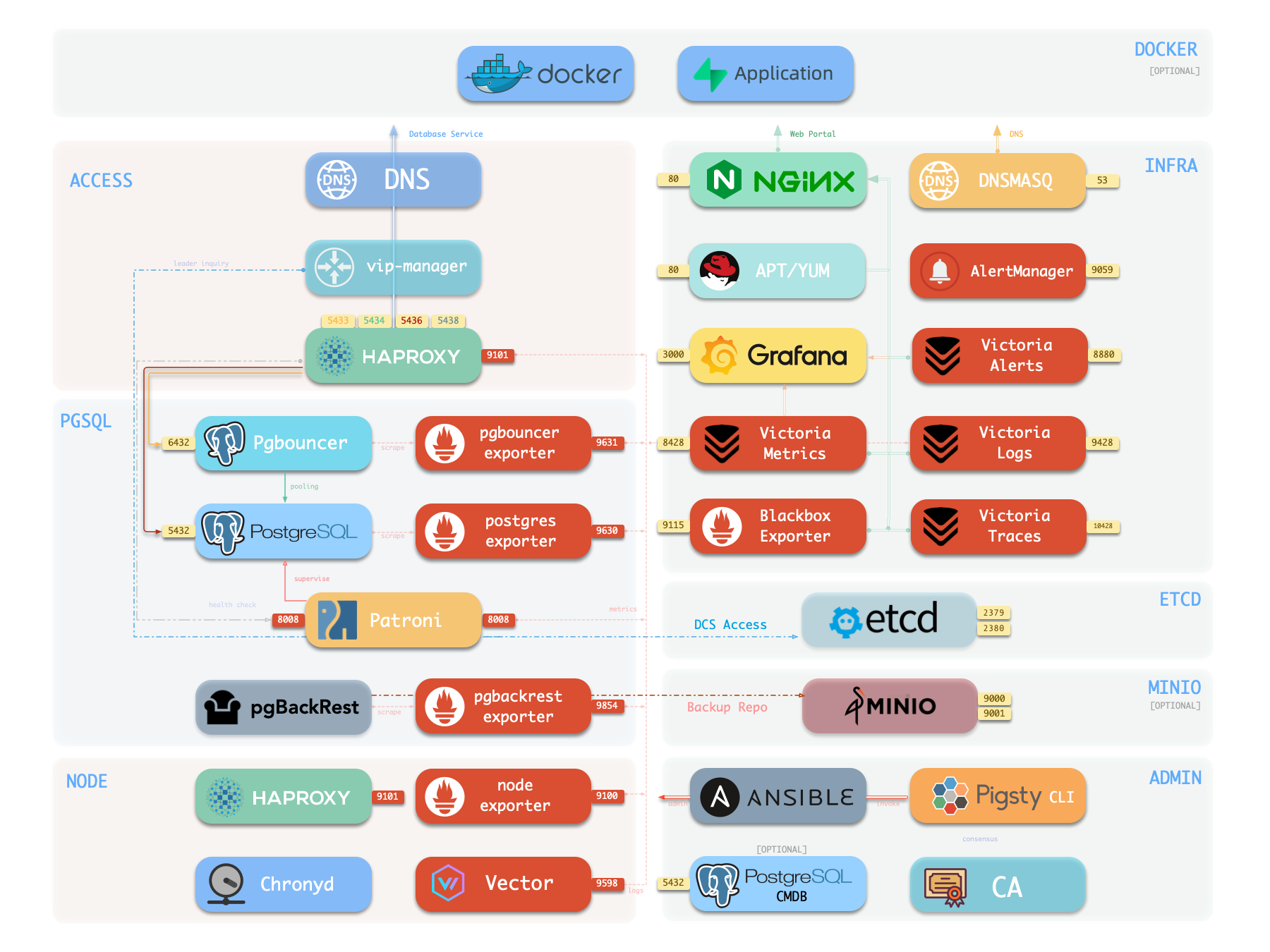
The single-node installation includes these features:
- 600 PostgreSQL extensions.
- Grafana and Victoria monitoring services.
- Infrastructure as code for deployment.
- Local point-in-time recovery (PITR).
External object storage can keep PostgreSQL backups outside the node. These backups improve data durability for demonstrations, personal websites, and small services. A single node cannot provide high availability. Automatic failover requires at least three nodes.
Choose the installation method that meets your requirements:
| Requirement | Guide |
|---|---|
| Install Pigsty on one Linux node | Quick Start |
| Try Pigsty on macOS or Windows | Docker Deployment |
| Install without Internet access | Offline Installation |
| Install PostgreSQL without monitoring services | Slim Installation |
| Deploy multiple nodes for production | Deployment Guide |
Quick Start
- Prepare a node with a supported Linux operating system.
- Use an administration account with passwordless SSH and sudo access.
- Run the commands below.
The installation script downloads Pigsty and installs its dependencies.
The configuration script creates pigsty.yml and generates random passwords.
The deployment playbook installs the modules in the configuration file.
You can also select a configuration template. The template supplies the initial configuration.
After deployment, do these tasks:
- Open the Web UI.
- Connect to PostgreSQL.
- Apply the security recommendations.
- Change the configuration to add more clusters.
- Run playbooks to apply the configuration.
1.1 - Single-Node Installation
This guide installs Pigsty on one Linux node. Single Node For production deployments with multiple nodes, use the Deployment Guide.
The procedure has three stages: Install, Configure, and Deploy.
Summary
Prepare a node with a supported operating system. Use an administration account with passwordless SSH and sudo access.
Select a download source and run its command:
The installation script downloads and extracts Pigsty into your home directory. It also installs the deployment dependencies.
Then do these steps:
Enter the Source Directory
Run this command:
Generate the Inventory
Run this command to generate the configuration file and random passwords:
If you already have a prepared pigsty.yml, skip this step.
Run the Deployment Playbook
Run this command:
After deployment, open the Web UI through Nginx on port 80 or 443.
Use the node IP address or domain name.
Connect to the default PostgreSQL service on port 5432.
The procedure usually takes 3–10 minutes. The duration depends on the server resources and network speed. Offline installation can reduce the duration. If you do not need monitoring, use Slim Installation to install fewer components.
Example: online installation on Debian 13, x86_64
demo/install-hero.cast — /demo/install-hero.cast
Prepare
Review the preparation requirements.
For a single-node installation, first identify the node IP address.
If the node has no static IP address, you can use 127.0.0.1.
| Item | Requirement | Item | Requirement |
|---|---|---|---|
| Node | 1-node, at least 1C2G, no upper limit | Disk | /data mount point, xfs recommended |
| OS | Linux x86_64 / aarch64, EL/Debian/Ubuntu | Network | Static IPv4; single-node without fixed IP can use 127.0.0.1 |
| SSH | nopass SSH login via public key | SUDO | sudo privilege, preferably with nopass option |
The 127.0.0.1 exception applies to single-node installations.
Install
Use one of these commands to install Pigsty into ~/pigsty.
The script also installs Ansible and other deployment dependencies.
You can also download a release or clone the source repository. If you use Git, select a released version before deployment:
If you download or clone the source manually, run bootstrap to install the dependencies:
You can also install Ansible manually.
Configure
The inventory defines the deployment.
Pigsty uses pigsty.yml as the default inventory file.
Edit this file to change the deployment configuration.
The configure script is an optional configuration wizard.
It generates an inventory from your environment and input.
Run it with -g to generate random passwords:
The default output file is ~/pigsty/pigsty.yml.
Examine this file and make the necessary changes before deployment.
Use the configuration templates as examples.
You can also edit pigsty.yml directly without the wizard.
The output below is from v4.5.0. If you install a different version, the first line shows that version.
Common configure Arguments
-i | --ip,Set the primary private IPv4 address of the current node. The script replaces
10.10.10.10in the inventory with this address.-c | --conf,Select a configuration template relative to
conf/. Omit the.ymlsuffix.-v | --version,Select a PostgreSQL major version from
14through19. PostgreSQL 19 is Beta. Use the dedicatedpg19template for that version.-r | --region, ,Select the upstream repository region:
default,china, oreurope. Use the region that gives faster downloads.-n | --non-interactive, ,Supply the primary IP address through command-line arguments. Skip the interactive wizard.
-x | --proxy, ,Use the current environment variables to configure
proxy_env.
If the node has multiple IP addresses, specify the primary address with -i|--ip <ipaddr>.
You can also enter the address at the interactive prompt.
Use a static private IPv4 address.
Do not use a public IP address.
Default credentials are public.
Replace them in pigsty.yml before deployment.
See Security Recommendations for the credentials that configure -g does not replace.
Deploy
The deploy.yml playbook applies the inventory to the target nodes.
Run it from the Pigsty source directory:
At the end, look for pgsql init done and PLAY RECAP.
Make sure that the target nodes report failed=0 and unreachable=0.
Changes to Linux or PGDG repositories can break package dependencies. If installation fails for this reason, wait for the upstream correction. You can also use offline packages.
If Pigsty is already deployed, another run of deploy.yml can restart services.
It can also overwrite configuration files.
Examine the required changes before you run the playbook again.
Interface
A default single-node installation puts four modules on the current node: PGSQL, INFRA, NODE, and ETCD.
INFRA supplies the Web UI through Nginx on ports 80 and 443.
PGSQL supplies the PostgreSQL service on port 5432.
You can also connect through PgBouncer or HAProxy.
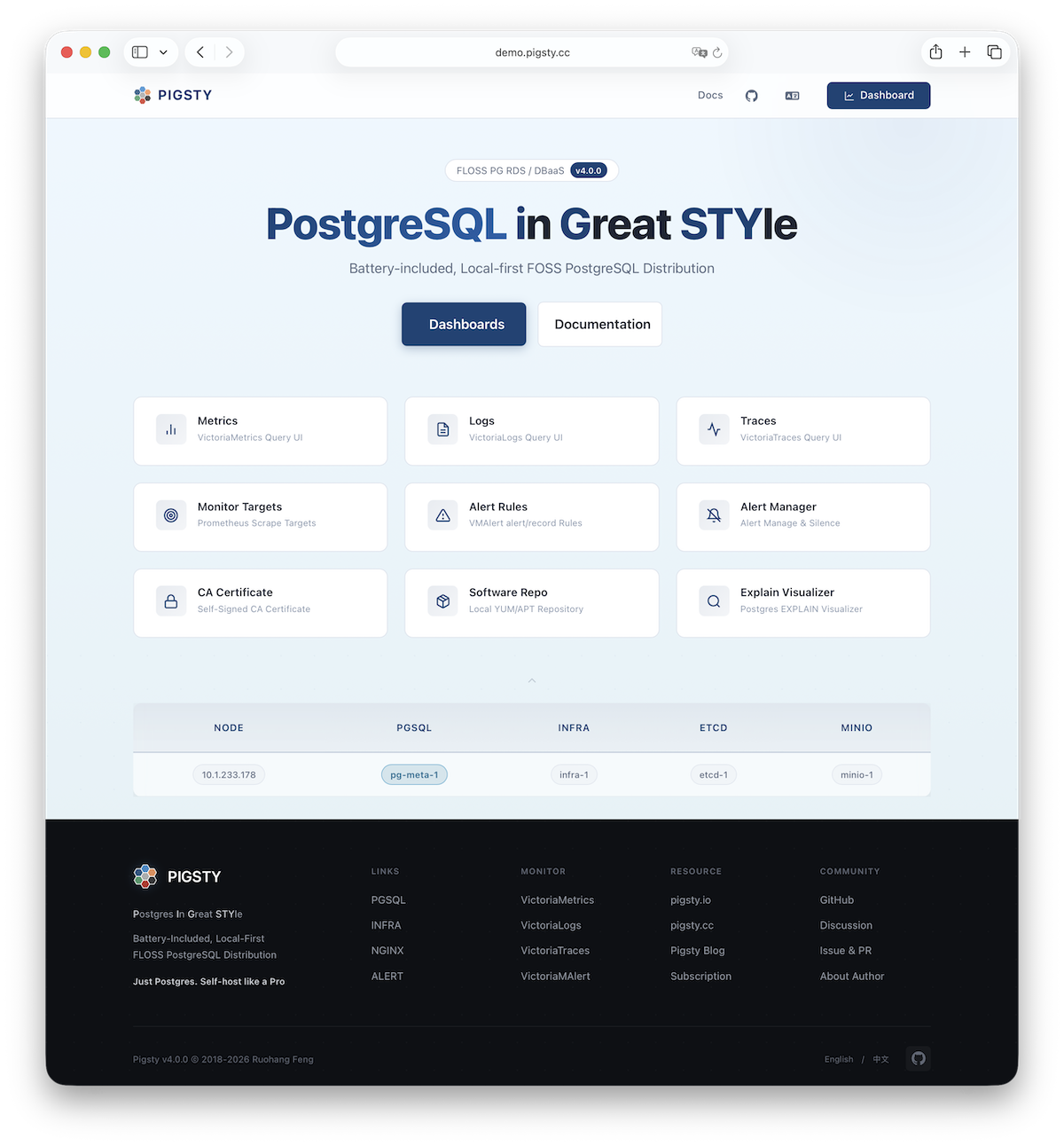
More
Use the current node to deploy and monitor additional clusters. First add their definitions to the inventory. Then run the applicable commands:
Install the NODE module first when the target module requires it. See the module reference for dependencies. Available modules include PGSQL, INFRA, ETCD, MINIO, REDIS, and DOCKER.
1.2 - Docker Deployment
Pigsty runs on native Linux. It can also run in Linux containers with systemd. If you use macOS or Windows, use Docker to try a local single-node installation.
Quick Start
Enter the docker/ source directory.
Run the launch command:
After deployment, use these addresses and commands to connect:
| Service | URL / Command | Credentials |
|---|---|---|
| SSH | ssh root@localhost -p 2222 | Password: pigsty |
| Web Portal | http://localhost:8080 | - |
| Grafana | http://localhost:8080/ui | admin / grafana_admin_password |
| PostgreSQL | psql 'postgres://dbuser_dba:<pg_admin_password>@localhost:5432/postgres' | pg_admin_password |
The make launch command runs ./configure -g to generate random passwords.
Use this command to find the generated passwords:
The Web Portal and PostgreSQL become available after ./deploy.yml completes successfully.
Prepare
Make sure that the host meets these requirements:
| Item | Requirement | Item | Requirement |
|---|---|---|---|
| Docker | Docker 20.10+ (Desktop or CE) | CPU | At least 1 core |
| RAM | At least 2GB | Disk | At least 20GB free |
Make sure that host ports 2222, 8080, 8443, and 5432 are available.
If a port is in use, change its mapping in .env before launch.
- Try Pigsty on macOS or Windows.
- Learn, test, develop, or debug Pigsty features.
- Run a local PostgreSQL development environment.
This single-node container does not provide high availability across multiple nodes. For production or large deployments, use native Linux virtual machines or physical servers. Native Linux avoids the container and virtualization overhead of this testing environment.
Image
Pigsty supplies the pgsty/pigsty image on Docker Hub.
| Image | Pull | Size | Contents |
|---|---|---|---|
pgsty/pigsty | ~500MB | 1.3GB | Debian 13 + systemd + SSH + pig + Ansible |
The image supports amd64 (x86_64) and arm64.
The ARM architecture includes Apple Silicon and AWS Graviton.
Image tags follow Pigsty versions.
The latest and v4.5.0 tags point to the current release.
Select a version tag for repeatable deployment.
The image uses Debian 13 (Trixie).
It includes systemd, SSH, the pig command-line tool, Ansible, and initialized Pigsty source.
The Docker configuration template prepares it for ./deploy.yml.
Launch
Use the commands in the docker/ directory.
The make launch command starts the container, generates its configuration, and runs deployment:
To examine each stage separately, run the commands in this order:
To build the image locally, use these commands:
Config
Set the image version and port mappings in .env:
The port variables map host ports to container ports:
| Env Var | Default | Container | Description |
|---|---|---|---|
PIGSTY_VERSION | v4.5.0 | - | Current main source default; verify the remote tag separately |
PIGSTY_SSH_PORT | 2222 | 22 | SSH access port |
PIGSTY_HTTP_PORT | 8080 | 80 | Nginx HTTP port |
PIGSTY_HTTPS_PORT | 8443 | 443 | Nginx HTTPS port |
PIGSTY_PG_PORT | 5432 | 5432 | PostgreSQL port |
If a default host port is in use, supply a different value through an environment variable:
Commands
The Docker Makefile supplies commands to manage containers and images. Run these commands from the Docker source directory.
Docker Compose
Use Docker Compose for the standard deployment procedure:
Container Access
Use these commands to enter the container or open a service client:
Image Build
Use these commands to build images:
Image Management
Use these commands to manage images:
Cleanup
Use these commands to remove the selected resources:
The make purge command removes the container and runs rm -rf -- ./data.
It has no countdown prompt.
Before you run it, confirm the current directory and the target data.
Back up any data that you need to keep.
Manual Run
To start the container with docker run, use this command:
You can also use the Makefile command:
How It Works
The image uses Debian 13 (Trixie) with systemd as the initialization system.
Manage services inside the container with systemctl, as on native Linux.
The container has these properties:
- Systemd manages the services.
- SSH permits root access with the password
pigsty. - The
--privilegedoption supplies the access required by systemd. - The
/datavolume keeps data outside the container. - The image includes pig, Ansible, and initialized Pigsty source.
The image build runs these initialization steps:
The ./configure -c docker command selects the Docker configuration template.
This template uses 127.0.0.1 as the default IP address and applies settings for the container environment.
FAQ
Container won’t start
Make sure that Docker is installed and the host meets the resource requirements.
On Docker Desktop, allocate at least 2 GB of memory.
Examine ports 2222, 8080, 8443, and 5432 for conflicts.
Can’t access services
Make sure that ./deploy.yml completed successfully.
The Web Portal and PostgreSQL require this deployment stage.
Run make status to see the service status.
Port conflicts
Change the port in .env or supply an environment variable:
Data persistence
The host directory ./data stores persistent container data.
To remove this data and start again, use these commands:
The purge step deletes the existing data. Back up any required data first.
macOS performance
Docker Desktop on macOS uses a virtual machine. This adds overhead compared with native Linux. Use Docker for development and testing. For production, use native Linux installation.
More
- Docker Hub supplies the image.
- Source Directory contains the Docker configuration and Makefile.
- Native Linux Installation describes single-node deployment.
- Offline Installation describes installation without Internet access.
- Deployment Guide describes production deployment.
1.3 - Web Interface
The default single-node installation includes the INFRA module. This module installs an Nginx web server on the node. Nginx supplies the Web UI and proxies requests to the monitoring services and other component interfaces.
Access
Enter the deployment node IP address in your browser.
By default, Nginx uses port 80 for HTTP and port 443 for HTTPS.
Replace 10.10.10.10 in these examples with your node IP address.
| Direct IP Access | Domain (HTTP) | Domain (HTTPS) | Demo |
|---|---|---|---|
http://10.10.10.10 | http://i.pigsty | https://i.pigsty | https://demo.pigsty.io |
Monitoring
To open the Grafana dashboards, add /ui to the server address:
| Direct IP Access | Domain (HTTP) | Domain (HTTPS) | Demo |
|---|---|---|---|
http://10.10.10.10/ui | http://i.pigsty/ui | https://i.pigsty/ui | https://demo.pigsty.io/ui |
If the service is accessible from the Internet or an office network, use a domain name. Enable HTTPS to encrypt the connection.
Endpoints
Nginx uses these paths to proxy requests to the components. Open each path through the server HTTP or HTTPS address. The native port is the port of the component behind Nginx.
| Endpoint | Component | Native Port | Description | Public Demo |
|---|---|---|---|---|
/ | Nginx | 80/443 | Homepage, local repo, file service | demo.pigsty.io |
/ui/ | Grafana | 3000 | Grafana dashboard portal | demo.pigsty.io/ui/ |
/vmetrics/ | VictoriaMetrics | 8428 | Time series database Web UI | demo.pigsty.io/vmetrics/ |
/vlogs/ | VictoriaLogs | 9428 | Log database Web UI | demo.pigsty.io/vlogs/ |
/vtraces/ | VictoriaTraces | 10428 | Distributed tracing Web UI | demo.pigsty.io/vtraces/ |
/vmalert/ | VMAlert | 8880 | Alert rule management | demo.pigsty.io/vmalert/ |
/alertmgr/ | AlertManager | 9059 | Alert management Web UI | demo.pigsty.io/alertmgr/ |
/blackbox/ | Blackbox | 9115 | Blackbox exporter | |
/haproxy/* | HAProxy | 9101 | Load balancer admin Web UI | |
/pev | PEV2 | 80 | PostgreSQL execution plan visualizer | demo.pigsty.io/pev |
/nginx | Nginx | 80 | Nginx status page (for metrics) |
Domain Access
Point your domain name to the Pigsty server IP address.
Set the domain in the home server configuration.
This configuration is part of infra_portal:
To use a Let’s Encrypt certificate, also set certbot:
After deployment, run make cert to request the free Let’s Encrypt certificate.
If you omit certbot, Pigsty uses the local certificate authority (CA) to issue an HTTPS certificate.
Add the Pigsty CA to your browser trust store before you use that certificate.
You can also configure Nginx to serve local directories or proxy other upstream services. See Nginx Management for the procedure.
1.4 - Getting Started with PostgreSQL
PostgreSQL is an open-source relational database. It can store and retrieve different types of data. This guide uses PG as an abbreviation for PostgreSQL.
Use this guide if you know basic Linux commands and want to start with PostgreSQL in Pigsty. The examples use the default single-node installation. For production clusters with multiple nodes, see Service Access.
Basics
The default single-node template creates the pg-meta cluster on the current node.
This cluster has one primary instance.
PostgreSQL listens on port 5432.
The template also creates the meta database.
After installation, close your administration account SSH session.
Log in again to load the new environment variables.
Enter pp to open psql:
The command uses p as a shortcut for the pig command-line tool.
You can also use the postgres operating system account to run psql.
This connects to the default postgres administration database.
Connecting to Database
Use a command-line tool or a graphical client to connect. Supply a PostgreSQL connection string in this format:
Some drivers and clients require separate connection parameters:
| Parameter | Description | Example Value | Notes |
|---|---|---|---|
host | Database server address | 10.10.10.10 | Replace with your node IP or domain; can omit for localhost |
port | Port number | 5432 | PG default port, can be omitted |
username | Username | dbuser_dba | Pigsty default database admin |
password | Password | DBUser.DBA | Pigsty default admin password (change this!) |
dbname | Database name | meta | Default template database name |
For personal administration, you can use dbuser_dba.
This account is a database superuser with full privileges.
If you ran configure -g, the script generated a random administration password.
Find the password in ~/pigsty/pigsty.yml:
Default Accounts
The default single-node template defines these database accounts:
| Username | Password | Role | Purpose |
|---|---|---|---|
dbuser_dba | DBUser.DBA | Superuser | Database admin (change this!) |
dbuser_meta | DBUser.Meta | Business admin | App R/W (change this!) |
dbuser_view | DBUser.Viewer | Read-only user | Data viewing (change this!) |
These examples connect to the same meta database with different accounts:
Replace the example IP address and password with your actual values.
The configure -g command replaces the three example passwords with random passwords.
See Security Recommendations for its complete scope and limitations.
Using CLI Tools
psql is the PostgreSQL command-line client.
On a Pigsty node, use one of these methods to connect to the local database:
Replace the example IP address and password before you run the connection commands.
After a successful connection, psql shows a prompt:
Common psql commands
Enter SQL statements at the prompt.
To run a psql meta-command, start the command with \.
| Command | Description | Command | Description |
|---|---|---|---|
Ctrl+C | Interrupt query | Ctrl+D | Exit psql |
\? | Show all meta commands | \h | Show SQL command help |
\l | List all databases | \c dbname | Switch to database |
\d table | View table structure | \d+ table | View table details |
\du | List all users/roles | \dx | List installed extensions |
\dn | List all schemas | \dt | List all tables |
SQL example
End each SQL statement with a semicolon (;).
This example creates a test table, adds two rows, queries the rows, and removes the table:
Using Graphical Clients
You can also connect with a graphical client.
Grafana
The INFRA module includes Grafana and a PostgreSQL data source named Meta. Open the Web UI. Use the Grafana Explore panel to query PostgreSQL with SQL. This method requires no additional client software.
The default Grafana username is admin.
Find its password in grafana_admin_password in the inventory.
The default password is pigsty.
DataGrip
DataGrip is a database development tool from JetBrains. IntelliJ IDEA also has a Database Console that can connect to PostgreSQL.
DBeaver
DBeaver is a free, open-source database client. It runs on multiple desktop operating systems and supports PostgreSQL and other databases.
pgAdmin
pgAdmin is a PostgreSQL administration client from PGDG. You can use its browser interface or desktop application. Pigsty supplies a pgAdmin template for deployment with Docker.
Viewing Monitoring Dashboards
Pigsty supplies PostgreSQL monitoring dashboards. They show information from cluster summaries to individual tables.
Open PGSQL Overview first. Select a cluster to see its instances and databases. Use the dashboard links to examine tables, indexes, and functions.
Trying Extensions
PostgreSQL extensions add data types, functions, index methods, and other database features. Pigsty packages 600 extensions in 16 categories. These categories include time-series data, geographic data, vectors, and full-text search.
Start with these extensions:
postgisprocesses geographic and location data. The default template installs it.pgvectorsupplies vector similarity search for AI embeddings. The default template installs it.timescaledbstores and queries time-series data. Install it when required.
Use these commands to list and enable extensions:
Next Steps
Change the configuration to define your databases, users, and extensions.
1.5 - Customize Pigsty with Configuration
You can generate a configuration file with the configuration wizard. You can also write the file yourself. This guide builds an inventory in stages.
The deploy.yml playbook deploys NODE, INFRA, ETCD, MINIO, and PGSQL when the inventory defines them.
Docker, Redis, Kafka, native MySQL, JUICE, and VIBE require their own playbooks.
The procedures below show the configuration and playbooks for each stage.
Minimal Configuration
The smallest valid configuration defines admin_ip.
This is the IP address of the administration node where you installed Pigsty:
This inventory defines no deployment targets.
With this configuration, ./deploy.yml generates a self-signed certificate authority (CA) in files/pki/ca.
The CA issues certificates for the deployment.
Set region to select a software repository region.
The available values are default, china, and europe.
Add Nodes
The NODE module manages the nodes in the inventory. Add a node IP address to include that node in NODE module deployment:
These examples add two global parameters:
node_repo_modulesselects the software repositories to add.regionselects the repository region.
The NODE module uses these repositories to install the required packages. Other NODE parameters control node names, DNS, NTP, kernel parameters, tuning, monitoring, and log collection. You can use the default values for the initial deployment.
Run node.yml to apply the NODE configuration.
The deploy.yml playbook also includes this stage.
Add Infrastructure
The infrastructure supplies monitoring, alerting, dashboards, NTP, and DNS.
To deploy the INFRA module, define the infra group:
Set infra_seq to identify each INFRA node.
This identity parameter distinguishes nodes in deployments with multiple INFRA nodes.
Run infra.yml to install INFRA and NODE on 10.10.10.10:
demo/infra.cast — /demo/infra.cast
The inventory IP address also defines the NODE deployment target. NODE tasks are idempotent: they apply the changes necessary to reach the specified configuration.
After this stage, the node has monitoring services and node monitoring. It does not yet have a PostgreSQL database service.
If you only need Grafana and Victoria monitoring, you can stop here.
The infra template supports this use.
Pigsty also supports PostgreSQL without the infrastructure through Slim Installation.
Deploy Database Cluster
To add PostgreSQL, define the PGSQL module and its ETCD dependency:
The etcd group defines a single-node etcd cluster.
The pg-meta group defines a single-node PostgreSQL cluster.
Install ETCD first. PGSQL uses ETCD for high-availability consensus. Run the module playbooks in this order:
You can also apply the core modules together with ./deploy.yml.
Before another deployment run, review the effects on existing services.
After these playbooks complete successfully, PostgreSQL is available.
The procedures use four playbooks to deploy four modules on one node:
Define Databases and Users
Define PostgreSQL databases and users in the inventory:
pg_users defines the dbuser_meta account with the example password DBUser.Meta.
pg_databases defines the meta database with the vector extension.
It also loads the optional Pigsty CMDB schema.
Replace the example password before deployment.
Database and user parameters control their properties.
If you define these parameters before deployment, pgsql.yml creates the databases and users.
For an existing cluster, use these commands to create or change users and databases:
Configure PG Version and Extensions
Pigsty supports multiple PostgreSQL major versions and 600 extensions.
The example below replaces PostgreSQL 18 with PostgreSQL 16.
This procedure recreates pg-meta; it is not an in-place version change.
Before removal, back up the cluster and confirm the target. Use check mode to examine the removal tasks:
The --check command does not perform the removal.
Complete the required removal before you recreate the cluster.
Set these parameters in the new configuration:
pg_extensionsinstallstimescaledb,postgis, andpgvectorpackages.pg_libsloads thetimescaledb,pg_stat_statements, andauto_explainlibraries.pg_databasesenablesvector,postgis, andtimescaledbin themetadatabase.
Then run the PostgreSQL deployment playbook:
Add More Nodes
Add the new node definitions to the inventory.
Run bin/node-add to configure monitoring and repositories and install the node packages.
Select the complete group or individual IP addresses:
demo/node.cast — /demo/node.cast
Deploy HA PostgreSQL Cluster
Define the pg-test cluster on the three new nodes.
Set one node as the primary and two nodes as replicas:
Deploy the cluster with the PGSQL playbook or its bin/pgsql-add wrapper.
See the high-availability requirements for the ETCD topology.
demo/pgsql.cast — /demo/pgsql.cast
Deploy Redis Cluster
Pigsty supports Redis as an optional cache for PostgreSQL applications. After you define a Redis cluster in the inventory, run the applicable command:
For Redis high availability, use cluster mode or sentinel mode. See Redis Configuration.
Deploy Silo Object Storage
The MINIO module deploys Silo object storage.
Silo implements the S3 interface and can store PostgreSQL backups.
The module, inventory group, and playbooks keep the minio name for compatibility.
Run the module playbook:
A production Silo deployment typically requires at least four nodes with four disks per node (4N/16D).
Deploy Docker Module
To run PostgreSQL tools and applications in containers, install the DOCKER module:
Use an application template to deploy the required software. For example, run this command to deploy pgAdmin:
You can also deploy Supabase with Pigsty. Supabase uses an external HA PostgreSQL cluster for its database and containers for its stateless components.
1.6 - Run Playbooks with Ansible
Pigsty uses Ansible to deploy and manage clusters. Ansible applies declarative configuration through playbooks. Pigsty module playbooks use idempotent tasks to reach the specified configuration.
For a single-node installation, use deploy.yml.
Other built-in playbooks perform specific module operations.
Ansible knowledge helps you manage Pigsty, but the single-node procedure does not require it.
Deploy Playbook
The deploy.yml playbook applies the core deployment configuration.
It includes the CA, software repository, NODE, INFRA, ETCD, PGSQL, and MINIO when the inventory enables them.
Optional modules such as Redis, Kafka, and native MySQL require their own playbooks.
Defining these optional modules in the inventory does not add them to deploy.yml.
The table shows the module deployment targets:
| Playbook | Command | Group | infra | [nodes] | etcd | minio | [pgsql] |
|---|---|---|---|---|---|---|---|
infra.yml | ./infra.yml | -l infra | ✓ | ✓ | |||
node.yml | ./node.yml | ✓ | ✓ | ✓ | ✓ | ||
etcd.yml | ./etcd.yml | -l etcd | ✓ | ||||
minio.yml | ./minio.yml | -l minio | ✓ | ||||
pgsql.yml | ./pgsql.yml | ✓ |
You can apply the core configuration in one run with deploy.yml.
For deployment in stages, follow the Customization Guide.
Install Ansible
The Pigsty installation script installs Ansible and its dependencies. The offline bootstrap procedure can also install them.
To install Ansible manually, use the command for your operating system.
The minimum supported Ansible version is 2.9.
The EL 10 EPEL repository does not yet supply all required Ansible packages. The Pigsty PGSQL repository supplies the additional packages.
On macOS, install Ansible with Homebrew. You can use the Mac as an administration node for remote cloud servers. This method is suitable for personal single-node deployments. For production, use a Linux administration node.
Execute Playbook
Ansible playbooks are executable YAML files with task definitions.
Make sure that ansible-playbook is available through your PATH environment variable.
The command ./node.yml runs ansible-playbook node.yml.
Use these four arguments to control execution:
| Purpose | Parameter | Description |
|---|---|---|
| Target | -l|--limit <pattern> | Limit execution to specific groups/hosts/patterns |
| Tasks | -t|--tags <tags> | Only run tasks with specific tags |
| Params | -e|--extra-vars <vars> | Extra command-line parameters |
| Config | -i|--inventory <path> | Use a specific inventory file |
Limit Hosts
Use -l|--limit <selector> to select the target hosts or groups.
The selector can contain an IP address, group name, or pattern.
See the Ansible host and group patterns for the selection rules.
Most playbooks target all applicable inventory hosts if you omit --limit.
Specify the target before you run a playbook that changes an existing deployment.
Limit Tasks
Use -t|--tags <tags> to select tasks by tag.
This limits execution to the selected tasks instead of the complete playbook:
To select multiple tags, separate them with commas:
Extra Vars
Use -e|--extra-vars KEY=VALUE to override configuration parameters for one run.
These variables have the highest variable precedence.
You can supply -e more than once:
For lists, objects, or multiple variables, supply a JSON string:
Specify Inventory
The default inventory is pigsty.yml in the Pigsty source directory.
Use -i <path> to select a different inventory file:
To change the default permanently, edit inventory in ansible.cfg.
Convenience Scripts
The bin/ directory contains scripts for common operations.
Each script calls an Ansible playbook with the necessary arguments:
Use these scripts when their operation matches your task.
Playbook List
The table lists the built-in playbooks. You can add your own playbooks or change their tasks for your deployment requirements.
| Module | Playbook | Function |
|---|---|---|
| INFRA | deploy.yml | One-click deploy Pigsty on current node |
| INFRA | infra.yml | Initialize Pigsty infrastructure on infra nodes |
| INFRA | infra-rm.yml | Remove infrastructure components from infra nodes |
| INFRA | cache.yml | Create offline packages from target node |
| INFRA | cert.yml | Issue certificates using Pigsty self-signed CA |
| NODE | node.yml | Initialize node, adjust to desired state |
| NODE | node-rm.yml | Remove node from Pigsty |
| PGSQL | pgsql.yml | Initialize HA PostgreSQL cluster or add replica |
| PGSQL | pgsql-rm.yml | Remove PostgreSQL cluster or replica |
| PGSQL | pgsql-db.yml | Add new business database to existing cluster |
| PGSQL | pgsql-user.yml | Add new business user to existing cluster |
| PGSQL | pgsql-pitr.yml | Perform point-in-time recovery on cluster |
| PGSQL | pgsql-monitor.yml | Monitor remote PostgreSQL with local exporter |
| PGSQL | pgsql-migration.yml | Generate migration manual and scripts |
| PGSQL | slim.yml | Install Pigsty with minimal components |
| REDIS | redis.yml | Initialize Redis cluster/node/instance |
| REDIS | redis-rm.yml | Remove Redis cluster/node/instance |
| ETCD | etcd.yml | Initialize ETCD cluster or add new member |
| ETCD | etcd-rm.yml | Remove ETCD cluster/data or shrink member |
| MINIO | minio.yml | Initialize a Silo object-storage cluster |
| MINIO | minio-rm.yml | Remove Silo, its configuration, and optional data |
| DOCKER | docker.yml | Install Docker on nodes |
| DOCKER | app.yml | Install applications using Docker Compose |
| JUICE | juice.yml | Install and configure JuiceFS |
| VIBE | vibe.yml | Install the Vibe coding environment |
| KAFKA | kafka.yml | Create or converge a Kafka dynamic KRaft cluster |
| KAFKA | kafka-rm.yml | Remove a Kafka cluster or member |
| MYSQL (Pilot) | mysql.yml | Deploy native MySQL 8.4 standalone or three-node clusters |
| MYSQL (Pilot) | mysql-rm.yml | Stop and retire native MySQL while retaining local state |
1.7 - Offline Installation
Pigsty normally installs packages from upstream Internet repositories. If the environment has no Internet access, use offline packages.
Overview
An offline package contains the RPM or DEB packages and dependencies from a local APT or YUM repository. It records the repository contents after an online installation.
Use offline packages for production deployments when you need consistent package versions. They let new nodes use the same packages as the existing nodes. They also remove the installation dependency on upstream repository availability.
- Install in environments without Internet access.
- Download packages in advance to reduce installation time.
- Avoid installation failures from later upstream dependency changes.
- Download each package once for multiple nodes.
- Use one local repository to control package versions across nodes.
Offline packages target specific operating system minor versions.
A package can fail on a different version.
Its contents reflect the creation date and can omit later updates or security patches.
An offline package is approximately 1 GB.
Online installation downloads only the packages that you need.
Offline Packages
The v4.5.0 release supplies offline packages for seven recommended operating system versions.
Each version has an x86_64 package and an aarch64 package.
The fourteen artifacts are available from GitHub:
| Linux Distribution | System Code | Minor Version | Package |
|---|---|---|---|
| RockyLinux 9 x86_64 | el9.x86_64 | 9.8 | pigsty-pkg-v4.5.0.el9.x86_64.tgz |
| RockyLinux 9 aarch64 | el9.aarch64 | 9.8 | pigsty-pkg-v4.5.0.el9.aarch64.tgz |
| RockyLinux 10 x86_64 | el10.x86_64 | 10.2 | pigsty-pkg-v4.5.0.el10.x86_64.tgz |
| RockyLinux 10 aarch64 | el10.aarch64 | 10.2 | pigsty-pkg-v4.5.0.el10.aarch64.tgz |
| Debian 12 x86_64 | d12.x86_64 | 12.15 | pigsty-pkg-v4.5.0.d12.x86_64.tgz |
| Debian 12 aarch64 | d12.aarch64 | 12.15 | pigsty-pkg-v4.5.0.d12.aarch64.tgz |
| Debian 13 x86_64 | d13.x86_64 | 13.6 | pigsty-pkg-v4.5.0.d13.x86_64.tgz |
| Debian 13 aarch64 | d13.aarch64 | 13.6 | pigsty-pkg-v4.5.0.d13.aarch64.tgz |
| Ubuntu 26.04 x86_64 | u26.x86_64 | 26.04.0 | pigsty-pkg-v4.5.0.u26.x86_64.tgz |
| Ubuntu 26.04 aarch64 | u26.aarch64 | 26.04.0 | pigsty-pkg-v4.5.0.u26.aarch64.tgz |
| Ubuntu 24.04 x86_64 | u24.x86_64 | 24.04.4 | pigsty-pkg-v4.5.0.u24.x86_64.tgz |
| Ubuntu 24.04 aarch64 | u24.aarch64 | 24.04.4 | pigsty-pkg-v4.5.0.u24.aarch64.tgz |
| Ubuntu 22.04 x86_64 | u22.x86_64 | 22.04.5 | pigsty-pkg-v4.5.0.u22.x86_64.tgz |
| Ubuntu 22.04 aarch64 | u22.aarch64 | 22.04.5 | pigsty-pkg-v4.5.0.u22.aarch64.tgz |
The GitHub release page also supplies a checksums manifest.
Each artifact has a detached PGP signature with the .asc suffix.
The published MD5 checksums are:
The packages target EL 9.8 and 10.2, Debian 12.15 and 13.6, and Ubuntu 22.04.5, 24.04.4, and 26.04.0.
Different OpenSSL or system library versions can stop installation on another minor version.
Use the matching version, build your own offline package, or request a custom package.
Using Offline Packages
Do these steps in order:
- Download the matching offline package and save it as
/tmp/pkg.tgz. - Download and extract the Pigsty source package into your home directory.
- Run
cd ~/pigstyto enter the source directory. - Run
./bootstrapto extract the offline package, configure the local repository, and install Ansible. - Run
./configure -g -c richto select therichtemplate and generate random passwords. - Run
./deploy.ymlto install the core modules from the local repository.
You can also use your own configuration with the repository settings below. Other optional modules still require their own playbooks.
demo/install-offline.cast — /demo/install-offline.cast
The error No package nginx available usually follows an incomplete installation attempt.
The documented recovery removes /www/pigsty and runs deployment again.
Before removal, make sure that the directory contains only the repository that you intend to rebuild.
To use an extracted offline package with your own configuration, set these parameters:
- Set
repo_enabledtotrueto enable the local software repository. - Set
node_repo_modulestolocalto install all packages from that repository.
Most templates disable repository creation and select node,infra,pgsql as upstream package sources.
With node_repo_modules: local, the local repository is the only package source.
To permit upstream repositories as well, use local,node,infra,pgsql.
Hybrid installation
If the environment has Internet access, you can combine local and upstream package sources. Use the offline package as the initial repository. Then download missing packages from upstream.
For example, the v4.5.0 EL 9 package targets Rocky Linux 9.8.
If you use Rocky Linux 9.6, run make repo-build before deployment to download the packages required for 9.6.
This hybrid method requires Internet access to the upstream repositories.
Making Offline Packages
To build a package for another operating system, use the cache.yml playbook.
- Select an online node with the exact operating system version and architecture of the offline nodes.
- Run
./configure -c richand complete an online installation with therichtemplate. - Make sure that the target INFRA node has a local repository at
/www/pigsty. - If the repository is absent, run
./infra.yml -t repoagainst that node first. - From
~/pigsty, run./cache.yml -l <infra-host>to build and fetch the package from one INFRA node. - Copy the package to the offline environment with FTP, SCP, or a USB device.
- Use
bootstrapto extract the package.
The default artifact path is ~/pigsty/dist/${version}/pigsty-pkg-${version}.${os}.${arch}.tgz.
You can override these defaults with extra variables:
| Parameter | Default | Description |
|---|---|---|
cache_pkg_name | pigsty-pkg-${version}.${os}.${arch}.tgz | Offline package filename template |
cache_pkg_dir | dist/${version} | Output directory on the admin node |
cache_repo | pigsty | Local repository to package on the target node; separate multiple repositories with commas |
Paid services supply tested offline packages for specific operating system major and minor versions (¥200).
Bootstrap
Pigsty uses Ansible to run playbooks.
The bootstrap script installs Ansible and prepares the required package repositories:
Run bootstrap in these cases:
- You downloaded or cloned the source manually and Ansible is absent.
- You need to extract an offline package and install Ansible from it.
By default, the script looks for /tmp/pkg.tgz.
Use -p to specify a different package path.
If the package exists, the script extracts it and installs Ansible from the local repository.
If the package is absent, the script attempts an online Ansible installation.
If that installation fails, install Ansible manually.
By default, bootstrap moves existing repository configurations into a backup directory.
This leaves only the required repositories enabled.
On EL, the backup directory is /etc/yum.repos.d/backup.
On Debian and Ubuntu, it is /etc/apt/backup.
To keep existing repository configurations, use -k|--keep:
1.8 - Slim Installation
Use Slim Installation to deploy PostgreSQL without the monitoring infrastructure. It installs ETCD, PGSQL, and part of NODE. It does not install INFRA, monitoring services, or a local software repository.
- You only need PostgreSQL.
- You have limited CPU or memory resources.
- You already have an external monitoring system.
- You do not need Grafana dashboards.
On one node, the omitted infrastructure uses approximately 0.2 vCPU and 500 MB of memory.
The Web UI and local software repository require INFRA. Slim Installation does not supply these features. Offline installation supports only one node in this mode. For multiple nodes, Slim Installation requires online package access.
Overview
- Download Pigsty and enter the source directory.
- Select the
slimconfiguration template with./configure -g -c slim. - Run
./slim.ymlinstead of./deploy.yml.
demo/install-slim.cast — /demo/install-slim.cast
Description
Slim Installation configures these components:
| Component | Required | Description |
|---|---|---|
patroni | ⚠️ Required | Bootstrap HA PostgreSQL cluster |
etcd | ⚠️ Required | Meta database dependency (DCS) for Patroni |
pgbouncer | ✔️ Optional | PostgreSQL connection pooler |
vip-manager | ✔️ Optional | L2 VIP binding to PostgreSQL cluster primary |
haproxy | ✔️ Optional | Auto-routing services via Patroni health checks |
chronyd | ✔️ Optional | Time synchronization with NTP server |
tuned | ✔️ Optional | Node tuning template and kernel parameter management |
You can disable all optional components through the configuration. Patroni and etcd remain required.
Without INFRA, Nginx does not serve a local software repository to other nodes. Thus, offline Slim Installation supports only one node.
Configuration
The conf/slim.yml template defines this single-node deployment:
Deployment
Use the slim.yml playbook for deployment.
Run it from the Pigsty source directory:
HA Cluster
To deploy an HA cluster, add nodes to both the etcd and pg-meta groups.
This example uses three nodes:
| ID | NODE | PGSQL | INFRA | ETCD |
|---|---|---|---|---|
| 1 | 10.10.10.10 | pg-meta-1 | No INFRA module | etcd-1 |
| 2 | 10.10.10.11 | pg-meta-2 | No INFRA module | etcd-2 |
| 3 | 10.10.10.12 | pg-meta-3 | No INFRA module | etcd-3 |
1.9 - Security Recommendations
The default configuration supports local demonstrations and development on a trusted intranet. If other hosts can reach the deployment, examine the credentials, network access, and sensitive files.
For production, also review the Security Model, Compliance, and Security Considerations.
Passwords
Pigsty publishes its default credentials in the source code and documentation. Do not use these credentials in production.
Run the configuration wizard with -g to generate random passwords:
The wizard replaces the built-in parameters and example credentials that it recognizes. It does not replace these credentials:
- The pgBackRest
cipher_pass. - Silo user passwords and selected example passwords in
ha/safe. - Database, object-storage, or application credentials that you added yourself.
After generation, examine pigsty.yml.
Replace every credential that the wizard did not change.
The wizard prints generated passwords to the terminal. Protect terminal records and automation logs that contain these passwords. See the Default Credentials Checklist for the complete scope.
Firewall
The default value of node_firewall_mode is zone.
This mode trusts the intranet defined by node_firewall_intranet.
It restricts access to ports from public networks.
| Port | Service | Public by Default |
|---|---|---|
22 | SSH | Yes |
80 | Nginx HTTP | Yes |
443 | Nginx HTTPS | Yes |
5432 | PostgreSQL | Not in the base default; exposed additionally by the demo pigsty.yml |
For production, normally remove port 5432 from the demonstration configuration.
If applications require direct database access, permit only their source addresses.
Apply these restrictions in the cloud security group, host firewall, and PostgreSQL HBA rules.
Make sure that the intranet definition matches your trusted network. The default RFC 1918 address ranges can include networks that you do not trust. Do not automatically trust office networks, container networks, or other tenant networks.
Files
These files and directories contain sensitive information:
| File or directory | Contents |
|---|---|
pigsty.yml | System and application credentials, node definitions, and service configuration |
files/pki/ca/ca.key | Local CA private key |
| Administration account SSH private key | Access credentials for managed nodes |
files/pki/misc/*.key | Client-certificate private keys |
/pg/tmp/pg-user-*.sql | SQL files with plaintext passwords from user creation |
Restrict access to the administration node and configuration repository. Do not commit complete inventories or private keys to public repositories. Keep controlled backups of the CA private key and required configuration.
Related Documentation
- Security and Compliance introduces the security model.
- Authentication explains HBA rules, passwords, and client certificates.
- Encrypted Communication explains the CA, TLS, and server verification.
- Production Security Considerations supplies the complete deployment checklist.
2 - Deployment
Production deployments require Architecture Planning and Preparation beyond the Getting Started procedure. This chapter describes the complete deployment process and recommended practices for production.
Before production deployment, test the workflow in the Pigsty Sandbox. Use Vagrant to create a local 4-node sandbox. Use OpenTofu to create a larger simulation environment in the cloud.
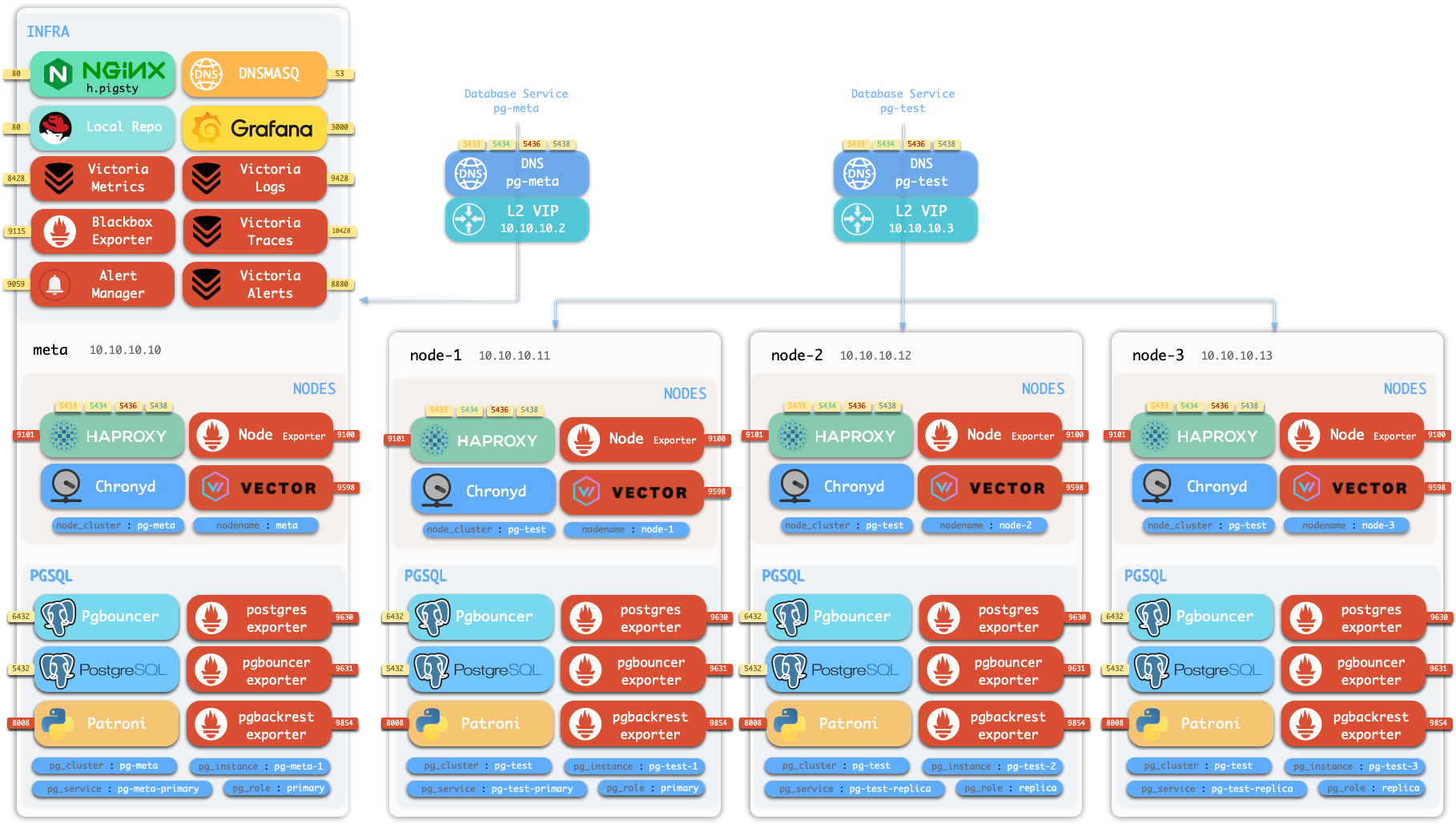
Production high availability typically requires at least three nodes. Review the core Concepts and common administration procedures before deployment. These procedures include Configuration, Ansible Playbooks, and Security Hardening for enterprise compliance.
2.1 - Install Pigsty for Production
This guide describes production deployment on multiple nodes. For single-node demonstrations or development, use Getting Started.
Summary
- Prepare the nodes according to your architecture plan.
- Install a supported Linux operating system.
- Configure SSH access.
- Use an administration account with passwordless
sshandsudoaccess. - Run the installation command:
The installation script downloads and extracts Pigsty into your home directory. It also installs the dependencies. Then complete configuration and deployment.
Before you run deploy.yml, examine and edit pigsty.yml.
This file is the configuration inventory.
After deployment, open the Web UI through the IP address or domain on ports 80/443.
Connect to PostgreSQL on port 5432.
Installation usually takes 3-10 minutes, depending on server resources and network speed. Offline installation can reduce this time. If you do not need monitoring, Slim Installation installs fewer components and takes less time.
Example: 20-node production simulation on Ubuntu 24.04, x86_64
demo/install-simu.cast — /demo/install-simu.cast
Prepare
Use this checklist to complete the deployment preparations:
| Item | Requirement | Item | Requirement |
|---|---|---|---|
| Node | At least 1C2G, no upper limit | Plan | Multiple homogeneous nodes: 2/3/4 or more |
| Disk | /data as default mount point | FS | xfs recommended; ext4/zfs as needed |
| VIP | L2 VIP, optional (unavailable in cloud) | Network | Static IPv4, single-node can use 127.0.0.1 |
| CA | Self-signed CA or specify existing certs | Domain | Local/public domain, optional, default i.pigsty |
| Kernel | Linux x86_64 / aarch64 | Linux | el8, el9, el10, d12, d13, u22, u24, u26 |
| Locale | C.UTF-8 or C | Firewall | Ports: 80/443/22/5432 (optional) |
| User | Avoid root and postgres | Sudo | sudo privilege, preferably with nopass |
| SSH | Passwordless SSH via public key | Accessible | ssh <ip|alias> sudo ls no error |
Install
Use one of these commands to install the Pigsty source package into ~/pigsty.
This method is recommended and also installs Ansible and other deployment dependencies.
You can instead download a release or clone the source repository.
If you use git, select a released version before deployment:
After a manual download or clone, run bootstrap to install Ansible and the other dependencies.
You can also install them yourself.
Configure
The inventory defines the deployment configuration.
Pigsty uses pigsty.yml as the default configuration file.
Edit it to define the required deployment.
The configure script is an optional configuration wizard.
It generates an inventory with defaults for your environment:
The default output file is ~/pigsty/pigsty.yml.
Examine this file and make the necessary changes before deployment.
Use the configuration templates as examples.
You can also edit pigsty.yml directly without the wizard:
The wizard replaces only the current node IP address.
Use -s to skip this replacement.
For multiple nodes, replace the other IP addresses manually.
Change default passwords, add nodes, and adjust other configuration values for your environment.
Common configure parameters:
| Parameter | Description |
|---|---|
-c|--conf | Specify config template relative to conf/, without .yml suffix |
-v|--version | PostgreSQL major version 14 through 19; PG19 is currently Beta |
-r|--region | Upstream repo region for faster downloads: default|china|europe |
-n|--non-interactive | Use CLI params for primary IP, skip interactive wizard |
-x|--proxy | Configure proxy_env from current environment variables |
If the node has multiple IP addresses, select its primary address with -i|--ip <ipaddr> or enter it interactively.
The script replaces 10.10.10.10 with the current node’s primary IPv4 address.
Use a static private address.
Do not use a public IP address.
Review the generated ~/pigsty/pigsty.yml before deployment.
Change default passwords and credentials before deployment. See Security Recommendations.
Deploy
The deploy.yml playbook applies the configuration to all target nodes:
The final installation output includes pgsql init done and PLAY RECAP.
Incorrect updates to Linux or PGDG repositories can break dependencies and cause deployment failures. These failures are common. For production, we strongly recommend verified offline packages for offline installation.
Another run of deploy.yml on an existing deployment can restart services and overwrite configuration files.
Examine the required changes before you run it again.
Interface
The 4-node template creates this deployment structure:
| ID | NODE | PGSQL | INFRA | ETCD |
|---|---|---|---|---|
| 1 | 10.10.10.10 | pg-meta-1 | infra-1 | etcd-1 |
| 2 | 10.10.10.11 | pg-test-1 | - | - |
| 3 | 10.10.10.12 | pg-test-2 | - | - |
| 4 | 10.10.10.13 | pg-test-3 | - | - |
The INFRA module supplies the Web UI through Nginx on ports 80/443.
The PGSQL module supplies a PostgreSQL server on port 5432.
You can also connect through PgBouncer or HAProxy.
For production HA clusters, use service access to route traffic automatically.
More
After installation, open the Web UI and connect to PostgreSQL on port 5432. To deploy and monitor additional clusters, add their definitions to the inventory. Then run the applicable commands:
Most modules require the NODE module first.
See the module reference.
Available modules include PGSQL, INFRA, NODE, ETCD, MINIO, REDIS, and DOCKER.
2.2 - Prepare Resources for Serious Deployment
Pigsty runs on nodes, which can be physical machines or virtual machines. This document describes the planning and preparation for deployment.
Node
Pigsty runs on the Linux kernel with x86_64 or aarch64 architecture.
A node supplies a bare Linux operating system that you can access through SSH.
It can be a physical machine, virtual machine, or container with systemd support.
The node must have systemd, sudo, and sshd.
A deployment requires at least 1 node.
You can deploy to multiple nodes in one playbook run, or add nodes later.
The minimum resources are 1C1G; we recommend at least 1C2G.
There is no upper resource limit.
Pigsty automatically tunes parameters for the available resources.
Select the node count for your requirements; see Architecture Planning. A single-node deployment with external backups provides recovery protection. For production, we recommend multiple nodes. A working HA deployment requires at least 3 nodes. A 2-node deployment provides Semi-HA.
Disk
Pigsty uses /data as the default data directory.
If you have a dedicated data disk, mount it at /data.
Use /data1, /data2, and /dataN for additional disks.
To change a data directory, set the applicable parameter:
| Name | Description | Default |
|---|---|---|
node_data | Node main data directory | /data |
pg_fs_main | PG main data directory | /data/postgres |
pg_fs_backup | PG backup directory | /data/backups |
etcd_data | ETCD data directory | /data/etcd |
infra_data | Infra data directory | /data/infra |
nginx_data | Nginx data directory | /data/nginx |
minio_data | Silo data directory | /data/minio |
redis_fs_main | Redis data directory | /data/redis |
kafka_data | Kafka data directory | /data/kafka |
The native MySQL 8.4 pilot module always uses /var/lib/mysql.
It does not currently expose a data-directory parameter.
Filesystem
You can use any supported Linux filesystem for data disks.
For production, we recommend xfs.
xfs is a standard Linux filesystem with good performance.
Its copy-on-write (CoW) support permits instant cloning of large database clusters.
Silo deployments with multiple drives require xfs.
ext4 is another supported choice.
It has more data recovery tools but does not support CoW.
zfs supplies RAID and snapshots, but adds significant performance overhead and requires separate installation.
Select the filesystem for your requirements. Avoid NFS for database services.
Pigsty expects root:root ownership and 755 permissions on /data.
Administrators can assign ownership to directories directly under /data.
Each application runs with a dedicated account in its own subdirectory.
See FHS for the directory structure.
Network
The default online installation requires outbound Internet access. Offline installation does not require Internet access.
Assign a fixed IPv4 address to each node for internal communication.
Pigsty uses this primary address on the main network interface as the unique node identifier.
If a single-node deployment has no fixed IP address, use 127.0.0.1.
Public IP addresses as node identifiers can cause security and connection problems. Always use internal IP addresses for node identifiers.
VIP
Pigsty supports optional Layer 2 virtual IP addresses (L2 VIPs).
NODE clusters use keepalived; PGSQL clusters use vip-manager.
To use this feature, assign an L2 VIP address to each node or database cluster. This is usually straightforward on your own hardware. Public cloud networks can make this configuration difficult.
For Node VIP or PG VIP, all participating nodes must use the same L2 network.
CA
Pigsty creates a self-signed certificate authority (CA) for each deployment. The CA issues the encryption certificates.
You can instead use an existing enterprise CA or self-signed CA to issue the required certificates.
Domain
Pigsty uses the local static domain i.pigsty for the Web UI by default.
You can also use the node IP address.
For production, we recommend a domain name to enable HTTPS and encrypted data transfer. Domain names also let multiple services share one port.
For Internet access, use a public DNS provider, such as Cloudflare or AWS Route53. Point the domain to the node’s public IP address. For LAN or office access, use internal DNS with the node’s internal IP address.
For local access, add this entry to /etc/hosts on each computer that accesses the Web UI:
Linux
Pigsty runs on Linux and currently targets 16 platform combinations. These combinations cover eight distribution major versions and two architectures. See the Compatible OS List.
The recommended operating system versions are:
- Rocky Linux 9.8 / 10.2.
- Debian 12.15 / 13.6.
- Ubuntu 22.04.5 / 24.04.4 / 26.04.0.
On macOS or Windows, use a virtual machine or a Docker image with systemd.
We strongly recommend a fresh operating system installation. If the server already runs Nginx, PostgreSQL, or similar services, consider a new node.
In a multi-node deployment, use the same Linux distribution, architecture, and version on every node. Mixed environments can work, but they are unsupported and can cause unpredictable problems.
Locale
We recommend en_US as the primary operating system language so PostgreSQL writes logs in English.
At minimum, make sure that this locale is available.
Some distributions, including Debian, do not always supply en_US by default.
Use these commands to enable it:
For PostgreSQL 17 and later, we strongly recommend the built-in C.UTF-8 collation as the default.
The configuration wizard selects C.UTF-8 when the PostgreSQL version and operating system support it.
Ansible
Pigsty uses Ansible on the administration node to control all managed nodes. See Installing Ansible.
By default, Pigsty installs Ansible on INFRA nodes. These nodes can serve as administration nodes or backup administration nodes. In a single-node deployment, one node has both roles. It is the administration node that runs Ansible and the INFRA node that hosts infrastructure.
Pigsty
Use one of these commands to install the current default Pigsty source:
To install a specific version, supply -s <version>:
To install the latest beta version, use one of these commands:
For development, you can clone the repository directly:
For an environment without Internet access, obtain the source tarball from GitHub Releases or a Pigsty repository:
2.3 - Planning Architecture and Nodes
Pigsty uses a modular architecture. Select the modules for your requirements and define the deployment through declarative configuration.
Common Patterns
Use these common deployment patterns as a starting point. Adjust the configuration for your requirements:
| Pattern | INFRA | ETCD | PGSQL | MINIO | Description |
|---|---|---|---|---|---|
Single-node (meta) | 1 | 1 | 1 | Single-node deployment default | |
Slim deploy (slim) | 1 | 1 | Database only, no monitoring infra | ||
Infra-only (infra) | 1 | Monitoring infrastructure only | |||
Rich deploy (rich) | 1 | 1 | 1 | 1 | Single-node + object storage + local repo with all extensions |
| Multi-node Pattern | INFRA | ETCD | PGSQL | MINIO | Description |
|---|---|---|---|---|---|
Two-node (dual) | 1 | 1 | 2 | Semi-HA, tolerates specific node failure | |
Three-node (trio) | 3 | 3 | 3 | Standard HA, tolerates any one failure | |
Four-node (full) | 1 | 1 | 1+3 | Demo setup, single INFRA/ETCD | |
Production (simu) | 2 | 3 | n | n | 2 INFRA, 3 ETCD |
| Large-scale (custom) | 3 | 5 | n | n | 3 INFRA, 5 ETCD |
Select the architecture for your reliability requirements and available resources. Production deployments with full high availability require at least 3 nodes. With 2 nodes, use the Semi-HA configuration.
Architecture Consulting Services can help you plan the Pigsty configuration.
Trade-offs
- Monitoring requires at least 1 INFRA node. Production typically uses 2 nodes; large deployments use 3.
- PostgreSQL HA requires at least 1 ETCD node. Production typically uses 3 nodes; large deployments use 5. An even-member ETCD cluster tolerates no more failures than an odd-member cluster with one fewer member. Prefer an odd number of members.
- Silo object storage requires at least 1 MINIO node. Production typically uses 4 or more nodes in an MNMD cluster.
- Production PostgreSQL clusters typically have at least two nodes: a primary and a replica. More demanding deployments use 3 nodes. Deployments with high read loads can have dozens of replicas.
- Advanced PostgreSQL configurations include offline instances, synchronous instances, standby clusters, and delayed clusters.
Single-Node Setup
The single-node configuration puts all components on one node. It installs four core modules by default. Use it for demonstrations, development, or testing.
An external S3/MinIO backup repository can supply the required recovery time and recovery point objectives (RTO/RPO). With this protection, a single-node configuration can serve standard production environments.
These single-node variants are available:
- Rich (
rich) is a production template with local Silo storage, a local software repository, and all PostgreSQL extensions. - Slim (
slim) installs PGSQL and ETCD without the monitoring infrastructure. Slim Installation can expand to multiple nodes with HA. - Infra-only (
infra) installs only INFRA to monitor other instances. It does not install database services. - Alternative kernels replace the standard PostgreSQL kernel with a derivative.
Templates include
pgsql,mssql,polar,ivory, andmysql. Other templates includepgtde,oriole,agens, andpgedge.
Two-Node Setup
The two-node configuration enables database replication and Semi-HA. It improves data redundancy and supplies limited automatic failover:
Automatic recovery depends on which node fails:
- If
node-1fails, manually promotenode-2. Automatic failover is unavailable. - If
node-2fails,node-1is automatically promoted.
Three-Node Setup
The three-node template supplies the minimum full HA configuration. It tolerates the failure of any one node and recovers automatically.
| ID | NODE | PGSQL | INFRA | ETCD |
|---|---|---|---|---|
| 1 | node-1 | pg-meta-1 | infra-1 | etcd-1 |
| 2 | node-2 | pg-meta-2 | infra-2 | etcd-2 |
| 3 | node-3 | pg-meta-3 | infra-3 | etcd-3 |
Four-Node Setup
The Pigsty Sandbox uses the standard four-node configuration.
In the demonstration configuration, INFRA and ETCD do not have HA. You can extend the configuration as follows:
| ID | NODE | PGSQL | INFRA | ETCD | MINIO |
|---|---|---|---|---|---|
| 1 | node-1 | pg-meta-1 | infra-1 | etcd-1 | minio-1 |
| 2 | node-2 | pg-test-1 | infra-2 | etcd-2 | |
| 3 | node-3 | pg-test-2 | etcd-3 | ||
| 4 | node-4 | pg-test-3 |
More Nodes
If your virtualization environment or hardware resources permit it, use more nodes to deploy modules separately. Dedicated nodes can improve reliability, monitoring, and performance.
| ID | NODE | INFRA | ETCD | MINIO | PGSQL |
|---|---|---|---|---|---|
| 1 | 10.10.10.10 | infra-1 | pg-meta-1 | ||
| 2 | 10.10.10.11 | infra-2 | pg-meta-2 | ||
| 3 | 10.10.10.21 | etcd-1 | |||
| 4 | 10.10.10.22 | etcd-2 | |||
| 5 | 10.10.10.23 | etcd-3 | |||
| 6 | 10.10.10.31 | minio-1 | |||
| 7 | 10.10.10.32 | minio-2 | |||
| 8 | 10.10.10.33 | minio-3 | |||
| 9 | 10.10.10.34 | minio-4 | |||
| 10 | 10.10.10.40 | pg-src-1 | |||
| 11 | 10.10.10.41 | pg-src-2 | |||
| 12 | 10.10.10.42 | pg-src-3 | |||
| 13 | 10.10.10.50 | pg-test-1 | |||
| 14 | 10.10.10.51 | pg-test-2 | |||
| 15 | 10.10.10.52 | pg-test-3 | |||
| 16 | …… |
2.4 - Setup Admin User and Privileges
Pigsty uses an operating system administration account with SSH and sudo access to every managed node. The account must be able to log in through SSH and run sudo commands on these nodes. Passwordless access is the standard configuration; password prompts are also supported.
User
Use an account name such as dba or admin.
Avoid root and postgres:
- You can deploy as
root, but this is not recommended for production. - Do not use
postgres(pg_dbsu) as the administration account.
Passwordless
You can enter passwords for each ssh and sudo command instead of configuring passwordless access.
When you run playbooks, use -k|--ask-pass for the SSH password prompt.
Use -K|--ask-become-pass for the sudo password prompt:
If your security policy prohibits passwordless ssh or sudo, use these options.
You can also configure a longer sudo password cache time in sudoers to reduce repeated prompts.
Create Admin User
Your server or virtual machine provider usually creates an initial administration account. If you need a different account, the deployment playbook can create one.
Use an existing administration account or root access to create the new account:
The existing account creates a dedicated dba account with UID 88 by default.
The playbook also configures sudo and SSH access.
These parameters control the account:
| Name | Description | Default |
|---|---|---|
node_admin_enabled | Enable node admin user | true |
node_admin_uid | Node admin user UID | 88 |
node_admin_username | Node admin username | dba |
Sudo
Give the administration account sudo access on every managed node.
Passwordless sudo is recommended.
For an account named vagrant, create or edit its sudoers file:
For the dba account, use this content in /etc/sudoers.d/dba:
If your security policy prohibits passwordless sudo, remove NOPASSWD::
Ansible uses sudo to run commands with root privileges on managed nodes.
If an environment has no sudo, install it first.
This can apply to Docker containers.
SSH
The current local account should have passwordless SSH access to the administration account on every managed node. The local and remote account names can differ. The following procedures describe the basic SSH configuration.
Generate SSH Key
If you do not have an SSH key pair, generate one:
The bootstrap script also generates a key pair if none exists.
Copy SSH Key
Copy the public key to the administration account’s ~/.ssh/authorized_keys file on every node, including the local node.
Use ssh-copy-id:
Using Alias
If a node requires a jumpserver, another port, or different credentials, define an SSH alias in ~/.ssh/config:
Set ansible_host to this SSH alias in the inventory:
Ansible can also use SSH connection parameters directly. See the Ansible Inventory Guide.
This method supports private nodes behind jumpservers and nodes with different ports or credentials. It also lets you use a local laptop as the administration node.
Check Accessibility
From the administration node, the current account should reach every managed node through passwordless ssh.
The remote administration account should also have passwordless sudo access.
Run this command from the administration node for each managed node:
If the command returns without a password prompt or error, passwordless SSH and sudo access work.
Firewall
For production, configure the firewall to block unauthorized access to service ports. By default, block inbound access from office and Internet networks except these ports:
22for SSH node access.80for HTTP and443for HTTPS Web UI access.5432for PostgreSQL access.
If clients use other PostgreSQL service ports, permit those ports as required. See the complete port list.
5432: PostgreSQL database.6432: PgBouncer connection pooler.5433: PostgreSQL primary service.5434: PostgreSQL replica service.5436: PostgreSQL default service.5438: PostgreSQL offline service.
2.5 - Sandbox
Pigsty supplies a standard 4-node sandbox for learning, testing, and feature demonstrations. It uses fixed IP addresses and predefined identity values to make the demonstrations repeatable.
Description
The default sandbox has 4 nodes and uses the ha/full.yml template.
| ID | IP Address | Node | PostgreSQL | INFRA | ETCD | MINIO |
|---|---|---|---|---|---|---|
| 1 | 10.10.10.10 | meta | pg-meta-1 | infra-1 | etcd-1 | minio-1 |
| 2 | 10.10.10.11 | node-1 | pg-test-1 | |||
| 3 | 10.10.10.12 | node-2 | pg-test-2 | |||
| 4 | 10.10.10.13 | node-3 | pg-test-3 |
This example shows the sandbox configuration:
PostgreSQL Clusters
The meta node has a PostgreSQL cluster named pg-meta with one instance:
The other three nodes host the pg-test HA cluster with 3 instances:
The sandbox has two optional L2 VIPs.
Each VIP binds to the primary instance of its cluster, pg-meta or pg-test.
Infrastructure
The meta node also hosts these services:
- A single-node
etcdcluster that supplies the distributed configuration store (DCS) for PostgreSQL HA. - A single-node Silo
miniocluster that supplies S3-compatible object storage through the MINIO module.
The ha/full.yml template also defines three Redis example topologies and enables Docker on the INFRA node.
The standard deploy.yml playbook does not deploy Redis or Docker.
When required, run ./redis.yml and ./docker.yml separately.
Creating Sandbox
Use Vagrant to create a local sandbox from the supplied templates. Use OpenTofu to create a cloud sandbox.
Local Sandbox (Vagrant)
The local sandbox uses VirtualBox or libvirt to create virtual machines on your Mac or PC. It has no cloud resource charges. For the complete 4-node sandbox, provide at least 4 CPU cores and 8GB memory.
The current Vagrant configuration uses cloud-image/* boxes from Vagrant Cloud.
See Supported Images for available images, pinned versions, and architectures.
If the source does not pin a box version, Vagrant selects its currently available version.
Cloud Sandbox (Terraform)
The cloud sandbox uses public cloud APIs to create virtual machines. You can create and remove these resources for short tests and pay for their use.
Use spec/aliyun-full.tf to create a 4-node sandbox on Alibaba Cloud:
See the OpenTofu guide for details.
Other Specs
Pigsty also supplies other environment specifications.
Run these Makefile shortcuts from ~/pigsty/vagrant:
Single Node Devbox (meta)
Use the 1-node environment for the quick start, development, and testing:
Two Node Environment (dual)
Use the 2-node environment to test replication between a primary and a replica:
Three Node Environment (trio)
Use the 3-node environment to test basic high availability:
Production Simulation (simu)
Use the 20-node simulation to test a complete production environment:
This environment includes these nodes:
- 3 infrastructure nodes:
meta1,meta2, andmeta3. - 2 HAProxy proxy nodes.
- 4 MINIO (Silo) nodes.
- 5 ETCD nodes.
- 6 PostgreSQL nodes in 2 clusters with 3 nodes each.
2.6 - Vagrant
Vagrant creates local virtual machines from declarative configuration. Pigsty requires Linux. You can use Vagrant to create local Linux virtual machines for testing.
The recommended and validated versions are:
- Rocky Linux 9.8 / 10.2.
- Debian 12.15 / 13.6.
- Ubuntu 22.04.5 / 24.04.4 / 26.04.0. Major-version aliases select pinned box versions.
Quick Start
Install Dependencies
Install Vagrant and a virtual machine provider, such as VirtualBox or libvirt. On macOS, you can install the dependencies with Homebrew:
After you install VirtualBox, restart the system. Permit its kernel extensions in System Preferences.
On Linux, use VirtualBox or vagrant-libvirt as the virtual machine provider.
Create Virtual Machines
Use the supplied make shortcuts to create virtual machines:
To select a different operating system image, use a variant alias:
These operating system suffixes are available:
8: EL8;9: EL9;10: EL10.12: Debian 12.15;13: Debian 13.6.22: Ubuntu 22.04.5;24: Ubuntu 24.04.4;26: Ubuntu 26.04.0.
Build Environment
Use these aliases to create Pigsty build environments. These templates retain the base image:
Spec Templates
The vagrant/spec/ directory contains predefined virtual machine specifications:
| Template | Nodes | Spec | Description | Alias |
|---|---|---|---|---|
| meta.rb | 1 node | 2c4g x 1 | Single-node devbox | Devbox |
| dual.rb | 2 nodes | 1c2g x 2 | Two-node environment | |
| trio.rb | 3 nodes | 1c2g x 3 | Three-node environment | |
| full.rb | 4 nodes | 2c4g + 1c2g x 3 | 4-node full sandbox | Sandbox |
| deci.rb | 10 nodes | Mixed | 10-node environment | |
| simu.rb | 20 nodes | Mixed | 20-node production simubox | Simubox |
| minio.rb | 4 nodes | 1c2g x 4 + disk | MinIO test environment | |
| citus.rb | 13 nodes | Mixed | Citus coordinator and six two-replica worker groups | |
| oss.rb | 7 nodes | 2c2g x 7 | 7-platform OSS build environment | |
| pro.rb | 7 nodes | 2c2g x 7 | 7-platform PRO build environment | |
| rpm.rb | 2 nodes | 1c2g x 2 | 2-node EL build environment | |
| deb.rb | 5 nodes | 1c2g x 5 | 5-node Deb build environment | |
| all.rb | 7 nodes | 1c2g x 7 | 7-node full build environment |
Each specification has a Specs variable that defines its nodes.
For example, full.rb defines the 4-node sandbox shown below.
The current templates give every virtual machine a 32 GB primary system disk.
Regular nodes also receive one data disk.
Its size comes from the specification’s disk value, with a default of 128 GB if omitted.
Nodes with names that start with minio receive four 32 GB data disks instead.
These disks mount at /data1 through /data4.
The disk configuration requires the experimental Vagrant disks feature.
The repository Makefile automatically exports VAGRANT_EXPERIMENTAL=disks.
If you run vagrant directly, set this environment variable yourself.
simu Spec Details
The simu.rb specification defines a 20-node production simulation:
- 3 infrastructure nodes (
meta1-3): 4c16g each. - 2 HAProxy nodes (
proxy1-2): 1c2g each. - 4 MINIO nodes (
minio1-4): 1c2g each. - 5 ETCD nodes (
etcd1-5): 1c2g each. - 6 PostgreSQL nodes (
pg-src-1-3,pg-dst-1-3): 2c4g each.
Config Script
Use vagrant/config to generate the Vagrantfile from a specification and options:
Image Aliases
The configuration script supports these image aliases:
| Distro | Alias | Vagrant Box |
|---|---|---|
| Rocky 8 | el8, rocky8, r8 | cloud-image/rocky-8 |
| Rocky 9 | el9, rocky9, el, r9 | cloud-image/rocky-9 |
| Rocky 10 | el10, rocky10, r10 | cloud-image/rocky-10 |
| Debian 12 | d12, debian12, deb12 | cloud-image/debian-12 |
| Debian 13 | d13, debian13, deb13 | cloud-image/debian-13 |
| Ubuntu 22.04.5 | u22, ubuntu22, ubuntu2204 | cloud-image/ubuntu-22.04 |
| Ubuntu 24.04.4 | u24, ubuntu24, ubuntu2404, ubuntu | cloud-image/ubuntu-24.04 |
| Ubuntu 26.04.0 | u26, ubuntu26, ubuntu2604 | cloud-image/ubuntu-26.04 |
| AlmaLinux 8 | alma8 | cloud-image/almalinux-8 |
| AlmaLinux 9 | alma9 | cloud-image/almalinux-9 |
| AlmaLinux 10 | alma10 | cloud-image/almalinux-10 |
| RHEL 8 / 9 | rhel8, rhel9 | generic/rhel8, generic/rhel9 |
| Oracle Linux 8 / 9 | oracle8, oracle9 | generic/oracle8, generic/oracle9 |
The mapping still contains the historical d11/debian11/deb11 and u20/ubuntu20/ubuntu2004 aliases.
The current script explicitly rejects these aliases.
They are not supported images.
Resource Scaling
Set VM_SCALE to change the resource multiplier.
The default value is 1:
For example, VM_SCALE=4 changes the meta specification from 2c4g to 8c16g:
The simu and deci specifications use fixed resources for their simulation environments.
The script automatically resets their scale parameter to 1.
VM Management
The vagrant/Makefile supplies shortcuts to manage virtual machines.
Run these commands from the vagrant/ directory:
SSH Keys
By default, the templates use ~/.ssh/id_rsa[.pub] as the virtual machine SSH key pair.
Before deployment, make sure that this key pair exists and is valid.
If necessary, generate it:
Supported Images
EL, Debian, Ubuntu, and AlmaLinux templates use cloud-image/* boxes from Vagrant Cloud.
Explicit RHEL and Oracle Linux aliases use generic/* boxes.
The script uses the same cloud-image/* mapping for VirtualBox and libvirt on amd64 and arm64.
Vagrant Cloud resolves actual payload availability at runtime.
The vagrant/config script writes these validated versions for each supported image to make environments repeatable:
| OS | Vagrant Box | Source Version Policy |
|---|---|---|
| Rocky 8 | cloud-image/rocky-8 | 8.10.20240528.0 |
| Rocky 9 | cloud-image/rocky-9 | 9.8.20260525.0 |
| Rocky 10 | cloud-image/rocky-10 | 10.2.20260525.0 |
| Debian 12 | cloud-image/debian-12 | 20260806.2562.0 |
| Debian 13 | cloud-image/debian-13 | 20260810.2566.0 |
| Ubuntu 22.04 | cloud-image/ubuntu-22.04 | 20260810.0.0 |
| Ubuntu 24.04 | cloud-image/ubuntu-24.04 | 20260801.0.0 |
| Ubuntu 26.04 | cloud-image/ubuntu-26.04 | 20260731.0.0 |
| AlmaLinux 8 | cloud-image/almalinux-8 | 8.10.20260803 |
| AlmaLinux 9 | cloud-image/almalinux-9 | 9.8.20260810 |
| AlmaLinux 10 | cloud-image/almalinux-10 | 10.2.20260526.0 |
The retained Debian 11 alias pins version 20260618.2513.0.
The retained Ubuntu 20.04 alias pins version 20250624.0.0.
Both aliases remain unsupported.
Experimental generic/* images for RHEL, Oracle Linux, and CentOS 7 pin the final 4.3.12 release.
These legacy images are outside the current support matrix.
Environment Variables
Use these environment variables to control Vagrant:
Notes
Older VirtualBox versions require additional configuration to use 10.x.x.x CIDRs for a Host-Only network:
The first use of an operating system downloads its Box image, typically 1-2 GB. Vagrant caches the image and reuses it for subsequent virtual machines.
With libvirt, use make info to view virtual machines, networks, and storage volumes.
Use make nuke to forcibly destroy all related resources.
2.7 - OpenTofu
OpenTofu is an open-source infrastructure-as-code tool. It creates public cloud virtual machines from configuration files.
Pigsty uses OpenTofu by default.
It supplies Terraform-compatible .tf templates for Alibaba Cloud, global AWS, AWS China, Azure, GCP, Tencent Cloud, Hetzner, Vultr, DigitalOcean, and Linode.
The aliyun-s3.tf template also creates a private OSS bucket and dedicated RAM read/write credentials for S3 and pgBackRest.
Quick Start
Install OpenTofu
On macOS, install OpenTofu with Homebrew:
For Debian, Ubuntu, RHEL, or another platform, use the OpenTofu installation guide.
The package and command name is tofu.
Initialize and Apply
Enter the cloud template directory. Select a template, initialize the provider plugins, and examine the deployment plan:
After you review the plan, run tofu apply.
Enter yes to confirm.
OpenTofu then creates the virtual machines and related cloud resources.
Get IP Address
After creation, print the administration node’s public IP address:
Configure SSH Access
Global cloud templates usually supply an executable ssh_command output:
The repository’s ./ssh script supports legacy templates whose outputs contain only IP addresses.
These templates use the root password PigstyDemo4.
The script treats each infrastructure-as-code output as an IP address and writes it to ~/.ssh/pigsty_config.
It then distributes keys with sshpass.
Compatible templates include aliyun.tf, aliyun-full.tf, aliyun-oss.tf, and aliyun-pro.tf.
Do not use this script with modern templates that output ssh_command, private IP addresses, or access keys.
For a compatible template, run:
To use ~/.ssh/pigsty_config, include it from ~/.ssh/config:
Destroy Resources
After testing, use this command to remove the cloud resources:
Terraform Compatibility and Migration
OpenTofu supports the existing names terraform/, .tf, terraform.tfvars, .terraform.lock.hcl, and terraform.tfstate for compatibility.
The repository keeps these names.
You can explicitly select Terraform as a compatibility option:
Use only one infrastructure command-line tool in a working directory at a time. Before you migrate existing state, preserve it and compare both plans:
Continue only if the OpenTofu plan contains the expected changes.
Do not delete terraform.tfstate when you initialize providers again.
Template Specs
The terraform/spec/ directory contains predefined cloud resource templates:
| Template File | Cloud Provider | Description |
|---|---|---|
aliyun.tf | Alibaba Cloud | Single-node meta template, supports all distributions and AMD/ARM (default) |
aliyun-s3.tf | Alibaba Cloud | Single node + private OSS bucket and RAM read/write credentials for S3/pgBackRest |
aliyun-full.tf | Alibaba Cloud | Four-node sandbox, supports all distributions and AMD/ARM |
aliyun-oss.tf | Alibaba Cloud | Six-node build template, supports all distributions and AMD/ARM |
aliyun-pro.tf | Alibaba Cloud | Seven-node multi-distribution test template |
aws.tf | AWS | Global AWS single node, Debian 12/13, AMD/ARM |
aws-cn.tf | AWS | Legacy single-node environment for AWS China |
azure.tf | Azure | Single node, Debian 12/13, AMD/ARM |
gcp.tf | GCP | Single node, Debian 12/13, AMD/ARM |
qcloud.tf | Tencent Cloud | Tencent Cloud single-node environment |
hetzner.tf | Hetzner | Single node, Debian 12/13, AMD/ARM |
vultr.tf | Vultr | Single node, Debian 12/13, currently AMD only |
digitalocean.tf | DigitalOcean | Single node, Debian 12/13, currently AMD only |
linode.tf | Linode | Single node, Debian 12/13, currently AMD only |
Copy the selected template to terraform.tf:
Variable Configuration
Available variables depend on the template.
Alibaba Cloud supports the full distribution matrix and defaults to u26.
Global AWS, Azure, GCP, Tencent Cloud, and Hetzner support Debian 12/13 with AMD or ARM selection.
Their defaults are generally d12 and amd64.
Vultr, DigitalOcean, and Linode currently offer only AMD instance choices.
Architecture and Distribution
Resource Configuration
Alibaba Cloud templates define these resource parameters in a locals block.
Other cloud templates use provider-specific variables or local values for instances, disks, and networks.
Read the selected .tf file for its parameters.
Alibaba Cloud Configuration
Credential Setup
Set Alibaba Cloud credentials in environment variables.
For example, add them to ~/.bash_profile or ~/.zshrc:
Supported Images
The table lists common Alibaba Cloud ECS Public OS Image prefixes. The recommended and validated versions are:
- Rocky Linux 9.8 / 10.2.
- Debian 12.15 / 13.6.
- Ubuntu 22.04.5 / 24.04.4 / 26.04.0.
| Distro | Code | x86_64 Image Prefix | aarch64 Image Prefix |
|---|---|---|---|
| CentOS 7.9 | el7 | centos_7_9_x64 | - |
| Rocky 8.10 | el8 | rockylinux_8_10_x64 | rockylinux_8_10_arm64 |
| Rocky 9.8 | el9 | rockylinux_9_8_x64 | rockylinux_9_8_arm64 |
| Rocky 10.2 | el10 | rockylinux_10_2_x64 | rockylinux_10_2_arm64 |
| Debian 11.11 | d11 | debian_11_11_x64 | - |
| Debian 12.15 | d12 | debian_12_15_x64 | debian_12_15_arm64 |
| Debian 13.6 | d13 | debian_13_6_x64 | debian_13_6_arm64 |
| Ubuntu 22.04.5 LTS | u22 | ubuntu_22_04_x64_20G | ubuntu_22_04_arm64_20G |
| Ubuntu 24.04.4 LTS | u24 | ubuntu_24_04_x64_20G | ubuntu_24_04_arm64_20G |
| Ubuntu 26.04.0 LTS | u26 | ubuntu_26_04_x64_20G | ubuntu_26_04_arm64_20G |
| Anolis 8.10 | an8 | anolisos_8_10_x64 | anolisos_8_10_arm64 |
| Alibaba Cloud Linux 3 | al3 | aliyun_3_x64_20G_alibase_[0-9]+ | aliyun_3_arm64_20G_alibase_[0-9]+ |
OSS Storage Configuration
The aliyun-s3.tf template creates an OSS bucket and permissions for PostgreSQL PITR backups:
- A private OSS bucket named
pigsty-oss. - A dedicated RAM user named
pigsty-oss-user. - An AccessKey saved to
~/pigsty.sk. - A RAM policy with
oss:*permissions on the bucket and its objects for read/write operations.
AWS Configuration
Credential Setup
The global and China-region templates can read standard AWS environment variables or credential files:
By default, aws.tf reads ~/.ssh/id_rsa.pub.
The legacy aws-cn.tf template reads this dedicated public key instead:
The aws.tf template looks up current official Debian AMIs.
The aws-cn.tf template uses a hard-coded China-region AMI and ~/.aws/pigsty-key.pub.
Verify the region, AMI, and key before deployment.
Tencent Cloud Configuration
Credential Setup
Set Tencent Cloud credentials in environment variables:
The community supplies the Tencent Cloud templates as examples. You may need to adjust them for your requirements.
Other Cloud Credentials
The GCP template also requires project, for example tofu apply -var="project=my-project".
Except for AWS China, the current templates with key authentication read ~/.ssh/id_rsa.pub by default.
To use another public key, edit the path in the selected template.
Shortcut Commands
The Makefile shortcuts use OpenTofu by default.
To use Terraform, explicitly set IAC_CLI=terraform.
For modern templates with ssh_command, private-IP, or other non-IP outputs, run tofu apply directly.
Do not use make u: it runs the legacy ./ssh script after deployment.
Automatic confirmation is available only through up-auto, apply-auto, and destroy-auto.
Notes
Cloud resources created by OpenTofu incur charges.
After testing, run tofu destroy promptly to avoid unnecessary charges.
Pay-as-you-go instances are recommended for tests.
The templates use Spot Instances by default to reduce costs.
Alibaba Cloud and Tencent Cloud templates set the root password to PigstyDemo4.
Linode uses PigstyDemo4! to meet its password complexity rules.
Current AWS, Azure, GCP, Hetzner, Vultr, and DigitalOcean templates primarily use SSH keys and share no default root password.
Use example passwords only for temporary tests.
For production, replace them or disable password login.
These templates target demonstrations and development.
Their security groups or cloud firewalls permit all or nearly all inbound traffic from 0.0.0.0/0.
Some also permit ::/0.
Before deployment, restrict the permitted source networks and ports.
Do not use the default access rules unchanged in production.
After creation, use this command to log in to the administration node:
Alibaba Cloud templates with the legacy outputs and passwords can use ./ssh or make ssh to write SSH aliases.
For other templates, use their ssh_command output.
2.8 - Security Considerations
Pigsty defaults support development, testing, and demonstrations on a trusted intranet. For production, configure credentials, network boundaries, authentication, certificates, backups, and audit controls for your threat model.
Security and Compliance describes the mechanisms and their limits.
Use the Launch Hardening Checklist for executable checks.
The ha/safe template is a hardening example.
Review each control for your environment before you use it.
Confidentiality
Critical Files
Protect these assets:
pigsty.ymland other inventories. They normally contain system and application credentials.files/pki/ca/ca.key. This key can issue certificates that the deployment trusts.- The administration account’s SSH private key. By default, this account can use sudo on managed nodes.
- Private keys for client certificates and backup encryption.
- Generated
/pg/tmp/pg-user-*.sqlfiles.
Restrict access to the administration node and configuration repository. Do not commit complete inventories or private keys to public repositories. Use controlled channels to back up the CA private key and recovery configuration.
Passwords
Replace every public default credential before production deployment. Start with this command:
This option does not replace the pgBackRest cipher_pass or user-defined credentials.
It also leaves some Silo example credentials in ha/safe unchanged.
Examine the result against the Default Credentials Checklist.
PostgreSQL uses SCRAM-SHA-256 for new or updated passwords by default.
To enforce password complexity, preload passwordcheck through pg_libs, or configure credcheck.
Set the account lifetime with expire_in or expire_at.
Before credential rotation, prepare a rollback plan. Update the database users, PgBouncer user list, component configuration, and client connection information during rotation.
Network Boundaries
IP Addresses
PostgreSQL listens on 0.0.0.0 by default.
To restrict its listen addresses, set these parameters:
The listen address supplies only part of the network boundary. Also review these controls:
- Cloud security groups or upstream firewalls.
node_firewall_public_port.- The trusted CIDRs in
node_firewall_intranet. Make sure that these ranges are not too broad. - PostgreSQL and PgBouncer HBA rules.
- The Patroni REST API allowlist.
The demonstration pigsty.yml also exposes 5432 to public networks.
Remove that exception for production.
If applications require direct database access, permit only their specific CIDRs.
Network Traffic
- PostgreSQL enables server-side TLS by default. The default intranet HBA rules do not require TLS.
- PgBouncer TLS is disabled by default.
pgbouncer_sslmodecontrols this setting. - HTTPS for the Patroni REST API is disabled by default.
patroni_ssl_enabledcontrols this setting. - Nginx and the object-storage backend selected by MINIO enable HTTPS by default. Etcd uses TLS for client and peer traffic.
HBA auth: ssl requires encryption but does not verify the server identity for the client.
Clients should use sslmode=verify-full with a trusted CA to verify the database server.
See Encrypted Communication.
Grafana, VictoriaMetrics, and other components can listen on node ports. The default firewall does not expose these ports directly to public networks. Prefer Nginx for external access. Restrict management pages by source address and identity.
Authentication and Access Control
- Use HBA to define the user, database, source address, and authentication method.
Avoid broad
worldrules. - Use
auth: certfor privileged remote users. Establish a process to deliver and revoke client certificates. - Assign application privileges through built-in roles. Do not grant superuser privileges to ordinary application accounts.
- Set
revokeconn: truefor shared multi-tenant clusters. Examine the effective database ACLs. - Create objects through the declared database owner or a controlled administration role so default privileges apply.
- To isolate offline queries, explicitly set
role: offlineon the HBA rule fordbrole_offline.
After changes to HBA, users, or roles, compare the inventory with the effective database state.
Integrity
Pigsty enables page checksums by default to detect damage after page writes. These checksums do not detect every memory error, logical error, or incorrect application write.
The CRIT template enables Patroni strict synchronous mode and more detailed connection logs.
This mode aims to preserve acknowledged transactions.
The result depends on synchronous_commit, the state of synchronous replicas, and the failover conditions.
Writes block when no synchronous replica is available.
CRIT sets the watchdog mode to automatic.
The watchdog activates only if the system has a usable watchdog device.
Decide whether required is appropriate for your hardware and availability requirements.
Availability
- Critical clusters should normally have at least three instances in independent failure domains.
- Connect through HAProxy, a VIP, or a DNS service name instead of a fixed primary address.
- Use an odd number of etcd nodes in independent failure domains.
- Remove single points of failure in INFRA, DNS, monitoring, and software repositories where your availability requirements demand it.
- Understand the configuration semantics of
pg_rpoandpg_rto. Test the recovery objectives through exercises.
Replicas handle some node failures. They do not replace backups.
Backup and Recovery
- The local pgBackRest repository has no encryption by default. It shares a failure domain with the database host.
- The
pgbackrest_method: miniorepository uses AES-256-CBC by default. Replace the public defaultcipher_pass: pgBackRest. - The
pgBR.${pg_cluster}value inha/safeis also an example. Do not use it as the final encryption key. - Store important backups in an independent failure domain. Evaluate object locking, versioning, or offline copies for additional protection.
- Test full restores and PITR regularly. Verify the WAL, keys, recovery time, and application consistency.
See Data Security and Backup and Recovery.
Audit and Response
The default OLTP template logs DDL, slow queries, and PostgreSQL 18 connection-authorization events. CRIT also logs connection and disconnection events.
Install and preload pgaudit, then configure an audit policy.
The package alone does not produce SQL audit logs.
If you enable Vector and VictoriaLogs, set log retention, access, and archive policies for your requirements.
Metrics, logs, and alerts supply information for incident response. Production also requires alert classification, on-call ownership, incident determination, response, evidence collection, and a review after each incident.
Host and Software Supply Chain
- After compatibility validation, change SELinux from the default
permissivemode toenforcing. - Disable unnecessary SSH password authentication and remote root login. Consider a bastion host or multi-factor authentication.
- Review the sudo permissions of the administration and database operating system accounts.
- Keep Pigsty and upstream components on current, supported versions.
- Verify the software repository GPG key fingerprint. Enable signature verification for each package where required.
3 - Concepts
Pigsty is a portable, extensible, open-source PostgreSQL distribution. It uses declarative configuration and automation to build production database services in local environments. Its tools, scripts, and operating practices support PostgreSQL services at enterprise RDS levels.
Pigsty means PostgreSQL In Great STYle. It also means Postgres, Infras, Graphics, Service, Toolbox, it’s all Yours. It provides self-hosted PostgreSQL with graphical monitoring. Find source code on GitHub and information in the official documentation. Try the Web UI in the online demo.
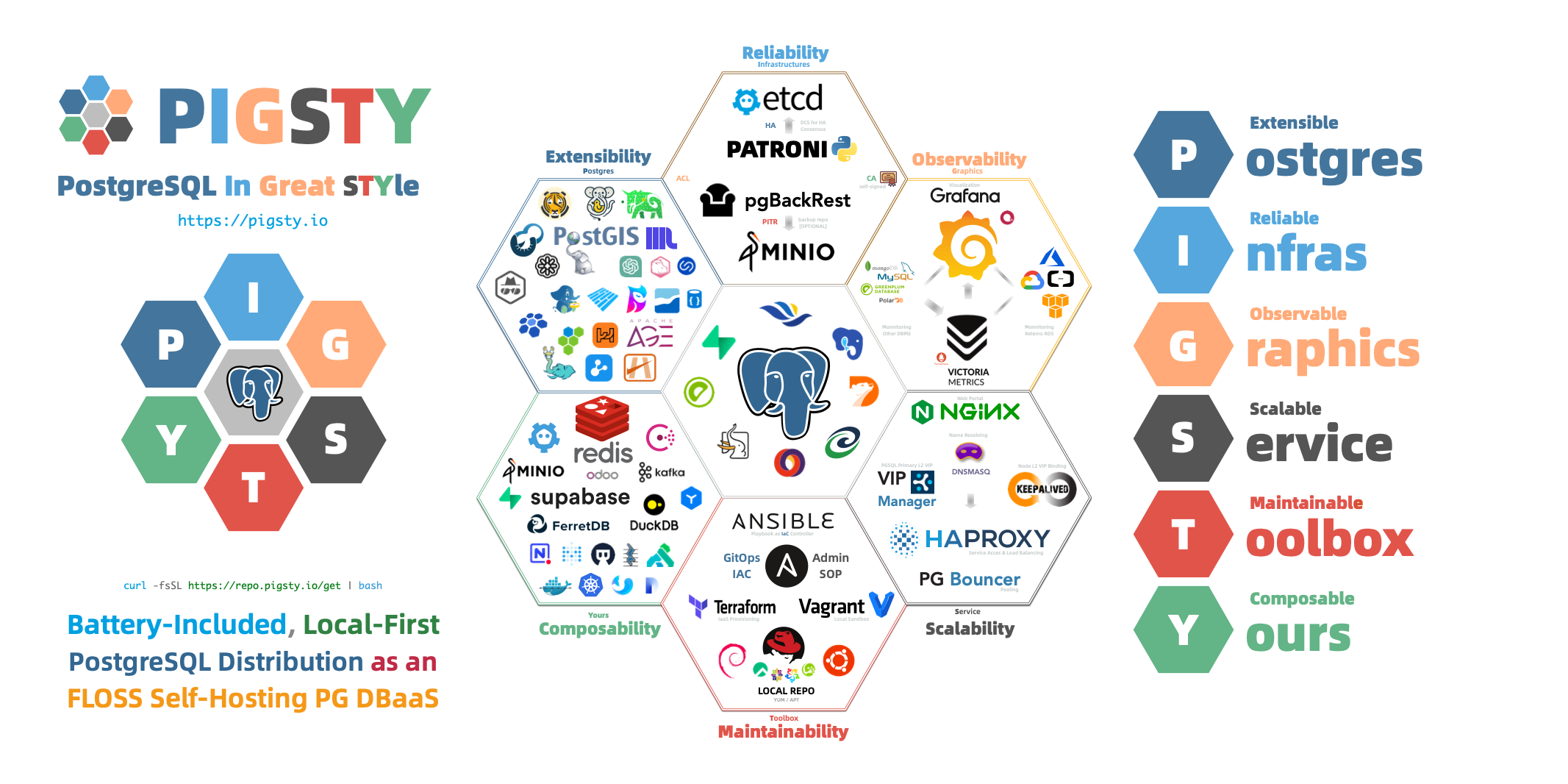
Why Pigsty? What Can It Do?
PostgreSQL provides the database engine. Production service also requires high availability, backup and recovery, monitoring and alerts, access control, tuning, extensions, connection pools, and load balancing.
Pigsty automates this operational work.
Pigsty provides:
Ready-to-Use PostgreSQL Distribution
Pigsty integrates 600 extensions for distributed, time-series, geographic, spatial, graph, vector, search, and other multi-modal workloads. It provides production database services for PostgreSQL 14–18 on EL, Debian, and Ubuntu.
Self-Healing High Availability Architecture
The high availability architecture uses Patroni, Etcd, and HAProxy for automatic hardware failover and traffic routing. Primary failure recovery has RTO < 45s and RPO ≈ 0. Cluster maintenance and upgrades can proceed in sequence without application coordination.
Complete Point-in-Time Recovery Capability
pgBackRest and an optional Silo object-storage cluster provide point-in-time recovery (PITR). Recover quickly to a selected time after software defects or accidental data deletion.
Flexible Service Access and Traffic Management
HAProxy, Pgbouncer, and VIP provide service access with read/write separation, connection pools, and automatic routing. These components provide stable, high-performance database access with transaction pooling.
Monitoring and Diagnostics
VictoriaMetrics and Grafana provide monitoring practices with more than three thousand metric types. Views range from global dashboards to CRUD operations on individual objects.
Declarative Configuration Management
Pigsty follows Infrastructure as Code. Describe the required environment in declarative configuration. The system applies the changes needed to reach that state.
Modular Architecture Design
The modular architecture supports different deployments. Combine the core PostgreSQL module with optional Redis, MINIO (Silo), and Etcd modules. Pigsty also supports PG-compatible kernels and operating modes.
Security features include a self-signed CA, encrypted communication, AES-encrypted backups, and SCRAM-SHA-256 password hashes. Pigsty also supplies an ACL model and HBA rules that use least privilege.
Simple and Easy Deployment
Prepackaged dependencies support one-step installation without Internet access. Local sandboxes can run on VMs with 1 core and 2GB RAM, with the same functions as production environments. Use Vagrant for local sandboxes or Terraform for cloud deployments.
What Pigsty Is Not
Pigsty is not a complete PaaS (Platform as a Service) system.
Supply your own hardware resources. Pigsty runs on physical servers, VMs, or cloud instances that you provide. It does not create or manage them. Terraform templates help prepare cloud resources.
Pigsty runs on the operating system. It does not require Kubernetes or Docker, but can coexist with them. Its Docker module runs stateless applications.
Pigsty focuses on PostgreSQL. It also supports components such as Redis, Etcd, and Silo, but PostgreSQL remains its core.
Pigsty avoids vendor lock-in. It uses open-source components, preserves the PostgreSQL kernel, and adds no proprietary protocols. You can continue to use managed PostgreSQL clusters after removing Pigsty.
You can choose how to build and operate your database services:
- Override any default parameter or configuration template.
- Use the declarative API or manage components directly with Ansible, Patroni, pgBackRest, and other tools.
- Manage the full database lifecycle, or use monitoring alone for existing instances and RDS.
Pigsty operates at the database service layer. It combines existing tools to deliver PostgreSQL services on your hardware.
Evolution of PostgreSQL Deployment
The following comparison explains the PostgreSQL deployment approaches that Pigsty addresses.
Manual Deployment Era
Traditional deployment requires DBAs to install PostgreSQL, configure replication and monitoring, and handle failures manually. This has several costs:
- Repeated work: Each instance needs manual operations, which can introduce errors.
- Inconsistent configuration: Different DBA practices make maintenance harder.
- Longer recovery: Manual failure handling takes time and can introduce human errors.
- Limited monitoring: Separate monitoring systems make detection and diagnosis harder.
Managed Database Era
Cloud providers offer managed databases (RDS) to reduce this work. These services also have constraints:
- Cost: Service fees typically range from several times to dozens of times the hardware cost.
- Vendor lock-in: Dependence on one cloud platform complicates migration.
- Feature limits: Advanced features, extensions, and parameter changes can be restricted.
- Data control: Cloud storage reduces direct control over data.
Local RDS Era
Pigsty provides a third option: local database services with capabilities comparable to or greater than cloud RDS.
This approach combines:
- Automation: One-step deployment, automatic configuration, and automatic failure recovery provide convenience comparable to cloud RDS.
- Control: Run on your infrastructure and retain control of your data.
- Cost: Operate enterprise database services at costs close to the hardware cost.
- Features: Use PostgreSQL capabilities and ecosystem extensions without imposed restrictions.
- Portability: Open-source components allow migration without vendor lock-in.
This approach is particularly suitable for:
- Private and hybrid clouds: Enterprises needing to run databases in local environments.
- Cost-sensitive users: Organizations looking to reduce database TCO.
- High-security scenarios: Critical data requiring complete autonomy and control.
- PostgreSQL power users: Scenarios requiring advanced features and rich extensions.
- Development and testing: Quickly setting up databases locally that match production environments.
What’s Next
Continue with these topics:
- Read System Architecture for the modular design.
- Read Cluster Model for database cluster organization.
- Read High Availability for automatic failure recovery.
- Read Point-in-Time Recovery for recovery after data deletion.
- Read Service Access for stable database connections.
- Read Infrastructure as Code for declarative configuration.
- Follow Quick Start to deploy your first environment in minutes.
3.1 - Architecture
Pigsty uses a modular architecture and declarative interface. Combine modules to meet your requirements.
- Use one or more modules from the modular design.
- Describe the environment with a configuration inventory and parameters. Apply it with Ansible playbooks.
- Run Pigsty on physical or virtual nodes with a compatible OS.
Modules
Pigsty uses a modular design with six main default modules: PGSQL, INFRA, NODE, ETCD, REDIS, and MINIO.
PGSQL: Self-healing HA Postgres clusters powered by Patroni, Pgbouncer, HAproxy, PgBackrest, and more.INFRA: Local software repo, Nginx, Grafana, Victoria, AlertManager, Blackbox Exporter—the complete observability stack.NODE: Tune nodes to desired state—hostname, timezone, NTP, ssh, sudo, haproxy, docker, vector, keepalived.ETCD: Distributed key-value store as DCS for HA Postgres clusters: consensus leader election/config management/service discovery.REDIS: Redis servers supporting standalone primary-replica, sentinel, and cluster modes with full monitoring.MINIO: S3-compatible simple object storage that can serve as an optional backup destination for PG databases.
Combine modules through declarative configuration. For host monitoring, install INFRA on infrastructure nodes and NODE on managed nodes. Install ETCD and PGSQL across multiple nodes to form an HA PostgreSQL cluster automatically. You can reuse Pigsty infrastructure for custom modules; see REDIS and MINIO as examples. Compatibility modes, such as PostgreSQL Mongo mode, combine standard PGSQL and Docker APP workflows.
Every module requires NODE. Install it first on managed nodes. By default, NODE uses the local software repository and thus has a weak dependency on INFRA. The deploy.yml playbook bootstraps administration/infrastructure nodes with INFRA to resolve this circular dependency.
Standalone Installation
By default, Pigsty installs on one physical or virtual node. deploy.yml installs INFRA, ETCD, PGSQL, and optional MINIO on the current node. Monitoring includes VictoriaMetrics, VictoriaLogs, VictoriaTraces, Grafana, Alertmanager, and Blackbox Exporter. A standalone PostgreSQL instance serves as the CMDB: cluster pg-meta, database meta.
This node has monitoring, visualization, and PostgreSQL with automatic PITR configuration. One node cannot provide HA. Use it for development, tests, demonstrations, and data visualization or analysis. It can also serve as an administration node for additional nodes.
Monitoring
Use the standalone meta node as an administration node and monitoring center for additional nodes and database servers.
You can use Pigsty monitoring independently. It configures VictoriaMetrics/Grafana with dashboards for host nodes and PostgreSQL databases. A small configuration enables production monitoring and alerts for existing hosts and databases, including those managed outside Pigsty.
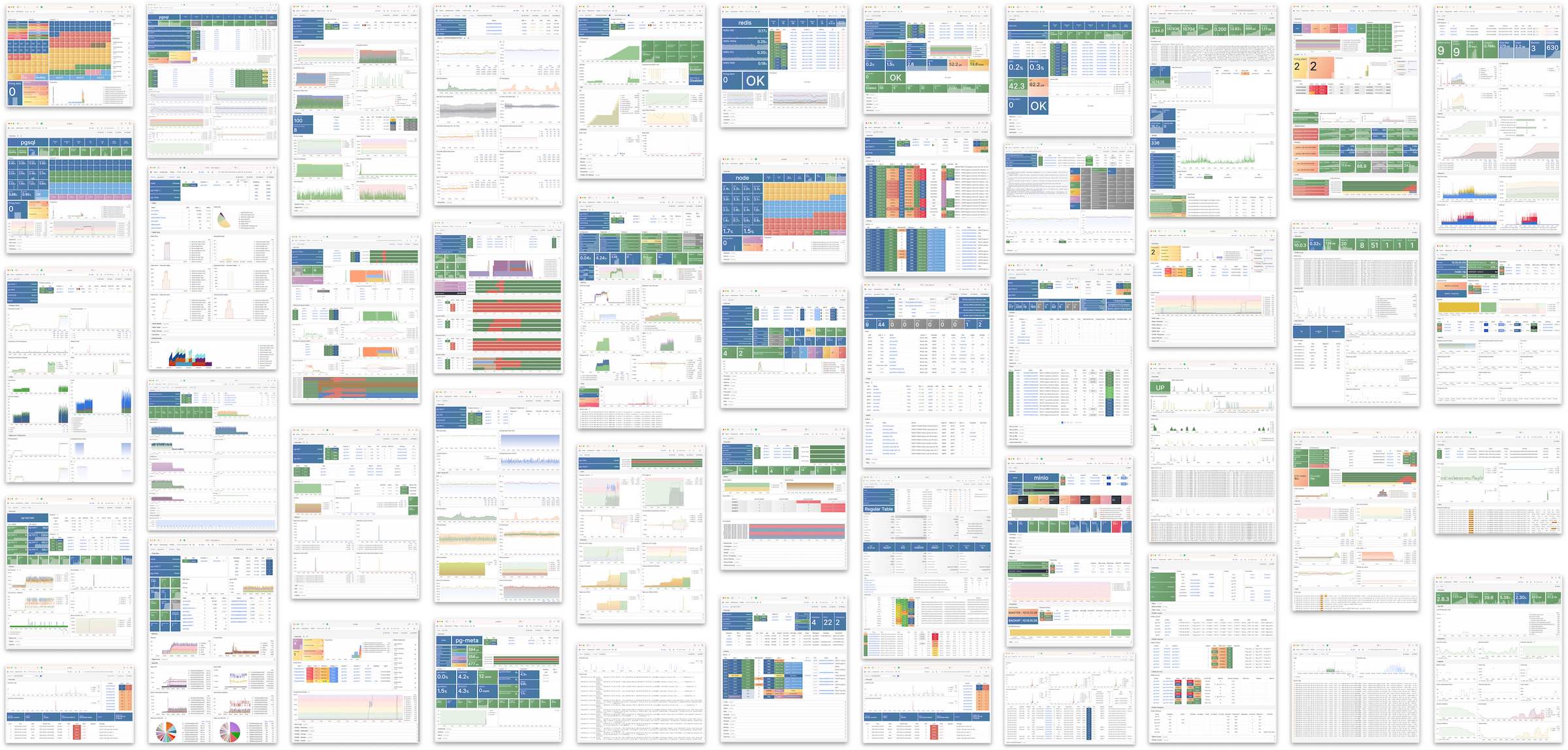
HA PostgreSQL Clusters
Pigsty lets you operate your own production HA PostgreSQL RDS service in your chosen environment.
To create an HA cluster, describe it in configuration and run the playbook:
In less than 10 minutes, the cluster has service access, monitoring, backup PITR, and HA configured.
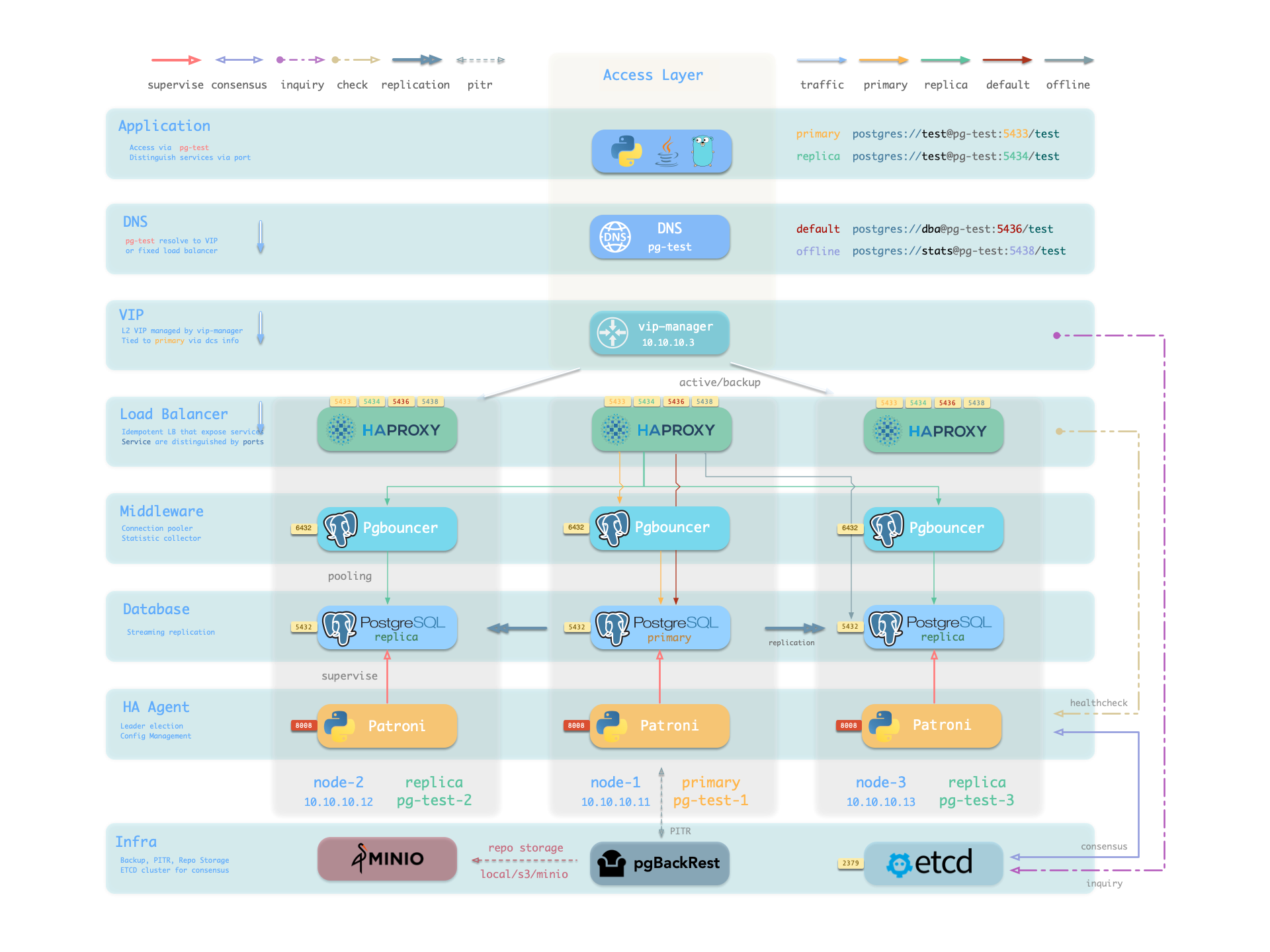
Patroni, etcd, and HAProxy provide automatic recovery from hardware failure. By default, primary failover completes within 45 seconds. HAProxy uses Patroni health checks to route read/write traffic to the new primary and avoid split brain. Clients need no configuration change or application restart. Replica failures and planned switchovers cause only a brief interruption to the current query.
pgBackRest and optional Silo provide local and cloud PITR for software failures, human errors, and datacenter disasters. They also support cross-region replication and disaster recovery after datacenter failure.
3.1.1 - Nodes
A node represents hardware resources and an operating system. It can be a physical server, virtual machine, container, or pod.
A node needs a Linux OS, systemd, and standard CPU, memory, disk, and network resources.
Install modules on nodes. The installed modules determine the node type:
| Type | Description |
|---|---|
| Regular Node | A node managed by Pigsty |
| ADMIN Node | The node that runs Ansible to issue management commands |
| INFRA Node | Nodes with the INFRA module installed |
| ETCD Node | Nodes with the ETCD module for DCS |
| MINIO Node | Nodes with the MINIO module for object storage |
| PGSQL Node | Nodes with the PGSQL module installed |
| … | Nodes with other modules… |
In a single-node deployment, one node has all roles: regular, administration, infrastructure, ETCD, and database.
Regular Node
Use node.yml to configure managed nodes to the target state. A regular node can run these services:
| Component | Port | Description | Status |
|---|---|---|---|
node_exporter | 9100 | Host metrics exporter | Enabled |
haproxy | 9101 | HAProxy load balancer (admin port) | Enabled |
vector | 9598 | Log collection agent | Enabled |
docker | 9323 | Container runtime support | Optional |
keepalived | n/a | L2 VIP for node cluster | Optional |
keepalived_exporter | 9650 | Keepalived status monitor | Optional |
node_exporter, vector, and haproxy are enabled by default. They export host metrics, collect logs, and balance traffic. Docker, keepalived, and keepalived_exporter are optional.
ADMIN Node
A deployment has exactly one administration node that runs Ansible playbooks and issues deployment or management commands.
This node has ssh/sudo access to every other node. Restrict access carefully. See Security Model: Trust Boundaries for its trusted access and critical assets.
During single-node installation and configuration, the current node becomes the administration node. A laptop with Ansible and SSH access to all managed nodes can also serve this role. This is not recommended for production.
For example, a laptop managing a cloud Pigsty VM is the administration node.
Production installations usually reserve 1–2 DBA machines for administration. With limited resources, INFRA nodes can also perform administration. All infrastructure nodes have Ansible by default.
INFRA Node
A Pigsty deployment may have 1 or more INFRA nodes; large production environments typically have 2-3.
The infra group in the inventory defines which nodes are INFRA nodes. These nodes run the INFRA module with these components:
| Component | Port | Description |
|---|---|---|
nginx | 80/443 | Web UI, local software repository |
grafana | 3000 | Visualization platform |
victoriaMetrics | 8428 | Time-series database (metrics) |
victoriaLogs | 9428 | Log collection server |
victoriaTraces | 10428 | Trace collection server |
vmalert | 8880 | Alerting and derived metrics |
alertmanager | 9059 | Alert aggregation and routing |
blackbox_exporter | 9115 | Blackbox probing (ping nodes/VIPs) |
dnsmasq | 53 | Internal DNS resolution |
chronyd | 123 | NTP time server |
ansible | - | Playbook execution |
Nginx provides the module Web UI and software repository. Services on multiple infrastructure nodes are independent. Each Grafana can access all monitoring data sources.
Pigsty is licensed under Apache-2.0, though embedded Grafana component uses AGPLv3.
ETCD Node
The ETCD module provides Distributed Consensus Service (DCS) for PostgreSQL high availability.
The etcd group in the inventory defines ETCD nodes. These nodes run etcd servers on two ports:
| Component | Port | Description |
|---|---|---|
etcd | 2379 | ETCD key-value store (client port) |
etcd | 2380 | ETCD cluster peer communication |
MINIO Node
The MINIO module provides optional backup storage for PostgreSQL.
The minio inventory group defines MINIO module nodes. In v4.5.0, these nodes run Silo servers on:
| Component | Port | Description |
|---|---|---|
silo | 9000 | S3 API endpoint |
silo | 9001 | Silo admin console |
PGSQL Node
A PGSQL node has the PGSQL module. Each node runs one PostgreSQL instance, giving a 1:1 mapping.
node_id_from_pg lets a PGSQL node use its PostgreSQL instance name. The default is true.
PGSQL nodes run these additional components beyond regular node services:
| Component | Port | Description | Status |
|---|---|---|---|
postgres | 5432 | PostgreSQL database server | Enabled |
pgbouncer | 6432 | PgBouncer connection pool | Enabled |
patroni | 8008 | Patroni HA management | Enabled |
pg_exporter | 9630 | PostgreSQL metrics exporter | Enabled |
pgbouncer_exporter | 9631 | PgBouncer metrics exporter | Enabled |
pgbackrest_exporter | 9854 | pgBackRest metrics exporter | Enabled |
vip-manager | n/a | Binds L2 VIP to cluster primary | Optional |
{{ pg_cluster }}-primary | 5433 | HAProxy service: pooled read/write | Enabled |
{{ pg_cluster }}-replica | 5434 | HAProxy service: pooled read-only | Enabled |
{{ pg_cluster }}-default | 5436 | HAProxy service: primary direct connection | Enabled |
{{ pg_cluster }}-offline | 5438 | HAProxy service: offline read | Enabled |
{{ pg_cluster }}-<service> | 543x | HAProxy service: custom PostgreSQL services | Custom |
vip-manager runs only when a PG VIP is configured. Define custom services through pg_services. haproxy exposes them on additional ports.
Node Relationships
Regular nodes normally select an INFRA node with admin_ip. For example, global admin_ip = 10.10.10.10 directs nodes to services at that address.
Parameters that reference ${admin_ip}:
| Parameter | Module | Default Value | Description |
|---|---|---|---|
repo_endpoint | INFRA | http://${admin_ip}:80 | Software repo URL |
repo_upstream.baseurl | INFRA | http://${admin_ip}/pigsty | Local repo baseurl |
infra_portal.endpoint | INFRA | ${admin_ip}:<port> | Nginx proxy backend |
dns_records | INFRA | ["${admin_ip} i.pigsty", ...] | DNS records |
node_default_etc_hosts | NODE | ["${admin_ip} i.pigsty"] | Default static DNS |
node_etc_hosts | NODE | - | Custom static DNS |
node_dns_servers | NODE | ["${admin_ip}"] | Dynamic DNS servers |
node_ntp_servers | NODE | - | NTP servers (optional) |
The administration node usually also provides infrastructure. With multiple infrastructure nodes, the first usually administers the environment and others provide backups.
Large deployments can separate administration from infrastructure. For example, use 1–2 small DBA-managed administration hosts and 2–3 high-capacity physical monitoring servers.
Typical node counts by deployment scale:
| Scale | ADMIN | INFRA | ETCD | MINIO | PGSQL |
|---|---|---|---|---|---|
| Single-node | 1 | 1 | 1 | 0 | 1 |
| 3-node | 1 | 3 | 3 | 0 | 3 |
| Small prod | 1 | 2 | 3 | 0 | N |
| Large prod | 2 | 3 | 5 | 4+ | N |
3.1.2 - Infrastructure
Production HA PostgreSQL needs monitoring, alerts, logs, time synchronization, DNS, and software repositories. The INFRA module provides these services. It is optional but strongly recommended.
Overview
The following single-node deployment diagram shows INFRA components on the right:
| Component | Type | Description |
|---|---|---|
| Nginx | Web Server | Unified entry for WebUI, local repo, reverse proxy for internal services |
| Repo | Software Repo | APT/DNF repository with all RPM/DEB packages needed for deployment |
| Grafana | Visualization | Displays metrics, logs, and traces; hosts dashboards, reports, and custom data apps |
| VictoriaMetrics | Time Series DB | Scrapes all metrics, Prometheus API compatible, provides VMUI query interface |
| VictoriaLogs | Log Platform | Centralized log storage; all nodes run Vector by default, pushing logs here |
| VictoriaTraces | Tracing | Collects slow SQL, service traces, and other tracing data |
| VMAlert | Eval Rule/Alert | Evaluates alerting rules, pushes events to Alertmanager |
| AlertManager | Alert Manager | Aggregates alerts, dispatches notifications via email, Webhook, etc. |
| BlackboxExporter | Blackbox Probe | Probes reachability of IPs/VIPs/URLs |
| DNSMASQ | DNS Service | Provides DNS resolution for domains used within Pigsty [Optional] |
| Chronyd | Time Sync | Provides NTP time synchronization to ensure consistent time across nodes [Optional] |
| CA | Certificate | Issues encryption certificates within the environment |
| Ansible | Orchestration | Batch, declarative, agentless tool for managing large numbers of servers |
Nginx
Nginx provides access to Pigsty WebUI services. HTTP and HTTPS use 80 and 443 by default. See the Live Demo.
| IP Access (replace) | Domain (HTTP) | Domain (HTTPS) | Public Demo |
|---|---|---|---|
http://10.10.10.10 | http://i.pigsty | https://i.pigsty | https://demo.pigsty.io |
Nginx exposes the Grafana, VictoriaMetrics (VMUI), AlertManager, and HAProxy web interfaces. It also serves the local software repository and other static files.
Nginx configures local web servers or reverse proxy servers based on definitions in infra_portal.
The default administration homepage is i.pigsty. Its endpoints proxy these components:
| Endpoint | Component | Native Port | Notes | Public Demo |
|---|---|---|---|---|
/ | Nginx | 80/443 | Homepage, local repo, file server | demo.pigsty.io |
/ui/ | Grafana | 3000 | Grafana dashboard entry | demo.pigsty.io/ui/ |
/vmetrics/ | VictoriaMetrics | 8428 | Time series DB Web UI | demo.pigsty.io/vmetrics/ |
/vlogs/ | VictoriaLogs | 9428 | Log DB Web UI | demo.pigsty.io/vlogs/ |
/vtraces/ | VictoriaTraces | 10428 | Tracing Web UI | demo.pigsty.io/vtraces/ |
/vmalert/ | VMAlert | 8880 | Alert rule management | demo.pigsty.io/vmalert/ |
/alertmgr/ | AlertManager | 9059 | Alert management Web UI | demo.pigsty.io/alertmgr/ |
/blackbox/ | Blackbox | 9115 | Blackbox probe |
Configure Nginx as a file server or reverse proxy. HTTPS supports self-signed and publicly trusted certificates.
For more information, see: Tutorial: Nginx—Expose Web Services via Proxy and Tutorial: Certbot—Request and Renew HTTPS Certificates
Repo
During installation, Pigsty creates a local software repository on the infrastructure node to speed later installations. See the Live Demo.
The default directory is /www/pigsty. Nginx serves it at /pigsty:
| IP Access (replace) | Domain (HTTP) | Domain (HTTPS) | Public Demo |
|---|---|---|---|
http://10.10.10.10/pigsty | http://i.pigsty/pigsty | https://i.pigsty/pigsty | https://demo.pigsty.io/pigsty |
For offline installation, copy a prepared local software repository into the target environment. If /www/pigsty/repo_complete exists, deployment skips upstream downloads and uses that repository. sow generates this file as a completion marker and SHA-256 manifest. To force a rebuild, run ./infra.yml -t repo_build -e repo_build=true.
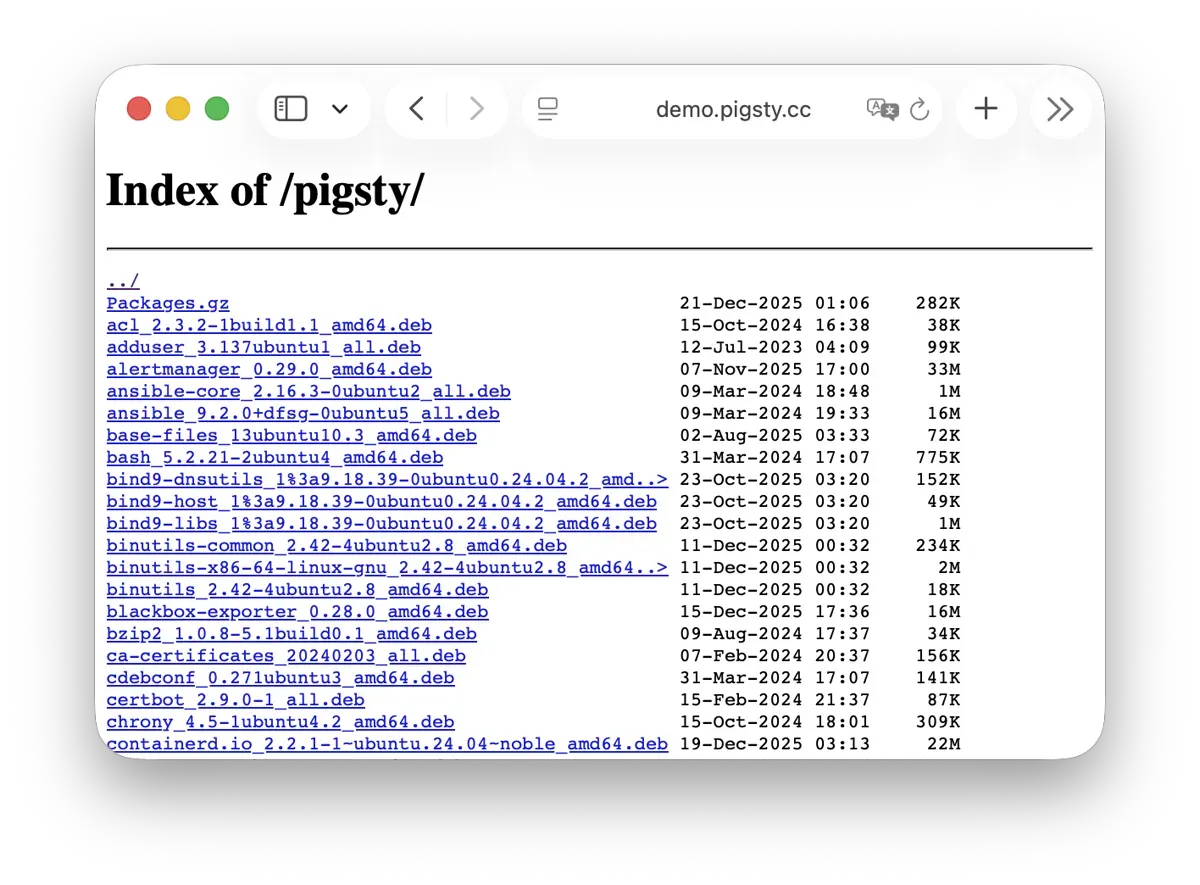
For more information, see: Config: INFRA - REPO
Grafana
Grafana visualizes Pigsty metrics, logs, and other monitoring data. See the Live Demo.
Grafana listens on port 3000 by default and is proxied via Nginx at the /ui path:
| IP Access (replace) | Domain (HTTP) | Domain (HTTPS) | Public Demo |
|---|---|---|---|
http://10.10.10.10/ui | http://i.pigsty/ui | https://i.pigsty/ui | https://demo.pigsty.io/ui |
Pigsty includes dashboards for VictoriaMetrics, Logs, and Traces. URL links let you move between summary and detail views for diagnosis.
Grafana also supports low-code visualization. Pigsty installs ECharts, victoriametrics-datasource, and victorialogs-datasource plugins by default. Vector/Victoria data sources use the names vmetrics-*, vlogs-*, and vtraces-* for custom dashboards.
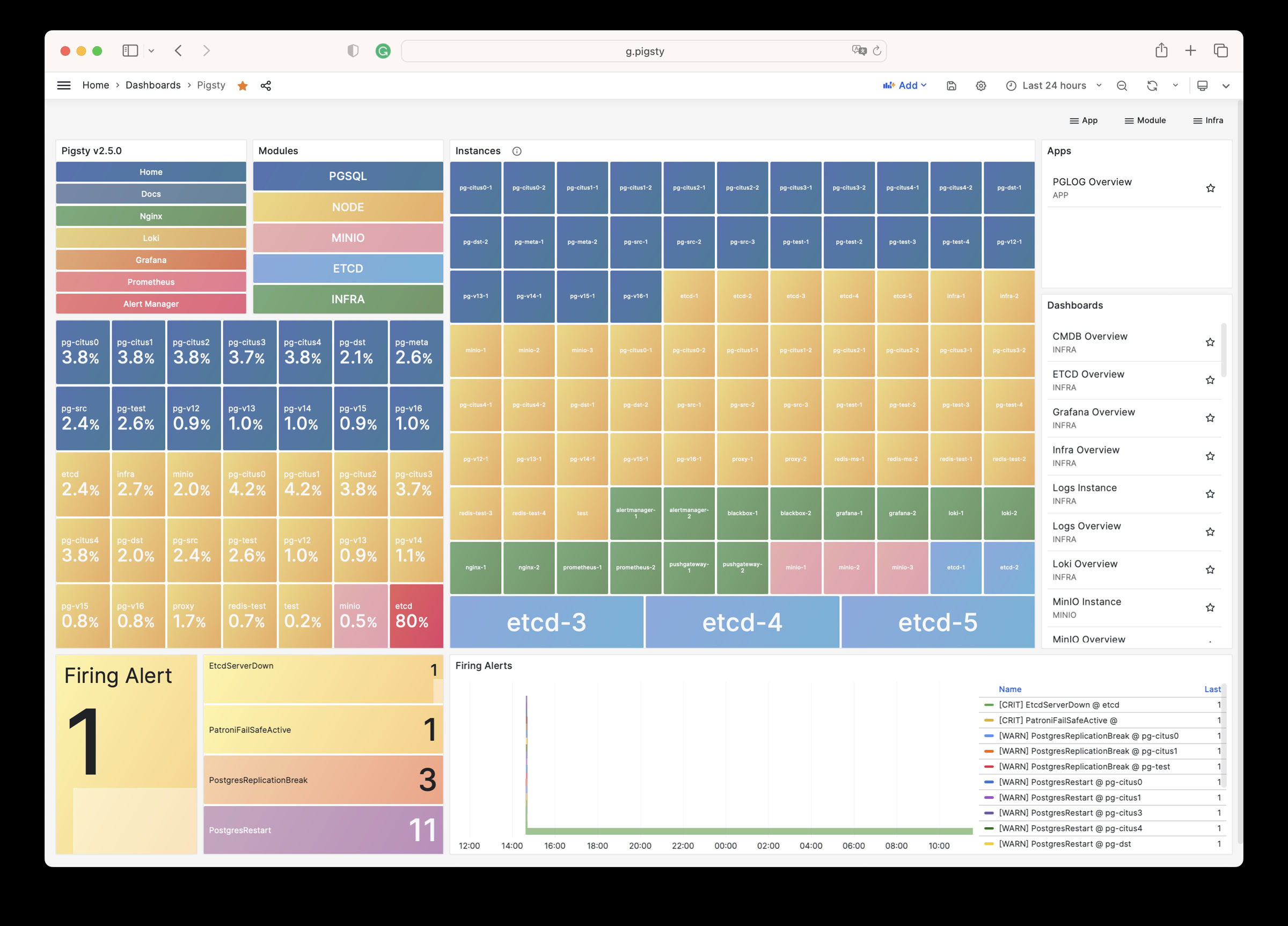
For more information, see: Config: INFRA - GRAFANA.
VictoriaMetrics
VictoriaMetrics collects and stores Pigsty monitoring metrics as time-series data. See the Live Demo.
The default port is 8428. Access it through Nginx at /vmetrics or the p.pigsty domain:
| IP Access (replace) | Domain (HTTP) | Domain (HTTPS) | Public Demo |
|---|---|---|---|
http://10.10.10.10/vmetrics | http://p.pigsty | https://i.pigsty/vmetrics | https://demo.pigsty.io/vmetrics |
VictoriaMetrics supports the Prometheus API, PromQL, remote read/write protocols, and the Alertmanager API. Its VMUI supports direct queries for metric exploration. It also supplies data to Grafana.
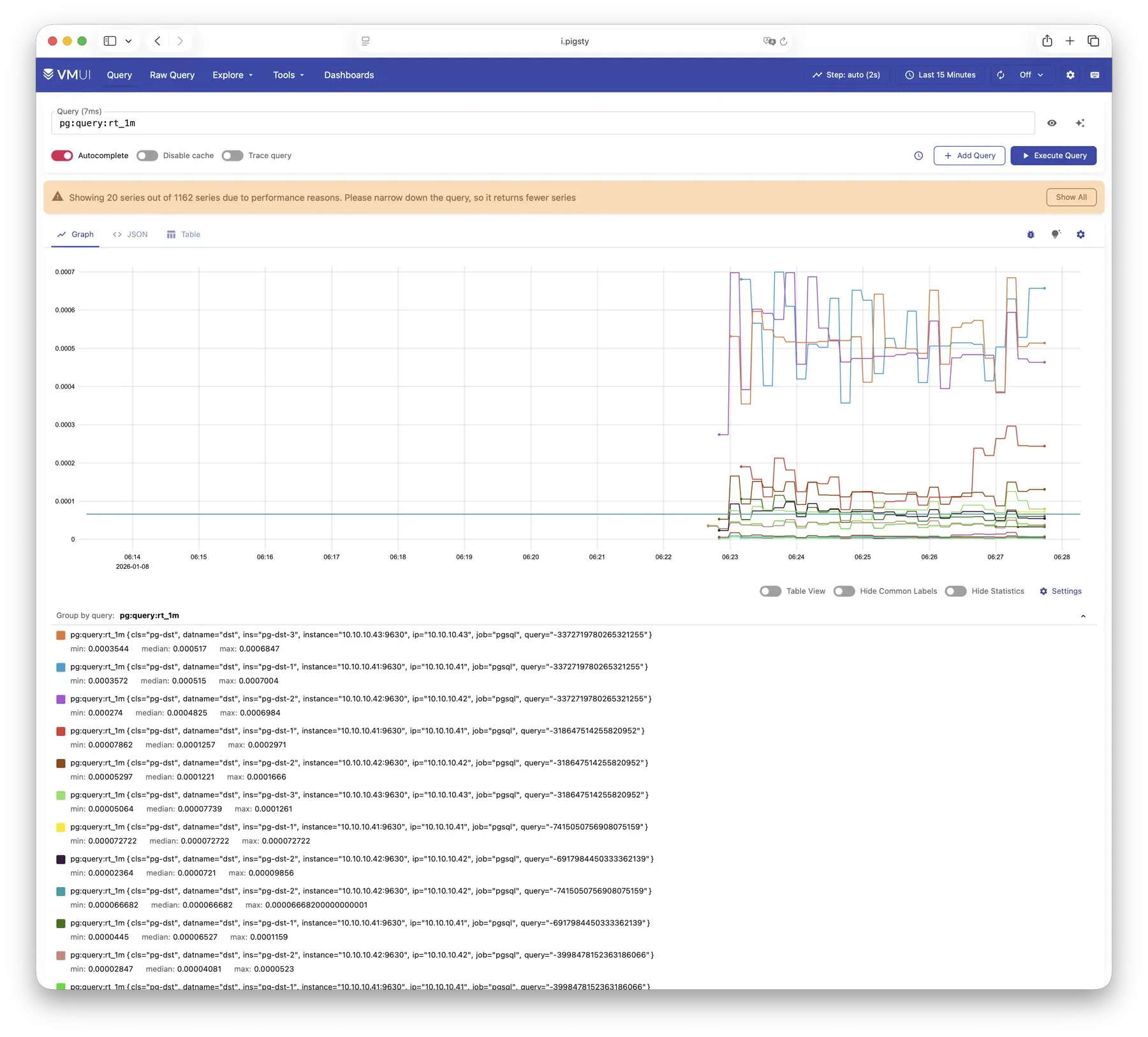
For more information, see: Config: INFRA - VMETRICS
VictoriaLogs
VictoriaLogs centrally stores structured logs from all Pigsty nodes. See the Live Demo.
It listens on port 9428 by default, mounted at Nginx /vlogs path:
| IP Access (replace) | Domain (HTTP) | Domain (HTTPS) | Public Demo |
|---|---|---|---|
http://10.10.10.10/vlogs | http://i.pigsty/vlogs | https://i.pigsty/vlogs | https://demo.pigsty.io/vlogs |
Managed nodes run Vector by default. It collects system, PostgreSQL, Patroni, Pgbouncer, and other logs, structures them, and sends them to VictoriaLogs. The built-in Web UI supports search and filtering. Use the Grafana victorialogs-datasource plugin for visual analysis.
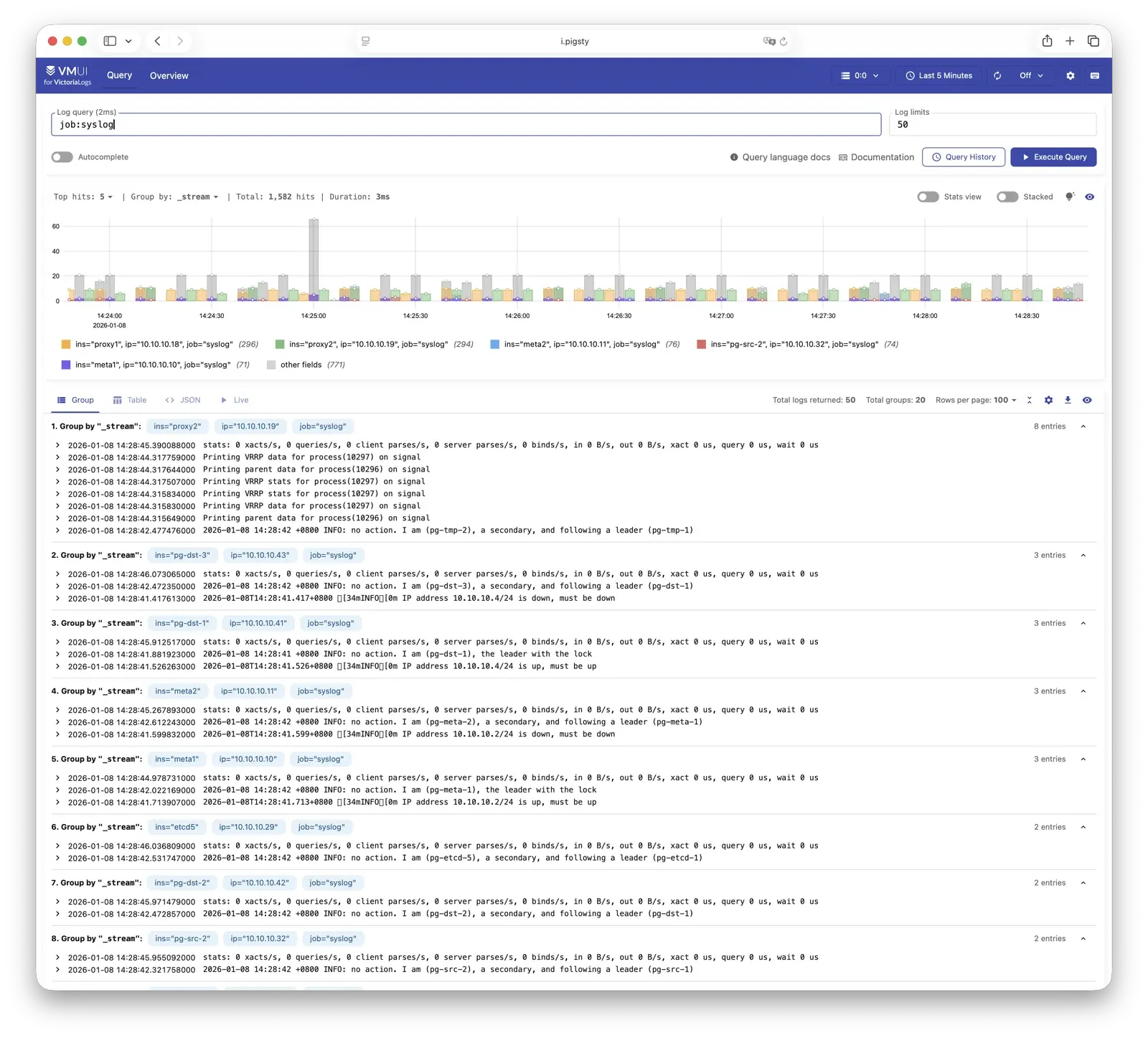
For more information, see: Config: INFRA - VLOGS
VictoriaTraces
VictoriaTraces is used for collecting trace data and slow SQL records. Live Demo
It listens on port 10428 by default, mounted at Nginx /vtraces path:
| IP Access (replace) | Domain (HTTP) | Domain (HTTPS) | Public Demo |
|---|---|---|---|
http://10.10.10.10/vtraces | http://i.pigsty/vtraces | https://i.pigsty/vtraces | https://demo.pigsty.io/vtraces |
VictoriaTraces provides a Jaeger-compatible interface for service traces and slow SQL queries. Use it with Grafana to locate performance limits and trace their causes.
For more information, see: Config: INFRA - VTRACES
VMAlert
VMAlert evaluates alert rules and sends triggered events to Alertmanager. See the Live Demo.
It listens on port 8880 by default, mounted at Nginx /vmalert path:
| IP Access (replace) | Domain (HTTP) | Domain (HTTPS) | Public Demo |
|---|---|---|---|
http://10.10.10.10/vmalert | http://i.pigsty/vmalert | https://i.pigsty/vmalert | https://demo.pigsty.io/vmalert |
VMAlert periodically evaluates rules against VictoriaMetrics data. Pigsty includes rules for common failures in PGSQL, NODE, REDIS, and other modules.
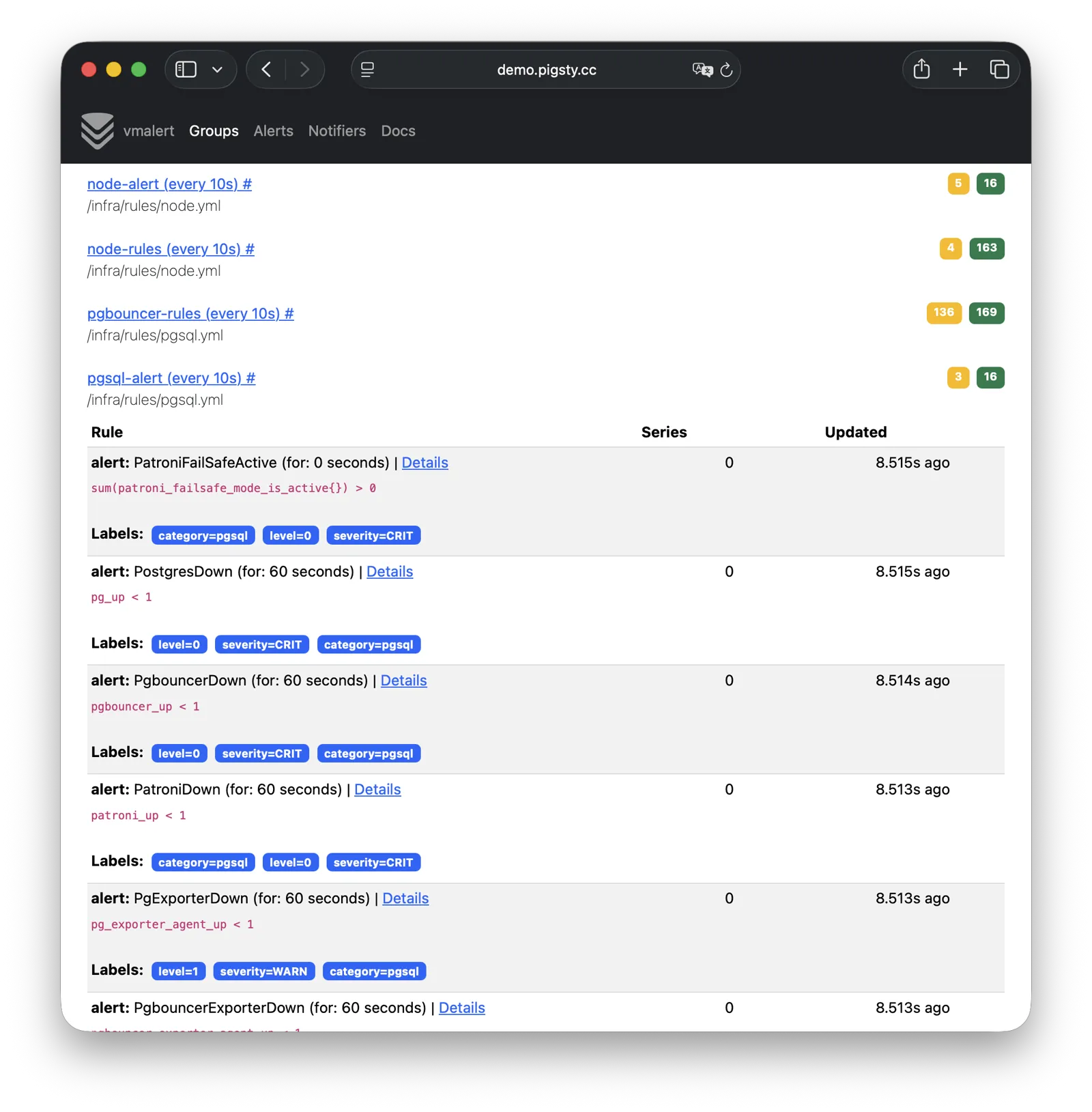
For more information, see: Config: INFRA - VMALERT
AlertManager
AlertManager handles alert event aggregation, deduplication, grouping, and dispatch. Live Demo
It listens on port 9059 by default, mounted at Nginx /alertmgr path, and also accessible via the a.pigsty domain:
| IP Access (replace) | Domain (HTTP) | Domain (HTTPS) | Public Demo |
|---|---|---|---|
http://10.10.10.10/alertmgr | http://a.pigsty | https://i.pigsty/alertmgr | https://demo.pigsty.io/alertmgr |
AlertManager supports email, Webhook, Slack, PagerDuty, WeChat Work, and other notification channels. Routing rules select destinations by severity and module. Silencing and inhibition are also supported.
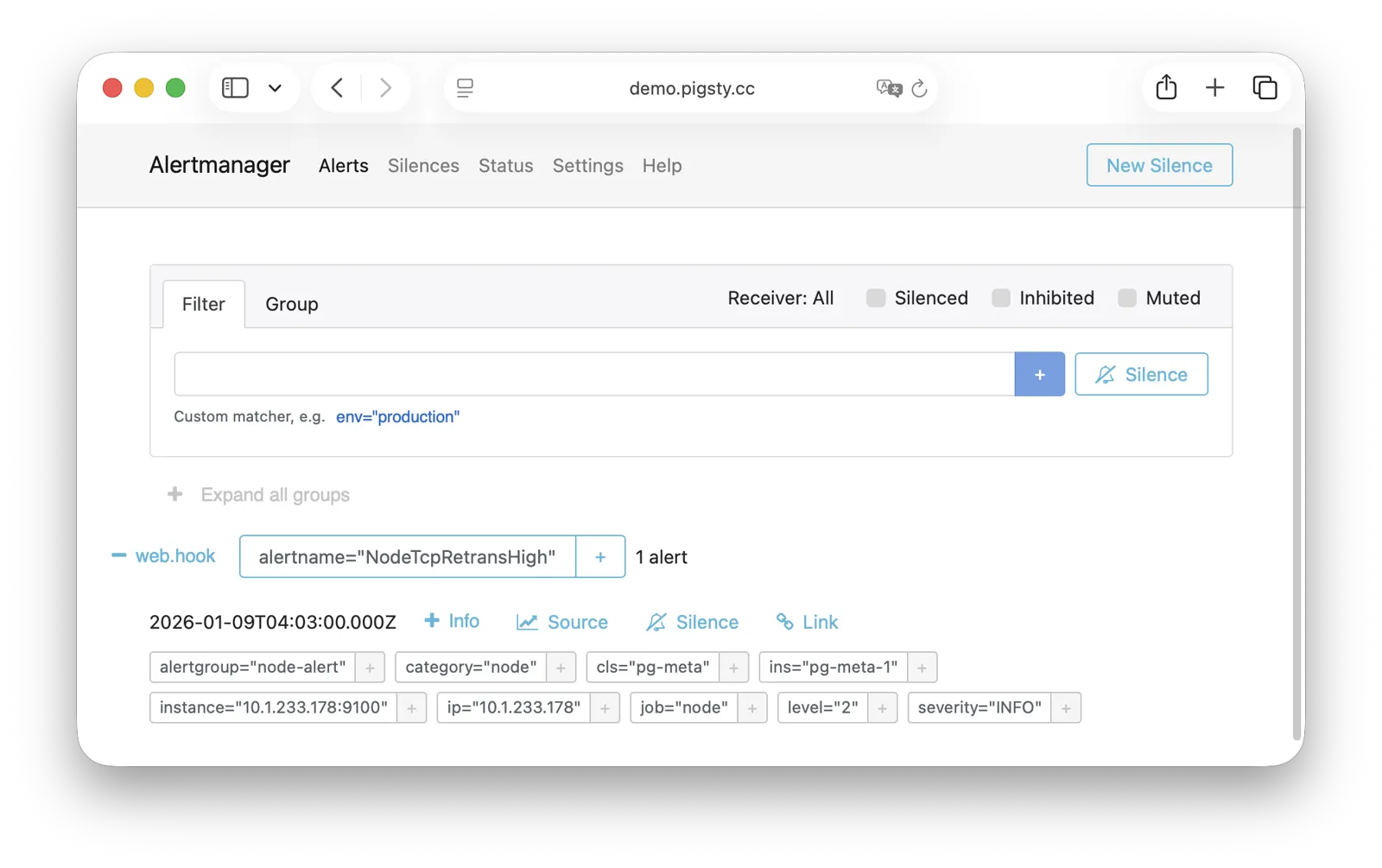
For more information, see: Config: INFRA - AlertManager
BlackboxExporter
Blackbox Exporter probes targets to check reachability.
It listens on port 9115 by default, mounted at Nginx /blackbox path:
| IP Access (replace) | Domain (HTTP) | Domain (HTTPS) | Public Demo |
|---|---|---|---|
http://10.10.10.10/blackbox | http://i.pigsty/blackbox | https://i.pigsty/blackbox | https://demo.pigsty.io/blackbox |
Probe methods include ICMP Ping, TCP ports, and HTTP/HTTPS endpoints. Check VIP reachability, service ports, and external dependencies to determine the scope of a failure.
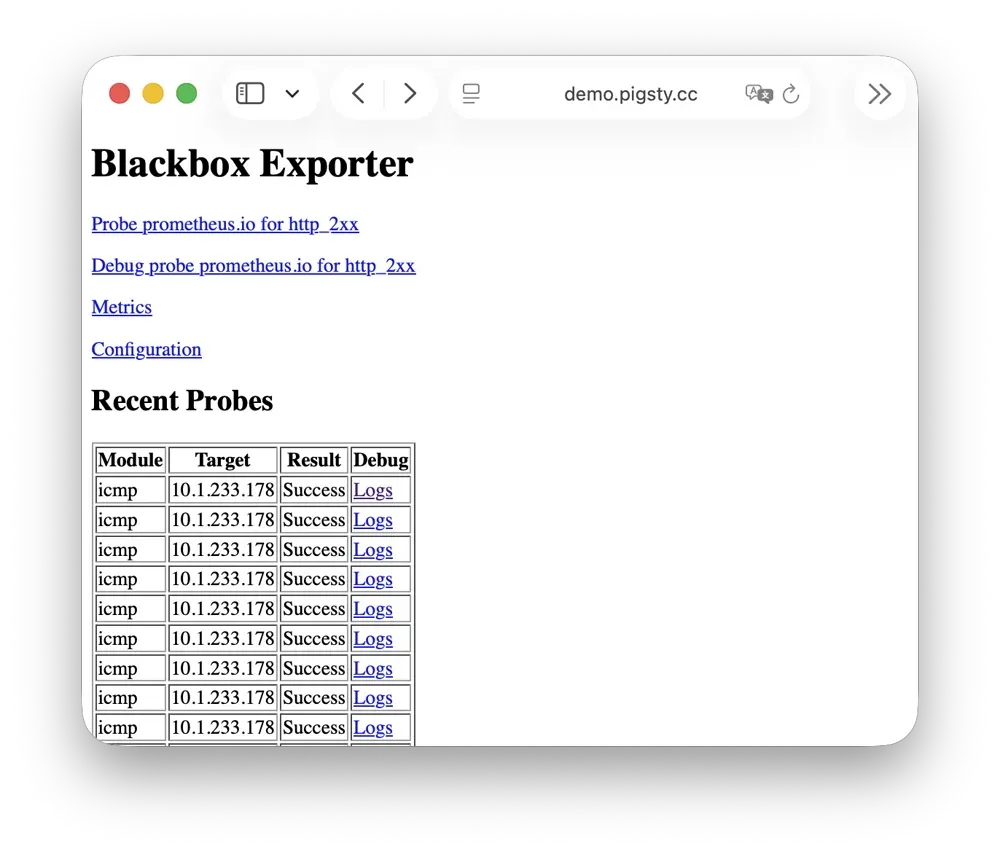
For more information, see: Config: INFRA - BLACKBOX
Ansible
Ansible runs Pigsty deployment, configuration, and management playbooks.
Installation adds Ansible to the administration/infrastructure node. Declarative configuration specifies the target state. Idempotent playbooks can run repeatedly to reach that state without additional side effects.
Ansible provides:
- Agentless execution: Connect through SSH without installing an agent on managed nodes.
- Declarative configuration: Describe the target state; configuration also documents it.
- Idempotent operations: Repeated runs produce consistent results and can retry partial failures.
For more information, see: Playbooks: Pigsty Playbook
DNSMASQ
DNSMASQ provides DNS resolution on INFRA nodes, resolving domain names to their corresponding IP addresses.
DNSMASQ listens on port 53 (UDP/TCP) by default, providing DNS resolution for all nodes. Records are stored in the /etc/dnsmasq.d/pigsty directory.
Other modules register domain names with DNSMASQ during deployment. Client nodes can use infrastructure nodes as DNS servers and access services by name. DNS is optional; Pigsty also works without it.
dns_records: Default DNS records written to INFRA nodesnode_dns_servers: Configure DNS servers for nodes, defaults to INFRA node viaadmin_ip(can also be disabled)
For more information, see: Config: INFRA - DNS and Tutorial: DNS—Configure Domain Resolution
Chronyd
Chronyd synchronizes node clocks through NTP. Its time-source service uses UDP port 123 by default.
Distributed systems need synchronized clocks. Logs need comparable timestamps, certificate checks need accurate time, and PostgreSQL streaming replication is sensitive to clock drift. In isolated networks, other nodes can synchronize to an infrastructure node acting as their NTP server.
All nodes run chronyd by default, using public pool.ntp.org servers. The Node module manages chronyd. In isolated networks, use admin_ip to select the INFRA node as the internal time source.
For more information, see: Config: NODE - TIME
INFRA Node vs Regular Node
In Pigsty, the relationship between nodes and infrastructure is a weak circular dependency: node_monitor → infra → node
NODE does not itself require INFRA. Its node_monitor functions require the infrastructure monitoring platform and services.
infra.yml and deploy resolve this dependency through these steps:
- Initialize NODE on regular nodes. Skip monitoring because the infrastructure is not ready.
- Initialize INFRA on the INFRA node to provide monitoring.
- Configure monitoring on regular nodes to connect to that platform.
Alternatively, use phased deployment: initialize infrastructure nodes before regular nodes.
How Are Nodes Coupled to Infrastructure?
Regular nodes use admin_ip to select an INFRA node for infrastructure services.
For example, global admin_ip = 10.10.10.10 normally directs all nodes to infrastructure at that address.
Change this address to switch infrastructure providers for many nodes. These parameters may reference ${admin_ip}:
| Parameter | Module | Default Value | Description |
|---|---|---|---|
repo_endpoint | INFRA | http://${admin_ip}:80 | Software repo URL |
repo_upstream.baseurl | INFRA | http://${admin_ip}/pigsty | Local repo baseurl |
infra_portal.endpoint | INFRA | ${admin_ip}:<port> | Nginx proxy backend |
dns_records | INFRA | ["${admin_ip} i.pigsty", ...] | DNS records |
node_default_etc_hosts | NODE | ["${admin_ip} i.pigsty"] | Default static DNS |
node_etc_hosts | NODE | [] | Custom static DNS |
node_dns_servers | NODE | ["${admin_ip}"] | Dynamic DNS servers |
node_ntp_servers | NODE | ["pool pool.ntp.org iburst"] | NTP servers (optional) |
For example, local uses the Nginx software repository at admin_ip:80/pigsty. DNS uses DNSMASQ at admin_ip:53. Both choices are optional. Nodes can install from Internet repositories, as most single-node templates do. They can also leave DNS unconfigured because Pigsty does not require it.
INFRA Node vs ADMIN Node
The ADMIN node usually also serves as the INFRA node, including in single-node deployments. With multiple infrastructure nodes, the first infra member usually administers the environment and others provide backups. You can also separate the roles.
For example, large production deployments can use 1–2 small DBA-managed VMs for administration. Use 2–3 high-capacity physical servers, or more, for monitoring infrastructure. Set admin_ip to an infrastructure node address. The parameter retains its historical name from when administration and infrastructure roles were combined.
For local management of cloud nodes, install Ansible on your laptop and select cloud servers as managed targets. The laptop is the administration node. Cloud servers provide infrastructure.
Multiple INFRA Nodes
One infrastructure node usually meets the requirements. Failure of its INFRA module does not interrupt database services on other nodes.
For higher monitoring and alerting availability, use multiple infrastructure nodes. Two nodes can provide redundancy and monitor each other. A distributed Victoria cluster can use more nodes for horizontal scaling without a fixed limit.
Each infrastructure node operates independently. Nginx uses local services, and VictoriaMetrics collects metrics from every environment service. Nodes send logs to all VictoriaLogs endpoints by default. Grafana is the exception: each instance registers every VictoriaMetrics, Logs, Traces, and PostgreSQL instance as a data source. Thus, each Grafana can access all monitoring data.
Dashboard and data-source changes affect only the Grafana instance you edit. For shared configuration, use a PostgreSQL database as Grafana storage. See Configure Grafana High Availability.
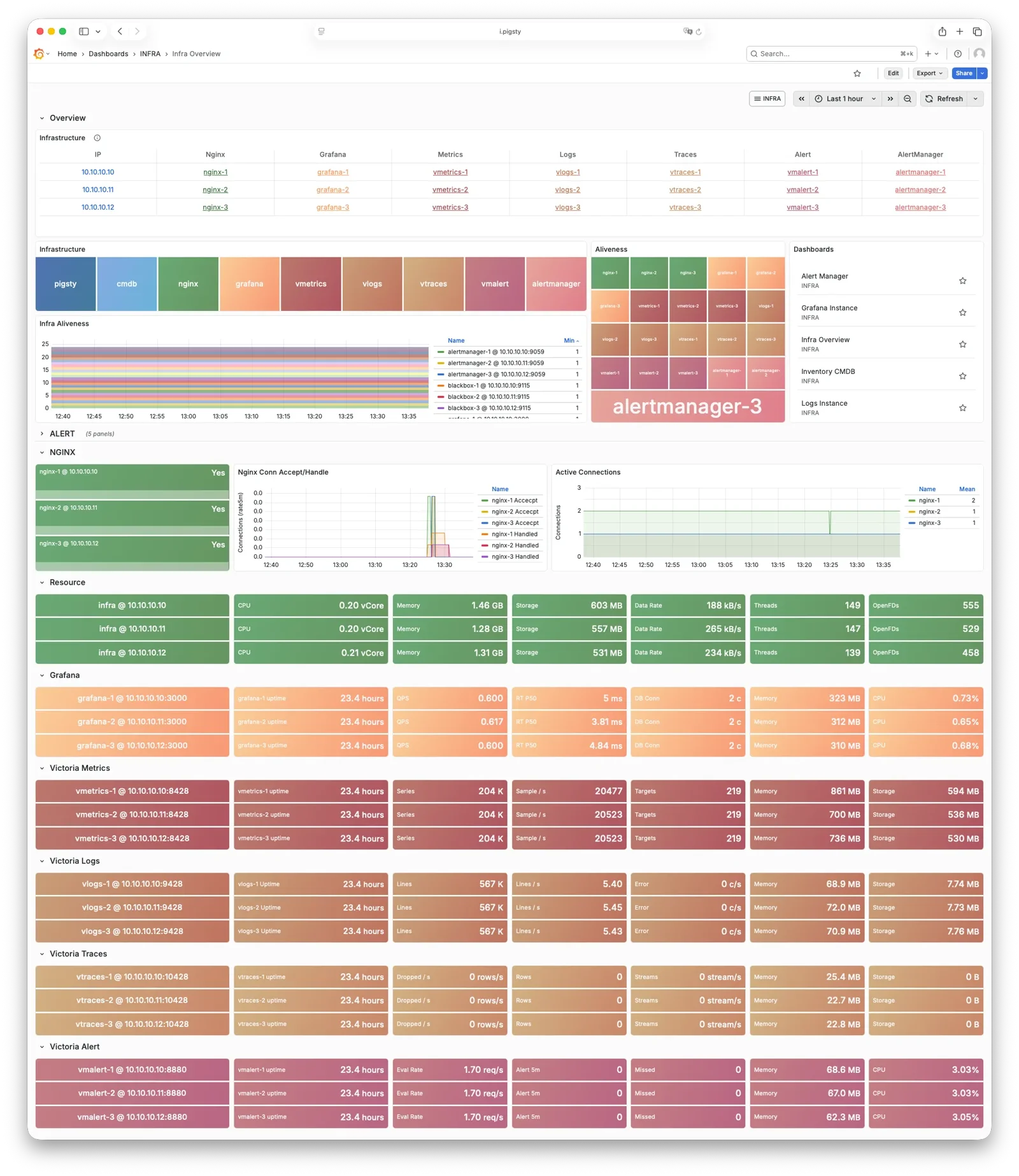
3.1.3 - PGSQL Arch
PGSQL organizes PostgreSQL as clusters. Each cluster is a logical group of database instances connected through primary-replica relationships.
Overview
The PGSQL module combines these components for production HA clusters:
| Component | Type | Description |
|---|---|---|
postgres | Database | Open-source relational database engine for PGSQL |
patroni | HA | Manages PostgreSQL, coordinates failover, leader election, config changes |
pgbouncer | Pool | Lightweight connection pooling middleware, reduces overhead, adds flexibility |
pgbackrest | Backup | Full/incremental backup and WAL archiving, supports local and object storage |
pg_exporter | Metrics | Exports PostgreSQL monitoring metrics in a Prometheus-compatible format |
pgbouncer_exporter | Metrics | Exports Pgbouncer connection pool metrics |
pgbackrest_exporter | Metrics | Exports backup status metrics |
vip-manager | VIP | Binds L2 VIP to current primary node for transparent failover [Optional] |
Enable vip-manager when needed. PGSQL also uses components from other modules:
| Component | Module | Type | Description |
|---|---|---|---|
haproxy | NODE | LB | Exposes service ports, routes traffic to primary or replicas |
vector | NODE | Logging | Collects PostgreSQL, Patroni, Pgbouncer logs and ships to center |
etcd | ETCD | DCS | Distributed consistent store for cluster metadata and leader info |
The PGSQL module combines the PostgreSQL engine with supporting services. Patroni and Etcd provide HA. pgBackRest and optional Silo provide backups. HAProxy, Pgbouncer, and vip-manager provide access. Exporters and Vector provide monitoring.
You can select other database kernels and extensions. The diagram represents the engine as a CPU and the complete service as a computer.

| Subsystem | Components | Function |
|---|---|---|
| HA Subsystem | Patroni + etcd | Failure detection, auto-failover, config management |
| Access Subsystem | HAProxy + Pgbouncer + vip-manager | Service exposure, load balancing, pooling, VIP |
| Backup Subsystem | pgBackRest (+ Silo) | Full/incremental backup, WAL archiving, PITR |
| Observability Subsystem | pg_exporter / pgbouncer_exporter / pgbackrest_exporter + Vector | Metrics collection, log aggregation |
Component Interaction
- Cluster DNS is resolved by DNSMASQ on infra nodes
- Cluster VIP is managed by vip-manager, which binds
pg_vip_addressto the cluster primary node.- vip-manager gets cluster leader info written by patroni from the etcd cluster
- Cluster services are exposed by HAProxy on nodes, different services distinguished by node ports (543x).
- HAProxy port 9101: Monitoring metrics & statistics & admin page
- HAProxy port 5433: Routes to primary pgbouncer: read-write service
- HAProxy port 5434: Routes to replica pgbouncer: read-only service
- HAProxy port 5436: Routes to primary postgres: default service
- HAProxy port 5438: Routes to offline postgres: offline service
- HAProxy routes traffic based on health check info from patroni.
- Pgbouncer is connection pooling middleware, listening on port 6432 by default, buffering connections, exposing additional metrics, and providing extra flexibility.
- PostgreSQL listens on port 5432, providing relational database services
- Installing PGSQL module on multiple nodes with the same cluster name automatically forms an HA cluster via streaming replication
- PostgreSQL process is managed by patroni by default.
- Patroni listens on port 8008 by default, supervising PostgreSQL server processes
- pg_exporter exposes postgres monitoring metrics on port 9630
- pgbouncer_exporter exposes pgbouncer metrics on port 9631
- pgBackRest uses local backup repository by default (
pgbackrest_method=local)- If using
local(default), pgBackRest creates local repository underpg_fs_bkupon primary node - If using
minio, pgBackRest creates the backup repository on dedicated Silo or an external S3 service
- If using
- Vector collects Postgres-related logs (postgres, pgbouncer, patroni, pgbackrest)
HA Subsystem
Patroni and etcd provide the HA subsystem. They detect failures, coordinate failover, and manage configuration.
Operation: Patroni manages each local PostgreSQL process. It writes the leader, members, and configuration to etcd. After primary failure, Patroni coordinates an election and promotes the healthiest replica. Recovery is automatic, with RTO typically below 45 seconds.
Key Interactions:
- PostgreSQL: Starts, stops, reloads PG as parent process, controls its lifecycle
- etcd: External dependency, writes/watches leader key for distributed consensus and failure detection
- HAProxy: Provides health checks via REST API (
:8008), reporting instance role - vip-manager: Watches leader key in etcd, auto-migrates VIP
For more information, see: High Availability and Config: PGSQL - PG_BOOTSTRAP
Access Subsystem
HAProxy, Pgbouncer, and vip-manager expose services, route traffic, and pool connections.
There are multiple access methods. A typical traffic path is: Client → DNS/VIP → HAProxy (543x) → Pgbouncer (6432) → PostgreSQL (5432)
| Layer | Component | Port | Role |
|---|---|---|---|
| L2 VIP | vip-manager | - | Binds L2 VIP to primary (optional) |
| L4 Load Bal | HAProxy | 543x | Service exposure, load balancing, health checks |
| L7 Pool | Pgbouncer | 6432 | Connection reuse, session management, transaction pooling |
Service Ports:
5433primary: Read-write service, routes to primary Pgbouncer5434replica: Read-only service, routes to replica Pgbouncer5436default: Default service, direct to primary (bypasses pool)5438offline: Offline service, direct to offline replica (ETL/analytics)
Key Features:
- HAProxy uses Patroni REST API to determine instance role, auto-routes traffic
- Pgbouncer uses transaction-level pooling, absorbs connection spikes, reduces PG connection overhead
- vip-manager watches etcd leader key, auto-migrates VIP during failover
For more information, see: Service Access and Config: PGSQL - PG_ACCESS
Backup Subsystem
pgBackRest provides backups and PITR. Optional Silo or external S3 storage can serve as the remote repository.
Backup Types:
- Full backup: Complete database copy
- Incremental/differential backup: Only backs up changed data blocks
- WAL archiving: Continuous transaction log archiving, enables any point-in-time recovery
Storage Backends:
local(default): Local disk, backups stored atpg_fs_bkupmount pointminio: S3-compatible object storage, supports centralized backup management and off-site DR
Key Interactions:
- pgBackRest → PostgreSQL: Executes backup commands, manages WAL archiving
- pgBackRest → Patroni: Recovery can bootstrap replicas as new primary or standby
- pgbackrest_exporter → VictoriaMetrics: Exports backup status metrics through the Prometheus-compatible protocol to monitor backup health
For more information, see: PITR, Backup & Recovery, and Config: PGSQL - PG_BACKUP
Observability Subsystem
Three Exporters collect metrics, and Vector collects logs.
| Component | Port | Target | Key Metrics |
|---|---|---|---|
| pg_exporter | 9630 | PostgreSQL | Sessions, transactions, replication lag, buffer hits |
| pgbouncer_exporter | 9631 | Pgbouncer | Pool utilization, wait queue, hit rate |
| pgbackrest_exporter | 9854 | pgBackRest | Latest backup time, size, type |
| vector | 9598 | postgres/patroni/pgbouncer logs | Structured log stream |
Data Flow:
- Metrics: Exporter → VictoriaMetrics (INFRA) → Grafana dashboards
- Logs: Vector → VictoriaLogs (INFRA) → Grafana log queries
pg_exporter and pgbouncer_exporter use local Unix sockets, independently of HA topology. Slim installation can disable them.
For more information, see: Config: PGSQL - PG_MONITOR
PostgreSQL
PostgreSQL is the PGSQL database engine. It listens on 5432 by default, with one instance per node.
Pigsty supports PostgreSQL 14–18 through binary packages from the PGDG repository. You can replace the default engine with a PG-compatible kernel. Up to 600 extensions are available.
Patroni manages PostgreSQL processes for HA by default. A single-node cluster has one primary. Additional nodes automatically join as replicas and receive changes through real-time physical replication. Replicas serve read-only traffic and can automatically replace a failed primary.
You can access PostgreSQL directly, or through HAProxy and Pgbouncer connection pool.
For more information, see: Config: PGSQL - PG_BOOTSTRAP
Patroni
Patroni is the PostgreSQL HA control component, listening on port 8008 by default.
Patroni manages PostgreSQL startup, shutdown, configuration, and health. It writes leader and member records to etcd. It coordinates failover, replication factor, and parameter changes. Its REST API serves HAProxy, monitoring, and administrators.
HAProxy checks Patroni endpoints to identify instance roles and route primary or replica traffic. vip-manager watches the etcd leader key and moves the VIP when the primary changes.
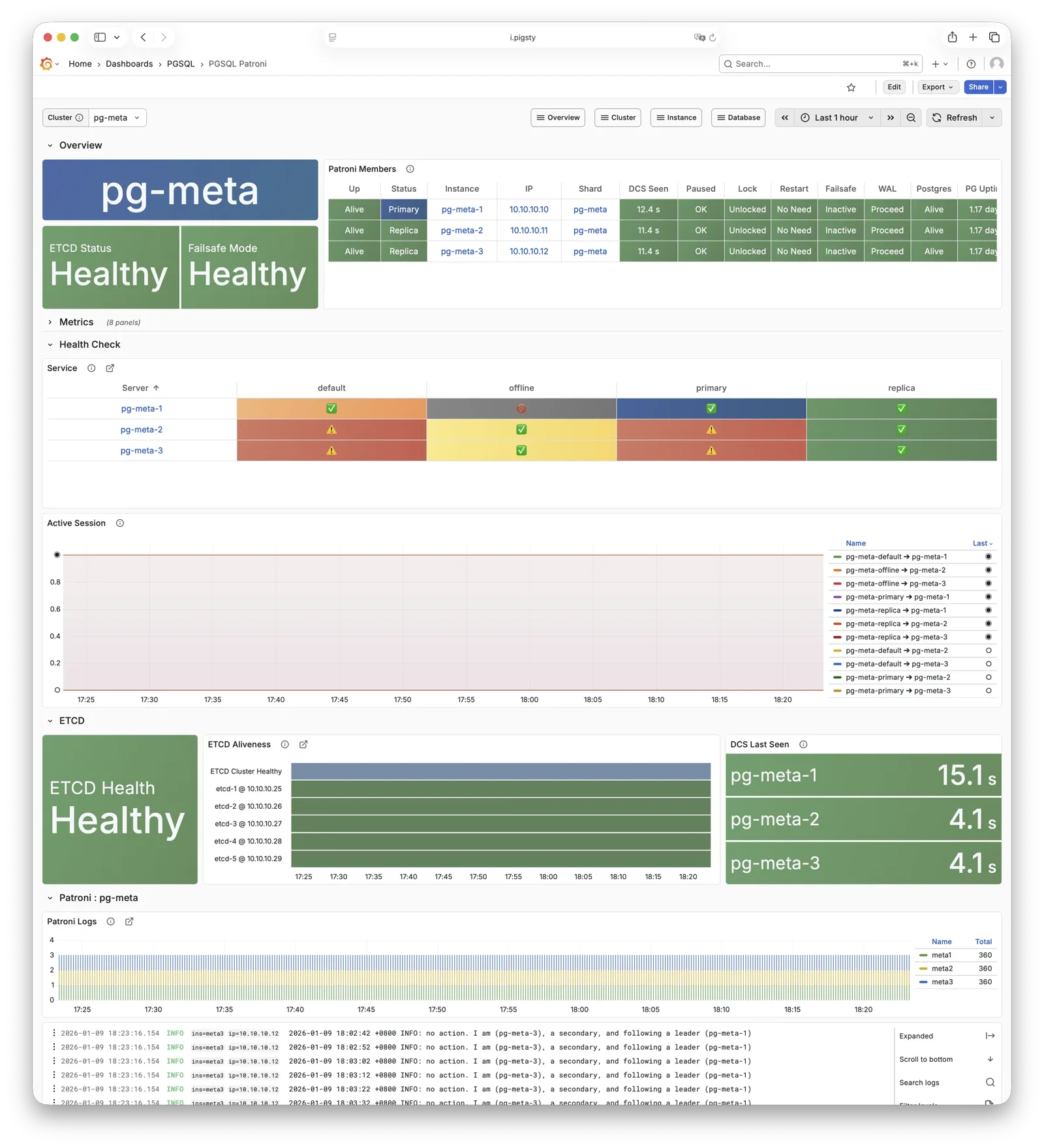
For more information, see: Config: PGSQL - PG_BOOTSTRAP
Pgbouncer
Pgbouncer provides connection pooling on port 6432 by default. Each node has one Pgbouncer instance for its PostgreSQL instance.
Pgbouncer is stateless and connects to local PostgreSQL through a Unix socket. Its default transaction pooling handles connection bursts, stabilizes session counts, and reduces lock contention. This improves performance under high concurrency.
By default, read/write 5433 and read-only 5434 traffic use Pgbouncer. Default 5436 and offline 5438 services connect directly to PostgreSQL.
pgbouncer_poolmode defaults to transaction. Disable pooling with pgbouncer_enabled.
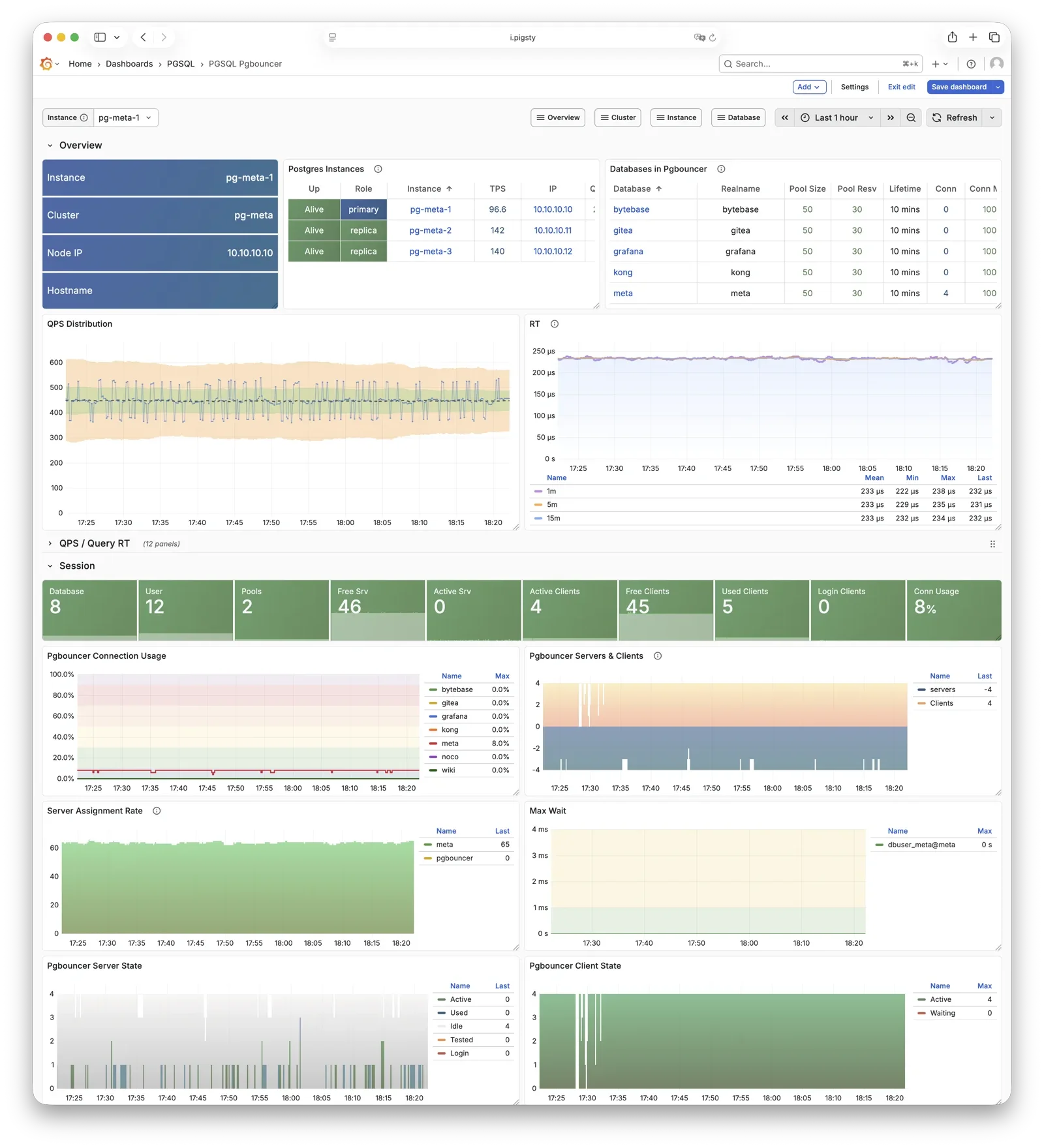
For more information, see: Config: PGSQL - PG_ACCESS
pgBackRest
pgBackRest provides full, incremental, and differential PostgreSQL backups and WAL archiving.
Pigsty uses pgBackRest for PITR to any time within the backup retention window.
pgBackRest coordinates with PostgreSQL for backups and archiving. By default, it creates a repository on the primary: pgbackrest_method = local. Configure Silo or external S3 storage for centralized backup management.
pgbackrest_init_backup can trigger the first full backup after initialization. Recovery integrates with Patroni to initialize replicas as new primaries or standbys.
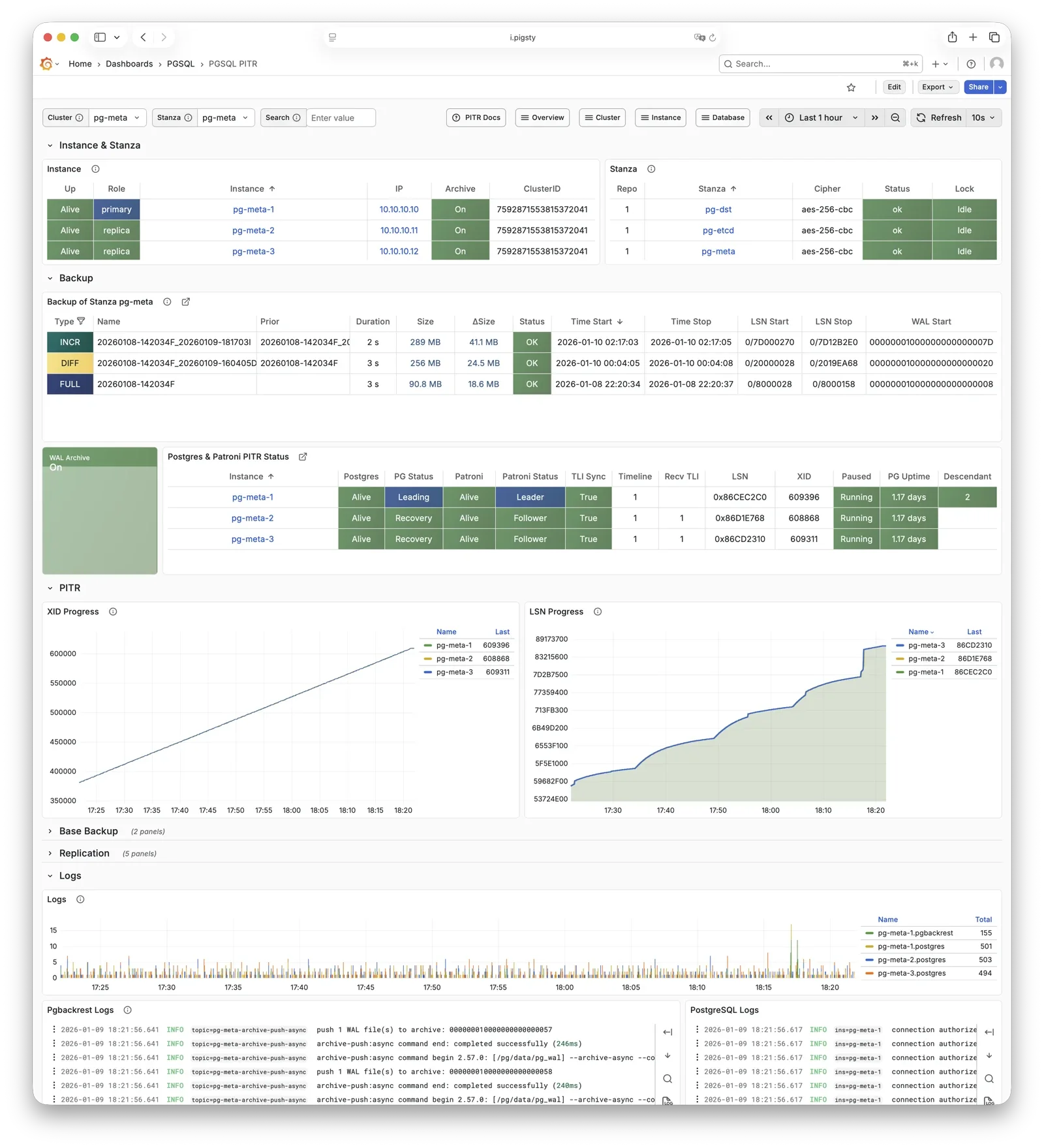
For more information, see: Backup & Recovery and Config: PGSQL - PG_BACKUP
HAProxy
HAProxy is the service entry point and load balancer, exposing multiple database service ports.
| Port | Service | Target | Description |
|---|---|---|---|
9101 | Admin | - | HAProxy statistics and admin page |
5433 | primary | Primary Pgbouncer | Read-write service, routes to primary pool |
5434 | replica | Replica Pgbouncer | Read-only service, routes to replica pool |
5436 | default | Primary Postgres | Default service, direct to primary (bypasses pool) |
5438 | offline | Offline Postgres | Offline service, direct to offline replica (ETL/analytics) |
HAProxy checks Patroni REST endpoints to identify roles and route primary or replica traffic. pg_default_services and pg_services define services.
By default, local HAProxy instances expose services. For higher traffic, use pg_service_provider to select a dedicated HAProxy node group.
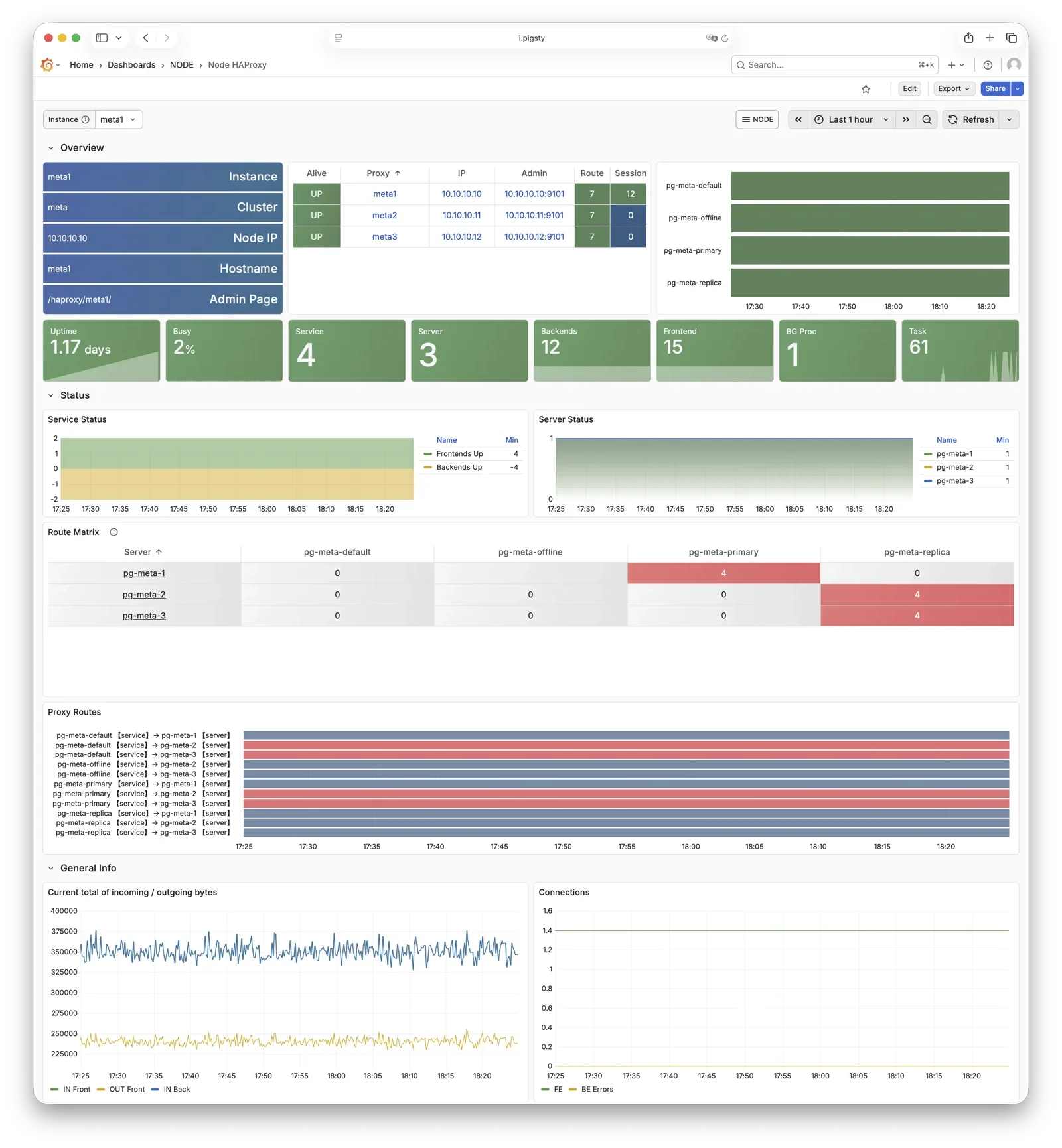
For more information, see: Service Access and Config: PGSQL - PG_ACCESS
vip-manager
vip-manager binds L2 VIP to the current primary node. This is an optional component; enable it if your network supports L2 VIP.
vip-manager runs on each PG node. It watches the leader key that Patroni writes to etcd. It binds pg_vip_address to the primary network interface. During failover, it releases the old binding and immediately binds the VIP to the new primary.
Enable this optional component with pg_vip_enabled. All nodes must share one VLAN or VIP migration fails. Public clouds usually do not support L2 VIP. Use it for on-premises or private cloud deployments.
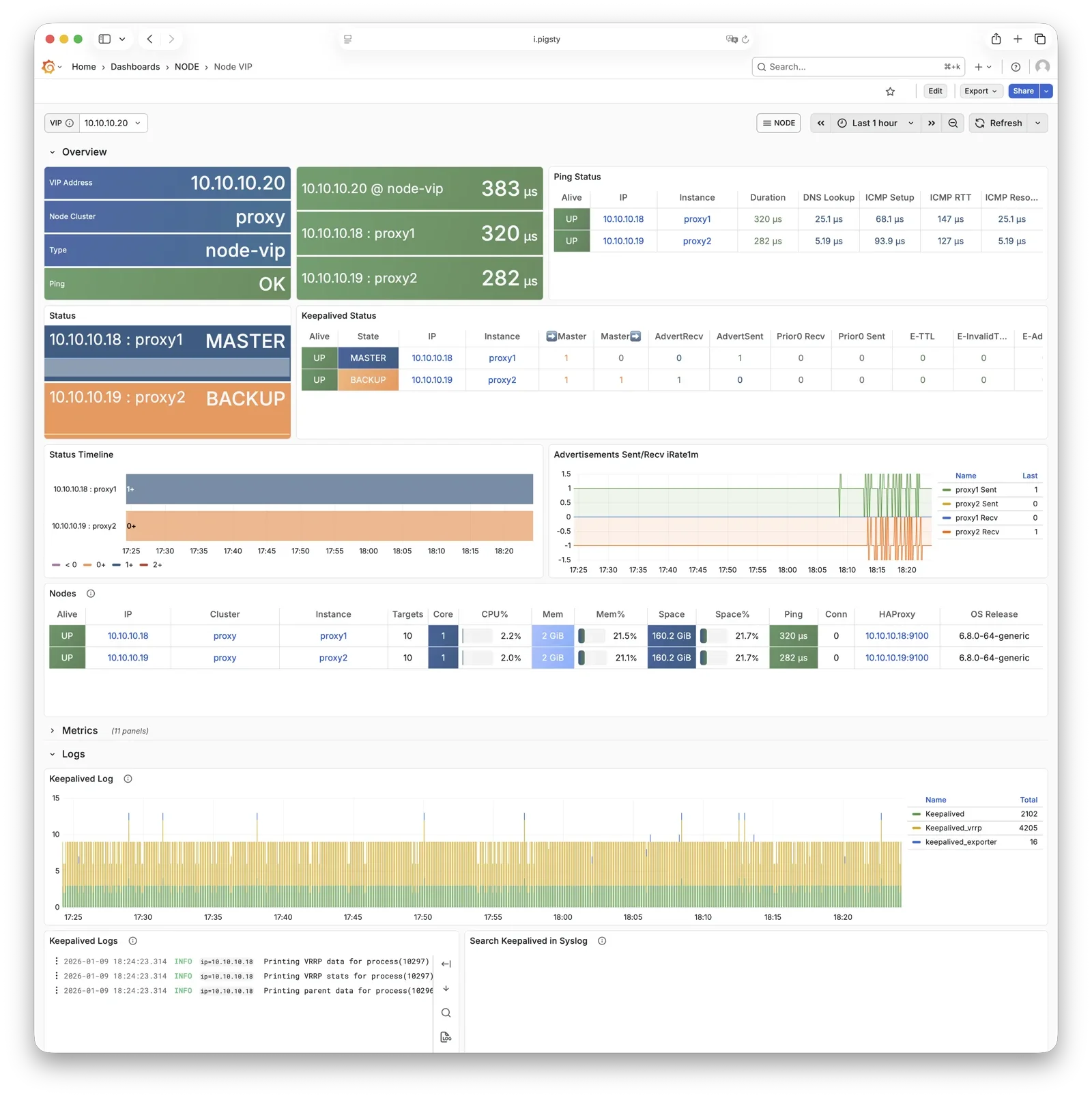
For more information, see: Tutorial: VIP Configuration and Config: PGSQL - PG_ACCESS
pg_exporter
pg_exporter exports PostgreSQL monitoring metrics, listening on port 9630 by default.
pg_exporter connects to local PostgreSQL through a Unix socket. It exports sessions, buffer hits, replication lag, transaction rates, and other metrics. VictoriaMetrics on infrastructure nodes collects them.
Set collection rules with pg_exporter_config. Use pg_exporter_auto_discovery for automatic database discovery. pg_exporter_cache_ttls controls different cache lifetimes.
Disable this component through parameters. Slim installation leaves it disabled.
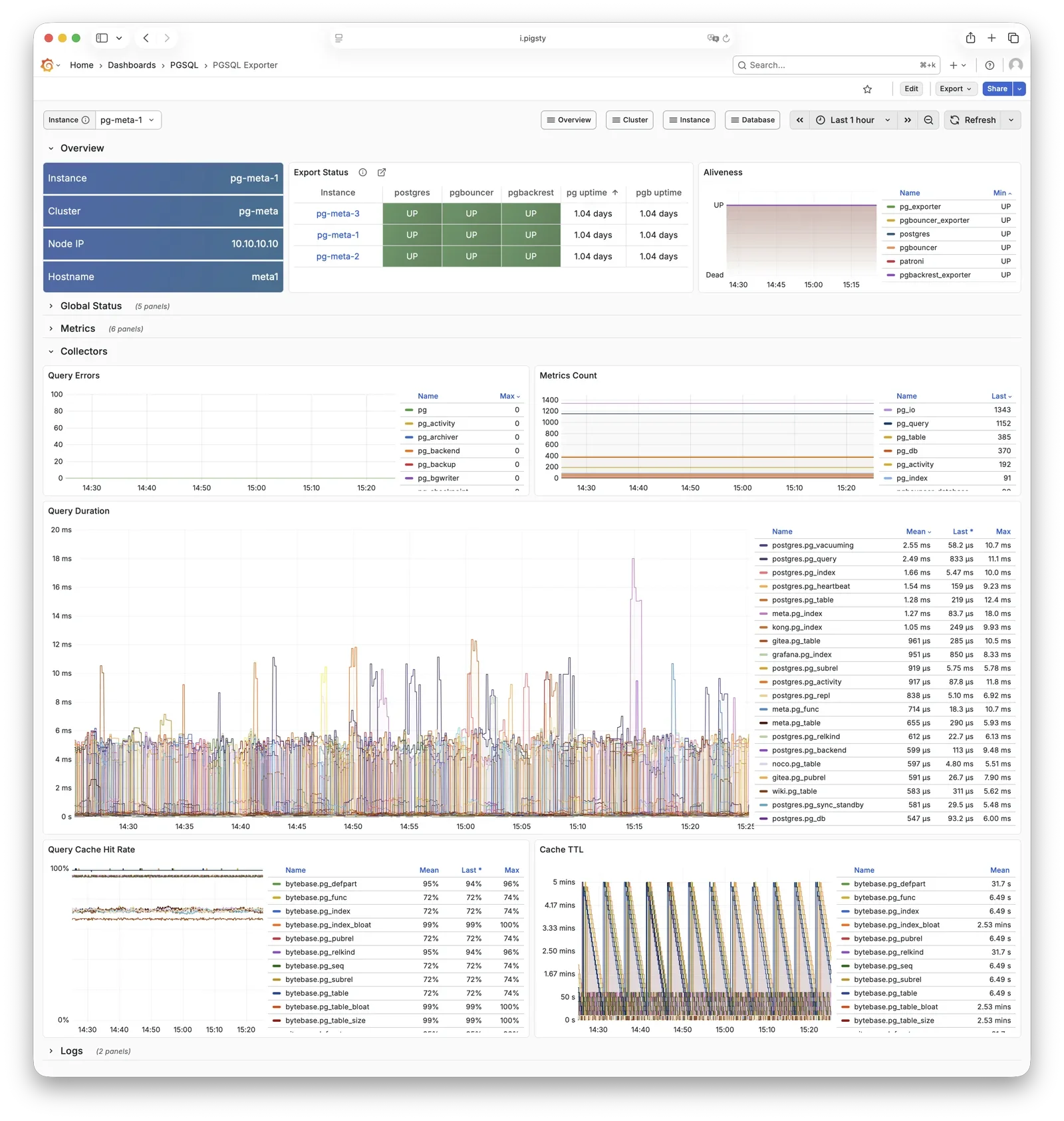
For more information, see: Config: PGSQL - PG_MONITOR
pgbouncer_exporter
pgbouncer_exporter exports Pgbouncer connection pool metrics, listening on port 9631 by default.
pgbouncer_exporter uses the pg_exporter binary with separate metric configuration. It supports pgbouncer 1.8–1.25+. Pgbouncer statistics views provide pool utilization, wait queue, and hit rate metrics.
Disabling Pgbouncer also disables its exporter. Slim installation leaves the exporter disabled.
For more information, see: Config: PGSQL - PG_MONITOR
pgbackrest_exporter
pgbackrest_exporter exports backup status metrics, listening on port 9854 by default.
pgbackrest_exporter reads pgBackRest status to report the latest backup time, size, type, and other metrics. Alert rules can detect expired or failed backups. Large repositories or many backups can make collection expensive. The default collection interval is 2 minutes, so a completed backup can take 2 minutes to appear in monitoring.
For more information, see: Config: PGSQL - PG_MONITOR
etcd
etcd is a distributed consistent store (DCS), providing cluster metadata storage and leader election capability for Patroni.
The separate ETCD module manages etcd. PGSQL relies on it for HA. Patroni stores cluster state, leader information, and configuration there so nodes can reach consensus. vip-manager reads the leader key to move the VIP automatically.
For more information, see: ETCD Module
vector
The NODE module deploys Vector to collect PostgreSQL-related logs efficiently.
Vector reads node log directories for PostgreSQL, Pgbouncer, Patroni, and pgBackRest. It sends structured records to infrastructure-node VictoriaLogs for central storage and queries.
For more information, see: NODE Module
3.2 - ER Model
A deployment is the largest entity in Pigsty. This entity-relationship diagram shows its main entities and their relationships:
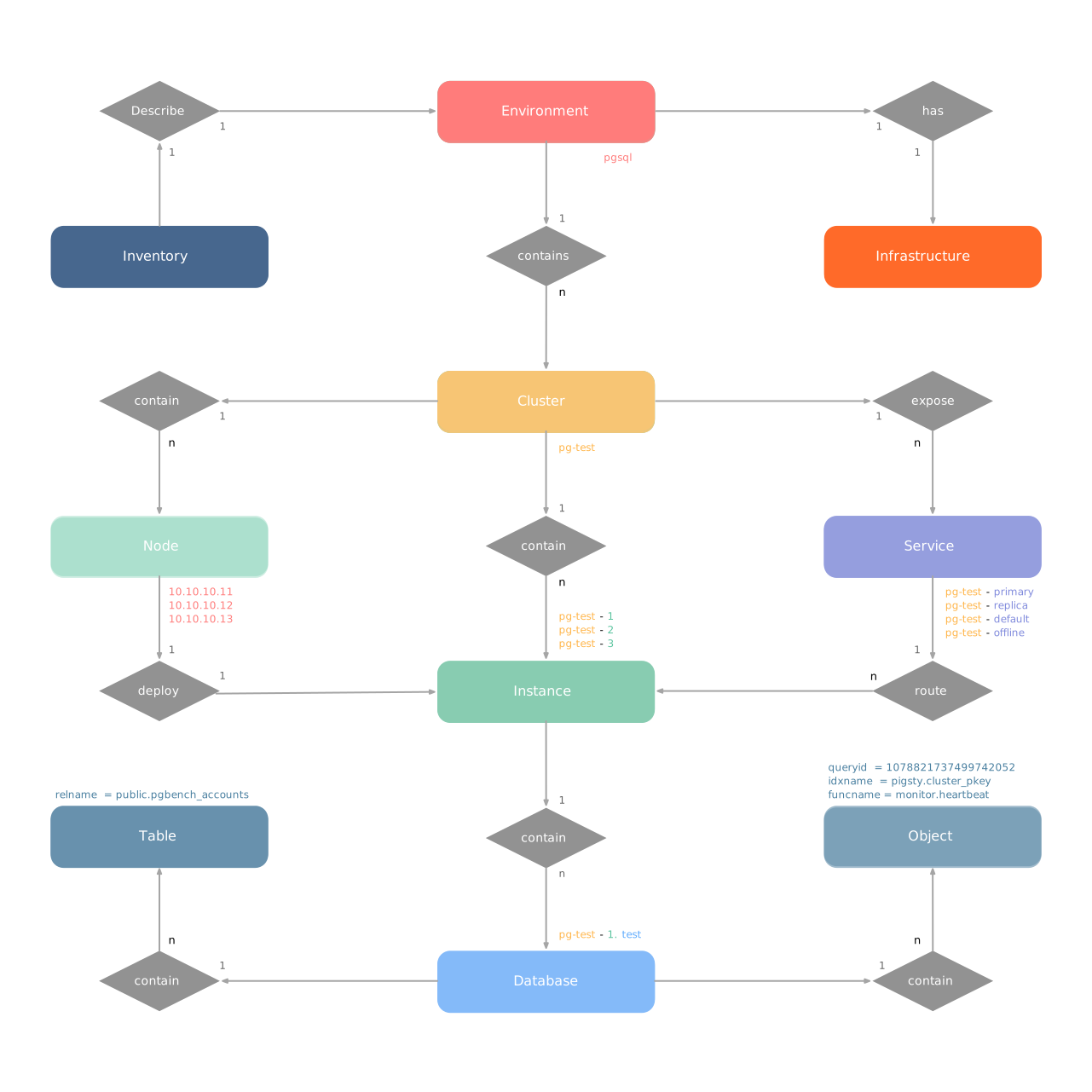
A deployment is also an environment. Examples include Production (Prod), User Acceptance Testing (UAT), Staging, Testing, and Development (Devbox). Each environment has a Pigsty inventory that describes all its entities and attributes.
An environment usually has shared infrastructure (INFRA). This includes ETCD for the HA DCS and MINIO for centralized backup storage. Infrastructure serves multiple PostgreSQL clusters and other database modules. Deployments without infrastructure are also possible.
Pigsty organizes almost all database modules into clusters. Each cluster is an Ansible group with node resources. PostgreSQL HA, Redis, Etcd, and Silo use this model. An environment can contain multiple clusters.
3.2.1 - E-R Model of Infra Cluster
The INFRA module is a management hub made of infrastructure nodes, rather than a traditional cluster. It provides core services for the deployment. Each node is an autonomous service unit that runs components such as Nginx, Grafana, and VictoriaMetrics. Together, these nodes provide observability and management for database clusters.
There are two core entities in Pigsty’s INFRA module:
- Node: A server that runs infrastructure components. It can be a physical server, VM, container, or Pod.
- Component: An infrastructure service on a node, such as Nginx, Grafana, or VictoriaMetrics.
INFRA nodes usually also serve as administration nodes, which form the Pigsty control plane.
Component Composition
Each INFRA node runs the following core components:
| Component | Port | Description |
|---|---|---|
| Nginx | 80/443 | Web portal, local repo, unified reverse proxy |
| Grafana | 3000 | Visualization platform, dashboards, data apps |
| VictoriaMetrics | 8428 | Time-series database, Prometheus API compatible |
| VictoriaLogs | 9428 | Log database, receives structured logs from Vector |
| VictoriaTraces | 10428 | Trace storage for slow SQL / request tracing |
| VMAlert | 8880 | Alert rule evaluator based on VictoriaMetrics |
| Alertmanager | 9059 | Alert aggregation and dispatch |
| Blackbox Exporter | 9115 | ICMP/TCP/HTTP black-box probing |
| DNSMASQ | 53 | DNS server for internal domain resolution |
| Chronyd | 123 | NTP time server |
These components together form Pigsty’s observability infrastructure.
Examples
This example defines a two-node INFRA deployment:
The configuration defines these entities:
| Group | Description |
|---|---|
infra | INFRA infrastructure node group |
| Node | Description |
infra-1 | 10.10.10.10 INFRA node #1 |
infra-2 | 10.10.10.11 INFRA node #2 |
For production, use at least two INFRA nodes for component redundancy.
Identity Parameters
The INFRA_ID parameter group assigns deterministic identities to INFRA entities. One parameter is required:
| Parameter | Type | Level | Description | Format |
|---|---|---|---|---|
infra_seq | int | Node | INFRA node sequence, required | Natural number, starting from 1, unique within group |
Set the node sequence number at node level. Pigsty generates unique identifiers with these rules:
| Entity | Generation Rule | Example |
|---|---|---|
| Node | infra-{{ infra_seq }} | infra-1, infra-2 |
INFRA assigns infra-N identifiers to distinguish infrastructure nodes in monitoring. This does not change their hostname or system identity. Nodes retain their existing hostname or IP address for identification.
Service Portal
INFRA nodes provide web access through Nginx. infra_portal defines the services that Nginx exposes.
The default configuration only defines the home server:
Pigsty configures reverse proxy endpoints for enabled components, including Grafana, VictoriaMetrics, and AlertManager. To access them through separate domains, add explicit configuration:
| Domain | Service | Description |
|---|---|---|
i.pigsty | Home | Pigsty homepage |
g.pigsty | Grafana | Monitoring dashboard |
p.pigsty | VictoriaMetrics | TSDB Web UI |
a.pigsty | Alertmanager | Alert management UI |
Use domain names to access Pigsty services where possible, instead of an IP address and port.
Deployment Scale
The number of INFRA nodes depends on deployment scale and HA requirements:
| Scale | INFRA Nodes | Description |
|---|---|---|
| Dev/Test | 1 | Single-node deployment, all on one node |
| Small Prod | 1-2 | Single or dual node, can share with other services |
| Medium Prod | 2-3 | Dedicated INFRA nodes, redundant components |
| Large Prod | 3+ | Multiple INFRA nodes, component separation |
In a single-node deployment, INFRA shares a node with PGSQL, ETCD, and other modules. Small deployments usually use INFRA nodes as the administration node, backup administration node, and local software repository (/www/pigsty). Larger deployments can assign these responsibilities to dedicated nodes.
Monitoring Label System
Pigsty collects metrics from INFRA components themselves. Unlike database modules, INFRA treats each component as a separate monitoring object. The cls (class) label distinguishes component types.
| Label | Description | Example |
|---|---|---|
cls | Component type, each forming a “class” | nginx |
ins | Instance name, format {component}-{infra_seq} | nginx-1 |
ip | INFRA node IP running the component | 10.10.10.10 |
job | VictoriaMetrics scrape job, fixed as infra | infra |
A two-node INFRA deployment with infra_seq: 1 and infra_seq: 2 uses these component labels:
| Component | cls | ins Example | Port |
|---|---|---|---|
| Nginx | nginx | nginx-1, nginx-2 | 9113 |
| Grafana | grafana | grafana-1, grafana-2 | 3000 |
| VictoriaMetrics | vmetrics | vmetrics-1, vmetrics-2 | 8428 |
| VictoriaLogs | vlogs | vlogs-1, vlogs-2 | 9428 |
| VictoriaTraces | vtraces | vtraces-1, vtraces-2 | 10428 |
| VMAlert | vmalert | vmalert-1, vmalert-2 | 8880 |
| Alertmanager | alertmanager | alertmanager-1, alertmanager-2 | 9059 |
| Blackbox | blackbox | blackbox-1, blackbox-2 | 9115 |
All INFRA component metrics have job="infra". The cls label distinguishes components:
3.2.2 - E-R Model of PostgreSQL Cluster
PGSQL organizes PostgreSQL as clusters. Each cluster is a logical group of database instances connected through primary-replica relationships.
Each cluster is an autonomous business unit with at least one primary instance. It exposes database capabilities through services.
There are four core entities in Pigsty’s PGSQL module:
- Cluster: An autonomous PostgreSQL business unit and the top-level namespace for other entities.
- Service: A named abstraction that exposes capabilities and routes traffic through node ports.
- Instance: One PostgreSQL server, including its running processes and database files, on one node.
- Node: A hardware resource that runs Linux and Systemd. It can be a physical server, VM, container, or Pod.
Two business entities, Database and Role, complete this logical model:
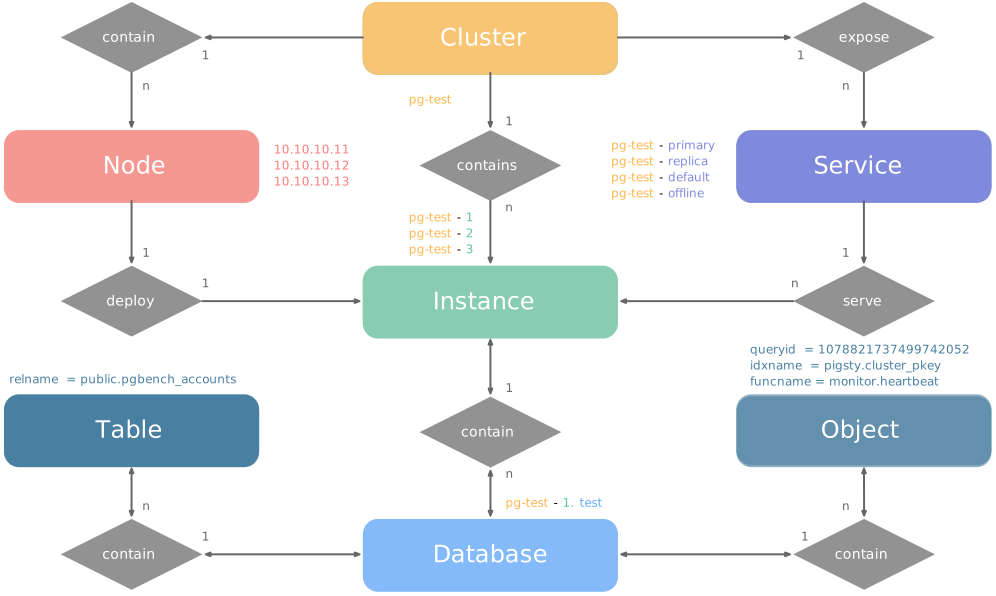
Examples
The following two examples show the model. The four-node Pigsty sandbox contains a three-node pg-test cluster:
This configuration defines a high-availability PostgreSQL cluster with these entities:
| Cluster | Description |
|---|---|
pg-test | PostgreSQL 3-node HA cluster |
| Instance | Description |
pg-test-1 | PostgreSQL instance #1, default primary |
pg-test-2 | PostgreSQL instance #2, initial replica |
pg-test-3 | PostgreSQL instance #3, initial replica |
| Service | Description |
pg-test-primary | Read-write service (routes to primary pgbouncer) |
pg-test-replica | Read-only service (routes to replica pgbouncer) |
pg-test-default | Direct read-write service (routes to primary postgres) |
pg-test-offline | Offline read service (routes to dedicated postgres) |
| Node | Description |
node-1 | 10.10.10.11 Node #1, hosts pg-test-1 PG instance |
node-2 | 10.10.10.12 Node #2, hosts pg-test-2 PG instance |
node-3 | 10.10.10.13 Node #3, hosts pg-test-3 PG instance |
Identity Parameters
The PG_ID parameter group assigns deterministic identities to PGSQL entities. Three parameters are required:
| Parameter | Type | Level | Description | Format |
|---|---|---|---|---|
pg_cluster | string | Cluster | PG cluster name, required | Valid DNS name, regex [a-zA-Z0-9-]+ |
pg_seq | int | Instance | PG instance number, required | Natural number, starting from 0 or 1, unique within cluster |
pg_role | enum | Instance | PG instance role, required | Enum: primary, replica, offline |
Set the cluster name at cluster level. Set each instance number and role at instance level. Pigsty generates unique identifiers with these rules:
| Entity | Generation Rule | Example |
|---|---|---|
| Instance | {{ pg_cluster }}-{{ pg_seq }} | pg-test-1, pg-test-2, pg-test-3 |
| Service | {{ pg_cluster }}-{{ pg_role }} | pg-test-primary, pg-test-replica, pg-test-offline |
| Node | Explicitly specified or borrowed from PG | pg-test-1, pg-test-2, pg-test-3 |
Pigsty uses an exclusive 1:1 mapping between nodes and PostgreSQL instances. By default, the node inherits its PostgreSQL instance identifier through node_id_from_pg. Set nodename to override this name. Alternatively, disable nodename_overwrite to retain the current default.
Sharding Identity Parameters
To serve one business with multiple PostgreSQL clusters (sharding), use two additional identity parameters: pg_shard and pg_group.
These clusters share one pg_shard name. Each has its own pg_group number, as in this Citus cluster:
A pg_cluster name usually combines {{ pg_shard }}{{ pg_group }}, for example pg-citus0 or pg-citus1.
Pigsty has dedicated dashboards for horizontally sharded clusters. Use this naming convention to compare shard performance and load in those dashboards.
Other identity parameters support specific uses:
pg_upstream: Set the upstream for a backup cluster or cascading replication.gp_role: Identify a Greenplum cluster role.pg_exporters: Define external monitoring instances.pg_offline_query: Define offline query instances.
See the PG_ID parameter documentation.
Monitoring Label System
The built-in monitoring system uses these identity parameters to identify PostgreSQL entities.
The labels cls, ins, and ip identify the cluster name, instance name, and node IP. They accompany job in all native VictoriaMetrics metrics and VictoriaLogs log streams.
These job values are fixed:
pgsql: PostgreSQL metrics.pgrds: Remote PostgreSQL instance metrics.postgres: PostgreSQL CSV logs.pgbackrest: pgBackRest logs.
Other PostgreSQL components collect logs through job: syslog.
Specific entity metrics also have these identity labels:
datname: Database name, if a metric belongs to a specific database.relname: Table name, if a metric belongs to a specific table.idxname: Index name, if a metric belongs to a specific index.funcname: Function name, if a metric belongs to a specific function.seqname: Sequence name, if a metric belongs to a specific sequence.query: Query fingerprint, if a metric belongs to a specific query.
3.2.3 - E-R Model of Etcd Cluster
The ETCD module organizes production ETCD into clusters. A cluster is a logical entity whose ETCD instances coordinate through the Raft consensus protocol.
Each cluster is an autonomous distributed key-value store with at least one ETCD instance. It provides services through client ports.
There are three core entities in Pigsty’s ETCD module:
- Cluster: An autonomous ETCD service unit and the top-level namespace for other entities.
- Instance: One ETCD server process on a node, participating in Raft consensus.
- Node: An implicitly declared hardware resource that runs Linux and Systemd.
The ETCD model has no Service entities or complex Role distinctions, unlike PostgreSQL. All ETCD instances are functionally equivalent. Raft elects one Leader; the others become Followers. Non-voting Learner members are also permitted during intermediate scale-out states.
Examples
This example defines a three-node ETCD cluster:
The configuration defines these entities:
| Cluster | Description |
|---|---|
etcd | ETCD 3-node HA cluster |
| Instance | Description |
etcd-1 | ETCD instance #1 |
etcd-2 | ETCD instance #2 |
etcd-3 | ETCD instance #3 |
| Node | Description |
10.10.10.10 | Node #1, hosts etcd-1 instance |
10.10.10.11 | Node #2, hosts etcd-2 instance |
10.10.10.12 | Node #3, hosts etcd-3 instance |
Identity Parameters
The ETCD parameter group assigns deterministic identities to ETCD entities. Two parameters are required:
| Parameter | Type | Level | Description | Format |
|---|---|---|---|---|
etcd_cluster | string | Cluster | ETCD cluster name, required | Valid DNS name, defaults to fixed etcd |
etcd_seq | int | Instance | ETCD instance number, required | Natural number, starting from 1, unique within cluster |
Set the cluster name at cluster level and the instance number at instance level. Pigsty generates unique identifiers with these rules:
| Entity | Generation Rule | Example |
|---|---|---|
| Instance | {{ etcd_cluster }}-{{ etcd_seq }} | etcd-1, etcd-2, etcd-3 |
ETCD does not assign a separate identity to host nodes. It uses their existing hostname or IP address.
Ports & Protocols
Each ETCD instance listens on the following two ports:
| Port | Parameter | Purpose |
|---|---|---|
| 2379 | etcd_port | Client port, accessed by Patroni, vip-manager, etc. |
| 2380 | etcd_peer_port | Peer communication port, used for Raft consensus |
ETCD clusters enable TLS encryption and RBAC authentication by default. Clients need the correct certificates and passwords to access ETCD.
Cluster Size
ETCD cluster size determines availability. More than half the nodes, called a quorum, must be alive to maintain this distributed coordination service.
| Cluster Size | Quorum | Fault Tolerance | Use Case |
|---|---|---|---|
| 1 node | 1 | 0 | Dev, test, demo |
| 3 nodes | 2 | 1 | Small-medium production |
| 5 nodes | 3 | 2 | Large-scale production |
ETCD supports even member counts. However, they tolerate no more failures than the next smaller odd count. They also increase deployment and quorum costs. Production clusters therefore usually have one, three, or five members. Clusters with more than five members are uncommon.
Monitoring Label System
The built-in monitoring system uses these identity parameters to identify ETCD entities.
The labels cls, ins, and ip identify the cluster name, instance name, and node IP. They accompany job in all ETCD metrics collected by VictoriaMetrics. The ETCD metrics job is always etcd.
3.2.4 - MINIO Cluster Model
MINIO is the compatibility module name for object storage. Pigsty v4.5.0 deploys Silo with minio_type: silo. It groups object storage instances into a cluster.
Each cluster is an autonomous S3-compatible object store with at least one instance. It exposes services through the S3 API port.
There are three core entities in Pigsty’s MINIO module:
- Cluster: An autonomous object storage service unit and the top-level namespace for other entities.
- Instance: One Silo server process on a node, managing local disks.
- Node: An implicitly declared hardware resource that runs Linux and Systemd.
Silo also retains the Storage Pool concept for expansion.
Deployment Modes
Silo supports Pigsty’s three inventory deployment modes:
| Mode | Code | Description | Use Case |
|---|---|---|---|
| Single-Node Single-Drive | SNSD | Single node, single data directory or disk | Dev, test, demo |
| Single-Node Multi-Drive | SNMD | Single node, multiple disks, typically 4+ | Resource-constrained small deployments |
| Multi-Node Multi-Drive | MNMD | Multiple nodes, multiple disks per node | Production recommended |
For a quick SNSD experiment, you can use a regular directory. For multiple drives, use real disk mount points. Otherwise, Silo refuses to start.
Examples
This example explicitly selects Silo, the current default backend, and defines a four-node cluster with multiple drives:
The configuration defines four Silo nodes with four disks each. Instance identifiers retain MINIO compatibility names:
| Cluster | Description |
|---|---|
minio | Silo 4-node HA cluster |
| Instance | Description |
minio-1 | Object-storage instance #1, managing 4 disks |
minio-2 | Object-storage instance #2, managing 4 disks |
minio-3 | Object-storage instance #3, managing 4 disks |
minio-4 | Object-storage instance #4, managing 4 disks |
| Node | Description |
10.10.10.10 | Node #1, hosts minio-1 instance |
10.10.10.11 | Node #2, hosts minio-2 instance |
10.10.10.12 | Node #3, hosts minio-3 instance |
10.10.10.13 | Node #4, hosts minio-4 instance |
Identity Parameters
The MINIO parameter group assigns deterministic identities to MINIO entities. Two parameters are required:
| Parameter | Type | Level | Description | Format |
|---|---|---|---|---|
minio_cluster | string | Cluster | Object-storage cluster name, required | Valid non-empty name, no default |
minio_seq | int | Instance | Object-storage instance number, required | Natural number, starting from 1, unique within cluster |
Set the cluster name at cluster level and the instance number at instance level. Pigsty generates unique identifiers with these rules:
| Entity | Generation Rule | Example |
|---|---|---|
| Instance | {{ minio_cluster }}-{{ minio_seq }} | minio-1, minio-2, minio-3, minio-4 |
MINIO uses the existing hostname or IP address as the host node identity. It does not assign another identity. minio_node generates internal Silo node names for cluster discovery in /etc/hosts. These names do not identify the host node.
Roles find members throughout the inventory by minio_cluster. The Ansible group name can differ from the cluster name. The retained backend selector minio_type currently must be silo.
Core Configuration Parameters
These parameters are also critical for Silo cluster configuration:
| Parameter | Type | Description |
|---|---|---|
minio_type | enum | Retained selector; currently only silo |
minio_data | path | Data directory, use {x...y} for multi-drive |
minio_node | string | Node name pattern for multi-node deployment |
minio_domain | string | Service domain, defaults to sss.pigsty |
These parameters determine minio_volumes, which the role writes to Silo’s MINIO_VOLUMES:
- SNSD: Direct
minio_datavalue, e.g.,/data/minio - SNMD: Expanded
minio_datadirectories, e.g.,/data{1...4} - MNMD: Combined
minio_nodeandminio_data, e.g.,https://minio-{1...4}.pigsty:9000/data{1...4}
Ports & Services
Each object-storage instance listens on the following ports:
| Port | Parameter | Purpose |
|---|---|---|
| 9000 | minio_port | S3 API service port |
| 9001 | minio_admin_port | Web admin console port |
MINIO enables HTTPS by default through minio_https. For the default pgBackRest S3 repository configuration, keep HTTPS enabled and install the Pigsty CA correctly.
Clients can reach a multi-node Silo cluster through any member. For a stable entry point, use a load balancer such as HAProxy with a VIP.
Resource Provisioning
After deployment, Pigsty creates these Silo resources. minio_provision controls this step:
Default Buckets (defined by minio_buckets):
| Bucket | Purpose |
|---|---|
pgsql | PostgreSQL pgBackREST backup storage |
meta | Metadata storage, versioning enabled |
data | General data storage |
Default Users (defined by minio_users):
| User | Default Password | Policy | Purpose |
|---|---|---|---|
pgbackrest | S3User.Backup | pgsql | PostgreSQL backup dedicated user |
s3user_meta | S3User.Meta | meta | Access meta bucket |
s3user_data | S3User.Data | data | Access data bucket |
These public default credentials are only for demonstrations and local development. Replace them before production deployment.
pgbackrest serves PostgreSQL cluster backups. The reserved users s3user_meta and s3user_data are not actively used.
Monitoring Label System
Pigsty uses these identity parameters to identify object storage entities. This example shows a Silo availability series:
cls, ins, and ip identify the cluster name, instance name, and node IP. For monitoring compatibility, job="minio" remains unchanged. The current backend label is flavor=silo. See the metric list for details.
3.2.5 - E-R Model of Redis Cluster
The Redis module organizes production Redis into clusters. A cluster is a logical entity with Redis instances on one or more nodes.
Each cluster is an autonomous, high-performance cache or storage unit with at least one Redis instance. It exposes services through ports.
There are three core entities in Pigsty’s Redis module:
- Cluster: An autonomous Redis service unit and the top-level namespace for other entities.
- Instance: One Redis server process using a specific port on a node.
- Node: An implicitly declared hardware resource that runs Linux and Systemd. It can host multiple Redis instances.
Redis usually runs multiple instances per node, unlike PostgreSQL. This uses multiple CPU cores on a physical server or VM. Nodes and instances therefore have a 1:N relationship. For production, Redis instances with more than 12 GB of memory are generally discouraged.
Operating Modes
redis_mode selects one of three Redis modes:
| Mode | Code | Description | HA Mechanism |
|---|---|---|---|
| Standalone | standalone | Classic master-replica, default mode | Requires Sentinel |
| Sentinel | sentinel | HA monitoring and auto-failover for standalone | Multi-node quorum |
| Native Cluster | cluster | Redis native distributed cluster, no sentinel needed | Built-in auto-failover |
- Standalone: The default mode. Set replication with
replica_of. HA requires a separate Sentinel cluster. - Sentinel: Monitor standalone clusters and provide automatic failover. Sentinel stores no business data. Multiple nodes provide HA for Sentinel itself.
- Native Cluster: Automatically shard data across multiple primaries. Each primary can have multiple replicas. Built-in HA removes the need for Sentinel.
Examples
The following examples show each mode.
Standalone Cluster
Classic master-replica on a single node:
| Cluster | Description |
|---|---|
redis-ms | Redis standalone cluster |
| Node | Description |
redis-ms-1 | 10.10.10.10 Node #1, hosts 2 instances |
| Instance | Description |
redis-ms-1-6379 | Primary instance, listening on port 6379 |
redis-ms-1-6380 | Replica instance, port 6380, replicates from 6379 |
Sentinel Cluster
This example puts three Sentinel instances on one node. redis_sentinel_monitor specifies the standalone clusters they monitor:
Native Cluster
This native distributed cluster has two nodes and six instances: the minimum specification of three primaries and three replicas.
This creates a 3 primary 3 replica native Redis cluster.
| Cluster | Description |
|---|---|
redis-test | Redis native cluster (3P3R) |
| Instance | Description |
redis-test-1-6379 | Instance on node 1, port 6379 |
redis-test-1-6380 | Instance on node 1, port 6380 |
redis-test-1-6381 | Instance on node 1, port 6381 |
redis-test-2-6379 | Instance on node 2, port 6379 |
redis-test-2-6380 | Instance on node 2, port 6380 |
redis-test-2-6381 | Instance on node 2, port 6381 |
| Node | Description |
redis-test-1 | 10.10.10.12 Node #1, hosts 3 instances |
redis-test-2 | 10.10.10.13 Node #2, hosts 3 instances |
Identity Parameters
The REDIS parameter group assigns deterministic identities to Redis entities. Three parameters are required:
| Parameter | Type | Level | Description | Format |
|---|---|---|---|---|
redis_cluster | string | Cluster | Redis cluster name, required | Valid DNS name, regex [a-z][a-z0-9-]* |
redis_node | int | Node | Redis node number, required | Natural number, starting from 1, unique within cluster |
redis_instances | dict | Node | Redis instance definition, required | JSON object, key is port, value is instance config |
Set the cluster name at cluster level. Set the node number and instance definitions at node level. Pigsty generates these unique identifiers:
| Entity | Generation Rule | Example |
|---|---|---|
| Instance | {{ redis_cluster }}-{{ redis_node }}-{{ port }} | redis-ms-1-6379, redis-ms-1-6380 |
Redis uses the existing hostname or IP address as the host node identity. It does not assign another identity. redis_node names instances, not host nodes.
Instance Definition
redis_instances is a JSON object. Each key is a port number; its value is the instance configuration:
Each Redis instance must use a unique port on its node. Avoid reserved ports below 1024 and conflicts with Pigsty ports. In standalone mode, replica_of defines replication. Use format '<ip> <port>' to specify the upstream primary address and port.
Each Redis node also runs Redis Exporter to collect metrics from all local instances:
| Port | Parameter | Purpose |
|---|---|---|
| 9121 | redis_exporter_port | Redis Exporter port |
The Redis deployment model has these limits:
- Node Exclusive: A node can belong to only one Redis cluster at a time.
- Port Unique: Instances on the same node must use different ports.
- Password Shared: Instances on the same node must share a password because of a redis_exporter limitation.
- Manual HA: Standalone clusters require additional Sentinel configuration for automatic failover.
Monitoring Label System
The built-in monitoring system uses these identity parameters to identify Redis entities.
The labels cls, ins, and ip identify the cluster name, instance name, and node IP. They accompany job in all Redis metrics collected by VictoriaMetrics. The Redis metrics job is always redis.
3.3 - Infra as Code
Pigsty uses IaC and GitOps. Describe the environment in a declarative inventory. Apply it with idempotent playbooks.
Declare the target state with parameters. Playbooks can repeatedly adjust nodes to that state. This resembles Kubernetes CRDs and Operators, implemented through Ansible on physical servers and VMs.
Pigsty was designed to manage large PostgreSQL deployments. Its target was to reproduce more than 100 database clusters, PG/Redis services, and monitoring on prepared servers within ten minutes. Manual GUI operations cannot complete that work in the available time. CLI-based IaC provides precise, efficient control.
pigsty.yml describes the deployment state. Production, staging, test, and development environments use the same deployment logic. Their inventories define the differences.
Store this configuration in Git for version history and auditing. You can also store it in PostgreSQL CMDB tables as infrastructure data. Integrate either method with existing workflows.
IaC supports enterprise operators, individual developers, and smaller organizations. Default values avoid the need to understand every parameter. Start a single-node database with zero configuration. Add two IP addresses for an enterprise HA PostgreSQL cluster.
Declare Modules
This default example installs INFRA, NODE, ETCD, and PGSQL on 10.10.10.10.
Run these playbooks to install the modules:
Declare Clusters
Install PGSQL on multiple nodes to declare a PostgreSQL cluster as one service unit:
For a three-node HA cluster using streaming replication, add this definition to all.children in pigsty.yml. The three nodes must already be managed by Pigsty.
After defining the cluster, create it with playbooks:
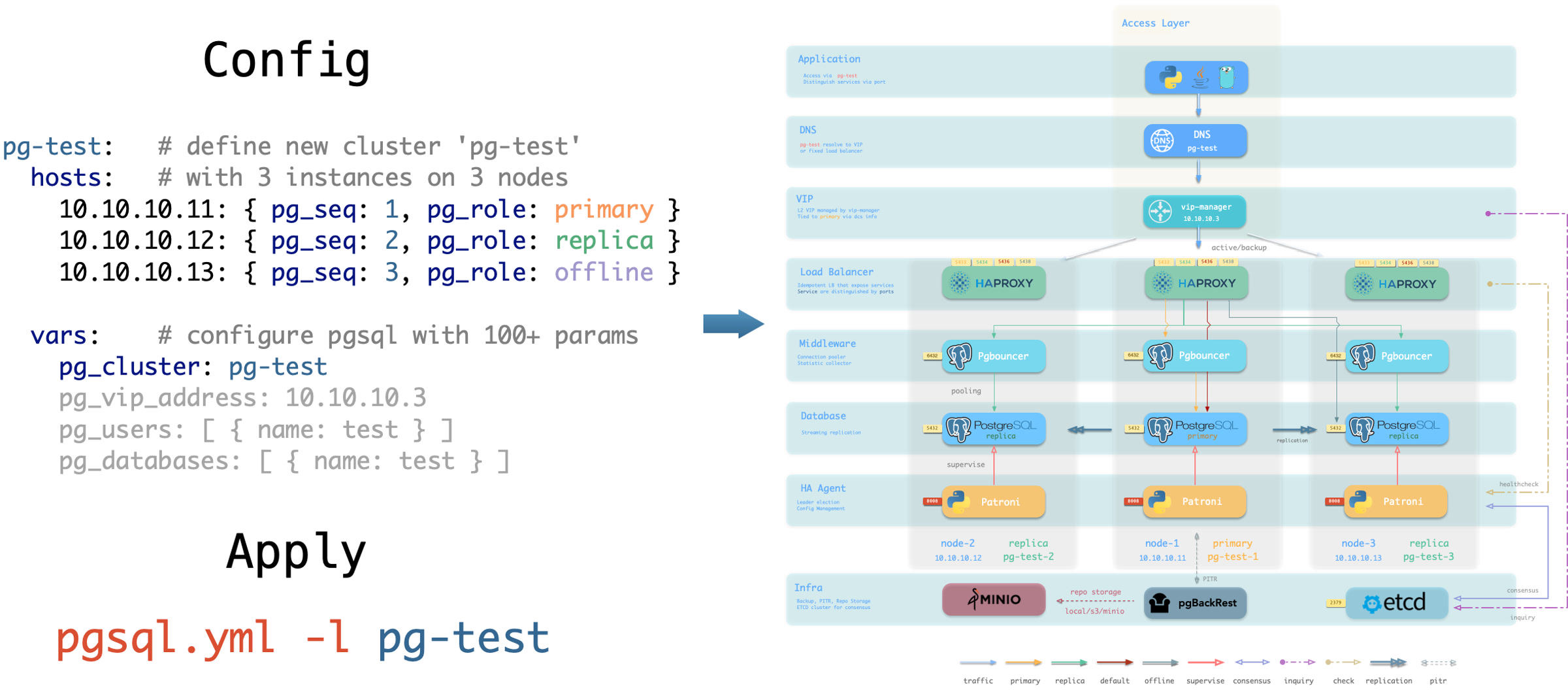
Instance roles include primary, replica, offline, delayed, and synchronous standby. Cluster types include standby, Citus, Redis, MINIO (Silo), and Etcd.
Customize Cluster Content
Declare databases, users, services, and HBA rules inside each cluster. This example customizes the default pg-meta single-node cluster:
It declares six business databases and seven business users. It adds a standby service for reads without replication delay, additional pg_hba rules, a primary L2 VIP, and a custom backup strategy.
Declare Access Control
Declarative configuration also controls access permissions. This example customizes security for pg-meta:
The three-node crit.yml template prioritizes consistency and zero-loss failover. It enables L2 VIP and restricts database and pool listeners to loopback, internal, and VIP addresses. It enables TLS for the Patroni API and PgBouncer. HBA rules require SSL for database access. $libdir/passwordcheck in pg_libs enforces the password policy.
A separate pg-meta-delay cluster follows pg-meta with a one-hour delay for emergency recovery after data deletion.
Citus Distributed Cluster
This configuration declares a four-node Citus cluster:
Redis Clusters
These examples declare Redis primary-replica, sentinel, and Redis Cluster deployments:
ETCD Cluster
This configuration declares a three-node Etcd cluster:
MINIO (Silo) Cluster
This configuration declares a three-node Silo cluster. Inventory groups and parameters retain MINIO compatibility names:
3.3.1 - Inventory
Each Pigsty deployment has an inventory that describes the infrastructure and database clusters.
Configuration File
By default, Pigsty uses Ansible YAML configuration format. The inventory is a single file, pigsty.yml.
Edit this file to customize the deployment. Alternatively, use the configure wizard to generate it automatically.
Configuration Structure
The inventory uses Ansible YAML configuration format. It contains global parameters in all.vars and groups in all.children.
Define clusters in all.children. Define infrastructure settings in all.vars, as this example shows:
Cluster Definition
Each Ansible group can represent a cluster. Examples include node, PostgreSQL, Redis, Etcd, and Silo clusters.
A cluster definition contains members (hosts) and parameters (vars). Define members in <cls>.hosts. Set configuration parameters in <cls>.vars. This example defines a three-node HA PostgreSQL cluster:
Cluster vars override global parameters. Instance vars override both cluster and global parameters.
Splitting Configuration
For a large deployment, you can split the inventory into multiple files. This can also help organize and maintain configuration.
Put cluster members in hosts.yml. Put cluster configuration parameters in the corresponding files under group_vars.
Switching Configuration
When you run a playbook, use -i to temporarily select a different inventory.
Ansible also accepts local yaml|ini configuration files, a CMDB, or other dynamic configuration scripts.
The ansible.cfg file in the Pigsty home directory sets the default inventory to pigsty.yml in that directory. You can change this setting.
You can store the inventory in a CMDB metabase to integrate it with existing systems.
3.3.2 - Configure
The configure configuration wizard generates pigsty.yml for your current environment.
This script is optional. If you know how to configure Pigsty, edit pigsty.yml directly and skip the wizard.
Quick Start
Enter the Pigsty source directory and run ./configure to start the wizard. Without arguments, it uses the meta single-node template:
The command starts with the selected template. It detects the current node IP address and region, then generates pigsty.yml for that environment.
demo/configure.cast — /demo/configure.cast
Features
The configure script makes these adjustments from your environment and input. By default, it generates pigsty.yml in the Pigsty directory.
- Detect the current node IP address. If the node has multiple addresses, ask you to select a primary IP address as its identity.
- Replace
10.10.10.10in the template with this address. Setadmin_ipto the same value. - Detect the region. Set
regiontodefaultfor global software repositories orchinafor Chinese mirrors. - For instances with fewer than four vCPUs, use the
tinytemplate fornode_tuneandpg_conf. This reduces resource use. - With
-v, changepg_versionandpg18-*package-group aliases to the specified major version. Exclude the fixed-kernel templatesmssql,polar, andpg19. - With
-g, replace recognized default passwords with strong random passwords. This is strongly recommended. Review other values against the Default Credentials Checklist. - For PG major versions ≥ 17, prefer the built-in
C.UTF-8locale, or the OS-supportedC.UTF-8. - Check that the core deployment dependency
ansibleis available. - Check that the deployment target accepts SSH connections and can run commands with sudo. Use
-sto skip these checks.
Usage Examples
Command Arguments
Argument Details
| Argument | Description |
|---|---|
-c, --conf | Generate config from conf/<template>.yml, supports subdirectories like ha/full |
-i, --ip | Replace placeholder 10.10.10.10 in config template with specified IP |
-v, --version | Specify PostgreSQL major version (14-19); PG19 is Beta, so prefer the dedicated pg19 template |
-r, --region | Set software repo mirror region: default, china (Chinese mirrors), europe (European) |
-o, --output | Output path, default pigsty.yml; relative paths use Pigsty home, absolute paths are used as given |
-s, --skip | Skip IP probing, target SSH/Sudo checks, and effective IP replacement; keep 10.10.10.10 |
-x, --proxy | Write current environment proxy variables (HTTP_PROXY, HTTPS_PROXY, ALL_PROXY, NO_PROXY) to config |
-n, --non-interactive | Non-interactive mode; a single/demo IP is auto-selected, while ambiguous multi-IP hosts require -i |
-p, --port | SSH port used by readiness checks only; it does not write ansible_port into the generated config |
-g, --generate | Generate random values for passwords in config file, improving security (strongly recommended) |
Execution Flow
The configure script detects and configures settings in this order:
Automatic Behaviors
Region Detection
The script tests network access to detect mainland China behind the GFW:
- If Google is reachable, use
region: defaultrepositories. - If Google is unreachable but
https://pigsty.ccis reachable, setregion: china. - If neither endpoint is reachable, use
region: defaultand warn that internet access is unavailable. - To set the region manually, use
-r.
IP Address Handling
The script selects the primary IP address in this order:
- Command line argument: Use the address specified with
-i. - Single IP detection: If the node has only one IP address, select it automatically.
- Demo IP detection: If
10.10.10.10exists, select it automatically for the sandbox environment. - Interactive input: If multiple addresses remain, ask you to select or enter one.
Low-End Hardware Optimization
If the script detects fewer than four CPU cores (1–3), it changes these settings:
These settings support operation on virtual machines with limited resources.
Locale Settings
The script enables C.UTF-8 as the default locale if either condition applies:
- PostgreSQL version is ≥ 17, with built-in Locale Provider support.
- The operating system supports the
C.UTF-8orC.utf8locale.
China Region Special Handling
For region china, the script automatically enables:
docker_registry_mirrorsfor faster Docker downloads through mirrors.PIP_MIRROR_URLfor faster Python downloads through mirrors.
Password Generation
With -g, the script generates a random 24-character string for each of these passwords:
| Password Parameter | Description |
|---|---|
grafana_admin_password | Grafana admin password |
pg_admin_password | PostgreSQL admin password |
pg_monitor_password | PostgreSQL monitor user password |
pg_replication_password | PostgreSQL replication user password |
patroni_password | Patroni API password |
haproxy_admin_password | HAProxy admin password |
minio_secret_key | Silo Root Secret |
etcd_root_password | ETCD Root password |
It also replaces the following placeholder passwords:
DBUser.Meta→ random passwordDBUser.Viewer→ random passwordS3User.Backup→ random passwordS3User.Meta→ random passwordS3User.Data→ random passwordDBUser.Supa→ random passwordVibe.Coding→ random password
Configuration Templates
The script reads templates from conf/. Set -c to a relative path without the .yml suffix, such as ha/full or app/immich.
Core Templates
| Template | Description |
|---|---|
meta | Default template: Single-node installation with INFRA + NODE + ETCD + PGSQL |
rich | Feature-rich version: Includes almost all extensions, Silo, local repo |
slim | Minimal version: PostgreSQL + ETCD only, no monitoring infrastructure |
fat | Complete version: rich base with more extensions installed |
pgsql | Pure PostgreSQL template |
pg19 | Single-node PostgreSQL 19 Beta evaluation template |
infra | Pure infrastructure template |
HA Templates (ha/)
| Template | Description |
|---|---|
ha/dual | 2-node HA cluster |
ha/trio | 3-node HA cluster |
ha/full | 4-node complete sandbox environment |
ha/safe | Security-hardened HA configuration |
ha/octo | Compact 8-node HA simulation |
ha/simu | 20-node production simulation environment |
ha/citus | 13-node Citus distributed cluster |
Application Templates
| Template | Description |
|---|---|
supabase | Supabase self-hosted configuration |
app/dify | Dify AI platform configuration |
app/odoo | Odoo ERP configuration |
app/electric | Electric sync engine configuration |
app/insforge | Insforge backend platform configuration |
app/hindsight | Hindsight application configuration |
app/teable | Teable table database configuration |
app/mattermost | Mattermost collaboration platform configuration |
app/maybe | Maybe finance application configuration |
app/registry | Docker Registry configuration |
app/immich | Immich photo and video management |
app/jumpserver | JumpServer bastion host |
Special Kernel Templates
| Template | Description |
|---|---|
ivory | IvorySQL: Oracle-compatible PostgreSQL |
mssql | Babelfish: SQL Server-compatible PostgreSQL |
polar | PolarDB: Alibaba Cloud open-source distributed PostgreSQL |
ha/citus | Citus: Distributed PostgreSQL HA cluster |
mysql | OpenHalo: MySQL protocol-compatible PostgreSQL |
pgtde | Percona PostgreSQL Server: transparent encryption |
oriole | OrioleDB: Next-generation storage engine |
agens | AgensGraph: graph database kernel |
pgedge | pgEdge: distributed PostgreSQL kernel |
mongo | MongoDB-compatible stack template |
Demo and Build Templates
| Template | Description |
|---|---|
vibe | Vibe Coding development environment |
docker | Run Pigsty inside a Docker container |
demo/bare | Minimal readable single-node example |
demo/el | Full parameter example for EL distributions |
demo/debian | Full parameter example for Debian/Ubuntu |
demo/demo | Multi-module demo environment |
demo/kernel | Ten-node database-kernel matrix |
demo/redis | Redis replica, Sentinel, and native Cluster demo |
demo/minio | Multi-node, multi-drive Silo demo (source default) |
demo/kafka | Kafka KRaft development and secure-cluster demo |
demo/mysql | Native MySQL 8.4 pilot demo |
demo/remote | Remote PostgreSQL/RDS monitoring example |
demo/saas | Legacy single-node SaaS component bundle |
demo/wool | Small cloud-instance example for China |
build/oss | Cross-distribution open-source package build env |
build/dev | Three-node development and build environment |
Output Example
Environment Variables
The script supports the following environment variables:
| Environment Variable | Description | Default |
|---|---|---|
PIGSTY_HOME | Pigsty installation directory | ~/pigsty |
METADB_URL | Metabase connection URL | service=meta |
HTTP_PROXY | HTTP proxy | - |
HTTPS_PROXY | HTTPS proxy | - |
ALL_PROXY | Universal proxy | - |
NO_PROXY | Proxy whitelist | Built-in default |
Notes
Passwordless access: Before you run
configure, the current user must have passwordless sudo and passwordless SSH access to localhost. Thebootstrapscript can configure both.IP address selection: Select an internal IP as the primary address. Do not select a public IP or
127.0.0.1.Password security: In production, always change default passwords. Use
-gto randomize recognized credentials. Review the Default Credentials Checklist for remaining values.Configuration review: After the script completes, review the generated
pigsty.yml. Check that it meets your requirements.Multiple executions: You can run
configureagain to regenerate configuration. Each run overwrites the existingpigsty.yml.macOS limitations: On macOS, the script skips some Linux checks and uses placeholder IP
10.10.10.10. macOS can serve only as an administration node.
FAQ
How to use a custom configuration template?
Place your configuration file in the conf/ directory, then specify it with the -c argument:
How to generate different configurations for multiple clusters?
Use the -o argument to specify different output files:
Then specify the configuration file when running playbooks:
How to handle multiple IPs in non-interactive mode?
You must explicitly specify the IP address using the -i argument:
How to keep the placeholder IP in the template?
Use the -s argument to skip IP replacement:
Related Documentation
- Inventory: Understand the Ansible inventory structure
- Parameters: Understand Pigsty parameter hierarchy and priority
- Templates: View all available configuration templates
- Installation: Understand the complete installation process
- Metabase: Use PostgreSQL as a dynamic configuration source
3.3.3 - Parameters
Use inventory parameters to customize infrastructure settings and database configuration.
Parameter List
The current source and reference pages list 373 public parameters across 10 official modules. See Reference - Parameter List for the complete list. The native MySQL 8.4 pilot module has 13 additional public parameters. They are listed separately and excluded from this total.
| Module | Groups | Params | Description |
|---|---|---|---|
| PGSQL | 9 | 124 | PostgreSQL high-availability cluster configuration |
| INFRA | 10 | 73 | Software repositories and Victoria observability infrastructure |
| NODE | 11 | 73 | Node initialization, system tuning, and operations baseline |
| ETCD | 2 | 13 | ETCD cluster and removal protection parameters |
| MINIO | 2 | 22 | Silo deployment, observability, and removal parameters |
| REDIS | 2 | 22 | Redis/Valkey deployment and removal parameters |
| DOCKER | 1 | 8 | Docker engine parameters |
| JUICE | 1 | 2 | JuiceFS instance and cache parameters |
| VIBE | 1 | 18 | Code/Jupyter/Node.js/Claude/Codex configuration |
| KAFKA | 2 | 18 | Kafka deployment and removal-protection parameters |
Parameter Form
Parameters are key-value pairs that describe entities. A key is a string. A value can be a boolean, string, number, array, or object.
Parameter Priority
Set parameters at these levels, listed from highest to lowest priority:
| Level | Location | Description | Priority |
|---|---|---|---|
| CLI | -e command line argument | Passed via command line | Highest (5) |
| Host/Instance | <group>.hosts.<host> | Parameters specific to a single host | Higher (4) |
| Group/Cluster | <group>.vars | Parameters shared by hosts in group/cluster | Medium (3) |
| Global | all.vars | Parameters shared by all hosts | Lower (2) |
| Default | <roles>/default/main.yml | Role implementation defaults | Lowest (1) |
These examples show parameter priority:
- Set
-e grafana_clean=trueon the playbook command line to erase Grafana data. - Set host variable
pg_roleto override the PostgreSQL instance role. - Set group variable
pg_clusterto override the PostgreSQL cluster name. - Set global variable
node_ntp_serversto specify NTP servers. - If you do not set
pg_version, Pigsty uses thepgsqlrole default,18.
Except for identity parameters, all parameters have defaults. You do not need to set them explicitly.
Identity Parameters
Identity parameters identify entities. They have no defaults and must be set explicitly, with the exception below.
| Module | Identity Parameters |
|---|---|
PGSQL | pg_cluster, pg_seq, pg_role, … |
NODE | nodename, node_cluster |
ETCD | etcd_cluster, etcd_seq |
MINIO | minio_cluster, minio_seq |
REDIS | redis_cluster, redis_node, redis_instances |
INFRA | infra_seq |
etcd_cluster is an exception. It defaults to etcd. Set minio_cluster explicitly in each object storage cluster’s variables. It no longer has a default. Do not set it in all.vars: this marks every host as a MINIO module member.
3.3.4 - Conf Templates
The inventory defines the deployment through declarative configuration. Customize its pigsty.yml file for your requirements.
New users can start with ready-to-use templates for common deployment scenarios.
Each template is a predefined pigsty.yml file with defaults for a specific scenario.
Select a template, then change it to meet your requirements.
Using Templates
The optional configure wizard generates an inventory from your environment and input, with suitable defaults.
Use ./configure -c <conf> to select a template. <conf> is relative to conf; the .yml suffix is optional.
If no template is specified, Pigsty defaults to the meta.yml single-node configuration template.
Template List
Main Templates
Use these templates to install Pigsty on one server:
| Template | Description |
|---|---|
meta.yml | Default template, single-node PostgreSQL online installation |
rich.yml | Feature-rich template with local repo, Silo, and more examples |
slim.yml | Minimal template, PostgreSQL only without monitoring and infrastructure |
Database Kernel Templates
Templates for various database management systems and kernels:
| Template | Description |
|---|---|
pgsql.yml | Native PostgreSQL kernel, basic features (14~18) |
pg19.yml | PostgreSQL 19 Beta trial template |
mssql.yml | Babelfish kernel, SQL Server protocol compatible (17/18) |
polar.yml | PolarDB PG kernel, Aurora/RAC style (17) |
ivory.yml | IvorySQL kernel, Oracle syntax compatible (18) |
mysql.yml | OpenHalo kernel, MySQL compatible (14) |
pgtde.yml | Percona PostgreSQL Server transparent encryption (18) |
oriole.yml | OrioleDB kernel, OLTP enhanced (16~18) |
agens.yml | AgensGraph graph database kernel (17) |
pgedge.yml | pgEdge distributed database kernel (15~18, default 18) |
supabase.yml | Supabase self-hosted configuration (15~18) |
You can add more nodes later or use HA templates to plan your cluster from the start.
HA Templates
Use these templates for a deployment with multiple nodes and high availability:
| Template | Description |
|---|---|
dual.yml | 2-node semi-HA deployment |
trio.yml | 3-node standard HA deployment |
full.yml | 4-node standard deployment |
safe.yml | 4-node security-enhanced deployment with delayed replica |
octo.yml | Compact 8-node HA simulation |
simu.yml | 20-node production environment simulation |
ha/citus.yml | Citus distributed HA PostgreSQL (14~18) |
Application Templates
Use these templates to run applications with Docker:
| Template | Description |
|---|---|
supabase.yml | Start single-node Supabase |
odoo.yml | Start Odoo ERP system |
dify.yml | Start Dify AI workflow system |
electric.yml | Start Electric sync engine |
insforge.yml | Start Insforge backend platform |
hindsight.yml | Start Hindsight application |
mattermost.yml | Start Mattermost collaboration platform |
teable.yml | Start Teable spreadsheet database |
maybe.yml | Start Maybe finance app |
registry.yml | Start Docker Registry |
Demo Templates
Pigsty also provides these demonstration templates:
| Template | Description |
|---|---|
el.yml | Full-parameter config file for EL 8/9 systems |
debian.yml | Full-parameter config file for Debian/Ubuntu systems |
remote.yml | Example config for monitoring remote PostgreSQL clusters or RDS |
redis.yml | Redis cluster example configuration |
minio.yml | 4-node multi-drive Silo cluster example (source default) |
kafka.yml | Kafka dynamic KRaft example with a single-node dev cluster and a three-node secure cluster |
mysql.yml | Native MySQL 8.4 single-node/three-node pilot example; distinct from OpenHalo conf/mysql.yml |
demo.yml | Configuration file for Pigsty public demo site |
fat.yml | Single-node config with local repo and full feature set |
infra.yml | Deploy only the infrastructure modules |
vibe.yml | Vibe Coding / AI application development template |
mongo.yml | FerretDB / MongoDB-compatible example |
docker.yml | Docker application host template |
Build Templates
Use these templates for development and testing:
| Template | Description |
|---|---|
build/oss.yml | Open source build config for EL 9/10, Debian 12/13, Ubuntu 22.04/24.04/26.04 |
build/dev.yml | Development and testing build config |
3.3.5 - Use CMDB as Config Inventory
Use a PostgreSQL metabase as a dynamic configuration source instead of static YAML files.
Overview
A CMDB (Configuration Management Database) stores configuration in database tables.
By default, Pigsty uses static pigsty.yml as the Ansible inventory.
A static file is simple. Larger deployments can need finer control, concurrent editing, and external integration beyond one file’s practical limits.
| Feature | Static YAML File | CMDB Metabase |
|---|---|---|
| Querying | Manual search/grep | SQL queries with any conditions, aggregation analysis |
| Versioning | Depends on Git or manual backup | Database transactions, audit logs, time-travel snapshots |
| Access Control | File system permissions, coarse-grained | PostgreSQL fine-grained access control |
| Concurrent Editing | Requires file locking or merge conflicts | Database transactions naturally support concurrency |
| External Integration | Requires YAML parsing | Standard SQL interface, easy integration with any language |
| Scalability | Difficult to maintain when file becomes too large | Scales to physical limits |
| Dynamic Generation | Static file, changes require manual application | Immediate effect, real-time configuration changes |
The sample pg-meta.meta database baseline defines the CMDB schema.
How It Works
CMDB replaces the static inventory with an executable script that returns JSON, as Ansible supports. Enabling CMDB creates inventory.sh:
Whenever Ansible reads the inventory, this script queries pigsty.inventory in PostgreSQL and returns JSON.
The architecture is:
flowchart LR
conf["bin/inventory_conf"]
tocmdb["bin/inventory_cmdb"]
load["bin/inventory_load"]
ansible["🚀 Ansible"]
subgraph static["📄 Static Config Mode"]
yml[("pigsty.yml")]
end
subgraph dynamic["🗄️ CMDB Dynamic Mode"]
sh["inventory.sh"]
cmdb[("PostgreSQL CMDB")]
end
conf -->|"switch"| yml
yml -->|"load config"| load
load -->|"write"| cmdb
tocmdb -->|"switch"| sh
sh --> cmdb
yml --> ansible
cmdb --> ansibleData Model
The CMDB database schema is defined in files/cmdb.sql, with all objects in the pigsty schema.
Core Tables
| Table | Description | Primary Key |
|---|---|---|
pigsty.group | Cluster/group definitions, corresponds to Ansible groups | cls |
pigsty.host | Host definitions, belongs to a group | (cls, ip) |
pigsty.global_var | Global variables, corresponds to all.vars | key |
pigsty.group_var | Group variables, corresponds to all.children.<cls>.vars | (cls, key) |
pigsty.host_var | Host variables, host-level variables | (cls, ip, key) |
pigsty.default_var | Default variable definitions, stores parameter metadata | key |
pigsty.job | Job records table, records executed tasks | id |
Table Structure Details
Cluster Table pigsty.group
Host Table pigsty.host
Global Variables Table pigsty.global_var
Group Variables Table pigsty.group_var
Host Variables Table pigsty.host_var
Core Views
These views expose configuration data:
| View | Description |
|---|---|
pigsty.inventory | Core view: Generates Ansible dynamic inventory JSON |
pigsty.raw_config | Raw configuration in JSON format |
pigsty.global_config | Global config view, merges defaults and global vars |
pigsty.group_config | Group config view, includes host list and group vars |
pigsty.host_config | Host config view, merges group and host-level vars |
pigsty.pg_cluster | PostgreSQL cluster view |
pigsty.pg_instance | PostgreSQL instance view |
pigsty.pg_database | PostgreSQL database definition view |
pigsty.pg_users | PostgreSQL user definition view |
pigsty.pg_service | PostgreSQL service definition view |
pigsty.pg_hba | PostgreSQL HBA rules view |
pigsty.pg_remote | Remote PostgreSQL instance view |
pigsty.inventory converts database configuration to Ansible inventory JSON:
Utility Scripts
Use these three scripts to manage the CMDB:
| Script | Function |
|---|---|
bin/inventory_load | Load YAML configuration file into PostgreSQL database |
bin/inventory_cmdb | Switch configuration source to CMDB (dynamic inventory script) |
bin/inventory_conf | Switch configuration source to static config file pigsty.yml |
inventory_load
Parse a YAML configuration file and import it into the CMDB:
The script performs these operations:
- Clears existing data in the
pigstyschema - Parses the YAML configuration file
- Writes global variables to the
global_vartable - Writes cluster definitions to the
grouptable - Writes cluster variables to the
group_vartable - Writes host definitions to the
hosttable - Writes host variables to the
host_vartable
Environment Variables
PIGSTY_HOME: Pigsty installation directory, defaults to~/pigstyMETADB_URL: Database connection URL, defaults toservice=meta
inventory_cmdb
Switch Ansible to use CMDB as the configuration source:
The script performs these operations:
- Creates dynamic inventory script
${PIGSTY_HOME}/inventory.sh - Modifies
ansible.cfgto setinventorytoinventory.sh
The generated inventory.sh contains:
inventory_conf
Switch back to a static YAML configuration file:
The script modifies ansible.cfg to set inventory back to pigsty.yml.
Usage Workflow
First-time CMDB Setup
- Initialize the CMDB schema. Pigsty installation usually does this automatically:
- Load configuration into the database:
- Switch to CMDB mode:
- Verify configuration:
Query Configuration
After you enable CMDB, use SQL to query the configuration:
Modify Configuration
Use SQL to change the configuration directly:
Configuration changes are immediately available. You do not need to reload or restart a service.
Switch Back to Static Configuration
Switch back to a static configuration file:
Advanced Usage
Export Configuration
Export CMDB configuration to YAML format:
Or use the ansible-inventory command:
Configuration Auditing
Track configuration changes using the mtime field:
Integration with External Systems
CMDB uses standard PostgreSQL. You can integrate it with these systems:
- Web Management Interface: Expose configuration data through a REST API, such as PostgREST.
- CI/CD Pipelines: Read and write database data directly from deployment scripts.
- Monitoring & Alerting: Generate monitoring rules from configuration data.
- ITSM Systems: Synchronize data with enterprise CMDB systems.
Considerations
Data Consistency: After you change configuration, run the corresponding Ansible playbooks again to apply it to the environment.
Backup: CMDB configuration data is critical. Back it up regularly.
Permissions: Set appropriate CMDB database access permissions to prevent accidental changes.
Transactions: Make batch configuration changes in a transaction. This permits rollback if an error occurs.
Connection Pooling:
inventory.shopens a new connection each time it runs. Consider connection pooling if Ansible runs frequently.
Summary
Use CMDB for large cluster deployments, complex queries, external integration, or fine-grained access control. PostgreSQL stores the configuration and provides database functions to manage it.
| Feature | Description |
|---|---|
| Storage | PostgreSQL pigsty schema |
| Dynamic Inventory | inventory.sh script |
| Config Load | bin/inventory_load |
| Switch to CMDB | bin/inventory_cmdb |
| Switch to YAML | bin/inventory_conf |
| Core View | pigsty.inventory |
3.4 - High Availability
Overview
Pigsty PostgreSQL clusters include HA through Patroni, Etcd, and HAProxy.
A cluster with two or more instances gains automatic HA without extra configuration. A surviving instance can provide the complete database service. Clients can connect through any cluster node without tracking primary-replica changes.
Default norm mode targets RTO below 45 seconds. With asynchronous replication, pg_rpo=1MiB limits sampled lag for failover candidates. It does not bound actual data loss. Strict synchronous mode with crit.yml gives acknowledged transactions RPO = 0 during failover. Configure these settings for your hardware and reliability requirements.
Built-in HAProxy load balancers switch traffic automatically. Clients can use DNS, VIP, LVS, and other access methods. Failover and switchover cause brief interruptions but require no connection-string changes or application restarts. These short maintenance windows support sequential cluster maintenance and upgrades without application coordination. Automatic recovery lets staff defer hardware repairs until the next day.
Large organizations and core institutions have run Pigsty in production for extended periods. The largest deployment has 25K CPU cores and more than 220 PostgreSQL instances. Each large instance uses 64 cores, 512GB memory, and 3TB NVMe SSD storage. Over five years, this deployment maintained more than 99.999% availability despite dozens of hardware failures and other incidents.
What problems does High Availability solve?
- Improve availability in the data security C/IA model: RPO ≈ 0 and RTO < 45s.
- Perform sequential maintenance with short maintenance windows.
- Recover automatically from hardware failures without immediate staff intervention.
- Use replicas for read-only requests to reduce primary load and use available resources.
What are the costs of High Availability?
- Infrastructure: HA needs DCS, such as etcd, zk, or consul, for consensus.
- Minimum deployment: Meaningful HA requires at least three nodes.
- Resources: Each replica consumes more resources, although this is usually manageable.
- Complexity: Backup costs and operational complexity increase substantially, requiring management tools.
Limitations of High Availability
Streaming replicas receive changes in real time, including accidental or defective changes such as DROP TABLE and DELETE. HA therefore cannot recover data lost through human error or software defects. Use delayed clusters or PITR with earlier base backups and archived WAL.
| Configuration Strategy | RTO | RPO |
|---|---|---|
| Standalone + Nothing | Data permanently lost, unrecoverable | All data lost |
| Standalone + Base Backup | Depends on backup size and bandwidth (hours) | Lose data since last backup (hours to days) |
| Standalone + Base Backup + WAL Archive | Depends on backup size and bandwidth (hours) | Lose unarchived data (tens of MB) |
| Primary-Replica + Manual Failover | ~10 minutes | Lose data in replication lag (~100KB) |
| Primary-Replica + Auto Failover | Within 1 minute | Lose data in replication lag (~100KB) |
| Primary-Replica + Auto Failover + Sync Commit | Within 1 minute | No data loss |
How It Works
The HA components work together as follows:
- PostgreSQL uses standard streaming replication to build physical replicas; replicas take over when the primary fails.
- Patroni manages PostgreSQL server processes and handles high availability matters.
- Etcd provides distributed configuration storage (DCS) capability and is used for leader election after failures.
- Patroni relies on Etcd to reach cluster leader consensus and provides health check interfaces externally.
- HAProxy exposes cluster services externally and uses Patroni health check interfaces to automatically distribute traffic to healthy nodes.
- vip-manager provides an optional Layer 2 VIP, retrieves leader information from Etcd, and binds the VIP to the node where the cluster primary resides.
Primary failure triggers an election. The healthiest replica, with the highest LSN and least potential data loss, becomes primary. Read/write traffic then moves to it. From failure until promotion, writes block or fail. This write service interruption typically lasts 15–30 seconds and usually remains below 1 minute.
After a replica fails, read-only traffic moves to other replicas. If all replicas fail, the primary handles it. Queries running on the failed replica abort because their connections reset. Other available replicas immediately take over read-only service.
Patroni and Etcd detect failures together. The leader holds a lease and must renew it before its TTL expires. Default norm mode uses 30 seconds. Expiration triggers Failover and a new election.
Use Switchover to change primary without a failure. Writes experience a brief interruption before routing to the new primary. Use this for sequential server maintenance or upgrades.
3.4.1 - RPO Trade-offs
RPO (Recovery Point Objective) defines the maximum amount of data loss allowed when the primary fails.
Critical data, such as financial transactions, typically requires RPO = 0: no data loss.
Stricter RPO targets increase write latency and reduce throughput. Replica failure can also make the primary unavailable. Some workloads accept limited data loss for higher performance and availability.
Trade-offs
Asynchronous replicas normally lag behind the primary by about 10KB–100KB or 100µs–10ms, depending on network and throughput. At primary failure, a replica might not have received the latest data. Promotion can lose those unreplicated changes.
pg_rpo sets Patroni maximum_lag_on_failover. The default is 1048576 (1MiB). This is a sampled candidate-lag threshold. It does not set a hard bound on actual data loss.
After primary failure, Pigsty can promote a replica whose lag is within the threshold. If every replica exceeds it, Pigsty refuses [automatic failover] to avoid data loss. An operator must choose between waiting for primary recovery, which might never occur, and accepting loss through forced promotion.
Patroni does not sample primary WAL position continuously. Worst-case asynchronous loss can include WAL from the latest ttl window. On average, sampling adds roughly loop_wait/2 of WAL. Account for write rate when setting the threshold. A higher threshold allows more candidates and increases the chance of automatic failover.
Set pg_rpo = 0 to enable synchronous replication. The primary acknowledges writes only after at least one replica persists them. This removes replication lag for acknowledged writes, but increases latency and reduces throughput.
flowchart LR
A([Primary Failure]) --> B{Synchronous<br/>Replication?}
B -->|No| C{Lag < RPO?}
B -->|Yes| D{Sync Replica<br/>Available?}
C -->|Yes| E[Lossy Auto Failover<br/>Sampled candidate lag is within threshold]
C -->|No| F[Refuse Auto Failover<br/>Wait for Primary Recovery<br/>or Manual Intervention]
D -->|Yes| G[Lossless Auto Failover<br/>RPO = 0]
D -->|No| H{Strict Mode?}
H -->|No| C
H -->|Yes| F
style A fill:#dc3545,stroke:#b02a37,color:#fff
style E fill:#F0AD4E,stroke:#146c43,color:#fff
style G fill:#198754,stroke:#146c43,color:#fff
style F fill:#BE002F,stroke:#565e64,color:#fffProtection Modes
Pigsty offers three protection modes for different RPO requirements. They resemble Oracle Data Guard protection modes.
- Default asynchronous mode: Commit after local WAL persistence without waiting for replicas. Replica failures do not affect the primary.
- Primary failure can lose unsent or unreceived WAL. The 1MiB default sampled candidate threshold does not bound actual loss.
- Use for performance-sensitive workloads that tolerate limited failure-related data loss.
- Set
pg_rpo = 0to enablesynchronous_mode: true. - Normally, wait for at least one replica acknowledgement to prevent data loss. If all synchronous replicas fail, automatically switch to asynchronous operation.
- This balances data protection and availability. It is recommended for critical production workloads.
- Use
crit.ymlto enablesynchronous_mode: trueandsynchronous_mode_strict: true. - A transaction must persist on at least one replica before success. If all synchronous replicas fail, the primary refuses writes.
- Use for financial transactions, medical records, and other workloads with very strict integrity requirements.
| Name | Maximum Performance | Maximum Availability | Maximum Protection |
|---|---|---|---|
| Replication | Asynchronous | Synchronous | Strict Synchronous |
| Data Loss | Possible (replication lag) | Zero normally, minor when degraded | Zero |
| Write Latency | Lowest | Medium (+1 network RTT) | Medium (+1 network RTT) |
| Throughput | Highest | Reduced | Reduced |
| Replica Failure Impact | None | Auto degrade, service continues | Primary stops writes |
| RPO | Possible loss; 1MiB default candidate threshold | = 0 normally / possible loss after degradation | = 0 |
| Use Case | Typical business, performance first | Critical business, safety first | Financial core, compliance first |
| Configuration | Default config | pg_rpo = 0 | pg_conf: crit.yml |
Implementation
These modes use two Patroni parameters: synchronous_mode and synchronous_mode_strict.
synchronous_modeenables synchronous replication. When enabled,synchronous_mode_strictcontrols strict behavior.synchronous_mode_strict = falseis the default. If replicas fail, allow asynchronous operation so the primary continues service: Maximum Availability.synchronous_mode_strict = trueprevents asynchronous fallback. The primary stops writes until a synchronous replica recovers: Maximum Protection.
| Mode | synchronous_mode | synchronous_mode_strict | Replication Mode | Replica Failure Behavior |
|---|---|---|---|---|
| Max Performance | false | - | Async | No impact |
| Max Availability | true | false | Synchronous | Auto degrade to async |
| Max Protection | true | true | Strict Synchronous | Primary refuses writes |
Set pg_rpo to 0 to enable synchronous_mode and Maximum Availability. Select pg_conf = crit.yml to enable synchronous_mode_strict and Maximum Protection. You can also enable watchdog to fence a frozen primary node or Patroni process instead of degrading. This provides behavior equivalent to Oracle Maximum Protection.
You can configure Patroni directly. Consult Patroni and PostgreSQL documentation for stronger protection options:
- Configure the synchronous replica list. Add synchronous replicas for greater disaster tolerance, use quorum commit, or require acknowledgements from all replicas.
- Set
synchronous_committo'remote_apply'for consistent primary/replica reads and writes. Oracle Maximum Protection corresponds toremote_write.
Recommendations
Maximum Performance is the default asynchronous mode and suits most workloads. It accepts some failure-related loss for higher throughput and availability. pg_rpo sets sampled candidate lag. Actual worst-case loss also depends on write rate, ttl, and sampling time.
Maximum Availability suits high-integrity workloads. Acknowledged transactions are protected while a synchronous replica is healthy. If all synchronous replicas fail, the cluster can switch to asynchronous operation. At least two PostgreSQL nodes are required: one primary and one replica. Set pg_rpo to 0.
Maximum Protection suits financial transactions, medical records, and other workloads requiring strict integrity. Use at least three nodes: one primary and two replicas. With only two nodes, replica failure stops primary writes and reduces service availability. With three, the primary can continue after one replica fails.
3.4.2 - Failure Model
Patroni failures have 10 categories by failure target. Detection paths group them into five categories, described here.
| # | Failure Scenario | Description | Final Path |
|---|---|---|---|
| 1 | PG process crash | crash, OOM killed | Active Detection |
| 2 | PG connection refused | max_connections | Active Detection |
| 3 | PG zombie | Process alive but unresponsive | Active Detection (timeout) |
| 4 | Patroni process crash | kill -9, OOM | Passive Detection |
| 5 | Patroni zombie | Process alive but stuck | Watchdog |
| 6 | Node down | Power outage, hardware failure | Passive Detection |
| 7 | Node zombie | IO hang, CPU starvation | Watchdog |
| 8 | Primary ↔ DCS network failure | Firewall, switch failure | Network Partition |
| 9 | Storage failure | Disk failure, disk full, mount failure | Active Detection or Watchdog |
| 10 | Manual switchover | Switchover/Failover | Manual Trigger |
For RTO calculations, all failures follow two paths. This section calculates their minimum, maximum, and average recovery times.
- Passive election triggered after Patroni loses contact
- Patroni actively detects failure and triggers switchover
flowchart LR
A([Primary Failure]) --> B{Patroni<br/>Detected?}
B -->|PG Crash| C[Attempt Local Restart]
B -->|Node Down| D[Wait TTL Expiration]
C -->|Success| E([Local Recovery])
C -->|Fail/Timeout| F[Release Leader Lock]
D --> F
F --> G[Replica Election]
G --> H[Execute Promote]
H --> I[HAProxy Detects]
I --> J([Service Restored])
style A fill:#dc3545,stroke:#b02a37,color:#fff
style E fill:#198754,stroke:#146c43,color:#fff
style J fill:#198754,stroke:#146c43,color:#fff3.4.2.1 - Model of Patroni Passive Failure
infographic list-row-simple-horizontal-arrow
data
desc Lease Expiration Stages
items
- label Lease Expiration
- label Replica Detect
- label Elect & Promote
- label Haproxy Up
theme light
palette antvRTO Timeline
tooltip: { trigger: axis, axisPointer: { type: shadow }, formatter: $fn:fmt }
legend: { top: 0, itemGap: 12, data: [Lease Expiration, Replica Detection, Lock Contest & Promote, Health Check] }
grid: { left: 64, right: 24, bottom: 32, top: 40 }
xAxis: { type: value, name: Seconds, nameLocation: end, max: 160, axisLine: { show: true }, axisTick: { show: true }, splitLine: { show: true, lineStyle: { type: dashed, opacity: 0.5 } }, minorTick: { show: true, splitNumber: 5 }, minorSplitLine: { show: true, lineStyle: { type: dotted, opacity: 0.2 } } }
yAxis: { type: category, axisLine: { show: true }, axisTick: { show: true }, splitLine: { show: false }, axisLabel: { fontSize: 10, fontFamily: monospace }, data: [wide-max, wide-avg, wide-min, "", safe-max, safe-avg, safe-min, "", norm-max, norm-avg, norm-min, "", fast-max, fast-avg, fast-min] }
series:
- { name: Lease Expire, type: bar, stack: main, barWidth: 20, z: 2, emphasis: { focus: series }, itemStyle: { color: "#e15759" }, data: [120, 110, 100, "-", 60, 55, 50, "-", 30, 27, 25, "-", 20, 17, 15] }
- { name: Replica Detect, type: bar, stack: main, z: 2, emphasis: { focus: series }, itemStyle: { color: "#edc949" }, data: [20, 10, 0, "-", 10, 5, 0, "-", 5, 3, 0, "-", 5, 3, 0] }
- { name: Elect & Promote, type: bar, stack: main, z: 2, emphasis: { focus: series }, itemStyle: { color: "#59a14f" }, data: [2, 1, 0, "-", 2, 1, 0, "-", 2, 1, 0, "-", 2, 1, 0] }
- { name: HAProxy Check, type: bar, stack: main, z: 2, emphasis: { focus: series }, itemStyle: { color: "#4e79a7" }, data: [8, 6, 4, "-", 6, 5, 3, "-", 4, 3, 2, "-", 2, 2, 1] }
- { name: Total RTO, type: bar, barGap: "-100%", barWidth: 20, z: 1, itemStyle: { color: "#888", opacity: 0 }, emphasis: { itemStyle: { opacity: 0 } }, data: [150, 127, 104, "-", 78, 66, 53, "-", 41, 34, 27, "-", 29, 23, 16] }
- { name: RTO Budget, type: bar, barGap: "-100%", barWidth: 20, z: 0, itemStyle: { color: "rgba(0,0,0,0.08)" }, emphasis: { itemStyle: { color: "rgba(0,0,0,0.12)" } }, data: [150, 150, 150, "-", 90, 90, 90, "-", 45, 45, 45, "-", 30, 30, 30] }Failure Model
| Phase | Best | Worst | Average | Description |
|---|---|---|---|---|
| Lease Expiration | ttl - loop | ttl | ttl - loop/2 | Best: crash just before refresh Worst: crash right after refresh |
| Replica Detect | 0 | loop | loop / 2 | Best: exactly at check point Worst: just missed check point |
| Election Promote | 0 | 2 | 1 | Best: direct lock and promote Worst: API timeout + Promote |
| HAProxy Check | (rise-1) × fastinter | (rise-1) × fastinter + inter | (rise-1) × fastinter + inter/2 | Best: state change before check Worst: state change right after check |
Key Difference Between Passive and Active Failover:
| Scenario | Patroni Status | Lease Handling | Primary Wait Time |
|---|---|---|---|
| Active Failover (PG crash) | Alive, healthy | Actively tries to restart PG, releases lease on timeout | primary_start_timeout |
| Passive Failover (Node crash) | Dies with node | Cannot actively release, must wait for TTL expiration | ttl |
During passive failure, Patroni stops with the node and cannot release the Leader Key. An election waits until the DCS lease TTL expires.
Timeline Analysis
Phase 1: Lease Expiration
Primary Patroni renews the Leader Key each loop_wait cycle and resets its TTL.
- Best case: Failure occurs just before lease refresh (elapsed
loopsince last refresh), remaining TTL =ttl - loop - Worst case: Failure occurs right after lease refresh, must wait full
ttl - Average case:
ttl - loop/2
Phase 2: Replica Detection
Each loop_wait cycle, replicas check the DCS Leader Key.
- Best case: Replica happens to wake when lease expires, wait
0 - Worst case: Replica just entered sleep when lease expires, wait
loop - Average case:
loop/2
Phase 3: Lock Contest & Promote
After detecting Leader Key expiration, replicas begin an election. The winner acquires the key and runs pg_ctl promote.
- Query replica replication positions in parallel through REST APIs. Typical response time is 10ms; the hardcoded timeout is 2s.
- Compare WAL positions and select the best candidate. Replicas attempt atomic CAS creation of the Leader Key.
- Run
pg_ctl promote. Its duration is usually negligible.
- Best case: Single replica or immediate lock acquisition and promotion, constant overhead
0.1s - Worst case: DCS API call timeout:
2s - Average case:
1sconstant overhead
Phase 4: Health Check
HAProxy requires rise consecutive successful checks before routing traffic to the new primary.
- Best case: New primary promoted just before check,
(rise-1) × fastinter - Worst case: New primary promoted right after check,
(rise-1) × fastinter + inter - Average case:
(rise-1) × fastinter + inter/2
RTO Formula
Add the phase durations to calculate total RTO:
Best Case
Average Case
Worst Case
Model Calculation
Apply the four RTO presets to these formulas:
Four Mode Calculation Results (unit: seconds, format: min / avg / max)
| Phase | fast | norm | safe | wide |
|---|---|---|---|---|
| Lease Expiration | 15 / 17 / 20 | 25 / 27 / 30 | 50 / 55 / 60 | 100 / 110 / 120 |
| Replica Detection | 0 / 3 / 5 | 0 / 3 / 5 | 0 / 5 / 10 | 0 / 10 / 20 |
| Lock Contest & Promote | 0 / 1 / 2 | 0 / 1 / 2 | 0 / 1 / 2 | 0 / 1 / 2 |
| Health Check | 1 / 2 / 2 | 2 / 3 / 4 | 3 / 5 / 6 | 4 / 6 / 8 |
| Total | 16 / 23 / 29 | 27 / 34 / 41 | 53 / 66 / 78 | 104 / 127 / 150 |
3.4.2.2 - Model of Patroni Active Failure
infographic list-row-simple-horizontal-arrow
data
desc When Patroni is healthy but PostgreSQL crashes
items
- label Crash Found
- label Restart Timeout
- label Replica Detect
- label Elect Promote
- label HAProxy Check
theme light
palette antvRTO Timeline
tooltip: { trigger: axis, axisPointer: { type: shadow }, formatter: $fn:fmt }
legend: { top: 0, itemGap: 12, data: [ Crash Found, Restart Timeout, Replica Detection, Elect Promote, HAProxy Check] }
grid: { left: 64, right: 24, bottom: 32, top: 40 }
xAxis: { type: value, name: Seconds, nameLocation: end, max: 160, axisLine: { show: true }, axisTick: { show: true }, splitLine: { show: true, lineStyle: { type: dashed, opacity: 0.5 } }, minorTick: { show: true, splitNumber: 5 }, minorSplitLine: { show: true, lineStyle: { type: dotted, opacity: 0.2 } } }
yAxis: { type: category, axisLine: { show: true }, axisTick: { show: true }, splitLine: { show: false }, axisLabel: { fontSize: 10, fontFamily: monospace }, data: [wide-max, wide-avg, wide-min, "", safe-max, safe-avg, safe-min, "", norm-max, norm-avg, norm-min, "", fast-max, fast-avg, fast-min] }
series:
- { name: Crash Found, type: bar, stack: main, barWidth: 20, z: 2, emphasis: { focus: series }, itemStyle: { color: "#b07aa1" }, data: [20, 10, 0, "-", 10, 5, 0, "-", 5, 3, 0, "-", 5, 3, 0] }
- { name: Restart Timeout, type: bar, stack: main, z: 2, emphasis: { focus: series }, itemStyle: { color: "#f28e2c" }, data: [95, 95, 0, "-", 45, 45, 0, "-", 25, 25, 0, "-", 15, 15, 0] }
- { name: Replica Detect, type: bar, stack: main, z: 2, emphasis: { focus: series }, itemStyle: { color: "#edc949" }, data: [20, 10, 0, "-", 10, 5, 0, "-", 5, 3, 0, "-", 5, 3, 0] }
- { name: Elect Promote, type: bar, stack: main, z: 2, emphasis: { focus: series }, itemStyle: { color: "#59a14f" }, data: [2, 1, 0, "-", 2, 1, 0, "-", 2, 1, 0, "-", 2, 1, 0] }
- { name: HAProxy Check, type: bar, stack: main, z: 2, emphasis: { focus: series }, itemStyle: { color: "#4e79a7" }, data: [8, 6, 4, "-", 6, 5, 3, "-", 4, 3, 2, "-", 2, 2, 1] }
- { name: RTO Total, type: bar, barGap: "-100%", barWidth: 20, z: 1, itemStyle: { color: "#888", opacity: 0 }, emphasis: { itemStyle: { opacity: 0 } }, data: [145, 122, 4, "-", 73, 61, 3, "-", 41, 35, 2, "-", 29, 24, 1] }
- { name: RTO Budget, type: bar, barGap: "-100%", barWidth: 20, z: 0, itemStyle: { color: "rgba(0,0,0,0.08)" }, emphasis: { itemStyle: { color: "rgba(0,0,0,0.12)" } }, data: [150, 150, 150, "-", 90, 90, 90, "-", 45, 45, 45, "-", 30, 30, 30] }Failure Model
| Item | Best | Worst | Average | Description |
|---|---|---|---|---|
| Crash Found | 0 | loop | loop/2 | Best: PG crashes right before check Worst: PG crashes right after check |
| Restart Timeout | 0 | start | start | Best: PG recovers instantly Worst: Wait full start timeout before releasing lease |
| Replica Detect | 0 | loop | loop/2 | Best: Right at check point Worst: Just missed check point |
| Elect Promote | 0 | 2 | 1 | Best: Acquire lock and promote directly Worst: API timeout + Promote |
| HAProxy Check | (rise-1) × fastinter | (rise-1) × fastinter + inter | (rise-1) × fastinter + inter/2 | Best: State changes before check Worst: State changes right after check |
Key Difference Between Active and Passive Failure:
| Scenario | Patroni Status | Lease Handling | Main Wait Time |
|---|---|---|---|
| Active Failure (PG crash) | Alive, healthy | Actively tries to restart PG, releases lease after timeout | primary_start_timeout |
| Passive Failure (node down) | Dies with node | Cannot actively release, must wait for TTL expiry | ttl |
During active failure, Patroni remains available. It detects a PostgreSQL crash and attempts a restart. If restart succeeds, service recovers locally. If recovery times out, Patroni releases the Leader Key and triggers an election.
Timing Analysis
Phase 1: Failure Detection
Each loop_wait cycle, Patroni checks PostgreSQL through pg_isready or a process check.
- Best case: PG crashes right before Patroni check, detected immediately, wait
0 - Worst case: PG crashes right after check, wait for next cycle, wait
loop - Average case:
loop/2
Phase 2: Restart Timeout
After detecting a crash, Patroni attempts to restart PostgreSQL. There are two possible results:
Path A: Self-healing Success (Best case)
- PostgreSQL restarts and service recovers.
- No failover occurs, so RTO is very short.
- Wait:
0relative to the failover path.
Path B: Failover Required (Average/Worst case)
- PostgreSQL does not recover before
primary_start_timeout. - Patroni releases the Leader Key.
- Wait:
start.
Note: The average assumes failover is necessary. A quick local restart can substantially reduce RTO.
Phase 3: Standby Detection
Standbys check the DCS Leader Key each loop_wait cycle. After the primary releases it, they detect its absence and begin an election.
- Best case: Standby wakes right when lease is released, wait
0 - Worst case: Standby just went to sleep when lease released, wait
loop - Average case:
loop/2
Phase 4: Lock & Promote
When the Leader Key is absent, standbys begin an election. The winner acquires the key and runs pg_ctl promote.
- Query standby replication positions in parallel through REST APIs. Typical response time is 10ms; the hardcoded timeout is 2s.
- Compare WAL positions and select the best candidate. Standbys attempt atomic CAS creation of the Leader Key.
- Run
pg_ctl promote. Its duration is usually negligible.
- Best case: Single standby or direct lock acquisition and promote, constant overhead
0.1s - Worst case: DCS API call timeout:
2s - Average case:
1sconstant overhead
Phase 5: Health Check
HAProxy requires rise consecutive successful checks before it marks the new primary healthy.
- Best case: New primary comes up right at check time,
(rise-1) × fastinter - Worst case: New primary comes up right after check,
(rise-1) × fastinter + inter - Average case:
(rise-1) × fastinter + inter/2
RTO Formula
Add the phase durations to calculate total RTO:
Best Case (PG instant self-healing)
Average Case (Failover required)
Worst Case
Model Calculation
Apply the four RTO presets to these formulas:
Calculation Results for Four Modes (unit: seconds, format: min / avg / max)
| Phase | fast | norm | safe | wide |
|---|---|---|---|---|
| Failure Detection | 0 / 3 / 5 | 0 / 3 / 5 | 0 / 5 / 10 | 0 / 10 / 20 |
| Restart Timeout | 0 / 15 / 15 | 0 / 25 / 25 | 0 / 45 / 45 | 0 / 95 / 95 |
| Standby Detection | 0 / 3 / 5 | 0 / 3 / 5 | 0 / 5 / 10 | 0 / 10 / 20 |
| Lock & Promote | 0 / 1 / 2 | 0 / 1 / 2 | 0 / 1 / 2 | 0 / 1 / 2 |
| Health Check | 1 / 2 / 2 | 2 / 3 / 4 | 3 / 5 / 6 | 4 / 6 / 8 |
| Total | 1 / 24 / 29 | 2 / 35 / 41 | 3 / 61 / 73 | 4 / 122 / 145 |
Comparison with Passive Failure
| Phase | Active Failure (PG crash) | Passive Failure (node down) | Description |
|---|---|---|---|
| Detection Mechanism | Patroni active detection | TTL passive expiry | Active detection discovers failure faster |
| Core Wait | start | ttl | start is usually less than ttl, but requires additional failure detection time |
| Lease Handling | Active release | Passive expiry | Active release is more timely |
| Self-healing Possible | Yes | No | Active detection can attempt local recovery |
RTO Comparison (Average case):
| Mode | Active Failure (PG crash) | Passive Failure (node down) | Difference |
|---|---|---|---|
| fast | 24s | 23s | +1s |
| norm | 35s | 34s | +1s |
| safe | 61s | 66s | -5s |
| wide | 122s | 127s | -5s |
Analysis: In
fastandnorm, active failures wait forprimary_start_timeout(start), making RTO slightly longer than for passive failures. Insafeandwide,start < ttl - loop, so active recovery is faster. A successful local restart can make the best-case active RTO much shorter.
3.4.2.3 - Network Partition
infographic list-row-simple-horizontal-arrow
data
title Network Partition Failover Flow
desc Primary partitioned from DCS, Patroni proactively demotes to prevent split-brain, waits for TTL expiration before switchover
items
- label Primary Demote
desc Patroni demotes PG after retry timeout
icon mingcute/shield-fill
- label Lease Expiration
desc Leader Key TTL expires
icon mingcute/close-circle-fill
- label Replica Detection
desc Replica detects lease expiration, starts election
icon mingcute/key-2-fill
- label Lock & Promote
desc Replica acquires lock and promotes to new primary
icon mingcute/radar-fill
- label Health Check
desc HAProxy detects new primary online
icon mingcute/arrow-up-circle-fill
theme light
palette antvRTO Timeline
tooltip: { trigger: axis, axisPointer: { type: shadow }, formatter: $fn:fmt }
legend: { top: 0, itemGap: 12, data: [Primary Demote, Lease Expiration, Replica Detection, Lock & Promote, Health Check] }
grid: { left: 64, right: 24, bottom: 32, top: 40 }
xAxis: { type: value, name: sec, nameLocation: end, max: 160, axisLine: { show: true }, axisTick: { show: true }, splitLine: { show: true, lineStyle: { type: dashed, opacity: 0.5 } }, minorTick: { show: true, splitNumber: 5 }, minorSplitLine: { show: true, lineStyle: { type: dotted, opacity: 0.2 } } }
yAxis: { type: category, axisLine: { show: true }, axisTick: { show: true }, splitLine: { show: false }, axisLabel: { fontSize: 10, fontFamily: monospace }, data: [wide-max, wide-avg, wide-min, "", safe-max, safe-avg, safe-min, "", norm-max, norm-avg, norm-min, "", fast-max, fast-avg, fast-min] }
series:
- { name: Primary Demote, type: bar, stack: main, barWidth: 20, z: 2, emphasis: { focus: series }, itemStyle: { color: "#76b7b2" }, data: [50, 40, 30, "-", 30, 25, 20, "-", 15, 13, 10, "-", 10, 8, 5] }
- { name: Lease Expiration, type: bar, stack: main, z: 2, emphasis: { focus: series }, itemStyle: { color: "#e15759" }, data: [70, 70, 70, "-", 30, 30, 30, "-", 15, 15, 15, "-", 10, 10, 10] }
- { name: Replica Detection, type: bar, stack: main, z: 2, emphasis: { focus: series }, itemStyle: { color: "#edc949" }, data: [20, 10, 0, "-", 10, 5, 0, "-", 5, 3, 0, "-", 5, 3, 0] }
- { name: Lock & Promote, type: bar, stack: main, z: 2, emphasis: { focus: series }, itemStyle: { color: "#59a14f" }, data: [2, 1, 0, "-", 2, 1, 0, "-", 2, 1, 0, "-", 2, 1, 0] }
- { name: Health Check, type: bar, stack: main, z: 2, emphasis: { focus: series }, itemStyle: { color: "#4e79a7" }, data: [8, 6, 4, "-", 6, 5, 3, "-", 4, 3, 2, "-", 2, 2, 1] }
- { name: RTO Total, type: bar, barGap: "-100%", barWidth: 20, z: 1, itemStyle: { color: "#888", opacity: 0 }, emphasis: { itemStyle: { opacity: 0 } }, data: [150, 127, 104, "-", 78, 66, 53, "-", 41, 34, 27, "-", 29, 23, 16] }
- { name: RTO Budget, type: bar, barGap: "-100%", barWidth: 20, z: 0, itemStyle: { color: "rgba(0,0,0,0.08)" }, emphasis: { itemStyle: { color: "rgba(0,0,0,0.12)" } }, data: [150, 150, 150, "-", 90, 90, 90, "-", 45, 45, 45, "-", 30, 30, 30] }Failure Model
| Phase | Best | Worst | Average | Notes |
|---|---|---|---|---|
| Demote | retry | loop + retry | loop/2 + retry | Patroni retries after detecting partition, demotes after timeout |
| Lease Expiration | ttl - loop - retry | ttl - loop - retry | ttl - loop - retry | Remaining TTL time after demotion (approximately constant) |
| Replica Detection | 0 | loop | loop/2 | Best: Right at detection point Worst: Just missed detection |
| Lock & Promote | 0 | 2 | 1 | Best: Direct lock and promote Worst: API timeout + Promote |
| Health Check | (rise-1) × fastinter | (rise-1) × fastinter + inter | (rise-1) × fastinter + inter/2 | Best: State changes before check Worst: State changes right after check |
Key difference between network partition and node crash:
| Scenario | Patroni State | PostgreSQL State | Lease Handling | Split-brain Risk |
|---|---|---|---|---|
| Node Crash (Expire) | Dies with node | Completely unavailable | Passive wait for TTL expiration | None |
| Network Partition (This scenario) | Alive but cannot access DCS | May still be running (needs active demotion) | Passive wait for TTL expiration | Yes, needs protection |
During a network partition, the primary can continue accepting writes, creating split-brain risk. If Patroni cannot renew the Leader Key, it actively demotes PostgreSQL to read-only or shuts it down.
Timeline Analysis
Phase 1: Primary Demotion
If a network partition blocks DCS access, primary Patroni retries its failed Leader Key renewal.
- Detection: The next
loop_waitcycle detects the partition. - Retry: Patroni retries DCS operations during
retry_timeout. - Demotion: After retries time out, Patroni demotes PostgreSQL to prevent split brain.
Design constraint: loop_wait + 2 × retry_timeout ≤ ttl lets the primary demote before the lease expires.
Phase 2: Lease Expiration
After demotion, the Leader Key remains in DCS until its TTL expires.
After demotion, the cluster waits for the remaining TTL. Partition detection and remaining TTL are negatively correlated in this model. An earlier partition means slower detection but more remaining TTL. Their sum is constant:
Note: Demotion plus lease expiration takes approximately ttl, as with an expired lease after node failure.
Phase 3: Replica Detection
Each loop_wait cycle, a replica checks the DCS Leader Key.
- Best case: Replica wakes right when lease expires, wait
0 - Worst case: Replica just entered sleep when lease expires, wait
loop - Average case:
loop/2
Phase 4: Lock & Promote
After detecting Leader Key expiration, replicas begin an election.
- Best case: Single replica or directly acquires lock and promotes,
≈ 0 - Worst case: DCS API call timeout,
2s - Average case:
1s
Phase 5: Health Check
HAProxy requires rise consecutive successful checks before it marks the new primary healthy.
- Best case:
(rise-1) × fastinter - Worst case:
(rise-1) × fastinter + inter - Average case:
(rise-1) × fastinter + inter/2
RTO Formula
Add the phase durations to calculate total RTO.
Demotion plus lease expiration is approximately ttl. Thus, the network-partition RTO formula matches the expired-lease failure formula:
Best Case
Average Case
Worst Case
Model Calculation
Apply the four RTO presets to these formulas:
Patroni constraint validation (loop + 2×retry ≤ ttl):
| Mode | loop | retry | TTL | loop + 2×retry | Meets constraint? |
|---|---|---|---|---|---|
| fast | 5 | 5 | 20s | 15s | ✓ Safe |
| norm | 5 | 10 | 30s | 25s | ✓ Safe |
| safe | 10 | 20 | 60s | 50s | ✓ Safe |
| wide | 20 | 30 | 120s | 80s | ✓ Safe |
Four mode calculation results (seconds, format: min / avg / max)
| Phase | fast | norm | safe | wide |
|---|---|---|---|---|
| Primary Demote | 5 / 8 / 10 | 10 / 13 / 15 | 20 / 25 / 30 | 30 / 40 / 50 |
| Lease Expiration | 10 | 15 | 30 | 70 |
| Replica Detection | 0 / 3 / 5 | 0 / 3 / 5 | 0 / 5 / 10 | 0 / 10 / 20 |
| Lock & Promote | 0 / 1 / 2 | 0 / 1 / 2 | 0 / 1 / 2 | 0 / 1 / 2 |
| Health Check | 1 / 2 / 2 | 2 / 3 / 4 | 3 / 5 / 6 | 4 / 6 / 8 |
| Total | 16 / 23 / 29 | 27 / 34 / 41 | 53 / 66 / 78 | 104 / 127 / 150 |
Network partitions and node crashes have the same RTO in this model because both wait for TTL expiration.
Split-brain Protection
Split brain is the main partition risk: the old primary might still accept writes. Patroni provides these protections:
1. Primary Self-Demotion
If Patroni cannot renew the Leader Key, it actively demotes PostgreSQL.
2. Linux Watchdog
If Patroni hangs and cannot demote PostgreSQL, Linux watchdog forces a system restart.
3. Fencing Mechanism
Configure fencing scripts to isolate the old primary forcibly, for example by disabling its network interface or stopping services.
Special Scenarios
Scenario A: Primary partitioned from DCS, replicas normal
The following is the most common partition scenario and the main subject of this page.
- Primary Patroni cannot refresh Leader Key → Active demotion
- Replica normally detects TTL expiration → Elected as new primary
- RTO ≈ Expire failure RTO
Scenario B: Primary normal, replica partitioned from DCS
- Primary normally refreshes Leader Key
- Replica cannot participate in election (but replication can continue)
- No failover triggered, service continues normally
Scenario C: All nodes partitioned from DCS
- Primary demotes, replica cannot elect
- Cluster completely unavailable
- Requires manual intervention to restore DCS connectivity
Comparison with Other Failures
| Failure Type | Primary State | Lease Handling | RTO | Split-brain Risk |
|---|---|---|---|---|
| Expire Failure | Node crash | Passive wait TTL expiration | 16s ~ 150s | None |
| Crash Failure | PG crash, Patroni alive | Release after restart timeout | 1s ~ 111s | None |
| Network Partition | Alive but isolated from DCS | Passive wait TTL expiration | 16s ~ 150s | Yes, needs protection |
| Manual Switchover | Normal or failed | Direct release/acquire | 1s ~ 11s | None |
A network partition has the same RTO as an expired-lease failure, but also needs split-brain protection. The constraint loop_wait + 2 × retry_timeout ≤ ttl is central to that protection.
3.4.3 - RTO Trade-offs
RTO (Recovery Time Objective) defines the maximum time required for the system to restore write capability when the primary fails.
Critical transaction systems typically need the shortest practical RTO, often below one minute.
Shorter RTO increases false failover risk. Network jitter can appear to be a failure. Cross-datacenter or cross-region deployments often allow 1–2 minutes to reduce this risk.
Trade-offs
pg_rto controls the failover unavailability limit. Presets fast, norm, safe, and wide support different network and deployment conditions. The default is norm, approximately 45 seconds.
Recovery includes detection, DCS lock expiration, election, promotion, and HAProxy detection of the new primary. Shorter phase timeouts reduce RTO. They also increase sensitivity to network jitter and false failover risk.
Choose a preset that balances recovery speed and false failover risk for your network. Poor networks need longer timeouts. Stable networks can use shorter timeouts.
flowchart LR
A([Primary Failure]) --> B{Patroni<br/>Detected?}
B -->|PG Crash| C[Attempt Local Restart]
B -->|Node Down| D[Wait TTL Expiration]
C -->|Success| E([Local Recovery])
C -->|Fail/Timeout| F[Release Leader Lock]
D --> F
F --> G[Replica Election]
G --> H[Execute Promote]
H --> I[HAProxy Detects]
I --> J([Service Restored])
style A fill:#dc3545,stroke:#b02a37,color:#fff
style E fill:#198754,stroke:#146c43,color:#fff
style J fill:#198754,stroke:#146c43,color:#fffFour Modes
Select one of four RTO presets for the network conditions.
| Name | fast | norm | safe | wide |
|---|---|---|---|---|
| Use Case | Same rack | Same datacenter (default) | Same region, cross-DC | Cross-region/continent |
| Network | < 1ms, very stable | 1-5ms, normal | 10-50ms, cross-DC | 100-200ms, public network |
| Target RTO | 30s | 45s | 90s | 150s |
| False Failover Risk | Higher | Medium | Lower | Very Low |
| Configuration | pg_rto: fast | pg_rto: norm | pg_rto: safe | pg_rto: wide |
- Use for stable networks below 1ms latency, such as one rack or switch.
- Average RTO: 14s; worst case: 29s. TTL is 20s; check interval is 5s.
- This needs the best network quality. Jitter can trigger failover, so false failover risk is higher.
- Default mode for normal same-datacenter networks, 1–5ms latency, and reasonable packet loss.
- Average RTO: 21s; worst case: 43s. TTL is 30s, allowing some network variation.
- This balances recovery speed and stability for most production environments.
- Use for same-region or same-area datacenters with 10–50ms latency and occasional jitter.
- Average RTO: 43s; worst case: 91s. TTL is 60s.
- The 60s primary restart wait allows more local recovery time and reduces false failover risk.
- Use across regions or continents with 100–200ms latency and possible public-network packet loss.
- Average RTO: 92s; worst case: 207s. TTL is 120s.
- Slower recovery provides a very low false failover rate for geographic disaster recovery.
RTO Timeline
Patroni HA has two main paths. Active detection finds a PostgreSQL crash and attempts a restart. Passive lease expiration waits for the TTL after node failure, then starts an election.
tooltip: { trigger: axis, axisPointer: { type: shadow }, formatter: $fn:fmt }
legend: { top: 0, itemGap: 10, data: [Lease Expiration, Failure Detection, Restart Timeout, Replica Detection, Lock & Promote, Health Check] }
grid: { left: 110, right: 24, bottom: 32, top: 40 }
xAxis: { type: value, name: Seconds, nameLocation: end, max: 160, axisLine: { show: true }, axisTick: { show: true }, splitLine: { show: true, lineStyle: { type: dashed, opacity: 0.5 } }, minorTick: { show: true, splitNumber: 5 }, minorSplitLine: { show: true, lineStyle: { type: dotted, opacity: 0.2 } } }
yAxis: { type: category, axisLine: { show: true }, axisTick: { show: true }, splitLine: { show: false }, axisLabel: { fontSize: 9, fontFamily: monospace }, data: [wide-passive-max, wide-passive-avg, wide-passive-min, wide-active-max, wide-active-avg, wide-active-min, "", safe-passive-max, safe-passive-avg, safe-passive-min, safe-active-max, safe-active-avg, safe-active-min, "", norm-passive-max, norm-passive-avg, norm-passive-min, norm-active-max, norm-active-avg, norm-active-min, "", fast-passive-max, fast-passive-avg, fast-passive-min, fast-active-max, fast-active-avg, fast-active-min] }
series:
- { name: Lease Expiration, type: bar, stack: main, barWidth: 16, z: 2, emphasis: { focus: series }, itemStyle: { color: "#e15759" }, data: [120, 110, 100, "-", "-", "-", "-", 60, 55, 50, "-", "-", "-", "-", 30, 27, 25, "-", "-", "-", "-", 20, 17, 15, "-", "-", "-"] }
- { name: Failure Detection, type: bar, stack: main, z: 2, emphasis: { focus: series }, itemStyle: { color: "#b07aa1" }, data: ["-", "-", "-", 20, 10, 0, "-", "-", "-", "-", 10, 5, 0, "-", "-", "-", "-", 5, 3, 0, "-", "-", "-", "-", 5, 3, 0] }
- { name: Restart Timeout, type: bar, stack: main, z: 2, emphasis: { focus: series }, itemStyle: { color: "#f28e2c" }, data: ["-", "-", "-", 95, 95, 0, "-", "-", "-", "-", 45, 45, 0, "-", "-", "-", "-", 25, 25, 0, "-", "-", "-", "-", 15, 15, 0] }
- { name: Replica Detection, type: bar, stack: main, z: 2, emphasis: { focus: series }, itemStyle: { color: "#edc949" }, data: [20, 10, 0, 20, 10, 0, "-", 10, 5, 0, 10, 5, 0, "-", 5, 3, 0, 5, 3, 0, "-", 5, 3, 0, 5, 3, 0] }
- { name: Lock & Promote, type: bar, stack: main, z: 2, emphasis: { focus: series }, itemStyle: { color: "#59a14f" }, data: [2, 1, 0, 2, 1, 0, "-", 2, 1, 0, 2, 1, 0, "-", 2, 1, 0, 2, 1, 0, "-", 2, 1, 0, 2, 1, 0] }
- { name: Health Check, type: bar, stack: main, z: 2, emphasis: { focus: series }, itemStyle: { color: "#4e79a7" }, data: [8, 6, 4, 8, 6, 4, "-", 6, 5, 3, 6, 5, 3, "-", 4, 3, 2, 4, 3, 2, "-", 2, 2, 1, 2, 2, 1] }
- { name: RTO Total, type: bar, barGap: "-100%", barWidth: 16, z: 1, itemStyle: { color: "#888", opacity: 0 }, emphasis: { itemStyle: { opacity: 0 } }, data: [150, 127, 104, 145, 122, 4, "-", 78, 66, 53, 73, 61, 3, "-", 41, 34, 27, 41, 35, 2, "-", 29, 23, 16, 29, 24, 1] }
- { name: RTO Budget, type: bar, barGap: "-100%", barWidth: 16, z: 0, itemStyle: { color: "rgba(0,0,0,0.08)" }, emphasis: { itemStyle: { color: "rgba(0,0,0,0.12)" } }, data: [150, 150, 150, 150, 150, 150, "-", 90, 90, 90, 90, 90, 90, "-", 45, 45, 45, 45, 45, 45, "-", 30, 30, 30, 30, 30, 30] }Implementation
Each preset selects values for these 10 Patroni and HAProxy parameters:
| Component | Parameter | fast | norm | safe | wide | Description |
|---|---|---|---|---|---|---|
patroni | ttl | 20 | 30 | 60 | 120 | Leader lock TTL (seconds) |
loop_wait | 5 | 5 | 10 | 20 | HA loop check interval (seconds) | |
retry_timeout | 5 | 10 | 20 | 30 | DCS operation retry timeout (seconds) | |
primary_start_timeout | 15 | 25 | 45 | 95 | Primary restart wait time (seconds) | |
safety_margin | 5 | 5 | 10 | 15 | Watchdog safety margin (seconds) | |
haproxy | inter | 1s | 2s | 3s | 4s | Normal state check interval |
fastinter | 500ms | 1s | 1500ms | 2s | State transition check interval | |
downinter | 1s | 2s | 3s | 4s | DOWN state check interval | |
rise | 3 | 3 | 3 | 3 | Consecutive successes to mark UP | |
fall | 3 | 3 | 3 | 3 | Consecutive failures to mark DOWN |
Patroni Parameters
ttl: Leader lease lifetime. Failure to renew triggers expiration and election. It sets passive detection delay.loop_wait: Main loop interval. Each cycle checks health and synchronizes state.retry_timeout: DCS retry period. After partition-related retries fail, the primary demotes to prevent split brain.primary_start_timeout: Time allowed for local restart after a PostgreSQL crash. On expiration, release the Leader lock and fail over.safety_margin: Watchdog time allowance for restarting the system before split brain can occur.
HAProxy Parameters
inter: Check interval while service state is stable.fastinter: Shorter check interval during state changes.downinter: Check interval for recovery after a service is marked DOWN.rise: Consecutive successes required for UP. A new primary must pass this many checks before receiving traffic.fall: Consecutive failures required for DOWN.
Key Constraint
Patroni constraint: The primary must complete demotion before TTL expiration to prevent split brain.
Data Summary
Recommendations
fast requires latency below 1ms and very low packet loss. Use it only within one rack or switch for strict RTO targets. Test it thoroughly in production before enabling it.
norm is the default for most same-datacenter deployments. This page’s model gives passive and active averages of about 34 and 35 seconds. Its timeout allowance reduces false failovers from jitter.
safe suits same-city datacenters with higher latency or occasional jitter. Longer timeouts reduce false failovers. It is recommended for cross-datacenter recovery.
wide suits high-latency, cross-region or cross-continent networks, including public-network packet loss. It favors stability over speed. Its long timeouts keep false failover rates very low.
| Mode | Target RTO | Passive RTO | Active RTO | Scenario |
|---|---|---|---|---|
fast | 30 | 16 / 23 / 29 | 1 / 24 / 29 | Same switch, high-quality network |
norm | 45 | 27 / 34 / 41 | 2 / 35 / 41 | Default, same DC, standard network |
safe | 90 | 53 / 66 / 78 | 3 / 61 / 73 | Same-city active-active / cross-DC DR |
wide | 150 | 104 / 127 / 150 | 4 / 122 / 145 | Geo-DR / cross-country |
default | 326 | 22 / 34 / 46 | 2 / 314 / 326 | Patroni default params |
Set pg_rto to a preset name to configure Patroni and HAProxy automatically. The template checks pg_rto in pg_rto_plan. A numeric or unknown key falls back to norm. This fallback does not support an RTO expressed as seconds.
Presets come from pg_rto_plan. Override this mapping for a custom RTO strategy.
3.4.4 - Service Access
Split read and write operations, route traffic correctly, and deliver PostgreSQL cluster capabilities reliably.
A service exposes database cluster capabilities through a stable interface that hides the underlying cluster details.
Services provide stable production access, especially during HA failover. Personal users usually do not need this abstraction.
Personal Users
Services are mainly for production. Personal users with one node can connect directly through the instance name or IP address.
For example, connect to the default single-node pg-meta.meta database with any of these three users:
Service Overview
Production clusters commonly use primary-replica replication. Exactly one primary accepts writes. Replicas continuously receive its change logs and can serve read-only requests. This reduces primary load for read-heavy workloads. Separate write requests from read-only requests to use this capacity.
Pgbouncer reduces connection and backend-process overhead for frequent short connections. ETL and change operations can bypass the pool for direct access. Failover changes the primary, so write traffic must follow the new leader automatically. The Service abstraction combines read/write separation, pooled or direct access, and automatic failover routing.
Every database cluster needs this basic service:
- Read-write service (primary): Can read from and write to the database
Production clusters should provide at least these two services:
- Read-write service (primary): Write data: Can only be served by the primary.
- Read-only service (replica): Read data: Can be served by replicas; falls back to primary when no replicas are available
Depending on the workload, add services such as:
- Default direct service (default): Let administrators bypass the connection pool.
- Offline replica service (offline): Use a dedicated replica for ETL and analytics, separate from online reads.
- Sync replica service (standby): Serve reads without replication delay from a synchronous standby or primary.
- Delayed replica service (delayed): Read earlier cluster data from delayed replicas.
Access Services
Pigsty provides service access up to the cluster HAProxy endpoints. Clients can reach these load balancers in several ways.
Typically, DNS or a VIP points to one or more cluster load balancers.
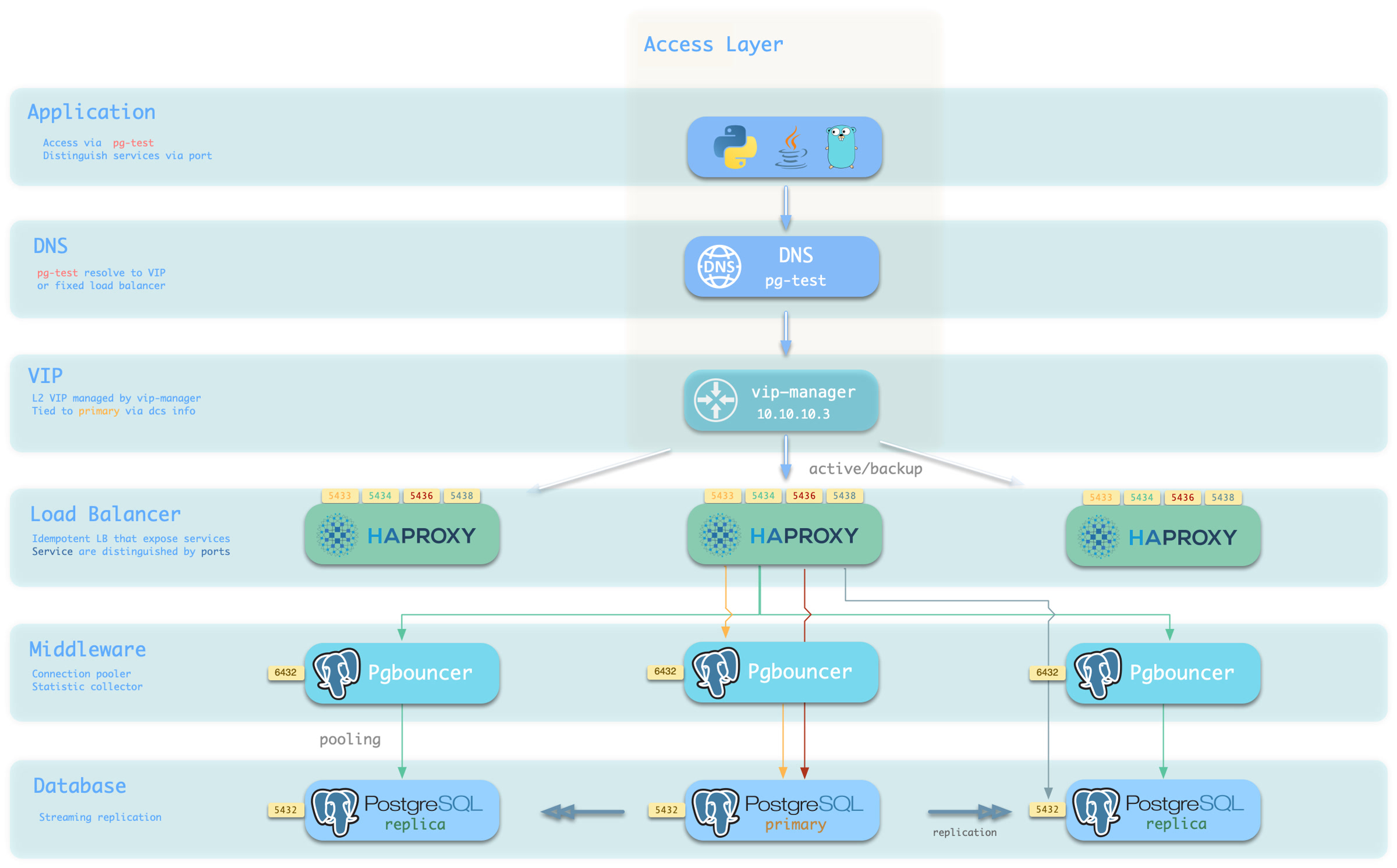
Choose a host and port combination for the required access method.
Host
| Type | Sample | Description |
|---|---|---|
| Cluster Domain Name | pg-test | Resolved by dnsmasq on INFRA nodes; with pg_dns_target: auto, points to the VIP when enabled, otherwise to the primary IP |
| Cluster VIP Address | 10.10.10.3 | When pg_vip_enabled is enabled, an L2 VIP managed by vip-manager and bound to the primary node |
| Instance Hostname | pg-test-1 | Access via any instance hostname (resolved by dnsmasq @ infra nodes) |
| Instance IP Address | 10.10.10.11 | Access any instance’s IP address |
Port
Different ports select different PostgreSQL services.
| Port | Service | Type | Description |
|---|---|---|---|
| 5432 | postgres | Database | Direct access to postgres server |
| 6432 | pgbouncer | Middleware | Access postgres through connection pool middleware |
| 5433 | primary | Service | Access primary pgbouncer (or postgres) |
| 5434 | replica | Service | Access replica pgbouncer (or postgres) |
| 5436 | default | Service | Access primary postgres |
| 5438 | offline | Service | Access offline postgres |
Combinations
3.5 - Point-in-Time Recovery — A Time Machine for PostgreSQL
Point-in-Time Recovery (PITR) can restore an earlier cluster state after accidental deletion of data, a table, or a database.
Pigsty enables PITR in its standard PostgreSQL configuration. This work once required specialist DBA knowledge.
Replication Is Not Backup
High availability can fail over to another instance after hardware failure. However, replication is not backup.
Streaming replication sends every primary change to replicas within milliseconds. This includes DELETE without WHERE or DROP TABLE against the wrong database. Failover handles machine failure. If the data is wrong, every replica can contain the same error.
Database disasters fall into two main classes. Multiple copies and automatic failover handle physical service failures. Logical errors require history: a base backup and continuous WAL archives. PostgreSQL uses them to reconstruct the state before an error.
| Threat | High Availability | Delayed Cluster | PITR |
|---|---|---|---|
| Hardware or instance failure | ✔ Automatic failover | ✘ | ✔, with a longer RTO |
| Accidental DML, table drop, or database drop | ✘ The error is replicated | ✔ Within the delay | ✔ At any recoverable point |
| Defective software corrupts data over time | ✘ The error is replicated | ✔ Within the delay | ✔ Try different recovery targets |
| Entire cluster or site is lost | ✘ | ✘ | ✔ Only if the repository survives that failure domain |
These mechanisms work together. HA restores service quickly. A delayed cluster provides a short recovery window. PITR provides the final recovery path through historical data.
How the Time Machine Works
A database is a state machine. A base backup is a complete physical snapshot at one point. WAL (Write-Ahead Log) records later state changes. With the snapshot and unbroken WAL history, PostgreSQL can replay to any covered target. The backup sets the earliest recovery point. The latest archived WAL sets the most recent recovery point.
Base backup + WAL archive = point-in-time recovery
Pigsty manages both inputs. By default, cluster initialization attempts an initial full backup. The primary continuously sends completed WAL segments to the selected repository. See How PITR Works for backups, archives, targets, and timelines.
Available Out of the Box
The standard PostgreSQL configuration enables PITR. Pigsty prepares each cluster with a backup repository, WAL archiving, and pgBackRest recovery tools. Customize the declarative policy with these parameters:
The default local method stores backups under /pg/backup and retains two full backups. One successful daily full backup gives a recovery window of roughly 24–48 hours. The remote minio preset uses Silo or compatible S3 storage, AES-256-CBC repository encryption, and time-based retention. With 14-day retention and weekly full backups, its steady-state window is roughly 14–21 days. Both ranges are policy estimates. Actual coverage starts at the oldest usable backup and ends at the latest WAL in the repository.
For declarative recovery, specify a target. The playbook stops the cluster, restores files, replays WAL, and rebuilds HA. An operator must verify the recovered business state.
This follows Pigsty’s declarative configuration model. The cluster definition includes backup policy. The recovery target is another declared parameter.
Benefits and Costs
PITR improves data integrity and availability:
- RPO (maximum data loss) usually decreases to minutes. WAL that has not reached a surviving repository sets this limit.
- RTO (time to restore service) becomes tens of minutes to hours, instead of permanent loss. It depends on backup size, WAL replay distance, and disk or network throughput.
| Standalone strategy | Event | RTO | RPO |
|---|---|---|---|
| No backup | Host and local data are lost | Permanent loss | All data |
| Base backups only | Host and local data are lost | Backup size and bandwidth, often hours | Changes since the latest backup |
| Base backups + WAL archives | Host and local data are lost | Backup size, replay distance, and bandwidth | WAL not yet present in the surviving repository |
The costs fall mainly into three areas:
- Confidentiality: Backups copy business data and need encryption and access control. The remote preset enables repository encryption. Change its default password.
- Resources: Backups consume storage; archiving consumes bandwidth. Compression, bundling, and block incremental backup reduce these costs. Capacity planning remains necessary.
- Operations: Monitor backup status and rehearse recovery. A successful backup job does not prove that recovery can meet the required RTO.
PITR does not replace HA. Production designs usually combine HA for physical failures with PITR for logical errors and site recovery.
Next Steps
- How PITR Works: snapshots, WAL history, recovery windows, targets, and timelines
- PITR Architecture: pgBackRest, repository selection, archive flow, scheduling, and failover behavior
- PITR Tradeoffs: failure domains, capacity, retention, and backup frequency
- Declarative Recovery: the
pg_pitrparameter,pgsql-pitr.yml, andpig pitr - PITR Scenarios: accidental deletion, bad releases, investigation, and site loss
For the operational runbooks, see PGSQL Backup and Recovery.
3.5.1 - How PITR Works
A database is a state machine. WAL (Write-Ahead Log) records its changes in order. PostgreSQL writes each change to WAL before applying it to data files. Keep a physical snapshot and all later WAL to replay the database to a selected consistent state.
PITR combines three elements: a snapshot (base backup), history (WAL archive), and a target where replay stops.
Snapshot: Base Backup
A base backup is a physical snapshot of the whole PostgreSQL cluster. It provides the recovery starting point. Pigsty uses pgBackRest to manage three backup types:
| Type | Contents | Recovery characteristics |
|---|---|---|
| Full | All database-cluster files | Self-contained, shortest chain, largest backup |
| Differential | Changes since the latest full backup | Restore uses the full plus the differential |
| Incremental | Changes since the latest backup of any type | Smallest backup, restore depends on its complete chain |
Run pg-backup [full|diff|incr] to start a backup. With no argument, it requests incr. If no valid full backup exists, pgBackRest creates one instead. pg_crontab declares recurring jobs and installs them in the postgres user’s crontab.
Backup frequency affects recovery time. A newer usable backup requires less WAL replay to reach the same target. See PITR Tradeoffs.
WAL History
A snapshot contains only its own state. WAL archiving preserves later changes needed to recover beyond it. Standard Patroni templates enable archiving and send each completed WAL segment to pgBackRest:
Two implementation details matter:
archive_timeout: 300: PostgreSQL can force a segment switch after five minutes on a cluster with few writes. A partially filled segment therefore does not wait indefinitely. When WAL is generated, this usually keeps the latest recovery point within minutes. It does not guarantee that every commit is already remote.- Asynchronous archive: pgBackRest batches transfers with
/pg/spoolandarchive-async=y. Pigsty setsarchive-push-queue-max=4GiB. If repository failure causes the queue to exceed this limit, pgBackRest can discard queued WAL to protect local disk space. The resulting archive gap requires a new full backup to establish a recoverable chain.
Expiration is automatic. When the repository policy expires old backups, pgBackRest also expires WAL that no remaining backup needs. Explicit archive-retention settings can override this behavior.
Recovery Window
The backup and its continuous WAL history form a recovery window:
- Left boundary: The start of the oldest usable remaining backup chain. Time-based descriptions usually use the oldest retained full backup’s time.
- Right boundary: The latest WAL successfully archived to a repository that survives the incident.
The window advances as new backups arrive and old chains expire. The local preset keeps two full backups. One successful daily full backup gives roughly one to two days of coverage. The minio preset sets retention_full_type: time and retention_full: 14. With weekly full backups, the oldest retained chain normally gives roughly 14–21 days of steady-state coverage. These are estimates, not SLAs.
Missed backups, archive gaps, archive-retention overrides, and repository loss can change actual coverage. Check pig pb info and perform restore drills to verify the window.
See PITR Tradeoffs and Backup Policy.
Targets: Where Replay Stops
PostgreSQL can identify states within the recovery window in several ways. pg_pitr exposes six target types:
pg_pitr type | Meaning | Typical use |
|---|---|---|
default | Replay through all WAL available from the repository | Restore the newest archived state after total loss |
time | Stop at a timestamp | Recover from accidental DML or DDL |
xid | Stop at a transaction ID | Exclude a precisely identified bad transaction |
lsn | Stop at a WAL location | Low-level exact targeting |
name | Stop at a restore point created with pg_create_restore_point() | Planned change checkpoint |
immediate | Stop as soon as the selected backup becomes consistent | Validate or expose the selected backup state quickly |
set selects the backup set that pgBackRest uses as the starting snapshot. It does not specify where replay stops.
Boundary Semantics
Targets are inclusive by default, retaining the transaction at the target. To stop before a known bad target, set exclusive: true. This maps to recovery_target_inclusive = false.
Transactions remain atomic. Recovery retains transactions committed before the effective target and rolls back transactions not yet committed. The resulting state is consistent, without partial transactions.
Timelines
Restoring an earlier state and accepting new writes creates a history branch. PostgreSQL assigns a timeline to each branch. PITR promotion, replica promotion, and failover can create new timelines. New WAL does not overwrite files from old timelines.
gitGraph
commit id: "Full backup"
commit id: "Normal writes"
commit id: "Bad change"
commit id: "More writes"
branch Timeline-2
checkout Timeline-2
commit id: "PITR before bad change"
commit id: "New writes"Retained history permits another attempt if the first target was wrong. Use timeline to select a timeline. Pigsty defaults to latest.
Continue with PITR Architecture to see how these concepts map to Pigsty components and configuration.
3.5.2 - PITR Architecture
The PITR principle is simple, but implementation must address several constraints. WAL archiving must not block production writes. Object storage backups need encryption. Backup jobs must follow the primary after failover, and shared repositories must isolate clusters. Large numbers of small objects can also limit throughput.
Pigsty uses pgBackRest with production defaults that address these constraints. This page describes the engine, repository abstraction, archive path, scheduler, and execution on the current primary.
Backup Engine: pgBackRest
Pigsty uses pgBackRest to create base backups with backup, receive WAL with archive-push, and restore data with restore and archive-get.
Relevant capabilities include:
- Parallelism: Backup, archive, and restore operations can use multiple processes.
- Backup chains: Full, differential, incremental, and block incremental backups reduce repeated transfers and storage.
- Compression and encryption: pgBackRest includes zstd compression and AES-256-CBC repository encryption.
- Repository backends: pgBackRest supports POSIX filesystems, S3-compatible services such as Silo and MinIO, Azure, GCS, and SFTP.
- Bundling: Pack small files into larger repository objects to reduce object storage overhead.
pgBackRest separates cluster histories by stanza. Pigsty uses pg_cluster as the stanza name. Multiple clusters can share storage while retaining separate backup identities:
Repository Abstraction
pgbackrest_method selects a repository name. pgbackrest_repo contains a dictionary of candidate definitions. Pigsty v4.5.0 renders only the selected pgbackrest_repo[pgbackrest_method] entry as repo1. Listing local and minio does not activate both repositories.
The local preset provides simple backups and fast local restores. It has no encryption or bundling and retains backups by full-backup count. The minio preset uses remote Silo or compatible S3 storage. It enables encryption, bundling, block incremental backup, and time-based retention.
Pigsty converts underscores in repository keys to hyphens. It adds a repo1- prefix and writes the keys to /etc/pgbackrest/pgbackrest.conf. A custom cloud repository can therefore use pgBackRest options directly:
See Backup Repository for Silo, external S3-compatible storage, versioning, object locking, TLS, and credential details.
Archiving and Scheduling
When pgbackrest_enabled is true, the Patroni templates set the following configuration. This option defaults to true.
Base backups enter the system in two ways:
- Initial backup: After bootstrapping a top-level primary, Pigsty attempts a backup if
pgbackrest_init_backupis true. The task ignores backup failures. It writes/etc/pgbackrest/initial.doneonly after success, so the marker confirms completion. - Scheduled backup:
pg_crontabinstalls jobs in the database superuser’s crontab. The role default is an empty list. Standard examples usually add a daily full backup at 01:00.
pg-backup [full|diff|incr] wraps pgbackrest backup. Without an argument, it requests an incremental backup. If no usable full backup exists, pgBackRest makes a full backup instead.
Backups Follow the Primary
Every PostgreSQL node receives pgBackRest and the same scheduled job. However, pg-backup checks /pg/bin/pg-role and proceeds only on the current primary. Replicas exit immediately without creating competing backups.
The backup schedule therefore operates independently of HA topology:
- All members receive the same repository configuration and crontab.
- After failover, the new primary can run subsequent backups and archive WAL. The schedule needs no change.
- The current primary alone controls authoritative writes to a stanza.
For a non-local repository, Pigsty adds pgBackRest after basebackup in Patroni’s create_replica_methods. Patroni tries basebackup first. If it fails, Patroni can restore the replica with pgbackrest --delta restore. This moves the copy load from the primary to the repository.
Performance Defaults
The pgBackRest template limits overhead during normal operation and prioritizes restore throughput:
| Setting | v4.5.0 behavior | Rationale |
|---|---|---|
| Compression | compress-type=zst | Balance compression ratio and throughput |
| Backup/archive workers | One quarter of CPU, clamped to 2–4 | Limit competition with the database |
| Restore workers | All detected CPU, capped at 8 | Minimize restore time |
| Asynchronous archive | archive-async=y, spool under /pg/spool | Batch transfer without synchronous object-store latency |
| Archive queue limit | archive-push-queue-max=4GiB | Bound local spool growth |
| Fast backup start | start-fast=y | Request an immediate checkpoint |
| Incremental restore | delta=y | Reuse destination files that already match |
The 4 GiB queue limit has a tradeoff. If the repository remains unavailable and the queue exceeds this limit, pgBackRest can discard queued archive files. PostgreSQL continues running, but the WAL archive has a gap. Create a new full backup to establish a new recovery chain. See How PITR Works.
Observability
When backup and exporter settings are enabled, pgbackrest_exporter runs on each PostgreSQL node. It exposes metrics on port 9854. Monitoring uses these metrics to show backup age, type, size, duration, and errors.
Useful diagnostic entry points include:
| Entry | Purpose |
|---|---|
pb info | Shell helper for pgbackrest info using the configured stanza |
/pg/log/pgbackrest/ | pgBackRest backup, archive, and restore logs |
pg-backup | Manually request a backup on the primary: full / diff / incr |
See Backup Administration for operational checks, then PITR Tradeoffs for policy design.
3.5.3 - PITR Tradeoffs
Backups require storage, network traffic, and operational work. They determine how much data you can recover and how quickly service returns. More history usually requires more capacity. A shorter RTO usually requires newer backups and tested procedures.
A backup policy must define repository location, history retention, and backup frequency.
Where: Choose the Failure Domain
Repository location is the most important choice. It determines which disasters the backup can survive.
A local repository (pgbackrest_method: local) uses the primary’s local filesystem. It is simple and fast, with no remote service dependency. Data and backups usually share one failure domain. Machine, disk, or filesystem loss can destroy both. Local backup protects against logical errors. For protection against total host loss, /pg/backup must use independent storage.
An object storage repository (pgbackrest_method: minio or a custom S3 definition) sends backups to Silo or S3. For an independent disaster recovery copy, deploy it outside the database host or site failure domain. The minio preset enables AES-256-CBC repository encryption, bundling, and block incremental backup. Recovery throughput depends on the network and storage service. Operating that service adds responsibility.
| Scenario | Recommended repository | Reason |
|---|---|---|
| Development, test, demo | local | Minimal dependencies; rebuild is acceptable |
| Production | Dedicated Silo or compatible S3 storage | Independent failure domain and encrypted repository |
| Cloud deployment | Managed S3-compatible or cloud object storage supported by pgBackRest | Independent storage and lower operational burden |
| Ransomware/compliance | Versioned storage plus correctly configured object lock/retention | Prevent privileged database-host access from deleting protected versions |
The repository contains sensitive business data. Change default access keys and cipher_pass. Restrict access and protect credentials separately from database hosts. Verify any object-lock policy. See Backup Repository.
How Long: Capacity and Recovery Window
Longer history generally requires more storage. Actual use depends on compression, deduplication, block incremental backup, database change rate, and the full/differential/incremental backup mix. Measure backup and WAL growth instead of using a fixed multiplier.
For an illustrative 100 GB database changing by 10 GB per day, before compression:
- Daily full, retain two (
localpreset): Full backups use about 200 GB, plus WAL. Successful daily jobs commonly provide roughly one to two days of recovery history. - Weekly full, daily incremental, retain 14 days (
miniopreset): The oldest surviving weekly chain commonly provides roughly 14–21 days of coverage. Allow capacity for multiple full backups, their incrementals, archived WAL, and temporary retention-plus-one behavior during expiration.
The retention setting alone does not define the recovery window. Coverage starts at the oldest usable chain and ends at the latest WAL in the surviving repository. Time retention removes an old full backup only when another qualifying full backup satisfies the period. Related incremental backups and WAL follow the retained full chains. Check pig pb info, monitor archive health, and perform a restore to prove coverage.
Retain enough history to cover the delay between an error and its detection. A dropped table may be noticed within minutes. Slow corruption or month-end reconciliation failure can take weeks to detect.
How Often: Backup Frequency and RTO
Recovery first restores a backup chain, then replays WAL to the target. Backup size and storage throughput control restore time. The distance from backup to target controls replay time.
WAL replay is mostly serial. Restoring a weekly full backup just before the next full can require nearly a week of replay on a write-heavy database. Daily incremental backups shorten replay distance and transfer only changes since the preceding backup. They still require a valid chain. Monitor and test the entire chain, not only the latest file.
Choose a backup frequency that meets the measured RTO within the available backup window and production load budget.
Pigsty Presets
Pigsty provides two candidate repository definitions. pgbackrest_method selects one for the generated repo1 configuration.
Standard policy: local repository and daily full backup. This policy is simple and restores through local I/O. Use it for development or environments with separate protection against host loss:
Production policy: remote Silo/S3 repository, weekly full, daily incremental. Place the repository in a separate failure domain and use the encrypted minio preset:
local and minio entries in pgbackrest_repo are alternatives, not two active repositories. The template renders only pgbackrest_repo[pgbackrest_method] as repo1. Multiple active pgBackRest repositories require explicit advanced configuration. They also require independently tested backup, expiration, and restore procedures. The two presets alone do not provide this setup.
Use Backup Policy for capacity modelling and schedule details.
A Backup Is Proven by Restore
Monitor backup job success, and add clone recovery drills to routine operations. Use them to answer:
- Is the chain usable? Restore it end to end and validate data.
- What is the measured RTO? Database size and WAL volume change over time.
- Can the on-call operator execute the runbook? The first full exercise should not happen during an incident.
Clone recovery leaves the source online and overwrites the selected destination. Verify the exact destination and use disposable infrastructure. See Declarative Recovery for the recovery interface.
3.5.4 - Declarative Recovery
A backup must support recovery when an incident occurs. Traditional PITR requires connected manual steps: pause HA, stop PostgreSQL, prepare recovery settings, restore the backup, and replay WAL. Then validate the target, rebuild metadata, and start the cluster again.
Pigsty uses declarative configuration for recovery. Declare the recovery target. The tools stop the cluster, restore data, replay WAL, and return control to the operator.
Declare a Recovery Target
Set pg_pitr to describe the target. Run pgsql-pitr.yml to restore it. The most common form selects a specific time:
Fields in this parameter define the six recovery target types and other recovery behavior:
See Restore Operations for the complete field reference and examples.
What the Playbook Does
pgsql-pitr.yml divides recovery into six stages. Ansible tags let you run these stages separately:
| Stage | Action |
|---|---|
| Print the source cluster, target, and restore command; this stage reports the plan and does not prompt for confirmation | |
| pause | Run patronictl pause so Patroni does not intervene during maintenance |
| stop | Stop Patroni and PostgreSQL on replicas, then on the primary |
| pitr | Render recovery settings, run an incremental pgBackRest restore, start PostgreSQL to replay WAL, wait for consistency, and print control data |
| etcd | Remove stale cluster metadata from etcd so old and new timelines are not mixed |
| start | Start Patroni again, resume HA management, and rebuild replicas |
Keep these details in mind:
- Incremental restore: pgBackRest uses
deltato rewrite only files that differ from the backup. This can substantially reduce RTO for large databases. - Verification: The playbook prints checkpoint LSN, timeline, and NextXID from
pg_controldata. An operator must still verify the recovered business state. - Rollback copy:
backup: truemoves the original data directory to/pg/data-backupbefore recovery. A later run with this option removes any existing/pg/data-backup. It does not retain multiple snapshot versions. - Staged execution: Run
-t down,-t pitr, and-t upseparately for an operator checkpoint between phases. Thepitrphase completes when PostgreSQL reaches a consistent recovery state. For time, XID, LSN, or named targets, also confirm that WAL replay reached the target.
action controls behavior at the target. promote opens a new timeline, pause waits for inspection, and shutdown stops PostgreSQL. Targeted recovery defaults to pause if you omit action. Run stages separately to retain a manual checkpoint for pause or shutdown. For a single-run recovery, explicitly select promote. The playbook performs recovery steps but cannot determine whether the business data is correct.
Command-Line Recovery with pig
The pig CLI can perform single-instance PITR directly on a database node. It needs neither an administration node nor Ansible:
pig pitr validates the target, stanza, and available backups. It stops Patroni and PostgreSQL, restores data, optionally starts PostgreSQL, and prints further instructions. For a Patroni-managed directory, Patroni stays stopped afterward. Validate the data, then run pig pt start to resume HA management. This workflow does not clear etcd, rebuild replicas, or automatically rejoin the cluster. Destructive forced shutdown requires explicit --force-stop.
pig pb wraps lower-level pgBackRest commands. pb info lists backups, pb backup creates them, and pb restore runs a raw restore. pig pb restore refuses to run while Patroni manages the instance. Patroni could otherwise restart PostgreSQL during restoration. For Patroni-managed instances, use pig pitr or pgsql-pitr.yml.
In-Place and Clone Recovery
The same mechanism supports two different workflows:
| Dimension | In-place recovery | Clone recovery |
|---|---|---|
| Method | Roll the production cluster back | Restore a source backup into a different cluster |
| Downtime | Required during recovery | The source production cluster remains online |
| Effect | Discards all writes after the target | Does not affect the source; the destination is overwritten and can be retried |
| Best for | Whole-cluster corruption or disaster recovery | Recovering deleted objects, audit work, and recovery drills |
For clone recovery, cluster names the source backup stanza. This example restores historical pg-meta data into pg-test while the source remains online:
To recover a deleted table, exporting it from a clone and importing it into production is generally safer than restoring the whole cluster. See Clone a Database Cluster for the complete workflow and cleanup.
After Recovery
After recovery, complete these incident closeout steps:
- New timeline, new backup: After promotion, run
pg-backup fullto create a recovery window on the new timeline. - Archiving state: If you used
archive: falsefor investigation, restore normal archiving. See Post-Recovery. - Clone cleanup: A clone’s cluster identity differs from its source stanza. Recreate the destination stanza before enabling its backups. See Clone a Database Cluster.
Operators must select the target and choose in-place or clone recovery. They must also verify that the recovered data is correct. The tools execute the selected procedure. See PITR Scenarios for guidance on these decisions.
3.5.5 - PITR Scenarios
Decisions can consume much of the available incident response time. Pigsty automates recovery steps, but the operator must decide three things. Select the target, choose in-place or clone recovery, and define how to validate the result.
Read and rehearse this framework before an incident.
Decision Framework
| Scenario | Typical problem | Recommended workflow | Target |
|---|---|---|---|
| Accidental DML | DELETE or UPDATE affects the wrong rows | Clone, validate, then copy back data | time / xid |
| Dropped table, schema, or database | DROP or an incorrect migration | Clone, validate, then copy back objects | time / name |
| Defective release or batch corruption | Software writes incorrect data for a period | Clone and compare before choosing repair or cutover | time / xid |
| Audit, investigation, or forensics | Inspect historical state | Clone and hold at the target for inspection | time / lsn |
| Whole-cluster or site loss | Hosts or storage are gone or encrypted | Recover in place on replacement infrastructure | default / time |
Two principles apply throughout:
- Stop the damage first. Before selecting a target, pause the defective application or remove its write access. The recovery window keeps moving. However, restoring the wrong cluster in haste can cause another incident.
- Prefer a clone while production is usable. A clone leaves the source unchanged. You can try multiple targets and validate before export or cutover. Recovery overwrites the selected destination cluster. Use in-place recovery when the whole cluster is unusable or the business explicitly accepts rolling back every database.
flowchart TD
A["Data error detected"] --> B["Contain the source of bad writes"]
B --> C{"Can production still serve?"}
C -->|Yes| D["Clone recovery<br/>validate and copy back or cut over"]
C -->|No| E["In-place recovery<br/>or rebuild on new infrastructure"]
D --> F["Validate, take a new backup, review the incident"]
E --> FAccidental DML
Common PITR cases include DELETE without WHERE, an incorrect UPDATE, and defective batch jobs.
Find the error in application logs, PostgreSQL logs, metrics, or audit records. A timestamp is usually sufficient. If you know the exact transaction ID, use xid with exclusive: true to stop immediately before it.
Validate the recovered rows. Copy only required data back with pg_dump, COPY, or an application-specific reconciliation procedure. A configured delayed cluster may provide faster access if it remains within its delay window.
Dropped Objects
Use the same approach for DROP TABLE, DROP DATABASE, or a migration in the wrong environment. Prefer a clone more strongly in these cases. Whole-cluster rollback to recover one object also discards every valid write after the target.
Restore a separate destination to before the DDL. Validate the object, export it with pg_dump, and import it into production. Before planned high-risk changes, create a restore point with pg_create_restore_point(). A name target avoids timestamp ambiguity.
Defective Release or Batch Corruption
A faulty release can corrupt data for hours. Identify the last correct state and the full impact. Restore a clone to candidate times and compare it with production. Then decide whether to copy corrected rows back or switch to a recovered cluster.
The application owner must validate this decision. Successful PostgreSQL recovery proves consistency at the target. It does not prove that the business state is correct.
Audit and Investigation
Historical questions, such as a month-end balance, require historical data. Restore a separate destination to a time, LSN, XID, or named point. Inspect it without changing the source.
Targeted recovery defaults to action: pause, which holds recovery at the target for inspection. This option does not configure read-only access or create a separate cluster. The inventory limit and cluster source field determine the destination workflow. For an operator checkpoint before promotion, run -t down, -t pitr, and -t up separately. Explicitly enforce read-only access if required for investigation. immediate stops at the first consistent point; it does not select a historical timestamp.
Site Loss
HA cannot help if every database host is destroyed or encrypted. The repository and other control-plane assets must survive outside that failure domain. Possible repositories include Silo/S3, another protected host or filesystem, and other tested pgBackRest backends. A remote object store is recommended. The essential requirement is survival in an independent failure domain.
Rebuild the hosts and restore the inventory, credentials, and PKI. Select the surviving repository, then restore through the latest archived WAL:
Inventory and backups alone are insufficient. Preserve installation media or package repositories, repository credentials, encryption passwords, CA material, custom files, and DNS dependencies. Keep an independently accessible runbook. Encrypt secrets and store them separately from database hosts and ordinary source control.
Make Recovery a Routine Drill
Do not run these procedures for the first time during a production incident. Rehearse clone recovery regularly on a disposable destination. Repeat after major architecture changes. Measure these outcomes:
- Usability: can the backup and complete WAL chain be restored and validated?
- RTO: how long does the actual restore and replay take now?
- Operator readiness: can the on-call engineer identify source and destination, select a target, and follow the safety gates?
See Restore Operations and Clone a Database Cluster for the task-level runbooks.
3.6 - Monitoring System
The built-in monitoring system provides metrics, logs, and alerting. Logs and alerts also support audit and traceability. It can monitor Pigsty-managed clusters, existing PostgreSQL clusters, and external RDS services.
Monitoring Targets
Pigsty monitoring covers these core targets:
- PostgreSQL clusters and instances (SQL performance, connections, replication, transactions, checkpoints, WAL)
- Infrastructure components (Grafana, VictoriaMetrics, Alertmanager, Nginx, etc.)
- Host nodes (CPU, memory, disk, network, kernel)
- Key middleware (ETCD, MINIO, REDIS, JUICE, VIBE, etc.)
Technology Stack
| Component | Purpose |
|---|---|
| Grafana | Visualization dashboards, unified entry point, alert views |
| VictoriaMetrics | Time-series metric ingestion, storage, and query |
| VictoriaLogs | Structured log ingestion, indexing, and search |
| VMAlert + Alertmanager | Alert rule evaluation and notification delivery |
| Exporter / Agent | Database/system metric exposure and log forwarding |
Onboarding Modes
Pigsty supports three ways to add monitoring:
| Mode | Use Case | Entry |
|---|---|---|
FULL | Database is deployed and managed directly by Pigsty | PGSQL Monitoring System |
MANAGED | Existing PostgreSQL cluster with SSH-manageable nodes | Monitor Existing Cluster |
RDS | Cloud database accessible only by connection string | Monitor RDS |
Continue Reading
- PGSQL Monitoring System: Database metrics, logs, alerting, and dashboards
- INFRA Monitoring & Alerting: Health of the monitoring stack itself
- NODE Monitoring & Alerting: Host resource and system health
- ETCD Monitoring & Alerting: Consistency and availability monitoring
- MINIO Monitoring & Alerting: Object storage cluster monitoring
- REDIS Monitoring & Alerting: Cache cluster runtime monitoring
3.7 - Security and Compliance
Databases usually store the most valuable and sensitive data in an information system. Attacks and failures can therefore have severe consequences. Security requires multiple controls: who can connect, what they can do, and whether traffic is protected. It must also record operations and support recovery of damaged, lost, or deleted data.
Pigsty provides a default security baseline through declarative configuration. Declare HBA rules, roles and privileges, certificates, encryption, backups, and audit policies as parameters in the inventory. Idempotent playbooks render and apply these settings.
Security as Code supports policy versioning, review, and traceability. One inventory provides a consistent baseline across instances. To audit database access, start with the YAML declaration. Then verify generated HBA rules and database grants against the running system.
Security as Code
Manual operations can scatter security settings across pg_hba.conf, DBA-issued GRANT statements, and temporary incident firewall rules. Documentation can then diverge from the running configuration. This makes each instance’s effective rules difficult to determine.
Pigsty stores security policy in the cluster definition alongside other properties.
Declare users, privileges, and HBA rules. Playbooks apply them idempotently to each instance, including new instances. Git history records configuration changes. Manual GRANT statements, runtime parameter changes, and node file edits can still cause drift. In production, regularly compare declared and actual state.
Default Security Baseline
The default configuration enables these controls to reduce omissions:
| Capability | Default Behavior | Related Parameter |
|---|---|---|
| Password hashing | New or updated PostgreSQL passwords use SCRAM-SHA-256 | pg_pwd_enc |
| Data checksums | Page checksums are enabled during cluster initialization to detect silent corruption | pg_checksum |
| Server-side TLS | PostgreSQL server certificates are installed and ssl is enabled, so TLS connections are accepted | — |
| Local CA | A self-signed CA is created automatically for managed component certificates | ca_create |
| etcd encryption and authentication | TLS for client and peer traffic, plus RBAC password authentication | etcd_root_password |
| MINIO object storage HTTPS | Silo backup traffic uses HTTPS by default | minio_https |
| Nginx HTTPS | Web ingress listens on both ports 80 and 443 by default | nginx_sslmode |
| HBA rules | Layered access: local ident, intranet password authentication, and SSL required for public administrator access | pg_default_hba_rules |
| Roles and privileges | A four-tier role model and default privilege templates provide a least-privilege baseline | pg_default_roles |
| Backup and recovery | pgBackRest is enabled by default, with two full backups retained in the local repository | pgbackrest_enabled |
| Firewall | Zone mode trusts intranet CIDRs and exposes only required ports to public networks | node_firewall_mode |
| Restricted sudo | Sudo access for the database OS user is limited to the required command set | pg_dbsu_sudo |
Hardening with Trade-offs
Defaults target a trusted intranet. Some controls need explicit enablement because of performance costs, compatibility limits, or required operator decisions:
- Examples contain public default passwords for quick starts and local tests. Before production, run
./configure -gto randomize recognized credentials. Then check the pgBackRest passphrase, Silo users inha/safe, and all custom values. - The Patroni REST API and PgBouncer disable TLS by default. Explicitly enable
patroni_ssl_enabledandpgbouncer_sslmodewith the issued certificates. - Password checks (
passwordcheck) and auditing (pgaudit) are disabled by default. Confirm package availability, then configure preloading and policy. - SELinux defaults to
permissive. Remove the demo firewall exception for port5432in production. - Local backups have no encryption by default. The remote
miniopreset enables AES-256 encryption. Change its default encryption passphrase.
The ha/safe template combines TLS, certificate authentication, password checks, and backup encryption. Use it with the consistency-first CRIT parameter template as a starting point. Review public credentials, audit extensions, and the failure model explicitly. See Security Model for the full hardening path.
This Chapter
| Section | Question Answered |
|---|---|
| Security Model | Where is the root of trust? How many defensive layers exist? How should the baseline be hardened? |
| Authentication | Who can connect? How is identity proven? How are HBA rules declared and applied? |
| Access Control | What can a connected user do? How does least privilege become the default? |
| Encrypted Communication | How is traffic encrypted? Who issues, distributes, and rotates certificates? |
| Data Security | How is data kept intact, recoverable, confidential, and traceable? |
| Compliance | How do security capabilities map to MLPS and SOC 2 controls? |
Related Topics
These pages provide operational security guidance:
- 🔰 Security Recommendations: minimum hardening for a quick single-node deployment
- 🛡️ Security Considerations: production hardening checklist
- 📄
ha/safeTemplate: complete hardening configuration reference - 🔑 HBA Rules: detailed PGSQL HBA configuration
- 👤 Access Control: role and privilege parameter reference
- ♾️ High Availability: business continuity
- ⏰ Backup and Recovery: PITR and disaster recovery
3.7.1 - Security Model
Identify the root of trust and defensive layers before selecting security features. The root of trust needs the strongest protection. Multiple layers preserve some protection if one fails.
Trust Boundaries
Pigsty uses Ansible for declarative deployment. Its administration node is the control plane and needs the strongest protection.
| Role | Assets and Privileges |
|---|---|
| Admin node | The pigsty.yml inventory, which normally contains system and application credentials; the CA private key; SSH administration access to every node |
| INFRA nodes | Monitoring and alerts, DNS, Nginx ingress, and software repositories |
| Database nodes | Database instances, local dbsu, and restricted sudo |
| Clients | Database credentials or client certificates; access through service ports, HBA, and authentication |
These roles have different capabilities, not a simple hierarchy. Protect these three assets in particular:
- The
pigsty.ymlinventory contains component passwords and credentials. Strictly restrict administration node access and access to any Git configuration repository. - The CA private key,
files/pki/ca/ca.key, anchors deployment trust. Its holder can issue any trusted certificate. The file uses mode0600inside a0700directory. Keep an offline backup. - The administration user’s SSH private key provides passwordless sudo access to all enrolled nodes. It effectively grants root access throughout the managed deployment.
Pigsty’s security policy defines this trust boundary. Attacks requiring administration node access, or both pigsty.yml and the CA private key, are not product vulnerabilities. These control-plane assets have high trust by design. Protect them accordingly.
Seven Defensive Layers
Defense in depth combines controls so that one failure does not remove all protection. Pigsty provides seven security layers:
| # | Layer | Mechanisms | Details |
|---|---|---|---|
| 1 | Network boundary | Firewall zones, constrained listen addresses, centralized ingress | This page |
| 2 | Transport encryption | Local CA and TLS between components | Encrypted Communication |
| 3 | Authentication | HBA rules, SCRAM passwords, client certificates | Authentication |
| 4 | Access control | Role model, default privileges, database isolation | Access Control |
| 5 | Host security | SELinux, restricted sudo, dedicated OS users | This page |
| 6 | Data security | Checksums, backup and encryption, PITR, deletion safeguards | Data Security |
| 7 | Audit trail | DDL and connection logs, audit extensions, centralized logs | Data Security |
Layers 2, 3, 4, 6, and 7 have dedicated chapters. The following sections cover the network and host layers.
Network Boundaries
Node provisioning enables firewalld or ufw, depending on the OS. node_firewall_mode defaults to zone. node_firewall_intranet places 10.0.0.0/8, 172.16.0.0/12, and 192.168.0.0/16 in the trusted zone. Public networks can reach only node_firewall_public_port ports. Defaults are 22 for SSH and 80/443 for web traffic.
The demo
pigsty.ymlalso exposes5432for local evaluation. Remove this exception in production. If direct database access is needed, restrict sources to explicit CIDRs through security groups, host firewalls, and HBA.
PostgreSQL listens on all addresses by default: pg_listen is 0.0.0.0. Listen addresses, firewall rules, and HBA jointly control access. For stricter access, constrain the listener:
The default firewall blocks direct public access to Grafana, VictoriaMetrics, and other web infrastructure. External web traffic normally uses the Nginx portal. Database traffic uses HAProxy service ports. Fewer entry points simplify hardening and auditing.
Host Security
Give each OS user only the privileges its job requires.
- The database superuser
postgres(pg_dbsu) has no password by default. It can enter the database only through localident.pg_dbsu_sudodefaults tolimit. This permits passwordless database servicesystemctloperations and log viewing, without unrestricted root access. - Operators and playbooks use
node_admin_username, defaultdba. It receives passwordless sudo (nopass) by default. For stricter control, setnode_admin_sudotoallto require a password, orlimitto restrict commands. node_selinux_modedefaults topermissive. SELinux records violations without blocking them, providing a baseline beforeenforcing.
Pigsty does not manage SSH server configuration. Put password-login restrictions, remote-root restrictions, and similar OS hardening in your host security baseline.
Hardening Levels
Harden the deployment in stages. Each level adds to the previous level:
Level 1: default baseline. Defaults provide SCRAM passwords, data checksums, a local CA, component certificates, layered HBA, four-tier roles, backups, and firewall zones. This suits development, testing, and evaluation on a trusted intranet. For production, review credentials and network boundaries, and configure client verification.
Level 2: randomized credentials. Change all public default passwords before any network-exposed deployment. Add -g to randomize recognized built-in parameters and example credentials:
This option does not replace pgBackRest cipher_pass, all Silo examples in ha/safe, or custom values. See the Default Credentials Checklist for coverage.
Level 3: policy hardening with ha/safe. conf/ha/safe.yml combines controls for further customization:
- TLS and certificates: Main TCP HBA rules use
ssl. Public administrator access requires a client certificate. PgBouncer usesrequire, and Patroni API uses HTTPS. Localidentand selected localhost password rules remain. - Password policy: The template preloads
passwordcheckand setsexpire_infor built-in users. Review and replace example passwords. - Reduced exposure: Listen addresses are limited to
${ip},${vip},${lo}. Public connection-pool access is explicitly denied for monitoring and administration accounts. - Backup encryption: pgBackRest uses the remote
miniopreset with AES-256-CBC. Replace the predictable examplepgBR.${pg_cluster}. - Security extensions: The template installs
passwordcheck,credcheck,pgaudit,pgsodium,anonymizer, and related extensions. Installation does not preload, create, or configure them.
Level 4: database hardening with crit.yml. The safe template selects CRIT for workloads that prioritize consistency. Compared with oltp, CRIT:
- Requires checksums regardless of
pg_checksum. - Enables strict synchronous replication (
synchronous_mode_strict). Writes needing synchronous acknowledgment block if no synchronous replica is available. - Logs connections and disconnections. PostgreSQL 18 separates connection receipt, authentication, and authorization.
- Sets watchdog to
automatic. It activates only if a usable device exists.
Strict synchronous mode aims to preserve acknowledged transactions. It depends on synchronous_commit, synchronous replica state, and failover eligibility. Verify RPO with failure exercises on the target topology.
You can select individual controls instead of the whole template:
Next
- 🔑 Authentication: HBA rules and password policy
- 👤 Access Control: roles and least privilege
- 🔐 Encrypted Communication: local CA and TLS
- 🔒 Data Security: integrity, backup, and audit
- ✅ Compliance: MLPS and SOC 2 mapping
3.7.2 - Authentication
pg_hba.conf defines PostgreSQL Host-Based Authentication. It controls who can connect, the source address, the database, and the required identity check.
Manual HBA maintenance across a cluster requires care. Primary and replica rules can differ, and each instance stores its configuration in its data directory. Without a shared declaration and refresh process, instance rules can diverge.
Pigsty declares HBA rules in the inventory through declarative configuration. Playbooks render and distribute them consistently.
HBA as Code
Cluster HBA combines global defaults in pg_default_hba_rules with cluster additions in pg_hba_rules. PgBouncer has separate equivalents: pgb_default_hba_rules and pgb_hba_rules.
Rules support two forms. The recommended alias form expresses one rule per line:
Use the raw form for cases aliases cannot express. It contains a literal pg_hba.conf line.
In addition to user, address, database, and authentication method, each rule has two control fields:
ordersets render order. HBA uses the first matching rule, so order sets priority. By convention,0-99is for high-priority user rules and100-999for defaults. Rules withoutordercome last.rolefilters by instance role.commonanddefaultapply everywhere.primary,replica,offline,standby, anddelayedapply only to matching instances.role: offlinealso applies to instances marked withpg_offline_query. One declaration therefore generates appropriate rules without separate manual primary and replica files.
After editing the declaration, run the wrapper script to render and reload the rules:
pg_hba_rules adds rules but does not automatically restrict broader defaults. For stricter access, also review pg_default_hba_rules. Inspect the resulting pg_hba.conf on every instance.
Address and Authentication Aliases
Aliases name common cases. Each addr value expands into address blocks:
| Alias | Expands To | Meaning |
|---|---|---|
local | Unix socket | Local socket only |
localhost | Unix socket, 127.0.0.1/32, and ::1/128 | Local host |
admin | <admin_ip>/32 | Admin node |
infra | /32 address of each INFRA node | Infrastructure nodes |
cluster | /32 address of every cluster member | Cluster-internal traffic |
intra | 10.0.0.0/8, 172.16.0.0/12, 192.168.0.0/16 | Intranet CIDRs, customizable with node_firewall_intranet |
world | 0.0.0.0/0 and ::/0 | Any address |
| CIDR | Unchanged | Custom network |
Values in auth select the authentication method and whether TLS is mandatory:
| Alias | Authentication Method | Notes |
|---|---|---|
deny | reject | Explicit rejection |
trust | trust | Unconditional access; use with care |
pwd | scram-sha-256 or md5 | Follows pg_pwd_enc; SCRAM by default |
sha | scram-sha-256 | Force SCRAM |
md5 | md5 | Compatibility for legacy clients |
ssl | hostssl with password authentication | Password authentication over mandatory TLS |
ssl-sha | hostssl with scram-sha-256 | Mandatory TLS and SCRAM |
cert | hostssl with cert | Client certificate authentication |
ident, os | ident (peer in PgBouncer) | OS user mapping |
peer | peer | Local OS user |
The user field supports four placeholders: ${dbsu} (superuser), ${repl} (replication user), ${monitor} (monitoring user), and ${admin} (administration user). Rendering replaces them with actual names. +role matches all members of that role.
auth: ssl requires TLS but does not require client verification of the server identity. Security-sensitive clients should use sslmode=verify-full with a trusted CA. See Encrypted Communication.
Default Rules Explained
The default HBA policy requires stronger authentication for more distant sources. These PostgreSQL defaults come from the source configuration:
Layer by layer:
- Local access:
postgrescan connect only through a local Unix socket withident. It needs no password and cannot log in remotely. Thus, dbsu has no default password. - Intranet access: Replication and application accounts use SCRAM password authentication. Remote monitoring and administration connections mainly come from INFRA nodes.
- Public access: Only the administrator can connect from any address by default. Both a password and TLS are required.
PgBouncer explicitly denies public access for monitoring and administration accounts. Application users can connect only from localhost and intranet sources.
The default +dbrole_offline rule has no role filter and applies to every instance. Add role: offline to restrict it to pg_role: offline or pg_offline_query: true instances.
The default policy lets application accounts connect from the intranet with passwords. ha/safe changes the main TCP rules to ssl. Administrators outside the intranet must present a client certificate (cert). Local ident and selected localhost password rules remain.
Password Policy
Pigsty defaults to PostgreSQL’s recommended scram-sha-256 password storage through pg_pwd_enc. Use md5 only for legacy clients.
Before ALTER USER ... PASSWORD, the workflow runs SET log_statement TO 'none' to temporarily disable statement logging. This keeps passwords out of PostgreSQL logs. The inventory still contains plaintext passwords. Rendered user SQL is stored at /pg/tmp/pg-user-<name>.sql with mode 0640. Related Ansible tasks do not consistently use no_log. Restrict access to the administration node, configuration repository, and automation output.
Avoid --diff for tasks that contain credentials.
Password strength checks are disabled by default. If required, preload passwordcheck or the more configurable credcheck:
ha/safe sets this pg_libs value explicitly. Selecting CRIT alone does not load passwordcheck.
Set account lifetime with expire_in (days after creation) or expire_at (absolute date). Combine this with your organization’s rotation process:
Certificate Authentication
Passwords can be phished, reused, or guessed. For privileged accounts, such as administrators, set HBA auth: cert to require client certificates. The local CA must sign the certificate, and its CN must match the database user name. If the rule accepts only cert, a leaked password alone cannot authenticate.
Issue client certificates with the built-in cert.yml playbook:
The files are files/pki/misc/<cn>.crt and files/pki/misc/<cn>.key. Deliver the private key through a controlled channel. The client should use verify-full to verify the database server. See Encrypted Communication.
Connection Pool and Component APIs
The database is not the only authenticated entry point.
PgBouncer has separate HBA rules and a separate user list. pgbouncer_auth_query is disabled by default. Only users with pgbouncer: true enter userlist.txt and can authenticate through the pool. Review permitted logins before enabling dynamic authentication queries.
The Patroni REST API controls operations such as restart, switchover, and configuration reload. Writes require HTTP Basic authentication through patroni_username and patroni_password. Source-address allowlists also restrict writes. Enable patroni_ssl_enabled to use HTTPS throughout.
The inventory also declares credentials for Grafana, HAProxy administration, the MINIO-selected object storage backend, etcd, and other components. See the Default Credentials Checklist for the full list and update instructions.
Next
- 📖 Complete HBA reference: HBA Rules
- 👤 Access Control: authorization after authentication
- 🔐 Encrypted Communication: TLS and client certificate infrastructure
3.7.3 - Access Control
Authentication verifies identity. Authorization determines what that identity can do.
PostgreSQL GRANT and REVOKE provide precise control. Privilege problems usually arise from missing default conventions. Examples include making an application account the owner, retaining temporary superuser access after troubleshooting, and omitting grants on new tables.
Pigsty provides four role tiers, default privileges, and database isolation. This starting model reduces manual grants per database. Operators must still assign roles to match business boundaries and regularly review effective privileges.
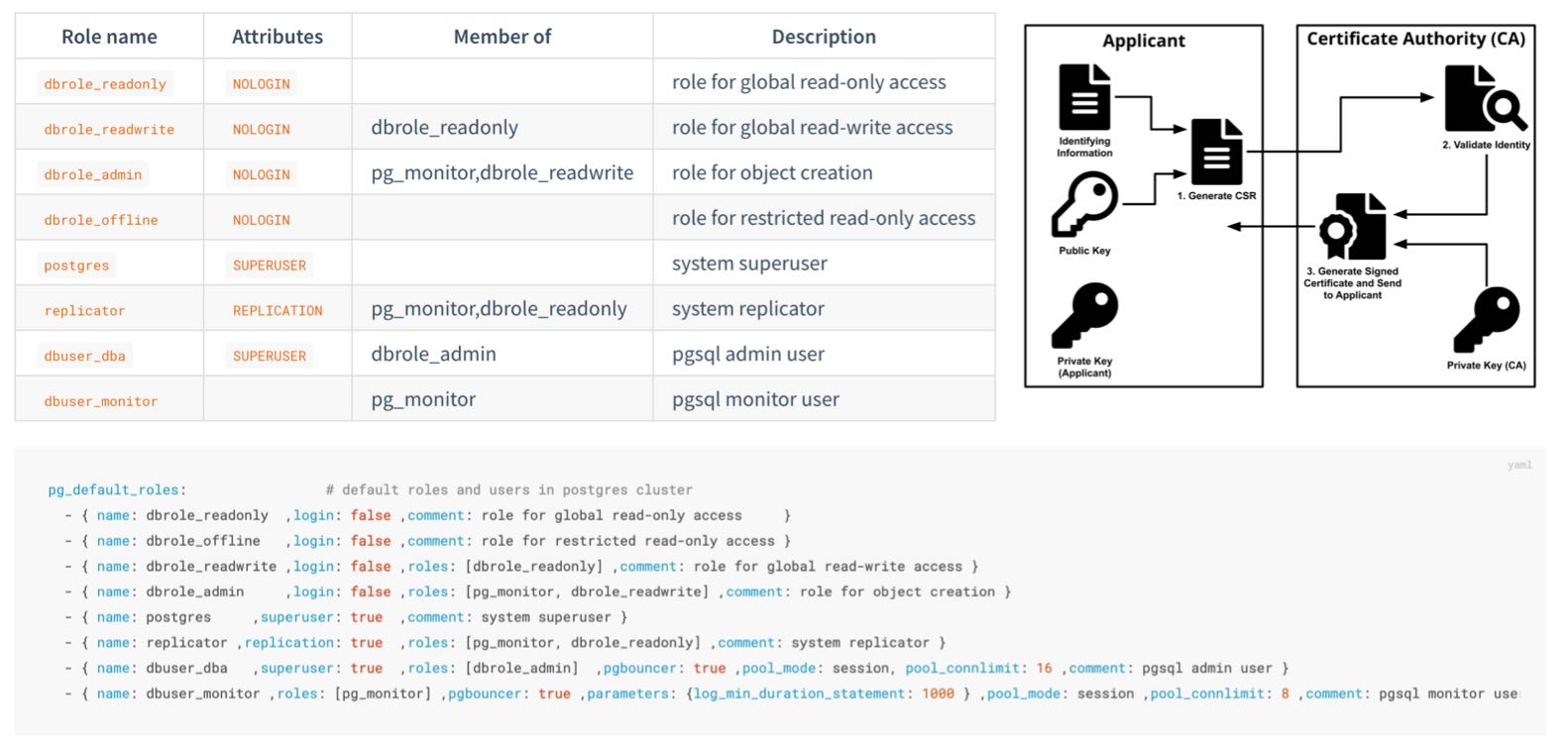
Role System
Pigsty creates four business roles by default. They form privilege groups and cannot log in:
| Role | Attribute | Inherits | Purpose |
|---|---|---|---|
dbrole_readonly | NOLOGIN | — | Global read-only access |
dbrole_readwrite | NOLOGIN | dbrole_readonly | Global DML access; the default choice for application accounts |
dbrole_admin | NOLOGIN | dbrole_readwrite, pg_monitor | Object creation and DDL for administration and release workflows |
dbrole_offline | NOLOGIN | — | Independent read-only role that can be restricted to offline instances through HBA |
Pigsty also creates four system users, each with a specific responsibility:
| User | Attribute | Purpose |
|---|---|---|
postgres | SUPERUSER | Database superuser; no password and local ident login only |
replicator | REPLICATION | Streaming replication and backup, with pg_monitor and read-only privileges |
dbuser_dba | SUPERUSER | Routine administration user that inherits dbrole_admin |
dbuser_monitor | — | Monitoring user with only pg_monitor and read-only privileges |
Application accounts join role groups through the roles field and inherit their privileges:
Customize the declarative role system through pg_default_roles. This parameter replaces the complete list. Retain all required system users and default roles. Also check references in HBA rules, default privileges, and scripts.
Default Privileges
Roles define who receives privileges. Default privileges give newly created objects the required grants automatically.
PostgreSQL provides ALTER DEFAULT PRIVILEGES. Pigsty declares these rules through pg_default_privileges:
The read-only role can query data and execute functions. The read-write role also has DML privileges. The administrator role adds privileges needed for object management.
Ownership Convention
Default privileges apply only to objects created by identities with those defaults configured. Pigsty configures them for:
- the database OS user
pg_dbsu, which defaults topostgres; - the administration user
pg_admin_username, which defaults todbuser_dba; dbrole_admin;- each database owner declared in
pg_databases.
Application DDL should normally run as the declared database owner. Administration and release workflows can use dbuser_dba or first run SET ROLE dbrole_admin. Other users need their own ALTER DEFAULT PRIVILEGES configuration. Otherwise, objects they create do not receive this default privilege model.
PostgreSQL default privileges follow the object creator. They do not propagate automatically from the database or session login name. This is PostgreSQL behavior, not a Pigsty limitation.
Database Isolation
By default, PostgreSQL grants database CONNECT to PUBLIC. If HBA permits it, a login role can enter a database it does not own. Restrict this default when multiple applications share a cluster.
Set revokeconn in a database definition to revoke public connection access:
This revokes CONNECT from PUBLIC. It grants access explicitly to the replication, monitoring, and administration users and the database owner. The owner receives GRANT OPTION and can grant access to others. Without additional grants or inherited roles, app_a cannot connect to app_b.
Cluster initialization also revokes CREATE from PUBLIC on the database and the public schema:
Ordinary users cannot freely create objects in public databases or schemas. This reduces risks from unsafe search_path settings and object shadowing. PostgreSQL 15 restricted the default CREATE privilege on the public schema. Pigsty applies this boundary to all supported major versions.
Offline Role and Instance Isolation
dbrole_offline provides independent read-only privileges for ETL, reporting, and ad hoc queries. It controls object access, not which instance accepts connections.
The default intranet HBA rule for +dbrole_offline has no role filter, so it applies to every instance. To restrict it to pg_role: offline or a replica with pg_offline_query: true, change the complete pg_default_hba_rules list:
pg_default_hba_rules replaces the entire list; do not use the example rule alone. HBA limits expensive queries to offline instances only if it filters by instance role. Users must also lack other inherited roles permitted by broader rules. Add a dedicated service endpoint, connection limits, and query resource controls for resource isolation.
Beyond the Database
Least privilege also applies at the host level:
- The
postgressuperuser has no password and permits only localidentlogin. Its sudo access defaults to required database service and log commands (pg_dbsu_sudo:limit). dbuser_monitorhaspg_monitor, the read-only role, and privileges on themonitorschema. By default, it cannot write business tables.replicatorreceives only directory function privileges needed for backup and recovery, without general superuser access.
Next
- 📖 Complete role and privilege reference: Access Control Configuration
- 🔑 Authentication: the first gate before authorization
- 🔒 Data Security: protection beyond privileges
3.7.4 - Encrypted Communication
TLS can provide transport encryption, server authentication, and client authentication. Configure each protection separately. Enabling server TLS does not make clients verify the server or make the server require client certificates.
Most TLS operational work involves certificate issuance, distribution, trust, and rotation. Without central management, services often skip verification or keep plaintext connections.
Pigsty manages PKI declaratively. Deployment creates a local self-signed CA, issues component certificates, and distributes trust. TLS is then ready for use.
Local CA
During initial deployment, Pigsty checks for a CA on the administration node. It creates one when required:
| File | Description | Permissions |
|---|---|---|
files/pki/ca/ca.key | CA private key and root of trust for the deployment; protect it carefully | 0600, with directory mode 0700 |
files/pki/ca/ca.crt | CA root certificate; safe to distribute | 0644 |
ca_createcontrols CA behavior. Pigsty reuses an existing key and certificate unchanged. If only the key exists, it issues a replacement certificate with that key.ca_create: falseprevents creation of a missing private key. Ifca.keyis absent, deployment stops instead of creating an unexpected trust root. Always back up and restoreca.keyandca.crttogether.ca_cnsets the certificate CN, defaultpigsty-ca. The key is RSA 4096.- The root CA is valid for 100 years. Component certificates default to 20 years (
cert_validity:7300d). The browser-facing Nginx certificate is an exception, with a current default of 397 days.
Long default lifetimes reduce initial maintenance for private infrastructure. Production still needs certificate rotation. Organizations with a certificate policy should shorten lifetimes and monitor expiration.
Trust Distribution
Every node must trust the CA. When managing a node, Pigsty copies the CA certificate to /etc/pki/ca.crt and links it into the OS trust store:
- EL family (RHEL, Rocky, Alma): link under
/etc/pki/ca-trust/source/anchors/and runupdate-ca-trust - Debian and Ubuntu: link under
/usr/local/share/ca-certificates/and runupdate-ca-certificates
Clients that use the OS trust store, such as curl, can then verify Pigsty CA certificates. The Nginx portal also publishes ca.crt at its site root for browsers and external clients.
By default, PostgreSQL libpq clients look for ~/.postgresql/root.crt and use sslmode=prefer. They do not directly use the OS trust store to verify server identity.
Server Identity Verification
Security-sensitive PostgreSQL clients should use sslmode=verify-full and specify the Pigsty CA:
verify-full checks the certificate chain and connection hostname. The server certificate SAN must contain the client’s DNS name or IP address. External clients must install ca.crt or specify it with sslrootcert.
Certificate Matrix
The local CA issues certificates for these components under one trust chain:
| Component | Certificate Identity (CN) | Deployment Path | Encryption State |
|---|---|---|---|
| PostgreSQL | <cluster>-<sequence> | /pg/cert/server.{crt,key} | Server-side SSL enabled by default; HBA determines whether it is mandatory |
| PgBouncer | Reuses the PostgreSQL certificate | /pg/cert/ | TLS disabled by default (pgbouncer_sslmode) |
| Patroni | Reuses the PostgreSQL certificate | /pg/cert/ | API HTTPS disabled by default (patroni_ssl_enabled) |
| etcd | <instance-name> | /etc/etcd/server.{crt,key} | TLS for client and peer traffic |
| Silo | <node-name> | ~minio/.minio/certs/ | Silo HTTPS is enabled by default (minio_https) |
| Kafka | <cluster>-<sequence> | /etc/kafka/pki/kafka.pem | SASL_SSL/SSL with kafka_security: scram; defaults to plaintext |
| MySQL | <instance-name> | /etc/mysql/pki/server.{crt,key} | Secure transport enforced; clients and group replication verify the certificate chain |
| Nginx | pigsty, with portal domains in SAN | /etc/nginx/conf.d/cert/ | HTTPS enabled by default (nginx_sslmode) |
| INFRA node | <node-name> | /etc/pki/infra.{crt,key} | Available to infrastructure components |
These defaults distinguish available TLS from enabled TLS:
- Enabled at deployment: PostgreSQL accepts SSL connections. etcd uses TLS for clients and peers.
- Encrypted by default: Object storage backup traffic through MINIO and Nginx web traffic use HTTPS.
- Available but disabled: Patroni API and PgBouncer TLS is disabled, with certificates already installed. Enable the corresponding parameters.
ha/safeenables both.
SSL support, mandatory encryption, and client verification of server identity are separate states. HBA enforces encryption with auth: ssl or cert. Client sslmode and trust settings control server verification. Default rules require TLS only for administrator connections from arbitrary sources. The safe template uses ssl or cert for main TCP rules. It retains local ident and selected localhost password rules.
Client Certificates
cert.yml issues client certificates. For HBA cert authentication, the certificate CN represents the database user name:
The files are files/pki/misc/<cn>.key and files/pki/misc/<cn>.crt. Deliver private keys through a controlled channel and allow only the corresponding user to read them. Client certificates let the server verify clients. The client must still use verify-full to verify the database server.
Using an Enterprise CA
Pigsty can issue certificates from an existing enterprise CA or an intermediate signed by its root. Put the certificate and private key at these paths. Playbooks reuse an existing CA:
Also set ca_create: false. Deployment then stops if the private key is missing, rather than creating a new trust root. However, an existing key with a missing certificate still causes certificate reissuance. Verify and restore both files together.
Key Protection and Rotation
- The CA private key exists only on the administration node. It and
pigsty.ymlare among the deployment’s highest-trust assets. Keep an offline backup. See Trust Boundaries. - If the CA key is compromised, establish a new trust root and reissue every component and client certificate. Plan a period of trust in both CAs to avoid interrupting all connections together.
- Component certificate sources reside at
files/pki/<component>/on the administration node. Node files are deployment copies. Deleting only a node copy restores the same certificate. To rotate, update or remove the source, rerun the relevant playbook, and reload or roll the component as required.
Next
- 🔑 Authentication: use HBA to decide who must use SSL or client certificates
- 🔒 Data Security: encryption for stored data and backups
- ✅ Compliance: evidence for certificate management
3.7.5 - Data Security
Network boundaries, authentication, and access control reduce incident risk. Data controls must limit damage and support recovery after hardware failure, leaked credentials, or operator errors.
Data security must provide integrity, recoverability, confidentiality if copied, and records of what happened.
Integrity
Bad disk sectors, memory bit flips, and firmware defects can cause silent data corruption, with no immediate error. Pigsty enables pg_checksum: true by default. Initialization uses data-checksums. PostgreSQL calculates each page checksum on write and checks it on read.
Page checksums mainly detect corruption in storage, the I/O path, or pages after writing. They cannot detect every memory error, logical error, or incorrect application write. They do not replace backups.
CRIT requires checksums regardless of the parameter. Its strict synchronous replication (synchronous_mode_strict) blocks writes needing synchronous acknowledgment when no synchronous replica is available. This protects acknowledged transactions under specific conditions. Clients must not reduce synchronous_commit; a synchronous replica must participate in commits. Failover must select a node containing the required WAL. Verify RPO with failure exercises on the target topology.
Recoverability
Replicas mainly handle node failures. Backups cover accidental deletion, logical errors, cluster corruption, and wider disasters. HA can shorten interruptions after primary failure. However, replication copies accidental deletions to every replica, so backups remain essential.
Pigsty enables pgBackRest by default through pgbackrest_enabled. Base backups and continuous WAL archives provide Point-in-Time Recovery. Restore to a target within the retained backup and WAL window.
Select the backup repository with pgbackrest_method:
| Repository | Location | Default Retention | Encryption |
|---|---|---|---|
local (default) | Local /pg/backup directory | Latest 2 full backups | None |
minio | Silo or external S3-compatible object storage | 14 days | AES-256-CBC |
Two additional controls reduce damage from accidental deletion:
- Delayed replica: For a critical cluster, declare
pg_delay: 1h. Before the error replays, pause replication and extract the required data. A delayed replica eventually catches up and does not replace backup. - Removal safeguards: Enabling
pg_safeguardoretcd_safeguardblocks the corresponding removal playbook. This reduces accidental cluster removal.
Test that backups can restore data through routine recovery exercises. See Backup and Recovery for mechanisms and procedures.
Confidentiality
Protect data at rest at three layers:
Backup encryption. pgbackrest_method: minio selects S3-compatible storage. Providers include MINIO-managed Silo, independently managed MinIO or RustFS, and external S3 services. The preset enables AES-256-CBC encryption. Change its public pgBackRest passphrase in production. ha/safe derives an example passphrase from the cluster name:
pgBR.${pg_cluster} is predictable, and configure -g does not replace it. In production, use a unique random passphrase. Store it separately from the backup. Without it, recovery is impossible.
Local backups have no encryption by default. Encryption reduces disclosure if someone copies backup files or media separately. Protection is limited when keys and backups share a host.
Transport encryption. Uploads to Silo or external S3 use HTTPS. HBA can require SSL for PostgreSQL clients and replication. Clients should also verify server certificates. See Encrypted Communication.
Encryption at rest. Upstream PostgreSQL currently lacks general built-in transparent data encryption (TDE). Pigsty offers two options. Use pg_tde with Percona Distribution for PostgreSQL for table-level encryption; see pgtde. Use security extensions such as pgsodium, pgcrypto, and anonymizer for column encryption and masking. The safe template installs this category. Full-disk encryption, such as LUKS or dm-crypt, adds OS-level protection against stolen media.
Audit and Traceability
Incident records must identify who did what and when. Pigsty provides these logging layers:
Default baseline: Log all DDL with log_statement: ddl. Log statements longer than 100 ms with log_min_duration_statement: 100. PostgreSQL 18 and later also record connection authorization.
CRIT template: log_connections and log_disconnections record connection events. PostgreSQL 18 can distinguish receipt, authentication, and authorization.
pgaudit: Install pgaudit and preload it through pg_libs for detailed statement auditing. This includes object reads, writes, and role-based audit classes. The safe template installs the extension. Declare loading and audit policy explicitly.
With INFRA logging enabled and Vector configured, PostgreSQL logs go to VictoriaLogs for centralized storage. Retention defaults to 15 days and can meet other compliance periods. Logs and metrics support search, alerts, and incident reconstruction. Classification, response, and evidence preservation still require an operational process.
Next
- ⏰ Backup and Recovery: PITR principles and practice
- ♾️ High Availability: replicas and backups as complementary safeguards
- ✅ Compliance: audit logs as compliance evidence
3.7.6 - Compliance
Compliance requires continuous evidence of three elements:
- Configuration: Security controls must be enabled. Pigsty directly provides configuration.
- Process: The organization must establish access approval, change management, recovery exercises, and related procedures.
- Evidence: Records must show that configuration and processes remain effective. The inventory, runtime logs, and monitoring system provide part of this evidence.
This page provides a pre-launch checklist and maps Pigsty capabilities to common compliance frameworks. These mappings support architecture and gap analysis. They are not an MLPS assessment, SOC 2 audit opinion, or legal advice.
Default Credentials Checklist
Default credentials are public in documentation and source code. Use them only for demonstrations and local development. Change every applicable default before production or network-exposed deployment:
| Scope | Example Default | configure -g |
|---|---|---|
| Grafana administrator and viewer | pigsty, DBUser.Viewer | Yes |
| HAProxy administration interface | pigsty | Yes |
| PostgreSQL administration, monitoring, and replication users | DBUser.DBA, DBUser.Monitor, DBUser.Replicator | Yes |
| Patroni REST API | Patroni.API | Yes |
| etcd root | Etcd.Root | Yes |
| MINIO module object-storage root | S3User.MinIO | Yes |
| Object-storage backup and example application users | S3User.Backup, S3User.Meta, S3User.Data | Yes |
| Example database users | DBUser.Meta, DBUser.Supa, Vibe.Coding | Yes |
| pgBackRest encryption passphrase | cipher_pass: pgBackRest | No |
Silo users and pgBR.${pg_cluster} in ha/safe | Template example values | No |
| User-defined credentials | Custom values | No |
Use -g to randomize built-in parameters and example strings recognized by the configuration wizard:
The wizard prints generated passwords to the terminal. Protect terminal history and automation logs as sensitive data. Then inspect the configuration. Replace pgBackRest cipher_pass, uncovered MINIO values in ha/safe, and all custom credentials.
Launch Hardening Checklist
Before deployment:
- Define the network boundary. Do not expose database ports publicly. Remove the demo firewall exception for
5432. - Select the built-in CA or enterprise PKI. See Using an Enterprise CA.
- Plan client verification. Set
sslmode=verify-fulland a trusted CA on database clients. - Assign application accounts through the four-tier roles. Declare
expire_in. - Plan the backup repository, retention, encryption passphrase, and off-site copies.
- Decide whether to use
ha/safeand the CRIT parameter template.
After deployment:
- Confirm that all default credentials have changed. Include values covered by
configure -gand uncovered backup, object storage, and custom credentials. - Compare
/pg/data/pg_hba.confwith the declared HBA policy and intended access boundary. - Query effective users, roles, default privileges, and database
CONNECTgrants. Compare them with the inventory. - Run a full backup and recovery exercise to validate the backup path.
- Confirm log collection, monitoring alerts, and notification channels.
Periodically:
- Audit privileges: compare
pg_usersdeclarations with effective grants, and remove expired or departed-user accounts - Rotate credentials and certificates
- Exercise recovery and failover
- Track security updates for Pigsty and upstream components
Compliance Evidence
Use declarative configuration as a starting point for audit evidence. Retain runtime state to prove that the configuration was applied and remains effective.
| Evidence | Source |
|---|---|
| Security baseline and change history | The pigsty.yml inventory and Git history |
| Access-control matrix | pg_default_roles, pg_users, and pg_hba_rules declarations |
| Effective authentication policy | Rendered pg_hba.conf on each instance, compared with declarations to detect drift |
| Effective users and privileges | PostgreSQL catalogs, database ACLs, \du+, and \ddp+ |
| Operation and connection logs | PostgreSQL DDL, slow-query, and connection logs retained in VictoriaLogs |
| Backup records | pgBackRest information and monitoring dashboards |
| Security incidents and alerts | Monitoring alert history |
| Certificate inventory | files/pki/ and deployed component certificates |
MLPS Level 3 Mapping
This table maps database-related capabilities to the secure computing environment controls in GB/T 22239-2019 Level 3:
| Control | Pigsty Capability | Additional Requirement |
|---|---|---|
| Unique identity | Independent accounts and SCRAM-SHA-256 password storage | Real-name account management process |
| Password complexity and rotation | passwordcheck, credcheck, and expire_in | Enable extensions and establish a rotation process |
| Login failure handling | Can be implemented with credcheck and related extensions | Enable and configure as required |
| Access control and least privilege | Four-tier roles, default privileges, and database isolation | Privilege approval workflow |
| Security audit | DDL, connection, and slow-query logs; pgaudit; centralized retention | CRIT or manual connection logging; required retention period |
| Communication confidentiality | Local CA and TLS; HBA-enforced ssl or cert | Enforce TLS, client verify-full, and certificate rotation |
| Data integrity | Page checksums by default and strict synchronous replication with CRIT | Storage protection, defined failure model, and exercises |
| Data confidentiality | AES-encrypted backup plus TDE and column-encryption options | Enable as required |
| Backup and recovery | pgBackRest, PITR, and a remote S3-compatible repository | Recovery exercise process |
| Residual information protection | — | Media destruction and erasure process |
MLPS also covers physical security, networks, and management systems beyond a database distribution. Pigsty supports database-related technical controls. The overall system must address facilities, network devices, and governance.
SOC 2 Mapping
Database-related controls in the SOC 2 Trust Services Criteria (TSC) include:
| Criterion | Pigsty Capability | Additional Requirement |
|---|---|---|
| CC6.1 Logical access security | HBA, RBAC, default privileges, and database isolation | Privilege design, approval, and periodic review |
| CC6.2 User registration and authorization | Declarative users, roles, and expiration | Joiner, mover, leaver, and identity-verification process |
| CC6.3 Access changes and revocation | pg_users, role changes, REVOKE, and expiration | Tickets, approval evidence, and timely revocation |
| CC6.6 External boundary threats | Firewalls, listen addresses, HBA, and restricted management ingress | Network architecture, boundary devices, and continuous validation |
| CC6.7 Information transmission and movement | TLS, client verification, and backup encryption | Policies for exports, media, and third-party transfer |
| CC7.2 System monitoring | Victoria observability stack with extensive metrics and alerts | Alert-response process |
| CC7.3 Incident traceability | Centralized logs and audit extensions | Log-review process |
| A1.2 Availability and recovery | High Availability and PITR | Exercise records and RTO/RPO objectives |
Supply Chain and Vulnerability Response
Compliance reviews also cover the software supply chain. Pigsty provides these distribution and response controls:
Package integrity: Pigsty repository RPM and DEB packages (repo.pigsty.io, repo.pigsty.cc) are GPG-signed. Verify fingerprint 9592 A7BC 7A68 2E73 3337 6E09 E793 5D8D B9BD 8B20 (B9BD8B20) before trusting the key. Deployment-generated repository definitions and the INFRA node local repository do not enforce verification for every package by default. In production, review package-manager trust and signature settings.
Vulnerability response: Report issues privately through GitHub vulnerability reporting or email as specified in SECURITY.md. The project targets acknowledgment within three business days and initial assessment within seven days.
Version support: Security fixes ship in the latest stable release. Update to receive them. Subscription services provide extended support for users who must retain a version longer.
Next
- 🛡️ Security Model: from the default baseline to hardening levels
- 🔰 Security Recommendations: minimum hardening for quick-start deployments
- 📄
ha/safeTemplate: hardening configuration example
4 - About
4.1 - Features
“PostgreSQL In Great STYle”: Postgres, Infras, Graphics, Service, Toolbox, it’s all Yours.
—— Battery-included, local-first PostgreSQL distribution, open-source RDS alternative
Value Propositions
- Extensibility: Powerful extensions out of the box: deep integration of PostGIS, TimescaleDB, Citus, PGVector, 600 plugins, and 12 PG kernels.
- Reliability: Quickly create high-availability, self-healing PostgreSQL clusters with built-in point-in-time recovery, access control, a self-signed CA, and TLS.
- Observability: Prometheus and Grafana provide a modular monitoring stack that can operate independently. See the Gallery and Demo.
- Availability: Deliver stable, reliable, auto-routed, transaction-pooled, read-write separated high-performance database services, with flexible access modes via HAProxy, Pgbouncer, and VIP.
- Maintainability: Easy to use, Infrastructure as Code, Management SOPs, auto-tuning, local software repository, Vagrant sandbox and OpenTofu templates, zero-downtime migration solutions.
- Composability: Modular architecture design, reusable Infra, various optional modules: Redis, Silo object storage, ETCD, DuckDB, Docker, Supabase.
Overview
Pigsty is a local, open-source alternative to PostgreSQL RDS:
- Battery-Included RDS: From kernel to RDS distribution, providing production-grade PG database services for versions 14-18 on EL/Debian/Ubuntu.
- Rich Extensions: 600 extensions provide distributed, time-series, geospatial, graph, vector, and multi-model capabilities.
- Flexible Modular Architecture: Compose Redis, Etcd, and Silo object-storage modules with PostgreSQL modes such as Mongo; monitor existing RDS, hosts, and databases independently.
- Stunning Observability: Monitor databases with the Prometheus/Grafana observability stack.
- Battle-Tested Reliability: Self-healing high-availability architecture: automatic failover on hardware failure, seamless traffic switching. With auto-configured PITR as safety net for accidental data deletion!
- Easy to Use and Maintain: Declarative APIs, GitOps, Database/Infra-as-Code, and management SOPs simplify operations.
- Solid Security Practices: HBA, ACL, TLS, backup, logging, and host-firewall foundations, with explicit default boundaries and production hardening requirements.
- Broad Application Scenarios: Low-code data application development, or use preset Docker Compose templates to spin up massive software using PostgreSQL with one click!
- Open-Source Free Software: Own better database services at less than 1/10 the cost of cloud databases! Truly “own” your data and achieve autonomy!
PostgreSQL integrates ecosystem tools and best practices:
- Out-of-the-box PostgreSQL distribution, deeply integrating 600 packaged extensions for geospatial, time-series, distributed, graph, vector, search, and AI!
- Runs on bare operating systems without container support, supporting mainstream operating systems: EL 8/9/10, Ubuntu 22.04/24.04/26.04, and Debian 12/13.
- Based on patroni, haproxy, and etcd, creating a self-healing high-availability architecture: automatic failover on hardware failure, seamless traffic switching.
- Combines pgBackRest with optional Silo object storage to provide out-of-the-box point-in-time recovery (PITR), protecting against software defects and accidental data deletion.
- Based on Ansible providing declarative APIs to abstract complexity, greatly simplifying daily operations management in a Database-as-Code manner.
- Pigsty has broad applications, can be used as complete application runtime, develop demo data/visualization applications, and massive software using PG can be spun up with Docker templates.
- Provides Vagrant-based local development and testing sandbox environment, and Terraform-based cloud auto-deployment solutions, keeping development, testing, and production environments consistent.
- Run PostgreSQL in Mongo-compatible mode with DocumentDB and the FerretDB Docker APP
Battery-Included RDS
Run production PostgreSQL services on your own infrastructure.
PostgreSQL provides the database kernel. A database service also needs operational tools, which Pigsty integrates. These include extension installation, connection pooling, load balancing, service access, high availability, failover, logs, metrics, and alerts. Pigsty also provides backups, recovery, PITR, access control, tuning, encryption, certificates, NTP, and DNS. Configuration management, CMDB, and management playbooks complete the service infrastructure.
Pigsty supports PostgreSQL 14 ~ 18 and compatible forks on EL, Debian, Ubuntu, and compatible distributions. It supports x86_64 and ARM64 without requiring containers. Alongside kernels and extensions, it supplies database infrastructure and runtime services. It includes automatic deployment for local sandboxes, production environments, and cloud IaaS.
Pigsty can initialize an environment from bare metal with one command. Developers and operations engineers can use it to manage production databases without dedicated database experts.
Rich Extensions
Combine multiple data models and database workloads in PostgreSQL.
Pigsty integrates 600 extensions from the PostgreSQL extension ecosystem. These provide ready-to-use support for multiple data models.
Extensions can work together to provide combined capabilities. Use PostGIS for geospatial data and TimescaleDB for time-series and event analysis. Add Citus for a distributed geospatial and temporal database. Use PGVector for embeddings and ParadeDB for ElasticSearch-level full-text search. Combine SQL, full-text, and approximate vector search for hybrid queries. pg_duckdb, pg_mooncake, and other extensions provide dedicated OLAP and data lakehouse analytical performance.
Using PostgreSQL in place of separate MySQL, Kafka, ElasticSearch, MongoDB, and big data analysis systems can simplify architecture. This approach improves development efficiency and agility. It can reduce software, hardware, development, and operations costs.
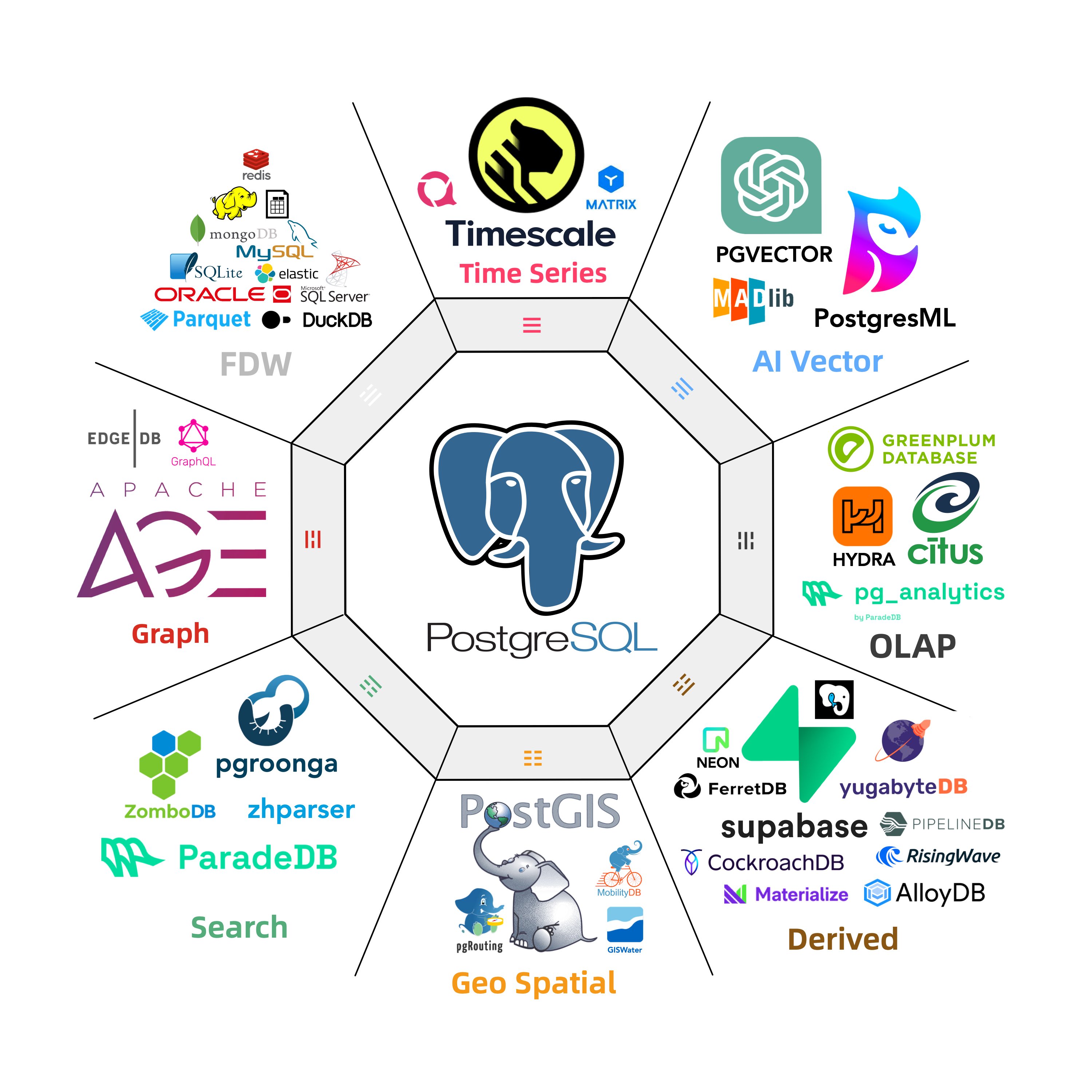
Flexible Modular Architecture
Flexible composition, free extension, multi-database support, monitor existing RDS/hosts/databases
Pigsty components are independently deployable modules. Combine them for your requirements. INFRA provides monitoring; NODE configures and manages nodes. PGSQL on multiple nodes forms a primary-replica HA cluster. ETCD provides its consensus and metadata storage.
Optional modules extend the four core modules. MINIO deploys Silo for local object storage and centralized database backups. REDIS provides standalone primary-replica, sentinel, and native cluster modes. DOCKER runs stateless applications.
Pigsty supports compatible PostgreSQL kernels and derivatives. Babelfish provides MS SQL Server compatibility; IvorySQL provides Oracle compatibility. OpenHaloDB provides MySQL compatibility. OrioleDB targets high OLTP performance.
Furthermore, you can use PostgreSQL Mongo mode for MongoDB compatibility, Supabase for Firebase compatibility, and PolarDB to meet domestic compliance requirements.
Message queues are covered by the KAFKA module, which deploys Kafka 4.x dynamic KRaft clusters.
More professional/pilot modules will be continuously introduced to Pigsty, such as GPSQL, DUCKDB, TIGERBEETLE, KUBERNETES, CONSUL, GREENPLUM, CLOUDBERRY, MYSQL, …
Stunning Observability
Monitor PostgreSQL with an integrated open-source observability stack.
Pigsty monitoring uses Grafana for visualization, VictoriaMetrics for metrics, and VictoriaLogs for log collection and queries. Alertmanager sends alerts, and Blackbox Exporter checks service availability. The INFRA module deploys this Grafana / Prometheus-compatible stack with one command.
Pigsty automatically monitors every managed component: host nodes, HAProxy load balancers, PostgreSQL databases, PgBouncer connection pools, Etcd metadata stores, Redis-compatible caches, Silo object storage, and the monitoring infrastructure itself. Grafana dashboards and preset alert rules provide immediate operational visibility. The same stack can also monitor applications, existing database instances, and cloud RDS services.
Monitoring supports failure analysis, slow query optimization, capacity assessment, and resource planning. More than three thousand metric types describe the system. Pigsty processes, aggregates, and presents them in dashboards. Views range from global summaries to CRUD details for tables, indexes, and functions. Navigate between levels and objects to examine current state and history and estimate future trends.
The monitoring module can be used independently for existing hosts, database instances, and cloud RDS. One connection string and one command configure PostgreSQL monitoring.
Visit the Screenshot Gallery and Online Demo for more details.
Battle-Tested Reliability
High availability and point-in-time recovery are included.
For table/database drops caused by software defects or human error, Pigsty provides out-of-the-box PITR point-in-time recovery capability, enabled by default without additional configuration. As long as storage space allows, base backups and WAL archiving based on pgBackRest let you quickly return to any point within the recovery window. You can use local directories/disks, Silo deployed by the MINIO module, or external S3-compatible object-storage services to retain longer recovery windows, according to your budget.
Pigsty provides a high-availability self-healing architecture based on Patroni, etcd, and HAProxy. When the node, network, quorum, and synchronous-replica assumptions hold, it can fail over the primary automatically. Actual RTO and RPO depend on replication mode, failure type, timeout settings, and client reconnection behavior.
HAProxy switches traffic automatically and supports client access through DNS, VIP, LVS, and other methods. Failover and switchover cause brief interruptions without requiring new connection strings or application restarts. Small maintenance windows support rolling cluster maintenance and upgrades without application coordination. Hardware repair can wait while redundant nodes provide service. Production users include large organizations and core institutions.
The largest deployment has 25K CPU cores and 200+ large PostgreSQL instances. It maintained availability above 99.999% over six to seven years despite dozens of hardware failures, other incidents, and several DBA changes.
Easy to Use and Maintain
Infra as Code, Database as Code, declarative APIs encapsulate database management complexity.
Pigsty uses declarative inventories to describe the required database cluster. Its playbooks implement that state. This resembles Kubernetes CRDs and Operators, but applies to databases and infrastructure on containers, virtual machines, or physical machines.
To create or remove clusters, replicas, databases, users, services, extensions, or whitelist rules, edit the inventory and run the idempotent playbooks. Pigsty adjusts the system to the declared state. It tunes settings for the hardware. Users specify cluster names, instances, hosts, and a transaction, analytics, critical, or tiny template. Developers can manage these tasks themselves. Detailed parameters also support custom DBA requirements.
Pigsty can install with one command and prepackaged dependencies, without internet access. Vagrant or Terraform templates can provision the required machines. A complete local laptop or cloud VM deployment takes about ten minutes. A 1-core 2GB sandbox VM simulates production features for development, testing, demonstrations, and learning.
Solid Security Practices
Pigsty provides the security foundations required for database deployment. Access controls include layered HBA, built-in roles and default privileges, and SCRAM-SHA-256. Other mechanisms include page checksums, a local CA, component certificates, backup, PITR, centralized logs, and firewall configuration.
The defaults target development, testing, and demonstrations on a trusted intranet. Production deployments must replace public credentials, review network boundaries, enforce TLS where required, configure server-certificate verification, and establish backup recovery, privilege review, and incident-response processes.
Security and Compliance documents each mechanism’s default state and boundary. Security Considerations provides production hardening guidance, and Compliance maps relevant controls to MLPS and SOC 2. Whether a deployment meets a specific requirement depends on scope, organizational process, continuous evidence, and the auditor’s conclusion.
Broad Application Scenarios
Deploy PostgreSQL applications with preset Docker templates.
The database is often the most complex part of a data application. For example, a core difference between GitLab Enterprise and Community Edition is PostgreSQL monitoring and high availability. A local PostgreSQL RDS can replace paid application-specific database management components.
Pigsty supplies the Docker module and ready-to-use Compose templates. Use managed HA PostgreSQL, Redis, and Silo as backend storage for stateless applications. Examples include GitLab, Gitea, Wiki.js, NocoDB, Odoo, Jira, Confluence, Harbor, Mastodon, Discourse, KeyCloak, and Mattermost. Pigsty can simplify deployment when applications require reliable PostgreSQL.
Pigsty includes PGAdmin4, PGWeb, ByteBase, PostgREST, and Kong development tools. It also supports PostgreSQL-backed systems such as EdgeDB, FerretDB, and Supabase. Use built-in Grafana and PostgreSQL to create interactive data applications with little code. ECharts panels provide additional interactive visualizations.
Pigsty provides a runtime for AI applications. Agents can use PostgreSQL and observability services to build data-driven applications.
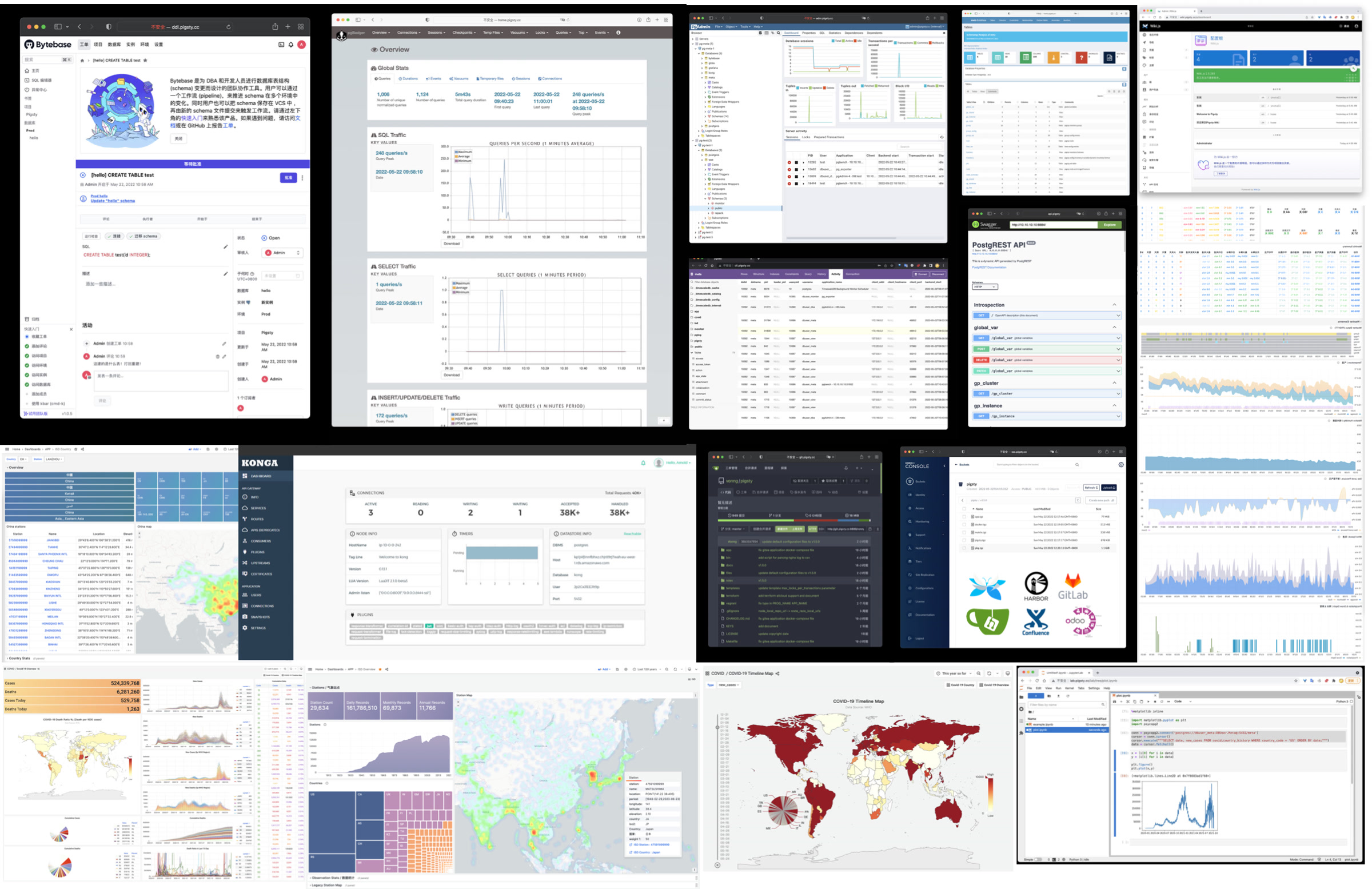
Open-Source Free Software
PostgreSQL community members develop Pigsty as free software under Apache-2.0.
Pigsty is open-source and free. It provides enterprise PostgreSQL services near hardware cost without requiring database experts. Vendor enterprise services and public cloud RDS charge premiums of several to over ten times hardware cost.
Many users choose cloud databases because they cannot manage databases themselves or lack alternatives. Pigsty aims to provide a cloud-neutral, better open-source RDS alternative. It follows upstream PostgreSQL without vendor lock-in, license fees, node limits, or data collection. Users retain control of their data.
Pigsty automates manual database operations, but rare cases still need expert help. Subscription services provide this support for enterprise users. Consulting fees of tens of thousands are less than one-thirtieth of a top DBA’s annual salary. For community users, we contribute support through free assistance and daily Q&A.
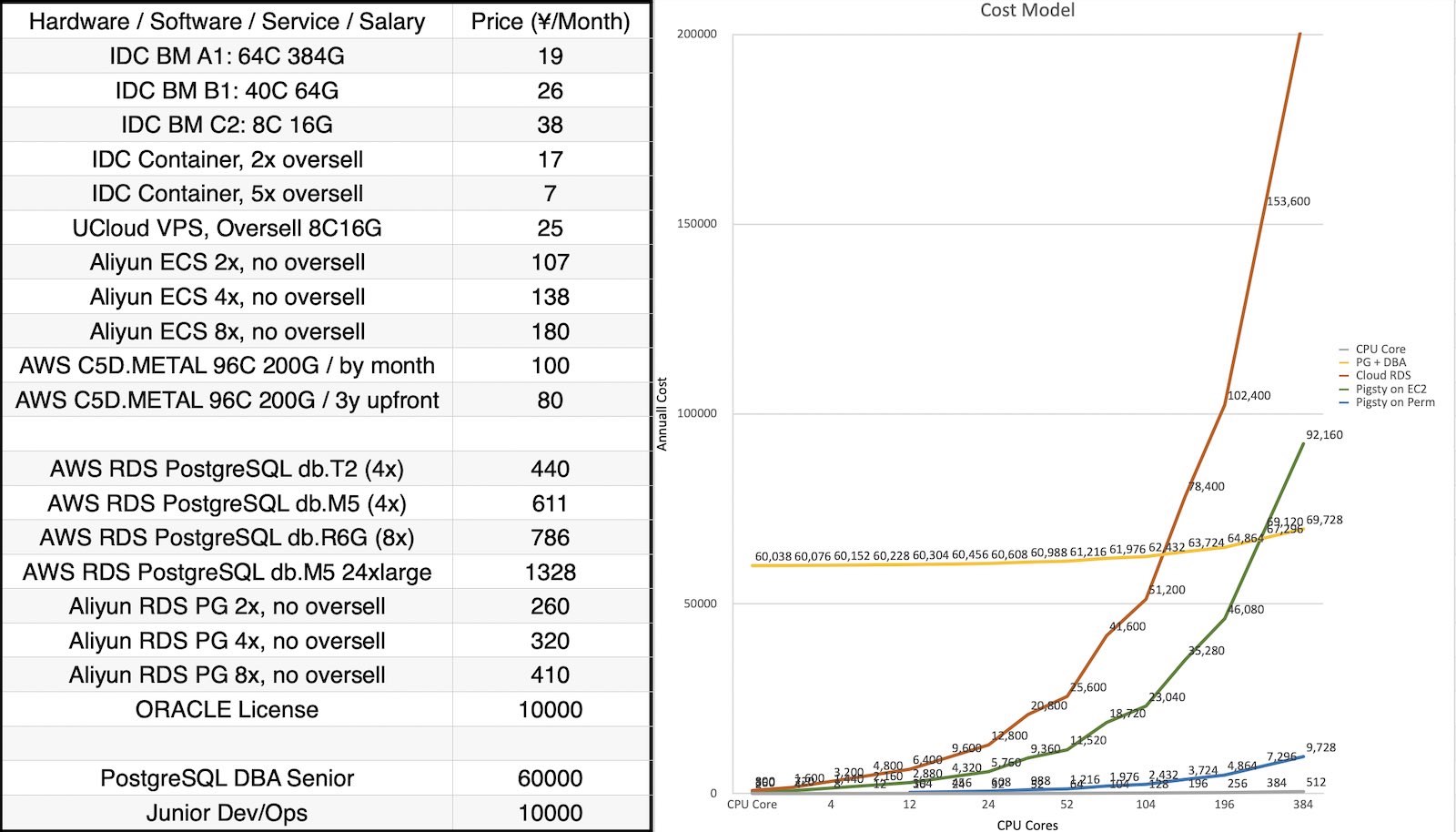
tooltip: { trigger: axis, formatter: $fn:ttfmt }
legend: { top: 4, itemGap: 16, data: [Oracle, Open-Source PG, Cloud RDS, Pigsty over IaaS, Pigsty over IDC ] }
grid: { left: 96, right: 36, bottom: 70, top: 50 }
xAxis:
type: category
name: CPU Cores
nameLocation: middle
nameGap: 36
boundaryGap: false
data: [2, 4, 8, 12, 16, 24, 32, 52, 64, 104, 128, 196, 256, 384, 512]
yAxis:
type: log
logBase: 10
min: 10
name: Monthly Cost (CNY)
axisLabel: { formatter: $fn:yfmt }
splitLine: { show: true, lineStyle: { type: dashed, opacity: 0.5 } }
series:
- { name: Oracle, type: line, symbolSize: 7, lineStyle: { width: 3 }, itemStyle: { color: "#d62728" }, data: [45000, 65000, 105000, 145000, 185000, 265000, 345000, 545000, 665000, 1065000, 1305000, 1985000, 2585000, 3865000, 5145000] }
- { name: Cloud RDS, type: line, symbolSize: 6, lineStyle: { width: 2 }, itemStyle: { color: "#ff7f0e" }, data: [800, 1600, 3200, 4800, 6400, 9600, 12800, 20800, 25600, 41600, 51200, 78400, 102400, 153600, 204800] }
- { name: Pigsty over IaaS, type: line, symbolSize: 6, lineStyle: { width: 2 }, itemStyle: { color: "#2ca02c" }, data: [360, 720, 1440, 2160, 2880, 4320, 5760, 9360, 11520, 18720, 23040, 35280, 46080, 69120, 92160] }
- { name: Pigsty over IDC, type: line, symbolSize: 6, lineStyle: { width: 2 }, itemStyle: { color: "#9467bd" }, data: [38, 76, 152, 228, 304, 456, 608, 988, 1216, 1976, 2432, 3724, 4864, 7296, 9728] }4.2 - History
Historical Origins
Pigsty began in 2018-2019 at Tantan. Tantan is a dating app similar to Tinder in China, later acquired by Momo. Its founding engineering team was Swedish, and its startup culture followed a Nordic model.
Tantan used PostgreSQL and Go as its core stack. Its architecture followed Instagram and centered on PostgreSQL. It served several million daily active users, millions of TPS, and hundreds of TB of data. The data layer used only PostgreSQL. PG stored procedures implemented almost all business logic, including 100ms recommendation algorithms. This was arguably one of China’s most complex large-scale PostgreSQL deployments at the time.
This extensive use of PostgreSQL features required strong engineering and DBA skills. Pigsty grew from operating these large database clusters with demanding requirements. It incorporates the team’s PostgreSQL experience and operational practices.
Development Process
Pigsty started as an internal PostgreSQL monitoring system, with a smaller scope than today. We evaluated open-source, commercial, and cloud tools, including datadog and pgwatch. None met our observability requirements. I built a Grafana and Prometheus solution that became the Pigsty prototype. This monitoring system helped resolve many management problems.
Developers then requested the same monitoring on local machines. We wrote Ansible provisioning playbooks to make deployment repeatable. Later versions used Vagrant and Terraform for Infrastructure as Code. Users could create local DevBox machines or production servers with PostgreSQL and monitoring deployed automatically.
We then redesigned production PostgreSQL architecture around Patroni and pgBackRest. They provided high availability and point-in-time recovery. We developed a zero-downtime migration method with logical replication and blue-green deployment. We used it to upgrade two hundred production database clusters to the latest major version. These capabilities became part of Pigsty.
We built Pigsty for our own use. As both developers and users, we understood the requirements and avoided shortcuts. We used automation without concern that it would replace our jobs.
We added each operational solution to Pigsty. It grew from a monitoring system into a ready-to-use PostgreSQL distribution. We released it as open source and shared technical material. Users from other industries adopted it and provided feedback.
Full-Time Entrepreneurship
In 2022, the Pigsty project received seed funding from Miracle Plus, initiated by Dr. Qi Lu, allowing me to work on this full-time.
During full-time development, GitHub stars grew from a few hundred to 5,213 as of 2026-07-11. Pigsty appeared on the HN front page, and adoption accelerated. In November 2025, it won the Magneto Award at the PostgreSQL Ecosystem Conference. In 2026, its PGEXT.CLOUD subproject was selected for a PGCon.Dev 2026 talk. Pigsty became the first Chinese open-source project represented at this core PostgreSQL ecosystem conference.
Pigsty initially supported only CentOS 7. It now supports EL, Debian, and Ubuntu across 16 operating system platforms, with PostgreSQL major versions 14-18. We integrate 600 PostgreSQL extensions. I personally maintain more than half (360+), with ready-to-use RPM/DEB packages. These packages and Pigsty itself are our contributions back to the open-source PostgreSQL ecosystem.
Pigsty has evolved from a PostgreSQL distribution into an open-source cloud database. It aims to match the full database service offerings of cloud vendors.
Rebel Against Public Clouds
AWS, Azure, GCP, and Aliyun make infrastructure convenient for startups. However, their services are closed-source and require ongoing rental fees that we consider excessive.
We believe high-quality database services should be as accessible as database kernels. Users should not have to rent them at high prices.
Cloud computing provides agility and elasticity. We believe these benefits should also be free, open-source, inclusive, and local-first. An open-source alternative should return infrastructure control to users while retaining cloud benefits.
We support a movement to leave public clouds and change how the industry values infrastructure ownership.
Our Vision
I want everyone to have practical freedom to use high-quality services. Access should not depend on renting from a few large public cloud vendors.
Pigsty aims to provide a better, free and open-source RDS alternative. Its goal is one-click database deployment anywhere, including cloud servers, with capabilities beyond cloud RDS.
Pigsty complements PostgreSQL and challenges cloud database services. Its name means “pigsty” and abbreviates Postgres In Great STYle: “PostgreSQL in its full glory.”
Pigsty is free and open-source software. Its aim is to provide a strong PostgreSQL service without requiring database experts. Premium consulting services fund development and provide further improvements, warranty, answers, and expert support.
A well-built system can run for years without expert intervention. However, database failures can have serious consequences. Expert help can resolve difficult incidents. We believe paid consulting supports a fair and sustainable open-source model.
About the Team
I am Feng Ruohang, the author of Pigsty. Almost all of Pigsty’s code is developed by me alone.
Individual developers can create distinctive software. I hope Pigsty becomes such a project.
If you’re interested in me, here’s my personal homepage: https://vonng.com/
“Modb Interview with Feng Ruohang” (Chinese)
“Post-90s, Quit to Start Business, Says Will Crush Cloud Databases” (Chinese)
4.3 - News & Events
Recent News
2026-08-15: Pigsty v4.5.0 officially released: Kafka, MySQL, Valkey, Silo, and 575 extensions
- Release Blog: Pigsty v4.5 Release Article
- Release Notes: v4.5.0
- Highlights: Kafka KRaft and MySQL 8.4 pilot modules, Valkey in REDIS, Silo as the MINIO backend, 575 total extensions, cluster-identity-aware orchestration, and offline packages for all seven recommended OS versions.
2026-07-10: Pigsty v4.4.0 officially released: PG19 beta support and 531 extensions
- Release Notes: v4.4.0
- Highlights: PostgreSQL 18.4 / 19 beta support, 531 total extensions, kernel and package updates, and Pig CLI improvements.
2026-05-01: Pigsty v4.3.0 officially released: 510 extensions, Ubuntu 26 support
- Release Notes: v4.3.0
- Highlights: Infra / PGSQL / kernel package batch updates, Ubuntu 26.04 offline package coverage, and 510 total extensions.
2026-03-06: Pigsty v4.2.1 released! Drop PG13, 464 extensions
- Release Notes: v4.2.1
2026-02-28: Pigsty v4.2 is officially released! Seven kernel updates shipped together
- Release Blog: Pigsty v4.2 Release Article
- Release Notes: v4.2.0
2026-02-12: Pigsty v4.1 is officially released! First distribution batch with PostgreSQL 18.2 support
- Release Blog: Pigsty v4.1 Release Article
- Release Notes: v4.1.0
- Pigsty minor-release support is now available: 18.2…
2026-02-04: Extension for Everyone selected as a PGCon.Dev 2026 talk!
2026-02-03: Pigsty v4.0 Released! Entering the Agent era!
- PostgreSQL official news: “Pigsty v4.0 Released: Ready for the Agent Era”
- Victoria observability revolution, security hardening, new JUICE/VIBE modules, container support, license switched to Apache-2.0
- Release Notes: v4.0.0
- Release Blog: Pigsty v4.0: Entering the AI Era
2026-01-30: PIG v1.0 Released! Launched together with the PGEXT.CLOUD extension catalog
- PostgreSQL official news: “PIG v1.0 Released with PGEXT.CLOUD: 444 PG extensions on 14 Linux”
- PostgreSQL extension package manager pig v1.0 is GA, with PGEXT.CLOUD open extension infrastructure and 444 extensions
2025-12-02: Pigsty v3.7.0 Released! PG18 becomes default, 437 extensions, EL10/Debian13 support
- Release Notes: v3.7.0
2025-11-29: Pigsty won the PostgreSQL Magneto Award!
- The 8th Conference of PostgreSQL Ecosystem (Hangzhou, China)
- Topics: “A World-Grade Postgres Meta Distribution”, AI database considerations, PostgreSQL delivery best practices
2025-08-15: Pigsty v3.6.1 Released! Routine PG minor update, PGDG China regional mirrors
- Release Notes: v3.6.1
2025-08-04: Pigsty v3.6.0 Released! PostgreSQL meta-distribution
- PostgreSQL official news: “Pigsty 3.6, the meta-distribution for PostgreSQL”
- pgactive multi-primary replication, MinIO/ETCD improvements, simplified installation, configuration cleanup
- Release Notes: v3.6.0
2025-06-16: Pigsty v3.5.0 Released! PG18 beta support, 421 extensions, monitoring upgrade, code refactor
- Release Notes: v3.5.0
2025-04-21: Pigsty v3.4 Released! MySQL compatibility
- PostgreSQL official news: “Pigsty v3.4 Released, PG RDS with MySQL Compatibility”
- OpenHalo/OrioleDB support, better backups, automatic Certbot certificates, AGE extension
- Release Notes: v3.4.1 / v3.4.0
2025-03-07: Pigsty v3.3.0 Released! 404 extensions
- PostgreSQL official news: “Pigsty v3.3 Release: with 404 PostgreSQL Extensions”
- Odoo/Dify/Supabase app templates, DocumentDB support
- Release Notes: v3.3.0
2025-01: Pigsty v3.2.x release series (v3.2.0 ~ v3.2.2)
PostgreSQL Package Manager
pigReleased!2024-11: Pigsty v3.1.0 Released! PG17 default, self-hosted Supabase, ARM/Ubuntu24 support
- PostgreSQL official news: “Pigsty v3.1 Release: PG17, Duck Extensions, Self-hosting Supabase, ARM & Ubuntu24”
- Blog Post: “Pigsty v3.1: Self-hosted Supabase, PG17 Default, MinIO Improvements, ARM & Ubuntu24 Support”
- Release Notes: v3.1.0
2024-08 ~ 2024-10: Pigsty v3.0.x release series (v3.0.0 ~ v3.0.4)
- PostgreSQL official news: “Pigsty v3: 336 extensions and MSSQL/Oracle flavor PG kernels!”
- 333 extensions, replaceable kernels, MSSQL/Oracle/PolarDB compatibility, PG17 extensions
- Release Notes: v3.0.0 ~ v3.0.4
- Feature Introduction: Pigsty v3.0.0
2024-08: Pigsty supplementary repository provides 254 additional ready-to-use binary RPM/DEB extensions!
- PostgreSQL official news: “Pigsty Supplementary APT/YUM Repository with 254 additional PostgreSQL Extensions!”
2024-05: Pigsty v2.7 Released!
- PostgreSQL official news: “Pigsty v2.7 Released, free RDS PG with 255 extensions available”
- Pigsty Blog: Pigsty v2.7: The Great Integration
2024-02: Pigsty v2.6 Released!
- PostgreSQL official news: “Pigsty, Battery-included PostgreSQL Distro & Free RDS Alternative, v2.6 released!”
- Pigsty Blog: Pigsty v2.6: PG Challenges OLAP
Conferences & Talks
| Date | Type | Event | Topic |
|---|---|---|---|
| 2025-11-29 | Award&Talk | The 8th Conf of PG Ecosystem (Hangzhou) | PostgreSQL Magneto Award, A World-Grade Postgres Meta Distribution |
| 2025-05-16 | Lightning | PGConf.Dev 2025, Montreal | Extension Delivery: Make your PGEXT accessible to users |
| 2025-05-12 | Keynote | PGEXT.DAY, PGCon.Dev 2025 | The Missing Package Manager and Extension Repo for PostgreSQL Ecosystem |
| 2025-04-19 | Workshop | PostgreSQL Database Technology Summit | Using Pigsty to Deploy PG Ecosystem Partners: Dify, Odoo, Supabase |
| 2025-04-11 | Live Host | OSCHINA Data Intelligence Talk | Is the Viral MCP Hype or Revolutionary? |
| 2025-01-15 | Live Stream | Open Source Veterans & Newcomers Episode 4 | PostgreSQL Extensions Devouring DB World? PG Package Manager pig & Self-hosted RDS |
| 2025-01-09 | Award | OSCHINA 2024 Outstanding Contribution Expert | Outstanding Contribution Expert Award |
| 2025-01-06 | Panel | China PostgreSQL Database Ecosystem Conference | PostgreSQL Extensions are Devouring the Database World |
| 2024-11-23 | Podcast | Tech Hotpot Podcast | From the Linux Foundation: Why the Recent Focus on ‘Chokepoints’? |
| 2024-08-21 | Interview | Blue Tech Wave | Interview with Feng Ruohang: Simplifying PG Management |
| 2024-08-15 | Tech Summit | GOTC Global Open Source Technology Summit | PostgreSQL AI/ML/RAG Extension Ecosystem and Best Practices |
| 2024-07-12 | Keynote | 13th PG China Technical Conference | The Future of Database World: Extensions, Service, and Postgres |
| 2024-05-31 | Unconference | PGCon.Dev 2024 Global PG Developer Conference | Built-in Prometheus Metrics Exporter |
| 2024-05-28 | Seminar | PGCon.Dev 2024 Extension Summit | Extension in Core & Binary Packing |
| 2024-05-10 | Live Debate | Three-way Talk: Cloud Mudslide Series Episode 3 | Is Public Cloud a Scam? |
| 2024-04-17 | Live Debate | Three-way Talk: Cloud Mudslide Series Episode 2 | Are Cloud Databases a Tax on Intelligence? |
| 2024-04-16 | Panel | Cloudflare Immerse Shenzhen | Cyber Bodhisattva Panel Discussion |
| 2024-04-12 | Tech Summit | 2024 Data Technology Carnival | Pigsty: Solving PostgreSQL Operations Challenges |
| 2024-03-31 | Live Debate | Three-way Talk: Cloud Mudslide Series Episode 1 | Luo Selling Cloud While We’re Moving Off Cloud? |
| 2024-01-24 | Live Host | OSCHINA Open Source Talk Episode 9 | Will DBAs Be Eliminated by Cloud? |
| 2023-12-20 | Live Debate | Open Source Talk Episode 7 | To Cloud or Not: Cost Cutting or Value Creation? |
| 2023-11-24 | Tech Summit | Vector Databases in the LLM Era | Panel: New Future of Vector Databases in the AI Age |
| 2023-09-08 | Interview | Motianlun Feature Interview | Feng Ruohang: A Tech Enthusiast Who Makes Great Open Source Founders |
| 2023-08-16 | Tech Summit | DTCC 2023 | DBA Night: PostgreSQL vs MySQL Open Source License Issues |
| 2023-08-09 | Live Debate | Open Source Talk Episode 1 | MySQL vs PostgreSQL: Which is World’s No.1? |
| 2023-07-01 | Tech Summit | SACC 2023 | Workshop 8: FinOps Practice: Cloud Cost Management & Optimization |
| 2023-05-12 | Meetup | PostgreSQL China Wenzhou Meetup | PG With DB4AI: Vector Database PGVECTOR & AI4DB: Self-Driving Database Pigsty |
| 2023-04-08 | Tech Summit | Database Carnival 2023 | A Better Open Source RDS Alternative: Pigsty |
| 2023-04-01 | Tech Summit | PostgreSQL China Xi’an Meetup | PG High Availability & Disaster Recovery Best Practices |
| 2023-03-23 | Live Stream | Bytebase x Pigsty | Best Practices for Managing PostgreSQL: Bytebase x Pigsty |
| 2023-03-04 | Tech Summit | PostgreSQL China Conference | Challenging RDS, Pigsty v2.0 Release |
| 2023-02-01 | Tech Summit | DTCC 2022 | Open Source RDS Alternative: Battery-Included, Self-Driving Database Distro Pigsty |
| 2022-07-21 | Live Debate | Cloud Swallows Open Source | Can Open Source Strike Back Against Cloud? |
| 2022-07-04 | Interview | Creator’s Story | Post-90s Developer Quits to Start Up, Aiming to Challenge Cloud Databases |
| 2022-06-28 | Live Stream | Bass’s Roundtable | DBA’s Gospel: SQL Audit Best Practices |
| 2022-06-12 | Demo Day | MiraclePlus S22 Demo Day | User-Friendly Cost-Effective Database Distribution Pigsty |
| 2022-06-05 | Live Stream | PG Chinese Community Sharing | Pigsty v1.5 Quick Start, New Features & Production Cluster Setup |
4.4 - Roadmap
Release Strategy
Pigsty uses semantic versioning: <major>.<minor>.<patch>. Alpha/Beta/RC versions will have suffixes like -a1, -b1, -c1 appended to the version number.
Major versions introduce incompatible foundational changes and major features. Minor versions usually add features and small API changes. Patch versions provide bug fixes and package updates.
Pigsty plans one major release per year and usually 4-6 minor releases. Minor releases generally follow PostgreSQL minor releases within one month. See Release Notes for the full history.
Pigsty develops using the main trunk branch. Please always use Releases with version numbers.
Unless you know what you’re doing, do not use GitHub’s main branch. Always check out and use a specific version.
Features Under Consideration
- Agent Native CLI - PIG
- DBA Agent - basic integration
- Grafana dashboard improvements
- Boar management console
Here are our Active Issues and Roadmap.
Extensions and Packages
The extension roadmap is at /ext/e/roadmap.
Under Consideration
- PDU: https://github.com/wublabdubdub/PDU-PostgreSQLDataUnloader
- walminer https://gitee.com/movead/XLogMiner
- is_jsonb_valid https://github.com/furstenheim/is_jsonb_valid
- pg_kafka https://github.com/xstevens/pg_kafka
- pg_jieba https://github.com/jaiminpan/pg_jieba
- pg_paxos https://github.com/microsoft/pg_paxos
- OneSparse https://github.com/OneSparse/OneSparse
- PipelineDB https://github.com/pipelinedb/pipelinedb
- SQL Firewall https://github.com/uptimejp/sql_firewall
- zcurve https://github.com/bmuratshin/zcurve
- PG dot net https://github.com/Brick-Abode/pldotnet/releases
- pg_scws: https://github.com/jaiminpan/pg_scws
- themsis: https://github.com/cossacklabs/pg_themis
- pgspeck https://github.com/johto/pgspeck
- lsm3 https://github.com/postgrespro/lsm3
- monq https://github.com/postgrespro/monq
- pg_badplan https://github.com/trustly/pg_badplan
- pg_recall https://github.com/mreithub/pg_recall
- pgfsm https://github.com/michelp/pgfsm
- pg_trgm pro https://github.com/postgrespro/pg_trgm_pro
- pgsql-fio: https://github.com/csimsek/pgsql-fio
Not Considering for Now
- pg_tier: not ready due to incomplete dep parquet_s3_fdw
- parquet_s3_fdw: not ready due to compiler version
- pg_top: not ready due to cmake error
- timestamp9: not ready due to compiler error
- pg_tier obsolete
- pg_timeseries, we already have timescaledb
- pg_quack, we already have a pg_lakehouse
- pg_telemetry, we already have better observability
- pgx_ulid, https://github.com/pksunkara/pgx_ulid, already covered by pg_idkit (MIT, but RUST)
- embedding: obsolete
- FEAT zson https://github.com/postgrespro/zson MIT C (too old)
- GIS pghydro https://github.com/pghydro/pghydro C GPL-2.0 6.6 (no makefile)
- https://github.com/Zeleo/pg_natural_sort_order (too old)
- https://github.com/postgrespro/pg_query_state
- https://github.com/no0p/pgsampler
- pg_lz4 https://github.com/zilder/pg_lz4
- pg_amqp https://github.com/omniti-labs/pg_amqp
- tinyint https://github.com/umitanuki/tinyint-postgresql
- pg_blkchain https://github.com/blkchain/pg_blkchain
- hashtypes https://github.com/pandrewhk/hashtypes
- foreign_table_exposer https://github.com/komamitsu/foreign_table_exposer
- ldap_fdw https://github.com/guedes/ldap_fdw
- pg_backtrace https://github.com/postgrespro/pg_backtrace
- connection_limits https://github.com/tvondra/connection_limits
- fixeddecimal https://github.com/2ndQuadrant/fixeddecimal
4.5 - Join the Community
GitHub
Find the project at github.com/pgsty/pigsty. You can support it with a star.
Contribute feature suggestions, new issues, or pull requests.
For documentation problems, submit issues to github.com/pgsty/pigsty.cc.
Press ⌘ with K on macOS, or Ctrl with K, to search the documentation, extension catalog, and blog directly.
Maintainers
Pigsty is built by its maintainers and community.


WeChat Groups
Chinese users mainly use WeChat groups. There are seven active groups. Groups 1-4 are full. Add the assistant on WeChat for an invitation to another group.
To join, search for “Pigsty小助手” on WeChat (ID: pigsty-cc). Include or send “加群” (join group). The assistant will send an invitation.

International Community
Telegram: https://t.me/joinchat/gV9zfZraNPM3YjFh
Discord: https://discord.gg/j5pG8qfKxU
You can also contact me via email: [email protected]
Community Help
For problems with Pigsty, ask the community for help. More diagnostic information improves the chance of a useful response.
Follow the Community Help Guide and provide enough information to diagnose the problem. Use this request template:
What happened? (Required)
Pigsty version and OS version (Required)
Some cloud providers customize operating system images. Identify the provider and image that you use. Describe any changes made after OS installation and any relevant LAN security or firewall rules.
Pigsty configuration file
Please don’t forget to redact any sensitive information: passwords, internal keys, sensitive configurations, etc.
What did you expect to happen?
Please describe what should happen under normal circumstances, and how the actual situation differs from expectations.
How to reproduce this issue?
Please tell us in as much detail as possible how to reproduce this issue.
Monitoring screenshots
If you are using the monitoring system provided by Pigsty, you can provide relevant screenshots.
Error logs
Provide logs that explain the error. A message such as “Failed to start xxx service” alone does not identify the cause.
You can query logs from Grafana / VictoriaLogs, or get logs from the following locations:
- Syslog:
/var/log/messages(rhel) or/var/log/syslog(debian) - Postgres:
/pg/log/postgres/* - Patroni:
/pg/log/patroni/* - Pgbouncer:
/pg/log/pgbouncer/* - Pgbackrest:
/pg/log/pgbackrest/*
Have you searched Issues/Website/FAQ?
In the FAQ, we provide answers to many common questions. Please check before asking.
You can also search for related issues from GitHub Issues and Discussions:
Is there any other information we need to know?
The more information and context you provide, the more likely we can help you solve the problem.
4.6 - Privacy Policy
Pigsty Software
For offline installation in a network-isolated environment, we receive no data about you.
During online installation, our servers or cloud provider servers log the requesting machine’s IP address and/or hostname and downloaded package names.
We will not share this information with other organizations unless required by law.
Pigsty’s primary domain is: pigsty.io. For mainland China, please use the registered mirror site pigsty.cc.
Pigsty Website
When you visit our website, our servers will automatically log your IP address and/or hostname in Nginx logs.
We store your email address, name, location, and similar information only when you submit it through a survey or website registration.
We collect this information to help us improve website content, customize web page layouts, and contact people for technical and support purposes. We will not share your email address with other organizations unless required by law.
This website uses Google Analytics, a web analytics service provided by Google, Inc. (“Google”). Google Analytics uses “cookies,” which are text files placed on your computer to help the website analyze how users use the site.
The information generated by the cookie about your use of the website (including your IP address) will be transmitted to and stored by Google on servers in the United States. Google will use this information to evaluate your use of the website, compile reports on website activity for website operators, and provide other services related to website activity and internet usage. Google may also transfer this information to third parties if required by law or where such third parties process the information on Google’s behalf. Google will not associate your IP address with any other data held by Google. You may refuse the use of cookies by selecting the appropriate settings on your browser, however, please note that if you do this, you may not be able to use the full functionality of this website. By using this website, you consent to the processing of data about you by Google in the manner and for the purposes set out above.
For questions, comments, or requests to delete personal data, email [email protected].
4.7 - License
License Summary
Pigsty core uses Apache-2.0; documentation uses CC BY 4.0.
Official License: https://github.com/pgsty/pigsty/blob/main/LICENSE
Pigsty Core
The Pigsty core is licensed under Apache License 2.0.
Apache-2.0 is a permissive open-source license. You may freely use, modify, and distribute the software for commercial purposes. You do not need to open your own source code or adopt the same license.
| What This License Grants | What This License Does NOT Grant | License Conditions |
|---|---|---|
| Commercial use | Trademark use | Include license and copyright notice |
| Modification | Liability & warranty | State changes |
| Distribution | ||
| Patent grant | ||
| Private use |
Pigsty Documentation
Pigsty documentation sites (pigsty.cc, pigsty.io, pgsty.com) use Creative Commons Attribution 4.0 International (CC BY 4.0).
CC BY 4.0 permits free sharing and adaptation with appropriate credit, a license link, and indication of changes.
| What This License Grants | What This License Does NOT Grant | License Conditions |
|---|---|---|
| Commercial use | Trademark use | Attribution |
| Modification | Liability & warranty | Indicate changes |
| Distribution | Patent grant | Provide license link |
| Private use |
SBOM Inventory
The table lists open-source software that Pigsty uses or that is related to the project.
For the licenses of 600 PostgreSQL extensions, see the PostgreSQL Extension License List.
| Module | Software Name | License | Purpose & Description | Necessity |
|---|---|---|---|---|
| PGSQL | PostgreSQL | PostgreSQL License | PostgreSQL kernel | Required |
| PGSQL | patroni | MIT License | PostgreSQL high availability | Required |
| ETCD | etcd | Apache License 2.0 | HA consensus and distributed config storage | Required |
| INFRA | Ansible | GPLv3 | Executes playbooks and management commands | Required |
| INFRA | Nginx | BSD-2 | Exposes Web UI and serves local repo | Recommended |
| PGSQL | pgbackrest | MIT License | PITR backup/recovery management | Recommended |
| PGSQL | pgbouncer | ISC License | PostgreSQL connection pooling | Recommended |
| PGSQL | vip-manager | BSD 2-Clause License | Automatic L2 VIP binding to PG primary | Recommended |
| PGSQL | pg_exporter | Apache License 2.0 | PostgreSQL and PgBouncer monitoring | Recommended |
| NODE | node_exporter | Apache License 2.0 | Host node monitoring metrics | Recommended |
| NODE | haproxy | HAPROXY’s License (GPLv2) | Load balancing and service exposure | Recommended |
| INFRA | Grafana | AGPLv3 | Database visualization platform | Recommended |
| INFRA | VictoriaMetrics | Apache License 2.0 | TSDB, metric collection, alerting | Recommended |
| INFRA | VictoriaLogs | Apache License 2.0 | Centralized log collection, storage, query | Recommended |
| INFRA | DNSMASQ | GPLv2 / GPLv3 | DNS resolution and cluster name lookup | Recommended |
| MINIO | Silo | AGPLv3 | The only object-storage service supported by the current MINIO module | Optional |
| INFRA | Historical MinIO branch | AGPLv3 | Historical/repository package; not a v4.5 MINIO backend | Optional |
| INFRA | RustFS | Apache License 2.0 | Repository-retained package; not a v4.5 MINIO backend | Optional |
| NODE | keepalived | MIT License | VIP binding on node clusters | Optional |
| REDIS | Redis | BSD 3-Clause | Default cache engine, using the Redis 7.2 BSD branch | Optional |
| REDIS | Valkey | BSD 3-Clause | Cache engine selected with redis_type: valkey | Optional |
| REDIS | Redis Exporter | MIT License | Redis monitoring | Optional |
| MONGO | FerretDB | Apache License 2.0 | MongoDB compatibility over PostgreSQL | Optional |
| DOCKER | docker-ce | Apache License 2.0 | Container management | Optional |
| CLOUD | SealOS | Apache License 2.0 | Fast K8S cluster deployment and packaging | Optional |
| DUCKDB | DuckDB | MIT | High-performance analytics | Optional |
| External | Vagrant | Business Source License 1.1 | Local test environment VMs | Optional |
| External | Terraform | Business Source License 1.1 | One-click cloud resource provisioning | Optional |
| External | Virtualbox | GPLv2 | Virtual machine management software | Optional |
Necessity Levels:
- Required: Core capabilities that you cannot disable.
- Recommended: Enabled by default. You can disable these through configuration.
- Optional: Disabled by default. You can enable these through configuration.
Apache-2.0 License Text
4.8 - Sponsor Us
Sponsor Us
PostgreSQL community members develop Pigsty as free and open-source software. It integrates the PostgreSQL ecosystem and promotes PostgreSQL adoption. If it helps you, consider these ways to support the project:
- Sponsor the project financially.
- Purchase Technical Support Services for PostgreSQL high-availability deployment and maintenance.
- Share your Pigsty use cases and experiences through articles, talks, and videos.
- Allow us to mention your organization in “Users of Pigsty.”
- Recommend/refer our project and services to friends, colleagues, and clients in need.
- Follow our WeChat Official Account and share relevant technical articles to groups and your social media.
Angel Investors
Pigsty received investment through Miracle Plus S22, formerly YC China. We thank Miracle Plus and Dr. Qi Lu for their support.
Sponsors
Special thanks to Vercel for sponsoring pigsty and hosting the Pigsty website.

Special thanks to JetBrains for sponsoring Pigsty with JetBrains Open Source License

4.9 - User Cases
Google Analytics page views and download statistics indicate approximately 100,000 Pigsty users. About half are in mainland China and half in other regions. They work in internet services, cloud computing, finance, autonomous driving, manufacturing, technology, ISV, and defense. Contact us to share your use case and logo. We offer one free consultation session in return.
Internet
Tantan: 200+ physical machines for PostgreSQL and Redis services
Bilibili: Supporting PostgreSQL innovative business
Cloud Vendors
Bitdeer: Providing PG DBaaS
Oracle OCI: Using Pigsty to deliver PostgreSQL clusters
Finance
AirWallex: Monitoring 200+ GCP PostgreSQL databases
Media & Entertainment
Media Storm: Self-hosted PG RDS / Victoria Metrics
Autonomous Driving
Momenta: Autonomous driving, managing self-hosted PostgreSQL clusters
Manufacturing
Huafon Group: Using Pigsty to deliver PostgreSQL clusters as chemical industry time-series data warehouse
Tech Innovation
Beijing Lingwu Technology: Migrating PostgreSQL from cloud to self-hosted
Motphys: Self-hosted PostgreSQL supporting GitLab
Sailong Biotech: Self-hosted Supabase
Hangzhou Lingma Technology: Self-hosted PostgreSQL
ISV
Inner Mongolia Haode Tianmu Technology Co., Ltd.
Shanghai Yuanfang
DSG
4.10 - Subscription
Pigsty combines tools from the PostgreSQL ecosystem with automated database management. It helps users use PostgreSQL, the world’s most popular database.
Pigsty resolves many PostgreSQL operational issues. Enterprise service quality also requires expert support and full coverage from the original provider. Pigsty Enterprise Edition adds these commercial services to the open-source edition. Choose services that meet your needs.
Consider a Pigsty subscription if you have any of these needs:
- Run critical databases with strict SLA guarantees and full support coverage.
- Get support for complex Pigsty and PostgreSQL issues.
- Get guidance on PostgreSQL/Pigsty production practices.
- Get expert help to interpret monitoring dashboards, identify performance bottlenecks and fault causes, and recommend actions.
- Plan database architectures for security, disaster recovery, and compliance. Use your existing resources and business requirements.
- Migrate other databases to PostgreSQL, or migrate and transform legacy instances.
- Build observability systems, data dashboards, and visualization applications with Victoria/Grafana.
- Move off the cloud to open-source RDS for PostgreSQL alternatives. Use solutions that are cloud-neutral and avoid vendor lock-in.
- Get professional support for Redis/ETCD/Silo and extensions such as TimescaleDB/Citus.
- Develop customized products and OEM branding with explicit commercial authorization.
- Sell Pigsty as SaaS/PaaS/DBaaS, or provide technical services, consulting, and cloud services based on this distribution.
Subscription Plans
Pigsty offers the Open Source Edition and two subscription tiers. Choose Professional Edition or Enterprise Edition to meet your needs.
Note on
/price: The/pricepage gives simplified global pricing in USD. It includes theStandardtier and preset node limits. This page gives detailed CNY pricing, delivery scope, and the OS/PG compatibility matrix. For technical compatibility, use this page and Supported Linux.
No scale limit, no warranty
License: Apache-2.0
PG Support: 18 (default), 14 - 18 available
Architecture Support: x86_64, Arm64
OS Support: Latest minor versions of three families
- EL 9.8 / 10.2
- Debian 12.15 / 13.6
- Ubuntu 22.04.5 / 24.04.4 / 26.04.0
Features: Core Modules
SLA: No SLA commitment
Community support Q&A:
Support: No person-day support option
Repository: Global Cloudflare hosted repository
For experienced users who manage their own systems
Default choice for regular users
License: Commercial License
PG Support: 14 - 18
Architecture Support: x86_64, Arm64
OS Support: Mainstream OS major/minor versions
- EL 8 / 9 / 10 compatible
- Debian 12 / 13
- Ubuntu 22 / 24 / 26
Features: All Modules (except domestic innovation kernels)
SLA: Response within business hours
Expert consulting services:
- Software bug fixes
- Complex issue analysis
- Expert ticket support
Support: 1 person-day included per year
Delivery: Standard offline software package
Repository: China mainland mirror sites
Default choice for regular users
Critical scenarios with strict SLA
License: Commercial License
PG Support: 14 - 18+ (legacy versions on request)
Architecture Support: x86_64, Arm64
OS Support: Customized on demand
- EL, Debian, Ubuntu
- Cloud Linux operating systems
- Domestic OS and ARM
Features: All Modules
SLA: 7 x 24 (< 1h)
Enterprise-level expert consulting services:
- Software bug fixes
- Complex issue analysis
- Expert Q&A support
- Backup compliance advice
- Upgrade path support
- Performance bottleneck identification
- Annual architecture review
- Extension plugin integration
- DBaaS & OEM use cases
Support: 2 person-days included per year
Repository: China mainland mirror sites
Delivery: Customized offline software package
Domestic Innovation: PolarDB-O support
Critical scenarios with strict SLA
Pigsty Open Source Edition (OSS)
Pigsty Open Source Edition uses the Apache-2.0 license. It includes all core features at no cost and provides no warranty. To report a defect, submit an Issue on GitHub.
Pigsty Open Source supports seven validated OS baselines on both x86_64 and aarch64. These are EL 9.8 / 10.2, Debian 12.15 / 13.6, and Ubuntu 22.04.5 / 24.04.4 / 26.04.0.
v4.5.0 provides offline bundles for both architectures on each baseline. All fourteen artifacts are free to download. See the offline installation guide.
The open-source edition gives junior development and operations engineers 70%+ of professional DBA capabilities. They can build highly available, high-performance PostgreSQL clusters without database experts. These clusters are secure, reliable, and easy to maintain.
| Code | OS Distribution Version | x86_64 | aarch64 | PG18 | PG17 | PG16 | PG15 | PG14 |
|---|---|---|---|---|---|---|---|---|
| EL10 | RHEL 10 / Rocky10 / Alma10 | el10.x86_64 | el10.aarch64 | |||||
| EL9 | RHEL 9 / Rocky9 / Alma9 | el9.x86_64 | el9.aarch64 | |||||
| U26 | Ubuntu 26.04 (resolute) | u26.x86_64 | u26.aarch64 | |||||
| U24 | Ubuntu 24.04 (noble) | u24.x86_64 | u24.aarch64 | |||||
| U22 | Ubuntu 22.04 (jammy) | u22.x86_64 | u22.aarch64 | |||||
| D13 | Debian 13 (trixie) | d13.x86_64 | d13.aarch64 | |||||
| D12 | Debian 12 (bookworm) | d12.x86_64 | d12.aarch64 |
= Primary support, = Optional support
Pigsty Professional Edition (PRO)
Pigsty Professional Edition includes all functional modules and a warranty for Pigsty. For PostgreSQL and extension defects, we make our best efforts to report issues and provide fixes through the global PostgreSQL developer community.
Professional Edition builds on the open-source edition and supports all its features. It adds modules and more database and OS options. We provide builds for all minor versions of eight Linux releases: EL8/9/10, Debian 12/13, and Ubuntu 22/24/26.
Professional Edition supports PostgreSQL 14 - 18 and continuously follows upstream minor updates. Active major versions typically receive updates on the release day or shortly after. This supports smooth rolling upgrades to newer major and minor versions.
Professional Edition includes China mainland software repository mirrors that work without a VPN or proxy. We also customize offline installation packages for your exact OS major and minor version. These packages support installation and delivery in air-gapped environments under your control.
Professional Edition includes standard expert consulting, such as complex issue analysis, DBA Q&A, and backup compliance advice. We respond during business hours (5x8). The subscription includes 1 person-day of support per year. You can buy additional person-days.
Professional Edition uses a commercial license. It includes additional modules, technical support, and warranty services.
Professional Edition starts at ¥150,000 / year. This is equivalent to the annual fee for 9 vCPU AWS high-availability RDS PostgreSQL. It is also comparable to a junior operations engineer with a monthly salary of 10,000 yuan.
| Code | OS Distribution Version | x86_64 | aarch64 | PG18 | PG17 | PG16 | PG15 | PG14 |
|---|---|---|---|---|---|---|---|---|
| EL10 | RHEL 10 / Rocky10 / Alma10 | el10.x86_64 | el10.aarch64 | |||||
| EL9 | RHEL 9 / Rocky9 / Alma9 | el9.x86_64 | el9.aarch64 | |||||
| EL8 | RHEL 8 / Rocky8 / Alma8 / Anolis8 | el8.x86_64 | el8.aarch64 | |||||
| U26 | Ubuntu 26.04 (resolute) | u26.x86_64 | u26.aarch64 | |||||
| U24 | Ubuntu 24.04 (noble) | u24.x86_64 | u24.aarch64 | |||||
| U22 | Ubuntu 22.04 (jammy) | u22.x86_64 | u22.aarch64 | |||||
| D13 | Debian 13 (trixie) | d13.x86_64 | d13.aarch64 | |||||
| D12 | Debian 12 (bookworm) | d12.x86_64 | d12.aarch64 |
Pigsty Enterprise Edition
Enterprise Edition includes all Professional Edition services and the following additional services:
Enterprise Edition provides the widest range of database and OS version support. It extends support to EOL systems (EL7, D11), domestic operating systems, and cloud vendor operating systems. It also supports legacy PostgreSQL major versions (PG12+ on request) and fully supports Arm64 chips.
Enterprise Edition provides domestic innovation and localization solutions. You can replace native PostgreSQL with the PolarDB v2.0 kernel to meet local compliance requirements. You must purchase this kernel license separately.
Enterprise Edition provides consulting with a 7x24, (< 1h) response SLA. It also supports version upgrades, performance bottleneck analysis, annual architecture reviews, extension integration, and other tasks.
Enterprise Edition includes 2 person-days of support per year for complex tasks that need more time. You can buy additional person-days.
Enterprise Edition permits DBaaS use. You can build cloud database services for external sales.
Enterprise Edition starts at ¥400,000 / year. This is equivalent to the annual fee for 24 vCPU AWS high-availability RDS. It is also comparable to an operations expert with a monthly salary of 30,000 yuan.
| Code | OS Distribution Version | x86_64 | aarch64 | PG18 | PG17 | PG16 | PG15 | PG14 | PG13 | PG12 |
|---|---|---|---|---|---|---|---|---|---|---|
| EL10 | RHEL 10 / Rocky10 / Alma10 | el10.x86_64 | el10.aarch64 | |||||||
| EL9 | RHEL 9 / Rocky9 / Alma9 | el9.x86_64 | el9.aarch64 | |||||||
| EL8 | RHEL 8 / Rocky8 / Alma8 / Anolis8 | el8.x86_64 | el8.aarch64 | |||||||
| U26 | Ubuntu 26.04 (resolute) | u26.x86_64 | u26.aarch64 | |||||||
| U24 | Ubuntu 24.04 (noble) | u24.x86_64 | u24.aarch64 | |||||||
| U22 | Ubuntu 22.04 (jammy) | u22.x86_64 | u22.aarch64 | |||||||
| D13 | Debian 13 (trixie) | d13.x86_64 | d13.aarch64 | |||||||
| D12 | Debian 12 (bookworm) | d12.x86_64 | d12.aarch64 | |||||||
| D11 | Debian 11 (bullseye) | d11.x86_64 | d11.aarch64 | |||||||
| EL7 | RHEL7 / CentOS7 / UOS … | el7.x86_64 | - |
Pigsty Subscription Notes
Feature Differences
Professional and Enterprise Editions add the following features to the open-source edition:
- Command Line Management Tool: Unlock the full functionality of the Pigsty command line tool (
pig) - System Customization Capability: Use offline installation packages built for exact major and minor versions of mainstream Linux distributions.
- Offline Installation Capability: Complete Pigsty installation in environments without Internet access (air-gapped environments)
- Multi-version PG Kernel: Choose and install a supported PostgreSQL major version (14 - 18).
- Kernel Replacement Capability: Replace native PostgreSQL with a compatible kernel. You can also install these kernels offline.
- Babelfish: Provides Microsoft SQL Server wire protocol-level compatibility
- IvorySQL: Based on PG, provides Oracle syntax/type/stored procedure compatibility
- PolarDB PG: Provides support for open-source PolarDB for PostgreSQL kernel
- PolarDB O: Domestic innovation database with Oracle-compatible kernel for local compliance requirements (Enterprise Edition subscription only)
- Extension Support Capability: Install 600 available PG extensions for PG 14-18 on mainstream operating systems.
- Complete Functional Modules: Provides all functional modules:
- Supabase: Reliably self-host production-grade open-source Firebase
- Silo: Enterprise PB-level object storage planning and self-hosting
- DuckDB: Provides comprehensive DuckDB support, and PostgreSQL + DuckDB OLAP extension plugin support
- Kafka: Provides high-availability Kafka cluster deployment and monitoring
- Kubernetes, VictoriaMetrics & VictoriaLogs
- Domestic Operating System Support: Provides domestic innovation OS support options (Enterprise Edition subscription only)
- Domestic ARM Architecture Support: Provides domestic ARM64 architecture support options (Enterprise Edition subscription only)
- China Mainland Mirror Repository: Install without a VPN. Use domestic YUM/APT mirrors and a DockerHub access proxy.
- Chinese Interface Support: Monitoring system Chinese interface support (Beta)
Payment Model
Pigsty subscriptions use annual payments. The one-year term starts on the contract date. Payment before the contract expires counts as automatic renewal.
Consecutive subscriptions receive discounts. The first renewal (second year) receives a 95% discount. The second and subsequent renewals receive a 90% discount on subscription fees. A single subscription for three years or more receives an overall 85% discount.
You can choose not to renew when the annual contract ends. Software updates, technical support, and consulting services then stop. You can continue to use the installed Professional Edition software. If you later subscribe again, you do not need to pay subscription fees for the interruption period. All discounts and benefits reset.
Pigsty subscriptions include expert database architecture plans, management practices, consulting, and support coverage. The price is competitive with full-time database experts and cloud databases. The following references show enterprise database professional service pricing:
- AWS RDS for PostgreSQL High Availability Edition: ¥1,160 ~ ¥1,582 / (vCPU·month), equivalent to 14K ~ 19K/year (per vCPU)
- Alibaba Cloud RDS for PostgreSQL High Availability Edition: ¥270 ~ ¥432 / (vCPU·month), equivalent to 3K ~ 5K/year (per vCPU)
- EDB PostgreSQL Cloud Database Enterprise Edition: $183.3 / (vCPU·month), equivalent to 16K/year (per vCPU)
- Fujitsu Enterprise PostgreSQL Kubernetes: $3200 / (Core·year), equivalent to 12K/year (per vCPU)
- Oracle Annual Service Fee: (Enterprise $47,500 + Rac $23,000) * 22% per year, equivalent to 28K/year (per vCPU)
The reference price for professional database services is 10,000 ~ 20,000 yuan / year per vCPU. A vCPU is one CPU thread (1 Intel core = 2 vCPU threads). Pigsty provides PostgreSQL expert services in China with per-node billing. This model reduces costs and improves efficiency on servers with many cores.
Pigsty Expert Services
Pigsty also provides on-demand PostgreSQL and Pigsty expert services:
Includes 10 complex PostgreSQL and Pigsty case sessions over three years, plus unlimited Q&A.
Get on-site expert support for architecture, fault analysis, troubleshooting, database health checks, and monitoring interpretation. Support also covers migration assessment, training, cloud migration, cloud exit, and other tasks that need continuous expert time.
Ask experts about Pigsty, PostgreSQL, databases, cloud computing, AI, and related topics. Get their analysis and advice.
Get a diagnostic opinion or response about PostgreSQL, Pigsty, or databases. Each consultation lasts no more than 5 minutes.
Contact Information
Send an email to [email protected]. Users in mainland China can add WeChat ID RuohangFeng.
4.11 - FAQ
What is Pigsty, and what is it not?
Pigsty is a PostgreSQL distribution and a local-first, open-source RDS solution. It provides tools and operational practices for managing a DBMS. It is not itself a Database Management System (DBMS).
For comparison, a database is a car, a DBA is its driver, and RDS is a taxi service. Pigsty provides software to automate driving.
What problem does Pigsty solve?
Database operational expertise is scarce. Users can hire experts, rent managed RDS, or use Pigsty to automate database management. Pigsty helps users build efficient, high-quality local database services without a DBA, at less than 1/10 the cost of RDS.
Who are Pigsty’s target users?
Pigsty serves two main groups. Medium and large companies use it to build large production PostgreSQL RDS / DBaaS services. Extensive customization supports demanding management requirements, with enterprise support and service guarantees.
Individual developers, smaller companies without DBAs, and open-source communities can use its ready-to-use PostgreSQL RDS solution.
Why can Pigsty help you use databases well?
Pigsty packages expert experience from large, complex PostgreSQL deployments into repeatable software. It handles extension installation, high availability, connection pooling, monitoring, backups, recovery, parameter tuning, IaC management, and automated installation and operations. These established methods help prevent common mistakes.
Why is Pigsty better than RDS?
Pigsty provides features and infrastructure beyond RDS, including 600 extensions and 12+ kernels. It includes a professional monitoring system and architecture developed in complex production environments.
Its design incorporates experience from Tantan, Apple, and Alibaba. This supports deeper customization than a uniform RDS offering.
Why is Pigsty cheaper than RDS?
Pigsty can run services equivalent to 400¥-1400¥/core·month RDS on hardware costing 10 ¥/core·month, while avoiding a dedicated DBA salary. Large deployments can typically reduce total cost of ownership (TCO) by more than 90% compared with RDS.
Pigsty reduces software licensing, service, and labor costs. Self-hosting does not require additional staff.
How does Pigsty help developers?
Pigsty integrates 600 PostgreSQL extensions for an All-in-PG architecture. PostgreSQL can replace separate Redis, Kafka, MySQL, ES, vector database, OLAP, and big data analysis components.
This reduces system complexity and improves development efficiency. Developers can manage databases and perform DevOps tasks themselves without a DBA.
How does Pigsty help operations?
Self-healing high availability reduces the need for immediate hardware repair. Monitoring supports diagnosis and performance tuning. IaC automates management of large clusters.
Operations engineers can perform DBA tasks with Pigsty. DBAs can skip infrastructure construction and use that time for higher-value work, learning PostgreSQL, or rest.
Who is the author of Pigsty?
Feng Ruohang is Pigsty’s primary developer. He is an open-source contributor and database expert with 10 years of PostgreSQL experience, formerly at Alibaba, Tantan, and Apple. He now operates a one-person consulting company.
He writes the WeChat database account “非法加冯” (Illegally Add Feng) and has 60,000+ followers across platforms.
What is Pigsty’s ecosystem position and influence?
Pigsty is an influential Chinese project in the global PostgreSQL ecosystem, with about 100,000 users, half outside China. It is active in extension distribution and monitoring.
PGEXT.Cloud is Pigsty’s PostgreSQL extension repository. It distributes the largest collection of PostgreSQL extensions and supplies packages to several international PostgreSQL vendors.
Pigsty is a major PostgreSQL distribution and competes with cloud vendor RDS. It is widely used in defense, government, healthcare, internet, finance, manufacturing, and other industries.
What scale of customers is Pigsty suitable for?
Pigsty began with automated management of large PostgreSQL deployments. It also provides a simplified workflow for individual developers and smaller companies without professional DBAs.
The largest deployment has 25K vCPU and 4.5 million QPS, with 6+ years of operation. Demo or Devbox deployments can run on a 1c1g VM.
What capabilities does Pigsty provide?
Pigsty focuses on integrating the PostgreSQL ecosystem and providing PostgreSQL best practices, but also supports a series of open-source software that works well with PostgreSQL. For example:
- Etcd, Redis, Silo, DuckDB, Prometheus
- FerretDB, Babelfish, IvorySQL, PolarDB, OrioleDB
- OpenHalo, Supabase, Greenplum, Dify, Odoo, …
What scenarios is Pigsty suitable for?
- Running large-scale PostgreSQL clusters for business
- Self-building RDS, object storage, cache, data warehouse, Supabase, …
- Self-building enterprise applications like Odoo, Dify, Wiki, GitLab
- Running monitoring infrastructure, monitoring existing databases and hosts
- Using multiple PG extensions in combination
- Dashboard development and interactive data application demos, data visualization, web building
Is Pigsty open source and free?
Pigsty is 100% open-source and free software. You can use it, including for commercial purposes, under its license terms.
We value software freedom. Pigsty uses the Apache-2.0 license. Please see the license for details.
Does Pigsty provide commercial support?
Pigsty is free and open-source. Commercial subscriptions provide quality assurance for Pigsty and PostgreSQL at different budgets. They extend OS, PostgreSQL, and chip architecture support and provide expert consulting. This support transfers management experience, saves time, and helps manage difficult incidents and risks.
Does Pigsty support domestic innovation (信创)?
Pigsty is not itself a database and is not subject to domestic innovation catalog restrictions. It has several military use cases. The open-source edition provides no domestic innovation support. Commercial subscriptions provide solutions with Alibaba Cloud, using qualified PolarDB-O as the RDS kernel. PolarDB-O requires a separate purchase and can run on domestic innovation operating systems and chips.
Can Pigsty run as a multi-tenant DBaaS?
Pigsty uses the Apache-2.0 license. You may use it for DBaaS purposes under the license terms. For explicit commercial authorization, consider the Pigsty Enterprise subscription.
Can Pigsty’s Logo be rebranded as your own product?
When redistributing Pigsty, retain the original copyright, patent, trademark, and attribution notices. Preserve LICENSE content and add prominent change notices to modified files. Under these conditions, you can replace the PIGSTY logo and trademark, but cannot claim the original work as your own. The enterprise edition provides commercial licensing support for OEM and rebranding.
Pigsty’s Business Entity
Pigsty is a project invested by Miracle Plus S22. The original entity Panji Cloud Data (Beijing) Technology Co., Ltd. has been liquidated and divested of the Pigsty business.
Pigsty is currently independently operated and maintained by author Feng Ruohang. The business entities are:
- Hainan Zhuxia Cloud Data Co., Ltd. / 91460000MAE6L87B94
- Haikou Longhua Piji Data Center / 92460000MAG0XJ569B
- Haikou Longhua Yuehang Technology Center / 92460000MACCYGBQ1N
PIGSTY® and PGSTY® are registered trademarks of Haikou Longhua Yuehang Technology Center.
4.12 - Release Note
The latest Pigsty release is v4.5.0.
| Version | Release Date | Summary | Release Page |
|---|---|---|---|
| v4.5.0 | 2026-08-15 | Silo, Kafka, MySQL, Valkey, 575 extensions, and safer orchestration | v4.5.0 |
| v4.4.0 | 2026-07-10 | PG 19 beta support, 531 extensions, kernel updates, pig CLI improvements | v4.4.0 |
| v4.3.0 | 2026-05-01 | 510 extensions, batch Infra / PGSQL / kernel package updates, Ubuntu 26 support | v4.3.0 |
| v4.2.2 | 2026-03-23 | Insforge template, pdu, pgdog, tigerfs, ivorysql 5.3 | v4.2.2 |
| v4.2.1 | 2026-03-06 | Maintenance release: 3 new extensions, drop PG13, bug fixes | v4.2.1 |
| v4.2.0 | 2026-02-28 | Routine minor release with six PG kernel updates | v4.2.0 |
| v4.1.0 | 2026-02-12 | Major/minor upgrade support, Agent-Native CLI, stricter default firewall policy | v4.1.0 |
| v4.0.0 | 2026-01-28 | Observability revolution, security hardening, JUICE/VIBE modules, Apache-2.0 | v4.0.0 |
| v3.7.0 | 2025-12-02 | PG18 default, 437 extensions, EL10 & Debian 13 support, PGEXT.CLOUD | v3.7.0 |
| v3.6.1 | 2025-08-15 | Routine PG minor updates, PGDG China mirror, EL10/D13 stubs | v3.6.1 |
| v3.6.0 | 2025-07-30 | pgactive, MinIO/ETCD improvements, simplified install, config cleanup | v3.6.0 |
| v3.5.0 | 2025-06-16 | PG18 beta, 421 extensions, monitoring upgrade, code refactor | v3.5.0 |
| v3.4.1 | 2025-04-05 | OpenHalo & OrioleDB, MySQL compatibility, pgAdmin improvements | v3.4.1 |
| v3.4.0 | 2025-03-30 | Backup improvements, auto certs, AGE, IvorySQL all platforms | v3.4.0 |
| v3.3.0 | 2025-02-24 | 404 extensions, extension directory, App playbook, Nginx customization | v3.3.0 |
| v3.2.2 | 2025-01-23 | 390 extensions, Omnigres, Mooncake, Citus 13 & PG17 support | v3.2.2 |
| v3.2.1 | 2025-01-12 | 350 extensions, Ivory4, Citus enhancements, Odoo template | v3.2.1 |
| v3.2.0 | 2024-12-24 | Extension CLI, Grafana enhancements, ARM64 extension completion | v3.2.0 |
| v3.1.0 | 2024-11-24 | PG17 default, config simplification, Ubuntu24 & ARM support | v3.1.0 |
| v3.0.4 | 2024-10-30 | PG17 extensions, OLAP suite, pg_duckdb | v3.0.4 |
| v3.0.3 | 2024-09-27 | PostgreSQL 17, Etcd improvements, IvorySQL 3.4, PostGIS 3.5 | v3.0.3 |
| v3.0.2 | 2024-09-07 | Mini install mode, PolarDB 15 support, monitoring view updates | v3.0.2 |
| v3.0.1 | 2024-08-31 | Routine bug fixes, Patroni 4 support, Oracle compatibility improvements | v3.0.1 |
| v3.0.0 | 2024-08-25 | 333 extensions, pluggable kernels, MSSQL/Oracle/PolarDB compatibility | v3.0.0 |
| v2.7.0 | 2024-05-20 | Extension explosion, 20+ new powerful extensions, Docker apps | v2.7.0 |
| v2.6.0 | 2024-02-28 | PG16 as default, ParadeDB & DuckDB extensions introduced | v2.6.0 |
| v2.5.1 | 2023-12-01 | Routine minor update, PG16 key extension support | v2.5.1 |
| v2.5.0 | 2023-09-24 | Ubuntu/Debian support: bullseye, bookworm, jammy, focal | v2.5.0 |
| v2.4.1 | 2023-09-24 | Supabase/PostgresML support with graphql, jwt, pg_net, vault | v2.4.1 |
| v2.4.0 | 2023-09-14 | PG16, RDS monitoring, new extensions: FTS/graph/HTTP/embedding | v2.4.0 |
| v2.3.1 | 2023-09-01 | PGVector with HNSW, PG16 RC1, doc refresh, Chinese docs, bug fixes | v2.3.1 |
| v2.3.0 | 2023-08-20 | Node VIP, FerretDB, NocoDB, MySQL stub, CVE fixes | v2.3.0 |
| v2.2.0 | 2023-08-04 | Dashboard & provisioning overhaul, UOS compatibility | v2.2.0 |
| v2.1.0 | 2023-06-10 | PostgreSQL 12-16beta support | v2.1.0 |
| v2.0.2 | 2023-03-31 | Added pgvector support, fixed MinIO CVE | v2.0.2 |
| v2.0.1 | 2023-03-21 | v2 bug fixes, security enhancements, Grafana upgrade | v2.0.1 |
| v2.0.0 | 2023-02-28 | Major architecture upgrade, compatibility/security/maintainability | v2.0.0 |
| v1.5.1 | 2022-06-18 | Grafana security hotfix | v1.5.1 |
| v1.5.0 | 2022-05-31 | Docker application support | v1.5.0 |
| v1.4.1 | 2022-04-20 | Bug fixes & full English documentation translation | v1.4.1 |
| v1.4.0 | 2022-03-31 | MatrixDB support, separated INFRA/NODES/PGSQL/REDIS modules | v1.4.0 |
| v1.3.0 | 2021-11-30 | PGCAT overhaul & PGSQL enhancement & Redis beta support | v1.3.0 |
| v1.2.0 | 2021-11-03 | Default PGSQL version upgraded to 14 | v1.2.0 |
| v1.1.0 | 2021-10-12 | Homepage, JupyterLab, PGWEB, Pev2 & pgbadger | v1.1.0 |
| v1.0.0 | 2021-07-26 | v1 GA, Monitoring System Overhaul | v1.0.0 |
| v0.9.0 | 2021-04-04 | Pigsty GUI, CLI, Logging Integration | v0.9.0 |
| v0.8.0 | 2021-03-28 | Service Provision | v0.8.0 |
| v0.7.0 | 2021-03-01 | Monitor only deployment | v0.7.0 |
| v0.6.0 | 2021-02-19 | Architecture Enhancement | v0.6.0 |
| v0.5.0 | 2021-01-07 | Database Customize Template | v0.5.0 |
| v0.4.0 | 2020-12-14 | PostgreSQL 13 Support, Official Documentation | v0.4.0 |
| v0.3.0 | 2020-10-22 | Provisioning Solution GA | v0.3.0 |
| v0.2.0 | 2020-07-10 | PGSQL Monitoring v6 GA | v0.2.0 |
| v0.1.0 | 2020-06-20 | Validation on Testing Environment | v0.1.0 |
| v0.0.5 | 2020-08-19 | Offline Installation Mode | v0.0.5 |
| v0.0.4 | 2020-07-27 | Refactor playbooks into Ansible roles | v0.0.4 |
| v0.0.3 | 2020-06-22 | Interface enhancement | v0.0.3 |
| v0.0.2 | 2020-04-30 | First Commit | v0.0.2 |
| v0.0.1 | 2019-05-15 | POC | v0.0.1 |
v4.5.0
Pigsty v4.5.0 adds pilot modules, replaceable data services, and orchestration based on cluster identity. It also improves observability and the software supply chain. The release adds Kafka KRaft, MySQL 8.4, and Valkey support, and makes Silo the MINIO backend. The packaged extension catalog grows from 531 to 575 extensions. Released on 2026-08-15. See the GitHub release and full source comparison at v4.4.0...v4.5.0.
Highlights
- 575 extensions: Adds 46 entries and removes 2 from the 531 entries in v4.4.0, for a net increase of 44. The catalog now contains 575 extensions across 406 non-contrib package families. It tracks RPM/DEB coverage for each platform.
- Kafka KRaft module: Adds native Pigsty orchestration for Kafka and supports multiple clusters. It includes dynamic member enrollment and retirement, SCRAM/TLS, secure credential rotation, monitoring metrics, and Grafana dashboards.
- MySQL 8.4 module: Adds standalone and three-node InnoDB Cluster deployments. It includes MySQL Router, XtraBackup, user and database provisioning, monitoring, alerting, and idempotent reconciliation.
- Valkey and Silo: REDIS adds
redis_type: valkey; the final MINIO source accepts onlyminio_type: silo. The RustFS integration developed during this cycle was fully withdrawn before the candidate baseline. - 51 standalone configuration templates: Adds
demo/kafka,demo/mysql, and the eight-nodeha/octosimulation template to the 48 standalone templates in v4.4.0. The compatibility symlinkconf/app/supa.yml→../supabase.ymlremains available. - Safer cluster-identity orchestration: PGSQL, REDIS, MINIO, KAFKA, and MYSQL initialization playbooks skip unrelated hosts by explicit cluster identity. Their removal playbooks do the same, except
mysql-rm.yml. That playbook stops with an error for any incorrectly selected host. etcd delegation and DBSU key exchange now use actual cluster members. - Observability and supply chain: Re-exports Grafana dashboards to Dashboard API v2 and moves MinIO/Silo collection to Metrics V3. Generates local repositories atomically with SOW and removes synthetic ModuleMD metadata.
- Kernel and toolchain updates: Completes pgBackRest support for PostgreSQL 19 beta2 and enables cluster mode for Percona PostgreSQL TDE. Fixes IvorySQL initialization and WAL compression. Updates extension package maps, exporters, and build tooling.
New Modules and Data Services
- The Kafka module uses node state as the source of truth for dynamic KRaft orchestration. It manages one or more clusters in one inventory. It supports a
kafka.ymlrun without a limit and rejects partial--limitselections. The destructivekafka-rm.ymlrequires a non-empty-l/--limit. Before partial retirement can stop services, it validates a safe absolute data path and surviving broker/controller anchors. Nodes retain authoritative manifests and secrets. Supported operations include dynamic controller joins, broker admission, member retirement, and three-step dead-node replacement. The module supports SCRAM-SHA-512/TLS, credential and certificate rotation, and self-tested partition health checks. - The MySQL pilot module uses a fixed MySQL 8.4 LTS platform. It accepts a standalone node or a three-node InnoDB Cluster. It includes MySQL Shell and Router, scheduled full XtraBackup backups, TLS, and account and database provisioning. It also includes primary-key policy checks, conservative member removal, and idempotent reconciliation.
- The REDIS module retains
redisas its default engine and supports Valkey throughredis_type: valkey. Service units now useType=notifywith a 1,800-second startup timeout. This release also improves topology validation, password handling, tag-scoped removal behavior, and rebuild protection. - The MINIO module now deploys only Silo.
minio_typeremains an extension point, but this release accepts onlysilo. At startup, the module checks the systemd Invocation ID andActiveState=activefor the current restart. It waits about 600 seconds by default, then runs the Silo cluster health check. Infra packages addsiloandmcli. They preserve the S3/Admin APIs,/minio/*routes,MINIO_*environment variables, and disk format. minio_clustergroups the object-storage topology. Its inventory group name can differ, and one inventory can contain multiple object-storage clusters. Use distinctminio_alias,minio_domain, andminio_endpointvalues for each cluster. This prevents shared client aliases on INFRA nodes from being overwritten.demo/minionow selects Silo explicitly and limits its local repository to theinfra,nodemodules.- The standalone FERRET module is replaced by PostgreSQL Mongo mode and the FerretDB Docker APP. PostgreSQL provides the DocumentDB data layer, while Docker Compose provides the FerretDB protocol layer.
Orchestration, Security, and Tooling
deploy.yml,slim.yml, and PGSQL, REDIS, MINIO, KAFKA, and MYSQL initialization playbooks now skip unrelated hosts by their*_clusteridentity. PGSQL, REDIS, MINIO, and KAFKA removal playbooks do the same.mysql-rm.ymldoes not skip hosts without identity. It stops with an error inmysql_rm_check. Every host that enters a role still receives an internal identity check.- PGSQL configuration, PITR, and removal workflows delegate only if the canonical
etcdgroup exists and has at least one member. They no longer silently fall back to localhost when no etcd target exists. DBSU SSH key exchange uses the actualpg_cluster_members. This supports topologies that cross inventory groups, such as Citus. - PGSQL PITR and removal now delete only the etcd subtree bounded by
/<cluster>/. This protects adjacent clusters whose names share a prefix. Pigsty writes the initial pgBackRest marker/etc/pgbackrest/initial.doneonly after the backup command succeeds. - HAProxy uses the fixed
/etc/haproxy/haproxy.cfgand/etc/haproxy/conf.dlayout, upstream master-worker mode, a master socket, andType=notify. dnsmasq now binds dynamically, answers private reverse lookups locally, and handles node addresses added after INFRA initialization. - Pigsty places its rendered systemd units under
/etc/systemd/system. This release further restricts permissions on sensitive configuration and privileged files. Removal workflows stop services before data cleanup. - REPO and CACHE now use
sow create --pigstyto generate RPM/APT metadata and the SHA-256repo_completemarker atomically. They no longer generate synthetic ModuleMD metadata.pg_idalso compares cluster size as an explicit integer for older Ansible releases. - RPM exporter package names move from underscores to hyphens, for example
node_exporter→node-exporter. Debian repository naming and PGDG YUM extension package mappings are corrected as well. - Tuned profiles use
/etc/tuned/profileson EL 10, Debian 13, and Ubuntu 26. They use/etc/tunedon EL 8/9, Debian 12, and Ubuntu 22/24. Debian/Ubuntu package installation also prevents premature starts of Silo, Redis/Valkey, and legacy log services. - This release updates China-region repository routing. OS, Docker, Grafana, Percona, supported MongoDB APT, and uv/PyPI paths prefer Tencent Cloud. EL and Docker entries retain Huawei Cloud and Aliyun fallbacks where appropriate. MySQL and Kubernetes use USTC mirrors, and ClickHouse uses Huawei Cloud. MongoDB RPM no longer advertises an unavailable China-region alternative.
roles/node_id/vars/<os>.<arch>.ymldefines the final choices for each platform. - The Docker image moves to Debian 13.6 and Pigsty v4.5.0. Vagrant enforces a 32 GiB root disk, accepts pinned box versions, and adds the eight-node
ha/octolab.docker/Makefilefixes its data directory at./data, andmake purgedeletes that directory directly. - GitHub Actions for checkout, CodeQL, Docker build/login, and Cosign are upgraded in one batch. Release, bootstrap, install, and validation scripts also tighten file and argument handling. Release archives now derive top-level
pigsty.ymlfromconf/meta.yml, include the Kafka/MySQL playbooks, and drop the legacy Mongo playbook. - Run the release-signing workflow from
main. It signs only thepigsty-<tag>.tgzsource archive and excludes multi-gigabyte offline bundles. The package-build bootstrap matrix now matchesconf/build/oss.yml: EL 9/10, Debian 12/13, and Ubuntu 22/24/26.
Observability
- Re-exports the dashboard set through the Pig/Grafana tooling to Dashboard API v2. Adds four Kafka and five MySQL dashboards, and refreshes links, variables, and layouts across Node, PostgreSQL, Redis, and Infra dashboards.
- Migrates the MinIO/Silo Overview and Instance dashboards to Metrics V3. Victoria scrapes the
/minio/metrics/v3root endpoint and drops high-cardinality samples carrying a non-emptybucketlabel. - Updates the
pg_exporterconfiguration to 1.4.0. Fixes duplicate time series from the 1.4.1pg_subrelquery. PG19 gainspg_sub_19,pg_recovery_state,pg_wal_19,pg_lock_stat, andpg_vacuum_score. PG10+ gains thepg_xact_agetransaction-age histogram. The update also covers replication-slotidle_timeoutand WAL Receiverconnectingstate encoding. Kafka JMX/protocol exporters and the MySQL exporter join the standard target and alert pipelines.
PostgreSQL Kernels and Extension Packages
PostgreSQL 19 beta3 templates now include pgBackRest packages and backup support.
All four standard Patroni templates add the PostgreSQL 18.6 logical-decoding allowlist
output_plugin_libraries: 'pgoutput, test_decoding, wal2json'. Patroni filters it on older PostgreSQL versions that do not support this setting.Percona PostgreSQL 18 TDE now uses cluster mode and retains Pigsty-prefixed packages to avoid conflicts with native PostgreSQL packages.
IvorySQL now initializes its default database correctly and enables compatible WAL compression in workload templates.
Updates the PostgreSQL fact loader, per-platform
package_map, and default extension groups. These changes fill package gaps and correct PGDG/YUM naming. Compared with the v4.4.0 PIG v1.5.1 catalog, the current catalog adds 46 names and removes 2:- 32 new primary extensions:
argm,cat_tools,cron_utils,fbsql,oidc_validator,online_advisor,pg_cjk_parser,pg_column_tetris,pg_describe,pg_disorder,pg_fts,pg_jieba,pg_kpart,pg_lake,pg_local_cache,pg_mentat,pg_oidc_validator,pg_policy,pg_roast,pg_tiktoken_c,pg_turbovec,pg_vault_tde,pgcontext,pgfr_record,pgmemento,pgmonitor,pgsqlmock,pgwasm,plruby,plx,postbis, andqdgc. - 13 child extensions from those package families:
hstore_plruby,jsonb_plruby,ltree_plruby,pg_extension_base,pg_extension_updater,pg_lake_copy,pg_lake_engine,pg_lake_iceberg,pg_lake_table,pg_map,pgcontext_pgvector,pgfr_analyze, andqdgc_postgis. - One new PGDG extension,
pg_statviz. Its package is hidden from the default install group, but the extension remains in the online catalog. - Two catalog removals:
pg_analyticsandspat. The total therefore rises from 531 to 575, a net gain of 44.
- 32 new primary extensions:
Cumulative notable upgrades include
citus14.2.0,pg_search0.25.2,timescaledb2.29.1,vector0.8.6,documentdb0.114,pg_partman5.5.0,pgmnemo0.16.1,plpgsql_check2.10.4,provsql1.12.0, andpgbson2.1.0, plus a broad pgrx 0.19.1 rebuild.The merged table below and the original RPM changelog and DEB changelog give full build records and platform differences. New catalog entries include
pg_local_cacheandpg_policy. Changelog dates identify package batches. They do not necessarily match the current CSVmtimefor each entry.pg_statvizis excluded only from the default install group indb/reload.sql; its detail page, platform coverage, and package-name differences remain in the online catalog.
Extension Package Update Log
The table below merges the RPM changelog and DEB changelog after v4.4.0. It has 231 rows aligned by batch and extension name. Identical RPM and DEB records share a row. Version or note differences appear separately. An unchanged version still indicates a rebuild, package-name change, license-metadata change, or platform-coverage change.
The first extension batch after July 10 is July 24. The original batch covers July 7–24 without dates for individual items. The full batch appears here to retain post-release pgrx rebuilds and package-matrix fixes. “RPM only” or “DEB only” means the other changelog has no row for that extension in the same batch.
| Batch | Extension | Version Change | Notes |
|---|---|---|---|
| 2026-08-14 | asn1oid | RPM only: 1.6 → 1.6 | License metadata: GPL-3.0-or-later; r2; PG14-18 |
| 2026-08-14 | emailaddr | 0 → 0 | License metadata: LicenseRef-Upstream-No-License; r3; PG14-18 |
| 2026-08-14 | explain_ui | 0.0.2 → 0.0.2 | License metadata: LicenseRef-Upstream-No-License; r4; PG14-18 |
| 2026-08-14 | numeral | RPM only: 1.3 → 1.3 | License metadata: GPL-2.0-or-later; r6; PG14-18 |
| 2026-08-14 | oidc_validator | 0.1.0 → 0.1.0 | Rust module; LicenseRef-Upstream-No-License; r2; PG18 |
| 2026-08-14 | pg_failover_slots | 1.2.1 → 1.2.1 | License metadata: PostgreSQL; r2; preload; PG14-18 |
| 2026-08-14 | pg_geohash | 1.0 → 1.0 | License metadata: MIT; r4; fix SQL filename and target-PG ABI; PG14-18 |
| 2026-08-14 | pg_oidc_validator | 0.2 → 1.1.0 | RPM: PG18 OAuth validator module; add discovery_url_override; EL10 onlyDEB: PG18 OAuth validator module; add discovery_url_override and GSSAPI build dependency |
| 2026-08-14 | pg_relation_sql | - → 0.2.2 | RPM: Standalone SQL; no CREATE EXTENSION; noarch; PG14-18DEB: Standalone SQL; no CREATE EXTENSION; Architecture: all; PG14-18 |
| 2026-08-14 | pg_summarize | 0.0.1 → 0.0.1 | License metadata: LicenseRef-Upstream-No-License; r6; PG14-18 |
| 2026-08-14 | pg_when | 0.1.9 → 0.1.10 | GitHub/PGXN release; upstream pgrx 0.18.1, packaged with 0.19.1; PG14-18 |
| 2026-08-14 | pre_prepare | RPM only: 0.9 → 0.9 | License metadata: PostgreSQL; r2; PG14-18 |
| 2026-08-14 | smlar | 1.0 → 1.0 | License metadata: LicenseRef-Upstream-No-License; r2; PG14-18 |
| 2026-08-14 | unit | 7.10 → 7.10 | License metadata: GPL-3.0-or-later; r7; PG14-18 |
| 2026-08-12 | biscuit | 2.4.3 → 3.0.0 | PG16-18; 2.x indexes require REINDEX |
| 2026-08-12 | cat_tools | - → 0.3.0 | SQL-only; PG14-18 |
| 2026-08-12 | citus | 14.1.0 → 14.2.0 | Includes citus_columnar; PG16-18 |
| 2026-08-12 | pg_clickhouse | 0.3.2 → 0.10.0 | PG14-18 |
| 2026-08-12 | pg_describe | - → 1.0.0 | PG17-18 |
| 2026-08-12 | pg_disorder | - → 0.1.0 | PG14-18 |
| 2026-08-12 | pg_local_cache | - → 1.3.0 | PG14-18; preload; single-primary |
| 2026-08-12 | pg_mentat | - → 1.5.7 | PG14-18 |
| 2026-08-12 | pg_policy | - → 0.1.0 | SQL-only; PG14-18 |
| 2026-08-12 | pg_rational | 0.0.2 → 0.0.3 | RPM: PIGSTY; PG14-18 DEB: PGDG; PG14-18 |
| 2026-08-12 | pg_readme | 0.7.0 → 0.7.1 | RPM: Catalog 0.7.1; RPM remains PGDG 0.7.0 DEB: Includes pg_readme_test_extension; PG14-18 |
| 2026-08-12 | pg_search | 0.25.0 → 0.25.2 | PG15-18; pgrx 0.19.1; preload |
| 2026-08-12 | pg_squeeze | 1.9.2 → 1.9.4 | PGDG; PG14-18 |
| 2026-08-12 | pg_statviz | RPM: - → 0.9DEB: - → 1.1 | RPM: PGDG; PG14-16 and EL10 PG18; no PG17; not in default groups DEB: PGDG; PG14-18 except Ubuntu 22.04; not in default groups |
| 2026-08-12 | pg_turbovec | - → 1.29.0 | PG14-18; pgrx 0.19.1 |
| 2026-08-12 | pg_uuid_v8 | 1.0.0 → 1.1.0 | PG14-18; includes 1.0-to-1.1 upgrade script |
| 2026-08-12 | pg_vault_tde | - → 1.7.0 | RPM: PG17-18; EL9/10; preload DEB: PG17-18; preload |
| 2026-08-12 | pgbson | 2.0.4 → 2.1.0 | RPM: RPM package postgresbson; PG14-18 DEB: Source package postgresbson; PG14-18 |
| 2026-08-12 | pgmnemo | 0.15.0 → 0.16.1 | PG17-18 |
| 2026-08-12 | plpgsql_check | 2.10.3 → 2.10.4 | PG14-18 |
| 2026-08-12 | plruby | - → 2.5.0 | Includes jsonb_plruby, hstore_plruby, ltree_plruby; PG14-18 |
| 2026-08-12 | polardb-17 | 17.10.1.0-1PIGSTY → 17.10.1.0-2PGSTY | Rebuild; PG17 |
| 2026-08-12 | polarstore | 1.2.42-1PIGSTY → 1.2.42-2PGSTY | Rebuild |
| 2026-08-12 | provsql | 1.11.0 → 1.12.0 | PG14-18 |
| 2026-08-12 | q3c | RPM: 2.0.2 → 2.0.5DEB: 2.0.4 → 2.0.5 | RPM: PGDG; PIGSTY remains 2.0.2; PG14-18 DEB: PGDG; PG14-18 |
| 2026-08-12 | timescaledb | 2.29.0 → 2.29.1 | PG16-18 |
| 2026-08-12 | vector | 0.8.6 → 0.8.6 | PGDG repository refresh; PG14-18 |
| 2026-08-12 | zlog | 1.2.18-1PIGSTY → 1.2.18-2PGSTY | Rebuild |
| 2026-07-30 | emaj | RPM: - → 5.0.0DEB: 4.7.1 → 5.0.0 | RPM: Renamed to e-maj; Provides/Obsoletes emaj; r2DEB: PG14-18 |
| 2026-07-30 | graph | 0.1.8 → 1.0.0 | pggraph; PG14-18; pgrx 0.19.1 |
| 2026-07-30 | nominatim_fdw | 2.0.0 → 2.1.0 | PG14-18 |
| 2026-07-30 | numeral | RPM only: 1.3 → 1.3 | Renamed to postgresql-numeral; Provides/Obsoletes numeral; r3 |
| 2026-07-30 | pg_ai_query | RPM only: 0.1.1 → 0.1.1 | EL9/10 only (GCC 13/OpenSSL 3); r2 not indexed |
| 2026-07-30 | pg_column_tetris | - → 0.1.0 | SQL-only; PG14-18 |
| 2026-07-30 | pg_net | 0.20.5 → 0.20.5 | RPM: EL8/9: 0.9.2; EL10: 0.20.5; r3 not indexed DEB: D12/D13/U24/U26: 0.20.5; U22: 0.9.2; r2 not indexed |
| 2026-07-30 | pg_partman | RPM: 5.4.0 → 5.5.0DEB: 5.4.2 → 5.5.0 | RPM: PG14-18 DEB: Use postgresql-PGVERSION-partman package name |
| 2026-07-30 | pg_search | 0.24.3 → 0.25.0 | PG15-18; pgrx 0.19.1; add pgvector/OpenBLAS dependencies |
| 2026-07-30 | pgcontext | - → 0.2.0 | PG17-18; pgrx 0.19.1; optional pgvector bridge |
| 2026-07-30 | pgedge | RPM only: 18.4 → 18.4 | PG15-18 ABI fix; r2 not indexed |
| 2026-07-30 | pgmnemo | 0.13.0 → 0.15.0 | PG17-18; requires pgvector >= 0.7.0 |
| 2026-07-30 | pgmp | - → 1.0.6 | PG14-18; GMP dependency |
| 2026-07-30 | pgpcre | RPM only: 0.20190509 → 0.20190509 | EL8/9 only; r2 not indexed |
| 2026-07-30 | pgwasm | - → 0.1.0 | PG14-18 |
| 2026-07-30 | plpgsql_check | 2.10.1 → 2.10.3 | PG14-18; optional preload |
| 2026-07-30 | postbis | - → 1.0 | PG14-18 compatibility patch; r2 |
| 2026-07-30 | qdgc | - → 0.1.0 | PG14-18; includes qdgc_postgis |
| 2026-07-30 | rdf_fdw | 2.6.0 → 2.7.0 | PG14-18 |
| 2026-07-30 | timescaledb | 2.28.3 → 2.29.0 | PG16-18 |
| 2026-07-30 | uri | RPM only: 1.20251029 → 1.20251029 | Renamed to pguri; Provides/Obsoletes pg_uri; r2 |
| 2026-07-30 | vector | 0.8.5 → 0.8.6 | PG14-18; 0.8.6 not indexed |
| 2026-07-30 | pg_rewrite | DEB only: 2.0.0 → 2.2 | Renamed to postgresql-PGVERSION-pg-rewrite; PG14-18 |
| 2026-07-30 | pgactive | DEB only: 2.1.7 → 2.1.7 | PG14-18 build fix; r2 not indexed |
| 2026-07-30 | pgzint | DEB only: - → 0.2.0 | D13/U26 only; requires Zint >= 2.14; not indexed |
| 2026-07-30 | timeseries | DEB only: 0.2.1 → 0.2.1 | Fix partman/cron Recommends and docs; r3 |
| 2026-07-24 | argm | - → 1.1.1 | PG14-18 |
| 2026-07-24 | cron_utils | - → 0.1.0 | SQL-only; PG14-18 |
| 2026-07-24 | fbsql | - → 0.1.0 | PL/R; PG16-18 |
| 2026-07-24 | oidc_validator | - → 0.1.0 | Rust OIDC; PG18 |
| 2026-07-24 | online_advisor | - → 1.0 | PG14-18 |
| 2026-07-24 | pg_cjk_parser | - → 0.1.0 | PG14-18 |
| 2026-07-24 | pg_extension_base | - → 3.4 | pg_lake 3.4; PG16-18; RPM EL9/10 |
| 2026-07-24 | pg_extension_updater | - → 3.4 | pg_lake 3.4; PG16-18; RPM EL9/10 |
| 2026-07-24 | pg_fts | - → 0.2.0 | PG17-18 |
| 2026-07-24 | pg_jieba | - → 1.1.0 | pkg 2.0.1; SQL 1.1.0; PG14-18 |
| 2026-07-24 | pg_kpart | - → 1.0 | PG14-18 |
| 2026-07-24 | pg_lake | - → 3.4 | pg_lake 3.4; PG16-18; RPM EL9/10 |
| 2026-07-24 | pg_lake_copy | - → 3.4 | pg_lake 3.4; PG16-18; RPM EL9/10 |
| 2026-07-24 | pg_lake_engine | - → 3.4 | pg_lake 3.4; PG16-18; RPM EL9/10 |
| 2026-07-24 | pg_lake_iceberg | - → 3.4 | pg_lake 3.4; PG16-18; RPM EL9/10 |
| 2026-07-24 | pg_lake_table | - → 3.4 | pg_lake 3.4; PG16-18; RPM EL9/10 |
| 2026-07-24 | pg_map | - → 3.4 | pg_lake 3.4; PG16-18; RPM EL9/10 |
| 2026-07-24 | pg_oidc_validator | - → 0.2 | Percona OIDC; PG18; DEB all, RPM EL10 |
| 2026-07-24 | pg_roast | - → 1.0 | PG14-18 |
| 2026-07-24 | pg_tiktoken_c | - → 1.1 | PG14-18 |
| 2026-07-24 | pgfr_analyze | - → 2.29.2 | pg_flight_recorder; PG15-18 |
| 2026-07-24 | pgfr_record | - → 2.29.2 | pg_flight_recorder; PG15-18 |
| 2026-07-24 | pgmemento | - → 0.7.4 | SQL-only; PG14-18 |
| 2026-07-24 | pgmonitor | - → 2.2.0 | PG14-18 |
| 2026-07-24 | pgsqlmock | - → 1.0.1 | PG14-18 |
| 2026-07-24 | plx | - → 1.3.1 | PG14-18 |
| 2026-07-24 | anon | 3.1.1 → 3.1.3 | pgrx 0.19.1; PG14-18 |
| 2026-07-24 | block_copy_command | 0.1.5 → 0.1.5 | pgrx 0.19.1; PG14-18 |
| 2026-07-24 | convert | 0.1.0 → 0.1.0 | pgrx 0.19.1; PG14-18 |
| 2026-07-24 | etcd_fdw | 0.0.1 → 0.0.1 | pgrx 0.19.1; PG14-18 |
| 2026-07-24 | explain_ui | 0.0.2 → 0.0.2 | pgrx 0.19.1; PG14-18 |
| 2026-07-24 | graph | 0.1.7 → 0.1.8 | pgrx 0.19.1; PG14-18 |
| 2026-07-24 | jsonschema | 0.1.9 → 0.1.9 | pgrx 0.19.1; PG14-18 |
| 2026-07-24 | pg_base58 | 0.0.1 → 0.0.1 | pgrx 0.19.1; PG14-18 |
| 2026-07-24 | pg_bestmatch | 0.0.2 → 0.0.2 | pgrx 0.19.1; PG14-18 |
| 2026-07-24 | pg_cardano | 1.2.0 → 1.2.0 | pgrx 0.19.1; PG15-18 |
| 2026-07-24 | pg_command_fw | 0.1.0 → 0.1.0 | pgrx 0.19.1; PG15-18 |
| 2026-07-24 | pg_durable | 0.2.2 → 0.2.3 | pgrx 0.19.1; PG14-18 |
| 2026-07-24 | pg_enigma | 0.5.0 → 0.5.0 | pgrx 0.19.1; PG14-18 |
| 2026-07-24 | pg_eviltransform | 0.0.2 → 0.0.4 | pgrx 0.19.1; PG14-18 |
| 2026-07-24 | pg_graphql | 1.6.1 → 1.6.1 | pgrx 0.19.1; PG14-18 |
| 2026-07-24 | pg_idkit | 0.4.0 → 0.4.0 | pgrx 0.19.1; PG14-18 |
| 2026-07-24 | pg_jsonschema | 0.3.4 → 0.3.4 | pgrx 0.19.1; PG14-18 |
| 2026-07-24 | pg_kazsearch | 2.2.0 → 2.3.0 | pgrx 0.19.1; PG16-18 |
| 2026-07-24 | pg_later | 0.4.0 → 0.4.0 | pgrx 0.19.1; PG14-18 |
| 2026-07-24 | pg_mooncake | 0.2.0 → 0.2.0 | pgrx 0.19.1; PG14-18 |
| 2026-07-24 | pg_parquet | 0.5.1 → 0.5.1 | pgrx 0.19.1; PG14-18 |
| 2026-07-24 | pg_pinyin | 0.0.4 → 0.0.5 | pgrx 0.19.1; PG14-18 |
| 2026-07-24 | pg_polyline | 0.0.1 → 0.0.1 | pgrx 0.19.1; PG14-18 |
| 2026-07-24 | pg_render | 0.1.3 → 0.1.3 | pgrx 0.19.1; PG14-18 |
| 2026-07-24 | pg_rrf | 0.0.3 → 0.0.3 | pgrx 0.19.1; PG14-18 |
| 2026-07-24 | pg_search | 0.24.0 → 0.24.3 | pgrx 0.19.1; PG15-18 |
| 2026-07-24 | pg_session_jwt | 0.5.0 → 0.5.0 | pgrx 0.19.1; PG14-18 |
| 2026-07-24 | pg_smtp_client | 0.2.1 → 0.2.1 | pgrx 0.19.1; PG14-18 |
| 2026-07-24 | pg_strict | 1.0.5 → 1.0.5 | pgrx 0.19.1; PG14-18 |
| 2026-07-24 | pg_summarize | 0.0.1 → 0.0.1 | pgrx 0.19.1; PG14-18 |
| 2026-07-24 | pg_tiktoken | 0.0.1 → 0.0.1 | pgrx 0.19.1; PG14-18 |
| 2026-07-24 | pg_tokenizer | 0.1.1 → 0.1.1 | pgrx 0.19.1; PG14-18 |
| 2026-07-24 | pg_trickle | 0.81.0 → 0.81.0 | pgrx 0.19.1; PG18 |
| 2026-07-24 | pg_when | 0.1.9 → 0.1.9 | pgrx 0.19.1; PG14-18 |
| 2026-07-24 | pgdd | 0.6.1 → 0.6.1 | pgrx 0.19.1; PG14-18 |
| 2026-07-24 | pglinter | 2.0.0 → 2.0.0 | pgrx 0.19.1; PG14-18 |
| 2026-07-24 | pglite_fusion | 0.0.6 → 0.0.6 | pgrx 0.19.1; PG14-18 |
| 2026-07-24 | pgmqtt | 0.3.0 → 0.4.1 | pgrx 0.19.1; PG14-18 |
| 2026-07-24 | pgrdf | 0.6.4 → 0.6.20 | pgrx 0.19.1; PG14-18 |
| 2026-07-24 | pgsmcrypto | 0.1.1 → 0.1.1 | pgrx 0.19.1; PG14-18 |
| 2026-07-24 | pgx_ulid | 0.2.3 → 0.2.3 | pgrx 0.19.1; PG14-18 |
| 2026-07-24 | plprql | 18.0.1 → 18.0.1 | pgrx 0.19.1; PG14-18 |
| 2026-07-24 | timescaledb_toolkit | 1.23.0 → 1.23.0 | pgrx 0.19.1; PG15-18 |
| 2026-07-24 | typeid | 0.3.0 → 0.3.0 | pgrx 0.19.1; PG14-18 |
| 2026-07-24 | tzf | 0.3.0 → 0.3.0 | pgrx 0.19.1; PG14-18 |
| 2026-07-24 | vchord | 1.1.1 → 1.1.1 | pgrx 0.19.1; PG14-18 |
| 2026-07-24 | vchord_bm25 | 0.3.0 → 0.3.0 | pgrx 0.19.1; PG14-18 |
| 2026-07-24 | vectorize | 0.26.2 → 0.26.2 | pgrx 0.19.1; PG14-18 |
| 2026-07-24 | vectorscale | 0.9.0 → 0.9.0 | pgrx 0.19.1; PG14-18 |
| 2026-07-24 | wrappers | 0.6.1 → 0.6.2 | pgrx 0.19.1; PG14-18 |
| 2026-07-24 | age | RPM only: 1.7.0 → 1.8.0 | PG18: 1.8.0-rc0; PG17: 1.7.0 |
| 2026-07-24 | babelfishpg_tsql | 5.5.0 → 5.4.0 | Catalog fix: 5.4.0; PG17-18 |
| 2026-07-24 | biscuit | 2.4.1 → 2.4.3 | pkg 2.4.3; SQL 2.4.1; PG16-18 |
| 2026-07-24 | decoderbufs | 3.5.0 → 3.6.0 | DEB 3.6.0; RPM 3.5.0; PG14-18 |
| 2026-07-24 | documentdb | 0.113 → 0.114 | PG15-18; 16 targets |
| 2026-07-24 | documentdb_core | 0.113 → 0.114 | PG15-18; 16 targets |
| 2026-07-24 | documentdb_distributed | 0.113 → 0.114 | PG15-18; 16 targets |
| 2026-07-24 | documentdb_extended_rum | 0.113 → 0.114 | PG15-18; 16 targets |
| 2026-07-24 | http | 1.7.1 → 1.7.2 | PG14-18 |
| 2026-07-24 | jdbc_fdw | 0.4.0 → 0.5.0 | pkg 0.5.0; SQL 1.2; PG14-18; 16 targets |
| 2026-07-24 | nominatim_fdw | 1.3 → 2.0.0 | PG14-18; 16 targets |
| 2026-07-24 | odbc_fdw | 0.5.1 → 0.6.1 | pkg 0.6.1; SQL 0.5.2; PG14-18 |
| 2026-07-24 | ogr_fdw | 1.1.8 → 1.1.9 | PG14-18 |
| 2026-07-24 | pg_csv | RPM only: 1.0.1 → 1.0.2 | +RPM; pkg 1.0.2; SQL 1.0.1; PG14-18 |
| 2026-07-24 | pg_dbms_errlog | 2.2 → 2.4 | PG14-18 |
| 2026-07-24 | pg_ivm | 1.14 → 1.15 | PG14-18 |
| 2026-07-24 | pg_net | 0.20.3 → 0.20.5 | RPM: pkg 0.20.5; SQL 0.20.4; PG14-18; RPM EL10 DEB: D12/D13/U24/U26: 0.20.5; U22: 0.9.2 (libcurl); PG14-18 |
| 2026-07-24 | pg_rewrite | RPM only: 2.0.0 → 2.2 | PG14-18 |
| 2026-07-24 | pg_statement_rollback | 1.5 → 1.6 | PG14-18 |
| 2026-07-24 | pg_tde | 2.1 → 2.2 | Percona; PG17-18 |
| 2026-07-24 | pgnodemx | RPM only: 1.7 → 2.0.1 | pkg 2.0.1; SQL 2.0; PG14-18; cgroup-safe |
| 2026-07-24 | pgauditlogtofile | 1.8.4 → 1.8.5 | PG14-18 |
| 2026-07-24 | pgbson | 2.0.2 → 2.0.4 | pkg 2.0.4; SQL 2.0; PG14-18 |
| 2026-07-24 | pgclone | 4.3.2 → 4.4.2 | PG14-18 |
| 2026-07-24 | pgextwlist | 1.19 → 1.20 | PG14-18 |
| 2026-07-24 | pgmnemo | 0.12.1 → 0.13.0 | PG17-18 |
| 2026-07-24 | pgmq | 1.11.1 → 1.12.0 | PG14-18 |
| 2026-07-24 | pgsentinel | 1.4.1 → 1.4.2 | RPM 1.4.2; DEB 1.4.0; U26 1.4.1; PG14-18 |
| 2026-07-24 | plpgsql_check | 2.9.2 → 2.10.1 | PG14-18 |
| 2026-07-24 | plproxy | 2.11.0 → 2.12.0 | PG14-18 |
| 2026-07-24 | powa | 5.1.2 → 5.2.0 | DEB 5.2.0; RPM 5.1.0; PG14-18 |
| 2026-07-24 | provsql | 1.10.0 → 1.11.0 | PG14-18 |
| 2026-07-24 | re2 | 0.3.0 → 0.4.1 | PG16-18 |
| 2026-07-24 | snowflake | 2.4 → 2.5.0 | pgEdge; PG15-18 |
| 2026-07-24 | spock | 5.0.6 → 5.0.10 | pgEdge; PG15-18 |
| 2026-07-24 | tdigest | 1.4.3 → 1.4.4 | PG14-18 |
| 2026-07-24 | timescaledb | 2.28.2 → 2.28.3 | PG15-18: 2.28.3; PG14: 2.19.3; 6 EL |
| 2026-07-24 | vector | 0.8.4 → 0.8.5 | PG14-18 |
| 2026-07-24 | babelfishpg_money | 1.1.0 → 1.1.0 | Babelfish: +PG18 |
| 2026-07-24 | babelfishpg_tds | 1.0.0 → 1.0.0 | Babelfish: +PG18 |
| 2026-07-24 | citus | 14.1.0 → 14.1.0 | Citus 13.0.0; EL10 RPM PG14, 2 arch |
| 2026-07-24 | dbt2 | 0.61.7 → 0.61.7 | +DEB PG14-18; +EL8 RPM PG17-18, 2 arch |
| 2026-07-24 | decoder_raw | 1.0 → 1.0 | EL10/D13; PG14-16; 2 arch |
| 2026-07-24 | faker | 0.5.3 → 0.5.3 | RPM: +DEB PG14-18 DEB: +DEB PG14-18; D12/U22: python3-fake-factory 22.0.0 |
| 2026-07-24 | gb18030_2022 | 1.0 → 1.0 | IvorySQL 5.4; PG18; 16 targets |
| 2026-07-24 | h3 | 4.2.3 → 4.2.3 | EL8 x86_64 RPM PG17-18 |
| 2026-07-24 | hdfs_fdw | 2.3.3 → 2.3.3 | +DEB PG14-18 |
| 2026-07-24 | hstore_pllua | 2.0.12 → 2.0.12 | +RPM 6 EL PG14-18 |
| 2026-07-24 | hstore_plluau | 2.0.12 → 2.0.12 | +RPM 6 EL PG14-18 |
| 2026-07-24 | hunspell_cs_cz | 1.0 → 1.0 | hunspell bundle; 10 dictionaries; 16 targets; PG14-18 |
| 2026-07-24 | hunspell_de_de | 1.0 → 1.0 | hunspell bundle; 10 dictionaries; 16 targets; PG14-18 |
| 2026-07-24 | hunspell_en_us | 1.0 → 1.0 | hunspell bundle; 10 dictionaries; 16 targets; PG14-18 |
| 2026-07-24 | hunspell_fr | 1.0 → 1.0 | hunspell bundle; 10 dictionaries; 16 targets; PG14-18 |
| 2026-07-24 | hunspell_ne_np | 1.0 → 1.0 | hunspell bundle; 10 dictionaries; 16 targets; PG14-18 |
| 2026-07-24 | hunspell_nl_nl | 1.0 → 1.0 | hunspell bundle; 10 dictionaries; 16 targets; PG14-18 |
| 2026-07-24 | hunspell_nn_no | 1.0 → 1.0 | hunspell bundle; 10 dictionaries; 16 targets; PG14-18 |
| 2026-07-24 | hunspell_pt_pt | 1.0 → 1.0 | 16 targets; pt_pt.stop avoids core conflict |
| 2026-07-24 | hunspell_ru_ru | 1.0 → 1.0 | hunspell bundle; 10 dictionaries; 16 targets; PG14-18 |
| 2026-07-24 | hunspell_ru_ru_aot | 1.0 → 1.0 | hunspell bundle; 10 dictionaries; 16 targets; PG14-18 |
| 2026-07-24 | imgsmlr | 1.0 → 1.0 | EL10/D13; PG14-18; 2 arch |
| 2026-07-24 | ivorysql_ora | 1.0 → 1.0 | IvorySQL 5.4; PG18; 16 targets |
| 2026-07-24 | mobilitydb | 1.3.0 → 1.3.0 | +RPM 6 EL PG14-18; +U22 DEB PG18 |
| 2026-07-24 | mobilitydb_datagen | 1.3.0 → 1.3.0 | mobilitydb bundle; +RPM 6 EL; +U22 DEB PG18 |
| 2026-07-24 | omni | 0.2.14 → 0.2.14 | omnigres 20251108; EL10 PG14-18; EL8/9,D12/U22 PG18 |
| 2026-07-24 | ora_btree_gin | 1.0 → 1.0 | IvorySQL 5.4; PG18; 16 targets |
| 2026-07-24 | ora_btree_gist | 1.0 → 1.0 | IvorySQL 5.4; PG18; 16 targets |
| 2026-07-24 | pg_dbms_job | 2.0 → 2.0 | +DEB PG14-18 |
| 2026-07-24 | pg_dbms_lock | 2.0 → 2.0 | +DEB PG14-18 |
| 2026-07-24 | pg_dbms_metadata | 1.0.0 → 1.0.0 | +DEB PG14-18; +EL8 aarch64 RPM PG15 |
| 2026-07-24 | pg_fact_loader | 2.0.1 → 2.0.1 | U26 DEB PG14-18 |
| 2026-07-24 | pg_get_functiondef | 1.0 → 1.0 | IvorySQL 5.4; PG18; 16 targets |
| 2026-07-24 | pg_strom | 6.1 → 6.1 | pg_strom 3.5; EL10 x86_64 PG14 |
| 2026-07-24 | pgautofailover | 2.2 → 2.2 | 6 EL RPM: +PG18 |
| 2026-07-24 | pgbouncer_fdw | 1.4.0 → 1.4.0 | +DEB PG14-18 |
| 2026-07-24 | pg_wait_sampling | RPM only: 1.1.11 → 1.1.11 | +RPM PG14-18; SQL 1.1 |
| 2026-07-24 | pgl_ddl_deploy | 2.2.1 → 2.2.1 | RPM: +RPM PG14-18; +U26 DEB PG14-17 DEB: 10 DEB: +PG18; U26 PG14-17 |
| 2026-07-24 | pglogical_ticker | 1.4.1 → 1.4.1 | 6 EL RPM PG14-17 |
| 2026-07-24 | pgmemcache | 2.3.0 → 2.3.0 | EL8 aarch64 RPM PG14-15 |
| 2026-07-24 | pgml | 2.10.0 → 2.10.0 | EL10/D13/U26; PG14-17; 2 arch |
| 2026-07-24 | pgspider_ext | 1.3.0 → 1.3.0 | RPM: +RPM PG14-18; PG18 compatible DEB: 10 DEB: +PG18; PG15-18 |
| 2026-07-24 | plisql | 1.0 → 1.0 | IvorySQL 5.4; PG18; 16 targets |
| 2026-07-24 | pllua | 2.0.12 → 2.0.12 | 6 EL: +PG18; EL8 aarch64: +PG14-15 |
| 2026-07-24 | rdkit | 202503.6 → 202503.6 | RPM: 202303.3; EL8/9, D12/U22; PG14-18 DEB: D12/U22 PG17-18: 202303.3; U26 PG14-17: 202503.6; runtimes unchanged |
| 2026-07-24 | sqlite_fdw | 2.5.0 → 2.5.0 | RPM: RPM r3: +PG18, EL8 SQLite; PG14-18 DEB: 10 DEB: +PG18; PG14-18 |
| 2026-07-24 | sslutils | 1.4 → 1.4 | EL8 RPM PG18, 2 arch |
| 2026-07-24 | wal2mongo | 1.0.7 → 1.0.7 | RPM: +RPM PG14-18; PG17-18 compatible DEB: 10 DEB: +PG17-18; PG14-18 |
| 2026-07-24 | system_stats | DEB only: 4.0 → 4.1 | PG14-18; 10 DEB targets |
Infrastructure Package Update Log
The following table contains all 144 Infra log records after v4.4.0, from 2026-07-16 through the latest batch on 2026-08-12. It also includes the ferretdb2 rebuild and RPM exporter package-name migration from the changelog prose. Consecutive upgrades of the same package remain separate batch entries.
Build, download, and verification status uses the original log wording. It does not confirm repository indexing, signing, synchronization, or offline-bundle acceptance. For full context, see the Infra changelog.
| Batch | Package | Old Version | New Version | Notes |
|---|---|---|---|---|
| 2026-08-12 | claude | 2.1.226 | 2.1.227 | Official manifest verified via proxy; dual-arch RPM/DEB built |
| 2026-08-12 | code-server | 4.131.0 | 4.132.0 | Official dual-architecture RPM/DEB downloaded and verified |
| 2026-08-12 | grafana-infinity-ds | 3.11.2 | 3.11.3 | Built as dual-architecture RPM/DEB |
| 2026-08-12 | mtail | 3.4.6 | 3.4.7 | Built as dual-architecture RPM/DEB |
| 2026-08-12 | opencode | 1.18.15 | 1.18.16 | Built as dual-architecture RPM/DEB |
| 2026-08-12 | pg-hardstorage | 1.1.1 | 1.2.1 | Official dual-architecture RPM/DEB downloaded and verified |
| 2026-08-12 | pig | 1.6.1 | 1.8.0 | Official dual-architecture RPM/DEB downloaded and verified |
| 2026-08-12 | postgrest | 16.0 | 16.1 | Static dual-architecture RPM/DEB; requires PostgreSQL 14+ |
| 2026-08-12 | redis-exporter | 1.88.0 | 1.89.0 | Built as dual-architecture RPM/DEB |
| 2026-08-12 | sow | 0.2.0 | 0.3.0 | Official dual-architecture RPM/DEB downloaded and verified |
| 2026-08-12 | stalwart | 0.16.16 | 0.16.17 | Built as dual-architecture RPM/DEB |
| 2026-08-08 | claude | 2.1.223 | 2.1.226 | Official manifest verified via proxy; dual-arch built |
| 2026-08-08 | codex | 0.146.1 | 0.147.0 | Stable tag rust-v0.147.0; dual-arch built |
| 2026-08-08 | crush | 0.88.0 | 0.88.1 | Official tarballs repacked as 1PGSTY with license |
| 2026-08-08 | grafana | 13.1.2 | 13.1.3 | Official dual-architecture RPM/DEB artifacts |
| 2026-08-08 | opencode | 1.18.14 | 1.18.15 | Built as dual-architecture RPM/DEB |
| 2026-08-08 | postgrest | 14.16 | 16.0 | Static dual-architecture assets; requires PostgreSQL 14+ |
| 2026-08-08 | rainfrog | 0.4.2 | 0.4.3 | Built as dual-architecture RPM/DEB |
| 2026-08-08 | rustfs | 1.0.0-b12 | 1.0.0-rc1 | Upstream rc.1-preview.1; dual-arch RPM/DEB built |
| 2026-08-08 | uv | 0.12.2 | 0.12.3 | Built as dual-architecture RPM/DEB |
| 2026-08-07 | claude | 2.1.222 | 2.1.223 | Official manifest verified via proxy; built |
| 2026-08-07 | codex | 0.146.0 | 0.146.1 | Stable tag rust-v0.146.1; built |
| 2026-08-07 | code | 1.131.0 | 1.132.0 | Official dual-architecture RPM/DEB verified |
| 2026-08-07 | dblab | 0.47.2 | 0.47.4 | Built as dual-architecture RPM/DEB |
| 2026-08-07 | grafana-infinity-ds | 3.11.1 | 3.11.2 | Built as dual-architecture RPM/DEB |
| 2026-08-07 | grafana-victorialogs-ds | 0.30.1 | 0.31.0 | Built as dual-architecture RPM/DEB |
| 2026-08-07 | k3s | 1.36.2 | 1.36.3 | Official stable channel v1.36.3+k3s1; built |
| 2026-08-07 | k3s-images | 1.36.2 | 1.36.3 | Exact-match dual-architecture airgap images; built |
| 2026-08-07 | mcli | 20260804000000 | 20260806000000 | Official pgsty fork dual-architecture RPM/DEB verified |
| 2026-08-07 | opencode | 1.18.13 | 1.18.14 | Built as dual-architecture RPM/DEB |
| 2026-08-07 | pgschema | 1.12.1 | 1.12.2 | Official dual-architecture RPM/DEB verified |
| 2026-08-07 | seaweedfs | 4.40 | 4.41 | Built as dual-architecture RPM/DEB |
| 2026-08-07 | silo | minio 20260804000000 | 20260806000000 | Official replacement; dual-architecture RPM/DEB verified |
| 2026-08-07 | uv | 0.12.1 | 0.12.2 | Built as dual-architecture RPM/DEB |
| 2026-08-07 | victoria-metrics | 1.148.0 | 1.149.0 | Main, cluster, and vmutils packages built for both arches |
| 2026-08-07 | ferretdb2 | 2.7.0 | 2.7.0 | Rebuilt at the current version for dual-architecture RPM/DEB |
| 2026-08-05 | agentsview | 0.39.0 | 0.40.1 | Built as dual-architecture RPM/DEB |
| 2026-08-05 | claude | 2.1.220 | 2.1.222 | Official manifest verified via proxy; built |
| 2026-08-05 | code-server | 4.130.0 | 4.131.0 | Official artifacts downloaded and verified |
| 2026-08-05 | crush | 0.87.0 | 0.88.0 | Official links only; redistribution blocked |
| 2026-08-05 | grafana | 13.1.1 | 13.1.2 | Official artifacts verified; security fix |
| 2026-08-05 | juicefs | 1.4.0 | 1.4.1 | Built as dual-architecture RPM/DEB |
| 2026-08-05 | mcli | 20260417000000 | 20260804000000 | pgsty fork artifacts downloaded and verified |
| 2026-08-05 | minio | 20260618000000 | 20260804000000 | pgsty fork artifacts downloaded and verified |
| 2026-08-05 | mongodb-exporter | 0.51.0 | 0.52.0 | Built as dual-architecture RPM/DEB |
| 2026-08-05 | mtail | 3.0.8 | 3.4.6 | Built as dual-architecture RPM/DEB |
| 2026-08-05 | nodejs | 24.18.1 | 24.19.0 | Node.js 24.x LTS; built |
| 2026-08-05 | opencode | 1.18.9 | 1.18.13 | Built as dual-architecture RPM/DEB |
| 2026-08-05 | pg-hardstorage | 1.0.17 | 1.1.1 | Official artifacts downloaded and verified |
| 2026-08-05 | pgbackrest-exporter | 0.23.0 | 0.24.0 | Built as dual-architecture RPM/DEB |
| 2026-08-05 | pgstream | 1.2.5 | 1.3.1 | Built as dual-architecture RPM/DEB |
| 2026-08-05 | rclone | 1.74.4 | 1.75.0 | Official artifacts downloaded and verified |
| 2026-08-05 | rustfs | 1.0.0-b11 | 1.0.0-b12 | Beta line; built as dual-architecture RPM/DEB |
| 2026-08-05 | stalwart | 0.16.15 | 0.16.16 | Built as dual-architecture RPM/DEB |
| 2026-08-05 | uv | 0.12.0 | 0.12.1 | Built as dual-architecture RPM/DEB |
| 2026-08-05 | vray | 5.51.2 | 5.52.0 | Latest stable; built as dual-architecture RPM/DEB |
| 2026-08-05 | xray | 26.3.27 | 26.7.28 | Latest dated release; built as dual-architecture RPM/DEB |
| 2026-08-05 | prometheus | 3.13.1 | 3.13.2 | Security and stability release |
| 2026-08-05 | pig | 1.6.0 | 1.6.1 | Refreshed extension catalog |
| 2026-07-30 | agentsview | 0.38.1 | 0.39.0 | |
| 2026-07-30 | claude | 2.1.218 | 2.1.220 | |
| 2026-07-30 | cloudflared | 2026.7.2 | 2026.7.3 | |
| 2026-07-30 | code | 1.130.0 | 1.131.0 | |
| 2026-07-30 | code-server | 4.129.0 | 4.130.0 | |
| 2026-07-30 | codex | 0.145.0 | 0.146.0 | Release tag rust-v0.146.0 |
| 2026-07-30 | crush | 0.86.0 | 0.87.0 | |
| 2026-07-30 | dblab | 0.46.0 | 0.47.2 | |
| 2026-07-30 | etcd | 3.7.0 | 3.7.1 | |
| 2026-07-30 | genai-toolbox | 1.7.0 | 1.8.0 | Source build; Rocky 8/9 and Debian 12 verified |
| 2026-07-30 | headscale | 0.29.2 | 0.29.3 | |
| 2026-07-30 | nodejs | 24.18.0 | 24.18.1 | Security release |
| 2026-07-30 | opencode | 1.18.4 | 1.18.9 | |
| 2026-07-30 | pg-exporter | 1.4.0 | 1.4.1 | Official release artifacts |
| 2026-07-30 | pg-hardstorage | 1.0.13 | 1.0.17 | |
| 2026-07-30 | pgschema | 1.12.0 | 1.12.1 | |
| 2026-07-30 | pgstream | 1.2.2 | 1.2.5 | |
| 2026-07-30 | pig | 1.5.1 | 1.6.0 | |
| 2026-07-30 | postgrest | 14.15 | 14.16 | |
| 2026-07-30 | rainfrog | 0.3.20 | 0.4.2 | |
| 2026-07-30 | redis-exporter | 1.87.0 | 1.88.0 | |
| 2026-07-30 | rustfs | 1.0.0-beta.10 | 1.0.0-beta.11 | Preview releases excluded |
| 2026-07-30 | stalwart | 0.16.14 | 0.16.15 | |
| 2026-07-30 | uv | 0.11.31 | 0.12.0 | |
| 2026-07-30 | victoria-traces | 0.9.4 | 0.10.0 | |
| 2026-07-23 | claude | 2.1.215 | 2.1.218 | Verified against the official manifest via proxy |
| 2026-07-23 | codex | 0.144.6 | 0.145.0 | Release tag rust-v0.145.0 |
| 2026-07-23 | dblab | 0.44.1 | 0.46.0 | |
| 2026-07-23 | duckdb | 1.5.4 | 1.5.5 | |
| 2026-07-23 | grafana-infinity-ds | 3.8.0 | 3.11.1 | |
| 2026-07-23 | grafana-victorialogs-ds | 0.30.0 | 0.30.1 | |
| 2026-07-23 | opencode | 1.18.3 | 1.18.4 | |
| 2026-07-23 | pg-timetable | 6.3.0 | 7.0.0 | Major release |
| 2026-07-23 | pgstream | 1.2.0 | 1.2.2 | |
| 2026-07-23 | stalwart | 0.16.13 | 0.16.14 | |
| 2026-07-23 | uv | 0.11.29 | 0.11.31 | |
| 2026-07-23 | grafana | 13.1.0 | 13.1.1 | Direct-download artifacts |
| 2026-07-23 | pg-hardstorage | 1.0.12 | 1.0.13 | Direct-download artifacts |
| 2026-07-23 | crush | 0.85.0 | 0.86.0 | Direct-download artifacts |
| 2026-07-23 | code | 1.129.1 | 1.130.0 | Direct-download artifacts |
| 2026-07-20 | RPM exporter package names | xxx_exporter | xxx-exporter | Renamed underscore-style RPM packages to hyphenated names to match DEB naming |
| 2026-07-20 | pg-exporter | 1.3.0 | 1.4.0 | Repackaged from the upstream Linux tarball |
| 2026-07-20 | victoria-metrics | 1.147.0 | 1.148.0 | VictoriaMetrics main package |
| 2026-07-20 | victoria-metrics-cluster | 1.147.0 | 1.148.0 | VictoriaMetrics companion package |
| 2026-07-20 | vmutils | 1.147.0 | 1.148.0 | VictoriaMetrics companion package |
| 2026-07-20 | victoria-logs | 1.51.0 | 1.52.0 | VictoriaLogs main package |
| 2026-07-20 | vlogscli | 1.51.0 | 1.52.0 | VictoriaLogs companion package |
| 2026-07-20 | vlagent | 1.51.0 | 1.52.0 | VictoriaLogs companion package |
| 2026-07-20 | grafana-victorialogs-ds | 0.29.0 | 0.30.0 | |
| 2026-07-20 | seaweedfs | 4.39 | 4.40 | |
| 2026-07-20 | rustfs | 1.0.0-b9 | 1.0.0-b10 | Prerelease line; preview releases excluded |
| 2026-07-20 | sabiql | 1.14.0 | 1.15.1 | |
| 2026-07-20 | timescaledb-tools | 0.19.0-1 | 0.19.0-2 | Bundles timescaledb-parallel-copy 0.13.0 |
| 2026-07-20 | claude | 2.1.211 | 2.1.215 | Downloaded through the 8118 proxy and verified |
| 2026-07-20 | codex | 0.144.4 | 0.144.6 | Release tag rust-v0.144.6 |
| 2026-07-20 | genai-toolbox | 1.6.0 | 1.7.0 | External build from official GCS binary and arm64 container artifact |
| 2026-07-20 | opencode | 1.18.2 | 1.18.3 | |
| 2026-07-20 | pg-hardstorage | 1.0.10 | 1.0.12 | Direct-download artifacts |
| 2026-07-20 | code | 1.129.0 | 1.129.1 | Direct-download artifacts |
| 2026-07-20 | code-server | 4.128.0 | 4.129.0 | Direct-download artifacts |
| 2026-07-20 | pev2 | 1.22.0 | 1.23.0 | Noarch package |
| 2026-07-20 | k3s | - | 1.36.2 | Upstream v1.36.2+k3s1; amd64 and arm64 |
| 2026-07-20 | k3s-images | - | 1.36.2 | Exact-match system image package for both architectures |
| 2026-07-16 | jmx-exporter | - | 1.6.0 | New noarch package |
| 2026-07-16 | node_exporter | 1.11.1 | 1.12.1 | |
| 2026-07-16 | redis_exporter | 1.86.0 | 1.87.0 | |
| 2026-07-16 | etcd | 3.6.13 | 3.7.0 | |
| 2026-07-16 | dblab | 0.43.0 | 0.44.1 | |
| 2026-07-16 | pgstream | 1.1.1 | 1.2.0 | |
| 2026-07-16 | rainfrog | 0.3.19 | 0.3.20 | |
| 2026-07-16 | rustfs | 1.0.0-b8 | 1.0.0-b9 | Prerelease line |
| 2026-07-16 | agentsview | 0.37.5 | 0.38.1 | |
| 2026-07-16 | claude | 2.1.206 | 2.1.211 | Downloaded through the 8118 proxy and verified |
| 2026-07-16 | codex | 0.144.1 | 0.144.4 | Release tag rust-v0.144.4 |
| 2026-07-16 | stalwart | 0.16.12 | 0.16.13 | |
| 2026-07-16 | npgsqlrest | 3.20.0 | 3.21.0 | |
| 2026-07-16 | postgrest | 14.14 | 14.15 | |
| 2026-07-16 | opencode | 1.17.18 | 1.18.2 | |
| 2026-07-16 | uv | 0.11.28 | 0.11.29 | |
| 2026-07-16 | vector | 0.56.0 | 0.57.0 | Direct-download artifacts |
| 2026-07-16 | pg-hardstorage | 1.0.8 | 1.0.10 | Direct-download artifacts |
| 2026-07-16 | crush | 0.84.0 | 0.85.0 | Direct-download artifacts |
| 2026-07-16 | code | 1.128.0 | 1.129.0 | Direct-download artifacts |
| 2026-07-16 | code-server | 4.127.0 | 4.128.0 | Direct-download artifacts |
| 2026-07-16 | cloudflared | 2026.7.1 | 2026.7.2 | Direct-download artifacts |
Compatibility Changes and Upgrade Notes
- Existing FERRET deployments should remove the legacy
ferretdbsystemd service. Redeploy the protocol layer withdocker.ymlandapp.yml. This release removes the oldmongo.ymlplaybook,mongo_*parameters, scrape job, and dedicated dashboard. - Pigsty no longer renders
/etc/default/haproxyfor the HAProxy unit. The unit can still read this file when present. Use onlyEXTRAOPTSfor process arguments, notOPTIONS. AnyEXTRAOPTSoverride must retain-S /run/haproxy-master.sockand must not include-f. - New module playbooks require each target host to define its
pg_cluster,redis_cluster,minio_cluster,kafka_cluster, ormysql_clusterexplicitly. If a custom inventory uses fixed group names without these identity variables, add the variables first. - The MINIO role accepts only
minio_type: silo. Valuesminioandrustfsfail identity validation. Silo retains MinIO protocol and disk-format compatibility, but package, binary, and systemd service names change. Back up existing object storage before upgrading. Validate in-place compatibility and rollback before upgrading. Package replacement alone does not establish migration acceptance. - Valkey remains optional.
redis_type: valkeyinstallsvalkey-serverandvalkey-cli. Configuration paths, service names, monitoring jobs, and other module interfaces remain underredisfor compatibility. - Pigsty core REPO/CACHE roles require SOW. They use
sow create --pigstyto generate local repositories. Older offline bundles or local repositories without SOW 0.3.0 must first install or update it from the Pigsty INFRA repository.pig repo createis a separate CLI operation. Its fallback behavior depends on the CLI version. - MySQL
mysql_databasesentries accept onlyname,encoding, andcollate. Pigsty creates databases withDEFAULT ENCRYPTION='N'.mysql_parameterscannot bypass protection for platform-owned, replication, or TLS options throughloose_,skip_,disable_, orenable_prefixes. - Custom RPM repositories and external automation must replace underscore package names with hyphenated names. For example, replace
node_exporterandredis_exporterwithnode-exporterandredis-exporter. docker/Makefileno longer acceptsDATAto redirect the cleanup target.make purgeimmediately deletes repository-local./data, without a countdown. Preserve required data first.- KAFKA and MYSQL remain pilot modules. Kafka clients must resolve and reach each broker directly. Do not put the data plane behind HAProxy, a VIP, or an L4 load balancer. MySQL currently accepts exactly one or three members.
GitHub publishes all 14 validated offline artifacts for this release, one per recommended OS version and architecture. A checksums manifest accompanies them. Each file has a detached PGP signature (.asc).
Checksums
v4.4.0
Pigsty v4.4.0 is a maintenance release with PostgreSQL 18.4 and PostgreSQL 19 beta support. It includes 531 extensions, updated kernel variants, and broader platform coverage.
Released on 2026-07-10. See the GitHub release and all changes since v4.3.0.
Highlights
- PostgreSQL 18.4 / 19 beta: PostgreSQL 18.4 is now the production default, with a minimal PostgreSQL 19 beta template for evaluation.
- 531 extensions and refreshed kernels: The catalog adds 21 extensions and updates major PostgreSQL variants across the supported platform matrix.
- Safer operations with Pig 1.5.1: Adds clone, fork, and PITR workflows. Also adds automatic VIP discovery, Zstandard pgBackRest compression, and dedicated Patroni log collection.
- Security, applications, and tooling: Improves secret handling and repository automation. Adds app templates, a redesigned portal, and optional Codex support.
- Platform validation: All 14 offline deployment tests pass across seven OS baselines on both
x86_64andaarch64. - Offline artifacts: The Community Edition publishes six dual-architecture offline packages for Debian 13, EL 10, and Ubuntu 24.04 on GitHub. Prebuilt packages for the other validated baselines are available with the Professional Edition.
Upgrade Notes
- Generated pgBackRest configurations now use
compress-type=zst. Before rendering them again, preserve any intentional local overrides. #744 - Patroni logs now use
/pg/log/patroniandjob=patroni. Update custom log queries and alert rules that use the old syslog selector. - VIP interfaces now default to
auto. dnsmasq records move to/etc/dnsmasq.d/pigsty, and Pigsty manages/etc/default/haproxy. Preserve explicit network overrides where needed. - The default etcd backend quota drops from 16 GiB to 8 GiB. Check existing backend usage before applying the new configuration.
pigautomation must use-y/--yesfor destructive commands.pig pb restoreandpig pitrrequire one explicit recovery target. See thepigv1.5 notes.- Supabase analytics moves to the
_supabasedatabase and_analyticsschema. Existing deployments should create them before switching stacks.
Security and Operations
- The
pg-pitrwrapper adds safer target selection, timelines, dry runs, and stronger checks against unsafe recovery targets. - Ansible output hides application secrets. Generated
.envfiles use mode0600. Grafana no longer prints the administrator password. - The
dbsusudo policy adds controlled journal access. The repository adds a security policy, CodeQL, Dependabot, pinned actions, and release-signing automation.
Applications and Tooling
- Added Immich, Maybe, and JumpServer templates; refreshed Supabase, Dify, InsForge, Registry, Jupyter, Kong, Odoo, Teable, Mattermost, and related launch helpers.
- Rebuilt the bilingual infrastructure portal. Added optional Codex CLI support to the experimental VIBE module. Claude Code remains its default managed coding agent.
- Removed the legacy FerretDB Compose template; the FERRET module remains available.
Bug Fixes
- Fixed EL10 PostgreSQL/libpq provider conflicts, EPEL path handling, and PGDG minor-version repository rules. #752
- Reused an existing
/wwwdirectory during bootstrap and fixed Redis Sentinel HA password rendering. #753 #748 - Corrected RPM naming and package groups for
pg_http,pg_gzip,apache-age, andodbc_fdw. #750 - Prevented unexpected service starts during Debian and Ubuntu package installation, and improved EL9 aarch64 Patroni package handling.
- Fixed VirtualBox private-network routing and default NIC selection.
- Fixed shell portability and Vector log lifecycle issues, along with PG19
io_workers, Teable HBA, and application runtime defaults.
PostgreSQL and Extension Package Changes
The release adds 21 extensions and updates the PostgreSQL 18.4 package graph. It introduces a PostgreSQL 19 beta template and updates major kernel variants. The versions below were verified against final repository metadata and the v4.4.0 artifacts where bundled. PG major ranges describe catalog and repository coverage.
PostgreSQL RPM changes · PostgreSQL DEB changes · Infrastructure package changes
| Package | Old Version | New Version | Notes |
|---|---|---|---|
polardb-17 | 17.9.1.0 | 17.10.1.0 | PG 17; RPM added |
agensgraph-17 | 2.16.0 | 2.17.0 | PG 17.10 |
openhalodb-14 | 1.0-beta | 1.0-2 | OpenHaloDB |
babelfish-17 | 5.4.0 | 5.4.0 | PG 17.7; rebuild |
babelfish-18 | - | 6.0.0 | PG 18.3 |
pgedge | 17.9 / 18.3 | 15.18 / 16.14 / 17.10 / 18.4 | PG 15/16 added; PG 17/18 updated; Spock 5.0.10 |
ivorysql-18 | 5.0 | 5.4 | PG 18; RPM added |
cloudberry | 2.1.0-1 | 2.1.0-2 / 2.1.0-3 | DEB/RPM rebuild; RPM path /usr/cloudberry |
cloudberry-backup | 2.1.0-1 | 2.1.0-2 / 2.1.0-3 | backup subpackage |
cloudberry-pxf | 2.1.0-1 | 2.1.0-2 / 2.1.0-3 | PXF subpackage |
pg_ducklake | - | 1.0.0 | PG 14-18 |
psql_bm25s | - | 0.4.13 | BM25 retrieval; PG 17-18 |
mongo_fdw | 5.5.3 | 5.5.3 | new DEB packaging; existing PGDG RPM, PG 14-18 |
multicorn | 3.2 | 3.2 | new DEB packaging; existing PGDG RPM, PG 14-18 |
pg_orca | - | 1.0.0 | PG 18 only |
pg_sorted_heap | - | 0.14.0 | PG 16-18 |
pg_stl | - | 1.0.0 | PG 16-18 |
fsm_core | - | 1.1.0 | PG 15-18 |
pg_projection | - | 1.0.0 | PG 14-18 |
graph | - | 0.1.7 | PG 14-18 |
jsonschema | - | 0.1.9 | PG 14-18 |
pg_durable | - | 0.2.2 | PG 14-18 |
pg_stat_log | - | 0.1 | PG 18 only |
pg_stat_plans | - | 2.1.0 | PG 16-18 |
pg_task | 1.0.0 | 2.1.29 | PG 14-18, pcre2grep fix |
pg_stat_backtrace | - | 1.0.0 | PG 14-18; libunwind |
pg_mockable | - | 1.1.0 | PG 14-18 |
db2fce | - | 0.0.17 | PG 14-18 |
pg_uuid_v8 | - | 1.0.0 | PG 14-18 |
pg_extra_time | 2.0.0 | 2.1.0 | PG 14-18 |
pg_pinyin | 0.0.2 | 0.0.4 | PG 14-18 |
passwordpolicy | - | 2.0.5 | PG 14-18 |
pgdisablelogerror | - | 1.0 | PG 14-18 |
plpgsql_wrap | - | 1.0 | PG 14-18 |
timescaledb | 2.26.4 | 2.28.2 | PG 15-18 |
documentdb | 0.110 | 0.113 | PG 15-18 |
citus | 14.0.0-4 | 14.1.0 | PG 16-18 |
pgvector | 0.8.2 | 0.8.4 | PG 14-18 |
orioledb | 1.7-beta15 | 1.8-beta16 | Build for PG 16, 17, 18 |
pg_search | 0.23.1 | 0.24.0 | PG 15-18 |
pg_textsearch | 1.1.0 | 1.2.0 | BM25 full-text search, PG 17-18 |
storage_engine | 1.3.4 | 2.4.0 | PGXN 2.x bump, PG 15-18 |
pg_clickhouse | 0.2.0 | 0.3.2 | PGXN bump, ClickHouse integration |
provsql | 1.2.3 | 1.10.0 | PGXN bump, PG 14-18 |
pgclone | 4.0.0 | 4.3.2 | PGXN bump, PG 14-18 |
biscuit | 2.2.2 | 2.4.0 DEB / 2.4.1 RPM | PG 16-18 |
pgmnemo | 0.7.2 | 0.12.1 | PG 14-18 |
rdf_fdw | 2.5.0 | 2.6.0 | PG 14-18, libcurl compatibility patch |
roaringbitmap | 1.1.0 | 1.2.0-2 | PG 14-18, llvm-lto packaging fix |
plpgsql_check | 2.9.0 | 2.9.2 | PG 14-18 |
timescaledb_toolkit | 1.22.0 | 1.23.0 | PG 15-18, pgrx 0.18.1 |
wrappers | 0.6.0 | 0.6.1 | PG 14-18, pgrx 0.18.1 |
pgrdf | 0.5.0 | 0.6.4 | PG 14-17, pgrx 0.18.1 |
pg_graphql | 1.5.12 | 1.6.1 | PG 14-18, pgrx 0.18.1 |
pg_anon | 3.0.13 | 3.1.1 | PG 14-18, pgrx 0.18.1 |
pg_kazsearch | 2.0.0 | 2.2.0 | PG 16-18, pgrx 0.18.1 |
pg_session_jwt | 0.4.0 | 0.5.0 | PG 14-18, pgrx 0.18.1 |
pg_tzf | 0.2.4 | 0.3.0 | PG 14-18, pgrx 0.18.1 |
pg_vectorize | 0.26.1 | 0.26.2 | PG 14-18, pgrx 0.18.1 |
pglinter | 1.1.2 | 2.0.0 | PG 14-18, pgrx 0.18.1 |
pgmqtt | 0.1.0 | 0.3.0 | PG 14-18, pgrx 0.18.1 |
etcd_fdw | 0.0.0 | 0.0.1 | PG 14-18, pgrx 0.18.1 |
pg_http | 1.7.0 | 1.7.1 | PG 14-18, RPM rename to pgsql_http_$v |
pg_gzip | 1.0.0 | 1.1.0 | PG 14-18, RPM rename to pgsql_gzip_$v |
age | 1.7.0 | 1.7.0 | PG 17-18, RPM rename to age_$v |
pg_trickle | 0.40.0 | 0.81.0 | PG 18 only |
re2 | 0.1.1 | 0.4.0 | PG 16-18 |
pg_background | 1.9.2 | 2.0.2 DEB / 2.0 RPM | PG 14-18 |
firebird_fdw | 1.4.1 | 1.4.2 | PG 14-18 |
pg_net | 0.20.2 | 0.20.3 | DEB + EL10 RPM; EL8/9 RPM stays on 0.9.2 |
pg_dirtyread | 2.7 | 2.8 | PG 14-18 |
pg_stat_ch | 0.3.6 | 0.3.6 | PG 16-18, rebuild |
pggraph | 0.1.5 | 0.1.7 | PG 14-18 |
pgsql_tweaks | 1.0.2 | 1.0.5 | PG 14-18; PGDG RPM also carries 1.0.3 |
pgfincore | 1.3.1 | 1.4.0 | PG 14-18 |
toastinfo | 1.5 | 1.7 | PG 14-18 |
pg_ivm | 1.14 | 1.15 DEB / 1.14 RPM | PG 14-18 |
timeseries | 0.2.0 | 0.2.1 | PG 14-18 |
Infrastructure Package Changes
| Package | Old Version | New Version | Notes |
|---|---|---|---|
pig | 1.4.1 | 1.5.1 | |
pg_exporter | 1.2.2 | 1.3.0 | |
pgschema | 1.9.0 | 1.12.0 | |
pgstream | 1.0.1 | 1.1.1 | |
pg-hardstorage | - | 1.0.8 | |
codex | 0.125.0 | 0.144.1 | |
claude | 2.1.123 | 2.1.206 | |
opencode | 1.14.30 | 1.17.18 | |
agentsview | 0.26.0 | 0.37.5 | |
genai-toolbox | 1.1.0 | 1.6.0 | packaged as mcp-toolbox |
crush | 0.64.0 | 0.84.0 | |
code | 1.118.1 | 1.128.0 | |
code-server | 4.117.0 | 4.127.0 | |
victoria-metrics | 1.142.0 | 1.147.0 | |
victoria-metrics-cluster | 1.142.0 | 1.147.0 | |
vmutils | 1.142.0 | 1.147.0 | |
victoria-logs | 1.50.0 | 1.51.0 | |
vlagent | 1.50.0 | 1.51.0 | |
vlogscli | 1.50.0 | 1.51.0 | |
victoria-traces | 0.8.2 | 0.9.4 | |
prometheus | 3.11.3 | 3.13.1 | |
alertmanager | 0.32.1 | 0.33.1 | |
pushgateway | 1.11.2 | 1.11.3 | |
node_exporter | 1.11.1 | 1.11.1 | tarball cache; version metadata fix |
redis_exporter | 1.82.0 | 1.86.0 | |
mongodb_exporter | 0.50.0 | 0.51.0 | |
grafana | 13.0.1 | 13.1.0 | |
grafana-victorialogs-ds | 0.26.3 | 0.29.0 | |
grafana-victoriametrics-ds | 0.24.0 | 0.25.2 | |
vector | 0.55.0 | 0.56.0 | |
minio | 20260417000000 | 20260618000000 | |
seaweedfs | 4.22 | 4.39 | |
rustfs | 1.0.0-b1 | 1.0.0-b8 | prerelease line |
duckdb | 1.5.2 | 1.5.4 | |
kafka | 4.2.0 | 4.3.1 | |
etcd | 3.6.10 | 3.6.13 | |
restic | 0.18.1 | 0.19.1 | |
juicefs | 1.3.1 | 1.4.0 | |
tigerbeetle | 0.17.2 | 0.17.9 | |
tigerfs | 0.6.0 | 0.7.0 | |
caddy | 2.11.2 | 2.11.4 | |
cloudflared | 2026.2.0 | 2026.7.1 | |
headscale | 0.28.0 | 0.29.2 | |
v2ray | 5.48.0 | 5.51.2 | |
nodejs | 24.15.0 | 24.18.0 | |
golang | 1.26.2 | 1.26.5 | |
hugo | 0.161.1 | 0.164.0 | |
uv | 0.11.8 | 0.11.28 | |
rclone | 1.73.5 | 1.74.4 | |
asciinema | 3.2.0 | 3.2.1 | |
stalwart | 0.16.2 | 0.16.12 | |
maddy | 0.9.3 | 0.9.5 | |
dblab | 0.38.0 | 0.43.0 | |
npgsqlrest | 3.12.0 | 3.20.0 | |
postgrest | 14.10 | 14.14 | |
sabiql | 1.11.1 | 1.14.0 | |
pev2 | 1.21.0 | 1.22.0 | |
rainfrog | 0.3.18 | 0.3.19 |
The MD5 list below covers all 14 validated artifacts. GitHub publishes six Community Edition artifacts. The Professional Edition provides the remaining eight. GitHub records SHA-256 digests for the uploaded Community Edition artifacts.
Checksums
v4.3.0
Highlights
- Added about 50 PostgreSQL extensions, bringing the total available extension count to 510.
- Added Ubuntu 26.04 x86_64/arm64 support and deprecated Ubuntu 20.04 support. Updated OS minor versions to Debian 13.4 / Ubuntu 24.04.4.
- Kernel updates: Supabase is updated to the latest version, pgEdge to PG 18, and PolarDB to PG 17.
- Grafana is updated to 13.0.1, and MinIO now uses the pgsty branch with CVE fixes.
- Vagrant templates now consistently use cloud-image series images.
Bug Fixes
- Relaxed PostgreSQL username validation to allow
@.-in usernames. - Fixed IPv6 nameserver parsing so DNS configuration is not limited to legacy IPv4 DNS server extraction.
- Changed the VictoriaTraces Grafana datasource path to
/select/jaeger. - Made Vagrant disk probing more robust and added
bin/el-fix, a guest-network fix script for EL Vagrant images.
PostgreSQL and Extension Package Changes
| Package | Old Version | New Version | Notes |
|---|---|---|---|
block_copy_command | - | 0.1.5 | New; PG 14-18; Rust/pgrx 0.17.0 |
cloudberry | 2.0.0 | 2.1.0 | Kernel package group; RPM release 2 fixes initdb errno issue |
cloudberry-backup | - | 2.1.0 | New Cloudberry backup tool package |
cloudberry-pxf | - | 2.1.0 | New Cloudberry PXF package |
credcheck | 4.6 | 4.7 | Upgrade; PG 14-18; PGDG |
datasketches | - | 1.7.0 | New; PG 14-18 |
ddl_historization | 0.0.7 | 0.2 | Upgrade |
documentdb | 0.109 | 0.110 | Upgraded to upstream version; PG 15-18 |
external_file | - | 1.2 | New; PG 14-18 |
logical_ddl | - | 0.1.0 | New; PG 14-18 |
nominatim_fdw | 1.1.0 | 1.2 | Upgrade |
onesparse | - | 1.0.0 | New; PG 18 only |
orioledb | beta15 1.7 | beta15 1.7 | Paired with OriolePG 17.18 |
oriolepg | 17.16 | 17.18 | Kernel patch set update |
parray_gin | - | 1.5.0 | Added, then upgraded; PG 14-18 |
pg_accumulator | - | 1.1.3 | New; PG 14-18 |
pg_anon | 3.0.1 | 3.0.13 | Upgrade; Rust/pgrx 0.16.1 -> 0.17.0 |
pg_background | 1.8 | 1.9.2 | DEB only |
pg_bikram_sambat | - | 0.1.0 | New; Bikram Sambat date type and AD/BS conversion functions |
pg_byteamagic | - | 0.2.4 | New; PG 14-18 |
pg_cardano | 1.1.1 | 1.2.0 | Upgrade; Rust/pgrx 0.17.0 |
pg_clickhouse | 0.1.5 | 0.2.0 | Upgrade |
pg_datasentinel | - | 1.0 | New; PG 15-18 |
pg_dbms_job | 1.5 | 2.0 | Upgrade; PG 14-18; PGDG |
pg_dispatch | - | 0.1.5 | New; PG 14-18 |
pg_failover_slots | 1.2.0 | 1.2.1 | Upgrade |
pg_fsql | - | 1.1.0 | New; PG 14-18 |
pg_incremental | 1.4.1 | 1.5.0 | Upgrade |
pg_isok | - | 1.4.1 | New; PG 14-18 |
pg_ivm | 1.13 | 1.14 | Upgrade; PG 14-18 |
pg_kazsearch | - | 2.0.0 | New; PG 16-18; Rust/pgrx 0.17.0 |
pg_liquid | - | 0.1.7 | New; PG 14-18 |
pg_pathcheck | - | 0.9.1 | New; PG 17-18; requires shared_preload_libraries |
pg_query_rewrite | - | 0.0.5 | New; PG 14-18 |
pg_regresql | - | 2.0.0 | New; PG 14-18 |
pg_rrf | - | 0.0.3 | New; PG 14-17; Rust/pgrx 0.16.1 -> 0.17.0 |
pg_savior | 0.0.1 | 0.1.0 | Upgrade; high-risk DDL/DML guard hook; requires preload or LOAD |
pg_search | 0.22.2 | 0.23.1 | Upgrade; PG 15-18; pgrx 0.18.0 |
pg_slug_gen | - | 1.0.0 | New; PG 15-18 |
pg_stat_ch | - | 0.3.6 | Added, then upgraded; PG 16-18; EL8 break |
pg_store_plans | 1.9 | 1.10 | Upgrade |
pg_strict | 1.0.3 | 1.0.5 | Upgrade; Rust/pgrx 0.16.1 -> 0.17.0 |
pg_text_semver | - | 1.2.1 | New; PG 14-18 |
pg_textsearch | 0.5.0 | 1.1.0 | Upgrade; PG 17-18; requires shared_preload_libraries |
pg_trickle | 0.16.0 | 0.40.0 | Upgrade; PG 18 only; pgrx 0.18.0 |
pg_tzf | 0.2.3 | 0.2.4 | Upgrade; Rust/pgrx 0.17.0 |
pg_vectorize | 0.26.0 | 0.26.1 | Upgrade; Rust/pgrx 0.16.1 -> 0.17.0 |
pg_variables | - | 1.2.5 | New; PG 14-18 |
pg_when | - | 0.1.9 | New; PG 14-18; Rust/pgrx 0.17.0 |
pgxicor | 0.1.0 | 0.1.1 | Upgrade |
pgcalendar | - | 1.1.0 | New; PG 14-18 |
pgclone | - | 4.0.0 | Added, then upgraded; PG 14-18 |
pgelog | - | 1.0.2 | New; PG 14-18 |
pglinter | 1.1.1 | 1.1.2 | Upgrade; Rust/pgrx 0.16.1 -> 0.17.0 |
pglock | - | 1.0.0 | New; PG 14-18 |
pgmq | 1.11.0 | 1.11.1 | Upgrade; PG 14-18 |
pgmqtt | - | 0.1.0 | New; PG 14-18; Rust/pgrx 0.16.1 -> 0.17.0 |
pgproto | - | 0.5.0 | Added, then upgraded; native Protobuf support |
pghydro | - | 6.6 | New; PG 14-18 |
pgx_ulid | 0.2.2 | 0.2.3 | Upgrade; Rust/pgrx 0.17.0 |
plv8 | 3.2.4 | 3.2.4-2 | RPM only; EL10 build fix |
PolarDB | 15.15 | 17.9.1.0 | PG 15 -> 17 |
postgresbson | - | 2.0.2 | New; PG 14-18 |
postgis | 3.6.2 | 3.6.3 | DEB only |
prefix | 1.2.10 | 1.2.11 | Upgrade; PG 14-18; PGDG |
provsql | - | 1.2.3 | New; PG 14-18 |
rdf_fdw | - | 2.5.0 | Added, then upgraded; PG 14-18 |
rdkit | - | 202503.6 | New; PG 14-18 |
re2 | - | 0.1.1 | New; PG 16-18 |
storage_engine | - | 1.3.4 | Added, then upgraded; columnar and row-compression table access methods |
supautils | 3.1.0 | 3.2.1 | Upgrade |
system_stats | 3.2 | 4.0 | Upgrade |
timescaledb | 2.25.2 | 2.26.4 | Upgrade; TSL minor update |
ulak | - | 0.0.2 | New; PG 14-18 |
wrappers | 0.5.7 | 0.6.0 | Upgrade; Rust/pgrx 0.16.1 -> 0.17.0 |
Infrastructure Package Updates
| Package | Old Version | New Version | Notes |
|---|---|---|---|
alertmanager | 0.31.1 | 0.32.1 | |
agentsview | 0.15.0 | 0.26.0 | |
claude | 2.1.81 | 2.1.123 | Downloaded through the 8118 proxy and verified |
code | 1.112.0 | 1.118.1 | Direct-link metadata update |
code-server | 4.112.0 | 4.117.0 | Direct-link metadata update |
codex | 0.116.0 | 0.125.0 | Moved from prerelease track to stable, then upgraded further |
crush | 0.51.2 | 0.64.0 | Direct-link metadata update |
dblab | 0.34.3 | 0.38.0 | |
duckdb | 1.5.0 | 1.5.2 | |
etcd | 3.6.9 | 3.6.10 | Unified package version |
garage | 2.2.0 | 2.3.0 | |
genai-toolbox | 0.27.0 | 1.1.0 | Upstream renamed to mcp-toolbox |
golang | 1.26.1 | 1.26.2 | |
grafana | 12.4.1 | 13.0.1 | Metadata refreshed after major upgrade |
grafana-infinity-ds | 3.7.4 | 3.8.0 | |
grafana-plugins | 12.3.0 | 13.0.0 | Noarch plugin bundle, manually collected |
grafana-victoriametrics-ds | 0.23.1 | 0.24.0 | |
hugo | 0.158.0 | 0.161.1 | |
maddy | 0.8.2 | 0.9.3 | |
mcli | 20260321000000 | 20260417000000 | pgsty branch, CVE fixed |
minio | 20260325000000 | 20260417000000 | pgsty branch, CVE fixed |
mongodb_exporter | 0.49.0 | 0.50.0 | |
node_exporter | 1.10.2 | 1.11.1 | |
nodejs | 24.14.0 | 24.15.0 | Stays on the 24.x policy line |
npgsqlrest | 3.11.1 | 3.12.0 | |
opencode | 1.2.27 | 1.14.30 | Switched to versioned cache and rebuilt |
pg_exporter | 1.2.1 | 1.2.2 | Direct-link metadata update |
pgflo | 0.0.15 | - | Removed |
pgschema | 1.7.4 | 1.9.0 | |
pig | 1.3.2 | 1.4.1 | Metadata only |
postgrest | 14.7 | 14.10 | |
prometheus | 3.10.0 | 3.11.3 | |
rainfrog | 0.3.17 | 0.3.18 | |
rclone | 1.73.2 | 1.73.5 | Direct-link metadata update |
rustfs | 1.0.0-alpha.89 | 1.0.0-b1 | Prerelease line |
sabiql | 1.8.2 | 1.11.1 | |
seaweedfs | 4.17 | 4.22 | |
sqlcmd | 1.9.0 | 1.10.0 | |
stalwart | 0.15.5 | 0.16.2 | |
tigerbeetle | 0.16.77 | 0.17.2 | |
tigerfs | 0.5.0 | 0.6.0 | |
timescaledb-tools | 0.18.2 | 0.19.0 | Rebuilt timescaledb-tune |
uv | 0.10.12 | 0.11.8 | |
victoria-logs | 1.48.0 | 1.50.0 | Main package |
victoria-metrics | 1.138.0 | 1.142.0 | |
victoria-metrics-cluster | 1.138.0 | 1.142.0 | VictoriaMetrics companion component |
victoria-traces | 0.8.0 | 0.8.2 | |
vip-manager | 4.0.0 | 4.2.0 | Direct-link metadata update |
vlagent | 1.48.0 | 1.50.0 | VictoriaLogs companion component |
vlogscli | 1.48.0 | 1.50.0 | VictoriaLogs companion component |
vmutils | 1.138.0 | 1.142.0 | VictoriaMetrics companion component |
vector | 0.54.0 | 0.55.0 | Direct-link metadata update |
v2ray | 5.47.0 | 5.48.0 | |
xray | 26.2.6 | 26.3.27 |
Checksums
v4.2.2
Highlights
- Insforge 2.0.1 self-hosted template
- Batch infra package updates, MinIO/MCLI updated to 20260321
- New infra packages: tigerfs, pgstream, sql-studio, rainfog, crush
- New PG tools: data recovery pdu, connection pooler pgdog
- Update PG extensions: pg_search, pgsentinel, pg_track_optimizer, pgcollection, pg_ttl_index, pg_clickhouse
- Update PG Kernel: ivorysql 5.1 -> 5.3
PostgreSQL Package Updates
| Name | Old Ver | New Ver | Note |
|---|---|---|---|
| pg_search | 0.21.12 | 0.22.2 | |
| pgsentinel | 1.4.0 | 1.4.1 | rpm only |
| pg_track_optimizer | 0.9.1 | 0.9.2 | |
| pgcollection | 1.0.0 | 2.0.0 | |
| pg_ttl_index | 2.0.0 | 3.0.0 | |
| pg_clickhouse | 0.1.4 | 0.1.5 | |
| pdu | 3.0.25.12 | new | |
| pgdog | 0.1.32 | new |
Infrastructure Package Updates
| Name | Old Ver | New Ver | Note |
|---|---|---|---|
grafana | 12.4.0 | 12.4.1 | |
pgbackrest_exporter | 0.22.0 | 0.23.0 | |
redis_exporter | 1.81.0 | 1.82.0 | |
victoria-logs | 1.47.0 | 1.48.0 | |
vlagent | 1.47.0 | 1.48.0 | |
vlogscli | 1.47.0 | 1.48.0 | |
victoria-traces | 0.7.1 | 0.8.0 | |
duckdb | 1.4.4 | 1.5.0 | |
pg_timetable | 6.2.0 | 6.3.0 | |
pgschema | 1.4.2 | 1.7.4 | |
pgstream | - | 1.0.1 | new |
tigerbeetle | 0.16.75 | 0.16.77 | |
grafana-victorialogs-ds | 0.26.2 | 0.26.3 | |
grafana-infinity-ds | 3.7.3 | 3.7.4 | |
caddy | 2.11.1 | 2.11.2 | |
npgsqlrest | 3.10.0 | 3.11.1 | |
postgrest | 14.5 | 14.7 | |
opencode | 1.2.17 | 1.2.27 | |
pev2 | 1.20.2 | 1.21.0 | |
golang | 1.26.0 | 1.26.1 | |
vector | 0.53.0 | 0.54.0 | |
rclone | 1.73.1 | 1.73.2 | |
code-server | 4.109.5 | 4.112.0 | |
code | 1.109.4 | 1.112.0 | |
seaweedfs | 4.15 | 4.17 | |
uv | 0.10.8 | 0.10.12 | |
codex | 0.110.0 | 0.116.0 | |
v2ray | 5.44.1 | 5.47.0 | |
sabiql | 1.6.2 | 1.8.2 | |
sql-studio | - | 0.1.51 | new |
rainfrog | - | 0.3.17 | new |
agentsview | 0.10.0 | 0.15.0 | |
crush | - | 0.51.2 | new |
tigerfs | - | 0.5.0 | new |
victoria-metrics | 1.137.0 | 1.138.0 | |
victoria-metrics-cluster | 1.137.0 | 1.138.0 | |
vmutils | 1.137.0 | 1.138.0 | |
hugo | 0.157.0 | 0.158.0 | |
rustfs | 1.0.0-alpha.85 | 1.0.0-alpha.89 | |
mysqld_exporter | 0.18.0 | 0.19.0 | |
pg_exporter | 1.2.0 | 1.2.1 | |
pig | 1.3.1 | 1.3.2 | |
minio | 20260214 | 20260321 | |
mcli | 20260213 | 20260321 | |
claude | 2.1.68 | 2.1.81 | |
ivroysql | 5.1 | 5.3 |
Checksums
v4.2.1
This maintenance release adds 3 extensions.
Major Changes
- New Extensions: Added
pg_eviltransformto the GIS package group,pg_pinyinto FTS, andpg_qosto admin. All three support PG 14–18. - PG13 Removed: Removed all
pgdg13andpgdg13-nonfreerepository entries and PG13 package aliases (pg13-*). This affects every platform variant: EL7/8/9/10, Debian 12/13, and Ubuntu 22/24/26, on both x86_64 and aarch64. - Config templates (
fat.yml,pro.yml,dev.yml,el.yml,debian.yml) no longer reference PG13 packages or repos. Extension version comments are updated to reflect PG 14–18 coverage only. - Percona Repo: Origin URL updated from
ppg-18.1toppg-18.3to track the latest Percona PostgreSQL distribution. - Nginx Repo: Module tag for the Nginx upstream APT repo corrected from
infratonginxon Debian/Ubuntu platforms. - UV Venv Fix:
roles/node/tasks/pkg.ymlchecks for an existing virtualenv before runninguv venv. This prevents unnecessary re-creation and potential errors during repeat provisioning. - Docker Image:
lessis added to the Pigsty Docker image base packages. - Demo Config: Default firewall rules in
el.ymlanddebian.ymldemo configs now include port5432for direct PostgreSQL access.
Compatibility Notes
PostgreSQL 13 reached its end of life on 2025-11-13. The PGDG YUM repository has archived and removed the pg13 / pg12 directories. If you install Pigsty on EL systems (even without using PG 13), repo access failures may cause installation or update errors.
Upgrade directly to Pigsty v4.2.1, or remove the pg13 repository line manually. To remove it, edit repo_upstream_default in the file for your OS under roles/node_id/vars/.
EL8 remains a compatible Pigsty OS. Starting with this release, Pigsty no longer publishes offline packages for EL8.
This release has no other breaking API or configuration changes.
7 commits, 84 files changed, +4,925 / -5,351 lines (v4.2.0..v4.2.1, 2026-03-04 ~ 2026-03-06)
PostgreSQL Package Updates
| Package | Old Version | New Version | Notes |
|---|---|---|---|
| timescaledb | 2.25.1 | 2.25.2 | |
| vchord | 1.1.0 | 1.1.1 | Added clang build dependency, bug fixes |
| vchord_bm25 | 0.3.0-1 | 0.3.0-2 | Fix the CI version injection issue |
| aggs_for_vecs | 1.4.0 | 1.4.1 | |
| pg_search | 0.21.9 | 0.21.12 | |
| pg_pinyin | - | 0.0.2 | New extension |
| pg_eviltransform | - | 0.0.2 | New extension |
| pg_qos | - | 1.0.0 | New extension, QoS resource governance |
Infrastructure Package Updates
| Name | Old Version | New Version | Notes |
|---|---|---|---|
asciinema | 3.1.0 | 3.2.0 | |
grafana-infinity-ds | 3.7.2 | 3.7.3 | |
victoria-metrics | 1.136.0 | 1.137.0 | |
victoria-metrics-cluster | 1.136.0 | 1.137.0 | |
vmutils | 1.136.0 | 1.137.0 | |
hugo | 0.155.3 | 0.157.0 | |
opencode | 1.2.15 | 1.2.17 | |
rustfs | 1.0.0-alpha.83 | 1.0.0-alpha.85 | |
seaweedfs | 4.13 | 4.15 | |
tigerbeetle | 0.16.74 | 0.16.75 | |
uv | 0.10.4 | 0.10.8 | |
codex | 0.105.0 | 0.110.0 | |
claude | 2.1.59 | 2.1.68 | |
xray | - | 26.2.6 | New |
gost | - | 2.12.0 | New |
sabiql | - | 1.6.2 | New |
agentsview | - | 0.10.0 | New |
Checksums
v4.2.0
Highlights
- Aligned with PostgreSQL out-of-band minor updates: 18.3, 17.9, 16.13, 15.17, 14.22.
- Total PostgreSQL extension coverage reaches 461 packages.
- Kernel updates across Babelfish, AgensGraph, pgEdge, OriolePG, OpenHalo, and Cloudberry.
- Babelfish template now uses a Pigsty-maintained PG17-compatible build, with no WiltonDB repo dependency.
- Supabase images and self-hosted templates are refreshed to the latest stack, using Pigsty-maintained pgsty/minio.
Major Changes
mssqlnow defaults to Babelfish PG17 (pg_version: 17,pg_packages: [babelfish, pgsql-common, sqlcmd]) and no longer requires an extramssqlrepo.- Kernel install paths are normalized in
pg_home_map:mssql -> /usr/babelfish-$v/,gpsql -> /usr/local/cloudberry. package_mapadds a dedicatedcloudberrymapping and fixesbabelfish*aliases to versioned RPM/DEB package names.- The Redis data root default changes from
/datato/data/redis. Deployment blocks legacy defaults, butredis_removeretains backward-compatible cleanup. configuresupports absolute-ooutput paths and creates parent directories automatically. It adds tri-state region detection (CN/global/offline fallback) and fixesbehind_gfw()hangs.- Debian/Ubuntu default repo URL mappings (
updates/backports/security) and China mirror components are corrected to prevent bootstrap package failures. - Supabase stack is updated (including PostgREST
14.5and Vector0.53.0) and now includes missing S3 protocol credential variables. - Rich/Sample templates explicitly define
dbuser_metadefaults. This release also simplifiesnode.shsystemd completion. pgbackreststanza initialization now retries (2 attempts, 5-second interval) to reduce lock contention witharchive-push.- Vibe template now ships
@anthropic-ai/claude-code,@openai/codex, andhappy-coder, and includesagein the default example.
PG Software Updates
- PostgreSQL 18.3, 17.9, 16.13, 15.17, 14.22
- RPM Changelog 2026-02-27
- DEB Changelog 2026-02-27
- Core upgrades:
timescaledb 2.25.0 -> 2.25.1,citus 14.0.0-3 -> 14.0.0-4,pg_search -> 0.21.9 - New/rebuilt:
pgedge 17.9,spock 5.0.5,lolor 1.2.2,snowflake 2.4,babelfish 5.5.0,cloudberry 2.0.0 - Kernel-side updates:
oriolepg 17.11 -> 17.16,orioledb beta12 -> beta14,openhalo 14.10 -> 1.0(14.18)
| Package | Old Version | New Version | Notes |
|---|---|---|---|
timescaledb | 2.25.0 | 2.25.1 | |
citus | 14.0.0-3 | 14.0.0-4 | Rebuilt from the latest official release |
age | 1.7.0 | 1.7.0 | Added PG 17 support for version 1.7.0 |
pgmq | 1.10.0 | 1.10.1 | Package currently unavailable |
pg_search | 0.21.7 / 0.21.6 | 0.21.9 | Previous RPM/DEB versions differ |
oriolepg | 17.11 | 17.16 | OriolePG kernel update |
orioledb | beta12 | beta14 | Matches OriolePG 17.16 |
openhalo | 14.10 | 1.0 | Updated and renamed, based on 14.18 |
pgedge | - | 17.9 | New multi-master edge-distributed kernel |
spock | - | 5.0.5 | New core pgEdge extension |
lolor | - | 1.2.2 | New core pgEdge extension |
snowflake | - | 2.4 | New core pgEdge extension |
babelfishpg | - | 5.5.0 | New BabelfishPG package group |
babelfish | - | 5.5.0 | New Babelfish compatibility package |
antlr4-runtime413 | - | 4.13 | New runtime dependency for Babelfish |
cloudberry | - | 2.0.0 | RPM build only |
pg_background | - | 1.8 | DEB build only |
Infrastructure Software Updates
| Name | Old Version | New Version |
|---|---|---|
grafana | 12.3.2 | 12.4.0 |
prometheus | 3.9.1 | 3.10.0 |
mongodb_exporter | 0.47.2 | 0.49.0 |
victoria-metrics | 1.135.0 | 1.136.0 |
victoria-metrics-cluster | 1.135.0 | 1.136.0 |
vmutils | 1.135.0 | 1.136.0 |
victoria-logs | 1.45.0 | 1.47.0 |
vlagent | 1.45.0 | 1.47.0 |
vlogscli | 1.45.0 | 1.47.0 |
loki | 3.6.5 | 3.6.7 |
promtail | 3.6.5 | 3.6.7 |
logcli | 3.6.5 | 3.6.7 |
grafana-victorialogs-ds | 0.24.1 | 0.26.2 |
grafana-victoriametrics-ds | 0.21.0 | 0.23.1 |
grafana-infinity-ds | 3.7.0 | 3.7.2 |
redis_exporter | 1.80.2 | 1.81.0 |
etcd | 3.6.7 | 3.6.8 |
dblab | 0.34.2 | 0.34.3 |
tigerbeetle | 0.16.72 | 0.16.74 |
seaweedfs | 4.09 | 4.13 |
rustfs | 1.0.0-alpha.82 | 1.0.0-alpha.83 |
uv | 0.10.0 | 0.10.4 |
kafka | 4.1.1 | 4.2.0 |
npgsqlrest | 3.7.0 | 3.10.0 |
postgrest | 14.4 | 14.5 |
caddy | 2.10.2 | 2.11.1 |
rclone | 1.73.0 | 1.73.1 |
pev2 | 1.20.1 | 1.20.2 |
genai-toolbox | 0.25.0 | 0.27.0 |
opencode | 1.1.59 | 1.2.15 |
claude | 2.1.37 | 2.1.59 |
codex | 0.104.0 | 0.105.0 |
code | 1.109.2 | 1.109.4 |
code-server | 4.108.2 | 4.109.2 |
nodejs | 24.13.1 | 24.14.0 |
pig | 1.1.2 | 1.3.0 |
stalwart | - | 0.15.5 |
maddy | - | 0.8.2 |
API Changes
pg_modenow includesagensandpgedge.mssqldefaults are updated topg_version: 17andpg_packages: [babelfish, pgsql-common, sqlcmd].- Kernel/package alias mappings are updated in
pg_home_mapandpackage_map(Babelfish, OpenHalo, IvorySQL, Cloudberry, pgEdge family). redis_fs_mainnow defaults to/data/redis, with deployment guardrails and backward-compatible cleanup behavior.configureoutput path handling and region detection logic are updated, with offline fallback warnings and unified SSH probe timeouts.grafana.ini.j2is updated for Grafana 12.4 config changes and deprecations.
Compatibility Notes
- If existing Redis configs still use
redis_fs_main: /data, migrate to/data/redisbefore deployment. - Grafana 12.4 changes how it merges data links. This release moves key links into field overrides. Review custom dashboards for these changes.
26 commits, 122 files changed, +2,116 / -2,215 lines (v4.1.0..v4.2.0, 2026-02-15 ~ 2026-02-28)
Checksums
v4.1.0
72 commits, 252 files changed, +5,744 / -5,015 lines (v4.0.0..v4.1.0, 2026-02-02 ~ 2026-02-13)
Highlights
- PostgreSQL minor update: 18.2, 17.8, 16.12, 15.16, 14.21.
- Default EL minors updated to
9.7 / 10.1, Debian minors updated to12.13 / 13.3. - Added 7 new extensions, bringing total support to 451 extensions.
pigmoved from a traditional script interface to an Agent-Native CLI (1.0.0 -> 1.1.0), with explicit context and JSON/YAML output.pignow provides unified major/minor upgrade workflows for PostgreSQL and OS lifecycle updates.pg_exporterupgraded to v1.2.0 (1.1.2 -> 1.2.0), with PG17/18 metric pipeline and unit fixes.- Updated the default firewall security policy.
node_firewall_modedefaults tozone. Thenode_firewall_public_portdefault changes from[22,80,443,5432]to[22,80,443]. - Focused PGSQL/PGCAT Grafana usability fixes: dynamic datasource
$dsn, schema-level drilldown, age metrics, link mapping consistency. - Added one-click Mattermost application template, including database/storage/portal and optional PGFS/JuiceFS options.
- Refactored
infra-rmuninstall flow with segmentedderegistercleanup for Victoria targets, Grafana datasources, and Vector logs. - Optimized default PostgreSQL autovacuum thresholds to reduce excessive vacuum/analyze on small tables.
- Fixed FD limit chain: added
fs.nr_open=8Mand unifiedLimitNOFILE=8Mto avoid startup failures from systemd/setrlimit. - Updated VIBE defaults: Jupyter disabled by default; Claude Code managed via npm package.
Version Updates
- Pigsty version:
v4.0.0 -> v4.1.0 pigCLI:1.0.0 -> 1.1.0(Agent-Native + major/minor upgrade support)pg_exporter:1.1.2 -> 1.2.0- Default EL minors:
9.6/10.0 -> 9.7/10.1 - Default Debian minors:
12.12/13.1 -> 12.13/13.3
Extension Updates
- RPM Changelog 2026-02-12
- DEB Changelog 2026-02-12
- timescaledb
2.24.0 -> 2.25.0 - pg_search
0.21.4 -> 0.21.7 - pgmq
1.9.0 -> 1.10.0 - pg_textsearch
0.4.0 -> 0.5.0 - pljs
1.0.4 -> 1.0.5 - pg_track_optimizer
0.9.1(new) - nominatim_fdw
1.1.0(new) - pg_utl_smtp
1.0.0(new) - pg_strict
1.0.2(new) - pgmb
1.0.0(new) - pg_pwhash (new support)
- informix_fdw (new support)
INFRA Component Versions
| Package | Version | Package | Version |
|---|---|---|---|
| victoria-metrics | 1.135.0 | victoria-logs | 1.45.0 |
| vector | 0.53.0 | grafana | 12.3.2 |
| alertmanager | 0.31.1 | etcd | 3.6.7 |
| duckdb | 1.4.4 | pg_exporter | 1.2.0 |
| pig | 1.1.0 | claude | 2.1.37 |
| opencode | 1.1.59 | uv | 0.10.0 |
| code-server | 4.108.2 | caddy | 2.10.2 |
| hugo | 0.155.2 | cloudflared | 2026.2.0 |
| headscale | 0.28.0 |
API Changes
- Corrected template guard for
io_method/io_workersfrompg_version >= 17topg_version >= 18. - Fixed PG18 guards for
idle_replication_slot_timeout/initdb --no-data-checksums. - Broadened
maintenance_io_concurrencyeffective range toPG13+. - Raised
autovacuum_vacuum_threshold:oltp/crit/tinyfrom 50 to 500,olapto 1000. - Raised
autovacuum_analyze_threshold:oltp/crit/tinyfrom 50 to 250,olapto 500. - Increased default
checkpoint_completion_targetfrom0.90to0.95. - Added
fs.nr_open=8388608in node tuned templates and alignedfs.file-max / fs.nr_open / LimitNOFILE. - Changed postgres/patroni/minio systemd
LimitNOFILEfrom16777216to8388608. - Added
fs.nr_open: 8388608into defaultnode_sysctl_params. - Changed the
node_firewall_modedefault fromnonetozone. The firewall is enabled by default and trusts the intranet. It exposes onlynode_firewall_public_portto public networks. For a fully self-managed firewall, setnone. - Changed the
node_firewall_public_portdefault from[22,80,443,5432]to[22,80,443]. Add5432explicitly only when public database access is required. Firewall rules only add permissions. On existing nodes that already expose5432, remove that rule manually. Single-node trial templates, such asmeta/vibe, explicitly retain5432for remote use. - Added
bin/validatechecks forpg_databases[*].parametersandpg_hba_rules[*].order. Fixed HBA validation that did not return failure correctly. - Added segmented tags in
infra-rm.yml:deregister,config,env, etc. - Updated VIBE defaults:
jupyter_enabled=false,npm_packagesinclude@anthropic-ai/claude-codeandhappy-coder, plusCLAUDE_CODE_EXPERIMENTAL_AGENT_TEAMS=1. - PgBouncer alias cleanup:
pool_size_reserve -> pool_reserve,pool_max_db_conn -> pool_connlimit.
Compatibility Fixes (Deduplicated)
- Note: repeated regressions/re-fixes of the same issue are counted once and merged by problem domain below.
- Fixed Redis
replicaofempty-guard logic and systemd stop behavior. - Fixed schema/table/sequence qualification, identifier quoting, and logging format safety in
pg_migration. - Fixed restart targets and variable usage in pgsql role handlers.
- Fixed blackbox config filename cleanup item and pgAdmin pgpass file format.
- Made
pg_exporterstartup non-blocking to avoid slowing main flow when exporter fails. - Simplified VIP CIDR parsing: default mask
24when omitted. - Increased MinIO health-check retries from
3to5. - Switched node hostname setup to Ansible hostname module instead of shell calls.
- Fixed
.envformat forapp/electricandapp/pg_exporterto standardKEY=VALUE. - Fixed
pg_crontabsyntax error inpigsty.yml. - Updated ETCD docs to clarify default TLS vs optional mTLS semantics.
- Fixed
repo-addargument passing, Debian CN mirror component compatibility, andbin/psql.pyPython 3 compatibility. - Hardened redis-exporter credential file permissions.
pgsql-user.ymlnow masks credential logs (no_log) on sensitive steps.- Fixed gate conditions when
pg_monitorregisters Victoria targets. - Changed
pg_removebackup cleanup to cluster-level directory to avoid deleting other cluster backups.
Commit List (v4.0.0..v4.1.0, 72 commits, 2026-02-02 ~ 2026-02-13)
Thanks
- Thanks to @l2dy for many valuable suggestions and issues.
Checksums
v4.0.0
318 commits, 604 files changed, +118,655 / -327,552 lines
Highlights
- Observability Revolution: Prometheus → VictoriaMetrics (10x perf), Loki+Promtail → VictoriaLogs+Vector
- Security Hardening: Auto-generated passwords, etcd RBAC, firewall/SELinux modes, permission tightening, Nginx Basic Auth
- Docker Support: Run Pigsty in Docker containers with full systemd support (macOS & Linux)
- New Module: JUICE - Mount PostgreSQL as filesystem with PITR recovery capability
- New Module: VIBE - AI coding sandbox with Claude Code, JupyterLab, VS Code Server, Node.js
- Database Management:
pg_databasesstate (create/absent/recreate), instant clone withstrategy - PITR & Fork:
/pg/bin/pg-forkfor instant CoW cloning, enhancedpg-pitrwith pre-backup - HA Enhancement:
pg_rto_planwith 4 RTO presets (fast/norm/safe/wide),pg_crontabscheduled tasks - Multi-Cloud Terraform: AWS, Azure, GCP, Hetzner, DigitalOcean, Linode, Vultr, TencentCloud templates
- License Change: AGPL-3.0 → Apache-2.0
Infra Software Versions - MinIO now uses pgsty/minio fork RPM/DEB.
| Package | Version | Package | Version |
|---|---|---|---|
| victoria-metrics | 1.134.0 | victoria-logs | 1.43.1 |
| vector | 0.52.0 | grafana | 12.3.1 |
| alertmanager | 0.30.1 | etcd | 3.6.7 |
| duckdb | 1.4.4 | pg_exporter | 1.1.2 |
| pgbackrest_exporter | 0.22.0 | blackbox_exporter | 0.28.0 |
| node_exporter | 1.10.2 | minio | 20251203 |
| pig | 1.0.0 | claude | 2.1.19 |
| opencode | 1.1.34 | uv | 0.9.26 |
| asciinema | 3.1.0 | prometheus | 3.9.1 |
| pushgateway | 1.11.2 | juicefs | 1.4.0 |
| code-server | 4.100.2 | caddy | 2.10.2 |
| hugo | 0.154.5 | cloudflared | 2026.1.1 |
| headscale | 0.27.1 |
New Modules
- JUICE Module: Uses PostgreSQL as the metadata engine for the JuiceFS distributed filesystem. Supports filesystem PITR, multiple storage backends (PG large objects, MinIO, S3), and multi-instance deployment with Prometheus metrics. Adds the
node-juicedashboard. - VIBE Module: Provides an AI coding sandbox with Code-Server (VS Code in a browser), JupyterLab (interactive computing), and Node.js (JavaScript runtime). It also includes Claude Code, an AI coding assistant with OpenTelemetry observability. Adds the
claude-codedashboard for usage monitoring.
PostgreSQL Extension Updates
Major extensions add PG 18 support: age, citus, documentdb, pg_search, timescaledb, pg_bulkload, rum, etc.
New: pg_textsearch 0.4.0, pg_clickhouse 0.1.3, pg_ai_query 0.1.1, etcd_fdw, pg_ttl_index 0.1.0, pljs 1.0.4, pg_retry 1.0.0, pg_weighted_statistics 1.0.0, pg_enigma 0.5.0, pglinter 1.0.1, documentdb_extended_rum 0.109, mobilitydb_datagen 1.3.0
Updated: timescaledb 2.24.0, pg_search 0.21.4, citus 14.0.0, documentdb 0.109, age 1.7.0, pg_duckdb 1.1.1, vchord 1.0.0, vchord_bm25 0.3.0, pg_biscuit 2.2.2, pg_anon 2.5.1, wrappers 0.5.7, pg_vectorize 0.26.0, pg_session_jwt 0.4.0, pg_partman 5.4.0, pgmq 1.9.0, pg_bulkload 3.1.23, pg_timeseries 0.2.0, pg_convert 0.1.0, pgBackRest 2.58
Breaking Changes
| Before | After |
|---|---|
| Prometheus | VictoriaMetrics |
| Loki + Promtail | VictoriaLogs + Vector |
node_disable_firewall | node_firewall_mode |
node_disable_selinux | node_selinux_mode |
pg_pwd_enc | removed (always scram-sha-256) |
infra_pip_packages | node_pip_packages |
grafana_clean default | true → false |
install.yml | renamed to deploy.yml |
Observability
- VictoriaMetrics replaces Prometheus. It provides several times the performance with a fraction of the resources.
- VictoriaLogs + Vector replaces Promtail + Loki for log collection
- Unified the log format for all components. PG logs use UTC timestamps (log_timezone).
- PostgreSQL log rotation changed to weekly truncated rotation mode
- Added Vector parsing configs for Nginx/Syslog/PG CSV/Pgbackrest/Grafana/Redis/etcd/MinIO logs
- Datasource registration now runs on all Infra nodes. Grafana automatically registers Victoria datasources.
- New
grafana_pgurlparameter for using PG as Grafana backend storage - New
grafana_view_passwordparameter for Grafana Meta datasource password pg_exporterupdated to 1.1.2 with newpg_timelinecollector and numerous fixes- New dashboards:
node-vector,node-juice,claude-code
Interface Improvements
- Renamed the
install.ymlplaybook todeploy.yml. Added thevibe.ymlplaybook for the VIBE module. pg_databases: addedstatefield (create/absent/recreate),strategyfor cloning, newer locale params supportpg_users: addedadminparameter withADMIN OPTION,setandinheritoptionspg_hba: supportorderfield for priority, IPv6 localhost access- New
node_crontabauto-restores original crontab onnode-rm
Parameter Optimization
pg_io_method: auto, sync, worker, io_uring options, default workerpg_rto_plan: RTO presets (fast/norm/safe/wide) integrating Patroni & HAProxy configpg_crontab: scheduled tasks for postgres dbsuidle_replication_slot_timeout: default 7d, crit template 3dfile_copy_method: set toclonefor PG18 instant database cloning- Crit template enables Patroni strict sync mode
- PITR default
archive_modechanged topreserve
Architecture Improvements
- Fixed
/infrasymlink pointing to/data/infraon Infra nodes - Local repo at
/data/nginx/pigsty,/wwwsymlinks to/data/nginx - New scripts:
/pg/bin/pg-fork(CoW cloning),/pg/bin/pg-drop-role,bin/pgsql-ext - Enhanced
/pg/bin/pg-pitrfor instance-level PITR with pre-backup - UV Python manager moved from
infratonodemodule withnode_uv_envparameter - Terraform templates: AWS, Azure, GCP, Hetzner, DigitalOcean, Linode, Vultr, TencentCloud
- Reduced the Simu template from 36 to 20 nodes. Added 10-node and Citus templates.
Security Improvements
configure -gauto-generates strong random passwords- Replaced
node_disable_firewallwithnode_firewall_mode(off/none/zone) - Replaced
node_disable_selinuxwithnode_selinux_mode(disabled/permissive/enforcing) - Nginx Basic Auth support for optional HTTP authentication
- Enabled etcd RBAC. Each cluster can manage only its own PG cluster.
- etcd root password stored in
/etc/etcd/etcd.pass, admin-readable only - New
node_admin_sudoparameter for admin sudo mode (all/nopass) - Fixed ownca certificate validity for Chrome recognition
Bug Fixes
- Fixed ownca certificate validity for Chrome compatibility
- Fixed Vector 0.52 syslog_raw parsing issue
- Fixed pg_pitr multiple replica clonefrom timing issues
- Fixed Ansible SELinux race condition in dnsmasq
- Fixed EL9 aarch64 patroni & llvmjit issues
- Fixed pgbouncer pid path (
/run/postgresql) - Fixed HAProxy service template variable path
- Fixed MinIO reload handler ineffective
- Fixed vmetrics_port default value to 8428
- Fixed pg-failover-callback for all Patroni callback events
New Parameters
| Parameter | Type | Default | Description |
|---|---|---|---|
node_firewall_mode | enum | none (v4.0) | Firewall mode: off/none/zone (default is zone since v4.1) |
node_selinux_mode | enum | permissive | SELinux mode |
node_admin_sudo | enum | nopass | Admin sudo privilege level |
pg_io_method | enum | worker | I/O method: auto/sync/worker/io_uring |
pg_rto_plan | dict | - | RTO presets: fast/norm/safe/wide |
pg_crontab | list | [] | postgres dbsu scheduled tasks |
grafana_view_password | string | DBUser.Viewer | Grafana Meta datasource password |
juice_cache | path | /data/juice | JuiceFS cache directory |
juice_instances | dict | {} | JuiceFS instance definitions |
vibe_data | path | /fs | VIBE workspace directory |
code_enabled | bool | true | Enable Code-Server |
code_password | string | Vibe.Coding | Code-Server password |
jupyter_enabled | bool | true | Enable JupyterLab |
jupyter_password | string | Vibe.Coding | JupyterLab access token |
claude_enabled | bool | true | Enable Claude Code configuration |
nodejs_enabled | bool | true | Enable Node.js installation |
nodejs_registry | string | '' | npm registry, auto china mirror |
node_uv_env | path | /data/venv | Node UV venv path, empty to skip |
node_pip_packages | string | '' | pip packages for UV venv |
Removed Parameters: node_disable_firewall, node_disable_selinux, infra_pip_packages, pg_pwd_enc, pgbackrest_clean, code_home, jupyter_home
Checksums
v3.7.0
Highlights
- PostgreSQL 18 Deep Support: PostgreSQL 18 is now the default major version, with full extension support.
- Expanded OS Support: Added EL10 and Debian 13, bringing the total supported operating systems to 14.
- Extension Growth: The PostgreSQL extension library now includes 437 entries.
- Ansible 2.19 Compatibility: Full support for Ansible 2.19 following its breaking changes.
- Kernel Updates: Latest versions for Supabase, PolarDB, IvorySQL, and Percona kernels.
- Optimized Tuning: Improved default PG parameter logic to maximize resource use.
- PGEXT.CLOUD: Dedicated extension website open-sourced under Apache-2.0 license
Version Updates
- PostgreSQL 18.1, 17.7, 16.11, 15.15, 14.20, 13.23
- Patroni 4.1.0
- Pgbouncer 1.25.0
- pg_exporter 1.0.3
- pgbackrest 2.57.0
- Supabase 2025-11
- PolarDB 15.15.5.0
- FerretDB 2.7.0
- DuckDB 1.4.2
- Etcd 3.6.6
- pig 0.7.4
For detailed version changes, see:
API Changes
- Improved parallel execution parameter tuning. See the Tuning Guide.
- The
citusextension is no longer installed by default inrichandfulltemplates (PG 18 support pending). - Added
duckdbextension stubs to PostgreSQL parameter templates. - Capped
min_wal_size,max_wal_size, andmax_slot_wal_keep_sizeat 200 GB, 2000 GB, and 3000 GB, respectively. - Capped
temp_file_limitat 200 GB (2 TB for OLAP workloads). - Increased the default connection count for the connection pool.
- Added
prometheus_port(default:9058) to avoid conflicts with the EL10 RHEL Web Console port. - Changed
alertmanager_portdefault to9059to avoid potential conflicts with Kafka SSL ports. - Added the
pg_presubtask topg_pkg. It removes conflicting LLVM packages (bpftool,python3-perf) on EL9+ before PG installation. - Added the
llvmmodule to the default repository definition for Debian/Ubuntu. - Fixed package removal logic in
infra-rm.yml.
Compatibility Fixes
- Ubuntu/Debian CA Trust: Fixed incorrect warning return codes when trusting Certificate Authorities.
- Ansible 2.19 Support: Fixed compatibility issues introduced by Ansible 2.19 to support stable operation across versions:
- Added explicit
inttype casting for sequence variables. - Migrated
with_itemssyntax toloop. - Nested key exchange variables in lists to prevent character iteration on strings in newer versions.
- Explicitly cast
rangeusage tolist. - Renamed reserved variables such as
nameandport. - Replaced
play_hostswithansible_play_hosts. - Added string casting for specific variables to prevent runtime errors.
- Added explicit
- EL10 Adaptation:
- Fixed missing
ansible-collection-community-cryptopreventing key generation. - Fixed missing
ansiblelogic packages. - Removed
modulemd_tools,flamegraph, andtimescaledb-tool. - Replaced
java-17-openjdkwithjava-21-openjdk. - Resolved aarch64 YUM repository naming issues.
- Fixed missing
- Debian 13 Adaptation:
- Replaced
dnsutilswithbind9-dnsutils.
- Replaced
- Ubuntu 24 Fixes:
- Temporarily removed
tcpdumpdue to upstream dependency crashes.
- Temporarily removed
Checksums
v3.6.1
Highlights
- Released PostgreSQL 17.6, 16.10, 15.14, 14.19, 13.22, and 18 Beta 3.
- PGDG APT/YUM mirror for Mainland China Users
- New home website https://pgsty.com
- Added EL10 and Debian 13 stubs, plus EL10 Terraform images.
Infra Package Updates
- Grafana 12.1.0
- pg_exporter 1.0.2
- pig 0.6.1
- vector 0.49.0
- redis_exporter 1.75.0
- mongo_exporter 0.47.0
- victoriametrics 1.123.0
- victorialogs: 1.28.0
- grafana-victoriametrics-ds 0.18.3
- grafana-victorialogs-ds 0.19.3
- grafana-infinity-ds 3.4.1
- etcd 3.6.4
- ferretdb 2.5.0
- tigerbeetle 0.16.54
- genai-toolbox 0.12.0
Extension Package Updates
- pg_search 0.17.3
API Changes
- Removed
br_filterfrom the defaultnode_kernel_modules. - Stopped using OS minor-version directories for PGDG YUM repositories.
Checksums
v3.6.0
Highlights
- New documentation site: https://doc.pgsty.com
- Added
pgsql-pitrplaybook and backup/restore tutorial, improved PITR experience - Added kernel support: Percona PG TDE (PG17)
- Improved self-hosted Supabase, updated it to the latest version, and fixed issues in the official template.
- Simplified installation. Online installation is now the default, and the installation script includes bootstrap.
Improvements
- Refactored
ETCDmodule with dedicated remove playbook and bin utils - Refactored
MinIOmodule with plain HTTP mode, better bucket provisioning options. - Reorganized and streamlined all configuration templates for easier use
- Faster Docker Registry mirror for users in mainland China
- Optimized tuned OS parameter templates for modern hardware and NVMe disks
- Added extension
pgactivefor multi-master replication and sub-second failover - Adjusted defaults for
pg_fs_main/pg_fs_backupand simplified the directory structure.
Bug Fixes
- Fixed pgbouncer configuration file error by @housei-zzy
- Fixed OrioleDB issues on Debian platform
- Fixed tuned shm configuration parameter issue
- Offline packages now use the PGDG source directly, avoiding out-of-sync mirror sites
- Fixed IvorySQL libxcrypt dependency issues.
- Replaced the slow, broken EPEL mirror.
- Fixed the
haproxy_enabledflag.
Infra Package Updates
Added Victoria Metrics / Victoria Logs related packages
- genai-toolbox 0.9.0 (new)
- victoriametrics 1.120.0 -> 1.121.0 (refactor)
- vmutils 1.121.0 (rename from victoria-metrics-utils)
- grafana-victoriametrics-ds 0.15.1 -> 0.17.0
- victorialogs 1.24.0 -> 1.25.1 (refactor)
- vslogcli 1.24.0 -> 1.25.1
- vlagent 1.25.1 (new)
- grafana-victorialogs-ds 0.16.3 -> 0.18.1
- prometheus 3.4.1 -> 3.5.0
- grafana 12.0.0 -> 12.0.2
- vector 0.47.0 -> 0.48.0
- grafana-infinity-ds 3.2.1 -> 3.3.0
- keepalived_exporter 1.7.0
- blackbox_exporter 0.26.0 -> 0.27.0
- redis_exporter 1.72.1 -> 1.77.0
- rclone 1.69.3 -> 1.70.3
Database Package Updates
- PostgreSQL 18 Beta2 update
- pg_exporter 1.0.1, updated to latest dependencies and provides Docker image
- pig 0.6.0, updated extension and repository list, with
pig installsubcommand - vip-manager 3.0.0 -> 4.0.0
- ferretdb 2.2.0 -> 2.3.1
- dblab 0.32.0 -> 0.33.0
- duckdb 1.3.1 -> 1.3.2
- etcd 3.6.1 -> 3.6.3
- ferretdb 2.2.0 -> 2.4.0
- juicefs 1.2.3 -> 1.3.0
- tigerbeetle 0.16.41 -> 0.16.50
- pev2 1.15.0 -> 1.16.0
Extension Package Updates
- OrioleDB 1.5 beta12
- OriolePG 17.11
- plv8 3.2.3 -> 3.2.4
- postgresql_anonymizer 2.1.1 -> 2.3.0
- pgvectorscale 0.7.1 -> 0.8.0
- wrappers 0.5.0 -> 0.5.3
- supautils 2.9.1 -> 2.10.0
- citus 13.0.3 -> 13.1.0
- timescaledb 2.20.0 -> 2.21.1
- vchord 0.3.0 -> 0.4.3
- pgactive 2.1.5 (new)
- documentdb 0.103.0 -> 0.105.0
- pg_search 0.17.0
API Changes
pg_fs_backup: Renamed topg_fs_backup, default value/data/backups.pg_rm_bkup: Renamed topg_rm_backup, default valuetrue.pg_fs_main: Default value adjusted to/data/postgres.nginx_cert_validity: New parameter to control Nginx self-signed certificate validity, default397d.minio_buckets: Default value adjusted to create three buckets namedpgsql,meta,data.minio_users: Removed thedbauser. Addeds3user_metafor themetabucket ands3user_datafor thedatabucket.minio_https: New parameter to allow MinIO to use HTTP mode.minio_provision: New parameter to allow skipping MinIO provisioning stage (skip bucket and user creation)minio_safeguard: New parameter, abortminio-rm.ymlwhen enabledminio_rm_data: New parameter, whether to remove minio data directory duringminio-rm.ymlminio_rm_pkg: New parameter, whether to uninstall minio package duringminio-rm.ymletcd_learner: New parameter to control whether to init etcd instance as learneretcd_rm_data: New parameter, whether to remove etcd data directory duringetcd-rm.ymletcd_rm_pkg: New parameter, whether to uninstall etcd package duringetcd-rm.yml
Checksums
v3.5.0
Highlights
- New website: https://pgsty.com
- PostgreSQL 18 (Beta) support: monitoring via
pg_exporter 1.0.0, installer alias viapig 0.4.2, and apg18template - 421 bundled extensions, now including OrioleDB and OpenHalo kernels on all platforms
pig doCLI replaces legacybin/scripts- Hardening for self-hosted Supabase (replication lag, key distribution, etc.)
- Code & architecture refactor — slimmer tasks, cleaner defaults for Postgres & PgBouncer
- Monitoring stack refresh — Grafana 12,
pg_exporter 1.0, new panels & plugins - Run vagrant on Apple Silicon
Module Changes
- Add PostgreSQL 18 support
- PG18 metrics support with pg_exporter 1.0.0+
- PG18 install support with pig 0.4.1+
- New config template
pg18.yml - Refactored
pgsqlmodule - Split monitoring into a new
pg_monitorrole; removedcleanlogic - Pruned duplicate tasks, dropped
dir/utilsblock, renamed templates (no.j2) - All extensions install in
extensionsschema (Supabase best-practice) - Added
SET search_path=''to every monitoring function - Tuned PgBouncer defaults (larger pool, cleanup query); new
pgbouncer_ignore_param - New
pg_keytask to generatepgsodiummaster keys - Enabled
sync_replication_slotsby default on PG 17 - Retagged subtasks for clearer structure
- Refactored
pg_removemodule - New flags
pg_rm_data,pg_rm_bkup, andpg_rm_pkgcontrol which resources to remove. - Clearer role layout & tagging
- Added new
pg_monitormodule - pgbouncer_exporter no longer shares configuration files with
pg_exporter - Added monitoring metrics for TimescaleDB and Citus
- Using
pg_exporter0.9.0 with updated replication slot metrics for PG16/17 - Using more compact, newly designed collector configuration files
- Supabase Enhancement (thanks @lawso017 for the contribution)
- update supabase containers and schemas to the latest version
- Support
pgsodiumserver key loading - fix logflare lag issue with
supa-kickcrontab - add
set search_pathclause for monitor functions - Added
pig doto the CLI. This command replaces Shell scripts inbin/.
Infra Package Updates
- pig 0.4.2
- duckdb 1.3.0
- etcd 3.6.0
- vector 0.47.0
- minio 20250422221226
- mcli 20250416181326
- pev 1.5.0
- rclone 1.69.3
- mtail 3.0.8 (new)
Observability Package Updates
- grafana 12.0.0
- grafana-victorialogs-ds 0.16.3
- grafana-victoriametrics-ds 0.15.1
- grafana-infinity-ds 3.2.1
- grafana_plugins 12.0.0
- prometheus 3.4.0
- pushgateway 1.11.1
- nginx_exporter 1.4.2
- pg_exporter 1.0.0
- pgbackrest_exporter 0.20.0
- redis_exporter 1.72.1
- keepalived_exporter 1.6.2
- victoriametrics 1.117.1
- victoria_logs 1.22.2
Database Package Updates
- PostgreSQL 17.5, 16.9, 15.13, 14.18, 13.21
- PostgreSQL 18beta1 support
- pgbouncer 1.24.1
- pgbackrest 2.55
- pgbadger 13.1
Extension Package Updates
- spat 0.1.0a4 new extension
- pgsentinel 1.1.0 new extension
- pgdd 0.6.0 (pgrx 0.14.1) new extension add back
- convert 0.0.4 (pgrx 0.14.1) new extension
- pg_tokenizer.rs 0.1.0 (pgrx 0.13.1)
- pg_render 0.1.2 (pgrx 0.12.8)
- pgx_ulid 0.2.0 (pgrx 0.12.7)
- pg_idkit 0.3.0 (pgrx 0.14.1)
- pg_ivm 1.11.0
- orioledb 1.4.0 beta11 rpm & add debian/ubuntu support
- openhalo 14.10 add debian/ubuntu support
- omnigres 20250507 (miss on d12/u22)
- citus 12.0.3
- timescaledb 2.20.0 (DROP PG14 support)
- supautils 2.9.2
- pg_envvar 1.0.1
- pgcollection 1.0.0
- aggs_for_vecs 1.4.0
- pg_tracing 0.1.3
- pgmq 1.5.1
- tzf-pg 0.2.0 (pgrx 0.14.1)
- pg_search 0.15.18 (pgrx 0.14.1)
- anon 2.1.1 (pgrx 0.14.1)
- pg_parquet 0.4.0 (0.14.1)
- pg_cardano 1.0.5 (pgrx 0.12) -> 0.14.1
- pglite_fusion 0.0.5 (pgrx 0.12.8) -> 14.1
- vchord_bm25 0.2.1 (pgrx 0.13.1)
- vchord 0.3.0 (pgrx 0.13.1)
- pg_vectorize 0.22.1 (pgrx 0.13.1)
- wrappers 0.4.6 (pgrx 0.12.9)
- timescaledb-toolkit 1.21.0 (pgrx 0.12.9)
- pgvectorscale 0.7.1 (pgrx 0.12.9)
- pg_session_jwt 0.3.1 (pgrx 0.12.6) -> 0.12.9
- pg_timetable 5.13.0
- ferretdb 2.2.0
- documentdb 0.103.0 (+aarch64 support)
- pgml 2.10.0 (pgrx 0.12.9)
- sqlite_fdw 2.5.0 (fix pg17 deb)
- tzf 0.2.2 0.14.1 (rename src)
- pg_vectorize 0.22.2 (pgrx 0.13.1)
- wrappers 0.5.0 (pgrx 0.12.9)
Checksums
v3.4.1
GitHub Release Page: v3.4.1
- Added support for MySQL wire-compatible PostgreSQL kernel on EL systems: openHalo
- Added support for OLTP-enhanced PostgreSQL kernel on EL systems: orioledb
- Optimized pgAdmin 9.2 application template with automatic server list updates and pgpass password population
- Increased PG default max connections to 250, 500, 1000
- Removed the
mysql_fdwextension with dependency errors from EL8
Infra Updates
- pig 0.3.4
- etcd 3.5.21
- restic 0.18.0
- ferretdb 2.1.0
- tigerbeetle 0.16.34
- pg_exporter 0.8.1
- node_exporter 1.9.1
- grafana 11.6.0
- zfs_exporter 3.8.1
- mongodb_exporter 0.44.0
- victoriametrics 1.114.0
- minio 20250403145628
- mcli 20250403170756
Extension Update
- Bump pg_search to 0.15.13
- Bump citus to 13.0.3
- Bump timescaledb to 2.19.1
- Bump pgcollection RPM to 1.0.0
- Bump pg_vectorize RPM to 0.22.1
- Bump pglite_fusion RPM to 0.0.4
- Bump aggs_for_vecs RPM to 1.4.0
- Bump pg_tracing RPM to 0.1.3
- Bump pgmq RPM to 1.5.1
Checksums
v3.4.0
GitHub Release Page: v3.4.0
Introduction Blog: Pigsty v3.4 MySQL Compatibility and Overall Enhancements
New Features
- Added new pgBackRest backup monitoring metrics and dashboards
- Enhanced Nginx server configuration options, with support for automated Certbot issuance
- Now prioritizing PostgreSQL’s built-in
C/C.UTF-8locale settings - IvorySQL 4.4 is now fully supported across all platforms (RPM/DEB on x86/ARM)
- Added new software packages: Juicefs, Restic, TimescaleDB EventStreamer
- The Apache AGE graph database extension now fully supports PostgreSQL 13–17 on EL
- Improved the
app.ymlplaybook: launch standard Docker app without extra config - Updated Supabase, Dify, and Odoo app templates to their latest versions.
- Add electric app template, local-first PostgreSQL Sync Engine
Infra Packages
- +restic 0.17.3
- +juicefs 1.2.3
- +timescaledb-event-streamer 0.12.0
- Prometheus 3.2.1
- AlertManager 0.28.1
- blackbox_exporter 0.26.0
- node_exporter 1.9.0
- mysqld_exporter 0.17.2
- kafka_exporter 1.9.0
- redis_exporter 1.69.0
- pgbackrest_exporter 0.19.0-2
- DuckDB 1.2.1
- etcd 3.5.20
- FerretDB 2.0.0
- tigerbeetle 0.16.31
- vector 0.45.0
- VictoriaMetrics 1.113.0
- VictoriaLogs 1.17.0
- rclone 1.69.1
- pev2 1.14.0
- grafana-victorialogs-ds 0.16.0
- grafana-victoriametrics-ds 0.14.0
- grafana-infinity-ds 3.0.0
PostgreSQL Related
- Patroni 4.0.5
- PolarDB 15.12.3.0-e1e6d85b
- IvorySQL 4.4
- pgbackrest 2.54.2
- pev2 1.14
- Babelfish 13.17
PostgreSQL Extensions
- pgspider_ext 1.3.0 (new extension)
- apache age 13–17 el rpm (1.5.0)
- timescaledb 2.18.2 → 2.19.0
- citus 13.0.1 → 13.0.2
- documentdb 1.101-0 → 1.102-0
- pg_analytics 0.3.4 → 0.3.7
- pg_search 0.15.2 → 0.15.8
- pg_ivm 1.9 → 1.10
- emaj 4.4.0 → 4.6.0
- pgsql_tweaks 0.10.0 → 0.11.0
- pgvectorscale 0.4.0 → 0.6.0 (pgrx 0.12.5)
- pg_session_jwt 0.1.2 → 0.2.0 (pgrx 0.12.6)
- wrappers 0.4.4 → 0.4.5 (pgrx 0.12.9)
- pg_parquet 0.2.0 → 0.3.1 (pgrx 0.13.1)
- vchord 0.2.1 → 0.2.2 (pgrx 0.13.1)
- pg_tle 1.2.0 → 1.5.0
- supautils 2.5.0 → 2.6.0
- sslutils 1.3 → 1.4
- pg_profile 4.7 → 4.8
- pg_snakeoil 1.3 → 1.4
- pg_jsonschema 0.3.2 → 0.3.3
- pg_incremental 1.1.1 → 1.2.0
- pg_stat_monitor 2.1.0 → 2.1.1
- ddl_historization 0.7 → 0.0.7 (bug fix)
- pg_sqlog 3.1.7 → 1.6 (bug fix)
- pg_random removed development suffix (bug fix)
- asn1oid 1.5 → 1.6
- table_log 0.6.1 → 0.6.4
Interface Changes
- Added new Docker parameters:
docker_dataanddocker_storage_driver(#521 by @waitingsong) - Added new Infra parameter:
alertmanager_port, which lets you specify the AlertManager port - Added the Infra parameter
certbot_signto request certificates during Nginx initialization. The default is false. - Added new Infra parameter:
certbot_email, specifying the email used when requesting certificates via Certbot - Added new Infra parameter:
certbot_options, specifying additional parameters for Certbot - Updated IvorySQL to place its default binary under
/usr/ivory-4starting in IvorySQL 4.4 - Changed the default for
pg_lc_ctypeand other locale-related parameters fromen_US.UTF-8toC - On PostgreSQL 17, built-in localization rules take priority when using
UTF8encoding withCorC.UTF-8locales. configurechecks whether both the PG version and environment supportC.utf8. It adjusts locale options to match.- Set the default IvorySQL binary path to
/usr/ivory-4 - Updated the default value of
pg_packagestopgsql-main patroni pgbouncer pgbackrest pg_exporter pgbadger vip-manager - Updated the default value of
repo_packagesto[node-bootstrap, infra-package, infra-addons, node-package1, node-package2, pgsql-utility, extra-modules] - Removed
LANGandLC_ALLenvironment variable settings from/etc/profile.d/node.sh - Now using
bento/rockylinux-8andbento/rockylinux-9as the Vagrant box images for EL - Added a new alias,
extra_modules, which includes additional optional modules - Updated PostgreSQL aliases:
postgresql,pgsql-main,pgsql-core,pgsql-full - GitLab repositories are now included among available modules
- The Docker module has been merged into the Infra module
- The
node.ymlplaybook now includes anode_piptask to configure a pip mirror on each node - The
pgsql.ymlplaybook now includes apgbackrest_exportertask for collecting backup metrics - The
Makefilenow allows the use ofMETA/PKGenvironment variables - Added
/pg/spooldirectory as temporary storage for pgBackRest - Disabled pgBackRest’s
link-alloption by default - Enabled block-level incremental backups for MinIO repositories by default
Bug Fixes
- Fixed the exit status code in
pg-backup(#532 by @waitingsong) - In
pg-tune-hugepage, restricted PostgreSQL to use only large pages (#527 by @waitingsong) - Fixed logic errors in the
pg-roletask - Corrected type conversion for hugepage configuration parameters
- Fixed default value issues for
node_repo_modulesin theslimtemplate
Checksums
v3.3.0
- Increased available extensions to 404.
- PostgreSQL February Minor Updates: 17.4, 16.8, 15.12, 14.17, 13.20
- New Feature:
app.ymlscript for auto-installing apps like Odoo, Supabase, Dify. - New Feature: Further Nginx configuration customization in
infra_portal. - New Feature: Added Certbot support for quick free HTTPS certificate requests.
- New Feature: Pure-text extension list now supported in
pg_default_extensions. - New Feature: Default repositories now include mongo, redis, groonga, haproxy, etc.
- New Parameter:
node_aliasesto add command aliases for Nodes. - Fix: Resolved default EPEL repo address issue in Bootstrap script.
- Improvement: Added Aliyun mirror for Debian Security repository.
- Improvement: pgBackRest backup support for IvorySQL kernel.
- Improvement: ARM64 and Debian/Ubuntu support for PolarDB.
- pg_exporter 0.8.0 now supports new metrics in pgbouncer 1.24.
- New Feature: Auto-completion for common commands like
git,docker,systemctl#506 #524 by @waitingsong. - Improvement: Refined
ignore_startup_parametersinpgbouncerconfig template #488 by @waitingsong. - New homepage design: Redesigned the Pigsty website.
- Extension Directory: Detailed information and download links for RPM/DEB binary packages.
- Extension Build:
pigCLI now auto-sets PostgreSQL extension build environment.
New Extensions
Added 12 PostgreSQL extensions. The total is now 404 available extensions.
- documentdb 0.101-0
- VectorChord-bm25 (vchord_bm25) 0.1.0
- pg_tracing 0.1.2
- pg_curl 2.4
- pgxicor 0.1.0
- pgsparql 1.0
- pgjq 0.1.0
- hashtypes 0.1.5
- db_migrator 1.0.0
- pg_cooldown 0.1
- pgcollection 0.9.1
- pg_bzip 1.0.0
Bump Extension
- citus 13.0.0 -> 13.0.1
- pg_duckdb 0.2.0 -> 0.3.1
- pg_mooncake 0.1.0 -> 0.1.2
- timescaledb 2.17.2 -> 2.18.2
- supautils 2.5.0 -> 2.6.0
- supabase_vault 0.3.1 (become C)
- VectorChord 0.1.0 -> 0.2.1
- pg_bulkload 3.1.22 (+pg17)
- pg_store_plan 1.8 (+pg17)
- pg_search 0.14 -> 0.15.2
- pg_analytics 0.3.0 -> 0.3.4
- pgroonga 3.2.5 -> 4.0.0
- zhparser 2.2 -> 2.3
- pg_vectorize 0.20.0 -> 0.21.1
- pg_net 0.14.0
- pg_curl 2.4.2
- table_version 1.10.3 -> 1.11.0
- pg_duration 1.0.2
- pg_graphql 1.5.9 -> 1.5.11
- vchord 0.1.1 -> 0.2.1 ((+13))
- vchord_bm25 0.1.0 -> 0.1.1
- pg_mooncake 0.1.1 -> 0.1.2
- pgddl 0.29
- pgsql_tweaks 0.11.0
Infra Updates
- pig 0.1.3 -> 0.3.0
- pushgateway 1.10.0 -> 1.11.0
- alertmanager 0.27.0 -> 0.28.0
- nginx_exporter 1.4.0 -> 1.4.1
- pgbackrest_exporter 0.18.0 -> 0.19.0
- redis_exporter 1.66.0 -> 1.67.0
- mongodb_exporter 0.43.0 -> 0.43.1
- VictoriaMetrics 1.107.0 -> 1.111.0
- VictoriaLogs v1.3.2 -> 1.9.1
- DuckDB 1.1.3 -> 1.2.0
- Etcd 3.5.17 -> 3.5.18
- pg_timetable 5.10.0 -> 5.11.0
- FerretDB 1.24.0 -> 2.0.0-rc
- tigerbeetle 0.16.13 -> 0.16.27
- grafana 11.4.0 -> 11.5.2
- vector 0.43.1 -> 0.44.0
- minio 20241218131544 -> 20250218162555
- mcli 20241121172154 -> 20250215103616
- rclone 1.68.2 -> 1.69.0
- vray 5.23 -> 5.28
v3.2.2
- New Extension(s):
Omnigres33 extensions, postgres as platform - New Extension:
pg_mooncake: duckdb in postgres - New Extensions:
pg_xxhash - New Extension:
timescaledb_toolkit - New Extension:
pg_xenophile - New Extension:
pg_drop_events - New Extension:
pg_incremental - Bump
citusto 13.0.0 with PostgreSQL 17 support. - Bump
pgmlto 2.10.0 - Bump
pg_extra_timeto 2.0.0 - Bump
pg_vectorizeto 0.20.0
What’s Changed
- Bump IvorySQL to 4.2 (PostgreSQL 17.2)
- Add Arm64 and Debian support for PolarDB kernel
- Add certbot and certbot-nginx to default
infra_packages - Increase pgbouncer max_prepared_statements to 256
- remove
pgxxx-cituspackage alias - hide
pgxxx-olapcategory inpg_extensionsby default
v3.2.1
Highlights
- 351 PostgreSQL extensions, including postgresql-anonymizer 2.0.
- IvorySQL 4.0 support for EL 8/9
- Now use the Pigsty compiled Citus, TimescaleDB and pgroonga on all distros
- Add self-hosting Odoo template and support
Bump software versions
- pig CLI 0.1.2 self-updating capability
- prometheus 3.1.0
Add New Extension
- add pg_anon 2.0.0
- add omnisketch 1.0.2
- add ddsketch 1.0.1
- add pg_duration 1.0.1
- add ddl_historization 0.0.7
- add data_historization 1.1.0
- add schedoc 0.0.1
- add floatfile 1.3.1
- add pg_upless 0.0.3
- add pg_task 1.0.0
- add pg_readme 0.7.0
- add vasco 0.1.0
- add pg_xxhash 0.0.1
Update Extension
- lower_quantile 1.0.3
- quantile 1.1.8
- sequential_uuids 1.0.3
- pgmq 1.5.0 (subdir)
- floatvec 1.1.1
- pg_parquet 0.2.0
- wrappers 0.4.4
- pg_later 0.3.0
- topn fix for deb.arm64
- add age 17 on debian
- powa + pg17, 5.0.1
- h3 + pg17
- ogr_fdw + pg17
- age + pg17 1.5 on debian
- pgtap + pg17 1.3.3
- repmgr
- topn + pg17
- pg_partman 5.2.4
- credcheck 3.0
- ogr_fdw 1.1.5
- ddlx 0.29
- postgis 3.5.1
- tdigest 1.4.3
- pg_repack 1.5.2
v3.2.0
Highlights
- New CLI: Added the
pigcommand-line tool to manage extensions. - ARM64 Support: 390 extensions are now available for ARM64 across five major distributions.
- Supabase Update: Latest Supabase Release Week updates are now supported for self-hosting on all distributions.
- Grafana v11.4: Upgraded Grafana to 11.4 and added an Infinity datasource.
Package Changes
- New Extensions
- Added
timescaledb,timescaledb-loader,timescaledb-toolkit, andtimescaledb-toolto the PIGSTY repository. - Added a custom-compiled pg_timescaledb for EL.
- Added pgroonga, custom-compiled for all EL variants.
- Added vchord 0.1.0.
- Added pg_bestmatch.rs 0.0.1.
- Added pglite_fusion 0.0.3.
- Added pgpdf 0.1.0.
- Updated Extensions
- pgvectorscale: 0.4.0 → 0.5.1
- pg_parquet: 0.1.0 → 0.1.1
- pg_polyline: 0.0.1
- pg_cardano: 1.0.2 → 1.0.3
- pg_vectorize: 0.20.0
- pg_duckdb: 0.1.0 → 0.2.0
- pg_search: 0.13.0 → 0.13.1
- aggs_for_vecs: 1.3.1 → 1.3.2
- Infrastructure
- Added promscale 0.17.0
- Added grafana-plugins 11.4
- Added grafana-infinity-plugins
- Added grafana-victoriametrics-ds
- Added grafana-victorialogs-ds
- vip-manager: 2.8.0 → 3.0.0
- vector: 0.42.0 → 0.43.0
- grafana: 11.3 → 11.4
- prometheus: 3.0.0 → 3.0.1 (package name changed from
prometheus2toprometheus) - nginx_exporter: 1.3.0 → 1.4.0
- mongodb_exporter: 0.41.2 → 0.43.0
- VictoriaMetrics: 1.106.1 → 1.107.0
- VictoriaLogs: 1.0.0 → 1.3.2
- pg_timetable: 5.9.0 → 5.10.0
- tigerbeetle: 0.16.13 → 0.16.17
- pg_export: 0.7.0 → 0.7.1
- New Docker App
- Add mattermost the open-source Slack alternative self-hosting template
- Bug Fixes
- Added
python3-cdiffforel8.aarch64to fix missing Patroni dependency. - Added
timescaledb-toolsforel9.aarch64to fix missing package in official repo. - Added
pg_filedumpforel9.aarch64to fix missing package in official repo. - Removed Extensions
- pg_mooncake: Removed due to conflicts with
pg_duckdb. - pg_top: Removed because of repeated version issues and quality concerns.
- hunspell_pt_pt: Removed because of conflict with official PG dictionary files.
- pgml: Disabled by default (no longer downloaded or installed).
API Changes
repo_url_packagesnow defaults to an empty array. OS package managers install the packages.- Deprecated
grafana_plugin_cache. OS package managers now install Grafana plugins. grafana_plugin_listis deprecated for the same reason.- The 36-node “production” template has been renamed to
simu. - Auto-generated code under
node_id/varsnow includesaarch64support. infra_packagesnow includes thepigCLI tool.- The
configurecommand now updates the version numbers ofpgsql-xxxaliases in auto-generated config files. - Updated Terraform templates with Makefile shortcuts and improved provisioning.
Bug Fix
- Fix pgbouncer dashboard selector issue #474
- Add
--arg valuesupport forpg-pitrby @waitingsong - Fix redis log message typo by @waitingsong
Checksums
v3.1.0
2024-11-24 : ARM64 & Ubuntu24, PG17 by Default, Better Supabase & MinIO
https://github.com/pgsty/pigsty/releases/tag/v3.1.0
v3.0.4
2024-10-28 : PostgreSQL 17 Extensions, Better self-hosting Supabase
https://github.com/pgsty/pigsty/releases/tag/v3.0.4
v3.0.3
2024-09-27 : PostgreSQL 17, Etcd Enhancement, IvorySQL 3.4, PostGIS 3.5
https://github.com/pgsty/pigsty/releases/tag/v3.0.3
v3.0.2
2024-09-07 : Mini Install, PolarDB 15, Bloat View Update
https://github.com/pgsty/pigsty/releases/tag/v3.0.2
v3.0.1
2024-08-31 : Oracle Compatibility, Patroni 4.0, Routine Bug Fix
https://github.com/pgsty/pigsty/releases/tag/v3.0.1
v3.0.0
2024-08-30 : More extensions and pluggable kernels (MSSQL, Oracle)
https://github.com/pgsty/pigsty/releases/tag/v3.0.0
v2.7.0
2024-05-16 : More extensions and new Docker apps
https://github.com/pgsty/pigsty/releases/tag/v2.7.0
v2.6.0
2024-02-29 : PG 16 as default version, ParadeDB & DuckDB
https://github.com/pgsty/pigsty/releases/tag/v2.6.0
v2.5.1
2023-12-01 : Routine update, pg16 major extensions
https://github.com/pgsty/pigsty/releases/tag/v2.5.1
v2.5.0
2023-10-24 : Ubuntu/Debian Support: bullseye, bookworm, jammy, focal
https://github.com/pgsty/pigsty/releases/tag/v2.5.0
v2.4.1
2023-09-24 : Supabase/PostgresML support, graphql, jwt, pg_net, vault
https://github.com/pgsty/pigsty/releases/tag/v2.4.1
v2.4.0
2023-09-14 : PG16, RDS Monitor, New Extensions
https://github.com/pgsty/pigsty/releases/tag/v2.4.0
v2.3.1
2023-09-01 : PGVector with HNSW, PG16 RC1, Chinese Docs, Bug Fix
https://github.com/pgsty/pigsty/releases/tag/v2.3.1
v2.3.0
2023-08-20 : PGSQL/REDIS Update, NODE VIP, Mongo/FerretDB, MYSQL Stub
https://github.com/pgsty/pigsty/releases/tag/v2.3.0
v2.2.0
2023-08-04 : Dashboard & Provision overhaul, UOS compatibility
https://github.com/pgsty/pigsty/releases/tag/v2.2.0
v2.1.0
2023-06-10 : PostgreSQL 12 ~ 16beta support
https://github.com/pgsty/pigsty/releases/tag/v2.1.0
v2.0.2
2023-03-31 : Add pgvector support and fix MinIO CVE
https://github.com/pgsty/pigsty/releases/tag/v2.0.2
v2.0.1
2023-03-21 : v2 bug fixes, security improvements, and a Grafana version update
https://github.com/pgsty/pigsty/releases/tag/v2.0.1
v2.0.0
2023-02-28 : Compatibility, security, and maintainability improvements
https://github.com/pgsty/pigsty/releases/tag/v2.0.0
v1.5.1
2022-06-18 : Grafana Security Hotfix
https://github.com/pgsty/pigsty/releases/tag/v1.5.1
v1.5.0
2022-05-31 : Docker Applications
https://github.com/pgsty/pigsty/releases/tag/v1.5.0
v1.4.1
2022-04-20 : Bug fixes and complete English documentation translation.
https://github.com/pgsty/pigsty/releases/tag/v1.4.1
v1.4.0
2022-03-31 : MatrixDB Support, Separated INFRA, NODES, PGSQL, REDIS
https://github.com/pgsty/pigsty/releases/tag/v1.4.0
v1.3.0
2021-11-30 : PGCAT Overhaul & PGSQL Enhancement & Redis Support Beta
https://github.com/pgsty/pigsty/releases/tag/v1.3.0
v1.2.0
2021-11-03 : PostgreSQL 14 as the default, plus monitoring for existing PG instances
https://github.com/pgsty/pigsty/releases/tag/v1.2.0
v1.1.0
2021-10-12 : HomePage, JupyterLab, PGWEB, Pev2 & Pgbadger
https://github.com/pgsty/pigsty/releases/tag/v1.1.0
v1.0.0
2021-07-26 : v1 GA, Monitoring System Overhaul
https://github.com/pgsty/pigsty/releases/tag/v1.0.0
v0.9.0
2021-04-04 : Pigsty GUI, CLI, Logging Integration
https://github.com/pgsty/pigsty/releases/tag/v0.9.0
v0.8.0
2021-03-28 : Service Provision
https://github.com/pgsty/pigsty/releases/tag/v0.8.0
v0.7.0
2021-03-01 : Monitor only deployment
https://github.com/pgsty/pigsty/releases/tag/v0.7.0
v0.6.0
2021-02-19 : Architecture Enhancement
https://github.com/pgsty/pigsty/releases/tag/v0.6.0
v0.5.0
2021-01-07 : Database customization template
https://github.com/pgsty/pigsty/releases/tag/v0.5.0
v0.4.0
2020-12-14 : PostgreSQL 13 Support, Official Documentation
https://github.com/pgsty/pigsty/releases/tag/v0.4.0
v0.3.0
2020-10-22 : Provisioning Solution GA
https://github.com/pgsty/pigsty/releases/tag/v0.3.0
v0.2.0
2020-07-10 : PGSQL Monitoring v6 GA
https://github.com/pgsty/pigsty/commit/385e33a62a19817e8ba19997260e6b77d99fe2ba
v0.1.0
2020-06-20 : Validation in a test environment
https://github.com/pgsty/pigsty/commit/1cf2ea5ee91db071de00ec805032928ff582453b
v0.0.5
2020-08-19 : Offline Installation Mode
https://github.com/pgsty/pigsty/commit/0fe9e829b298fe5e56307de3f78c95071de28245
v0.0.4
2020-07-27 : Refactor playbooks into ansible roles
https://github.com/pgsty/pigsty/commit/90b44259818d2c71e37df5250fe8ed1078a883d0
v0.0.3
2020-06-22 : Interface enhancement
https://github.com/pgsty/pigsty/commit/4c5c68ccd57bc32a9e9c98aa3f264aa19f45c7ee
v0.0.2
2020-04-30 : First Commit
https://github.com/pgsty/pigsty/commit/dd646775624ddb33aef7884f4f030682bdc371f8
v0.0.1
2019-05-15 : POC
https://github.com/Vonng/pg/commit/fa2ade31f8e81093eeba9d966c20120054f0646b
4.13 - Comparison
Comparison with RDS
Pigsty is a local-first RDS alternative under Apache-2.0. You can deploy it on your physical machines, virtual machines, or cloud servers.
This comparison uses two benchmarks: Amazon AWS RDS for PostgreSQL and Alibaba Cloud RDS for PostgreSQL. AWS is the global market leader. Alibaba Cloud is the market leader in China.
Aliyun RDS and AWS RDS are closed-source cloud database services. You can only rent them on public clouds. The cloud-vendor information below is a February 2024 archive based on PostgreSQL 16. The Pigsty column in Feature Comparison follows the current release. The Key Extensions version table remains a historical snapshot.
Feature Comparison
| Feature | Pigsty | Aliyun RDS | AWS RDS |
|---|---|---|---|
| Major Version Support | 14 - 18 | 13 - 18 | 13 - 18 |
| Read Replicas | Supports unlimited read replicas | Standby instances not exposed to users | Standby instances not exposed to users |
| Read/Write Splitting | Port-based traffic separation | Separate paid component | Separate paid component |
| Fast/Slow Separation | Supports offline ETL instances | Not available | Not available |
| Cross-Region DR | Supports standby clusters | Multi-AZ deployment supported | Multi-AZ deployment supported |
| Delayed Replicas | Supports delayed instances | Not available | Not available |
| Load Balancing | HAProxy / LVS | Separate paid component | Separate paid component |
| Connection Pool | Pgbouncer | Separate paid component: RDS | Separate paid component: RDS Proxy |
| High Availability | Patroni / etcd | Requires HA edition | Requires HA edition |
| Point-in-Time Recovery | pgBackRest / Silo | Backup supported | Backup supported |
| Metrics Monitoring | VictoriaMetrics / Exporter | Free basic / Paid advanced | Free basic / Paid advanced |
| Log Collection | VictoriaLogs / Vector | Basic support | Basic support |
| Visualization | Grafana / Echarts | Basic monitoring | Basic monitoring |
| Alert Aggregation | AlertManager | Basic support | Basic support |
Key Extensions
This PostgreSQL 16 extension-support snapshot uses information available on 2024-02-28. It includes pg_analytics, which was later archived and removed from the catalog. These versions and projects do not describe current Pigsty v4.5.0 or cloud-provider support. For current Pigsty support, use the extension catalog. Check each provider’s documentation for its current service capabilities.
| Extension | Pigsty RDS / PGDG Official Repo | Aliyun RDS | AWS RDS |
|---|---|---|---|
| Install Extensions | Free to install | Not allowed | Not allowed |
| Geospatial | PostGIS 3.4.2 | PostGIS 3.3.4 / Ganos 6.1 | PostGIS 3.4.1 |
| Point Cloud | PG PointCloud 1.2.5 | Ganos PointCloud 6.1 | |
| Vector Embedding | PGVector 0.6.1 / Svector 0.5.6 | pase 0.0.1 | PGVector 0.6 |
| Machine Learning | PostgresML 2.8.1 | ||
| Time Series | TimescaleDB 2.14.2 | ||
| Horizontal Scaling | Citus 12.1 | ||
| Columnar Storage | Hydra 1.1.1 | ||
| Full Text Search | pg_bm25 0.5.6 | ||
| Graph Database | Apache AGE 1.5.0 | ||
| GraphQL | PG GraphQL 1.5.0 | ||
| OLAP | pg_analytics 0.5.6 | ||
| Message Queue | pgq 3.5.0 | ||
| DuckDB | duckdb_fdw 1.1 | ||
| Fuzzy Tokenization | zhparser 1.1 / pg_bigm 1.2 | zhparser 1.0 / pg_jieba | pg_bigm 1.2 |
| CDC Extraction | wal2json 2.5.3 | wal2json 2.5 | |
| Bloat Management | pg_repack 1.5.0 | pg_repack 1.4.8 | pg_repack 1.5.0 |
AWS RDS for PostgreSQL 16 available extensions (excluding PG built-in extensions)
| name | pg16 | pg15 | pg14 | pg13 | pg12 | pg11 | pg10 |
|---|---|---|---|---|---|---|---|
| amcheck | 1.3 | 1.3 | 1.3 | 1.2 | 1.2 | yes | 1 |
| auto_explain | yes | yes | yes | yes | yes | yes | yes |
| autoinc | 1 | 1 | 1 | 1 | null | null | null |
| bloom | 1 | 1 | 1 | 1 | 1 | 1 | 1 |
| bool_plperl | 1 | 1 | 1 | 1 | null | null | null |
| btree_gin | 1.3 | 1.3 | 1.3 | 1.3 | 1.3 | 1.3 | 1.2 |
| btree_gist | 1.7 | 1.7 | 1.6 | 1.5 | 1.5 | 1.5 | 1.5 |
| citext | 1.6 | 1.6 | 1.6 | 1.6 | 1.6 | 1.5 | 1.4 |
| cube | 1.5 | 1.5 | 1.5 | 1.4 | 1.4 | 1.4 | 1.2 |
| dblink | 1.2 | 1.2 | 1.2 | 1.2 | 1.2 | 1.2 | 1.2 |
| dict_int | 1 | 1 | 1 | 1 | 1 | 1 | 1 |
| dict_xsyn | 1 | 1 | 1 | 1 | 1 | 1 | 1 |
| earthdistance | 1.1 | 1.1 | 1.1 | 1.1 | 1.1 | 1.1 | 1.1 |
| fuzzystrmatch | 1.2 | 1.1 | 1.1 | 1.1 | 1.1 | 1.1 | 1.1 |
| hstore | 1.8 | 1.8 | 1.8 | 1.7 | 1.6 | 1.5 | 1.4 |
| hstore_plperl | 1 | 1 | 1 | 1 | 1 | 1 | 1 |
| insert_username | 1 | 1 | 1 | 1 | null | null | null |
| intagg | 1.1 | 1.1 | 1.1 | 1.1 | 1.1 | 1.1 | 1.1 |
| intarray | 1.5 | 1.5 | 1.5 | 1.3 | 1.2 | 1.2 | 1.2 |
| isn | 1.2 | 1.2 | 1.2 | 1.2 | 1.2 | 1.2 | 1.1 |
| jsonb_plperl | 1 | 1 | 1 | 1 | 1 | null | null |
| lo | 1.1 | 1.1 | 1.1 | 1.1 | 1.1 | 1.1 | 1.1 |
| ltree | 1.2 | 1.2 | 1.2 | 1.2 | 1.1 | 1.1 | 1.1 |
| moddatetime | 1 | 1 | 1 | 1 | null | null | null |
| old_snapshot | 1 | 1 | 1 | null | null | null | null |
| pageinspect | 1.12 | 1.11 | 1.9 | 1.8 | 1.7 | 1.7 | 1.6 |
| pg_buffercache | 1.4 | 1.3 | 1.3 | 1.3 | 1.3 | 1.3 | 1.3 |
| pg_freespacemap | 1.2 | 1.2 | 1.2 | 1.2 | 1.2 | 1.2 | 1.2 |
| pg_prewarm | 1.2 | 1.2 | 1.2 | 1.2 | 1.2 | 1.2 | 1.1 |
| pg_stat_statements | 1.1 | 1.1 | 1.9 | 1.8 | 1.7 | 1.6 | 1.6 |
| pg_trgm | 1.6 | 1.6 | 1.6 | 1.5 | 1.4 | 1.4 | 1.3 |
| pg_visibility | 1.2 | 1.2 | 1.2 | 1.2 | 1.2 | 1.2 | 1.2 |
| pg_walinspect | 1.1 | 1 | null | null | null | null | null |
| pgcrypto | 1.3 | 1.3 | 1.3 | 1.3 | 1.3 | 1.3 | 1.3 |
| pgrowlocks | 1.2 | 1.2 | 1.2 | 1.2 | 1.2 | 1.2 | 1.2 |
| pgstattuple | 1.5 | 1.5 | 1.5 | 1.5 | 1.5 | 1.5 | 1.5 |
| plperl | 1 | 1 | 1 | 1 | 1 | 1 | 1 |
| plpgsql | 1 | 1 | 1 | 1 | 1 | 1 | 1 |
| pltcl | 1 | 1 | 1 | 1 | 1 | 1 | 1 |
| postgres_fdw | 1.1 | 1.1 | 1.1 | 1 | 1 | 1 | 1 |
| refint | 1 | 1 | 1 | 1 | null | null | null |
| seg | 1.4 | 1.4 | 1.4 | 1.3 | 1.3 | 1.3 | 1.1 |
| sslinfo | 1.2 | 1.2 | 1.2 | 1.2 | 1.2 | 1.2 | 1.2 |
| tablefunc | 1 | 1 | 1 | 1 | 1 | 1 | 1 |
| tcn | 1 | 1 | 1 | 1 | 1 | 1 | 1 |
| tsm_system_rows | 1 | 1 | 1 | 1 | 1 | 1 | 1.1 |
| tsm_system_time | 1 | 1 | 1 | 1 | 1 | 1 | 1.1 |
| unaccent | 1.1 | 1.1 | 1.1 | 1.1 | 1.1 | 1.1 | 1.1 |
| uuid-ossp | 1.1 | 1.1 | 1.1 | 1.1 | 1.1 | 1.1 | 1.1 |
Aliyun RDS for PostgreSQL 16 available extensions (excluding PG built-in extensions)
| name | pg16 | pg15 | pg14 | pg13 | pg12 | pg11 | pg10 | description |
|---|---|---|---|---|---|---|---|---|
| bloom | 1 | 1 | 1 | 1 | 1 | 1 | 1 | Provides a bloom filter-based index access method. |
| btree_gin | 1.3 | 1.3 | 1.3 | 1.3 | 1.3 | 1.3 | 1.2 | Provides GIN operator class examples that implement B-tree equivalent behavior for multiple data types and all enum types. |
| btree_gist | 1.7 | 1.7 | 1.6 | 1.5 | 1.5 | 1.5 | 1.5 | Provides GiST operator class examples that implement B-tree equivalent behavior for multiple data types and all enum types. |
| citext | 1.6 | 1.6 | 1.6 | 1.6 | 1.6 | 1.5 | 1.4 | Provides a case-insensitive string type. |
| cube | 1.5 | 1.5 | 1.5 | 1.4 | 1.4 | 1.4 | 1.2 | Provides a data type for representing multi-dimensional cubes. |
| dblink | 1.2 | 1.2 | 1.2 | 1.2 | 1.2 | 1.2 | 1.2 | Cross-database table operations. |
| dict_int | 1 | 1 | 1 | 1 | 1 | 1 | 1 | Additional full-text search dictionary template example. |
| earthdistance | 1.1 | 1.1 | 1.1 | 1.1 | 1.1 | 1.1 | 1.1 | Provides two different methods to calculate great circle distances on the Earth’s surface. |
| fuzzystrmatch | 1.2 | 1.1 | 1.1 | 1.1 | 1.1 | 1.1 | 1.1 | Determines similarities and distances between strings. |
| hstore | 1.8 | 1.8 | 1.8 | 1.7 | 1.6 | 1.5 | 1.4 | Stores key-value pairs in a single PostgreSQL value. |
| intagg | 1.1 | 1.1 | 1.1 | 1.1 | 1.1 | 1.1 | 1.1 | Provides an integer aggregator and an enumerator. |
| intarray | 1.5 | 1.5 | 1.5 | 1.3 | 1.2 | 1.2 | 1.2 | Provides some useful functions and operators for manipulating null-free integer arrays. |
| isn | 1.2 | 1.2 | 1.2 | 1.2 | 1.2 | 1.2 | 1.1 | Validates input according to a hard-coded prefix list, also used for concatenating numbers during output. |
| ltree | 1.2 | 1.2 | 1.2 | 1.2 | 1.1 | 1.1 | 1.1 | For representing labels of data stored in a hierarchical tree structure. |
| pg_buffercache | 1.4 | 1.3 | 1.3 | 1.3 | 1.3 | 1.3 | 1.3 | Provides a way to examine the shared buffer cache in real time. |
| pg_freespacemap | 1.2 | 1.2 | 1.2 | 1.2 | 1.2 | 1.2 | 1.2 | Examines the free space map (FSM). |
| pg_prewarm | 1.2 | 1.2 | 1.2 | 1.2 | 1.2 | 1.2 | 1.1 | Provides a convenient way to load data into the OS buffer or PostgreSQL buffer. |
| pg_stat_statements | 1.1 | 1.1 | 1.9 | 1.8 | 1.7 | 1.6 | 1.6 | Provides a means of tracking execution statistics of all SQL statements executed by a server. |
| pg_trgm | 1.6 | 1.6 | 1.6 | 1.5 | 1.4 | 1.4 | 1.3 | Provides functions and operators for alphanumeric text similarity, and index operator classes that support fast searching of similar strings. |
| pgcrypto | 1.3 | 1.3 | 1.3 | 1.3 | 1.3 | 1.3 | 1.3 | Provides cryptographic functions for PostgreSQL. |
| pgrowlocks | 1.2 | 1.2 | 1.2 | 1.2 | 1.2 | 1.2 | 1.2 | Provides a function to show row locking information for a specified table. |
| pgstattuple | 1.5 | 1.5 | 1.5 | 1.5 | 1.5 | 1.5 | 1.5 | Provides multiple functions to obtain tuple-level statistics. |
| plperl | 1 | 1 | 1 | 1 | 1 | 1 | 1 | Provides Perl procedural language. |
| plpgsql | 1 | 1 | 1 | 1 | 1 | 1 | 1 | Provides SQL procedural language. |
| pltcl | 1 | 1 | 1 | 1 | 1 | 1 | 1 | Provides Tcl procedural language. |
| postgres_fdw | 1.1 | 1.1 | 1.1 | 1 | 1 | 1 | 1 | Cross-database table operations. |
| sslinfo | 1.2 | 1.2 | 1.2 | 1.2 | 1.2 | 1.2 | 1.2 | Provides information about the SSL certificate provided by the current client. |
| tablefunc | 1 | 1 | 1 | 1 | 1 | 1 | 1 | Contains multiple table-returning functions. |
| tsm_system_rows | 1 | 1 | 1 | 1 | 1 | 1 | 1 | Provides the table sampling method SYSTEM_ROWS. |
| tsm_system_time | 1 | 1 | 1 | 1 | 1 | 1 | 1 | Provides the table sampling method SYSTEM_TIME. |
| unaccent | 1.1 | 1.1 | 1.1 | 1.1 | 1.1 | 1.1 | 1.1 | A text search dictionary that can remove accents (diacritics) from lexemes. |
| uuid-ossp | 1.1 | 1.1 | 1.1 | 1.1 | 1.1 | 1.1 | 1.1 | Provides functions to generate universally unique identifiers (UUIDs) using several standard algorithms. |
| xml2 | 1.1 | 1.1 | 1.1 | 1.1 | 1.1 | 1.1 | 1.1 | Provides XPath queries and XSLT functionality. |
Performance Comparison
| Metric | Pigsty | Aliyun RDS | AWS RDS |
|---|---|---|---|
| Peak Performance | PGTPC on NVME SSD Benchmark sysbench oltp_rw | RDS PG Performance Whitepaper sysbench oltp scenario QPS 4000 ~ 8000 per core | |
| Storage Spec: Max Capacity | 32TB / NVME SSD | 32 TB / ESSD PL3 | 64 TB / io2 EBS Block Express |
| Storage Spec: Max IOPS | 4K Random Read: Max 3M, Random Write 2000~350K | 4K Random Read: Max 1M | 16K Random IOPS: 256K |
| Storage Spec: Max Latency | 4K Random Read: 75µs, Random Write: 15µs | 4K Random Read: 200µs | 500µs / Inferred as 16K random IO |
| Storage Spec: Max Reliability | UBER < 1e-18, equivalent to 18 nines MTBF: 2M hours 5DWPD, 3 years continuous | Reliability 9 nines, equivalent to UBER 1e-9 Storage and Data Reliability | Durability: 99.999%, 5 nines (0.001% annual failure rate) io2 specification |
| Storage Spec: Max Cost | ¥31.5/TB·month (5-year warranty amortized / 3.2T / Enterprise-grade / MLC) | ¥3200/TB·month (original ¥6400, monthly ¥4000) 50% off with 3-year prepaid | ¥1900/TB·month using max spec 65536GB / 256K IOPS best discount |
Observability
Pigsty provides nearly 3000 monitoring metrics and 50+ dashboards. These cover databases, hosts, connection pools, load balancers, and other components.
Pigsty provides 638 PostgreSQL monitoring metrics. AWS RDS has 99. Aliyun RDS has a single-digit number of metrics:
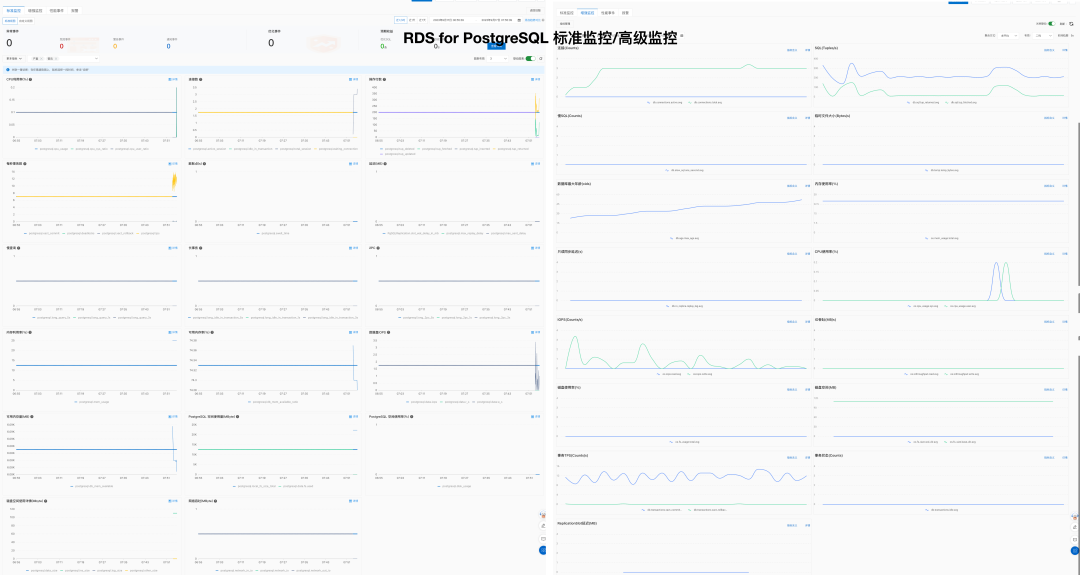
The following projects provide more basic PostgreSQL monitoring capabilities:
- pgwatch: 123 metric types
- pgmonitor: 156 metric types
- datadog: 69 metric types
- pgDash
- ClusterControl
- pganalyze
- Aliyun RDS: 8 metric types
- AWS RDS: 99 metric types
- Azure RDS
Maintainability
| Metric | Pigsty | Aliyun RDS | AWS RDS |
|---|---|---|---|
| System Usability | Simple | Simple | Simple |
| Configuration Management | Config files / CMDB based on Ansible Inventory | Can use Terraform | Can use Terraform |
| Change Method | Idempotent Playbooks based on Ansible Playbook | Console click operations | Console click operations |
| Parameter Tuning | Auto-adapts to node specs, Four preset templates: OLTP, OLAP, TINY, CRIT | ||
| Infra as Code | Natively supported | Can use Terraform | Can use Terraform |
| Customizable Parameters | Pigsty Parameters 283 parameters | ||
| Service & Support | Commercial subscription support available | After-sales ticket support | After-sales ticket support |
| Air-gapped Deployment | Offline installation supported | N/A | N/A |
| Database Migration | Playbooks for zero-downtime migration from existing v10+ PG instances to Pigsty managed instances via logical replication | Cloud migration assistance Aliyun RDS Data Sync |
Cost
Based on experience, RDS software and hardware resources cost 5-15 times as much per unit as self-hosted resources. The rent-to-own ratio is typically around one month. For details, see Cost Analysis.
| Factor | Metric | Pigsty | Aliyun RDS | AWS RDS |
|---|---|---|---|---|
| Cost | Software License/Service Fee | Free, hardware ~¥20-40/core·month | ¥200-400/core·month | ¥400-1300/core·month |
| Support Service Fee | Service ~¥100/core·month | Included in RDS cost |
Other On-Premises Database Management Software
The following software and vendors provide PostgreSQL management capabilities:
- Aiven: Closed-source commercial cloud-hosted solution
- Percona: Commercial consulting, simple PG distribution
- ClusterControl: Commercial database management software
Other Kubernetes Operators
Pigsty does not use Kubernetes to manage production databases. Its architecture differs from these Kubernetes operators:
- PGO
- StackGres
- CloudNativePG
- TemboOperator
- PostgresOperator
- PerconaOperator
- Kubegres
- KubeDB
- KubeBlocks
For more information, see:
4.13.1 - Cost Reference
Overview
The following data shows approximate differences in cost. Cloud prices and discounts vary with time, region, instance size, and purchase model.
| EC2 | Core·Month | RDS | Core·Month |
|---|---|---|---|
| DHH Self-Hosted Core-Month Price (192C 384G) | 25.32 | Junior Open Source DB DBA Reference Salary | ¥15K/person·month |
| IDC Self-Hosted (Dedicated Physical: 64C384G) | 19.53 | Mid-Level Open Source DB DBA Reference Salary | ¥30K/person·month |
| IDC Self-Hosted (Container, 500% Oversold) | 7 | Senior Open Source DB DBA Reference Salary | ¥60K/person·month |
| UCloud Elastic VM (8C16G, Oversold) | 25 | ORACLE Database License | 10000 |
| Aliyun ECS 2x Memory (Dedicated, No Oversold) | 107 | Aliyun RDS PG 2x Memory (Dedicated) | 260 |
| Aliyun ECS 4x Memory (Dedicated, No Oversold) | 138 | Aliyun RDS PG 4x Memory (Dedicated) | 320 |
| Aliyun ECS 8x Memory (Dedicated, No Oversold) | 180 | Aliyun RDS PG 8x Memory (Dedicated) | 410 |
| AWS C5D.METAL 96C 200G (Monthly No Prepaid) | 100 | AWS RDS PostgreSQL db.T2 (2x) | 440 |
| AWS C5D.METAL 96C 200G (3-Year Prepaid) | 80 | AWS RDS PostgreSQL db.M5 (4x) | 611 |
| AWS C7A.METAL 192C 384G (3-Year Prepaid) | 104.8 | AWS RDS PostgreSQL db.R6G (8x) | 786 |
RDS Cost Reference
| Payment Model | Price | Annualized (¥10K) |
|---|---|---|
| IDC Self-Hosted (Single Physical Machine) | ¥75K / 5 years | 1.5 |
| IDC Self-Hosted (2-3 Machines for HA) | ¥150K / 5 years | 3.0 ~ 4.5 |
| Aliyun RDS On-Demand | ¥87.36/hour | 76.5 |
| Aliyun RDS Monthly (Baseline) | ¥42K / month | 50 |
| Aliyun RDS Annual (85% off) | ¥425,095 / year | 42.5 |
| Aliyun RDS 3-Year Prepaid (50% off) | ¥750,168 / 3 years | 25 |
| AWS On-Demand | $25,817 / month | 217 |
| AWS 1-Year No Prepaid | $22,827 / month | 191.7 |
| AWS 3-Year Full Prepaid | $120K + $17.5K/month | 175 |
| AWS China/Ningxia On-Demand | ¥197,489 / month | 237 |
| AWS China/Ningxia 1-Year No Prepaid | ¥143,176 / month | 171 |
| AWS China/Ningxia 3-Year Full Prepaid | ¥647K + ¥116K/month | 160.6 |
The following table compares self-hosted and cloud database costs:
| Method | Annualized (¥10K) |
|---|---|
| IDC Hosted Server 64C / 384G / 3.2TB NVME SSD 660K IOPS (2-3 Machines) | 3.0 ~ 4.5 |
| Aliyun RDS PG HA Edition pg.x4m.8xlarge.2c, 64C / 256GB / 3.2TB ESSD PL3 | 25 ~ 50 |
| AWS RDS PG HA Edition db.m5.16xlarge, 64C / 256GB / 3.2TB io1 x 80k IOPS | 160 ~ 217 |
ECS Cost Reference
Pure Compute Price Comparison (Excluding NVMe SSD / ESSD PL3)
For Aliyun, the monthly price for compute alone is 5-7x the self-hosted baseline. The 5-year prepaid price is 2x the self-hosted baseline.
| Payment Model | Unit Price (¥/Core·Month) | Relative to Standard | Self-Hosted Premium Multiple |
|---|---|---|---|
| On-Demand (1.5x) | ¥ 202 | 160 % | 9.2 ~ 11.2 |
| Monthly (Standard) | ¥ 126 | 100 % | 5.7 ~ 7.0 |
| 1-Year Prepaid (65% off) | ¥ 83.7 | 66 % | 3.8 ~ 4.7 |
| 2-Year Prepaid (55% off) | ¥ 70.6 | 56 % | 3.2 ~ 3.9 |
| 3-Year Prepaid (44% off) | ¥ 55.1 | 44 % | 2.5 ~ 3.1 |
| 4-Year Prepaid (35% off) | ¥ 45 | 35 % | 2.0 ~ 2.5 |
| 5-Year Prepaid (30% off) | ¥ 38.5 | 30 % | 1.8 ~ 2.1 |
| DHH @ 2023 | ¥ 22.0 | ||
| Tantan IDC Self-Hosted | ¥ 18.0 |
Equivalent Price Comparison Including NVMe SSD / ESSD PL3
With common NVMe SSD specifications included, the monthly price is 11-14x the self-hosted baseline. The 5-year prepaid price is about 9x.
| Payment Model | Unit Price (¥/Core·Month) | + 40GB ESSD PL3 | Self-Hosted Premium Multiple |
|---|---|---|---|
| On-Demand (1.5x) | ¥ 202 | ¥ 362 | 14.3 ~ 18.6 |
| Monthly (Standard) | ¥ 126 | ¥ 286 | 11.3 ~ 14.7 |
| 1-Year Prepaid (65% off) | ¥ 83.7 | ¥ 244 | 9.6 ~ 12.5 |
| 2-Year Prepaid (55% off) | ¥ 70.6 | ¥ 230 | 9.1 ~ 11.8 |
| 3-Year Prepaid (44% off) | ¥ 55.1 | ¥ 215 | 8.5 ~ 11.0 |
| 4-Year Prepaid (35% off) | ¥ 45 | ¥ 205 | 8.1 ~ 10.5 |
| 5-Year Prepaid (30% off) | ¥ 38.5 | ¥ 199 | 7.9 ~ 10.2 |
| DHH @ 2023 | ¥ 25.3 | ||
| Tantan IDC Self-Hosted | ¥ 19.5 |
DHH Case: 192 cores with 12.8TB Gen4 SSD (1c:66); Tantan Case: 64 cores with 3.2T Gen3 MLC SSD (1c:50).
Cloud prices calculated at 40GB ESSD PL3 per core (1 core:4x RAM:40x disk).
EBS Cost Reference
| Evaluation Factor | Local PCI-E NVME SSD | Aliyun ESSD PL3 | AWS io2 Block Express |
|---|---|---|---|
| Capacity | 32TB | 32 TB | 64 TB |
| IOPS | 4K Random Read: 600K ~ 1.1M, 4K Random Write: 200K ~ 350K | 4K Random Read: Max 1M | 16K Random IOPS: 256K |
| Latency | 4K Random Read: 75µs, 4K Random Write: 15µs | 4K Random Read: 200µs | Random IO: ~500µs (contextually inferred as 16K) |
| Reliability | UBER < 1e-18, equivalent to 18 nines, MTBF: 2M hours, 5DWPD for 3 years | Data Reliability 9 nines Storage and Data Reliability | Durability: 99.999%, 5 nines (0.001% annual failure rate) io2 Specification |
| Cost | ¥16/TB·month (5-year amortized / 3.2T MLC), 5-year warranty, ¥3000 retail | ¥3200/TB·month (original ¥6400, monthly ¥4000), 50% off with 3-year full prepaid | ¥1900/TB·month using max spec 65536GB 256K IOPS best discount |
| SLA | 5-year warranty, replacement on failure | Aliyun RDS SLA Availability 99.99%: 15% monthly fee, 99%: 30% monthly fee, 95%: 100% monthly fee | Amazon RDS SLA Availability 99.95%: 15% monthly fee, 99%: 25% monthly fee, 95%: 100% monthly fee |
S3 Cost Reference
| Date | $/GB·Month | ¥/TB·5Years | HDD ¥/TB | SSD ¥/TB |
|---|---|---|---|---|
| 2006.03 | 0.150 | 63000 | 2800 | |
| 2010.11 | 0.140 | 58800 | 1680 | |
| 2012.12 | 0.095 | 39900 | 420 | 15400 |
| 2014.04 | 0.030 | 12600 | 371 | 9051 |
| 2016.12 | 0.023 | 9660 | 245 | 3766 |
| 2023.12 | 0.023 | 9660 | 105 | 280 |
| Other References | High-Perf Storage | Top-Tier Discounted | vs Purchased NVMe SSD | Price Ref |
| S3 Express | 0.160 | 67200 | DHH 12T | 1400 |
| EBS io2 | 0.125 + IOPS | 114000 | Shannon 3.2T | 900 |
Cloud Exit Collection
Developers once widely accepted “moving to the cloud” and often overlooked alternatives. This collection uses data analysis and firsthand experience to explain the benefits and risks of public cloud rental. Use it as a reference for cost control and efficiency: Cloud Computing Mudslide: Collection.
Cloud Infrastructure Basics
Exposing Object Storage: From Cost Reduction to Price Gouging
Garbage Tencent Cloud CDN: From Getting Started to Giving Up
Cloud Business Model
Cloud Exit Odyssey
Cloud Failure Post-Mortems
RDS Failures
Cloud Vendor Profiles
4.13.2 - Open-Source Impact
China PostgreSQL Ecosystem Projects
Sorted by GitHub stars in descending order. Last updated: 2026-09-20 (Beijing time).
| Project | Star | Author | Type | Summary |
|---|---|---|---|---|
pgsty/pigsty | 5660 | Ruohang Feng @ PGSTY | Distribution | Out-of-the-box PostgreSQL distribution |
polardb/PolarDB-for-PostgreSQL | 3203 | Alibaba Cloud | Kernel | Open-source PolarDB for PostgreSQL kernel |
tensorchord/pgvecto.rs | 2187 | TensorChord | Extension | Vector search extension written in Rust |
supervc-stack/VectorChord | 1797 | TensorChord | Extension | Next-generation vector search extension |
Tencent/TBase | 1443 | Tencent Cloud | Kernel | Tencent distributed HTAP database kernel |
apache/cloudberry | 1407 | HashData | Kernel | Open-source MPP data warehouse kernel |
IvorySQL/IvorySQL | 1061 | HighGo | Kernel | Oracle-compatible PostgreSQL fork |
pgplex/pgschema | 1046 | Chen Tianzhou | Tool | Declarative Postgres schema migration CLI |
amutu/zhparser | 870 | Jov | Extension | Chinese full-text parser based on SCWS |
opengauss-mirror/openGauss-server | 789 | Huawei | Kernel | Early PostgreSQL 9.2 kernel fork |
HaloTech-Co-Ltd/openHalo | 422 | HaloTech | Kernel | PostgreSQL kernel compatible with MySQL wire protocol |
jaiminpan/pg_jieba | 421 | Pan Jiamin | Extension | Chinese full-text search extension based on Jieba |
alitrack/duckdb_fdw | 411 | Li Hongyan | Extension | DuckDB foreign data wrapper |
supervc-stack/VectorChord-bm25 | 378 | TensorChord | Extension | Native BM25 ranking index for PostgreSQL |
pgsty/pg_exporter | 363 | Ruohang Feng @ PGSTY | Tool | Metrics exporter for PostgreSQL and Pgbouncer |
ChenHuajun/pg_roaringbitmap | 288 | Chen Huajun @ Suning | Extension | PostgreSQL RoaringBitmap bitmap extension |
pgsty/pig | 206 | Ruohang Feng @ PGSTY | Tool | PostgreSQL extension package manager |
wublabdubdub/PDU-PostgreSQLDataUnloader | 115 | Zhang Chen | Tool | PostgreSQL database rescue and unloading tool |
tensorchord/pg_bestmatch.rs | 100 | TensorChord | Extension | BM25 sparse-vector generation in PostgreSQL |
supervc-stack/pg_tokenizer.rs | 45 | TensorChord | Extension | Full-text search tokenizer extension |
jaiminpan/pg_scws | 41 | Pan Jiamin | Extension | Chinese tokenizer extension based on SCWS |
pgsty/pgext | 34 | Ruohang Feng @ PGSTY | Tool | PostgreSQL extension catalog and metadata tool |
tooltip:
trigger: axis
axisPointer: { type: shadow }
formatter: $fn:tipfmt
grid: { left: 320, right: 72, top: 20, bottom: 26 }
xAxis:
type: value
max: 6000
name: GitHub Stars
nameLocation: middle
nameGap: 24
axisLabel: { formatter: $fn:fnum }
splitLine: { show: true, lineStyle: { type: dashed, opacity: 0.45 } }
yAxis:
type: category
inverse: true
axisLabel:
align: right
margin: 8
width: 300
overflow: truncate
fontSize: 11
fontFamily: monospace
data:
- 'pgsty/pigsty'
- 'polardb/PolarDB-for-PostgreSQL'
- 'tensorchord/pgvecto.rs'
- 'supervc-stack/VectorChord'
- 'Tencent/TBase'
- 'apache/cloudberry'
- 'IvorySQL/IvorySQL'
- 'pgplex/pgschema'
- 'amutu/zhparser'
- 'opengauss-mirror/openGauss-server'
- 'HaloTech-Co-Ltd/openHalo'
- 'jaiminpan/pg_jieba'
- 'alitrack/duckdb_fdw'
- 'supervc-stack/VectorChord-bm25'
- 'pgsty/pg_exporter'
- 'ChenHuajun/pg_roaringbitmap'
- 'pgsty/pig'
- 'wublabdubdub/PDU-PostgreSQLDataUnloader'
- 'tensorchord/pg_bestmatch.rs'
- 'supervc-stack/pg_tokenizer.rs'
- 'jaiminpan/pg_scws'
- 'pgsty/pgext'
series:
- name: Star
type: bar
barWidth: 20
showBackground: true
backgroundStyle: { color: "rgba(148, 163, 184, 0.16)" }
itemStyle:
color: $fn:barclr
borderRadius: [0, 5, 5, 0]
label:
show: true
position: right
formatter: $fn:labfmt
color: '#334155'
fontWeight: 600
data: [5660, 3203, 2187, 1797, 1443, 1407, 1061, 1046, 870, 789, 422, 421, 411, 378, 363, 288, 206, 115, 100, 45, 41, 34]
media:
- query: { maxWidth: 600 }
option:
grid: { left: 160, right: 48 }
xAxis:
splitNumber: 2
axisLabel: { fontSize: 10, hideOverlap: true }
yAxis:
axisLabel: { width: 144, fontSize: 9 }
series:
- label: { fontSize: 10 }
- option:
grid: { left: 320, right: 72 }
xAxis:
splitNumber: 5
axisLabel: { fontSize: 12 }
yAxis:
axisLabel: { width: 300, fontSize: 11 }
series:
- label: { fontSize: 12 }PostgreSQL Distribution Impact Metrics
Projects appear in descending order of GitHub stars. Commercial products that do not publish stars appear last. Last updated: 2026-09-20 (Beijing time).
| Project | Star | Vendor | Type | License | Summary |
|---|---|---|---|---|---|
| CloudNativePG | 9329 | EDB | K8S Native | Apache-2.0 | Mainstream PG Operator without Patroni dependency |
| Pigsty | 5660 | PGSTY | Linux Native | Apache-2.0 | Ansible-driven integrated PostgreSQL distribution |
| Zalando Postgres Operator | 5245 | Zalando | K8S Native | MIT | Long-standing Patroni/Spilo architecture operator |
| PGO | 4453 | Crunchy Data | K8S Native | Apache-2.0 | Production-grade operator with backup and monitoring |
| Autobase | 4390 | vitabaks | Linux Native | MIT | Automated deployment for Patroni/etcd/Consul |
| KubeBlocks | 3136 | ApeCloud | K8S Native | AGPL-3.0 | Unified multi-database operator platform |
| StackGres | 1427 | OnGres | K8S Native | AGPL-3.0 | Integrated PG operator with CRD/CLI/Web UI |
| Kubegres | 1351 | Reactive Tech | K8S Native | Apache-2.0 | Minimal operator built on native streaming replication |
| Tembo Operator | 1266 | Tembo | K8S Native | Unspecified | Scenario-based stacks for PostgreSQL |
| pgEdge | 751 | pgEdge | Linux Native | PostgreSQL | Distributed PG distribution focused on Spock multi-master replication |
| KubeDB | 733 | AppsCode | K8S Native | ACL-1.0 | Multi-database operator with kubectl plugin |
| Percona Operator for PostgreSQL | 385 | Percona | K8S Native | Apache-2.0 | PostgreSQL operator in Percona ecosystem |
| EDB TPA | 88 | EDB | Linux Native | GPL-3.0 | EDB official Ansible delivery toolkit |
| Percona Distribution for PostgreSQL | - | Percona | Linux Native | Multi | Integrated PostgreSQL distribution bundle |
| ClusterControl | - | ServerNines | Linux Native | Commercial | Multi-database deploy, monitoring, backup, and failover platform |
| CYBERTEC PGEE | - | CYBERTEC | Linux Native | Commercial | Enterprise PostgreSQL distribution focused on security and performance |
| Crunchy Postgres for Ansible | - | Crunchy Data | Linux Native | Commercial | Crunchy bare-metal/VM automation solution |
| EDB Postgres Advanced Server (EPAS) | - | EDB | Linux Native | Commercial | EDB flagship distribution with Oracle-compatibility features |
Star History and Growth
The Star History chart below was exported on 2026-09-20. It covers eight PostgreSQL distribution and high-availability projects. The chart uses the former repository name vitabaks/autobase. This repository has moved to autobase-tech/autobase.
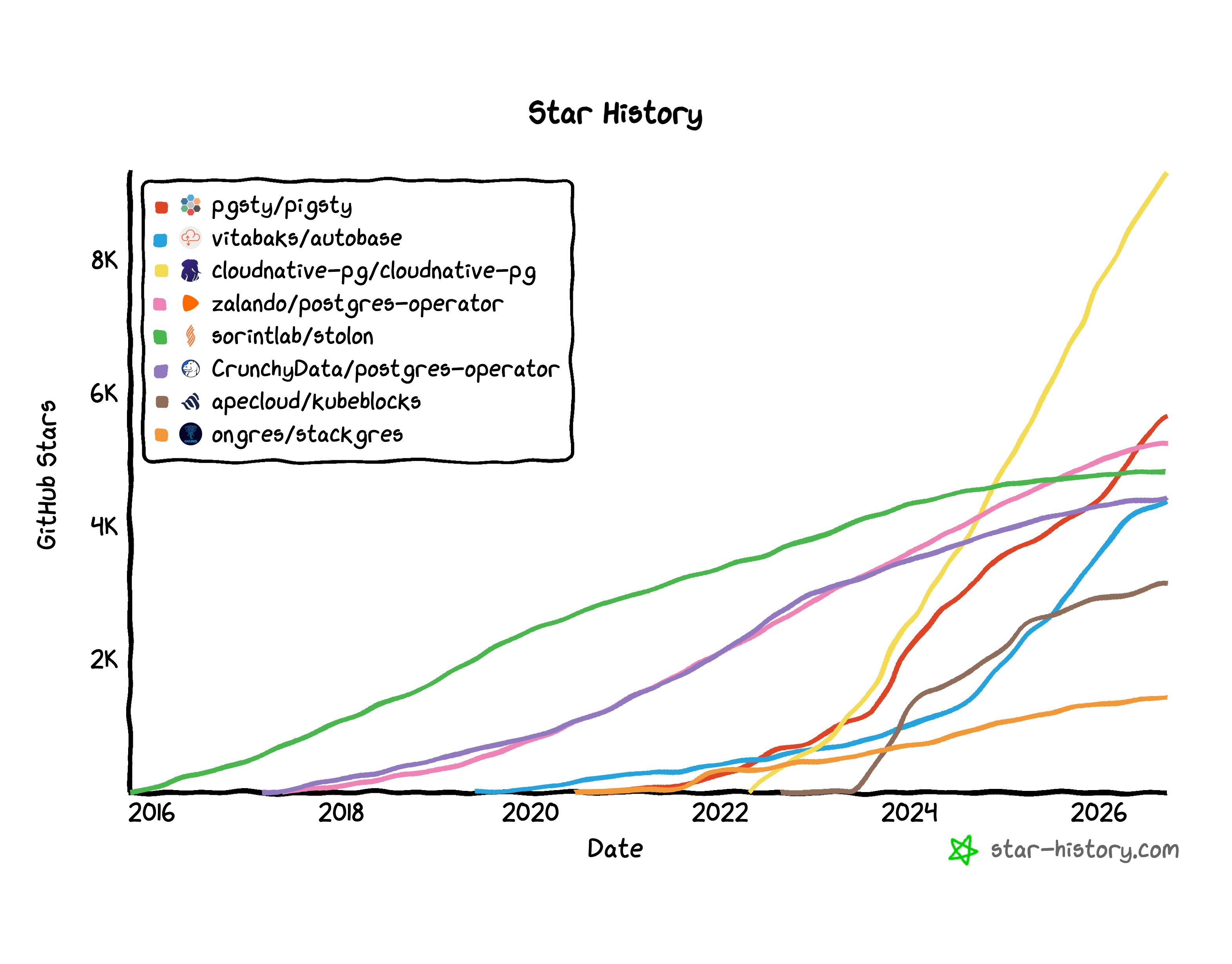
The table compares star growth from the 2026-07-01 baseline through 2026-09-20 (Beijing time). Both snapshots use exact GitHub repository stargazers_count totals.
| Project | 2026-07-01 | 2026-09-20 | Growth | Growth (%) |
|---|---|---|---|---|
cloudnative-pg/cloudnative-pg | 8899 | 9329 | +430 | +4.83% |
pgsty/pigsty | 5195 | 5660 | +465 | +8.95% |
zalando/postgres-operator | 5192 | 5245 | +53 | +1.02% |
sorintlab/stolon | 4821 | 4829 | +8 | +0.17% |
CrunchyData/postgres-operator | 4428 | 4453 | +25 | +0.56% |
autobase-tech/autobase | 4282 | 4390 | +108 | +2.52% |
apecloud/kubeblocks | 3069 | 3136 | +67 | +2.18% |
ongres/stackgres | 1411 | 1427 | +16 | +1.13% |
Other Resources
- Map of GitHub: Pigsty
- DeepWiki: pgsty/pigsty
- OSS Insight:
pgsty/pigsty - OSS Insight: pgsty
- GitHub API: List stargazers
- Star History: GitHub Stargazer API restrictions
5 - References
5.1 - Supported Linux
Pigsty runs on Linux with amd64/x86_64 and arm64/aarch64 architectures. It supports three major distribution families: EL, Debian, and Ubuntu.
Pigsty runs directly on the host without containers. It supports actively maintained mainstream releases in these three families on both architectures.
Overview
Recommended OS versions: Rocky Linux 9.8 / 10.2, Debian 12.15 / 13.6, Ubuntu 22.04.5 / 24.04.4 / 26.04.0.
| Distro | Arch | OS Code | PG18 | PG17 | PG16 | PG15 | PG14 |
|---|---|---|---|---|---|---|---|
| RHEL / Rocky / Alma 10 | x86_64 | el10.x86_64 | |||||
| RHEL / Rocky / Alma 10 | aarch64 | el10.aarch64 | |||||
| RHEL / Rocky / Alma 9 | x86_64 | el9.x86_64 | |||||
| RHEL / Rocky / Alma 9 | aarch64 | el9.aarch64 | |||||
Ubuntu 26.04 (resolute) | x86_64 | u26.x86_64 | |||||
Ubuntu 26.04 (resolute) | aarch64 | u26.aarch64 | |||||
Ubuntu 24.04 (noble) | x86_64 | u24.x86_64 | |||||
Ubuntu 24.04 (noble) | aarch64 | u24.aarch64 | |||||
Ubuntu 22.04 (jammy) | x86_64 | u22.x86_64 | |||||
Ubuntu 22.04 (jammy) | aarch64 | u22.aarch64 | |||||
Debian 13 (trixie) | x86_64 | d13.x86_64 | |||||
Debian 13 (trixie) | aarch64 | d13.aarch64 | |||||
Debian 12 (bookworm) | x86_64 | d12.x86_64 | |||||
Debian 12 (bookworm) | aarch64 | d12.aarch64 |
These seven minor releases are the current validation baselines. The extension repository retains EL8 compatibility on both architectures. Thus, the complete package matrix covers 16 Linux platforms. EL8 is in its retirement transition and is no longer a recommended deployment baseline.
EL
Pigsty supports RHEL / Rocky / Alma / Anolis / CentOS 8, 9, 10.
| EL Distro | Arch | OS Code | PG18 | PG17 | PG16 | PG15 | PG14 |
|---|---|---|---|---|---|---|---|
| RHEL10 / Rocky10 / Alma10 | x86_64 | el10.x86_64 | |||||
| RHEL10 / Rocky10 / Alma10 | aarch64 | el10.aarch64 | |||||
| RHEL9 / Rocky9 / Alma9 | x86_64 | el9.x86_64 | |||||
| RHEL9 / Rocky9 / Alma9 | aarch64 | el9.aarch64 | |||||
| RHEL8 / Rocky8 / Alma8 | x86_64 | el8.x86_64 | |||||
| RHEL8 / Rocky8 / Alma8 | aarch64 | el8.aarch64 | |||||
| RHEL7 / CentOS7 | x86_64 | el7.x86_64 | |||||
| RHEL7 / CentOS7 | aarch64 | - |
Rocky Linux 9.8 / 10.2 balances stability and recent software. We recommend these versions for EL users.
EL8 reaches end of life in 2029. Plan an upgrade as soon as possible. EL10 support is ready. The next release will remove EL8 support.
RHEL 7 reached end of life in June 2024. PGDG stopped providing binary packages for PG 16/17/18 on EL7.
For extended support on legacy OS, consider Enterprise Subscription.
Ubuntu
Pigsty supports Ubuntu 26.04 / 24.04 / 22.04:
| Ubuntu Distro | Arch | OS Code | PG18 | PG17 | PG16 | PG15 | PG14 |
|---|---|---|---|---|---|---|---|
Ubuntu 26.04 (resolute) | x86_64 | u26.x86_64 | |||||
Ubuntu 26.04 (resolute) | aarch64 | u26.aarch64 | |||||
Ubuntu 24.04 (noble) | x86_64 | u24.x86_64 | |||||
Ubuntu 24.04 (noble) | aarch64 | u24.aarch64 | |||||
Ubuntu 22.04 (jammy) | x86_64 | u22.x86_64 | |||||
Ubuntu 22.04 (jammy) | aarch64 | u22.aarch64 |
Ubuntu 26.04 provides the newest LTS baseline, while Ubuntu 24.04 remains the conservative default for Ubuntu users.
Debian
Pigsty supports Debian 12 / 13. We recommend the latest Debian 13.6:
| Debian Distro | Arch | OS Code | PG18 | PG17 | PG16 | PG15 | PG14 |
|---|---|---|---|---|---|---|---|
Debian 13 (trixie) | x86_64 | d13.x86_64 | |||||
Debian 13 (trixie) | aarch64 | d13.aarch64 | |||||
Debian 12 (bookworm) | x86_64 | d12.x86_64 | |||||
Debian 12 (bookworm) | aarch64 | d12.aarch64 | |||||
Debian 11 (bullseye) | x86_64 | d11.x86_64 (historical) | |||||
Debian 11 (bullseye) | aarch64 | - |
Debian 11 reached end of life in July 2024. For extended support on legacy OS, consider Enterprise Subscription.
Vagrant
For local VM deployment, use these Vagrant base images. Pigsty development uses the same images:
cloud-image/rocky-8: Rocky 8.10cloud-image/rocky-9: Rocky 9.8cloud-image/rocky-10: Rocky 10.2cloud-image/debian-12: Debian 12.15cloud-image/debian-13: Debian 13.6cloud-image/ubuntu-22.04: Ubuntu 22.04.5cloud-image/ubuntu-24.04: Ubuntu 24.04.4cloud-image/ubuntu-26.04: Ubuntu 26.04.0
Terraform
For cloud deployment, use these Terraform base image prefixes (Aliyun example):
| x86_64 | Aliyun Image Prefix |
|---|---|
| Rocky 8.10 | rockylinux_8_10_x64 |
| Rocky 9.8 | rockylinux_9_8_x64 |
| Rocky 10.2 | rockylinux_10_2_x64 |
| Ubuntu 22.04.5 | ubuntu_22_04_x64_20G |
| Ubuntu 24.04.4 | ubuntu_24_04_x64_20G |
| Ubuntu 26.04.0 | ubuntu_26_04_x64_20G |
| Debian 12.15 | debian_12_15_x64 |
| Debian 13.6 | debian_13_6_x64 |
| aarch64 | Aliyun Image Prefix |
|---|---|
| Rocky 8.10 | rockylinux_8_10_arm64 |
| Rocky 9.8 | rockylinux_9_8_arm64 |
| Rocky 10.2 | rockylinux_10_2_arm64 |
| Ubuntu 22.04.5 | ubuntu_22_04_arm64_20G |
| Ubuntu 24.04.4 | ubuntu_24_04_arm64_20G |
| Ubuntu 26.04.0 | ubuntu_26_04_arm64_20G |
| Debian 12.15 | debian_12_15_arm64 |
| Debian 13.6 | debian_13_6_arm64 |
5.2 - Modules
Official Modules
| Module | Category | Status | Docs Path | Summary |
|---|---|---|---|---|
PGSQL | Core | GA | /docs/pgsql | High-availability PostgreSQL clusters with built-in backup, monitoring, SOP, and extension ecosystem. |
INFRA | Core | GA | /docs/infra | Local software repository + VictoriaMetrics/Logs/Traces + Grafana infrastructure stack. |
NODE | Core | GA | /docs/node | Node initialization and convergence: system tuning, admin, HAProxy, Vector, Keepalived, etc. |
ETCD | Core | GA | /docs/etcd | DCS for PostgreSQL HA (service discovery, config, leader-election metadata). |
MINIO | Extension | GA | /docs/minio | Deploys Silo S3-compatible object storage, suitable for PostgreSQL backups. |
REDIS | Extension | GA | /docs/redis | Redis by default, or Valkey, in standalone, Sentinel, or native-cluster mode with monitoring. |
DOCKER | Extension | GA | /docs/docker | Docker daemon and the runtime capability for containerized apps. |
JUICE | Extension | BETA | /docs/juice | JuiceFS distributed file system using PostgreSQL as metadata engine. |
VIBE | Extension | BETA | /docs/vibe | Browser-based dev environment with Code-Server, JupyterLab, Node.js, Claude Code, and Codex CLI. |
KAFKA | Extension | BETA | /docs/kafka | Apache Kafka 4.x dynamic KRaft cluster deployment, security baseline, and monitoring. |
Core Modules
Pigsty provides four core modules. Together, they deliver complete, highly available PostgreSQL services:
PGSQL: Self-healing PostgreSQL clusters with HA, PITR, IaC, SOP, monitoring, and 600 extensions.INFRA: Local software repository, VictoriaMetrics, VictoriaLogs, VictoriaTraces, Grafana, Alertmanager, Blackbox Exporter…NODE: Node convergence for hostname, timezone, NTP, SSH, sudo, HAProxy, Vector, and Keepalived.ETCD: Distributed key-value store used as DCS for HA PostgreSQL clusters: consensus leader election/config management/service discovery.
These four modules are usually installed together. You can also use them separately. In practice, only the NODE module is usually mandatory.
Extension Modules
Pigsty provides six extension modules. They add capabilities to PostgreSQL. Core functions do not require them:
MINIO: An S3-compatible object-storage module that deploys Silo and provides PostgreSQL backup integration and monitoring.REDIS: Redis server with standalone/sentinel/cluster production deployment and full monitoring support.DOCKER: Docker daemon service for one-click deployment of stateless software templates on Pigsty.JUICE: JuiceFS distributed filesystem module using PostgreSQL as metadata engine, providing shared POSIX storage.VIBE: Browser-based development environment with Code-Server, JupyterLab, Node.js, Claude Code, and Codex CLI.KAFKA: Apache Kafka 4.x dynamic KRaft clusters with TLS/SCRAM/ACL security baseline, declarative topics/users, and full monitoring.
Ecosystem Modules
The modules below provide optional PostgreSQL ecosystem capabilities. The count of 10 official modules above does not include them:
SUPABASE,DUCKDB: peripheral ecosystem integration.MSSQL,IVORY,POLAR,CITUS,CLOUDBERRY,PGEDGE: kernel replacement, distributed, and MPP forms.MYSQL-compatible kernel (OpenHalo),ORIOLE,PGTDE,AGENS: protocol compatibility, storage engine, transparent encryption, and graph database kernels. Here,MYSQLmeans thepg_mode=mysqlPostgreSQL-compatible kernel, not a native MySQL service.GREENPLUM,NEON: historical docs retained, no longer default public capabilities.- Native
MYSQLpilot: The currentmysql.yml,mysql-rm.yml, androles/mysql*manage a fixed native MySQL 8.4 platform. It supports one node or a three-node single-primary InnoDB Cluster. It remains a PILOT and is not counted among the 10 official modules above. KUBE,VICTORIA,JUPYTER: other pilot modules, currently not open for public use.
5.3 - File Hierarchy
Pigsty FHS
The default Pigsty home directory is ~/pigsty. It has this file structure:
~/pigsty Source Tree
- app/
- Application template resources
- bin/
- Management and operations scripts
- files/
- victoria/
- Rules and operations scripts
- grafana/
- Grafana dashboards
- postgres/
- PostgreSQL management scripts
- migration/
- Data-migration task definitions
- pki/
- Self-signed CA and certificates
- victoria/
- roles/
- Ansible role implementations
- templates/
- Ansible templates
- vagrant/
- Vagrant sandbox definitions
- terraform/
- Terraform cloud-resource templates
- configure
- ansible.cfg
- pigsty.yml
- *.yml
/infra is a runtime symlink to /data/infra. This directory contains observability data and generated configuration:
CA FHS
Pigsty’s self-signed CA is located in files/pki/ under the Pigsty home directory.
You must keep the CA key file secure: files/pki/ca/ca.key. The ca role generates this key when you run deploy.yml or infra.yml.
Pigsty installs these certificate files on managed nodes:
All infra nodes have these certificates:
If the admin node fails, files/pki and pigsty.yml should be available on the backup admin node. Use rsync to copy them:
INFRA FHS
The infra role creates infra_data (default: /data/infra) and creates a symlink /infra -> /data/infra.
The permissions for /data/infra are root:infra 0771. Subdirectories default to *:infra 0750, unless overridden:
This structure is created by: roles/infra/tasks/dir.yml, roles/infra/tasks/victoria.yml, roles/infra/tasks/register.yml, roles/infra/tasks/dns.yml, and roles/infra/tasks/env.yml.
NODE FHS
node_data specifies the node data directory. The default is /data, with owner root:root and mode 0755.
Most core components place their default data directories here. Some pilot modules use their own fixed paths. Native MySQL 8.4 currently uses /var/lib/mysql.
HAProxy
Pigsty starts HAProxy with its own systemd unit and manages the main configuration separately from service fragments:
To append startup arguments in /etc/default/haproxy, use EXTRAOPTS and retain the default -S /run/haproxy-master.sock. The systemd unit loads configuration with explicit -f arguments. Do not add another -f to EXTRAOPTS.
Victoria FHS
Monitoring config has moved from the legacy /etc/prometheus layout to the /infra runtime layout.
The main template is roles/infra/templates/victoria/prometheus.yml, rendered to /infra/prometheus.yml.
Pigsty copies files/victoria/bin/* to /infra/bin/ and files/victoria/rules/* to /infra/rules/. Each module registers FileSD targets under /infra/targets/*.
Pigsty stores generated INFRA units in /etc/systemd/system/. These include vmetrics, vlogs, vtraces, vmalert, alertmanager, blackbox_exporter, nginx_exporter, and dnsmasq. Distribution package unit directories are not write targets for these roles.
PostgreSQL FHS
The following parameters and internal variables are related to PostgreSQL directory layout:
pg_dbsu_home: Postgres default user home directory, default:/var/lib/pgsqlpg_bin_dir: Postgres binary directory, default:/usr/pgsql/bin/pg_fs_main: Postgres primary data directory, default:/data/postgrespg_fs_backup: Postgres backup disk mount point, default:/data/backups(optional; can also be a subdirectory on primary disk)pg_data: Internal variable, fixed to the Postgres data-directory symlink/pg/datapg_cluster_dir: Derived variable,{{ pg_fs_main }}/{{ pg_cluster }}-{{ pg_version }}pg_backup_dir: Derived variable,{{ pg_fs_backup }}/{{ pg_cluster }}-{{ pg_version }}
Data File Structure
Binary File Structure
On EL-compatible distributions (using yum), PostgreSQL default installation location is:
Pigsty creates the /usr/pgsql symlink. It points to the version specified by pg_version. For example:
The default pg_bin_dir is therefore /usr/pgsql/bin/. Pigsty adds this path to the system PATH environment variable in /etc/profile.d/pgsql.sh.
On Ubuntu/Debian, the default PostgreSQL Deb package installation location is:
Pigsty also stores generated PostgreSQL runtime units in /etc/systemd/system/. These primarily include patroni.service, postgres.service, pgbouncer.service, pg_exporter.service, pgbackrest_exporter.service, and pgbouncer_exporter.service. If VIP is enabled, they also include vip-manager.service.
Pgbouncer FHS
Pgbouncer runs under the same user as {{ pg_dbsu }} (default postgres), with configs in /etc/pgbouncer.
pgbouncer.ini: main pool configuration (postgres:postgres 0640)database.txt: pooled database definitions (postgres:postgres 0600)useropts.txt: per-user connection options (postgres:postgres 0600)userlist.txt: password file maintained by/pg/bin/pgb-userpgb_hba.conf: access control file (postgres:postgres 0600)
Object Storage FHS
The MINIO module currently deploys only Silo. It retains minio_* parameter and directory names for compatibility:
Silo certificates are stored in /home/minio/.minio/certs/. The module name, role parameters, data directory, and FileSD path retain the compatible MINIO / minio_* naming.
Redis FHS
Pigsty manages Redis or Valkey with the same directory layout and instance naming.
Service units call binaries according to redis_type (/bin/* is compatible with /usr/bin/* on most distributions):
For a Redis instance named redis-test-1-6379, the related resources are as follows:
Pigsty stores generated Redis/Valkey instance and exporter units in /etc/systemd/system/. Instance units use Type=notify. Packages can provide units in distribution directories. The roles do not write to those directories.
5.4 - Parameters
Use this page to find Pigsty v4.x parameters. For full explanations, read each module’s param page.
The current source and parameter reference pages confirm 373 public parameters across the 10 official modules. Native MySQL 8.4 remains a pilot module. Its 13 public parameters appear separately and are not part of the official-module total.
Module Parameter Navigation
| Module | Groups | Count | Description |
|---|---|---|---|
PGSQL | 9 | 124 | PostgreSQL HA cluster configuration |
INFRA | 10 | 73 | Software repository and Victoria-based observability infra |
NODE | 11 | 73 | Node initialization, system tuning, and ops baseline |
ETCD | 2 | 13 | ETCD cluster and removal safeguard parameters |
MINIO | 2 | 22 | Silo deployment, observability, and removal parameters |
REDIS | 2 | 22 | Redis/Valkey deployment and removal parameters |
DOCKER | 1 | 8 | Docker engine parameters |
JUICE | 1 | 2 | JuiceFS instance and cache parameters |
VIBE | 1 | 18 | Code/Jupyter/Node.js/Claude/Codex configuration |
KAFKA | 2 | 18 | Kafka deployment and removal safeguard parameters |
Pilot module: native MYSQL 8.4 currently exposes 13 public parameters: 11 for deployment and 2 for protected removal. Fixed ports, paths, software versions, and timers are not public parameters.
Parameter Group Quick View
Recommendations
5.5 - Playbooks
This page summarizes Pigsty v4.x playbook entries and usage guidance by module. For detailed task tags, open each module’s playbook page.
Module Playbook Navigation
| Module | Count | Playbooks |
|---|---|---|
INFRA | 3 | deploy.yml infra.yml infra-rm.yml |
NODE | 2 | node.yml node-rm.yml |
ETCD | 2 | etcd.yml etcd-rm.yml |
PGSQL | 7 | pgsql.yml pgsql-rm.ymlpgsql-user.yml pgsql-db.ymlpgsql-monitor.yml pgsql-migration.yml pgsql-pitr.yml |
REDIS | 2 | redis.yml redis-rm.yml |
MINIO | 2 | minio.yml minio-rm.yml |
DOCKER | 1 | docker.yml |
JUICE | 1 | juice.yml |
VIBE | 1 | vibe.yml |
KAFKA | 2 | kafka.yml kafka-rm.yml |
MYSQL (pilot) | 2 | mysql.yml mysql-rm.yml |
Playbook Matrix
| Playbook | Module | Purpose |
|---|---|---|
deploy.yml | INFRA | One-pass deployment for the core chain (Infra/Node/Etcd/PGSQL, enabling MINIO by config) |
infra.yml | INFRA | Initialize infrastructure nodes |
infra-rm.yml | INFRA | Remove infrastructure components |
node.yml | NODE | Node onboarding and baseline convergence |
node-rm.yml | NODE | Node offboarding |
etcd.yml | ETCD | ETCD install/scale-out |
etcd-rm.yml | ETCD | ETCD remove/scale-in |
pgsql.yml | PGSQL | Initialize PostgreSQL cluster or add instance |
pgsql-rm.yml | PGSQL | Remove PostgreSQL cluster/instance |
pgsql-user.yml | PGSQL | Add business users |
pgsql-db.yml | PGSQL | Add business databases |
pgsql-monitor.yml | PGSQL | Register remote PostgreSQL for monitoring |
pgsql-migration.yml | PGSQL | Generate migration runbook and scripts |
pgsql-pitr.yml | PGSQL | Point-in-time recovery (PITR) |
redis.yml | REDIS | Deploy Redis |
redis-rm.yml | REDIS | Remove Redis |
minio.yml | MINIO | Deploy Silo |
minio-rm.yml | MINIO | Remove Silo, its configuration, and optional data |
docker.yml | DOCKER | Deploy Docker engine |
juice.yml | JUICE | Deploy/remove JuiceFS instances |
vibe.yml | VIBE | Deploy VIBE dev environment |
kafka.yml | KAFKA | Create or converge a complete dynamic KRaft cluster |
kafka-rm.yml | KAFKA | Remove a Kafka cluster, or safely retire a single member |
mysql.yml | MYSQL | Converge a native MySQL 8.4 single node or three-node InnoDB Cluster (pilot) |
mysql-rm.yml | MYSQL | Stop or retire a native MySQL instance or cluster while preserving local state (pilot) |
Auxiliary Playbooks
The following playbooks are cross-module helpers.
| Playbook | Description |
|---|---|
cache.yml | Build offline installation package cache |
cert.yml | Issue certificates using Pigsty CA |
app.yml | Install Docker Compose app templates |
slim.yml | Minimal component installation scenario |
Playbook Usage Notes
Protection Mechanism
Several modules provide deletion safeguards through *_safeguard parameters:
- PGSQL:
pg_safeguard - ETCD:
etcd_safeguard - MINIO:
minio_safeguard - REDIS:
redis_safeguard - KAFKA:
kafka_safeguard - MYSQL (pilot):
mysql_safeguardand an exact-matchmysql_rm_confirmjointly protect native MySQL retirement
The PGSQL, ETCD, MINIO, REDIS, and KAFKA role defaults are explicitly false. Set their safeguards to true for initialized production clusters.
Native MySQL uses mysql_safeguard: true by default. After you disable it, you must still set mysql_rm_confirm to exactly match the target instance or cluster.
If the safeguard is true, the corresponding *-rm.yml playbook aborts immediately. To override it, use the command line:
Limiting Execution Scope
Use -l to limit execution targets:
For a large deployment, validate one cluster first. Then deploy in batches.
Idempotency
Most playbooks are idempotent and safe to rerun, with caveats:
infra.ymldoes not clean data by default. All cleanup parameters default tofalse:vmetrics_clean,vlogs_clean,vtraces_clean,grafana_clean, andnginx_clean.- To rebuild from a clean state, explicitly set relevant clean parameters to
true - Re-running
*-rm.ymldeletion playbooks requires extra caution
Task Tags
Use -t to run only selected task subsets:
Quick Command Reference
INFRA Module
NODE Module
ETCD Module
PGSQL Module
REDIS Module
MINIO Module
DOCKER Module
KAFKA Module
For ordinary convergence, -l must include every declared member of the selected Kafka cluster. Only kafka-rm.yml accepts a single member for retirement.
MYSQL Pilot Module
mysql-rm.yml stops the service, writes a retirement marker, and deregisters monitoring. It preserves data directories, backups, configuration, certificates, packages, and InnoDB Cluster metadata.
5.6 - Port List
This page lists the default ports for Pigsty module components. Adjust them as needed. Use this list to configure specific firewall rules.
| Module | Component | Port | Parameter | Status |
|---|---|---|---|---|
NODE | node_exporter | 9100 | node_exporter_port | Enabled |
NODE | haproxy | 9101 | haproxy_exporter_port | Enabled |
NODE | vector | 9598 | vector_port | Enabled |
NODE | keepalived_exporter | 9650 | vip_exporter_port | Optional |
NODE | chronyd | 123 | - | Enabled |
DOCKER | docker | 9323 | docker_exporter_port | Optional |
INFRA | nginx | 80 | nginx_port | Enabled |
INFRA | nginx | 443 | nginx_ssl_port | Enabled |
INFRA | nginx_exporter | 9113 | nginx_exporter_port | Enabled |
INFRA | grafana | 3000 | grafana_port | Enabled |
INFRA | victoriaMetrics | 8428 | vmetrics_port | Enabled |
INFRA | victoriaLogs | 9428 | vlogs_port | Enabled |
INFRA | victoriaTraces | 10428 | vtraces_port | Enabled |
INFRA | vmalert | 8880 | vmalert_port | Enabled |
INFRA | alertmanager | 9059 | alertmanager_port | Enabled |
INFRA | blackbox_exporter | 9115 | blackbox_port | Enabled |
INFRA | dnsmasq | 53 | dns_port | Enabled |
ETCD | etcd | 2379 | etcd_port | Enabled |
ETCD | etcd | 2380 | etcd_peer_port | Enabled |
MINIO | Silo S3 API | 9000 | minio_port | Optional |
MINIO | Silo admin port | 9001 | minio_admin_port | Optional |
REDIS | Redis / Valkey | 6379 | redis_instances | Optional |
REDIS | redis_exporter | 9121 | redis_exporter_port | Optional |
VIBE | code-server | 8443 | code_port | Optional |
VIBE | jupyterlab | 8888 | jupyter_port | Optional |
KAFKA | broker | 9092 | kafka_port | 🧪 BETA |
KAFKA | KRaft controller | 9093 | kafka_controller_port | 🧪 BETA |
KAFKA | kafka_exporter | 9308 | kafka_exporter_port | 🧪 BETA |
KAFKA | JMX exporter | 9404 | kafka_jmx_exporter_port | 🧪 BETA |
MYSQL | mysqld | 3306 | Fixed value (the current pilot exposes no port parameter) | 🧪 PILOT |
MYSQL | MySQL X Protocol | 33060 | Fixed value; loopback-only on a single node, member-facing in a 3-node topology | 🧪 PILOT |
MYSQL | Group Replication | 33061 | Fixed value; three-node InnoDB Cluster only | 🧪 PILOT |
MYSQL | MySQL Router RW | 6446 | Fixed value; three-node InnoDB Cluster only | 🧪 PILOT |
MYSQL | MySQL Router RO | 6447 | Fixed value; three-node InnoDB Cluster only | 🧪 PILOT |
MYSQL | mysqld_exporter | 9104 | Fixed value; controlled by mysql_exporter_enabled | 🧪 PILOT |
PGSQL | postgres | 5432 | pg_port | Enabled |
PGSQL | pgbouncer | 6432 | pgbouncer_port | Enabled |
PGSQL | patroni | 8008 | patroni_port | Enabled |
PGSQL | pg_exporter | 9630 | pg_exporter_port | Enabled |
PGSQL | pgbouncer_exporter | 9631 | pgbouncer_exporter_port | Enabled |
PGSQL | pgbackrest_exporter | 9854 | pgbackrest_exporter_port | Enabled |
PGSQL | {{ pg_cluster }}-primary | 5433 | pg_default_services | Enabled |
PGSQL | {{ pg_cluster }}-replica | 5434 | pg_default_services | Enabled |
PGSQL | {{ pg_cluster }}-default | 5436 | pg_default_services | Enabled |
PGSQL | {{ pg_cluster }}-offline | 5438 | pg_default_services | Enabled |
PGSQL | {{ pg_cluster }}-<service> | 543x | pg_services | Optional |
The native MySQL pilot reuses port 3306 for MySQL Shell AdminAPI. A local systemd timer runs XtraBackup, which has no listening port. The role explicitly disables the MySQL Router REST management interface. The table lists only network endpoints currently managed by the role.
Public Port Recommendations
If you use firewall zone mode, expose only minimum required ports via node_firewall_public_port:
- Minimal management surface:
22, 80, 443(recommended) - If public direct DB access is required: additionally expose
5432
Avoid direct public exposure of internal component ports. Examples include:
etcd:2379/2380.patroni:8008.- Exporters:
9xxx. - Object-storage S3/admin endpoints:
9000/9001. redis:6379.ferretdb:27017/27018.- Kafka:
9092/9093. - MySQL Group Replication:
33061.
6 - Applications
Pigsty applications have two categories:
- Software Templates: Docker Compose templates under
~/pigsty/app/<name>for stateless business components. - Data Applets: PostgreSQL + Grafana analytics demos, mainly for learning and showcase use.
Application Model
The recommended application deployment workflow is:
app.yml copies app/<name> templates to /opt/<name>. It replaces .env with apps.<name>.conf, then runs docker compose up -d.
Maintained Config Templates
The following app config templates are actively maintained (conf/app/*.yml, conf/supabase.yml, and the conf/app/supa.yml symlink):
app/difyapp/odooapp/teableapp/mattermostapp/electricapp/maybeapp/immichapp/jumpserverapp/registryapp/insforgeapp/hindsightsupabase
These templates are ready to use with the ./configure -c ... and ./app.yml workflow.
Lightweight Compose Apps
For apps like bytebase, gitea, jupyter, kong, metabase, minio, nocodb, pgadmin, pgweb, postgrest, pg_exporter, and wiki, you can also use the per-app Compose templates directly.
FerretDB is provided as the Docker APP layer of PostgreSQL Mongo mode. Deploy it from the fork/mongo configuration template with docker.yml and app.yml.
To manage these apps with Pigsty IaC, run:
Legacy Applets
Data applets like pglog, covid, db-engine, sf-survey, cloud, and isd are kept as reference examples for data modeling and visualization ideas.
They are no longer the primary application delivery path. Prefer the software template workflow above.
6.1 - Enterprise Self-Hosted Supabase
Pigsty can deploy Supabase on your physical, virtual, or cloud servers with a single command. Self-hosting provides more extensions, performance options, control, and potential cost savings.
As of August 2026, the official Supabase self-hosting guide recommends Docker and classifies other implementations as community projects. Pigsty is an independent community integration and is not currently listed on that page.
This tutorial requires basic Linux knowledge. Otherwise, consider using Supabase cloud or plain Docker Compose self-hosting.
The current template tracks the coordinated Supabase self-hosted/v0.8.2 release (commit 564eab8), with Envoy 1.39.1 as the default gateway and Studio 2026.09.07-sha-7996410.
It uses external Pigsty-managed PostgreSQL, with PG18 as the template default. This combination has passed basic functional checks on PG18.6. See docker-compose.yml for the complete image versions and the upgrade procedure for existing deployments.
TL;DR
Prepare a Linux server, follow the Pigsty standard single-node installation process with the supabase config template:
After installation, access Supa Studio on port 8000 with username supabase and password pigsty.
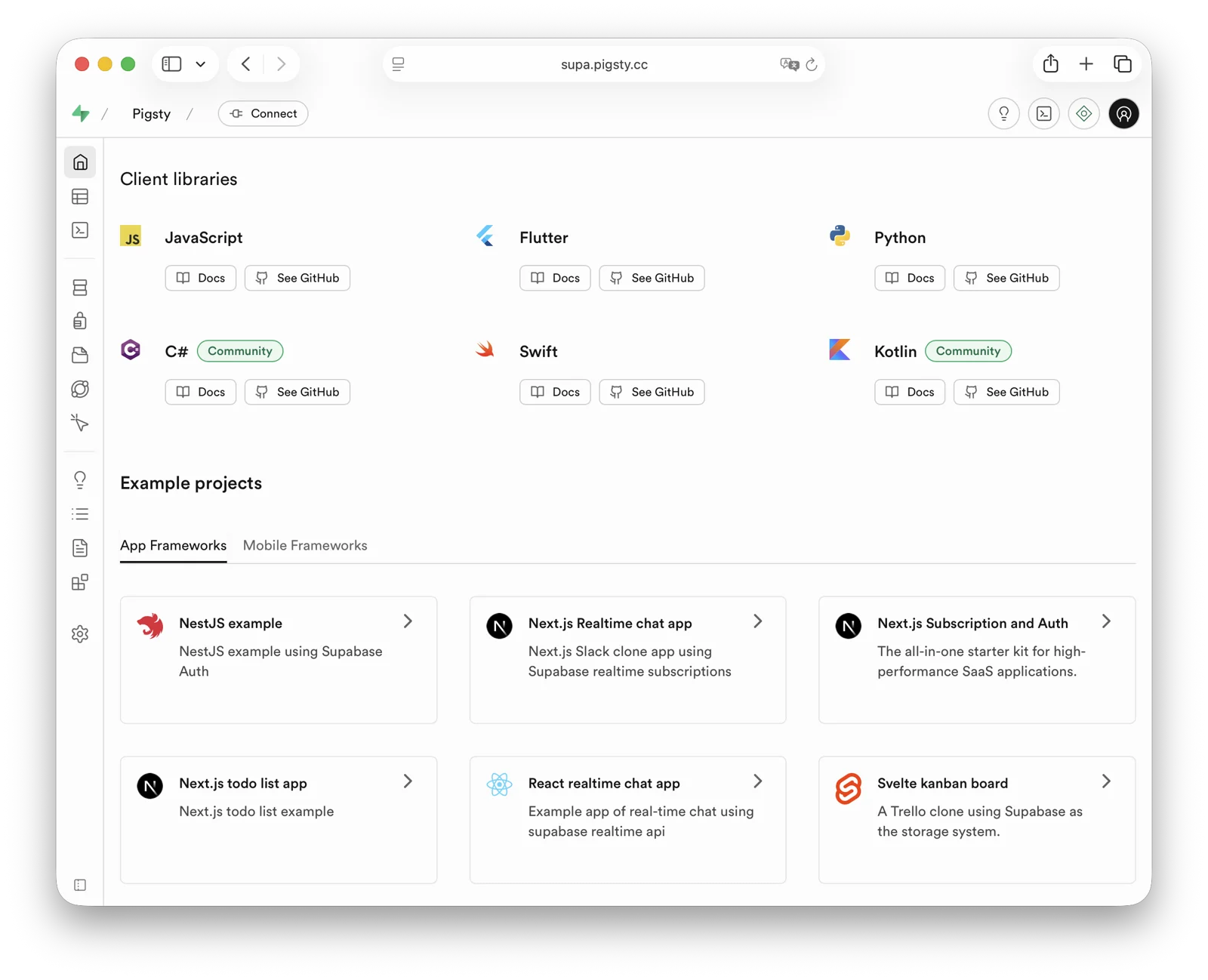
demo/supabase.cast — /demo/supabase.cast
Checklist
- At least one 2-core/4 GB server; 4 cores/8 GB or more is recommended for the full stack
- Static internal IPv4 address
- Supported Linux distro installed
- Standard Pigsty installation
- Modified config file: domain, passwords, IP address
- Docker module installed, ensure proxy/mirror available
- Use Pigsty’s
app.ymlto start Supabase
Table of Contents
- What is Supabase?
- Why Self-Host?
- Single-Node Quick Start
- Upgrading Existing Deployments
- Advanced: Security Hardening
- Advanced: Domain Configuration
- Advanced: External Object Storage
- Advanced: Using SMTP
- Advanced: True High Availability
What is Supabase?
Supabase is an open-source Backend as a Service (BaaS) and Firebase alternative. It is widely used for AI agent database and backend services. Supabase adds authentication, messaging, edge functions, and object storage to PostgreSQL. It generates REST APIs from the database schema. Enable pg_graphql when you need GraphQL APIs.
Supabase combines backend services to reduce development and infrastructure maintenance work. Developers can focus on database design and the frontend to build applications quickly. Vibe coding can help create the frontend and schema for complete applications.
Supabase is one of the most popular open-source projects in the PostgreSQL ecosystem. As of August 2026, its GitHub repository has more than 100,000 stars. Supabase also offers a free hosted tier. The current Free plan includes shared CPU, 500 MB of RAM, a 500 MB database quota, and 1 GB of file storage; consult the official page for later changes.
Why Self-Host?
Self-hosting can address cost, functionality, and control requirements.
Costs can rise quickly when data, compute, or availability requirements exceed a managed-service tier. See Is Cloud Database an IQ Tax?. Reliable local enterprise NVMe SSDs have a cost advantage of three to four orders of magnitude over cloud storage. Self-hosting can use this advantage.
Functionality is another reason. Multi-tenant security and licensing constraints exclude many PostgreSQL extensions from cloud services. Although extensions are a core PostgreSQL feature, Supabase promises more than 50 preconfigured extensions. The exact list changes with platform releases. Self-hosting with Pigsty provides up to 600 ready-to-use extensions.
Self-hosting gives users control and helps avoid vendor lock-in. Supabase aims to provide an open-source Firebase alternative without vendor lock-in, but enterprise self-hosting still requires work. Supabase develops and maintains PostgreSQL extensions. It acquired the Oriole team in 2024 and offers OrioleDB as an optional Public Alpha. OrioleDB is not the production default or a confirmed replacement for native PostgreSQL. Some Supabase extensions and patched kernels are absent from the official PGDG repository.
Missing packages create a dependency on the supabase/postgres Docker image for self-hosting. Pigsty provides these packages for other deployment methods. The 10 missing Supabase extensions are available as RPM/DEB packages for the supabase template matrix. This covers EL 8/9, Debian 12, and Ubuntu 22.04/24.04/26.04 on x86_64 and aarch64. See supported Linux distributions.
| Extension | Description |
|---|---|
pg_graphql | GraphQL support in PostgreSQL (Rust), provided by PIGSTY, enabled on demand |
pg_jsonschema | JSON Schema validation (Rust), provided by PIGSTY |
wrappers | Supabase foreign data wrapper bundle (Rust), provided by PIGSTY |
index_advisor | Query index advisor (SQL), provided by PIGSTY |
pg_net | Async non-blocking HTTP/HTTPS requests (C), provided by PIGSTY |
vault | Store encrypted credentials in Vault (C), provided by PIGSTY |
pgjwt | JSON Web Token API implementation (SQL), provided by PIGSTY |
pgsodium | Table data encryption TDE, provided by PIGSTY |
supautils | Security utilities for cloud environments (C), provided by PIGSTY |
pg_plan_filter | Filter queries by execution plan cost (C), provided by PIGSTY |
Supabase deployments install most extensions by default. Enable them as needed. Newer templates install the pg_graphql package without creating its extension object. For GraphQL APIs, run CREATE EXTENSION IF NOT EXISTS pg_graphql; in the target database. The template event trigger rebuilds graphql_public.graphql and its permissions.
Pigsty manages the highly available PostgreSQL and Silo object storage clusters. It also manages Docker, the Nginx reverse proxy, domains, and HTTPS certificates. Run any number of stateless Supabase container clusters with Docker Compose. Store their state in external Pigsty-managed database services.
The current template supports PostgreSQL 15-18, with 18 as the default. You can install 600 extensions and scale Supabase, PostgreSQL, and Silo independently. You are responsible for operating and securing this infrastructure.
Single-Node Quick Start
Start with single-node deployment. Multi-node high availability is covered later.
Prepare a fresh Linux server, use the Pigsty supabase configuration template for standard installation,
then run docker.yml and app.yml to start stateless Supabase containers (Envoy uses HTTP port 8000 by default; the Nginx portal provides HTTPS).
Before deploying Supabase, modify the auto-generated pigsty.yml configuration file (domain and passwords) according to your needs.
For local development/testing, you can skip this and customize later.
If configured correctly, after about ten minutes, you can access the Supabase Studio GUI at http://<your_ip_address>:8000 on your local network.
Default username and password are supabase and pigsty.
Notes:
- In mainland China, Pigsty uses 1Panel and 1ms DockerHub mirrors by default, which may be slow.
- You can configure your own proxy and registry mirror, then manually pull images with
cd /opt/supabase; make pull. Before exporting offline images, runmake pulland thenmake save. The complete bundle includes both the default Envoy and optional Kong gateways. We also offer expert consulting services including complete offline installation packages. - If you need object storage functionality, you must access Supabase via domain and HTTPS, otherwise errors will occur.
- For serious production deployments, always change all default passwords!
Key Technical Decisions
Here are some key technical decisions for self-hosting Supabase:
Single-node deployment does not provide PostgreSQL/Silo high availability. Compared with the official Docker Compose setup, it provides monitoring, extension installation, independent component scaling, and point-in-time recovery.
Pigsty’s Supabase template does not start the upstream Compose db or supavisor containers, and does not use Supabase’s bundled connection pooler.
Stateless containers connect directly to the PostgreSQL service managed by Pigsty; the single-node template uses service port 5436 by default, which always routes to the current primary.
Logflare / Analytics uses _analytics in the separate _supabase database instead of postgres._analytics in the application database. This keeps internal tables such as oban_jobs and oban_peers out of the project database’s public schema. It prevents Supabase Advisor RLS warnings about those tables. LOGFLARE_DB and LOGFLARE_SCHEMA control these locations.
The Query Performance page in Supabase Studio accesses pg_stat_statements with a public, extensions search path.
Pigsty keeps the pg_stat_statements extension objects in the monitor schema for compatibility with pg_exporter and existing monitoring dashboards. The template creates a compatibility view and functions in the extensions schema for Studio.
Envoy is the default gateway, under the Compose service name api-gw. Kong 3.9.3 remains available as a transition option. To enable Kong, run this combination from the application directory:
Both gateways use API_GW_HTTP_PORT for their HTTP port, defaulting to 8000. Only the Kong configuration also exposes KONG_HTTPS_PORT (default 8443).
For one server or cloud-hosted servers, Pigsty recommends external S3 instead of local Silo for PostgreSQL backups and Supabase Storage. This supports recovery on an hour scale after single-node failure. Actual RPO depends on the latest recoverable backup, WAL archives, and object-storage availability. The topology does not guarantee a fixed RPO.
For production, Pigsty recommends at least 3-4 nodes with multi-node high availability for Silo and PostgreSQL. This requires more nodes and disks. Update pigsty.yml and Supabase configuration to use high-availability endpoints.
Some Supabase features require sending emails, so SMTP service is needed. Unless purely for internal use, production deployments should use SMTP cloud services. Self-hosted mail servers’ emails are often marked as spam.
If your service is directly exposed to the public internet, we strongly recommend using real domain names and HTTPS certificates via Nginx Portal.
Next, we’ll discuss advanced topics for improving Supabase security, availability, and performance beyond single-node deployment.
Upgrading Existing Deployments
Back up PostgreSQL, object storage, and application volumes, and review local customizations before upgrading. The old gateway service was named kong; the new service is api-gw. Before replacing the old Compose files, run docker compose down in the old application directory, without -v. This stops the old gateway and releases its ports while preserving volumes and external data. Running only up -d with the new files can leave the old kong container behind and cause port or container-name conflicts.
files/supabase.sql is a fresh-install baseline. Do not replay it over an existing database. Updating containers alone does not apply new SQL grants or remove old database settings. Version 0.8.2 removes the SQL-visible app.settings.jwt_secret and PostgREST’s PGRST_APP_SETTINGS_JWT_SECRET. Application-level JWT verification settings and app.settings.jwt_exp remain in place.
First review custom SQL functions that depend on current_setting('app.settings.jwt_secret'). If they still need a signing key, migrate them to a restricted Vault secret as described in the upstream migration guidance. Allow only the function owner to read it, and avoid exposing the decrypted key through a public RPC.
After handling these dependencies and backing up the database, run from the Pigsty installation root, connect to the target Supabase database as an administrator, and apply the idempotent narrow upgrade script:
The script resets only the old database-level secret setting in the current database and grants the webhook owner supabase_functions_admin USAGE on the extensions schema. It preserves JWT expiration and existing data. Also remove the old parameter from the deployment inventory, update Compose, and recreate PostgREST. If you injected the same secret through ALTER ROLE, server settings, or session SQL, review and remove those sources separately. Existing connections may retain the old value. Reconnect and verify as an ordinary application role in a new session without printing the secret:
For older deployments, also check that supabase_storage_admin has CREATE on the target database and that the upstream 2026-07-30 pg_cron privilege migration has been applied. See the template upgrade notes for the checks and remedies. Fresh-install and same-version container recreation tests do not replace an upgrade rehearsal for an existing application database.
Advanced: Security Hardening
Pigsty Components
For production, changing Pigsty component passwords is strongly recommended. These defaults are public:
grafana_admin_password:pigsty, Grafana admin passwordpg_admin_password:DBUser.DBA, PostgreSQL superuser passwordpg_monitor_password:DBUser.Monitor, PostgreSQL monitoring user passwordpg_replication_password:DBUser.Replicator, PostgreSQL replication user passwordpatroni_password:Patroni.API, Patroni HA component passwordhaproxy_admin_password:pigsty, Load balancer admin passwordminio_secret_key:S3User.MinIO, Silo root user secretetcd_root_password:Etcd.Root, ETCD root user password- Additionally, strongly recommend changing the PostgreSQL business user password for Supabase, default is
DBUser.Supa
These are Pigsty component passwords. Strongly recommended to set before installation.
Supabase Keys
Besides Pigsty component passwords, you need to change Supabase keys, including:
JWT_SECRET: JWT signing key, at least 32 charactersANON_KEY: Anonymous user JWT credentialSERVICE_ROLE_KEY: Service role JWT credentialSUPABASE_PUBLISHABLE_KEY/SUPABASE_SECRET_KEY: New opaque API keys, can be left empty if not enabledJWT_KEYS/JWT_JWKS: Asymmetric JWT keys and JWKS, can be left empty if not enabledANON_KEY_ASYMMETRIC/SERVICE_ROLE_KEY_ASYMMETRIC: Asymmetric signing JWTs, can be left empty if not enabledPG_META_CRYPTO_KEY: PostgreSQL Meta service encryption key, at least 32 charactersSECRET_KEY_BASE: Random secret used by RealtimeREALTIME_DB_ENC_KEY: Realtime database encryption keyDASHBOARD_USERNAME: Supabase Studio web UI default username, defaultsupabaseDASHBOARD_PASSWORD: Supabase Studio web UI default password, defaultpigstyLOGFLARE_PUBLIC_ACCESS_TOKEN: Logflare public access token, at least 32 random charactersLOGFLARE_PRIVATE_ACCESS_TOKEN: Logflare private access token, at least 32 random charactersLOGFLARE_DB/LOGFLARE_SCHEMA: Internal database and schema used by Logflare / Analytics, defaulting to_supabase/_analytics
Please follow the Supabase tutorial: Securing your services:
- Generate a
JWT_SECRETwith at least 40 characters, then use the tutorial tools to issueANON_KEYandSERVICE_ROLE_KEYJWTs. - Use the tutorial tools to generate an
ANON_KEYJWT based onJWT_SECRETand expiration time — this is the anonymous user credential. - Use the tutorial tools to generate a
SERVICE_ROLE_KEY— this is the higher-privilege service role credential. - If you use newer opaque API keys or asymmetric JWTs, also generate and fill
SUPABASE_PUBLISHABLE_KEY,SUPABASE_SECRET_KEY,JWT_KEYS,JWT_JWKS, and the corresponding asymmetricANON_KEY/SERVICE_ROLE_KEY. - Specify a random string of at least 32 characters for
PG_META_CRYPTO_KEYto encrypt Studio UI and meta service interactions. SECRET_KEY_BASEmust be at least 64 characters;REALTIME_DB_ENC_KEYmust be exactly 16 characters.- Generate separate random credentials for
S3_PROTOCOL_ACCESS_KEY_IDandS3_PROTOCOL_ACCESS_KEY_SECRET; do not reuse an object-storage administrator password. - If using different PostgreSQL business user passwords, modify
POSTGRES_PASSWORDaccordingly. - If your object storage uses different passwords, modify
S3_ACCESS_KEYandS3_SECRET_KEYaccordingly. - If Edge Functions are exposed to untrusted clients, set
FUNCTIONS_VERIFY_JWTtotrueas needed. API_EXTERNAL_URLshould now be the external Auth service URL, retaining the/auth/v1suffix, for examplehttps://supa.pigsty.io/auth/v1; keepSITE_URLandSUPABASE_PUBLIC_URLat the site root URL.- The current template defaults
PGRST_DB_SCHEMAStopublic,graphql_public; thestorageschema is used by the Storage API and is no longer exposed through PostgREST by default.
To enable asymmetric authentication, configure JWT_KEYS, JWT_JWKS, and all four opaque/asymmetric API-key variables together, then enable the corresponding Compose override. Without the override, the default remains HS256:
If you also select Kong, insert -f docker-compose.kong.yml before -f docker-compose.asymmetric.yml. Use the same override combination for subsequent starts and updates. Edge Functions receive JWT_JWKS through SUPABASE_JWKS and fall back to HS256 when it is empty. Update the worker together with the shared volumes/functions/deno.jsonc import map to support @supabase/functions-js, @supabase/server, and the per-request SUPABASE_FUNCTION_SLUG. See the pinned source notes.
After changing Supabase credentials, update configuration and recreate the containers. The commands below and later startup examples without Compose overrides apply only to the default Envoy + HS256 stack:
For Kong or asymmetric JWTs, first update configuration with ./app.yml -l supabase -t app_config, then enter /opt/supabase and run up -d with the same -f file combination shown above to retain the gateway and JWT overrides.
Advanced: Domain Configuration
If using Supabase locally or on LAN, you can directly connect to the API gateway’s HTTP port 8000 via IP:Port.
An internally resolved static domain is possible. For production, a real domain and HTTPS are recommended. Use a server with a public IP and a domain that you own. Point the domain to the public IP through your cloud, DNS, or CDN provider. Local /etc/hosts resolution is an optional fallback.
The simple approach is to batch-replace the placeholder domain (supa.pigsty) with your actual domain, e.g., supa.pigsty.io:
If not configured beforehand, reload Nginx and Supabase configuration:
The modified configuration should look like:
For complete domain/HTTPS configuration, see Certificate Management. You can also use Pigsty’s built-in local static resolution and self-signed HTTPS certificates as fallback.
Advanced: External Object Storage
You can use S3 or S3-compatible services for PostgreSQL backups and Supabase object storage. Here we use Alibaba Cloud OSS as an example.
Pigsty provides a
terraform/spec/aliyun-s3.tftemplate for provisioning a server and OSS bucket on Alibaba Cloud.
First, modify the S3 configuration in all.children.supabase.vars.apps.supabase.conf to point to Alibaba Cloud OSS:
Reload Supabase configuration:
You can also use S3 as PostgreSQL backup repository. Add an aliyun backup repository definition in all.vars.pgbackrest_repo:
Select aliyun with all.vars.pgbackrest_method. Check the current backup and run check mode first. After explicit authorization, regenerate pgBackRest configuration on the named cluster, initialize the stanza, and create a new full recovery point:
The new repository does not automatically receive old backups. A recovery-window gap remains until its first full backup succeeds. See Switching Repositories for the complete procedure.
Advanced: Using SMTP
You can use SMTP for sending emails. Modify the supabase app configuration with SMTP information:
Reload the configuration with ./app.yml -l supabase -t app_config,app_launch.
Advanced: True High Availability
These steps provide a single-node Supabase setup with a public domain, HTTPS, SMTP, PITR backups, monitoring, and IaC. It can use 600 PostgreSQL extensions. See other Pigsty documentation for high availability. Hands-on Supabase self-hosting consulting is available for $400 USD.
Single-node RTO/RPO depends on external object storage for recovery. After node failure, redeploy Supabase on a new node and restore from external S3 backups. This provides an hour-scale recovery fallback. RPO depends on actual backups and WAL archives and must be verified with restore drills. “MB-level” is not a fixed guarantee.
For RTO below 30 seconds with acknowledged transactions preserved, use multiple nodes. Explicitly select the fast RTO preset and crit.yml strict-synchronous policy. Validate them with failure drills. The default norm preset targets RTO below 45 seconds. Asynchronous replication does not promise RPO=0:
- ETCD: DCS needs three or more nodes to tolerate one node failure.
- PGSQL: PostgreSQL synchronous commit (no data loss) mode recommends at least three nodes.
- INFRA: Monitoring infrastructure failure has less impact; production recommends dual replicas.
- Supabase stateless containers can also be multi-node replicas for high availability.
In this case, you also need to modify PostgreSQL and Silo endpoints to use DNS / L2 VIP / HAProxy high availability endpoints.
For these parts, follow the documentation for each Pigsty module.
Reference conf/ha/trio.yml and conf/ha/safe.yml for upgrading to three or more nodes.
6.2 - Odoo: Self-Hosted Open Source ERP
Odoo is open-source ERP software with CRM, sales, inventory, and other business applications. The template stays on Odoo Community 19.0 for addon compatibility and uses PostgreSQL 18.
Odoo 19 requires PostgreSQL 13 or later and Python 3.10 or later; the official Docker image provides Python.
Quick Start
On a fresh Linux x86_64 / ARM64 server running a compatible operating system:
Port 8069 is published on all host interfaces by default. Open http://<ip>:8069. The initial application login is admin / admin; change the password at first login.
The template pre-creates the odoo database and disables the database manager. ODOO_ADMIN_PASSWORD is the database-management master password, separate from the application login password.
Configuration Template
Source: conf/app/odoo.yml.
Basics
The deployed configuration is in /opt/odoo/.env:
ODOO_PORT is the published host port number. Compose maps it to the fixed container port 8069 with "${ODOO_PORT}:8069". ODOO_DBNAME selects one database; its name must not contain commas.
For manual deployment, create the PostgreSQL role, database, and extensions first, then run these commands on the Docker host. The Make helpers require Docker Compose, jq, and permission to set directory ownership.
Makefile
Using External PostgreSQL
PostgreSQL 13 or later is supported. Create a dedicated role, database, and the unaccent / pg_trgm extensions:
Replace pg-meta below with the actual database cluster name:
Point PG_HOST, PG_PORT, PG_USERNAME, and PG_PASSWORD in .env to that database, and configure HBA to allow the application. This single-database template does not require CREATEDB or SUPERUSER for the Odoo role.
Check connectivity, entering the password at the prompt:
Expose Odoo Service
You can also access Odoo through the Nginx portal. Use ODOO_PROXY_MODE=true for proxy access and false for direct access only. Run make up after changing .env.
Point domain to the Nginx host and endpoint to the Odoo host and published port. Update this port if you change ODOO_PORT.
With the default workers=0, HTTP and WebSocket share port 8069. Multiple workers require separate port 8072 and /websocket routing; see the Odoo 19 deployment guide.
Use HTTPS in production. Trust Pigsty’s files/pki/ca/ca.crt on the client or configure a publicly trusted certificate.
Odoo Addons
Use addons compatible with Odoo 19. Extract them into /data/odoo/addons (mounted at /mnt/extra-addons in the container) and install their dependencies. Set directory ownership to uid=100, gid=101.
Run make restart after changing addon code. Enable Developer mode, then refresh and install addons in Apps → Update Apps List. Find more addons in Odoo Apps.
Updates and Backups
To update the Odoo 19 image, run make pull, then make up. make restart does not apply a new image or environment. For a fixed version, set ODOO_VERSION to a published dated 19.0 tag. A major-version upgrade requires database migration and compatible addons.
Use Pigsty/pgBackRest for database backups. Manage filestore and addon backups yourself with Restic or PGFS.
Demo
Public demo (availability varies): http://odoo.pigsty.io, username [email protected], password pigsty.
6.3 - Dify: AI Workflow Platform
Dify is an open-source platform for developing generative AI and LLM applications. It supports agent creation, AI workflows, RAG retrieval, and model management. These features help users build and operate generative AI applications.
Pigsty supports self-hosted Dify with single-command deployment. Critical state resides in externally managed PostgreSQL. You can use pgvector in the same PostgreSQL instance as the vector database to simplify deployment.
The template uses Dify
v1.17.1with plugin daemonv0.6.10-localand sandboxv0.2.15. Validation on 2026-10-08 covered login, an existing Code workflow, and service connections on Linux amd64 with PostgreSQL 18.6. Dify v1.16 and later handle PostgreSQL 18’s built-inuuidv7()without a local migration patch.
Quick Start
On a fresh Linux x86/ARM server running a compatible operating system:
Dify listens on port 5001 by default. Access http://<ip>:5001 in your browser and set up your initial user credentials to log in.
After Dify starts, install extensions and configure system models to begin using it.
Why Self-Host
Data security is a primary reason to self-host Dify. Dify’s Docker Compose template uses basic database images. It lacks enterprise features such as high availability, disaster recovery, monitoring, IaC, and PITR.
Pigsty provides declarative Dify deployment and image mirrors for access in China. The template places PostgreSQL and pgvector under Pigsty management. It deploys Compose Redis, VictoriaMetrics/Grafana monitoring, and an Nginx reverse proxy. After public DNS, ports, and Certbot are configured, it can request a Let’s Encrypt certificate. Files use DIFY_DATA (/data/dify) by default, with optional Silo/S3 object storage.
The template places PostgreSQL/pgvector in an externally managed Pigsty database. API files and plugin data use DIFY_DATA, which defaults to /data/dify. Compose Redis data remains in /opt/dify/volumes/redis/data. Sandbox dependencies and Certbot data also use /opt/dify/volumes/. The Agent local sandbox also stores /home/dify and /workspace in separate named volumes. Backups must include these volumes as well as the database and host directories.
Installation
Start with a single-node Dify deployment. Production high-availability deployment is covered later.
First, use Pigsty’s standard installation process to install the PostgreSQL instance required by Dify:
The ./configure -c app/dify command generates configuration from conf/app/dify.yml and your current environment. Edit passwords, domains, and other required settings in pigsty.yml. Then run ./deploy.yml to perform the standard installation.
Next, run docker.yml to install Docker and Docker Compose, then use app.yml to complete Dify deployment:
You can access the Dify Web admin interface at http://<your_ip_address>:5001 on your local network.
The first login will prompt you to set up default username, email, and password.
You can also use the locally resolved placeholder domain dify.pigsty, or follow the configuration below to use a real domain with an HTTPS certificate.
Configuration
When you run ./configure -c app/dify, Pigsty generates a configuration file from the conf/app/dify.yml template and the current environment. The snapshot below matches the v4.5.0 source template:
Checklist
Check these configuration items:
- Hardware/Software: Prepare required machine resources: Linux
x86_64/arm64server, fresh installation of a mainstream Linux OS - Network/Permissions: SSH passwordless login access, user with sudo privileges without password
- Ensure the machine has a static IPv4 network address on the internal network and can access the internet
- If accessing via public network, ensure you have a domain pointing to the node’s public IP address
- Ensure you use the
app/difyconfiguration template and modify parameters as neededconfigure -c app/dify, enter the node’s internal primary IP address, or specify via-i <primary_ip>command line parameter
- In production, change every example password, application secret, and database credential. [Required]
grafana_admin_password:pigsty, Grafana admin passwordpg_admin_password:DBUser.DBA, PG superuser passwordpg_monitor_password:DBUser.Monitor, PG monitoring user passwordpg_replication_password:DBUser.Replicator, PG replication user passwordpatroni_password:Patroni.API, Patroni HA component passwordhaproxy_admin_password:pigsty, Load balancer admin password
- Change the PostgreSQL business user password and the application settings that use it.
- Default username
difyand passworddifyai123456are generated by Pigsty for Dify; modify according to your needs - In the Dify configuration block, modify
DB_USERNAME,DB_PASSWORD,PGVECTOR_USER,PGVECTOR_PASSWORDaccordingly
- Default username
- Change Dify’s default encryption key.
- You can randomly generate a password string with
openssl rand -base64 42and fill in theSECRET_KEYparameter - Also replace the three Agent development secrets:
DIFY_AGENT_API_TOKEN,DIFY_AGENT_SERVER_SECRET_KEY, andDIFY_AGENT_LOCAL_SANDBOX_AUTH_TOKEN. Generate independent random values; use the format produced bysecrets.token_urlsafe(32)for the server secret.
- You can randomly generate a password string with
- Change the domain used by Dify.
- Replace placeholder domain
dify.pigstywith your actual domain, e.g.,dify.pigsty.io - You can use
sed -ie 's/dify.pigsty/dify.pigsty.io/g' pigsty.ymlto modify Dify’s domain
- Replace placeholder domain
Domain and SSL
To use a real domain with HTTPS, update these settings in pigsty.yml:
- The
difydomain in theinfra_portalparameter - It’s best to specify an email address
certbot_emailfor certificate expiration notifications - Configure Dify’s
NGINX_SERVER_NAMEparameter to specify your actual domain
Use the following commands to request Nginx certificates:
Run the app.yml playbook to redeploy Dify service for the NGINX_SERVER_NAME configuration to take effect:
Upgrading
Before upgrading, verify the PostgreSQL backup and back up the files and named volumes listed below. With MIGRATION_ENABLED=true, the API container runs database migrations at startup. After updating configuration, pulling the new images, and recreating the API container, confirm that it runs the new version before invoking migrations explicitly:
Dify 1.17.1 includes the pre-1.15 legacy model type migration in this process. The separate flask data-migrate legacy-model-types command is no longer needed. Deployments upgrading from before 1.15 that have not completed the plugin auto-upgrade backfill must still run it once:
When upgrading from 1.16, rename EDITION to DEPLOYMENT_EDITION, DIFY_AGENT_SHELLCTL_AUTH_TOKEN to DIFY_AGENT_LOCAL_SANDBOX_AUTH_TOKEN, DIFY_AGENT_SHELLCTL_ENTRYPOINT to DIFY_AGENT_LOCAL_SANDBOX_ENDPOINT, and AGENT_BACKEND_RUN_TIMEOUT_SECONDS to DIFY_AGENT_RUN_TIMEOUT_SECONDS in deployment overrides. Use DIFY_AGENT_RUNTIME_BACKEND=local for the bundled self-hosted sandbox.
Version 1.17.1 fixes document extraction, Human Input workflows, collaboration, and Agent behavior. Re-import CSV, Notion, and XLS documents that were previously extracted incorrectly; replacing the image does not repair indexed text. See the 1.17.1 release notes.
The Agent feature remains Beta and should be exposed only to trusted users. SSRF_PROXY_ALLOW_PRIVATE_IPS and SSRF_PROXY_ALLOW_PRIVATE_DOMAINS apply to both workflow and Agent proxies. Leave them empty for the default private-network deny policy. Explicitly allowlisting api, agent_backend, or a network covering their addresses also allows their other ordinary paths; use precise targets. The Agent shellctl control network still permits direct access from the local sandbox to agent_backend.
File Backup
Use restic to back up Dify file state. Include at least /data/dify, /opt/dify/.env, and /opt/dify/volumes/. The last directory contains Compose Redis, Sandbox dependencies, and any Certbot data. Back up PostgreSQL separately with Pigsty/pgBackRest. Also back up the dify_agent_local_sandbox_home and dify_agent_local_sandbox_workspace named volumes, whose actual names include the Compose project prefix. The Restic commands below do not include these two volumes.
After creating the Restic backup repository, you can backup Dify with:
Another option is to place /data/dify on a shared filesystem managed by the JUICE module. File data can live in Silo/S3 or in a PostgreSQL jfs_blob table; the latter is not PostgreSQL large-object storage.
To store JuiceFS metadata and file data in PostgreSQL, declare a dedicated database and least-privilege user in pg_databases. Then declare the instance on the Dify node. The example passwords are placeholders. Do not use them in production.
Handle database creation and JUICE deployment separately. After confirming the exact targets, run the playbooks:
Database creation, initial filesystem formatting, and mounting change the target environment. Confirm the backup, database name, and host group before execution. Start Dify only after the mount is ready. See JUICE configuration and its PITR consistency boundary. Before mounting over a nonempty /data/dify, stop Dify and plan migration of existing files.
Reference
6.4 - InsForge: AI Backend-as-a-Service
InsForge is an open-source Backend-as-a-Service platform for AI coding agents, built around PostgreSQL. It provides authentication, database APIs, file storage, a model gateway, edge functions, site deployment, and payment integrations. These features reduce common backend implementation work.
Pigsty provides the app/insforge template. It runs stateless InsForge OSS services in Docker Compose and stores critical state in Pigsty-managed PostgreSQL. This provides high availability, backup and recovery, monitoring, ingress domains, and infrastructure services. The database does not depend on an ephemeral container volume.
The template targets InsForge OSS v2.3.3 and uses external PostgreSQL. It runs three services by default: InsForge Dashboard/API, PostgREST, and Deno Runtime. The latter two bind only to host loopback.
Quick Start
Run the following on a fresh Linux x86 / ARM server with a compatible operating system:
On a fresh deployment, run infra.yml first so node.yml can use its CA. Existing Pigsty deployments should retain their INFRA/ETCD inventory and avoid repeating initialization. See Database and Permissions for the utility library requirements on every database node.
After installation, the default access URLs are:
http://<your_ip_address>:7130http://isf.pigsty
The default administrator account is [email protected] / pigsty. In production, you must change the administrator account, administrator password, JWT secret, encryption key, and database password.
To access InsForge through isf.pigsty, add the following entry to /etc/hosts on the machine running your browser:
To expose the service to the public internet, use a real domain and HTTPS certificate, and modify infra_portal as described below.
Checklist
- Prepare a fresh Linux server with at least
2C4G; use an SSD/NVMe disk. - Confirm that the server has a static private IPv4 address and can access GHCR / Docker Hub, or that a registry mirror is configured.
- After running
./configure -c app/insforge, change the default passwords, domains, and keys inpigsty.yml. - Generate new
JWT_SECRETandENCRYPTION_KEYvalues separately withopenssl rand -base64 32. - Keep
POSTGRES_PASSWORDconsistent with the password ofdbuser_insforgeinpg_users. - For public access, configure a real domain, an HTTPS certificate, and firewall access rules.
- Install and preload
insforge_pg_utilson every PostgreSQL node, verify the extension packages, and runpig pb infoafter deployment.
Architecture
The InsForge template separates the database from the application containers by default:
Components:
- InsForge App:
ghcr.io/insforge/insforge-oss:v2.3.3, providing the Dashboard and main API on port7130. - PostgREST:
postgrest/postgrest:v12.2.12, generating REST APIs from PostgreSQL schemas; bound to127.0.0.1:5430on the host. - Deno Runtime:
denoland/deno:alpine-2.0.6, running the bundled, pinned function host and bound to127.0.0.1:7133on the host. - PostgreSQL: Managed by Pigsty for persistent state, backup, monitoring, and high availability.
Configuration Template
conf/app/insforge.yml defines a single-node, self-hosted InsForge template. The default topology includes:
insforge: The node running the InsForge, PostgREST, and Deno Runtime containers.pg-meta: The PostgreSQL database cluster managed by Pigsty, including the roles, database, and extensions required by InsForge.infra: Infrastructure services such as Nginx ingress, Grafana, and VictoriaMetrics.etcd: The distributed configuration store required by Patroni.
Key configuration excerpts:
Important Parameters
app.yml copies the app/insforge directory to /opt/insforge and uses apps.insforge.conf to override /opt/insforge/.env. Common parameters include:
| Parameter | Default | Description |
|---|---|---|
JWT_SECRET | Sample secret | JWT signing secret; must be replaced in production, preferably with a random value of at least 32 characters |
ENCRYPTION_KEY | Sample secret | Encrypts runtime credentials; must be replaced in production and managed separately from JWT_SECRET |
ROOT_ADMIN_USERNAME | [email protected] | Root administrator account |
ROOT_ADMIN_PASSWORD | pigsty | Root administrator password; must be replaced in production |
POSTGRES_HOST / POSTGRES_PORT | 10.10.10.10 / 5432 | Pigsty PostgreSQL endpoint |
POSTGRES_DB | insforge | InsForge database |
POSTGRES_USER | dbuser_insforge | Application user that connects InsForge to PostgreSQL |
POSTGRES_PASSWORD | DBUser.Insforge | Application user password; must be replaced in production |
INSFORGE_VERSION | v2.3.3 | InsForge OSS image tag |
DENO_RUNTIME_IMAGE | denoland/deno:alpine-2.0.6 | Full Deno Runtime image reference |
INSFORGE_IMAGE | Empty | Optional full app image override, taking precedence over INSFORGE_VERSION |
APP_PORT | 7130 | External InsForge App port |
POSTGREST_PORT | 5430 | PostgREST loopback port |
DENO_PORT | 7133 | Deno Runtime loopback port |
ACCESS_API_KEY | Empty | Optional MCP / API access key; generated by InsForge when empty |
ACCESS_ANON_KEY | Empty | Optional anonymous frontend access key; should begin with anon_ when set |
OPENROUTER_API_KEY | Empty | Optional OpenRouter model gateway key |
AWS_S3_BUCKET / S3_* | Empty | Optional object storage configuration |
DENO_DEPLOY_TOKEN | Empty | Optional Deno Deploy integration |
VERCEL_TOKEN / FLY_API_TOKEN | Empty | Optional site deployment and compute platform integrations |
STRIPE_* / RAZORPAY_* | Empty | Optional payment integrations |
Generate production secrets with:
When changing the database password, keep the application and database definitions synchronized. For example:
Once ENCRYPTION_KEY has been used for production data, keep it stable. Changing it may make stored runtime credentials such as API keys, OAuth tokens, and function secrets impossible to decrypt.
Database and Permissions
The default InsForge database is named insforge and owned by dbuser_insforge. The template creates the following roles:
| Role | Login | Purpose |
|---|---|---|
dbuser_insforge | Yes | Application user that connects InsForge to PostgreSQL; granted superuser in the template |
anon | No | PostgREST anonymous role |
authenticated | No | PostgREST authenticated-user role |
project_admin | No | Administrative role with service-key semantics and BYPASSRLS |
files/insforge.sql configures PostgREST role privileges, default privileges, ACLs for project_admin, and the helper function public.reload_postgrest_schema(). The function executes:
This notifies PostgREST to reload its schema.
insforge_pg_utils is a required PostgreSQL utility library. It lets project_admin manage RLS policies on managed tables and manage extensions; application migrations do not replace it. Copy the complete app/insforge/pgutils/ directory to every database node, install it before PostgreSQL initialization, and preload it through pg_libs. It exposes no SQL objects, so no CREATE EXTENSION is needed.
pgutils/install.sh downloads and verifies pinned official source, applies the PG16–18 compatibility patch, and builds it with PGXS. For PG18 on Debian/Ubuntu, use postgresql-server-dev-18 and /usr/lib/postgresql/18/bin/pg_config. On EL/RPM, use postgresql18-devel, gcc, make, curl, patch, and /usr/pgsql-18/bin/pg_config. The script does not change configuration or restart a cluster; plan preload configuration and restart separately for an existing deployment.
cron.use_background_workers: true runs scheduled jobs as background workers without adding a loopback trust rule. Reserve enough max_worker_processes slots for cron, replication, and other extensions.
Service Ports and Persistence
The default Docker Compose services are:
| Service | Container | Host Port | Description |
|---|---|---|---|
| InsForge App | insforge | 7130 | Dashboard and main API |
| PostgREST | insforge-postgrest | 127.0.0.1:5430 | Automatically generated REST API |
| Deno Runtime | insforge-deno | 127.0.0.1:7133 | Edge function runtime |
Remote clients use the main InsForge API for data and functions; do not expose PostgREST or Deno directly. The Docker compute provider is optional, and the template does not mount the Docker socket by default. Enabling that mount grants the container root-equivalent access to the host.
The default Docker volumes are:
| Volume | Mount Point | Description |
|---|---|---|
storage-data | /insforge-storage | Local file storage |
insforge-logs | /insforge-logs | Application logs |
deno_cache | /deno-dir | Deno module cache |
By default, Docker containers connect to the Pigsty node at 10.10.10.10:5432. The template HBA rule permits 172.16.0.0/12, covering Docker’s default bridge and common custom bridge networks.
Domain and Ingress
The template adds an InsForge entry to infra_portal by default:
To use a real domain such as insforge.example.com, replace the placeholder in bulk:
Then apply the Nginx ingress configuration:
Before requesting an HTTPS certificate, verify that the domain resolves to the current node. Then add or update certbot under infra_portal.insforge:
Then run:
Operations
InsForge is installed in /opt/insforge. Common commands include:
Upgrade to v2.3.3
Before upgrading, back up PostgreSQL, including system.migrations, file storage, and deployment overrides. Preserve the existing JWT and credential-encryption keys. After you pull the new image and recreate the InsForge container, its startup migration runner applies and records 065_restrict-http-extension-to-admin.
This migration revokes PUBLIC EXECUTE on 13 outbound HTTP and curl-option function signatures from the http extension while retaining project_admin execution. This prevents normal users and anonymous API keys from invoking them through RPC. The new-install files/insforge.sql baseline includes the same restriction. Do not replay the full baseline on an existing database or run a separate copy of migration 065 manually.
After upgrading, check the migration ledger and actual function privileges. The defaults should be anon=false, authenticated=false, and project_admin=true. Custom role memberships or explicit grants can still confer additional access. See the template upgrade checks and official migration.
Offline Deployment
For offline environments, save the images in advance:
The first Deno startup needs access to deno.land and registry.npmjs.org to pre-cache the function host and worker dependencies. The SDK is pinned to @insforge/[email protected], and functions/deno.lock fixes the dependency graph. Configure DENO_HTTP_PROXY / DENO_HTTPS_PROXY if needed. make save archives images only, not the deno_cache volume; prepare and transfer that cache separately for offline use.
Default artifact locations:
/tmp/docker/insforge/postgrest.tgz/tmp/docker/insforge/insforge.tgz/tmp/docker/insforge/deno.tgz/tmp/insforge.tgz
Load the images on the target machine:
Data and Backup
InsForge state is divided into two categories:
- Business data, users, project metadata, permissions, and related state are stored in the Pigsty PostgreSQL database
insforge. - Local files and logs are stored in the Docker volumes
storage-dataandinsforge-logs.
By default, the template schedules a full PostgreSQL backup every day at 1:00 AM:
After deployment, check the backup status:
If file storage is configured to use S3 / MinIO, file objects are managed by that object storage system. If you keep local volumes, include them separately in your host-level backup strategy.
Troubleshooting
Check container status:
View logs:
Check whether PostgreSQL is reachable from the container:
Check whether the HBA rules include the Docker network:
Check whether the roles exist:
Check for port conflicts:
Common issues:
- Cannot log in: Verify
ROOT_ADMIN_USERNAME/ROOT_ADMIN_PASSWORDin/opt/insforge/.env. Check theinsforgecontainer logs. - PostgREST fails to start: Verify that
anon,authenticated, andproject_adminexist. Verify thatJWT_SECRETmatches the InsForge App setting. - Database connection fails: Verify
POSTGRES_HOST,POSTGRES_PORT, andPOSTGRES_PASSWORDagainstpg_users. Verify that HBA permits the Docker network. - File upload or download errors: When using S3 / MinIO, check
AWS_S3_BUCKET,S3_ENDPOINT_URL,S3_FORCE_PATH_STYLE, and the access-key configuration.
References
- InsForge project: https://github.com/InsForge/InsForge
- Pigsty template: https://github.com/pgsty/pigsty/blob/main/conf/app/insforge.yml
- Docker Compose: https://github.com/pgsty/pigsty/blob/main/app/insforge/docker-compose.yml
- Database baseline: https://github.com/pgsty/pigsty/blob/main/files/insforge.sql
6.5 - Hindsight: AI Long-Term Memory
Hindsight is a PostgreSQL-native long-term memory service for AI agents.
Pigsty provides the app/hindsight configuration template (conf/app/hindsight.yml). By default, it uses Pigsty-managed PostgreSQL instead of Hindsight’s built-in development database.
Quick Start
Default access URLs:
- UI:
http://hs.pigstyorhttp://<IP>:9999 - API:
http://hs-api.pigstyorhttp://<IP>:8888
Key Settings
conf/app/hindsight.yml overrides /opt/hindsight/.env through apps.hindsight.conf. Key parameters:
HINDSIGHT_API_PUBLISH_PORT: public API port, default8888HINDSIGHT_UI_PUBLISH_PORT: public UI port, default9999HINDSIGHT_DB_HOST/HINDSIGHT_DB_PORT/HINDSIGHT_DB_NAME/HINDSIGHT_DB_USER/HINDSIGHT_DB_PASSWORDHINDSIGHT_API_VECTOR_EXTENSION: defaultpgvectorHINDSIGHT_API_TEXT_SEARCH_EXTENSION: defaultnativeHINDSIGHT_API_LLM_PROVIDER: defaultnoneHF_HUB_OFFLINE: defaults to1to use bundled models; set it to0and provide outbound network access to download uncached models
With the default LLM provider, none, Hindsight can retain text and recall it using local embedding/reranker models. Fact extraction, reflection, and consolidation require Ollama or an OpenAI-compatible API.
The template preserves bundled and downloaded models in the hindsight-cache named volume. The database needs vector, plus pg_trgm installed in public. Check the pg_trgm location when reusing a database from another template; CREATE EXTENSION IF NOT EXISTS does not move an existing extension.
Operations
References
- Hindsight project: https://github.com/vectorize-io/hindsight
- Pigsty template: https://github.com/pgsty/pigsty/blob/main/conf/app/hindsight.yml
6.6 - FerretDB: MongoDB Protocol
FerretDB provides a MongoDB-compatible protocol over PostgreSQL and the DocumentDB extension. Pigsty’s app/ferretdb runs the stateless protocol proxy. PostgreSQL, the postgres database, DocumentDB extensions, and a backend PostgreSQL login role must already exist. The fork/mongo configuration template prepares these dependencies together.
Quick Start
Install mongosh or another MongoDB-compatible client separately. Then connect with the dedicated login from the template:
Key Configuration
Override template variables through apps.ferretdb.conf in the inventory. Do not edit the deployed /opt/ferretdb/.env directly:
Port 5436 is Pigsty’s PostgreSQL service that connects directly to the current primary. Linux host-gateway mapping connects the container through the local host and retains this primary routing. The MongoDB port listens on loopback by default. Change FERRETDB_BIND_ADDR explicitly only when remote clients need access.
FerretDB authenticates users through PostgreSQL. It does not currently implement MongoDB authorization, so MongoDB roles cannot isolate access. The template also does not enable MongoDB client TLS. Before exposing the service to an untrusted network, configure certificates and the FERRETDB_LISTEN_TLS* variables.
FerretDB releases specify a preferred DocumentDB version, while Pigsty may ship a newer compatible package. After upgrading either component, rerun an authenticated CRUD smoke test.
Optional Three-Node Topology
The fork/mongo template includes a commented three-node PostgreSQL / DocumentDB cluster. Each node runs a FerretDB container. HAProxy exposes port 27017 at the floating endpoint 10.10.10.4:27017 (mongo.pigsty). Enable the complete pg-mongo cluster and the additional etcd members, then run:
HAProxy uses TCP health checks to exclude stopped or unreachable FerretDB processes. The image’s built-in health check verifies the backend connection. Production deployments should use a shared Silo or external S3-compatible pgBackRest repository. This keeps the same backup history available after a PostgreSQL primary failover.
References
6.7 - Teable: AI No-Code Database
Teable is a no-code database platform for team collaboration.
Pigsty provides the app/teable template (conf/app/teable.yml). Its default dependencies are PostgreSQL + Silo + Docker. It does not require Redis.
Quick Start
Default endpoints:
http://<IP>:8890http://tea.pigsty
Key Settings
The template writes the following into /opt/teable/.env:
POSTGRES_HOST/POSTGRES_PORT/POSTGRES_DB/POSTGRES_USER/POSTGRES_PASSWORDPRISMA_DATABASE_URLPUBLIC_ORIGIN(public URL)PUBLIC_DATABASE_PROXYTEABLE_PORT(default8890)
Operations
References
- Teable docs: https://help.teable.io/
- Pigsty template: https://github.com/pgsty/pigsty/blob/main/conf/app/teable.yml
6.8 - Gitea: Self-Hosted Git Service
Gitea is a lightweight open-source Git hosting platform.
Pigsty’s app/gitea template uses external PostgreSQL mode by default. Configure the database through GITEA_DB_* values in .env.
Quick Start
Default endpoints:
- Web:
http://git.pigstyorhttp://<IP>:8889 - SSH:
<IP>:222
Database Preparation
Connection string example:
Reverse Proxy and Upgrades
Gitea 28 serves notifications at /-/ws. Enable WebSocket support on the Nginx portal:
Before upgrading, back up PostgreSQL and /data/gitea together and record the running image digest. Restore matching database and file backups when rolling back. Gitea 28 defaults to removing completed Actions runs, logs, and artifacts after 400 days; check retention settings if those records need to be kept longer. See the Gitea 28 release notes.
Common Commands
References
- Gitea docs: https://docs.gitea.com/
- Pigsty template: https://github.com/pgsty/pigsty/tree/main/app/gitea
6.9 - NocoDB: Open-Source Airtable
NocoDB is an open-source Airtable alternative that turns any database into a smart spreadsheet.
Use its visual interface to create database applications without code. NocoDB supports PostgreSQL, MySQL, SQL Server, and other databases. You can use it for internal tools and data management systems.
Quick Start
Pigsty provides a Docker Compose configuration file for NocoDB in the software template directory:
Review and modify the .env configuration file (adjust database connections as needed).
Start the service:
Access NocoDB:
- Default URL: http://nocodb.pigsty
- Alternate URL: http://10.10.10.10:8080
- First-time access requires creating an administrator account
Management Commands
Use these Makefile commands to manage NocoDB:
Connect to PostgreSQL
NocoDB can connect to PostgreSQL databases managed by Pigsty.
When adding a new project in the NocoDB interface, select “External Database” and enter the PostgreSQL connection information:
After connecting, NocoDB reads the table structure automatically. You can then manage data through the visual interface.
Features
- Smart Spreadsheet Interface: Excel/Airtable-like user experience
- Multiple Views: Grid, form, kanban, calendar, gallery views
- Collaboration Features: Team collaboration, permission management, comments
- API Support: Auto-generated REST API
- Integration Capabilities: Webhooks, Zapier integrations
- Import/Export: CSV, Excel format support
- Formulas and Validation: Complex data calculations and validation rules
Configuration
NocoDB configuration is in the .env file:
Data Persistence
By default, NocoDB stores metadata in external PostgreSQL. It can also store application data in PostgreSQL.
If using local storage, data is saved in the /data/nocodb directory.
Security Recommendations
- Change Default Secret: Modify
NC_AUTH_JWT_SECRETin the.envfile - Use Strong Passwords: Set strong passwords for administrator accounts
- Configure HTTPS: Enable HTTPS for production environments
- Restrict Access: Limit access through firewall or Nginx
- Regular Backups: Regularly back up the NocoDB metadata database
Related Links
- NocoDB Website: https://nocodb.com/
- Documentation: https://docs.nocodb.com/
- GitHub Repository: https://github.com/nocodb/nocodb
- Pigsty Software Template: https://github.com/pgsty/pigsty/tree/main/app/nocodb
6.10 - Mattermost: Open-Source Team Collaboration
Mattermost is an open-source team collaboration platform and a private alternative to Slack.
Pigsty provides app/mattermost (conf/app/mattermost.yml). It stores application state in external PostgreSQL and keeps file directories on host paths.
Quick Start
Default endpoints:
http://<IP>:8065http://mm.pigsty
On first access, initialize the admin account in the web UI.
Default Storage and Connections
Default template settings include:
- PostgreSQL URL:
POSTGRES_URL=postgres://dbuser_mattermost:DBUser.Mattermost@<IP>:5432/mattermost?... - Persistent directories:
/data/mattermost/{config,data,logs,plugins,client/plugins,bleve-indexes}
Operations
References
- Mattermost docs: https://docs.mattermost.com/
- Pigsty template: https://github.com/pgsty/pigsty/blob/main/conf/app/mattermost.yml
6.11 - Wiki.js: OSS Wiki Software
Public Demo: http://wiki.pigsty.cc
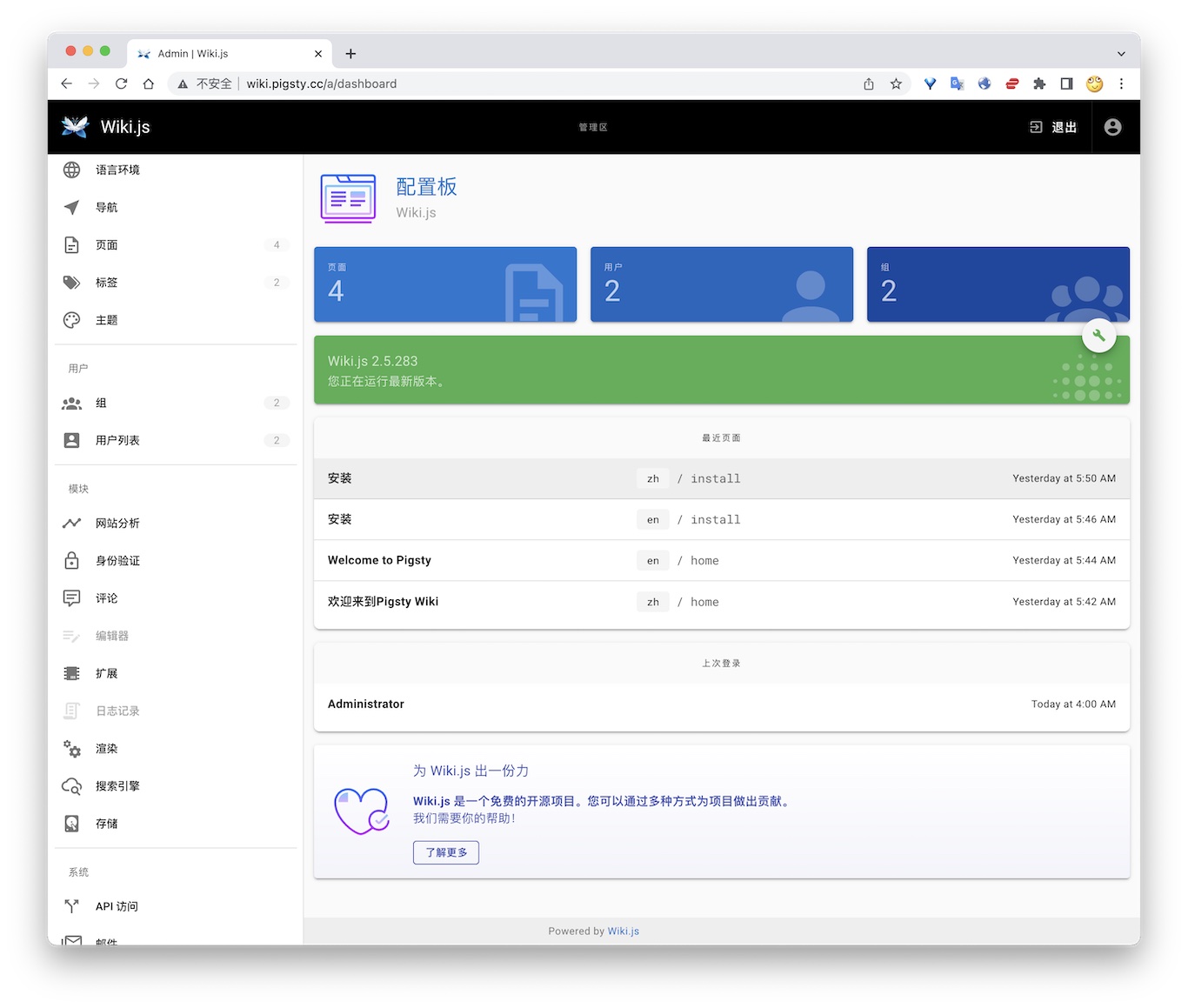
The current Compose uses the untagged requarks/wiki image. Stable 2.x releases are maintained in requarks/wiki-v2; the original requarks/wiki repository contains 3.x Beta releases. The image resolved to 2.5.316 during validation on 2026-10-08. Record and verify the actual image version before production upgrades.
TL; DR
Postgres Preparation
Configuration
Access
- Default Port for wiki: 9002
6.12 - Maybe: Self-Hosted Personal Finance
Maybe is an open-source personal finance application. It manages accounts, transactions, budgets, investments, and household financial views. This Rails application stores production business data in PostgreSQL and uses Redis for background job queues.
Pigsty’s app/maybe template connects stateless Maybe Web / Worker containers to Pigsty-managed PostgreSQL. Local Redis provides the Sidekiq queue. Financial data resides in a PostgreSQL cluster with backup, monitoring, and recovery support, rather than an ephemeral Docker volume.
The upstream Maybe repository has been archived, and its latest release is
v0.6.0. GHCR currently publishesstableandlatestimage tags. Pigsty usesstableby default, which tracks the latest release image.
Quick Start
Run the following on a fresh Linux x86 / ARM server with a compatible operating system:
Maybe listens on port 5002 by default. After installation, you can access it at:
http://<your_ip_address>:5002http://maybe.pigsty
On the first visit, select the account creation option on the login page. Register your first household account.
To access Maybe through maybe.pigsty, add the following entry to /etc/hosts on the machine running your browser:
To expose the service to the public internet, use a real domain and HTTPS certificate, and modify infra_portal as described below.
Checklist
- Prepare a fresh Linux server with at least
2C4G; use an SSD/NVMe disk. - Confirm that the server has a static private IPv4 address and can access GHCR / Docker Hub, or that a registry mirror is configured.
- After running
./configure -c app/maybe, change the default passwords, domain, and secrets inpigsty.yml. - Generate a new
SECRET_KEY_BASEwithopenssl rand -hex 64. - Keep
POSTGRES_PASSWORDconsistent with the password of themaybeuser inpg_users. - For public access, configure a real domain, an HTTPS certificate, and firewall access rules.
- Confirm that PostgreSQL backup jobs run correctly, and check
pig pb infoafter deployment.
Configuration Template
conf/app/maybe.yml defines a single-node, self-hosted Maybe template. The default topology includes:
maybe: The node running the Maybe Web / Worker / Redis containers.pg-maybe: The PostgreSQL database cluster managed by Pigsty.infra: Infrastructure services such as Nginx ingress, Grafana, and VictoriaMetrics.etcd: The distributed configuration store required by Patroni.
Key configuration excerpts:
Maybe / Rails uses maybe_production as its default production database name. You can rename it to maybe. Update POSTGRES_DB, pg_databases.name, pg_hba_rules.db, and all documentation and operational script references together.
Important Parameters
app.yml copies the app/maybe directory to /opt/maybe and uses apps.maybe.conf to override /opt/maybe/.env. Common parameters include:
| Parameter | Default | Description |
|---|---|---|
MAYBE_IMAGE | ghcr.io/maybe-finance/maybe | Maybe image repository |
MAYBE_VERSION | stable | Image tag; keep stable for production |
MAYBE_PORT | 5002 | Host port exposed by Maybe |
MAYBE_DATA | /data/maybe | Persistent directory on the host |
APP_DOMAIN | maybe.pigsty | Placeholder for the default Maybe ingress domain |
SECRET_KEY_BASE | Sample random string | Rails encryption and signing secret; must be replaced in production |
DB_HOST / DB_PORT | 10.10.10.10 / 5432 | Pigsty PostgreSQL endpoint |
POSTGRES_USER | maybe | Application user that connects Maybe to PostgreSQL |
POSTGRES_PASSWORD | MaybeFinance2026 | Application user password; must be replaced in production |
POSTGRES_DB | maybe_production | Maybe production database |
REDIS_VERSION | 7-alpine | Local Redis image tag |
Generate a production secret with:
When changing the password, keep the application and database definitions synchronized. For example:
Domain and Ingress
The template adds a Maybe entry to infra_portal by default:
To use a real domain such as finance.example.com, replace the placeholder in bulk:
Then apply the Nginx ingress configuration:
Before requesting an HTTPS certificate, verify that the domain resolves to the current node. Then add certbot under infra_portal.maybe:
Then run:
Operations
Maybe is installed in /opt/maybe. Common commands include:
The web container runs db:prepare at startup, so manual migration is usually unnecessary. After an image upgrade, inspect any migration errors in startup logs. Then run:
Data and Backup
Maybe state is divided into two categories:
- Business data is stored in the Pigsty PostgreSQL database
maybe_production. - Attachments and cache are stored in the host directories
/data/maybe/storageand/data/maybe/redis.
By default, the template schedules a full PostgreSQL backup every day at 1:00 AM:
After deployment, check the backup status:
If you use Maybe to store real financial data in production, at minimum:
- Regularly verify that PostgreSQL backups succeed.
- Place the pgBackRest repository on reliable storage or object storage.
- Include
/data/maybe/storagein file-level backups; for example, use restic to back it up to S3. - Do not expose
SECRET_KEY_BASE, database passwords, or API keys in a public repository.
Security Recommendations
Maybe manages highly sensitive personal and household financial data. For production use:
- Change all Pigsty default passwords, especially
pg_admin_password,pg_monitor_password,patroni_password, andhaproxy_admin_password. - Change the Maybe database user password in
POSTGRES_PASSWORD. - Use a new
SECRET_KEY_BASE; do not retain the sample value from the template. - Enable HTTPS for public access and restrict access to administration ports.
- If you enable
OPENAI_ACCESS_TOKENorSYNTH_API_KEY, assess both external API costs and the boundary of data exposure.
The upstream Maybe repository is archived. It suits users who accept the existing features and prefer long-term local ownership. If you need new features or automatic bank synchronization, evaluate upstream maintenance before adoption.
References
- Maybe project: https://github.com/maybe-finance/maybe
- Maybe Docker self-hosting guide: https://github.com/maybe-finance/maybe/blob/main/docs/hosting/docker.md
- Pigsty Maybe template: https://github.com/pgsty/pigsty/blob/main/conf/app/maybe.yml
- Pigsty Docker module
- Pigsty Nginx ingress
6.13 - Immich: Self-Hosted Photo and Video Library
Immich is a high-performance, self-hosted photo and video management application. It is a popular open-source alternative to Google Photos, licensed under AGPL-3.0. Features include web and mobile uploads, album sharing, timelines, maps, EXIF and RAW support, and LivePhoto. It also provides semantic search, facial recognition, and automatic backups.
Pigsty’s app/immich template runs the Immich application layer with Docker Compose and stores metadata in Pigsty-managed PostgreSQL.
The template follows Immich v3 and uses VectorChord by default for similar-image search, smart search, and face-search vectors. On 2026-10-08, both Server and ML images resolved to 3.3.0. Validation used a new media library on Linux amd64 with PostgreSQL 18.6 and covered uploads, thumbnails, and real machine-learning inference.
Immich’s official single-node Compose template runs PostgreSQL in an application container. Pigsty manages PostgreSQL separately, with monitoring, backups, PITR, extension management, and high-availability access.
Quick Start
Immich recommends at least 2 CPU cores and 6 GB RAM. For smooth operation, it recommends 4 CPU cores and 8 GB RAM. The v3 amd64 machine-learning image requires x86-64-v2 instructions. Linux with local SSD storage is recommended for production.
On a fresh x86 or ARM Linux server running a compatible operating system:
Default endpoints:
If you use photo.pigsty, add a hosts entry on the browser host or replace the template domain with a real domain.
Template Structure
conf/app/immich.yml defines a single-node self-hosted Immich template. The default topology includes:
immich: the node running Immich Server, Machine Learning, and local Valkey/Redis containers.pg-immich: the Pigsty-managed PostgreSQL cluster.infra: Nginx ingress, Grafana, VictoriaMetrics, and other infrastructure.etcd: the distributed configuration store required by Patroni.
Application containers include:
immich-server: API, Web UI, and background jobs, exposed on host port2283by default.immich-machine-learning: CLIP and facial-recognition model inference.redis: local Valkey queues and cache.
The template does not start the PostgreSQL container from Immich’s upstream Compose file. Pigsty provides the database through DB_URL.
Data Storage Strategy
Immich state is divided into three layers that must be managed separately:
- Media files: original photos and videos, thumbnails, transcoded videos, avatars, and the upload queue, stored in the host directory specified by
UPLOAD_LOCATION. - PostgreSQL: metadata for users, albums, assets, EXIF, file paths, job state, people, faces, and smart-search vectors.
- Valkey/Redis: queues, cache, and runtime state; it must not be treated as an authoritative data source.
Photo and video files are not stored in PostgreSQL. Rescanning the media directory cannot reconstruct complete application state. Database paths and metadata are also required.
A recoverable Immich backup requires both PostgreSQL and the media directory. A database-only backup omits photos. A file-only backup cannot reliably restore albums, users, shares, faces, and search state.
PostgreSQL
Default database connection and vector extension:
The template installs the extension packages on the pg-immich cluster and creates the database extensions:
vchord must be added to shared_preload_libraries through pg_libs; the template already configures it:
pg_trgm must be in public because Immich migrations reference gin_trgm_ops without a schema qualifier. Check its location when reusing a database from another template; CREATE EXTENSION IF NOT EXISTS does not move an installed extension.
The default connection goes directly to PostgreSQL on port 5432. Do not point Immich at PgBouncer transaction pooling. Direct PostgreSQL connections or session pooling are more reliable for migrations, indexes, and prepared statements.
Immich treats pre-existing PostgreSQL as an advanced deployment option. It notes that this enables WAL backup tools such as pgBackRest and Barman. Pigsty creates the database, user, and extensions in advance. The Immich application user therefore does not need PostgreSQL superuser privileges.
Media Files
Uploaded photos, videos, thumbnails, transcoded files, and avatars are stored in the host directory specified by UPLOAD_LOCATION:
PostgreSQL stores only metadata and file paths. Media files are not stored in PostgreSQL and are not automatically protected by pgBackRest.
A production deployment must back up at least two data layers:
- PostgreSQL: use Pigsty pgBackRest / PITR.
- Media files: perform a complete file-level backup of
/data/immich/library, including originals, the upload queue, thumbnails, transcoded files, avatars, and other generated assets.
For a more consistent combined backup, stop immich-server before backing up the database and media directory together. If the service cannot be stopped, back up the database first, followed by the filesystem.
Images and Networking
The default images come from GHCR and Docker Hub:
The Valkey digest matches the Immich 3.3.0 release Compose. Both make pull and make save resolve the same image reference from Compose.
If pulls are slow or restricted, configure the Docker daemon proxy; shell proxy_env alone does not configure Docker image pulls. Docker Hub mirrors do not cover GHCR. Use docker compose config --images to check the resolved image set.
Operations
After installation, enter /opt/immich:
To pin a specific Immich version, set the following in pigsty.yml:
Read the upstream release notes before upgrading Immich or VectorChord. After a VectorChord package upgrade, you will usually need to update the extension and rebuild related indexes in immich:
Rebuilding indexes for a large library can take a long time. Confirm that you have a backup and a maintenance window before proceeding.
References
- Immich project: https://github.com/immich-app/immich
- Immich pre-existing PostgreSQL: https://docs.immich.app/administration/postgres-standalone/
- Immich backup and restore: https://docs.immich.app/administration/backup-and-restore/
- Pigsty Immich template: https://github.com/pgsty/pigsty/blob/main/conf/app/immich.yml
- Pigsty Docker module
- Pigsty Nginx ingress
6.14 - Kong: API Gateway
Kong is an open-source API gateway.
Pigsty’s app/kong template stores configuration in PostgreSQL. It automatically runs the one-time kong-migration job.
Quick Start
Default ports:
- Proxy HTTP:
8000 - Proxy HTTPS:
8443 - Admin API:
8001
Database Preparation
Connection string example:
Common Commands
References
- Kong docs: https://docs.konghq.com/
- Pigsty template: https://github.com/pgsty/pigsty/tree/main/app/kong
6.15 - Metabase: BI Analytics Tool
Metabase is an open-source business intelligence tool. Teams can quickly explore and visualize data through its interface without SQL knowledge.
Metabase provides many chart types and connects to different databases. These features support enterprise data analysis.
The template defaults to metabase/metabase:v0.64.1.x. Use the single METABASE_IMAGE setting to override the full image reference. On 2026-10-08, the tag resolved to 0.64.1.1; validation on PostgreSQL 18.6 covered upgrading a restored metadata database, login, and querying an existing saved question.
Quick Start
Pigsty provides a Docker Compose configuration file for Metabase in the software template directory:
Review and modify the .env configuration file:
Before starting, create a dedicated metabase database and dbuser_metabase role matching the .env connection settings. Do not share the Pigsty CMDB database.
Start the service:
Access Metabase:
- Default URL: http://mtbs.pigsty
- Alternate URL: http://10.10.10.10:9004
- First-time access requires initial setup
Management Commands
Use these Makefile commands to manage Metabase:
Connect to PostgreSQL
Metabase can connect to PostgreSQL databases managed by Pigsty.
During Metabase initialization or when adding a database, select “PostgreSQL” and enter the connection information:
After connecting, Metabase scans the database schema automatically. You can then create questions and dashboards.
Features
- No SQL Required: Build queries through visual interface
- Rich Chart Types: Line, bar, pie, map charts, and more
- Interactive Dashboards: Create interactive data dashboards
- Auto Refresh: Schedule data and dashboard updates
- Permission Management: Fine-grained user and data access control
- SQL Mode: Advanced users can write SQL directly
- Embedding: Embed charts into other applications
- Alerting: Automatic notifications on data changes
Configuration
Metabase configuration is in the .env file:
Recommended: Use a dedicated PostgreSQL database for storing Metabase metadata.
Data Persistence
Metabase metadata (users, questions, dashboards, etc.) is stored in the configured database.
The template uses external PostgreSQL by default and does not configure a persistent /data/metabase directory for H2. Its /api/health check covers both the application and metadata database. Wait for healthy status during initial migrations.
Upgrading from Metabase 63 to 64 automatically migrates the metadata database. Back it up and record the old image digest first, then test on a restored copy. Rollback requires the matching database backup and old image; replacing the image alone does not undo database migrations. See the upgrade guide.
Performance Optimization
- Use PostgreSQL: Allocate separate resources for the metadata database and monitor its workload
- Increase Memory: Pass
JAVA_OPTSexplicitly in Compose’senvironmentto tune JVM memory; adding it to.envalone does not pass it into the container - Database Indexes: Create indexes for frequently queried fields
- Result Caching: Enable Metabase query result caching
- Scheduled Updates: Set reasonable dashboard auto-refresh frequency
Security Recommendations
- Change Default Credentials: Modify metadata database username and password
- Enable HTTPS: Configure SSL certificates for production
- Configure Authentication: Enable SSO or LDAP authentication
- Restrict Access: Limit access through firewall
- Regular Backups: Back up the Metabase metadata database
Related Links
- Metabase Website: https://metabase.com/
- Documentation: https://www.metabase.com/docs/
- GitHub Repository: https://github.com/metabase/metabase
- Pigsty Software Template: https://github.com/pgsty/pigsty/tree/main/app/metabase
6.16 - Registry: Container Image Cache
Pigsty provides the app/registry template (conf/app/registry.yml) for:
- Docker Registry cache service (default
5000) - Optional management UI (default
5080)
The default images are registry:3.1.2 and joxit/docker-registry-ui:2.6.0. The template is a pull-through cache for one upstream, Docker Hub by default. This mode does not accept image pushes.
Quick Start
Default endpoints:
- Registry API:
http://<IP>:5000orhttp://d.pigsty - Registry UI:
http://<IP>:5080orhttp://dui.pigsty
Image data is stored in /data/registry by default.
Docker Client Configuration
If you run HTTP without TLS, Docker must trust the registry explicitly:
registry-mirrors applies to Docker Hub pulls. It does not redirect explicit GHCR, Quay, or other registry references. For direct access through http://<IP>:5000, set both the mirror address and insecure-registries to the corresponding <IP>:5000 endpoint.
After editing /etc/docker/daemon.json, restart Docker:
Proxies and Upgrades
Configure the Docker daemon’s image-pull proxy separately from the Registry container’s upstream proxy. The latter uses REGISTRY_HTTP_PROXY / REGISTRY_HTTPS_PROXY with an address reachable from the container. Host 127.0.0.1 is not the container’s route to the host.
Registry 3.1.2 contacts its upstream during startup. A populated cache does not become an offline registry if the upstream is unavailable at restart. Keep the default unauthenticated cache on a trusted network. If upstream private credentials are configured, protect the cache endpoint too, to avoid exposing private images to all cache users.
Version 3.1.2 includes manifest/blob digest validation fixes. Preserve configuration and a cache copy before upgrading, then check /v2/, the UI backend, and cold/hot pulls by digest. See the 3.1.2 release notes.
Operations
app/registry/Makefile runs in /opt/registry by default:
References
- Docker Registry docs: https://docs.docker.com/registry/
- Pigsty template: https://github.com/pgsty/pigsty/blob/main/conf/app/registry.yml
6.17 - JumpServer: Open-Source Bastion Host
JumpServer is an open-source PAM and bastion-host system. It manages centralized access to SSH, RDP, database, and web assets. Pigsty’s app/jumpserver template runs Community Edition application containers with Docker Compose. Pigsty-managed PostgreSQL provides persistent database storage.
The template uses JumpServer v5.0.0-ce. It retains Community Edition core, celery, koko, kael, chen, and web services, plus local Redis. It removes the upstream installer’s built-in PostgreSQL service. Pigsty manages PostgreSQL, backups, monitoring, Nginx ingress, and the database lifecycle.
The image set follows the official v5.0.0 installer, checked on 2026-10-08. Docker Hub returned MANIFEST_UNKNOWN for the Core, KoKo, Chen, and Web v5.0.0-ce tags that day. The official Aliyun namespace provided the full set, so the template uses IMAGE_PULL_PREFIX. Keep component versions aligned when upgrading.
Quick Start
Use a fresh x86_64 Linux server running a compatible operating system. The selected images and tested platform are linux/amd64; ARM64 has not been validated:
The one-shot init service runs migrations, then uses a separate Django process to create a missing terminal host key and validate it. It preserves an existing key. Core starts only after init succeeds; Celery and connection components then wait for Core to become healthy. Check readiness:
Default endpoints:
Default web login:
Change the administrator password immediately after the first login.
Pre-Deployment Checklist
- Prepare a fresh Linux server with at least
4C8Gand 100 GB of disk; size production resources for concurrency and recording retention. - Verify that the server IP, DNS, NTP, SSH, and sudo work correctly.
- Verify that the Docker daemon can pull from
IMAGE_PULL_PREFIX, which defaults to the official Aliyun registry. Configure download proxies on the daemon that performs the pull; container loopback refers to that container. - After running
./configure -c app/jumpserver, change the default passwords,SECRET_KEY,BOOTSTRAP_TOKEN,CHAT_AI_DELEGATION_SECRET, andDOMAINSinpigsty.yml. - Ensure that
DOMAINScontains the hostname or IP actually used by the browser, such as10.10.10.10:8080. - Ensure that PostgreSQL backup jobs work; check
pig pb infoorpgbackrest infoafter deployment.
Configuration Template
conf/app/jumpserver.yml defines a single-node self-hosted JumpServer template. The default topology includes:
jumpserver: the node running JumpServer application containers and local Redis.pg-jumpserver: the Pigsty-managed PostgreSQL cluster.infra: Nginx ingress, Grafana, VictoriaMetrics, and other infrastructure.etcd: the distributed configuration store required by Patroni.
app.yml copies app/jumpserver to /opt/jumpserver. It updates values in /opt/jumpserver/.env using apps.jumpserver.conf, then runs docker compose up -d.
Core application services:
jms_core: Django API and web backend, listening on container port8080.jms_celery: asynchronous jobs, scheduled jobs, and background queues.jms_web: Nginx web ingress, mapped to host port8080by default.jms_koko: SSH / SFTP terminal endpoint, mapped to host port2222by default.jms_kael: the 5.x Community Edition AI gateway, listening internally on8083and exposed through Web at/kael/.jms_chen: the web database connector, listening internally on8082.jms_init: one-shot migrations and terminal-key validation; successful completion isExited (0).jms_redis: local Redis for caching, queues, and the Channels backend.
Key Parameters
Common parameters:
| Parameter | Default | Description |
|---|---|---|
IMAGE_PULL_PREFIX | registry.cn-beijing.aliyuncs.com/jumpservice | Full official image namespace |
JUMPSERVER_VERSION | v5.0.0-ce | One coordinated Community Edition version for all components |
REDIS_VERSION | 7.4.11-bookworm | Local Redis image version |
JUMPSERVER_DATA | /data/jumpserver | Persistent application directory |
DOMAINS | 10.10.10.10:8080,10.10.10.10,jump.pigsty | Trusted domains and IPs allowed for login |
SECRET_KEY | Example value | Encryption key; replace and retain it for production |
BOOTSTRAP_TOKEN | Example value | Component registration token; replace and retain it for production |
CHAT_AI_DELEGATION_SECRET | Example value | Shared Core / Kael delegation key; generate once and retain |
DB_HOST / DB_PORT | 10.10.10.10 / 5432 | Pigsty PostgreSQL endpoint |
DB_USER / DB_NAME | jumpserver / jumpserver | Application user and database |
DB_PASSWORD | DBUser.JumpServer | Application user password; replace it for production |
DOCKER_SUBNET | 192.168.250.0/24 | Internal JumpServer Compose subnet |
REDIS_HOST | 192.168.250.2 | Fixed IP of the local Redis container |
CORE_HOST | http://192.168.250.4:8080 | Internal JumpServer core endpoint |
HTTP_PORT | 8080 | Web ingress port |
SSH_PORT | 2222 | KoKo host SSH/SFTP port; container port stays 2222 |
KOKO_WEB_PROXY_PORT | 5001 | KoKo website proxy port |
KOKO_PRIVILEGED | true | Preserve the upstream KoKo default; SSH was also tested with this disabled |
WEB_PROXY_ALLOWED_HOSTS | localhost,127.0.0.1 | Allowed Website asset target hosts; retain loopback hosts for KoKo’s control API |
ANSIBLE_DOCKER_ENABLED | false | Execute Ansible inside Celery with the current data-directory layout |
CORE_WORKER | 2 | Number of Core Gunicorn workers |
CELERY_WORKER_COUNT | 2 | Worker concurrency for each Celery queue |
For Website asset proxying, add the target hostnames or IPs to WEB_PROXY_ALLOWED_HOSTS and retain localhost,127.0.0.1. Set the JumpServer Endpoint’s Web proxy port to match KOKO_WEB_PROXY_PORT.
Example commands for generating production keys:
Retain SECRET_KEY, BOOTSTRAP_TOKEN, and CHAT_AI_DELEGATION_SECRET after generation. Preserve their original values during upgrades. Store them together with database backups, /data/jumpserver, and /opt/jumpserver/.env. Losing the original SECRET_KEY may make encrypted account credentials in the database unrecoverable.
Do not use single or double quotes in DB_PASSWORD or REDIS_PASSWORD. This matches the behavior of the official JumpServer installer.
Login and DOMAINS
JumpServer validates trusted access domains during login. DOMAINS must include the Host actually used by the browser:
Normal login URL:
If the login page shows:
Check /opt/jumpserver/.env and the container environment:
Recreate the core container after correcting it:
Also update pigsty.yml or conf/app/jumpserver.yml; otherwise, the next ./app.yml run will overwrite /opt/jumpserver/.env again.
An old URL containing csrf_failure=1 shows a DOMAINS=... warning from the failed request. It does not verify the corrected configuration. Retest with the normal login page. Use an incognito window if necessary.
Docker Network
The template uses a fixed Docker bridge subnet:
Fixed IPs serve two purposes:
- Avoid transient Docker DNS resolution failures while JumpServer Python and Java components start.
- Allow PostgreSQL HBA rules to permit the application subnet precisely.
PostgreSQL sees container clients as coming from 192.168.250.0/24, so the template includes:
If 192.168.250.0/24 conflicts with an existing network, update all of the following together:
DOCKER_SUBNETand the fixed IP for each component, includingINIT_IP.REDIS_HOSTandCORE_HOST.pg_hba_rules.addrandpgb_hba_rules.addr.- Recreate the Compose network and containers.
Do not set DB_HOST to 127.0.0.1; inside a container, that address refers to the container itself. Use the host’s private IP or the Pigsty L2 VIP.
PostgreSQL
Upstream disables Job Center by default. To use it, enable Job Center under System Settings → Feature Settings and leave Ansible Docker Isolation disabled. This template uses ANSIBLE_DOCKER_ENABLED=false with its existing data layout. A saved database setting overrides .env, so check it after upgrading. Docker isolation also needs an executor image, host Docker control, and matching host paths; changing one variable is insufficient.
JumpServer 5.x uses PostgreSQL and requires PostgreSQL 16 or later. The template uses Pigsty to create the database, user, HBA rules, backup schedule, and optional PgBouncer endpoint.
The application database does not require additional PostgreSQL extensions:
The template defaults to PostgreSQL 18 and was tested with an external PostgreSQL 18.6 server. Upstream requires PostgreSQL 16 or later; validate other versions for your environment. For high availability, follow the commented pg_vip_enabled example. Set DB_HOST to the primary-database VIP.
JumpServer’s Django migrations and Celery Beat are unsuitable for PgBouncer transaction pooling. The default is a direct PostgreSQL connection on port 5432. If you use PgBouncer, configure session pooling for the jumpserver user.
Deployment Verification
After installation, run:
Expected results:
jms_core,jms_celery,jms_web,jms_redis,jms_koko,jms_kael, andjms_chenare allhealthy.make healthreturnsstatus=true,db_status=true, andredis_status=true.jms_initisExited (0); its log shows completed migrations and the terminal public-key fingerprint. An init failure blocks Core startup.- Sign in, create a test asset and permission, execute a safe command, and check audits and replay. Healthy containers alone do not prove every feature works.
Database checks:
Expected results:
- The Patroni cluster Leader is
running. - PostgreSQL is version 16 or later.
django_migrationscontains applied migration records; a fixed table count is not a version acceptance check.- The pgBackRest stanza status is
ok.
Troubleshooting
Login Page Reports a DOMAINS Configuration Error
Verify that both configuration layers match:
You must recreate the core container after changing .env:
Also update apps.jumpserver.conf.DOMAINS in the Pigsty inventory; otherwise, the next ./app.yml run will overwrite it.
admin / ChangeMe Cannot Log In
First distinguish between two kinds of errors:
- A red
DOMAINS=...box at the top of the page indicates a domain / CSRF configuration problem, not a password problem. - A form message reporting an incorrect username or password indicates a credential problem.
You can verify inside the container whether the default password is still valid:
Web Returns 502
Check core and web:
A race over the core log directory can cause this error on first startup. Verify that /data/jumpserver/core/data/logs exists. The template creates it in advance.
Containers Keep Restarting or Health Checks Time Out
JumpServer recommends at least 4C8G; concurrency and recording retention increase resource needs. The template defaults to:
If Gunicorn worker timeouts, SIGKILL, or memory exhaustion continue, add memory or swap, or reduce worker counts. Check resource use with:
Operations
After installation, enter /opt/jumpserver:
Upgrade from 4.10.19 to 5.0.0
The official v5.0.0 upgrade script accepts source versions from v3.10.11 onward. This template was tested on v4.10.19-ce → v5.0.0-ce, with no intermediate version. Check the official guide before upgrading other old versions.
- Verify a recoverable PostgreSQL backup, schedule maintenance, and stop the old stack.
- Back up the database, all of
/opt/jumpserver, and/data/jumpservertogether. Restore them into an independent database and directory to prove recovery. - Update the full Compose file,
init.sh, Makefile, and.env; keep all components onv5.0.0-ce. Preserve the originalSECRET_KEY,BOOTSTRAP_TOKEN, database password, and Redis password. Generate a new randomCHAT_AI_DELEGATION_SECRET. - Rename
LION_IPtoKAEL_IPand create the Kael persistent directory. Stop and remove the old Lion container, or disconnect it from the network to release Kael’s fixed IP. Retain the old data directory and backups. - Check image namespace, proxies, network, and ports. Pull the full image set, then start:
Recheck original logins, assets, permissions, credential decryption, host-key fingerprint, real sessions, and historical recordings. make restart, make migrate, and make upgrade-db all stop services, then follow the same init dependency order. Do not use docker compose restart to restart init and Core in parallel.
If init fails, retain the logs, correct the cause, and retry. Once 5.x migrations have run, changing back to 4.x images is insufficient: rollback requires restoring the pre-upgrade database, application files, and original keys.
Backup and Restore
For an upgrade checkpoint, stop application writes and back up the database, all of /opt/jumpserver, and /data/jumpserver together. Restrict backup-file permissions to administrators. Prove restoration with a separate database, directory, Compose project, subnet, and ports to avoid overwriting the live instance. Kael ordinary conversation history is stored in the Core database; Terminal AI files and component state also require application-file backups. Back up both.
JumpServer state has two layers:
- PostgreSQL database: back up with Pigsty pgBackRest / PITR.
- Application files:
/data/jumpserverand/opt/jumpserver/.env, which contain logs, recordings, component data, Redis persistence, and keys.
Restore the database, .env, and file directory from the same environment:
Restoring PostgreSQL without the original SECRET_KEY prevents JumpServer from decrypting stored account credentials correctly.
Community Edition Scope
This template uses JumpServer 5.0.0 Community Edition Core, Celery, KoKo, Chen, Kael, and Web, with a one-shot init service and local Redis. In 5.x, remote-desktop handling is integrated into KoKo, so there is no separate Lion container. JumpServer is licensed under GPLv3; the Pigsty template is Apache-2.0.
The external PostgreSQL 18 backend and PostgreSQL asset connections are separate paths. The tested scope is listed below. RDP/VNC, native clients, ARM64, enterprise components, and external-model inference were not validated. Kael authentication, conversation storage, and permission isolation can be checked without a model provider; inference needs separate configuration and validation. Upstream persists ordinary conversations that contain messages; empty drafts do not survive a restart. Core / Kael delegation was verified by loading 952 operation definitions.
| Validation path | Fresh 5.x | 4.10.19 → 5.0.0 |
|---|---|---|
| External PostgreSQL 18.6, normal application role | Passed | Passed |
| API/form login, denied unauthorized access | Passed | Passed; original users and permissions retained |
| Complete user/asset/account/permission CRUD | Passed; disposable objects created, read, updated, and deleted | Passed; original objects retained |
| KoKo SSH and terminal WebSocket safe commands | Passed | Passed; host key retained |
| Session/command audits and recording downloads | Passed | Passed; historical recording hashes match |
| Chen PostgreSQL asset query | Passed; version 180006 and synthetic value 42 | Passed |
| Celery credential verification | Passed | Passed |
| Kael authentication, conversation/message persistence, permission isolation | Passed | Passed |
The pre-upgrade backup was restored into an independent PostgreSQL database and application directory. Original ciphertext, host key, and recordings were compared successfully. Tests used synthetic users, assets, and data in an isolated M3 VM.
References
- Official JumpServer v5.0.0 release
- Pinned installer source
- Official upgrade guide
- JumpServer project: https://github.com/jumpserver/jumpserver
- JumpServer installer: https://github.com/jumpserver/installer
- Pigsty JumpServer template: https://github.com/pgsty/pigsty/blob/main/conf/app/jumpserver.yml
- Pigsty Docker module
- Pigsty Nginx ingress
6.18 - ByteBase: Schema Migration
Bytebase is a database schema change and version management tool.
Pigsty provides a Compose template in app/bytebase. It listens on 8887 by default and uses BB_PGURL to connect to external PostgreSQL.
Quick Start
Access:
http://ddl.pigstyhttp://<IP>:8887
After the first start, use the Bytebase setup wizard to initialize the admin account.
External PostgreSQL
Default connection string example:
You can create the database user and database in Pigsty first:
Common Commands
References
- Bytebase docs: https://www.bytebase.com/docs/
- Pigsty template: https://github.com/pgsty/pigsty/tree/main/app/bytebase
6.19 - pgAdmin: PostgreSQL GUI
pgAdmin is an open-source PostgreSQL administration and development GUI. Pigsty v4.5.0 provides the app/pgadmin Docker Compose template. It can generate a server list and password file from the current inventory.
The template login is [email protected] with password pigsty. It is suitable only for a local demo. Before deployment on a shared network or the Internet, change the credentials, restrict port access, and configure HTTPS.
Quick Start
conf/meta.yml declares pgAdmin on the app group by default. Deploy it against an explicitly limited target:
The default port is 8885; use http://<app_ip>:8885. http://adm.pigsty works only after infra_portal, Nginx, and DNS are configured.
The first container start can take tens of seconds. Check it on the application node:
Application Configuration
Override .env through apps.pgadmin.conf on the app group in pigsty.yml:
app.yml copies the template to /opt/pgadmin and writes overrides to /opt/pgadmin/.env. This file contains the login password and should remain mode 0600.
The current template uses the unpinned dpage/pgadmin4 image. For production, pin a tested version or digest in docker-compose.yml and validate image upgrades as separate changes.
Load the Server List
env_pgadmin generates:
/infra/pgadmin/servers.json: PostgreSQL instance list/infra/pgadmin/pgpass: database administrator password file
In the default conf/meta.yml, the infra and app groups use the same host. pgAdmin can therefore bind-mount both files read-only. With separate pgAdmin and Infra hosts, /infra/pgadmin/ is not automatically available on the application node. Securely distribute equivalent files or customize the mounts. A local path is not shared across hosts.
For the default topology with both services on one host, regenerate the files. Then import the list and password into the running container:
pgpass contains credentials for pg_admin_username. Restrict access to the files, backups, and application host. If pgAdmin should not hold DBA credentials, generate connection definitions for a dedicated least-privilege role instead.
Domain and HTTPS
Add an entry to infra_portal:
Update Nginx on the explicitly limited Infra group:
For a real public domain, point DNS at the server and set certbot on the portal entry:
See CA and Certificates for prerequisites and renewal. The directly exposed port 8885 is not an HTTPS endpoint.
State and Management
From /opt/pgadmin:
The Compose template does not persist /var/lib/pgadmin. Pigsty can re-import its generated server list. Container recreation can lose preferences, users, and other state created through the pgAdmin UI. To retain this state, add a protected persistent volume for this directory. Validate the template change, then include the volume in backups.
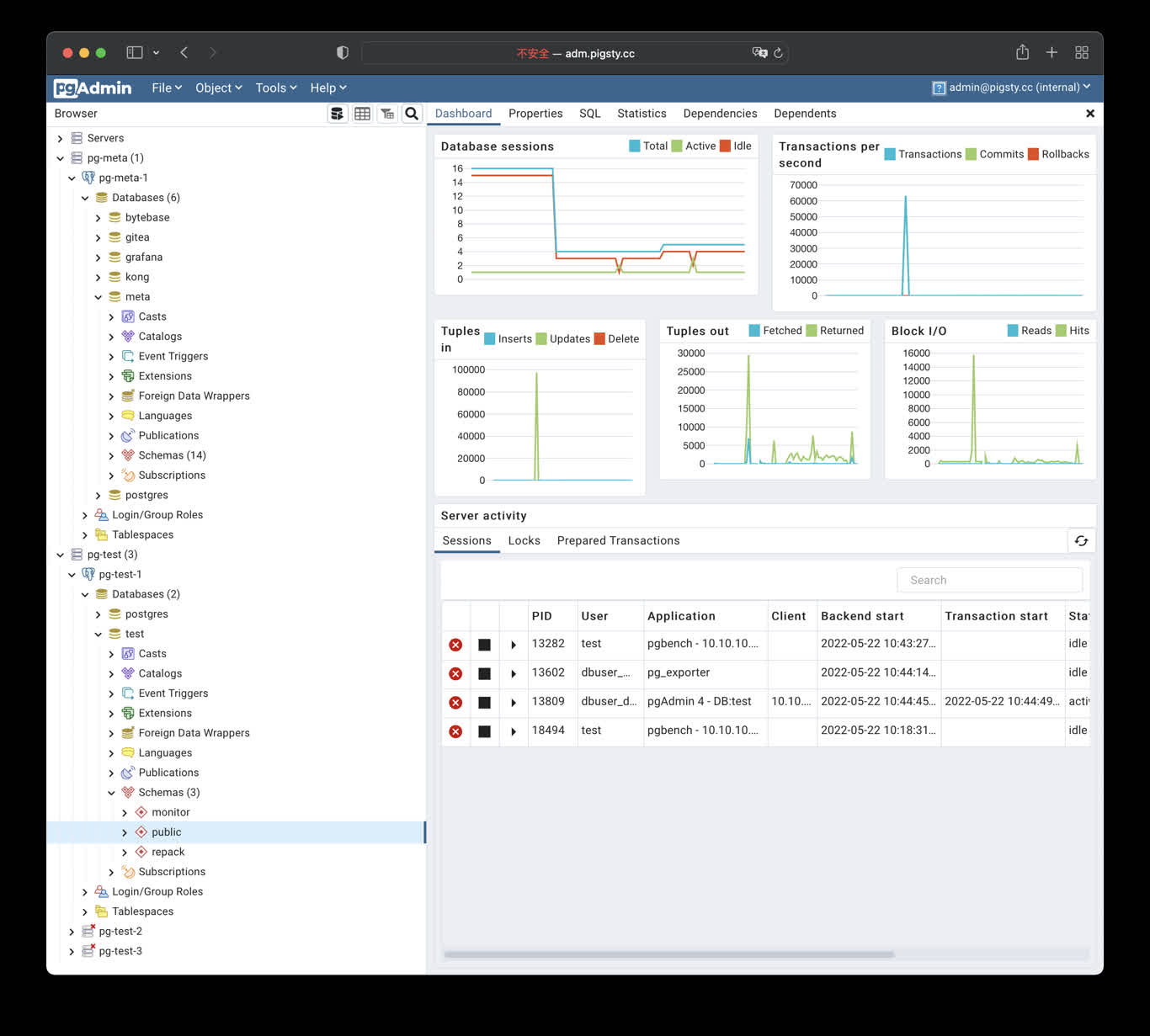
Security Checklist
- Change the default pgAdmin login and never distribute real credentials in scripts, screenshots, or tickets.
- The default port mapping listens on the host network; restrict sources with a firewall and use Nginx with valid HTTPS for Internet access.
- Protect
/infra/pgadmin/pgpassand/opt/pgadmin/.env; prefer a least-privilege database role. - Pin and validate the container image, and back up any pgAdmin state you choose to persist.
- pgAdmin can execute privileged SQL. Dropping a database, table, or data still requires separate target confirmation and a recent backup.
6.20 - PGWeb: Browser-based PostgreSQL Client
PGWeb Client
PGWeb is a browser-based PostgreSQL client. Pigsty includes a small Docker Compose template in app/pgweb. It publishes container port 8081 on host port 8886.
If the portal entry resolves to the Infra node, open http://cli.pigsty. Alternatively, open http://10.10.10.10:8886 directly. The public demo is http://cli.pigsty.cc.
PGWeb asks for a PostgreSQL connection URL. For example:
These strings use public demo defaults and disable TLS. For real deployments, use a least-privilege account, a non-default secret, and an appropriate sslmode. Do not expose an unauthenticated PGWeb container or database credentials to untrusted networks.
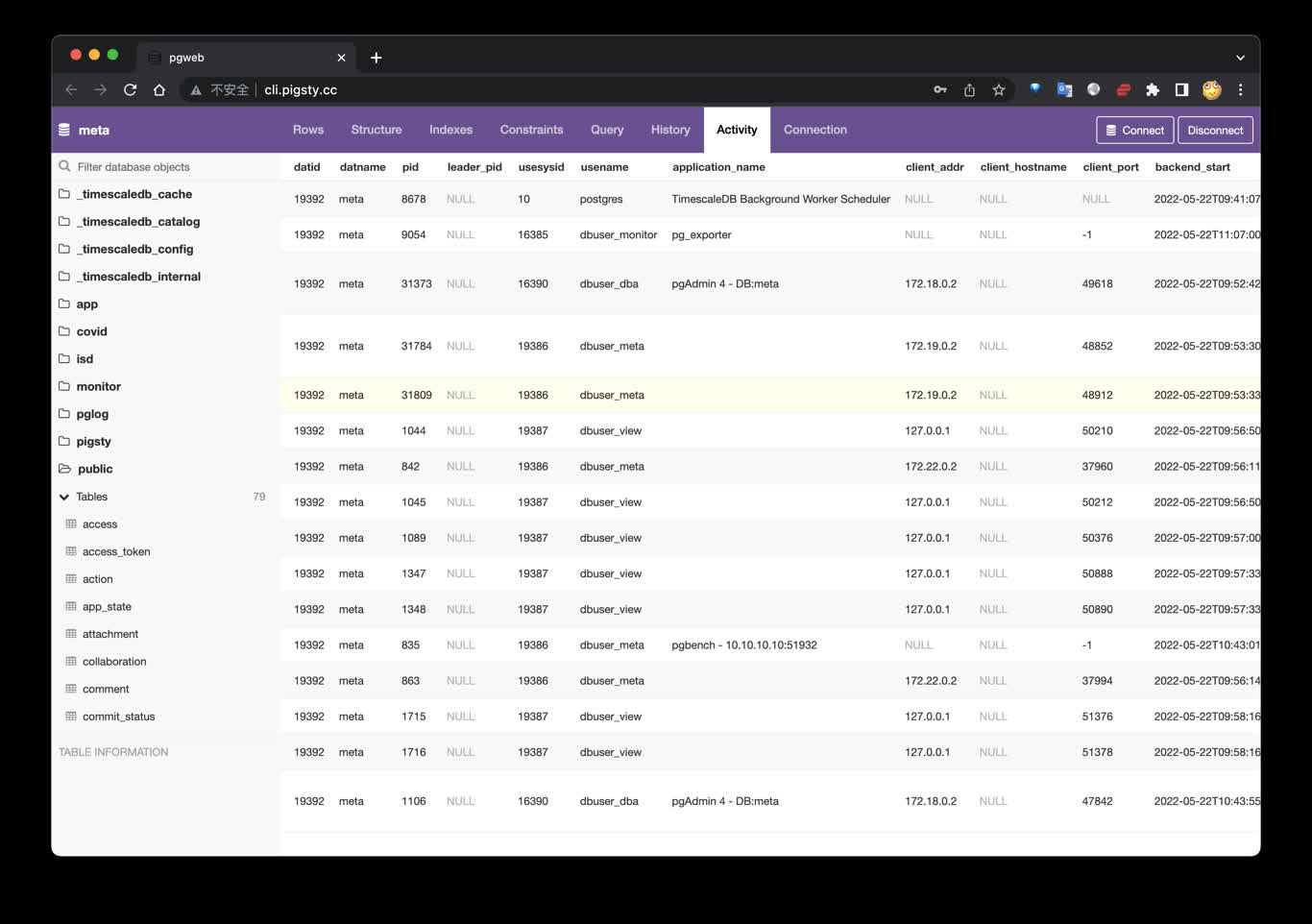
Shortcuts
The bundled Makefile provides:
The template currently uses the unpinned sosedoff/pgweb image. Pin an image digest or version in app/pgweb/docker-compose.yml when reproducible production deployment matters.
6.21 - PostgREST: Auto-Generated API
PostgREST exposes PostgreSQL schemas directly as REST APIs.
Pigsty provides the app/postgrest template, with default port 8884.
Quick Start
Default endpoints:
http://<IP>:8884http://api.pigsty(if ingress domain is configured)
Key Settings
Common .env parameters:
POSTGREST_DB_URI: database connection stringPOSTGREST_DB_SCHEMA: exposed schema (defaultpigsty)POSTGREST_DB_ANON_ROLE: anonymous rolePOSTGREST_JWT_SECRET: JWT secret
Swagger UI (Optional)
You can run Swagger UI separately to preview APIs:
Then open http://<IP>:8882.
Common Commands
References
- PostgREST docs: https://postgrest.org/en/stable/
- Pigsty template: https://github.com/pgsty/pigsty/tree/main/app/postgrest
6.22 - Electric: PostgreSQL Sync Engine
Electric is a PostgreSQL sync engine. It delivers database changes efficiently to frontend and edge applications.
Pigsty provides the app/electric template (conf/app/electric.yml). It configures the database, containers, and ingress in one workflow.
Quick Start
Default endpoints:
http://<IP>:8002http://elec.pigsty(default domain in the template)
Metrics port defaults to 8003 (ELECTRIC_PROMETHEUS_PORT).
Key Settings
conf/app/electric.yml writes apps.electric.conf into /opt/electric/.env. Common parameters:
DATABASE_URL: PostgreSQL connection string used by Electric (replication privileges required)ELECTRIC_PORT: Electric HTTP port (default8002)ELECTRIC_PROMETHEUS_PORT: metrics port (default8003)ELECTRIC_INSECURE: can betruefor development. Disable it in production and configure proper secrets.
Operations
References
- Electric website: https://electric-sql.com/
- Electric docs: https://electric-sql.com/docs
- Pigsty template: https://github.com/pgsty/pigsty/blob/main/conf/app/electric.yml
6.23 - Jupyter: Notebooks and Data Analysis
JupyterLab is an interactive notebook, terminal, and data-analysis environment. Pigsty v4.5.0 has two distinct deployment paths:
- The
VIBEmodule, managed by Ansible and systemd, for the complete v4.5.0 development sandbox. - The lightweight standalone
app/jupyterDocker Compose template documented here.
app/jupyter is not a default apps inventory entry. Prepare its data directory separately. app.yml -e app=jupyter does not handle directory ownership.
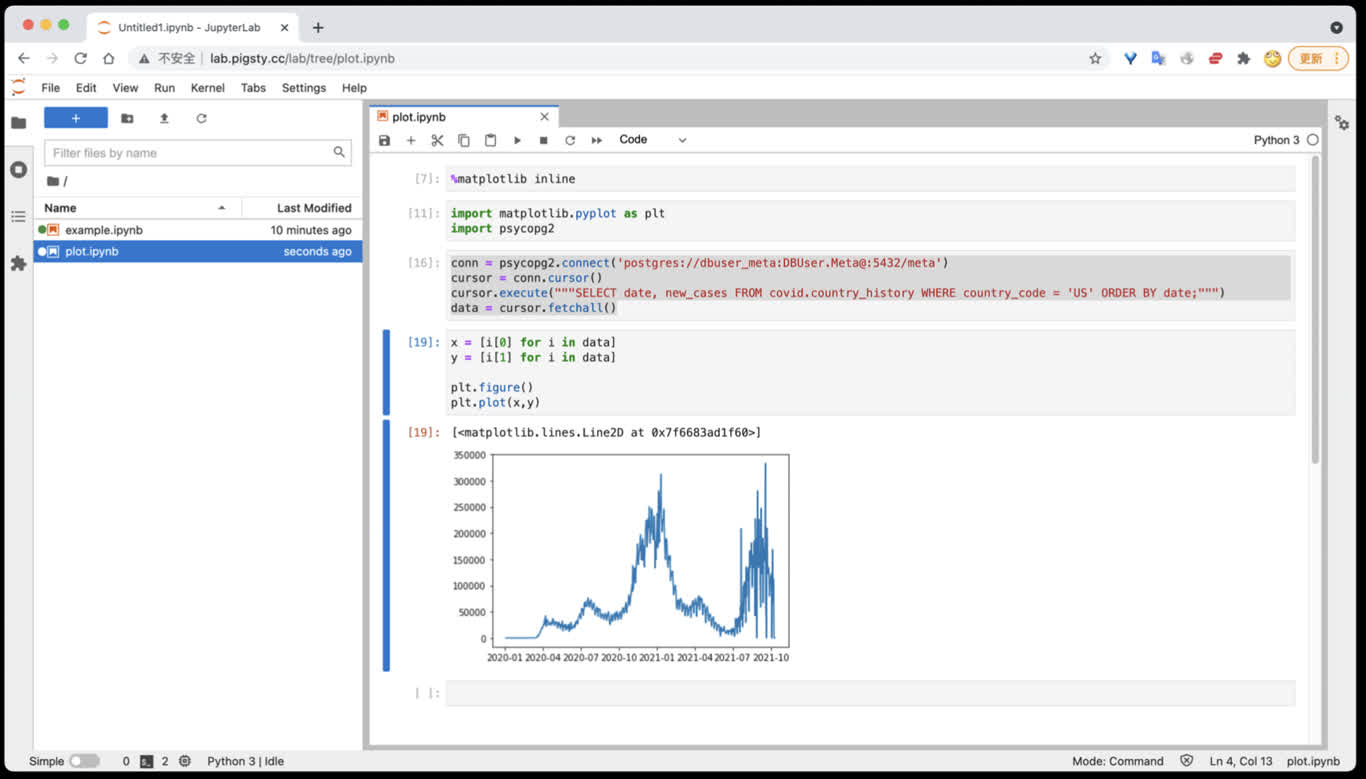
Quick Start
Generate a strong token with openssl rand -hex 32. The default port is 8888; open http://<host_ip>:8888.
lab.pigsty works only when that name is configured in infra_portal, Nginx, and DNS. The template default JUPYTER_TOKEN=pigsty is for local demonstrations only and must be replaced in production.
Current Template
The v4.5.0 .env defaults are:
Compose mounts host /data/jupyter at /home/jovyan/work and passes the token into the container. The upstream latest tag changes. Production deployments should use a tested image tag or digest.
For SciPy, R, Julia, TensorFlow, PyTorch, or Spark, select another Jupyter Docker Stacks image from .env. Pin its version and validate architecture support.
Access PostgreSQL
Install the modern Psycopg driver and optional analysis libraries from a Jupyter terminal:
Do not store real passwords in notebooks. This example obtains the connection string through hidden input and reads system information only:
Use Pandas and SQLAlchemy with a system statistics view:
These examples access system views only. Obtain authorization from the data owner before reading application tables, and limit columns, predicates, and result size.
Persistence and Dependencies
Only /home/jovyan/work is mapped to /data/jupyter. The following are not persistent across container recreation by default:
- Python or Conda packages installed temporarily inside the container
- notebooks, configuration, and caches outside
work - the container’s own user state
For production, install dependencies with a pinned image, custom Dockerfile, or reproducible dependency file. Back up /data/jupyter separately. A persistent mount is not a backup.
Management Commands
From ~/pigsty/app/jupyter:
make clean removes the container and retains /data/jupyter. make purge recursively deletes /data/jupyter, and this deletion is unrecoverable. Confirm the exact directory and a recent backup before running it.
Security Checklist
- Use a strong random token, protect
.env, and do not disable authentication. - The default port mapping listens on the host network. Restrict sources with a firewall and prefer Nginx with valid HTTPS.
- A notebook can execute arbitrary code and access mounted files and databases. Grant only least-privilege database accounts and host directories.
- Pin and scan the image, and validate dependency upgrades reproducibly.
- Back up
/data/jupyterregularly and test restoration to a temporary directory.
Related Links
6.24 - PGLOG: PostgreSQL Log Analysis Application
PGLOG is a sample Pigsty application that uses pglog.sample in MetaDB as its data source. Load logs into this table, then open the related dashboard.
Pigsty provides commands to retrieve CSV logs and load them into the sample table. These shortcuts are available on the meta node by default:
Use these links to view the sample log analysis:
- PGLOG Overview: Present the entire CSV log sample details, aggregated by multiple dimensions.
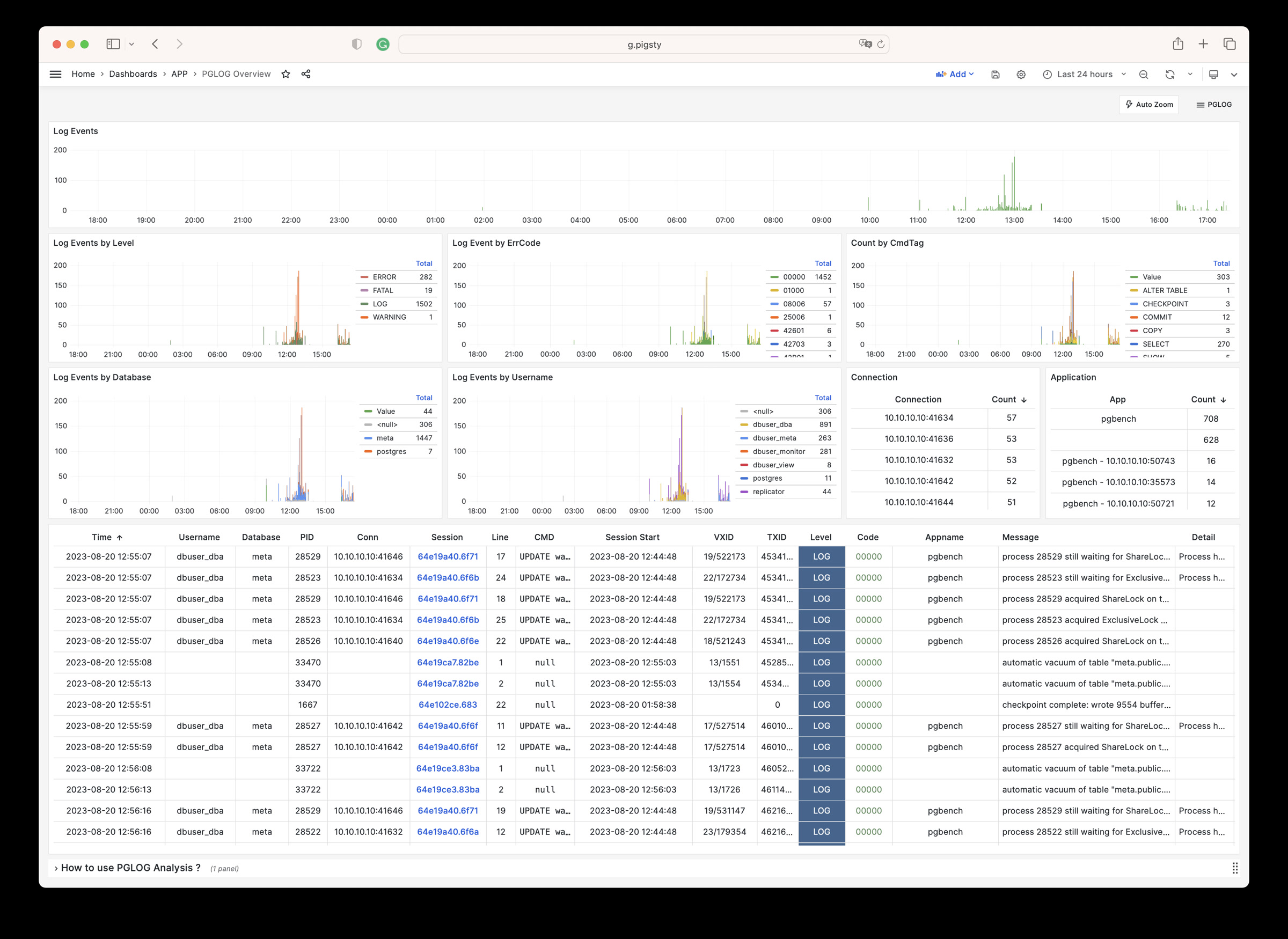
- PGLOG Session: Present detailed information about a specific connection in the log sample.
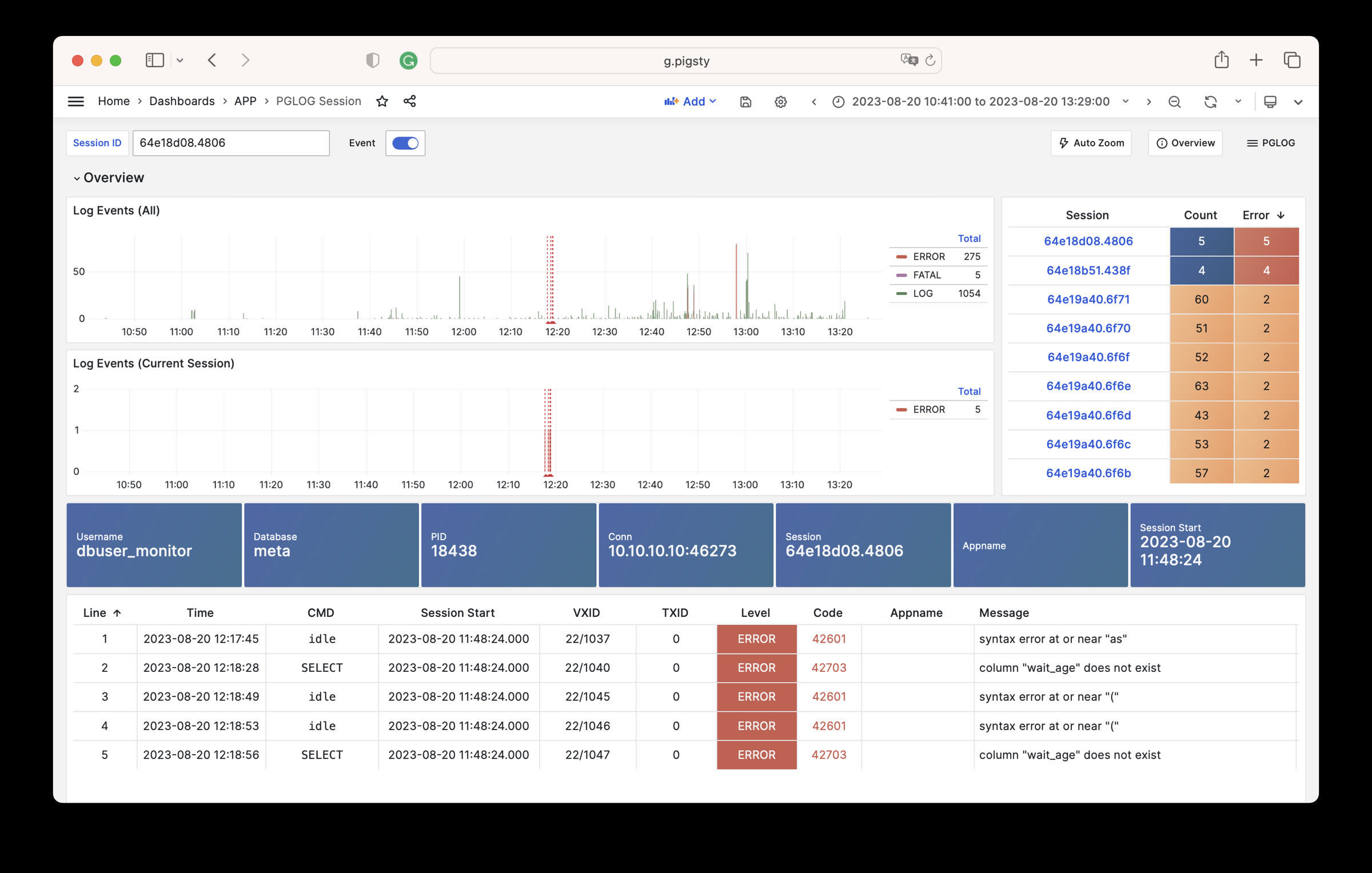
The catlog command retrieves CSV database logs for a node and date, then writes them to stdout.
By default, catlog pulls logs from the current node for today. You can specify the node and date through parameters.
Use pglog with catlog to retrieve and analyze database CSV logs:
6.25 - NOAA ISD Global Weather Station Historical Data Query
Use the open-source Vonng/isd project to explore weather data in your database.
Use the existing Grafana monitoring system to browse sub-hourly weather data interactively. It covers nearly 30,000 surface stations over the past 120 years.
This is a fully functional data application that can query meteorological observation records from 30,000 global surface weather stations since 1901.
Project URL: https://github.com/Vonng/isd
Online Demo: https://demo.pigsty.io/d/isd-overview
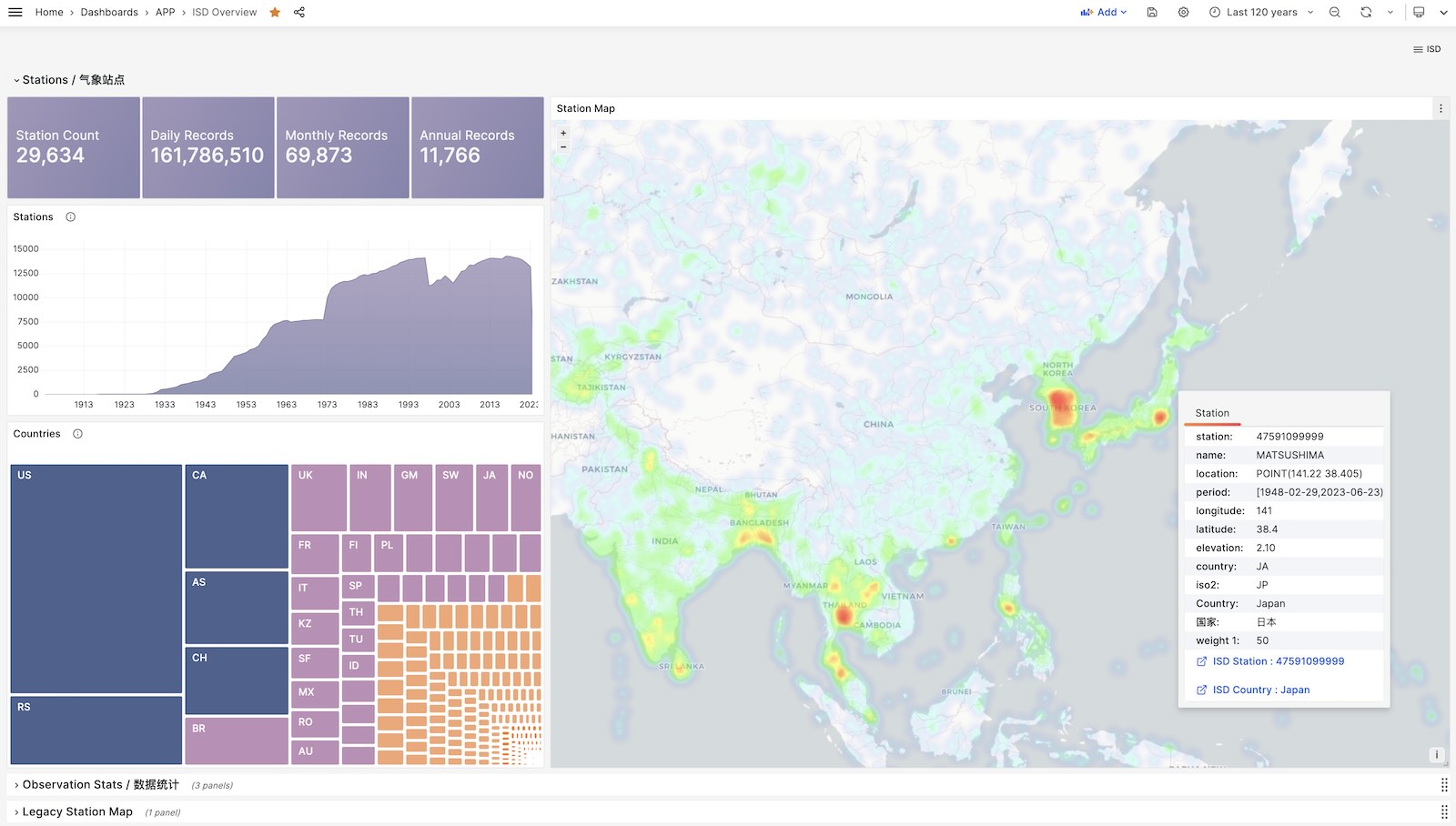
Quick Start
Clone this repository
Prepare a PostgreSQL instance
The PostgreSQL instance should have the PostGIS extension enabled. Use the PGURL environment variable to pass database connection information:
Fetch and import ISD weather station metadata
This metadata file updates daily. It contains station longitude, latitude, elevation, name, country, province, and other information. Download and import it with:
Fetch and import the latest isd.daily data
isd.daily updates daily with summaries of observations from global weather stations. Raw NOAA downloads must be parsed before database loading. Download or build the ISD parser, then download and import the data:
Load pre-parsed CSV dataset
ISD Daily contains invalid data and duplicates. Use the provided stable CSV dataset to avoid manual parsing and cleanup.
This dataset contains isd.daily data up to 2023-06-24. You can download and import it directly into PostgreSQL without needing a parser.
More Data
Two parts of the ISD dataset are updated daily: weather station metadata and the latest year’s isd.daily (e.g., the 2023 tarball).
Use this command to refresh both datasets. It does not download unchanged data packages again:
You can also use the following commands to download and load isd.daily data for a specific year:
In addition to the daily summary isd.daily, ISD also provides more detailed sub-hourly raw observation records isd.hourly. The download and load methods are similar:
Data
Dataset Overview
ISD provides four datasets: sub-hourly raw observation data, daily statistical summary data, monthly statistical summary, and yearly statistical summary
| Dataset | Notes |
|---|---|
| ISD Hourly | Sub-hourly observation records |
| ISD Daily | Daily statistical summary |
| ISD Monthly | Not used, can be calculated from isd.daily |
| ISD Yearly | Not used, can be calculated from isd.daily |
Daily Summary Dataset
- Compressed package size 2.8GB (as of 2023-06-24)
- Table size 24GB, index size 6GB, total size approximately 30GB in PostgreSQL
- If timescaledb compression is enabled, total size can be compressed to 4.5 GB
Sub-hourly Observation Data
- Total compressed package size 117GB
- After loading into database: table size 1TB+, index size 600GB+, total size 1.6TB
Database Schema
Weather Station Metadata Table
Daily Summary Table
Sub-hourly Raw Observation Data Table
Parser
NOAA ISD raw data uses a highly compressed proprietary format. A parser must convert it to database table format.
Use isdd for Daily data and isdh for Hourly data. Both accept annual compressed packages and produce CSV output. They support pipelines as shown below:
User Interface
Use these Grafana dashboards to explore ISD data, weather stations, and historical observations.
ISD Overview
Global overview with overall metrics and weather station navigation.
ISD Country
Display all weather stations within a single country/region.
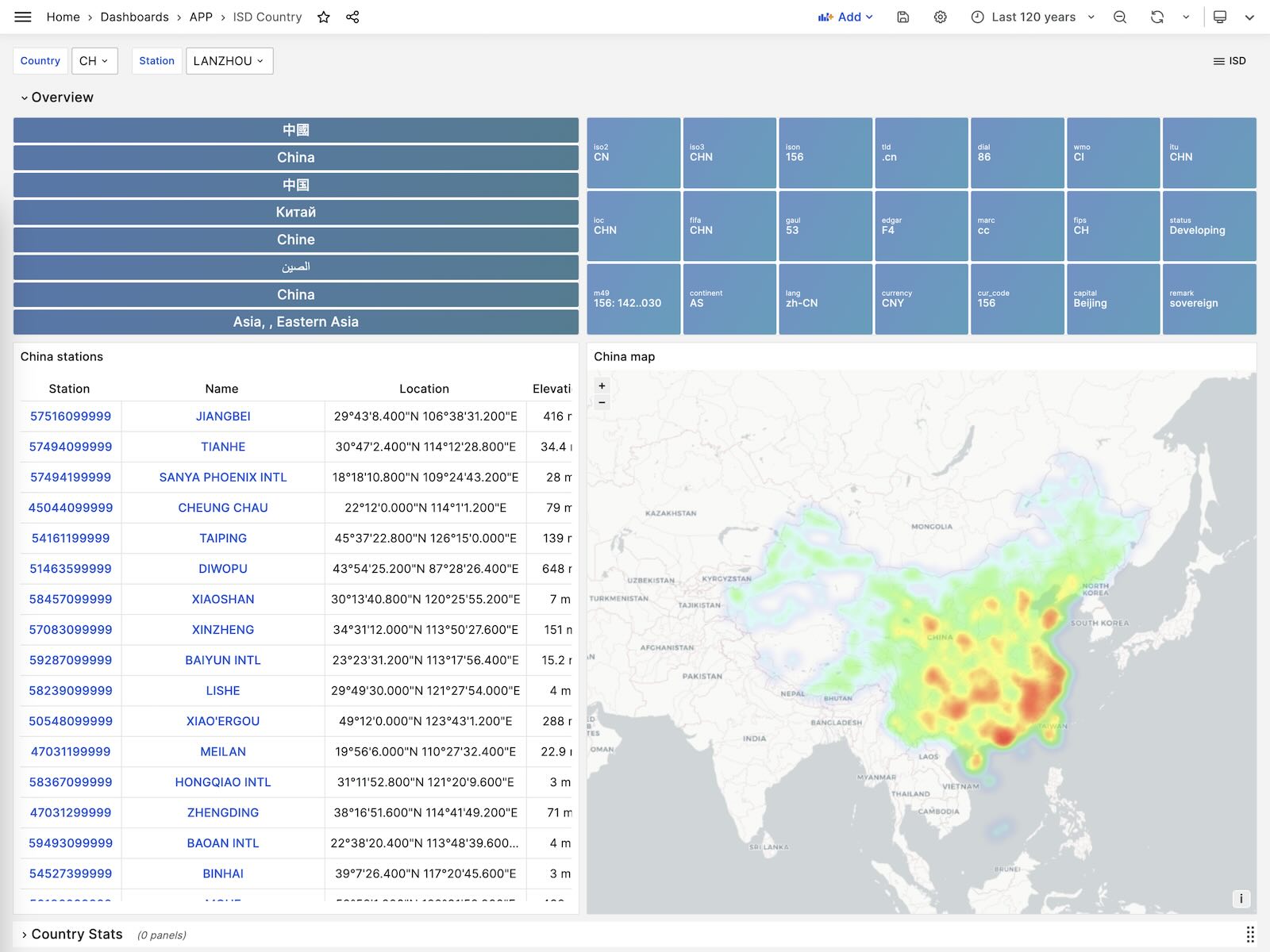
ISD Station
Display detailed information for a single weather station, including metadata and daily/monthly/yearly summary metrics.
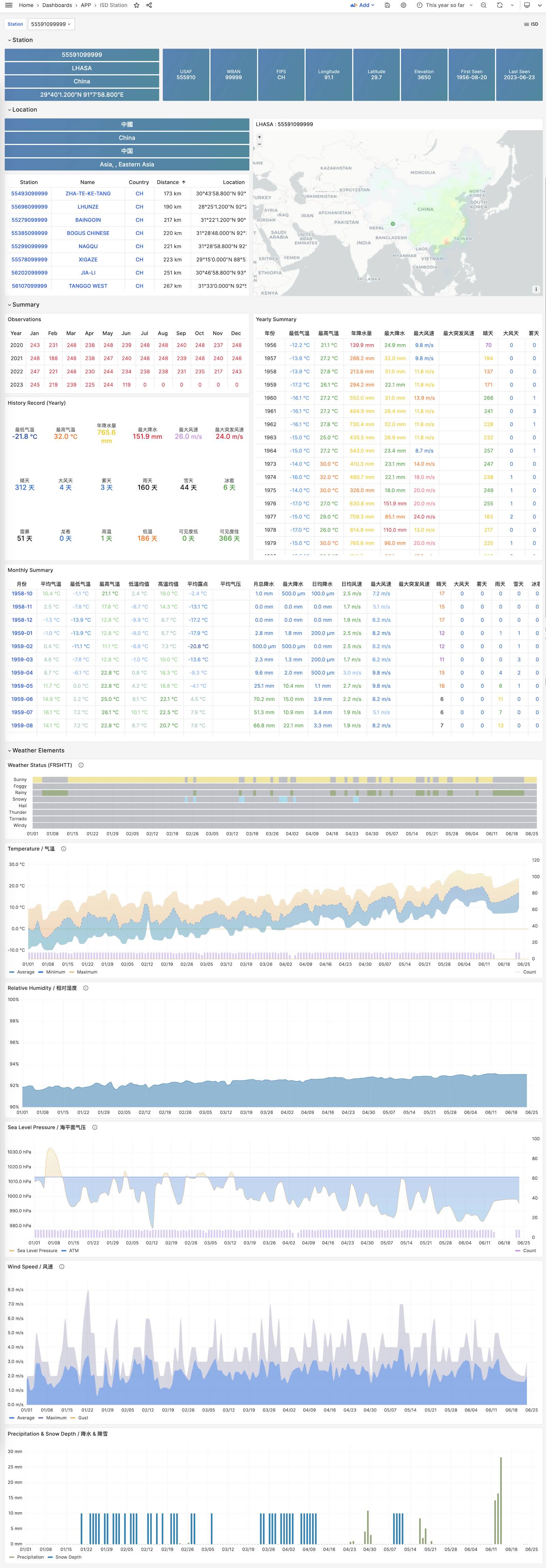
ISD Detail
Display raw sub-hourly observation metrics for one station. This requires isd.hourly.
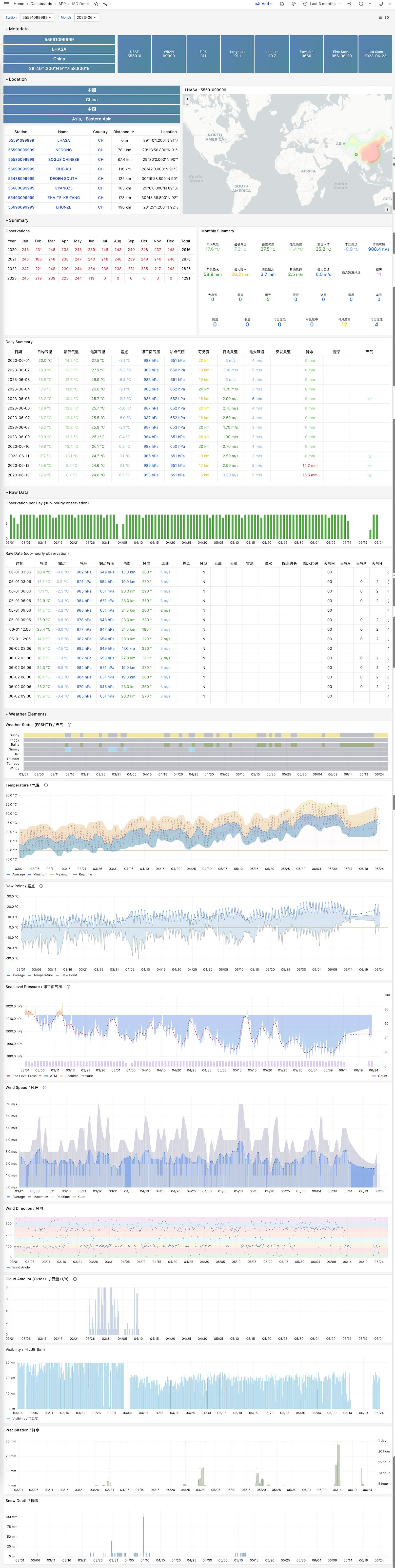
6.26 - WHO COVID-19 Pandemic Dashboard
Covid is a sample applet included with Pigsty. It visualizes the World Health Organization’s official pandemic data.
Browse COVID-19 infections and deaths by country and region, and view global pandemic trends.
Overview
GitHub Repository: https://github.com/pgsty/pigsty-app/tree/master/covid
Online Demo: https://demo.pigsty.io/d/covid
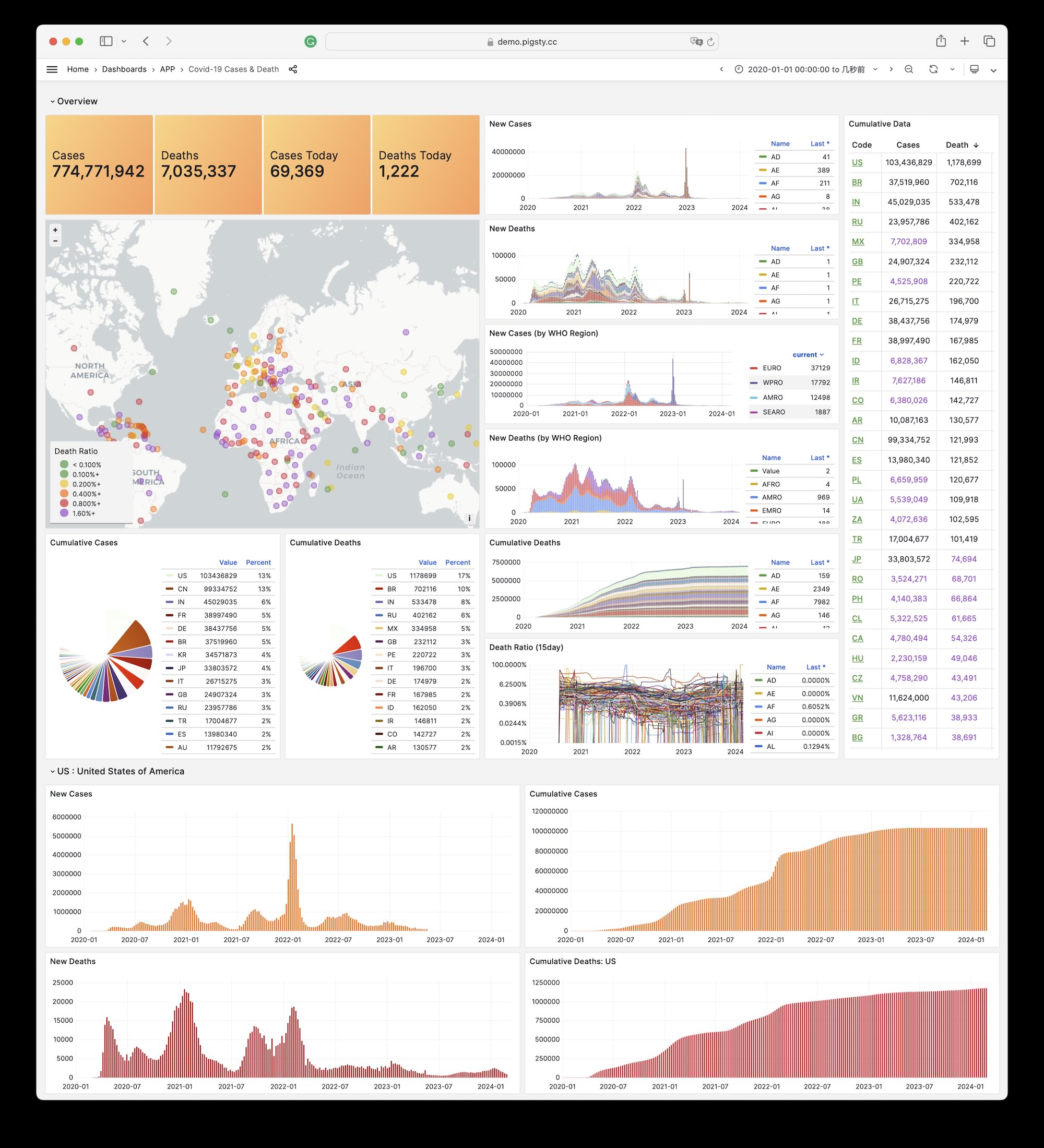
Installation
On the administration node, enter the application directory. Run make to complete installation.
Other sub-tasks:
6.27 - StackOverflow Global Developer Survey
Overview
GitHub Repository: https://github.com/pgsty/pigsty-app/tree/master/db
Online Demo: https://demo.pigsty.io/d/sf-survey
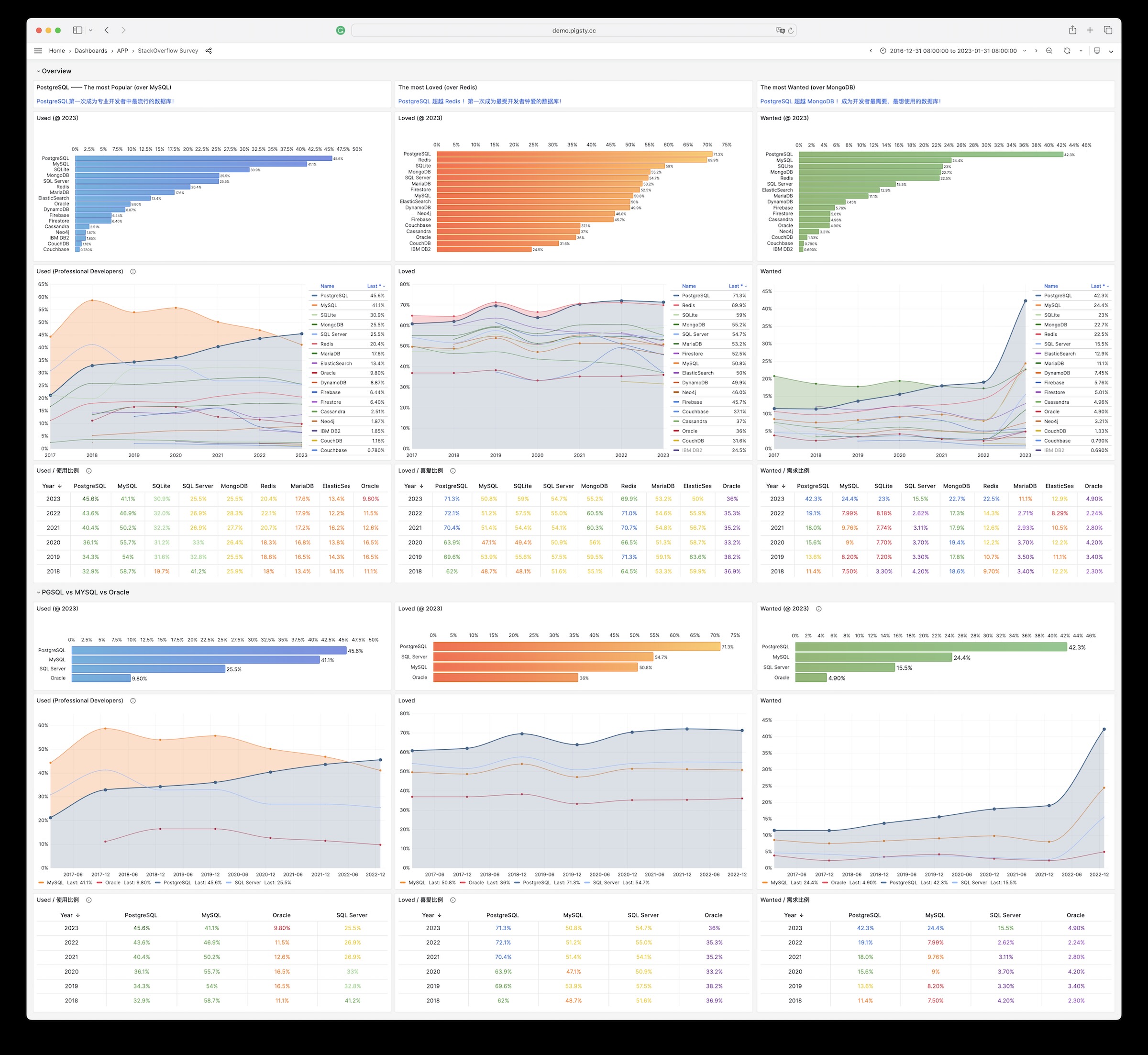
6.28 - DB-Engines Database Popularity Trend Analysis
Overview
GitHub Repository: https://github.com/pgsty/pigsty-app/tree/master/db
Online Demo: https://demo.pigsty.io/d/db-engine
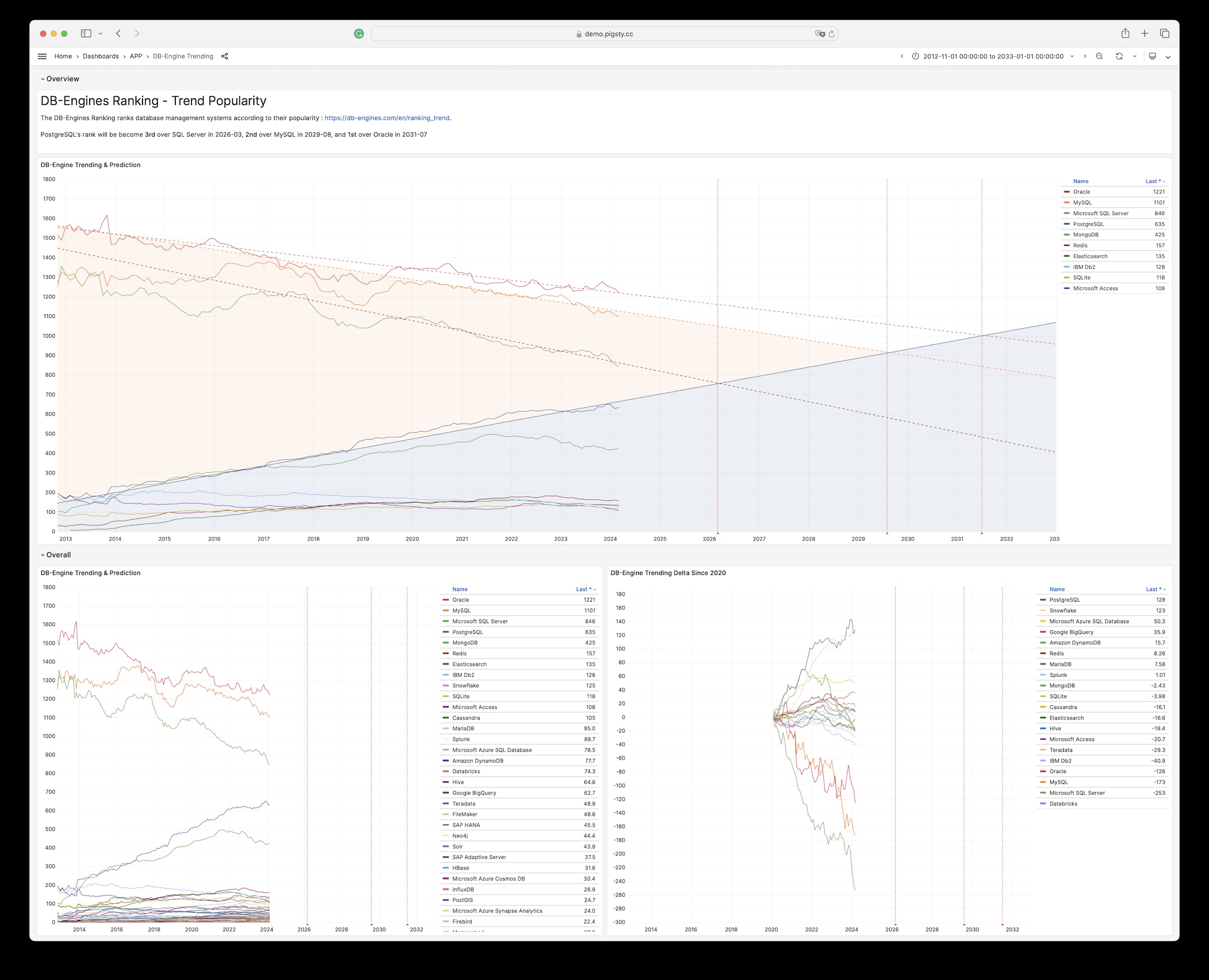
6.29 - AWS & Aliyun Server Pricing
Overview
GitHub Repository: https://github.com/pgsty/pigsty-app/tree/master/cloud
Online Demo: https://demo.pigsty.io/d/ecs
Article: Analyzing Computing Costs: Has Aliyun Really Reduced Prices?
Data Source
Download Aliyun ECS prices as raw CSV data from Price Calculator - Pricing Details - Price Download.
Schema
Download Aliyun pricing details, then import them for analysis:
For AWS EC2, download the price list from Vantage:
Visualization
Browse the interactive panels in the online demo: https://demo.pigsty.io/d/ecs
7 - Configuration Templates
Use -c with configure to select a template.
Specify its path relative to conf/, without the .yml suffix.
If you omit -c, Pigsty uses the meta template.
| Category | Templates |
|---|---|
| Solo Templates | meta, rich, fat, slim, infra, vibe, docker |
| Kernel Templates | pgsql, pg19, mssql, polar, ivory, agens, pgedge, mysql (OpenHalo), mongo, pgtde, oriole |
| HA Templates | ha/simu, ha/octo, ha/citus, ha/full, ha/safe, ha/trio, ha/dual |
| App Templates | supabase, app/odoo, app/dify, app/insforge, app/hindsight, app/electric, app/maybe, app/teable, app/mattermost, app/registry, app/immich, app/jumpserver |
| Misc Templates | demo/bare, demo/el, demo/debian, demo/demo, demo/kernel, demo/redis, demo/minio, demo/kafka, demo/mysql (native MySQL pilot), demo/remote, demo/saas, demo/wool, build/oss, build/dev |
7.1 - meta
The meta configuration template is the default Pigsty template. It deploys PostgreSQL on one node, which is the core function of Pigsty.
For compatibility across operating system distributions and architectures, meta installs only the minimum required software.
Overview
- Config Name:
meta - Node Count: Single node
- Description: Default single-node installation template with extensive configuration parameter descriptions and minimum required feature set.
- OS Distro:
el8,el9,el10,d12,d13,u22,u24,u26 - OS Arch:
x86_64,aarch64 - Related:
meta,slim,fat
Usage: This is the default template. You do not need to specify -c meta during configure:
To install PostgreSQL 16 instead of the default version 18, use the -v argument in configure:
Content
Source: pigsty/conf/meta.yml
Explanation
Use meta as the default getting-started configuration for a quick initial deployment.
Use Cases:
- First-time Pigsty users
- Quick deployment in development and testing environments
- Small production environments running on a single machine
- As a base template for more complex deployments
Key Features:
- Online installation mode without building local software repository (
repo_enabled: false) - Default installs PostgreSQL 18 with
postgisandpgvectorextensions - Includes complete observability infrastructure (Grafana, VictoriaMetrics, VictoriaLogs, etc.)
- Preconfigured Docker and pgAdmin application examples
- Silo backup storage is disabled by default. Enable it if needed.
Notes:
- The default passwords are examples. You must change them before production use.
- Single-node etcd does not provide high availability. It is suitable for development and testing.
- If you need to build a local software repository, use the
richtemplate
7.2 - rich
The rich configuration template extends meta. Use it to try the complete set of features.
Use this template to build a local software repository, use Silo backup storage, or run Docker applications. It also provides preconfigured business databases.
Overview
- Config Name:
rich - Node Count: Single node
- Description: Feature-rich single-node configuration, adding local software repository, Silo backup, complete extensions, Docker application examples on top of
meta - OS Distro:
el8,el9,el10,d12,d13,u22,u24,u26 - OS Arch:
x86_64,aarch64 - Related:
meta,slim,fat
This template’s main enhancements over meta:
- Builds local software repository (
repo_enabled: true), downloads all PG extensions - Enables single-node Silo as PostgreSQL backup storage
- Preinstalls TimescaleDB, pgvector, pg_wait_sampling and other extensions
- Includes detailed user/database/service definition comment examples
- Adds Redis primary-replica instance example
- Preconfigures pg-test three-node HA cluster configuration stub
Usage:
Content
Source: pigsty/conf/rich.yml
Explanation
The rich template provides a complete functionality showcase configuration. Use it to learn how all features work.
Use Cases:
- Offline environments requiring local software repository
- Environments needing Silo as PostgreSQL backup storage
- Pre-planning multiple business databases and users
- Running Docker applications (pgAdmin, Bytebase, etc.)
- Learners wanting to understand complete configuration parameter usage
Main Differences from meta:
- Enables local software repository building (
repo_enabled: true) - Enables Silo backup storage (compatibility preset
pgbackrest_method: minio) - Preinstalls TimescaleDB, pg_wait_sampling and other additional extensions
- Includes detailed parameter comments for understanding configuration meanings
- Preconfigures HA cluster stub configuration (pg-test)
Notes:
- Some extensions are unavailable on ARM64. Adjust the configuration as needed.
- Building local software repository requires longer time and larger disk space
- The default passwords are examples. Change them before production use.
7.3 - slim
The slim configuration template provides a minimal installation of a PostgreSQL high-availability cluster. It installs packages directly from the internet. It does not deploy Infra monitoring infrastructure.
If you need a database instance without a monitoring system, consider Slim Installation mode.
Overview
- Config Name:
slim - Node Count: Single node
- Description: Minimal installation template without monitoring infrastructure, installs PostgreSQL directly
- OS Distro:
el8,el9,el10,d12,d13,u22,u24,u26 - OS Arch:
x86_64,aarch64 - Related:
meta
Usage:
Content
Source: pigsty/conf/slim.yml
Explanation
The slim template provides a minimal installation configuration. Use it to deploy bare PostgreSQL clusters quickly.
Use Cases:
- Only need PostgreSQL database, no monitoring system required
- Resource-limited small servers or edge devices
- Quick deployment of temporary test databases
- Already have monitoring system, only need PostgreSQL HA cluster
Key Features:
- Uses
slim.ymlplaybook instead ofdeploy.ymlfor installation - Installs software directly from internet, no local software repository
- Retains core PostgreSQL HA capability (Patroni + etcd + HAProxy)
- Minimized package downloads, faster installation
- Default uses PostgreSQL 18
Differences from meta:
slimuses the dedicatedslim.ymlplaybook. This playbook skips Infra module installation.- Faster installation, less resource usage
- Suitable for “just need a database” scenarios
Notes:
7.4 - fat
The fat configuration template is Pigsty’s Feature-All-Test template. It installs all extension plugins on one node. It also builds a local software repository with all extensions for PostgreSQL 14-18, which covers five major versions.
Use this configuration for testing and development. It provides a complete software package cache and supports tests of all extensions.
Overview
- Config Name:
fat - Node Count: Single node
- Description: Feature-All-Test template, installs all extensions, builds local repo with PG 14-18 all versions
- OS Distro:
el8,el9,el10,d12,d13,u22,u24,u26 - OS Arch:
x86_64,aarch64 - Related:
meta,slim,fat
Usage:
To specify a particular PostgreSQL version:
Content
Source: pigsty/conf/fat.yml
Explanation
The fat template provides a full-featured test configuration. Use it to test completeness and build offline packages.
Key Features:
- All Extensions: Installs all categorized extension packages for PostgreSQL 18
- Multi-version Repository: Local repo contains all five major versions of PostgreSQL 14-18
- Complete Component Stack: Includes Silo backup, Docker applications, VIP, etc.
- Enterprise Components: Includes Kafka, PolarDB, IvorySQL, TigerBeetle, etc.
Repository Contents:
| Category | Description |
|---|---|
| PostgreSQL 14-18 | Five major versions’ kernels and all extensions |
| Extension Categories | time, gis, rag, fts, olap, feat, lang, type, util, func, admin, stat, sec, fdw, sim, etl |
| Enterprise Components | kafka-stack, Java Runtime, Sealos, TigerBeetle |
| Database Kernels | PolarDB, IvorySQL |
Differences from rich:
fatcontains all five versions of PostgreSQL 14-18. Therichtemplate contains only the current default version.fatcontains additional enterprise components (Kafka, PolarDB, IvorySQL, etc.)fatrequires larger disk space and longer build time
Use Cases:
- Pigsty development testing and feature validation
- Building complete multi-version offline software packages
- Testing all extension compatibility scenarios
- Enterprise environments pre-caching all software packages
Notes:
- Requires large disk space (100GB+ recommended) for storing all packages
- Building local software repository requires longer time
- Some extensions unavailable on ARM64 architecture
- The default passwords are examples. Change them before production use.
7.5 - infra
The infra template deploys the Pigsty monitoring infrastructure, including VictoriaMetrics, Grafana, VictoriaLogs, and Nginx.
It does not deploy PostgreSQL or etcd.
Use it as a standalone monitoring system for external PostgreSQL or RDS instances and other data sources.
Overview
- Config Name:
infra - Node Count: Single or multiple nodes
- Description: Only installs observability infrastructure, without PostgreSQL and etcd
- OS Distro:
el8,el9,el10,d12,d13,u22,u24,u26 - OS Arch:
x86_64,aarch64 - Related:
meta
Usage:
Content
Source: pigsty/conf/infra.yml
Explanation
The infra template runs the monitoring infrastructure independently of database services.
Use Cases:
- Monitoring external PostgreSQL instances (RDS, self-hosted, etc.)
- Need standalone monitoring/alerting platform
- Already have PostgreSQL clusters, only need to add monitoring
- As a central console for multi-cluster monitoring
Included Components:
- VictoriaMetrics: Time series database for storing metrics
- VictoriaLogs: Log aggregation system
- VictoriaTraces: Distributed tracing system
- Grafana: Visualization dashboards
- Alertmanager: Alert management
- Nginx: Reverse proxy and web entry
Not Included:
- PostgreSQL database cluster
- etcd distributed coordination service
- Silo object storage
Monitoring External Instances:
After configuration, run pgsql-monitor.yml to add monitoring for external PostgreSQL instances:
Notes:
7.6 - vibe
The vibe configuration template provides a ready-to-use AI coding sandbox. It includes Code-Server (Web VS Code), JupyterLab, Claude Code observability, and Codex CLI. It also includes the JuiceFS distributed filesystem and a PostgreSQL database with many features.
Overview
- Config Name:
vibe - Node Count: Single node
- Description: VIBE AI coding sandbox with Code-Server + JupyterLab + Claude Code + Codex CLI + JuiceFS + PostgreSQL
- OS Distro:
el8,el9,el10,d12,d13,u22,u24,u26 - OS Arch:
x86_64,aarch64 - Related:
meta
Usage:
Content
Source: pigsty/conf/vibe.yml
Explanation
The vibe template provides an AI coding sandbox for the web. Use your browser for development, data analysis, and AI application development.
Core Components:
| Component | Description | Access Method |
|---|---|---|
| Code-Server | Web version of VS Code, full-featured code editor | http://<ip>/code |
| JupyterLab | Interactive data science notebook, Python/SQL | http://<ip>/jupyter |
| Claude Code | AI coding runtime and observability entrypoint (claude_env customizable) | Terminal / Dashboard |
| Codex CLI | OpenAI agentic coding CLI; VIBE installs it but does not manage its configuration | Terminal |
| JuiceFS | PostgreSQL-based distributed filesystem | Mount point /fs |
| PostgreSQL 18 | Feature-rich database with pg18-main + categorized extension package groups | Port 5432 |
Node tools explicitly installed by this template (node_packages):
openssh-server,juicefs,restic,rcloneuv,opencode,golangasciinema,tmux
PostgreSQL Extensions:
This template installs PostgreSQL 18 extension groups by category:
By default, the meta database enables postgis, timescaledb, and vector. Enable other extensions as needed.
VIBE Module Components
The VIBE module provides an AI coding sandbox. The vibe.yml template explicitly enables Code-Server and Jupyter. It installs Claude Code and Codex CLI by default.
Code-Server: VS Code in browser
- Full VS Code functionality, extension support
- HTTPS access via Nginx reverse proxy
- Supports Open VSX and Microsoft extension marketplaces
- Explicit template params:
code_enabled,code_password - Optional params:
code_port,code_data,code_gallery
JupyterLab: Interactive computing environment
- Python/SQL/Markdown notebook support
- Pre-configured Python venv with data science libraries
- HTTPS access via Nginx reverse proxy
- Explicit template params:
jupyter_enabled,jupyter_password - Optional params:
jupyter_port,jupyter_data,jupyter_venv
Claude Code: AI coding assistant runtime
- Uses module default behavior to bootstrap Claude runtime
- Supports endpoint/API key overrides through
claude_env - Provides
claude-codedashboard for usage monitoring
Codex CLI: AI coding assistant
- Controlled by
codex_enabled, which defaults totrue - VIBE installs only
@openai/codex. It does not write the Codex configuration or connect Codex to the Claude Code dashboard.
JuiceFS Filesystem
This template uses JuiceFS as a distributed filesystem. It stores both metadata and data in PostgreSQL.
Architecture Features:
- Metadata Engine: Uses PostgreSQL for filesystem metadata storage
- Data Storage: Uses PostgreSQL Large Object for file data storage
- Mount Point: Default mount at
/fs(controlled byjuice_instances.jfs.path) - Monitoring Port:
9567provides Prometheus metrics
Use Cases:
- Persistent storage for code projects
- Working directory for Jupyter Notebooks
- Storage for AI models and datasets
- File sharing across instances (when scaled to multiple nodes)
Config Example:
Deployment Steps
Access Methods
After deployment, access via browser:
Use Cases
- AI App Development: Build RAG, Agent, LLM applications
- Data Science: Use JupyterLab for data analysis and visualization
- Remote Development: Setup Web IDE environment on cloud servers
- Teaching Demos: Provide consistent dev environment for students
- Rapid Prototyping: Quickly validate ideas without local env setup
- Claude Code Observability: Monitor AI coding assistant usage
Notes
- Must change passwords:
code_passwordandjupyter_passworddefaults are for testing only - Jupyter boundary: The template listens on
0.0.0.0:8888, allows any Origin, and disables XSRF checks. It relies on the token by default. Restrict the port and portal sources. Never expose Jupyter directly to the Internet. - Network security: By default, this template exposes
5432(node_firewall_public_port) and includesaddr: worldHBA. Remove these public paths for production. Add portal Basic Auth when appropriate. - Resource requirements: Recommend at least 2 cores 4GB memory, SSD disk
- Simplified architecture: This template disables HA components, including Patroni and PgBouncer. It is suitable for a single-node development environment.
- Claude API: Using Claude Code requires configuring API key in
claude_env
7.7 - docker
The docker template runs Pigsty in a Docker container.
It supplies the minimum single-node infrastructure and PostgreSQL components.
For full workflow details, see Docker Deployment.
Overview
- Config Name:
docker - Node Count: Single node (container runtime)
- Description: Quick-start container template using
127.0.0.1and trimmed system capabilities for Docker scenarios - OS Distro: Container image runtime (official Pigsty Docker image recommended)
- OS Arch:
x86_64,aarch64 - Related:
meta,vibe
Usage:
Content
Source: pigsty/conf/docker.yml
Explanation
Use the docker template for development and validation inside containers.
Key Features:
- Disables local repository builds with
repo_enabled: false. This reduces the build overhead inside the container. - Simplifies node behavior by disabling NTP, kernel module loading, and
/etc/hostsrewrite - Uses PostgreSQL 18 by default with a broad preset extension package bundle (
pg18-*) - Allows password access from both
intraandworldranges inpg_hba_rulesfor fast testing - Keeps optional capabilities (Code-Server, Jupyter, JuiceFS, Claude CLI) as commented settings
Notes:
- This template targets development and demonstrations. For production, restrict
pg_hba_rulesand strengthen the password policy. - Mount
/datain the container runtime to persist PostgreSQL and component data
7.8 - pgsql
The pgsql configuration template uses the native PostgreSQL kernel. This is Pigsty’s default database kernel, with stable support for PostgreSQL 14 to 18.
The current configure command also accepts version 19. PG19 remains Beta. Use the dedicated pg19 template for evaluation.
Overview
- Config Name:
pgsql - Node Count: Single node
- Description: Native PostgreSQL kernel configuration template
- OS Distro:
el8,el9,el10,d12,d13,u22,u24,u26 - OS Arch:
x86_64,aarch64 - Related:
meta
Usage:
To specify a non-default PostgreSQL version (e.g., 16):
Content
Source: pigsty/conf/pgsql.yml
Explanation
The pgsql template provides the standard kernel configuration for community-native PostgreSQL.
Version Support:
- PostgreSQL 18 (default)
- PostgreSQL 17, 16, 15, 14
- PostgreSQL 19 Beta (evaluation; use
./configure -c pg19)
Use Cases:
- Need to use the latest PostgreSQL features
- Need the widest extension support
- Standard production environment deployment
- Same functionality as
metatemplate, explicitly declaring native kernel usage
Differences from meta:
pgsqltemplate explicitly declares using native PostgreSQL kernel- Suitable for scenarios needing clear distinction between different kernel types
7.9 - pg19
pg19 is the single-node PostgreSQL 19 Beta evaluation template. It follows the meta topology and enables the beta repository. The local repository’s additional cache contains only core PGSQL packages. The template does not preinstall extensions.
Overview
- Config Name:
pg19 - Node Count: Single node
- PostgreSQL Version:
19Beta - Use Cases: New-version evaluation and compatibility testing
- Related:
meta,pgsql
Usage:
Content
Source: pigsty/conf/pg19.yml
Explanation
Important defaults and limitations:
node_repo_modules: node,infra,pgsql,betaobtains PG19 packages from the PGDG Beta repositoryrepo_extra_packages: [pgsql-core]limits the local repository’s additional cache to core PGSQL packages. Instances still use the role’s defaultpgsql-main pgsql-commoninstallation set.pg_extensions: []installs no extension packagespgbackrest_enabled: trueandpgbackrest_exporter_enabled: true. Thepg-metacluster retains its daily 01:00 full-backup job.- INFRA, ETCD, PGSQL, and optional pgAdmin remain available for a single-node evaluation
Use this Beta configuration for evaluation only. Do not use it as a production template. The -v 19 option on an ordinary template does not make PG19 ready for production. Validate extension compatibility, backup and recovery, and upgrade procedures separately.
7.10 - mssql
The mssql configuration template uses a PostgreSQL 17-compatible Babelfish kernel instead of native PostgreSQL. It provides Microsoft SQL Server wire protocol (TDS) and T-SQL syntax compatibility.
The current template fixes the version at pg_version: 17. The configure command does not apply -v overrides to this fixed-kernel template.
Since v4.2, Pigsty builds Babelfish directly and does not use the WiltonDB repository. Babelfish is available on all supported Linux platforms.
For the complete tutorial, see: Babelfish (MSSQL) Kernel Guide
Overview
- Config Name:
mssql - Node Count: Single node
- Description: Babelfish (PG17) configuration template with SQL Server protocol compatibility
- OS Distro:
el8,el9,el10,d12,d13,u22,u24,u26 - OS Arch:
x86_64,aarch64 - Related:
meta
Usage:
Content
Source: pigsty/conf/mssql.yml
Explanation
With the mssql template, SQL Server Management Studio (SSMS) and other SQL Server clients can connect to PostgreSQL. Babelfish provides the protocol compatibility.
Key Features:
- Uses TDS protocol (port 1433), compatible with SQL Server clients
- Supports T-SQL syntax, low migration cost
- Retains PostgreSQL’s ACID properties and extension ecosystem (the current template uses PG17)
- Supports
multi-dbandsingle-dbmigration modes - Default package set:
babelfish + pgsql-common + sqlcmd - Creates
uuid-ossp,babelfishpg_common,babelfishpg_tsql,babelfishpg_tds, andbabelfishpg_moneyby default - v4.2.0 adds full mainstream platform coverage (EL 8/9/10, Debian 12/13, Ubuntu 22/24/26;
x86_64/aarch64)
Connection Methods:
Use Cases:
- Migrating from SQL Server to PostgreSQL
- Applications needing to support both SQL Server and PostgreSQL clients
- Leveraging PostgreSQL ecosystem while maintaining T-SQL compatibility
Notes:
- The current
mssqltemplate fixes the kernel at a PostgreSQL 17-compatible version. Do not use-vto change its major version. - Default migration mode is
multi-db(babelfishpg_tsql.migration_mode), configurable tosingle-dbwhen needed - Some T-SQL syntax can have compatibility differences. See the Babelfish compatibility documentation.
- Must use
md5authentication method (notscram-sha-256)
7.11 - polar
The polar configuration template uses Alibaba Cloud’s PolarDB for PostgreSQL kernel instead of native PostgreSQL. This cloud-native kernel separates storage and compute in an architecture similar to Aurora.
For the complete tutorial, see: PolarDB for PostgreSQL (POLAR) Kernel Guide. For kernel differences and version references, see the PGSQL kernel overview.
Overview
- Config Name:
polar - Node Count: Single node
- Description: Uses PolarDB for PostgreSQL kernel
- OS Distro:
el8,el9,el10,d12,d13,u22,u24,u26 - OS Arch:
x86_64,aarch64 - Related:
meta
Usage:
Content
Source: pigsty/conf/polar.yml
Explanation
The polar template uses Alibaba Cloud’s open-source PolarDB for PostgreSQL kernel. The kernel provides cloud-native database capabilities.
Key Features:
- The architecture separates storage and compute. Compute and storage nodes can scale independently.
- Supports one write node and multiple read nodes. Read replicas scale in seconds.
- Compatible with PostgreSQL ecosystem, maintains SQL compatibility
- Supports shared storage scenarios, suitable for cloud environment deployment
- Default PolarDB kernel path is
/usr/polar-17 - Available extensions follow the PolarDB 17 kernel catalog. Common extensions include
pgaudit,pg_partman,pg_profile,pg_repack,pg_stat_kcache,pg_cron, andpg_hint_plan
Use Cases:
- Cloud-native scenarios requiring storage-compute separation architecture
- Read-heavy write-light workloads
- Scenarios requiring quick scaling of read replicas
- Test environments for evaluating PolarDB features
Notes:
- PolarDB is now based on PostgreSQL 17
- Replication user requires superuser privileges (different from native PostgreSQL)
- Some PostgreSQL extensions may have compatibility issues
- The current template provides packages for both
x86_64andaarch64
7.12 - ivory
The ivory template replaces the standard PostgreSQL kernel with Highgo’s IvorySQL.
IvorySQL supports Oracle syntax and PL/SQL.
For the complete tutorial, see: IvorySQL (Oracle Compatible) Kernel Guide
Overview
- Config Name:
ivory - Node Count: Single node
- Description: Uses IvorySQL Oracle-compatible kernel
- OS Distro:
el8,el9,el10,d12,d13,u22,u24,u26 - OS Arch:
x86_64,aarch64 - Related:
meta
Usage:
Content
Source: pigsty/conf/ivory.yml
Explanation
Highgo’s open-source IvorySQL kernel supplies Oracle database compatibility.
Key Features:
- Supports Oracle PL/SQL syntax
- Compatible with Oracle data types (NUMBER, VARCHAR2, etc.)
- Supports Oracle-style packages
- Retains all standard PostgreSQL functionality
Use Cases:
- Migrating from Oracle to PostgreSQL
- Applications needing both Oracle and PostgreSQL syntax support
- Leveraging PostgreSQL ecosystem while maintaining PL/SQL compatibility
- Test environments for evaluating IvorySQL features
Notes:
- IvorySQL 5 is based on PostgreSQL 18
- To use
liboracle_parser, add it toshared_preload_libraries. - In Oracle-compatible mode,
pgbackrestcan have checksum problems. PITR support is limited. - The current package matrix covers EL 8/9/10, Debian 12/13, Ubuntu 22/24/26, and both architectures
7.13 - agens
The agens template replaces the standard PostgreSQL kernel with AgensGraph.
It supports property graphs and Cypher queries.
For the full guide, see: AgensGraph kernel guide
Overview
- Config name:
agens - Node count: Single node
- Description: AgensGraph (PG17) graph database kernel template
- Supported OS:
el8,el9,el10,d12,d13,u22,u24,u26 - Supported arch:
x86_64,aarch64 - Related templates:
meta,pgsql
Enable with:
Template Content
Source: pigsty/conf/agens.yml
Notes
The agens template sets pg_mode: agens in the pg-meta cluster.
It installs the agensgraph kernel package instead of standard PostgreSQL.
Key features:
- Property graph model support (Vertex / Edge)
- Cypher query syntax, can be combined with SQL
- Compatible with PostgreSQL ecosystem and standard operations
- Based on PostgreSQL 17-compatible kernel by default
Typical use cases:
- Graph relationship analysis and path queries
- Social graph, risk linkage, knowledge graph scenarios
- Workloads requiring graph queries within PostgreSQL operations
Caveats:
- Current AgensGraph template is pinned to
pg_version: 17 - The default topology has one node for validation. For production, plan and extend it for high availability.
- Follow the official AgensGraph documentation for graph schemas and Cypher semantics.
7.14 - pgedge
The pgedge configuration template uses the pgEdge kernel instead of native PostgreSQL. The kernel provides distributed, multi-master capabilities for edge deployments.
For the full guide, see: pgEdge kernel guide. For kernel differences and version references, see the PGSQL kernel overview.
Overview
- Config name:
pgedge - Node count: Single node
- Description: pgEdge (PG18) distributed kernel template
- Supported OS:
d12,d13,u22,u24,u26for PG18 packages. For EL/RPM platforms, check current PGSQL repository availability forpgedge_18. - Supported arch:
x86_64,aarch64 - Related templates:
meta,pgsql
Enable with:
Template Content
Source: pigsty/conf/pgedge.yml
Notes
The pgedge template enables pg_mode: pgedge in pg-meta. It pre-installs pgEdge core extensions for logical replication and edge distribution.
Key features:
- Uses the
pgedgekernel package (PG15/16/17/18 compatible, default PG18) - The
pgedge-$vkernel package includesspock,snowflake, andlolor. The template creates these extensions in themetadatabase by default. - Preloads
spockandlolorfor multi-master setup readiness - Keeps Pigsty standard backup, monitoring, and operations workflow
Typical use cases:
- Multi-region edge deployment with nearby writes
- Multi-master logical replication with conflict handling
- Single-node validation before distributed rollout
Caveats:
- Use the current template to validate the kernel on one node. For production multi-master deployment, explicitly plan the topology and replication strategy.
- Default is
pg_version: 18; keep consistent with target cluster versions - Evaluate latency and conflict policy before cross-region replication
7.15 - mysql
The mysql configuration template uses the OpenHalo database kernel instead of native PostgreSQL. OpenHalo provides MySQL wire protocol and SQL syntax compatibility.
Overview
- Config Name:
mysql - Node Count: Single node
- Description: OpenHalo MySQL-compatible kernel configuration
- OS Distro: EL 8/9/10, Debian 12/13, Ubuntu 22/24/26
- OS Arch:
x86_64,aarch64 - Related:
meta
Usage:
Content
Source: pigsty/conf/mysql.yml
Explanation
The mysql template uses the OpenHalo kernel. You can connect to PostgreSQL with MySQL client tools.
Key Features:
- Uses MySQL protocol (port 3306), compatible with MySQL clients
- Supports a subset of MySQL SQL syntax
- Retains PostgreSQL’s ACID properties and storage engine
- Supports both PostgreSQL and MySQL protocol connections simultaneously
Connection Methods:
Use Cases:
- Migrating from MySQL to PostgreSQL
- Applications needing to support both MySQL and PostgreSQL clients
- Leveraging PostgreSQL ecosystem while maintaining MySQL compatibility
Notes:
- OpenHalo is based on PostgreSQL 14. It does not support features from later versions.
- Some MySQL syntax may have compatibility differences
- The current
openhalopackage alias covers Pigsty’s supported Linux platforms on both architectures. Installation still depends on the repository index for the target platform.
7.16 - pgtde
The pgtde configuration template uses the Percona PostgreSQL database kernel. This kernel provides Transparent Data Encryption (TDE).
Overview
- Config Name:
pgtde - Node Count: Single node
- Description: Percona PostgreSQL transparent data encryption configuration
- OS Distro:
el8,el9,el10,d12,d13,u22,u24,u26 - OS Arch:
x86_64,aarch64 - Related:
meta
Usage:
Content
Source: pigsty/conf/pgtde.yml
Explanation
The pgtde template selects pg_mode: pgtde and installs the pgtde package
alias. Pigsty links the private /usr/pgtde-$v prefix (currently
/usr/pgtde-18) to its stable /usr/pgsql entry point.
Key Features:
- Transparent Data Encryption: The kernel automatically encrypts data on disk. Applications do not need to manage this encryption.
- Key Management: Supports local keys and external Key Management Systems (KMS)
- Table-level Encryption: Selectively encrypt sensitive tables
- Full Compatibility: Fully compatible with native PostgreSQL
Use Cases:
- Meeting data security compliance requirements (e.g., PCI-DSS, HIPAA)
- Storing sensitive data (e.g., personal information, financial data)
- Scenarios requiring data-at-rest encryption
- Enterprise environments with strict data security requirements
Usage:
Notes:
- Percona PostgreSQL is based on PostgreSQL 18
- Encryption adds some performance overhead, typically 5-15%.
- Encryption keys must be properly managed
- Both
x86_64andaarch64packages are available on the listed distributions
7.17 - oriole
The oriole configuration template uses the OrioleDB storage engine instead of PostgreSQL’s default Heap storage. It provides bloat-free, high-performance OLTP capability.
Overview
- Config Name:
oriole - Node Count: Single node
- Description: OrioleDB bloat-free storage engine configuration
- PostgreSQL Major:
16,17, or18 - OS Distro:
el8,el9,el10,d12,d13,u22,u24,u26 - OS Arch:
x86_64,aarch64 - Related:
meta
Usage:
Content
Source: pigsty/conf/oriole.yml
Explanation
The oriole template uses the OrioleDB storage engine to prevent PostgreSQL table bloat.
Key Features:
- Bloat-free Design: Uses UNDO logs instead of Multi-Version Concurrency Control (MVCC)
- No VACUUM Required: Eliminates performance jitter from autovacuum
- Row-level WAL: More efficient logging and replication
- Compressed Storage: Built-in data compression, reduces storage space
Use Cases:
- High-frequency update OLTP workloads
- Applications sensitive to write latency
- Need for stable response times (eliminates VACUUM impact)
- Large tables with frequent updates causing bloat
Usage:
Notes:
- OrioleDB supports PostgreSQL 16, 17, and 18. The template defaults to PG18. To select a major version, use
-v 16,-v 17, or-v 18. - Need to add
orioledbtoshared_preload_libraries - Some PostgreSQL features may not be fully supported
- Use the matching OrioleDB packages for the selected PostgreSQL major and OS architecture
7.18 - PostgreSQL Mongo Mode
The mongo configuration template is a PostgreSQL deployment mode, not an independent Pigsty module. It combines:
- PostgreSQL 18 managed by the standard
PGSQLmodule - The
documentdbextension and its required preload libraries - A stateless FerretDB proxy deployed with Pigsty’s Docker APP workflow
PostgreSQL manages all data, high availability, backups, monitoring, and the database lifecycle. FerretDB provides only the MongoDB wire-compatible endpoint.
Quick Start
The default template is a single-node deployment on 10.10.10.10. FerretDB listens on loopback by default.
Install mongosh separately if it is not already available, or use another MongoDB-compatible client.
The template declares a dedicated mongod PostgreSQL login. FerretDB authentication is enabled. MongoDB authorization roles are not implemented. PostgreSQL remains the security boundary.
Architecture
| Layer | Implementation | Responsibility |
|---|---|---|
| Data | PostgreSQL + DocumentDB | Durable storage, transactions, HA, PITR, ACL, monitoring |
| Protocol | FerretDB Docker APP | Stateless MongoDB wire compatibility |
| Access | 127.0.0.1:27017 by default | Local MongoDB client endpoint |
The container connects to Pigsty’s local primary service on port 5436 through host.docker.internal. The default Mongo endpoint is not exposed to the network. Change FERRETDB_BIND_ADDR only if you need remote access.
Configuration
Source: pigsty/conf/fork/mongo.yml
FerretDB settings are ordinary APP overrides under apps.ferretdb.conf:
Use the standard PostgreSQL parameters, playbooks, dashboards, and administration procedures for the backend cluster. There are no mongo_* inventory parameters or standalone mongo.yml playbook.
Optional HA Topology
The template contains a commented pg-mongo example for three PostgreSQL/FerretDB nodes. Uncomment that block and the two additional etcd members when needed.
In HA mode, each FerretDB container binds {{ inventory_hostname }}:27018. HAProxy exposes all three backends through the floating endpoint 10.10.10.4:27017 (mongo.pigsty). Patroni continues to handle PostgreSQL failover. FerretDB remains stateless.
Notes
- The template includes development-friendly HBA examples; tighten them for production.
- Client-side MongoDB TLS is not enabled by default.
- Monitor the backend with the standard PostgreSQL and Docker dashboards. There is no separate FERRET module or dedicated module dashboard.
- Repeat an authenticated CRUD smoke test after upgrading FerretDB or DocumentDB.
7.19 - ha/simu
The ha/simu configuration template simulates a production environment with 20 nodes. It requires a powerful host machine.
Overview
- Config Name:
ha/simu - Node Count: 20 nodes,
pigsty/vagrant/spec/simu.rb - Description: 20-node production environment simulation, requires powerful host machine
- OS Distro:
el8,el9,el10,d12,d13,u22,u24,u26 - OS Arch:
x86_64,aarch64
Usage:
Content
Source: pigsty/conf/ha/simu.yml
Explanation
The ha/simu template provides a large-scale production environment simulation. Use it to test and validate complex scenarios.
Architecture:
- 2-node HA INFRA (monitoring/alerting/Nginx/DNS)
- 5-node HA ETCD and MINIO (Silo, multi-disk)
- 2-node Proxy (HAProxy + Keepalived VIP)
- Multiple PostgreSQL clusters:
- pg-meta: 2-node HA
- pg-v14~v18: Single-node multi-version testing
- pg-pitr: Single-node PITR testing
- pg-test: 4-node HA
- pg-src/pg-dst: 3+2 node replication testing
- pg-citus: 10-node distributed cluster
- Multiple Redis modes: primary-replica, sentinel, cluster
Use Cases:
- Large-scale deployment testing and validation
- High availability failover drills
- Performance benchmarking
- New feature preview and evaluation
Notes:
- Requires powerful host machine (64GB+ RAM recommended)
- Uses Vagrant virtual machines for simulation
7.20 - ha/octo
ha/octo builds a compact high-availability simulation with the first eight nodes from vagrant/spec/deci.rb. It exercises co-located modules, VIPs, remote backup, and larger membership counts. Do not use it directly as a production blueprint without reviewing capacity, security, and failure domains.
Overview
- Config name:
ha/octo - Node addresses:
10.10.10.10through10.10.10.17 - INFRA: 3 nodes. Only the first builds and serves the local repository. As the comments describe, Docker can be installed separately on all three nodes.
- ETCD: 5 nodes on the last five hosts
- Object storage: one eight-node, single-drive cluster. The template does not override
minio_type. Thus, deployment and removal both default to Silo. Before removal, verify this value, the exact target, and the data paths. pg-meta: 3-node PostgreSQL cluster with VIP10.10.10.2/24pg-test: 5-node PostgreSQL cluster whose final instance has theofflinerole, with VIP10.10.10.3/24- Backup: uses the object-storage repository through
sss.pigsty:9002and also retains a local repository
This template depends on fixed eight-node addresses and VIPs. For another environment, update the host addresses, VIPs, interfaces, DNS, and repository node together. Also change every public example credential.
Content
Source: pigsty/conf/ha/octo.yml
Explanation
- The three INFRA nodes and five etcd nodes are separate sets. The
pg-metaandpg-testPostgreSQL clusters are co-located with those two sets respectively. - Object storage spans all eight nodes. It exposes
sss.pigstythrough Keepalived VIP10.10.10.9and HAProxy port9002. Silo is the current default engine. The module and variables retainminio_*names for compatibility. pg-metatakes one full backup daily.pg-testtakes a weekly full backup and incremental backups on the remaining days. Both clusters write to the encrypted S3 pgBackRest repository.- The two INFRA replicas with
repo_enabled: falsedo not build local repositories. Every node still installs packages from the first node’slocalrepository. - The final section of the template contains database, Grafana, Patroni, HAProxy, Silo, and etcd passwords. These passwords are suitable only for a disposable simulation. You must rotate all these passwords in real environments.
For a conventional minimal HA deployment, prefer ha/trio. For a larger full-scenario simulation, see ha/simu.
7.21 - ha/full
The ha/full template defines the recommended Pigsty sandbox.
It deploys two PostgreSQL clusters on four nodes for tests and feature demonstrations.
Most Pigsty tutorials and examples are based on this template’s sandbox environment.
Overview
- Config Name:
ha/full - Node Count: Four nodes
- Description: Four-node complete feature demonstration environment with two PostgreSQL clusters, Silo, Redis, etc.
- OS Distro:
el8,el9,el10,d12,d13,u22,u24,u26 - OS Arch:
x86_64,aarch64 - Related:
ha/trio,ha/safe,demo/demo
Usage:
After configuration, modify the IP addresses of the other three nodes.
Content
Source: pigsty/conf/ha/full.yml
Explanation
The ha/full template shows how the Pigsty components work together.
Components Overview:
| Component | Node Distribution | Description |
|---|---|---|
| INFRA | Node 1 | Monitoring/Alerting/Nginx/DNS |
| ETCD | Node 1 | DCS Service |
| Silo | Node 1 | S3-compatible Storage |
| pg-meta | Node 1 | Single-node PostgreSQL |
| pg-test | Nodes 2-4 | Three-node HA PostgreSQL |
| redis-ms | Node 1 | Redis Primary-Replica Mode |
| redis-meta | Node 2 | Redis Sentinel Mode |
| redis-test | Nodes 3-4 | Redis Native Cluster Mode |
Use Cases:
- Pigsty feature demonstration and learning
- Development testing environments
- Evaluating HA architecture
- Comparing different Redis modes
Differences from ha/trio:
- Added second PostgreSQL cluster (pg-test)
- Added three Redis cluster mode examples
- Infrastructure uses single node (instead of three nodes)
Notes:
7.22 - ha/safe
ha/safe uses a three-node high-availability topology. It demonstrates TLS, client certificates, password checks, backup encryption, the CRIT parameter template, and related security settings. Customize this configuration example for your environment. The template does not have compliance certification.
Overview
- Configuration:
ha/safe - Nodes: 3 INFRA, etcd, and PostgreSQL nodes; optional delayed replica
- Operating systems:
el8,el9,el10,d12,d13,u22,u24,u26 - Architecture:
x86_64; some security extensions do not have ARM64 packages - Related configurations:
ha/trio,ha/full
Generate the configuration:
-g randomizes only credentials recognized by the configuration wizard. You must still replace Silo users, the pgBackRest cipher_pass, and other template example values.
Hardening Controls
| Setting | Template Behavior | Boundary and Follow-up |
|---|---|---|
| PostgreSQL HBA | Main TCP rules use ssl; public administrator access uses cert | Local ident and selected localhost pwd rules remain |
| PgBouncer | pgbouncer_sslmode: require | Clients must still verify the server certificate where required |
| Patroni | REST API uses HTTPS and a constrained listen address | Basic Auth remains; rotate the password |
| Password check | passwordcheck is preloaded through pg_libs | Affects only newly set or changed passwords |
| Account lifetime | Built-in and example application users set expire_in: 7300 | Twenty years is not a rotation policy; shorten it to organizational requirements |
| Listen addresses | PostgreSQL is limited to ${ip},${vip},${lo} | Firewalls and HBA are still required |
| Backup | Uses Silo with AES-256-CBC | pgBR.${pg_cluster} is a predictable example and must be replaced |
| PostgreSQL parameters | pg-meta uses crit.yml | Strict synchronous mode can block writes without a synchronous replica |
| Logging | CRIT logs connection and disconnection events | Fine-grained SQL auditing requires explicit pgaudit configuration |
| Security extensions | Installs passwordcheck, credcheck, pgaudit, and related packages | Installation does not preload, create, or configure an extension |
| Delayed replica | Provides a commented one-hour delayed-cluster example | Not created by default; enable it explicitly |
Preflight Checklist
- Replace every public example credential, especially
minio_users,pgbackrest_repo, application users, and API passwords. - Confirm that the three nodes occupy independent failure domains. Update the IPs, VIP, and domains for the target network.
- Configure database clients with
sslmode=verify-fulland a trusted CA. - Confirm that the availability impact of strict synchronous mode meets application requirements.
- Preload and configure
pgaudit,credcheck, and other extensions as required. - Check extension package availability on ARM64.
- Test backup recovery, failover, and certificate verification.
See Security Model, Authentication, Encrypted Communication, and Data Security for the underlying mechanisms.
Configuration
Source: pigsty/conf/ha/safe.yml
7.23 - ha/trio
Three nodes is the minimum scale for majority-based high availability. The ha/trio template distributes INFRA, ETCD, PGSQL, and Silo across three servers. PostgreSQL, ETCD, and object storage continue serving when one server is unavailable.
Overview
- Config Name:
ha/trio - Node Count: Three nodes
- Description: Three-node standard HA architecture with a three-node, single-drive Silo cluster and one HA S3 endpoint
- OS Distro:
el8,el9,el10,d12,d13,u22,u24,u26 - OS Arch:
x86_64,aarch64 - Related:
ha/dual,ha/full,ha/safe
Usage:
After configuration, modify placeholder IPs 10.10.10.11 and 10.10.10.12 to actual node IP addresses.
Content
Source: pigsty/conf/ha/trio.yml
Explanation
The ha/trio template provides the standard HA configuration in Pigsty. It supports automatic failover.
Architecture:
- Three-node INFRA: Distributed deployment of VictoriaMetrics/Grafana/Nginx
- Three-node ETCD: DCS majority election, tolerates single-point failure
- Three-node PostgreSQL: One primary, two replicas, automatic failover
- Three-node Silo: One data path per node, using EC:1 by default (two data shards and one parity shard)
- HA S3 endpoint: Keepalived VIP
10.10.10.9with HAProxy listening on9002on all three nodes
HA Guarantees:
- Three-node ETCD tolerates one node failure, maintains majority
- PostgreSQL primary failure triggers automatic Patroni election for new primary
- The L2 VIP follows the primary. Applications do not need connection configuration changes.
- Silo retains read and write quorum while one node or one data drive is unavailable
sss.pigstyresolves to the object-storage VIP. The pgBackRest andmcliclients usehttps://sss.pigsty:9002.
Object Storage:
minio_data: /data/miniois a filesystem directory, not a raw device such as/dev/sdb.- Distributed Silo rejects data paths on the root filesystem.
/data/miniomust reside on a separately mounted/datafilesystem or be a mount point itself. - The backing storage may be a local disk, cloud volume, separate partition, or LVM logical volume. For production, prefer dedicated persistent drives of similar capacity on all three nodes.
- Use
findmnt -T /data/minioto inspect the actual mount. A result that still points to/means the path is only a directory on the root drive. - The three-node, single-drive topology provides about two-thirds raw capacity efficiency. This topology provides compact HA. For greater capacity, throughput, and drive redundancy, use a multi-node, multi-drive topology.
- A single-node object-storage pool cannot be converted in place by adding two members. Create a new three-node cluster and migrate the objects instead.
The template’s S3 API endpoint is highly available. The Portal administration UI still connects to port 9001 on the first node. It does not use this API HA path.
Use Cases:
- Minimum HA deployment for production environments
- Critical business requiring automatic failover
- Foundation architecture for larger scale deployments
Extension Suggestions:
7.24 - ha/dual
The ha/dual template deploys one primary and one standby on two nodes.
This Semi-HA configuration provides limited failover when only two servers are available.
Overview
- Config Name:
ha/dual - Node Count: Two nodes
- Description: Two-node limited HA deployment, tolerates specific server failure
- OS Distro:
el8,el9,el10,d12,d13,u22,u24,u26 - OS Arch:
x86_64,aarch64 - Related:
ha/trio,slim
Usage:
After configuration, replace 10.10.10.11 with the standby node’s actual IP address.
Content
Source: pigsty/conf/ha/dual.yml
Explanation
The ha/dual template supplies limited high availability with two nodes.
Architecture:
- Node A (10.10.10.10): Admin node, runs Infra + etcd + PostgreSQL replica
- Node B (10.10.10.11): Data node, runs PostgreSQL primary only
Failure Scenario Analysis:
| Failed Node | Impact | Auto Recovery |
|---|---|---|
| Node B down | Primary switches to Node A | Auto |
| Node A etcd down | Primary continues running (no DCS) | Manual |
| Node A pgsql down | Primary continues running | Manual |
| Node A complete failure | Primary degrades to standalone | Manual |
Use Cases:
- Budget-limited environments with only two servers
- Acceptable that some failure scenarios need manual intervention
- Transitional solution before upgrading to three-node HA
Notes:
- Full HA requires at least three nodes because the DCS requires a majority.
- Expand to three nodes as soon as your resources permit it.
- L2 VIP requires network environment support (same broadcast domain)
7.25 - ha/citus
The ha/citus template deploys a Citus distributed PostgreSQL cluster.
It has 1 infrastructure node, 1 coordinator group, and 5 worker groups.
The coordinator and worker groups contain 12 Citus nodes in total.
The cluster distributes data into shards and supports horizontal scaling.
Overview
- Config Name:
ha/citus - Node Count: 13 nodes (1 infra + 1 coordinator×2 + 5 workers×2)
- Description: Citus distributed PostgreSQL HA cluster
- OS Distro:
el8,el9,el10,d12,d13,u22,u24,u26 - OS Arch:
x86_64 - Related:
meta,ha/trio
Usage:
Note: 13-node template, modify IP addresses after generation
Content
Source: pigsty/conf/ha/citus.yml
Topology
| Cluster | Nodes | IP Addresses | VIP | Role |
|---|---|---|---|---|
| pg-meta | 1 | 10.10.10.10 | - | Infra + CMDB |
| pg-citus1 | 2 | 10.10.10.21, 22 | 10.10.10.29 | Coordinator (group 0) |
| pg-citus2 | 2 | 10.10.10.31, 32 | 10.10.10.39 | Worker (group 1) |
| pg-citus3 | 2 | 10.10.10.41, 42 | 10.10.10.49 | Worker (group 2) |
| pg-citus4 | 2 | 10.10.10.51, 52 | 10.10.10.59 | Worker (group 3) |
| pg-citus5 | 2 | 10.10.10.61, 62 | 10.10.10.69 | Worker (group 4) |
| pg-citus6 | 2 | 10.10.10.71, 72 | 10.10.10.79 | Worker (group 5) |
Architecture:
- pg-meta: Infra node running Grafana, VictoriaMetrics, etcd, plus a standalone CMDB
- pg-citus1: Coordinator group 0 with 1 primary and 1 replica. It receives queries and routes them to workers.
- pg-citus2~6: Worker groups 1~5 store sharded data. Patroni manages 1 primary and 1 replica in each group.
- VIP: Each group has L2 VIP managed by
vip-managerfor transparent failover
Explanation
Use ha/citus to deploy a production Citus cluster that can scale across multiple worker groups.
Key Features:
- Horizontal Scaling: 5 worker groups for linear storage/compute scaling
- High Availability: Each group with 1 primary + 1 replica, auto-failover
- L2 VIP: Virtual IP per group, transparent failover to clients
- SSL Encryption: Inter-node communication uses SSL certificates
- Transparent Sharding: Data auto-distributed across workers
Pre-installed Extensions:
Security:
pg_dbsu_passwordenabled for Citus inter-node communication- HBA rules require SSL authentication
- Inter-node uses certificate verification:
sslmode=verify-full
Deployment
Verify after deployment:
Examples
Create Distributed Table:
Create Reference Table (replicated to all nodes):
Use Cases
- Multi-tenant SaaS: Shard by tenant_id for data isolation and parallel queries
- Real-time Analytics: Large-scale event data aggregation
- Timeseries Data: Combine with TimescaleDB for massive timeseries
- Horizontal Scaling: When single-table data exceeds single-node capacity
Notes
- PostgreSQL Version: Citus supports PG 14~18, this template defaults to PG18
- Distribution Column: Select this column for the workload, typically tenant_id or timestamp. This choice is critical for performance.
- Cross-shard Limits: Foreign keys must include the distribution column. Some DDL operations also have restrictions.
- Network:
pg_vip_interfacedefaults toauto. For unusual network environments, explicitly select an interface. - Architecture: Citus extension does not support ARM64
7.26 - supabase
The supabase template provides a reference configuration to self-host Supabase. It uses PostgreSQL managed by Pigsty for the underlying storage.
For more details, see Supabase Self-Hosting Tutorial
Overview
- Config Name:
supabase - Node Count: Single node
- Description: Self-host Supabase using Pigsty-managed PostgreSQL
- OS Distro:
el8,el9,d12,u22,u24,u26 - OS Arch:
x86_64,aarch64 - PostgreSQL:
15,16,17,18(template default:18) - Supabase:
self-hosted/v0.8.2(commit564eab8, with coordinated application images) - API Gateway: Envoy
1.39.1by default; Kong3.9.3is optional - Related:
meta,rich
Usage:
Content
Source: pigsty/conf/supabase.yml
Installation Demo
demo/supabase.cast — /demo/supabase.cast
Explanation
The supabase template provides a complete self-hosted Supabase configuration. Run this open-source Firebase alternative on your own infrastructure.
Architecture:
- PostgreSQL: Production-grade Pigsty-managed PostgreSQL (with HA support)
- Docker Containers: Supabase stateless services (Auth, Storage, Realtime, Edge Functions, etc.)
- API Gateway: Envoy by default, using the
api-gwservice for HTTP port8000 - Silo: S3-compatible object storage deployed by the MINIO module for file storage and PostgreSQL backup
- Nginx: Reverse proxy and HTTPS termination
Key Features:
- Uses Pigsty-managed PostgreSQL instead of Supabase’s built-in database container
- Defaults to PG18; the current service combination has passed basic functional checks on external PG18.6
- Supports PostgreSQL high availability (can be expanded to three-node cluster)
- Installs all Supabase-required extensions (pg_net, pgjwt, pg_graphql, vector, etc.)
- Stores internal analytics data in the dedicated
_supabasedatabase and advances processing with the scheduledsupa-kicktask - Integrated Silo object storage for file uploads and backups
- HTTPS support with Let’s Encrypt automatic certificates
Deployment Steps:
Access:
Use Cases:
- Need to self-host BaaS (Backend as a Service) platform
- Want full control over data and infrastructure
- Need enterprise-grade PostgreSQL HA and backups
- Compliance or cost concerns with Supabase cloud service
Notes:
- Must change JWT_SECRET: Use a random string with at least 32 characters. Regenerate ANON_KEY and SERVICE_ROLE_KEY.
- Configure proper domain names (
SITE_URL,API_EXTERNAL_URL) - Production environments should enable HTTPS (can use certbot for auto certificates)
- Docker networks need PostgreSQL access. The template allows
172.16.0.0/12forpostgresand_supabase; narrow this range to match your actual network. - For existing deployments, follow the upgrade procedure for the gateway service rename and
files/supabase-0.8.2.sql. Do not replay the fresh-install baselinefiles/supabase.sql.
7.27 - app/odoo
The app/odoo template provides a reference configuration to self-host Odoo Community 19. It uses PostgreSQL managed by Pigsty.
For more details, see Odoo Deployment Tutorial
Overview
- Config Name:
app/odoo - Node Count: Single node
- Description: Deploy Odoo ERP using Pigsty-managed PostgreSQL
- OS Distro:
el8,el9,el10,d12,d13,u22,u24,u26 - OS Arch:
x86_64,aarch64 - Related:
meta
Usage:
Content
Source: pigsty/conf/app/odoo.yml
Explanation
This single-node template runs Odoo Community 19 in Docker and uses Pigsty-managed PostgreSQL.
Key Features:
- Uses the Odoo
19.0image and PostgreSQL 18, with a dedicated role, database, andunaccent/pg_trgmextensions - Publishes port 8069 on all host interfaces, supporting direct access and the Nginx portal
- Stores filestore data in
/data/odoo/webdataand addons in/data/odoo/addons
Access:
Point odoo.pigsty to the Nginx host. The initial application login is admin / admin; change the password at first login.
Notes:
- Change the database password and
ODOO_ADMIN_PASSWORDbefore deployment; the master password is separate from the application login ./app.ymlinitializes the existing empty database before starting the web container; the database manager is disabled- Set
ODOO_PORTto the published port number; update the Nginxendpointport if you change it - Use
ODOO_PROXY_MODE=truefor proxy access andfalsefor direct access only; use HTTPS in production - Set data directory ownership to uid=100, gid=101
- Manage filestore and addon backups yourself with Restic or PGFS
7.28 - app/dify
The app/dify template deploys the Dify AI application development platform.
It uses Pigsty-managed PostgreSQL and pgvector for vector storage.
For more details, see Dify Deployment Tutorial
Overview
- Config Name:
app/dify - Node Count: Single node
- Description: Deploy Dify using Pigsty-managed PostgreSQL
- OS Distro:
el8,el9,el10,d12,d13,u22,u24,u26 - OS Arch:
x86_64,aarch64 - Related:
meta
Usage:
Content
Source: pigsty/conf/app/dify.yml
Explanation
The app/dify template supplies the Dify deployment configuration.
The current image is Dify v1.17.1; basic functionality was validated on Linux amd64 with PostgreSQL 18.6 on 2026-10-08.
What is Dify:
- Open-source LLM application development platform
- Supports RAG, Agent, Workflow and other AI application modes
- Provides visual Prompt orchestration and application building interface
- Supports multiple LLM backends (OpenAI, Claude, local models, etc.)
Key Features:
- Uses Pigsty-managed PostgreSQL instead of Dify’s built-in database
- Uses pgvector as vector storage (replaces Weaviate/Qdrant)
- Enables the
collaborationCompose profile and WebSocket sidecar - Supports HTTPS and custom domain names
- API and plugin files use
/data/dify; Redis, Sandbox dependencies, and Agent named volumes also need backups
Access:
Use Cases:
- Enterprise internal AI application development platform
- RAG knowledge base Q&A systems
- LLM-driven automated workflows
- AI Agent development and deployment
Notes:
- Replace
SECRET_KEYand the threeDIFY_AGENT_*development secrets; see the deployment checklist. - Dify v1.16 and later support PostgreSQL 18’s
uuidv7()without a local migration patch. - Configure LLM API keys (e.g., OpenAI API Key)
- Permit PostgreSQL access from the Docker networks. The template supplies an HBA rule for
172.16.0.0/12. - Configure a proxy if necessary to speed up Python package downloads.
7.29 - app/electric
The app/electric template deploys the Electric SQL synchronization service.
Electric synchronizes data from PostgreSQL to clients in real time.
Overview
- Config Name:
app/electric - Node Count: Single node
- Description: Deploy Electric real-time sync using Pigsty-managed PostgreSQL
- OS Distro:
el8,el9,el10,d12,d13,u22,u24,u26 - OS Arch:
x86_64,aarch64 - Related:
meta
Usage:
Content
Source: pigsty/conf/app/electric.yml
Explanation
Use app/electric to configure and deploy the Electric SQL service.
What is Electric:
- PostgreSQL to client real-time data sync service
- Supports Local-first application architecture
- Real-time syncs data changes via logical replication
- Provides HTTP API for frontend application consumption
Key Features:
- Uses Pigsty-managed PostgreSQL as data source
- Captures data changes via Logical Replication
- Supports SSL encrypted connections
- Built-in Prometheus metrics endpoint
Access:
Use Cases:
- Building Local-first applications
- Real-time data sync to clients
- Mobile and PWA data synchronization
- Real-time updates for collaborative applications
Notes:
- Give the Electric user
replicationpermission. - Enable PostgreSQL logical replication.
- For production, use SSL connections. The template sets
sslmode=require.
7.30 - app/maybe
The app/maybe template deploys Maybe, an open-source personal finance management system.
It uses Pigsty-managed PostgreSQL as its database.
Overview
- Config Name:
app/maybe - Node Count: Single node
- Description: Deploy Maybe finance management using Pigsty-managed PostgreSQL
- OS Distro:
el8,el9,el10,d12,d13,u22,u24,u26 - OS Arch:
x86_64,aarch64 - Related:
meta
Usage:
Content
Source: pigsty/conf/app/maybe.yml
Explanation
Use app/maybe to configure and deploy the Maybe finance management system.
What is Maybe:
- Open-source personal and family finance management system
- Supports multi-account, multi-currency asset tracking
- Provides investment portfolio analysis and net worth calculation
- Web interface for finance management
Key Features:
- Uses Pigsty-managed PostgreSQL instead of Maybe’s built-in database
- Data persisted to independent directory
/data/maybe - Supports HTTPS and custom domain names
- Multi-user permission management
Access:
Use Cases:
- Personal or family finance management
- Investment portfolio tracking and analysis
- Multi-account asset aggregation
- Alternative to commercial services like Mint, YNAB
Notes:
- Replace
SECRET_KEY_BASE. Generate a value withopenssl rand -hex 64. - On the first visit, register an administration account.
- Optionally configure Synth API for stock price data
7.31 - app/teable
The app/teable template provides a reference configuration for the Teable open-source no-code database. It uses PostgreSQL managed by Pigsty.
Overview
- Config Name:
app/teable - Node Count: Single node
- Description: Deploy Teable using Pigsty-managed PostgreSQL
- OS Distro:
el8,el9,el10,d12,d13,u22,u24,u26 - OS Arch:
x86_64,aarch64 - Related:
meta
Usage:
Content
Source: pigsty/conf/app/teable.yml
Explanation
The app/teable template provides one-click deployment of the Teable open-source no-code database.
What is Teable:
- Open-source Airtable alternative
- No-code database built on PostgreSQL
- Supports table, kanban, calendar, form, and other views
- Provides API and automation workflows
Key Features:
- Uses Pigsty-managed PostgreSQL as underlying storage
- Data is stored in real PostgreSQL tables
- Supports direct SQL queries
- Can integrate with other PostgreSQL tools and extensions
Access:
Use Cases:
- Need Airtable-like functionality but want to self-host
- Team collaboration data management
- Need both API and SQL access
- Want data stored in real PostgreSQL
Notes:
- Teable user needs superuser privileges
- Must configure
PUBLIC_ORIGINto external access address - Supports email notifications (optional SMTP configuration)
7.32 - app/mattermost
The app/mattermost template deploys Mattermost with Pigsty-managed PostgreSQL, Nginx, and monitoring.
By default, the application and database share one node.
For application usage details, see Mattermost: Open-Source IM.
Overview
- Config Name:
app/mattermost - Node Count: Single node (default)
- Description: Deployment template for Mattermost, PostgreSQL, and Docker
- OS Distro:
el8,el9,el10,d12,d13,u22,u24,u26 - OS Arch:
x86_64,aarch64 - Related:
app/odoo,app/registry,supabase
Usage:
Content
Source: pigsty/conf/app/mattermost.yml
Explanation
The app/mattermost template defines three key groups:
mattermost: app host andapps.mattermostsettings, including.envoverrides and data directory definitionpg-mattermost: dedicated PostgreSQL cluster, database, and application accountinfra/etcd: shared Pigsty infrastructure dependencies
Key Features:
- Enables Docker runtime by default (
docker_enabled: true) and prepares it through./docker.yml - Exposes
mm.pigstyin the Nginx portal (infra_portal.mattermost) with WebSocket support - Includes local Docker subnet HBA rule (
172.17.0.0/16) for app-to-database access - Provides optional JuiceFS settings (commented) to mount
/data/mattermoston PostgreSQL-backed storage
Notes:
- Change database credentials, domain names, and application secrets before deployment
- If the service is accessible from public networks, enable HTTPS and enforce ACL and firewall policies.
7.33 - app/registry
The app/registry template provides a reference configuration for Docker Registry as an image proxy. It acts as a Docker Hub pull-through cache by default.
Overview
- Config Name:
app/registry - Node Count: Single node
- Description: Deploy Docker Registry image proxy cache
- OS Distro:
el8,el9,el10,d12,d13,u22,u24,u26 - OS Arch:
x86_64,aarch64 - Related:
meta
Usage:
Content
Source: pigsty/conf/app/registry.yml
Explanation
The app/registry template provides one-click deployment of a Docker Registry image proxy.
What is Registry:
- Docker’s official image registry implementation
- Can serve as Docker Hub pull-through cache
- This template’s proxy-cache mode does not accept image pushes
- Supports image caching and local storage
Key Features:
- Pins
registry:3.1.2andjoxit/docker-registry-ui:2.6.0by default - Acts as proxy cache for Docker Hub to accelerate image pulls
- Caches images to local storage
/data/registry - Provides Web UI to view cached images
- Supports custom cache expiration time
Configure Docker Client:
Edit /etc/docker/daemon.json:
Restart Docker:
Access:
Use Cases:
- Accelerate Docker image pulls (especially in mainland China)
- Reduce external network dependency
- Share a Docker Hub pull cache across hosts
Notes:
- Requires sufficient disk space to store cached images
- Default cache TTL is 7 days (
REGISTRY_PROXY_TTL: 168h) - Can configure HTTPS certificates (via certbot)
registry-mirrorsdoes not redirect GHCR / Quay; useREGISTRY_HTTP_PROXY/REGISTRY_HTTPS_PROXYfor container egress- Registry startup still depends on upstream availability; a populated cache is not an independent offline registry
- Preserve configuration and cache before upgrading, then verify manifest/blob digests and cold/hot pulls; see application details
7.34 - app/insforge
The app/insforge template deploys InsForge OSS.
It uses Pigsty-managed PostgreSQL as the external database.
For details, see: InsForge Deployment Tutorial
Overview
- Config Name:
app/insforge - Node Count: Single node
- Description: Deploy InsForge App, PostgREST, and Deno Runtime, and create the required PostgreSQL users, roles, databases, and extensions
- OS Distro:
el8,el9,el10,d12,d13,u22,u24,u26 - OS Arch:
x86_64,aarch64 - Related:
meta,supabase
Usage:
Content
Source: pigsty/conf/app/insforge.yml
Explanation
The app/insforge template deploys by default:
- InsForge main service:
ghcr.io/insforge/insforge-oss:v2.3.3, port7130 - PostgREST:
postgrest/postgrest:v12.2.12, loopback endpoint127.0.0.1:5430 - Deno Runtime:
denoland/deno:alpine-2.0.6, loopback endpoint127.0.0.1:7133 - PostgreSQL database:
insforge - Extensions:
pgcrypto,http,pg_cron; also install and preloadinsforge_pg_utilson every database node - PostgreSQL 18 with
BYPASSRLSenabled forproject_admin - Local Docker-network HBA range:
172.16.0.0/12 - Nginx entrypoint:
isf.pigsty->10.10.10.10:7130
For a fresh deployment, initialize INFRA, install PostgreSQL packages and the pgutils library, then initialize the database. See the deployment steps. When upgrading an existing database to v2.3.3, let the application run migration 065 automatically; do not replay files/insforge.sql.
Access:
The default administration account is [email protected] with password pigsty.
For production, replace JWT_SECRET, ENCRYPTION_KEY, ROOT_ADMIN_PASSWORD, and the database password.
Keep encryption and permission settings consistent with pg_parameters.
7.35 - app/hindsight
The app/hindsight template deploys Hindsight.
It replaces the built-in development database with external PostgreSQL managed by Pigsty.
For details, see: Hindsight Deployment Tutorial
Overview
- Config Name:
app/hindsight - Node Count: Single node
- Description: Deploy the Hindsight all-in-one container, create an external PostgreSQL database, and configure UI/API entrypoints
- OS Distro:
el8,el9,el10,d12,d13,u22,u24,u26 - OS Arch:
x86_64,aarch64 - Related:
meta
Usage:
Content
Source: pigsty/conf/app/hindsight.yml
Explanation
The app/hindsight template deploys by default:
- Hindsight container:
ghcr.io/vectorize-io/hindsight:latest - UI port:
9999 - API port:
8888 - PostgreSQL database:
hindsight - Default vector extension:
vector; also createspg_trgminpublic - Persists models in the
hindsight-cachenamed volume, withHF_HUB_OFFLINE=1by default - Nginx entrypoints:
hs.pigsty->9999,hs-api.pigsty->8888
Access:
With the default HINDSIGHT_API_LLM_PROVIDER=none, Hindsight can retain text and recall it using local models. Fact extraction and reflection require a real LLM backend. To use an uncached Hugging Face model, set HF_HUB_OFFLINE=0 and provide outbound network access.
7.36 - app/immich
The app/immich template deploys Immich.
It uses Pigsty-managed PostgreSQL 18 for metadata and vector indexes.
The template follows v3. On 2026-10-08, validation of Immich 3.3.0 on Linux amd64 with PostgreSQL 18.6 used a new media library and covered uploads, thumbnails, and machine-learning inference.
Overview
- Config Name:
app/immich - Node Count: Single node
- Application Port:
2283 - Data Directory:
/data/immich/library - Related:
meta,app/registry
Usage:
Content
Source: pigsty/conf/app/immich.yml
Explanation
- Persists application media under
/data/immich/library - Creates the
pg-immichPostgreSQL cluster and matching database/service account - Installs
pgvectorandvchord, then createsvchordandearthdistance, pluspg_trgminpublic - Preloads
vchord.soand setsDB_VECTOR_EXTENSION: vectorchord - Uses a local Valkey 9 service pinned by digest to match Immich 3.3.0’s official Compose, rather than a Pigsty Redis cluster
- Proxies
photo.pigstyto10.10.10.10:2283
Before deployment, change the database password, domain, and media path.
Make sure that the target platform supplies a vchord package for PostgreSQL 18.
7.37 - app/jumpserver
The app/jumpserver template deploys JumpServer Community Edition.
It uses Pigsty-managed PostgreSQL 18 as its external database.
The current validation uses JumpServer v5.0.0-ce.
Overview
- Config Name:
app/jumpserver - Node Count: Single node
- Web Port:
8080 - SSH Port:
2222 - KoKo Website Proxy Port:
5001 - Image Namespace:
registry.cn-beijing.aliyuncs.com/jumpservice - Tested Platform: Linux amd64; external PostgreSQL 18.6
- Related:
meta
Usage:
Content
Source: pigsty/conf/app/jumpserver.yml
Explanation
- Creates persistent directories under
/data/jumpserverfor Core, KoKo, Kael, Chen, Nginx, and Redis - Uses the fixed Docker subnet
192.168.250.0/24with matching PostgreSQL and PgBouncer HBA rules - Creates the
pg-jumpservercluster and matchingjumpserverdatabase/service account - Runs Redis inside the application Compose stack
- Proxies
jump.pigstyto10.10.10.10:8080
Before deployment, replace SECRET_KEY, BOOTSTRAP_TOKEN, CHAT_AI_DELEGATION_SECRET, Redis and database passwords, and the domain.
After production data exists, keep SECRET_KEY unchanged.
The one-shot init service migrates the database and validates the host key before Core starts. Celery and connection components wait for Core health. jms_init should be Exited (0). See the JumpServer application guide for installation, the 4.10.19 upgrade, backup, recovery, and acceptance checks.
7.38 - demo/bare
demo/bare is the smallest Pigsty configuration example.
It defines three core groups and three global parameters to show the basic inventory structure.
Overview
Content
Source: pigsty/conf/demo/bare.yml
Explanation
This template uses Pigsty defaults. It defines no business users, databases, extensions, backup policy, or security hardening. Use it to learn the configuration hierarchy or as a starting point for your own configuration. Before use in a real environment, add passwords, HBA rules, backups, and the required safeguards.
7.39 - demo/el
The demo/el template supplies configuration for Enterprise Linux distributions.
These include RHEL, Rocky Linux, Alma Linux, and Oracle Linux.
Overview
- Config Name:
demo/el - Node Count: Single node
- Description: Enterprise Linux optimized configuration template
- OS Distro:
el8,el9,el10 - OS Arch:
x86_64,aarch64 - Related:
meta,demo/debian
Usage:
Content
Source: pigsty/conf/demo/el.yml
Explanation
Use demo/el for the following Enterprise Linux distributions.
Supported Distributions:
- RHEL 8/9/10
- Rocky Linux 8/9/10
- Alma Linux 8/9/10
- Oracle Linux 8/9
Key Features:
- Uses EPEL and PGDG repositories
- Uses settings for the YUM/DNF package manager
- Supports EL-specific package names
Use Cases:
- Enterprise production environments (RHEL/Rocky/Alma recommended)
- Long-term support and stability requirements
- Environments using Red Hat ecosystem
7.40 - demo/debian
The demo/debian template supplies configuration for Debian and Ubuntu.
Overview
- Config Name:
demo/debian - Node Count: Single node
- Description: Debian/Ubuntu optimized configuration template
- OS Distro:
d12,d13,u22,u24,u26 - OS Arch:
x86_64,aarch64 - Related:
meta,demo/el
Usage:
Content
Source: pigsty/conf/demo/debian.yml
Explanation
Use demo/debian for the following Debian and Ubuntu versions.
Supported Distributions:
- Debian 12 (Bookworm)
- Debian 13 (Trixie)
- Ubuntu 22.04 LTS (Jammy)
- Ubuntu 24.04 LTS (Noble)
- Ubuntu 26.04 LTS (Resolute)
Key Features:
- Uses PGDG APT repositories
- Uses settings for the APT package manager
- Supports Debian/Ubuntu-specific package names
Use Cases:
- Cloud servers (Ubuntu widely used)
- Container environments (Debian commonly used as base image)
- Development and testing environments
7.41 - demo/demo
Pigsty’s public demonstration site uses the demo/demo template.
It shows public service access, SSL certificate configuration, and installation of all available extensions.
Use this template as a reference for a public service on a cloud server.
Overview
- Config Name:
demo/demo - Node Count: Single node
- Description: Pigsty public demo site configuration
- OS Distro:
el8,el9,el10,d12,d13,u22,u24,u26 - OS Arch:
x86_64 - Related:
meta,rich
Usage:
Key Features
This template enhances the meta template with:
- SSL certificate and custom domain configuration (e.g.,
pigsty.cc) - Downloads and installs all available PostgreSQL 18 extensions
- Enables Docker with image acceleration
- Deploys Silo object storage
- Pre-configures multiple business databases and users
- Adds Redis primary-replica instance examples
- Adds Kafka sample cluster
Content
Source: pigsty/conf/demo/demo.yml
Explanation
The demo/demo template is Pigsty’s public demonstration configuration.
It shows how to configure the components of a complete deployment.
Key Features:
- HTTPS certificate and custom domain configuration
- All available PostgreSQL extensions installed
- Integration with Redis, Kafka, and other components
- Docker image acceleration configured
Use Cases:
- Setting up public demo sites
- Scenarios requiring complete feature demonstration
- Learning Pigsty advanced configuration
Notes:
- Prepare the SSL certificate files.
- Configure DNS resolution.
- Some extensions are not available on ARM64 architecture
7.42 - demo/kernel
The demo/kernel template demonstrates the PostgreSQL kernels and compatible branches that Pigsty supports.
Use it to validate features and compare kernel behavior.
Do not use this demonstration template for production.
Overview
- Config Name:
demo/kernel - Node Count: 10 nodes, with one node also hosting INFRA/ETCD and
pg-citus - Description: PostgreSQL kernel matrix demo covering Citus, IvorySQL, Babelfish, PolarDB, Percona TDE, OrioleDB, OpenHalo, DocumentDB, AgensGraph, and pgEdge
- OS Distro: depends on actual package support for each kernel
- OS Arch: depends on actual package support for each kernel
- Related:
pgsql,mssql,mongo
Usage:
Note: This is a fixed-IP demo template. Adjust node addresses for your actual environment after generation.
Content
Source: pigsty/conf/demo/kernel.yml
Explanation
This template uses single-node clusters to show the minimum viable configuration for different kernels:
pg-citus: PostgreSQL 18 + Cituspg-ivory: IvorySQL, compatible with PostgreSQL 18pg-mssql: Babelfish, compatible with PostgreSQL 17pg-polar: PolarDB for PostgreSQL, compatible with PostgreSQL 17pg-tde: Percona PostgreSQL 18 +pg_tdepg-oriole: OrioleDB with PostgreSQL 16, 17, and 18 support. The current demonstration defaults to PG18.pg-mysql: OpenHalo, compatible with PostgreSQL 14pg-mongo: DocumentDB backend for PostgreSQL Mongo mode, default PostgreSQL 18pg-agens: AgensGraph, compatible with PostgreSQL 17pg-edge: pgEdge, compatible with PostgreSQL 18
Notes:
- Package support varies by kernel, OS, and architecture. Confirm the target repository is available before deployment.
- This template has permissive access rules for demonstrations. For production, use a dedicated kernel template and restrict HBA and password policies.
7.43 - demo/minio
demo/minio demonstrates a highly available S3 object-storage cluster. The cluster has four nodes and four drives per node, for a total of 16 drives.
The template retains MINIO module names for compatibility and explicitly sets minio_type: silo. The current v4.5.0 source accepts only this value. The deployment and removal roles both default to silo. Before removal, verify this value, the exact target, the cluster identity, and the data paths.
For more tutorials, see the MINIO module documentation.
Overview
- Config Name:
demo/minio - Node Count: Four nodes
- Description: High-availability multi-node multi-drive S3 object-storage demo (currently defaults to Silo)
- OS Distro:
el8,el9,el10,d12,d13,u22,u24,u26 - OS Arch:
x86_64,aarch64 - Related:
meta
Usage:
Note: This template has four nodes. After you generate the configuration, change the IP addresses of the other three nodes.
Content
Source: pigsty/conf/demo/minio.yml
Explanation
demo/minio provides a reference configuration for production object storage. It uses the Multi-Node Multi-Drive (MNMD) architecture. Its volume layout, HAProxy health checks, and clients retain MinIO-compatible interfaces.
Key Features:
- Multi-Node Multi-Drive Architecture: 4 nodes × 4 drives = 16-drive erasure coding group
- L2 VIP High Availability: Virtual IP binding via Keepalived
- HAProxy Load Balancing: Unified access endpoint on port 9002
- Fine-grained Permissions: Separate users and buckets for different applications
Access:
Use Cases:
- Environments requiring S3-compatible object storage
- PostgreSQL backup storage (pgBackRest remote repository)
- Data lake for big data and AI workloads
- Production environments requiring high-availability object storage
Notes:
- Each node requires 4 independent disks mounted at
/data1-/data4 - We recommend at least 4 nodes for erasure coding redundancy in production.
- VIP requires proper network interface configuration (
vip_interface)
7.44 - demo/redis
The demo/redis configuration demonstrates the standalone/replica, Sentinel, and native Cluster modes of Pigsty’s Redis module.
Overview
- Config Name:
demo/redis - Node Count: 4
- Clusters:
redis-ms,redis-meta,redis-test - Related:
demo/demo
Content
Source: pigsty/conf/demo/redis.yml
Explanation
redis-ms: a6379primary and6380replica on one noderedis-meta: three Sentinel instances monitoring theredis-msprimaryredis-test: a native Redis Cluster across two nodes with three instances per node- Small per-instance memory limits keep the topology suitable for demonstrations
The IP addresses, passwords, and memory limits are demonstration values. Adjust these values for the real topology. Then install the Redis module with the redis.yml playbook.
7.45 - demo/kafka
The demo/kafka template defines two Kafka 4.x dynamic KRaft clusters on four nodes.
The development cluster kf-meta uses one node and plaintext connections.
The demonstration cluster kf-test uses three nodes with TLS, SCRAM, and ACLs.
Overview
- Config Name:
demo/kafka - Node Count: 4
kf-meta: Single combined Broker/Controller node in plaintext modekf-test: Three combined nodes with TLS/SCRAM/ACL, topic replication factor 3, andmin.insync.replicas=2- Module Status: KAFKA BETA
The deploy.yml playbook deploys only the core modules.
It does not run the KAFKA playbook.
For each kafka.yml run, select one complete Kafka cluster.
The role rejects operations that select only part of a cluster.
Content
Source: pigsty/conf/demo/kafka.yml
Explanation
kf-metacreatesquickstart.eventsfor single-node development and connectivity tests.kf-testcreates thetest-appSCRAM user, prefix ACLs, and the three-replicatest.eventstopic.- Online installation maps the platform packages
kafka-stackandjava-runtime. For installation with only a local repository, cache both complete package groups first. - Addresses and passwords in the template are demonstration values. Replace them for your topology and security requirements before deployment.
See the KAFKA module for operations, security, and scaling constraints.
7.46 - demo/mysql
demo/mysql provides a four-node example for the native MySQL 8.4 LTS pilot module. The separate conf/mysql.yml template provides MySQL protocol compatibility through the OpenHalo PostgreSQL kernel.
Overview
- Config Name:
demo/mysql - Node Count: 4
my-meta: Standalone MySQL 8.4 instancemy-test: Three-node, single-primary InnoDB Cluster with MySQL Router on every member- Module Status: MYSQL PILOT; not included in the stable module count
- Platform Boundary: Declared supported x86_64 RPM/DEB platforms and EL9/EL10 aarch64. Oracle APT currently has no arm64 component. Thus, preflight rejects Debian/Ubuntu ARM.
Replace every CHANGE_ME value in the template. Real deployment also requires explicit approval. Start with read-only preflight checks:
First, explicitly approve the active-inventory update. Then run ./configure -c demo/mysql. Run both node.yml and mysql.yml with --check. Then run both playbooks to apply the configuration. Use the same complete cluster scope for these operations. The three-node cluster does not accept a partial-member scope.
Content
Source: pigsty/conf/demo/mysql.yml
Explanation
- MySQL server, client, Shell, Router, and XtraBackup are fixed to the 8.4 platform. The installer does not support arbitrary versions.
- The standalone instance uses
3306. The three-node cluster also uses Group Replication on33061. Each member has Router RW on6446and RO on6447. - A daily local full XtraBackup and
mysqld_exporterare enabled by default. The current pilot does not provide continuous binlog archiving, PITR, or automatic recovery. node.ymlinstalls the shared trust anchor at/etc/pki/ca.crt. The MySQL role only issues and installs leaf certificates.
See the native MySQL pilot documentation for complete constraints and the confirmed removal workflow.
7.47 - build/oss
The build/oss template configures a build environment for offline packages of the Pigsty open-source edition. Use it to build offline installation packages for multiple operating systems in batches.
This configuration is intended for developers and contributors only.
Overview
- Config Name:
build/oss - Node Count: Seven nodes (el9, el10, d12, d13, u22, u24, u26)
- Description: Pigsty open-source edition offline package build environment
- OS Distro:
el9,el10,d12,d13,u22,u24,u26 - OS Arch:
x86_64
Usage:
Note: This build template uses fixed IP addresses. It is for internal use only.
Content
Source: pigsty/conf/build/oss.yml
Explanation
The build/oss template is the build configuration for Pigsty open-source edition offline packages.
Build Contents:
- PostgreSQL 18 and all categorized extension packages
- Infrastructure packages (Prometheus, Grafana, Nginx, etc.)
- Node packages (monitoring agents, tools, etc.)
- Extra modules
Supported Operating Systems:
- EL9 (Rocky/Alma/RHEL 9)
- EL10 (Rocky 10 / RHEL 10)
- Debian 12 (Bookworm)
- Debian 13 (Trixie)
- Ubuntu 22.04 (Jammy)
- Ubuntu 24.04 (Noble)
- Ubuntu 26.04 (Resolute)
Build Process:
Use Cases:
- Pigsty developers building new versions
- Contributors testing new extensions
- Enterprise users customizing offline packages
7.48 - build/dev
The build/dev template defines a local environment with three nodes for Pigsty development.
It tests repository builds and package downloads on EL9, Debian 12, and Ubuntu 24.
Use this template only for development and contribution work.
Overview
- Config Name:
build/dev - Node Count: Three nodes (
el9,d12,u24) - Description: Local build and development environment, default PostgreSQL 18, builds the
infra,node,pgsqlmodules - OS Distro:
el9,d12,u24 - OS Arch:
x86_64,aarch64 - Related:
build/oss
Usage:
Note: This is a fixed-IP development build template. Adjust host addresses for your local environment before use.
Content
Source: pigsty/conf/build/dev.yml
Explanation
Use build/dev to validate the Pigsty software repository build process.
It is not intended for ordinary production installation.
Key Features:
- Default
pg_version: 18 - Local cache directory is
dist/${version} - Builds
infra,node,pgsqlmodules by default - Preloads PostgreSQL 18 full-category extension package groups
- Covers both RPM and DEB build paths through three distro nodes
Use Cases:
- Pigsty new version build validation
- Software repository and mirror source debugging
- Extension package download and cache testing
7.49 - demo/remote
demo/remote declares multiple pg_exporters on an INFRA node. These exporters monitor remote PostgreSQL, PolarDB, or cloud RDS instances. The template does not deploy a local PostgreSQL cluster.
Overview
- Config Name:
demo/remote - Local Node Count: One INFRA node
- Example Exporter Ports:
20001-20016 - Related: PG Exporter
Content
Source: pigsty/conf/demo/remote.yml
Explanation
Each pg_exporters entry uses a unique local listen port. It declares the remote instance’s pg_cluster, pg_seq, pg_host, and optional connection settings. The template demonstrates complete URLs, split credentials, database allowlists, and auto-discovery.
All hostnames and credentials are placeholders. Keep only the entries you need. Use a monitoring account with the minimum required privileges. Never commit real RDS passwords.
7.50 - demo/saas
demo/saas is a legacy single-node example with many features. It includes predefined business users, databases, and application entrypoints. It demonstrates how to combine PostgreSQL, Silo, Redis, Docker, and the portal.
Overview
- Config Name:
demo/saas - Node Count: Single node
- Modules: INFRA, ETCD, MINIO, PGSQL, REDIS, DOCKER
- Related:
rich,supabase
Content
Source: pigsty/conf/demo/saas.yml
Explanation
The template contains placeholder database users and databases for Grafana, Bytebase, Kong, Gitea, Wiki, NocoDB, and Odoo. It uses Silo as the pgBackRest repository. It also includes a Redis replica example and multiple portal domains.
This compatibility/reference bundle does not install every listed application automatically. For new deployments, prefer rich plus the relevant app/* template. First, remove unused users, databases, and entrypoints. Replace all passwords.
7.51 - demo/wool
demo/wool targets small cloud instances in China. It defaults to region: china, PostgreSQL 18, and the tiny tuning profiles.
Overview
- Config Name:
demo/wool - Node Count: Single node
- Suggested Size: Approximately 2 vCPU / 2 GB for testing
- Related:
meta,slim
Content
Source: pigsty/conf/demo/wool.yml
Explanation
- Explicitly sets
pg_conf: tiny.ymlandnode_tune: tinyonpg-meta - Expects
10.10.10.10to be replaced by the cloud instance’s private IP - Disables pgBackRest by default to reduce disk usage on a small test host
- Includes several example portal domains
This template reduces resource use by disabling backups. It is suitable only for temporary testing.
For production deployments, you must enable and verify backups. Tighten the network rules, replace default passwords, and remove unused portal entries.
8 - Linux Repository
The Pigsty repository provides additional PostgreSQL extension packages for mainstream Linux distributions. Use it with the official PostgreSQL Global Development Group (PGDG) repository. Together, these repositories provide 600 packaged PostgreSQL extensions.
| PGSQL Repo | Description | Link |
|---|---|---|
| PGSQL Repo | Pigsty Extension Repo, supplementary extension packages | pgsql.md |
| INFRA Repo | Pigsty Infrastructure Repo, monitoring/tools | infra.md |
| PGDG Repo | PGDG Official Repo Mirror, PG Kernel | pgdg.md |
| GPG Key | GPG Public Key, signature verification | gpg.md |
Compatibility Overview
| OS / Arch | OS | x86_64 | aarch64 |
|---|---|---|---|
| EL8 | el8 | 18, 17, 16, 15, 14 | 18, 17, 16, 15, 14 |
| EL9 | el9 | 18, 17, 16, 15, 14 | 18, 17, 16, 15, 14 |
| EL10 | el10 | 18, 17, 16, 15, 14 | 18, 17, 16, 15, 14 |
| Debian 12 | d12 | 18, 17, 16, 15, 14 | 18, 17, 16, 15, 14 |
| Debian 13 | d13 | 18, 17, 16, 15, 14 | 18, 17, 16, 15, 14 |
| Ubuntu 22.04 | u22 | 18, 17, 16, 15, 14 | 18, 17, 16, 15, 14 |
| Ubuntu 24.04 | u24 | 18, 17, 16, 15, 14 | 18, 17, 16, 15, 14 |
| Ubuntu 26.04 | u26 | 18, 17, 16, 15, 14 | 18, 17, 16, 15, 14 |
Get Started
Use the pig CLI tool to enable the Pigsty infra and pgsql repositories:
Manual Install
You can also add these repositories manually with the standard apt, dnf, or yum tools.
Pigsty signs all RPM / DEB packages in its repository with the GPG key identified by B9BD8B20.
Repository Components
Pigsty has two main repositories: INFRA and PGSQL. They provide DEB / RPM packages for x86_64 and aarch64.
The INFRA repository contains packages that are independent of the PostgreSQL version and Linux major version. These include the Prometheus and Grafana stack, PostgreSQL administration tools, and many utilities written in Go.
| Linux | Package | x86_64 | aarch64 |
|---|---|---|---|
| EL | rpm | ✓ | ✓ |
| Debian | deb | ✓ | ✓ |
The PGSQL repository contains packages for specific PostgreSQL major versions. These packages often also depend on the Linux distribution major version. They include extensions and some kernel forks.
Compatibility Details
| OS Code | Vendor | Major | Minor | Fullname | PG Major Version | Comment |
|---|---|---|---|---|---|---|
el7.x86_64 | EL | 7 | 7.9 | CentOS 7 x86 | 15 14 13 | EOL |
el8.x86_64 | EL | 8 | 8.10 | RockyLinux 8 x86 | 18 17 16 15 14 | Near EOL |
el8.aarch64 | EL | 8 | 8.10 | RockyLinux 8 ARM | 18 17 16 15 14 | Near EOL |
el9.x86_64 | EL | 9 | 9.8 | RockyLinux 9 x86 | 18 17 16 15 14 | OK |
el9.aarch64 | EL | 9 | 9.8 | RockyLinux 9 ARM | 18 17 16 15 14 | OK |
el10.x86_64 | EL | 10 | 10.2 | RockyLinux 10 x86 | 18 17 16 15 14 | OK |
el10.aarch64 | EL | 10 | 10.2 | RockyLinux 10 ARM | 18 17 16 15 14 | OK |
d11.x86_64 | Debian | 11 | 11.11 | Debian 11 x86 | 17 16 15 14 13 | EOL |
d11.aarch64 | Debian | 11 | 11.11 | Debian 11 ARM | 17 16 15 14 13 | EOL |
d12.x86_64 | Debian | 12 | 12.15 | Debian 12 x86 | 18 17 16 15 14 | OK |
d12.aarch64 | Debian | 12 | 12.15 | Debian 12 ARM | 18 17 16 15 14 | OK |
d13.x86_64 | Debian | 13 | 13.6 | Debian 13 x86 | 18 17 16 15 14 | OK |
d13.aarch64 | Debian | 13 | 13.6 | Debian 13 ARM | 18 17 16 15 14 | OK |
u22.x86_64 | Ubuntu | 22 | 22.04.5 | Ubuntu 22.04 x86 | 18 17 16 15 14 | OK |
u22.aarch64 | Ubuntu | 22 | 22.04.5 | Ubuntu 22.04 ARM | 18 17 16 15 14 | OK |
u24.x86_64 | Ubuntu | 24 | 24.04.4 | Ubuntu 24.04 x86 | 18 17 16 15 14 | OK |
u24.aarch64 | Ubuntu | 24 | 24.04.4 | Ubuntu 24.04 ARM | 18 17 16 15 14 | OK |
u26.x86_64 | Ubuntu | 26 | 26.04.0 | Ubuntu 26.04 x86 | 18 17 16 15 14 | OK |
u26.aarch64 | Ubuntu | 26 | 26.04.0 | Ubuntu 26.04 ARM | 18 17 16 15 14 | OK |
Source
The build specifications for these repositories and packages are open source on GitHub:
8.1 - PGDG Repo
Use the Pigsty PGSQL repository with the official PostgreSQL Global Development Group (PGDG) repository. Together, they provide 600 packaged PostgreSQL extensions.
The PGDG mirror is continuously synchronized. Refer to each repository’s
InReleaseorrepomd.xmlmetadata for its actual state.
Quick Start
We recommend that you install the pig CLI tool. Use it to add the PGDG repository:
Mirror
In 2025-05, PGDG closed the rsync/ftp synchronization channel. As a result, almost all mirror sites stopped receiving updates.
Currently, Pigsty, Yandex, and Xtom provide regularly synchronized mirrors.
The Pigsty PGDG mirror contains part of the official PGDG repository. It covers EL 7-10, Debian 11-13, and Ubuntu 22.04 - 26.04 on x86_64 and arm64. The stable repository covers supported PostgreSQL 14 - 18 releases. The beta module also provides PostgreSQL 19 Beta.
Currently, the Aliyun/Tsinghua TUNA mirror sites have resumed PGDG repository synchronization.
Compatibility
| OS Code | Vendor | Major | PG Major Version | Comment |
|---|---|---|---|---|
| el7.x86_64 | EL | 7 | 18, 17, 16, 15, 14 | EOL |
| el8.x86_64 | EL | 8 | 18, 17, 16, 15, 14 | Near EOL |
| el8.aarch64 | EL | 8 | 18, 17, 16, 15, 14 | Near EOL |
| el9.x86_64 | EL | 9 | 18, 17, 16, 15, 14 | OK |
| el9.aarch64 | EL | 9 | 18, 17, 16, 15, 14 | OK |
| el10.x86_64 | EL | 10 | 18, 17, 16, 15, 14 | OK |
| el10.aarch64 | EL | 10 | 18, 17, 16, 15, 14 | OK |
| d11.x86_64 | Debian | 11 | 18, 17, 16, 15, 14 | EOL |
| d11.aarch64 | Debian | 11 | 18, 17, 16, 15, 14 | EOL |
| d12.x86_64 | Debian | 12 | 18, 17, 16, 15, 14 | OK |
| d12.aarch64 | Debian | 12 | 18, 17, 16, 15, 14 | OK |
| d13.x86_64 | Debian | 13 | 18, 17, 16, 15, 14 | OK |
| d13.aarch64 | Debian | 13 | 18, 17, 16, 15, 14 | OK |
| u22.x86_64 | Ubuntu | 22 | 18, 17, 16, 15, 14 | OK |
| u22.aarch64 | Ubuntu | 22 | 18, 17, 16, 15, 14 | OK |
| u24.x86_64 | Ubuntu | 24 | 18, 17, 16, 15, 14 | OK |
| u24.aarch64 | Ubuntu | 24 | 18, 17, 16, 15, 14 | OK |
| u26.x86_64 | Ubuntu | 26 | 18, 17, 16, 15, 14 | OK |
| u26.aarch64 | Ubuntu | 26 | 18, 17, 16, 15, 14 | OK |
Repo Configuration
EL YUM/DNF Repo
Debian / Ubuntu APT Repo
APT GPG Key
PGDG APT repo is signed with the following GPG key: B97B0AFCAA1A47F044F244A07FCC7D46ACCC4CF8 (ACCC4CF8)
MD5 checksum is f54c5c1aa1329dc26e33b29762faaec4, see https://www.postgresql.org/download/linux/debian/ for details.
YUM GPG Key
PGDG signs its YUM repository with keys from https://ftp.postgresql.org/pub/repos/yum/keys/. Select the keys that you need.
8.2 - GPG Key
Check the GPG signature to verify the integrity of packages downloaded from the Pigsty repository. This document explains how to import the package signing key.
Summary
Pigsty signs all RPM / DEB packages in its repository with the GPG key identified by B9BD8B20.
Full: 9592A7BC7A682E7333376E09E7935D8DB9BD8B20 Ruohang Feng (Pigsty) [email protected]
You can find the public GPG key at: https://repo.pigsty.io/key or https://repo.pigsty.cc/key
Import
On RHEL compatible Linux distributions, you can import this key with the following command:
On Debian / Ubuntu compatible Linux distributions, you can import this key with the following command:
Public Key
The corresponding public key block is:
Usage
To distribute your own repository with your own GPG key, follow this tutorial.
Install GPG
Generate GPG Key
To generate a GPG key, run:
Import GPG Key
If you have a GPG private key, import it with:
List GPG Key
To list GPG public and secret keys, run:
Sign RPM Packages
To sign RPM packages with a specific GPG key, specify the key in ~/.rpmmacros:
Sign DEB Packages
To sign your DEB packages, add the key id to reprepro configuration:
8.3 - INFRA Repo
The pigsty-infra repository contains packages that are independent of the PostgreSQL version and Linux major version. They include the Prometheus and Grafana stack, PostgreSQL administration tools, and many utilities written in Go.
Ruohang Feng (Vonng) at Pigsty maintains this repository. All build specifications are available on GitHub.
Prebuilt RPM / DEB packages support RHEL / Debian / Ubuntu on x86_64 and aarch64. Cloudflare CDN provides free global access.
| Linux | Package | x86_64 | aarch64 |
|---|---|---|---|
| EL | rpm | ✓ | ✓ |
| Debian | deb | ✓ | ✓ |
You can check the Release - Infra Changelog for the latest updates.
Quick Start
Add the pigsty-infra repository with the pig CLI tool. It automatically selects from apt/yum/dnf.
Manual Setup
You can also add this repository to your Linux repository list manually. This method does not require the pig CLI tool.
APT Repo
On Debian / Ubuntu compatible Linux distros, you can add the GPG Key and APT repo file manually with:
YUM Repo
On RHEL compatible Linux distros, you can add the GPG Key and YUM repo file manually with:
Content
For a detailed list of all packages available in the Infra repository, see the Package List.
For the changelog and release history, see the Release Log.
Source
The build specifications for this repository are open source on GitHub:
If your platform is unsupported, you can build the packages from source.
8.3.1 - Package List
Versions reflect the 2026-10-11 batch, imported into the local APT/YUM repositories. Online repository synchronization is pending.
Grafana Stack
| Name | Version | License | Comment |
|---|---|---|---|
grafana | 13.2.3 | AGPLv3 | Observability and visualization platform |
loki | 3.7.8 | AGPLv3 | Log aggregation system |
promtail | 3.6.7 | AGPLv3 | Loki log collection agent (obsolete, frozen) |
logcli | 3.7.8 | AGPLv3 | Loki query CLI |
loki-canary | 3.7.8 | AGPLv3 | Loki write-path health probe |
grafana-infinity-ds | 4.1.1 | Apache-2.0 | JSON/CSV/XML datasource support |
grafana-plugins | 13.2.3 | Apache-2.0 | Extra panel plugins by Pigsty (noarch) |
Victoria Stack
| Name | Version | License | Comment |
|---|---|---|---|
victoria-metrics | 1.153.0 | Apache-2.0 | High-performance TSDB, Prometheus alternative |
victoria-logs | 1.53.0 | Apache-2.0 | High-performance log storage and query engine |
victoria-traces | 0.12.0 | Apache-2.0 | Distributed tracing backend |
victoria-metrics-cluster | 1.153.0 | Apache-2.0 | VictoriaMetrics distributed cluster |
vmutils | 1.153.0 | Apache-2.0 | VictoriaMetrics CLI utilities |
vlogscli | 1.53.0 | Apache-2.0 | VictoriaLogs interactive query client |
vlagent | 1.53.0 | Apache-2.0 | VictoriaLogs log collection agent |
grafana-victorialogs-ds | 0.32.0 | Apache-2.0 | VictoriaLogs Grafana datasource |
grafana-victoriametrics-ds | 0.26.1 | Apache-2.0 | VictoriaMetrics Grafana datasource |
Pigsty splits the Victoria datasource extensions into architecture-specific sub-packages.
If you install these plugins in your own Grafana instance, set this parameter in /etc/grafana/grafana.ini.
It permits unsigned plugins.
Prometheus Stack
| Name | Version | License | Comment |
|---|---|---|---|
prometheus | 3.15.0 | Apache-2.0 | Cloud-native monitoring & TSDB |
pushgateway | 1.11.4 | Apache-2.0 | Metrics push gateway for short-lived jobs |
alertmanager | 0.34.1 | Apache-2.0 | Alert management & notification dispatch |
blackbox-exporter | 0.29.0 | Apache-2.0 | Blackbox probing, endpoint availability |
Metric Exporters
| Name | Version | License | Comment |
|---|---|---|---|
pg-exporter | 1.4.1 | Apache-2.0 | Advanced Postgres metrics exporter |
pgbackrest-exporter | 0.24.0 | MIT | Expose pgbackrest metrics |
node-exporter | 1.12.1 | Apache-2.0 | Expose Linux node metrics |
keepalived-exporter | 1.7.1 | GPL-3.0 | Expose keepalived/VIP metrics |
nginx-exporter | 1.5.3 | Apache-2.0 | Expose nginx metrics |
zfs-exporter | 3.8.1 | MIT | Expose zfs metrics |
mysqld-exporter | 0.20.0 | Apache-2.0 | Expose mysql metrics |
redis-exporter | 1.93.0 | MIT | Expose redis metrics |
kafka-exporter | 1.10.0 | Apache-2.0 | Expose kafka metrics |
jmx-exporter | 1.7.0 | Apache-2.0 | Expose JVM metrics (noarch) |
mongodb-exporter | 0.53.0 | Apache-2.0 | Expose mongodb metrics |
mtail | 3.4.15 | Apache-2.0 | Parse logs and generate metrics |
vector | 0.59.0 | MPL-2.0 | Versatile log collector |
Object Storage
| Name | Version | License | Comment |
|---|---|---|---|
silo | 20260916000000 | AGPLv3 | FOSS S3-compatible object storage maintained by Pigsty |
mcli | 20260916000000 | AGPLv3 | FOSS S3 client, now built by pgsty |
rustfs | 1.0.1 | Apache-2.0 | Repository-retained package; not a v4.5 MINIO backend |
garage | 2.4.1 | AGPL-3.0 | Lightweight S3 |
seaweedfs | 4.48 | Apache-2.0 | S3 for small files |
rclone | 1.75.2 | MIT | S3 command line tool |
restic | 0.19.1 | BSD-2 | Backup tool |
juicefs | 1.4.1 | Apache-2.0 | Filesystem over S3 |
Kubernetes
| Name | Version | License | Comment |
|---|---|---|---|
k3s | 1.37.1 | Apache-2.0 | Lightweight Kubernetes; upstream v1.37.1+k3s1 |
k3s-images | 1.37.1 | Multiple | Exact-match, architecture-specific offline system images |
Databases
PostgreSQL related tools, DBMS, and other utilities
| Name | Version | License | Comment |
|---|---|---|---|
etcd | 3.7.2 | Apache-2.0 | Fault-tolerant distributed coordination |
kafka | 4.3.1 | Apache-2.0 | Message queue |
duckdb | 1.5.6 | MIT | Embedded OLAP |
ferretdb | 2.7.0 | Apache-2.0 | MongoDB over PG |
tigerbeetle | 0.17.9 | Apache-2.0 | Financial OLTP |
ivorysql | 5.4 | Apache-2.0 | Oracle compatible PG 18.4 |
Utilities
Pig package manager, PostgreSQL tools, and other database related utilities
| Name | Version | License | Comment |
|---|---|---|---|
pig | 1.9.0 | Apache-2.0 | PG package manager |
sow | 0.5.0 | Apache-2.0 | Package repository builder |
openbao | 2.7.1 | MPL-2.0 | Open-source secrets and encryption management |
opentofu | 1.13.1 | MPL-2.0 | Open-source infrastructure-as-code tool |
vip-manager | 5.0.0 | BSD-2 | Bind L2 VIP to PG primary |
pg-hardstorage | 1.5.0 | Apache-2.0 | PostgreSQL backup with continuous WAL streaming |
pgschema | 1.13.1 | Apache-2.0 | Terraform-style declarative Postgres schema migration CLI |
pgstream | 1.5.0 | Apache-2.0 | PostgreSQL replication with DDL changes |
pg-timetable | 7.1.0 | PostgreSQL | Advanced scheduling for PostgreSQL |
timescaledb-tools | 0.19.0 | Apache-2.0 | Optimize timescaledb params |
timescaledb-event-streamer | 0.20.0 | Apache-2.0 | CDC on timescaledb hypertable |
tigerfs | 0.7.0 | MIT | Mount PostgreSQL as a filesystem |
dblab | 0.52.1 | MIT | Multi-database CLI tool |
rainfrog | 0.4.6 | MIT | Terminal Postgres database management tool |
sql-studio | 0.1.53 | MIT | Terminal SQL database explorer |
sqlcmd | 1.10.0 | MIT | MS SQL Server CLI client |
asciinema | 3.2.1 | GPL-3.0 | Terminal session recorder and player |
pev2 | 1.24.0 | PostgreSQL | PostgreSQL explain visualizer 2 |
sealos | 5.0.1 | Apache-2.0 | Locked at 5.0.1 under the license policy (obsolete) |
v2ray | 5.53.0 | MIT | Build proxies to bypass network restrictions |
xray | 26.3.27 | MPL-2.0 | Next-generation proxy core with advanced routing and transports |
gost | 2.12.0 | MIT | General-purpose tunneling and proxy tool written in Go |
sabiql | 3.0.1 | MIT | Modern SQL client for PostgreSQL and MySQL |
postgrest | 16.4 | MIT | PostgreSQL RESTful API server (PostgreSQL 14+) |
npgsqlrest | 3.21.0 | MIT | .NET PostgreSQL REST API generator |
caddy | 2.11.7 | Apache-2.0 | Web server with automatic HTTPS |
hugo | 0.167.0 | Apache-2.0 | Fast static site generator |
cloudflared | 2026.10.0 | Apache-2.0 | Cloudflare tunnel client |
headscale | 0.29.4 | BSD-3 | Self-hosted Tailscale control server |
tailcat | 0.7.0 | BSD-3 | Netcat-like tool over Tailscale’s data plane without its control plane |
stalwart | 0.16.25 | AGPLv3 | Modern full-featured mail server |
maddy | 0.9.6 | GPL-3.0 | Lightweight mail server |
AI
AI agents, MCP toolboxes, coding IDEs, Python/Go/Node tools…
| Name | Version | License | Comment |
|---|---|---|---|
claude | 2.1.296 | Proprietary | Claude Code - Anthropic agentic coding |
opencode | 1.18.35 | MIT | Terminal AI coding assistant |
codex | 0.162.1 | Apache-2.0 | OpenAI coding agent CLI |
crush | 0.98.1 | FSL-1.1-MIT | Charm’s terminal AI coding agent |
agentsview | 0.45.0 | MIT | Browse and replay AI coding agent trajectories in terminal |
code | 1.141.0 | MIT | Visual Studio Code editor |
code-server | 4.141.0 | MIT | VS Code in the browser |
mcp-toolbox | 1.14.0 | Apache-2.0 | Google database MCP server |
uv | 0.13.0 | MIT | Next-gen Python package manager |
golang | 1.27.2 | BSD-3 | Go compiler |
nodejs | 24.21.0 | MIT/Mixed | Server-side JavaScript runtime |
Build toolchains
| Name | Version | Notes |
|---|---|---|
rust-toolchain | 1.99.0 | Current Rust toolchain with a private installation prefix |
cargo-pgrx-0191 | 0.19.1 | Retained exact version slot |
cargo-pgrx-0192 | 0.19.2 | New exact version slot, built natively on EL8 |
cargo-pgrx-0193 | 0.19.3 | New exact version slot; 0191/0192 retained; native EL8 builds |
8.3.2 - Release Log
2026-10-11
| Name | Old | New | Comment |
|---|---|---|---|
| agentsview | 0.44.0 | 0.45.0 | Both architectures; imported locally |
| blackbox-exporter | 0.28.0 | 0.29.0 | Both architectures; imported locally |
| claude | 2.1.289 | 2.1.296 | Both architectures; imported locally |
| cloudflared | 2026.9.3 | 2026.10.0 | Both architectures; imported locally |
| code | 1.140.0 | 1.141.0 | Upstream DEB/RPM; imported locally |
| code-server | 4.140.0 | 4.141.0 | Upstream DEB/RPM; imported locally |
| codex | 0.160.0 | 0.162.1 | Both architectures; imported locally |
| crush | 0.97.1 | 0.98.1 | Both architectures; imported locally |
| dblab | 0.51.0 | 0.52.1 | Both architectures; imported locally |
| golang | 1.27.1 | 1.27.2 | Both architectures; imported locally |
| grafana-infinity-ds | 4.0.0 | 4.1.1 | Both architectures; imported locally |
| grafana-plugins | 13.2.2 | 13.2.3 | Noarch; JSON datasource 1.4.3; imported locally |
| jmx-exporter | 1.6.0 | 1.7.0 | Noarch; imported locally |
| mcp-toolbox | 1.13.1 | 1.14.0 | CGO source build; glibc 2.28; imported locally |
| opencode | 1.18.34 | 1.18.35 | Both architectures; imported locally |
| pig | 1.8.1 | 1.9.0 | Both architectures; imported locally |
| pushgateway | 1.11.3 | 1.11.4 | Both architectures; imported locally |
| rclone | 1.75.1 | 1.75.2 | Both architectures; imported locally |
| stalwart | 0.16.24 | 0.16.25 | Both architectures; imported locally |
| uv | 0.12.23 | 0.13.0 | Both architectures; imported locally |
| vector | 0.58.0 | 0.59.0 | Upstream DEB/RPM; imported locally |
2026-10-05
Local build batch: 22 recipes upgraded, producing 96 RPM/DEB artifacts for 24 packages. All downloads used the port 8888 Xray proxy; MCP Toolbox was built from source for both architectures with CGO enabled. All 96 artifacts were imported into the local repo/apt/infra and repo/yum/infra repositories, with Pigsty RPM/metadata signatures and dual-architecture APT/DNF client verification. Vendor byte preservation below refers to the cached/build artifacts; repository RPM copies are signed separately. Online upload has not been performed.
| Name | Old | New | Comment |
|---|---|---|---|
| caddy | 2.11.4 | 2.11.7 | Verified and built dual-architecture RPM/DEB |
| claude | 2.1.284 | 2.1.289 | Official manifest SHA256 and both Linux binary versions verified |
| code | 1.139.1 | 1.140.0 | Official native dual-arch DEB/RPM preserved byte-for-byte |
| code-server | 4.139.1 | 4.140.0 | Official native dual-arch DEB/RPM preserved byte-for-byte |
| codex | 0.159.0 | 0.160.0 | Verified and built dual-architecture RPM/DEB |
| crush | 0.96.1 | 0.97.1 | Verified and built dual-architecture RPM/DEB |
| grafana | 13.2.2 | 13.2.3 | Official native dual-arch DEB/RPM preserved byte-for-byte |
| k3s | 1.37.0 | 1.37.1 | Upstream v1.37.1+k3s1; stable channel remains 1.36.5+k3s1 |
| k3s-images | 1.37.0 | 1.37.1 | Dual-arch air-gap images and exact K3s dependency updated together |
| maddy | 0.9.5 | 0.9.6 | Verified and built dual-architecture RPM/DEB |
| mcp-toolbox | 1.12.0 | 1.13.1 | Dual-arch source build with Go 1.27.1, CGO and Zig 0.15.2; glibc 2.28 target; release 2PGSTY preserves the existing repository build |
| mtail | 3.4.14 | 3.4.15 | Verified and built dual-architecture RPM/DEB |
| openbao | 2.7.0 | 2.7.1 | Official native dual-arch DEB/RPM preserved byte-for-byte |
| opencode | 1.18.33 | 1.18.34 | Verified and built dual-architecture RPM/DEB |
| opentofu | 1.12.6 | 1.13.1 | Official native dual-arch DEB/RPM preserved byte-for-byte |
| pg-hardstorage | 1.4.2 | 1.5.0 | Verified and built dual-architecture RPM/DEB |
| redis-exporter | 1.92.1 | 1.93.0 | Verified and built dual-architecture RPM/DEB |
| rust-toolchain | 1.98.1 | 1.99.0 | Upstream signatures and dual-architecture ELF ABI checks passed |
| rustfs | 1.0.0 | 1.0.1 | Verified and built dual-architecture RPM/DEB |
| uv | 0.12.20 | 0.12.23 | Verified and built dual-architecture RPM/DEB |
| victoria-logs | 1.52.0 | 1.53.0 | victoria-logs, vlogscli and vlagent updated together |
| victoria-traces | 0.11.1 | 0.12.0 | Verified and built dual-architecture RPM/DEB |
2026-09-29
This local build batch upgraded 26 recipes and added cargo-pgrx-0193. It produced 116 RPM/DEB artifacts for 29 packages. Downloads used the port 8888 Xray proxy. MCP Toolbox is handled separately. This entry does not imply publication to the live repository.
| Name | Old | New | Comment |
|---|---|---|---|
| agentsview | 0.43.0 | 0.44.0 | Verified and built dual-architecture RPM/DEB |
| cargo-pgrx-0193 | - | 0.19.3 | New exact 0.19.3 slot; 0191/0192 retained; native EL8 source builds for both architectures |
| claude | 2.1.278 | 2.1.284 | Downloaded via port 8888; official manifest SHA256 and both Linux binary versions verified |
| cloudflared | 2026.9.1 | 2026.9.3 | Verified and built dual-architecture RPM/DEB |
| code | 1.138.0 | 1.139.1 | Official native dual-arch DEB/RPM preserved byte-for-byte |
| code-server | 4.137.0 | 4.139.1 | Official native dual-arch DEB/RPM preserved byte-for-byte |
| codex | 0.155.1 | 0.159.0 | Verified and built dual-architecture RPM/DEB |
| crush | 0.95.0 | 0.96.1 | Verified and built dual-architecture RPM/DEB |
| dblab | 0.50.0 | 0.51.0 | Verified and built dual-architecture RPM/DEB |
| duckdb | 1.5.5 | 1.5.6 | Verified and built dual-architecture RPM/DEB |
| etcd | 3.7.1 | 3.7.2 | Verified and built dual-architecture RPM/DEB |
| headscale | 0.29.3 | 0.29.4 | Verified and built dual-architecture RPM/DEB |
| hugo | 0.166.0 | 0.167.0 | Verified and built dual-architecture RPM/DEB |
| mtail | 3.4.12 | 3.4.14 | Verified and built dual-architecture RPM/DEB |
| openbao | 2.6.2 | 2.7.0 | Official native dual-arch DEB/RPM preserved byte-for-byte |
| opencode | 1.18.31 | 1.18.33 | Verified and built dual-architecture RPM/DEB |
| pgschema | 1.13.0 | 1.13.1 | Verified and built dual-architecture RPM/DEB |
| postgrest | 16.3 | 16.4 | Verified and built dual-architecture RPM/DEB |
| prometheus | 3.14.0 | 3.15.0 | Verified and built dual-architecture RPM/DEB |
| rainfrog | 0.4.5 | 0.4.6 | Verified and built dual-architecture RPM/DEB |
| redis-exporter | 1.91.1 | 1.92.1 | Verified and built dual-architecture RPM/DEB |
| seaweedfs | 4.47 | 4.48 | Verified and built dual-architecture RPM/DEB |
| sow | 0.4.0 | 0.5.0 | Existing 0.3/0.4 Managed workspaces require explicit migration |
| stalwart | 0.16.22 | 0.16.24 | Verified and built dual-architecture RPM/DEB |
| tailcat | 0.6.0 | 0.7.0 | Verified and built dual-architecture RPM/DEB |
| uv | 0.12.17 | 0.12.20 | Verified and built dual-architecture RPM/DEB |
| victoria-metrics | 1.152.0 | 1.153.0 | Single-node, cluster, and vmutils packages updated together |
2026-09-19
This was a local build batch. All downloads used the port 8118 proxy. This entry does not imply publication to the live repository.
| Name | Old | New | Comment |
|---|---|---|---|
| agentsview | 0.41.1 | 0.43.0 | Verified and built dual-architecture RPM/DEB |
| alertmanager | 0.34.0 | 0.34.1 | Verified and built dual-architecture RPM/DEB |
| cargo-pgrx-0192 | - | 0.19.2 | New exact 0.19.2 slot; 0191 retained; native EL8 builds |
| claude | 2.1.252 | 2.1.278 | Downloaded through port 8118, manifest verified; version executed on both Linux architectures |
| cloudflared | 2026.8.3 | 2026.9.1 | Verified and built dual-architecture RPM/DEB |
| code | 1.135.0 | 1.138.0 | Official native dual-arch DEB/RPM preserved byte-for-byte |
| code-server | 4.135.0 | 4.137.0 | Official native dual-arch DEB/RPM preserved byte-for-byte |
| codex | 0.152.0 | 0.155.1 | Verified and built dual-architecture RPM/DEB |
| crush | 0.92.0 | 0.95.0 | Verified and built dual-architecture RPM/DEB |
| dblab | 0.49.0 | 0.50.0 | Verified and built dual-architecture RPM/DEB |
| garage | 2.3.0 | 2.4.1 | Verified and built dual-architecture RPM/DEB |
| golang | 1.27.0 | 1.27.1 | Verified and built dual-architecture RPM/DEB |
| grafana | 13.2.0 | 13.2.2 | Official native dual-arch DEB/RPM preserved byte-for-byte |
| grafana-plugins | 13.0.0 | 13.2.2 | Curated bundle: 10 plugins updated, 4 retained; official ZIP SHA256 verified |
| grafana-victorialogs-ds | 0.31.0 | 0.32.0 | Verified and built dual-architecture RPM/DEB |
| grafana-victoriametrics-ds | 0.25.2 | 0.26.1 | Verified and built dual-architecture RPM/DEB |
| hugo | 0.165.0 | 0.166.0 | Verified and built dual-architecture RPM/DEB |
| k3s | 1.36.4 | 1.37.0 | Upstream v1.37.0+k3s1; images updated together; stable channel remains 1.36.4 |
| k3s-images | 1.36.4 | 1.37.0 | Dual-architecture air-gap images pinned to v1.37.0+k3s1 |
| kafka-exporter | 1.9.0 | 1.10.0 | Verified and built dual-architecture RPM/DEB |
| logcli | 3.7.7 | 3.7.8 | Verified and built dual-architecture RPM/DEB |
| loki | 3.7.7 | 3.7.8 | Verified and built dual-architecture RPM/DEB |
| loki-canary | 3.7.7 | 3.7.8 | Verified and built dual-architecture RPM/DEB |
| mcli | 20260901000000.0.0 | 20260916000000.0.0 | Maps to RELEASE.2026-09-16T00-00-00Z |
| mcp-toolbox | 1.8.0 | 1.12.0 | New cached-binary recipe; dual-arch CGO source builds targeting glibc 2.28 |
| mtail | 3.4.10 | 3.4.12 | Verified and built dual-architecture RPM/DEB |
| nodejs | 24.20.0 | 24.21.0 | Node.js 24 LTS |
| opencode | 1.18.25 | 1.18.31 | Verified and built dual-architecture RPM/DEB |
| pev2 | 1.23.0 | 1.24.0 | Verified and built noarch RPM/DEB |
| pg-hardstorage | 1.3.4 | 1.4.2 | Verified and built dual-architecture RPM/DEB |
| pgschema | 1.12.5 | 1.13.0 | Verified and built dual-architecture RPM/DEB |
| pgstream | 1.4.1 | 1.5.0 | Verified and built dual-architecture RPM/DEB |
| pig | 1.8.0 | 1.8.1 | Verified and built dual-architecture RPM/DEB |
| postgrest | 16.2 | 16.3 | Verified and built dual-architecture RPM/DEB |
| rclone | 1.75.0 | 1.75.1 | Verified and built dual-architecture RPM/DEB |
| redis-exporter | 1.90.0 | 1.91.1 | Verified and built dual-architecture RPM/DEB |
| rust-toolchain | 1.97.1 | 1.98.1 | Upstream signature verification and dual-architecture ELF ABI checks |
| rustfs | 1.0.0-rc.4 | 1.0.0 | Stable 1.0.0 replaces rc.4; prerelease package metadata removed |
| sabiql | 2.0.1 | 3.0.1 | Adds MySQL support; Oracle MySQL CLI 8.4 is required for MySQL connections |
| seaweedfs | 4.45 | 4.47 | Verified and built dual-architecture RPM/DEB |
| silo | 20260806000000.0.0 | 20260916000000.0.0 | Official native dual-arch RPM/DEB; upstream security and correctness release |
| stalwart | 0.16.20 | 0.16.22 | Verified and built dual-architecture RPM/DEB |
| tailcat | 0.4.0 | 0.6.0 | Verified and built dual-architecture RPM/DEB |
| uv | 0.12.8 | 0.12.17 | Verified and built dual-architecture RPM/DEB |
| victoria-metrics | 1.151.0 | 1.152.0 | Single-node, cluster, and vmutils packages updated together |
| victoria-traces | 0.10.0 | 0.11.1 | Verified and built dual-architecture RPM/DEB |
2026-09-01
| Name | Old | New | Comment |
|---|---|---|---|
claude | 2.1.241 | 2.1.252 | Official manifest verified through proxy; dual-arch built |
cloudflared | 2026.8.2 | 2026.8.3 | Verified binaries repacked as dual-arch RPM/DEB |
code | 1.134.0 | 1.135.0 | Official native DEB/RPM preserved byte-for-byte |
code-server | 4.133.0 | 4.135.0 | Checksum-pinned official native DEB/RPM |
codex | 0.149.0 | 0.152.0 | Stable tag rust-v0.152.0; dual-arch RPM/DEB built |
crush | 0.91.0 | 0.92.0 | Official tarballs repacked with legal files |
dblab | 0.48.1 | 0.49.0 | Verified release assets; dual-arch RPM/DEB built |
k3s | 1.36.3 | 1.36.4 | Upstream v1.36.4+k3s1; dual-arch RPM/DEB built |
k3s-images | 1.36.3 | 1.36.4 | Exact-match dual-architecture air-gap images built |
logcli | 3.7.6 | 3.7.7 | Dual-architecture RPM/DEB built |
loki | 3.7.6 | 3.7.7 | Dual-architecture RPM/DEB built |
loki-canary | 3.7.6 | 3.7.7 | Dual-architecture RPM/DEB built |
mcli | 20260806000000.0.0 | 20260901000000.0.0 | pgsty fork release assets rebuilt as 1PGSTY RPM/DEB |
mtail | 3.4.9 | 3.4.10 | Dual-architecture RPM/DEB built |
nodejs | 24.19.0 | 24.20.0 | Node.js 24 LTS archives verified and rebuilt |
opencode | 1.18.21 | 1.18.25 | Dual-architecture RPM/DEB built |
pg-hardstorage | 1.2.4 | 1.3.4 | Verified static binaries repacked as 1PGSTY RPM/DEB |
pg-timetable | 7.0.0 | 7.1.0 | Dual-architecture RPM/DEB built |
pgschema | 1.12.4 | 1.12.5 | Verified raw binaries repacked as 1PGSTY RPM/DEB |
rainfrog | 0.4.4 | 0.4.5 | Dual-architecture RPM/DEB built |
redis-exporter | 1.89.0 | 1.90.0 | Dual-architecture RPM/DEB built |
rustfs | 1.0.0-rc.3 | 1.0.0-rc.4 | Latest non-preview prerelease; packaged as 1.0.0~rc4 |
seaweedfs | 4.44 | 4.45 | Dual-architecture RPM/DEB built |
sow | 0.3.0 | 0.4.0 | Dual-architecture RPM/DEB built |
sql-studio | 0.1.51 | 0.1.53 | Dual-architecture RPM/DEB built |
stalwart | 0.16.18 | 0.16.20 | Dual-architecture RPM/DEB built |
tailcat | 0.0.0-20260830010511-7c2a6ea60429 | 0.4.0 | Official release tarballs replace the pinned source snapshot |
uv | 0.12.5 | 0.12.8 | Dual-architecture RPM/DEB built |
vector | 0.57.0 | 0.58.0 | Official native DEB/RPM preserved byte-for-byte |
victoria-metrics | 1.150.0 | 1.151.0 | Single-node, cluster, and vmutils packages built |
2026-08-30
| Name | Old | New | Comment |
|---|---|---|---|
tailcat | - | 0.0.0-20260830010511-7c2a6ea60429 | Untagged source and offline vendor pinned; dual-arch static RPM/DEB built |
2026-08-24
| Name | Old | New | Comment |
|---|---|---|---|
agentsview | 0.40.1 | 0.41.1 | Verified release assets; dual-arch RPM/DEB built |
alertmanager | 0.33.1 | 0.34.0 | Verified release assets; dual-arch RPM/DEB built |
claude | 2.1.227 | 2.1.241 | Official manifest verified through proxy; dual-arch built |
cloudflared | 2026.7.3 | 2026.8.2 | Verified binaries repacked as dual-arch RPM/DEB |
code | 1.133.0 | 1.134.0 | Official native DEB/RPM preserved byte-for-byte |
code-server | 4.132.0 | 4.133.0 | Checksum-pinned official native DEB/RPM |
codex | 0.147.0 | 0.149.0 | Stable tag rust-v0.149.0; dual-arch RPM/DEB built |
crush | 0.88.1 | 0.91.0 | Official tarballs repacked with legal files |
dblab | 0.47.4 | 0.48.1 | Verified release assets; dual-arch RPM/DEB built |
golang | 1.26.5 | 1.27.0 | Official stable toolchain archives verified and rebuilt |
grafana | 13.1.3 | 13.2.0 | Official native OSS DEB/RPM preserved byte-for-byte |
grafana-infinity-ds | 3.11.3 | 4.0.0 | Dual-architecture plugin RPM/DEB built |
hugo | 0.164.0 | 0.165.0 | Extended dual-architecture RPM/DEB built |
mongodb-exporter | 0.52.0 | 0.53.0 | Dual-architecture RPM/DEB built |
mtail | 3.4.7 | 3.4.9 | Dual-architecture RPM/DEB built |
mysqld-exporter | 0.19.0 | 0.20.0 | Dual-architecture RPM/DEB built |
nginx-exporter | 1.5.1 | 1.5.3 | Dual-architecture RPM/DEB built |
opencode | 1.18.16 | 1.18.21 | Dual-architecture RPM/DEB built |
openbao | - | 2.6.2 | New checksum-pinned official native DEB/RPM recipe |
opentofu | - | 1.12.6 | New checksum-pinned official native DEB/RPM recipe |
pg-hardstorage | 1.2.1 | 1.2.4 | Verified static binaries repacked as 1PGSTY RPM/DEB |
pgschema | 1.12.2 | 1.12.4 | Verified raw binaries repacked as 1PGSTY RPM/DEB |
pgstream | 1.3.1 | 1.4.1 | Dual-architecture RPM/DEB built |
pig | 1.7.0 | 1.8.0 | Dual-architecture RPM/DEB built |
postgrest | 16.1 | 16.2 | Static dual-architecture RPM/DEB; PostgreSQL 14+ |
prometheus | 3.13.2 | 3.14.0 | Dual-architecture RPM/DEB built |
rainfrog | 0.4.3 | 0.4.4 | Dual-architecture RPM/DEB built |
rustfs | 1.0.0-rc.1 | 1.0.0-rc.3 | Verified prerelease assets; packaged as 1.0.0~rc3-1PGSTY |
sabiql | 1.15.1 | 2.0.1 | Dual-architecture RPM/DEB built |
seaweedfs | 4.41 | 4.44 | Dual-architecture RPM/DEB built |
stalwart | 0.16.17 | 0.16.18 | Dual-architecture RPM/DEB built |
uv | 0.12.3 | 0.12.5 | Dual-architecture RPM/DEB built |
v2ray | 5.52.0 | 5.53.0 | Dual-architecture RPM/DEB built |
victoria-metrics | 1.149.0 | 1.150.0 | Single-node, cluster, and vmutils packages built |
2026-08-12
| Name | Old | New | Comment |
|---|---|---|---|
claude | 2.1.226 | 2.1.227 | Official manifest verified via proxy; dual-arch RPM/DEB built |
code-server | 4.131.0 | 4.132.0 | Official dual-architecture RPM/DEB downloaded and verified |
grafana-infinity-ds | 3.11.2 | 3.11.3 | Built as dual-architecture RPM/DEB |
mtail | 3.4.6 | 3.4.7 | Built as dual-architecture RPM/DEB |
opencode | 1.18.15 | 1.18.16 | Built as dual-architecture RPM/DEB |
pg-hardstorage | 1.1.1 | 1.2.1 | Official dual-architecture RPM/DEB downloaded and verified |
pig | 1.6.1 | 1.7.0 | Official dual-architecture RPM/DEB downloaded and verified |
postgrest | 16.0 | 16.1 | Static dual-architecture RPM/DEB; requires PostgreSQL 14+ |
redis-exporter | 1.88.0 | 1.89.0 | Built as dual-architecture RPM/DEB |
sow | 0.2.0 | 0.3.0 | Official dual-architecture RPM/DEB downloaded and verified |
stalwart | 0.16.16 | 0.16.17 | Built as dual-architecture RPM/DEB |
2026-08-08
| Name | Old | New | Comment |
|---|---|---|---|
claude | 2.1.223 | 2.1.226 | Official manifest verified via proxy; dual-arch built |
codex | 0.146.1 | 0.147.0 | Stable tag rust-v0.147.0; dual-arch built |
crush | 0.88.0 | 0.88.1 | Official tarballs repacked as 1PGSTY with license |
grafana | 13.1.2 | 13.1.3 | Official dual-architecture RPM/DEB artifacts |
opencode | 1.18.14 | 1.18.15 | Built as dual-architecture RPM/DEB |
postgrest | 14.16 | 16.0 | Static dual-architecture assets; requires PostgreSQL 14+ |
rainfrog | 0.4.2 | 0.4.3 | Built as dual-architecture RPM/DEB |
rustfs | 1.0.0-b12 | 1.0.0-rc1 | Upstream rc.1-preview.1; dual-arch RPM/DEB built |
uv | 0.12.2 | 0.12.3 | Built as dual-architecture RPM/DEB |
2026-08-07
| Name | Old | New | Comment |
|---|---|---|---|
claude | 2.1.222 | 2.1.223 | Official manifest verified via proxy; built |
codex | 0.146.0 | 0.146.1 | Stable tag rust-v0.146.1; built |
code | 1.131.0 | 1.132.0 | Official dual-architecture RPM/DEB verified |
dblab | 0.47.2 | 0.47.4 | Built as dual-architecture RPM/DEB |
grafana-infinity-ds | 3.11.1 | 3.11.2 | Built as dual-architecture RPM/DEB |
grafana-victorialogs-ds | 0.30.1 | 0.31.0 | Built as dual-architecture RPM/DEB |
k3s | 1.36.2 | 1.36.3 | Official stable channel v1.36.3+k3s1; built |
k3s-images | 1.36.2 | 1.36.3 | Exact-match dual-architecture airgap images; built |
mcli | 20260804000000 | 20260806000000 | Official pgsty fork dual-architecture RPM/DEB verified |
opencode | 1.18.13 | 1.18.14 | Built as dual-architecture RPM/DEB |
pgschema | 1.12.1 | 1.12.2 | Official dual-architecture RPM/DEB verified |
seaweedfs | 4.40 | 4.41 | Built as dual-architecture RPM/DEB |
silo | minio 20260804000000 | 20260806000000 | Official replacement; dual-architecture RPM/DEB verified |
uv | 0.12.1 | 0.12.2 | Built as dual-architecture RPM/DEB |
victoria-metrics | 1.148.0 | 1.149.0 | Main, cluster, and vmutils packages built for both arches |
The batch also rebuilt ferretdb2 version 2.7.0 for both architectures. The silo package officially replaced minio. The Infra repository includes silo and mcli.
2026-08-05
| Name | Old | New | Comment |
|---|---|---|---|
agentsview | 0.39.0 | 0.40.1 | Built as dual-architecture RPM/DEB |
claude | 2.1.220 | 2.1.222 | Official manifest verified via proxy; built |
code-server | 4.130.0 | 4.131.0 | Official artifacts downloaded and verified |
crush | 0.87.0 | 0.88.0 | Official links only; redistribution blocked |
grafana | 13.1.1 | 13.1.2 | Official artifacts verified; security fix |
juicefs | 1.4.0 | 1.4.1 | Built as dual-architecture RPM/DEB |
mcli | 20260417000000 | 20260804000000 | pgsty fork artifacts downloaded and verified |
minio | 20260618000000 | 20260804000000 | pgsty fork artifacts downloaded and verified |
mongodb-exporter | 0.51.0 | 0.52.0 | Built as dual-architecture RPM/DEB |
mtail | 3.0.8 | 3.4.6 | Built as dual-architecture RPM/DEB |
nodejs | 24.18.1 | 24.19.0 | Node.js 24.x LTS; built |
opencode | 1.18.9 | 1.18.13 | Built as dual-architecture RPM/DEB |
pg-hardstorage | 1.0.17 | 1.1.1 | Official artifacts downloaded and verified |
pgbackrest-exporter | 0.23.0 | 0.24.0 | Built as dual-architecture RPM/DEB |
pgstream | 1.2.5 | 1.3.1 | Built as dual-architecture RPM/DEB |
rclone | 1.74.4 | 1.75.0 | Official artifacts downloaded and verified |
rustfs | 1.0.0-b11 | 1.0.0-b12 | Beta line; built as dual-architecture RPM/DEB |
stalwart | 0.16.15 | 0.16.16 | Built as dual-architecture RPM/DEB |
uv | 0.12.0 | 0.12.1 | Built as dual-architecture RPM/DEB |
vray | 5.51.2 | 5.52.0 | Latest stable; built as dual-architecture RPM/DEB |
xray | 26.3.27 | 26.7.28 | Latest dated release; built as dual-architecture RPM/DEB |
prometheus | 3.13.1 | 3.13.2 | Security and stability release |
pig | 1.6.0 | 1.6.1 | Refreshed extension catalog |
2026-07-30
| Name | Old | New | Comment |
|---|---|---|---|
agentsview | 0.38.1 | 0.39.0 | |
claude | 2.1.218 | 2.1.220 | |
cloudflared | 2026.7.2 | 2026.7.3 | |
code | 1.130.0 | 1.131.0 | |
code-server | 4.129.0 | 4.130.0 | |
codex | 0.145.0 | 0.146.0 | Release tag rust-v0.146.0 |
crush | 0.86.0 | 0.87.0 | |
dblab | 0.46.0 | 0.47.2 | |
etcd | 3.7.0 | 3.7.1 | |
genai-toolbox | 1.7.0 | 1.8.0 | Source build; Rocky 8/9 and Debian 12 verified |
headscale | 0.29.2 | 0.29.3 | |
nodejs | 24.18.0 | 24.18.1 | Security release |
opencode | 1.18.4 | 1.18.9 | |
pg-exporter | 1.4.0 | 1.4.1 | Official release artifacts |
pg-hardstorage | 1.0.13 | 1.0.17 | |
pgschema | 1.12.0 | 1.12.1 | |
pgstream | 1.2.2 | 1.2.5 | |
pig | 1.5.1 | 1.6.0 | |
postgrest | 14.15 | 14.16 | |
rainfrog | 0.3.20 | 0.4.2 | |
redis-exporter | 1.87.0 | 1.88.0 | |
rustfs | 1.0.0-beta.10 | 1.0.0-beta.11 | Preview releases excluded |
stalwart | 0.16.14 | 0.16.15 | |
uv | 0.11.31 | 0.12.0 | |
victoria-traces | 0.9.4 | 0.10.0 |
2026-07-23
| Name | Old | New | Comment |
|---|---|---|---|
claude | 2.1.215 | 2.1.218 | Verified against the official manifest via proxy |
codex | 0.144.6 | 0.145.0 | Release tag rust-v0.145.0 |
dblab | 0.44.1 | 0.46.0 | |
duckdb | 1.5.4 | 1.5.5 | |
grafana-infinity-ds | 3.8.0 | 3.11.1 | |
grafana-victorialogs-ds | 0.30.0 | 0.30.1 | |
opencode | 1.18.3 | 1.18.4 | |
pg-timetable | 6.3.0 | 7.0.0 | Major release |
pgstream | 1.2.0 | 1.2.2 | |
stalwart | 0.16.13 | 0.16.14 | |
uv | 0.11.29 | 0.11.31 | |
grafana | 13.1.0 | 13.1.1 | Direct-download artifacts |
pg-hardstorage | 1.0.12 | 1.0.13 | Direct-download artifacts |
crush | 0.85.0 | 0.86.0 | Direct-download artifacts |
code | 1.129.1 | 1.130.0 | Direct-download artifacts |
2026-07-20
Renamed xxx_exporter RPM packages to xxx-exporter to match the DEB package naming convention.
| Name | Old | New | Comment |
|---|---|---|---|
pg-exporter | 1.3.0 | 1.4.0 | Repackaged from the upstream Linux tarball |
victoria-metrics | 1.147.0 | 1.148.0 | VictoriaMetrics main package |
victoria-metrics-cluster | 1.147.0 | 1.148.0 | VictoriaMetrics companion package |
vmutils | 1.147.0 | 1.148.0 | VictoriaMetrics companion package |
victoria-logs | 1.51.0 | 1.52.0 | VictoriaLogs main package |
vlogscli | 1.51.0 | 1.52.0 | VictoriaLogs companion package |
vlagent | 1.51.0 | 1.52.0 | VictoriaLogs companion package |
grafana-victorialogs-ds | 0.29.0 | 0.30.0 | |
seaweedfs | 4.39 | 4.40 | |
rustfs | 1.0.0-b9 | 1.0.0-b10 | Prerelease line; preview releases excluded |
sabiql | 1.14.0 | 1.15.1 | |
timescaledb-tools | 0.19.0-1 | 0.19.0-2 | Bundles timescaledb-parallel-copy 0.13.0 |
claude | 2.1.211 | 2.1.215 | Downloaded through the 8118 proxy and verified |
codex | 0.144.4 | 0.144.6 | Release tag rust-v0.144.6 |
genai-toolbox | 1.6.0 | 1.7.0 | External build from official GCS binary and arm64 container artifact |
opencode | 1.18.2 | 1.18.3 | |
pg-hardstorage | 1.0.10 | 1.0.12 | Direct-download artifacts |
code | 1.129.0 | 1.129.1 | Direct-download artifacts |
code-server | 4.128.0 | 4.129.0 | Direct-download artifacts |
pev2 | 1.22.0 | 1.23.0 | Noarch package |
k3s | - | 1.36.2 | Upstream v1.36.2+k3s1; amd64 and arm64 |
k3s-images | - | 1.36.2 | Exact-match system image package for both architectures |
2026-07-16
| Name | Old | New | Comment |
|---|---|---|---|
jmx-exporter | - | 1.6.0 | New noarch package |
node_exporter | 1.11.1 | 1.12.1 | |
redis_exporter | 1.86.0 | 1.87.0 | |
etcd | 3.6.13 | 3.7.0 | |
dblab | 0.43.0 | 0.44.1 | |
pgstream | 1.1.1 | 1.2.0 | |
rainfrog | 0.3.19 | 0.3.20 | |
rustfs | 1.0.0-b8 | 1.0.0-b9 | Prerelease line |
agentsview | 0.37.5 | 0.38.1 | |
claude | 2.1.206 | 2.1.211 | Downloaded through the 8118 proxy and verified |
codex | 0.144.1 | 0.144.4 | Release tag rust-v0.144.4 |
stalwart | 0.16.12 | 0.16.13 | |
npgsqlrest | 3.20.0 | 3.21.0 | |
postgrest | 14.14 | 14.15 | |
opencode | 1.17.18 | 1.18.2 | |
uv | 0.11.28 | 0.11.29 | |
vector | 0.56.0 | 0.57.0 | Direct-download artifacts |
pg-hardstorage | 1.0.8 | 1.0.10 | Direct-download artifacts |
crush | 0.84.0 | 0.85.0 | Direct-download artifacts |
code | 1.128.0 | 1.129.0 | Direct-download artifacts |
code-server | 4.127.0 | 4.128.0 | Direct-download artifacts |
cloudflared | 2026.7.1 | 2026.7.2 | Direct-download artifacts |
2026-07-10
| Name | Old | New | Comment |
|---|---|---|---|
prometheus | 3.13.0 | 3.13.1 | |
seaweedfs | 4.38 | 4.39 | |
agentsview | 0.36.1 | 0.37.5 | |
claude | 2.1.204 | 2.1.206 | Downloaded through the 8118 proxy and verified |
codex | 0.143.0 | 0.144.1 | Release tag rust-v0.144.1 |
npgsqlrest | 3.19.0 | 3.20.0 | |
opencode | 1.17.15 | 1.17.18 | |
crush | 0.82.0 | 0.84.0 | Direct-download artifacts |
rclone | 1.74.3 | 1.74.4 | Direct-download artifacts |
cloudflared | 2026.6.1 | 2026.7.1 | Direct-download artifacts |
2026-07-08
| Name | Old | New | Comment |
|---|---|---|---|
pg-hardstorage | - | 1.0.8 | |
alertmanager | 0.33.0 | 0.33.1 | |
victoria-metrics | 1.146.0 | 1.147.0 | |
victoria-metrics-cluster | 1.146.0 | 1.147.0 | |
vmutils | 1.146.0 | 1.147.0 | |
restic | 0.19.0 | 0.19.1 | |
juicefs | 1.3.1 | 1.4.0 | |
dblab | 0.42.1 | 0.43.0 | |
pgstream | 1.1.0 | 1.1.1 | |
tigerbeetle | 0.17.8 | 0.17.9 | |
grafana-victoriametrics-ds | 0.25.1 | 0.25.2 | |
hugo | 0.163.3 | 0.164.0 | |
seaweedfs | 4.37 | 4.38 | |
v2ray | 5.49.0 | 5.51.2 | |
sabiql | 1.13.0 | 1.14.0 | |
claude | 2.1.201 | 2.1.204 | |
codex | 0.142.5 | 0.143.0 | |
stalwart | 0.16.11 | 0.16.12 | |
opencode | 1.17.13 | 1.17.15 | |
uv | 0.11.26 | 0.11.28 | |
golang | 1.26.4 | 1.26.5 | |
pgschema | 1.11.1 | 1.12.0 | |
crush | 0.81.0 | 0.82.0 | |
code | 1.127.0 | 1.128.0 | |
pig | 1.5.0 | 1.5.1 |
2026-07-04
| Name | Old | New | Comment |
|---|---|---|---|
prometheus | 3.12.0 | 3.13.0 | |
victoria-traces | 0.9.3 | 0.9.4 | |
etcd | 3.6.12 | 3.6.13 | |
dblab | 0.42.0 | 0.42.1 | |
grafana-victoriametrics-ds | 0.25.0 | 0.25.1 | |
headscale | 0.29.1 | 0.29.2 | |
seaweedfs | 4.35 | 4.37 | |
agentsview | 0.34.5 | 0.36.1 | |
claude | 2.1.187 | 2.1.201 | |
codex | 0.142.0 | 0.142.5 | |
stalwart | 0.16.10 | 0.16.11 | |
genai-toolbox | 1.5.0 | 1.6.0 | |
npgsqlrest | 3.18.1 | 3.19.0 | |
postgrest | 14.13 | 14.14 | |
opencode | 1.17.9 | 1.17.13 | |
uv | 0.11.24 | 0.11.26 | |
grafana | 13.0.2 | 13.1.0 | |
crush | 0.79.1 | 0.81.0 | |
code | 1.125.1 | 1.127.0 | |
code-server | 4.125.0 | 4.127.0 | |
pig | 1.4.2 | 1.5.0 |
2026-07-01
| Name | Old Ver | New Ver | Note |
|---|---|---|---|
agentsview | 0.32.1 | 0.34.5 | |
alertmanager | 0.32.2 | 0.33.0 | |
asciinema | 3.2.0 | 3.2.1 | |
claude | 2.1.172 | 2.1.187 | |
codex | 0.139.0 | 0.142.0 | |
dblab | 0.40.1 | 0.42.0 | |
duckdb | 1.5.3 | 1.5.4 | |
grafana-victorialogs-ds | 0.28.0 | 0.29.0 | |
headscale | 0.28.0 | 0.29.1 | |
hugo | 0.163.0 | 0.163.3 | |
kafka | 4.3.0 | 4.3.1 | |
minio | 20260417000000 | 20260618000000 | |
nodejs | 24.16.0 | 24.18.0 | |
npgsqlrest | 3.16.3 | 3.18.1 | |
opencode | 1.17.3 | 1.17.9 | |
pev2 | 1.21.0 | 1.22.0 | |
pg_exporter | 1.2.2 | 1.3.0 | |
pgschema | 1.11.0 | 1.11.1 | |
pgstream | 1.0.3 | 1.1.0 | |
pig | 1.4.1 | 1.4.2 | |
rainfrog | 0.3.18 | 0.3.19 | |
sabiql | 1.12.3 | 1.13.0 | |
seaweedfs | 4.32 | 4.35 | |
stalwart | 0.16.8 | 0.16.10 | |
tigerbeetle | 0.17.6 | 0.17.8 | |
uv | 0.11.20 | 0.11.24 | |
victoria-logs | 1.50.0 | 1.51.0 | |
vlagent | 1.50.0 | 1.51.0 | |
vlogscli | 1.50.0 | 1.51.0 | |
victoria-metrics | 1.145.0 | 1.146.0 | |
victoria-metrics-cluster | 1.145.0 | 1.146.0 | |
vmutils | 1.145.0 | 1.146.0 | |
victoria-traces | 0.9.2 | 0.9.3 | |
code | 1.124.0 | 1.125.1 | |
code-server | 4.123.0 | 4.125.0 | |
cloudflared | 2026.6.0 | 2026.6.1 | |
crush | 0.76.0 | 0.79.1 | |
genai-toolbox | 1.1.0 | 1.5.0 |
2026-06-12
| Name | Old Ver | New Ver | Note |
|---|---|---|---|
prometheus | 3.11.3 | 3.12.0 | |
pushgateway | 1.11.2 | 1.11.3 | |
alertmanager | 0.32.1 | 0.32.2 | |
node_exporter | 1.11.1 | 1.11.1 | Tarball cache restored; version metadata fixed |
redis_exporter | 1.83.0 | 1.86.0 | |
victoria-metrics | 1.143.0 | 1.145.0 | Base package |
victoria-metrics-cluster | 1.143.0 | 1.145.0 | VictoriaMetrics companion package |
vmutils | 1.143.0 | 1.145.0 | VictoriaMetrics companion package |
victoria-traces | 0.8.2 | 0.9.2 | |
duckdb | 1.5.2 | 1.5.3 | |
etcd | 3.6.11 | 3.6.12 | |
restic | 0.18.1 | 0.19.0 | |
tigerfs | 0.6.0 | 0.7.0 | |
dblab | 0.38.0 | 0.40.1 | |
pgstream | 1.0.2 | 1.0.3 | |
tigerbeetle | 0.17.4 | 0.17.6 | |
grafana-victorialogs-ds | 0.26.3 | 0.28.0 | |
grafana-victoriametrics-ds | 0.24.0 | 0.25.0 | |
kafka | 4.2.0 | 4.3.0 | |
caddy | 2.11.2 | 2.11.4 | |
hugo | 0.161.1 | 0.163.0 | |
seaweedfs | 4.23 | 4.32 | |
rustfs | 1.0.0-b2 | 1.0.0-b8 | Prerelease line |
v2ray | 5.48.0 | 5.49.0 | |
sabiql | 1.12.2 | 1.12.3 | |
agentsview | 0.29.0 | 0.32.1 | Upstream moved to kenn-io/agentsview |
claude | 2.1.138 | 2.1.172 | Downloaded through the 8118 proxy and verified |
codex | 0.130.0 | 0.139.0 | Release tag rust-v0.139.0 |
stalwart | 0.16.4 | 0.16.8 | |
maddy | 0.9.4 | 0.9.5 | |
npgsqlrest | 3.15.1 | 3.16.3 | |
postgrest | 14.11 | 14.13 | |
opencode | 1.14.48 | 1.17.3 | |
uv | 0.11.13 | 0.11.20 | |
golang | 1.26.3 | 1.26.4 | |
nodejs | 24.15.0 | 24.16.0 | Stayed on the 24.x policy line |
grafana | 13.0.1 | 13.0.2 | Skipped 13.1 nightly |
vector | 0.55.0 | 0.56.0 | |
pgschema | 1.9.0 | 1.11.0 | |
crush | 0.66.1 | 0.76.0 | Direct-download artifact refresh |
rclone | 1.74.1 | 1.74.3 | Direct-download artifact refresh |
code | 1.118.1 | 1.124.0 | Direct-download artifact refresh |
code-server | 4.118.0 | 4.123.0 | Direct-download artifact refresh |
cloudflared | 2026.3.0 | 2026.6.0 | Direct-download artifact refresh |
2026-05-11
| Name | Old Ver | New Ver | Note |
|---|---|---|---|
victoria-metrics | 1.142.0 | 1.143.0 | |
victoria-metrics-cluster | 1.142.0 | 1.143.0 | VictoriaMetrics companion package |
vmutils | 1.142.0 | 1.143.0 | VictoriaMetrics companion package |
mongodb_exporter | 0.50.0 | 0.51.0 | |
redis_exporter | 1.82.0 | 1.83.0 | |
etcd | 3.6.10 | 3.6.11 | |
pgstream | 1.0.1 | 1.0.2 | |
seaweedfs | 4.22 | 4.23 | |
rustfs | 1.0.0-b1 | 1.0.0-b2 | Prerelease line |
tigerbeetle | 0.17.2 | 0.17.4 | |
sabiql | 1.11.1 | 1.12.2 | |
agentsview | 0.26.0 | 0.29.0 | |
claude | 2.1.123 | 2.1.138 | Downloaded through the 8118 proxy and verified |
codex | 0.125.0 | 0.130.0 | |
stalwart | 0.16.2 | 0.16.4 | |
maddy | 0.9.3 | 0.9.4 | |
npgsqlrest | 3.12.0 | 3.15.1 | |
postgrest | 14.10 | 14.11 | |
opencode | 1.14.30 | 1.14.48 | |
uv | 0.11.8 | 0.11.13 | |
golang | 1.26.2 | 1.26.3 | |
crush | 0.64.0 | 0.66.1 | Direct-download artifact refresh |
rclone | 1.73.5 | 1.74.1 | Direct-download artifact refresh |
code-server | 4.117.0 | 4.118.0 | Direct-download artifact refresh |
cloudflared | 2026.2.0 | 2026.3.0 | Direct-download artifact refresh |
2026-05-01
| Name | Old Ver | New Ver | Note |
|---|---|---|---|
prometheus | 3.11.2 | 3.11.3 | |
alertmanager | 0.32.0 | 0.32.1 | |
victoria-metrics | 1.140.0 | 1.142.0 | |
victoria-metrics-cluster | 1.140.0 | 1.142.0 | VictoriaMetrics companion package |
vmutils | 1.140.0 | 1.142.0 | VictoriaMetrics companion package |
victoria-traces | 0.8.1 | 0.8.2 | |
tigerbeetle | 0.17.1 | 0.17.2 | |
loki | 3.6.7 | 3.6.7 | Obsolete and kept frozen |
promtail | 3.6.7 | 3.6.7 | Obsolete and kept frozen |
logcli | 3.6.7 | 3.6.7 | Obsolete and kept frozen with Loki |
hugo | 0.160.1 | 0.161.1 | |
seaweedfs | 4.21 | 4.22 | |
rustfs | 1.0.0-alpha.94 | 1.0.0-b1 | Prerelease line |
sabiql | 1.11.0 | 1.11.1 | |
timescaledb-tools | 0.18.2 | 0.19.0 | Rebuilt timescaledb-tune Linux binaries |
agentsview | 0.25.0 | 0.26.0 | |
claude | 2.1.119 | 2.1.123 | Downloaded through the 8118 proxy and verified |
stalwart | 0.16.0 | 0.16.2 | |
opencode | 1.14.24 | 1.14.30 | |
uv | 0.11.7 | 0.11.8 | |
vip-manager | 4.0.0 | 4.2.0 | Direct-download metadata refresh |
crush | 0.62.1 | 0.64.0 | Direct-download metadata refresh |
code | 1.115.0 | 1.118.1 | Direct-download metadata refresh |
pig | 1.4.0 | 1.4.1 | Metadata only |
2026-04-25
| Name | Old Ver | New Ver | Note |
|---|---|---|---|
grafana | 13.0.0 | 13.0.1 | Direct-download metadata refresh |
vector | 0.54.0 | 0.55.0 | Direct-download metadata refresh |
keepalived_exporter | 1.7.0 | 1.7.1 | |
seaweedfs | 4.20 | 4.21 | |
tigerbeetle | 0.17.0 | 0.17.1 | |
agentsview | 0.22.2 | 0.25.0 | |
claude | 2.1.114 | 2.1.119 | Downloaded through the 8118 proxy and verified |
codex | 0.121.0 | 0.125.0 | |
stalwart | 0.15.5 | 0.16.0 | |
opencode | 1.4.11 | 1.14.24 | |
crush | 0.57.0 | 0.62.1 | Direct-download metadata refresh |
rclone | 1.73.4 | 1.73.5 | Direct-download metadata refresh |
code-server | 4.115.0 | 4.117.0 | Direct-download metadata refresh |
2026-04-19
| Name | Old Ver | New Ver | Note |
|---|---|---|---|
victoria-logs | 1.49.0 | 1.50.0 | base package |
vlagent | 1.49.0 | 1.50.0 | VictoriaLogs companion package |
vlogscli | 1.49.0 | 1.50.0 | VictoriaLogs companion package |
victoria-traces | 0.8.0 | 0.8.1 | |
dblab | 0.37.1 | 0.38.0 | |
grafana-victoriametrics-ds | 0.23.4 | 0.24.0 | |
grafana-plugins | 12.3.0 | 13.0.0 | Noarch plugin bundle, manually curated |
garage | 2.2.0 | 2.3.0 | |
rustfs | 1.0.0-alpha.93 | 1.0.0-alpha.94 | |
claude | 2.1.107 | 2.1.114 | Refactored to versioned templates and converged on latest stable |
codex | 0.121.0-alpha.7 | 0.121.0 | Switched to the stable release and rebuilt |
genai-toolbox | 1.0.0 | 1.1.0 | Synced build artifacts from the genai-toolbox project |
postgrest | 14.9 | 14.10 | |
opencode | 1.4.3 | 1.4.11 | Switched to versioned cache and rebuilt |
uv | 0.11.6 | 0.11.7 | |
nodejs | 24.14.1 | 24.15.0 | Stayed on the 24.x policy line |
minio | 20260325000000 | 20260417000000 | Direct-link metadata refresh; rebuilt from the pgsty fork |
mcli | 20260321000000 | 20260417000000 | Direct-link metadata refresh; rebuilt from the pgsty fork |
sabiql | 1.10.0 | 1.11.0 | |
etcd | 3.6.8 | 3.6.10 | Unified package version |
pig | 1.3.4 | 1.4.0 |
2026-04-14
| Name | Old Ver | New Ver | Note |
|---|---|---|---|
prometheus | 3.10.0 | 3.11.2 | |
alertmanager | 0.31.1 | 0.32.0 | |
node_exporter | 1.10.2 | 1.11.1 | |
mongodb_exporter | 0.49.0 | 0.50.0 | |
victoria-metrics | 1.138.0 | 1.140.0 | |
victoria-metrics-cluster | 1.138.0 | 1.140.0 | VictoriaMetrics companion package |
vmutils | 1.138.0 | 1.140.0 | VictoriaMetrics companion package |
victoria-logs | 1.48.0 | 1.49.0 | |
vlagent | 1.48.0 | 1.49.0 | VictoriaLogs companion package |
vlogscli | 1.48.0 | 1.49.0 | VictoriaLogs companion package |
grafana | 12.4.1 | 13.0.0 | Major release upgrade |
duckdb | 1.5.0 | 1.5.2 | |
dblab | 0.34.3 | 0.37.1 | |
grafana-victoriametrics-ds | 0.23.1 | 0.23.4 | |
grafana-infinity-ds | 3.7.4 | 3.8.0 | |
seaweedfs | 4.17 | 4.20 | |
rustfs | 1.0.0-alpha.89 | 1.0.0-alpha.93 | Switched to versioned release asset names |
v2ray | 5.47.0 | 5.48.0 | |
xray | 26.2.6 | 26.3.27 | |
agentsview | 0.15.0 | 0.22.2 | |
claude | 2.1.81 | 2.1.107 | Rebuilt; Makefile now pulls from a versioned bucket |
codex | 0.116.0 | 0.121.0-alpha.7 | Prerelease chain upgrade; rebuilt |
maddy | 0.8.2 | 0.9.3 | |
genai-toolbox | 0.27.0 | 1.0.0 | Metadata-only refresh; upstream renamed to mcp-toolbox |
npgsqlrest | 3.11.1 | 3.12.0 | |
postgrest | 14.7 | 14.9 | |
rainfrog | 0.3.17 | 0.3.18 | |
sqlcmd | 1.9.0 | 1.10.0 | |
opencode | 1.2.27 | 1.4.3 | Rebuilt |
uv | 0.10.12 | 0.11.6 | |
golang | 1.26.1 | 1.26.2 | |
nodejs | 24.14.0 | 24.14.1 | Stayed on the 24.x policy line |
pgschema | 1.7.4 | 1.9.0 | |
crush | 0.51.2 | 0.57.0 | |
rclone | 1.73.2 | 1.73.4 | |
code | 1.112.0 | 1.115.0 | |
code-server | 4.112.0 | 4.115.0 | |
tigerbeetle | 0.16.77 | 0.17.0 | |
tigerfs | 0.5.0 | 0.6.0 | |
sabiql | 1.8.2 | 1.10.0 | |
hugo | 0.158.0 | 0.160.1 | |
etcd | 3.6.9 | 3.6.8 | Frozen at 3.6.8 and README corrected |
loki | 3.6.7 | 3.6.7 | Deprecated and kept frozen |
promtail | 3.6.7 | 3.6.7 | Deprecated and kept frozen |
pg_exporter | 1.2.1 | 1.2.2 | Direct-link metadata refresh |
pig | 1.3.2 | 1.3.4 | Direct-link metadata refresh |
2026-03-21
| Name | Old Ver | New Ver | Note |
|---|---|---|---|
grafana | 12.4.0 | 12.4.1 | |
pgbackrest_exporter | 0.22.0 | 0.23.0 | |
redis_exporter | 1.81.0 | 1.82.0 | |
victoria-logs | 1.47.0 | 1.48.0 | |
vlagent | 1.47.0 | 1.48.0 | |
vlogscli | 1.47.0 | 1.48.0 | |
victoria-traces | 0.7.1 | 0.8.0 | |
duckdb | 1.4.4 | 1.5.0 | |
pg_timetable | 6.2.0 | 6.3.0 | |
pgschema | 1.4.2 | 1.7.4 | |
pgstream | - | 1.0.1 | new |
tigerbeetle | 0.16.75 | 0.16.77 | |
grafana-victorialogs-ds | 0.26.2 | 0.26.3 | |
grafana-infinity-ds | 3.7.3 | 3.7.4 | |
caddy | 2.11.1 | 2.11.2 | |
npgsqlrest | 3.10.0 | 3.11.1 | |
postgrest | 14.5 | 14.7 | |
opencode | 1.2.17 | 1.2.27 | |
pev2 | 1.20.2 | 1.21.0 | |
golang | 1.26.0 | 1.26.1 | |
vector | 0.53.0 | 0.54.0 | |
rclone | 1.73.1 | 1.73.2 | |
code-server | 4.109.5 | 4.112.0 | |
code | 1.109.4 | 1.112.0 | |
seaweedfs | 4.15 | 4.17 | |
uv | 0.10.8 | 0.10.12 | |
codex | 0.110.0 | 0.116.0 | |
v2ray | 5.44.1 | 5.47.0 | |
sabiql | 1.6.2 | 1.8.2 | |
sql-studio | - | 0.1.51 | new |
rainfrog | - | 0.3.17 | new |
agentsview | 0.10.0 | 0.15.0 | |
crush | - | 0.51.2 | new |
tigerfs | - | 0.5.0 | new |
victoria-metrics | 1.137.0 | 1.138.0 | |
victoria-metrics-cluster | 1.137.0 | 1.138.0 | |
vmutils | 1.137.0 | 1.138.0 | |
hugo | 0.157.0 | 0.158.0 | |
rustfs | 1.0.0-alpha.85 | 1.0.0-alpha.89 | |
mysqld_exporter | 0.18.0 | 0.19.0 | |
pg_exporter | 1.2.0 | 1.2.1 | |
pig | 1.3.1 | 1.3.2 | |
minio | 20260214 | 20260321000000 | |
mcli | 20260213 | 20260321000000 | |
claude | 2.1.68 | 2.1.81 | |
ivroysql | 5.1 | 5.3 |
2026-03-05
| Name | Old Ver | New Ver | Note |
|---|---|---|---|
asciinema | 3.1.0 | 3.2.0 | |
grafana-infinity-ds | 3.7.2 | 3.7.3 | |
victoria-metrics | 1.136.0 | 1.137.0 | |
victoria-metrics-cluster | 1.136.0 | 1.137.0 | |
vmutils | 1.136.0 | 1.137.0 | |
hugo | 0.155.3 | 0.157.0 | |
opencode | 1.2.15 | 1.2.17 | |
rustfs | 1.0.0-alpha.83 | 1.0.0-alpha.85 | |
seaweedfs | 4.13 | 4.15 | |
tigerbeetle | 0.16.74 | 0.16.75 | |
uv | 0.10.4 | 0.10.8 | |
codex | 0.105.0 | 0.110.0 | |
claude | 2.1.59 | 2.1.68 | |
xray | - | 26.2.6 | new |
gost | - | 2.12.0 | new |
sabiql | - | 1.6.2 | new |
agentsview | - | 0.10.0 | new |
2026-02-26
| Name | Old Ver | New Ver | Note |
|---|---|---|---|
grafana | 12.3.3 | 12.4.0 | |
prometheus | 3.9.1 | 3.10.0 | |
mongodb_exporter | 0.47.2 | 0.49.0 | |
victoria-logs | 1.45.0 | 1.47.0 | |
vlagent | 1.45.0 | 1.47.0 | |
vlogscli | 1.45.0 | 1.47.0 | |
tigerbeetle | 0.16.73 | 0.16.74 | |
loki | 3.6.6 | 3.6.7 | |
promtail | 3.6.6 | 3.6.7 | |
logcli | 3.6.6 | 3.6.7 | |
grafana-victorialogs-ds | 0.25.0 | 0.26.2 | |
grafana-victoriametrics-ds | 0.22.0 | 0.23.1 | |
grafana-infinity-ds | 3.7.1 | 3.7.2 | |
caddy | 2.10.2 | 2.11.1 | |
npgsqlrest | 3.8.0 | 3.10.0 | |
opencode | 1.2.10 | 1.2.15 | |
nodejs | 24.13.1 | 24.14.0 | |
pev2 | 1.20.1 | 1.20.2 | |
claude | 2.1.45 | 2.1.59 | |
codex | 0.104.0 | 0.105.0 | |
pig | 1.2.0 | 1.3.0 |
2026-02-22
| Name | Old Ver | New Ver | Note |
|---|---|---|---|
victoria-metrics | 1.135.0 | 1.136.0 | |
victoria-metrics-cluster | 1.135.0 | 1.136.0 | |
vmutils | 1.135.0 | 1.136.0 | |
loki | 3.6.5 | 3.6.6 | |
promtail | 3.6.5 | 3.6.6 | |
logcli | 3.6.5 | 3.6.6 | |
opencode | 1.2.6 | 1.2.10 | |
pig | 1.1.2 | 1.2.0 | |
stalwart | - | 0.15.5 | new |
maddy | - | 0.8.2 | new |
2026-02-18
| Name | Old Ver | New Ver | Note |
|---|---|---|---|
grafana | 12.3.2 | 12.3.3 | |
grafana-victorialogs-ds | 0.24.1 | 0.25.0 | |
grafana-victoriametrics-ds | 0.21.0 | 0.22.0 | |
grafana-infinity-ds | 3.7.0 | 3.7.1 | |
redis_exporter | 1.80.2 | 1.81.0 | |
etcd | 3.6.7 | 3.6.8 | |
dblab | 0.34.2 | 0.34.3 | |
tigerbeetle | 0.16.72 | 0.16.73 | |
seaweedfs | 4.09 | 4.13 | |
rustfs | 1.0.0-alpha.82 | 1.0.0-alpha.83 | |
uv | 0.10.0 | 0.10.4 | |
kafka | 4.1.1 | 4.2.0 | |
npgsqlrest | 3.7.0 | 3.8.0 | |
postgrest | 14.4 | 14.5 | |
opencode | 1.1.59 | 1.2.6 | |
genai-toolbox | 0.25.0 | 0.27.0 | |
claude | 2.1.37 | 2.1.45 | |
rclone | 1.73.0 | 1.73.1 | |
code-server | 4.108.2 | 4.109.2 | |
code | 1.109.2 | 1.109.4 |
2026-02-12
| Name | Old Ver | New Ver | Note |
|---|---|---|---|
alertmanager | 0.31.0 | 0.31.1 | |
tigerbeetle | 0.16.70 | 0.16.72 | |
grafana-infinity-ds | 3.7.0 | 3.7.1 | |
nodejs | 24.13.0 | 24.13.1 | |
opencode | 1.1.53 | 1.1.59 | |
golang | 1.25.7 | 1.26.0 | |
minio | 20251203120000 | 20260214120000 | pgsty fork |
pig | 1.1.0 | 1.1.1 |
2026-02-08
| Name | Old Ver | New Ver | Note |
|---|---|---|---|
alertmanager | 0.30.1 | 0.31.0 | |
victoria-metrics | 1.134.0 | 1.135.0 | |
victoria-metrics-cluster | 1.134.0 | 1.135.0 | |
vmutils | 1.134.0 | 1.135.0 | |
victoria-logs | 1.43.1 | 1.45.0 | |
vlagent | 1.43.1 | 1.45.0 | |
vlogscli | 1.43.1 | 1.45.0 | |
grafana-victorialogs-ds | 0.23.5 | 0.24.1 | |
grafana-victoriametrics-ds | 0.20.1 | 0.21.0 | |
tigerbeetle | 0.16.68 | 0.16.70 | |
loki | 3.1.1 | 3.6.5 | |
promtail | 3.0.0 | 3.6.5 | |
logcli | 3.1.1 | 3.6.5 | |
redis_exporter | 1.80.1 | 1.80.2 | |
timescaledb-tools | 0.18.1 | 0.18.2 | |
seaweedfs | 4.06 | 4.09 | |
rustfs | 1.0.0-alpha.80 | 1.0.0-alpha.82 | |
uv | 0.9.26 | 0.10.0 | |
garage | 2.1.0 | 2.2.0 | |
headscale | 0.27.1 | 0.28.0 | |
hugo | 0.154.5 | 0.155.2 | |
pev2 | 1.20.0 | 1.20.1 | |
postgrest | 14.3 | 14.4 | |
npgsqlrest | 3.4.7 | 3.7.0 | |
opencode | 1.1.34 | 1.1.53 | |
golang | 1.25.6 | 1.25.7 | |
nodejs | 24.12.0 | 24.13.0 | |
claude | 2.1.19 | 2.1.37 | |
vector | 0.52.0 | 0.53.0 | |
code | 1.108.0 | 1.109.0 | |
code-server | 4.108.0 | 4.108.2 | |
rclone | 1.72.1 | 1.73.0 | |
pg_exporter | 1.1.2 | 1.2.0 | |
grafana | 12.3.1 | 12.3.2 | |
pig | 1.0.0 | 1.1.0 | |
cloudflared | 2026.1.1 | 2026.2.0 |
2026-01-25
| Name | Old Ver | New Ver | Note |
|---|---|---|---|
alertmanager | 0.30.0 | 0.30.1 | |
victoria-metrics | 1.133.0 | 1.134.0 | |
victoria-traces | 0.5.1 | 0.7.1 | |
grafana-victorialogs-ds | 0.23.3 | 0.23.5 | |
grafana-victoriametrics-ds | 0.20.0 | 0.20.1 | |
npgsqlrest | 3.4.3 | 3.4.7 | |
claude | 2.1.9 | 2.1.19 | |
opencode | 1.1.23 | 1.1.34 | |
caddy | - | 2.10.2 | new |
hugo | - | 0.154.5 | new |
cloudflared | - | 2026.1.1 | new |
headscale | - | 0.27.1 | new |
pig | 0.9.0 | 1.0.0 | |
duckdb | 1.4.3 | 1.4.4 |
2026-01-16
| Name | Old Ver | New Ver | Note |
|---|---|---|---|
prometheus | 3.8.1 | 3.9.1 | |
victoria-metrics | 1.132.0 | 1.133.0 | |
tigerbeetle | 0.16.65 | 0.16.68 | |
kafka | 4.0.0 | 4.1.1 | |
grafana-victoriametrics-ds | 0.19.7 | 0.20.0 | |
grafana-victorialogs-ds | 0.23.2 | 0.23.3 | |
grafana-infinity-ds | 3.6.0 | 3.7.0 | |
uv | 0.9.18 | 0.9.26 | |
seaweedfs | 4.01 | 4.06 | |
rustfs | alpha.71 | alpha.80 | |
v2ray | 5.28.0 | 5.44.1 | |
sqlcmd | 1.8.0 | 1.9.0 | |
opencode | 1.0.223 | 1.1.23 | |
claude | 2.1.1 | 2.1.9 | |
golang | 1.25.5 | 1.25.6 | |
asciinema | 3.0.1 | 3.1.0 | |
code | 1.107.0 | 1.108.0 | |
code-server | 4.107.0 | 4.108.0 | |
npgsqlrest | 3.3.0 | 3.4.3 | |
genai-toolbox | 0.24.0 | 0.25.0 | |
pg_exporter | 1.1.1 | 1.1.2 | |
pig | 0.9.0 | 0.9.1 |
2026-01-08
| Name | Old Ver | New Ver | Note |
|---|---|---|---|
pg_exporter | 1.1.0 | 1.1.1 | new pg_timeline collector |
npgsqlrest | 3.3.3 | new | |
postgrest | 14.3 | new | |
opencode | 1.0.223 | new | |
code-server | 4.107.0 | new | |
claude | 2.0.76 | 2.1.1 | update |
genai-toolbox | 0.23.0 | 0.24.0 | removed broken oracle driver |
golang | 1.25.5 | new | |
nodejs | 24.12.0 | new |
2025-12-25
| Name | Old Ver | New Ver | Note |
|---|---|---|---|
pig | 0.8.0 | 0.9.0 | routine update |
etcd | 3.6.6 | 3.6.7 | routine update |
uv | - | 0.9.18 | new python package manager |
ccm | - | 2.0.76 | new claude code |
asciinema | - | 3.0.1 | new terminal recorder |
ivorysql | 5.0 | 5.1 | |
grafana | 12.3.0 | 12.3.1 | |
vector | 0.51.1 | 0.52.0 | |
prometheus | 3.8.0 | 3.8.1 | |
alertmanager | 0.29.0 | 0.30.0 | |
victoria-logs | 1.41.0 | 1.43.1 | |
pgbackrest_exporter | 0.21.0 | 0.22.0 | |
grafana-victorialogs-ds | 0.22.4 | 0.23.2 |
2025-12-16
| Name | Old Ver | New Ver | Note |
|---|---|---|---|
victoria-metrics | 1.131.0 | 1.132.0 | |
victoria-logs | 1.40.0 | 1.41.0 | |
blackbox_exporter | 0.27.0 | 0.28.0 | |
duckdb | 1.4.2 | 1.4.3 | |
rclone | 1.72.0 | 1.72.1 | |
pev2 | 1.17.0 | 1.19.0 | |
pg_exporter | 1.0.3 | 1.1.0 | |
pig | 0.7.4 | 0.8.0 | |
genai-toolbox | 0.22.0 | 0.23.0 | |
minio | 20250907161309 | 20251203120000 | by pgsty |
2025-12-04
| Name | Old Ver | New Ver | Note |
|---|---|---|---|
rustfs | - | 1.0.0-a71 | new |
seaweedfs | - | 4.1.0 | new |
garage | - | 2.1.0 | new |
rclone | 1.71.2 | 1.72.0 | |
vector | 0.51.0 | 0.51.1 | |
prometheus | 3.7.3 | 3.8.0 | |
victoria-metrics | 0.130.0 | 0.131.0 | |
victoria-logs | 0.38.0 | 0.40.0 | |
victoria-traces | - | 0.5.1 | new |
grafana-victorialogs-ds | 0.22.1 | 0.22.4 | |
redis_exporter | 1.80.0 | 1.80.1 | |
mongodb_exporter | 0.47.1 | 0.47.2 | |
genai-toolbox | 0.21.0 | 0.22.0 |
2025-11-23
| Name | Old Ver | New Ver | Note |
|---|---|---|---|
pgschema | - | 1.4.2 | new |
pgflo | - | 0.0.15 | new |
vector | 0.51.0 | 0.51.1 | bug fix |
sealos | 5.0.1 | 5.1.1 | |
etcd | 3.6.5 | 3.6.6 | |
duckdb | 1.4.1 | 1.4.2 | |
pg_exporter | 1.0.2 | 1.0.3 | |
pig | 0.7.1 | 0.7.2 | |
grafana | 12.1.0 | 12.3.0 | |
pg_timetable | 6.1.0 | 6.2.0 | |
genai-toolbox | 0.16.0 | 0.21.0 | |
timescaledb-tools | 0.18.0 | 0.18.1 | moved from PGSQL to INFRA |
timescaledb-event-streamer | 0.12.0 | 0.20.0 | |
tigerbeetle | 0.16.60 | 0.16.65 | |
victoria-metrics | 1.129.1 | 1.130.0 | |
victoria-logs | 1.37.2 | 1.38.0 | |
grafana-victorialogs-ds | 0.21.4 | 0.22.1 | |
grafana-victoriametrics-ds | 0.19.6 | 0.19.7 | |
grafana-plugins | 12.0.0 | 12.3.0 |
2025-11-11
| Name | Old Ver | New Ver | Note |
|---|---|---|---|
grafana | 12.1.0 | 12.2.1 | download url change |
prometheus | 3.6.0 | 3.7.3 | |
pushgateway | 1.11.1 | 1.11.2 | |
alertmanager | 0.28.1 | 0.29.0 | |
nginx_exporter | 1.5.0 | 1.5.1 | |
node_exporter | 1.9.1 | 1.10.2 | |
pgbackrest_exporter | 0.20.0 | 0.21.0 | |
redis_exporter | 1.77.0 | 1.80.0 | |
duckdb | 1.4.0 | 1.4.1 | |
dblab | 0.33.0 | 0.34.2 | |
pg_timetable | 5.13.0 | 6.1.0 | |
vector | 0.50.0 | 0.51.0 | |
rclone | 1.71.1 | 1.71.2 | |
victoria-metrics | 1.126.0 | 1.129.1 | |
victoria-logs | 1.35.0 | 1.37.2 | |
grafana-victorialogs-ds | 0.21.0 | 0.21.4 | |
grafana-victoriametrics-ds | 0.19.4 | 0.19.6 | |
grafana-infinity-ds | 3.5.0 | 3.6.0 | |
genai-toolbox | 0.16.0 | 0.18.0 | |
pev2 | 1.16.0 | 1.17.0 | |
pig | 0.6.2 | 0.7.1 |
2025-10-18
| Name | Old Ver | New Ver | Note |
|---|---|---|---|
prometheus | 3.5.0 | 3.6.0 | |
nginx_exporter | 1.4.2 | 1.5.0 | |
mysqld_exporter | 0.17.2 | 0.18.0 | |
redis_exporter | 1.75.0 | 1.77.0 | |
mongodb_exporter | 0.47.0 | 0.47.1 | |
victoria-metrics | 1.121.0 | 1.126.0 | |
victoria-logs | 1.25.1 | 1.35.0 | |
duckdb | 1.3.2 | 1.4.0 | |
etcd | 3.6.4 | 3.6.5 | |
restic | 0.18.0 | 0.18.1 | |
tigerbeetle | 0.16.54 | 0.16.60 | |
grafana-victorialogs-ds | 0.19.3 | 0.21.0 | |
grafana-victoriametrics-ds | 0.18.3 | 0.19.4 | |
grafana-infinity-ds | 3.3.0 | 3.5.0 | |
genai-toolbox | 0.9.0 | 0.16.0 | |
grafana | 12.1.0 | 12.2.0 | |
vector | 0.49.0 | 0.50.0 | |
rclone | 1.70.3 | 1.71.1 | |
minio | 20250723155402 | 20250907161309 | |
mcli | 20250721052808 | 20250813083541 |
2025-08-15
| Name | Old Ver | New Ver | Note |
|---|---|---|---|
grafana | 12.0.0 | 12.1.0 | |
pg_exporter | 1.0.1 | 1.0.2 | |
pig | 0.6.0 | 0.6.1 | |
vector | 0.48.0 | 0.49.0 | |
redis_exporter | 1.74.0 | 1.75.0 | |
mongodb_exporter | 0.46.0 | 0.47.0 | |
victoria-metrics | 1.121.0 | 1.123.0 | |
victoria-logs | 1.25.0 | 1.28.0 | |
grafana-victoriametrics-ds | 0.17.0 | 0.18.3 | |
grafana-victorialogs-ds | 0.18.3 | 0.19.3 | |
grafana-infinity-ds | 3.3.0 | 3.4.1 | |
etcd | 3.6.1 | 3.6.4 | |
ferretdb | 2.3.1 | 2.5.0 | |
tigerbeetle | 0.16.50 | 0.16.54 | |
genai-toolbox | 0.9.0 | 0.12.0 |
2025-07-24
| Name | Old Ver | New Ver | Note |
|---|---|---|---|
ferretdb | - | 2.4.0 | pair with documentdb 1.105 |
etcd | - | 3.6.3 | |
minio | - | 20250723155402 | |
mcli | - | 20250721052808 | |
ivorysql | - | 4.5-0ffca11-20250709 | fix libxcrypt dep issue |
2025-07-16
| Name | Old Ver | New Ver | Note |
|---|---|---|---|
genai-toolbox | 0.8.0 | 0.9.0 | MCP toolbox for various DBMS |
victoria-metrics | 1.120.0 | 1.121.0 | split into various packages |
victoria-logs | 1.24.0 | 1.25.0 | split into various packages |
prometheus | 3.4.2 | 3.5.0 | |
duckdb | 1.3.1 | 1.3.2 | |
etcd | 3.6.1 | 3.6.2 | |
tigerbeetle | 0.16.48 | 0.16.50 | |
grafana-victoriametrics-ds | 0.16.0 | 0.17.0 | |
rclone | 1.69.3 | 1.70.3 | |
pig | 0.5.0 | 0.6.0 | |
pev2 | 1.15.0 | 1.16.0 | |
pg_exporter | 1.0.0 | 1.0.1 |
2025-07-04
| Name | Old Ver | New Ver | Note |
|---|---|---|---|
prometheus | 3.4.1 | 3.4.2 | |
grafana | 12.0.1 | 12.0.2 | |
vector | 0.47.0 | 0.48.0 | |
rclone | 1.69.0 | 1.70.2 | |
vip-manager | 3.0.0 | 4.0.0 | |
blackbox_exporter | 0.26.0 | 0.27.0 | |
redis_exporter | 1.72.1 | 1.74.0 | |
duckdb | 1.3.0 | 1.3.1 | |
etcd | 3.6.0 | 3.6.1 | |
ferretdb | 2.2.0 | 2.3.1 | |
dblab | 0.32.0 | 0.33.0 | |
tigerbeetle | 0.16.41 | 0.16.48 | |
grafana-victorialogs-ds | 0.16.3 | 0.18.1 | |
grafana-victoriametrics-ds | 0.15.1 | 0.16.0 | |
grafana-infinity-ds | 3.2.1 | 3.3.0 | |
victoria-logs | 1.22.2 | 1.24.0 | |
victoria-metrics | 1.117.1 | 1.120.0 |
2025-06-01
| Name | Old Ver | New Ver | Note |
|---|---|---|---|
grafana | - | 12.0.1 | |
prometheus | - | 3.4.1 | |
keepalived_exporter | - | 1.7.0 | |
redis_exporter | - | 1.73.0 | |
victoria-metrics | - | 1.118.0 | |
victoria-logs | - | 1.23.1 | |
tigerbeetle | - | 0.16.42 | |
grafana-victorialogs-ds | - | 0.17.0 | |
grafana-infinity-ds | - | 3.2.2 |
2025-05-22
| Name | Old Ver | New Ver | Note |
|---|---|---|---|
dblab | - | 0.32.0 | |
prometheus | - | 3.4.0 | |
duckdb | - | 1.3.0 | |
etcd | - | 3.6.0 | |
pg_exporter | - | 1.0.0 | |
ferretdb | - | 2.2.0 | |
rclone | - | 1.69.3 | |
minio | - | 20250422221226 | last version with admin GUI |
mcli | - | 20250416181326 | |
nginx_exporter | - | 1.4.2 | |
keepalived_exporter | - | 1.6.2 | |
pgbackrest_exporter | - | 0.20.0 | |
redis_exporter | - | 1.27.1 | |
victoria-metrics | - | 1.117.1 | |
victoria-logs | - | 1.22.2 | |
pg_timetable | - | 5.13.0 | |
tigerbeetle | - | 0.16.41 | |
pev2 | - | 1.15.0 | |
grafana | - | 12.0.0 | |
grafana-victorialogs-ds | - | 0.16.3 | |
grafana-victoriametrics-ds | - | 0.15.1 | |
grafana-infinity-ds | - | 3.2.1 | |
grafana-plugins | - | 12.0.0 |
2025-04-23
| Name | Old Ver | New Ver | Note |
|---|---|---|---|
mtail | - | 3.0.8 | new |
pig | - | 0.4.0 | |
pg_exporter | - | 0.9.0 | |
prometheus | - | 3.3.0 | |
pushgateway | - | 1.11.1 | |
keepalived_exporter | - | 1.6.0 | |
redis_exporter | - | 1.70.0 | |
victoria-metrics | - | 1.115.0 | |
victoria-logs | - | 1.20.0 | |
duckdb | - | 1.2.2 | |
pg_timetable | - | 5.12.0 | |
vector | - | 0.46.1 | |
minio | - | 20250422221226 | |
mcli | - | 20250416181326 |
2025-04-05
| Name | Old Ver | New Ver | Note |
|---|---|---|---|
pig | - | 0.3.4 | |
etcd | - | 3.5.21 | |
restic | - | 0.18.0 | |
ferretdb | - | 2.1.0 | |
tigerbeetle | - | 0.16.34 | |
pg_exporter | - | 0.8.1 | |
node_exporter | - | 1.9.1 | |
grafana | - | 11.6.0 | |
zfs_exporter | - | 3.8.1 | |
mongodb_exporter | - | 0.44.0 | |
victoria-metrics | - | 1.114.0 | |
minio | - | 20250403145628 | |
mcli | - | 20250403170756 |
2025-03-23
| Name | Old Ver | New Ver | Note |
|---|---|---|---|
etcd | - | 3.5.20 | |
pgbackrest_exporter | - | 0.19.0 | rebuilt |
victoria-logs | - | 1.17.0 | |
vlogscli | - | 1.17.0 |
2025-03-17
| Name | Old Ver | New Ver | Note |
|---|---|---|---|
kafka | - | 4.0.0 | |
prometheus | - | 3.2.1 | |
alertmanager | - | 0.28.1 | |
blackbox_exporter | - | 0.26.0 | |
node_exporter | - | 1.9.0 | |
mysqld_exporter | - | 0.17.2 | |
kafka_exporter | - | 1.9.0 | |
redis_exporter | - | 1.69.0 | |
duckdb | - | 1.2.1 | |
etcd | - | 3.5.19 | |
ferretdb | - | 2.0.0 | |
tigerbeetle | - | 0.16.31 | |
vector | - | 0.45.0 | |
victoria-metrics | - | 1.114.0 | |
victoria-logs | - | 1.16.0 | |
rclone | - | 1.69.1 | |
pev2 | - | 1.14.0 | |
grafana-victorialogs-ds | - | 0.16.0 | |
grafana-victoriametrics-ds | - | 0.14.0 | |
grafana-infinity-ds | - | 3.0.0 | |
timescaledb-event-streamer | - | 0.12.0 | new |
restic | - | 0.17.3 | new |
juicefs | - | 1.2.3 | new |
2025-02-12
| Name | Old Ver | New Ver | Note |
|---|---|---|---|
pushgateway | 1.10.0 | 1.11.0 | |
alertmanager | 0.27.0 | 0.28.0 | |
nginx_exporter | 1.4.0 | 1.4.1 | |
pgbackrest_exporter | 0.18.0 | 0.19.0 | |
redis_exporter | 1.66.0 | 1.67.0 | |
mongodb_exporter | 0.43.0 | 0.43.1 | |
victoria-metrics | 1.107.0 | 1.111.0 | |
victoria-logs | 1.3.2 | 1.9.1 | |
duckdb | 1.1.3 | 1.2.0 | |
etcd | 3.5.17 | 3.5.18 | |
pg_timetable | 5.10.0 | 5.11.0 | |
ferretdb | 1.24.0 | 2.0.0 | |
tigerbeetle | 0.16.13 | 0.16.27 | |
grafana | 11.4.0 | 11.5.1 | |
vector | 0.43.1 | 0.44.0 | |
minio | 20241218131544 | 20250207232109 | |
mcli | 20241121172154 | 20250208191421 | |
rclone | 1.68.2 | 1.69.0 |
2024-11-19
| Name | Old Ver | New Ver | Note |
|---|---|---|---|
prometheus | 2.54.0 | 3.0.0 | |
victoria-metrics | 1.102.1 | 1.106.1 | |
victoria-logs | 0.28.0 | 1.0.0 | |
mysqld_exporter | 0.15.1 | 0.16.0 | |
redis_exporter | 1.62.0 | 1.66.0 | |
mongodb_exporter | 0.41.2 | 0.42.0 | |
keepalived_exporter | 1.3.3 | 1.4.0 | |
duckdb | 1.1.2 | 1.1.3 | |
etcd | 3.5.16 | 3.5.17 | |
tigerbeetle | 16.8 | 0.16.13 | |
grafana | - | 11.3.0 | |
vector | - | 0.42.0 |
8.4 - PGSQL Repo
The pigsty-pgsql repository contains packages for specific PostgreSQL major versions. These packages often also depend on the Linux distribution major version. They include extensions and some kernel forks.
You can check the Release - RPM Changelog / Release - DEB Changelog for the latest updates.
Compatibility
| OS / Arch | OS | x86_64 | aarch64 |
|---|---|---|---|
| EL8 | el8 | 18, 17, 16, 15, 14 | 18, 17, 16, 15, 14 |
| EL9 | el9 | 18, 17, 16, 15, 14 | 18, 17, 16, 15, 14 |
| EL10 | el10 | 18, 17, 16, 15, 14 | 18, 17, 16, 15, 14 |
| Debian 12 | d12 | 18, 17, 16, 15, 14 | 18, 17, 16, 15, 14 |
| Debian 13 | d13 | 18, 17, 16, 15, 14 | 18, 17, 16, 15, 14 |
| Ubuntu 22.04 | u22 | 18, 17, 16, 15, 14 | 18, 17, 16, 15, 14 |
| Ubuntu 24.04 | u24 | 18, 17, 16, 15, 14 | 18, 17, 16, 15, 14 |
| Ubuntu 26.04 | u26 | 18, 17, 16, 15, 14 | 18, 17, 16, 15, 14 |
Quick Start
PIG
We recommend that you install the pig CLI tool. Use it to add the PGDG / Pigsty repositories:
Hint: In mainland China, consider the China CDN mirror. Replace pigsty.io with pigsty.cc.
APT
You can also enable this repo with apt directly on Debian / Ubuntu:
DNF
You can also enable this repo with dnf/yum directly on EL-compatible systems:
Source
The build specifications for this repository are open source on GitHub:
If your platform is unsupported, you can build the packages from source.
Use pig build to build extension RPM/DEB packages on your own systems.
8.4.1 - DNF Changelog
2026-10-11
| Name | Old | New | Comment |
|---|---|---|---|
| arrow | 22.0.0 | 25.0.1 | Includes compute/devel; ABI 2500; imported locally |
| groonga | 15.1.8 | 16.1.3 | Includes libs/devel; upstream packages; imported locally |
| groonga-tokenizer-mecab | 15.1.8 | 16.1.3 | MeCab tokenizer; imported locally |
| pg_background | 2.0.4-1PGSTY | 2.0.4-2PGSTY | PG14-18; remove downstream upgrade patch; built, import pending |
| pg_fts | 1.9.0 | 1.12.0 | PG17-18; built, import pending |
| pg_grammar_guard | 0.4.1 | 0.4.9 | PG14-18; Apache-2.0; built, import pending |
| pg_living_assertions | 0.5.1 | 0.5.10 | PG14-18; SQL-only; Apache-2.0; built, import pending |
| pg_local_cache | 2.0.4 | 3.1.0 | PG14-18; OpenSSL dependency; built, import pending |
| pg_mentat | 1.10.3 | 1.11.1 | PG14-18; pgrx 0.19.3; built, import pending |
| pg_search | 0.26.0 | 0.26.1 | PG15-18; pgrx 0.19.3; built, import pending |
| pg_semver | 0.41.0 | 0.42.0 | PG14-18; imported locally |
| pg_tle | 1.5.2 | 1.5.3 | PG14-18; built, import pending |
| pg_trickle | 0.108.1 | 0.108.3 | PG18; pgrx 0.19.3; built, import pending |
| pg_turbovec | 2.10.3 | 2.12.0 | PG14-18; pgrx 0.19.3; built, import pending |
| pgrdf | 0.6.39 | 0.6.40 | PG14-18; pgrx 0.19.3; built, import pending |
| pgroonga | 4.0.9 | 4.1.0 | PG14-18; includes pgroonga_database; imported locally |
| plpgsql_check | 2.10.11 | 2.10.14 | PG14-18; SQL version 2.10; imported locally |
| rdkit | 202609.1-1PGSTY | 202609.1-2PGSTY | PG14-18; EL9/10; remove downstream upgrade patch; built, import pending |
| timescaledb | 2.30.2 | 2.30.2 | PG16-18; TSL; same-version rebuild; import pending |
2026-10-06
| Name | Old | New | Comment |
|---|---|---|---|
| acdat | 0.1.1 | 0.1.1 | PG14-18; First full production packaging of an existing extension; 80 main packages |
| addressing_dictionary | - | 1.1 | PG14-18; SQL-only |
| agensgraph-18 | - | 2.18.4.0 | PG18.4; retains AgensGraph 17 |
| babelfish-17 | 5.4.0 | 5.7.0 | PG17.11; includes all four companion extensions |
| babelfish-18 | 6.0.0 | 6.2.0 | PG18.6; includes all four companion extensions |
| colnames | - | 1.7.1 | PG14-18; SQL 1.7.0 |
| edtf_postgres | - | 1.2.3 | PG14-18 |
| is_jsonb_valid | - | 0.1.4 | PG14-18 |
| istore | - | 0.1.12 | PG14-18 |
| jev | 0.2.0 | 0.2.1 | PG14-17 |
| jsonschema | 0.1.9 | 0.1.10 | PG14-18 |
| kafgres | 0.1.0 | 0.3.0 | PG16 |
| libx509pq | - | 1.3 | PG14-18 |
| lolor | 1.2.2 | 1.2.2 | PG15-18; Rebuilt with pgEdge; SQL version unchanged |
| macavity | 0.1.0 | 0.2.0 | PG16-18; Fault injection; testing only |
| mobilitydb | 1.3.0 | 1.3.1 | PG14-18; Includes mobilitydb_datagen; fills 32 DEB coordinates |
| nominatim_fdw | 2.2.0 | 2.3 | PG14-18; PGDG is the principal RPM provider; same-version Pigsty supplements remain |
| orioledb-16 | 1.8-beta16 | 1.10~beta19 | PG16.15; includes the OrioleDB extension |
| orioledb-17 | 1.8-beta16 | 1.10~beta19 | PG17.11; includes the OrioleDB extension |
| orioledb-18 | 1.8-beta16 | 1.10~beta19 | PG18.6; includes the OrioleDB extension |
| passwordcheck_cracklib | 3.2.0 | 3.2.1 | PG14-18 |
| pg_anon | 3.2.2 | 3.2.3 | PG14-18; Extension anon; follow upstream drop/recreate upgrade procedure |
| pg_background | 2.0.3 | 2.0.4 | PG14-18; Restore latest main packages for full coverage |
| pg_clickhouse | 0.10.0 | 0.11.0 | PG14-18; SQL version 0.11 |
| pg_eviltransform | 0.0.5 | 0.0.7 | PG14-18 |
| pg_fts | 1.8.3 | 1.9.0 | PG17-18 |
| pg_h3 | 4.2.3 | 4.5.0 | PG14-18; Includes h3_postgis; adds 50 DEBs; follow upstream migration guidance |
| pg_ivm | 1.15 | 1.16 | PG14-18; Restore latest main packages for full coverage |
| pg_json_diff | - | 1.0 | PG14-18 |
| pg_lake | 3.5.1 | 3.5.3 | PG16-18; Includes eight SQL extensions; SQL version remains 3.5; EL9/10 only |
| pg_lexo | - | 0.6.1 | PG16-18; SQL 0.6.0; fix rank generation and ordering |
| pg_living_assertions | 0.4.2 | 0.5.1 | PG14-18 |
| pg_mentat | 1.6.0 | 1.10.3 | PG14-18 |
| pg_money | - | 0.3.0 | PG14-18 |
| pg_pinyin | 0.0.6 | 0.0.8 | PG14-18 |
| pg_profile | 4.16 | 4.16 | PG14-18; Restore 30 RPMs; SQL-only; version unchanged |
| pg_rusage | - | 1.0 | PG14-18 |
| pg_search | 0.25.9 | 0.26.0 | PG15-18; preload |
| pg_stat_ch | 0.3.6 | 0.4.0 | PG16-18; adds EL8 coverage; DEB stays on 0.3.6 |
| pg_statkit | - | 1.1.0 | PG14-17 |
| pg_statvfs | - | 1.0 | PG14-18 |
| pg_statviz | 0.9 / 1.2 | 1.2.1 | PG14-18; Production RPMs switch from older PGDG builds to Pigsty 1.2.1; SQL version 1.2; fills 30 RPM coordinates |
| pg_textsearch | 1.4.0 | 1.5.1 | PG17-18; RPMs from PGDG; DEBs from Pigsty |
| pg_trickle | 0.107.0 | 0.108.1 | PG18 |
| pg_turbovec | 2.2.2 | 2.10.3 | PG14-18; 2.x keeps wire v8; upgrades from 1.x require REINDEX |
| pg_vault_tde | 1.7.1 | 1.7.2 | PG17-18; EL9/10 |
| pgedge-15 | 15.19-1PGSTY | 15.19-2PGSTY | PG15; Kernel version unchanged; update bundled Spock |
| pgedge-16 | 16.15-1PGSTY | 16.15-2PGSTY | PG16; Kernel version unchanged; update bundled Spock |
| pgedge-17 | 17.11-1PGSTY | 17.11-2PGSTY | PG17; Kernel version unchanged; update bundled Spock |
| pgedge-18 | 18.6-1PGSTY | 18.6-2PGSTY | PG18; Kernel version unchanged; update bundled Spock |
| pgextwlist | 1.19 | 1.20 | PG14-18; RPM recipe updated; production packages from PGDG |
| pggraph | 1.2.0 | 1.2.1 | PG14-18; Extension graph; fix DEB SQL payload checks |
| pgmqtt | 0.5.0 | 0.5.1 | PG14-18; Preload required; CDC requires logical WAL |
| pgrdf | 0.6.36 | 0.6.39 | PG14-18 |
| pgroonga | 4.0.8 | 4.0.9 | PG14-18; Same-backend coexistence with PostGIS Raster remains restricted on EL8/9 |
| pgs3 | 0.1.1 | 0.1.1 | PG17-18; First full production packaging of an existing extension; 32 main packages; alpha |
| pgsentinel | 1.5.0 | 1.5.1 | PG14-18; Recipe updated; production packages from PGDG; duplicate Pigsty packages removed |
| pgtde-18 | 18.4 | 18.6 | Percona 18.6.1; pg_tde 2.2.2 |
| pgtde-18-contrib | 18.4 | 18.6 | pg_stat_monitor 2.4.0; vector 0.8.6 |
| pgtelemetry | - | 1.7 | PG14-18; SQL-only; requires pg_stat_statements |
| pgvector | 0.8.6 | 0.8.7 | PG14-18; RPM 0.8.7 from PGDG; Pigsty packages removed as agreed |
| pgvectorscale | 0.9.1 | 0.9.1 | PG14-18; Extension vectorscale; same-version rebuild and correction of stale catalog label |
| plpgsql_check | 2.10.10 | 2.10.11 | PG14-18; Recipe updated; production packages from PGDG |
| plphp | - | 2.6 | PG14-18; fix embedded runtime dependencies |
| plv8 | 3.2.4 | 3.2.5 | PG14-18; Fix EL10 LTO builds |
| polardb-17 | 17.10.1.0 | 17.11.1.0 | PG17.11; includes companion extensions |
| rdf_fdw | 2.7.0 | 3.0.0 | PG14-18; SQL version 3.0 |
| rdkit | 202303.3 / 202503.6 | 202609.1 | PG14-18; EL9/10; EL8 stays on 202303.3 |
| session_variable | 3.5 | 3.6 | PG14-18 |
| snowflake | 2.6.0 | 2.6.0 | PG15-18; Rebuilt with pgEdge; correct stale 2.5.0 catalog label |
| spock | 5.0.11 | 5.0.12 | PG15-18; Bundled with the pgEdge kernel; fix DEB file ownership conflicts |
| supautils | 3.4.3 | 3.4.4 | PG14-18 |
| timescaledb | 2.30.1 | 2.30.2 | PG16-18; TSL; PG14 stays on 2.19.3 and PG15 on 2.28.3 |
| vgram | - | 1.0 | PG14-18 |
2026-09-24
| Name | Old | New | Comment |
|---|---|---|---|
| biscuit | 3.0.0 | 3.1.0 | PG16-18 |
| ddlx | 0.30 | 0.31 | PG14-18; SQL-only |
| documentdb | 0.114 | 0.117 | PG15-18 |
| ivorysql-18 | 5.4 | 5.6 | PG18.6 kernel |
| jev | - | 0.2.0 | PG14-17; PL/Python, TypeSafe |
| kafgres | - | 0.1.0 | PG16; Kafka broker; ELv2 |
| log_fdw | 1.4 | 1.5 | PG14-18 |
| macavity | - | 0.1.0 | PG16-18; testing only |
| nominatim_fdw | 2.1.0 | 2.2.0 | PG14-18; SQL 2.2 |
| pg_circuit | - | 0.1.0 | PG16-18; preload |
| pg_curl | 2.4.5 | 2.4.6 | PG14-18; SQL 2.4.1 |
| pg_durable | 0.2.3 | 0.2.8 | PG14-18 |
| pg_fts | 0.2.0 | 1.8.3 | PG17-18 |
| pg_grammar_guard | - | 0.4.1 | PG14-18; requires pg_living_assertions |
| pg_lake | 3.4.0 | 3.5.1 | PG16-18; SQL 3.5; EL9/10 |
| pg_living_assertions | - | 0.4.2 | PG14-18; SQL 0.4.1 |
| pg_local_cache | 1.3.0 | 2.0.4 | PG14-18; preload |
| pg_profile | 4.11 | 4.16 | PG14-18; SQL-only |
| pg_search | 0.25.2 | 0.25.9 | PG15-18; preload |
| pg_stat_monitor | 2.3.2 | 2.4.0 | PG14-18; preload |
| pg_task | 2.1.29 | 3.0.0 | PG14-18; preload |
| pg_trickle | 0.81.0 | 0.107.0 | PG18; V2 migration required |
| pg_vault_tde | 1.7.0 | 1.7.1 | PG17-18; export before upgrade; EL9/10 |
| pgmq | 1.12.0 | 1.13.0 | PG14-18; SQL-only |
| pgrdf | 0.6.20 | 0.6.36 | PG14-18 |
| plpgsql_check | 2.10.4 | 2.10.10 | PG14-18 |
| plprql | 18.0.1 | 18.0.2 | PG14-18 |
| psql_bm25s | 0.4.13 | 0.4.14 | PG17-18 |
| timescaledb | 2.29.1 | 2.30.1 | PG16-18; TSL |
| ulak | 0.0.2 | 0.2.0 | PG14-18; preload |
| vectorize | 0.26.2 | 0.27.1 | PG14-18; SQL 0.23.0; multi-row fix |
| wrappers | 0.6.2 | 0.6.3 | PG14-18 |
2026-08-14
This batch added pg_relation_sql and upgraded pg_oidc_validator and pg_when. It also rebuilt existing packages after corrections to license metadata. The pg_relation_sql package contains standalone SQL and does not support CREATE EXTENSION.
| Name | Old | New | Comment |
|---|---|---|---|
| asn1oid | 1.6 | 1.6 | License metadata: GPL-3.0-or-later; r2; PG14-18 |
| emailaddr | 0 | 0 | License metadata: LicenseRef-Upstream-No-License; r3; PG14-18 |
| explain_ui | 0.0.2 | 0.0.2 | License metadata: LicenseRef-Upstream-No-License; r4; PG14-18 |
| numeral | 1.3 | 1.3 | License metadata: GPL-2.0-or-later; r6; PG14-18 |
| oidc_validator | 0.1.0 | 0.1.0 | Rust module; LicenseRef-Upstream-No-License; r2; PG18 |
| pg_failover_slots | 1.2.1 | 1.2.1 | License metadata: PostgreSQL; r2; preload; PG14-18 |
| pg_geohash | 1.0 | 1.0 | License metadata: MIT; r4; fix SQL filename and target-PG ABI; PG14-18 |
| pg_oidc_validator | 0.2 | 1.1.0 | PG18 OAuth validator module; add discovery_url_override; EL10 only |
| pg_relation_sql | - | 0.2.2 | Standalone SQL; no CREATE EXTENSION; noarch; PG14-18 |
| pg_summarize | 0.0.1 | 0.0.1 | License metadata: LicenseRef-Upstream-No-License; r6; PG14-18 |
| pg_when | 0.1.9 | 0.1.10 | GitHub/PGXN release; upstream pgrx 0.18.1, packaged with 0.19.1; PG14-18 |
| pre_prepare | 0.9 | 0.9 | License metadata: PostgreSQL; r2; PG14-18 |
| smlar | 1.0 | 1.0 | License metadata: LicenseRef-Upstream-No-License; r2; PG14-18 |
| unit | 7.10 | 7.10 | License metadata: GPL-3.0-or-later; r7; PG14-18 |
2026-08-12
| Name | Old | New | Comment |
|---|---|---|---|
| biscuit | 2.4.3 | 3.0.0 | PG16-18; 2.x indexes require REINDEX |
| cat_tools | - | 0.3.0 | SQL-only; PG14-18 |
| citus | 14.1.0 | 14.2.0 | Includes citus_columnar; PG16-18 |
| pg_clickhouse | 0.3.2 | 0.10.0 | PG14-18 |
| pg_describe | - | 1.0.0 | PG17-18 |
| pg_disorder | - | 0.1.0 | PG14-18 |
| pg_local_cache | - | 1.3.0 | PG14-18; preload; single-primary |
| pg_mentat | - | 1.5.7 | PG14-18 |
| pg_policy | - | 0.1.0 | SQL-only; PG14-18 |
| pg_rational | 0.0.2 | 0.0.3 | PIGSTY; PG14-18 |
| pg_readme | 0.7.0 | 0.7.1 | Catalog 0.7.1; RPM remains PGDG 0.7.0 |
| pg_search | 0.25.0 | 0.25.2 | PG15-18; pgrx 0.19.1; preload |
| pg_squeeze | 1.9.2 | 1.9.4 | PGDG; PG14-18 |
| pg_statviz | - | 0.9 | PGDG; PG14-16 and EL10 PG18; no PG17; not in default groups |
| pg_turbovec | - | 1.29.0 | PG14-18; pgrx 0.19.1 |
| pg_uuid_v8 | 1.0.0 | 1.1.0 | PG14-18; includes 1.0-to-1.1 upgrade script |
| pg_vault_tde | - | 1.7.0 | PG17-18; EL9/10; preload |
| pgbson | 2.0.4 | 2.1.0 | RPM package postgresbson; PG14-18 |
| pgmnemo | 0.15.0 | 0.16.1 | PG17-18 |
| plpgsql_check | 2.10.3 | 2.10.4 | PG14-18 |
| plruby | - | 2.5.0 | Includes jsonb_plruby, hstore_plruby, ltree_plruby; PG14-18 |
| polardb-17 | 17.10.1.0-1PIGSTY | 17.10.1.0-2PGSTY | Rebuild; PG17 |
| polarstore | 1.2.42-1PIGSTY | 1.2.42-2PGSTY | Rebuild |
| provsql | 1.11.0 | 1.12.0 | PG14-18 |
| q3c | 2.0.2 | 2.0.5 | PGDG; PIGSTY remains 2.0.2; PG14-18 |
| timescaledb | 2.29.0 | 2.29.1 | PG16-18 |
| vector | 0.8.6 | 0.8.6 | PGDG repository refresh; PG14-18 |
| zlog | 1.2.18-1PIGSTY | 1.2.18-2PGSTY | Rebuild |
2026-07-30
| Name | Old Ver | New Ver | Note |
|---|---|---|---|
| emaj | - | 5.0.0 | Renamed to e-maj; Provides/Obsoletes emaj; r2 |
| graph | 0.1.8 | 1.0.0 | pggraph; PG14-18; pgrx 0.19.1 |
| nominatim_fdw | 2.0.0 | 2.1.0 | PG14-18 |
| numeral | 1.3 | 1.3 | Renamed to postgresql-numeral; Provides/Obsoletes numeral; r3 |
| pg_ai_query | 0.1.1 | 0.1.1 | EL9/10 only (GCC 13/OpenSSL 3); r2 not indexed |
| pg_column_tetris | - | 0.1.0 | SQL-only; PG14-18 |
| pg_net | 0.20.5 | 0.20.5 | EL8/9: 0.9.2; EL10: 0.20.5; r3 not indexed |
| pg_partman | 5.4.0 | 5.5.0 | PG14-18 |
| pg_search | 0.24.3 | 0.25.0 | PG15-18; pgrx 0.19.1; add pgvector/OpenBLAS dependencies |
| pgcontext | - | 0.2.0 | PG17-18; pgrx 0.19.1; optional pgvector bridge |
| pgedge | 18.4 | 18.4 | PG15-18 ABI fix; r2 not indexed |
| pgmnemo | 0.13.0 | 0.15.0 | PG17-18; requires pgvector >= 0.7.0 |
| pgmp | - | 1.0.6 | PG14-18; GMP dependency |
| pgpcre | 0.20190509 | 0.20190509 | EL8/9 only; r2 not indexed |
| pgwasm | - | 0.1.0 | PG14-18 |
| plpgsql_check | 2.10.1 | 2.10.3 | PG14-18; optional preload |
| postbis | - | 1.0 | PG14-18 compatibility patch; r2 |
| qdgc | - | 0.1.0 | PG14-18; includes qdgc_postgis |
| rdf_fdw | 2.6.0 | 2.7.0 | PG14-18 |
| timescaledb | 2.28.3 | 2.29.0 | PG16-18 |
| uri | 1.20251029 | 1.20251029 | Renamed to pguri; Provides/Obsoletes pg_uri; r2 |
| vector | 0.8.5 | 0.8.6 | PG14-18; 0.8.6 not indexed |
2026-07-24
This batch records extension changes from 2026-07-07 through 2026-07-24. It includes new extensions, version upgrades, Rust/pgrx rebuilds, and missing package builds. Rows with unchanged versions record packaging or platform coverage changes. Notes identify relevant package-version or SQL-version differences.
| Name | Old Ver | New Ver | Note |
|---|---|---|---|
| argm | - | 1.1.1 | PG14-18 |
| cron_utils | - | 0.1.0 | SQL-only; PG14-18 |
| fbsql | - | 0.1.0 | PL/R; PG16-18 |
| oidc_validator | - | 0.1.0 | Rust OIDC; PG18 |
| online_advisor | - | 1.0 | PG14-18 |
| pg_cjk_parser | - | 0.1.0 | PG14-18 |
| pg_extension_base | - | 3.4 | pg_lake 3.4; PG16-18; RPM EL9/10 |
| pg_extension_updater | - | 3.4 | pg_lake 3.4; PG16-18; RPM EL9/10 |
| pg_fts | - | 0.2.0 | PG17-18 |
| pg_jieba | - | 1.1.0 | pkg 2.0.1; SQL 1.1.0; PG14-18 |
| pg_kpart | - | 1.0 | PG14-18 |
| pg_lake | - | 3.4 | pg_lake 3.4; PG16-18; RPM EL9/10 |
| pg_lake_copy | - | 3.4 | pg_lake 3.4; PG16-18; RPM EL9/10 |
| pg_lake_engine | - | 3.4 | pg_lake 3.4; PG16-18; RPM EL9/10 |
| pg_lake_iceberg | - | 3.4 | pg_lake 3.4; PG16-18; RPM EL9/10 |
| pg_lake_table | - | 3.4 | pg_lake 3.4; PG16-18; RPM EL9/10 |
| pg_map | - | 3.4 | pg_lake 3.4; PG16-18; RPM EL9/10 |
| pg_oidc_validator | - | 0.2 | Percona OIDC; PG18; DEB all, RPM EL10 |
| pg_roast | - | 1.0 | PG14-18 |
| pg_tiktoken_c | - | 1.1 | PG14-18 |
| pgfr_analyze | - | 2.29.2 | pg_flight_recorder; PG15-18 |
| pgfr_record | - | 2.29.2 | pg_flight_recorder; PG15-18 |
| pgmemento | - | 0.7.4 | SQL-only; PG14-18 |
| pgmonitor | - | 2.2.0 | PG14-18 |
| pgsqlmock | - | 1.0.1 | PG14-18 |
| plx | - | 1.3.1 | PG14-18 |
| anon | 3.1.1 | 3.1.3 | pgrx 0.19.1; PG14-18 |
| block_copy_command | 0.1.5 | 0.1.5 | pgrx 0.19.1; PG14-18 |
| convert | 0.1.0 | 0.1.0 | pgrx 0.19.1; PG14-18 |
| etcd_fdw | 0.0.1 | 0.0.1 | pgrx 0.19.1; PG14-18 |
| explain_ui | 0.0.2 | 0.0.2 | pgrx 0.19.1; PG14-18 |
| graph | 0.1.7 | 0.1.8 | pgrx 0.19.1; PG14-18 |
| jsonschema | 0.1.9 | 0.1.9 | pgrx 0.19.1; PG14-18 |
| pg_base58 | 0.0.1 | 0.0.1 | pgrx 0.19.1; PG14-18 |
| pg_bestmatch | 0.0.2 | 0.0.2 | pgrx 0.19.1; PG14-18 |
| pg_cardano | 1.2.0 | 1.2.0 | pgrx 0.19.1; PG15-18 |
| pg_command_fw | 0.1.0 | 0.1.0 | pgrx 0.19.1; PG15-18 |
| pg_durable | 0.2.2 | 0.2.3 | pgrx 0.19.1; PG14-18 |
| pg_enigma | 0.5.0 | 0.5.0 | pgrx 0.19.1; PG14-18 |
| pg_eviltransform | 0.0.2 | 0.0.4 | pgrx 0.19.1; PG14-18 |
| pg_graphql | 1.6.1 | 1.6.1 | pgrx 0.19.1; PG14-18 |
| pg_idkit | 0.4.0 | 0.4.0 | pgrx 0.19.1; PG14-18 |
| pg_jsonschema | 0.3.4 | 0.3.4 | pgrx 0.19.1; PG14-18 |
| pg_kazsearch | 2.2.0 | 2.3.0 | pgrx 0.19.1; PG16-18 |
| pg_later | 0.4.0 | 0.4.0 | pgrx 0.19.1; PG14-18 |
| pg_mooncake | 0.2.0 | 0.2.0 | pgrx 0.19.1; PG14-18 |
| pg_parquet | 0.5.1 | 0.5.1 | pgrx 0.19.1; PG14-18 |
| pg_pinyin | 0.0.4 | 0.0.5 | pgrx 0.19.1; PG14-18 |
| pg_polyline | 0.0.1 | 0.0.1 | pgrx 0.19.1; PG14-18 |
| pg_render | 0.1.3 | 0.1.3 | pgrx 0.19.1; PG14-18 |
| pg_rrf | 0.0.3 | 0.0.3 | pgrx 0.19.1; PG14-18 |
| pg_search | 0.24.0 | 0.24.3 | pgrx 0.19.1; PG15-18 |
| pg_session_jwt | 0.5.0 | 0.5.0 | pgrx 0.19.1; PG14-18 |
| pg_smtp_client | 0.2.1 | 0.2.1 | pgrx 0.19.1; PG14-18 |
| pg_strict | 1.0.5 | 1.0.5 | pgrx 0.19.1; PG14-18 |
| pg_summarize | 0.0.1 | 0.0.1 | pgrx 0.19.1; PG14-18 |
| pg_tiktoken | 0.0.1 | 0.0.1 | pgrx 0.19.1; PG14-18 |
| pg_tokenizer | 0.1.1 | 0.1.1 | pgrx 0.19.1; PG14-18 |
| pg_trickle | 0.81.0 | 0.81.0 | pgrx 0.19.1; PG18 |
| pg_when | 0.1.9 | 0.1.9 | pgrx 0.19.1; PG14-18 |
| pgdd | 0.6.1 | 0.6.1 | pgrx 0.19.1; PG14-18 |
| pglinter | 2.0.0 | 2.0.0 | pgrx 0.19.1; PG14-18 |
| pglite_fusion | 0.0.6 | 0.0.6 | pgrx 0.19.1; PG14-18 |
| pgmqtt | 0.3.0 | 0.4.1 | pgrx 0.19.1; PG14-18 |
| pgrdf | 0.6.4 | 0.6.20 | pgrx 0.19.1; PG14-18 |
| pgsmcrypto | 0.1.1 | 0.1.1 | pgrx 0.19.1; PG14-18 |
| pgx_ulid | 0.2.3 | 0.2.3 | pgrx 0.19.1; PG14-18 |
| plprql | 18.0.1 | 18.0.1 | pgrx 0.19.1; PG14-18 |
| timescaledb_toolkit | 1.23.0 | 1.23.0 | pgrx 0.19.1; PG15-18 |
| typeid | 0.3.0 | 0.3.0 | pgrx 0.19.1; PG14-18 |
| tzf | 0.3.0 | 0.3.0 | pgrx 0.19.1; PG14-18 |
| vchord | 1.1.1 | 1.1.1 | pgrx 0.19.1; PG14-18 |
| vchord_bm25 | 0.3.0 | 0.3.0 | pgrx 0.19.1; PG14-18 |
| vectorize | 0.26.2 | 0.26.2 | pgrx 0.19.1; PG14-18 |
| vectorscale | 0.9.0 | 0.9.0 | pgrx 0.19.1; PG14-18 |
| wrappers | 0.6.1 | 0.6.2 | pgrx 0.19.1; PG14-18 |
| age | 1.7.0 | 1.8.0 | PG18: 1.8.0-rc0; PG17: 1.7.0 |
| babelfishpg_tsql | 5.5.0 | 5.4.0 | Catalog fix: 5.4.0; PG17-18 |
| biscuit | 2.4.1 | 2.4.3 | pkg 2.4.3; SQL 2.4.1; PG16-18 |
| decoderbufs | 3.5.0 | 3.6.0 | DEB 3.6.0; RPM 3.5.0; PG14-18 |
| documentdb | 0.113 | 0.114 | PG15-18; 16 targets |
| documentdb_core | 0.113 | 0.114 | PG15-18; 16 targets |
| documentdb_distributed | 0.113 | 0.114 | PG15-18; 16 targets |
| documentdb_extended_rum | 0.113 | 0.114 | PG15-18; 16 targets |
| http | 1.7.1 | 1.7.2 | PG14-18 |
| jdbc_fdw | 0.4.0 | 0.5.0 | pkg 0.5.0; SQL 1.2; PG14-18; 16 targets |
| nominatim_fdw | 1.3 | 2.0.0 | PG14-18; 16 targets |
| odbc_fdw | 0.5.1 | 0.6.1 | pkg 0.6.1; SQL 0.5.2; PG14-18 |
| ogr_fdw | 1.1.8 | 1.1.9 | PG14-18 |
| pg_csv | 1.0.1 | 1.0.2 | +RPM; pkg 1.0.2; SQL 1.0.1; PG14-18 |
| pg_dbms_errlog | 2.2 | 2.4 | PG14-18 |
| pg_ivm | 1.14 | 1.15 | PG14-18 |
| pg_net | 0.20.3 | 0.20.5 | pkg 0.20.5; SQL 0.20.4; PG14-18; RPM EL10 |
| pg_rewrite | 2.0.0 | 2.2 | PG14-18 |
| pg_statement_rollback | 1.5 | 1.6 | PG14-18 |
| pg_tde | 2.1 | 2.2 | Percona; PG17-18 |
| pgnodemx | 1.7 | 2.0.1 | pkg 2.0.1; SQL 2.0; PG14-18; cgroup-safe |
| pgauditlogtofile | 1.8.4 | 1.8.5 | PG14-18 |
| pgbson | 2.0.2 | 2.0.4 | pkg 2.0.4; SQL 2.0; PG14-18 |
| pgclone | 4.3.2 | 4.4.2 | PG14-18 |
| pgextwlist | 1.19 | 1.20 | PG14-18 |
| pgmnemo | 0.12.1 | 0.13.0 | PG17-18 |
| pgmq | 1.11.1 | 1.12.0 | PG14-18 |
| pgsentinel | 1.4.1 | 1.4.2 | RPM 1.4.2; DEB 1.4.0; U26 1.4.1; PG14-18 |
| plpgsql_check | 2.9.2 | 2.10.1 | PG14-18 |
| plproxy | 2.11.0 | 2.12.0 | PG14-18 |
| powa | 5.1.2 | 5.2.0 | DEB 5.2.0; RPM 5.1.0; PG14-18 |
| provsql | 1.10.0 | 1.11.0 | PG14-18 |
| re2 | 0.3.0 | 0.4.1 | PG16-18 |
| snowflake | 2.4 | 2.5.0 | pgEdge; PG15-18 |
| spock | 5.0.6 | 5.0.10 | pgEdge; PG15-18 |
| tdigest | 1.4.3 | 1.4.4 | PG14-18 |
| timescaledb | 2.28.2 | 2.28.3 | PG15-18: 2.28.3; PG14: 2.19.3; 6 EL |
| vector | 0.8.4 | 0.8.5 | PG14-18 |
| babelfishpg_money | 1.1.0 | 1.1.0 | Babelfish: +PG18 |
| babelfishpg_tds | 1.0.0 | 1.0.0 | Babelfish: +PG18 |
| citus | 14.1.0 | 14.1.0 | Citus 13.0.0; EL10 RPM PG14, 2 arch |
| dbt2 | 0.61.7 | 0.61.7 | +DEB PG14-18; +EL8 RPM PG17-18, 2 arch |
| decoder_raw | 1.0 | 1.0 | EL10/D13; PG14-16; 2 arch |
| faker | 0.5.3 | 0.5.3 | +DEB PG14-18 |
| gb18030_2022 | 1.0 | 1.0 | IvorySQL 5.4; PG18; 16 targets |
| h3 | 4.2.3 | 4.2.3 | EL8 x86_64 RPM PG17-18 |
| hdfs_fdw | 2.3.3 | 2.3.3 | +DEB PG14-18 |
| hstore_pllua | 2.0.12 | 2.0.12 | +RPM 6 EL PG14-18 |
| hstore_plluau | 2.0.12 | 2.0.12 | +RPM 6 EL PG14-18 |
| hunspell_cs_cz | 1.0 | 1.0 | hunspell bundle; 10 dictionaries; 16 targets; PG14-18 |
| hunspell_de_de | 1.0 | 1.0 | hunspell bundle; 10 dictionaries; 16 targets; PG14-18 |
| hunspell_en_us | 1.0 | 1.0 | hunspell bundle; 10 dictionaries; 16 targets; PG14-18 |
| hunspell_fr | 1.0 | 1.0 | hunspell bundle; 10 dictionaries; 16 targets; PG14-18 |
| hunspell_ne_np | 1.0 | 1.0 | hunspell bundle; 10 dictionaries; 16 targets; PG14-18 |
| hunspell_nl_nl | 1.0 | 1.0 | hunspell bundle; 10 dictionaries; 16 targets; PG14-18 |
| hunspell_nn_no | 1.0 | 1.0 | hunspell bundle; 10 dictionaries; 16 targets; PG14-18 |
| hunspell_pt_pt | 1.0 | 1.0 | 16 targets; pt_pt.stop avoids core conflict |
| hunspell_ru_ru | 1.0 | 1.0 | hunspell bundle; 10 dictionaries; 16 targets; PG14-18 |
| hunspell_ru_ru_aot | 1.0 | 1.0 | hunspell bundle; 10 dictionaries; 16 targets; PG14-18 |
| imgsmlr | 1.0 | 1.0 | EL10/D13; PG14-18; 2 arch |
| ivorysql_ora | 1.0 | 1.0 | IvorySQL 5.4; PG18; 16 targets |
| mobilitydb | 1.3.0 | 1.3.0 | +RPM 6 EL PG14-18; +U22 DEB PG18 |
| mobilitydb_datagen | 1.3.0 | 1.3.0 | mobilitydb bundle; +RPM 6 EL; +U22 DEB PG18 |
| omni | 0.2.14 | 0.2.14 | omnigres 20251108; EL10 PG14-18; EL8/9,D12/U22 PG18 |
| ora_btree_gin | 1.0 | 1.0 | IvorySQL 5.4; PG18; 16 targets |
| ora_btree_gist | 1.0 | 1.0 | IvorySQL 5.4; PG18; 16 targets |
| pg_dbms_job | 2.0 | 2.0 | +DEB PG14-18 |
| pg_dbms_lock | 2.0 | 2.0 | +DEB PG14-18 |
| pg_dbms_metadata | 1.0.0 | 1.0.0 | +DEB PG14-18; +EL8 aarch64 RPM PG15 |
| pg_fact_loader | 2.0.1 | 2.0.1 | U26 DEB PG14-18 |
| pg_get_functiondef | 1.0 | 1.0 | IvorySQL 5.4; PG18; 16 targets |
| pg_strom | 6.1 | 6.1 | pg_strom 3.5; EL10 x86_64 PG14 |
| pgautofailover | 2.2 | 2.2 | 6 EL RPM: +PG18 |
| pgbouncer_fdw | 1.4.0 | 1.4.0 | +DEB PG14-18 |
| pg_wait_sampling | 1.1.11 | 1.1.11 | +RPM PG14-18; SQL 1.1 |
| pgl_ddl_deploy | 2.2.1 | 2.2.1 | +RPM PG14-18; +U26 DEB PG14-17 |
| pglogical_ticker | 1.4.1 | 1.4.1 | 6 EL RPM PG14-17 |
| pgmemcache | 2.3.0 | 2.3.0 | EL8 aarch64 RPM PG14-15 |
| pgml | 2.10.0 | 2.10.0 | EL10/D13/U26; PG14-17; 2 arch |
| pgspider_ext | 1.3.0 | 1.3.0 | +RPM PG14-18; PG18 compatible |
| plisql | 1.0 | 1.0 | IvorySQL 5.4; PG18; 16 targets |
| pllua | 2.0.12 | 2.0.12 | 6 EL: +PG18; EL8 aarch64: +PG14-15 |
| rdkit | 202503.6 | 202503.6 | 202303.3; EL8/9, D12/U22; PG14-18 |
| sqlite_fdw | 2.5.0 | 2.5.0 | RPM r3: +PG18, EL8 SQLite; PG14-18 |
| sslutils | 1.4 | 1.4 | EL8 RPM PG18, 2 arch |
| wal2mongo | 1.0.7 | 1.0.7 | +RPM PG14-18; PG17-18 compatible |
2026-07-07
| Name | Old Ver | New Ver | Note |
|---|---|---|---|
| polardb-17 | - | 17.10.1.0 | PG 17 |
| agensgraph-17 | 2.16.0 | 2.17.0 | PG 17.10 |
| openhalodb-14 | 1.0-beta | 1.0-2 | OpenHaloDB |
| babelfish-17 | 5.4.0 | 5.4.0 | PG 17.7 |
| babelfish-18 | - | 6.0.0 | PG 18.3 |
| pgedge-15 | - | 15.18 | Spock 5.0.10 |
| pgedge-16 | - | 16.14 | Spock 5.0.10 |
| pgedge-17 | 17.9 | 17.10 | Spock 5.0.10 |
| pgedge-18 | 18.3 | 18.4 | Spock 5.0.10 |
| orioledb-16 | 1.8-beta16 | 1.8-beta16 | PG 16 |
| orioledb-17 | 1.8-beta16 | 1.8-beta16 | PG 17 |
| orioledb-18 | 1.8-beta16 | 1.8-beta16 | PG 18 |
| ivorysql-18 | - | 5.4 | PG 18 |
| cloudberry | 2.1.0-2 | 2.1.0-3 | /usr/cloudberry |
| cloudberry-backup | 2.1.0-2 | 2.1.0-3 | /usr/cloudberry/bin |
| cloudberry-pxf | 2.1.0-2 | 2.1.0-3 | /usr/cloudberry-pxf |
2026-07-01
| Name | Old Ver | New Ver | Note |
|---|---|---|---|
| timescaledb | 2.28.0 | 2.28.2 | PG 15-18 |
| documentdb | 0.112 | 0.113 | PG 15-18 |
| citus | 14.0.0-4 | 14.1.0 | PG 16-18 |
| pgvector | 0.8.3 | 0.8.4 | PG 14-18 |
| plpgsql_check | 2.9.1 | 2.9.2 | PG 14-18 |
| roaringbitmap | 1.1.0 | 1.2.0-2 | PG 14-18, llvm-lto packaging fix |
| biscuit | 2.3.0 | 2.4.1 | PG 16-18 |
| pgmnemo | 0.8.3 | 0.12.1 | PG 14-18 |
| rdf_fdw | 2.5.0 | 2.6.0 | PG 14-18, libcurl compatibility patch |
2026-06-18
Updated Rust extension pgrx version to 0.18.1.
| Name | Old Ver | New Ver | Note |
|---|---|---|---|
| timescaledb | 2.27.2 | 2.28.0 | PG 15-18 |
| timeseries | 0.2.0 | 0.2.1 | PG 14-18 |
| documentdb | 0.110 | 0.112 | PG 15-18 |
| pg_clickhouse | 0.3.1 | 0.3.2 | PG 14-18 |
| biscuit | 2.2.2 | 2.3.0 | PG 16-18 |
| provsql | 1.9.0 | 1.10.0 | PG 14-18 |
| toastinfo | 1.6 | 1.7 | PG 14-18, RPM only |
| pgfincore | 1.3.1 | 1.4.0 | PG 14-18, RPM only |
| pg_http | 1.7.0 | 1.7.1 | PG 14-18, RPM rename to pgsql_http_$v |
| pg_gzip | 1.0.0 | 1.1.0 | PG 14-18, RPM rename to pgsql_gzip_$v |
| age | 1.7.0 | 1.7.0 | PG 17-18, RPM rename to age_$v |
| orioledb | 1.7-beta15 | 1.8-beta16 | Build for PG 16, 17, 18 |
| etcd_fdw | 0.0.0 | 0.0.1 | PG 14-18, pgrx 0.18.1 |
| pg_anon | 3.0.13 | 3.1.1 | PG 14-18, pgrx 0.18.1 |
| pg_graphql | 1.5.12 | 1.6.1 | PG 14-18, pgrx 0.18.1 |
| pg_kazsearch | 2.0.0 | 2.2.0 | PG 16-18, pgrx 0.18.1 |
| pg_session_jwt | 0.4.0 | 0.5.0 | PG 14-18, pgrx 0.18.1 |
| pg_tzf | 0.2.4 | 0.3.0 | PG 14-18, pgrx 0.18.1 |
| pg_vectorize | 0.26.1 | 0.26.2 | PG 14-18, pgrx 0.18.1 |
| pglinter | 1.1.2 | 2.0.0 | PG 14-18, pgrx 0.18.1 |
| pgmqtt | 0.1.0 | 0.3.0 | PG 14-18, pgrx 0.18.1 |
| timescaledb_toolkit | 1.22.0 | 1.23.0 | PG 15-18, pgrx 0.18.1 |
| wrappers | 0.6.0 | 0.6.1 | PG 14-18, pgrx 0.18.1 |
| pgrdf | 0.5.0 | 0.6.4 | PG 14-17, pgrx 0.18.1 |
| pg_ducklake | - | 1.0.0 | new, PG 14-18 |
| pg_mockable | - | 1.1.0 | new, PG 14-18 |
| pg_stat_backtrace | - | 1.0.0 | new, PG 14-18, libunwind |
| db2fce | - | 0.0.17 | new, PG 14-18 |
| pgvector | 0.8.2 | 0.8.3 | PG 14-18 |
2026-06-12
Added most Ubuntu 26.04 Resolute core extension packages.
| Name | Old Ver | New Ver | Note |
|---|---|---|---|
| firebird_fdw | 1.4.1 | 1.4.2 | PG 14-18 |
| pg_background | 1.9.2 | 2.0 | PG 14-18 |
| pg_clickhouse | 0.3.0 | 0.3.1 | PG 14-18 |
| pg_dirtyread | 2.7 | 2.8 | PG 14-18, RPM only |
| pg_net | 0.20.2 | 0.20.3 | PG 14-18, EL10 only |
| pg_search | 0.23.1 | 0.24.0 | PG 15-18 |
| pg_stat_ch | 0.3.6 | 0.3.6 | PG 16-18, EL9/EL10 only, rebuild |
| pg_trickle | 0.40.0 | 0.81.0 | PG 18 only |
| plpgsql_check | 2.9.0 | 2.9.1 | PG 14-18 |
| provsql | 1.8.0 | 1.9.0 | PG 14-18 |
| re2 | 0.1.1 | 0.3.0 | PG 16-18 |
| storage_engine | 2.3.0 | 2.4.0 | PG 15-18 |
| timescaledb | 2.27.0 | 2.27.2 | PG 15-18 |
| toastinfo | 1.5 | 1.6 | PG 14-18, RPM only |
| pggraph | 0.1.5 | 0.1.7 | PG 14-18 |
| pgmnemo | 0.7.2 | 0.8.3 | PG 14-18 |
| pgsql_tweaks | 1.0.2 | 1.0.3 | PG 14-18 |
| pg_orca | - | 1.0.0 | new, PG 18 only |
| pg_projection | - | 1.0.0 | new, PG 14-18 |
| pg_sorted_heap | - | 0.14.0 | new, PG 16-18 |
| pg_stl | - | 1.0.0 | new, PG 16-18 |
| pg_uuid_v8 | - | 1.0.0 | new, PG 14-18 |
| pg_pinyin | - | 0.0.4 | new, PG 14-18 |
| pg_task | - | 2.1.29 | new, PG 14-18, pcre2grep fix |
| pg_extra_time | - | 2.1.0 | new, PG 14-18 |
| fsm_core | - | 1.1.0 | new, PG 15-18 |
2026-05-15
| Name | Old Ver | New Ver | Note |
|---|---|---|---|
| psql_bm25s | - | 0.4.13 | new BM25 lexical retrieval extension, PG 17-18 |
| timescaledb | 2.26.4 | 2.27.0 | TimescaleDB TSL minor update, PG 15-18 |
| pg_textsearch | 1.1.0 | 1.2.0 | Timescale BM25 full-text search, PG 17-18 |
| pgclone | 4.0.0 | 4.3.2 | PGXN bump, PG 14-18 |
| storage_engine | 1.3.4 | 2.3.0 | PGXN 2.x bump, PG 15-18 |
| pg_clickhouse | 0.2.0 | 0.3.0 | PGXN bump, ClickHouse query integration |
| provsql | 1.2.3 | 1.4.0 | PGXN bump, provenance and uncertainty engine |
2026-05-01
| Name | Old Ver | New Ver | Note |
|---|---|---|---|
| pg_pathcheck | - | 0.9.1 | new, PG 17-18, requires preload |
| pg_bikram_sambat | - | 0.1.0 | new, Bikram Sambat date type and AD/BS conversion |
| timescaledb | 2.26.3 | 2.26.4 | TimescaleDB TSL minor update |
| storage_engine | 1.2.3 | 1.3.4 | PGXN bump, table access method for row/column compression |
| pgproto | 0.3.3 | 0.5.0 | PGXN bump, native Protobuf support |
| pg_savior | 0.0.1 | 0.1.0 | DDL/DML safety hook, preload or LOAD |
| pg_textsearch | 1.0.0 | 1.1.0 | Timescale BM25 full-text search, PG 17-18, requires preload |
| pg_trickle | 0.31.0 | 0.40.0 | Rust/pgrx bump, PG 18 only |
| pgedge | 17.9 | 18.3 | rebuilt for PG 18 |
| spock | 5.0.5 | 5.0.6 | rebuilt for PG 18 |
| lolor | 1.2.2 | 1.2.2 | rebuilt for PG 18 |
| snowflake | 2.4 | 2.4 | rebuilt for PG 18 |
2026-04-25
| Name | Old Ver | New Ver | Note |
|---|---|---|---|
| documentdb | 0.109 | 0.110 | bump to upstream, PG 15-18 |
| pg_trickle | 0.20.0 | 0.31.0 | bump, PG 18 only, pgrx 0.18.0 |
| pg_search | 0.23.0 | 0.23.1 | bump, PG 15-18, pgrx 0.18.0 |
| pg_ivm | 1.13 | 1.14 | bump, PG 14-18 |
| prefix | 1.2.10 | 1.2.11 | bump, PG 14-18, PGDG |
| credcheck | 4.6 | 4.7 | bump, PG 14-18, PGDG |
| pg_dbms_job | 1.5 | 2.0 | bump, PG 14-18, PGDG |
| storage_engine | 1.0.7 | 1.2.3 | bump, PG 14-18 |
| pgmq | 1.11.0 | 1.11.1 | bump, PG 14-18 |
| parray_gin | 1.4.0 | 1.5.0 | bump, PG 14-18 |
| rdf_fdw | 2.4.0 | 2.5.0 | bump, PG 14-18 |
| pg_accumulator | - | 1.1.3 | new, PG 14-18 |
2026-04-19
| Name | Old Ver | New Ver | Note |
|---|---|---|---|
| cloudberry | 2.0.0 | 2.1.0-2 | bump to 2.1.0, release 2 fixes initdb errno issue |
| cloudberry-backup | - | 2.1.0-2 | new companion package |
| cloudberry-pxf | - | 2.1.0-2 | new companion package |
| re2 | - | 0.1.1 | new, PG 16-18 |
| storage_engine | - | 1.0.7 | new, PG 14-18 |
| ulak | - | 0.0.2 | new, PG 14-18 |
| orioledb | beta14 | beta15 | paired with OriolePG 17.18 |
| oriolepg | 17.16 | 17.18 | kernel patchset update |
| pg_clickhouse | 0.1.10 | 0.2.0 | |
| pg_search | 0.22.6 | 0.23.0 | |
| pg_stat_ch | 0.3.4 | 0.3.6 | EL9+ only |
| pg_trickle | 0.17.0 | 0.20.0 | PG 18 only |
| pgclone | 3.6.0 | 4.0.0 | |
| pgproto | 0.2.4 | 0.3.3 | |
| pgxicor | 0.1.0 | 0.1.1 | |
| timescaledb | 2.26.2 | 2.26.3 |
2026-04-14
| Name | Old Ver | New Ver | Note |
|---|---|---|---|
| block_copy_command | - | 0.1.5 | new, PG 14-18, pgrx 0.17.0 |
| pg_kazsearch | - | 2.0.0 | new, PG 16-18, pgrx 0.17.0 |
| pg_rrf | - | 0.0.3 | new, PG 14-17, pgrx 0.16.1 -> 0.17.0 |
| pgmqtt | - | 0.1.0 | new, PG 14-18, pgrx 0.16.1 -> 0.17.0 |
| pg_when | - | 0.1.9 | new, PG 14-18, pgrx 0.17.0 |
| provsql | - | 1.2.3 | new, PG 14-18 |
| pg_isok | - | 1.4.1 | new, PG 14-18 |
| pg_byteamagic | - | 0.2.4 | new, PG 14-18 |
| logical_ddl | - | 0.1.0 | new, PG 14-18 |
| datasketches | - | 1.7.0 | new, PG 14-18 |
| pg_text_semver | - | 1.2.1 | new, PG 14-18 |
| external_file | - | 1.2 | new, PG 14-18 |
| pg_query_rewrite | - | 0.0.5 | new, PG 14-18 |
| pghydro | - | 6.6 | new, PG 14-18 |
| pg_datasentinel | - | 1.0 | new, PG 15-18 |
| onesparse | - | 1.0.0 | new, PG 18 only |
| rdkit | - | 202503.6 | new, PG 14-18 |
| pg_dispatch | - | 0.1.5 | new, PG 14-18 |
| pg_fsql | - | 1.1.0 | new, PG 14-18 |
| pg_liquid | - | 0.1.7 | new, PG 14-18 |
| pg_regresql | - | 2.0.0 | new, PG 14-18 |
| pg_slug_gen | - | 1.0.0 | new, PG 15-18 |
| pg_stat_ch | - | 0.3.4 | new, PG 16-18 |
| pg_variables | - | 1.2.5 | new, PG 14-18 |
| pgcalendar | - | 1.1.0 | new, PG 14-18 |
| pgclone | - | 3.6.0 | new, PG 14-18 |
| pgelog | - | 1.0.2 | new, PG 14-18 |
| pglock | - | 1.0.0 | new, PG 14-18 |
| pgproto | - | 0.2.4 | new, PG 14-18 |
| postgresbson | - | 2.0.2 | new, PG 14-18 |
| rdf_fdw | - | 2.4.0 | new, PG 14-18 |
| parray_gin | - | 1.4.0 | new, PG 14-18 |
| timescaledb | 2.25.2 | 2.26.2 | bump |
| pg_ivm | 1.13 | 1.14 | bump |
| system_stats | 3.2 | 4.0 | bump |
| nominatim_fdw | 1.1.0 | 1.2 | bump |
| pg_textsearch | 0.5.0 | 1.0.0 | bump |
| pg_clickhouse | 0.1.5 | 0.1.10 | bump |
| pg_search | 0.22.2 | 0.22.6 | bump |
| pg_store_plans | 1.9 | 1.10 | bump |
| pg_tzf | 0.2.3 | 0.2.4 | bump, pgrx 0.17.0 |
| pg_anon | 3.0.1 | 3.0.13 | bump, pgrx 0.16.1 -> 0.17.0 |
| pg_cardano | 1.1.1 | 1.2.0 | bump, pgrx 0.17.0 |
| pg_strict | 1.0.3 | 1.0.5 | bump, pgrx 0.16.1 -> 0.17.0 |
| pg_vectorize | 0.26.0 | 0.26.1 | bump, pgrx 0.16.1 -> 0.17.0 |
| pglinter | 1.1.1 | 1.1.2 | bump, pgrx 0.16.1 -> 0.17.0 |
| pgx_ulid | 0.2.2 | 0.2.3 | bump, pgrx 0.17.0 |
| wrappers | 0.5.7 | 0.6.0 | bump, pgrx 0.16.1 -> 0.17.0 |
| pg_trickle | 0.16.0 | 0.17.0 | bump, pgrx 0.17.0 |
| supautils | 3.1.0 | 3.2.1 | bump |
| ddl_historization | 0.0.7 | 0.2 | bump |
| pg_incremental | 1.4.1 | 1.5.0 | bump |
| pg_failover_slots | 1.2.0 | 1.2.1 | bump |
| plv8 | 3.2.4 | 3.2.4-2 | fix el10 build |
2026-04-10
| Name | Old Ver | New Ver | Note |
|---|---|---|---|
| timescaledb | 2.25.2 | 2.26.2 | available, PG15-18 |
| pg_ivm | 1.13 | 1.14 | upgraded, PG14-18 |
| system_stats | 3.2 | 4.0 | upgraded, PG14-18 |
| nominatim_fdw | 1.1.0 | 1.2 | upgraded, PG14-18 |
| pg_textsearch | 0.5.0 | 1.0.0 | PG17-18 |
| pg_clickhouse | 0.1.5 | 0.1.10 | available, PG14-18 |
| pg_dispatch | - | 0.1.5 | new, PG14-18 |
| pg_search | 0.22.2 | 0.22.6 | manual download, PG15-18 |
| pg_fsql | - | 1.1.0 | new, PG14-18 |
| pg_liquid | - | 0.1.7 | new, PG14-18 |
| pg_regresql | - | 2.0.0 | new, PG14-18 |
| pg_slug_gen | - | 1.0.0 | new, PG15-18 |
| pg_stat_ch | - | 0.3.3 | new, PG16-18 |
| pg_variables | - | 1.2.5 | new, PG14-18 |
| pgcalendar | - | 1.1.0 | new, PG14-18 |
| pgclone | - | 2.2.0 | new, PG14-18 |
| pgelog | - | 1.0.2 | new, PG14-18 |
| pglock | - | 1.0.0 | new, PG14-18 |
| pgproto | - | 0.2.1 | new, PG14-18 |
| postgresbson | - | 2.0.2 | new, PG14-18 |
| rdf_fdw | - | 2.4.0 | new, PG14-18 |
| parray_gin | - | 1.4.0 | new, PG14-18 |
| pg_store_plans | 1.9 | 1.10 | upgraded, PG14-18 |
2026-03-21
| Name | Old Ver | New Ver | Note |
|---|---|---|---|
| pg_search | 0.21.12 | 0.22.2 | |
| pgsentinel | 1.4.0 | 1.4.1 | rpm only |
| pg_track_optimizer | 0.9.1 | 0.9.2 | |
| pgcollection | 1.0.0 | 2.0.0 | |
| pg_ttl_index | 2.0.0 | 3.0.0 | |
| pg_clickhouse | 0.1.4 | 0.1.5 | |
| pdu | 3.0.25.12 | new | |
| pgdog | 0.1.32 | new |
2026-03-05
| Name | Old Ver | New Ver | Note |
|---|---|---|---|
| timescaledb | 2.25.1 | 2.25.2 | |
| vchord | 1.1.0 | 1.1.1 | add clang build requirement |
| aggs_for_vecs | 1.4.0 | 1.4.1 | |
| pg_search | 0.21.9 | 0.21.12 | |
| pg_pinyin | - | 0.0.2 | new extension |
| pg_eviltransform | - | 0.0.2 | new extension |
| pg_qos | - | 1.0.0 | new extension, QoS resource governor |
2026-02-27
| Name | Old Ver | New Ver | Note |
|---|---|---|---|
| timescaledb | 2.25.0 | 2.25.1 | |
| citus | 14.0.0-3 | 14.0.0-4 | rebuilt with latest official release |
| age | 1.7.0 | 1.7.0 | added PG 17 build for 1.7.0 |
| pgmq | 1.10.0 | 1.10.1 | package unavailable for now |
| pg_search | 0.21.7 | 0.21.9 | direct download usage |
| oriolepg | 17.11 | 17.16 | OriolePG kernel update |
| orioledb | beta12 | beta14 | paired with OriolePG 17.16 |
| openhalo | 14.10 | 1.0 | updated and renamed, 14.18 |
| pgedge | - | 17.9 | new multi-master edge kernel |
| spock | - | 5.0.5 | new, pgEdge core extension |
| lolor | - | 1.2.2 | new, pgEdge core extension |
| snowflake | - | 2.4 | new, pgEdge core extension |
| cloudberry | - | 2.0.0 | new package |
| babelfishpg | - | 5.5.0 | new BabelfishPG package group |
| babelfish | - | 5.5.0 | new Babelfish compatibility package |
| antlr4-runtime413 | - | 4.13 | new runtime dependency for Babelfish |
2026-02-12
| Name | Old Ver | New Ver | Note |
|---|---|---|---|
| timescaledb | 2.24.0 | 2.25.0 | |
| citus | 14.0.0-2 | 14.0.0-3 | official formal tag release |
| pg_incremental | 1.2.0 | 1.4.1 | |
| pg_bigm | 1.2-20240606 | 1.2-20250903 | |
| pg_net | 0.20.0 | 0.20.2 | el8/el9 libcurl version too old |
| pgmq | 1.9.0 | 1.10.0 | fix dependency relations |
| pg_textsearch | 0.4.0 | 0.5.0 | |
| pljs | 1.0.4 | 1.0.5 | |
| sslutils | 1.4-1 | 1.4-2 | cannot compile on el8.pg18 |
| table_version | 1.11.0 | 1.11.1 | |
| supautils | 3.0.2 | 3.1.0 | |
| pg_math | 1.0 | 1.1.0 | |
| pgsentinel | 1.3.1 | 1.4.0 | |
| pg_uri | 1.20151224 | 1.20251029 | |
| pgcollection | 1.1.0 | 1.1.1 | patch fixes parallel build issue |
| pg_uint128 | 1.1.1 | 1.2.0 | |
| pg_roaringbitmap | 0.5.5 | 1.1.0 | handed over to PGDG |
| plprql | 18.0.0 | 18.0.1 | |
| pglinter | 1.0.1 | 1.1.0 | |
| pg_jsonschema | 0.3.3 | 0.3.4 | |
| pg_anon | 2.5.1 | 3.0.1 | |
| vchord | 1.0.0 | 1.1.0 | update to pgrx 0.17.0 |
| pg_search | 0.21.4 | 0.21.7 | manually built for EL8 |
| pg_graphql | 1.5.12-1 | 1.5.12-2 | switched to official release |
| nominatim_fdw | 1.1.0 | new, synced with PGDG YUM | |
| pg_utl_smtp | 1.0.0 | new, synced with PGDG YUM | |
| pg_strict | - | 1.0.2 | new Rust extension |
| pg_track_optimizer | - | 0.9.1 | new extension |
| pgmb | - | 1.0.0 | new extension |
2026-01-25
| Name | Old Ver | New Ver | Note |
|---|---|---|---|
| age | 1.6.0 | 1.7.0 | PG 18 only |
| citus | 14.0.0-1PIGSTY | 14.0.0-2PIGSTY | official branch formally released |
| pg_clickhouse | 0.1.2 | 0.1.3 | |
| pgmq | 1.8.1 | 1.9.0 | |
| pg_search | 0.21.2 | 0.21.4 |
2026-01-16
| Name | Old Ver | New Ver | Note |
|---|---|---|---|
| etcd_fdw | 0.0.0 | new | |
| pg_ttl_index | 0.1.0 | new | |
| citus | 13.2.0 | 14.0.0 | +pg18, pre-release |
| pg_search | 0.20.5 | 0.21.2 | +pg18 |
| pg_clickhouse | 0.1.0 | 0.1.2 | |
| pg_textsearch | 0.1.0 | 0.4.0 | |
| pg_convert | 0.0.5 | 0.1.0 | |
| pg_timeseries | 0.1.8 | 0.2.0 | |
| biscuit | 2.0.1 | 2.2.2 | |
| pgmq | 1.8.0 | 1.8.1 | |
| documentdb | 0.107 | 0.109 | +pg18, using Microsoft version |
| pg_bulkload | 3.1.22 | 3.1.23 | +pg18 |
| age | 1.5.0 | 1.6.0 | |
| pgsentinel | 1.3.0 | 1.3.1 | |
| pljs | - | 1.0.4 | new |
| pg_partman | 5.3.1 | 5.4.0 | PGDG |
| pgfincore | - | 1.3.1 | +pg18 |
| documentdb_extended_rum | 0.109 | new | |
| mobilitydb_datagen | 1.3.0 | new | |
| rum | 1.3.15 | +pg18, new |
2025-12-25
| Name | Old Ver | New Ver | Note |
|---|---|---|---|
pg_duckdb | 1.1.0 | 1.1.1 | |
pg_search | 0.20.4 | 0.20.5 | |
vchord_bm25 | 0.2.2 | 0.3.0 | |
pg_semver | 0.40.0 | 0.41.0 | |
pg_timeseries | 0.1.7 | 0.1.8 |
2025-12-16
| Name | Old Ver | New Ver | Note |
|---|---|---|---|
pg_textsearch | - | 0.1.0 | new extension |
pg_clickhouse | - | 0.1.0 | new extension |
pg_ai_query | - | 0.1.1 | new extension |
timescaledb | 2.23.1 | 2.24.0 | |
pg_search | 0.20.0 | 0.20.4 | |
pg_duckdb | 1.1.0-1 | 1.1.0-2 | official release |
pg_biscuit | 1.0 | 2.0.1 | switch to new repo |
pg_convert | 0.0.4 | 0.0.5 | removed pg13 support |
pgdd | 0.6.0 | 0.6.1 | removed pg13 support |
pglinter | 1.0.0 | 1.0.1 | |
pg_session_jwt | 0.3.3 | 0.4.0 | |
pg_anon | 2.4.1 | 2.5.1 | |
pg_enigma | 0.4.0 | 0.5.0 | |
wrappers | 0.5.6 | 0.5.7 | |
pg_vectorize | 0.25.0 | 0.26.0 | |
synchdb | - | 1.3 | EL9 only |
2025-11-20
| Name | Old Ver | New Ver | Note |
|---|---|---|---|
vchord | 0.5.3 | 1.0.0 | |
pg_later | 0.3.1 | 0.4.0 | |
pgvectorscale | 0.8.0 | 0.9.0 | -pg13, +pg18 |
pglite_fusion | 0.0.5 | 0.0.6 | |
pgx_ulid | 0.2.1 | 0.2.2 | |
pg_search | 0.19.5 | 0.19.7 | resume PIGSTY building |
citus | 13.2.0 | 13.2.0 | official tag build |
timescaledb | 2.23.0 | 2.23.1 | |
pg_profile | 4.10 | 4.11 | |
pglinter | 1.0.0 | new | |
pg_typeid | 0.3.0 | align pg18 support | |
pg_enigma | 0.4.0 | vonng patched pgrx version | |
pg_retry | 1.0.0 | new, pg17-18 | |
pg_biscuit | 1.0 | new, pg16-18 | |
pg_weighted_statistics | 1.0.0 | new, pg13-18 | |
pg_stat_monitor | 2.2.0 | 2.3.0 | fix PGDG pg18 missing issue |
documentdb | 0.106 | 0.107 | ferretdb fork |
polardb | 15.15 | 15.15.5.0-38948055 |
2025-11-10
Added PostgreSQL 18 support for almost all extensions.
| Name | Old Ver | New Ver | Note |
|---|---|---|---|
omni_csv | - | 0.1.1 | new ext |
omni_datasets | - | 0.1.0 | new ext |
omni_shmem | - | 0.1.0 | new ext |
pg_csv | - | 1.0.1 | new ext |
pg_dbms_errlog | - | 2.2 | new ext |
pg_rrule | - | 0.2.0 | new ext |
plxslt | - | 0.20140221 | new ext |
anon | 2.3.0 | 2.4.1 | +pg18 |
collection | 1.0.0 | 1.1.0 | +pg18 |
credcheck | 3.0 | 4.2 | +pg18 |
emaj | 4.7.0 | 4.7.1 | +pg18 |
explain_ui | 0.0.1 | 0.0.2 | +pg18 |
firebird_fdw | 1.4.0 | 1.4.1 | +pg18 |
logerrors | 2.1.3 | 2.1.5 | +pg18 |
multicorn | 3.0 | 3.2 | +pg18 |
omni | 0.2.9 | 0.2.14 | +pg18 |
omni_email | 0 | 0.1.0 | +pg18 |
omni_httpc | 0.1.5 | 0.1.10 | +pg18 |
omni_httpd | 0.4.6 | 0.4.11 | +pg18 |
omni_id | 0.4.2 | 0.4.3 | +pg18 |
omni_kube | 0.1.1 | 0.4.2 | +pg18 |
omni_ledger | 0.1.2 | 0.1.3 | +pg18 |
omni_sql | 0.5.1 | 0.5.3 | +pg18 |
omni_sqlite | 0.1.2 | 0.2.2 | +pg18 |
omni_types | 0.3.4 | 0.3.6 | +pg18 |
omni_vfs | 0.2.1 | 0.2.2 | +pg18 |
omni_worker | 0.1.0 | 0.2.1 | +pg18 |
periods | 1.2.2 | 1.2.3 | +pg18 |
pg_bestmatch | 0.0.1 | 0.0.2 | +pg18 |
pg_cardano | 1.0.5 | 1.1.1 | +pg18 |
pg_checksums | 1.1 | 1.3 | +pg18 |
pg_duckdb | 0.3.1 | 1.1.0 | +pg18 |
pg_failover_slots | 1.1.0 | 1.2.0 | +pg18 |
pg_graphql | 1.5.11 | 1.5.12 | +pg18 |
pg_idkit | 0.3.1 | 0.4.0 | +pg18 |
pg_later | 0.3.0 | 0.3.1 | +pg18 |
pg_mooncake | 0.1.2 | 0.2.0 | +pg18 |
pg_net | 0.9.2 | 0.20.0 | +pg18 |
pg_parquet | 0.4.3 | 0.5.1 | +pg18 |
pg_render | 0.1.2 | 0.1.3 | +pg18 |
pg_session_jwt | 0.3.1 | 0.3.3 | +pg18 |
pg_smtp_client | 0.2.0 | 0.2.1 | +pg18 |
pg_sphere | 1.5.1 | 1.5.2 | +pg18 |
pg_statement_rollback | 1.4 | 1.5 | +pg18 |
pg_store_plans | 1.8 | 1.9 | +pg18 |
pg_tle | 1.5.1 | 1.5.2 | +pg18 |
pg_tokenizer | 0.1.0 | 0.1.1 | +pg18 |
pg_uuidv7 | 1.6.0 | 1.7.0 | +pg18 |
pgactive | 2.1.6 | 2.1.7 | +pg18 |
pglogical | 2.4.5 | 2.4.6 | +pg18 |
pglogical_origin | 2.4.5 | 2.4.6 | +pg18 |
pgmq | 1.5.1 | 1.7.0 | +pg18 |
pgsmcrypto | 0.1.0 | 0.1.1 | +pg18 |
pgx_ulid | 0.2.0 | 0.2.1 | +pg18 |
pldbgapi | 1.8 | 1.9 | +pg18 |
pljava | 1.6.8 | 1.6.10 | +pg18 |
plprql | 1.0.0 | 18.0.0 | +pg18 |
roaringbitmap | 0.5.4 | 0.5.5 | +pg18 |
semver | 0.32.1 | 0.40.0 | +pg18 |
supautils | 2.10.0 | 3.0.2 | +pg18 |
tds_fdw | 2.0.4 | 2.0.5 | +pg18 |
timescaledb | 2.22.0 | 2.23.0 | +pg18 |
timescaledb_toolkit | 1.21.0 | 1.22.0 | +pg18 |
timeseries | 0.1.6 | 0.1.7 | +pg18 |
pg_tzf | 0.2.2 | 0.2.3 | +pg18 |
vchord | 0.5.1 | 0.5.3 | +pg18 |
vchord_bm25 | 0.2.1 | 0.2.2 | +pg18 |
vectorize | 0.22.2 | 0.25.0 | +pg18 |
wrappers | 0.5.4 | 0.5.6 | +pg18 |
gzip | 1.0.1 | 1.0.0 | +pg18 |
hypopg | 1.4.1 | 1.4.2 | +pg18 |
mobilitydb | 1.2.0 | 1.3.0 | +pg18 |
mongo_fdw | 5.5.1 | 5.5.3 | +pg18 |
orafce | 4.14.4 | 4.14.6 | +pg18 |
pg_hint_plan | 1.7.1 | 1.8.0 | +pg18 |
pg_ivm | 1.11 | 1.13 | +pg18 |
pg_partman | 5.2.4 | 5.3.1 | +pg18 |
pg_search | 0.18.1 | 0.19.2 | +pg18 |
pg_show_plans | 2.1.6 | 2.1.7 | +pg18 |
pgpcre | 1 | 0.20190509 | +pg18 |
pgroonga | 4.0.0 | 4.0.4 | +pg18 |
pgroonga_database | 4.0.0 | 4.0.4 | +pg18 |
plpgsql_check | 2.8.2 | 2.8.3 | +pg18 |
uint | 1.20231206 | 1.20250815 | +pg18 |
uint128 | 1.1.0 | 1.1.1 | +pg18 |
omni_* | 20250525 | 20251108 | +pg18 |
acl | 1.0.4 | +pg18 | |
aggs_for_arrays | 1.3.3 | +pg18 | |
aggs_for_vecs | 1.4.0 | +pg18 | |
arraymath | 1.1 | +pg18 | |
asn1oid | 1.6 | +pg18 | |
aws_s3 | 0.0.1 | +pg18 | |
base36 | 1.0.0 | +pg18 | |
base62 | 0.0.1 | +pg18 | |
bzip | 1.0.0 | +pg18 | |
chkpass | 1.0 | +pg18 | |
convert | 0.0.4 | +pg18 | |
count_distinct | 3.0.2 | +pg18 | |
country | 0.0.3 | +pg18 | |
cryptint | 1.0.0 | +pg18 | |
currency | 0.0.3 | +pg18 | |
data_historization | 1.1.0 | +pg18 | |
db_migrator | 1.0.0 | +pg18 | |
dbt2 | 0.61.7 | +pg18 | |
ddl_historization | 0.0.7 | +pg18 | |
ddsketch | 1.0.1 | +pg18 | |
decoder_raw | 1.0 | +pg18 | |
decoderbufs | 3.2.0 | +pg18 | |
emailaddr | 0 | +pg18 | |
envvar | 1.0.1 | +pg18 | |
faker | 0.5.3 | +pg18 | |
financial | 1.0.1 | +pg18 | |
fio | 1.0 | +pg18 | |
first_last_agg | 0.1.4 | +pg18 | |
floatfile | 1.3.1 | +pg18 | |
floatvec | 1.1.1 | +pg18 | |
geoip | 0.3.0 | +pg18 | |
hashlib | 1.1 | +pg18 | |
hashtypes | 0.1.5 | +pg18 | |
hll | 2.18 | +pg18 | |
hunspell_* | 1.0 | +pg18 | |
imgsmlr | 1.0 | +pg18 | |
index_advisor | 0.2.0 | +pg18 | |
kafka_fdw | 0.0.3 | +pg18 | |
login_hook | 1.7 | +pg18 | |
oracle_fdw | 2.8.0 | +pg18 | |
pg_auth_mon | 3.0 | +pg18 | |
pg_background | 1.3 | +pg18 | |
pg_bigm | 1.2 | +pg18 | |
pg_cron | 1.6.7 | +pg18 | |
pg_profile | 4.10 | +pg18 | |
pg_stat_kcache | 2.3.0 | +pg18 | |
pgdd | 0.6.0 | +pg18 | |
pgjwt | 0.2.0 | +pg18 | |
pgnodemx | 1.7 | +pg18 | |
pgsodium | 3.1.9 | +pg18 | |
pgtap | 1.3.3 | +pg18 | |
plprofiler | 4.2.5 | +pg18 | |
plproxy | 2.11.0 | +pg18 | |
plr | 8.4.8 | +pg18 | |
plv8 | 3.2.4 | +pg18 | |
pointcloud | 1.2.5 | +pg18 | |
powa | 5.0.1 | +pg18 | |
prefix | 1.2.10 | +pg18 | |
q3c | 2.0.1 | +pg18 | |
redis_fdw | 1.0 | +pg18 | |
session_variable | 3.4 | +pg18 | |
set_user | 4.1.0 | +pg18 | |
system_stats | 3.2 | +pg18 | |
temporal_tables | 1.2.2 | +pg18 | |
topn | 2.7.0 | +pg18 | |
unit | 7.10 | +pg18 | |
zhparser | 2.3 | +pg18 | |
zstd | 1.1.2 | +pg18 |
2025-09-04
| Name | Old Ver | New Ver | Note |
|---|---|---|---|
timescaledb | 2.21.1 | 2.22.0 | |
citus | 13.1.0 | 13.2.0 | |
documentdb | 0.105.0 | 0.106.0 | work with ferretdb 2.5 |
ddlx | 0.29 | 0.30 | + pg18 |
icu_ext | 1.9.0 | 1.10.0 | + pg18 |
asn1oid | 1.5 | 1.6 | + pg18 |
uint128 | 1.0.0 | 1.1.0 | + pg18 |
toastinfo | 1.5 | 1.6 | + pg18 |
vchord | 0.4.3 | 0.5.1 | pgrx 0.16.0 |
pg_idkit | 0.3.0 | 0.3.1 | pgrx 0.15.0 |
pg_search | 0.17.3 | 0.18.0 | pgrx 0.15.0 |
pg_parquet | 0.4.0 | 0.4.3 | pgrx 0.16.0 |
wrappers | 0.5.3 | 0.5.4 | pgrx 0.14.3 |
pg_rewrite | - | 2.0.0 | + Debian/Ubuntu (PGDG) |
pg_tracing | - | 0.1.3-2 | + pg 14/18 |
pg_curl | 2.4 | 2.4.5 | new version epoch |
pg_rewrite | - | 2.0.0 | Import from PGDG |
pg_tracing | - | 1.3.0 | + pg14 / pg18 |
pgactive | 2.1.5 | 2.1.6 | + pg18 |
pgsentinel | 1.1 | 1.2 | 1.2 |
pg_tle | 1.5.1-1 | 1.5.1-2 | + pg18 |
redis_fdw | + pg18 | ||
pgextwlist | 1.17 | 1.19 | + pg18 |
wal2json | 1.6 | + pg18 | |
pgvector | 0.8.1 | + pg18 |
2025-07-24
| Name | Old Ver | New Ver | Note |
|---|---|---|---|
orioledb | beta11 1.4 | beta12 1.5 | pair with oriolepg 17.11 |
oriolepg | 17.9 | 17.11 | pair with orioledb 1.5 beta12 |
documentdb | 0.104.0 | 0.105.0 | pair with ferretdb 2.4 |
timescaledb | 2.20.0 | 2.21.1 | |
supautils | 2.9.2 | 2.10.0 | .so location changed |
plv8 | 3.2.3 | 3.2.4 | |
postgresql_anonymizer | 3.1.1 | 2.3.0 | (pgrx 0.14.3) |
wrappers | 0.5.0 | 0.5.3 | (pgrx 0.14.3) pgrx change |
pgvectorscale | 0.7.1 | 0.8.0 | (pgrx 0.12.9) |
pg_search | 0.15.8 | 0.17.0 | fix el icu dep, download |
2025-06-24
| Name | Old Ver | New Ver | Note |
|---|---|---|---|
citus | 13.0.3 | 13.1.0 | |
timescaledb | 2.20.0 | 2.21.0 | |
vchord | 0.3.0 | 0.4.3 | |
pgactive | - | 2.1.5 | requires pgfeutils |
documentdb | 0.103.0 | 0.104.0 | add arm support |
2025-05-26
| Name | Old Ver | New Ver | Note |
|---|---|---|---|
pgdd | 0.5.0 | 0.6.0 | |
convert | - | 0.0.4 | |
pg_idkit | 0.2.0 | 0.3.0 | |
pg_tokenizer | - | 0.1.0 | |
pg_render | - | 0.1.2 | |
pgx_ulid | - | 0.2.0 | |
orioledb | 1.4.0b10 | 1.4.0b11 |
2025-05-22
| Name | Old Ver | New Ver | Note |
|---|---|---|---|
openhalodb | - | 14.10 | |
spat | - | 0.1.0a4 | |
pgsentinel | - | 1.1.0 | |
timescaledb | - | 2.20.0 | |
sqlite_fdw | - | 2.5.0 | |
documentdb | - | 0.103.0 | |
pg_tzf | - | 0.2.2 | |
pg_vectorize | - | 0.22.2 | |
wrappers | - | 0.5.0 |
2025-05-07
| Name | Old Ver | New Ver | Note |
|---|---|---|---|
omnigres | - | 20250507 | |
citus | - | 12.0.3 | |
timescaledb | - | 2.19.3 | |
supautils | - | 2.9.1 | |
pg_envvar | - | 1.0.1 | |
pgcollection | - | 1.0.0 | |
aggs_for_vecs | - | 1.4.0 | |
pg_tracing | - | 0.1.3 | |
pgmq | - | 1.5.1 | |
pg_tzf | - | 0.2.0 | |
pg_search | - | 0.15.18 | |
anon | - | 2.1.1 | |
pg_parquet | - | 0.4.0 | |
pg_cardano | - | 1.0.5 | |
pglite_fusion | - | 0.0.5 | |
vchord_bm25 | - | 0.2.1 | |
vchord | - | 0.3.0 | |
timescaledb_toolkit | - | 1.21.0 | |
pgvectorscale | - | 0.7.1 | |
pg_session_jwt | - | 0.3.1 |
2025-03-20
| Name | Old Ver | New Ver | Note |
|---|---|---|---|
timescaledb | - | 2.19.0 | |
citus | - | 13.0.2 | |
documentdb | - | 1.102 | |
pg_analytics | - | 0.3.7 | |
pg_search | - | 0.15.8 | |
emaj | - | 4.6.0 | |
pgsql_tweaks | - | 0.11.0 | |
pgvectorscale | - | 0.6.0 | |
pg_session_jwt | - | 0.2.0 | |
wrappers | - | 0.4.5 | |
pg_parquet | - | 0.3.1 | |
vchord | - | 0.2.2 | |
pg_tle | 1.2.0 | 1.5.0 | |
supautils | 2.5.0 | 2.6.0 | |
sslutils | 1.3 | 1.4 | |
pg_profile | 4.7 | 4.8 | |
pg_jsonschema | 0.3.2 | 0.3.3 | |
pg_incremental | 1.1.1 | 1.2.0 | |
ddl_historization | 0.7 | 0.0.7 | |
pg_sqlog | 3.1.7 | 1.6 | |
pg_random | - | - | |
pg_stat_monitor | 2.1.0 | 2.1.1 | |
pg_profile | 4.7 | 4.8 |
2024-10-16
| Name | Old Ver | New Ver | Note |
|---|---|---|---|
pg_timeseries | - | 0.1.6 | |
pgmq | - | 1.4.4 | |
pg_protobuf | - | 16 17 | |
pg_uuidv7 | - | 1.6 | |
pg_readonly | - | latest | |
pgddl | - | 0.28 | |
pg_safeupdate | - | latest | |
pg_stat_monitor | - | 2.1 | |
pg_profile | - | 4.7 | |
system_stats | - | 3.2 | |
pg_auth_mon | - | 3.0 | |
login_hook | - | 1.6 | |
logerrors | - | 2.1.3 | |
pg_orphaned | - | latest | |
pgnodemx | - | 1.7 | |
sslutils | - | 1.4 | +pg16, +pg17 |
8.4.2 - APT Changelog
2026-10-11
| Name | Old | New | Comment |
|---|---|---|---|
| arrow | 22.0.0 | 24.0.0 / 25.0.1 | Bookworm 24.0.0, others 25.0.1; includes compute/devel; imported locally |
| groonga | 15.1.7 / 15.1.9 / 16.0.0 | 16.0.5 / 16.1.3 | Bookworm 16.0.5, others 16.1.3; includes libgroonga-dev; imported locally |
| groonga-tokenizer-mecab | 15.1.7 / 15.1.9 / 16.0.0 | 16.0.5 / 16.1.3 | Bookworm 16.0.5, others 16.1.3; MeCab tokenizer; imported locally |
| pg_background | 2.0.4-1PGSTY | 2.0.4-2PGSTY | PG14-18; remove downstream upgrade patch; built, import pending |
| pg_fts | 1.9.0 | 1.12.0 | PG17-18; built, import pending |
| pg_grammar_guard | 0.4.1 | 0.4.9 | PG14-18; Apache-2.0; built, import pending |
| pg_living_assertions | 0.5.1 | 0.5.10 | PG14-18; SQL-only; Apache-2.0; built, import pending |
| pg_local_cache | 2.0.4 | 3.1.0 | PG14-18; OpenSSL dependency; built, import pending |
| pg_mentat | 1.10.3 | 1.11.1 | PG14-18; pgrx 0.19.3; built, import pending |
| pg_search | 0.26.0 | 0.26.1 | PG15-18; pgrx 0.19.3; built, import pending |
| pg_semver | 0.41.0 | 0.42.0 | PG14-18; new DEB recipe; imported locally |
| pg_tle | 1.5.2 | 1.5.3 | PG14-18; built, import pending |
| pg_trickle | 0.108.1 | 0.108.3 | PG18; pgrx 0.19.3; built, import pending |
| pg_turbovec | 2.10.3 | 2.12.0 | PG14-18; pgrx 0.19.3; built, import pending |
| pg_utl_smtp | 1.0.0 | 2.0.0 | PG14-18; IO::Socket::SSL dependency; built, import pending |
| pgrdf | 0.6.39 | 0.6.40 | PG14-18; pgrx 0.19.3; built, import pending |
| pgroonga | 4.0.9 | 4.1.0 | PG14-18; includes pgroonga_database; imported locally |
| plpgsql_check | 2.10.11 | 2.10.14 | PG14-18; SQL version 2.10; imported locally |
| rdkit | 202609.1-1PGSTY | 202609.1-2PGSTY | PG14-18; Debian 13, Ubuntu 24/26; remove downstream upgrade patch; built, import pending |
| timescaledb | 2.30.2-1PGSTY | 2.30.2-2PGSTY | PG16-18; TSL; declare conflict with Apache package; built, import pending |
2026-10-06
| Name | Old | New | Comment |
|---|---|---|---|
| acdat | 0.1.1 | 0.1.1 | PG14-18; First full production packaging of an existing extension; 80 main packages |
| addressing_dictionary | - | 1.1 | PG14-18; SQL-only |
| agensgraph-18 | - | 2.18.4.0 | PG18.4; retains AgensGraph 17 |
| babelfish-17 | 5.4.0 | 5.7.0 | PG17.11; includes all four companion extensions |
| babelfish-18 | 6.0.0 | 6.2.0 | PG18.6; includes all four companion extensions |
| colnames | - | 1.7.1 | PG14-18; SQL 1.7.0 |
| edtf_postgres | - | 1.2.3 | PG14-18 |
| is_jsonb_valid | - | 0.1.4 | PG14-18 |
| istore | - | 0.1.12 | PG14-18 |
| jev | 0.2.0 | 0.2.1 | PG14-17 |
| jsonschema | 0.1.9 | 0.1.10 | PG14-18 |
| kafgres | 0.1.0 | 0.3.0 | PG16 |
| libx509pq | - | 1.3 | PG14-18 |
| lolor | 1.2.2 | 1.2.2 | PG15-18; Rebuilt with pgEdge; SQL version unchanged |
| macavity | 0.1.0 | 0.2.0 | PG16-18; Fault injection; testing only |
| mobilitydb | 1.3.0 | 1.3.1 | PG14-18; Includes mobilitydb_datagen; fills 32 DEB coordinates |
| nominatim_fdw | 2.2.0 | 2.3 | PG14-18; PGDG is the principal RPM provider; same-version Pigsty supplements remain |
| orioledb-16 | 1.8-beta16 | 1.10~beta19 | PG16.15; includes the OrioleDB extension |
| orioledb-17 | 1.8-beta16 | 1.10~beta19 | PG17.11; includes the OrioleDB extension |
| orioledb-18 | 1.8-beta16 | 1.10~beta19 | PG18.6; includes the OrioleDB extension |
| passwordcheck_cracklib | 3.2.0 | 3.2.1 | PG14-18 |
| pg_anon | 3.2.2 | 3.2.3 | PG14-18; Extension anon; follow upstream drop/recreate upgrade procedure |
| pg_background | 2.0.3 | 2.0.4 | PG14-18; Restore latest main packages for full coverage |
| pg_clickhouse | 0.10.0 | 0.11.0 | PG14-18; SQL version 0.11 |
| pg_eviltransform | 0.0.5 | 0.0.7 | PG14-18 |
| pg_fts | 1.8.3 | 1.9.0 | PG17-18 |
| pg_h3 | 4.2.3 | 4.5.0 | PG14-18; Includes h3_postgis; adds 50 DEBs; follow upstream migration guidance |
| pg_ivm | 1.15 | 1.16 | PG14-18; Restore latest main packages for full coverage |
| pg_json_diff | - | 1.0 | PG14-18 |
| pg_lake | 3.5.1 | 3.5.3 | PG16-18; Includes eight SQL extensions; SQL version remains 3.5 |
| pg_lexo | - | 0.6.1 | PG16-18; SQL 0.6.0; fix rank generation and ordering |
| pg_living_assertions | 0.4.2 | 0.5.1 | PG14-18 |
| pg_mentat | 1.6.0 | 1.10.3 | PG14-18 |
| pg_money | - | 0.3.0 | PG14-18 |
| pg_pinyin | 0.0.6 | 0.0.8 | PG14-18 |
| pg_profile | 4.16 | 4.16 | PG14-18; SQL-only; DEB stays on 4.16; RPM coverage restored this week |
| pg_rusage | - | 1.0 | PG14-18 |
| pg_search | 0.25.9 | 0.26.0 | PG15-18; preload |
| pg_statkit | - | 1.1.0 | PG14-17 |
| pg_statvfs | - | 1.0 | PG14-18 |
| pg_statviz | 1.2.1 | 1.2.1 | PG14-18; SQL version 1.2; fills Ubuntu 22.04; five all packages cover ten coordinates; PGDG supplies the other suites |
| pg_textsearch | 1.4.0 | 1.5.1 | PG17-18; RPMs from PGDG; DEBs from Pigsty |
| pg_trickle | 0.107.0 | 0.108.1 | PG18 |
| pg_turbovec | 2.2.2 | 2.10.3 | PG14-18; 2.x keeps wire v8; upgrades from 1.x require REINDEX |
| pg_vault_tde | 1.7.1 | 1.7.2 | PG17-18 |
| pgedge-15 | 15.19-1PGSTY | 15.19-2PGSTY | PG15; Kernel version unchanged; update bundled Spock |
| pgedge-16 | 16.15-1PGSTY | 16.15-2PGSTY | PG16; Kernel version unchanged; update bundled Spock |
| pgedge-17 | 17.11-1PGSTY | 17.11-2PGSTY | PG17; Kernel version unchanged; update bundled Spock |
| pgedge-18 | 18.6-1PGSTY | 18.6-2PGSTY | PG18; Kernel version unchanged; update bundled Spock |
| pgexporter_ext | - | 0.2.5 | PG14-18; New DEBs; RPMs remain from PGDG |
| pgextwlist | 1.19 | 1.20 | PG14-18; Add the 1.20 DEB recipe; production packages from PGDG |
| pggraph | 1.2.0 | 1.2.1 | PG14-18; Extension graph; fix DEB SQL payload checks |
| pgmqtt | 0.5.0 | 0.5.1 | PG14-18; Preload required; CDC requires logical WAL |
| pgrdf | 0.6.36 | 0.6.39 | PG14-18 |
| pgroonga | 4.0.8 | 4.0.9 | PG14-18; Same-backend coexistence with PostGIS Raster remains restricted on EL8/9 |
| pgs3 | 0.1.1 | 0.1.1 | PG17-18; First full production packaging of an existing extension; 32 main packages; alpha |
| pgsentinel | 1.5.0 | 1.5.1 | PG14-18; Recipe updated; production packages from PGDG; duplicate Pigsty packages removed |
| pgtde-18 | 18.4 | 18.6 | Percona 18.6.1; pg_tde 2.2.2 |
| pgtde-18-contrib | 18.4 | 18.6 | pg_stat_monitor 2.4.0; vector 0.8.6 |
| pgtelemetry | - | 1.7 | PG14-18; SQL-only; requires pg_stat_statements |
| pgvector | 0.8.6 | 0.8.6 | PG14-18; DEB 0.8.6 remains from PGDG; recipe 0.8.7; Pigsty packages removed as agreed |
| pgvectorscale | 0.9.1 | 0.9.1 | PG14-18; Extension vectorscale; same-version rebuild and correction of stale catalog label |
| plpgsql_check | 2.10.10 | 2.10.11 | PG14-18; Recipe updated; production packages from PGDG |
| plphp | - | 2.6 | PG14-18; fix embedded runtime dependencies |
| plv8 | 3.2.4 | 3.2.5 | PG14-18; Fix EL10 LTO builds |
| polardb-17 | 17.10.1.0 | 17.11.1.0 | PG17.11; includes companion extensions |
| rdf_fdw | 2.7.0 | 3.0.0 | PG14-18; SQL version 3.0 |
| rdkit | 202503.6 | 202609.1 | PG14-18; Debian 13, Ubuntu 24/26; Debian 12 and Ubuntu 22 stay on 202303.3 |
| session_variable | 3.5 | 3.6 | PG14-18 |
| snowflake | 2.6.0 | 2.6.0 | PG15-18; Rebuilt with pgEdge; correct stale 2.5.0 catalog label |
| spock | 5.0.11 | 5.0.12 | PG15-18; Bundled with the pgEdge kernel; fix DEB file ownership conflicts |
| supautils | 3.4.3 | 3.4.4 | PG14-18 |
| timescaledb | 2.30.1 | 2.30.2 | PG16-18; TSL; PG14 stays on 2.19.3 and PG15 on 2.28.3 |
| vgram | - | 1.0 | PG14-18 |
2026-09-24
| Name | Old | New | Comment |
|---|---|---|---|
| biscuit | 3.0.0 | 3.1.0 | PG16-18 |
| ddlx | 0.30 | 0.31 | PG14-18; SQL-only |
| documentdb | 0.114 | 0.117 | PG15-18 |
| ivorysql-18 | 5.4 | 5.6 | PG18.6 kernel |
| jev | - | 0.2.0 | PG14-17; PL/Python, TypeSafe |
| kafgres | - | 0.1.0 | PG16; Kafka broker; ELv2 |
| log_fdw | 1.4 | 1.5 | PG14-18 |
| macavity | - | 0.1.0 | PG16-18; testing only |
| nominatim_fdw | 2.1.0 | 2.2.0 | PG14-18; SQL 2.2 |
| pg_circuit | - | 0.1.0 | PG16-18; preload |
| pg_curl | 2.4.5 | 2.4.6 | PG14-18; SQL 2.4.1 |
| pg_durable | 0.2.3 | 0.2.8 | PG14-18 |
| pg_fts | 0.2.0 | 1.8.3 | PG17-18 |
| pg_grammar_guard | - | 0.4.1 | PG14-18; requires pg_living_assertions |
| pg_lake | 3.4.0 | 3.5.1 | PG16-18; SQL 3.5 |
| pg_living_assertions | - | 0.4.2 | PG14-18; SQL 0.4.1 |
| pg_local_cache | 1.3.0 | 2.0.4 | PG14-18; preload |
| pg_profile | 4.11 | 4.16 | PG14-18; SQL-only |
| pg_search | 0.25.2 | 0.25.9 | PG15-18; preload |
| pg_stat_monitor | 2.3.2 | 2.4.0 | PG14-18; preload |
| pg_task | 2.1.29 | 3.0.0 | PG14-18; preload |
| pg_trickle | 0.81.0 | 0.107.0 | PG18; V2 migration required |
| pg_vault_tde | 1.7.0 | 1.7.1 | PG17-18; export before upgrade |
| pgmq | 1.12.0 | 1.13.0 | PG14-18; SQL-only |
| pgrdf | 0.6.20 | 0.6.36 | PG14-18 |
| plpgsql_check | 2.10.4 | 2.10.10 | PG14-18 |
| plprql | 18.0.1 | 18.0.2 | PG14-18 |
| psql_bm25s | 0.4.13 | 0.4.14 | PG17-18 |
| timescaledb | 2.29.1 | 2.30.1 | PG16-18; TSL |
| ulak | 0.0.2 | 0.2.0 | PG14-18; preload |
| vectorize | 0.26.2 | 0.27.1 | PG14-18; SQL 0.23.0; multi-row fix |
| wrappers | 0.6.2 | 0.6.3 | PG14-18 |
2026-08-14
This batch added pg_relation_sql and upgraded pg_oidc_validator and pg_when. It also rebuilt existing packages after corrections to license metadata. The pg_relation_sql package contains standalone SQL and does not support CREATE EXTENSION.
| Name | Old | New | Comment |
|---|---|---|---|
| emailaddr | 0 | 0 | License metadata: LicenseRef-Upstream-No-License; r3; PG14-18 |
| explain_ui | 0.0.2 | 0.0.2 | License metadata: LicenseRef-Upstream-No-License; r4; PG14-18 |
| oidc_validator | 0.1.0 | 0.1.0 | Rust module; LicenseRef-Upstream-No-License; r2; PG18 |
| pg_failover_slots | 1.2.1 | 1.2.1 | License metadata: PostgreSQL; r2; preload; PG14-18 |
| pg_geohash | 1.0 | 1.0 | License metadata: MIT; r4; fix SQL filename and target-PG ABI; PG14-18 |
| pg_oidc_validator | 0.2 | 1.1.0 | PG18 OAuth validator module; add discovery_url_override and GSSAPI build dependency |
| pg_relation_sql | - | 0.2.2 | Standalone SQL; no CREATE EXTENSION; Architecture: all; PG14-18 |
| pg_summarize | 0.0.1 | 0.0.1 | License metadata: LicenseRef-Upstream-No-License; r6; PG14-18 |
| pg_when | 0.1.9 | 0.1.10 | GitHub/PGXN release; upstream pgrx 0.18.1, packaged with 0.19.1; PG14-18 |
| smlar | 1.0 | 1.0 | License metadata: LicenseRef-Upstream-No-License; r2; PG14-18 |
| unit | 7.10 | 7.10 | License metadata: GPL-3.0-or-later; r7; PG14-18 |
2026-08-12
| Name | Old | New | Comment |
|---|---|---|---|
| biscuit | 2.4.3 | 3.0.0 | PG16-18; 2.x indexes require REINDEX |
| cat_tools | - | 0.3.0 | SQL-only; PG14-18 |
| citus | 14.1.0 | 14.2.0 | Includes citus_columnar; PG16-18 |
| pg_clickhouse | 0.3.2 | 0.10.0 | PG14-18 |
| pg_describe | - | 1.0.0 | PG17-18 |
| pg_disorder | - | 0.1.0 | PG14-18 |
| pg_local_cache | - | 1.3.0 | PG14-18; preload; single-primary |
| pg_mentat | - | 1.5.7 | PG14-18 |
| pg_policy | - | 0.1.0 | SQL-only; PG14-18 |
| pg_rational | 0.0.2 | 0.0.3 | PGDG; PG14-18 |
| pg_readme | 0.7.0 | 0.7.1 | Includes pg_readme_test_extension; PG14-18 |
| pg_search | 0.25.0 | 0.25.2 | PG15-18; pgrx 0.19.1; preload |
| pg_squeeze | 1.9.2 | 1.9.4 | PGDG; PG14-18 |
| pg_statviz | - | 1.1 | PGDG; PG14-18 except Ubuntu 22.04; not in default groups |
| pg_turbovec | - | 1.29.0 | PG14-18; pgrx 0.19.1 |
| pg_uuid_v8 | 1.0.0 | 1.1.0 | PG14-18; includes 1.0-to-1.1 upgrade script |
| pg_vault_tde | - | 1.7.0 | PG17-18; preload |
| pgbson | 2.0.4 | 2.1.0 | Source package postgresbson; PG14-18 |
| pgmnemo | 0.15.0 | 0.16.1 | PG17-18 |
| plpgsql_check | 2.10.3 | 2.10.4 | PG14-18 |
| plruby | - | 2.5.0 | Includes jsonb_plruby, hstore_plruby, ltree_plruby; PG14-18 |
| polardb-17 | 17.10.1.0-1PIGSTY | 17.10.1.0-2PGSTY | Rebuild; PG17 |
| polarstore | 1.2.42-1PIGSTY | 1.2.42-2PGSTY | Rebuild |
| provsql | 1.11.0 | 1.12.0 | PG14-18 |
| q3c | 2.0.4 | 2.0.5 | PGDG; PG14-18 |
| timescaledb | 2.29.0 | 2.29.1 | PG16-18 |
| vector | 0.8.6 | 0.8.6 | PGDG repository refresh; PG14-18 |
| zlog | 1.2.18-1PIGSTY | 1.2.18-2PGSTY | Rebuild |
2026-07-30
| Name | Old Ver | New Ver | Note |
|---|---|---|---|
| emaj | 4.7.1 | 5.0.0 | PG14-18 |
| graph | 0.1.8 | 1.0.0 | pggraph; PG14-18; pgrx 0.19.1 |
| nominatim_fdw | 2.0.0 | 2.1.0 | PG14-18 |
| pg_column_tetris | - | 0.1.0 | SQL-only; PG14-18 |
| pg_net | 0.20.5 | 0.20.5 | D12/D13/U24/U26: 0.20.5; U22: 0.9.2; r2 not indexed |
| pg_partman | 5.4.2 | 5.5.0 | Use postgresql-PGVERSION-partman package name |
| pg_rewrite | 2.0.0 | 2.2 | Renamed to postgresql-PGVERSION-pg-rewrite; PG14-18 |
| pg_search | 0.24.3 | 0.25.0 | PG15-18; pgrx 0.19.1; add pgvector/OpenBLAS dependencies |
| pgactive | 2.1.7 | 2.1.7 | PG14-18 build fix; r2 not indexed |
| pgcontext | - | 0.2.0 | PG17-18; pgrx 0.19.1; optional pgvector bridge |
| pgmnemo | 0.13.0 | 0.15.0 | PG17-18; requires pgvector >= 0.7.0 |
| pgmp | - | 1.0.6 | PG14-18; GMP dependency |
| pgwasm | - | 0.1.0 | PG14-18 |
| pgzint | - | 0.2.0 | D13/U26 only; requires Zint >= 2.14; not indexed |
| plpgsql_check | 2.10.1 | 2.10.3 | PG14-18; optional preload |
| postbis | - | 1.0 | PG14-18 compatibility patch; r2 |
| qdgc | - | 0.1.0 | PG14-18; includes qdgc_postgis |
| rdf_fdw | 2.6.0 | 2.7.0 | PG14-18 |
| timescaledb | 2.28.3 | 2.29.0 | PG16-18 |
| timeseries | 0.2.1 | 0.2.1 | Fix partman/cron Recommends and docs; r3 |
| vector | 0.8.5 | 0.8.6 | PG14-18; 0.8.6 not indexed |
2026-07-24
This batch records extension changes from 2026-07-07 through 2026-07-24. It includes new extensions, version upgrades, Rust/pgrx rebuilds, and missing package builds. Rows with unchanged versions record packaging or platform coverage changes. Notes identify relevant package-version or SQL-version differences.
| Name | Old Ver | New Ver | Note |
|---|---|---|---|
| argm | - | 1.1.1 | PG14-18 |
| cron_utils | - | 0.1.0 | SQL-only; PG14-18 |
| fbsql | - | 0.1.0 | PL/R; PG16-18 |
| oidc_validator | - | 0.1.0 | Rust OIDC; PG18 |
| online_advisor | - | 1.0 | PG14-18 |
| pg_cjk_parser | - | 0.1.0 | PG14-18 |
| pg_extension_base | - | 3.4 | pg_lake 3.4; PG16-18; RPM EL9/10 |
| pg_extension_updater | - | 3.4 | pg_lake 3.4; PG16-18; RPM EL9/10 |
| pg_fts | - | 0.2.0 | PG17-18 |
| pg_jieba | - | 1.1.0 | pkg 2.0.1; SQL 1.1.0; PG14-18 |
| pg_kpart | - | 1.0 | PG14-18 |
| pg_lake | - | 3.4 | pg_lake 3.4; PG16-18; RPM EL9/10 |
| pg_lake_copy | - | 3.4 | pg_lake 3.4; PG16-18; RPM EL9/10 |
| pg_lake_engine | - | 3.4 | pg_lake 3.4; PG16-18; RPM EL9/10 |
| pg_lake_iceberg | - | 3.4 | pg_lake 3.4; PG16-18; RPM EL9/10 |
| pg_lake_table | - | 3.4 | pg_lake 3.4; PG16-18; RPM EL9/10 |
| pg_map | - | 3.4 | pg_lake 3.4; PG16-18; RPM EL9/10 |
| pg_oidc_validator | - | 0.2 | Percona OIDC; PG18; DEB all, RPM EL10 |
| pg_roast | - | 1.0 | PG14-18 |
| pg_tiktoken_c | - | 1.1 | PG14-18 |
| pgfr_analyze | - | 2.29.2 | pg_flight_recorder; PG15-18 |
| pgfr_record | - | 2.29.2 | pg_flight_recorder; PG15-18 |
| pgmemento | - | 0.7.4 | SQL-only; PG14-18 |
| pgmonitor | - | 2.2.0 | PG14-18 |
| pgsqlmock | - | 1.0.1 | PG14-18 |
| plx | - | 1.3.1 | PG14-18 |
| anon | 3.1.1 | 3.1.3 | pgrx 0.19.1; PG14-18 |
| block_copy_command | 0.1.5 | 0.1.5 | pgrx 0.19.1; PG14-18 |
| convert | 0.1.0 | 0.1.0 | pgrx 0.19.1; PG14-18 |
| etcd_fdw | 0.0.1 | 0.0.1 | pgrx 0.19.1; PG14-18 |
| explain_ui | 0.0.2 | 0.0.2 | pgrx 0.19.1; PG14-18 |
| graph | 0.1.7 | 0.1.8 | pgrx 0.19.1; PG14-18 |
| jsonschema | 0.1.9 | 0.1.9 | pgrx 0.19.1; PG14-18 |
| pg_base58 | 0.0.1 | 0.0.1 | pgrx 0.19.1; PG14-18 |
| pg_bestmatch | 0.0.2 | 0.0.2 | pgrx 0.19.1; PG14-18 |
| pg_cardano | 1.2.0 | 1.2.0 | pgrx 0.19.1; PG15-18 |
| pg_command_fw | 0.1.0 | 0.1.0 | pgrx 0.19.1; PG15-18 |
| pg_durable | 0.2.2 | 0.2.3 | pgrx 0.19.1; PG14-18 |
| pg_enigma | 0.5.0 | 0.5.0 | pgrx 0.19.1; PG14-18 |
| pg_eviltransform | 0.0.2 | 0.0.4 | pgrx 0.19.1; PG14-18 |
| pg_graphql | 1.6.1 | 1.6.1 | pgrx 0.19.1; PG14-18 |
| pg_idkit | 0.4.0 | 0.4.0 | pgrx 0.19.1; PG14-18 |
| pg_jsonschema | 0.3.4 | 0.3.4 | pgrx 0.19.1; PG14-18 |
| pg_kazsearch | 2.2.0 | 2.3.0 | pgrx 0.19.1; PG16-18 |
| pg_later | 0.4.0 | 0.4.0 | pgrx 0.19.1; PG14-18 |
| pg_mooncake | 0.2.0 | 0.2.0 | pgrx 0.19.1; PG14-18 |
| pg_parquet | 0.5.1 | 0.5.1 | pgrx 0.19.1; PG14-18 |
| pg_pinyin | 0.0.4 | 0.0.5 | pgrx 0.19.1; PG14-18 |
| pg_polyline | 0.0.1 | 0.0.1 | pgrx 0.19.1; PG14-18 |
| pg_render | 0.1.3 | 0.1.3 | pgrx 0.19.1; PG14-18 |
| pg_rrf | 0.0.3 | 0.0.3 | pgrx 0.19.1; PG14-18 |
| pg_search | 0.24.0 | 0.24.3 | pgrx 0.19.1; PG15-18 |
| pg_session_jwt | 0.5.0 | 0.5.0 | pgrx 0.19.1; PG14-18 |
| pg_smtp_client | 0.2.1 | 0.2.1 | pgrx 0.19.1; PG14-18 |
| pg_strict | 1.0.5 | 1.0.5 | pgrx 0.19.1; PG14-18 |
| pg_summarize | 0.0.1 | 0.0.1 | pgrx 0.19.1; PG14-18 |
| pg_tiktoken | 0.0.1 | 0.0.1 | pgrx 0.19.1; PG14-18 |
| pg_tokenizer | 0.1.1 | 0.1.1 | pgrx 0.19.1; PG14-18 |
| pg_trickle | 0.81.0 | 0.81.0 | pgrx 0.19.1; PG18 |
| pg_when | 0.1.9 | 0.1.9 | pgrx 0.19.1; PG14-18 |
| pgdd | 0.6.1 | 0.6.1 | pgrx 0.19.1; PG14-18 |
| pglinter | 2.0.0 | 2.0.0 | pgrx 0.19.1; PG14-18 |
| pglite_fusion | 0.0.6 | 0.0.6 | pgrx 0.19.1; PG14-18 |
| pgmqtt | 0.3.0 | 0.4.1 | pgrx 0.19.1; PG14-18 |
| pgrdf | 0.6.4 | 0.6.20 | pgrx 0.19.1; PG14-18 |
| pgsmcrypto | 0.1.1 | 0.1.1 | pgrx 0.19.1; PG14-18 |
| pgx_ulid | 0.2.3 | 0.2.3 | pgrx 0.19.1; PG14-18 |
| plprql | 18.0.1 | 18.0.1 | pgrx 0.19.1; PG14-18 |
| timescaledb_toolkit | 1.23.0 | 1.23.0 | pgrx 0.19.1; PG15-18 |
| typeid | 0.3.0 | 0.3.0 | pgrx 0.19.1; PG14-18 |
| tzf | 0.3.0 | 0.3.0 | pgrx 0.19.1; PG14-18 |
| vchord | 1.1.1 | 1.1.1 | pgrx 0.19.1; PG14-18 |
| vchord_bm25 | 0.3.0 | 0.3.0 | pgrx 0.19.1; PG14-18 |
| vectorize | 0.26.2 | 0.26.2 | pgrx 0.19.1; PG14-18 |
| vectorscale | 0.9.0 | 0.9.0 | pgrx 0.19.1; PG14-18 |
| wrappers | 0.6.1 | 0.6.2 | pgrx 0.19.1; PG14-18 |
| babelfishpg_tsql | 5.5.0 | 5.4.0 | Catalog fix: 5.4.0; PG17-18 |
| biscuit | 2.4.1 | 2.4.3 | pkg 2.4.3; SQL 2.4.1; PG16-18 |
| decoderbufs | 3.5.0 | 3.6.0 | DEB 3.6.0; RPM 3.5.0; PG14-18 |
| documentdb | 0.113 | 0.114 | PG15-18; 16 targets |
| documentdb_core | 0.113 | 0.114 | PG15-18; 16 targets |
| documentdb_distributed | 0.113 | 0.114 | PG15-18; 16 targets |
| documentdb_extended_rum | 0.113 | 0.114 | PG15-18; 16 targets |
| http | 1.7.1 | 1.7.2 | PG14-18 |
| jdbc_fdw | 0.4.0 | 0.5.0 | pkg 0.5.0; SQL 1.2; PG14-18; 16 targets |
| nominatim_fdw | 1.3 | 2.0.0 | PG14-18; 16 targets |
| odbc_fdw | 0.5.1 | 0.6.1 | pkg 0.6.1; SQL 0.5.2; PG14-18 |
| ogr_fdw | 1.1.8 | 1.1.9 | PG14-18 |
| pg_dbms_errlog | 2.2 | 2.4 | PG14-18 |
| pg_ivm | 1.14 | 1.15 | PG14-18 |
| pg_net | 0.20.3 | 0.20.5 | D12/D13/U24/U26: 0.20.5; U22: 0.9.2 (libcurl); PG14-18 |
| pg_statement_rollback | 1.5 | 1.6 | PG14-18 |
| pg_tde | 2.1 | 2.2 | Percona; PG17-18 |
| pgauditlogtofile | 1.8.4 | 1.8.5 | PG14-18 |
| pgbson | 2.0.2 | 2.0.4 | pkg 2.0.4; SQL 2.0; PG14-18 |
| pgclone | 4.3.2 | 4.4.2 | PG14-18 |
| pgextwlist | 1.19 | 1.20 | PG14-18 |
| pgmnemo | 0.12.1 | 0.13.0 | PG17-18 |
| pgmq | 1.11.1 | 1.12.0 | PG14-18 |
| pgsentinel | 1.4.1 | 1.4.2 | RPM 1.4.2; DEB 1.4.0; U26 1.4.1; PG14-18 |
| plpgsql_check | 2.9.2 | 2.10.1 | PG14-18 |
| plproxy | 2.11.0 | 2.12.0 | PG14-18 |
| powa | 5.1.2 | 5.2.0 | DEB 5.2.0; RPM 5.1.0; PG14-18 |
| provsql | 1.10.0 | 1.11.0 | PG14-18 |
| re2 | 0.3.0 | 0.4.1 | PG16-18 |
| snowflake | 2.4 | 2.5.0 | pgEdge; PG15-18 |
| spock | 5.0.6 | 5.0.10 | pgEdge; PG15-18 |
| system_stats | 4.0 | 4.1 | PG14-18; 10 DEB targets |
| tdigest | 1.4.3 | 1.4.4 | PG14-18 |
| timescaledb | 2.28.2 | 2.28.3 | PG15-18: 2.28.3; PG14: 2.19.3; 6 EL |
| vector | 0.8.4 | 0.8.5 | PG14-18 |
| babelfishpg_money | 1.1.0 | 1.1.0 | Babelfish: +PG18 |
| babelfishpg_tds | 1.0.0 | 1.0.0 | Babelfish: +PG18 |
| citus | 14.1.0 | 14.1.0 | Citus 13.0.0; EL10 RPM PG14, 2 arch |
| dbt2 | 0.61.7 | 0.61.7 | +DEB PG14-18; +EL8 RPM PG17-18, 2 arch |
| decoder_raw | 1.0 | 1.0 | EL10/D13; PG14-16; 2 arch |
| faker | 0.5.3 | 0.5.3 | +DEB PG14-18; D12/U22: python3-fake-factory 22.0.0 |
| gb18030_2022 | 1.0 | 1.0 | IvorySQL 5.4; PG18; 16 targets |
| h3 | 4.2.3 | 4.2.3 | EL8 x86_64 RPM PG17-18 |
| hdfs_fdw | 2.3.3 | 2.3.3 | +DEB PG14-18 |
| hstore_pllua | 2.0.12 | 2.0.12 | +RPM 6 EL PG14-18 |
| hstore_plluau | 2.0.12 | 2.0.12 | +RPM 6 EL PG14-18 |
| hunspell_cs_cz | 1.0 | 1.0 | hunspell bundle; 10 dictionaries; 16 targets; PG14-18 |
| hunspell_de_de | 1.0 | 1.0 | hunspell bundle; 10 dictionaries; 16 targets; PG14-18 |
| hunspell_en_us | 1.0 | 1.0 | hunspell bundle; 10 dictionaries; 16 targets; PG14-18 |
| hunspell_fr | 1.0 | 1.0 | hunspell bundle; 10 dictionaries; 16 targets; PG14-18 |
| hunspell_ne_np | 1.0 | 1.0 | hunspell bundle; 10 dictionaries; 16 targets; PG14-18 |
| hunspell_nl_nl | 1.0 | 1.0 | hunspell bundle; 10 dictionaries; 16 targets; PG14-18 |
| hunspell_nn_no | 1.0 | 1.0 | hunspell bundle; 10 dictionaries; 16 targets; PG14-18 |
| hunspell_pt_pt | 1.0 | 1.0 | 16 targets; pt_pt.stop avoids core conflict |
| hunspell_ru_ru | 1.0 | 1.0 | hunspell bundle; 10 dictionaries; 16 targets; PG14-18 |
| hunspell_ru_ru_aot | 1.0 | 1.0 | hunspell bundle; 10 dictionaries; 16 targets; PG14-18 |
| imgsmlr | 1.0 | 1.0 | EL10/D13; PG14-18; 2 arch |
| ivorysql_ora | 1.0 | 1.0 | IvorySQL 5.4; PG18; 16 targets |
| mobilitydb | 1.3.0 | 1.3.0 | +RPM 6 EL PG14-18; +U22 DEB PG18 |
| mobilitydb_datagen | 1.3.0 | 1.3.0 | mobilitydb bundle; +RPM 6 EL; +U22 DEB PG18 |
| omni | 0.2.14 | 0.2.14 | omnigres 20251108; EL10 PG14-18; EL8/9,D12/U22 PG18 |
| ora_btree_gin | 1.0 | 1.0 | IvorySQL 5.4; PG18; 16 targets |
| ora_btree_gist | 1.0 | 1.0 | IvorySQL 5.4; PG18; 16 targets |
| pg_dbms_job | 2.0 | 2.0 | +DEB PG14-18 |
| pg_dbms_lock | 2.0 | 2.0 | +DEB PG14-18 |
| pg_dbms_metadata | 1.0.0 | 1.0.0 | +DEB PG14-18; +EL8 aarch64 RPM PG15 |
| pg_fact_loader | 2.0.1 | 2.0.1 | U26 DEB PG14-18 |
| pg_get_functiondef | 1.0 | 1.0 | IvorySQL 5.4; PG18; 16 targets |
| pg_strom | 6.1 | 6.1 | pg_strom 3.5; EL10 x86_64 PG14 |
| pgautofailover | 2.2 | 2.2 | 6 EL RPM: +PG18 |
| pgbouncer_fdw | 1.4.0 | 1.4.0 | +DEB PG14-18 |
| pgl_ddl_deploy | 2.2.1 | 2.2.1 | 10 DEB: +PG18; U26 PG14-17 |
| pgspider_ext | 1.3.0 | 1.3.0 | 10 DEB: +PG18; PG15-18 |
| pglogical_ticker | 1.4.1 | 1.4.1 | 6 EL RPM PG14-17 |
| pgmemcache | 2.3.0 | 2.3.0 | EL8 aarch64 RPM PG14-15 |
| pgml | 2.10.0 | 2.10.0 | EL10/D13/U26; PG14-17; 2 arch |
| plisql | 1.0 | 1.0 | IvorySQL 5.4; PG18; 16 targets |
| pllua | 2.0.12 | 2.0.12 | 6 EL: +PG18; EL8 aarch64: +PG14-15 |
| rdkit | 202503.6 | 202503.6 | D12/U22 PG17-18: 202303.3; U26 PG14-17: 202503.6; runtimes unchanged |
| sqlite_fdw | 2.5.0 | 2.5.0 | 10 DEB: +PG18; PG14-18 |
| sslutils | 1.4 | 1.4 | EL8 RPM PG18, 2 arch |
| wal2mongo | 1.0.7 | 1.0.7 | 10 DEB: +PG17-18; PG14-18 |
2026-07-07
| Name | Old Ver | New Ver | Note |
|---|---|---|---|
| polardb-17 | 17.9.1.0 | 17.10.1.0 | PG 17 |
| agensgraph-17 | 2.16.0 | 2.17.0 | PG 17.10 |
| openhalodb-14 | 1.0-beta | 1.0-2 | OpenHaloDB |
| babelfish-17 | 5.4.0 | 5.4.0 | PG 17.7 |
| babelfish-18 | - | 6.0.0 | PG 18.3 |
| pgedge-15 | - | 15.18 | Spock 5.0.10 |
| pgedge-16 | - | 16.14 | Spock 5.0.10 |
| pgedge-17 | 17.9 | 17.10 | Spock 5.0.10 |
| pgedge-18 | 18.3 | 18.4 | Spock 5.0.10 |
| orioledb-16 | 1.8-beta16 | 1.8-beta16 | PG 16 |
| orioledb-17 | 1.8-beta16 | 1.8-beta16 | PG 17 |
| orioledb-18 | 1.8-beta16 | 1.8-beta16 | PG 18 |
| ivorysql-18 | 5.0 | 5.4 | PG 18 |
| cloudberry | 2.1.0-1 | 2.1.0-2 | rebuild |
| cloudberry-backup | 2.1.0-1 | 2.1.0-2 | backup |
| cloudberry-pxf | 2.1.0-1 | 2.1.0-2 | PXF |
2026-07-01
Updated DEB extension packages. This batch also records the documentdb and biscuit updates from the previous batch.
| Name | Old Ver | New Ver | Note |
|---|---|---|---|
| timescaledb | 2.28.0 | 2.28.2 | PG 15-18 |
| documentdb | 0.110 | 0.113 | PG 15-18 |
| citus | 14.0.0-4 | 14.1.0 | PG 16-18 |
| pgvector | 0.8.3 | 0.8.4 | PG 14-18 |
| plpgsql_check | 2.9.1 | 2.9.2 | PG 14-18 |
| roaringbitmap | 1.1.0 | 1.2.0-2 | PG 14-18, llvm-lto packaging fix |
| biscuit | 2.3.0 | 2.4.1 | PG 16-18 |
| pgmnemo | 0.8.3 | 0.12.1 | PG 14-18 |
| pg_ivm | 1.14 | 1.15 | PG 14-18 |
| rdf_fdw | 2.5.0 | 2.6.0 | PG 14-18, libcurl compatibility patch |
2026-06-18
Updated Rust extension pgrx version to 0.18.1.
| Name | Old Ver | New Ver | Note |
|---|---|---|---|
| timescaledb | 2.27.2 | 2.28.0 | PG 15-18 |
| timeseries | 0.2.0 | 0.2.1 | PG 14-18 |
| documentdb | 0.110 | 0.112 | PG 15-18 |
| pg_clickhouse | 0.3.1 | 0.3.2 | PG 14-18 |
| biscuit | 2.2.2 | 2.3.0 | PG 16-18 |
| pg_http | 1.7.0 | 1.7.1 | PG 14-18 |
| pg_gzip | 1.0.0 | 1.1.0 | PG 14-18 |
| pgvector | 0.8.2 | 0.8.3 | PG 14-18 |
| age | 1.7.0 | 1.7.0 | PG 17-18 |
| mongo_fdw | - | 5.5.3 | new, PG 14-18 |
| orioledb | 1.7-beta15 | 1.8-beta16 | Build for PG 16, 17, 18 |
| etcd_fdw | 0.0.0 | 0.0.1 | PG 14-18, pgrx 0.18.1 |
| pg_anon | 3.0.13 | 3.1.1 | PG 14-18, pgrx 0.18.1 |
| pg_graphql | 1.5.12 | 1.6.1 | PG 14-18, pgrx 0.18.1 |
| pg_kazsearch | 2.0.0 | 2.2.0 | PG 16-18, pgrx 0.18.1 |
| pg_session_jwt | 0.4.0 | 0.5.0 | PG 14-18, pgrx 0.18.1 |
| pg_tzf | 0.2.4 | 0.3.0 | PG 14-18, pgrx 0.18.1 |
| pg_vectorize | 0.26.1 | 0.26.2 | PG 14-18, pgrx 0.18.1 |
| pglinter | 1.1.2 | 2.0.0 | PG 14-18, pgrx 0.18.1 |
| pgmqtt | 0.1.0 | 0.3.0 | PG 14-18, pgrx 0.18.1 |
| timescaledb_toolkit | 1.22.0 | 1.23.0 | PG 15-18, pgrx 0.18.1 |
| wrappers | 0.6.0 | 0.6.1 | PG 14-18, pgrx 0.18.1 |
| pgrdf | 0.5.0 | 0.6.4 | PG 14-17, pgrx 0.18.1 |
| pg_ducklake | - | 1.0.0 | new, PG 14-18 |
| pg_mockable | - | 1.1.0 | new, PG 14-18 |
| pg_stat_backtrace | - | 1.0.0 | new, PG 14-18, libunwind |
| multicorn | - | 3.2 | new, PG 14-18 |
| passwordpolicy | - | 2.0.5 | new, PG 14-18 |
| pgdisablelogerror | - | 1.0 | new, PG 14-18 |
| plpgsql_wrap | - | 1.0 | new, PG 14-18 |
2026-06-12
Added most Ubuntu 26.04 Resolute core extension packages.
| Name | Old Ver | New Ver | Note |
|---|---|---|---|
| firebird_fdw | 1.4.1 | 1.4.2 | PG 14-18 |
| pg_background | 1.9.2 | 2.0 | PG 14-18 |
| pg_clickhouse | 0.3.0 | 0.3.1 | PG 14-18 |
| pg_dirtyread | 2.7 | 2.8 | PG 14-18, RPM only |
| pg_net | 0.20.2 | 0.20.3 | PG 14-18, EL10 only |
| pg_search | 0.23.1 | 0.24.0 | PG 15-18 |
| pg_stat_ch | 0.3.6 | 0.3.6 | PG 16-18, EL9/EL10 only, rebuild |
| pg_trickle | 0.40.0 | 0.81.0 | PG 18 only |
| plpgsql_check | 2.9.0 | 2.9.1 | PG 14-18 |
| provsql | 1.8.0 | 1.9.0 | PG 14-18 |
| re2 | 0.1.1 | 0.3.0 | PG 16-18 |
| storage_engine | 2.3.0 | 2.4.0 | PG 15-18 |
| timescaledb | 2.27.0 | 2.27.2 | PG 15-18 |
| pggraph | 0.1.5 | 0.1.7 | PG 14-18 |
| pgmnemo | 0.7.2 | 0.8.3 | PG 14-18 |
| pgsql_tweaks | 1.0.2 | 1.0.3 | PG 14-18 |
| pg_orca | - | 1.0.0 | new, PG 18 only |
| pg_projection | - | 1.0.0 | new, PG 14-18 |
| pg_sorted_heap | - | 0.14.0 | new, PG 16-18 |
| pg_stl | - | 1.0.0 | new, PG 16-18 |
| pg_uuid_v8 | - | 1.0.0 | new, PG 14-18 |
| pg_pinyin | - | 0.0.4 | new, PG 14-18 |
| pg_task | - | 2.1.29 | new, PG 14-18, pcre2grep fix |
| pg_extra_time | - | 2.1.0 | new, PG 14-18 |
| fsm_core | - | 1.1.0 | new, PG 15-18 |
2026-05-01
| Name | Old Ver | New Ver | Note |
|---|---|---|---|
| pg_pathcheck | - | 0.9.1 | new planner Path diagnostics module, PG 17-18, shared_preload_libraries required |
| pg_bikram_sambat | - | 0.1.0 | new Bikram Sambat date type and AD/BS conversions |
| timescaledb | 2.26.3 | 2.26.4 | TSL minor update |
| storage_engine | 1.2.3 | 1.3.4 | PGXN update, columnar and row-compressed table access methods |
| pgproto | 0.3.3 | 0.5.0 | PGXN update, native Protobuf support, C/PGXS build |
| pg_savior | 0.0.1 | 0.1.0 | PGXN update, high-risk DDL/DML hook, preload or LOAD required |
| pg_textsearch | 1.0.0 | 1.1.0 | Timescale BM25 full-text search update, PG 17-18, shared_preload_libraries required |
| pg_trickle | 0.31.0 | 0.40.0 | Rust/pgrx update, PG 18 only |
| pgedge | 17.9 | 18.3 | rebuilt for PG 18 |
| spock | 5.0.5 | 5.0.6 | rebuilt for PG 18 |
| lolor | 1.2.2 | 1.2.2 | rebuilt for PG 18 |
| snowflake | 2.4 | 2.4 | rebuilt for PG 18 |
Built for Debian 12/13 and Ubuntu 22.04/24.04/26.04 on amd64 and arm64.
2026-04-25
| Name | Old Ver | New Ver | Note |
|---|---|---|---|
| documentdb | 0.109 | 0.110 | bump to upstream, PG 15-18 |
| pg_trickle | 0.20.0 | 0.31.0 | bump, PG 18 only, pgrx 0.18.0 |
| pg_search | 0.23.0 | 0.23.1 | bump, PG 15-18, pgrx 0.18.0 |
| pg_ivm | 1.13 | 1.14 | bump, PG 14-18 |
| prefix | 1.2.10 | 1.2.11 | bump, PG 14-18, PGDG |
| credcheck | 4.6 | 4.7 | bump, PG 14-18, PGDG |
| pg_dbms_job | 1.5 | 2.0 | bump, PG 14-18, PGDG |
| storage_engine | 1.0.7 | 1.2.3 | bump, PG 14-18 |
| pgmq | 1.11.0 | 1.11.1 | bump, PG 14-18 |
| parray_gin | 1.4.0 | 1.5.0 | bump, PG 14-18 |
| rdf_fdw | 2.4.0 | 2.5.0 | bump, PG 14-18 |
| pg_accumulator | - | 1.1.3 | new, PG 14-18 |
Added Ubuntu 26.04 support.
2026-04-19
| Name | Old Ver | New Ver | Note |
|---|---|---|---|
| cloudberry | 2.0.0 | 2.1.0 | bump, split backup and PXF subpackages |
| cloudberry-backup | - | 2.1.0 | new companion package |
| cloudberry-pxf | - | 2.1.0 | new companion package |
| oriolepg | 17.16 | 17.18 | kernel update for orioledb beta15 / 1.7 |
| orioledb | 1.6 | 1.7 | bump, paired with oriolepg 17.18 |
| timescaledb | 2.26.2 | 2.26.3 | bump |
| pg_search | 0.22.6 | 0.23.0 | bump |
| pg_trickle | 0.17.0 | 0.20.0 | bump, PG 18 only |
| pg_clickhouse | 0.1.10 | 0.2.0 | bump |
| pg_stat_ch | 0.3.4 | 0.3.6 | bump, PG 16-18 |
| pgclone | 3.6.0 | 4.0.0 | bump |
| pgproto | 0.2.4 | 0.3.3 | bump |
| pgxicor | 0.1.0 | 0.1.1 | bump |
| storage_engine | - | 1.0.7 | new, PG 14-18 |
| re2 | - | 0.1.1 | new, PG 16-18 |
| ulak | - | 0.0.2 | new, PG 14-18 |
2026-04-14
| Name | Old Ver | New Ver | Note |
|---|---|---|---|
| block_copy_command | - | 0.1.5 | new, PG 14-18, pgrx 0.17.0 |
| pg_kazsearch | - | 2.0.0 | new, PG 16-18, pgrx 0.17.0 |
| pg_rrf | - | 0.0.3 | new, PG 14-17, pgrx 0.16.1 -> 0.17.0 |
| pgmqtt | - | 0.1.0 | new, PG 14-18, pgrx 0.16.1 -> 0.17.0 |
| pg_when | - | 0.1.9 | new, PG 14-18, pgrx 0.17.0 |
| provsql | - | 1.2.3 | new, PG 14-18 |
| pg_isok | - | 1.4.1 | new, PG 14-18 |
| pg_byteamagic | - | 0.2.4 | new, PG 14-18 |
| logical_ddl | - | 0.1.0 | new, PG 14-18 |
| datasketches | - | 1.7.0 | new, PG 14-18 |
| pg_text_semver | - | 1.2.1 | new, PG 14-18 |
| external_file | - | 1.2 | new, PG 14-18 |
| pg_query_rewrite | - | 0.0.5 | new, PG 14-18 |
| pghydro | - | 6.6 | new, PG 14-18 |
| pg_datasentinel | - | 1.0 | new, PG 15-18 |
| onesparse | - | 1.0.0 | new, PG 18 only |
| rdkit | - | 202503.6 | new, PG 14-18 |
| pg_dispatch | - | 0.1.5 | new, PG 14-18 |
| pg_fsql | - | 1.1.0 | new, PG 14-18 |
| pg_liquid | - | 0.1.7 | new, PG 14-18 |
| pg_regresql | - | 2.0.0 | new, PG 14-18 |
| pg_slug_gen | - | 1.0.0 | new, PG 15-18 |
| pg_stat_ch | - | 0.3.4 | new, PG 16-18 |
| pg_variables | - | 1.2.5 | new, PG 14-18 |
| pgcalendar | - | 1.1.0 | new, PG 14-18 |
| pgclone | - | 3.6.0 | new, PG 14-18 |
| pgelog | - | 1.0.2 | new, PG 14-18 |
| pglock | - | 1.0.0 | new, PG 14-18 |
| pgproto | - | 0.2.4 | new, PG 14-18 |
| postgresbson | - | 2.0.2 | new, PG 14-18 |
| rdf_fdw | - | 2.4.0 | new, PG 14-18 |
| parray_gin | - | 1.4.0 | new, PG 14-18 |
| timescaledb | 2.25.2 | 2.26.2 | bump |
| pg_background | 1.8 | 1.9.2 | bump |
| pg_ivm | 1.13 | 1.14 | bump |
| system_stats | 3.2 | 4.0 | bump |
| nominatim_fdw | 1.1.0 | 1.2 | bump |
| pg_textsearch | 0.5.0 | 1.0.0 | bump |
| pg_clickhouse | 0.1.5 | 0.1.10 | bump |
| pg_search | 0.22.2 | 0.22.6 | bump |
| pg_store_plans | 1.9 | 1.10 | bump |
| pg_tzf | 0.2.3 | 0.2.4 | bump, pgrx 0.17.0 |
| pg_anon | 3.0.1 | 3.0.13 | bump, pgrx 0.16.1 -> 0.17.0 |
| pg_cardano | 1.1.1 | 1.2.0 | bump, pgrx 0.17.0 |
| pg_strict | 1.0.3 | 1.0.5 | bump, pgrx 0.16.1 -> 0.17.0 |
| pg_vectorize | 0.26.0 | 0.26.1 | bump, pgrx 0.16.1 -> 0.17.0 |
| pglinter | 1.1.1 | 1.1.2 | bump, pgrx 0.16.1 -> 0.17.0 |
| pgx_ulid | 0.2.2 | 0.2.3 | bump, pgrx 0.17.0 |
| wrappers | 0.5.7 | 0.6.0 | bump, pgrx 0.16.1 -> 0.17.0 |
| pg_trickle | 0.16.0 | 0.17.0 | bump, pgrx 0.17.0 |
| supautils | 3.1.0 | 3.2.1 | bump |
| ddl_historization | 0.0.7 | 0.2 | bump |
| pg_incremental | 1.4.1 | 1.5.0 | bump |
| pg_failover_slots | 1.2.0 | 1.2.1 | bump |
2026-04-10
| Name | Old Ver | New Ver | Note |
|---|---|---|---|
| timescaledb | 2.25.2 | 2.26.2 | available, PG15-18 |
| pg_background | 1.8 | 1.9.2 | upgraded, PG14-18 |
| pg_ivm | 1.13 | 1.14 | upgraded, PG14-18 |
| system_stats | 3.2 | 4.0 | upgraded, PG14-18 |
| nominatim_fdw | 1.1.0 | 1.2 | upgraded, PG14-18 |
| pg_textsearch | 0.5.0 | 1.0.0 | PG17-18 |
| pg_clickhouse | 0.1.5 | 0.1.10 | available, PG14-18 |
| pg_dispatch | - | 0.1.5 | new, PG14-18 |
| pg_search | 0.22.2 | 0.22.6 | manual download, PG15-18 |
| pg_fsql | - | 1.1.0 | new, PG14-18 |
| pg_liquid | - | 0.1.7 | new, PG14-18 |
| pg_regresql | - | 2.0.0 | new, PG14-18 |
| pg_slug_gen | - | 1.0.0 | new, PG15-18 |
| pg_stat_ch | - | 0.3.3 | new, PG16-18 |
| pg_variables | - | 1.2.5 | new, PG14-18 |
| pgcalendar | - | 1.1.0 | new, PG14-18 |
| pgclone | - | 2.2.0 | new, PG14-18 |
| pgelog | - | 1.0.2 | new, PG14-18 |
| pglock | - | 1.0.0 | new, PG14-18 |
| pgproto | - | 0.2.1 | new, PG14-18 |
| postgresbson | - | 2.0.2 | new, PG14-18 |
| rdf_fdw | - | 2.4.0 | new, PG14-18 |
| parray_gin | - | 1.4.0 | new, PG14-18 |
| pg_store_plans | 1.9 | 1.10 | upgraded, PG14-18 |
2026-03-21
| Name | Old Ver | New Ver | Note |
|---|---|---|---|
| pg_search | 0.21.12 | 0.22.2 | |
| pg_track_optimizer | 0.9.1 | 0.9.2 | |
| pgcollection | 1.0.0 | 2.0.0 | |
| pg_ttl_index | 2.0.0 | 3.0.0 | |
| pg_clickhouse | 0.1.4 | 0.1.5 | |
| pdu | 3.0.25.12 | new | |
| pgdog | 0.1.32 | new |
2026-03-05
Built 264 DEB packages across 7 extensions for Debian 12/13 + Ubuntu 22/24 on amd64/arm64.
| Name | Old Ver | New Ver | Note |
|---|---|---|---|
| aggs_for_vecs | 1.4.0 | 1.4.1 | upstream bump, PG 14-18 |
| timescaledb | 2.25.1 | 2.25.2 | upstream bump, PG 15-18 |
| vchord | 1.1.0 | 1.1.1 | upstream bump, PG 14-18 |
| vchord_bm25 | 0.3.0-1 | 0.3.0-2 | packaging fix, PG 14-18 |
| pg_pinyin | - | 0.0.2 | new package, PG 14-18 |
| pg_eviltransform | - | 0.0.2 | new package, version aligned |
| qos | - | 1.0.0 | new package, PG 15-18 |
2026-02-27
| Name | Old Ver | New Ver | Note |
|---|---|---|---|
| timescaledb | 2.25.0 | 2.25.1 | |
| citus | 14.0.0-3 | 14.0.0-4 | rebuilt with latest official release |
| age | 1.7.0 | 1.7.0 | added PG 17 build for 1.7.0 |
| pg_background | - | 1.8 | DEB only, no RPM package |
| pgmq | 1.10.0 | 1.10.1 | package unavailable for now |
| pg_search | 0.21.6 | 0.21.9 | direct download usage |
| oriolepg | 17.11 | 17.16 | OriolePG kernel update |
| orioledb | beta12 | beta14 | paired with OriolePG 17.16 |
| openhalo | 14.10 | 1.0 | updated and renamed, 14.18 |
| pgedge | - | 17.9 | new multi-master edge kernel |
| spock | - | 5.0.5 | new, pgEdge core extension |
| lolor | - | 1.2.2 | new, pgEdge core extension |
| snowflake | - | 2.4 | new, pgEdge core extension |
| babelfishpg | - | 5.5.0 | new BabelfishPG package group |
| babelfish | - | 5.5.0 | new Babelfish compatibility package |
| antlr4-runtime413 | - | 4.13 | new runtime dependency for Babelfish |
2026-02-12
| Name | Old Ver | New Ver | Note |
|---|---|---|---|
| timescaledb | 2.24.0 | 2.25.0 | |
| pg_incremental | 1.2.0 | 1.4.1 | |
| pg_bigm | 1.2 | 1.2-20250903 | |
| pg_net | 0.20.0 | 0.20.2 | ubuntu22 libcurl version too old |
| pgmq | 1.9.0 | 1.10.0 | |
| pg_textsearch | 0.4.0 | 0.5.0 | |
| pljs | 1.0.4 | 1.0.5 | |
| sslutils | 1.4-1 | 1.4-2 | |
| supautils | 3.0.2 | 3.1.0 | |
| pg_math | 1.0 | 1.1.0 | |
| pgsentinel | 1.3.1 | 1.4.0 | |
| pg_uri | 1.20151224 | 1.20251029 | |
| pgcollection | 1.1.0 | 1.1.1 | |
| pg_readonly | 1.0.3 | 1.0.4 | |
| timestamp9 | 1.4.0-1 | 1.4.0-2 | rebuilt to fix dependency issues |
| plprql | 18.0.0 | 18.0.1 | |
| pglinter | 1.0.1 | 1.1.0 | |
| pg_jsonschema | 0.3.3 | 0.3.4 | |
| pg_anon | 2.5.1 | 3.0.1 | |
| pg_search | 0.21.4 | 0.21.6 | |
| pg_graphql | 1.5.12-1 | 1.5.12-2 | switched to official release |
| pg_summarize | 0.0.1-2 | 0.0.1-3 | rebuilt to fix PG 18 issue |
| nominatim_fdw | 1.1.0 | new, synced with PGDG YUM | |
| pg_utl_smtp | 1.0.0 | new, synced with PGDG YUM | |
| pg_strict | - | 1.0.2 | new Rust extension |
| pg_track_optimizer | - | 0.9.1 | new extension |
| pgmb | - | 1.0.0 | new extension |
2026-01-25
| Name | Old Ver | New Ver | Note |
|---|---|---|---|
| age | 1.6.0 | 1.7.0 | PG 18 only |
| citus | 14.0.0-1PIGSTY | 14.0.0-2PIGSTY | official branch formally released |
| pg_clickhouse | 0.1.2 | 0.1.3 | |
| pgmq | 1.8.1 | 1.9.0 | |
| pg_search | 0.21.2 | 0.21.4 |
2026-01-16
| Name | Old Ver | New Ver | Note |
|---|---|---|---|
| etcd_fdw | 0.0.0 | new | |
| pg_ttl_index | 0.1.0 | new | |
| citus | 13.2.0 | 14.0.0 | +pg18, pre-release |
| pg_search | 0.20.5 | 0.21.2 | +pg18 |
| pg_clickhouse | 0.1.0 | 0.1.2 | |
| pg_textsearch | 0.1.0 | 0.4.0 | |
| pg_convert | 0.0.5 | 0.1.0 | |
| pg_timeseries | 0.1.8 | 0.2.0 | |
| biscuit | 2.0.1 | 2.2.2 | |
| pgmq | 1.8.0 | 1.8.1 | |
| documentdb | 0.107 | 0.109 | +pg18, using Microsoft version |
| pg_bulkload | 3.1.22 | 3.1.23 | +pg18 |
| age | - | 1.6.0 | +pg18 PGDG |
| pgsentinel | 1.2.0 | 1.3.1 | PGDG |
| pljs | - | 1.0.4 | PGDG |
| pg_partman | 5.3.0 | 5.4.0 | PGDG |
| pgfincore | - | 1.3.1 | PGDG |
| documentdb_extended_rum | 0.109 | new | |
| mobilitydb_datagen | 1.3.0 | new |
2025-12-25
| Name | Old Ver | New Ver | Note |
|---|---|---|---|
pg_duckdb | 1.1.0 | 1.1.1 | |
pg_search | 0.20.4 | 0.20.5 | |
vchord_bm25 | 0.2.2 | 0.3.0 | |
pg_semver | 0.40.0 | 0.41.0 | |
pg_timeseries | 0.1.7 | 0.1.8 | |
supautils | 3.0.2-1 | 3.0.2-2 | fix pg18 |
pg_summarize | 0.0.1-1 | 0.0.1-2 | fix pg18 |
2025-12-16
| Name | Old Ver | New Ver | Note |
|---|---|---|---|
pg_textsearch | - | 0.1.0 | new |
pg_clickhouse | - | 0.1.0 | new |
pg_ai_query | - | 0.1.1 | new |
timescaledb | 2.23.1 | 2.24.0 | |
pg_search | 0.20.0 | 0.20.4 | |
pg_duckdb | 1.1.0-1 | 1.1.0-2 | official release |
pg_biscuit | 1.0 | 2.0.1 | new repo |
pg_convert | 0.0.4 | 0.0.5 | removed pg13 support |
pgdd | 0.6.0 | 0.6.1 | removed pg13 support |
pglinter | 1.0.0 | 1.0.1 | |
pg_session_jwt | 0.3.3 | 0.4.0 | |
pg_anon | 2.4.1 | 2.5.1 | |
pg_enigma | 0.4.0 | 0.5.0 | |
wrappers | 0.5.6 | 0.5.7 | |
pg_vectorize | 0.25.0 | 0.26.0 | fix pg18 |
pg_tiktoken | - | - | fix pg18 |
pg_tzf | - | - | fix pg18 |
pglite_fusion | - | - | fix pg18 |
pgsmcrypto | - | - | fix pg18 |
pgx_ulid | - | - | fix pg18 |
plprql | - | - | fix pg18 |
synchdb | - | 1.3 | Ubuntu 22/24 only |
2025-11-20
| Name | Old Ver | New Ver | Note |
|---|---|---|---|
vchord | 0.5.3 | 1.0.0 | |
pg_later | 0.3.1 | 0.4.0 | |
pgvectorscale | 0.8.0 | 0.9.0 | -pg13, +pg18 |
pglite_fusion | 0.0.5 | 0.0.6 | |
pgx_ulid | 0.2.1 | 0.2.2 | |
pg_search | 0.19.5 | 0.19.7 | resume PIGSTY building |
citus | 13.2.0 | 13.2.0 | official tag |
timescaledb | 2.23.0 | 2.23.1 | |
pg_profile | 4.10 | 4.11 | |
pglinter | 1.0.0 | new | |
pg_typeid | 0.3.0 | head with pg18 support | |
pg_enigma | 0.4.0 | vonng patched pgrx version | |
pg_retry | 1.0.0 | new, pg17-18 | |
pg_biscuit | 1.0 | new, pg16-18 | |
pg_weighted_statistics | 1.0.0 | new, pg13-18 | |
documentdb | 0.106 | 0.107 | ferretdb fork |
polardb | 15.15 | 15.15.5.0-38948055 |
2025-11-10
Added PostgreSQL 18 support for almost all extensions.
| Name | Old Ver | New Ver | Note |
|---|---|---|---|
omni_csv | - | 0.1.1 | new |
omni_datasets | - | 0.1.0 | new |
omni_shmem | - | 0.1.0 | new |
pg_csv | - | 1.0.1 | new |
pljs | - | 1.0.3 | new |
plxslt | - | 0.20140221 | new |
credcheck | 3.0 | 4.2 | +pg18 |
dbt2 | 0.45.0 | 0.61.7 | +pg18 |
h3 | 4.1.3 | 4.2.3 | +pg18 |
h3_postgis | 4.1.3 | 4.2.3 | +pg18 |
mongo_fdw | 1.1 | 5.5.3 | +pg18 |
multicorn | 3.0 | 3.2 | +pg18 |
orafce | 4.14.4 | 4.14.6 | +pg18 |
pg_hint_plan | 1.7.0 | 1.8.0 | +pg18 |
pg_search | 0.18.1 | 0.19.2 | +pg18 |
pg_show_plans | 2.1.6 | 2.1.7 | +pg18 |
pgactive | 2.1.6 | 2.1.7 | +pg18 |
pgpcre | 1 | 0.20190509 | +pg18 |
plpgsql_check | 2.8.2 | 2.8.3 | +pg18 |
roaringbitmap | 0.5.4 | 0.5.5 | +pg18 |
uint | 1.20231206 | 1.20250815 | +pg18 |
uint128 | 1.1.0 | 1.1.1 | +pg18 |
anon | 2.3.0 | 2.4.1 | +pg18 |
collection | 1.0.0 | 1.1.0 | +pg18 |
emaj | 4.7.0 | 4.7.1 | +pg18 |
explain_ui | 0.0.1 | 0.0.2 | +pg18 |
firebird_fdw | 1.4.0 | 1.4.1 | +pg18 |
login_hook | 1.6 | 1.7 | +pg18 |
logerrors | 2.1.3 | 2.1.5 | +pg18 |
mobilitydb | 1.2.0 | 1.3.0 | +pg18 |
omni | 0.2.9 | 0.2.14 | +pg18 |
omni_httpc | 0.1.5 | 0.1.10 | +pg18 |
omni_httpd | 0.4.6 | 0.4.11 | +pg18 |
omni_kube | 0.1.1 | 0.4.2 | +pg18 |
omni_sql | 0.5.1 | 0.5.3 | +pg18 |
omni_sqlite | 0.1.2 | 0.2.2 | +pg18 |
omni_worker | 0.1.0 | 0.2.1 | +pg18 |
pg_cardano | 1.0.5 | 1.1.1 | +pg18 |
pg_checksums | 1.2 | 1.3 | +pg18 |
pg_cron | 1.6.5 | 1.6.7 | +pg18 |
pg_duckdb | 0.3.1 | 1.1.0 | +pg18 |
pg_failover_slots | 1.1.0 | 1.2.0 | +pg18 |
pg_graphql | 1.5.11 | 1.5.12 | +pg18 |
pg_idkit | 0.3.1 | 0.4.0 | +pg18 |
pg_mooncake | 0.1.2 | 0.2.0 | +pg18 |
pg_net | 0.9.2 | 0.20.0 | +pg18 |
pg_parquet | 0.4.3 | 0.5.1 | +pg18 |
pg_partman | 5.2.4 | 5.3.0 | +pg18 |
pg_session_jwt | 0.3.1 | 0.3.3 | +pg18 |
pg_sphere | 1.5.1 | 1.5.2 | +pg18 |
pg_stat_monitor | 2.2.0 | 2.3.0 | +pg18 |
pg_statement_rollback | 1.4 | 1.5 | +pg18 |
pg_store_plans | 1.8 | 1.9 | +pg18 |
pg_task | 1.0.0 | 2.1.12 | +pg18 |
pg_tle | 1.5.1 | 1.5.2 | +pg18 |
pg_uuidv7 | 1.6.0 | 1.7.0 | +pg18 |
pglogical | 2.4.5 | 2.4.6 | +pg18 |
pgmq | 1.5.1 | 1.7.0 | +pg18 |
pgroonga | 4.0.0 | 4.0.4 | +pg18 |
pgsql_tweaks | 0.11.3 | 1.0.2 | +pg18 |
pldbgapi | 1.8 | 1.9 | +pg18 |
plprql | 1.0.0 | 18.0.0 | +pg18 |
supautils | 2.10.0 | 3.0.2 | +pg18 |
timescaledb | 2.22.0 | 2.23.0 | +pg18 |
timescaledb_toolkit | 1.21.0 | 1.22.0 | +pg18 |
vchord | 0.5.1 | 0.5.3 | +pg18 |
vectorize | 0.22.2 | 0.25.0 | +pg18 |
wrappers | 0.5.4 | 0.5.6 | +pg18 |
acl | 1.0.4 | - | +pg18 |
aggs_for_arrays | 1.3.3 | - | +pg18 |
aggs_for_vecs | 1.4.0 | - | +pg18 |
base36 | 1.0.0 | - | +pg18 |
hashlib | 1.1 | - | +pg18 |
hll | 2.18 | - | +pg18 |
imgsmlr | 1.0 | - | +pg18 |
index_advisor | 0.2.0 | - | +pg18 |
kafka_fdw | 0.0.3 | - | +pg18 |
pg_auth_mon | 3.0 | - | +pg18 |
pg_background | 1.3 | - | +pg18 |
pg_bigm | 1.2 | - | +pg18 |
pg_profile | 4.10 | - | +pg18 |
pg_stat_kcache | 2.3.0 | - | +pg18 |
pgdd | 0.6.0 | - | +pg18 |
pgjwt | 0.2.0 | - | +pg18 |
pgmp | 1.0.5 | - | +pg18 |
plprofiler | 4.2.5 | - | +pg18 |
plv8 | 3.2.4 | - | +pg18 |
redis_fdw | 1.0 | - | +pg18 |
repmgr | 5.5.0 | - | +pg18 |
system_stats | 3.2 | - | +pg18 |
topn | 2.7.0 | - | +pg18 |
zhparser | 2.3 | - | +pg18 |
2025-09-06
| Name | Old Ver | New Ver | Note |
|---|---|---|---|
timescaledb | 2.21.1 | 2.22.0 | |
citus | 13.1.0 | 13.2.0 | |
documentdb | 0.105.0 | 0.106.0 | work with ferretdb 2.5 |
ddlx | 0.29 | 0.30 | + pg18 |
uint128 | 1.0.0 | 1.1.0 | + pg18 |
vchord | 0.4.3 | 0.5.1 | pgrx 0.16.0 |
pg_idkit | 0.3.0 | 0.3.1 | pgrx 0.15.0 |
pg_search | 0.17.3 | 0.18.0 | pgrx 0.15.0 |
pg_parquet | 0.4.0 | 0.4.3 | pgrx 0.16.0 |
wrappers | 0.5.3 | 0.5.4 | pgrx 0.14.3 |
pg_rewrite | - | 2.0.0 | + Debian/Ubuntu |
pg_tracing | - | 0.1.3-2 | + pg 14/18 |
pg_curl | 2.4 | 2.4.5 | |
pg_ivm | 1.11 | 1.12 | + pg18 |
pg_rewrite | - | 2.0.0 | new extension |
pg_tracing | - | 1.3.0 | + pg14 / pg18 |
pgactive | 2.1.5 | 2.1.6 | + pg18 |
pgsentinel | 1.1 | 1.2 | 1.2 |
pg_tle | 1.5.1-1 | 1.5.1-2 | + pg18 |
redis_fdw | + pg18 | ||
emaj | 4.6 | 4.7 | |
table_version | 1.11.0 | 1.11.1 |
2025-07-24
| Name | Old Ver | New Ver | Note |
|---|---|---|---|
orioledb | beta11 1.4 | beta12 1.5 | pair with oriolepg 17.11 |
oriolepg | 17.9 | 17.11 | pair with orioledb 1.5 beta12 |
documentdb | 0.104.0 | 0.105.0 | pair with ferretdb 2.4 |
timescaledb | 2.20.0 | 2.21.1 | |
supautils | 2.9.2 | 2.10.0 | .so location changed |
plv8 | 3.2.3 | 3.2.4 | |
postgresql_anonymizer | 3.1.1 | 2.3.0 (pgrx 0.14.3) | |
wrappers | 0.5.0 | 0.5.3 (pgrx 0.14.3) | pgrx version change |
pgvectorscale | 0.7.1 | 0.8.0 (pgrx 0.12.9) | |
pg_search | 0.15.8 | 0.17.0 (download) | fix el icu dep issue |
pg_profile | 4.8.0 | 4.10.0 |
2025-07-04
| Name | Old Ver | New Ver | Note |
|---|---|---|---|
orioledb | 1.4 beta11 | rebuilt | |
pgvectorscale | 0.7.1 | 0.7.1 | rebuilt fix bug |
pg_stat_monitor | 2.1.1 | 2.2.0 | |
pgsql_tweaks | 0.11.1 | 0.11.3 | |
pg_tle | 1.5.0 | 1.5.1 | |
pg_curl | 2.4 | 2.4.5 |
2025-06-24
| Name | Old Ver | New Ver | Note |
|---|---|---|---|
citus | 13.0.3 | 13.1.0 | |
timescaledb | 2.20.0 | 2.21.0 | |
vchord | 0.3.0 | 0.4.3 | |
pgactive | - | 2.1.5 | requires pgfeutils |
documentdb | 0.103.0 | 0.104.0 | add arm support |
2025-05-26
| Name | Old Ver | New Ver | Note |
|---|---|---|---|
pgdd | 0.5.0 | 0.6.0 | |
convert | - | 0.0.4 | |
pg_idkit | 0.2.0 | 0.3.0 | |
pg_tokenizer | - | 0.1.0 | |
pg_render | - | 0.1.2 | |
pgx_ulid | - | 0.2.0 | |
pg_ivm | 1.10.0 | 1.11.0 | |
orioledb | 1.4.0b10 | 1.4.0b11 |
2025-05-22
| Name | Old Ver | New Ver | Note |
|---|---|---|---|
openhanded | - | 14.10 | |
spat | - | 0.1.0a4 | |
pgsentinel | - | 1.1.0 | |
timescaledb | - | 2.20.0 | |
sqlite_fdw | - | 2.5.0 | |
documentdb | - | 0.103.0 | |
pg_tzf | - | 0.2.2 | |
pg_vectorize | - | 0.22.2 | |
wrappers | - | 0.5.0 |
2025-05-07
| Name | Old Ver | New Ver | Note |
|---|---|---|---|
omnigres | - | 20250507 | |
citus | - | 12.0.3 | |
timescaledb | - | 2.19.3 | |
supautils | - | 2.9.1 | |
pg_envvar | - | 1.0.1 | |
pgcollection | - | 1.0.0 | |
aggs_for_vecs | - | 1.4.0 | |
pg_tracing | - | 0.1.3 | |
pgmq | - | 1.5.1 | |
pg_tzf | - | 0.2.0 | |
pg_search | - | 0.15.18 | |
anon | - | 2.1.1 | |
pg_parquet | - | 0.4.0 | |
pg_cardano | - | 1.0.5 | |
pglite_fusion | - | 0.0.5 | |
vchord_bm25 | - | 0.2.1 | |
vchord | - | 0.3.0 | |
timescaledb_toolkit | - | 1.21.0 | |
pgvectorscale | - | 0.7.1 | |
pg_session_jwt | - | 0.3.1 |
2025-03-20
| Name | Old Ver | New Ver | Note |
|---|---|---|---|
timescaledb | - | 2.19.0 | |
citus | - | 13.0.2 | |
documentdb | - | 1.102 | |
pg_analytics | - | 0.3.7 | |
pg_search | - | 0.15.8 | |
pg_ivm | - | 1.10 | |
emaj | - | 4.6.0 | |
pgsql_tweaks | - | 0.11.0 | |
pgvectorscale | - | 0.6.0 | |
pg_session_jwt | - | 0.2.0 | |
wrappers | - | 0.4.5 | |
pg_parquet | - | 0.3.1 | |
vchord | - | 0.2.2 | |
pg_tle | 1.2.0 | 1.5.0 | |
supautils | 2.5.0 | 2.6.0 | |
sslutils | 1.3 | 1.4 | |
pg_profile | 4.7 | 4.8 | |
pg_jsonschema | 0.3.2 | 0.3.3 | |
pg_incremental | 1.1.1 | 1.2.0 | |
ddl_historization | 0.7 | 0.0.7 | |
pg_sqlog | 3.1.7 | 1.6 | |
pg_random | - | - | |
pg_stat_monitor | 2.1.0 | 2.1.1 | |
pg_profile | 4.7 | 4.8 |
2024-10-16
| Name | Old Ver | New Ver | Note |
|---|---|---|---|
pg_ivm | - | 1.9 | |
pg_timeseries | - | 0.1.6 | |
pgmq | - | 1.4.4 | |
pg_protobuf | - | 16 17 | |
pg_uuidv7 | - | 1.6 | |
pg_readonly | - | latest | |
pgddl | - | 0.28 | |
pg_safeupdate | - | latest | |
pg_stat_monitor | - | 2.1 | |
pg_profile | - | 4.7 | |
system_stats | - | 3.2 | |
pg_auth_mon | - | 3.0 | |
login_hook | - | 1.6 | |
logerrors | - | 2.1.3 | |
pg_orphaned | - | latest | |
pgnodemx | - | 1.7 | |
sslutils | - | 1.4 (+16,17) |
9 - Operations SOP Index
Getting Started Path
| Order | Question | Entry |
|---|---|---|
| 1 | What modules does Pigsty include? | Modular Architecture, PGSQL Architecture, PGSQL Cluster Model |
| 2 | How do I get it running first? | Quick Start, Web UI, PostgreSQL Quick Start |
| 3 | How should I read the config file? | Declarative Configuration, Configuration Guide, Configuration Parameters |
| 4 | What should I prepare for production? | Planning, Preparation, Administration Model |
| 5 | How do I deploy a multi-node cluster? | Production Deployment, Playbooks, PGSQL Playbooks |
| 6 | How do I operate databases daily? | PGSQL Administration, Cluster Management, User Management, Database Management |
| 7 | How do I validate reliability? | PostgreSQL HA, Patroni Management, Backup & Restore, Restore Operations |
Task Index
| Task | Read First | Operation Entry |
|---|---|---|
| Prepare servers, disks, networks, VIPs | Preparation, Planning, Linux Compatibility | Production Deployment |
| Prepare SSH, sudo, and admin users | Administration Model | Production Deployment |
| Build a local or cloud sandbox | Sandbox | Vagrant, OpenTofu |
| Single-node trial | Quick Start | ./configure -g, ./deploy.yml |
| Multi-node production deployment | Deployment, Production Deployment | ./deploy.yml, ./pgsql.yml |
| Deploy in an offline environment | Offline Installation | Repository Management |
| Choose a config template | Config Templates, Template List | ./configure -c <template> |
| Plan cluster, database, and user names | PGSQL Cluster Model | pg_cluster, pg_databases, pg_users |
| Create a PostgreSQL cluster | Cluster Instance Config | Cluster Management, ./pgsql.yml -l <cluster> |
| Add business users | User/Role Config | User Management, ./pgsql-user.yml -l <cluster> |
| Add business databases | Database Config | Database Management, ./pgsql-db.yml -l <cluster> |
| Configure access endpoints | Service/Access | pg_services, pg_default_services |
| Modify HBA | HBA Config | HBA Management |
| Switchover | Patroni Management | patronictl switchover |
| HA drills | PostgreSQL HA, RPO, RTO | 3-of-2 Failure Drill |
| Configure VIP | HA Service Access | Configure PG VIP |
| Configure backup policy | Backup Policy | Backup Admin Commands |
| Perform PITR | Point-in-Time Recovery | Restore Operations |
| Recover dropped data, tables, or databases | Drop Recovery | Manual Recovery |
| Clone or fork a cluster | Clone Database Cluster | Fork Instance |
| Use Silo for backups | MINIO Module | Silo Config, Backup Repository |
| View monitoring and alerts | Monitoring System | PGSQL Monitoring, PGSQL Dashboards |
| Troubleshoot database failures | PGSQL FAQ | Troubleshooting, Component Management |
| Scale PostgreSQL clusters | Cluster Instance Config | Cluster Management |
| Upgrade PostgreSQL | Version Upgrade | Kernel Versions |
| Install or enable extensions | Extensions | Extension Management |
| Migrate existing databases | Data Migration | Migration Playbook |
| Harden security | Security Considerations | Access Control, CA & Certificates |
| Manage domains and web entrypoints | Domain Management | Nginx Management |
| Maintain infrastructure | INFRA Administration | infra.yml, infra-rm.yml |
| Maintain Etcd | ETCD Config | ETCD Management, ETCD FAQ |
| Deploy app templates | Applications | Docker Module, ./app.yml |
Preparation And Deployment
For production deployment, start with Planning and Preparation. These two pages cover node count, disks, filesystems, networks, VIPs, domains, and software sources.
After the machines are ready, read Administration Model. It covers admin users, passwordless SSH, sudo, reachability, and firewall configuration. Check system versions and architectures in Linux Compatibility.
Use Quick Start for the first installation. Use Production Deployment for multi-node production environments. If there is no internet access, read Offline Installation and Repository Management.
Select an initial template for your requirements:
- Use
metafor a default single-node deployment. - Use
ha/triofor three-node HA. - Use
ha/fullfor more complete HA. - Use
ha/safewhen consistency matters. - Use
ha/dualorha/simuwhen resources are limited.
Naming And Configuration
First distinguish three names: cluster name, database name, and service name.
pg_cluster is the top-level name Pigsty uses to manage a PostgreSQL cluster. It affects instance names, service names, backup stanzas, monitoring labels, and many file paths. Do not treat it as a display name that you can change freely. See PGSQL Cluster Model for naming rules. See Cluster Instance Config for instance roles. See Service/Access for service names and connection entrypoints.
Database names and user names are logical objects inside PostgreSQL. See Database Config and Database Management for databases. See User/Role Config and User Management for users and roles. See Access Control and ACL Config for the privilege model.
In practice, use lowercase letters, digits, and hyphens for cluster names, such as pg-meta, pg-test, and pg-user-prod. Use snake_case for database object names. Avoid non-ASCII names, spaces, mixed case, and SQL keywords. For more background, read Database Cluster Management Concepts and Entity Naming Rules and PostgreSQL Convention (2024 Edition).
For configuration changes, edit pigsty.yml first. Then run the corresponding playbook.
See Declarative Configuration and Configuration Guide for configuration structure. See Configuration Parameters and Parameter List for parameter meanings. See Playbooks and Playbook List for playbook entrypoints.
Daily Operations
The main entrypoint for database operations is PGSQL Administration.
| Operation | Documentation |
|---|---|
| Create, scale, shrink, retire, and clone clusters | Cluster Management |
| Create, modify, and remove business users | User Management |
| Create, modify, drop, and rebuild databases | Database Management |
| Refresh and troubleshoot HBA | HBA Management |
| View HA status, switchover, restart, and reinitialize replicas | Patroni Management |
| Manage connection pools | Pgbouncer Management |
| Start and stop PostgreSQL, Patroni, Pgbouncer, and Exporter | Component Management |
| Manage backups, checks, cleanup, and restore | Backup & Restore |
| Configure scheduled backup, vacuum, analyze, and other tasks | Crontab |
| Upgrade versions and extensions | Version Upgrade, Extension Management |
For background reading, see Routine PostgreSQL Maintenance.
High Availability Drills
To understand HA, start with PostgreSQL HA. Also read RPO and RTO. RPO is the maximum acceptable data loss. RTO is the time to restore service. Evaluate these measures as well as automatic failover.
For access-layer behavior, see HA Service Access and Service/Access. For component relationships, see PGSQL Architecture. For Etcd’s role, see ETCD Config.
For planned switchover drills, see Patroni Management. For service status, see Component Management. For extreme failures, see 3-of-2 Failure Drill. If you need VIP, read Configure PG VIP.
Background article: How Should PostgreSQL High Availability Be Done?.
Backup And Recovery
For PITR, read Point-in-Time Recovery first, then Mechanism, Architecture, Tradeoffs, and Scenarios.
For configuration and maintenance, see Backup & Restore, Backup Policy, Backup Mechanism, Backup Repository, and Backup Admin Commands.
When actually restoring, use Restore Operations for the automatic path and Manual Recovery for drills. For dropped data, tables, or databases, see Drop Recovery. If you do not want to touch the original cluster directly, start with Clone Database Cluster or Fork Instance.
Before recovery, confirm at least these four conditions:
- The target timestamp or restore point is clear.
- The backup and WAL are continuous.
- Business writes have stopped.
- You have selected recovery in place or initial recovery to a new validation cluster.
Background articles: Overview of Backup and Recovery Methods and PgBackRest2 Documentation.
Monitoring And Troubleshooting
For monitoring overview, see Monitoring System. For entrypoints and domains, see Web UI. For database metrics, logs, and alerts, see PGSQL Monitoring and PGSQL Dashboards.
Monitoring for non-database modules is documented separately: INFRA Monitoring, NODE Monitoring, ETCD Monitoring, and MINIO Monitoring.
Start troubleshooting with PGSQL FAQ, then Troubleshooting. For connection authentication problems, see HBA Management. For HA status problems, see Patroni Management. For process state problems, see Component Management.
General PostgreSQL troubleshooting articles: Routine PG Server Logging Configuration, Macro Query Optimization with pg_stat_statements, Incident File: PostgreSQL Transaction ID Wraparound, Finding Fake Indexes, and Table Bloat Cleanup.
Scaling, Upgrades, And Migration
For capacity and topology design, see Planning, Preparation, and PGSQL Cluster Model.
For module scaling, use the corresponding guide:
- PGSQL: Cluster Management
- NODE: NODE Management
- ETCD: ETCD Management
- MINIO: MINIO Management
- INFRA: INFRA Administration
- REDIS: REDIS Management
For PostgreSQL upgrades, see Version Upgrade and Kernel Versions. For extensions, see Extensions, Extension Management, Extension Repository, and Package Aliases.
For migrating existing PostgreSQL databases, see Data Migration and PGSQL Migration Playbook. For low-downtime migration ideas, see Migration without Downtime.
If you need horizontal scaling, then read Citus Cluster Deployment and Citus Kernel Branch.
Security And Entrypoints
For deployment security, start with Security Considerations. For the security model, see Security and Compliance. For PostgreSQL privileges, see Access Control and ACL Config. For authentication rules, see Authentication, HBA Config, and HBA Management.
For certificates, see CA & Certificates. For domains, Nginx, and web entrypoints, see Domain Management and Nginx Management.
For production, change default passwords, restrict HBA rules, and clearly separate business users from admin users. Confirm backup repository retention, encryption, and access permissions. These are minimum requirements.
Application Access
Before applications connect to databases, read Service/Access and PostgreSQL Quick Start. For connection pool behavior, see Pgbouncer Management.
When using Pigsty-managed databases and deploying stateless applications, see Application Templates and Docker Module.
Common Mistakes
| Mistake | Where To Read |
|---|---|
Treating pg_cluster as a casually changeable display name | PGSQL Cluster Model |
| Confusing database names, cluster names, and service names | Naming And Configuration, Service/Access |
| Deploying only the primary without restore drills | Manual Recovery, Restore Operations |
| Assuming HA always means zero data loss | RPO, RTO |
| Doing the first failover drill directly in production | Sandbox, 3-of-2 Failure Drill |
| Ignoring Etcd | ETCD Module, ETCD FAQ |
| Checking backup success without verifying restore | Backup & Restore, Clone Database Cluster |
| Changing HBA, certificates, or service entrypoints without a rollback path | Security Compliance, HBA Management, Nginx Management |
Further Reading
| Topic | Article |
|---|---|
| Naming and entity model | Database Cluster Management Concepts and Entity Naming Rules |
| PostgreSQL conventions | PostgreSQL Convention (2024 Edition) |
| High availability | How Should PostgreSQL High Availability Be Done? |
| Backup and recovery | Overview of Backup and Recovery Methods, PgBackRest2 Documentation |
| Routine maintenance | Routine PostgreSQL Maintenance |
| Connection pooling | Pgbouncer Quick Start |
| Query and workload | Macro Query Optimization with pg_stat_statements, PostgreSQL KPIs |
| Logging and incidents | Routine PG Server Logging Configuration, Incident File: PostgreSQL Transaction ID Wraparound |
| Ecosystem and extensions | PostgreSQL Is Eating the Database World, Pig: Package Manager for PostgreSQL Kernels and Extensions |
10 - Module: PGSQL
PGSQL is the core Pigsty module. An Ansible inventory declares PostgreSQL clusters. Patroni and etcd manage high availability. pgBackRest provides backup and PITR. HAProxy, VIP, DNS, PgBouncer, and the observability stack expose and monitor database services.
This page follows the Pigsty v4.5.0 source layout. For exact defaults, use the parameter reference. Keeping defaults in one reference prevents conflicting or outdated copies.
Modeling and Configuration
- Cluster model: clusters, instances, identity, and roles.
- Architecture: relationships among Patroni, etcd, service access, and observability.
- Cluster configuration: primary, replica, offline instance, synchronous commit, standby cluster, delayed cluster, and Citus.
- Kernel: PostgreSQL major version, distribution, and package selection.
- Users, databases, HBA, and ACL: business objects and access control.
- Service access: read-write/read-only services, HAProxy, VIP, DNS, and pooling.
- Extension catalog: the 600 currently packaged extensions and their platform coverage.
Deployment and Administration
| Task | Entry point |
|---|---|
| Initialize a cluster or add an instance | Cluster administration · pgsql.yml |
| Create or change users | User administration · pgsql-user.yml |
| Create or change databases | Database administration · pgsql-db.yml |
| Change HBA or parameters | HBA administration · Component administration |
| Patroni switchovers, maintenance, and incidents | Patroni administration |
| Install, create, update, or remove extensions | Extension administration |
| Monitor an external instance | pgsql-monitor.yml |
| Prepare a migration | Migration · pgsql-migration.yml |
| Remove an instance or cluster | Safe removal workflow · pgsql-rm.yml |
pgsql.yml, pgsql-user.yml, pgsql-db.yml, and related playbooks change the target environment when run.
By default, pgsql-rm.yml can delete data and backups.
First identify the exact cluster or node and verify a recent backup.
For removal, the operator must also type and confirm the exact target.
Backup and Recovery
- Backup and recovery overview: capabilities, boundaries, and entry points.
- Mechanism and policy: base backups, WAL, recovery window, and retention.
- Repository: local, S3/Silo, and other pgBackRest repositories.
- Administration: status, checks, scheduling, and expiration.
- Restore operations: cluster-level
pgsql-pitr.yml, node-localpig pitr, and low-levelpig pb restore. - Manual drill: validate PITR in explicit stages inside a disposable sandbox.
Restore is destructive. Production recovery requires an independent, recent backup that has passed a restore test. Confirm each stage separately: shutdown, restore, data validation, timeline promotion, DCS rebuild, replica rebuild, and a new full backup.
Monitoring
The current source contains 29 PostgreSQL and PGCAT dashboards in files/grafana/pgsql.
They cover fleets, clusters, instances, databases, tables, queries, sessions, transactions, replication, services, PgBouncer, PITR, and alerts.
Parameter Groups
The PGSQL parameter reference is the single documentation source for v4.5.0 defaults and semantics:
PG_ID: cluster and instance identity.PG_BUSINESS: users, databases, services, and other business objects.PG_INSTALL: kernel, packages, and extensions.PG_BOOTSTRAP: Patroni bootstrap, replication, and database initialization.PG_PROVISION: in-database objects and privileges.PG_BACKUP: pgBackRest and backup repositories.PG_ACCESS: PgBouncer, services, VIP, and DNS.PG_MONITOR: exporters, monitoring registration, and metrics.PG_REMOVE: removal safeguards and cleanup scope.
Further Reading
10.1 - Configuration
Pigsty uses configuration to control PostgreSQL behavior.
This configuration combines inventory files in ~/pigsty/conf/*.yml with PGSQL parameters.
After you write the configuration, you can reproduce a customized cluster in a few minutes.
The configuration includes instances, users, databases, access control, extensions, and tuning policies.
Configuration Entry
- Prepare Inventory: Copy a
pigsty/conf/*.ymltemplate or write an Ansible inventory. Put cluster groups (all.children.<cls>.hosts) and global variables (all.vars) in the same file. - Define Parameters: Override the required
PGSQLparameters invars. The override order is global → cluster → host. The last applicable setting determines the value. - Apply Configuration: Use
./configure -c <conf>,bin/pgsql-add <cls>, and other playbooks to apply the configuration. Pigsty generates the required Patroni, PgBouncer, and pgBackRest files from these parameters.
The default demonstration inventory, conf/pgsql.yml, provides a minimal example.
It defines one pg-meta cluster, global pg_version: 18, and a few application users and databases.
You can add more clusters to this configuration.
Focus Areas & Documentation Index
Use the following pages to configure each part of a PostgreSQL deployment:
- Cluster & Instances: Define instance topology (standalone, primary-replica, standby cluster, delayed cluster, Citus, etc.) through
pg_cluster / pg_role / pg_seq / pg_upstream. - Kernel Version: Select the core version, flavor, and tuning templates using
pg_version,pg_mode,pg_packages,pg_extensions,pg_conf, and other parameters. - Users/Roles: Declare system roles, business accounts, password policies, and connection pool attributes in
pg_default_rolesandpg_users. - Database Objects: Create databases as needed using
pg_databases,baseline,schemas,extensions,pool_*fields and automatically integrate with pgbouncer/Grafana. - Access Control (HBA): Maintain host-based authentication policies using
pg_default_hba_rulesandpg_hba_rulesto ensure access boundaries for different roles/networks. - Privilege Model (ACL): Converge object privileges through
pg_default_privileges,pg_default_roles,pg_revoke_publicparameters, providing an out-of-the-box layered role system.
Use these parameters to declare infrastructure in the inventory for your application requirements. Pigsty performs the operations and ensures idempotency.
A Typical Example
This example defines topology, kernel version, extensions, users, and databases in one configuration file:
- The
pg-analyticscluster contains one primary and one offline replica. - Global settings specify
pg_version: 18with a set of extension examples and loadolap.ymltuning. - Declare business objects in
pg_databasesandpg_users, automatically generating schema/extension and connection pool entries. - Additional
pg_hba_rulesrestrict access sources and authentication methods.
Adjust and apply this inventory to create a customized PostgreSQL cluster without manual configuration.
10.1.1 - Cluster / Instance
Select instance and cluster types that meet your requirements.
Pigsty supports several PostgreSQL instance and cluster types:
- Primary: Define a single instance cluster.
- Replica: Define a basic HA cluster with one primary and one replica.
- Offline: Define an instance dedicated to OLAP/ETL/interactive queries
- Sync Standby: Enable synchronous commit to ensure no data loss.
- Quorum Commit: Use quorum sync commit for a higher consistency level.
- Standby Cluster: Clone an existing cluster and follow it
- Delayed Cluster: Clone an existing cluster for emergency data recovery
- Citus Cluster: Define a Citus distributed database cluster
Primary
The simplest cluster contains one primary instance:
This configuration contains only identity parameters.
Matching the Ansible group name to pg_cluster makes selectors such as -l pg-test convenient.
However, matching group names are not required for membership.
Pigsty finds members from each host’s pg_cluster identity.
One PostgreSQL cluster can therefore span multiple inventory groups.
Use the following command to create this cluster:
One instance can be suitable for demonstrations, development tests, temporary hosting, or non-critical analytical tasks. A single-node cluster has no high availability. After hardware failure, use PITR or another recovery method to meet RTO/RPO requirements. Consider adding read-only replicas for this reason.
Replica
To add a read-only replica, add a node to pg-test and set its pg_role to replica.
If the cluster does not exist, create the complete cluster. If the primary is initialized, add a replica to the existing cluster:
If the primary fails, the high-availability system can promote a replica to take over. Replicas also process read-only queries. Many applications have more reads than writes, so replicas can handle most of their read-only workload.
Offline
Offline instances are read-only replicas for slow queries, ETL, OLAP, and interactive queries. Slow queries and long transactions can reduce online application performance and stability. We therefore recommend that you isolate them from online traffic.
To add an offline instance, add a new instance and set pg_role to offline.
Dedicated offline instances operate like ordinary replicas but act as backup servers for the pg-test-replica service.
Offline and primary instances serve read-only traffic only when every replica instance is down.
A separate offline server may be too expensive when resources are limited.
Instead, mark an existing replica with pg_offline_query.
This replica handles both online read-only requests and offline queries.
Use pg_default_hba_rules and pg_hba_rules for additional access control on offline instances.
Sync Standby
With Sync Standby enabled, PostgreSQL selects one replica as the sync standby. The other replicas are candidates. Before it confirms a commit, the primary waits for the sync standby to flush data to disk. The sync standby has the latest data without replication lag. A switchover to that standby has no data loss.
PostgreSQL uses asynchronous streaming replication by default.
If the primary fails, WAL that has not replicated may be lost.
pg_rpo is Patroni’s sampled lag threshold for failover candidates.
It is not a hard limit on actual data loss.
The loss window also depends on write rate, replication state, and Patroni sampling time.
Critical workloads, such as financial transactions, may permit no data loss or read replication lag.
Use synchronous commit for these requirements.
To enable sync standby mode, select crit.yml with pg_conf.
To enable sync standby on an existing cluster, configure the cluster and enable synchronous_mode:
Patroni manages synchronous_standby_names automatically.
It selects one replica as the sync standby.
It writes and applies that replica’s application_name in the primary configuration.
Quorum Commit
Quorum Commit lets you set commit acknowledgment criteria, particularly for clusters with multiple replicas. You can adjust the consistency level and the associated availability tradeoff.
To require confirmation from at least two replicas, set synchronous_node_count through Patroni cluster configuration.
Apply this setting:
To require more synchronous replicas, increase synchronous_node_count.
After cluster size changes, verify that this setting remains valid to avoid service unavailability.
In this case, the PostgreSQL configuration parameter synchronous_standby_names is automatically managed by Patroni.
After applying the configuration, two sync standbys appear.
You can also require confirmation from any n replicas. For example, this configuration requires any one replica:
After applying, the configuration takes effect, and all standbys become regular replicas in Patroni. However, in pg_stat_replication, you can see sync_state becomes quorum.
Standby Cluster
You can clone an existing cluster and create a standby cluster for data migration, horizontal splitting, multi-region deployment, or disaster recovery.
Normally, the standby cluster follows the upstream cluster and keeps its data synchronized. Promote it to make it an independent cluster.
Use a normal cluster definition, then add pg_upstream to its primary.
This primary is called the Standby Leader.
This inventory defines pg-test and its standby cluster, pg-test2:
pg-test2-1 replicates from pg-test and acts as the Standby Leader for pg-test2.
Set pg_upstream on the standby cluster primary to pull backups automatically from the upstream cluster.
If necessary (e.g., upstream primary-standby switchover/failover), you can change the standby cluster’s replication upstream through cluster configuration.
To do this, simply change standby_cluster.host to the new upstream IP address and apply.
You can promote the standby cluster at any time. It then accepts writes independently and can diverge from the original cluster.
To do this, you must configure the cluster and completely erase the standby_cluster section, then apply.
If you specify pg_upstream on a replica instead of the primary, you can configure cascade replication for the cluster.
For cascade replication, use the IP address of an instance in the same cluster. Otherwise, initialization fails. The replica streams from that instance instead of the primary.
The WAL relay is called a Bridge Instance. It reduces the WAL transmission load on the primary. Consider cascade replication through bridge instances when you have dozens of replicas.
Delayed Cluster
A Delayed Cluster is a special type of standby cluster used to quickly recover “accidentally deleted” data.
For example, define pg-testdelay to retain the state of pg-test from one hour earlier:
You can also configure a “replication delay” on an existing standby cluster.
After accidental row or table deletion, adjust this delay to advance the delayed cluster to the required time. Read the data from that cluster to repair the original cluster.
Delayed clusters need additional resources. They recover data much faster than PITR and have less effect on the system. Consider them for critical clusters.
Citus Cluster
Pigsty natively supports Citus.
See conf/ha/citus.yml for a complete example.
To define a Citus cluster, you need to specify the following parameters:
pg_modemust be set tocitus, not the defaultpgsql- The shard name
pg_shardand shard numberpg_groupmust be defined on each shard cluster pg_primary_dbmust be defined to specify the database managed by Patroni.- To run administration commands as
pg_dbsupostgresinstead ofpg_admin_username, setpg_dbsu_passwordto a non-empty plaintext password.
Add HBA rules for SSL access from localhost and other data nodes. For example:
On the coordinator, create distributed tables and reference tables. You can query them from any data node. From Citus 11.2, any Citus database node can act as coordinator.
10.1.2 - Kernel Version
Choosing a “kernel” in Pigsty means determining the PostgreSQL major version, mode/distribution, packages to install, and tuning templates to load.
The Pigsty v4.5 source supports PostgreSQL 14-18 and uses 18 by default. Use the following configuration settings to select a kernel.
Major Version and Packages
pg_version: Select the PostgreSQL major version. The default is 18. Pigsty maps the version to the correct package name prefix.pg_packages: Select core packages with package aliases. The default,pgsql-main pgsql-common, includes the kernel, Patroni, PgBouncer, pgBackRest, and other common tools.pg_extensions: Select additional extension packages. Aliases are supported. The default is empty, which installs only core dependencies.
During installation, Ansible downloads packages for
pg_version=18and installs extension files on the system. Database initialization scripts can then runCREATE EXTENSION.
Extension availability differs between versions in Pigsty’s offline repository.
PostgreSQL 14 has fewer extensions, while 17/18 have the widest coverage.
If an extension is not included, add it through repo_extra_packages.
Kernel Mode (pg_mode)
pg_mode selects the kernel distribution.
The default, pgsql, selects standard PostgreSQL.
Pigsty supports these modes:
| Mode | Scenario |
|---|---|
pgsql | Standard PostgreSQL, HA + replication |
citus | Citus distributed cluster, requires additional pg_shard / pg_group |
gpsql | Cloudberry / Greenplum / MatrixDB |
mssql | Babelfish |
mysql | OpenGauss/HaloDB compatible with MySQL protocol |
polar | Alibaba PolarDB (based on pg polar distribution) |
ivory | IvorySQL (Oracle-compatible syntax) |
pgtde | Percona PostgreSQL with pg_tde under /usr/pgtde-$v |
oriole | OrioleDB storage engine |
agens | AgensGraph graph database kernel |
pgedge | pgEdge distributed replication kernel |
pg_mode selects binary paths, Patroni integration, and some kernel-specific behavior.
It does not automatically add every required package, extension, and application database.
For deployment, use the matching conf/*.yml template.
Alternatively, set pg_packages, pg_extensions, pg_libs, and pg_databases explicitly.
This is a minimal Citus example:
conf/ha/citus.ymlprovides the current complete example. The example above explicitly installs Citus packages and creates the extension in thecitusdatabase.
Extensions and Pre-installed Objects
Use these parameters to control components loaded automatically after database startup:
pg_libs: List to write toshared_preload_libraries. For example:pg_libs: 'timescaledb, pg_stat_statements, auto_explain'.pg_default_extensions/pg_default_schemas: Control schemas and extensions pre-created intemplate1andpostgresby initialization scripts.pg_parameters: Rendered by Pigsty intopostgresql.auto.confduring configuration. Do not also manage the same settings manually withALTER SYSTEM.
Example: Enable TimescaleDB, pgvector and customize some system parameters.
During initialization, Pigsty creates default extensions in
template1andpostgres. New databases based ontemplate1inherit these objects. Pigsty writespg_parametersdirectly topostgresql.auto.conf.
Tuning Template (pg_conf)
pg_conf selects a Patroni template from roles/pgsql/templates/*.yml.
Pigsty includes four general templates:
| Template | Applicable Scenario |
|---|---|
oltp.yml | Default template, for 4–128 core TP workload |
olap.yml | Optimized for analytical scenarios |
crit.yml | Emphasizes sync commit/minimal latency, suitable for zero-loss scenarios like finance |
tiny.yml | Lightweight machines / edge scenarios / resource-constrained environments |
You can replace the template or customize a YAML file in templates/.
Then select it in the cluster vars.
Pigsty uses
crit.ymlas the Patroni configuration and writespg_parametersoverrides topostgresql.auto.conf. The instances then use synchronous commit immediately.
Combined Instance: A Complete Example
- First primary + one replica, using
olap.ymltuning. - Install PG18 plus common RAG extensions; only libraries that actually require preloading belong in
pg_libs. - Patroni/pgbouncer/pgbackrest generated by Pigsty, no manual intervention needed.
Adjust these parameters for the application requirements to customize the kernel configuration.
10.1.3 - Package Alias
PostgreSQL package names differ between operating systems:
- EL systems (RHEL/Rocky/Alma/…) use formats like
pgvector_18,postgis36_18* - Debian/Ubuntu systems use formats like
postgresql-18-pgvector,postgresql-18-postgis-3
Without aliases, you need different naming rules for each system. You must also include the correct PostgreSQL version in the names.
Package Alias
Use a Package Alias to specify the same component on different platforms. Pigsty converts it to the correct package names:
Alias Translation
An alias can also identify a group of packages.
For example, the default pg_packages value is:
Pigsty reads the alias list for the current operating system.
For el10.x86_64, it expands the aliases to PostgreSQL kernel, extension, and utility packages:
Then Pigsty substitutes the selected PostgreSQL major version into pgsql-main.
For example, with pg_version = 18:
This process lets you select functional components without specifying platform-specific package details.
Which Variables Can Use Aliases?
These four parameters accept package aliases. Pigsty converts the aliases to package names through the same process:
pg_extensions- PG extension packagespg_packages- PG kernel/base utility packagesrepo_packages- Package download parameter: packages to download to local repositoryrepo_extra_packages- Extension installation parameter: additional packages to download to local repository
Alias List
The Pigsty source directory roles/node_id/vars/ contains alias mappings for each operating system and architecture:
el10.x86_64el10.aarch64el9.x86_64el9.aarch64el8.x86_64el8.aarch64u26.x86_64u26.aarch64u24.x86_64u24.aarch64u22.x86_64u22.aarch64d13.x86_64d13.aarch64d12.x86_64d12.aarch64
How It Works
Alias Translation Process
Version Placeholder
The alias system uses $v as a PostgreSQL version placeholder.
Pigsty replaces each $v in an alias with the value of pg_version.
For example, when pg_version: 18:
| Alias Definition (EL) | Expanded Result |
|---|---|
postgresql$v* | postgresql18* |
pgvector_$v* | pgvector_18* |
timescaledb-tsl_$v* | timescaledb-tsl_18* |
| Alias Definition (Debian/Ubuntu) | Expanded Result |
|---|---|
postgresql-$v | postgresql-18 |
postgresql-$v-pgvector | postgresql-18-pgvector |
postgresql-$v-timescaledb-tsl | postgresql-18-timescaledb-tsl |
Wildcard Matching
On EL systems, many aliases use the * wildcard to match related subpackages.
For example:
postgis36_18*will matchpostgis36_18,postgis36_18-client,postgis36_18-utils, etc.postgresql18*will matchpostgresql18,postgresql18-server,postgresql18-libs,postgresql18-contrib, etc.
One alias can install a complete extension. You do not need to list each subpackage.
10.1.4 - User/Role
In this document, “user” refers to a logical object within a database cluster created with
CREATE USER/ROLE.
In PostgreSQL, users belong to the database cluster, rather than a specific database. Create business users before you create business databases.
Pigsty defines roles and users through two config parameters:
pg_default_roles: Define globally shared roles and userspg_users: Define business users and roles at cluster level
The first parameter defines roles and users shared across the environment. The second defines business roles and users for one cluster. Both parameters use arrays of user definition objects. Pigsty creates users and roles in array order. Thus, a later user can belong to an earlier role.
By default, all users marked with pgbouncer: true are added to the Pgbouncer connection pool user list.
Define Users
Example from Pigsty demo pg-meta cluster:
Each user or role definition is an object.
Only name is required:
User-level pool quota is consistently defined by
pool_connlimit(mapped to Pgbouncermax_user_connections).
Parameter Overview
The only required field is name.
It must be a valid username that is unique within the cluster.
All other parameters have defaults.
| Field | Category | Type | Attr | Description |
|---|---|---|---|---|
name | Basic | string | Required | Username, must be valid and unique |
state | Basic | enum | Optional | State: create (default), absent |
password | Basic | string | Mutable | User password, plaintext or hash |
comment | Basic | string | Mutable | User comment |
login | Privilege | bool | Mutable | Can login, default true |
superuser | Privilege | bool | Mutable | Is superuser, default false |
createdb | Privilege | bool | Mutable | Can create databases, default false |
createrole | Privilege | bool | Mutable | Can create roles, default false |
inherit | Privilege | bool | Mutable | Inherit role privileges, default true |
replication | Privilege | bool | Mutable | Can replicate, default false |
bypassrls | Privilege | bool | Mutable | Bypass RLS, default false |
connlimit | Privilege | int | Mutable | Connection limit, -1 unlimited |
expire_in | Validity | int | Mutable | Expire N days from now (priority) |
expire_at | Validity | string | Mutable | Expiration date, YYYY-MM-DD format |
roles | Role | array | Additive | Roles array, string or object format |
parameters | Params | object | Mutable | Role-level parameters |
pgbouncer | Pool | bool | Mutable | Add to connection pool, default false |
pool_mode | Pool | enum | Mutable | Pool mode: transaction (default) |
pool_connlimit | Pool | int | Mutable | Pool user max connections |
Parameter Details
name
This required string specifies the username. The username must be unique within the cluster.
Use a valid PostgreSQL identifier that matches ^[a-z_][a-z0-9_]{0,62}$.
Start with a lowercase letter or underscore.
Use only lowercase letters, digits, and underscores.
The maximum length is 63 characters.
state
Enum for user operation: create or absent. Default create.
| State | Description |
|---|---|
create | Default, create user, update if exists |
absent | Delete user with DROP ROLE |
Pigsty prevents deletion of these system users with state: absent to prevent cluster failure:
postgres: Database superuserreplicator: Replication user (orpg_replication_username)dbuser_dba: Admin user (orpg_admin_username)dbuser_monitor: Monitor user (orpg_monitor_username)
password
This mutable string specifies the user password. Users without a password cannot log in with password authentication.
Password can be:
| Format | Example | Description |
|---|---|---|
| Plaintext | DBUser.Meta | Not recommended, logged to config |
| SCRAM-SHA-256 | SCRAM-SHA-256$4096:xxx$yyy:zzz | Recommended, PG10+ default |
| MD5 hash | md5... | Legacy compatibility |
When Pigsty sets a password, it temporarily disables logging to prevent password disclosure:
To generate SCRAM-SHA-256 hash:
comment
String, mutable. User comment, defaults to business user {name}.
Pigsty sets the comment with COMMENT ON ROLE.
Special characters are supported, and Pigsty automatically escapes quotes.
login
This mutable Boolean controls login access.
The default is true.
Set false to create a Role rather than a user.
Roles usually group permissions.
In PostgreSQL, CREATE USER equals CREATE ROLE ... LOGIN.
superuser
This mutable Boolean controls superuser privileges.
The default is false.
Superusers have full database privileges. They bypass all permission checks.
Pigsty provides a default superuser through pg_admin_username (dbuser_dba).
Do not create additional superusers unless necessary.
createdb
This mutable Boolean controls permission to create databases.
The default is false.
Some applications, such as Gitea and Odoo, may require the CREATEDB privilege for their administration users.
createrole
This mutable Boolean controls permission to create other roles.
The default is false.
Users with CREATEROLE can create, modify, and delete other roles that are not superusers.
inherit
This mutable Boolean controls automatic inheritance of privileges from roles to which the user belongs.
The default is true.
If you set false, use an explicit SET ROLE command to use the role privileges.
replication
This mutable Boolean controls permission to start streaming replication.
The default is false.
Usually, only replication users (replicator) need this permission.
Regular users should not have it unless they need logical decoding subscriptions.
bypassrls
This mutable Boolean controls permission to bypass row-level security (RLS) policies.
The default is false.
When enabled, the user can access all rows, even when RLS policies apply. Usually, only administrators need this permission.
connlimit
This mutable integer sets the maximum number of concurrent connections.
The default is -1 (unlimited).
A positive integer limits the number of simultaneous sessions for this user. The limit does not apply to superusers.
expire_in
This mutable integer sets expiration to N days from the current date.
This parameter takes priority over expire_at.
Each playbook run recalculates the expiration date.
Use this parameter for temporary users that need periodic renewal.
Generates SQL:
expire_at
String, mutable. Expiration date in YYYY-MM-DD format, or special value infinity.
This parameter has lower priority than expire_in.
Use infinity for users that must not expire.
roles
This additive array lists the roles to which the user belongs. Array elements can be strings or objects.
Simple format - strings for role names:
Use objects for more detailed control:
Object Format Parameters:
| Param | Type | Description |
|---|---|---|
name | string | Role name (required) |
state | enum | grant (default) or absent/revoke: control membership |
admin | bool | true: WITH ADMIN OPTION, false: REVOKE ADMIN |
set | bool | PG16+: true: WITH SET TRUE, false: REVOKE SET |
inherit | bool | PG16+: true: WITH INHERIT TRUE, false: REVOKE INHERIT |
PostgreSQL 16+ New Features:
PostgreSQL 16 introduced finer-grained role membership control:
- ADMIN OPTION: Allow granting role to other users
- SET OPTION: Allow using
SET ROLEto switch to this role - INHERIT OPTION: Auto-inherit this role’s privileges
The set and inherit options work only in PG16+.
Earlier versions ignore them and add warning comments.
parameters
This mutable object sets role-level configuration parameters with ALTER ROLE ... SET.
The parameters apply to all sessions for this user.
Use the special value DEFAULT to reset a parameter to its PostgreSQL default.
This value is case-insensitive:
Common role-level params:
| Parameter | Description | Example |
|---|---|---|
work_mem | Query work memory | '64MB' |
statement_timeout | Statement timeout | '30s' |
lock_timeout | Lock wait timeout | '10s' |
idle_in_transaction_session_timeout | Idle transaction timeout | '10min' |
search_path | Schema search path | 'app,public' |
log_statement | Log level | 'ddl' |
temp_file_limit | Temp file size limit | '10GB' |
Query user-level parameters through the pg_db_role_setting system view.
pgbouncer
This mutable Boolean adds the user to the Pgbouncer user list.
The default is false.
For production users that need connection pool access, explicitly set pgbouncer: true.
The default, false, prevents accidental pool access for internal users.
Users with pgbouncer: true are added to /etc/pgbouncer/userlist.txt.
pool_mode
Enum, mutable. User-level pool mode: transaction, session, or statement. Default transaction.
| Mode | Description | Use Case |
|---|---|---|
transaction | Return connection after txn | Most OLTP apps, default |
session | Return connection after session | Apps needing session state |
statement | Return after each statement | Simple stateless queries |
User-level pool params are configured via /etc/pgbouncer/useropts.txt:
pool_connlimit
This mutable integer sets the maximum pool connections for the user.
If you omit it, Pigsty does not generate a user-level override.
The global pgbouncer.ini default of 100 then applies.
PgBouncer uses 0 for unlimited connections.
ACL System
Pigsty provides a built-in access control / ACL model. Assign these default business roles to users as required:
| Role | Privileges | Typical Use Case |
|---|---|---|
dbrole_readwrite | Global read-write | Primary application accounts |
dbrole_readonly | Global read-only | Read-only application access |
dbrole_admin | DDL privileges | Application administrators and table creation |
dbrole_offline | Independent read-only; instance scope controlled by HBA | Ad hoc users, ETL, and analytics |
dbrole_offline does not restrict a user to offline instances by itself.
To apply this restriction, set role: offline on the corresponding HBA rule.
See Offline Role and Instance Isolation.
To define your own ACL system, customize these parameters and templates:
pg_default_roles: System-wide roles and global userspg_default_privileges: Default privileges for new objectspg-init-roles.sql: Role creation SQL templatepg-init-template.sql: Privilege SQL template
Pgbouncer Users
Pigsty enables Pgbouncer as connection pool middleware by default.
Pigsty adds users from pg_users to the Pgbouncer user list only when they have pgbouncer: true.
Users in connection pool are listed in /etc/pgbouncer/userlist.txt:
User-level pool params are maintained in /etc/pgbouncer/useropts.txt:
When you create users, Pigsty reloads the Pgbouncer user list online. The reload does not affect existing connections.
Pgbouncer runs as the same dbsu as PostgreSQL.
The default is the postgres operating system user.
Use the pgb alias to access Pgbouncer administration functions.
Use pgbouncer_auth_query to query authentication data dynamically for pool users.
This parameter removes the need to manage pool users manually.
Related Resources
For user management operations, see User Management.
For user access privileges, see Access Control: Role System.
10.1.5 - Database
In this document, “database” refers to a logical object within a database cluster created with
CREATE DATABASE.
A PostgreSQL cluster can serve multiple databases at the same time. Define the required databases in the Pigsty cluster configuration.
Pigsty customizes the template1 database with default schemas, extensions, and privileges.
New databases inherit these settings from template1.
Use template to select another template for instant database cloning.
By default, Pigsty adds each application database to the PgBouncer connection pool with a 1:1 mapping.
pg_exporter discovers application databases automatically to monitor their objects.
Pigsty also registers all databases as PostgreSQL data sources in Grafana on every INFRA node for PGCAT dashboards.
Define Database
Define application databases in pg_databases, an array of database definition objects.
During cluster initialization, Pigsty creates databases in definition order.
A later database can therefore use an earlier database as a template.
Example from Pigsty demo pg-meta cluster:
Each database definition has the fields below.
Only name is required:
From Pigsty
v4.1.0, usepool_reserveandpool_connlimitfor database pools. These unify the legacy aliasespool_size_reserve/pool_max_db_conn.
Parameter Overview
Only name is required.
It must be a valid database name that is unique within the cluster.
All other parameters have defaults.
Immutable parameters take effect only at creation.
To change them, recreate the database.
| Field | Category | Type | Attr | Description |
|---|---|---|---|---|
name | Basic | string | Required | Database name, must be valid and unique |
state | Basic | enum | Optional | State: create (default), absent, recreate |
owner | Basic | string | Mutable | Database owner, defaults to postgres |
comment | Basic | string | Mutable | Database comment |
template | Template | string | Immutable | Template database, default template1 |
strategy | Template | enum | Immutable | Clone strategy: FILE_COPY or WAL_LOG (PG15+) |
encoding | Encoding | string | Immutable | Character encoding, default inherited (UTF8) |
locale | Encoding | string | Immutable | Locale setting, default inherited (C) |
lc_collate | Encoding | string | Immutable | Collation rule, default inherited (C) |
lc_ctype | Encoding | string | Immutable | Character classification, default inherited (C) |
locale_provider | Encoding | enum | Immutable | Locale provider: libc, icu, builtin (PG15+) |
icu_locale | Encoding | string | Immutable | ICU locale rules (PG15+) |
icu_rules | Encoding | string | Immutable | ICU collation customization (PG16+) |
builtin_locale | Encoding | string | Immutable | Builtin locale rules (PG17+) |
tablespace | Storage | string | Mutable | Default tablespace, change triggers data migration |
is_template | Privilege | bool | Mutable | Mark as template database |
allowconn | Privilege | bool | Mutable | Allow connections, default true |
revokeconn | Privilege | bool | Mutable | Revoke PUBLIC CONNECT privilege |
connlimit | Privilege | int | Mutable | Connection limit, -1 for unlimited |
baseline | Init | string | Mutable | SQL baseline file path, runs on every provisioning |
schemas | Init | (string|object)[] | Mutable | Schema definitions to create |
extensions | Init | (string|object)[] | Mutable | Extension definitions to install |
parameters | Init | object | Mutable | Database-level parameters |
pgbouncer | Pool | bool | Mutable | Add to connection pool, default true |
pool_mode | Pool | enum | Mutable | Pool mode: transaction (default) |
pool_size | Pool | int | Mutable | Default pool size, default 50 |
pool_size_min | Pool | int | Mutable | Min pool size, default 0 |
pool_reserve | Pool | int | Mutable | Reserve pool size, default 30 |
pool_connlimit | Pool | int | Mutable | Max database connections, default 100 |
pool_auth_user | Pool | string | Mutable | Auth query user |
register_datasource | Monitor | bool | Mutable | Register to Grafana datasource, default true |
Parameter Details
name
String, required. Database name - must be unique within the cluster.
The current role does not enforce this regular expression.
It double-quotes SQL identifiers, but also uses the name in temporary paths and shell/SQL commands.
For safe operation throughout the automation, keep the name within 63 bytes and follow ^[A-Za-z_][A-Za-z0-9_$]{0,62}$.
Avoid spaces, quotes, slashes, and other special characters.
state
Enum for database operation: create, absent, or recreate. Default create.
| State | Description |
|---|---|
create | Default, create or modify database, adjust mutable params if exists |
absent | Delete database with DROP DATABASE WITH (FORCE) |
recreate | Drop then create, for database reset |
owner
String. Database owner, defaults to pg_dbsu (postgres) if not specified.
The target user must exist. To change the owner, Pigsty runs the following commands. The old owner retains existing privileges.
The database owner has full control, including schema, table, and extension creation. This is useful for multi-tenant deployments.
comment
String. Database comment, defaults to business database {name}.
Pigsty uses COMMENT ON DATABASE to set the comment.
Comments support Chinese and special characters; Pigsty escapes quotes automatically.
PostgreSQL stores them in pg_shdescription, the shared-object comment catalog.
Use \l+ to show them.
template
String, immutable. Template database for creation, default template1.
CREATE DATABASE clones the template, including objects, extensions, schemas, and permissions.
Pigsty customizes template1 during cluster initialization.
New databases inherit these settings.
| Template | Description |
|---|---|
template1 | Default, includes Pigsty pre-configured extensions/schemas/perms |
template0 | Clean template, required for non-default locale providers |
| Custom database | Use existing database as template for cloning |
For the icu or builtin locale provider, specify template: template0.
You cannot override the locale settings inherited from template1.
template0 omits the monitoring extensions, schemas, and default privileges.
Use it for a fully custom database.
strategy
Enum, immutable. Clone strategy: FILE_COPY or WAL_LOG. Available PG15+.
| Strategy | Description | Use Case |
|---|---|---|
FILE_COPY | Direct file copy with checkpoints before and after | Large templates, lower WAL volume |
WAL_LOG | Block-by-block copy written to WAL; PG15+ default | Small templates, non-blocking |
WAL_LOG permits template connections during cloning but is less efficient for large templates.
PG14 and earlier ignore this setting.
encoding
String, immutable. Character encoding, inherits from template if unspecified (usually UTF8).
We strongly recommend UTF8 unless you have special requirements.
You cannot change the encoding after creation.
locale
String, immutable. Locale setting - sets both lc_collate and lc_ctype. Inherits from template (usually C).
This setting controls string sort order and character classification.
Use C or POSIX for the best performance and cross-platform consistency.
For language-specific sorting, use a locale such as zh_CN.UTF-8.
lc_collate
String, immutable. String collation rule. Inherits from template (usually C).
This setting controls ORDER BY and comparison results.
Common values are C (byte order, fastest), C.UTF-8, en_US.UTF-8, and zh_CN.UTF-8.
You cannot change it after creation.
lc_ctype
String, immutable. Character classification rule for upper/lower case, digits, letters. Inherits from template (usually C).
This setting affects upper(), lower(), regex \w, and similar operations.
You cannot change it after creation.
locale_provider
Enum, immutable. Locale implementation provider: libc, icu, or builtin. Available PG15+, default libc.
| Provider | Version | Description |
|---|---|---|
libc | - | OS C library, traditional default, varies by system |
icu | PG15+ | ICU library, cross-platform consistent, more langs |
builtin | PG17+ | PostgreSQL builtin, most efficient, C/C.UTF-8 only |
For icu or builtin, use template: template0.
Also set the corresponding icu_locale or builtin_locale.
icu_locale
String, immutable. ICU locale identifier. Available PG15+ when locale_provider: icu.
ICU identifiers follow BCP 47. Common values:
| Value | Description |
|---|---|
en-US | US English |
en-GB | British English |
zh-Hans | Simplified Chinese |
zh-Hant | Traditional Chinese |
ja-JP | Japanese |
ko-KR | Korean |
icu_rules
String, immutable. Custom ICU collation rules. Available PG16+.
Use ICU Collation Customization to adjust the default sort behavior.
builtin_locale
String, immutable. Builtin locale provider rules. Available PG17+ when locale_provider: builtin. Values: C or C.UTF-8.
PG17 introduced the builtin provider.
It is faster than libc and provides consistent behavior across platforms.
It supports only C/C.UTF-8 collation.
tablespace
String, mutable. Default tablespace, default pg_default.
Changing the tablespace moves all database objects to the new tablespace. For large databases, this physical migration can take a long time. Use it carefully.
is_template
Boolean, mutable. Mark database as template, default false.
If true, any user with CREATEDB can clone this database as a template.
Template databases usually contain predefined schemas, extensions, and data.
Before it deletes an is_template: true database, Pigsty runs ALTER DATABASE ... IS_TEMPLATE false.
allowconn
Boolean, mutable. Allow connections, default true.
If false, the database rejects all connections, including superuser connections.
Use this setting for maintenance or archival.
revokeconn
Boolean, mutable. Revoke PUBLIC CONNECT privilege, default false.
When true, Pigsty executes:
- Revoke PUBLIC CONNECT, regular users can’t connect
- Grant connect to replication user (
replicator) and monitor user (dbuser_monitor) - Grant connect to admin user (
dbuser_dba) and owner withWITH GRANT OPTION
Setting false restores PUBLIC CONNECT privilege.
connlimit
Integer, mutable. Max concurrent connections, default -1 (unlimited).
A positive integer limits simultaneous sessions. The limit does not apply to superusers.
baseline
String. SQL baseline file path executed while provisioning the database.
Baseline files usually contain schema definitions, initial data, and stored procedures.
The path is relative to the Ansible search path, usually files/.
If baseline is defined, the role runs that file on every provisioning pass for the database.
It runs even if the database already exists, and after state: recreate.
Make the SQL idempotent, or do not rerun it against an existing database.
schemas
Array, mutable (add/remove). Schema definitions to create or drop. Elements can be strings or objects.
Simple format - strings for schema names (create only):
Full format - objects for owner and drop operations:
Creation uses IF NOT EXISTS.
Deletion uses CASCADE, which deletes all objects in the schema.
extensions
Array, mutable (add/remove). Extension definitions to install or uninstall. Elements can be strings or objects.
Simple format - strings for extension names (install only):
Full format - objects for schema, version, and uninstall:
Installation uses IF NOT EXISTS ... CASCADE.
If an extension exists, PostgreSQL reports a NOTICE and skips it.
When possible, PostgreSQL installs dependencies automatically.
Uninstallation uses CASCADE and deletes dependent objects.
parameters
Object, mutable. Database-level config params via ALTER DATABASE ... SET. Applies to all sessions connecting to this database.
Use special value DEFAULT (case-insensitive) to reset to PostgreSQL default:
pgbouncer
Boolean, mutable. Add database to Pgbouncer pool list, default true.
If false, PgBouncer excludes the database and clients cannot access it through the connection pool.
Use this for internal management databases or direct connections.
pool_mode
Enum, mutable. Pgbouncer pool mode: transaction, session, or statement. Default transaction.
| Mode | Description | Use Case |
|---|---|---|
transaction | Return connection after txn | Most OLTP apps, default |
session | Return connection after session | Apps needing session state |
statement | Return after each statement | Simple stateless queries |
pool_size
Integer, mutable. Pgbouncer default pool size, default 50.
The pool size limits regular backend connections for this database pool.
pool_size_min controls prewarmed connections.
Adjust these values for the workload.
pool_size_min
Integer, mutable. Pgbouncer minimum pool size, default 0.
A value > 0 creates that number of backend connections in advance. This reduces latency for the first request.
pool_reserve
Integer, mutable. Pgbouncer reserve pool size, default 30.
If the default pool is full, PgBouncer can add up to pool_reserve connections for increased traffic.
pool_connlimit
Integer, mutable. Max connections via Pgbouncer pool, default 100.
This PgBouncer limit is independent of the database connlimit parameter.
pool_auth_user
String, mutable. User for Pgbouncer auth query.
Enable pgbouncer_auth_query to use this field.
If set, all PgBouncer connections to this database use the specified user for auth-query password verification.
register_datasource
Boolean, mutable. Register database to Grafana as PostgreSQL datasource, default true.
Set false to skip Grafana registration.
Use this for temporary, test, or internal databases that do not need monitoring.
Template Inheritance
If you do not set them explicitly, many parameters inherit from the template database.
The default template is template1.
Cluster initialization parameters determine its encoding settings:
| Cluster Param | Default | Description |
|---|---|---|
pg_encoding | UTF8 | Cluster encoding |
pg_locale | C / C-UTF-8 (if supported) | Cluster locale |
pg_lc_collate | C / C-UTF-8 (if supported) | Cluster collation |
pg_lc_ctype | C / C-UTF-8 (if supported) | Cluster ctype |
Unless you select another template, new databases clone template1.
PG_PROVISION customizes it with extensions, schemas, and default privileges.
Deep Customization
Use these parameters to customize the template database:
pg_default_roles: Default predefined roles and system userspg_default_privileges: Default privileges for objects created by admin userpg_default_schemas: Default schemas to createpg_default_extensions: Default extensions to createpg_default_hba_rules: Default PostgreSQL HBA rulespgb_default_hba_rules: Default Pgbouncer HBA rules
If these parameters are insufficient, use pg_init to specify custom cluster initialization scripts:
pg-init: Cluster init scriptpg-init-template.sql: Template customization SQLpg-init-roles.sql: Default roles SQL
Locale Providers
PostgreSQL 15+ introduced locale_provider to select the locale implementation.
You cannot change it after database creation.
The Pigsty configure wizard selects the builtin C.UTF-8/C locale provider from the PostgreSQL and OS versions.
Databases inherit the cluster locale by default.
To select a different provider, use template0.
Using ICU provider (PG15+):
Using builtin provider (PG17+):
Provider comparison: libc (traditional, OS-dependent), icu (PG15+, cross-platform, feature-rich), builtin (PG17+, most efficient C/C.UTF-8).
Connection Pool
PgBouncer improves short-connection performance and reduces contention. It prevents excessive connections from overwhelming the database and provides flexibility during migrations.
Pigsty configures one connection pool for each PostgreSQL instance.
It runs as pg_dbsu, which defaults to the postgres OS user.
The pool connects to PostgreSQL through the /var/run/postgresql Unix socket.
Pigsty adds all databases in pg_databases to pgbouncer by default.
Set pgbouncer: false to exclude specific databases.
Pgbouncer database list and config params are defined in /etc/pgbouncer/database.txt:
When you create databases, Pigsty reloads the PgBouncer database list online. Existing connections remain active.
10.1.6 - HBA Rules
Overview
HBA (Host-Based Authentication) controls who can connect to a database, from which source, and with which authentication method.
For the authentication model and default rules, see Authentication.
Pigsty manages HBA rules through pg_default_hba_rules and pg_hba_rules.
Pigsty generates these files during cluster initialization or HBA refresh:
| Config File | Path | Description |
|---|---|---|
| PostgreSQL HBA | /pg/data/pg_hba.conf | PostgreSQL server HBA rules |
| PgBouncer HBA | /etc/pgbouncer/pgb_hba.conf | Connection pool HBA rules |
HBA rules are controlled by these parameters:
| Parameter | Level | Description |
|---|---|---|
pg_default_hba_rules | G | PostgreSQL global default HBA |
pg_hba_rules | G/C/I | PostgreSQL cluster/instance add |
pgb_default_hba_rules | G | PgBouncer global default HBA |
pgb_hba_rules | G/C/I | PgBouncer cluster/instance add |
Rule features:
- Role filtering: Rules support
rolefield, auto-filter based on instance’spg_role - Order sorting: Rules support
orderfield, controls position in final config file - Two syntaxes: Supports alias form (simplified) and raw form (direct HBA text)
Refresh HBA
After you change the inventory, generate the configuration files again and reload the services:
Script executes the following playbook:
PostgreSQL only: ./pgsql.yml -l <cls> -t pg_hba,pg_reload -e pg_reload=true
PgBouncer only: ./pgsql.yml -l <cls> -t pgbouncer_hba,pgbouncer_reload
Do not edit /pg/data/pg_hba.conf or /etc/pgbouncer/pgb_hba.conf directly.
The next playbook run will overwrite these files.
Make changes in pigsty.yml, then run bin/pgsql-hba to refresh them.
Parameter Details
pg_default_hba_rules
This global PostgreSQL HBA rule list provides base access control for all clusters.
It is usually defined in all.vars.
- Type:
rule[], Level: Global (G)
pg_hba_rules
This list adds PostgreSQL HBA rules.
You can override it at cluster or instance level.
Pigsty merges it with the default rules and sorts the result by order.
- Type:
rule[], Level: Global/Cluster/Instance (G/C/I), Default:[]
pgb_default_hba_rules
This is the global default PgBouncer HBA rule list.
It is usually defined in all.vars.
- Type:
rule[], Level: Global (G)
pgb_hba_rules
PgBouncer cluster/instance-level additional HBA rules.
- Type:
rule[], Level: Global/Cluster/Instance (G/C/I), Default:[]
Note: PgBouncer HBA does not support
db: replication.
Rule Fields
Each HBA rule is a YAML dict supporting these fields:
| Field | Type | Required | Default | Description |
|---|---|---|---|---|
user | string | No | all | Username, supports all, placeholders, +rolename |
db | string | No | all | Database name, supports all, replication, db name |
addr | string | Yes* | - | Address alias or CIDR, see Address Aliases |
auth | string | No | pwd | Auth method alias, see Auth Methods |
title | string | No | - | Rule description, rendered as comment in config |
role | string | No | common | Instance role filter, see Role Filtering |
order | int | No | 1000 | Sort weight, lower first, see Order Sorting |
rules | list | Yes* | - | Raw HBA text lines, mutually exclusive with addr |
Either
addrorrulesmust be specified. Userulesto write raw HBA format directly.
Address Aliases
Pigsty provides address aliases to simplify HBA rule writing:
| Alias | Expands To | Description |
|---|---|---|
local | Unix socket | Local Unix socket |
localhost | Unix socket + 127.0.0.1/32 + ::1/128 | Loopback addresses |
admin | ${admin_ip}/32 | Admin IP address |
infra | All infra group node IPs | Infrastructure nodes |
cluster | All current cluster member IPs | Same cluster instances |
intra / intranet | 10.0.0.0/8, 172.16.0.0/12, 192.168.0.0/16 | Intranet CIDRs |
world / all | 0.0.0.0/0 + ::/0 | Any address (IPv4 + IPv6) |
<CIDR> | Direct use | e.g., 192.168.1.0/24 |
Intranet CIDRs can be customized via node_firewall_intranet:
Auth Methods
Pigsty provides auth method aliases for simplified config:
| Alias | Actual Method | Connection Type | Description |
|---|---|---|---|
pwd | scram-sha-256 or md5 | host | Auto-select based on pg_pwd_enc |
ssl | scram-sha-256 or md5 | hostssl | Force SSL + password |
ssl-sha | scram-sha-256 | hostssl | Force SSL + SCRAM-SHA-256 |
ssl-md5 | md5 | hostssl | Force SSL + MD5 |
cert | cert | hostssl | Client certificate auth |
trust | trust | host | Unconditional trust (dangerous) |
deny / reject | reject | host | Reject connection |
ident | ident | host | OS user mapping (PostgreSQL) |
peer | peer | local | OS user mapping (PgBouncer/local) |
pg_pwd_encdefaults toscram-sha-256. For legacy client compatibility, you can set it tomd5.
User Variables
During configuration generation, Pigsty replaces these user placeholders with the actual usernames:
| Placeholder | Default | Corresponding Param |
|---|---|---|
${dbsu} | postgres | pg_dbsu |
${repl} | replicator | pg_replication_username |
${monitor} | dbuser_monitor | pg_monitor_username |
${admin} | dbuser_dba | pg_admin_username |
Role Filtering
The role field in HBA rules controls which instances the rule applies to:
| Role | Description |
|---|---|
common | Default, applies to all instances |
primary | Primary instance only |
replica | Replica instance only |
offline | Offline instance only (pg_role: offline or pg_offline_query: true) |
standby | Standby instance |
delayed | Delayed replica instance |
Role filtering uses the instance pg_role variable.
Pigsty comments out non-matching rules with the prefix #.
Order Sorting
PostgreSQL uses the first matching HBA rule.
Rule order therefore affects authentication.
Pigsty uses order to sort the generated rules.
Order Interval Convention
| Interval | Usage |
|---|---|
0 - 99 | User high-priority rules (before all defaults) |
100 - 650 | Default rule zone (spaced by 50 for insertion) |
1000+ | User rule default (rules without order) |
PostgreSQL Default Rules Order
| Order | Rule Description |
|---|---|
| 100 | dbsu local ident |
| 150 | dbsu replication local |
| 200 | replicator localhost |
| 250 | replicator intra replication |
| 300 | replicator intra postgres |
| 350 | monitor localhost |
| 400 | monitor infra |
| 450 | admin infra ssl |
| 500 | admin world ssl |
| 550 | dbrole_readonly localhost |
| 600 | dbrole_readonly intra |
| 650 | dbrole_offline intra |
PgBouncer Default Rules Order
| Order | Rule Description |
|---|---|
| 100 | dbsu local peer |
| 150 | all localhost pwd |
| 200 | monitor pgbouncer intra |
| 250 | monitor world deny |
| 300 | admin intra pwd |
| 350 | admin world deny |
| 400 | all intra pwd |
Syntax Examples
Alias Form: Using Pigsty simplified syntax
Rendered result:
Raw Form: Using PostgreSQL HBA syntax directly
Rendered result:
Common Scenarios
Blacklist IP: Use order: 0 to ensure first match
Whitelist App Server: High priority for specific IP
Admin Force Certificate: Override default SSL password auth
Offline Instance Dedicated Network: Only on offline instances
Restrict Access by Database: Sensitive databases limited to specific networks
PgBouncer Dedicated Rules: Note no db: replication support
Complete Cluster Example
Verification & Troubleshooting
View Current HBA Rules
Test Connection Auth
Common Issues
| Error Message | Possible Cause | Solution |
|---|---|---|
no pg_hba.conf entry for host... | No matching HBA rule | Add corresponding rule and refresh |
password authentication failed | Wrong password or enc | Check password and pg_pwd_enc |
| Rule not taking effect | Not refreshed or order | Run bin/pgsql-hba, check order |
Important Notes
- Order sensitive: PostgreSQL HBA is first-match-wins, use
orderwisely - Role matching: Ensure
rolefield matches target instance’spg_role - Address format: CIDR must be correct, e.g.,
10.0.0.0/8not10.0.0.0/255.0.0.0 - PgBouncer limitation: Does not support
db: replication - TLS prerequisite:
sslandcertrequire server-side TLS; clients must still useverify-fullto authenticate the server - Test first: Validate in test environment before modifying HBA
- Refresh on scale: Rules using
addr: clusterneed refresh after cluster membership changes
Related Documentation
- HBA Management: Refresh, verification, and troubleshooting
- User Config: User and role configuration
- Access Control: Role system and permission model
- Authentication: HBA, SCRAM, client certificates, and default rules
- Encrypted Communication: TLS and server certificate verification
10.1.7 - Access Control
Access control combines roles, object privileges, database ACLs, and HBA. This page describes configuration parameters. For design and boundaries, see Access Control Concepts.
Pigsty provides a compact ACL model described by these parameters:
pg_default_roles: system roles and system users.pg_users: application users and roles.pg_default_privileges: default privileges on objects created by managed administrators and owners.pg_revoke_public,pg_default_schemas, andpg_default_extensions: default behavior fortemplate1.
Manage these parameters together with HBA and database definitions to produce reproducible access-control configuration.
Default Role System (pg_default_roles)
The defaults contain four business roles and four system users:
| Name | Type | Description |
|---|---|---|
dbrole_readonly | NOLOGIN | Shared read-only role with SELECT and USAGE |
dbrole_readwrite | NOLOGIN | Inherits read-only and adds INSERT, UPDATE, and DELETE |
dbrole_admin | NOLOGIN | Inherits pg_monitor and read-write; can create objects and triggers |
dbrole_offline | NOLOGIN | Independent read-only role; instance scope must be restricted explicitly through HBA |
postgres | User | System superuser; same name as pg_dbsu |
replicator | User | Streaming replication and backup; inherits monitoring and read-only privileges |
dbuser_dba | User | Primary administration account, also synchronized to PgBouncer |
dbuser_monitor | User | Monitoring account with pg_monitor; records slow SQL by default |
pg_default_roles contains these definitions as a complete list.
To customize it, copy and retain the required default roles and system users.
Then add new roles in dependency order.
If a role name changes, update its references in HBA, default privileges, and scripts.
Default Users and Credential Parameters
These parameters control system-user names and passwords:
| Parameter | Default | Purpose |
|---|---|---|
pg_dbsu | postgres | Database and OS superuser |
pg_dbsu_password | Empty string | dbsu password, disabled by default |
pg_replication_username | replicator | Replication user name |
pg_replication_password | DBUser.Replicator | Replication password |
pg_admin_username | dbuser_dba | Administrator user name |
pg_admin_password | DBUser.DBA | Administrator password |
pg_monitor_username | dbuser_monitor | Monitoring user |
pg_monitor_password | DBUser.Monitor | Monitoring password |
After changing these parameters, update the corresponding user definitions in pg_default_roles so user names and role attributes remain consistent.
Application Roles and Grants (pg_users)
Declare application users with pg_users.
The roles field grants application roles.
For field details, see User Configuration.
Example read-only and read-write users:
Application users inherit default object privileges through dbrole_*.
Database CONNECT privileges and pg_hba_rules also control which databases and sources can connect.
For more specific ACLs, use standard GRANT and REVOKE in baseline SQL or a later playbook.
Include these additional grants in reviews.
Default Privilege Template (pg_default_privileges)
pg_default_privileges applies to pg_dbsu, pg_admin_username, dbrole_admin, and every declared database owner.
The default template is:
Objects created by these identities receive the corresponding privileges automatically. Other object creators need their own
ALTER DEFAULT PRIVILEGESconfiguration.
Additional notes:
pg_revoke_publicdefaults totrue, revokingCREATEfromPUBLICon databases and thepublicschema.pg_default_schemasandpg_default_extensionscontrol schemas and extensions created intemplate1/postgres, usually for monitoring objects such as themonitorschema andpg_stat_statements.
Common Scenarios
Read-only Account for a Partner
This adds an HBA rule for partner access to analytics over TLS from the specified CIDR.
pg_hba_rules does not remove broader default rules.
If the account must access only this database, narrow the default HBA policy and configure database CONNECT privileges.
DDL for an Application Administrator
app_admininherits DDL privileges fromdbrole_admin. To apply thedbrole_admindefault privileges to new objects, first runSET ROLE dbrole_admin. Ifapp_adminis a declared database owner, it can create objects directly as that owner.
Custom Default Privileges
This parameter replaces the complete default privilege list. Referenced roles must already exist. Changes affect only objects created afterward. Grant privileges separately on existing objects.
Integration with Other Components
- HBA rules: use
pg_hba_rulesto bind roles, databases, and sources. To restrictdbrole_offline, setrole: offlineon its rule. - PgBouncer: users with
pgbouncer: trueare written touserlist.txt;pool_modeandpool_connlimitcontrol pool-level quotas. - Database monitoring:
dbuser_monitorreceives privileges frompg_default_roles. When adding another monitoring user, grantpg_monitorand check access to themonitorschema.
You can version these parameters with the inventory. Continue to review effective privileges through PostgreSQL catalogs.
Related Documentation
- Access Control Concepts: roles, default privileges, and isolation boundaries
- Authentication: HBA, SCRAM, and client certificates
- User Configuration: user and role fields
- HBA Configuration: connection-entry rules
10.1.8 - Parameters
You can set PostgreSQL parameters at several levels with different scopes and priorities. Pigsty supports four levels, from global to local:
| Level | Scope | Configuration Method | Storage Location |
|---|---|---|---|
| Cluster | All instances in cluster | Patroni DCS / Tuning Templates | etcd + postgresql.conf |
| Instance | Single PG instance | pg_parameters / ALTER SYSTEM | postgresql.auto.conf |
| Database | All sessions in a DB | pg_databases[].parameters | pg_db_role_setting |
| User | All sessions of a user | pg_users[].parameters | pg_db_role_setting |
Priority from low to high: Cluster < Instance < Database < User < Session (SET command).
Higher priority settings override lower ones.
For complete PostgreSQL parameter documentation, see PostgreSQL Docs: Server Configuration.
Cluster Level
Cluster-level parameters apply to every primary and replica in a PostgreSQL cluster. Pigsty manages them through Patroni and stores them in DCS, which is etcd by default.
Pigsty provides four Patroni tuning templates for different workloads.
Select one with pg_conf:
| Template | Use Case | Characteristics |
|---|---|---|
oltp.yml | OLTP transactions | Low latency, high concurrency (default) |
olap.yml | OLAP analytics | Large queries, high throughput |
crit.yml | Critical/Financial | Max durability, safety over perf |
tiny.yml | Tiny instances | Resource-constrained, dev/test |
Template files are in roles/pgsql/templates/.
They calculate parameter values from the hardware specifications.
During cluster initialization, Pigsty generates /etc/patroni/patroni.yml from the template.
See Tuning Templates.
Before cluster creation, adjust the templates to change initial parameters. After initialization, change parameters through Patroni configuration management.
Patroni DCS Config
Patroni stores cluster configuration in DCS, which is etcd by default. This keeps all members configured consistently.
Storage Structure:
Rendering Flow:
- Init: Template (e.g.,
oltp.yml) rendered via Jinja2 to/etc/patroni/patroni.yml - Start: Patroni reads local config, writes PostgreSQL parameters to DCS
- Runtime: Patroni periodically syncs DCS config to local PostgreSQL
Local Cache:
Each Patroni instance caches DCS config locally at /pg/conf/<instance>.yml:
- On start: Load from DCS, cache locally
- Runtime: Periodically sync DCS to local cache
- DCS unavailable: Continue with local cache (no failover possible)
Config File Hierarchy
Patroni renders DCS config to local PostgreSQL config files:
Load Order (priority low to high):
postgresql.conf: Dynamically generated by Patroni with DCS cluster paramspostgresql.base.conf: Loaded viainclude, static base configpostgresql.auto.conf: Auto-loaded by PostgreSQL, instance overrides
Since postgresql.auto.conf loads last, its parameters override earlier files.
Instance Level
Instance-level parameters apply to one PostgreSQL instance and override cluster-level configuration.
Pigsty writes them to postgresql.auto.conf.
This file loads last and can override any cluster parameter.
Use instance parameters for settings such as:
- Set
hot_standby_feedback = onon replicas - Adjust
work_memormaintenance_work_memfor specific instances - Set
recovery_min_apply_delayfor delayed replicas
Using pg_parameters
In Pigsty config, use pg_parameters to define instance-level parameters:
Run ./pgsql.yml -l <cls> -t pg_param to write these parameters to postgresql.auto.conf.
Override Hierarchy
pg_parameters can be defined at different Ansible config levels, priority low to high:
Using ALTER SYSTEM
You can also modify instance parameters at runtime via ALTER SYSTEM:
ALTER SYSTEM writes to postgresql.auto.conf.
Note: In Pigsty-managed clusters,
postgresql.auto.confis managed by Ansible viapg_parameters. ManualALTER SYSTEMchanges may be overwritten on next playbook run. Usepg_parametersinpigsty.ymlfor persistent instance-level params.
List-Type Parameters
Some PostgreSQL parameters accept comma-separated lists. In YAML, quote the entire value. Otherwise, YAML parses it as an array:
Pigsty auto-detects these list parameters and renders them without outer quotes:
| Parameter | Description | Example Value |
|---|---|---|
shared_preload_libraries | Preload shared libs | 'timescaledb, pg_stat_statements' |
search_path | Schema search path | '"$user", public, app' |
local_preload_libraries | Local preload libs | 'auto_explain' |
session_preload_libraries | Session preload libs | 'pg_hint_plan' |
log_destination | Log output targets | 'csvlog, stderr' |
unix_socket_directories | Unix socket dirs | '/var/run/postgresql, /tmp' |
temp_tablespaces | Temp tablespaces | 'ssd_space, hdd_space' |
debug_io_direct | Direct I/O mode (PG16+) | 'data, wal' |
Rendering Example:
Database Level
Database-level parameters apply to all sessions connected to a specific database.
ALTER DATABASE ... SET sets them in pg_db_role_setting.
Configuration
Use the parameters field in pg_databases:
Like instance-level params, list-type values must be quoted in YAML.
Rendering Rules
Pigsty sets database parameters with ALTER DATABASE ... SET.
It selects the required syntax automatically:
List-type params (search_path, temp_tablespaces, local_preload_libraries, session_preload_libraries, log_destination) without outer quotes:
Scalar params with quoted values:
Note:
log_destinationis in the database whitelist, but itscontextissighup. It cannot take effect at database level. Set it at instance level withpg_parameters.
View Database Params
Manual Management
User Level
User-level parameters apply to all sessions for a specific database user.
ALTER USER ... SET sets them in pg_db_role_setting.
Configuration
Use the parameters field in pg_users or pg_default_roles:
Rendering Rules
Same as database-level:
List-type params (search_path, temp_tablespaces, local_preload_libraries, session_preload_libraries) without outer quotes:
Scalar params with quoted values:
DEFAULT Value
Use DEFAULT (case-insensitive) to reset a parameter to PostgreSQL default:
View User Params
Manual Management
Priority
When the same parameter is set at multiple levels, PostgreSQL applies this priority (low to high):
Database vs User Priority:
If the same parameter is set for both the database and the connecting user, PostgreSQL uses the user-level parameter. The user setting has higher priority.
Example:
analystconnecting toanalytics:work_mem = 512MB(user takes precedence)- Other users connecting to
analytics:work_mem = 256MB(database applies) analystconnecting to other DBs:work_mem = 512MB(user applies)
10.2 - Service/Access
Split read and write operations, route traffic correctly, and reliably deliver PostgreSQL cluster capabilities.
A service exposes database cluster capabilities to clients. It hides the details of the underlying cluster.
Services provide stable access in production, including after automatic failover in high-availability clusters. Single-node users usually do not need services.
Personal User
Services are intended for production environments. Personal users and single-node clusters can connect directly through an instance name or IP address.
For example, Pigsty’s default single-node pg-meta.meta database can be directly connected using three different users:
Service Overview
Production environments use primary-replica clusters with replication. Exactly one instance, the primary, leads the cluster and accepts writes. Replicas continuously fetch change logs from the primary to keep their data consistent. Replicas also handle read-only requests, which substantially reduces primary load in workloads with many reads. Thus, separating write requests from read-only requests is common.
For frequent short connections, Pgbouncer pools requests to reduce the cost of connection and backend process creation. Operations such as ETL and database changes need direct connections that bypass the pool. Failures in high-availability clusters can trigger failover and change the primary. Write traffic must follow the new primary automatically. Services represent these access requirements: separate reads and writes, pooled or direct connections, and automatic routing after failover.
Typically, database clusters must provide this most basic service:
- Read-write service (primary): Can read and write to the database
For production database clusters, at least these two services should be provided:
- Read-write service (primary): Write data: Only carried by the primary.
- Read-only service (replica): Read data: Can be carried by replicas, but can also be carried by the primary if no replicas are available
Additionally, depending on specific business scenarios, there might be other services, such as:
- Default direct access service (default): Service that allows (admin) users to bypass the connection pool and directly access the database
- Offline replica service (offline): Dedicated replica that doesn’t handle online read-only traffic, used for ETL and analytical queries
- Synchronous replica service (standby): Read-only service with no replication delay, handled by synchronous standby/primary for read-only queries
- Delayed replica service (delayed): Access older data from the same cluster from a certain time ago, handled by delayed replicas
Default Service
By default, Pigsty provides four services for each PostgreSQL cluster:
| Service | Port | Description |
|---|---|---|
| primary | 5433 | Production read-write, connect to primary pool (6432) |
| replica | 5434 | Production read-only, connect to replica pool (6432) |
| default | 5436 | Admin, ETL writes, direct access to primary (5432) |
| offline | 5438 | OLAP, ETL, personal users, interactive queries |
Taking the default pg-meta cluster as an example, it provides four default services:
From the sample cluster architecture diagram, you can see how these four services work:
pg_dns_target controls the DNS target of pg-meta.
The default, auto, selects the L2 VIP when enabled.
Otherwise, it selects the IP address of the inventory primary.
VIP is disabled by default.
See Accessing Services.
Service Implementation
Pigsty implements services with HAProxy on nodes. Different ports identify different services.
Pigsty enables HAProxy on each managed node, including database nodes. Database nodes have primary or replica roles, but each node exposes the same services. With the correct service port, you can access the primary read-write service through a replica node. Thus, access to any cluster instance gives access to all cluster services.
This design is similar to Kubernetes NodePort services. Each Pigsty service has two core elements:
- Access endpoints exposed via NodePort (port number, from where to access?)
- Target instances chosen through Selectors (list of instances, who will handle it?)
Pigsty provides services up to the cluster HAProxy endpoint. Clients can reach these load balancers in several ways. See Accessing Services.
Declare all services in configuration files.
For example, pg_default_services defines the default PostgreSQL services:
Define additional services in pg_services.
Both pg_default_services and pg_services are arrays of service definition objects.
Define Service
Pigsty allows you to define your own services:
pg_default_services: Services uniformly exposed by all PostgreSQL clusters, with four by default.pg_services: Additional PostgreSQL services, can be defined at global or cluster level as needed.haproxy_services: Directly customize HAProxy service content, can be used for other component access
For PostgreSQL clusters, you usually need only the first two parameters.
Each service generates a configuration file on every related HAProxy instance: /etc/haproxy/conf.d/<pg_cluster>-<service>.cfg.
The following custom standby service provides read-only access without replication lag.
Add its definition to pg_services:
For the three-node pg-test example cluster, Pigsty generates /etc/haproxy/conf.d/pg-test-standby.cfg from this definition:
The selector: "[]" expression includes all three pg-test instances in the pg-test-standby backend list.
However, the Patroni /sync health check returns HTTP 200 only for the primary and synchronous standby.
Only those instances can handle requests.
The primary also matches pg_role == primary, so the backup selector marks it as a backup server.
It handles requests only when no synchronous standby can do so.
Primary Service
The Primary service provides cluster read-write access on port 5433. It is a critical production service. Its definition is:
selector: "[]"includes all cluster members in the Primary service.- Only the primary passes
check: /primaryand receives traffic. dest: defaultmakespg_default_service_destcontrol the destination.- Pigsty replaces the
destvaluedefaultwithpg_default_service_dest, whose default ispgbouncer. - Thus, the default destination is the primary connection pool on
pgbouncer_port, normally 6432.
Set pg_default_service_dest to postgres to bypass the connection pool.
The Primary service then connects directly to pg_port, normally 5432.
Use this setting when you do not need pooling.
Patroni high availability ensures that no more than one instance passes the /primary health check at a time.
Thus, the Primary service always routes traffic to the primary.
The Primary service also protects traffic routing during a split-brain condition. For example, kill -9 can stop primary Patroni without a watchdog. HAProxy sends traffic only when Patroni is alive and reports primary status. This protection is unavailable with a direct database connection.
Replica Service
The Replica service provides read-only access on port 5434. It is the next most important production service after Primary. Its definition is:
selector: "[]"includes all cluster members in the Replica service.- All instances can pass
check: /read-onlyand receive traffic. - The backup selector
[? pg_role == 'primary' || pg_role == 'offline' ]marks the primary and offline replicas as backups. - The primary or offline replicas receive traffic only when all normal replicas are down.
dest: defaultmakespg_default_service_destcontrol the destination.- Pigsty replaces the
destvaluedefaultwithpg_default_service_dest, whose default ispgbouncer, as for the Primary service. - Thus, the default destination is the replica connection pool on
pgbouncer_port, normally 6432.
The Replica service first sends read-only requests to available dedicated replicas. It sends them to the primary only when all replicas are down. For a two-node primary-replica cluster, this means it uses the replica while available and the primary when the replica fails.
The Replica service uses dedicated Offline instances only when all dedicated read-only instances are down. This separates fast online queries from slow offline queries to reduce interference.
Default Service
The Default service provides service on port 5436, and it’s a variant of the Primary service.
The Default service always bypasses the connection pool and connects directly to primary PostgreSQL. Use it for administration connections, ETL writes, and change data capture (CDC).
If pg_default_service_dest is postgres, Default and Primary have the same behavior.
Only their names and ports differ.
In this case, you can remove Default from the default services.
Offline Service
The Offline service listens on port 5438 and connects directly to PostgreSQL without the pool. Use it for slow queries, analytical queries, ETL reads, and personal interactive queries:
Offline routes traffic directly to dedicated offline replicas.
It can also use normal read-only instances with the pg_offline_query flag.
- The selector includes replicas with
pg_role=offlineand normal read-only instances withpg_offline_query=true. - Dedicated offline replicas do not handle Replica service requests by default. This separates fast and slow requests. Flagged normal replicas do handle those requests.
- The backup selector includes normal replicas without the offline flag. They handle Offline traffic when dedicated or flagged offline instances fail.
/replicareturns HTTP 200 only for replicas. It rejects the primary, even when the primary is the only remaining cluster instance.- Neither selector includes the primary. Thus, Offline traffic never reaches or affects the primary.
Offline provides restricted read-only access for personal interactive queries, slow analytical or ETL queries, and long transactions.
The Offline service needs special handling after a switchover.
The HAProxy /replica health check automatically rejects the new primary.
However, selector uses static pg_role and pg_offline_query inventory labels.
In a two-node primary-replica cluster, only the replica may serve Offline queries.
A switchover can then leave no eligible backend temporarily.
Reloading an unchanged inventory does not add the old primary to the backend list.
First update the inventory labels or pg_offline_query for the new plan, then reload services.
Alternatively, switch the primary back.
For a simple business model, you can remove Default and Offline. Use Primary and Replica to connect directly to the database.
Reload Service
Reload services after changes to cluster membership, service definitions, static selector labels, or relative weights. Patroni health checks handle normal Primary and Replica switchovers automatically. These switchovers need no separate reload.
Access Service
Pigsty provides services up to the cluster HAProxy endpoint. Clients can reach these load balancers in several ways.
The typical approach is to use DNS or VIP access, binding to all or any number of load balancers in the cluster.
You can use different host & port combinations, which provide PostgreSQL services in different ways.
Host
| Type | Example | Description |
|---|---|---|
| Cluster Domain Name | pg-test | Access via cluster domain name (resolved by dnsmasq @ infra nodes) |
| Cluster VIP Address | 10.10.10.3 | Access via L2 VIP address managed by vip-manager, bound to primary |
| Instance Hostname | pg-test-1 | Access via any instance hostname (resolved by dnsmasq @ infra nodes) |
| Instance IP Address | 10.10.10.11 | Access any instance IP address |
Port
Pigsty uses different ports to distinguish pg services
| Port | Service | Type | Description |
|---|---|---|---|
| 5432 | postgres | database | Direct access to postgres server |
| 6432 | pgbouncer | middleware | Go through connection pool middleware before postgres |
| 5433 | primary | service | Access primary pgbouncer (or postgres) |
| 5434 | replica | service | Access replica pgbouncer (or postgres) |
| 5436 | default | service | Access primary postgres |
| 5438 | offline | service | Access offline postgres |
Combinations
Override Service
You can override service defaults in several ways. A common requirement is for Primary and Replica to bypass Pgbouncer and connect directly to PostgreSQL.
Set pg_default_service_dest to postgres.
Services with svc.dest='default' then use postgres instead of the default pgbouncer destination.
If Primary already connects to PostgreSQL, Default is redundant. You can remove it.
If you do not need to distinguish personal interactive queries from slow analytical or ETL queries, you can remove Offline.
Remove it from pg_default_services.
If replicas do not need to handle online read-only traffic, you can remove Replica from the default list.
Delegate Service
Pigsty exposes PostgreSQL services through HAProxy on nodes. All HAProxy instances in a cluster use the same service definitions.
You can instead delegate PostgreSQL services to a specific node group, such as a dedicated HAProxy load balancer cluster.
Override pg_default_services and set pg_service_provider to the proxy group name.
This example exposes the PostgreSQL Primary service on port 10013 through the proxy HAProxy node group.
Use a unique port for each delegated service in the proxy cluster.
A dedicated load balancer cluster example is provided in the 20-node production environment simulation sandbox: conf/ha/simu.yml
10.3 - PostgreSQL Security
PostgreSQL security combines authentication, authorization, network boundaries, encrypted communication, data protection, and operating procedures. Pigsty provides configuration parameters for these mechanisms. Operators must still harden, verify, and audit the deployment for its environment.
Concepts and Boundaries
| Topic | Content |
|---|---|
| Security and Compliance | Default state, capability boundaries, and hardening path |
| Authentication | HBA, SCRAM, certificate authentication, and credential management |
| Access Control | Built-in roles, default privileges, database ACLs, and instance-access boundaries |
| Encrypted Communication | CA, TLS, server authentication, and certificate rotation |
| Data Security | Page checksums, replication, backup, PITR, audit, and logging |
| Compliance | Launch checks, control mappings, and evidence requirements |
Configuration Reference
- HBA Configuration: declare PostgreSQL and PgBouncer authentication rules.
- Access Control Configuration: configure default roles, application users, object privileges, and database ACLs.
- User Configuration: define user attributes, role membership, and connection-pool options.
- CRIT Parameter Template: critical parameters for synchronous replication, checksums, logging, and watchdog.
Administration and Verification
- User Management: create, update, and remove users.
- HBA Management: refresh rules, inspect effective configuration, and troubleshoot authentication.
- Security Considerations: production hardening and acceptance checklist.
- Security Recommendations: minimum password, network, and file checks before installation.
The inventory describes the required state. Acceptance checks should inspect HBA, certificates, listening ports, and sensitive files on running nodes. They should also verify effective roles and privileges through PostgreSQL catalogs.
10.4 - Administration
10.4.1 - Managing PostgreSQL Clusters
Quick Reference
| Action | Command | Description |
|---|---|---|
| Create Cluster | bin/pgsql-add <cls> | Create a new PostgreSQL cluster |
| Expand Cluster | bin/pgsql-add <cls> <ip...> | Add replica to existing cluster |
| Shrink Cluster | bin/pgsql-rm <cls> <ip...> | Remove instance from cluster |
| Remove Cluster | bin/pgsql-rm <cls> | Destroy entire PostgreSQL cluster |
| Reload Service | bin/pgsql-svc <cls> [ip...] | Reload cluster load balancer config |
| Reload HBA | bin/pgsql-hba <cls> [ip...] | Reload cluster HBA access rules |
| Clone Cluster | - | Clone via standby cluster or PITR |
For other management tasks, see: HA Management, Manage Users, Manage Databases.
Create Cluster
To create a PostgreSQL cluster, first define the cluster in the inventory. Then add nodes and initialize them:
Create the cluster on the managed nodes.
Run the pgsql.yml playbook on the <cls> group:
Example: Create 3-node PG cluster pg-test
demo/pgsql.cast — /demo/pgsql.cast
If you repeat cluster creation, Pigsty keeps existing data files.
However, it overwrites service configurations and restarts the cluster.
It also runs any baseline SQL from the database definition again.
If that SQL deletes or overwrites data, data loss can occur.
Expand Cluster
To add a replica to an existing PostgreSQL cluster, add its instance definition to the inventory.
Use all.children.<cls>.hosts:
Scale out with a procedure similar to cluster creation. First add the new node to Pigsty:
Then install the PGSQL module on the new node.
Use the same pg_cluster value as the existing cluster:
After you scale out, reload the service to add the new member to the load balancer.
Example: Add replica 10.10.10.13 to 2-node cluster pg-test
demo/pgsql-append.cast — /demo/pgsql-append.cast
Shrink Cluster
To remove a replica from an existing PostgreSQL cluster, remove its instance definition.
Update all.children.<cls>.hosts in the inventory.
By default, scaling in stops the instance and deletes its data directory.
First run pig pg list <cls> and pig pb info.
Verify that the target is not the primary and that a recent restorable backup exists.
Then have the operator enter the exact <ip>.
Run the removal only after confirmation.
First uninstall the PGSQL module from the target node.
Run pgsql-rm.yml on <ip>:
After you remove the PGSQL module, you can remove the node from Pigsty:
After you scale in, remove the instance from the inventory. Then reload the service to remove the instance from the load balancer.
Example: Remove replica 10.10.10.13 from 3-node cluster pg-test
demo/pgsql-shrink.cast — /demo/pgsql-shrink.cast
Remove Cluster
To destroy a cluster, uninstall the PGSQL module from all its nodes.
Run pgsql-rm.yml on <cls>:
This operation permanently deletes data.
Inspect pig pg list <cls> and pig pb info.
Verify a recent backup and any independent copy that you must keep.
Have the operator enter the exact cluster name.
The following commands destroy that cluster directly.
After you destroy PGSQL, you can remove all its nodes from Pigsty. You can keep nodes that run other services:
After removal, delete the entire cluster definition from inventory.
Example: Destroy 3-node PG cluster pg-test
demo/pgsql-rm.cast — /demo/pgsql-rm.cast
If pg_safeguard is true for the cluster or globally, pgsql-rm.yml stops to prevent accidental removal.
To force removal, override this setting on the playbook command line.
By default, removal also deletes the cluster backup repository.
To keep backups, such as a centralized repository, set pg_rm_backup=false:
Reload Service
PostgreSQL clusters expose services through HAProxy on host nodes. Reload services when service definitions, instance weights, or cluster membership change, including scale-out and scale-in. The reload updates the static HAProxy member configuration. The default Primary and Replica services detect current roles through Patroni REST API health checks. Thus, ordinary switchover or failover redirects traffic automatically. These role changes do not require a new HAProxy configuration.
To reload service configuration, run the pg_service subtask of pgsql.yml.
Target <cls> for the whole cluster or <ip> for specific instances:
If you use a dedicated load balancer cluster, set
pg_service_provider. In this configuration, only a reload on the cluster primary updates the load balancer configuration.
Example: Reload pg-test cluster service config
demo/pgsql-svc.cast — /demo/pgsql-svc.cast

Reload HBA
When HBA configuration changes, reload the pg_hba_rules and pgb_hba_rules rules.
Some HBA rules depend on inventory roles or address ranges that refer to cluster member aliases.
For these rules, reload HBA after you change pg_role labels or scale the cluster.
Role selectors use static inventory variables.
They do not change automatically after a Patroni switchover.
To reload PostgreSQL and Pgbouncer HBA rules, run the HBA subtasks of pgsql.yml.
Target <cls> for the whole cluster or <ip> for specific instances:
Example: Reload pg-test cluster HBA rules
demo/pgsql-hba.cast — /demo/pgsql-hba.cast
Config Cluster
Patroni manages PostgreSQL configuration parameters.
The Patroni configuration template supplies the initial values.
After cluster initialization, Patroni dynamically manages and synchronizes the configuration stored in Etcd.
Use patronictl to change most Patroni configuration parameters.
Use subtasks for other parameters, such as etcd DCS, logging, and REST API configuration.
For example, refresh Patroni configuration after etcd cluster membership changes:
You can override Patroni-managed defaults at different levels: specify params per instance, specify params per user, or specify params per database.
Clone Cluster
You can clone a cluster with a Standby Cluster or Point-in-Time Recovery. A standby cluster is simple and does not require a backup repository. It requires a reachable replication upstream and can copy only the latest state. PITR requires a centralized backup repository, such as Silo. It can clone the cluster to any point within the retention period.
| Method | Pros | Cons | Use Cases |
|---|---|---|---|
| Standby Cluster | No backup repository needed | Requires reachable upstream; latest state only | DR, read-write separation, migration |
| PITR | Recover to any point | Requires centralized backup | Undo mistakes, data audit |
Clone via Standby Cluster
A standby cluster continuously synchronizes from the upstream cluster through streaming replication.
This is the simplest cloning method.
Set pg_upstream on the new cluster primary to pull data automatically from the upstream.
Create standby cluster with:
The standby cluster follows the upstream and keeps its data synchronized. You can promote it to an independent cluster at any time:
Via Config Cluster, remove standby_cluster config to promote:
After promotion, pg-test2 becomes independent cluster accepting writes, forked from pg-test.
If upstream cluster switchover occurs, change standby cluster upstream via Config Cluster:
Clone via PITR
Point-in-Time Recovery (PITR) can recover to any point within the backup retention period. It requires a centralized backup repository, such as Silo or S3. It gives more recovery options than a standby cluster.
To clone with PITR, add pg_pitr and specify the recovery target:
Execute clone with pgsql-pitr.yml playbook:
PITR supports multiple recovery target types:
| Target Type | Example | Description |
|---|---|---|
| Time | time: "2025-01-10 10:00:00+00" | Recover to specific timestamp |
| XID | xid: "250000" | Recover to before/after txn |
| Name | name: "before_migration" | Recover to named restore point |
| LSN | lsn: "0/4001C80" | Recover to specific WAL pos |
| Latest | pg_pitr: {} | Recover to end of WAL archive |
Pigsty v4.5 PITR keeps archiving enabled by default (archive: true). If you explicitly set archive: false for exploratory recovery, reset archive_mode, restart the cluster, and perform a new full backup after confirming the recovered data is correct:
For detailed PITR usage, see Restore Operations documentation.
10.4.2 - Managing PostgreSQL Users
Quick Start
Pigsty manages users declaratively.
First define users in the inventory.
Then run bin/pgsql-user <cls> <username> to create or modify them.
For the complete user definition reference, see User Configuration. See Access Control for roles and privileges, and Authentication for credential management.
pgsql-user.yml uses name to find a user definition.
The playbook does not rename roles.
To rename a role, create a replacement role.
Migrate ownership, memberships, and client credentials, then validate the change before you remove the old role.
Deletion followed by creation is not a lossless rename.
| Action | Command | Description |
|---|---|---|
| Create User | bin/pgsql-user <cls> <user> | Create new business user or role |
| Modify User | bin/pgsql-user <cls> <user> | Modify existing user properties |
| Delete User | bin/pgsql-user <cls> <user> | Dependency-aware destructive deletion (state: absent) |
demo/pgsql-user.cast — /demo/pgsql-user.cast
Create User
During PostgreSQL cluster creation, the pg_user task automatically creates users defined in pg_users.
To create a user on an existing cluster, add its definition to all.children.<cls>.pg_users.
Then run:
Example: Create business user dbuser_app
Result: Pigsty creates dbuser_app on the primary, sets its password, and grants it the dbrole_readwrite role.
It adds the user to the Pgbouncer pool and reloads Pgbouncer configuration on all instances.
For manual user creation, you must ensure Pgbouncer user list sync yourself.
Modify User
Use the same command as for creation. The playbook is idempotent. If the target user exists, Pigsty changes its properties to match the configuration.
Not directly mutable: name is the identity key in the declarative definition.
The playbook does not rename an existing role.
Create a replacement role, then migrate ownership, privileges, and clients.
Validate the change before you remove the old role.
All other properties can be modified. Common examples:
Modify password: Change the password field.
Pigsty temporarily disables logging during the change to prevent password disclosure.
Modify privilege attributes: Configure boolean flags for user privileges.
Modify expiration: Use expire_in for expiration after N days, or expire_at for a fixed date.
expire_in takes priority.
Each playbook run recalculates its expiration date.
Use it for temporary users that need periodic renewal.
Modify role membership: Use the roles array with simple or extended definitions.
Membership changes are additive: Pigsty keeps existing memberships that the array does not declare.
To revoke a membership explicitly, use state: absent.
Manage user parameters: Use the parameters dictionary for user-level parameters.
Pigsty generates ALTER USER ... SET commands.
Use DEFAULT to reset a parameter.
Connection pool config: Set pgbouncer: true to add the user to the pool.
You can also set pool_mode and pool_connlimit.
Delete User
User deletion terminates sessions, transfers object ownership, revokes grants, and runs DROP ROLE.
This operation is irreversible.
Confirm the exact cluster, role, successor owner, and a recent backup.
Then set the user to state: absent and apply the change.
Config example:
Deletion process: On the primary, the task runs pg-drop-role <user> postgres --force.
It disables login and terminates active sessions.
It transfers database and tablespace ownership, and objects in each connectable database, to postgres.
It runs DROP OWNED to remove grants, revokes role memberships, then runs DROP ROLE.
Before changes, it writes an audit snapshot to /tmp/pg_drop_role_<user>_<timestamp>.log.
Protection: The Ansible task skips postgres and the replication, administration, and monitoring usernames configured in the inventory.
Direct calls to pg-drop-role protect only the fixed default names: postgres, replicator, dbuser_dba, and dbuser_monitor.
The script does not recognize renamed system accounts automatically.
If REASSIGN OWNED fails in a database, pg-drop-role skips DROP OWNED in that database.
However, the procedure across databases is not one transaction.
A failure partway through can leave the role NOLOGIN, transfer only some ownership, or leave dependencies.
The v4.5 Ansible task also uses ignore_errors.
Thus, a successful playbook result does not prove complete deletion.
Afterward, verify role absence, successor ownership, application migration, and the audit log.
In v4.5, pgsql-user.yml reloads Pgbouncer.
However, it does not reliably remove a deleted role from /etc/pgbouncer/userlist.txt.
Check every cluster instance after deletion:
If the exact Pgbouncer entry remains, remove only that line through the change control procedure. Reload Pgbouncer and validate application connections. Do not delete entries with a broad pattern.
Manual Deletion
For manual user deletion, use pg-drop-role script directly:
Common Use Cases
Common user configuration examples:
Basic business user
Read-only user
Admin user (can execute DDL)
Temp user (expires in 30 days)
Role (no login, for permission grouping)
User with advanced role options (PG16+)
Query Users
Common SQL queries for user info:
List all users
View user role membership
View user-level parameters
View expiring users
Connection Pool Management
Connection pool params in user definitions are applied to Pgbouncer when creating/modifying users.
Pigsty adds users with pgbouncer: true to /etc/pgbouncer/userlist.txt.
It sets user-level pool_mode and pool_connlimit in /etc/pgbouncer/useropts.txt.
As the postgres operating system user, use the pgb alias to access the Pgbouncer administration database.
For more operations, see Pgbouncer Management.
Manage Default-User Passwords
For a business user, follow Modify User.
Save the new password in its pg_users definition, preview the playbook for that user, then apply it.
The three default users need extra coordination because other services use their credentials.
| Parameter | Default | Role | Consumers |
|---|---|---|---|
pg_admin_password | DBUser.DBA | dbuser_dba | Admin clients, Pgbouncer, Infra service files, pgAdmin |
pg_monitor_password | DBUser.Monitor | dbuser_monitor | Exporters, Pgbouncer, Grafana data sources |
pg_replication_password | DBUser.Replicator | replicator | Patroni replication and .pgpass files |
These accounts belong to pg_default_roles, not pg_users.
pgsql-user.yml searches only pg_users.
Do not change a default password by overriding pg_users on the command line.
This changes the business-user list for that run and exposes plaintext passwords in shell history.
Rotate one account at a time:
- Save the new parameter in
pigsty.ymlor the active inventory. Never put the plaintext password on the command line. - On the current primary, open interactive
psqlas a superuser. Run\password <username>to enter the secret interactively. - Verify the
-lcluster or node scope, then run the corresponding refresh playbooks below. - Keep the current administration session open. Verify direct PostgreSQL, Pgbouncer, replication, exporters, and Grafana data sources before you change another account.
Refresh every consumer for the account. Replace <cls> and constrain infra to the actual targets:
If replication credentials differ between the role and Patroni nodes, new replication connections fail. Change this credential during a maintenance window and validate it promptly. VIBE or another module may have generated an administration connection string in its workspace context. If so, generate that module’s files again.
In v4.5, env_pgpass adds the new line with lineinfile; it does not remove older lines by username. Because libpq uses the first matching line, inspect every target Infra node after the refresh and remove obsolete entries through controlled editing without printing secrets:
patroni_password protects the Patroni REST API.
It is not a PostgreSQL role password.
After you change it in the inventory, refresh the target PostgreSQL cluster and the Infra administration configuration separately:
Then validate authentication and cluster state with patronictl or pig pg list <cls>.
10.4.3 - Managing PostgreSQL Databases
Quick Start
Pigsty manages databases declaratively.
First define databases in the inventory.
Then run bin/pgsql-db <cls> <dbname> to create or modify them.
For the complete database definition reference, see Database Configuration. For database access permissions, see Access Control: Database Isolation.
You can set some parameters only at creation time.
To change these parameters, recreate the database with state: recreate.
| Action | Command | Description |
|---|---|---|
| Create Database | bin/pgsql-db <cls> <db> | Create new business database |
| Modify Database | bin/pgsql-db <cls> <db> | Modify existing database properties |
| Delete Database | bin/pgsql-db <cls> <db> | Delete database (requires state: absent) |
| Rebuild Database | bin/pgsql-db <cls> <db> | Drop and recreate (requires state: recreate) |
| Clone Database | bin/pgsql-db <cls> <db> | Clone database using template |
demo/pgsql-db.cast — /demo/pgsql-db.cast
Create Database
During PostgreSQL cluster creation, the pg_db task automatically creates databases defined in pg_databases.
To create a database on an existing cluster, add its definition to all.children.<cls>.pg_databases.
Then run:
Example: Create business database myapp
Result: Pigsty creates myapp on the primary with dbuser_myapp as its owner.
It creates the app schema and enables the pg_trgm and btree_gin extensions.
It also adds the database to the Pgbouncer pool and registers a Grafana data source.
For manual database creation, you must ensure Pgbouncer pool and Grafana datasource sync yourself.
Modify Database
Use the same command as for creation.
The playbook is idempotent when no baseline SQL is defined.
If the target database exists, Pigsty changes its properties to match the configuration. However, you can set some properties only at creation.
Immutable properties: To change these properties after creation, use state: recreate:
name(database name),template,strategy(clone strategy)encoding,locale/lc_collate/lc_ctype,locale_provider/icu_locale/icu_rules/builtin_locale
All other properties can be modified. Common examples:
Modify owner: Change the owner field.
Pigsty runs ALTER DATABASE ... OWNER TO and grants permissions.
Modify connection limit: Use connlimit to limit max connections.
Revoke public connect: Set revokeconn: true to revoke the PUBLIC CONNECT privilege.
Only the owner, DBA, monitor, and replication users can then connect.
Manage parameters: Use the parameters dictionary to set database-level parameters.
Pigsty generates ALTER DATABASE ... SET commands.
Use the special value DEFAULT to reset a parameter.
Manage schemas: Use the schemas array with simple or extended definitions.
To drop a schema with CASCADE, set state: absent.
Manage extensions: Use the extensions array with simple or extended definitions.
To uninstall an extension with CASCADE, set state: absent.
Schema deletion and extension removal use CASCADE.
This deletes all dependent objects.
Understand the effect before you run these operations.
Connection pool config: By default, Pigsty adds all databases to Pgbouncer.
Configure pooling with pgbouncer, pool_mode, pool_size, pool_reserve, pool_size_min, pool_connlimit, and pool_auth_user.
Since Pigsty
v4.1.0, usepool_reserveandpool_connlimitfor database pool fields. These names replace the legacy aliasespool_size_reserveandpool_max_db_conn.
Delete Database
To delete a database, set state to absent and execute:
Config example:
Deletion process: If is_template: true, Pigsty first runs ALTER DATABASE ... IS_TEMPLATE false.
It then uses DROP DATABASE ... WITH (FORCE) (PG13+) to delete the database and terminate all its connections.
It removes the database from the Pgbouncer pool and unregisters its Grafana data source.
Protection: Pigsty cannot delete the system databases postgres, template0, and template1.
Deletion runs only on the primary.
Streaming replication sends the change to replicas.
Database deletion is irreversible and permanently deletes all data. Before deletion, verify that a recent backup exists. Confirm that no business uses the database, and notify stakeholders. Pigsty is not responsible for any data loss from database deletion. Use at your own risk.
Rebuild Database
recreate state rebuilds database (drop then create):
Config example:
Use cases: Test environment reset, clear dev database, modify immutable properties (encoding, locale), restore to initial state.
Difference from manual DROP + CREATE: One command performs the operation.
It preserves Pgbouncer and Grafana configuration automatically.
It also loads the baseline initialization script automatically.
Clone Database
Use the PostgreSQL template mechanism to clone a database. The template database must have no active connections during cloning.
Config example:
Instant Clone (PG18+): For PostgreSQL 18+, Pigsty configures file_copy_method by default.
With strategy: FILE_COPY, cloning takes about 200ms and does not copy data files.
For example, a 30GB database takes 18s with normal cloning and 200ms with instant cloning.
Manual clone: Ensure all connections to template are terminated:
Limitations: Instant cloning requires a supported filesystem: xfs, btrfs, zfs, or apfs.
Do not use the postgres database as a template.
In high-concurrency environments, clear all template connections within the cloning window of about 200ms.
Connection Pool Management
Connection pool params in database definitions are applied to Pgbouncer when creating/modifying databases.
By default, Pigsty adds all databases to the Pgbouncer pool (pgbouncer: true).
It adds their definitions to /etc/pgbouncer/database.txt.
This file also holds database-level pool parameters: pool_auth_user, pool_mode, pool_size, pool_reserve, pool_size_min, and pool_connlimit.
As the postgres operating system user, use the pgb alias to access the Pgbouncer administration database.
For more operations, see Pgbouncer Management.
10.4.4 - Patroni HA Management
Overview
Pigsty uses Patroni to manage PostgreSQL clusters. It handles configuration changes, status checks, switchovers, restarts, replica reinitialization, and other operations.
To manage clusters with Patroni, use one of these identities:
- On an INFRA node, use an administration user to manage all clusters in the environment.
- On a PGSQL node, use
pg_dbsu, which defaults topostgres, to manage only the current cluster.
Patroni provides the patronictl administration CLI.
Pigsty provides the pg wrapper alias to simplify its use.
Available Commands
| Command | Function | Description |
|---|---|---|
edit-config | Edit Config | Interactively edit cluster Patroni/PostgreSQL config |
list | List Status | List cluster members and their status |
switchover | Switchover | Switch primary role to specified replica (planned) |
failover | Failover | Force failover to specified replica (emergency) |
restart | Restart | Restart PostgreSQL instance to apply restart-required params |
reload | Reload | Reload Patroni config (no restart needed) |
reinit | Reinit Replica | Reinitialize replica (wipe data and re-clone) |
pause | Pause Auto-Failover | Pause Patroni automatic failover |
resume | Resume Auto-Failover | Resume Patroni automatic failover |
history | View History | Show cluster failover history |
show-config | Show Config | Display current cluster config (read-only) |
query | Execute Query | Execute SQL query on cluster members |
topology | View Topology | Display cluster replication topology |
version | View Version | Display Patroni version info |
remove | Remove Member | Remove cluster member from DCS (dangerous) |
Edit Config
Use edit-config to edit cluster Patroni and PostgreSQL configuration interactively.
The command opens an editor for configuration stored in DCS.
It applies changes automatically to all members.
You can change Patroni parameters, such as ttl, loop_wait, and synchronous_mode.
You can also change PostgreSQL parameters in postgresql.parameters.
demo/pgsql-config.cast — /demo/pgsql-config.cast
Common config modification examples:
Some parameter changes require a PostgreSQL restart.
Run pg list to find instances marked with *.
These instances need a restart.
Run pg restart to apply the changes.
You can also call the Patroni REST API with curl or a program:
List Status
Use list to view cluster members and their status.
The output shows each instance name, host, role, state, timeline, and replication lag.
This is the most common command for cluster health checks.
Example output:
The output columns have these meanings:
- Member: The instance name, formed from
pg_cluster-pg_seq. - Host: The instance IP address.
- Role: Leader (primary), Replica, Sync Standby, or Standby Leader (cascade primary).
- State: The running state, such as
running,streaming,in archive recovery,starting, orstopped. - TL: The timeline number, which increases after each switchover.
- Lag in MB: Replication lag in MB. This value is not shown for the primary.
Instances requiring restart show * after the name:
Switchover
Use switchover for a planned primary-replica role change.
Patroni first verifies that the replica is fully synchronized.
It then demotes the primary and promotes the target replica.
The operation takes seconds, with a short interruption to writes.
Use it for primary host maintenance, upgrades, or migration of the primary to a better node.
Before a switchover, verify that all replicas are healthy (running or streaming).
Verify that replication lag is acceptable, and notify stakeholders.
After switchover, use pg list to confirm new cluster topology.
Failover
Use failover for emergency recovery when the primary is unavailable.
It promotes a replica directly, without confirmation from the original primary.
Replicas may not be fully synchronized, so failover may cause minor data loss.
For operations that are not emergencies, use switchover.
Failover examples:
Switchover vs Failover: Switchover supports planned maintenance and requires the original primary to be online. It waits for full synchronization and prevents data loss. Failover supports emergency recovery when the original primary can be offline. It promotes a replica directly and may lose data that has not replicated. Use Switchover for routine maintenance and upgrades. Use Failover only when the primary is completely down and cannot recover.
The built-in Patroni
failoversubcommand currently has no--leaderoption. Useswitchover --leader ...to validate or name the old primary during a planned switchover. Failover accepts only the candidate replica.
Restart
Use restart to restart PostgreSQL instances, usually after changes to parameters that require a restart.
For a whole cluster, patronictl submits each selected member in turn.
It does not guarantee that replicas restart before the leader.
If this order matters, restart replicas by role first.
Then restart the leader separately.
After modifying restart-required params (shared_buffers, shared_preload_libraries, max_connections, max_worker_processes, etc.), use this command.
Reload
Use reload to reload Patroni configuration without a PostgreSQL restart.
It reads configuration files again and applies parameters through pg_reload_conf().
It causes less disruption than restart: connections and running queries continue.
Most PostgreSQL parameter changes apply through reload.
Only parameters with postmaster context require a restart, such as shared_buffers, max_connections, shared_preload_libraries, and archive_mode.
Reinit Replica
Use reinit to reinitialize a replica.
This deletes all replica data and rebuilds it in the order specified by Patroni create_replica_methods.
By default, Pigsty tries basebackup (pg_basebackup) first.
If a remote pgBackRest repository is enabled, Pigsty also configures pgbackrest as a fallback.
Use reinitialization for corrupted replica data, missing WAL after excessive lag, or a required replica configuration reset.
Warning: This operation deletes all data on the target instance. You can run it only on replicas, not on the primary.
During rebuild, use pg list to check progress. Replica state shows creating replica:
Pause
Use pause to pause Patroni automatic failover.
While paused, Patroni does not promote replicas automatically, even if the primary fails.
Pause during planned maintenance to prevent accidental failover.
You can also pause for debugging to prevent cluster state changes, or to control manual switchover timing.
Warning: While paused, the cluster will not recover automatically if the primary fails. Run
resumeafter maintenance.
Resume
Use resume to resume Patroni automatic failover.
Run it immediately after maintenance so the cluster can recover automatically from a primary failure.
History
Use history to view cluster failover history.
Each automatic or manual switchover creates a timeline record.
The history columns have these meanings:
- TL: The timeline number. It increases after each switchover to distinguish primary histories.
- LSN: The Log Sequence Number at switchover, which identifies the WAL position.
- Reason:
switchover to xxxfor a manual operation,failover to xxxfor a failure, orno recovery target specifiedfor initialization. - Timestamp: The time of the switchover.
Show Config
Use show-config to view the current cluster configuration in DCS.
This command only reads configuration.
To change it, use edit-config.
Query
Use query to run SQL quickly on cluster members during debugging.
For complex production queries, use psql or an application.
Topology
Use topology to view cluster replication topology as a tree.
It shows primary-replica relationships more clearly than list, especially for cascading replication.
For cascading replication, the topology shows the replication hierarchy.
For example, pg-test-3 replicates from pg-test-2, which replicates from the primary pg-test-1.
Version
Use version to view patronictl version.
Remove
Use remove to remove cluster or member metadata from DCS.
This operation is dangerous.
It removes only DCS metadata; it does not stop PostgreSQL or delete data files.
Incorrect use can make cluster state inconsistent.
Normally, you do not need this command.
To remove a cluster or instance, use bin/pgsql-rm or pgsql-rm.yml.
Consider remove only for orphaned DCS metadata after physical node removal, or metadata left after cluster destruction by other means.
10.4.5 - Managing PostgreSQL HBA Rules
Quick Start
Pigsty manages HBA rules declaratively.
First define HBA rules in the inventory.
Then run bin/pgsql-hba <cls> to refresh them.
For rule syntax, see HBA Configuration. For authentication methods, default boundaries, and credential management, see Authentication.
| Action | Description | Risk |
|---|---|---|
| Refresh HBA Rules | Re-render config files and reload service | Low |
| Verify HBA Rules | View current rules, test connection auth | Read |
| Common Scenarios | Add rules, block IP, role-based, post-expansion | Low |
| Troubleshooting | Connection rejected, auth failed, rules not applied | - |
| Pgbouncer HBA | Pgbouncer connection pool HBA management | Low |
demo/pgsql-hba.cast — /demo/pgsql-hba.cast
Refresh HBA Rules
After you change HBA rules in pigsty.yml, generate the configuration files again and reload the services.
Result: Pigsty generates PostgreSQL and Pgbouncer HBA configuration files from inventory definitions. It then reloads the services to apply the rules.
Config file locations
| Service | Config File Path | Template File |
|---|---|---|
| PostgreSQL | /pg/data/pg_hba.conf | roles/pgsql/templates/pg_hba.conf |
| Pgbouncer | /etc/pgbouncer/pgb_hba.conf | roles/pgsql/templates/pgbouncer.hba |
Direct changes to /pg/data/pg_hba.conf or /etc/pgbouncer/pgb_hba.conf work temporarily.
The next Ansible playbook run overwrites them.
Make all HBA rule changes in pigsty.yml, then run bin/pgsql-hba to refresh the rules.
Related Tags
| Tag | Description |
|---|---|
pg_hba | Render PostgreSQL HBA config file |
pg_reload | Reload PostgreSQL config (needs pg_reload=true) |
pgbouncer_hba | Render Pgbouncer HBA config file |
pgbouncer_reload | Reload Pgbouncer config |
Verify HBA Rules
After you refresh HBA rules, verify that the configuration applies correctly.
View current HBA rules
Check HBA config syntax
Common Scenarios
Add New HBA Rule
Add the rule to pg_hba_rules in the cluster configuration.
Then refresh the rules:
Emergency IP Block
If you detect a malicious IP address, add a deny rule with high priority (order: 0):
Role-Based Rules
Configure different HBA rules for primary and replica using role parameter:
After a refresh, the instance pg_role determines which rules are enabled.
Refresh HBA After Expansion
After you add cluster instances, refresh rules that use addr: cluster.
The refreshed rules include the new members:
Refresh HBA After Failover
After a Patroni failover, instance roles may differ from pg_role values in the configuration.
If HBA rules filter by role, update the configuration and refresh the rules:
Troubleshooting
Connection Rejected
Symptom: FATAL: no pg_hba.conf entry for host "x.x.x.x", user "xxx", database "xxx"
Steps:
- Check current HBA rules, confirm if matching rule exists:
Confirm client IP, username, database matches any rule
Check rule order (HBA uses first-match-wins)
Add corresponding rule and refresh:
Authentication Failed
Symptom: FATAL: password authentication failed for user "xxx"
Steps:
- Confirm password is correct
- Check password encryption method (
pg_pwd_enc) compatibility with client - Check if user exists:
HBA Rules Not Applied
Steps:
- Confirm refresh command was executed
- Check if Ansible execution succeeded
- Confirm PostgreSQL reloaded:
- Check if config file was updated:
Rule Order Issues
HBA uses the first matching rule. If rules do not work as expected:
- Check
ordervalues in rule definitions - Use
psql -c "TABLE pg_hba_file_rules"to view actual order - Adjust
ordervalues (lower numbers = higher priority)
Pgbouncer HBA
Pgbouncer HBA management is similar to PostgreSQL, with some differences.
Config differences
| Difference | PostgreSQL | Pgbouncer |
|---|---|---|
| Config file | /pg/data/pg_hba.conf | /etc/pgbouncer/pgb_hba.conf |
| Replication | Supports db: replication | Not supported |
| Local auth | Uses ident | Uses peer |
Refresh Pgbouncer HBA
Best Practices
- Manage rules in the inventory: Make all changes in
pigsty.yml. Do not editpg_hba.confdirectly. - Test first: Verify HBA changes in a test environment first. Changes can cause connection problems.
- Set rule priority: Use
order: 0for blocklist rules to match them first. - Refresh promptly: Refresh HBA after you add or remove instances, or after failover.
- Grant minimum access: Allow only necessary access. Avoid
addr: worldwithauth: trust. - Monitor authentication failures: Check
pg_stat_activityfor authentication failures. - Back up configuration: Back up
pigsty.ymlbefore important changes.
Related Documentation
- HBA Configuration: HBA rule config syntax and parameter details
- User Management: User and role management operations
- Access Control: Role system and permission model
- Authentication: Authentication methods, default boundaries, and credential management
- Encrypted Communication: TLS and client certificate verification
10.4.6 - Pgbouncer Connection Pooling
Overview
Pigsty uses Pgbouncer for PostgreSQL connection pooling.
By default, it listens on port 6432 and proxies connections to local PostgreSQL on port 5432.
This component is optional. If you do not need many connections, transaction pooling, or query metrics, you can disable it. You can also connect directly to the database or leave Pgbouncer unused.
User & Database Management
Pigsty automatically manages Pgbouncer users and databases. When you create databases or users, it applies the database configuration and user configuration.
Database Management: By default, Pigsty adds databases from pg_databases to Pgbouncer.
To exclude a database, set pgbouncer: false.
User Management: To add a user from pg_users to the pool user list, explicitly set pgbouncer: true.
Since Pigsty
v4.1.0, usepool_reserveandpool_connlimitfor database pool fields. These names replace the legacy aliasespool_size_reserveandpool_max_db_conn.
Service Management
By default, the PostgreSQL Primary Service and Replica Service connect to Pgbouncer on port 6432.
To connect directly to PostgreSQL, customize pg_services.
Alternatively, set pg_default_service_dest to postgres.
Config Management
Pgbouncer config files are in /etc/pgbouncer/, generated and managed by Pigsty:
| File | Description |
|---|---|
pgbouncer.ini | Main config, pool-level params |
database.txt | Database list, database-level params |
userlist.txt | User password list |
useropts.txt | User-level pool params |
pgb_hba.conf | HBA access control rules |
Pigsty automatically manages database.txt and userlist.txt.
It updates them when you create databases or users.
You can edit configuration manually, then run RELOAD to apply the changes:
Pool Management
Pgbouncer runs as the same dbsu as PostgreSQL.
The default is the postgres operating system user.
Pigsty provides the pgb alias for administration:
On database nodes, use pgb to connect to the Pgbouncer administration console.
You can then run administration commands and monitoring queries.
| Command | Function | Description |
|---|---|---|
PAUSE | Pause | Pause database, wait for txn completion then disconnect |
RESUME | Resume | Resume database paused by PAUSE/KILL/SUSPEND |
DISABLE | Disable | Reject new client connections for database |
ENABLE | Enable | Allow new client connections for database |
RECONNECT | Reconnect | Gracefully close and rebuild server connections |
KILL | Kill | Immediately disconnect all client and server connections |
KILL_CLIENT | Kill Client | Terminate specific client connection |
SUSPEND | Suspend | Flush buffers and stop listening, for online restart |
SHUTDOWN | Shutdown | Shutdown Pgbouncer process |
RELOAD | Reload | Reload config files |
WAIT_CLOSE | Wait Close | Wait for server connections to close after RECONNECT/RELOAD |
| Monitor Commands | Monitor | View pool status, clients, servers, etc. |
PAUSE
Use PAUSE to pause database connections.
Pgbouncer waits for the active transaction or session to finish, according to the pool mode.
It then disconnects server connections.
New client requests wait until RESUME.
Typical use cases:
- Online backend database switch (e.g., update connection target after switchover)
- Maintenance operations requiring all connections disconnected
- Combined with
SUSPENDfor Pgbouncer online restart
After pause, SHOW DATABASES shows paused status:
RESUME
Use RESUME to restore databases paused by PAUSE, KILL, or SUSPEND.
This allows new connections and resumes normal service.
DISABLE
Use DISABLE to reject all new client connections for a database.
Existing connections continue.
Typical use cases:
- Temporarily offline a database for maintenance
- Block new connections for safe database migration
- Gradually decommission a database being removed
ENABLE
Use ENABLE to enable a database that DISABLE stopped.
The database accepts new client connections again.
RECONNECT
Use RECONNECT to rebuild server connections gracefully.
Pgbouncer closes connections when they return to the pool.
It creates new connections as needed.
Typical use cases:
- Refresh connections after backend database IP change
- Reroute traffic after switchover
- Rebuild connections after DNS update
After RECONNECT, use WAIT_CLOSE to wait for old connections to fully release.
KILL
Use KILL to disconnect all client and server connections for a database immediately.
Unlike PAUSE, it does not wait for transactions to finish.
After KILL, new connections are blocked until RESUME.
KILL_CLIENT
Use KILL_CLIENT to terminate a specific client connection.
Get the client ID from SHOW CLIENTS.
SUSPEND
Use SUSPEND to suspend Pgbouncer.
It flushes all socket buffers and stops listening until RESUME.
SUSPEND is mainly for Pgbouncer online restart (zero-downtime upgrade):
SHUTDOWN
Use SHUTDOWN to stop the Pgbouncer process.
The command supports several shutdown modes:
| Mode | Description |
|---|---|
SHUTDOWN | Immediately shutdown Pgbouncer |
WAIT_FOR_SERVERS | Stop accepting new connections, wait for server release |
WAIT_FOR_CLIENTS | Stop accepting new connections, wait for all clients disconnect, for rolling restart |
RELOAD
Use RELOAD to read the Pgbouncer configuration files again.
It dynamically updates most parameters without a process restart.
Pigsty provides playbook task to reload Pgbouncer config:
WAIT_CLOSE
Use WAIT_CLOSE to wait until server connections finish closing.
Usually, run it after RECONNECT or RELOAD to verify that old connections have closed.
Monitoring
Pgbouncer provides these SHOW commands to monitor pool status:
| Command | Description |
|---|---|
SHOW HELP | Show available commands |
SHOW DATABASES | Show database config and status |
SHOW POOLS | Show pool statistics |
SHOW CLIENTS | Show client connection list |
SHOW SERVERS | Show server connection list |
SHOW USERS | Show user config |
SHOW STATS | Show statistics (requests, bytes) |
SHOW STATS_TOTALS | Show cumulative statistics |
SHOW STATS_AVERAGES | Show average statistics |
SHOW CONFIG | Show current config params |
SHOW MEM | Show memory usage |
SHOW DNS_HOSTS | Show DNS cached hostnames |
SHOW DNS_ZONES | Show DNS cached zones |
SHOW SOCKETS | Show open socket info |
SHOW ACTIVE_SOCKETS | Show active sockets |
SHOW LISTS | Show internal list counts |
SHOW FDS | Show file descriptor usage |
SHOW STATE | Show Pgbouncer running state |
SHOW VERSION | Show Pgbouncer version |
Common monitoring examples:
For more monitoring command details, see Pgbouncer official docs.
Unix Signals
Use Unix signals to control Pgbouncer when the administration console is unavailable:
| Signal | Equivalent Command | Description |
|---|---|---|
SIGHUP | RELOAD | Reload config files |
SIGTERM | SHUTDOWN WAIT_FOR_CLIENTS | Graceful shutdown, wait clients |
SIGINT | SHUTDOWN WAIT_FOR_SERVERS | Graceful shutdown, wait servers |
SIGQUIT | SHUTDOWN | Immediate shutdown |
SIGUSR1 | PAUSE | Pause all databases |
SIGUSR2 | RESUME | Resume all databases |
Traffic Switching
Pigsty stores managed database routes in /etc/pgbouncer/database.txt.
To move Pgbouncer traffic for one database to another node, edit this file and reload the configuration.
Then drain and rebuild the existing server connections:
The
pgb-routefunction currently shipped in the source edits only/etc/pgbouncer/pgbouncer.ini. That file includesdatabase.txtbut does not contain the generatedhost=routes for each database. Thus, the function does not change managed database backends. Use the procedure above instead.
10.4.7 - Managing PostgreSQL Component Services
Overview
The Pigsty PGSQL module has multiple components. Each component runs as a systemd service on nodes, except pgBackRest.
To maintain production PostgreSQL clusters, learn how these components work and how to manage them.
| Component | Port | Service Name | Description |
|---|---|---|---|
| Patroni | 8008 | patroni | HA manager, manages PostgreSQL lifecycle |
| PostgreSQL | 5432 | postgres | Placeholder service, not used, for emergency |
| Pgbouncer | 6432 | pgbouncer | Connection pooling middleware, traffic entry |
| PgBackRest | - | - | pgBackRest has no daemon service |
| HAProxy | 543x | haproxy | Load balancer, exposes database services |
| pg_exporter | 9630 | pg_exporter | PostgreSQL metrics exporter |
| pgbouncer_exporter | 9631 | pgbouncer_exporter | Pgbouncer metrics exporter |
| vip-manager | - | vip-manager | Optional, manages L2 VIP address floating |
Do not manage the PostgreSQL service directly with systemctl.
Patroni manages PostgreSQL. Use patronictl commands.
Direct PostgreSQL operations can make Patroni state inconsistent and trigger an unexpected failover.
Use the postgres service only for emergencies when Patroni fails.
Quick Reference
| Operation | Command |
|---|---|
| Start | systemctl start <service> |
| Stop | systemctl stop <service> |
| Restart | systemctl restart <service> |
| Reload | systemctl reload <service> |
| Status | systemctl status <service> |
| Logs | journalctl -u <service> -f |
| Enable | systemctl enable <service> |
| Disable | systemctl disable <service> |
Common service names: patroni, pgbouncer, haproxy, pg_exporter, pgbouncer_exporter, vip-manager
Patroni
Patroni manages PostgreSQL high availability. It controls startup, shutdown, failure detection, and automatic failover. It is the core component of the PGSQL module and manages the PostgreSQL process. Do not manage the postgres service directly with systemctl.
Start Patroni
After startup, Patroni automatically starts PostgreSQL. On the first startup, the instance role determines the action:
- Primary: Initialize or recover the data directory.
- Replica: Clone data from the primary and establish replication.
Stop Patroni
Stopping Patroni shuts down PostgreSQL gracefully. If the instance is the primary and automatic failover is active, this operation may trigger a failover.
Restart Patroni
A restart causes a short service interruption.
For production clusters, use pg restart for a rolling restart.
Reload Patroni
A reload reads the configuration file again. It applies parameters that PostgreSQL can change without a restart.
View Status & Logs
Config file: /etc/patroni/patroni.yml
Best Practice: Use
patronictlinstead of systemctl to manage PostgreSQL clusters.
Pgbouncer
Pgbouncer provides lightweight PostgreSQL connection pooling. Business traffic usually goes through Pgbouncer on port 6432, rather than directly to PostgreSQL on port 5432. This reuses connections and protects the database.
Start Pgbouncer
Stop Pgbouncer
Note: Stopping Pgbouncer disconnects all pooled business connections.
Restart Pgbouncer
A restart disconnects all existing connections.
To apply only configuration changes, use reload.
Reload Pgbouncer
A reload reads configuration files, such as user lists and pool parameters, again. It does not disconnect existing connections.
View Status & Logs
Config files:
- Main config:
/etc/pgbouncer/pgbouncer.ini - HBA rules:
/etc/pgbouncer/pgb_hba.conf - User list:
/etc/pgbouncer/userlist.txt - Database list:
/etc/pgbouncer/database.txt
Admin Console
Common admin commands:
HAProxy
HAProxy is a high-performance load balancer. It routes traffic to the correct PostgreSQL instances. Pigsty uses HAProxy to expose services. HAProxy routes traffic by instance role (primary or replica) and health status.
Start HAProxy
Stop HAProxy
Note: Stopping HAProxy disconnects all load-balanced connections.
Restart HAProxy
Reload HAProxy
HAProxy can reload without disconnecting existing connections.
Use reload to apply configuration changes.
View Status & Logs
Config files: The main configuration is /etc/haproxy/haproxy.cfg.
Pigsty stores generated service fragments in /etc/haproxy/conf.d/.
Admin Interface
HAProxy provides a web admin interface, default port 9101:
The default administration username is admin.
Set its password with haproxy_admin_password.
pg_exporter
pg_exporter exports PostgreSQL performance metrics for Prometheus.
Start pg_exporter
Stop pg_exporter
After you stop the exporter, Prometheus cannot collect PostgreSQL metrics from this instance.
Restart pg_exporter
View Status & Logs
Config file: /etc/pg_exporter.yml
Verify Metrics
pgbouncer_exporter
pgbouncer_exporter is Pgbouncer’s Prometheus metrics exporter.
Start/Stop/Restart
View Status & Logs
Verify Metrics
vip-manager
vip-manager is an optional component that moves an L2 VIP between nodes.
When pg_vip_enabled is enabled, vip-manager binds the VIP to the current primary node.
Start vip-manager
Stop vip-manager
After you stop vip-manager, it releases the VIP address from the current node.
Restart vip-manager
View Status & Logs
Config file: /etc/default/vip-manager
Verify VIP Binding
Startup Order & Dependencies
Recommended PGSQL module component startup order:
Stop the components in reverse order. Pigsty playbooks handle these dependencies automatically.
Batch Start All Services
Batch Stop All Services
Common Troubleshooting
Service Startup Failure
Patroni Won’t Start
| Symptom | Possible Cause | Solution |
|---|---|---|
| Can’t connect to etcd | etcd cluster unavailable | Check etcd service status |
| Data dir permission error | File ownership not postgres | chown -R postgres:postgres /pg/data |
| Port in use | Leftover PostgreSQL process | pg_ctl stop -D /pg/data or kill |
Pgbouncer Won’t Start
| Symptom | Possible Cause | Solution |
|---|---|---|
| Config syntax error | INI format error | Check /etc/pgbouncer/pgbouncer.ini |
| Port in use | Port 6432 already used | lsof -i :6432 |
| userlist.txt permissions | Incorrect file permissions | chmod 600 /etc/pgbouncer/userlist.txt |
HAProxy Won’t Start
| Symptom | Possible Cause | Solution |
|---|---|---|
| Config syntax error | Invalid main configuration or service fragment | haproxy -Ws -f /etc/haproxy/haproxy.cfg -f /etc/haproxy/conf.d -c -q |
| Port in use | Service port conflict | lsof -i :5433 |
Related Documentation
- Patroni Management: Manage PostgreSQL HA with patronictl
- Cluster Management: Create, scale, destroy clusters
- Service Configuration: HAProxy service definition and config
- Monitoring System: PostgreSQL monitoring and alerting
10.4.8 - Manage PostgreSQL Cron Jobs
Pigsty uses crontab to schedule routine backups, transaction freezing, and reorganization of bloated tables and indexes.
Quick Reference
| Operation | Quick Command | Description |
|---|---|---|
| Configure Cron Jobs | ./pgsql.yml -t pg_crontab -l <cls> | Apply pg_crontab config |
| View Cron Jobs | crontab -l | View as postgres user |
| Physical Backup | pg-backup [full|diff|incr] | Execute backup with pgBackRest |
| Transaction Freeze | pg-vacuum [database...] | Freeze aging transactions, prevent XID wraparound |
| Bloat Maintenance | pg-repack [database...] | Online reorganize bloated tables and indexes |
For other management tasks, see: Backup Management, Monitoring System, HA Management.
Configure Cron Jobs
Use pg_crontab to configure cron jobs for the PostgreSQL database superuser.
The pg_dbsu parameter selects this user; the default is postgres.
Example Configuration
The following pg-meta configuration schedules a full backup daily at 1:00 AM.
The pg-test configuration schedules a full backup on Monday and incremental backups on other days.
Recommended Maintenance Schedule
| Task | Frequency | Timing | Description |
|---|---|---|---|
pg-backup | Daily | Early morning | Full or incremental backup, depending on business needs |
pg-vacuum | Weekly | Sunday early morning | Freeze aging transactions, prevent XID wraparound |
pg-repack | Weekly/Monthly | Off-peak hours | Reorganize bloated tables/indexes, reclaim space |
The pg-backup, pg-vacuum, and pg-repack scripts detect the current node role automatically.
They run only on the primary. Replicas exit immediately.
Thus, you can configure the same cron jobs on all nodes.
After failover, the new primary automatically continues the scheduled maintenance tasks.
Apply Cron Jobs
The pg_crontab task in pgsql.yml writes cron jobs to the default location for the operating system:
- EL (RHEL/Rocky/Alma):
/var/spool/cron/postgres - Debian/Ubuntu:
/var/spool/cron/crontabs/postgres
Each playbook execution will fully overwrite the cron job configuration.
View Cron Jobs
Execute the following command as the pg_dbsu OS user to view cron jobs:
For explanations of crontab syntax, see Crontab Guru.
pg-backup
pg-backup is the Pigsty physical backup script.
It uses pgBackRest and supports full, differential, and incremental backups.
Basic Usage
Backup Types
| Type | Parameter | Description |
|---|---|---|
| Full Backup | full | Complete backup of all data, only this backup needed for recovery |
| Differential | diff | Backup changes since last full backup, recovery needs full + diff |
| Incremental | incr | Backup changes since last any backup, recovery needs complete chain |
Execution Requirements
- Script must run on primary as postgres user
- Script auto-detects current node role, exits (exit 1) when run on replica
- Auto-retrieves stanza name from
/etc/pgbackrest/pgbackrest.conf
Common Cron Configurations
For more backup and recovery operations, see the Backup Management section.
pg-vacuum
pg-vacuum is the Pigsty transaction freeze script.
It runs VACUUM FREEZE to prevent database shutdown caused by transaction ID (XID) wraparound.
Basic Usage
Command Options
| Option | Description | Default |
|---|---|---|
-h, --help | Show help message | - |
-n, --dry-run | Dry run mode, display only | false |
-a, --age | Age threshold, tables exceeding need freeze | 100000000 |
-r, --ratio | Aging ratio threshold, full freeze if exceeded (%) | 40 |
Logic
- Check the database
datfrozenxidage. Skip the database if its age is below the threshold. - Calculate the aging page ratio: table pages above the age threshold as a percentage of all pages.
- If the aging ratio exceeds 40%, run
VACUUM FREEZE ANALYZEon the full database. - Otherwise, run
VACUUM FREEZE ANALYZEonly on tables above the age threshold.
Script sets vacuum_cost_limit = 10000 and vacuum_cost_delay = 1ms to control I/O impact.
Execution Requirements
- Script must run on primary as postgres user
- Uses file lock
/tmp/pg-vacuum.lockto prevent concurrent execution - Auto-skips
template0,template1,postgressystem databases
Common Cron Configuration
pg-repack
pg-repack is the Pigsty bloat maintenance script.
It uses the pg_repack extension to reorganize bloated tables and indexes online.
Basic Usage
Command Options
| Option | Description | Default |
|---|---|---|
-h, --help | Show help message | - |
-n, --dry-run | Dry run mode, display only | false |
-t, --table | Reorganize tables only | false |
-i, --index | Reorganize indexes only | false |
-T, --timeout | Lock wait timeout (seconds) | 10 |
-j, --jobs | Parallel jobs | 2 |
Auto-Selection Thresholds
Script auto-selects objects to reorganize based on table/index size and bloat ratio:
Table Bloat Thresholds
| Size Range | Bloat Threshold | Max Count |
|---|---|---|
| < 256MB | > 40% | 64 |
| 256MB - 2GB | > 30% | 16 |
| 2GB - 8GB | > 20% | 4 |
| 8GB - 64GB | > 15% | 1 |
Index Bloat Thresholds
| Size Range | Bloat Threshold | Max Count |
|---|---|---|
| < 128MB | > 40% | 64 |
| 128MB - 1GB | > 35% | 16 |
| 1GB - 8GB | > 30% | 4 |
| 8GB - 64GB | > 20% | 1 |
The script skips tables and indexes larger than 64GB and shows a warning. Handle these objects manually.
Execution Requirements
- Script must run on primary as postgres user
- Requires
pg_repackextension installed (installed by default in Pigsty) - Requires
pg_table_bloatandpg_index_bloatviews inmonitorschema - Uses file lock
/tmp/pg-repack.lockto prevent concurrent execution - Auto-skips
template0,template1,postgressystem databases
Normal reads and writes continue during reorganization. However, the final switch requires an AccessExclusive lock on the table, which blocks all access. For high-throughput workloads, run the script during off-peak hours or maintenance windows.
Common Cron Configuration
Use the PGCAT Database - Table Bloat panel to check database bloat. Then select tables and indexes with high bloat for reorganization.
For more details see: Managing Relation Bloat
Remove Cron Jobs
When pgsql-rm.yml removes a PostgreSQL cluster, it automatically deletes the postgres user crontab file.
Related Documentation
- Backup Management: PostgreSQL backup and recovery
- Monitoring System: PostgreSQL monitoring and alerting
- Cluster Management: Cluster creation, scaling, and teardown
- Patroni Management: HA cluster management
10.4.9 - Managing PostgreSQL Extensions
Quick Start
Pigsty provides 600 extensions. To use an extension, complete four steps: download, install, configure, and enable.
For complete extension reference, see Extensions. For available extensions, see Extension Catalog.
| Action | Command | Description |
|---|---|---|
| Download Extensions | ./infra.yml -t repo_build | Download extensions to local repo |
| Install Extensions | bin/pgsql-ext <cls> | Install extension packages on cluster |
| Configure Extensions | pg edit-config <cls> -p | Add to preload libs (requires restart) |
| Enable Extensions | psql -c 'CREATE EXT ...' | Create extension objects in database |
| Update Extensions | ALTER EXTENSION UPDATE | Update packages and extension objects |
| Remove Extensions | DROP EXTENSION | Drop extension objects, uninstall pkgs |
demo/pgsql-ext.cast — /demo/pgsql-ext.cast
Install Extensions
During PostgreSQL cluster creation, the pg_extension task automatically installs extensions from pg_extensions.
To install extensions on an existing cluster, add them to all.children.<cls>.pg_extensions.
Then run:
Example: Install PostGIS, TimescaleDB and PGVector on cluster
Result: Pigsty installs extension packages on all cluster nodes. It translates package aliases to package names for the operating system and PostgreSQL version.
Before installation, verify that the nodes have the correct software repositories. Download extensions to the local repository or configure upstream repositories.
Manual Install
To install extensions without managing them in Pigsty configuration, pass the extension list on the command line:
You can also use the pig package manager CLI to install extensions on one node. It resolves package aliases automatically.
You can also use the operating system package manager directly (apt/dnf).
You must know the exact RPM or DEB package name for your operating system and PostgreSQL version:
Download Extensions
Before installation, verify that the node can get the extension from its software repositories:
- Standalone installation: The node already has the upstream repositories.
- Offline installation: The offline package contains most extensions. A few require online installation.
- Production deployment on multiple nodes with a local repository: The extension may already be downloaded. This applies if
repo_packagesorrepo_extra_packagesincluded it when you created the repository. Otherwise, download it first or configure upstream repositories for online installation.
The default Pigsty configuration downloads common extensions during installation.
For additional extensions, add them to repo_extra_packages and rebuild the repository:
Configure Repos
You can configure all nodes to install directly from upstream extension repositories. This skips the local download step. It is not recommended for production:
Configure Extensions
Some extensions must be in shared_preload_libraries.
Changes to this parameter require a database restart.
Use pg_libs to set the default list of preload extensions.
This value applies only during cluster initialization.
Changes to this value have no effect after initialization.
For existing clusters, refer to Modify Config to modify shared_preload_libraries:
Before you add preload configuration, verify that the extension packages are installed correctly.
If an extension in shared_preload_libraries is missing or cannot load, PostgreSQL will not start.
Manage cluster configuration changes through Patroni.
Avoid ALTER SYSTEM or pg_parameters for separate instance configuration changes.
Different primary and replica configurations can cause startup failure or interrupt replication.
Enable Extensions
After you install the packages, run CREATE EXTENSION in the database to enable extension features.
Enable during cluster init
Declare extensions to enable in database definition via extensions array:
Manual enable
Result: Pigsty creates extension objects in the database, such as functions, types, operators, and index methods. You can then use the extension features.
Update Extensions
Extension updates involve two layers: package update and extension object update.
Update packages
Update extension objects
Back up the database before you update extensions. Preloaded extensions may require a PostgreSQL restart after an update. Some version upgrades may be incompatible. Check the extension documentation.
Remove Extensions
Removing extensions involves two layers: drop extension objects and uninstall packages.
Drop extension objects
Remove from preload
For preloaded extensions, remove from shared_preload_libraries and restart:
Uninstall packages (optional)
CASCADE also deletes all objects that depend on the extension, such as tables, indexes, and views.
Check dependencies before you run the command.
Query Extensions
Common SQL queries for extension info:
View enabled extensions
View available extensions
Check if extension is available
View extension dependencies
View extension objects
psql shortcuts
Add Repos
To install directly from upstream, manually add repos.
Using Pigsty playbook
YUM repos (EL systems)
APT repos (Debian/Ubuntu)
FAQ
Difference between extension name and package name
| Name | Description | Example |
|---|---|---|
| Extension name | Name used with CREATE EXTENSION | vector |
| Package alias | Standardized name in Pigsty config | pgvector |
| Package name | Actual OS package name | pgvector_18* or postgresql-18-pgvector |
Preloaded extension prevents startup
If an extension in shared_preload_libraries is missing or cannot load, PostgreSQL will not start.
Use one of these solutions:
- Ensure extension package is correctly installed
- Or remove extension from
shared_preload_libraries(edit/pg/data/postgresql.conf)
Extension dependencies
Some extensions depend on other extensions.
Create the dependencies first, or use CASCADE:
Extension version incompatibility
View extension versions supported by current PostgreSQL:
Related Resources
- Extensions: Detailed extension management documentation
- Extension Catalog: Browse 600 available extensions
- pig Package Manager: Extension installation CLI tool
- Database Management: Enable extensions in databases
10.4.10 - Upgrading PostgreSQL Major/Minor Versions
Quick Start
PostgreSQL has two types of version upgrade: minor and major. Their risk and complexity differ substantially.
| Type | Example | Downtime | Data Compatibility | Risk |
|---|---|---|---|---|
| Minor upgrade | 17.2 → 17.3 | Seconds (rolling) | Fully compatible | Low |
| Major upgrade | 17 → 18 | Minutes | Requires data dir upgrade | Medium |
For detailed online migration process, see Online Migration documentation.
| Action | Description | Risk |
|---|---|---|
| Minor Version Upgrade | Update packages, rolling restart | Low |
| Minor Version Downgrade | Rollback to previous minor version | Low |
| Major Version Upgrade | Logical replication or pg_upgrade | Medium |
| Extension Upgrade | Upgrade extension packages and objects | Low |
Minor Version Upgrade
Minor version upgrades, such as 17.2 → 17.3, are the most common upgrade type. They usually contain security patches and bug fixes. The data directory remains fully compatible. Apply the upgrade with a rolling restart.
Strategy: Use a rolling upgrade to minimize service interruption. Upgrade replicas first. Then switch the primary role and upgrade the original primary.
Step 1: Prepare packages
Verify that the local software repository has the latest PostgreSQL packages. Then refresh the node package cache:
Step 2: Upgrade replicas
Upgrade packages on all replicas and verify version:
Restart all replicas to apply new version:
Step 3: Switchover
Execute switchover to transfer primary role to upgraded replica:
Step 4: Upgrade original primary
The original primary is now a replica. Upgrade its packages and restart it:
Step 5: Verify
Confirm all instances have consistent version:
Minor Version Downgrade
In rare cases, you may need to return to the previous PostgreSQL version. For example, the new version may introduce bugs.
Step 1: Get old version packages
Step 2: Execute downgrade
Step 3: Restart cluster
Major Version Upgrade
Major version upgrades, such as 17 → 18, change the data format. They require specialized data migration tools.
| Method | Downtime | Complexity | Use Case |
|---|---|---|---|
| Logical Replication Migration | Seconds (switch) | High | Production, minimal downtime required |
| pg_upgrade In-Place Upgrade | Minutes~Hours | Medium | Test env, smaller data |
For production, use logical replication migration. Create a cluster with the new version and synchronize data through logical replication. Then switch traffic from the old cluster to the new cluster. This gives the shortest downtime and supports rollback. See Online Migration.
Logical Replication Migration
Logical replication is the recommended approach for production major version upgrades. Core steps:
Step 1: Create new version cluster
Step 2: Configure logical replication
Step 3: Wait for sync completion
Step 4: Switch traffic
After you verify that data synchronization is complete, stop application writes to the source. Wait for final synchronization, then move application connections to the new cluster. Drop the subscription and decommission the source:
For detailed migration process, see Online Migration documentation.
pg_upgrade In-Place Upgrade
pg_upgrade is the official PostgreSQL tool for major version upgrades.
Use it for test environments or when longer downtime is acceptable.
An in-place upgrade causes longer downtime and is difficult to roll back. For production, prefer logical replication migration.
Step 1: Install new version packages
Step 2: Stop Patroni
Step 3: Run pg_upgrade
Step 4: Update links and start
Step 5: Post-processing
Extension Upgrade
When you upgrade PostgreSQL, you usually also need to upgrade its extensions.
Upgrade extension packages
Upgrade extension objects
After package upgrade, execute extension upgrade in database:
Before a major version upgrade, verify that all extensions support the target PostgreSQL version. Some extensions may require removal and reinstallation. Check the extension documentation.
Important Notes
- Back up first: Make a complete backup before every upgrade.
- Test first: Verify the upgrade procedure in a test environment.
- Check extensions: Verify that all extensions support the target version.
- Plan rollback: Prepare a rollback plan, especially for major upgrades.
- Monitor closely: Monitor database performance and error logs after the upgrade.
- Keep records: Record all operations and problems during the upgrade.
Related Documentation
- Online Migration: Zero-downtime migration using logical replication
- Patroni Management: Manage cluster with patronictl
- Cluster Management: Cluster creation, scaling, destruction
- Backup Recovery: PostgreSQL backup and recovery
- Extension Management: Extension installation and management
10.5 - Backup & Restore
Pigsty uses pgBackRest for PostgreSQL backups. It supports full, differential, and incremental backups, parallel processing, encryption, and Silo/S3 object storage. By default, Pigsty configures backup and WAL archiving for every PGSQL cluster.
This chapter is the operational manual for backup configuration, management, recovery, and drills. For design concepts and tradeoffs, see Point-in-Time Recovery.
All backup and recovery operations call pgBackRest. Pigsty provides these wrapper layers:
| Layer | Interface | Form | Scope |
|---|---|---|---|
| Cluster orchestration | pg_pitr + pgsql-pitr.yml | Ansible playbook | HA, etcd, and multi-node recovery |
| Instance orchestration | pig pitr | CLI | Local-node recovery without the admin node |
| Command primitives | pig pb, pb, and pg-backup | pgBackRest wrappers | Backup, inspection, expiry, and unmanaged restore |
| Engine | pgbackrest | Native CLI | Underlying backup, archive, and restore engine |
| Section | Content |
|---|---|
| Mechanism | Stanzas, repositories, retention, timelines, and Pigsty wrapper mapping |
| Policy | Scheduling, recovery windows, and storage planning |
| Repository | Local, Silo, and external S3 repositories; encryption, versioning, and locking |
| Administration | Backup commands, inspection, expiration, and stanza management |
| Restore | Recovery targets, staged PITR, and complete parameter reference |
| Clone | Restore production history into another cluster and perform drills |
| Tutorial | A sandbox restore using pgBackRest primitives |
Pigsty makes every effort to provide a reliable PITR solution. It accepts no liability for data loss caused by restore operations. If you need assistance, consider professional services.
Before PITR, inspect pig pg list <target-cluster> and pig pb info.
Verify a recent usable backup and its recovery window.
Have the operator state the exact target cluster and recovery point.
Then run the target-scoped ./pgsql-pitr.yml -l <target-cluster> ... command.
pgsql-pitr.yml prints a plan but does not pause for approval.
Production recovery also requires a maintenance window and an independently verified backup.
Quick Start
- Design a backup policy: declare scheduled backups in
pg_crontaband select a repository withpgbackrest_repo. - Manage backups: run
pg-backupand inspect recovery coverage withpb info. - Perform recovery: declare
pg_pitr, then runpgsql-pitr.yml.
10.5.1 - Backup Mechanism
Pigsty’s backup and restore operations execute pgBackRest commands. For safe operation, understand the pgBackRest model and how Pigsty maps its orchestration parameters to native options.
Core pgBackRest Concepts
Stanza: the Cluster’s Backup Identity
A stanza names one PostgreSQL backup configuration and isolates that cluster inside a repository.
Pigsty uses pg_cluster as the stanza name.
The pg-meta stanza stores data under backup/pg-meta/ and archive/pg-meta/.
Thus, several clusters can share one repository.
The stanza records the source system identifier and major version.
pgBackRest checks these values before a backup.
Because of this check, a cross-cluster clone needs stanza-upgrade afterward.
Pigsty creates the stanza during cluster initialization.
stanza-upgrade updates it after a major-version change or clone.
Repository: Where Backups Live
A repository stores backup files and WAL archives.
repo1-type selects POSIX, S3, Azure, GCS, or SFTP.
repo1-path, repo1-cipher-*, and repo1-retention-* define location, encryption, and retention.
Pigsty generates these settings from pgbackrest_repo.
See Backup Repository.
Backup Chains and Labels
| Type | Contents | Label suffix |
|---|---|---|
| Full | Complete database-cluster copy | F |
| Differential | Changes since the latest full | D |
| Incremental | Changes since the latest backup of any type | I |
Labels identify the backup chain.
20250715-013657F is a full backup.
20250715-013657F_20250715-013724D and ..._20250715-013730I depend on the full backup identified before the underscore.
Use --set to select the starting backup explicitly.
Otherwise, pgBackRest selects the newest usable set before the target.
Retention: Keeping the Repository Bounded
repo1-retention-full and repo1-retention-full-type (count or time) determine when full backup chains expire.
Dependent differential/incremental backups and WAL needed only by that chain expire with the full backup.
Pigsty enables expire-auto.
Use pig pb expire --plan to preview a manual run.
Time retention defines a minimum window. It does not remove every full backup older than N days. An old full backup expires only when another retained full backup has reached that age. With weekly full backups, a 14-day setting therefore commonly retains three full chains and approximately 14–21 days of history.
WAL Archiving
PostgreSQL calls archive-push when a WAL segment fills or archive_timeout elapses.
During recovery, restore_command calls archive-get.
Pigsty enables asynchronous archiving through /pg/spool.
Thus, a temporary repository delay does not block the primary directly.
Timelines
Each promotion after recovery or failover creates a new timeline.
Older timeline history remains in the repository.
--target-timeline selects the recovery branch and defaults to latest.
See the conceptual PITR mechanism.
What restore Actually Does
restore first reconstructs the data directory.
Pigsty enables --delta, so pgBackRest validates existing files and rewrites only files that differ.
It then writes the recovery state (recovery.signal, restore_command, and recovery_target_*).
WAL replay starts after PostgreSQL starts.
A successful restore command does not complete PITR.
--target-action controls what happens when replay reaches the target: pause, promote, or shutdown.
Observe a Backup Chain
Run read-only info after full, differential, and incremental backups to inspect labels, size, WAL bounds, and references:
A representative sequence looks like:
Pigsty’s Wrapper Layers
| Layer | Interface | What it does |
|---|---|---|
| Cluster orchestration | pg_pitr + pgsql-pitr.yml | Pause HA, stop nodes, render configuration, restore/replay, inspect control data, clean etcd, and rebuild HA |
| Instance orchestration | pig pitr | Preflight, keep one target offline, restore, optionally start PostgreSQL, and leave Patroni stopped for inspection |
| Command primitive | pig pb, pb, pg-backup | Supply stanza/DBSU context and call the corresponding pgBackRest command |
| Engine | pgbackrest | Read /etc/pgbackrest/pgbackrest.conf and perform backup, archive, and restore operations |
Command Primitives
pb is a login-shell function that reads the first stanza from the local configuration and forwards arguments:
pg-backup adds a primary-role check for scheduled use:
pig pb adds stanza detection, DBSU privilege handling, primary checks for backup, and plan/confirmation guards for destructive primitives. See Admin Commands.
Parameter Mapping
pg_pitr field | pig pitr option | pgBackRest option | Meaning |
|---|---|---|---|
cluster | --stanza | --stanza | Source cluster/stanza |
type plus time/xid/lsn/name | corresponding target option | --type + --target | Recovery target |
default | --default | no --type/--target | Replay to archive end |
immediate | --immediate | --type=immediate | Stop at the first consistent point |
exclusive | --exclusive / -X | --target-exclusive | Stop before the target |
action | --target-action | --target-action | pause, promote, or shutdown |
timeline | --target-timeline / -T | --target-timeline | Target timeline |
set | --set / -b | --set | Starting backup set |
db_include / db_exclude | — | --db-include / --db-exclude | Select databases in a physical restore |
link_map | — | --link-map | Remap directory or tablespace links |
process | — | process-max | Parallel restore processes |
data | --data / -D | --pg1-path | Target data directory |
repo | repository number only in pig pitr | rendered repo1-* | Override repository definition in the playbook |
A selective restore is still a physical restore.
Excluded databases receive sparse zeroed files so PostgreSQL can complete recovery.
These databases are inaccessible.
You must remove them explicitly afterward.
This is not a logical subset as with pg_dump.
How Configuration Is Rendered
pgbackrest_method selects the entry that Pigsty writes to /etc/pgbackrest/pgbackrest.conf.
Pigsty converts underscores to hyphens and adds the repo1- prefix to keys.
pgsql-pitr.yml generates a separate temporary configuration at /pg/conf/pitr.conf.
PostgreSQL recovery output goes to /pg/tmp/recovery.log.
Scheduled Backups
Pigsty installs pg_crontab entries for the postgres OS user on every cluster node.
pg-backup checks the current role, so only the primary makes backups.
After promotion, the new primary runs future scheduled backups.
See Backup Policy for frequency and retention design.
Deployment Details
The pg_backup subtask installs and configures pgBackRest, then creates the stanza.
If pgbackrest_init_backup is enabled, it attempts an initial full backup.
It writes /etc/pgbackrest/initial.done only after that backup succeeds.
| Path | Purpose |
|---|---|
/usr/bin/pgbackrest | pgBackRest binary |
/etc/pgbackrest/pgbackrest.conf | Main stanza and repository configuration |
/pg/backup | Local repository path |
/pg/spool | Asynchronous archive spool |
/pg/log/pgbackrest/ | Backup, archive, and restore logs |
/pg/conf/pitr.conf | Temporary PITR configuration |
/pg/tmp/recovery.log | PostgreSQL recovery log |
pgbackrest_exporter exports backup metrics and listens on pgbackrest_exporter_port, which defaults to 9854.
To disable it, use pgbackrest_exporter_enabled.
To customize it, use pgbackrest_exporter_options.
10.5.2 - Backup Policy
The chart below shows the “Recovery Window” and “Backup Storage Usage” on one timeline (0~108h).
Use it to compare the two metrics.
The 30-day example uses a database size of 100GB and daily writes of 10GB.
It shows both metrics with weekly full backups, daily incremental backups, and 14-day full-backup retention.
- When: Backup schedule
- Where: Backup repository
- How: Backup method
When to Backup
First, choose when to back up the database. Backup frequency affects recovery time. Recovery replays WAL from the last backup to the target point. More frequent backups reduce the amount of WAL to replay and shorten recovery.
Daily Full Backup
For production databases, we recommend a daily full backup as the simplest initial policy. This is also Pigsty’s default backup policy. Pigsty implements it through crontab.
Assume a database size of 100GB, daily writes of 10GB, and a duration of 1 hour for each full backup. The chart below shows the recovery window and storage usage for this daily full backup policy with a local repository.
The recovery window cycles between 25-49 hours, and storage usage is roughly 2 full backups plus around 2 days of WAL archives.
In practice, prepare at least 3~5 times the base database size as backup disk capacity for the default policy.
tooltip: { trigger: axis, formatter: $fn:tipMerged, axisPointer: { type: line, snap: true, label: { show: false } } }
axisPointer: { link: [ { xAxisIndex: [0, 1] } ] }
legend: { show: false, bottom: 10, itemGap: 18, data: ["Primary Backup", "Secondary Backup", "WAL Archive", "Transient Backup"] }
grid:
- { left: 82, right: "10%", top: 42, height: 218, containLabel: false }
- { left: 82, right: "10%", top: 286, height: 218, containLabel: false }
xAxis:
- type: category
gridIndex: 0
position: bottom
boundaryGap: false
data: [0,1,2,3,4,5,6,7,8,9,10,11,12,13,14,15,16,17,18,19,20,21,22,23,24,25,26,27,28,29,30,31,32,33,34,35,36,37,38,39,40,41,42,43,44,45,46,47,48,49,50,51,52,53,54,55,56,57,58,59,60,61,62,63,64,65,66,67,68,69,70,71,72,73,74,75,76,77,78,79,80,81,82,83,84,85,86,87,88,89,90,91,92,93,94,95,96,97,98,99,100,101,102,103,104,105,106,107,108]
name: Time h
nameLocation: end
nameGap: 10
nameTextStyle: { align: left, verticalAlign: top, padding: [8, 0, 0, 0] }
axisLabel: { interval: 11, formatter: $fn:fmtHour }
axisLine: { show: true, symbol: [none, arrow], symbolSize: [10, 14], lineStyle: { width: 1.6, color: "#4b5563" } }
axisTick: { show: true, length: 6 }
splitLine: { show: true, lineStyle: { type: dashed, width: 1, opacity: 0.28, color: "#9ca3af" } }
minorTick: { show: true, splitNumber: 12, length: 3 }
minorSplitLine: { show: true, lineStyle: { type: dotted, width: 1, opacity: 0.14, color: "#9ca3af" } }
- type: category
gridIndex: 1
position: top
boundaryGap: true
data: [0,1,2,3,4,5,6,7,8,9,10,11,12,13,14,15,16,17,18,19,20,21,22,23,24,25,26,27,28,29,30,31,32,33,34,35,36,37,38,39,40,41,42,43,44,45,46,47,48,49,50,51,52,53,54,55,56,57,58,59,60,61,62,63,64,65,66,67,68,69,70,71,72,73,74,75,76,77,78,79,80,81,82,83,84,85,86,87,88,89,90,91,92,93,94,95,96,97,98,99,100,101,102,103,104,105,106,107,108]
axisLabel: { show: false }
axisLine: { show: true, lineStyle: { width: 1.6, color: "#4b5563" } }
axisTick: { show: true, length: 6 }
splitLine: { show: true, lineStyle: { type: dashed, width: 1, opacity: 0.22, color: "#9ca3af" } }
yAxis:
- type: value
gridIndex: 0
min: 0
max: 52
interval: 5
name: Recovery Window h
nameLocation: end
nameRotate: 0
nameGap: 8
nameTextStyle: { align: left, verticalAlign: bottom, padding: [0, 0, 8, 4] }
axisLabel: { formatter: $fn:fmtWin }
axisLine: { show: true, symbol: [none, arrow], symbolSize: [10, 14], lineStyle: { width: 1.6, color: "#4b5563" } }
axisTick: { show: true, length: 6 }
splitLine: { show: true, lineStyle: { type: dashed, width: 1, opacity: 0.35, color: "#9ca3af" } }
minorTick: { show: true, splitNumber: 5, length: 3 }
minorSplitLine: { show: true, lineStyle: { type: dotted, width: 1, opacity: 0.18, color: "#9ca3af" } }
- type: value
gridIndex: 1
min: 0
max: 350
interval: 50
inverse: true
name: Backup Storage GB
nameLocation: end
nameRotate: 0
nameGap: 8
nameTextStyle: { align: left, verticalAlign: top, padding: [10, 0, 0, 4] }
axisLabel: { formatter: $fn:fmtGbTick }
axisLine: { show: true, symbol: [arrow, none], symbolSize: [10, 14], lineStyle: { width: 1.6, color: "#4b5563" } }
axisTick: { show: true, length: 6 }
splitLine: { show: true, lineStyle: { type: dashed, width: 1, opacity: 0.32, color: "#9ca3af" } }
series: [ { name: Recovery Window, type: line, smooth: false, symbol: none, showSymbol: false, xAxisIndex: 0, yAxisIndex: 0, lineStyle: { width: 3, color: "#f2a000" }, itemStyle: { color: "#f2a000" }, data: [[0,0],[1,0],[1,1],[2,2],[3,3],[4,4],[5,5],[6,6],[7,7],[8,8],[9,9],[10,10],[11,11],[12,12],[13,13],[14,14],[15,15],[16,16],[17,17],[18,18],[19,19],[20,20],[21,21],[22,22],[23,23],[24,24],[25,25],[26,26],[27,27],[28,28],[29,29],[30,30],[31,31],[32,32],[33,33],[34,34],[35,35],[36,36],[37,37],[38,38],[39,39],[40,40],[41,41],[42,42],[43,43],[44,44],[45,45],[46,46],[47,47],[48,48],[49,49],[49,25],[50,26],[51,27],[52,28],[53,29],[54,30],[55,31],[56,32],[57,33],[58,34],[59,35],[60,36],[61,37],[62,38],[63,39],[64,40],[65,41],[66,42],[67,43],[68,44],[69,45],[70,46],[71,47],[72,48],[73,49],[73,25],[74,26],[75,27],[76,28],[77,29],[78,30],[79,31],[80,32],[81,33],[82,34],[83,35],[84,36],[85,37],[86,38],[87,39],[88,40],[89,41],[90,42],[91,43],[92,44],[93,45],[94,46],[95,47],[96,48],[97,49],[97,25],[98,26],[99,27],[100,28],[101,29],[102,30],[103,31],[104,32],[105,33],[106,34],[107,35],[108,36]], markLine: { symbol: none, label: { show: false }, data: [ { xAxis: 0, lineStyle: { color: "#59a14f", type: "solid", width: 1.4, opacity: 0.75 } }, { xAxis: 24, lineStyle: { color: "#59a14f", type: "solid", width: 1.4, opacity: 0.75 } }, { xAxis: 48, lineStyle: { color: "#59a14f", type: "solid", width: 1.4, opacity: 0.75 } }, { xAxis: 72, lineStyle: { color: "#59a14f", type: "solid", width: 1.4, opacity: 0.75 } }, { xAxis: 96, lineStyle: { color: "#59a14f", type: "solid", width: 1.4, opacity: 0.75 } }, { xAxis: 1, lineStyle: { color: "#336791", type: "solid", width: 1.4, opacity: 0.8 } }, { xAxis: 25, lineStyle: { color: "#336791", type: "solid", width: 1.4, opacity: 0.8 } }, { xAxis: 49, lineStyle: { color: "#336791", type: "solid", width: 1.4, opacity: 0.8 } }, { xAxis: 73, lineStyle: { color: "#336791", type: "solid", width: 1.4, opacity: 0.8 } }, { xAxis: 97, lineStyle: { color: "#336791", type: "solid", width: 1.4, opacity: 0.8 } }, { yAxis: 25, label: { show: true, formatter: "lower 25h", position: "end", distance: 12, color: "#2563eb" }, lineStyle: { color: "#2563eb", type: "dashdot", width: 1.4, opacity: 0.75 } }, { yAxis: 49, label: { show: true, formatter: "upper 49h", position: "end", distance: 12, color: "#7c3aed" }, lineStyle: { color: "#7c3aed", type: "dashdot", width: 1.4, opacity: 0.75 } } ] } }, { name: Primary Backup, type: bar, stack: used, xAxisIndex: 1, yAxisIndex: 1, barWidth: 5, itemStyle: { color: "#59a14f" }, data: [0,100,100,100,100,100,100,100,100,100,100,100,100,100,100,100,100,100,100,100,100,100,100,100,100,100,100,100,100,100,100,100,100,100,100,100,100,100,100,100,100,100,100,100,100,100,100,100,100,100,100,100,100,100,100,100,100,100,100,100,100,100,100,100,100,100,100,100,100,100,100,100,100,100,100,100,100,100,100,100,100,100,100,100,100,100,100,100,100,100,100,100,100,100,100,100,100,100,100,100,100,100,100,100,100,100,100,100,100] }, { name: Secondary Backup, type: bar, stack: used, xAxisIndex: 1, yAxisIndex: 1, barWidth: 5, itemStyle: { color: "#4e79a7" }, data: [0,0,0,0,0,0,0,0,0,0,0,0,0,0,0,0,0,0,0,0,0,0,0,0,0,100,100,100,100,100,100,100,100,100,100,100,100,100,100,100,100,100,100,100,100,100,100,100,100,100,100,100,100,100,100,100,100,100,100,100,100,100,100,100,100,100,100,100,100,100,100,100,100,100,100,100,100,100,100,100,100,100,100,100,100,100,100,100,100,100,100,100,100,100,100,100,100,100,100,100,100,100,100,100,100,100,100,100,100] }, { name: WAL Archive, type: bar, stack: used, xAxisIndex: 1, yAxisIndex: 1, barWidth: 5, itemStyle: { color: "#edc949" }, data: [0,0,0.42,0.83,1.25,1.67,2.08,2.5,2.92,3.33,3.75,4.17,4.58,5,5.42,5.83,6.25,6.67,7.08,7.5,7.92,8.33,8.75,9.17,9.58,10,10.42,10.83,11.25,11.67,12.08,12.5,12.92,13.33,13.75,14.17,14.58,15,15.42,15.83,16.25,16.67,17.08,17.5,17.92,18.33,18.75,19.17,19.58,20,20,20,20,20,20,20,20,20,20,20,20,20,20,20,20,20,20,20,20,20,20,20,20,20,20,20,20,20,20,20,20,20,20,20,20,20,20,20,20,20,20,20,20,20,20,20,20,20,20,20,20,20,20,20,20,20,20,20,20] }, { name: Transient Backup, type: bar, stack: used, xAxisIndex: 1, yAxisIndex: 1, barWidth: 5, itemStyle: { color: "#9ca3af", opacity: 0.75 }, data: [0,0,0,0,0,0,0,0,0,0,0,0,0,0,0,0,0,0,0,0,0,0,0,0,0,0,0,0,0,0,0,0,0,0,0,0,0,0,0,0,0,0,0,0,0,0,0,0,100,0,0,0,0,0,0,0,0,0,0,0,0,0,0,0,0,0,0,0,0,0,0,0,100,0,0,0,0,0,0,0,0,0,0,0,0,0,0,0,0,0,0,0,0,0,0,0,100,0,0,0,0,0,0,0,0,0,0,0,0] } ]Full + Incremental Backup
You can optimize backup space usage by adjusting these parameters.
If using Silo / S3 as a centralized backup repository, storage is no longer limited by the local disk. In this case, consider using full + incremental backup with a 2-week retention policy:
With weekly full backups and 14-day time-based retention, the steady-state recovery window is approximately 14–21 days. The exact window depends on successful backups and WAL archiving.
For a database of 100GB with daily writes of 10GB, the following chart shows backup size:
tooltip: { trigger: axis, formatter: $fn:tipMerged30, axisPointer: { type: line, snap: true, label: { show: false } } }
axisPointer: { link: [ { xAxisIndex: [0, 1] } ] }
legend: { show: false, bottom: 10, itemGap: 18, data: ["Primary Backup", "Secondary Backup", "Incremental Backup", "WAL Archive", "Transient Backup"] }
grid:
- { left: 82, right: "10%", top: 42, height: 218, containLabel: false }
- { left: 82, right: "10%", top: 302, height: 218, containLabel: false }
xAxis:
- type: value
gridIndex: 0
position: bottom
boundaryGap: false
min: 0
max: 31
interval: 1
name: Time
nameLocation: end
nameGap: 10
nameTextStyle: { align: left, verticalAlign: top, padding: [8, 0, 0, 0] }
axisLabel: { formatter: $fn:fmtDay30 }
axisLine: { show: true, symbol: [none, arrow], symbolSize: [10, 14], lineStyle: { width: 1.6, color: "#4b5563" } }
axisTick: { show: true, length: 6 }
splitLine: { show: true, lineStyle: { type: dashed, width: 1, opacity: 0.28, color: "#9ca3af" } }
minorTick: { show: true, splitNumber: 4, length: 3 }
minorSplitLine: { show: true, lineStyle: { type: dotted, width: 1, opacity: 0.14, color: "#9ca3af" } }
- type: category
gridIndex: 1
position: top
boundaryGap: true
z: 10
data: [1,2,3,4,5,6,7,8,9,10,11,12,13,14,15,16,17,18,19,20,21,22,23,24,25,26,27,28,29,30]
axisLabel: { show: false }
axisLine: { show: true, lineStyle: { width: 1.6, color: "#4b5563" } }
axisTick: { show: true, alignWithLabel: true, length: 6 }
splitLine: { show: true, lineStyle: { type: dashed, width: 1, opacity: 0.22, color: "#9ca3af" } }
yAxis:
- type: value
gridIndex: 0
min: 0
max: 360
interval: 48
name: Recovery Window h
nameLocation: end
nameRotate: 0
nameGap: 8
nameTextStyle: { align: left, verticalAlign: bottom, padding: [0, 0, 8, 4] }
axisLabel: { formatter: $fn:fmtWin30 }
axisLine: { show: true, symbol: [none, arrow], symbolSize: [10, 14], lineStyle: { width: 1.6, color: "#4b5563" } }
axisTick: { show: true, length: 6 }
splitLine: { show: true, lineStyle: { type: dashed, width: 1, opacity: 0.35, color: "#9ca3af" } }
minorTick: { show: true, splitNumber: 4, length: 3 }
minorSplitLine: { show: true, lineStyle: { type: dotted, width: 1, opacity: 0.18, color: "#9ca3af" } }
- type: value
gridIndex: 1
min: 0
max: 600
interval: 50
inverse: true
z: 10
name: Storage GB
nameLocation: end
nameRotate: 0
nameGap: 8
nameTextStyle: { align: left, verticalAlign: top, padding: [10, 0, 0, 4] }
axisLabel: { formatter: $fn:fmtGbTick30 }
axisLine: { show: true, symbol: [arrow, none], symbolSize: [10, 14], lineStyle: { width: 1.6, color: "#4b5563" } }
axisTick: { show: true, length: 6 }
splitLine: { show: true, lineStyle: { type: dashed, width: 1, opacity: 0.32, color: "#9ca3af" } }
series:
- { name: Recovery Window, type: line, smooth: false, symbol: none, showSymbol: false, xAxisIndex: 0, yAxisIndex: 0, lineStyle: { width: 3, color: "#f28e2c" }, itemStyle: { color: "#f28e2c" }, data: [[1,24],[2,48],[3,72],[4,96],[5,120],[6,144],[7,168],[8,192],[9,216],[10,240],[11,264],[12,288],[13,312],[14,336],[14,168],[15,192],[16,216],[17,240],[18,264],[19,288],[20,312],[21,336],[21,168],[22,192],[23,216],[24,240],[25,264],[26,288],[27,312],[28,336],[28,168],[29,192],[30,216]], markLine: { symbol: none, label: { show: false }, data: [ { xAxis: 7, lineStyle: { color: "#336791", type: "solid", width: 1.4, opacity: 0.65 } }, { xAxis: 14, lineStyle: { color: "#336791", type: "solid", width: 1.4, opacity: 0.65 } }, { xAxis: 21, lineStyle: { color: "#336791", type: "solid", width: 1.4, opacity: 0.65 } }, { xAxis: 28, lineStyle: { color: "#336791", type: "solid", width: 1.4, opacity: 0.65 } }, { yAxis: 168, label: { show: true, formatter: "lower 7d", position: "end", distance: 12, color: "#2563eb" }, lineStyle: { color: "#2563eb", type: "dashdot", width: 1.4, opacity: 0.72 } }, { yAxis: 336, label: { show: true, formatter: "upper 14d", position: "end", distance: 12, color: "#7c3aed" }, lineStyle: { color: "#7c3aed", type: "dashdot", width: 1.4, opacity: 0.72 } } ] } }
- { name: Primary Backup, type: bar, stack: used, xAxisIndex: 1, yAxisIndex: 1, barWidth: 16, itemStyle: { color: "#59a14f" }, data: [100,100,100,100,100,100,100,100,100,100,100,100,100,100,100,100,100,100,100,100,100,100,100,100,100,100,100,100,100,100] }
- { name: Secondary Backup, type: bar, stack: used, xAxisIndex: 1, yAxisIndex: 1, barWidth: 16, itemStyle: { color: "#4e79a7" }, data: [0,0,0,0,0,0,0,100,100,100,100,100,100,100,100,100,100,100,100,100,100,100,100,100,100,100,100,100,100,100] }
- { name: Incremental Backup, type: bar, stack: used, xAxisIndex: 1, yAxisIndex: 1, barWidth: 16, itemStyle: { color: "#76b7b2" }, data: [0,10,20,30,40,50,60,70,80,90,100,110,120,130,70,80,90,100,110,120,130,70,80,90,100,110,120,130,70,80] }
- { name: WAL Archive, type: bar, stack: used, xAxisIndex: 1, yAxisIndex: 1, barWidth: 16, itemStyle: { color: "#edc949" }, data: [10,20,30,40,50,60,70,80,90,100,110,120,130,140,80,90,100,110,120,130,140,80,90,100,110,120,130,140,80,90] }
- { name: Transient Backup, type: bar, stack: used, xAxisIndex: 1, yAxisIndex: 1, barWidth: 16, itemStyle: { color: "#9ca3af", opacity: 0.75 }, data: [0,0,0,0,0,0,0,0,0,0,0,0,0,110,0,0,0,0,0,0,110,0,0,0,0,0,0,110,0,0] }Backup Location
Pigsty provides two default backup repository definitions: local and minio.
local: Default option, uses local/pg/backupdirectory (symlink topg_fs_backup:/data/backups)minio: Uses SNSD single-node MinIO cluster (supported by Pigsty, but not enabled by default)
10.5.3 - Backup Repository
Two parameters select the backup location.
pgbackrest_repo defines candidate repositories.
pgbackrest_method selects one repository.
Pigsty converts repository keys to pgBackRest repo1-* options, so you can use any supported pgBackRest repository option directly.
Pigsty v4.5.0 writes only the entry selected by pgbackrest_method as repo1.
Multiple candidate keys do not enable multi-repository backup.
Default Repositories
Pigsty supplies two definitions: local and minio.
localis the default./pg/backuppoints atpg_fs_backup,/data/backupsby default.miniouses Silo from the MINIO module or another compatible S3 service. It is supported but not selected by default.
The presets use different settings.
local provides simple, fast restores with count-based retention and no encryption or bundling.
minio enables AES-256-CBC encryption, bundles small files, uses block incremental backup, and retains full backups by time.
For a remote repository, replace both cipher_pass and s3_key_secret.
pgBackRest and S3User.Backup are public example defaults.
If you lose the encryption passphrase, you cannot recover the repository.
Store the passphrase separately from the backups under controlled recovery procedures.
See Deployment Security.
Retention Policy
pgBackRest applies retention after each backup (expire-auto).
When a full backup expires, its dependent differential/incremental backups expire with it.
WAL needed only by that chain also expires.
retention_full_type: countwithretention_full: 2keeps the two newest full chains. A third chain can exist briefly while a new full backup completes.retention_full_type: timewithretention_full: 14defines a minimum time window. An old full backup expires only when another full backup is at least 14 days old. With weekly full backups, this usually retains three chains and approximately 14–21 days of recovery history.
See Backup Policy for recovery-window and space calculations, and Admin Commands for a safe expiration preview.
Use a Silo Repository
The MINIO module currently deploys Silo, an S3-compatible object store.
It provides an independent disaster-recovery copy only if it is outside the database host or site failure domain.
Deploy it, then select the minio preset:
By default, the preset uses the HTTPS endpoint sss.pigsty and validates it with /etc/pki/ca.crt.
MINIO initialization creates the default pgsql bucket and pgbackrest user.
For production, deploy and test a fault-tolerant object store with multiple nodes and drives.
See MINIO Configuration.
The minio preset also supports servers that Pigsty does not manage, including independent MinIO, RustFS, and other compatible implementations.
For these servers, installation, upgrades, certificates, and lifecycle management remain outside the MINIO role support scope.
Use S3 or Cloud Object Storage
For a single database node, an off-host cloud object store is often the most useful repository. Define a new entry and select it:
pgBackRest also supports Azure, GCS, and SFTP repositories.
Share a Repository Across Clusters
A centralized repository can serve several PostgreSQL clusters.
Each stanza takes its name from pg_cluster and isolates one cluster’s backup and archive history.
This also enables cross-cluster restore.
Cluster names must therefore be globally unique within a shared repository, even across otherwise separate deployment environments.
Repository Versioning
Object-store versioning can preserve earlier versions after an overwrite or deletion. These versions share the same storage system and control plane. Thus, versioning does not replace an independent off-site or offline copy. Enable versioning when you create a bucket:
pgBackRest’s repo-target-time option can read the repository as it existed at an earlier time when the backend retains those versions.
Repository Locking
Some S3-compatible services support Object Lock/WORM. You cannot change or permanently delete a retained object version until its retention period ends. A normal delete can still create a delete marker that hides the current object. Historical versions remain and continue to consume capacity.
The lock flag enables versioning and lock capability only when Pigsty creates the bucket:
The flag does not set a default retention period.
Configure GOVERNANCE or COMPLIANCE retention with mcli retention set or the storage console.
Then verify it with mcli retention info.
A sufficiently privileged principal can bypass GOVERNANCE.
Even root cannot shorten COMPLIANCE retention.
Locking changes expiration and stanza deletion. pgBackRest may expire objects logically while retained historical versions remain until their deadline. Before you enable locking, test backup, expiration, delete-marker cleanup, and version recovery on a non-production bucket.
Switch Repositories
After you change a repository definition or pgbackrest_method, generate the configuration again and initialize the stanza.
Promptly create a recovery point in the new repository:
Pigsty does not migrate existing backups automatically.
While you retain the old repository, you can select it as a restore source through pg_pitr.repo.
10.5.4 - Admin Commands
On a database node, run backup commands as the database superuser (pg_dbsu, which defaults to postgres.
Use one of these interfaces:
pig pb: the PIG CLI wrapper, with automatic stanza detection, DBSU switching, and safety checks; this is the recommended interfacepb: a login-shell function that supplies--stanzaand forwards arguments to pgBackRestpgbackrest: the native command; see the pgBackRest command reference
Command Overview
| PIG command | Alias | Native pgBackRest command | Purpose |
|---|---|---|---|
pig pb info | i | info | Show backup and archive status |
pig pb list | ls | — | List repositories, stanzas, or backup sets |
pig pb backup [full/diff/incr] | b | backup | Create a backup after checking the primary role |
pig pb restore | r | restore | Low-level restore primitive; see Restore Operations |
pig pb expire | e | expire | Expire backups according to retention (--plan previews) |
pig pb create | c | stanza-create | Create a stanza |
pig pb upgrade | u | stanza-upgrade | Upgrade a stanza after a major-version change or clone |
pig pb delete | d | stanza-delete | Delete a stanza and all of its backups |
pig pb check | ck | check | Verify configuration, repository access, and archiving |
pig pb start | up | start | Re-enable pgBackRest operations |
pig pb stop | dw | stop | Stop new pgBackRest operations |
pig pb log [list/show/tail] | l | — | Inspect pgBackRest logs |
Enable Backup
If pgbackrest_enabled is true at cluster creation, Pigsty enables backup automatically.
If backup was disabled at creation, or repository settings have changed, run the pg_backup subtask:
After cluster initialization, Pigsty attempts an initial full backup.
It writes /etc/pgbackrest/initial.done only after the backup command succeeds.
If the attempt fails, the playbook ignores the failure and leaves no marker.
This file only prevents the initialization task from repeating.
Always verify repository state with pig pb info or pgbackrest info.
Define scheduled backups with pg_crontab; see Backup Policy.
Remove Backup
To remove only a backup stanza, use pig pb delete as the preferred interface.
It asks for interactive confirmation.
With a multi-stanza configuration, you must also specify the target explicitly.
Verify the exact target first:
By default, pgsql-rm.yml also tries to delete the cluster’s backup stanza when it removes a primary instance (pg_role = primary).
Each command below changes or deletes state.
Do not run a command only because it appears in an example:
Before execution, verify a recent usable backup and record the recovery requirement.
Have the operator re-enter the exact cluster/stanza name.
To preserve backups when you remove the cluster, set pg_rm_backup to false.
pgsql-rm.yml -t pg_backup forcibly runs pgbackrest stanza-delete on the primary.
In local mode, it removes the local repository directory.
It then removes the pgBackRest configuration and initial-backup marker.
The task ignores some deletion errors.
Thus, a successful playbook result does not prove that it physically removed the repository objects.
To delete only a stanza, prefer pig pb delete, which provides a plan and requires confirmation.
With object versioning and object-lock retention, deletion may create a delete marker. Locked historical versions continue to consume storage until their retention period expires.
Deleting backups can permanently destroy recovery options.
Confirm the cluster/stanza. Verify a recent backup and an alternative recovery copy.
Keep the pig pb info output and deletion plan as an audit record.
Manual Backup
You can start a backup outside the crontab schedule.
Both pg-backup and pig pb backup check that the current instance is primary.
They exit on a replica:
Backup consumes disk I/O and network bandwidth. Pigsty limits parallelism to a small number of processes. Still, you should schedule production backups for periods with low traffic.
Inspect Backups
pb info shows backups and WAL archive status for the current stanza:
Backup labels that end in F, D, and I identify full, differential, and incremental backups.
The portion before an underscore identifies the full backup at the start of that chain.
The WAL archive range and oldest usable full backup define the recovery window.
The pgbackrest_exporter service on port 9854 continuously exports metrics such as the latest backup time, type, size, and error status.
Expire Old Backups
pgBackRest applies the retention policy automatically after backups (expire-auto).
To preview or run expiration manually, use:
Stanza Management
A stanza records a cluster’s backup identity, including its system identifier and major version. You may need to manage it manually:
The usual manual upgrade case is post-clone cleanup.
After you restore another cluster’s backup into a new cluster, update the stanza identity before you write new backups.
Check and Control
check verifies that WAL can reach the repository through the archive path.
It is not a purely local or read-only operation.
Logs
For pgsql-pitr.yml, PostgreSQL writes recovery output to /pg/tmp/recovery.log.
Alternative Backup Tools
pg-basebackup
The legacy /pg/bin/pg-basebackup script creates a single-file physical backup with native pg_basebackup.
It uses an lz4-compressed tar stream and writes to /pg/backup by default.
Use it only for a simple local copy when a pgBackRest repository is unavailable:
pg-basebackup -e uses the obsolete OpenSSL RC4 cipher. You must not treat it as confidentiality protection.
For encrypted backups, use a pgBackRest repository with AES-256 (cipher_type: aes-256-cbc).
Logical Backup
Logical backups made with pg_dump cannot provide PITR.
They are suitable for cross-major-version migration, partial exports, and long-term logical snapshots.
Production recovery plans commonly use logical and physical backups together.
See the PostgreSQL documentation.
10.5.5 - Restore Operations
Pigsty provides three restore interfaces. They use the same parameter semantics for different scopes:
| Entry point | Use case | What it controls |
|---|---|---|
pgsql-pitr.yml | Production cluster recovery | HA pause, multiple nodes, etcd cleanup, restore, and restart |
pig pitr | A local database node | Single-instance orchestration without the admin node |
pig pb restore | An instance not managed by Patroni | A direct pgBackRest restore wrapper |
For a sandbox drill, see Manual Recovery. To recover into another cluster without changes to production, see Clone a PG Cluster.
pgsql-pitr.yml pauses HA and stops Patroni/PostgreSQL.
It overwrites the target data directory with pgbackrest --force restore.
It then deletes the target cluster’s etcd prefix and rebuilds HA.
The playbook prints a plan but does not wait for confirmation.
Before a real restore, inspect the topology with pig pg list <target-cluster>.
Verify a recent usable backup and recovery window with pig pb info.
Have the operator state and confirm the exact target cluster and recovery point.
For production recovery, schedule a maintenance window and retain an independently verified backup.
Quick Start
To roll pg-meta back to an earlier time, declare pg_pitr:
Before recovery, verify the same target with these checks, then run the playbook:
You can pass the same object temporarily on the command line:
The -e value must be valid JSON: quote keys and string values, for example {"pg_pitr": {"time": "...", "archive": true}}.
Booleans are not quoted. Invalid quoting can fail parsing or silently produce the wrong value.
The playbook pauses Patroni HA, stops the cluster, and performs a delta pgBackRest restore.
It starts PostgreSQL and waits for a consistent recovery state.
It then prints control data, removes old etcd metadata, and starts the cluster under Patroni again.
The playbook first prints the source, target, and restore command, but does not ask for interactive approval.
For a one-shot targeted recovery, explicitly set action: promote.
To inspect data at the target, use step-by-step execution with action: pause.
Recovery Targets
pg_pitr supports six recovery target forms.
The four target values are mutually exclusive.
With no target, recovery replays all archived WAL to the latest available state.
Pigsty uses the internal type default for this mode.
immediate stops at the first consistent point.
Use it to get a usable instance as quickly as possible or to test a backup.
Recover by Time
Use a valid PostgreSQL TIMESTAMP.
We strongly recommend an explicit time zone:
Recover by Name
Create an unambiguous marker before a risky change with pg_create_restore_point:
Recover by Transaction ID
If monitoring or the CSVLOG TXID field identifies the offending transaction, use exclusive to stop before that transaction:
Recover by LSN
An LSN identifies a position in the WAL stream.
Pigsty’s PG LSN dashboard panel also shows it.
If the required position is on a particular timeline, set timeline.
The default is latest.
Targets are inclusive by default, so recovery replays the target transaction.
exclusive: true excludes the exact target.
It applies only to time, xid, and lsn.
It maps to PostgreSQL’s recovery_target_inclusive.
Recovery Source
By default, recovery uses the target cluster’s own backup. Use these three fields to select another source:
cluster: the source stanza, including another cluster in a shared repositoryrepo: a temporary repository definition in the same format as apgbackrest_repoentryset: a specific backup label; otherwise pgBackRest selects a suitable set
For example, recover pg-meta2 from pg-meta:
Step-by-Step Execution
During an incident, use tags to require a human decision between stages. Confirm the backup, recovery point, and exact target. Then run the stages in order:
After down, confirm that the processes have stopped.
After pitr, inspect /pg/tmp/recovery.log and query the recovery state.
Then perform the narrowly authorized checks of business data.
pg_controldata /pg/data reports checkpoint and timeline metadata.
This information alone does not prove that recovery reached a time, XID, or LSN target.
With action: pause, validate the data before promotion, then run up.
If the target is wrong, adjust pg_pitr and repeat pitr before up.
pause or shutdown provides an effective human decision point only in this staged procedure.
For a one-shot targeted recovery, explicitly set action: promote.
With backup: true, the playbook moves the current data directory to /pg/data-backup.
It deletes any existing /pg/data-backup first.
The staged procedure is supported. A restore with backup: true is not generally idempotent.
PITR Parameter Definition
Declare the target, action, and treatment of existing data explicitly:
See Parameter Mapping for the corresponding pgBackRest options.
Single Instance: pig pitr
pig pitr performs a local-node procedure without Ansible.
It validates the target, stanza, and backup, then stops Patroni/PostgreSQL and restores the data.
It can optionally start PostgreSQL.
It then prints instructions for the next steps.
Use -b/--set for a backup set, -T/--target-timeline for a timeline, and --target-action for the action after recovery reaches the target.
For a side restore, use -D/--data with --no-restart.
The command normally attempts a fast stop and aborts if that fails.
Only explicit --force-stop permits immediate shutdown and a kill fallback.
For managed PGDATA, the command leaves Patroni stopped.
Validate the instance before pig pt start.
The command does not remove etcd metadata, rebuild replicas, or rejoin the instance to an HA cluster.
Primitive: pig pb restore
Use pig pb restore for an instance that Patroni does not manage, or that you deliberately removed from management.
The command directly wraps pgbackrest restore.
It validates the environment and requires PostgreSQL to be stopped.
It then shows the plan and asks for confirmation.
It rejects a live Patroni-managed target because Patroni could restart a partially restored instance.
It also rejects any running PostgreSQL target.
Arguments after --, such as --tablespace-map or --link-all, pass through to pgBackRest.
You cannot override wrapped options, such as target, stanza, and repository, after --.
Post-Recovery
After restore:
Verify the recovery state and the smallest authorized set of application checks.
After a cross-cluster clone, complete stanza cleanup. Create a full backup on the new timeline as soon as practical:
If exploratory recovery used
archive: false, restore archiving. Thearchive_modesetting requires a restart. First confirm the maintenance window, current primary, and replication state. Then obtain explicit approval for the restart:
10.5.6 - Clone a PG Cluster
Cloning restores production history into another cluster and leaves the production cluster unchanged. This makes cloning a useful recovery method with less risk to production. You can recover accidentally deleted data from the clone, validate backups in a drill, or inspect a historical state. You can also reset a test environment to a production snapshot.
The target must have access to the source backup repository and use a compatible PostgreSQL major version. Recovery may overwrite the target. In a shared Silo/S3 repository, a stanza isolates each cluster’s backups. Targets with the required credentials can access these backups.
Inspect the target topology with pig pg list <target-cluster>.
Verify the source stanza’s recent backups and recovery window with pig pb info.
Before the restore, have the operator confirm the exact source cluster, target cluster, and recovery point.
Recovery overwrites existing data on the target.
Production work requires a maintenance window and an independently verified backup.
Clone an Existing Cluster
Assume the four-node sandbox contains pg-meta and pg-test, sharing a Silo repository.
To reset pg-test to the latest state of pg-meta, point pg_pitr to the pg-meta stanza:
Add a recovery target to clone any state inside the recovery window. For example, reset to 15:30 on December 26, 2025:
These cross-cluster examples set archive: false to keep the exploratory recovery from archiving under the target stanza.
After Patroni takes control, complete the stanza and archive cleanup below.
The target may also be a newly initialized empty cluster, such as pg-meta2.
Use the normal cluster creation procedure to create it.
Then perform cross-cluster PITR.
pgBackRest restore uses delta mode and rewrites only files that differ from the backup. Repeated drills, or a target already synchronized through a standby cluster, can therefore restore much faster than a first full restore.
For accidental deletion, validate the clone and use pg_dump to export only the affected tables or database back into production.
An in-place rollback of the entire production cluster should be the last resort, not the first response.
Post-Clone Cleanup
The clone contains the source cluster’s data, while the target stanza may still record the target’s old PostgreSQL system identifier. pgBackRest refuses a backup when the identifiers do not match, preventing the new cluster from contaminating the source history.
After you validate the clone, complete these steps. A cluster restart changes the running service. First inspect the primary and replication state, schedule the maintenance window, and obtain explicit approval.
Until you complete these steps, scheduled backups can fail the identity check.
A clone restored with archive: false produces no new WAL archive:
Rebuild Backup Identity
stanza-upgrade lets the new cluster continue writing under its existing stanza.
If the clone needs a completely independent backup history, rebuild the stanza instead.
Declarative workflow:
Equivalent low-level workflow:
Before deletion, check recent backups and retain any required independent recovery copy.
Have the operator confirm the exact pg-test stanza.
Object-locked versions can remain and continue to consume storage.
A successful deletion command does not prove that it physically erased every underlying version.
Online Copies: Standby Clusters
A PITR clone is a static snapshot. Use a streaming-replication standby cluster for an online copy that follows the source continuously. Use a delayed cluster for a fixed rollback window, such as one hour.
The three methods complement each other. Standby clusters provide a live copy. Delayed clusters preserve a fixed delay. PITR clones provide any historical state inside the recovery window and do not require an existing online replica.
Restore Drills
A clone provides an end-to-end restore drill without changes to production. It overwrites the designated drill target. Run one quarterly and after major backup changes:
- Select a point inside the production recovery window.
- Restore it into the drill cluster and record elapsed time as the measured PITR RTO.
- Validate integrity with authorized row-count checks, critical-table checks, and application connectivity.
- Complete post-clone cleanup and verify that the drill cluster can create a new backup.
- Record timing, failures, and any difference between the runbook and reality.
See Manual Recovery for a sandbox exercise using pgBackRest primitives, or Fork an Instance for an XFS snapshot-based local test copy.
10.6 - Data Migration
Pigsty includes the pgsql-migration.yml playbook for online database migration with logical replication.
The generated automation scripts can reduce application downtime to a few seconds. Logical replication requires PostgreSQL 10 or later.
If the permitted downtime is sufficient, you can use pg_dump | psql for offline migration.
Defining Migration Tasks
To use the online migration playbook, create a definition file that describes the migration task.
Refer to the task definition file example: files/migration/pg-meta.yml.
This task migrates pg-meta.meta to pg-test.test online.
The former is the Source Cluster (SRC).
The latter is the Destination Cluster (DST).
Logical replication migrates one database at a time. Specify the database name, the source and destination primary IP addresses, and the superuser connection information.
By default, Pigsty builds the source and destination superuser connection strings from the global administration user and each primary IP address.
Use src_pg and dst_pg to override these defaults.
Use sub_conn to override the subscription connection string.
Generating Migration Plan
The playbook generates the operating manual and automation scripts for migration. It does not perform the migration itself.
By default, the migration context directory is ~/migration/pg-meta.meta.
Follow README.md and run the scripts in sequence to complete the migration.
Notes
To avoid primary key conflicts when you copy sequence values, you can advance all sequences by an offset, such as +1000.
For this example, run ./copy-seq with the argument 1000.
Implement ./re-routing to route application traffic from src to dst.
The implementation depends on your access method, such as DNS, VIP, HAProxy, or PgBouncer.
You can also change the routing manually.
You can optionally implement ./disable-src to restrict application access to the src cluster.
If ./re-routing switches all application traffic completely, you do not need this step.
If traffic from unknown sources prevents a complete switch, use a more complete access restriction. We recommend that you change and reload the HBA rules. You can also stop the postgres, pgbouncer, or haproxy processes on the source primary.
10.7 - Tutorials
This section provides step-by-step tutorials for common PostgreSQL tasks and scenarios.
- Citus Cluster: Deploy and manage Citus distributed clusters
- Disaster Drill: Emergency recovery when 2 of 3 nodes fail
- PG VIP: Configure L2 VIP for PostgreSQL clusters
10.7.1 - Troubleshooting
This document lists possible PostgreSQL and Pigsty failures. It gives standard procedures to locate, resolve, and analyze them.
Disk Space Exhausted
Disk space exhaustion is the most common type of failure.
Symptoms
If the database disk is full, PostgreSQL cannot operate normally. Logs repeatedly report “no space left on device”, and new writes fail. PostgreSQL may also report a PANIC and shut down.
The Pigsty NodeFsSpaceFull alert triggers when filesystem free space is less than 10%. To locate the problem, open the NODE Instance dashboard and inspect the FS metrics panel.
Diagnosis
You can also log in to the database node and run df -h.
Identify the full partition.
Then check these directories and their sizes to identify which files consume the space:
- Data directory (
/pg/data/base): Stores data files for tables and indexes; pay attention to heavy writes and temporary files - WAL directory (e.g.,
pg/data/pg_wal): Stores PG WAL; WAL accumulation/replication slot retention is a common cause of disk exhaustion. - Database log directory (e.g.,
pg/log): If PG logs are not rotated in time and large amounts of errors are written, they may also consume significant space. - Local backup directory (e.g.,
data/backups): When using pgBackRest or similar tools to save backups locally, this may also fill up the disk.
If the issue occurs on the Pigsty admin node or monitoring node, also consider:
- Monitoring data: VictoriaMetrics time-series metrics and VictoriaLogs log storage both consume disk space; check retention policies.
- Object storage data: Pigsty’s integrated Silo object storage may be used for PG backup storage.
After you identify the largest directory, use du -sh <directory> to locate large files or subdirectories.
Resolution
Disk exhaustion requires immediate action to free space and keep the database operating.
If the data disk and system disk are the same, a full disk may prevent shell commands from running.
In this case, delete the /pg/dummy placeholder file to free emergency space for shell commands.
If accumulated pg_wal caused a database crash, free space and restart the database service.
Then check data integrity carefully.
Transaction ID Wraparound
PostgreSQL reuses 32-bit transaction IDs (XIDs) in a cycle. Exhaustion causes a transaction ID wraparound failure (XID Wraparound).
Symptoms
The first typical sign is age saturation entering the warning zone in PGSQL Persist - Age Usage.
Database logs begin to show messages such as WARNING: database "postgres" must be vacuumed within xxxxxxxx transactions.
If the condition gets worse, PostgreSQL enters protection mode. With about 1 million transaction IDs remaining, the database becomes read-only. At the limit of about 2.1 billion (2^31), it rejects new transactions and shuts down to prevent data corruption.
Diagnosis
PostgreSQL and Pigsty enable automatic garbage collection (AutoVacuum) by default. Thus, this failure usually indicates another underlying problem. Common causes include very long transactions (SAGE), incorrect Autovacuum settings, blocked replication slots, and insufficient resources. Storage engine or extension bugs and bad disk blocks can also cause it.
First, identify the database with the highest age. Then inspect table ages in the Pigsty PGCAT Database - Tables panel. Also inspect database error logs for evidence of the cause.
Resolution
- Immediately freeze old transactions: If the database is not yet in read-only protection mode, immediately run a manual VACUUM FREEZE. For faster results, first freeze the oldest tables individually. Connect as a superuser and run
VACUUM FREEZE table_name;on tables identified with the largestrelfrozenxid. Prioritize tables with the highest XID age. This can quickly reclaim transaction ID space. - Single-user mode rescue: If the database rejects writes or has shut down for protection, start it in single-user mode. Run
VACUUM FREEZE database_name;to freeze and clean the entire database. Then restart in multi-user mode. This can remove wraparound protection and permit writes again. Operate carefully in single-user mode. Make sure that enough transaction IDs remain to complete the freeze. - Standby node takeover: If problems such as hardware failure prevent vacuum, consider promoting a read-only standby to primary. This can provide a cleaner environment for the freeze. For example, if bad blocks prevent vacuum on the primary, manually fail over to the standby and run emergency vacuum freeze. Verify that the new primary has frozen old transactions before you switch the load back.
Connection Exhaustion
max_connections limits PostgreSQL connections.
When clients exceed this limit, PostgreSQL rejects new connections.
Applications cannot connect and report FATAL: remaining connection slots are reserved for non-replication superuser connections or too many clients already.
Regular connection slots are exhausted.
Only slots reserved for superusers or replication remain.
Diagnosis
Connection exhaustion usually results from many concurrent client requests. Inspect active sessions in PGCAT Instance, PGCAT Database, or PGCAT Locks. Identify the query types that occupy the connections. Look for many “Idle in Transaction” connections, long transactions, and slow queries.
Resolution
Kill queries: If connection exhaustion blocks application operations, usually use pg_terminate_backend(pid) for immediate relief.
If connections use a pool, adjust its size settings and reload it to reduce database connections.
You can also increase max_connections.
Restart the database to apply the change.
etcd Quota Exhausted
An exhausted etcd quota will cause the PG high availability control plane to fail and prevent configuration changes.
Diagnosis
Pigsty uses etcd as the distributed configuration store (DCS) for high availability. etcd has a storage quota of about 2GB by default. At the limit, etcd rejects writes and reports “etcdserver: mvcc: database space exceeded”. Patroni then cannot write heartbeats or configuration changes to etcd, so cluster management fails.
Resolution
Pigsty v2.0.0 through v2.5.1 are affected by default. Pigsty v2.6.0 added automatic compaction for deployed etcd. If etcd stores only PostgreSQL high-availability leases, the problem no longer occurs in regular use.
Defective Storage Engine
TimescaleDB’s experimental Hypercore storage engine has confirmed defects. Reported cases include VACUUM failing to reclaim space and causing XID wraparound. If you use Hypercore, promptly migrate to native PostgreSQL tables or the default TimescaleDB engine.
Detailed introduction: PG New Storage Engine Failure Case (Chinese)
10.7.2 - Manual PITR Drill
This tutorial performs a PostgreSQL PITR drill in Pigsty v4.5.0’s four-node sandbox.
It runs pgsql-pitr.yml in the sequence down → pitr → up.
Separate validation steps precede data overwrite, timeline promotion, and HA reconstruction.
For one current node, use pig pitr.
For direct pgBackRest control, see the low-level pg-pitr utility.
Recovery stops Patroni/PostgreSQL and overwrites the target PGDATA with pgbackrest --force restore.
The up stage deletes the target cluster’s etcd prefix and rebuilds Patroni state.
The playbook prints a plan but has no interactive confirmation.
Before production use, the operator must state and confirm the exact cluster and recovery point.
Verify a recent usable backup that has been independently tested.
Run --check with exactly the same -l, variables, and tags, and schedule a maintenance window.
This tutorial does not authorize these commands in a production environment.
Prepare an Isolated Sandbox
Use Vagrant or another disposable four-node lab and select the ha/full template, which includes a Silo backup repository:
ha/full defines a single-node pg-meta, a three-node pg-test, and a Silo/pgBackRest repository.
This tutorial uses the exact target pg-meta.
Before you copy that selector to another environment, resolve its inventory.
Initial deployment and backup both change sandbox state. Production environments require their own deployment and backup approval process.
Establish Recovery Evidence
Start with read-only topology, backup-chain, and WAL-range checks:
info must show at least one usable backup with status: ok.
Archived WAL must cover the intended target.
check validates the current stanza and archive path.
It does not replace a real restore drill or validation of an independent copy.
In the sandbox, run Pigsty’s heartbeat helper to create an easy-to-verify time series:
Record, then stop the workload:
- the timezone-qualified timestamp you intend to recover to;
- heartbeat, LSN, and transaction boundaries around that point;
- current primary, timeline, and backup label;
- target cluster
pg-metaand target node.
Inspecting real application tables requires separate authorization. This tutorial uses only sandbox heartbeat data.
Declare the Recovery Task
Declare the target under pg-meta.vars in the sandbox inventory:
clusteris the source backup stanza and defaults to the targetpg_cluster.action: pausepauses PostgreSQL at the target for a human validation gate.archive: truepreserves archive settings.backup: trueis not a safe-backup substitute: it deletes an existing<pg_data>-backupbefore moving current PGDATA, so this drill keeps itfalse.
You can also pass the object temporarily with -e.
Preflight and all three stages must use exactly the same valid JSON to prevent variable differences.
Full Preflight
Before any stop or write action, check the complete workflow against the same target:
Confirm that Ansible resolves exactly pg-meta, then review the output for:
- source stanza, recovery type, time, timeline, and action;
- destination
pg_data, port, and repository; - tablespace/link mappings;
archiveandbackupbehavior.
--check validates inventory, variables, and task selection.
It cannot prove that a pgBackRest backup is restorable.
If the target, backup, or variables change, repeat preflight.
Stage One: Stop
Only after the operator reconfirms exact target pg-meta, recovery point, and maintenance window, run:
down attempts to pause Patroni automatic failover and stops Patroni on every target member.
If PostgreSQL remains running, it uses immediate shutdown.
Then verify every target node independently of the playbook result:
The expected results are inactive and “server is not running.”
If any member remains active, stop and diagnose the problem.
Do not start the restore.
Stage Two: Restore and Validate
Recheck pg_pitr and the target nodes before running the destructive stage:
This stage:
- renders
/pg/conf/pitr.confand/pg/bin/pg-restore; - optionally moves old PGDATA according to
backup; - creates the destination and runs pgBackRest restore with
--forceanddelta=y; - starts PostgreSQL directly and waits for a consistent recovery state in the log;
- prints a
pg_controldatasummary.
Control data proves only that the directory contains readable control state.
It does not verify the time, XID, or application boundary.
With action: pause, confirm that WAL replay reached and paused near the target:
Then inspect only the smallest authorized data scope. In the sandbox, check heartbeat rows. If the target is wrong:
- keep every Patroni member stopped;
- stop the manually started PostgreSQL;
- adjust the target and rerun the complete
--check; - rerun the
pitrstage.
Do not run up or allow replicas from the old timeline to rejoin.
Promote and Stage Three: Rebuild HA
Promote only after the operator accepts the recovered result and the creation of a new timeline:
The expected result is f.
Promotion changes state, and you cannot undo it without loss.
With every Patroni member still stopped and exact target still pg-meta, run:
For the primary, up deletes the /pg/pg-meta/ prefix from etcd.
The effective prefix also depends on pg_namespace and Citus settings.
It stops the manually started PostgreSQL and starts Patroni on the primary.
It then starts replicas one at a time and resumes HA.
The etcd deletion task tolerates errors.
Thus, a successful playbook result does not prove that it removed stale DCS state correctly.
Post-Recovery Acceptance
Verify each layer. Service startup alone does not complete recovery:
Also confirm:
- exactly the intended member is primary and replicas stream from the new timeline;
- HAProxy/VIP/DNS and application traffic point only to accepted instances;
- data and event boundaries around the recovery target are correct;
archive_mode,archive_command, and new-WAL archiving work;- monitoring, alerts, and the backup repository contain no stale cluster state.
After the new timeline is stable, create and verify a new full backup under the applicable approval process:
If recovery used archive: false, it wrote archive-mode=off.
Validate recovery and confirm a maintenance window before you reset that override and perform a controlled restart.
The default archive: true does not require this step.
Multi-Node and Cross-Cluster Recovery
- Old-timeline replicas must not rejoin without validation.
upstarts replicas one at a time and waits for clone/recovery; monitor them to completion. - In cross-stanza recovery,
pg_pitr.clusteris the source while-lis the destination being overwritten. Record and state both separately. - Cross-cluster recovery should normally use
archive: falseso a test destination cannot write WAL into the source stanza. Enable its own archiving only after acceptance and post-clone stanza cleanup. link_map,data,port, and a temporaryrepochange the actual storage and data targets; include all of them in both--checkand human review.
Related
10.7.3 - Enabling HugePage for PostgreSQL
Use
node_hugepage_countandnode_hugepage_ratioor/pg/bin/pg-tune-hugepage
To enable HugePages, consider node_hugepage_count and node_hugepage_ratio.
Apply these settings with ./node.yml -t node_tune.
HugePages have advantages and disadvantages for databases. Exclusive memory management prevents reallocation and reduces database OOM risk. However, HugePages can reduce performance in some conditions.
Before PostgreSQL starts, allocate enough huge pages.
The pg-tune-hugepage script can reclaim the unused portion.
This script is available only for PostgreSQL 15+.
If PostgreSQL is already running, use this method to enable huge pages. It requires PG15+:
10.7.4 - Clone and Side-Restore a PostgreSQL Instance
Pigsty v4.5.0 provides two local shell utilities:
pg-forkcopies a PostgreSQL data directory and gives the copy a separate port.pg-pitrinvokes pgBackRest to restore a stopped data directory to a selected target.
Use these utilities for sandbox drills, side-channel investigation, and temporary testing.
They do not orchestrate complete Patroni-cluster recovery.
Prefer pig pitr for a managed instance and staged pgsql-pitr.yml for a multi-node cluster.
pg-fork recursively removes an existing destination directory.
pg-pitr overwrites the destination with backup data.
Both can run without a prompt in a non-interactive environment.
Before a real run, verify absolute source and destination paths, ports, tablespaces, and exact cluster/instance identity.
Also verify an independent recent backup that has been tested.
A new CoW clone is not an independent backup.
pg-fork
pg-fork copies a PostgreSQL data directory on the current node.
Run it as the database OS user, normally postgres, or at least as a member of the postgres group:
Parameters
| Parameter | Meaning | Default |
|---|---|---|
<FORK_ID> | One digit from 1 to 9, used to derive the default directory and port | Required |
-d, --data <path> | Source data directory | $PG_DATA or /pg/data |
-D, --dst <path> | Destination data directory | /pg/data<FORK_ID> |
-p, --port <port> | Source instance port | $PG_PORT or 5432 |
-P, --dst-port <port> | Destination instance port | <FORK_ID>5432 |
-s, --skip | Skip the online-backup API and force cold-copy mode | No |
-y, --yes | Skip interactive confirmation | No |
The script rejects identical normalized source and destination paths. It cannot determine whether a custom destination contains other important data. If the destination directory exists, the script removes it recursively before the copy.
Hot Backup and Cold Copy
By default, the script connects to the source port and uses one psql session to run:
CHECKPOINT;pg_backup_start();rm -rf <destination>followed bycp -a --reflink=auto;pg_backup_stop(wait_for_archive => false).
If the source is unreachable on the selected port, the script automatically falls back to a cold copy.
It does not abort.
-s also forces a cold copy.
A cold copy is safe only after you independently confirm that the source instance has fully stopped.
A postmaster.pid warning alone does not prove the process state.
On the same filesystem, the script recognizes XFS with reflink enabled, Btrfs, Bcachefs, and OCFS2 as fast CoW modes.
Other filesystems or cross-filesystem destinations still use cp --reflink=auto, but may require a full copy.
The help text describes ZFS support more broadly than the detector.
The v4.5.0 implementation does not classify ZFS as a confirmed fast-CoW mode.
Clone Configuration
After a successful copy, pg-fork:
- removes
postmaster.pid,postmaster.opts, andstandby.signalfrom the destination; - clears physical replication-slot files in the destination;
- writes a separate
port,archive_mode=off, and a locallog_directoryto the destination’spostgresql.auto.conf; - removes
primary_conninfo,primary_slot_name, and oldrecovery_target*overrides.
The script does not check destination port availability or adjust memory settings. Before you start the copy, inspect at least these settings:
cp -a preserves symlinks under pg_tblspc.
pg-fork does not copy or remap tablespaces outside PGDATA.
Starting such a clone can access or modify the source tablespaces.
If external tablespaces exist, copy and remap each one independently.
Otherwise, do not use this script to create a writable clone.
Interaction Boundary
The script asks Proceed with fork? [y/N] only if standard input is a terminal and you did not use -y.
Pipes, CI, cron, and other non-interactive calls do not get this prompt.
Automation must enforce a strict absolute-path allowlist and check whether the destination exists before it calls the script.
Do not add -y by default only for convenience.
pg-pitr
pg-pitr is a low-level pgBackRest restore wrapper.
It does not pause or start Patroni, stop or start PostgreSQL, clear DCS state, or rebuild replicas.
Recovery Targets
Understand and select a recovery target before execution. Without arguments, the command only shows help:
| Parameter | pgBackRest semantics |
|---|---|
-d, --default | Set no stop target and replay to the available end of WAL |
-i, --immediate | Stop when the selected backup becomes consistent |
-t, --time <timestamp> | Recover to a timestamp |
-n, --name <restore-point> | Recover to a named restore point |
-l, --lsn <lsn> | Recover to an LSN |
-x, --xid <xid> | Recover to a transaction ID |
-S/--set, with compatibility alias -b/--backup, selects which backup set recovery starts from.
It does not select a stop target.
For example, -S 20251225-120000F -d still replays to the end of WAL.
Use -S ... -i to stop when that backup first becomes consistent.
For time, name, lsn, xid, and immediate, pgBackRest pauses at the target by default.
-P/--promote changes this action to automatic promotion.
Use -X/--exclusive only with a precise target such as time, lsn, or xid.
Other Options
| Parameter | Meaning |
|---|---|
-D, --data <path> | Absolute destination data directory; default /pg/data |
-s, --stanza <name> | pgBackRest stanza; defaults to the first non-global stanza in the config |
-T, --timeline <value> | latest, current, or a positive numeric timeline |
-P, --promote | Automatically promote recovery methods that have a stop target |
-v, --verbose | Enable pgBackRest info-level console logging |
-c, --check, --dry-run | Print the command without executing it |
-y, --yes | Skip the five-second countdown |
-- <args> | Pass additional arguments directly to pgBackRest |
-c checks the generated command.
It does not prove that the backup/WAL is usable or that PostgreSQL and Patroni have stopped.
The wrapper does not filter conflicting native arguments.
If you pass repository, tablespace, or link-mapping options, carefully review the final command.
Safe Execution Sequence
This example shows the low-level procedure for one isolated destination. For production cluster recovery, use the complete runbook:
Real execution rejects root and aborts if postmaster.pid exists in the destination.
Before removing even a stale PID file, the operator must confirm that PostgreSQL has stopped.
There is no y/N question.
An interactive terminal gets only an interruptible five-second countdown.
A non-interactive call skips the countdown and starts the restore immediately.
After restore, the operator starts and validates the instance:
Promote only after you verify the recovery target, authorized application data, timeline, and archive settings.
Promotion creates a new timeline and is not a reversible inspection operation.
pg-pitr does not disable archiving itself.
Before you follow its generic final “enable archive_mode” hint, inspect the effective setting.
Correct only an override introduced by this recovery.
Additional Side-Restore Risks
For a custom destination such as /pg/data1, pgBackRest can restore postgresql.auto.conf and overwrite the separate port set by pg-fork.
Before startup, recheck port, archive_mode, sockets, logging, and memory settings.
If the backup contains external tablespaces or links, a side restore can use the original paths.
For isolation, pass reviewed pgBackRest --tablespace-map, --link-map, or related arguments after --.
Inspect the generated command.
Otherwise, do not start the restored copy on the production host.
Recommended Clone-Validation Flow
- Verify the source instance, destination absolute path, destination port, tablespaces, and independent backup.
- Run
pg-fork <id>in an interactive terminal and confirm that the plan shows hot backup rather than an unintended cold-copy fallback. - Before starting the clone, run
pg-pitr -D <clone> ... -cand inspect the recovery command. - Execute restore only after explicit destination confirmation, then recheck the clone’s port and every external path.
- Start the clone on the isolated port and verify recovery state and only the application data you are authorized to inspect.
- Promote only if the clone is intentionally becoming a new primary; otherwise stop it and clean up only the exact, verified path.
Side validation reduces direct writes to the current PGDATA. It still uses the same backup repository, consumes host resources, and may access external tablespaces. The sandbox therefore still has risks.
Related
10.7.5 - Accidental Deletion
Accidental Data Deletion
For a small accidental DELETE, consider pg_surgery or pg_dirtyread for selective recovery in place.
If the deleted data has already been reclaimed by VACUUM, then use the general accidental deletion recovery process.
Accidental Object Deletion
For accidental DROP/DELETE operations, usually select a recovery method in this order:
- Check whether the application or another data system can supply the data. If so, recover it from that system.
- Check whether a delayed replica exists. If so, advance it to the time before deletion and query the data for recovery.
- If deletion is confirmed, check the backups and their recovery window. If the window covers the deletion time, start PITR.
- Select where to replay: an in-place cluster PITR rollback, a new server, or a replica. Then perform recovery.
Accidental Cluster Deletion
Pigsty management commands can delete an entire cluster, for example pgsql-rm.yml or bin/pgsql-rm.
Unless pg_rm_backup is false, these commands also delete the cluster backups.
Warning: In this situation, you cannot recover the data. Review the target and the deletion consequences carefully before you proceed.
For production, we recommend that you set this parameter to false globally in the inventory.
This preserves backups when you remove clusters.
10.7.6 - HA Drill: Handling 2-of-3 Node Failure
In a typical 3-node HA deployment, simultaneous failure of two nodes removes the majority. The system usually cannot complete automatic failover and needs manual intervention.
First, assess the two failed servers. If they can restart quickly, prioritize their recovery. Otherwise, use the Emergency Recovery Procedure.
The Emergency Recovery Procedure assumes that the administration node has failed and only one regular database node survives. In this case, the fastest recovery procedure is:
- Adjust HAProxy configuration to direct traffic to the primary.
- Stop Patroni and manually promote the PostgreSQL replica to primary.
Adjust HAProxy Configuration
If connections bypass HAProxy, skip this step. If connections use HAProxy, change its configuration to direct read/write traffic to the primary manually.
- Edit
/etc/haproxy/conf.d/<pg_cluster>-primary.cfg, where<pg_cluster>is your PostgreSQL cluster name, e.g.,pg-meta. - Comment out the health check configuration options to stop health checks.
- Comment out the other two failed machines in the server list, keeping only the current primary server.
After you change the configuration, wait until primary promotion before you run systemctl reload haproxy.
The new configuration disables HAProxy primary health checks, which use Patroni by default.
HAProxy then directs write traffic to the current primary.
Manually Promote Replica
Log in to the target server and switch to the dbsu user.
Run CHECKPOINT to flush data to disk.
Stop Patroni, restart PostgreSQL, then promote the replica:
If you changed the HAProxy configuration, now run systemctl reload haproxy.
This applies the configuration and directs traffic to the new primary.
Avoid Split Brain
After emergency recovery, the next priority is to Avoid Split Brain. Prevent the other two servers from returning online and becoming competing primaries. Such a split brain can cause data inconsistency.
Simple approaches:
- Power off/disconnect network the other two servers to ensure they don’t come online uncontrollably.
- Adjust the database connection string used by applications to point directly to the surviving server’s primary.
Then decide the next steps based on the specific situation:
- A: The two servers have temporary failures (e.g., network/power outage) and can be repaired in place to continue service.
- B: The two failed servers have permanent failures (e.g., hardware damage) and will be removed and decommissioned.
Recovery After Temporary Failure
If the other two servers have temporary failures and can return to service, use these repair and rebuild steps:
- Handle one failed server at a time, prioritize the admin node / INFRA node.
- Start the failed server and stop Patroni after startup.
When ETCD regains quorum, it resumes operation. Start Patroni on the surviving server, which is the current primary. Patroni takes control of the existing PostgreSQL instance and regains cluster leadership. Then enter maintenance mode:
On each of the other two instances, use the postgres account to run touch /pg/data/standby.signal.
The marker identifies the instance as a replica.
Then start Patroni:
After confirming Patroni cluster identity/roles are correct, exit maintenance mode:
Recovery After Permanent Failure
After permanent failure, first recover ~/pigsty on the administration node.
The essential files are pigsty.yml and files/pki/ca/ca.key.
If you cannot retrieve these two files or their backups, deploy a new Pigsty installation. Migrate the existing cluster through Backup Cluster.
Back up the
pigstydirectory regularly, for example with Git version control.
Configuration Repair
You can use the surviving node as the new administration node.
Copy ~/pigsty to it, then adjust the configuration.
For example, replace the original administration node 10.10.10.10 with the surviving node 10.10.10.12:
ETCD Repair
Then execute the following command to reset ETCD to a single-node cluster:
Follow the instructions in ETCD Reload Configuration to adjust ETCD Endpoint references.
INFRA Repair
If the surviving node does not have the INFRA module, configure and install it on that node. Run this command:
Repair monitoring on the current node:
PGSQL Repair
After you repair each module, use the standard expansion procedure to add nodes and restore cluster high availability.
10.7.7 - Bind a L2 VIP to PostgreSQL Primary with VIP-Manager
If all cluster nodes share one L2 network, you can optionally define an L2 VIP for the PostgreSQL cluster.
The VIP uses Master-Backup mode. It always points to the node that runs the cluster primary instance.
VIP-Manager manages the VIP. It reads the Leader Key that Patroni writes to DCS (etcd) to determine whether the local node is primary.
Enable VIP
To enable VIP for a cluster, set pg_vip_enabled to true at cluster level.
You can also enable it globally.
pg_vip_address must be an available, valid IP address with a subnet in the current L2 network.
pg_vip_interface defaults to auto.
With this setting, Pigsty detects each instance interface from its inventory IPv4 address.
If automatic detection is unsuitable for a non-standard or policy-routing environment, specify a valid interface name for each instance. For example:
To refresh the VIP configuration and restart the VIP-Manager, use the following command:
10.7.8 - Deploy HA Citus Cluster
Citus is a PostgreSQL extension that turns PostgreSQL into a distributed database. It scales horizontally across nodes to process large data volumes and query workloads.
Patroni v3.0+ provides native high-availability support for Citus. This simplifies Citus cluster setup. Pigsty also provides native support.
Note: Citus 13.x supports PostgreSQL 18, 17, 16, 15, and 14. Pigsty extension repo provides Citus ARM64 packages.
Citus Cluster
Pigsty natively supports Citus.
The current complete configuration template is conf/ha/citus.yml.
The following four-node example shows the key parameters.
It has a two-node coordinator cluster, pg-citus0, and two single-node Worker clusters, pg-citus1 and pg-citus2.
It is not an exact excerpt from the current complete template.
Citus has additional configuration requirements beyond those for a standard PostgreSQL cluster. First, download, install, load, and enable the Citus extension. Use these four parameters:
repo_packages: Must include thecitusextension, or you need to use a PostgreSQL offline package that includes Citus.pg_extensions: Must include thecitusextension, i.e., you must install thecitusextension on each node.pg_libs: Must explicitly includecitusin the first position; current Patroni templates use this parameter directly forshared_preload_libraries.pg_databases: Define a primary database that must have thecitusextension installed.
Then configure the Citus cluster:
pg_mode: Must be set tocitusto tell Patroni to use Citus mode.pg_primary_db: Must specify the name of the primary database withcitusextension, namedcitushere.pg_shard: Must specify a unified name as the cluster name prefix for all horizontal shard PG clusters,pg-citushere.pg_group: Set an integer shard number, starting from zero.0identifies the coordinator cluster. Other values identify Worker clusters.pg_cluster: Must be unique among physical PostgreSQL clusters. The usual name combinespg_shardwith a sequence number. The current role does not require the name to equal the concatenation ofpg_shardandpg_group.pg_dbsu_password: Must be set to a non-empty plaintext password, otherwise Citus will not work properly.pg_parameters: Recommended to setcitus.node_conninfoto enforce SSL access and require node-to-node client certificate verification.
After configuration, you can deploy the Citus cluster using pgsql.yml just like a regular PostgreSQL cluster.
Manage Citus Cluster
After defining the Citus cluster, deploy it using the pgsql.yml playbook:
On any member, use the DBSU (postgres) account to show Citus cluster status with patronictl, whose alias is pg:
Manage each horizontal shard as an independent PGSQL cluster with pg (patronictl).
For Citus, specify the shard number with --group:
The Citus system table pg_dist_node records cluster node information.
Patroni maintains this table automatically.
You can also view user authentication information (superuser access only):
You can then connect with a regular application user, such as dbuser_citus with DDL privileges:
Using Citus Cluster
We strongly recommend the Citus official documentation for its architecture and core concepts.
Understand the characteristics and uses of the five Citus table types:
- Distributed Table
- Reference Table
- Local Table
- Local Management Table
- Schema Table
On the coordinator, create distributed tables and reference tables. You can query them from any data node. From Citus 11.2, any Citus database node can act as coordinator.
Use pgbench to create tables.
Distribute the main table, pgbench_accounts, across nodes.
Use the other small tables as reference tables:
Run read/write tests:
Production Deployment
For production, you usually need physical streaming-replication replicas for the Coordinator and each Worker cluster.
The current conf/ha/citus.yml defines one pg-meta instance and 12 Citus instances across 13 hosts.
The Citus instances form six two-node physical clusters with pg_group values 0-5.
The following 10-node example shows a separate production topology.
It is not the current template.
We will cover a series of advanced Citus topics in subsequent tutorials:
- Read/write separation
- Failure handling
- Consistent backup and recovery
- Advanced monitoring and diagnostics
- Connection pooling
10.8 - Monitoring
This page describes the Pigsty monitoring architecture, including metrics, logs, and target management. It also explains how to monitor existing PostgreSQL clusters and remote RDS services.
Monitoring Overview
Pigsty uses these observability components for PostgreSQL monitoring:
- Grafana displays metrics and provides PostgreSQL data sources.
- VictoriaMetrics collects PostgreSQL, Pgbouncer, Patroni, HAProxy, and node metrics.
- VictoriaLogs stores PostgreSQL, Pgbouncer, Patroni, pgBackRest, and host component logs.
- Included Grafana dashboards cover all PostgreSQL operations. The set changes with each release. Use the live demo and this page’s dashboard links.
Metrics
The pg_exporter configuration defines all PostgreSQL monitoring metrics: roles/pg_monitor/templates/pg_exporter.yml.
VictoriaMetrics and vmalert recording and alerting rules process them further: files/victoria/rules/pgsql.yml.
Pigsty attaches three identity labels to all metrics and logs: cls, ins, and ip.
It also uses metrics from Pgbouncer, host nodes (NODE), and load balancers.
Where possible, these metrics use the same labels so you can compare related data.
Logs
Vector collects PostgreSQL-related logs and sends them to VictoriaLogs on infrastructure nodes for storage and queries.
pg_log_dir: postgres log directory, defaults to/pg/log/postgrespgbouncer_log_dir: pgbouncer log directory, defaults to/pg/log/pgbouncerpatroni_log_dir: patroni log directory, defaults to/pg/log/patronipgbackrest_log_dir: pgbackrest log directory, defaults to/pg/log/pgbackrest
Target Management
Each VictoriaMetrics monitoring target instance has a static file in /infra/targets/pgsql/.
This example defines pg-meta-1:
If patroni_ssl_enabled is enabled globally, Patroni uses HTTPS scrape endpoints.
Pigsty writes these targets separately to /infra/targets/patroni/<ins>.yml.
For RDS monitoring, targets are in /infra/targets/pgrds/ and are managed by cluster.
bin/pgsql-rm and pgsql-rm.yml remove the corresponding monitoring targets when they remove a cluster.
You can also run:
pgsql-monitor.yml and bin/pgmon-add create remote RDS targets in /infra/targets/pgrds/<cls>.yml.
Monitoring Modes
Pigsty provides three monitoring modes to suit different monitoring needs.
| Item \ Level | L1 | L2 | L3 |
|---|---|---|---|
| Name | Basic | Managed | Standard |
| Abbr | RDS | MANAGED | FULL |
| Scenario | Connection string only, e.g., RDS | Existing DB, nodes manageable | Instances created by Pigsty |
| PGCAT Features | ✅ Fully Available | ✅ Fully Available | ✅ Fully Available |
| PGSQL Features | ✅ PG metrics only | ✅ PG & node metrics only | ✅ Full Features |
| Connection Pool Metrics | ❌ Not Available | ⚠️ Optional | ✅ Pre-installed |
| Load Balancer Metrics | ❌ Not Available | ⚠️ Optional | ✅ Pre-installed |
| PGLOG Features | ❌ Not Available | ⚠️ Optional | ✅ Pre-installed |
| PG Exporter | ⚠️ On infra nodes | ✅ On DB nodes | ✅ On DB nodes |
| Node Exporter | ❌ Not deployed | ✅ On DB nodes | ✅ On DB nodes |
| Intrusiveness | ✅ Non-intrusive | ⚠️ Install Exporter | ⚠️ Fully managed by Pigsty |
| Monitor Existing Instances | ✅ Supported | ✅ Supported | ❌ For Pigsty-managed only |
| Monitoring Users & Views | Manual setup | Manual setup | Auto-created by Pigsty |
| Deployment Playbook | bin/pgmon-add <cls> | Partial pgsql.yml/node.yml | pgsql.yml |
| Required Permissions | Connectable PGURL from infra | SSH & sudo on DB nodes | SSH & sudo on DB nodes |
| Feature Summary | PGCAT + PGRDS | Most features | Full features |
Pigsty automatically monitors fully managed databases with all supported features. They usually need no extra configuration. For existing PostgreSQL clusters or RDS services, use managed deployment if Pigsty can access the nodes through SSH and sudo. This gives monitoring similar to a native Pigsty deployment. If you have only a PGURL connection string, use basic mode.
Monitor Existing Cluster
If Pigsty can manage the target database nodes, deploy monitoring components there with the pg_exporter task in pgsql.yml.
This requires ssh access and sudo privileges.
Use pgbouncer and pgbouncer_exporter from the same playbook to deploy connection pools and pool monitoring.
Use node_exporter, haproxy, and vector from node.yml for host monitoring, load balancing, and log collection.
These components provide the same monitoring features as native Pigsty database instances.
Define existing clusters in the same way as Pigsty-managed clusters.
Run only the required pgsql.yml tasks, rather than the complete playbook.
For an existing cluster, manually create monitoring users, schemas, and extensions in the target database.
Monitor RDS
If you have only a PGURL connection string, follow this section. Pigsty deploys PG Exporters on INFRA nodes to collect remote database metrics:
This mode provides database metrics and current status from the data catalog. It does not provide host, connection pool, load balancer, or high-availability component metrics. Pigsty provides two dashboards for PostgreSQL metrics: PGRDS Cluster and PGRDS Instance. Overview and database monitoring use the existing dashboards. Because Pigsty cannot manage RDS, configure monitoring objects on the target database first.
- PgBouncer connection pool metrics are not available
- Patroni high availability component metrics are not available
- Host node monitoring metrics are not available, including node HAProxy and Keepalived metrics
- Log collection and log-derived metrics are not available
The following example uses the sandbox.
Treat pg-meta as the RDS instance pg-foo-1, and pg-test as the RDS cluster pg-bar.
Create monitoring schemas, users, and permissions on the target. Refer to Monitor Setup for details
Declare the cluster in the configuration inventory. For example, if we want to monitor “remote”
pg-meta&pg-testclusters:Pigsty registers databases from
pg_databasesas PostgreSQL data sources in Grafana for PGCAT dashboards. If you do not need PGCAT or Grafana registration, setpg_databasesto an empty array or leave it blank.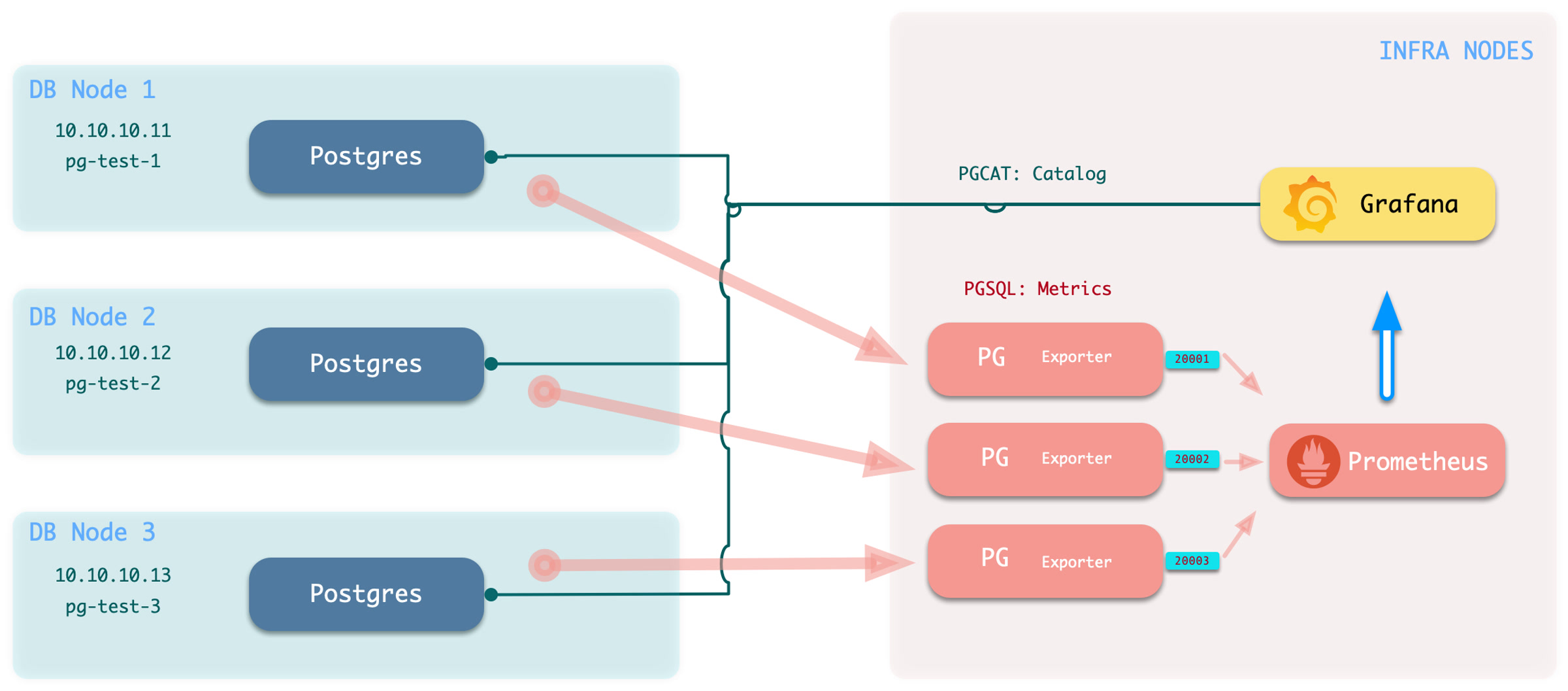
Execute the add monitoring command:
bin/pgmon-add <clsname>To remove remote cluster monitoring targets, use
bin/pgmon-rm <clsname>
Use additional parameters to override default pg_exporter options.
This example monitors Aliyun RDS for PostgreSQL and PolarDB:
For details, refer to: remote.yml
Monitor Setup
Before you monitor an existing RDS or self-managed PostgreSQL instance, configure the target database for Pigsty access.
To monitor an external PostgreSQL instance, provide a connection string that can access the instance or cluster. A business user or superuser connection string can work. However, use a dedicated monitoring user to avoid exposing other privileges.
- Monitor User: The default username is
dbuser_monitor, which should belong to thepg_monitorrole group or have access to relevant views - Monitor Authentication: Default password authentication is used; ensure HBA policies allow the monitoring user to access databases from the admin node or DB node locally
- Monitor Schema: Fixed schema name
monitoris used for installing additional monitoring views and extension plugins; optional but recommended - Monitor Extension: Strongly recommended to enable the built-in monitoring extension
pg_stat_statements - Monitor Views: Monitoring views are optional but can provide additional metric support
Monitor User
Using the default monitoring user dbuser_monitor as an example, create the following user on the target database cluster.
The monitoring username and password must match pg_monitor_username and pg_monitor_password.
Monitor Authentication
Add these rules to pg_hba.conf.
They allow the monitoring user to access all databases from localhost and the administration node with password authentication:
If RDS does not allow HBA configuration, allow the internal IP address of the machine that runs Pigsty.
Monitor Schema
The monitoring schema is optional. Core Pigsty monitoring works without it. However, creating this schema is strongly recommended.
Monitor Extension
The monitoring extension is optional.
However, enabling pg_stat_statements is strongly recommended because it supplies important query performance data.
Add this extension to shared_preload_libraries to enable it.
Changing this parameter requires a database restart.
Install this extension in the default administration database, postgres.
Some RDS services do not allow a monitoring schema in postgres.
In this case, install pg_stat_statements in the default public schema.
Configure the monitoring user search_path as shown above so it can find the pg_stat_statements view.
Monitor Views
Monitoring views provide common preprocessed query results. They also control access to metrics that need high privileges, such as shared memory allocation. This makes these metrics easier to query and use. Creating the views in every monitored database is strongly recommended.
The SQL below is provided to explain the monitored objects. The complete definitions rendered by current Pigsty are authoritative in
roles/pgsql/templates/pg-init-template.sql, which also includes additional hardening for secure search paths and privilege boundaries.
10.9 - Dashboard
Pigsty provides Grafana monitoring dashboards for PostgreSQL: Demo & Gallery.
The current source provides 31 PostgreSQL-related dashboards.
It includes 29 PostgreSQL / PGCAT dashboards under files/grafana/pgsql and two PGLOG dashboards under files/grafana/app.
The hierarchy has four categories: Overview, Cluster, Instance, and Database.
The data source categories are PGSQL, PGCAT, and PGLOG.
Overview
Overview
- pgsql-overview: Main dashboard for the PGSQL module
- pgsql-alert: Global key metrics and alert events for PGSQL
- pgsql-shard: Overview of horizontally sharded PGSQL clusters (e.g., Citus/GPSQL)
Cluster
- pgsql-cluster: Main dashboard for a PGSQL cluster
- pgrds-cluster: RDS version of PGSQL Cluster, focusing on PostgreSQL-native metrics
- pgsql-activity: Session/load/QPS/TPS/locks for PGSQL cluster
- pgsql-replication: Replication, slots, and pub/sub for PGSQL cluster
- pgsql-service: Service, proxy, routing, and load balancing for PGSQL cluster
- pgsql-databases: Database CRUD, slow queries, and table statistics across all instances
- pgsql-patroni: HA status and Patroni component status for cluster
- pgsql-pitr: PITR context for point-in-time recovery assistance
Instance
- pgsql-instance: Main dashboard for a single PGSQL instance
- pgrds-instance: RDS version of PGSQL Instance, focusing on PostgreSQL-native metrics
- pgcat-instance: Instance info retrieved directly from database catalog
- pgsql-proxy: Detailed metrics for a single HAProxy load balancer
- pgsql-pgbouncer: Metrics overview for a single Pgbouncer connection pooler
- pgsql-persist: Persistence metrics: WAL, XID, checkpoint, archive, IO
- pgsql-session: Session and active/idle time metrics for a single instance
- pgsql-xacts: Transaction, lock, TPS/QPS related metrics
- pgsql-exporter: Self-monitoring metrics for Postgres and Pgbouncer exporters
Database
- pgsql-database: Main dashboard for a single PGSQL database
- pgcat-database: Database info retrieved directly from database catalog
- pgsql-tables: Table/index access metrics within a single database
- pgsql-table: Detailed info for a single table (QPS/RT/index/sequence…)
- pgcat-table: Detailed table info from database catalog (stats/bloat…)
- pgsql-query: Detailed info for a query type (QPS/RT)
- pgcat-query: Query details from database catalog (SQL/stats)
- pgcat-schema: Schema info from database catalog (tables/indexes/sequences…)
- pgcat-locks: Activity and lock wait info from database catalog
Overview
PGSQL Overview: Main dashboard for the PGSQL module
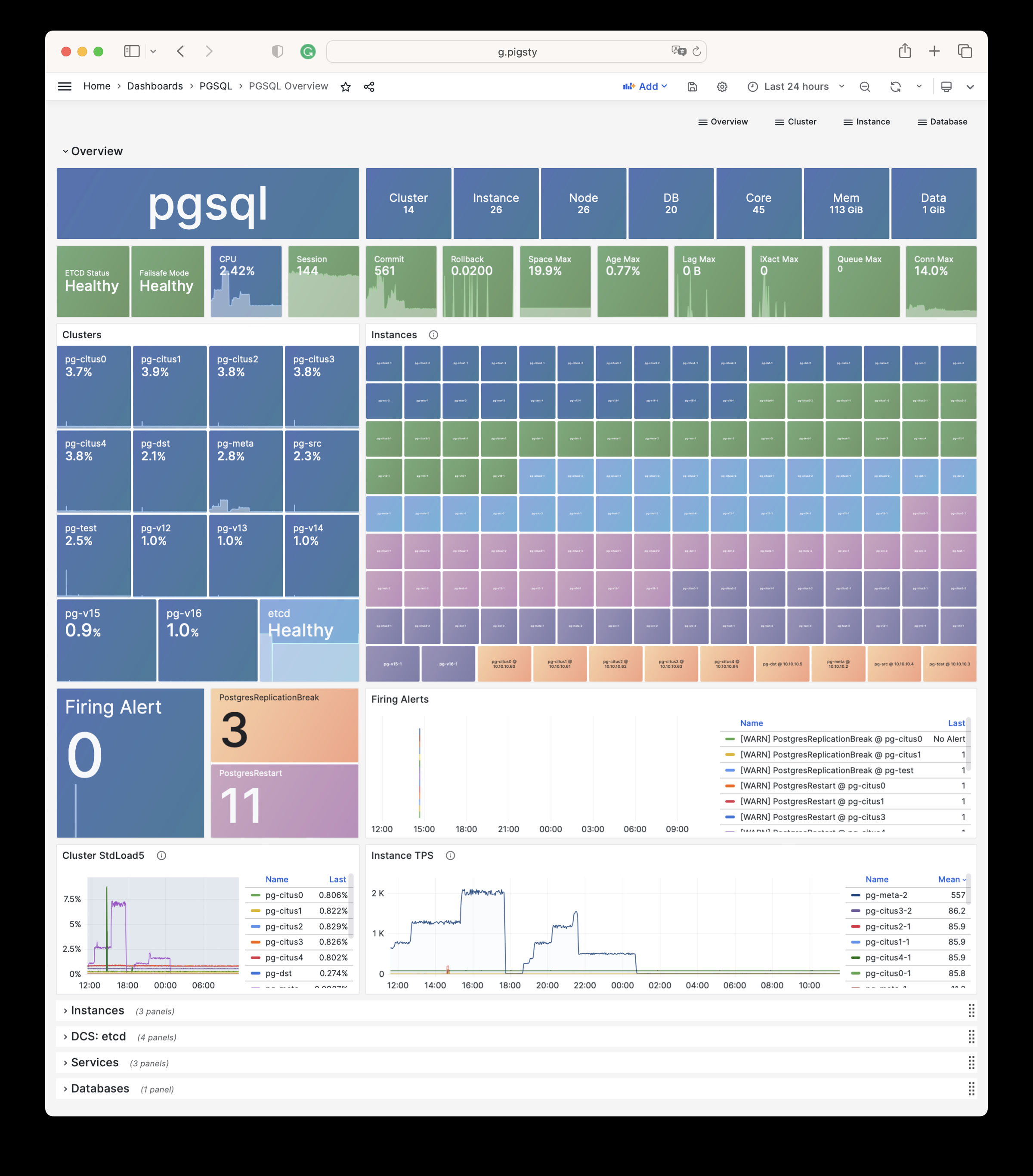
PGSQL Alert: Global core metrics overview and alert events
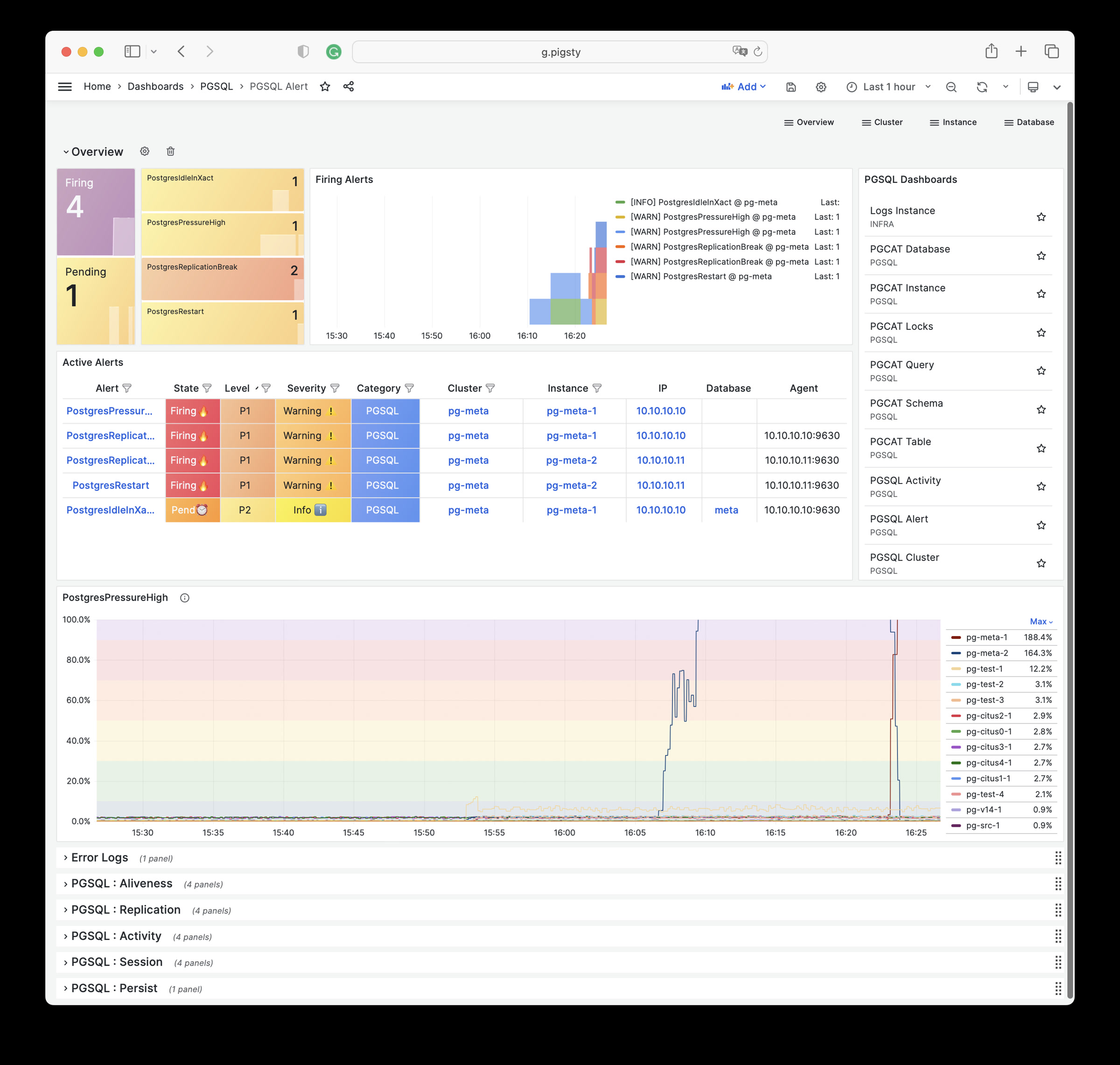
PGSQL Shard: Cross-shard metric comparison for horizontally sharded PGSQL clusters (e.g., CITUS/GPSQL)
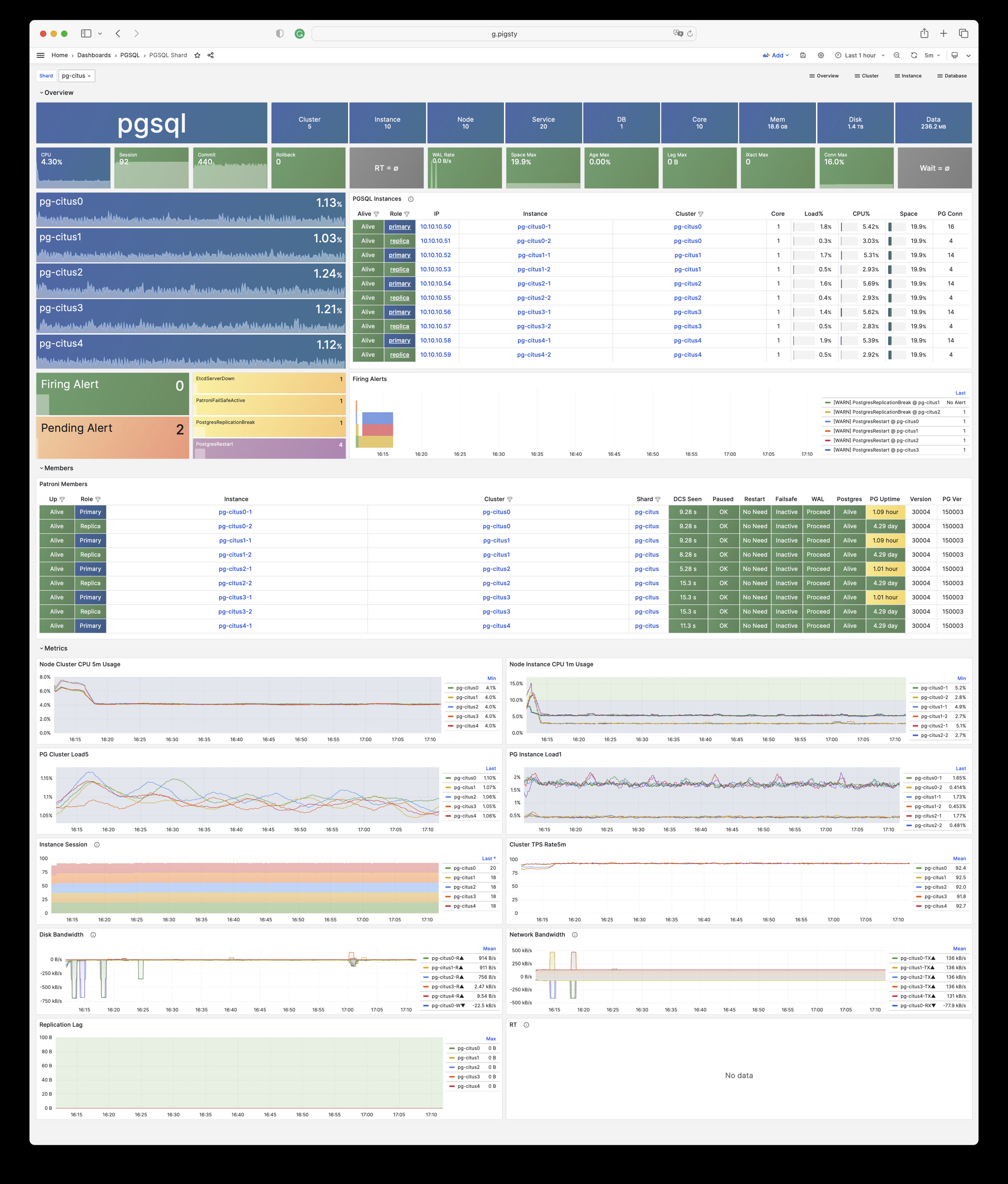
Cluster
PGSQL Cluster: Main dashboard for a PGSQL cluster
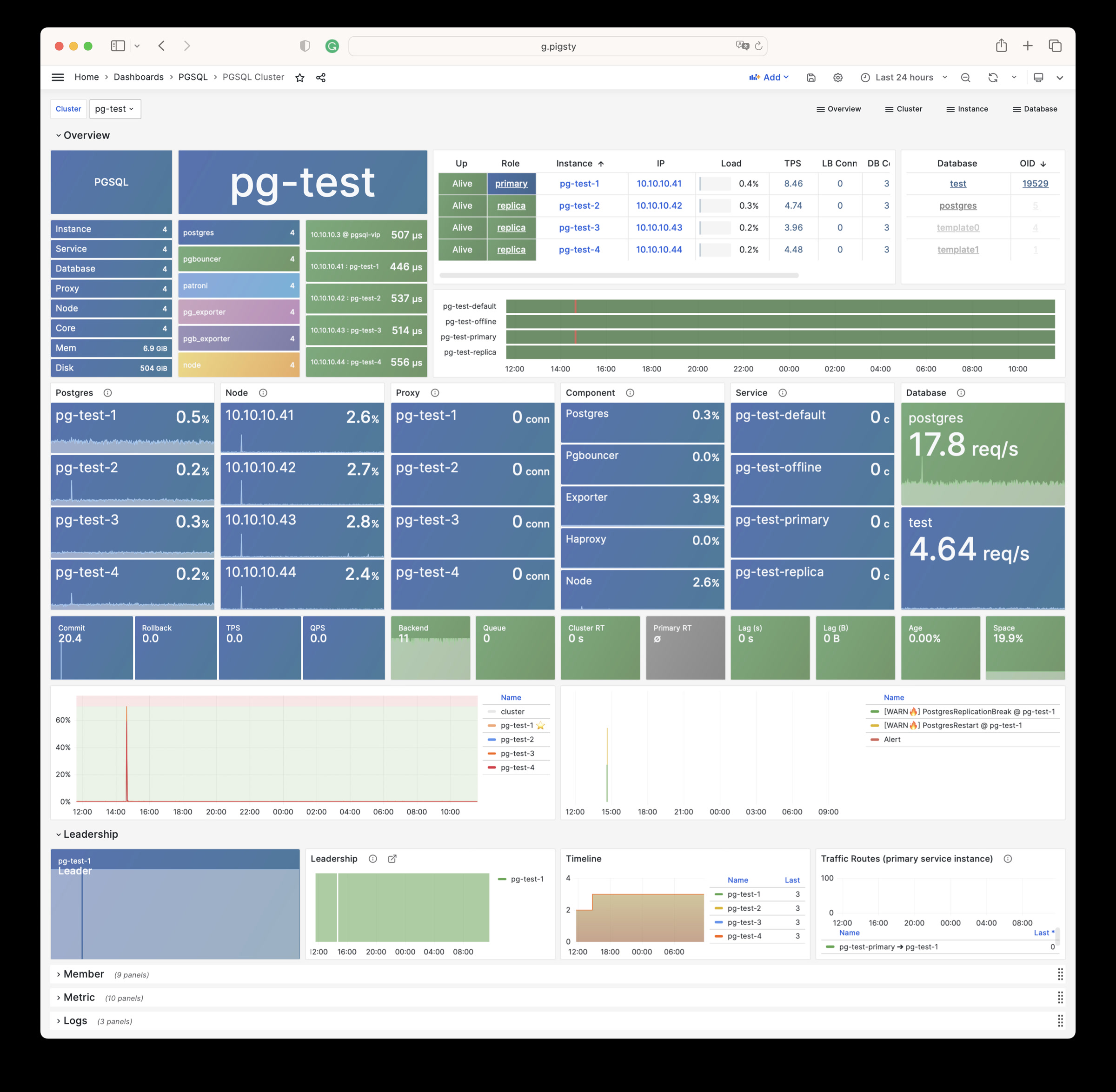
PGRDS Cluster: RDS version of PGSQL Cluster, focusing on PostgreSQL-native metrics
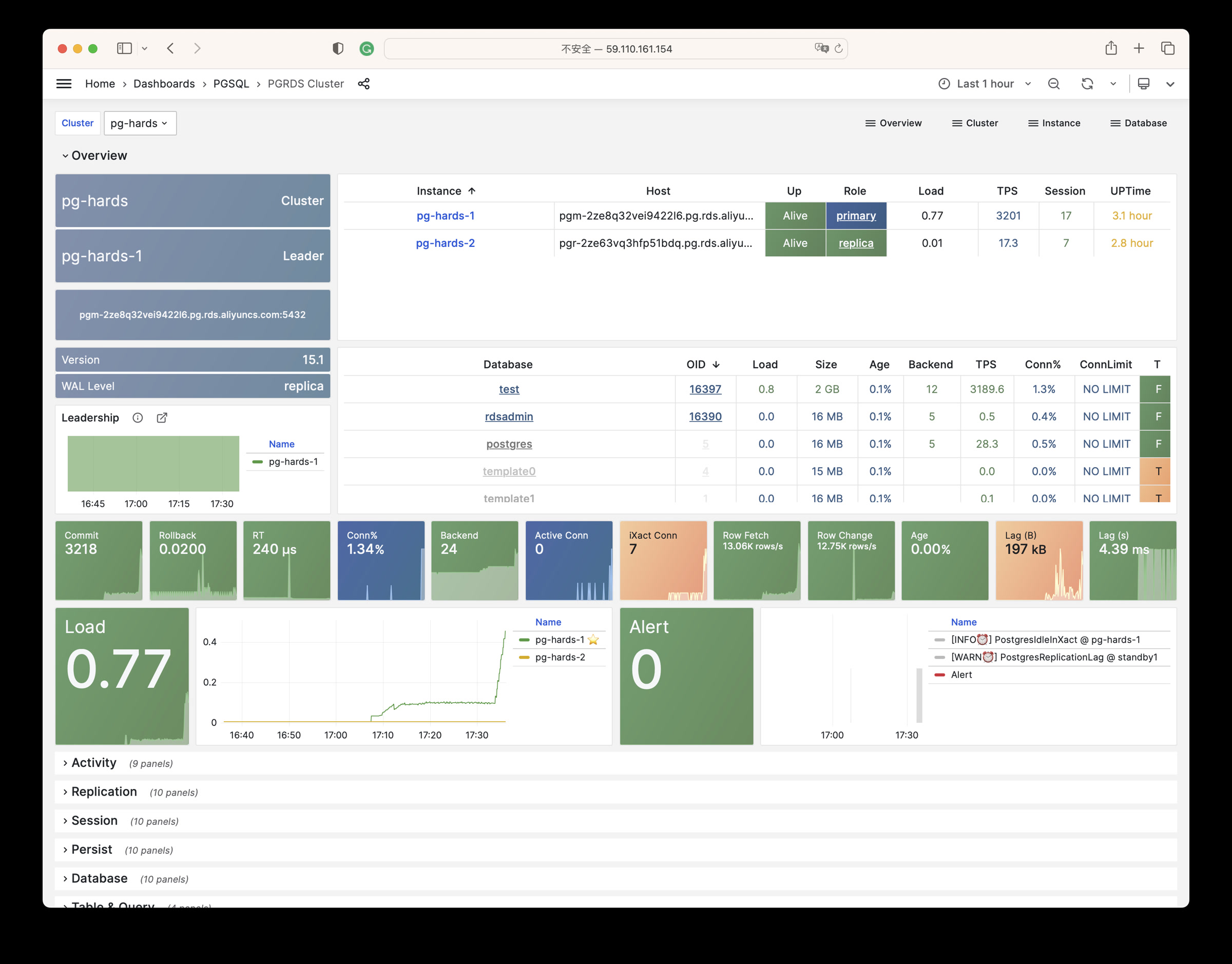
PGSQL Service: Service, proxy, routing, and load balancing for PGSQL cluster
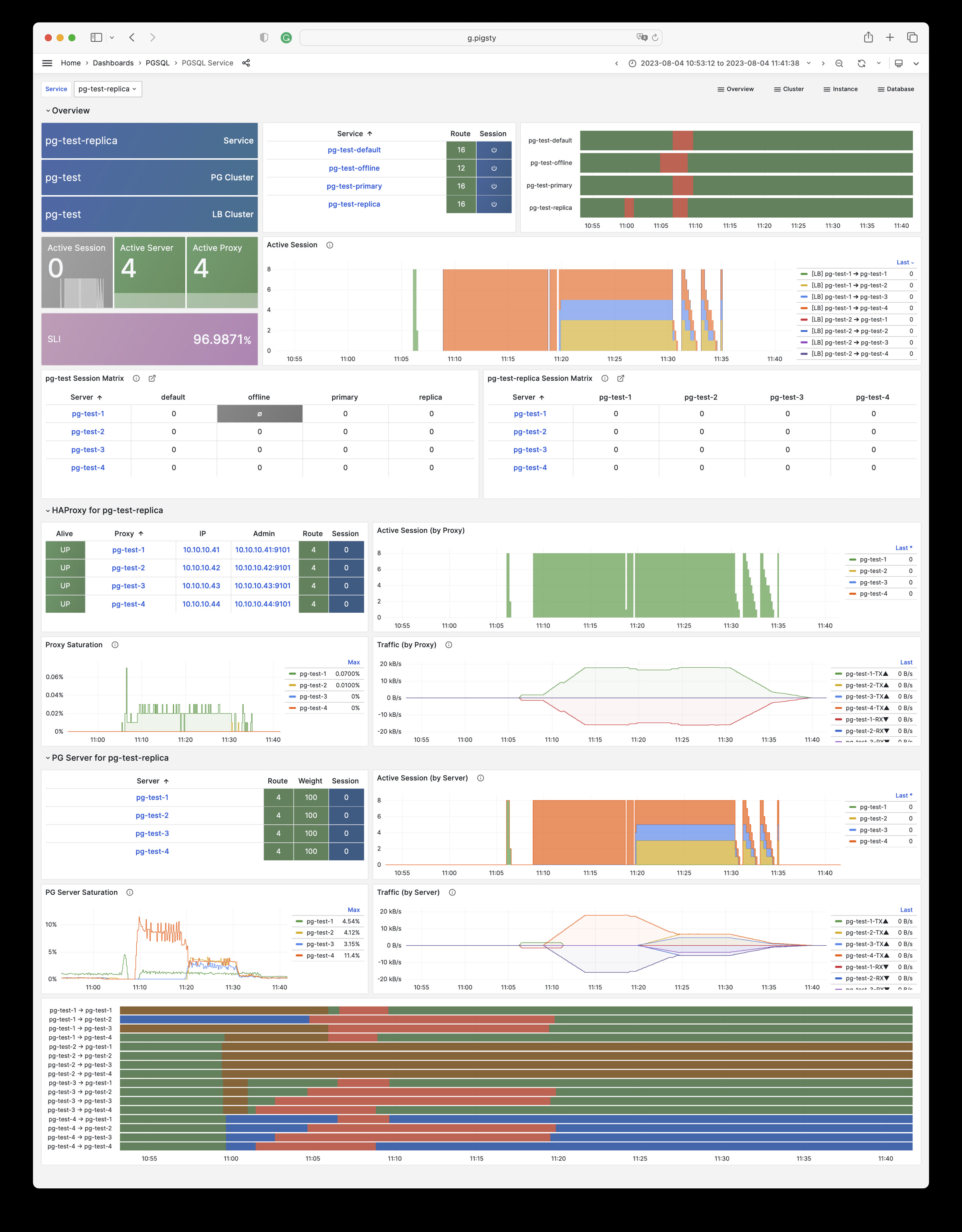
PGSQL Activity: Session/load/QPS/TPS/locks for PGSQL cluster
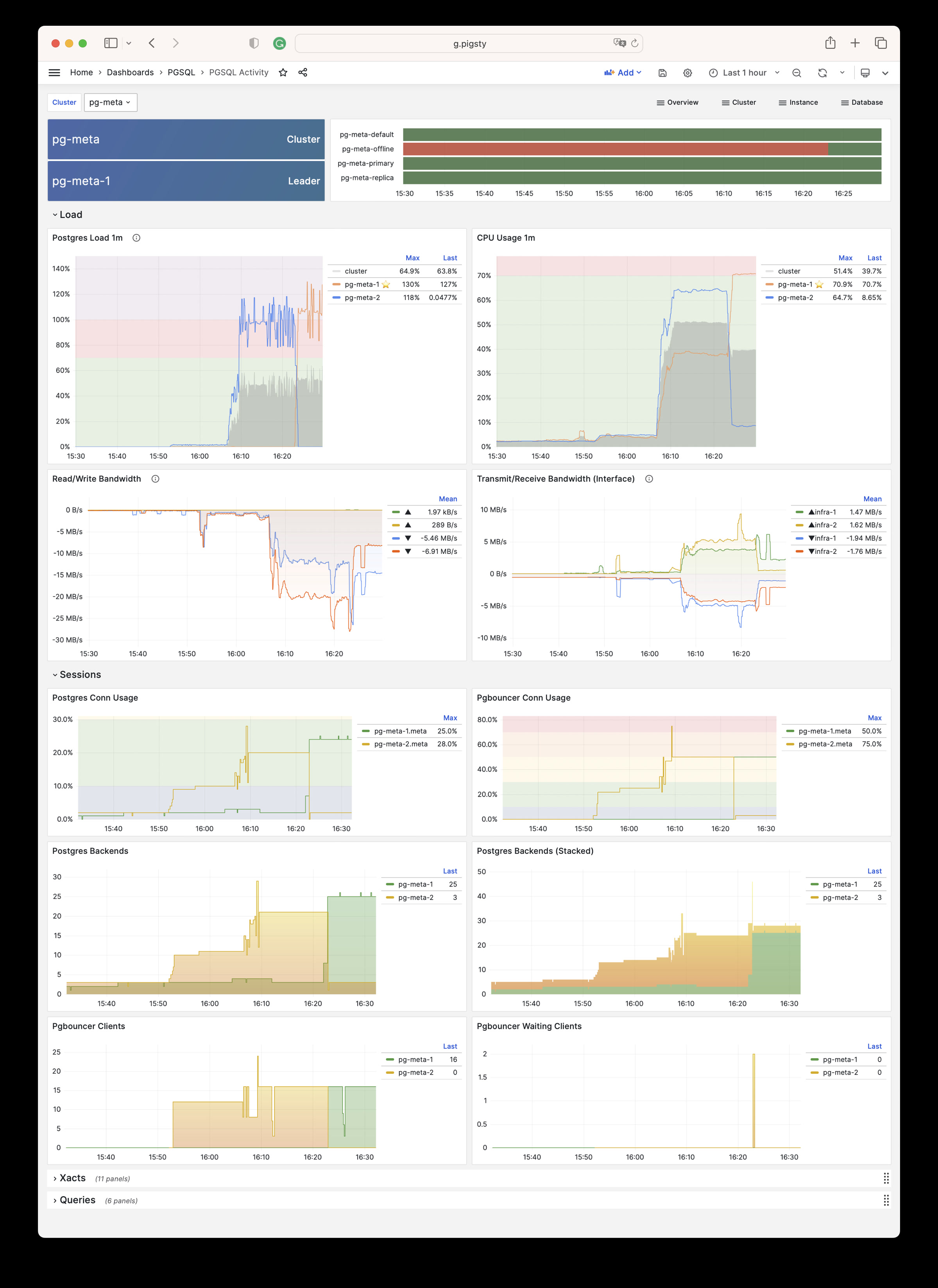
PGSQL Replication: Replication, slots, and pub/sub for PGSQL cluster
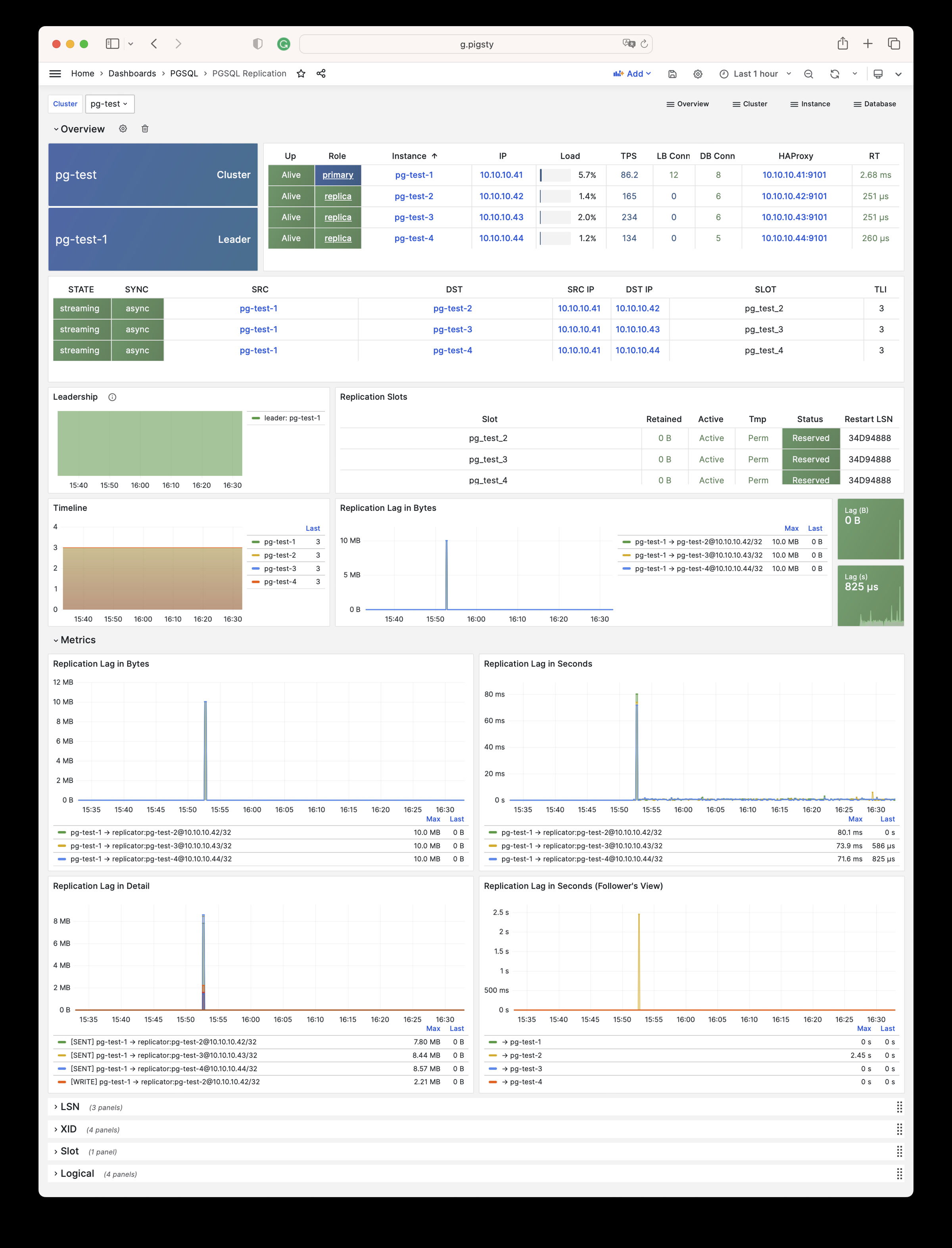
PGSQL Databases: Database CRUD, slow queries, and table statistics across all instances
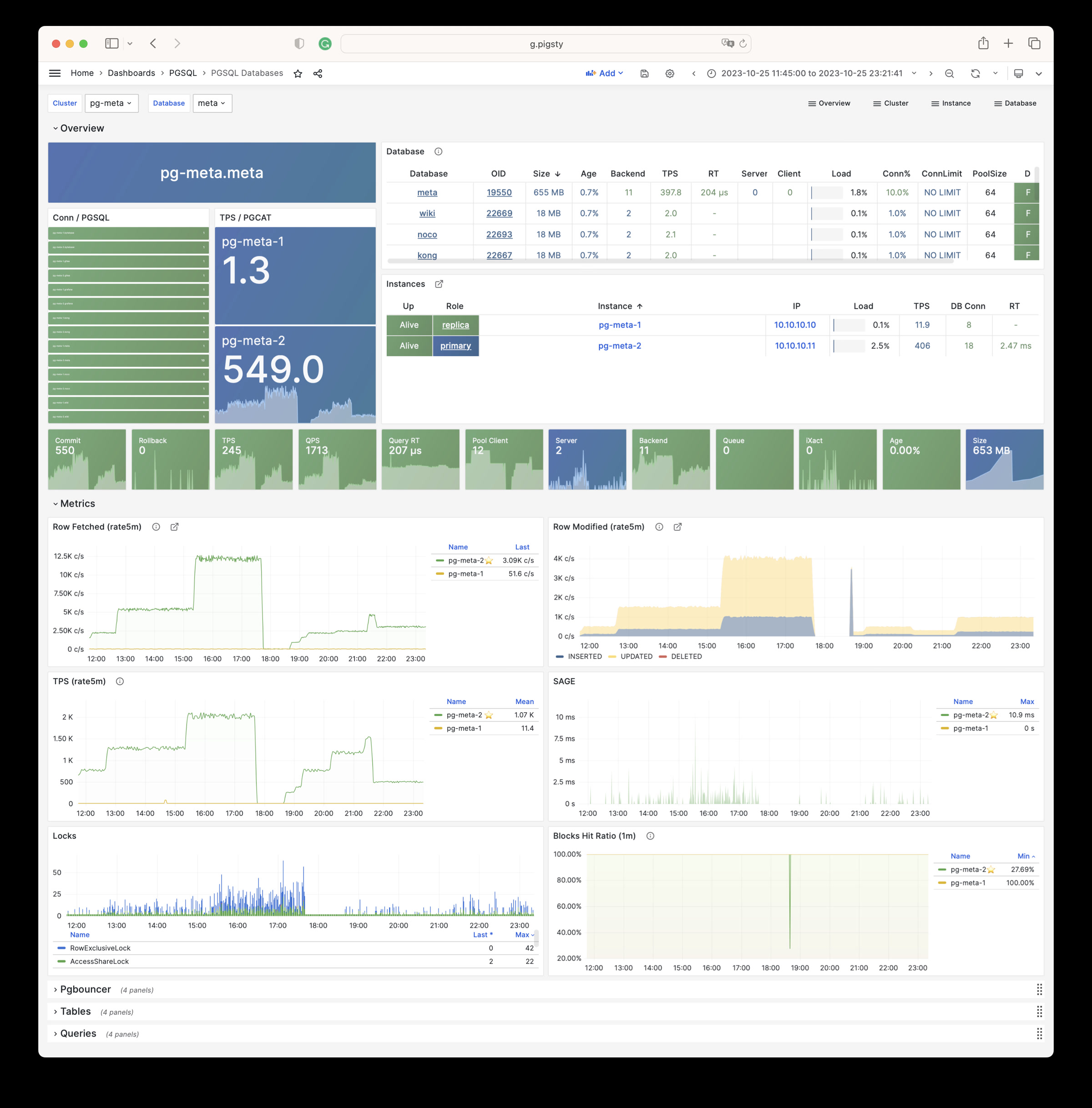
PGSQL Patroni: HA status and Patroni component status for cluster
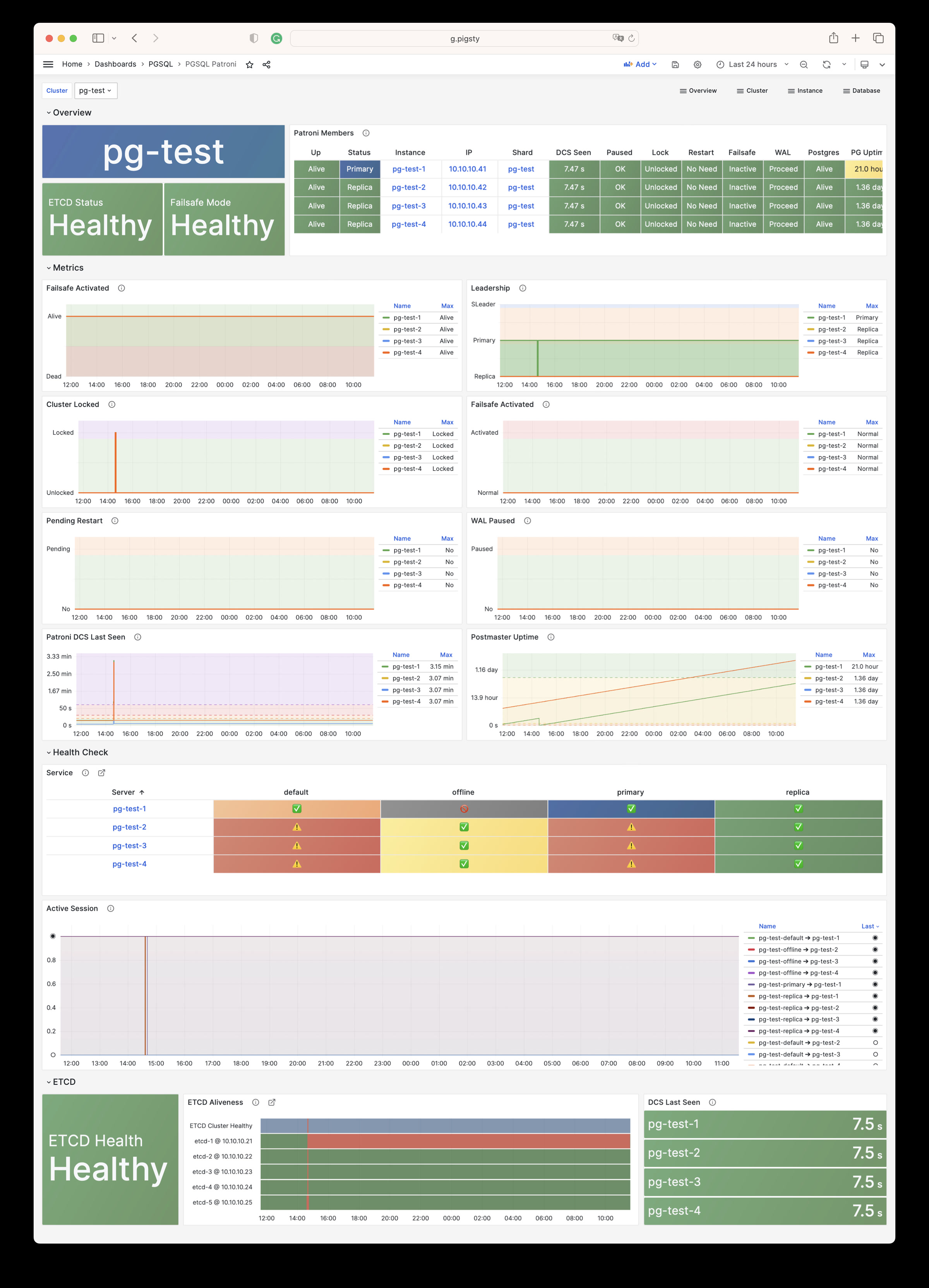
PGSQL PITR: PITR context for point-in-time recovery assistance
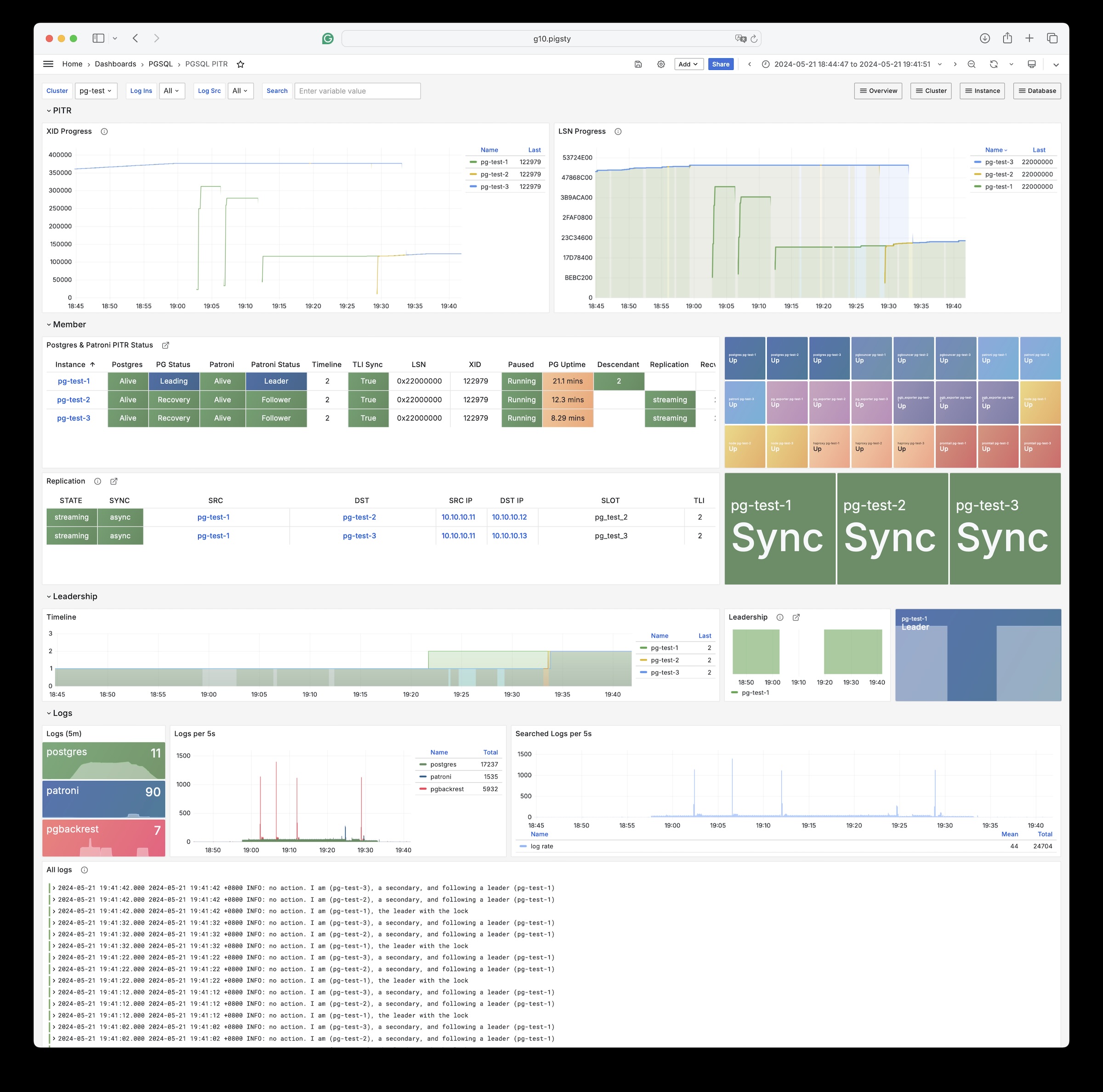
Instance
PGSQL Instance: Main dashboard for a single PGSQL instance
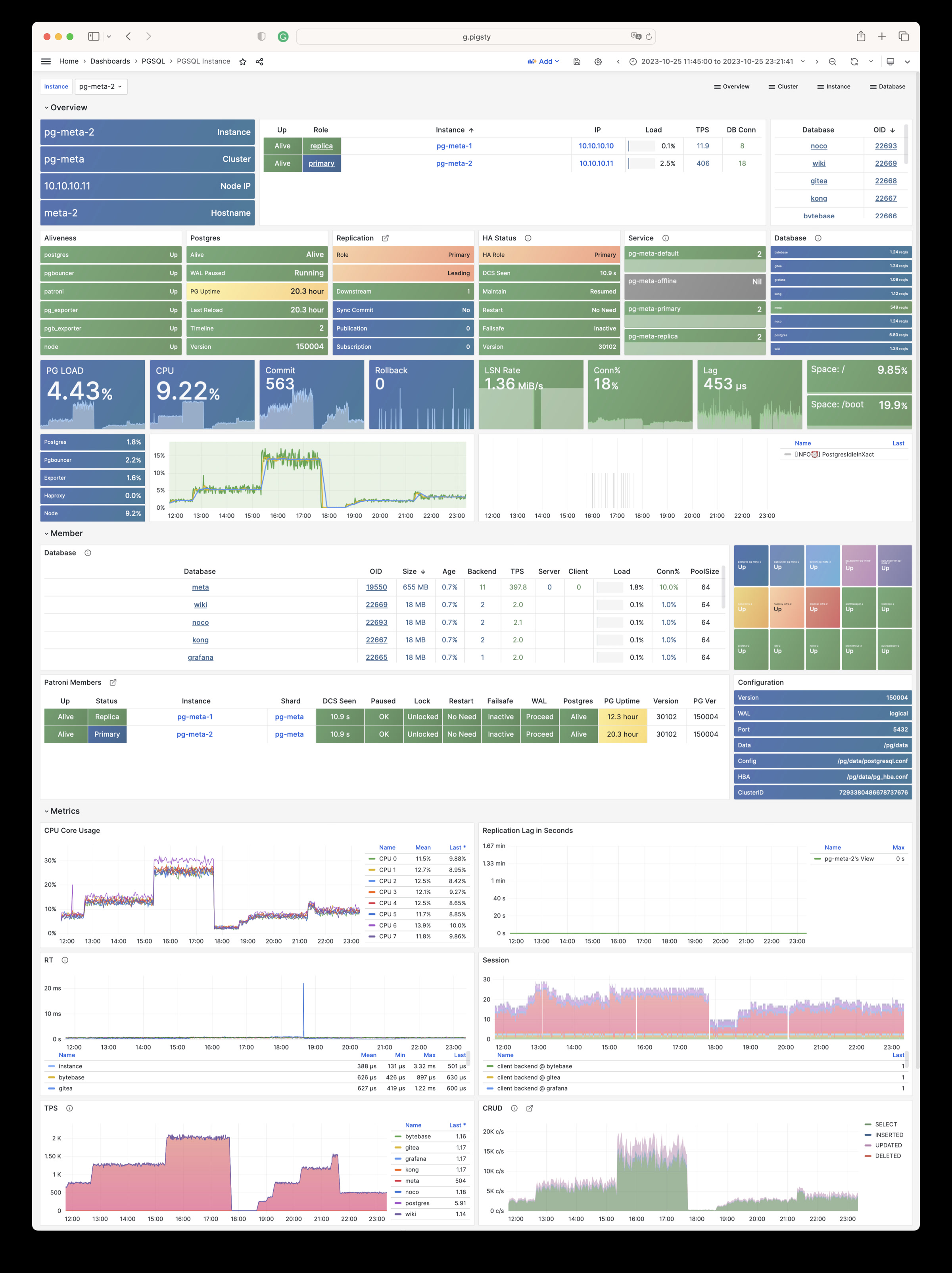
PGRDS Instance: RDS version of PGSQL Instance, focusing on PostgreSQL-native metrics
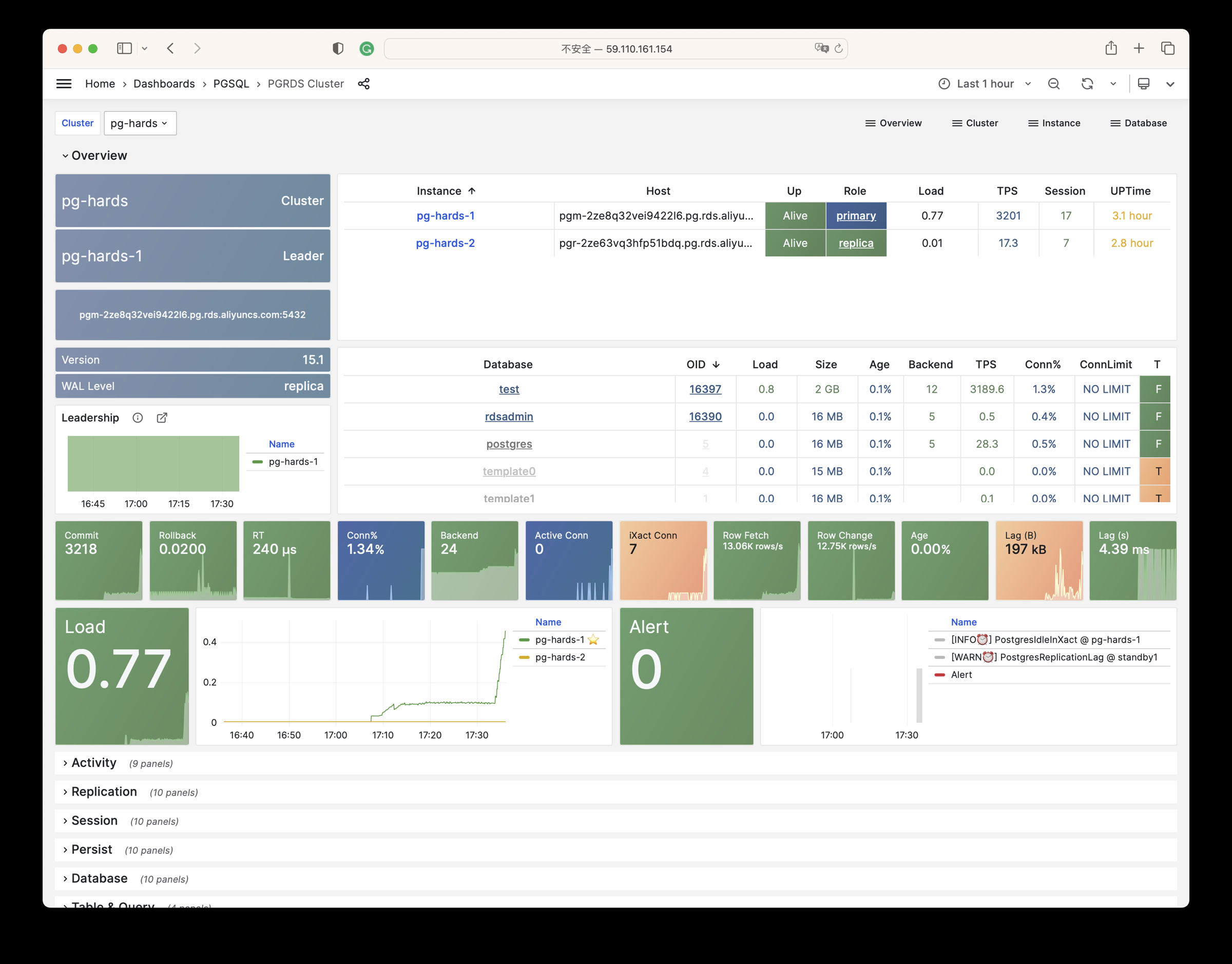
PGSQL Proxy: Detailed metrics for a single HAProxy load balancer
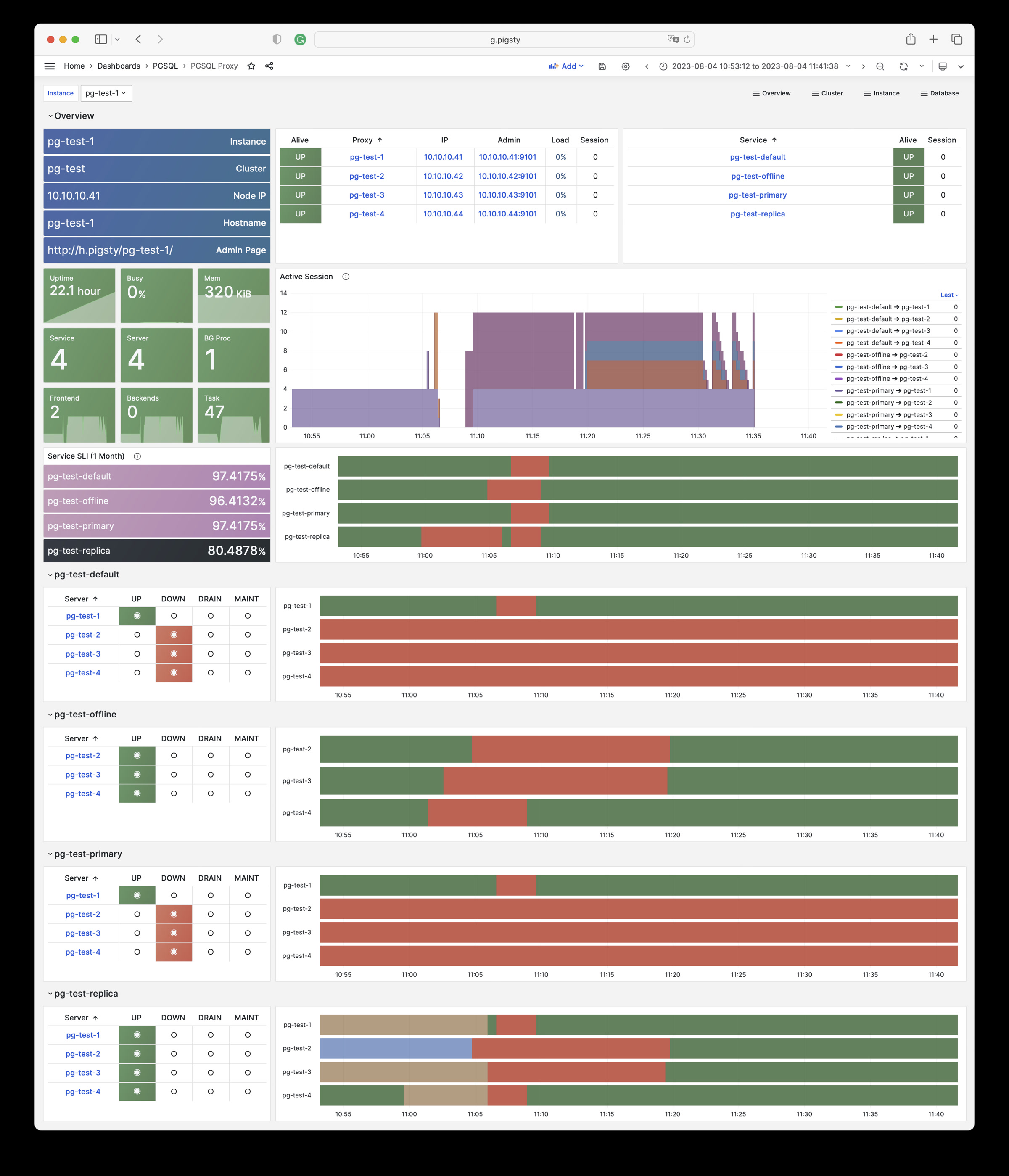
PGSQL Pgbouncer: Metrics overview for a single Pgbouncer connection pooler
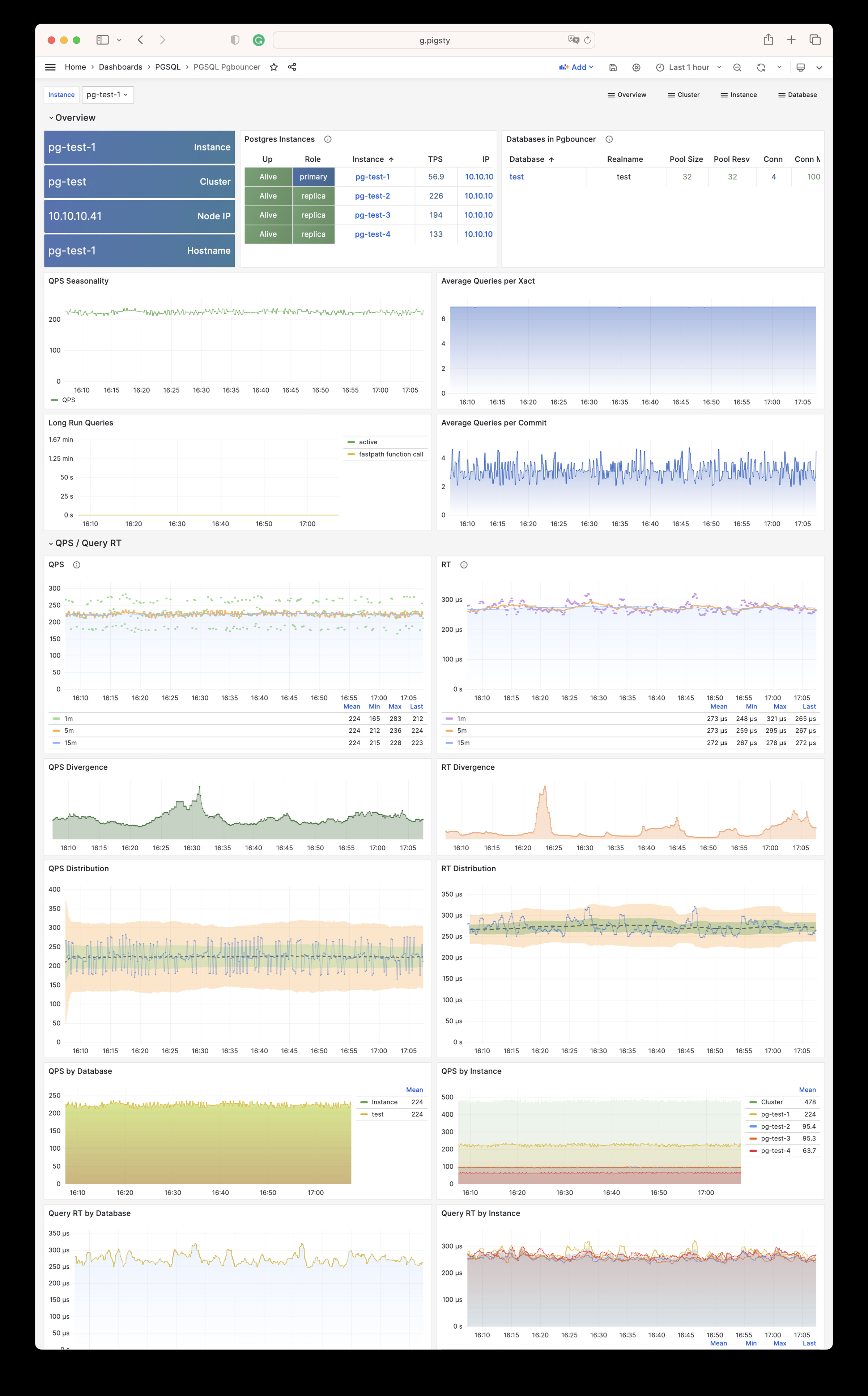
PGSQL Persist: Persistence metrics: WAL, XID, checkpoint, archive, IO
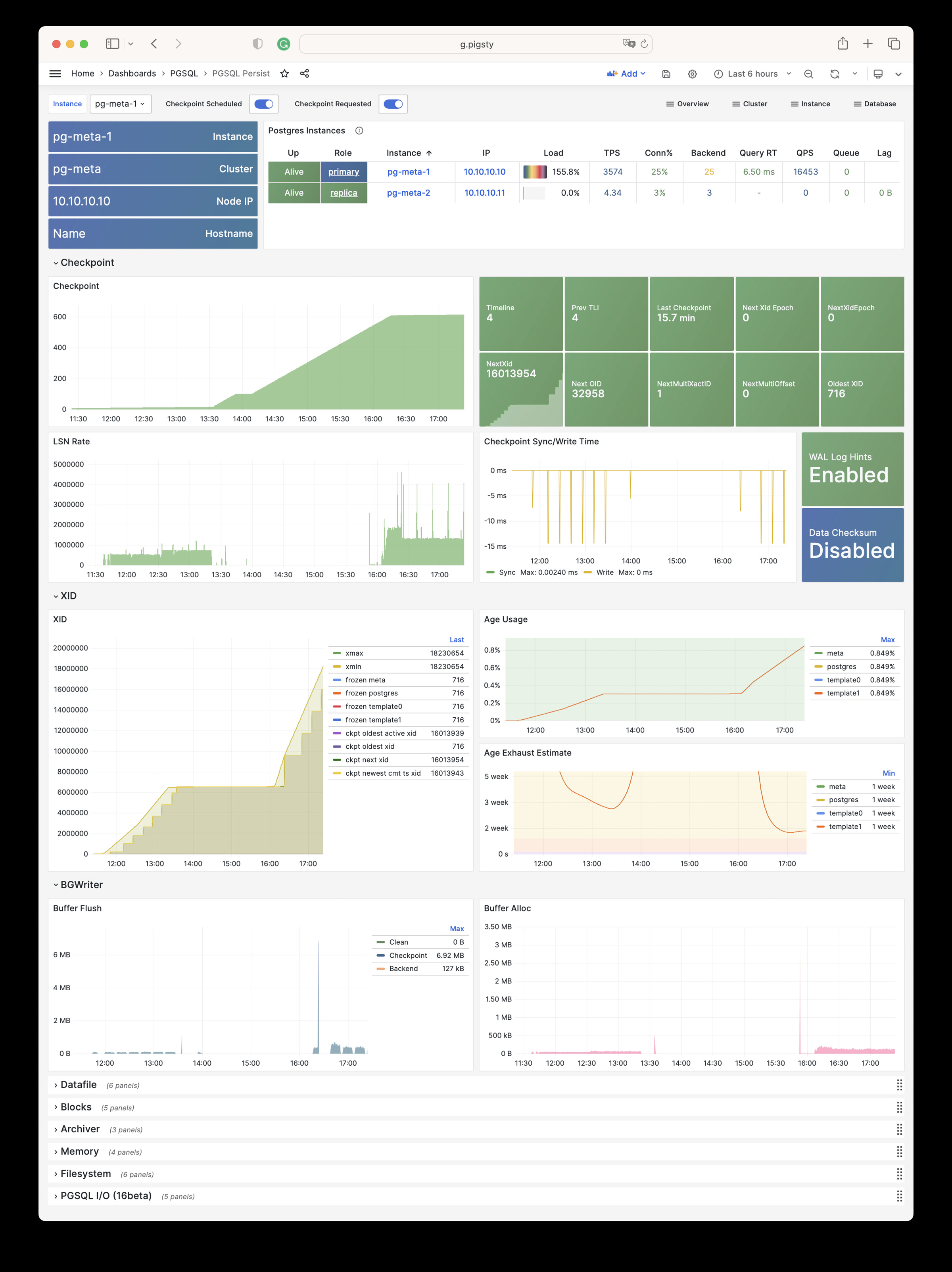
PGSQL Xacts: Transaction, lock, TPS/QPS related metrics
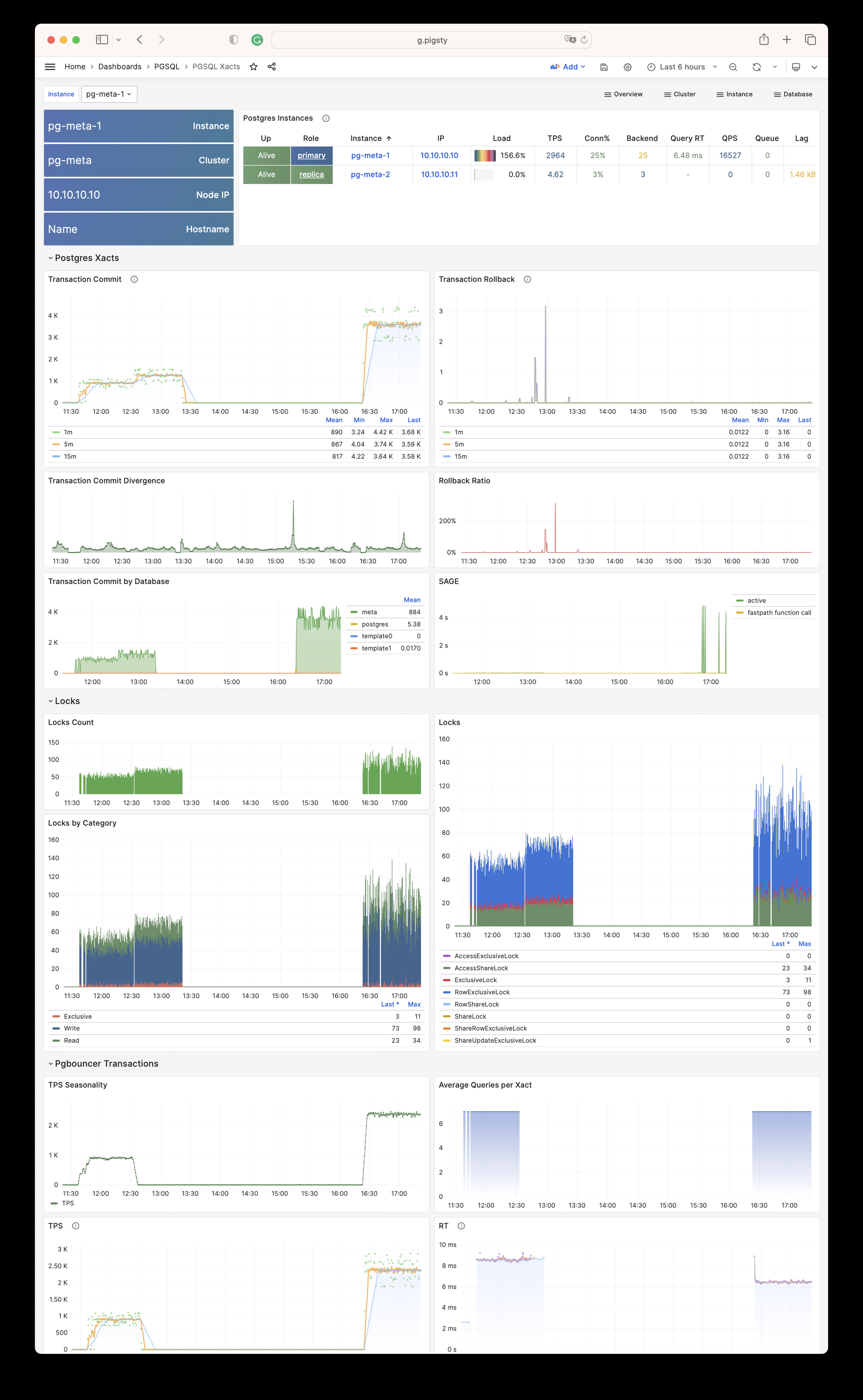
PGSQL Session: Session and active/idle time metrics for a single instance
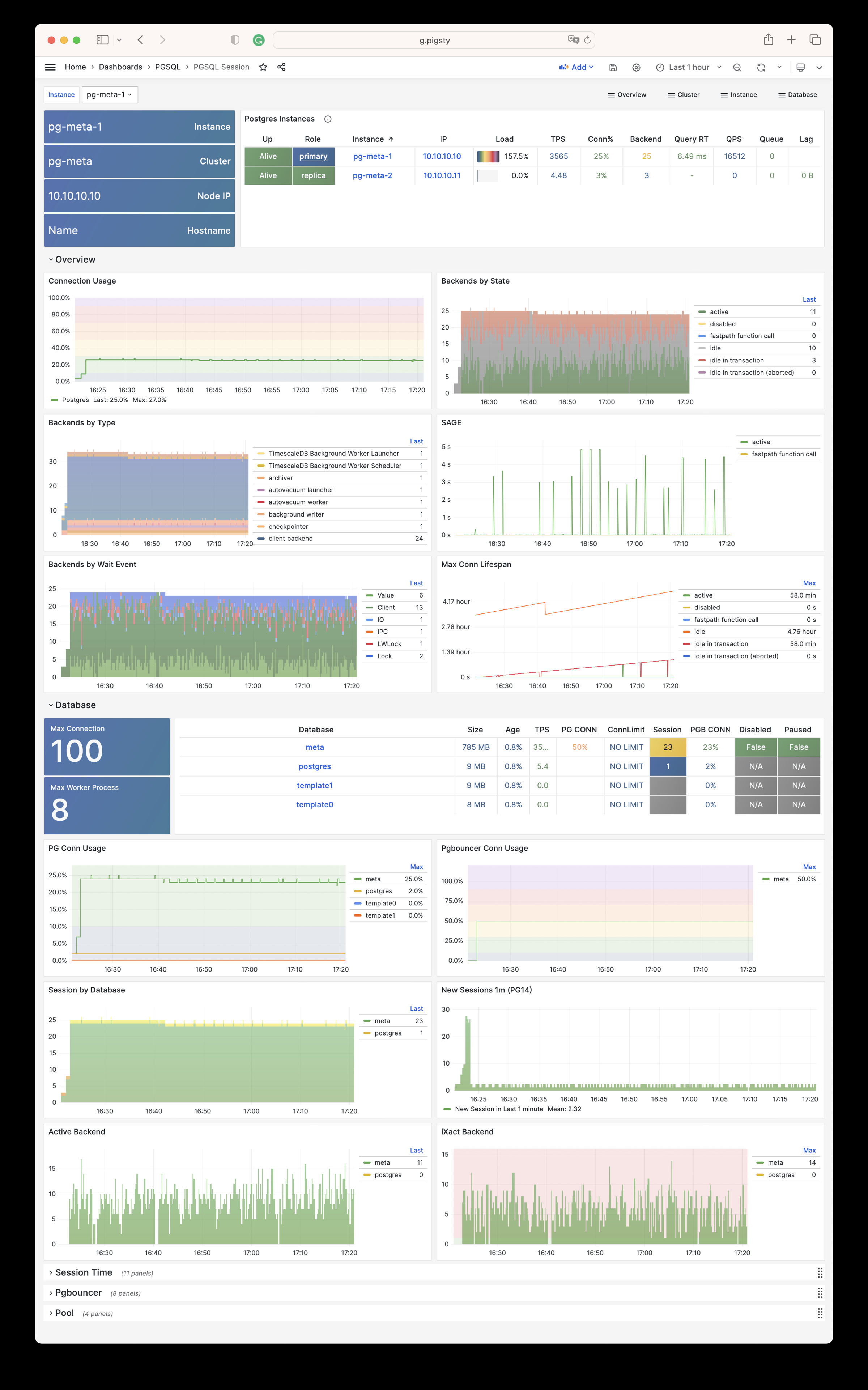
PGSQL Exporter: Self-monitoring metrics for Postgres/Pgbouncer exporters
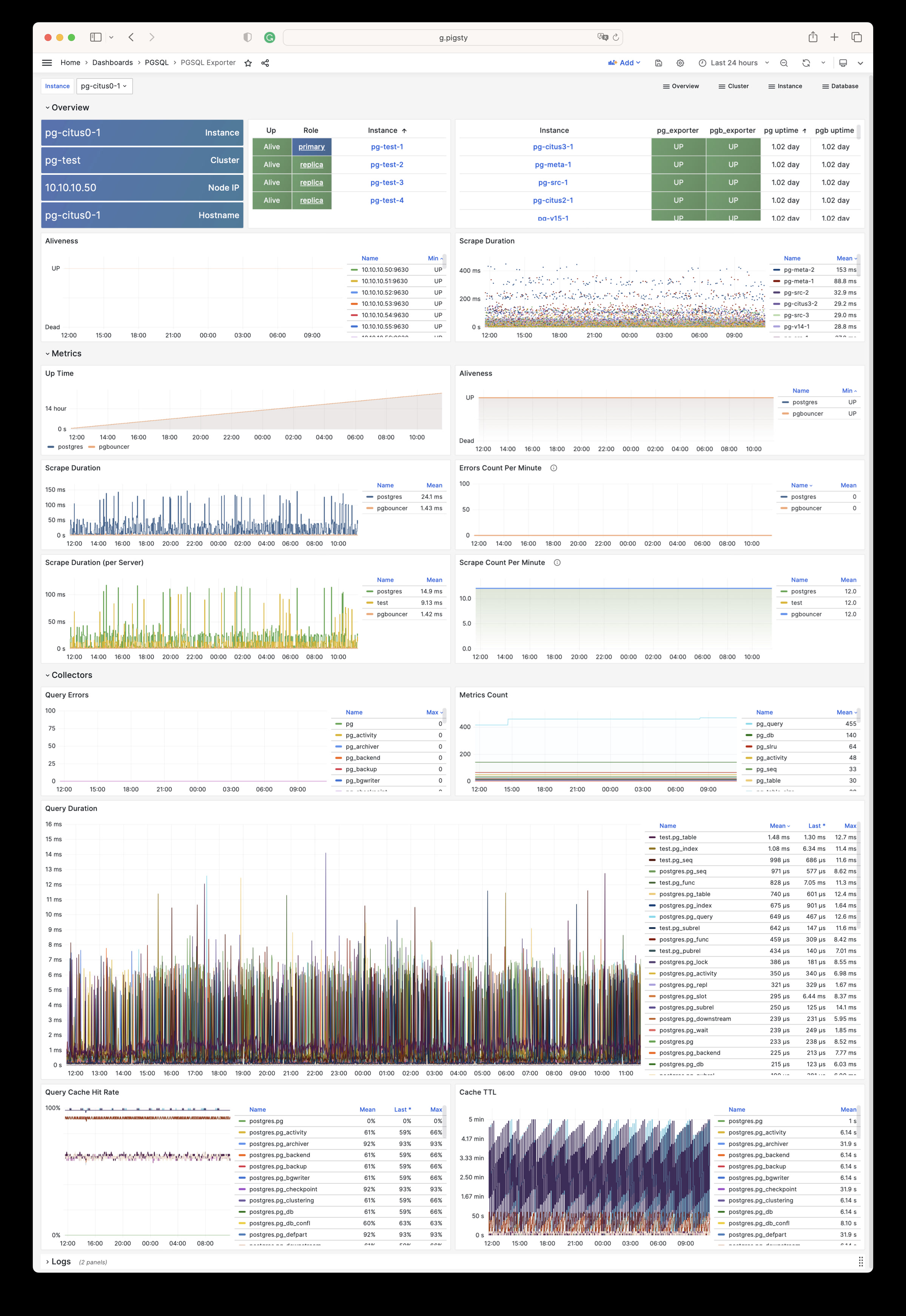
Database
PGSQL Database: Main dashboard for a single PGSQL database
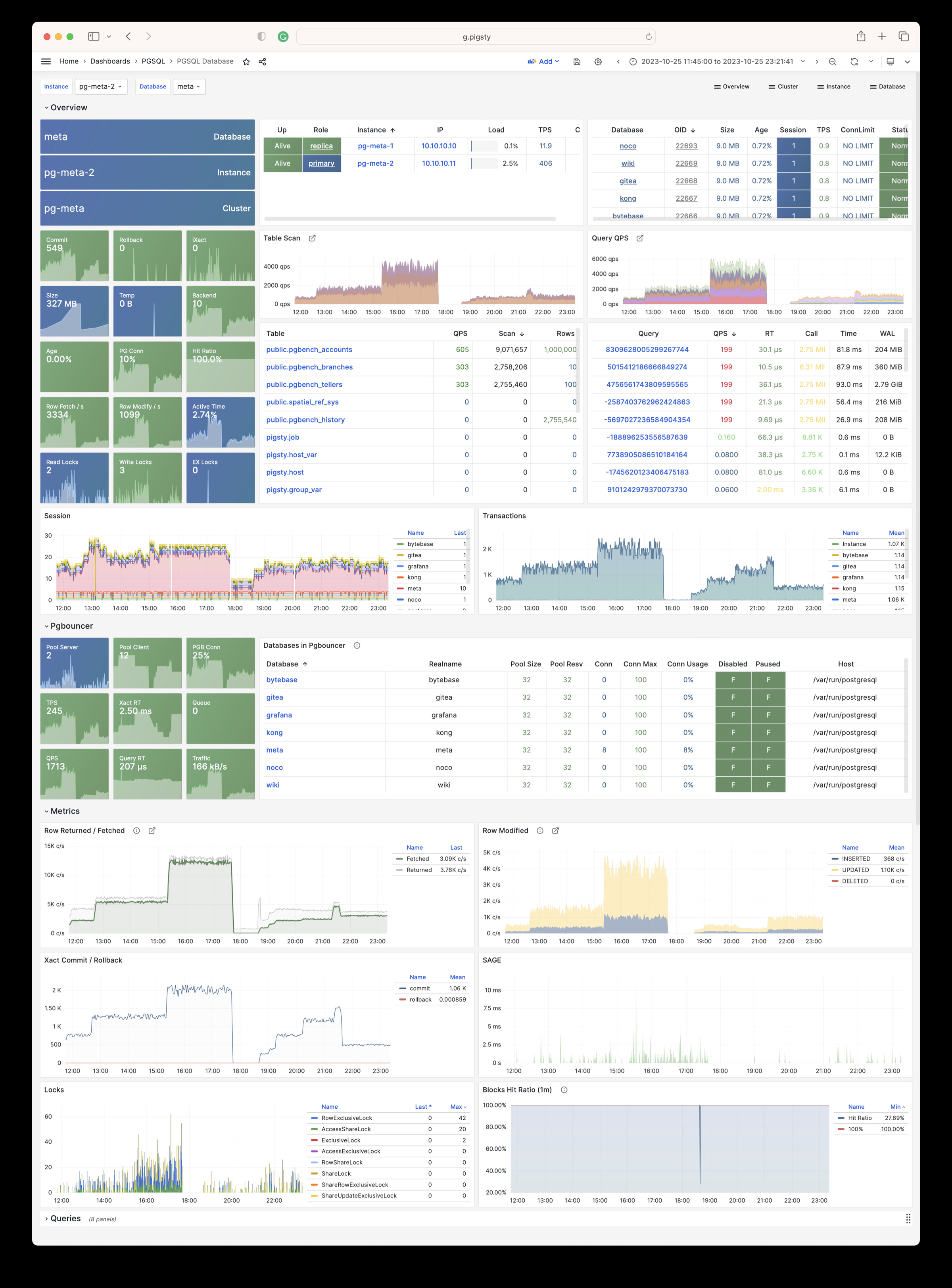
PGSQL Tables: Table/index access metrics within a single database
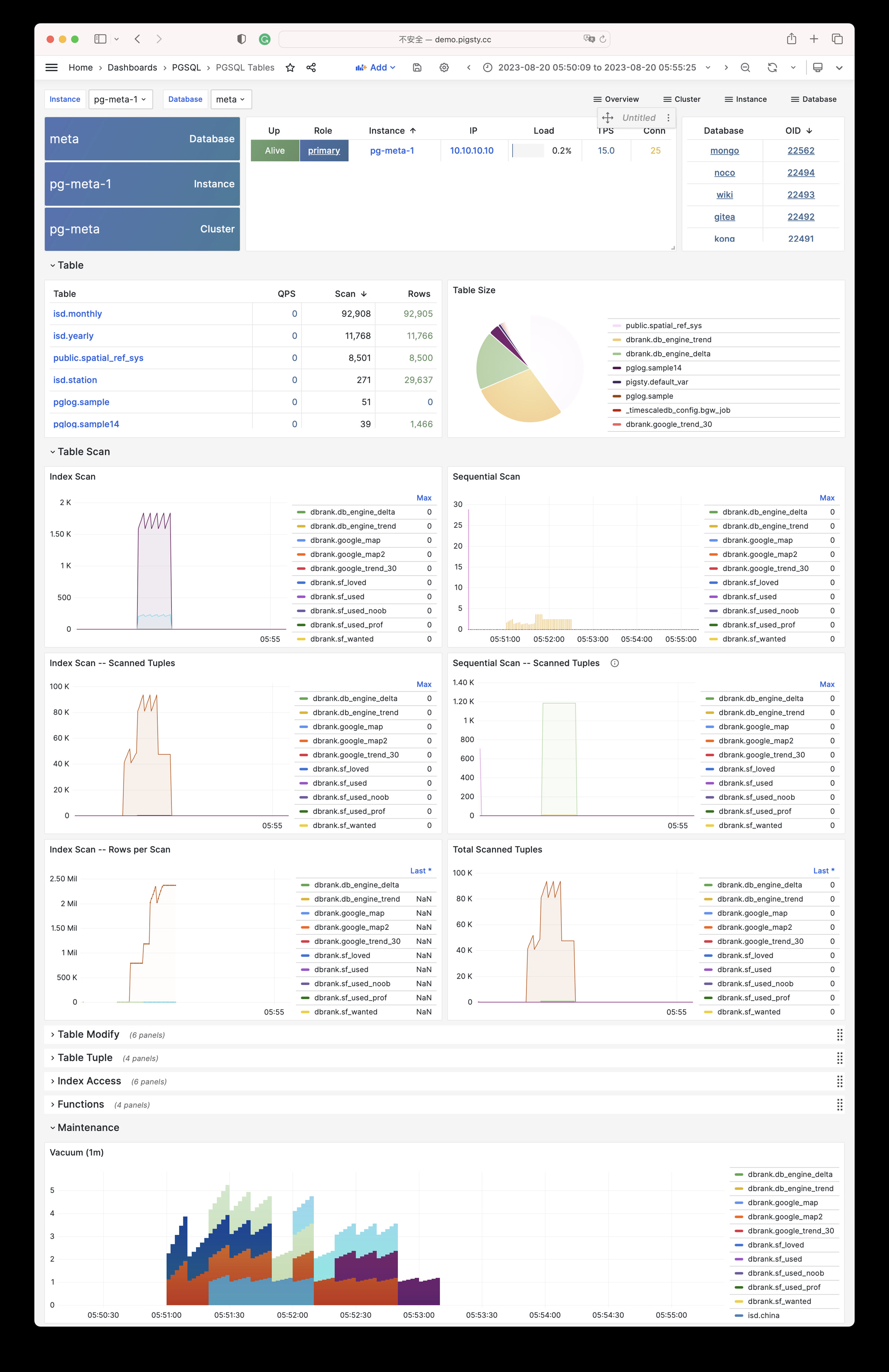
PGSQL Table: Detailed info for a single table (QPS/RT/index/sequence…)
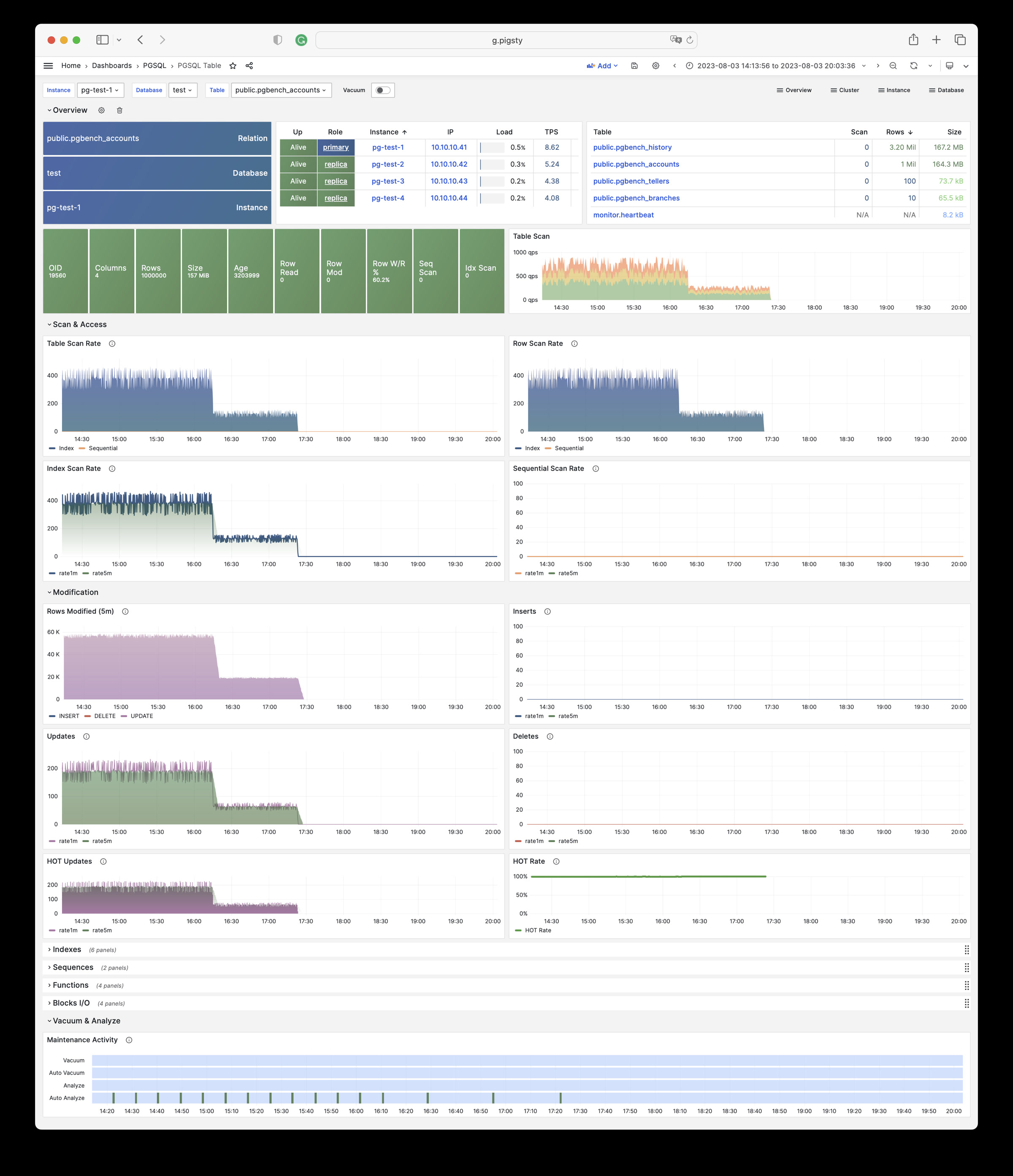
PGSQL Query: Detailed info for a query type (QPS/RT)
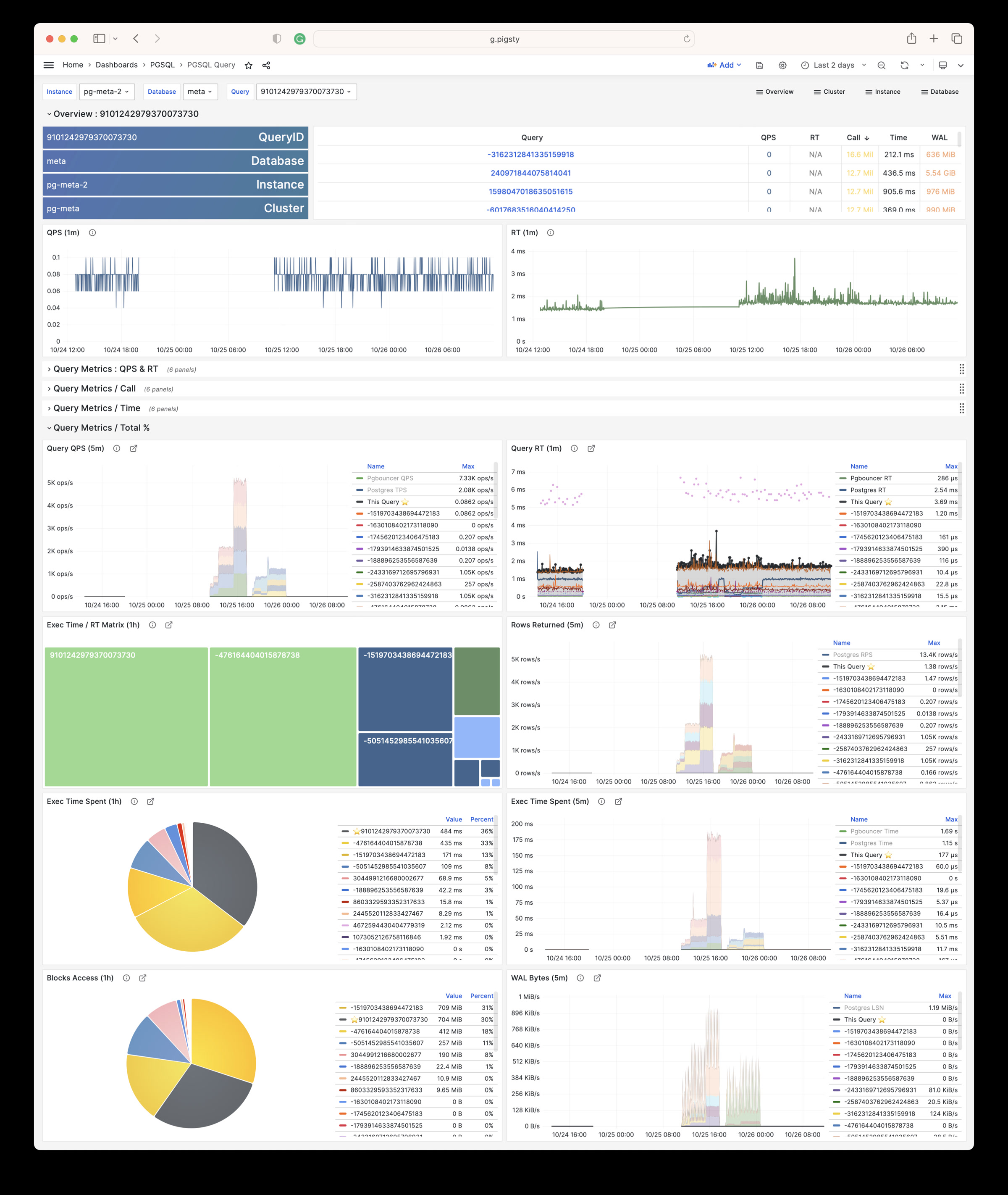
PGCAT
PGCAT Instance: Instance info retrieved directly from database catalog
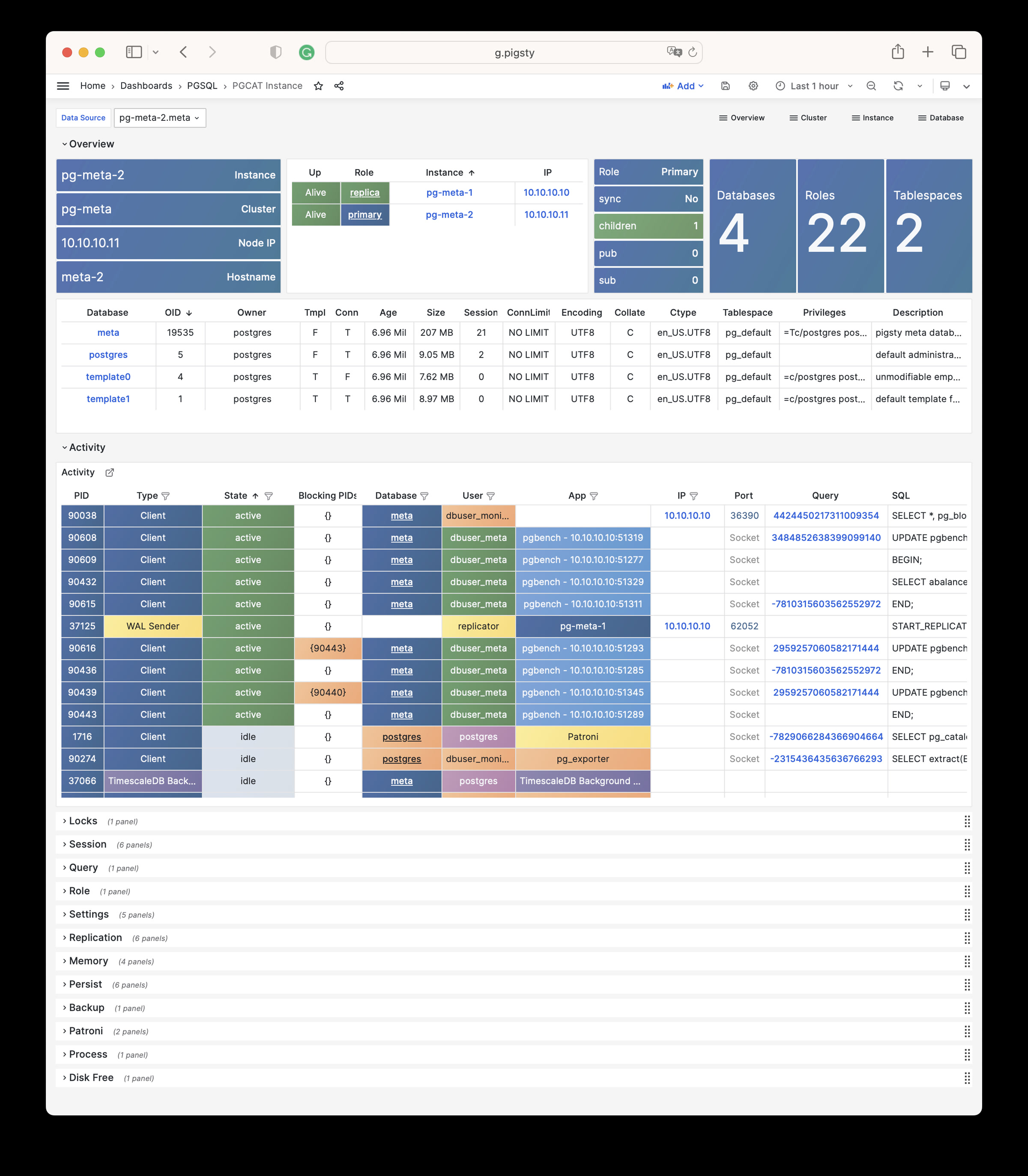
PGCAT Database: Database info retrieved directly from database catalog
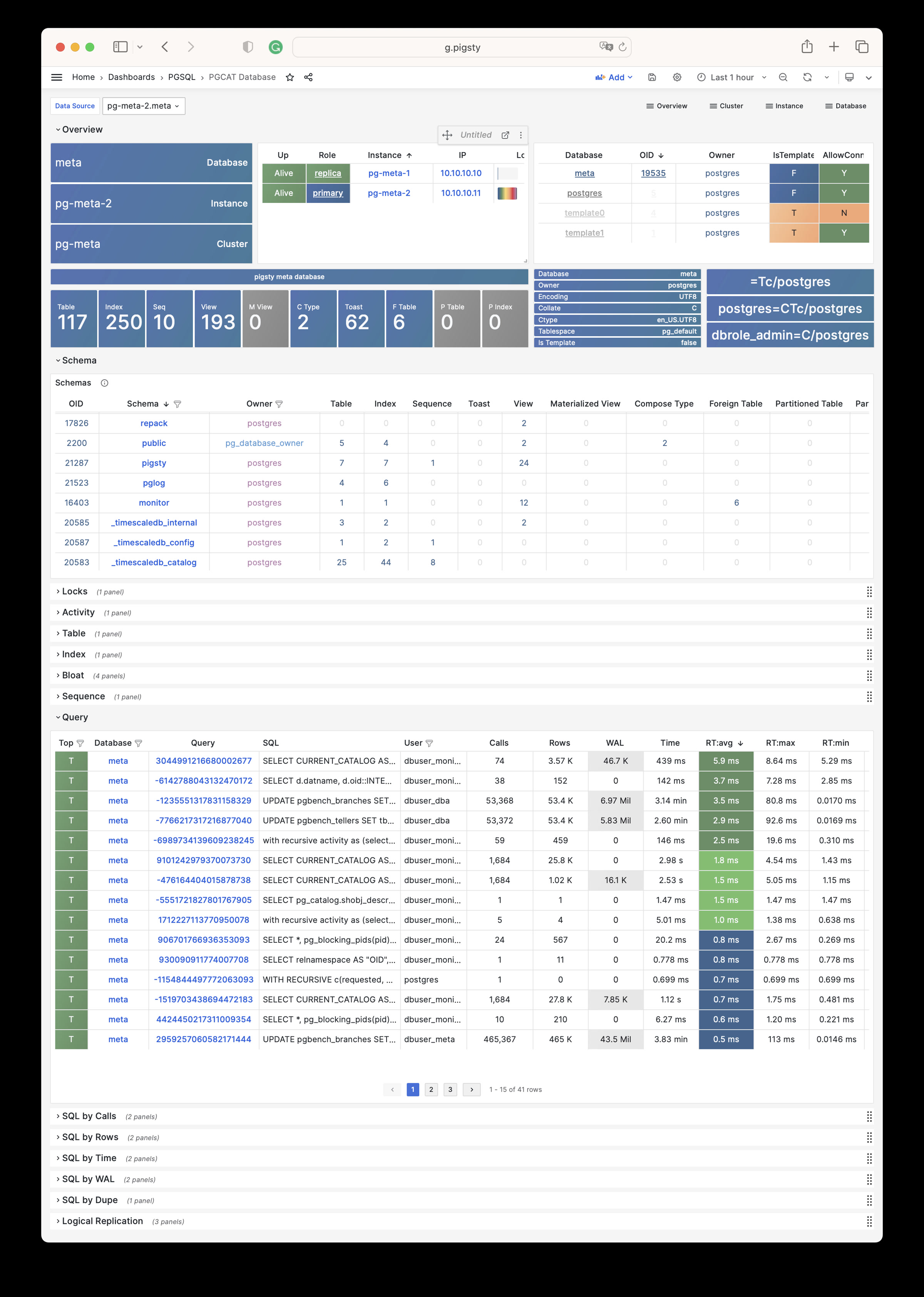
PGCAT Schema: Schema info from database catalog (tables/indexes/sequences…)
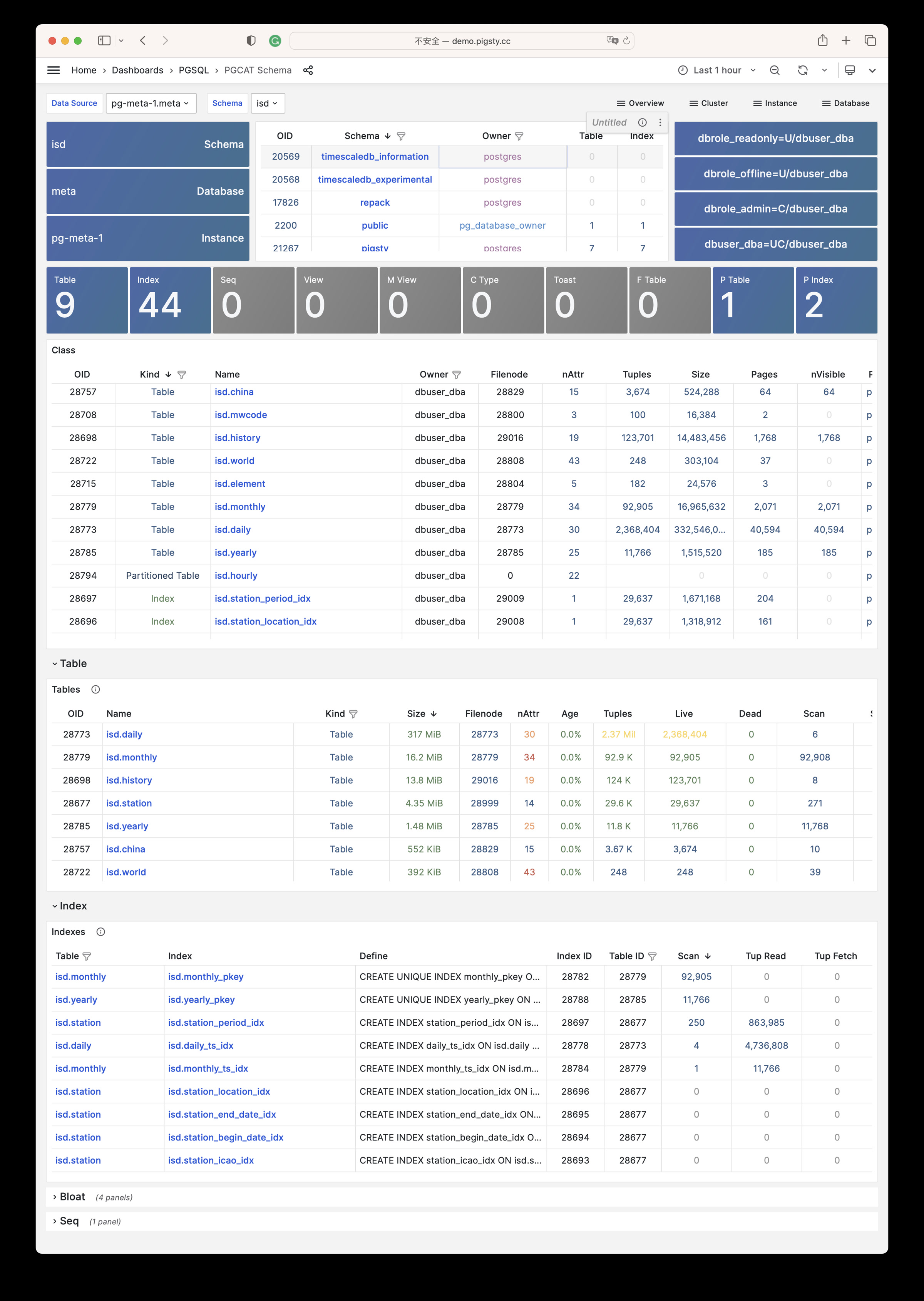
PGCAT Table: Detailed table info from database catalog (stats/bloat…)
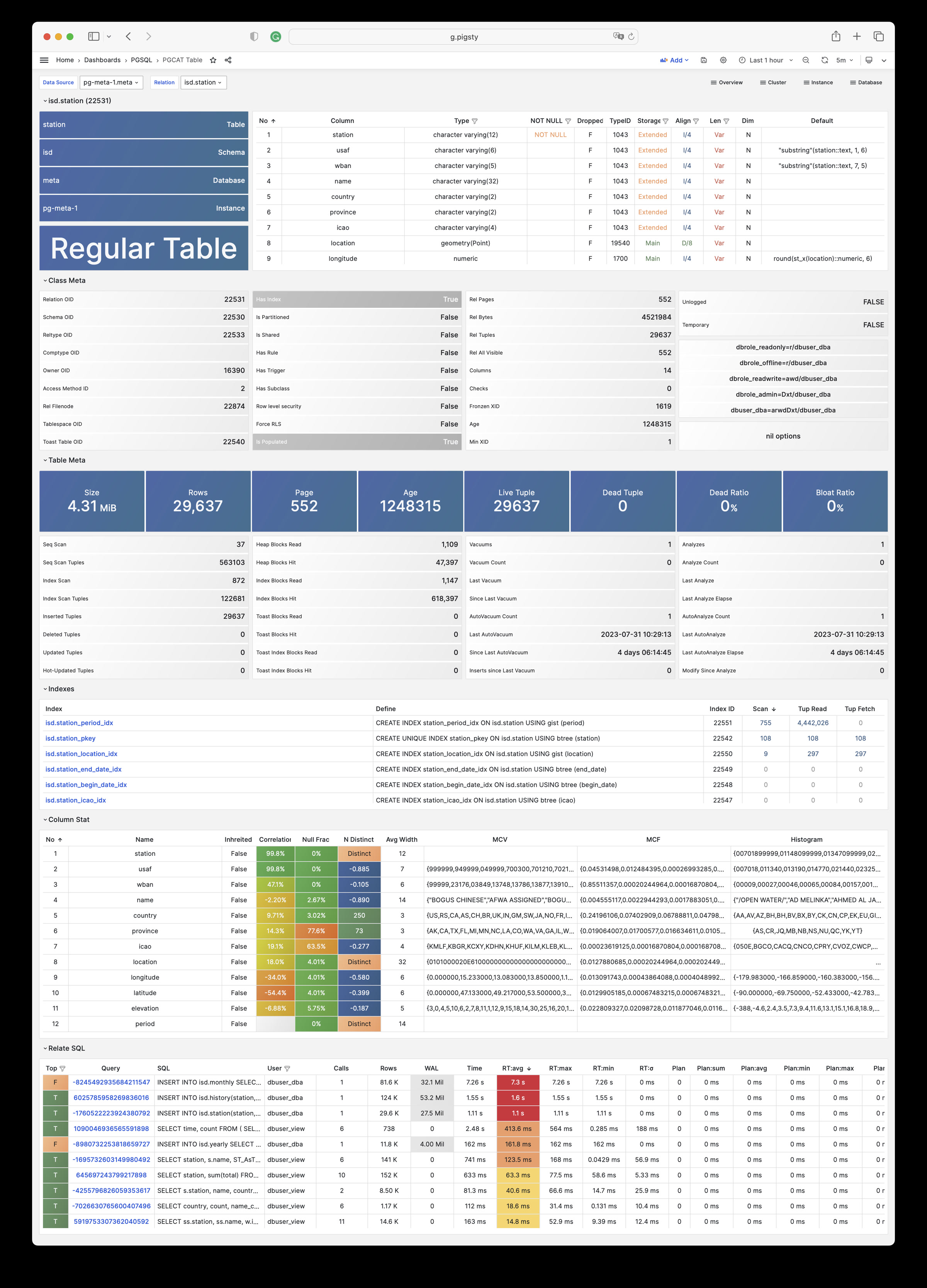
PGCAT Query: Query details from database catalog (SQL/stats)
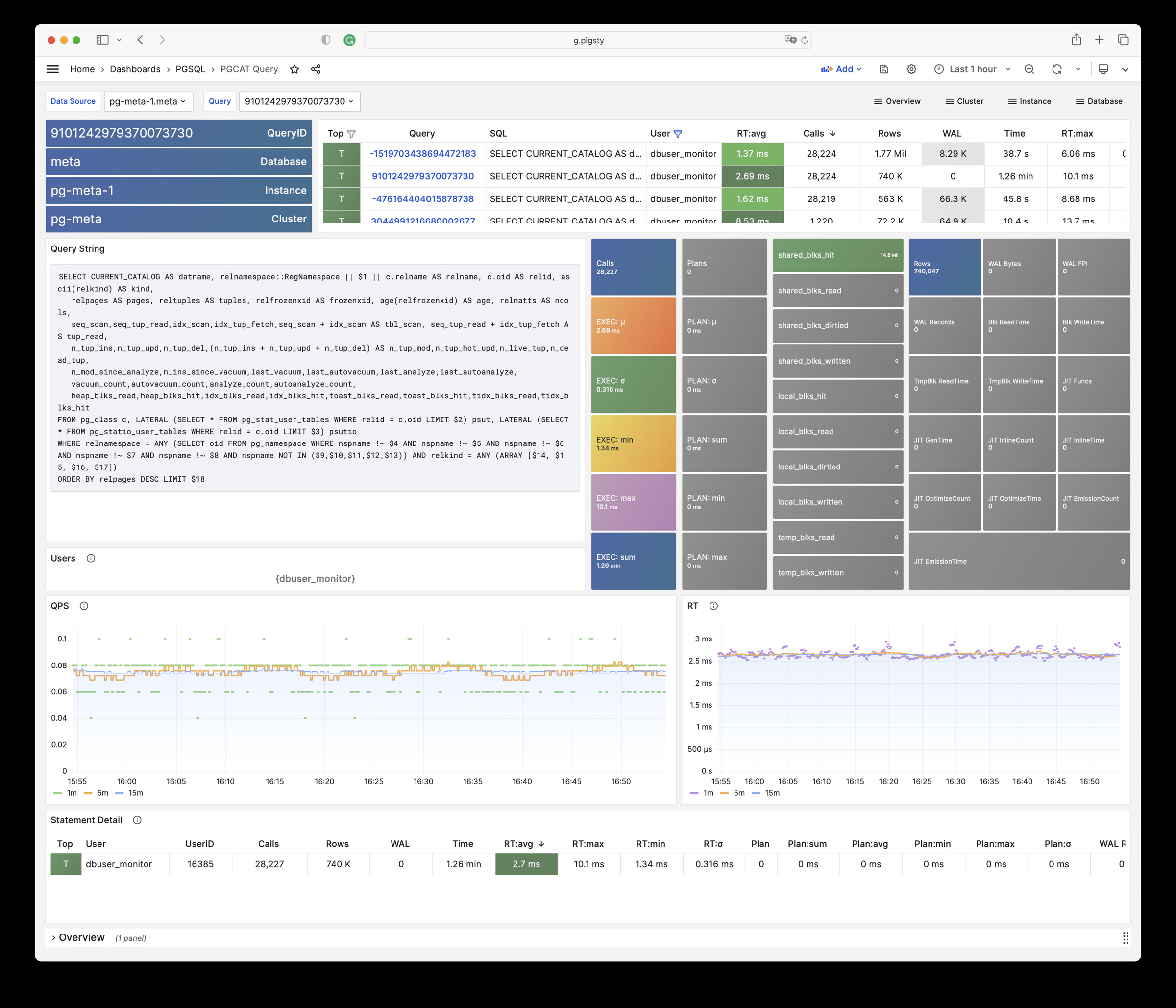
PGCAT Locks: Activity and lock wait info from database catalog
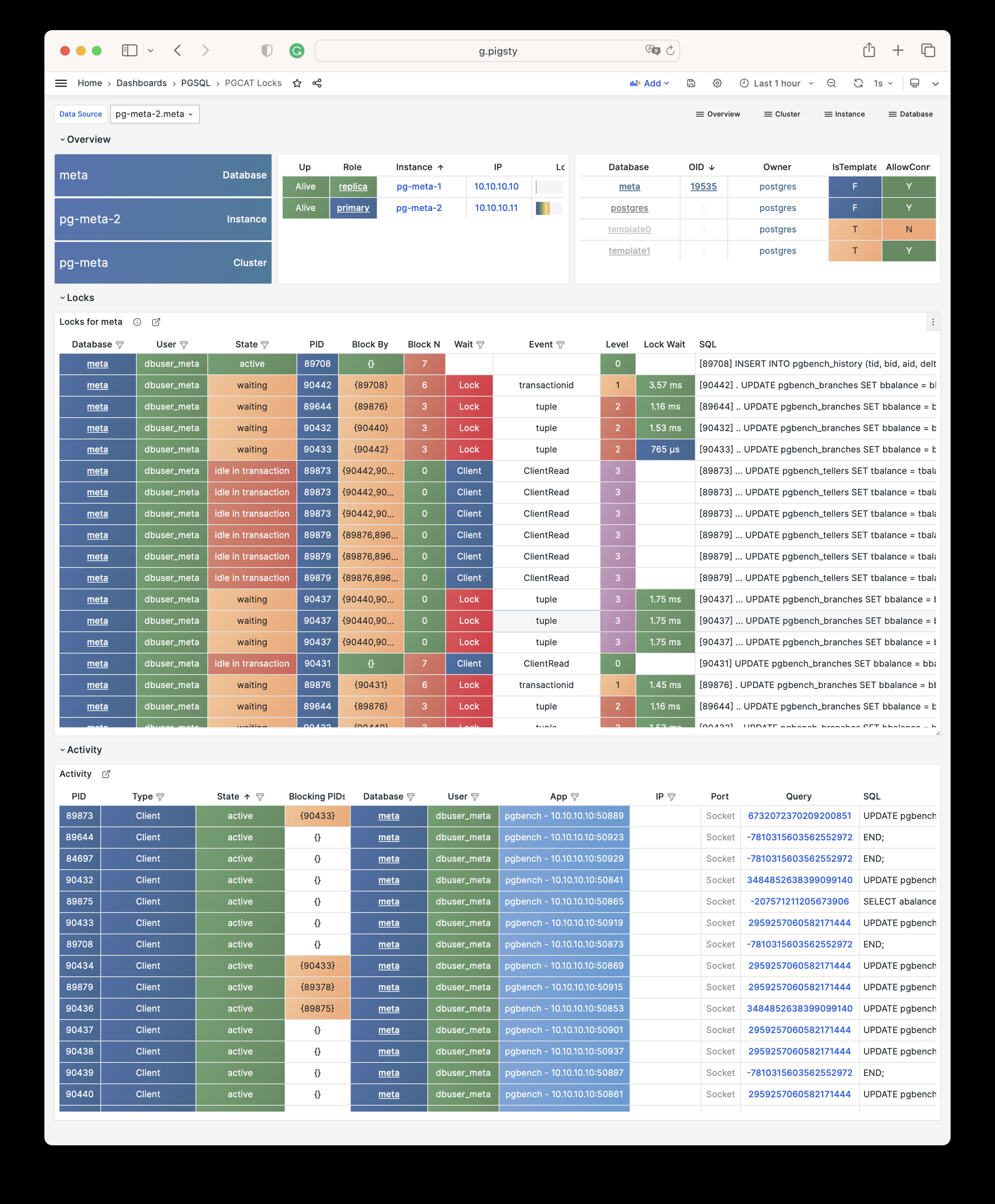
PGLOG
PGLOG Overview: Overview of CSV log samples in Pigsty CMDB
PGLOG Session: Log details for a single session in CSV log samples
Gallery
See pigsty/wiki/gallery for details.
10.9.1 - Overview
Use these dashboards for a global overview of the PostgreSQL module:
- PGSQL Overview: Main dashboard for the PGSQL module
- PGSQL Alert: Global key metrics and alert events for PGSQL
- PGSQL Shard: Overview of horizontally sharded PGSQL clusters
10.9.1.1 - PGSQL Overview
Main dashboard for the PGSQL module: Demo
PGSQL Overview is the main dashboard for the PostgreSQL module. It shows a global overview of the entire PGSQL module.
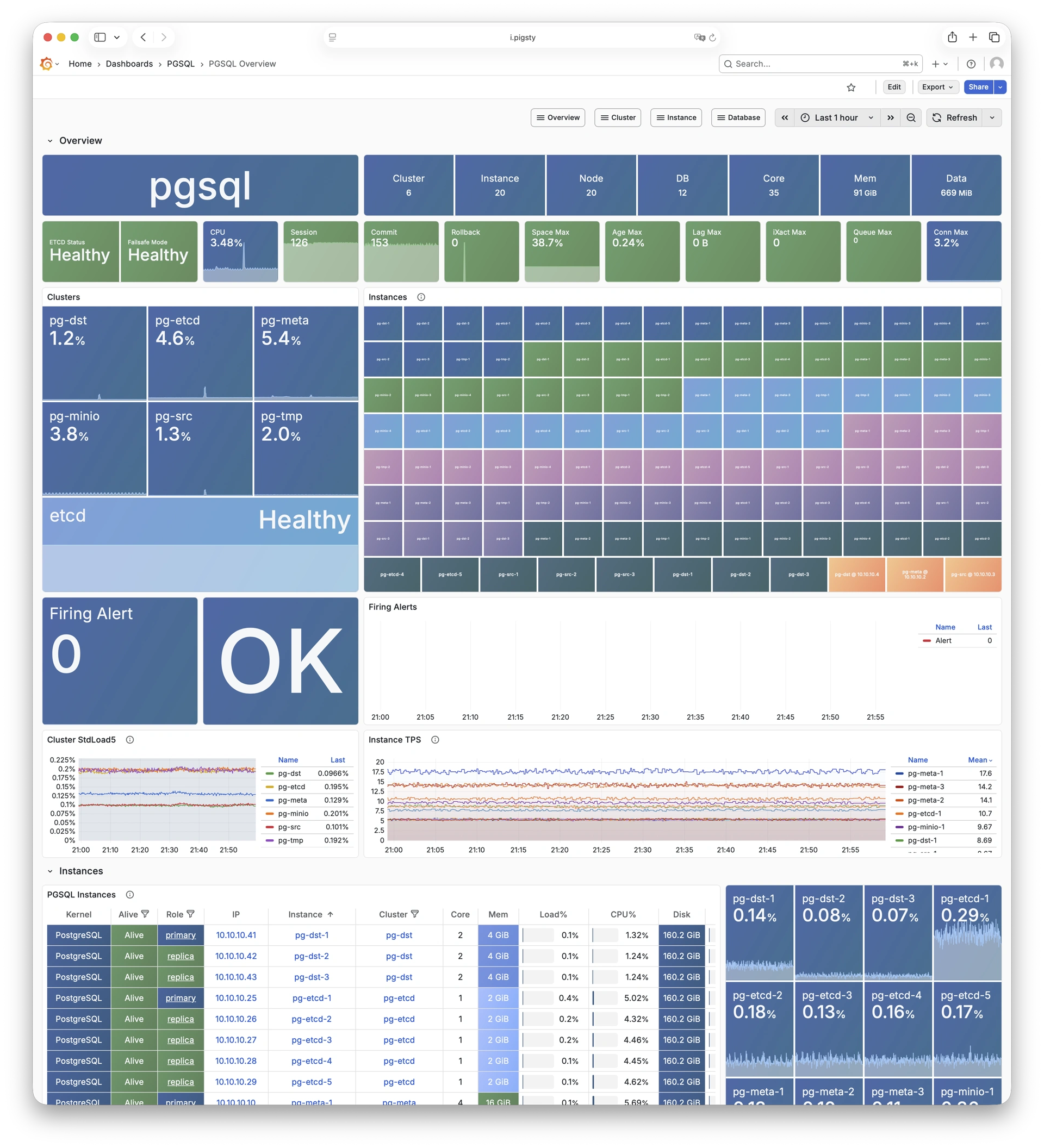
10.9.1.2 - PGSQL Alert
Global key metrics and alert events for PGSQL: Demo
PGSQL Alert provides a global overview of core metrics and alert events for PostgreSQL clusters.
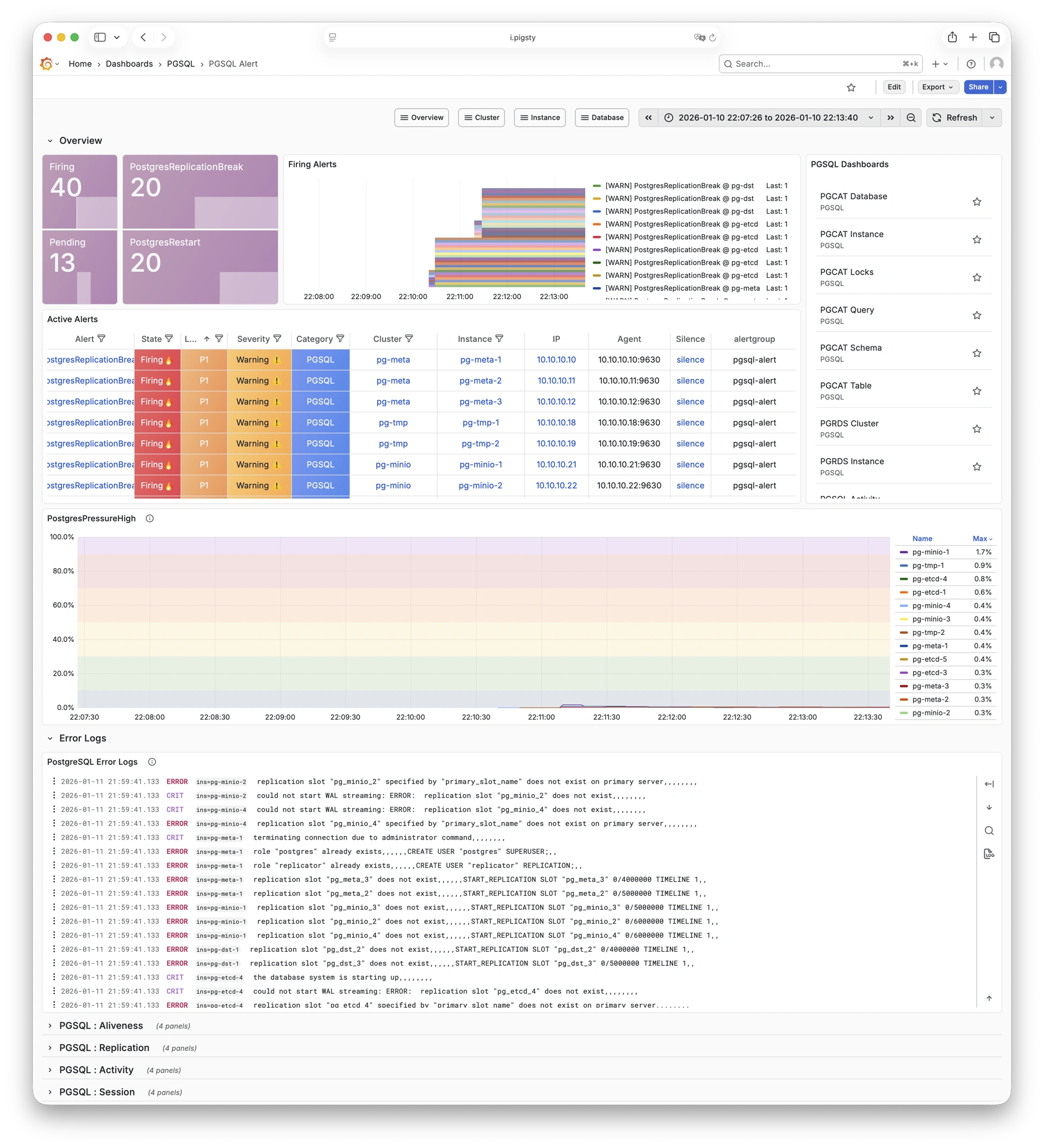
10.9.1.3 - PGSQL Shard
Overview of horizontally sharded PGSQL clusters: Demo
PGSQL Shard provides cross-shard metric comparison for horizontally sharded PGSQL clusters such as CITUS or GPSQL.
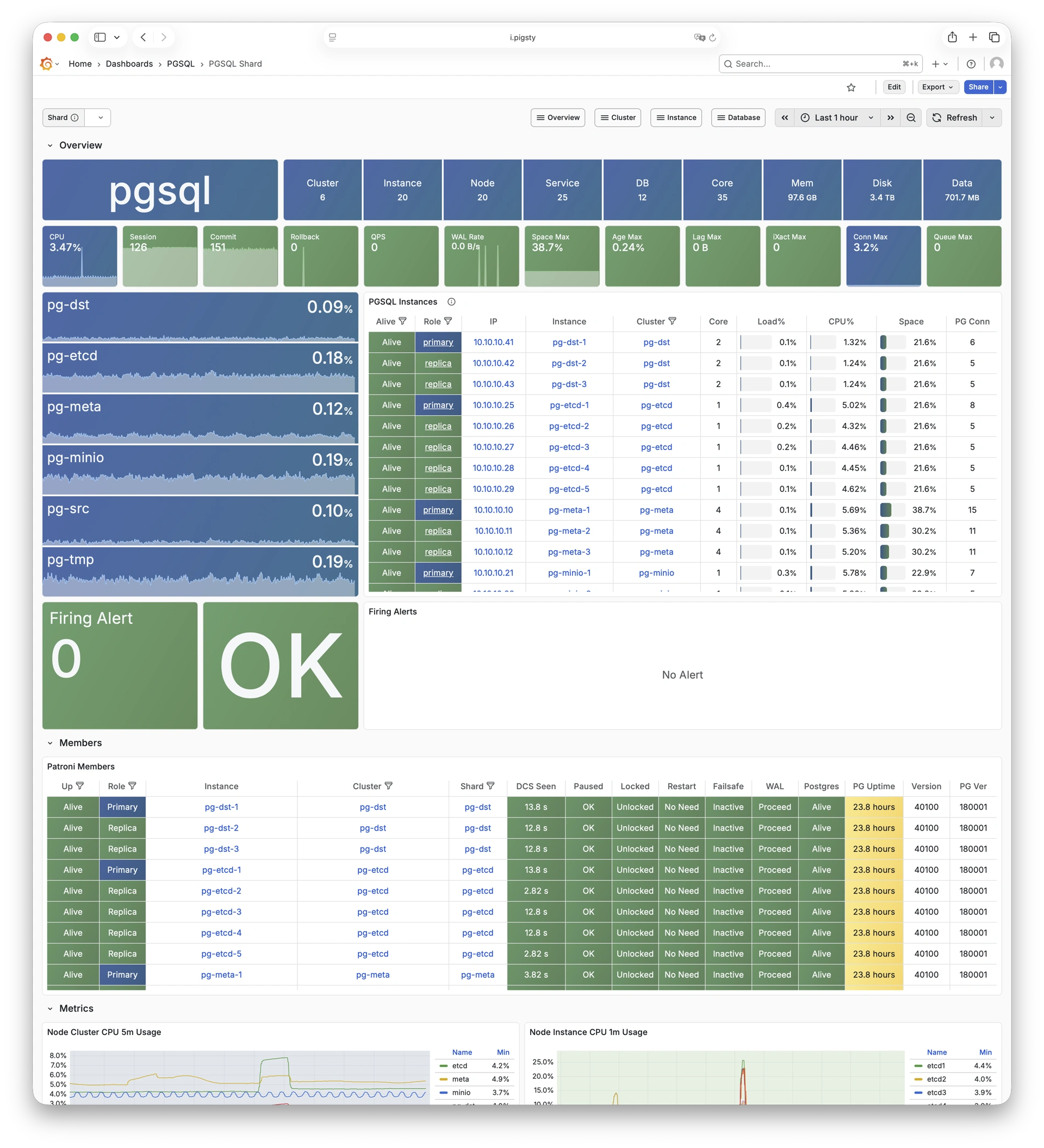
10.9.2 - Cluster
Use these dashboards to monitor PostgreSQL clusters:
- PGSQL Cluster: Main dashboard for a PGSQL cluster
- PGRDS Cluster: RDS version of PGSQL Cluster, focusing on PostgreSQL-native metrics
- PGSQL Activity: Session/load/QPS/TPS/locks for PGSQL cluster
- PGSQL Replication: Replication, slots, and pub/sub for PGSQL cluster
- PGSQL Service: Service, proxy, routing, and load balancing for PGSQL cluster
- PGSQL Databases: Database CRUD, slow queries, and table statistics across all instances
- PGSQL Patroni: HA status and Patroni component status for cluster
- PGSQL PITR: PITR context for point-in-time recovery assistance
10.9.2.1 - PGSQL Cluster
Main dashboard for a PGSQL cluster: Demo
PGSQL Cluster is the main dashboard for a single PostgreSQL cluster. It shows the core metrics for the cluster.
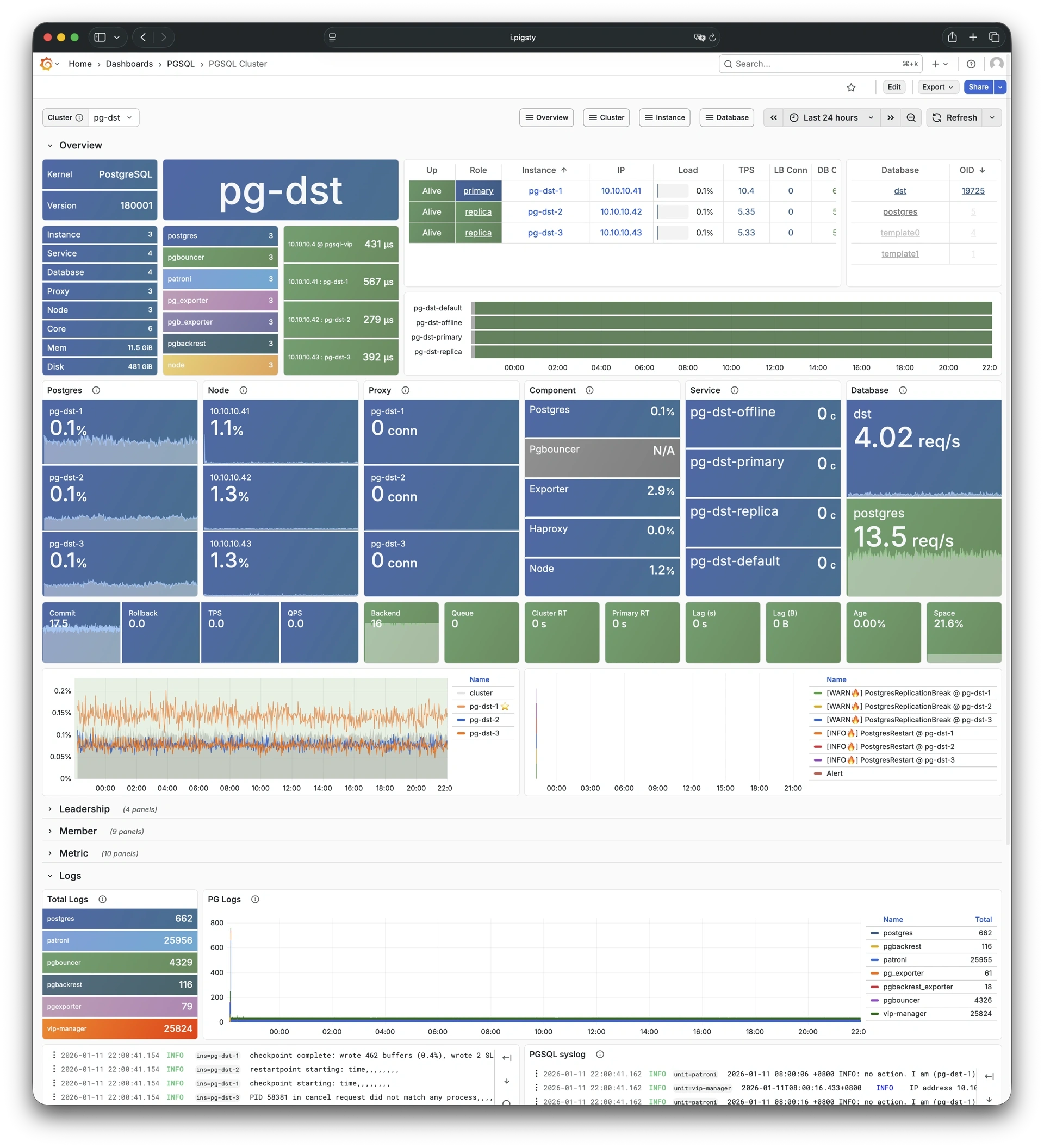
10.9.2.2 - PGRDS Cluster
RDS version of PGSQL Cluster: Demo
PGRDS Cluster is the RDS version of PGSQL Cluster. It shows PostgreSQL-native metrics and excludes host-level metrics.
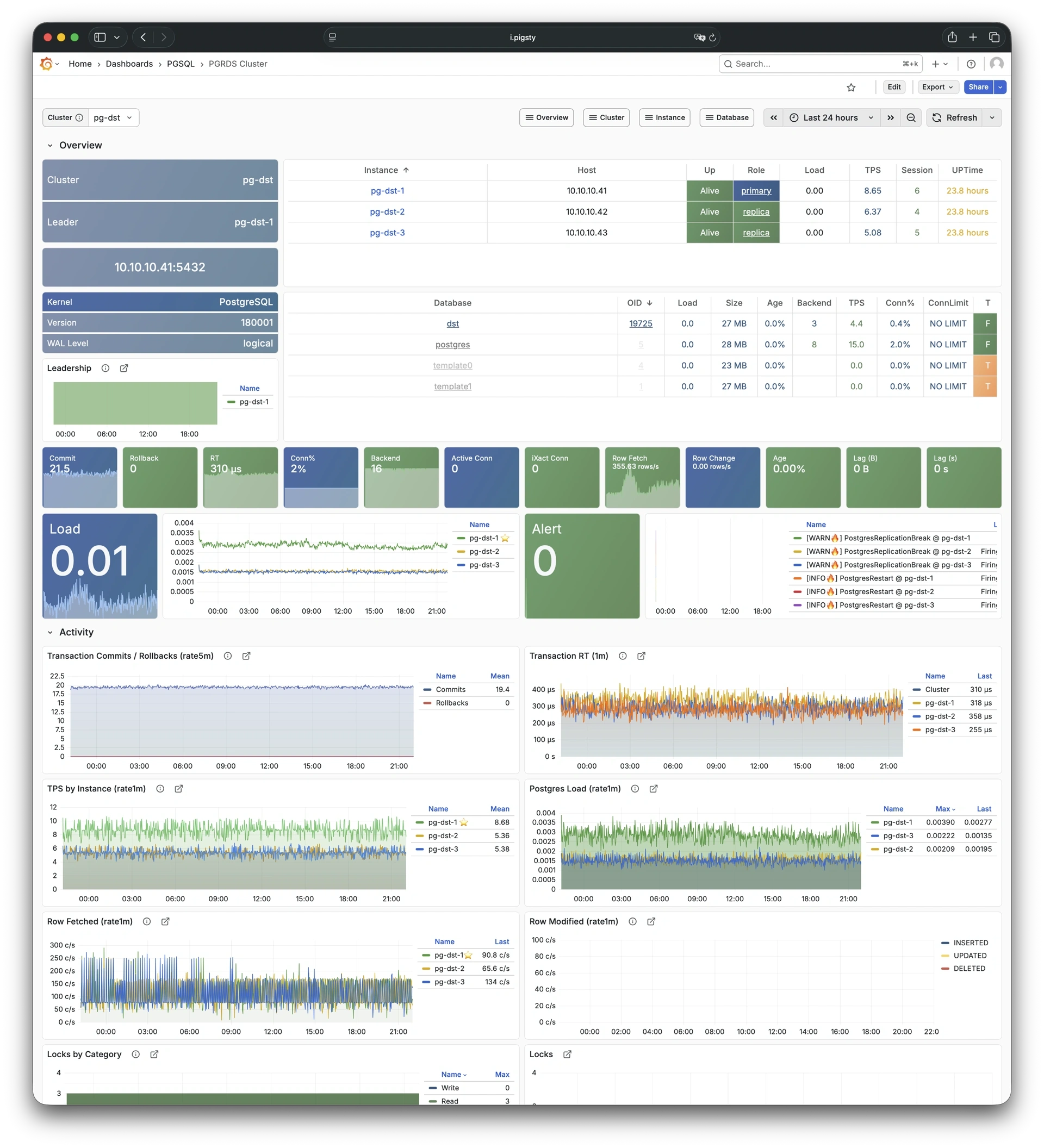
10.9.2.3 - PGSQL Activity
Session/load/QPS/TPS/locks for PGSQL cluster: Demo
PGSQL Activity focuses on session activity, load, QPS, TPS, and lock status for a PostgreSQL cluster.
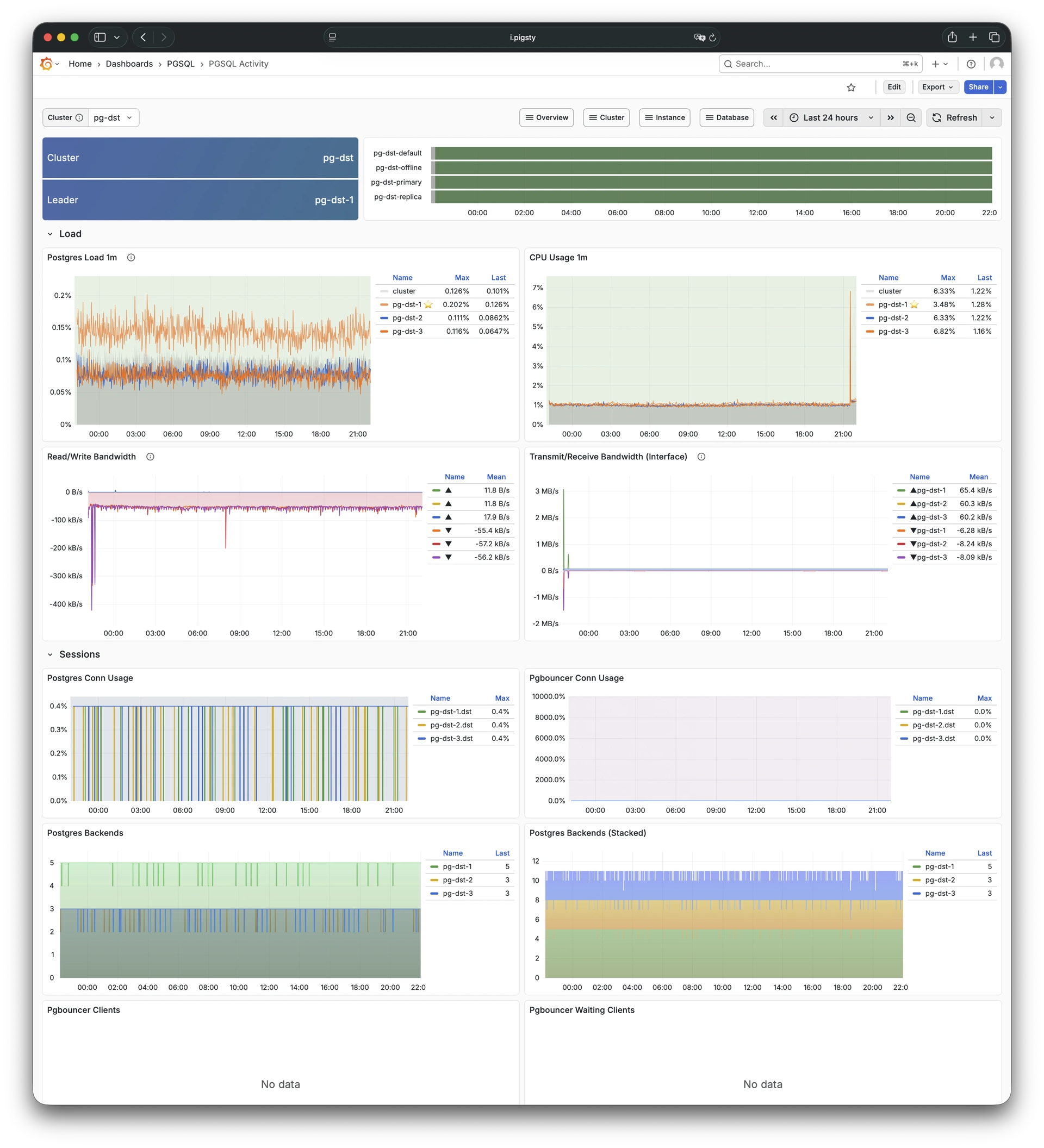
10.9.2.4 - PGSQL Replication
Replication, slots, and pub/sub for PGSQL cluster: Demo
PGSQL Replication focuses on replication status, replication slots, and logical replication (pub/sub) for a PostgreSQL cluster.
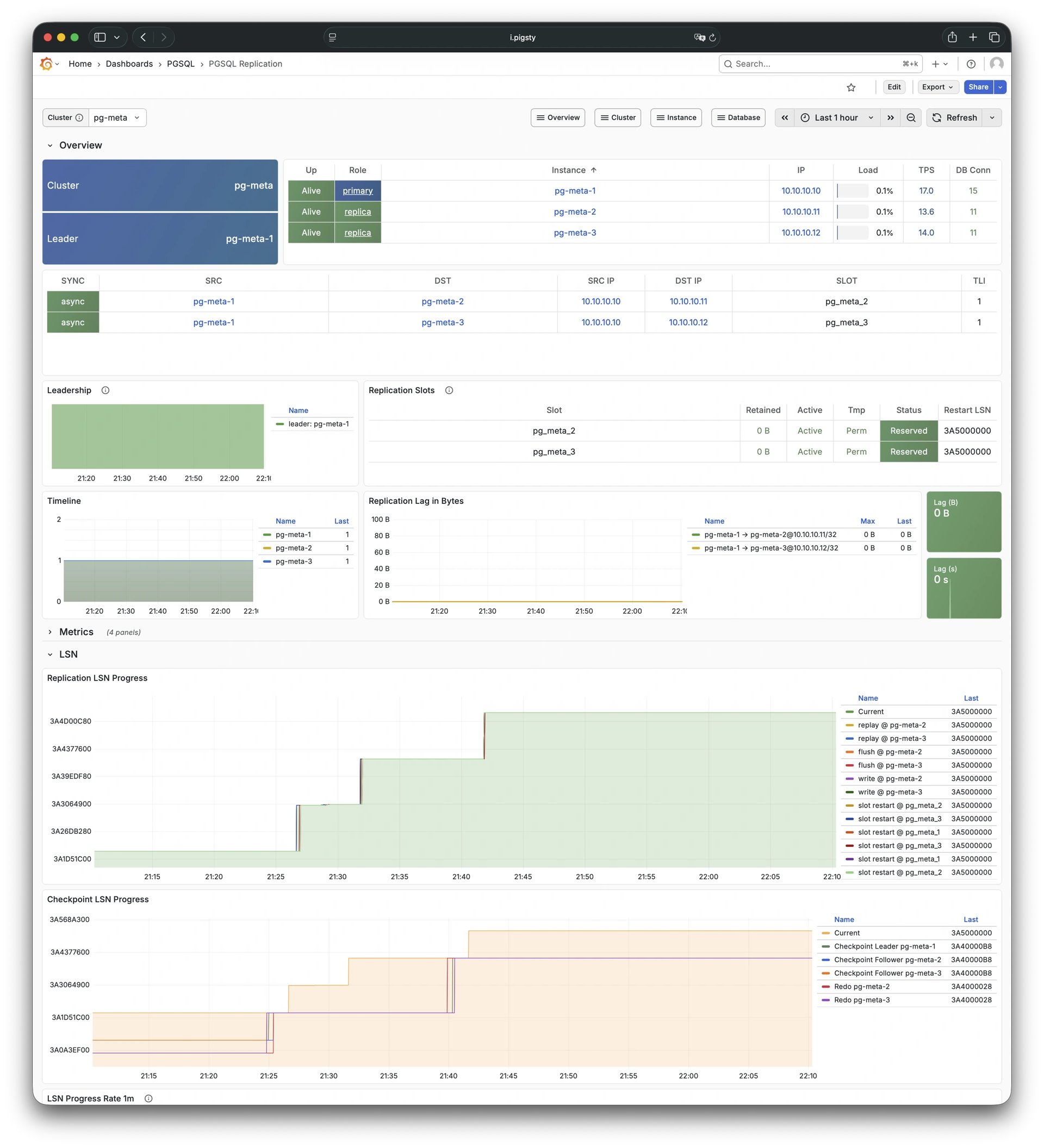
10.9.2.5 - PGSQL Service
Service, proxy, routing, and load balancing for PGSQL cluster: Demo
PGSQL Service focuses on service endpoints, proxy routing, and load balancing status for a PostgreSQL cluster.
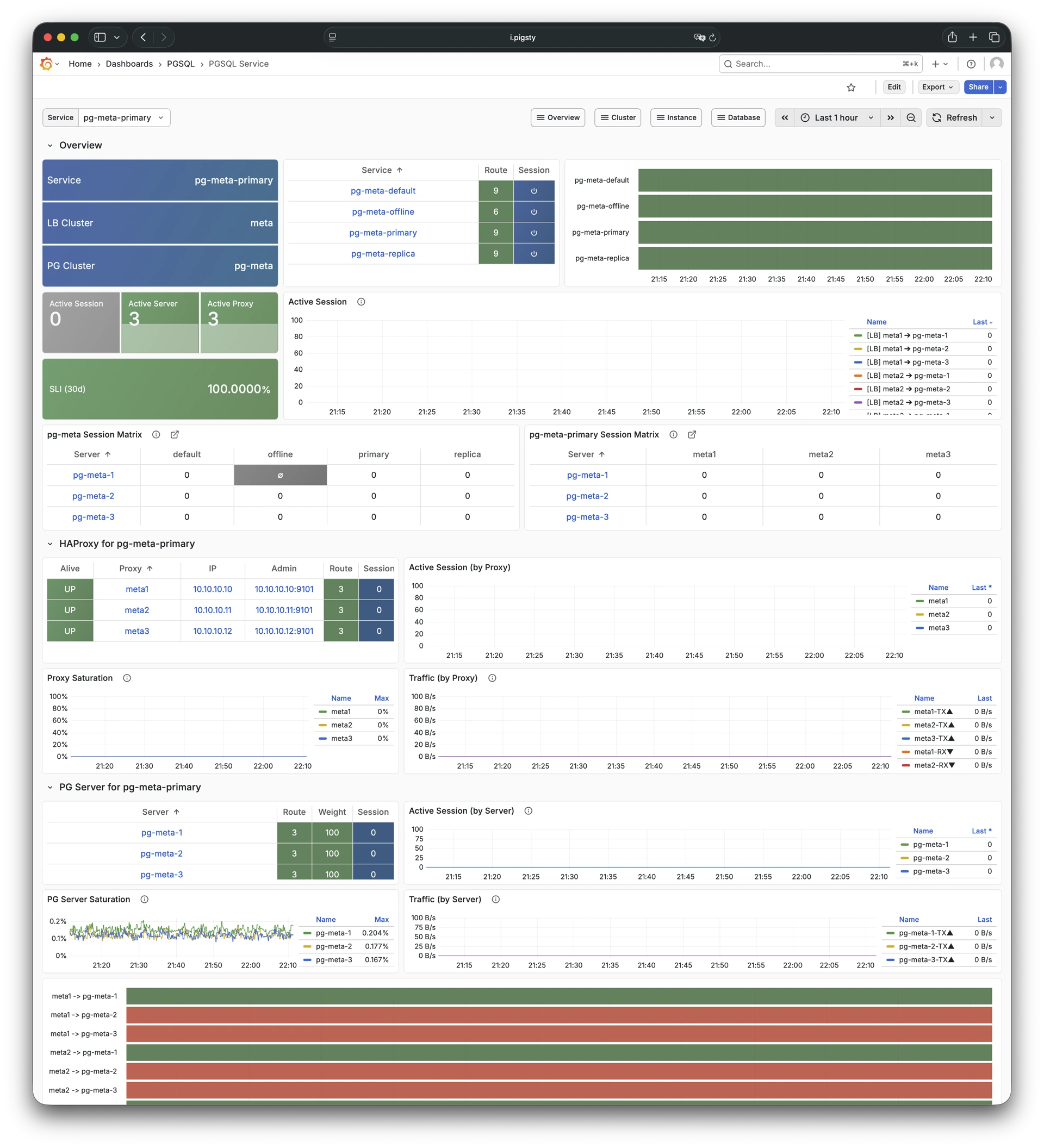
10.9.2.6 - PGSQL Databases
Database CRUD, slow queries, and table statistics: Demo
PGSQL Databases focuses on database-level CRUD operations, slow queries, and table statistics across all instances in a cluster.
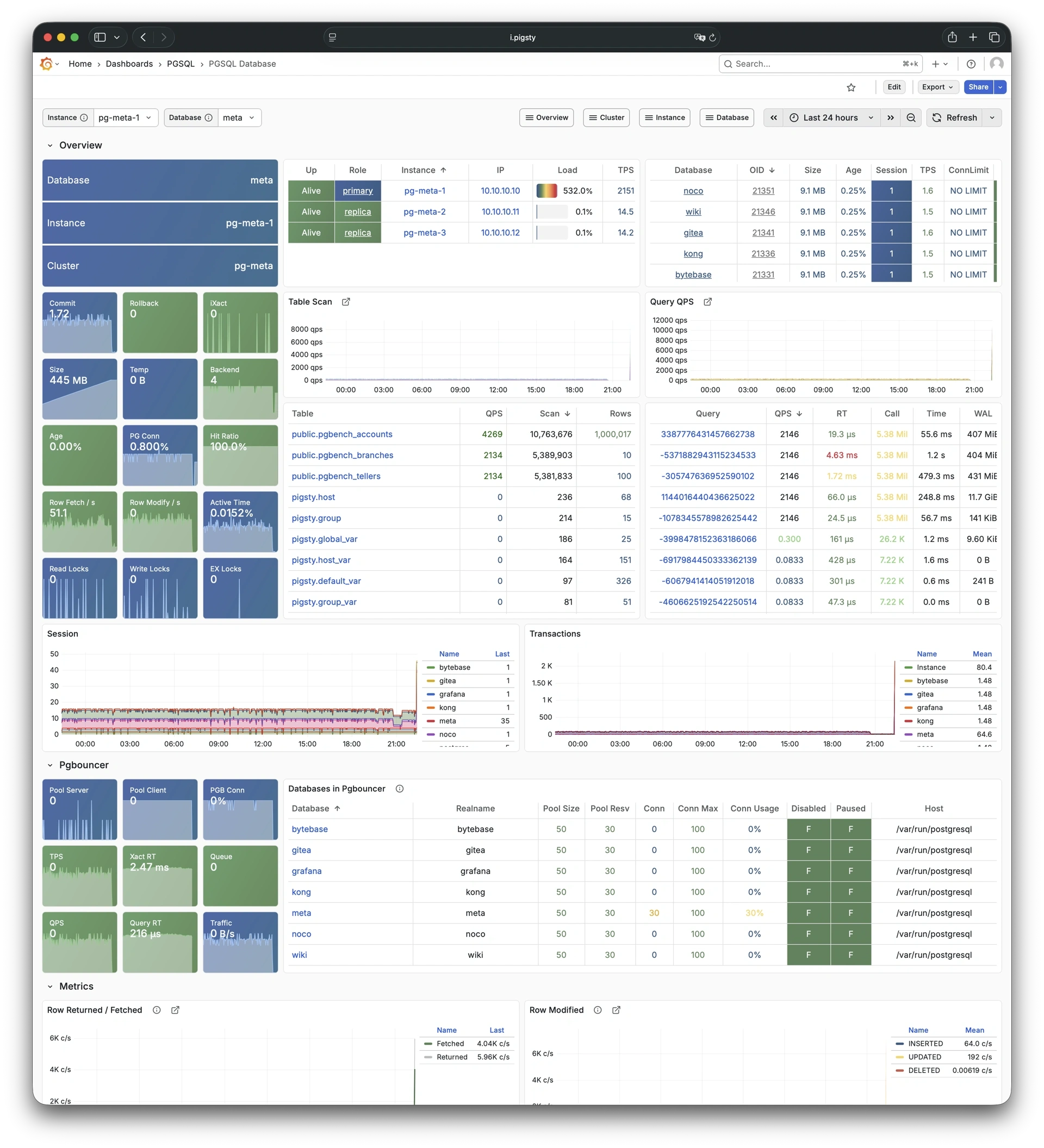
10.9.2.7 - PGSQL Patroni
HA status and Patroni component status: Demo
PGSQL Patroni focuses on high-availability status and Patroni component health for a PostgreSQL cluster.
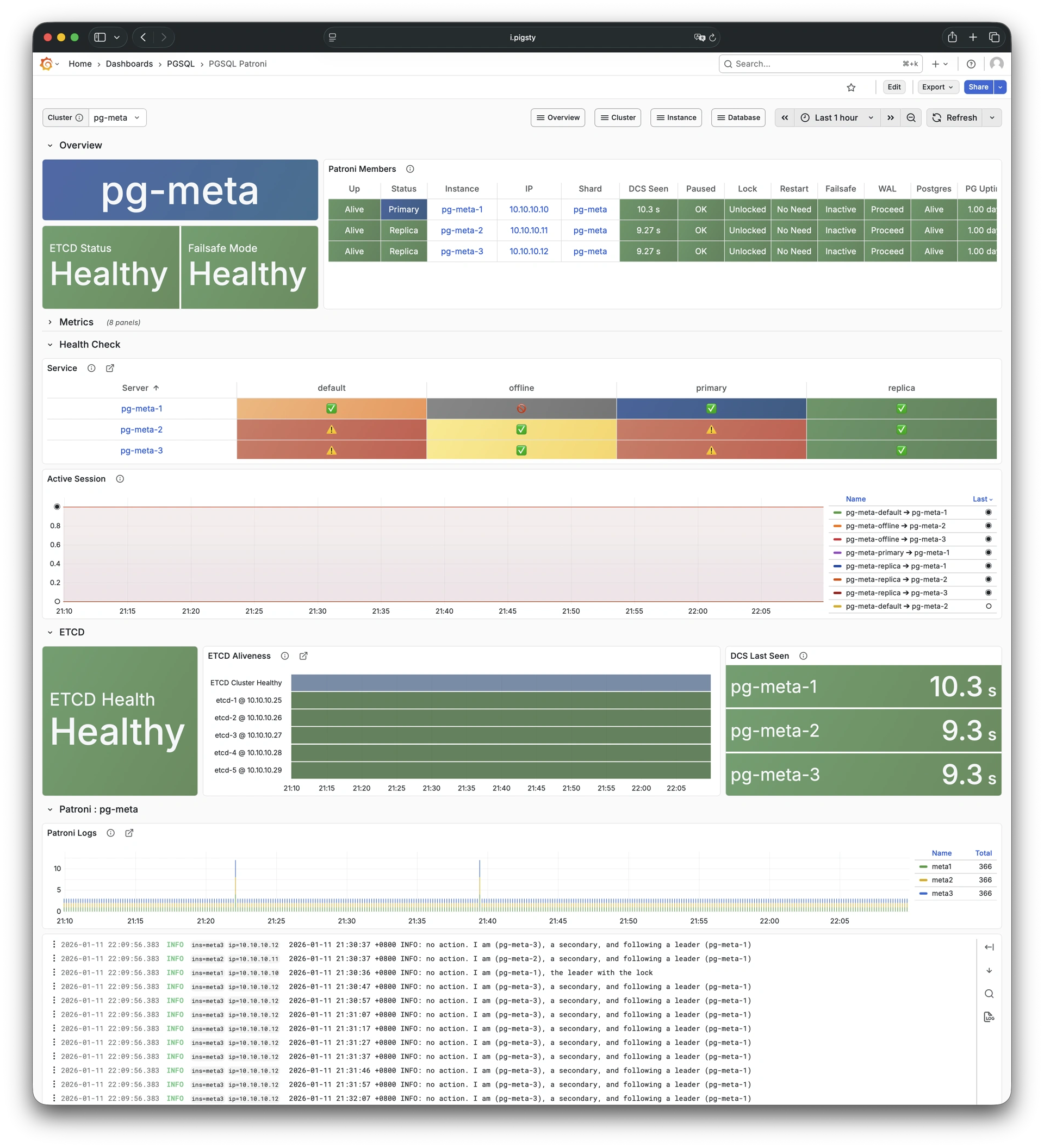
10.9.2.8 - PGSQL PITR
PITR context for point-in-time recovery: Demo
PGSQL PITR shows backup status and the WAL timeline. Use this information for point-in-time recovery operations.
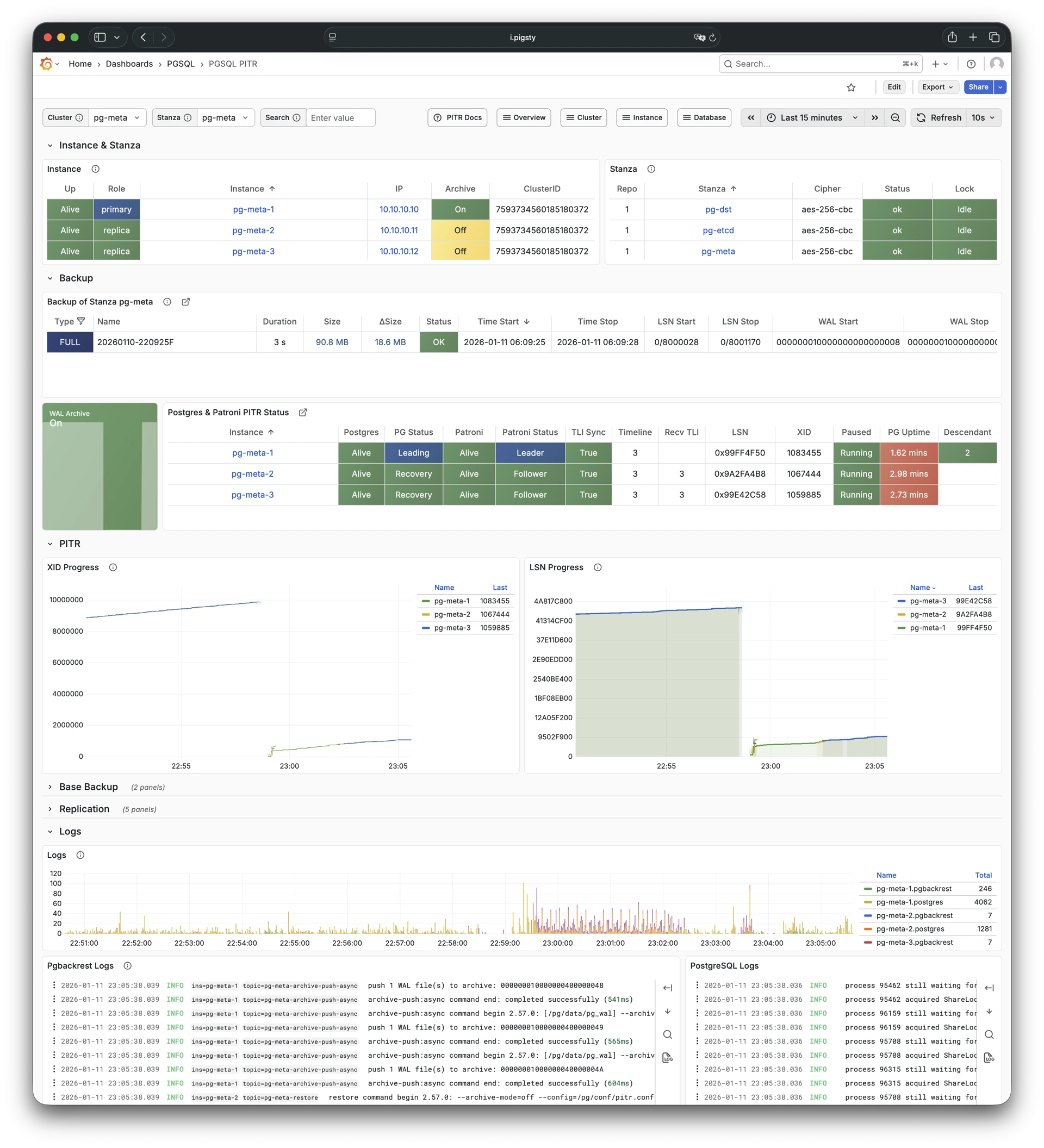
10.9.3 - Instance
Use these dashboards to monitor PostgreSQL instances:
- PGSQL Instance: Main dashboard for a single PGSQL instance
- PGRDS Instance: RDS version of PGSQL Instance, focusing on PostgreSQL-native metrics
- PGCAT Instance: Instance info retrieved directly from database catalog
- PGSQL Persist: Persistence metrics: WAL, XID, checkpoint, archive, IO
- PGSQL Proxy: Detailed metrics for a single HAProxy load balancer
- PGSQL Pgbouncer: Metrics overview for a single Pgbouncer connection pooler
- PGSQL Session: Session and active/idle time metrics for a single instance
- PGSQL Xacts: Transaction, lock, TPS/QPS related metrics
- PGSQL Exporter: Self-monitoring metrics for Postgres and Pgbouncer exporters
10.9.3.1 - PGSQL Instance
Main dashboard for a single PGSQL instance: Demo
PGSQL Instance is the main dashboard for a single PostgreSQL instance. It provides a full set of instance-level metrics.
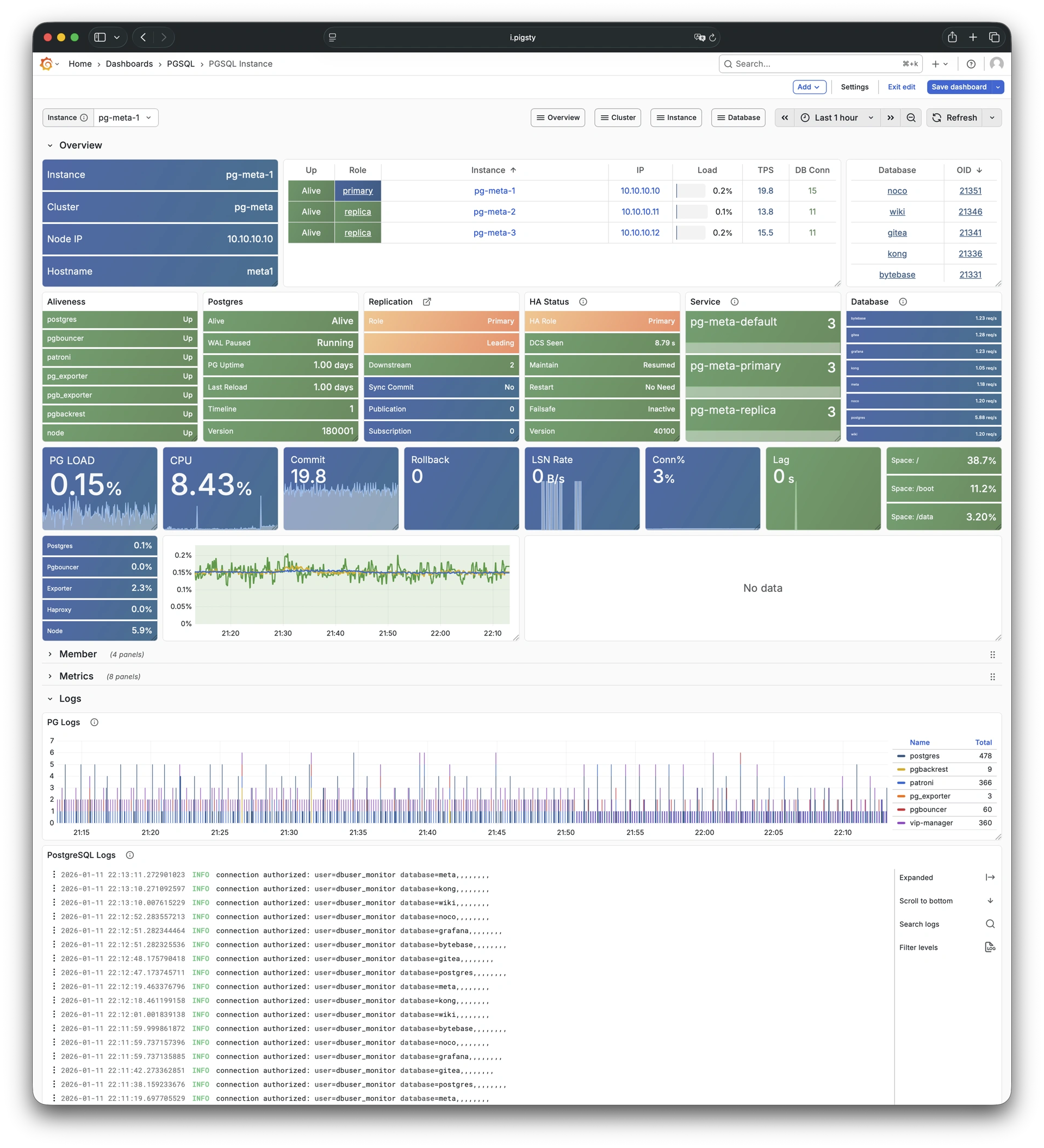
10.9.3.2 - PGRDS Instance
RDS version of PGSQL Instance: Demo
PGRDS Instance is the RDS version of PGSQL Instance. It shows PostgreSQL-native metrics and excludes host-level metrics.
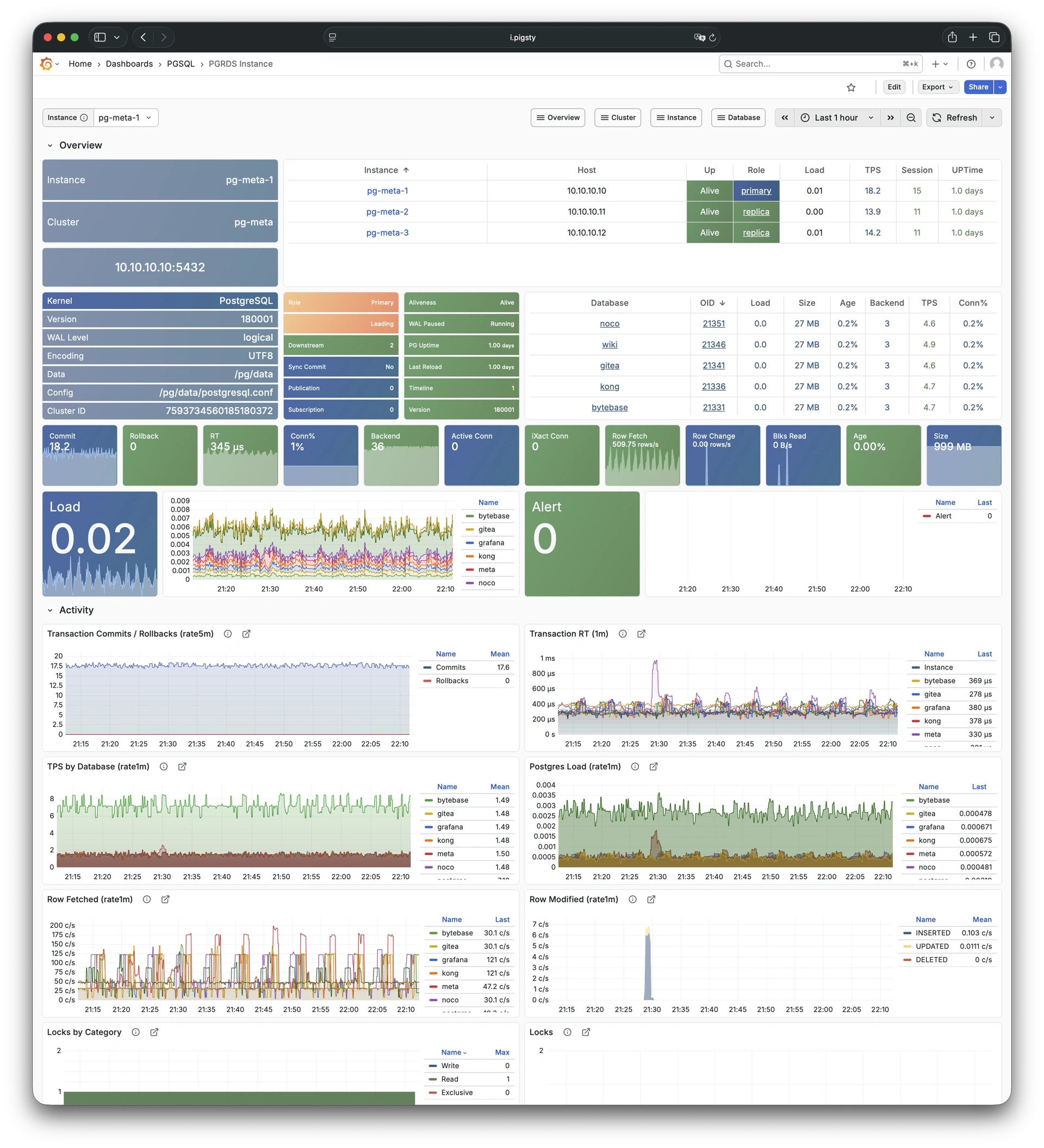
10.9.3.3 - PGCAT Instance
Instance info from database catalog: Demo
PGCAT Instance reads instance-level information directly from the PostgreSQL system catalog and shows it.
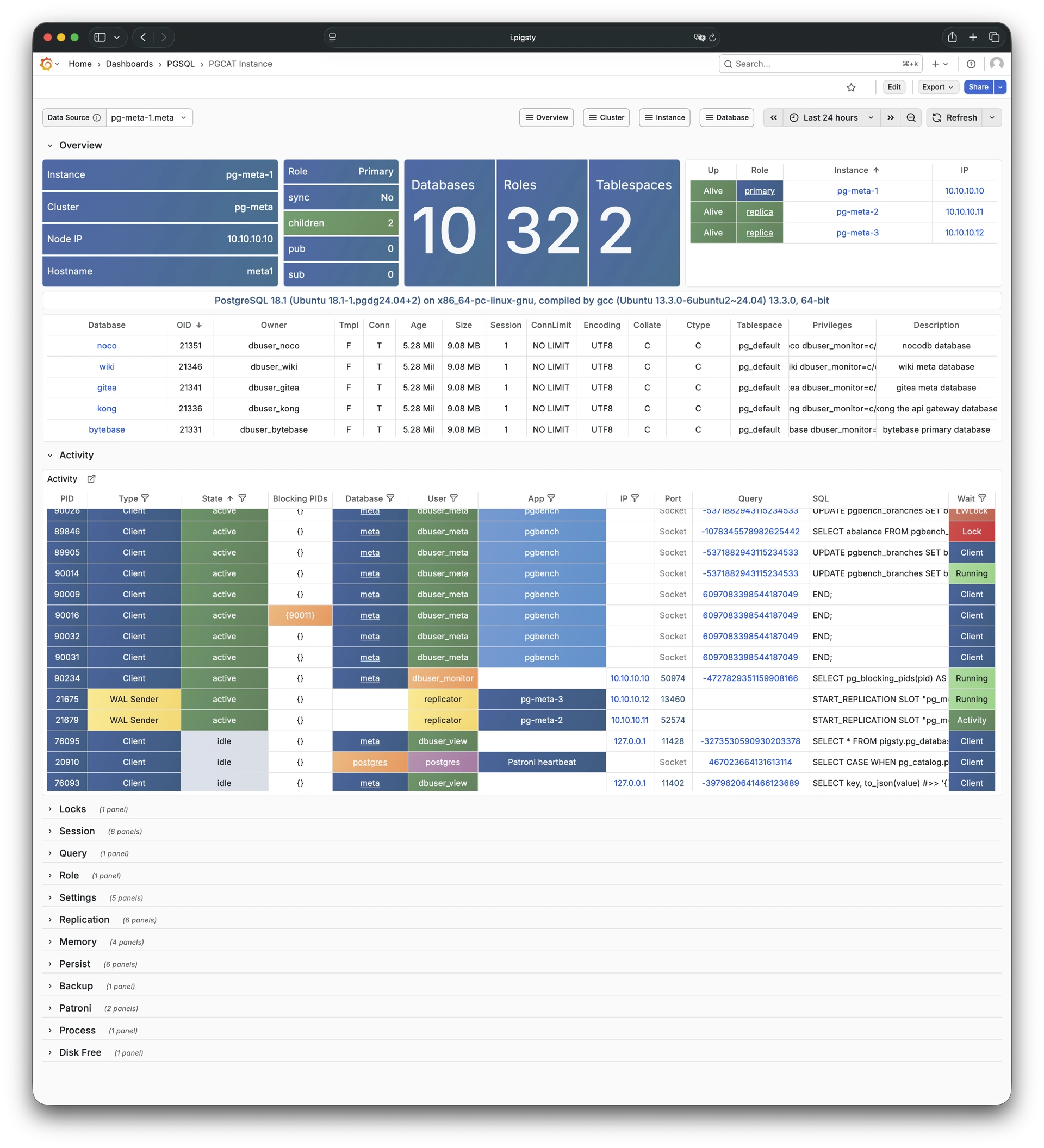
10.9.3.4 - PGSQL Persist
Persistence metrics for PGSQL instance: Demo
PGSQL Persist focuses on persistence-related metrics: WAL generation, XID consumption, checkpoints, archiving, and I/O patterns.
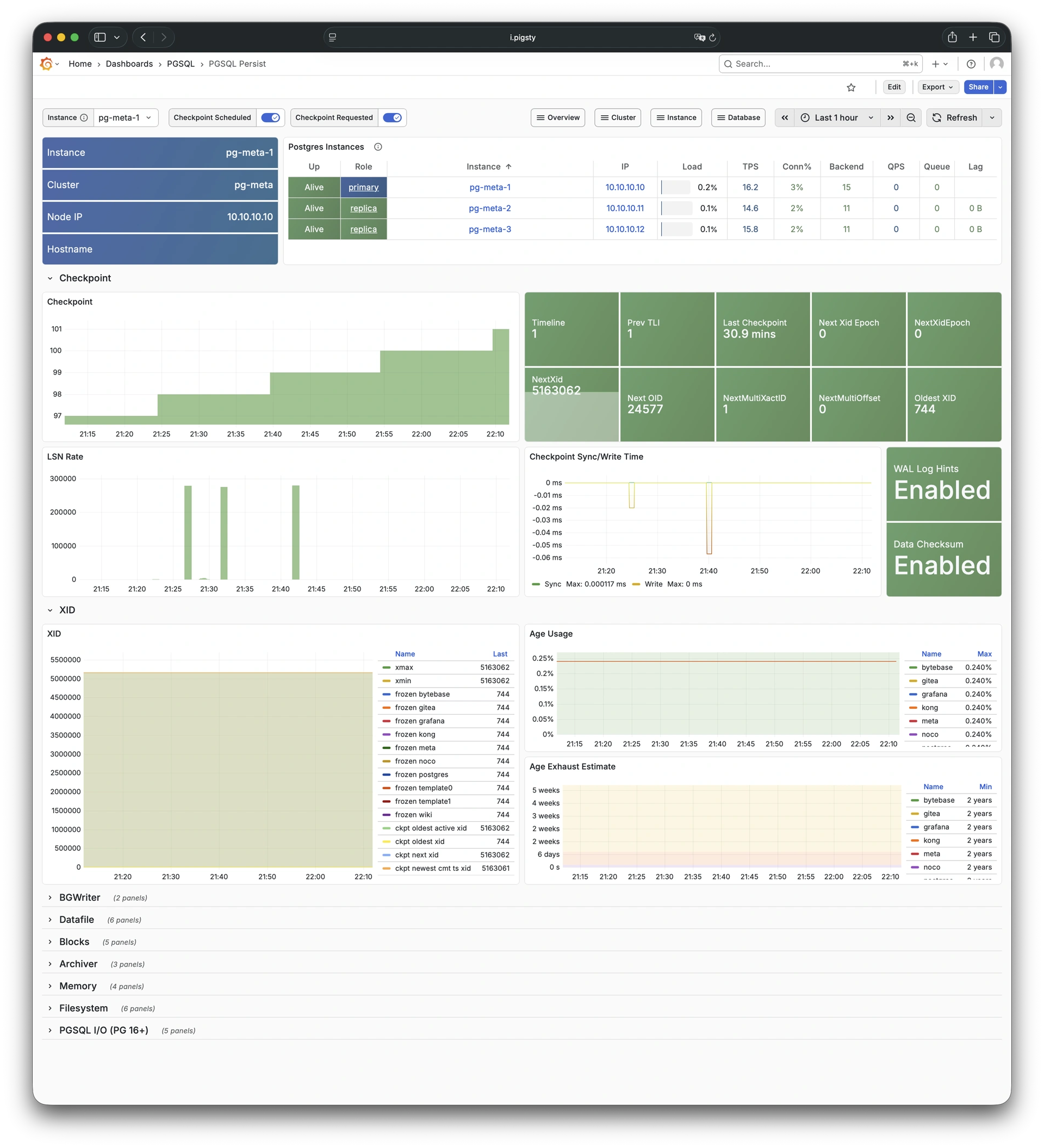
10.9.3.5 - PGSQL Proxy
Detailed metrics for HAProxy: Demo
PGSQL Proxy shows detailed metrics for a single HAProxy load balancer instance serving PostgreSQL traffic.
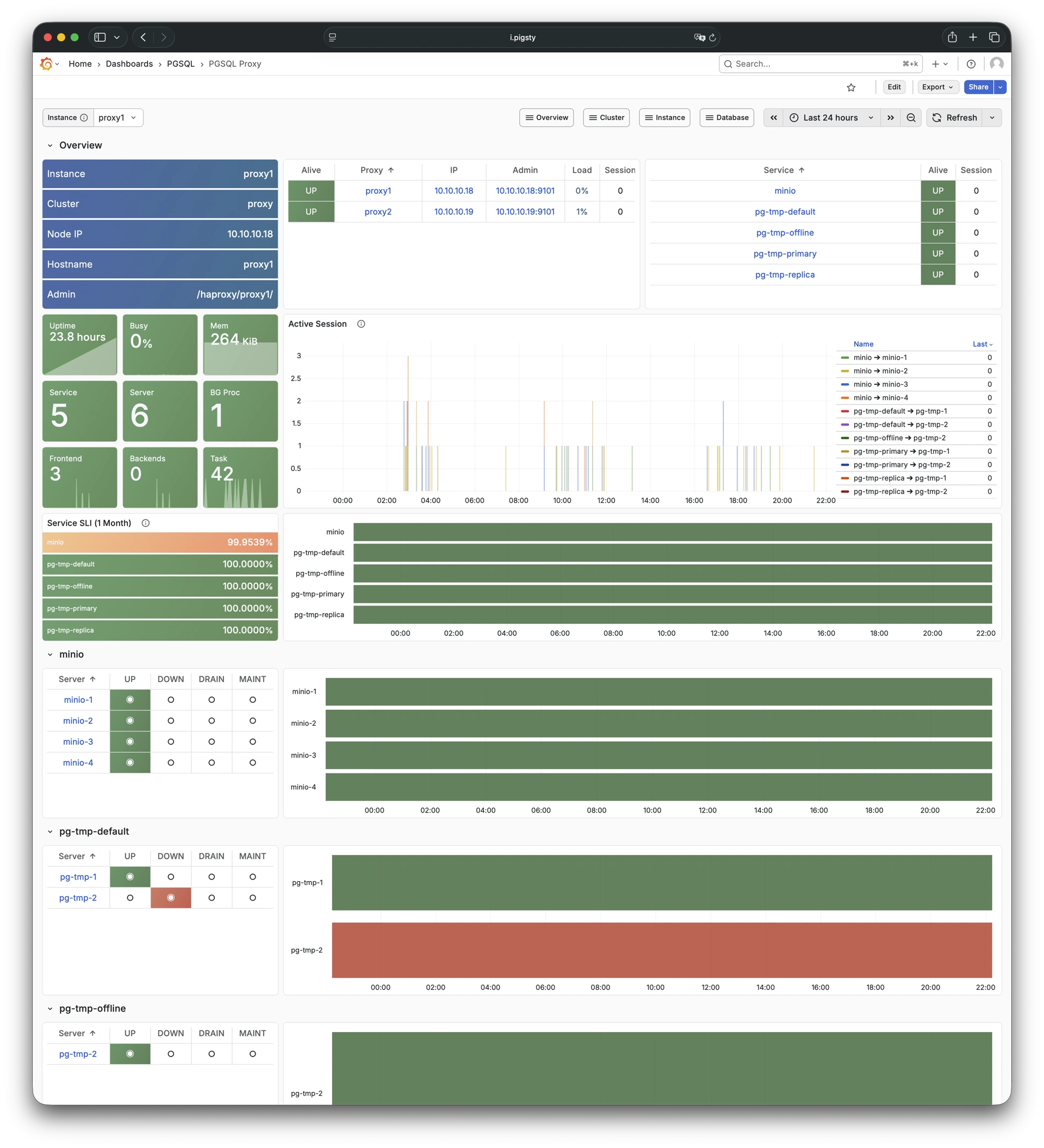
10.9.3.6 - PGSQL Pgbouncer
Metrics overview for Pgbouncer: Demo
PGSQL Pgbouncer shows connection pooling metrics for a single Pgbouncer instance.
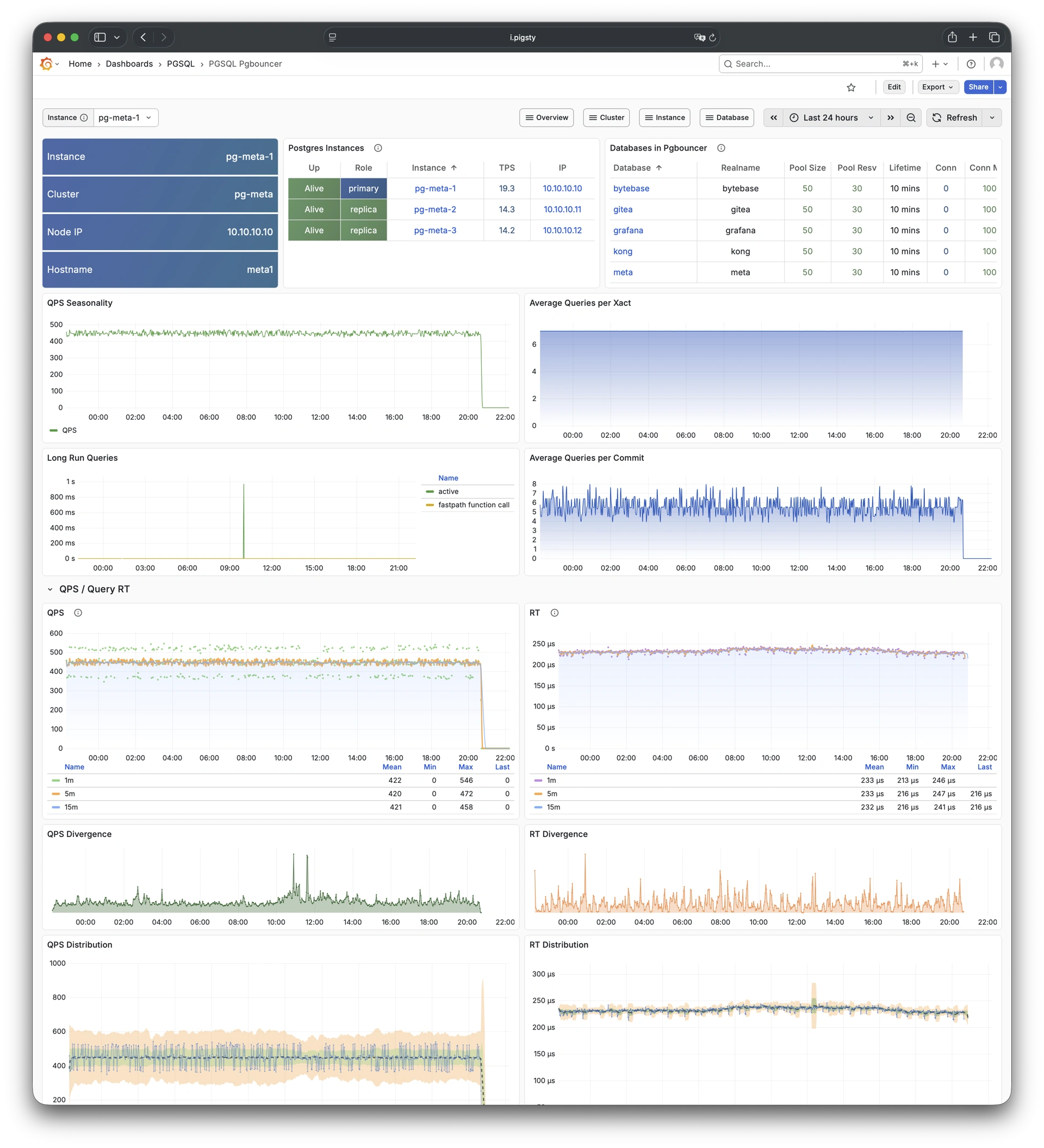
10.9.3.7 - PGSQL Session
Session and active/idle time metrics: Demo
PGSQL Session focuses on session statistics and active/idle time distribution for a single PostgreSQL instance.
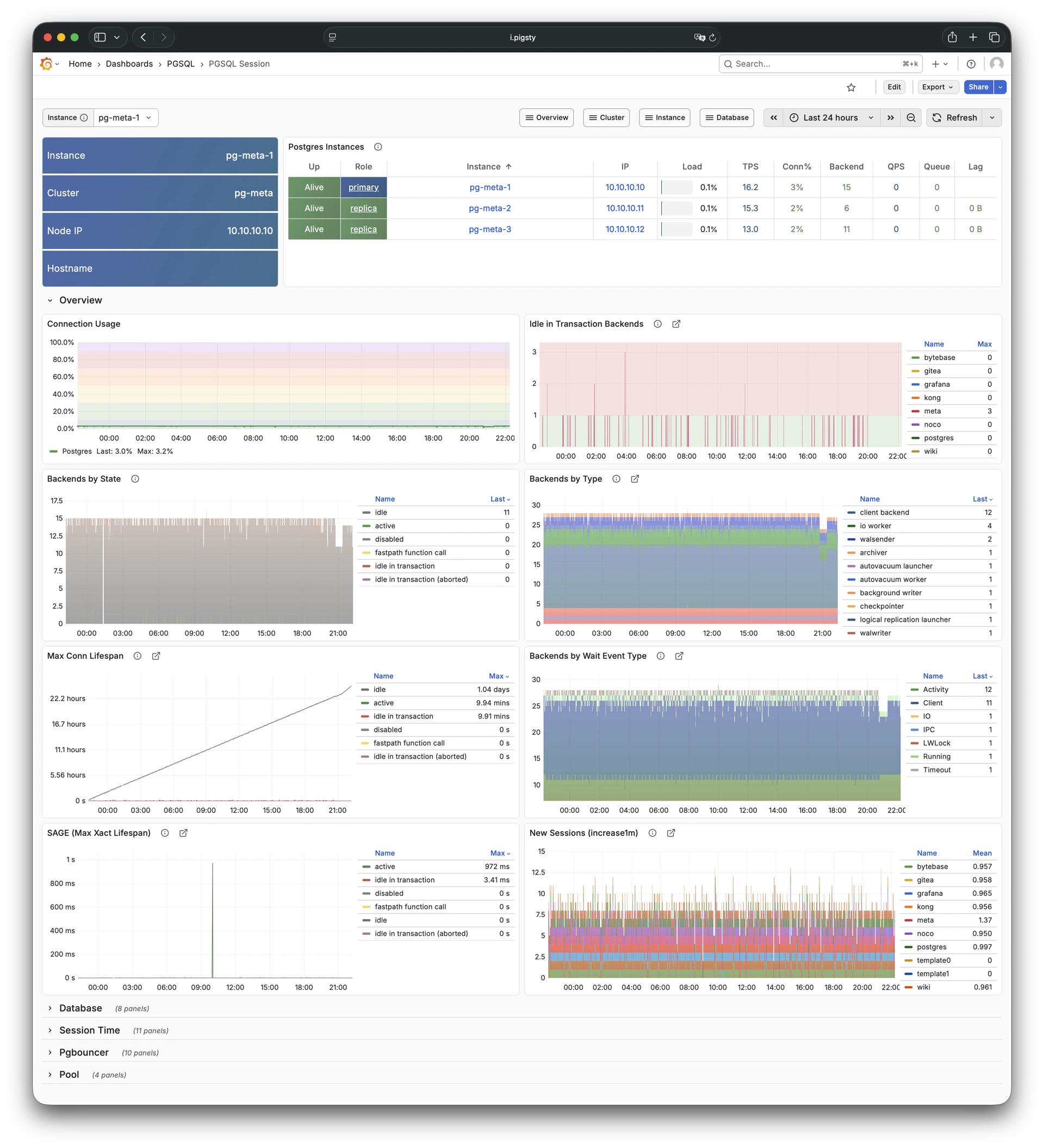
10.9.3.8 - PGSQL Xacts
Transaction, lock, TPS/QPS metrics: Demo
PGSQL Xacts focuses on transaction processing, lock activity, and TPS/QPS metrics for a single PostgreSQL instance.
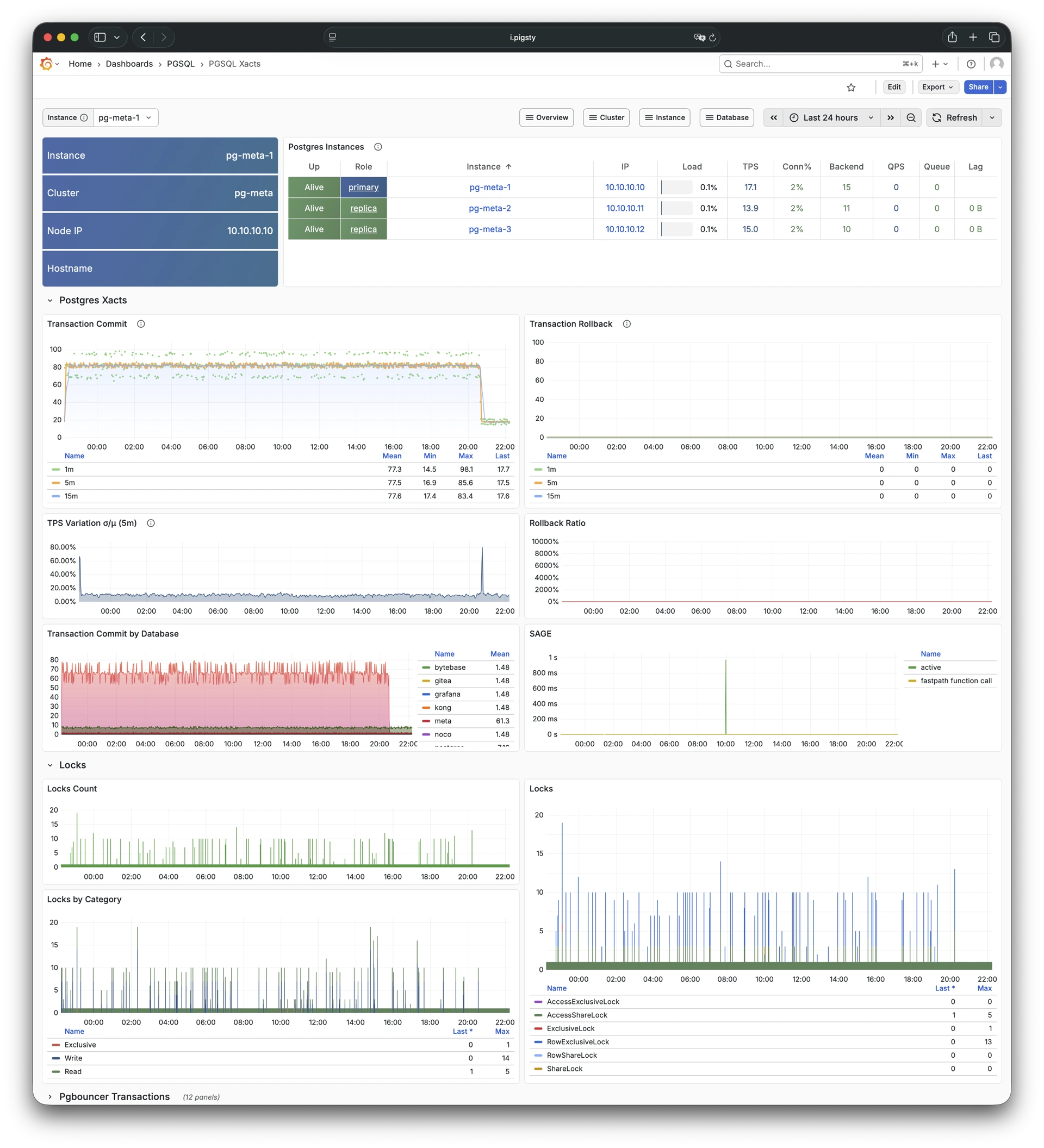
10.9.3.9 - PGSQL Exporter
Self-monitoring metrics for exporters: Demo
PGSQL Exporter shows self-monitoring metrics for the Postgres exporter and Pgbouncer exporter components.
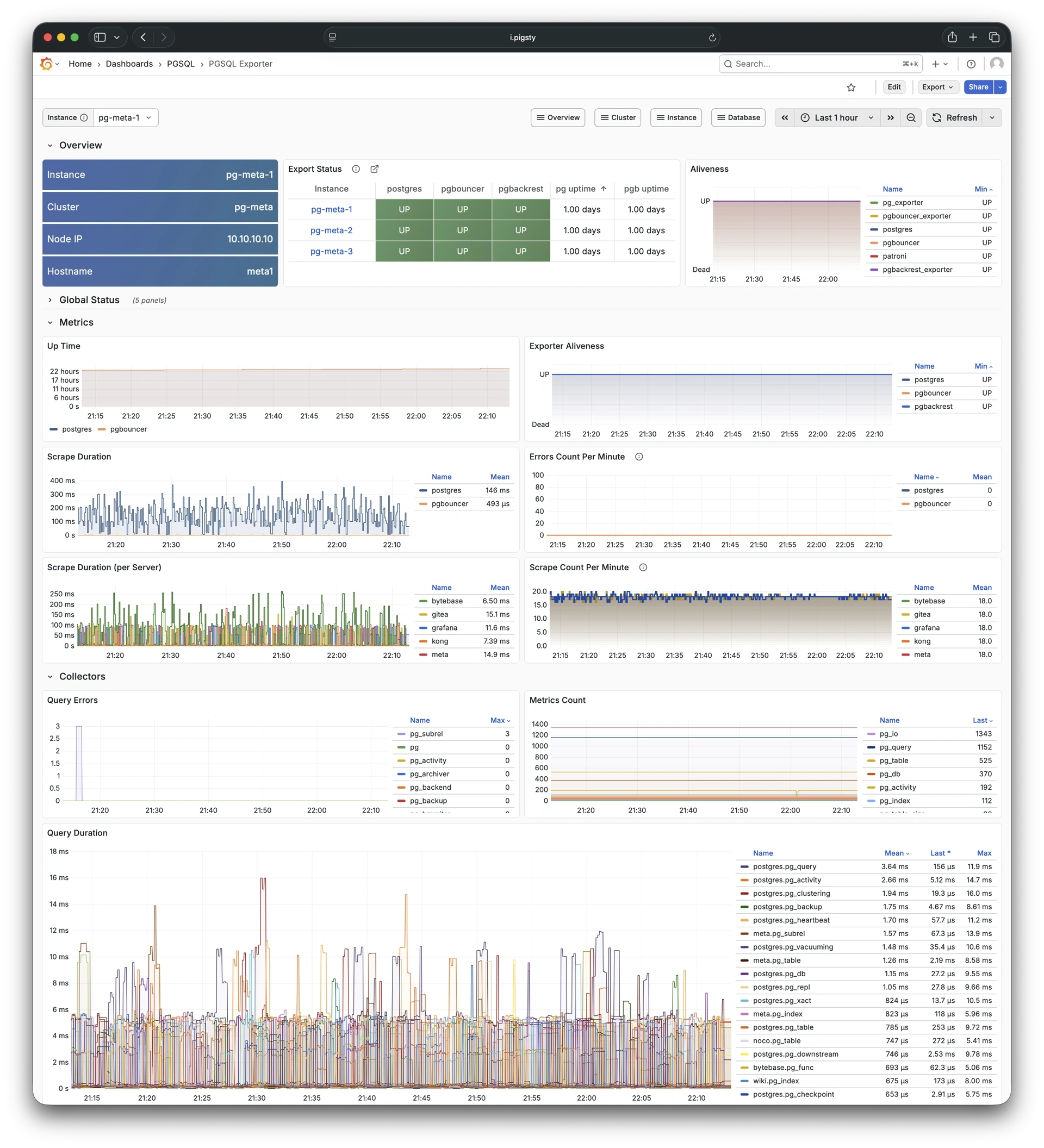
10.9.4 - Database
Use these dashboards to monitor PostgreSQL databases:
- PGSQL Database: Main dashboard for a single PGSQL database
- PGCAT Database: Database info retrieved directly from database catalog
- PGSQL Tables: Table/index access metrics within a single database
- PGSQL Table: Detailed info for a single table (QPS/RT/index/sequence…)
- PGCAT Table: Detailed table info from database catalog
- PGSQL Query: Detailed info for a query type (QPS/RT)
- PGCAT Query: Query details from database catalog
- PGCAT Locks: Activity and lock wait info from database catalog
- PGCAT Schema: Schema info from database catalog
10.9.4.1 - PGSQL Database
Main dashboard for a single PGSQL database: Demo
PGSQL Database is the main dashboard for a single PostgreSQL database. It provides a full set of database-level metrics.
10.9.4.2 - PGCAT Database
Database info from database catalog: Demo
PGCAT Database reads database-level information directly from the PostgreSQL system catalog and shows it.
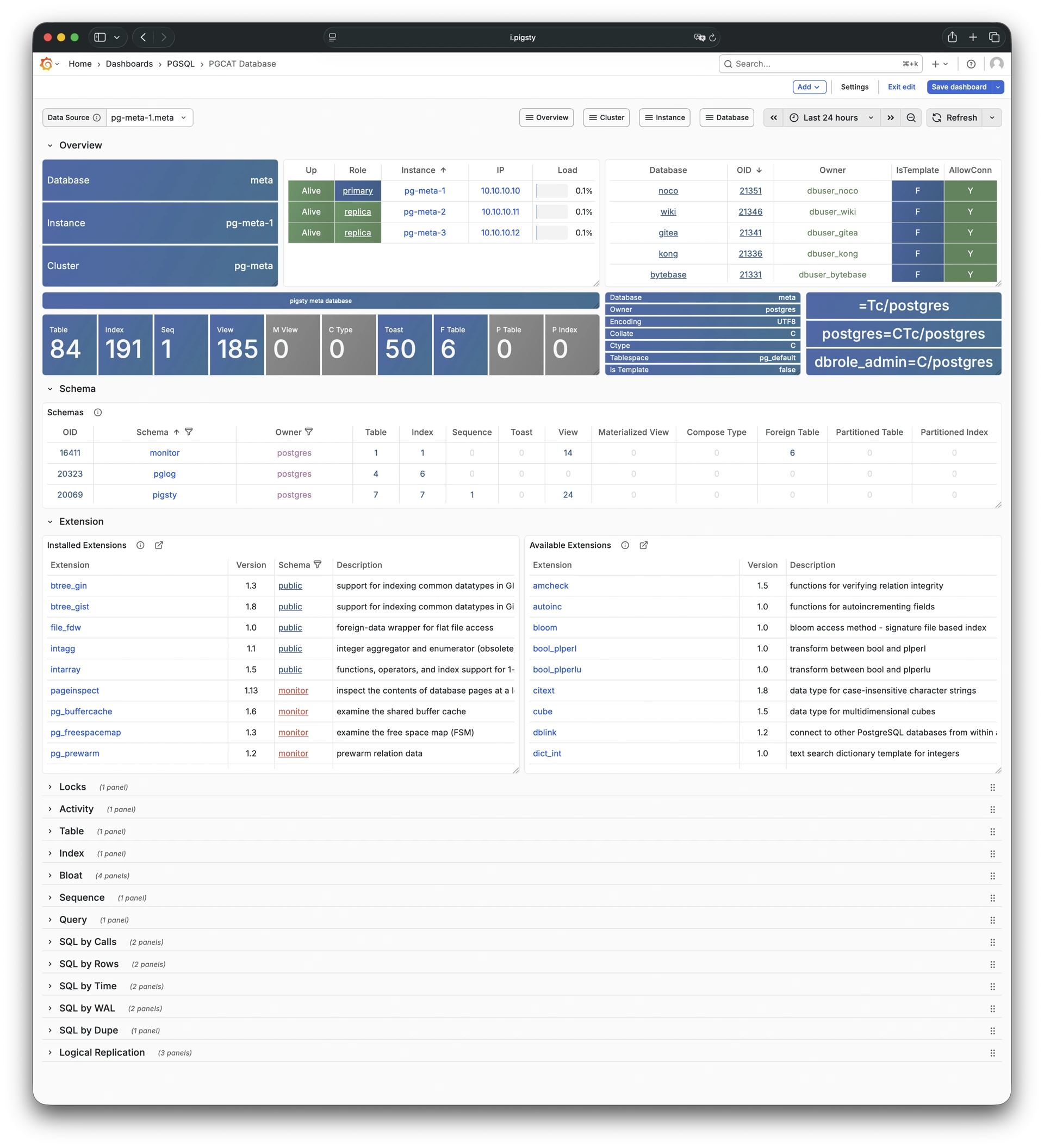
10.9.4.3 - PGSQL Tables
Table/index access metrics: Demo
PGSQL Tables shows table and index access metrics for all objects within a single PostgreSQL database.
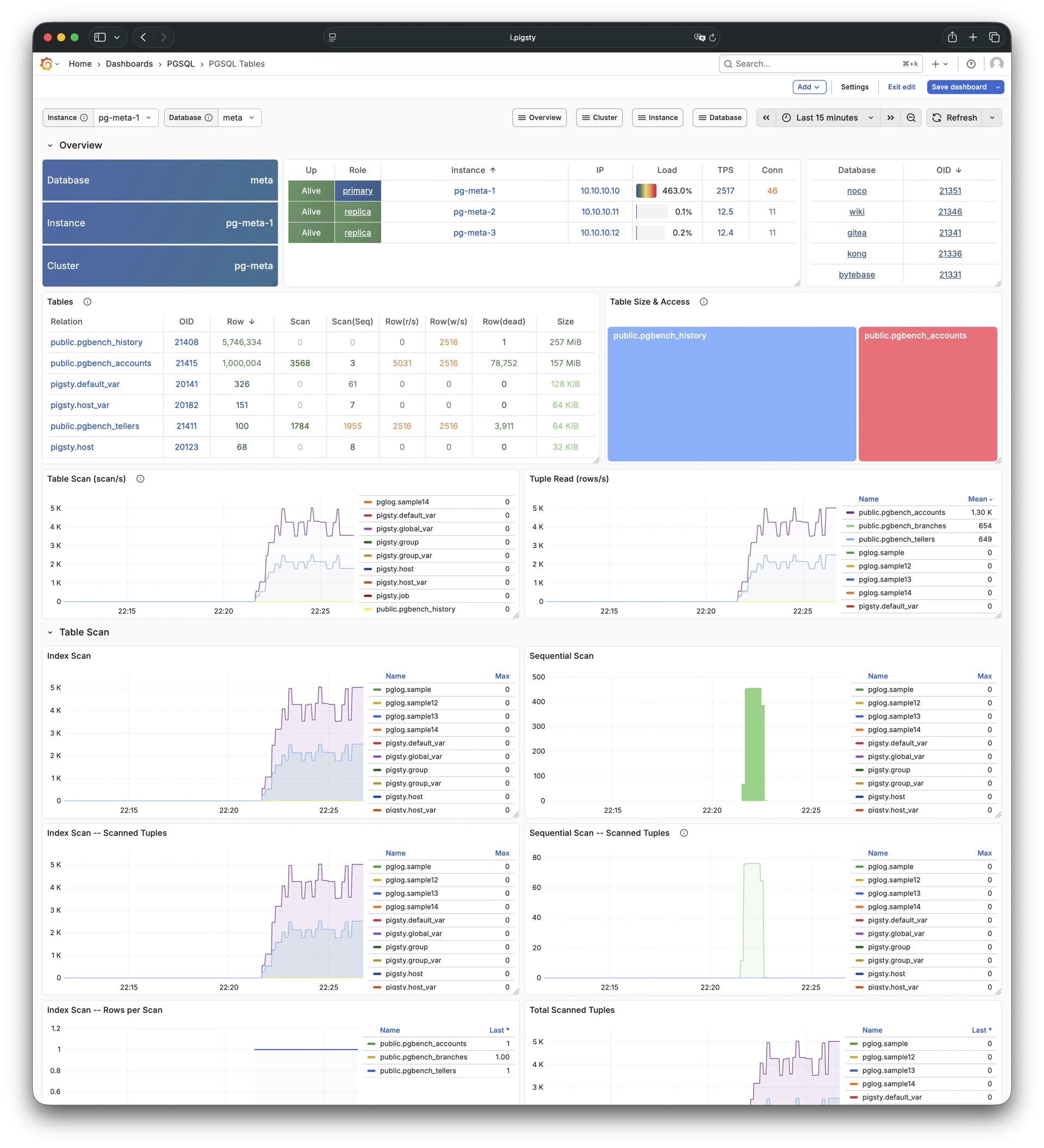
10.9.4.4 - PGSQL Table
Detailed info for a single table: Demo
PGSQL Table shows detailed metrics for a single table. These metrics include QPS, response time, index usage, and sequence information.
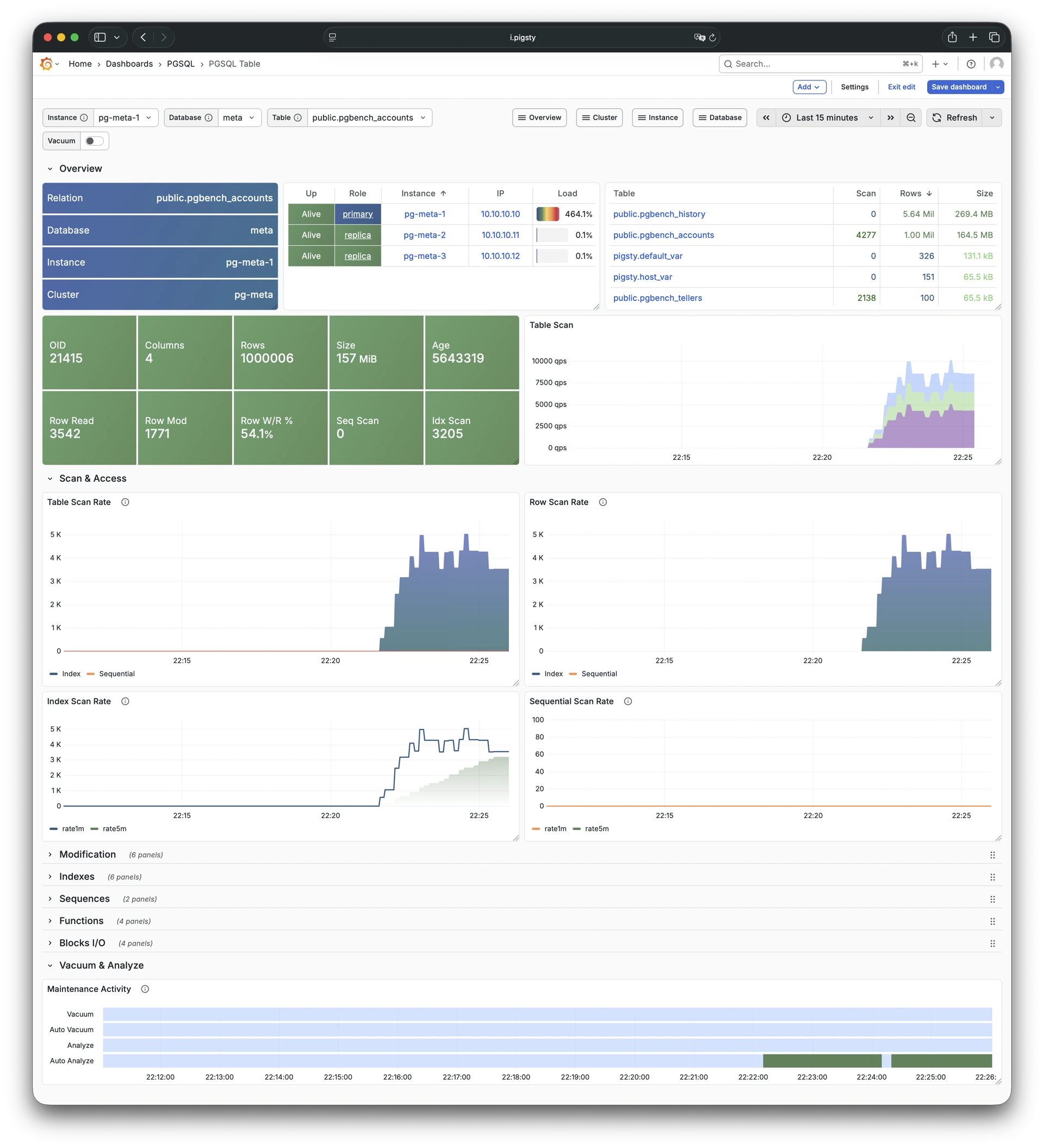
10.9.4.5 - PGCAT Table
Detailed table info from catalog: Demo
PGCAT Table shows detailed table information from the database catalog. This information includes statistics and bloat analysis.
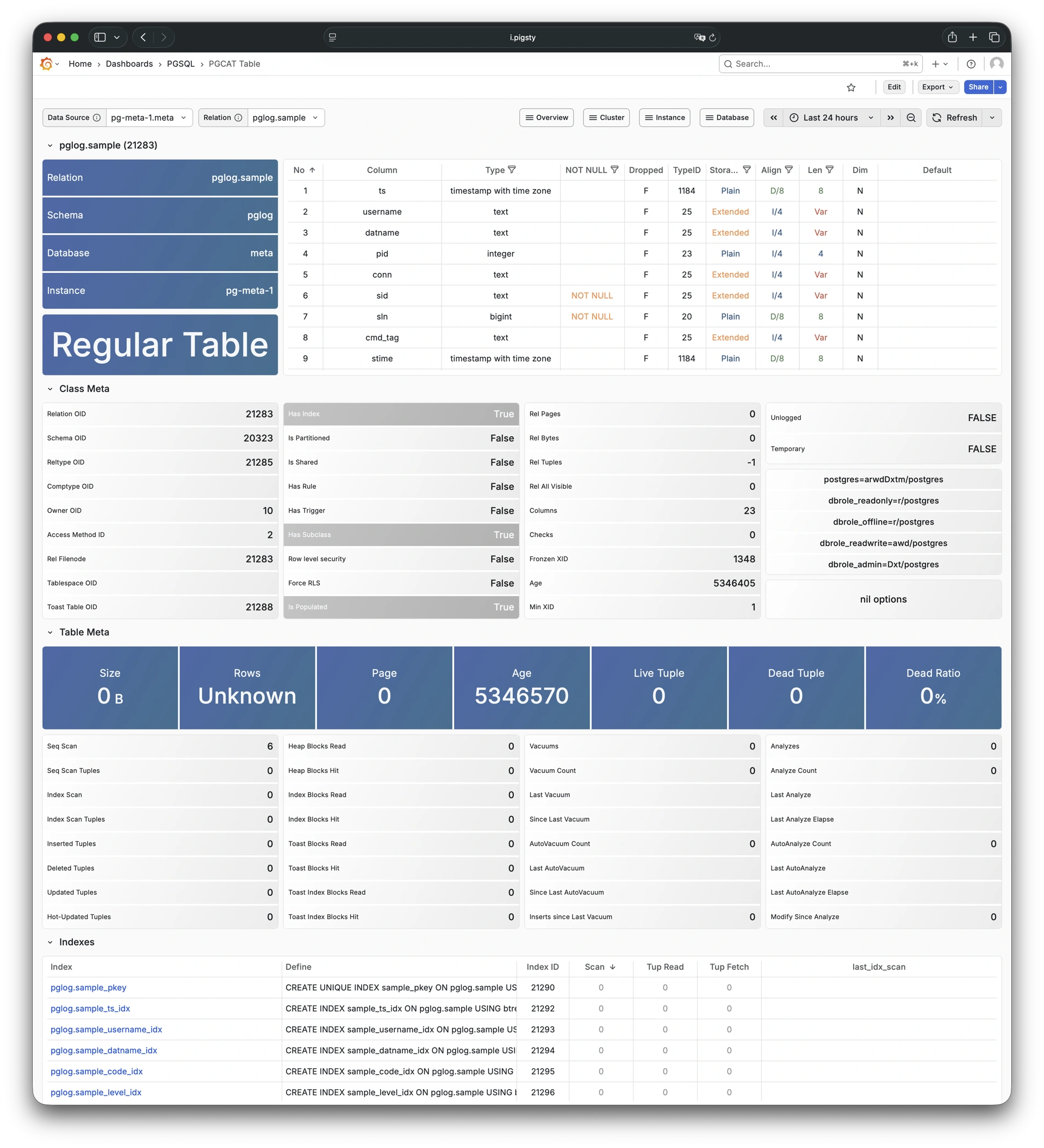
10.9.4.6 - PGSQL Query
Detailed info for a query type: Demo
PGSQL Query shows detailed metrics for a specific query type. These metrics include QPS and response time distribution.

10.9.4.7 - PGCAT Query
Query details from database catalog: Demo
PGCAT Query shows query details from the database catalog. These details include SQL text and execution statistics.
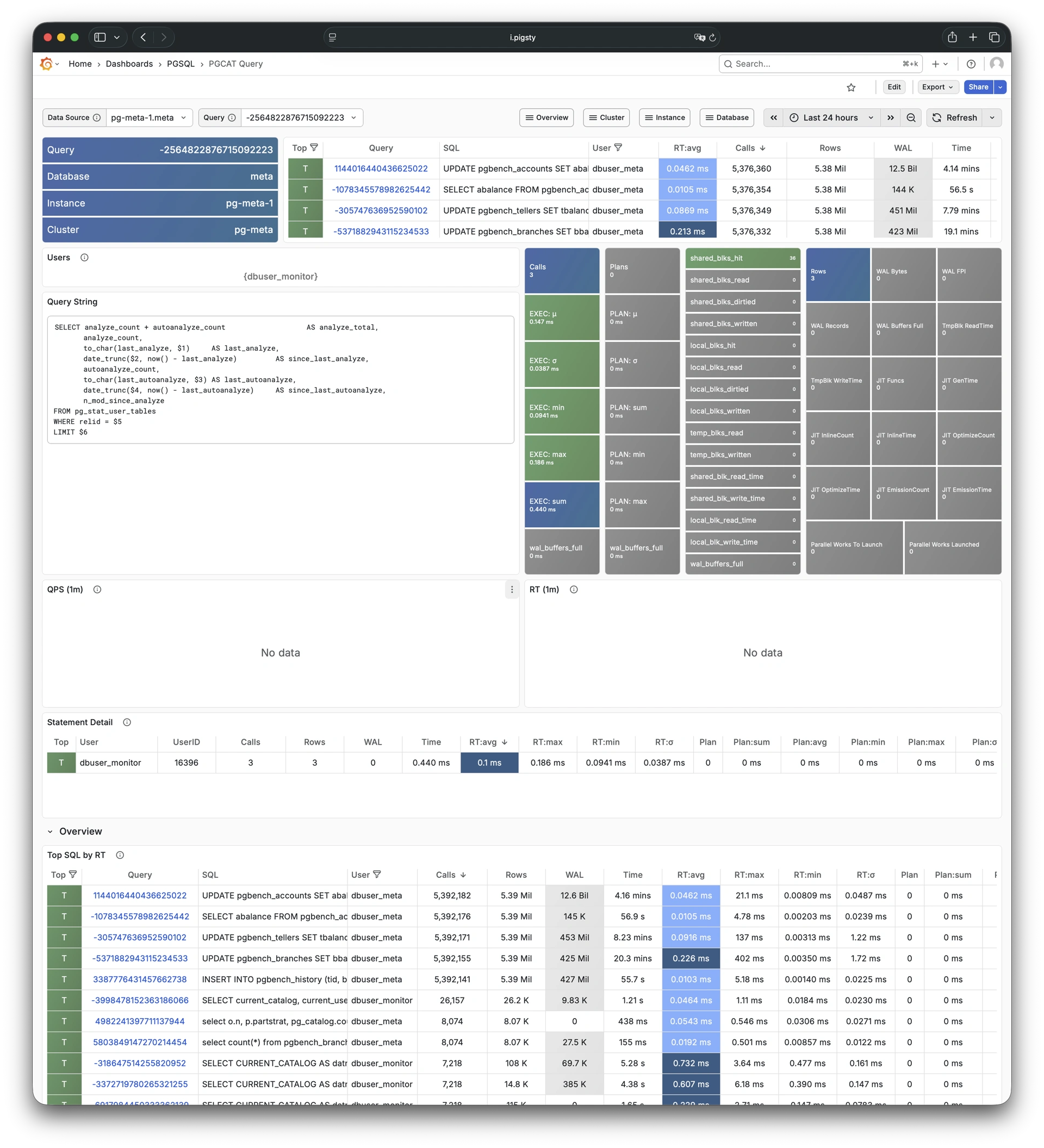
10.9.4.8 - PGCAT Locks
Activity and lock wait info: Demo
PGCAT Locks shows active sessions and lock wait information from the database catalog.
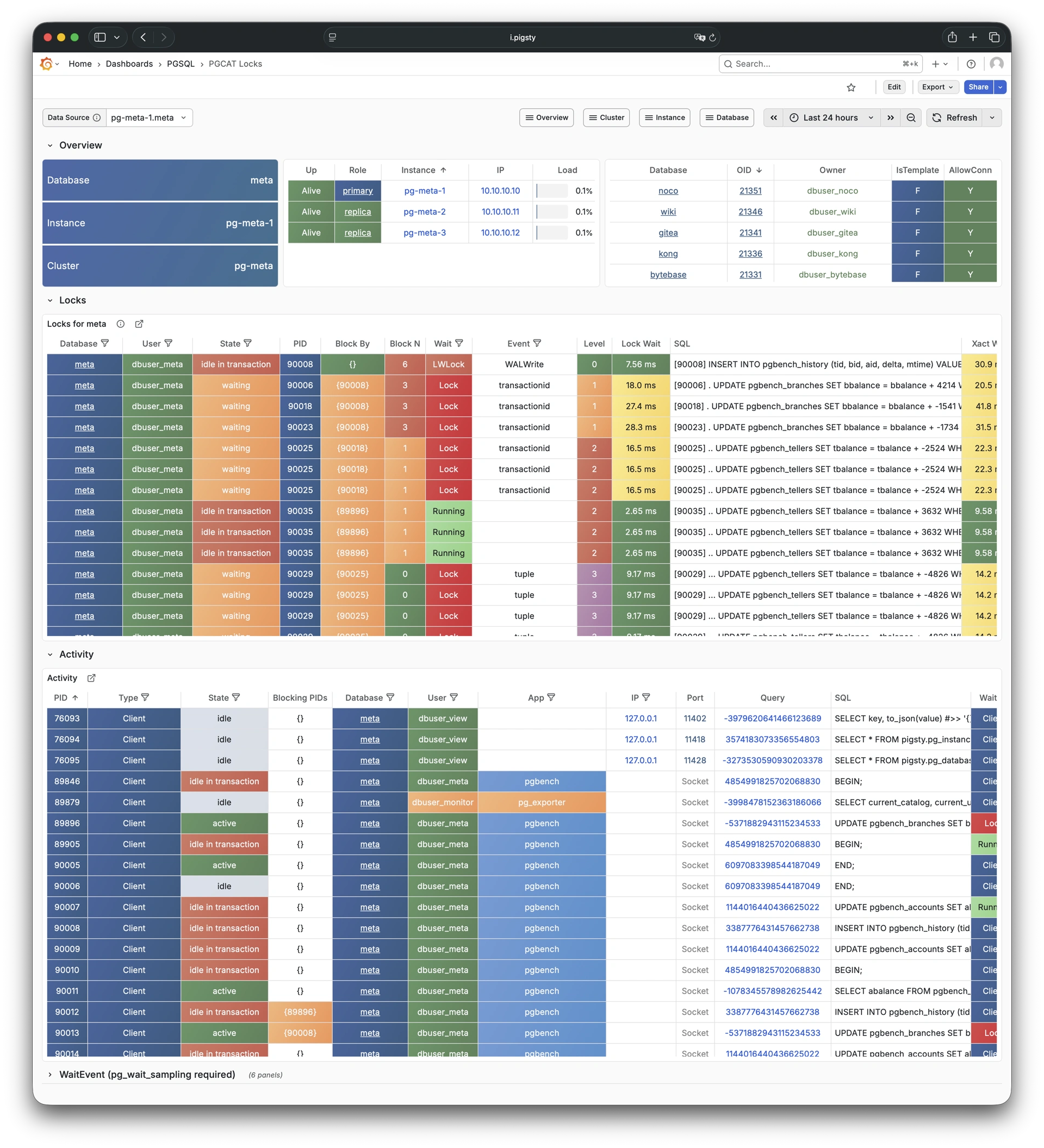
10.9.4.9 - PGCAT Schema
Schema info from database catalog: Demo
PGCAT Schema shows schema-level information from the database catalog. This information includes tables, indexes, and sequences.
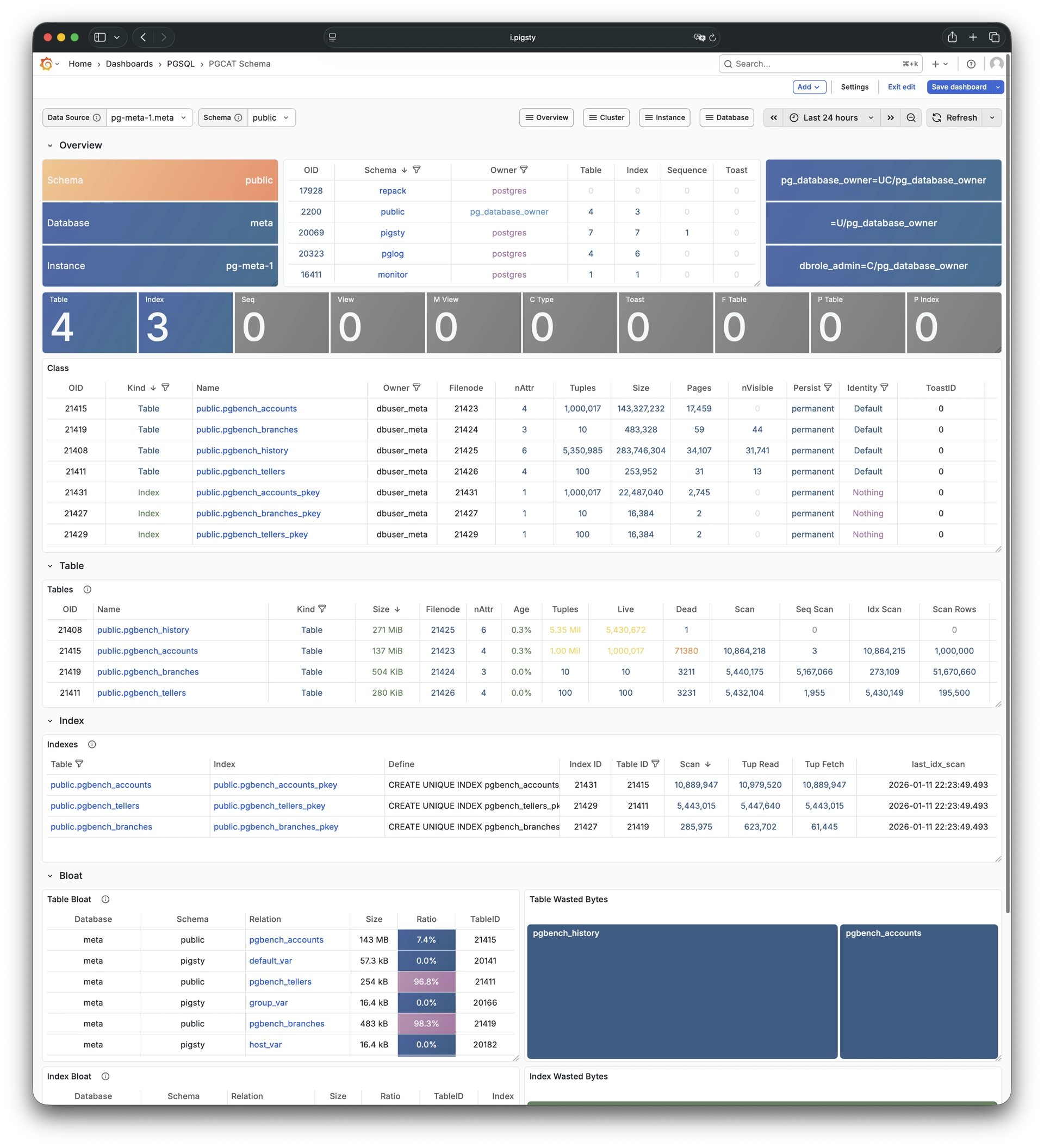
10.10 - Metrics
The PGSQL module provides 638 available monitoring metrics.
| Metric Name | Type | Labels | Description |
|---|---|---|---|
| ALERTS | Unknown | category, job, level, ins, severity, ip, alertname, alertstate, instance, cls | N/A |
| ALERTS_FOR_STATE | Unknown | category, job, level, ins, severity, ip, alertname, instance, cls | N/A |
| cls:pressure1 | Unknown | job, cls | N/A |
| cls:pressure15 | Unknown | job, cls | N/A |
| cls:pressure5 | Unknown | job, cls | N/A |
| go_gc_duration_seconds | summary | job, ins, ip, instance, quantile, cls | A summary of the pause duration of garbage collection cycles. |
| go_gc_duration_seconds_count | Unknown | job, ins, ip, instance, cls | N/A |
| go_gc_duration_seconds_sum | Unknown | job, ins, ip, instance, cls | N/A |
| go_goroutines | gauge | job, ins, ip, instance, cls | Number of goroutines that currently exist. |
| go_info | gauge | version, job, ins, ip, instance, cls | Information about the Go environment. |
| go_memstats_alloc_bytes | gauge | job, ins, ip, instance, cls | Number of bytes allocated and still in use. |
| go_memstats_alloc_bytes_total | counter | job, ins, ip, instance, cls | Total number of bytes allocated, even if freed. |
| go_memstats_buck_hash_sys_bytes | gauge | job, ins, ip, instance, cls | Number of bytes used by the profiling bucket hash table. |
| go_memstats_frees_total | counter | job, ins, ip, instance, cls | Total number of frees. |
| go_memstats_gc_sys_bytes | gauge | job, ins, ip, instance, cls | Number of bytes used for garbage collection system metadata. |
| go_memstats_heap_alloc_bytes | gauge | job, ins, ip, instance, cls | Number of heap bytes allocated and still in use. |
| go_memstats_heap_idle_bytes | gauge | job, ins, ip, instance, cls | Number of heap bytes waiting to be used. |
| go_memstats_heap_inuse_bytes | gauge | job, ins, ip, instance, cls | Number of heap bytes that are in use. |
| go_memstats_heap_objects | gauge | job, ins, ip, instance, cls | Number of allocated objects. |
| go_memstats_heap_released_bytes | gauge | job, ins, ip, instance, cls | Number of heap bytes released to OS. |
| go_memstats_heap_sys_bytes | gauge | job, ins, ip, instance, cls | Number of heap bytes obtained from system. |
| go_memstats_last_gc_time_seconds | gauge | job, ins, ip, instance, cls | Number of seconds since 1970 of last garbage collection. |
| go_memstats_lookups_total | counter | job, ins, ip, instance, cls | Total number of pointer lookups. |
| go_memstats_mallocs_total | counter | job, ins, ip, instance, cls | Total number of mallocs. |
| go_memstats_mcache_inuse_bytes | gauge | job, ins, ip, instance, cls | Number of bytes in use by mcache structures. |
| go_memstats_mcache_sys_bytes | gauge | job, ins, ip, instance, cls | Number of bytes used for mcache structures obtained from system. |
| go_memstats_mspan_inuse_bytes | gauge | job, ins, ip, instance, cls | Number of bytes in use by mspan structures. |
| go_memstats_mspan_sys_bytes | gauge | job, ins, ip, instance, cls | Number of bytes used for mspan structures obtained from system. |
| go_memstats_next_gc_bytes | gauge | job, ins, ip, instance, cls | Number of heap bytes when next garbage collection will take place. |
| go_memstats_other_sys_bytes | gauge | job, ins, ip, instance, cls | Number of bytes used for other system allocations. |
| go_memstats_stack_inuse_bytes | gauge | job, ins, ip, instance, cls | Number of bytes in use by the stack allocator. |
| go_memstats_stack_sys_bytes | gauge | job, ins, ip, instance, cls | Number of bytes obtained from system for stack allocator. |
| go_memstats_sys_bytes | gauge | job, ins, ip, instance, cls | Number of bytes obtained from system. |
| go_threads | gauge | job, ins, ip, instance, cls | Number of OS threads created. |
| ins:pressure1 | Unknown | job, ins, ip, cls | N/A |
| ins:pressure15 | Unknown | job, ins, ip, cls | N/A |
| ins:pressure5 | Unknown | job, ins, ip, cls | N/A |
| patroni_cluster_unlocked | gauge | job, ins, ip, instance, cls, scope | Value is 1 if the cluster is unlocked, 0 if locked. |
| patroni_dcs_last_seen | gauge | job, ins, ip, instance, cls, scope | Epoch timestamp when DCS was last contacted successfully by Patroni. |
| patroni_failsafe_mode_is_active | gauge | job, ins, ip, instance, cls, scope | Value is 1 if failsafe mode is active, 0 if inactive. |
| patroni_is_paused | gauge | job, ins, ip, instance, cls, scope | Value is 1 if auto failover is disabled, 0 otherwise. |
| patroni_master | gauge | job, ins, ip, instance, cls, scope | Value is 1 if this node is the leader, 0 otherwise. |
| patroni_pending_restart | gauge | job, ins, ip, instance, cls, scope | Value is 1 if the node needs a restart, 0 otherwise. |
| patroni_postgres_in_archive_recovery | gauge | job, ins, ip, instance, cls, scope | Value is 1 if Postgres is replicating from archive, 0 otherwise. |
| patroni_postgres_running | gauge | job, ins, ip, instance, cls, scope | Value is 1 if Postgres is running, 0 otherwise. |
| patroni_postgres_server_version | gauge | job, ins, ip, instance, cls, scope | Version of Postgres (if running), 0 otherwise. |
| patroni_postgres_streaming | gauge | job, ins, ip, instance, cls, scope | Value is 1 if Postgres is streaming, 0 otherwise. |
| patroni_postgres_timeline | counter | job, ins, ip, instance, cls, scope | Postgres timeline of this node (if running), 0 otherwise. |
| patroni_postmaster_start_time | gauge | job, ins, ip, instance, cls, scope | Epoch seconds since Postgres started. |
| patroni_primary | gauge | job, ins, ip, instance, cls, scope | Value is 1 if this node is the leader, 0 otherwise. |
| patroni_replica | gauge | job, ins, ip, instance, cls, scope | Value is 1 if this node is a replica, 0 otherwise. |
| patroni_standby_leader | gauge | job, ins, ip, instance, cls, scope | Value is 1 if this node is the standby_leader, 0 otherwise. |
| patroni_sync_standby | gauge | job, ins, ip, instance, cls, scope | Value is 1 if this node is a sync standby replica, 0 otherwise. |
| patroni_up | Unknown | job, ins, ip, instance, cls | N/A |
| patroni_version | gauge | job, ins, ip, instance, cls, scope | Patroni semver without periods. |
| patroni_xlog_location | counter | job, ins, ip, instance, cls, scope | Current location of the Postgres transaction log, 0 if this node is not the leader. |
| patroni_xlog_paused | gauge | job, ins, ip, instance, cls, scope | Value is 1 if the Postgres xlog is paused, 0 otherwise. |
| patroni_xlog_received_location | counter | job, ins, ip, instance, cls, scope | Current location of the received Postgres transaction log, 0 if this node is not a replica. |
| patroni_xlog_replayed_location | counter | job, ins, ip, instance, cls, scope | Current location of the replayed Postgres transaction log, 0 if this node is not a replica. |
| patroni_xlog_replayed_timestamp | gauge | job, ins, ip, instance, cls, scope | Current timestamp of the replayed Postgres transaction log, 0 if null. |
| pg:cls:active_backends | Unknown | job, cls | N/A |
| pg:cls:active_time_rate15m | Unknown | job, cls | N/A |
| pg:cls:active_time_rate1m | Unknown | job, cls | N/A |
| pg:cls:active_time_rate5m | Unknown | job, cls | N/A |
| pg:cls:age | Unknown | job, cls | N/A |
| pg:cls:buf_alloc_rate1m | Unknown | job, cls | N/A |
| pg:cls:buf_clean_rate1m | Unknown | job, cls | N/A |
| pg:cls:buf_flush_backend_rate1m | Unknown | job, cls | N/A |
| pg:cls:buf_flush_checkpoint_rate1m | Unknown | job, cls | N/A |
| pg:cls:cpu_count | Unknown | job, cls | N/A |
| pg:cls:cpu_usage | Unknown | job, cls | N/A |
| pg:cls:cpu_usage_15m | Unknown | job, cls | N/A |
| pg:cls:cpu_usage_1m | Unknown | job, cls | N/A |
| pg:cls:cpu_usage_5m | Unknown | job, cls | N/A |
| pg:cls:db_size | Unknown | job, cls | N/A |
| pg:cls:file_size | Unknown | job, cls | N/A |
| pg:cls:ixact_backends | Unknown | job, cls | N/A |
| pg:cls:ixact_time_rate1m | Unknown | job, cls | N/A |
| pg:cls:lag_bytes | Unknown | job, cls | N/A |
| pg:cls:lag_seconds | Unknown | job, cls | N/A |
| pg:cls:leader | Unknown | job, ins, ip, instance, cls | N/A |
| pg:cls:load1 | Unknown | job, cls | N/A |
| pg:cls:load15 | Unknown | job, cls | N/A |
| pg:cls:load5 | Unknown | job, cls | N/A |
| pg:cls:lock_count | Unknown | job, cls | N/A |
| pg:cls:locks | Unknown | job, cls, mode | N/A |
| pg:cls:log_size | Unknown | job, cls | N/A |
| pg:cls:lsn_rate1m | Unknown | job, cls | N/A |
| pg:cls:members | Unknown | job, ins, ip, cls | N/A |
| pg:cls:num_backends | Unknown | job, cls | N/A |
| pg:cls:partition | Unknown | job, cls | N/A |
| pg:cls:receiver | Unknown | state, slot_name, job, appname, ip, cls, sender_host, sender_port | N/A |
| pg:cls:rlock_count | Unknown | job, cls | N/A |
| pg:cls:saturation1 | Unknown | job, cls | N/A |
| pg:cls:saturation15 | Unknown | job, cls | N/A |
| pg:cls:saturation5 | Unknown | job, cls | N/A |
| pg:cls:sender | Unknown | pid, usename, address, job, ins, appname, ip, cls | N/A |
| pg:cls:session_time_rate1m | Unknown | job, cls | N/A |
| pg:cls:size | Unknown | job, cls | N/A |
| pg:cls:slot_count | Unknown | job, cls | N/A |
| pg:cls:slot_retained_bytes | Unknown | job, cls | N/A |
| pg:cls:standby_count | Unknown | job, cls | N/A |
| pg:cls:sync_state | Unknown | job, cls | N/A |
| pg:cls:timeline | Unknown | job, cls | N/A |
| pg:cls:tup_deleted_rate1m | Unknown | job, cls | N/A |
| pg:cls:tup_fetched_rate1m | Unknown | job, cls | N/A |
| pg:cls:tup_inserted_rate1m | Unknown | job, cls | N/A |
| pg:cls:tup_modified_rate1m | Unknown | job, cls | N/A |
| pg:cls:tup_returned_rate1m | Unknown | job, cls | N/A |
| pg:cls:wal_size | Unknown | job, cls | N/A |
| pg:cls:xact_commit_rate15m | Unknown | job, cls | N/A |
| pg:cls:xact_commit_rate1m | Unknown | job, cls | N/A |
| pg:cls:xact_commit_rate5m | Unknown | job, cls | N/A |
| pg:cls:xact_rollback_rate15m | Unknown | job, cls | N/A |
| pg:cls:xact_rollback_rate1m | Unknown | job, cls | N/A |
| pg:cls:xact_rollback_rate5m | Unknown | job, cls | N/A |
| pg:cls:xact_total_rate15m | Unknown | job, cls | N/A |
| pg:cls:xact_total_rate1m | Unknown | job, cls | N/A |
| pg:cls:xact_total_sigma15m | Unknown | job, cls | N/A |
| pg:cls:xlock_count | Unknown | job, cls | N/A |
| pg:db:active_backends | Unknown | datname, job, ins, ip, instance, cls | N/A |
| pg:db:active_time_rate15m | Unknown | datname, job, ins, ip, instance, cls | N/A |
| pg:db:active_time_rate1m | Unknown | datname, job, ins, ip, instance, cls | N/A |
| pg:db:active_time_rate5m | Unknown | datname, job, ins, ip, instance, cls | N/A |
| pg:db:age | Unknown | datname, job, ins, ip, instance, cls | N/A |
| pg:db:age_deriv1h | Unknown | datname, job, ins, ip, instance, cls | N/A |
| pg:db:age_exhaust | Unknown | datname, job, ins, ip, instance, cls | N/A |
| pg:db:blk_io_time_seconds_rate1m | Unknown | datname, job, ins, ip, instance, cls | N/A |
| pg:db:blk_read_time_seconds_rate1m | Unknown | datname, job, ins, ip, instance, cls | N/A |
| pg:db:blk_write_time_seconds_rate1m | Unknown | datname, job, ins, ip, instance, cls | N/A |
| pg:db:blks_access_1m | Unknown | datname, job, ins, ip, instance, cls | N/A |
| pg:db:blks_hit_1m | Unknown | datname, job, ins, ip, instance, cls | N/A |
| pg:db:blks_hit_ratio1m | Unknown | datname, job, ins, ip, instance, cls | N/A |
| pg:db:blks_read_1m | Unknown | datname, job, ins, ip, instance, cls | N/A |
| pg:db:conn_limit | Unknown | datname, job, ins, ip, instance, cls | N/A |
| pg:db:conn_usage | Unknown | datname, job, ins, ip, instance, cls | N/A |
| pg:db:db_size | Unknown | datname, job, ins, ip, instance, cls | N/A |
| pg:db:ixact_backends | Unknown | datname, job, ins, ip, instance, cls | N/A |
| pg:db:ixact_time_rate1m | Unknown | datname, job, ins, ip, instance, cls | N/A |
| pg:db:lock_count | Unknown | datname, job, ins, ip, instance, cls | N/A |
| pg:db:num_backends | Unknown | datname, job, ins, ip, instance, cls | N/A |
| pg:db:rlock_count | Unknown | datname, job, ins, ip, instance, cls | N/A |
| pg:db:session_time_rate1m | Unknown | datname, job, ins, ip, instance, cls | N/A |
| pg:db:temp_bytes_rate1m | Unknown | datname, job, ins, ip, instance, cls | N/A |
| pg:db:temp_files_1m | Unknown | datname, job, ins, ip, instance, cls | N/A |
| pg:db:tup_deleted_rate1m | Unknown | datname, job, ins, ip, instance, cls | N/A |
| pg:db:tup_fetched_rate1m | Unknown | datname, job, ins, ip, instance, cls | N/A |
| pg:db:tup_inserted_rate1m | Unknown | datname, job, ins, ip, instance, cls | N/A |
| pg:db:tup_modified_rate1m | Unknown | datname, job, ins, ip, instance, cls | N/A |
| pg:db:tup_returned_rate1m | Unknown | datname, job, ins, ip, instance, cls | N/A |
| pg:db:wlock_count | Unknown | datname, job, ins, ip, instance, cls | N/A |
| pg:db:xact_commit_rate15m | Unknown | datname, job, ins, ip, instance, cls | N/A |
| pg:db:xact_commit_rate1m | Unknown | datname, job, ins, ip, instance, cls | N/A |
| pg:db:xact_commit_rate5m | Unknown | datname, job, ins, ip, instance, cls | N/A |
| pg:db:xact_rollback_rate15m | Unknown | datname, job, ins, ip, instance, cls | N/A |
| pg:db:xact_rollback_rate1m | Unknown | datname, job, ins, ip, instance, cls | N/A |
| pg:db:xact_rollback_rate5m | Unknown | datname, job, ins, ip, instance, cls | N/A |
| pg:db:xact_total_rate15m | Unknown | datname, job, ins, ip, instance, cls | N/A |
| pg:db:xact_total_rate1m | Unknown | datname, job, ins, ip, instance, cls | N/A |
| pg:db:xact_total_rate5m | Unknown | datname, job, ins, ip, instance, cls | N/A |
| pg:db:xact_total_sigma15m | Unknown | datname, job, ins, ip, instance, cls | N/A |
| pg:db:xlock_count | Unknown | datname, job, ins, ip, instance, cls | N/A |
| pg:env:active_backends | Unknown | job | N/A |
| pg:env:active_time_rate15m | Unknown | job | N/A |
| pg:env:active_time_rate1m | Unknown | job | N/A |
| pg:env:active_time_rate5m | Unknown | job | N/A |
| pg:env:age | Unknown | job | N/A |
| pg:env:cpu_count | Unknown | job | N/A |
| pg:env:cpu_usage | Unknown | job | N/A |
| pg:env:cpu_usage_15m | Unknown | job | N/A |
| pg:env:cpu_usage_1m | Unknown | job | N/A |
| pg:env:cpu_usage_5m | Unknown | job | N/A |
| pg:env:ixact_backends | Unknown | job | N/A |
| pg:env:ixact_time_rate1m | Unknown | job | N/A |
| pg:env:lag_bytes | Unknown | job | N/A |
| pg:env:lag_seconds | Unknown | job | N/A |
| pg:env:lsn_rate1m | Unknown | job | N/A |
| pg:env:session_time_rate1m | Unknown | job | N/A |
| pg:env:tup_deleted_rate1m | Unknown | job | N/A |
| pg:env:tup_fetched_rate1m | Unknown | job | N/A |
| pg:env:tup_inserted_rate1m | Unknown | job | N/A |
| pg:env:tup_modified_rate1m | Unknown | job | N/A |
| pg:env:tup_returned_rate1m | Unknown | job | N/A |
| pg:env:xact_commit_rate15m | Unknown | job | N/A |
| pg:env:xact_commit_rate1m | Unknown | job | N/A |
| pg:env:xact_commit_rate5m | Unknown | job | N/A |
| pg:env:xact_rollback_rate15m | Unknown | job | N/A |
| pg:env:xact_rollback_rate1m | Unknown | job | N/A |
| pg:env:xact_rollback_rate5m | Unknown | job | N/A |
| pg:env:xact_total_rate15m | Unknown | job | N/A |
| pg:env:xact_total_rate1m | Unknown | job | N/A |
| pg:env:xact_total_sigma15m | Unknown | job | N/A |
| pg:ins:active_backends | Unknown | job, ins, ip, instance, cls | N/A |
| pg:ins:active_time_rate15m | Unknown | job, ins, ip, instance, cls | N/A |
| pg:ins:active_time_rate1m | Unknown | job, ins, ip, instance, cls | N/A |
| pg:ins:active_time_rate5m | Unknown | job, ins, ip, instance, cls | N/A |
| pg:ins:age | Unknown | job, ins, ip, instance, cls | N/A |
| pg:ins:blks_hit_ratio1m | Unknown | job, ins, ip, instance, cls | N/A |
| pg:ins:buf_alloc_rate1m | Unknown | job, ins, ip, instance, cls | N/A |
| pg:ins:buf_clean_rate1m | Unknown | job, ins, ip, instance, cls | N/A |
| pg:ins:buf_flush_backend_rate1m | Unknown | job, ins, ip, instance, cls | N/A |
| pg:ins:buf_flush_checkpoint_rate1m | Unknown | job, ins, ip, instance, cls | N/A |
| pg:ins:ckpt_1h | Unknown | job, ins, ip, instance, cls | N/A |
| pg:ins:ckpt_req_1m | Unknown | job, ins, ip, instance, cls | N/A |
| pg:ins:ckpt_timed_1m | Unknown | job, ins, ip, instance, cls | N/A |
| pg:ins:conn_limit | Unknown | job, ins, ip, instance, cls | N/A |
| pg:ins:conn_usage | Unknown | job, ins, ip, instance, cls | N/A |
| pg:ins:cpu_count | Unknown | job, ins, ip, instance, cls | N/A |
| pg:ins:cpu_usage | Unknown | job, ins, ip, instance, cls | N/A |
| pg:ins:cpu_usage_15m | Unknown | job, ins, ip, instance, cls | N/A |
| pg:ins:cpu_usage_1m | Unknown | job, ins, ip, instance, cls | N/A |
| pg:ins:cpu_usage_5m | Unknown | job, ins, ip, instance, cls | N/A |
| pg:ins:db_size | Unknown | job, ins, ip, instance, cls | N/A |
| pg:ins:file_size | Unknown | job, ins, ip, instance, cls | N/A |
| pg:ins:fs_size | Unknown | job, ins, ip, instance, cls | N/A |
| pg:ins:is_leader | Unknown | job, ins, ip, instance, cls | N/A |
| pg:ins:ixact_backends | Unknown | job, ins, ip, instance, cls | N/A |
| pg:ins:ixact_time_rate1m | Unknown | job, ins, ip, instance, cls | N/A |
| pg:ins:lag_bytes | Unknown | job, ins, ip, instance, cls | N/A |
| pg:ins:lag_seconds | Unknown | job, ins, ip, instance, cls | N/A |
| pg:ins:load1 | Unknown | job, ins, ip, instance, cls | N/A |
| pg:ins:load15 | Unknown | job, ins, ip, instance, cls | N/A |
| pg:ins:load5 | Unknown | job, ins, ip, instance, cls | N/A |
| pg:ins:lock_count | Unknown | job, ins, ip, instance, cls | N/A |
| pg:ins:locks | Unknown | job, ins, ip, mode, instance, cls | N/A |
| pg:ins:log_size | Unknown | job, ins, ip, instance, cls | N/A |
| pg:ins:lsn_rate1m | Unknown | job, ins, ip, instance, cls | N/A |
| pg:ins:mem_size | Unknown | job, ins, ip, instance, cls | N/A |
| pg:ins:num_backends | Unknown | job, ins, ip, instance, cls | N/A |
| pg:ins:rlock_count | Unknown | job, ins, ip, instance, cls | N/A |
| pg:ins:saturation1 | Unknown | job, ins, ip, cls | N/A |
| pg:ins:saturation15 | Unknown | job, ins, ip, cls | N/A |
| pg:ins:saturation5 | Unknown | job, ins, ip, cls | N/A |
| pg:ins:session_time_rate1m | Unknown | job, ins, ip, instance, cls | N/A |
| pg:ins:slot_retained_bytes | Unknown | job, ins, ip, instance, cls | N/A |
| pg:ins:space_usage | Unknown | job, ins, ip, instance, cls | N/A |
| pg:ins:status | Unknown | job, ins, ip, instance, cls | N/A |
| pg:ins:sync_state | Unknown | job, ins, instance, cls | N/A |
| pg:ins:target_count | Unknown | job, cls, ins | N/A |
| pg:ins:timeline | Unknown | job, ins, ip, instance, cls | N/A |
| pg:ins:tup_deleted_rate1m | Unknown | job, ins, ip, instance, cls | N/A |
| pg:ins:tup_fetched_rate1m | Unknown | job, ins, ip, instance, cls | N/A |
| pg:ins:tup_inserted_rate1m | Unknown | job, ins, ip, instance, cls | N/A |
| pg:ins:tup_modified_rate1m | Unknown | job, ins, ip, instance, cls | N/A |
| pg:ins:tup_returned_rate1m | Unknown | job, ins, ip, instance, cls | N/A |
| pg:ins:wal_size | Unknown | job, ins, ip, instance, cls | N/A |
| pg:ins:wlock_count | Unknown | job, ins, ip, instance, cls | N/A |
| pg:ins:xact_commit_rate15m | Unknown | job, ins, ip, instance, cls | N/A |
| pg:ins:xact_commit_rate1m | Unknown | job, ins, ip, instance, cls | N/A |
| pg:ins:xact_commit_rate5m | Unknown | job, ins, ip, instance, cls | N/A |
| pg:ins:xact_rollback_rate15m | Unknown | job, ins, ip, instance, cls | N/A |
| pg:ins:xact_rollback_rate1m | Unknown | job, ins, ip, instance, cls | N/A |
| pg:ins:xact_rollback_rate5m | Unknown | job, ins, ip, instance, cls | N/A |
| pg:ins:xact_total_rate15m | Unknown | job, ins, ip, instance, cls | N/A |
| pg:ins:xact_total_rate1m | Unknown | job, ins, ip, instance, cls | N/A |
| pg:ins:xact_total_rate5m | Unknown | job, ins, ip, instance, cls | N/A |
| pg:ins:xact_total_sigma15m | Unknown | job, ins, ip, instance, cls | N/A |
| pg:ins:xlock_count | Unknown | job, ins, ip, instance, cls | N/A |
| pg:query:call_rate1m | Unknown | datname, query, job, ins, ip, instance, cls | N/A |
| pg:query:rt_1m | Unknown | datname, query, job, ins, ip, instance, cls | N/A |
| pg:table:scan_rate1m | Unknown | datname, relname, job, ins, ip, instance, cls | N/A |
| pg_activity_count | gauge | datname, state, job, ins, ip, instance, cls | Count of connection among (datname,state) |
| pg_activity_max_conn_duration | gauge | datname, state, job, ins, ip, instance, cls | Max backend session duration since state change among (datname, state) |
| pg_activity_max_duration | gauge | datname, state, job, ins, ip, instance, cls | Max duration since last state change among (datname, state) |
| pg_activity_max_tx_duration | gauge | datname, state, job, ins, ip, instance, cls | Max transaction duration since state change among (datname, state) |
| pg_archiver_failed_count | counter | job, ins, ip, instance, cls | Number of failed attempts for archiving WAL files |
| pg_archiver_finish_count | counter | job, ins, ip, instance, cls | Number of WAL files that have been successfully archived |
| pg_archiver_last_failed_time | counter | job, ins, ip, instance, cls | Time of the last failed archival operation |
| pg_archiver_last_finish_time | counter | job, ins, ip, instance, cls | Time of the last successful archive operation |
| pg_archiver_reset_time | gauge | job, ins, ip, instance, cls | Time at which archive statistics were last reset |
| pg_backend_count | gauge | type, job, ins, ip, instance, cls | Database backend process count by backend_type |
| pg_bgwriter_buffers_alloc | counter | job, ins, ip, instance, cls | Number of buffers allocated |
| pg_bgwriter_buffers_backend | counter | job, ins, ip, instance, cls | Number of buffers written directly by a backend |
| pg_bgwriter_buffers_backend_fsync | counter | job, ins, ip, instance, cls | Number of times a backend had to execute its own fsync call |
| pg_bgwriter_buffers_checkpoint | counter | job, ins, ip, instance, cls | Number of buffers written during checkpoints |
| pg_bgwriter_buffers_clean | counter | job, ins, ip, instance, cls | Number of buffers written by the background writer |
| pg_bgwriter_checkpoint_sync_time | counter | job, ins, ip, instance, cls | Total amount of time that has been spent in the portion of checkpoint processing where files are synchronized to disk, in seconds |
| pg_bgwriter_checkpoint_write_time | counter | job, ins, ip, instance, cls | Total amount of time that has been spent in the portion of checkpoint processing where files are written to disk, in seconds |
| pg_bgwriter_checkpoints_req | counter | job, ins, ip, instance, cls | Number of requested checkpoints that have been performed |
| pg_bgwriter_checkpoints_timed | counter | job, ins, ip, instance, cls | Number of scheduled checkpoints that have been performed |
| pg_bgwriter_maxwritten_clean | counter | job, ins, ip, instance, cls | Number of times the background writer stopped a cleaning scan because it had written too many buffers |
| pg_bgwriter_reset_time | counter | job, ins, ip, instance, cls | Time at which bgwriter statistics were last reset |
| pg_boot_time | gauge | job, ins, ip, instance, cls | unix timestamp when postmaster boot |
| pg_checkpoint_checkpoint_lsn | counter | job, ins, ip, instance, cls | Latest checkpoint location |
| pg_checkpoint_elapse | gauge | job, ins, ip, instance, cls | Seconds elapsed since latest checkpoint in seconds |
| pg_checkpoint_full_page_writes | gauge | job, ins, ip, instance, cls | Latest checkpoint’s full_page_writes enabled |
| pg_checkpoint_newest_commit_ts_xid | counter | job, ins, ip, instance, cls | Latest checkpoint’s newestCommitTsXid |
| pg_checkpoint_next_multi_offset | counter | job, ins, ip, instance, cls | Latest checkpoint’s NextMultiOffset |
| pg_checkpoint_next_multixact_id | counter | job, ins, ip, instance, cls | Latest checkpoint’s NextMultiXactId |
| pg_checkpoint_next_oid | counter | job, ins, ip, instance, cls | Latest checkpoint’s NextOID |
| pg_checkpoint_next_xid | counter | job, ins, ip, instance, cls | Latest checkpoint’s NextXID xid |
| pg_checkpoint_next_xid_epoch | counter | job, ins, ip, instance, cls | Latest checkpoint’s NextXID epoch |
| pg_checkpoint_oldest_active_xid | counter | job, ins, ip, instance, cls | Latest checkpoint’s oldestActiveXID |
| pg_checkpoint_oldest_commit_ts_xid | counter | job, ins, ip, instance, cls | Latest checkpoint’s oldestCommitTsXid |
| pg_checkpoint_oldest_multi_dbid | gauge | job, ins, ip, instance, cls | Latest checkpoint’s oldestMulti’s DB OID |
| pg_checkpoint_oldest_multi_xid | counter | job, ins, ip, instance, cls | Latest checkpoint’s oldestMultiXid |
| pg_checkpoint_oldest_xid | counter | job, ins, ip, instance, cls | Latest checkpoint’s oldestXID |
| pg_checkpoint_oldest_xid_dbid | gauge | job, ins, ip, instance, cls | Latest checkpoint’s oldestXID’s DB OID |
| pg_checkpoint_prev_tli | counter | job, ins, ip, instance, cls | Latest checkpoint’s PrevTimeLineID |
| pg_checkpoint_redo_lsn | counter | job, ins, ip, instance, cls | Latest checkpoint’s REDO location |
| pg_checkpoint_time | counter | job, ins, ip, instance, cls | Time of latest checkpoint |
| pg_checkpoint_tli | counter | job, ins, ip, instance, cls | Latest checkpoint’s TimeLineID |
| pg_conf_reload_time | gauge | job, ins, ip, instance, cls | seconds since last configuration reload |
| pg_db_active_time | counter | datname, job, ins, ip, instance, cls | Time spent executing SQL statements in this database, in seconds |
| pg_db_age | gauge | datname, job, ins, ip, instance, cls | Age of database calculated from datfrozenxid |
| pg_db_allow_conn | gauge | datname, job, ins, ip, instance, cls | If false(0) then no one can connect to this database. |
| pg_db_blk_read_time | counter | datname, job, ins, ip, instance, cls | Time spent reading data file blocks by backends in this database, in seconds |
| pg_db_blk_write_time | counter | datname, job, ins, ip, instance, cls | Time spent writing data file blocks by backends in this database, in seconds |
| pg_db_blks_access | counter | datname, job, ins, ip, instance, cls | Number of times disk blocks that accessed read+hit |
| pg_db_blks_hit | counter | datname, job, ins, ip, instance, cls | Number of times disk blocks were found already in the buffer cache |
| pg_db_blks_read | counter | datname, job, ins, ip, instance, cls | Number of disk blocks read in this database |
| pg_db_cks_fail_time | gauge | datname, job, ins, ip, instance, cls | Time at which the last data page checksum failure was detected in this database |
| pg_db_cks_fails | counter | datname, job, ins, ip, instance, cls | Number of data page checksum failures detected in this database, -1 for not enabled |
| pg_db_confl_confl_bufferpin | counter | datname, job, ins, ip, instance, cls | Number of queries in this database that have been canceled due to pinned buffers |
| pg_db_confl_confl_deadlock | counter | datname, job, ins, ip, instance, cls | Number of queries in this database that have been canceled due to deadlocks |
| pg_db_confl_confl_lock | counter | datname, job, ins, ip, instance, cls | Number of queries in this database that have been canceled due to lock timeouts |
| pg_db_confl_confl_snapshot | counter | datname, job, ins, ip, instance, cls | Number of queries in this database that have been canceled due to old snapshots |
| pg_db_confl_confl_tablespace | counter | datname, job, ins, ip, instance, cls | Number of queries in this database that have been canceled due to dropped tablespaces |
| pg_db_conflicts | counter | datname, job, ins, ip, instance, cls | Number of queries canceled due to conflicts with recovery in this database |
| pg_db_conn_limit | gauge | datname, job, ins, ip, instance, cls | Sets maximum number of concurrent connections that can be made to this database. -1 means no limit. |
| pg_db_datid | gauge | datname, job, ins, ip, instance, cls | OID of the database |
| pg_db_deadlocks | counter | datname, job, ins, ip, instance, cls | Number of deadlocks detected in this database |
| pg_db_frozen_xid | gauge | datname, job, ins, ip, instance, cls | All transaction IDs before this one have been frozened |
| pg_db_is_template | gauge | datname, job, ins, ip, instance, cls | If true(1), then this database can be cloned by any user with CREATEDB privileges |
| pg_db_ixact_time | counter | datname, job, ins, ip, instance, cls | Time spent idling while in a transaction in this database, in seconds |
| pg_db_numbackends | gauge | datname, job, ins, ip, instance, cls | Number of backends currently connected to this database |
| pg_db_reset_time | counter | datname, job, ins, ip, instance, cls | Time at which database statistics were last reset |
| pg_db_session_time | counter | datname, job, ins, ip, instance, cls | Time spent by database sessions in this database, in seconds |
| pg_db_sessions | counter | datname, job, ins, ip, instance, cls | Total number of sessions established to this database |
| pg_db_sessions_abandoned | counter | datname, job, ins, ip, instance, cls | Number of database sessions to this database that were terminated because connection to the client was lost |
| pg_db_sessions_fatal | counter | datname, job, ins, ip, instance, cls | Number of database sessions to this database that were terminated by fatal errors |
| pg_db_sessions_killed | counter | datname, job, ins, ip, instance, cls | Number of database sessions to this database that were terminated by operator intervention |
| pg_db_temp_bytes | counter | datname, job, ins, ip, instance, cls | Total amount of data written to temporary files by queries in this database. |
| pg_db_temp_files | counter | datname, job, ins, ip, instance, cls | Number of temporary files created by queries in this database |
| pg_db_tup_deleted | counter | datname, job, ins, ip, instance, cls | Number of rows deleted by queries in this database |
| pg_db_tup_fetched | counter | datname, job, ins, ip, instance, cls | Number of rows fetched by queries in this database |
| pg_db_tup_inserted | counter | datname, job, ins, ip, instance, cls | Number of rows inserted by queries in this database |
| pg_db_tup_modified | counter | datname, job, ins, ip, instance, cls | Number of rows modified by queries in this database |
| pg_db_tup_returned | counter | datname, job, ins, ip, instance, cls | Number of rows returned by queries in this database |
| pg_db_tup_updated | counter | datname, job, ins, ip, instance, cls | Number of rows updated by queries in this database |
| pg_db_xact_commit | counter | datname, job, ins, ip, instance, cls | Number of transactions in this database that have been committed |
| pg_db_xact_rollback | counter | datname, job, ins, ip, instance, cls | Number of transactions in this database that have been rolled back |
| pg_db_xact_total | counter | datname, job, ins, ip, instance, cls | Number of transactions in this database |
| pg_downstream_count | gauge | state, job, ins, ip, instance, cls | Count of corresponding state |
| pg_exporter_agent_up | Unknown | job, ins, ip, instance, cls | N/A |
| pg_exporter_last_scrape_time | gauge | job, ins, ip, instance, cls | seconds exporter spending on scrapping |
| pg_exporter_query_cache_ttl | gauge | datname, query, job, ins, ip, instance, cls | times to live of query cache |
| pg_exporter_query_scrape_duration | gauge | datname, query, job, ins, ip, instance, cls | seconds query spending on scrapping |
| pg_exporter_query_scrape_error_count | gauge | datname, query, job, ins, ip, instance, cls | times the query failed |
| pg_exporter_query_scrape_hit_count | gauge | datname, query, job, ins, ip, instance, cls | numbers been scrapped from this query |
| pg_exporter_query_scrape_metric_count | gauge | datname, query, job, ins, ip, instance, cls | numbers of metrics been scrapped from this query |
| pg_exporter_query_scrape_total_count | gauge | datname, query, job, ins, ip, instance, cls | times exporter server was scraped for metrics |
| pg_exporter_scrape_duration | gauge | job, ins, ip, instance, cls | seconds exporter spending on scrapping |
| pg_exporter_scrape_error_count | counter | job, ins, ip, instance, cls | times exporter was scraped for metrics and failed |
| pg_exporter_scrape_total_count | counter | job, ins, ip, instance, cls | times exporter was scraped for metrics |
| pg_exporter_server_scrape_duration | gauge | datname, job, ins, ip, instance, cls | seconds exporter server spending on scrapping |
| pg_exporter_server_scrape_error_count | Unknown | datname, job, ins, ip, instance, cls | N/A |
| pg_exporter_server_scrape_total_count | gauge | datname, job, ins, ip, instance, cls | times exporter server was scraped for metrics |
| pg_exporter_server_scrape_total_seconds | gauge | datname, job, ins, ip, instance, cls | seconds exporter server spending on scrapping |
| pg_exporter_up | gauge | job, ins, ip, instance, cls | always be 1 if your could retrieve metrics |
| pg_exporter_uptime | gauge | job, ins, ip, instance, cls | seconds since exporter primary server inited |
| pg_flush_lsn | counter | job, ins, ip, instance, cls | primary only, location of current wal syncing |
| pg_func_calls | counter | datname, funcname, job, ins, ip, instance, cls | Number of times this function has been called |
| pg_func_self_time | counter | datname, funcname, job, ins, ip, instance, cls | Total time spent in this function itself, not including other functions called by it, in ms |
| pg_func_total_time | counter | datname, funcname, job, ins, ip, instance, cls | Total time spent in this function and all other functions called by it, in ms |
| pg_in_recovery | gauge | job, ins, ip, instance, cls | server is in recovery mode? 1 for yes 0 for no |
| pg_index_idx_blks_hit | counter | datname, relname, job, ins, relid, ip, instance, cls, idxname | Number of buffer hits in this index |
| pg_index_idx_blks_read | counter | datname, relname, job, ins, relid, ip, instance, cls, idxname | Number of disk blocks read from this index |
| pg_index_idx_scan | counter | datname, relname, job, ins, relid, ip, instance, cls, idxname | Number of index scans initiated on this index |
| pg_index_idx_tup_fetch | counter | datname, relname, job, ins, relid, ip, instance, cls, idxname | Number of live table rows fetched by simple index scans using this index |
| pg_index_idx_tup_read | counter | datname, relname, job, ins, relid, ip, instance, cls, idxname | Number of index entries returned by scans on this index |
| pg_index_relpages | gauge | datname, relname, job, ins, relid, ip, instance, cls, idxname | Size of the on-disk representation of this index in pages |
| pg_index_reltuples | gauge | datname, relname, job, ins, relid, ip, instance, cls, idxname | Estimate relation tuples |
| pg_insert_lsn | counter | job, ins, ip, instance, cls | primary only, location of current wal inserting |
| pg_io_evictions | counter | type, job, ins, object, ip, context, instance, cls | Number of times a block has been written out from a shared or local buffer |
| pg_io_extend_time | counter | type, job, ins, object, ip, context, instance, cls | Time spent in extend operations in seconds |
| pg_io_extends | counter | type, job, ins, object, ip, context, instance, cls | Number of relation extend operations, each of the size specified in op_bytes. |
| pg_io_fsync_time | counter | type, job, ins, object, ip, context, instance, cls | Time spent in fsync operations in seconds |
| pg_io_fsyncs | counter | type, job, ins, object, ip, context, instance, cls | Number of fsync calls. These are only tracked in context normal |
| pg_io_hits | counter | type, job, ins, object, ip, context, instance, cls | The number of times a desired block was found in a shared buffer. |
| pg_io_op_bytes | gauge | type, job, ins, object, ip, context, instance, cls | The number of bytes per unit of I/O read, written, or extended. 8192 by default |
| pg_io_read_time | counter | type, job, ins, object, ip, context, instance, cls | Time spent in read operations in seconds |
| pg_io_reads | counter | type, job, ins, object, ip, context, instance, cls | Number of read operations, each of the size specified in op_bytes. |
| pg_io_reset_time | gauge | type, job, ins, object, ip, context, instance, cls | Timestamp at which these statistics were last reset |
| pg_io_reuses | counter | type, job, ins, object, ip, context, instance, cls | The number of times an existing buffer in reused |
| pg_io_write_time | counter | type, job, ins, object, ip, context, instance, cls | Time spent in write operations in seconds |
| pg_io_writeback_time | counter | type, job, ins, object, ip, context, instance, cls | Time spent in writeback operations in seconds |
| pg_io_writebacks | counter | type, job, ins, object, ip, context, instance, cls | Number of units of size op_bytes which the process requested the kernel write out to permanent storage. |
| pg_io_writes | counter | type, job, ins, object, ip, context, instance, cls | Number of write operations, each of the size specified in op_bytes. |
| pg_is_in_recovery | gauge | job, ins, ip, instance, cls | 1 if in recovery mode |
| pg_is_wal_replay_paused | gauge | job, ins, ip, instance, cls | 1 if wal play paused |
| pg_lag | gauge | job, ins, ip, instance, cls | replica only, replication lag in seconds |
| pg_last_replay_time | gauge | job, ins, ip, instance, cls | time when last transaction been replayed |
| pg_lock_count | gauge | datname, job, ins, ip, mode, instance, cls | Number of locks of corresponding mode and database |
| pg_lsn | counter | job, ins, ip, instance, cls | log sequence number, current write location |
| pg_meta_info | gauge | cls, extensions, version, job, ins, primary_conninfo, conf_path, hba_path, ip, cluster_id, instance, listen_port, wal_level, ver_num, cluster_name, data_dir | constant 1 |
| pg_query_calls | counter | datname, query, job, ins, ip, instance, cls | Number of times the statement was executed |
| pg_query_exec_time | counter | datname, query, job, ins, ip, instance, cls | Total time spent executing the statement, in seconds |
| pg_query_io_time | counter | datname, query, job, ins, ip, instance, cls | Total time the statement spent reading and writing blocks, in seconds |
| pg_query_rows | counter | datname, query, job, ins, ip, instance, cls | Total number of rows retrieved or affected by the statement |
| pg_query_sblk_dirtied | counter | datname, query, job, ins, ip, instance, cls | Total number of shared blocks dirtied by the statement |
| pg_query_sblk_hit | counter | datname, query, job, ins, ip, instance, cls | Total number of shared block cache hits by the statement |
| pg_query_sblk_read | counter | datname, query, job, ins, ip, instance, cls | Total number of shared blocks read by the statement |
| pg_query_sblk_written | counter | datname, query, job, ins, ip, instance, cls | Total number of shared blocks written by the statement |
| pg_query_wal_bytes | counter | datname, query, job, ins, ip, instance, cls | Total amount of WAL bytes generated by the statement |
| pg_receive_lsn | counter | job, ins, ip, instance, cls | replica only, location of wal synced to disk |
| pg_recovery_backup_end_lsn | counter | job, ins, ip, instance, cls | Backup end location |
| pg_recovery_backup_start_lsn | counter | job, ins, ip, instance, cls | Backup start location |
| pg_recovery_min_lsn | counter | job, ins, ip, instance, cls | Minimum recovery ending location |
| pg_recovery_min_timeline | counter | job, ins, ip, instance, cls | Min recovery ending loc’s timeline |
| pg_recovery_prefetch_block_distance | gauge | job, ins, ip, instance, cls | How many blocks ahead the prefetcher is looking |
| pg_recovery_prefetch_hit | counter | job, ins, ip, instance, cls | Number of blocks not prefetched because they were already in the buffer pool |
| pg_recovery_prefetch_io_depth | gauge | job, ins, ip, instance, cls | How many prefetches have been initiated but are not yet known to have completed |
| pg_recovery_prefetch_prefetch | counter | job, ins, ip, instance, cls | Number of blocks prefetched because they were not in the buffer pool |
| pg_recovery_prefetch_reset_time | counter | job, ins, ip, instance, cls | Time at which these recovery prefetch statistics were last reset |
| pg_recovery_prefetch_skip_fpw | gauge | job, ins, ip, instance, cls | Number of blocks not prefetched because a full page image was included in the WAL |
| pg_recovery_prefetch_skip_init | counter | job, ins, ip, instance, cls | Number of blocks not prefetched because they would be zero-initialized |
| pg_recovery_prefetch_skip_new | counter | job, ins, ip, instance, cls | Number of blocks not prefetched because they didn’t exist yet |
| pg_recovery_prefetch_skip_rep | counter | job, ins, ip, instance, cls | Number of blocks not prefetched because they were already recently prefetched |
| pg_recovery_prefetch_wal_distance | gauge | job, ins, ip, instance, cls | How many bytes ahead the prefetcher is looking |
| pg_recovery_require_record | gauge | job, ins, ip, instance, cls | End-of-backup record required |
| pg_recv_flush_lsn | counter | state, slot_name, job, ins, ip, instance, cls, sender_host, sender_port | Last write-ahead log location already received and flushed to disk |
| pg_recv_flush_tli | counter | state, slot_name, job, ins, ip, instance, cls, sender_host, sender_port | Timeline number of last write-ahead log location received and flushed to disk |
| pg_recv_init_lsn | counter | state, slot_name, job, ins, ip, instance, cls, sender_host, sender_port | First write-ahead log location used when WAL receiver is started |
| pg_recv_init_tli | counter | state, slot_name, job, ins, ip, instance, cls, sender_host, sender_port | First timeline number used when WAL receiver is started |
| pg_recv_msg_recv_time | gauge | state, slot_name, job, ins, ip, instance, cls, sender_host, sender_port | Receipt time of last message received from origin WAL sender |
| pg_recv_msg_send_time | gauge | state, slot_name, job, ins, ip, instance, cls, sender_host, sender_port | Send time of last message received from origin WAL sender |
| pg_recv_pid | gauge | state, slot_name, job, ins, ip, instance, cls, sender_host, sender_port | Process ID of the WAL receiver process |
| pg_recv_reported_lsn | counter | state, slot_name, job, ins, ip, instance, cls, sender_host, sender_port | Last write-ahead log location reported to origin WAL sender |
| pg_recv_reported_time | gauge | state, slot_name, job, ins, ip, instance, cls, sender_host, sender_port | Time of last write-ahead log location reported to origin WAL sender |
| pg_recv_time | gauge | state, slot_name, job, ins, ip, instance, cls, sender_host, sender_port | Time of current snapshot |
| pg_recv_write_lsn | counter | state, slot_name, job, ins, ip, instance, cls, sender_host, sender_port | Last write-ahead log location already received and written to disk, but not flushed. |
| pg_relkind_count | gauge | datname, job, ins, ip, instance, cls, relkind | Number of relations of corresponding relkind |
| pg_repl_backend_xmin | counter | pid, usename, address, job, ins, appname, ip, instance, cls | This standby’s xmin horizon reported by hot_standby_feedback. |
| pg_repl_client_port | gauge | pid, usename, address, job, ins, appname, ip, instance, cls | TCP port number that the client is using for communication with this WAL sender, or -1 if a Unix socket is used |
| pg_repl_flush_diff | gauge | pid, usename, address, job, ins, appname, ip, instance, cls | Last log position flushed to disk by this standby server diff with current lsn |
| pg_repl_flush_lag | gauge | pid, usename, address, job, ins, appname, ip, instance, cls | Time elapsed between flushing recent WAL locally and receiving notification that this standby server has written and flushed it |
| pg_repl_flush_lsn | counter | pid, usename, address, job, ins, appname, ip, instance, cls | Last write-ahead log location flushed to disk by this standby server |
| pg_repl_launch_time | counter | pid, usename, address, job, ins, appname, ip, instance, cls | Time when this process was started, i.e., when the client connected to this WAL sender |
| pg_repl_lsn | counter | pid, usename, address, job, ins, appname, ip, instance, cls | Current log position on this server |
| pg_repl_replay_diff | gauge | pid, usename, address, job, ins, appname, ip, instance, cls | Last log position replayed into the database on this standby server diff with current lsn |
| pg_repl_replay_lag | gauge | pid, usename, address, job, ins, appname, ip, instance, cls | Time elapsed between flushing recent WAL locally and receiving notification that this standby server has written, flushed and applied it |
| pg_repl_replay_lsn | counter | pid, usename, address, job, ins, appname, ip, instance, cls | Last write-ahead log location replayed into the database on this standby server |
| pg_repl_reply_time | gauge | pid, usename, address, job, ins, appname, ip, instance, cls | Send time of last reply message received from standby server |
| pg_repl_sent_diff | gauge | pid, usename, address, job, ins, appname, ip, instance, cls | Last log position sent to this standby server diff with current lsn |
| pg_repl_sent_lsn | counter | pid, usename, address, job, ins, appname, ip, instance, cls | Last write-ahead log location sent on this connection |
| pg_repl_state | gauge | pid, usename, address, job, ins, appname, ip, instance, cls | Current WAL sender encoded state 0-4 for streaming startup catchup backup stopping |
| pg_repl_sync_priority | gauge | pid, usename, address, job, ins, appname, ip, instance, cls | Priority of this standby server for being chosen as the synchronous standby |
| pg_repl_sync_state | gauge | pid, usename, address, job, ins, appname, ip, instance, cls | Encoded synchronous state of this standby server, 0-3 for async potential sync quorum |
| pg_repl_time | counter | pid, usename, address, job, ins, appname, ip, instance, cls | Current timestamp in unix epoch |
| pg_repl_write_diff | gauge | pid, usename, address, job, ins, appname, ip, instance, cls | Last log position written to disk by this standby server diff with current lsn |
| pg_repl_write_lag | gauge | pid, usename, address, job, ins, appname, ip, instance, cls | Time elapsed between flushing recent WAL locally and receiving notification that this standby server has written it |
| pg_repl_write_lsn | counter | pid, usename, address, job, ins, appname, ip, instance, cls | Last write-ahead log location written to disk by this standby server |
| pg_replay_lsn | counter | job, ins, ip, instance, cls | replica only, location of wal applied |
| pg_seq_blks_hit | counter | datname, job, ins, ip, instance, cls, seqname | Number of buffer hits in this sequence |
| pg_seq_blks_read | counter | datname, job, ins, ip, instance, cls, seqname | Number of disk blocks read from this sequence |
| pg_seq_last_value | counter | datname, job, ins, ip, instance, cls, seqname | The last sequence value written to disk |
| pg_setting_block_size | gauge | job, ins, ip, instance, cls | pg page block size, 8192 by default |
| pg_setting_data_checksums | gauge | job, ins, ip, instance, cls | whether data checksum is enabled, 1 enabled 0 disabled |
| pg_setting_max_connections | gauge | job, ins, ip, instance, cls | number of concurrent connections to the database server |
| pg_setting_max_locks_per_transaction | gauge | job, ins, ip, instance, cls | no more than this many distinct objects can be locked at any one time |
| pg_setting_max_prepared_transactions | gauge | job, ins, ip, instance, cls | maximum number of transactions that can be in the prepared state simultaneously |
| pg_setting_max_replication_slots | gauge | job, ins, ip, instance, cls | maximum number of replication slots |
| pg_setting_max_wal_senders | gauge | job, ins, ip, instance, cls | maximum number of concurrent connections from standby servers |
| pg_setting_max_worker_processes | gauge | job, ins, ip, instance, cls | maximum number of background processes that the system can support |
| pg_setting_wal_log_hints | gauge | job, ins, ip, instance, cls | whether wal_log_hints is enabled, 1 enabled 0 disabled |
| pg_size_bytes | gauge | datname, job, ins, ip, instance, cls | File size in bytes |
| pg_slot_active | gauge | slot_name, job, ins, ip, instance, cls | True(1) if this slot is currently actively being used |
| pg_slot_catalog_xmin | counter | slot_name, job, ins, ip, instance, cls | The oldest transaction affecting the system catalogs that this slot needs the database to retain. |
| pg_slot_confirm_lsn | counter | slot_name, job, ins, ip, instance, cls | The address (LSN) up to which the logical slot’s consumer has confirmed receiving data. |
| pg_slot_reset_time | counter | slot_name, job, ins, ip, instance, cls | When statistics were last reset |
| pg_slot_restart_lsn | counter | slot_name, job, ins, ip, instance, cls | The address (LSN) of oldest WAL which still might be required by the consumer of this slot |
| pg_slot_retained_bytes | gauge | slot_name, job, ins, ip, instance, cls | Size of bytes that retained for this slot |
| pg_slot_safe_wal_size | gauge | slot_name, job, ins, ip, instance, cls | bytes that can be written to WAL which will not make slot into lost |
| pg_slot_spill_bytes | counter | slot_name, job, ins, ip, instance, cls | Bytes that spilled to disk due to logical decode mem exceeding |
| pg_slot_spill_count | counter | slot_name, job, ins, ip, instance, cls | Xacts that spilled to disk due to logical decode mem exceeding (a xact can be spilled multiple times) |
| pg_slot_spill_txns | counter | slot_name, job, ins, ip, instance, cls | Xacts that spilled to disk due to logical decode mem exceeding (subtrans included) |
| pg_slot_stream_bytes | counter | slot_name, job, ins, ip, instance, cls | Bytes that streamed to decoding output plugin after mem exceed |
| pg_slot_stream_count | counter | slot_name, job, ins, ip, instance, cls | Xacts that streamed to decoding output plugin after mem exceed (a xact can be streamed multiple times) |
| pg_slot_stream_txns | counter | slot_name, job, ins, ip, instance, cls | Xacts that streamed to decoding output plugin after mem exceed |
| pg_slot_temporary | gauge | slot_name, job, ins, ip, instance, cls | True(1) if this is a temporary replication slot. |
| pg_slot_total_bytes | counter | slot_name, job, ins, ip, instance, cls | Number of decoded bytes sent to the decoding output plugin for this slot |
| pg_slot_total_txns | counter | slot_name, job, ins, ip, instance, cls | Number of decoded xacts sent to the decoding output plugin for this slot |
| pg_slot_wal_status | gauge | slot_name, job, ins, ip, instance, cls | WAL reserve status 0-3 means reserved,extended,unreserved,lost, -1 means other |
| pg_slot_xmin | counter | slot_name, job, ins, ip, instance, cls | The oldest transaction that this slot needs the database to retain. |
| pg_slru_blks_exists | counter | job, ins, ip, instance, cls | Number of blocks checked for existence for this SLRU |
| pg_slru_blks_hit | counter | job, ins, ip, instance, cls | Number of times disk blocks were found already in the SLRU, so that a read was not necessary |
| pg_slru_blks_read | counter | job, ins, ip, instance, cls | Number of disk blocks read for this SLRU |
| pg_slru_blks_written | counter | job, ins, ip, instance, cls | Number of disk blocks written for this SLRU |
| pg_slru_blks_zeroed | counter | job, ins, ip, instance, cls | Number of blocks zeroed during initializations |
| pg_slru_flushes | counter | job, ins, ip, instance, cls | Number of flushes of dirty data for this SLRU |
| pg_slru_reset_time | counter | job, ins, ip, instance, cls | Time at which these statistics were last reset |
| pg_slru_truncates | counter | job, ins, ip, instance, cls | Number of truncates for this SLRU |
| pg_ssl_disabled | gauge | job, ins, ip, instance, cls | Number of client connection that does not use ssl |
| pg_ssl_enabled | gauge | job, ins, ip, instance, cls | Number of client connection that use ssl |
| pg_sync_standby_enabled | gauge | job, ins, ip, names, instance, cls | Synchronous commit enabled, 1 if enabled, 0 if disabled |
| pg_table_age | gauge | datname, relname, job, ins, ip, instance, cls | Age of this table in vacuum cycles |
| pg_table_analyze_count | counter | datname, relname, job, ins, ip, instance, cls | Number of times this table has been manually analyzed |
| pg_table_autoanalyze_count | counter | datname, relname, job, ins, ip, instance, cls | Number of times this table has been analyzed by the autovacuum daemon |
| pg_table_autovacuum_count | counter | datname, relname, job, ins, ip, instance, cls | Number of times this table has been vacuumed by the autovacuum daemon |
| pg_table_frozenxid | counter | datname, relname, job, ins, ip, instance, cls | All txid before this have been frozen on this table |
| pg_table_heap_blks_hit | counter | datname, relname, job, ins, ip, instance, cls | Number of buffer hits in this table |
| pg_table_heap_blks_read | counter | datname, relname, job, ins, ip, instance, cls | Number of disk blocks read from this table |
| pg_table_idx_blks_hit | counter | datname, relname, job, ins, ip, instance, cls | Number of buffer hits in all indexes on this table |
| pg_table_idx_blks_read | counter | datname, relname, job, ins, ip, instance, cls | Number of disk blocks read from all indexes on this table |
| pg_table_idx_scan | counter | datname, relname, job, ins, ip, instance, cls | Number of index scans initiated on this table |
| pg_table_idx_tup_fetch | counter | datname, relname, job, ins, ip, instance, cls | Number of live rows fetched by index scans |
| pg_table_kind | gauge | datname, relname, job, ins, ip, instance, cls | Relation kind r/table/114 |
| pg_table_n_dead_tup | gauge | datname, relname, job, ins, ip, instance, cls | Estimated number of dead rows |
| pg_table_n_ins_since_vacuum | gauge | datname, relname, job, ins, ip, instance, cls | Estimated number of rows inserted since this table was last vacuumed |
| pg_table_n_live_tup | gauge | datname, relname, job, ins, ip, instance, cls | Estimated number of live rows |
| pg_table_n_mod_since_analyze | gauge | datname, relname, job, ins, ip, instance, cls | Estimated number of rows modified since this table was last analyzed |
| pg_table_n_tup_del | counter | datname, relname, job, ins, ip, instance, cls | Number of rows deleted |
| pg_table_n_tup_hot_upd | counter | datname, relname, job, ins, ip, instance, cls | Number of rows HOT updated (i.e with no separate index update required) |
| pg_table_n_tup_ins | counter | datname, relname, job, ins, ip, instance, cls | Number of rows inserted |
| pg_table_n_tup_mod | counter | datname, relname, job, ins, ip, instance, cls | Number of rows modified (insert + update + delete) |
| pg_table_n_tup_newpage_upd | counter | datname, relname, job, ins, ip, instance, cls | Number of rows updated where the successor version goes onto a new heap page |
| pg_table_n_tup_upd | counter | datname, relname, job, ins, ip, instance, cls | Number of rows updated (includes HOT updated rows) |
| pg_table_ncols | gauge | datname, relname, job, ins, ip, instance, cls | Number of columns in the table |
| pg_table_pages | gauge | datname, relname, job, ins, ip, instance, cls | Size of the on-disk representation of this table in pages |
| pg_table_relid | gauge | datname, relname, job, ins, ip, instance, cls | Relation oid of this table |
| pg_table_seq_scan | counter | datname, relname, job, ins, ip, instance, cls | Number of sequential scans initiated on this table |
| pg_table_seq_tup_read | counter | datname, relname, job, ins, ip, instance, cls | Number of live rows fetched by sequential scans |
| pg_table_size_bytes | gauge | datname, relname, job, ins, ip, instance, cls | Total bytes of this table (including toast, index, toast index) |
| pg_table_size_indexsize | gauge | datname, relname, job, ins, ip, instance, cls | Bytes of all related indexes of this table |
| pg_table_size_relsize | gauge | datname, relname, job, ins, ip, instance, cls | Bytes of this table itself (main, vm, fsm) |
| pg_table_size_toastsize | gauge | datname, relname, job, ins, ip, instance, cls | Bytes of toast tables of this table |
| pg_table_tbl_scan | counter | datname, relname, job, ins, ip, instance, cls | Number of scans initiated on this table |
| pg_table_tup_read | counter | datname, relname, job, ins, ip, instance, cls | Number of live rows fetched by scans |
| pg_table_tuples | counter | datname, relname, job, ins, ip, instance, cls | All txid before this have been frozen on this table |
| pg_table_vacuum_count | counter | datname, relname, job, ins, ip, instance, cls | Number of times this table has been manually vacuumed (not counting VACUUM FULL) |
| pg_timestamp | gauge | job, ins, ip, instance, cls | database current timestamp |
| pg_up | gauge | job, ins, ip, instance, cls | last scrape was able to connect to the server: 1 for yes, 0 for no |
| pg_uptime | gauge | job, ins, ip, instance, cls | seconds since postmaster start |
| pg_version | gauge | job, ins, ip, instance, cls | server version number |
| pg_wait_count | gauge | datname, job, ins, event, ip, instance, cls | Count of WaitEvent on target database |
| pg_wal_buffers_full | counter | job, ins, ip, instance, cls | Number of times WAL data was written to disk because WAL buffers became full |
| pg_wal_bytes | counter | job, ins, ip, instance, cls | Total amount of WAL generated in bytes |
| pg_wal_fpi | counter | job, ins, ip, instance, cls | Total number of WAL full page images generated |
| pg_wal_records | counter | job, ins, ip, instance, cls | Total number of WAL records generated |
| pg_wal_reset_time | counter | job, ins, ip, instance, cls | When statistics were last reset |
| pg_wal_sync | counter | job, ins, ip, instance, cls | Number of times WAL files were synced to disk via issue_xlog_fsync request |
| pg_wal_sync_time | counter | job, ins, ip, instance, cls | Total amount of time spent syncing WAL files to disk via issue_xlog_fsync request, in seconds |
| pg_wal_write | counter | job, ins, ip, instance, cls | Number of times WAL buffers were written out to disk via XLogWrite request. |
| pg_wal_write_time | counter | job, ins, ip, instance, cls | Total amount of time spent writing WAL buffers to disk via XLogWrite request in seconds |
| pg_write_lsn | counter | job, ins, ip, instance, cls | primary only, location of current wal writing |
| pg_xact_xmax | counter | job, ins, ip, instance, cls | First as-yet-unassigned txid. txid >= this are invisible. |
| pg_xact_xmin | counter | job, ins, ip, instance, cls | Earliest txid that is still active |
| pg_xact_xnum | gauge | job, ins, ip, instance, cls | Current active transaction count |
| pgbouncer:cls:load1 | Unknown | job, cls | N/A |
| pgbouncer:cls:load15 | Unknown | job, cls | N/A |
| pgbouncer:cls:load5 | Unknown | job, cls | N/A |
| pgbouncer:db:conn_usage | Unknown | datname, job, ins, ip, instance, host, cls, real_datname, port | N/A |
| pgbouncer:db:conn_usage_reserve | Unknown | datname, job, ins, ip, instance, host, cls, real_datname, port | N/A |
| pgbouncer:db:pool_current_conn | Unknown | datname, job, ins, ip, instance, host, cls, real_datname, port | N/A |
| pgbouncer:db:pool_disabled | Unknown | datname, job, ins, ip, instance, host, cls, real_datname, port | N/A |
| pgbouncer:db:pool_max_conn | Unknown | datname, job, ins, ip, instance, host, cls, real_datname, port | N/A |
| pgbouncer:db:pool_paused | Unknown | datname, job, ins, ip, instance, host, cls, real_datname, port | N/A |
| pgbouncer:db:pool_reserve_size | Unknown | datname, job, ins, ip, instance, host, cls, real_datname, port | N/A |
| pgbouncer:db:pool_size | Unknown | datname, job, ins, ip, instance, host, cls, real_datname, port | N/A |
| pgbouncer:ins:free_clients | Unknown | job, ins, ip, instance, cls | N/A |
| pgbouncer:ins:free_servers | Unknown | job, ins, ip, instance, cls | N/A |
| pgbouncer:ins:load1 | Unknown | job, ins, ip, instance, cls | N/A |
| pgbouncer:ins:load15 | Unknown | job, ins, ip, instance, cls | N/A |
| pgbouncer:ins:load5 | Unknown | job, ins, ip, instance, cls | N/A |
| pgbouncer:ins:login_clients | Unknown | job, ins, ip, instance, cls | N/A |
| pgbouncer:ins:pool_databases | Unknown | job, ins, ip, instance, cls | N/A |
| pgbouncer:ins:pool_users | Unknown | job, ins, ip, instance, cls | N/A |
| pgbouncer:ins:pools | Unknown | job, ins, ip, instance, cls | N/A |
| pgbouncer:ins:used_clients | Unknown | job, ins, ip, instance, cls | N/A |
| pgbouncer_database_current_connections | gauge | datname, job, ins, ip, instance, host, cls, real_datname, port | Current number of connections for this database |
| pgbouncer_database_disabled | gauge | datname, job, ins, ip, instance, host, cls, real_datname, port | True(1) if this database is currently disabled, else 0 |
| pgbouncer_database_max_connections | gauge | datname, job, ins, ip, instance, host, cls, real_datname, port | Maximum number of allowed connections for this database |
| pgbouncer_database_min_pool_size | gauge | datname, job, ins, ip, instance, host, cls, real_datname, port | Minimum number of server connections |
| pgbouncer_database_paused | gauge | datname, job, ins, ip, instance, host, cls, real_datname, port | True(1) if this database is currently paused, else 0 |
| pgbouncer_database_pool_size | gauge | datname, job, ins, ip, instance, host, cls, real_datname, port | Maximum number of server connections |
| pgbouncer_database_reserve_pool | gauge | datname, job, ins, ip, instance, host, cls, real_datname, port | Maximum number of additional connections for this database |
| pgbouncer_exporter_agent_up | Unknown | job, ins, ip, instance, cls | N/A |
| pgbouncer_exporter_last_scrape_time | gauge | job, ins, ip, instance, cls | seconds exporter spending on scrapping |
| pgbouncer_exporter_query_cache_ttl | gauge | datname, query, job, ins, ip, instance, cls | times to live of query cache |
| pgbouncer_exporter_query_scrape_duration | gauge | datname, query, job, ins, ip, instance, cls | seconds query spending on scrapping |
| pgbouncer_exporter_query_scrape_error_count | gauge | datname, query, job, ins, ip, instance, cls | times the query failed |
| pgbouncer_exporter_query_scrape_hit_count | gauge | datname, query, job, ins, ip, instance, cls | numbers been scrapped from this query |
| pgbouncer_exporter_query_scrape_metric_count | gauge | datname, query, job, ins, ip, instance, cls | numbers of metrics been scrapped from this query |
| pgbouncer_exporter_query_scrape_total_count | gauge | datname, query, job, ins, ip, instance, cls | times exporter server was scraped for metrics |
| pgbouncer_exporter_scrape_duration | gauge | job, ins, ip, instance, cls | seconds exporter spending on scrapping |
| pgbouncer_exporter_scrape_error_count | counter | job, ins, ip, instance, cls | times exporter was scraped for metrics and failed |
| pgbouncer_exporter_scrape_total_count | counter | job, ins, ip, instance, cls | times exporter was scraped for metrics |
| pgbouncer_exporter_server_scrape_duration | gauge | datname, job, ins, ip, instance, cls | seconds exporter server spending on scrapping |
| pgbouncer_exporter_server_scrape_total_count | gauge | datname, job, ins, ip, instance, cls | times exporter server was scraped for metrics |
| pgbouncer_exporter_server_scrape_total_seconds | gauge | datname, job, ins, ip, instance, cls | seconds exporter server spending on scrapping |
| pgbouncer_exporter_up | gauge | job, ins, ip, instance, cls | always be 1 if your could retrieve metrics |
| pgbouncer_exporter_uptime | gauge | job, ins, ip, instance, cls | seconds since exporter primary server inited |
| pgbouncer_in_recovery | gauge | job, ins, ip, instance, cls | server is in recovery mode? 1 for yes 0 for no |
| pgbouncer_list_items | gauge | job, ins, ip, instance, list, cls | Number of corresponding pgbouncer object |
| pgbouncer_pool_active_cancel_clients | gauge | datname, job, ins, ip, instance, user, cls, pool_mode | Client connections that have forwarded query cancellations to the server and are waiting for the server response. |
| pgbouncer_pool_active_cancel_servers | gauge | datname, job, ins, ip, instance, user, cls, pool_mode | Server connections that are currently forwarding a cancel request |
| pgbouncer_pool_active_clients | gauge | datname, job, ins, ip, instance, user, cls, pool_mode | Client connections that are linked to server connection and can process queries |
| pgbouncer_pool_active_servers | gauge | datname, job, ins, ip, instance, user, cls, pool_mode | Server connections that are linked to a client |
| pgbouncer_pool_cancel_clients | gauge | datname, job, ins, ip, instance, user, cls, pool_mode | Client connections that have not forwarded query cancellations to the server yet. |
| pgbouncer_pool_cancel_servers | gauge | datname, job, ins, ip, instance, user, cls, pool_mode | cancel requests have completed that were sent to cancel a query on this server |
| pgbouncer_pool_idle_servers | gauge | datname, job, ins, ip, instance, user, cls, pool_mode | Server connections that are unused and immediately usable for client queries |
| pgbouncer_pool_login_servers | gauge | datname, job, ins, ip, instance, user, cls, pool_mode | Server connections currently in the process of logging in |
| pgbouncer_pool_maxwait | gauge | datname, job, ins, ip, instance, user, cls, pool_mode | How long the first(oldest) client in the queue has waited, in seconds, key metric |
| pgbouncer_pool_maxwait_us | gauge | datname, job, ins, ip, instance, user, cls, pool_mode | Microsecond part of the maximum waiting time. |
| pgbouncer_pool_tested_servers | gauge | datname, job, ins, ip, instance, user, cls, pool_mode | Server connections that are currently running reset or check query |
| pgbouncer_pool_used_servers | gauge | datname, job, ins, ip, instance, user, cls, pool_mode | Server connections that have been idle for more than server_check_delay (means have to run check query) |
| pgbouncer_pool_waiting_clients | gauge | datname, job, ins, ip, instance, user, cls, pool_mode | Client connections that have sent queries but have not yet got a server connection |
| pgbouncer_stat_avg_query_count | gauge | datname, job, ins, ip, instance, cls | Average queries per second in last stat period |
| pgbouncer_stat_avg_query_time | gauge | datname, job, ins, ip, instance, cls | Average query duration, in seconds |
| pgbouncer_stat_avg_recv | gauge | datname, job, ins, ip, instance, cls | Average received (from clients) bytes per second |
| pgbouncer_stat_avg_sent | gauge | datname, job, ins, ip, instance, cls | Average sent (to clients) bytes per second |
| pgbouncer_stat_avg_wait_time | gauge | datname, job, ins, ip, instance, cls | Time spent by clients waiting for a server, in seconds (average per second). |
| pgbouncer_stat_avg_xact_count | gauge | datname, job, ins, ip, instance, cls | Average transactions per second in last stat period |
| pgbouncer_stat_avg_xact_time | gauge | datname, job, ins, ip, instance, cls | Average transaction duration, in seconds |
| pgbouncer_stat_total_query_count | gauge | datname, job, ins, ip, instance, cls | Total number of SQL queries pooled by pgbouncer |
| pgbouncer_stat_total_query_time | counter | datname, job, ins, ip, instance, cls | Total number of seconds spent when executing queries |
| pgbouncer_stat_total_received | counter | datname, job, ins, ip, instance, cls | Total volume in bytes of network traffic received by pgbouncer |
| pgbouncer_stat_total_sent | counter | datname, job, ins, ip, instance, cls | Total volume in bytes of network traffic sent by pgbouncer |
| pgbouncer_stat_total_wait_time | counter | datname, job, ins, ip, instance, cls | Time spent by clients waiting for a server, in seconds |
| pgbouncer_stat_total_xact_count | gauge | datname, job, ins, ip, instance, cls | Total number of SQL transactions pooled by pgbouncer |
| pgbouncer_stat_total_xact_time | counter | datname, job, ins, ip, instance, cls | Total number of seconds spent when in a transaction |
| pgbouncer_up | gauge | job, ins, ip, instance, cls | last scrape was able to connect to the server: 1 for yes, 0 for no |
| pgbouncer_version | gauge | job, ins, ip, instance, cls | server version number |
| process_cpu_seconds_total | counter | job, ins, ip, instance, cls | Total user and system CPU time spent in seconds. |
| process_max_fds | gauge | job, ins, ip, instance, cls | Maximum number of open file descriptors. |
| process_open_fds | gauge | job, ins, ip, instance, cls | Number of open file descriptors. |
| process_resident_memory_bytes | gauge | job, ins, ip, instance, cls | Resident memory size in bytes. |
| process_start_time_seconds | gauge | job, ins, ip, instance, cls | Start time of the process since unix epoch in seconds. |
| process_virtual_memory_bytes | gauge | job, ins, ip, instance, cls | Virtual memory size in bytes. |
| process_virtual_memory_max_bytes | gauge | job, ins, ip, instance, cls | Maximum amount of virtual memory available in bytes. |
| promhttp_metric_handler_requests_in_flight | gauge | job, ins, ip, instance, cls | Current number of scrapes being served. |
| promhttp_metric_handler_requests_total | counter | code, job, ins, ip, instance, cls | Total number of scrapes by HTTP status code. |
| scrape_duration_seconds | Unknown | job, ins, ip, instance, cls | N/A |
| scrape_samples_post_metric_relabeling | Unknown | job, ins, ip, instance, cls | N/A |
| scrape_samples_scraped | Unknown | job, ins, ip, instance, cls | N/A |
| scrape_series_added | Unknown | job, ins, ip, instance, cls | N/A |
| up | Unknown | job, ins, ip, instance, cls | N/A |
10.11 - Parameters
Install PGSQL only on nodes that Pigsty manages through the NODE module.
The deployment also needs an available ETCD cluster to store cluster metadata.
Install PGSQL on one node to create a standalone server, which is a primary instance.
Install it on additional nodes to create read replicas that provide standby capacity and read-only access.
You can create offline instances for ETL, OLAP, and interactive queries.
Use synchronous standby and quorum commit for stronger data consistency.
Use standby clusters and delayed clusters to respond quickly to data loss from human error or software defects.
You can organize multiple PGSQL clusters into a horizontally sharded cluster. Pigsty supports Citus cluster groups natively. You can upgrade a standard PGSQL cluster to a distributed database cluster in place.
| Section | Description |
|---|---|
PG_ID | PostgreSQL cluster and instance identity parameters |
PG_BUSINESS | Business users, databases, services and access control rule definition |
PG_INSTALL | PostgreSQL installation: version, paths, packages |
PG_BOOTSTRAP | PostgreSQL cluster initialization: Patroni high availability |
PG_PROVISION | PostgreSQL cluster template provisioning: roles, privileges, extensions |
PG_BACKUP | pgBackRest backup and recovery configuration |
PG_ACCESS | Service exposure, connection pooling, VIP, DNS client access config |
PG_MONITOR | PostgreSQL monitoring exporter configuration |
PG_REMOVE | PostgreSQL instance cleanup and uninstall configuration |
Parameter Overview
PG_ID defines cluster and instance identity, including cluster name, instance sequence number, role, shard, and other core identifiers.
| Parameter | Type | Level | Description |
|---|---|---|---|
pg_mode | enum | C | pgsql cluster mode: pgsql,citus,mssql,mysql,ivory,pgtde,polar,gpsql,agens,oriole,pgedge |
pg_cluster | string | C | pgsql cluster name, REQUIRED identity parameter |
pg_seq | int | I | pgsql instance seq number, REQUIRED identity parameter |
pg_role | enum | I | pgsql instance role: primary, replica, standby, offline, or delayed |
pg_instances | dict | I | define multiple pg instances on node in {port:ins_vars} format |
pg_upstream | ip | I | replication upstream IP for a standby cluster or cascade replica |
pg_shard | string | C | pgsql shard name; specify explicitly for horizontal sharding |
pg_group | int | C | non-negative pgsql shard index; specify explicitly for horizontal sharding |
gp_role | enum | C | greenplum role of this cluster, could be master or segment |
pg_exporters | dict | C | additional pg_exporters to monitor remote postgres instances |
pg_offline_query | bool | I | set to true to mark this replica as offline instance for offline queries |
PG_BUSINESS defines business users, databases, services, access control rules, and default system user credentials.
| Parameter | Type | Level | Description |
|---|---|---|---|
pg_users | user[] | C | postgres business users |
pg_databases | database[] | C | postgres business databases |
pg_services | service[] | C | postgres business services |
pg_hba_rules | hba[] | C | business hba rules for postgres |
pgb_hba_rules | hba[] | C | business hba rules for pgbouncer |
pg_crontab | string[] | C | crontab entries for postgres dbsu |
pg_replication_username | username | G | postgres replication username, replicator by default |
pg_replication_password | password | G | postgres replication password, DBUser.Replicator by default |
pg_admin_username | username | G | postgres admin username, dbuser_dba by default |
pg_admin_password | password | G | postgres admin password in plain text, DBUser.DBA by default |
pg_monitor_username | username | G | postgres monitor username, dbuser_monitor by default |
pg_monitor_password | password | G | postgres monitor password, DBUser.Monitor by default |
pg_dbsu_password | password | G/C | dbsu password, empty string disables it by default, best not set |
PG_INSTALL configures the PostgreSQL version, installation paths, packages, and extensions.
| Parameter | Type | Level | Description |
|---|---|---|---|
pg_dbsu | username | C | os dbsu name, postgres by default, better not change it |
pg_dbsu_uid | int | C | os dbsu uid and gid, 26 for default postgres user and group |
pg_dbsu_sudo | enum | C | dbsu sudo privilege, none,limit,all,nopass. limit by default |
pg_dbsu_home | path | C | postgresql home directory, /var/lib/pgsql by default |
pg_dbsu_ssh_exchange | bool | C | exchange postgres dbsu ssh key among same pgsql cluster |
pg_version | enum | C | postgres major version to be installed, 18 by default |
pg_bin_dir | path | C | postgres binary dir, /usr/pgsql/bin by default |
pg_log_dir | path | C | postgres log dir, /pg/log/postgres by default |
pg_packages | string[] | C | pg packages to be installed, ${pg_version} will be replaced |
pg_extensions | string[] | C | pg extensions to be installed, ${pg_version} will be replaced |
PG_BOOTSTRAP configures cluster initialization, including Patroni high availability, storage paths, networking, encoding, and other core settings.
| Parameter | Type | Level | Description |
|---|---|---|---|
pg_data | path | C | PostgreSQL data directory, /pg/data by default |
pg_fs_main | path | C | mountpoint/path for pg main data, /data/postgres by default |
pg_fs_backup | path | C | mountpoint/path for pg backup data, /data/backups by default |
pg_storage_type | enum | C | storage type for pg main data, SSD,HDD. SSD by default |
pg_dummy_filesize | size | C | size of /pg/dummy, hold 64MB disk space for emergency use |
pg_listen | ip(s) | C/I | postgres/pgbouncer listen addr, comma separated list, 0.0.0.0 |
pg_port | port | C | postgres listen port, 5432 by default |
pg_localhost | path | C | postgres unix socket dir for localhost connection |
pg_namespace | path | C | top level key namespace in etcd, used by patroni & vip |
patroni_enabled | bool | C | if disabled, no postgres cluster will be created during init |
patroni_mode | enum | C | patroni working mode: default,pause,remove |
patroni_port | port | C | patroni listen port, 8008 by default |
patroni_log_dir | path | C | patroni log dir, /pg/log/patroni by default |
patroni_ssl_enabled | bool | G | secure patroni RestAPI communications with SSL? |
patroni_watchdog_mode | enum | C | patroni watchdog mode: automatic,required,off. off by default |
patroni_username | username | C | patroni restapi username, postgres by default |
patroni_password | password | C | patroni restapi password, Patroni.API by default |
pg_primary_db | string | C | primary database name, used by citus,etc. postgres by default |
pg_parameters | dict | C | extra parameters in postgresql.auto.conf |
pg_files | path[] | C | extra files to be copied to PGDATA (e.g. license files) |
pg_conf | enum | C | config template: oltp,olap,crit,tiny. oltp.yml by default |
pg_max_conn | int | C | postgres max connections, auto will use recommended value |
pg_shared_buffer_ratio | float | C | postgres shared buffer memory ratio, 0.25 by default, 0.1~0.4 |
pg_rto | enum | C | RTO mode: fast, norm, safe, or wide; default norm |
pg_rto_plan | dict | G | RTO presets for Patroni HA and HAProxy health-check timeouts |
pg_rpo | int | C | sampled lag threshold for Patroni failover candidates; default 1MiB |
pg_libs | string | C | preloaded libraries, pg_stat_statements,auto_explain by default |
pg_delay | interval | I | WAL replay apply delay for standby cluster, for delayed replica |
pg_checksum | bool | C | enable data checksum for postgres cluster? |
pg_pwd_enc | enum | C | password encryption algorithm: fixed to scram-sha-256 |
pg_encoding | enum | C | database cluster encoding, UTF8 by default |
pg_locale | enum | C | database cluster locale, C by default |
pg_lc_collate | enum | C | database cluster collate, C by default |
pg_lc_ctype | enum | C | database character type, C by default |
pg_io_method | enum | C | PostgreSQL IO method: auto, sync, worker, io_uring |
pg_etcd_password | password | C | etcd password for this PostgreSQL cluster, cluster name by default |
pgsodium_key | string | C | pgsodium encryption master key, 64 hex digits, sha256(pg_cluster) |
pgsodium_getkey_script | path | C | pgsodium getkey script path, uses template pgsodium_getkey |
PG_PROVISION configures cluster templates, including default roles, privileges, schemas, extensions, and HBA rules.
| Parameter | Type | Level | Description |
|---|---|---|---|
pg_provision | bool | C | provision postgres cluster content after bootstrap? |
pg_init | string | G/C | init script for cluster template, pg-init by default |
pg_default_roles | role[] | G/C | default predefined roles and system users in postgres |
pg_default_privileges | string[] | G/C | default privileges when created by admin user |
pg_default_schemas | string[] | G/C | default schemas to be created |
pg_default_extensions | extension[] | G/C | default extensions to be created |
pg_reload | bool | A | reload postgres config after hba changes? |
pg_default_hba_rules | hba[] | G/C | postgres default host-based auth rules, global default HBA |
pgb_default_hba_rules | hba[] | G/C | pgbouncer default host-based auth rules, global default HBA |
PG_BACKUP configures pgBackRest backup and recovery, including repository types, paths, and retention policies.
| Parameter | Type | Level | Description |
|---|---|---|---|
pgbackrest_enabled | bool | C | enable pgbackrest on pgsql host? |
pgbackrest_log_dir | path | C | pgbackrest log dir, /pg/log/pgbackrest by default |
pgbackrest_method | enum | C | pgbackrest repo method: local,minio,etc… |
pgbackrest_init_backup | bool | C | perform full backup after init? true by default |
pgbackrest_repo | dict | G/C | pgbackrest repo definition |
PG_ACCESS configures services, connection pooling, VIP, DNS, and other client access options.
| Parameter | Type | Level | Description |
|---|---|---|---|
pgbouncer_enabled | bool | C | if disabled, pgbouncer will not be configured |
pgbouncer_port | port | C | pgbouncer listen port, 6432 by default |
pgbouncer_log_dir | path | C | pgbouncer log dir, /pg/log/pgbouncer by default |
pgbouncer_auth_query | bool | C | use AuthQuery to get unlisted business users from postgres? |
pgbouncer_poolmode | enum | C | pool mode: transaction,session,statement. transaction by default |
pgbouncer_sslmode | enum | C | pgbouncer client ssl mode, disabled by default |
pgbouncer_ignore_param | string[] | C | pgbouncer ignore startup parameters list |
pg_weight | int | I | relative load balancing weight in service, 0-255, 100 by default |
pg_service_provider | string | G/C | dedicated haproxy node group name, or use local haproxy |
pg_default_service_dest | enum | G/C | default service dest if svc.dest=‘default’: postgres or pgbouncer |
pg_default_services | service[] | G/C | postgres default service definition list, shared globally |
pg_vip_enabled | bool | C | enable L2 VIP for pgsql primary? disabled by default |
pg_vip_address | cidr4 | C | vip address in <ipv4>/<mask> format, required if vip enabled |
pg_vip_interface | string | C/I | vip network interface to bind, auto by default |
pg_dns_suffix | string | C | pgsql dns suffix, empty by default |
pg_dns_target | enum | C | PG DNS resolves to: auto, primary, vip, none, or specific IP |
PG_MONITOR configures PostgreSQL monitoring exporters: pg_exporter, pgbouncer_exporter, and pgbackrest_exporter.
| Parameter | Type | Level | Description |
|---|---|---|---|
pg_exporter_enabled | bool | C | enable pg_exporter on pgsql host? |
pg_exporter_config | string | C | pg_exporter config file/template name |
pg_exporter_cache_ttls | string | C | pg_exporter collector ttl stages, ‘1,10,60,300’ by default |
pg_exporter_port | port | C | pg_exporter listen port, 9630 by default |
pg_exporter_params | string | C | extra URL parameters for pg_exporter dsn |
pg_exporter_url | pgurl | C | overwrite auto-generated postgres DSN connection string |
pg_exporter_auto_discovery | bool | C | enable auto database discovery for monitoring? enabled |
pg_exporter_exclude_database | string | C | excluded database list when auto-discovery, comma separated |
pg_exporter_include_database | string | C | only monitor these databases when auto-discovery enabled |
pg_exporter_connect_timeout | int | C | pg_exporter connect timeout in ms, 200 by default |
pg_exporter_options | arg | C | extra command line options for pg_exporter |
pgbouncer_exporter_enabled | bool | C | enable pgbouncer_exporter on pgsql host? |
pgbouncer_exporter_port | port | C | pgbouncer_exporter listen port, 9631 by default |
pgbouncer_exporter_url | pgurl | C | overwrite auto-generated pgbouncer dsn connection string |
pgbouncer_exporter_options | arg | C | extra command line options for pgbouncer_exporter |
pgbackrest_exporter_enabled | bool | C | enable pgbackrest_exporter on pgsql host? |
pgbackrest_exporter_port | port | C | pgbackrest_exporter listen port, 9854 by default |
pgbackrest_exporter_options | arg | C | extra command line options for pgbackrest_exporter |
PG_REMOVE controls instance removal, including data directories, backups, and packages.
| Parameter | Type | Level | Description |
|---|---|---|---|
pg_rm_data | bool | G/C/A | remove postgres data directory when removing instance? |
pg_rm_backup | bool | G/C/A | remove pgbackrest backup when removing primary? |
pg_rm_pkg | bool | G/C/A | uninstall related packages when removing pgsql instance? |
pg_safeguard | bool | G/C/A | prevent accidental pgsql cleanup operations? false |
PG_ID
Use these parameters to identify PGSQL entities, such as clusters, instances, and services:
You must explicitly set these identity parameters. They have no defaults:
| Name | Type | Level | Description |
|---|---|---|---|
pg_cluster | string | C | PG cluster name |
pg_seq | number | I | PG instance ID |
pg_role | enum | I | PG instance role |
pg_shard | string | C | Shard name |
pg_group | number | C | Shard index |
pg_cluster: Identifies the cluster name, configured at cluster level.pg_role: Configured at instance level, identifies the role of the instance. Onlyprimaryrole is treated specially. If not specified, defaults toreplicarole, with specialdelayedandofflineroles.pg_seq: Used to identify instances within a cluster, typically an integer starting from 0 or 1, once assigned it doesn’t change.{{ pg_cluster }}-{{ pg_seq }}uniquely identifies an instance, i.e.,pg_instance.{{ pg_cluster }}-{{ pg_role }}identifies services within the cluster, i.e.,pg_service.pg_shardandpg_groupare used for horizontal sharding clusters, only for citus, greenplum, and matrixdb.
Every PostgreSQL cluster requires these core identity parameters: pg_cluster, pg_role, and pg_seq.
Set them explicitly, as in this example:
Other parameters can inherit global or default values. You must manually assign and explicitly set identity parameters.
pg_mode
Parameter Name: pg_mode, Type: enum, Level: C
PostgreSQL cluster mode, default value is pgsql, i.e., standard PostgreSQL cluster.
Available mode options include:
pgsql: Standard PostgreSQL clustercitus: Citus distributed database clustermssql: Babelfish MSSQL wire protocol compatible kernelmysql: OpenHalo/HaloDB MySQL wire protocol compatible kernelivory: IvorySQL Oracle compatible kernelpgtde: Percona PostgreSQL with pg_tdepolar: PolarDB for PostgreSQL kernelgpsql: Greenplum parallel database cluster (monitoring)agens: AgensGraph graph database kerneloriole: OrioleDB storage-engine kernelpgedge: pgEdge distributed-replication kernel
pg_shard defaults to pg_cluster, and pg_group defaults to 0.
If pg_mode is citus or gpsql and the sharded system contains multiple physical clusters, set both explicitly.
They define the horizontal-sharding identity.
In both cases, each PostgreSQL cluster is part of a larger business unit.
pg_cluster
Parameter Name: pg_cluster, Type: string, Level: C
PostgreSQL cluster name, required identity parameter, no default value.
The cluster name is used as the namespace for resources.
Current role validation accepts names matching ^[A-Za-z0-9-]+$ and rejects root.
Lowercase names that start with a letter are still recommended for consistency with DNS names, service names, and operation scripts.
Use only lowercase letters, digits, and hyphens in these names.
pg_seq
Parameter Name: pg_seq, Type: int, Level: I
PostgreSQL instance sequence number, required identity parameter, no default value.
Assign a unique sequence number to each instance within its cluster. Usually, use natural numbers starting at 0 or 1. Usually, do not recycle or reuse them.
pg_role
Parameter Name: pg_role, Type: enum, Level: I
PostgreSQL instance role, required identity parameter with no default. Current validation accepts primary, replica, standby, offline, and delayed.
The commonly used service-membership labels are:
primary: Primary instance, there is one and only one in a cluster.replica: Replica for serving online read-only traffic, may have slight replication delay under high load (10ms~100ms, 100KB).offline: Offline replica for handling offline read-only traffic, such as analytics/ETL/personal queries.
standby and delayed are valid inventory roles.
However, these values alone do not create a standby cluster or delayed replication.
Configure the topology with pg_upstream and pg_delay.
HBA role filters use the inventory labels directly.
pg_instances
Parameter Name: pg_instances, Type: dict, Level: I
Define multiple PostgreSQL instances on a single host using {port:ins_vars} format.
This parameter reserves support for multiple instances on one node. Pigsty has not implemented this feature yet. A dedicated node per instance is strongly recommended.
pg_upstream
Parameter Name: pg_upstream, Type: ip, Level: I
Upstream instance IP address for standby cluster or cascade replica.
Set pg_upstream on the cluster primary to create a standby cluster.
This instance becomes the standby leader and receives and applies changes from the upstream cluster.
On a non-primary instance, pg_upstream selects the upstream for physical replication.
If this address differs from the primary IP, the instance becomes a cascade replica.
You must select another instance in the same cluster.
pg_shard
Parameter Name: pg_shard, Type: string, Level: C
PostgreSQL horizontal shard name, defaulting to pg_cluster. Specify it explicitly for horizontal-sharding systems made up of multiple physical clusters, such as Citus.
A horizontal sharding cluster is a group of standard PostgreSQL clusters that jointly serve one business with horizontal sharding.
pg_shard is the shard group name. It is typically a prefix of pg_cluster.
For example, if we have a shard group pg-citus with 4 clusters, their identity parameters would be:
pg_group
Parameter Name: pg_group, Type: int, Level: C
PostgreSQL horizontal-sharding cluster index, defaulting to 0. Specify it explicitly for horizontal-sharding systems made up of multiple physical clusters, such as Citus.
Use this parameter with pg_shard. The index is usually a non-negative integer.
gp_role
Parameter Name: gp_role, Type: enum, Level: C
Greenplum/Matrixdb role of the PostgreSQL cluster, can be master or segment.
master: Marks the postgres cluster as a greenplum master instance (coordinator node), this is the default value.segment: Marks the postgres cluster as a greenplum segment cluster (data node).
This parameter applies only to Greenplum/MatrixDB when pg_mode is gpsql.
It has no effect on a regular PostgreSQL cluster.
pg_exporters
Parameter Name: pg_exporters, Type: dict, Level: C
Additional exporter definitions for monitoring remote PostgreSQL instances, default value: {}
To monitor remote PostgreSQL instances, define them in pg_exporters on the infrastructure cluster that runs monitoring.
Then deploy with pgsql-monitor.yml.
pg_offline_query
Parameter Name: pg_offline_query, Type: bool, Level: I
Set to true to mark this instance as eligible for offline queries. The default is false.
The flag adds the instance to the default offline service candidates.
It also enables HBA rules with role: offline on that instance.
The flag alone does not grant connection access.
Access still depends on generated HBA rules, database CONNECT privileges, and role attributes.
This flag has an effect similar to pg_role = offline.
However, dedicated offline instances do not serve replica requests by default.
They serve only offline and analytical workloads.
If no dedicated offline instance is available, enable this parameter on a regular replica.
To restrict dbrole_offline to these instances, explicitly set role: offline on its HBA rule.
PG_BUSINESS
Customize cluster templates: users, databases, services, and permission rules.
Review these parameters carefully. They declare the database objects that your business needs.
- Business user definition:
pg_users - Business database definition:
pg_databases - Cluster-specific service definition:
pg_services(global definition:pg_default_services) - PostgreSQL cluster/instance-specific HBA rules:
pg_hba_rules - Pgbouncer connection pool-specific HBA rules:
pgb_hba_rules - Cron job (crontab) definition:
pg_crontab
Default database users and their credentials. Their passwords must be changed in production.
- PG admin user:
pg_admin_username/pg_admin_password - PG replication user:
pg_replication_username/pg_replication_password - PG monitor user:
pg_monitor_username/pg_monitor_password
pg_users
Parameter Name: pg_users, Type: user[], Level: C
This list defines PostgreSQL business users at cluster level.
The default is the empty list [].
Each array element is a user/role definition, for example:
User-level pool quota is consistently defined by
pool_connlimit(mapped to Pgbouncermax_user_connections).
pg_databases
Parameter Name: pg_databases, Type: database[], Level: C
This list defines PostgreSQL business databases at cluster level.
The default is the empty list [].
Each array element is a business database definition, for example:
Since Pigsty
v4.1.0, usepool_reserveandpool_connlimitfor database pool fields. These names replace the legacy aliasespool_size_reserveandpool_max_db_conn.
In a database definition, only name is required.
All other fields are optional.
pg_services
Parameter Name: pg_services, Type: service[], Level: C
This list defines PostgreSQL services at cluster level.
The default is the empty list [].
Use this parameter for additional cluster-level services. Each array object defines one service. This example shows a complete definition:
This parameter adds cluster-level services.
For services that all PostgreSQL clusters must provide, use pg_default_services.
pg_hba_rules
Parameter Name: pg_hba_rules, Type: hba[], Level: C
Client IP whitelist/blacklist rules for database cluster/instance. Default: [] empty list.
Array of objects, each object represents a rule. HBA rule object definition:
title: Rule title name, rendered as comment in HBA file.rules: Rule array, each element is a standard HBA rule string.role: Rule application scope, which instance roles will enable this rule?common: Applies to all instancesprimary,replica,offline: Only applies to instances with specificpg_role.- Special case:
role: 'offline'rules apply to instances withpg_role : offline, and also to instances withpg_offline_queryflag.
In addition to the native HBA rule definition above, Pigsty also provides a more convenient alias form:
pg_default_hba_rules defines global HBA rules.
Use this parameter for rules specific to a cluster or instance.
pgb_hba_rules
Parameter Name: pgb_hba_rules, Type: hba[], Level: C
Pgbouncer business HBA rules, default value: [], empty array.
Like pg_hba_rules, this parameter is an array of HBA rule objects.
It applies to Pgbouncer.
pgb_default_hba_rules defines global pool HBA rules.
Use this parameter for rules specific to a pool cluster or instance.
pg_crontab
Parameter Name: pg_crontab, Type: string[], Level: C
This list defines cron jobs for the PostgreSQL database superuser (dbsu), which defaults to postgres.
The default list is empty: [].
Each array element is one user crontab entry: minute hour day month weekday command.
Do not include a username.
This parameter writes cron jobs to the postgres user’s personal crontab file:
- EL systems:
/var/spool/cron/postgres - Debian systems:
/var/spool/cron/crontabs/postgres
Note: This parameter replaces the former use of
node_crontabfor postgres user tasks. NODE initialization writesnode_crontabto/etc/crontab. At that time, thepostgresuser may not exist, which causes cron errors.
pg_replication_username
Parameter Name: pg_replication_username, Type: username, Level: G
PostgreSQL physical replication username, default is replicator, not recommended to change this parameter.
pg_replication_password
Parameter Name: pg_replication_password, Type: password, Level: G
PostgreSQL physical replication user password, default value: DBUser.Replicator.
Warning: Change this password in production environments.
pg_admin_username
Parameter Name: pg_admin_username, Type: username, Level: G
PostgreSQL / Pgbouncer admin name, default: dbuser_dba.
This global database administrator has superuser privileges and permission to manage connection pool traffic. Restrict where you use it.
pg_admin_password
Parameter Name: pg_admin_password, Type: password, Level: G
PostgreSQL / Pgbouncer admin password, default: DBUser.DBA.
Warning: Change this password in production environments.
pg_monitor_username
Parameter Name: pg_monitor_username, Type: username, Level: G
PostgreSQL/Pgbouncer monitor username, default: dbuser_monitor.
This user monitors databases and connection pools. Changing the username is not recommended.
If an existing database has a different monitoring user, set this parameter when you define the monitoring target.
pg_monitor_password
Parameter Name: pg_monitor_password, Type: password, Level: G
Password used by PostgreSQL/Pgbouncer monitor user, default: DBUser.Monitor.
Avoid password characters such as @:/ that can be confused with URL delimiters.
Warning: Change this password in production environments.
pg_dbsu_password
Parameter Name: pg_dbsu_password, Type: password, Level: G/C
PostgreSQL pg_dbsu superuser password, default is empty string, meaning no password is set.
Password login for dbsu is not recommended because it increases the attack surface.
The exception is pg_mode = citus.
Citus requires a dbsu password for each shard cluster to allow connections within the shard cluster.
PG_INSTALL
These parameters control PostgreSQL and extension installation.
Change pg_version and pg_extensions to select major versions and extensions.
Some extensions are unavailable for some major versions.
pg_dbsu
Parameter Name: pg_dbsu, Type: username, Level: C
OS dbsu username used by PostgreSQL, default is postgres, changing this username is not recommended.
Some deployments require a dbsu name other than postgres.
For Greenplum, use gpadmin.
For MatrixDB, use mxadmin.
pg_dbsu_uid
Parameter Name: pg_dbsu_uid, Type: int, Level: C
OS database superuser uid and gid, 26 is the default postgres user UID/GID from PGDG RPM.
Debian and Ubuntu have no default UID/GID, and 26 is often already in use.
If Pigsty detects a Debian-based system and UID 26, it substitutes pg_dbsu_uid = 543 automatically.
pg_dbsu_sudo
Parameter Name: pg_dbsu_sudo, Type: enum, Level: C
Database superuser sudo privilege, can be none, limit, all, or nopass. Default is limit
none: No sudo privilegelimit: Limited sudo privilege for executingsystemctlcommands for database-related components (default option).all: Fullsudoprivilege, requires password.nopass: Fullsudoprivilege without password (not recommended).Default value is
limit, only allows executingsudo systemctl <start|stop|reload> <postgres|patroni|pgbouncer|...>.
pg_dbsu_home
Parameter Name: pg_dbsu_home, Type: path, Level: C
PostgreSQL home directory, default is /var/lib/pgsql, consistent with official pgdg RPM.
pg_dbsu_ssh_exchange
Parameter Name: pg_dbsu_ssh_exchange, Type: bool, Level: C
Whether to exchange OS dbsu ssh keys within the same PostgreSQL cluster?
Default is true, meaning database superusers in the same cluster can ssh to each other.
pg_cluster_members selects hosts with the same pg_cluster across the current inventory for key exchange.
It does not require an Ansible group with the cluster name.
The runtime -l limit still restricts playbook targets.
Include every member that needs configuration.
pg_version
Parameter Name: pg_version, Type: enum, Level: C
PostgreSQL major version to install, default is 18.
Physical streaming replication cannot cross PostgreSQL major versions. Thus, avoid setting this parameter at instance level.
You can use parameters in pg_packages and pg_extensions to install different packages and extensions for specific PG major versions.
pg_bin_dir
Parameter Name: pg_bin_dir, Type: path, Level: C
PostgreSQL binary directory, default is /usr/pgsql/bin.
Installation creates this symlink manually. It points to the directory for the installed PostgreSQL version.
For example /usr/pgsql -> /usr/pgsql-15. On Ubuntu/Debian it points to /usr/lib/postgresql/15/bin.
For more details, see PGSQL File Structure.
pg_log_dir
Parameter Name: pg_log_dir, Type: path, Level: C
PostgreSQL log directory, default: /pg/log/postgres. The Vector log agent uses this variable to collect PostgreSQL logs.
If pg_log_dir is under pg_data, Pigsty does not create it separately.
Data directory initialization creates it automatically.
pg_packages
Parameter Name: pg_packages, Type: string[], Level: C
This array specifies PostgreSQL RPM or DEB packages to install. Each element can contain package aliases separated by spaces or commas.
Pigsty v4 converges the default value to two aliases:
pgsql-main: Maps to PostgreSQL kernel, client, PL languages, and core extensions likepg_repack,wal2json,pgvectoron the current platform.pgsql-common: Maps to companion components required for running the database, such as Patroni, Pgbouncer, pgBackRest, pg_exporter, vip-manager, and other daemons.
Find aliases in pg_package_map under roles/node_id/vars/.
Pigsty first resolves aliases for the operating system and architecture.
It then replaces $v or ${pg_version} with pg_version and installs the packages.
This hides package-name differences between distributions.
For additional packages, such as FDWs or extensions, append aliases or package names to pg_packages.
Keep pgsql-main pgsql-common to ensure that core components remain installed.
pg_extensions
Parameter Name: pg_extensions, Type: string[], Level: G/C
This array specifies PostgreSQL extension RPM or DEB packages to install. Use package names or aliases.
Since v4, the default is an empty list, [].
Pigsty no longer installs large extensions automatically.
Select the extensions you need to avoid unnecessary disk use and dependencies.
To install extensions, fill in like this:
pg_package_map aliases hide package-name differences between distributions.
These examples use extension aliases and category groups from the current v4.5 EL9 map.
Availability can differ by platform and PostgreSQL major version:
For exact mappings, check the target platform in roles/node_id/vars/<os>.<arch>.yml and the current extension catalog.
The v4.5 catalog and current mainstream-platform maps removed pg_analytics and spat.
Do not copy them from older examples.
PG_BOOTSTRAP
Initialize the PostgreSQL cluster with Patroni and configure one Pgbouncer connection pool per instance.
It also initializes the database cluster with default roles, users, privileges, schemas, and extensions defined in PG_PROVISION.
These parameters configure PGSQL initialization.
The internal variable pg_data always refers to the /pg/data symlink.
Do not override it in the inventory.
To change the physical data directory location, set pg_fs_main.
pg_data
Internal Variable: pg_data, Type: path
pg_data is an internal Pigsty variable.
It always refers to the PostgreSQL data directory symlink, /pg/data.
It is not a user configuration parameter.
Patroni templates, maintenance scripts, and cleanup procedures depend on this symlink.
Do not override or change it in pigsty.yml.
Set pg_fs_main to change the physical data location.
See PGSQL File Structure.
pg_fs_main
Parameter Name: pg_fs_main, Type: path, Level: C
Mount point/file system path for PostgreSQL main data disk, default is /data/postgres.
Default value: /data/postgres, which will be used directly as the parent directory of PostgreSQL main data directory.
NVMe SSD storage is recommended for PostgreSQL main data. Pigsty optimizes for SSDs by default and also supports HDDs.
You can change pg_storage_type to HDD for HDD storage optimization.
pg_fs_backup
Parameter Name: pg_fs_backup, Type: path, Level: C
Mount point/file system path for PostgreSQL backup data disk, default is /data/backups.
If you’re using the default pgbackrest_method = local, it’s recommended to use a separate disk for backup storage.
The backup disk must hold all required backups. It should hold at least 3 base backups and 2 days of WAL archives. Large, inexpensive HDDs usually provide sufficient capacity.
Use a separate backup disk when possible. Otherwise, Pigsty uses the main data disk and consumes its capacity and I/O.
pg_storage_type
Parameter Name: pg_storage_type, Type: enum, Level: C
Type of PostgreSQL data storage media: SSD or HDD, default is SSD.
Default value: SSD, which affects some tuning parameters like random_page_cost and effective_io_concurrency.
pg_dummy_filesize
Parameter Name: pg_dummy_filesize, Type: size, Level: C
Size of /pg/dummy, default is 64MiB, 64MB disk space for emergency use.
If the disk is full, delete the placeholder file to release emergency space.
For production, use at least 8GiB.
pg_listen
Parameter Name: pg_listen, Type: ip, Level: C
PostgreSQL / Pgbouncer listen address, default is 0.0.0.0 (all ipv4 addresses).
You can use placeholders in this variable, for example: '${ip},${lo}' or '${ip},${vip},${lo}':
${ip}: Translates toinventory_hostname, which is the primary internal IP address defined in the inventory.${vip}: Ifpg_vip_enabledis enabled, will use the host part ofpg_vip_address.${lo}: Will be replaced with127.0.0.1
For production environments with high security requirements, restrict the listen IP addresses.
pg_port
Parameter Name: pg_port, Type: port, Level: C
Port that PostgreSQL server listens on, default is 5432.
pg_localhost
Parameter Name: pg_localhost, Type: path, Level: C
Unix socket directory for localhost PostgreSQL connection, default is /var/run/postgresql.
This directory holds Unix sockets for local PostgreSQL and Pgbouncer connections.
pg_exporter and Patroni prefer Unix sockets for PostgreSQL access.
pg_namespace
Parameter Name: pg_namespace, Type: path, Level: C
Top-level namespace used in etcd, used by patroni and vip-manager, default is: /pg, not recommended to change.
patroni_enabled
Parameter Name: patroni_enabled, Type: bool, Level: C
Enable Patroni? Default is: true.
If disabled, Pigsty does not create a PostgreSQL cluster during initialization. It skips Patroni startup. Use this setting when adding components to an existing PostgreSQL instance.
patroni_mode
Parameter Name: patroni_mode, Type: enum, Level: C
Patroni working mode: default, pause, remove. Default: default.
default: Normal use of Patroni to bootstrap PostgreSQL clusterpause: Similar todefault, but enters maintenance mode after bootstrapremove: Use Patroni to initialize cluster, then remove Patroni and use raw PostgreSQL.
patroni_port
Parameter Name: patroni_port, Type: port, Level: C
Patroni listen port, default is 8008, not recommended to change.
Patroni API server listens on this port for health checks and API requests.
patroni_log_dir
Parameter Name: patroni_log_dir, Type: path, Level: C
Patroni log directory, default is /pg/log/patroni, collected by Vector log agent.
patroni_ssl_enabled
Parameter Name: patroni_ssl_enabled, Type: bool, Level: G
Secure patroni RestAPI communications with SSL? Default is false.
Set this global flag only before deployment. When Patroni SSL is enabled, health checks, metric collection, and API calls must use HTTPS instead of HTTP.
patroni_watchdog_mode
Parameter Name: patroni_watchdog_mode, Type: string, Level: C
Patroni watchdog mode: automatic, required, off, default is off.
If the primary fails, Patroni can use a watchdog to force the old primary node to stop. This prevents split brain.
off: Don’t usewatchdog. No fencing at all (default behavior)automatic: Enablewatchdogif kernel hassoftdogmodule enabled and watchdog belongs to dbsu.required: Force enablewatchdog, refuse to start Patroni/PostgreSQL ifsoftdogunavailable.
The default is off.
Do not enable the watchdog on infrastructure nodes.
Consider it for critical systems where data consistency takes priority over availability, especially financial applications.
Normally, split brain is not a risk when all traffic uses HAProxy health-check service access.
patroni_username
Parameter Name: patroni_username, Type: username, Level: C
Patroni REST API username, default is postgres, used with patroni_password.
Patroni protects dangerous REST API operations, such as cluster restart, with an additional username and password. See Configure Cluster and Patroni REST API.
patroni_password
Parameter Name: patroni_password, Type: password, Level: C
Patroni REST API password, default is Patroni.API.
Warning: Must change this parameter in production environments!
pg_primary_db
Parameter Name: pg_primary_db, Type: string, Level: C
This parameter selects the primary database for Citus and other business databases.
The default is postgres.
For example, when using Patroni to manage HA Citus clusters, you must choose a “primary database”.
The connection string printed after PGSQL installation also uses this database name.
pg_parameters
Parameter Name: pg_parameters, Type: dict, Level: G/C/I
Used to specify and manage configuration parameters in postgresql.auto.conf.
After all instances initialize, pg_param writes this dictionary’s key-value pairs in order to /pg/data/postgresql.auto.conf.
Do not edit this file manually or change cluster parameters with
ALTER SYSTEM. The next configuration synchronization overwrites those changes.
This variable takes priority over cluster configuration in Patroni and DCS, including changes made with Patroni edit-config.
Use it to override cluster defaults for an instance.
Cluster members with different hardware specifications are not recommended. If you use them, this parameter provides detailed configuration for each instance.
Patroni sets some important cluster parameters through command-line arguments.
These have requirements for primary and replica values and take the highest priority.
You cannot override them with this parameter.
Manage them with Patroni edit-config.
These PostgreSQL parameters must be consistent on the primary and replicas. Inconsistent values cause replica startup failure:
wal_levelmax_connectionsmax_locks_per_transactionmax_worker_processesmax_prepared_transactionstrack_commit_timestamp
For failover, these parameters should also be consistent on the primary and replicas:
listen_addressesportcluster_namehot_standbywal_log_hintsmax_wal_sendersmax_replication_slotswal_keep_segmentswal_keep_size
You can set parameters that do not yet exist, such as extension GUCs that ALTER SYSTEM cannot change.
However, invalid values for existing parameters can prevent PostgreSQL startup.
Configure them carefully.
pg_files
Parameter Name: pg_files, Type: path[], Level: C
Used to specify a list of files to be copied to the PGDATA directory, default is empty array: []
Pigsty copies these files to {{ pg_data }}.
This is mainly used for license files required by commercial PostgreSQL kernels.
Currently, only the Oracle-compatible PolarDB kernel requires license files.
For example, put license.lic in files/ and list it in pg_files:
pg_conf
Parameter Name: pg_conf, Type: enum, Level: C
Configuration template: {oltp,olap,crit,tiny}.yml, default is oltp.yml.
tiny.yml: Optimized for small nodes, VMs, small demos (1-8 cores, 1-16GB)oltp.yml: Optimized for OLTP workloads and latency-sensitive applications (4C8GB+) (default template)olap.yml: Optimized for OLAP workloads and throughput (4C8G+)crit.yml: Optimized for data consistency and critical applications (4C8G+)
The default is oltp.yml.
On a small node, the configure script selects tiny.yml.
For a custom template, put it in templates/<mode>.yml.
Set this parameter to the template name.
pg_max_conn
Parameter Name: pg_max_conn, Type: int, Level: C
This parameter sets the maximum PostgreSQL connections.
Select a value from 50 to 5000, or use auto for the recommended value.
Default is auto, which sets max connections based on pg_conf and pg_default_service_dest.
- tiny: 100
- olap: 200
- oltp: 200 (pgbouncer) / 1000 (postgres)
- pg_default_service_dest = pgbouncer : 200
- pg_default_service_dest = postgres : 1000
- crit: 200 (pgbouncer) / 1000 (postgres)
- pg_default_service_dest = pgbouncer : 200
- pg_default_service_dest = postgres : 1000
Values above 5000 are not recommended. For larger values, manually increase the HAProxy service connection limits.
Pgbouncer transaction pooling reduces problems from excessive OLTP connections. Thus, a large connection count is not recommended by default.
For OLAP scenarios, change pg_default_service_dest to postgres to bypass connection pooling.
pg_shared_buffer_ratio
Parameter Name: pg_shared_buffer_ratio, Type: float, Level: C
Postgres shared buffer memory ratio, default is 0.25, normal range is 0.1~0.4.
The default, 0.25, assigns 25% of node memory to PostgreSQL shared buffers.
For huge pages, keep this value sufficiently below node_hugepage_ratio.
Values above 0.4 (40%) are usually not recommended, but may help in extreme cases.
Shared buffers are only part of PostgreSQL shared memory.
Use show shared_memory_size_in_huge_pages; to calculate the total shared memory.
pg_rto
Parameter Name: pg_rto, Type: enum, Level: C
Recovery Time Objective (RTO) mode controlling Patroni and HAProxy timeout parameters. The default is norm.
Pigsty provides four presets tuned for different network conditions and deployment scenarios:
| Mode | Scenario | Network conditions | Source target RTO | Patroni TTL | False-failover risk |
|---|---|---|---|---|---|
fast | Same rack or switch | < 1 ms, highly stable | < 30s | 20s | Higher |
norm | Same datacenter | 1-5 ms, normal | < 45s | 30s | Medium |
safe | Cross-datacenter | 10-50 ms | < 90s | 60s | Lower |
wide | Cross-region/continent | 100-200 ms, public WAN | < 150s | 120s | Lowest |
A shorter RTO speeds recovery but increases false-failure detection from network jitter. Select a mode for your network conditions. See RTO Trade-offs.
The current template recognizes only these four string keys.
Other values, including numbers, select norm; they do not specify seconds.
For another timeout combination, add a key to pg_rto_plan and use it as pg_rto.
pg_rto_plan
Parameter Name: pg_rto_plan, Type: dict, Level: G
Dictionary of RTO presets defining Patroni HA and HAProxy health-check timeouts. The defaults contain four modes:
Each mode is an array of ten values controlling Patroni and HAProxy together:
| Index | Name | Component | Description |
|---|---|---|---|
| 0 | ttl | Patroni | Primary-lock TTL in seconds |
| 1 | loop_wait | Patroni | Main-loop sleep interval |
| 2 | retry_timeout | Patroni | DCS/PostgreSQL retry timeout |
| 3 | primary_start_timeout | Patroni | Time allowed for primary recovery |
| 4 | safety_margin | Patroni | Watchdog safety margin |
| 5 | inter | HAProxy | Health-check interval |
| 6 | fastinter | HAProxy | Fast interval during state transitions |
| 7 | downinter | HAProxy | Check interval while a server is down |
| 8 | rise | HAProxy | Consecutive successes required for UP |
| 9 | fall | HAProxy | Consecutive failures required for DOWN |
Override this dictionary to customize an existing mode or add a new one:
Caution: inappropriate timeout combinations can make the cluster unstable or cause frequent false failovers.
pg_rpo
Parameter Name: pg_rpo, Type: int, Level: C
This parameter sets the failover-candidate lag threshold in bytes.
The default is 1048576 (1 MiB).
Pigsty writes it to Patroni maximum_lag_on_failover to determine replica eligibility for failover.
It does not set an absolute limit on data loss.
With asynchronous replication, maximum loss also depends on write rate and when Patroni sampled the primary WAL position.
If the primary fails while all replicas lag, choose between availability and consistency:
- Promote a lagging replica and restore service as soon as possible, accepting possible data loss.
- Wait for primary to come back online (may never happen), or manual intervention to avoid any data loss.
You can use the crit.yml conf template to ensure no data loss during failover, but this sacrifices some performance.
pg_libs
Parameter Name: pg_libs, Type: string, Level: C
This parameter lists preloaded dynamic shared libraries.
The default is pg_stat_statements,auto_explain.
Enabling these two built-in PostgreSQL extensions is strongly recommended.
For existing clusters, you can directly configure cluster shared_preload_libraries parameter and apply.
For TimescaleDB or Citus, add timescaledb or citus at the start of this list.
For example:
Add other extensions that require dynamic loading, such as pg_cron and pgml, to this list.
Usually, citus and timescaledb take highest priority and must come first.
pg_delay
Parameter Name: pg_delay, Type: interval, Level: I
Delayed standby replication delay, default: 0.
With a positive value, the standby cluster leader waits that interval before applying WAL changes.
For example, 1h keeps cluster data one hour behind the original cluster.
See Delayed Standby Cluster for details.
pg_checksum
Parameter Name: pg_checksum, Type: bool, Level: C
Enable data checksum for PostgreSQL cluster? Default is true, enabled.
Set this parameter only before PGSQL deployment. You can still enable checksums manually later.
Data checksums detect disk corruption and hardware failures. Pigsty has enabled them by default since v3.5 to protect data integrity.
pg_pwd_enc
Parameter Name: pg_pwd_enc, Type: enum, Level: C
Password encryption algorithm, fixed to scram-sha-256 since Pigsty v4.
All new users use SCRAM credentials.
md5 is deprecated.
For older clients, upgrade business connection pools or client drivers to support SCRAM.
pg_encoding
Parameter Name: pg_encoding, Type: enum, Level: C
Database cluster encoding, default is UTF8.
Using other non-UTF8 encodings is not recommended.
pg_locale
Parameter Name: pg_locale, Type: enum, Level: C
Database cluster locale, default is C.
This parameter controls the default database locale, including collation and character classification.
C and POSIX give the best performance and predictable sorting.
For language-specific behavior, select a locale such as en_US.UTF-8 or zh_CN.UTF-8.
Locale affects index sort order.
You cannot change it after cluster initialization.
pg_lc_collate
Parameter Name: pg_lc_collate, Type: enum, Level: C
Database cluster collation, default is C.
Change cluster-level collation only if you understand its effects.
pg_lc_ctype
Parameter Name: pg_lc_ctype, Type: enum, Level: C
Database character set CTYPE, default is C.
Starting from Pigsty v3.5, to be consistent with pg_lc_collate, the default value changed to C.
pg_io_method
Parameter Name: pg_io_method, Type: enum, Level: C
PostgreSQL IO method, default is worker. Available options include:
auto: Automatically select based on operating system, usesio_uringon Debian-based systems or EL 10+, otherwise usesworkersync: Use traditional synchronous IO methodworker: Use background worker processes to handle IO (default option)io_uring: Use Linux’s io_uring asynchronous IO interface
Current tuning templates write this parameter only for PostgreSQL 18 and later, where it controls the asynchronous I/O execution method.
- PostgreSQL 18’s actual GUC values are
worker,io_uring, andsync;autois Pigsty template-selection logic, not a PostgreSQL enum value. - PostgreSQL 18 defaults to
worker, which uses background processes for asynchronous I/O. - If you’re using Debian 12/Ubuntu 22+ or EL 10+ systems and want optimal IO performance, consider setting this to
io_uring.
If the system does not support io_uring, selecting it can prevent PostgreSQL startup.
auto and worker are safer choices.
pg_etcd_password
Parameter Name: pg_etcd_password, Type: password, Level: C
The password used by this PostgreSQL cluster in etcd, default is empty string ''.
With an empty string, Pigsty uses pg_cluster as the password.
For Citus clusters, it uses pg_shard.
This password is used for authentication when Patroni connects to etcd and when vip-manager accesses etcd.
pgsodium_key
Parameter Name: pgsodium_key, Type: string, Level: C
The encryption master key for the pgsodium extension, consisting of 64 hexadecimal digits.
This parameter has no default value.
If you omit it, Pigsty generates a deterministic key from sha256(pg_cluster).
pgsodium uses libsodium to provide PostgreSQL encryption functions and transparent column encryption. For encryption, explicitly set a secure random key and store it safely.
Example command to generate a random key:
pgsodium_getkey_script
Parameter Name: pgsodium_getkey_script, Type: path, Level: C
Path to the pgsodium key retrieval script, default uses the pgsodium_getkey script from Pigsty templates.
PostgreSQL runs this script at startup to get the pgsodium master key. The default script reads the key from environment variables or configuration files.
For custom key management, such as HashiCorp Vault or AWS KMS, provide a custom script path.
PG_PROVISION
PG_BOOTSTRAP creates the cluster.
PG_PROVISION creates default objects within it:
- Default Roles
- Default Users
- Default Privileges
- Default HBA Rules
- Default Schemas
- Default Extensions
pg_provision
Parameter Name: pg_provision, Type: bool, Level: C
This parameter enables the provisioning described in this section after cluster initialization.
The default is true.
If disabled, Pigsty skips cluster provisioning. Use this for special PostgreSQL variants, such as Greenplum.
pg_init
Parameter Name: pg_init, Type: string, Level: G/C
This parameter selects the shell script for database template initialization.
The default is pg-init.
Pigsty copies it to /pg/bin/pg-init, then runs it.
This script is located at roles/pgsql/templates/pg-init
Add your own logic to this script, or place a new script in templates/ and set pg_init to its name.
Keep the existing initialization logic in a custom script.
pg_default_roles
Parameter Name: pg_default_roles, Type: role[], Level: G/C
Default roles and users in Postgres cluster.
Pigsty has a built-in role system. See PGSQL Access Control: Role System for details.
pg_default_privileges
Parameter Name: pg_default_privileges, Type: string[], Level: G/C
Default privileges (DEFAULT PRIVILEGE) settings in each database:
Pigsty provides matching default privileges for the built-in role system. See PGSQL Access Control: Default Privileges for details.
pg_default_schemas
Parameter Name: pg_default_schemas, Type: string[], Level: G/C
This parameter lists schemas to create.
The default, [ monitor ], creates monitor in all databases for monitoring extensions, tables, views, and functions.
pg_default_extensions
Parameter Name: pg_default_extensions, Type: extension[], Level: G/C
List of extensions to be created and enabled by default in all databases, default value:
pg_repack is the only third-party extension in this list.
It supports important database maintenance tasks.
All other entries are PostgreSQL Contrib extensions.
By default, Pigsty installs monitoring extensions in monitor.
pg_default_schemas creates this schema.
pg_reload
Parameter Name: pg_reload, Type: bool, Level: A
Reload PostgreSQL after HBA changes, default value is true.
To inspect HBA changes before applying them, set this parameter to false.
This disables automatic configuration reload.
pg_default_hba_rules
Parameter Name: pg_default_hba_rules, Type: hba[], Level: G/C
PostgreSQL host-based authentication rules, global default rules definition. Default value is:
The defaults apply to ordinary deployments on a trusted intranet.
They are not a hardened baseline for public or regulated environments.
The default +dbrole_offline rule has no role field, so it applies to every instance.
For instance isolation, copy the complete default list and set this rule to role: offline.
See Authentication and Offline Role and Instance Isolation.
This parameter is an array of HBA rule objects, with the same format as pg_hba_rules.
Set common pg_default_hba_rules globally.
Use pg_hba_rules for cluster-specific additions.
Pigsty applies both sets in order, with the latter taking higher priority.
pgb_default_hba_rules
Parameter Name: pgb_default_hba_rules, Type: hba[], Level: G/C
Pgbouncer default host-based authentication rules, array of HBA rule objects.
Default value provides a fair security level for common scenarios. Check PGSQL Authentication for details.
The default Pgbouncer HBA rules are simple:
- Allow login from localhost with password
- Allow login from intranet with password
Users can customize according to their own needs.
This parameter uses the same format as pgb_hba_rules.
Set common pgb_default_hba_rules globally.
Use pgb_hba_rules for cluster-specific additions.
Pigsty applies both sets in order, with the latter taking higher priority.
PG_BACKUP
This section defines variables for pgBackRest, which is used for PGSQL Point-in-Time Recovery (PITR).
Check PGSQL Backup & PITR for detailed information.
pgbackrest_enabled
Parameter Name: pgbackrest_enabled, Type: bool, Level: C
Enable pgBackRest on PGSQL nodes? Default value is: true
When enabled, Pigsty configures pgBackRest on every node.
With the local filesystem repository, each member creates its own local stanza.
Initial and scheduled backups run only on the current primary.
On a replica, pg-backup exits after checking its role.
Pigsty initializes a non-local shared stanza only on a primary without pg_upstream.
pgbackrest_log_dir
Parameter Name: pgbackrest_log_dir, Type: path, Level: C
pgBackRest log directory, default is /pg/log/pgbackrest. The Vector log agent references this parameter for log collection.
pgbackrest_method
Parameter Name: pgbackrest_method, Type: enum, Level: C
pgBackRest repository method: default options are local, minio, or other user-defined methods, default is local.
This parameter determines which repository to use for pgBackRest. All available repository methods are defined in pgbackrest_repo.
By default, Pigsty creates a local backup repository at /pg/backup on the primary instance.
pg_fs_backup sets its physical storage path.
pgbackrest_init_backup
Parameter Name: pgbackrest_init_backup, Type: bool, Level: C
Perform a full backup immediately after pgBackRest initialization completes? Default is true.
The task runs only on the primary and only when pg_upstream is undefined.
It uses ignore_errors, so enabling it does not guarantee that a base backup exists.
It writes /etc/pgbackrest/initial.done only after a successful backup.
Afterward, verify the repository with pig pb info or pb info.
pgbackrest_repo
Parameter Name: pgbackrest_repo, Type: dict, Level: G/C
pgBackRest repository documentation: https://pgbackrest.org/configuration.html#section-repository
The default dictionary contains local and minio candidates.
pgbackrest_method selects one.
The v4.5.0 template renders only the selected entry as repo1.
Listing both keys does not configure backups to two repositories:
You can define new backup repositories, such as using AWS S3, GCP, or other cloud providers’ S3-compatible storage services.
Block Incremental Backup: Since pgBackRest 2.46, block: y enables incremental backups at block level.
An incremental backup then copies changed blocks, rather than complete changed files.
This substantially reduces backup size and duration, especially for large databases.
Enable it for object storage repositories when possible.
PG_ACCESS
This section handles database access paths, including:
- Deploy Pgbouncer connection pooler on each PGSQL node and set default behavior
- Publish service ports through local or dedicated haproxy nodes
- Bind optional L2 VIP and register DNS records
pgbouncer_enabled
Parameter Name: pgbouncer_enabled, Type: bool, Level: C
Default value is true. If disabled, the Pgbouncer connection pooler will not be configured on PGSQL nodes.
pgbouncer_port
Parameter Name: pgbouncer_port, Type: port, Level: C
Pgbouncer listen port, default is 6432.
pgbouncer_log_dir
Parameter Name: pgbouncer_log_dir, Type: path, Level: C
Pgbouncer log directory, default is /pg/log/pgbouncer. The Vector log agent collects Pgbouncer logs based on this parameter.
pgbouncer_auth_query
Parameter Name: pgbouncer_auth_query, Type: bool, Level: C
This parameter lets Pgbouncer query PostgreSQL to authenticate users that are not explicitly listed for pool access.
The default is false.
If enabled, Pgbouncer authenticates users through PostgreSQL with SELECT username, password FROM monitor.pgbouncer_auth($1).
Otherwise, only business users with pgbouncer: true can connect through the pool.
pgbouncer_poolmode
Parameter Name: pgbouncer_poolmode, Type: enum, Level: C
Pgbouncer connection pool pooling mode: transaction, session, statement, default is transaction.
session: Session-level pooling with best feature compatibility.transaction: Transaction-level pooling with better performance (many small connections), may break some session-level features likeNOTIFY/LISTEN, etc.statements: Statement-level pooling for simple read-only queries.
If your application has feature compatibility issues, consider changing this parameter to session.
pgbouncer_sslmode
Parameter Name: pgbouncer_sslmode, Type: enum, Level: C
Pgbouncer client SSL mode, default is disable.
SSL can significantly affect Pgbouncer performance.
disable: Ignore if client requests TLS (default)allow: Use TLS if client requests it. Use plain TCP if not. Does not verify client certificate.prefer: Same as allow.require: Client must use TLS. Reject client connection if not. Does not verify client certificate.verify-ca: Client must use TLS with a valid client certificate.verify-full: Same as verify-ca.
pgbouncer_ignore_param
Parameter Name: pgbouncer_ignore_param, Type: string[], Level: C
List of startup parameters ignored by PgBouncer, default value is:
Pigsty writes this list to PgBouncer ignore_startup_parameters.
If clients set these parameters at connection time, PgBouncer does not create connections to resolve differences in their values.
Thus, clients can share a pool even with different values for these parameters. Pigsty v3.5 added this parameter.
pg_weight
Parameter Name: pg_weight, Type: int, Level: I
Relative load balancing weight in service, default is 100, range 0-255.
The default is 100.
Set it in instance variables, then reload services to apply the value.
pg_service_provider
Parameter Name: pg_service_provider, Type: string, Level: G/C
Dedicated haproxy node group name, or empty string for local nodes by default.
If specified, Pigsty registers PostgreSQL services on the dedicated HAProxy group. Otherwise, it uses the current PGSQL cluster nodes.
Assign a unique port to each service on the dedicated HAProxy nodes.
For example, if we define the following parameters on a 3-node pg-test cluster:
pg_default_service_dest
Parameter Name: pg_default_service_dest, Type: enum, Level: G/C
If a service definition uses svc.dest='default', this parameter selects its destination.
The default is pgbouncer.
Thus, the primary service on port 5433 and the replica service on port 5434 route traffic to Pgbouncer.
To bypass Pgbouncer, set this parameter to postgres.
Traffic then goes directly to PostgreSQL.
pg_default_services
Parameter Name: pg_default_services, Type: service[], Level: G/C
Postgres default service definitions.
Default value is four default service definitions, as described in PGSQL Service.
pg_vip_enabled
Parameter Name: pg_vip_enabled, Type: bool, Level: C
This parameter enables an L2 VIP for the PGSQL cluster.
The default is false, which creates no VIP.
When enabled, vip-manager uses etcd data to bind the VIP to the current primary node.
An L2 VIP works only within one L2 network. This can impose additional network topology requirements.
pg_vip_address
Parameter Name: pg_vip_address, Type: cidr4, Level: C
VIP address in <ipv4>/<mask> format is required if VIP is enabled.
Default value: 127.0.0.1/24. This value consists of two parts: ipv4 and mask, separated by /.
pg_vip_interface
Parameter Name: pg_vip_interface, Type: string, Level: C/I
This parameter selects the VIP network interface.
The default, auto, detects the interface associated with the inventory instance IP.
For unusual networks where automatic detection is unsuitable, set the interface explicitly in instance variables. Examples include non-standard and policy routing:
pg_dns_suffix
Parameter Name: pg_dns_suffix, Type: string, Level: C
PostgreSQL DNS name suffix, default is empty string.
By default, the PostgreSQL cluster name is registered as a DNS domain in dnsmasq on Infra nodes for external resolution.
Set this parameter to add a domain suffix.
The cluster DNS name becomes {{ pg_cluster }}{{ pg_dns_suffix }}.
For example, if you set pg_dns_suffix to .db.vip.company.tld, the pg-test cluster DNS name will be pg-test.db.vip.company.tld.
pg_dns_target
Parameter Name: pg_dns_target, Type: enum, Level: C
This parameter selects the target IP for the cluster DNS record.
Use auto, primary, vip, none, or a specific IP address.
The default is auto.
If pg_vip_enabled is enabled, it selects pg_vip_address.
Otherwise, it selects the primary instance IP.
vip: bind topg_vip_addressprimary: resolve to cluster primary instance IP addressauto: resolve topg_vip_addressifpg_vip_enabled, or fallback to cluster primary instance IP addressnone: do not bind to any IP address<ipv4>: bind to the given IP address
PG_MONITOR
PG_MONITOR configures monitoring for PostgreSQL databases, Pgbouncer pools, and pgBackRest backups.
The group configures three exporters:
pg_exporter: PostgreSQL monitoring.pgbouncer_exporter: Connection pool monitoring.pgbackrest_exporter: Backup status monitoring.
pg_exporter_enabled
Parameter Name: pg_exporter_enabled, Type: bool, Level: C
Enable pg_exporter on PGSQL nodes? Default value is: true.
PG Exporter monitors PostgreSQL instances.
Set this parameter to false to skip its installation.
pg_exporter_config
Parameter Name: pg_exporter_config, Type: string, Level: C
This parameter selects the pg_exporter collector template.
The default is pg_exporter.yml.
It does not affect Pgbouncer Exporter, which uses the fixed pgbouncer_exporter.yml template.
The default template is roles/pg_monitor/templates/pg_exporter.yml.
To use a custom file, put it on the Ansible template search path and set its template name here.
pg_exporter_cache_ttls
Parameter Name: pg_exporter_cache_ttls, Type: string, Level: C
pg_exporter collector TTL stages (seconds), default is ‘1,10,60,300’.
The default, 1,10,60,300, assigns collector TTLs of 1s, 10s, 60s, and 300s.
PG Exporter caches results to reduce database load from repeated Prometheus scrapes. Collectors use four TTL categories:
With the default configuration, liveness metrics remain cached for at most 1s.
Most common metrics have a 10s TTL, which should match victoria_scrape_interval.
A few queries with slowly changing results have a 60s TTL.
A small number of expensive monitoring queries have a 300s TTL.
pg_exporter_port
Parameter Name: pg_exporter_port, Type: port, Level: C
pg_exporter listen port, default value is: 9630
pg_exporter_params
Parameter Name: pg_exporter_params, Type: string, Level: C
Extra URL path parameters in the DSN used by pg_exporter.
Default value: sslmode=disable, which disables SSL for monitoring connections (since local unix sockets are used by default).
pg_exporter_url
Parameter Name: pg_exporter_url, Type: pgurl, Level: C
This parameter overrides the generated PostgreSQL DSN. PG Exporter then uses the specified DSN to connect. The default is an empty string.
If not specified, PG Exporter will use the following connection string to access PostgreSQL by default:
Use this parameter for a remote PostgreSQL instance, different monitoring credentials, or different connection options.
pg_exporter_auto_discovery
Parameter Name: pg_exporter_auto_discovery, Type: bool, Level: C
Enable auto database discovery? Enabled by default: true.
By default, PG Exporter collects global metrics from the DSN database, normally the postgres administration database.
Enable this option to collect metrics from all business databases.
PG Exporter then discovers databases in the instance and collects their database-level metrics.
pg_exporter_exclude_database
Parameter Name: pg_exporter_exclude_database, Type: string, Level: C
When automatic discovery is enabled, PG Exporter excludes databases in this list.
Automatic discovery is enabled by default.
The default list, template0,template1,postgres, excludes the template databases and the postgres administration database.
The DSN database is an exception.
For example, if PG Exporter connects to postgres, it monitors that database even when postgres is in this list.
pg_exporter_include_database
Parameter Name: pg_exporter_include_database, Type: string, Level: C
When automatic discovery is enabled, PG Exporter monitors only databases in this list. Automatic discovery is enabled by default. The default is an empty string, which disables this restriction.
The parameter format is a comma-separated list of database names, e.g., db1,db2,db3.
This parameter takes priority over pg_exporter_exclude_database.
Use it to allow monitoring only for specific databases.
pg_exporter_connect_timeout
Parameter Name: pg_exporter_connect_timeout, Type: int, Level: C
pg_exporter connection timeout (milliseconds), default is 200 (in milliseconds).
This value limits how long PG Exporter waits to connect to PostgreSQL. When the timeout expires, it stops the connection attempt and reports an error.
The default 200ms is sufficient for most uses, such as monitoring within one availability zone. For a remote instance on another continent, increase it if necessary to avoid connection timeouts.
pg_exporter_options
Parameter Name: pg_exporter_options, Type: arg, Level: C
Command line arguments passed to PG Exporter, default value is: "" empty string.
When using empty string, the default command arguments will be used:
Note: Do not override the pg_exporter_port port configuration in this parameter.
pgbouncer_exporter_enabled
Parameter Name: pgbouncer_exporter_enabled, Type: bool, Level: C
Enable pgbouncer_exporter on PGSQL nodes? Default value is: true.
pgbouncer_exporter_port
Parameter Name: pgbouncer_exporter_port, Type: port, Level: C
pgbouncer_exporter listen port, default value is: 9631
pgbouncer_exporter_url
Parameter Name: pgbouncer_exporter_url, Type: pgurl, Level: C
This parameter overrides the generated Pgbouncer DSN. Pgbouncer Exporter then uses the specified DSN to connect. The default is an empty string.
If not specified, Pgbouncer Exporter will use the following connection string to access Pgbouncer by default:
Use this parameter for a remote Pgbouncer instance, different monitoring credentials, or different connection options.
pgbouncer_exporter_options
Parameter Name: pgbouncer_exporter_options, Type: arg, Level: C
Command line arguments passed to Pgbouncer Exporter, default value is: "" empty string.
When using empty string, the default command arguments will be used:
Note: Do not override the pgbouncer_exporter_port port configuration in this parameter.
pgbackrest_exporter_enabled
Parameter Name: pgbackrest_exporter_enabled, Type: bool, Level: C
Enable pgbackrest_exporter on PGSQL nodes? Default value is: true.
pgbackrest_exporter monitors the pgBackRest backup system. Key metrics include backup size, time, type, and duration.
pgbackrest_exporter_port
Parameter Name: pgbackrest_exporter_port, Type: port, Level: C
pgbackrest_exporter listen port, default value is: 9854.
This port is registered in the VictoriaMetrics-compatible scrape targets for backup-related metrics.
pgbackrest_exporter_options
Parameter Name: pgbackrest_exporter_options, Type: arg, Level: C
Command-line arguments passed to pgbackrest_exporter. The default is:
The default collects metrics every 120 seconds with info logging.
A custom value replaces the complete default argument set.
PG_REMOVE
pgsql-rm.yml uses the pg_remove role to remove PostgreSQL instances safely.
These parameters control cleanup and help prevent accidental deletion.
pg_rm_data
Parameter Name: pg_rm_data, Type: bool, Level: G/C/A
Whether to clean up pg_data and symlinks when removing PGSQL instances, default is true.
This switch applies to pgsql-rm.yml and other operations that call pg_remove.
Set it to false to keep the data directory for manual inspection or remounting.
pg_rm_backup
Parameter Name: pg_rm_backup, Type: bool, Level: G/C/A
Whether to also clean up the pgBackRest repository and configuration when removing the primary, default is true.
This parameter applies only to instances with pg_role=primary.
pg_remove first stops pgBackRest, then deletes the current cluster stanza.
If pgbackrest_method == 'local', it also removes data in pg_fs_backup.
It does not affect standby clusters or upstream backups.
pg_rm_pkg
Parameter Name: pg_rm_pkg, Type: bool, Level: G/C/A
Whether to uninstall all packages installed by pg_packages when cleaning up PGSQL instances, default is true.
To stop temporarily and keep the binaries, set this parameter to false.
Otherwise, pg_remove uses the system package manager to uninstall PostgreSQL components completely.
pg_safeguard
Parameter Name: pg_safeguard, Type: bool, Level: G/C/A
This parameter protects against accidental deletion.
The default is false.
When it is true, pg_remove stops immediately and shows a message.
To continue, use -e pg_safeguard=false or disable it in the variables.
Before batch cleanup in production, enable this switch. Verify the commands and target nodes, then disable it for removal. This helps prevent accidental instance deletion.
10.12 - Playbook
Pigsty provides playbooks for cluster provisioning, scaling, user and database management, monitoring, backup, recovery, and migration.
| Playbook | Function |
|---|---|
pgsql.yml | Initialize PostgreSQL cluster or add new replicas |
pgsql-rm.yml | Remove PostgreSQL cluster or specific instances |
pgsql-user.yml | Add new business user to existing PostgreSQL cluster |
pgsql-db.yml | Add new business database to existing PostgreSQL cluster |
pgsql-monitor.yml | Monitor remote PostgreSQL instances |
pgsql-migration.yml | Generate migration manual and scripts for existing PostgreSQL |
pgsql-pitr.yml | Perform Point-In-Time Recovery (PITR) |
Safeguard
Use PGSQL playbooks with care.
Incorrect use of pgsql.yml or pgsql-rm.yml can accidentally delete databases.
- Always use
-lto limit execution scope. Verify that the tasks and targets are correct. - Limit execution to one cluster when possible. Running
pgsql.ymlwithout parameters in production is a high-risk operation. Review it carefully. - Before removal, inspect
pig pg list <cluster>andpig pb info. Verify a recent backup and have the operator enter the exact target.
The PGSQL module uses pg_safeguard to prevent accidental deletion.
When pg_safeguard is true, pgsql-rm.yml stops immediately to protect the cluster.
In addition to pg_safeguard, pgsql-rm.yml provides finer-grained control parameters:
| Parameter | Default | Description |
|---|---|---|
pg_safeguard | false | Safeguard switch; when true, playbook aborts |
pg_rm_data | true | Whether to remove PostgreSQL data directory |
pg_rm_backup | true | Whether to remove pgBackRest backup data (only when removing primary) |
pg_rm_pkg | true | Whether to uninstall PostgreSQL packages |
These parameters allow precise control over removal behavior:
pgsql.yml
Use pgsql.yml to initialize PostgreSQL clusters or add replicas.
Here’s a demo of initializing a PostgreSQL cluster in the sandbox environment:

Basic Usage
Wrapper Scripts
Pigsty provides wrapper scripts for common operations:
Subtasks
This playbook contains the following subtasks:
Related Administration Tasks
Notes
- Before you run this playbook on one replica, verify that the cluster primary is initialized.
- After you scale out, reload services and reload HBA. The
bin/pgsql-addwrapper does this automatically.
During cluster expansion, the Ansible playbook may time out while Patroni creates a replica.
- The
wait for postgres/patroni replicatask typically runs for a long time before it stops. - Replica creation continues in the background. For creation that takes more than a day, see the replica creation failure entry in FAQ.
pgsql-rm.yml
Use pgsql-rm.yml to remove PostgreSQL clusters or specific instances.
Here’s a demo of removing a PostgreSQL cluster in the sandbox environment:

Basic Usage
Command Line Arguments
This playbook supports the following command line arguments:
Wrapper Scripts
Subtasks
This playbook contains the following subtasks:
Related Administration Tasks
Notes
- Do not remove a primary while replicas remain. The remaining replicas will trigger automatic failover. Remove all replicas before the primary. Whole-cluster removal already handles this order.
- Refresh services after instance removal. A removed replica remains in the load balancer configuration, but failed health checks prevent it from affecting services. Reload services at an appropriate time to keep the production environment consistent with the inventory.
pgsql-user.yml
Use pgsql-user.yml to add business users to an existing PostgreSQL cluster.
Basic Usage
Wrapper Scripts
Workflow
- Define user in the config inventory:
all.children.<pg_cluster>.vars.pg_users[i] - Execute playbook specifying cluster and username:
pgsql-user.yml -l <pg_cluster> -e username=<name>
The playbook will:
- Generate user creation SQL at
/pg/tmp/pg-user-{{ user.name }}.sql - Execute user creation/update SQL on the cluster primary
- If
pgbouncer_enabled: true, update/etc/pgbouncer/userlist.txtanduseropts.txt - Reload pgbouncer to apply configuration
User Definition Example
For details, see: Admin SOP: Create User
pgsql-db.yml
Use pgsql-db.yml to add business databases to an existing PostgreSQL cluster.
Basic Usage
Wrapper Scripts
Workflow
- Define database in the config inventory:
all.children.<pg_cluster>.vars.pg_databases[i] - Execute playbook specifying cluster and database name:
pgsql-db.yml -l <pg_cluster> -e dbname=<name>
The playbook will:
- Generate database creation SQL at
/pg/tmp/pg-db-{{ database.name }}.sql - Execute database creation/update SQL on the cluster primary
- If
db.register_datasourceis true, register database as Grafana datasource - Update
/etc/pgbouncer/database.txtand reload pgbouncer
Database Definition Example
For details, see: Admin SOP: Create Database
pgsql-monitor.yml
Use pgsql-monitor.yml to add remote PostgreSQL instances to Pigsty monitoring.
Basic Usage
Wrapper Scripts
Configuration
First, define pg_exporters in the infra group variables:
Architecture Diagram
Configurable Parameters
Remote Database Setup
Remote PostgreSQL instances need a monitoring user:
Limitations
- Only postgres metrics available
- node, pgbouncer, patroni, haproxy metrics not available
For details, see: Admin SOP: Monitor RDS
pgsql-migration.yml
pgsql-migration.yml generates migration manuals and scripts for existing PostgreSQL clusters.
They use logical replication for migration without downtime.
Basic Usage
Workflow
- Define a migration task file, such as
files/migration/pg-meta.yml. - Run the playbook to generate the migration manual and scripts.
- Follow the manual and run the scripts in order.
Migration Task Definition Example
For details, see: Admin SOP: Migrate Cluster
pgsql-pitr.yml
The pgsql-pitr.yml playbook performs PostgreSQL Point-In-Time Recovery (PITR).
Basic Usage
PITR Task Parameters
Subtasks
This playbook contains the following subtasks:
Recovery Target Types
| Type | Description | Example |
|---|---|---|
default | Recover to end of WAL archive stream (latest state) | {"pg_pitr": {}} |
time | Recover to specific point in time | {"pg_pitr": {"time": "2025-07-13 10:00:00"}} |
xid | Recover to specific transaction ID | {"pg_pitr": {"xid": "250000"}} |
name | Recover to named restore point | {"pg_pitr": {"name": "before_ddl"}} |
lsn | Recover to specific LSN | {"pg_pitr": {"lsn": "0/4001C80"}} |
immediate | Stop immediately after reaching consistent state | {"pg_pitr": {"type": "immediate"}} |
For details, see: Backup & Recovery Tutorial
10.13 - Extensions
Pigsty provides 600 packaged extensions that are ready to use. The extensions cover 16 major categories, including time-series, geospatial, vector, full-text search, analytics, and feature enhancements.
To use extensions in Pigsty, complete four steps: Download, Install, Config/Load, and Create.
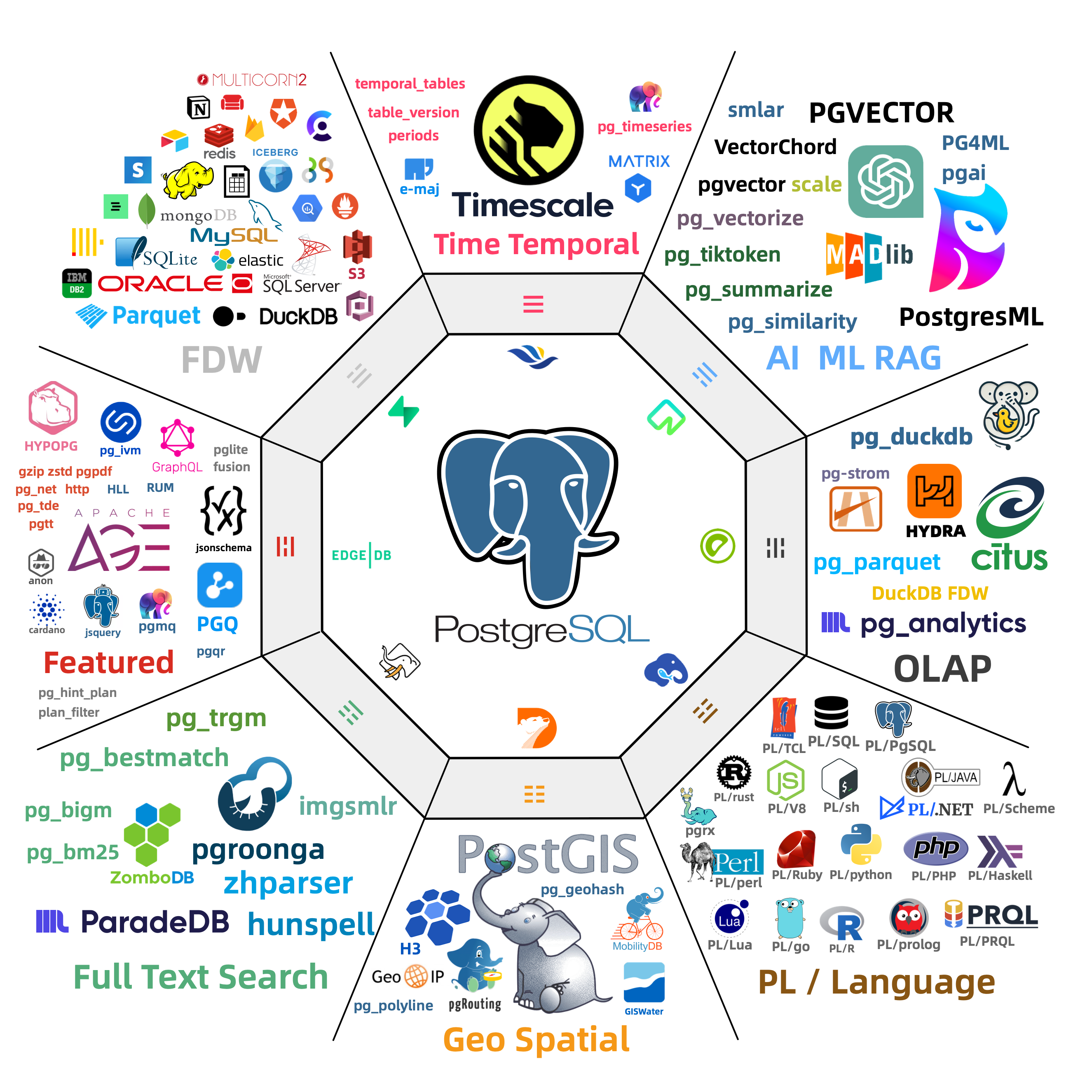
10.13.1 - Quick Start
To use extensions in Pigsty, complete four steps: Download, Install, Config, and Create.
- Download: Download extension packages to the local repository. The default local repository only guarantees the base kernel and
pgsql-mainpackage set. - Install: Install extension packages on cluster nodes
- Config: Some extensions need to be preloaded or configured with parameters
- Create: Execute
CREATE EXTENSIONin the database to create the extension
Declarative Configuration
Declare extensions in the Pigsty inventory. During cluster initialization, Pigsty installs their packages and creates the extensions automatically:
Run ./pgsql.yml to initialize the cluster.
The three extensions postgis, timescaledb, and vector will then be available in the meta database.
Imperative Operations
For an existing cluster, you can use commands to add extensions:
You can also install extension packages with the pig package manager.
Then run CREATE EXTENSION in the database:
Process Quick Reference
| Step | Parameter/Command | Description |
|---|---|---|
| Download | repo_extra_packages | Specify extension packages to download to local repository |
| Install | pg_extensions | Specify extension packages to install on cluster |
| Config | pg_libs | Preload extensions to shared_preload_libraries |
| Create | pg_databases.extensions | Automatically execute CREATE EXTENSION in database |
For detailed instructions, see each subsection: Download, Install, Config, Create
10.13.2 - Introduction
Pigsty includes 600 precompiled PostgreSQL extensions that are ready to use.
What are Extensions
PostgreSQL extensions add database functionality without changes to the core code. An extension typically consists of three parts:
- Control file (
.control): Required, contains extension metadata - SQL scripts (
.sql): Optional, defines functions, types, operators, and other database objects - Dynamic library (
.so): Optional, provides high-performance functionality implemented in C
Extensions can add data types, index methods, functions, and operators to PostgreSQL. They can also add foreign data access, procedural languages, performance monitoring, security auditing, and other features.
Core Extensions
The following table shows representative extensions that Pigsty includes:
| Extension | Description |
|---|---|
| PostGIS | Geospatial data types and indexes, de facto GIS standard |
| TimescaleDB | Time-series database with continuous aggregates, columnar storage, auto-compression |
| PGVector | Vector data type with HNSW/IVFFlat indexes, essential for AI applications |
| Citus | Distributed database with horizontal sharding capabilities |
| pg_duckdb | Embedded DuckDB analytical engine for OLAP acceleration |
| pg_search | ParadeDB search extension, providing BM25 and full-text search capabilities |
| Apache AGE | Graph database supporting OpenCypher query language |
| pg_graphql | Native GraphQL query support |
Most extensions can coexist. You can combine their features to perform tasks that one extension cannot perform alone.
Extension Categories
Pigsty organizes extensions into 16 categories:
| Category | Alias | Description | Typical Extensions |
|---|---|---|---|
| Time-series | time | Time-series data processing | timescaledb, pg_cron, periods |
| Geospatial | gis | Geospatial data | postgis, h3, pgrouting |
| Vector | rag | Vector retrieval and AI | pgvector, vchord, pg_vectorize |
| Search | fts | Full-text search | pgroonga, zhparser, pg_bigm |
| Analytics | olap | OLAP and analytics | pg_duckdb, pg_mooncake, citus |
| Feature | feat | Feature enhancements | age, pg_graphql, hll, rum |
| Language | lang | Procedural languages | plpython3u, pljava, plv8 |
| Type | type | Data types | hstore, ltree, ip4r |
| Utility | util | Utility tools | http, pg_net, pgjwt |
| Function | func | Function libraries | pg_uuidv7, topn, tdigest |
| Admin | admin | Operations management | pg_repack, pg_squeeze, pgagent |
| Stat | stat | Monitoring statistics | pg_stat_statements, pg_qualstats, auto_explain |
| Security | sec | Security auditing | pgaudit, pgsodium, pg_tde |
| FDW | fdw | Foreign data access | postgres_fdw, mysql_fdw, oracle_fdw |
| Compatibility | sim | Database compatibility | orafce, babelfish |
| ETL | etl | Data synchronization | pglogical, wal2json, decoderbufs |
Use category aliases to install all extensions in a category together.
For example: pg_extensions: [ pgsql-gis, pgsql-rag ].
Predefined Extension Stacks
Pigsty provides predefined extension stacks for different uses:
| Stack | Included Extensions |
|---|---|
gis-stack | postgis, pgrouting, pointcloud, h3, q3c, ogr_fdw |
rag-stack | pgvector, vchord, pgvectorscale, pg_similarity, pg_tiktoken |
fts-stack | pgroonga, pg_bigm, zhparser, hunspell |
olap-stack | pg_duckdb, pg_mooncake, timescaledb, pg_partman, plproxy |
feat-stack | age, hll, rum, pg_graphql, pg_jsonschema, jsquery |
stat-stack | pg_show_plans, pg_stat_kcache, pg_qualstats, pg_wait_sampling |
supa-stack | pg_graphql, pg_jsonschema, wrappers, pgvector, pgsodium, vault |
To install an entire stack, add its name to pg_extensions.
Extension Resources
- Extension Catalog: Browse detailed information about all available extensions
- Extension Repository: Pigsty extension software repository
- pig Package Manager: Command-line extension management tool
- GitHub Pigsty: Pigsty source code repository
10.13.3 - Packages
Pigsty uses package aliases to simplify extension installation and management.
Package Alias Mechanism
Extensions have different names at different layers:
| Layer | Example pgvector | Example postgis |
|---|---|---|
| Extension Name | vector | postgis, postgis_topology, … |
| Package Alias | pgvector | postgis |
| RPM Package Name | pgvector_18 | postgis36_18* |
| DEB Package Name | postgresql-18-pgvector | postgresql-18-postgis-3* |
Use a package alias to specify an extension without its RPM or DEB package name:
Pigsty converts each alias to the correct package names for the operating system and PostgreSQL version.
Note: When using
CREATE EXTENSION, you use the extension name (e.g.,vector), not the package alias (pgvector).
Category Aliases
Pigsty organizes all extensions into 16 categories. Use category aliases to install extensions from a category together:
You can install all category extensions together, except for the olap category.
In the olap category, pg_duckdb and pg_mooncake are mutually exclusive.
Category List
| Category | Description | Typical Extensions |
|---|---|---|
time | Time-series | timescaledb, pg_cron, periods |
gis | Geospatial | postgis, h3, pgrouting |
rag | Vector/RAG | pgvector, pgml, vchord |
fts | Full-text Search | pg_trgm, zhparser, pgroonga |
olap | Analytics | citus, pg_duckdb, pg_mooncake |
feat | Feature | age, pg_graphql, rum |
lang | Language | plpython3u, pljava, plv8 |
type | Data Type | hstore, ltree, citext |
util | Utility | http, pg_net, pgjwt |
func | Function | pgcrypto, uuid-ossp, pg_uuidv7 |
admin | Admin | pg_repack, pgagent, pg_squeeze |
stat | Statistics | pg_stat_statements, pg_qualstats, auto_explain |
sec | Security | pgaudit, pgcrypto, pgsodium |
fdw | Foreign Data Wrapper | postgres_fdw, mysql_fdw, oracle_fdw |
sim | Compatibility | orafce, babelfishpg_tds |
etl | Data/ETL | pglogical, wal2json, decoderbufs |
Browse Extension Catalog
Use the Pigsty Extension Catalog to find these details for all available extensions:
- Extension name, description, version
- Supported PostgreSQL versions
- Supported OS distributions
- Installation methods, preloading requirements
- License, source repository
10.13.4 - Download
Before you install extensions, make sure that their packages are available from the local repository or an upstream repository.
Default Behavior
By default, Pigsty downloads the base PostgreSQL 18 kernel packages to the local software repository.
The default extra download set is repo_extra_packages_default: [ pgsql-main ].
This set includes the PostgreSQL kernel, client, and procedural languages.
It also includes basic extension packages such as pg_repack, wal2json, and pgvector.
If you need other extensions from the 600-extension catalog, add them to repo_extra_packages.
Pigsty does not download every extension to the local repository by default.
A local repository provides these benefits:
- Faster installation without repeated downloads
- Less network traffic
- More reliable delivery
- Consistent package versions
Download New Extensions
To download additional extensions, add them to repo_extra_packages and rebuild the repository:
Using Upstream Repositories
You can also install packages directly from upstream repositories on the internet. You do not need to download them in advance:
Use this method for:
- Quick testing of latest versions
- Installing rare extensions
- Environments with good network conditions
This method has these risks:
- An unstable network can interrupt installation.
- Package versions can differ.
Extension Sources
Extension packages come from two main sources:
| Repository | Description |
|---|---|
| PGDG | PostgreSQL official repository, providing core extensions |
| Pigsty | Pigsty supplementary repository, providing additional extensions |
The Pigsty repository only includes extensions that are absent from the PGDG repository. If PGDG adds an extension, Pigsty will remove its package or keep it consistent with PGDG.
Repository URLs:
- PGDG YUM: https://download.postgresql.org/pub/repos/yum/
- PGDG APT: https://apt.postgresql.org/pub/repos/apt/
- Pigsty YUM: https://repo.pigsty.io/yum/
- Pigsty APT: https://repo.pigsty.io/apt/
For detailed repository configuration, see Extension Repository.
10.13.5 - Install
Pigsty uses the operating system’s package manager (yum/apt) to install extension packages.
Related Parameters
Use these two parameters to specify which extensions to install:
| Parameter | Purpose | Default Behavior |
|---|---|---|
pg_packages | Global common packages | Ensure present (no upgrade) |
pg_extensions | Cluster-specific extensions | Install latest version |
Use pg_packages for essential extensions and base components that all clusters need.
Typical components include the PostgreSQL kernel, Patroni, and pgBouncer.
Use pg_extensions for extensions that specific clusters need.
Install During Cluster Initialization
Declare extensions in the cluster configuration. Pigsty installs them automatically during initialization:
When you run ./pgsql.yml to initialize the cluster, Pigsty installs the extensions automatically.
Install Extensions on Existing Cluster
For an initialized cluster, use one of these methods to install extensions:
Using Pigsty Playbook
Using pig Package Manager
Using Package Manager Directly
Using Package Aliases
Pigsty supports standard package aliases. It converts each alias to the package name for the applicable PostgreSQL version:
You can also use raw package names directly:
For package alias definitions, see:
- EL8 Extension List
- EL9 Extension List
- D12 Extension List
- U22 Extension List
- U24 Extension List
- U26 Extension List
Verify Installation
After installation, run these checks in the database:
10.13.6 - Config
Some extensions require you to preload dynamic libraries or configure parameters before use. This section gives the configuration procedures.
Preload Extensions
After installation, you can enable most extensions with CREATE EXTENSION.
Some extensions use PostgreSQL’s Hook mechanism and require preloading.
Set shared_preload_libraries to specify the libraries to preload.
A database restart is required to apply the change.
Extensions Requiring Preload
Common extensions that require preloading:
| Extension | Description |
|---|---|
timescaledb | Time-series database extension, must be placed first |
citus | Distributed database extension, must be placed first |
pg_stat_statements | SQL statement statistics, enabled by default in Pigsty |
auto_explain | Automatically log slow query execution plans, enabled by default in Pigsty |
pg_cron | Scheduled task scheduling |
pg_net | Asynchronous HTTP requests |
pg_tle | Trusted language extensions |
pgaudit | Audit logging |
pg_stat_kcache | Kernel statistics |
pg_squeeze | Online table space reclamation |
pgml | PostgresML machine learning |
For the complete list, see the Extension Catalog (marked with LOAD).
Preload Order
Use the required loading order in shared_preload_libraries:
- Put
timescaledbandcitusfirst. - If you use both,
citusshould come beforetimescaledb. - Statistics extensions should come after
pg_stat_statementsto use the same query_id.
Configure During Cluster Initialization
For a new cluster, use pg_libs to specify the extensions to preload:
During cluster initialization, Pigsty writes the value of pg_libs to shared_preload_libraries.
Default Value
The default value of pg_libs is pg_stat_statements, auto_explain.
These two Contrib extensions provide basic observability:
pg_stat_statements: Track execution statistics of all SQL statementsauto_explain: Automatically log execution plans for slow queries
Modify Configuration on Existing Cluster
For initialized clusters, use patronictl to modify shared_preload_libraries:
You can also directly modify postgresql.conf or use ALTER SYSTEM:
After the change, restart the PostgreSQL service.
Extension Parameter Configuration
Many extensions have parameters that you can configure in the following locations:
During Cluster Initialization
Use pg_parameters to set extension parameters:
Runtime Modification
Use ALTER SYSTEM or patronictl:
Important Notes
Preload errors prevent startup: If an extension in
shared_preload_librariesdoes not exist or fails to load, PostgreSQL will not start. Install each extension correctly before you add it to the preload list.Modification requires restart: After you change
shared_preload_libraries, restart the PostgreSQL service to apply the change.Partial functionality available: Some extensions provide limited functionality without preloading. Full functionality requires preloading.
View current configuration: Run this command to show the current preload libraries:
10.13.7 - Create
After you install extension packages, run CREATE EXTENSION in the database to use their features.
View Available Extensions
After you install extension packages, run these queries to show the available extensions:
Create Extensions
Use CREATE EXTENSION to enable extensions in the database:
Note:
CREATE EXTENSIONuses the extension name (e.g.,vector), not the package alias (pgvector).
Create During Cluster Initialization
Declare extensions in pg_databases.
Pigsty creates them during cluster initialization:
After it creates the database, Pigsty runs CREATE EXTENSION automatically.
Extensions Requiring Preload
Some extensions require preloading before creation.
Add them to shared_preload_libraries, then restart PostgreSQL:
If you create such an extension without preloading it, PostgreSQL returns an error.
Common extensions requiring preload: timescaledb, citus, pg_cron, pg_net, pgaudit, etc. See Configure Extensions.
Extension Dependencies
Some extensions depend on other extensions. Create the dependencies first:
Extensions Not Requiring Creation
A few extensions have no SQL interfaces and do not require CREATE EXTENSION:
| Extension | Description |
|---|---|
wal2json | Logical decoding plugin, used directly in replication slots |
decoderbufs | Logical decoding plugin |
decoder_raw | Logical decoding plugin |
You can use these extensions immediately after installation. For example:
View Extension Information
10.13.8 - Update
Update extensions at two levels: packages in the operating system, and extension objects in the database.
Update Packages
Use package managers to update extension packages:
Use Pigsty to update packages on multiple nodes:
Update Extension Objects
After you update packages, you may also need to update the extension objects in the database.
View Updatable Extensions
Execute Extension Update
View Update Paths
Important Notes
Backup first: Back up the database before you update extensions. This is particularly important if the update changes data types.
Check compatibility: Some major version upgrades may be incompatible. Read the extension’s upgrade documentation.
Preloaded extensions: If you update a preloaded extension, such as
timescaledb, you may need to restart the database.Dependencies: If other extensions depend on the updated extension, update them in dependency order.
Replication environments: Test updates on replicas first. After you verify the results, update the primary.
Common Issues
Update Failure
If ALTER EXTENSION UPDATE fails, it may be because:
- No available upgrade path
- Extension is in use
- Insufficient permissions
Rollback Update
PostgreSQL extensions usually do not support direct rollback. To roll back, use one of these methods:
- Restore from backup
- Uninstall the new extension version, install the old package version, and recreate the extension.
10.13.9 - Remove
Extension removal has two levels: drop extension objects from the database, and uninstall packages from the operating system.
Drop Extension Objects
Use DROP EXTENSION to remove extensions from the database:
Warning:
CASCADEwill drop all objects that depend on this extension (tables, functions, views, etc.). Use with caution.
Check Extension Dependencies
We recommend that you check dependencies before you drop an extension:
Remove Preload
If the extension is in shared_preload_libraries, remove it from the preload list after you drop it:
Uninstall Packages
After dropping the extension from the database, you can optionally uninstall the package:
You can usually keep the package without problems. Uninstall it only to free disk space or resolve conflicts.
Important Notes
Data loss risk:
CASCADEdrops dependent objects. This can cause data loss.Application compatibility: Before you drop the extension, make sure that applications no longer use its features.
Preload order: If you drop a preloaded extension, also remove it from
shared_preload_libraries. Otherwise, the database may fail to start.Replication environments: In replication environments,
DROP EXTENSIONautomatically replicates to replicas.
Operation Sequence
Use this sequence to remove an extension completely:
10.13.10 - Default Extensions
During PostgreSQL cluster initialization, Pigsty installs and enables some core extensions by default.
Default Installed Extensions
Pigsty installs these extensions by default through pg_packages:
| Extension | Description |
|---|---|
pg_repack | Handle table bloat online, important maintenance tool |
wal2json | Logical decoding outputs JSON format changes, commonly used in CDC scenarios |
pgvector | Vector data type and indexes, installed with pgsql-main by default |
The default value of pg_extensions is an empty array [].
Declare additional extensions as required.
For example:
| Extension | Description |
|---|---|
postgis | Geospatial database extension |
timescaledb | Time-series database extension |
pgvector | Vector data type and indexes |
Default Enabled Extensions
Pigsty enables these extensions in all databases by default through pg_default_extensions:
| Extension | Schema | Description |
|---|---|---|
pg_stat_statements | monitor | SQL statement execution statistics |
pgstattuple | monitor | Tuple-level statistics |
pg_buffercache | monitor | Buffer cache inspection |
pageinspect | monitor | Page-level inspection |
pg_prewarm | monitor | Relation prewarming |
pg_visibility | monitor | Visibility map inspection |
pg_freespacemap | monitor | Free space map inspection |
postgres_fdw | public | PostgreSQL foreign data wrapper |
file_fdw | public | File foreign data wrapper |
btree_gist | public | B-tree GiST operator classes |
btree_gin | public | B-tree GIN operator classes |
pg_trgm | public | Trigram matching |
intagg | public | Integer aggregator |
intarray | public | Integer array functions |
pg_repack | repack | Online table reorganization |
These extensions provide basic monitoring and operations tools. They also add database features.
Default Preloaded Extensions
By default, pg_libs adds these extensions to shared_preload_libraries:
| Extension | Description |
|---|---|
pg_stat_statements | Track execution statistics of all SQL statements |
auto_explain | Automatically log execution plans for slow queries |
These two extensions provide basic observability. We strongly recommend that you keep them.
Customize Default Extensions
To change which extensions Pigsty installs and enables by default, edit these configuration parameters:
For extension procedures and concepts, see:
- Quick Start: Overview of the extension usage process
- Extension Introduction: Core concepts of extensions
- Install Extensions: How to install extensions
- Configure Extensions: Preloading and parameter configuration
- Create Extensions: Creating extensions in databases
10.13.11 - Repository
Pigsty provides supplementary extension repositories. They supply extension packages in addition to those in the official PGDG repository.
YUM Repository
Use this repository with EL 8/9/10 and compatible systems, such as RHEL, Rocky, AlmaLinux, and CentOS.
Add Repository
China Mainland Mirror
Repository URLs
- International: https://repo.pigsty.io/yum/
- China: https://repo.pigsty.cc/yum/
APT Repository
Use this repository with Debian 12/13, Ubuntu 22.04/24.04/26.04, and compatible systems.
Add Repository
China Mainland Mirror
Repository URLs
- International: https://repo.pigsty.io/apt/
- China Mirror: https://repo.pigsty.cc/apt/
GPG Signature
All packages are signed with GPG:
- Fingerprint:
9592A7BC7A682E7333376E09E7935D8DB9BD8B20 - Short ID:
B9BD8B20
Repository Policy
The Pigsty repository follows these principles:
- Supplementary: The repository only includes extensions that are absent from the PGDG repository.
- Consistency: If PGDG adds an extension, Pigsty will remove its package or keep it consistent with PGDG.
- Compatibility: The repository supports PostgreSQL major versions 14-18.
- Multi-platform: The repository supports x86_64 and aarch64 architectures.
Related Resources
- Pigsty Extension Catalog: Browse all available extensions
- PGDG YUM Repository
- PGDG APT Repository
10.14 - Param Templates
Pigsty provides four preset Patroni/PostgreSQL config templates optimized for different workloads:
| Template | CPU Cores | Use Case | Characteristics |
|---|---|---|---|
/docs/pgsql/template/oltp.yml | 4-128C | OLTP transactions | High concurrency, low latency |
/docs/pgsql/template/olap.yml | 4-128C | OLAP analytics | Large queries, high parallelism |
/docs/pgsql/template/crit.yml | 4-128C | Consistency-first | Consistency-first, detailed auditing |
/docs/pgsql/template/tiny.yml | 1-3C | Tiny instances | Resource-constrained envs |
Use pg_conf to select a template.
The default is /docs/pgsql/template/oltp.yml.
The database tuning template
pg_confshould be paired with the OS tuning templatenode_tune.
All four standard templates set wal_level to logical.
PostgreSQL 18.6 adds the output_plugin_libraries security allowlist.
Pigsty permits the built-in pgoutput and test_decoding plugins, plus wal2json from the default pgsql-main package set.
Before you use another logical-decoding output plugin, review its code and privilege boundary.
Then add its exact library name through pg_parameters.
Patroni filters the template setting on older PostgreSQL versions that do not support it.
Usage
Set pg_conf in the cluster definition.
We recommend a corresponding node_tune setting for OS tuning.
For critical financial workloads, use /docs/pgsql/template/crit.yml:
For low-spec VMs or dev environments, use /docs/pgsql/template/tiny.yml:
Comparison
The four templates differ significantly in key parameters:
Connections & Memory
| Parameter | OLTP | OLAP | CRIT | TINY |
|---|---|---|---|---|
| max_connections | 500/1000 | 500 | 500/1000 | 250 |
| work_mem range | 64MB-1GB | 64MB-8GB | 64MB-1GB | 16MB-256MB |
| maintenance_work_mem | 25% shmem | 50% shmem | 25% shmem | 25% shmem |
| max_locks_per_transaction | 1-2x maxconn | 2-4x maxconn | 1-2x maxconn | 1-2x maxconn |
Parallel Query
| Parameter | OLTP | OLAP | CRIT | TINY |
|---|---|---|---|---|
| max_worker_processes | max(cpu+16, 24) | max(cpu+20, 28) | max(cpu+16, 24) | max(cpu+12, 20) |
| max_parallel_workers | 50% cpu | 80% cpu | 50% cpu | 50% cpu |
| max_parallel_workers_per_gather | 20% cpu (max 8) | 50% cpu | 0 (off) | 0 (off) |
| parallel_setup_cost | 2000 | 1000 | 2000 | 1000 |
| parallel_tuple_cost | 0.2 | 0.1 | 0.2 | 0.1 |
Sync Replication
| Parameter | OLTP | OLAP | CRIT | TINY |
|---|---|---|---|---|
| synchronous_mode | depends pg_rpo | depends pg_rpo | forced on | depends pg_rpo |
| data_checksums | optional | optional | forced on | optional |
Vacuum Config
| Parameter | OLTP | OLAP | CRIT | TINY |
|---|---|---|---|---|
| vacuum_cost_delay | 20ms | 10ms | 20ms | 20ms |
| vacuum_cost_limit | 2000 | 10000 | 2000 | 2000 |
| autovacuum_max_workers | 3 | 3 | 3 | 2 |
Timeout & Security
| Parameter | OLTP | OLAP | CRIT | TINY |
|---|---|---|---|---|
| idle_in_transaction_session_timeout | 10min | off | 1min | 10min |
| log_min_duration_statement | 100ms | 1000ms | 100ms | 100ms |
| default_statistics_target | 400 | 1000 | 400 | 200 |
| track_activity_query_size | 8KB | 8KB | 32KB | 8KB |
| log_connections | auth | auth | full | default |
IO Config (PG18)
| Parameter | OLTP | OLAP | CRIT | TINY |
|---|---|---|---|---|
| io_workers | 25% cpu (4-16) | 50% cpu (4-32) | 25% cpu (4-8) | 3 |
| temp_file_limit | 1/20 disk, max 100GB | 1/5 disk, max 400GB | 1/20 disk, max 100GB | 1/20 disk, max 100GB |
Selection Guide
OLTP Template: Default choice for most transaction processing. Ideal for e-commerce, social, gaming apps.
OLAP Template: For data warehouses, BI reports, ETL. Allows large queries, high parallelism, relaxed timeouts.
CRIT Template: For financial transactions, core accounting with strict consistency/security requirements. Forced sync replication, checksums, full audit.
TINY Template: For dev/test environments, resource-constrained VMs, Raspberry Pi. Minimizes resource usage, disables parallel queries.
Custom Templates
Use an existing template as the basis for a custom template.
The templates are in roles/pgsql/templates/:
To create a custom template:
- Copy an existing template.
- Change the parameters as required.
- Put the file in
roles/pgsql/templates/. - Select it with
pg_conf.
Example:
Then select the template in the cluster configuration:
Templates use Jinja2 syntax. They calculate parameter values from node resources: CPU, memory, and disk.
Tuning Strategy
For technical details on template parameter optimization, see Tuning Strategy:
- Memory tuning (shared buffers, work mem, max connections)
- CPU tuning (parallel query worker config)
- Storage tuning (WAL size, temp file limits)
- Manual parameter adjustment
Related Parameters
pg_conf: PostgreSQL config templatenode_tune: OS tuning template, should matchpg_confpg_rto: Recovery time objective, affects failover timeoutpg_rpo: Candidate-replica lag threshold; setting it to 0 enables synchronous replication in the general templatespg_max_conn: Override template max connectionspg_shared_buffer_ratio: Shared buffer memory ratiopg_storage_type: Storage type, affects IO params
10.14.1 - Parameter Optimization Policy
Pigsty provides four parameter templates for different workloads.
Select a template with pg_conf.
tiny.yml: Optimized for small nodes, VMs, and demos (the template is labeled for 1-3 cores)oltp.yml: Optimized for OLTP workloads and latency-sensitive applications (4C8GB+) (default template)olap.yml: Optimized for OLAP workloads and throughput (4C8G+)crit.yml: Optimized for data consistency and critical applications (4C8G+)
The following sections describe the optimization settings for these four templates.
Memory Parameter Tuning
Pigsty detects the system’s memory size. It uses this value to set the maximum number of connections and memory-related parameters.
pg_max_conn: PostgreSQL maximum connections,autowill use recommended values for different scenariospg_shared_buffer_ratio: Shared buffer memory ratio, default is 0.25
By default, Pigsty assigns 25% of memory to PostgreSQL shared buffers.
Connections, work_mem, background processes, and the operating-system cache share the remaining memory.
If you do not set pg_max_conn, Pigsty selects the maximum connections from these defaults:
- oltp: 500 (pgbouncer) / 1000 (postgres)
- crit: 500 (pgbouncer) / 1000 (postgres)
- tiny: 250
- olap: 500
For OLTP and CRIT, the maximum is 500 when the service connects through PgBouncer. If the service connects directly to PostgreSQL, the maximum doubles to 1000.
Pigsty calculates work_mem as shared memory size divided by maximum connections.
It limits the result to 64MB ~ 1GB.
CPU Parameter Tuning
PostgreSQL has 4 important parameters for parallel queries.
Pigsty sets them from the number of CPU cores.
The templates first calculate a worker budget for parallel queries and extensions.
They add eight reserved slots when they write max_worker_processes.
The final GUC is therefore eight higher than the intermediate variable near the start of each template.
| OLTP | Setting Logic | Range Limits |
|---|---|---|
max_worker_processes | max(CPU + 8, 16) + 8 | max(CPU + 16, 24) |
max_parallel_workers | max(ceil(50% CPU), 2) | 1/2 CPU rounded up, minimum 2 |
max_parallel_maintenance_workers | max(ceil(33% CPU), 2) | 1/3 CPU rounded up, minimum 2 |
max_parallel_workers_per_gather | min(max(ceil(20% CPU), 2),8) | 1/5 CPU rounded down, minimum 2, max 8 |
| OLAP | Setting Logic | Range Limits |
|---|---|---|
max_worker_processes | max(CPU + 12, 20) + 8 | max(CPU + 20, 28) |
max_parallel_workers | max(ceil(80% CPU, 2)) | 4/5 CPU rounded up, minimum 2 |
max_parallel_maintenance_workers | max(ceil(33% CPU), 2) | 1/3 CPU rounded up, minimum 2 |
max_parallel_workers_per_gather | max(floor(50% CPU), 2) | 1/2 CPU rounded up, minimum 2 |
| CRIT | Setting Logic | Range Limits |
|---|---|---|
max_worker_processes | max(CPU + 8, 16) + 8 | max(CPU + 16, 24) |
max_parallel_workers | max(ceil(50% CPU), 2) | 1/2 CPU rounded up, minimum 2 |
max_parallel_maintenance_workers | max(ceil(33% CPU), 2) | 1/3 CPU rounded up, minimum 2 |
max_parallel_workers_per_gather | 0, enable as needed |
| TINY | Setting Logic | Range Limits |
|---|---|---|
max_worker_processes | max(CPU + 4, 12) + 8 | max(CPU + 12, 20) |
max_parallel_workers | max(floor(50% CPU), 1) | 50% CPU rounded down, minimum 1 |
max_parallel_maintenance_workers | max(floor(33% CPU), 1) | 33% CPU rounded down, minimum 1 |
max_parallel_workers_per_gather | 0 | Disables parallel gather per query |
The CRIT and TINY templates set max_parallel_workers_per_gather = 0 to disable parallel queries.
To enable parallel queries, change this parameter as required.
The OLTP and CRIT templates set the following parameters. They double parallel query costs to make the planner less likely to choose parallel queries.
Changes to max_worker_processes take effect only after a restart.
A replica fails to start if its value is higher than the primary value.
Change this parameter through Patroni configuration management.
Patroni keeps primary and replica settings consistent and prevents new replicas from failing to start during failover.
Storage Space Parameters
Pigsty detects the total disk capacity for the /data/postgres main data directory.
It uses this value to set these parameters:
pg_size_twentiethis one twentieth of disk capacity rounded up, clamped to 1-100GB.- Therefore, in the three standard templates, the effective cap for
temp_file_limitandmin_wal_sizeis 100GB. - The effective cap for
max_wal_sizeis 400GB. - The effective cap for
max_slot_wal_keep_sizeis 600GB.
The OLAP template sets temp_file_limit to pg_size_twentieth × 4, with an effective limit of 400GB.
Existing 200GB/2TB/3TB comments at the ends of template lines omit the 100GB limit already applied to pg_size_twentieth.
Use the rendered expression as the authoritative value.
Manual Parameter Tuning
You can manually adjust PostgreSQL parameters in addition to the values that Pigsty sets automatically.
Use the pg edit-config <cluster> command to interactively edit cluster configuration:
Or use the -p parameter to directly set parameters:
You can also use the Patroni REST API to modify configuration:
10.14.2 - OLTP Template
oltp.yml is Pigsty’s default configuration template for online transaction processing (OLTP).
It is designed for CPUs with 4-128 cores and provides high concurrency, low latency, and high throughput.
Pair with
node_tune=oltpfor OS-level tuning.
Use Cases
Use the OLTP template for:
- E-commerce: Order processing, inventory, user transactions
- Social apps: User feeds, messaging, following relationships
- Gaming backends: Player data, leaderboards, game state
- SaaS applications: Multi-tenant business systems
- Web apps: CRUD-intensive workloads
Workload characteristics:
- Many short transactions (millisecond-level)
- High concurrent connections (hundreds to thousands)
- Read/write ratio typically 7:3 to 9:1
- Latency-sensitive, requires fast response
- High data consistency requirements
Usage
oltp.yml is the default template.
You do not need to select it explicitly:
To select it explicitly, use:
Parameter Details
Connection Management
- When
pg_default_service_destispgbouncer,max_connectionsis set to 500 - When traffic connects directly to PostgreSQL,
max_connectionsis set to 1000 - Override via
pg_max_connparameter
Memory Config
OLTP template memory allocation strategy:
| Parameter | Formula | Description |
|---|---|---|
shared_buffers | mem × pg_shared_buffer_ratio | Default ratio 0.25 |
maintenance_work_mem | shared_buffers × 25% | For VACUUM, CREATE INDEX |
work_mem | 64MB - 1GB | Based on shared_buffers/max_connections |
effective_cache_size | total mem - shared_buffers | Estimated cache memory |
work_mem calculation:
This calculation gives each connection sufficient sort/hash memory without excessive allocation.
Parallel Query
OLTP template moderately limits parallel queries to prevent resource contention:
Parallel cost estimates are increased to favor serial execution:
WAL Config
These settings balance data safety and write performance.
Vacuum Config
Conservative vacuum settings avoid impacting online transaction performance.
Query Optimization
These settings help the planner generate better query plans.
Logging & Monitoring
Client Timeouts
The 10-minute idle transaction timeout prevents inactive transactions from keeping locks indefinitely.
Extension Config
Template Comparison
| Feature | OLTP | OLAP | CRIT |
|---|---|---|---|
| max_connections | 500-1000 | 500 | 500-1000 |
| work_mem | 64MB-1GB | 64MB-8GB | 64MB-1GB |
| Parallel query | Moderate limit | Aggressive | Disabled |
| Vacuum intensity | Conservative | Aggressive | Conservative |
| Txn timeout | 10min | Disabled | 1min |
| Slow query threshold | 100ms | 1000ms | 100ms |
Why OLTP over OLAP?
- Queries are mostly simple point/range lookups
- Transaction response time requires milliseconds
- High concurrent connections
- No complex analytical queries
Why OLTP over CRIT?
- Small probability of data loss acceptable (async replication)
- Complete audit logs not required
- Better write performance desired
Performance Tuning Tips
Connection Pooling
For high concurrency, use PgBouncer connection pool:
Read Separation
Use read replicas to share read load:
Monitoring Metrics
Focus on these metrics:
- Connections: Active/waiting connection counts
- Transaction rate: TPS, commit/rollback ratio
- Response time: Query latency percentiles (p50/p95/p99)
- Lock waits: Lock wait time, deadlock counts
- Replication lag: Replica delay time and bytes
References
pg_conf: PostgreSQL config template selectionnode_tune: OS tuning template, should matchpg_conf- OLAP Template: Analytics template comparison
- CRIT Template: Critical business template comparison
- TINY Template: Micro instance template comparison
- Cluster Config: PostgreSQL cluster type configuration
- High Availability: HA architecture design
10.14.3 - OLAP Template
olap.yml is optimized for online analytical processing (OLAP) on CPUs with 4-128 cores.
It supports large queries, high parallelism, relaxed timeouts, and aggressive vacuum.
Pair with
node_tune=olapfor OS-level tuning.
Use Cases
Use the OLAP template for:
- Data warehouses: Historical data storage, multidimensional analysis
- BI reports: Complex report queries, dashboard data sources
- ETL processing: Data extraction, transformation, loading
- Data analysis: Ad-hoc queries, data exploration
- HTAP mixed workloads: Analytical replicas
Workload characteristics:
- Complex queries (seconds to minutes)
- Low concurrent connections (tens to hundreds)
- Read-intensive, writes typically batch operations
- Throughput-sensitive, tolerates higher latency
- Scans large data volumes
Usage
Specify pg_conf = olap.yml in cluster definition:
Use olap.yml template for dedicated offline replicas:
Parameter Details
Connection Management
OLAP workloads usually need fewer connections. The limit of 500 is sufficient for most analytical workloads.
Memory Config
The OLAP template assigns more memory to operations:
| Parameter | Formula | Description |
|---|---|---|
shared_buffers | mem × pg_shared_buffer_ratio | Default ratio 0.25 |
maintenance_work_mem | shared_buffers × 50% | Faster index creation and VACUUM |
work_mem | 64MB - 8GB | Larger sort/hash memory |
effective_cache_size | total mem - shared_buffers | Estimated cache memory |
work_mem calculation (differs from OLTP):
Larger work_mem allows bigger sort and hash operations in memory, avoiding disk spill.
Locks & Transactions
OLAP queries may access more tables through partitions and multiple JOINs. They therefore require more lock slots.
Parallel Query
The OLAP template assigns more workers to parallel queries:
Parallel cost estimates use defaults to favor parallel plans:
The template enables partition-wise optimization:
IO Config (PG18)
More IO workers support parallel large table scans.
WAL Config
Larger temp_file_limit allows bigger intermediate results to spill to disk.
Vacuum Config
OLAP template uses aggressive vacuum settings:
Analytical databases often have bulk writes requiring aggressive vacuum to reclaim space.
Query Optimization
A higher default_statistics_target provides more accurate query plans.
This is important for complex analytics.
Logging & Monitoring
Client Timeouts
Analytical queries may need to keep transactions open for long periods. Thus, the template disables the idle timeout.
Key Differences from OLTP
| Parameter | OLAP | OLTP | Reason |
|---|---|---|---|
| max_connections | 500 | 500-1000 | Fewer analytical connections |
| work_mem limit | 8GB | 1GB | Support larger in-memory sorts |
| maintenance_work_mem | 50% buffer | 25% buffer | Faster index creation |
| max_locks_per_transaction | 2-4x | 1-2x | More tables in queries |
| max_parallel_workers | 80% cpu | 50% cpu | Aggressive parallelism |
| max_parallel_workers_per_gather | 50% cpu | 20% cpu | Aggressive parallelism |
| parallel_setup_cost | 1000 | 2000 | Default, encourages parallel |
| parallel_tuple_cost | 0.1 | 0.2 | Default, encourages parallel |
| enable_partitionwise_join | on | off | Partition optimization |
| enable_partitionwise_aggregate | on | off | Partition optimization |
| vacuum_cost_delay | 10ms | 20ms | Aggressive vacuum |
| vacuum_cost_limit | 10000 | 2000 | Aggressive vacuum |
| temp_file_limit | 1/5 disk | 1/20 disk | Allow larger temp files |
| io_workers | 50% cpu | 25% cpu | More parallel IO |
| log_min_duration_statement | 1000ms | 100ms | Relaxed slow query threshold |
| default_statistics_target | 1000 | 400 | More precise stats |
| idle_in_transaction_session_timeout | Disabled | 10min | Allow long transactions |
Performance Tuning Tips
With TimescaleDB
You can use the OLAP template with TimescaleDB:
With pg_duckdb
To improve analytical performance, combine the template with pg_duckdb:
Columnar Storage
Consider columnar storage extensions:
Resource Isolation
For mixed workloads, isolate analytics to dedicated replicas:
Monitoring Metrics
Focus on these metrics:
- Query time: Long query execution time distribution
- Parallelism: Parallel worker utilization
- Temp files: Temp file size and count
- Disk IO: Sequential and index scan IO volume
- Cache hit ratio: shared_buffers and OS cache hit rates
References
pg_conf: PostgreSQL config template selectionnode_tune: OS tuning template, should matchpg_conf- OLTP Template: Transaction template comparison
- CRIT Template: Critical business template comparison
- TINY Template: Micro instance template comparison
- Offline Replica: Dedicated analytics instances
10.14.4 - CRIT Template
crit.yml is for transactional workloads with increased consistency and audit requirements.
It forces data checksums and Patroni strict synchronous mode.
It also adds connection logging and adjusts selected WAL, timeout, and parallel-query parameters.
The template increases write latency and may block writes when no synchronous replica is available. Before use, confirm consistency objectives, failure domains, client commit settings, and availability requirements.
Also evaluate node_tune: crit.
You can select host tuning and database parameters independently.
Usage
A three-node topology lets the cluster select another synchronous replica after one node fails. Continued write availability depends on the remaining node state, DCS, network, and synchronous-replica selection. Test failures on the target topology.
Strict Synchronous Replication
CRIT does not derive synchronous mode from pg_rpo.
It always enables these settings:
synchronous_mode_strict prevents Patroni from switching to asynchronous replication when no synchronous replica is available.
The primary then blocks writes that require synchronous acknowledgment.
The mode targets preservation of acknowledged transactions when:
- the session has not lowered
synchronous_committolocal,off, or another asynchronous level; - a synchronous replica acknowledges WAL during commit;
- failover selects only an eligible node containing the required WAL.
Validate RPO against client parameters, replication state, and the failure model. The template name alone does not establish RPO.
To require acknowledgment from multiple synchronous replicas, change Patroni dynamic configuration:
A higher synchronous-replica count imposes stricter conditions for accepting writes.
Data Checksums
CRIT initialization always includes:
This overrides a disabled pg_checksum setting and enables page checksums for a new cluster.
Checksums detect page damage after a write.
They do not detect logical errors or every memory error.
Connection and Query Logging
CRIT logs DDL, statements taking longer than 100 ms, and disconnection events:
PostgreSQL 18 and later use:
Earlier versions use log_connections: on.
These records support connection auditing but do not provide fine-grained SQL audit logs.
Enable pgaudit separately to record object reads and writes, roles, or statement classes.
CRIT sets track_activity_query_size to 32 KiB to retain longer active-query text.
Logs may contain SQL and business data.
Restrict access and set a suitable retention period.
Watchdog
CRIT changes Patroni watchdog from disabled to automatic:
automatic activates only when the system has a usable watchdog device.
If fencing must be mandatory, verify hardware, virtualization support, and device permissions before you explicitly set required.
An incorrect configuration can prevent primary startup or interrupt failover.
Key Parameter Differences
| Parameter | CRIT | OLTP Default | Effect |
|---|---|---|---|
synchronous_mode | Always enabled | Derived from pg_rpo | Consistency first |
synchronous_mode_strict | true | General template behavior | Blocks writes without a synchronous replica |
data-checksums | Always enabled | Controlled by pg_checksum | Page-damage detection |
max_parallel_workers_per_gather | 0 | Calculated from CPU | Reduces parallel-query variability |
wal_writer_delay | 10ms | 20ms | Processes WAL more frequently |
wal_writer_flush_after | 0 | 1MB | Changes WAL flush behavior |
idle_replication_slot_timeout | 3d | 7d | Removes idle replication slots sooner |
idle_in_transaction_session_timeout | 1min | 10min | Terminates idle transactions sooner |
track_activity_query_size | 32KiB | 8KiB | Retains longer query text |
log_connections | Detailed connection events | PostgreSQL 18 logs authorization by default | Adds connection-audit detail |
log_disconnections | on | off | Records disconnections |
CRIT also disables parallel gather for individual queries and adjusts parallel costs, autovacuum, WAL, and statistics parameters.
The release file roles/pgsql/templates/crit.yml defines the active values.
Preloaded Extensions
CRIT generates shared_preload_libraries from pg_libs.
The role default is:
Selecting crit.yml alone does not load passwordcheck.
If you need password-complexity checks, configure it explicitly:
ha/safe includes this override.
To use pgaudit, also add it to pg_libs and configure the audit scope:
Performance and Availability Impact
- Synchronous commit waits for a synchronous replica; write latency includes at least replica network and WAL durability time.
- Strict synchronous mode blocks writes when no synchronous replica is available.
- Disabling parallel gather can reduce throughput for large queries, but also reduces resource variability from parallel execution.
- More detailed logging and statistics consume additional I/O, CPU, and storage.
- A shorter idle-transaction timeout may terminate application sessions that hold a transaction open without executing statements.
The impact depends on hardware, network, queries, and client behavior. Test the actual workload. Do not rely on a fixed latency or throughput percentage.
Launch Checklist
- Deploy at least one usable synchronous replica and verify write behavior during node failure
- Check whether applications change
synchronous_commit - Select watchdog
automaticorrequiredaccording to availability requirements - Verify collection, access control, and retention for connection logs
- Configure
pg_libsand extension parameters explicitly when password checks or SQL auditing are required - Test write latency, throughput, and idle-transaction timeouts with the production workload
- Exercise primary, synchronous-replica, DCS, and network-partition failures
Related Documentation
- Security Model: where CRIT fits in the overall hardening path
- Data Security: boundaries of synchronous replication, checksums, and auditing
ha/safeConfiguration: three-node hardening example that includes CRIT- Sync Standby: synchronous replication configuration
- Quorum Commit: synchronous replica count
- OLTP Template: general transaction template
10.14.5 - TINY Template
tiny.yml is optimized for micro instances and environments with limited resources.
It is designed for CPUs with 1-3 cores.
It minimizes resource use, limits memory allocation, and disables parallel queries.
Pair with
node_tune=tinyfor OS-level tuning.
Use Cases
Use the TINY template for:
- Dev/test: Local development, CI/CD testing
- Low-spec VMs: 1-2 core CPU, 1-4GB RAM cloud instances
- Edge computing: Raspberry Pi, embedded devices
- Demos: Quick Pigsty experience
- Personal projects: Resource-limited blogs, small apps
Resource constraints:
- 1-3 CPU cores
- 1-8 GB RAM
- Limited disk space
- May share resources with other services
Usage
Specify pg_conf = tiny.yml in cluster definition:
Single-node development:
Parameter Details
Connection Management
Micro instances need fewer concurrent connections. The limit of 250 is sufficient for development and testing.
Memory Config
TINY template uses conservative memory allocation:
| Parameter | Formula | Description |
|---|---|---|
shared_buffers | mem × pg_shared_buffer_ratio | Default ratio 0.25 |
maintenance_work_mem | shared_buffers × 25% | For VACUUM, CREATE INDEX |
work_mem | 16MB - 256MB | Smaller sort/hash memory |
effective_cache_size | total mem - shared_buffers | Estimated cache memory |
work_mem calculation (differs from OLTP):
Smaller work_mem limit (256MB vs OLTP’s 1GB) prevents memory exhaustion.
Parallel Query (Fully Disabled)
TINY template completely disables parallel queries:
max_parallel_workers_per_gather: 0 prevents queries from starting parallel workers.
This avoids resource contention on systems with few CPU cores.
IO Config (PG18)
A fixed, low I/O worker count is suitable for environments with limited resources.
Vacuum Config
Fewer autovacuum workers reduce background resource usage.
Query Optimization
Lower default_statistics_target reduces pg_statistic table size.
Logging Config
The TINY template disables additional connection logging to reduce log volume.
Client Timeouts
Extension Config
The template reduces pg_stat_statements.max from 10000 to 2500.
This saves approximately 75% of its memory use.
Key Differences from OLTP
| Parameter | TINY | OLTP | Reason |
|---|---|---|---|
| max_connections | 250 | 500-1000 | Reduce connection overhead |
| work_mem limit | 256MB | 1GB | Prevent memory exhaustion |
| max_worker_processes | max(cpu+12, 20) | max(cpu+16, 24) | Fewer background processes |
| max_parallel_workers_per_gather | 0 | 20% cpu | Disable parallel queries |
| autovacuum_max_workers | 2 | 3 | Reduce background load |
| default_statistics_target | 200 | 400 | Save space |
| pg_stat_statements.max | 2500 | 10000 | Reduce memory usage |
| io_workers | 3 | 25% cpu | Fixed low value |
Resource Estimates
TINY template resource usage by configuration:
1 Core 1GB RAM
PostgreSQL process memory: ~400-600MB
2 Core 4GB RAM
PostgreSQL process memory: ~1.5-2GB
4 Core 8GB RAM
Consider using OLTP template instead:
Performance Tuning Tips
Further Resource Reduction
For extremely constrained resources:
Disable Unnecessary Extensions
Disable Unnecessary Features
Use External Connection Pool
Even on micro instances, PgBouncer significantly improves concurrency:
Cloud Platform Recommendations
AWS
- t3.micro: 1 vCPU, 1GB RAM - suitable for TINY
- t3.small: 2 vCPU, 2GB RAM - suitable for TINY
- t3.medium: 2 vCPU, 4GB RAM - consider OLTP
Alibaba Cloud
- ecs.t6-c1m1.small: 1 vCPU, 1GB RAM - suitable for TINY
- ecs.t6-c1m2.small: 1 vCPU, 2GB RAM - suitable for TINY
- ecs.t6-c1m4.small: 1 vCPU, 4GB RAM - suitable for TINY
Tencent Cloud
- SA2.SMALL1: 1 vCPU, 1GB RAM - suitable for TINY
- SA2.SMALL2: 1 vCPU, 2GB RAM - suitable for TINY
- SA2.SMALL4: 1 vCPU, 4GB RAM - suitable for TINY
Edge Device Deployment
Raspberry Pi 4
Docker Container
Upgrading to OLTP
When the application needs more resources, upgrade to the OLTP template:
- Upgrade VM specs (4 core 8GB+)
- Modify cluster config:
- Reconfigure cluster or redeploy
References
pg_conf: PostgreSQL config template selectionnode_tune: OS tuning template, should matchpg_conf- OLTP Template: Transaction template, upgrade for 4C8G+
- OLAP Template: Analytics template
- CRIT Template: Critical business template
- Single-Node Install: Pigsty single-node installation guide
10.15 - PG Kernels
In Pigsty, you can replace the native PostgreSQL kernel with a variant that provides specialized features.
Pigsty supports multiple PostgreSQL kernels and compatibility branches within one operational framework. These kernels provide compatibility layers, multi-master replication, graph queries, MPP warehousing, transparent encryption, and other features.
The level of Pigsty integration differs between kernels.
PostgreSQL, Citus, Babelfish, IvorySQL, PolarDB, AgensGraph, and pgEdge have defined templates and configuration procedures.
Cloudberry and Greenplum usually use gpsql mode.
For their MPP initialization and scale-out operations, upstream tools remain the preferred method.
| Kernel | Key Feature | Description |
|---|---|---|
| PostgreSQL | Native kernel, full extension set | Vanilla PostgreSQL with 600 extensions |
| Supabase | Backend as a Service | PostgreSQL-based BaaS, Firebase alternative |
| Citus | Horizontal scaling | Distributed PostgreSQL via native extension |
| Babelfish | SQL Server compatible | SQL Server wire-protocol compatibility (PG17/18) |
| IvorySQL | Oracle compatible | Oracle syntax and PL/SQL compatibility |
| OpenHalo | MySQL compatible | MySQL wire-protocol compatibility |
| Percona | Transparent data encryption | Percona distribution with pg_tde |
| DocumentDB | MongoDB migration | DocumentDB + FerretDB wire compatibility |
| OrioleDB | OLTP optimization | Zheap, no bloat, S3 storage |
| PolarDB | Aurora-style RAC | RAC, China-local compliance scenario |
| Cloudberry | Open-source MPP warehouse | Cloudberry integrated through gpsql mode |
| AgensGraph | Property graph + Cypher | Graph query capability inside PostgreSQL |
| pgEdge | Spock multi-master replication | Distributed PostgreSQL for edge scenarios |

Versions
| Kernel | Debian / Ubuntu | EL |
|---|---|---|
| PostgreSQL / Citus | PostgreSQL 18.6 (Ubuntu 18.6-1.pgdg26.04+1) on x86_64-pc-linux-gnu, compiled by gcc (Ubuntu 15.2.0-16ubuntu1) 15.2.0, 64-bit | PostgreSQL 18.6 on x86_64-pc-linux-gnu, compiled by gcc (GCC) 14.3.1 20251022 (Red Hat 14.3.1-4), 64-bit |
| IvorySQL | PostgreSQL 18.4 (IvorySQL 5.4) on x86_64-pc-linux-gnu, compiled by gcc (GCC) 9.5.0, 64-bit | PostgreSQL 18.4 (IvorySQL 5.4) on x86_64-pc-linux-gnu, compiled by gcc (GCC) 9.5.0, 64-bit |
| Babelfish | Babelfish 17.7 on x86_64-pc-linux-gnu, compiled by gcc (Ubuntu 15.2.0-16ubuntu1) 15.2.0, 64-bit | Babelfish 17.7 on x86_64-pc-linux-gnu, compiled by gcc (GCC) 14.3.1 20251022 (Red Hat 14.3.1-4), 64-bit |
| PolarDB | PostgreSQL 17.10 (PolarDB 17.10.1.0 build accf02e2) on x86_64-linux-gnu | PostgreSQL 17.10 (PolarDB 17.10.1.0 build accf02e2) on x86_64-linux-gnu |
| Percona | PostgreSQL 18.4 - Percona Server for PostgreSQL 18.4.1 on x86_64-pc-linux-gnu, compiled by gcc (Ubuntu 15.2.0-16ubuntu1) 15.2.0, 64-bit | PostgreSQL 18.4 - Percona Server for PostgreSQL 18.4.1 on x86_64-pc-linux-gnu, compiled by gcc (GCC) 14.3.1 20250617 (Red Hat 14.3.1-2), 64-bit |
| OrioleDB | OrioleDB 18.4 (OrioleDB 1.8-beta16) on x86_64-pc-linux-gnu, compiled by gcc (Ubuntu 15.2.0-16ubuntu1) 15.2.0, 64-bit | OrioleDB 18.4 (OrioleDB 1.8-beta16) on x86_64-pc-linux-gnu, compiled by gcc (GCC) 14.3.1 20251022 (Red Hat 14.3.1-4), 64-bit |
| OpenHalo | openHalo 14.18 on x86_64-pc-linux-gnu, compiled by gcc (Ubuntu 15.2.0-16ubuntu1) 15.2.0, 64-bit | openHalo 14.18 on x86_64-pc-linux-gnu, compiled by gcc (GCC) 14.3.1 20251022 (Red Hat 14.3.1-4), 64-bit |
| DocumentDB | PostgreSQL 18.6 (Ubuntu 18.6-1.pgdg26.04+1) on x86_64-pc-linux-gnu, compiled by gcc (Ubuntu 15.2.0-16ubuntu1) 15.2.0, 64-bit | PostgreSQL 18.6 on x86_64-pc-linux-gnu, compiled by gcc (GCC) 14.3.1 20251022 (Red Hat 14.3.1-4), 64-bit |
| AgensGraph | PostgreSQL 17.10 (AgensGraph 2.17.0) on x86_64-pc-linux-gnu, compiled by gcc (Ubuntu 15.2.0-16ubuntu1) 15.2.0, 64-bit | PostgreSQL 17.10 (AgensGraph 2.17.0) on x86_64-pc-linux-gnu, compiled by gcc (GCC) 14.3.1 20251022 (Red Hat 14.3.1-4), 64-bit |
| pgEdge | PostgreSQL 18.4 (pgEdge 5.0.10) on x86_64-pc-linux-gnu, compiled by gcc (Ubuntu 15.2.0-16ubuntu1) 15.2.0, 64-bit | PostgreSQL 18.4 (pgEdge 5.0.10) on x86_64-pc-linux-gnu, compiled by gcc (GCC) 14.3.1 20251022 (Red Hat 14.3.1-4), 64-bit |
| Cloudberry | PostgreSQL 14.4 (Apache Cloudberry 2.0.0-incubating build 1) on aarch64-unknown-linux-gnu, compiled by gcc (GCC) 11.5.0 20240719 (Red Hat 11.5.0-11), 64-bit |
10.15.1 - PostgreSQL
PostgreSQL is a widely used open-source database.
Pigsty installs PostgreSQL 18 by default. It supports PostgreSQL 14 ~ 18 and provides 600 PG extensions.
Quick Start
Install Pigsty using the pgsql configuration template.
Most configuration templates use the PostgreSQL kernel by default. Examples include:
meta: Default, postgres with core extensions (vector, postgis, timescale)rich: postgres with all extensions installedslim: postgres only, no monitoring infrastructureha/full: 4-node sandbox for HA demonstrationpgsql: minimal postgres kernel configuration example
Configuration
The native PostgreSQL kernel requires no special configuration changes:
Version Selection
To select a different PostgreSQL major version, use -v:
If a PostgreSQL cluster is already installed, uninstall it before you install a new version:
Extension Ecosystem
Pigsty provides PostgreSQL extensions. See the Extension Catalog for details.
10.15.2 - Supabase
Supabase — Build in a weekend, Scale to millions
Supabase is an open-source Firebase alternative built on PostgreSQL. It provides authentication, ready-to-use APIs, edge functions, real-time subscriptions, object storage, and vector embeddings. The low-code backend platform can replace much of the backend development work. Database design and frontend knowledge can be sufficient to build a product.
Supabase’s motto is: “Build in a weekend, Scale to millions”. Its cloud service can be cost-effective for small deployments, such as 4c8g. For millions of users, consider self-hosting to meet functionality, performance, and cost requirements.
Pigsty provides an automated solution to self-host the complete Supabase stack. It includes PostgreSQL monitoring, IaC, PITR, and high availability. Compared with Supabase cloud services, this solution provides up to 600 ready-to-use PostgreSQL extensions. It can also make fuller use of the performance and cost advantages of modern hardware.
For the complete procedure, see: Supabase Self-Hosting Guide
Quick Start
Pigsty’s default supabase.yml configuration template defines a single-node Supabase.
The current application combination tracks self-hosted/v0.8.2 (commit 564eab8), with Envoy and external Pigsty-managed PostgreSQL 18 as the defaults. The template still supports PostgreSQL 15–18. See the self-hosting guide for complete versions and the upgrade procedure for existing deployments.
First, use Pigsty’s standard installation process to install the Silo and PostgreSQL instances required for Supabase:
Before you deploy Supabase, adjust the Supabase parameters in pigsty.yml for your environment.
In particular, change the passwords.
Then run docker.yml and app.yml to deploy the Supabase containers:
In China, configure Docker mirrors or proxy servers to bypass GFW restrictions when you pull DockerHub images. Professional subscriptions include offline installation of Pigsty and Supabase without internet access.
By default, Pigsty exposes web services through Nginx on the administration node/INFRA node.
Add local DNS resolution that points supa.pigsty to this node.
Then open https://supa.pigsty in a browser to access the Supabase Studio management interface.
Default username and password: supabase / pigsty
demo/supabase.cast — /demo/supabase.cast
Configuration Details
./configure -c supabase generates ~/pigsty/pigsty.yml. Before running ./deploy.yml, review and update at least the passwords, keys, and domains in this file.
For complete configuration guidance, see the Supabase Self-Hosting Guide.
10.15.3 - Babelfish
Babelfish is a PostgreSQL-based SQL Server compatibility layer, open-sourced by AWS.
Overview
Deploy Babelfish in mssql mode to add these features to PostgreSQL:
- SQL Server wire protocol compatibility (TDS,
1433) - T-SQL compatibility
- Unified integration with Pigsty capabilities (HA, backup, monitoring, IaC)
In Pigsty v4, Babelfish supports PostgreSQL 17/18.
The default template uses pg_version: 17.
Babelfish is part of Pigsty’s standard delivery process and supports all Linux platforms.
Current Behavior
The current behavior differs from older Babelfish/PG15 documentation as follows:
- Supported kernel majors are PG17/18; the template defaults to PG17 (
pg_version: 17) - Default package group:
babelfish + pgsql-common + sqlcmd - Mainstream platform coverage:
- OS:
el8,el9,el10,d12,d13,u22,u24,u26 - Arch:
x86_64,aarch64
- OS:
mssqltemplate no longer requires an extramssqlrepo module (defaults tonode,infra,pgsql)
Older docs may still contain deprecated naming. Pigsty now consistently uses
Babelfishandbabelfishaliases.
Quick Start
Use the built-in Pigsty template:
After deployment, connect directly with SQL Server clients:
Key Configuration
Core parameters in the mssql template:
Connectivity and Ports
Babelfish clusters expose two protocol endpoints:
- PostgreSQL protocol:
5432 - SQL Server protocol (TDS):
1433
Through Pigsty services, you can also use these ports:
5433: fixed route to primary14335434: route to readable node1433
Notes
- Babelfish auth rules must use
md5instead of defaultscram-sha-256. - Default migration mode is
multi-db; switch withbabelfishpg_tsql.migration_modeif needed. - Some native PostgreSQL extensions cannot run directly on Babelfish kernels. Verify package availability and compatibility first.
- For production, restrict HBA rules and network access. Do not keep the open rules from the demonstration configuration.
Related Docs
Available Extensions
The Babelfish kernel has 55 available extensions. The following table lists the extra extensions, excluding bundled PG Contrib extensions:
| Extension | Version | Description |
|---|---|---|
| babelfishpg_common | 5.4.0 | Transact SQL Datatype Support |
| babelfishpg_money | 1.1.0 | babelfishpg_money |
| babelfishpg_tds | 1.0.0 | TDS protocol extension |
| babelfishpg_tsql | 5.4.0 | Transact SQL compatibility |
10.15.4 - Percona
Percona Postgres is a patched Postgres kernel with pg_tde (Transparent Data Encryption) extension.
From v4.4.0, Pigsty installs Percona PostgreSQL under the private prefix /usr/pgtde-$v.
Version v4.5.0 keeps this layout, with /usr/pgtde-18 for PostgreSQL 18.
The pgtde package alias installs both the kernel package and its contrib package.
These packages include pg_tde, PostGIS, pgvector, wal2json, pg_repack, pgaudit, and pg_stat_monitor.
Quick Start
Use Pigsty’s standard installation process with the pgtde configuration template.
Configuration
To deploy a Percona cluster, adjust these parameters:
Pigsty’s pgsql repository module supplies the pgtde packages.
The legacy percona module is not required by this template.
Available Extensions
The Percona Postgres kernel has 73 available extensions. The following table lists the extra extensions, excluding bundled PG Contrib extensions:
| Extension | Version | Description |
|---|---|---|
| address_standardizer | 3.5.7 | Parses an address into its elements. Usually supports address normalization for geocoding. |
| address_standardizer_data_us | 3.5.7 | Address Standardizer US dataset example |
| pg_repack | 1.5.3 | Reorganize tables in PostgreSQL databases with minimal locks |
| pg_stat_monitor | 2.3.2 | Monitors PostgreSQL query performance. Based on the PostgreSQL contrib module pg_stat_statements. Provides aggregated statistics, client information, execution plans and plan details, and histogram information. |
| pg_tde | 2.2.1 | pg_tde access method |
| pgaudit | 18.0 | provides auditing functionality |
| postgis | 3.5.7 | PostGIS geometry and geography spatial types and functions |
| postgis_raster | 3.5.7 | PostGIS raster types and functions |
| postgis_sfcgal | 3.5.7 | PostGIS SFCGAL functions |
| postgis_tiger_geocoder | 3.5.7 | PostGIS tiger geocoder and reverse geocoder |
| postgis_topology | 3.5.7 | PostGIS topology spatial types and functions |
| set_user | 4.2.0 | similar to SET ROLE but with added logging |
| vector | 0.8.3 | vector data type and ivfflat and hnsw access methods |
Key Features
- Transparent Data Encryption: Provides data-at-rest encryption using the pg_tde extension
- PostgreSQL 18 Compatible: Based on the Percona PostgreSQL 18 package set
- Enterprise Extensions: Includes enterprise-grade features like pgaudit, pg_stat_monitor
- Complete Ecosystem: Supports popular extensions like pgvector, PostGIS
Note: Currently in stable stage - thoroughly evaluate before production use.
10.15.5 - openHalo
OpenHalo is an open-source PostgreSQL kernel that provides MySQL wire-protocol compatibility.
openHalo is based on PostgreSQL 14.18 and provides wire-level compatibility with MySQL 5.7.32-log / 8.0.
Pigsty delivers it through pg_mode: mysql and the openhalo package alias.
Pigsty supports OpenHalo deployment on all supported Linux platforms.
- RPM build spec: github.com/pgsty/rpm/rpmbuild/specs/openhalodb.spec
- DEB build spec: github.com/pgsty/deb/debbuild/openhalodb
Quick Start
Use Pigsty’s standard installation flow with the mysql template.
Cluster Config
The OpenHalo extension aux_mysql provides functions and types for MySQL compatibility.
Enable it in the postgres database for full compatibility behavior.
- aux_mysql 1.5: MySQL Supplementary Extension
/usr/halo-14/share/postgresql/extension/aux_mysql.control$libdir/mysm,mysm.so
Usage
MySQL connections use the postgres database.
A MySQL database maps to a PostgreSQL schema.
Thus, use mysql selects the mysql schema in the postgres database.
Use the PostgreSQL usernames and passwords for MySQL access.
Client Access
OpenHalo listens on port 3306 for MySQL wire protocol clients.
Pigsty’s conf/mysql installs a MySQL client by default.
OpenHalo upstream currently reports that Navicat works normally on this port. IntelliJ DataGrip may fail.
Compatibility Parameters
Pigsty sets database_compat_mode to mysql by default.
To adjust compatibility behavior, use settings such as:
Patch Notes
Pigsty packages the OpenHalo kernel from HaloTech-Co-Ltd/openHalo with these adjustments:
- Restore default database name from
halo0roottopostgres - Remove
1.0.prefix in the default version string, keeping14.18 - Adjust default config to enable MySQL compatibility and listen on
3306
Pigsty does not provide warranty coverage for OpenHalo kernel behavior. Contact the upstream vendor about kernel-specific issues.
Warning: This kernel is currently in beta1. Evaluate its risks carefully before production use.
Available Extensions
The OpenHalo kernel has 59 available extensions. The following table lists the extra extensions, excluding bundled PG Contrib extensions:
| Extension | Version | Description |
|---|---|---|
| aux_mysql | 1.5 | MySQL Supplementary Extension |
| hstore_plpython2u | 1.0 | transform between hstore and plpython2u |
| hstore_plpythonu | 1.0 | transform between hstore and plpythonu |
| jsonb_plpython2u | 1.0 | transform between jsonb and plpython2u |
| jsonb_plpythonu | 1.0 | transform between jsonb and plpythonu |
| ltree_plpython2u | 1.0 | transform between ltree and plpython2u |
| ltree_plpythonu | 1.0 | transform between ltree and plpythonu |
10.15.6 - OrioleDB
OrioleDB is a PostgreSQL storage engine extension. It claims to provide 4x OLTP performance and to eliminate xid wraparound and table bloat issues. It also claims to provide cloud-native storage, with data stored in S3.
Pigsty ships OrioleDB as a patched PostgreSQL kernel plus the OrioleDB extension.
You can run OrioleDB as an RDS with Pigsty.
Current packages support PostgreSQL 16, 17, and 18 on supported Linux platforms.
Set pg_mode to oriole to use the /usr/oriole-$v installation path.
The orioledb package alias resolves to versioned kernel packages, such as orioledb-16, orioledb-17, and orioledb-18.
The current Pigsty package line is OrioleDB 1.8 beta16.
Quick Start
Follow Pigsty’s standard installation process using the oriole configuration template.
For production deployment, change the password parameters in pigsty.yml before you run the install playbook.
Configuration
Usage
To use OrioleDB, install the orioledb package alias.
Pigsty uses pg_version to select the PG16, PG17, or PG18 OrioleDB kernel package.
Initialize TPC-B-like tables with pgbench using 100 warehouses:
Next, rebuild these tables with the orioledb storage engine and compare performance:
Key Features
- No XID Wraparound: Eliminates transaction ID wraparound maintenance
- No Table Bloat: Advanced storage management prevents table bloat
- Cloud Storage: Native support for S3-compatible object storage
- OLTP Optimized: Designed for transactional workloads
- Improved Performance: Better space utilization and query performance
Note: Currently in Beta stage - thoroughly evaluate before production use.
Available Extensions
The OrioleDB kernel has 53 available extensions. The following table lists the extra extensions, excluding bundled PG Contrib extensions:
| Extension | Version | Description |
|---|---|---|
| orioledb | 1.8 | OrioleDB – the next generation transactional engine |
10.15.7 - Cloudberry
gpsql mode.Cloudberry is an open-source MPP data warehouse kernel derived from the Greenplum ecosystem. It supports large-scale parallel analytics workloads.
Overview
In Pigsty, Cloudberry uses gpsql mode and shares the same identity model, monitoring logic, and directory conventions as Greenplum / MatrixDB.
- Kernel package:
cloudberry - Mode identifier:
pg_mode: gpsql - Role flag:
gp_role: master | segment - Current repo version:
Cloudberry 2.1.0 - Current main package version: DEB
2.1.0-2PIGSTY, RPM2.1.0-3PIGSTY - Default binary directory:
/usr/cloudberry
Pigsty currently provides package delivery, node management, monitoring integration, access control, and configuration management for Cloudberry. For MPP cluster initialization, scale-out, rebalance, and other upstream operations, you should use the official Cloudberry tools.
The current Pigsty repository provides
cloudberry,cloudberry-backup, andcloudberry-pxfpackages for both DEB and RPM platforms.
Installation
There is no standalone cloudberry deployment template yet.
The usual procedure is:
- Enroll the target nodes into Pigsty.
- Install the
cloudberrykernel package. - Describe the coordinator / segment topology with
gpsqlmode. - Use Pigsty to unify monitoring, accounts, access control, and backup integration.
If you only need to install the kernel package on a node:
For an existing Cloudberry cluster, usually keep the original initialization procedure. Add the Pigsty inventory and monitoring configuration incrementally.
Configuration
Cloudberry uses gpsql mode.
There is no dedicated cloudberry mode.
In addition to standard PostgreSQL identity parameters, you need pg_shard and gp_role.
To label shard groups explicitly, you can also add pg_group.
This example shows a minimal topology:
Apply these role settings:
- Use
gp_role: masterfor the coordinator / master node. Applications usually connect to this node. gp_role: segmentnodes usually needpg_exporterto connect inutilitymode for monitoring.
Client Access
Cloudberry uses the PostgreSQL wire protocol for application and BI access. Most PostgreSQL-compatible clients, drivers, and BI tools can connect without special configuration.
Use these access guidelines:
- Applications and analytics queries should connect to the master / coordinator, not directly to segment nodes.
- Segment nodes are better treated as data/compute shards and monitoring targets.
- If you want a unified access endpoint, you can still use Pigsty’s HAProxy / PgBouncer / DNS service abstractions.
Extensions and Ecosystem
Cloudberry differs from native PostgreSQL with added extensions. For extension packages in Pigsty, consider these two categories:
- Pure SQL objects or components with weak ABI coupling are usually easier to adapt.
- Extensions that depend on PGXS or the kernel C ABI often need separate validation. They may also need recompilation with the Cloudberry version and toolchain.
If your workload requires postgis, vector extensions, FDWs, auditing, or custom C extensions, first validate them on the target Cloudberry version.
Do not copy a native PostgreSQL extension list without this check.
Notes
- Cloudberry currently has no dedicated Pigsty template. You should define its configuration manually with
gpsqlmode. - Pigsty currently provides packages, configuration, and monitoring. Use the official Cloudberry tools for MPP initialization and scale-out.
- Cloudberry is an MPP distributed kernel. Native PostgreSQL operating assumptions may not apply to every Patroni / PgBouncer / PgBackRest node role.
- If you need horizontal PostgreSQL scaling rather than a full MPP warehouse, Citus is usually the better first choice.
Related Docs
10.15.8 - AgensGraph
AgensGraph is a property graph database kernel built on PostgreSQL. It supports openCypher queries and mixed Cypher/SQL workflows.
Overview
Pigsty integrates AgensGraph through pg_mode: agens while preserving most of the standard PostgreSQL operational model.
- Kernel package:
agensgraph - Mode identifier:
pg_mode: agens - Current template version:
AgensGraph 2.17.0 - Current version string:
PostgreSQL 17.10 (AgensGraph 2.17.0) - Built-in template:
agens - Typical use cases: graph relationship analysis, path queries, knowledge graphs, and risk/association analysis layered onto relational data
AgensGraph uses the PostgreSQL wire protocol.
Standard PostgreSQL clients, drivers, and connection pools can connect directly.
AgensGraph adds graph objects, Cypher syntax, and the agtype data type to the database.
Installation
Use the built-in Pigsty template:
The agens template automatically enables pg_mode: agens and installs the agensgraph kernel package.
After deployment, verify the kernel version:
Configuration
Key configuration for AgensGraph in Pigsty:
AgensGraph does not require a special preload stack, unlike pgEdge or Babelfish.
Most standard Pigsty procedures for HA, backup, monitoring, access control, and IaC remain applicable.
If graph traversal and complex path queries dominate the workload, examine work_mem, shared_buffers, and planner cost settings.
Do not assume that the default OLTP settings are suitable.
Usage
After you connect to the database, usually create a graph first and set graph_path:
Create labels, vertices, and edges:
Run graph queries and updates:
To call Cypher from within SQL, use the cypher() function:
Projects commonly combine relational tables, graph labels, and Cypher queries.
Transactions, privileges, and backup procedures still follow PostgreSQL.
Graph analysis uses AgensGraph graph objects and the cypher() interface.
Notes
- AgensGraph currently uses the PG17-compatible line. Do not assume that PG18 extensions are available.
- The default
agenstemplate uses one node for quick validation. Production deployments should use an HA topology. - Third-party PostgreSQL extensions may be incompatible with AgensGraph. Verify compatibility first.
- Graph objects and relational objects can coexist in one database. For production, clear database or naming conventions usually help you distinguish them.
- Tune memory and cost parameters for the size of your graph model. Check that the defaults are suitable before you use them.
- For compatibility or semantic issues with the AgensGraph kernel, consult the official manual and upstream issues first.
Related Docs
- Pigsty config template:
conf/agens - PGSQL kernel mode config
- AgensGraph repository: https://github.com/skaiworldwide-oss/agensgraph
- AgensGraph official docs: https://tech.skaiworldwide.com/docs/en/agensgraph/latest/
- AgensGraph Quick Guide: https://tech.skaiworldwide.com/docs/en/agensgraph/17/quick_guide/index.html
- AgensGraph 2.17.0 Release Notes: https://tech.skaiworldwide.com/docs/en/agensgraph/latest/release_notes/agensgraph_release_notes_2_17_0.html
Available Extensions
The AgensGraph kernel has 60 available extensions. The following table lists the extra extensions, excluding bundled PG Contrib extensions:
| Extension | Version | Description |
|---|---|---|
| meta | 1.0 | Utility functions for agensgraph |
10.15.9 - pgEdge
pgEdge is a distributed PostgreSQL distribution for edge deployments. It uses Spock multi-master logical replication.
Overview
Pigsty integrates pgEdge through pg_mode: pgedge and delivers it through the standard PostgreSQL cluster workflow:
pgedge: a PG15, PG16, PG17, and PG18 compatible kernel; the template defaults to PG18spock: Active-active multi-master logical replicationsnowflake: Distributed unique sequenceslolor: Large object logical replication compatibility layer
The current Pigsty repository supplies the versioned kernel packages pgedge-15, pgedge-16, pgedge-17, and pgedge-18.
The template defaults to pg_version: 18.
The pgedge-$v kernel package includes the control files, SQL files, and shared libraries for spock, snowflake, and lolor.
Thus, these extensions are no longer separate packages in pg_extensions.
pgEdge supports the PostgreSQL wire protocol, so psql, JDBC/ODBC, DBeaver, and similar tools work as usual.
First validate the kernel on one node. Then expand to a replication topology with multiple nodes. The template configures the kernel, extensions, monitoring, backup, and access control. Design the multi-master topology for your workload consistency requirements and conflict strategy.
Installation
Use the built-in Pigsty template:
The template installs spock, snowflake, and lolor in the meta database.
After deployment, verify the kernel and extensions:
For the full template and parameters, see:
pgedgeconfig template.
Configuration
Key parameters in the pgedge template (matching conf/pgedge.yml):
For a future multi-node multi-master topology, we recommend explicit settings for logical replication capacity and snowflake.node:
snowflake.node must be unique on every writable node.
Otherwise, distributed IDs will collide.
Usage
First validate the kernel on one node. Then expand to a Spock replication topology with multiple nodes.
If you need these capabilities in a business database as well, create the extensions first:
Then use the Spock SQL API or the pgEdge CLI to create nodes, replication sets, and subscriptions.
If your schema uses serial or identity, plan the snowflake sequence migration before you enable multi-master writes.
Otherwise, primary key collisions between nodes are likely.
Notes
- Configure pgEdge replication for each database. There is no instance-wide switch to enable multi-master replication for all databases.
- Replicated tables should have a
PRIMARY KEYor an appropriateREPLICA IDENTITY. UNLOGGEDandTEMPORARYtables do not participate in Spock logical replication.- Spock configuration and operations usually require superuser privileges. Production deployments should define privilege boundaries clearly.
- If your workload requires large object replication, use
lolorexplicitly. Do not assume that native large objects will replicate correctly. - Before you configure multi-master replication across regions, evaluate network latency, conflict handling, and the write model.
Related Docs
- PGSQL Kernel Overview
pgedgeconfig template- PGSQL kernel mode config
spockextensionsnowflakeextensionlolorextension- pgEdge official docs
- Spock Limitations
- Snowflake Sequences
Available Extensions
The pgEdge kernel has 63 available extensions. The following table lists the extra extensions, excluding bundled PG Contrib extensions:
10.15.10 - DocumentDB
Microsoft maintains DocumentDB, an open-source PostgreSQL document database extension. FerretDB is a stateless protocol translation proxy built on DocumentDB. Together, they provide a MongoDB wire-compatible endpoint for a standard PostgreSQL kernel. Applications can connect directly with MongoDB drivers. FerretDB translates their requests into PostgreSQL operations.
This stack is not a standalone PostgreSQL fork.
The data layer uses native PostgreSQL 16–18, which the standard PGSQL module manages.
PostgreSQL provides persistence, transactions, high availability, backup, monitoring, and access control.
FerretDB runs as a Pigsty Docker APP and handles only protocol translation.
Pigsty is a FerretDB community partner.
It provides binary packages for FerretDB and the DocumentDB extensions.
Use the mongo configuration template to deploy the complete stack.
Quick Start
Use Pigsty’s standard installation flow with the mongo configuration template:
By default, FerretDB listens on the local loopback address at port 27017.
Connect with mongosh or any MongoDB-compatible client:
Configuration
Source: pigsty/conf/mongo.yml. See the Mongo configuration template documentation for the complete template.
The key PostgreSQL settings are the documentdb extension and its preload libraries, plus the backend superuser used by FerretDB:
FerretDB runs as a Docker APP.
Set its configuration overrides under apps.ferretdb.conf.
The container connects to the local primary service on port 5436 through host.docker.internal:
High Availability
FerretDB is fully stateless, so its HA topology follows the standard PostgreSQL cluster pattern.
The template includes a commented three-node pg-mongo example.
Each node runs a FerretDB container on local port 27018.
HAProxy routes access to these containers through the floating endpoint 10.10.10.4:27017 (mongo.pigsty).
Patroni and etcd manage PostgreSQL failover. The Mongo endpoint automatically recovers after the primary switches.
Notes
- FerretDB enables authentication by default (
FERRETDB_AUTH: true). It does not yet implement MongoDB authorization roles. PostgreSQL users and HBA rules control access. - Client-side MongoDB TLS is disabled by default. The Mongo endpoint is not exposed to the network. Change
FERRETDB_BIND_ADDRonly when remote access is required. - The backend cluster uses standard PostgreSQL parameters, playbooks, and dashboards. There is no independent FERRET module or
mongo_*parameter group. - Repeat an authenticated CRUD smoke test after upgrading FerretDB or DocumentDB.
10.15.11 - Citus
Pigsty natively supports Citus. This is a distributed horizontal scaling extension based on the native PostgreSQL kernel.
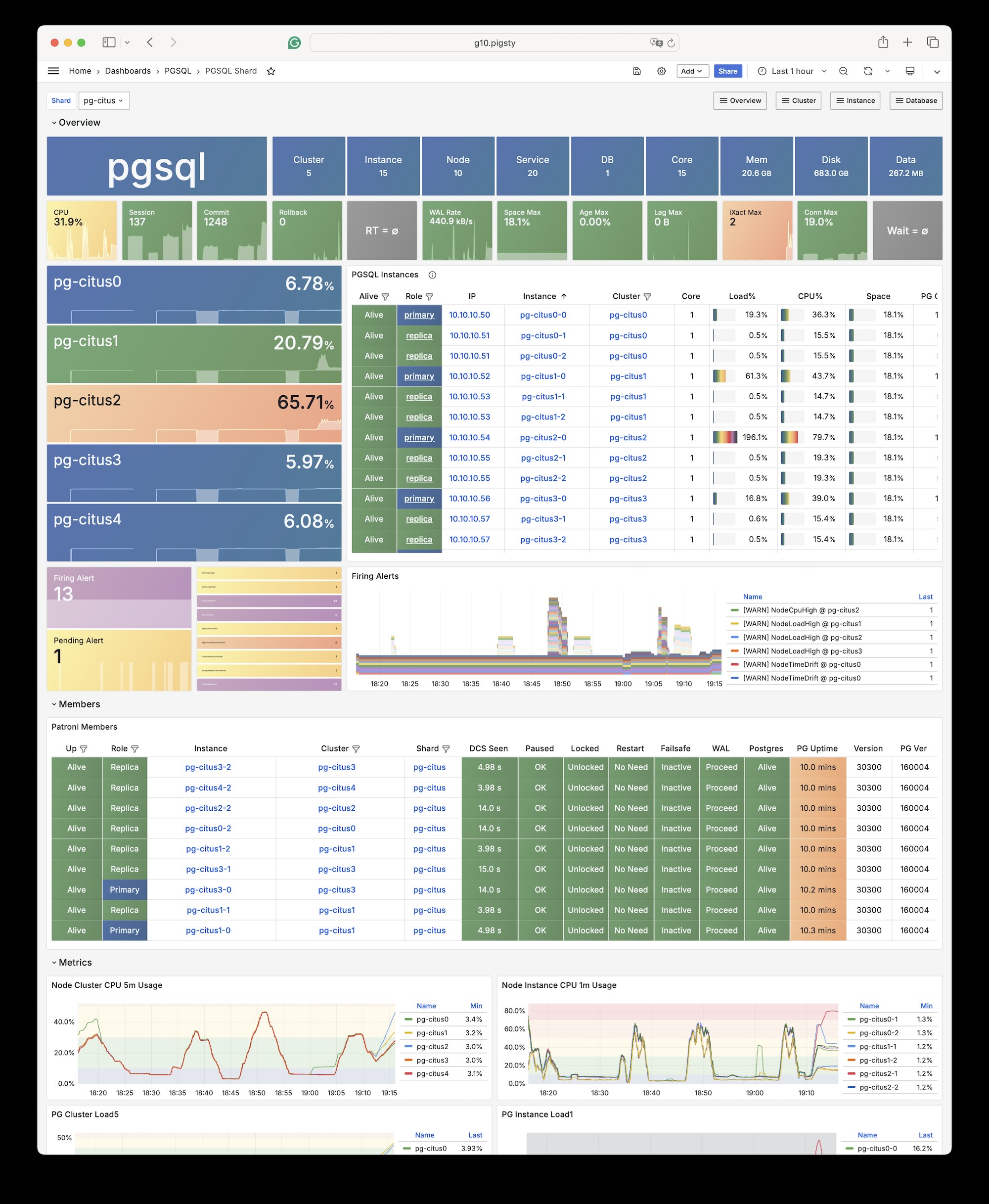
Installation
Citus is a PostgreSQL extension plugin. Use the standard extension installation procedure to install and enable it on a native PostgreSQL cluster.
Configuration
To define a Citus cluster, set these parameters:
pg_modemust be set tocitusinstead of the defaultpgsql- You must define the shard name
pg_shardand shard numberpg_groupon each shard cluster - You must define
pg_primary_dbto specify the database managed by Patroni - You can run administration commands as
postgresfrompg_dbsu, instead of the defaultpg_admin_username. If you use this account, you must setpg_dbsu_passwordto a non-empty plaintext password.
You also need HBA rules that allow SSL access from localhost and other data nodes.
You can define each Citus cluster as a separate group, as with standard PostgreSQL clusters.
The current complete template is conf/ha/citus.yml:
You can also specify identity parameters for all Citus cluster members within a single group, as shown in conf/ha/citus.yml:
Usage
Connect to any node as you would connect to a regular cluster:
By default, changes to one shard affect only that cluster. These changes do not synchronize to other shards.
To distribute writes across all shards, use Citus API functions to mark tables as one of these types:
- Distributed tables (automatic partitioning, requires specifying partition key)
- Reference tables (full replication: does not require specifying partition key)
From Citus 11.2, any Citus database node can act as coordinator. Thus, any primary node can write:
After distributing the tables, you can also access them on other nodes:
For example, this full table scan shows a distributed execution plan:
You can initiate writes from several different primary nodes:
When a node fails, Patroni promotes the standby node. The standby automatically takes over through native high availability support.
10.15.12 - IvorySQL
IvorySQL is an open-source PostgreSQL kernel fork that aims to provide Oracle compatibility.
Overview
The Pigsty PGSQL repository provides IvorySQL 5.4 packages compatible with PostgreSQL 18.4.
Packages cover the currently supported EL, Debian, and Ubuntu platforms on both architectures.
Online installation uses Pigsty’s pgsql repository.
The Professional Edition also provides offline delivery for these platforms.
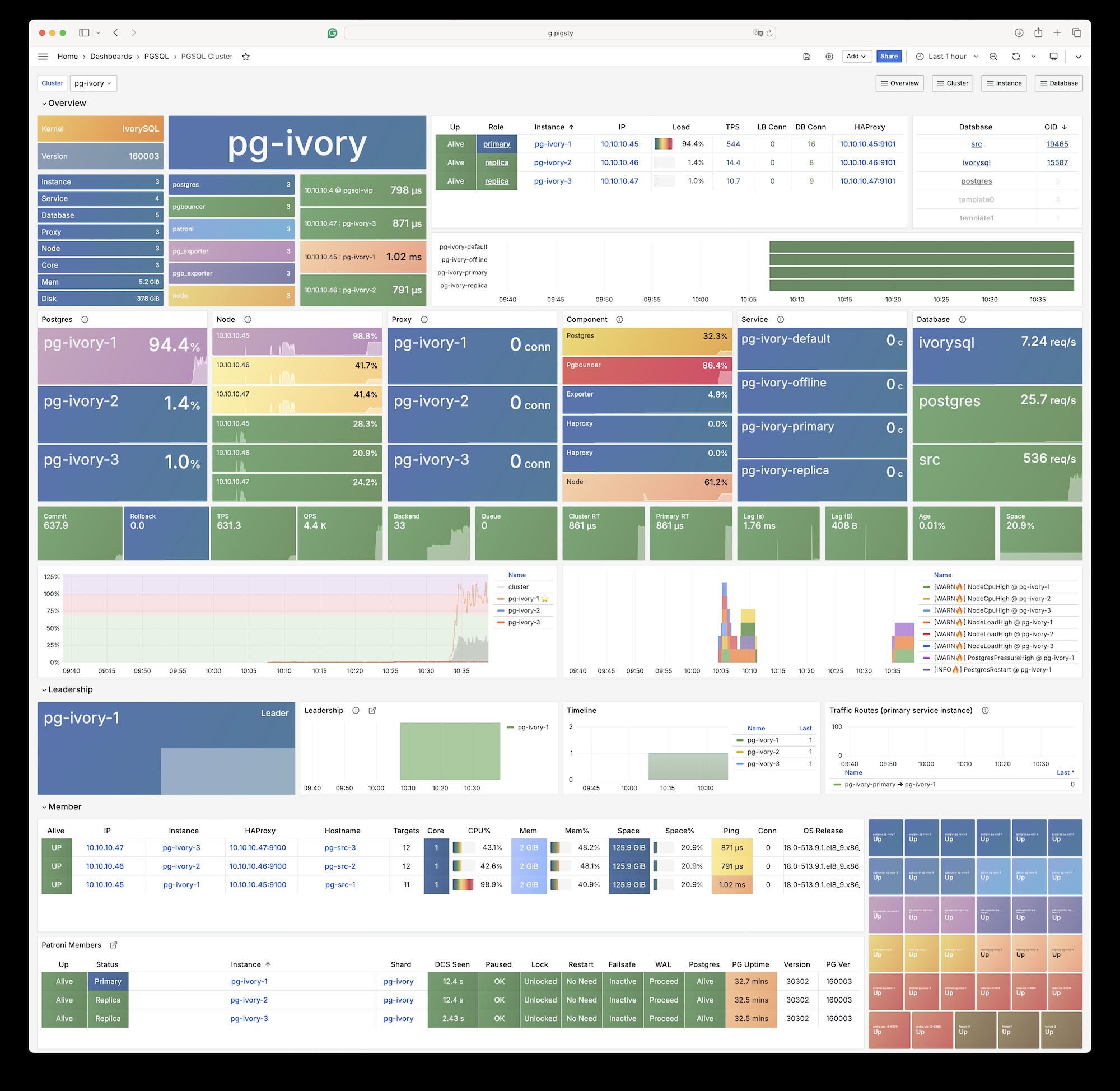
Pigsty’s ivorysql package alias points to IvorySQL 5, which is compatible with PostgreSQL 18.
Platform variables under roles/node_id/vars/ map the alias to package names.
For example, EL uses ivorysql5, and Debian/Ubuntu uses ivorysql-5.
IvorySQL 3.3 was the last version to support EL7. It corresponds to PostgreSQL 16.3. IvorySQL 4.4 is the last version based on PostgreSQL 17.
Installation
Install with Pigsty’s built-in ivory configuration template:
Configuration
Set these parameters for an IvorySQL database cluster:
For Oracle compatibility mode, dynamically load the
liboracle_parserextension plugin.
Client Access
IvorySQL 5 is equivalent to PostgreSQL 18. Any client tool that supports the PostgreSQL wire protocol can connect to IvorySQL clusters.
Available Extensions
The IvorySQL kernel has 95 available extensions. The following table lists the extra extensions, excluding bundled PG Contrib extensions:
| Extension | Version | Description |
|---|---|---|
| address_standardizer | 3.5.4 | Parses an address into its elements. Usually supports address normalization for geocoding. |
| address_standardizer_data_us | 3.5.4 | Address Standardizer US dataset example |
| age | 1.7.0 | AGE database extension |
| ddlx | 0.31 | DDL eXtractor functions |
| gb18030_2022 | 1.0 | support gb18030 2022 with extension |
| http | 1.7 | HTTP client for PostgreSQL, allows web page retrieval inside the database. |
| ivorysql_ora | 1.0 | Oracle Compatible extenison on Postgres Database |
| ora_btree_gin | 1.0 | support for indexing oracle datatypes in GIN |
| ora_btree_gist | 1.0 | support for oracle indexing common datatypes in GiST |
| pg_bigm | 1.2 | text similarity measurement and index searching based on bigrams |
| pg_cron | 1.6 | Job scheduler for PostgreSQL |
| pg_curl | 2.4 | PostgreSQL cURL allows most curl actions, including data transfer with URL syntax via HTTP, HTTPS, FTP, FTPS, GOPHER, TFTP, SCP, SFTP, SMB, TELNET, DICT, LDAP, LDAPS, FILE, IMAP, SMTP, POP3, RTSP and RTMP |
| pg_get_functiondef | 1.0 | Get function’s definition |
| pg_hint_plan | 1.8.0 | optimizer hints for PostgreSQL |
| pg_jieba | 1.1.1 | a parser for full-text search of Chinese |
| pg_partman | 5.3.1 | Extension to manage partitioned tables by time or ID |
| pg_show_plans | 2.1 | show query plans of all currently running SQL statements |
| pg_stat_monitor | 2.3 | Monitors PostgreSQL query performance. Based on the PostgreSQL contrib module pg_stat_statements. Provides aggregated statistics, client information, execution plans and plan details, and histogram information. |
| pg_textsearch | 0.1.0 | Full-text search with BM25 ranking |
| pgagent | 4.2 | A PostgreSQL job scheduler |
| pgaudit | 18.0 | provides auditing functionality |
| pgroonga | 4.0.4 | Super fast and all languages supported full text search index based on Groonga |
| pgroonga_database | 4.0.4 | PGroonga database management module |
| pgrouting | 3.8.0 | pgRouting Extension |
| plisql | 1.0 | PL/iSQL procedural language |
| plpgsql_check | 2.8 | extended check for plpgsql functions |
| postgis | 3.5.4 | PostGIS geometry and geography spatial types and functions |
| postgis_raster | 3.5.4 | PostGIS raster types and functions |
| postgis_sfcgal | 3.5.4 | PostGIS SFCGAL functions |
| postgis_tiger_geocoder | 3.5.4 | PostGIS tiger geocoder and reverse geocoder |
| postgis_topology | 3.5.4 | PostGIS topology spatial types and functions |
| redis_fdw | 1.0 | Foreign data wrapper for querying a Redis server |
| system_stats | 3.0 | EnterpriseDB system statistics for PostgreSQL |
| vector | 0.8.1 | vector data type and ivfflat and hnsw access methods |
| zhparser | 2.3 | a parser for full-text search of Chinese |
Pigsty does not assume any warranty responsibility for use of the IvorySQL kernel. Contact the original vendor about issues or requirements for this kernel.
10.15.13 - PolarDB PG
Overview
Use Pigsty and PolarDB to create PostgreSQL clusters with “domestic innovation qualification” credentials.
PolarDB for PostgreSQL now uses PostgreSQL 17 as its base.
The Pigsty polar template, default path, and extension notes now use PG17.
Any client tool that supports the PostgreSQL wire protocol can connect to PolarDB clusters.
Pigsty’s PGSQL repository provides PolarDB PG open-source installation packages. Pigsty does not download these packages to the local software repository during installation.
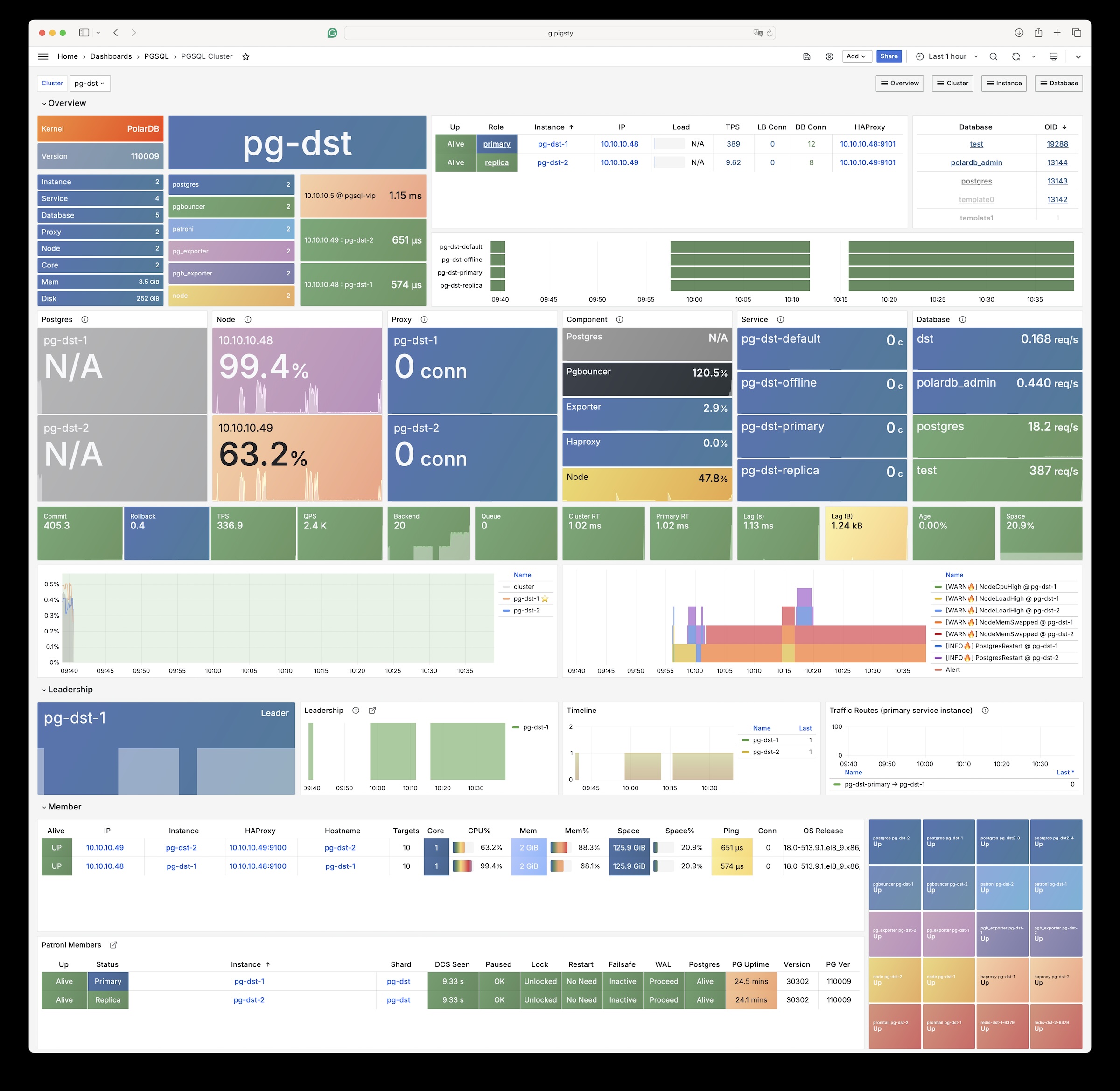
Installation
Use the built-in Pigsty template:
Change Summary
From Pigsty v4.4, the PolarDB PG kernel uses packages that Pigsty builds and maintains. The main changes are:
| Item | Old docs / old default | Current |
|---|---|---|
| Kernel baseline | PostgreSQL 15 | PostgreSQL 17 |
| Default PolarDB path | /u01/polardb_pg | /usr/polar-17 |
| Supported architectures | x86_64 | x86_64, aarch64 |
| Available extensions | Old docs said 61 | pg_available_extensions returns 93; 34 remain after filtering contrib |
| Replication user requirement | replicator must be SUPERUSER | unchanged |
Configuration
Set these parameters for PolarDB database clusters:
The default installation directory for the polar kernel is now /usr/polar-17.
PolarDB PG still requires the replicator replication user to be SUPERUSER.
Native PostgreSQL does not have this requirement.
Available Extensions
The PolarDB PG kernel has 93 available extensions. The following table lists the extra extensions, excluding bundled PG Contrib extensions:
| Extension | Version | Description |
|---|---|---|
| hll | 2.18 | type for storing hyperloglog data |
| ip4r | 2.4 | |
| log_fdw | 1.4 | foreign-data wrapper for Postgres log file access |
| pase | 0.0.1 | ant ai similarity search |
| pg_bigm | 1.2 | text similarity measurement and index searching based on bigrams |
| pg_cron | 1.5 | Job scheduler for PostgreSQL |
| pg_cron_preload | 1.0 | polardb pg extend catalog |
| pg_hint_plan | 1.7.0 | optimizer hints for PostgreSQL |
| pg_jieba | 1.1.0 | a parser for full-text search of Chinese |
| pg_partman | 5.2.4 | Extension to manage partitioned tables by time or ID |
| pg_profile | 4.10 | PostgreSQL load profile repository and report builder |
| pg_repack | 1.5.1-1 | Reorganize tables in PostgreSQL databases with minimal locks |
| pg_similarity | 1.0 | support similarity queries |
| pg_squeeze | 1.9 | A tool to remove unused space from a relation. |
| pg_stat_kcache | 2.3.0 | Kernel statistics gathering |
| pgaudit | 17.1 | provides auditing functionality |
| pgtap | 1.3.3 | Unit testing for PostgreSQL |
| pldbgapi | 1.1 | server-side support for debugging PL/pgSQL functions |
| polar_advisor | 1.1 | polar_advisor |
| polar_feature_utils | 1.0 | PolarDB feature utilization |
| polar_io_stat | 1.0 | polar io stat in multi dimension |
| polar_monitor | 1.3 | monitor functions for PolarDB |
| polar_monitor_preload | 1.0 | examine the polardb information |
| polar_parameter_manager | 1.2 | Extension to select parameters for manger. |
| polar_proxy_utils | 1.0 | Extension to provide operations about proxy. |
| polar_resource_manager | 1.0 | a background process that forcibly frees user session process memory |
| polar_smgrperf | 1.0 | smgr perf test extension |
| polar_tde_utils | 1.0 | Internal extension for TDE |
| polar_vfs | 1.0 | polar virtual file system for different storage |
| polar_worker | 1.1 | polar_worker |
| prefix | 1.2.0 | Prefix Range module for PostgreSQL |
| roaringbitmap | 0.5 | support for Roaring Bitmaps |
| sequential_uuids | 1.0.3 | generator of sequential UUIDs |
| varbitx | 1.1 | varbit functions pack |
10.15.14 - PolarDB Oracle
Use Pigsty to create PolarDB for Oracle clusters with “domestic innovation qualification” credentials.
The Security and Reliability Evaluation Results Announcement (No. 1, 2023) lists PolarDB v2.0 in Appendix 3, Centralized Database. It identifies PolarDB v2.0 as an autonomous, controllable, secure, and reliable domestic innovation database.
PolarDB for Oracle is an Oracle-compatible version based on PolarDB for PostgreSQL.
Both use the same kernel.
The --compatibility-mode parameter selects the mode.
We work with the Alibaba Cloud kernel team to provide a complete database solution with the PolarDB v2.0 kernel and Pigsty. For inquiries, contact sales. You can also purchase it on Alibaba Cloud Marketplace.
The PolarDB for Oracle kernel is currently only available on EL7 (CentOS 7) systems.
Extensions
The PolarDB 2.0 kernel in Oracle compatibility mode currently includes these 188 extension plugins:
| name | default_version | comment |
|---|---|---|
| cube | 1.5 | data type for multidimensional cubes |
| ip4r | 2.4 | NULL |
| adminpack | 2.1 | administrative functions for PostgreSQL |
| dict_xsyn | 1.0 | text search dictionary template for extended synonym processing |
| amcheck | 1.4 | functions for verifying relation integrity |
| autoinc | 1.0 | functions for autoincrementing fields |
| hstore | 1.8 | data type for storing sets of (key, value) pairs |
| bloom | 1.0 | bloom access method - signature file based index |
| earthdistance | 1.1 | calculate great-circle distances on the surface of the Earth |
| hstore_plperl | 1.0 | transform between hstore and plperl |
| bool_plperl | 1.0 | transform between bool and plperl |
| file_fdw | 1.0 | foreign-data wrapper for flat file access |
| bool_plperlu | 1.0 | transform between bool and plperlu |
| fuzzystrmatch | 1.1 | determine similarities and distance between strings |
| hstore_plperlu | 1.0 | transform between hstore and plperlu |
| btree_gin | 1.3 | support for indexing common datatypes in GIN |
| hstore_plpython2u | 1.0 | transform between hstore and plpython2u |
| btree_gist | 1.6 | support for indexing common datatypes in GiST |
| hll | 2.17 | type for storing hyperloglog data |
| hstore_plpython3u | 1.0 | transform between hstore and plpython3u |
| citext | 1.6 | data type for case-insensitive character strings |
| hstore_plpythonu | 1.0 | transform between hstore and plpythonu |
| hypopg | 1.3.1 | Hypothetical indexes for PostgreSQL |
| insert_username | 1.0 | functions for tracking who changed a table |
| dblink | 1.2 | connect to other PostgreSQL databases from within a database |
| decoderbufs | 0.1.0 | Logical decoding plugin that delivers WAL stream changes using a Protocol Buffer format |
| intagg | 1.1 | integer aggregator and enumerator (obsolete) |
| dict_int | 1.0 | text search dictionary template for integers |
| intarray | 1.5 | functions, operators, and index support for 1-D arrays of integers |
| isn | 1.2 | data types for international product numbering standards |
| jsonb_plperl | 1.0 | transform between jsonb and plperl |
| jsonb_plperlu | 1.0 | transform between jsonb and plperlu |
| jsonb_plpython2u | 1.0 | transform between jsonb and plpython2u |
| jsonb_plpython3u | 1.0 | transform between jsonb and plpython3u |
| jsonb_plpythonu | 1.0 | transform between jsonb and plpythonu |
| lo | 1.1 | Large Object maintenance |
| log_fdw | 1.0 | foreign-data wrapper for csvlog |
| ltree | 1.2 | data type for hierarchical tree-like structures |
| ltree_plpython2u | 1.0 | transform between ltree and plpython2u |
| ltree_plpython3u | 1.0 | transform between ltree and plpython3u |
| ltree_plpythonu | 1.0 | transform between ltree and plpythonu |
| moddatetime | 1.0 | functions for tracking last modification time |
| old_snapshot | 1.0 | utilities in support of old_snapshot_threshold |
| oracle_fdw | 1.2 | foreign data wrapper for Oracle access |
| oss_fdw | 1.1 | foreign-data wrapper for OSS access |
| pageinspect | 2.1 | inspect the contents of database pages at a low level |
| pase | 0.0.1 | ant ai similarity search |
| pg_bigm | 1.2 | text similarity measurement and index searching based on bigrams |
| pg_freespacemap | 1.2 | examine the free space map (FSM) |
| pg_hint_plan | 1.4 | controls execution plan with hinting phrases in comment of special form |
| pg_buffercache | 1.5 | examine the shared buffer cache |
| pg_prewarm | 1.2 | prewarm relation data |
| pg_repack | 1.4.8-1 | Reorganize tables in PostgreSQL databases with minimal locks |
| pg_sphere | 1.0 | spherical objects with useful functions, operators and index support |
| pg_cron | 1.5 | Job scheduler for PostgreSQL |
| pg_jieba | 1.1.0 | a parser for full-text search of Chinese |
| pg_stat_kcache | 2.2.1 | Kernel statistics gathering |
| pg_stat_statements | 1.9 | track planning and execution statistics of all SQL statements executed |
| pg_surgery | 1.0 | extension to perform surgery on a damaged relation |
| pg_trgm | 1.6 | text similarity measurement and index searching based on trigrams |
| pg_visibility | 1.2 | examine the visibility map (VM) and page-level visibility info |
| pg_wait_sampling | 1.1 | sampling based statistics of wait events |
| pgaudit | 1.6.2 | provides auditing functionality |
| pgcrypto | 1.3 | cryptographic functions |
| pgrowlocks | 1.2 | show row-level locking information |
| pgstattuple | 1.5 | show tuple-level statistics |
| pgtap | 1.2.0 | Unit testing for PostgreSQL |
| pldbgapi | 1.1 | server-side support for debugging PL/pgSQL functions |
| plperl | 1.0 | PL/Perl procedural language |
| plperlu | 1.0 | PL/PerlU untrusted procedural language |
| plpgsql | 1.0 | PL/pgSQL procedural language |
| plpython2u | 1.0 | PL/Python2U untrusted procedural language |
| plpythonu | 1.0 | PL/PythonU untrusted procedural language |
| plsql | 1.0 | Oracle compatible PL/SQL procedural language |
| pltcl | 1.0 | PL/Tcl procedural language |
| pltclu | 1.0 | PL/TclU untrusted procedural language |
| polar_bfile | 1.0 | The BFILE data type enables access to binary file LOBs that are stored in file systems outside Database |
| polar_bpe | 1.0 | polar_bpe |
| polar_builtin_cast | 1.1 | Internal extension for builtin casts |
| polar_builtin_funcs | 2.0 | implement polar builtin functions |
| polar_builtin_type | 1.5 | polar_builtin_type for PolarDB |
| polar_builtin_view | 1.5 | polar_builtin_view |
| polar_catalog | 1.2 | polardb pg extend catalog |
| polar_channel | 1.0 | polar_channel |
| polar_constraint | 1.0 | polar_constraint |
| polar_csn | 1.0 | polar_csn |
| polar_dba_views | 1.0 | polar_dba_views |
| polar_dbms_alert | 1.2 | implement polar_dbms_alert - supports asynchronous notification of database events. |
| polar_dbms_application_info | 1.0 | implement polar_dbms_application_info - record names of executing modules or transactions in the database. |
| polar_dbms_pipe | 1.1 | implements polar_dbms_pipe - package lets two or more sessions in the same instance communicate. |
| polar_dbms_aq | 1.2 | implement dbms_aq - provides an interface to Advanced Queuing. |
| polar_dbms_lob | 1.3 | implement dbms_lob - provides subprograms to operate on BLOBs, CLOBs, and NCLOBs. |
| polar_dbms_output | 1.2 | implement polar_dbms_output - enables you to send messages from stored procedures. |
| polar_dbms_lock | 1.0 | implement polar_dbms_lock - provides an interface to Oracle Lock Management services. |
| polar_dbms_aqadm | 1.3 | polar_dbms_aqadm - procedures to manage Advanced Queuing configuration and administration information. |
| polar_dbms_assert | 1.0 | implement polar_dbms_assert - provide an interface to validate properties of the input value. |
| polar_dbms_metadata | 1.0 | implement polar_dbms_metadata - provides a way for you to retrieve metadata from the database dictionary. |
| polar_dbms_random | 1.0 | implement polar_dbms_random - a built-in random number generator, not intended for cryptography |
| polar_dbms_crypto | 1.1 | implement dbms_crypto - provides an interface to encrypt and decrypt stored data. |
| polar_dbms_redact | 1.0 | implement polar_dbms_redact - provides an interface to mask data from queries by an application. |
| polar_dbms_debug | 1.1 | server-side support for debugging PL/SQL functions |
| polar_dbms_job | 1.0 | polar_dbms_job |
| polar_dbms_mview | 1.1 | implement polar_dbms_mview - enables to refresh materialized views. |
| polar_dbms_job_preload | 1.0 | polar_dbms_job_preload |
| polar_dbms_obfuscation_toolkit | 1.1 | implement polar_dbms_obfuscation_toolkit - enables an application to get data md5. |
| polar_dbms_rls | 1.1 | implement polar_dbms_rls - a fine-grained access control administrative built-in package |
| polar_multi_toast_utils | 1.0 | polar_multi_toast_utils |
| polar_dbms_session | 1.2 | implement polar_dbms_session - support to set preferences and security levels. |
| polar_odciconst | 1.0 | implement ODCIConst - Provide some built-in constants in Oracle. |
| polar_dbms_sql | 1.2 | implement polar_dbms_sql - provides an interface to execute dynamic SQL. |
| polar_osfs_toolkit | 1.0 | osfs library tools and functions extension |
| polar_dbms_stats | 14.0 | stabilize plans by fixing statistics |
| polar_monitor | 1.5 | monitor functions for PolarDB |
| polar_osfs_utils | 1.0 | osfs library utils extension |
| polar_dbms_utility | 1.3 | implement polar_dbms_utility - provides various utility subprograms. |
| polar_parameter_check | 1.0 | kernel extension for parameter validation |
| polar_dbms_xmldom | 1.0 | implement dbms_xmldom and dbms_xmlparser - support standard DOM interface and xml parser object |
| polar_parameter_manager | 1.1 | Extension to select parameters for manager. |
| polar_faults | 1.0.0 | simulate some database faults for end user or testing system. |
| polar_monitor_preload | 1.1 | examine the polardb information |
| polar_proxy_utils | 1.0 | Extension to provide operations about proxy. |
| polar_feature_utils | 1.2 | PolarDB feature utilization |
| polar_global_awr | 1.0 | PolarDB Global AWR Report |
| polar_publication | 1.0 | support polardb pg logical replication |
| polar_global_cache | 1.0 | polar_global_cache |
| polar_px | 1.0 | Parallel Execution extension |
| polar_serverless | 1.0 | polar serverless extension |
| polar_resource_manager | 1.0 | a background process that forcibly frees user session process memory |
| polar_sys_context | 1.1 | implement polar_sys_context - returns the value of parameter associated with the context namespace at the current instant. |
| polar_gpc | 1.3 | polar_gpc |
| polar_tde_utils | 1.0 | Internal extension for TDE |
| polar_gtt | 1.1 | polar_gtt |
| polar_utl_encode | 1.2 | implement polar_utl_encode - provides functions that encode RAW data into a standard encoded format |
| polar_htap | 1.1 | extension for PolarDB HTAP |
| polar_htap_db | 1.0 | extension for PolarDB HTAP database level operation |
| polar_io_stat | 1.0 | polar io stat in multi dimension |
| polar_utl_file | 1.0 | implement utl_file - support PL/SQL programs can read and write operating system text files |
| polar_ivm | 1.0 | polar_ivm |
| polar_sql_mapping | 1.2 | Record error sqls and mapping them to correct one |
| polar_stat_sql | 1.0 | Kernel statistics gathering, and sql plan nodes information gathering |
| tds_fdw | 2.0.2 | Foreign data wrapper for querying a TDS database (Sybase or Microsoft SQL Server) |
| xml2 | 1.1 | XPath querying and XSLT |
| polar_upgrade_catalogs | 1.1 | Upgrade catalogs for old version instance |
| polar_utl_i18n | 1.1 | polar_utl_i18n |
| polar_utl_raw | 1.0 | implement utl_raw - provides SQL functions for manipulating RAW datatypes. |
| timescaledb | 2.9.2 | Enables scalable inserts and complex queries for time-series data |
| polar_vfs | 1.0 | polar virtual file system for different storage |
| polar_worker | 1.0 | polar_worker |
| postgres_fdw | 1.1 | foreign-data wrapper for remote PostgreSQL servers |
| refint | 1.0 | functions for implementing referential integrity (obsolete) |
| roaringbitmap | 0.5 | support for Roaring Bitmaps |
| tsm_system_time | 1.0 | TABLESAMPLE method which accepts time in milliseconds as a limit |
| vector | 0.5.0 | vector data type and ivfflat and hnsw access methods |
| rum | 1.3 | RUM index access method |
| unaccent | 1.1 | text search dictionary that removes accents |
| seg | 1.4 | data type for representing line segments or floating-point intervals |
| sequential_uuids | 1.0.2 | generator of sequential UUIDs |
| uuid-ossp | 1.1 | generate universally unique identifiers (UUIDs) |
| smlar | 1.0 | compute similarity of any one-dimensional arrays |
| varbitx | 1.1 | varbit functions pack |
| sslinfo | 1.2 | information about SSL certificates |
| tablefunc | 1.0 | functions that manipulate whole tables, including crosstab |
| tcn | 1.0 | Triggered change notifications |
| zhparser | 1.0 | a parser for full-text search of Chinese |
| address_standardizer | 3.3.2 | Ganos PostGIS address standardizer |
| address_standardizer_data_us | 3.3.2 | Ganos PostGIS address standardizer data us |
| ganos_fdw | 6.0 | Ganos Spatial FDW extension for POLARDB |
| ganos_geometry | 6.0 | Ganos geometry lite extension for POLARDB |
| ganos_geometry_pyramid | 6.0 | Ganos Geometry Pyramid extension for POLARDB |
| ganos_geometry_sfcgal | 6.0 | Ganos geometry lite sfcgal extension for POLARDB |
| ganos_geomgrid | 6.0 | Ganos geometry grid extension for POLARDB |
| ganos_importer | 6.0 | Ganos Spatial importer extension for POLARDB |
| ganos_networking | 6.0 | Ganos networking |
| ganos_pointcloud | 6.0 | Ganos pointcloud extension For POLARDB |
| ganos_pointcloud_geometry | 6.0 | Ganos_pointcloud LIDAR data and ganos_geometry data for POLARDB |
| ganos_raster | 6.0 | Ganos raster extension for POLARDB |
| ganos_scene | 6.0 | Ganos scene extension for POLARDB |
| ganos_sfmesh | 6.0 | Ganos surface mesh extension for POLARDB |
| ganos_spatialref | 6.0 | Ganos spatial reference extension for POLARDB |
| ganos_trajectory | 6.0 | Ganos trajectory extension for POLARDB |
| ganos_vomesh | 6.0 | Ganos volume mesh extension for POLARDB |
| postgis_tiger_geocoder | 3.3.2 | Ganos PostGIS tiger geocoder |
| postgis_topology | 3.3.2 | Ganos PostGIS topology |
10.15.15 - PostgresML
PostgresML is a PostgreSQL extension that supports the latest large language models (LLM), vector operations, and classical machine learning. It also supports traditional Postgres application workloads.
PostgresML (pgml) is written in Rust. You can run standalone Docker images. This page is reference documentation and does not describe a docker-compose template.
PostgresML officially supports Ubuntu 22.04. We also maintain RPM versions for EL 8/9, for use without CUDA and NVIDIA-related features.
You need internet access on database nodes to download Python dependencies from PyPI and models from HuggingFace.
The company that developed PostgresML has ceased operations.
Configuration
PostgresML is an extension written in Rust. Pigsty maintains prebuilt packages for PG14-17 on EL8/EL9 and Debian/Ubuntu platforms.
Creating a New Cluster
PostgresML 2.10.0 is available for PostgreSQL 14-17.
The following example uses PG17.
For PG14-16, set pg_version to the applicable major version.
Pigsty maps the pgml package alias to pgml_$v on EL and postgresql-$v-pgml on Debian/Ubuntu.
You must also add pgml to pg_libs.
Enabling on an Existing Cluster
To enable pgml on an existing cluster, you can install it using Ansible’s package module:
Python Dependencies
You must also install PostgresML’s Python dependencies on the cluster nodes. See the official tutorial: Installation Guide
Install Python and PIP
Ensure python3, pip, and venv are installed:
For EL 8 / EL9 and compatible distributions, you can use python3.11:
For users in mainland China, we recommend using Tsinghua University’s PyPI mirror.
Install Dependencies
Create a Python virtual environment.
Use pip to install dependencies from requirements.txt and requirements-xformers.txt.
If you’re using EL 8/9, replace
python3withpython3.11in the following commands.
Enable PostgresML
Install the pgml extension and Python dependencies on all cluster nodes first.
Then enable pgml on the PostgreSQL cluster.
Use patronictl to configure the cluster.
Add pgml to shared_preload_libraries.
Set pgml.venv to your virtual environment directory:
Then restart the database cluster and create the extension using SQL commands:
If these commands succeed, the output should be similar to this:
For more details, see the official PostgresML documentation: https://postgresml.org/docs/guides/use-cases/
10.15.16 - Greenplum
Pigsty supports deployment of Greenplum clusters and the derivative distribution YMatrixDB. You can also add existing Greenplum deployments to Pigsty monitoring.
Overview
Only the professional/enterprise editions provide Greenplum / YMatrix cluster deployment. This capability is not currently open source.
Installation
Pigsty provides installation packages for Greenplum 6 (@el7) and Greenplum 7 (@el8). Open-source users can install and configure them manually.
Configuration
To define a Greenplum cluster, set pg_mode = gpsql.
Also set the identity parameters pg_shard and gp_role.
PG Exporter also requires extra connection parameters to collect metrics from Greenplum Segment instances.
10.15.17 - Neon
Neon separates storage from compute. It provides automatic scaling, scale-to-zero operation, and database branching.
Neon official website: https://neon.tech/
Neon binaries are currently too large for the open-source package set. This support remains in the pilot stage. If you need it, contact Pigsty sales.
10.16 - FAQ
Why can’t my current user use the pg admin alias?
Since Pigsty v4.0, only members of admin on administration nodes can manage global Patroni and PostgreSQL clusters with pg.
The node.yml playbook creates the administration user dba with this permission.
To grant the permission to your current user, explicitly add that user to the admin group:
PGSQL Init Fails: Fail to wait for postgres/patroni primary
Several conditions can cause this error. Check the Ansible, systemd, Patroni, and PostgreSQL logs to find the cause.
- Possibility 1: Cluster config error - find and fix the incorrect config items.
- Possibility 2: A cluster with the same name exists, or the previous same-named cluster primary was improperly removed.
- Possibility 3: Residual metadata from a same-named cluster remains in DCS. First inspect the exact keyspace with
etcdctl get --prefix /pg/<cls>/; only after confirming the backup and full cluster name should you useetcdctl del --prefix /pg/<cls>/. The trailing/is the namespace boundary and must not be omitted, or a cluster whose name merely starts with the same text can also match. This is destructive; prefer the controlled decommissioning workflow. - Possibility 4: Your PostgreSQL or node-related RPM pkgs were not successfully installed.
- Possibility 5: Your Watchdog kernel module was not properly enabled/loaded.
- Possibility 6: The locale you specified during database init doesn’t exist (e.g., used
en_US.UTF8but English language pack or Locale support wasn’t installed). - If you encounter other causes, please submit an Issue or ask the community for help.
PGSQL Init Fails: Fail to wait for postgres/patroni replica
There are several possible causes:
Immediate failure: Possible causes include configuration errors, network problems, and corrupted DCS metadata.
Check /pg/log to find the actual cause.
Failure after some time: The source instance may have corrupted data. See the FAQ about replica creation when data is corrupted.
Timeout after a long time: The wait for postgres replica task can time out after 30 minutes or more.
This is common for large clusters.
For example, replica creation for a cluster larger than 1TB may take hours.
In this case, replica creation continues in the background.
Use pg list <cls> to check cluster status.
Wait until the replica catches up with the primary.
Then run the remaining tasks to complete replica initialization:
PGSQL Init Fails: ABORT due to pg_safeguard enabled
The target PostgreSQL instance has deletion protection enabled.
Disable pg_safeguard to remove it.
If the deletion safeguard pg_safeguard is enabled, you cannot remove running PGSQL instances using bin/pgsql-rm or the pgsql-rm.yml playbook.
To disable pg_safeguard, set it to false in the inventory.
Alternatively, pass -e pg_safeguard=false when you run the playbook.
How to Ensure No Data Loss During Failover?
Use the
crit.ymlparam template, setpg_rpoto0, or config the cluster for sync commit mode.
Consider using Sync Standby and Quorum Commit to ensure zero data loss during failover.
For more details, see the intro in Security Considerations - Availability.
How to Rescue When Disk is Full?
If the disk is full and shell commands cannot run, use rm -rf /pg/dummy to release emergency space.
The default pg_dummy_filesize is 64MB.
For production, increase it to 8GB or more.
Pigsty creates /pg/dummy on the main PGSQL data disk.
Delete this file to release emergency space.
This space lets you run shell scripts to reclaim more space. For example, you can remove unnecessary logs, WAL, old data, WAL archives, or backups.
How to Create a Replica When Cluster Data is Corrupted?
Pigsty sets clonefrom: true in each instance’s Patroni configuration.
This marks the instance as a source for replica creation.
Corrupted data files on a source instance can cause replica creation to fail.
Set clonefrom: false on that instance to prevent use of its data:
What is the Perf Overhead of PostgreSQL Monitoring?
A normal PostgreSQL instance scrape takes about 200ms. The default scrape interval is 10 seconds. The overhead is usually negligible for a production database instance with multiple CPU cores.
Pigsty monitors in-database objects by default. For a database with hundreds of thousands of tables or indexes, a scrape may take several seconds.
You can change the Prometheus scrape frequency. Keep the scrape interval significantly longer than the time required for one scrape.
How to Monitor an Existing PostgreSQL Instance?
Detailed monitoring config instructions are provided in PGSQL Monitor.
How to Manually Remove PostgreSQL Monitoring Targets?
10.17 - Misc
10.17.1 - Service / Access
Separate read and write operations, route traffic correctly, and deliver PostgreSQL cluster capabilities reliably.
A service exposes database cluster capabilities to clients. It hides the details of the underlying cluster.
Services provide stable access in production, including after automatic failover in high-availability clusters. Single-node users usually do not need services.
Single-Node Users
Services are intended for production environments. Personal users and single-node clusters can connect directly through an instance name or IP address.
For example, Pigsty’s default single-node pg-meta.meta database can be connected directly using three different users:
Service Overview
Production environments use primary-replica clusters with replication. Exactly one instance, the primary, leads the cluster and accepts writes. Replicas continuously fetch change logs from the primary to keep their data consistent. Replicas also handle read-only requests, which substantially reduces primary load in workloads with many reads. Thus, separating write requests from read-only requests is common.
For frequent short connections, Pgbouncer pools requests to reduce the cost of connection and backend process creation. Operations such as ETL and database changes need direct connections that bypass the pool. Failures in high-availability clusters can trigger failover and change the primary. Write traffic must follow the new primary automatically. Services represent these access requirements: separate reads and writes, pooled or direct connections, and automatic routing after failover.
Typically, database clusters must provide this most basic service:
- Read-Write Service (primary): Can read and write to the database
For production database clusters, at least these two services should be provided:
- Read-Write Service (primary): Write data: can only be carried by the primary.
- Read-Only Service (replica): Read data: can be carried by replicas, or by the primary if there are no replicas
In addition, depending on specific business scenarios, there may be other services, such as:
- Default Direct Service (default): Allows (admin) users to access the database directly, bypassing the connection pool
- Offline Replica Service (offline): Dedicated replicas that do not handle online read-only traffic, used for ETL and analytical queries
- Standby Replica Service (standby): Read-only service without replication lag, handled by sync standby/primary for read-only queries
- Delayed Replica Service (delayed): Access old data from the same cluster at a previous point in time, handled by delayed replica
Default Services
By default, Pigsty provides four services for each PostgreSQL cluster:
| Service | Port | Description |
|---|---|---|
| primary | 5433 | Production read-write, connects to primary connection pool (6432) |
| replica | 5434 | Production read-only, connects to replica connection pool (6432) |
| default | 5436 | Admin, ETL writes, direct access to primary (5432) |
| offline | 5438 | OLAP, ETL, personal users, interactive queries |
Taking the default pg-meta cluster as an example, it provides four default services:
You can see how these four services work from the sample cluster architecture diagram:
pg_dns_target controls the DNS target of pg-meta.
The default, auto, selects the L2 VIP when enabled.
Otherwise, it selects the IP address of the inventory primary.
VIP is disabled by default.
See Accessing Services.
Service Implementation
Pigsty implements services with HAProxy on nodes. Different ports identify different services.
Pigsty enables HAProxy on each managed node, including database nodes. Database nodes have primary or replica roles, but each node exposes the same services. With the correct service port, you can access the primary read-write service through a replica node. Thus, access to any cluster instance gives access to all cluster services.
This design is similar to Kubernetes NodePort services. Each Pigsty service has two core elements:
- Access endpoints exposed through NodePort (port number, where to access?)
- Target instances selected through Selectors (instance list, who carries the load?)
Pigsty provides services up to the cluster HAProxy endpoint. Clients can reach these load balancers in several ways. See Accessing Services.
Declare all services in configuration files.
For example, pg_default_services defines the default PostgreSQL services:
Define additional services in pg_services.
Both pg_default_services and pg_services are arrays of service definition objects.
Defining Services
Pigsty allows you to define your own services:
pg_default_services: Services uniformly exposed by all PostgreSQL clusters, four by default.pg_services: Additional PostgreSQL services, can be defined at global or cluster level as needed.haproxy_services: Directly customize HAProxy service content, can be used for accessing other components
For PostgreSQL clusters, you usually need only the first two parameters.
Each service generates a configuration file on every related HAProxy instance: /etc/haproxy/conf.d/<pg_cluster>-<service>.cfg.
The following custom standby service provides read-only access without replication lag.
Add its definition to pg_services:
For the three-node pg-test example cluster, Pigsty generates /etc/haproxy/conf.d/pg-test-standby.cfg from this definition:
The selector: "[]" expression includes all three pg-test instances in the pg-test-standby backend list.
However, the Patroni /sync health check returns HTTP 200 only for the primary and synchronous standby.
Only those instances can handle requests.
The primary also matches pg_role == primary, so the backup selector marks it as a backup server.
It handles requests only when no synchronous standby can do so.
Primary Service
The Primary service provides cluster read-write access on port 5433. It is a critical production service. Its definition is:
selector: "[]"includes all cluster members in the Primary service.- Only the primary passes
check: /primaryand receives traffic. dest: defaultmakespg_default_service_destcontrol the destination.- Pigsty replaces the
destvaluedefaultwithpg_default_service_dest, whose default ispgbouncer. - Thus, the default destination is the primary connection pool on
pgbouncer_port, normally 6432.
Set pg_default_service_dest to postgres to bypass the connection pool.
The Primary service then connects directly to pg_port, normally 5432.
Use this setting when you do not need pooling.
Patroni high availability ensures that no more than one instance passes the /primary health check at a time.
Thus, the Primary service always routes traffic to the primary.
The Primary service also protects traffic routing during a split-brain condition. For example, kill -9 can stop primary Patroni without a watchdog. HAProxy sends traffic only when Patroni is alive and reports primary status. This protection is unavailable with a direct database connection.
Replica Service
The Replica service provides read-only access on port 5434. It is the next most important production service after Primary. Its definition is:
selector: "[]"includes all cluster members in the Replica service.- All instances can pass
check: /read-onlyand receive traffic. - The backup selector
[? pg_role == 'primary' || pg_role == 'offline' ]marks the primary and offline replicas as backups. - The primary or offline replicas receive traffic only when all normal replicas are down.
dest: defaultmakespg_default_service_destcontrol the destination.- Pigsty replaces the
destvaluedefaultwithpg_default_service_dest, whose default ispgbouncer, as for the Primary service. - Thus, the default destination is the replica connection pool on
pgbouncer_port, normally 6432.
The Replica service first sends read-only requests to available dedicated replicas. It sends them to the primary only when all replicas are down. For a two-node primary-replica cluster, this means it uses the replica while available and the primary when the replica fails.
The Replica service uses dedicated Offline instances only when all dedicated read-only instances are down. This separates fast online queries from slow offline queries to reduce interference.
Default Service
The Default service provides services on port 5436. It is a variant of the Primary service.
The Default service always bypasses the connection pool and connects directly to primary PostgreSQL. Use it for administration connections, ETL writes, and change data capture (CDC).
If pg_default_service_dest is postgres, Default and Primary have the same behavior.
Only their names and ports differ.
In this case, you can remove Default from the default services.
Offline Service
The Offline service listens on port 5438 and connects directly to PostgreSQL without the pool. Use it for slow queries, analytical queries, ETL reads, and personal interactive queries:
Offline routes traffic directly to dedicated offline replicas.
It can also use normal read-only instances with the pg_offline_query flag.
- The selector includes replicas with
pg_role=offlineand normal read-only instances withpg_offline_query=true. - Dedicated offline replicas do not handle Replica service requests by default. This separates fast and slow requests. Flagged normal replicas do handle those requests.
- The backup selector includes normal replicas without the offline flag. They handle Offline traffic when dedicated or flagged offline instances fail.
/replicareturns HTTP 200 only for replicas. It rejects the primary, even when the primary is the only remaining cluster instance.- Neither selector includes the primary. Thus, Offline traffic never reaches or affects the primary.
Offline provides restricted read-only access for personal interactive queries, slow analytical or ETL queries, and long transactions.
The Offline service needs special handling after a switchover.
The HAProxy /replica health check automatically rejects the new primary.
However, selector uses static pg_role and pg_offline_query inventory labels.
In a two-node primary-replica cluster, only the replica may serve Offline queries.
A switchover can then leave no eligible backend temporarily.
Reloading an unchanged inventory does not add the old primary to the backend list.
First update the inventory labels or pg_offline_query for the new plan, then reload services.
Alternatively, switch the primary back.
For a simple business model, you can remove Default and Offline. Use Primary and Replica to connect directly to the database.
Reload Services
Reload services after changes to cluster membership, service definitions, static selector labels, or relative weights. Patroni health checks handle normal Primary and Replica switchovers automatically. These switchovers need no separate reload.
Accessing Services
Pigsty provides services up to the cluster HAProxy endpoint. Clients can reach these load balancers in several ways.
The typical approach is to use DNS or VIP access, binding them to all or any number of load balancers in the cluster.
You can use different host & port combinations, which provide PostgreSQL services in different ways.
Host
| Type | Example | Description |
|---|---|---|
| Cluster Domain | pg-test | Access via cluster domain name (resolved by dnsmasq @ infra node) |
| Cluster VIP Address | 10.10.10.3 | Access via L2 VIP address managed by vip-manager, bound to primary node |
| Instance Hostname | pg-test-1 | Access via any instance hostname (resolved by dnsmasq @ infra node) |
| Instance IP Address | 10.10.10.11 | Access any instance’s IP address |
Port
Pigsty uses different ports to distinguish pg services
| Port | Service | Type | Description |
|---|---|---|---|
| 5432 | postgres | Database | Direct access to postgres server |
| 6432 | pgbouncer | Middleware | Access postgres via connection pool middleware |
| 5433 | primary | Service | Access primary pgbouncer (or postgres) |
| 5434 | replica | Service | Access replica pgbouncer (or postgres) |
| 5436 | default | Service | Access primary postgres |
| 5438 | offline | Service | Access offline postgres |
Combinations
Overriding Services
You can override service defaults in several ways. A common requirement is for Primary and Replica to bypass Pgbouncer and connect directly to PostgreSQL.
Set pg_default_service_dest to postgres.
Services with svc.dest='default' then use postgres instead of the default pgbouncer destination.
If Primary already connects to PostgreSQL, Default is redundant. You can remove it.
If you do not need to distinguish personal interactive queries from slow analytical or ETL queries, you can remove Offline.
Remove it from pg_default_services.
If replicas do not need to handle online read-only traffic, you can remove Replica from the default list.
Delegating Services
Pigsty exposes PostgreSQL services through HAProxy on nodes. All HAProxy instances in a cluster use the same service definitions.
You can instead delegate PostgreSQL services to a specific node group, such as a dedicated HAProxy load balancer cluster.
Override pg_default_services and set pg_service_provider to the proxy group name.
This example exposes the PostgreSQL Primary service on port 10013 through the proxy HAProxy node group.
Use a unique port for each delegated service in the proxy cluster.
An example of using a dedicated load balancer cluster is provided in the 20-node production environment simulation sandbox: conf/ha/simu.yml
10.17.2 - Access Control
Pigsty access-control documentation is organized by purpose:
- Access Control Concepts: role model, default privileges, database ACLs, and instance-isolation boundaries.
- Access Control Configuration:
pg_default_roles,pg_users,pg_default_privileges, and related parameters. - Authentication: HBA, SCRAM, certificate authentication, and credential management.
- HBA Configuration: PostgreSQL and PgBouncer rule syntax.
- User Management: create, update, and remove users in an existing cluster.
dbrole_offline provides independent read-only object privileges.
It does not restrict instance scope automatically.
To allow access only on offline instances, set role: offline explicitly on the corresponding HBA rule.
Verify the generated pg_hba.conf on both online and offline instances.
10.17.3 - User / Role
CREATE USER/ROLE.In this context, users refer to logical objects within a database cluster created using the SQL commands
CREATE USER/ROLE.
In PostgreSQL, users belong to the database cluster, rather than a specific database. Create business users before you create business databases.
Defining Users
Pigsty defines roles and users in database clusters through two configuration parameters:
pg_default_roles: Defines globally unified roles and userspg_users: Defines business users and roles at the database cluster level
The first parameter defines roles and users shared across the environment. The second defines business roles and users for individual clusters. Both use arrays of user definition objects.
You can define multiple users and roles. Pigsty creates global objects first, then cluster-level objects, following array order within each group. Thus, later users can belong to roles defined earlier.
Here is the business user definition for the default cluster pg-meta in the Pigsty demo environment:
Each user/role definition is an object that may include the following fields. Using dbuser_meta as an example:
- The only required field is
name. Use a valid username that is unique within the PostgreSQL cluster. - Roles do not need a
password. Business users with login access usually need one. passwordaccepts plaintext, scram-sha-256, or md5 hash strings. Avoid plaintext passwords.- Pigsty creates users and roles in array order. Define roles and groups before their members.
login,superuser,createdb,createrole,inherit,replication, andbypassrlsare Boolean flags.pgbounceris disabled by default. To add business users to the pool user list, explicitly set it totrue.
ACL System
Pigsty provides a built-in access control / ACL model. Assign its default business roles to users as required:
dbrole_readwrite: Role with global read-write access (production accounts primarily used by business should have database read-write privileges)dbrole_readonly: Role with global read-only access (if other businesses need read-only access, use this role)dbrole_admin: Role with DDL privileges (business administrators, scenarios requiring table creation in applications)dbrole_offline: Independent read-only role for ad hoc queries, ETL, and analytics; restrict its instance scope explicitly through HBA
To define your own ACL system, consider these parameters and templates:
pg_default_roles: System-wide roles and global userspg_default_privileges: Default privileges for newly created objectsroles/pgsql/templates/pg-init-roles.sql: Role creation SQL templateroles/pgsql/templates/pg-init-template.sql: Privilege SQL template
Creating Users
During the cluster initialization PROVISION phase, Pigsty creates users and roles one at a time.
It uses the definitions in pg_default_roles and pg_users.
To create users on an existing cluster, use bin/pgsql-user.
Add the definition to all.children.<cls>.pg_users, then run:
The user creation playbook is always idempotent, unlike the database creation playbook. If the target user exists, Pigsty changes its attributes to match the configuration. Thus, you can usually repeat the playbook on existing clusters.
Manual business user creation is not recommended, especially with the default Pgbouncer connection pool.
If you create users manually, you must maintain the Pgbouncer user list and keep it consistent with PostgreSQL.
The bin/pgsql-user tool and pgsql-user.yml playbook also add users to the Pgbouncer user list.
Modifying Users
The method for modifying PostgreSQL user attributes is the same as Creating Users.
First, change the required attributes in the user definition. Then run this command to apply them:
User modification changes attributes with ALTER USER; it does not delete users.
It also keeps existing privileges and groups.
It uses GRANT to add new roles.
Pgbouncer Users
Pigsty enables Pgbouncer connection pooling and manages its users by default.
Pigsty adds all users in pg_users that explicitly have the pgbouncer: true flag to the pgbouncer user list.
Users in the Pgbouncer connection pool are listed in /etc/pgbouncer/userlist.txt:
User-level connection pool parameters are maintained in a separate file: /etc/pgbouncer/useropts.txt, for example:
When you create a database, Pigsty refreshes the Pgbouncer database list. An online reload applies the changes without affecting existing connections.
Pgbouncer runs as the same dbsu as PostgreSQL.
The default is the postgres operating system user.
As dbsu, use the pgb alias for Pgbouncer administration.
When you create users, Pigsty refreshes userlist.txt and useropts.txt automatically.
An online reload applies these pool user changes, normally without affecting existing connections.
Use pgbouncer_auth_query to authenticate pool users with dynamic queries.
This is an alternative when you do not want to manage pool users directly.
10.17.4 - Database
CREATE DATABASE within a database cluster.In this context, Database refers to the logical object created using the SQL command
CREATE DATABASEwithin a database cluster.
A PostgreSQL server can serve multiple databases at the same time. In Pigsty, define the required databases in the cluster configuration.
Pigsty customizes the default template database, template1.
It creates default schemas, installs default extensions, and configures default privileges.
New databases inherit these settings from template1 by default.
By default, Pigsty adds each business database to the Pgbouncer connection pool with a 1:1 mapping.
pg_exporter automatically discovers all business databases and monitors their objects.
Define Database
Define business databases in the cluster parameter pg_databases.
This parameter is an array of database definition objects.
Pigsty creates databases in definition order.
Thus, a later database can use an earlier database as its template.
Below is the database definition for the default pg-meta cluster in the Pigsty demo environment:
Each database definition is an object.
The following meta definition shows the available fields:
The only required field is name.
It should be a valid database name that is unique within the PostgreSQL cluster.
Other parameters have defaults.
name: Database name, required.baseline: SQL file path (Ansible search path, usually infiles), used to initialize database content.owner: Database owner, default ispostgrestemplate: Template used when creating the database, default istemplate1encoding: Database default character encoding, default isUTF8, default is consistent with the instance. It is recommended not to configure and modify.locale: Database default locale, default isC, it is recommended not to configure, keep consistent with the instance.lc_collate: Database default locale string collation, default is same as instance setting, it is recommended not to modify, must be consistent with template database. It is strongly recommended not to configure, or configure toC.lc_ctype: Database default LOCALE, default is same as instance setting, it is recommended not to modify or set, must be consistent with template database. It is recommended to configure to C oren_US.UTF8.allowconn: Whether to allow connection to the database, default istrue, not recommended to modify.revokeconn: Whether to revoke connection privilege to the database? Default isfalse. Iftrue,PUBLIC CONNECTprivilege on the database will be revoked. Only default users (dbsu|monitor|admin|replicator|owner) can connect. In addition,admin|ownerwill have GRANT OPTION, can grant connection privileges to other users.tablespace: Tablespace associated with the database, default ispg_default.connlimit: Database connection limit, default is-1, meaning no limit.extensions: Object array, each object defines an extension in the database, and the schema in which it is installed.parameters: KV object, each KV defines a parameter that needs to be modified for the database throughALTER DATABASE.pgbouncer: Boolean option, whether to add this database to Pgbouncer. All databases will be added to Pgbouncer list unless explicitly specified aspgbouncer: false.comment: Database comment information.pool_auth_user: Whenpgbouncer_auth_queryis enabled, all connections to this pgbouncer database will use the user specified here to execute authentication queries. You need to use a user with access to thepg_shadowtable.pool_mode: Database level pgbouncer pool mode, default is transaction, i.e., transaction pooling. If left empty, will usepgbouncer_poolmodeparameter as default value.pool_size: Database-level Pgbouncer default pool size, default50.pool_reserve: Database-level Pgbouncer reserve pool, default30; when the regular pool is exhausted, at most this many burst connections can be added.pool_size_min: Database level pgbouncer pool size min, default is 0pool_connlimit: Database level pgbouncer connection pool max database connections, default is 100
By default, new databases use template1 as their template.
During PG_PROVISION, Pigsty configures this template with extensions, schemas, and default privileges.
New databases inherit this configuration unless you explicitly select another template.
For database access privileges, see Access Control: Database Isolation.
Create Database
Pigsty creates databases defined in pg_databases during cluster initialization.
To create a database on an existing cluster, use bin/pgsql-db.
Add the definition to all.children.<cls>.pg_databases, then run:
Here are some considerations when creating a new database:
The database creation playbook is idempotent by default.
However, a baseline script can change this behavior.
Do not usually repeat the playbook on an existing database unless you know that its baseline SQL is also idempotent.
Manual database creation is not recommended, especially with the default Pgbouncer connection pool.
If you create databases manually, you must maintain the Pgbouncer database list and keep it consistent with PostgreSQL.
The pgsql-db tool and pgsql-db.yml playbook also add new databases to the Pgbouncer database list.
If the database owner differs from the default dbsu, postgres, verify that the owner user exists first.
Always create users before you create databases.
Pgbouncer Database
By default, Pigsty enables one Pgbouncer connection pool for each PostgreSQL instance.
The pool connects through the /var/run/postgresql Unix socket.
Connection pools can improve performance for short connections and reduce concurrency contention. They prevent excessive connections from overloading the database. They also provide more options during database migration.
By default, Pigsty adds all databases from pg_databases to the Pgbouncer database list.
To exclude a database, set pgbouncer: false in its definition.
The Pgbouncer database list is in /etc/pgbouncer/database.txt.
This file includes pool parameters from each database definition:
When you create databases, Pigsty refreshes the Pgbouncer database list. An online configuration reload applies the changes, normally without affecting existing connections.
Pgbouncer runs as the same dbsu as PostgreSQL.
The default is the postgres operating system user.
As dbsu, use the pgb alias for Pgbouncer administration.
To route a managed Pgbouncer database to another node, edit /etc/pgbouncer/database.txt.
Then reload the configuration and rebuild existing server connections:
The current
pgb-routehelper edits only/etc/pgbouncer/pgbouncer.ini. Pigsty stores managed database routes in the includeddatabase.txtfile. Thus, this helper does not change managed routes.
10.17.5 - Authentication / HBA
Detailed explanation of Host-Based Authentication (HBA) in Pigsty.
Authentication supports Access Control and Default Privileges. PostgreSQL supports several authentication methods.
This page describes HBA, or Host-Based Authentication. HBA rules specify which users can access each database, from which locations, and with which authentication methods.
Client Authentication
Users must authenticate before they connect to a PostgreSQL database. By default, they use a password.
You can put the password in the connection string, but this is not secure.
Alternatively, use the PGPASSWORD environment variable or a .pgpass file.
For details, see psql and PostgreSQL Connection Strings.
For example, to connect to Pigsty’s default meta database, you can use the following connection strings:
By default, Pigsty enables server-side SSL encryption but does not verify client SSL certificates.
To use client certificates, set PGSSLCERT and PGSSLKEY, or the sslkey and sslcert connection parameters.
Use cert.yml to sign client certificates with the local CA.
Set the certificate CN to the username.
Defining HBA
In Pigsty, there are four parameters related to HBA rules:
pg_hba_rules: postgres HBA rulespg_default_hba_rules: postgres global default HBA rulespgb_hba_rules: pgbouncer HBA rulespgb_default_hba_rules: pgbouncer global default HBA rules
Each parameter is an array of HBA rule objects. A rule object can use either of these forms:
1. Raw Form
The raw form of HBA is almost identical to the PostgreSQL pg_hba.conf format:
The rules field is an array of strings.
Each string contains one raw HBA rule.
The generated file uses title as a comment to explain the following rules.
The role field selects the instance roles to which the rule applies.
Pigsty adds the rule when the instance pg_role matches role.
role: common: Add the rule to all instances.role: primary: Add the rule only to primary instances.role: replica: Add the rule only to replica instances.role: offline: Add the rule to offline instances wherepg_role=offlineorpg_offline_query=true.
2. Alias Form
The alias form simplifies HBA rule maintenance.
It replaces rules with the addr, auth, user, and db fields.
The title and role fields still apply.
addr: where - Which IP address ranges are affected by this rule?world: All IP addressesintra: All intranet IP address ranges:'10.0.0.0/8', '172.16.0.0/12', '192.168.0.0/16'infra: IP addresses of Infra nodesadmin: IP addresses ofadmin_ipmanagement nodeslocal: Local Unix Socketlocalhost: Local Unix Socket and TCP 127.0.0.1/32 loopback addresscluster: IP addresses of all members in the same PostgreSQL cluster<cidr>: A specific CIDR address block or IP address
auth: how - What authentication method does this rule specify?deny: Deny accesstrust: Trust directly, no authentication requiredpwd: Password authentication, usesmd5orscram-sha-256authentication based on thepg_pwd_encparametersha/scram-sha-256: Force use ofscram-sha-256password authentication.md5:md5password authentication, but can also be compatible withscram-sha-256authentication, not recommended.ssl: On top of password authenticationpwd, require SSL to be enabledssl-md5: On top of password authenticationmd5, require SSL to be enabledssl-sha: On top of password authenticationsha, require SSL to be enabledos/ident: Useidentauthentication with the operating system user identitypeer: Usepeerauthentication method, similar toos identcert: Use client SSL certificate-based authentication, certificate CN is the username
user: who: Which users are affected by this rule?all: All users${dbsu}: Default database superuserpg_dbsu${repl}: Default database replication userpg_replication_username${admin}: Default database admin userpg_admin_username${monitor}: Default database monitor userpg_monitor_username- Other specific users or roles
db: which: Which databases are affected by this rule?all: All databasesreplication: Allow replication connections (not specifying a specific database)- A specific database
3. Definition Location
Usually, global HBA rules belong in all.vars.
To change the defaults, copy them from conf/ha/full.yml to all.vars, then edit them.
pg_default_hba_rules: postgres global default HBA rulespgb_default_hba_rules: pgbouncer global default HBA rules
Cluster-specific HBA rules are defined in the database cluster-level configuration:
pg_hba_rules: postgres HBA rulespgb_hba_rules: pgbouncer HBA rules
Here are some examples of cluster HBA rule definitions:
Reloading HBA
HBA rules are static configuration. Reload them after changes to apply the new rules. The default rules usually need no reload for role or membership changes because they do not depend on those values.
Some HBA rules restrict access by instance role or cluster membership. Adding or removing instances, or failover, can change where these rules apply. In these cases, reload HBA to apply the latest changes.
To reload postgres/pgbouncer hba rules:
The underlying Ansible playbook commands actually executed are:
Default HBA
Pigsty provides default HBA rules with sufficient security for most uses. The rules use the alias form to make their purpose clear.
Security Hardening
For higher security, use the hardened conf/ha/safe.yml template.
It uses these default HBA rules:
See Authentication for methods and default boundaries, and Security Considerations for production hardening.
11 - Module: INFRA
Configuration | Administration | Playbooks | Monitoring | Parameters
Overview
Each Pigsty deployment includes infrastructure components that serve managed nodes and database clusters:
| Component | Port | Description |
|---|---|---|
| Nginx | 80/443 | Web service portal, local repo, and unified entry point |
| Grafana | 3000 | Visualization platform for monitoring dashboards and data apps |
| VictoriaMetrics | 8428 | Time-series database with VMUI, compatible with Prometheus API |
| VictoriaLogs | 9428 | Centralized log database, receives structured logs from Vector |
| VictoriaTraces | 10428 | Tracing and event storage for slow SQL / request tracing |
| VMAlert | 8880 | Alert rule evaluator, triggers alerts based on VictoriaMetrics metrics |
| AlertManager | 9059 | Alert aggregation and dispatch, receives notifications from VMAlert |
| BlackboxExporter | 9115 | ICMP/TCP/HTTP blackbox probing |
| DNSMASQ | 53 | DNS server for internal domain resolution |
| Chronyd | 123 | NTP time server |
| PostgreSQL | 5432 | CMDB and default database |
| Ansible | - | Runs playbooks, orchestrates all infrastructure |
In Pigsty, the PGSQL module uses some services on INFRA nodes, specifically:
- Database cluster/host node domains depend on DNSMASQ on INFRA nodes for resolution.
- Installing software on database nodes uses the local yum/apt repo hosted by Nginx on INFRA nodes.
- VictoriaMetrics on INFRA nodes collects and stores database cluster and node metrics. Access them through VMUI / PromQL.
- Vector collects database and node runtime logs and sends them to VictoriaLogs on INFRA nodes. Search these logs in Grafana.
- VMAlert evaluates alert rules based on metrics in VictoriaMetrics and forwards events to Alertmanager.
- Users initiate management of database nodes from Infra/Admin nodes using Ansible or other tools:
- Execute cluster creation, scaling, instance/cluster recycling
- Create business users, databases, modify services, HBA changes;
- Execute log collection, garbage cleanup, backup, inspections, etc.
- Database nodes sync time from the NTP server on INFRA/ADMIN nodes by default
- If no dedicated cluster exists, the HA component Patroni uses etcd on INFRA nodes as the HA DCS.
- If no dedicated cluster exists, the backup component pgbackrest uses MinIO on INFRA nodes as an optional centralized backup repository.
Nginx
Nginx provides access to all Pigsty WebUI services. It uses port 80 on the admin node by default.
Nginx exposes infrastructure WebUIs, including Grafana, VictoriaMetrics (VMUI), AlertManager, and HAProxy traffic management pages. It also serves static files, including yum/apt repositories.
Nginx exposes built-in Web services through subpaths under i.pigsty by default. The infra_portal configuration also lets Nginx route requests to upstream components by domain name.
If you use other domains or public domains, you can modify them here:
Pigsty strongly recommends using domain names to access Pigsty UI systems rather than direct IP+port access, for these reasons:
- Domains simplify HTTPS encryption and centralize access through Nginx. They also simplify request auditing and authentication integration.
- Some components only listen on 127.0.0.1 by default, so they can only be accessed through Nginx proxy.
- Domain names are easier to remember and provide additional configuration flexibility.
Without internet domains or local DNS, add static resolution records on the client. Use /etc/hosts on MacOS/Linux or C:\Windows\System32\drivers\etc\hosts on Windows.
Nginx configuration parameters are at: Configuration: INFRA - NGINX
Local Software Repository
Pigsty creates a local software repository during installation to accelerate subsequent software installation.
Nginx serves this repository. Its default directory is /www/pigsty, and its URL is http://i.pigsty/pigsty.
A Pigsty offline bundle is a compressed prebuilt RPM/APT repository directory. The current source uses SOW to create repositories. If /www/pigsty/repo_complete exists, Pigsty treats the local repository as complete and skips upstream downloads. This file contains SHA-256 checksums. It is not an empty marker.
The repo definition file is at /www/pigsty.repo, accessible by default via http://${admin_ip}/pigsty.repo
You can also use the file local repo directly without Nginx:
Local repository configuration parameters are at: Configuration: INFRA - REPO
Victoria Observability Suite
Pigsty v4 replaces Prometheus/Loki with the VictoriaMetrics family. These components provide integrated monitoring, logging, and tracing:
- VictoriaMetrics listens on port
8428by default. Access VMUI athttps://i.pigsty/vmetrics/. Its API is compatible with Prometheus. You can also configure a dedicated domain ininfra_portal. - VMAlert evaluates alert rules in
/infra/rules/*.yml, listens on port8880, and sends alert events to Alertmanager. - VictoriaLogs listens on port
9428. Query logs throughhttps://i.pigsty/vlogs/. All nodes run Vector by default to send structured system logs, PostgreSQL logs, and other logs to VictoriaLogs. - VictoriaTraces listens on port
10428for slow SQL / Trace collection. Grafana accesses it as a Jaeger datasource. - Alertmanager listens on port
9059. Manage alert notifications athttps://i.pigsty/alertmgr/. To use a dedicated domain, configurea.pigstyininfra_portal. Configure SMTP, Webhook, or another receiver to send notifications. - Blackbox Exporter listens on port
9115by default for Ping/TCP/HTTP probing, accessible viahttps://i.pigsty/blackbox/.
For more information, see: Configuration: INFRA - VICTORIA and Configuration: INFRA - PROMETHEUS.
Grafana
Grafana is the core of Pigsty’s WebUI. It listens on port 3000 by default. Access it through https://i.pigsty/ui/ or directly at IP:3000. To use a dedicated domain, configure g.pigsty in infra_portal.
Pigsty includes preconfigured VictoriaMetrics / Logs / Traces datasources: vmetrics-*, vlogs-*, and vtraces-*. It also includes many dashboards with URL-based navigation to help locate problems quickly.
Grafana also serves as a general low-code visualization platform. Pigsty installs plugins such as ECharts and victoriametrics-datasource by default. Use these plugins to build monitoring dashboards or inspection reports.
Grafana configuration parameters are at: Configuration: INFRA - GRAFANA.
Ansible
Pigsty installs Ansible on the meta node by default. Ansible uses declarative configuration and idempotent playbooks. These features reduce system maintenance complexity.
DNSMASQ
DNSMASQ provides DNS resolution services within the environment. Domain names from other modules are registered with the DNSMASQ service on INFRA nodes.
DNS records are placed by default in the /etc/dnsmasq.d/pigsty/ directory on all INFRA nodes.
DNSMASQ configuration parameters are at: Configuration: INFRA - DNS
Chronyd
NTP service synchronizes time across all nodes in the environment (optional)
NTP configuration parameters are at: Configuration: NODES - NTP
PostgreSQL
Pigsty’s metadata database (CMDB) usually runs on PostgreSQL, listening on port 5432 by default. It stores Pigsty metadata and backs several built-in applications.
For details, see the PGSQL module and Configuration: INFRA - META.
Configuration
To install INFRA on a node, add it to the infra inventory group. Assign an instance number with infra_seq.
Then use the infra.yml playbook to initialize the INFRA module on the nodes.
Administration
Here are some administration tasks related to the INFRA module:
Install/Uninstall Infra Module
infra-rm.yml has no deletion safeguard. Without tags, it removes infra_data, nginx_data, nginx_home (default: /www), and /var/lib/grafana.
If you only need to stop services or deregister targets, use tags. See Playbooks for the complete removal scope.
Manage Local Software Repository
You can use the following playbook subtasks to manage the local yum repo on Infra nodes:
The most commonly used commands are:
Manage Infrastructure Components
You can use the following playbook subtasks to manage various infrastructure components on Infra nodes:
Other commonly used tasks include:
Playbooks
Pigsty provides three playbooks related to the INFRA module:
infra.yml: Initialize pigsty infrastructure on infra nodesinfra-rm.yml: Remove infrastructure components from infra nodesdeploy.yml: Deploy the NODE, INFRA, ETCD, MINIO, and PGSQL core chain in one pass
infra.yml
The INFRA module playbook infra.yml initializes pigsty infrastructure on INFRA nodes
Executing this playbook completes the following tasks
- Configure meta node directories and environment variables
- Download and build a local software repository to accelerate subsequent installation. (If using offline package, skip download phase)
- Add the current meta node as a regular node under Pigsty management
- Deploy infrastructure components including VictoriaMetrics/Logs/Traces, VMAlert, Grafana, Alertmanager, Blackbox Exporter, etc.
This playbook executes on INFRA nodes by default
- Pigsty uses the current node executing this playbook as Pigsty’s INFRA node and ADMIN node by default.
- During configuration, Pigsty marks the current node as the Infra/Admin node. It replaces
10.10.10.10in templates with the current node’s primary IP address. - Besides initiating management and hosting infrastructure, this node is no different from a regular managed node.
- In single-node installation, ETCD is also installed on this node to provide DCS service
Notes about this playbook
- This playbook is idempotent. Repeated execution wipes infrastructure components on meta nodes.
- To preserve historical monitoring data, first set
vmetrics_clean,vlogs_clean,vtraces_cleantofalse. - If
/www/pigsty/repo_completeexists, the playbook skips internet downloads. Full execution takes about 5-8 minutes, depending on machine configuration. - Downloading directly from upstream internet sources without offline package may take 10-20 minutes depending on your network conditions.

infra-rm.yml
The INFRA module playbook infra-rm.yml removes pigsty infrastructure from INFRA nodes
Common subtasks include:
Full execution has no deletion safeguard and removes infra_data, nginx_data, nginx_home (default: /www), and /var/lib/grafana. Back up any data you need before running it.
deploy.yml
The deploy.yml playbook deploys the NODE, INFRA, ETCD, MINIO, and PGSQL core chain on all nodes in one pass. Optional modules such as Docker, Redis, Kafka, native MySQL, JUICE, and VIBE require their own playbooks.
This playbook is described in more detail in Playbook: One-Time Installation.
Monitoring
Pigsty Home: Pigsty monitoring system homepage
INFRA Overview: Pigsty infrastructure self-monitoring overview
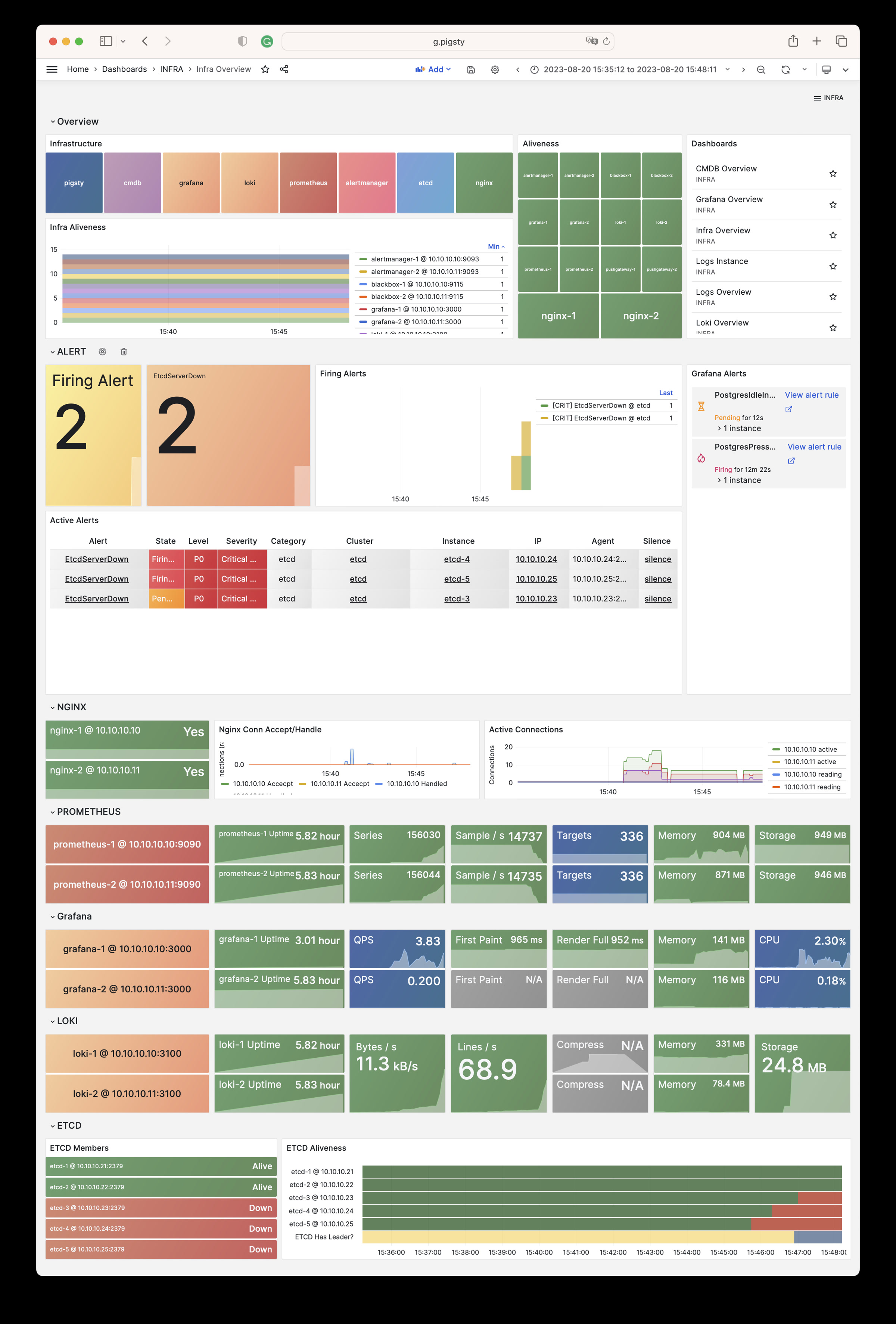
Nginx Instance: Nginx metrics and logs
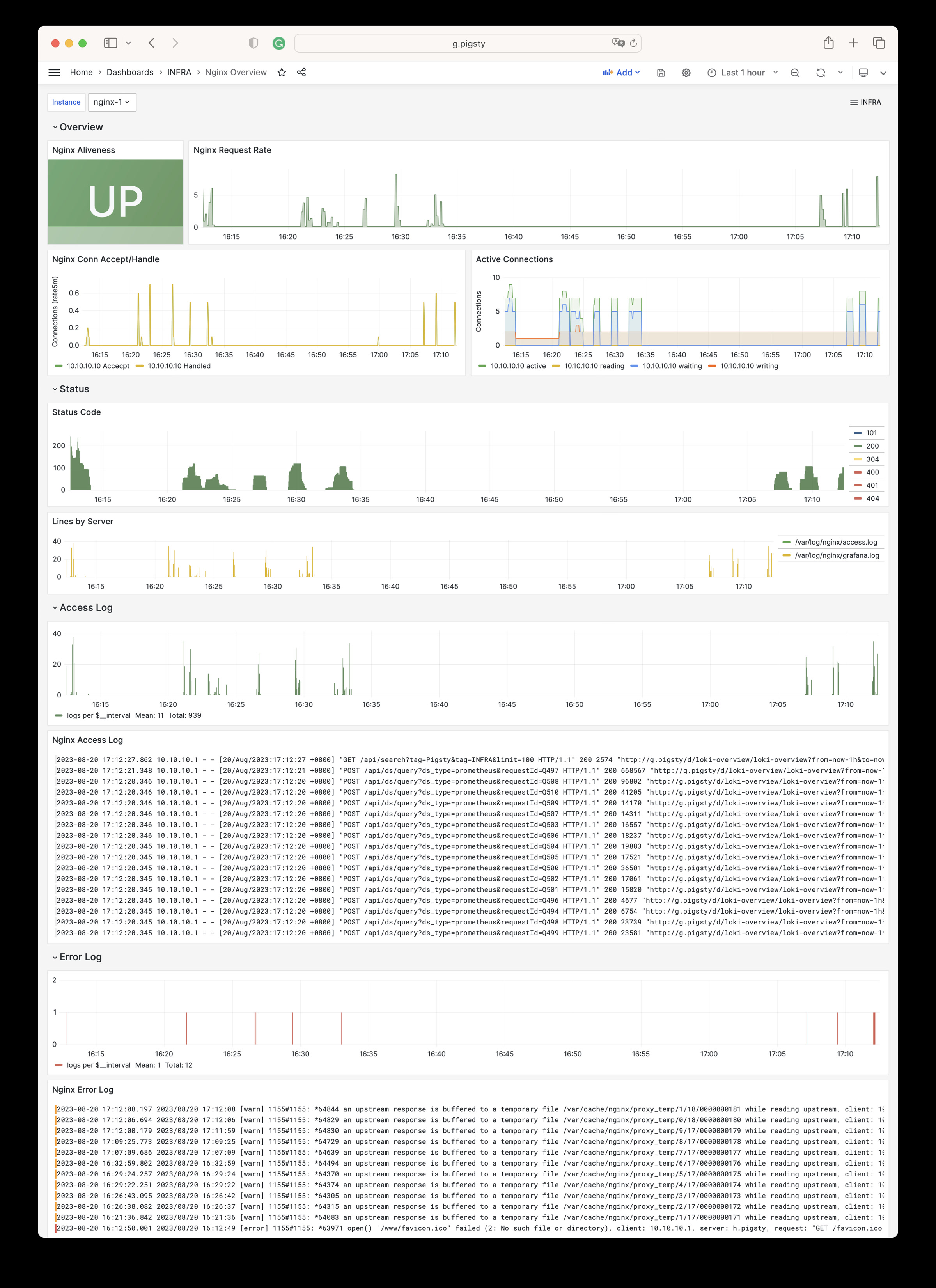
Grafana Instance: Grafana metrics and logs
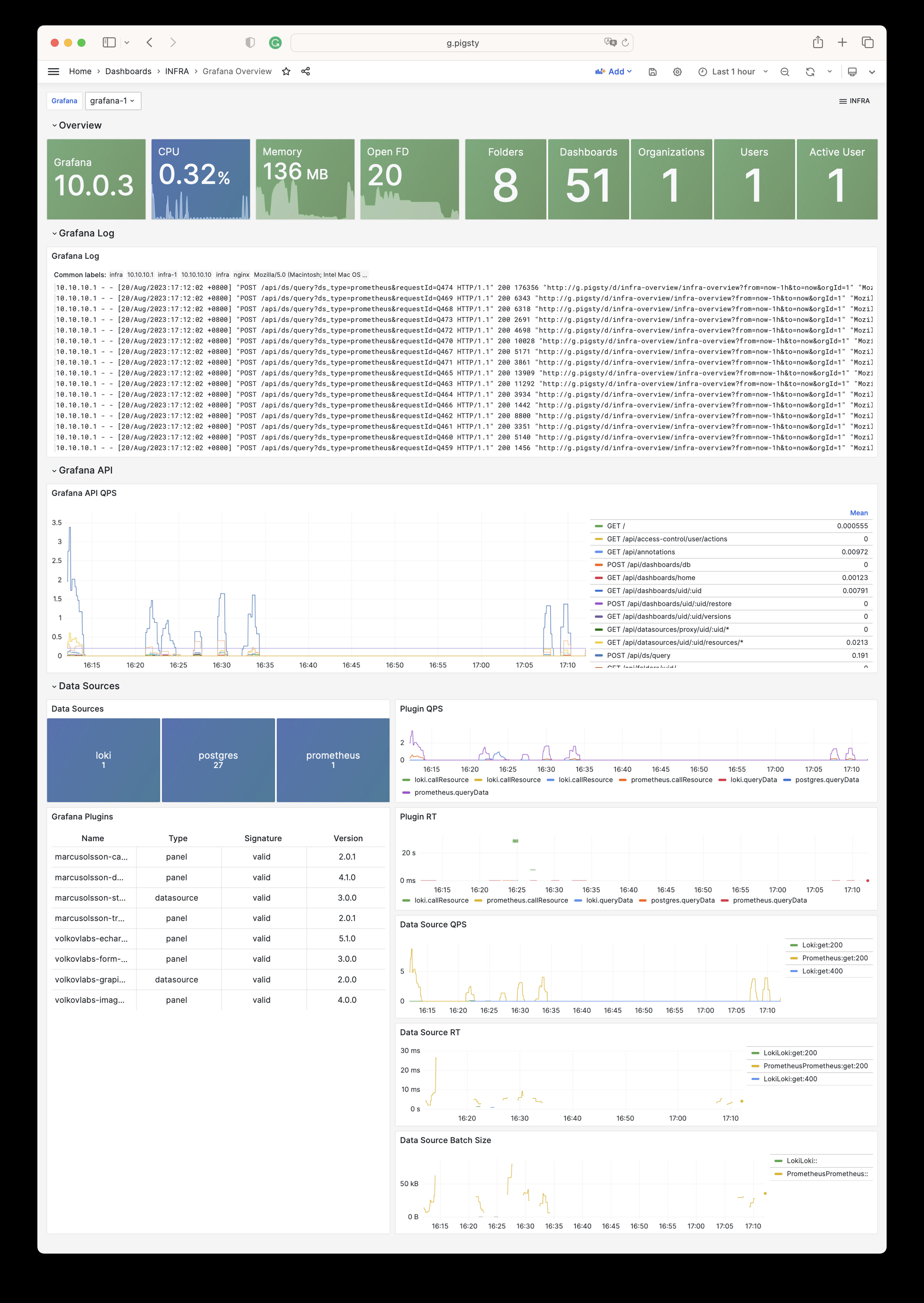
VictoriaMetrics Instance: VictoriaMetrics scraping, querying, and storage metrics
VMAlert Instance: Alert rule evaluation and queue status
Alertmanager Instance: Alert aggregation, notification pipelines, and Silences
VictoriaLogs Instance: Log ingestion rate, query load, and index hits
VictoriaTraces Instance: Trace/KV storage and Jaeger interface
Logs Instance: Node log search based on Vector + VictoriaLogs
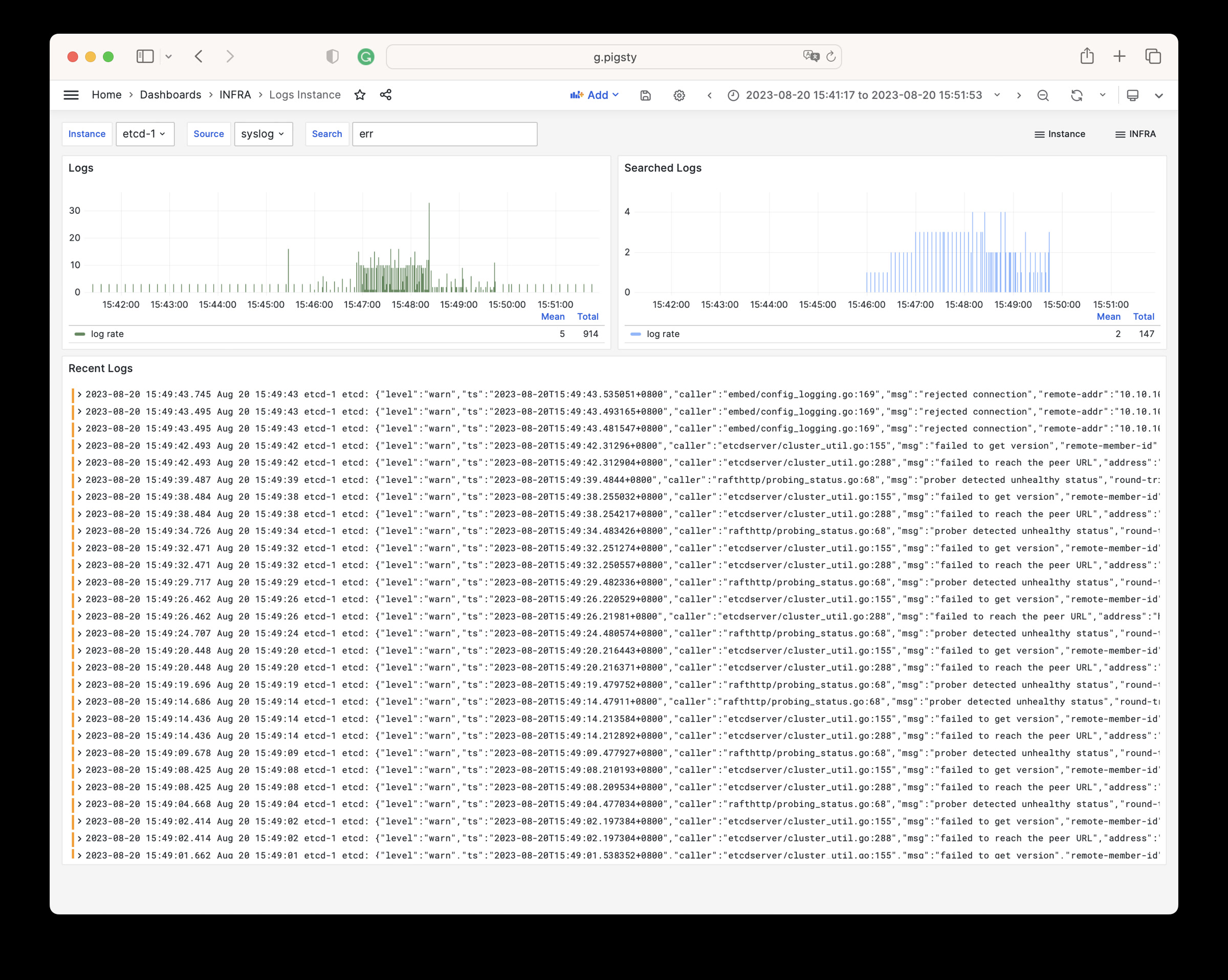
CMDB Overview: CMDB visualization
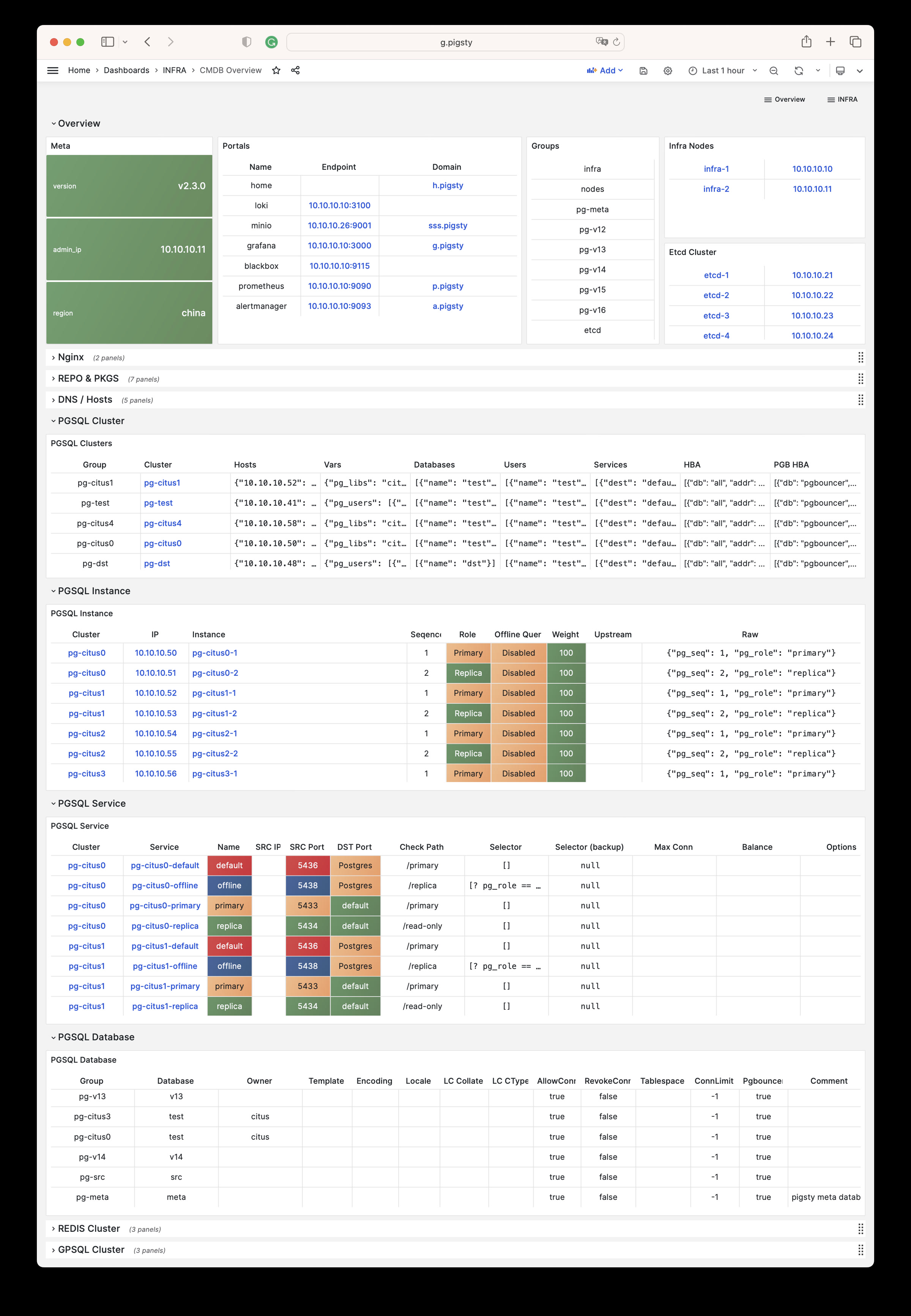
ETCD Overview: etcd metrics and logs
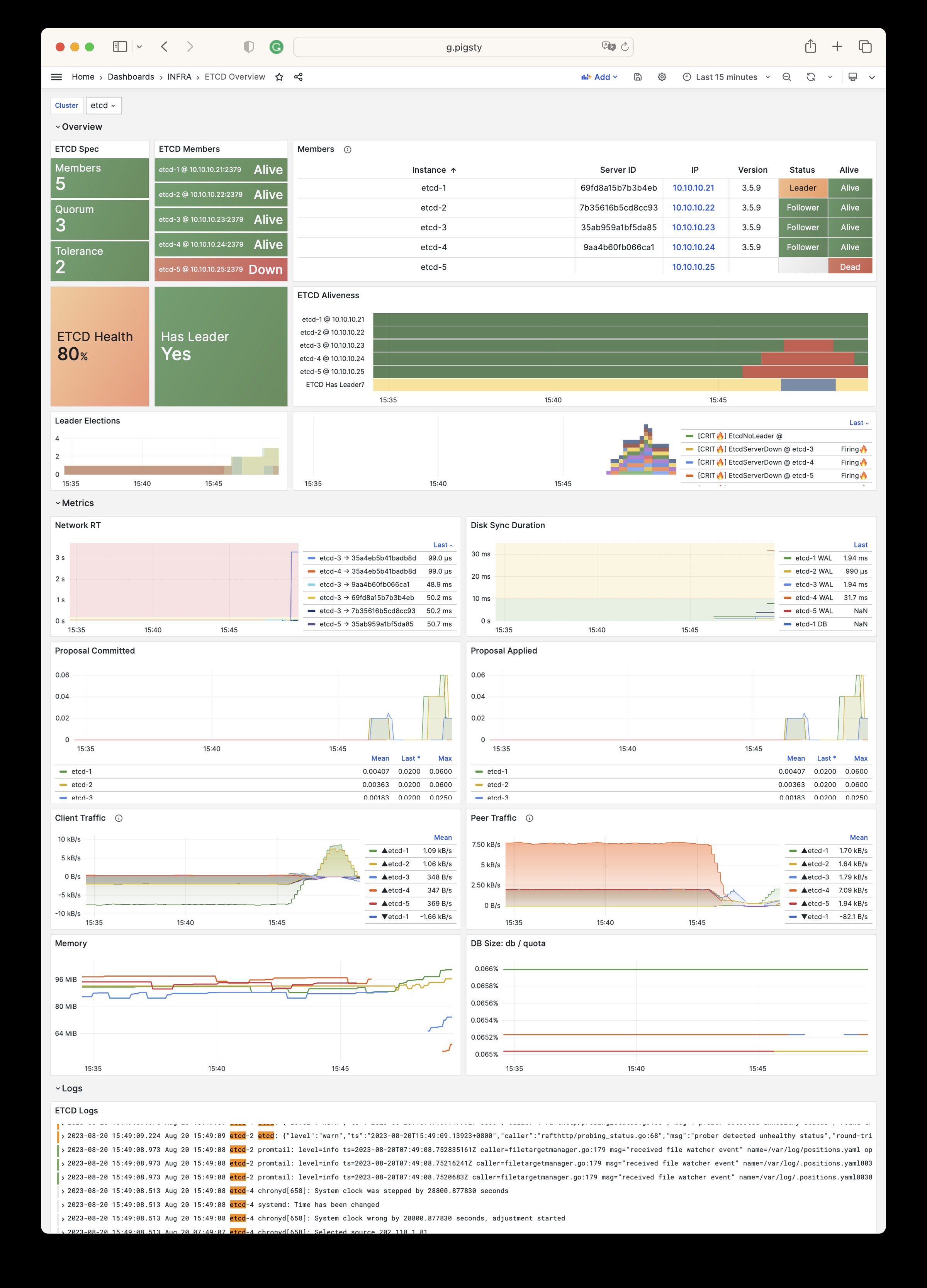
Parameters
The INFRA module has the following 10 parameter groups.
META: Pigsty metadataCA: Self-signed PKI/CA infrastructureINFRA_ID: Infrastructure portal, Nginx domainsREPO: Local software repositoryINFRA_PACKAGE: Infrastructure software packagesNGINX: Nginx web serverDNS: DNSMASQ domain serverVICTORIA: VictoriaMetrics / Logs / Traces suitePROMETHEUS: Alertmanager and Blackbox ExporterGRAFANA: Grafana observability suite
For the latest default values, types, and hierarchy, please refer to the Parameter Reference to stay consistent with the Pigsty version.
11.1 - Configuration
Configuration Guide
INFRA primarily provides monitoring infrastructure. It is optional for PostgreSQL databases.
INFRA failures typically do not affect PostgreSQL cluster operation. Exceptions apply if you manually configure dependencies on INFRA DNS/NTP services.
One INFRA node is sufficient for most scenarios. For production HA, we recommend 2-3 INFRA nodes.
ETCD, which PostgreSQL HA requires, can share nodes with INFRA to use resources more efficiently.
More than 3 INFRA nodes provide little extra benefit. More ETCD nodes, such as 5, can improve DCS availability.
Configuration Examples
Add node IP addresses to the infra inventory group. Assign an INFRA instance number with infra_seq.
Default single INFRA node config:
During configuration, Pigsty replaces 10.10.10.10 with the current node’s primary IP address by default.
Run infra.yml to initialize the INFRA module on these nodes.
More Nodes
Two INFRA nodes config:
Three INFRA nodes config (with params):
INFRA High Availability
Most INFRA components have no state or share identical state. Thus, load balancing is the main HA requirement.
Use a Keepalived L2 VIP or HAProxy L4 load balancing for HA. We recommend an L2 VIP where nodes share an accessible L2 network.
Config example:
Set VIP-related params and modify service endpoints in infra_portal.
Nginx Configuration
See Nginx Parameter Config and Tutorial: Nginx.
Local Repo Configuration
DNS Configuration
See DNS Parameter Config and Tutorial: DNS.
NTP Configuration
See NTP Parameter Config.
11.2 - Parameters
The INFRA module deploys Pigsty infrastructure. This includes the local software repository, Nginx, DNSMasq, VictoriaMetrics, VictoriaLogs, Grafana, Alertmanager, and Blackbox Exporter. It also deploys other monitoring and alerting components.
Pigsty v4.x replaces Prometheus with VictoriaMetrics and Loki with VictoriaLogs for observability.
| Section | Description |
|---|---|
META | Pigsty metadata: version, admin IP, region, language, proxy |
CA | Self-signed CA certificate management |
INFRA_ID | Infrastructure node identity and service portal |
REPO | Local software repository configuration |
INFRA_PACKAGE | Infrastructure node package installation |
NGINX | Nginx web server and reverse proxy configuration |
DNS | DNSMasq DNS server configuration |
VICTORIA | VictoriaMetrics/Logs/Traces observability stack |
PROMETHEUS | Alertmanager and Blackbox Exporter |
GRAFANA | Grafana visualization platform configuration |
Parameter Overview
META parameters define Pigsty metadata, including version string, admin node IP, repository mirror region, default language, and proxy settings.
| Parameter | Type | Level | Description |
|---|---|---|---|
version | string | G | Pigsty version string |
admin_ip | ip | G | Admin node IP address |
region | enum | G | Upstream mirror region: default,china,europe |
language | enum | G | Default language: en or zh |
proxy_env | dict | G | Global proxy environment variables |
CA parameters configure Pigsty’s self-signed CA certificate management, including CA creation, CA name, and certificate validity.
| Parameter | Type | Level | Description |
|---|---|---|---|
ca_create | bool | G | Allow creation if the CA private key is missing? Default true |
ca_cn | string | G | CA CN name, fixed as pigsty-ca |
cert_validity | interval | G | Certificate validity, default 20 years |
INFRA_ID parameters define infrastructure node identity, including node sequence number, service portal configuration, and data directory.
| Parameter | Type | Level | Description |
|---|---|---|---|
infra_seq | int | I | Infrastructure node sequence, REQUIRED |
infra_portal | dict | G | Infrastructure services exposed via Nginx portal |
infra_data | path | G | Infrastructure data directory, default /data/infra |
infra_services | service[] | G | Built-in home navigation entries |
infra_extra_services | service[] | G | Additional home navigation entries, default [] |
REPO parameters configure the local software repository, including repository enable switch, directory paths, upstream source definitions, and packages to download.
| Parameter | Type | Level | Description |
|---|---|---|---|
repo_enabled | bool | G/I | Create local repo on this infra node? |
repo_home | path | G | Repo home directory, default /www |
repo_name | string | G | Repo name, default pigsty |
repo_endpoint | url | G | Repo access endpoint: domain or ip:port |
repo_remove | bool | G/A | Remove existing upstream repo definitions? |
repo_modules | string | G/A | Enabled upstream repo modules, comma separated |
repo_upstream | upstream[] | G | Upstream repo definitions |
repo_packages | string[] | G | Packages to download from upstream |
repo_extra_packages | string[] | G/C/I | Extra packages to download |
repo_url_packages | string[] | G | Extra packages downloaded via URL |
INFRA_PACKAGE parameters define RPM/DEB packages to install on infrastructure nodes.
| Parameter | Type | Level | Description |
|---|---|---|---|
infra_packages | string[] | G | Packages to install on infra nodes |
NGINX parameters configure Nginx web server and reverse proxy, including enable switch, ports, SSL mode, certificates, and basic authentication.
| Parameter | Type | Level | Description |
|---|---|---|---|
nginx_enabled | bool | G/I | Enable Nginx on this infra node? |
nginx_clean | bool | G/A | Clean existing Nginx config during init? |
nginx_exporter_enabled | bool | G/I | Enable nginx_exporter on this infra node? |
nginx_exporter_port | port | G | nginx_exporter listen port, default 9113 |
nginx_sslmode | enum | G | Nginx SSL mode: disable,enable,enforce |
nginx_cert_validity | duration | G | Nginx self-signed cert validity, default 397d |
nginx_home | path | G | Nginx content dir, default /www, symlink to nginx_data |
nginx_data | path | G | Nginx actual data dir, default /data/nginx |
nginx_users | dict | G | Nginx basic auth users: username-password dict |
nginx_port | port | G | Nginx listen port, default 80 |
nginx_ssl_port | port | G | Nginx SSL listen port, default 443 |
certbot_sign | bool | G/A | Sign cert with certbot? |
certbot_email | string | G/A | Certbot notification email address |
certbot_options | string | G/A | Certbot extra command line options |
DNS parameters configure DNSMasq DNS server, including enable switch, listen port, and dynamic DNS records.
| Parameter | Type | Level | Description |
|---|---|---|---|
dns_enabled | bool | G/I | Setup dnsmasq on this infra node? |
dns_port | port | G | DNS server listen port, default 53 |
dns_records | string[] | G | Dynamic DNS records resolved by dnsmasq |
VICTORIA parameters configure the VictoriaMetrics/Logs/Traces observability stack, including enable switches, ports, and data retention policies.
| Parameter | Type | Level | Description |
|---|---|---|---|
vmetrics_enabled | bool | G/I | Enable VictoriaMetrics on this infra node? |
vmetrics_clean | bool | G/A | Clean VictoriaMetrics data during init? |
vmetrics_port | port | G | VictoriaMetrics listen port, default 8428 |
vmetrics_scrape_interval | interval | G | Global scrape interval, default 10s |
vmetrics_scrape_timeout | interval | G | Global scrape timeout, default 8s |
vmetrics_options | arg | G | VictoriaMetrics extra CLI options |
vlogs_enabled | bool | G/I | Enable VictoriaLogs on this infra node? |
vlogs_clean | bool | G/A | Clean VictoriaLogs data during init? |
vlogs_port | port | G | VictoriaLogs listen port, default 9428 |
vlogs_options | arg | G | VictoriaLogs extra CLI options |
vtraces_enabled | bool | G/I | Enable VictoriaTraces on this infra node? |
vtraces_clean | bool | G/A | Clean VictoriaTraces data during init? |
vtraces_port | port | G | VictoriaTraces listen port, default 10428 |
vtraces_options | arg | G | VictoriaTraces extra CLI options |
vmalert_enabled | bool | G/I | Enable VMAlert on this infra node? |
vmalert_port | port | G | VMAlert listen port, default 8880 |
vmalert_options | arg | G | VMAlert extra CLI options |
PROMETHEUS parameters configure Alertmanager and Blackbox Exporter, providing alert management and network probing capabilities.
| Parameter | Type | Level | Description |
|---|---|---|---|
blackbox_enabled | bool | G/I | Setup blackbox_exporter on this infra node? |
blackbox_port | port | G | blackbox_exporter listen port, default 9115 |
blackbox_options | arg | G | blackbox_exporter extra CLI options |
alertmanager_enabled | bool | G/I | Setup alertmanager on this infra node? |
alertmanager_port | port | G | AlertManager listen port, default 9059 |
alertmanager_options | arg | G | alertmanager extra CLI options |
exporter_metrics_path | path | G | Exporter metrics path, default /metrics |
GRAFANA parameters configure the Grafana visualization platform, including enable switch, port, admin credentials, and data source configuration.
| Parameter | Type | Level | Description |
|---|---|---|---|
grafana_enabled | bool | G/I | Enable Grafana on this infra node? |
grafana_port | port | G | Grafana listen port, default 3000 |
grafana_clean | bool | G/A | Clean Grafana data during init? |
grafana_admin_username | username | G | Grafana admin username, default admin |
grafana_admin_password | password | G | Grafana admin password, default pigsty |
grafana_auth_proxy | bool | G | Enable Grafana auth proxy? |
grafana_pgurl | url | G | External PostgreSQL URL for Grafana persistence |
grafana_view_password | password | G | Grafana metadb PG datasource password |
META
This section defines Pigsty deployment metadata: version string, admin node IP address, repository mirror region, default language, and HTTP(S) proxy for downloading packages.
version
name: version, type: string, level: G
Pigsty version string. The current source default is v4.5.0.
Pigsty uses this version string internally for feature control and content rendering. Do not modify this parameter arbitrarily.
Pigsty uses semantic versioning, and the version string typically starts with the character v, e.g., v4.5.0.
admin_ip
name: admin_ip, type: ip, level: G
Admin node IP address, default is the placeholder IP address: 10.10.10.10
This parameter identifies the admin node. It usually points to the first Pigsty node, which is the control node.
The default value 10.10.10.10 is a placeholder that will be replaced with the actual admin node IP address during configure.
Many parameters reference this parameter, such as:
Pigsty replaces ${admin_ip} in these parameters with the actual admin_ip value. This lets you specify different admin nodes for different nodes.
region
name: region, type: enum, level: G
Upstream mirror region. The options are default, china, and europe. The default is default.
If you select another region, Pigsty looks for its matching baseurl in repo_upstream. If found, it uses that URL instead of the default baseurl.
If the region is china, Pigsty tries Chinese mirrors to accelerate downloads. If a repository has no China mirror, Pigsty uses its default upstream mirror.
For repo_url_packages, Pigsty also changes repo.pigsty.io to repo.pigsty.cc to use domestic mirrors.
language
name: language, type: enum, level: G
Default language. The options are en (English) and zh (Chinese). The default is en.
This parameter affects the language preference of some Pigsty-generated configurations and content, such as the initial language setting of Grafana dashboards.
For Chinese content, we recommend that you set this parameter to zh.
proxy_env
name: proxy_env, type: dict, level: G
Global proxy environment variables for package downloads. The default sets no_proxy, which lists addresses that should bypass the proxy:
When installing from the Internet in mainland China, certain packages may be blocked. You can use a proxy to solve this problem.
If you use the Docker module, Pigsty also writes these proxy settings to the Docker Daemon configuration file.
If you run ./configure with -x, Pigsty reads the proxy settings from the current environment. It writes them to the generated pigsty.yaml file.
CA
Pigsty uses self-signed CA certificates to support advanced security features such as HTTPS access, PostgreSQL SSL connections, etc.
ca_create
name: ca_create, type: bool, level: G
Specifies whether to create a CA private key if it is missing. The default is true.
When set to true, Pigsty creates a new CA private key if files/pki/ca/ca.key is absent. If ca.crt is absent, it uses the existing or newly created private key to issue the CA certificate.
If you already have a CA public-private key pair, you can copy them to the files/pki/ca directory:
files/pki/ca/ca.crt: CA public key certificatefiles/pki/ca/ca.key: CA private key file
Pigsty reuses an existing CA key pair. If the private key is absent and this parameter is false, deployment stops with an error. If only ca.crt is missing, Pigsty still reissues it with the existing private key. Always back up and restore the matching ca.key and ca.crt together to avoid a certificate/key mismatch.
Keep and back up the new CA private key during deployment. You need it to issue certificates later.
Note: Pigsty v3.x used
ca_methodwith valuescreate/recreate/copy. Version v4.x replaces it with the booleanca_create.
ca_cn
name: ca_cn, type: string, level: G
CA CN (Common Name). It is fixed at pigsty-ca. We do not recommend changes.
You can use the following command to view the Pigsty CA certificate details on a node:
cert_validity
name: cert_validity, type: interval, level: G
Validity period for issued certificates. The default is 7300d, or 20 years. This is sufficient for most scenarios.
This parameter affects the validity of all certificates issued by the Pigsty CA, including:
- PostgreSQL server certificates
- Patroni API certificates
- etcd server/client certificates
- Other internal service certificates
Note: nginx_cert_validity separately controls the validity of Nginx HTTPS certificates. Modern browsers impose stricter website certificate limits: a maximum of 397 days.
INFRA_ID
Infrastructure identity and portal definition.
infra_seq
name: infra_seq, type: int, level: I
Infrastructure node sequence number. This identity parameter is REQUIRED and has no default. Set it explicitly on each infrastructure node.
This parameter uniquely identifies each infrastructure node. Typically, use positive integers starting at 1.
Example configuration:
infra_portal
name: infra_portal, type: dict, level: G
Infrastructure services exposed via Nginx portal. The v4.x default value is very concise:
Pigsty configures reverse proxies for the enabled components automatically. Usually, you only need to define the home domain name.
Each record has a key and a value dictionary. The key, name, identifies the component. The value defines these parameters:
name: REQUIRED, specifies the name of the Nginx server- Default record:
homeis a fixed name, please do not modify it. - Used as part of the Nginx configuration file name, corresponding to:
/etc/nginx/conf.d/<name>.conf - Nginx servers without a
domainfield will not generate configuration files but will be used as references.
- Default record:
domain: OPTIONAL for a reference-only entry. It is REQUIRED to expose a service through Nginx and specifies its domain name.- In Pigsty self-signed Nginx HTTPS certificates, the domain will be added to the SAN field of the Nginx SSL certificate
- Pigsty web page cross-references will use the default domain name here
endpoint: Upstream server address for a reverse proxy. Usually, use it as an alternative topath.${admin_ip}can be used as a placeholder in the configuration and will be dynamically replaced withadmin_ipduring deployment- Default reverse proxy servers use endpoint.conf as the configuration template
- Reverse proxy servers can also configure
websocketandschemaparameters
path: Local directory for a file server. Usually, use it as an alternative toendpoint.- Local web servers use path.conf as the configuration template
- Local web servers can also configure the
indexparameter to enable file index pages
certbot: Certbot certificate name; if configured, Certbot will be used to apply for certificates- If servers share a certbot value, Pigsty combines their certificate requests. This value becomes the certificate name.
cert: Certificate file path; if configured, will override the default certificate pathkey: Certificate key file path; if configured, will override the default certificate key pathwebsocket: Whether to enable WebSocket support- Only reverse proxies can use this parameter. If enabled, it permits upstream WebSocket connections.
schema: Protocol used by the upstream server; if configured, will override the default protocol- Default is http; if configured as https, it will force HTTPS connections to the upstream server
index: Whether to enable file index pages- Only local file servers can use this parameter. If enabled, autoindex generates directory index pages.
log: Nginx log file path- If specified, Nginx writes access logs to this file. Otherwise, the server type determines the default log file.
- Reverse proxy servers use
/var/log/nginx/<name>.logas the default log file path - Local web servers use the default Access log
conf: Nginx configuration file path- Specifies a configuration template in roles/infra/templates/nginx or templates/nginx.
- If this parameter is not specified, the default configuration template will be used
config: Nginx configuration code block- Configuration text directly injected into the Nginx Server configuration block
enforce_https: Redirect HTTP to HTTPS- Global configuration can be specified via nginx_sslmode: enforce
- This setting does not affect the default home server. For compatibility, that server always listens on both ports 80 and 443.
infra_data
name: infra_data, type: path, level: G
Infrastructure data directory, default value is /data/infra.
This directory is used to store data files for infrastructure components, including:
- VictoriaMetrics time series database data
- VictoriaLogs log data
- VictoriaTraces trace data
- Other infrastructure component persistent data
We recommend a separate data disk for this directory. This simplifies management and expansion.
infra_services
name: infra_services, type: service[], level: G
Built-in navigation entries on the Pigsty home page. Current defaults include Metrics, Logs, Traces, Monitor Targets, Alert Rules, Alert Manager, CA Certificate, Software Repo, and Explain Visualizer.
Each item can use name, url, desc, and icon, plus the Chinese display fields name_cn and desc_cn. This parameter replaces the entire default list. To append entries, use infra_extra_services.
infra_extra_services
name: infra_extra_services, type: service[], level: G
Navigation entries appended to infra_services. The default is [], and each item uses the same structure as infra_services. For example:
REPO
This section is about local software repository configuration. Pigsty enables a local software repository (APT/YUM) on infrastructure nodes by default.
During initialization, Pigsty downloads packages and dependencies from the internet. repo_packages specifies the packages, and repo_upstream specifies the upstream repositories. The destination is {{ nginx_home }} / {{ repo_name }}, which defaults to /www/pigsty. The total software and dependency size is approximately 1GB.
The current package candidate is SOW 0.3.0. The source uses SOW to generate RPM/APT metadata. After a successful build, repo_complete is both a SHA-256 manifest and a completion marker. When it is present, Pigsty skips downloading and rebuilding by default and uses the existing repository. Force a rebuild with ./infra.yml -t repo_build -e repo_build=true.
Both repo_create and cache_create run sow create --pigsty directly. They do not fall back to createrepo_c or dpkg-scanpackages.
Older offline bundles or local repositories might lack SOW. First, refresh the media or install SOW from the Pigsty INFRA repository.
If package downloads are too slow, set a proxy with proxy_env for the initial download. You can also download a prebuilt offline package. This is a local repository built on the same operating system.
repo_enabled
name: repo_enabled, type: bool, level: G/I
Specifies whether to create a local repository on this infrastructure node. The default is true, which creates a repository on every Infra node.
With multiple infrastructure nodes, you can keep repositories on only 1-2 nodes. Set this parameter to false elsewhere to avoid duplicate downloads and builds.
repo_home
name: repo_home, type: path, level: G
Local software repository home directory, defaults to Nginx’s root directory: /www.
On a fresh installation, if this path does not exist, the role creates a symlink to nginx_data. Existing directories and symlinks are preserved unchanged. We generally recommend that you preserve this value. If you change it, keep it consistent with nginx_home.
repo_name
name: repo_name, type: string, level: G
Local repository name, default is pigsty. Changing this repository name is not recommended.
The final repository path is {{ repo_home }}/{{ repo_name }}, defaulting to /www/pigsty.
repo_endpoint
name: repo_endpoint, type: url, level: G
Endpoint used by other nodes to access this repository, default value: http://${admin_ip}:80.
Pigsty starts Nginx on infrastructure nodes at ports 80/443 by default, providing local software repository (static files) service.
Adjust this parameter after changes to nginx_port or nginx_ssl_port. Also adjust it if the infrastructure node differs from the control node.
If you use a domain name, you can add resolution in node_default_etc_hosts, node_etc_hosts, or dns_records.
repo_remove
name: repo_remove, type: bool, level: G/A
Specifies whether to remove existing upstream repository definitions during a local repository build. The default is true.
When this parameter is enabled, all existing repository files in /etc/yum.repos.d will be moved and backed up to /etc/yum.repos.d/backup. On Debian systems, /etc/apt/sources.list and /etc/apt/sources.list.d are removed and backed up to /etc/apt/backup.
Pigsty does not control the content of existing operating-system sources. Pigsty-validated upstream sources can improve package download speed and success rate.
Some EL/Deb-compatible variants use private sources for many packages. If you need to preserve existing upstream repository definitions, set this parameter to false.
repo_modules
name: repo_modules, type: string, level: G/A
Which upstream repository modules will be added to the local software source, default value: infra,node,pgsql
When Pigsty attempts to add upstream repositories, it filters entries in repo_upstream based on this parameter’s value. Only entries whose module field matches this parameter’s value will be added to the local software source.
During the build stage, infra is automatically added to the effective module list so SOW can be installed. This bootstrap dependency is restored even if a user overrides repo_modules without infra.
Modules are comma-separated. Available module lists can be found in the repo_upstream definitions; common modules include:
local: Local Pigsty repositoryinfra: Infrastructure packages (Nginx, Docker, etc.)node: OS base packagespgsql: PostgreSQL-related packagesextra: Extra PostgreSQL extensionsdocker: Docker-relatedredis: Redis-relatedmongo: MongoDB-relatedmysql: MySQL-related- etc…
repo_upstream
name: repo_upstream, type: upstream[], level: G
Upstream package sources for the local repository build. This parameter has no direct default. If unset, Pigsty loads repo_upstream_default from roles/node_id/vars. It selects the definition for the current node’s operating-system family.
Pigsty provides complete upstream repository definitions for currently supported OS versions (EL 8/9/10, Debian 12/13, Ubuntu 22/24/26), including:
- OS base repositories (BaseOS, AppStream, EPEL, etc.)
- PostgreSQL official PGDG repository
- Pigsty extension repository
- Various third-party software repositories (Docker, Nginx, Grafana, etc.)
Each upstream repository definition contains the following fields:
RPM upstream repositories retain native DNF module filtering by default. Set meta.module_hotfixes only on a repository that must actually replace an EL module stream. Clients use module_hotfixes=1 for Pigsty’s aggregated local repository. Pigsty no longer generates artificial modules.yaml / ModuleMD metadata.
Users typically don’t need to modify this parameter unless they have special repository requirements. For detailed repository definitions, refer to the configuration files for corresponding operating systems in the roles/node_id/vars/ directory.
repo_packages
name: repo_packages, type: string[], level: G
String array of packages to download with their dependencies. Each entry is a space-separated package list. Downloads use repotrack or apt download.
This parameter has no direct default. If unset, Pigsty loads repo_packages_default from roles/node_id/vars:
Each element in this parameter will be translated according to the package_map in the above files, based on the specific OS distro major version. For example, on EL systems it translates to:
By convention, repo_packages contains packages independent of the PostgreSQL major version, including Infra, Node, and PGDG Common packages. Put version-specific kernels and extensions in repo_extra_packages. This simplifies PostgreSQL major-version changes.
repo_extra_packages
name: repo_extra_packages, type: string[], level: G/C/I
Additional packages to download without changing repo_packages. These are typically specific to a PostgreSQL major version. The default is an empty list.
If not explicitly defined, Pigsty will load the default from the repo_extra_packages_default variable defined in roles/node_id/vars:
Pigsty translates these package names. It replaces $v with pg_version, the current PostgreSQL major version. The default version is 18.
The pgsql-main here translates on EL systems to:
Users can typically specify PostgreSQL major version-related packages here without affecting the other PG version-independent packages defined in repo_packages.
repo_url_packages
name: repo_url_packages, type: object[] | string[], level: G
Packages downloaded directly from the Internet using URLs, default is an empty array: []
You can use URL strings directly as array elements in this parameter, or use object structures to explicitly specify URLs and filenames.
The region variable affects this parameter. For mainland China, Pigsty automatically changes repo.pigsty.io URLs to repo.pigsty.cc.
INFRA_PACKAGE
These RPM/DEB packages are installed only on INFRA nodes.
infra_packages
name: infra_packages, type: string[], level: G
Packages to install on Infra nodes. Each array entry is a space-separated package list.
The default varies by platform. If unset, Pigsty loads infra_packages_default from the matching file under roles/node_id/vars. It selects the file by operating-system version and CPU architecture.
For example, the current mapping for EL 9 x86_64 is:
The current mapping for Debian 13 x86_64 is:
Note: v4.x uses the VictoriaMetrics suite to replace Prometheus and Loki, so the package list differs significantly from v3.x.
NGINX
Nginx proxies Pigsty web services, including the Home Page, Grafana, and VictoriaMetrics. It also proxies optional tools such as PGWeb, Jupyter Lab, Pgadmin, and Bytebase. It serves static resources and reports, including pev, schemaspy, and pgbadger.
Nginx also serves the local Yum/Apt repository, which stores and distributes Pigsty packages.
nginx_enabled
name: nginx_enabled, type: bool, level: G/I
Specifies whether to enable Nginx on this Infra node. The default is true.
Nginx is a core component of Pigsty infrastructure, responsible for:
- Providing local software repository service
- Reverse proxying Grafana, VictoriaMetrics, and other web services
- Hosting static files and reports
nginx_clean
name: nginx_clean, type: bool, level: G/A
Specifies whether to delete existing Nginx configuration during initialization. The default is false.
If set to true, Pigsty deletes all configuration files under /etc/nginx/conf.d/ during Nginx initialization. This starts with an empty configuration directory.
If you’re deploying for the first time or want to completely rebuild Nginx configuration, you can set this parameter to true.
nginx_exporter_enabled
name: nginx_exporter_enabled, type: bool, level: G/I
Specifies whether to enable nginx_exporter on this infrastructure node. The default is true.
If this option is disabled, the /nginx health check stub will also be disabled. Consider disabling this when your Nginx version doesn’t support this feature.
nginx_exporter_port
name: nginx_exporter_port, type: port, level: G
nginx_exporter listen port, default value is 9113.
nginx_exporter is used to collect Nginx operational metrics for VictoriaMetrics to scrape and monitor.
nginx_sslmode
name: nginx_sslmode, type: enum, level: G
Nginx SSL operating mode. The options are disable, enable, and enforce. The default, enable, enables SSL but does not require it.
disable: Only listen on the port specified bynginx_portto serve HTTP requests.enable: Also listen on the port specified bynginx_ssl_portto serve HTTPS requests.enforce: All links will be rendered to usehttps://by default- Also redirect port 80 to port 443 for non-default servers in
infra_portal
- Also redirect port 80 to port 443 for non-default servers in
nginx_cert_validity
name: nginx_cert_validity, type: duration, level: G
Nginx self-signed certificate validity, default value is 397d (approximately 13 months).
The default follows the modern browser limit of 397 days for website certificates. We do not recommend longer validity because browsers can reject these certificates.
nginx_home
name: nginx_home, type: path, level: G
Nginx server static content directory, default: /www
This is a symlink that actually points to the nginx_data directory. This directory contains static resources and software repository files.
Avoid unnecessary changes to this parameter. If changed, keep it consistent with repo_home.
nginx_data
name: nginx_data, type: path, level: G
Nginx actual data directory, default is /data/nginx.
This directory stores Nginx static files. The nginx_home symlink points to it.
We recommend a data disk for this directory to simplify management of large package files.
nginx_users
name: nginx_users, type: dict, level: G
Nginx Basic Authentication user dictionary, default is an empty dictionary {}.
Format is { username: password } key-value pairs, for example:
These users can be used to protect certain Nginx endpoints that require authentication.
nginx_port
name: nginx_port, type: port, level: G
Nginx HTTP listen port. The default is 80. We recommend that you keep the default.
If port 80 is occupied, you can use another port. Also update repo_endpoint and node_repo_local_urls to match the new port.
nginx_ssl_port
name: nginx_ssl_port, type: port, level: G
Nginx SSL listen port. The default is 443. We recommend that you keep the default.
certbot_sign
name: certbot_sign, type: bool, level: G/A
Specifies whether Certbot signs Nginx certificates during installation. The default is false.
If set to true, Pigsty uses Certbot to request free Let’s Encrypt SSL certificates automatically. The nginx role does this during infra.yml and deploy.yml.
For an infra_portal entry with certbot set, Pigsty requests a certificate for its domain. The certbot value becomes the certificate name.
If multiple servers or domains share the same certbot value, Pigsty combines them in one request. It uses that value as the certificate name.
Enabling this option requires:
- A public domain resolves to the current node’s public IP and provides access to the node.
- The current node can access the Let’s Encrypt API interface
This option is disabled by default. After installation, run make cert manually if needed. It calls the generated /etc/nginx/sign-cert script to request or update certificates with Certbot.
certbot_email
name: certbot_email, type: string, level: G/A
Email address for receiving certificate expiration reminder emails, default value is [email protected].
When certbot_sign is set to true, it’s recommended to provide this parameter. Let’s Encrypt will send reminder emails to this address when certificates are about to expire.
certbot_options
name: certbot_options, type: string, level: G/A
Additional configuration parameters passed to certbot, default value is an empty string.
Use this parameter for extra Certbot command-line options. For example, --dry-run previews and tests the operation without requesting actual certificates.
DNS
Pigsty enables DNSMASQ on Infra nodes by default. It resolves auxiliary names such as i.pigsty, m.pigsty, and api.pigsty. The optional sss.pigsty name can provide the Silo endpoint.
Resolution records are stored in the /etc/dnsmasq.d/pigsty/default file on Infra nodes. To use this DNS server, you must add nameserver <ip> to /etc/resolv.conf. The node_dns_servers parameter handles this.
dns_enabled
name: dns_enabled, type: bool, level: G/I
Specifies whether to enable DNSMASQ on this Infra node. The default is true.
Set this value to false if you do not need the default DNS server. For example, you might have an external server or a provider that prohibits DNS servers. Use static records in node_default_etc_hosts and node_etc_hosts instead.
dns_port
name: dns_port, type: port, level: G
DNSMASQ default listening port, default is 53. It’s not recommended to modify the default DNS service port.
dns_records
name: dns_records, type: string[], level: G
Dynamic DNS records resolved by dnsmasq, generally used to resolve auxiliary domain names to the admin node. These records are written to the /etc/dnsmasq.d/pigsty/default file on infrastructure nodes.
v4.x default value:
The ${admin_ip} placeholder is used here and will be replaced with the actual admin_ip value during deployment.
Common domain name purposes:
i.pigsty: Pigsty home pagem.pigsty: Commonly used for the Silo console (optional)p.pigsty: Commonly used for the VictoriaMetrics Web UI when explicitly configured ininfra_portalapi.pigsty: API serviceadm.pigsty: Admin service- Others customized based on actual deployment needs
VICTORIA
Pigsty v4.x uses the VictoriaMetrics suite for observability in place of Prometheus and Loki:
- VictoriaMetrics: Replaces Prometheus as the time series database for storing monitoring metrics
- VictoriaLogs: Replaces Loki as the log aggregation storage
- VictoriaTraces: Distributed trace storage
- VMAlert: Replaces Prometheus Alerting for alert rule evaluation
vmetrics_enabled
name: vmetrics_enabled, type: bool, level: G/I
Specifies whether to enable VictoriaMetrics on this Infra node. The default is true.
VictoriaMetrics is the core monitoring component in Pigsty v4.x, replacing Prometheus as the time series database, responsible for:
- Scraping monitoring metrics from various exporters
- Storing time series data
- Providing PromQL-compatible query interface
- Supporting Grafana data sources
vmetrics_clean
name: vmetrics_clean, type: bool, level: G/A
Specifies whether to delete existing VictoriaMetrics data during initialization. The default is false.
When set to true, existing time series data will be deleted during initialization. Use this option carefully unless you’re sure you want to rebuild monitoring data.
vmetrics_port
name: vmetrics_port, type: port, level: G
VictoriaMetrics listen port, default value is 8428.
This port is used for:
- HTTP API access
- Web UI access
- Prometheus-compatible remote write/read
- Grafana data source connections
vmetrics_scrape_interval
name: vmetrics_scrape_interval, type: interval, level: G
VictoriaMetrics global metrics scrape interval, default value is 10s.
A 10-30 second scrape interval is suitable for production. A shorter interval gives more detailed monitoring data but increases storage and CPU overhead.
vmetrics_scrape_timeout
name: vmetrics_scrape_timeout, type: interval, level: G
VictoriaMetrics global scrape timeout, default is 8s.
A scrape timeout helps prevent monitoring queries from accumulating. Set it below and close to vmetrics_scrape_interval. This keeps each scrape shorter than the interval.
vmetrics_options
name: vmetrics_options, type: arg, level: G
VictoriaMetrics extra command line options, default value:
Common parameter descriptions:
-retentionPeriod=15d: Data retention period, default 15 days-promscrape.fileSDCheckInterval=5s: File service discovery refresh interval
You can add other VictoriaMetrics-supported parameters as needed.
vlogs_enabled
name: vlogs_enabled, type: bool, level: G/I
Specifies whether to enable VictoriaLogs on this Infra node. The default is true.
VictoriaLogs replaces Loki as the log aggregation storage, responsible for:
- Receiving log data from Vector
- Storing and indexing logs
- Providing log query interface
- Supporting Grafana VictoriaLogs data source
vlogs_clean
name: vlogs_clean, type: bool, level: G/A
Specifies whether to delete existing VictoriaLogs data during initialization. The default is false.
vlogs_port
name: vlogs_port, type: port, level: G
VictoriaLogs listen port, default value is 9428.
vlogs_options
name: vlogs_options, type: arg, level: G
VictoriaLogs extra command line options, default value:
Common parameter descriptions:
-retentionPeriod=15d: Log retention period, default 15 days-retention.maxDiskSpaceUsageBytes=50GiB: Maximum disk usage-insert.maxLineSizeBytes=1MB: Maximum single log line size-search.maxQueryDuration=120s: Maximum query execution time
vtraces_enabled
name: vtraces_enabled, type: bool, level: G/I
Specifies whether to enable VictoriaTraces on this Infra node. The default is true.
VictoriaTraces stores and queries distributed trace data. It supports Jaeger, Zipkin, and other trace protocols.
vtraces_clean
name: vtraces_clean, type: bool, level: G/A
Specifies whether to delete existing VictoriaTraces data during initialization. The default is false.
vtraces_port
name: vtraces_port, type: port, level: G
VictoriaTraces listen port, default value is 10428.
vtraces_options
name: vtraces_options, type: arg, level: G
VictoriaTraces extra command line options, default value:
vmalert_enabled
name: vmalert_enabled, type: bool, level: G/I
Specifies whether to enable VMAlert on this Infra node. The default is true.
VMAlert evaluates alert rules and works with Alertmanager. It replaces Prometheus Alerting.
vmalert_port
name: vmalert_port, type: port, level: G
VMAlert listen port, default value is 8880.
vmalert_options
name: vmalert_options, type: arg, level: G
VMAlert extra command line options, default value is an empty string.
PROMETHEUS
This section now primarily contains Blackbox Exporter and Alertmanager configuration.
Note: Pigsty v4.x uses VictoriaMetrics instead of Prometheus. The current interface no longer includes
prometheus_*andpushgateway_*. Usevmetrics_*andvmalert_*underVICTORIAfor metric storage and rule evaluation.
blackbox_enabled
name: blackbox_enabled, type: bool, level: G/I
Specifies whether to enable BlackboxExporter on this Infra node. The default is true.
BlackboxExporter sends ICMP packets to node IP addresses, VIP addresses, and PostgreSQL VIP addresses to test network connectivity. It can also perform HTTP, TCP, DNS, and other probes.
blackbox_port
name: blackbox_port, type: port, level: G
Blackbox Exporter listen port, default value is 9115.
blackbox_options
name: blackbox_options, type: arg, level: G
BlackboxExporter extra command line options, default value: empty string.
alertmanager_enabled
name: alertmanager_enabled, type: bool, level: G/I
Specifies whether to enable AlertManager on this Infra node. The default is true.
AlertManager receives alerts from VMAlert. It groups, inhibits, silences, routes, and otherwise processes these alerts.
alertmanager_port
name: alertmanager_port, type: port, level: G
AlertManager listen port, default value is 9059.
If you modify this port, ensure you update the alertmanager entry’s endpoint configuration in infra_portal accordingly (if defined).
alertmanager_options
name: alertmanager_options, type: arg, level: G
AlertManager extra command line options, default value: empty string.
exporter_metrics_path
name: exporter_metrics_path, type: path, level: G
HTTP endpoint path where monitoring exporters expose metrics, default: /metrics. Not recommended to modify this parameter.
This parameter defines the standard path for all exporters to expose monitoring metrics.
GRAFANA
Grafana provides the monitoring system frontend. It also supports data analysis, visualization, low-code data application development, and application prototyping.
grafana_enabled
name: grafana_enabled, type: bool, level: G/I
Specifies whether to enable Grafana on this Infra node. The default is true, which installs and enables Grafana on all infrastructure nodes.
grafana_port
name: grafana_port, type: port, level: G
Grafana listen port, default value is 3000.
If you need to access Grafana directly (not through Nginx reverse proxy), you can use this port.
grafana_clean
name: grafana_clean, type: bool, level: G/A
Specifies whether to delete Grafana data files during initialization. The default is false.
This operation removes /var/lib/grafana/grafana.db, ensuring a fresh Grafana installation.
If you want to preserve existing Grafana configuration (such as dashboards, users, data sources, etc.), set this parameter to false.
grafana_admin_username
name: grafana_admin_username, type: username, level: G
Grafana admin username, default is admin.
grafana_admin_password
name: grafana_admin_password, type: password, level: G
Grafana admin password, default is pigsty.
IMPORTANT: Change this password before production deployment.
grafana_auth_proxy
name: grafana_auth_proxy, type: bool, level: G
Specifies whether to enable the Grafana authentication proxy. The default is false.
If enabled, Grafana trusts user identity information from the Nginx reverse proxy. This supports single sign-on (SSO).
This is typically used for integration with external identity authentication systems.
grafana_pgurl
name: grafana_pgurl, type: url, level: G
External PostgreSQL database URL for Grafana persistence storage. Default is an empty string.
If specified, Grafana will use this PostgreSQL database instead of the default SQLite database to store its configuration data.
Format example: postgres://grafana:password@pg-meta:5432/grafana?sslmode=disable
This is useful for scenarios requiring Grafana high availability deployment or data persistence.
grafana_view_password
name: grafana_view_password, type: password, level: G
Read-only user password used by Grafana metadb PG data source, default is DBUser.Viewer.
This password is used for Grafana to connect to the PostgreSQL CMDB data source to query metadata in read-only mode.
11.3 - Playbook
Pigsty provides three playbooks related to the INFRA module:
deploy.yml: Deploy the NODE, INFRA, ETCD, MINIO, and PGSQL core modules on all nodes in one passinfra.yml: Initialize Pigsty infrastructure on infra nodesinfra-rm.yml: Remove infrastructure components from infra nodes
deploy.yml
Deploy NODE, INFRA, ETCD, MINIO, and PGSQL on all nodes in one pass. This resolves the circular dependency between INFRA and NODE.
The playbook interleaves subtasks from infra.yml and node.yml. It deploys core components in this order:
- id: Generate node and PostgreSQL identities
- ca: Create self-signed CA on localhost
- repo: Create local software repository on infra nodes
- node-init: Initialize nodes and HAProxy
- infra: Initialize Nginx, DNS, VictoriaMetrics, Grafana, etc.
- node-monitor: Initialize node-exporter, vector
- etcd: Initialize etcd (required for PostgreSQL HA)
- minio: Initialize Silo (optional)
- pgsql: Initialize PostgreSQL clusters and configure PostgreSQL monitoring
This playbook is equivalent to executing the following five playbooks sequentially:
deploy.yml does not currently deploy the Docker module. If Docker is required, set docker_enabled: true and run docker.yml separately.
infra.yml
Initialize the infrastructure module on Infra nodes defined in the infra group of your configuration file.
This playbook performs the following tasks:
- Configures directories and environment variables on Infra nodes
- Downloads and creates a local software repository to accelerate subsequent installations
- Incorporates the current Infra node as a common node managed by Pigsty
- Deploys infrastructure components (VictoriaMetrics/Logs/Traces, VMAlert, Grafana, Alertmanager, Blackbox Exporter, etc.)
Playbook notes:
- This is an idempotent playbook - repeated execution will overwrite infrastructure components on Infra nodes
- To preserve historical monitoring data, set
vmetrics_clean,vlogs_clean,vtraces_cleantofalsebeforehand - Unless
grafana_cleanis set tofalse, Grafana dashboards and configuration changes will be lost - If
/www/pigsty/repo_completeexists, the playbook skips internet downloads. SOW generates this SHA-256 manifest and completion marker. - Complete execution takes approximately 1-3 minutes, depending on machine configuration and network conditions
Available Tasks
infra-rm.yml
Remove Pigsty infrastructure from Infra nodes defined in the infra group of your configuration file.
Common subtasks include:
infra-rm.yml has no deletion safeguard. Without tags, it runs every phase above. The data phase recursively deletes infra_data (default: /data/infra), nginx_data (default: /data/nginx), nginx_home (default: /www), and /var/lib/grafana. This includes metrics, logs, traces, the software repository, and local Grafana data. Use the corresponding tag if you only want to stop services or deregister targets. Before a full run, back up everything that must survive and verify the exact infra target.
11.4 - Monitoring
This document describes monitoring dashboards and alert rules for the INFRA module in Pigsty.
Dashboards
Pigsty provides the following monitoring dashboards for the Infra module:
| Dashboard | Description |
|---|---|
| Pigsty Home | Pigsty monitoring system homepage |
| INFRA Overview | Pigsty infrastructure self-monitoring overview |
| Nginx Instance | Nginx metrics and logs |
| Grafana Instance | Grafana metrics and logs |
| VictoriaMetrics Instance | VictoriaMetrics scraping/query status |
| VMAlert Instance | Alert rule execution status |
| Alertmanager Instance | Alert aggregation and notifications |
| VictoriaLogs Instance | Log ingestion, querying, and indexing |
| Logs Instance | View log information on a single node |
| VictoriaTraces Instance | Trace storage and querying |
| Inventory CMDB | CMDB visualization |
| ETCD Overview | etcd cluster monitoring |
Alert Rules
Pigsty provides the following two alert rules for the INFRA module:
| Alert Rule | Description |
|---|---|
InfraDown | Infrastructure component is down |
AgentDown | Monitoring agent is down |
You can modify or add new infrastructure alert rules in files/victoria/rules/infra.yml.
Alert Rule Configuration
11.5 - Metrics
Note: Pigsty v4.0 replaced Prometheus/Loki with VictoriaMetrics/Logs/Traces. This metric list comes from v3.x. Use it only to troubleshoot older versions. For current metrics, query
https://p.pigsty(VMUI) or Grafana directly. Future versions will regenerate the metric references for the Victoria suite.
INFRA Metrics
The INFRA module has 964 available metrics.
| Metric Name | Type | Labels | Description |
|---|---|---|---|
| alertmanager_alerts | gauge | ins, instance, ip, job, cls, state | How many alerts by state. |
| alertmanager_alerts_invalid_total | counter | version, ins, instance, ip, job, cls | The total number of received alerts that were invalid. |
| alertmanager_alerts_received_total | counter | version, ins, instance, ip, status, job, cls | The total number of received alerts. |
| alertmanager_build_info | gauge | revision, version, ins, instance, ip, tags, goarch, goversion, job, cls, branch, goos | A metric with a constant ‘1’ value labeled by version, revision, branch, goversion from which alertmanager was built, and the goos and goarch for the build. |
| alertmanager_cluster_alive_messages_total | counter | ins, instance, ip, peer, job, cls | Total number of received alive messages. |
| alertmanager_cluster_enabled | gauge | ins, instance, ip, job, cls | Indicates whether the clustering is enabled or not. |
| alertmanager_cluster_failed_peers | gauge | ins, instance, ip, job, cls | Number indicating the current number of failed peers in the cluster. |
| alertmanager_cluster_health_score | gauge | ins, instance, ip, job, cls | Health score of the cluster. Lower values are better and zero means ’totally healthy’. |
| alertmanager_cluster_members | gauge | ins, instance, ip, job, cls | Number indicating current number of members in cluster. |
| alertmanager_cluster_messages_pruned_total | counter | ins, instance, ip, job, cls | Total number of cluster messages pruned. |
| alertmanager_cluster_messages_queued | gauge | ins, instance, ip, job, cls | Number of cluster messages which are queued. |
| alertmanager_cluster_messages_received_size_total | counter | ins, instance, ip, msg_type, job, cls | Total size of cluster messages received. |
| alertmanager_cluster_messages_received_total | counter | ins, instance, ip, msg_type, job, cls | Total number of cluster messages received. |
| alertmanager_cluster_messages_sent_size_total | counter | ins, instance, ip, msg_type, job, cls | Total size of cluster messages sent. |
| alertmanager_cluster_messages_sent_total | counter | ins, instance, ip, msg_type, job, cls | Total number of cluster messages sent. |
| alertmanager_cluster_peer_info | gauge | ins, instance, ip, peer, job, cls | A metric with a constant ‘1’ value labeled by peer name. |
| alertmanager_cluster_peers_joined_total | counter | ins, instance, ip, job, cls | A counter of the number of peers that have joined. |
| alertmanager_cluster_peers_left_total | counter | ins, instance, ip, job, cls | A counter of the number of peers that have left. |
| alertmanager_cluster_peers_update_total | counter | ins, instance, ip, job, cls | A counter of the number of peers that have updated metadata. |
| alertmanager_cluster_reconnections_failed_total | counter | ins, instance, ip, job, cls | A counter of the number of failed cluster peer reconnection attempts. |
| alertmanager_cluster_reconnections_total | counter | ins, instance, ip, job, cls | A counter of the number of cluster peer reconnections. |
| alertmanager_cluster_refresh_join_failed_total | counter | ins, instance, ip, job, cls | A counter of the number of failed cluster peer joined attempts via refresh. |
| alertmanager_cluster_refresh_join_total | counter | ins, instance, ip, job, cls | A counter of the number of cluster peer joined via refresh. |
| alertmanager_config_hash | gauge | ins, instance, ip, job, cls | Hash of the currently loaded alertmanager configuration. |
| alertmanager_config_last_reload_success_timestamp_seconds | gauge | ins, instance, ip, job, cls | Timestamp of the last successful configuration reload. |
| alertmanager_config_last_reload_successful | gauge | ins, instance, ip, job, cls | Whether the last configuration reload attempt was successful. |
| alertmanager_dispatcher_aggregation_groups | gauge | ins, instance, ip, job, cls | Number of active aggregation groups |
| alertmanager_dispatcher_alert_processing_duration_seconds_count | Unknown | ins, instance, ip, job, cls | N/A |
| alertmanager_dispatcher_alert_processing_duration_seconds_sum | Unknown | ins, instance, ip, job, cls | N/A |
| alertmanager_http_concurrency_limit_exceeded_total | counter | ins, instance, method, ip, job, cls | Total number of times an HTTP request failed because the concurrency limit was reached. |
| alertmanager_http_request_duration_seconds_bucket | Unknown | ins, instance, method, ip, le, job, cls, handler | N/A |
| alertmanager_http_request_duration_seconds_count | Unknown | ins, instance, method, ip, job, cls, handler | N/A |
| alertmanager_http_request_duration_seconds_sum | Unknown | ins, instance, method, ip, job, cls, handler | N/A |
| alertmanager_http_requests_in_flight | gauge | ins, instance, method, ip, job, cls | Current number of HTTP requests being processed. |
| alertmanager_http_response_size_bytes_bucket | Unknown | ins, instance, method, ip, le, job, cls, handler | N/A |
| alertmanager_http_response_size_bytes_count | Unknown | ins, instance, method, ip, job, cls, handler | N/A |
| alertmanager_http_response_size_bytes_sum | Unknown | ins, instance, method, ip, job, cls, handler | N/A |
| alertmanager_integrations | gauge | ins, instance, ip, job, cls | Number of configured integrations. |
| alertmanager_marked_alerts | gauge | ins, instance, ip, job, cls, state | How many alerts by state are currently marked in the Alertmanager regardless of their expiry. |
| alertmanager_nflog_gc_duration_seconds_count | Unknown | ins, instance, ip, job, cls | N/A |
| alertmanager_nflog_gc_duration_seconds_sum | Unknown | ins, instance, ip, job, cls | N/A |
| alertmanager_nflog_gossip_messages_propagated_total | counter | ins, instance, ip, job, cls | Number of received gossip messages that have been further gossiped. |
| alertmanager_nflog_maintenance_errors_total | counter | ins, instance, ip, job, cls | How many maintenances were executed for the notification log that failed. |
| alertmanager_nflog_maintenance_total | counter | ins, instance, ip, job, cls | How many maintenances were executed for the notification log. |
| alertmanager_nflog_queries_total | counter | ins, instance, ip, job, cls | Number of notification log queries were received. |
| alertmanager_nflog_query_duration_seconds_bucket | Unknown | ins, instance, ip, le, job, cls | N/A |
| alertmanager_nflog_query_duration_seconds_count | Unknown | ins, instance, ip, job, cls | N/A |
| alertmanager_nflog_query_duration_seconds_sum | Unknown | ins, instance, ip, job, cls | N/A |
| alertmanager_nflog_query_errors_total | counter | ins, instance, ip, job, cls | Number notification log received queries that failed. |
| alertmanager_nflog_snapshot_duration_seconds_count | Unknown | ins, instance, ip, job, cls | N/A |
| alertmanager_nflog_snapshot_duration_seconds_sum | Unknown | ins, instance, ip, job, cls | N/A |
| alertmanager_nflog_snapshot_size_bytes | gauge | ins, instance, ip, job, cls | Size of the last notification log snapshot in bytes. |
| alertmanager_notification_latency_seconds_bucket | Unknown | integration, ins, instance, ip, le, job, cls | N/A |
| alertmanager_notification_latency_seconds_count | Unknown | integration, ins, instance, ip, job, cls | N/A |
| alertmanager_notification_latency_seconds_sum | Unknown | integration, ins, instance, ip, job, cls | N/A |
| alertmanager_notification_requests_failed_total | counter | integration, ins, instance, ip, job, cls | The total number of failed notification requests. |
| alertmanager_notification_requests_total | counter | integration, ins, instance, ip, job, cls | The total number of attempted notification requests. |
| alertmanager_notifications_failed_total | counter | integration, ins, instance, ip, reason, job, cls | The total number of failed notifications. |
| alertmanager_notifications_total | counter | integration, ins, instance, ip, job, cls | The total number of attempted notifications. |
| alertmanager_oversize_gossip_message_duration_seconds_bucket | Unknown | ins, instance, ip, le, key, job, cls | N/A |
| alertmanager_oversize_gossip_message_duration_seconds_count | Unknown | ins, instance, ip, key, job, cls | N/A |
| alertmanager_oversize_gossip_message_duration_seconds_sum | Unknown | ins, instance, ip, key, job, cls | N/A |
| alertmanager_oversized_gossip_message_dropped_total | counter | ins, instance, ip, key, job, cls | Number of oversized gossip messages that were dropped due to a full message queue. |
| alertmanager_oversized_gossip_message_failure_total | counter | ins, instance, ip, key, job, cls | Number of oversized gossip message sends that failed. |
| alertmanager_oversized_gossip_message_sent_total | counter | ins, instance, ip, key, job, cls | Number of oversized gossip message sent. |
| alertmanager_peer_position | gauge | ins, instance, ip, job, cls | Position the Alertmanager instance believes it’s in. The position determines a peer’s behavior in the cluster. |
| alertmanager_receivers | gauge | ins, instance, ip, job, cls | Number of configured receivers. |
| alertmanager_silences | gauge | ins, instance, ip, job, cls, state | How many silences by state. |
| alertmanager_silences_gc_duration_seconds_count | Unknown | ins, instance, ip, job, cls | N/A |
| alertmanager_silences_gc_duration_seconds_sum | Unknown | ins, instance, ip, job, cls | N/A |
| alertmanager_silences_gossip_messages_propagated_total | counter | ins, instance, ip, job, cls | Number of received gossip messages that have been further gossiped. |
| alertmanager_silences_maintenance_errors_total | counter | ins, instance, ip, job, cls | How many maintenances were executed for silences that failed. |
| alertmanager_silences_maintenance_total | counter | ins, instance, ip, job, cls | How many maintenances were executed for silences. |
| alertmanager_silences_queries_total | counter | ins, instance, ip, job, cls | How many silence queries were received. |
| alertmanager_silences_query_duration_seconds_bucket | Unknown | ins, instance, ip, le, job, cls | N/A |
| alertmanager_silences_query_duration_seconds_count | Unknown | ins, instance, ip, job, cls | N/A |
| alertmanager_silences_query_duration_seconds_sum | Unknown | ins, instance, ip, job, cls | N/A |
| alertmanager_silences_query_errors_total | counter | ins, instance, ip, job, cls | How many silence received queries did not succeed. |
| alertmanager_silences_snapshot_duration_seconds_count | Unknown | ins, instance, ip, job, cls | N/A |
| alertmanager_silences_snapshot_duration_seconds_sum | Unknown | ins, instance, ip, job, cls | N/A |
| alertmanager_silences_snapshot_size_bytes | gauge | ins, instance, ip, job, cls | Size of the last silence snapshot in bytes. |
| blackbox_exporter_build_info | gauge | revision, version, ins, instance, ip, tags, goarch, goversion, job, cls, branch, goos | A metric with a constant ‘1’ value labeled by version, revision, branch, goversion from which blackbox_exporter was built, and the goos and goarch for the build. |
| blackbox_exporter_config_last_reload_success_timestamp_seconds | gauge | ins, instance, ip, job, cls | Timestamp of the last successful configuration reload. |
| blackbox_exporter_config_last_reload_successful | gauge | ins, instance, ip, job, cls | Blackbox exporter config loaded successfully. |
| blackbox_module_unknown_total | counter | ins, instance, ip, job, cls | Count of unknown modules requested by probes |
| cortex_distributor_ingester_clients | gauge | ins, instance, ip, job, cls | The current number of ingester clients. |
| cortex_dns_failures_total | Unknown | ins, instance, ip, job, cls | N/A |
| cortex_dns_lookups_total | Unknown | ins, instance, ip, job, cls | N/A |
| cortex_frontend_query_range_duration_seconds_bucket | Unknown | ins, instance, method, ip, le, job, cls, status_code | N/A |
| cortex_frontend_query_range_duration_seconds_count | Unknown | ins, instance, method, ip, job, cls, status_code | N/A |
| cortex_frontend_query_range_duration_seconds_sum | Unknown | ins, instance, method, ip, job, cls, status_code | N/A |
| cortex_ingester_flush_queue_length | gauge | ins, instance, ip, job, cls | The total number of series pending in the flush queue. |
| cortex_kv_request_duration_seconds_bucket | Unknown | ins, instance, role, ip, le, kv_name, type, operation, job, cls, status_code | N/A |
| cortex_kv_request_duration_seconds_count | Unknown | ins, instance, role, ip, kv_name, type, operation, job, cls, status_code | N/A |
| cortex_kv_request_duration_seconds_sum | Unknown | ins, instance, role, ip, kv_name, type, operation, job, cls, status_code | N/A |
| cortex_member_consul_heartbeats_total | Unknown | ins, instance, ip, job, cls | N/A |
| cortex_prometheus_notifications_alertmanagers_discovered | gauge | ins, instance, ip, user, job, cls | The number of alertmanagers discovered and active. |
| cortex_prometheus_notifications_dropped_total | Unknown | ins, instance, ip, user, job, cls | N/A |
| cortex_prometheus_notifications_queue_capacity | gauge | ins, instance, ip, user, job, cls | The capacity of the alert notifications queue. |
| cortex_prometheus_notifications_queue_length | gauge | ins, instance, ip, user, job, cls | The number of alert notifications in the queue. |
| cortex_prometheus_rule_evaluation_duration_seconds | summary | ins, instance, ip, user, job, cls, quantile | The duration for a rule to execute. |
| cortex_prometheus_rule_evaluation_duration_seconds_count | Unknown | ins, instance, ip, user, job, cls | N/A |
| cortex_prometheus_rule_evaluation_duration_seconds_sum | Unknown | ins, instance, ip, user, job, cls | N/A |
| cortex_prometheus_rule_group_duration_seconds | summary | ins, instance, ip, user, job, cls, quantile | The duration of rule group evaluations. |
| cortex_prometheus_rule_group_duration_seconds_count | Unknown | ins, instance, ip, user, job, cls | N/A |
| cortex_prometheus_rule_group_duration_seconds_sum | Unknown | ins, instance, ip, user, job, cls | N/A |
| cortex_query_frontend_connected_schedulers | gauge | ins, instance, ip, job, cls | Number of schedulers this frontend is connected to. |
| cortex_query_frontend_queries_in_progress | gauge | ins, instance, ip, job, cls | Number of queries in progress handled by this frontend. |
| cortex_query_frontend_retries_bucket | Unknown | ins, instance, ip, le, job, cls | N/A |
| cortex_query_frontend_retries_count | Unknown | ins, instance, ip, job, cls | N/A |
| cortex_query_frontend_retries_sum | Unknown | ins, instance, ip, job, cls | N/A |
| cortex_query_scheduler_connected_frontend_clients | gauge | ins, instance, ip, job, cls | Number of query-frontend worker clients currently connected to the query-scheduler. |
| cortex_query_scheduler_connected_querier_clients | gauge | ins, instance, ip, job, cls | Number of querier worker clients currently connected to the query-scheduler. |
| cortex_query_scheduler_inflight_requests | summary | ins, instance, ip, job, cls, quantile | Number of inflight requests (either queued or processing) sampled at a regular interval. Quantile buckets keep track of inflight requests over the last 60s. |
| cortex_query_scheduler_inflight_requests_count | Unknown | ins, instance, ip, job, cls | N/A |
| cortex_query_scheduler_inflight_requests_sum | Unknown | ins, instance, ip, job, cls | N/A |
| cortex_query_scheduler_queue_duration_seconds_bucket | Unknown | ins, instance, ip, le, job, cls | N/A |
| cortex_query_scheduler_queue_duration_seconds_count | Unknown | ins, instance, ip, job, cls | N/A |
| cortex_query_scheduler_queue_duration_seconds_sum | Unknown | ins, instance, ip, job, cls | N/A |
| cortex_query_scheduler_queue_length | Unknown | ins, instance, ip, user, job, cls | N/A |
| cortex_query_scheduler_running | gauge | ins, instance, ip, job, cls | Value will be 1 if the scheduler is in the ReplicationSet and actively receiving/processing requests |
| cortex_ring_member_heartbeats_total | Unknown | ins, instance, ip, job, cls | N/A |
| cortex_ring_member_tokens_owned | gauge | ins, instance, ip, job, cls | The number of tokens owned in the ring. |
| cortex_ring_member_tokens_to_own | gauge | ins, instance, ip, job, cls | The number of tokens to own in the ring. |
| cortex_ring_members | gauge | ins, instance, ip, job, cls, state | Number of members in the ring |
| cortex_ring_oldest_member_timestamp | gauge | ins, instance, ip, job, cls, state | Timestamp of the oldest member in the ring. |
| cortex_ring_tokens_total | gauge | ins, instance, ip, job, cls | Number of tokens in the ring |
| cortex_ruler_clients | gauge | ins, instance, ip, job, cls | The current number of ruler clients in the pool. |
| cortex_ruler_config_last_reload_successful | gauge | ins, instance, ip, user, job, cls | Boolean set to 1 whenever the last configuration reload attempt was successful. |
| cortex_ruler_config_last_reload_successful_seconds | gauge | ins, instance, ip, user, job, cls | Timestamp of the last successful configuration reload. |
| cortex_ruler_config_updates_total | Unknown | ins, instance, ip, user, job, cls | N/A |
| cortex_ruler_managers_total | gauge | ins, instance, ip, job, cls | Total number of managers registered and running in the ruler |
| cortex_ruler_ring_check_errors_total | Unknown | ins, instance, ip, job, cls | N/A |
| cortex_ruler_sync_rules_total | Unknown | ins, instance, ip, reason, job, cls | N/A |
| deprecated_flags_inuse_total | Unknown | ins, instance, ip, job, cls | N/A |
| go_cgo_go_to_c_calls_calls_total | Unknown | ins, instance, ip, job, cls | N/A |
| go_cpu_classes_gc_mark_assist_cpu_seconds_total | Unknown | ins, instance, ip, job, cls | N/A |
| go_cpu_classes_gc_mark_dedicated_cpu_seconds_total | Unknown | ins, instance, ip, job, cls | N/A |
| go_cpu_classes_gc_mark_idle_cpu_seconds_total | Unknown | ins, instance, ip, job, cls | N/A |
| go_cpu_classes_gc_pause_cpu_seconds_total | Unknown | ins, instance, ip, job, cls | N/A |
| go_cpu_classes_gc_total_cpu_seconds_total | Unknown | ins, instance, ip, job, cls | N/A |
| go_cpu_classes_idle_cpu_seconds_total | Unknown | ins, instance, ip, job, cls | N/A |
| go_cpu_classes_scavenge_assist_cpu_seconds_total | Unknown | ins, instance, ip, job, cls | N/A |
| go_cpu_classes_scavenge_background_cpu_seconds_total | Unknown | ins, instance, ip, job, cls | N/A |
| go_cpu_classes_scavenge_total_cpu_seconds_total | Unknown | ins, instance, ip, job, cls | N/A |
| go_cpu_classes_total_cpu_seconds_total | Unknown | ins, instance, ip, job, cls | N/A |
| go_cpu_classes_user_cpu_seconds_total | Unknown | ins, instance, ip, job, cls | N/A |
| go_gc_cycles_automatic_gc_cycles_total | Unknown | ins, instance, ip, job, cls | N/A |
| go_gc_cycles_forced_gc_cycles_total | Unknown | ins, instance, ip, job, cls | N/A |
| go_gc_cycles_total_gc_cycles_total | Unknown | ins, instance, ip, job, cls | N/A |
| go_gc_duration_seconds | summary | ins, instance, ip, job, cls, quantile | A summary of the pause duration of garbage collection cycles. |
| go_gc_duration_seconds_count | Unknown | ins, instance, ip, job, cls | N/A |
| go_gc_duration_seconds_sum | Unknown | ins, instance, ip, job, cls | N/A |
| go_gc_gogc_percent | gauge | ins, instance, ip, job, cls | Heap size target percentage configured by the user, otherwise 100. This value is set by the GOGC environment variable, and the runtime/debug.SetGCPercent function. |
| go_gc_gomemlimit_bytes | gauge | ins, instance, ip, job, cls | Go runtime memory limit configured by the user, otherwise math.MaxInt64. This value is set by the GOMEMLIMIT environment variable, and the runtime/debug.SetMemoryLimit function. |
| go_gc_heap_allocs_by_size_bytes_bucket | Unknown | ins, instance, ip, le, job, cls | N/A |
| go_gc_heap_allocs_by_size_bytes_count | Unknown | ins, instance, ip, job, cls | N/A |
| go_gc_heap_allocs_by_size_bytes_sum | Unknown | ins, instance, ip, job, cls | N/A |
| go_gc_heap_allocs_bytes_total | Unknown | ins, instance, ip, job, cls | N/A |
| go_gc_heap_allocs_objects_total | Unknown | ins, instance, ip, job, cls | N/A |
| go_gc_heap_frees_by_size_bytes_bucket | Unknown | ins, instance, ip, le, job, cls | N/A |
| go_gc_heap_frees_by_size_bytes_count | Unknown | ins, instance, ip, job, cls | N/A |
| go_gc_heap_frees_by_size_bytes_sum | Unknown | ins, instance, ip, job, cls | N/A |
| go_gc_heap_frees_bytes_total | Unknown | ins, instance, ip, job, cls | N/A |
| go_gc_heap_frees_objects_total | Unknown | ins, instance, ip, job, cls | N/A |
| go_gc_heap_goal_bytes | gauge | ins, instance, ip, job, cls | Heap size target for the end of the GC cycle. |
| go_gc_heap_live_bytes | gauge | ins, instance, ip, job, cls | Heap memory occupied by live objects that were marked by the previous GC. |
| go_gc_heap_objects_objects | gauge | ins, instance, ip, job, cls | Number of objects, live or unswept, occupying heap memory. |
| go_gc_heap_tiny_allocs_objects_total | Unknown | ins, instance, ip, job, cls | N/A |
| go_gc_limiter_last_enabled_gc_cycle | gauge | ins, instance, ip, job, cls | GC cycle the last time the GC CPU limiter was enabled. This metric is useful for diagnosing the root cause of an out-of-memory error, because the limiter trades memory for CPU time when the GC’s CPU time gets too high. This is most likely to occur with use of SetMemoryLimit. The first GC cycle is cycle 1, so a value of 0 indicates that it was never enabled. |
| go_gc_pauses_seconds_bucket | Unknown | ins, instance, ip, le, job, cls | N/A |
| go_gc_pauses_seconds_count | Unknown | ins, instance, ip, job, cls | N/A |
| go_gc_pauses_seconds_sum | Unknown | ins, instance, ip, job, cls | N/A |
| go_gc_scan_globals_bytes | gauge | ins, instance, ip, job, cls | The total amount of global variable space that is scannable. |
| go_gc_scan_heap_bytes | gauge | ins, instance, ip, job, cls | The total amount of heap space that is scannable. |
| go_gc_scan_stack_bytes | gauge | ins, instance, ip, job, cls | The number of bytes of stack that were scanned last GC cycle. |
| go_gc_scan_total_bytes | gauge | ins, instance, ip, job, cls | The total amount space that is scannable. Sum of all metrics in /gc/scan. |
| go_gc_stack_starting_size_bytes | gauge | ins, instance, ip, job, cls | The stack size of new goroutines. |
| go_godebug_non_default_behavior_execerrdot_events_total | Unknown | ins, instance, ip, job, cls | N/A |
| go_godebug_non_default_behavior_gocachehash_events_total | Unknown | ins, instance, ip, job, cls | N/A |
| go_godebug_non_default_behavior_gocachetest_events_total | Unknown | ins, instance, ip, job, cls | N/A |
| go_godebug_non_default_behavior_gocacheverify_events_total | Unknown | ins, instance, ip, job, cls | N/A |
| go_godebug_non_default_behavior_http2client_events_total | Unknown | ins, instance, ip, job, cls | N/A |
| go_godebug_non_default_behavior_http2server_events_total | Unknown | ins, instance, ip, job, cls | N/A |
| go_godebug_non_default_behavior_installgoroot_events_total | Unknown | ins, instance, ip, job, cls | N/A |
| go_godebug_non_default_behavior_jstmpllitinterp_events_total | Unknown | ins, instance, ip, job, cls | N/A |
| go_godebug_non_default_behavior_multipartmaxheaders_events_total | Unknown | ins, instance, ip, job, cls | N/A |
| go_godebug_non_default_behavior_multipartmaxparts_events_total | Unknown | ins, instance, ip, job, cls | N/A |
| go_godebug_non_default_behavior_multipathtcp_events_total | Unknown | ins, instance, ip, job, cls | N/A |
| go_godebug_non_default_behavior_panicnil_events_total | Unknown | ins, instance, ip, job, cls | N/A |
| go_godebug_non_default_behavior_randautoseed_events_total | Unknown | ins, instance, ip, job, cls | N/A |
| go_godebug_non_default_behavior_tarinsecurepath_events_total | Unknown | ins, instance, ip, job, cls | N/A |
| go_godebug_non_default_behavior_tlsmaxrsasize_events_total | Unknown | ins, instance, ip, job, cls | N/A |
| go_godebug_non_default_behavior_x509sha1_events_total | Unknown | ins, instance, ip, job, cls | N/A |
| go_godebug_non_default_behavior_x509usefallbackroots_events_total | Unknown | ins, instance, ip, job, cls | N/A |
| go_godebug_non_default_behavior_zipinsecurepath_events_total | Unknown | ins, instance, ip, job, cls | N/A |
| go_goroutines | gauge | ins, instance, ip, job, cls | Number of goroutines that currently exist. |
| go_info | gauge | version, ins, instance, ip, job, cls | Information about the Go environment. |
| go_memory_classes_heap_free_bytes | gauge | ins, instance, ip, job, cls | Memory that is completely free and eligible to be returned to the underlying system, but has not been. This metric is the runtime’s estimate of free address space that is backed by physical memory. |
| go_memory_classes_heap_objects_bytes | gauge | ins, instance, ip, job, cls | Memory occupied by live objects and dead objects that have not yet been marked free by the garbage collector. |
| go_memory_classes_heap_released_bytes | gauge | ins, instance, ip, job, cls | Memory that is completely free and has been returned to the underlying system. This metric is the runtime’s estimate of free address space that is still mapped into the process, but is not backed by physical memory. |
| go_memory_classes_heap_stacks_bytes | gauge | ins, instance, ip, job, cls | Memory allocated from the heap that is reserved for stack space, whether or not it is currently in-use. Currently, this represents all stack memory for goroutines. It also includes all OS thread stacks in non-cgo programs. Note that stacks may be allocated differently in the future, and this may change. |
| go_memory_classes_heap_unused_bytes | gauge | ins, instance, ip, job, cls | Memory that is reserved for heap objects but is not currently used to hold heap objects. |
| go_memory_classes_metadata_mcache_free_bytes | gauge | ins, instance, ip, job, cls | Memory that is reserved for runtime mcache structures, but not in-use. |
| go_memory_classes_metadata_mcache_inuse_bytes | gauge | ins, instance, ip, job, cls | Memory that is occupied by runtime mcache structures that are currently being used. |
| go_memory_classes_metadata_mspan_free_bytes | gauge | ins, instance, ip, job, cls | Memory that is reserved for runtime mspan structures, but not in-use. |
| go_memory_classes_metadata_mspan_inuse_bytes | gauge | ins, instance, ip, job, cls | Memory that is occupied by runtime mspan structures that are currently being used. |
| go_memory_classes_metadata_other_bytes | gauge | ins, instance, ip, job, cls | Memory that is reserved for or used to hold runtime metadata. |
| go_memory_classes_os_stacks_bytes | gauge | ins, instance, ip, job, cls | Stack memory allocated by the underlying operating system. In non-cgo programs this metric is currently zero. This may change in the future.In cgo programs this metric includes OS thread stacks allocated directly from the OS. Currently, this only accounts for one stack in c-shared and c-archive build modes, and other sources of stacks from the OS are not measured. This too may change in the future. |
| go_memory_classes_other_bytes | gauge | ins, instance, ip, job, cls | Memory used by execution trace buffers, structures for debugging the runtime, finalizer and profiler specials, and more. |
| go_memory_classes_profiling_buckets_bytes | gauge | ins, instance, ip, job, cls | Memory that is used by the stack trace hash map used for profiling. |
| go_memory_classes_total_bytes | gauge | ins, instance, ip, job, cls | All memory mapped by the Go runtime into the current process as read-write. Note that this does not include memory mapped by code called via cgo or via the syscall package. Sum of all metrics in /memory/classes. |
| go_memstats_alloc_bytes | counter | ins, instance, ip, job, cls | Total number of bytes allocated, even if freed. |
| go_memstats_alloc_bytes_total | counter | ins, instance, ip, job, cls | Total number of bytes allocated, even if freed. |
| go_memstats_buck_hash_sys_bytes | gauge | ins, instance, ip, job, cls | Number of bytes used by the profiling bucket hash table. |
| go_memstats_frees_total | counter | ins, instance, ip, job, cls | Total number of frees. |
| go_memstats_gc_sys_bytes | gauge | ins, instance, ip, job, cls | Number of bytes used for garbage collection system metadata. |
| go_memstats_heap_alloc_bytes | gauge | ins, instance, ip, job, cls | Number of heap bytes allocated and still in use. |
| go_memstats_heap_idle_bytes | gauge | ins, instance, ip, job, cls | Number of heap bytes waiting to be used. |
| go_memstats_heap_inuse_bytes | gauge | ins, instance, ip, job, cls | Number of heap bytes that are in use. |
| go_memstats_heap_objects | gauge | ins, instance, ip, job, cls | Number of allocated objects. |
| go_memstats_heap_released_bytes | gauge | ins, instance, ip, job, cls | Number of heap bytes released to OS. |
| go_memstats_heap_sys_bytes | gauge | ins, instance, ip, job, cls | Number of heap bytes obtained from system. |
| go_memstats_last_gc_time_seconds | gauge | ins, instance, ip, job, cls | Number of seconds since 1970 of last garbage collection. |
| go_memstats_lookups_total | counter | ins, instance, ip, job, cls | Total number of pointer lookups. |
| go_memstats_mallocs_total | counter | ins, instance, ip, job, cls | Total number of mallocs. |
| go_memstats_mcache_inuse_bytes | gauge | ins, instance, ip, job, cls | Number of bytes in use by mcache structures. |
| go_memstats_mcache_sys_bytes | gauge | ins, instance, ip, job, cls | Number of bytes used for mcache structures obtained from system. |
| go_memstats_mspan_inuse_bytes | gauge | ins, instance, ip, job, cls | Number of bytes in use by mspan structures. |
| go_memstats_mspan_sys_bytes | gauge | ins, instance, ip, job, cls | Number of bytes used for mspan structures obtained from system. |
| go_memstats_next_gc_bytes | gauge | ins, instance, ip, job, cls | Number of heap bytes when next garbage collection will take place. |
| go_memstats_other_sys_bytes | gauge | ins, instance, ip, job, cls | Number of bytes used for other system allocations. |
| go_memstats_stack_inuse_bytes | gauge | ins, instance, ip, job, cls | Number of bytes in use by the stack allocator. |
| go_memstats_stack_sys_bytes | gauge | ins, instance, ip, job, cls | Number of bytes obtained from system for stack allocator. |
| go_memstats_sys_bytes | gauge | ins, instance, ip, job, cls | Number of bytes obtained from system. |
| go_sched_gomaxprocs_threads | gauge | ins, instance, ip, job, cls | The current runtime.GOMAXPROCS setting, or the number of operating system threads that can execute user-level Go code simultaneously. |
| go_sched_goroutines_goroutines | gauge | ins, instance, ip, job, cls | Count of live goroutines. |
| go_sched_latencies_seconds_bucket | Unknown | ins, instance, ip, le, job, cls | N/A |
| go_sched_latencies_seconds_count | Unknown | ins, instance, ip, job, cls | N/A |
| go_sched_latencies_seconds_sum | Unknown | ins, instance, ip, job, cls | N/A |
| go_sql_stats_connections_blocked_seconds | unknown | ins, instance, db_name, ip, job, cls | The total time blocked waiting for a new connection. |
| go_sql_stats_connections_closed_max_idle | unknown | ins, instance, db_name, ip, job, cls | The total number of connections closed due to SetMaxIdleConns. |
| go_sql_stats_connections_closed_max_idle_time | unknown | ins, instance, db_name, ip, job, cls | The total number of connections closed due to SetConnMaxIdleTime. |
| go_sql_stats_connections_closed_max_lifetime | unknown | ins, instance, db_name, ip, job, cls | The total number of connections closed due to SetConnMaxLifetime. |
| go_sql_stats_connections_idle | gauge | ins, instance, db_name, ip, job, cls | The number of idle connections. |
| go_sql_stats_connections_in_use | gauge | ins, instance, db_name, ip, job, cls | The number of connections currently in use. |
| go_sql_stats_connections_max_open | gauge | ins, instance, db_name, ip, job, cls | Maximum number of open connections to the database. |
| go_sql_stats_connections_open | gauge | ins, instance, db_name, ip, job, cls | The number of established connections both in use and idle. |
| go_sql_stats_connections_waited_for | unknown | ins, instance, db_name, ip, job, cls | The total number of connections waited for. |
| go_sync_mutex_wait_total_seconds_total | Unknown | ins, instance, ip, job, cls | N/A |
| go_threads | gauge | ins, instance, ip, job, cls | Number of OS threads created. |
| grafana_access_evaluation_count | unknown | ins, instance, ip, job, cls | number of evaluation calls |
| grafana_access_evaluation_duration_bucket | Unknown | ins, instance, ip, le, job, cls | N/A |
| grafana_access_evaluation_duration_count | Unknown | ins, instance, ip, job, cls | N/A |
| grafana_access_evaluation_duration_sum | Unknown | ins, instance, ip, job, cls | N/A |
| grafana_access_permissions_duration_bucket | Unknown | ins, instance, ip, le, job, cls | N/A |
| grafana_access_permissions_duration_count | Unknown | ins, instance, ip, job, cls | N/A |
| grafana_access_permissions_duration_sum | Unknown | ins, instance, ip, job, cls | N/A |
| grafana_aggregator_discovery_aggregation_count_total | Unknown | ins, instance, ip, job, cls | N/A |
| grafana_alerting_active_alerts | gauge | ins, instance, ip, job, cls | amount of active alerts |
| grafana_alerting_active_configurations | gauge | ins, instance, ip, job, cls | The number of active Alertmanager configurations. |
| grafana_alerting_alertmanager_config_match | gauge | ins, instance, ip, job, cls | The total number of match |
| grafana_alerting_alertmanager_config_match_re | gauge | ins, instance, ip, job, cls | The total number of matchRE |
| grafana_alerting_alertmanager_config_matchers | gauge | ins, instance, ip, job, cls | The total number of matchers |
| grafana_alerting_alertmanager_config_object_matchers | gauge | ins, instance, ip, job, cls | The total number of object_matchers |
| grafana_alerting_discovered_configurations | gauge | ins, instance, ip, job, cls | The number of organizations we’ve discovered that require an Alertmanager configuration. |
| grafana_alerting_dispatcher_aggregation_groups | gauge | ins, instance, ip, job, cls | Number of active aggregation groups |
| grafana_alerting_dispatcher_alert_processing_duration_seconds_count | Unknown | ins, instance, ip, job, cls | N/A |
| grafana_alerting_dispatcher_alert_processing_duration_seconds_sum | Unknown | ins, instance, ip, job, cls | N/A |
| grafana_alerting_execution_time_milliseconds | summary | ins, instance, ip, job, cls, quantile | summary of alert execution duration |
| grafana_alerting_execution_time_milliseconds_count | Unknown | ins, instance, ip, job, cls | N/A |
| grafana_alerting_execution_time_milliseconds_sum | Unknown | ins, instance, ip, job, cls | N/A |
| grafana_alerting_nflog_gc_duration_seconds_count | Unknown | ins, instance, ip, job, cls | N/A |
| grafana_alerting_nflog_gc_duration_seconds_sum | Unknown | ins, instance, ip, job, cls | N/A |
| grafana_alerting_nflog_gossip_messages_propagated_total | Unknown | ins, instance, ip, job, cls | N/A |
| grafana_alerting_nflog_queries_total | Unknown | ins, instance, ip, job, cls | N/A |
| grafana_alerting_nflog_query_duration_seconds_bucket | Unknown | ins, instance, ip, le, job, cls | N/A |
| grafana_alerting_nflog_query_duration_seconds_count | Unknown | ins, instance, ip, job, cls | N/A |
| grafana_alerting_nflog_query_duration_seconds_sum | Unknown | ins, instance, ip, job, cls | N/A |
| grafana_alerting_nflog_query_errors_total | Unknown | ins, instance, ip, job, cls | N/A |
| grafana_alerting_nflog_snapshot_duration_seconds_count | Unknown | ins, instance, ip, job, cls | N/A |
| grafana_alerting_nflog_snapshot_duration_seconds_sum | Unknown | ins, instance, ip, job, cls | N/A |
| grafana_alerting_nflog_snapshot_size_bytes | gauge | ins, instance, ip, job, cls | Size of the last notification log snapshot in bytes. |
| grafana_alerting_notification_latency_seconds_bucket | Unknown | ins, instance, ip, le, job, cls | N/A |
| grafana_alerting_notification_latency_seconds_count | Unknown | ins, instance, ip, job, cls | N/A |
| grafana_alerting_notification_latency_seconds_sum | Unknown | ins, instance, ip, job, cls | N/A |
| grafana_alerting_schedule_alert_rules | gauge | ins, instance, ip, job, cls | The number of alert rules that could be considered for evaluation at the next tick. |
| grafana_alerting_schedule_alert_rules_hash | gauge | ins, instance, ip, job, cls | A hash of the alert rules that could be considered for evaluation at the next tick. |
| grafana_alerting_schedule_periodic_duration_seconds_bucket | Unknown | ins, instance, ip, le, job, cls | N/A |
| grafana_alerting_schedule_periodic_duration_seconds_count | Unknown | ins, instance, ip, job, cls | N/A |
| grafana_alerting_schedule_periodic_duration_seconds_sum | Unknown | ins, instance, ip, job, cls | N/A |
| grafana_alerting_schedule_query_alert_rules_duration_seconds_bucket | Unknown | ins, instance, ip, le, job, cls | N/A |
| grafana_alerting_schedule_query_alert_rules_duration_seconds_count | Unknown | ins, instance, ip, job, cls | N/A |
| grafana_alerting_schedule_query_alert_rules_duration_seconds_sum | Unknown | ins, instance, ip, job, cls | N/A |
| grafana_alerting_scheduler_behind_seconds | gauge | ins, instance, ip, job, cls | The total number of seconds the scheduler is behind. |
| grafana_alerting_silences_gc_duration_seconds_count | Unknown | ins, instance, ip, job, cls | N/A |
| grafana_alerting_silences_gc_duration_seconds_sum | Unknown | ins, instance, ip, job, cls | N/A |
| grafana_alerting_silences_gossip_messages_propagated_total | Unknown | ins, instance, ip, job, cls | N/A |
| grafana_alerting_silences_queries_total | Unknown | ins, instance, ip, job, cls | N/A |
| grafana_alerting_silences_query_duration_seconds_bucket | Unknown | ins, instance, ip, le, job, cls | N/A |
| grafana_alerting_silences_query_duration_seconds_count | Unknown | ins, instance, ip, job, cls | N/A |
| grafana_alerting_silences_query_duration_seconds_sum | Unknown | ins, instance, ip, job, cls | N/A |
| grafana_alerting_silences_query_errors_total | Unknown | ins, instance, ip, job, cls | N/A |
| grafana_alerting_silences_snapshot_duration_seconds_count | Unknown | ins, instance, ip, job, cls | N/A |
| grafana_alerting_silences_snapshot_duration_seconds_sum | Unknown | ins, instance, ip, job, cls | N/A |
| grafana_alerting_silences_snapshot_size_bytes | gauge | ins, instance, ip, job, cls | Size of the last silence snapshot in bytes. |
| grafana_alerting_state_calculation_duration_seconds_bucket | Unknown | ins, instance, ip, le, job, cls | N/A |
| grafana_alerting_state_calculation_duration_seconds_count | Unknown | ins, instance, ip, job, cls | N/A |
| grafana_alerting_state_calculation_duration_seconds_sum | Unknown | ins, instance, ip, job, cls | N/A |
| grafana_alerting_state_history_writes_bytes_total | Unknown | ins, instance, ip, job, cls | N/A |
| grafana_alerting_ticker_interval_seconds | gauge | ins, instance, ip, job, cls | Interval at which the ticker is meant to tick. |
| grafana_alerting_ticker_last_consumed_tick_timestamp_seconds | gauge | ins, instance, ip, job, cls | Timestamp of the last consumed tick in seconds. |
| grafana_alerting_ticker_next_tick_timestamp_seconds | gauge | ins, instance, ip, job, cls | Timestamp of the next tick in seconds before it is consumed. |
| grafana_api_admin_user_created_total | Unknown | ins, instance, ip, job, cls | N/A |
| grafana_api_dashboard_get_milliseconds | summary | ins, instance, ip, job, cls, quantile | summary for dashboard get duration |
| grafana_api_dashboard_get_milliseconds_count | Unknown | ins, instance, ip, job, cls | N/A |
| grafana_api_dashboard_get_milliseconds_sum | Unknown | ins, instance, ip, job, cls | N/A |
| grafana_api_dashboard_save_milliseconds | summary | ins, instance, ip, job, cls, quantile | summary for dashboard save duration |
| grafana_api_dashboard_save_milliseconds_count | Unknown | ins, instance, ip, job, cls | N/A |
| grafana_api_dashboard_save_milliseconds_sum | Unknown | ins, instance, ip, job, cls | N/A |
| grafana_api_dashboard_search_milliseconds | summary | ins, instance, ip, job, cls, quantile | summary for dashboard search duration |
| grafana_api_dashboard_search_milliseconds_count | Unknown | ins, instance, ip, job, cls | N/A |
| grafana_api_dashboard_search_milliseconds_sum | Unknown | ins, instance, ip, job, cls | N/A |
| grafana_api_dashboard_snapshot_create_total | Unknown | ins, instance, ip, job, cls | N/A |
| grafana_api_dashboard_snapshot_external_total | Unknown | ins, instance, ip, job, cls | N/A |
| grafana_api_dashboard_snapshot_get_total | Unknown | ins, instance, ip, job, cls | N/A |
| grafana_api_dataproxy_request_all_milliseconds | summary | ins, instance, ip, job, cls, quantile | summary for dataproxy request duration |
| grafana_api_dataproxy_request_all_milliseconds_count | Unknown | ins, instance, ip, job, cls | N/A |
| grafana_api_dataproxy_request_all_milliseconds_sum | Unknown | ins, instance, ip, job, cls | N/A |
| grafana_api_login_oauth_total | Unknown | ins, instance, ip, job, cls | N/A |
| grafana_api_login_post_total | Unknown | ins, instance, ip, job, cls | N/A |
| grafana_api_login_saml_total | Unknown | ins, instance, ip, job, cls | N/A |
| grafana_api_models_dashboard_insert_total | Unknown | ins, instance, ip, job, cls | N/A |
| grafana_api_org_create_total | Unknown | ins, instance, ip, job, cls | N/A |
| grafana_api_response_status_total | Unknown | ins, instance, ip, job, cls, code | N/A |
| grafana_api_user_signup_completed_total | Unknown | ins, instance, ip, job, cls | N/A |
| grafana_api_user_signup_invite_total | Unknown | ins, instance, ip, job, cls | N/A |
| grafana_api_user_signup_started_total | Unknown | ins, instance, ip, job, cls | N/A |
| grafana_apiserver_audit_event_total | Unknown | ins, instance, ip, job, cls | N/A |
| grafana_apiserver_audit_requests_rejected_total | Unknown | ins, instance, ip, job, cls | N/A |
| grafana_apiserver_client_certificate_expiration_seconds_bucket | Unknown | ins, instance, ip, le, job, cls | N/A |
| grafana_apiserver_client_certificate_expiration_seconds_count | Unknown | ins, instance, ip, job, cls | N/A |
| grafana_apiserver_client_certificate_expiration_seconds_sum | Unknown | ins, instance, ip, job, cls | N/A |
| grafana_apiserver_envelope_encryption_dek_cache_fill_percent | gauge | ins, instance, ip, job, cls | [ALPHA] Percent of the cache slots currently occupied by cached DEKs. |
| grafana_apiserver_flowcontrol_seat_fair_frac | gauge | ins, instance, ip, job, cls | [ALPHA] Fair fraction of server’s concurrency to allocate to each priority level that can use it |
| grafana_apiserver_storage_data_key_generation_duration_seconds_bucket | Unknown | ins, instance, ip, le, job, cls | N/A |
| grafana_apiserver_storage_data_key_generation_duration_seconds_count | Unknown | ins, instance, ip, job, cls | N/A |
| grafana_apiserver_storage_data_key_generation_duration_seconds_sum | Unknown | ins, instance, ip, job, cls | N/A |
| grafana_apiserver_storage_data_key_generation_failures_total | Unknown | ins, instance, ip, job, cls | N/A |
| grafana_apiserver_storage_envelope_transformation_cache_misses_total | Unknown | ins, instance, ip, job, cls | N/A |
| grafana_apiserver_tls_handshake_errors_total | Unknown | ins, instance, ip, job, cls | N/A |
| grafana_apiserver_webhooks_x509_insecure_sha1_total | Unknown | ins, instance, ip, job, cls | N/A |
| grafana_apiserver_webhooks_x509_missing_san_total | Unknown | ins, instance, ip, job, cls | N/A |
| grafana_authn_authn_failed_authentication_total | Unknown | ins, instance, ip, job, cls | N/A |
| grafana_authn_authn_successful_authentication_total | Unknown | ins, instance, ip, client, job, cls | N/A |
| grafana_authn_authn_successful_login_total | Unknown | ins, instance, ip, client, job, cls | N/A |
| grafana_aws_cloudwatch_get_metric_data_total | Unknown | ins, instance, ip, job, cls | N/A |
| grafana_aws_cloudwatch_get_metric_statistics_total | Unknown | ins, instance, ip, job, cls | N/A |
| grafana_aws_cloudwatch_list_metrics_total | Unknown | ins, instance, ip, job, cls | N/A |
| grafana_build_info | gauge | revision, version, ins, instance, edition, ip, goversion, job, cls, branch | A metric with a constant ‘1’ value labeled by version, revision, branch, and goversion from which Grafana was built |
| grafana_build_timestamp | gauge | revision, version, ins, instance, edition, ip, goversion, job, cls, branch | A metric exposing when the binary was built in epoch |
| grafana_cardinality_enforcement_unexpected_categorizations_total | Unknown | ins, instance, ip, job, cls | N/A |
| grafana_database_conn_idle | gauge | ins, instance, ip, job, cls | The number of idle connections |
| grafana_database_conn_in_use | gauge | ins, instance, ip, job, cls | The number of connections currently in use |
| grafana_database_conn_max_idle_closed_seconds | unknown | ins, instance, ip, job, cls | The total number of connections closed due to SetConnMaxIdleTime |
| grafana_database_conn_max_idle_closed_total | Unknown | ins, instance, ip, job, cls | N/A |
| grafana_database_conn_max_lifetime_closed_total | Unknown | ins, instance, ip, job, cls | N/A |
| grafana_database_conn_max_open | gauge | ins, instance, ip, job, cls | Maximum number of open connections to the database |
| grafana_database_conn_open | gauge | ins, instance, ip, job, cls | The number of established connections both in use and idle |
| grafana_database_conn_wait_count_total | Unknown | ins, instance, ip, job, cls | N/A |
| grafana_database_conn_wait_duration_seconds | unknown | ins, instance, ip, job, cls | The total time blocked waiting for a new connection |
| grafana_datasource_request_duration_seconds_bucket | Unknown | datasource, ins, instance, method, ip, le, datasource_type, job, cls, code | N/A |
| grafana_datasource_request_duration_seconds_count | Unknown | datasource, ins, instance, method, ip, datasource_type, job, cls, code | N/A |
| grafana_datasource_request_duration_seconds_sum | Unknown | datasource, ins, instance, method, ip, datasource_type, job, cls, code | N/A |
| grafana_datasource_request_in_flight | gauge | datasource, ins, instance, ip, datasource_type, job, cls | A gauge of outgoing data source requests currently being sent by Grafana |
| grafana_datasource_request_total | Unknown | datasource, ins, instance, method, ip, datasource_type, job, cls, code | N/A |
| grafana_datasource_response_size_bytes_bucket | Unknown | datasource, ins, instance, ip, le, datasource_type, job, cls | N/A |
| grafana_datasource_response_size_bytes_count | Unknown | datasource, ins, instance, ip, datasource_type, job, cls | N/A |
| grafana_datasource_response_size_bytes_sum | Unknown | datasource, ins, instance, ip, datasource_type, job, cls | N/A |
| grafana_db_datasource_query_by_id_total | Unknown | ins, instance, ip, job, cls | N/A |
| grafana_disabled_metrics_total | Unknown | ins, instance, ip, job, cls | N/A |
| grafana_emails_sent_failed | unknown | ins, instance, ip, job, cls | Number of emails Grafana failed to send |
| grafana_emails_sent_total | Unknown | ins, instance, ip, job, cls | N/A |
| grafana_encryption_cache_reads_total | Unknown | ins, instance, method, ip, hit, job, cls | N/A |
| grafana_encryption_ops_total | Unknown | ins, instance, ip, success, operation, job, cls | N/A |
| grafana_environment_info | gauge | version, ins, instance, ip, job, cls, commit | A metric with a constant ‘1’ value labeled by environment information about the running instance. |
| grafana_feature_toggles_info | gauge | ins, instance, ip, job, cls | info metric that exposes what feature toggles are enabled or not |
| grafana_frontend_boot_css_time_seconds_bucket | Unknown | ins, instance, ip, le, job, cls | N/A |
| grafana_frontend_boot_css_time_seconds_count | Unknown | ins, instance, ip, job, cls | N/A |
| grafana_frontend_boot_css_time_seconds_sum | Unknown | ins, instance, ip, job, cls | N/A |
| grafana_frontend_boot_first_contentful_paint_time_seconds_bucket | Unknown | ins, instance, ip, le, job, cls | N/A |
| grafana_frontend_boot_first_contentful_paint_time_seconds_count | Unknown | ins, instance, ip, job, cls | N/A |
| grafana_frontend_boot_first_contentful_paint_time_seconds_sum | Unknown | ins, instance, ip, job, cls | N/A |
| grafana_frontend_boot_first_paint_time_seconds_bucket | Unknown | ins, instance, ip, le, job, cls | N/A |
| grafana_frontend_boot_first_paint_time_seconds_count | Unknown | ins, instance, ip, job, cls | N/A |
| grafana_frontend_boot_first_paint_time_seconds_sum | Unknown | ins, instance, ip, job, cls | N/A |
| grafana_frontend_boot_js_done_time_seconds_bucket | Unknown | ins, instance, ip, le, job, cls | N/A |
| grafana_frontend_boot_js_done_time_seconds_count | Unknown | ins, instance, ip, job, cls | N/A |
| grafana_frontend_boot_js_done_time_seconds_sum | Unknown | ins, instance, ip, job, cls | N/A |
| grafana_frontend_boot_load_time_seconds_bucket | Unknown | ins, instance, ip, le, job, cls | N/A |
| grafana_frontend_boot_load_time_seconds_count | Unknown | ins, instance, ip, job, cls | N/A |
| grafana_frontend_boot_load_time_seconds_sum | Unknown | ins, instance, ip, job, cls | N/A |
| grafana_frontend_plugins_preload_ms_bucket | Unknown | ins, instance, ip, le, job, cls | N/A |
| grafana_frontend_plugins_preload_ms_count | Unknown | ins, instance, ip, job, cls | N/A |
| grafana_frontend_plugins_preload_ms_sum | Unknown | ins, instance, ip, job, cls | N/A |
| grafana_hidden_metrics_total | Unknown | ins, instance, ip, job, cls | N/A |
| grafana_http_request_duration_seconds_bucket | Unknown | ins, instance, method, ip, le, job, cls, status_code, handler | N/A |
| grafana_http_request_duration_seconds_count | Unknown | ins, instance, method, ip, job, cls, status_code, handler | N/A |
| grafana_http_request_duration_seconds_sum | Unknown | ins, instance, method, ip, job, cls, status_code, handler | N/A |
| grafana_http_request_in_flight | gauge | ins, instance, ip, job, cls | A gauge of requests currently being served by Grafana. |
| grafana_idforwarding_idforwarding_failed_token_signing_total | Unknown | ins, instance, ip, job, cls | N/A |
| grafana_idforwarding_idforwarding_token_signing_duration_seconds_bucket | Unknown | ins, instance, ip, le, job, cls | N/A |
| grafana_idforwarding_idforwarding_token_signing_duration_seconds_count | Unknown | ins, instance, ip, job, cls | N/A |
| grafana_idforwarding_idforwarding_token_signing_duration_seconds_sum | Unknown | ins, instance, ip, job, cls | N/A |
| grafana_idforwarding_idforwarding_token_signing_from_cache_total | Unknown | ins, instance, ip, job, cls | N/A |
| grafana_idforwarding_idforwarding_token_signing_total | Unknown | ins, instance, ip, job, cls | N/A |
| grafana_instance_start_total | Unknown | ins, instance, ip, job, cls | N/A |
| grafana_ldap_users_sync_execution_time | summary | ins, instance, ip, job, cls, quantile | summary for LDAP users sync execution duration |
| grafana_ldap_users_sync_execution_time_count | Unknown | ins, instance, ip, job, cls | N/A |
| grafana_ldap_users_sync_execution_time_sum | Unknown | ins, instance, ip, job, cls | N/A |
| grafana_live_client_command_duration_seconds | summary | ins, instance, method, ip, job, cls, quantile | Client command duration summary. |
| grafana_live_client_command_duration_seconds_count | Unknown | ins, instance, method, ip, job, cls | N/A |
| grafana_live_client_command_duration_seconds_sum | Unknown | ins, instance, method, ip, job, cls | N/A |
| grafana_live_client_num_reply_errors | unknown | ins, instance, method, ip, job, cls, code | Number of errors in replies sent to clients. |
| grafana_live_client_num_server_disconnects | unknown | ins, instance, ip, job, cls, code | Number of server initiated disconnects. |
| grafana_live_client_recover | unknown | ins, instance, ip, recovered, job, cls | Count of recover operations. |
| grafana_live_node_action_count | unknown | action, ins, instance, ip, job, cls | Number of node actions called. |
| grafana_live_node_build | gauge | version, ins, instance, ip, job, cls | Node build info. |
| grafana_live_node_messages_received_count | unknown | ins, instance, ip, type, job, cls | Number of messages received. |
| grafana_live_node_messages_sent_count | unknown | ins, instance, ip, type, job, cls | Number of messages sent. |
| grafana_live_node_num_channels | gauge | ins, instance, ip, job, cls | Number of channels with one or more subscribers. |
| grafana_live_node_num_clients | gauge | ins, instance, ip, job, cls | Number of clients connected. |
| grafana_live_node_num_nodes | gauge | ins, instance, ip, job, cls | Number of nodes in cluster. |
| grafana_live_node_num_subscriptions | gauge | ins, instance, ip, job, cls | Number of subscriptions. |
| grafana_live_node_num_users | gauge | ins, instance, ip, job, cls | Number of unique users connected. |
| grafana_live_transport_connect_count | unknown | ins, instance, ip, transport, job, cls | Number of connections to specific transport. |
| grafana_live_transport_messages_sent | unknown | ins, instance, ip, transport, job, cls | Number of messages sent over specific transport. |
| grafana_loki_plugin_parse_response_duration_seconds_bucket | Unknown | endpoint, ins, instance, ip, le, status, job, cls | N/A |
| grafana_loki_plugin_parse_response_duration_seconds_count | Unknown | endpoint, ins, instance, ip, status, job, cls | N/A |
| grafana_loki_plugin_parse_response_duration_seconds_sum | Unknown | endpoint, ins, instance, ip, status, job, cls | N/A |
| grafana_page_response_status_total | Unknown | ins, instance, ip, job, cls, code | N/A |
| grafana_plugin_build_info | gauge | version, signature_status, ins, instance, plugin_type, ip, plugin_id, job, cls | A metric with a constant ‘1’ value labeled by pluginId, pluginType and version from which Grafana plugin was built |
| grafana_plugin_request_duration_milliseconds_bucket | Unknown | endpoint, ins, instance, target, ip, le, plugin_id, job, cls | N/A |
| grafana_plugin_request_duration_milliseconds_count | Unknown | endpoint, ins, instance, target, ip, plugin_id, job, cls | N/A |
| grafana_plugin_request_duration_milliseconds_sum | Unknown | endpoint, ins, instance, target, ip, plugin_id, job, cls | N/A |
| grafana_plugin_request_duration_seconds_bucket | Unknown | endpoint, ins, instance, target, ip, le, status, plugin_id, source, job, cls | N/A |
| grafana_plugin_request_duration_seconds_count | Unknown | endpoint, ins, instance, target, ip, status, plugin_id, source, job, cls | N/A |
| grafana_plugin_request_duration_seconds_sum | Unknown | endpoint, ins, instance, target, ip, status, plugin_id, source, job, cls | N/A |
| grafana_plugin_request_size_bytes_bucket | Unknown | endpoint, ins, instance, target, ip, le, plugin_id, source, job, cls | N/A |
| grafana_plugin_request_size_bytes_count | Unknown | endpoint, ins, instance, target, ip, plugin_id, source, job, cls | N/A |
| grafana_plugin_request_size_bytes_sum | Unknown | endpoint, ins, instance, target, ip, plugin_id, source, job, cls | N/A |
| grafana_plugin_request_total | Unknown | endpoint, ins, instance, target, ip, status, plugin_id, job, cls | N/A |
| grafana_process_cpu_seconds_total | Unknown | ins, instance, ip, job, cls | N/A |
| grafana_process_max_fds | gauge | ins, instance, ip, job, cls | Maximum number of open file descriptors. |
| grafana_process_open_fds | gauge | ins, instance, ip, job, cls | Number of open file descriptors. |
| grafana_process_resident_memory_bytes | gauge | ins, instance, ip, job, cls | Resident memory size in bytes. |
| grafana_process_start_time_seconds | gauge | ins, instance, ip, job, cls | Start time of the process since unix epoch in seconds. |
| grafana_process_virtual_memory_bytes | gauge | ins, instance, ip, job, cls | Virtual memory size in bytes. |
| grafana_process_virtual_memory_max_bytes | gauge | ins, instance, ip, job, cls | Maximum amount of virtual memory available in bytes. |
| grafana_prometheus_plugin_backend_request_count | unknown | endpoint, ins, instance, ip, status, errorSource, job, cls | The total amount of prometheus backend plugin requests |
| grafana_proxy_response_status_total | Unknown | ins, instance, ip, job, cls, code | N/A |
| grafana_public_dashboard_request_count | unknown | ins, instance, ip, job, cls | counter for public dashboards requests |
| grafana_registered_metrics_total | Unknown | ins, instance, ip, stability_level, deprecated_version, job, cls | N/A |
| grafana_rendering_queue_size | gauge | ins, instance, ip, job, cls | size of rendering queue |
| grafana_search_dashboard_search_failures_duration_seconds_bucket | Unknown | ins, instance, ip, le, job, cls | N/A |
| grafana_search_dashboard_search_failures_duration_seconds_count | Unknown | ins, instance, ip, job, cls | N/A |
| grafana_search_dashboard_search_failures_duration_seconds_sum | Unknown | ins, instance, ip, job, cls | N/A |
| grafana_search_dashboard_search_successes_duration_seconds_bucket | Unknown | ins, instance, ip, le, job, cls | N/A |
| grafana_search_dashboard_search_successes_duration_seconds_count | Unknown | ins, instance, ip, job, cls | N/A |
| grafana_search_dashboard_search_successes_duration_seconds_sum | Unknown | ins, instance, ip, job, cls | N/A |
| grafana_stat_active_users | gauge | ins, instance, ip, job, cls | number of active users |
| grafana_stat_total_orgs | gauge | ins, instance, ip, job, cls | total amount of orgs |
| grafana_stat_total_playlists | gauge | ins, instance, ip, job, cls | total amount of playlists |
| grafana_stat_total_service_account_tokens | gauge | ins, instance, ip, job, cls | total amount of service account tokens |
| grafana_stat_total_service_accounts | gauge | ins, instance, ip, job, cls | total amount of service accounts |
| grafana_stat_total_service_accounts_role_none | gauge | ins, instance, ip, job, cls | total amount of service accounts with no role |
| grafana_stat_total_teams | gauge | ins, instance, ip, job, cls | total amount of teams |
| grafana_stat_total_users | gauge | ins, instance, ip, job, cls | total amount of users |
| grafana_stat_totals_active_admins | gauge | ins, instance, ip, job, cls | total amount of active admins |
| grafana_stat_totals_active_editors | gauge | ins, instance, ip, job, cls | total amount of active editors |
| grafana_stat_totals_active_viewers | gauge | ins, instance, ip, job, cls | total amount of active viewers |
| grafana_stat_totals_admins | gauge | ins, instance, ip, job, cls | total amount of admins |
| grafana_stat_totals_alert_rules | gauge | ins, instance, ip, job, cls | total amount of alert rules in the database |
| grafana_stat_totals_annotations | gauge | ins, instance, ip, job, cls | total amount of annotations in the database |
| grafana_stat_totals_correlations | gauge | ins, instance, ip, job, cls | total amount of correlations |
| grafana_stat_totals_dashboard | gauge | ins, instance, ip, job, cls | total amount of dashboards |
| grafana_stat_totals_dashboard_versions | gauge | ins, instance, ip, job, cls | total amount of dashboard versions in the database |
| grafana_stat_totals_data_keys | gauge | ins, instance, ip, job, cls, active | total amount of data keys in the database |
| grafana_stat_totals_datasource | gauge | ins, instance, ip, plugin_id, job, cls | total number of defined datasources, labeled by pluginId |
| grafana_stat_totals_editors | gauge | ins, instance, ip, job, cls | total amount of editors |
| grafana_stat_totals_folder | gauge | ins, instance, ip, job, cls | total amount of folders |
| grafana_stat_totals_library_panels | gauge | ins, instance, ip, job, cls | total amount of library panels in the database |
| grafana_stat_totals_library_variables | gauge | ins, instance, ip, job, cls | total amount of library variables in the database |
| grafana_stat_totals_public_dashboard | gauge | ins, instance, ip, job, cls | total amount of public dashboards |
| grafana_stat_totals_rule_groups | gauge | ins, instance, ip, job, cls | total amount of alert rule groups in the database |
| grafana_stat_totals_viewers | gauge | ins, instance, ip, job, cls | total amount of viewers |
| infra_up | Unknown | ins, instance, ip, job, cls | N/A |
| jaeger_tracer_baggage_restrictions_updates_total | Unknown | result, ins, instance, ip, job, cls | N/A |
| jaeger_tracer_baggage_truncations_total | Unknown | ins, instance, ip, job, cls | N/A |
| jaeger_tracer_baggage_updates_total | Unknown | result, ins, instance, ip, job, cls | N/A |
| jaeger_tracer_finished_spans_total | Unknown | ins, instance, ip, sampled, job, cls | N/A |
| jaeger_tracer_reporter_queue_length | gauge | ins, instance, ip, job, cls | Current number of spans in the reporter queue |
| jaeger_tracer_reporter_spans_total | Unknown | result, ins, instance, ip, job, cls | N/A |
| jaeger_tracer_sampler_queries_total | Unknown | result, ins, instance, ip, job, cls | N/A |
| jaeger_tracer_sampler_updates_total | Unknown | result, ins, instance, ip, job, cls | N/A |
| jaeger_tracer_span_context_decoding_errors_total | Unknown | ins, instance, ip, job, cls | N/A |
| jaeger_tracer_started_spans_total | Unknown | ins, instance, ip, sampled, job, cls | N/A |
| jaeger_tracer_throttled_debug_spans_total | Unknown | ins, instance, ip, job, cls | N/A |
| jaeger_tracer_throttler_updates_total | Unknown | result, ins, instance, ip, job, cls | N/A |
| jaeger_tracer_traces_total | Unknown | ins, instance, ip, sampled, job, cls, state | N/A |
| kv_request_duration_seconds_bucket | Unknown | ins, instance, role, ip, le, kv_name, type, operation, job, cls, status_code | N/A |
| kv_request_duration_seconds_count | Unknown | ins, instance, role, ip, kv_name, type, operation, job, cls, status_code | N/A |
| kv_request_duration_seconds_sum | Unknown | ins, instance, role, ip, kv_name, type, operation, job, cls, status_code | N/A |
| legacy_grafana_alerting_ticker_interval_seconds | gauge | ins, instance, ip, job, cls | Interval at which the ticker is meant to tick. |
| legacy_grafana_alerting_ticker_last_consumed_tick_timestamp_seconds | gauge | ins, instance, ip, job, cls | Timestamp of the last consumed tick in seconds. |
| legacy_grafana_alerting_ticker_next_tick_timestamp_seconds | gauge | ins, instance, ip, job, cls | Timestamp of the next tick in seconds before it is consumed. |
| logql_query_duration_seconds_bucket | Unknown | ins, instance, query_type, ip, le, job, cls | N/A |
| logql_query_duration_seconds_count | Unknown | ins, instance, query_type, ip, job, cls | N/A |
| logql_query_duration_seconds_sum | Unknown | ins, instance, query_type, ip, job, cls | N/A |
| loki_azure_blob_egress_bytes_total | Unknown | ins, instance, ip, job, cls | N/A |
| loki_boltdb_shipper_apply_retention_last_successful_run_timestamp_seconds | gauge | ins, instance, ip, job, cls | Unix timestamp of the last successful retention run |
| loki_boltdb_shipper_compact_tables_operation_duration_seconds | gauge | ins, instance, ip, job, cls | Time (in seconds) spent in compacting all the tables |
| loki_boltdb_shipper_compact_tables_operation_last_successful_run_timestamp_seconds | gauge | ins, instance, ip, job, cls | Unix timestamp of the last successful compaction run |
| loki_boltdb_shipper_compact_tables_operation_total | Unknown | ins, instance, ip, status, job, cls | N/A |
| loki_boltdb_shipper_compactor_running | gauge | ins, instance, ip, job, cls | Value will be 1 if compactor is currently running on this instance |
| loki_boltdb_shipper_open_existing_file_failures_total | Unknown | ins, instance, ip, component, job, cls | N/A |
| loki_boltdb_shipper_query_time_table_download_duration_seconds | unknown | ins, instance, ip, component, job, cls, table | Time (in seconds) spent in downloading of files per table at query time |
| loki_boltdb_shipper_request_duration_seconds_bucket | Unknown | ins, instance, ip, le, component, operation, job, cls, status_code | N/A |
| loki_boltdb_shipper_request_duration_seconds_count | Unknown | ins, instance, ip, component, operation, job, cls, status_code | N/A |
| loki_boltdb_shipper_request_duration_seconds_sum | Unknown | ins, instance, ip, component, operation, job, cls, status_code | N/A |
| loki_boltdb_shipper_tables_download_operation_duration_seconds | gauge | ins, instance, ip, component, job, cls | Time (in seconds) spent in downloading updated files for all the tables |
| loki_boltdb_shipper_tables_sync_operation_total | Unknown | ins, instance, ip, status, component, job, cls | N/A |
| loki_boltdb_shipper_tables_upload_operation_total | Unknown | ins, instance, ip, status, component, job, cls | N/A |
| loki_build_info | gauge | revision, version, ins, instance, ip, tags, goarch, goversion, job, cls, branch, goos | A metric with a constant ‘1’ value labeled by version, revision, branch, goversion from which loki was built, and the goos and goarch for the build. |
| loki_bytes_per_line_bucket | Unknown | ins, instance, ip, le, job, cls | N/A |
| loki_bytes_per_line_count | Unknown | ins, instance, ip, job, cls | N/A |
| loki_bytes_per_line_sum | Unknown | ins, instance, ip, job, cls | N/A |
| loki_cache_corrupt_chunks_total | Unknown | ins, instance, ip, job, cls | N/A |
| loki_cache_fetched_keys | unknown | ins, instance, ip, job, cls | Total count of keys requested from cache. |
| loki_cache_hits | unknown | ins, instance, ip, job, cls | Total count of keys found in cache. |
| loki_cache_request_duration_seconds_bucket | Unknown | ins, instance, method, ip, le, job, cls, status_code | N/A |
| loki_cache_request_duration_seconds_count | Unknown | ins, instance, method, ip, job, cls, status_code | N/A |
| loki_cache_request_duration_seconds_sum | Unknown | ins, instance, method, ip, job, cls, status_code | N/A |
| loki_cache_value_size_bytes_bucket | Unknown | ins, instance, method, ip, le, job, cls | N/A |
| loki_cache_value_size_bytes_count | Unknown | ins, instance, method, ip, job, cls | N/A |
| loki_cache_value_size_bytes_sum | Unknown | ins, instance, method, ip, job, cls | N/A |
| loki_chunk_fetcher_cache_dequeued_total | Unknown | ins, instance, ip, job, cls | N/A |
| loki_chunk_fetcher_cache_enqueued_total | Unknown | ins, instance, ip, job, cls | N/A |
| loki_chunk_fetcher_cache_skipped_buffer_full_total | Unknown | ins, instance, ip, job, cls | N/A |
| loki_chunk_fetcher_fetched_size_bytes_bucket | Unknown | ins, instance, ip, le, source, job, cls | N/A |
| loki_chunk_fetcher_fetched_size_bytes_count | Unknown | ins, instance, ip, source, job, cls | N/A |
| loki_chunk_fetcher_fetched_size_bytes_sum | Unknown | ins, instance, ip, source, job, cls | N/A |
| loki_chunk_store_chunks_per_query_bucket | Unknown | ins, instance, ip, le, job, cls | N/A |
| loki_chunk_store_chunks_per_query_count | Unknown | ins, instance, ip, job, cls | N/A |
| loki_chunk_store_chunks_per_query_sum | Unknown | ins, instance, ip, job, cls | N/A |
| loki_chunk_store_deduped_bytes_total | Unknown | ins, instance, ip, job, cls | N/A |
| loki_chunk_store_deduped_chunks_total | Unknown | ins, instance, ip, job, cls | N/A |
| loki_chunk_store_fetched_chunk_bytes_total | Unknown | ins, instance, ip, user, job, cls | N/A |
| loki_chunk_store_fetched_chunks_total | Unknown | ins, instance, ip, user, job, cls | N/A |
| loki_chunk_store_index_entries_per_chunk_bucket | Unknown | ins, instance, ip, le, job, cls | N/A |
| loki_chunk_store_index_entries_per_chunk_count | Unknown | ins, instance, ip, job, cls | N/A |
| loki_chunk_store_index_entries_per_chunk_sum | Unknown | ins, instance, ip, job, cls | N/A |
| loki_chunk_store_index_lookups_per_query_bucket | Unknown | ins, instance, ip, le, job, cls | N/A |
| loki_chunk_store_index_lookups_per_query_count | Unknown | ins, instance, ip, job, cls | N/A |
| loki_chunk_store_index_lookups_per_query_sum | Unknown | ins, instance, ip, job, cls | N/A |
| loki_chunk_store_series_post_intersection_per_query_bucket | Unknown | ins, instance, ip, le, job, cls | N/A |
| loki_chunk_store_series_post_intersection_per_query_count | Unknown | ins, instance, ip, job, cls | N/A |
| loki_chunk_store_series_post_intersection_per_query_sum | Unknown | ins, instance, ip, job, cls | N/A |
| loki_chunk_store_series_pre_intersection_per_query_bucket | Unknown | ins, instance, ip, le, job, cls | N/A |
| loki_chunk_store_series_pre_intersection_per_query_count | Unknown | ins, instance, ip, job, cls | N/A |
| loki_chunk_store_series_pre_intersection_per_query_sum | Unknown | ins, instance, ip, job, cls | N/A |
| loki_chunk_store_stored_chunk_bytes_total | Unknown | ins, instance, ip, user, job, cls | N/A |
| loki_chunk_store_stored_chunks_total | Unknown | ins, instance, ip, user, job, cls | N/A |
| loki_consul_request_duration_seconds_bucket | Unknown | ins, instance, ip, le, kv_name, operation, job, cls, status_code | N/A |
| loki_consul_request_duration_seconds_count | Unknown | ins, instance, ip, kv_name, operation, job, cls, status_code | N/A |
| loki_consul_request_duration_seconds_sum | Unknown | ins, instance, ip, kv_name, operation, job, cls, status_code | N/A |
| loki_delete_request_lookups_failed_total | Unknown | ins, instance, ip, job, cls | N/A |
| loki_delete_request_lookups_total | Unknown | ins, instance, ip, job, cls | N/A |
| loki_discarded_bytes_total | Unknown | ins, instance, ip, reason, job, cls, tenant | N/A |
| loki_discarded_samples_total | Unknown | ins, instance, ip, reason, job, cls, tenant | N/A |
| loki_distributor_bytes_received_total | Unknown | ins, instance, retention_hours, ip, job, cls, tenant | N/A |
| loki_distributor_ingester_appends_total | Unknown | ins, instance, ip, ingester, job, cls | N/A |
| loki_distributor_lines_received_total | Unknown | ins, instance, ip, job, cls, tenant | N/A |
| loki_distributor_replication_factor | gauge | ins, instance, ip, job, cls | The configured replication factor. |
| loki_distributor_structured_metadata_bytes_received_total | Unknown | ins, instance, retention_hours, ip, job, cls, tenant | N/A |
| loki_experimental_features_in_use_total | Unknown | ins, instance, ip, job, cls | N/A |
| loki_index_chunk_refs_total | Unknown | ins, instance, ip, status, job, cls | N/A |
| loki_index_request_duration_seconds_bucket | Unknown | ins, instance, ip, le, component, operation, job, cls, status_code | N/A |
| loki_index_request_duration_seconds_count | Unknown | ins, instance, ip, component, operation, job, cls, status_code | N/A |
| loki_index_request_duration_seconds_sum | Unknown | ins, instance, ip, component, operation, job, cls, status_code | N/A |
| loki_inflight_requests | gauge | ins, instance, method, ip, route, job, cls | Current number of inflight requests. |
| loki_ingester_autoforget_unhealthy_ingesters_total | Unknown | ins, instance, ip, job, cls | N/A |
| loki_ingester_blocks_per_chunk_bucket | Unknown | ins, instance, ip, le, job, cls | N/A |
| loki_ingester_blocks_per_chunk_count | Unknown | ins, instance, ip, job, cls | N/A |
| loki_ingester_blocks_per_chunk_sum | Unknown | ins, instance, ip, job, cls | N/A |
| loki_ingester_checkpoint_creations_failed_total | Unknown | ins, instance, ip, job, cls | N/A |
| loki_ingester_checkpoint_creations_total | Unknown | ins, instance, ip, job, cls | N/A |
| loki_ingester_checkpoint_deletions_failed_total | Unknown | ins, instance, ip, job, cls | N/A |
| loki_ingester_checkpoint_deletions_total | Unknown | ins, instance, ip, job, cls | N/A |
| loki_ingester_checkpoint_duration_seconds | summary | ins, instance, ip, job, cls, quantile | Time taken to create a checkpoint. |
| loki_ingester_checkpoint_duration_seconds_count | Unknown | ins, instance, ip, job, cls | N/A |
| loki_ingester_checkpoint_duration_seconds_sum | Unknown | ins, instance, ip, job, cls | N/A |
| loki_ingester_checkpoint_logged_bytes_total | Unknown | ins, instance, ip, job, cls | N/A |
| loki_ingester_chunk_age_seconds_bucket | Unknown | ins, instance, ip, le, job, cls | N/A |
| loki_ingester_chunk_age_seconds_count | Unknown | ins, instance, ip, job, cls | N/A |
| loki_ingester_chunk_age_seconds_sum | Unknown | ins, instance, ip, job, cls | N/A |
| loki_ingester_chunk_bounds_hours_bucket | Unknown | ins, instance, ip, le, job, cls | N/A |
| loki_ingester_chunk_bounds_hours_count | Unknown | ins, instance, ip, job, cls | N/A |
| loki_ingester_chunk_bounds_hours_sum | Unknown | ins, instance, ip, job, cls | N/A |
| loki_ingester_chunk_compression_ratio_bucket | Unknown | ins, instance, ip, le, job, cls | N/A |
| loki_ingester_chunk_compression_ratio_count | Unknown | ins, instance, ip, job, cls | N/A |
| loki_ingester_chunk_compression_ratio_sum | Unknown | ins, instance, ip, job, cls | N/A |
| loki_ingester_chunk_encode_time_seconds_bucket | Unknown | ins, instance, ip, le, job, cls | N/A |
| loki_ingester_chunk_encode_time_seconds_count | Unknown | ins, instance, ip, job, cls | N/A |
| loki_ingester_chunk_encode_time_seconds_sum | Unknown | ins, instance, ip, job, cls | N/A |
| loki_ingester_chunk_entries_bucket | Unknown | ins, instance, ip, le, job, cls | N/A |
| loki_ingester_chunk_entries_count | Unknown | ins, instance, ip, job, cls | N/A |
| loki_ingester_chunk_entries_sum | Unknown | ins, instance, ip, job, cls | N/A |
| loki_ingester_chunk_size_bytes_bucket | Unknown | ins, instance, ip, le, job, cls | N/A |
| loki_ingester_chunk_size_bytes_count | Unknown | ins, instance, ip, job, cls | N/A |
| loki_ingester_chunk_size_bytes_sum | Unknown | ins, instance, ip, job, cls | N/A |
| loki_ingester_chunk_stored_bytes_total | Unknown | ins, instance, ip, job, cls, tenant | N/A |
| loki_ingester_chunk_utilization_bucket | Unknown | ins, instance, ip, le, job, cls | N/A |
| loki_ingester_chunk_utilization_count | Unknown | ins, instance, ip, job, cls | N/A |
| loki_ingester_chunk_utilization_sum | Unknown | ins, instance, ip, job, cls | N/A |
| loki_ingester_chunks_created_total | Unknown | ins, instance, ip, job, cls | N/A |
| loki_ingester_chunks_flushed_total | Unknown | ins, instance, ip, reason, job, cls | N/A |
| loki_ingester_chunks_stored_total | Unknown | ins, instance, ip, job, cls, tenant | N/A |
| loki_ingester_client_request_duration_seconds_bucket | Unknown | ins, instance, ip, le, operation, job, cls, status_code | N/A |
| loki_ingester_client_request_duration_seconds_count | Unknown | ins, instance, ip, operation, job, cls, status_code | N/A |
| loki_ingester_client_request_duration_seconds_sum | Unknown | ins, instance, ip, operation, job, cls, status_code | N/A |
| loki_ingester_limiter_enabled | gauge | ins, instance, ip, job, cls | Whether the ingester’s limiter is enabled |
| loki_ingester_memory_chunks | gauge | ins, instance, ip, job, cls | The total number of chunks in memory. |
| loki_ingester_memory_streams | gauge | ins, instance, ip, job, cls, tenant | The total number of streams in memory per tenant. |
| loki_ingester_memory_streams_labels_bytes | gauge | ins, instance, ip, job, cls | Total bytes of labels of the streams in memory. |
| loki_ingester_received_chunks | unknown | ins, instance, ip, job, cls | The total number of chunks received by this ingester whilst joining. |
| loki_ingester_samples_per_chunk_bucket | Unknown | ins, instance, ip, le, job, cls | N/A |
| loki_ingester_samples_per_chunk_count | Unknown | ins, instance, ip, job, cls | N/A |
| loki_ingester_samples_per_chunk_sum | Unknown | ins, instance, ip, job, cls | N/A |
| loki_ingester_sent_chunks | unknown | ins, instance, ip, job, cls | The total number of chunks sent by this ingester whilst leaving. |
| loki_ingester_shutdown_marker | gauge | ins, instance, ip, job, cls | 1 if prepare shutdown has been called, 0 otherwise |
| loki_ingester_streams_created_total | Unknown | ins, instance, ip, job, cls, tenant | N/A |
| loki_ingester_streams_removed_total | Unknown | ins, instance, ip, job, cls, tenant | N/A |
| loki_ingester_wal_bytes_in_use | gauge | ins, instance, ip, job, cls | Total number of bytes in use by the WAL recovery process. |
| loki_ingester_wal_disk_full_failures_total | Unknown | ins, instance, ip, job, cls | N/A |
| loki_ingester_wal_duplicate_entries_total | Unknown | ins, instance, ip, job, cls | N/A |
| loki_ingester_wal_logged_bytes_total | Unknown | ins, instance, ip, job, cls | N/A |
| loki_ingester_wal_records_logged_total | Unknown | ins, instance, ip, job, cls | N/A |
| loki_ingester_wal_recovered_bytes_total | Unknown | ins, instance, ip, job, cls | N/A |
| loki_ingester_wal_recovered_chunks_total | Unknown | ins, instance, ip, job, cls | N/A |
| loki_ingester_wal_recovered_entries_total | Unknown | ins, instance, ip, job, cls | N/A |
| loki_ingester_wal_recovered_streams_total | Unknown | ins, instance, ip, job, cls | N/A |
| loki_ingester_wal_replay_active | gauge | ins, instance, ip, job, cls | Whether the WAL is replaying |
| loki_ingester_wal_replay_duration_seconds | gauge | ins, instance, ip, job, cls | Time taken to replay the checkpoint and the WAL. |
| loki_ingester_wal_replay_flushing | gauge | ins, instance, ip, job, cls | Whether the wal replay is in a flushing phase due to backpressure |
| loki_internal_log_messages_total | Unknown | ins, instance, ip, level, job, cls | N/A |
| loki_kv_request_duration_seconds_bucket | Unknown | ins, instance, role, ip, le, kv_name, type, operation, job, cls, status_code | N/A |
| loki_kv_request_duration_seconds_count | Unknown | ins, instance, role, ip, kv_name, type, operation, job, cls, status_code | N/A |
| loki_kv_request_duration_seconds_sum | Unknown | ins, instance, role, ip, kv_name, type, operation, job, cls, status_code | N/A |
| loki_log_flushes_bucket | Unknown | ins, instance, ip, le, job, cls | N/A |
| loki_log_flushes_count | Unknown | ins, instance, ip, job, cls | N/A |
| loki_log_flushes_sum | Unknown | ins, instance, ip, job, cls | N/A |
| loki_log_messages_total | Unknown | ins, instance, ip, level, job, cls | N/A |
| loki_logql_querystats_bytes_processed_per_seconds_bucket | Unknown | ins, instance, range, ip, le, sharded, type, job, cls, status_code, latency_type | N/A |
| loki_logql_querystats_bytes_processed_per_seconds_count | Unknown | ins, instance, range, ip, sharded, type, job, cls, status_code, latency_type | N/A |
| loki_logql_querystats_bytes_processed_per_seconds_sum | Unknown | ins, instance, range, ip, sharded, type, job, cls, status_code, latency_type | N/A |
| loki_logql_querystats_chunk_download_latency_seconds_bucket | Unknown | ins, instance, range, ip, le, type, job, cls, status_code | N/A |
| loki_logql_querystats_chunk_download_latency_seconds_count | Unknown | ins, instance, range, ip, type, job, cls, status_code | N/A |
| loki_logql_querystats_chunk_download_latency_seconds_sum | Unknown | ins, instance, range, ip, type, job, cls, status_code | N/A |
| loki_logql_querystats_downloaded_chunk_total | Unknown | ins, instance, range, ip, type, job, cls, status_code | N/A |
| loki_logql_querystats_duplicates_total | Unknown | ins, instance, ip, job, cls | N/A |
| loki_logql_querystats_ingester_sent_lines_total | Unknown | ins, instance, ip, job, cls | N/A |
| loki_logql_querystats_latency_seconds_bucket | Unknown | ins, instance, range, ip, le, type, job, cls, status_code | N/A |
| loki_logql_querystats_latency_seconds_count | Unknown | ins, instance, range, ip, type, job, cls, status_code | N/A |
| loki_logql_querystats_latency_seconds_sum | Unknown | ins, instance, range, ip, type, job, cls, status_code | N/A |
| loki_panic_total | Unknown | ins, instance, ip, job, cls | N/A |
| loki_querier_index_cache_corruptions_total | Unknown | ins, instance, ip, job, cls | N/A |
| loki_querier_index_cache_encode_errors_total | Unknown | ins, instance, ip, job, cls | N/A |
| loki_querier_index_cache_gets_total | Unknown | ins, instance, ip, job, cls | N/A |
| loki_querier_index_cache_hits_total | Unknown | ins, instance, ip, job, cls | N/A |
| loki_querier_index_cache_puts_total | Unknown | ins, instance, ip, job, cls | N/A |
| loki_querier_query_frontend_clients | gauge | ins, instance, ip, job, cls | The current number of clients connected to query-frontend. |
| loki_querier_query_frontend_request_duration_seconds_bucket | Unknown | ins, instance, ip, le, operation, job, cls, status_code | N/A |
| loki_querier_query_frontend_request_duration_seconds_count | Unknown | ins, instance, ip, operation, job, cls, status_code | N/A |
| loki_querier_query_frontend_request_duration_seconds_sum | Unknown | ins, instance, ip, operation, job, cls, status_code | N/A |
| loki_querier_tail_active | gauge | ins, instance, ip, job, cls | Number of active tailers |
| loki_querier_tail_active_streams | gauge | ins, instance, ip, job, cls | Number of active streams being tailed |
| loki_querier_tail_bytes_total | Unknown | ins, instance, ip, job, cls | N/A |
| loki_querier_worker_concurrency | gauge | ins, instance, ip, job, cls | Number of concurrent querier workers |
| loki_querier_worker_inflight_queries | gauge | ins, instance, ip, job, cls | Number of queries being processed by the querier workers |
| loki_query_frontend_log_result_cache_hit_total | Unknown | ins, instance, ip, job, cls | N/A |
| loki_query_frontend_log_result_cache_miss_total | Unknown | ins, instance, ip, job, cls | N/A |
| loki_query_frontend_partitions_bucket | Unknown | ins, instance, ip, le, job, cls | N/A |
| loki_query_frontend_partitions_count | Unknown | ins, instance, ip, job, cls | N/A |
| loki_query_frontend_partitions_sum | Unknown | ins, instance, ip, job, cls | N/A |
| loki_query_frontend_shard_factor_bucket | Unknown | ins, instance, ip, le, mapper, job, cls | N/A |
| loki_query_frontend_shard_factor_count | Unknown | ins, instance, ip, mapper, job, cls | N/A |
| loki_query_frontend_shard_factor_sum | Unknown | ins, instance, ip, mapper, job, cls | N/A |
| loki_query_scheduler_enqueue_count | Unknown | ins, instance, ip, level, user, job, cls | N/A |
| loki_rate_store_expired_streams_total | Unknown | ins, instance, ip, job, cls | N/A |
| loki_rate_store_max_stream_rate_bytes | gauge | ins, instance, ip, job, cls | The maximum stream rate for any stream reported by ingesters during a sync operation. Sharded Streams are combined. |
| loki_rate_store_max_stream_shards | gauge | ins, instance, ip, job, cls | The number of shards for a single stream reported by ingesters during a sync operation. |
| loki_rate_store_max_unique_stream_rate_bytes | gauge | ins, instance, ip, job, cls | The maximum stream rate for any stream reported by ingesters during a sync operation. Sharded Streams are considered separate. |
| loki_rate_store_stream_rate_bytes_bucket | Unknown | ins, instance, ip, le, job, cls | N/A |
| loki_rate_store_stream_rate_bytes_count | Unknown | ins, instance, ip, job, cls | N/A |
| loki_rate_store_stream_rate_bytes_sum | Unknown | ins, instance, ip, job, cls | N/A |
| loki_rate_store_stream_shards_bucket | Unknown | ins, instance, ip, le, job, cls | N/A |
| loki_rate_store_stream_shards_count | Unknown | ins, instance, ip, job, cls | N/A |
| loki_rate_store_stream_shards_sum | Unknown | ins, instance, ip, job, cls | N/A |
| loki_rate_store_streams | gauge | ins, instance, ip, job, cls | The number of unique streams reported by all ingesters. Sharded streams are combined |
| loki_request_duration_seconds_bucket | Unknown | ins, instance, method, ip, le, ws, route, job, cls, status_code | N/A |
| loki_request_duration_seconds_count | Unknown | ins, instance, method, ip, ws, route, job, cls, status_code | N/A |
| loki_request_duration_seconds_sum | Unknown | ins, instance, method, ip, ws, route, job, cls, status_code | N/A |
| loki_request_message_bytes_bucket | Unknown | ins, instance, method, ip, le, route, job, cls | N/A |
| loki_request_message_bytes_count | Unknown | ins, instance, method, ip, route, job, cls | N/A |
| loki_request_message_bytes_sum | Unknown | ins, instance, method, ip, route, job, cls | N/A |
| loki_response_message_bytes_bucket | Unknown | ins, instance, method, ip, le, route, job, cls | N/A |
| loki_response_message_bytes_count | Unknown | ins, instance, method, ip, route, job, cls | N/A |
| loki_response_message_bytes_sum | Unknown | ins, instance, method, ip, route, job, cls | N/A |
| loki_results_cache_version_comparisons_total | Unknown | ins, instance, ip, job, cls | N/A |
| loki_store_chunks_downloaded_total | Unknown | ins, instance, ip, status, job, cls | N/A |
| loki_store_chunks_per_batch_bucket | Unknown | ins, instance, ip, le, status, job, cls | N/A |
| loki_store_chunks_per_batch_count | Unknown | ins, instance, ip, status, job, cls | N/A |
| loki_store_chunks_per_batch_sum | Unknown | ins, instance, ip, status, job, cls | N/A |
| loki_store_series_total | Unknown | ins, instance, ip, status, job, cls | N/A |
| loki_stream_sharding_count | unknown | ins, instance, ip, job, cls | Total number of times the distributor has sharded streams |
| loki_tcp_connections | gauge | ins, instance, ip, protocol, job, cls | Current number of accepted TCP connections. |
| loki_tcp_connections_limit | gauge | ins, instance, ip, protocol, job, cls | The max number of TCP connections that can be accepted (0 means no limit). |
| net_conntrack_dialer_conn_attempted_total | counter | ins, instance, ip, dialer_name, job, cls | Total number of connections attempted by the given dialer a given name. |
| net_conntrack_dialer_conn_closed_total | counter | ins, instance, ip, dialer_name, job, cls | Total number of connections closed which originated from the dialer of a given name. |
| net_conntrack_dialer_conn_established_total | counter | ins, instance, ip, dialer_name, job, cls | Total number of connections successfully established by the given dialer a given name. |
| net_conntrack_dialer_conn_failed_total | counter | ins, instance, ip, dialer_name, reason, job, cls | Total number of connections failed to dial by the dialer a given name. |
| net_conntrack_listener_conn_accepted_total | counter | ins, instance, ip, listener_name, job, cls | Total number of connections opened to the listener of a given name. |
| net_conntrack_listener_conn_closed_total | counter | ins, instance, ip, listener_name, job, cls | Total number of connections closed that were made to the listener of a given name. |
| nginx_connections_accepted | counter | ins, instance, ip, job, cls | Accepted client connections |
| nginx_connections_active | gauge | ins, instance, ip, job, cls | Active client connections |
| nginx_connections_handled | counter | ins, instance, ip, job, cls | Handled client connections |
| nginx_connections_reading | gauge | ins, instance, ip, job, cls | Connections where NGINX is reading the request header |
| nginx_connections_waiting | gauge | ins, instance, ip, job, cls | Idle client connections |
| nginx_connections_writing | gauge | ins, instance, ip, job, cls | Connections where NGINX is writing the response back to the client |
| nginx_exporter_build_info | gauge | revision, version, ins, instance, ip, tags, goarch, goversion, job, cls, branch, goos | A metric with a constant ‘1’ value labeled by version, revision, branch, goversion from which nginx_exporter was built, and the goos and goarch for the build. |
| nginx_http_requests_total | counter | ins, instance, ip, job, cls | Total http requests |
| nginx_up | gauge | ins, instance, ip, job, cls | Status of the last metric scrape |
| plugins_active_instances | gauge | ins, instance, ip, job, cls | The number of active plugin instances |
| plugins_datasource_instances_total | Unknown | ins, instance, ip, job, cls | N/A |
| process_cpu_seconds_total | counter | ins, instance, ip, job, cls | Total user and system CPU time spent in seconds. |
| process_max_fds | gauge | ins, instance, ip, job, cls | Maximum number of open file descriptors. |
| process_open_fds | gauge | ins, instance, ip, job, cls | Number of open file descriptors. |
| process_resident_memory_bytes | gauge | ins, instance, ip, job, cls | Resident memory size in bytes. |
| process_start_time_seconds | gauge | ins, instance, ip, job, cls | Start time of the process since unix epoch in seconds. |
| process_virtual_memory_bytes | gauge | ins, instance, ip, job, cls | Virtual memory size in bytes. |
| process_virtual_memory_max_bytes | gauge | ins, instance, ip, job, cls | Maximum amount of virtual memory available in bytes. |
| prometheus_api_remote_read_queries | gauge | ins, instance, ip, job, cls | The current number of remote read queries being executed or waiting. |
| prometheus_build_info | gauge | revision, version, ins, instance, ip, tags, goarch, goversion, job, cls, branch, goos | A metric with a constant ‘1’ value labeled by version, revision, branch, goversion from which prometheus was built, and the goos and goarch for the build. |
| prometheus_config_last_reload_success_timestamp_seconds | gauge | ins, instance, ip, job, cls | Timestamp of the last successful configuration reload. |
| prometheus_config_last_reload_successful | gauge | ins, instance, ip, job, cls | Whether the last configuration reload attempt was successful. |
| prometheus_engine_queries | gauge | ins, instance, ip, job, cls | The current number of queries being executed or waiting. |
| prometheus_engine_queries_concurrent_max | gauge | ins, instance, ip, job, cls | The max number of concurrent queries. |
| prometheus_engine_query_duration_seconds | summary | ins, instance, ip, job, cls, quantile, slice | Query timings |
| prometheus_engine_query_duration_seconds_count | Unknown | ins, instance, ip, job, cls, slice | N/A |
| prometheus_engine_query_duration_seconds_sum | Unknown | ins, instance, ip, job, cls, slice | N/A |
| prometheus_engine_query_log_enabled | gauge | ins, instance, ip, job, cls | State of the query log. |
| prometheus_engine_query_log_failures_total | counter | ins, instance, ip, job, cls | The number of query log failures. |
| prometheus_engine_query_samples_total | counter | ins, instance, ip, job, cls | The total number of samples loaded by all queries. |
| prometheus_http_request_duration_seconds_bucket | Unknown | ins, instance, ip, le, job, cls, handler | N/A |
| prometheus_http_request_duration_seconds_count | Unknown | ins, instance, ip, job, cls, handler | N/A |
| prometheus_http_request_duration_seconds_sum | Unknown | ins, instance, ip, job, cls, handler | N/A |
| prometheus_http_requests_total | counter | ins, instance, ip, job, cls, code, handler | Counter of HTTP requests. |
| prometheus_http_response_size_bytes_bucket | Unknown | ins, instance, ip, le, job, cls, handler | N/A |
| prometheus_http_response_size_bytes_count | Unknown | ins, instance, ip, job, cls, handler | N/A |
| prometheus_http_response_size_bytes_sum | Unknown | ins, instance, ip, job, cls, handler | N/A |
| prometheus_notifications_alertmanagers_discovered | gauge | ins, instance, ip, job, cls | The number of alertmanagers discovered and active. |
| prometheus_notifications_dropped_total | counter | ins, instance, ip, job, cls | Total number of alerts dropped due to errors when sending to Alertmanager. |
| prometheus_notifications_errors_total | counter | ins, instance, ip, alertmanager, job, cls | Total number of errors sending alert notifications. |
| prometheus_notifications_latency_seconds | summary | ins, instance, ip, alertmanager, job, cls, quantile | Latency quantiles for sending alert notifications. |
| prometheus_notifications_latency_seconds_count | Unknown | ins, instance, ip, alertmanager, job, cls | N/A |
| prometheus_notifications_latency_seconds_sum | Unknown | ins, instance, ip, alertmanager, job, cls | N/A |
| prometheus_notifications_queue_capacity | gauge | ins, instance, ip, job, cls | The capacity of the alert notifications queue. |
| prometheus_notifications_queue_length | gauge | ins, instance, ip, job, cls | The number of alert notifications in the queue. |
| prometheus_notifications_sent_total | counter | ins, instance, ip, alertmanager, job, cls | Total number of alerts sent. |
| prometheus_ready | gauge | ins, instance, ip, job, cls | Whether Prometheus startup was fully completed and the server is ready for normal operation. |
| prometheus_remote_storage_exemplars_in_total | counter | ins, instance, ip, job, cls | Exemplars in to remote storage, compare to exemplars out for queue managers. |
| prometheus_remote_storage_highest_timestamp_in_seconds | gauge | ins, instance, ip, job, cls | Highest timestamp that has come into the remote storage via the Appender interface, in seconds since epoch. |
| prometheus_remote_storage_histograms_in_total | counter | ins, instance, ip, job, cls | HistogramSamples in to remote storage, compare to histograms out for queue managers. |
| prometheus_remote_storage_samples_in_total | counter | ins, instance, ip, job, cls | Samples in to remote storage, compare to samples out for queue managers. |
| prometheus_remote_storage_string_interner_zero_reference_releases_total | counter | ins, instance, ip, job, cls | The number of times release has been called for strings that are not interned. |
| prometheus_rule_evaluation_duration_seconds | summary | ins, instance, ip, job, cls, quantile | The duration for a rule to execute. |
| prometheus_rule_evaluation_duration_seconds_count | Unknown | ins, instance, ip, job, cls | N/A |
| prometheus_rule_evaluation_duration_seconds_sum | Unknown | ins, instance, ip, job, cls | N/A |
| prometheus_rule_evaluation_failures_total | counter | ins, instance, ip, job, cls, rule_group | The total number of rule evaluation failures. |
| prometheus_rule_evaluations_total | counter | ins, instance, ip, job, cls, rule_group | The total number of rule evaluations. |
| prometheus_rule_group_duration_seconds | summary | ins, instance, ip, job, cls, quantile | The duration of rule group evaluations. |
| prometheus_rule_group_duration_seconds_count | Unknown | ins, instance, ip, job, cls | N/A |
| prometheus_rule_group_duration_seconds_sum | Unknown | ins, instance, ip, job, cls | N/A |
| prometheus_rule_group_interval_seconds | gauge | ins, instance, ip, job, cls, rule_group | The interval of a rule group. |
| prometheus_rule_group_iterations_missed_total | counter | ins, instance, ip, job, cls, rule_group | The total number of rule group evaluations missed due to slow rule group evaluation. |
| prometheus_rule_group_iterations_total | counter | ins, instance, ip, job, cls, rule_group | The total number of scheduled rule group evaluations, whether executed or missed. |
| prometheus_rule_group_last_duration_seconds | gauge | ins, instance, ip, job, cls, rule_group | The duration of the last rule group evaluation. |
| prometheus_rule_group_last_evaluation_samples | gauge | ins, instance, ip, job, cls, rule_group | The number of samples returned during the last rule group evaluation. |
| prometheus_rule_group_last_evaluation_timestamp_seconds | gauge | ins, instance, ip, job, cls, rule_group | The timestamp of the last rule group evaluation in seconds. |
| prometheus_rule_group_rules | gauge | ins, instance, ip, job, cls, rule_group | The number of rules. |
| prometheus_sd_azure_cache_hit_total | counter | ins, instance, ip, job, cls | Number of cache hit during refresh. |
| prometheus_sd_azure_failures_total | counter | ins, instance, ip, job, cls | Number of Azure service discovery refresh failures. |
| prometheus_sd_consul_rpc_duration_seconds | summary | endpoint, ins, instance, ip, job, cls, call, quantile | The duration of a Consul RPC call in seconds. |
| prometheus_sd_consul_rpc_duration_seconds_count | Unknown | endpoint, ins, instance, ip, job, cls, call | N/A |
| prometheus_sd_consul_rpc_duration_seconds_sum | Unknown | endpoint, ins, instance, ip, job, cls, call | N/A |
| prometheus_sd_consul_rpc_failures_total | counter | ins, instance, ip, job, cls | The number of Consul RPC call failures. |
| prometheus_sd_discovered_targets | gauge | ins, instance, ip, config, job, cls | Current number of discovered targets. |
| prometheus_sd_dns_lookup_failures_total | counter | ins, instance, ip, job, cls | The number of DNS-SD lookup failures. |
| prometheus_sd_dns_lookups_total | counter | ins, instance, ip, job, cls | The number of DNS-SD lookups. |
| prometheus_sd_failed_configs | gauge | ins, instance, ip, job, cls | Current number of service discovery configurations that failed to load. |
| prometheus_sd_file_mtime_seconds | gauge | ins, instance, ip, filename, job, cls | Timestamp (mtime) of files read by FileSD. Timestamp is set at read time. |
| prometheus_sd_file_read_errors_total | counter | ins, instance, ip, job, cls | The number of File-SD read errors. |
| prometheus_sd_file_scan_duration_seconds | summary | ins, instance, ip, job, cls, quantile | The duration of the File-SD scan in seconds. |
| prometheus_sd_file_scan_duration_seconds_count | Unknown | ins, instance, ip, job, cls | N/A |
| prometheus_sd_file_scan_duration_seconds_sum | Unknown | ins, instance, ip, job, cls | N/A |
| prometheus_sd_file_watcher_errors_total | counter | ins, instance, ip, job, cls | The number of File-SD errors caused by filesystem watch failures. |
| prometheus_sd_http_failures_total | counter | ins, instance, ip, job, cls | Number of HTTP service discovery refresh failures. |
| prometheus_sd_kubernetes_events_total | counter | event, ins, instance, role, ip, job, cls | The number of Kubernetes events handled. |
| prometheus_sd_kuma_fetch_duration_seconds | summary | ins, instance, ip, job, cls, quantile | The duration of a Kuma MADS fetch call. |
| prometheus_sd_kuma_fetch_duration_seconds_count | Unknown | ins, instance, ip, job, cls | N/A |
| prometheus_sd_kuma_fetch_duration_seconds_sum | Unknown | ins, instance, ip, job, cls | N/A |
| prometheus_sd_kuma_fetch_failures_total | counter | ins, instance, ip, job, cls | The number of Kuma MADS fetch call failures. |
| prometheus_sd_kuma_fetch_skipped_updates_total | counter | ins, instance, ip, job, cls | The number of Kuma MADS fetch calls that result in no updates to the targets. |
| prometheus_sd_linode_failures_total | counter | ins, instance, ip, job, cls | Number of Linode service discovery refresh failures. |
| prometheus_sd_nomad_failures_total | counter | ins, instance, ip, job, cls | Number of nomad service discovery refresh failures. |
| prometheus_sd_received_updates_total | counter | ins, instance, ip, job, cls | Total number of update events received from the SD providers. |
| prometheus_sd_updates_total | counter | ins, instance, ip, job, cls | Total number of update events sent to the SD consumers. |
| prometheus_target_interval_length_seconds | summary | ins, instance, interval, ip, job, cls, quantile | Actual intervals between scrapes. |
| prometheus_target_interval_length_seconds_count | Unknown | ins, instance, interval, ip, job, cls | N/A |
| prometheus_target_interval_length_seconds_sum | Unknown | ins, instance, interval, ip, job, cls | N/A |
| prometheus_target_metadata_cache_bytes | gauge | ins, instance, ip, scrape_job, job, cls | The number of bytes that are currently used for storing metric metadata in the cache |
| prometheus_target_metadata_cache_entries | gauge | ins, instance, ip, scrape_job, job, cls | Total number of metric metadata entries in the cache |
| prometheus_target_scrape_pool_exceeded_label_limits_total | counter | ins, instance, ip, job, cls | Total number of times scrape pools hit the label limits, during sync or config reload. |
| prometheus_target_scrape_pool_exceeded_target_limit_total | counter | ins, instance, ip, job, cls | Total number of times scrape pools hit the target limit, during sync or config reload. |
| prometheus_target_scrape_pool_reloads_failed_total | counter | ins, instance, ip, job, cls | Total number of failed scrape pool reloads. |
| prometheus_target_scrape_pool_reloads_total | counter | ins, instance, ip, job, cls | Total number of scrape pool reloads. |
| prometheus_target_scrape_pool_sync_total | counter | ins, instance, ip, scrape_job, job, cls | Total number of syncs that were executed on a scrape pool. |
| prometheus_target_scrape_pool_target_limit | gauge | ins, instance, ip, scrape_job, job, cls | Maximum number of targets allowed in this scrape pool. |
| prometheus_target_scrape_pool_targets | gauge | ins, instance, ip, scrape_job, job, cls | Current number of targets in this scrape pool. |
| prometheus_target_scrape_pools_failed_total | counter | ins, instance, ip, job, cls | Total number of scrape pool creations that failed. |
| prometheus_target_scrape_pools_total | counter | ins, instance, ip, job, cls | Total number of scrape pool creation attempts. |
| prometheus_target_scrapes_cache_flush_forced_total | counter | ins, instance, ip, job, cls | How many times a scrape cache was flushed due to getting big while scrapes are failing. |
| prometheus_target_scrapes_exceeded_body_size_limit_total | counter | ins, instance, ip, job, cls | Total number of scrapes that hit the body size limit |
| prometheus_target_scrapes_exceeded_native_histogram_bucket_limit_total | counter | ins, instance, ip, job, cls | Total number of scrapes that hit the native histogram bucket limit and were rejected. |
| prometheus_target_scrapes_exceeded_sample_limit_total | counter | ins, instance, ip, job, cls | Total number of scrapes that hit the sample limit and were rejected. |
| prometheus_target_scrapes_exemplar_out_of_order_total | counter | ins, instance, ip, job, cls | Total number of exemplar rejected due to not being out of the expected order. |
| prometheus_target_scrapes_sample_duplicate_timestamp_total | counter | ins, instance, ip, job, cls | Total number of samples rejected due to duplicate timestamps but different values. |
| prometheus_target_scrapes_sample_out_of_bounds_total | counter | ins, instance, ip, job, cls | Total number of samples rejected due to timestamp falling outside of the time bounds. |
| prometheus_target_scrapes_sample_out_of_order_total | counter | ins, instance, ip, job, cls | Total number of samples rejected due to not being out of the expected order. |
| prometheus_target_sync_failed_total | counter | ins, instance, ip, scrape_job, job, cls | Total number of target sync failures. |
| prometheus_target_sync_length_seconds | summary | ins, instance, ip, scrape_job, job, cls, quantile | Actual interval to sync the scrape pool. |
| prometheus_target_sync_length_seconds_count | Unknown | ins, instance, ip, scrape_job, job, cls | N/A |
| prometheus_target_sync_length_seconds_sum | Unknown | ins, instance, ip, scrape_job, job, cls | N/A |
| prometheus_template_text_expansion_failures_total | counter | ins, instance, ip, job, cls | The total number of template text expansion failures. |
| prometheus_template_text_expansions_total | counter | ins, instance, ip, job, cls | The total number of template text expansions. |
| prometheus_treecache_watcher_goroutines | gauge | ins, instance, ip, job, cls | The current number of watcher goroutines. |
| prometheus_treecache_zookeeper_failures_total | counter | ins, instance, ip, job, cls | The total number of ZooKeeper failures. |
| prometheus_tsdb_blocks_loaded | gauge | ins, instance, ip, job, cls | Number of currently loaded data blocks |
| prometheus_tsdb_checkpoint_creations_failed_total | counter | ins, instance, ip, job, cls | Total number of checkpoint creations that failed. |
| prometheus_tsdb_checkpoint_creations_total | counter | ins, instance, ip, job, cls | Total number of checkpoint creations attempted. |
| prometheus_tsdb_checkpoint_deletions_failed_total | counter | ins, instance, ip, job, cls | Total number of checkpoint deletions that failed. |
| prometheus_tsdb_checkpoint_deletions_total | counter | ins, instance, ip, job, cls | Total number of checkpoint deletions attempted. |
| prometheus_tsdb_clean_start | gauge | ins, instance, ip, job, cls | -1: lockfile is disabled. 0: a lockfile from a previous execution was replaced. 1: lockfile creation was clean |
| prometheus_tsdb_compaction_chunk_range_seconds_bucket | Unknown | ins, instance, ip, le, job, cls | N/A |
| prometheus_tsdb_compaction_chunk_range_seconds_count | Unknown | ins, instance, ip, job, cls | N/A |
| prometheus_tsdb_compaction_chunk_range_seconds_sum | Unknown | ins, instance, ip, job, cls | N/A |
| prometheus_tsdb_compaction_chunk_samples_bucket | Unknown | ins, instance, ip, le, job, cls | N/A |
| prometheus_tsdb_compaction_chunk_samples_count | Unknown | ins, instance, ip, job, cls | N/A |
| prometheus_tsdb_compaction_chunk_samples_sum | Unknown | ins, instance, ip, job, cls | N/A |
| prometheus_tsdb_compaction_chunk_size_bytes_bucket | Unknown | ins, instance, ip, le, job, cls | N/A |
| prometheus_tsdb_compaction_chunk_size_bytes_count | Unknown | ins, instance, ip, job, cls | N/A |
| prometheus_tsdb_compaction_chunk_size_bytes_sum | Unknown | ins, instance, ip, job, cls | N/A |
| prometheus_tsdb_compaction_duration_seconds_bucket | Unknown | ins, instance, ip, le, job, cls | N/A |
| prometheus_tsdb_compaction_duration_seconds_count | Unknown | ins, instance, ip, job, cls | N/A |
| prometheus_tsdb_compaction_duration_seconds_sum | Unknown | ins, instance, ip, job, cls | N/A |
| prometheus_tsdb_compaction_populating_block | gauge | ins, instance, ip, job, cls | Set to 1 when a block is currently being written to the disk. |
| prometheus_tsdb_compactions_failed_total | counter | ins, instance, ip, job, cls | Total number of compactions that failed for the partition. |
| prometheus_tsdb_compactions_skipped_total | counter | ins, instance, ip, job, cls | Total number of skipped compactions due to disabled auto compaction. |
| prometheus_tsdb_compactions_total | counter | ins, instance, ip, job, cls | Total number of compactions that were executed for the partition. |
| prometheus_tsdb_compactions_triggered_total | counter | ins, instance, ip, job, cls | Total number of triggered compactions for the partition. |
| prometheus_tsdb_data_replay_duration_seconds | gauge | ins, instance, ip, job, cls | Time taken to replay the data on disk. |
| prometheus_tsdb_exemplar_exemplars_appended_total | counter | ins, instance, ip, job, cls | Total number of appended exemplars. |
| prometheus_tsdb_exemplar_exemplars_in_storage | gauge | ins, instance, ip, job, cls | Number of exemplars currently in circular storage. |
| prometheus_tsdb_exemplar_last_exemplars_timestamp_seconds | gauge | ins, instance, ip, job, cls | The timestamp of the oldest exemplar stored in circular storage. Useful to check for what timerange the current exemplar buffer limit allows. This usually means the last timestampfor all exemplars for a typical setup. This is not true though if one of the series timestamp is in future compared to rest series. |
| prometheus_tsdb_exemplar_max_exemplars | gauge | ins, instance, ip, job, cls | Total number of exemplars the exemplar storage can store, resizeable. |
| prometheus_tsdb_exemplar_out_of_order_exemplars_total | counter | ins, instance, ip, job, cls | Total number of out of order exemplar ingestion failed attempts. |
| prometheus_tsdb_exemplar_series_with_exemplars_in_storage | gauge | ins, instance, ip, job, cls | Number of series with exemplars currently in circular storage. |
| prometheus_tsdb_head_active_appenders | gauge | ins, instance, ip, job, cls | Number of currently active appender transactions |
| prometheus_tsdb_head_chunks | gauge | ins, instance, ip, job, cls | Total number of chunks in the head block. |
| prometheus_tsdb_head_chunks_created_total | counter | ins, instance, ip, job, cls | Total number of chunks created in the head |
| prometheus_tsdb_head_chunks_removed_total | counter | ins, instance, ip, job, cls | Total number of chunks removed in the head |
| prometheus_tsdb_head_chunks_storage_size_bytes | gauge | ins, instance, ip, job, cls | Size of the chunks_head directory. |
| prometheus_tsdb_head_gc_duration_seconds_count | Unknown | ins, instance, ip, job, cls | N/A |
| prometheus_tsdb_head_gc_duration_seconds_sum | Unknown | ins, instance, ip, job, cls | N/A |
| prometheus_tsdb_head_max_time | gauge | ins, instance, ip, job, cls | Maximum timestamp of the head block. The unit is decided by the library consumer. |
| prometheus_tsdb_head_max_time_seconds | gauge | ins, instance, ip, job, cls | Maximum timestamp of the head block. |
| prometheus_tsdb_head_min_time | gauge | ins, instance, ip, job, cls | Minimum time bound of the head block. The unit is decided by the library consumer. |
| prometheus_tsdb_head_min_time_seconds | gauge | ins, instance, ip, job, cls | Minimum time bound of the head block. |
| prometheus_tsdb_head_out_of_order_samples_appended_total | counter | ins, instance, ip, job, cls | Total number of appended out of order samples. |
| prometheus_tsdb_head_samples_appended_total | counter | ins, instance, ip, type, job, cls | Total number of appended samples. |
| prometheus_tsdb_head_series | gauge | ins, instance, ip, job, cls | Total number of series in the head block. |
| prometheus_tsdb_head_series_created_total | counter | ins, instance, ip, job, cls | Total number of series created in the head |
| prometheus_tsdb_head_series_not_found_total | counter | ins, instance, ip, job, cls | Total number of requests for series that were not found. |
| prometheus_tsdb_head_series_removed_total | counter | ins, instance, ip, job, cls | Total number of series removed in the head |
| prometheus_tsdb_head_truncations_failed_total | counter | ins, instance, ip, job, cls | Total number of head truncations that failed. |
| prometheus_tsdb_head_truncations_total | counter | ins, instance, ip, job, cls | Total number of head truncations attempted. |
| prometheus_tsdb_isolation_high_watermark | gauge | ins, instance, ip, job, cls | The highest TSDB append ID that has been given out. |
| prometheus_tsdb_isolation_low_watermark | gauge | ins, instance, ip, job, cls | The lowest TSDB append ID that is still referenced. |
| prometheus_tsdb_lowest_timestamp | gauge | ins, instance, ip, job, cls | Lowest timestamp value stored in the database. The unit is decided by the library consumer. |
| prometheus_tsdb_lowest_timestamp_seconds | gauge | ins, instance, ip, job, cls | Lowest timestamp value stored in the database. |
| prometheus_tsdb_mmap_chunk_corruptions_total | counter | ins, instance, ip, job, cls | Total number of memory-mapped chunk corruptions. |
| prometheus_tsdb_mmap_chunks_total | counter | ins, instance, ip, job, cls | Total number of chunks that were memory-mapped. |
| prometheus_tsdb_out_of_bound_samples_total | counter | ins, instance, ip, type, job, cls | Total number of out of bound samples ingestion failed attempts with out of order support disabled. |
| prometheus_tsdb_out_of_order_samples_total | counter | ins, instance, ip, type, job, cls | Total number of out of order samples ingestion failed attempts due to out of order being disabled. |
| prometheus_tsdb_reloads_failures_total | counter | ins, instance, ip, job, cls | Number of times the database failed to reloadBlocks block data from disk. |
| prometheus_tsdb_reloads_total | counter | ins, instance, ip, job, cls | Number of times the database reloaded block data from disk. |
| prometheus_tsdb_retention_limit_bytes | gauge | ins, instance, ip, job, cls | Max number of bytes to be retained in the tsdb blocks, configured 0 means disabled |
| prometheus_tsdb_retention_limit_seconds | gauge | ins, instance, ip, job, cls | How long to retain samples in storage. |
| prometheus_tsdb_size_retentions_total | counter | ins, instance, ip, job, cls | The number of times that blocks were deleted because the maximum number of bytes was exceeded. |
| prometheus_tsdb_snapshot_replay_error_total | counter | ins, instance, ip, job, cls | Total number snapshot replays that failed. |
| prometheus_tsdb_storage_blocks_bytes | gauge | ins, instance, ip, job, cls | The number of bytes that are currently used for local storage by all blocks. |
| prometheus_tsdb_symbol_table_size_bytes | gauge | ins, instance, ip, job, cls | Size of symbol table in memory for loaded blocks |
| prometheus_tsdb_time_retentions_total | counter | ins, instance, ip, job, cls | The number of times that blocks were deleted because the maximum time limit was exceeded. |
| prometheus_tsdb_tombstone_cleanup_seconds_bucket | Unknown | ins, instance, ip, le, job, cls | N/A |
| prometheus_tsdb_tombstone_cleanup_seconds_count | Unknown | ins, instance, ip, job, cls | N/A |
| prometheus_tsdb_tombstone_cleanup_seconds_sum | Unknown | ins, instance, ip, job, cls | N/A |
| prometheus_tsdb_too_old_samples_total | counter | ins, instance, ip, type, job, cls | Total number of out of order samples ingestion failed attempts with out of support enabled, but sample outside of time window. |
| prometheus_tsdb_vertical_compactions_total | counter | ins, instance, ip, job, cls | Total number of compactions done on overlapping blocks. |
| prometheus_tsdb_wal_completed_pages_total | counter | ins, instance, ip, job, cls | Total number of completed pages. |
| prometheus_tsdb_wal_corruptions_total | counter | ins, instance, ip, job, cls | Total number of WAL corruptions. |
| prometheus_tsdb_wal_fsync_duration_seconds | summary | ins, instance, ip, job, cls, quantile | Duration of write log fsync. |
| prometheus_tsdb_wal_fsync_duration_seconds_count | Unknown | ins, instance, ip, job, cls | N/A |
| prometheus_tsdb_wal_fsync_duration_seconds_sum | Unknown | ins, instance, ip, job, cls | N/A |
| prometheus_tsdb_wal_page_flushes_total | counter | ins, instance, ip, job, cls | Total number of page flushes. |
| prometheus_tsdb_wal_segment_current | gauge | ins, instance, ip, job, cls | Write log segment index that TSDB is currently writing to. |
| prometheus_tsdb_wal_storage_size_bytes | gauge | ins, instance, ip, job, cls | Size of the write log directory. |
| prometheus_tsdb_wal_truncate_duration_seconds_count | Unknown | ins, instance, ip, job, cls | N/A |
| prometheus_tsdb_wal_truncate_duration_seconds_sum | Unknown | ins, instance, ip, job, cls | N/A |
| prometheus_tsdb_wal_truncations_failed_total | counter | ins, instance, ip, job, cls | Total number of write log truncations that failed. |
| prometheus_tsdb_wal_truncations_total | counter | ins, instance, ip, job, cls | Total number of write log truncations attempted. |
| prometheus_tsdb_wal_writes_failed_total | counter | ins, instance, ip, job, cls | Total number of write log writes that failed. |
| prometheus_web_federation_errors_total | counter | ins, instance, ip, job, cls | Total number of errors that occurred while sending federation responses. |
| prometheus_web_federation_warnings_total | counter | ins, instance, ip, job, cls | Total number of warnings that occurred while sending federation responses. |
| promhttp_metric_handler_requests_in_flight | gauge | ins, instance, ip, job, cls | Current number of scrapes being served. |
| promhttp_metric_handler_requests_total | counter | ins, instance, ip, job, cls, code | Total number of scrapes by HTTP status code. |
| pushgateway_build_info | gauge | revision, version, ins, instance, ip, tags, goarch, goversion, job, cls, branch, goos | A metric with a constant ‘1’ value labeled by version, revision, branch, goversion from which pushgateway was built, and the goos and goarch for the build. |
| pushgateway_http_requests_total | counter | ins, instance, method, ip, job, cls, code, handler | Total HTTP requests processed by the Pushgateway, excluding scrapes. |
| querier_cache_added_new_total | Unknown | ins, instance, ip, job, cache, cls | N/A |
| querier_cache_added_total | Unknown | ins, instance, ip, job, cache, cls | N/A |
| querier_cache_entries | gauge | ins, instance, ip, job, cache, cls | The total number of entries |
| querier_cache_evicted_total | Unknown | ins, instance, ip, job, reason, cache, cls | N/A |
| querier_cache_gets_total | Unknown | ins, instance, ip, job, cache, cls | N/A |
| querier_cache_memory_bytes | gauge | ins, instance, ip, job, cache, cls | The current cache size in bytes |
| querier_cache_misses_total | Unknown | ins, instance, ip, job, cache, cls | N/A |
| querier_cache_stale_gets_total | Unknown | ins, instance, ip, job, cache, cls | N/A |
| ring_member_heartbeats_total | Unknown | ins, instance, ip, job, cls | N/A |
| ring_member_tokens_owned | gauge | ins, instance, ip, job, cls | The number of tokens owned in the ring. |
| ring_member_tokens_to_own | gauge | ins, instance, ip, job, cls | The number of tokens to own in the ring. |
| scrape_duration_seconds | Unknown | ins, instance, ip, job, cls | N/A |
| scrape_samples_post_metric_relabeling | Unknown | ins, instance, ip, job, cls | N/A |
| scrape_samples_scraped | Unknown | ins, instance, ip, job, cls | N/A |
| scrape_series_added | Unknown | ins, instance, ip, job, cls | N/A |
| up | Unknown | ins, instance, ip, job, cls | N/A |
PING Metrics
PING job has 54 metrics, provided by blackbox_exporter.
| Metric Name | Type | Labels | Description |
|---|---|---|---|
| agent_up | Unknown | ins, ip, job, instance, cls | N/A |
| probe_dns_lookup_time_seconds | gauge | ins, ip, job, instance, cls | Returns the time taken for probe dns lookup in seconds |
| probe_duration_seconds | gauge | ins, ip, job, instance, cls | Returns how long the probe took to complete in seconds |
| probe_icmp_duration_seconds | gauge | ins, ip, job, phase, instance, cls | Duration of icmp request by phase |
| probe_icmp_reply_hop_limit | gauge | ins, ip, job, instance, cls | Replied packet hop limit (TTL for ipv4) |
| probe_ip_addr_hash | gauge | ins, ip, job, instance, cls | Specifies the hash of IP address. It’s useful to detect if the IP address changes. |
| probe_ip_protocol | gauge | ins, ip, job, instance, cls | Specifies whether probe ip protocol is IP4 or IP6 |
| probe_success | gauge | ins, ip, job, instance, cls | Displays whether or not the probe was a success |
| scrape_duration_seconds | Unknown | ins, ip, job, instance, cls | N/A |
| scrape_samples_post_metric_relabeling | Unknown | ins, ip, job, instance, cls | N/A |
| scrape_samples_scraped | Unknown | ins, ip, job, instance, cls | N/A |
| scrape_series_added | Unknown | ins, ip, job, instance, cls | N/A |
| up | Unknown | ins, ip, job, instance, cls | N/A |
PUSH Metrics
PushGateway provides 44 metrics.
| Metric Name | Type | Labels | Description |
|---|---|---|---|
| agent_up | Unknown | job, cls, instance, ins, ip | N/A |
| go_gc_duration_seconds | summary | job, cls, instance, ins, quantile, ip | A summary of the pause duration of garbage collection cycles. |
| go_gc_duration_seconds_count | Unknown | job, cls, instance, ins, ip | N/A |
| go_gc_duration_seconds_sum | Unknown | job, cls, instance, ins, ip | N/A |
| go_goroutines | gauge | job, cls, instance, ins, ip | Number of goroutines that currently exist. |
| go_info | gauge | job, cls, instance, ins, ip, version | Information about the Go environment. |
| go_memstats_alloc_bytes | counter | job, cls, instance, ins, ip | Total number of bytes allocated, even if freed. |
| go_memstats_alloc_bytes_total | counter | job, cls, instance, ins, ip | Total number of bytes allocated, even if freed. |
| go_memstats_buck_hash_sys_bytes | gauge | job, cls, instance, ins, ip | Number of bytes used by the profiling bucket hash table. |
| go_memstats_frees_total | counter | job, cls, instance, ins, ip | Total number of frees. |
| go_memstats_gc_sys_bytes | gauge | job, cls, instance, ins, ip | Number of bytes used for garbage collection system metadata. |
| go_memstats_heap_alloc_bytes | gauge | job, cls, instance, ins, ip | Number of heap bytes allocated and still in use. |
| go_memstats_heap_idle_bytes | gauge | job, cls, instance, ins, ip | Number of heap bytes waiting to be used. |
| go_memstats_heap_inuse_bytes | gauge | job, cls, instance, ins, ip | Number of heap bytes that are in use. |
| go_memstats_heap_objects | gauge | job, cls, instance, ins, ip | Number of allocated objects. |
| go_memstats_heap_released_bytes | gauge | job, cls, instance, ins, ip | Number of heap bytes released to OS. |
| go_memstats_heap_sys_bytes | gauge | job, cls, instance, ins, ip | Number of heap bytes obtained from system. |
| go_memstats_last_gc_time_seconds | gauge | job, cls, instance, ins, ip | Number of seconds since 1970 of last garbage collection. |
| go_memstats_lookups_total | counter | job, cls, instance, ins, ip | Total number of pointer lookups. |
| go_memstats_mallocs_total | counter | job, cls, instance, ins, ip | Total number of mallocs. |
| go_memstats_mcache_inuse_bytes | gauge | job, cls, instance, ins, ip | Number of bytes in use by mcache structures. |
| go_memstats_mcache_sys_bytes | gauge | job, cls, instance, ins, ip | Number of bytes used for mcache structures obtained from system. |
| go_memstats_mspan_inuse_bytes | gauge | job, cls, instance, ins, ip | Number of bytes in use by mspan structures. |
| go_memstats_mspan_sys_bytes | gauge | job, cls, instance, ins, ip | Number of bytes used for mspan structures obtained from system. |
| go_memstats_next_gc_bytes | gauge | job, cls, instance, ins, ip | Number of heap bytes when next garbage collection will take place. |
| go_memstats_other_sys_bytes | gauge | job, cls, instance, ins, ip | Number of bytes used for other system allocations. |
| go_memstats_stack_inuse_bytes | gauge | job, cls, instance, ins, ip | Number of bytes in use by the stack allocator. |
| go_memstats_stack_sys_bytes | gauge | job, cls, instance, ins, ip | Number of bytes obtained from system for stack allocator. |
| go_memstats_sys_bytes | gauge | job, cls, instance, ins, ip | Number of bytes obtained from system. |
| go_threads | gauge | job, cls, instance, ins, ip | Number of OS threads created. |
| process_cpu_seconds_total | counter | job, cls, instance, ins, ip | Total user and system CPU time spent in seconds. |
| process_max_fds | gauge | job, cls, instance, ins, ip | Maximum number of open file descriptors. |
| process_open_fds | gauge | job, cls, instance, ins, ip | Number of open file descriptors. |
| process_resident_memory_bytes | gauge | job, cls, instance, ins, ip | Resident memory size in bytes. |
| process_start_time_seconds | gauge | job, cls, instance, ins, ip | Start time of the process since unix epoch in seconds. |
| process_virtual_memory_bytes | gauge | job, cls, instance, ins, ip | Virtual memory size in bytes. |
| process_virtual_memory_max_bytes | gauge | job, cls, instance, ins, ip | Maximum amount of virtual memory available in bytes. |
| pushgateway_build_info | gauge | job, goversion, cls, branch, instance, tags, revision, goarch, ins, ip, version, goos | A metric with a constant ‘1’ value labeled by version, revision, branch, goversion from which pushgateway was built, and the goos and goarch for the build. |
| pushgateway_http_requests_total | counter | job, cls, method, code, handler, instance, ins, ip | Total HTTP requests processed by the Pushgateway, excluding scrapes. |
| scrape_duration_seconds | Unknown | job, cls, instance, ins, ip | N/A |
| scrape_samples_post_metric_relabeling | Unknown | job, cls, instance, ins, ip | N/A |
| scrape_samples_scraped | Unknown | job, cls, instance, ins, ip | N/A |
| scrape_series_added | Unknown | job, cls, instance, ins, ip | N/A |
| up | Unknown | job, cls, instance, ins, ip | N/A |
11.6 - FAQ
What components are included in the INFRA module?
The current infra role directly manages these components:
- Nginx: Exposes Grafana, VictoriaMetrics (VMUI), Alertmanager, and other WebUIs, and hosts local YUM/APT repositories.
- DNSMasq: Provides DNS registration and resolution.
- VictoriaMetrics suite: VictoriaMetrics, VMAlert, VictoriaLogs, and VictoriaTraces.
- Alertmanager, Blackbox Exporter, and Grafana: Alert dispatch, blackbox probing, and visualization.
infra.yml also runs the CA, repository, NODE, HAProxy, and node-monitoring roles. These configure supporting services such as the self-signed CA, Chronyd, Node Exporter, and Vector on Infra nodes.
ETCD, PostgreSQL, and Docker are separate modules. The infra.yml playbook does not deploy them. Use etcd.yml, pgsql.yml, and docker.yml, respectively.
How to re-register monitoring targets to VictoriaMetrics?
VictoriaMetrics uses static service discovery through the /infra/targets/<job>/*.yml directory. If target files are accidentally deleted, use the following commands to re-register:
Other modules (such as pg_monitor.yml and mysql.yml) also provide corresponding *_register tags that can be executed as needed.
How to re-register PostgreSQL datasources to Grafana?
PGSQL databases defined in pg_databases are registered as Grafana datasources by default (for use by PGCAT applications).
If you accidentally delete postgres datasources registered in Grafana, you can register them again using the following command:
How to re-register node HAProxy admin pages to Nginx?
If you accidentally delete the registered haproxy proxy settings in /etc/nginx/conf.d/haproxy, you can restore them using the following command:
How to restore DNS registration records in DNSMASQ?
PGSQL cluster/instance domains are registered by default to /etc/dnsmasq.d/pigsty/<name> on infra nodes. You can restore them using the following command:
How to expose new upstream services via Nginx?
You can access services directly through IP:Port. However, we recommend domain names and the Nginx proxy for WebUI access. This centralizes access, reduces exposed ports, and simplifies access control and auditing.
If you want to expose new WebUI services through the Nginx portal, you can add service definitions to the infra_portal parameter.
For example, here’s the Infra portal configuration used by Pigsty’s official demo, exposing several additional services:
After completing the Nginx upstream service definition, use the following configuration and commands to register new services to Nginx.
For HTTPS, delete files/pki/csr/pigsty.csr and files/pki/nginx/pigsty.{key,crt} to force Nginx SSL/TLS certificate regeneration. The new certificates include the new upstream domains.
To use certificates from an authoritative CA instead of the Pigsty self-signed CA, put them in /etc/nginx/conf.d/cert/. Update the corresponding /etc/nginx/conf.d/<name>.conf configuration.
How to manually add upstream repo files to nodes?
Pigsty has a built-in wrapper script bin/repo-add that calls the ansible playbook node.yml to add repo files to corresponding nodes.
11.7 - Administration
This section covers daily administration and operations for Pigsty deployments.
11.7.1 - Nginx Management
Pigsty installs Nginx on INFRA nodes as the entry point for all web services. It listens on standard ports 80/443.
In Pigsty, you can configure Nginx to provide various services through inventory:
- Expose web interfaces for monitoring components like Grafana, VictoriaMetrics (VMUI), Alertmanager, and VictoriaLogs
- Serve static files (software repos, documentation sites, websites, etc.)
- Proxy custom application services (internal apps, database management UIs, Docker application interfaces, etc.)
- Automatically issue self-signed HTTPS certificates, or use Certbot to obtain free Let’s Encrypt certificates
- Expose services through a single port using different subdomains for unified access
Basic Configuration
Customize Nginx behavior via infra_portal parameter:
infra_portal is a dictionary where each key defines a service and the value is the service configuration.
Pigsty generates Nginx configuration files only for services with a defined domain.
home: Special default server for homepage and built-in monitoring component reverse proxies- Proxy services: Specify upstream service address via
endpointfor reverse proxy - Static services: Specify local directory via
pathfor static file serving
Server Parameters
Basic Parameters
| Parameter | Description |
|---|---|
domain | Optional proxy domain |
endpoint | Upstream service address (IP:PORT or socket) |
path | Local directory for static content |
scheme | Protocol type (http/https), default http |
domains | Additional domain list (aliases) |
SSL/TLS Options
| Parameter | Description |
|---|---|
certbot | Enable Let’s Encrypt cert management, value is cert name |
cert | Custom certificate file path |
key | Custom private key file path |
enforce_https | Force HTTPS redirect (301) |
Advanced Settings
| Parameter | Description |
|---|---|
config | Custom Nginx config snippet |
index | Enable directory listing (for static) |
log | Custom log file name |
websocket | Enable WebSocket support |
auth | Enable Basic Auth |
realm | Basic Auth prompt message |
Configuration Examples
Reverse Proxy Services
Static Files and Directory Listing
Custom SSL Certificate
Using Let’s Encrypt Certificates
Force HTTPS Redirect
Custom Config Snippet
Management Commands
Domain Resolution
Three ways to resolve domains to Pigsty servers:
- Public domains: Configure via DNS provider
- Internal DNS server: Configure internal DNS resolution
- Local hosts file: Modify
/etc/hosts
For local development, add to /etc/hosts:
Pigsty includes dnsmasq service, configurable via dns_records parameter for internal DNS resolution.
HTTPS Configuration
Configure HTTPS via nginx_sslmode parameter:
| Mode | Description |
|---|---|
disable | Listen HTTP only (nginx_port) |
enable | Also listen HTTPS (nginx_ssl_port), default self-signed cert |
enforce | Force redirect to HTTPS, all port 80 requests get 301 redirect |
For self-signed certificates, several access options:
- Trust the self-signed CA in browser (download at
http://<ip>/ca.crt) - Use browser security bypass (type “thisisunsafe” in Chrome)
- Configure proper CA-signed certs or Let’s Encrypt for production
Certbot Certificates
Pigsty supports using Certbot to request free Let’s Encrypt certificates.
Enable Certbot
- Add
certbotparameter to services ininfra_portal, specifying cert name - Configure
certbot_emailwith a valid email - Set
certbot_signtotruefor auto-signing during deployment
Manual Certificate Signing
Or run the scripts directly on the server:
For more info, see Certbot: Request and Renew HTTPS Certificates
Default Homepage
Pigsty’s default home server provides these built-in routes:
| Path | Description |
|---|---|
/ | Homepage navigation |
/ui/ | Grafana monitoring dashboards |
/vmetrics/ | VictoriaMetrics VMUI |
/vlogs/ | VictoriaLogs log query |
/vtraces/ | VictoriaTraces tracing |
/vmalert/ | VMAlert alerting rules |
/alertmgr/ | AlertManager alert management |
/blackbox/ | Blackbox Exporter |
/pev | PostgreSQL Explain visualization |
/haproxy/<cluster>/ | HAProxy admin interface (if any) |
These routes provide one entry point for all monitoring components. You do not need to configure multiple domains.
Best Practices
- Use domain names instead of IP:PORT for service access
- Properly configure DNS resolution or hosts file
- Enable WebSocket for real-time apps (e.g., Grafana, Jupyter)
- Enable HTTPS for production
- Use meaningful subdomains to organize services
- Monitor Let’s Encrypt certificate expiration
- Use
configparameter for custom Nginx configurations
Full Example
Here’s the Nginx configuration used by Pigsty’s public demo site demo.pigsty.io:
11.7.2 - Software Repository
Pigsty’s REPO role downloads required packages and creates a local YUM/APT repository under /www/pigsty. Nginx can serve this repository.
The current package candidate is SOW 0.3.0. SOW generates metadata for both repository types. The source no longer calls createrepo_c, modifyrepo_c, or dpkg-scanpackages separately.
Quick Start
Add packages to repo_packages or repo_extra_packages, then run:
If /www/pigsty/repo_complete already exists, the default repo_build skips the build. To force a rebuild, override it explicitly:
To rebuild metadata for packages already present without downloading new ones:
SOW Prerequisites
Both repo_create and cache_create require sow on the target node. A fresh online build automatically adds infra to the effective repo_modules list. It installs SOW from the Pigsty INFRA upstream repository.
Offline bundles and local repositories created before this change may not contain SOW. Before you rebuild from old media, refresh the bundle or local repository. Alternatively, install the current SOW 0.3.0 candidate from Pigsty INFRA. Do not assume that older environments can still fall back to createrepo_c.
On a fresh installation, the role checks whether /www exists. If absent, it creates /data/nginx and points /www to it. It preserves existing directories and symlinks.
Build Flow
| Task | Purpose |
|---|---|
repo_check | Check repo_complete to determine whether the local repository is complete |
repo_prepare | Configure and use an existing repository |
repo_dir | Create /www/pigsty and ACME directories |
repo_upstream | Back up and add upstream YUM or APT definitions |
repo_url_pkg | Download packages from direct URLs |
repo_cache | Run yum makecache or apt update |
repo_boot_pkg | Install sow and the RPM platform’s dnf-utils / yum-utils |
repo_pkg | Download packages and dependencies |
repo_create | Run SOW to clean and atomically publish repository metadata |
repo_use | Write the local Pigsty repository definition on the current host |
repo_nginx | Start a temporary Nginx when no service is already running |
The command executed by repo_create is:
--pigsty removes unneeded packages and packages likely to cause conflicts. It atomically publishes the result only after all metadata is complete. A typical layout is:
repo_complete contains SHA-256 checksums. Do not treat it as an empty marker. Its presence means SOW completed publication of local repository metadata. It does not prove that remote mirrors, signed repositories, or offline bundles have been synchronized.
DNF Module Streams
Pigsty no longer fabricates modules.yaml / ModuleMD metadata for the aggregated local repository. System upstream repositories retain native DNF module filtering. Only an upstream repository that truly needs to replace an EL module stream should set meta explicitly:
The aggregated local repository uses module_hotfixes=1. This prevents system module streams from hiding local PostgreSQL packages. It does not generate artificial ModuleMD metadata.
Package Aliases
The default repo_packages uses these alias groups:
node-bootstrap includes Ansible, Python dependencies, SOW, and SSH tools. infra-package includes Nginx, etcd, HAProxy, Victoria exporters, Redis/Valkey, Silo, mcli, SOW, and Pig. Exact names vary by operating-system mapping. Use roles/node_id/vars/<os>.<arch>.yml as the authoritative source.
Common Commands
11.7.3 - Domain Management
Use domain names instead of IP addresses to access Pigsty’s various web services.
Quick Start
Add the following static resolution records to /etc/hosts:
Replace IP address with your actual Pigsty node’s IP.
Why Use Domain Names
- Easier to remember than IP addresses
- Flexible pointing to different IPs
- Unified service management through Nginx
- Support for HTTPS encryption
- Prevent ISP hijacking in some regions
- Allow access to internally bound services via proxy
DNS Mechanism
DNS Protocol: Resolves domain names to IP addresses. Multiple domains can point to same IP.
HTTP Protocol: The Host header routes requests to different sites on the same port (80/443).
Default Domains
Pigsty predefines the following default domains:
| Domain | Service | Port | Purpose |
|---|---|---|---|
i.pigsty | Nginx | 80/443 | Default homepage, local repo, unified entry |
m.pigsty | Silo | 9001 | Object storage console |
By default, access Grafana, VictoriaMetrics, and Alertmanager under i.pigsty. Their paths are /ui/, /vmetrics/, and /alertmgr/, respectively. To use dedicated domains such as g.pigsty, p.pigsty, and a.pigsty, configure them explicitly in infra_portal and dns_records.
Resolution Methods
Local Static Resolution
Add entries to /etc/hosts on the client machine:
Add content:
Internal Dynamic Resolution
Pigsty includes dnsmasq as an internal DNS server. Configure managed nodes to use INFRA node as DNS server:
Configure domain records resolved by dnsmasq via dns_records:
Public Domain Names
Purchase a domain and add DNS A record pointing to public IP:
- Purchase domain from registrar (e.g.,
example.com) - Configure A record pointing to server public IP
- Use real domain in
infra_portal
Built-in DNS Service
Pigsty runs dnsmasq on INFRA nodes as a DNS server.
Related Parameters
| Parameter | Default | Description |
|---|---|---|
dns_enabled | true | Enable DNS service |
dns_port | 53 | DNS listen port |
dns_records | See below | Default DNS records |
Default DNS records:
Dynamic DNS Registration
Pigsty automatically registers DNS records for PostgreSQL clusters and instances:
- Instance-level DNS:
<pg_instance>points to instance IP (e.g.,pg-meta-1) - Cluster-level DNS:
<pg_cluster>points to primary IP or VIP (e.g.,pg-meta)
Cluster-level DNS target controlled by pg_dns_target:
| Value | Description |
|---|---|
auto | Auto-select: use VIP if available, else primary IP |
primary | Always point to primary IP |
vip | Always point to VIP (requires VIP enabled) |
none | Don’t register cluster DNS |
<ip> | Specify fixed IP address |
Add suffix to cluster DNS via pg_dns_suffix.
Node DNS Configuration
Pigsty manages DNS configuration on managed nodes.
Static hosts Records
Configure static /etc/hosts records via node_etc_hosts:
DNS Server Configuration
| Parameter | Default | Description |
|---|---|---|
node_dns_method | add | DNS config method |
node_dns_servers | ['${admin_ip}'] | DNS server list |
node_dns_options | See below | resolv.conf options |
node_dns_method options:
| Value | Description |
|---|---|
add | Prepend to existing DNS server list |
overwrite | Completely overwrite DNS config |
none | Don’t modify DNS config |
Default DNS options:
HTTPS Certificates
Pigsty uses self-signed certificates by default. Options include:
- Ignore warnings, use HTTP
- Trust self-signed CA certificate (download at
http://<ip>/ca.crt) - Use real CA or get free public domain certs via Certbot
See CA and Certificates documentation for details.
Extended Domains
Pigsty reserves the following domains for various application services:
| Domain | Purpose |
|---|---|
adm.pigsty | PgAdmin interface |
ddl.pigsty | Bytebase DDL management |
cli.pigsty | PgWeb CLI interface |
api.pigsty | PostgREST API service |
lab.pigsty | Jupyter environment |
git.pigsty | Gitea Git service |
wiki.pigsty | Wiki.js docs |
noco.pigsty | NocoDB |
supa.pigsty | Supabase |
dify.pigsty | Dify AI |
odoo.pigsty | Odoo ERP |
mm.pigsty | Mattermost |
Using these domains requires configuring corresponding services in infra_portal.
Management Commands
11.7.4 - Module Management
Use this guide for daily INFRA administration. It covers installation, removal, scaling, and component maintenance.
Install INFRA Module
Use the infra.yml playbook to install the INFRA module on the infra group:
Uninstall INFRA Module
Use the infra-rm.yml playbook to uninstall the INFRA module from the infra group:
This playbook has no deletion safeguard. Full execution removes infra_data, nginx_data, nginx_home (default: /www), and /var/lib/grafana.
If you only need to stop services or deregister targets, use -t service or -t deregister. Read the complete removal scope and back up required data before running it.
Scale Out INFRA Module
Assign infra_seq to new nodes and add them to the infra group in the inventory:
Use the -l limit option to execute the playbook on the new node only:
Manage Local Repository
Local repository management tasks:
Complete subtask list:
Manage Nginx
Nginx management tasks:
Request HTTPS certificate:
Manage Infrastructure Components
Management commands for various infrastructure components:
Common maintenance commands:
Manage Grafana Passwords
Grafana uses two password parameters. grafana_admin_password defaults to the public value pigsty. grafana_view_password defaults to DBUser.Viewer.
| Parameter | Rendered configuration |
|---|---|
grafana_admin_password | /etc/grafana/grafana.ini and /infra/env/pigsty |
grafana_view_password | /etc/grafana/provisioning/datasources/pigsty.yml |
Change the public defaults before production. After initialization, a change to grafana_admin_password in the inventory does not reset the live Grafana account password. Change it through Grafana or a supported administration interface. Keep the inventory consistent and regenerate the environment when needed:
grafana_view_password is the password used by the default PostgreSQL metadb data source as dbuser_view. If the database role password changes, update both the declared value and the Grafana data source. A change on only one side breaks the dashboard connection.
11.7.5 - CA and Certificates
Pigsty maintains a self-signed Certificate Authority (CA) on the admin node by default. It signs certificates for PostgreSQL, Patroni, etcd, Silo, Nginx, and other internal services. Public Nginx entries can use Certbot/Let’s Encrypt certificates configured through infra_portal.
files/pki/ca/ca.key is the trust-root private key for the entire deployment. Never print, commit, upload, or transmit it over an unprotected channel. Back it up with ca.crt. Encrypt the backup and tightly restrict read access.
Self-Signed CA
The ca stage of infra.yml creates or reuses the CA locally on the admin node running Ansible. It does not create the CA on a remote Infra node. The default layout is:
The core defaults match the v4.5.0 roles:
| Parameter | Default | Meaning |
|---|---|---|
ca_create | true | Allow creation when ca.key is missing |
ca_cn | pigsty-ca | Common Name of the CA certificate |
cert_validity | 7300d | Default internal service/client validity (20 years) |
nginx_cert_validity | 397d | Nginx self-signed HTTPS certificate validity |
The role hard-codes the CA certificate lifetime to 36500d (about 100 years). These long-lived certificates serve a controlled internal trust domain. Public browsers do not trust them by default. Clients must explicitly trust ca.crt. Public endpoints should use a publicly trusted CA.
Initialize the local CA stage:
Running ./infra.yml -t ca may create a missing key or certificate and therefore changes PKI state. Confirm the admin node, configuration, and existing CA backup first.
Use an External CA
To reuse an enterprise CA:
- Set
ca_create: falseinpigsty.yml. - Place a matching
files/pki/ca/ca.keyandfiles/pki/ca/ca.crtpair on the admin node. - Set permissions and verify that the public-key digests match.
ca_create: false prevents generation of a new private key only when ca.key is missing. If the key exists and ca.crt is missing, the role still creates a new self-signed CA certificate from the key. Always restore the pair together instead of relying on certificate regeneration.
Before running the CA stage, verify the files that will be used, the existing CA backup, and the admin node.
Back Up and Restore the CA
Retain at least:
files/pki/ca/ca.keyandca.crt- CA state such as
ca.srl,index.txt, and CRL files if issuance/revocation management uses them - backup time, the CA certificate SHA-256 fingerprint, and restoration instructions
Encrypt the backup and store it on controlled offline media or in a secrets-management system. Do not keep an unencrypted tar archive.
First, restore it to an isolated temporary directory. Before replacement, verify the file count, types, permissions, public-key match, and certificate fingerprint.
Loss of ca.key does not immediately prevent verification of existing certificates. Verification still works if clients trust ca.crt and the certificates remain valid and unrevoked.
You can no longer issue, renew, or revoke certificates with the original CA. Recovery usually requires a new CA, reissuance of every certificate, and deployment of a new trust chain.
Issue Certificates with cert.yml
cert.yml runs locally on the admin node and issues generic certificates with the Pigsty CA. Pass cn explicitly instead of relying on the generic script default:
Default outputs:
| Parameter | Default | Meaning |
|---|---|---|
cn | pigsty | Common Name; set explicitly in real use |
san | [DNS:localhost, IP:127.0.0.1] | Subject Alternative Names |
org | pigsty | Organization |
unit | pigsty | Organizational Unit |
expire | 7300d | Validity |
key | files/pki/misc/<cn>.key | Private-key output path |
crt | files/pki/misc/<cn>.crt | Certificate output path |
Advanced examples:
Verify the certificate without displaying or copying private-key content:
For PostgreSQL client certificates, cn must match the database role expected by HBA/cert authentication. Install the certificate, key, and root certificate on the client. Set the private key permissions to 0600. With sslmode=verify-full, the connection hostname must appear in the server certificate SAN.
Trust the CA Certificate
Distribute only the public ca.crt. Never distribute ca.key. Verify its SHA-256 fingerprint through a separate trusted channel before installation.
Debian / Ubuntu
RHEL / Rocky / AlmaLinux
macOS
Windows (Administrator PowerShell)
Infra Nginx normally exposes the public CA certificate at http://<infra_ip>/ca.crt. Verify the fingerprint after download. HTTP transport alone does not prove certificate authenticity.
Nginx and Let’s Encrypt
Each infra_portal entry can name a certbot certificate. Pigsty’s /etc/nginx/sign-cert uses Certbot webroot mode. It groups domain and domains entries that share a certificate name. Then /etc/nginx/link-cert links the resulting certificate into Nginx.
Prerequisites:
- Public DNS A/AAAA records resolve to the intended Infra node.
- Port 80 is publicly reachable for HTTP-01, and Nginx serves the ACME webroot.
certbot_emailis valid and the Certbot package is installed.- Portal domains, additional domains, and certificate names are exact.
Update the Nginx configuration and issue certificates:
In v4.5.0, the nginx_certbot task has ignore_errors: true. A playbook that continues or reports overall success does not prove certificate issuance. Inspect Certbot state, certificate files, Nginx configuration, and a real TLS handshake.
Renewal scheduling depends on the Certbot package for the operating system. Do not add a duplicate cron job before checking existing timers and cron configuration:
After Certbot replaces certificates on disk, Nginx still needs a reload to use them. Configure a renewal deploy hook, such as systemctl reload nginx, or an equivalent managed process. Verify that it works. Treat automatic renewal as proven only after a real or staging renewal exercise.
Troubleshooting and Acceptance
| Symptom | Check |
|---|---|
| Browser rejects an internal cert | Correct ca.crt, SAN hostname, and system time |
verify-full fails | Connection hostname, SAN, chain, and root certificate |
| Certbot HTTP-01 fails | DNS, port 80, ACME webroot, proxy/CDN, and rate limits |
| Playbook succeeds but old cert remains | Ignored nginx_certbot errors, link-cert, and Nginx reload |
| Permission denied | Private key 0600 (deployed Nginx key is 0640 root:nginx) |
| Trust breaks after CA rotation | Roll out client trust, then service certs, then reload services |
For final acceptance, verify each result separately:
- The certificate content and SANs are correct.
- Chain validation succeeds.
- The service has loaded the new certificate.
- Target clients trust the certificate.
- Renewal is configured and passes a dry run.
A generated file or successful playbook alone does not prove these results.
11.7.6 - Grafana High Availability: Using PostgreSQL Backend
You can use PostgreSQL as Grafana’s backend database.
This tutorial explains the Pigsty deployment system through these tasks:
- How to create a new database cluster
- How to create new business users in an existing cluster
- How to create new business databases in an existing cluster
- How to access databases created by Pigsty
- How to manage Grafana dashboards
- How to manage PostgreSQL datasources in Grafana
- How to upgrade Grafana database in one step
TL;DR
Create Database Cluster
You can define a grafana database on pg-meta. You can also create a dedicated pg-grafana cluster on new nodes.
Define Cluster
To create a new dedicated cluster pg-grafana on machines 10.10.10.11 and 10.10.10.12, use this config:
Create Cluster
Use this command to create the pg-grafana cluster: pgsql.yml.
This command is the Ansible Playbook pgsql.yml for creating database clusters.
Cluster initialization automatically creates the users and databases in pg_users and pg_databases. After cluster creation, any of these connection strings provides database access without DNS:
Pigsty defaults to a single meta node. The following steps use its existing pg-meta cluster for the Grafana user and database. They do not use the pg-grafana cluster created above.
Create Grafana Business User
Create the user before the database. A database with an owner depends on that user.
Define User
To create user dbuser_grafana on the pg-meta cluster, first add this user definition to pg-meta’s cluster definition:
Location: all.children.pg-meta.vars.pg_users
If you define a different password here, replace the corresponding parameter in subsequent steps
Create User
Use this command to create the dbuser_grafana user (either works):
This actually calls the Ansible Playbook pgsql-user.yml to create the user:
The dbrole_admin role has permission to execute DDL changes in the database, which is exactly what Grafana needs.
Create Grafana Business Database
Define Database
Creating a business database follows the same pattern as users. First add the new database grafana definition to pg-meta’s cluster definition.
Location: all.children.pg-meta.vars.pg_databases
Create Database
Use this command to create the grafana database (either works):
This actually calls the Ansible Playbook pgsql-db.yml to create the database:
Use Grafana Business Database
Verify Connection String Reachability
You can access the database using different services or access methods, for example:
Here, we’ll use the Default service that directly accesses the primary through load balancer.
First verify the connection string is reachable and has DDL execution permissions:
Directly Modify Grafana Config
To make Grafana use a Postgres datasource, edit /etc/grafana/grafana.ini and modify the config:
Change the default config to:
Then restart Grafana:
Activity in the new grafana database indicates that Grafana now uses PostgreSQL as its main backend.
The original Grafana dashboards and datasources are absent from this new backend. Import the dashboards and Postgres datasources again.
Manage Grafana Dashboards
As admin user, navigate to the files/grafana directory under the Pigsty directory and run grafana.py init to reload Pigsty dashboards.
Execution result:
The script detects the environment defined in ~/pigsty during installation. It gets Grafana access information and replaces dashboard URL placeholders (*.pigsty) with actual domains.
Use grafana.py clean to delete target dashboards. Use grafana.py load to load all dashboards from the current directory. When Pigsty dashboards change, use these two commands to upgrade all dashboards.
Manage Postgres Datasources
Pigsty registers PostgreSQL datasources in Grafana when pgsql.yml creates a cluster or pgsql-db.yml creates a business database. You can directly access target database instances through Grafana using the default monitoring user. Most pgcat application features depend on this.
To register Postgres databases, use the register_grafana task in pgsql.yml:
One-Step Grafana Upgrade
Change the Pigsty configuration to switch the Grafana backend database in one step. Edit the grafana_pgurl parameter in pigsty.yml:
Then re-run the grafana task from infra.yml to complete the Grafana upgrade:
12 - Module: NODE
Configure nodes to the required state and monitor them. Manage node settings, VIP, HAProxy, and exporters.
12.1 - Configuration
Pigsty uses the IP address as the unique node identifier. Use the internal IP address on which the database instance listens and provides services.
This address must be a database listening address. It should not be a public IP address. Clients do not have to connect through this address. You can also manage target nodes through SSH tunnels or jump hosts.
The primary IPv4 address remains the node identifier. Check this address carefully during configuration.
In the inventory, the address is inventory_hostname. It is the key in the <cluster>.hosts object. Each node also has two optional identity parameters:
| Name | Type | Level | Necessity | Comment |
|---|---|---|---|---|
inventory_hostname | ip | - | Required | Node IP |
nodename | string | I | Optional | Node Name |
node_cluster | string | C | Optional | Node cluster name |
If nodename is unset, Pigsty uses the existing hostname. If node_cluster is unset, it uses nodes. In monitoring, the node name provides the instance identifier (ins). The cluster name provides the cluster identifier (cls).
For PGSQL nodes, Pigsty defaults to one exclusive PostgreSQL instance per node. Enable node_id_from_pg to derive node identity from pg_cluster and pg_seq. The database and node then share ins and cls labels. This lets you analyze their monitoring metrics together.
Host clusters also support other functions. For example, use HAProxy for load balancing and service exposure. You can also bind an L2 VIP to the cluster.
12.2 - Parameters
The NODE module configures target nodes to the required state. It also adds them to the Pigsty monitoring system.
| Parameter Section | Description |
|---|---|
NODE_ID | Node identity parameters |
NODE_DNS | Node DNS resolution |
NODE_PACKAGE | Upstream repo & package install |
NODE_TUNE | Node tuning & kernel features |
NODE_SEC | Node security configurations |
NODE_ADMIN | Admin user & SSH keys |
NODE_TIME | Timezone, NTP, crontab |
NODE_VIP | Optional L2 VIP for cluster |
HAPROXY | HAProxy load balancer |
NODE_EXPORTER | Node monitoring exporter |
VECTOR | Vector log collector |
Parameters Overview
NODE_ID section defines node identity parameters, including node name, cluster name, and whether to borrow identity from PostgreSQL.
| Parameter | Type | Level | Description |
|---|---|---|---|
nodename | string | I | node instance identity, use hostname if missing |
node_cluster | string | C | node cluster identity, use ’nodes’ if missing |
nodename_overwrite | bool | C | overwrite node’s hostname with nodename? |
nodename_exchange | bool | C | exchange nodename among play hosts? |
node_id_from_pg | bool | C | use postgres identity as node identity if applicable? |
NODE_DNS section configures node DNS resolution, including static hosts records and dynamic DNS servers.
| Parameter | Type | Level | Description |
|---|---|---|---|
node_write_etc_hosts | bool | G/C/I | modify /etc/hosts on target node? |
node_default_etc_hosts | string[] | G | static dns records in /etc/hosts |
node_etc_hosts | string[] | C | extra static dns records in /etc/hosts |
node_dns_method | enum | C | how to handle dns servers: add,none,overwrite |
node_dns_servers | string[] | C | dynamic nameserver in /etc/resolv.conf |
node_dns_options | string[] | C | dns resolv options in /etc/resolv.conf |
NODE_PACKAGE section configures node software repositories, package installation, and uv Python virtual environment.
| Parameter | Type | Level | Description |
|---|---|---|---|
node_repo_modules | enum | C | which repo modules to enable on node? local default |
node_repo_remove | bool | C | remove existing repo on node when configuring? |
node_packages | string[] | C | packages to be installed on current nodes |
node_default_packages | string[] | G | default packages to be installed on all nodes |
node_uv_env | path | C | uv venv path, /data/venv by default, empty to skip |
node_pip_packages | string | C | pip packages to install in uv venv |
NODE_TUNE section configures node kernel parameters, feature toggles, and tuning templates.
| Parameter | Type | Level | Description |
|---|---|---|---|
node_disable_numa | bool | C | disable node numa, reboot required |
node_disable_swap | bool | C | disable node swap, use with caution |
node_static_network | bool | C | preserve dns resolver settings after reboot |
node_disk_prefetch | bool | C | setup disk prefetch on HDD to increase performance |
node_kernel_modules | string[] | C | kernel modules to be enabled on this node |
node_hugepage_count | int | C | number of 2MB hugepage, take precedence over ratio |
node_hugepage_ratio | float | C | node mem hugepage ratio, 0 disable it by default |
node_overcommit_ratio | float | C | node mem overcommit ratio (50-100), 0 disable it |
node_tune | enum | C | node tuned profile: none,oltp,olap,crit,tiny |
node_tuned_profile_dir | path | C | tuned profile directory selected by platform mapping |
node_sysctl_params | dict | C | extra sysctl parameters in k:v format |
NODE_SEC section configures node security options, including SELinux and firewall.
| Parameter | Type | Level | Description |
|---|---|---|---|
node_selinux_mode | enum | C | SELinux mode: disabled, permissive, enforcing |
node_firewall_mode | enum | C | firewall mode: zone (default, enabled), off (disable), none (self-managed) |
node_firewall_intranet | cidr[] | C | intranet CIDR list for firewall rules |
node_firewall_public_port | port[] | C | public exposed port list, default [22, 80, 443] |
NODE_ADMIN section configures admin user, data directory, and shell aliases.
| Parameter | Type | Level | Description |
|---|---|---|---|
node_data | path | C | node main data directory, /data by default |
node_admin_enabled | bool | C | create a admin user on target node? |
node_admin_uid | int | C | uid and gid for node admin user |
node_admin_username | username | C | name of node admin user, dba by default |
node_admin_sudo | enum | C | admin sudo privilege: limited, nopass, all, none |
node_admin_ssh_exchange | bool | C | exchange admin ssh key among node cluster |
node_admin_pk_current | bool | C | add current user’s ssh pk to admin authorized_keys |
node_admin_pk_list | string[] | C | ssh public keys to be added to admin user |
node_aliases | dict | C | shell aliases in K:V dict format |
NODE_TIME section configures timezone, NTP time sync, and crontab.
| Parameter | Type | Level | Description |
|---|---|---|---|
node_timezone | string | C | setup node timezone, empty string to skip |
node_ntp_enabled | bool | C | enable chronyd time sync service? |
node_ntp_servers | string[] | C | ntp servers in /etc/chrony.conf |
node_crontab_overwrite | bool | C | overwrite or append to /etc/crontab? |
node_crontab | string[] | C | crontab entries in /etc/crontab |
NODE_VIP section configures L2 VIP for node cluster, implemented by keepalived.
| Parameter | Type | Level | Description |
|---|---|---|---|
vip_enabled | bool | C | enable L2 vip on this node cluster? |
vip_address | ip | C | node vip address in ipv4 format, required if enabled |
vip_vrid | int | C | integer 1-254, should be unique in same VLAN |
vip_role | enum | I | optional, master/backup, backup by default |
vip_preempt | bool | C/I | optional, true/false, enable vip preemption |
vip_interface | string | C/I | node vip network interface, auto by default |
vip_dns_suffix | string | C | node vip dns name suffix, empty string by default |
vip_auth_pass | password | C | vrrp authentication password, auto-generated if empty |
vip_exporter_port | port | C | keepalived exporter listen port, 9650 by default |
HAPROXY section configures HAProxy load balancer and service exposure.
| Parameter | Type | Level | Description |
|---|---|---|---|
haproxy_enabled | bool | C | enable haproxy on this node? |
haproxy_clean | bool | G/C/A | cleanup all existing haproxy config? |
haproxy_reload | bool | A | reload haproxy after config? |
haproxy_auth_enabled | bool | G | enable authentication for admin page |
haproxy_admin_username | username | G | haproxy admin username, admin default |
haproxy_admin_password | password | G | haproxy admin password, pigsty default |
haproxy_exporter_port | port | C | haproxy exporter port, 9101 by default |
haproxy_client_timeout | interval | C | client connection timeout, 24h default |
haproxy_server_timeout | interval | C | server connection timeout, 24h default |
haproxy_services | service[] | C | list of haproxy services to expose |
NODE_EXPORTER section configures node monitoring exporter.
| Parameter | Type | Level | Description |
|---|---|---|---|
node_exporter_enabled | bool | C | setup node_exporter on this node? |
node_exporter_port | port | C | node exporter listen port, 9100 default |
node_exporter_options | arg | C | extra server options for node_exporter |
VECTOR section configures Vector log collector.
| Parameter | Type | Level | Description |
|---|---|---|---|
vector_enabled | bool | C | enable vector log collector? |
vector_clean | bool | G/A | purge vector data dir during init? |
vector_data | path | C | vector data directory, /data/vector default |
vector_port | port | C | vector metrics listen port, 9598 default |
vector_read_from | enum | C | read log from beginning or end |
vector_log_endpoint | string[] | C | log endpoint, default send to infra group |
NODE_ID
Each node has identity parameters that are configured through the parameters in <cluster>.hosts and <cluster>.vars.
Pigsty uses the IP address as the unique database node identifier. Use the address on which the database instance listens and provides services. This should not be a public IP address.
Users do not have to connect through this address. You can also manage nodes through SSH tunnels or jump servers. The primary IPv4 address remains the node identifier. Check this address carefully during configuration.
This IP address is inventory_hostname in the inventory. It is the key in the <cluster>.hosts object.
Pigsty monitoring also uses two node identity parameters. nodename supplies the instance identity (ins). node_cluster supplies the cluster identity (cls).
Pigsty defaults to one exclusive PostgreSQL instance per node. Enable node_id_from_pg to derive the node’s ins and cls labels from database identity parameters such as pg_cluster.
| Name | Type | Level | Required | Description |
|---|---|---|---|---|
inventory_hostname | ip | - | Required | Node IP Address |
nodename | string | I | Optional | Node Name |
node_cluster | string | C | Optional | Node Cluster Name |
nodename
name: nodename, type: string, level: I
Node instance identity. This parameter is optional. If unset, it defaults to the existing hostname, subject to the PostgreSQL identity rule below.
If node_id_from_pg is enabled and nodename is unset, nodename tries to use ${pg_cluster}-${pg_seq} as the instance identity. This behavior is enabled by default. If the cluster has no PGSQL module, it uses the node’s HOSTNAME.
node_cluster
name: node_cluster, type: string, level: C
Explicit node cluster name. Set this parameter at the node cluster level. The default empty value uses nodes as the cluster identity, subject to the PostgreSQL identity rule below.
If node_id_from_pg is enabled and node_cluster is unset, node_cluster tries to use ${pg_cluster}. This behavior is enabled by default. If the cluster has no PGSQL module, it uses nodes.
nodename_overwrite
name: nodename_overwrite, type: bool, level: C
Specifies whether to replace the hostname with nodename. The default is true. When enabled, Pigsty uses a non-empty nodename as the host’s HOSTNAME.
If nodename is empty and node_id_from_pg is true, Pigsty tries to derive the node name from its exclusive PostgreSQL instance. The name is {{ pg_cluster }}-{{ pg_seq }}. This behavior is enabled by default. If the node has no PGSQL module, Pigsty leaves the hostname unchanged.
If nodename is empty and node_id_from_pg is disabled, Pigsty preserves the existing hostname.
nodename_exchange
name: nodename_exchange, type: bool, level: C
Specifies whether playbook hosts exchange node names. The default is false.
If enabled, hosts in the same node.yml batch exchange node names. They write these names to /etc/hosts.
node_id_from_pg
name: node_id_from_pg, type: bool, level: C
Specifies whether node identity comes from the PostgreSQL instance or cluster deployed 1:1 on the node. The default is true.
Pigsty defaults to one PostgreSQL instance per node. Unless the PostgreSQL cluster has explicit overrides, node cluster and instance identities match the database identities. This simplifies problem analysis and monitoring data processing.
NODE_DNS
Pigsty configures static DNS records and dynamic DNS servers for nodes.
If your node provider has already configured DNS servers for you, you can set node_dns_method to none to skip DNS setup.
node_write_etc_hosts
name: node_write_etc_hosts, type: bool, level: G|C|I
Specifies whether to modify /etc/hosts on the target node. The default is true. Container environments often prohibit changes to this file. Set this parameter to false to skip the change.
node_default_etc_hosts
name: node_default_etc_hosts, type: string[], level: G
Static DNS records to be written to all nodes’ /etc/hosts. Default value:
node_default_etc_hosts is an array. Each element is a DNS record with format <ip> <name>. You can specify multiple domain names separated by spaces.
Use this parameter for global static DNS records. For records specific to a cluster or instance, use node_etc_hosts.
node_etc_hosts
name: node_etc_hosts, type: string[], level: C
Extra static DNS records to write to node’s /etc/hosts. Default is [] (empty array).
Same format as node_default_etc_hosts, but suitable for configuration at the cluster/instance level.
node_dns_method
name: node_dns_method, type: enum, level: C
DNS server configuration method. The options are add, none, and overwrite. The default is add.
add: Append the records innode_dns_serversto/etc/resolv.confand keep existing DNS servers. (default)overwrite: Overwrite/etc/resolv.confwith the records innode_dns_serversnone: Skip DNS server configuration. If your environment already has DNS servers configured, you can skip DNS configuration directly.
node_dns_servers
name: node_dns_servers, type: string[], level: C
Configure the dynamic DNS server list in /etc/resolv.conf. Default is ["${admin_ip}"], using the admin node as the primary DNS server.
node_dns_options
name: node_dns_options, type: string[], level: C
DNS resolution options in /etc/resolv.conf. Default value:
If node_dns_method is add or overwrite, Pigsty writes these options to /etc/resolv.conf first. Refer to Linux documentation for /etc/resolv.conf format details.
NODE_PACKAGE
Pigsty configures software repositories and installs packages on managed nodes.
node_repo_modules
name: node_repo_modules, type: string, level: C/A
Software repository modules to add to the node. Use the same format as repo_modules. The default is local, which selects the local repository in repo_upstream.
When Pigsty manages nodes, it filters entries in repo_upstream based on this parameter value. Only entries whose module field matches this parameter value will be added to the node’s software sources.
node_repo_remove
name: node_repo_remove, type: bool, level: C/A
Specifies whether to remove existing repository definitions on the node. The default is true.
When enabled, Pigsty will remove existing configuration files in /etc/yum.repos.d on the node and back them up to /etc/yum.repos.d/backup.
On Debian/Ubuntu systems, it backs up /etc/apt/sources.list(.d) to /etc/apt/backup.
node_packages
name: node_packages, type: string[], level: C
Packages to install and upgrade on the current node. The default is [openssh-server]. During installation, this upgrades sshd to the latest version to avoid security vulnerabilities.
Each array element is a string of comma-separated package names. Same format as node_default_packages. This parameter is usually used to specify additional packages to install at the node/cluster level.
Pigsty upgrades these packages to the latest available version. To preserve installed versions and only ensure that packages exist, use node_default_packages.
node_default_packages
name: node_default_packages, type: string[], level: G
Default packages to install on every node. The default varies by platform. If unset, the node_id role loads node_packages_default from the matching <os>.<arch>.yml file under roles/node_id/vars. It selects the file by operating-system version and CPU architecture.
This is a string array in which each line is a comma-separated package list. Mappings vary by distribution, release, and architecture. No single EL or Debian list is the default for the whole family.
These packages only need to exist. They do not need to be the latest version. To install the latest version, use node_packages.
For example, the current mapping for EL 9 x86_64 is:
The current mapping for Debian 13 x86_64 is:
This parameter uses the same format as node_packages.
It normally overrides the platform mapping globally for packages required on every node.
node_uv_env
name: node_uv_env, type: path, level: C
uv virtual environment path, default is /data/venv. Set to empty string '' to skip uv venv configuration.
If non-empty, Pigsty creates a Python virtual environment with uv venv. It installs the pip packages from node_pip_packages.
If region: china, Pigsty configures /etc/uv/uv.toml to use the Tencent Cloud PyPI mirror at https://mirrors.cloud.tencent.com/pypi/simple/.
node_pip_packages
name: node_pip_packages, type: string, level: C
Pip packages to install in uv virtual environment, default is empty string ''.
Use space-separated package names, e.g.: 'ansible pgcli requests pandas'.
Only takes effect when node_uv_env is non-empty.
NODE_TUNE
Host node features, kernel modules, and tuning templates.
node_disable_numa
name: node_disable_numa, type: bool, level: C
Specifies whether to disable NUMA. The default is false, which keeps NUMA enabled.
A NUMA disable operation requires a reboot to take effect. If you cannot configure CPU affinity, we recommend that you disable NUMA for production databases.
node_disable_swap
name: node_disable_swap, type: bool, level: C
Specifies whether to disable SWAP. The default is false, which keeps SWAP enabled.
We generally recommend that you keep SWAP enabled. If a node runs only PostgreSQL and has sufficient memory, you can disable SWAP for better performance.
For Kubernetes deployments, you should disable SWAP.
node_static_network
name: node_static_network, type: bool, level: C
Specifies whether to use static DNS servers. The default is true.
Static networking preserves DNS Resolv configuration across reboots and NIC changes. We recommend that you enable it or have network engineers manage the configuration.
node_disk_prefetch
name: node_disk_prefetch, type: bool, level: C
Specifies whether to enable disk prefetch. The default is false.
Disk prefetch can improve performance for instances on HDDs. We recommend it for mechanical hard drives.
node_kernel_modules
name: node_kernel_modules, type: string[], level: C
Kernel modules to enable. The default enables these modules:
An array of kernel module names declaring the kernel modules that need to be installed on the node.
node_hugepage_count
name: node_hugepage_count, type: int, level: C
Number of 2MB hugepages to allocate on the node. Default is 0. Related parameter is node_hugepage_ratio.
If both node_hugepage_count and node_hugepage_ratio are 0, hugepages are completely disabled. This is the default. This parameter takes priority over node_hugepage_ratio because it is more precise.
Pigsty writes a non-zero value to /etc/sysctl.d/hugepage.conf to apply it. Negative values do not work. Values above 90% of node memory are capped at 90%.
For a non-zero setting, allocate slightly more memory than pg_shared_buffer_ratio requires. This lets PostgreSQL use hugepages.
node_hugepage_ratio
name: node_hugepage_ratio, type: float, level: C
Ratio of node memory for hugepages. Default is 0. Valid range: 0 ~ 0.40.
This memory ratio will be allocated as hugepages and reserved for PostgreSQL. node_hugepage_count is the higher priority and more precise version of this parameter.
Default: 0, which sets vm.nr_hugepages=0 and completely disables hugepages.
This parameter should equal or be slightly larger than pg_shared_buffer_ratio if not zero.
For example, with 25% of memory allocated to PostgreSQL shared buffers, set this value to 0.27 ~ 0.30. After initialization, use /pg/bin/pg-tune-hugepage to reclaim unused hugepages precisely.
node_overcommit_ratio
name: node_overcommit_ratio, type: int, level: C
Node memory overcommit ratio. Default is 0. This is an integer from 0 to 100+.
Default: 0, which sets vm.overcommit_memory=0. Otherwise, vm.overcommit_memory=2 will be used with this value as vm.overcommit_ratio.
Recommended to set vm.overcommit_ratio on dedicated pgsql nodes to avoid memory overcommit.
node_tune
name: node_tune, type: enum, level: C
Preset tuning profiles for machines, provided through tuned. Four preset modes:
tiny: Micro virtual machineoltp: Regular OLTP template, optimizes latency (default)olap: Regular OLAP template, optimizes throughputcrit: Core financial business template, optimizes dirty page count
Typically, the database tuning template pg_conf should match the machine tuning template.
node_tuned_profile_dir
name: node_tuned_profile_dir, type: path, level: C
Directory for the tiny, oltp, olap, and crit tuned profiles. The role default is /etc/tuned. Platform variables adjust it for the distribution.
EL 10, Debian 13, and Ubuntu 26 use /etc/tuned/profiles. EL 8/9, Debian 12, and Ubuntu 22/24 use /etc/tuned.
Normally leave this unchanged. Override it only when the target system’s tuned profile directory differs from Pigsty’s known platform mapping.
node_sysctl_params
name: node_sysctl_params, type: dict, level: C
Kernel parameters in K:V format that supplement the tuned profile. The Ansible sysctl module writes and applies them immediately.
Default:
This default keeps the kernel per-process FD ceiling at least as high as LimitNOFILE=8388608, used by several Pigsty systemd units. It prevents setrlimit failures on some distribution/systemd combinations.
This is a KV dictionary parameter where Key is the kernel sysctl parameter name and Value is the parameter value. You can also consider defining extra sysctl parameters directly in the tuned templates in roles/node/templates.
NODE_SEC
Node security related parameters, including SELinux and firewall configuration.
node_selinux_mode
name: node_selinux_mode, type: enum, level: C
SELinux running mode. Default is permissive.
Options:
disabled: Completely disable SELinux (equivalent to old version’snode_disable_selinux: true)permissive: Permissive mode, logs violations but doesn’t block (recommended, default)enforcing: Enforcing mode, strictly enforces SELinux policies
If you do not have operating-system or security specialists, we recommend permissive or disabled mode.
Only EL-based systems enable SELinux by default. On Debian/Ubuntu, install and enable SELinux yourself if needed. SELinux mode changes can require a reboot to take full effect.
node_firewall_mode
name: node_firewall_mode, type: enum, level: C
Firewall running mode. Default is zone (firewall enabled and zone-managed).
Since v4.1, the default changed from none to zone.
Options:
zone: Enable firewall and configure rules: trust intranet, only open specified ports to public (default)off: Turn off and disable firewall (equivalent to old version’snode_disable_firewall: true)none: Do not manage firewall state/rules; fully self-managed by user
Pigsty uses firewalld on EL and ufw on Debian/Ubuntu. The default zone mode provides consistent behavior across distributions. It enables the firewall, trusts intranet traffic, and limits public access to node_firewall_public_port.
For full manual firewall control, set node_firewall_mode to none. For example, use this when relying only on cloud security groups or enterprise firewall policies. Use off only when you explicitly want to disable the system firewall.
For production environments exposed to public networks, use zone mode. Set node_firewall_intranet and node_firewall_public_port to control access precisely. The zone mode will enable the firewall if not already running.
node_firewall_intranet
name: node_firewall_intranet, type: cidr[], level: C
Intranet CIDR address list. Introduced in v4.0. Default value:
This parameter defines IP address ranges considered as “internal network”. Traffic from these networks will be allowed to access all service ports without separate open rules.
Hosts within these CIDR ranges are treated as trusted intranet hosts with more permissive firewall rules. The same ranges are treated as “intranet” by PG/PGB HBA rules.
Because the default firewall mode is zone, this list is active by default.
node_firewall_public_port
name: node_firewall_public_port, type: port[], level: C
Public exposed port list. Default is [22, 80, 443].
This parameter defines ports exposed to public network (non-intranet CIDR). Default exposed ports include:
22: SSH service port80: HTTP service port443: HTTPS service port
You can adjust this list according to actual needs. For example, if you need to expose PostgreSQL to public network, explicitly add 5432:
PostgreSQL default security policy in Pigsty only allows administrators to access the database port from public networks. If you want other users to access the database from public networks, make sure to correctly configure corresponding access permissions in PG/PGB HBA rules.
If you want to expose other service ports to public networks, you can add them to this list. Always keep the minimum-exposure principle and open only ports you really need.
This parameter applies only if node_firewall_mode is zone. It does not apply in none or off mode.
NODE_ADMIN
These parameters control administrator accounts and login access on host nodes.
node_data
name: node_data, type: path, level: C
Node’s main data directory. Default is /data.
Pigsty creates this directory if it does not exist. The directory should belong to root with 777 permissions.
node_admin_enabled
name: node_admin_enabled, type: bool, level: C
Specifies whether to create a dedicated admin user on this node. The default is true.
Pigsty creates an admin user on each node with passwordless sudo and SSH. The default identity is dba (uid=88). This user can connect from the admin node to other nodes through passwordless SSH and run passwordless sudo.
node_admin_uid
name: node_admin_uid, type: int, level: C
Admin user UID. Default is 88.
Where possible, use the same UID on all nodes to prevent permission problems.
If the default UID 88 is already taken, you can choose another UID. Be careful about UID namespace conflicts when manually assigning.
node_admin_username
name: node_admin_username, type: username, level: C
Admin username. Default is dba.
node_admin_sudo
name: node_admin_sudo, type: enum, level: C
Admin user’s sudo privilege level. Default is nopass (password-free sudo).
Options:
none: No sudo privilegeslimited: Limited sudo privileges (only allowed to execute specific commands)nopass: Password-free sudo privileges (default, allows all commands without password)all: Full sudo privileges (requires password)
Pigsty defaults to nopass mode. This lets admin users run any sudo command without a password and simplifies automation.
In production environments with high security requirements, you may need to adjust this parameter to limited or all to restrict admin privileges.
node_admin_ssh_exchange
name: node_admin_ssh_exchange, type: bool, level: C
Exchange node admin SSH keys between node clusters. Default is true.
If enabled, Pigsty exchanges SSH public keys between members during playbook execution. The node_admin_username user can then connect between nodes.
node_admin_pk_current
name: node_admin_pk_current, type: bool, level: C
Specifies whether to add the current user’s public key to the admin account. The default is true.
If enabled, Pigsty copies the current playbook user’s SSH public key (~/.ssh/id_rsa.pub) to the target admin user’s authorized_keys.
Review this setting for production. It installs the current command user’s default public key in the admin account on all target machines.
node_admin_pk_list
name: node_admin_pk_list, type: string[], level: C
List of public keys for admins who can log in. Default is [] (empty array).
Each array element is a string containing the public key to be written to the admin user’s ~/.ssh/authorized_keys. Users with the corresponding private key can log in as admin.
For production deployments, review this list and add only trusted keys.
node_aliases
name: node_aliases, type: dict, level: C
Shell aliases to be written to host’s /etc/profile.d/node.alias.sh. Default is {} (empty dict).
Use this parameter to define host shell aliases. Pigsty writes the K:V dictionary to the target node’s profile.d file as alias k=v.
For example, the following declares an alias named dp for quickly executing docker compose pull:
NODE_TIME
Configuration related to host time/timezone/NTP/scheduled tasks.
Database services require accurate time synchronization. Make sure that the system chronyd service is running correctly.
node_timezone
name: node_timezone, type: string, level: C
Node timezone. The default empty string skips timezone configuration and preserves the system timezone, usually UTC.
For China, we recommend Asia/Hong_Kong / Asia/Shanghai.
node_ntp_enabled
name: node_ntp_enabled, type: bool, level: C
Specifies whether to enable chronyd time synchronization. The default is true.
Pigsty will override the node’s /etc/chrony.conf with the NTP server list specified in node_ntp_servers.
If your node already has NTP servers configured, you can set this parameter to false to skip time sync configuration.
node_ntp_servers
name: node_ntp_servers, type: string[], level: C
NTP server list used in /etc/chrony.conf. Default: ["pool pool.ntp.org iburst"]
This parameter is an array where each element is a string representing one line of NTP server configuration. Only takes effect when node_ntp_enabled is enabled.
Pigsty uses the global NTP server pool.ntp.org by default. Select a service suitable for your network, such as cn.pool.ntp.org iburst or an internal time service.
You can also use the ${admin_ip} placeholder in the configuration to use the time server on the admin node.
node_crontab_overwrite
name: node_crontab_overwrite, type: bool, level: C
Specifies whether node_crontab overwrites scheduled tasks. The default is true, which overwrites all tasks in the node crontab.
To append tasks, set this parameter to false.
node_crontab
name: node_crontab, type: string[], level: C
Scheduled tasks defined in node’s /etc/crontab. Default is [] (empty array).
Each array element is a string representing one scheduled task line. Use standard cron format for definition.
For example, the following configuration will execute a system task as root at 3am every day:
Note: For PostgreSQL backups and other postgres user cron jobs, use
pg_crontabinstead ofnode_crontab. NODE initialization writesnode_crontabto/etc/crontab. Thepostgresuser might not exist yet. In that case, cron reportsbad usernameand ignores the entire crontab file.
When node_crontab_overwrite is true (default), the default /etc/crontab will be restored when removing the node.
NODE_VIP
You can bind an L2 VIP to a node cluster. This optional feature is disabled by default and applies to a group of nodes. The VIP moves between cluster nodes according to configured priorities. This provides high availability for node services.
An L2 VIP works only within the same L2 network segment. This can restrict your network topology. To avoid that restriction, consider DNS LB or HAProxy for similar functions.
To enable this feature, explicitly assign available vip_address and vip_vrid values. Both must be unique in the network segment.
NODE VIP and PG VIP have different roles. The vip-manager service manages PG VIP and binds it to the PostgreSQL cluster primary.
Keepalived manages NODE VIP for node clusters. It supports master-backup mode or load-balanced mode. Both modes can coexist.
vip_enabled
name: vip_enabled, type: bool, level: C
Specifies whether Keepalived manages an L2 VIP for this node cluster. The default is false.
vip_address
name: vip_address, type: ip, level: C
Node VIP address in IPv4 format (without CIDR suffix). This is a required parameter when vip_enabled is enabled.
This parameter has no default. You must explicitly assign a unique VIP address for the node cluster.
vip_vrid
name: vip_vrid, type: int, level: C
VRID identifies a VIP in the network. Use an integer from 1 to 254. This parameter is required if vip_enabled is enabled.
This parameter has no default. You must assign the node cluster an ID that is unique in the network segment.
vip_role
name: vip_role, type: enum, level: I
Node VIP role. Options are master or backup. Default is backup.
This parameter value will be set as keepalived’s initial state.
vip_preempt
name: vip_preempt, type: bool, level: C/I
Specifies whether to enable VIP preemption. This parameter is optional. The default is false, which disables preemption.
With preemption enabled, a backup node can take the VIP from a running master if the backup has higher priority.
vip_interface
name: vip_interface, type: string, level: C/I
Network interface for the node VIP. The default is auto. Pigsty detects the interface associated with the inventory node IP.
Automatic detection might be unsuitable for non-standard routing, policy routing, or other unusual networks. In these cases, override the interface name at the instance or node level.
You should use the same interface name as the node’s primary IP address (the IP address you put in the inventory).
If your nodes have different interface names, you can override it at the instance/node level.
vip_dns_suffix
name: vip_dns_suffix, type: string, level: C/I
DNS name for node cluster L2 VIP. Default is empty string, meaning the cluster name itself is used as the DNS name.
vip_auth_pass
name: vip_auth_pass, type: password, level: C
VRRP authentication password for keepalived. Default is empty string.
When empty, Pigsty will auto-generate a password using the pattern <cluster_name>-<vrid>.
For production environments with security requirements, set an explicit strong password.
vip_exporter_port
name: vip_exporter_port, type: port, level: C/I
Keepalived exporter listen port. Default is 9650.
HAPROXY
Pigsty installs and enables HAProxy on all nodes by default. It exposes services in a similar way to Kubernetes NodePort.
The PGSQL module uses HAProxy for services.
haproxy_enabled
name: haproxy_enabled, type: bool, level: C
Specifies whether to enable HAProxy on this node. The default is true.
haproxy_clean
name: haproxy_clean, type: bool, level: G/C/A
Specifies whether to delete all existing HAProxy configuration. The default is false.
haproxy_reload
name: haproxy_reload, type: bool, level: A
Specifies whether to reload HAProxy after configuration changes. The default is true.
To review changes first, disable this option with command arguments. Check the configuration, then apply it.
haproxy_auth_enabled
name: haproxy_auth_enabled, type: bool, level: G
Enable authentication for haproxy admin page. Default is true, which requires HTTP basic auth for the admin page.
We recommend that you keep authentication enabled. Without it, the traffic control page is exposed.
haproxy_admin_username
name: haproxy_admin_username, type: username, level: G
HAProxy admin username. Default is admin.
haproxy_admin_password
name: haproxy_admin_password, type: password, level: G
HAProxy admin password. Default is pigsty.
Change this password in production.
haproxy_exporter_port
name: haproxy_exporter_port, type: port, level: C
HAProxy traffic management/metrics exposed port. Default is 9101.
haproxy_client_timeout
name: haproxy_client_timeout, type: interval, level: C
Client connection timeout. Default is 24h.
A timeout can help avoid long-lived connections that are difficult to clean up. If you need longer connections, increase the timeout.
haproxy_server_timeout
name: haproxy_server_timeout, type: interval, level: C
Server connection timeout. Default is 24h.
A timeout can help avoid long-lived connections that are difficult to clean up. If you need longer connections, increase the timeout.
haproxy_services
name: haproxy_services, type: service[], level: C
List of services to expose via HAProxy on this node. Default is [] (empty array).
Each array element is a service definition. Here’s an example service definition:
Each service definition is rendered as /etc/haproxy/conf.d/<service.name>.cfg and takes effect after HAProxy reload. The main configuration remains /etc/haproxy/haproxy.cfg.
Pigsty writes the HAProxy unit to /etc/systemd/system/haproxy.service. The optional environment file is /etc/default/haproxy. It recognizes only EXTRAOPTS. Do not repeat -f there because it conflicts with the main configuration and configuration directory fixed in the unit. If you override EXTRAOPTS, keep -S /run/haproxy-master.sock to preserve seamless reload. Restart the service after this change.
NODE_EXPORTER
node_exporter_enabled
name: node_exporter_enabled, type: bool, level: C
Specifies whether to enable the node metrics collector. The default is true.
node_exporter_port
name: node_exporter_port, type: port, level: C
Port used to expose node metrics. Default is 9100.
node_exporter_options
name: node_exporter_options, type: arg, level: C
Command line arguments for node metrics collector. Default value:
--no-collector.softnet --no-collector.nvme --collector.tcpstat --collector.processes
This option enables/disables some metrics collectors. Please adjust according to your needs.
VECTOR
Vector is the log collection component used by Pigsty since v4. It collects logs from various modules and sends them to VictoriaLogs service on infrastructure nodes.
INFRA: Infrastructure component logs, collected only on Infra nodes.nginx-access:/var/log/nginx/access.lognginx-error:/var/log/nginx/error.loggrafana:/var/log/grafana/grafana.log
NODES: Host-related logs, collection enabled on all nodes.syslog:/var/log/messages(/var/log/syslogon Debian)dmesg:/var/log/dmesgcron:/var/log/cron
PGSQL: PostgreSQL-related logs, collection enabled only when node has PGSQL module configured.postgres:/pg/log/postgres/*patroni:/pg/log/patroni/patroni.log(job=patroni)pgbouncer:/pg/log/pgbouncer/pgbouncer.logpgbackrest:/pg/log/pgbackrest/*.log
REDIS: Redis-related logs, collection enabled only when node has REDIS module configured.redis:/var/log/redis/*.log
Log directories are automatically adjusted according to these parameter configurations:
pg_log_dir,patroni_log_dir,pgbouncer_log_dir,pgbackrest_log_dir
vector_enabled
name: vector_enabled, type: bool, level: C
Specifies whether to enable Vector log collection. The default is true.
Vector is the log collection agent used by Pigsty since v4, replacing Promtail from previous versions. It collects node and service logs and sends them to VictoriaLogs.
vector_clean
name: vector_clean, type: bool, level: G/A
Specifies whether to delete the existing data directory during Vector installation. The default is false, which preserves the directory.
If enabled, Pigsty deletes vector_data during Vector deployment. Vector then collects all logs on the node again and sends them to VictoriaLogs.
vector_data
name: vector_data, type: path, level: C
Vector data directory path. Default is /data/vector.
Vector stores log read offsets and buffered data in this directory.
vector_port
name: vector_port, type: port, level: C
Vector metrics listen port. Default is 9598.
Vector exposes its own monitoring metrics on this port. VictoriaMetrics can scrape them.
vector_read_from
name: vector_read_from, type: enum, level: C
Vector log reading start position. Default is beginning.
The options are beginning and end. The beginning option reads all content in existing log files. The end option reads only new logs.
vector_log_endpoint
name: vector_log_endpoint, type: string[], level: C
Log destination endpoint list. Default is [ infra ].
Specifies which node group’s VictoriaLogs service to send logs to. Default sends to nodes in the infra group.
12.3 - Playbook
Pigsty provides two playbooks related to the NODE module:
node.yml: Add nodes to Pigsty and configure them to the desired statenode-rm.yml: Remove managed nodes from Pigsty
Use bin/node-add and bin/node-rm as shortcuts to run these playbooks.
node.yml
The node.yml playbook for adding nodes to Pigsty contains the following subtasks:
node-rm.yml
The node-rm.yml playbook for removing nodes from Pigsty contains the following subtasks:
node-rm.yml removes Pigsty management and stops NODE services. It does not remove the operating system or perform a full uninstall:
- It deregisters Node, Docker, Ping, VIP, and other monitoring targets, plus the HAProxy administration portal.
- It stops and disables HAProxy, Node Exporter, Vector, and Keepalived/Exporter when enabled.
- It removes HAProxy configuration and NODE Vector configuration, and deletes
vector_data(default:/data/vector). - It does not uninstall packages, remove the admin user, delete
node_data, stop Docker, or delete Docker data.
The current removal role deletes vector_data directly. It does not use the installation role’s vector_clean switch. Confirm that no Vector buffer data must be retained before running it.
Quick Reference
12.4 - Administration
Here are common administration operations for the NODE module:
For more questions, see FAQ: NODE
Add Node
To add a node to Pigsty, first configure passwordless SSH and sudo access to it.
You can also add an entire cluster at once, or use wildcards to match nodes in the inventory to add to Pigsty.
Example: Add three nodes of PG cluster pg-test to Pigsty management
demo/node-add.cast — /demo/node-add.cast
Remove Node
To remove a node from Pigsty, you can use the following commands:
First, confirm that each business module on the node has been removed through its own procedure. Check whether any vector_data buffer needs preservation.
After confirming the exact target, call the wrapper:
You can also remove an entire cluster at once, or use wildcards to match nodes in the inventory to remove from Pigsty.
Here, node removal means removal of NODE management. The playbook deregisters monitoring, logging, and the HAProxy portal. It stops Node Exporter, Vector, HAProxy, and optional VIP services. It deletes vector_data, which defaults to /data/vector.
It preserves packages, the admin user, node_data, and Docker data. It does not stop Docker. See node-rm.yml for the exact boundary.
demo/node-rm.cast — /demo/node-rm.cast
Create Admin
If the current user doesn’t have passwordless ssh/sudo access to the node, you can use another admin user to bootstrap it:
Bind VIP
You can bind an optional L2 VIP on a node cluster using the vip_enabled parameter.
Add Node Monitoring
If you want to add or reconfigure monitoring on existing nodes, use the following commands:
Other Tasks
HAProxy Password
haproxy_admin_password (default pigsty) is used for HAProxy admin UI authentication, rendered to /etc/haproxy/haproxy.cfg.
After changing the password, use the following to reload config (hot reload, no connection interruption):
Firewall Management
Pigsty uses node_firewall_mode to control the firewall. It uses firewalld on RHEL/Rocky and ufw on Debian/Ubuntu.
Since v4.1, the default is zone. Pigsty enables the system firewall with the same policy across distributions. This policy trusts intranet traffic and minimizes public access.
In zone mode, intranet traffic is unrestricted. External access is limited to specific ports.
Set node_firewall_mode: none only when you want to fully self-manage firewall state and rules.
This is especially important when deploying on cloud servers exposed to the internet.
We recommend opening only necessary ports: 22 (SSH), 80/443 (HTTP/HTTPS) are essential. Be cautious about exposing port 5432 (PostgreSQL).
Apply Firewall Rules
zone is already the default. If you previously set none/off, set it back to zone and apply:
Then execute: ./node.yml -l <target> -t node_firewall
Open More Ports
To open additional ports, add them to node_firewall_public_port and re-run:
Configure Intranet CIDRs
CIDRs in node_firewall_intranet are added to the trusted zone with full access:
Remove Rules (Manual)
Important: Pigsty firewall management is add-only. If you remove configuration entries and run the playbook again, existing rules remain. You must remove these rules manually.
Disable Firewall
To completely disable the firewall, set node_firewall_mode to off:
Or disable manually:
12.5 - Monitoring
The NODE dashboard directory contains 10 monitoring dashboards. Pigsty also provides comprehensive alert rules.
Dashboards
The NODE dashboard directory currently contains 10 dashboards. The JuiceFS and Claude Code dashboards show data only after those components are deployed and emit metrics.
NODE Overview
Shows all host nodes in the current environment.
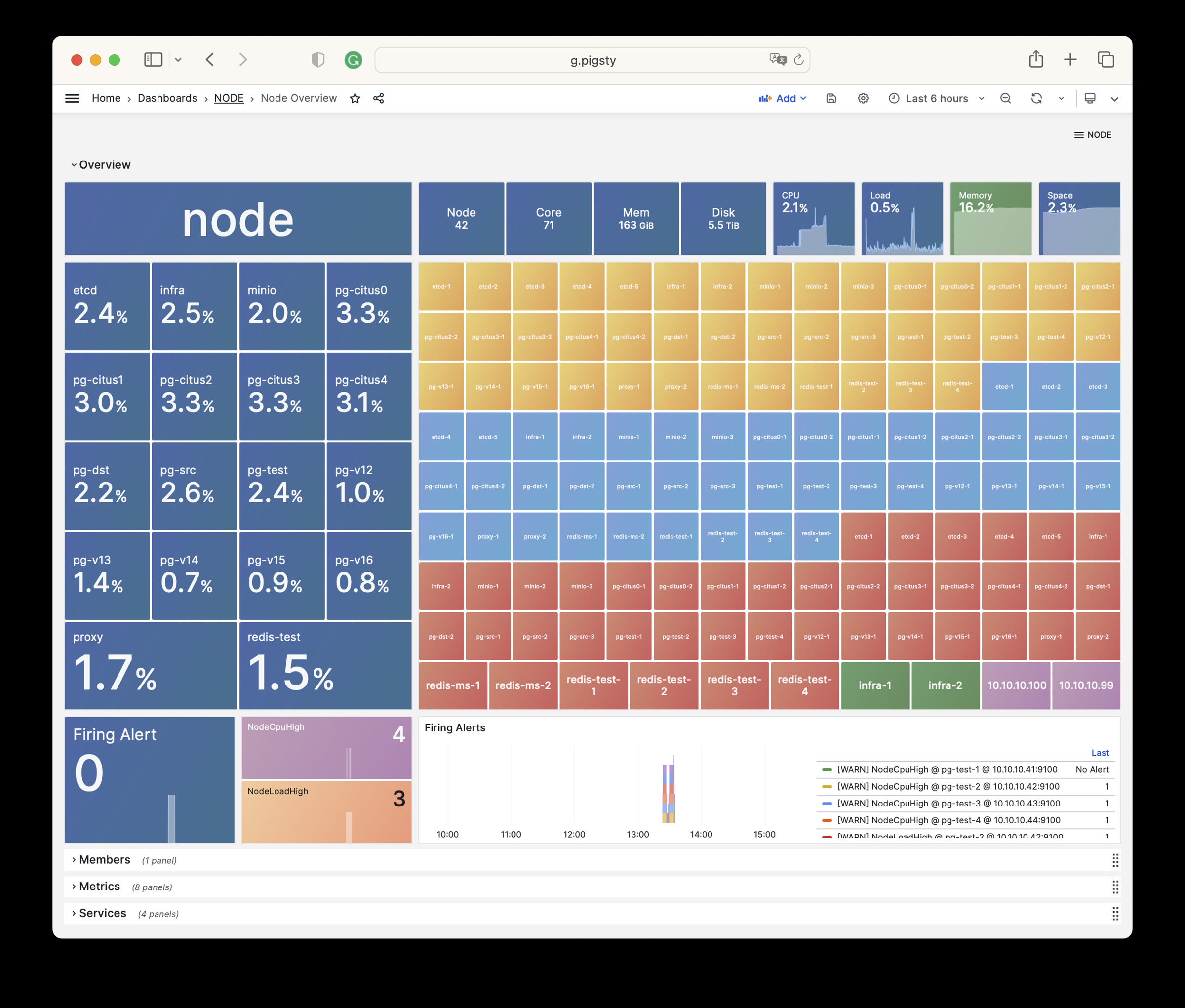
NODE Cluster
Shows detailed monitoring data for a specific host cluster.
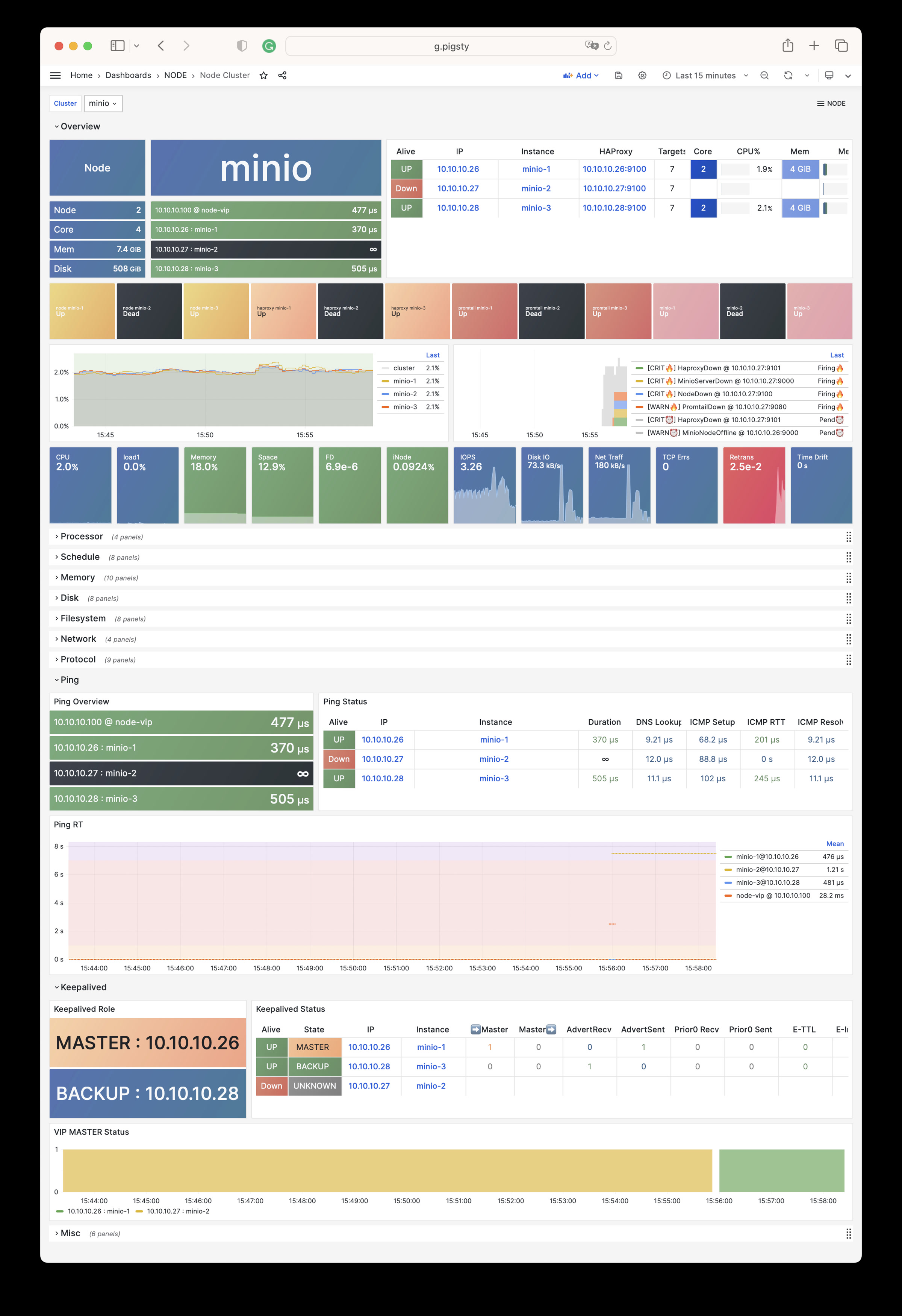
Node Instance
Shows detailed monitoring data for one host node.
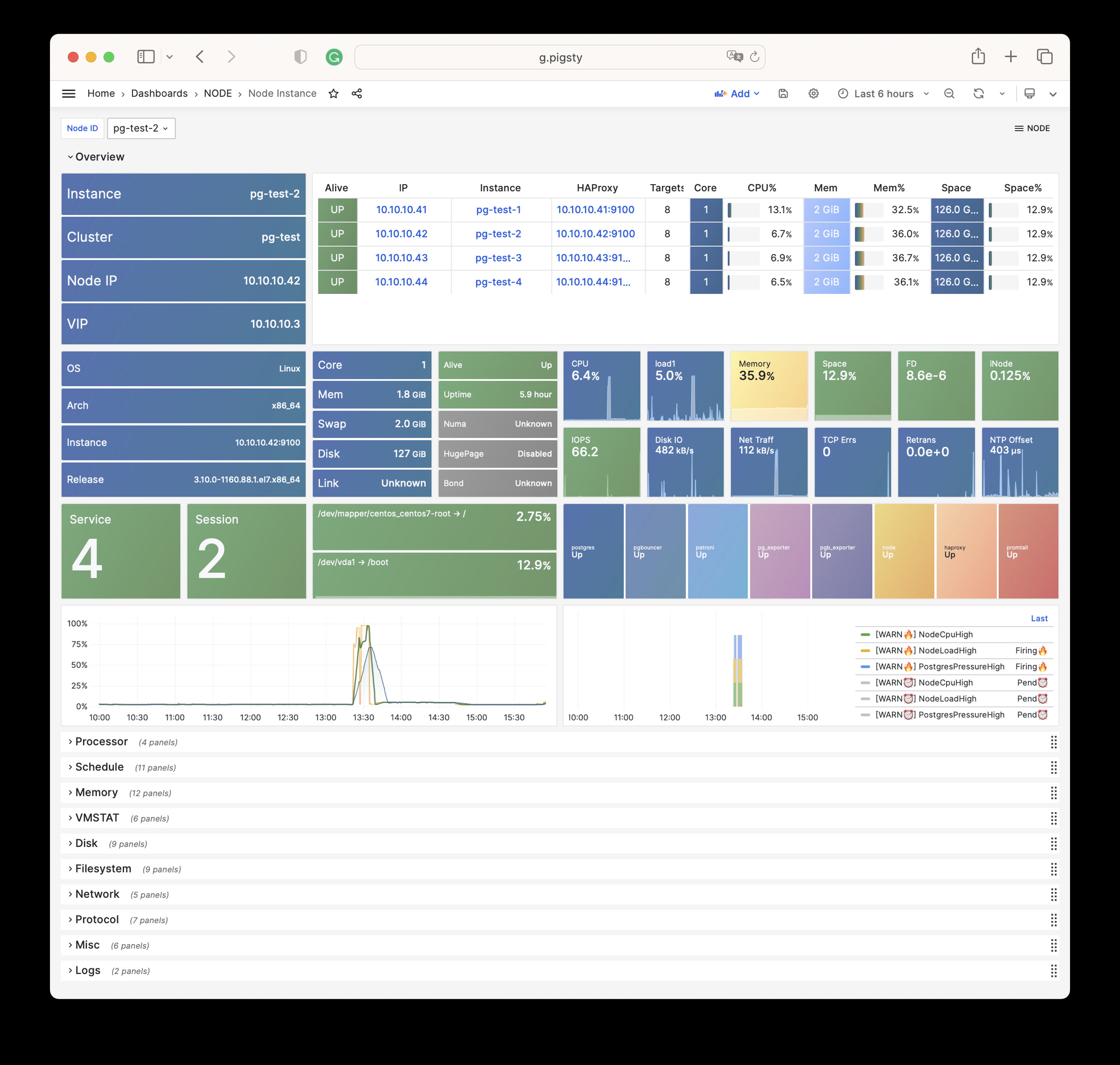
NODE Alert
Shows alerts for all hosts in the environment.
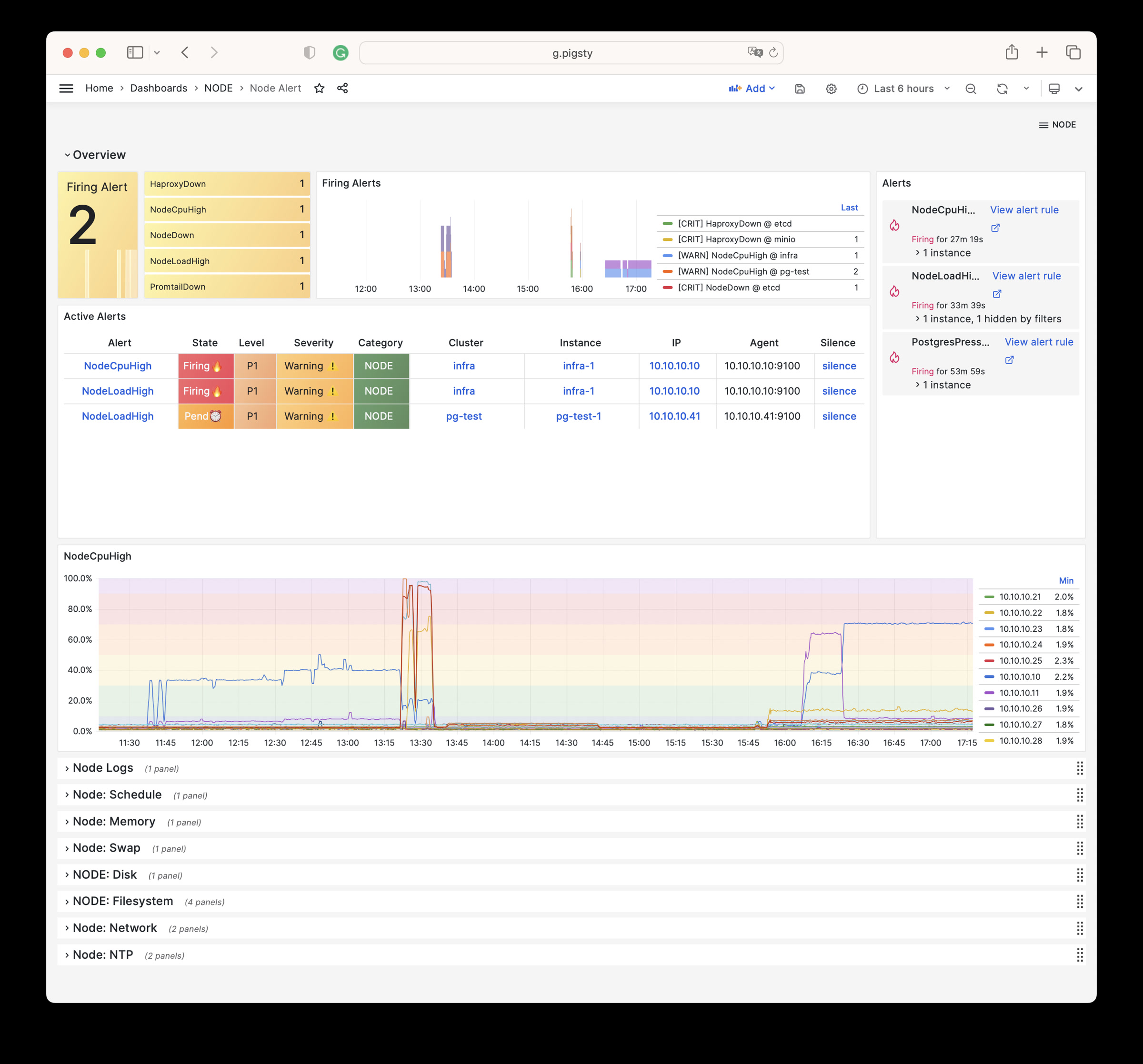
NODE VIP
Monitors detailed status of L2 virtual IPs.
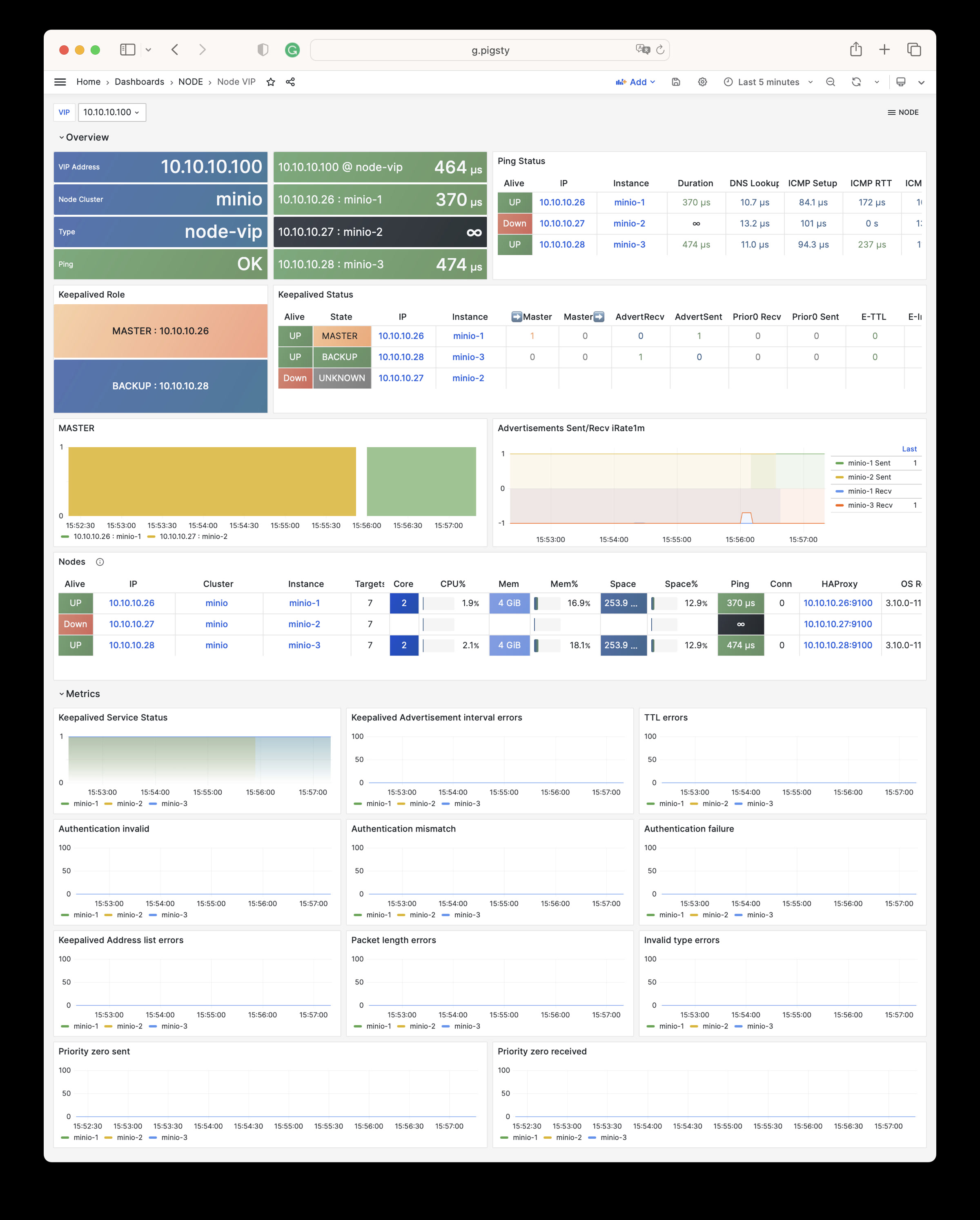
Node Haproxy
Shows the status of HAProxy load balancers.
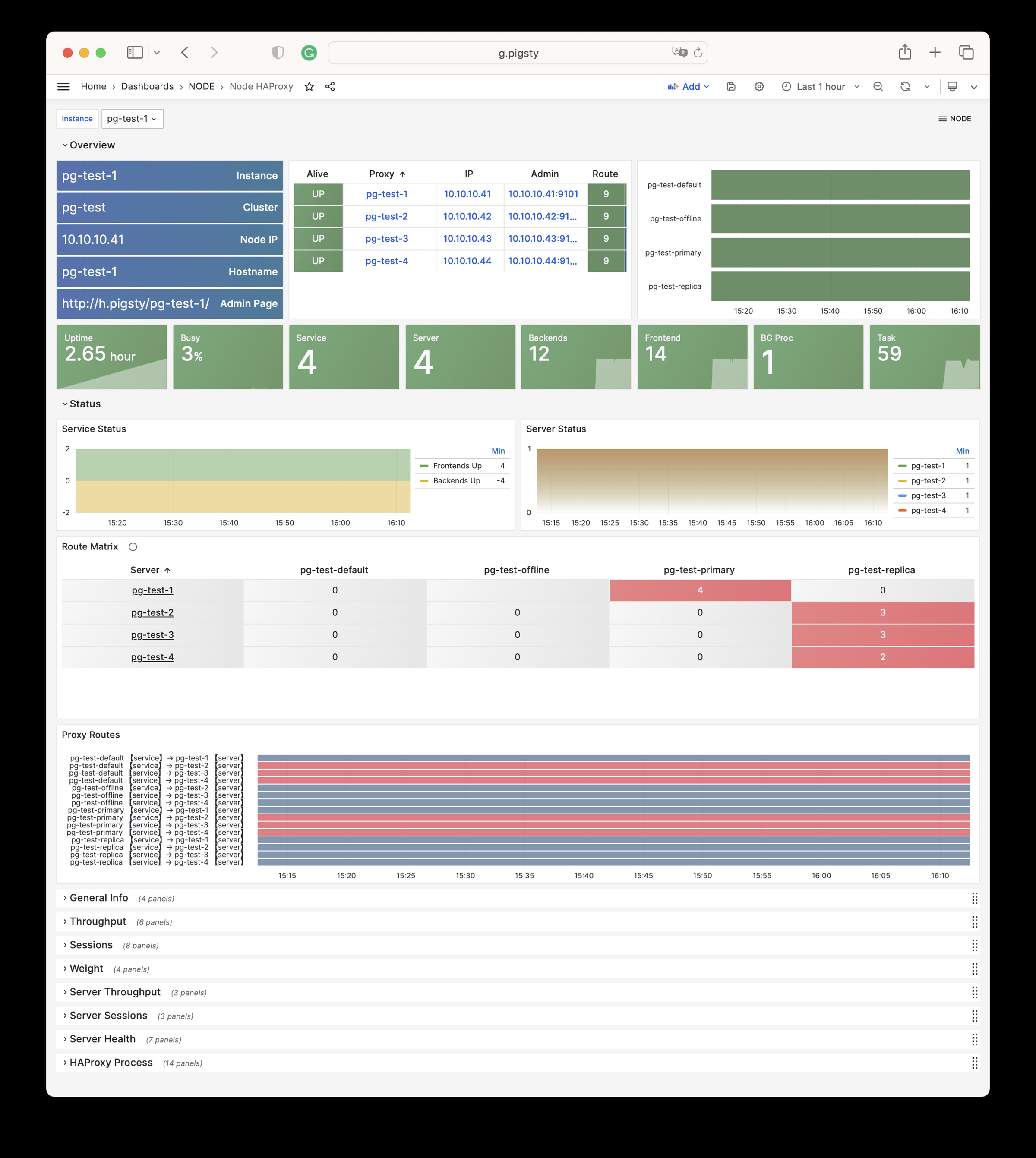
Node Disk
Focuses on per-disk I/O latency, throughput, queue depth, and other storage metrics.
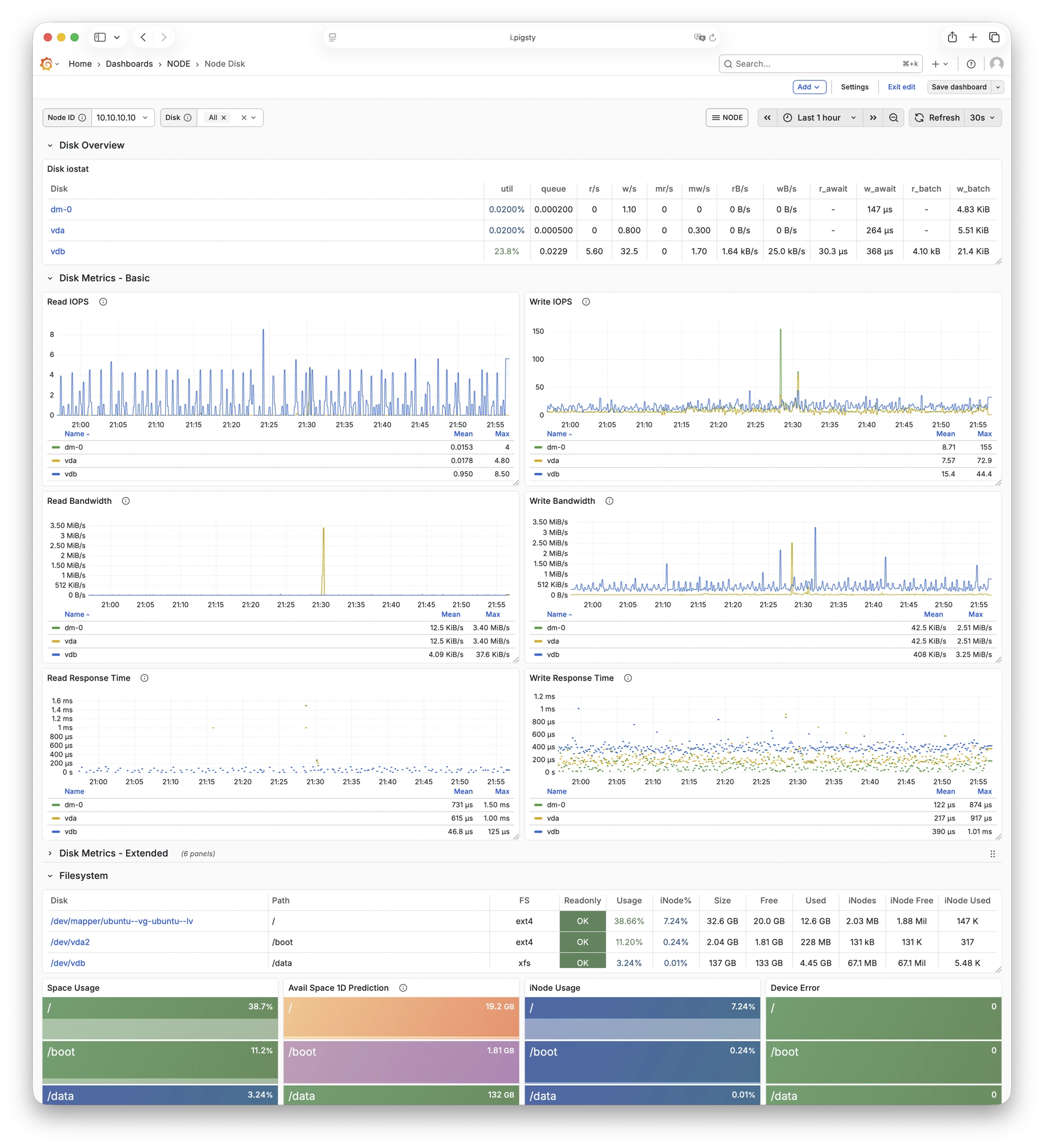
Node Vector
Shows Vector collection and forwarding status, plus log-pipeline health.
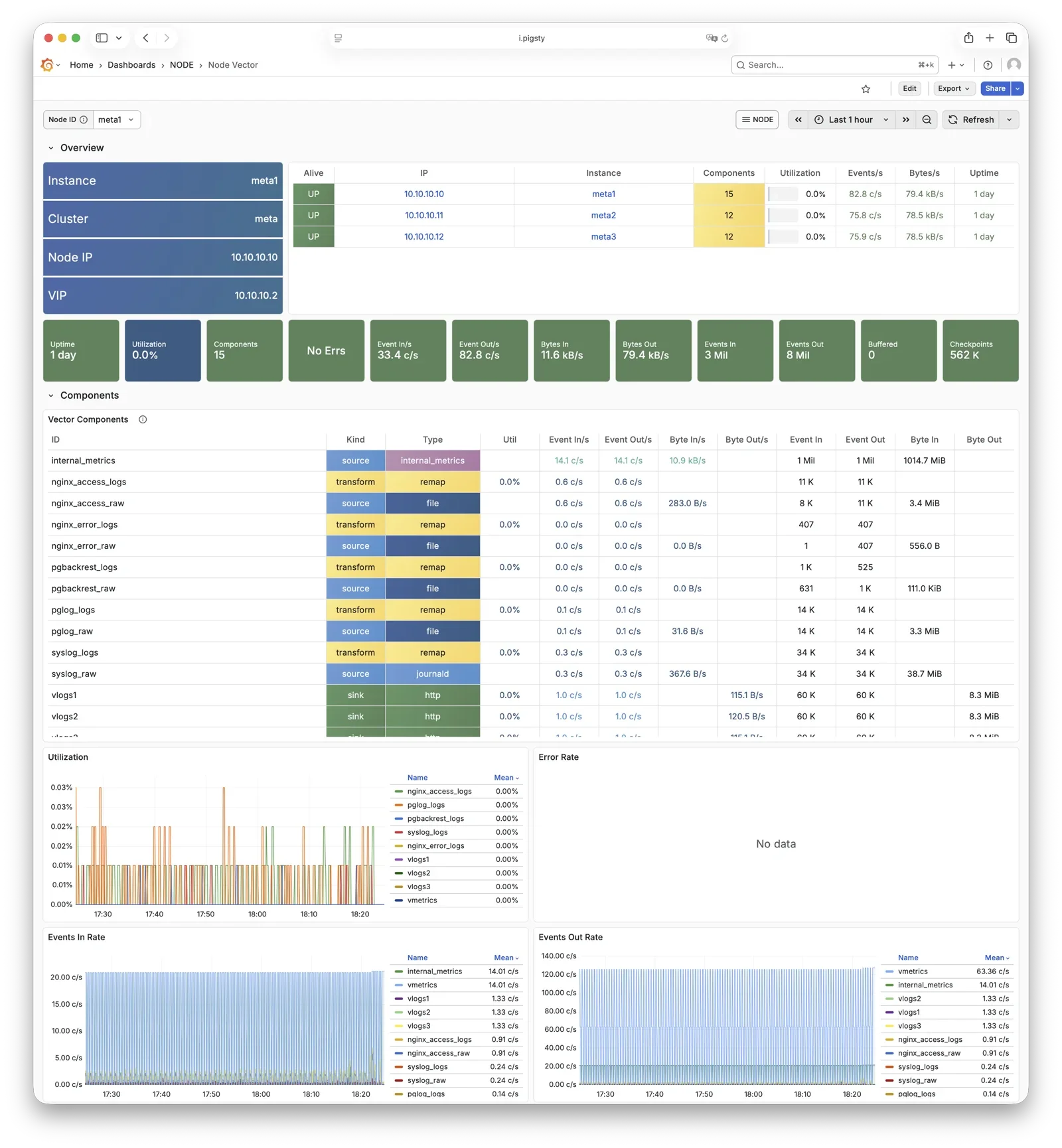
Node JuiceFS
Shows JuiceFS client cache, object storage, metadata operations, and read/write performance.
Open the Node JuiceFS Dashboard
Claude Code
Shows sessions, tokens, costs, and logs reported by Claude Code through OpenTelemetry.
Open the Claude Code Dashboard
Alert Rules
Pigsty implements the following alerting rules for NODE:
Availability Alerts
| Rule | Level | Description |
|---|---|---|
NodeDown | CRIT | Node is offline |
HaproxyDown | CRIT | HAProxy service is offline |
VectorDown | WARN | Log collecting agent offline (Vector) |
DockerDown | WARN | Container engine offline |
KeepalivedDown | WARN | Keepalived daemon offline |
CPU Alerts
| Rule | Level | Description |
|---|---|---|
NodeCpuHigh | WARN | CPU usage exceeds 70% |
Scheduling Alerts
| Rule | Level | Description |
|---|---|---|
NodeLoadHigh | WARN | Normalized load exceeds 100% |
Memory Alerts
| Rule | Level | Description |
|---|---|---|
NodeOutOfMem | WARN | Available memory less than 10% |
NodeMemSwapped | WARN | Swap usage exceeds 1% |
Filesystem Alerts
| Rule | Level | Description |
|---|---|---|
NodeFsSpaceFull | WARN | Disk usage exceeds 90% |
NodeFsFilesFull | WARN | Inode usage exceeds 90% |
NodeFdFull | WARN | File descriptor usage exceeds 90% |
Disk Alerts
| Rule | Level | Description |
|---|---|---|
NodeDiskSlow | WARN | Read/write latency exceeds 32ms |
Network Protocol Alerts
| Rule | Level | Description |
|---|---|---|
NodeTcpErrHigh | WARN | TCP error rate exceeds 1/min |
NodeTcpRetransHigh | WARN | TCP retransmission rate exceeds 1% |
Time Synchronization Alerts
| Rule | Level | Description |
|---|---|---|
NodeTimeDrift | WARN | System time not synchronized |
12.6 - Metrics
This page is a snapshot of 727 monitoring metric categories for the NODE module. The actual runtime metric set varies with package version, enabled collectors, and target state.
| Metric Name | Type | Labels | Description |
|---|---|---|---|
| ALERTS | Unknown | alertname, ip, level, severity, ins, job, alertstate, category, instance, cls | N/A |
| ALERTS_FOR_STATE | Unknown | alertname, ip, level, severity, ins, job, category, instance, cls | N/A |
| deprecated_flags_inuse_total | Unknown | instance, ins, job, ip, cls | N/A |
| go_gc_duration_seconds | summary | quantile, instance, ins, job, ip, cls | A summary of the pause duration of garbage collection cycles. |
| go_gc_duration_seconds_count | Unknown | instance, ins, job, ip, cls | N/A |
| go_gc_duration_seconds_sum | Unknown | instance, ins, job, ip, cls | N/A |
| go_goroutines | gauge | instance, ins, job, ip, cls | Number of goroutines that currently exist. |
| go_info | gauge | version, instance, ins, job, ip, cls | Information about the Go environment. |
| go_memstats_alloc_bytes | gauge | instance, ins, job, ip, cls | Number of bytes allocated and still in use. |
| go_memstats_alloc_bytes_total | counter | instance, ins, job, ip, cls | Total number of bytes allocated, even if freed. |
| go_memstats_buck_hash_sys_bytes | gauge | instance, ins, job, ip, cls | Number of bytes used by the profiling bucket hash table. |
| go_memstats_frees_total | counter | instance, ins, job, ip, cls | Total number of frees. |
| go_memstats_gc_sys_bytes | gauge | instance, ins, job, ip, cls | Number of bytes used for garbage collection system metadata. |
| go_memstats_heap_alloc_bytes | gauge | instance, ins, job, ip, cls | Number of heap bytes allocated and still in use. |
| go_memstats_heap_idle_bytes | gauge | instance, ins, job, ip, cls | Number of heap bytes waiting to be used. |
| go_memstats_heap_inuse_bytes | gauge | instance, ins, job, ip, cls | Number of heap bytes that are in use. |
| go_memstats_heap_objects | gauge | instance, ins, job, ip, cls | Number of allocated objects. |
| go_memstats_heap_released_bytes | gauge | instance, ins, job, ip, cls | Number of heap bytes released to OS. |
| go_memstats_heap_sys_bytes | gauge | instance, ins, job, ip, cls | Number of heap bytes obtained from system. |
| go_memstats_last_gc_time_seconds | gauge | instance, ins, job, ip, cls | Number of seconds since 1970 of last garbage collection. |
| go_memstats_lookups_total | counter | instance, ins, job, ip, cls | Total number of pointer lookups. |
| go_memstats_mallocs_total | counter | instance, ins, job, ip, cls | Total number of mallocs. |
| go_memstats_mcache_inuse_bytes | gauge | instance, ins, job, ip, cls | Number of bytes in use by mcache structures. |
| go_memstats_mcache_sys_bytes | gauge | instance, ins, job, ip, cls | Number of bytes used for mcache structures obtained from system. |
| go_memstats_mspan_inuse_bytes | gauge | instance, ins, job, ip, cls | Number of bytes in use by mspan structures. |
| go_memstats_mspan_sys_bytes | gauge | instance, ins, job, ip, cls | Number of bytes used for mspan structures obtained from system. |
| go_memstats_next_gc_bytes | gauge | instance, ins, job, ip, cls | Number of heap bytes when next garbage collection will take place. |
| go_memstats_other_sys_bytes | gauge | instance, ins, job, ip, cls | Number of bytes used for other system allocations. |
| go_memstats_stack_inuse_bytes | gauge | instance, ins, job, ip, cls | Number of bytes in use by the stack allocator. |
| go_memstats_stack_sys_bytes | gauge | instance, ins, job, ip, cls | Number of bytes obtained from system for stack allocator. |
| go_memstats_sys_bytes | gauge | instance, ins, job, ip, cls | Number of bytes obtained from system. |
| go_threads | gauge | instance, ins, job, ip, cls | Number of OS threads created. |
| haproxy:cls:usage | Unknown | job, cls | N/A |
| haproxy:ins:uptime | Unknown | instance, ins, job, ip, cls | N/A |
| haproxy:ins:usage | Unknown | instance, ins, job, ip, cls | N/A |
| haproxy_backend_active_servers | gauge | proxy, instance, ins, job, ip, cls | Total number of active UP servers with a non-zero weight |
| haproxy_backend_agg_check_status | gauge | state, proxy, instance, ins, job, ip, cls | Backend’s aggregated gauge of servers’ state check status |
| haproxy_backend_agg_server_check_status | gauge | state, proxy, instance, ins, job, ip, cls | [DEPRECATED] Backend’s aggregated gauge of servers’ status |
| haproxy_backend_agg_server_status | gauge | state, proxy, instance, ins, job, ip, cls | Backend’s aggregated gauge of servers’ status |
| haproxy_backend_backup_servers | gauge | proxy, instance, ins, job, ip, cls | Total number of backup UP servers with a non-zero weight |
| haproxy_backend_bytes_in_total | counter | proxy, instance, ins, job, ip, cls | Total number of request bytes since process started |
| haproxy_backend_bytes_out_total | counter | proxy, instance, ins, job, ip, cls | Total number of response bytes since process started |
| haproxy_backend_check_last_change_seconds | gauge | proxy, instance, ins, job, ip, cls | How long ago the last server state changed, in seconds |
| haproxy_backend_check_up_down_total | counter | proxy, instance, ins, job, ip, cls | Total number of failed checks causing UP to DOWN server transitions, per server/backend, since the worker process started |
| haproxy_backend_client_aborts_total | counter | proxy, instance, ins, job, ip, cls | Total number of requests or connections aborted by the client since the worker process started |
| haproxy_backend_connect_time_average_seconds | gauge | proxy, instance, ins, job, ip, cls | Avg. connect time for last 1024 successful connections. |
| haproxy_backend_connection_attempts_total | counter | proxy, instance, ins, job, ip, cls | Total number of outgoing connection attempts on this backend/server since the worker process started |
| haproxy_backend_connection_errors_total | counter | proxy, instance, ins, job, ip, cls | Total number of failed connections to server since the worker process started |
| haproxy_backend_connection_reuses_total | counter | proxy, instance, ins, job, ip, cls | Total number of reused connection on this backend/server since the worker process started |
| haproxy_backend_current_queue | gauge | proxy, instance, ins, job, ip, cls | Number of current queued connections |
| haproxy_backend_current_sessions | gauge | proxy, instance, ins, job, ip, cls | Number of current sessions on the frontend, backend or server |
| haproxy_backend_downtime_seconds_total | counter | proxy, instance, ins, job, ip, cls | Total time spent in DOWN state, for server or backend |
| haproxy_backend_failed_header_rewriting_total | counter | proxy, instance, ins, job, ip, cls | Total number of failed HTTP header rewrites since the worker process started |
| haproxy_backend_http_cache_hits_total | counter | proxy, instance, ins, job, ip, cls | Total number of HTTP requests not found in the cache on this frontend/backend since the worker process started |
| haproxy_backend_http_cache_lookups_total | counter | proxy, instance, ins, job, ip, cls | Total number of HTTP requests looked up in the cache on this frontend/backend since the worker process started |
| haproxy_backend_http_comp_bytes_bypassed_total | counter | proxy, instance, ins, job, ip, cls | Total number of bytes that bypassed HTTP compression for this object since the worker process started (CPU/memory/bandwidth limitation) |
| haproxy_backend_http_comp_bytes_in_total | counter | proxy, instance, ins, job, ip, cls | Total number of bytes submitted to the HTTP compressor for this object since the worker process started |
| haproxy_backend_http_comp_bytes_out_total | counter | proxy, instance, ins, job, ip, cls | Total number of bytes emitted by the HTTP compressor for this object since the worker process started |
| haproxy_backend_http_comp_responses_total | counter | proxy, instance, ins, job, ip, cls | Total number of HTTP responses that were compressed for this object since the worker process started |
| haproxy_backend_http_requests_total | counter | proxy, instance, ins, job, ip, cls | Total number of HTTP requests processed by this object since the worker process started |
| haproxy_backend_http_responses_total | counter | ip, proxy, ins, code, job, instance, cls | Total number of HTTP responses with status 100-199 returned by this object since the worker process started |
| haproxy_backend_internal_errors_total | counter | proxy, instance, ins, job, ip, cls | Total number of internal errors since process started |
| haproxy_backend_last_session_seconds | gauge | proxy, instance, ins, job, ip, cls | How long ago some traffic was seen on this object on this worker process, in seconds |
| haproxy_backend_limit_sessions | gauge | proxy, instance, ins, job, ip, cls | Frontend/listener/server’s maxconn, backend’s fullconn |
| haproxy_backend_loadbalanced_total | counter | proxy, instance, ins, job, ip, cls | Total number of requests routed by load balancing since the worker process started (ignores queue pop and stickiness) |
| haproxy_backend_max_connect_time_seconds | gauge | proxy, instance, ins, job, ip, cls | Maximum observed time spent waiting for a connection to complete |
| haproxy_backend_max_queue | gauge | proxy, instance, ins, job, ip, cls | Highest value of queued connections encountered since process started |
| haproxy_backend_max_queue_time_seconds | gauge | proxy, instance, ins, job, ip, cls | Maximum observed time spent in the queue |
| haproxy_backend_max_response_time_seconds | gauge | proxy, instance, ins, job, ip, cls | Maximum observed time spent waiting for a server response |
| haproxy_backend_max_session_rate | gauge | proxy, instance, ins, job, ip, cls | Highest value of sessions per second observed since the worker process started |
| haproxy_backend_max_sessions | gauge | proxy, instance, ins, job, ip, cls | Highest value of current sessions encountered since process started |
| haproxy_backend_max_total_time_seconds | gauge | proxy, instance, ins, job, ip, cls | Maximum observed total request+response time (request+queue+connect+response+processing) |
| haproxy_backend_queue_time_average_seconds | gauge | proxy, instance, ins, job, ip, cls | Avg. queue time for last 1024 successful connections. |
| haproxy_backend_redispatch_warnings_total | counter | proxy, instance, ins, job, ip, cls | Total number of server redispatches due to connection failures since the worker process started |
| haproxy_backend_requests_denied_total | counter | proxy, instance, ins, job, ip, cls | Total number of denied requests since process started |
| haproxy_backend_response_errors_total | counter | proxy, instance, ins, job, ip, cls | Total number of invalid responses since the worker process started |
| haproxy_backend_response_time_average_seconds | gauge | proxy, instance, ins, job, ip, cls | Avg. response time for last 1024 successful connections. |
| haproxy_backend_responses_denied_total | counter | proxy, instance, ins, job, ip, cls | Total number of denied responses since process started |
| haproxy_backend_retry_warnings_total | counter | proxy, instance, ins, job, ip, cls | Total number of server connection retries since the worker process started |
| haproxy_backend_server_aborts_total | counter | proxy, instance, ins, job, ip, cls | Total number of requests or connections aborted by the server since the worker process started |
| haproxy_backend_sessions_total | counter | proxy, instance, ins, job, ip, cls | Total number of sessions since process started |
| haproxy_backend_status | gauge | state, proxy, instance, ins, job, ip, cls | Current status of the service, per state label value. |
| haproxy_backend_total_time_average_seconds | gauge | proxy, instance, ins, job, ip, cls | Avg. total time for last 1024 successful connections. |
| haproxy_backend_uweight | gauge | proxy, instance, ins, job, ip, cls | Server’s user weight, or sum of active servers’ user weights for a backend |
| haproxy_backend_weight | gauge | proxy, instance, ins, job, ip, cls | Server’s effective weight, or sum of active servers’ effective weights for a backend |
| haproxy_frontend_bytes_in_total | counter | proxy, instance, ins, job, ip, cls | Total number of request bytes since process started |
| haproxy_frontend_bytes_out_total | counter | proxy, instance, ins, job, ip, cls | Total number of response bytes since process started |
| haproxy_frontend_connections_rate_max | gauge | proxy, instance, ins, job, ip, cls | Highest value of connections per second observed since the worker process started |
| haproxy_frontend_connections_total | counter | proxy, instance, ins, job, ip, cls | Total number of new connections accepted on this frontend since the worker process started |
| haproxy_frontend_current_sessions | gauge | proxy, instance, ins, job, ip, cls | Number of current sessions on the frontend, backend or server |
| haproxy_frontend_denied_connections_total | counter | proxy, instance, ins, job, ip, cls | Total number of incoming connections blocked on a listener/frontend by a tcp-request connection rule since the worker process started |
| haproxy_frontend_denied_sessions_total | counter | proxy, instance, ins, job, ip, cls | Total number of incoming sessions blocked on a listener/frontend by a tcp-request connection rule since the worker process started |
| haproxy_frontend_failed_header_rewriting_total | counter | proxy, instance, ins, job, ip, cls | Total number of failed HTTP header rewrites since the worker process started |
| haproxy_frontend_http_cache_hits_total | counter | proxy, instance, ins, job, ip, cls | Total number of HTTP requests not found in the cache on this frontend/backend since the worker process started |
| haproxy_frontend_http_cache_lookups_total | counter | proxy, instance, ins, job, ip, cls | Total number of HTTP requests looked up in the cache on this frontend/backend since the worker process started |
| haproxy_frontend_http_comp_bytes_bypassed_total | counter | proxy, instance, ins, job, ip, cls | Total number of bytes that bypassed HTTP compression for this object since the worker process started (CPU/memory/bandwidth limitation) |
| haproxy_frontend_http_comp_bytes_in_total | counter | proxy, instance, ins, job, ip, cls | Total number of bytes submitted to the HTTP compressor for this object since the worker process started |
| haproxy_frontend_http_comp_bytes_out_total | counter | proxy, instance, ins, job, ip, cls | Total number of bytes emitted by the HTTP compressor for this object since the worker process started |
| haproxy_frontend_http_comp_responses_total | counter | proxy, instance, ins, job, ip, cls | Total number of HTTP responses that were compressed for this object since the worker process started |
| haproxy_frontend_http_requests_rate_max | gauge | proxy, instance, ins, job, ip, cls | Highest value of http requests observed since the worker process started |
| haproxy_frontend_http_requests_total | counter | proxy, instance, ins, job, ip, cls | Total number of HTTP requests processed by this object since the worker process started |
| haproxy_frontend_http_responses_total | counter | ip, proxy, ins, code, job, instance, cls | Total number of HTTP responses with status 100-199 returned by this object since the worker process started |
| haproxy_frontend_intercepted_requests_total | counter | proxy, instance, ins, job, ip, cls | Total number of HTTP requests intercepted on the frontend (redirects/stats/services) since the worker process started |
| haproxy_frontend_internal_errors_total | counter | proxy, instance, ins, job, ip, cls | Total number of internal errors since process started |
| haproxy_frontend_limit_session_rate | gauge | proxy, instance, ins, job, ip, cls | Limit on the number of sessions accepted in a second (frontend only, ‘rate-limit sessions’ setting) |
| haproxy_frontend_limit_sessions | gauge | proxy, instance, ins, job, ip, cls | Frontend/listener/server’s maxconn, backend’s fullconn |
| haproxy_frontend_max_session_rate | gauge | proxy, instance, ins, job, ip, cls | Highest value of sessions per second observed since the worker process started |
| haproxy_frontend_max_sessions | gauge | proxy, instance, ins, job, ip, cls | Highest value of current sessions encountered since process started |
| haproxy_frontend_request_errors_total | counter | proxy, instance, ins, job, ip, cls | Total number of invalid requests since process started |
| haproxy_frontend_requests_denied_total | counter | proxy, instance, ins, job, ip, cls | Total number of denied requests since process started |
| haproxy_frontend_responses_denied_total | counter | proxy, instance, ins, job, ip, cls | Total number of denied responses since process started |
| haproxy_frontend_sessions_total | counter | proxy, instance, ins, job, ip, cls | Total number of sessions since process started |
| haproxy_frontend_status | gauge | state, proxy, instance, ins, job, ip, cls | Current status of the service, per state label value. |
| haproxy_process_active_peers | gauge | instance, ins, job, ip, cls | Current number of verified active peers connections on the current worker process |
| haproxy_process_build_info | gauge | version, instance, ins, job, ip, cls | Build info |
| haproxy_process_busy_polling_enabled | gauge | instance, ins, job, ip, cls | 1 if busy-polling is currently in use on the worker process, otherwise zero (config.busy-polling) |
| haproxy_process_bytes_out_rate | gauge | instance, ins, job, ip, cls | Number of bytes emitted by current worker process over the last second |
| haproxy_process_bytes_out_total | counter | instance, ins, job, ip, cls | Total number of bytes emitted by current worker process since started |
| haproxy_process_connected_peers | gauge | instance, ins, job, ip, cls | Current number of peers having passed the connection step on the current worker process |
| haproxy_process_connections_total | counter | instance, ins, job, ip, cls | Total number of connections on this worker process since started |
| haproxy_process_current_backend_ssl_key_rate | gauge | instance, ins, job, ip, cls | Number of SSL keys created on backends in this worker process over the last second |
| haproxy_process_current_connection_rate | gauge | instance, ins, job, ip, cls | Number of front connections created on this worker process over the last second |
| haproxy_process_current_connections | gauge | instance, ins, job, ip, cls | Current number of connections on this worker process |
| haproxy_process_current_frontend_ssl_key_rate | gauge | instance, ins, job, ip, cls | Number of SSL keys created on frontends in this worker process over the last second |
| haproxy_process_current_run_queue | gauge | instance, ins, job, ip, cls | Total number of active tasks+tasklets in the current worker process |
| haproxy_process_current_session_rate | gauge | instance, ins, job, ip, cls | Number of sessions created on this worker process over the last second |
| haproxy_process_current_ssl_connections | gauge | instance, ins, job, ip, cls | Current number of SSL endpoints on this worker process (front+back) |
| haproxy_process_current_ssl_rate | gauge | instance, ins, job, ip, cls | Number of SSL connections created on this worker process over the last second |
| haproxy_process_current_tasks | gauge | instance, ins, job, ip, cls | Total number of tasks in the current worker process (active + sleeping) |
| haproxy_process_current_zlib_memory | gauge | instance, ins, job, ip, cls | Amount of memory currently used by HTTP compression on the current worker process (in bytes) |
| haproxy_process_dropped_logs_total | counter | instance, ins, job, ip, cls | Total number of dropped logs for current worker process since started |
| haproxy_process_failed_resolutions | counter | instance, ins, job, ip, cls | Total number of failed DNS resolutions in current worker process since started |
| haproxy_process_frontend_ssl_reuse | gauge | instance, ins, job, ip, cls | Percent of frontend SSL connections which did not require a new key |
| haproxy_process_hard_max_connections | gauge | instance, ins, job, ip, cls | Hard limit on the number of per-process connections (imposed by Memmax_MB or Ulimit-n) |
| haproxy_process_http_comp_bytes_in_total | counter | instance, ins, job, ip, cls | Number of bytes submitted to the HTTP compressor in this worker process over the last second |
| haproxy_process_http_comp_bytes_out_total | counter | instance, ins, job, ip, cls | Number of bytes emitted by the HTTP compressor in this worker process over the last second |
| haproxy_process_idle_time_percent | gauge | instance, ins, job, ip, cls | Percentage of last second spent waiting in the current worker thread |
| haproxy_process_jobs | gauge | instance, ins, job, ip, cls | Current number of active jobs on the current worker process (frontend connections, master connections, listeners) |
| haproxy_process_limit_connection_rate | gauge | instance, ins, job, ip, cls | Hard limit for ConnRate (global.maxconnrate) |
| haproxy_process_limit_http_comp | gauge | instance, ins, job, ip, cls | Limit of CompressBpsOut beyond which HTTP compression is automatically disabled |
| haproxy_process_limit_session_rate | gauge | instance, ins, job, ip, cls | Hard limit for SessRate (global.maxsessrate) |
| haproxy_process_limit_ssl_rate | gauge | instance, ins, job, ip, cls | Hard limit for SslRate (global.maxsslrate) |
| haproxy_process_listeners | gauge | instance, ins, job, ip, cls | Current number of active listeners on the current worker process |
| haproxy_process_max_backend_ssl_key_rate | gauge | instance, ins, job, ip, cls | Highest SslBackendKeyRate reached on this worker process since started (in SSL keys per second) |
| haproxy_process_max_connection_rate | gauge | instance, ins, job, ip, cls | Highest ConnRate reached on this worker process since started (in connections per second) |
| haproxy_process_max_connections | gauge | instance, ins, job, ip, cls | Hard limit on the number of per-process connections (configured or imposed by Ulimit-n) |
| haproxy_process_max_fds | gauge | instance, ins, job, ip, cls | Hard limit on the number of per-process file descriptors |
| haproxy_process_max_frontend_ssl_key_rate | gauge | instance, ins, job, ip, cls | Highest SslFrontendKeyRate reached on this worker process since started (in SSL keys per second) |
| haproxy_process_max_memory_bytes | gauge | instance, ins, job, ip, cls | Worker process’s hard limit on memory usage in byes (-m on command line) |
| haproxy_process_max_pipes | gauge | instance, ins, job, ip, cls | Hard limit on the number of pipes for splicing, 0=unlimited |
| haproxy_process_max_session_rate | gauge | instance, ins, job, ip, cls | Highest SessRate reached on this worker process since started (in sessions per second) |
| haproxy_process_max_sockets | gauge | instance, ins, job, ip, cls | Hard limit on the number of per-process sockets |
| haproxy_process_max_ssl_connections | gauge | instance, ins, job, ip, cls | Hard limit on the number of per-process SSL endpoints (front+back), 0=unlimited |
| haproxy_process_max_ssl_rate | gauge | instance, ins, job, ip, cls | Highest SslRate reached on this worker process since started (in connections per second) |
| haproxy_process_max_zlib_memory | gauge | instance, ins, job, ip, cls | Limit on the amount of memory used by HTTP compression above which it is automatically disabled (in bytes, see global.maxzlibmem) |
| haproxy_process_nbproc | gauge | instance, ins, job, ip, cls | Number of started worker processes (historical, always 1) |
| haproxy_process_nbthread | gauge | instance, ins, job, ip, cls | Number of started threads (global.nbthread) |
| haproxy_process_pipes_free_total | counter | instance, ins, job, ip, cls | Current number of allocated and available pipes in this worker process |
| haproxy_process_pipes_used_total | counter | instance, ins, job, ip, cls | Current number of pipes in use in this worker process |
| haproxy_process_pool_allocated_bytes | gauge | instance, ins, job, ip, cls | Amount of memory allocated in pools (in bytes) |
| haproxy_process_pool_failures_total | counter | instance, ins, job, ip, cls | Number of failed pool allocations since this worker was started |
| haproxy_process_pool_used_bytes | gauge | instance, ins, job, ip, cls | Amount of pool memory currently used (in bytes) |
| haproxy_process_recv_logs_total | counter | instance, ins, job, ip, cls | Total number of log messages received by log-forwarding listeners on this worker process since started |
| haproxy_process_relative_process_id | gauge | instance, ins, job, ip, cls | Relative worker process number (1) |
| haproxy_process_requests_total | counter | instance, ins, job, ip, cls | Total number of requests on this worker process since started |
| haproxy_process_spliced_bytes_out_total | counter | instance, ins, job, ip, cls | Total number of bytes emitted by current worker process through a kernel pipe since started |
| haproxy_process_ssl_cache_lookups_total | counter | instance, ins, job, ip, cls | Total number of SSL session ID lookups in the SSL session cache on this worker since started |
| haproxy_process_ssl_cache_misses_total | counter | instance, ins, job, ip, cls | Total number of SSL session ID lookups that didn’t find a session in the SSL session cache on this worker since started |
| haproxy_process_ssl_connections_total | counter | instance, ins, job, ip, cls | Total number of SSL endpoints on this worker process since started (front+back) |
| haproxy_process_start_time_seconds | gauge | instance, ins, job, ip, cls | Start time in seconds |
| haproxy_process_stopping | gauge | instance, ins, job, ip, cls | 1 if the worker process is currently stopping, otherwise zero |
| haproxy_process_unstoppable_jobs | gauge | instance, ins, job, ip, cls | Current number of unstoppable jobs on the current worker process (master connections) |
| haproxy_process_uptime_seconds | gauge | instance, ins, job, ip, cls | How long ago this worker process was started (seconds) |
| haproxy_server_bytes_in_total | counter | proxy, instance, ins, job, server, ip, cls | Total number of request bytes since process started |
| haproxy_server_bytes_out_total | counter | proxy, instance, ins, job, server, ip, cls | Total number of response bytes since process started |
| haproxy_server_check_code | gauge | proxy, instance, ins, job, server, ip, cls | layer5-7 code, if available of the last health check. |
| haproxy_server_check_duration_seconds | gauge | proxy, instance, ins, job, server, ip, cls | Total duration of the latest server health check, in seconds. |
| haproxy_server_check_failures_total | counter | proxy, instance, ins, job, server, ip, cls | Total number of failed individual health checks per server/backend, since the worker process started |
| haproxy_server_check_last_change_seconds | gauge | proxy, instance, ins, job, server, ip, cls | How long ago the last server state changed, in seconds |
| haproxy_server_check_status | gauge | state, proxy, instance, ins, job, server, ip, cls | Status of last health check, per state label value. |
| haproxy_server_check_up_down_total | counter | proxy, instance, ins, job, server, ip, cls | Total number of failed checks causing UP to DOWN server transitions, per server/backend, since the worker process started |
| haproxy_server_client_aborts_total | counter | proxy, instance, ins, job, server, ip, cls | Total number of requests or connections aborted by the client since the worker process started |
| haproxy_server_connect_time_average_seconds | gauge | proxy, instance, ins, job, server, ip, cls | Avg. connect time for last 1024 successful connections. |
| haproxy_server_connection_attempts_total | counter | proxy, instance, ins, job, server, ip, cls | Total number of outgoing connection attempts on this backend/server since the worker process started |
| haproxy_server_connection_errors_total | counter | proxy, instance, ins, job, server, ip, cls | Total number of failed connections to server since the worker process started |
| haproxy_server_connection_reuses_total | counter | proxy, instance, ins, job, server, ip, cls | Total number of reused connection on this backend/server since the worker process started |
| haproxy_server_current_queue | gauge | proxy, instance, ins, job, server, ip, cls | Number of current queued connections |
| haproxy_server_current_sessions | gauge | proxy, instance, ins, job, server, ip, cls | Number of current sessions on the frontend, backend or server |
| haproxy_server_current_throttle | gauge | proxy, instance, ins, job, server, ip, cls | Throttling ratio applied to a server’s maxconn and weight during the slowstart period (0 to 100%) |
| haproxy_server_downtime_seconds_total | counter | proxy, instance, ins, job, server, ip, cls | Total time spent in DOWN state, for server or backend |
| haproxy_server_failed_header_rewriting_total | counter | proxy, instance, ins, job, server, ip, cls | Total number of failed HTTP header rewrites since the worker process started |
| haproxy_server_idle_connections_current | gauge | proxy, instance, ins, job, server, ip, cls | Current number of idle connections available for reuse on this server |
| haproxy_server_idle_connections_limit | gauge | proxy, instance, ins, job, server, ip, cls | Limit on the number of available idle connections on this server (server ‘pool_max_conn’ directive) |
| haproxy_server_internal_errors_total | counter | proxy, instance, ins, job, server, ip, cls | Total number of internal errors since process started |
| haproxy_server_last_session_seconds | gauge | proxy, instance, ins, job, server, ip, cls | How long ago some traffic was seen on this object on this worker process, in seconds |
| haproxy_server_limit_sessions | gauge | proxy, instance, ins, job, server, ip, cls | Frontend/listener/server’s maxconn, backend’s fullconn |
| haproxy_server_loadbalanced_total | counter | proxy, instance, ins, job, server, ip, cls | Total number of requests routed by load balancing since the worker process started (ignores queue pop and stickiness) |
| haproxy_server_max_connect_time_seconds | gauge | proxy, instance, ins, job, server, ip, cls | Maximum observed time spent waiting for a connection to complete |
| haproxy_server_max_queue | gauge | proxy, instance, ins, job, server, ip, cls | Highest value of queued connections encountered since process started |
| haproxy_server_max_queue_time_seconds | gauge | proxy, instance, ins, job, server, ip, cls | Maximum observed time spent in the queue |
| haproxy_server_max_response_time_seconds | gauge | proxy, instance, ins, job, server, ip, cls | Maximum observed time spent waiting for a server response |
| haproxy_server_max_session_rate | gauge | proxy, instance, ins, job, server, ip, cls | Highest value of sessions per second observed since the worker process started |
| haproxy_server_max_sessions | gauge | proxy, instance, ins, job, server, ip, cls | Highest value of current sessions encountered since process started |
| haproxy_server_max_total_time_seconds | gauge | proxy, instance, ins, job, server, ip, cls | Maximum observed total request+response time (request+queue+connect+response+processing) |
| haproxy_server_need_connections_current | gauge | proxy, instance, ins, job, server, ip, cls | Estimated needed number of connections |
| haproxy_server_queue_limit | gauge | proxy, instance, ins, job, server, ip, cls | Limit on the number of connections in queue, for servers only (maxqueue argument) |
| haproxy_server_queue_time_average_seconds | gauge | proxy, instance, ins, job, server, ip, cls | Avg. queue time for last 1024 successful connections. |
| haproxy_server_redispatch_warnings_total | counter | proxy, instance, ins, job, server, ip, cls | Total number of server redispatches due to connection failures since the worker process started |
| haproxy_server_response_errors_total | counter | proxy, instance, ins, job, server, ip, cls | Total number of invalid responses since the worker process started |
| haproxy_server_response_time_average_seconds | gauge | proxy, instance, ins, job, server, ip, cls | Avg. response time for last 1024 successful connections. |
| haproxy_server_responses_denied_total | counter | proxy, instance, ins, job, server, ip, cls | Total number of denied responses since process started |
| haproxy_server_retry_warnings_total | counter | proxy, instance, ins, job, server, ip, cls | Total number of server connection retries since the worker process started |
| haproxy_server_safe_idle_connections_current | gauge | proxy, instance, ins, job, server, ip, cls | Current number of safe idle connections |
| haproxy_server_server_aborts_total | counter | proxy, instance, ins, job, server, ip, cls | Total number of requests or connections aborted by the server since the worker process started |
| haproxy_server_sessions_total | counter | proxy, instance, ins, job, server, ip, cls | Total number of sessions since process started |
| haproxy_server_status | gauge | state, proxy, instance, ins, job, server, ip, cls | Current status of the service, per state label value. |
| haproxy_server_total_time_average_seconds | gauge | proxy, instance, ins, job, server, ip, cls | Avg. total time for last 1024 successful connections. |
| haproxy_server_unsafe_idle_connections_current | gauge | proxy, instance, ins, job, server, ip, cls | Current number of unsafe idle connections |
| haproxy_server_used_connections_current | gauge | proxy, instance, ins, job, server, ip, cls | Current number of connections in use |
| haproxy_server_uweight | gauge | proxy, instance, ins, job, server, ip, cls | Server’s user weight, or sum of active servers’ user weights for a backend |
| haproxy_server_weight | gauge | proxy, instance, ins, job, server, ip, cls | Server’s effective weight, or sum of active servers’ effective weights for a backend |
| haproxy_up | Unknown | instance, ins, job, ip, cls | N/A |
| inflight_requests | gauge | instance, ins, job, route, ip, cls, method | Current number of inflight requests. |
| jaeger_tracer_baggage_restrictions_updates_total | Unknown | instance, ins, job, result, ip, cls | N/A |
| jaeger_tracer_baggage_truncations_total | Unknown | instance, ins, job, ip, cls | N/A |
| jaeger_tracer_baggage_updates_total | Unknown | instance, ins, job, result, ip, cls | N/A |
| jaeger_tracer_finished_spans_total | Unknown | instance, ins, job, sampled, ip, cls | N/A |
| jaeger_tracer_reporter_queue_length | gauge | instance, ins, job, ip, cls | Current number of spans in the reporter queue |
| jaeger_tracer_reporter_spans_total | Unknown | instance, ins, job, result, ip, cls | N/A |
| jaeger_tracer_sampler_queries_total | Unknown | instance, ins, job, result, ip, cls | N/A |
| jaeger_tracer_sampler_updates_total | Unknown | instance, ins, job, result, ip, cls | N/A |
| jaeger_tracer_span_context_decoding_errors_total | Unknown | instance, ins, job, ip, cls | N/A |
| jaeger_tracer_started_spans_total | Unknown | instance, ins, job, sampled, ip, cls | N/A |
| jaeger_tracer_throttled_debug_spans_total | Unknown | instance, ins, job, ip, cls | N/A |
| jaeger_tracer_throttler_updates_total | Unknown | instance, ins, job, result, ip, cls | N/A |
| jaeger_tracer_traces_total | Unknown | state, instance, ins, job, sampled, ip, cls | N/A |
| loki_experimental_features_in_use_total | Unknown | instance, ins, job, ip, cls | N/A |
| loki_internal_log_messages_total | Unknown | level, instance, ins, job, ip, cls | N/A |
| loki_log_flushes_bucket | Unknown | instance, ins, job, le, ip, cls | N/A |
| loki_log_flushes_count | Unknown | instance, ins, job, ip, cls | N/A |
| loki_log_flushes_sum | Unknown | instance, ins, job, ip, cls | N/A |
| loki_log_messages_total | Unknown | level, instance, ins, job, ip, cls | N/A |
| loki_logql_querystats_duplicates_total | Unknown | instance, ins, job, ip, cls | N/A |
| loki_logql_querystats_ingester_sent_lines_total | Unknown | instance, ins, job, ip, cls | N/A |
| loki_querier_index_cache_corruptions_total | Unknown | instance, ins, job, ip, cls | N/A |
| loki_querier_index_cache_encode_errors_total | Unknown | instance, ins, job, ip, cls | N/A |
| loki_querier_index_cache_gets_total | Unknown | instance, ins, job, ip, cls | N/A |
| loki_querier_index_cache_hits_total | Unknown | instance, ins, job, ip, cls | N/A |
| loki_querier_index_cache_puts_total | Unknown | instance, ins, job, ip, cls | N/A |
| net_conntrack_dialer_conn_attempted_total | counter | ip, ins, job, instance, cls, dialer_name | Total number of connections attempted by the given dialer a given name. |
| net_conntrack_dialer_conn_closed_total | counter | ip, ins, job, instance, cls, dialer_name | Total number of connections closed which originated from the dialer of a given name. |
| net_conntrack_dialer_conn_established_total | counter | ip, ins, job, instance, cls, dialer_name | Total number of connections successfully established by the given dialer a given name. |
| net_conntrack_dialer_conn_failed_total | counter | ip, ins, job, reason, instance, cls, dialer_name | Total number of connections failed to dial by the dialer a given name. |
| node:cls:avail_bytes | Unknown | job, cls | N/A |
| node:cls:cpu_count | Unknown | job, cls | N/A |
| node:cls:cpu_usage | Unknown | job, cls | N/A |
| node:cls:cpu_usage_15m | Unknown | job, cls | N/A |
| node:cls:cpu_usage_1m | Unknown | job, cls | N/A |
| node:cls:cpu_usage_5m | Unknown | job, cls | N/A |
| node:cls:disk_io_bytes_rate1m | Unknown | job, cls | N/A |
| node:cls:disk_iops_1m | Unknown | job, cls | N/A |
| node:cls:disk_mreads_rate1m | Unknown | job, cls | N/A |
| node:cls:disk_mreads_ratio1m | Unknown | job, cls | N/A |
| node:cls:disk_mwrites_rate1m | Unknown | job, cls | N/A |
| node:cls:disk_mwrites_ratio1m | Unknown | job, cls | N/A |
| node:cls:disk_read_bytes_rate1m | Unknown | job, cls | N/A |
| node:cls:disk_reads_rate1m | Unknown | job, cls | N/A |
| node:cls:disk_write_bytes_rate1m | Unknown | job, cls | N/A |
| node:cls:disk_writes_rate1m | Unknown | job, cls | N/A |
| node:cls:free_bytes | Unknown | job, cls | N/A |
| node:cls:mem_usage | Unknown | job, cls | N/A |
| node:cls:network_io_bytes_rate1m | Unknown | job, cls | N/A |
| node:cls:network_rx_bytes_rate1m | Unknown | job, cls | N/A |
| node:cls:network_rx_pps1m | Unknown | job, cls | N/A |
| node:cls:network_tx_bytes_rate1m | Unknown | job, cls | N/A |
| node:cls:network_tx_pps1m | Unknown | job, cls | N/A |
| node:cls:size_bytes | Unknown | job, cls | N/A |
| node:cls:space_usage | Unknown | job, cls | N/A |
| node:cls:space_usage_max | Unknown | job, cls | N/A |
| node:cls:stdload1 | Unknown | job, cls | N/A |
| node:cls:stdload15 | Unknown | job, cls | N/A |
| node:cls:stdload5 | Unknown | job, cls | N/A |
| node:cls:time_drift_max | Unknown | job, cls | N/A |
| node:cpu:idle_time_irate1m | Unknown | ip, ins, job, cpu, instance, cls | N/A |
| node:cpu:sched_timeslices_rate1m | Unknown | ip, ins, job, cpu, instance, cls | N/A |
| node:cpu:sched_wait_rate1m | Unknown | ip, ins, job, cpu, instance, cls | N/A |
| node:cpu:time_irate1m | Unknown | ip, mode, ins, job, cpu, instance, cls | N/A |
| node:cpu:total_time_irate1m | Unknown | ip, ins, job, cpu, instance, cls | N/A |
| node:cpu:usage | Unknown | ip, ins, job, cpu, instance, cls | N/A |
| node:cpu:usage_avg15m | Unknown | ip, ins, job, cpu, instance, cls | N/A |
| node:cpu:usage_avg1m | Unknown | ip, ins, job, cpu, instance, cls | N/A |
| node:cpu:usage_avg5m | Unknown | ip, ins, job, cpu, instance, cls | N/A |
| node:dev:disk_avg_queue_size | Unknown | ip, device, ins, job, instance, cls | N/A |
| node:dev:disk_io_batch_1m | Unknown | ip, device, ins, job, instance, cls | N/A |
| node:dev:disk_io_bytes_rate1m | Unknown | ip, device, ins, job, instance, cls | N/A |
| node:dev:disk_io_rt_1m | Unknown | ip, device, ins, job, instance, cls | N/A |
| node:dev:disk_io_time_rate1m | Unknown | ip, device, ins, job, instance, cls | N/A |
| node:dev:disk_iops_1m | Unknown | ip, device, ins, job, instance, cls | N/A |
| node:dev:disk_mreads_rate1m | Unknown | ip, device, ins, job, instance, cls | N/A |
| node:dev:disk_mreads_ratio1m | Unknown | ip, device, ins, job, instance, cls | N/A |
| node:dev:disk_mwrites_rate1m | Unknown | ip, device, ins, job, instance, cls | N/A |
| node:dev:disk_mwrites_ratio1m | Unknown | ip, device, ins, job, instance, cls | N/A |
| node:dev:disk_read_batch_1m | Unknown | ip, device, ins, job, instance, cls | N/A |
| node:dev:disk_read_bytes_rate1m | Unknown | ip, device, ins, job, instance, cls | N/A |
| node:dev:disk_read_rt_1m | Unknown | ip, device, ins, job, instance, cls | N/A |
| node:dev:disk_read_time_rate1m | Unknown | ip, device, ins, job, instance, cls | N/A |
| node:dev:disk_reads_rate1m | Unknown | ip, device, ins, job, instance, cls | N/A |
| node:dev:disk_util_1m | Unknown | ip, device, ins, job, instance, cls | N/A |
| node:dev:disk_write_batch_1m | Unknown | ip, device, ins, job, instance, cls | N/A |
| node:dev:disk_write_bytes_rate1m | Unknown | ip, device, ins, job, instance, cls | N/A |
| node:dev:disk_write_rt_1m | Unknown | ip, device, ins, job, instance, cls | N/A |
| node:dev:disk_write_time_rate1m | Unknown | ip, device, ins, job, instance, cls | N/A |
| node:dev:disk_writes_rate1m | Unknown | ip, device, ins, job, instance, cls | N/A |
| node:dev:network_io_bytes_rate1m | Unknown | ip, device, ins, job, instance, cls | N/A |
| node:dev:network_rx_bytes_rate1m | Unknown | ip, device, ins, job, instance, cls | N/A |
| node:dev:network_rx_pps1m | Unknown | ip, device, ins, job, instance, cls | N/A |
| node:dev:network_tx_bytes_rate1m | Unknown | ip, device, ins, job, instance, cls | N/A |
| node:dev:network_tx_pps1m | Unknown | ip, device, ins, job, instance, cls | N/A |
| node:env:avail_bytes | Unknown | job | N/A |
| node:env:cpu_count | Unknown | job | N/A |
| node:env:cpu_usage | Unknown | job | N/A |
| node:env:cpu_usage_15m | Unknown | job | N/A |
| node:env:cpu_usage_1m | Unknown | job | N/A |
| node:env:cpu_usage_5m | Unknown | job | N/A |
| node:env:device_space_usage_max | Unknown | device, mountpoint, job, fstype | N/A |
| node:env:free_bytes | Unknown | job | N/A |
| node:env:mem_avail | Unknown | job | N/A |
| node:env:mem_total | Unknown | job | N/A |
| node:env:mem_usage | Unknown | job | N/A |
| node:env:size_bytes | Unknown | job | N/A |
| node:env:space_usage | Unknown | job | N/A |
| node:env:stdload1 | Unknown | job | N/A |
| node:env:stdload15 | Unknown | job | N/A |
| node:env:stdload5 | Unknown | job | N/A |
| node:fs:avail_bytes | Unknown | ip, device, mountpoint, ins, cls, job, instance, fstype | N/A |
| node:fs:free_bytes | Unknown | ip, device, mountpoint, ins, cls, job, instance, fstype | N/A |
| node:fs:inode_free | Unknown | ip, device, mountpoint, ins, cls, job, instance, fstype | N/A |
| node:fs:inode_total | Unknown | ip, device, mountpoint, ins, cls, job, instance, fstype | N/A |
| node:fs:inode_usage | Unknown | ip, device, mountpoint, ins, cls, job, instance, fstype | N/A |
| node:fs:inode_used | Unknown | ip, device, mountpoint, ins, cls, job, instance, fstype | N/A |
| node:fs:size_bytes | Unknown | ip, device, mountpoint, ins, cls, job, instance, fstype | N/A |
| node:fs:space_deriv1h | Unknown | ip, device, mountpoint, ins, cls, job, instance, fstype | N/A |
| node:fs:space_exhaust | Unknown | ip, device, mountpoint, ins, cls, job, instance, fstype | N/A |
| node:fs:space_predict_1d | Unknown | ip, device, mountpoint, ins, cls, job, instance, fstype | N/A |
| node:fs:space_usage | Unknown | ip, device, mountpoint, ins, cls, job, instance, fstype | N/A |
| node:ins | Unknown | id, ip, ins, job, nodename, instance, cls | N/A |
| node:ins:avail_bytes | Unknown | instance, ins, job, ip, cls | N/A |
| node:ins:cpu_count | Unknown | instance, ins, job, ip, cls | N/A |
| node:ins:cpu_usage | Unknown | instance, ins, job, ip, cls | N/A |
| node:ins:cpu_usage_15m | Unknown | instance, ins, job, ip, cls | N/A |
| node:ins:cpu_usage_1m | Unknown | instance, ins, job, ip, cls | N/A |
| node:ins:cpu_usage_5m | Unknown | instance, ins, job, ip, cls | N/A |
| node:ins:ctx_switch_rate1m | Unknown | instance, ins, job, ip, cls | N/A |
| node:ins:disk_io_bytes_rate1m | Unknown | instance, ins, job, ip, cls | N/A |
| node:ins:disk_iops_1m | Unknown | instance, ins, job, ip, cls | N/A |
| node:ins:disk_mreads_rate1m | Unknown | instance, ins, job, ip, cls | N/A |
| node:ins:disk_mreads_ratio1m | Unknown | instance, ins, job, ip, cls | N/A |
| node:ins:disk_mwrites_rate1m | Unknown | instance, ins, job, ip, cls | N/A |
| node:ins:disk_mwrites_ratio1m | Unknown | instance, ins, job, ip, cls | N/A |
| node:ins:disk_read_bytes_rate1m | Unknown | instance, ins, job, ip, cls | N/A |
| node:ins:disk_reads_rate1m | Unknown | instance, ins, job, ip, cls | N/A |
| node:ins:disk_write_bytes_rate1m | Unknown | instance, ins, job, ip, cls | N/A |
| node:ins:disk_writes_rate1m | Unknown | instance, ins, job, ip, cls | N/A |
| node:ins:fd_alloc_rate1m | Unknown | instance, ins, job, ip, cls | N/A |
| node:ins:fd_usage | Unknown | instance, ins, job, ip, cls | N/A |
| node:ins:forks_rate1m | Unknown | instance, ins, job, ip, cls | N/A |
| node:ins:free_bytes | Unknown | instance, ins, job, ip, cls | N/A |
| node:ins:inode_usage | Unknown | instance, ins, job, ip, cls | N/A |
| node:ins:interrupt_rate1m | Unknown | instance, ins, job, ip, cls | N/A |
| node:ins:mem_avail | Unknown | instance, ins, job, ip, cls | N/A |
| node:ins:mem_commit_ratio | Unknown | instance, ins, job, ip, cls | N/A |
| node:ins:mem_kernel | Unknown | instance, ins, job, ip, cls | N/A |
| node:ins:mem_rss | Unknown | instance, ins, job, ip, cls | N/A |
| node:ins:mem_usage | Unknown | instance, ins, job, ip, cls | N/A |
| node:ins:network_io_bytes_rate1m | Unknown | instance, ins, job, ip, cls | N/A |
| node:ins:network_rx_bytes_rate1m | Unknown | instance, ins, job, ip, cls | N/A |
| node:ins:network_rx_pps1m | Unknown | instance, ins, job, ip, cls | N/A |
| node:ins:network_tx_bytes_rate1m | Unknown | instance, ins, job, ip, cls | N/A |
| node:ins:network_tx_pps1m | Unknown | instance, ins, job, ip, cls | N/A |
| node:ins:pagefault_rate1m | Unknown | instance, ins, job, ip, cls | N/A |
| node:ins:pagein_rate1m | Unknown | instance, ins, job, ip, cls | N/A |
| node:ins:pageout_rate1m | Unknown | instance, ins, job, ip, cls | N/A |
| node:ins:pgmajfault_rate1m | Unknown | instance, ins, job, ip, cls | N/A |
| node:ins:sched_wait_rate1m | Unknown | instance, ins, job, ip, cls | N/A |
| node:ins:size_bytes | Unknown | instance, ins, job, ip, cls | N/A |
| node:ins:space_usage_max | Unknown | instance, ins, job, ip, cls | N/A |
| node:ins:stdload1 | Unknown | instance, ins, job, ip, cls | N/A |
| node:ins:stdload15 | Unknown | instance, ins, job, ip, cls | N/A |
| node:ins:stdload5 | Unknown | instance, ins, job, ip, cls | N/A |
| node:ins:swap_usage | Unknown | instance, ins, job, ip, cls | N/A |
| node:ins:swapin_rate1m | Unknown | instance, ins, job, ip, cls | N/A |
| node:ins:swapout_rate1m | Unknown | instance, ins, job, ip, cls | N/A |
| node:ins:tcp_active_opens_rate1m | Unknown | instance, ins, job, ip, cls | N/A |
| node:ins:tcp_dropped_rate1m | Unknown | instance, ins, job, ip, cls | N/A |
| node:ins:tcp_error | Unknown | instance, ins, job, ip, cls | N/A |
| node:ins:tcp_error_rate1m | Unknown | instance, ins, job, ip, cls | N/A |
| node:ins:tcp_insegs_rate1m | Unknown | instance, ins, job, ip, cls | N/A |
| node:ins:tcp_outsegs_rate1m | Unknown | instance, ins, job, ip, cls | N/A |
| node:ins:tcp_overflow_rate1m | Unknown | instance, ins, job, ip, cls | N/A |
| node:ins:tcp_passive_opens_rate1m | Unknown | instance, ins, job, ip, cls | N/A |
| node:ins:tcp_retrans_ratio1m | Unknown | instance, ins, job, ip, cls | N/A |
| node:ins:tcp_retranssegs_rate1m | Unknown | instance, ins, job, ip, cls | N/A |
| node:ins:tcp_segs_rate1m | Unknown | instance, ins, job, ip, cls | N/A |
| node:ins:time_drift | Unknown | instance, ins, job, ip, cls | N/A |
| node:ins:udp_in_rate1m | Unknown | instance, ins, job, ip, cls | N/A |
| node:ins:udp_out_rate1m | Unknown | instance, ins, job, ip, cls | N/A |
| node:ins:uptime | Unknown | instance, ins, job, ip, cls | N/A |
| node_arp_entries | gauge | ip, device, ins, job, instance, cls | ARP entries by device |
| node_boot_time_seconds | gauge | instance, ins, job, ip, cls | Node boot time, in unixtime. |
| node_context_switches_total | counter | instance, ins, job, ip, cls | Total number of context switches. |
| node_cooling_device_cur_state | gauge | instance, ins, job, type, ip, cls | Current throttle state of the cooling device |
| node_cooling_device_max_state | gauge | instance, ins, job, type, ip, cls | Maximum throttle state of the cooling device |
| node_cpu_guest_seconds_total | counter | ip, mode, ins, job, cpu, instance, cls | Seconds the CPUs spent in guests (VMs) for each mode. |
| node_cpu_seconds_total | counter | ip, mode, ins, job, cpu, instance, cls | Seconds the CPUs spent in each mode. |
| node_disk_discard_time_seconds_total | counter | ip, device, ins, job, instance, cls | This is the total number of seconds spent by all discards. |
| node_disk_discarded_sectors_total | counter | ip, device, ins, job, instance, cls | The total number of sectors discarded successfully. |
| node_disk_discards_completed_total | counter | ip, device, ins, job, instance, cls | The total number of discards completed successfully. |
| node_disk_discards_merged_total | counter | ip, device, ins, job, instance, cls | The total number of discards merged. |
| node_disk_filesystem_info | gauge | ip, usage, version, device, uuid, ins, type, job, instance, cls | Info about disk filesystem. |
| node_disk_info | gauge | minor, ip, major, revision, device, model, serial, path, ins, job, instance, cls | Info of /sys/block/<block_device>. |
| node_disk_io_now | gauge | ip, device, ins, job, instance, cls | The number of I/Os currently in progress. |
| node_disk_io_time_seconds_total | counter | ip, device, ins, job, instance, cls | Total seconds spent doing I/Os. |
| node_disk_io_time_weighted_seconds_total | counter | ip, device, ins, job, instance, cls | The weighted # of seconds spent doing I/Os. |
| node_disk_read_bytes_total | counter | ip, device, ins, job, instance, cls | The total number of bytes read successfully. |
| node_disk_read_time_seconds_total | counter | ip, device, ins, job, instance, cls | The total number of seconds spent by all reads. |
| node_disk_reads_completed_total | counter | ip, device, ins, job, instance, cls | The total number of reads completed successfully. |
| node_disk_reads_merged_total | counter | ip, device, ins, job, instance, cls | The total number of reads merged. |
| node_disk_write_time_seconds_total | counter | ip, device, ins, job, instance, cls | This is the total number of seconds spent by all writes. |
| node_disk_writes_completed_total | counter | ip, device, ins, job, instance, cls | The total number of writes completed successfully. |
| node_disk_writes_merged_total | counter | ip, device, ins, job, instance, cls | The number of writes merged. |
| node_disk_written_bytes_total | counter | ip, device, ins, job, instance, cls | The total number of bytes written successfully. |
| node_dmi_info | gauge | bios_vendor, ip, product_family, product_version, product_uuid, system_vendor, bios_version, ins, bios_date, cls, job, product_name, instance, chassis_version, chassis_vendor, product_serial | A metric with a constant ‘1’ value labeled by bios_date, bios_release, bios_vendor, bios_version, board_asset_tag, board_name, board_serial, board_vendor, board_version, chassis_asset_tag, chassis_serial, chassis_vendor, chassis_version, product_family, product_name, product_serial, product_sku, product_uuid, product_version, system_vendor if provided by DMI. |
| node_entropy_available_bits | gauge | instance, ins, job, ip, cls | Bits of available entropy. |
| node_entropy_pool_size_bits | gauge | instance, ins, job, ip, cls | Bits of entropy pool. |
| node_exporter_build_info | gauge | ip, version, revision, goversion, branch, ins, goarch, job, tags, instance, cls, goos | A metric with a constant ‘1’ value labeled by version, revision, branch, goversion from which node_exporter was built, and the goos and goarch for the build. |
| node_filefd_allocated | gauge | instance, ins, job, ip, cls | File descriptor statistics: allocated. |
| node_filefd_maximum | gauge | instance, ins, job, ip, cls | File descriptor statistics: maximum. |
| node_filesystem_avail_bytes | gauge | ip, device, mountpoint, ins, cls, job, instance, fstype | Filesystem space available to non-root users in bytes. |
| node_filesystem_device_error | gauge | ip, device, mountpoint, ins, cls, job, instance, fstype | Whether an error occurred while getting statistics for the given device. |
| node_filesystem_files | gauge | ip, device, mountpoint, ins, cls, job, instance, fstype | Filesystem total file nodes. |
| node_filesystem_files_free | gauge | ip, device, mountpoint, ins, cls, job, instance, fstype | Filesystem total free file nodes. |
| node_filesystem_free_bytes | gauge | ip, device, mountpoint, ins, cls, job, instance, fstype | Filesystem free space in bytes. |
| node_filesystem_readonly | gauge | ip, device, mountpoint, ins, cls, job, instance, fstype | Filesystem read-only status. |
| node_filesystem_size_bytes | gauge | ip, device, mountpoint, ins, cls, job, instance, fstype | Filesystem size in bytes. |
| node_forks_total | counter | instance, ins, job, ip, cls | Total number of forks. |
| node_hwmon_chip_names | gauge | chip_name, ip, ins, chip, job, instance, cls | Annotation metric for human-readable chip names |
| node_hwmon_energy_joule_total | counter | sensor, ip, ins, chip, job, instance, cls | Hardware monitor for joules used so far (input) |
| node_hwmon_sensor_label | gauge | sensor, ip, ins, chip, job, label, instance, cls | Label for given chip and sensor |
| node_intr_total | counter | instance, ins, job, ip, cls | Total number of interrupts serviced. |
| node_ipvs_connections_total | counter | instance, ins, job, ip, cls | The total number of connections made. |
| node_ipvs_incoming_bytes_total | counter | instance, ins, job, ip, cls | The total amount of incoming data. |
| node_ipvs_incoming_packets_total | counter | instance, ins, job, ip, cls | The total number of incoming packets. |
| node_ipvs_outgoing_bytes_total | counter | instance, ins, job, ip, cls | The total amount of outgoing data. |
| node_ipvs_outgoing_packets_total | counter | instance, ins, job, ip, cls | The total number of outgoing packets. |
| node_load1 | gauge | instance, ins, job, ip, cls | 1m load average. |
| node_load15 | gauge | instance, ins, job, ip, cls | 15m load average. |
| node_load5 | gauge | instance, ins, job, ip, cls | 5m load average. |
| node_memory_Active_anon_bytes | gauge | instance, ins, job, ip, cls | Memory information field Active_anon_bytes. |
| node_memory_Active_bytes | gauge | instance, ins, job, ip, cls | Memory information field Active_bytes. |
| node_memory_Active_file_bytes | gauge | instance, ins, job, ip, cls | Memory information field Active_file_bytes. |
| node_memory_AnonHugePages_bytes | gauge | instance, ins, job, ip, cls | Memory information field AnonHugePages_bytes. |
| node_memory_AnonPages_bytes | gauge | instance, ins, job, ip, cls | Memory information field AnonPages_bytes. |
| node_memory_Bounce_bytes | gauge | instance, ins, job, ip, cls | Memory information field Bounce_bytes. |
| node_memory_Buffers_bytes | gauge | instance, ins, job, ip, cls | Memory information field Buffers_bytes. |
| node_memory_Cached_bytes | gauge | instance, ins, job, ip, cls | Memory information field Cached_bytes. |
| node_memory_CommitLimit_bytes | gauge | instance, ins, job, ip, cls | Memory information field CommitLimit_bytes. |
| node_memory_Committed_AS_bytes | gauge | instance, ins, job, ip, cls | Memory information field Committed_AS_bytes. |
| node_memory_DirectMap1G_bytes | gauge | instance, ins, job, ip, cls | Memory information field DirectMap1G_bytes. |
| node_memory_DirectMap2M_bytes | gauge | instance, ins, job, ip, cls | Memory information field DirectMap2M_bytes. |
| node_memory_DirectMap4k_bytes | gauge | instance, ins, job, ip, cls | Memory information field DirectMap4k_bytes. |
| node_memory_Dirty_bytes | gauge | instance, ins, job, ip, cls | Memory information field Dirty_bytes. |
| node_memory_FileHugePages_bytes | gauge | instance, ins, job, ip, cls | Memory information field FileHugePages_bytes. |
| node_memory_FilePmdMapped_bytes | gauge | instance, ins, job, ip, cls | Memory information field FilePmdMapped_bytes. |
| node_memory_HardwareCorrupted_bytes | gauge | instance, ins, job, ip, cls | Memory information field HardwareCorrupted_bytes. |
| node_memory_HugePages_Free | gauge | instance, ins, job, ip, cls | Memory information field HugePages_Free. |
| node_memory_HugePages_Rsvd | gauge | instance, ins, job, ip, cls | Memory information field HugePages_Rsvd. |
| node_memory_HugePages_Surp | gauge | instance, ins, job, ip, cls | Memory information field HugePages_Surp. |
| node_memory_HugePages_Total | gauge | instance, ins, job, ip, cls | Memory information field HugePages_Total. |
| node_memory_Hugepagesize_bytes | gauge | instance, ins, job, ip, cls | Memory information field Hugepagesize_bytes. |
| node_memory_Hugetlb_bytes | gauge | instance, ins, job, ip, cls | Memory information field Hugetlb_bytes. |
| node_memory_Inactive_anon_bytes | gauge | instance, ins, job, ip, cls | Memory information field Inactive_anon_bytes. |
| node_memory_Inactive_bytes | gauge | instance, ins, job, ip, cls | Memory information field Inactive_bytes. |
| node_memory_Inactive_file_bytes | gauge | instance, ins, job, ip, cls | Memory information field Inactive_file_bytes. |
| node_memory_KReclaimable_bytes | gauge | instance, ins, job, ip, cls | Memory information field KReclaimable_bytes. |
| node_memory_KernelStack_bytes | gauge | instance, ins, job, ip, cls | Memory information field KernelStack_bytes. |
| node_memory_Mapped_bytes | gauge | instance, ins, job, ip, cls | Memory information field Mapped_bytes. |
| node_memory_MemAvailable_bytes | gauge | instance, ins, job, ip, cls | Memory information field MemAvailable_bytes. |
| node_memory_MemFree_bytes | gauge | instance, ins, job, ip, cls | Memory information field MemFree_bytes. |
| node_memory_MemTotal_bytes | gauge | instance, ins, job, ip, cls | Memory information field MemTotal_bytes. |
| node_memory_Mlocked_bytes | gauge | instance, ins, job, ip, cls | Memory information field Mlocked_bytes. |
| node_memory_NFS_Unstable_bytes | gauge | instance, ins, job, ip, cls | Memory information field NFS_Unstable_bytes. |
| node_memory_PageTables_bytes | gauge | instance, ins, job, ip, cls | Memory information field PageTables_bytes. |
| node_memory_Percpu_bytes | gauge | instance, ins, job, ip, cls | Memory information field Percpu_bytes. |
| node_memory_SReclaimable_bytes | gauge | instance, ins, job, ip, cls | Memory information field SReclaimable_bytes. |
| node_memory_SUnreclaim_bytes | gauge | instance, ins, job, ip, cls | Memory information field SUnreclaim_bytes. |
| node_memory_ShmemHugePages_bytes | gauge | instance, ins, job, ip, cls | Memory information field ShmemHugePages_bytes. |
| node_memory_ShmemPmdMapped_bytes | gauge | instance, ins, job, ip, cls | Memory information field ShmemPmdMapped_bytes. |
| node_memory_Shmem_bytes | gauge | instance, ins, job, ip, cls | Memory information field Shmem_bytes. |
| node_memory_Slab_bytes | gauge | instance, ins, job, ip, cls | Memory information field Slab_bytes. |
| node_memory_SwapCached_bytes | gauge | instance, ins, job, ip, cls | Memory information field SwapCached_bytes. |
| node_memory_SwapFree_bytes | gauge | instance, ins, job, ip, cls | Memory information field SwapFree_bytes. |
| node_memory_SwapTotal_bytes | gauge | instance, ins, job, ip, cls | Memory information field SwapTotal_bytes. |
| node_memory_Unevictable_bytes | gauge | instance, ins, job, ip, cls | Memory information field Unevictable_bytes. |
| node_memory_VmallocChunk_bytes | gauge | instance, ins, job, ip, cls | Memory information field VmallocChunk_bytes. |
| node_memory_VmallocTotal_bytes | gauge | instance, ins, job, ip, cls | Memory information field VmallocTotal_bytes. |
| node_memory_VmallocUsed_bytes | gauge | instance, ins, job, ip, cls | Memory information field VmallocUsed_bytes. |
| node_memory_WritebackTmp_bytes | gauge | instance, ins, job, ip, cls | Memory information field WritebackTmp_bytes. |
| node_memory_Writeback_bytes | gauge | instance, ins, job, ip, cls | Memory information field Writeback_bytes. |
| node_netstat_Icmp6_InErrors | unknown | instance, ins, job, ip, cls | Statistic Icmp6InErrors. |
| node_netstat_Icmp6_InMsgs | unknown | instance, ins, job, ip, cls | Statistic Icmp6InMsgs. |
| node_netstat_Icmp6_OutMsgs | unknown | instance, ins, job, ip, cls | Statistic Icmp6OutMsgs. |
| node_netstat_Icmp_InErrors | unknown | instance, ins, job, ip, cls | Statistic IcmpInErrors. |
| node_netstat_Icmp_InMsgs | unknown | instance, ins, job, ip, cls | Statistic IcmpInMsgs. |
| node_netstat_Icmp_OutMsgs | unknown | instance, ins, job, ip, cls | Statistic IcmpOutMsgs. |
| node_netstat_Ip6_InOctets | unknown | instance, ins, job, ip, cls | Statistic Ip6InOctets. |
| node_netstat_Ip6_OutOctets | unknown | instance, ins, job, ip, cls | Statistic Ip6OutOctets. |
| node_netstat_IpExt_InOctets | unknown | instance, ins, job, ip, cls | Statistic IpExtInOctets. |
| node_netstat_IpExt_OutOctets | unknown | instance, ins, job, ip, cls | Statistic IpExtOutOctets. |
| node_netstat_Ip_Forwarding | unknown | instance, ins, job, ip, cls | Statistic IpForwarding. |
| node_netstat_TcpExt_ListenDrops | unknown | instance, ins, job, ip, cls | Statistic TcpExtListenDrops. |
| node_netstat_TcpExt_ListenOverflows | unknown | instance, ins, job, ip, cls | Statistic TcpExtListenOverflows. |
| node_netstat_TcpExt_SyncookiesFailed | unknown | instance, ins, job, ip, cls | Statistic TcpExtSyncookiesFailed. |
| node_netstat_TcpExt_SyncookiesRecv | unknown | instance, ins, job, ip, cls | Statistic TcpExtSyncookiesRecv. |
| node_netstat_TcpExt_SyncookiesSent | unknown | instance, ins, job, ip, cls | Statistic TcpExtSyncookiesSent. |
| node_netstat_TcpExt_TCPSynRetrans | unknown | instance, ins, job, ip, cls | Statistic TcpExtTCPSynRetrans. |
| node_netstat_TcpExt_TCPTimeouts | unknown | instance, ins, job, ip, cls | Statistic TcpExtTCPTimeouts. |
| node_netstat_Tcp_ActiveOpens | unknown | instance, ins, job, ip, cls | Statistic TcpActiveOpens. |
| node_netstat_Tcp_CurrEstab | unknown | instance, ins, job, ip, cls | Statistic TcpCurrEstab. |
| node_netstat_Tcp_InErrs | unknown | instance, ins, job, ip, cls | Statistic TcpInErrs. |
| node_netstat_Tcp_InSegs | unknown | instance, ins, job, ip, cls | Statistic TcpInSegs. |
| node_netstat_Tcp_OutRsts | unknown | instance, ins, job, ip, cls | Statistic TcpOutRsts. |
| node_netstat_Tcp_OutSegs | unknown | instance, ins, job, ip, cls | Statistic TcpOutSegs. |
| node_netstat_Tcp_PassiveOpens | unknown | instance, ins, job, ip, cls | Statistic TcpPassiveOpens. |
| node_netstat_Tcp_RetransSegs | unknown | instance, ins, job, ip, cls | Statistic TcpRetransSegs. |
| node_netstat_Udp6_InDatagrams | unknown | instance, ins, job, ip, cls | Statistic Udp6InDatagrams. |
| node_netstat_Udp6_InErrors | unknown | instance, ins, job, ip, cls | Statistic Udp6InErrors. |
| node_netstat_Udp6_NoPorts | unknown | instance, ins, job, ip, cls | Statistic Udp6NoPorts. |
| node_netstat_Udp6_OutDatagrams | unknown | instance, ins, job, ip, cls | Statistic Udp6OutDatagrams. |
| node_netstat_Udp6_RcvbufErrors | unknown | instance, ins, job, ip, cls | Statistic Udp6RcvbufErrors. |
| node_netstat_Udp6_SndbufErrors | unknown | instance, ins, job, ip, cls | Statistic Udp6SndbufErrors. |
| node_netstat_UdpLite6_InErrors | unknown | instance, ins, job, ip, cls | Statistic UdpLite6InErrors. |
| node_netstat_UdpLite_InErrors | unknown | instance, ins, job, ip, cls | Statistic UdpLiteInErrors. |
| node_netstat_Udp_InDatagrams | unknown | instance, ins, job, ip, cls | Statistic UdpInDatagrams. |
| node_netstat_Udp_InErrors | unknown | instance, ins, job, ip, cls | Statistic UdpInErrors. |
| node_netstat_Udp_NoPorts | unknown | instance, ins, job, ip, cls | Statistic UdpNoPorts. |
| node_netstat_Udp_OutDatagrams | unknown | instance, ins, job, ip, cls | Statistic UdpOutDatagrams. |
| node_netstat_Udp_RcvbufErrors | unknown | instance, ins, job, ip, cls | Statistic UdpRcvbufErrors. |
| node_netstat_Udp_SndbufErrors | unknown | instance, ins, job, ip, cls | Statistic UdpSndbufErrors. |
| node_network_address_assign_type | gauge | ip, device, ins, job, instance, cls | Network device property: address_assign_type |
| node_network_carrier | gauge | ip, device, ins, job, instance, cls | Network device property: carrier |
| node_network_carrier_changes_total | counter | ip, device, ins, job, instance, cls | Network device property: carrier_changes_total |
| node_network_carrier_down_changes_total | counter | ip, device, ins, job, instance, cls | Network device property: carrier_down_changes_total |
| node_network_carrier_up_changes_total | counter | ip, device, ins, job, instance, cls | Network device property: carrier_up_changes_total |
| node_network_device_id | gauge | ip, device, ins, job, instance, cls | Network device property: device_id |
| node_network_dormant | gauge | ip, device, ins, job, instance, cls | Network device property: dormant |
| node_network_flags | gauge | ip, device, ins, job, instance, cls | Network device property: flags |
| node_network_iface_id | gauge | ip, device, ins, job, instance, cls | Network device property: iface_id |
| node_network_iface_link | gauge | ip, device, ins, job, instance, cls | Network device property: iface_link |
| node_network_iface_link_mode | gauge | ip, device, ins, job, instance, cls | Network device property: iface_link_mode |
| node_network_info | gauge | broadcast, ip, device, operstate, ins, job, adminstate, duplex, address, instance, cls | Non-numeric data from /sys/class/net/ |
| node_network_mtu_bytes | gauge | ip, device, ins, job, instance, cls | Network device property: mtu_bytes |
| node_network_name_assign_type | gauge | ip, device, ins, job, instance, cls | Network device property: name_assign_type |
| node_network_net_dev_group | gauge | ip, device, ins, job, instance, cls | Network device property: net_dev_group |
| node_network_protocol_type | gauge | ip, device, ins, job, instance, cls | Network device property: protocol_type |
| node_network_receive_bytes_total | counter | ip, device, ins, job, instance, cls | Network device statistic receive_bytes. |
| node_network_receive_compressed_total | counter | ip, device, ins, job, instance, cls | Network device statistic receive_compressed. |
| node_network_receive_drop_total | counter | ip, device, ins, job, instance, cls | Network device statistic receive_drop. |
| node_network_receive_errs_total | counter | ip, device, ins, job, instance, cls | Network device statistic receive_errs. |
| node_network_receive_fifo_total | counter | ip, device, ins, job, instance, cls | Network device statistic receive_fifo. |
| node_network_receive_frame_total | counter | ip, device, ins, job, instance, cls | Network device statistic receive_frame. |
| node_network_receive_multicast_total | counter | ip, device, ins, job, instance, cls | Network device statistic receive_multicast. |
| node_network_receive_nohandler_total | counter | ip, device, ins, job, instance, cls | Network device statistic receive_nohandler. |
| node_network_receive_packets_total | counter | ip, device, ins, job, instance, cls | Network device statistic receive_packets. |
| node_network_speed_bytes | gauge | ip, device, ins, job, instance, cls | Network device property: speed_bytes |
| node_network_transmit_bytes_total | counter | ip, device, ins, job, instance, cls | Network device statistic transmit_bytes. |
| node_network_transmit_carrier_total | counter | ip, device, ins, job, instance, cls | Network device statistic transmit_carrier. |
| node_network_transmit_colls_total | counter | ip, device, ins, job, instance, cls | Network device statistic transmit_colls. |
| node_network_transmit_compressed_total | counter | ip, device, ins, job, instance, cls | Network device statistic transmit_compressed. |
| node_network_transmit_drop_total | counter | ip, device, ins, job, instance, cls | Network device statistic transmit_drop. |
| node_network_transmit_errs_total | counter | ip, device, ins, job, instance, cls | Network device statistic transmit_errs. |
| node_network_transmit_fifo_total | counter | ip, device, ins, job, instance, cls | Network device statistic transmit_fifo. |
| node_network_transmit_packets_total | counter | ip, device, ins, job, instance, cls | Network device statistic transmit_packets. |
| node_network_transmit_queue_length | gauge | ip, device, ins, job, instance, cls | Network device property: transmit_queue_length |
| node_network_up | gauge | ip, device, ins, job, instance, cls | Value is 1 if operstate is ‘up’, 0 otherwise. |
| node_nf_conntrack_entries | gauge | instance, ins, job, ip, cls | Number of currently allocated flow entries for connection tracking. |
| node_nf_conntrack_entries_limit | gauge | instance, ins, job, ip, cls | Maximum size of connection tracking table. |
| node_nf_conntrack_stat_drop | gauge | instance, ins, job, ip, cls | Number of packets dropped due to conntrack failure. |
| node_nf_conntrack_stat_early_drop | gauge | instance, ins, job, ip, cls | Number of dropped conntrack entries to make room for new ones, if maximum table size was reached. |
| node_nf_conntrack_stat_found | gauge | instance, ins, job, ip, cls | Number of searched entries which were successful. |
| node_nf_conntrack_stat_ignore | gauge | instance, ins, job, ip, cls | Number of packets seen which are already connected to a conntrack entry. |
| node_nf_conntrack_stat_insert | gauge | instance, ins, job, ip, cls | Number of entries inserted into the list. |
| node_nf_conntrack_stat_insert_failed | gauge | instance, ins, job, ip, cls | Number of entries for which list insertion was attempted but failed. |
| node_nf_conntrack_stat_invalid | gauge | instance, ins, job, ip, cls | Number of packets seen which can not be tracked. |
| node_nf_conntrack_stat_search_restart | gauge | instance, ins, job, ip, cls | Number of conntrack table lookups which had to be restarted due to hashtable resizes. |
| node_os_info | gauge | id, ip, version, version_id, ins, instance, job, pretty_name, id_like, cls | A metric with a constant ‘1’ value labeled by build_id, id, id_like, image_id, image_version, name, pretty_name, variant, variant_id, version, version_codename, version_id. |
| node_os_version | gauge | id, ip, ins, instance, job, id_like, cls | Metric containing the major.minor part of the OS version. |
| node_processes_max_processes | gauge | instance, ins, job, ip, cls | Number of max PIDs limit |
| node_processes_max_threads | gauge | instance, ins, job, ip, cls | Limit of threads in the system |
| node_processes_pids | gauge | instance, ins, job, ip, cls | Number of PIDs |
| node_processes_state | gauge | state, instance, ins, job, ip, cls | Number of processes in each state. |
| node_processes_threads | gauge | instance, ins, job, ip, cls | Allocated threads in system |
| node_processes_threads_state | gauge | instance, ins, job, thread_state, ip, cls | Number of threads in each state. |
| node_procs_blocked | gauge | instance, ins, job, ip, cls | Number of processes blocked waiting for I/O to complete. |
| node_procs_running | gauge | instance, ins, job, ip, cls | Number of processes in runnable state. |
| node_schedstat_running_seconds_total | counter | ip, ins, job, cpu, instance, cls | Number of seconds CPU spent running a process. |
| node_schedstat_timeslices_total | counter | ip, ins, job, cpu, instance, cls | Number of timeslices executed by CPU. |
| node_schedstat_waiting_seconds_total | counter | ip, ins, job, cpu, instance, cls | Number of seconds spent by processing waiting for this CPU. |
| node_scrape_collector_duration_seconds | gauge | ip, collector, ins, job, instance, cls | node_exporter: Duration of a collector scrape. |
| node_scrape_collector_success | gauge | ip, collector, ins, job, instance, cls | node_exporter: Whether a collector succeeded. |
| node_selinux_enabled | gauge | instance, ins, job, ip, cls | SELinux is enabled, 1 is true, 0 is false |
| node_sockstat_FRAG6_inuse | gauge | instance, ins, job, ip, cls | Number of FRAG6 sockets in state inuse. |
| node_sockstat_FRAG6_memory | gauge | instance, ins, job, ip, cls | Number of FRAG6 sockets in state memory. |
| node_sockstat_FRAG_inuse | gauge | instance, ins, job, ip, cls | Number of FRAG sockets in state inuse. |
| node_sockstat_FRAG_memory | gauge | instance, ins, job, ip, cls | Number of FRAG sockets in state memory. |
| node_sockstat_RAW6_inuse | gauge | instance, ins, job, ip, cls | Number of RAW6 sockets in state inuse. |
| node_sockstat_RAW_inuse | gauge | instance, ins, job, ip, cls | Number of RAW sockets in state inuse. |
| node_sockstat_TCP6_inuse | gauge | instance, ins, job, ip, cls | Number of TCP6 sockets in state inuse. |
| node_sockstat_TCP_alloc | gauge | instance, ins, job, ip, cls | Number of TCP sockets in state alloc. |
| node_sockstat_TCP_inuse | gauge | instance, ins, job, ip, cls | Number of TCP sockets in state inuse. |
| node_sockstat_TCP_mem | gauge | instance, ins, job, ip, cls | Number of TCP sockets in state mem. |
| node_sockstat_TCP_mem_bytes | gauge | instance, ins, job, ip, cls | Number of TCP sockets in state mem_bytes. |
| node_sockstat_TCP_orphan | gauge | instance, ins, job, ip, cls | Number of TCP sockets in state orphan. |
| node_sockstat_TCP_tw | gauge | instance, ins, job, ip, cls | Number of TCP sockets in state tw. |
| node_sockstat_UDP6_inuse | gauge | instance, ins, job, ip, cls | Number of UDP6 sockets in state inuse. |
| node_sockstat_UDPLITE6_inuse | gauge | instance, ins, job, ip, cls | Number of UDPLITE6 sockets in state inuse. |
| node_sockstat_UDPLITE_inuse | gauge | instance, ins, job, ip, cls | Number of UDPLITE sockets in state inuse. |
| node_sockstat_UDP_inuse | gauge | instance, ins, job, ip, cls | Number of UDP sockets in state inuse. |
| node_sockstat_UDP_mem | gauge | instance, ins, job, ip, cls | Number of UDP sockets in state mem. |
| node_sockstat_UDP_mem_bytes | gauge | instance, ins, job, ip, cls | Number of UDP sockets in state mem_bytes. |
| node_sockstat_sockets_used | gauge | instance, ins, job, ip, cls | Number of IPv4 sockets in use. |
| node_tcp_connection_states | gauge | state, instance, ins, job, ip, cls | Number of connection states. |
| node_textfile_scrape_error | gauge | instance, ins, job, ip, cls | 1 if there was an error opening or reading a file, 0 otherwise |
| node_time_clocksource_available_info | gauge | ip, device, ins, clocksource, job, instance, cls | Available clocksources read from ‘/sys/devices/system/clocksource’. |
| node_time_clocksource_current_info | gauge | ip, device, ins, clocksource, job, instance, cls | Current clocksource read from ‘/sys/devices/system/clocksource’. |
| node_time_seconds | gauge | instance, ins, job, ip, cls | System time in seconds since epoch (1970). |
| node_time_zone_offset_seconds | gauge | instance, ins, job, time_zone, ip, cls | System time zone offset in seconds. |
| node_timex_estimated_error_seconds | gauge | instance, ins, job, ip, cls | Estimated error in seconds. |
| node_timex_frequency_adjustment_ratio | gauge | instance, ins, job, ip, cls | Local clock frequency adjustment. |
| node_timex_loop_time_constant | gauge | instance, ins, job, ip, cls | Phase-locked loop time constant. |
| node_timex_maxerror_seconds | gauge | instance, ins, job, ip, cls | Maximum error in seconds. |
| node_timex_offset_seconds | gauge | instance, ins, job, ip, cls | Time offset in between local system and reference clock. |
| node_timex_pps_calibration_total | counter | instance, ins, job, ip, cls | Pulse per second count of calibration intervals. |
| node_timex_pps_error_total | counter | instance, ins, job, ip, cls | Pulse per second count of calibration errors. |
| node_timex_pps_frequency_hertz | gauge | instance, ins, job, ip, cls | Pulse per second frequency. |
| node_timex_pps_jitter_seconds | gauge | instance, ins, job, ip, cls | Pulse per second jitter. |
| node_timex_pps_jitter_total | counter | instance, ins, job, ip, cls | Pulse per second count of jitter limit exceeded events. |
| node_timex_pps_shift_seconds | gauge | instance, ins, job, ip, cls | Pulse per second interval duration. |
| node_timex_pps_stability_exceeded_total | counter | instance, ins, job, ip, cls | Pulse per second count of stability limit exceeded events. |
| node_timex_pps_stability_hertz | gauge | instance, ins, job, ip, cls | Pulse per second stability, average of recent frequency changes. |
| node_timex_status | gauge | instance, ins, job, ip, cls | Value of the status array bits. |
| node_timex_sync_status | gauge | instance, ins, job, ip, cls | Is clock synchronized to a reliable server (1 = yes, 0 = no). |
| node_timex_tai_offset_seconds | gauge | instance, ins, job, ip, cls | International Atomic Time (TAI) offset. |
| node_timex_tick_seconds | gauge | instance, ins, job, ip, cls | Seconds between clock ticks. |
| node_udp_queues | gauge | ip, queue, ins, job, exported_ip, instance, cls | Number of allocated memory in the kernel for UDP datagrams in bytes. |
| node_uname_info | gauge | ip, sysname, version, domainname, release, ins, job, nodename, instance, cls, machine | Labeled system information as provided by the uname system call. |
| node_up | Unknown | instance, ins, job, ip, cls | N/A |
| node_vmstat_oom_kill | unknown | instance, ins, job, ip, cls | /proc/vmstat information field oom_kill. |
| node_vmstat_pgfault | unknown | instance, ins, job, ip, cls | /proc/vmstat information field pgfault. |
| node_vmstat_pgmajfault | unknown | instance, ins, job, ip, cls | /proc/vmstat information field pgmajfault. |
| node_vmstat_pgpgin | unknown | instance, ins, job, ip, cls | /proc/vmstat information field pgpgin. |
| node_vmstat_pgpgout | unknown | instance, ins, job, ip, cls | /proc/vmstat information field pgpgout. |
| node_vmstat_pswpin | unknown | instance, ins, job, ip, cls | /proc/vmstat information field pswpin. |
| node_vmstat_pswpout | unknown | instance, ins, job, ip, cls | /proc/vmstat information field pswpout. |
| process_cpu_seconds_total | counter | instance, ins, job, ip, cls | Total user and system CPU time spent in seconds. |
| process_max_fds | gauge | instance, ins, job, ip, cls | Maximum number of open file descriptors. |
| process_open_fds | gauge | instance, ins, job, ip, cls | Number of open file descriptors. |
| process_resident_memory_bytes | gauge | instance, ins, job, ip, cls | Resident memory size in bytes. |
| process_start_time_seconds | gauge | instance, ins, job, ip, cls | Start time of the process since unix epoch in seconds. |
| process_virtual_memory_bytes | gauge | instance, ins, job, ip, cls | Virtual memory size in bytes. |
| process_virtual_memory_max_bytes | gauge | instance, ins, job, ip, cls | Maximum amount of virtual memory available in bytes. |
| prometheus_remote_storage_exemplars_in_total | counter | instance, ins, job, ip, cls | Exemplars in to remote storage, compare to exemplars out for queue managers. |
| prometheus_remote_storage_histograms_in_total | counter | instance, ins, job, ip, cls | HistogramSamples in to remote storage, compare to histograms out for queue managers. |
| prometheus_remote_storage_samples_in_total | counter | instance, ins, job, ip, cls | Samples in to remote storage, compare to samples out for queue managers. |
| prometheus_remote_storage_string_interner_zero_reference_releases_total | counter | instance, ins, job, ip, cls | The number of times release has been called for strings that are not interned. |
| prometheus_sd_azure_failures_total | counter | instance, ins, job, ip, cls | Number of Azure service discovery refresh failures. |
| prometheus_sd_consul_rpc_duration_seconds | summary | ip, call, quantile, ins, job, instance, cls, endpoint | The duration of a Consul RPC call in seconds. |
| prometheus_sd_consul_rpc_duration_seconds_count | Unknown | ip, call, ins, job, instance, cls, endpoint | N/A |
| prometheus_sd_consul_rpc_duration_seconds_sum | Unknown | ip, call, ins, job, instance, cls, endpoint | N/A |
| prometheus_sd_consul_rpc_failures_total | counter | instance, ins, job, ip, cls | The number of Consul RPC call failures. |
| prometheus_sd_consulagent_rpc_duration_seconds | summary | ip, call, quantile, ins, job, instance, cls, endpoint | The duration of a Consul Agent RPC call in seconds. |
| prometheus_sd_consulagent_rpc_duration_seconds_count | Unknown | ip, call, ins, job, instance, cls, endpoint | N/A |
| prometheus_sd_consulagent_rpc_duration_seconds_sum | Unknown | ip, call, ins, job, instance, cls, endpoint | N/A |
| prometheus_sd_consulagent_rpc_failures_total | Unknown | instance, ins, job, ip, cls | N/A |
| prometheus_sd_dns_lookup_failures_total | counter | instance, ins, job, ip, cls | The number of DNS-SD lookup failures. |
| prometheus_sd_dns_lookups_total | counter | instance, ins, job, ip, cls | The number of DNS-SD lookups. |
| prometheus_sd_file_read_errors_total | counter | instance, ins, job, ip, cls | The number of File-SD read errors. |
| prometheus_sd_file_scan_duration_seconds | summary | quantile, instance, ins, job, ip, cls | The duration of the File-SD scan in seconds. |
| prometheus_sd_file_scan_duration_seconds_count | Unknown | instance, ins, job, ip, cls | N/A |
| prometheus_sd_file_scan_duration_seconds_sum | Unknown | instance, ins, job, ip, cls | N/A |
| prometheus_sd_file_watcher_errors_total | counter | instance, ins, job, ip, cls | The number of File-SD errors caused by filesystem watch failures. |
| prometheus_sd_kubernetes_events_total | counter | ip, event, ins, job, role, instance, cls | The number of Kubernetes events handled. |
| prometheus_target_scrape_pool_exceeded_label_limits_total | counter | instance, ins, job, ip, cls | Total number of times scrape pools hit the label limits, during sync or config reload. |
| prometheus_target_scrape_pool_exceeded_target_limit_total | counter | instance, ins, job, ip, cls | Total number of times scrape pools hit the target limit, during sync or config reload. |
| prometheus_target_scrape_pool_reloads_failed_total | counter | instance, ins, job, ip, cls | Total number of failed scrape pool reloads. |
| prometheus_target_scrape_pool_reloads_total | counter | instance, ins, job, ip, cls | Total number of scrape pool reloads. |
| prometheus_target_scrape_pools_failed_total | counter | instance, ins, job, ip, cls | Total number of scrape pool creations that failed. |
| prometheus_target_scrape_pools_total | counter | instance, ins, job, ip, cls | Total number of scrape pool creation attempts. |
| prometheus_target_scrapes_cache_flush_forced_total | counter | instance, ins, job, ip, cls | How many times a scrape cache was flushed due to getting big while scrapes are failing. |
| prometheus_target_scrapes_exceeded_body_size_limit_total | counter | instance, ins, job, ip, cls | Total number of scrapes that hit the body size limit |
| prometheus_target_scrapes_exceeded_sample_limit_total | counter | instance, ins, job, ip, cls | Total number of scrapes that hit the sample limit and were rejected. |
| prometheus_target_scrapes_exemplar_out_of_order_total | counter | instance, ins, job, ip, cls | Total number of exemplar rejected due to not being out of the expected order. |
| prometheus_target_scrapes_sample_duplicate_timestamp_total | counter | instance, ins, job, ip, cls | Total number of samples rejected due to duplicate timestamps but different values. |
| prometheus_target_scrapes_sample_out_of_bounds_total | counter | instance, ins, job, ip, cls | Total number of samples rejected due to timestamp falling outside of the time bounds. |
| prometheus_target_scrapes_sample_out_of_order_total | counter | instance, ins, job, ip, cls | Total number of samples rejected due to not being out of the expected order. |
| prometheus_template_text_expansion_failures_total | counter | instance, ins, job, ip, cls | The total number of template text expansion failures. |
| prometheus_template_text_expansions_total | counter | instance, ins, job, ip, cls | The total number of template text expansions. |
| prometheus_treecache_watcher_goroutines | gauge | instance, ins, job, ip, cls | The current number of watcher goroutines. |
| prometheus_treecache_zookeeper_failures_total | counter | instance, ins, job, ip, cls | The total number of ZooKeeper failures. |
| promhttp_metric_handler_errors_total | counter | ip, cause, ins, job, instance, cls | Total number of internal errors encountered by the promhttp metric handler. |
| promhttp_metric_handler_requests_in_flight | gauge | instance, ins, job, ip, cls | Current number of scrapes being served. |
| promhttp_metric_handler_requests_total | counter | ip, ins, code, job, instance, cls | Total number of scrapes by HTTP status code. |
| promtail_batch_retries_total | Unknown | host, ip, ins, job, instance, cls | N/A |
| promtail_build_info | gauge | ip, version, revision, goversion, branch, ins, goarch, job, tags, instance, cls, goos | A metric with a constant ‘1’ value labeled by version, revision, branch, goversion from which promtail was built, and the goos and goarch for the build. |
| promtail_config_reload_fail_total | Unknown | instance, ins, job, ip, cls | N/A |
| promtail_config_reload_success_total | Unknown | instance, ins, job, ip, cls | N/A |
| promtail_dropped_bytes_total | Unknown | host, ip, ins, job, reason, instance, cls | N/A |
| promtail_dropped_entries_total | Unknown | host, ip, ins, job, reason, instance, cls | N/A |
| promtail_encoded_bytes_total | Unknown | host, ip, ins, job, instance, cls | N/A |
| promtail_file_bytes_total | gauge | path, instance, ins, job, ip, cls | Number of bytes total. |
| promtail_files_active_total | gauge | instance, ins, job, ip, cls | Number of active files. |
| promtail_mutated_bytes_total | Unknown | host, ip, ins, job, reason, instance, cls | N/A |
| promtail_mutated_entries_total | Unknown | host, ip, ins, job, reason, instance, cls | N/A |
| promtail_read_bytes_total | gauge | path, instance, ins, job, ip, cls | Number of bytes read. |
| promtail_read_lines_total | Unknown | path, instance, ins, job, ip, cls | N/A |
| promtail_request_duration_seconds_bucket | Unknown | host, ip, ins, job, status_code, le, instance, cls | N/A |
| promtail_request_duration_seconds_count | Unknown | host, ip, ins, job, status_code, instance, cls | N/A |
| promtail_request_duration_seconds_sum | Unknown | host, ip, ins, job, status_code, instance, cls | N/A |
| promtail_sent_bytes_total | Unknown | host, ip, ins, job, instance, cls | N/A |
| promtail_sent_entries_total | Unknown | host, ip, ins, job, instance, cls | N/A |
| promtail_targets_active_total | gauge | instance, ins, job, ip, cls | Number of active total. |
| promtail_up | Unknown | instance, ins, job, ip, cls | N/A |
| request_duration_seconds_bucket | Unknown | instance, ins, job, status_code, route, ws, le, ip, cls, method | N/A |
| request_duration_seconds_count | Unknown | instance, ins, job, status_code, route, ws, ip, cls, method | N/A |
| request_duration_seconds_sum | Unknown | instance, ins, job, status_code, route, ws, ip, cls, method | N/A |
| request_message_bytes_bucket | Unknown | instance, ins, job, route, le, ip, cls, method | N/A |
| request_message_bytes_count | Unknown | instance, ins, job, route, ip, cls, method | N/A |
| request_message_bytes_sum | Unknown | instance, ins, job, route, ip, cls, method | N/A |
| response_message_bytes_bucket | Unknown | instance, ins, job, route, le, ip, cls, method | N/A |
| response_message_bytes_count | Unknown | instance, ins, job, route, ip, cls, method | N/A |
| response_message_bytes_sum | Unknown | instance, ins, job, route, ip, cls, method | N/A |
| scrape_duration_seconds | Unknown | instance, ins, job, ip, cls | N/A |
| scrape_samples_post_metric_relabeling | Unknown | instance, ins, job, ip, cls | N/A |
| scrape_samples_scraped | Unknown | instance, ins, job, ip, cls | N/A |
| scrape_series_added | Unknown | instance, ins, job, ip, cls | N/A |
| tcp_connections | gauge | instance, ins, job, protocol, ip, cls | Current number of accepted TCP connections. |
| tcp_connections_limit | gauge | instance, ins, job, protocol, ip, cls | The max number of TCP connections that can be accepted (0 means no limit). |
| up | Unknown | instance, ins, job, ip, cls | N/A |
12.7 - FAQ
How to configure NTP service?
NTP is critical for production services. If it is not configured, use public NTP services or Chronyd on the admin node as the time source.
If the nodes already have NTP configured, set node_ntp_enabled to false to preserve that configuration.
Otherwise, if you have Internet access, you can use public NTP services such as pool.ntp.org.
Without Internet access, use the configuration below to synchronize all nodes with the admin node. You can also use another internal NTP service.
How to force sync time on nodes?
Use chronyc to sync time. You must configure the NTP service first.
You can replace all with any group or host IP address to limit the execution scope.
Remote nodes are not accessible via SSH?
A target can require an SSH jump host or other settings that prevent direct ssh ip access. Use Ansible connection parameters to specify the required SSH options. For example:
Password required for remote node SSH and SUDO?
When performing deployments and changes, the admin user used must have ssh and sudo privileges for all nodes. Passwordless login is not required.
Pass SSH and sudo passwords with the -k|-K parameters when you run playbooks. To run a playbook as another user, use -eansible_host=<another_user>.
However, Pigsty strongly recommends configuring SSH passwordless login with passwordless sudo for the admin user.
How to create a dedicated admin user with an existing admin user?
Use an existing admin user on the node to run this command. It creates the standard admin user specified by node_admin_username.
How to expose services using HAProxy on nodes?
Use haproxy_services to define exposed services. Run node.yml -t haproxy_config,haproxy_reload to update the configuration.
Here’s an example of exposing Silo: Silo Service Access
Why are all my /etc/yum.repos.d/* files gone?
Pigsty builds a local software repository on infra nodes that includes all dependencies. By default, node_repo_modules is local. Regular nodes use the local software repository on Infra nodes.
This design avoids Internet access and enhances installation stability and reliability. Pigsty moves all original repository definition files to /etc/yum.repos.d/backup. Copy them back as needed.
If you want to preserve the original repo definition files during regular node installation, set node_repo_remove to false.
If you want to preserve the original repo definition files during Infra node local repo construction, set repo_remove to false.
Why did my command line prompt change? How to restore it?
The PS1 environment variable defines the Pigsty shell prompt. Pigsty sets it in /etc/profile.d/node.sh.
If you don’t like it and want to modify or restore it, you can remove this file and log in again.
Why did my hostname change?
Pigsty will modify your node hostname in two situations:
nodenamevalue is explicitly defined (default is empty)- The
PGSQLmodule is declared on the node and thenode_id_from_pgparameter is enabled (default istrue)
If you don’t want the hostname to be modified, you can set nodename_overwrite to false at the global/cluster/instance level (default is true).
For details, see the NODE_ID section.
What compatibility issues exist with Tencent OpenCloudOS?
OpenCloudOS does not provide the softdog kernel module. Remove it from node_kernel_modules. Add this override to the global configuration variables:
What common issues exist on Debian systems?
When using Pigsty on Debian/Ubuntu systems, you may encounter the following issues:
Missing locale
If the system reports locale-related errors, you can fix them with the following command:
Missing rsync tool
Pigsty relies on rsync for file synchronization. If the system doesn’t have it installed, you can install it with:
13 - Module: ETCD
ETCD is a distributed, reliable key-value store for critical system configuration data.
Pigsty uses etcd as a DCS (Distributed Config Store). It is critical for PostgreSQL high availability and automatic failover.
The ETCD module depends on NODE. The PGSQL module requires ETCD. Install NODE to manage nodes before you install ETCD.
Deploy the ETCD cluster before any PGSQL cluster. For PostgreSQL high availability, patroni and vip-manager depend on etcd. They use it for HA and to bind the L2 VIP to the primary.
flowchart LR
subgraph PGSQL [PGSQL]
patroni[Patroni]
vip[VIP Manager]
end
subgraph ETCD [ETCD]
etcd[DCS Service]
end
subgraph NODE [NODE]
node[Software Repo]
end
PGSQL -->|depends| ETCD -->|depends| NODE
style PGSQL fill:#3E668F,stroke:#2d4a66,color:#fff
style ETCD fill:#5B9CD5,stroke:#4178a8,color:#fff
style NODE fill:#FCDB72,stroke:#d4b85e,color:#333
style patroni fill:#2d4a66,stroke:#1e3347,color:#fff
style vip fill:#2d4a66,stroke:#1e3347,color:#fff
style etcd fill:#4178a8,stroke:#2d5a7a,color:#fff
style node fill:#d4b85e,stroke:#b89a4a,color:#333One etcd cluster serves multiple PostgreSQL clusters in each Pigsty deployment.
Pigsty enables RBAC by default. Each PostgreSQL cluster uses separate credentials to isolate tenants. Administrators use the etcd root user, which has full permissions over all PostgreSQL clusters.
13.1 - Configuration
Before deployment, define the etcd cluster in the configuration inventory. Typical choices are:
- One Node: No HA, suitable for dev, test, demo, or standalone deployments using external S3 backup for PITR
- Three Nodes: Basic HA, tolerates 1 node failure, suitable for small-medium prod
- Five Nodes: Better HA, tolerates 2 node failures, suitable for large prod
An etcd cluster can have an even number of members. It has the same failure tolerance as a cluster with one fewer member. The extra member increases deployment and quorum costs. Thus, production clusters usually have one, three, or five members. Clusters with more than five members are uncommon.
| Cluster Size | Quorum | Fault Tolerance | Use Case |
|---|---|---|---|
| 1 node | 1 | 0 | Dev, test, demo |
| 3 nodes | 2 | 1 | Small-medium prod |
| 5 nodes | 3 | 2 | Large prod |
| 7 nodes | 4 | 3 | Special HA requirements |
One Node
To define a single etcd instance in Pigsty, use one line of configuration:
All single-node configuration templates include this line. The configuration process replaces placeholder IP 10.10.10.10 with the current admin node IP.
Only etcd_seq and etcd_cluster are required. Together, these parameters uniquely identify each etcd instance.
Three Nodes
The most common configuration has 3 etcd nodes. It tolerates 1 node failure and is suitable for small and medium production environments.
Example: Pigsty’s 3-node templates trio and safe use 3-node etcd:
Five Nodes
A 5-node cluster tolerates 2 node failures. It is suitable for large production environments.
Example: Pigsty’s production simulation template ha/simu uses a 5-node etcd cluster:
Services Using etcd
Services using etcd in Pigsty:
| Service | Purpose | Config File |
|---|---|---|
| Patroni | PG HA, stores cluster state and config | /etc/patroni/patroni.yml |
| VIP-Manager | Binds L2 VIP on PG clusters | /etc/default/vip-manager.yml |
After a permanent etcd membership change, reload the related service configurations. This updates the endpoints that services use to access etcd.
Update Patroni’s etcd endpoint ref:
Update VIP-Manager’s etcd endpoint ref (only for PGSQL L2 VIP):
RBAC Authentication Config
Since v4.0, Pigsty enables etcd RBAC authentication by default. Related parameters:
| Parameter | Description | Default |
|---|---|---|
etcd_root_password | etcd root password | Etcd.Root |
pg_etcd_password | Patroni’s password for etcd | Empty (uses cluster name) |
Production recommendations:
Filesystem Layout
The module creates these directories and files on target hosts:
| Path | Purpose | Permissions |
|---|---|---|
/etc/etcd/ | Config dir | 0750, etcd:etcd |
/etc/etcd/etcd.conf | Main config file | 0644, etcd:etcd |
/etc/etcd/etcd.pass | Root password file | 0640, root:etcd |
/etc/etcd/ca.crt | CA cert | 0644, etcd:etcd |
/etc/etcd/server.crt | Server cert | 0644, etcd:etcd |
/etc/etcd/server.key | Server private key | 0600, etcd:etcd |
/var/lib/etcd/ | Backup data dir | 0770, etcd:etcd |
/data/etcd/ | Main data dir (configurable) | 0700, etcd:etcd |
/etc/profile.d/etcdctl.sh | Client env vars | 0644, root:root |
/etc/systemd/system/etcd.service | Systemd service | 0644, root:root |
13.2 - Parameters
The ETCD module has 13 parameters, divided into two sections:
ETCD: 10 parameters for etcd cluster deployment and configurationETCD_REMOVE: 3 parameters for controlling etcd cluster removal
Since Pigsty v3.6, etcd.yml does not handle removal. Removal parameters belong to the separate etcd_remove role. Since v4.0, Pigsty enables RBAC authentication by default and provides the etcd_root_password parameter.
Parameter Overview
Use the ETCD parameter group to deploy and configure etcd clusters. It controls instance identification, cluster name, data directory, ports, and authentication password.
| Parameter | Type | Level | Description |
|---|---|---|---|
etcd_seq | int | I | etcd instance identifier, REQUIRED |
etcd_cluster | string | C | etcd cluster name, fixed to etcd by default |
etcd_learner | bool | I/A | initialize etcd instance as learner? |
etcd_data | path | C | etcd data directory, /data/etcd by default |
etcd_port | port | C | etcd client port, 2379 by default |
etcd_peer_port | port | C | etcd peer port, 2380 by default |
etcd_init | enum | C | etcd initial cluster state, new or existing |
etcd_election_timeout | int | C | etcd election timeout, 1000ms by default |
etcd_heartbeat_interval | int | C | etcd heartbeat interval, 100ms by default |
etcd_root_password | password | G | etcd root user password for RBAC authentication |
The ETCD_REMOVE parameter group controls etcd cluster removal behavior, including safeguard protection, data cleanup, and package uninstallation.
| Parameter | Type | Level | Description |
|---|---|---|---|
etcd_safeguard | bool | G/C/A | unconditionally refuse removal when true |
etcd_rm_data | bool | G/C/A | remove etcd data during removal? default is true |
etcd_rm_pkg | bool | G/C/A | uninstall etcd packages during removal? default is false |
ETCD
This section contains parameters for the etcd role,
which are used by the etcd.yml playbook.
Parameters are defined in roles/etcd/defaults/main.yml
etcd_seq
Parameter: etcd_seq, Type: int, Level: I
etcd instance identifier. This parameter is required. You must assign a unique identifier to each etcd instance.
Here is an example of a 3-node etcd cluster with identifiers 1 through 3:
etcd_cluster
Parameter: etcd_cluster, Type: string, Level: C
etcd cluster & group name, default value is the hard-coded etcd.
You can modify this parameter when you want to deploy an additional etcd cluster for backup purposes.
etcd_learner
Parameter: etcd_learner, Type: bool, Level: I/A
Specifies whether to initialize the etcd instance as a learner. The default is false.
If this parameter is true, Pigsty initializes the instance as a learner. A learner cannot vote in etcd cluster elections.
Use Cases:
- Cluster Expansion: Add members as learners to preserve the current quorum requirements until data synchronization completes.
- Safe Migration: During a rolling upgrade or migration, add the member as a learner. Confirm data synchronization before you promote it.
Workflow:
- Set
etcd_learner: trueto initialize the new member as a learner - Wait for data synchronization to complete (check with
etcdctl endpoint status) - Use
etcdctl member promote <member_id>to promote it to a full member
Learners do not count toward cluster quorum. A 3-node cluster with 1 learner has 2 voting members. It cannot tolerate a voting member failure.
etcd_data
Parameter: etcd_data, Type: path, Level: C
etcd data directory, default is /data/etcd.
etcd_port
Parameter: etcd_port, Type: port, Level: C
etcd client port, default is 2379.
etcd_peer_port
Parameter: etcd_peer_port, Type: port, Level: C
etcd peer port, default is 2380.
etcd_init
Parameter: etcd_init, Type: enum, Level: C
Initial etcd cluster state. Set it to new or existing. The default is new.
Option Values:
| Value | Description | Use Case |
|---|---|---|
new | Create a new etcd cluster | Initial deployment, cluster rebuild |
existing | Join an existing etcd cluster | Cluster expansion, adding new members |
Important Notes:
When adding new members to an existing etcd cluster, you must set etcd_init=existing. Otherwise, the new instance attempts to create a separate cluster. This causes split-brain or initialization failure.
Usage Examples:
etcd_election_timeout
Parameter: etcd_election_timeout, Type: int, Level: C
etcd election timeout, default is 1000 (milliseconds), i.e., 1 second.
etcd_heartbeat_interval
Parameter: etcd_heartbeat_interval, Type: int, Level: C
etcd heartbeat interval, default is 100 (milliseconds).
etcd_root_password
Parameter: etcd_root_password, Type: password, Level: G
etcd root user password for RBAC authentication, default value is Etcd.Root.
Since v4.0, Pigsty has enabled etcd RBAC (Role-Based Access Control) authentication by default. During cluster initialization, the etcd_auth task automatically creates the root user and enables authentication.
Password Storage Location:
- Password is stored in
/etc/etcd/etcd.passfile - File permissions are
0640(owned by root, readable by etcd group) - The etcdctl environment script
/etc/profile.d/etcdctl.shautomatically reads this file
Integration with Other Components:
- Patroni uses the
pg_etcd_passwordparameter to configure the password for connecting to etcd - If
pg_etcd_passwordis empty, Patroni will use the cluster name as password (not recommended) - VIP-Manager also requires the same authentication credentials to connect to etcd
Security Recommendations:
In production environments, it is strongly recommended to change the default password Etcd.Root. Set it in global or cluster configuration:
Run configure -g to generate and replace etcd_root_password automatically.
ETCD_REMOVE
This section contains parameters for the etcd_remove role,
which are action flags used by the etcd-rm.yml playbook.
Parameters are defined in roles/etcd_remove/defaults/main.yml
etcd_safeguard
Parameter: etcd_safeguard, Type: bool, Level: G/C/A
Removal safeguard. The default is false. If set to true, etcd-rm.yml aborts before deregistration, cluster departure, service shutdown, or data deletion. This static boolean switch does not check whether the instance is running.
Override it explicitly with -e etcd_safeguard=false.
Recommended Settings:
| Environment | Recommended | Description |
|---|---|---|
| Dev/Test | false | Convenient for rapid rebuilding and testing |
| Production | true | Prevents service interruption from accidental operations |
In emergencies, you can override the configuration with command-line parameters:
etcd_rm_data
Parameter: etcd_rm_data, Type: bool, Level: G/C/A
Specifies whether to delete etcd data and configuration files during removal. The default is true.
If enabled, etcd-rm.yml deletes these files and directories when it removes a cluster or member:
/etc/etcd/- Configuration directory (including certificates and password files)/var/lib/etcd/- Alternate data directory{{ etcd_data }}- Primary data directory (default/data/etcd)/etc/systemd/system/etcd.service- Systemd service unit file/etc/profile.d/etcdctl.sh- Client environment script/etc/vector/etcd.yaml- Vector log collection config
Use Cases:
| Scenario | Recommended | Description |
|---|---|---|
| Complete removal | true (default) | Full cleanup, free disk space |
| Stop service only | false | Preserve data for troubleshooting or recovery |
etcd_rm_pkg
Parameter: etcd_rm_pkg, Type: bool, Level: G/C/A
Specifies whether to uninstall etcd packages during removal. The default is false.
If enabled, etcd-rm.yml uninstalls etcd packages when it removes a cluster or member.
Use Cases:
| Scenario | Recommended | Description |
|---|---|---|
| Normal removal | false (default) | Keep packages for quick redeployment |
| Complete cleanup | true | Full uninstall, save disk space |
Usually, you do not need to uninstall etcd packages. If you keep them, subsequent redeployments are faster because no download or installation is necessary.
13.3 - Administration
Use these standard procedures to administer etcd:
- Create Cluster: Initialize an etcd cluster
- Destroy Cluster: Destroy an etcd cluster
- CLI Environment: Configure etcd client to access server cluster
- RBAC Authentication: Use etcd RBAC auth
- Reload Config: Update etcd server member list for clients
- Add Member: Add new member to existing etcd cluster
- Remove Member: Remove member from etcd cluster
- Utility Scripts: Simplify ops with
bin/etcd-addandbin/etcd-rm
For more, refer to FAQ: ETCD.
Create Cluster
Define etcd cluster in config inventory:
Run etcd.yml playbook:
Since v3.6, etcd.yml installs clusters and adds members. It does not remove them. Use the dedicated etcd-rm.yml for all removals.
For production etcd clusters, enable the safeguard etcd_safeguard to prevent accidental deletion.
Destroy Cluster
Use the dedicated etcd-rm.yml playbook to destroy an Etcd cluster. The default etcd_rm_data: true deletes local data and configuration. First, confirm that no PostgreSQL cluster still uses it as DCS. Verify a recent backup and check the exact target name.
Or use utility script:
The removal playbook respects etcd_safeguard. If this parameter is true, the playbook aborts before any cluster-leave, deregistration, service-stop, or file-deletion operation. The default is false. The absence of an explicit override does not confirm removal.
Before you remove the etcd cluster, make sure no PostgreSQL cluster uses it as DCS. Otherwise, PostgreSQL HA will fail.
CLI Environment
Pigsty uses the etcd v3 API by default. Etcd v3.6+ removed the v2 API. Pigsty automatically configures /etc/profile.d/etcdctl.sh on etcd nodes. The shell loads this environment script at login.
Example client env config:
Since v4.0, Pigsty enables RBAC authentication for etcd by default. User authentication is still required:
After you configure the client environment, run etcd CRUD operations:
RBAC Authentication
Since v4.0, Pigsty enables etcd RBAC authentication by default. During cluster initialization, the etcd_auth task creates the root user and enables authentication.
Set the root user password with etcd_root_password. The default is Etcd.Root. Pigsty stores it in /etc/etcd/etcd.pass with 0640 permissions. Root owns the file, and the etcd group can read it.
We strongly recommend that you change the default password in production:
Client auth methods:
Patroni and etcd auth:
Patroni uses pg_etcd_password as the etcd connection password. If it is empty, Patroni uses the cluster name as the password. We do not recommend this default. In production, set a separate etcd password for each PostgreSQL cluster.
Reload Config
After you add or remove etcd members, update the service endpoint references. Update these etcd references in Pigsty:
| Config Location | Config File | Update Method |
|---|---|---|
| etcd member config | /etc/etcd/etcd.conf | ./etcd.yml -t etcd_conf |
| etcdctl env vars | /etc/profile.d/etcdctl.sh | ./etcd.yml -t etcd_config |
| Patroni DCS config | /etc/patroni/patroni.yml | ./pgsql.yml -t pg_conf |
| VIP-Manager config | /etc/default/vip-manager.yml | ./pgsql.yml -t pg_vip_config |
Refresh etcd member config:
Refresh etcdctl client env:
Update Patroni DCS endpoint config:
Update VIP-Manager endpoint config (only for PGSQL L2 VIP):
After bin/etcd-add or bin/etcd-rm completes, the script shows commands to refresh the configuration.
Add Member
ETCD Reference: Add a member
Recommended: Utility Script
Use bin/etcd-add script to add new members to existing etcd cluster:
The script attempts these operations in order:
- Validates the IP address
- Sets
etcd_init=existingautomatically and runs theetcd.ymlplaybook - Provides safety warnings and countdown
- Shows configuration refresh commands after completion
Manual: Step-by-Step
Add new member to existing etcd cluster:
- Update config inventory: Add new instance to
etcdgroup - Notify cluster: Run
etcdctl member add(optional, playbook auto-does this) - Initialize new member: Run playbook with
etcd_init=existingparameter - Promote member: Promote learner to full member (optional, required when using
etcd_learner=true) - Reload config: Update etcd endpoint references for all clients
When you add members, you must set etcd_init=existing. Otherwise, the new instance creates a new cluster instead of joining the existing cluster.
This example starts with a single-instance etcd cluster:
Add new member using utility script (recommended):
For manual addition, first run etcdctl member add. This announces the new learner instance etcd-2 to the existing etcd cluster:
Run etcdctl member list or em list. The new member appears with the unstarted state:
Run the etcd.yml playbook to initialize the new instance, etcd-2. When the playbook completes, the new member is running:
After the new member initializes and runs stably, promote it from learner to follower:
The new member is now part of the cluster. Reload the configuration so all clients can find it.
Repeat these steps to add more members. Production environments need at least 3 members.
Remove Member
Recommended: Utility Script
Use bin/etcd-rm script to remove members from etcd cluster:
The script automatically performs these operations:
- Gracefully removes members from cluster
- Stops and disables etcd service
- Cleans up data and config files
- Deregisters from monitoring system
The underlying removal role tolerates some leave and cleanup errors. After the script finishes, inspect etcdctl member list, endpoint health, and remaining quorum. Also inspect the actual service and data-directory state on the target.
Manual: Step-by-Step
Remove member instance from etcd cluster:
- Keep the member in the inventory: The removal playbook needs its
etcd_seq, cluster members, and connection endpoints - Clean up the instance: Run
etcd-rm.ymlagainst the target. It attemptsmember removeand stops the service. It then cleans up according to the removal flags. - Update the inventory: Comment out or delete the member only after the playbook succeeds
- Reload references: Follow Reload Config for the remaining etcd members and the Patroni/VIP-Manager endpoints
Do not delete the target from the inventory before you run the removal playbook. Without the target, the hosts: etcd scope in etcd-rm.yml cannot select it. The playbook also cannot get the instance identity or cluster endpoints from the inventory.
You do not need to repeat etcdctl member remove before or after the playbook.
Example: 3-node etcd cluster, remove instance 3.
Method 1: Utility script (recommended)
The script attempts to remove the member, stop the service, and clean up data. Afterwards, still inspect the member list, quorum, and target files as described above.
Method 2: Manual
First keep the member to be removed in the inventory, then run the removal playbook:
The playbook attempts these operations in order:
- Get member list, find corresponding member ID
- Execute
etcdctl member removeto kick from cluster - Stop etcd service
- Clean up data and config files
The playbook queries the member ID and runs member remove automatically. Do this manually only when troubleshooting:
After manual member removal, keep the target in the inventory. Run ./etcd-rm.yml -l 10.10.10.12 to stop, deregister, and clean it up. The leave step skips a member that is already removed.
Confirm that the member has left the live cluster and the remaining members retain quorum. Also confirm that the target service and files have the expected state. Only then delete 10.10.10.12 from the inventory. Follow Reload Config to update the remaining etcd members and all client references.
Repeat these steps to remove more members. Combine this procedure with Add Member for rolling upgrades and migrations of the etcd cluster.
Utility Scripts
v3.6+ provides utility scripts to simplify etcd cluster scaling:
bin/etcd-add
Add new members to existing etcd cluster:
Script features:
- Validates IP addresses in config inventory
- Auto-sets
etcd_init=existingparameter - Executes
etcd.ymlplaybook to complete member addition - Shows configuration refresh commands after completion
bin/etcd-rm
Remove members or entire cluster from etcd:
Script features:
- Provides safety warnings and confirmation countdown
- Auto-executes
etcd-rm.ymlplaybook - Gracefully removes members from cluster
- Cleans up data and config files
Manage Etcd Password
The etcd_root_password parameter defines the password of the etcd root user.
To change it, use an INFRA node or ETCD node that can reach an etcd endpoint. Run this command as the admin user:
Update every reference to the etcd root password. Include the Patroni client configuration on INFRA nodes and the etcdctl client environment:
13.4 - Playbook
The ETCD module provides two core playbooks. Use etcd.yml to install and configure etcd clusters. Use etcd-rm.yml to remove clusters or members.
Since Pigsty v3.6, the etcd.yml playbook focuses on cluster installation and member addition. The dedicated etcd-rm.yml playbook handles all removals through the etcd_remove role.
etcd.yml
Playbook source: etcd.yml
This playbook installs and configures an etcd cluster on the hardcoded etcd group. Then it starts the etcd service.
The following subtasks are available in etcd.yml:
etcd_assert: Validate etcd identity parameters (etcd_seqmust be defined as a non-negative integer)etcd_install: Install etcd packagesetcd_dir: Create etcd data and configuration directoriesetcd_config: Generate etcd configurationetcd_conf: Generate etcd main config file/etc/etcd/etcd.confetcd_cert: Generate etcd TLS certificates (CA, server cert, private key)
etcd_member: Add new member to existing cluster (only runs whenetcd_init=existing)etcd_launch: Launch etcd serviceetcd_auth: Enable RBAC authentication (create root user and enable auth)etcd_register: Register etcd to VictoriaMetrics monitoring
etcd-rm.yml
Playbook source: etcd-rm.yml
A dedicated playbook for removing etcd clusters or individual members. The following subtasks are available in etcd-rm.yml:
etcd_safeguard: Check safeguard and abort if enabledetcd_pause: Pause for 3 seconds, allowing user to abort with Ctrl-Cetcd_deregister: Remove etcd registration from VictoriaMetrics monitoring targetsetcd_leave: Try graceful leaving etcd cluster before purgeetcd_svc: Stop and disable etcd service with systemdetcd_data: Remove etcd data (disable withetcd_rm_data=false)etcd_pkg: Uninstall etcd packages (enable withetcd_rm_pkg=true)
The removal playbook uses the etcd_remove role with the following configurable parameters:
etcd_safeguard: Prevents accidental removal when set totrueetcd_rm_data: Controls whether ETCD data is deleted (default:true)etcd_rm_pkg: Controls whether ETCD packages are uninstalled (default:false)
etcd_safeguard defaults to false, while etcd_rm_data defaults to true. A full etcd-rm.yml run first attempts to remove the target from the cluster. It deregisters the target and stops its service. It then deletes local etcd data, configuration, unit files, and the client environment file.
The playbook ignores some leave and cleanup errors and does not prove that the remaining members retain quorum. Always use an exact -l target. Verify a recent backup, the member list, and remaining quorum.
Demo

Cheatsheet
Etcd Installation & Configuration:
Etcd Removal & Cleanup:
Convenience Scripts:
Safeguard
The ETCD module provides a safeguard against accidental deletion. Control it with etcd_safeguard. The default is false, which disables the safeguard.
After you initialize a production etcd cluster, we recommend that you enable the safeguard. This helps prevent accidental deletion of existing instances:
If etcd_safeguard is true, etcd-rm.yml aborts before any deregistration, cluster-leave, service-stop, or deletion action. This boolean guard does not check whether the instance is running. Override it with a command-line parameter:
After a real run, inspect etcdctl member list, endpoint health, and remaining quorum, regardless of the safeguard value. A successful task status does not verify the runtime state.
13.5 - Monitoring
Dashboards
The ETCD module provides one monitoring dashboard: Etcd Overview.
ETCD Overview Dashboard
ETCD Overview: Overview of ETCD cluster
The dashboard shows key ETCD status information. The ETCD Aliveness panel shows the overall cluster service status.
Red bands indicate instance downtime. A blue-gray area below the bands indicates that the cluster is unavailable.
Alert Rules
Pigsty provides five preset alert rules for etcd, defined in files/victoria/rules/etcd.yml:
EtcdServerDown: etcd node down, CRIT alertEtcdNoLeader: etcd cluster no leader, CRIT alertEtcdQuotaFull: etcd quota > 90%, WARN alertEtcdNetworkPeerRTSlow: etcd network latency slow, INFO alertEtcdWalFsyncSlow: etcd disk fsync slow, INFO alert
The following excerpt matches the current rule source. Pigsty currently includes only the etcd-overview dashboard. Comments for the two latency alerts refer to /ui/d/etcd-instance, but these targets do not exist. Use /ui/d/etcd-overview to inspect cluster state. This known error in the source comments does not affect the alert expressions.
13.6 - Metrics
This snapshot records 177 monitoring metric families for the ETCD module. The metrics present at runtime vary with package version, enabled collectors, and target state.
| Metric Name | Type | Labels | Description |
|---|---|---|---|
| etcd:ins:backend_commit_rt_p99_5m | Unknown | cls, ins, instance, job, ip | N/A |
| etcd:ins:disk_fsync_rt_p99_5m | Unknown | cls, ins, instance, job, ip | N/A |
| etcd:ins:network_peer_rt_p99_1m | Unknown | cls, To, ins, instance, job, ip | N/A |
| etcd_cluster_version | gauge | cls, cluster_version, ins, instance, job, ip | Running version. 1 = ‘cluster_version’ label with current version |
| etcd_debugging_auth_revision | gauge | cls, ins, instance, job, ip | Current auth store revision. |
| etcd_debugging_disk_backend_commit_rebalance_duration_seconds_bucket | Unknown | cls, ins, instance, job, le, ip | N/A |
| etcd_debugging_disk_backend_commit_rebalance_duration_seconds_count | Unknown | cls, ins, instance, job, ip | N/A |
| etcd_debugging_disk_backend_commit_rebalance_duration_seconds_sum | Unknown | cls, ins, instance, job, ip | N/A |
| etcd_debugging_disk_backend_commit_spill_duration_seconds_bucket | Unknown | cls, ins, instance, job, le, ip | N/A |
| etcd_debugging_disk_backend_commit_spill_duration_seconds_count | Unknown | cls, ins, instance, job, ip | N/A |
| etcd_debugging_disk_backend_commit_spill_duration_seconds_sum | Unknown | cls, ins, instance, job, ip | N/A |
| etcd_debugging_disk_backend_commit_write_duration_seconds_bucket | Unknown | cls, ins, instance, job, le, ip | N/A |
| etcd_debugging_disk_backend_commit_write_duration_seconds_count | Unknown | cls, ins, instance, job, ip | N/A |
| etcd_debugging_disk_backend_commit_write_duration_seconds_sum | Unknown | cls, ins, instance, job, ip | N/A |
| etcd_debugging_lease_granted_total | counter | cls, ins, instance, job, ip | Total granted leases. |
| etcd_debugging_lease_renewed_total | counter | cls, ins, instance, job, ip | Renewed leases seen by leader. |
| etcd_debugging_lease_revoked_total | counter | cls, ins, instance, job, ip | Revoked leases. |
| etcd_debugging_lease_ttl_total_bucket | Unknown | cls, ins, instance, job, le, ip | N/A |
| etcd_debugging_lease_ttl_total_count | Unknown | cls, ins, instance, job, ip | N/A |
| etcd_debugging_lease_ttl_total_sum | Unknown | cls, ins, instance, job, ip | N/A |
| etcd_debugging_mvcc_compact_revision | gauge | cls, ins, instance, job, ip | Last compaction revision in store. |
| etcd_debugging_mvcc_current_revision | gauge | cls, ins, instance, job, ip | Current store revision. |
| etcd_debugging_mvcc_db_compaction_keys_total | counter | cls, ins, instance, job, ip | DB keys compacted. |
| etcd_debugging_mvcc_db_compaction_last | gauge | cls, ins, instance, job, ip | Last db compaction unix time. Resets to 0 on start. |
| etcd_debugging_mvcc_db_compaction_pause_duration_milliseconds_bucket | Unknown | cls, ins, instance, job, le, ip | N/A |
| etcd_debugging_mvcc_db_compaction_pause_duration_milliseconds_count | Unknown | cls, ins, instance, job, ip | N/A |
| etcd_debugging_mvcc_db_compaction_pause_duration_milliseconds_sum | Unknown | cls, ins, instance, job, ip | N/A |
| etcd_debugging_mvcc_db_compaction_total_duration_milliseconds_bucket | Unknown | cls, ins, instance, job, le, ip | N/A |
| etcd_debugging_mvcc_db_compaction_total_duration_milliseconds_count | Unknown | cls, ins, instance, job, ip | N/A |
| etcd_debugging_mvcc_db_compaction_total_duration_milliseconds_sum | Unknown | cls, ins, instance, job, ip | N/A |
| etcd_debugging_mvcc_events_total | counter | cls, ins, instance, job, ip | Events sent by this member. |
| etcd_debugging_mvcc_index_compaction_pause_duration_milliseconds_bucket | Unknown | cls, ins, instance, job, le, ip | N/A |
| etcd_debugging_mvcc_index_compaction_pause_duration_milliseconds_count | Unknown | cls, ins, instance, job, ip | N/A |
| etcd_debugging_mvcc_index_compaction_pause_duration_milliseconds_sum | Unknown | cls, ins, instance, job, ip | N/A |
| etcd_debugging_mvcc_keys_total | gauge | cls, ins, instance, job, ip | Total keys. |
| etcd_debugging_mvcc_pending_events_total | gauge | cls, ins, instance, job, ip | Pending events to send. |
| etcd_debugging_mvcc_range_total | counter | cls, ins, instance, job, ip | Ranges seen by this member. |
| etcd_debugging_mvcc_slow_watcher_total | gauge | cls, ins, instance, job, ip | Unsynced slow watchers. |
| etcd_debugging_mvcc_total_put_size_in_bytes | gauge | cls, ins, instance, job, ip | Total put kv size seen by this member. |
| etcd_debugging_mvcc_watch_stream_total | gauge | cls, ins, instance, job, ip | Watch streams. |
| etcd_debugging_mvcc_watcher_total | gauge | cls, ins, instance, job, ip | Watchers. |
| etcd_debugging_server_lease_expired_total | counter | cls, ins, instance, job, ip | Expired leases. |
| etcd_debugging_snap_save_marshalling_duration_seconds_bucket | Unknown | cls, ins, instance, job, le, ip | N/A |
| etcd_debugging_snap_save_marshalling_duration_seconds_count | Unknown | cls, ins, instance, job, ip | N/A |
| etcd_debugging_snap_save_marshalling_duration_seconds_sum | Unknown | cls, ins, instance, job, ip | N/A |
| etcd_debugging_snap_save_total_duration_seconds_bucket | Unknown | cls, ins, instance, job, le, ip | N/A |
| etcd_debugging_snap_save_total_duration_seconds_count | Unknown | cls, ins, instance, job, ip | N/A |
| etcd_debugging_snap_save_total_duration_seconds_sum | Unknown | cls, ins, instance, job, ip | N/A |
| etcd_debugging_store_expires_total | counter | cls, ins, instance, job, ip | Expired keys. |
| etcd_debugging_store_reads_total | counter | cls, action, ins, instance, job, ip | Reads (get/getRecursive) to this member. |
| etcd_debugging_store_watch_requests_total | counter | cls, ins, instance, job, ip | Incoming watch requests (new/reestablished). |
| etcd_debugging_store_watchers | gauge | cls, ins, instance, job, ip | Active watchers. |
| etcd_debugging_store_writes_total | counter | cls, action, ins, instance, job, ip | Writes (set/compareAndDelete) to this member. |
| etcd_disk_backend_commit_duration_seconds_bucket | Unknown | cls, ins, instance, job, le, ip | N/A |
| etcd_disk_backend_commit_duration_seconds_count | Unknown | cls, ins, instance, job, ip | N/A |
| etcd_disk_backend_commit_duration_seconds_sum | Unknown | cls, ins, instance, job, ip | N/A |
| etcd_disk_backend_defrag_duration_seconds_bucket | Unknown | cls, ins, instance, job, le, ip | N/A |
| etcd_disk_backend_defrag_duration_seconds_count | Unknown | cls, ins, instance, job, ip | N/A |
| etcd_disk_backend_defrag_duration_seconds_sum | Unknown | cls, ins, instance, job, ip | N/A |
| etcd_disk_backend_snapshot_duration_seconds_bucket | Unknown | cls, ins, instance, job, le, ip | N/A |
| etcd_disk_backend_snapshot_duration_seconds_count | Unknown | cls, ins, instance, job, ip | N/A |
| etcd_disk_backend_snapshot_duration_seconds_sum | Unknown | cls, ins, instance, job, ip | N/A |
| etcd_disk_defrag_inflight | gauge | cls, ins, instance, job, ip | Defrag active. 1 = active, 0 = not. |
| etcd_disk_wal_fsync_duration_seconds_bucket | Unknown | cls, ins, instance, job, le, ip | N/A |
| etcd_disk_wal_fsync_duration_seconds_count | Unknown | cls, ins, instance, job, ip | N/A |
| etcd_disk_wal_fsync_duration_seconds_sum | Unknown | cls, ins, instance, job, ip | N/A |
| etcd_disk_wal_write_bytes_total | gauge | cls, ins, instance, job, ip | WAL bytes written. |
| etcd_grpc_proxy_cache_hits_total | gauge | cls, ins, instance, job, ip | Cache hits. |
| etcd_grpc_proxy_cache_keys_total | gauge | cls, ins, instance, job, ip | Keys/ranges cached. |
| etcd_grpc_proxy_cache_misses_total | gauge | cls, ins, instance, job, ip | Cache misses. |
| etcd_grpc_proxy_events_coalescing_total | counter | cls, ins, instance, job, ip | Events coalescing. |
| etcd_grpc_proxy_watchers_coalescing_total | gauge | cls, ins, instance, job, ip | Current watchers coalescing. |
| etcd_mvcc_db_open_read_transactions | gauge | cls, ins, instance, job, ip | Open read transactions. |
| etcd_mvcc_db_total_size_in_bytes | gauge | cls, ins, instance, job, ip | DB physical bytes allocated. |
| etcd_mvcc_db_total_size_in_use_in_bytes | gauge | cls, ins, instance, job, ip | DB logical bytes in use. |
| etcd_mvcc_delete_total | counter | cls, ins, instance, job, ip | Deletes seen by this member. |
| etcd_mvcc_hash_duration_seconds_bucket | Unknown | cls, ins, instance, job, le, ip | N/A |
| etcd_mvcc_hash_duration_seconds_count | Unknown | cls, ins, instance, job, ip | N/A |
| etcd_mvcc_hash_duration_seconds_sum | Unknown | cls, ins, instance, job, ip | N/A |
| etcd_mvcc_hash_rev_duration_seconds_bucket | Unknown | cls, ins, instance, job, le, ip | N/A |
| etcd_mvcc_hash_rev_duration_seconds_count | Unknown | cls, ins, instance, job, ip | N/A |
| etcd_mvcc_hash_rev_duration_seconds_sum | Unknown | cls, ins, instance, job, ip | N/A |
| etcd_mvcc_put_total | counter | cls, ins, instance, job, ip | Puts seen by this member. |
| etcd_mvcc_range_total | counter | cls, ins, instance, job, ip | Ranges seen by this member. |
| etcd_mvcc_txn_total | counter | cls, ins, instance, job, ip | Txns seen by this member. |
| etcd_network_active_peers | gauge | cls, ins, Local, instance, job, ip, Remote | Active peer connections. |
| etcd_network_client_grpc_received_bytes_total | counter | cls, ins, instance, job, ip | gRPC client bytes received. |
| etcd_network_client_grpc_sent_bytes_total | counter | cls, ins, instance, job, ip | gRPC client bytes sent. |
| etcd_network_peer_received_bytes_total | counter | cls, ins, instance, job, ip, From | Peer bytes received. |
| etcd_network_peer_round_trip_time_seconds_bucket | Unknown | cls, To, ins, instance, job, le, ip | N/A |
| etcd_network_peer_round_trip_time_seconds_count | Unknown | cls, To, ins, instance, job, ip | N/A |
| etcd_network_peer_round_trip_time_seconds_sum | Unknown | cls, To, ins, instance, job, ip | N/A |
| etcd_network_peer_sent_bytes_total | counter | cls, To, ins, instance, job, ip | Peer bytes sent. |
| etcd_server_apply_duration_seconds_bucket | Unknown | cls, version, ins, instance, job, le, success, ip, op | N/A |
| etcd_server_apply_duration_seconds_count | Unknown | cls, version, ins, instance, job, success, ip, op | N/A |
| etcd_server_apply_duration_seconds_sum | Unknown | cls, version, ins, instance, job, success, ip, op | N/A |
| etcd_server_client_requests_total | counter | client_api_version, cls, ins, instance, type, job, ip | Client requests per version. |
| etcd_server_go_version | gauge | cls, ins, instance, job, server_go_version, ip | Go version running. 1 = ‘server_go_version’ label with current version. |
| etcd_server_has_leader | gauge | cls, ins, instance, job, ip | Leader exists. 1 = exists, 0 = not. |
| etcd_server_health_failures | counter | cls, ins, instance, job, ip | Failed health checks. |
| etcd_server_health_success | counter | cls, ins, instance, job, ip | Successful health checks. |
| etcd_server_heartbeat_send_failures_total | counter | cls, ins, instance, job, ip | Leader heartbeat send failures (likely overloaded from slow disk). |
| etcd_server_id | gauge | cls, ins, instance, job, server_id, ip | Server/member ID (hex). 1 = ‘server_id’ label with current ID. |
| etcd_server_is_leader | gauge | cls, ins, instance, job, ip | Member is leader. 1 if is, 0 otherwise. |
| etcd_server_is_learner | gauge | cls, ins, instance, job, ip | Member is learner. 1 if is, 0 otherwise. |
| etcd_server_leader_changes_seen_total | counter | cls, ins, instance, job, ip | Leader changes seen. |
| etcd_server_learner_promote_successes | counter | cls, ins, instance, job, ip | Successful learner promotions while this member is leader. |
| etcd_server_proposals_applied_total | gauge | cls, ins, instance, job, ip | Consensus proposals applied. |
| etcd_server_proposals_committed_total | gauge | cls, ins, instance, job, ip | Consensus proposals committed. |
| etcd_server_proposals_failed_total | counter | cls, ins, instance, job, ip | Failed proposals seen. |
| etcd_server_proposals_pending | gauge | cls, ins, instance, job, ip | Pending proposals to commit. |
| etcd_server_quota_backend_bytes | gauge | cls, ins, instance, job, ip | Backend storage quota bytes. |
| etcd_server_read_indexes_failed_total | counter | cls, ins, instance, job, ip | Failed read indexes seen. |
| etcd_server_slow_apply_total | counter | cls, ins, instance, job, ip | Slow apply requests (likely overloaded from slow disk). |
| etcd_server_slow_read_indexes_total | counter | cls, ins, instance, job, ip | Pending read indexes not in sync with leader or timed out read index requests. |
| etcd_server_snapshot_apply_in_progress_total | gauge | cls, ins, instance, job, ip | 1 if server applying incoming snapshot. 0 if none. |
| etcd_server_version | gauge | cls, server_version, ins, instance, job, ip | Version running. 1 = ‘server_version’ label with current version. |
| etcd_snap_db_fsync_duration_seconds_bucket | Unknown | cls, ins, instance, job, le, ip | N/A |
| etcd_snap_db_fsync_duration_seconds_count | Unknown | cls, ins, instance, job, ip | N/A |
| etcd_snap_db_fsync_duration_seconds_sum | Unknown | cls, ins, instance, job, ip | N/A |
| etcd_snap_db_save_total_duration_seconds_bucket | Unknown | cls, ins, instance, job, le, ip | N/A |
| etcd_snap_db_save_total_duration_seconds_count | Unknown | cls, ins, instance, job, ip | N/A |
| etcd_snap_db_save_total_duration_seconds_sum | Unknown | cls, ins, instance, job, ip | N/A |
| etcd_snap_fsync_duration_seconds_bucket | Unknown | cls, ins, instance, job, le, ip | N/A |
| etcd_snap_fsync_duration_seconds_count | Unknown | cls, ins, instance, job, ip | N/A |
| etcd_snap_fsync_duration_seconds_sum | Unknown | cls, ins, instance, job, ip | N/A |
| etcd_up | Unknown | cls, ins, instance, job, ip | N/A |
| go_gc_duration_seconds | summary | cls, ins, instance, job, quantile, ip | GC pause duration summary. |
| go_gc_duration_seconds_count | Unknown | cls, ins, instance, job, ip | N/A |
| go_gc_duration_seconds_sum | Unknown | cls, ins, instance, job, ip | N/A |
| go_goroutines | gauge | cls, ins, instance, job, ip | Goroutines. |
| go_info | gauge | cls, version, ins, instance, job, ip | Go environment info. |
| go_memstats_alloc_bytes | gauge | cls, ins, instance, job, ip | Bytes allocated and in use. |
| go_memstats_alloc_bytes_total | counter | cls, ins, instance, job, ip | Bytes allocated, even if freed. |
| go_memstats_buck_hash_sys_bytes | gauge | cls, ins, instance, job, ip | Bytes used by profiling bucket hash table. |
| go_memstats_frees_total | counter | cls, ins, instance, job, ip | Frees. |
| go_memstats_gc_cpu_fraction | gauge | cls, ins, instance, job, ip | GC CPU fraction since program started. |
| go_memstats_gc_sys_bytes | gauge | cls, ins, instance, job, ip | Bytes used for GC system metadata. |
| go_memstats_heap_alloc_bytes | gauge | cls, ins, instance, job, ip | Heap bytes allocated and in use. |
| go_memstats_heap_idle_bytes | gauge | cls, ins, instance, job, ip | Heap bytes waiting to be used. |
| go_memstats_heap_inuse_bytes | gauge | cls, ins, instance, job, ip | Heap bytes in use. |
| go_memstats_heap_objects | gauge | cls, ins, instance, job, ip | Allocated objects. |
| go_memstats_heap_released_bytes | gauge | cls, ins, instance, job, ip | Heap bytes released to OS. |
| go_memstats_heap_sys_bytes | gauge | cls, ins, instance, job, ip | Heap bytes obtained from system. |
| go_memstats_last_gc_time_seconds | gauge | cls, ins, instance, job, ip | Seconds since 1970 of last GC. |
| go_memstats_lookups_total | counter | cls, ins, instance, job, ip | Pointer lookups. |
| go_memstats_mallocs_total | counter | cls, ins, instance, job, ip | Mallocs. |
| go_memstats_mcache_inuse_bytes | gauge | cls, ins, instance, job, ip | Bytes in use by mcache structures. |
| go_memstats_mcache_sys_bytes | gauge | cls, ins, instance, job, ip | Bytes used for mcache structures from system. |
| go_memstats_mspan_inuse_bytes | gauge | cls, ins, instance, job, ip | Bytes in use by mspan structures. |
| go_memstats_mspan_sys_bytes | gauge | cls, ins, instance, job, ip | Bytes used for mspan structures from system. |
| go_memstats_next_gc_bytes | gauge | cls, ins, instance, job, ip | Heap bytes when next GC will take place. |
| go_memstats_other_sys_bytes | gauge | cls, ins, instance, job, ip | Bytes used for other system allocations. |
| go_memstats_stack_inuse_bytes | gauge | cls, ins, instance, job, ip | Bytes in use by stack allocator. |
| go_memstats_stack_sys_bytes | gauge | cls, ins, instance, job, ip | Bytes obtained from system for stack allocator. |
| go_memstats_sys_bytes | gauge | cls, ins, instance, job, ip | Bytes obtained from system. |
| go_threads | gauge | cls, ins, instance, job, ip | OS threads created. |
| grpc_server_handled_total | counter | cls, ins, instance, job, grpc_code, grpc_method, grpc_type, ip, grpc_service | RPCs completed on server. |
| grpc_server_msg_received_total | counter | cls, ins, instance, job, grpc_type, grpc_method, ip, grpc_service | RPC stream messages received on server. |
| grpc_server_msg_sent_total | counter | cls, ins, instance, job, grpc_type, grpc_method, ip, grpc_service | gRPC stream messages sent on server. |
| grpc_server_started_total | counter | cls, ins, instance, job, grpc_type, grpc_method, ip, grpc_service | RPCs started on server. |
| os_fd_limit | gauge | cls, ins, instance, job, ip | FD limit. |
| os_fd_used | gauge | cls, ins, instance, job, ip | Used FDs. |
| process_cpu_seconds_total | counter | cls, ins, instance, job, ip | User + system CPU seconds. |
| process_max_fds | gauge | cls, ins, instance, job, ip | Max FDs. |
| process_open_fds | gauge | cls, ins, instance, job, ip | Open FDs. |
| process_resident_memory_bytes | gauge | cls, ins, instance, job, ip | Resident memory bytes. |
| process_start_time_seconds | gauge | cls, ins, instance, job, ip | Start time (unix epoch seconds). |
| process_virtual_memory_bytes | gauge | cls, ins, instance, job, ip | Virtual memory bytes. |
| process_virtual_memory_max_bytes | gauge | cls, ins, instance, job, ip | Max virtual memory bytes. |
| promhttp_metric_handler_requests_in_flight | gauge | cls, ins, instance, job, ip | Current scrapes. |
| promhttp_metric_handler_requests_total | counter | cls, ins, instance, job, ip, code | Scrapes by HTTP status code. |
| scrape_duration_seconds | Unknown | cls, ins, instance, job, ip | N/A |
| scrape_samples_post_metric_relabeling | Unknown | cls, ins, instance, job, ip | N/A |
| scrape_samples_scraped | Unknown | cls, ins, instance, job, ip | N/A |
| scrape_series_added | Unknown | cls, ins, instance, job, ip | N/A |
| up | Unknown | cls, ins, instance, job, ip | N/A |
13.7 - FAQ
What is etcd’s role in Pigsty?
etcd is a distributed, reliable key-value store for critical system data. Pigsty uses etcd as the DCS (Distributed Config Store) for Patroni. It stores PostgreSQL HA status.
Patroni uses etcd for cluster failure detection, automatic failover, primary-replica switchover, and cluster configuration management.
etcd is critical for PostgreSQL HA. Its own availability requires a reachable majority. Production deployments normally put three or five voting members in independent failure domains.
What’s the appropriate etcd cluster size?
If at least half the etcd instances are unavailable, the cluster becomes unavailable and refuses service.
A 3-node cluster tolerates 1 node failure while the other 2 nodes continue to serve requests. A 5-node cluster tolerates 2 node failures.
Learner instances do not count as voting members. A 3-node cluster with 1 learner has only 2 voting members. It cannot tolerate a voting member failure.
Use an odd number of instances in production. We recommend 3 or 5 nodes for production reliability.
Impact of etcd unavailability?
An etcd failure affects the PostgreSQL control plane. Existing PostgreSQL clusters continue to run, but Patroni management operations fail.
During the failure, PostgreSQL HA cannot perform automatic failover. You cannot use patronictl for operations such as configuration changes or manual failover.
Ansible playbooks for database creation, user creation, and HBA or Service configuration updates are not affected. You can operate PostgreSQL clusters directly during an etcd failure.
This behavior applies to Patroni >=3.0 (Pigsty >=2.0). With older Patroni versions (<3.0, Pigsty 1.x), an etcd or consul failure has a severe global effect. All PostgreSQL primaries become replicas and reject writes. Thus, an etcd failure causes a global PostgreSQL failure. The DCS Failsafe feature in Patroni 3.0 significantly improves this behavior.
What data does etcd store?
By default, Pigsty uses etcd as Patroni’s DCS. It stores coordination data, including leader leases, member state, and dynamic configuration. Pigsty does not store application data in etcd.
Patroni creates and manages this DCS data. During controlled maintenance, it can normally reconstruct coordination state from a healthy PostgreSQL cluster. However, etcd has state, and direct DCS deletion has risks.
An etcd rebuild interrupts automatic failover and patronictl management. It also clears the current DCS state. Before a rebuild, inspect the Patroni topology, current primary, remaining quorum, and recent backups. Use a documented recovery procedure during a maintenance window.
If etcd also stores K8s metadata or other custom data, back up this data yourself. Restore it after cluster recovery.
Recover from etcd failure?
By default, Pigsty uses etcd only as the Patroni DCS. A service restart preserves DCS data. A full cluster rebuild clears coordination state and leaves PostgreSQL HA without DCS quorum until recovery.
First, diagnose the failure and recover existing members. Rebuild only after you verify the topology, backups, and recovery procedure.
To restart the etcd cluster:
If a full reset/rebuild is necessary, do it during a maintenance window. Then verify etcdctl endpoint health, etcdctl member list, and patronictl list:
Back up custom etcd data before recovery. Restore it after recovery.
Etcd maintenance considerations?
Do not let etcd reach its storage limit.
Pigsty enables etcd auto-compaction by default. The current backend quota is 8 GiB. This is usually sufficient, but you should monitor actual usage.
In the etcd data model, each write creates a new version. Frequent writes increase the database size, even if there are only a few keys. When etcd reaches its capacity limit, it rejects writes and PostgreSQL HA fails.
The default Pigsty etcd configuration includes these optimizations:
For details, see the official etcd maintenance guide.
For Pigsty versions before v2.6, enable automatic etcd garbage collection manually.
Enable etcd auto garbage collection?
For Pigsty v2.0-v2.5, enable etcd auto-compaction in production. This prevents unavailability caused by the storage quota.
Edit the etcd configuration template, roles/etcd/templates/etcd.conf:
Set the related PostgreSQL clusters to maintenance mode. Then redeploy etcd with ./etcd.yml.
This change increases the default quota from 2 GiB to 16 GiB. It retains writes from the last 24 hours to prevent unlimited growth.
Where is PG HA data stored in etcd?
Patroni uses the pg_namespace prefix for all metadata keys. The default prefix is /pg. The PostgreSQL cluster name follows this prefix.
For example, the pg-meta cluster stores metadata under /pg/pg-meta:
Sample data:
Use external existing etcd cluster?
The configuration inventory uses the hardcoded etcd group. Its members serve as DCS servers for PGSQL. You can initialize this group with etcd.yml or use an existing external cluster.
To use external etcd, define the cluster as usual. Skip etcd.yml because the cluster already exists and does not require deployment.
The external etcd cluster certificate must use the same CA as Pigsty. Otherwise, clients cannot use Pigsty’s self-signed certificates.
Add new member to existing etcd cluster?
For the full procedure, see Add member to etcd cluster.
Recommended: Utility script
Manual method:
We recommend that you add one member at a time.
Remove member from existing etcd cluster?
For the full procedure, see Remove member from etcd cluster.
Recommended: Utility script
Manual method:
etcd-rm.yml includes the etcdctl member remove step. Do not repeat this step before or after the normal procedure. Run member remove manually only for troubleshooting.
Keep the target in the inventory. You can still run the removal playbook once to stop, deregister, and clean up the target locally. Then verify the remaining quorum.
Configure etcd RBAC authentication?
Since v4.0, Pigsty enables etcd RBAC authentication by default. Set the root password with etcd_root_password. The default is Etcd.Root.
Production recommendation: Change the default password.
Client authentication:
See RBAC Authentication.
14 - Module: MINIO
MINIO is Pigsty’s compatibility module name for S3-compatible object storage. The current role deploys Silo, and minio_type accepts only silo.
Silo preserves the MinIO S3/Admin APIs, MINIO_* environment variables, disk format, and mcli client interface. It can serve as a PostgreSQL pgBackRest backup repository.
The module name, parameter prefix, and monitoring job retain the MINIO / minio_* namespace. This preserves compatibility with existing inventories and operational entry points.
minio and rustfs are no longer valid minio_type values and fail during identity validation. Before you upgrade a MinIO cluster managed by an older release, complete a backup. Validate MinIO-to-Silo compatibility and rehearse rollback. Do not treat package replacement as an already-accepted data migration. External MinIO, RustFS, or other S3 services can still serve as pgBackRest repositories. The current MINIO role does not manage them.
MINIO is an optional module. When using it as a pgBackRest S3 repository, deploy it before the PGSQL module. TLS certificates and the host baseline come from the NODE / CA capabilities.
Quick Start
The following inventory explicitly defines a single-node Silo cluster. Both minio_cluster and minio_seq are required identity parameters. Production inventories should explicitly set minio_type: silo.
The inventory group name may differ from minio_cluster. Roles calculate actual membership from each host’s minio_cluster identity. Do not define minio_cluster in all.vars. This would make every host an object-storage member.
After deployment, use these entry points:
- S3 API:
https://sss.pigsty:9000(configure DNS or/etc/hostsexplicitly for the domain) - Administration UI:
https://<node-ip>:9001 - Command line:
mcli ls sss/(a preconfigured alias is written on the admin node and cluster members)
The default administrator credentials are minioadmin / S3User.MinIO. They are for demos only and must be changed before production deployment.
Deployment Modes
Silo uses the following Pigsty inventory deployment modes:
| Mode | Description | Use Cases |
|---|---|---|
| Single-Node Single-Disk (SNSD) | Single node, one data directory | Development, testing, demos |
| Single-Node Multi-Disk (SNMD) | Single node, multiple disks | Resource-constrained small deployments |
| Multi-Node Single-Disk (MNSD) | Multiple nodes, one data drive per node | Compact HA deployments |
| Multi-Node Multi-Disk (MNMD) | Multiple nodes with multiple disks per node | Recommended for production |
minio_data is always a directory path. Distributed and multi-drive deployments require these paths to reside on non-root, persistent filesystems. For example, /data/minio can be a subdirectory of a separately mounted /data filesystem. It cannot be only a directory on the root filesystem.
The multi-pool expansion semantics of minio_volumes come from the MinIO-compatible interface retained by Silo. Validate operations and rollback against the actual Silo version before production scaling.
Core Capabilities
- Compatible interface: Silo retains
minio_*parameters, the S3 port, TLS, and themcliprovisioning flow - HA topologies: Supports single-node, multi-node single-drive, and multi-node multi-drive deployments, with multiple independent clusters in one inventory
- Backup repository: Can serve as a remote pgBackRest S3 repository
- Security baseline: Enables HTTPS by default and uses the Pigsty CA to issue a certificate for every instance
- Observability: Scrapes Silo metrics through
/minio/metrics/v3and provides Grafana dashboards and alerts - Operational compatibility: Module name, target directories, monitoring labels, and client aliases retain the MINIO namespace
14.1 - Usage
First, configure Silo and deploy it with the playbook. Then use this page to access its compatible S3 and mcli interfaces.
Deploy Cluster
First, define a single-node, single-disk object-storage cluster in the config inventory and explicitly pin its engine:
Then, run the minio.yml playbook provided by Pigsty against the defined group (here minio):
deploy.yml automatically creates predefined Silo clusters. You do not need to run minio.yml again manually.
For a production multi-node deployment, read Pigsty’s configuration documentation and verify the operational constraints of the Silo version you deploy.
Access Cluster
Production environments should access object storage through a domain name and HTTPS. This is also the default configuration. If you explicitly set minio_https to false, HTTP is available instead. In either case, ensure that the object-storage service domain (default sss.pigsty) points to the service node or load balancer.
- You can add static resolution records in
node_etc_hosts, or manually modify the/etc/hostsfile - You can add a record on the internal DNS server if you already have an existing DNS service
- If you have enabled the DNS server on Infra nodes, you can add records in
dns_records
For production, we recommend the first method: static DNS records. This removes the dependency on dynamic DNS.
Point the S3 service domain to the IP address and service port of a Silo node or load balancer.
Pigsty uses sss.pigsty as the default S3 service domain and serves it on port 9000. The role does not automatically create a global DNS record for minio_domain. Configure resolution explicitly as described above.
Some examples deploy HAProxy on the Silo cluster to expose the service. These templates use 9002 as the common service port.
Adding Alias
To access the Silo cluster with the mcli client, first configure a server alias:
A full minio.yml run configures the default alias if minio_provision is enabled. The role writes it for the Ansible execution user on every Infra node. It also writes it on every actual object-storage member found through minio_cluster. A host in both sets receives the configuration only once.
For the full mcli command reference, see the upstream MinIO Client documentation.
The password S3User.MinIO in the above examples is the Pigsty default. If you modified minio_secret_key during deployment, please use your actual configured password.
User Management
You can manage Silo application users with mcli. Default provisioning creates pgbackrest, s3user_meta, and s3user_data. The example below creates one additional user. It attaches the generated policy for the default data bucket:
Bucket Management
You can perform CRUD operations on buckets in Silo:
Object Management
You can also perform CRUD operations on objects within buckets. For details, please refer to the official documentation: Object Management
Using rclone
The Pigsty repository provides rclone, a convenient multi-cloud object-storage client that can access Silo.
If Silo uses HTTPS, which is the default, make sure the client trusts Pigsty’s CA certificate (/etc/pki/ca.crt). Alternatively, add no_check_certificate = true to the rclone configuration to skip certificate verification. We do not recommend this alternative for production.
Configure Backup Repository
In Pigsty, the MINIO module’s primary use case is as an S3 backup repository for pgBackRest.
When you set pgbackrest_method to minio, the PGSQL module uses the S3-compatible repository preset with that name. Silo deployed by the MINIO module works directly with this preset.
If you use a multi-node Silo cluster behind a load balancer, adjust s3_endpoint and storage_port accordingly.
14.2 - Configuration
Before deploying the MINIO module, define a Silo object-storage cluster in the config inventory. The current role requires minio_type: silo and supports these inventory deployment modes:
- Single-Node Single-Disk: SNSD: Single-node single-disk mode, can use any directory as a data disk, for development, testing, and demo only.
- Single-Node Multi-Disk: SNMD: Compromise mode, using multiple disks (>=2) on a single server, only when resources are extremely limited.
- Multi-Node Single-Disk: MNSD: Multiple servers with one independent data drive each, providing compact node-level high availability.
- Multi-Node Multi-Disk: MNMD: Multi-node multi-disk mode, standard production deployment with the best reliability, but requires multiple servers.
Use SNSD for development and testing. Three-node MNSD provides compact HA with limited resources. Use MNMD for production environments that need more capacity, throughput, and drive redundancy. SNMD handles drive failures within one server but cannot tolerate losing the server.
Silo can also use multi-pool deployment for expansion, or you can deploy multiple clusters.
In a multi-node cluster, any member can serve the S3 API. We recommend load balancing and high-availability service access in front of the cluster.
Backend Selection
minio_type remains as a selector for future backends. The current deployment and removal roles accept only silo. This value maps to the silo package, silo.service, /etc/default/silo, and ~/.minio/certs/.
To support migration in place, silo.service first reads the legacy /etc/default/minio file. It then reads /etc/default/silo, which has higher priority. It also conflicts with the old minio.service. New deployments should maintain only the Silo configuration file.
Legacy inventories with minio_type: minio or minio_type: rustfs fail identity validation. Before upgrading an existing MinIO deployment, validate MinIO-to-Silo data compatibility, backups, and rollback. The MinIO topology terms and upstream links below describe interfaces that Silo retains. The current role does not install the minio package.
Core Parameters
Pigsty uses minio_volumes to describe members and disks. It renders this value as Silo’s MINIO_VOLUMES. The role derives this value from inventory by default and also allows an explicit override.
- Single-Node Single-Disk:
minio_volumespoints to a regular local directory derived fromminio_data, defaulting to/data/minio. - Single-Node Multi-Disk:
minio_volumespoints to a sequence of local mount points derived fromminio_data, for example/data{1...4}. - Multi-Node Single-Disk:
minio_volumespoints to one data path on each server, for examplehttps://minio-{1...3}.pigsty:9000/data/minio. - Multi-Node Multi-Disk:
minio_volumespoints to mount points across multiple servers, automatically generated from two parts:- First, use
minio_datato specify the disk mount point sequence for each cluster member/data{1...4} - Also use
minio_nodeto specify the node naming pattern${minio_cluster}-${minio_seq}.pigsty
- First, use
- Multi-Pool: Explicitly set
minio_volumesto assign nodes to each storage pool.
Storage Paths and Mounts
minio_data is a filesystem directory, not a raw block device. First, format and mount a local disk, cloud volume, separate partition, or LVM logical volume. Give Silo the mount point or a directory under it. Do not put /dev/sdb in minio_data.
The MINIO role creates data directories and sets ownership and permissions. It does not format production storage or configure persistent mounts. Topologies impose different requirements on the backing filesystem:
- Single-node single-disk may use a regular directory on the root filesystem, but only for development, testing, and demos.
- Every path in a single-node multi-disk deployment should map to a separate filesystem. Multiple directories on one drive do not create multiple drive failure domains.
- Multi-node distributed Silo detects and rejects data paths on the root filesystem with
drive is part of root drive, will not be used.
Therefore, /data/minio may be a regular subdirectory when /data is a separately mounted persistent filesystem. If /data is merely a directory under /, it does not satisfy the distributed-storage requirement. A bind mount backed by the root filesystem does not create a new drive failure domain either.
Inspect the actual mounts before deployment:
The second command should report a separate /data or /data/minio mount rather than /. Configure persistent production mounts in /etc/fstab or with an equivalent mechanism. Drives in the same storage pool should have similar capacities.
Single-Node Single-Disk
SNSD mode, compatible topology reference: MinIO Single-Node Single-Drive
In Pigsty, defining a singleton Silo instance is straightforward:
Single-node mode requires minio_seq and minio_cluster. Together, these parameters uniquely identify each object-storage instance.
Single-node single-disk mode is for development only. You can use a regular data directory. Set its path with minio_data. The default is /data/minio.
We strongly recommend that you access Silo through a domain name with static resolution. For example, minio_domain defaults to sss.pigsty. Add static resolution for this name on all nodes to access the service.
Use single-node single-disk mode only for development, testing, and demos. It cannot tolerate hardware failure or provide multi-disk performance improvements. For production, use Multi-Node Multi-Disk mode.
Single-Node Multi-Disk
SNMD mode, compatible topology reference: MinIO Single-Node Multi-Drive
For multiple disks on one node, follow a procedure similar to Single-Node Single-Disk. Set minio_data to {{ prefix }}{x...y}. This pattern defines a series of disk mount points.
Every SNMD data path must reside on a separate filesystem. If multiple paths resolve to the same filesystem, Silo refuses to treat them as separate drives. We recommend XFS for production. If XFS tools are unavailable, the Vagrant test setup can prepare ext4 data drives.
For example, the Vagrant object-storage sandbox defines a single-node Silo cluster with four disks: /data1, /data2, /data3, and /data4. Before starting Silo, mount them correctly and format them with xfs:
Disk mounting is part of server provisioning and beyond Pigsty’s scope. Mounted disks should be written to /etc/fstab for auto-mounting after server restart.
SNMD uses multiple disks on one machine to increase performance and capacity. It can tolerate some disk failures.
However, SNMD cannot tolerate failure of the entire node. You also cannot add nodes at runtime. We do not recommend SNMD for production unless you have a specific reason.
Multi-Node Single-Disk
MNSD uses one data drive on each of several servers. The following inventory defines a three-node, single-drive Silo cluster. The ha/trio template uses the same storage topology:
The role generates https://minio-{1...3}.pigsty:9000/data/minio. The three paths reside on different servers. On each server, /data/minio must use a non-root, persistent filesystem.
A three-drive set uses EC:1 by default. Silo splits each object into two data shards and one parity shard. Both read and write quorum are two. Thus, one node or one data drive can be unavailable.
With equal-size drives, usable capacity is about two-thirds of raw capacity before filesystem and metadata overhead. The smallest drive limits capacity.
This compact HA topology uses resources efficiently. It removes the single object-storage node as a failure point. Each node still has only one data drive. Use Multi-Node Multi-Disk when capacity, throughput, or per-node drive redundancy requirements are higher.
An existing single-node storage pool cannot be converted in place by adding two members. Create a new three-node cluster. Migrate the objects and change the client endpoints.
Multi-Node Multi-Disk
MNMD mode, compatible topology reference: MinIO Multi-Node Multi-Drive
Set minio_data to specify disks, as in Single-Node Multi-Disk mode. Also set minio_node to specify the node naming pattern.
For example, the following configuration defines a four-node Silo cluster with four disks per node:
The minio_node parameter specifies the internal node-name pattern. The MINIO module uses it to generate a unique name for each node. The default is ${minio_cluster}-${minio_seq}.pigsty. Here, ${minio_cluster} is the cluster name, and ${minio_seq} is the node sequence number.
Pigsty automatically writes instance names to /etc/hosts on each Silo node. Cluster members use these names to identify and reach each other.
Here, the derived minio_volumes is https://minio-{1...4}.pigsty:9000/data{1...4}. It identifies four drives on each of four nodes. The role writes it to Silo’s compatible environment variable.
You can set minio_volumes directly on the object-storage cluster to override the automatically generated value.
However, this is usually not necessary as Pigsty will automatically generate it based on the config inventory.
Multi-Pool
Silo retains the compatible ability to scale by adding new storage pools. In Pigsty, explicitly set minio_volumes to assign nodes to each pool.
For example, start with the Silo cluster from the Multi-Node Multi-Disk example. Add another four-node storage pool.
You need to directly override the minio_volumes parameter:
Here, the two space-separated values represent two storage pools, each with four nodes and four disks per node. For details, see Administration: Cluster Expansion.
Multiple Clusters
You can deploy new nodes as an independent Silo cluster. The following configuration declares two object-storage clusters with different identities:
minio_cluster has no default and must be defined for every cluster. Each cluster must use distinct minio_alias, minio_domain, and minio_endpoint values. Otherwise, shared client aliases and domains on INFRA nodes overwrite each other.
The Ansible group name can differ from minio_cluster. Roles find members across the inventory by identity.
Expose Service
Silo serves the S3 API on port 9000 by default. A multi-node cluster can be accessed through any member.
The NODE module manages service access. This section provides a basic introduction.
High-availability access to a multi-node object-storage cluster can use L2 VIP or HAProxy. For example, bind an L2 VIP with keepalived. You can also use the haproxy component from NODE to expose the S3 service.
The configuration above enables HAProxy on every Silo node. It exposes S3 on port 9002 and binds a Layer 2 VIP to the cluster.
Resolve sss.pigsty to VIP 10.10.10.9 and access port 9002. If a node fails, the VIP moves to another node.
Also update global domain resolution and minio_endpoint. This makes the mcli alias on management nodes use the new endpoint:
Dedicated Load Balancer
Pigsty allows using a dedicated load balancer server group instead of the cluster itself to run VIP and HAProxy. For example, the ha/simu template uses this approach.
Point sss.pigsty to the load balancer. Update minio_endpoint so the mcli alias on management nodes uses that endpoint:
Access Service
To access the Silo service exposed through HAProxy from PGSQL, add a repository definition to pgbackrest_repo:
Expose Console
Silo provides an administration UI on port 9001 by default, controlled by minio_admin_port.
Exposing the administration interface externally may pose security risks. If required, add Silo to infra_portal and refresh the Nginx configuration.
DO NOT expose an unencrypted object-storage administration UI in production.
You will usually need an m.pigsty record in DNS or local /etc/hosts to access the Silo administration page.
If you use Pigsty’s self-signed CA instead of a public CA, you usually need to trust the CA or certificate manually. This removes the browser’s “insecure” warning.
14.3 - Parameters
The MINIO module exposes 22 public parameters in two groups:
MINIO: 19 parameters for deploying Silo object-storage clustersMINIO_REMOVE: 3 parameters controlling object-storage cluster removal
Since Pigsty v3.6, the minio.yml playbook no longer includes removal functionality. Removal-related parameters have been migrated to the dedicated minio_remove role and minio-rm.yml playbook.
Parameter Overview
The MINIO group configures a Silo object-storage cluster, including identity, storage paths, ports, credentials, and bucket/user provisioning.
| Parameter | Type | Level | Description |
|---|---|---|---|
minio_type | enum | G/C | Reserved backend selector; currently accepts only silo |
minio_seq | int | I | minio instance identifier, REQUIRED |
minio_cluster | string | C | Required object-storage cluster identity |
minio_user | username | C | minio os user, minio by default |
minio_https | bool | G/C | Enable HTTPS for object storage? true by default |
minio_node | string | C | minio node name pattern |
minio_data | path | C | minio data dir, use {x...y} for multiple disks |
minio_volumes | string | C | minio core parameter for nodes and disks, auto-gen |
minio_domain | string | G | minio external domain, sss.pigsty by default |
minio_port | port | C | minio service port, 9000 by default |
minio_admin_port | port | C | minio console port, 9001 by default |
minio_access_key | username | C | root access key, minioadmin by default |
minio_secret_key | password | C | root secret key, S3User.MinIO by default |
minio_extra_vars | string | C | extra environment variables for minio server |
minio_provision | bool | G/C | run minio provisioning tasks? true by default |
minio_alias | string | G | minio client alias for the deployment |
minio_endpoint | string | C | endpoint for the minio client alias |
minio_buckets | bucket[] | C | list of minio buckets to be created |
minio_users | user[] | C | list of minio users to be created |
The MINIO_REMOVE group controls object-storage cluster removal, including safeguards, data cleanup, and package removal.
| Parameter | Type | Level | Description |
|---|---|---|---|
minio_safeguard | bool | G/C/A | prevent accidental removal? false by default |
minio_rm_data | bool | G/C/A | remove Silo data during removal? true by default |
minio_rm_pkg | bool | G/C/A | uninstall Silo and mcli? false by default |
The minio_volumes and minio_endpoint are auto-generated parameters, but you can explicitly override them.
Defaults
MINIO: 19 public parameters, defined in roles/minio/defaults/main.yml
MINIO_REMOVE: 3 parameters, defined in roles/minio_remove/defaults/main.yml
MINIO
This section contains parameters for the minio role,
used by the minio.yml playbook.
minio_type
Parameter: minio_type, Type: enum, Level: G/C
Reserved object-storage backend selector. The default and only currently accepted value is silo. Silo retains the MinIO S3/Admin APIs, MINIO_* environment variables, and disk format.
minio and rustfs are no longer valid values and fail during role identity validation. Before you upgrade a legacy MinIO cluster to v4.5, independently validate backups, MinIO-to-Silo data compatibility, and rollback. This parameter does not migrate data.
Both the deployment and removal roles default minio_type to silo. A minio-rm.yml run still requires minio_cluster and minio_seq. It still uses minio_safeguard and the data/package cleanup switches. The engine default does not bypass these removal guards.
minio_seq
Parameter: minio_seq, Type: int, Level: I
Object-storage instance identifier. This identity parameter is required and has no default. You must assign it manually.
We recommend that you start at 1 and increment by 1. Never reuse a previously assigned sequence number.
The sequence number, together with the cluster name minio_cluster, uniquely identifies each object-storage instance (e.g., minio-1).
In multi-node deployments, sequence numbers are also used to generate node names, which are written to the /etc/hosts file for static resolution.
minio_cluster
Parameter: minio_cluster, Type: string, Level: C
Object-storage cluster name. This parameter is required and has no default. Use it to distinguish membership and monitoring identity when deploying multiple clusters.
The cluster name, together with the sequence number minio_seq, uniquely identifies each object-storage instance.
For example, with cluster name minio and sequence 1, the instance name is minio-1.
The role finds members across the inventory through each host’s minio_cluster value. The Ansible group name can differ from the cluster identity.
Define this parameter explicitly in the object-storage group’s cluster variables. Do not define it in all.vars. That would make every host a MINIO module member.
For multiple clusters, also set distinct minio_alias, minio_domain, and minio_endpoint values to avoid shared aliases and domain-name conflicts.
minio_user
Parameter: minio_user, Type: username, Level: C
Object-storage operating system user, default is minio.
Silo runs as this user, and its certificates are stored under ~/.minio/certs/.
minio_https
Parameter: minio_https, Type: bool, Level: G/C
Specifies whether to enable HTTPS for object storage. The default is true.
Pigsty’s default pgBackRest minio repository preset uses HTTPS. It validates the certificate with /etc/pki/ca.crt. Keep this parameter true when you use the defaults.
pgBackRest itself does not require HTTPS. If you explicitly switch to HTTP, also update the storage TLS options in pgbackrest_repo. A change to this parameter alone is insufficient.
If HTTPS is enabled, Pigsty automatically issues certificates for the selected server. The certificates include minio_domain and the IP addresses of each node.
minio_node
Parameter: minio_node, Type: string, Level: C
Object-storage node-name pattern used for multi-node single-disk and multi-node multi-disk deployments.
The default is ${minio_cluster}-${minio_seq}.pigsty. This combines the instance name with the .pigsty suffix.
The domain pattern specified here generates node names, which are written to /etc/hosts on all Silo nodes.
minio_data
Parameter: minio_data, Type: path, Level: C
Silo data directory, default value: /data/minio. Set this parameter to a filesystem directory, not a raw block device such as /dev/sdb. The MINIO role creates the directory and sets its permissions. It does not format or mount production data drives.
Single-node single-disk may use a regular directory on the root filesystem for development. Multi-node single-disk, multi-node multi-disk, and single-node multi-disk deployments should use independent, persistent, non-root filesystems. Distributed Silo rejects data paths on the root filesystem.
/data/minio may be a subdirectory of a separately mounted /data filesystem. If /data is only a directory under /, it is still on the root drive. For multiple drives, use {x...y} notation to specify mount points, such as /data{1...4}/minio. Each expanded path should map to a separate filesystem.
See Configuration: Storage Paths and Mounts for the complete requirements and verification commands.
minio_volumes
Parameter: minio_volumes, Type: string, Level: C
Silo core volume parameter. It is unset by default and generated with this rule:
- In single-node deployment (single or multi-drive),
minio_volumesdirectly uses theminio_datavalue. - In multi-node deployment,
minio_volumesusesminio_node,minio_port, andminio_datato generate multi-node addresses. - In multi-pool deployment, you typically need to explicitly specify and override
minio_volumesto define multiple node pool addresses.
When specifying this parameter, ensure the values are consistent with minio_node, minio_port, and minio_data.
minio_domain
Parameter: minio_domain, Type: string, Level: G
Silo service domain name, default is sss.pigsty.
Clients can access the Silo S3 service through this domain. The role includes this name in the certificate SAN (Subject Alternative Name). It does not automatically create a DNS record for minio_domain.
Add an explicit record through node_etc_hosts or dns_records. For one node, point the record to the Silo node IP. For multiple nodes, point it to a load-balancer VIP.
minio_port
Parameter: minio_port, Type: port, Level: C
Silo service port, default is 9000.
This is the Silo S3 API listening port. Clients access object storage through this port, which is also used for inter-node communication in multi-node deployments.
minio_admin_port
Parameter: minio_admin_port, Type: port, Level: C
Silo console port, default is 9001.
This is the listening port for Silo’s web management console, available at https://<minio-ip>:9001.
To expose the Silo console through Nginx, add it to infra_portal. The console requires HTTPS and WebSocket support.
minio_access_key
Parameter: minio_access_key, Type: username, Level: C
Root access key (username), default is minioadmin.
This is the Silo super-administrator username with full access to every bucket and object. Change this default in production.
minio_secret_key
Parameter: minio_secret_key, Type: password, Level: C
Root secret key (password), default is S3User.MinIO.
This is the Silo super-administrator password, used together with minio_access_key.
Default passwords create a security risk. Change this password in production.
Tip: ./configure -g randomizes default passwords recognized by the configuration wizard. See the Default Credentials Checklist for the complete scope.
minio_extra_vars
Parameter: minio_extra_vars, Type: string, Level: C
Extra environment variables passed to Silo. Silo retains the MINIO_* variable names.
Default is an empty string. You can use multiline strings to pass multiple environment variables:
minio_provision
Parameter: minio_provision, Type: bool, Level: G/C
Specifies whether to run Silo provisioning tasks. The default is true.
When enabled, Pigsty automatically creates the buckets and users defined in minio_buckets and minio_users.
Set this to false if you don’t need automatic provisioning of these resources.
minio_alias
Parameter: minio_alias, Type: string, Level: G
mcli client alias for the local Silo cluster, default value: sss.
If minio_provision is enabled, Pigsty writes this alias to the mcli configuration file (~/.mcli/config.json). It uses the Ansible execution user on every Infra node and Silo member. A host in both groups receives the configuration only once. You can then use mcli <alias> commands directly, for example mcli ls sss/.
If deploying multiple Silo clusters, specify a different alias for each cluster to avoid conflicts.
minio_endpoint
Parameter: minio_endpoint, Type: string, Level: C
Endpoint for the client alias. If specified, minio_endpoint overrides the automatic <scheme>://<minio_domain>:<minio_port> endpoint. For example, use https://sss.pigsty:9002. This override applies to aliases on Infra nodes and Silo members.
The role runs this command as the Ansible execution user on Infra nodes and Silo members.
minio_buckets
Parameter: minio_buckets, Type: bucket[], Level: C
List of Silo buckets to create by default:
Three default buckets are created with different purposes and policies:
pgsqlbucket: Used by default for PostgreSQL pgBackREST backup storage.metabucket: Open bucket with versioning enabled, suitable for storing important metadata requiring version management.databucket: Open bucket for other purposes, e.g., Supabase templates may use this bucket for business data.
Each bucket has a corresponding access policy with the same name. For example, the pgsql policy has full access to the pgsql bucket, and so on.
Add the lock flag to a bucket definition to enable object locking. This prevents accidental object deletion.
minio_users
Parameter: minio_users, Type: user[], Level: C
List of Silo users to create, default value:
The default configuration creates three users corresponding to three default buckets:
pgbackrest: For PostgreSQL pgBackREST backups, with access to thepgsqlbucket.s3user_meta: For accessing themetabucket.s3user_data: For accessing thedatabucket.
Tip: ./configure -g will automatically replace these passwords in the configuration template if they appear as defaults.
MINIO_REMOVE
This section contains parameters for the minio_remove role,
used by the minio-rm.yml playbook.
minio_safeguard
Parameter: minio_safeguard, Type: bool, Level: G/C/A
Safeguard switch to prevent accidental deletion, default value is false.
When enabled, the minio-rm.yml playbook aborts and refuses to remove the Silo cluster, protecting it against accidental deletion.
We recommend that you enable this safeguard in production. It helps prevent data loss from accidental operations:
minio_rm_data
Parameter: minio_rm_data, Type: bool, Level: G/C/A
Specifies whether to delete Silo data and configuration during removal. The default is true.
When enabled, the minio-rm.yml playbook deletes data directories, /etc/default/silo, the .minio user directory, and /etc/systemd/system/silo.service. If set to false, it preserves data and configuration. It does not prevent service deregistration, shutdown, or disabling.
minio_rm_pkg
Parameter: minio_rm_pkg, Type: bool, Level: G/C/A
Specifies whether to uninstall Silo packages during removal. The default is false.
When enabled, the minio-rm.yml playbook uninstalls silo and mcli. This option is disabled by default so the packages remain available for later use.
14.4 - Playbook
The MINIO module provides two built-in playbooks:
minio.yml: Install and configure Silominio-rm.yml: Remove Silo, its configuration, and optionally its data
minio.yml
minio.yml runs with hosts: all, but its pre-tasks skip hosts where minio_cluster is undefined. The role then validates that:
minio_clusteris defined and non-emptyminio_seqis defined and is a non-negative integerminio_typemust equalsilo
Thus, minio_cluster determines module membership. Invalid minio_seq or minio_type values cause identity validation to fail. Do not define minio_cluster in all.vars.
The main task tags are:
minio-id: Validate identity and compute actual members, node names, and volume parameters fromminio_clusteracross the inventoryminio_install: Create theminioOS user, install Silo andmcli, and prepare data directoriesminio_os_userminio_pkgminio_dir
minio_config: Render/etc/default/silo,/etc/systemd/system/silo.service, certificates, and DNSminio_confminio_certminio_dns
minio_launch: Start or restartsilo.serviceminio_register: Write VictoriaMetrics FileSD targetsminio_provision: Have the cluster’s first member provisionmclialiases, buckets, and users once
If you run minio.yml again, it can restart a running object-storage service. It does not proactively rebuild data. Schedule production runs according to the cluster’s failure budget.
minio-rm.yml
minio-rm.yml uses the same minio_cluster membership gate and identity validation, then runs:
minio_safeguard: Accidental-removal protection, defaultfalseminio_pause: Pause for 3 seconds so you can abort with Ctrl+Cminio_deregister: Remove VictoriaMetrics targets and DNS recordsminio_svc: Stop and disable the Silo serviceminio_data: Delete data and configuration according tominio_rm_dataminio_pkg: Uninstall Silo andmcliaccording tominio_rm_pkg
minio_rm_data defaults to true. A full removal run deletes every expanded minio_data directory. Before running it, verify minio_cluster, minio_seq, minio_type: silo, and all disk mount paths. To retire only the service while retaining data, explicitly pass -e minio_rm_data=false.
Deployment and removal both default minio_type to silo. Both roles reject other values.
The removal examples pass this value explicitly for review of the package, service, certificate directory, and data paths. It does not add an interactive confirmation step.
Cheatsheet
If the group name differs from minio_cluster, give -l an Ansible group or host pattern. It does not take the logical cluster name. Use a limit expression that covers every intended member.
Safeguard
For production clusters, enable accidental-removal protection in cluster variables:
After carefully verifying the target and backups, explicitly override it when destruction is required:
Demo

14.5 - Administration
Create Cluster
To create a cluster, define it in the config inventory and run the minio.yml playbook.
The configuration above defines an SNSD Single-Node Single-Disk Silo cluster. Create it with:
Remove Cluster
To destroy a cluster, run the dedicated minio-rm.yml playbook:
The removal role also defaults minio_type to silo. It rejects other values. The examples still spell it out so the backend, cluster identity, and paths are visible during review.
Since Pigsty v3.6, the dedicated minio-rm.yml playbook handles cluster removal instead of minio.yml. The old minio_clean task is deprecated.
The removal playbook attempts these operations in order:
- Deregisters object-storage targets from VictoriaMetrics monitoring
- Removes records from the DNS service on INFRA nodes
- Stops and disables
silo.service - Deletes data directories and Silo configuration (
minio_rm_data, enabled by default) - Uninstalls Silo and
mclipackages (minio_rm_pkg, disabled by default)
The playbook tolerates errors. The return status alone does not verify the final service, data, DNS, and monitoring state. Inspect each item after a real run.
Expand Cluster
This section uses the MinIO-compatible administration interfaces retained by Silo. Before a production operation, verify the constraints of the exact Silo version and complete a dedicated rehearsal.
Silo cannot directly change the node or disk count of an existing storage pool. To expand, add a new pool.
This example starts with a four-node Silo cluster. It doubles capacity by adding a new four-node storage pool.
First, add four nodes to the Silo cluster definition. Assign sequence numbers 5 to 8. Set minio_volumes to define these four nodes as a new storage pool.
Step 2: Add these nodes to Pigsty:
Step 3: On the new nodes, use the Ansible playbook to install and prepare Silo:
Step 4: On the entire cluster, use the Ansible playbook to reconfigure Silo:
This step updates the
MINIO_VOLUMESconfiguration on the existing four nodes
Step 5: Restart the entire Silo cluster at once (do not use a rolling restart):
Step 6 (optional): If you are using a load balancer, make sure the load balancer configuration is updated. For example, add the new four nodes to the load balancer configuration:
Then, run the haproxy subtask of the node.yml playbook to update the load balancer configuration:
If you use L2 VIP for reliable load balancer access, you also need to add new nodes (if any) to the existing NODE VIP group:
Shrink Cluster
Silo cannot directly reduce the node or disk count of an existing storage pool. To shrink at the pool level, add a new pool, drain the old pool into it, and then retire the old pool.
Upgrade Cluster
First, download the new silo and mcli packages to the local repository on the INFRA node. Then rebuild repository metadata with SOW:
Next, upgrade the Silo server and compatible mcli client:
Finally, have the role restart the complete Silo cluster:
A package upgrade applies to a cluster that already runs Silo. Migration from legacy MinIO to Silo requires separate data-compatibility validation, backups, a maintenance window, and a rehearsed rollback plan. Do not use this upgrade procedure for migration.
Node Failure Recovery
Disk Failure Recovery
Manage Silo Passwords
minio_secret_key, which defaults to S3User.MinIO, is the Silo root password. It is rendered to /etc/default/silo.
After changing it, refresh configuration and restart the entire cluster:
To change a regular Silo user password, such as pgbackrest, run this on a node that can access Silo:
Then update every consumer of that password. For example, if pgBackRest uses the minio S3-compatible repository preset, refresh its configuration with:
14.6 - Monitoring and Alerting
Administration UI
Silo provides an administration UI through minio_admin_port, which defaults to 9001. Access it directly at https://<node-ip>:9001.
Some configuration templates also expose the administration entry point at m.pigsty. Login credentials come from minio_access_key and minio_secret_key.
Object storage uses HTTPS certificates issued by the Pigsty CA by default. Browsers and container clients must trust that CA. Do not substitute disabled certificate verification for a correct trust configuration in production.
Collection Paths
Silo retains the stable job="minio", cls, ins, ip, and instance identity labels and uses flavor="silo":
| Backend | Metric Path | Target and Labels |
|---|---|---|
| Silo | VictoriaMetrics scrapes https://<instance>:9000/minio/metrics/v3 | job=minio, flavor=silo |
Each instance’s FileSD target is written to /infra/targets/minio/<minio_cluster>-<minio_seq>.yml.
Silo registers one Metrics V3 root endpoint. It exposes cluster, system, API, and aggregated usage metrics.
Pigsty drops samples with a non-empty bucket label. It does not register separate per-bucket or replication endpoints. These limits control the number of time series.
Grafana Dashboards
Pigsty provides the compatibility-named MinIO Overview / MinIO Instance dashboards for Silo Metrics V3 data, system logs, and instance state.
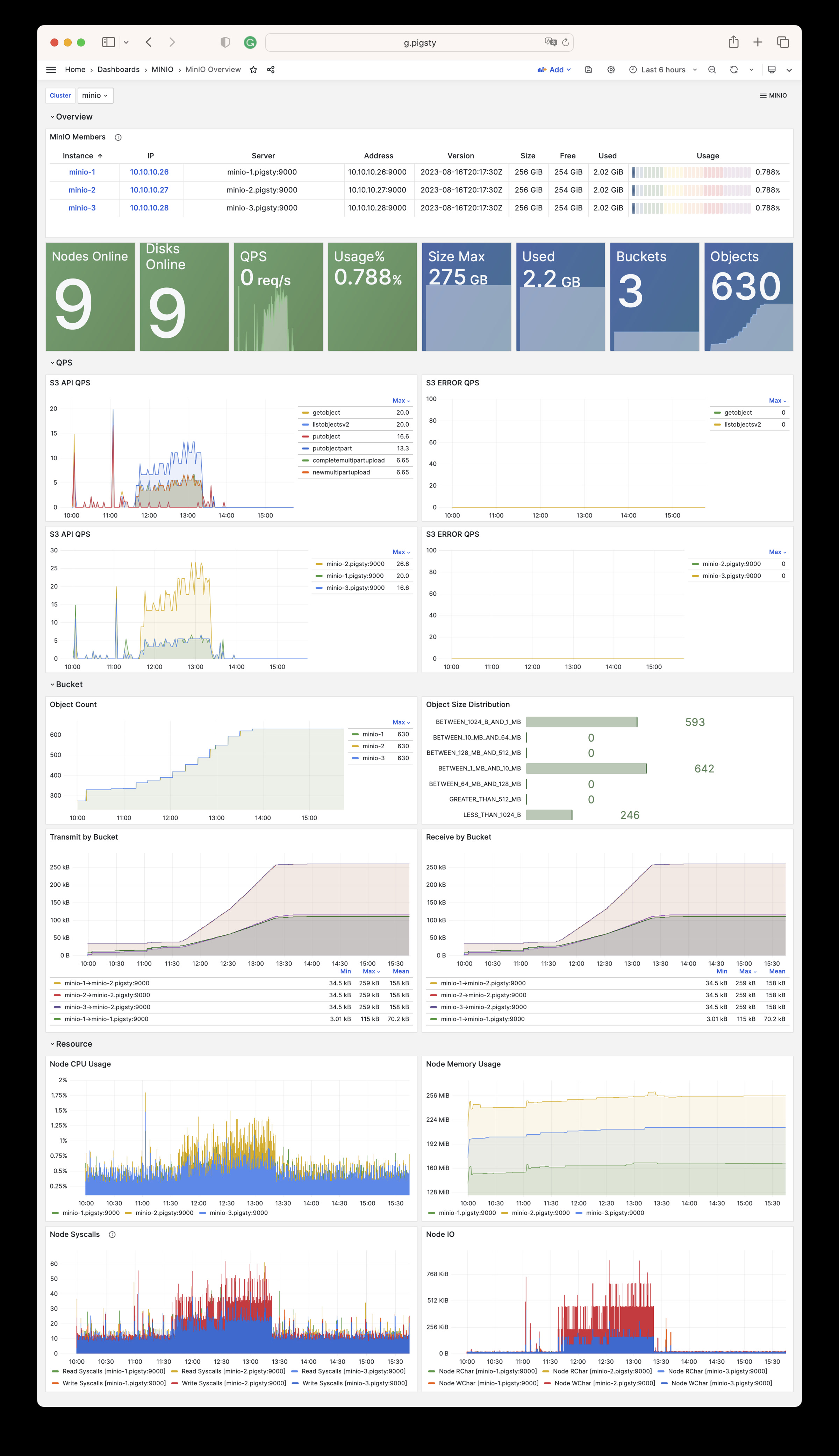
Alert Rules
The current files/victoria/rules/minio.yml defines five alerts for Silo:
| Alert | Condition Summary | Severity |
|---|---|---|
MinioServerDown | minio_up < 1 for 1 minute | CRIT |
MinioNodeOffline | Five-minute average offline-node count above 0 for 3 minutes | WARN |
MinioDiskOffline | Five-minute average offline-drive count above 0 for 3 minutes | WARN |
MinioErasureSetUnhealthy | Any erasure set’s overall health below 1 for 1 minute | CRIT |
MinioClusterCapacityHigh | Usable capacity utilization above 90% for 15 minutes | WARN |
Key expressions use Metrics V3 names:
14.7 - Metrics
The MINIO module collects Silo metrics through /minio/metrics/v3. The metric set varies with the server version and enabled features. This page describes the stable interfaces used by current dashboards and alerts. A complete scrape from one version is not a permanent interface contract.
Stable Identity Labels
All object-storage targets use these Pigsty labels:
| Label | Meaning | Example |
|---|---|---|
job | Fixed module namespace | minio |
flavor | Actual backend | silo |
cls | minio_cluster identity | minio |
ins | <minio_cluster>-<minio_seq> instance identity | minio-1 |
ip | Inventory management address | 10.10.10.10 |
instance | Metric target address | 10.10.10.10:9000 |
Queries and recording rules should prefer the stable cls, ins, and ip identity labels.
Silo Metrics V3
Each Silo instance exposes only the V3 root endpoint, /minio/metrics/v3. Current key metrics are:
| Category | Key Metrics | Meaning |
|---|---|---|
| Liveness | minio_up | Pigsty scrape/health state for the instance |
| Nodes | minio_cluster_health_nodes_online_count, minio_cluster_health_nodes_offline_count | Online and offline nodes |
| Drives | minio_cluster_health_drives_online_count, minio_cluster_health_drives_offline_count | Online and offline drives |
| Capacity | minio_cluster_health_capacity_raw_total_bytes | Raw total capacity |
| Capacity | minio_cluster_health_capacity_usable_total_bytes, minio_cluster_health_capacity_usable_free_bytes | Usable total and free capacity |
| Objects | minio_cluster_usage_objects_count, minio_cluster_usage_objects_total_bytes | Object count and used bytes |
| Buckets | minio_cluster_usage_objects_buckets_count | Aggregated bucket count |
| Erasure coding | minio_cluster_erasure_set_overall_health, minio_cluster_erasure_set_overall_write_quorum | Erasure-set health and write quorum |
| API | minio_api_requests_total, minio_api_requests_errors_total, minio_api_requests_4xx_errors_total | API requests and errors |
| API | minio_api_requests_inflight_total, minio_api_requests_incoming_total | In-flight and incoming requests |
| Traffic | minio_api_requests_traffic_received_bytes, minio_api_requests_traffic_sent_bytes | Received and sent bytes |
| Latency | minio_api_requests_ttfb_seconds_distribution | Time-to-first-byte distribution |
| Process | minio_system_process_cpu_total_seconds, minio_system_process_resident_memory_bytes | Process CPU and resident memory |
| System | minio_system_drive_free_bytes, minio_system_drive_used_bytes, minio_system_drive_health | Per-drive capacity and health |
| Audit | minio_audit_total_messages | Audit-message count |
During scraping, Pigsty drops samples with a non-empty bucket label. It does not register dedicated per-bucket or replication endpoints. This policy controls the number of time series.
If you need per-bucket metrics, evaluate the time-series volume before you add a custom scrape job.
14.8 - FAQ
Which backend does the MINIO module deploy by default?
In v4.5.0, the current source deploys only Silo. The only valid minio_type value is silo. MINIO remains the module name for compatibility. This name does not indicate that the MinIO server is running.
- Explicitly set
minio_type: silofor new clusters. - Both
minio_type: minioandminio_type: rustfsfail during identity validation. - External MinIO, RustFS, or other S3 services can still serve as pgBackRest repositories. The current MINIO role does not manage them.
- Before upgrading a MinIO cluster managed by an older release, validate the MinIO-to-Silo data compatibility, backup, and rollback procedure.
Why does the Pigsty repository still carry MinIO or RustFS packages?
Upstream MinIO switched to source-only distribution on 2025-10-15. It put the repository in maintenance mode on 2025-12-03 and archived it on 2026-04-25.
Source-only distribution ended publication of all new prebuilt community binaries, including RPM and DEB packages.
Pigsty therefore previously maintained its own MinIO fork and packages. MinIO CVE-2025-62506 affects releases before RELEASE.2025-10-15T17-29-55Z. That release fixes the vulnerability. Both Pigsty’s later MinIO fork and the current Silo code include the fix.
The Pigsty Infra repository still provides MinIO/RustFS RPM and DEB packages and their build scripts. However, the v4.5 MINIO module does not support those backends. The current role accepts only Silo. Deploy and maintain other services separately.
Why is HTTPS enabled for object storage by default?
Pigsty’s default pgBackRest minio repository configuration uses HTTPS to protect backup traffic. It verifies the certificate through /etc/pki/ca.crt.
pgBackRest also permits HTTP. If you explicitly select HTTP, update the TLS options in pgbackrest_repo and disable minio_https. The server-side switch alone is insufficient.
Getting an invalid certificate error when accessing Silo from containers?
Pigsty’s private CA issues the default object-storage server certificate. The server certificate is not self-signed. Container images usually do not trust the private CA. Thus, clients such as mcli, rclone, and AWS CLI report an invalid certificate chain.
For a Node.js application, mount the Pigsty CA certificate in the container. Specify its path with NODE_EXTRA_CA_CERTS:
If Silo does not serve as a pgBackRest repository, you can disable HTTPS and use HTTP. Assess the risk of cleartext transport.
Can a Silo data path be a regular directory?
minio_data takes a directory path, not a raw disk device. /data/minio can be a regular subdirectory. For multiple nodes or drives, its backing storage must be an independent, persistent, non-root filesystem.
- If
/datais mounted from a separate local disk, cloud volume, partition, or LVM logical volume,/data/miniois valid. - If
/data/minioresides on the root filesystem, distributed Silo identifies it as a root drive. It rejects the path withdrive is part of root drive, will not be used. - Every path in a single-node multi-drive deployment should map to a separate filesystem. Multiple directories on one drive do not emulate multiple drives.
- Only single-node single-disk may use a regular directory directly on the root filesystem, and only for development, testing, or non-critical use.
Inspect the backing mounts with:
See Configuration: Storage Paths and Mounts for details and Multi-Node Single-Disk for the three-node topology.
How do I add new members to an existing Silo cluster?
Plan Silo cluster capacity before deployment because adding a storage pool requires a global restart.
Scale the cluster by adding a group of server nodes as a new storage pool.
You cannot directly change the node or disk count of an existing storage pool. To expand, add a new pool.
For the procedure, see Pigsty’s Expand Cluster guide. The upstream Expand MinIO Deployment reference describes the compatible interface that Silo retains.
How do I remove a Silo cluster?
Starting with Pigsty v3.6, cluster removal uses the dedicated minio-rm.yml playbook:
The removal role also defaults minio_type to silo. It rejects other values. The examples still spell it out so the operator can review it together with cluster identity and paths before deletion.
minio_rm_data defaults to true, and the removal role tolerates some cleanup errors. Before a real run, verify the exact -l target and a recent backup. After the run, inspect the service, data directories, DNS records, and monitoring targets. The playbook return status alone does not confirm cleanup.
If you have enabled minio_safeguard protection, you need to explicitly override it to perform removal:
What’s the difference between mcli and mc commands?
Pigsty distributes the compatible MinIO client as the mcli command and package. Upstream uses mc. The Pigsty name avoids a conflict with the Midnight Commander file manager.
The mcli client retains the mc CLI. Its exact version can change with Pigsty packaging. See the MinIO Client documentation for the command reference.
How do I monitor Silo cluster status?
Pigsty provides out-of-the-box monitoring for Silo. Dashboard and metric names retain MinIO-compatible naming:
- Grafana Dashboards: MinIO Overview and MinIO Instance
- Alerting Rules: MinIO-compatible server-down, node-offline, and disk-offline alerts
- Silo Built-in Console: Access via
https://<minio-ip>:9001
For details, see Monitoring.
15 - Module: REDIS
REDIS is Pigsty’s Redis-compatible cache module. Select Redis or Valkey with redis_type. The default remains redis. Both engines support primary-replica replication, Sentinel, and native cluster mode. They share configuration paths, instance service names, monitoring, and log entry points.
The role installs the selected engine and redis-exporter. Instance processes use redis-server / redis-cli or valkey-server / valkey-cli, respectively. A change to redis_type changes packages and binaries. It does not automatically validate data formats, replication topology, or rollback. Rehearse any engine change on an existing cluster. Use the same engine throughout a logical cluster.
The default Redis package remains on the 7.2 BSD branch. Patch versions can differ between operating-system repositories. Use the target repository metadata as the authoritative source.
15.1 - Configuration
Concept
The Redis entity model is similar to the PostgreSQL model. It includes Cluster and Instance entities. Here, Cluster does not mean native Redis Cluster mode.
REDIS uses a single-node multi-instance deployment. PGSQL uses a 1:1 deployment. Multiple Redis instances typically share one physical or virtual node to use multiple CPU cores. Thus, the procedures to configure and administer Redis instances differ slightly from PGSQL.
In Pigsty, each Redis node belongs to one cluster. You cannot deploy instances from two different Redis clusters on the same node.
You can still deploy multiple independent Redis primary-replica instances on one node. Some restrictions apply. For example, instances on the same node cannot use different passwords.
Choose the server implementation with redis_type: redis by default, or valkey. Set it consistently at cluster level. The role changes packages and the *-server / *-cli binaries. It retains /etc/redis, /data/redis, instance systemd unit names, and the redis monitoring namespace. Validate data compatibility and rollback independently before changing an existing cluster’s engine.
Identity Parameters
Redis identity parameters are required parameters when defining a Redis cluster.
| Name | Attribute | Description | Example |
|---|---|---|---|
redis_cluster | REQUIRED, cluster level | Cluster name | redis-test |
redis_node | REQUIRED, node level | Node sequence number | 1,2 |
redis_instances | REQUIRED, node level | Instance definition | { 6001 : {} ,6002 : {}} |
redis_cluster: Redis cluster name, serves as the top-level namespace for cluster resources.redis_node: Redis node number, an integer unique within the cluster to distinguish different nodes.redis_instances: JSON object where keys are instance port numbers and values are JSON objects containing other instance configurations.
Redis Mode
There are three different working modes for Redis, specified by the redis_mode parameter:
standalone: Default standalone master-slave modecluster: Redis native distributed cluster modesentinel: Sentinel mode, providing high availability for standalone master-slave Redis
Here are three examples of Redis cluster definitions:
- A 1-node, one master & one slave Redis Standalone cluster:
redis-ms - A 1-node, 3-instance Redis Sentinel cluster:
redis-sentinel - A 2-node, 6-instance Redis Cluster:
redis-cluster
These examples omit redis_type and therefore use the default Redis engine. To deploy Valkey, add redis_type: valkey to the cluster’s vars. Do not mix engines within one logical cluster.
Limitations
- A Redis node can belong to only one Redis cluster. You cannot assign it to two clusters at the same time.
- On each Redis node, you need to assign a unique port number to each Redis instance to avoid port conflicts.
- A Redis cluster typically uses the same password for all instances. All instances on one node must share a password because redis_exporter supports only one.
- Redis Cluster includes HA. For standalone master-slave HA, configure Sentinel manually. Pigsty does not know whether you have deployed Sentinel.
- Use Sentinel to configure HA for standalone Redis. For details, see Administration - Configure HA with Sentinel.
Typical Configuration Examples
Here are some common Redis configuration examples for different scenarios:
Cache Cluster (Pure In-Memory)
For pure caching scenarios with no data persistence requirements:
Session Store Cluster
For web application session storage with some persistence needs:
Message Queue Cluster
For simple message queue scenarios requiring higher data reliability:
High Availability Master-Slave Cluster
Master-slave cluster with Sentinel automatic failover:
Large-Scale Native Cluster
For high-volume, high-throughput scenarios using native distributed cluster:
Security Hardening Configuration
Recommended security configuration for production environments:
15.2 - Parameters
The REDIS module has 22 parameters: 19 for Redis/Valkey deployment and configuration, and 3 for removal.
Parameter Overview
Use the REDIS parameter group to deploy and configure Redis clusters. It controls identity, instance definitions, operating mode, memory, persistence, and monitoring.
| Parameter | Type | Level | Description |
|---|---|---|---|
redis_cluster | string | C | Redis cluster name, required identity parameter |
redis_instances | dict | I | Redis instance definitions on this node |
redis_node | int | I | Redis node number, unique positive integer in cluster |
redis_fs_main | path | C | Redis main data directory, /data/redis by default |
redis_exporter_enabled | bool | C | Enable Redis Exporter? |
redis_exporter_port | port | C | Redis Exporter listen port |
redis_exporter_options | string | C/I | Redis Exporter CLI arguments |
redis_type | enum | G/C | Server engine: redis (default) or valkey |
redis_mode | enum | C | Redis mode: standalone, cluster, sentinel |
redis_conf | string | C | Redis config template, except sentinel |
redis_bind_address | ip | C | Redis bind address, defaults to 0.0.0.0; empty uses host IP |
redis_max_memory | size | C/I | Max memory for each Redis instance |
redis_mem_policy | enum | C | Redis memory eviction policy |
redis_password | password | C | Redis password, empty disables password |
redis_rdb_save | string[] | C | Redis RDB save directives, empty list disables RDB |
redis_aof_enabled | bool | C | Enable Redis AOF? |
redis_rename_commands | dict | C | Rename dangerous Redis commands |
redis_cluster_replicas | int | C | Replicas per master in Redis native cluster |
redis_sentinel_monitor | master[] | C | Master list for Redis Sentinel to monitor |
The REDIS_REMOVE parameter group controls Redis instance removal behavior.
| Parameter | Type | Level | Description |
|---|---|---|---|
redis_safeguard | bool | G/C/A | Refuse removal unconditionally when true |
redis_rm_data | bool | G/C/A | Remove Redis data directory when removing? |
redis_rm_pkg | bool | G/C/A | Uninstall the selected engine and redis-exporter? |
The REDIS module contains 19 deployment parameters and 3 removal parameters.
redis_cluster
Parameter: redis_cluster, Type: string, Level: C
Redis cluster name. This identity parameter is required. Set it explicitly at the cluster level. It defines the namespace for cluster resources.
Use the naming pattern [a-z][a-z0-9-]* to meet identity constraints. We recommend the redis- prefix.
redis_node
Parameter: redis_node, Type: int, Level: I
Redis node sequence number. This identity parameter is required. Set it explicitly at the node (Host) level.
Use a positive integer that is unique in the cluster to identify the node. Assign sequence numbers starting at 0 or 1.
redis_instances
Parameter: redis_instances, Type: dict, Level: I
Redis instance definitions for the current node. This parameter is required. Set it explicitly at the node (Host) level.
Format is a JSON key-value object where keys are numeric port numbers and values are instance-specific JSON configuration items.
Each Redis instance listens on a unique port on its node. The replica_of field in instance configuration sets the upstream master address to establish replication:
redis_fs_main
Parameter: redis_fs_main, Type: path, Level: C
Main data directory for Redis, default is /data/redis.
Deployment does not allow the legacy value /data (redis role identity assert fails fast). For backward compatibility during removal, redis-rm.yml treats redis_fs_main=/data as /data/redis.
The data directory is owned by the redis OS user. See FHS: Redis for internal structure details.
redis_exporter_enabled
Parameter: redis_exporter_enabled, Type: bool, Level: C
Specifies whether to enable Redis Exporter. It is enabled by default.
Pigsty deploys one exporter per Redis node. It listens on redis_exporter_port, which defaults to 9121. It scrapes metrics from all Redis instances on the node.
If set to false, roles/redis/tasks/exporter.yml still renders configuration files. It skips startup of the redis_exporter systemd service. The redis_exporter_launch task uses when: redis_exporter_enabled|bool. This permits manually configured exporters to remain.
The redis_register task still writes the node’s VictoriaMetrics file-discovery target. If you do not provide an exporter on the same port, adjust this target to prevent continuous scrape failures.
redis_exporter_port
Parameter: redis_exporter_port, Type: port, Level: C
Redis Exporter listen port, default value: 9121
redis_exporter_options
Parameter: redis_exporter_options, Type: string, Level: C/I
Extra Redis Exporter CLI arguments. The default is an empty string. The role writes them to /etc/default/redis_exporter; see roles/redis/tasks/exporter.yml.
The systemd service uses ExecStart=/bin/redis_exporter $REDIS_EXPORTER_OPTS to append REDIS_EXPORTER_OPTS. Use these arguments for extra scrape targets or filtering behavior.
redis_type
Parameter: redis_type, Type: enum, Level: G/C
Select the server implementation used by the REDIS module. Allowed values are redis and valkey. The default is redis.
The role installs the package with the selected name. Instance systemd units call /bin/redis-server / /bin/redis-cli or /bin/valkey-server / /bin/valkey-cli.
Configuration paths, data directories, instance service names, exporter behavior, and monitoring labels retain the redis namespace. This preserves compatibility with existing inventories and operational entry points.
Set the same value for every member at cluster level. A change to redis_type changes only the selected package and binaries. It does not validate cross-version RDB/AOF, replication, Sentinel, or Cluster compatibility. Rehearse the change and prepare a rollback before switching an existing cluster.
redis_mode
Parameter: redis_mode, Type: enum, Level: C
Redis cluster operating mode, three options: standalone, cluster, sentinel. Default: standalone
standalone: Default, independent Redis master-slave modecluster: Redis native cluster modesentinel: Redis high availability component: Sentinel
When using standalone mode, Pigsty sets up Redis replication based on the replica_of parameter.
When using cluster mode, Pigsty creates a native Redis cluster using all defined instances based on the redis_cluster_replicas parameter.
When redis_mode=sentinel, redis.yml runs the redis-ha phase to distribute targets from redis_sentinel_monitor to all sentinels. If redis_mode=cluster, it also runs redis-join. This uses the engine’s redis-cli or valkey-cli to run --cluster create.
Both phases run automatically during a normal ./redis.yml -l <cluster>. You can also select them with -t redis-ha or -t redis-join.
redis_conf
Parameter: redis_conf, Type: string, Level: C
Redis config template path, except for Sentinel.
Default: redis.conf, a template file at roles/redis/templates/redis.conf.
To use your own Redis configuration template, put it in templates/. Set this parameter to the template filename.
Note: Redis Sentinel uses a different template file: roles/redis/templates/redis-sentinel.conf.
redis_bind_address
Parameter: redis_bind_address, Type: ip, Level: C
IP address Redis server binds to. Empty string uses the hostname defined in the inventory.
Default: 0.0.0.0, binding to all available IPv4 addresses on the host.
For security in production environments, bind only to internal IPs by setting this to empty string ''.
If empty, roles/redis/templates/redis.conf uses inventory_hostname to render bind <ip>. This binds Redis to the management address in the inventory.
redis_max_memory
Parameter: redis_max_memory, Type: size, Level: C/I
Maximum memory for each Redis instance, default: 1GB.
redis_mem_policy
Parameter: redis_mem_policy, Type: enum, Level: C
Redis memory eviction policy, default: allkeys-lru
noeviction: Don’t save new values when memory limit is reached; only applies to primary when using replicationallkeys-lru: Keep most recently used keys; remove least recently used (LRU) keysallkeys-lfu: Keep frequently used keys; remove least frequently used (LFU) keysvolatile-lru: Remove least recently used keys with expire field setvolatile-lfu: Remove least frequently used keys with expire field setallkeys-random: Randomly remove keys to make space for new datavolatile-random: Randomly remove keys with expire field setvolatile-ttl: Remove keys with expire field set and shortest remaining TTL
See Redis Eviction Policy for details.
redis_password
Parameter: redis_password, Type: password, Level: C/N
Redis password. Empty string disables password, which is the default behavior.
redis_exporter supports only one redis_password per node. This is usually sufficient because Pigsty does not permit two different Redis clusters on one node.
Pigsty automatically writes this password to /etc/default/redis_exporter as REDIS_PASSWORD=.... The redis-ha and redis-join tasks select redis-cli / valkey-cli and pass the password through REDISCLI_AUTH. This keeps the password out of command-line arguments.
Use a strong password in production environments
redis_rdb_save
Parameter: redis_rdb_save, Type: string[], Level: C
Redis RDB save directives. Use empty list to disable RDB.
Default is ["1200 1"]: dump dataset to disk every 20 minutes if at least 1 key changed.
See Redis Persistence for details.
redis_aof_enabled
Parameter: redis_aof_enabled, Type: bool, Level: C
Specifies whether to enable Redis AOF. The default is false, which disables AOF.
redis_rename_commands
Parameter: redis_rename_commands, Type: dict, Level: C
Rename dangerous Redis commands. A k:v dictionary where old is the command to rename and new is the new name.
Default: {}. You can hide dangerous commands like FLUSHDB and FLUSHALL. Example:
redis_cluster_replicas
Parameter: redis_cluster_replicas, Type: int, Level: C
Number of replicas per master/primary in Redis native cluster. Default: 1, meaning one replica per master.
redis_sentinel_monitor
Parameter: redis_sentinel_monitor, Type: master[], Level: C
List of masters for Redis Sentinel to monitor, used only on sentinel clusters. Each managed master is defined as:
name and host are required. The port, password, and quorum fields are optional.
quorum sets the number of Sentinels that must agree on master failure. This is typically more than half of the Sentinel instances. The default is 1.
Since Pigsty 4.0, you can add remove: true to an entry. The redis-ha phase then runs only SENTINEL REMOVE <name>. Use this to remove unneeded targets.
REDIS_REMOVE
The redis-rm.yml playbook calls the redis_remove role. These parameters control how that role removes Redis instances.
redis_safeguard
Parameter: redis_safeguard, Type: bool, Level: G/C/A
Redis deletion safeguard, default false. When set to true, redis-rm.yml aborts before deregistration, service shutdown, or deletion. This is a static Boolean switch and does not probe whether a Redis instance is running.
Override with CLI argument -e redis_safeguard=false to force removal.
redis_rm_data
Parameter: redis_rm_data, Type: bool, Level: G/C/A
Specifies whether to delete the data directory when removing Redis instances. The default is true.
The data directory (default /data/redis/, i.e. redis_fs_main) contains Redis RDB and AOF files. If not removed, newly deployed Redis instances will load data from these backup files.
Set to false to preserve data directories for later recovery.
redis_rm_pkg
Parameter: redis_rm_pkg, Type: bool, Level: G/C/A
Specifies whether node removal also uninstalls the engine selected by redis_type and the redis-exporter package. The default is false. Single-instance removal with redis_port never uninstalls shared packages.
Usually, package removal is unnecessary. Enable this option only for complete node cleanup.
15.3 - Playbook
The REDIS module provides two playbooks for deploying/removing Redis clusters/nodes/instances:
redis.yml: Deploy Redis cluster/node/instanceredis-rm.yml: Remove Redis cluster/node/instance
redis.yml
The redis.yml playbook for deploying Redis contains the following subtasks:
Operation Levels
redis.yml supports three operation levels. Use -l to limit the target scope. Use -e redis_port=<port> to select one instance:
| Level | Parameters | Description |
|---|---|---|
| Cluster | -l <cluster> | Deploy all nodes and instances of the entire Redis cluster |
| Node | -l <ip> | Deploy all Redis instances on the specified node |
| Instance | -l <ip> -e redis_port=<port> | Deploy only a single instance on the specified node |
Cluster-Level Operations
Deploy an entire Redis cluster, including all instances on all nodes:
Cluster-level operations will:
- Install Redis or Valkey according to
redis_type, plusredis-exporter, on all nodes - Create redis user and directory structure on all nodes
- Start redis_exporter on all nodes
- Deploy and start all defined Redis instances
- Register all instances to the monitoring system
- If
sentinelmode, configure sentinel monitoring targets - If
clustermode, form the native cluster
Node-Level Operations
Deploy only all Redis instances on the specified node:
Node-level operations are useful for:
- Scaling up by adding new nodes to an existing cluster
- Redeploying all instances on a specific node
- Reinitializing after node failure recovery
Note: Node-level commands still enter the
redis-ha/redis-joinmode checks. Sentinel mode refreshes managed targets. In cluster mode, the playbook uses the selected CLI to check the seed instance forcluster_state:ok. It exits for a healthy cluster. Otherwise, it runs--cluster create. This check does not scale out an existing native cluster. For that operation, runredis-cli/valkey-cli --cluster add-nodeandreshardmanually.
Instance-Level Operations
Use the -e redis_port=<port> parameter to operate on a single instance:
Instance-level operations are useful for:
- Adding new instances to an existing node
- Redeploying a single failed instance
- Updating a single instance’s configuration
When redis_port is specified:
- Only renders the config file for that port
- Only starts/restarts the systemd service for that port
- Rewrites the node’s monitoring registration file (content comes from the full
redis_instancesdefinition) - Does not start/stop
redis_exporteror reload Vector log config - Does not affect other Redis instance processes on the same node
Common Tags
Use the -t <tag> parameter to selectively execute certain tasks:
Idempotency
You can repeat most tasks in redis.yml. Before native-cluster initialization, check the topology state:
- Re-running
redis_node/redis_exporter/redis_instance/redis_registeroverwrites config and restarts instances - Re-running
redis-hareappliesSENTINEL REMOVE/MONITORbased onredis_sentinel_monitor redis-joinfirst checks the seed instance forcluster_state:ok. It exits for a healthy cluster. The check does not repair incomplete or damaged topologies or perform scale-out. Do not use it as a general add-node/reshard operation.
Tip: To update configuration without restarting all instances, use
-t redis_config. Then manually restart the required instances.
Redis/Valkey units use Type=notify. During startup, systemd waits up to 1800s for readiness. This lets large RDB/AOF loads and recovery finish.
After a timeout, first inspect instance logs, data size, disk I/O, and memory. Do not extend data deletion or force a stop solely because of the timeout.
redis-rm.yml
The redis-rm.yml playbook for removing Redis contains the following subtasks:
Tag-scoped execution follows the data/package switches. The -t redis tag always enters the instance-stop phase. The -t redis_data tag stops instances only if redis_rm_data=true. The -t redis_pkg tag stops them only if redis_rm_pkg=true.
Thus, -t redis_data -e redis_rm_data=false does not stop Redis. Neither does -t redis_pkg -e redis_rm_pkg=false. The selected tag alone is insufficient. Before a real removal, verify the exact same -l, tags, and extra variables.
Operation Levels
redis-rm.yml also supports three operation levels:
| Level | Parameters | Description |
|---|---|---|
| Cluster | -l <cluster> | Remove all nodes and instances of the entire Redis cluster |
| Node | -l <ip> | Remove all Redis instances on the specified node |
| Instance | -l <ip> -e redis_port=<port> | Remove only a single instance on the specified node |
Cluster-Level Removal
Remove an entire Redis cluster:
Cluster-level removal will:
- Deregister all instances on all nodes from the monitoring system
- Stop redis_exporter on all nodes
- Stop and disable all Redis instances
- Delete all data directories (if
redis_rm_data=true) - Uninstall the engine selected by
redis_typeandredis-exporter(ifredis_rm_pkg=true)
Node-Level Removal
Remove only all Redis instances on the specified node:
Node-level removal is useful for:
- Scaling down by removing an entire node
- Cleanup before node decommission
- Preparation before node migration
Node-level removal will:
- Deregister all instances on that node from the monitoring system
- Stop redis_exporter on that node
- Stop all Redis instances on that node
- Delete all data directories on that node
- Delete Vector logging config on that node
Instance-Level Removal
Use the -e redis_port=<port> parameter to remove a single instance:
Instance-level removal is useful for:
- Removing a single replica from a node
- Removing instances no longer needed
- Removing the original primary after failover
Behavioral differences when redis_port is specified:
| Component | Node-Level (no redis_port) | Instance-Level (with redis_port) |
|---|---|---|
| Monitoring registration | Delete entire node’s registration file | Only remove that instance from registration file |
| redis_exporter | Stop and disable | No operation (other instances still need it) |
| Redis instances | Stop all instances | Only stop the specified port’s instance |
| Data directory | Delete entire redis_fs_main (default: /data/redis/) | Only delete redis_fs_main/<cluster>-<node>-<port>/ (if redis_fs_main=/data, removal is compat-mapped to /data/redis) |
| Vector config | Delete /etc/vector/redis.yaml | No operation (other instances still need it) |
| Packages | Optionally uninstall | No operation |
Control Parameters
redis-rm.yml provides the following control parameters:
| Parameter | Default | Description |
|---|---|---|
redis_safeguard | false | Safety guard; when true, refuses to execute removal |
redis_rm_data | true | Whether to delete data directories (RDB/AOF files) |
redis_rm_pkg | false | Whether to uninstall the selected engine and redis-exporter |
Usage examples:
redis_safeguard defaults to false, while redis_rm_data defaults to true. The removal playbook also tolerates several service-stop, deregistration, data-deletion, and package-removal errors. After a real run, inspect the target processes, data directories, and monitoring registration. The playbook return status alone does not confirm completion.
Safeguard Mechanism
When a cluster has redis_safeguard: true configured, redis-rm.yml will refuse to execute:
Explicit override is required to execute:
Quick Reference
Deployment Quick Reference
Removal Quick Reference
Wrapper Scripts
Pigsty provides convenient wrapper scripts:
Demo
Initialize Redis cluster with Redis playbook:

15.4 - Administration
Use these standard operating procedures (SOPs) to administer Redis.
The REDIS module defaults to redis_type: redis. With redis_type: valkey, the server and client commands become valkey-server and valkey-cli. The examples use the default redis-cli. For Valkey clusters, use valkey-cli instead. Playbooks choose the correct CLI automatically.
Basic Operations
High Availability
Scaling & Migration
Troubleshooting
For more questions, please refer to FAQ: REDIS.
Initialize Redis
You can use the redis.yml playbook to initialize Redis clusters, nodes, or instances:
You can also use wrapper scripts to initialize:
Remove Redis
You can use the redis-rm.yml playbook to remove Redis clusters, nodes, or instances:
redis_rm_data defaults to true. Verify RDB/AOF backups and the current primary/replica, Sentinel, or cluster topology. Then have the operator confirm the exact target. The commands below perform the corresponding removal directly.
You can also use wrapper scripts to remove Redis clusters/nodes/instances:
Reconfigure Redis
You can partially run the redis.yml playbook to reconfigure Redis clusters, nodes, or instances:
Note that Redis cannot reload configuration online. You must restart Redis using the launch task to make configuration changes take effect.
Using Redis Client
Use redis-cli with the default Redis engine. Valkey uses valkey-cli with the same arguments:
Use redis-benchmark to evaluate Redis performance or generate test load.
Configure Redis Replica
https://redis.io/commands/replicaof/
Configure HA with Sentinel
Use Redis Sentinel to provide automatic high availability for standalone master-slave clusters. For details, see the official Sentinel documentation.
In the four-node sandbox environment, the redis-meta Sentinel cluster can manage multiple standalone Redis master-slave clusters.
For example, redis-ms has one master and one slave. On each Sentinel instance, add the target with SENTINEL MONITOR. Set its password with SENTINEL SET. This configures high availability:
If you want to remove a Redis master-slave cluster managed by Sentinel, use SENTINEL REMOVE <name>.
You can use the redis_sentinel_monitor parameter defined on the Sentinel cluster to automatically configure the list of masters managed by Sentinel.
The redis-ha stage in redis.yml renders /tmp/<cluster>.monitor on each Sentinel instance from this list. It then runs SENTINEL REMOVE followed by SENTINEL MONITOR. This keeps Sentinel management state consistent with the inventory.
To remove a target without adding it again, set remove: true on its monitor object. The playbook then skips registration after SENTINEL REMOVE.
Use the following command to refresh the managed master list on the Redis Sentinel cluster:
Initialize Redis Native Cluster
When redis_mode is cluster, redis.yml also runs the redis-join stage. It uses the CLI selected by redis_type. The command is --cluster create --cluster-yes ... --cluster-replicas {{ redis_cluster_replicas }}. This joins all inventory instances into a native cluster.
This step runs automatically during initial deployment. A later ./redis.yml -l <cluster> -t redis-join first checks the seed instance for cluster_state:ok. It exits if the cluster is healthy.
This check does not add nodes, reshard data, or repair a partially initialized topology. Verify the topology state before you run this stage separately.
Scale Up Redis Nodes
Scale Up Standalone Cluster
When adding new nodes/instances to an existing Redis master-slave cluster, first add the new definition in the inventory:
Then deploy only the new node:
Scale Up Native Cluster
Adding new nodes to a Redis native cluster requires additional steps:
Scale Up Sentinel Cluster
After adding new instances to a Sentinel cluster, you should complete both instance deployment and target refresh:
Scale Down Redis Nodes
Scale Down Standalone Cluster
Scale Down Native Cluster
Backup and Restore
Manual Backup
Data Restore
Using AOF Persistence
If you need higher data safety, enable AOF:
Redeploy to apply AOF configuration:
Common Issue Diagnosis
Connection Troubleshooting
Memory Troubleshooting
Performance Troubleshooting
Replication Troubleshooting
Performance Tuning
Memory Optimization
Persistence Optimization
Connection Pool Recommendations
When connecting to Redis from client applications:
- Use connection pooling to avoid frequent connection creation
- Set reasonable timeout values (recommended 1-3 seconds)
- Enable TCP keepalive
- For high-concurrency scenarios, consider using Pipeline for batch operations
Key Monitoring Metrics
Monitor these metrics through Grafana dashboards:
- Memory usage: Pay attention when
redis:ins:mem_usage> 80% - CPU usage: Pay attention when
redis:ins:cpu_usage> 70% - QPS: Watch for spikes and abnormal fluctuations
- Response time: Investigate when
redis:ins:rt> 1ms - Connection count: Monitor connection growth trends
- Replication lag: Important for master-slave replication scenarios
15.5 - Monitoring
Dashboards
The REDIS module provides 3 monitoring dashboards:
- Redis Overview: Overview of all Redis clusters
- Redis Cluster: Details of a single Redis cluster
- Redis Instance: Details of a single Redis instance
Monitoring
Pigsty provides three monitoring dashboards for the REDIS module:
Redis Overview
Redis Overview: Overview of all Redis clusters/instances
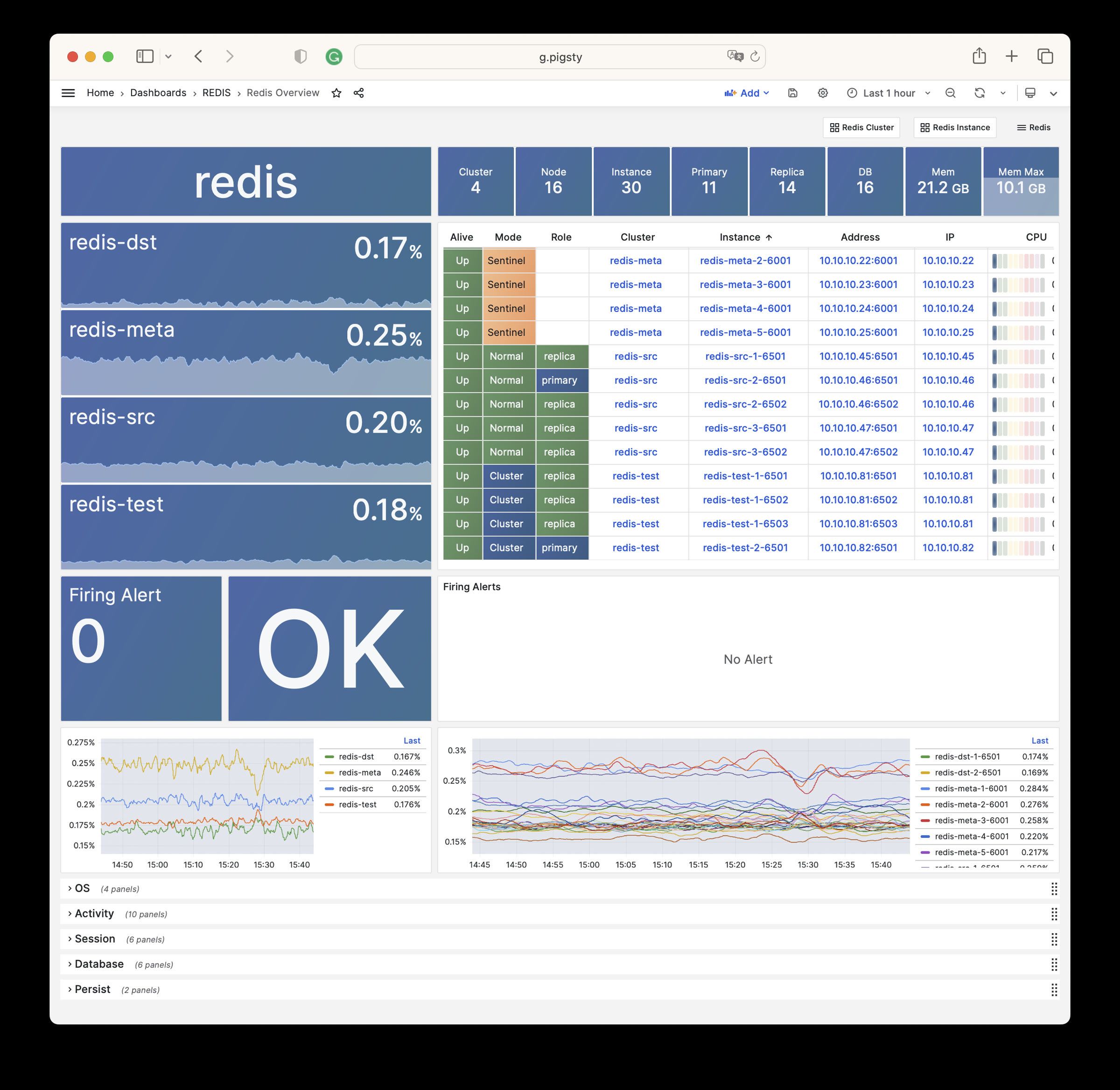
Redis Cluster
Redis Cluster: Details of a single Redis cluster
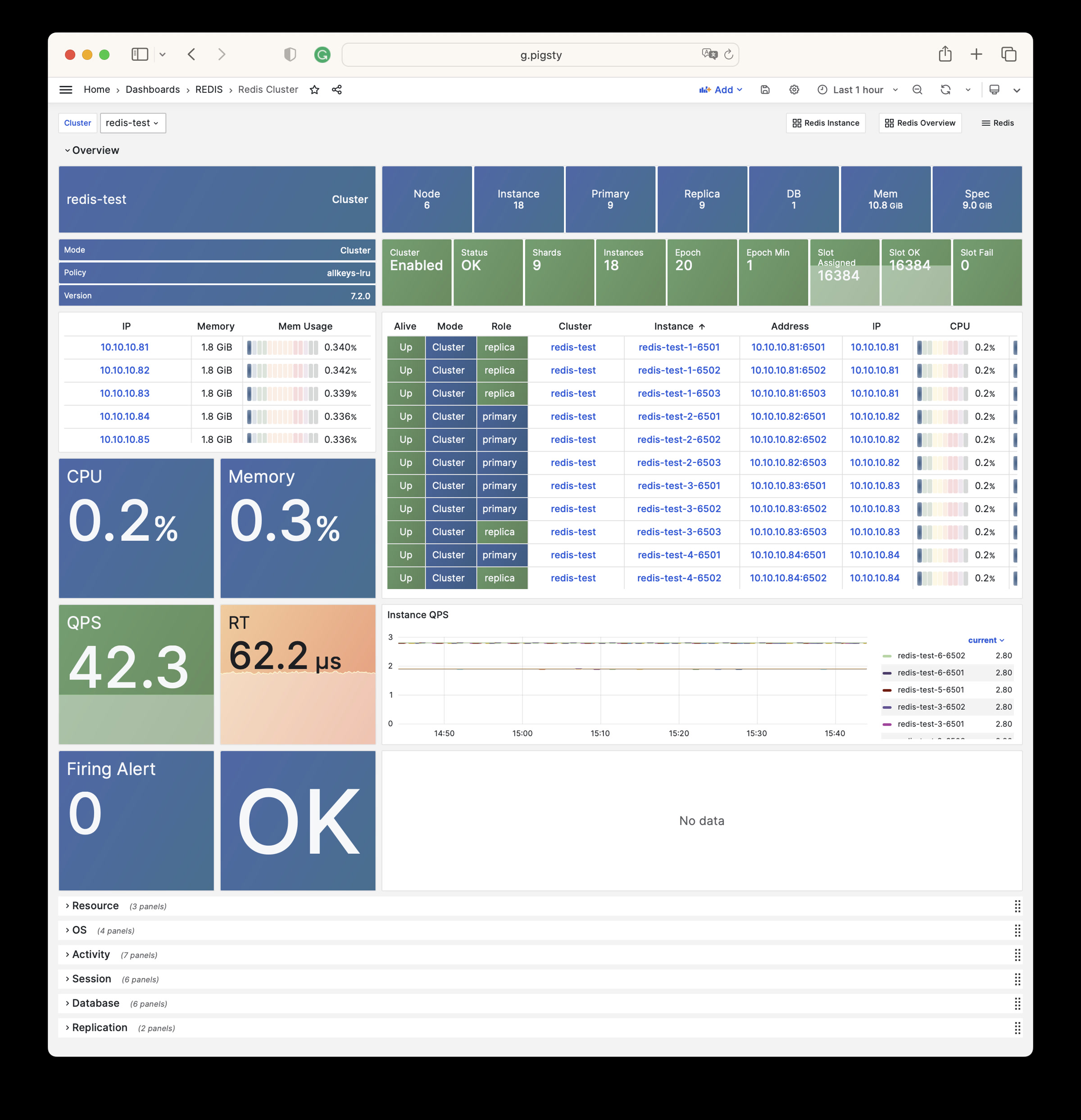
Redis Instance
Redis Instance: Details of a single Redis instance
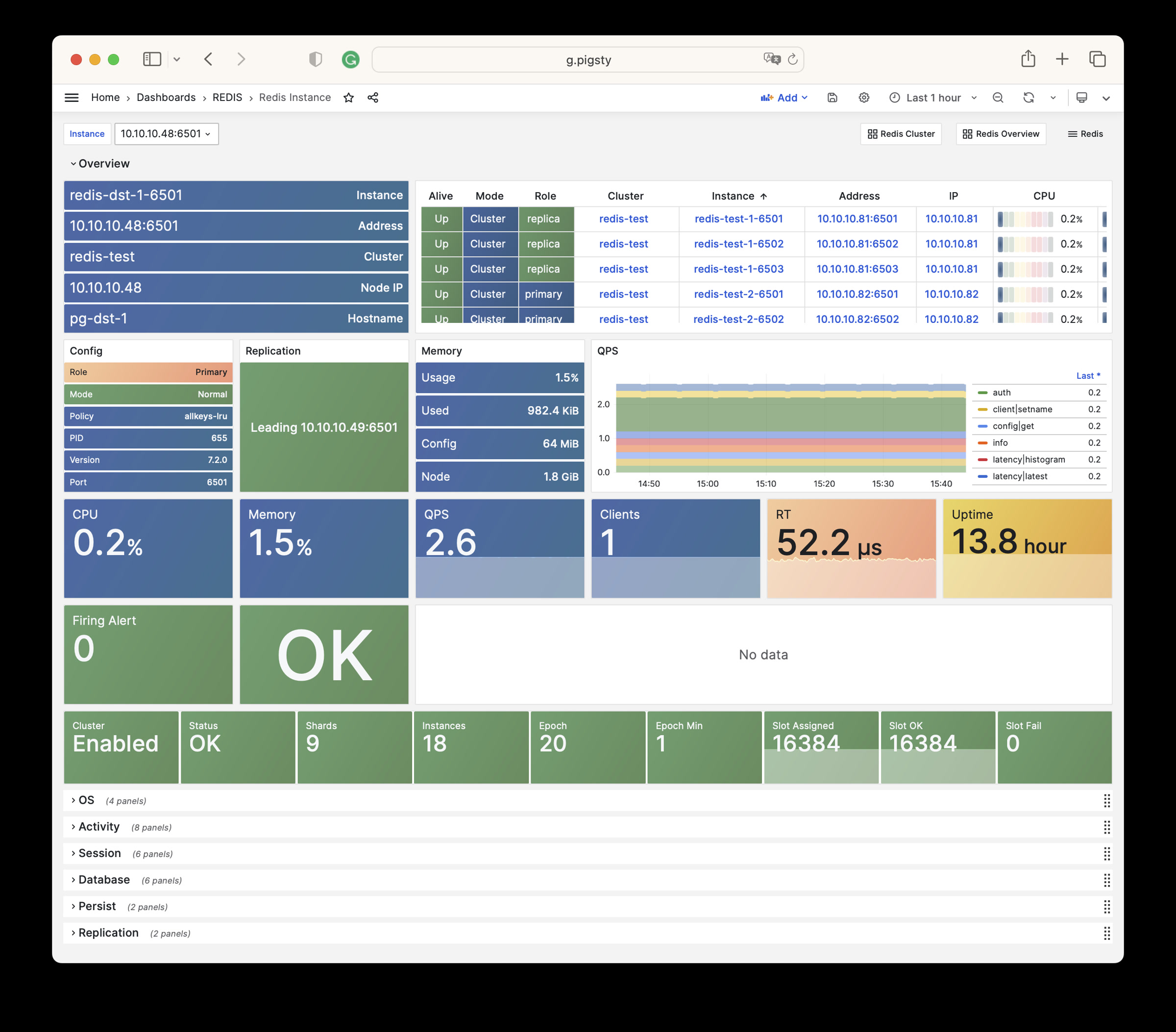
Alert Rules
Pigsty provides the following six predefined alert rules for Redis, defined in files/victoria/rules/redis.yml:
RedisDown: Redis instance is downRedisRejectConn: Redis instance rejecting connectionsRedisRTHigh: Redis instance response time is too highRedisCPUHigh: Redis instance CPU usage is too highRedisMemHigh: Redis instance memory usage is too highRedisQPSHigh: Redis instance QPS is too high
The rule expr defines the actual alert thresholds:
- Response time:
>160µsfor 1 minute. - CPU and memory usage:
>70%for 1 minute. - QPS:
>32000for 5 minutes.
The excerpt below copies the current rule file exactly. Its CPU, memory, and QPS descriptions still show the old 60%, 80%, and 16000 thresholds. The RedisRTHigh comment incorrectly names pg:ins:query_rt. These comments do not change the actual expressions.
15.6 - Metrics
This page is a snapshot of 275 monitoring metric categories for the REDIS module. The actual runtime metric set varies with package version, enabled collectors, and target state.
| Metric Name | Type | Labels | Description |
|---|---|---|---|
| ALERTS | Unknown | cls, ip, level, severity, instance, category, ins, alertname, job, alertstate | N/A |
| ALERTS_FOR_STATE | Unknown | cls, ip, level, severity, instance, category, ins, alertname, job | N/A |
| redis:cls:aof_rewrite_time | Unknown | cls, job | N/A |
| redis:cls:blocked_clients | Unknown | cls, job | N/A |
| redis:cls:clients | Unknown | cls, job | N/A |
| redis:cls:cmd_qps | Unknown | cls, cmd, job | N/A |
| redis:cls:cmd_rt | Unknown | cls, cmd, job | N/A |
| redis:cls:cmd_time | Unknown | cls, cmd, job | N/A |
| redis:cls:conn_rate | Unknown | cls, job | N/A |
| redis:cls:conn_reject | Unknown | cls, job | N/A |
| redis:cls:cpu_sys | Unknown | cls, job | N/A |
| redis:cls:cpu_sys_child | Unknown | cls, job | N/A |
| redis:cls:cpu_usage | Unknown | cls, job | N/A |
| redis:cls:cpu_usage_child | Unknown | cls, job | N/A |
| redis:cls:cpu_user | Unknown | cls, job | N/A |
| redis:cls:cpu_user_child | Unknown | cls, job | N/A |
| redis:cls:fork_time | Unknown | cls, job | N/A |
| redis:cls:key_evict | Unknown | cls, job | N/A |
| redis:cls:key_expire | Unknown | cls, job | N/A |
| redis:cls:key_hit | Unknown | cls, job | N/A |
| redis:cls:key_hit_rate | Unknown | cls, job | N/A |
| redis:cls:key_miss | Unknown | cls, job | N/A |
| redis:cls:mem_max | Unknown | cls, job | N/A |
| redis:cls:mem_usage | Unknown | cls, job | N/A |
| redis:cls:mem_usage_max | Unknown | cls, job | N/A |
| redis:cls:mem_used | Unknown | cls, job | N/A |
| redis:cls:net_traffic | Unknown | cls, job | N/A |
| redis:cls:qps | Unknown | cls, job | N/A |
| redis:cls:qps_mu | Unknown | cls, job | N/A |
| redis:cls:qps_realtime | Unknown | cls, job | N/A |
| redis:cls:qps_sigma | Unknown | cls, job | N/A |
| redis:cls:rt | Unknown | cls, job | N/A |
| redis:cls:rt_mu | Unknown | cls, job | N/A |
| redis:cls:rt_sigma | Unknown | cls, job | N/A |
| redis:cls:rx | Unknown | cls, job | N/A |
| redis:cls:size | Unknown | cls, job | N/A |
| redis:cls:tx | Unknown | cls, job | N/A |
| redis:env:blocked_clients | Unknown | job | N/A |
| redis:env:clients | Unknown | job | N/A |
| redis:env:cmd_qps | Unknown | cmd, job | N/A |
| redis:env:cmd_rt | Unknown | cmd, job | N/A |
| redis:env:cmd_time | Unknown | cmd, job | N/A |
| redis:env:conn_rate | Unknown | job | N/A |
| redis:env:conn_reject | Unknown | job | N/A |
| redis:env:cpu_usage | Unknown | job | N/A |
| redis:env:cpu_usage_child | Unknown | job | N/A |
| redis:env:key_evict | Unknown | job | N/A |
| redis:env:key_expire | Unknown | job | N/A |
| redis:env:key_hit | Unknown | job | N/A |
| redis:env:key_hit_rate | Unknown | job | N/A |
| redis:env:key_miss | Unknown | job | N/A |
| redis:env:mem_usage | Unknown | job | N/A |
| redis:env:net_traffic | Unknown | job | N/A |
| redis:env:qps | Unknown | job | N/A |
| redis:env:qps_mu | Unknown | job | N/A |
| redis:env:qps_realtime | Unknown | job | N/A |
| redis:env:qps_sigma | Unknown | job | N/A |
| redis:env:rt | Unknown | job | N/A |
| redis:env:rt_mu | Unknown | job | N/A |
| redis:env:rt_sigma | Unknown | job | N/A |
| redis:env:rx | Unknown | job | N/A |
| redis:env:tx | Unknown | job | N/A |
| redis:ins | Unknown | cls, id, instance, ins, job | N/A |
| redis:ins:blocked_clients | Unknown | cls, ip, instance, ins, job | N/A |
| redis:ins:clients | Unknown | cls, ip, instance, ins, job | N/A |
| redis:ins:cmd_qps | Unknown | cls, cmd, ip, instance, ins, job | N/A |
| redis:ins:cmd_rt | Unknown | cls, cmd, ip, instance, ins, job | N/A |
| redis:ins:cmd_time | Unknown | cls, cmd, ip, instance, ins, job | N/A |
| redis:ins:conn_rate | Unknown | cls, ip, instance, ins, job | N/A |
| redis:ins:conn_reject | Unknown | cls, ip, instance, ins, job | N/A |
| redis:ins:cpu_sys | Unknown | cls, ip, instance, ins, job | N/A |
| redis:ins:cpu_sys_child | Unknown | cls, ip, instance, ins, job | N/A |
| redis:ins:cpu_usage | Unknown | cls, ip, instance, ins, job | N/A |
| redis:ins:cpu_usage_child | Unknown | cls, ip, instance, ins, job | N/A |
| redis:ins:cpu_user | Unknown | cls, ip, instance, ins, job | N/A |
| redis:ins:cpu_user_child | Unknown | cls, ip, instance, ins, job | N/A |
| redis:ins:key_evict | Unknown | cls, ip, instance, ins, job | N/A |
| redis:ins:key_expire | Unknown | cls, ip, instance, ins, job | N/A |
| redis:ins:key_hit | Unknown | cls, ip, instance, ins, job | N/A |
| redis:ins:key_hit_rate | Unknown | cls, ip, instance, ins, job | N/A |
| redis:ins:key_miss | Unknown | cls, ip, instance, ins, job | N/A |
| redis:ins:lsn_rate | Unknown | cls, ip, instance, ins, job | N/A |
| redis:ins:mem_usage | Unknown | cls, ip, instance, ins, job | N/A |
| redis:ins:net_traffic | Unknown | cls, ip, instance, ins, job | N/A |
| redis:ins:qps | Unknown | cls, ip, instance, ins, job | N/A |
| redis:ins:qps_mu | Unknown | cls, ip, instance, ins, job | N/A |
| redis:ins:qps_realtime | Unknown | cls, ip, instance, ins, job | N/A |
| redis:ins:qps_sigma | Unknown | cls, ip, instance, ins, job | N/A |
| redis:ins:rt | Unknown | cls, ip, instance, ins, job | N/A |
| redis:ins:rt_mu | Unknown | cls, ip, instance, ins, job | N/A |
| redis:ins:rt_sigma | Unknown | cls, ip, instance, ins, job | N/A |
| redis:ins:rx | Unknown | cls, ip, instance, ins, job | N/A |
| redis:ins:tx | Unknown | cls, ip, instance, ins, job | N/A |
| redis:node:ip | Unknown | cls, ip, instance, ins, job | N/A |
| redis:node:mem_alloc | Unknown | cls, ip, job | N/A |
| redis:node:mem_total | Unknown | cls, ip, job | N/A |
| redis:node:mem_used | Unknown | cls, ip, job | N/A |
| redis:node:qps | Unknown | cls, ip, job | N/A |
| redis_active_defrag_running | gauge | cls, ip, instance, ins, job | active_defrag_running metric |
| redis_allocator_active_bytes | gauge | cls, ip, instance, ins, job | allocator_active_bytes metric |
| redis_allocator_allocated_bytes | gauge | cls, ip, instance, ins, job | allocator_allocated_bytes metric |
| redis_allocator_frag_bytes | gauge | cls, ip, instance, ins, job | allocator_frag_bytes metric |
| redis_allocator_frag_ratio | gauge | cls, ip, instance, ins, job | allocator_frag_ratio metric |
| redis_allocator_resident_bytes | gauge | cls, ip, instance, ins, job | allocator_resident_bytes metric |
| redis_allocator_rss_bytes | gauge | cls, ip, instance, ins, job | allocator_rss_bytes metric |
| redis_allocator_rss_ratio | gauge | cls, ip, instance, ins, job | allocator_rss_ratio metric |
| redis_aof_current_rewrite_duration_sec | gauge | cls, ip, instance, ins, job | aof_current_rewrite_duration_sec metric |
| redis_aof_enabled | gauge | cls, ip, instance, ins, job | aof_enabled metric |
| redis_aof_last_bgrewrite_status | gauge | cls, ip, instance, ins, job | aof_last_bgrewrite_status metric |
| redis_aof_last_cow_size_bytes | gauge | cls, ip, instance, ins, job | aof_last_cow_size_bytes metric |
| redis_aof_last_rewrite_duration_sec | gauge | cls, ip, instance, ins, job | aof_last_rewrite_duration_sec metric |
| redis_aof_last_write_status | gauge | cls, ip, instance, ins, job | aof_last_write_status metric |
| redis_aof_rewrite_in_progress | gauge | cls, ip, instance, ins, job | aof_rewrite_in_progress metric |
| redis_aof_rewrite_scheduled | gauge | cls, ip, instance, ins, job | aof_rewrite_scheduled metric |
| redis_blocked_clients | gauge | cls, ip, instance, ins, job | blocked_clients metric |
| redis_client_recent_max_input_buffer_bytes | gauge | cls, ip, instance, ins, job | client_recent_max_input_buffer_bytes metric |
| redis_client_recent_max_output_buffer_bytes | gauge | cls, ip, instance, ins, job | client_recent_max_output_buffer_bytes metric |
| redis_clients_in_timeout_table | gauge | cls, ip, instance, ins, job | clients_in_timeout_table metric |
| redis_cluster_connections | gauge | cls, ip, instance, ins, job | cluster_connections metric |
| redis_cluster_current_epoch | gauge | cls, ip, instance, ins, job | cluster_current_epoch metric |
| redis_cluster_enabled | gauge | cls, ip, instance, ins, job | cluster_enabled metric |
| redis_cluster_known_nodes | gauge | cls, ip, instance, ins, job | cluster_known_nodes metric |
| redis_cluster_messages_received_total | gauge | cls, ip, instance, ins, job | cluster_messages_received_total metric |
| redis_cluster_messages_sent_total | gauge | cls, ip, instance, ins, job | cluster_messages_sent_total metric |
| redis_cluster_my_epoch | gauge | cls, ip, instance, ins, job | cluster_my_epoch metric |
| redis_cluster_size | gauge | cls, ip, instance, ins, job | cluster_size metric |
| redis_cluster_slots_assigned | gauge | cls, ip, instance, ins, job | cluster_slots_assigned metric |
| redis_cluster_slots_fail | gauge | cls, ip, instance, ins, job | cluster_slots_fail metric |
| redis_cluster_slots_ok | gauge | cls, ip, instance, ins, job | cluster_slots_ok metric |
| redis_cluster_slots_pfail | gauge | cls, ip, instance, ins, job | cluster_slots_pfail metric |
| redis_cluster_state | gauge | cls, ip, instance, ins, job | cluster_state metric |
| redis_cluster_stats_messages_meet_received | gauge | cls, ip, instance, ins, job | cluster_stats_messages_meet_received metric |
| redis_cluster_stats_messages_meet_sent | gauge | cls, ip, instance, ins, job | cluster_stats_messages_meet_sent metric |
| redis_cluster_stats_messages_ping_received | gauge | cls, ip, instance, ins, job | cluster_stats_messages_ping_received metric |
| redis_cluster_stats_messages_ping_sent | gauge | cls, ip, instance, ins, job | cluster_stats_messages_ping_sent metric |
| redis_cluster_stats_messages_pong_received | gauge | cls, ip, instance, ins, job | cluster_stats_messages_pong_received metric |
| redis_cluster_stats_messages_pong_sent | gauge | cls, ip, instance, ins, job | cluster_stats_messages_pong_sent metric |
| redis_commands_duration_seconds_total | counter | cls, cmd, ip, instance, ins, job | Total amount of time in seconds spent per command |
| redis_commands_failed_calls_total | counter | cls, cmd, ip, instance, ins, job | Total number of errors prior command execution per command |
| redis_commands_latencies_usec_bucket | Unknown | cls, cmd, ip, le, instance, ins, job | N/A |
| redis_commands_latencies_usec_count | Unknown | cls, cmd, ip, instance, ins, job | N/A |
| redis_commands_latencies_usec_sum | Unknown | cls, cmd, ip, instance, ins, job | N/A |
| redis_commands_processed_total | counter | cls, ip, instance, ins, job | commands_processed_total metric |
| redis_commands_rejected_calls_total | counter | cls, cmd, ip, instance, ins, job | Total number of errors within command execution per command |
| redis_commands_total | counter | cls, cmd, ip, instance, ins, job | Total number of calls per command |
| redis_config_io_threads | gauge | cls, ip, instance, ins, job | config_io_threads metric |
| redis_config_maxclients | gauge | cls, ip, instance, ins, job | config_maxclients metric |
| redis_config_maxmemory | gauge | cls, ip, instance, ins, job | config_maxmemory metric |
| redis_connected_clients | gauge | cls, ip, instance, ins, job | connected_clients metric |
| redis_connected_slave_lag_seconds | gauge | cls, ip, slave_ip, instance, slave_state, ins, slave_port, job | Lag of connected slave |
| redis_connected_slave_offset_bytes | gauge | cls, ip, slave_ip, instance, slave_state, ins, slave_port, job | Offset of connected slave |
| redis_connected_slaves | gauge | cls, ip, instance, ins, job | connected_slaves metric |
| redis_connections_received_total | counter | cls, ip, instance, ins, job | connections_received_total metric |
| redis_cpu_sys_children_seconds_total | counter | cls, ip, instance, ins, job | cpu_sys_children_seconds_total metric |
| redis_cpu_sys_main_thread_seconds_total | counter | cls, ip, instance, ins, job | cpu_sys_main_thread_seconds_total metric |
| redis_cpu_sys_seconds_total | counter | cls, ip, instance, ins, job | cpu_sys_seconds_total metric |
| redis_cpu_user_children_seconds_total | counter | cls, ip, instance, ins, job | cpu_user_children_seconds_total metric |
| redis_cpu_user_main_thread_seconds_total | counter | cls, ip, instance, ins, job | cpu_user_main_thread_seconds_total metric |
| redis_cpu_user_seconds_total | counter | cls, ip, instance, ins, job | cpu_user_seconds_total metric |
| redis_db_keys | gauge | cls, ip, instance, ins, db, job | Total number of keys by DB |
| redis_db_keys_expiring | gauge | cls, ip, instance, ins, db, job | Total number of expiring keys by DB |
| redis_defrag_hits | gauge | cls, ip, instance, ins, job | defrag_hits metric |
| redis_defrag_key_hits | gauge | cls, ip, instance, ins, job | defrag_key_hits metric |
| redis_defrag_key_misses | gauge | cls, ip, instance, ins, job | defrag_key_misses metric |
| redis_defrag_misses | gauge | cls, ip, instance, ins, job | defrag_misses metric |
| redis_dump_payload_sanitizations | counter | cls, ip, instance, ins, job | dump_payload_sanitizations metric |
| redis_errors_total | counter | cls, ip, err, instance, ins, job | Total number of errors per error type |
| redis_evicted_keys_total | counter | cls, ip, instance, ins, job | evicted_keys_total metric |
| redis_expired_keys_total | counter | cls, ip, instance, ins, job | expired_keys_total metric |
| redis_expired_stale_percentage | gauge | cls, ip, instance, ins, job | expired_stale_percentage metric |
| redis_expired_time_cap_reached_total | gauge | cls, ip, instance, ins, job | expired_time_cap_reached_total metric |
| redis_exporter_build_info | gauge | cls, golang_version, ip, commit_sha, instance, version, ins, job, build_date | redis exporter build_info |
| redis_exporter_last_scrape_connect_time_seconds | gauge | cls, ip, instance, ins, job | exporter_last_scrape_connect_time_seconds metric |
| redis_exporter_last_scrape_duration_seconds | gauge | cls, ip, instance, ins, job | exporter_last_scrape_duration_seconds metric |
| redis_exporter_last_scrape_error | gauge | cls, ip, instance, ins, job | The last scrape error status. |
| redis_exporter_scrape_duration_seconds_count | Unknown | cls, ip, instance, ins, job | N/A |
| redis_exporter_scrape_duration_seconds_sum | Unknown | cls, ip, instance, ins, job | N/A |
| redis_exporter_scrapes_total | counter | cls, ip, instance, ins, job | Current total redis scrapes. |
| redis_instance_info | gauge | cls, ip, os, role, instance, run_id, redis_version, tcp_port, process_id, ins, redis_mode, maxmemory_policy, redis_build_id, job | Information about the Redis instance |
| redis_io_threaded_reads_processed | counter | cls, ip, instance, ins, job | io_threaded_reads_processed metric |
| redis_io_threaded_writes_processed | counter | cls, ip, instance, ins, job | io_threaded_writes_processed metric |
| redis_io_threads_active | gauge | cls, ip, instance, ins, job | io_threads_active metric |
| redis_keyspace_hits_total | counter | cls, ip, instance, ins, job | keyspace_hits_total metric |
| redis_keyspace_misses_total | counter | cls, ip, instance, ins, job | keyspace_misses_total metric |
| redis_last_key_groups_scrape_duration_milliseconds | gauge | cls, ip, instance, ins, job | Duration of the last key group metrics scrape in milliseconds |
| redis_last_slow_execution_duration_seconds | gauge | cls, ip, instance, ins, job | The amount of time needed for last slow execution, in seconds |
| redis_latency_percentiles_usec | summary | cls, cmd, ip, instance, quantile, ins, job | A summary of latency percentile distribution per command |
| redis_latency_percentiles_usec_count | Unknown | cls, cmd, ip, instance, ins, job | N/A |
| redis_latency_percentiles_usec_sum | Unknown | cls, cmd, ip, instance, ins, job | N/A |
| redis_latest_fork_seconds | gauge | cls, ip, instance, ins, job | latest_fork_seconds metric |
| redis_lazyfree_pending_objects | gauge | cls, ip, instance, ins, job | lazyfree_pending_objects metric |
| redis_loading_dump_file | gauge | cls, ip, instance, ins, job | loading_dump_file metric |
| redis_master_last_io_seconds_ago | gauge | cls, ip, master_host, instance, ins, job, master_port | Master last io seconds ago |
| redis_master_link_up | gauge | cls, ip, master_host, instance, ins, job, master_port | Master link status on Redis slave |
| redis_master_repl_offset | gauge | cls, ip, instance, ins, job | master_repl_offset metric |
| redis_master_sync_in_progress | gauge | cls, ip, master_host, instance, ins, job, master_port | Master sync in progress |
| redis_mem_clients_normal | gauge | cls, ip, instance, ins, job | mem_clients_normal metric |
| redis_mem_clients_slaves | gauge | cls, ip, instance, ins, job | mem_clients_slaves metric |
| redis_mem_fragmentation_bytes | gauge | cls, ip, instance, ins, job | mem_fragmentation_bytes metric |
| redis_mem_fragmentation_ratio | gauge | cls, ip, instance, ins, job | mem_fragmentation_ratio metric |
| redis_mem_not_counted_for_eviction_bytes | gauge | cls, ip, instance, ins, job | mem_not_counted_for_eviction_bytes metric |
| redis_memory_max_bytes | gauge | cls, ip, instance, ins, job | memory_max_bytes metric |
| redis_memory_used_bytes | gauge | cls, ip, instance, ins, job | memory_used_bytes metric |
| redis_memory_used_dataset_bytes | gauge | cls, ip, instance, ins, job | memory_used_dataset_bytes metric |
| redis_memory_used_lua_bytes | gauge | cls, ip, instance, ins, job | memory_used_lua_bytes metric |
| redis_memory_used_overhead_bytes | gauge | cls, ip, instance, ins, job | memory_used_overhead_bytes metric |
| redis_memory_used_peak_bytes | gauge | cls, ip, instance, ins, job | memory_used_peak_bytes metric |
| redis_memory_used_rss_bytes | gauge | cls, ip, instance, ins, job | memory_used_rss_bytes metric |
| redis_memory_used_scripts_bytes | gauge | cls, ip, instance, ins, job | memory_used_scripts_bytes metric |
| redis_memory_used_startup_bytes | gauge | cls, ip, instance, ins, job | memory_used_startup_bytes metric |
| redis_migrate_cached_sockets_total | gauge | cls, ip, instance, ins, job | migrate_cached_sockets_total metric |
| redis_module_fork_in_progress | gauge | cls, ip, instance, ins, job | module_fork_in_progress metric |
| redis_module_fork_last_cow_size | gauge | cls, ip, instance, ins, job | module_fork_last_cow_size metric |
| redis_net_input_bytes_total | counter | cls, ip, instance, ins, job | net_input_bytes_total metric |
| redis_net_output_bytes_total | counter | cls, ip, instance, ins, job | net_output_bytes_total metric |
| redis_number_of_cached_scripts | gauge | cls, ip, instance, ins, job | number_of_cached_scripts metric |
| redis_process_id | gauge | cls, ip, instance, ins, job | process_id metric |
| redis_pubsub_channels | gauge | cls, ip, instance, ins, job | pubsub_channels metric |
| redis_pubsub_patterns | gauge | cls, ip, instance, ins, job | pubsub_patterns metric |
| redis_pubsubshard_channels | gauge | cls, ip, instance, ins, job | pubsubshard_channels metric |
| redis_rdb_bgsave_in_progress | gauge | cls, ip, instance, ins, job | rdb_bgsave_in_progress metric |
| redis_rdb_changes_since_last_save | gauge | cls, ip, instance, ins, job | rdb_changes_since_last_save metric |
| redis_rdb_current_bgsave_duration_sec | gauge | cls, ip, instance, ins, job | rdb_current_bgsave_duration_sec metric |
| redis_rdb_last_bgsave_duration_sec | gauge | cls, ip, instance, ins, job | rdb_last_bgsave_duration_sec metric |
| redis_rdb_last_bgsave_status | gauge | cls, ip, instance, ins, job | rdb_last_bgsave_status metric |
| redis_rdb_last_cow_size_bytes | gauge | cls, ip, instance, ins, job | rdb_last_cow_size_bytes metric |
| redis_rdb_last_save_timestamp_seconds | gauge | cls, ip, instance, ins, job | rdb_last_save_timestamp_seconds metric |
| redis_rejected_connections_total | counter | cls, ip, instance, ins, job | rejected_connections_total metric |
| redis_repl_backlog_first_byte_offset | gauge | cls, ip, instance, ins, job | repl_backlog_first_byte_offset metric |
| redis_repl_backlog_history_bytes | gauge | cls, ip, instance, ins, job | repl_backlog_history_bytes metric |
| redis_repl_backlog_is_active | gauge | cls, ip, instance, ins, job | repl_backlog_is_active metric |
| redis_replica_partial_resync_accepted | gauge | cls, ip, instance, ins, job | replica_partial_resync_accepted metric |
| redis_replica_partial_resync_denied | gauge | cls, ip, instance, ins, job | replica_partial_resync_denied metric |
| redis_replica_resyncs_full | gauge | cls, ip, instance, ins, job | replica_resyncs_full metric |
| redis_replication_backlog_bytes | gauge | cls, ip, instance, ins, job | replication_backlog_bytes metric |
| redis_second_repl_offset | gauge | cls, ip, instance, ins, job | second_repl_offset metric |
| redis_sentinel_master_ckquorum_status | gauge | cls, ip, message, instance, ins, master_name, job | Master ckquorum status |
| redis_sentinel_master_ok_sentinels | gauge | cls, ip, instance, ins, master_address, master_name, job | The number of okay sentinels monitoring this master |
| redis_sentinel_master_ok_slaves | gauge | cls, ip, instance, ins, master_address, master_name, job | The number of okay slaves of the master |
| redis_sentinel_master_sentinels | gauge | cls, ip, instance, ins, master_address, master_name, job | The number of sentinels monitoring this master |
| redis_sentinel_master_setting_ckquorum | gauge | cls, ip, instance, ins, master_address, master_name, job | Show the current ckquorum config for each master |
| redis_sentinel_master_setting_down_after_milliseconds | gauge | cls, ip, instance, ins, master_address, master_name, job | Show the current down-after-milliseconds config for each master |
| redis_sentinel_master_setting_failover_timeout | gauge | cls, ip, instance, ins, master_address, master_name, job | Show the current failover-timeout config for each master |
| redis_sentinel_master_setting_parallel_syncs | gauge | cls, ip, instance, ins, master_address, master_name, job | Show the current parallel-syncs config for each master |
| redis_sentinel_master_slaves | gauge | cls, ip, instance, ins, master_address, master_name, job | The number of slaves of the master |
| redis_sentinel_master_status | gauge | cls, ip, master_status, instance, ins, master_address, master_name, job | Master status on Sentinel |
| redis_sentinel_masters | gauge | cls, ip, instance, ins, job | The number of masters this sentinel is watching |
| redis_sentinel_running_scripts | gauge | cls, ip, instance, ins, job | Number of scripts in execution right now |
| redis_sentinel_scripts_queue_length | gauge | cls, ip, instance, ins, job | Queue of user scripts to execute |
| redis_sentinel_simulate_failure_flags | gauge | cls, ip, instance, ins, job | Failures simulations |
| redis_sentinel_tilt | gauge | cls, ip, instance, ins, job | Sentinel is in TILT mode |
| redis_slave_expires_tracked_keys | gauge | cls, ip, instance, ins, job | slave_expires_tracked_keys metric |
| redis_slave_info | gauge | cls, ip, master_host, instance, read_only, ins, job, master_port | Information about the Redis slave |
| redis_slave_priority | gauge | cls, ip, instance, ins, job | slave_priority metric |
| redis_slave_repl_offset | gauge | cls, ip, master_host, instance, ins, job, master_port | Slave replication offset |
| redis_slowlog_last_id | gauge | cls, ip, instance, ins, job | Last id of slowlog |
| redis_slowlog_length | gauge | cls, ip, instance, ins, job | Total slowlog |
| redis_start_time_seconds | gauge | cls, ip, instance, ins, job | Start time of the Redis instance since unix epoch in seconds. |
| redis_target_scrape_request_errors_total | counter | cls, ip, instance, ins, job | Errors in requests to the exporter |
| redis_total_error_replies | counter | cls, ip, instance, ins, job | total_error_replies metric |
| redis_total_reads_processed | counter | cls, ip, instance, ins, job | total_reads_processed metric |
| redis_total_system_memory_bytes | gauge | cls, ip, instance, ins, job | total_system_memory_bytes metric |
| redis_total_writes_processed | counter | cls, ip, instance, ins, job | total_writes_processed metric |
| redis_tracking_clients | gauge | cls, ip, instance, ins, job | tracking_clients metric |
| redis_tracking_total_items | gauge | cls, ip, instance, ins, job | tracking_total_items metric |
| redis_tracking_total_keys | gauge | cls, ip, instance, ins, job | tracking_total_keys metric |
| redis_tracking_total_prefixes | gauge | cls, ip, instance, ins, job | tracking_total_prefixes metric |
| redis_unexpected_error_replies | counter | cls, ip, instance, ins, job | unexpected_error_replies metric |
| redis_up | gauge | cls, ip, instance, ins, job | Information about the Redis instance |
| redis_uptime_in_seconds | gauge | cls, ip, instance, ins, job | uptime_in_seconds metric |
| scrape_duration_seconds | Unknown | cls, ip, instance, ins, job | N/A |
| scrape_samples_post_metric_relabeling | Unknown | cls, ip, instance, ins, job | N/A |
| scrape_samples_scraped | Unknown | cls, ip, instance, ins, job | N/A |
| scrape_series_added | Unknown | cls, ip, instance, ins, job | N/A |
| up | Unknown | cls, ip, instance, ins, job | N/A |
15.7 - FAQ
ABORT due to redis_safeguard enabled
This means the Redis instance you are trying to remove has the safeguard enabled. If redis_safeguard is true, redis-rm.yml always refuses to run. The switch does not check whether an instance is running.
First, confirm the exact -l/redis_port target, a recent backup, and the redis_rm_data setting. Then use -e redis_safeguard=false to override the protection and run removal. This switch only disables the guard. It does not verify the target or recovery capability.
How to add a new Redis instance on a node?
Use bin/redis-add <ip> <port> to deploy a new Redis instance on the node.
How to remove a specific instance from a node?
Use bin/redis-rm <ip> <port> to remove a single Redis instance from the node.
How do I choose Redis or Valkey?
Current source defaults to redis_type: redis and also supports explicit redis_type: valkey. The role installs the corresponding redis or valkey package. Instance units use the matching redis-server / valkey-server and CLI binaries. Configuration paths, instance service names, monitoring job, and parameter prefixes retain the redis namespace.
The default Redis package remains on the 7.2 BSD branch. Patch versions vary by operating-system channel. Use the actual repository metadata as the authoritative source.
An engine switch to Valkey does not automatically migrate an existing cluster. First, verify RDB/AOF compatibility with the target version. Also verify replication, Sentinel/Cluster behavior, and a rollback procedure.
16 - Module: DOCKER
Docker is a widely used containerization platform. It provides a standard way to deliver software.
Pigsty provides Docker as an optional module. Pigsty does not require Docker to deploy its components.
Select the Docker software, tool, and application templates that you need. These templates quickly start stateless software in containers to provide extra functions. You can connect these applications to external, highly available database clusters managed by Pigsty.
When you run configure, Pigsty selects suitable upstream repositories and mirror settings from region. For example, it adjusts these settings for networks in mainland China. This improves image download speed and availability.
Configure the Registry and Proxy settings to access the image sources you need.
16.1 - Usage
Pigsty includes Docker support. Use it to deploy containerized applications quickly.
Getting Started
Docker is an optional module. The docker_enabled parameter controls Docker installation. It is disabled by default.
The docker-ce upstream repository belongs to the infra module. To include Docker packages in the offline repository, set repo_extra_packages to the docker package alias. This alias maps to docker-ce and docker-compose-plugin.
After you download Docker, set docker_enabled to true on each target node. Set the other parameters as needed.
Use the docker.yml playbook to install Docker on these nodes:
Installation
To install Docker directly from the internet on selected nodes for a temporary need, use this command:
This command first enables the upstream software sources for the node,infra modules on the target nodes. Then it installs docker-ce and docker-compose-plugin. These package names are the same on EL and Debian.
To download Docker packages automatically during Pigsty initialization, use the instructions below.
Removal
The Docker module does not include an uninstall playbook. To remove Docker directly, use this Ansible command:
Download
To download Docker during Pigsty installation, make sure that repo_modules includes infra. This module contains the Docker upstream repositories.
Specify the Docker packages in repo_packages or repo_extra_packages:
The default deploy.yml process downloads the docker package alias to the local repository. This alias contains docker-ce and docker-compose-plugin. After the download, all nodes can get these packages from the local repository.
If Pigsty installation and local repository initialization are complete, change the configuration first. Then run ./infra.yml -t repo_build to download the packages again and rebuild the offline repository.
Docker installation requires the Docker YUM/APT repository. In the v4.x default repo_upstream, this repository belongs to the infra module. It is usually available without extra configuration.
Repository
Docker downloads require upstream internet software repositories. The default repo_upstream defines these repositories under the infra module:
To select this repository, use infra in repo_modules and node_repo_modules.
Docker’s official software repository is blocked by default in mainland China. Use mirror sites in China to download the packages.
If Docker downloads fail in mainland China, check
regionin your configuration inventory. If it isdefault, the automatically configuredregion: chinacan resolve the problem.
Proxy
If internet access requires a proxy server, set proxy_env in the Pigsty configuration inventory. Pigsty writes this value to the proxy configuration in the Docker configuration file.
When you run configure with -x, Pigsty reads the proxy settings from your current environment. It writes these settings under proxy_env in the Pigsty configuration file.
You can also configure Docker Registry Mirrors to bypass network blocks.
Registry Mirrors
Use docker_registry_mirrors to specify Docker Registry Mirrors.
Outside the firewall, you can consider quay.io as an alternative to the official DockerHub site. If your internal network has established image infrastructure, use its Docker registry mirrors. Internal mirrors reduce dependence on external sites and improve download speeds.
Public cloud providers can offer free internal Docker mirrors. For example, Alibaba Cloud provides an internal Docker mirror site that requires login:
Tencent Cloud provides an internal Docker mirror site that requires access from its internal network:
You can use CF-Workers-docker.io to set up your own Docker image proxy quickly. You can also consider free Docker proxy mirrors. Use these public mirrors at your own risk.
Pulling Images
Use docker_image and docker_image_cache to specify images to load during Docker installation.
After installation, Docker contains the specified images if the image downloads succeed. If this task fails, the playbook automatically ignores the failure and skips the task.
For example, specify the images in the configuration inventory:
You can also preload images from local tgz archives previously exported with save. For example, export an image with docker save xxx | gzip -c > /tmp/docker/xxx.tgz.
The docker_image_cache glob selects the exported image files to load automatically. Its default value is /tmp/docker/*.tgz.
Put these image archives in /tmp/docker before you run docker.yml. The playbook installs Docker and automatically loads the archives.
The self-hosted Supabase tutorial uses this method. Before Docker installation and Supabase startup, copy the *.tgz archives from local /tmp/supabase to /tmp/docker on the target node:
Applications
Pigsty provides ready-to-use software templates based on Docker Compose. Use these templates to start business software that connects to external database clusters managed by Pigsty.
16.2 - Parameters
The DOCKER module provides 8 configuration parameters.
Parameter Overview
Use the DOCKER parameter group to deploy and configure the Docker container engine. It controls the enable switch, data directory, storage driver, registry mirrors, and monitoring.
| Parameter | Type | Level | Description |
|---|---|---|---|
docker_enabled | bool | G/C/I | Enable Docker on current node? disabled by default |
docker_data | path | G/C/I | Docker data directory, /data/docker by default |
docker_storage_driver | enum | G/C/I | Docker storage driver, overlay2 by default |
docker_cgroups_driver | enum | G/C/I | Docker cgroup driver: cgroupfs or systemd |
docker_registry_mirrors | string[] | G/C/I | Docker registry mirror list |
docker_exporter_port | port | G | Docker metrics exporter port, 9323 by default |
docker_image | string[] | G/C/I | Docker images to pull, empty list by default |
docker_image_cache | path | G/C/I | Docker image cache tarball path, /tmp/docker/*.tgz |
You can use the docker.yml playbook to install and enable Docker on nodes.
Default parameters are defined in roles/docker/defaults/main.yml
docker_enabled
Parameter: docker_enabled, Type: bool, Level: G/C/I
Specifies whether to enable Docker on the current node. The default is false, which disables Docker.
docker_data
Parameter: docker_data, Type: path, Level: G/C/I
Docker data directory, default is /data/docker.
This directory stores Docker images, containers, volumes, and other data. If you have a dedicated data disk, we recommend its mount point for this directory.
docker_storage_driver
Parameter: docker_storage_driver, Type: enum, Level: G/C/I
Docker storage driver, default is overlay2.
See official documentation: https://docs.docker.com/engine/storage/drivers/select-storage-driver/
Available storage drivers include:
overlay2: Recommended default driver, suitable for most scenariosfuse-overlayfs: For rootless container scenariosbtrfs: When using Btrfs filesystemzfs: When using ZFS filesystemvfs: For testing purposes, not recommended for production
docker_cgroups_driver
Parameter: docker_cgroups_driver, Type: enum, Level: G/C/I
Docker cgroup filesystem driver. Set it to cgroupfs or systemd. The default is systemd.
docker_registry_mirrors
Parameter: docker_registry_mirrors, Type: string[], Level: G/C/I
Docker registry mirror list, default: [] empty array.
You can use Docker mirror sites to accelerate image pulls. Here are some examples:
You can also consider using a Cloudflare Worker to set up a Docker Proxy for faster access.
If pull speeds are still too slow, consider using alternative registries: docker login quay.io
docker_exporter_port
Parameter: docker_exporter_port, Type: port, Level: G
Docker metrics exporter port, default is 9323.
The Docker daemon exposes Prometheus-format monitoring metrics on this port for collection by monitoring infrastructure.
docker_image
Parameter: docker_image, Type: string[], Level: G/C/I
List of Docker images to pull, default is empty list [].
During installation, Docker automatically pulls the images specified here.
docker_image_cache
Parameter: docker_image_cache, Type: path, Level: G/C/I
Local Docker image cache tarball glob pattern, default is /tmp/docker/*.tgz.
Use docker save | gzip to package images. Set this parameter to import those images automatically during Docker installation.
Docker imports each .tgz tarball that matches this pattern with the following command:
16.3 - Playbooks
The Docker module provides the docker.yml playbook to install Docker Daemon and Docker Compose.
docker.yml
Playbook source file: docker.yml
The playbook installs docker-ce and docker-compose-plugin on target nodes that have docker_enabled: true. It also enables the dockerd service.
The docker.yml playbook has these task subsets:
docker_install: Install Docker and Docker Compose packages on the node.docker_admin: Add the specified users to the Docker admin user group.docker_dir: Create Docker directories.docker_config: Generate the Docker daemon service configuration file.docker_launch: Start the Docker daemon service.docker_register: Register the Docker daemon as a monitoring target. Alias tags:register/add_metrics.docker_image: Try to load cached image tarballs from/tmp/docker/*.tgz, if they exist.
The Docker module does not provide a dedicated uninstall playbook. To uninstall Docker, manually stop it and remove it:
If you set docker_enabled to false, docker.yml skips the entire Docker role. This change does not stop or uninstall an existing Docker deployment. It does not delete /data/docker.
The manual commands above also preserve the data directory. To deregister Docker’s VictoriaMetrics file-discovery target with the node, run the node_deregister task in node-rm.yml.
16.4 - Metrics
This snapshot records 123 monitoring metric families for the DOCKER module. The metrics present at runtime vary with package version, enabled collectors, and target state.
| Metric Name | Type | Labels | Description |
|---|---|---|---|
| builder_builds_failed_total | counter | ip, cls, reason, ins, job, instance | Number of failed image builds |
| builder_builds_triggered_total | counter | ip, cls, ins, job, instance | Number of triggered image builds |
| docker_up | Unknown | ip, cls, ins, job, instance | N/A |
| engine_daemon_container_actions_seconds_bucket | Unknown | ip, cls, ins, job, instance, le, action | N/A |
| engine_daemon_container_actions_seconds_count | Unknown | ip, cls, ins, job, instance, action | N/A |
| engine_daemon_container_actions_seconds_sum | Unknown | ip, cls, ins, job, instance, action | N/A |
| engine_daemon_container_states_containers | gauge | ip, cls, ins, job, instance, state | The count of containers in various states |
| engine_daemon_engine_cpus_cpus | gauge | ip, cls, ins, job, instance | The number of cpus that the host system of the engine has |
| engine_daemon_engine_info | gauge | ip, cls, architecture, ins, job, instance, os_version, kernel, version, graphdriver, os, daemon_id, commit, os_type | The information related to the engine and the OS it is running on |
| engine_daemon_engine_memory_bytes | gauge | ip, cls, ins, job, instance | The number of bytes of memory that the host system of the engine has |
| engine_daemon_events_subscribers_total | gauge | ip, cls, ins, job, instance | The number of current subscribers to events |
| engine_daemon_events_total | counter | ip, cls, ins, job, instance | The number of events logged |
| engine_daemon_health_checks_failed_total | counter | ip, cls, ins, job, instance | The total number of failed health checks |
| engine_daemon_health_check_start_duration_seconds_bucket | Unknown | ip, cls, ins, job, instance, le | N/A |
| engine_daemon_health_check_start_duration_seconds_count | Unknown | ip, cls, ins, job, instance | N/A |
| engine_daemon_health_check_start_duration_seconds_sum | Unknown | ip, cls, ins, job, instance | N/A |
| engine_daemon_health_checks_total | counter | ip, cls, ins, job, instance | The total number of health checks |
| engine_daemon_host_info_functions_seconds_bucket | Unknown | ip, cls, ins, job, instance, le, function | N/A |
| engine_daemon_host_info_functions_seconds_count | Unknown | ip, cls, ins, job, instance, function | N/A |
| engine_daemon_host_info_functions_seconds_sum | Unknown | ip, cls, ins, job, instance, function | N/A |
| engine_daemon_image_actions_seconds_bucket | Unknown | ip, cls, ins, job, instance, le, action | N/A |
| engine_daemon_image_actions_seconds_count | Unknown | ip, cls, ins, job, instance, action | N/A |
| engine_daemon_image_actions_seconds_sum | Unknown | ip, cls, ins, job, instance, action | N/A |
| engine_daemon_network_actions_seconds_bucket | Unknown | ip, cls, ins, job, instance, le, action | N/A |
| engine_daemon_network_actions_seconds_count | Unknown | ip, cls, ins, job, instance, action | N/A |
| engine_daemon_network_actions_seconds_sum | Unknown | ip, cls, ins, job, instance, action | N/A |
| etcd_debugging_snap_save_marshalling_duration_seconds_bucket | Unknown | ip, cls, ins, job, instance, le | N/A |
| etcd_debugging_snap_save_marshalling_duration_seconds_count | Unknown | ip, cls, ins, job, instance | N/A |
| etcd_debugging_snap_save_marshalling_duration_seconds_sum | Unknown | ip, cls, ins, job, instance | N/A |
| etcd_debugging_snap_save_total_duration_seconds_bucket | Unknown | ip, cls, ins, job, instance, le | N/A |
| etcd_debugging_snap_save_total_duration_seconds_count | Unknown | ip, cls, ins, job, instance | N/A |
| etcd_debugging_snap_save_total_duration_seconds_sum | Unknown | ip, cls, ins, job, instance | N/A |
| etcd_disk_wal_fsync_duration_seconds_bucket | Unknown | ip, cls, ins, job, instance, le | N/A |
| etcd_disk_wal_fsync_duration_seconds_count | Unknown | ip, cls, ins, job, instance | N/A |
| etcd_disk_wal_fsync_duration_seconds_sum | Unknown | ip, cls, ins, job, instance | N/A |
| etcd_disk_wal_write_bytes_total | gauge | ip, cls, ins, job, instance | Total number of bytes written in WAL. |
| etcd_snap_db_fsync_duration_seconds_bucket | Unknown | ip, cls, ins, job, instance, le | N/A |
| etcd_snap_db_fsync_duration_seconds_count | Unknown | ip, cls, ins, job, instance | N/A |
| etcd_snap_db_fsync_duration_seconds_sum | Unknown | ip, cls, ins, job, instance | N/A |
| etcd_snap_db_save_total_duration_seconds_bucket | Unknown | ip, cls, ins, job, instance, le | N/A |
| etcd_snap_db_save_total_duration_seconds_count | Unknown | ip, cls, ins, job, instance | N/A |
| etcd_snap_db_save_total_duration_seconds_sum | Unknown | ip, cls, ins, job, instance | N/A |
| etcd_snap_fsync_duration_seconds_bucket | Unknown | ip, cls, ins, job, instance, le | N/A |
| etcd_snap_fsync_duration_seconds_count | Unknown | ip, cls, ins, job, instance | N/A |
| etcd_snap_fsync_duration_seconds_sum | Unknown | ip, cls, ins, job, instance | N/A |
| go_gc_duration_seconds | summary | ip, cls, ins, job, instance, quantile | A summary of the pause duration of garbage collection cycles. |
| go_gc_duration_seconds_count | Unknown | ip, cls, ins, job, instance | N/A |
| go_gc_duration_seconds_sum | Unknown | ip, cls, ins, job, instance | N/A |
| go_goroutines | gauge | ip, cls, ins, job, instance | Number of goroutines that currently exist. |
| go_info | gauge | ip, cls, ins, job, version, instance | Information about the Go environment. |
| go_memstats_alloc_bytes | counter | ip, cls, ins, job, instance | Total number of bytes allocated, even if freed. |
| go_memstats_alloc_bytes_total | counter | ip, cls, ins, job, instance | Total number of bytes allocated, even if freed. |
| go_memstats_buck_hash_sys_bytes | gauge | ip, cls, ins, job, instance | Number of bytes used by the profiling bucket hash table. |
| go_memstats_frees_total | counter | ip, cls, ins, job, instance | Total number of frees. |
| go_memstats_gc_sys_bytes | gauge | ip, cls, ins, job, instance | Number of bytes used for garbage collection system metadata. |
| go_memstats_heap_alloc_bytes | gauge | ip, cls, ins, job, instance | Number of heap bytes allocated and still in use. |
| go_memstats_heap_idle_bytes | gauge | ip, cls, ins, job, instance | Number of heap bytes waiting to be used. |
| go_memstats_heap_inuse_bytes | gauge | ip, cls, ins, job, instance | Number of heap bytes that are in use. |
| go_memstats_heap_objects | gauge | ip, cls, ins, job, instance | Number of allocated objects. |
| go_memstats_heap_released_bytes | gauge | ip, cls, ins, job, instance | Number of heap bytes released to OS. |
| go_memstats_heap_sys_bytes | gauge | ip, cls, ins, job, instance | Number of heap bytes obtained from system. |
| go_memstats_last_gc_time_seconds | gauge | ip, cls, ins, job, instance | Number of seconds since 1970 of last garbage collection. |
| go_memstats_lookups_total | counter | ip, cls, ins, job, instance | Total number of pointer lookups. |
| go_memstats_mallocs_total | counter | ip, cls, ins, job, instance | Total number of mallocs. |
| go_memstats_mcache_inuse_bytes | gauge | ip, cls, ins, job, instance | Number of bytes in use by mcache structures. |
| go_memstats_mcache_sys_bytes | gauge | ip, cls, ins, job, instance | Number of bytes used for mcache structures obtained from system. |
| go_memstats_mspan_inuse_bytes | gauge | ip, cls, ins, job, instance | Number of bytes in use by mspan structures. |
| go_memstats_mspan_sys_bytes | gauge | ip, cls, ins, job, instance | Number of bytes used for mspan structures obtained from system. |
| go_memstats_next_gc_bytes | gauge | ip, cls, ins, job, instance | Number of heap bytes when next garbage collection will take place. |
| go_memstats_other_sys_bytes | gauge | ip, cls, ins, job, instance | Number of bytes used for other system allocations. |
| go_memstats_stack_inuse_bytes | gauge | ip, cls, ins, job, instance | Number of bytes in use by the stack allocator. |
| go_memstats_stack_sys_bytes | gauge | ip, cls, ins, job, instance | Number of bytes obtained from system for stack allocator. |
| go_memstats_sys_bytes | gauge | ip, cls, ins, job, instance | Number of bytes obtained from system. |
| go_threads | gauge | ip, cls, ins, job, instance | Number of OS threads created. |
| logger_log_entries_size_greater_than_buffer_total | counter | ip, cls, ins, job, instance | Number of log entries which are larger than the log buffer |
| logger_log_read_operations_failed_total | counter | ip, cls, ins, job, instance | Number of log reads from container stdio that failed |
| logger_log_write_operations_failed_total | counter | ip, cls, ins, job, instance | Number of log write operations that failed |
| process_cpu_seconds_total | counter | ip, cls, ins, job, instance | Total user and system CPU time spent in seconds. |
| process_max_fds | gauge | ip, cls, ins, job, instance | Maximum number of open file descriptors. |
| process_open_fds | gauge | ip, cls, ins, job, instance | Number of open file descriptors. |
| process_resident_memory_bytes | gauge | ip, cls, ins, job, instance | Resident memory size in bytes. |
| process_start_time_seconds | gauge | ip, cls, ins, job, instance | Start time of the process since unix epoch in seconds. |
| process_virtual_memory_bytes | gauge | ip, cls, ins, job, instance | Virtual memory size in bytes. |
| process_virtual_memory_max_bytes | gauge | ip, cls, ins, job, instance | Maximum amount of virtual memory available in bytes. |
| promhttp_metric_handler_requests_in_flight | gauge | ip, cls, ins, job, instance | Current number of scrapes being served. |
| promhttp_metric_handler_requests_total | counter | ip, cls, ins, job, instance, code | Total number of scrapes by HTTP status code. |
| scrape_duration_seconds | Unknown | ip, cls, ins, job, instance | N/A |
| scrape_samples_post_metric_relabeling | Unknown | ip, cls, ins, job, instance | N/A |
| scrape_samples_scraped | Unknown | ip, cls, ins, job, instance | N/A |
| scrape_series_added | Unknown | ip, cls, ins, job, instance | N/A |
| swarm_dispatcher_scheduling_delay_seconds_bucket | Unknown | ip, cls, ins, job, instance, le | N/A |
| swarm_dispatcher_scheduling_delay_seconds_count | Unknown | ip, cls, ins, job, instance | N/A |
| swarm_dispatcher_scheduling_delay_seconds_sum | Unknown | ip, cls, ins, job, instance | N/A |
| swarm_manager_configs_total | gauge | ip, cls, ins, job, instance | The number of configs in the cluster object store |
| swarm_manager_leader | gauge | ip, cls, ins, job, instance | Indicates if this manager node is a leader |
| swarm_manager_networks_total | gauge | ip, cls, ins, job, instance | The number of networks in the cluster object store |
| swarm_manager_nodes | gauge | ip, cls, ins, job, instance, state | The number of nodes |
| swarm_manager_secrets_total | gauge | ip, cls, ins, job, instance | The number of secrets in the cluster object store |
| swarm_manager_services_total | gauge | ip, cls, ins, job, instance | The number of services in the cluster object store |
| swarm_manager_tasks_total | gauge | ip, cls, ins, job, instance, state | The number of tasks in the cluster object store |
| swarm_node_manager | gauge | ip, cls, ins, job, instance | Whether this node is a manager or not |
| swarm_raft_snapshot_latency_seconds_bucket | Unknown | ip, cls, ins, job, instance, le | N/A |
| swarm_raft_snapshot_latency_seconds_count | Unknown | ip, cls, ins, job, instance | N/A |
| swarm_raft_snapshot_latency_seconds_sum | Unknown | ip, cls, ins, job, instance | N/A |
| swarm_raft_transaction_latency_seconds_bucket | Unknown | ip, cls, ins, job, instance, le | N/A |
| swarm_raft_transaction_latency_seconds_count | Unknown | ip, cls, ins, job, instance | N/A |
| swarm_raft_transaction_latency_seconds_sum | Unknown | ip, cls, ins, job, instance | N/A |
| swarm_store_batch_latency_seconds_bucket | Unknown | ip, cls, ins, job, instance, le | N/A |
| swarm_store_batch_latency_seconds_count | Unknown | ip, cls, ins, job, instance | N/A |
| swarm_store_batch_latency_seconds_sum | Unknown | ip, cls, ins, job, instance | N/A |
| swarm_store_lookup_latency_seconds_bucket | Unknown | ip, cls, ins, job, instance, le | N/A |
| swarm_store_lookup_latency_seconds_count | Unknown | ip, cls, ins, job, instance | N/A |
| swarm_store_lookup_latency_seconds_sum | Unknown | ip, cls, ins, job, instance | N/A |
| swarm_store_memory_store_lock_duration_seconds_bucket | Unknown | ip, cls, ins, job, instance, le | N/A |
| swarm_store_memory_store_lock_duration_seconds_count | Unknown | ip, cls, ins, job, instance | N/A |
| swarm_store_memory_store_lock_duration_seconds_sum | Unknown | ip, cls, ins, job, instance | N/A |
| swarm_store_read_tx_latency_seconds_bucket | Unknown | ip, cls, ins, job, instance, le | N/A |
| swarm_store_read_tx_latency_seconds_count | Unknown | ip, cls, ins, job, instance | N/A |
| swarm_store_read_tx_latency_seconds_sum | Unknown | ip, cls, ins, job, instance | N/A |
| swarm_store_write_tx_latency_seconds_bucket | Unknown | ip, cls, ins, job, instance, le | N/A |
| swarm_store_write_tx_latency_seconds_count | Unknown | ip, cls, ins, job, instance | N/A |
| swarm_store_write_tx_latency_seconds_sum | Unknown | ip, cls, ins, job, instance | N/A |
| up | Unknown | ip, cls, ins, job, instance | N/A |
16.5 - FAQ
Who Can Run Docker Commands?
By default, Pigsty adds two users to the Docker operating system group. One is the management user that runs the playbook: the SSH login user on the target node. The other is the admin user specified by node_admin_username.
All users in this group (docker) can manage Docker using the docker CLI command.
To let another user run Docker commands, add that OS user to the docker group:
Working Through a Proxy
During Docker installation, Pigsty checks for proxy_env. If this parameter exists, Pigsty writes the HTTP proxy configuration to /etc/docker/daemon.json.
Docker will use this proxy server when pulling images from upstream registries.
Tip: Run configure with -x to copy the proxy settings from your current environment into proxy_env.
Using Mirror Registries
If DockerHub access is slow in mainland China network environments, you can prioritize:
- Configure available mirrors with
docker_registry_mirrors - Or configure
proxy_envto pull via proxy - Or directly use other public registries (such as
quay.io)
For example:
Adding Docker to Monitoring
During installation, run the docker_register subtask for the target nodes to register Docker for monitoring. You can also use its alias tag, add_metrics:
Using Software Templates
Pigsty provides ready-to-use software templates for Docker Compose. Install the Docker module before you start these templates.
17 - Module: JUICE
JuiceFS is a high-performance, POSIX-compatible distributed filesystem. It can mount object storage or databases as a local filesystem.
The JUICE module depends on NODE for infrastructure and the package repository. It typically uses PGSQL as the metadata engine.
File data can reside in a PostgreSQL jfs_blob table. It can also reside in Silo or S3-compatible object storage from the MINIO module. Monitoring uses VictoriaMetrics from INFRA.
flowchart LR
subgraph Client["App/User"]
app["POSIX Access"]
end
subgraph JUICE["JUICE"]
jfs["JuiceFS Mount"]
end
subgraph PGSQL["PGSQL"]
meta["Metadata DB"]
blob["Data DB / jfs_blob (optional)"]
end
subgraph Object["Object Storage (optional)"]
s3["Silo / S3"]
end
subgraph INFRA["INFRA (optional)"]
vm["VictoriaMetrics"]
end
app --> jfs
jfs --> meta
jfs -.->|alternative data backend| blob
jfs -.->|alternative data backend| s3
jfs -->|/metrics| vm
style JUICE fill:#5B9CD5,stroke:#4178a8,color:#fff
style PGSQL fill:#3E668F,stroke:#2d4a66,color:#fff
style Object fill:#FCDB72,stroke:#d4b85e,color:#333
style INFRA fill:#999,stroke:#666,color:#fffFeatures
- PostgreSQL metadata: Metadata stored in PostgreSQL for easy management and backup
- Multi-instance: One node can mount multiple independent filesystem instances
- Multiple data backends: PostgreSQL, Silo/MinIO, S3, and more. Metadata and file data remain separate roles.
- Monitoring integration: Each instance exposes Prometheus / Victoria-format metrics port
- Simple config: Describe instances with the
juice_instancesdict
Quick Start
Minimal config example (single instance):
Deploy:
17.1 - Configuration
Concepts and Implementation
JuiceFS consists of a metadata engine and data storage.
The current version passes meta to juicefs as the metadata engine URL. Production deployments typically use PostgreSQL.
Data storage is defined by data options passed to juicefs format.
JUICE module core commands:
Notes:
--no-updateensures existing filesystems are not overwritten.dataapplies only to the initial format. It does not affect existing filesystems.mountapplies only during mounting. Use it to pass cache and concurrency options.
Module Parameters
JUICE module has only two parameters:
| Parameter | Type | Level | Description |
|---|---|---|---|
juice_cache | path | C | JuiceFS shared cache directory |
juice_instances | dict | I | JuiceFS instance dict (can be empty) |
juice_cache: shared local cache directory for all instances, default/data/juicejuice_instances: Instance-level dictionary. Each key is a filesystem name. An empty dictionary means that the module manages no instances.
Instance Configuration
Each entry in juice_instances represents a JuiceFS instance:
| Field | Required | Default | Description |
|---|---|---|---|
path | Yes | - | Mount point path, e.g. /fs |
meta | Yes | - | Metadata engine URL (PostgreSQL recommended) |
data | No | '' | juicefs format options (storage backend) |
unit | No | juicefs-<name> | systemd service name |
mount | No | '' | Extra juicefs mount options |
port | No | 9567 | Metrics port (unique per node) |
owner | No | root | Mount point owner |
group | No | root | Mount point group |
mode | No | 0755 | Mount point permissions |
state | No | create | create / absent |
- We recommend that you explicitly set
dataon the first format. This makes the storage backend clear. - Multiple instances on the same node must use different
portvalues.
Example:
Storage Backends
The module appends data to juicefs format. You can use any supported backend. Common examples follow.
PostgreSQL Data Backend
JuiceFS creates a jfs_blob table in the database selected by --bucket for file data. The PostgreSQL data backend and the meta metadata engine have separate roles. They can use one database or separate deployments. The database and a user with read/write privileges must already exist.
Silo / MinIO-Compatible Object Storage
S3-Compatible Storage
Typical Configurations
Multi-Instance (Same Node)
Shared Mount Across Nodes
Mount the same JuiceFS on multiple nodes:
Only one node needs to format the filesystem. Other nodes skip this operation because of --no-update.
Notes
portis exposed on0.0.0.0. Use firewall or security group to restrict access.- A change to
datadoes not update an existing filesystem. Migrate the data manually. metaanddatacan contain database or object-storage credentials. Restrict access topigsty.yml. Use dedicated accounts with the minimum required privileges. Never keep example passwords in production.
17.2 - Parameters
The JUICE module has 2 parameters:
juice_cache: shared cache directoryjuice_instances: instance definition dict
Parameter Overview
| Parameter | Type | Level | Description |
|---|---|---|---|
juice_cache | path | C | JuiceFS shared cache directory |
juice_instances | dict | I | JuiceFS instance definition dict (can be empty) |
Level:
C= cluster level,I= instance level.
Default Parameters
Defined in roles/juice/defaults/main.yml:
juice_cache
Parameter: juice_cache, type: path, level: C
Shared local cache directory for all JuiceFS instances, default /data/juice.
JuiceFS isolates caches by filesystem UUID under this directory.
juice_instances
Parameter: juice_instances, type: dict, level: I
Dictionary of instance definitions, usually set at the instance level. The default is an empty dictionary, which deploys no instances. Each key is a filesystem name. Each value is an instance configuration object.
Instance fields:
| Field | Required | Default | Description |
|---|---|---|---|
path | Yes | - | Mount point path |
meta | Yes | - | Metadata engine URL (PostgreSQL recommended) |
data | No | '' | juicefs format options (only effective on first creation) |
unit | No | juicefs-<name> | systemd service name |
mount | No | '' | Extra juicefs mount options |
port | No | 9567 | Metrics port (unique per node) |
owner | No | root | Mount point owner |
group | No | root | Mount point group |
mode | No | 0755 | Mount point permissions |
state | No | create | create / absent |
- Only
juicefs formatusesdata. It does not update an existing filesystem. - Multiple instances on the same node must use different
portvalues.
17.3 - Playbook
The JUICE module provides the juice.yml playbook to deploy and remove JuiceFS instances.
juice.yml
Task structure in juice.yml:
Scope
| Scope | Limit | Description |
|---|---|---|
| Node | -l <host> | Deploy all instances on the node |
| Instance | -l <host> -e fsname=<name> | Only handle specified instance |
Examples:
Common Tags
| Tag | Description |
|---|---|
juice_id | Validate juice_instances and port conflicts |
juice_install | Install juicefs package |
juice_cache | Create shared cache dir |
juice_clean | Remove instance (state=absent) |
juice_instance | Create instance (umbrella tag) |
juice_init | Format filesystem |
juice_dir | Create mount dir |
juice_config | Render config files |
juice_launch | Start service |
juice_register | Write VictoriaMetrics target file |
Config Updates
Render config only (no restart):
Update config and ensure service is online (without force restart):
If you need new mount options to take effect immediately, manually restart the instance service:
Remove Instance
Removal flow:
- Set instance
statetoabsent - Run
juice_clean
Removal stops the service and performs a lazy unmount. It removes the systemd unit and environment files, then reloads systemd. The juice_register task then rewrites the node’s target file and removes stale scrape endpoints. If you run only juice_clean, monitoring targets remain unchanged.
PostgreSQL metadata, PostgreSQL jfs_blob data tables, and object-storage data are not deleted.
Monitoring Registration
juice_register writes the target file on the infra node:
To re-register manually:
17.4 - Administration
Common operations:
- Initialize Instance
- Reconfigure
- Remove Instance
- Add New Instance
- Shared Mount Across Nodes
- PITR Recovery
- Troubleshooting
- Performance Tuning
See FAQ for more.
Initialize Instance
Initialization steps:
- Install
juicefspackage - Create shared cache dir (default
/data/juice) - Run
juicefs format --no-update(only effective on first creation) - Create mount point and set permissions
- Render systemd unit and env files
- Start service and wait for metrics port
- Register to VictoriaMetrics (if infra node exists)
Reconfigure
After configuration changes, we recommend this command to update the configuration and make sure the service is running:
To generate the configuration without changing the service state:
Notes:
juice_config,juice_launchsets the service state tostarted. It does not force a restart of a running instance.dataonly takes effect on the firstformat- After changing
mountoptions, manually restart the instance service (systemctl restart juicefs-<name>)
Remove Instance
- Set instance
statetoabsent - Run
juice_clean
Removal actions:
- Stop systemd service
umount -llazy unmount- Remove unit and env files
- Reload systemd
- Rewrite this node’s VictoriaMetrics target file, removing instances with
state=absent
PostgreSQL metadata, PostgreSQL jfs_blob data tables, and object-storage data are not deleted.
If you run only -t juice_clean, monitoring targets remain unchanged. Removed instances temporarily retain stale scrape endpoints. The commands above also run juice_register to update these targets.
Add New Instance
Add a new instance to the configuration. Give it a unique port:
Deploy:
Shared Mount Across Nodes
Configure the same meta and instance name on multiple nodes:
Only one node needs to format the filesystem. Other nodes skip this operation because of --no-update.
PITR Recovery
Restore JuiceFS metadata and data to a mutually consistent state. Before any restore, stop every writer. Unmount or stop the corresponding JuiceFS service on every client. Identify the exact PostgreSQL cluster and target time. Confirm that a backup is available:
First, confirm the exact cluster name, a recent backup, the recovery target, and a rollback plan. Only then follow the PostgreSQL PITR tutorial to stop Patroni/PostgreSQL and restore the data. The pg-pitr command does not stop services, repair Patroni/DCS, validate data, or rebuild replicas. The command above is not a complete recovery procedure.
If metadata and the --storage postgres jfs_blob table share the restored PostgreSQL database, PITR can restore both to the same time. If they reside in different databases or clusters, design a coordinated recovery point for both.
If file data resides in Silo/S3, PostgreSQL PITR rolls back metadata only. It does not restore objects. Newer objects can remain. Older objects can be unavailable if they were deleted or removed by garbage collection.
Recovery depends on object versioning, trash, and lifecycle policies. Do not run garbage collection until validation is complete.
Troubleshooting
Mount Fails
Metadata Connection Issues
Metrics Port Check
Performance Tuning
Pass juicefs mount options via mount:
Key metrics to watch:
juicefs_blockcache_hits/juicefs_blockcache_miss: cache hit ratiojuicefs_object_request_durations_histogram_seconds: object storage latencyjuicefs_transaction_durations_histogram_seconds: metadata transaction latency
17.5 - Monitoring
JuiceFS instances expose Prometheus metrics via juicefs mount --metrics.
In JUICE, the metrics endpoint listens on 0.0.0.0:<port>. The default port is 9567.
Monitoring Architecture
If INFRA is deployed, juice_register writes scrape targets to:
The current source includes the Node JuiceFS dashboard (UID: node-juice). It shows capacity, cache, object-storage, metadata-transaction, and client-resource metrics for JuiceFS mounts on a node.
Target File Example
To register manually:
Key Metrics
Object Storage
| Metric | Type | Description |
|---|---|---|
juicefs_object_request_durations_histogram_seconds | histogram | Object storage request latency |
juicefs_object_request_errors | counter | Object storage errors |
Cache
| Metric | Type | Description |
|---|---|---|
juicefs_blockcache_hits | counter | Cache hits |
juicefs_blockcache_miss | counter | Cache misses |
Metadata Transactions
| Metric | Type | Description |
|---|---|---|
juicefs_transaction_durations_histogram_seconds | histogram | Metadata transaction latency (histogram) |
juicefs_transaction_durations_histogram_seconds_count | counter | Metadata transaction request count |
Common PromQL
Cache hit ratio:
Object storage P99 latency:
17.6 - FAQ
Port Conflicts?
Multiple instances on the same node must use different port values. Example:
Why does changing data not take effect?
Only juicefs format --no-update uses data. This setting does not change the filesystem after creation. To change the backend, migrate the data and reformat manually.
How to add a new instance?
- Add instance definition in config
- Run:
How to remove an instance?
- Set instance
statetoabsent - Run:
Removal does not delete PostgreSQL metadata or object storage data.
juice_register updates the target file. If you run only juice_clean, a stale monitoring scrape endpoint remains.
Where is file data stored?
Depends on data:
--storage postgres: JuiceFS creates ajfs_blobtable in the PostgreSQL database selected by--bucket--storage minio/s3: data is stored in a Silo/S3-compatible object-storage bucket
meta specifies the metadata engine. Pigsty production deployments usually use PostgreSQL for this role.
Multi-node mount notes?
- Use the same
metaand instance name on all nodes - Only one node needs to format the filesystem. Other nodes skip this operation.
- Ensure
portdoes not conflict on each node
Monitoring target not generated?
juice_register only writes /infra/targets/juice/ when infra group exists.
You can run manually:
How to change mount options?
After you update mount in the instance, refresh the configuration. Then restart the service manually:
18 - Module: VIBE
The VIBE module provides a browser-based development environment. It includes Code-Server, JupyterLab, Node.js, Claude Code, and Codex CLI. It can use JUICE for shared storage and PGSQL for database functions.
VIBE depends on NODE and INFRA:
NODEprovides base software and PythonuvenvironmentINFRAprovides Nginx reverse proxy, Grafana and portal entry
Components
| Component | Description | Local Port | Access Path |
|---|---|---|---|
| Code-Server | VS Code in browser | 8443 | /code/ |
| JupyterLab | Interactive notebooks | 8888 | /jupyter/ |
| Node.js | Runtime and npm | - | CLI |
| Claude Code | CLI + observability config | - | CLI / Grafana |
| Codex CLI | CLI installation; configuration is not managed | - | CLI |
Notes:
- Code-Server listens on
127.0.0.1:8443, exposed via Nginx - JupyterLab listens on
0.0.0.0:8888with base path/jupyter/. The current template allows any Origin and disables XSRF checks. Use it only on trusted development networks. - The module default is
jupyter_enabled: false. Theconf/vibe.ymltemplate explicitly enables Jupyter.
The VIBE Jupyter template uses its token as the default authentication barrier. The conf/vibe.yml template does not enable extra Basic Auth on infra_portal.home. Before deployment, set a strong random token. Restrict port 8888 and portal sources. Use a trusted TLS endpoint. Never expose the default template directly to the Internet.
Quick Start
Default entry points (via infra_portal.home):
- Code-Server:
https://<domain>/code/ - JupyterLab:
https://<domain>/jupyter/ - Claude Dashboard:
https://<domain>/ui/d/claude-code
Features
- Unified workspace:
vibe_dataas root for Code-Server and Jupyter - Optional shared storage: work with
JUICEfor multi-node sharing - Observability: Claude Code OpenTelemetry integrates with VictoriaMetrics/VictoriaLogs
- Composable: enable Code/Jupyter/Node.js/Claude/Codex as needed
Documentation
- Configuration: component config and workspace settings
- Parameters: VIBE parameter list and defaults
- Playbook:
vibe.ymlusage and tags - Administration: operations, passwords, and extensions
- Monitoring: Claude Code metrics and logs
- FAQ: common questions
18.1 - Configuration
Enable VIBE components as needed. VIBE provides a shared workspace and exposes services through the Nginx portal.
Overview
| Component | Enable Param | Default | Description |
|---|---|---|---|
| Code-Server | code_enabled | Enabled | VS Code in browser |
| JupyterLab | jupyter_enabled | Disabled | Notebook / terminal / editor |
| Node.js | nodejs_enabled | Enabled | Node.js runtime and npm |
| Claude Code | claude_enabled | Enabled | CLI installation, config, and observability |
| Codex CLI | codex_enabled | Enabled | CLI installation only; configuration is not managed |
Note: The module default is jupyter_enabled: false. The conf/vibe.yml template explicitly sets it to true.
Configuration usually resides in cluster vars. You can override it at the instance level:
Workspace
vibe_data is the unified workspace for VIBE:
- Code-Server default open directory
- JupyterLab
root_dir - Claude Code working dir
- Render the
AGENTS.mdcontext file and create aCLAUDE.mdsymlink to it
The vibe_dir task creates the directory and context files. The node_user owns them.
Code-Server
Notes:
- Service listens on
127.0.0.1:<code_port>(default 8443), accessed via Nginx/code/ - Config file:
code_data/code-server/config.yaml(default/data/code/code-server/config.yaml) - Env file:
/etc/default/code, used to configure extension marketplace
Extension marketplace:
code_gallery: microsoftuses Microsoft marketplace- When
region=china, Open VSX defaults to Tsinghua mirror
JupyterLab
Notes:
- Service listens on
0.0.0.0:<jupyter_port>(default 8888), base path/jupyter/ - Config file:
jupyter_data/jupyter_config.py(default/data/jupyter/jupyter_config.py) - Login token:
c.IdentityProvider.token - The v4.5 template also sets
allow_origin = '*',disable_check_xsrf = True, andtrust_xheaders = True. These settings relax security checks for a development sandbox behind a reverse proxy. - The module does not create the venv automatically. First, create it with
node_uv_envin theNODEmodule.
Use a high-entropy random token. Restrict TCP/8888 to trusted networks or the reverse proxy. infra_portal.home does not enable Basic Auth by default. For a second authentication layer, configure nginx_users and set auth: true on the portal. If you tighten the Jupyter settings, validate WebSockets, origin handling, and login before rollout.
Create venv example:
Node.js
Notes:
- When
nodejs_registryis empty andregion=china, default registry ishttps://registry.npmmirror.com npm_packagesinstalls additional global npm packages and is empty by default- Claude Code and Codex CLI are installed by their own dedicated tasks
Claude Code
The claude task installs the CLI (claude_install) and writes its configuration (claude_config).
When Claude or Codex is enabled, VIBE ensures that the Node.js runtime is installed. Override claude_package to use a different Claude npm package.
Generated files:
~/.claude.json~/.claude/settings.json
VIBE merges claude_env with the default OpenTelemetry environment variables. These settings send telemetry to VictoriaMetrics / VictoriaLogs.
Codex CLI
The codex task runs npm install -g @openai/codex. VIBE installs only Codex CLI. It does not write the Codex configuration or connect Codex to VIBE’s Claude Code observability.
Nginx Portal
VIBE exposes services through infra_portal.
By default, home domain includes /code/ and /jupyter/ paths.
For dedicated domains:
18.2 - Parameters
The VIBE module has 18 parameters in these groups:
- Common
- Code-Server
- JupyterLab
- Node.js
- Claude Code
- Codex CLI
Overview
| Parameter | Type | Level | Default | Description |
|---|---|---|---|---|
vibe_data | path | C | /fs | Workspace dir |
code_enabled | bool | C | true | Enable Code-Server |
code_port | port | C | 8443 | Code-Server port |
code_data | path | C | /data/code | Code-Server data dir |
code_password | string | C | Vibe.Coding | Code-Server password |
code_gallery | enum | C | openvsx | Extension marketplace |
jupyter_enabled | bool | C | false | Enable JupyterLab |
jupyter_port | port | C | 8888 | JupyterLab port |
jupyter_data | path | C | /data/jupyter | JupyterLab data dir |
jupyter_password | string | C | Vibe.Coding | JupyterLab token |
jupyter_venv | path | C | /data/venv | Python venv path |
nodejs_enabled | bool | C | true | Enable Node.js |
nodejs_registry | url | C | '' | npm registry mirror |
npm_packages | string[] | C | [] | Additional global npm packages |
claude_enabled | bool | C | true | Install and configure Claude Code |
claude_package | string | C | @anthropic-ai/claude-code | Claude Code npm package |
claude_env | dict | C | {} | Claude env vars |
codex_enabled | bool | C | true | Install Codex CLI |
Default Parameters
Defined in roles/vibe/defaults/main.yml:
Common
vibe_data
Workspace directory. The default is /fs. Code-Server and JupyterLab use it as their workspace root. The vibe_dir task renders AGENTS.md here and creates a CLAUDE.md symlink to it.
Code-Server
code_enabled
Enable Code-Server, default true.
code_port
Listen port. The default is 8443, bound to 127.0.0.1. Nginx forwards requests through /code/.
code_data
Data dir, config file at code_data/code-server/config.yaml (default /data/code/code-server/config.yaml).
code_password
Login password. The default is Vibe.Coding. You must change it in production.
code_gallery
Extension marketplace: openvsx / microsoft.
If region=china and the marketplace is openvsx, VIBE uses the Tsinghua mirror.
JupyterLab
jupyter_enabled
Enable JupyterLab.
The module default is false. The conf/vibe.yml template explicitly sets it to true for a full sandbox.
jupyter_port
Listen port, default 0.0.0.0:8888.
jupyter_data
Data dir, config file at jupyter_data/jupyter_config.py (default /data/jupyter/jupyter_config.py).
jupyter_password
Access token, default Vibe.Coding, written to c.IdentityProvider.token.
jupyter_venv
Python venv path for JupyterLab. The default is /data/venv. You must create it first, usually through the NODE module.
Node.js
nodejs_enabled
Enable the standalone Node.js installation task, default true.
nodejs_registry
npm registry mirror. If this value is empty and region=china, the default is https://registry.npmmirror.com.
npm_packages
Additional global npm packages, tagged nodejs_pkg; empty by default.
Claude Code and Codex CLI are installed by their own dedicated tasks and do not need to be added here.
Claude Code
claude_enabled
Enable Claude Code installation and configuration. The default is true. The claude_install task installs the CLI. The claude_config task writes its configuration.
claude_package
The npm package used for Claude Code; defaults to @anthropic-ai/claude-code.
claude_env
Extra env vars merged into default OpenTelemetry config.
Default env vars include:
CLAUDE_CODE_ENABLE_TELEMETRY=1OTEL_METRICS_EXPORTER=otlpOTEL_LOGS_EXPORTER=otlpOTEL_EXPORTER_OTLP_METRICS_PROTOCOL=http/protobufOTEL_EXPORTER_OTLP_LOGS_PROTOCOL=http/protobufOTEL_EXPORTER_OTLP_METRICS_ENDPOINT=http://127.0.0.1:8428/opentelemetry/v1/metricsOTEL_EXPORTER_OTLP_LOGS_ENDPOINT=http://127.0.0.1:9428/insert/opentelemetry/v1/logsOTEL_RESOURCE_ATTRIBUTES=ip=<inventory_hostname>,job=claude
Codex CLI
codex_enabled
Specifies whether to install Codex CLI. The default is true. If enabled, codex_install runs npm install -g @openai/codex.
VIBE installs only Codex CLI. It does not manage the Codex configuration or configure OpenTelemetry for Codex.
18.3 - Playbook
VIBE provides the vibe.yml playbook to deploy Code-Server, JupyterLab, Node.js, Claude Code, and Codex CLI.
vibe.ymlincludes only thenode_idandviberoles. It does not includenode/infra. Rundeploy.ymlfirst, or explicitly runnode.ymlandinfra.yml.
vibe.yml
Task Structure
Notes:
jupyter_installusesuv pip. It does not create a venv.nodejs_pkginstalls only the additional packages declared innpm_packages; the list is empty by defaultclaude_installinstalls Claude CLI withclaude_package. Theclaude_configtask writes the~/.claudeconfiguration.codex_installinstalls@openai/codexand does not manage Codex configuration
Common Commands
Full deploy:
Component-level:
Config updates:
Skip components for this run:
These switches control task execution. If a switch is false, the corresponding installation and configuration tasks are skipped. This does not stop, disable, or uninstall a previously deployed service or package. To stop and disable Code-Server, run systemctl disable --now code-server separately. For JupyterLab, run systemctl disable --now jupyter. VIBE currently has no dedicated removal playbook.
Node.js is a runtime dependency of Claude Code and Codex CLI. The nodejs phase runs if either claude_enabled or codex_enabled is true, even with nodejs_enabled=false. It is skipped only when all three switches are false.
Deployment Order
Idempotency
vibe.yml is idempotent. Re-run after config changes.
18.4 - Administration
Service Management
Logs:
Workspace and Context
vibe_dir creates these under vibe_data:
AGENTS.md: Context file rendered from the role templateCLAUDE.md: Symlink toAGENTS.md
Default locations (adjustable via vibe_data):
Password and Auth
Code-Server
Edit config:
Or via Ansible:
JupyterLab
Config file: /data/jupyter/jupyter_config.py
Field: c.IdentityProvider.token
The current v4.5 template allows any Origin and disables XSRF checks. Thus, the token is its primary authentication barrier. Use a strong random token. Restrict TCP/8888 and access Jupyter through a trusted TLS reverse proxy.
Save the new token in the inventory. Then preview and apply the change:
Code-Server Extensions
Switch extension marketplace:
Redeploy:
JupyterLab Environment
VIBE does not create the venv automatically. Make sure that jupyter_venv exists:
Install/upgrade JupyterLab:
Install extensions (in venv):
Claude Code
The claude_install subtask installs Claude CLI. The claude_config subtask writes its configuration files.
Config files:
~/.claude.json~/.claude/settings.json
Update config:
Reinstall/install Claude CLI:
Override claude_package if you need a different npm package.
Codex CLI
VIBE installs @openai/codex through codex_install. It does not manage the Codex configuration:
To configure for another user, run as that user or copy the files manually.
File Locations
| Component | Key Files |
|---|---|
| Code-Server | /data/code/code-server/config.yaml |
| Code-Server | /etc/default/code |
| Code-Server | /etc/systemd/system/code-server.service |
| JupyterLab | /data/jupyter/jupyter_config.py |
| JupyterLab | /etc/default/jupyter |
| JupyterLab | /etc/systemd/system/jupyter.service |
| Claude Code | ~/.claude.json / ~/.claude/settings.json |
Troubleshooting
Port checks:
Nginx entry:
18.5 - Monitoring
VIBE monitoring mainly uses Claude Code OpenTelemetry data. Code-Server and JupyterLab do not expose Prometheus metrics. Use systemd and logs to check their health.
Claude Code Observability
VIBE writes default OpenTelemetry env vars into ~/.claude/settings.json:
VIBE merges claude_env with the default settings. Use it to specify API keys or custom endpoints.
Grafana Dashboard
Grafana includes claude-code dashboard by default:
- Portal:
https://<domain>/ui/d/claude-code - Direct:
http://<ip>:3000/d/claude-code
Runtime Checks
Port checks:
Claude Logs Query
Via VictoriaLogs:
18.6 - FAQ
Deployment
code-server package not found
Make sure that NODE and the repository configuration are ready:
JupyterLab installation failed
jupyter_venv must exist:
Access
Cannot access /code/ or /jupyter/
- Check service status
- Check port listening
- Check Nginx config
WebSocket connection fails
Ensure Nginx enables WebSocket (default is enabled).
If using custom infra_portal, set websocket: true.
Password and Token
Change Code-Server password
First, save the new password in the inventory. This keeps it out of shell history:
Change JupyterLab token
First, save a high-entropy random token in the inventory. The current template allows any Origin and disables XSRF checks. Never use an example token or expose TCP/8888 directly:
Claude Code
CLI not found
First check whether claude_install completed:
If claude_enabled is disabled, install manually:
Use claude_package to select a different npm package.
Codex CLI not found
Confirm that codex_enabled: true. VIBE installs only Codex CLI. It does not generate the Codex configuration.
API key not set
Telemetry not showing
Check local VictoriaMetrics/VictoriaLogs:
Ensure OTEL endpoints in ~/.claude/settings.json are correct.
Extensions and Plugins
Code-Server extension install fails
- Check network
- Try switching
code_gallery - Or install VSIX manually
JupyterLab extension install fails
19 - Module: KAFKA
Kafka is a distributed event-streaming platform. Pigsty’s KAFKA module installs Apache Kafka 4.1+ dynamic KRaft clusters on managed nodes from RPM/DEB packages. It manages security, resources, lifecycle, and observability.
Kafka is a Beta module. Before production use, test it thoroughly and verify that it meets your requirements. Test dynamic KRaft, strict rolling restarts, TLS/SCRAM/ACL, declared topics and users, credential and certificate rotation, and the complete monitoring pipeline.
Module Capabilities
The KAFKA module currently provides:
- Native dynamic KRaft, without ZooKeeper or static
controller.quorum.voters. - Native roles
combined,broker, andcontroller, with combined or separate control and data planes. - Random Cluster ID and Controller Directory IDs for new clusters. A minimal bootstrap manifest freezes these values and blocks conflicting operations.
- Lifecycle selection from live health: cold start or repair, serial broker admission, dynamic controller join, or strict single-node rolling restart.
- Checks before and after each rolling step: controller majority, voter catch-up, offline partitions, under-min-ISR, and ISR catch-up.
- Member retirement and failed-node replacement through playbooks.
kafka-rm.ymlretires a strict subset, including dead nodes. Node replacement uses three commands. plaintextand productionscramprofiles. The latter provides TLS, SCRAM-SHA-512, controller mTLS, ACLs, and default-deny authorization.- Declarative topics, credentials, ACLs, and quotas without implicit deletion. Protected internal credential and certificate rotation.
- JMX and protocol exporters, 19 recording rules, 15 alert rules, four Grafana dashboards, and VictoriaLogs storage.
Module Architecture
NODE provides node management, package repositories, and base monitoring. INFRA provides VictoriaMetrics, VictoriaLogs, Grafana, and Alertmanager. KAFKA depends on both.
flowchart LR
admin["Pigsty admin node"] -->|"kafka.yml / exact cluster"| kafka["Kafka 4.1+ / dynamic KRaft"]
kafka --> jmx["Each Kafka JVM / JMX :9404"]
kafka --> exporter["Up to two brokers / kafka_exporter :9308"]
kafka --> journal["Journald"]
jmx --> vm["VictoriaMetrics"]
exporter --> vm
journal --> vector["Vector"] --> vl["VictoriaLogs"]
vm --> grafana["Grafana"]
vl --> grafana
vm --> alert["Alertmanager"]
style kafka fill:#70C1B3,stroke:#4f968b,color:#fff
style vm fill:#E66B7A,stroke:#b84e5c,color:#fff
style vl fill:#C98367,stroke:#9e634e,color:#fff
style grafana fill:#F29C64,stroke:#c77845,color:#fffEvery Kafka JVM includes JMX Exporter and registers as job=kafka. kafka_exporter runs on the first two broker-capable nodes, ordered by kafka_seq. A single broker runs one exporter; pure controllers run none. Both exporters report the same logical cluster. Recording rules deduplicate their metrics before aggregation.
Documentation
| Document | Contents |
|---|---|
| Quickstart | From a single node to a three-node secure cluster: client access, parameter changes, and go-live checks |
| Cluster Config | Topology, dynamic KRaft, network, storage, security, and resource declarations |
| Parameters | 15 persistent public parameters plus transient operational variables |
| Administration | Status checks, topics, messages, consumer groups, and topology changes |
| Playbook | kafka.yml lifecycle, task tags, rotation, and teardown safeguards |
| Monitoring | Metrics pipeline, dashboards, log queries, and alert rules |
| Metrics | Metric dictionary for JMX, the protocol exporter, and recording rules |
| FAQ | Questions on roles, identity, security, exporters, and scaling |
First Time
Follow Quickstart to build a single-node development cluster, then a three-node TLS/SCRAM/ACL cluster. Continue with client access, parameter and resource changes, and deployment checks.
If you know Kafka and Pigsty, start with Cluster Config or Parameters.
Default Ports
| Port | Service | Deployment scope | plaintext | scram |
|---|---|---|---|---|
9092 | Kafka Broker | Broker-capable nodes | PLAINTEXT | SASL_SSL + SCRAM-SHA-512 |
9093 | KRaft Controller | Controller-capable nodes | PLAINTEXT | Mutual TLS |
9308 | kafka_exporter | Up to two broker-capable nodes | HTTP metrics | HTTP metrics, TLS/SCRAM on the backend |
9404 | JMX Exporter | All Kafka nodes | HTTP metrics | HTTP metrics |
All four ports must be different. Parameters can change each port. Restrict JMX and protocol exporter HTTP ports to the monitoring network through firewalls.
Current Boundaries
This role provides a core Kafka deployment baseline. A complete streaming platform or managed service requires additional components or procedures for:
- Existing partition reassignment and replica balancing after expansion. Playbooks manage member join, retirement, and replacement, but data movement needs an explicit plan.
- Increasing the frozen
default.replication.factorafter expansion. Kafka 4.3 requires explicit data migration and a static-configuration maintenance window. - Changing existing topic replication factors, deleting topics, and deleting users.
- Migrating formatted clusters online from
plaintexttoscram. - Kafka upgrades, feature-level finalization, backup, restore, and disaster exercises.
- Multiple listeners, NAT or public addresses, multiple client networks per broker, and tiered storage.
- Kafka Connect, Schema Registry, MirrorMaker 2, Cruise Control, and web interfaces.
Document these limits in production plans, approval processes, and exercises. Running the ordinary inventory again does not perform these operations.
19.1 - Quick Start
First build a single-node cluster, create a topic, and read and write messages. Then build a separate secure three-node cluster with users, ACLs, quotas, and production topics. Finally, change parameters, connect clients, verify monitoring, and perform pre-launch checks.
Start before deploying Kafka. You need a working Pigsty administration node with INFRA installed. Otherwise, complete quick installation first.
Target nodes need SSH/sudo access and must be manageable by NODE.
Learning Path
| Stage | Goal | End Result |
|---|---|---|
| 1 | Deploy a single-node dev cluster | One combined node, PLAINTEXT, an RF=1 topic, CLI read/write |
| 2 | Deploy a three-node secure HA demo baseline | Three combined nodes, dynamic KRaft, TLS/SCRAM/ACL, RF=3/minISR=2 |
| 3 | Connect application clients | Produce/consume using an application principal, the Pigsty CA, and SASL_SSL |
| 4 | Change core parameters | Walk through heap, broker parameters, topic partitions/retention, and a secure rolling restart |
| 5 | Launch acceptance | Check quorum, ISR, end-to-end read/write, monitoring, capacity, and runbooks |
kf-dev and kf-main are separate new clusters. You can also expand kf-dev to three controllers in place.
Declare two combined nodes and rerun ./kafka.yml -l kf-dev. Each new node formats, catches up as an observer, and promotes with add-controller, one at a time.
A fresh cluster is simpler for this demonstration. See Expand Cluster.
Before You Begin
Unless stated otherwise, run commands from the project directory on the Pigsty administration node:
Before you start, confirm that:
- Confirm
pigsty.ymldescribes this environment. Back it up and review existing contents. - Ensure all members and clients can resolve and route directly to each
inventory_hostname. - Synchronize administration and Kafka node clocks.
- Check
9092,9093,9308, and9404for conflicts. - Use
/data/kafkaexclusively for Kafka data. - Select exactly all members of one cluster with
-lon everykafka.ymlrun. - Before changes, run
--check, review results, and obtain change approval.
Retain the all.children inventory structure. Merge these groups into pigsty.yml. Do not overwrite existing all.vars, infra, etcd, pgsql, or other configuration.
Part 1: Deploy a Single-Node Kafka
1. Define the Cluster
Add kf-dev under all.children. Omitting kafka_role selects combined, so this node runs broker and controller:
This configuration yields:
- a random cluster ID;
- a single dynamic KRaft combined node;
- default RF=1 and minISR=1;
- a single-partition topic named
quickstart.events; - a JMX exporter on
:9404and a protocol exporter on:9308.
plaintext provides no encryption, authentication, or ACLs. Use it only for local development or trusted isolated networks.
2. Bring the Node Under Management
If this host has not yet been initialized by NODE, run check mode first:
After reviewing the results and getting approval, bring the node under management:
Skip this step if Pigsty already manages the node and its repository access and time synchronization work. See Node Administration for preparation and operations.
3. Deploy Kafka
Run a check against the full cluster first:
Verify that the target includes exactly every kf-dev member. Review data paths, packages, ports, and configuration changes, then run:
The role installs Java and kafka-stack, generates random identity and manifest, formats KRaft storage, starts Kafka, creates topics, and registers monitoring.
4. Verify the Service and Quorum
Log in to the Kafka node and check the services:
Run the role’s own health check:
JSON should include "healthy": true. Then check quorum and the topic:
Expect a valid LeaderId, this node in CurrentVoters, and quickstart.events with RF=1 and ISR=1.
5. Produce and Consume Messages
Start a console producer:
Enter several messages and press Ctrl-D. Read them from another terminal:
Single-node deployment, topic convergence, and message read/write are complete. See Day-to-Day Administration for more checks.
Part 2: Deploy a Three-Node Production Baseline
The new kf-main cluster has three combined nodes and tolerates one controller failure. Business topics use RF=3/minISR=2. Security uses scram.
1. Define the Secured Cluster and Its Resources
Add the following group to your existing all.children:
Supply vault_kafka_quickstart_password through Ansible Vault, KMS, or another secret injection method. It must contain at least 12 characters. Never put real passwords in Git, logs, or tickets.
This configuration has these effects:
- All nodes omit
kafka_roleand usecombined. - Bootstrap uses dynamic KRaft directly.
scramenables node TLS, controller mTLS, SCRAM-SHA-512, ACLs, and default denial together.- Three brokers set initial RF=3 and minISR=2.
quickstart.eventsexplicitly has 12 partitions and three replicas.quickstart-appcan read/writequickstart.*topics, readquickstart.*groups, and use idempotent production.- At most two brokers run
kafka_exporter. All three JVMs run JMX Exporter.
If brokers occupy separate failure domains, set kafka_rack: az-a/az-b/az-c respectively on all nodes. Fictitious labels cannot provide disaster protection. See Rack configuration.
2. Bring Under Management and Deploy
If the nodes are not yet under management:
When deploying Kafka, you must select all three members:
Do not select only -l 10.10.10.11. Partial clusters are rejected. You can select several complete clusters with -l kf-dev,kf-main, or all clusters without a limit.
3. Verify the Health of All Three Nodes
From the administration node, check all three Kafka services:
Run the full health check on any broker:
Query the quorum and the topic:
Before launch, verify one active controller, three voters, and three available brokers. Every quickstart.events partition must have three replicas and ISR=3. No partitions should be offline, under-replicated, or under-min-ISR.
Part 3: Connect Application Clients
1. Distribute the CA Public Certificate
Securely copy the public CA certificate from the admin node to the application host:
ca.crt is public and safe to distribute. Never copy, expose, or distribute files/pki/ca/ca.key. On application hosts, make the CA file root-owned and read-only. Pigsty-managed hosts already have it at /etc/pki/ca.crt; clients can use that path directly.
2. Create the Client Configuration
On the application host, create /etc/kafka-client/client.properties:
Kafka Java clients support SASL_SSL, SCRAM, and PEM truststores. Applications should inject passwords from secret management at runtime. Do not commit password files to repositories. See Kafka 4.3 SASL/SCRAM and producer settings for all fields.
3. Why Applications Should Connect Directly to Multiple Brokers
Clients use bootstrap.servers only for initial metadata. They then connect directly to partition leaders and refresh routing after leadership changes. In production:
- Set at least two, usually three,
bootstrap.serversaddresses in different failure domains. - Permit application access to
9092on all brokers. Ensure each advertisedinventory_hostnameresolves and routes correctly. - Use client retry, metadata refresh, idempotence, and consumer-group protocols.
- Do not put HAProxy, Keepalived VIP, L4 load balancers, or L7 reverse proxies in the Kafka data plane.
A VIP or load balancer cannot replace metadata broker addresses or transparently select partition leaders. It adds connection-state, diagnostic, and capacity-planning complexity. A DNS name or TCP load balancer can provide bootstrap discovery if required. However, every advertised.listeners address must remain directly reachable, not only the load balancer. NAT, public internet, Kubernetes, and multiple networks need per-broker external addresses and additional listeners. The module fixes advertised addresses to inventory addresses and does not support these mappings.
4. Authenticate and Read/Write with the Application Identity
On an application host with the Kafka 4.3 CLI installed, run:
When consuming, use a group prefix permitted by the ACL:
Explicitly review these production client settings:
| Client Setting | Suggested Starting Point | Notes |
|---|---|---|
acks | all | Pairs with RF=3/minISR=2 to avoid waiting on the leader alone |
enable.idempotence | true | Reduces the risk of duplicate writes from retries; requires the IdempotentWrite ACL |
group.id | A distinct, stable name | Do not reuse a group across different business or consumption semantics |
| Offset commit | Choose per workload | Auto-commit is simple; manual commit ties commits to business processing results more reliably |
client.id | An identifiable instance name | Helps with logs, quotas, and client diagnostics |
Set acks, retries, idempotence, batching, compression, and offset strategy in applications. Do not put them in broker kafka_parameters.
Part 4: Change Core Parameters
Declare persistent changes in pigsty.yml. Never edit /etc/kafka/server.properties directly. Use these parameters:
| Goal | Parameter | Behavior |
|---|---|---|
| Adjust the JVM heap | kafka_heap_opts | A static change; a healthy cluster enters a strict one-node-at-a-time rolling restart |
| Adjust threads, retention, segments | kafka_parameters | Broker parameters not owned by the role; static changes require a rolling restart |
| Adjust topic partitions/retention | kafka_topics | Online resource convergence; partitions can only increase, never decrease |
| Adjust application passwords/ACLs/quotas | kafka_users | Online resource convergence; passwords come from a secret system |
| Declare failure domains | kafka_rack | All-or-nothing across every broker-capable node; a change triggers a rolling restart but does not relocate data |
| Choose a security profile | kafka_security | Decided only when bootstrapping a new cluster; it cannot be switched online by an ordinary rerun |
Example: Adjust the Heap and Broker Default Parameters
This example raises heap to 6G, increases threads, and sets new-topic default retention to 72 hours after load testing:
Do not copy 6G/8/24 without testing. Choose values from CPU, memory, connections, message size, partitions, disk, and page-cache measurements.
Example: Add Partitions and Shorten Topic Retention
Increase quickstart.events from 12 partitions to 24 and change the retention to three days:
Partitions cannot decrease. If replication_factor differs from live state, ordinary convergence fails and requires explicit reassignment. The role never relocates replicas automatically.
Apply the Change
Whether you change static parameters or dynamic resources, run the full state machine:
Do not run only -t kafka_config. The role rolls nodes for static changes. Topic or user changes alone do not restart Kafka.
The following keys belong to the role itself and must not be placed in kafka_parameters:
For all 15 public parameters, their defaults, and the reserved keys, see the Parameter Reference.
Part 5: Key Pre-Launch Checks
Topology and Data Safety
- Use at least three production brokers and an odd controller count. Consider three separate controllers plus N brokers for critical or large clusters.
- Align topic RF, minISR, and producer
ackswith one failure model. - Set
kafka_rackonly for real failure domains and verify replica placement. - Load-test capacity, throughput, latency, retention, peak writes, and recovery time.
- Plan reassignment after broker admission. Existing topic RF does not increase automatically.
- Define backup/rebuild and disaster recovery procedures. Rehearse failed-node replacement and retirement.
Security and Network
- Bootstrap new production clusters with
kafka_security: scram. - Inject passwords through Vault, KMS, or secret management. Keep them out of Git and logs.
- Distribute only the public CA certificate, never its private key.
- Verify direct client resolution and routing to every
inventory_hostname. - Restrict
9092/9093to authorized participants and9308/9404to monitoring. - Review principals, topic/group/cluster ACLs, and quotas through a checklist.
- Schedule protected rotation of internal credentials and certificates.
Operations and Monitoring
- Verify
/usr/local/bin/pigsty-kafka-health clusterreports health. - Verify exactly one quorum leader and all expected controllers in current voters.
- Confirm no offline, under-replicated, or under-min-ISR partitions.
- Test production and consumption from the real application network with a real principal.
- Check healthy data in Kafka Overview, Kafka Instance, Kafka Topic, and Kafka Consumer.
- Confirm alert routing, log search, capacity thresholds, on-call duties, and rollback conditions.
- Define separate approvals for upgrades, feature changes, topic/user deletion, and cluster teardown.
For detailed alerts and PromQL, see Monitoring and Alerting; for metric semantics, see Metric Definitions.
Documentation Index and Next Steps
Use these pages for the next task:
| What You Want to Do Next | Document |
|---|---|
| Plan a combined or separated controller/broker topology, network, rack, storage, and security | Cluster Configuration |
| Look up the 15 public parameters, their defaults, schema, and reserved keys | Parameter Reference |
| Look up quorum, topic, user, message, consumer-group, and scaling operations | Day-to-Day Administration |
Understand the kafka.yml lifecycle, strict rolling restart, rotation, and cluster teardown | Playbook |
| Use the dashboards, alerts, PromQL, and VictoriaLogs | Monitoring and Alerting |
| Understand every JMX/exporter/recording-rule metric | Metric Definitions |
| Troubleshoot identity conflicts, connectivity, SCRAM, exporters, lag, and scaling issues | FAQ |
| Return to the overview of module capabilities, default ports, and boundaries | Kafka Module Home |
Recommended reading order: Quick Start → Cluster Configuration → Parameter Reference → Day-to-Day Administration → Playbook → Monitoring and Alerting → FAQ.
19.2 - Configuration
KAFKA uses 15 persistent public parameters. The role derives topology, listeners, storage subdirectories, replication safety, authorization, and exporter placement consistently. Start with Quickstart. See Parameters for the field reference.
kafka_seq becomes KRaft node.id. A new cluster’s bootstrap manifest freezes the random Cluster ID, initial controller identities, security profile, and initial replication policy.
After formatting, do not casually change identities, security profile, or controllers. The role checks live state against the manifest and blocks conflicts. It never silently overwrites or reformats data.
Pre-Deployment Checklist
Before writing the inventory, confirm these requirements:
NODEmanages the hosts, and the software repository is reachable. Every member and client can route directly toinventory_hostname.- Each operation uses
-lto select exactly all members of onekafka_cluster. Do not select a node, subset, or multiple clusters. kafka_seqis unique per cluster. Controller count is odd. Broker count meets failure-domain and capacity requirements.9092,9093,9308, and9404do not conflict. INFRA nodes can reach both metrics ports.kafka_datauses a dedicated filesystem. Size it for retention, peak writes, replication, recovery time, and growth.- Production uses
kafka_security: scram. Synchronize node and administration clocks. Provide the Pigsty CA and application passwords from a secret source such as Vault. - Review partitions, replica counts,
min.insync.replicas, retention, clientacks, retries, and consumer recovery. - Prepare separate procedures for expansion, shrink, reassignment, upgrades, backup, restore, and controller membership changes.
Roles and Topology
kafka_role accepts only three values:
| Role | Kafka process.roles | Broker Port | Controller Port | JMX | kafka_exporter |
|---|---|---|---|---|---|
combined | broker,controller | ✓ | ✓ | ✓ | eligible |
broker | broker | ✓ | - | ✓ | eligible |
controller | controller | - | ✓ | ✓ | - |
Either omit kafka_role on every member to use combined, or explicitly set it on every member. Identity checks reject mixed declarations. A cluster needs at least one controller-capable and one broker-capable node. Even controller counts trigger a warning. Production usually uses three controllers.
Single-Node Development Cluster
A single node runs both broker and controller. It cannot survive node failure. Use it only for development, testing, and feature validation:
The initial broker count sets RF=1 and minISR=1. Do not use this single-node topology or default plaintext profile directly in production.
Three-Node Combined Deployment
Three combined broker/controller nodes provide a compact production starting point. Omit all role fields to use combined:
Three initial brokers set RF=3 and minISR=2. The role owns this policy. Do not override internal-topic RF, default.replication.factor, or min.insync.replicas in kafka_parameters. The example 4G heap is illustrative. Use load tests to balance JVM heap, OS page cache, and other host processes.
Separating Controllers and Brokers
For critical or larger clusters, separate control and data planes. Explicit roles require a role declaration on every member:
Controller-only nodes have no 9092 listener or protocol exporter. JMX still exposes KRaft and JVM metrics. At most two kafka_exporter instances run on broker-capable nodes with the lowest kafka_seq.
Dynamic KRaft and the Bootstrap Manifest
New clusters use dynamic quorum. Each node renders controller.quorum.bootstrap.servers, without static controller.quorum.voters. During first formatting:
- Generate a random Cluster ID rather than hashing the cluster name.
- Generate and freeze random initial controller Directory IDs.
- Format each node explicitly with
--initial-controllersor--no-initial-controllers. - After bootstrap startup, wait for leader election. Verify that every initial controller Directory ID entered live quorum.
The bootstrap-only facts live on every cluster member:
Each scram member also stores /etc/kafka/secrets.yml. Every run retrieves the manifest and secrets from any member copy. The administration node keeps no Kafka state. Certificates reside in shared PKI at files/pki/kafka/, with CSRs in files/pki/csr/. Missing certificates are signed again by the Pigsty CA. The manifest stores only cluster identity, initial controller identities, security profile, and initial RF/minISR.
Live cluster state is authoritative for runtime facts:
- Manifest conflicts with live identity or security profile block ordinary playbooks.
- An old manifest with all data disks empty cannot revive the old cluster.
- Formatted storage without any member manifest blocks execution. Restore a manifest copy on any member first.
- A formatted
scramcluster without secret material on any member also blocks execution.
The manifest records bootstrap facts. After commissioning, live Raft state controls membership. Playbooks join new combined/controller members by fresh formatting, observer catch-up, and add-controller promotion. A strict-subset kafka-rm.yml run retires members with remove-controller and broker unregistration. See Expand Cluster and Shrink Cluster.
Identity Parameters
| Identity | Source | Example | Constraint |
|---|---|---|---|
| Cluster name | kafka_cluster | kf-main | Starts with a letter or digit; only letters, digits, underscores, and hyphens |
| Node number | kafka_seq | 1 | Non-negative integer, unique within the cluster |
| Instance name | Auto-generated | kf-main-1 | ${kafka_cluster}-${kafka_seq} |
| Node role | kafka_role | combined | One of the three native roles |
| KRaft Cluster ID | Randomly generated at bootstrap | 22-character Kafka UUID | kafka_cluster_id is only a takeover/recovery assertion |
A formatted node reads cluster.id and node.id from ${kafka_data}/metadata/meta.properties. It checks them against the manifest and inventory. After startup, it checks initial controller Directory IDs against live quorum. Identity mismatches stop execution for protection. Never bypass this by deleting meta.properties or erasing data.
Network and Listeners
Public parameters expose ports only. They do not expose bind addresses, advertised addresses, or listener maps:
| Parameter | Default | Purpose |
|---|---|---|
kafka_port | 9092 | Broker, client, and inter-broker communication |
kafka_controller_port | 9093 | KRaft controller quorum |
kafka_exporter_port | 9308 | Protocol Exporter HTTP metrics |
kafka_jmx_exporter_port | 9404 | JMX Exporter HTTP metrics |
The listener conventions are fixed:
- Brokers bind
0.0.0.0; controllers bindinventory_hostname. - Broker
advertised.listenersusesinventory_hostname. - Controller bootstrap addresses also use
inventory_hostname. plaintextuses PLAINTEXT for BROKER and CONTROLLER.scramuses SASL_SSL + SCRAM-SHA-512 for BROKER and mutual TLS for CONTROLLER.
Clients must resolve and directly reach every broker’s inventory_hostname. Version 1 does not support NAT, public-address mapping, multiple client networks per broker, or arbitrary listener overrides. kafka_parameters cannot bypass these limits.
Kafka clients connect directly to brokers. Configure several seeds in bootstrap.servers. After fetching metadata, clients connect to partition leaders. Do not use HAProxy, Keepalived VIP, or a cloud load balancer as the regular data-plane entry. They cannot interpret Kafka metadata or remove the need to reach every advertised.listeners address.
DNS or a TCP load balancer can optionally provide bootstrap discovery only. Clients must still reach every broker directly. See Connecting Application Clients.
Permit these minimum network flows:
| Source | Destination | Port | Purpose |
|---|---|---|---|
| Kafka clients, other brokers | All brokers | 9092 | Produce, Fetch, metadata, and inter-broker communication |
| All Kafka members | All controllers | 9093 | KRaft metadata quorum |
| Infra/VictoriaMetrics | All Kafka nodes | 9404 | JVM/Kafka metrics |
| Infra/VictoriaMetrics | Selected Exporter nodes | 9308 | Cluster/Topic/Consumer metrics |
Metrics use HTTP even with scram. Restrict these ports to the monitoring network through firewalls.
Storage, Heap, and Rack
You set only the root directory:
The role uses ${kafka_data}/data for topics and ${kafka_data}/metadata for KRaft. Set kafka_data to a dedicated absolute path. Forbidden paths are /, /data, /var, /etc, /opt, /usr, /home, /root, and /pg.
Plan production capacity for retention, peak messages, replication, partition/segment counts, disk latency and throughput, file descriptors, recovery time, heap, and page cache. The role generates one log.dirs. Multi-disk JBOD, disk replacement, and automatic data migration require separate procedures.
For deployments spanning fault domains, declare kafka_rack consistently on all broker-capable nodes:
Either set racks on all broker-capable nodes or omit them on all. Rack changes trigger safe rolling restarts without moving existing replicas.
Replication Policy
At the first bootstrap, the policy is derived from the initial broker count:
The manifest freezes initial topic-default RF, internal-topic RF, and cluster minISR. After expansion:
default.replication.factorretains its initial value. Kafka 4.3 cannot update it through dynamic broker configuration.- Existing internal and business topics retain their RF.
- Broker admission does not imply balanced data.
- RF changes require a reviewed
kafka-reassign-partitions.shplan. Increasing the static default also requires controller HA or an explicit maintenance window. A safe full-cluster rolling restart applies it.
Configure producer acks, idempotence, retries, batching, and compression on clients. They are not broker-role parameters.
kafka_parameters
kafka_parameters is the only custom broker configuration interface. It defaults to {} and renders only on broker-capable nodes. Use keys that the role does not own, such as num.partitions, threads, buffers, retention, and segments.
The following patterns are owned by the role and must not be overridden:
Any reserved key causes identity preflight to fail before writing files.
Security and Declarative Resources
kafka_security: scram selects a complete production profile. Its controls cannot be combined individually. It enables:
- Pigsty CA certificates for each node.
- Mutual TLS on controllers.
- SASL_SSL + SCRAM-SHA-512 for broker/client and inter-broker traffic.
StandardAuthorizer, default denial, and role-managed administration and monitoring identities.- Minimum monitoring ACLs before starting the protocol exporter.
Application resources are declared through two domain objects:
Topic creation is idempotent. Partitions can only increase, and only declared settings change. RF changes fail with a reassignment instruction. User passwords, ACLs, and specified quota fields converge idempotently. Removing topic or user entries does not delete those resources.
Ordinary playbooks cannot change the security profile after bootstrap. Protected rotation changes internal credentials or certificates. Online plaintext to scram migration still needs a separate state machine planned for future work.
Packages and File Layout
Platform mappings install java-runtime and kafka-stack. The payload verified on 2026-07-16 contained Kafka 4.3.1, kafka_exporter 1.9.0, and JMX Exporter 1.6.0. Actual versions depend on target-platform repositories and installed packages.
| Path | Purpose |
|---|---|
/opt/kafka/ | Kafka programs and CLI |
/etc/kafka/server.properties | Role-generated service configuration |
/etc/kafka/admin.properties | Role-generated broker admin channel; the CLI should always use it |
/etc/kafka/controller.properties | Role-generated controller admin channel |
/etc/kafka/log4j2.yaml | Journald logging configuration |
/etc/kafka/jmx_exporter.yml | Bounded JMX metrics rules |
/etc/kafka/manifest.yml | Authoritative copy of the bootstrap manifest on the node |
/etc/kafka/secrets.yml | Copy of the internal secrets on a scram node |
/etc/kafka/.pigsty-applied-static.sha256 | Fingerprint of the static config proven live; the rolling-restart trigger |
/etc/kafka/pki/kafka.pem | PEM private key and certificate on a scram node; the trust anchor uses the system /etc/pki/ca.crt |
${kafka_data}/data/ | Topic log data |
${kafka_data}/metadata/ | KRaft metadata and meta.properties |
files/pki/kafka/ | Issued node certs on the admin node (<cluster>-<seq>.key/.crt, CSRs under files/pki/csr/) |
The role manages these files. Put persistent settings in pigsty.yml, not generated node files. Never copy passwords, private keys, or role-managed secrets into inventory, logs, or tickets.
19.3 - Parameters
KAFKA exposes 15 persistent parameters. The role derives topology, listeners, security, storage subdirectories, replication safety, and exporter placement consistently. Additional persistent variables cannot override these derived settings.
Parameter Overview
| Parameter | Level | Default | Description |
|---|---|---|---|
kafka_cluster | Cluster | required | Kafka cluster identity |
kafka_seq | Instance | required | Cluster-unique KRaft node.id |
kafka_role | Instance | combined | combined, broker, or controller |
kafka_cluster_id | Cluster | unset | Takeover/recovery assertion; randomly generated for a new cluster |
kafka_data | Instance | /data/kafka | Role-owned data root directory |
kafka_heap_opts | Instance | -Xms1G -Xmx1G | Kafka JVM heap |
kafka_port | Instance | 9092 | Broker/client port |
kafka_controller_port | Instance | 9093 | KRaft controller port |
kafka_rack | Instance | unset | Broker fault-domain label |
kafka_parameters | Cluster/Instance | {} | Non-role-owned broker parameters |
kafka_jmx_exporter_port | Instance | 9404 | JMX Exporter HTTP port |
kafka_exporter_port | Instance | 9308 | Protocol Exporter HTTP port |
kafka_security | Cluster | plaintext | plaintext or the production scram profile |
kafka_users | Cluster | [] | User credentials, ACLs, and quotas |
kafka_topics | Cluster | [] | Declarative topics |
Set kafka_cluster and kafka_seq. kafka_role has a default. Omit it on every member or declare it on every member.
Identity and Topology
kafka_cluster
Required cluster identity. Start with a letter or digit. Use only letters, digits, underscores, and hyphens:
This identifies all cluster members, generates instance names, and locates the manifest. Every kafka.yml lifecycle operation must select all cluster members with precise -l.
kafka_seq
Required non-negative integer, unique within kafka_cluster. It directly becomes KRaft node.id:
The instance name is ${kafka_cluster}-${kafka_seq}. After formatting, do not change or reuse a sequence number that still has data.
kafka_role
Defaults to combined, and accepts only:
| Value | Kafka process.roles | Semantics |
|---|---|---|
combined | broker,controller | Broker and controller co-located |
broker | broker | Broker only |
controller | controller | Controller only |
If all members omit the role, they use combined. If one declares it, all must declare it. Legacy aliases are unavailable.
kafka_cluster_id
Unset by default. Use it only to assert an existing cluster identity for takeover or recovery. It requires a 22-character Kafka UUID:
Omit it for ordinary new clusters. The role generates a random Cluster ID and writes /etc/kafka/manifest.yml on every member. This parameter cannot relabel data. Conflicts with the manifest or meta.properties block execution.
kafka_rack
An optional broker fault-domain label, rendered as broker.rack:
Set this on all broker-capable nodes or none. Controller-only nodes ignore it. Changes require a strict rolling restart but do not reassign replicas.
Storage, JVM, and Network
kafka_data
The data root directory, defaulting to /data/kafka:
The role derives ${kafka_data}/data and ${kafka_data}/metadata. Use a dedicated absolute path. Forbidden roots are /, /data, /var, /etc, /opt, /usr, /home, /root, and /pg. kafka-rm.yml deletes the whole root by default. Do not store other service or business files there.
kafka_heap_opts
The Kafka JVM heap, defaulting to:
Set production heap size through load and memory tests. Usually keep Xms equal to Xmx. Reserve memory for OS page cache and other processes.
kafka_port
Broker/client port, default 9092. Only broker-capable nodes listen here. plaintext uses PLAINTEXT; scram uses SASL_SSL + SCRAM-SHA-512.
kafka_controller_port
Controller port, default 9093, the conventional KRaft port. Only controller-capable nodes listen here. Check for conflicts with other services yourself; the role does not detect them.
All four public ports must differ. Brokers bind 0.0.0.0. Controller listeners, broker advertised addresses, and controller bootstrap addresses use inventory_hostname. No separate address parameters exist.
kafka_parameters
Default {}. This is the only custom broker parameter mapping, rendered only on broker-capable nodes:
The following keys or patterns are owned by the role and cannot be overridden through this mapping:
The role owns identity, listeners, security, storage, and replication policy. Reserved keys cause preflight failure.
Observability
kafka_jmx_exporter_port
JMX HTTP port, default 9404. Every Kafka JVM receives the agent and registers as job=kafka; no toggle exists. Lifecycle checks use a separate Kafka CLI/metadata channel, not JMX. INFRA nodes must reach this port. kafka_security: scram does not enable HTTPS here. Protect the endpoint with the monitoring network and firewall.
kafka_exporter_port
Protocol kafka_exporter HTTP port, default 9308. The role starts and registers exporters on the first two broker-capable nodes by kafka_seq. A single broker runs one. Full runs refresh discovery targets for current placement. Ordinary playbooks do not stop stale exporter services on previously selected nodes.
Exporter protocol version, TLS/SCRAM settings, and placement are internal conventions. No additional public toggle or options parameters exist.
Security and Resources
kafka_security
Defaults to plaintext, and accepts only:
| Value | Broker/client | Controller | Authorization | Purpose |
|---|---|---|---|---|
plaintext | PLAINTEXT | PLAINTEXT | none | Development or a trusted, isolated network |
scram | SASL_SSL + SCRAM-SHA-512 | mutual TLS | StandardAuthorizer, deny-by-default | Production security baseline |
scram configures Pigsty CA certificates, internal/administration/monitoring identities, and TLS/SCRAM/ACL activation order together. The manifest records this profile. After formatting, ordinary reruns cannot switch between plaintext and scram in either direction.
Certificates use shared cert_validity, default 7300d. KAFKA has no separate validity parameter.
kafka_users
Default []; permitted only in scram mode. Supply a list of mappings with only name, password, acls, and quota. Non-mappings or unknown top-level keys fail before resource convergence:
Constraints:
namemust be unique in the list. Requiredpasswordmust contain at least 12 characters and should reference secret management.- ACL
resource:topic,group,transactional_id, orcluster. pattern:literal(default) orprefixed.- Operations:
Read,Write,Create,Delete,Alter,Describe,ClusterAction,DescribeConfigs,AlterConfigs,IdempotentWrite. - Quotas:
producer_byte_rate,consumer_byte_rate,request_percentage,controller_mutation_rate.
The role applies each declared user’s SCRAM password, full ACL set, and specified quota fields. Removing entries does not delete principals or credentials. Deletion and revocation require separate audited operations.
kafka_topics
Default []. Supply mappings with only name, partitions, replication_factor, and config. Non-mappings or unknown top-level keys fail before resource convergence:
Identity prechecks validate only unique name values. Kafka checks partitions and RF at creation: both must be at least 1; RF cannot exceed current broker count. These errors appear during resource convergence, not --check. The rules are:
- Create missing topics idempotently.
- Increase partitions only; decreases fail.
- Reject RF differences from live state and require explicit reassignment.
- Change only keys declared in
config. - Never delete a topic because its list entry disappeared.
Transient Protected Operational Variables
Use these variables only with command-line -e for individual operations. They are outside the 15 persistent parameters. Do not put them in pigsty.yml:
| Action | Playbook | Transient Variable | Protection Condition |
|---|---|---|---|
| Rotate internal credentials | kafka.yml | kafka_rotate_credentials=true, kafka_rotate_confirm=<cluster> | A healthy, fully-formatted scram cluster |
| Rotate certificates | kafka.yml | kafka_rotate_certificates=true, kafka_rotate_confirm=<cluster> | A healthy, fully-formatted scram cluster |
| Tear down the cluster | kafka-rm.yml | kafka_rm_data (default true), kafka_rm_pkg (default false), kafka_safeguard (default false) | Explicit -l required; kafka_safeguard=true aborts all deletion |
Rotation actions are mutually exclusive and require one exact complete cluster. kafka-rm.yml deletes data and node-local /etc/kafka recovery state by default. kafka_rm_data=false retains both. Before removal, confirm the target and backup or rebuild intent. See Playbooks for commands and details.
kafka_safeguard
For kafka-rm.yml only. Default false. When true, abort before deregistration, retirement, service shutdown, or deletion. This boolean switch does not test whether the cluster is alive.
kafka_rm_data
For kafka-rm.yml only. Default true. Delete all of kafka_data and /etc/kafka, including the manifest, credentials, and recovery state needed to readopt retained storage. false keeps both paths. It still deregisters targets, stops services, and removes runtime integration configuration.
kafka_rm_pkg
For kafka-rm.yml only. Default false. When true, uninstall mapped kafka-stack packages: Kafka, Kafka Exporter, and JMX Exporter. Never uninstall the shared Java runtime.
19.4 - Administration
KAFKA installs Kafka in /opt/kafka and manages it with Systemd. Declare persistent settings in pigsty.yml. Do not edit generated node files manually.
These CLI examples use the generated /etc/kafka/admin.properties. Keep --command-config even with plaintext. Commands then retain the same structure if the administration channel changes to scram. Replace <broker>:9092 with a reachable inventory_hostname and port.
Starting with Kafka 4.2, KIP-1147 standardized --command-config for files and --command-property for key-value arguments across all CLIs.
/opt/kafka/bin comes from the Pigsty repository, currently with a 4.3.x payload. It supports these examples.
External 4.1 or older console tools require --producer.config and --consumer.config.
Administration tools such as kafka-topics.sh, kafka-configs.sh, kafka-acls.sh, kafka-consumer-groups.sh, and kafka-metadata-quorum.sh already used --command-config. They are unaffected.
Quick Reference
| Operation | Command | Description |
|---|---|---|
| Create Cluster | ./kafka.yml -l <cls> | Create or converge kafka clusters; a bare run covers all |
| Expand Cluster | ./kafka.yml -l <cls> | Declare new members: broker admission, controller join |
| Shrink Cluster | ./kafka-rm.yml -l <ip> | Retire a member: remove voter entry & broker registration |
| Remove Cluster | ./kafka-rm.yml -l <cls> | Tear down a whole cluster; deletes data by default |
| Replace Failed Node | retire → provision → rejoin | Three commands; replicas are re-inherited automatically |
| Config Cluster | ./kafka.yml -l <cls> | Edit the inventory, then roll under safety gates |
| Manage Topics | ./kafka.yml -l <cls> | Declaratively create topics, grow partitions, set configs |
| Manage Users | ./kafka.yml -l <cls> | Declaratively converge users, ACLs, and quotas |
| Rotate Credentials | ./kafka.yml -e kafka_rotate_... | Protected internal credential / certificate rotation |
See Configuration for cluster definitions and parameters, Playbooks for execution behavior, and Monitoring for observability.
Status Check
Check the service and recent logs on any Kafka node:
The protocol exporter runs on at most two broker-capable nodes with the lowest kafka_seq. On those nodes, also check:
Check listeners and metric endpoints:
kafka_up and kafka_exporter_up are VictoriaMetrics recording metrics. They may not appear at raw endpoints. JMX should expose jmx_scrape_error 0.0, JVM metrics, and role-appropriate kafka_ metrics.
Health Check
Lifecycle checks use the administration channel, not JMX. They check dynamic quorum, unavailable partitions, under-replication, and under-min-ISR:
The check passes only if JSON returns healthy: true. Use it for read-only diagnostics. It does not replace end-to-end business validation.
Every playbook run executes the parser regression suite, pigsty-kafka-health selftest, immediately after installation. If it fails, stop changes and investigate. The health result is then untrustworthy.
KRaft Quorum Status
Query the dynamic quorum from any available broker:
Verify these conditions:
LeaderIdexists and identifies an expected controller.CurrentVoterscontains the expected members. A joining node first appears inCurrentObservers.MaxFollowerLagandMaxFollowerLagTimeMsdo not grow continuously.- Dashboards show exactly one active controller.
To confirm the dynamic quorum (KIP-853) feature level, inspect kraft.version with /opt/kafka/bin/kafka-features.sh ... describe.
Inspect controller replication state:
Stop other changes if no leader exists, a member persistently lags, or voters differ from expectations. Preserve logs, the manifest, and meta.properties before analysis. Remove dead voters through shrink or replacement. Never rewrite quorum state manually.
Manage Topics
Production topics should be declared in kafka_topics in pigsty.yml:
Converge after editing the declaration:
The role creates topics idempotently, increases partitions only, and changes only declared configuration keys. RF changes fail and require explicit partition reassignment. Removing an inventory entry does not delete the topic.
Read-only topic inspection:
You can create ad hoc or externally managed topics with the CLI. These are not written back to pigsty.yml. Never manage the same topic both manually and declaratively. Topic deletion deletes business data. It requires separate approval, exact-name confirmation, and a recovery plan. This page therefore gives no generic deletion command.
Manage Users and ACLs
With kafka_security: scram, application identities should be managed through kafka_users:
A full run idempotently applies the password, user ACL set, and explicitly declared quota fields. Never commit plaintext passwords or print them in logs. Removing an entry does not delete the principal or credentials. Deletion and full revocation need a separately reviewed procedure.
Verify Read/Write
Validate end-to-end operation with a test topic. The console producer and consumer use the same client configuration:
Consume in another terminal:
Run production acceptance from the actual client network. Check DNS, advertised.listeners, certificates, ACLs, producer ACKs, consumer commits, and end-to-end latency. Broker-local tests alone are insufficient.
Manage Consumer Groups
List and inspect consumer groups:
Assess lag against consumption rate and business SLOs. A short backlog can be normal batch processing. Sustained growth with consumption below production means the group cannot catch up. Offset resets can duplicate or skip messages. They require separate approval, exact group/topic confirmation, and a replay plan.
Config Cluster
After editing pigsty.yml, run against complete clusters:
Live health and the static fingerprint determine the execution path:
- Unhealthy or stopped: Start only stopped controllers. Restore quorum and wait for catch-up, then start brokers. If static settings also changed, roll still-online members afterward.
- Controller join pending: Join each node as an observer, wait for catch-up, then promote with
add-controller. Process one node at a time. - Healthy with new pure brokers: Format, start, and verify registration one node at a time.
- Healthy with static changes: Restart one node at a time. Before and after each restart, check controller majority, voter catch-up, offline partitions, under-min-ISR, and ISR catch-up.
- No static changes: Do not restart Kafka.
Do not bypass the full state machine with -t kafka_config. kafka_provision applies topics, users, ACLs, and quotas. The role determines whether static changes require restarts.
Expand Cluster
Add new kafka_role: broker, combined, or controller members to a healthy cluster through the inventory. Assign each a never-used kafka_seq. A host can belong to only one Kafka cluster. Ensure that Pigsty manages the node. Run against complete clusters:
The role processes one new node at a time according to its type:
- Pure broker: Format, start, and verify registration and an unfenced state (
admit). - Combined/controller: Format with
--no-initial-controllers. Start as an observer, catch up on metadata, and promote withadd-controller. Verify voter membership and full cluster health (join).
quorum-join-hosts and broker-admission-hosts list processed nodes at completion. Note these behaviors:
- A new controller-capable node changes
controller.quorum.bootstrap.serverson all members. Existing nodes then undergo one strict rolling restart with health checks. - An even controller count triggers a warning. It adds no fault tolerance; keep the count odd.
Joining does not move existing partitions to the new broker. Separately generate, review, and monitor a kafka-reassign-partitions.sh plan. Limit disk and network load, and prepare rollback. Registration alone does not complete expansion.
More brokers do not automatically increase the replication policy. Kafka 4.3 cannot change default.replication.factor dynamically. After expansion from one broker to three, the initial RF=1 remains. New topics without explicit RF still use RF=1. First reassign existing partitions. Then plan controller HA or a maintenance window.
Apply the new static default with a safe full-cluster rolling restart. Do not bypass downtime checks to change this default.
Shrink Cluster
kafka-rm.yml retires a strict subset of cluster members. Selecting all members performs teardown. Retirement uses a surviving member to remove the target from live metadata:
Retirement first deregisters monitoring targets and stops services. For voters, it runs remove-controller, strictly serializing multiple removals. Next, kafka-cluster.sh unregister removes broker registration. Finally, it cleans local configuration and data according to kafka_rm_data. Broker unregistration tolerates failure so the procedure can resume or handle unreachable nodes. Remove the inventory entry from pigsty.yml only after checking live quorum, broker registrations, replica health, and target local state.
Before retirement, confirm that remaining controllers form a majority and have an odd count. Remaining brokers must support the highest topic RF. If the target still holds replicas, the role warns. Those partitions remain under-replicated until explicit reassignment or replacement with the same kafka_seq. Such a replacement inherits assignments and resynchronizes automatically. For planned shrink, drain replicas through reassignment before retirement.
Replace Failed Node
For permanent node loss, such as destroyed disks or retired hardware, retain the IP and kafka_seq. Replace it in three steps:
Step 1 delegates metadata operations to a surviving member, so it works for unreachable nodes. It also removes monitoring targets to stop KafkaDown alerts. In step 3, the same kafka_seq makes the broker inherit its previous partition assignment. It resynchronizes from surviving replicas without manual reassignment.
If you skip step 1, kafka.yml stops during configuration on the re-imaged node. It reports the stale voter directory ID and exact kafka-rm.yml command. Run that command, then retry. The join procedure can resume safely: another kafka.yml run continues from live state.
Change Address or Port
inventory_hostname supplies broker advertised addresses and controller bootstrap addresses. Changing it, kafka_port, or kafka_controller_port is a high-risk static change. These changes affect client metadata, broker communication, or quorum. Coordinate DNS, certificate SANs, routing, firewalls, bootstrap addresses, monitoring targets, and every cluster member.
Rotate Credentials and Certificates
Healthy, formatted scram clusters support two mutually exclusive protected actions: internal credential rotation and certificate rotation. Both require exact complete clusters and matching kafka_rotate_confirm. Run --check first where possible. The same Pigsty CA reissues certificates, so old and new certificates trust each other. Strict rolling restarts apply rotation one node at a time.
See Protected Rotation for commands and failure behavior. The security profile remains a bootstrap-only setting. Rotation does not support online migration from plaintext to scram.
Data Protection and Recovery
Kafka protects data through replicas in separate failure domains, correct min-ISR, producer ACKs, and tested recovery procedures. The role provides no data backup, automatic broker drain, or cross-region disaster recovery. Planned shrink requires manual reassignment first.
When a disk or node fails:
- Inspect Kafka Overview/Node dashboards, quorum, ISR, offline partitions, and under-min-ISR partitions.
- Preserve
journalctl -u kafka, node metrics, the manifest,server.properties, andmeta.properties. - Confirm the node role,
node.id, cluster ID, directory ID, and remaining replica availability. - If the node is unrecoverable, follow Replace Failed Node:
kafka-rm.ymlretirement,node.ymlprovisioning, thenkafka.ymljoin. If its disk survives and only the service fails, first try ordinary convergence. Do not immediately retire it or deletemeta.properties. - Use a separately reviewed procedure for data movement, including reassignment and RF changes.
Log Diagnostics
VictoriaLogs/Grafana queries:
Check service logs, listener ports, administration-channel health, quorum, broker/partition/ISR state, client addresses and certificates/ACLs, then consumer lag. See Monitoring for dashboards and alerts.
19.5 - Playbook
kafka.yml deploys Apache Kafka 4.1+ dynamic KRaft and applies security, resources, and monitoring. kafka-rm.yml removes members or tears down clusters.
Each selected kafka_cluster must include every member. Partial selection fails before writes. One cluster, several complete clusters, and a bare whole-inventory run are permitted.
First run --check against the identical target. Before execution, manually verify backup or rebuild intent, capacity, business window, rollback, and change approval.
kafka.yml
Every selected cluster must be complete. Select one cluster, several clusters, or the whole inventory without a limit. Execution is serial within each cluster and concurrent across clusters. Partial cluster selection is rejected.
Check mode validates the API, cluster completeness, roles, racks, ports, manifest, and inspectable file changes. It skips formatting, startup, and live acceptance checks. Passing --check does not guarantee runtime success.
Execution Stages
A single kafka.yml play runs node_id, then kafka, like pgsql.yml. The role has six stages. Launch controls cross-node ordering: parallel bootstrap, serial controller join, serial broker admission, and strict rolling restarts.
| Stage | Tag | Purpose |
|---|---|---|
| Identity | kafka-id | Derive and assert identity, cluster completeness, roles, racks, ports, and reserved keys |
| Install | kafka_install | Create the kafka system user, install the java-runtime and kafka-stack packages |
| Config | kafka_config | Read/restore/create the manifest, issue security material, render config, compute the static fingerprint, format empty storage, decide the lifecycle path |
| Launch | kafka_launch | Converge an unhealthy cluster, join controllers and admit brokers one at a time, strict rolling, commit the manifest and applied static state |
| Provision | kafka_provision | Converge dynamic min-ISR, user credentials, ACLs, quotas, and declarative topics; report internal-topic RF drift |
| Monitor | kafka_monitor | Configure the protocol exporter and register VictoriaMetrics targets |
any_errors_fatal: true stops further dangerous work after a stage failure. Fix the cause, then rerun on the full cluster. The role uses live state and persistent fingerprints to resume without blindly reformatting.
Lifecycle Paths
Configuration uses the role’s administration channel to assess health and select one execution path:
Cold Start, First Deployment, or Repair
Stopped or unhealthy clusters enter convergence:
- Start controller-capable nodes.
- Wait for the controller listener and a quorum leader.
- At first bootstrap, verify that initial controller Directory IDs entered live quorum.
- Start pure brokers.
- Wait for broker listeners and full cluster health.
- Save the static fingerprint only after proving that the configuration runs successfully.
Startup, admission, and rolling decisions use only the role’s Kafka CLI/metadata administration channel. JMX does not participate.
Adding Brokers or Controllers to a Healthy Cluster
Newly formatted kafka_role: broker nodes enter through admit, one at a time. Each must start, register, and become unfenced before the next proceeds.
New combined/controller nodes use serial join. A commissioned cluster formats each with --no-initial-controllers, starts it as an observer, and waits for metadata catch-up. The role then promotes it with add-controller and verifies voter membership and full health. Interrupted runs resume from live state. If node.id retains a dead predecessor’s voter entry, configuration fails with the exact kafka-rm.yml retirement command.
Admission and join prove membership only. They do not move existing partitions to new brokers. Run explicit reassignment separately.
Static Changes on a Healthy Cluster
When the rendered static fingerprint changes, the strict rolling restart handles one node at a time:
- Before restart, check controller majority, zero voter lag, recent catch-up, offline partitions, under-replication, and under-min-ISR. Also check effective partition ISR with the target excluded.
- After restart, require controller voter membership and catch-up, broker registration and unfenced state, and replica reentry into ISR.
- Any failed check immediately stops work on remaining nodes.
When repairs and static changes coincide, convergence starts only stopped members. It does not restart online members in parallel. After quorum recovery and catch-up, strict rolling restarts apply remaining static changes.
An unchanged static fingerprint causes no restart. Dynamic resources still update online during resource convergence.
Task Tags
| Tag | Stage / Purpose |
|---|---|
kafka-id | The identity, full-cluster, and topology-derivation assertions that always run |
kafka_install | The overall entry point for the install stage |
kafka_user | Create the kafka system user and group |
kafka_pkg | Install the java-runtime and kafka-stack packages per platform mapping |
kafka_config | Manifest, security material, config rendering, static fingerprint, storage formatting, and path decision |
kafka_launch | Converge, serialized controller join and broker admission, strict rolling, and manifest commission |
kafka_provision | Convergence of dynamic min-ISR, topics, users, ACLs, and quotas |
kafka_monitor / monitor | The overall entry point for protocol-exporter configuration and monitoring registration |
kafka_register / register / add_metrics | Refresh only the VictoriaMetrics file-discovery targets |
Run full kafka.yml for ordinary configuration changes. Let the role select the lifecycle path. Tags mainly support development, diagnostics, and controlled repair. Do not bypass the state machine with -t kafka_config or single-node limits.
Identity, Formatting, and Manifest
Before writing configuration, the role verifies:
- Every selected cluster includes all members.
kafka_seqis unique; roles are all omitted or all explicit.- At least one controller and one broker exist.
- All broker-capable nodes have racks, or none do.
- Ports are valid and distinct;
kafka_parametersdoes not override role-managed keys. - The manifest, security profile,
meta.properties, and live identity agree.
New clusters generate random Cluster and initial controller Directory IDs, then format nodes explicitly for dynamic quorum. Existing ${kafka_data}/metadata/meta.properties triggers local Cluster/Node ID validation. Only first bootstrap compares initial controller Directory IDs with live quorum. After commissioning, live Raft state controls membership. The role never reformats existing storage automatically.
The authoritative bootstrap manifest lives on every cluster member:
scram members also store /etc/kafka/secrets.yml. The administration node keeps no Kafka state and retrieves both files from member copies each run. Live state controls runtime facts. On conflict, ordinary playbooks do not silently overwrite either side:
- Formatted storage without a member manifest copy blocks execution. Restore the file on any member first.
- A manifest with all data disks empty blocks execution.
- Conflicting Cluster ID, security profile, or controller identity blocks execution.
- A new node with a stale predecessor voter entry for its
node.idmust first be retired withkafka-rm.yml.
Do not delete meta.properties, the manifest, or the secrets to bypass these protections.
Static Fingerprint and Recoverable Re-runs
The role fingerprints static files that affect Kafka. It writes /etc/kafka/.pigsty-applied-static.sha256 only after one of these conditions:
- Convergence starts the cluster successfully and passes global health checks.
- Strict rolling restarts the node, completes catch-up, and passes post-restart checks.
Interrupted runs do not mark unverified changes as applied. The next full run still detects the pending static restart.
Resource Convergence and Monitoring Registration
After full cluster health, resource and monitoring stages run in order:
- Apply role-managed dynamic cluster min-ISR.
- Idempotently apply
kafka_userscredentials, ACLs, and declared quotas. - Idempotently create
kafka_topics, increase partitions, and apply declared settings. - Check internal-topic RF drift without automatic reassignment.
- Start protocol exporters on the first two broker-capable nodes by
kafka_seq. - Refresh discovery targets on all INFRA nodes.
Each instance has one target file. It contains JMX and any selected protocol target under the kafka scrape job:
Full runs refresh targets for current exporter placement. kafka-rm.yml deregistration deletes targets.
Protected Rotation
Rotation variables are one-time extra-vars; do not put them in pigsty.yml. Run only one of the mutually exclusive actions. Every member must be formatted. The cluster must be healthy, use scram, and retain role-managed secrets. kafka_rotate_confirm must exactly match the cluster name.
Internal Credential Rotation
The role maintains active and standby internal identities. It updates the inactive credential through the live administration channel, then atomically switches the protected local record. A strict rolling restart follows. The old active identity becomes standby for the next rotation. Reruns can therefore recover after interruption.
Certificate Rotation
The role removes issued node certificates from shared PKI. The same Pigsty CA issues new node keys and certificates. It updates node PEM bundles, then performs strict rolling restarts. Old and new certificates share trust, so staged CA changes are unnecessary. If the health precheck fails, rotation never starts and deployed certificates stay unchanged.
kafka-rm.yml
Removal uses separate kafka-rm.yml, never kafka.yml. It requires non-empty -l/--limit and fails before roles if omitted. Selecting all members with -l tears down a cluster. A strict subset retires members. Both follow this order:
- Deregister VictoriaMetrics targets (
kafka_deregister). - Stop and disable
kafkaandkafka_exporter(kafka). - Remove voter entries and broker registrations through survivors (
kafka_retire). Survivors exist only for strict-subset selection. - Delete exporter configuration, Systemd environments/units, and helpers (
kafka_config). - Delete data and node-local
/etc/kafkarecovery state (kafka_data), controlled bykafka_rm_data. - Optionally uninstall packages (
kafka_pkg), controlled bykafka_rm_pkg.
Before deregistration or shutdown, the role validates a dedicated absolute kafka_data path. It must contain no ./.. segments. Forbidden roots are /, /data, /var, /etc, /opt, /usr, /home, /root, and /pg. kafka_safeguard set to true in inventory or the command line immediately stops removal without deletion. Identity conflicts, exporter errors, and ordinary startup failures do not justify data deletion. First run kafka.yml and read the failure reason.
Cluster Teardown
kafka_rm_data defaults to true. One default kafka-rm.yml run deletes selected nodes’ data, KRaft metadata, and /etc/kafka recovery state.
There is no additional confirmation string. Before execution, manually verify the -l target, backups or explicit rebuild intent, and producer/consumer impact.
Member Retirement
Partial retirement needs a broker-capable (combined/broker) survivor and a controller-capable (combined/controller) survivor outside -l. One combined node can satisfy both. Missing either stops execution before deregistration or shutdown. Survivors run remove-controller, strictly serializing multiple targets, then broker unregister, before local cleanup. Delegation also handles dead, unreachable targets: step one of Replace Failed Node.
Broker unregistration tolerates failure for repeatable execution. After a real run, verify live quorum, broker registrations, and replica health. Playbook success alone does not prove retirement.
Plan retirement even with automation. Remaining controllers should have an odd count and live majority. Remaining brokers must support the highest topic RF. The playbook warns if departing brokers still hold replicas. For planned shrink, drain them through reassignment first.
Playbook Boundaries
Neither playbook reassigns partitions, balances data, deletes topics/users, or migrates online from plaintext to scram. They do not upgrade versions, finalize features, back up data, or perform disaster recovery. They do not deploy Connect, Schema Registry, MirrorMaker, or Cruise Control. See Module Boundaries and Administration.
19.6 - Monitoring
Kafka monitoring combines metrics, logs, dashboards, and alerts. It covers JVM internals and the Kafka protocol view. You can inspect partitions, ISR, and consumer lag together with JVM state, request queues, and KRaft controller health.
Scrape Architecture
The KAFKA module uses two complementary exporters:
| Scrape Surface | Service / Method | Job | Node Scope | Main Content |
|---|---|---|---|---|
| JVM and Kafka internals | JMX Exporter Java agent :9404 | kafka (with role label) | All Kafka nodes | JVM, broker throughput, replication, request path, KRaft, controller |
| Kafka protocol view | kafka_exporter :9308 | kafka (no role label) | The one or two broker-capable nodes with the smallest kafka_seq | Broker, topic, partition, offset, consumer group, lag |
| Host resources | node_exporter | node | Managed nodes | CPU, memory, disk, network, filesystem |
| Logs | Journald → Vector → VictoriaLogs | syslog | All Kafka nodes | Structured, searchable Kafka and exporter logs |
On each INFRA node, the role creates one discovery file per instance. JMX and any selected protocol target share that file and kafka scrape job:
Single-broker clusters run one protocol exporter; larger clusters run at most two. Controllers register only JMX. Controllers and unselected brokers have no protocol target by design. Full runs refresh target files for current placement. kafka-rm.yml deregistration removes instance targets.
Label Model
Both targets use job=kafka. JMX has a role label; protocol targets do not.
JMX Target
| Label | Meaning | Example |
|---|---|---|
job | Scrape job | kafka |
cls | Kafka cluster name | kf-main |
ins | Kafka instance name | kf-main-1 |
ip | Inventory host address | 10.10.10.11 |
instance | JMX scrape endpoint | 10.10.10.11:9404 |
role | Pigsty Kafka role | combined, broker, or controller |
node_id | KRaft node ID | 1 |
Protocol Exporter Target
Protocol targets carry cls, ins, ip, and instance (10.10.10.11:9308), without role or node_id. vmagent-side rules distinguish availability by those labels. kafka_up is up{job="kafka",role=~".+"}. kafka_exporter_up is up{job="kafka",role=""}.
Each exporter queries the whole cluster through a broker. Both can return identical topic, partition, and consumer-group state. Recording rules deduplicate exporters before aggregating cluster rates. In scram mode, the role generates exporter TLS/SCRAM settings from its monitoring identity.
Grafana Dashboards
Pigsty ships four complementary dashboards:
Kafka Overview
cls=All shows all Kafka clusters. Selecting one cls changes the same panels to that cluster’s overview.
Main content:
- Inventory of clusters, brokers, topics, partitions, and consumer groups
- Broker availability, exporter health, and cluster workload
- Leaderless, under-replicated, ISR deficit, and non-preferred replica
- Topic offset progress, consumer commit progress, and total lag
- Consumer group members, lag ranking, and topic/group drill-down
- Kafka/exporter log volume, firing alerts, and log detail
Common variables: cls, members, topic, group, topk.
Kafka Instance
Use ins to select a broker or controller JVM, including controller-only nodes. The dashboard also shows related host resources.
Main content:
- Instance identity, role, JMX availability, and scrape quality
- JVM heap, GC, threads, buffer pool, CPU, FD, and uptime
- Broker throughput, replication state, request errors/latency/queues, and handler/network idle
- KRaft member state, metadata log, controller health, and event latency
- Node CPU/memory, disk I/O, network, filesystem, and Kafka logs
Common variables: cls, ins, ip.
Kafka Topic
Use cls and topic to select a logical topic and inspect its topic/partition protocol state.
Main content:
- Topic and partition inventory, leader, replicas, ISR, and preferred leader
- Current offset, retention span, and message append rate
- Leaderless, ISR deficit, and non-preferred replica
- Associated consumer groups, commit progress, and lag
Common variables: cls, topic, topk.
Kafka Consumer
Use cls and group to inspect consumer-group members, committed offsets, progress, and backlog.
Main content:
- Consumer group inventory and member count
- Committed offsets by group/topic/partition
- Commit rate, total lag, maximum partition lag, and backlog trend
- Drill-down from group to topic/partition
Common variables: cls, group, topic, topk.
Choosing a Dashboard
| Question | Preferred Dashboard | Drill-Down Path |
|---|---|---|
| Which cluster or topic is misbehaving? | Kafka Overview | Select cls, topic, group |
| Why is a consumer group falling behind? | Kafka Consumer | Group → Topic → Partition offset |
| Is a particular topic/partition unhealthy? | Kafka Topic | Topic → Partition → Consumer |
| Is a particular broker overloaded? | Kafka Instance | Request path → JVM → Node resources |
| Is the KRaft controller healthy? | Kafka Instance | KRaft metadata plane → Controller health |
| Are there leaderless/URP/ISR problems? | Kafka Overview | Cluster → Kafka Instance / Topic |
| Is the exporter missing data, or is Kafka itself unhealthy? | Overview + Instance | Compare kafka_exporter_up with kafka_up |
Recording Rules
The Kafka rule file lives at /infra/rules/kafka.yml. The main recorded metrics are:
| Metric | Meaning |
|---|---|
kafka:topic:msg_rate1m/5m | 1m/5m forward change rate of a topic’s current offset |
kafka:cls:msg_rate1m/5m | Deduplicated cluster message append rate |
kafka:csg_topic:commit_rate5m | 5-minute commit progress rate per consumer group/topic |
kafka:csg_topic:lag | Total lag per consumer group/topic |
kafka:csg:lag | Total lag of a consumer group across topics |
kafka:cls:lag | Total lag of all consumer groups in a Kafka cluster |
kafka:ins:jvm_heap_used_ratio | Kafka JVM heap usage ratio |
kafka:ins:jvm_cpu_cores | Number of CPU cores consumed by the Kafka JVM |
kafka:ins:load / kafka:cls:load | Saturation of the busiest request thread pool, and the cluster average |
kafka:ins:jvm_gc_time_rate5m | 5-minute GC time rate |
kafka:ins:messages_in_rate5m | Broker 5-minute message receive rate |
kafka:ins:bytes_in_rate5m | Broker 5-minute inbound client byte rate |
kafka:ins:bytes_out_rate5m | Broker 5-minute outbound client byte rate |
kafka:ins:request_error_rate5m | Broker 5-minute request error rate |
kafka:cls:under_replicated_partitions | Total under-replicated partitions in the cluster |
kafka:cls:offline_partitions | Offline partitions in the cluster |
Offset-change rates measure progress, not client requests. Truncation, offset rollback, and exporter restarts can briefly produce negative changes. Rules use clamp_min(..., 0) to retain forward progress only.
Alert Rules
| Alert | Condition | Duration | Severity | Preferred Drill-Down |
|---|---|---|---|---|
KafkaDown | up{job="kafka",role=~".+"} < 1 | 1m | CRIT | Kafka Instance / ins |
KafkaExporterDown | up{job="kafka",role=""} < 1 | 1m | CRIT | Kafka Instance / ins |
KafkaJmxScrapeError | jmx_scrape_error{job="kafka"} > 0 | 3m | WARN | Kafka Instance / JMX Collector |
KafkaJvmHeapHigh | Heap usage > 90% | 15m | WARN | Kafka Instance / JVM Memory |
KafkaJvmDeadlock | JVM deadlocked threads > 0 | 1m | CRIT | Kafka Instance / JVM Threads |
KafkaRequestHandlerSaturated | Handler idle < 10% | 10m | WARN | Kafka Instance / Request Path |
KafkaNetworkProcessorSaturated | Network processor idle < 10% | 10m | WARN | Kafka Instance / Request Path |
KafkaUnderReplicatedPartitions | URP > 0 | 5m | WARN | Kafka Instance / Replication |
KafkaUnderMinISR | Under min ISR > 0 | 1m | CRIT | Kafka Instance / Replication |
KafkaOfflineLogDirectory | Offline log directory > 0 | 1m | CRIT | Kafka Instance / Disk Pressure |
KafkaOfflinePartitions | Controller offline partitions > 0 | 1m | CRIT | Kafka Overview / cls |
KafkaControllerCountMismatch | Active controller count is not 1 | 1m | CRIT | Kafka Overview / cls |
KafkaFencedBrokers | Fenced brokers > 0 | 5m | WARN | Kafka Overview / cls |
KafkaUncleanLeaderElection | An unclean leader election in the last 5 minutes | immediate | CRIT | Kafka Overview / cls |
KafkaConsumerLagGrowing | Group lag > 100000 and still growing after 30m | 30m | WARN | Kafka Consumer / group |
An unclean leader election can indicate data loss. Immediately preserve controller and broker logs. Identify affected topics and replicas before choosing recovery actions.
Common PromQL
Check scrape targets:
Check the replication health of a cluster:
Check consumer lag:
Check request saturation and latency:
Log Queries
Kafka writes stdout and stderr to Journald. Vector forwards these records to VictoriaLogs under job:syslog.
Kafka Instance log panels use similar queries and show time, level, Systemd unit, and message. Compare the same time window across logs, KRaft, ISR, request queues, GC, disk I/O, and network metrics.
Verifying the Monitoring Chain
Verify the raw endpoints on a Kafka node:
Check discovery files on an INFRA node. Each instance has one file; selected nodes include both JMX and protocol targets:
Query up{job="kafka"} in VictoriaMetrics, or recording metrics kafka_up and kafka_exporter_up. Use native Prometheus up for endpoint availability; custom exporter samples can remain briefly after failed scrapes. If raw endpoints work but recording metrics are absent, check discovery files, target state, network, rule loading, and labels in order. If JMX HTTP works but jmx_scrape_error is 1, inspect Kafka logs and MBean matching in /etc/kafka/jmx_exporter.yml.
For complete metric semantics, see Metric Definitions.
19.7 - Metrics
Both metric sources use job=kafka. JMX targets have a role label and collect each JVM’s internal state. Protocol targets lack role and collect logical cluster, topic, partition, and consumer-group state through Kafka protocol. Protocol exporters run on the one or two broker-capable nodes with the lowest kafka_seq. Single-broker clusters run one.
JMX uses an allowlist for standard JVM and selected broker, replication, request-path, and KRaft metrics. It excludes per-client and per-partition MBeans to limit series counts. Protocol exporters provide partition details.
Common Labels
| Metric Source | Common Labels |
|---|---|
JMX target (:9404) | job, cls, ins, ip, instance, role, node_id |
Protocol exporter target (:9308) | job, cls, ins, ip, instance |
Both target types use job value kafka. Presence of the role label distinguishes JMX from protocol targets.
Some metrics also carry dimensions such as topic, partition, broker, consumergroup, request, version, error, quantile, state, or operation.
Availability and Scrape Metrics
| Metric | Type | Meaning |
|---|---|---|
kafka_up | Gauge/Recording | JMX target scrape availability: up{job="kafka",role=~".+"} |
kafka_exporter_up | Gauge/Recording | Protocol exporter target scrape availability: up{job="kafka",role=""} |
up | Gauge | VictoriaMetrics scrape status for the raw target |
jmx_scrape_error | Gauge | Whether the JMX Exporter’s last scrape errored; healthy value is 0 |
jmx_scrape_duration_seconds | Gauge | JMX scrape duration |
jmx_scrape_cached_beans | Gauge | Number of MBeans cached by the JMX Exporter |
scrape_duration_seconds | Gauge | Time VictoriaMetrics took to scrape the exporter |
scrape_samples_scraped | Gauge | Number of samples in this scrape |
Protocol Exporter Metrics
Protocol exporters report the same logical cluster state. Before cluster aggregation, deduplicate according to metric meaning. Do not simply sum every ins.
Broker and Topic
| Metric | Type | Key Dimensions | Meaning |
|---|---|---|---|
kafka_brokers | Gauge | Cluster | Number of brokers discovered by the exporter |
kafka_broker_info | Gauge | id, address, etc. | Broker info, carried on labels with value 1 |
kafka_topic_partitions | Gauge | topic | Number of partitions in a topic |
kafka_topic_partition_current_offset | Gauge | topic, partition | Partition’s current log end offset |
kafka_topic_partition_oldest_offset | Gauge | topic, partition | Partition’s current earliest readable offset |
kafka_topic_partition_leader | Gauge | topic, partition | Current leader broker ID; used to spot anomalies when there is no leader |
kafka_topic_partition_replicas | Gauge | topic, partition, broker | The replica set assigned to a partition |
kafka_topic_partition_in_sync_replica | Gauge | topic, partition, broker | Current ISR members |
kafka_topic_partition_under_replicated_partition | Gauge | topic, partition | Whether the partition is under-replicated |
kafka_topic_partition_leader_is_preferred | Gauge | topic, partition | Whether the current leader is the preferred replica |
current_offset - oldest_offset estimates the retained offset span. It measures neither bytes nor, for compacted topics, an exact message count.
Consumer Group
| Metric | Type | Key Dimensions | Meaning |
|---|---|---|---|
kafka_consumergroup_members | Gauge | consumergroup | Current member count of the group |
kafka_consumergroup_current_offset | Gauge | consumergroup, topic, partition | Group’s committed offset |
kafka_consumergroup_current_offset_sum | Gauge | consumergroup, topic | Sum of committed offsets |
kafka_consumergroup_lag | Gauge | consumergroup, topic, partition | Partition-level consumer lag |
kafka_consumergroup_lag_sum | Gauge | consumergroup, topic | Consumer lag aggregated per group/topic |
These series may be absent for consumers that never commit offsets, use external offset storage, or have not consumed the topic.
Exporter Itself
| Metric | Type | Meaning |
|---|---|---|
kafka_exporter_build_info | Gauge | Exporter version, revision, and build info |
process_* | Gauge/Counter | Exporter process CPU, memory, FD, start time, etc. |
go_* | Gauge/Counter | Exporter Go runtime, GC, goroutine, and memory state |
promhttp_metric_handler_* | Counter | /metrics request handling status |
JMX: JVM Baseline
excludeJvmMetrics: false makes the JMX Exporter expose the standard JVM/process metrics. The Kafka Instance dashboard mainly uses:
| Metric | Meaning |
|---|---|
jvm_memory_used_bytes | Used memory, split by heap/non-heap and memory pool |
jvm_memory_committed_bytes | JVM committed memory |
jvm_memory_max_bytes | Maximum memory available to the JVM |
jvm_gc_collection_seconds_count | GC count |
jvm_gc_collection_seconds_sum | Cumulative GC time |
jvm_threads_state | Thread count by thread state |
jvm_threads_deadlocked | Number of detected deadlocked thread cycles |
jvm_buffer_pool_used_bytes | Direct/mapped buffer pool usage |
process_cpu_seconds_total | Cumulative CPU time of the Kafka JVM |
process_open_fds / process_max_fds | Open and maximum file descriptors |
process_start_time_seconds | Kafka JVM start time |
JMX: Broker Traffic
| Metric | Type | Meaning |
|---|---|---|
kafka_server_broker_messages_in_total | Counter | Total messages received by the broker |
kafka_server_broker_bytes_in_total | Counter | Total client bytes received by the broker |
kafka_server_broker_bytes_out_total | Counter | Total client bytes sent by the broker |
kafka_server_broker_replication_bytes_in_total | Counter | Total replication bytes received by the broker |
kafka_server_broker_replication_bytes_out_total | Counter | Total replication bytes sent by the broker |
kafka_server_broker_produce_requests_total | Counter | Total produce requests |
kafka_server_broker_failed_produce_requests_total | Counter | Total failed produce requests |
kafka_server_broker_fetch_requests_total | Counter | Total fetch requests |
kafka_server_broker_failed_fetch_requests_total | Counter | Total failed fetch requests |
Broker totals have no topic dimension. Their JMX series count therefore does not grow with topic count. Protocol exporters provide topic offsets and progress.
JMX: Replication and Storage
| Metric | Type | Meaning |
|---|---|---|
kafka_server_replica_manager_under_replicated_partitions | Gauge | Number of partitions whose ISR is smaller than the assigned replica set |
kafka_server_replica_manager_under_min_isr_partitions | Gauge | Number of partitions whose ISR is below min.insync.replicas |
kafka_server_replica_manager_at_min_isr_partitions | Gauge | Number of partitions whose ISR is exactly min.insync.replicas |
kafka_server_replica_manager_offline_replicas | Gauge | Number of offline replicas on the current broker |
kafka_server_replica_manager_partitions | Gauge | Number of replicas hosted by the current broker |
kafka_server_replica_manager_leaders | Gauge | Number of partitions led by the current broker |
kafka_server_replica_manager_isr_shrinks_total | Counter | Total ISR shrink events |
kafka_server_replica_manager_isr_expands_total | Counter | Total ISR expand events |
kafka_server_replica_manager_failed_isr_updates_total | Counter | Total failed ISR updates |
kafka_server_replica_manager_reassigning_partitions | Gauge | Number of leader partitions currently being reassigned |
kafka_server_delayed_operation_purgatory_size | Gauge | Number of delayed operations waiting, split by operation |
kafka_log_manager_offline_log_directories | Gauge | Number of log directories Kafka has marked offline |
Under Replicated means some replicas are not synchronized. Under Min ISR means write availability or durability has fallen below the configured minimum. At Min ISR still meets that minimum but has no remaining replica margin.
JMX: Request Path
| Metric | Type | Extra Labels | Meaning |
|---|---|---|---|
kafka_network_request_total | Counter | request, version | Total requests per Kafka API |
kafka_network_request_errors_total | Counter | request, error | Total error responses per API/error code |
kafka_network_request_total_time_seconds | Gauge | request, version, quantile | Total API time at P50/P95/P99 |
kafka_network_request_queue_size | Gauge | — | Number of requests waiting for a request handler |
kafka_network_response_queue_size | Gauge | — | Number of responses waiting for a network processor |
kafka_server_request_handler_idle_ratio | Gauge | — | Average request-handler idle ratio |
kafka_network_processor_idle_ratio | Gauge | — | Average network-processor idle ratio |
For high latency, examine request volume, errors, P95/P99, both queues, thread idle ratios, GC, CPU, disk I/O, and network. A low idle ratio alone cannot locate the bottleneck.
JMX: KRaft and Broker Metadata
| Metric | Type | Meaning |
|---|---|---|
kafka_server_raft_state | Gauge | The current member’s KRaft state, expressed via the state label |
kafka_server_raft_current_leader | Gauge | Current KRaft leader node ID; -1 means unknown |
kafka_server_raft_current_epoch | Gauge | Current KRaft epoch |
kafka_server_raft_high_watermark | Gauge | Metadata log high watermark |
kafka_server_raft_log_end_offset | Gauge | Metadata log end offset |
kafka_server_broker_metadata_last_applied_record_lag_seconds | Gauge | Time lag of the broker applying metadata records |
kafka_server_broker_metadata_load_errors_total | Counter | Total broker metadata load errors |
kafka_server_broker_metadata_apply_errors_total | Counter | Total broker metadata image apply errors |
kafka_server_metadata_snapshot_bytes | Gauge | Size of the most recently generated or loaded metadata snapshot |
kafka_server_metadata_snapshot_age_seconds | Gauge | Age of the most recent metadata snapshot |
log_end_offset - high_watermark helps estimate metadata commit lag. Also check member role, leader, epoch, and controller event latency.
JMX: Controller
These MBeans exist only in Kafka processes that carry the controller role:
| Metric | Type | Meaning |
|---|---|---|
kafka_controller_active_controller_count | Gauge | 1 on the active controller, 0 on the others |
kafka_controller_fenced_broker_count | Gauge | Number of fenced brokers observed by the active controller |
kafka_controller_active_broker_count | Gauge | Number of active brokers |
kafka_controller_global_topic_count | Gauge | Number of topics observed by the controller |
kafka_controller_global_partition_count | Gauge | Number of partitions observed by the controller |
kafka_controller_offline_partition_count | Gauge | Number of offline non-internal partitions |
kafka_controller_preferred_replica_imbalance_count | Gauge | Number of partitions whose leader is not the preferred replica |
kafka_controller_metadata_errors_total | Counter | Total controller metadata processing errors |
kafka_controller_last_applied_record_lag_seconds | Gauge | Time lag of the controller applying metadata records |
kafka_controller_timed_out_broker_heartbeats_total | Counter | Total broker heartbeat timeouts |
kafka_controller_elections_total | Counter | Total new active-controller elections observed by this node |
kafka_controller_unclean_leader_elections_total | Counter | Total unclean leader elections |
kafka_controller_event_queue_time_seconds | Gauge | Controller event queue time at P50/P95/P99 |
kafka_controller_event_processing_time_seconds | Gauge | Controller event processing time at P50/P95/P99 |
Healthy clusters should have exactly one active controller. Prioritize increases in offline_partition_count, metadata_errors_total, and unclean_leader_elections_total.
Recording Rule Metrics
Offset Progress
| Metric | Aggregation Level | Window | Meaning |
|---|---|---|---|
kafka:topic:msg_rate1m | Topic | 1m | Forward growth rate of current offset, deduplicated across exporters |
kafka:topic:msg_rate5m | Topic | 5m | Forward growth rate of current offset, deduplicated across exporters |
kafka:cls:msg_rate1m | Logical cluster | 1m | Message append rate, deduplicated across exporters |
kafka:cls:msg_rate5m | Logical cluster | 5m | Message append rate, deduplicated across exporters |
kafka:csg_topic:commit_rate5m | Group/Topic | 5m | Forward growth rate of commit offset |
kafka:csg_topic:lag | Group/Topic | current | Partition lag, deduplicated and summed |
kafka:csg:lag | Consumer group | current | Total group lag across topics |
kafka:cls:lag | Logical cluster | current | Total cluster lag across consumer groups |
JVM and Broker
| Metric | Meaning |
|---|---|
kafka:ins:jvm_heap_used_ratio | Heap used / heap max |
kafka:ins:jvm_cpu_cores | 5-minute JVM CPU core consumption |
kafka:ins:load | Saturation of the instance’s busiest request thread pool |
kafka:cls:load | Average load across the cluster’s instances |
kafka:ins:jvm_gc_time_rate5m | 5-minute GC time rate |
kafka:ins:messages_in_rate5m | Broker 5-minute message receive rate |
kafka:ins:bytes_in_rate5m | Broker 5-minute inbound client byte rate |
kafka:ins:bytes_out_rate5m | Broker 5-minute outbound client byte rate |
kafka:ins:request_error_rate5m | 5-minute rate of non-NONE request errors |
kafka:cls:under_replicated_partitions | Total under-replicated partitions in the cluster |
kafka:cls:offline_partitions | Offline partitions in the cluster |
Cardinality and Interpretation Notes
- Do not directly sum multiple
kafka_exporterresults for onecls. They can duplicate cluster state. kafka_topic_partition_current_offsetmeasures offsets, not exact bytes, requests, or business events.- Consumer lag covers only visible groups with committed offsets.
- Controller-only nodes normally lack broker and protocol metrics. Unselected brokers normally lack protocol metrics.
- A JMX series is absent if its MBean does not exist for the Kafka version or role. Interpret this with
role. - The allowlist excludes per-client and per-partition JMX metrics to limit unpredictable series counts.
For how to use the dashboards and alerts, see Monitoring.
19.8 - FAQ
How mature is the current KAFKA module?
The v1 baseline provides dynamic KRaft, full-cluster checks, cold start and repair, serial broker admission, and dynamic controller join. It supports retirement of live or dead members and three-command failed-node replacement. It also provides strict rolling restarts, TLS/SCRAM/ACL, declared topics and users, protected credential and certificate rotation, and complete monitoring.
Production requires kafka_security: scram, an odd controller count, and sufficient brokers, RF, and minISR. You must plan capacity, reassignment, balancing, upgrades, backup, restore, and failure exercises. This module does not provide a managed Kafka service. Default plaintext suits only development or trusted isolated networks.
Why is there no ZooKeeper and no controller.quorum.voters?
The module targets Kafka 4.1+ with native dynamic KRaft. It installs no ZooKeeper and creates no static quorum. Every member renders controller.quorum.bootstrap.servers. New clusters format explicitly with --initial-controllers/--no-initial-controllers. After startup, the role verifies that initial controller Directory IDs entered live quorum.
The manifest records initial controller identities. After commissioning, live Raft quorum defines membership. kafka.yml adds controllers through observer catch-up and add-controller. Strict-subset kafka-rm.yml runs retire them through remove-controller. Edit the inventory and run the matching playbook.
What is the difference between combined, broker, and controller?
combined: acts as both broker and controller, listening on9092and9093; this is the default;broker: pure data plane, listening only on9092;controller: pure control plane, listening only on9093.
Omit all roles to use combined, or declare roles on every member. Legacy aliases are unavailable.
Will controller port 9093 collide with Alertmanager?
No. Alertmanager uses alertmanager_port 9059 and cluster port 9094. These do not conflict with KRaft 9093. If custom settings conflict, change kafka_controller_port. The role checks only that Kafka ports 9092, 9093, 9308, and 9404 differ. It does not detect conflicts with other services.
The service is up, but a remote client cannot connect?
advertised.listeners always uses inventory_hostname. After bootstrap, clients must resolve and reach every broker address returned in metadata.
Check in order:
For scram, also check the CA, SASL mechanism, credentials, and ACLs. Version 1 lacks custom advertised addresses, multiple listeners, and NAT/public mapping. Clients must route directly to inventory_hostname. Raw listener overrides in kafka_parameters cannot bypass this requirement.
Why does it report a Cluster ID, Node ID, or Directory ID mismatch?
The role compares the manifest, ${kafka_data}/metadata/meta.properties, inventory, and live quorum. Common mismatch causes include:
kafka_clusterorkafka_seqwas changed;- another cluster’s data disk was mounted on the current node;
- an incorrect
kafka_cluster_idwas given during restore/takeover; - the controller data directory or directory ID does not match the live voter records;
- the wrong target cluster was selected, or a stale manifest was used.
This failure protects data. Do not delete meta.properties or the manifest, and do not run kafka-rm.yml. First verify data ownership, surviving replicas, actual Cluster/Node/Directory identities, and the recovery target.
What happens if the manifest is lost or only an old one remains?
Each member stores /etc/kafka/manifest.yml; scram members also store /etc/kafka/secrets.yml. Every run retrieves these from any member copy. Administration nodes keep no Kafka state, so replacing one or losing its checkout does not prevent management. Formatted storage without any manifest copy blocks execution until you restore a copy on one member. A formatted scram cluster also blocks execution if no member retains secrets. Certificates cached in files/pki/kafka/ are signed again by the Pigsty CA if missing.
An existing manifest with all Kafka data disks empty blocks execution. This prevents accidental reuse of a lost cluster’s identity. For an intended rebuild, first run kafka-rm.yml, then follow an explicit rebuild procedure.
Why are some keys in kafka_parameters rejected?
The role owns identity, quorum, listeners, storage, replication, rack, and security settings. Overriding any reserved key fails identity checks before writes. See kafka_parameters for the complete list.
Use the corresponding public parameters instead. The role provides no variables for advertised addresses, path subdirectories, the listener map, or exporter options.
How do I enable TLS, SCRAM, and ACLs?
Set on a new cluster:
This enables Pigsty CA certificates, controller mTLS, broker/client SASL_SSL + SCRAM-SHA-512, StandardAuthorizer, and default denial together. Declare application passwords, ACLs, and optional quotas in kafka_users.
Security mode is a bootstrap-only setting. Ordinary playbooks cannot migrate formatted clusters online from plaintext to scram. That requires a separate migration state machine. Healthy scram clusters support protected internal credential or certificate rotation.
Do kafka_topics and kafka_users delete resources?
No. Removing an entry from the inventory never implicitly deletes a topic or a user.
Topics are created idempotently. Partitions only increase, declared settings alone change, and RF changes require explicit reassignment. Declared users receive their password, complete ACL set, and specified quota fields. Topic deletion, user deletion, and full privilege revocation remain separate audited operations.
What is the difference between the JMX Exporter and kafka_exporter?
JMX Exporter runs inside every Kafka JVM. It collects JVM, broker, replication, request-path, and KRaft metrics under job=kafka, with a role label.
kafka_exporter queries cluster, topic, partition, offset, consumer-group, and lag data through Kafka protocol. It uses job=kafka without a role label. It runs on the first two broker-capable nodes by kafka_seq. A single broker runs one; pure controllers run none.
The exporters provide complementary views. Lifecycle health checks use a separate Kafka CLI/metadata channel and depend on neither exporter.
Why does a particular broker or pure controller have no kafka_exporter?
This placement is expected. Protocol exporters report whole-cluster state rather than node metrics. Two copies avoid a single monitoring failure point while limiting duplicate scrape costs.
Check the current targets (one file per instance; the files of selected nodes contain the :9308 protocol exporter target):
Full runs refresh target files for current exporter placement. Do not run on one node only to register labels. If placement changes, ordinary playbooks do not stop the old kafka_exporter service. Remove it manually or with kafka-rm.yml.
Why is the JMX endpoint reachable but jmx_scrape_error=1?
HTTP access proves only that the Java agent loaded. jmx_scrape_error=1 means the latest MBean scrape failed:
Check /etc/kafka/jmx_exporter.yml against installed Kafka and JMX Exporter versions. Confirm that startDelaySeconds has elapsed. Successful startup requires jmx_scrape_error 0.0, JVM metrics, and at least one role-appropriate kafka_ metric.
Why is there no Consumer Lag data?
Possible causes include consumers without groups, no committed Kafka offsets, external offset storage, or groups that have not consumed the topic. Exporter TLS, SCRAM, ACL, and network problems can also cause missing metrics.
Check kafka_exporter_up, exporter logs, dashboard variables, and raw kafka_consumergroup_* metrics. Use native Prometheus up to assess endpoint availability. Custom metrics can briefly remain after scrape failure.
Why can’t the cluster metrics from two kafka_exporters be added together?
Both exporters can return identical topic, partition, and consumer-group state. Summing them counts data twice. kafka:cls:* rules deduplicate exporter copies before cluster aggregation.
Should applications go through HAProxy, a Keepalived VIP, or an LB?
No. Producers and consumers fetch metadata from a bootstrap.servers seed, then connect directly to partition leaders. A VIP or TCP load balancer cannot identify leaders or rewrite broker addresses. Adding it to the data plane adds long-lived connection state, another failure point, and diagnostic complexity.
DNS or a TCP load balancer can provide a single bootstrap discovery endpoint if required. advertised.listeners must still return reachable addresses for every broker. NAT, public internet, multiple networks, and Kubernetes exposure require dedicated external addresses and extra listeners per broker. The module advertises inventory addresses only and does not support this mapping.
See Quickstart: why applications should connect directly to multiple brokers and Cluster Config: network and listeners.
Can I just add or remove a broker or controller?
Yes. Edit the inventory and use playbooks for each KRaft membership change:
- Add: Declare a
broker,combined, orcontrollermember. Run./kafka.yml -l <cls>on the complete cluster, not just the new node. Pure brokers format, start, and verify registration one at a time. Combined/controller members format with--no-initial-controllers, catch up as observers, and promote throughadd-controller. Every step checks health. - Remove: Run
./kafka-rm.yml -l <ip>on a strict subset. A surviving member performsremove-controllerand broker unregistration, even if the target is unreachable. Then remove the inventory entry.
Plan each membership change. Retain an odd controller count with a live majority. Change one member at a time. Drain departing broker partitions first, or replace it with the same kafka_seq. New brokers do not receive existing partitions automatically. Run and monitor reassignment separately; registration does not imply balanced capacity.
Which parameter controls the package version?
The role uses package_map['java-runtime'] and package_map['kafka-stack']. It has no kafka_version, scala_version, or exporter version parameters. Target-platform repositories and installed packages determine versions.
The payload verified on 2026-07-16 contained Kafka 4.3.1, kafka_exporter 1.9.0, and JMX Exporter 1.6.0. Before upgrades, separately review compatibility, backup, rollback, rolling order, and feature level. Replacing packages alone is insufficient.
How do I safely wipe Kafka data?
kafka.yml never performs cleanup. kafka-rm.yml owns deletion. Selecting a whole cluster with -l, or all clusters without it, performs teardown. A strict subset performs retirement. Default kafka_rm_data=true permanently deletes data, KRaft metadata, node-local /etc/kafka recovery state, and monitoring targets. kafka_rm_data=false retains data and recovery state; kafka_safeguard=true blocks all deletion.
Removal commands execute immediately without an additional confirmation string. Before running, verify the exact -l target, recoverable backups or explicit rebuild intent, and business decommissioning. Retirement tolerates broker unregistration failure. After execution, inspect quorum, registrations, and replica health. See Playbook: kafka-rm.yml.
20 - Module: MYSQL
MySQL is a widely used open-source relational database. Pigsty’s MYSQL module installs a fixed native MySQL 8.4 LTS platform on managed nodes. Choose a standalone instance or three-node single-primary InnoDB Cluster with Group Replication. The module manages TLS, backups, monitoring, and lifecycle.
MYSQL is a supplementary pilot module for a simple, low-cost MySQL cluster. Its scope is smaller than PGSQL. Deployment, convergence, HA failover, daily backups, monitoring, and alerts have systematic tests. Destructive complete-outage recovery and physical restore remain manual. Follow the Administration procedures.
Module Capabilities
The MYSQL module currently provides:
- Fixed native MySQL 8.4 LTS server, client, Shell, Router, and matching XtraBackup packages.
- Standalone or three-node single-primary InnoDB Cluster, created and reconciled through MySQL Shell AdminAPI.
- Router on each HA member, with topology-aware read/write
6446and read-only6447endpoints. - TLS with leaf certificates from the shared Pigsty CA. Non-TLS connections are rejected.
- Additive
mysql_databasesandmysql_usersdeclarations that never delete data implicitly. mysql_parametersoverrides, includingmax_connections, with rolling restarts after configuration changes.- Daily full physical XtraBackup backup and prepare, retention, concurrency locks, and atomic completion.
- mysqld_exporter metrics, 68 recording rules, 27 alerts, five Grafana dashboards, and VictoriaLogs error logs.
- Default
sql_require_primary_key, blocking tables without primary keys that would break MGR replication and recovery. - Convergent repair of dropped members and AdminAPI drift by rerunning
mysql.yml. Safeguards restrict destructive paths.
Module Architecture
NODE supplies node management, repositories, and the shared CA. INFRA supplies VictoriaMetrics, VictoriaLogs, Grafana, and Alertmanager. MYSQL depends on both, but not ETCD or PGSQL.
flowchart LR
admin["Pigsty admin node"] -->|"mysql.yml"| mysqld["mysqld ×3 / single-primary MGR<br>3306 · TLS"]
client["Application clients"] -->|"RW 6446 / RO 6447"| router["MySQL Router<br>(on every HA member)"]
router --> mysqld
mysqld --> backup["XtraBackup daily full<br>(current primary only)"]
mysqld --> exporter["mysqld_exporter :9104"]
mysqld --> journal["Error log → Journald"]
exporter --> vm["VictoriaMetrics"]
journal --> vector["Vector"] --> vl["VictoriaLogs"]
vm --> grafana["Grafana"]
vl --> grafana
vm --> alertmanager["Alertmanager"]
style mysqld fill:#4479A1,stroke:#33618a,color:#fff
style router fill:#70C1B3,stroke:#4f968b,color:#fff
style vm fill:#E66B7A,stroke:#b84e5c,color:#fff
style vl fill:#C98367,stroke:#9e634e,color:#fffIn three-node clusters, mysql_seq=1 coordinates bootstrap only. Runtime PRIMARY is elected. Reruns never force it back to node 1.
Components and Ports
| Component | Purpose | Fixed endpoint |
|---|---|---|
mysqld | Standalone server or MGR member | Classic 3306, X Protocol 33060 |
| Group Replication | Three-member replication and consensus (XCOM) | 33061 |
| MySQL Router | Topology-aware entry point on every HA member | RW 6446, RO 6447 |
| MySQL Shell | AdminAPI cluster lifecycle | Local control plane |
| XtraBackup | Daily full physical backup | Local backup repository |
mysqld_exporter | Server and MGR metrics | 9104 |
The role creates and manages three platform identities:
dbuser_cluster@'%': TLS-only AdminAPI and Router bootstrap identity (created on HA clusters only);dbuser_monitor@'127.0.0.1': least-privilege exporter identity;dbuser_backup@'localhost': local XtraBackup identity.
Supported Platforms
The native-package platform gate admits:
| Arch | Supported systems |
|---|---|
x86_64 | EL 8/9/10, Debian 12/13, Ubuntu 22/24 |
aarch64 | EL 9/10 |
Preflight rejects Debian/Ubuntu ARM64 because Oracle APT has no MySQL 8.4 arm64 packages. On ARM, use EL 9/10, such as Rocky Linux.
Scope and Boundaries
MYSQL provides a fixed platform. Before adoption, accept these scope limits:
- One or three nodes only: No in-place 1→3 or 3→5 expansion and no persistent two-node operation. Use logical migration for capacity changes and same-address replacement for hardware refresh.
- Fixed versions, ports, directories, and charset: No parameters change them. Memory sizing comes from node specifications. Override individual keys through
mysql_parameters. - Daily local full backups: No incremental chains, continuous binlog archives, or PITR. Physical restore is manual; follow the procedure.
- Manual complete-outage recovery: This avoids split-brain from automated guesses. Playbook failures print recovery instructions.
- No VIP, DNS, or HAProxy access layer: Connect through any member’s Router, preferably with a multi-host DSN.
Documentation
| Page | Content |
|---|---|
| Configuration | Topology planning, identity, databases, users, parameter overrides, backup settings |
| Parameters | The 11 public parameters and fixed platform conventions |
| Administration | Status checks, client access, config changes, failure handling, and three recovery runbooks |
| Playbook | mysql.yml and mysql-rm.yml usage, tags, and guardrails |
| Monitoring | Dashboards, recording rules, alert rules, log queries |
| Metrics | Label model and the derived-metric dictionary |
| FAQ | Platform limits, primary-key policy, recovery, troubleshooting |
Quick Start
Declare a cluster in the inventory (full template: conf/demo/mysql.yml):
After NODE provisioning, deploy:
Then open the Grafana MySQL Overview dashboard to inspect the cluster.
20.1 - Configuration
Declare the cluster in inventory. mysql.yml adjusts live state to match. This page covers topology and configuration blocks. See Parameters for the full reference.
Before You Deploy
- Manage nodes with
NODE. Install the shared CA at/etc/pki/ca.crtthroughnode_ca. MYSQL issues leaf certificates only. - Include
mysqlin repositories withnode_repo_modules: node,infra,mysql, or cache packages locally withrepo_extra_packages: [mysql]. - Use supported platforms:
x86_64EL 8/9/10, Debian 12/13, Ubuntu 22/24; oraarch64EL 9/10. - Set production
mysql_root_password,mysql_monitor_password, andmysql_cluster_password. Preflight rejectsCHANGE_MEplaceholders.
Identity
Each cluster is an inventory group with two required identity parameters:
| Parameter | Level | Description |
|---|---|---|
mysql_cluster | Cluster | Cluster name; must match the inventory group holding the members. Also the backup directory and the cls monitoring label |
mysql_seq | Instance | 1 for standalone; sequential 1..3 for HA; doubles as server_id |
One member selects standalone; three select InnoDB Cluster. Preflight rejects other counts. mysql_seq=1 coordinates bootstrap only; it does not set runtime PRIMARY.
Instances use {{ mysql_cluster }}-{{ mysql_seq }}, such as my-test-1. Inventory IP or resolvable hostname becomes the advertised MySQL/MGR address. Ordinary reruns cannot change it.
Standalone Instance
The minimal standalone declaration:
Standalone has no Router or 6446/6447 endpoints. Connect to 3306. TLS, monitoring, and backups otherwise behave as in HA.
Three-Node InnoDB Cluster
This creates one writable PRIMARY and two read-only SECONDARY members. It tolerates one node failure. Every member runs Router; any 6446 reaches the current primary.
Every mysql.yml run must select all members with -l, or omit it to select all MySQL clusters.
Preflight rejects partial selection to prevent topology divergence.
Databases
mysql_databases declares databases additively:
| Field | Default | Description |
|---|---|---|
name | required | Database name, [A-Za-z0-9_$-]; system schema names are rejected |
encoding | utf8mb4 | Character set |
collate | utf8mb4_0900_ai_ci | Collation |
Each entry accepts only these three fields; preflight validation rejects additional keys.
Convergence is additive. Reruns create missing databases. Removing an entry never drops a database; deletion is manual.
Default sql_require_primary_key=ON rejects tables without primary keys with ERROR 3750. Such tables become read-only under MGR and block AdminAPI disaster recovery.
Give every table a primary key, including an invisible-column key if needed. Override through mysql_parameters only if necessary.
Users
mysql_users declares users and grants additively:
Use 'db.table' grant scopes. Either part can be *, as in '*.*' and 'app.*'. Values are comma-separated privileges. Preflight rejects malformed users, hosts, scopes, or privilege names.
Semantics:
- Create missing users. Update existing passwords and connection limits.
- Apply
privgrants. Removing mappings does not REVOKE privileges. - Do not declare platform identities:
root,dbuser_monitor,dbuser_cluster, ordbuser_backup. - The server requires TLS.
PREFERREDnegotiates encryption;DISABLEDplaintext connections fail. Prefer explicitVERIFY_CA.
Parameter Overrides
mysql_parameters appends [mysqld] overrides at the end of managed configuration. The last value takes precedence:
Rules and safety:
- Start option names with a letter;
._-characters are permitted. Values must be single-line scalars. mysqld --validate-configchecks the rendered result. Invalid options stop deployment without changing the running service.- Reserved settings cannot be overridden. These include identity/protocol (
user,pid_file,server_id,datadir,socket,port,bind_address,mysqlx_bind_address,report_host,mysqlx, …). They also include replication/plugins (gtid_mode,enforce_gtid_consistency,log_bin,relay_log,plugin_load*,clone,plugin_clone,plugin_mysqlx,group_replication_*, …) and TLS (require_secure_transport,ssl_*). The role owns and rejects overrides for these keys. - Changes trigger rolling restarts: secondaries first, primary last.
Default buffer pool is 25% of node memory, at least 256MB. Redo capacity is half that size, limited to 128MB–4GB. Replica parallelism follows CPU count. Override innodb_buffer_pool_size and other keys through mysql_parameters when needed.
Backup Settings
The backup contract (details in Administration):
- Run a daily full physical XtraBackup backup and prepare it immediately. The result is directly restorable.
- Standalone backs up locally. Every HA timer runs, but only the current PRIMARY performs backup. Others skip.
- Use
<path>/<cluster>/<UTC timestamp>/, atomiclatestsymlinks, and retention-based pruning. - No incremental chains, binlog archiving, or PITR. Standalone recovery reaches the most recent backup.
After failover, backups use the new primary’s local disk. Compare latest timestamps on all members and select the newest.
For off-site protection, synchronize backups yourself, for example with scheduled rclone or rsync.
Platform Credentials
Credential lifecycle rules:
- Passwords must be single-line and cannot retain a
CHANGE_MEprefix. Preflight enforces this. - Ordinary HA reruns cannot rotate
mysql_cluster_password. Metadata and Router keyrings bind it, so implicit rotation fails. Standalone rotation works normally. mysql_root_passwordcannot reset silently. If the live value differs, the task fails instead of replacing it.
Root owns /etc/mysql/pigsty/, with directory mode 0700 and file mode 0600. It contains secrets and ready-to-use local client configuration:
Full Example
Standalone plus three-node HA, matching the four-node sandbox:
Use conf/demo/mysql.yml for the full template. conf/mysql.yml belongs to OpenHalo, a MySQL-compatible PostgreSQL kernel, and is unrelated to this module.
20.2 - Parameters
Deployment exposes 11 parameters; removal adds two protected-operation parameters. Versions, ports, directories, charset, TLS paths, and schedules are fixed. Memory sizing follows node specifications. Use mysql_parameters to change server behavior.
Quick Reference
| Parameter | Level | Default | Description |
|---|---|---|---|
mysql_cluster | Cluster | required | Cluster name and identity |
mysql_seq | Instance | required | 1 for standalone; sequential 1..3 for HA |
mysql_root_password | Cluster | DBUser.Root | Local root password |
mysql_monitor_password | Cluster | DBUser.Monitor | Exporter identity password |
mysql_cluster_password | Cluster | DBUser.Cluster | AdminAPI/Router/backup identity password |
mysql_databases | Cluster | [] | Additive database declarations |
mysql_users | Cluster | [] | Additive user and grant declarations |
mysql_parameters | Cluster/Instance | {} | [mysqld] option overrides |
mysql_backup_enabled | Cluster | true | Daily full-backup timer |
mysql_backup_repo | Cluster | see below | Local backup path and retention |
mysql_exporter_enabled | Cluster | true | Exporter and monitoring target |
The removal parameters are used by mysql-rm.yml:
| Parameter | Level | Default | Description |
|---|---|---|---|
mysql_safeguard | Global/Cluster/CLI | true | Refuse removal by default |
mysql_rm_confirm | CLI | '' | Must exactly match the instance or cluster name |
Earlier parameters are no longer supported: mysql_role, mysql_services, mysql_packages, mysql_data, mysql_port, mysql_replication_*, and mysql_*_username. Do not use them.
Identity
mysql_cluster
Required cluster identity, matching the member inventory group. Preflight enforces this. Start with a letter, digit, or underscore. ._- is permitted; maximum length is 63:
This determines instance names (my-test-1), MGR group UUID, backup directory (<repo>/my-test/), and monitoring cls.
mysql_seq
Required sequence: 1 for standalone, consecutive 1, 2, 3 for HA. It also sets server_id:
mysql_seq=1 marks the bootstrap coordinator only. Runtime PRIMARY is elected; reruns preserve its placement.
Credentials
mysql_root_password
Local root@'localhost' password for socket or loopback access. Use one line without a CHANGE_ME prefix:
The default is DBUser.Root:
Set it at initial launch. Later mismatches between live and declared values fail explicitly. Rotate manually with ALTER USER, then update inventory.
mysql_monitor_password
Exporter password for dbuser_monitor@'127.0.0.1'. This read-only, loopback account has a three-connection limit:
The default is DBUser.Monitor:
mysql_cluster_password
Shared password for TLS-only dbuser_cluster@'%' and local dbuser_backup@'localhost'. It supports AdminAPI, Router bootstrap, and XtraBackup:
The default is DBUser.Cluster:
HA metadata and Router keyrings bind this password. Ordinary reruns cannot rotate it; preflight rejects mismatches. Standalone has no such binding. Update inventory and rerun there.
Business Objects
mysql_databases
Additive database list accepting only name / encoding / collate:
Create and update only. Removing an entry never drops a database. See Configuration for syntax and validation.
mysql_users
Additive user list with fields name / host / password / connlimit / priv:
Grants apply without implicit revocation. Platform identities are forbidden. See Configuration for syntax and validation.
mysql_parameters
Dictionary of [mysqld] overrides appended to managed configuration. The last value takes precedence:
Constraints and behavior:
- Keys must match
[A-Za-z][A-Za-z0-9_.-]{0,63}; values must be single-line scalars.mysqld --validate-configrejects errors before changing the instance. - Reserved settings are rejected, treating
-and_alike:user,pid_file,server_id,datadir,socket,port,bind_address,mysqlx_bind_address,report_host,gtid_mode,enforce_gtid_consistency,log_bin,relay_log,require_secure_transport,ssl_ca,ssl_cert,ssl_key,plugin_load,plugin_load_add,clone,plugin_clone,mysqlx,plugin_mysqlx. This also includesgroup_replication_*,plugin_group_replication*,plugin_mysqlx_bind_address, andssl_*. - Rerun
mysql.ymlto apply changes. It rolls secondaries first, then the primary, with one brief write interruption. - Common overrides include
sql_require_primary_key(defaultON),long_query_time(default1),binlog_expire_logs_seconds(default seven days), and memory settings.
AdminAPI replication settings written through SET PERSIST control runtime behavior. Each run restores group_replication_group_seeds to declared membership to prevent persisted drift.
Backup
mysql_backup_enabled
Control the daily mysql-backup.timer, which adds up to 30 minutes of random delay:
false stops the timer but retains script and configuration. If backup was never enabled, the repository directory is absent and manual execution exits immediately.
mysql_backup_repo
The local backup repository — local is the only supported method:
Layout and restore procedure: Administration.
Monitoring
mysql_exporter_enabled
Whether mysqld_exporter runs and the VictoriaMetrics target is registered:
false stops the exporter and empties /infra/targets/mysql/<instance>.yml. Only mysql-rm.yml removes the file.
Removal Parameters
mysql_safeguard
Removal safety switch, default true. Explicitly set false for mysql-rm.yml; otherwise, removal stops:
mysql_rm_confirm
Confirmation string, empty by default. For one member, exactly match its instance name, such as my-test-3. For full-cluster or standalone removal, exactly match mysql_cluster. Both confirmation and mysql_safeguard=false are required.
Fixed Platform Conventions
These settings are fixed or derived. They are not inventory parameters:
| Item | Value |
|---|---|
| Versions | MySQL Server/Client/Shell/Router 8.4 LTS, Percona XtraBackup 8.4 |
| Ports | 3306 (classic), 33060 (X Protocol; loopback-only on standalone), 33061 (MGR), 6446/6447 (Router RW/RO), 9104 (exporter); INFRA carries the read-only reference constant mysql_exporter_port: 9104 for monitoring config, not as a public MYSQL parameter |
| Data directory | /var/lib/mysql (binlogs under binlog/, 7-day expiry) |
| Config file | EL: /etc/my.cnf.d/pigsty.cnf; Debian/Ubuntu: /etc/mysql/mysql.conf.d/pigsty.cnf |
| Service units | MySQL: mysqld on EL, mysql on Debian/Ubuntu; Router: mysqlrouter; Exporter: mysqld_exporter |
| Secrets and scripts | /etc/mysql/pigsty/ (root-owned: directory 0700, files 0600) |
| Logs | Error log at /var/log/mysql/error.log, mirrored to Journald; slow log at /var/log/mysql/slow.log (1s threshold) |
| TLS | Enforced (require_secure_transport=ON); CA at /etc/pki/ca.crt, leaf certs under /etc/mysql/pki/ |
| Charset | utf8mb4 / utf8mb4_0900_ai_ci |
| Memory | Buffer pool = max(25% of node memory, 256MB); redo = clamp(50% of buffer pool, 128MB, 4GB) |
| Replication | GTID enforced, sql_require_primary_key=ON, single-primary MGR, BEFORE_ON_PRIMARY_FAILOVER consistency |
| Datadir markers | .pigsty-mysql-initialized (ownership check) and .pigsty-mysql-retired (retirement guard) |
20.3 - Administration
Declare state in the inventory and apply it with the playbook. Most dropped members or AdminAPI drift recover after ./mysql.yml -l <cluster>. Member replacement, physical restore, and complete-outage recovery require the manual procedures below.
Quick Reference
| Operation | Command |
|---|---|
| Deploy / converge a cluster | ./mysql.yml -l <cluster> |
| Preflight without changes | ./mysql.yml -l <cluster> --check |
| Local root session | mysql --defaults-extra-file=/etc/mysql/pigsty/root.cnf |
| Inspect MGR topology | SELECT MEMBER_HOST,MEMBER_STATE,MEMBER_ROLE FROM performance_schema.replication_group_members; |
| AdminAPI status | dba.getCluster().status() in mysqlsh |
| Trigger a backup | systemctl start mysql-backup (in HA, only the primary runs it) |
| Retire a secondary | ./mysql-rm.yml -l <IP> -e mysql_safeguard=false -e mysql_rm_confirm=<instance> |
| Retire a whole cluster | ./mysql-rm.yml -l <cluster> -e mysql_safeguard=false -e mysql_rm_confirm=<cluster> |
Status Checks
Run these commands as root on a cluster member. Only root can read /etc/mysql/pigsty/ credentials. Examples use EL service names. Debian/Ubuntu uses mysql, not mysqld.
On any member, confirm services and topology:
A healthy three-node cluster has three ONLINE rows and exactly one PRIMARY. For AdminAPI status:
Use MySQL Overview or mysql:cls:health for fleet status: 2 healthy, 1 degraded, 0 critical.
Client Access
HA clients connect through any member’s Router, which follows failovers automatically:
Guidance:
- The server requires TLS and rejects plaintext. Client
PREFERREDnegotiates encryption automatically. Prefer explicitVERIFY_CAwith the Pigsty CA; JDBC usessslMode=VERIFY_CA. - There is no VIP/DNS layer. Use a multi-host DSN, such as
jdbc:mysql://10.10.10.11:6446,10.10.10.12:6446,10.10.10.13:6446/app, to avoid one Router failure point. Alternatively, list all members in the application load balancer. - Standalone instances have no Router. Connect directly to
3306. - A partitioned or quorum-lost member makes its Router reject read/write and read-only connections. This prevents stale Router reads.
Measured write interruptions are approximately 3–4 seconds for graceful primary shutdown and 20 seconds for kill -9 with default eviction. Secondary rolling restarts do not interrupt clients.
Manage Databases and Users
Edit mysql_databases / mysql_users in the inventory, then converge:
In HA, changes run on the current primary and replicate to other members. Declarations are additive. Nothing is dropped or revoked implicitly. Perform removals manually, then update inventory.
Change Cluster Parameters
All tuning goes through mysql_parameters:
Rolling-restart semantics (verified by testing):
- Validate rendered settings with
mysqld --validate-config. Invalid options stop execution without changing the service. - Check health. Fewer than three ONLINE members blocks rolling restarts. Repair before changing configuration.
- Restart secondaries one at a time, waiting for
ONLINEafter each. Restart the primary last. - Primary restart causes one automatic failover and a write pause of a few seconds. Schedule a change window if needed.
Standalone instances restart in place.
Switchover
The module does not orchestrate planned switchovers; use AdminAPI when you need one:
Routers follow the switchover automatically. Rerun ./mysql.yml -l <cluster> to verify convergence. Primary placement is runtime state, so the playbook does not move it back.
Member Failures and Self-Healing
No action is needed for ordinary failover. After a primary crash, MGR elects a replacement in approximately 20 seconds. Routers follow it. Systemd restarts the failed member, which rejoins automatically. Intervene for these cases:
| Symptom | Action |
|---|---|
A member stays OFFLINE (process up, GR stopped) | Rerun ./mysql.yml -l <cluster> — it rejoins the member |
A member repeatedly fails to join, logging peers not configured | Same: the converge pins group_replication_group_seeds back to the declared list |
| A member has not returned after a network partition heals | Wait ~1 minute for auto-rejoin; rerun the playbook if it still has not rejoined |
All members OFFLINE | Complete outage — see Recover from a Complete Outage |
| Hardware is unrecoverable | See Replace a Failed Member |
Matching alerts: MySQLClusterMemberOffline (WARN), MySQLClusterNoPrimary / MySQLClusterQuorumLost (CRIT).
Replace a Failed Member
Replacement hardware must reuse the failed member’s service address. Keep inventory unchanged. For failed my-test-3 (10.10.10.13), use three steps:
Notes:
- Step 1 removes the address from cluster metadata. Only an absent address qualifies for fresh clone. Retirement requires a reachable ONLINE SECONDARY or detached member. For dead hardware, use force removal in 1b.
- Replacement hardware must be fully clean, with an empty datadir and no Router keyring. OS reinstallation guarantees this. Preflight or Router bootstrap rejects partial cleanup.
- Clone copies the full dataset; time depends on size. One primary and one secondary keep the cluster available.
- Address changes during replacement and long-term two-node operation are unsupported.
Retire and Resurrect a Cluster
Retire a whole cluster (stop services, deregister monitoring, keep all data):
Retirement writes /var/lib/mysql/.pigsty-mysql-retired on every member. This blocks ordinary mysql.yml reruns and accidental revival. To restore service deliberately:
Two commands suffice for standalone instances. HA needs another step. Reruns start services, but all three Group Replication members remain OFFLINE. No member self-bootstraps, to prevent split-brain. The playbook reports complete outage. Follow steps 3–4 of complete-outage recovery to restore quorum.
Playbooks never destroy datadirs, backups, or packages. Decide on destruction manually after verifying backups.
Manage Backups
Backup layout, on the current primary’s local disk:
Check backup freshness on all HA members because backups follow the primary:
This version has no backup-freshness metric or backup alerts. Failures appear only in mysql-backup logs.
Query them through VictoriaLogs or the Instance dashboard’s Router / Backup Logs panel. In important environments, add external log checks and regularly rehearse restoration.
Restore from Physical Backup
This procedure restores standalone data to the latest backup. It is destructive: later writes are lost. Check the latest timestamp first. For HA, restore one primary node, then clone it to the other members.
The step-4 marker proves datadir ownership. Missing or mismatched contents cause mysql.yml to reject the restored directory. For HA, use "topology": "innodb_cluster" and the member’s own instance name.
Recover from a Complete Outage
If all three members are OFFLINE, MGR does not rebuild quorum automatically, preventing split-brain. This can follow power loss or cascading failure. mysql.yml stops with instructions. Use this procedure:
Notes:
- Step 3 usually restores all reachable members. Step 4 rejoins remaining members without manual per-node work.
- If only a minority survives, complete reboot to restore writes, then replace failed members.
super_read_onlyprevents writes until step 3 finishes. Members usually allow reads. Previously expelled members can remain inoffline_modeand reject ordinary connections.- Default
sql_require_primary_key=ONprevents tables without primary keys from blocking recovery.
Platform Password Boundaries
Operational boundaries for the three platform passwords (details: Parameters):
mysql_monitor_password: Change inventory and rerun to rotate.mysql_root_password: Implicit resets are rejected. On the primary, manually runALTER USER 'root'@'localhost' IDENTIFIED BY '...';. Then update inventory and rerun to refresh credential files.mysql_cluster_password: HA metadata and Router keyrings bind this password. Ordinary reruns reject rotation, and no automated HA rotation exists. If necessary, rotate manually through AdminAPI, synchronize all member credential files, then update inventory. Standalone instances rotate through inventory and rerun.
20.4 - Playbook
mysql.yml deploys and adjusts clusters to declared state. Separate mysql-rm.yml retires members or clusters with safeguards. Before every removal, recheck the target, backups, and exact confirmation value.
mysql.yml
Selected clusters follow check → install → bootstrap → access → provision → backup → monitor:
Usage rules:
- Complete HA clusters: Partial
-lselection fails preflight to prevent topology divergence. Multiple complete clusters or no-lare permitted. - Idempotent: Converged clusters return
changed=0within seconds. After AdminAPI rejoin/clone, one expectedchangedcan restore declared replication seeds. - Check mode: Fresh nodes preview through package installation only; later stages need installed components. Deployed clusters support full previews.
- Initial three-node deployment takes approximately two minutes: certificates, configuration/init, AdminAPI creation, two clones, Router bootstrap, business objects, backup, and monitoring.
Stages and Tags
Common tag-scoped runs:
Run the full playbook for parameter and configuration changes. They require the rolling-restart workflow below.
Config Changes and Rolling Restarts
mysql_launch orchestrates restarts after configuration, certificate, or Systemd unit changes:
- Health: All three HA members must be
ONLINE. Degraded clusters reject restarts; repair first. - Secondaries: Use live roles, not
mysql_seq. Restart one secondary at a time and wait forONLINE. - Primary: Restart last. One automatic failover pauses writes for a few seconds.
Standalone restarts in place. Render-time mysqld --validate-config rejects invalid options before service changes.
Guardrails
mysql.yml rejects these conditions and reports the cause and next steps:
| Refused scenario | Rationale |
|---|---|
| Partial member selection | HA operations must cover the whole cluster |
| Invalid topology | Member count must be 1 or 3, with consecutive mysql_seq |
| Unsupported platform | Arch/OS outside the support matrix (e.g. Ubuntu ARM64) |
| Placeholder passwords | CHANGE_ME credentials left in place |
| Foreign datadir | Datadir lacks the Pigsty marker, or the marker names another cluster/instance/topology |
| Retirement marker present | Instance was retired by mysql-rm.yml; resurrection must be explicit |
| Implicit password changes | mysql_cluster_password or live root password differs from the declaration |
| Illegal parameter overrides | Reserved keys, malformed names, or multi-line values in mysql_parameters |
| Degraded-cluster restart | Config-driven restarts require all members ONLINE |
| Non-fresh clone target | Replacement members must be brand-new machines with empty datadirs |
| Complete outage | Quorum is never rebuilt automatically; the error prints the manual recovery steps |
These checks reduce risk but cannot guarantee against data loss. Before bypassing checks, verify backups and exact scope. Marker deletion and datadir erasure must be deliberate decisions.
mysql-rm.yml
Retirement accepts three scopes. Each requires mysql_safeguard=false and mysql_rm_confirm exactly matching its target:
Retirement behavior:
- Single-member retirement uses AdminAPI
force: falsefor anONLINE SECONDARY, or verifies an already detached member, then stops local services. The script runs on the target, which must be reachable. For dead hardware, use manual force removal. Primary retirement is rejected; first switch withsetPrimaryInstance. Removing two of three members together is also rejected. - Full-cluster retirement stops Router and backup timers, then secondaries before the primary. It deregisters exporters and monitoring targets.
- Each datadir receives
.pigsty-mysql-retired, blocking ordinarymysql.ymlreruns. - All data remains: datadirs, backups, configuration, certificates, packages, metadata, and Router identities. Destruction requires a separate manual decision after backup verification.
--check previews the full plan without changes.
Playbook Boundaries
These operations remain outside playbook scope. Follow manual Administration procedures:
- Planned switchover (
setPrimaryInstance); - Force removal of dead, unreachable members (
removeInstancewithforce: true); - Quorum rebuild after a complete outage (
rebootClusterFromCompleteOutage); - Physical restore (XtraBackup copy-back runbook);
- Destruction: removing datadirs, backups, or retirement markers;
- Topology changes (1→3, 3→5) and member re-addressing.
20.5 - Monitoring
MYSQL sends mysqld_exporter metrics to VictoriaMetrics and Journald/Vector error logs to VictoriaLogs. Grafana supplies five dashboards. vmalert loads 68 recording rules and 27 alerts.
Collection Architecture
Each node runs mysqld_exporter on 9104 with least-privilege dbuser_monitor@'127.0.0.1'. Deployment creates a discovery file on the INFRA node:
The VictoriaMetrics mysql job reads this directory. mysql_exporter_enabled: false empties the target list. Only mysql-rm.yml removes the file.
Collectors cover global status/variables, binlog size, InnoDB, process lists, top-50 statement digests, table/index I/O waits, MGR membership, and replication statistics.
Label Model
All MySQL metrics carry a consistent label set:
| Label | Meaning | Example |
|---|---|---|
job | Scrape job | mysql |
cls | Cluster name | my-test |
ins | Instance name | my-test-1 |
ip | Member address | 10.10.10.11 |
topology | Topology type | innodb_cluster / standalone |
Derived names use mysql:ins:* for instances and mysql:cls:* for clusters. See Metrics.
Grafana Dashboards
| Dashboard | Purpose |
|---|---|
| MySQL Overview | Fleet view: cluster inventory, health, QPS/TPS, active alerts, instance list |
| MySQL Cluster | One cluster: member states, workload, node resources, cluster logs |
| MySQL Instance | One instance: connections, statements, InnoDB, temp tables, locks, logs |
| MySQL Group Replication | MGR deep dive: roles, certification/applier queues, flow control, read-only safety, GR logs |
| MySQL Alert | Alert summary and key platform logs |
mysql:cls:health reports 2 healthy, 1 degraded but writable, or 0 critical or unwritable. Overview’s Healthy Clusters stat and Cluster Health timeline use it.
Group Replication panels apply only to innodb_cluster. No data is expected for standalone clusters.
Alert Rules
The 27 rules use severity CRIT, WARN, or INFO. Use these alerts for paging:
Availability and Cluster State
| Alert | Severity | Condition |
|---|---|---|
MySQLInstanceDown | CRIT | Connection probe failing for 1m |
MySQLClusterNoPrimary | CRIT | No ONLINE primary for 1m |
MySQLClusterQuorumLost | CRIT | ONLINE members below majority for 1m |
MySQLClusterMultiplePrimary | CRIT | More than one primary for 30s (split-brain signal) |
MySQLSecondaryWritable | CRIT | A secondary writable for 2m (divergence risk) |
MySQLClusterMemberOffline | WARN | A declared member out of the group for 5m |
MySQLPrimaryReadOnly | WARN | Primary read-only for 5m |
MySQLExporterDown | WARN | Scrape failing for 2m |
Capacity and Performance
Other alerts cover:
- Connections:
MySQLConnectionsHighWARN at 80%,MySQLConnectionsCriticalCRIT at 95%. - Replication queues:
MySQLGRQueueHighWARN andMySQLGRQueueCriticalCRIT. - Flow control:
MySQLGRFlowControlHigh. - InnoDB:
MySQLBufferPoolWaits,MySQLInnoDBLogWaits,MySQLRedoCapacityHigh,MySQLDeadlocksHigh, andMySQLHistoryListLarge. - INFO hints: slow queries, disk temporary tables, full joins, buffer-pool hit ratio, and recent restarts.
Tests showed approximately 20-second primary crash failovers produced pending alerts without false pages. Complete outages fired ClusterNoPrimary and QuorumLost within two minutes.
Log Queries
MySQL writes errors to /var/log/mysql/error.log and through syslog → Journald → Vector → VictoriaLogs. app=mysqld-<instance> labels support dashboard panels and LogsQL queries:
Log cls uses the node cluster, node_cluster. Match it to mysql_cluster, as examples do, to align metric and log labels.
Known boundaries:
- Slow queries:
slow.log, with a 1s threshold, remains local. Inspect it on the instance or use statement digests such asmysql:ins:statement_latency. - Router runtime logs:
/var/log/mysqlrouter/also remains local.
Verify the Pipeline
Verify every pipeline stage after deployment:
20.6 - Metrics
mysqld_exporter supplies raw mysql_ metrics. vmalert derives mysql:ins:* and mysql:cls:* metrics for dashboards and alerts. This page defines those metrics.
Common Labels
Metrics carry job=mysql, cls, ins, ip, and topology (standalone or innodb_cluster). Instance-derived metrics retain all identity labels. Cluster metrics aggregate to cls and topology.
Availability
| Metric | Meaning |
|---|---|
mysql:ins:exporter_up | Scrape success (transport health) |
mysql:ins:up | MySQL connection probe success (database health) |
mysql:ins:uptime | Instance uptime in seconds |
mysql:cls:instances | Declared instance count |
mysql:cls:up | Online instance count |
mysql:cls:health | Cluster health: 2 healthy / 1 degraded-writable / 0 critical |
For HA, mysql:cls:health combines quorum, single-primary, and full-membership state. For standalone, it equals 2 × mysql:cls:up.
Workload
| Metric | Meaning |
|---|---|
mysql:ins:qps | Questions per second |
mysql:ins:tps | Transactions per second (commit + rollback) |
mysql:ins:read_qps / mysql:ins:write_qps | Read-class / write-class command rate |
mysql:ins:row_ops | InnoDB row operations (read/insert/update/delete dimensions) |
mysql:ins:statement_rate | Performance-schema statement rate |
mysql:ins:statement_latency | Mean statement latency (seconds) |
mysql:ins:rows_examined_per_query | Average rows examined per query |
mysql:ins:statement_errors | Statement error rate |
mysql:ins:slow_queries / mysql:ins:slow_query_ratio | Slow query rate and ratio |
mysql:ins:no_index_queries | Rate of queries using no index |
Connections and Sessions
| Metric | Meaning |
|---|---|
mysql:ins:connections | Current connections (Threads_connected) |
mysql:ins:connection_usage | Connections / max_connections |
mysql:ins:connection_rate | New connection rate |
mysql:ins:threads_running / mysql:ins:threads_cached | Active / cached threads |
mysql:ins:aborted_connects / mysql:ins:aborted_clients | Failed handshakes / abnormal disconnects |
mysql:ins:connection_errors | Total connection error rate |
mysql:ins:rx_bytes / mysql:ins:tx_bytes | Network receive / transmit rate |
Temp Tables, Scans, and Caches
| Metric | Meaning |
|---|---|
mysql:ins:tmp_tables / mysql:ins:tmp_disk_tables | In-memory / on-disk temp table creation rate |
mysql:ins:tmp_disk_ratio | Share of temp tables spilling to disk |
mysql:ins:full_joins / mysql:ins:full_scans | Index-less join / full scan rate |
mysql:ins:sort_merge_passes | Sort merge passes (undersized sort buffer signal) |
mysql:ins:table_open_cache_hit_ratio | Table open cache hit ratio |
mysql:ins:open_files_usage | Open file usage ratio |
InnoDB
| Metric | Meaning |
|---|---|
mysql:ins:buffer_pool_hit_ratio | Buffer pool hit ratio |
mysql:ins:buffer_pool_usage / mysql:ins:buffer_pool_dirty_ratio | Buffer pool usage / dirty page ratio |
mysql:ins:buffer_pool_waits | Free-page wait rate (memory pressure signal) |
mysql:ins:data_read_bytes / mysql:ins:data_write_bytes | Data file read / write throughput |
mysql:ins:data_reads / mysql:ins:data_writes / mysql:ins:data_fsyncs | Data file I/O and fsync rates |
mysql:ins:redo_bytes | Redo write throughput |
mysql:ins:redo_utilization | Redo capacity utilization (checkpoint lag) |
mysql:ins:log_waits | Redo buffer wait rate |
mysql:ins:row_lock_waits / mysql:ins:row_lock_time | Row lock wait rate / time |
mysql:ins:deadlocks | Deadlock rate |
mysql:ins:history_list_length | Purge lag (history list length) |
mysql:ins:binlog_bytes | Total on-disk binlog size (bytes) |
Group Replication
Instance membership flags have value 1 or are absent. False conditions produce no series, so alerts use unless:
| Metric | Meaning |
|---|---|
mysql:ins:gr_member | Instance is in any MGR member state |
mysql:ins:gr_online | Instance is ONLINE |
mysql:ins:gr_primary / mysql:ins:gr_secondary | Instance is the ONLINE primary / a secondary |
Cluster-level quorum and topology:
| Metric | Meaning |
|---|---|
mysql:cls:gr_online_members | ONLINE member count |
mysql:cls:gr_primary_members | ONLINE primary count |
mysql:cls:gr_quorum | Majority held (0/1) |
mysql:cls:gr_single_primary | Exactly one primary (0/1) |
Replication pipeline (certification and apply):
| Metric | Meaning |
|---|---|
mysql:ins:gr_certifier_queue / mysql:ins:gr_applier_queue | Transactions backed up in certification / applier queues |
mysql:ins:gr_certifier_queue_ratio / mysql:ins:gr_applier_queue_ratio | Queue depth relative to flow-control thresholds |
mysql:ins:gr_checked_rate / mysql:ins:gr_applied_rate | Certification / apply throughput |
mysql:ins:gr_conflict_rate | Certification conflict rate (should be 0 under single-primary) |
Raw Metric Families
For data not covered by derived metrics, query raw exporter families:
| Prefix | Content |
|---|---|
mysql_up / up | Database probe / scrape status |
mysql_global_status_* | Full SHOW GLOBAL STATUS counters |
mysql_global_variables_* | Key system variables (e.g. max_connections) |
mysql_perf_schema_events_statements_* | Statement digests (top 50 by digest) |
mysql_perf_schema_table_io_waits_* / ..._index_io_waits_* | Table / index I/O waits |
mysql_perf_schema_replication_group_member_info | MGR membership (member_state / member_role dimensions) |
mysql_perf_schema_transactions_* / mysql_perf_schema_conflicts_detected_total | MGR certification, applier queues, and conflicts |
mysql_binlog_* | Binlog file count and size |
mysql_info_schema_processlist_* | Session distribution by state |
Browse the complete list with the mysql_ prefix in VictoriaMetrics vmui (/select/vmui).
20.7 - FAQ
How mature is the MYSQL module?
This pilot targets simple, low-cost MySQL clusters. Deployment/convergence, HA failover, daily backups, and monitoring/alerts have systematic tests, including fault injection and complete-outage exercises. Destructive recovery remains manual, with procedures. It has no PITR, VIP/DNS access layer, or automatic scaling; its scope is smaller than PGSQL. Before production, validate your requirements and rehearse recovery.
Why is MySQL fixed at 8.4? Can I pick a version?
The fixed platform pins server, client, Shell, Router, and XtraBackup to 8.4 LTS. This keeps compatibility predictable and avoids a broad version test matrix. That tradeoff keeps the pilot simple. Use another tool for other versions or extensive customization.
Why only 1 or 3 nodes? How do I scale?
Topology is standalone or three-node single-primary InnoDB Cluster. Preflight rejects other counts, and datadir identity blocks in-place 1→3 conversion. Dynamic membership would add quorum management, Router re-bootstrap, and convergence complexity beyond this pilot’s scope.
Scaling paths:
- Vertical: move to bigger machines one at a time via same-address replacement (rolling hardware refresh);
- Standalone → HA: build a new three-node cluster and migrate logically (
mysqldumpormysqlsh util.dumpInstance); - Read scaling: send read-only traffic to
6447, shared by the two secondaries.
Why does CREATE TABLE fail with ERROR 3750 (primary key required)?
sql_require_primary_key=ON is the default. Tables without primary keys are read-only under Group Replication and block AdminAPI disaster recovery. Rejecting them at creation avoids recovery failures. Give every table a primary key. Override only for a legacy system that cannot change:
Standalone instances keep the same default so they stay HA-portable.
Why is Ubuntu/Debian ARM64 rejected?
Oracle APT provides no MySQL 8.4 arm64 packages. On ARM, including Apple Silicon VMs, use EL 9/10 (Rocky/Alma). Oracle YUM supports aarch64 fully.
Which port should clients use? Is TLS mandatory?
For HA, use any member’s Router on 6446 for read/write or 6447 for read-only. Routers follow failover. Standalone clients use 3306. The server requires TLS through require_secure_transport=ON; plaintext fails with ERROR 3159. Default PREFERRED negotiates TLS, while explicit DISABLED fails. Prefer VERIFY_CA with /etc/pki/ca.crt.
Each node has its own Router, without a shared VIP. List every member’s 6446 in a multi-host DSN to tolerate node failure.
The primary moved. Will it move back automatically?
No. mysql_seq=1 sets bootstrap order only. MGR can elect any runtime primary after failover or rolling restart. Reruns preserve this placement. Use setPrimaryInstance for deliberate placement.
A member went down. What do I do?
Usually no action is needed. Systemd restarts mysqld, which rejoins automatically. Primary failover and recovery take approximately 20 seconds. If a member remains OFFLINE after network recovery or STOP GROUP_REPLICATION, rerun ./mysql.yml -l <cluster>. If rejoin fails, follow the reported cause and next step.
All three nodes are down. How do I recover?
Complete outage requires manual recovery to prevent split-brain. Run dba.rebootClusterFromCompleteOutage() on the most advanced member, then rerun the playbook for the others. See complete-outage recovery. The mysql.yml failure message prints the same instructions.
Where are backups stored? Can I restore to a point in time?
Daily full physical backups reside at /data/backups/mysql/<cluster>/ on the current primary. After failover, new backups use the new primary; compare all members for the latest. There are no incremental chains, binlog archives, or PITR. Standalone can recover only to its latest backup, losing up to one day of writes. HA mainly depends on three synchronized replicas, with backups for final recovery and full rebuilds. See Physical Restore, and synchronize backup directories yourself for off-site protection.
Will I be alerted if backups fail?
Not yet. Backup-freshness metrics and alerts are a known gap. VictoriaLogs receives unit:mysql-backup logs, also visible in the Instance dashboard Router / Backup Logs panel. Add external log checks for important environments and rehearse restoration regularly.
Why are some mysql_parameters keys rejected?
The platform owns identity (server_id, datadir, ports, …), replication (gtid_mode, log_bin, group_replication_*), and TLS settings. Overrides could break identity or security guarantees. Preflight rejects both - and _ spellings. Other options are permitted and checked by mysqld --validate-config. See the reserved list.
Does changing parameters cause downtime?
Configuration changes roll secondaries first, without client interruption, then restart the primary. One automatic failover pauses writes for approximately 3–4 seconds in tests. Degraded clusters reject rolling restarts to avoid adding changes during an outage. Schedule a window for failover-sensitive workloads.
How do I change root or platform passwords?
mysql_monitor_password: Update inventory and rerun. Exporter configuration updates too.mysql_root_password: Implicit resets fail to prevent silent misconfiguration. RunALTER USER 'root'@'localhost' ...manually, then update inventory and rerun.mysql_cluster_password: HA metadata and Router keyrings bind it. Ordinary reruns reject rotation, and no automated HA procedure exists. Standalone rotation works normally. If necessary in HA, use AdminAPI, synchronize member credential files, then update inventory.
How do I resurrect a retired cluster? What if the marker is deleted by mistake?
mysql-rm.yml retains all data and writes a retirement marker. Remove /var/lib/mysql/.pigsty-mysql-retired on each member and rerun mysql.yml to revive it (details). This suffices for standalone. HA also needs quorum rebuilding. The retirement marker prevents accidental revival. Separate .pigsty-mysql-initialized ownership checks still prevent assigning data to another cluster.
Why doesn’t conf/mysql.yml match this module?
That template is OpenHalo, a PostgreSQL kernel with MySQL wire compatibility (pg_mode: mysql). It is unrelated to native MYSQL, whose template is conf/demo/mysql.yml. Use this module for native MySQL ecosystem compatibility. Consider OpenHalo for MySQL-protocol applications on PostgreSQL infrastructure.
The playbook fails with no ONLINE member holds the cluster?
This means no reachable ONLINE member carries the cluster. Follow the printed complete-outage instructions. If members are ONLINE, check coordinator seq-1 connectivity to every member’s port 3306. Reconciliation runs there. Also verify TLS trust and /etc/pki/ca.crt.
Monitoring shows no data / blank dashboards?
First run curl http://<member>:9104/metrics | grep mysql_up. Then check INFRA files in /infra/targets/mysql/ and query up{job="mysql"} in VictoriaMetrics. Standalone Group Replication panels correctly show No data. See Monitoring for full checks.
21 - Module: PILOT
21.1 - Module: DuckDB
DuckDB is a high-performance embedded analytical database.
DuckDB is embedded, so it does not require deployment or service management. Install the DuckDB package on the node and use it directly.
Installation
The current Pigsty node platform mapping includes the duckdb package. Install it directly from the Infra repository:
Install with pig:
Resources
Pigsty provides DuckDB-related PostgreSQL extensions:
pg_duckdb, the official DuckDB PostgreSQL extensionpg_mooncake, builds onpg_duckdbwith columnar engine and syncpg_analytics, high-performance OLAP built on DuckDB. The project is archived and no longer appears in the current Pigsty extension catalog.duckdb_fdw, a DuckDB foreign data wrapper for reading and writing DuckDB files from PostgreSQL
21.2 - Module: TigerBeetle
TigerBeetle is a financial accounting transaction database offering extreme performance and reliability.
Overview
The current open-source tree has no TigerBeetle role or dedicated playbook. It provides only the tigerbeetle installation alias in the node platform package map. Use the official TigerBeetle documentation to initialize and manage the service.
Installation
Use the following command to install the mapped package from the Pigsty Infra repository:
After installation, use the official documentation to configure TigerBeetle: https://github.com/tigerbeetle/tigerbeetle
TigerBeetle supports only Linux kernel version 5.5 or higher. Thus, it is incompatible with the default kernels of EL7 (3.10) and EL8 (4.18).
Use EL 9/10, Ubuntu 22/24/26, Debian 12/13, or another system with a supported kernel version.
21.3 - Module: Kubernetes
Kubernetes is a production-grade, open-source container orchestration platform. It helps you automate, deploy, scale, and manage containerized applications.
Pigsty has native support for ETCD clusters, which can be used as external etcd for Kubernetes.
The current open-source tree has no kube.yml playbook, Kubernetes role, or kube_* parameters. Pigsty provides software repositories and base-node provisioning. Use kubeadm, SealOS, or another Kubernetes tool for cluster initialization, networking, control-plane management, and upgrades.
SealOS
SealOS is a lightweight, high-performance Kubernetes distribution. It simplifies Kubernetes cluster deployment and management.
The current Pigsty node platform mapping includes the sealos package. Install it from the Infra repository. Then use SealOS to manage the cluster.
Kubernetes
If you use classic kubeadm to deploy Kubernetes, install these packages first:
Kubernetes supports multiple container runtimes. To use Containerd as the container runtime, make sure it is installed on the node.
To use Docker as the container runtime, install Docker and provide the cri-dockerd bridge component yourself. The default package mapping currently only includes the containerd.io runtime:
Monitoring
An in-cluster stack, such as kube-prometheus-stack, typically handles Kubernetes cluster observability.
On the Pigsty side, you can monitor the foundational dependencies Kubernetes relies on:
- ETCD Monitoring & Alerting: Control-plane metadata consistency and availability
- NODE Monitoring & Alerting: Host-level CPU, memory, kernel, and network health
- INFRA Monitoring & Alerting: Monitoring backend, alert pipeline, and observability platform health
21.4 - Module: Consul
Consul is a distributed DCS, KV, DNS, and service registry/discovery component.
Pigsty 1.x used Consul as its high-availability DCS. The current open-source tree no longer includes the Consul role, playbook, or consul_* parameters. You cannot use the inventory from older versions to deploy Consul. Current Pigsty DCS integration is provided by the ETCD module.
22 - PIG 1.9 Documentation
Postgres Install Genius manages extension packages for the PostgreSQL ecosystem.
PIG is a command-line tool that installs, manages, and builds PostgreSQL and its extensions.
It is written in Go, works without additional setup, and uses about 5 MB.
PIG acts as a PiggyBack layer over existing Linux package managers (apt/dnf).
It handles differences between operating systems, chip architectures, and PostgreSQL major versions.
Use a few commands to install and manage PostgreSQL kernels and 600 packaged extensions.
PIG supports automation with consistent parameter styles, clear errors, preview options such as --plan, and confirmation steps.
pig is optional for extension installation. You can use apt/dnf directly with the Pigsty PGSQL repository.
- Introduction: Why do we need a dedicated PG package manager?
- Getting Started: Quick start guide and examples
- Installation: Download, install, and update pig
Quick Start
Use the following command to install PIG on your system:
Default Installation (Cloudflare CDN):
China Mirror:
After installation, follow Getting Started.
For example, install PG 18 and the pg_duckdb extension:
Command Reference
Run pig help <command> to get detailed help for subcommands.
Extension Management:
- pig repo: Manage software repositories
- pig ext: Manage PG extensions
- pig build: Build extensions from source
- pig install: Install PostgreSQL and extension packages through the native package manager
Pigsty Management:
- pig sty: Manage Pigsty installation and Grafana dashboards
- pig inventory: Inspect, edit, validate, and exchange the Pigsty inventory
- pig context: Collect host, PostgreSQL, Patroni, pgBackRest, and extension context
- pig pg: Manage local PostgreSQL server
- pig pt: Run patronictl transparently to manage Patroni HA clusters
- pig pb: Manage pgBackRest backup & restore
- pig pitr: Point-in-time recovery workflow
About
Vonng ([email protected]) develops the pig CLI tool.
The source code uses the Apache 2.0 license.
The PIGSTY project provides a complete PostgreSQL RDS DBaaS system, including extension delivery.
22.1 - Getting Started
Use this tutorial to try the main PIG package manager functions.
Short Version
Installation
You can install pig with the following command:
Global (Cloudflare CDN):
China Mainland:
The PIG binary is about 5 MB.
On Linux, the installer uses rpm or dpkg to install the latest version available on the selected mirror.
In this output, X.Y.Z is the mirror’s version:
Check Environment
PIG is a Go binary. Its default installation path is /usr/bin/pig.
Run pig version to show version information:
Use pig status to print the current environment status, OS code, PG installation status, repository accessibility and latency.
Automation Tips
Before a production recovery, run --plan to review the PITR execution plan:
List Extensions
Use the pig ext list command to print the built-in PG extension catalog.
The extension.csv file contains all extension metadata.
Each pig release updates this file.
To update it separately, run pig ext reload.
By default, the command writes ~/.pig/extension.csv. You can read and change this file.
The online catalog is available at pigsty.io/ext/data/extension.csv.
Add Repositories
Before you install extensions, add the upstream repositories.
Use pig repo to manage Linux APT/YUM/DNF repository configuration.
Use pig repo set to replace the current configuration with only the required repositories:
Warning:
pig repo setbacks up and clears the current repository configuration. It then writes the required repository definitions.
To add repositories to the existing configuration, use pig repo add:
PIG detects the network environment and selects the Cloudflare global CDN or China cloud CDN.
Use --region to select a region explicitly.
In China, -m|--mirror selects the bundled china definitions, including pigsty.cc and maintained domestic mirrors:
PIG does not support offline installation directly. You can download RPM/DEB packages and copy them to isolated servers for installation. PIGSTY provides local software repositories. Use pig to install previously downloaded extensions from those repositories.
Install PG
After adding repositories, you can use pig ext add to install extensions (and related packages):
Alias translation maps PostgreSQL kernel and extension names to RPM/DEB package lists.
To skip translation, use apt/dnf directly, or add -n|--no-translation to pig install:
Alias Translation
PostgreSQL kernels and extensions use many RPM/DEB package names. Pig provides common aliases so you do not need to remember each package name.
For example, on EL systems the following aliases translate to the RPM lists on the right:
Pig replaces $v with the PostgreSQL major version. For pgsql, this can be 18, 17, or another version.
For pg18-server, EL installs postgresql18-server, postgresql18-libs, and postgresql18-contrib.
Debian/Ubuntu installs postgresql-18. Pig selects the correct packages.
Alias translation list for Debian/Ubuntu
These aliases can be instantiated with major versions, or you can use versioned aliases like pg18, pg17, and so on.
The actively supported PostgreSQL major versions are now 14-18. For example, for PostgreSQL 18 you can use:
pgsql | pg18 | pg17 | pg16 | pg15 | pg14 |
|---|---|---|---|---|---|
pgsql | pg18 | pg17 | pg16 | pg15 | pg14 |
pgsql-mini | pg18-mini | pg17-mini | pg16-mini | pg15-mini | pg14-mini |
pgsql-core | pg18-core | pg17-core | pg16-core | pg15-core | pg14-core |
pgsql-full | pg18-full | pg17-full | pg16-full | pg15-full | pg14-full |
pgsql-main | pg18-main | pg17-main | pg16-main | pg15-main | pg14-main |
pgsql-client | pg18-client | pg17-client | pg16-client | pg15-client | pg14-client |
pgsql-server | pg18-server | pg17-server | pg16-server | pg15-server | pg14-server |
pgsql-devel | pg18-devel | pg17-devel | pg16-devel | pg15-devel | pg14-devel |
pgsql-basic | pg18-basic | pg17-basic | pg16-basic | pg15-basic | pg14-basic |
Install Extensions
Pig detects the active PostgreSQL installation through pg_config in PATH.
By default, it installs extensions for that major version.
Tip: to add a specific PG major version into PATH, use pig ext link:
If you want a specific package version, use name=ver syntax:
Warning: currently only PGDG YUM repositories provide historical extension versions. PIGSTY repo and PGDG APT repo only provide the latest extension versions.
Show Extensions
pig ext status shows installed extensions.
If pg_config is absent from your current PATH, select PostgreSQL explicitly with -v|-p.
This prevents ambiguous version detection.
Scan Extensions
pig ext scan scans shared libraries in the target PostgreSQL directory to find installed extensions:
Container Practice
For testing, create a new VM or use a Docker container.
For the container, create a d13 directory and a Dockerfile:
22.2 - Introduction
PostgreSQL extensions can be difficult to install and upgrade. Documentation can be outdated, configuration scripts can be unclear, and forks or patches can be difficult to find. Deployment is more complex across multiple Linux distributions and architectures. PIG helps with these tasks.
Pig is a Go tool that manages PostgreSQL and its 600 packaged extensions through one CLI. It supports TimescaleDB, Citus, PGVector, 30+ Rust extensions, and the components needed to host Supabase yourself. Pig supplies RPM/DEB packages for each PostgreSQL version. You do not need to compile these packages from source or manage separate repositories. The packages support Debian, Ubuntu, RedHat, and other mainstream distributions on x86 and Arm.
Pig uses native package managers (APT, YUM, DNF) and follows PGDG official packaging standards.
It follows OS practices and works with existing repositories and packages.
If your Linux system and PostgreSQL major version are absent from the supported list, use pig build to compile extensions for that combination.
Use the PIG official documentation for instructions and the extension list to find available extensions. These extensions let your local PostgreSQL database handle multiple data models. The article Postgres’s future is unmatched extensibility describes this direction. Pig makes these extension capabilities easier to use.
Automation-Friendly
PIG supports automation through consistent arguments, stable output, and --plan previews.
High-risk operations use confirmation steps to reduce mistakes.
Linux Compatibility
PIG and the Pigsty extension repository support the following Linux distribution and PostgreSQL version combinations:
| OS Code | Vendor | Major | Minor | Full Name | PG Versions | Notes |
|---|---|---|---|---|---|---|
el7.x86_64 | EL | 7 | 7.9 | CentOS 7 x86 | 13-15 | EOL |
el8.x86_64 | EL | 8 | 8.10 | RockyLinux 8 x86 | 14-18 | Near EOL |
el8.aarch64 | EL | 8 | 8.10 | RockyLinux 8 ARM | 14-18 | Near EOL |
el9.x86_64 | EL | 9 | 9.7 | RockyLinux 9 x86 | 14-18 | ✅ |
el9.aarch64 | EL | 9 | 9.7 | RockyLinux 9 ARM | 14-18 | ✅ |
el10.x86_64 | EL | 10 | 10.1 | RockyLinux 10 x86 | 14-18 | ✅ |
el10.aarch64 | EL | 10 | 10.1 | RockyLinux 10 ARM | 14-18 | ✅ |
d11.x86_64 | Debian | 11 | 11.11 | Debian 11 x86 | 14-18 | EOL |
d11.aarch64 | Debian | 11 | 11.11 | Debian 11 ARM | 14-18 | EOL |
d12.x86_64 | Debian | 12 | 12.14 | Debian 12 x86 | 14-18 | ✅ |
d12.aarch64 | Debian | 12 | 12.14 | Debian 12 ARM | 14-18 | ✅ |
d13.x86_64 | Debian | 13 | 13.6 | Debian 13 x86 | 14-18 | ✅ |
d13.aarch64 | Debian | 13 | 13.6 | Debian 13 ARM | 14-18 | ✅ |
u22.x86_64 | Ubuntu | 22 | 22.04.5 | Ubuntu 22.04 x86 | 14-18 | ✅ |
u22.aarch64 | Ubuntu | 22 | 22.04.5 | Ubuntu 22.04 ARM | 14-18 | ✅ |
u24.x86_64 | Ubuntu | 24 | 24.04.4 | Ubuntu 24.04 x86 | 14-18 | ✅ |
u24.aarch64 | Ubuntu | 24 | 24.04.4 | Ubuntu 24.04 ARM | 14-18 | ✅ |
u26.x86_64 | Ubuntu | 26 | 26.04.0 | Ubuntu 26.04 x86 | 14-18 | ✅ |
u26.aarch64 | Ubuntu | 26 | 26.04.0 | Ubuntu 26.04 ARM | 14-18 | ✅ |
Notes:
- EL means RHEL-compatible distributions, including RHEL, CentOS, RockyLinux, AlmaLinux, and OracleLinux.
- EOL means the OS has reached, or will soon reach, the end of support. Upgrade to a newer version.
- ✅ means full support. These versions are recommended.
- PG versions 14-18 means PostgreSQL major versions 14, 15, 16, 17, and 18.
22.3 - Installation
Script Installation
The simplest way to install pig is to run the following installation script:
Default Installation (Cloudflare CDN):
China Mirror:
The script downloads the latest pig RPM/DEB package from the Pigsty software repository.
It installs the package with rpm or dpkg.
Use the script on Linux x86_64 / aarch64 systems with RPM or DEB packages.
On macOS, use the binary from the release tarball.
Specify Version
To install a version published on the selected mirror, pass the version number as an argument:
Default Installation (Cloudflare CDN):
China Mirror:
Mirror publication can lag the GitHub release. For the exact current release, use the GitHub artifacts below.
Download Release Artifacts
Download the v1.9.0 packages (RPM/DEB/tarball) from the GitHub Release.
Check the published hashes in checksums.txt.
Use this URL pattern:
https://github.com/pgsty/pig/releases/download/v1.9.0/<filename>
Extract the archive and put the binary in your system PATH. The Pigsty mirror directory becomes available after repository synchronization. Before you run an installer for a specific version, check that its target URL is available.
Repository Installation
The pigsty-infra repository contains pig.
Add this repository to your system. Then install pig with the OS package manager:
YUM
For RHEL, RockyLinux, CentOS, Alma Linux, OracleLinux, and other EL distributions:
APT
For Debian, Ubuntu, and other DEB distributions:
Update
To upgrade pig to the latest available version, run:
To update the extension data used by pig, run:
Uninstall
Build from Source
You can build pig from its Go source code at github.com/pgsty/pig:
The GitHub CI/CD workflow uses GoReleaser to build all RPM/DEB packages automatically.
22.4 - Release
The latest stable version is v1.9.0.
| Version | Date | Summary | GitHub |
|---|---|---|---|
| v1.9.0 | 2026-10-06 | 600 catalog entries, Xray roles, repository keys, pgrx 0.19.3 | v1.9.0 |
| v1.8.1 | 2026-09-03 | CLI/repository safety, debug packages by default, pgrx 0.19.2 | v1.8.1 |
| v1.8.0 | 2026-08-14 | Native sty boot and sty conf, 575 packaged extensions | v1.8.0 |
| v1.7.0 | 2026-08-12 | EL module policy, China mirrors, EL7 compatibility, 575 extensions | v1.7.0 |
| v1.6.2 | 2026-08-11 | 572 extensions, Grafana schema v2, SOW-first repository generation | v1.6.2 |
| v1.6.1 | 2026-07-30 | Catalog refresh and embedded Pigsty 4.5.0 | v1.6.1 |
| v1.6.0 | 2026-07-28 | 562 packaged extensions, patronictl passthrough, inventory & CMDB, Grafana | v1.6.0 |
| v1.5.1 | 2026-07-08 | PG kernel fork updates, mirror mode, bug fixes | v1.5.1 |
| v1.5.0 | 2026-07-04 | 531 extensions, pigsty v4.4, pg/pt/pb/pitr rework, clone & fork | v1.5.0 |
| v1.4.2 | 2026-06-18 | 524 extensions, PG19 beta, pgrx 0.18.1, Patroni fixes | v1.4.2 |
| v1.4.1 | 2026-05-01 | 510 extensions, Ubuntu 26.04 support, repo calibration | v1.4.1 |
| v1.4.0 | 2026-04-19 | 510 extensions, pgrx 0.18.0, more building specs | v1.4.0 |
| v1.3.4 | 2026-04-14 | 504 extensions refreshed, release checksums updated | v1.3.4 |
| v1.3.3 | 2026-04-10 | 481 extensions and Go 1.26.2 update | v1.3.3 |
| v1.3.2 | 2026-03-23 | Routine metadata refresh, new pg tune, new build aliases | v1.3.2 |
| v1.3.1 | 2026-03-05 | Retire PG13 defaults, unify PG14-18 support window, 464 extensions | v1.3.1 |
| v1.3.0 | 2026-02-27 | Build pipeline hardening, 461 extensions, new pgedge/ivory support | v1.3.0 |
| v1.2.0 | 2026-02-23 | Unified aliases, routine updates, plan mode, repo fixes | v1.2.0 |
| v1.1.0 | 2026-02-12 | 451 extensions, Agent-Native CLI framework | v1.1.0 |
| v1.0.0 | 2026-01-26 | New pg/pt/pb/pitr commands, availability matrix | v1.0.0 |
| v0.8.0 | 2025-12-26 | 440 extensions, remove sysupdate repo | v0.8.0 |
| v0.7.5 | 2025-12-12 | Routine extension update, fixed aliyun mirror | v0.7.5 |
| v0.7.4 | 2025-12-01 | Update ivory/pgtde kernel and pgdg extras | v0.7.4 |
| v0.7.3 | 2025-11-24 | Fix repo for el10 & debian13 | v0.7.3 |
| v0.7.2 | 2025-11-20 | 437 extensions, fix pig build issue | v0.7.2 |
| v0.7.1 | 2025-11-10 | New Website, improve in-docker experience | v0.7.1 |
| v0.7.0 | 2025-11-05 | Build Enhancement and massive upgrade | v0.7.0 |
| v0.6.2 | 2025-10-03 | PG 18 official Repo | v0.6.2 |
| v0.6.1 | 2025-08-14 | CI/CD, el10 stub, PGDG CN Mirror | v0.6.1 |
| v0.6.0 | 2025-07-17 | 423 extension, percona pg_tde, mcp toolbox | v0.6.0 |
| v0.5.0 | 2025-06-30 | 422 extension, new extension catalog | v0.5.0 |
| v0.4.2 | 2025-05-27 | 421 extension, halo & oriole deb | v0.4.2 |
| v0.4.1 | 2025-05-07 | 414 extension, pg18 alias support | v0.4.1 |
| v0.4.0 | 2025-05-01 | do & pt sub-cmd, halo & orioledb | v0.4.0 |
| v0.3.4 | 2025-04-05 | routine update | v0.3.4 |
| v0.3.3 | 2025-03-25 | alias, repo, deps | v0.3.3 |
| v0.3.2 | 2025-03-21 | new extensions | v0.3.2 |
| v0.3.1 | 2025-03-19 | minor bug fix | v0.3.1 |
| v0.3.0 | 2025-02-24 | new home page and extension catalog | v0.3.0 |
| v0.2.2 | 2025-02-22 | 404 extensions | v0.2.2 |
| v0.2.0 | 2025-02-14 | 400 extensions | v0.2.0 |
| v0.1.4 | 2025-02-12 | routine bugfix | v0.1.4 |
| v0.1.3 | 2025-01-23 | 390 extensions | v0.1.3 |
| v0.1.2 | 2025-01-12 | the anon extension and 350 other ext | v0.1.2 |
| v0.1.1 | 2025-01-09 | Update Extension List | v0.1.1 |
| v0.1.0 | 2024-12-29 | repo, ext, sty, and self-update | v0.1.0 |
| v0.0.1 | 2024-12-23 | Genesis Release | v0.0.1 |
v1.9.0
Pig v1.9.0 adds one-command Xray client/server setup, automatic Pigsty repository-key
preparation, and a refreshed 600-entry extension catalog. The default cargo-pgrx
version is now 0.19.3; the embedded Pigsty version remains 4.5.0.
Xray clients and servers
pig build proxyinstalls or verifies Xray.pig build proxy clientconfigures a VLESS/REALITY/Vision HTTP/SOCKS client;pig build proxy serverconfigures a Linux server. Linux uses systemd; the macOS client uses a dedicated user LaunchAgent.- Client input accepts a standard VLESS URI,
--from FILE/-, or explicit connection flags. The first client listener is127.0.0.1:12345; the first direct server listener is0.0.0.0:443. Repeated setup preserves existing listeners and server credentials. - Matching configuration, ownership, permissions, and service state avoid rewrites and
restarts. Failed client connectivity checks restore prior managed files and service state.
Replacing a different client requires
--replace --yes;--planpreviews either role. server --export-only --export -exports an existing connection without changing the deployment. File exports use mode0600; explicit stdout export requires text output. Ordinary results and plans omit credentials. The historical VMess positional form remains available through V2Ray.
See pig build for prerequisites, macOS setup,
credential handling, and the separate public-ingress boundary.
Repository keys
repo add,repo set, andsty bootprepare the embedded Pigsty public key when selected repositories need it. Existing regular key files are reused; missing defaults are installed offline at/etc/pki/rpm-gpg/RPM-GPG-KEY-pigstyor/etc/apt/keyrings/pigsty.asc.- Implicit default-key failure emits a warning and falls back only for selected Pigsty
definitions. Default key references remain stable, including APT
signed-by. - Explicit signing-key references are mandatory: invalid or unavailable keys fail before
repository replacement or cache refresh. EL imports explicit references with
rpm --import. Selecting unrelated repositories does not prepare the Pigsty key.
See pig repo for signature-enforcement
defaults and the distinction between key preparation and metadata refresh.
Catalog and build defaults
- The embedded catalog contains 600 entries, adding 22 entries to the v1.8.1 snapshot.
New entries include
edtf_postgres,plphp,pg_lexo,pg_money,istore,colnames,pg_statkit,pgtelemetry,pg_rusage,pgexporter_ext,pg_statvfs, andlibx509pq. Package versions and platform-availability metadata are refreshed as well. - The catalog total includes retained lifecycle records. Installability depends on each extension’s state and OS/architecture/PostgreSQL matrix; 600 is not a per-platform count.
pig build pgrxdefaults tocargo-pgrx 0.19.3. An explicit-vand extension-specific catalog metadata continue to select another required version.- Platform debug packages remain enabled by default, as in v1.8.1. Use
--nodbgfor RPMdebuginfo/debugsourceand DEBdbgsymsuppression;-s|--symbolis a deprecated no-op.
Compatibility
No existing command or flag is removed. New Xray role commands use VLESS/REALITY/Vision; existing positional VMess commands retain their V2Ray behavior. A server setup result verifies the local listener and service; firewall, Nginx, cloud security groups, and public reachability remain separate operator responsibilities.
Release artifacts: v1.9.0
Verification
The verified v1.9.0 tag points to
9eb5488. The exact commit passed
full CI, including randomized tests,
command race regressions, vet, static analysis, vulnerability scanning, and a release snapshot.
The Release workflow produced eight
Linux/macOS archives and RPM/DEB packages. Published downloads were verified against SHA-256.
Checksums
| File | Checksum |
|---|---|
| pig-1.9.0-1.aarch64.rpm Linuxarm64SHA-256 | d0d80bd23a654308598f265ce4b4d4f78d6156c113ce6aa00f82bfc9519a180f |
| pig-1.9.0-1.x86_64.rpm Linuxamd64SHA-256 | e3b25640c9e528f2b883f7e5f4838640a8897857fa22dc1324aca69b72966a7c |
| pig-v1.9.0.darwin-amd64.tar.gz macOSamd64SHA-256 | d7eb266e1b8ab60d20ac582c6b0e3741b7e8516ce1a56df447c0285b3e5dcab9 |
| pig-v1.9.0.darwin-arm64.tar.gz macOSarm64SHA-256 | 096284577d0493ddba871b51e820654b358c7f4eb9c11175674a1d21b2718824 |
| pig-v1.9.0.linux-amd64.tar.gz Linuxamd64SHA-256 | a4b5ffca540bc4f924f86398bcad6cb7221ac7520b54b1d3fd32c9877d9cafd2 |
| pig-v1.9.0.linux-arm64.tar.gz Linuxarm64SHA-256 | ddfa80fbb34f6738dd68e0d04cd92355711330f6896cd650df7d71b012788def |
| pig_1.9.0-1_amd64.deb Linuxamd64SHA-256 | 3d955a24a8ff805ee2b6da6428e2b882f97104e2fb597785225269443071d93a |
| pig_1.9.0-1_arm64.deb Linuxarm64SHA-256 | c175b37552147e64590309801800826a0075ae8285ed78178c2adcaec3741471 |
v1.8.1
Pig v1.8.1 is a safety, correctness, and maintenance release on top of
v1.8.0. It hardens command initialization, privileged log access,
repository and build workflows, release integrity, and structured-output redaction. It also
refreshes the embedded extension catalog and moves the build toolchain to Go 1.27.1 and
cargo-pgrx 0.19.2. The embedded Pigsty version remains 4.5.0.
CLI safety and correctness
- Read-only and configuration-independent commands no longer require a writable
HOMEor create~/.pigas a side effect. Leaf commands preserve their declared initialization policy. pig pg log,pig pt log, andpig pb logpreserve arguments through sudo execution as the database OS user and reject unsafe log-file links.pig dovalidates Pigsty names and rejects reserved Ansible cluster targets before execution.- Native PostgreSQL role detection is bound to the selected instance rather than an unrelated local default.
- Structured results redact credentials, license material, and build-proxy identifiers while retaining truthful command failure.
Repository and build hardening
- Repository add and remove operations now fail when any requested operation fails, deduplicate module selections, and preserve replacement boundaries.
- Offline cache bundles reject unsafe paths, links, special files, and incomplete inputs; archive extraction remains rooted and fail-closed. The obsolete exported cache wrapper was removed after production moved to the structured result path.
- Build source and artifact validation rejects incomplete or unsafe inputs.
pig build proxyuses the package-provided service contract, treats its operands as optional, and keeps secret identifiers out of structured output. - Self-update verifies release checksums, and release tooling refuses dirty or mismatched-tag publication and immutable artifact replacement.
Toolchain and catalog
pig build extandpig build pkgkeep platform debug packages enabled by default; use--nodbgto omit them.-s|--symbolremains a deprecated compatibility no-op.Go is updated to
1.27.1; Logrus to1.10.2; GoReleaser to2.18.0; and golangci-lint to2.13.2.pig build pgrxnow installscargo-pgrx 0.19.2by default. Use-vwhen an extension requires an older pgrx line recorded in its catalog metadata.The embedded catalog is refreshed from the maintained pgext view. It adds
acdat 0.1.0, marks the supersededpgcontext_pgvectorentry removed, and updates package versions, repository ownership, PostgreSQL coverage, and availability matrices.
Verification
The release is built from source commit
1c6f524.
The exact commit passed the full CI workflow,
including randomized tests, command race regressions, vet, static analysis, dead-code detection,
vulnerability scanning, and a GoReleaser snapshot. The tag then passed the
Release workflow, which produced the
published RPM, DEB, macOS, and Linux artifacts.
Compatibility notes
- No CLI command or flag is removed in this release.
- Scripts that previously depended on read-only commands creating local configuration should create that state explicitly instead.
- The pgrx default changes to
0.19.2; extension-specific metadata remains authoritative when a build requires another pgrx version.
Checksums
| File | Checksum |
|---|---|
| pig-1.8.1-1.aarch64.rpm Linuxarm64SHA-256 | 4154b3e49cb499e57d7c7b1ab4ae5e45d03d5d0c2ffe26d6ade64e46db6923cf |
| pig-1.8.1-1.x86_64.rpm Linuxamd64SHA-256 | 35c398f409d9293b4f8c0cdf949b19c62d06016ec7e724472143d2327199869d |
| pig-v1.8.1.darwin-amd64.tar.gz macOSamd64SHA-256 | 6c08b6a698191b8b6494a0f60880fb17cafa535bad12d5c544333e4625048455 |
| pig-v1.8.1.darwin-arm64.tar.gz macOSarm64SHA-256 | 0fb6c86cc18a29aeb74e9d12e717c104087c6ecf5a43250dfcc71cd7681fb868 |
| pig-v1.8.1.linux-amd64.tar.gz Linuxamd64SHA-256 | 9219e87433ebd239e0773ae7417fdd08e97bb511312e6747542bf46b6b1bbf2b |
| pig-v1.8.1.linux-arm64.tar.gz Linuxarm64SHA-256 | b30924880f21126ece3afc77ca75794a0ceb77964cdfd8bc20da72d9d3273078 |
| pig_1.8.1-1_amd64.deb Linuxamd64SHA-256 | 6fc304501671921b18439223c630c7d4635b10ac75493d5c12a5987ff80c618e |
| pig_1.8.1-1_arm64.deb Linuxarm64SHA-256 | 1a70cd71f6c1f443812fe30535427891513c0ba03be219ac21f1a3d6fd450051 |
Release artifacts: v1.8.1
v1.8.0
Pig v1.8.0 updates native controller workflows from v1.7.0. Go implementations of pig sty boot and pig sty conf replace wrappers for the legacy bootstrap and configure shell scripts. The packaged PostgreSQL extension count remains 575. The embedded Pigsty version remains 4.5.0.
Highlights
pig sty bootcan elevate once through sudo. It verifies Ansible and its actual Python runtime. It supports explicit local packages, HTTP(S) URLs, trusted automatic offline packages, committed local repositories, and regional online repositories. It backs up repository configuration before replacement and restores it on failure. It attempts to repair localhost SSH and a missing~/pigsty, but repair is not guaranteed.pig sty confgenerates inventory natively from safe templates. It supports up to ten IP mappings, exact domain replacement, region and proxy settings, PostgreSQL-version selection, and random credentials. It validates the complete candidate, then writes it atomically with mode0600.- Bootstrap download and extraction no longer require
curl,wget,tar, orgzip. Offline operation uses onlypigsty-localand requires the/www -> /data/nginxlayout. - EL8 and newer consistently prefer DNF. Local RPM requirements resolve by provider capability. This release updates extension metadata and availability matrices, and moves the toolchain to Go
1.26.6.
Compatibility Notes
pig sty bootno longer runs<PIGSTY_HOME>/bootstrap. Automation that relied on script side effects must use the native command.- Removed
pig sty conf --raw.--conf MODEand positionalMODEare equivalent.--ipaccepts up to ten addresses. You cannot combine it with--skip. - EL8 and newer use DNF. The limited EL7 compatibility catalog keeps its separate legacy YUM path.
Checksums
Artifacts: GitHub Release · checksums.txt
Release: https://github.com/pgsty/pig/releases/tag/v1.8.0
v1.7.0
Pig v1.7.0 updates repository compatibility and the catalog from v1.6.2. It makes China-mirror selection explicit and preserves native DNF module filtering by default. It restores a simplified EL7 repository catalog. The bundled extension snapshot grows from 572 to 575. The embedded Pigsty version remains 4.5.0.
Highlights
-m|--mirrordirectly selects the bundledchinarepository definitions. PGDG, Rocky Linux, Debian, Ubuntu, Docker, and other regional routes use the maintained mirror list. This replaces the former PGDG proxy rewrite at runtime.- EL repository definitions no longer receive
module_hotfixes=1globally. Pigsty and PGDG repositories explicitly enable it when they need to override module streams. BaseOS, AppStream, EPEL, and other repositories retain native DNF module filtering. - EL7 retains a limited compatibility catalog. It includes archived CentOS 7 Base/Updates/Extras/SCLo and EPEL definitions for
x86_64, plus shared Pigsty and supported PGDG entries. EL7 YUM rendering removes the DNF-onlymodule_hotfixeskey. - If the catalog has no matching definitions, repository setup reports an unsupported platform. It no longer continues with an empty repository set.
Extension Catalog
- Packaged extensions: 572 -> 575, with no removals.
- Add
pg_local_cache 1.2.0,pg_statviz 0.1.0, andpg_policy 0.1.0. - Refresh
biscuit 3.0.0,pg_clickhouse 0.10.0,pg_search 0.25.2,pg_turbovecpackages1.29.0,pg_uuid_v8 1.1.0, and the Debianq3c 2.0.5package.
Compatibility Notes
- No commands or global flags are removed in this release.
-m|--mirrornow explicitly selects the China region. It no longer rewrites the PGDG proxy. For a specific route, use--region=default|china|europe.- Custom EL repository definitions must set
meta.module_hotfixes: 1explicitly to override module streams. Ordinary OS repositories omit this setting. EL7 removes it. - EL7 is end-of-life and has only limited compatibility coverage. Prefer EL8 or newer for current PostgreSQL and extension packages.
Checksums
Artifacts: GitHub Release · checksums.txt
Release: https://github.com/pgsty/pig/releases/tag/v1.7.0
v1.6.2
Pig v1.6.2 adds features and updates the catalog from v1.6.1. Packaged extensions increase from 562 to 572. This release adds native Grafana dashboard schema v2 support and improves local repository generation. The embedded Pigsty version remains 4.5.0.
Highlights
pig sty grafanaaccepts legacy dashboard JSON and nativedashboard.grafana.app/v2Dashboard resources. It loads v2 dashboards through the Grafana resource API to preserve tabs and section variables across loading and dumping. Dumps preserve an existing v2 destination. New dumps use the legacy format by default.- When SOW is available,
pig repo createpreferssow create --pigsty --timeout 10m -- <dir>. It requires arepo_completemarker that is a regular file. On Linux, it can fall back tocreaterepo_c/dpkg-scanpackages. - Local repository creation works on macOS through SOW. On macOS, it defaults to the current directory and does not require
sudo. The Linux default remains/www/pigsty. - Release metadata is bumped to
1.6.2; the embedded Pigsty version stays at4.5.0.
Extension Catalog
- Packaged extensions: 562 -> 572, with no removals.
- 10 new extensions:
pg_turbovec,pg_disorder,pg_mentat,plruby,jsonb_plruby,hstore_plruby,ltree_plruby,pg_describe,cat_tools, andpg_vault_tde. - 12 version refreshes:
timescaledb 2.29.1,q3c 2.0.5,pgmnemo 0.16.1,pg_search 0.25.1,citus 14.2.0,citus_columnar 14.2.0,provsql 1.12.0,plpgsql_check 2.10.4,pg_rational 0.0.3,pgbson 2.1.0,pg_readme 0.7.1, andpg_readme_test_extension 0.7.1. - Package metadata and availability matrices are refreshed. Run
pig ext reloadto replace the embedded release snapshot with the latest online catalog.
Compatibility Notes
- No commands or global flags are removed in this release.
- With SOW installed,
pig repo createprefers it over the legacy Linux generators. It checks for the completion marker before reporting success. - The catalog count does not guarantee package availability for every PostgreSQL / OS / architecture combination. Check the target host with
pig ext avail NAME.
Checksums
Artifacts: GitHub Release · checksums.txt
Release: https://github.com/pgsty/pig/releases/tag/v1.6.2
v1.6.1
Pig v1.6.1 is a maintenance release. It updates the bundled extension catalog and sets the embedded Pigsty version to 4.5.0. It adds no commands and changes no flags.
Highlights
- Regenerates the embedded
extension.csvfrom Pigsty package repositories. New installations use current package metadata without first runningpig ext reload. - Update the embedded Pigsty version reported by
pig styandpig statusfrom4.4.0to4.5.0. - Keep 562 packaged extensions across PostgreSQL 14-18, EL 8/9/10, Debian 12/13, and Ubuntu 22/24/26 on
x86_64andaarch64.
Checksums
Artifacts: Pigsty Mirror · checksums.txt
Release: https://github.com/pgsty/pig/releases/tag/v1.6.1
v1.6.0
Pig v1.6.0 is a major release. pig pt becomes a transparent patronictl launcher. The root-level pig inventory group adds lossless editing and validation of pigsty.yml, plus an experimental PostgreSQL CMDB bridge. pig sty grafana adds native Grafana dashboard management. The packaged extension catalog grows to 562.
Highlights
pig ptbecomes a nativepatronictllauncher. All cluster commands (list,restart,switchover,failover,edit-config, …) forward directly with native flags, prompts, output, and exit codes. New patronictl features therefore work without a new pig release. Local helpersstatus,log,set, andservice/svcremain. New options are-c/--config-file,-d/--dcs-url, and-k/--insecure. Usepig pt -- …to pass arguments directly.- Adds the root-level
pig inventorycommand group (aliasinv):status/list/show/edit/validate/check/diff. Its lossless YAML engine preserves comments, formatting, key order, and anchors byte-for-byte.editvalidates before writing, then writes atomically. Invalid YAML cannot reach disk. - Adds experimental
pig inventory cmdbsubcommands:check/init/load/dump/enable/disable. They exchange inventory with the PostgreSQL Pigsty CMDB through a native driver. They use bounded timeouts and confirmation tied to a digest for destructive operations. - Adds
pig sty grafana(aliasgf) for native Grafana dashboard management over HTTP. Its commands areinfo/list/boot/load/init/dump/clean/lang/style. Removessty edit/validate/check/cmdb/dashboard/releaseto simplifypig sty. Usepig inventory,pig sty grafana, andpig sty list/getinstead. - Reliability improvements: repository, catalog, and download writes are atomic, preventing truncated files after interruption. Structured
-o json|yamloutput keeps only the result envelope on stdout and sends wrapped-tool output to stderr. More specific exit codes distinguish usage errors (2) from missing--yesconfirmation (7). Ansible list variables use JSON encoding. - Repository updates: MySQL moves to 8.4 LTS, with new Percona XtraBackup (
pxb84) and MySQL Tools repositories. Kubernetes moves to v1.36. LLVM APT coverage extends to Debian/Ubuntu 26. Percona TDE uses repo.percona.com directly. Removes thewiltondbrepository. - Toolchain: Go 1.26.5, new native PostgreSQL driver (pgx v5), embedded Pigsty version
4.4.0.
Extension Catalog
- Packaged extensions: 531 -> 562; the broader PGEXT.CLOUD directory contains 2,230 entries.
- 33 new extensions, including the
pg_lakefamily (pg_lake,pg_lake_table,pg_lake_engine,pg_lake_iceberg,pg_lake_copy),pg_jieba,pg_cjk_parser,pg_fts,pgmonitor,pgmemento,pg_tiktoken_c,online_advisor,pgsqlmock, andplx. - 2 removed:
pg_analytics,spat; 58 version refreshes, includingvector 0.8.5,timescaledb 2.28.3,pg_search 0.24.3,pg_tde 2.2.1, andpowa 5.2.0. - Aligns package aliases with Pigsty. Renames
kafkatokafka-stack. The Debian/Ubuntupostgresqlalias maps only topostgresql-$v. For the full development set, usepgsql/pgsql-full.
Compatibility Notes
- ⚠
pig pt failover <name>now treats the positional argument as the cluster, not the promotion candidate. Usepig pt failover CLUSTER --candidate MEMBER. Review failover automation before upgrading. pig ptuses native cluster-first positional arguments (restart CLUSTER [MEMBER]). Forwarded commands return native patronictl exit codes and manage their own confirmation prompts.-yno longer controls those prompts. They no longer support-o json; use native--format json.pig pt set K=Vand nativeshow-config/edit-configreplacepig pt config.- In structured output mode, wrapped-tool output goes to stderr. Stdout contains only the JSON/YAML envelope. Update scripts that parsed mixed output.
pig inventory edittightens the inventory file mode to 0600 after a successful edit, since the file may contain credentials.
Checksums
Release: https://github.com/pgsty/pig/releases/tag/v1.6.0
v1.5.1
Pig v1.5.1 updates PG kernel forks to the latest package names.
Highlights
- Adds mirror/proxy mode to repository, build, sty, update, and extension update workflows.
pig build rust -malso configures Cargo mirrors throughrsproxy.cn. - Adds explicit PostgreSQL 19 beta build options:
pig build repo --beta,pig build tool --beta, andpig build pgrx -b. PostgreSQL 18 and PG14-18 remain the stable defaults. - Refresh kernel and fork package aliases for IvorySQL, PolarDB, OrioleDB, OpenHaloDB, Babelfish, and the pgEdge suite.
- Improve the Cloudberry package build flow for
cloudberry,cloudberry-backup, andcloudberry-pxf. - Refresh source/package metadata for Cloudberry, Babelfish, OrioleDB, pgEdge, PolarDB,
polarstore,zlog,libpgfeutils, andlibfq. - Improve repository generation for newer EL release strings, including PGDG on EL9.6+ / EL10+ and EPEL’s EL10
10zstream. - Refresh extension versions including
pg_ivm 1.15,spock 5.0.10,snowflake 2.5.0,pg_tde 2.2,decoderbufs 3.6.0, and IvorySQL5.4packages.
Checksums
Release: https://github.com/pgsty/pig/releases/tag/v1.5.1
v1.5.0
Pig v1.5.0 updates PostgreSQL operations for daily DBA work. It adds local database clone and fork workflows. It clarifies the roles of pg, pt, pb, and pitr. It also improves previews, confirmation, and structured output for high-risk operations.
Highlights
pig pgfocuses on local PostgreSQL operations.pig pg clonemakes quick database-level copies.pig pg forkcreates temporary physical instance forks for local validation, recovery drills, and isolated experiments.- Recovery commands have clearer roles.
pig pitrcoordinates Patroni, PostgreSQL, and pgBackRest.pig pb restoreremains the low-level pgBackRest restore command. Restore commands require an explicit target. They provide more specific plans and guidance for steps after recovery. - Patroni operations use more consistent behavior. High-risk actions such as
pig pt restart,reinit,switchover, andfailoveruse Pig-managed confirmation and plan output. When a restart is required,pig pt config pgdirects operators topig pt restart --pending. - Structured output no longer confirms destructive commands. High-risk execution requires explicit
-y/--yes.--planandnext_actionsprovide more consistent workflows to preview an operation before execution. - Improves logs and status output for incident response. The
pg,pb, andptlog commands support common latest / tail / show / grep workflows. Structured log snapshots use JSONL semantics. - Build and release defaults were refreshed: Pig is
1.5.0, embedded Pigsty is4.4.0, andpig build pgrxdefaults tocargo-pgrx 0.19.1.
Extension Catalog
- Available extensions: 524 -> 531, with no removals.
- New extensions:
pg_ducklake,pgdisablelogerror,pg_stat_log,pg_stat_plans,passwordpolicy,db2fce,plpgsql_wrap. - Refreshed a batch of existing extension versions and package metadata, including
timescaledb 2.28.2,postgis 3.6.4,vector 0.8.4,biscuit 2.4.1,citus 14.1.0,orioledb 1.8,documentdb 0.113,credcheck 5.0, andpgtt 4.5. orioledbaliases no longer pin to PG17. They resolve against the requested PostgreSQL major version. EL9 ARM64 Patroni aliases now select noarch packages.
Compatibility Notes
- For destructive operations in automation, use
-y/--yes. Structured output mode no longer replaces human confirmation. pig pb restoreandpig pitrrequire exactly one explicit recovery target. For automatic promotion, use--target-action=promote.- Removed ambiguity in several short options. For log commands,
-o jsonselects a JSONL snapshot. It does not apply to tail/follow streaming modes.
Checksums
Release: https://github.com/pgsty/pig/releases/tag/v1.5.0
v1.4.2
- Refresh the built-in extension catalog from 510 to 524 available extensions. This adds 14 extensions:
pg_stl,pgmnemo,psql_bm25s,pg_orca,pg_sorted_heap,graph,pgrdf,fsm_core,jsonschema,pg_durable,pg_mockable,pg_uuid_v8,pg_stat_backtrace, andpg_projection. - Update package metadata for 48 existing extensions, including
timescaledb 2.28.0,timescaledb_toolkit 1.23.0,pg_task 2.1.29,pg_search 0.24.0,pg_clickhouse 0.3.2,pg_graphql 1.6.1,documentdb 0.112,toastinfo 1.7,wrappers 0.6.1, andpgclone 4.3.2. No extensions were removed or demoted. - Add PostgreSQL 19 beta install/build/config support. PG19 is accepted as an explicit installable major, while PostgreSQL 18 remains the stable default for auto-detection, catalog display, and latest-version aliases.
- Add
pg19package aliases and PG19 category alias resolution. PG19 category aliases borrow the PostgreSQL 18 visibility template and limit beta package expansion to PGDG-origin entries. pig sty conf -v 19enables thebetarepository module if the template supports it. It warns if the template is not tuned for PG19 beta or cannot enable the beta repository automatically.- Fixes Patroni cluster operations by passing the resolved
CLUSTER_NAMEtopatronictl restart,reinit,switchover, andfailover.pig pt listalso accepts an optional cluster name. - Bump the default
pgrxversion forpig build pgrxfrom0.18.0to0.18.1. - Bump release metadata to
v1.4.2, refresh Go module checksums, and add focused tests for PG19 aliases/config generation plus Patroni cluster-scope behavior.
Checksums
Release: https://github.com/pgsty/pig/releases/tag/v1.4.2
v1.4.1
- 510 extensions, 3 new extensions, 20 updated.
- Ubuntu 26.04
resolutesupport, drop support for Ubuntu 20.04focal. - Bump
el9.aarch64ad hocpatronito4.1.2. - Bump pgEdge to PostgreSQL 18.
- Calibrate upstream repo definition.
Checksums
Release: https://github.com/pgsty/pig/releases/tag/v1.4.1
v1.4.0
- Refresh the extension catalog and increase the total available extensions to 510, with version bumps such as
timescaledb 2.26.3,decoderbufs 3.5.0,pgclone 4.0.0, andnominatim_fdw 1.3. - Bump the default
pgrxversion from0.17.0to0.18.0and align related Rust extension builds. - Updates authoritative source bundles for
pig build get. These include Cloudberry / OrioleDB build inputs and bundled artifacts for RDKit and OneSparse packages. - Fix
repo setflag isolation and correct schema maintenance SQL. - Bump
patronito4.1.1forel9.aarch64.
Checksums
Release: https://github.com/pgsty/pig/releases/tag/v1.4.0
v1.3.4
Increases total available extensions to 504.
Checksums
Release: https://github.com/pgsty/pig/releases/tag/v1.3.4
v1.3.3
- Refresh extension catalog and increase total available extensions to 481.
- Bump Go toolchain from
1.26.0to1.26.2.
Extension Updates
| Extension | Old | New | Notes |
|---|---|---|---|
timescaledb | 2.25.2 | 2.26.2 | available, PG15-18 |
pg_background | 1.8 | 1.9.2 | DEB only, PG14-18 |
pg_ivm | 1.13 | 1.14 | upgraded, PG14-18 |
system_stats | 3.2 | 4.0 | upgraded, PG14-18 |
nominatim_fdw | 1.1.0 | 1.2 | upgraded, PG14-18 |
pg_textsearch | 0.5.0 | 1.0.0 | PG17-18 |
pg_clickhouse | 0.1.5 | 0.1.10 | available, PG14-18 |
pg_search | 0.22.2 | 0.22.6 | manual download, PG15-18 |
pg_store_plans | 1.9 | 1.10 | upgraded, PG14-18 |
pg_dispatch | 0.1.5 | new, PG14-18 | |
pg_fsql | 1.1.0 | new, PG14-18 | |
pg_liquid | 0.1.7 | new, PG14-18 | |
pg_regresql | 2.0.0 | new, PG14-18 | |
pg_slug_gen | 1.0.0 | new, PG15-18 | |
pg_stat_ch | 0.3.3 | new, PG16-18 | |
pg_variables | 1.2.5 | new, PG14-18 | |
pgcalendar | 1.1.0 | new, PG14-18 | |
pgclone | 2.2.0 | new, PG14-18 | |
pgelog | 1.0.2 | new, PG14-18 | |
pglock | 1.0.0 | new, PG14-18 | |
pgproto | 0.2.1 | new, PG14-18 | |
postgresbson | 2.0.2 | new, PG14-18 | |
rdf_fdw | 2.4.0 | new, PG14-18 | |
parray_gin | 1.4.0 | new, PG14-18 |
Checksums
Release: https://github.com/pgsty/pig/releases/tag/v1.3.3
v1.3.2
Routine maintenance release.
- Refresh a batch of extension version metadata and catalog entries.
- Add the
pig pg tunesubcommand to generate PostgreSQL tuning parameters from hardware resources and workload profiles. - Add
pduandpgdogsource package aliases forpig build get. - Migrate extension catalog URLs from
pgext.cloudtopigsty.io/ext.
Checksums
Release: https://github.com/pgsty/pig/releases/tag/v1.3.2
v1.3.1
This is a small maintenance release from v1.3.0 to v1.3.1.
- PG13 install/build support is removed because PGDG upstream has dropped PG13 archive/distribution.
- Active supported PostgreSQL major versions are now 14-18.
- Refresh extension catalog (
461 -> 464), includingpg_pinyin,pg_eviltransform, andqos. - Percona PPG upstream repo is bumped to
18.3. - Fix
pig builddependency/build sync issues; rsync now uses--keep-dirlinks. - In YUM repos, Nginx is split out from
infrainto its own module index (nginx).
Checksums
Release: https://github.com/pgsty/pig/releases/tag/v1.3.1
v1.3.0
This engineering update moves from v1.2.0 to v1.3.0. It contains 15 commits across 74 changed files, with +1184 / -236 LOC.
It improves the reliability of the pig build pipeline and extends catalog and alias coverage. Total extensions increase from 451 to 461.
Highlights
- Build source download improvements (
pig build get):- Parse multi-source
Sourcefields (whitespace/newline/tab) and deduplicate entries. - Add source mappings for
agensgraph/agentsgraph. pgedgenow downloads bothpostgresql-17.9.tar.gzandspock-5.0.5.tar.gz.
- Parse multi-source
- Dependency resolution and install improvements (
pig build dep):- RPM dependencies can infer the PG major version from
pgmajorversionin spec files. Missing spec/control files return explicit errors. - DEB dependency parsing now covers
Build-Depends/Build-Depends-Arch/Build-Depends-Indep, including multiline fields, alternatives, arch qualifiers, and build-profile cleanup. PGVERSIONplaceholders can be expanded from--pg, installed PG majors, or extension metadata.- Dependency install failures are downgraded to warnings so batch runs continue.
- RPM dependencies can infer the PG major version from
- DEB build result semantics fixed (
pig build ext/pkg):- A successful build command exit code determines success. Artifact discovery is best-effort and can only produce warnings.
- Suppress empty package-list banners on successful no-artifact runs.
- Partial artifacts are warnings, not failures.
- Build logs now print real metadata source/version values instead of always composing
name-version.
- Better machine-readable ext operation output (
pig ext rm/update):- After alias resolution,
removed/updatednow returns resolved package names instead of extension aliases.
- After alias resolution,
- Extension catalog and alias updates:
- New aliases:
agensgraph/agens,pgedge,babelfishpg. openhalodbis aligned to PG14 package naming;ivorysqldbnaming is aligned.- Fork metadata and availability matrix were refreshed in batch (including
timescaledb,pgmq,orioledb,documentdb,pg_tde, andbabelfishpg_*entries).
- New aliases:
- Engineering and release:
- Updated the version to
v1.3.0, including av1.2.1transition commit. Changed the copyright year to 2026. Updated the README for 461 extensions and current alias documentation.
- Updated the version to
Compatibility Notes
- Structured
removed/updatedfields inpig ext rm/updatenow contain package names. Automation that matched extension aliases should update parsing logic.
New Extensions (451 -> 461)
| Extension | Version | Notes |
|---|---|---|
aux_mysql | 1.5 | openHalo MySQL compatibility helper (PG14) |
gb18030_2022 | 1.0 | IvorySQL charset conversion module |
ivorysql_ora | 1.0 | IvorySQL Oracle compatibility extension |
ora_btree_gin | 1.0 | Oracle datatype GIN indexing support |
ora_btree_gist | 1.0 | Oracle datatype GiST indexing support |
pg_get_functiondef | 1.0 | Function definition utility |
plisql | 1.0 | PL/iSQL procedural language |
snowflake | 2.4 | pgEdge Snowflake-style ID generator |
spock | 5.0.5 | pgEdge multi-master logical replication extension |
lolor | 1.2.2 | pgEdge logical-replication-friendly large objects |
Full Commit List (v1.2.0..v1.3.0)
b8ecf8dbump version string to 1.2.155df9a4build/get: support multi-source parsing and pgedge spock tarballda8e347add agensgraph and pgedge alias86edbd7ext: show resolved package names in rm/update resultsef3c905build/dep: improve rpm/deb dependency resolution7144e09ext/catalog: refresh fork metadata and matrix entriesbefffbfbuild(deb): treat successful build command as authoritative result33fd517build(deb): avoid empty package list banner on successful no-artifact runs3b450f2avoid concat ext pkg name with version when download33847abfix(ext): satisfy staticcheck S1011 in rm/updateb8b917dbuild(dep): treat dependency install failures as warnings8110c00adjust ivorysqldb babelfishpg aliasfac9fafbump version to 1.3.01f88f06chore: update copyright year to 2026c804757v1.3.0
Checksums
Release: https://github.com/pgsty/pig/releases/tag/v1.3.0
v1.2.0
Extension catalog and alias resolution enhancements:
- Introduce dynamic PG category alias resolution by PG major version.
- Adds OS-level alias overrides (
ansible/bootstrap). Unknown distributions now fall back only to PGDG. - Add aliases such as
node/infraandbabelfish/cloudberry, and refresh extension metadata to reduce package resolution ambiguity.
Plan preview for high-risk operations:
- Add
pig install --planwith structured execution plan output. - Align preview semantics for
pig pitrand pgBackRestrepack/expireunder--plan/--dry-run. - Add plan-flag consistency tests to keep subcommand behavior aligned.
- Add
Native
styconfiguration capability:- Add
pig sty configurewith full execution flow (preflight, argument handling, execution orchestration). - Unifies
sty conf/configurebehavior. The native implementation is the default, and--rawremains as a fallback. - Add tests for configure main flow, preflight, routing, and install integration to improve maintainability.
- Add
Repo/build/reliability fixes:
- Fix nil dereference in repo cache on
os.Staterror paths. - Align Ubuntu and Debian repo channel mapping, and add timeout control for mirror pulls during reload.
- Harden
repo rmfor dotted module names with safe deletion and path validation. - Fix symlink preservation, cross-device migration, and target-directory handling in
sty initand build flows. - Improve text output and matrix color rendering, and fix ext command validation for empty args/targets.
- Fix nil dereference in repo cache on
35 commits, 66 files changed, LOC:
+5006 / -379PG extension and kernel package updates
| Package | Old | New | Notes |
|---|---|---|---|
timescaledb | 2.25.0 | 2.25.1 | |
citus | 14.0.0-3 | 14.0.0-4 | Rebuilt from the latest official upstream release |
age | 1.7.0 | 1.7.0 | Add PG 17 support for version 1.7.0 |
pg_background | - | 1.8 | DEB-only build; RPM package comes from PGDG |
pgmq | 1.10.0 | 1.10.1 | This extension package is currently unavailable |
pg_search | 0.21.6 | 0.21.8 | Used as direct download package |
oriolepg | 17.11 | 17.16 | OriolePG kernel update |
orioledb | beta12 | beta14 | Matched with OriolePG 17.16 |
cloudberry | - | 2.0.0 | New package |
babelfishpg | - | 5.5.0 | New BabelfishPG package group |
babelfish | - | 5.5.0 | New Babelfish compatibility package |
antlr4-runtime413 | - | 4.13 | New runtime dependency for Babelfish |
Checksums
Release: https://github.com/pgsty/pig/releases/tag/v1.2.0
v1.1.0
This planned architecture update moves from v1.0.0 to v1.1.0, with 79 commits across 193 changed files. It extends pig from an interactive CLI to a CLI that agents can orchestrate.
Seven new extensions are added, bringing the total available extensions to 451.
New Features
- Adds a unified output framework for agents. Global
--outputsupportstext/yaml/json/json-pretty. A commonResultstructure provides stable status codes and machine-readable output forext/repo/pg/pt/pb/pitr/status/version/context. - Adds ANCS (Agent Native Command Schema) metadata, including
type/volatility/parallel/risk/confirm/os_user/costfields. In structured mode,helpoutputs a command capability tree. Agents can use it to identify capabilities and risks. - Adds the
pig context(pig ctx) environment snapshot command. One call collects host, PostgreSQL, Patroni, pgBackRest, and extension information for direct use in agent workflows. - Extends plan support beyond PITR with
pig ext add/rm --plan,pig pg stop/restart --plan, andpig pt switchover/failover --plan. These matchpig pitr --plan/--dry-runin a common, reviewable format. Plans show actions, scope, risks, and expected results. - Extends structured results with native
pgbackrest infoJSON. Unifies structured return DTOs across Patroni/PostgreSQL/PITR/Repo/Ext for automation compatibility. - Adds legacy structured wrappers for command groups such as
pg_exporter/pg_probe/do/sty. These retain existing interaction behavior while providing structured execution results and captured output. - Update pigsty to
v4.1.0.
Extension Update
| Extension | Old | New |
|---|---|---|
| timescaledb | 2.24.0 | 2.25.0 |
| citus | 14.0.0-2 | 14.0.0-3 |
| pg_incremental | 1.2.0 | 1.4.1 |
| pg_bigm | 1.2-20240606 | 1.2-20250903 |
| pg_net | 0.20.0 | 0.20.2 |
| pgmq | 1.9.0 | 1.10.0 |
| pg_textsearch | 0.4.0 | 0.5.0 |
| pljs | 1.0.4 | 1.0.5 |
| sslutils | 1.4-1 | 1.4-2 |
| table_version | 1.11.0 | 1.11.1 |
| supautils | 3.0.2 | 3.1.0 |
| pg_math | 1.0 | 1.1.0 |
| pgsentinel | 1.3.1 | 1.4.0 |
| pg_uri | 1.20151224 | 1.20251029 |
| pgcollection | 1.1.0 | 1.1.1 |
| pg_readonly | 1.0.3 | 1.0.4 |
| timestamp9 | 1.4.0-1 | 1.4.0-2 |
| pg_uint128 | 1.1.1 | 1.2.0 |
| pg_roaringbitmap | 0.5.5 | 1.1.0 |
| plprql | 18.0.0 | 18.0.1 |
| pglinter | 1.0.1 | 1.1.0 |
| pg_jsonschema | 0.3.3 | 0.3.4 |
| pg_anon | 2.5.1 | 3.0.1 |
| vchord | 1.0.0 | 1.1.0 |
| pg_search | 0.21.4 | 0.21.6/0.21.7 |
| pg_graphql | 1.5.12-1 | 1.5.12-2 |
| pg_summarize | 0.0.1-2 | 0.0.1-3 |
| nominatim_fdw | - | 1.1.0 |
| pg_utl_smtp | - | 1.0.0 |
| pg_strict | - | 1.0.2 |
| pg_track_optimizer | - | 0.9.1 |
| pgmb | - | 1.0.0 |
Bug Fixes
- Security fix: resolve parsing panic in
pig build proxywhen receiving malformed proxy addresses. - Security fix: resolve path traversal risk in
pig pg log, preventing access to files outside the log directory via../../. - Security hardening: improve installer/repo path and quoting handling to reduce path injection and invalid-path misuse risks.
- Build reliability fixes:
pig build get/pkg/extnow propagates errors and returns non-zero exit codes when downloads or builds fail. Fixes false DEB build failures caused by apg_vermismatch. - Repository/catalog update fixes: adds quiet mirror fallback for
ext/repo reload. Commandsrepo add/set/rmreturn the correct error status when cache updates fail. - Extension management fixes:
ext updatenow uses explicit targets, and status drift issues are fixed.ext importdownloads requested DEB resources to the specified repository directory. - Output/observability fixes: aligns structured-output exit codes with text mode. Improves permission handling and parsing stability in
pg status.
Checksums
Release: https://github.com/pgsty/pig/releases/tag/v1.1.0
v1.0.0
This release adds three command groups: pig pg for PostgreSQL, pig pt for Patroni, and pig pb for pgBackRest. It also adds a coordinated PITR command and improves extension availability displays.
New Commands
pig pg- PostgreSQL instance managementpg init/start/stop/restart/reload/status- Control and manage PostgreSQL instancespg role/promote- Detect and switch instance role (primary/replica)pg psql/ps/kill- Connection and session managementpg vacuum/analyze/freeze/repack- Database maintenance operationspg log- Log viewing (list/tail/cat/less)
pig pt- Patroni cluster managementpt list/config- View cluster status and configurationpt restart/reload/reinit- Manage cluster memberspt switchover/failover- Cluster failover operationspt pause/resume- Control automatic failoverpt start/stop/status/log- Patroni service management
pig pb- pgBackRest backup managementpb info/ls- View backup informationpb backup/restore/expire- Backup operationspb create/upgrade/delete- Stanza managementpb check/start/stop/log- Control operations
pig pitr- Orchestrated Point-In-Time Recovery- Automatic Patroni/PostgreSQL coordination
- Multiple recovery targets: time, LSN, XID, restore point
- Dry-run mode and post-recovery guidance
New Features
- Add availability matrix to
pig ext availandpig ext ls
Improvements
- Unified command aliases across pg/pt/pb commands
- Standardized error message format
- Code refactoring and cleanup
Bug Fixes
- Fix missing UTIL extension category
Checksums
Release: https://github.com/pgsty/pig/releases/tag/v1.0.0
v0.8.0
Extension Updates
- Total extensions reached 440
- New extension: pg_ai_query 0.1.1
- New extension: pg_textsearch 0.1.0
- New extension: pg_clickhouse 0.1.0
- pg_biscuit upgraded from 1.0 to 2.0.1 (switched to new repo, renamed to biscuit)
- pg_search upgraded from 0.20.3 to 0.20.5
- pg_duckdb upgraded to official release 1.1.1
- vchord_bm25 upgraded from 0.2.2 to 0.3.0
- pg_semver upgraded from 0.40.0 to 0.41.0
- pg_timeseries upgraded from 0.1.7 to 0.1.8
- Fixed debian/ubuntu pg18 extension issues: supautils, pg_summarize, pg_vectorize, pg_tiktoken, pg_tzf, pglite_fusion, pgsmcrypto, pgx_ulid, plprql
- Pigsty version synced to 4.0.0
Repository Updates
- Removed pgdg yum sysupdate repo due to upstream changes
- Removed pgdg yum llvmjit package due to upstream changes
- Fixed patroni 3.0.4 duplicate package issue on el9.aarch64
- Added priorities for EL repository definitions. Skips the Docker repository when it is unavailable.
- Added epel 10 / pgdg 9/10 OS minor version hotfix
Checksums
Release: https://github.com/pgsty/pig/releases/tag/v0.8.0
v0.7.5
Extension Updates
- timescaledb 2.23.1 -> 2.24.0
- pg_search 0.20.0 -> 0.20.3
- convert 0.0.4 -> 0.0.5
- pglinter 1.0.0 -> 1.0.1
- pgdd 0.6.0 -> 0.6.1
- pg_session_jwt 0.3.3 -> 0.4.0
- pg_anon 2.4.1 -> 2.5.1
- pg_enigma 0.4.0 -> 0.5.0
- wrappers 0.5.6 -> 0.5.7
- pg_vectorize 0.25.0 -> 0.26.0
Repository Updates
Uses the corrected Aliyun PGDG mirror repository.
Checksums
Release: https://github.com/pgsty/pig/releases/tag/v0.7.5
v0.7.4
- Update extension metadata:
pg_search,pgmq,pg_stat_monitor - Updates the PGDG repository URL. The
extrasdirectory moves to the parent directory. - Bump ivorysql to 5.0 (compatible with PG 18.0)
- Bump Percona Postgres TDE Kernel to 18.1
Checksums
Release: https://github.com/pgsty/pig/releases/tag/v0.7.4
v0.7.3
- Add new command:
pig repo reloadto update repo metadata - Fixes the EL PGDG sysupdate aarch64 repository. The aarch64 repository is now ready.
- Fix EL10.aarch64 PGDG repo renaming issue
- Update extension versions
- Bump Pigsty version to 3.7.0
Checksums
Release: https://github.com/pgsty/pig/releases/tag/v0.7.3
v0.7.2
Extension list update, + 6 new extensions, 437 total
Add PGDG EL10 Sysupdate repo
Add LLVM APT repo
Use local extension.csv catalog in pig build sub command
Updated extensions: vchord pg_later pgvectorscale pglite_fusion pgx_ulid pg_search citus timescaledb pg_profile pg_stat_monitor documentdb
New extensions: pglinter pg_typeid pg_enigma pg_retry pg_biscuit pg_weighted_statistics
Checksums
Release: https://github.com/pgsty/pig/releases/tag/v0.7.2
v0.7.1
- New website: /ext/
- Removes unnecessary sudo calls. Pig can now run inside Docker.
- Allow using
pg18,pg17arg format in pig ext link command - Adds the environment variable
PIG_NO_SUDOto prevent sudo use. - RPM Changelog: Add PG 18 support to almost all extensions
- DEB Changelog: Add PG 18 support to almost all extensions
- Infra Changelog: Routine update to the latest version
Checksums
Release: https://github.com/pgsty/pig/releases/tag/v0.7.1
v0.7.0
- Add support for Debian 13 and EL 10 distributions
- Updates many extensions to their latest versions with PostgreSQL 18 support.
- Almost all Rust extensions now support PG 18 via pgrx 0.16.1
pig buildcommand overhaulpig build pkg <pkg>downloads source, prepares dependencies, and builds in one operation.pig build pgrxis now separated frompig build rustpig build pgrx [-v pgrx_version]can now use existing PG installation directlypig build depwill now handle extension dependencies on both EL and Debian systemspig build exthas more compact output. It can build RPM packages on EL without a build script.pig build specnow supports downloading spec files directly from Pigsty repopig build repo/pig repo add/pig repo setnow usenode,pgsql,infraas default repo modules instead ofnode,pgdg,pigsty
- Optimized error logging
- Adds a catalog website based on Hugo and Hextra.
Checksums
Release: https://github.com/pgsty/pig/releases/tag/v0.7.0
v0.6.2
- Use official PG 18 repo instead of testing repo
- Add
vprefix when specifying pigsty version string - Improved network connectivity check
Checksums
Release: https://github.com/pgsty/pig/releases/tag/v0.6.2
v0.6.1
- Add el10 and debian 13 trixie support stub
- Dedicated website: /docs/pig/
- Rebuild with go 1.25 and CI/CD pipeline
- Use PIGSTY PGDG mirror in mainland China
- Remove unused
pgdg-el10fixrepo - Use Pigsty WiltonDB mirror
- Add EL 10 dedicated epel repo
- Version output includes the Go build environment.
Release: https://github.com/pgsty/pig/releases/tag/v0.6.1
v0.6.0
- New extension catalog: https://ext.pgsty.com
- New subcommand:
pig installto simplifypig ext install - Add new kernel support: percona with pg_tde
- Add new package: Google GenAI MCP toolbox for databases
- Add new repo: percona repo and clickhouse repo
- Change extension summary info links to https://ext.pgsty.com
- Fixes OrioleDB on Debian/Ubuntu.
- Fix epel repo on EL distributions
- Bump golang to 1.24.5
- Bump pigsty to v3.6.0
Checksums
Release: https://github.com/pgsty/pig/releases/tag/v0.6.0
v0.5.0
- Update the extension list to 422
- New extension: pgactive from AWS
- Bump timescaledb to 2.20.3
- Bump citus to 13.1.0
- Bump vchord to 0.4.3
- Fixes pgvectorscale failures on Debian/Ubuntu with PG17.
- Bump kubernetes repo to 1.33
- Bump default pigsty version to 3.5.0
Checksums
Release: https://github.com/pgsty/pig/releases/tag/v0.5.0
v0.4.2
- Update the extension list to 421
- Add openhalo/orioledb support for Debian / Ubuntu
- pgdd 0.6.0 (pgrx 0.14.1)
- convert 0.0.4 (pgrx 0.14.1)
- pg_idkit 0.3.0 (pgrx 0.14.1)
- pg_tokenizer.rs 0.1.0 (pgrx 0.13.1)
- pg_render 0.1.2 (pgrx 0.12.8)
- pgx_ulid 0.2.0 (pgrx 0.12.7)
- pg_ivm 1.11.0 for debian/ubuntu
- orioledb 1.4.0 beta11
- Add el7 repo back
Checksums
Release: https://github.com/pgsty/pig/releases/tag/v0.4.2
v0.4.1
- Update the extension list to 414
- Add
citus_wal2jsonandcitus_pgoutputtopig ext scanmapping - Add PG 18 beta repo
- Add PG 18 package alias
Release: https://github.com/pgsty/pig/releases/tag/v0.4.1
v0.4.0
- Updates the extension list to 407 available extensions.
- Added
pig dosubcommand for executing Pigsty playbook tasks - Added
pig ptsubcommand for wrapping Patroni command-line tools - Added extension aliases:
openhaloandorioledb - Added
gitlab-ce/gitlab-eerepository distinction - Built with the latest Go 1.24.2 and upgraded dependency versions
- Fixed
pig ext statuspanic issue under specific conditions - Fixes
pig ext scanmatching for several extensions.
Release: https://github.com/pgsty/pig/releases/tag/v0.4.0
v0.3.4
- Routine extension metadata update
- Uses the Aliyun EPEL mirror to replace the broken Tsinghua TUNA mirror.
- Bump pigsty version string
- Add
gitlabrepo to the repo list
Release: https://github.com/pgsty/pig/releases/tag/v0.3.4
v0.3.3
- Add
pig build depcommand to install extension build dependencies - Update default repo list
- Use pigsty.io mirror for
mssqlmodule (wiltondb/babelfish) - Merge docker module into
infra - Remove pg16/17 from el7 target
- Allow installing extensions in el7
- Update package alias
Release: https://github.com/pgsty/pig/releases/tag/v0.3.3
v0.3.2
Enhancement
- New extensions
- Use
upxto reduce binary size - Remove embedded pigsty to reduce binary size
Release: https://github.com/pgsty/pig/releases/tag/v0.3.2
v0.3.1
Routine bugfix
- Fix repo format string
- Fix ext info links
- Update pg_mooncake metadata
Release: https://github.com/pgsty/pig/releases/tag/v0.3.1
v0.3.0
The pig project has a new homepage and PostgreSQL Extension Catalog.
Release: https://github.com/pgsty/pig/releases/tag/v0.3.0
v0.2.2
404 Extensions Available in Pig v0.2.2
Release: https://github.com/pgsty/pig/releases/tag/v0.2.2
v0.2.0
Release: https://github.com/pgsty/pig/releases/tag/v0.2.0
v0.1.4
Release: https://github.com/pgsty/pig/releases/tag/v0.1.4
v0.1.3
Version v0.1.3 is a routine update with 390 available extensions.
Release: https://github.com/pgsty/pig/releases/tag/v0.1.3
v0.1.2
Includes 351 PostgreSQL extensions, including postgresql-anonymizer 2.0.
Release: https://github.com/pgsty/pig/releases/tag/v0.1.2
v0.1.0
pig CLI v0.1 released
Release: https://github.com/pgsty/pig/releases/tag/v0.1.0
v0.0.1
Genesis Release
22.5 - pig
Use the pig CLI to manage PostgreSQL installations, extensions, repositories, and extension builds from source.
Run pig help <command> to read command documentation.
- pig repo: manage software repositories
- pig ext: manage PostgreSQL extensions
- pig build: build extensions from source
- pig install: install packages with the native package manager and translate PostgreSQL aliases
- pig sty: manage Pigsty installation and Grafana dashboards
- pig inventory: inspect, edit, validate, and exchange the Pigsty inventory (new in v1.6.0)
- pig do: run Pigsty administration playbook tasks
- pig pe: access pg_exporter metrics and configuration
- pig pg: manage local PostgreSQL servers
- pig pt: run patronictl transparently with service and config helpers
- pig pb: manage pgBackRest backup and restore
- pig pitr: run the full PITR workflow
- pig context: output an environment context snapshot for humans and agents
- pig status / update / version: inspect environment status, upgrade pig, and print version information
Overview
pig repo
Manage APT/YUM repositories for PostgreSQL packages. See pig repo for details.
pig ext
Manage PostgreSQL extensions and kernel packages. See pig ext for details.
pig build
Build PostgreSQL extensions from source. See pig build for details.
pig install
Install packages with the system package manager.
The command translates PostgreSQL kernel names, extension names, and common aliases to package names.
To pass system package names without translation, use -n/--no-translation.
pig sty
Install the Pigsty distribution. See pig sty for details.
pig inventory
Use this root-level command group to inspect, edit, validate, check, and exchange the Pigsty inventory (pigsty.yml) with the CMDB.
Its alias is inv. It was added in v1.6.0.
See pig inventory for details.
pig do
Run Pigsty administration tasks through the corresponding Ansible playbooks.
pig pe
Access PostgreSQL monitoring metrics exposed by pg_exporter. The default endpoint is 127.0.0.1:9630.
pig context
Output a snapshot of the host, PostgreSQL, Patroni, pgBackRest, and installed extensions. Use the snapshot for troubleshooting or automation that needs the current node state.
pig pg
Manage the local PostgreSQL server. See pig pg for details.
pig pt
Run patronictl transparently to manage Patroni HA clusters. See pig pt for details.
pig pb
Manage pgBackRest backup and restore. See pig pb for details.
pig pitr
Run orchestrated point-in-time recovery (PITR). See pig pitr for details.
Helper Commands
22.6 - pig repo
Use pig repo to add, remove, create, and manage package repositories.
It supports RPM systems (RHEL/CentOS/Rocky/Alma) and Debian systems (Debian/Ubuntu).
| Command | Description | Notes |
|---|---|---|
repo list | Print available repositories and modules | |
repo info | Show repository details | |
repo status | Show current repository status | |
repo add | Add repositories | Requires sudo or root |
repo set | Clear, overwrite, and update repositories | Requires sudo or root |
repo rm | Remove repositories | Requires sudo or root |
repo update | Update repository cache | Requires sudo or root |
repo create | Create local YUM/APT repository | Requires sudo or root |
repo cache | Create offline package from local repo | Requires sudo or root |
repo boot | Bootstrap repository from offline package | Requires sudo or root |
repo reload | Refresh repository catalog |
Quick Start
Modules
Pig organizes APT/YUM repositories into modules. Each module groups repositories for a specific purpose.
| Module | Description | Repository List |
|---|---|---|
all | All core modules required to install PG | node + infra + pgsql |
pgsql | PGDG + Pigsty PG extensions | pigsty-pgsql + pgdg |
pigsty | Pigsty Infra + PGSQL repositories | pigsty-infra, pigsty-pgsql |
pgdg | PGDG official repositories | pgdg-common, pgdg14-18 |
node | Linux system repositories | base, updates, extras, epel, baseos, appstream… |
infra | Infrastructure component repositories | pigsty-infra, nginx, docker-ce |
docker | Docker repository | docker-ce |
beta | PostgreSQL 19 beta repositories | pgdg19-beta, pgdg-beta |
extra | PGDG non-free and third-party extensions | pgdg-extras, timescaledb, citus |
groonga | PGroonga repository | groonga |
mssql | WiltonDB repository (deprecated) | babelfish |
percona | Percona PG + PG_TDE | percona |
llvm | LLVM toolchain repository | llvm |
kube | Kubernetes repository | kubernetes |
grafana | Grafana repository | grafana |
haproxy | HAProxy repositories | haproxyd, haproxyu |
redis | Redis repository | redis |
mongo | MongoDB repository | mongo |
mysql | MySQL repository | mysql |
click | ClickHouse repository | clickhouse |
gitlab | GitLab repository | gitlab-ce, gitlab-ee |
Pig also includes APT/DNF repositories for other databases and systems such as redis, kubernetes, grafana, clickhouse, gitlab, haproxy, mongodb, and mysql.
PostgreSQL installation usually requires node (Linux system repositories) and pgsql (PGDG + Pigsty).
The optional infra repository contains tools, IvorySQL kernel packages, and similar components.
For most users, start with all. This module adds all required repositories at once.
Repository Definitions
The full repository definition bundled with Pigsty is in cli/repo/assets/repo.yml.
Create ~/.pig/repo.yml to override pig’s repository definitions.
You can add regional mirror URLs under baseurl, such as China or Europe mirrors.
With --region, pig uses the matching regional URL. If that region is unavailable, it uses the default URL.
From v1.7.0, -m|--mirror selects the bundled china definitions, including pigsty.cc and maintained domestic mirrors.
It no longer rewrites PGDG URLs through a runtime proxy.
Ordinary EL repositories keep native DNF module filtering.
Only definitions with module_hotfixes=1 override module streams. These include Pigsty and PGDG repositories.
Pig removes this key when it generates EL7 YUM configuration.
Trust and configuration ownership
Repository operations change the host’s software-supply configuration. Use pig repo info MODULE to inspect the definitions PIG would render. repo add preserves unrelated files unless --remove is supplied; repo set always backs up and replaces existing definitions before refreshing metadata, so it can conflict with Ansible, image-build, or other configuration owners.
repo add and repo set prepare PIG’s embedded Pigsty public key when the selected modules contain an available pigsty-infra or pigsty-pgsql repository. This includes pigsty, infra, pgsql, and the default all selection. PIG first checks whether the key file exists and reuses an existing regular file without rewriting it. If the file is missing or the check fails, including a permission error, PIG attempts installation before modifying repository definitions. Installation works offline and requires no curl, gpg, or apt-key command.
- EL:
/etc/pki/rpm-gpg/RPM-GPG-KEY-pigsty - Debian / Ubuntu:
/etc/apt/keyrings/pigsty.asc
New key files use mode 0644. By default, installation is best-effort: failure emits a warning, recorded in structured output as data.warnings, and repository configuration continues. Only the selected Pigsty definitions fall back to trusted=yes on Debian/Ubuntu or gpgcheck=0 and repo_gpgcheck=0 on EL. The default key reference remains present on failure, so APT definitions added by different operations agree on signed-by. Other repository definitions are preserved. APT may warn and retain old indexes when the key becomes unavailable; successful configuration does not guarantee a fresh index download.
If a selected Pigsty definition explicitly supplies a non-empty signing-key reference, preparation of that actual key is mandatory. On Debian/Ubuntu, signed-by must name existing regular keyring files by absolute path, separated by commas when needed; the default Pigsty path can be installed from the embedded key. On EL, PIG prepares an explicitly referenced default file if needed, then delegates the listed gpgkey paths or literal URLs to rpm --import. Preparation failure stops before backup, repository writes, or cache refresh. Explicit references are preserved and never silently downgraded. A valid custom key does not depend on the default key path. Selecting only other repositories, such as pgdg or node, does not prepare the Pigsty key.
Implicit key installation only prepares the file and its repository reference; it does not import it into RPM’s database or APT’s global trust store. Explicit EL gpgkey metadata additionally requests the RPM import described above. Ordinary repo add/set operations preserve signature-checking settings when preparation succeeds. pig sty boot enables Pigsty signature checking when key preparation succeeds and uses the same warning-and-fallback rule on implicit-key failure. See the design decision.
For compatibility with offline and mirrored repositories, PIG’s built-in metadata defaults to gpgcheck=0 on EL and trusted=yes on Debian/Ubuntu. This disables package-signature enforcement for those definitions. Since v1.7.0, ordinary EL repositories keep native DNF module filtering; only definitions that explicitly declare module_hotfixes=1—notably Pigsty and PGDG repositories—override module streams, and the key is removed when rendering EL7 YUM configuration. Security-sensitive deployments should install trusted keys, change the generated metadata to enforce signature verification, pin approved origins, and manage those settings through their normal configuration system.
repo list
pig repo list lists all repository modules available on the current system.
repo info
Show detailed information for specific repositories or modules, including URLs, metadata, regional mirrors, and .repo / .list repository file content.
repo status
Show current repository configuration on the system.
repo add
Add repository configuration files to the system. Requires root/sudo privileges.
Options:
-r|--remove: remove existing repositories before adding new ones-u|--update: run package cache update after adding repositories-m|--mirror: explicitly select the bundledchinarepository definitions--region <region>: use regional mirror repositories (default/china/europe)
| Platform | Module Location |
|---|---|
| EL | /etc/yum.repos.d/<module>.repo |
| Debian | /etc/apt/sources.list.d/<module>.list |
repo set
Equivalent to repo add --remove --update. It clears existing repositories, sets up new ones, then updates cache.
Like repo add, repo set supports --region and -m|--mirror for region selection.
It always overwrites repository definitions, equivalent to repo add all --remove --update.
repo rm
Remove repository configuration files and back them up.
| Platform | Backup Location |
|---|---|
| EL | /etc/yum.repos.d/backup/ |
| Debian | /etc/apt/sources.list.d/backup/ |
repo update
Update package-manager cache to reflect repository changes.
| Platform | Equivalent Command |
|---|---|
| EL | dnf makecache |
| Debian | apt update |
repo create
Create a local package repository for offline installation.
If sow is in PATH, the command uses it first.
On Linux, the SOW backend runs the following equivalent command with sudo for each target directory:
On macOS, SOW is required. It runs without sudo and uses the current directory by default.
On Linux without sow, EL uses createrepo_c. Debian/Ubuntu uses dpkg-scanpackages from dpkg-dev.
If neither SOW nor the platform fallback is available, pig repo create fails.
If SOW execution fails, pig returns the error without trying the legacy backend.
The 10m timeout limits the wait for SOW’s directory lock. It does not limit repository indexing time.
SOW’s --pigsty transaction:
- Scan top-level regular
.rpmand.debfiles. Do not scan subdirectories or follow symlinks. - Remove parsed 32-bit x86 packages: RPM
i386/i486/i586/i686and DEBi386. Also remove packages with binary name exactlypatroniand upstream version exactly3.0.4. - Build the required RPM/DEB metadata atomically. Write
repo_completelast. This marker contains SHA-256 hashes of the remaining top-level packages, sorted by basename.
SOW does not change non-package files or directories.
Malformed package candidates or conflicting package coordinates cause the transaction to fail without accepting the repository.
The legacy backend has different cleanup and metadata behavior. It writes an MD5 package list to repo_complete.
After either backend exits, PIG checks that repo_complete is a regular file.
PIG does not validate its contents or hashes. If you use the marker to accept a delivery, verify them yourself.
repo cache
Create a compressed tarball of repository contents for offline distribution.
Options:
-d, --dir: source directory, default/www/-p, --path: output path, default/tmp/pkg.tgz
repo boot
Extract and set up a local repository from an offline package.
Options:
-p, --path: package path, default/tmp/pkg.tgz-d, --dir: target directory, default/www/
repo reload
Refresh repository metadata from GitHub to the latest version.
The updated file is placed in ~/.pig/repo.yml.
22.7 - pig ext
Use pig ext to search, install, remove, update, and manage PostgreSQL extensions.
The command also manages PostgreSQL kernel packages.
| Command | Description | Notes |
|---|---|---|
ext list | Search extensions | |
ext info | Show extension details | |
ext avail | Show extension availability matrix | |
ext status | Show installed extensions | |
ext scan | Scan installed extensions | |
ext add | Install extensions | Requires sudo or root |
ext rm | Remove extensions | Requires sudo or root |
ext update | Update extensions | Requires sudo or root |
ext import | Download extensions for offline use | Requires sudo or root |
ext link | Link a PG version into PATH | Requires sudo or root |
ext reload | Refresh extension catalog |
Quick Start
Before installing PostgreSQL extensions, add the required repositories with pig repo add:
Then search and install PostgreSQL extensions:
See the extension list for available extensions and package names.
Notes:
- If no PostgreSQL version is specified, pig tries to detect the active PostgreSQL installation from
pg_configinPATH. - PostgreSQL can be selected by major version (
-v) or by pg_config path (-p).- With
-v, pig uses the default PGDG kernel package path for that major version.- EL distros:
/usr/pgsql-$v/bin/pg_config - DEB distros:
/usr/lib/postgresql/$v/bin/pg_config
- EL distros:
- With
-p, pig locates PostgreSQL directly from that path.
- With
- The extension manager automatically adapts to the OS package format:
- RPM packages for RHEL/CentOS/Rocky Linux/AlmaLinux
- DEB packages for Debian/Ubuntu
- Extension dependencies are resolved automatically when possible.
- Use
-ycarefully because it auto-confirms prompts.
Pigsty assumes official PGDG kernel packages are installed. If not, install them with:
ext list
List or search extensions in the extension catalog.
To filter by category, use the category name as the query.
Supported categories are time, gis, rag, fts, olap, feat, lang, type, func, util, admin, stat, sec, fdw, sim, and etl.
Options:
-v|--version: filter by PG version--pkg: show package names instead of extension names, listing only leading extensions
Status column:
installed: extension is installedavailable: extension is available but not installednot avail: extension is not available on the current system
The default extension catalog is defined in cli/ext/assets/extension.csv.
Run pig ext reload to download the latest catalog to ~/.pig/extension.csv.
The online catalog is also available at pigsty.io/ext/data/extension.csv.
ext info
Show detailed information for selected extensions.
ext avail
Show the extension availability matrix across operating systems, architectures, and PostgreSQL versions.
The matrix shows availability across operating systems (EL8/9/10, Debian 12/13, Ubuntu 22/24/26), architectures (x86_64/aarch64), and PostgreSQL versions (14-18).
ext status
Show installed extension status for the current PostgreSQL instance.
Options:
-c|--contrib: include contrib extensions in the result
ext scan
Scan installed extensions for the current PostgreSQL instance.
This command scans the PostgreSQL extension directory and finds extensions that are actually installed.
ext add
Install one or more PostgreSQL extensions with pig ext add.
The commands pig ext install, pig ext ins, and pig ext a are aliases at the same level.
The top-level pig install command is a separate wrapper for the native package manager.
It also translates PostgreSQL and extension aliases.
Options:
-v|--version: specify PG major version-y|--yes: auto-confirm installation--plan: preview the install plan without running package-manager commands
ext rm
Remove one or more PostgreSQL extensions.
Options:
-v|--version: specify PG major version-y|--yes: auto-confirm removal--plan: preview the remove plan without running package-manager commands
ext update
Update the specified installed extensions to the latest version.
You must name the targets. Without arguments, pig ext update makes no changes.
Options:
-v|--version: specify PG major version-y|--yes: auto-confirm update-m|--mirror: prefer thepigsty.ccmirror as the update source
ext import
Download extension packages into a local repository for offline installation.
Options:
-d|--repo: local repository directory (default:/www/pigsty)
ext link
Link a selected PG version into the system PATH.
This command creates the /usr/pgsql symlink and writes /etc/profile.d/pgsql.sh.
ext reload
Refresh extension metadata.
The updated catalog is stored at ~/.pig/extension.csv.
22.8 - pig build
Use pig build to build PostgreSQL extensions from source.
It prepares build infrastructure, manages dependencies, and configures compilation environments.
It supports standard and custom extensions on supported operating systems.
| Command | Description | Notes |
|---|---|---|
build spec | Initialize build specification directory | |
build repo | Initialize required repositories | Requires sudo or root |
build tool | Initialize build tools | Requires sudo or root |
build rust | Install Rust toolchain | Requires sudo or root |
build pgrx | Install and initialize pgrx | Requires sudo or root |
build proxy | Set up Xray clients and servers | Linux: root; macOS client: regular user |
build get | Download source tarballs | |
build dep | Install extension build dependencies | Requires sudo or root |
build ext | Build extension packages | Requires sudo or root |
build pkg | Complete pipeline: get, dep, ext | Requires sudo or root |
Quick Start
To prepare the build environment and build an extension, run:
For finer control:
Build Infrastructure
Directory Layout
Build output locations:
- EL systems:
~/ext/pkg/, also accessible through~/rpmbuild/RPMS/ - Debian systems:
~/ext/pkg/, also accessible through~/debbuild/DEBS/
build spec
Set up build specifications and directory layout.
What it does:
- Downloads the RPM or DEB build specification tarball.
- Creates
~/ext/{pkg,src,log,tmp}and the platform build directory. - Links
RPMS/DEBSandSOURCESto~/ext/pkgand~/ext/src. - Syncs makefiles, specs, and Debian packaging files with incremental
rsync.
Working directory: ~/ext/ stores sources, packages, logs, and temporary files. The platform packaging directory is ~/rpmbuild/ or ~/debbuild/.
build repo
Initialize package repositories required for building extensions.
What it does: run pig repo set -ru to remove old repositories, add required repositories, and refresh package caches.
To build for PostgreSQL 19 beta, add --beta/-b. This appends the beta module.
The default uses stable PG14-18.
Options:
-b|--beta: additionally enable PostgreSQL beta repository modules-m|--mirror: select the built-inchinaregion sources
build tool
Install development tools and compilers.
Toolsets:
- Minimal (
mini): GCC/Clang compilers, Make, and generic build essentials; does not install PostgreSQL server/devel packages. - Default /
full: compilers, development libraries, packaging tools such asrpmbuildanddpkg-dev, plus stable PG14-18 build dependencies. --beta: additionally installs PG19 beta server/devel build packages on top of the default toolset.
build rust
Install the Rust toolchain required by Rust-based extensions.
Installed components: Rust compiler (rustc), Cargo, the Rust standard library, and development tools.
Use -m|--mirror to enable mirror mode and write the rsproxy.cn Cargo configuration.
build pgrx
Install and initialize PGRX, the PostgreSQL extension framework for Rust.
Prerequisites: install the Rust toolchain and PostgreSQL development headers first.
Automatic detection covers stable PG14-18 by default.
For PG19 beta, add -b|--beta or specify --pg 19.
build proxy
Set up Xray clients and servers for build environments with restricted internet access.
The x alias is retained. With no arguments, pig build proxy installs or verifies Xray only.
The client and server role commands are available from PIG v1.9.0.
See the Xray design record for the protocol and migration contract.
Client
One command installs Xray if needed, writes the client configuration, starts its service, and checks
HTTPS through both HTTP and SOCKS. The first listener defaults to 127.0.0.1:12345, with HTTP
and SOCKS sharing that port. An omitted --listen preserves the listener of an existing supported
client. The protocol is VLESS over RAW/TCP, REALITY, and xtls-rprx-vision, with a Chrome fingerprint
and multiplexing disabled.
Choose one connection input: a positional URI, direct connection flags, or --from FILE/-.
client.uri is simply a text file containing one standard vless:// URI, with an optional trailing
newline; its name is arbitrary. --from - reads stdin. Do not mix input forms. --pqv supplies
ML-DSA-65 verification when enabled on the server. Unsupported transports, duplicate URI parameters,
and ambiguous inputs are rejected before setup.
On Linux, run setup as root or with sudo, with systemd running and a repository providing the
Pigsty xray package configured first, for example sudo pig repo add infra -u. Setup uses
/etc/xray.json with mode 0640 and ownership root:xray, the xray service account, and a PIG-owned
systemd drop-in. On macOS, run as your regular user with Homebrew available. Setup uses
~/.config/xray/pig-proxy.json with mode 0600 and its own com.pigsty.xray-proxy LaunchAgent.
For an already configured server, stream the connection directly into client setup. Both ends must use a PIG build containing these commands:
Repeated setup with matching input, ownership, permissions, and service state leaves files and the
running service unchanged. Incorrect managed-file ownership is repaired without changing connection
credentials. A different or unsupported existing client configuration requires --replace --yes; --plan previews the
operation without installation, writes, or service changes. Setup checks both proxy protocols using
https://www.google.com/generate_204 and requires HTTP 204, so the server needs outbound access to
that endpoint. A failed check returns nonzero and restores prior managed files and service state;
an installed package may remain.
The generated shell file defines po, px, and pck. To enable proxy variables in the calling shell:
Server
Server setup supports Linux with the same package, root, and systemd requirements. Require the
advertised public --host and REALITY camouflage --target host:port. The first direct listener
defaults to 0.0.0.0:443; --port changes the advertised public port and first direct listener.
--listen sets an independent bind endpoint. The target must support TLS 1.3 and HTTP/2.
First setup generates a UUID, X25519 key pair, short ID, and ML-DSA-65 seed and verification key.
SNI defaults to the target hostname. Repeating setup retains all authentication fields, SNI, and
protocol settings; an omitted --listen retains the existing listener. Matching configuration, file
ownership and permissions, and service state require no rewrite or restart. With the same --host and --port, export returns the
same canonical URI. Conflicting target/SNI or malformed and ambiguous existing material is rejected
instead of silently rotating credentials. An existing unsupported server configuration is refused.
--export-only requires --export and does not install, modify configuration, start, restart, or
enable the service. It derives client verification material from the existing private material in
process. One supported VLESS/REALITY inbound, account, SNI, and short ID must be unambiguous.
--host and --port describe the external endpoint; a backend port such as 9443 is not inferred as
the public port. Do not combine this read-only mode with setup options.
--export FILE writes mode 0600 and never includes the server private key or seed. Re-exporting
identical content succeeds without rewriting; a different existing file is refused. --export -
explicitly prints one complete credential URI on stdout; diagnostics stay on stderr. Export requires
text output and cannot be combined with JSON/YAML. Ordinary output and plans contain no credentials.
Treat the whole URI and direct authentication flags as credentials; file/stdin input avoids retaining
them as shell arguments.
Server success proves its local listener and service, with public reachability pending a real client
request. PIG does not configure Nginx, firewall rules, or cloud security groups. --proxy-protocol
requires loopback binding and an existing trusted frontend. Port conflicts fail without stopping
another service. Existing V2Ray is not automatically stopped or removed.
Historical VMess form
The historical positional grammar keeps its V2Ray/VMess behavior and first client port 12345:
This Linux compatibility path still needs a repository providing vray, writes /etc/v2ray.json
and /etc/profile.d/proxy.sh, and restarts v2ray. It requires root or sudo; a failed HTTPS check
returns nonzero. The remote user ID is a credential and is redacted from ordinary results.
build get
Download extension source tarballs.
Pass extension names, package names, or source filenames to pig build get.
The command treats unknown names as source filenames.
It does not expand all or std to built-in package sets.
For batch downloads, list the target package names explicitly.
Some source packages do not map directly to extension names, so pig build get includes special aliases for direct source downloads.
Common special source aliases include: babelfishpg / babelfish, agensgraph / agentsgraph, oriolepg / orioledb, cloudberry, pgedge, pdu, pgdog, rdkit, onesparse, and libfepgutils.
build dep
Install dependencies required to build extensions.
Options:
--pg: specify one or more PostgreSQL major versions. If omitted, pig infers versions from extension metadata or local PostgreSQL installations.
build ext
Compile extensions and create installation packages.
Debug packages are enabled by default. Compiled RPM builds normally add debuginfo and
debugsource packages, while Debhelper-based builds normally add a dbgsym package. Pure SQL,
architecture-independent, or recipe-specific builds may have no debug payload to split. A package
recipe can also make a narrower explicit choice; PIG does not rewrite spec files or debian/rules.
Options:
--pg: specify one or more PostgreSQL major versions.--nodbg: disable automaticdebuginfo/debugsourcepackages on RPM builds anddbgsympackages on DEB builds.
build pkg
Run the complete build pipeline: download, dependency installation, and build.
Options:
--pg: specify one or more PostgreSQL major versions.--nodbg: disable automaticdebuginfo/debugsourcepackages on RPM builds anddbgsympackages on DEB builds.-m|--mirror: prefer thepigsty.ccmirror when downloading source files.
Common Workflows
Workflow 1: Build a Standard Extension
Workflow 2: Build a Rust Extension
Workflow 3: Build Multiple Versions
Troubleshooting
Build Tools Not Found
Missing Dependencies
PostgreSQL Headers Not Found
Rust/PGRX Issues
Extension Build Matrix
Common Extensions to Build
| Extension | Type | Build Time | Complexity | Special Requirements |
|---|---|---|---|---|
| pg_repack | C | Fast | Simple | None |
| pg_partman | SQL/PLPGSQL | Fast | Simple | None |
| citus | C | Medium | Medium | None |
| timescaledb | C | Slow | Complex | CMake |
| postgis | C | Very slow | Complex | GDAL, GEOS, Proj |
| pg_duckdb | C++ | Medium | Medium | C++17 compiler |
| pgroonga | C | Medium | Medium | Groonga libraries |
| pgvector | C | Fast | Simple | None |
| plpython3 | C | Medium | Medium | Python development |
| pgrx extensions | Rust | Slow | Complex | Rust, PGRX |
22.9 - pig sty
Use pig as a CLI for Pigsty, a free PostgreSQL RDS solution with included tools. Pigsty provides HA, PITR, monitoring, infrastructure as code (IaC), and extension support for PostgreSQL clusters.
| Command | Description | Notes |
|---|---|---|
sty init | Install Pigsty | |
sty boot | Bootstrap the Pigsty controller | Auto-elevates when needed |
sty conf | Generate and validate Inventory | Native Go workflow |
sty deploy | Run deployment playbook | |
sty list | List available Pigsty versions | |
sty get | Download Pigsty source tarball | |
sty grafana | Manage Grafana dashboards (alias gf) | New in v1.6.0 |
From v1.8.0,
pig sty bootandpig sty confuse native Go workflows. They no longer call Pigsty’s legacybootstraporconfigureshell scripts. In v1.6.0,pig sty edit/validate/checkmoved to the root-levelpig inventorygroup. The experimentalpig sty dashboardwas replaced bypig sty grafana.
Quick Start
Use pig sty to bootstrap and deploy Pigsty on the current node.
See the detailed setup guide: https://pigsty.io/docs/setup/install/
If the default ~/pigsty tree is missing, sty boot attempts to initialize it.
To select a Pigsty version or installation path, run pig sty init first.
sty init
Download and install the Pigsty distribution into ~/pigsty.
Options:
-p|--path: target installation directory, default~/pigsty-f|--force: force overwrite of existing pigsty directory-m|--mirror: prefer thepigsty.ccmirror-v|--version: Pigsty version-d|--dir: download directory, default/tmp
sty boot
Prepare the Pigsty controller with the native Go workflow.
The command configures a usable Ansible environment, supports online and offline repositories, and repairs common controller prerequisites.
It returns a structured result.
It does not call the legacy bootstrap script. Package downloads and extraction do not require curl, wget, tar, or gzip.
You can run the command without sudo.
Pig resolves and downloads an explicit source first. If root access is required, it restarts itself once through sudo.
Set PIG_NO_SUDO=1 to disable automatic elevation.
Set PIG_NON_INTERACTIVE=1 to make the sudo attempt non-interactive.
Bootstrap stages
The native workflow performs these stages:
- On Debian 12/13, check
en_US.UTF-8and repair it if possible so Ansible can start. - Run
ansible-playbookand find its Python interpreter. Checkyaml,jmespath, and eithercryptographyorOpenSSL. An Ansible binary must run successfully to be considered ready. - Resolve the repository source. Prepare offline content if selected. Install the minimal controller packages only if Ansible is missing or unusable.
- After installation, check Ansible again. Retry locale preparation if the packages supplied the required locale tools.
- Check controller helpers. Repair key-based SSH to
127.0.0.1for the invoking admin user. If possible, initialize a missing default~/pigstytree.
The command prepares explicit, automatically discovered, and already committed offline sources even if Ansible works.
Thus, you can use sty boot to prepare an offline repository on a ready controller.
Source selection and modes
The result records one of four bootstrap modes:
| Mode | Meaning |
|---|---|
ready | Ansible was already usable and no offline source needed preparation. |
offline | An explicit, trusted automatic, or committed offline repository was selected. |
online | Regional online repositories were configured to repair the controller. |
existing | An online refresh failed under --keep, and existing repository definitions were successfully used as a fallback. |
The command selects and prepares sources with these rules:
--pathaccepts a local archive or HTTP(S) URL. It rejects URL credentials. An invalid explicit source fails the command; it does not switch to online repositories.- An automatically discovered
/tmp/pkg.tgzmust be a regular file owned by root or the invoking sudo user. Group and world write permissions must be disabled. The command ignores unsafe files and returns a warning. - A completed
/www/pigstyrepository takes precedence over a selected package. If both exist, the command uses the committed repository and leaves the package unchanged, with a warning. - Pig downloads and extracts archives itself. If
/wwwis absent, Pig creates/data/nginxand the/www -> /data/nginxsymlink before committing content.
Offline mode enables only the strict pigsty-local repository.
Online mode configures the selected region and installs Pigsty’s embedded signing key with repository signature checks enabled.
It also installs the node and pigsty controller modules.
Repository transaction and failure boundary
By default, Pig backs up repository definitions before it replaces them.
If repository setup or package installation fails, Pig attempts to restore the backup and reports the rollback result.
With --keep, Pig adds definitions and preserves existing ones.
If online refresh fails in this mode, Pig can use the existing definitions. Replacement rollback is not needed.
The command fails for invalid explicit sources, repository or package errors, or unusable Ansible after installation. It also fails if installation is required but the package manager is unsupported. Locale repair, optional helper checks, localhost SSH repair, and Pigsty tree initialization are advisory steps. If these steps fail but the result is usable, Pig returns warnings.
Options:
-r|--region: region, such as default, china, europe-m|--mirror: equivalent to--region china; mutually exclusive with--region-p|--path: offline package file or HTTP(S) URL; an invalid explicit source is a hard error-k|--keep: preserve existing repositories instead of replacing them
Structured output
For automation, use global -o json or -o yaml.
The payload kind is pig.sty.boot/v2. It includes Ansible state, selected mode and package manager, repository policy, and rollback result.
It also includes source and repository paths, locale, localhost SSH, and Pigsty tree initialization status.
The result reports machine changes, warnings, and these recommended next steps:
Dynamic progress is suppressed in structured mode, so stdout remains machine-readable.
See: https://pigsty.io/docs/setup/offline/#bootstrap
sty conf
Generate a Pigsty Inventory with the native Go workflow.
The sty conf command reads one template below <PIGSTY_HOME>/conf and makes limited structural changes.
It validates the complete candidate, then writes an owner-only Inventory atomically.
It does not call or fall back to ./configure.
The default mode is meta. Command aliases are pig sty c and pig sty configure.
Use -O for the Inventory output file.
Use global lowercase -o for text, JSON, or YAML command output.
Template and output safety
- A mode is a slash-separated relative name below
<PIGSTY_HOME>/conf;.ymlis optional. Absolute paths, traversal, empty segments, and path escape are rejected. - Relative output paths are resolved below
<PIGSTY_HOME>; absolute output paths are retained. - The destination cannot alias the source through the same path, an existing symlink, a symlinked parent, or a hard link. An existing output symlink is always refused.
- Pig parses the source and rejects conflicting IP mappings before running external preflight checks. A parse, mutation, preflight, or validation failure leaves the destination unchanged.
- A successful result is written atomically with mode
0600.
Structural mutations
The command changes parsed YAML structures and bounded scalar tokens. It does not use broad text replacement:
| Input | Native behavior |
|---|---|
--ip A,B,... | Maps up to ten distinct addresses, in order, to 10.10.10.10 through 10.10.10.19. Replacement is simultaneous, so swaps are safe and unrelated VIPs remain intact. |
no --ip | Detects local interfaces. Interactive mode asks when selection is ambiguous; --non-interactive or closed stdin fails with guidance to pass --ip. |
--domain NAME | Replaces only the exact i.pigsty token, not names such as cli.pigsty or i.pigsty.cc; NAME must be a valid DNS domain. |
| small controller | When detected CPU count is below four, rewrites node_tune: oltp and pg_conf: oltp.yml to their tiny profiles. |
--region REGION | Updates all.vars.region for non-default regions. china also activates template-provided Docker and pip mirrors, but never invents values absent from the template. |
--proxy | Writes non-empty HTTP_PROXY/http_proxy, HTTPS_PROXY (falling back to ALL_PROXY), ALL_PROXY, and NO_PROXY values into all.vars.proxy_env; a safe default no-proxy list is used when needed. |
--version MAJOR | Updates generic templates for PostgreSQL 14-18, or explicit 19 beta, and selects the matching locale. Version-pinned mssql, polar, and pgNN modes keep their template version and report a warning. |
--generate | Generates one 24-character value per known credential identifier and consistently replaces its active values and documented placeholders. |
Pig rejects an IP mapping if it would conflict with an Inventory key that is not replaced. If a supplied address has no matching placeholder, structured output includes a discarded-IP warning.
For PostgreSQL 19 beta, Pig adds the beta repository after pgsql if the template has the expected repository list.
Modes below conf/build/ skip IP mapping and controller-admin preflight checks to keep build templates portable.
Active password identifiers are grafana_admin_password, pg_admin_password, pg_monitor_password, pg_replication_password, patroni_password, haproxy_admin_password, minio_secret_key, and etcd_root_password.
Generation also covers DBUser.Meta, DBUser.Viewer, S3User.Backup, S3User.Meta, S3User.Data, DBUser.Supa, and Vibe.Coding placeholders.
Each occurrence of the same identifier receives the same generated value.
Options:
-c|--conf: template mode, equivalent to positional[mode]; the two forms are exclusive--ip: up to ten distinct comma-separated IPv4 addresses--domain: replace the exacti.pigstyplaceholder with a valid DNS domain-v|--version: PostgreSQL major version, 18/17/16/15/14; 19 beta can be specified explicitly-r|--region: upstream repository region, such as default/china/europe-m|--mirror: equivalent to--region china; mutually exclusive with--region-O|--output-file: output config file path, defaultpigsty.yml-s|--skip: keep the placeholder IP and skip admin SSH/sudo preflight; exclusive with--ip-p|--port: SSH port-x|--proxy: write non-empty proxy environment variables intoall.vars.proxy_env-n|--non-interactive: refuse ambiguous IP selection instead of prompting-g|--generate: replace known demo credentials with random 24-character values
Preflight and validation
Unless you use --skip, Pig checks the kernel, architecture, package manager, platform vendor, and controller resources.
It also checks sudo/admin access, localhost SSH, and Ansible. The SSH check uses --port.
If Inventory generation can continue, diagnostics appear as warnings with corrective actions.
Invalid arguments and unsafe configuration changes remain errors.
The generated candidate must pass Pig’s native Inventory validation.
If ansible-inventory is available, Pig also runs a bounded external parse before writing the file.
The --skip option keeps placeholder IPs and bypasses admin SSH/sudo checks.
It does not disable template parsing, safe changes, Inventory validation, or atomic writing.
Structured output
With global -o json or -o yaml, the payload kind is pig.sty.configure/v1.
It reports mode, source and output paths, region, primary address, applied and discarded IPs, domain, and SSH port.
It also reports requested and effective PostgreSQL versions, the native-workflow marker, generated secret identifiers, and warnings.
It never prints secret values.
See: https://pigsty.io/docs/setup/install/#configure
sty deploy
Deploy Pigsty with the deploy.yml playbook.
The command runs deploy.yml from the Pigsty installation directory.
For compatibility, it uses install.yml if deploy.yml is absent and install.yml exists.
Warning: this operation changes your system. Running the command gives consent. Deployment starts immediately without a
--yescheck. Press Ctrl+C to interrupt an accidental run. Thepig sty install/insaliases were removed in v1.6.0.
sty list
List available Pigsty versions.
sty get
Download the Pigsty source tarball.
sty grafana
From v1.6.0, pig sty grafana (alias gf) manages dashboards through Grafana’s native HTTP API.
It replaces the experimental pig sty dashboard.
The PATH argument selects the grafana root, one direct folder, or one dashboard JSON file.
Without PATH, pig uses <PIGSTY_HOME>/files/grafana. It does not use the current directory as a fallback.
Connection and credentials:
| Option | Description |
|---|---|
--endpoint | Grafana origin and optional path prefix (default http://i.pigsty/ui) |
--username | Grafana API username |
--password | Grafana API password (insecure: visible in process arguments and shell history) |
--password-file | Owner-only file containing the password (recommended) |
Password selection uses --password first, then --password-file, then the GRAFANA_PASSWORD environment variable.
The final source is all.vars.grafana_admin_password in the inventory.
The HTTP client enforces timeouts and response-size limits, refuses redirects, and checks TLS certificates by default.
Legacy dashboards and schema v2 resources
load and init accept both classic Grafana dashboard JSON and the resource form whose identity is exactly:
The two formats are not flattened into one another during loading:
- Classic JSON takes its UID from top-level
uidand uses the legacy dashboard API. - Schema v2 takes its UID from
metadata.name, defaults a missing namespace todefault, requires an object-valuedspec, and uses Grafana’s dashboard resource API. - The JSON filename (without
.json) must match the resolved UID. Only one local folder layer is allowed; its directory name becomes the Grafana folder UID. - For schema v2, PIG preserves
specand thegrafana.app/messageannotation, setsgrafana.app/folderfrom the local folder, and deliberately removes server-managed metadata/status before upsert. dumppreserves schema v2 only when the target file already exists locally in v2 form; it then fetches the native v2 resource using that file’s namespace. A new dump target defaults to classic JSON. Local-only files are never deleted bydump.
Pig rejects other dashboard.grafana.app/* versions and malformed resource envelopes.
It does not treat them as classic dashboards.
To preserve v2 format through export and import, keep the existing local file.
22.10 - pig inventory
The pig inventory command group was added in v1.6.0. Its alias is pig inv.
Use it to inspect, edit, validate, and check readiness of the Pigsty inventory (pigsty.yml) without loss of source formatting.
The experimental cmdb subcommands exchange inventory data with the PostgreSQL CMDB.
The engine preserves YAML comments, formatting, key order, anchors, and line endings byte-for-byte.
Before writing, edit parses the entire document again. It writes atomically, so invalid YAML cannot reach disk.
| Command | Alias | Description |
|---|---|---|
inv status | Inspect the active inventory source (without executing) | |
inv list | ls | List inventory topology and value kinds (--depth) |
inv show | Show verbatim inventory YAML (may contain secrets) | |
inv edit | e | Edit the inventory or one fragment in $EDITOR |
inv validate | v | Validate one complete static Pigsty inventory |
inv check | ck | Check inventory, controller, and target readiness |
inv diff | Compare declarations of two inventories (value-free) | |
inv cmdb | Exchange with the PostgreSQL CMDB (experimental) |
Pig resolves the inventory path from the global -i/--inventory flag or the Pigsty home directory.
All commands support structured output with -o json|yaml.
Quick Start
Selectors
list / show / edit accept an optional selector that addresses one fragment:
inv edit
Open the selected fragment in $EDITOR.
After you save and exit, pig restores the indentation and newline style.
It then parses the entire document again. If parsing fails, it stops and keeps the temporary file.
Before writing atomically, it checks that another process has not changed the file on disk.
| Option | Description |
|---|---|
--from | Replace the selected fragment from a regular file or stdin (-), skipping the editor |
Note: after a successful edit, pig sets the inventory file mode to
0600if needed. The file can contain database passwords and other secrets. The result reports this change inmode_tightened. If other users or tools read the file directly, adjust its permissions or ownership.
inv validate
Validate one complete static Pigsty inventory.
The command checks YAML structure, Ansible conventions, and Pigsty rules in sequence.
Pigsty checks include admin_ip, the infra group, and IPv4 host keys.
Diagnostics do not show sensitive values.
| Option | Description |
|---|---|
--strict | Treat validation warnings as failures |
--ansible | Also parse with a bounded ansible-inventory adapter |
--timeout | Timeout for --ansible compatibility validation (default 10s) |
validatechecks Pigsty semantics, rather than general Ansible lint rules. Its rules follow Pigsty’sbin/validate, with stricter checks in a few places. Parsing rejects duplicate keys and multi-document YAML. You cannot use those files withshow/editeither.
inv check
Run readiness checks in addition to static validation.
By default, the command checks only the inventory and local controller.
Use --profile to add probes.
| Option | Short | Description |
|---|---|---|
--profile | -p | Additional probes: ansible / network / ssh |
--user | Explicit SSH user (defaults to the controller user) | |
--port | TCP/SSH target port (default 22) | |
--sudo | With the ssh profile, also observe sudo -n true |
inv cmdb (experimental)
Experimental: interfaces and behavior may change.
pig inventory cmdb exchanges the inventory with Pigsty’s existing CMDB through a native PostgreSQL driver.
The CMDB uses files/cmdb.sql and the pigsty / pglog schemas.
Connection selection uses -d/--database first, then METADB_URL, then service=meta.
The flag accepts a database name, URI, or libpq conninfo.
| Subcommand | Description |
|---|---|
check | Read-only: verify CMDB projections, optionally against the static inventory |
init | Apply the cmdb.sql baseline (--yes required over existing schemas; --plan preview) |
load | Replace all CMDB declaration rows from the static inventory (single transaction; --yes; --plan/--strict) |
dump | Export the CMDB as a static inventory file (--force to overwrite a differing target) |
enable | Guarded switch of the ansible.cfg inventory to the CMDB (inventory.sh) |
disable | Switch back to the static pigsty.yml (both support --plan; atomic, rollback-safe writes) |
Note:
initappliescmdb.sqldirectly. It does not back up an existing CMDB. Back up real data before you run it. Theloadcommand replaces all declaration rows. Destructive operations require confirmation of the target fingerprint. Structured output mode requires an explicit--yes.
22.11 - pig postgres
Use pig pg, or its alias pig postgres, to manage local PostgreSQL servers and databases.
It calls local tools such as pg_ctl, psql, and vacuumdb.
Use pig pt for Patroni cluster operations. Use pig pitr for PITR with lifecycle control.
Command Overview
Service Control (pg_ctl wrapper):
| Command | Alias | Description | Notes |
|---|---|---|---|
pg init | initdb, i | Initialize data directory | Wraps initdb |
pg start | boot, up | Start PostgreSQL | Wraps pg_ctl start |
pg stop | halt, down | Stop PostgreSQL | Wraps pg_ctl stop |
pg restart | reboot | Restart PostgreSQL | Wraps pg_ctl restart |
pg reload | hup | Reload configuration | Wraps pg_ctl reload |
pg status | st, stat | Show service status | Shows processes & related services |
pg promote | pro | Promote replica to primary | Wraps pg_ctl promote |
pg role | r | Detect instance role | Outputs primary/replica |
Connection & Query:
| Command | Alias | Description | Notes |
|---|---|---|---|
pg psql | sql, connect | Connect to database | Wraps psql |
pg ps | activity, act | Show current connections | Queries pg_stat_activity |
pg kill | k | Terminate connections | Default dry-run mode |
pg clone | Clone a single database | CREATE DATABASE ... TEMPLATE ... FILE_COPY |
Database Maintenance:
| Command | Alias | Description | Notes |
|---|---|---|---|
pg vacuum | vac, vc | Vacuum tables | Wraps vacuumdb |
pg analyze | ana, az | Analyze tables | Wraps vacuumdb –analyze-only |
pg freeze | Freeze vacuum | Wraps vacuumdb –freeze | |
pg repack | rp | Online table repacking | Requires pg_repack extension |
Parameter Tuning:
| Command | Alias | Description | Notes |
|---|---|---|---|
pg tune | tuning | Generate PostgreSQL tuning parameters | Auto-detects hardware and supports structured output |
Instance Fork:
| Command | Alias | Description | Notes |
|---|---|---|---|
pg fork | Shortcut for fork init | Creates a managed fork by default, does not start it | |
pg fork init | create | Create a local one-off physical copy | Default /pg/data-<name> |
pg fork list | List managed forks | Scans /pg/data-* | |
pg fork start | Start an existing fork | Supports managed names or unmanaged --dst-data directories | |
pg fork stop | Stop an existing fork | Supports shutdown mode | |
pg fork rm | remove, delete | Remove a fork | Running forks require --stop |
Log Tools:
| Command | Alias | Description | Notes |
|---|---|---|---|
pg log | l | Log management | Parent command |
pg log list | ls | List log files | |
pg log tail | t, f | Real-time log viewing | tail -f |
pg log show | cat, c | Output log content | |
pg log less | vi, v | View with less | |
pg log grep | g, search | Search logs |
Service Subcommand (pg svc, also pg service or pg s):
| Command | Alias | Description |
|---|---|---|
pg svc start | boot, up | Start postgres service |
pg svc stop | halt, dn, down | Stop postgres service |
pg svc restart | reboot, rt | Restart postgres service |
pg svc reload | rl, hup | Reload postgres service |
pg svc status | st, stat | Show service status |
Quick Start
Global Options
These options apply to all pig pg subcommands:
| Option | Short | Default | Description |
|---|---|---|---|
--version | -v | auto-detect | PostgreSQL major version |
--data | -D | /pg/data | Data directory path |
--dbsu | -U | postgres | Database superuser (or $PIG_DBSU env) |
Use pig pg svc ... for systemd service operations.
The local pg_ctl commands do not have a global --systemd / -S option.
Version Detection Logic:
- If
-vspecified, use that version - Otherwise read from
PG_VERSIONfile in data directory - If neither available, use default PostgreSQL in PATH
Service Control Commands
pg init
Initialize PostgreSQL data directory. Wraps initdb.
- Data checksums are enabled by default. Use
-K|--no-data-checksumsto disable them. - On PG 17+, the command prefers the platform-independent built-in
C.UTF-8locale. Fallbacks are systemC.UTF-8, systemC, then the system default locale. - If the data directory exists, the command requires
-f|--force. If PostgreSQL runs on that directory, the command refuses even with--forceto prevent data loss. - Arguments after
--pass toinitdb, such as--waldir=/wal. To override locale or encoding options, useinitdbdirectly.
Options:
| Option | Short | Default | Description |
|---|---|---|---|
--no-data-checksums | -K | false | Disable data checksums |
--force | -f | false | Force init and remove existing data (dangerous!) |
--yes | -y | false | Skip overwrite confirmation when used with --force |
Safety: Even with --force, command refuses to run if PostgreSQL is running.
pg start
Start PostgreSQL with pg_ctl start.
For a Patroni-managed instance, use pig pt start to start PostgreSQL under Patroni.
For a systemd-managed PostgreSQL service, use pig pg svc start.
Options:
| Option | Short | Description |
|---|---|---|
--log | -l | Redirect stdout/stderr to log file |
--timeout | -t | Wait timeout (seconds) |
--no-wait | Don’t wait for startup completion | |
--options | -O | Options to pass to postgres |
If PostgreSQL is already running, the command prints the existing postmaster PID and returns successfully.
pg stop
Stop PostgreSQL with pg_ctl stop.
If you stop PostgreSQL directly on a Patroni-managed instance, Patroni can restart it or start a failover.
Use pig pt stop or pig pt svc stop to stop Patroni and PostgreSQL together.
Options:
| Option | Short | Default | Description |
|---|---|---|---|
--mode | -m | fast | Shutdown mode: smart/fast/immediate |
--timeout | -t | 60 | Wait timeout (seconds) |
--no-wait | false | Don’t wait for shutdown completion | |
--plan | false | Preview local pg_ctl stop plan only |
Shutdown Modes:
| Mode | Description |
|---|---|
smart | Wait for all clients to disconnect |
fast | Rollback active transactions, disconnect clients, clean shutdown |
immediate | Terminate all processes immediately, requires recovery on next start |
pg restart
Restart PostgreSQL server.
Options: Same as pg stop, plus --options (-O) to pass to postgres.
pg reload
Reload PostgreSQL configuration. Sends SIGHUP signal to server.
pg status
Show PostgreSQL server status, including pg_ctl status output, PostgreSQL processes, and Pigsty-related service states.
Output includes:
pg_ctl statusoutput (running status, PID, etc.)- PostgreSQL process list (
ps -u postgres) - Related service status:
postgres: PostgreSQL systemd servicepatroni: Patroni HA managerpgbouncer: Connection poolerpgbackrest: Backup servicevip-manager: VIP managerhaproxy: Load balancer
pg promote
Promote replica to primary.
Options:
| Option | Short | Description |
|---|---|---|
--timeout | -t | Wait timeout (seconds) |
--no-wait | Don’t wait for promotion completion | |
--plan | Preview promotion plan only | |
--yes | -y | Skip confirmation prompt |
pg role
Detect PostgreSQL instance role (primary or replica).
Options:
| Option | Short | Description |
|---|---|---|
--verbose | -V | Show detailed detection process |
Output:
primary: Current instance is primaryreplica: Current instance is replicaunknown: Cannot determine instance role
Detection Strategy (by priority):
- Process detection: Check for
walreceiver,recoveryprocesses - SQL query: Execute
pg_is_in_recovery()(requires PostgreSQL running) - Data directory check: Check for
standby.signal,recovery.signal,recovery.conffiles
Connection & Query Commands
pg psql
Connect to PostgreSQL database via psql.
Options:
| Option | Short | Description |
|---|---|---|
--command | -c | Execute single SQL command |
--file | -f | Execute SQL script file |
With global -D/--data, pg psql reads the directory’s postmaster.pid as the database superuser.
It connects with the recorded port and Unix socket directory.
If it cannot read or parse that information, the command fails. It does not connect to the default instance instead.
pg ps
Show PostgreSQL current connections. Queries pg_stat_activity view.
Options:
| Option | Short | Description |
|---|---|---|
--all | -a | Show all connections (including system) |
--user | -u | Filter by user |
--database | -d | Filter by database |
pg kill
Terminate PostgreSQL connections.
The default is dry-run mode. Add -x to execute.
Options:
| Option | Short | Description |
|---|---|---|
--execute | -x | Actually execute (default is dry-run) |
--pid | Terminate specific PID | |
--user | -u | Filter by user |
--database | -d | Filter by database |
--state | -s | Filter by state (idle/active/idle in transaction) |
--query | -q | Filter by query pattern |
--all | -a | Include replication connections |
--cancel | -c | Cancel queries instead of terminating |
--watch | Repeat every N seconds | |
--plan | Preview execution plan without terminating connections |
Security: --state and --query accept only validated simple alphanumeric patterns to prevent SQL injection.
pg clone
Clone a database inside the current PostgreSQL instance.
The command uses CREATE DATABASE ... TEMPLATE ... STRATEGY FILE_COPY.
Before cloning, it terminates existing sessions on the source database.
It follows Pigsty’s pgsql-db clone behavior.
Options:
| Option | Short | Description |
|---|---|---|
--port | PostgreSQL port, default 5432 or $PG_PORT | |
--conn-db | Database used to execute CREATE DATABASE; defaults to template1 when cloning postgres | |
--owner | Try to change the owner of the cloned database | |
--conn-limit | Connection limit for the new database (-1 unlimited, 0 disallow connections) | |
--plan | Show execution plan only | |
--yes | -y | Skip confirmation prompt |
Notes: on PostgreSQL 18+ with file_copy_method=clone, cloning can use CoW.
Otherwise, it uses ordinary file copy.
This command copies one database. It does not create a PostgreSQL instance.
Database Maintenance Commands
pg vacuum
Vacuum database tables. Wraps vacuumdb.
Options:
| Option | Short | Description |
|---|---|---|
--all | -a | Process all databases |
--schema | Specify schema | |
--table | -t | Specify table |
--verbose | -V | Verbose output |
--full | -F | VACUUM FULL (requires exclusive lock) |
Security: --schema and --table parameters are validated for proper PostgreSQL identifier format.
pg analyze
Analyze database tables to update statistics.
Options: Same as pg vacuum (without --full).
pg freeze
Run a freeze vacuum to prevent transaction ID wraparound.
Options: Same as pg analyze.
pg repack
Repack tables online. This requires the pg_repack extension.
Options:
| Option | Short | Description |
|---|---|---|
--all | -a | Process all databases |
--schema | Specify schema | |
--table | -t | Specify table |
--verbose | -V | Verbose output |
--jobs | -j | Number of parallel jobs (default 1) |
--plan | Show tables to be repacked |
Parameter Tuning Commands
pg tune
Generate PostgreSQL parameter recommendations from the major version, host hardware, and workload profile. By default, the command detects CPU, memory, and data disk size, then prints text output.
Options:
| Option | Short | Default | Description |
|---|---|---|---|
--profile | -p | oltp | Tuning profile: oltp / olap / tiny / crit |
--cpu | -c | 0 | CPU cores, 0 means auto-detect |
--mem | -m | 0 | Total memory in MB, 0 means auto-detect |
--disk | -d | 0 | Data disk size in GB, 0 means auto-detect |
--max-conn | -C | 0 | Override max_connections, 0 uses profile default |
--shmem-ratio | -R | 0.25 | Fraction of memory used for shared_buffers, range 0.1 ~ 0.4 |
Profiles:
| Profile | Best for | Characteristics |
|---|---|---|
oltp | General transactional workloads | Balanced connection count, cache, and parallelism |
olap | Analytical workloads | More aggressive parallelism and work memory |
tiny | Small instances | Constrained memory footprint and parallelism |
crit | Latency-sensitive workloads | Restricts parallel gather and favors stable response time |
Notes:
- The command selects parameters for the PostgreSQL major version. For example, it emits
io_workersonly for PG 18+. - Redirect text output to a configuration snippet, or use structured output for automation.
- The command only generates recommendations. It does not change PostgreSQL configuration files.
Instance Fork
pg fork
Create a temporary local physical copy of PostgreSQL for analysis, troubleshooting, recovery validation, or development tests.
By default, managed forks use /pg/data-<name>. They are not registered with Pigsty, systemd, or Patroni.
An explicit --dst-data creates an unmanaged fork, which fork list does not list.
Create Options:
| Option | Short | Default | Description |
|---|---|---|---|
--dst-data | /pg/data-<name> | Unmanaged target data directory | |
--dst-port | auto-detect | Target port, probes free ports starting at 15432 | |
--src-data | /pg/data or $PG_DATA | Source data directory; can also be set globally with pg -D/--data | |
--src-port | 5432 or $PG_PORT | Source port | |
--start | -s | false | Start the fork after creation |
--force | -f | false | Overwrite an existing stopped target directory and skip confirmation |
--timeout | -t | 60 | Startup wait timeout in seconds |
--yes | -y | false | Skip confirmation prompt |
--plan | false | Show execution plan only |
Management Commands:
| Command | Common Options | Description |
|---|---|---|
pig pg fork list | -o json/yaml | List managed forks with optional structured output |
pig pg fork start <name> or --dst-data <dir> | --dst-data, --dst-port, -t/--timeout, --plan | Start existing fork |
pig pg fork stop <name> or --dst-data <dir> | --dst-data, -m/--mode, -t/--timeout, --plan | Stop existing fork |
pig pg fork rm <name> or --dst-data <dir> | --dst-data, --stop, -m/--mode, -t/--timeout, -f/--force, -y/--yes, --plan | Remove fork; running forks require --stop |
Behavior Notes:
- If the source runs, the command uses PostgreSQL low-level backup APIs to make a consistent physical copy. If the source is stopped, it can make a cold copy.
- The command prefers CoW/reflink. If only ordinary copy is available, interactive mode warns about disk-space requirements and waits for confirmation.
- To prevent source-data deletion, the target cannot be
/,/pg, source PGDATA, or a parent/child of source PGDATA. The command resolves symlinks before these checks. - After copying, the command removes runtime and replication state from the fork and writes
fork.json. It starts the new instance only with-s|--start. - Manage a managed fork by name. For unmanaged forks, use
--dst-datato start, stop, or remove them.
List Forks:
pig pg fork list scans /pg/data-* and reads fork.json to refresh each managed fork’s runtime state.
Text output shows NAME, PORT, STATE, PID, AGE, SOURCE, COPY, and DATA.
The state is running, stopped, or orphan.
JSON and YAML output contain the complete fork objects. These include source and target endpoints, copy and backup metadata, management commands, and Pig build metadata.
Structured Output:
Log Commands
Use log commands to read PostgreSQL logs.
The default directory is /pg/log/postgres. Use --log-dir to select another directory.
Log Command Global Options:
| Option | Description |
|---|---|
--log-dir | Log directory path (default: /pg/log/postgres) |
--lines / -n | Number of lines to show, default 50 |
--follow / -f | Follow latest log, only on parent pg log |
Permission Handling: if the current user cannot read the log directory, the command retries with sudo.
Use -o json for JSONL records. Log snapshots do not support yaml or json-pretty.
pg log
Show the latest log snapshot; with -f, follow the latest log.
pg log list
List log files in log directory.
pg log tail
Follow new log entries, as with tail -f.
By default, the command reads the latest CSV log file.
Options:
| Option | Short | Default | Description |
|---|---|---|---|
--lines | -n | 50 | Number of lines to show |
pg log show
Output log file content.
Options:
| Option | Short | Default | Description |
|---|---|---|---|
--lines | -n | 50 | Number of lines to show |
pg log less
Open log file with less. Defaults to end of file (+G).
pg log grep
Search log file content.
Options:
| Option | Short | Description |
|---|---|---|
--ignore-case | Ignore case | |
--context | -C | Show context lines |
pg svc Subcommand
pg svc (also pg service or pg s) provides systemctl-based PostgreSQL service management:
Alias Reference:
| Command | Alias |
|---|---|
pg svc start | boot, up |
pg svc stop | halt, dn, down |
pg svc restart | reboot, rt |
pg svc reload | rl, hup |
pg svc status | st, stat |
Design Notes
Relationship with Native Tools:
pig pg simplifies common operations with native PostgreSQL and system tools:
- Service control commands (init/start/stop/restart/reload/promote) call
pg_ctl statuscommand shows process and related service status beyondpg_ctl status- Connection management commands (psql/ps/kill) call
psql clonecommand uses SQL to create a database copy- Maintenance commands (vacuum/analyze/freeze) call
vacuumdb - repack command calls
pg_repack forkcommand uses PostgreSQL low-level backup APIs and local file copy to create one-off physical copies- Log commands call system tools like
tail,less,grep
For full native tool functionality, call the respective commands directly.
Security Considerations:
--state,--query,--schema,--tableparameters are validated to prevent SQL injectionpg killdefaults to dry-run mode to prevent accidentspg cloneterminates existing sessions on the source database; use it during a maintenance windowpg forkrejects dangerous target paths; ordinary-copy fallback warns about disk-space risk- Log commands auto-retry with sudo when permissions insufficient
Platform Support:
This command is designed for Linux.
Some features require systemctl.
Log commands require readable PostgreSQL logs and tools such as tail, less, and grep.
22.12 - pig patroni
From v1.6.0, pig patroni (alias pig pt) is a transparent launcher for the installed patronictl binary.
Pig selects the configuration file and implements a few local helpers.
It forwards every other command and its arguments unchanged to patronictl.
Native flags, prompts, output, and exit codes are preserved. New patronictl features work without a pig update.
The first command token after any options selects how pig runs the command:
set,start/up,stop/dn,service/svc,status/st, andlog/luse pig’s local implementation.- Every other token and all following arguments pass unchanged to
patronictl. Examples includelist,restart,reload,reinit,switchover,failover,pause,resume,show-config,edit-config,query,history,topology,dsn, andversion. - Use
pig pt -- <command> ...to bypass a conflicting local name. For example,pig pt -- setpassessetto patronictl. - Without a command,
pig ptprints pig’s help and does not run patronictl. Usepig pt <command> --helpfor native subcommand help. Usepig pt -- --helpfor patronictl root help.
Command Overview
Forwarded commands (native patronictl):
| Example | Description |
|---|---|
pig pt list [CLUSTER] | List cluster members (native output, --format json) |
pig pt restart CLUSTER [MEMBER] | Restart PostgreSQL of a cluster / member (native prompt) |
pig pt reload CLUSTER | Reload PostgreSQL configuration |
pig pt reinit CLUSTER MEMBER | Reinitialize a member (resync from primary) |
pig pt switchover CLUSTER [--candidate X] | Planned switchover |
pig pt failover CLUSTER --candidate MEMBER | Manual failover (positional arg is the cluster) |
pig pt pause / resume CLUSTER | Enter / leave maintenance mode |
pig pt show-config / edit-config | Show / edit cluster dynamic configuration |
pig pt query -c 'select 1' | Native query (-c here is query’s own SQL option) |
Forwarded positional arguments use patronictl’s cluster-first order.
Patronictl controls prompts, output formats, and exit codes, including Click usage-error code 2.
Local commands (implemented by pig):
| Command | Alias | Description |
|---|---|---|
pt set | Update PostgreSQL params or scalar Patroni settings | |
pt status | st | Combined status: systemd + processes + cluster |
pt service | svc | Manage the local patroni systemd service |
pt start | up | Hidden shortcut for pt svc start |
pt stop | dn | Hidden shortcut for pt svc stop |
pt log | l | View local Patroni logs (show / tail / grep) |
Top-level pt restart forwards to patronictl restart, which restarts PostgreSQL.
To restart the Patroni daemon, use pt svc restart.
Quick Start
Pig/PT Options
Put these wrapper options before the native command. After that command token, all remaining tokens belong to patronictl:
| Option | Short | Description |
|---|---|---|
--config-file | -c | Explicit Patroni/patronictl configuration file |
--dbsu | OS user used to execute patronictl (default $PIG_DBSU or postgres) | |
--dcs-url | -d | Override the Patroni DCS URL (--dcs is an alias) |
--insecure | -k | Allow TLS without certificate verification |
Since v1.6.0,
--dbsuno longer has the-Ushorthand (thepg/pbcommands keep it).
Config-File Resolution
Each patronictl call that uses configuration receives exactly one root -c <path> selected by pig.
Pig selects the path in this order:
- explicit
-c/--config-filegiven before the command; - non-empty
PATRONICTL_CONFIG_FILEenvironment variable; /etc/patroni/patroni.yml(exists and readable as the DBSU);/infra/conf/patronictl.yml(exists and readable as the DBSU);- fallback to
/etc/patroni/patroni.yml, so patronictl’s error names the conventional path.
Explicit paths and environment paths are authoritative.
If they are missing or unreadable, pig does not substitute another path.
Pig converts relative paths to absolute paths before it switches the OS user.
It tests conventional paths for readability as the resolved DBSU, rather than checking mode bits alone.
Configuration is resolved only when needed. Systemd-only commands, such as pt svc start, do not check configuration.
Native -h/--help also works without configured Patroni because it bypasses configuration resolution.
Transparent Execution and Output Modes
Forwarded commands inherit stdin, stdout, stderr, and the terminal directly.
This preserves native prompts, the edit-config editor, --watch streaming, and exit codes.
Pig does not capture output, duplicate errors, or retry commands.
It does not read cluster or DCS state before or after execution.
The logical call is:
Structured output: forwarded commands support only pig’s text mode.
Pig rejects -o json / -o yaml before the native command and directs you to patronictl’s output options.
Arguments after the native command pass unchanged to patronictl, which validates them:
Local commands (set / status / log / service) keep pig’s structured output behavior.
pig pt set
Use the local pt set helper to change configuration for the cluster selected by the resolved configuration:
Key classification:
- These scalar Patroni dynamic keys become native
--setarguments:loop_wait,ttl,retry_timeout,primary_race_backoff,maximum_lag_on_failover,maximum_lag_on_syncnode,max_timelines_history,primary_start_timeout,primary_stop_timeout,synchronous_mode,synchronous_mode_strict,synchronous_node_count,failsafe_mode,check_timeline, andmember_slots_ttl. Thepausekey is excluded. Use nativepause/resume. - Every other key becomes a PostgreSQL parameter through native
--pg. This includes custom dotted GUCs such astimescaledb.telemetry_level. - Pig rejects structural keys that start with
postgresql.,standby_cluster.,slots., orignore_slots.. Use nativepig pt edit-config --setfor these keys.
Pig combines all pairs in input order into one native edit-config call.
This produces one diff, one confirmation, and one DCS update:
--yes/-yappends native--forceto skip confirmation. Otherwise, patronictl shows the diff and controls confirmation.--planshows the selected configuration and translated native command without making changes. Plans can contain sensitive values.- Structured output mode requires explicit
--yesto run the command. It does not allow hidden prompts. - Values use YAML parsing. Both
KEY=nullandKEY=remove a key and pass unchanged to patronictl. - After a PostgreSQL parameter change that requires restart, pig suggests
pig pt list, thenpig pt restart CLUSTER --pending. You must specify the cluster.
Service Management
pt service (alias pt svc) manages the local patroni systemd unit:
| Command | Alias | Description |
|---|---|---|
pt service start | pt svc up | Start the Patroni service |
pt service stop | pt svc dn | Stop the Patroni service |
pt service restart | pt svc rs | Restart the Patroni service |
pt service reload | pt svc rl | Reload the Patroni service |
pt service status | pt svc st | Show service status |
Top-level pt start / pt stop, with aliases up / dn, are hidden shortcuts to the same local implementation.
Depending on Patroni configuration, stopping Patroni can also stop PostgreSQL on this node.
pt status
Show the systemd service state, Patroni process information, and cluster members from patronictl.
pt log
View local Patroni logs.
The command uses log.dir from the selected configuration, or /pg/log/patroni as a fallback.
Use --log-dir to specify a directory explicitly.
Only pt log and pt log show support a JSONL snapshot with -o json.
Follow, tail, and grep use terminal streams without structured output.
| Subcommand | Aliases | Description |
|---|---|---|
show | cat, c, s | Print recent Patroni logs |
tail | t, f, follow | Follow Patroni logs |
grep | g, search | Search Patroni logs |
| Option | Short | Default | Description |
|---|---|---|---|
--follow | -f | false | Follow log output |
--lines | -n | 50 | Number of lines shown |
--log-dir | auto | Log directory |
Migrating from v1.5.x
The v1.6.0 forwarding changes break compatibility. Review automation before upgrading:
| v1.5.x usage | v1.6.0 usage |
|---|---|
pig pt failover <candidate> | ⚠ pig pt failover CLUSTER --candidate MEMBER (the positional is now the cluster) |
pig pt restart [member] (auto scope) | pig pt restart CLUSTER [MEMBER] (explicit cluster) |
pig pt list -o json | pig pt list --format json (native JSON, different schema) |
pig pt config show | pig pt show-config |
pig pt config edit | pig pt edit-config |
pig pt config set K=V / pg K=V | pig pt set K=V |
pig pt restart -y (pig gate) | native patronictl confirmation; pt set -y still works |
pig pt list -W / -w 5 | native pig pt list --watch (patronictl semantics) |
aliases ls/rs/rl/ri/so/fo/p/r/c | removed — use full native command names |
--dbsu -U | --dbsu (-U shorthand removed) |
Forwarded commands return native patronictl exit codes. Usage errors return 2.
Pig no longer checks the pause guard before switchover or failover. Patroni controls maintenance-mode behavior.
Design Notes
Single authority: cluster control uses the installed patronictl and one selected configuration through the Patroni REST API / DCS.
Pig has no embedded DCS client, REST control engine, or list of patronictl commands.
For forwarded commands, it adds no confirmation, preflight checks, retries, or output changes.
Privilege handling (unchanged from v1.5.x):
- if the current user is already the DBSU: execute directly;
- if the current user is root: execute via
su - postgres -c "..."; - otherwise: execute via
sudo -inu postgres -- ....
Platform: designed for Linux.
Service management requires systemctl. Log helpers require readable Patroni log files.
22.13 - pig pgbackrest
Use pig pgbackrest, or its alias pig pb, to manage pgBackRest backups and run low-level restores.
It simplifies common pgbackrest operations. All commands run as the database superuser, which defaults to postgres.
For managed-cluster point-in-time recovery with lifecycle control, use pig pitr.
Command Overview
Information Query:
| Command | Alias | Description | Implementation |
|---|---|---|---|
pb info | i | Show backup repository info | pgbackrest info |
pb list | ls | List backup sets, repos, and stanzas | pgbackrest info |
Backup & Restore:
| Command | Alias | Description | Implementation |
|---|---|---|---|
pb backup | b | Create backup | pgbackrest backup |
pb restore | r | Low-level restore primitive | pgbackrest restore |
pb expire | e | Clean up expired backups | pgbackrest expire |
Stanza Management:
| Command | Alias | Description | Implementation |
|---|---|---|---|
pb create | c | Create stanza (first-time setup) | pgbackrest stanza-create |
pb upgrade | u | Upgrade stanza after PG major upgrade | pgbackrest stanza-upgrade |
pb delete | d | Delete stanza (dangerous!) | pgbackrest stanza-delete |
Control Commands:
| Command | Alias | Description | Implementation |
|---|---|---|---|
pb check | ck | Verify backup repository integrity | pgbackrest check |
pb start | up | Enable pgBackRest operations | pgbackrest start |
pb stop | dw | Disable pgBackRest operations | pgbackrest stop |
pb log | l | View logs | latest log snapshot / tail |
Quick Start
Global Options
These options apply to all pig pb subcommands:
| Option | Short | Description |
|---|---|---|
--stanza | -s | pgBackRest stanza name (auto-detected) |
--config | -c | Config file path |
--repo | -r | Repository number (multi-repo scenario) |
--dbsu | -U | Database superuser (default: $PIG_DBSU or postgres) |
Stanza Auto-Detection:
If -s is not specified, pig auto-detects the stanza name from the config file:
- Read the config file (default
/etc/pgbackrest/pgbackrest.conf) - Find sections that do not start with
[global*] - Use the first stanza found
If the configuration has multiple stanzas, pig warns and selects the first.
In this case, specify --stanza explicitly.
Multi-Repo Support:
pgBackRest supports multiple repositories (repo1, repo2, etc.). Use -r to choose the target repository:
Information Commands
pb info
Show detailed backup repository information, including all backup sets and WAL archive status.
Options:
| Option | Short | Description |
|---|---|---|
--raw | -R | Raw output mode (passes through pgBackRest output) |
--raw-output | Raw output format: text, json (only in --raw mode) | |
--set | Show details for a specific backup set |
pb ls
List resources in the backup repository.
Types:
| Type | Description | Data Source |
|---|---|---|
| backup | List all backup sets (default) | pgbackrest info |
| repo | List configured repos | Parse pgbackrest.conf |
| stanza | List all stanzas | Parse pgbackrest.conf |
Backup Commands
pb backup
Create a physical backup. Backups can only run on the primary instance.
Options:
| Option | Short | Description |
|---|---|---|
--force | -f | Skip primary role check |
Backup Types:
| Type | Description |
|---|---|
| (empty) | Auto mode: full if no backup exists, otherwise incremental |
| full | Full backup: backup all data |
| diff | Differential backup: changes since the last full backup |
| incr | Incremental backup: changes since the last backup of any type |
Primary Check:
Before a backup, the command checks whether the instance is primary.
If it is a replica, the command returns an error.
Use --force to skip this check.
pb expire
Clean up expired backups and WAL archives according to the retention policy.
Options:
| Option | Short | Description |
|---|---|---|
--set | Delete a specific backup set | |
--plan | Preview cleanup plan only, do not delete backups | |
--yes | -y | Skip confirmation prompt when used with --set |
Retention Policy:
Retention policy is configured in pgbackrest.conf:
Restore Commands
pb restore
Restore a backup to a recovery target.
Specify at least one target explicitly: -d/-I/-t/--name/--lsn/--xid.
Without parameters, the command shows help.
Recovery Target Options:
| Option | Short | Description |
|---|---|---|
--default | -d | Restore to end of WAL stream (latest data) |
--immediate | -I | Restore to backup consistency point |
--time | -t | Restore to specific timestamp |
--name | Restore to named restore point | |
--lsn | Restore to specific LSN | |
--xid | Restore to specific transaction ID |
Backup Set and Other Options:
| Option | Short | Description |
|---|---|---|
--set | -b | Restore from a specific backup set (can combine with target) |
--data | -D | Target data directory |
--exclusive | -X | Exclusive mode: stop before target |
--target-action | Action after reaching recovery target: pause/promote/shutdown | |
--target-timeline | -T | Recovery timeline: latest/current/N/0xN |
--plan | Preview restore plan only, do not execute | |
--yes | -y | Skip interactive y/yes confirmation |
Native args after -- | Pass through pgBackRest restore args, for example -- --delta |
Combination Rules: do not combine --target-action with --default, which recovers to the end of the WAL stream.
Use --exclusive/-X only with an explicit stop target: --time, --lsn, or --xid.
Native pgBackRest arguments after -- cannot override parameters that Pig manages.
These include recovery targets, lifecycle, data directory, repository, configuration, and selection parameters.
Use Pig’s own options for those settings.
You can pass tablespace and link migration options, such as --tablespace-map, --link-map, and --link-all.
Time Formats:
The command accepts multiple time formats and completes missing timezones. It also supports non-integer-hour zones, such as +05:30:
| Format | Example | Description |
|---|---|---|
| Full format | 2025-01-01 12:00:00+08 | Complete timestamp with timezone |
| Date only | 2025-01-01 | Auto-completes to 00:00:00 that day (current timezone) |
| Time only | 12:00:00 | Auto-completes to today (current timezone) |
Restore Flow:
- Validate parameters and environment
- Check that PostgreSQL is stopped
- Show restore plan and wait for interactive
y/yesconfirmation - Execute pgbackrest restore
- Provide post-restore guidance
Important: stop PostgreSQL before restoration.
If Patroni manages PGDATA, use pig pitr to control Patroni, PostgreSQL, and pgBackRest:
Stanza Management Commands
pb create
Initialize a new stanza. Must run before the first backup.
Options:
| Option | Short | Description |
|---|---|---|
--no-online | Create when PostgreSQL is not running | |
--force | -f | Force create |
pb upgrade
Update stanza after a PostgreSQL major version upgrade.
Options:
| Option | Description |
|---|---|
--no-online | Upgrade when PostgreSQL is not running |
Use Case:
After a PostgreSQL major version upgrade (for example, 16 -> 17), run this command to update stanza metadata.
pb delete
Delete a stanza and all its backups.
Options:
| Option | Short | Description |
|---|---|---|
--plan | Preview delete plan only, do not execute | |
--yes | -y | Skip interactive y/yes confirmation |
Warning: this operation permanently deletes all backups. You cannot reverse it.
The command includes multiple safety mechanisms:
- In text mode, confirm with interactive
y/yes, or specify--yes. - In structured output mode, specify
--yesexplicitly. - If the configuration has multiple stanzas, specify
--stanza. Pig refuses to select the deletion target automatically.
Control Commands
pb check
Verify backup repository integrity and configuration.
This command checks:
- WAL archive configuration correctness
- Repository accessibility
- Stanza configuration validity
pb start
Enable pgBackRest operations.
Use this command after pb stop to resume normal operations.
pb stop
Disable pgBackRest operations for maintenance.
Options:
| Option | Short | Description |
|---|---|---|
--force | -f | Terminate running operations |
Use Case:
Use this command during system maintenance to prevent new backup operations from starting.
Log Commands
pb log
View pgBackRest log files.
The command reads log-path from pgBackRest configuration, or uses /pg/log/pgbackrest/ as a fallback.
By default, the parent command shows the latest log snapshot. Use tail or -f to follow new entries.
Only pb log and pb log show support JSONL output with -o json.
Snapshots do not support yaml or json-pretty. Follow and tail do not support structured output.
Subcommands:
| Subcommand | Aliases | Description |
|---|---|---|
| list | ls | List log files |
| show | cat, c | Show latest log content |
| tail | t, f, follow | Real-time follow latest log |
Options:
| Option | Short | Default | Description |
|---|---|---|---|
--lines | -n | 50 | Number of lines to show |
--follow | -f | false | Makes parent command pb log follow; no-op in pb log tail because tail always follows |
Permission Handling:
If the current user does not have permission to read the log directory, the command automatically retries with sudo.
Design Notes
Command Execution:
All pig pb commands run as the database superuser (DBSU).
PgBackRest requires access to PostgreSQL data files and WAL archives.
Execution logic:
- If the current user is DBSU: execute directly
- If the current user is root: use
su - postgres -c "..."to execute - Other users: use
sudo -inu postgres -- ...to execute
Relationship with pgbackrest:
pig pb simplifies common pgbackrest operations through these features:
- Auto-detect stanza name without specifying it every time
- Auto-check primary role before backup
- Show restore plan and require interactive
y/yesconfirmation before restore - Provide user-friendly time format input
- Provide post-restore guidance
For full pgbackrest functionality, use the pgbackrest command directly.
Default Configuration Paths:
| Config | Default |
|---|---|
| Config file | /etc/pgbackrest/pgbackrest.conf |
| Log directory | /pg/log/pgbackrest |
| Data directory | pg1-path from config, or $PGDATA, or /pg/data |
Security Considerations:
pb deleterequires interactivey/yesconfirmation unless you specify--yes. With multiple stanzas, specify--stanzaexplicitly.pb restorerequires an explicit recovery target and validates--time. It requires interactivey/yesconfirmation unless you specify--yes.pb backupchecks the primary role by default to prevent backups on a replica.pb log taildoes not support structured output. Usepb log show -n N -o jsonfor a JSONL snapshot.
Platform Support:
This command is designed for Linux systems and depends on Pigsty’s default directory layout.
22.14 - pig pitr
Use pig pitr for point-in-time recovery through pgBackRest.
It checks prerequisites, stops local Patroni and PostgreSQL when required, and restores the data.
It then starts PostgreSQL if the selected options allow it.
The lower-level pig pb restore command does not manage this lifecycle.
For a managed default data directory, pig pitr leaves Patroni stopped after recovery.
Validate the restored data before you manually restore Patroni management.
The command does not automatically rejoin a Patroni cluster, perform failover, or validate cluster member state.
Overview
The default target of pig pitr is the Pigsty-managed primary data directory. A typical workflow:
- Validate recovery target parameters. One of
-d/-I/-t/--name/--lsn/--xidis required. - Resolve pgBackRest configuration and target data directory.
- For default data-directory recovery, stop Patroni if it is running.
- Ensure PostgreSQL is stopped.
- Run
pgbackrest restore. - Start PostgreSQL unless
--no-restartis specified. - Print post-recovery validation and Patroni recovery guidance.
Comparison with pig pb restore:
| Feature | pig pitr | pig pb restore |
|---|---|---|
| Stop Patroni | Automatic for default data-directory recovery | Manual |
| Stop PostgreSQL | Checks and stops automatically | Must be pre-stopped |
| Start PostgreSQL | Automatic by default, can be disabled with --no-restart | Manual |
| Patroni recovery | Not automatic; restore manually after verification | Not handled |
| Use case | Production recovery orchestration | Low-level restore or scripting |
Quick Start
Parameters
Recovery Target
At least one recovery target is required.
| Parameter | Short | Description |
|---|---|---|
--default | -d | Recover to the end of the WAL stream, the latest data |
--immediate | -I | Recover to the backup consistency point |
--time | -t | Recover to a specific timestamp |
--name | Recover to a named restore point | |
--lsn | Recover to a specific LSN | |
--xid | Recover to a specific transaction ID |
Backup And Target Options
| Parameter | Short | Description |
|---|---|---|
--set | -b | Start recovery from a specific backup set |
--target-action | Action when the recovery target is reached: pause/promote/shutdown | |
--target-timeline | -T | Recovery timeline: latest/current/N/0xN |
--exclusive | -X | Exclusive mode: stop before target |
Use --no-restart with --target-action=shutdown. PostgreSQL exits when it reaches that recovery target.
You cannot combine --target-action with --default, which already means recovery to the end of WAL.
Use --exclusive/-X only with a precise stop-before target: --time, --lsn, or --xid.
Native pgBackRest arguments after -- cannot override parameters that Pig manages.
These include recovery target, lifecycle, data directory, repository, configuration, and selection parameters.
Use Pig’s own parameters for these settings.
The same restrictions apply to passthrough arguments for pig pb restore.
Flow Control
| Parameter | Short | Description |
|---|---|---|
--no-restart | Do not start PostgreSQL after restore | |
--plan | Show execution plan only, do not execute | |
--yes | -y | Skip interactive y/yes confirmation |
--timeout | PostgreSQL startup/recovery wait timeout, default 120 seconds | |
--force-stop | Allow immediate shutdown and kill fallback if fast stop fails |
Configuration
| Parameter | Short | Description |
|---|---|---|
--stanza | -s | pgBackRest stanza name |
--config | -c | pgBackRest config file path |
--repo | -r | Repository number |
--dbsu | -U | Database superuser, default postgres |
--data | -D | Target data directory |
Time Format
The --time parameter supports multiple formats and completes missing parts using the current timezone:
| Format | Example | Description |
|---|---|---|
| Full | 2025-01-01 12:00:00+08 | Complete timestamp with timezone |
| Date time without timezone | 2025-01-01 12:00:00 | Adds the current local timezone automatically; T separator is also accepted |
| Date only | 2025-01-01 | Completes to 00:00:00 on that date |
| Time only | 12:00:00 | Completes to that time today |
Plan output and reusable next-action commands convert date-only and time-only targets to fixed timestamps with timezones.
This is also the rule for pig pb restore --plan.
Managed Directory And Side Restore
Pig determines the managed PostgreSQL data directory from the effective pgBackRest pg1-path and command parameters.
The path is not fixed to /pg/data. For example, /var/lib/pgsql/18/data can be managed PGDATA.
When needed, Pig resolves symlinks as the database superuser before comparing paths.
A symlink to managed PGDATA is therefore not treated as a side restore.
A -D/--data path that resolves outside the managed directory is a side restore.
Side restores require --no-restart. They do not stop Patroni or manage the default PostgreSQL service.
After restoration, manage the side instance manually. Example commands are pg_ctl -D <dir> -o "-p 5433" start, pg_ctl -D <dir> status, and pgbackrest --pg1-path=<dir> stanza-create.
The directory must already exist and be owned by the DBSU. It does not need the existing PG_VERSION marker required for managed PGDATA.
Pig does not create the directory. Before restoration, it needs a real path to classify the destructive operation, check ownership, and provide safe instructions.
For managed PGDATA outside /pg/data, post-restore runbook commands explicitly include the effective data directory:
pig pg psql -D <dir> reads the directory’s postmaster.pid.
It uses the recorded port and socket directory to connect to the restored instance.
If it cannot resolve this information, it does not fall back to the default connection target.
Execution Flow
Phase 1: Pre-Checks
- Validate recovery target parameters; missing targets only print help and return an error.
- Resolve effective pgBackRest config, stanza, repository, and managed
pg1-path. - Check that the managed data directory exists and is initialized.
- For side restore, check that the custom data directory exists and is owned by the DBSU.
- Verify the selected stanza is healthy and has backups; if
--setis specified, verify that backup set exists. - Detect Patroni service state and PostgreSQL runtime state.
Phase 2: Patroni Handling
For a managed restore, the command stops running Patroni to keep PGDATA offline.
Patroni remains stopped after recovery.
A custom -D side restore does not change managed PGDATA or stop Patroni.
Phase 3: Ensure PostgreSQL Is Stopped
After Patroni stops, the command waits for PostgreSQL to exit.
It then retries pg_ctl stop -m fast.
If PostgreSQL still runs, the command does not use more aggressive methods by default.
Only explicit --force-stop allows immediate shutdown and a final kill fallback.
Phase 4: Restore
The command maps the recovery target, backup set, timeline, target action, and related options to pgbackrest restore.
Put additional native pgBackRest arguments after --:
Phase 5: Start Or Stay Stopped
Unless you use --no-restart, the command starts PostgreSQL after restoration and waits for recovery to complete.
With --default or --target-action=promote, it waits for pg_is_in_recovery() to become false on the restored instance.
Recovery checks and later SQL probes use the port in the restored directory’s postmaster.pid.
They also use its socket directory when present.
Use --no-restart in these cases:
- Running a custom
-Dside restore, because the restored config still keeps the original port and must be started manually on a free port. - Using
--target-action=shutdown, because PostgreSQL exits after reaching the recovery target. - You need to inspect the restored directory before deciding whether to start.
Examples
Scenario 1: Recover Dropped Data
Scenario 2: Recover To Latest
Scenario 3: Recover To Backup Consistency Point
Scenario 4: Keep Stopped After Restore
Scenario 5: Custom Directory Side Restore
Execution Plan Example
Running pig pitr -d --plan shows a plan like:
Post-Recovery Actions
After successful recovery, verify data before restoring orchestration:
Patroni remains stopped after managed recovery so restored old data cannot rejoin HA management before validation.
Safety Mechanisms
Recovery target required: Without -d/-I/-t/--name/--lsn/--xid, the command only shows help and does not run restore.
Confirmation: in text mode, destructive recovery requires interactive y/yes confirmation.
For automation, use -y|--yes.
Structured output does not prompt. Use --yes to execute or --plan to preview.
Patroni boundary: managed recovery stops Patroni when needed so it cannot restart PostgreSQL during restoration. The command does not automatically rejoin Patroni after recovery.
Side restore boundary: a custom -D side restore requires --no-restart because the restored configuration keeps the original port.
It does not manage Patroni or the default PostgreSQL service.
Failure boundary: if restoration fails after Patroni stops, Patroni remains stopped. The target directory can contain partially restored data. Fix the cause and rerun PITR, or validate the recovery state first. Do not start Patroni before you confirm the recovery state. If restoration runs but PostgreSQL fails to start, examine PostgreSQL and pgBackRest logs. Validate the data directory before you decide whether to restore Patroni management.
Structured output: use --yes to execute or --plan to preview.
After success, the Result envelope contains post-restore actions in next_actions, outside data.
The data object includes requested_data_dir, effective_data_dir, managed_data_dir, and side_restore.
These fields let automation distinguish the requested path from the actual recovery target.
Design Notes
pig pitrcalls pgBackRest restore and handles local Patroni/PostgreSQL stop and optional start.pig pitris not a cluster recovery controller. It does not handle Patroni failover, rejoin, VIP, or application traffic switching.- Use
pig pb restorewhen you need lower-level restore semantics or fine-grained scripting control. - Use
pig pt switchover CLUSTERorpig pt failover CLUSTER --candidate MEMBERwhen you need manual Patroni cluster switching (native patronictl passthrough since v1.6.0; the cluster name is required).
Privilege execution:
- If the current user is the DBSU: execute directly.
- If the current user is root: execute with
su - postgres -c. - Other users: execute with
sudo -inu postgres --.
Platform support:
This command is designed for Linux. It requires pgBackRest and data/log paths accessible to the DBSU. Managed service operations also require systemd.
23 - Piglet Runtime: AI Runtime Sandbox
— Pigsty Lightweight Runtime, AI Coding Sandbox
PIGLET is a lightweight runtime environment based on Pigsty. It provides a cloud sandbox for AI Web Coding.
PIGLET combines PostgreSQL, JuiceFS distributed storage, Code Server, JupyterLab, Claude Code, Codex CLI, and other tools. These tools support a continuous workflow from code prompts to production deployment.
Key Features
| Feature | Description |
|---|---|
| 🤖 AI Coding | Pre-installed Claude Code, Codex CLI, OpenCode, VS Code, Jupyter full stack, Python/Go/Node.js dev env ready |
| 🐘 Data Capable | PostgreSQL 18 + 600 extensions, vector/timeseries/geo/graph/analytics, add Supabase for complex apps |
| 💾 Shared Storage | JuiceFS stores working directory in database, multi-agent/multi-user collaboration, files never lost, rollback to any point |
| ⏱️ Time Machine | Database PITR + filesystem snapshot sync, messed up? One-click restore to any point in time, keep db and filesystem consistent! |
| 🔀 Instant Clone | CoW sub-second Fork Large Database, fork existing instances/clusters, no extra storage, rebuild anytime, tinker freely! |
| 🌐 One-Click Deploy | Built-in Nginx handles domains, certs, proxy, static/dynamic sites, from prompt to production in one step! |
| 📊 Full-Stack Monitoring | VictoriaMetrics + Grafana panoramic dashboards, Claude Code observability included, all details at your fingertips! |
| 🇨🇳 China Accessible | Global CDN + mirrors, one config for CC + GLM-5.2 domestic models, legal and compliant! |
Quick Start
Prepare a node with SSH access and a compatible Linux distribution. Run these commands as an admin user with passwordless ssh and sudo:
After installation, access the sandbox homepage via IP: http://<ip>. Assuming your IP is 10.10.10.10:
| Tool | Description |
|---|---|
| Homepage | http://10.10.10.10/ |
| Code Server | http://10.10.10.10/code |
| Jupyter Lab | http://10.10.10.10/jupyter |
| Grafana Dashboard | http://10.10.10.10/ui |
| Claude Monitor | http://10.10.10.10/ui/d/claude-code |
For public cloud deployment, first read Security Recommendations. Run
configure -gand review credentials that it does not cover. Enable the firewall.
VIBE Components
vibe.yml splits the browser IDE, notebook, AI CLIs, and Node.js runtime into independently switchable components:
| Component | Default | Description | Run Separately |
|---|---|---|---|
| Code Server | code_enabled: true | Browser-based VS Code, mounted at /code by default | ./vibe.yml -t code |
| JupyterLab | jupyter_enabled: true | Notebook and interactive terminal; the role defaults to disabled, while conf/vibe.yml explicitly enables it for the sandbox template | ./vibe.yml -t jupyter |
| Node.js | nodejs_enabled: true | Runtime required by AI CLIs; installed on demand when Claude/Codex is enabled, and uses npmmirror for npm by default when region=china | ./vibe.yml -t nodejs |
| Claude Code | claude_enabled: true | Installs @anthropic-ai/claude-code, renders ~/.claude.json and ~/.claude/settings.json, and enables monitoring by default | ./vibe.yml -t claude |
| Codex CLI | codex_enabled: true | Only runs npm install -g @openai/codex; it does not manage Codex config or integrate Codex into VIBE observability | ./vibe.yml -t codex |
| Extra npm | npm_packages: [] | Installs additional global npm packages only; Claude and Codex are installed by their own tasks | ./vibe.yml -t nodejs_pkg |
If you do not need a component, set its *_enabled: false in pigsty.yml. For one run, pass a switch such as ./vibe.yml -e codex_enabled=false.
Start AI Coding
By default, /fs is a shared directory stored in PostgreSQL. It is also the default home for VS Code and Jupyter. The vibe role renders the AGENTS.md environment guide there and creates a CLAUDE.md -> AGENTS.md symlink. We recommend this directory for Vibe Coding.
Connect to the server with SSH and run cd /fs. Start the corresponding CLI with claude or codex. The preconfigured x alias starts Codex YOLO mode. The xx alias starts Claude YOLO mode. Use these modes carefully with real data.
You can also start Claude Code from the Code Server or Jupyter terminal, or through VS Code / Jupyter Claude plugins.
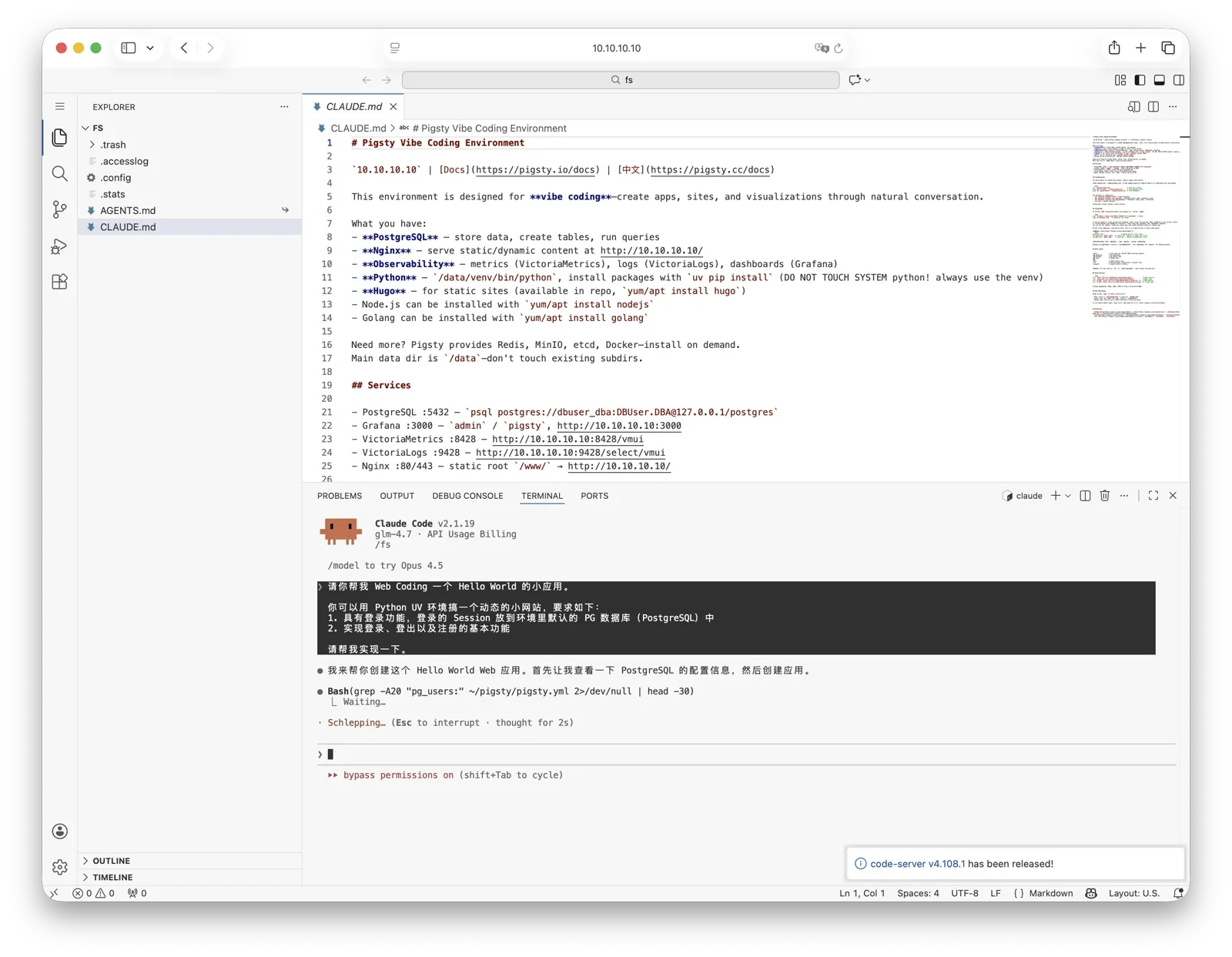
Claude logs and monitoring metrics integrate with Grafana dashboards. Use Grafana to monitor Claude runtime status.
VIBE installs the Codex CLI package by default. Codex itself manages login, provider setup, and configuration files.
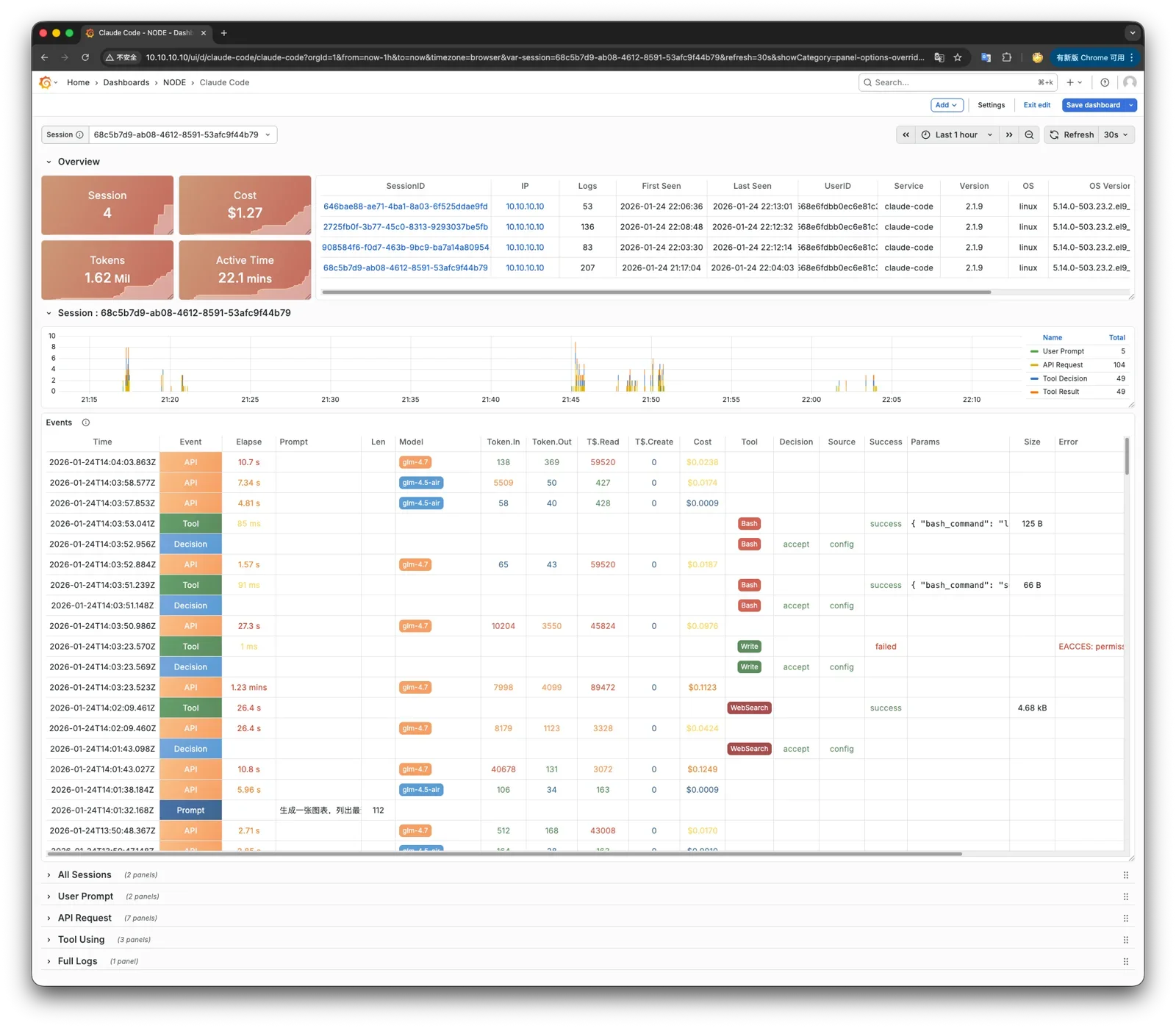
Using Other Models
To use other models with Claude Code, edit pigsty.yml during installation. For example, GLM-5.2 does not require overseas network access in China. Find the claude_env section at the bottom. Add the Anthropic-compatible endpoint variables that you need:
Run ./vibe.yml -t claude again. This affects only Claude Code. VIBE does not manage Codex CLI account and provider configuration.
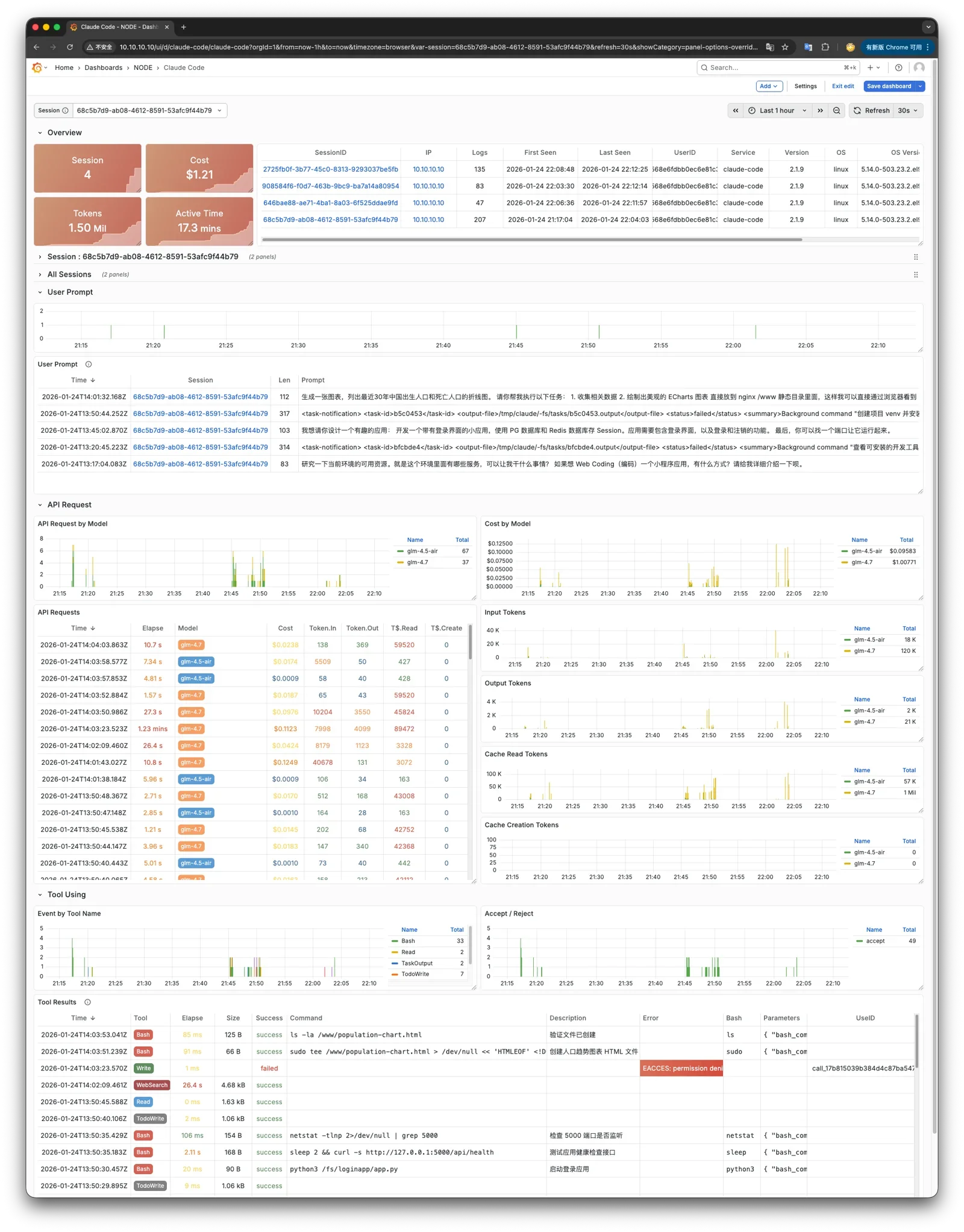
Claude Code Observability
To monitor Claude Code in other environments, send its OTEL events to the PIGLET VictoriaMetrics / VictoriaLogs OTEL endpoints. Set these environment variables:
24 - Patroni 4.1.5 Documentation
Running Patroni on memory-restricted systems with Python 3.11+
Unexpected behavior can occur with Python 3.11 or newer on systems with strict memory limits. For example, this includes vm.overcommit_memory=2, which is recommended for PostgreSQL. You may observe these symptoms:
- Patroni appears healthy
- PostgreSQL continues to run
- Patroni REST API becomes unresponsive
- The operating system reports that Patroni is listening on the REST API port
- Patroni logs look normal; however, following messages may appear once:
Exception ignored in thread started by: <object repr() failed>,MemoryError - Kernel logs may contain messages such as
not enough memory for the allocation
A bug in Python 3.11+ causes this behavior. Under strict memory conditions, a new thread may hang indefinitely if free memory is insufficient.
Recommended solution
Recent Patroni releases (4.1.1+, 4.0.8+) start all required threads early, before the system has memory pressure. This reduces the impact of the issue.
Additional recommendations (Linux, glibc)
When you use vm.overcommit_memory=2 (recommended for PostgreSQL), we also recommend these environment variables before you start Patroni:
MALLOC_ARENA_MAX=1- reduces the amount of virtual memory allocated by glibc for multi-threaded applicationsPG_MALLOC_ARENA_MAX=- resets the value ofMALLOC_ARENA_MAXfor PostgreSQL processes started by Patroni.
In addition, you may tune the following Patroni configuration parameters:
thread_stack_size- Stack size for threads that Patroni starts. A lower value reduces Patroni memory usage. The default is512kB. Increasethread_stack_sizeif Patroni has stack-related crashes. Otherwise, the default is sufficient.thread_pool_size- Thread pool size for asynchronous tasks and REST API communication with other members during leader races or failsafe checks. The default is5, which is sufficient for three-node clusters.restapi.thread_pool_size- Thread pool size for REST API requests. The default is5, which allows up to five parallel requests. Requests with SQL queries effectively run in sequence because they use one database connection. A higher value typically gives no benefit.
Patroni is a Python template for high availability (HA) PostgreSQL solutions. It supports distributed configuration stores such as ZooKeeper, etcd, Consul, and Kubernetes. Database engineers, DBAs, DevOps engineers, and SREs can use it to deploy HA PostgreSQL quickly in datacenters or other environments.
Patroni is a template. Its replication system needs configuration for your requirements and has limitations that you must consider. PostgreSQL supports many high-availability approaches. See the PostgreSQL Documentation for a list.
Currently supported PostgreSQL versions: 9.3 to 18.
Note to Citus users: Patroni 3.0 and later integrate with the Citus database extension to Postgres. See the Citus support page for Patroni high availability with a Citus distributed cluster.
Note to Kubernetes users: Patroni can run natively on Kubernetes. See the Kubernetes chapter.

24.1 - Introduction
Source: https://patroni.readthedocs.io/en/latest/README.html
Patroni is a Python template for high availability (HA) PostgreSQL solutions. It started as a fork of Governor, a Compose project, and adds many features.
For additional background info, see:
- PostgreSQL HA with Kubernetes and Patroni, talk by Josh Berkus at KubeCon 2016 (video)
- Feb. 2016 Zalando Tech blog post
Development Status
Patroni is in active development and accepts contributions. See Contributing for details.
See release information for new releases.
Technical Requirements/Installation
See the installation guide to install and upgrade Patroni on different platforms.
Planning the Number of PostgreSQL Nodes
Patroni/PostgreSQL nodes are independent of DCS nodes, except when Patroni implements RAFT itself. Thus, there is no minimum node count for Patroni/PostgreSQL. A cluster can have one primary and one standby. You can add more standby nodes later.
2-node clusters (primary + standby) are common and provide automatic failover with high availability. During failover, the cluster temporarily has no redundancy until the failed node rejoins.
DCS requirements: Your DCS (etcd, ZooKeeper, Consul) must have 3 or 5 nodes for consensus and fault tolerance. One DCS cluster can store data for hundreds or thousands of Patroni clusters. Use different namespace/scope combinations for these clusters.
Running and Configuring
This section assumes you cloned the Patroni repository from https://github.com/patroni/patroni. You need the example configuration files postgres0.yml and postgres1.yml. If you installed Patroni with pip, get these files from the git repository. Then replace ./patroni.py below with the patroni command.
To start, run these commands in separate terminals:
> etcd --data-dir=data/etcd --enable-v2=true
> ./patroni.py postgres0.yml
> ./patroni.py postgres1.yml
These commands start a high-availability cluster. Test different YAML settings to see how they change cluster behavior. Stop some components to test how the system responds.
Add more postgres*.yml files to create an even larger cluster.
Patroni provides an HAProxy configuration. It gives your application one endpoint to connect to the cluster leader. To configure it, run:
> haproxy -f haproxy.cfg
> psql --host 127.0.0.1 --port 5000 postgres
YAML Configuration
See YAML settings for details about etcd, consul, and ZooKeeper settings. See postgres0.yml for an example.
Environment Configuration
See environment settings to configure or override settings with environment variables.
Replication Choices
Patroni uses Postgres streaming replication, which is asynchronous by default. Set maximum_lag_on_failover to prevent failover when a replica is more than the specified number of bytes behind the leader. Adjust this setting for your business requirements. You can also use synchronous replication for stronger durability guarantees. See replication modes documentation for details.
Applications Should Not Use Superusers
Always use a non-superuser for application connections. Patroni needs database access to operate correctly. An application that uses a superuser can consume all connections, including those reserved by superuser_reserved_connections. If no connections remain, Patroni cannot access the primary and can behave incorrectly.
Testing Your HA Solution
HA testing takes time and involves many variables, especially for a cross-platform application. A trained system administrator or consultant must do this work. These documents do not cover the process in detail.
Test these parts of your infrastructure:
- Network (the network in front of your system as well as the NICs themselves)
- Disk IO
- file limits (nofile in Linux)
- RAM. Even if you have oomkiller turned off, the unavailability of RAM could cause issues.
- CPU
- Virtualization Contention (overcommitting the hypervisor)
- Any cgroup limitation (likely to be related to the above)
kill -9of any postgres process (except postmaster!). This is a decent simulation of a segfault.
Do not run kill -9 on a postmaster process. This does not simulate a real-world failure. If an attacker can run kill -9, an HA process cannot resolve the security problem. The attacker can kill the process again or cause other damage.
24.2 - Installation
Source: https://patroni.readthedocs.io/en/latest/installation.html
Pre-requirements for Mac OS
On a Mac, install the requirements:
Psycopg
Since psycopg2-2.8, the binary package is not installed by default. A source installation requires a C compiler and Postgres and Python development packages. Python dependencies cannot express psycopg2 OR psycopg2-binary. Select an installation method:
- Use the package manager from your distro
- Specify one of
psycopg,psycopg2, orpsycopg2-binaryin the list of dependencies when installing Patroni with pip.
General installation for pip
Patroni can be installed with pip:
Leave dependencies empty, or specify one or more of these dependencies:
etcd or etcd3python-etcd module to use Etcd as the Distributed Configuration Store (DCS)
consulpy-consul module to use Consul as the DCS
zookeeperkazoo module to use Zookeeper as the DCS
exhibitorkazoo module to use Exhibitor as the DCS (same dependencies as Zookeeper)
kubernetes
kubernetes module to use Kubernetes as the DCS
raftpysyncobj module to use the Python Raft implementation as the DCS
awsboto3 to use AWS callbacks
jsonloggerpython-json-logger module for JSON logging
systemdsystemd-python for sd_notify integration
all
all of the above (except psycopg family)
psycopg3psycopg\[binary\]\>=3.0.0 module
psycopg2psycopg2\>=2.5.4 module
psycopg2-binarypsycopg2-binary module
For example, install Patroni with psycopg3, Etcd DCS dependencies, and AWS callbacks:
Install external tools, such as WAL-E, separately if your replica creation or custom bootstrap scripts call them.
Package installation on Linux
The Postgres community may provide Patroni packages for these operating systems:
- RHEL, RockyLinux, AlmaLinux;
- Debian and Ubuntu;
- SUSE Enterprise Linux.
Packages may also provide direct dependencies, such as Python modules absent from the operating system repositories.
For more information see the PGDG repository documentation.
On RedHat Enterprise Linux derivatives, you may also need EPEL packages. See the EPEL repository documentation.
After you configure the PGDG repository for your operating system, install Patroni.
The Postgres community maintains these packages, rather than the Patroni developers. For support, first contact Postgres slack.
Installing on Debian derivatives
After you configure the PGDG repository, install Patroni with apt:
Installing on RedHat derivatives
On RHEL 9 and derivatives, first configure the PGDG repository. Then install Patroni with an etcd DCS:
If your RedHat derivative does not provide etcd packages, install them from PGDG. On each DCS node, run:
For RHEL 8, replace the version with 8 to use pgdg-rhel8-extras. RockyLinux, AlmaLinux, Oracle Linux, and other derivatives also use the pgdg-rhelN-extras repository name.
Installing on SUSE Enterprise Linux
Some dependencies may require SUSE PackageHub repositories. See the SUSE PackageHub documentation.
On SLES 15, configure the PGDG repository. Then install Patroni:
With the SUSE PackageHub repo enabled you can also install etcd:
Upgrading
To upgrade Patroni, update the software and restart the Patroni daemon on each cluster node.
A Patroni daemon restart also restarts the Postgres database. This can cause primary failover. We recommend maintenance mode until all Patroni daemon restarts finish.
On one Patroni node, put the cluster in maintenance mode:
Then on each node in the cluster, perform the package upgrade required for your OS:
Restart the patroni daemon process on each node:
Resume Patroni monitoring and leave maintenance mode:
The cluster now operates fully with the new Patroni version.
24.3 - Patroni configuration
Source: https://patroni.readthedocs.io/en/latest/patroni_configuration.html
There are 3 types of Patroni configuration:
Global dynamic configuration.
These options are stored in the DCS (Distributed Configuration Store) and apply to all nodes. Change them at any time with patronictl_edit_config or the REST API. Changes outside startup configuration apply asynchronously on each node’s next wake-up cycle, followed by a reload. Changed PostgreSQL parameters with postmaster context require a restart. Patroni setspending_restartin members.data JSON for these nodes. Node status also shows"restart_pending": true.Local configuration file (patroni.yml).
Local options override dynamic configuration. To reloadpatroni.ymlwithout restarting Patroni, send SIGHUP, sendPOST /reload, or run patronictl_reload. Local configuration can be one YAML file or a directory. Patroni loads all YAML files in a directory in sorted order. If several files define a key, the last file takes precedence.Environment configuration.
Environment variables can set or override some local parameters. Use them in dynamic environments where some values are unknown in advance. For example, the external IP address may be unknown insidedocker.
Important rules
PostgreSQL parameters controlled by Patroni
These PostgreSQL parameters must have the same values on the primary and replicas. Local configuration and environment values have no effect. Set them through shared DCS configuration. The list shows their defaults and minimum values:
- max_connections: default value 100, minimal value 25
- max_locks_per_transaction: default value 64, minimal value 32
- max_worker_processes: default value 8, minimal value 2
- max_prepared_transactions: default value 0, minimal value 0
- wal_level: default value hot_standby, accepted values: hot_standby, replica, logical
- track_commit_timestamp: default value off
PostgreSQL permits different primary and replica values for the parameters below. However, a replica can become primary at any time. Different values are therefore unsuitable, and Patroni permits changes only through dynamic configuration.
- max_wal_senders: default value 10, minimal value 3
- max_replication_slots: default value 10, minimal value 4
- wal_keep_segments: default value 8, minimal value 1
- wal_keep_size: default value 128MB, minimal value 16MB
- wal_log_hints: on
Patroni validates these values for correctness or a required minimum.
There are some other Postgres parameters controlled by Patroni:
- listen_addresses - is set either from
postgresql.listenor fromPATRONI_POSTGRESQL_LISTENenvironment variable - port - is set either from
postgresql.listenor fromPATRONI_POSTGRESQL_LISTENenvironment variable - cluster_name - is set either from
scopeor fromPATRONI_SCOPEenvironment variable - hot_standby: on
Patroni writes the parameters above to postgresql.conf. Except for wal_keep_segments and wal_keep_size, it also passes them as postgres arguments. These arguments take precedence over all other settings, including ALTER SYSTEM.
Parameters such as postgresql.listen and postgresql.data_dir can only be set locally. Use the configuration file or environment variables. Local configuration overrides dynamic configuration in most cases.
When applying the local or dynamic configuration options, the following actions are taken:
- The node checks for
postgresql.base.confandcustom_conf. - If
custom_confis set, its file supplies the base configuration. Patroni ignorespostgresql.base.confandpostgresql.confas base files. - Otherwise, an existing
postgresql.base.confsupplies the base configuration. It contains the renamed original configuration. - If neither exists, Patroni renames the original
postgresql.conftopostgresql.base.confand uses it as the base. - Patroni writes dynamic options to
postgresql.conf, subject to the exceptions above. It adds an include forpostgresql.base.confor thecustom_conffile. New options can then apply without rereading the file to check for the include. - Command-line arguments override parameters essential for Patroni cluster management.
- If a changed value requires restart according to pg_settings context, Patroni sets pending_restart on the node. Any restart resets this flag.
The parameters would be applied in the following order (run-time are given the highest priority):
- load parameters from file
postgresql.base.conf(or from acustom_conffile, if set) - load parameters from file
postgresql.conf - load parameters from file
postgresql.auto.conf - run-time parameter using
-o --name=value
This order supports shared node configuration (2) and node-specific ALTER SYSTEM settings (3). It enforces essential Patroni parameters (4). It also permits external tools to manage the base configuration directly (1).
PostgreSQL parameters that touch shared memory
PostgreSQL has some parameters that determine the size of the shared memory used by them:
- max_connections
- max_prepared_transactions
- max_locks_per_transaction
- max_wal_senders
- max_worker_processes
Changes require a PostgreSQL restart. Standby shared memory structures must not be smaller than the corresponding primary structures.
Change these values through dynamic configuration, as Patroni requires. The usual sequence is:
- Applying changes through patronictl_edit_config (or via REST API
/configendpoint) - Restarting nodes through patronictl_restart (or via REST API
/restartendpoint)
Note: Restart PostgreSQL through patronictl_restart or the REST API /restart endpoint. Restarting the Patroni daemon with systemctl restart patroni can trigger failover if the node is primary.
These shared memory settings require a specific restart order:
If you want to increase the value of any of those settings:
- Restart all standbys first
- Restart the primary after that
If you want to decrease the value of any of those settings:
- Restart the primary first
- Restart all standbys after that
Note: If you restart all nodes together after a decrease, Patroni restarts standbys with the original value. You must restart them again later. This prevents an endless crash loop: PostgreSQL exits with FATAL if a value is below that recorded in standby pg_controldata. A standby value can decrease only after its pg_controldata reflects the primary change.
More information about that can be found at PostgreSQL Administrator’s Overview.
Patroni configuration parameters
Also the following Patroni configuration options can be changed only dynamically:
- ttl: 30
- loop_wait: 10
- retry_timeout: 10
- maximum_lag_on_failover: 1048576
- max_timelines_history: 0
- check_timeline: false
- postgresql.use_slots: true
After a change, Patroni reads the relevant DCS configuration section and updates its runtime values.
After each configuration change, Patroni writes DCS options to patroni.dynamic.json in the Postgres data directory. Only the leader can restore these options from disk. It can do so only when DCS options are absent or invalid.
Configuration generation and validation
The patroni executable can generate and validate local configuration. Use it to:
- Create a sample local Patroni configuration;
- Create a Patroni configuration file for the locally running PostgreSQL instance (e.g. as a preparation step for the Patroni integration);
- Validate a given Patroni configuration file.
Sample Patroni configuration
Description
Generate a sample Patroni configuration in yaml format. Values come from Environment configuration. For unset parameters, use Patroni defaults or #FIXME for values that the user must supply.
Some default values are defined based on the local setup:
- postgresql.listen: the IP address returned by
gethostnamecall for the current machine’s hostname and the standard5432port.- postgresql.connect_address: the IP address returned by
gethostnamecall for the current machine’s hostname and the standard5432port.- postgresql.authentication.rewind: is only defined if the PostgreSQL version can be defined from the binary and the version is 11 or later.
- restapi.listen: IP address returned by
gethostnamecall for the current machine’s hostname and the standard8008port.- restapi.connect_address: IP address returned by
gethostnamecall for the current machine’s hostname and the standard8008port.
Parameters
configfile - full path to the configuration file used to store the result. If not provided, the result is sent to stdout.
Patroni configuration for a running instance
Description
Generate a yaml configuration for the local running PostgreSQL instance. Connection settings use the supplied DSN first, then PostgreSQL environment variables. If no password is supplied, enter it at the prompt.
All non-internal GUCs from the source instance supply these Patroni parameters. This includes GUCs set through files, postmaster command-line arguments, or environment variables:
- scope:
cluster_nameGUC value;- postgresql.listen:
listen_addressesandportGUC values;- postgresql.datadir:
data_directoryGUC value;- postgresql.parameters:
archive_command,restore_command,archive_cleanup_command,recovery_end_command,ssl_passphrase_command,hba_file,ident_file,config_fileGUC values;- bootstrap.dcs: all other gathered PostgreSQL GUCs.
If Postgres GUCs do not supply scope, postgresql.listen, or postgresql.datadir, Patroni uses the corresponding Environment configuration value.
Other rules applied for the values definition:
- name:
PATRONI_NAMEenvironment variable value if set, otherwise the current machine’s hostname.- postgresql.bin_dir: path to the Postgres binaries gathered from the running instance.
- postgresql.connect_address: the IP address returned by
gethostnamecall for the current machine’s hostname and the port used for the instance connection or theportGUC value.- postgresql.authentication.superuser: the configuration used for the instance connection;
- postgresql.pg_hba: the lines gathered from the source instance’s
hba_file.- postgresql.pg_ident: the lines gathered from the source instance’s
ident_file.- restapi.listen: IP address returned by
gethostnamecall for the current machine’s hostname and the standard8008port.- restapi.connect_address: IP address returned by
gethostnamecall for the current machine’s hostname and the standard8008port.
The generated file also includes other parameters from Environment configuration.
Parameters
configfile
Full path to the configuration file used to store the result. If not provided, result is sent to stdout.
dsn
Optional DSN string for the local PostgreSQL instance to get GUC values from.
Validate Patroni configuration
Description
Validate the Patroni configuration and print failed checks.
Parameters
configfile
Full path to the file to check. If absent or nonexistent, read PATRONI_CONFIG_VARIABLE. If that variable is unset, use Patroni environment variables.
--ignore-listen-port | -i
Optional flag to ignore bind failures for occupied listen ports during configfile validation.
--print | -p
Optional flag to print local configuration, including environment overrides, after successful validation.
24.3.1 - Dynamic Configuration Settings
Source: https://patroni.readthedocs.io/en/latest/dynamic_configuration.html
Dynamic configuration is stored in the DCS (Distributed Configuration Store) and applied on all cluster nodes.
Change dynamic configuration with patronictl_edit_config or the Patroni REST API.
- loop_wait: the number of seconds the loop will sleep. Default value: 10, minimum possible value: 1
- ttl: leader lock TTL, in seconds. This is the interval before automatic failover can start. Default: 30. Minimum: 20.
- retry_timeout: timeout for DCS and PostgreSQL operation retries (in seconds). DCS or network issues shorter than this will not cause Patroni to demote the leader. Default value: 10, minimum possible value: 3
when changing values of loop_wait, retry_timeout, or ttl you have to follow the rule:
- maximum_lag_on_failover: the maximum bytes a follower may lag to be able to participate in leader election.
- primary_race_backoff: delays standby leader races by
primary_race_backoffseconds while WAL replication from the primary advances. This reduces unnecessary failovers when Patroni is briefly unresponsive. Default: 0 (disabled). - maximum_lag_on_syncnode: maximum synchronous replica lag in bytes before replacement by a healthy asynchronous replica. With multiple replicas, Patroni uses the maximum replica LSN. Otherwise, it uses the leader’s current WAL LSN. Default: -1. Values of 0 or less disable replacement. Use a sufficiently high value to avoid frequent replacements during high transaction volume.
- max_timelines_history: maximum number of timeline history items kept in DCS. Default value: 0. When set to 0, it keeps the full history in DCS.
- primary_start_timeout: seconds allowed for primary recovery before failover. Default: 300. A value of 0 permits immediate failover after crash detection. Asynchronous failover can lose transactions. Worst-case failover time is loop_wait + primary_start_timeout + loop_wait, or only loop_wait when primary_start_timeout is zero. Select the value for your durability and availability requirements.
- primary_stop_timeout: seconds Patroni can wait for Postgres shutdown when synchronous_mode is enabled. With synchronous_mode enabled and a value > 0, Patroni sends SIGKILL to postmaster if shutdown exceeds this interval. Select the value for your durability and availability requirements. Unset values or values <= 0 disable this timeout.
- synchronous_mode: synchronous replication mode:
off,on, orquorum. The leader managessynchronous_standby_names. Only the last known leader or synchronous replicas can enter a leader race. This protects successful commits during failover but can block writes when Patroni cannot guarantee durability. See replication modes documentation. - synchronous_mode_strict: keeps synchronous replication enabled when no synchronous replica is available, blocking client writes. Without an eligible streaming replica, Patroni uses the last synchronous nodes from
/syncforsynchronous_standby_names. If no prior state exists, it uses__patroni_strict_sync_replica_placeholder__. Do not use that reserved value for the nodenameinpatroni.yaml. See replication modes documentation. - synchronous_node_count: required synchronous standby count when synchronous_mode is enabled. Patroni updates the DCS and PostgreSQL
synchronous_standby_namesas members join or leave. It reduces the count if it exceeds the number of eligible nodes. Default:1. - failsafe_mode: Enables DCS Failsafe Mode. Defaults to
false. - postgresql:
- use_pg_rewind: enables pg_rewind. Default:
false. For correct operation,pg_rewindrequiresdata page checksumsand/orwal_log_hintsset toon. Enable checksums with the--data-checksumsoption forinitdb. - use_slots: whether or not to use replication slots. Defaults to
trueon PostgreSQL 9.4+. - recovery_conf: extra recovery.conf settings for replicas. PostgreSQL 12 no longer uses recovery.conf. You can still use this section because Patroni handles the version difference.
- parameters: configuration parameters (GUCs) for Postgres in format
{max_connections: 100, wal_level: "replica", max_wal_senders: 10, wal_log_hints: "on"}. Many of these are required for replication to work. - parameters_primary: (optional) role-specific parameter overrides for primary. These values are merged with and override the base parameters.
- parameters_replica: (optional) role-specific parameter overrides for replica. These values are merged with and override the base parameters.
- parameters_standby_leader: (optional) role-specific parameter overrides for standby_leader. These values are merged with and override the base parameters.
- pg_hba: list of lines that Patroni will use to generate
pg_hba.conf. Patroni ignores this parameter ifhba_filePostgreSQL parameter is set to a non-default value.- - host all all 0.0.0.0/0 md5
- - host replication replicator 127.0.0.1/32 md5: A line like this is required for replication.
- pg_hba_primary: (optional) role-specific pg_hba entries for primary. These completely replace pg_hba (no merging). If not defined, pg_hba is used.
- pg_hba_replica: (optional) role-specific pg_hba entries for replica. These completely replace pg_hba (no merging). If not defined, pg_hba is used.
- pg_hba_standby_leader: (optional) role-specific pg_hba entries for standby_leader. These completely replace pg_hba (no merging). If not defined, pg_hba is used.
- pg_ident: list of lines that Patroni will use to generate
pg_ident.conf. Patroni ignores this parameter ifident_filePostgreSQL parameter is set to a non-default value.- - mapname1 systemname1 pguser1
- - mapname1 systemname2 pguser2
- pg_ident_primary: (optional) role-specific pg_ident entries for primary. These completely replace pg_ident (no merging). If not defined, pg_ident is used.
- pg_ident_replica: (optional) role-specific pg_ident entries for replica. These completely replace pg_ident (no merging). If not defined, pg_ident is used.
- pg_ident_standby_leader: (optional) role-specific pg_ident entries for standby_leader. These completely replace pg_ident (no merging). If not defined, pg_ident is used.
- use_pg_rewind: enables pg_rewind. Default:
- standby_cluster: if this section is defined, we want to bootstrap a standby cluster.
- host: an address of remote node
- port: a port of remote node
- primary_slot_name: replication slot on the remote node. Optional. The default comes from the instance name; see
slot_name_from_member_name. - create_replica_methods: ordered methods to bootstrap the standby leader from the remote primary. This list can differ from postgresql_settings.
- restore_command: command to restore remote primary WAL records to standby cluster nodes. It can differ from postgresql_settings.
- archive_cleanup_command: cleanup command for standby leader
- recovery_min_apply_delay: how long to wait before actually apply WAL records on a standby leader
- member_slots_ttl: physical slot retention after replicas shut down. Default:
30min. A value of0restores immediate removal when the member key expires from the DCS. Requires PostgreSQL 11 or later. - slots: permanent replication slots, retained through switchover and failover. Patroni creates missing slots. On PostgreSQL 11 and later, it creates physical slots on all nodes and advances them every loop_wait seconds. Earlier versions maintain permanent physical slots only on the primary. Logical slots are copied from the primary to a standby with restart. Their positions then advance every loop_wait seconds if necessary. Patroni copies logical slot files through
libpqwith rewind or superuser credentials; see postgresql.authentication. A replica slot can lag behind the old primary. Applications must handle repeated messages after failover, for example by trackingconfirmed_flush_lsn. Permanent slots require postgresql.use_slots set totrue. Permanent logical slots automatically enablehot_standby_feedback. Logical slot failover is unsafe on PostgreSQL 9.6 and older, and PostgreSQL 10 lacks required functions. This feature requires PostgreSQL 11+.- my_slot_name: permanent slot name. Patroni does not create a slot on the node with the same name. A permanent physical slot named after a member remains even when that member becomes unresponsive. Normally, Patroni would remove it. This preserves member slots during temporary failures or migration to Patroni; see Convert a Standalone to a Patroni Cluster. Remove these matching names from DCS configuration when the slots are no longer required. Otherwise, they affect normal Patroni operation.
- type:
physicalorlogical. Logical slots also requiredatabaseandplugin. Physical slots optionally acceptcluster_type. - database: the database name where logical slots should be created.
- plugin: the plugin name for the logical slot.
- cluster_type: create the slot only on this cluster type:
primaryorstandby. On other types, Patroni skips creation or drops an existing slot.
- type:
- my_slot_name: permanent slot name. Patroni does not create a slot on the node with the same name. A permanent physical slot named after a member remains even when that member becomes unresponsive. Normally, Patroni would remove it. This preserves member slots during temporary failures or migration to Patroni; see Convert a Standalone to a Patroni Cluster. Remove these matching names from DCS configuration when the slots are no longer required. Otherwise, they affect normal Patroni operation.
- ignore_slots: sets of slot properties that Patroni must ignore. Use this for slots managed outside Patroni. Any matching subset of properties causes a slot to be ignored.
- name: the name of the replication slot.
- type: slot type. Can be
physicalorlogical. If the slot is logical, you may additionally definedatabaseand/orplugin. - database: the database name (when matching a
logicalslot). - plugin: the logical decoding plugin (when matching a
logicalslot).
Note: slots is a hashmap while ignore_slots is an array. For example:
Note: On PostgreSQL v11 or later, Patroni maintains physical slots on all nodes eligible to become leader. Replicas therefore retain WAL segments that other nodes may need. After an absent node’s DCS member key expires, Patroni drops its slot after member_slots_ttl, which defaults to 30min. Adjust retention for your requirements.
For a fixed topology with stable node names, you can configure permanent physical slots named after the nodes. This prevents slot removal and WAL recycling while a replica is temporarily down:
Permanent slots synchronize only from primary/standby_leader to replicas. Applications must therefore use them only on the leader. Using them on replicas causes indefinite pg_wal growth on all other nodes. Physical slots named after Patroni members are an exception. Patroni creates and synchronizes these slots across all nodes for member replication.
The nostream tag disables permanent logical slot copying and synchronization on a standby and all its cascading replicas.
24.3.2 - YAML Configuration Settings
Source: https://patroni.readthedocs.io/en/latest/yaml_configuration.html
Global/Universal
- thread_pool_size: thread pool size for asynchronous tasks and REST API communication with other members during leader races or failsafe checks. Minimum:
5. Default:5. - thread_stack_size: stack size for Patroni threads. Use a multiple of
64kB. Minimum:64kB. Patroni default:512kB. - name: the name of the host. Must be unique for the cluster. The value
__patroni_strict_sync_replica_placeholder__is reserved for internal use by Patroni and cannot be used as a node name. - namespace: path within the configuration store where Patroni will keep information about the cluster. Default value: “/service”
- scope: cluster name
Log
- type: sets the format of logs. Can be either plain or json. To use json format, you must have the jsonlogger installed. The default value is plain.
- level: sets the general logging level. Default value is INFO (see the docs for Python logging)
- traceback_level: sets the level where tracebacks will be visible. Default value is ERROR. Set it to DEBUG if you want to see tracebacks only if you enable log.level=DEBUG.
- format: log format. For plain logs, use a string. For json, use a string or a list of LogRecord attributes. In lists, use field names without %( and ). To rename a field, use a dictionary with the original field as key and the output name as value. Default: %(asctime)s %(levelname)s: %(message)s.
- dateformat: sets the datetime formatting string. (see the formatTime() documentation)
- static_fields: add additional fields to the log. This option is only available when the log type is set to json.
- max_queue_size: maximum internal log queue size. Patroni writes records to an in-memory queue. A separate thread reads them and writes to stderr or a file. The default 1000 records retain approximately 1h20m of logs.
- dir: application log directory. It must exist and be writable by the Patroni user. By default, Patroni retains four 25MB files. Adjust retention with
file_numandfile_size. - mode: Permissions for log files (for example,
0644). If not specified, permissions will be set based on the current umask value. - file_num: The number of application logs to retain.
- file_size: Size of patroni.log file (in bytes) that triggers a log rolling.
- loggers: This section allows redefining logging level per python module
- patroni.postmaster: WARNING
- urllib3: DEBUG
- deduplicate_heartbeat_logs: suppresses consecutive identical heartbeat messages when
true. Default:false.
HA loop timing helps diagnose failovers caused by exhausted resources and similar problems. With deduplicate_heartbeat_logs set to true, loop execution produces no log unless the leader changes. These diagnostics are then unavailable in the logs.
For JSON logging, use this example:
Bootstrap configuration
After initial cluster bootstrap, Patroni stores settings in the DCS. Later changes to YAML bootstrap.dcs have no effect. Use patronictl_edit_config or the REST API to change them.
- bootstrap:
dcs: global dynamic cluster configuration. Put parameters from Dynamic Configuration settings under
bootstrap.dcs. After bootstrap, Patroni writes this section to /<namespace>/<scope>/config in the configuration store.method: custom script to use for bootstrapping this cluster.
See custom bootstrap methods. Set
methodtoinitdb, or omit it, to use the defaultinitdbcommand.initdb: (optional) list options to be passed on to initdb.
- - data-checksums: Must be enabled when pg_rewind is needed on 9.3.
- - encoding: UTF8: default encoding for new databases.
- - locale: UTF8: default locale for new databases.
post_bootstrap or post_init: script to run after cluster initialization. It receives a connection URL with the cluster superuser name. PGPASSFILE points to the pgpass file.
Citus
Enable Citus integration. Patroni then registers workers on the coordinator. See Citus support.
- group: the Citus group id, integer. Use
0for coordinator and1,2, etc… for workers - database: database for the citus extension. Use the same database on the coordinator and all workers. Currently, only one database is supported.
Consul
Most of the parameters are optional, but you have to specify one of the host or url
- host: the host:port for the Consul local agent.
- url: url for the Consul local agent, in format: http(s)://host:port.
- port: (optional) Consul port.
- scheme: (optional) http or https, defaults to http.
- token: (optional) ACL token.
- verify: (optional) whether to verify the SSL certificate for HTTPS requests.
- cacert: (optional) The ca certificate. If present it will enable validation.
- cert: (optional) file with the client certificate.
- key: (optional) file with the client key. Can be empty if the key is part of cert.
- dc: (optional) Datacenter to communicate with. By default the datacenter of the host is used.
- consistency: (optional) Select consul consistency mode. Possible values are
default,consistent, orstale(more details in consul API reference) - checks: (optional) list of Consul health checks used for the session. By default an empty list is used.
- register_service: (optional) registers a service named by scope. Its role tag is master, primary, replica, or standby-leader. Default: false.
- service_tags: (optional) additional static tags to add to the Consul service apart from the role (
primary/replica/standby-leader). By default an empty list is used. - service_check_interval: (optional) how often to perform health check against registered url. Defaults to ‘5s’.
- service_check_tls_server_name: (optional) override SNI host when connecting via TLS, see also consul agent check API reference.
The token needs to have the following ACL permissions:
service_prefix "${scope}" {
policy = "write"
}
key_prefix "${namespace}/${scope}" {
policy = "write"
}
session_prefix "" {
policy = "write"
}
Etcd
Most of the parameters are optional, but you have to specify one of the host, hosts, url, proxy or srv
- host: the host:port for the etcd endpoint.
- hosts: list of etcd endpoint in format host1:port1,host2:port2,etc… Could be a comma separated string or an actual yaml list.
- use_proxies: if true, treats hosts as proxies. Patroni does not discover etcd topology.
- url: url for the etcd.
- proxy: proxy url for the etcd. If you are connecting to the etcd using proxy, use this parameter instead of url.
- srv: domain for SRV-based cluster discovery. Patroni queries these services in order until one succeeds:
_etcd-client-ssl,_etcd-client,_etcd-ssl,_etcd,_etcd-server-ssl,_etcd-server. For_etcd-server-sslor_etcd-server, it queries available members through the ETCD peer protocol. Otherwise, it uses hosts from the SRV records. - srv_suffix: suffix for discovery SRV names. Requires srv. Use it to distinguish etcd clusters in one domain. For example,
srv_suffix: fooandsrv: example.orgproduce_etcd-client-ssl-foo._tcp.example.com. Patroni applies this suffix to each possible ETCD SRV service name. - protocol: (optional) http or https, if not specified http is used. If the url or proxy is specified - will take protocol from them.
- username: (optional) username for etcd authentication.
- password: (optional) password for etcd authentication.
- cacert: (optional) The ca certificate. If present it will enable validation.
- cert: (optional) file with the client certificate.
- key: (optional) file with the client key. Can be empty if the key is part of cert.
Etcdv3
To use Etcd protocol version 3, configure the etcd3 section. Its parameters are the same as etcd.
Protocol versions 2 and 3 cannot see each other’s keys. Changing Patroni configuration alone cannot migrate etcd to etcd3. Patroni uses the Etcd gRPC-gateway proxy for the V3 API. This prevents TLS common name authentication.
ZooKeeper
- hosts: List of ZooKeeper cluster members in format: .
- use_ssl: (optional) Whether SSL is used or not. Defaults to
false. If set tofalse, all SSL specific parameters are ignored. - cacert: (optional) The CA certificate. If present it will enable validation.
- cert: (optional) File with the client certificate.
- key: (optional) File with the client key.
- key_password: (optional) The client key password.
- verify: (optional) Whether to verify certificate or not. Defaults to
true. - set_acls: (optional) default ACL that Kazoo applies to each new ZNode. Use
x509(default) or another supported ZooKeeper scheme, such asdigest. Supply a dictionary: each key is the full principal, optionally prefixed with its scheme. Each value lists one or more permissions:CREATE,READ,WRITE,DELETE,ADMIN, orALL. Example:set_acls: {CN=principal1: [CREATE, READ], digest:principal2:+pjROuBuuwNNSujKyH8dGcEnFPQ=: [ALL]}. - auth_data: (optional) connection authentication dictionary. Use
schemeas the key andcredentialas the value. Default: empty dictionary.
It is required to install kazoo>=2.6.0 to support SSL.
Exhibitor
- hosts: initial list of Exhibitor (ZooKeeper) nodes in format: ‘host1,host2,etc…’. This list updates automatically whenever the Exhibitor (ZooKeeper) cluster topology changes.
- poll_interval: how often the list of ZooKeeper and Exhibitor nodes should be updated from Exhibitor.
- port: Exhibitor port.
Kubernetes
- bypass_api_service: (optional) normally, Patroni contacts the kubernetes service at
KUBERNETES_SERVICE_HOST. Withbypass_api_serviceset totrue, it discovers the API nodes behind the service and contacts them directly. - namespace: (optional) Kubernetes namespace where Patroni pod is running. Default value is
default. - labels: labels in
{label1: value1, label2: value2}format. Patroni uses them to find cluster Pods and Endpoints or ConfigMaps. It also adds them to each Endpoint or ConfigMap it creates. - scope_label: (optional) name of the label containing cluster name. Default value is
cluster-name. - bootstrap_labels: (optional) labels in
{label1: value1, label2: value2}format. Patroni assigns them to pods in these states:initializing new cluster,running custom bootstrap script,starting after custom bootstrap, orcreating replica. - role_label: (optional) name of the label containing role (
primary,replica, or other custom value). Patroni will set this label on the pod it runs in. Default value isrole. - leader_label_value: (optional) value of the pod label when Postgres role is
primary. Default value isprimary. - follower_label_value: (optional) value of the pod label when Postgres role is
replica. Default value isreplica. - standby_leader_label_value: (optional) value of the pod label when Postgres role is
standby_leader. Default value isprimary. - tmp_role_label: (optional) name of the temporary label containing role (
primaryorreplica). Value of this label will always use the default of corresponding role. Set only when necessary. - use_endpoints: (optional) if set to true, Patroni will use Endpoints instead of ConfigMaps to run leader elections and keep cluster state.
- pod_ip: (optional) Patroni pod IP address. Required when
use_endpointsis enabled. On promotion, Patroni uses this value to populate leader endpoint subsets. - ports: (optional) named Service ports require identical Endpoint port names. Otherwise, the service cannot work. For
{Kind: Service, spec: {ports: [{name: postgresql, port: 5432, targetPort: 5432}]}}, setkubernetes.ports: [{"name": "postgresql", "port": 5432}]. Patroni uses this value to update leader Endpoint subsets. Applies only withkubernetes.use_endpoints. - cacert: (optional) CA_BUNDLE file with trusted CA certificates for Kubernetes API SSL verification. Defaults to the ServiceAccount secret value.
- retriable_http_codes: (optional) Kubernetes API status codes to retry. By default, Patroni retries
500,503, and504, and responses with aretry-afterHTTP header.
Raft (deprecated)
self_addr:
ip:portto listen on for Raft connections. Theself_addrmust be accessible from other nodes of the cluster. If not set, the node will not participate in consensus.bind_addr: (optional)
ip:portto listen on for Raft connections. If not specified theself_addrwill be used.partner_addrs: list of other Patroni nodes in the cluster in format:
data_dir: directory where to store Raft log and snapshot. If not specified the current working directory is used.
password: (optional) Encrypt Raft traffic with a specified password, requires
cryptographypython module.min_timeout: (optional) minimum election timeout in seconds for the underlying pysyncobj Raft implementation. Must be greater than 3 *
append_entries_period. Default:0.4.max_timeout: (optional) maximum election timeout in seconds for the underlying pysyncobj Raft implementation. Must be greater than
min_timeout. Default:1.4.connection_timeout: (optional) time in seconds after which a connection with no data received is considered dead. Must be greater than or equal to
max_timeout. Default:3.5.append_entries_period: (optional) interval in seconds for sending heartbeat (append_entries) commands. Must be less than one-third of
min_timeout. Default:0.1.connection_retry_time: (optional) interval in seconds between reconnection attempts to offline nodes. Default:
5.0.leader_fallback_timeout: (optional) time in seconds after which a leader with no response from the majority falls back to follower state. Must be greater than
append_entries_period. Default:30.0.
Adjust these timeouts for high-latency networks where pysyncobj defaults are too short. Required constraints: min_timeout > 3 * append_entries_period, max_timeout > min_timeout, connection_timeout >= max_timeout, and leader_fallback_timeout > append_entries_period. Patroni validates them at startup and refuses to start if they fail. Changes require a restart.
[!WARNING]
These settings only extend pysyncobj election and connection timeouts. Each Raft command, including leader lock refresh and cluster-state writes, must still finish within retry_timeout (default 10). With round-trip latency above approximately a few seconds, a command can exceed this limit even if connection_timeout exceeds the RTT. The DCS then appears unreachable, and the primary may demote. Also increase retry_timeout and ttl on these links. Keep loop_wait + 2 * retry_timeout <= ttl.
Short FAQ about Raft implementation
Q: How to list all the nodes providing consensus?
A:
syncobj_admin -conn host:port -statuswhere the host:port is the address of one of the cluster nodesQ: Node that was a part of consensus and has gone and I can’t reuse the same IP for other node. How to remove this node from the consensus?
A:
syncobj_admin -conn host:port -remove host2:port2where thehost2:port2is the address of the node you want to remove from consensus.Q: Where to get the
syncobj_adminutility?A: It is installed together with
pysyncobjmodule (python RAFT implementation), which is Patroni dependency.Q: it is possible to run Patroni node without adding in to the consensus?
A: Yes, just comment out or remove
raft.self_addrfrom Patroni configuration.Q: It is possible to run Patroni and PostgreSQL only on two nodes?
A: Yes, on the third node you can run
patroni_raft_controller(without Patroni and PostgreSQL). In such a setup, one can temporarily lose one node without affecting the primary.
PostgreSQL
- postgresql:
authentication:
- superuser:
- username: name for the superuser, set during initialization (initdb) and later used by Patroni to connect to the postgres.
- password: password for the superuser, set during initialization (initdb).
- sslmode: (optional) maps to sslmode. Specifies the TLS negotiation mode. See the PostgreSQL documentation for each mode. Default:
prefer. - sslkey: (optional) maps to sslkey. Path to the secret key for the client certificate.
- sslpassword: (optional) maps to sslpassword. Password for the secret key in
sslkey. - sslcert: (optional) maps to sslcert. Path to the client certificate.
- sslrootcert: (optional) maps to sslrootcert. File containing one or more trusted CA certificates. The client uses them to verify the server certificate.
- sslcrl: (optional) maps to sslcrl. Certificate revocation list file. The client rejects servers whose certificates appear in the list.
- sslcrldir: (optional) maps to sslcrldir. Directory containing certificate revocation list files. The client rejects servers whose certificates appear in these lists.
- sslnegotiation: (optional) maps to sslnegotiation. Controls server SSL negotiation when SSL is used.
- gssencmode: (optional) maps to gssencmode. Controls whether to negotiate secure GSS TCP/IP and its priority.
- channel_binding: (optional) maps to channel_binding. Controls client channel binding.
- replication:
- username: replication username; the user will be created during initialization. Replicas will use this user to access the replication source via streaming replication
- password: replication password; the user will be created during initialization.
- sslmode: (optional) maps to sslmode. Specifies the TLS negotiation mode. See the PostgreSQL documentation for each mode. Default:
prefer. - sslkey: (optional) maps to sslkey. Path to the secret key for the client certificate.
- sslpassword: (optional) maps to sslpassword. Password for the secret key in
sslkey. - sslcert: (optional) maps to sslcert. Path to the client certificate.
- sslrootcert: (optional) maps to sslrootcert. File containing one or more trusted CA certificates. The client uses them to verify the server certificate.
- sslcrl: (optional) maps to sslcrl. Certificate revocation list file. The client rejects servers whose certificates appear in the list.
- sslcrldir: (optional) maps to sslcrldir. Directory containing certificate revocation list files. The client rejects servers whose certificates appear in these lists.
- sslnegotiation: (optional) maps to sslnegotiation. Controls server SSL negotiation when SSL is used.
- gssencmode: (optional) maps to gssencmode. Controls whether to negotiate secure GSS TCP/IP and its priority.
- channel_binding: (optional) maps to channel_binding. Controls client channel binding.
- rewind:
- username: (optional) name for the user for
pg_rewind; the user will be created during initialization of postgres 11+ and all necessary permissions will be granted. - password: (optional) password for the user for
pg_rewind; the user will be created during initialization. - sslmode: (optional) maps to sslmode. Specifies the TLS negotiation mode. See the PostgreSQL documentation for each mode. Default:
prefer. - sslkey: (optional) maps to sslkey. Path to the secret key for the client certificate.
- sslpassword: (optional) maps to sslpassword. Password for the secret key in
sslkey. - sslcert: (optional) maps to sslcert. Path to the client certificate.
- sslrootcert: (optional) maps to sslrootcert. File containing one or more trusted CA certificates. The client uses them to verify the server certificate.
- sslcrl: (optional) maps to sslcrl. Certificate revocation list file. The client rejects servers whose certificates appear in the list.
- sslcrldir: (optional) maps to sslcrldir. Directory containing certificate revocation list files. The client rejects servers whose certificates appear in these lists.
- sslnegotiation: (optional) maps to sslnegotiation. Controls server SSL negotiation when SSL is used.
- gssencmode: (optional) maps to gssencmode. Controls whether to negotiate secure GSS TCP/IP and its priority.
- channel_binding: (optional) maps to channel_binding. Controls client channel binding.
- username: (optional) name for the user for
- superuser:
callbacks: callback scripts to run on certain actions. Patroni will pass the action, role and cluster name. (See scripts/aws.py as an example of how to write them.)
- on_reload: run this script when configuration reload is triggered.
- on_restart: run this script when the postgres restarts (without changing role).
- on_role_change: run this script when the postgres is being promoted or demoted.
- on_start: run this script when the postgres starts.
- on_stop: run this script when the postgres stops.
connect_address: IP address + port through which Postgres is accessible from other nodes and applications.
proxy_address: address and port of the connection pool beside Postgres, such as pgbouncer. Patroni stores it as
proxy_urlin the DCS member key for service discovery.create_replica_methods: ordered methods for creating replicas. The default is “basebackup”. Other methods refer to scripts, each with its own configuration section. See custom replica creation methods.
data_dir: The location of the Postgres data directory, either existing or to be initialized by Patroni.
config_dir: The location of the Postgres configuration directory, defaults to the data directory. Must be writable by Patroni.
bin_dir: (optional) Path to PostgreSQL binaries (pg_ctl, initdb, pg_controldata, pg_basebackup, postgres, pg_isready, pg_rewind). If not provided or is an empty string, PATH environment variable will be used to find the executables.
bin_name: (optional) Make it possible to override Postgres binary names, if you are using a custom Postgres distribution:
- pg_ctl: (optional) Custom name for
pg_ctlbinary. - initdb: (optional) Custom name for
initdbbinary. - pgcontroldata: (optional) Custom name for
pg_controldatabinary. - pg_basebackup: (optional) Custom name for
pg_basebackupbinary. - postgres: (optional) Custom name for
postgresbinary. - pg_isready: (optional) Custom name for
pg_isreadybinary. - pg_rewind: (optional) Custom name for
pg_rewindbinary.
- pg_ctl: (optional) Custom name for
listen: Postgres listen addresses and port. With streaming replication, other cluster nodes must be able to reach this address. Separate multiple addresses with commas and append the port after the last address:
listen: 127.0.0.1,127.0.0.2:5432. Patroni uses the first address for local connections.use_unix_socket: prefer Unix sockets for cluster connections. Default:
false. Ifunix_socket_directoriesis set, use its first suitable value, or TCP if none is suitable. If absent frompostgresql.parameters, assume the default socket directory and omithostfrom connection parameters.use_unix_socket_repl: prefer Unix sockets for replication user connections. Default:
false. Ifunix_socket_directoriesis set, use its first suitable value, or TCP if none is suitable. If absent frompostgresql.parameters, assume the default socket directory and omithostfrom connection parameters.pgpass: path to the .pgpass password file. Patroni creates this file before executing pg_basebackup, the post_init script and under some other circumstances. The location must be writable by Patroni.
recovery_conf: additional configuration settings written to recovery.conf when configuring follower.
custom_conf : optional custom
postgresql.conffile to use instead ofpostgresql.base.conf. It must exist on all nodes and be readable by PostgreSQL. The actualpostgresql.confincludes it from its location. Patroni neither monitors nor backs up this file. Patroni configuration can still override its settings; see dynamic configuration.parameters: configuration parameters (GUCs) for Postgres in format
{ssl: "on", ssl_cert_file: "cert_file"}.parameters_primary: (optional) role-specific parameter overrides for primary. These values are merged with and override the base parameters.
parameters_replica: (optional) role-specific parameter overrides for replica. These values are merged with and override the base parameters.
parameters_standby_leader: (optional) role-specific parameter overrides for standby_leader. These values are merged with and override the base parameters.
pg_hba: list of lines that Patroni will use to generate
pg_hba.conf. Patroni ignores this parameter ifhba_filePostgreSQL parameter is set to a non-default value. Together with dynamic configuration this parameter simplifies management ofpg_hba.conf.- - host all all 0.0.0.0/0 md5
- - host replication replicator 127.0.0.1/32 md5: A line like this is required for replication.
pg_hba_primary: (optional) role-specific pg_hba entries for primary. These completely replace pg_hba (no merging). If not defined, pg_hba is used.
pg_hba_replica: (optional) role-specific pg_hba entries for replica. These completely replace pg_hba (no merging). If not defined, pg_hba is used.
pg_hba_standby_leader: (optional) role-specific pg_hba entries for standby_leader. These completely replace pg_hba (no merging). If not defined, pg_hba is used.
pg_ident: list of lines that Patroni will use to generate
pg_ident.conf. Patroni ignores this parameter ifident_filePostgreSQL parameter is set to a non-default value. Together with dynamic configuration this parameter simplifies management ofpg_ident.conf.- - mapname1 systemname1 pguser1
- - mapname1 systemname2 pguser2
pg_ident_primary: (optional) role-specific pg_ident entries for primary. These completely replace pg_ident (no merging). If not defined, pg_ident is used.
pg_ident_replica: (optional) role-specific pg_ident entries for replica. These completely replace pg_ident (no merging). If not defined, pg_ident is used.
pg_ident_standby_leader: (optional) role-specific pg_ident entries for standby_leader. These completely replace pg_ident (no merging). If not defined, pg_ident is used.
pg_ctl_timeout: How long should pg_ctl wait when doing
start,stoporrestart. Default value is 60 seconds.use_pg_rewind: try pg_rewind when the old leader rejoins as a replica. For correct operation,
pg_rewindrequiresdata page checksumsand/orwal_log_hintsset toon. Enable checksums with the--data-checksumsoption forinitdb.rewind: (optional) custom options to pass to the
pg_rewindcommand. Can be specified as a list of strings and/or single key-value dictionaries. Not allowed options include:target-pgdata,source-pgdata,source-server,write-recovery-conf,dry-run,restore-target-wal,config-file,no-ensure-shutdown,version, andhelp. Example usage:remove_data_directory_on_rewind_failure: If this option is enabled, Patroni will remove the PostgreSQL data directory and recreate the replica. Otherwise it will try to follow the new leader. Default value is false.
remove_data_directory_on_diverged_timelines: remove the data directory and recreate the replica if timelines diverge and the old primary cannot stream from the new primary. Use this when
pg_rewindis unavailable. On PostgreSQL v10 and older, Patroni checks divergence by connecting to the “postgres” database with replication credentials. Permit this access in pg_hba.conf. Default: false.replica_method: add a section for each create_replica_methods entry other than basebackup. Use the method name as the section name. At minimum, set “command” to the full script path. Patroni passes other parameters to the script as “parameter=value”.
pre_promote: fencing script run after leader lock acquisition and before replica promotion during failover. A non-zero exit prevents promotion and removes the DCS leader key.
before_stop: script run immediately before Postgres stops. It runs synchronously and blocks shutdown until completion. Shutdown then proceeds regardless of its exit code.
REST API
- restapi:
- thread_pool_size: size of thread pool used by Patroni to process REST API requests. Minimal value is
5, default value is5. - connect_address: address or host name and port for the REST API. Every cluster member must reach it. Use a non-loopback address except for a local demonstration; “localhost” and “127.0.0.1” are unsuitable for other deployments. It supports HTTP health checks, user queries, and member checks during leader elections. These checks determine whether the leader runs or another node has a later WAL position. Patroni stores connect_address in the DCS member key so member names resolve to REST API addresses.
- listen: address or host name and port for REST API health checks and communication between cluster members. HAProxy and other load balancers can use HTTP “OPTION” or “GET” checks.
- authentication: (optional)
- username: Basic-auth username to protect unsafe REST API endpoints.
- password: Basic-auth password to protect unsafe REST API endpoints.
- certfile: (optional): Specifies the file with the certificate in the PEM format. If the certfile is not specified or is left empty, the API server will work without SSL.
- keyfile: (optional): Specifies the file with the secret key in the PEM format.
- keyfile_password: (optional): Specifies a password for decrypting the keyfile.
- cafile: (optional): Specifies the file with the CA_BUNDLE with certificates of trusted CAs to use while verifying client certs.
- ciphers: (optional): Specifies the permitted cipher suites (e.g. “ECDHE-RSA-AES256-GCM-SHA384:DHE-RSA-AES256-GCM-SHA384:ECDHE-RSA-AES128-GCM-SHA256:DHE-RSA-AES128-GCM-SHA256:!SSLv1:!SSLv2:!SSLv3:!TLSv1:!TLSv1.1”)
- verify_client: (optional) client certificate verification mode:
none(default),optional, orrequired.nonedisables verification.requiredrequires certificates for all calls; successful signature verification authenticates the client.optionalrequires and checks certificates only for unsafePUT,POST,PATCH, andDELETErequests. - allowlist: (optional) hosts permitted to call unsafe endpoints. Each entry can be a host name, IP address, or CIDR network. Default:
allow all. Withallowlistorallowlist_include_membersset, all unlisted sources are rejected. - allowlist_include_members: (optional) if
true, permits unsafe endpoint access from cluster members registered in the DCS. It uses each member’sapi_urlhost name or IP address. The operating system may use a different address for outgoing connections. - http_extra_headers: (optional): HTTP headers let the REST API server pass additional information with an HTTP response.
- https_extra_headers: (optional): HTTPS headers let the REST API server pass additional information with an HTTP response when TLS is enabled. This will also pass additional information set in
http_extra_headers. - request_queue_size: (optional): Sets request queue size for TCP socket used by Patroni REST API. Once the queue is full, further requests get a “Connection denied” error. The default value is 5.
- server_tokens: (optional): Configures the value of the
ServerHTTP header.Minimal: The header will contain only the Patroni version, e.g.Patroni/4.0.0.ProductOnly: The header will contain only the product name, e.g.Patroni.Original(default): The header will expose the original behaviour and display the BaseHTTP and Python versions, e.g.BaseHTTP/0.6 Python/3.12.3.
- thread_pool_size: size of thread pool used by Patroni to process REST API requests. Minimal value is
Here is an example of both http_extra_headers and https_extra_headers:
Warning
- The
restapi.connect_addressmust be accessible from all nodes of a given Patroni cluster. Internally Patroni is using it during the leader race to find nodes with minimal replication lag. - If you enabled client certificates validation (
restapi.verify_clientis set torequired), you also must provide valid client certificates in thectl.certfile,ctl.keyfile,ctl.keyfile_password. If not provided, Patroni will not work correctly.
CTL
- ctl: (optional)
- authentication:
- username: Basic-auth username for accessing protected REST API endpoints. If not provided patronictl will use the value provided for REST API “username” parameter.
- password: Basic-auth password for accessing protected REST API endpoints. If not provided patronictl will use the value provided for REST API “password” parameter.
- insecure: Allow connections to REST API without verifying SSL certs.
- cacert: CA_BUNDLE file or directory with trusted CAs for REST API SSL verification. If absent, patronictl uses the REST API “cafile” value.
- certfile: Specifies the file with the client certificate in the PEM format.
- keyfile: Specifies the file with the client secret key in the PEM format.
- keyfile_password: Specifies a password for decrypting the client keyfile.
- authentication:
Watchdog
- mode:
off,automatic, orrequired.offdisables the watchdog.automaticuses it when available and otherwise ignores it.requiredprevents leadership unless watchdog activation succeeds. - device: Path to watchdog device. Defaults to
/dev/watchdog. - safety_margin: Number of seconds of safety margin between watchdog triggering and leader key expiration.
Tags
- clonefrom:
trueorfalse. Iftrue, other nodes may prefer this node as their bootstrappg_basebackupsource. With multiple nodes taggedclonefrom, selection is random. Default:false. - noloadbalance:
trueorfalse. If set totruethe node will return HTTP Status Code 503 for theGET /replicaREST API health-check and therefore will be excluded from the load-balancing. Defaults tofalse. - replicatefrom: The name of another replica to replicate from. Used to support cascading replication.
- nosync:
trueorfalse. If set totruethe node will never be selected as a synchronous replica. - sync_priority: integer priority for synchronous standby selection with synchronous_mode set to
on. Higher values are preferred. Values of 0 or less exclude the node fromsynchronous_standby_names, likenosync: true. This is the opposite ofsync_priorityinpg_stat_replication. - nofailover:
trueorfalse, controls whether this node is allowed to participate in the leader race and become a leader. Defaults tofalse, meaning this node can_ participate in leader races. - failover_priority: integer failover priority. Higher values are preferred when nodes have received/replayed the same WAL amount. A higher receive/replay LSN takes precedence over priority. Values of 0 or less prevent leader election participation and promotion, like
nofailover: true. Currently,failover_prioritydoes not work with quorum-based synchronous replication. - nostream:
trueorfalse. Iftrue, disable WAL streaming through the replication protocol. Use archive recovery, ifrestore_commandis configured, andpg_wal/pg_xlogpolling instead. Also disable permanent logical slot copying and synchronization on this node and its cascading replicas. This tag has no effect on a primary.
Provide only one of nofailover or failover_priority. Providing nofailover: true is the same as failover_priority: 0, and providing nofailover: false will give the node priority 1.
In addition to these predefined tags, you can also add your own ones:
- key1:
true - key2:
false - key3:
1.4 - key4:
"RandomString"
Tags appear in the REST API and patronictl_list. Use them in instance health checks. An undefined tag or a value different from the query value returns HTTP 503.
24.3.3 - Environment Configuration Settings
Source: https://patroni.readthedocs.io/en/latest/ENVIRONMENT.html
System environment variables can override some Patroni configuration file parameters. This page lists all supported variables. Environment values always take precedence over file values.
Global/Universal
- PATRONI_CONFIGURATION: sets the complete Patroni configuration through PATRONI_CONFIGURATION. Patroni then ignores all other environment variables.
- PATRONI_THREAD_POOL_SIZE: thread pool size for asynchronous tasks and REST API communication with other members during leader races or failsafe checks. Minimum:
5. Default:5. - PATRONI_THREAD_STACK_SIZE: stack size for Patroni threads. Use a multiple of
64kB. Minimum:64kB. Patroni default:512kB. - PATRONI_NAME: name of the node where the current instance of Patroni is running. Must be unique for the cluster. The value
__patroni_strict_sync_replica_placeholder__is reserved for internal use by Patroni and cannot be used as a node name. - PATRONI_NAMESPACE: path within the configuration store where Patroni will keep information about the cluster. Default value: “/service”
- PATRONI_SCOPE: cluster name
- PG_MALLOC_ARENA_MAX: custom value for
MALLOC_ARENA_MAXenvironment variable forpostmasterprocess. If not set,postmasterwill inheritMALLOC_ARENA_MAXvalue.
Log
- PATRONI_LOG_TYPE: sets the format of logs. Can be either plain or json. To use json format, you must have the jsonlogger installed. The default value is plain.
- PATRONI_LOG_LEVEL: sets the general logging level. Default value is INFO (see the docs for Python logging)
- PATRONI_LOG_TRACEBACK_LEVEL: sets the level where tracebacks will be visible. Default value is ERROR. Set it to DEBUG if you want to see tracebacks only if you enable PATRONI_LOG_LEVEL=DEBUG.
- PATRONI_LOG_FORMAT: log format. For plain logs, use a string. For json, use a string or a list of LogRecord attributes. In lists, use field names without %( and ). To rename a field, use a dictionary with the original field as key and the output name as value. Default: %(asctime)s %(levelname)s: %(message)s.
- PATRONI_LOG_DATEFORMAT: sets the datetime formatting string. (see the formatTime() documentation)
- PATRONI_LOG_STATIC_FIELDS: add additional fields to the log. This option is only available when the log type is set to json. Example
PATRONI_LOG_STATIC_FIELDS="{app: patroni}" - PATRONI_LOG_MAX_QUEUE_SIZE: maximum internal log queue size. Patroni writes records to an in-memory queue. A separate thread reads them and writes to stderr or a file. The default 1000 records retain approximately 1h20m of logs.
- PATRONI_LOG_DIR: application log directory. It must exist and be writable by the Patroni user. By default, Patroni retains four 25MB files. Adjust retention with
PATRONI_LOG_FILE_NUMandPATRONI_LOG_FILE_SIZE. - PATRONI_LOG_MODE: Permissions for log files (for example,
0644). If not specified, permissions will be set based on the current umask value. - PATRONI_LOG_FILE_NUM: The number of application logs to retain.
- PATRONI_LOG_FILE_SIZE: Size of patroni.log file (in bytes) that triggers a log rolling.
- PATRONI_LOG_LOGGERS: Redefine logging level per python module. Example
PATRONI_LOG_LOGGERS="{patroni.postmaster: WARNING, urllib3: DEBUG}" - PATRONI_LOG_DEDUPLICATE_HEARTBEAT_LOGS: suppresses consecutive identical heartbeat messages when
true. Default:false.
HA loop timing helps diagnose failovers caused by exhausted resources and similar problems. With PATRONI_LOG_DEDUPLICATE_HEARTBEAT_LOGS set to true, loop execution produces no log unless the leader changes. These diagnostics are then unavailable in the logs.
Citus
Enable Citus integration. Patroni then registers workers on the coordinator. See Citus support.
- PATRONI_CITUS_GROUP: the Citus group id, integer. Use
0for coordinator and1,2, etc… for workers - PATRONI_CITUS_DATABASE: database for the citus extension. Use the same database on the coordinator and all workers. Currently, only one database is supported.
Consul
- PATRONI_CONSUL_HOST: the host:port for the Consul local agent.
- PATRONI_CONSUL_URL: url for the Consul local agent, in format: http(s)://host:port
- PATRONI_CONSUL_PORT: (optional) Consul port
- PATRONI_CONSUL_SCHEME: (optional) http or https, defaults to http
- PATRONI_CONSUL_TOKEN: (optional) ACL token
- PATRONI_CONSUL_VERIFY: (optional) whether to verify the SSL certificate for HTTPS requests
- PATRONI_CONSUL_CACERT: (optional) The ca certificate. If present it will enable validation.
- PATRONI_CONSUL_CERT: (optional) File with the client certificate
- PATRONI_CONSUL_KEY: (optional) File with the client key. Can be empty if the key is part of certificate.
- PATRONI_CONSUL_DC: (optional) Datacenter to communicate with. By default the datacenter of the host is used.
- PATRONI_CONSUL_CONSISTENCY: (optional) Select consul consistency mode. Possible values are
default,consistent, orstale(more details in consul API reference) - PATRONI_CONSUL_CHECKS: (optional) list of Consul health checks used for the session. By default an empty list is used.
- PATRONI_CONSUL_REGISTER_SERVICE: (optional) registers a service named by scope. Its role tag is master, primary, replica, or standby-leader. Default: false.
- PATRONI_CONSUL_SERVICE_TAGS: (optional) additional static tags to add to the Consul service apart from the role (
primary/replica/standby-leader). By default an empty list is used. - PATRONI_CONSUL_SERVICE_CHECK_INTERVAL: (optional) how often to perform health check against registered url
- PATRONI_CONSUL_SERVICE_CHECK_TLS_SERVER_NAME: (optional) override SNI host when connecting via TLS, see also consul agent check API reference.
Etcd
- PATRONI_ETCD_PROXY: proxy url for the etcd. If you are connecting to the etcd using proxy, use this parameter instead of PATRONI_ETCD_URL
- PATRONI_ETCD_URL: url for the etcd, in format: http(s)://(username:password@)host:port
- PATRONI_ETCD_HOSTS: list of etcd endpoints in format ‘host1:port1’,‘host2:port2’,etc…
- PATRONI_ETCD_USE_PROXIES: if true, treats hosts as a fixed proxy list. Patroni does not discover etcd topology.
- PATRONI_ETCD_PROTOCOL: http or https, if not specified http is used. If the url or proxy is specified - will take protocol from them.
- PATRONI_ETCD_HOST: the host:port for the etcd endpoint.
- PATRONI_ETCD_SRV: domain for SRV-based cluster discovery. Patroni queries these services in order until one succeeds:
_etcd-client-ssl,_etcd-client,_etcd-ssl,_etcd,_etcd-server-ssl,_etcd-server. For_etcd-server-sslor_etcd-server, it queries available members through the ETCD peer protocol. Otherwise, it uses hosts from the SRV records. - PATRONI_ETCD_SRV_SUFFIX: suffix for discovery SRV names. Requires PATRONI_ETCD_SRV. Use it to distinguish etcd clusters in one domain. For example,
PATRONI_ETCD_SRV_SUFFIX=fooandPATRONI_ETCD_SRV=example.orgproduce_etcd-client-ssl-foo._tcp.example.com. Patroni applies this suffix to each possible ETCD SRV service name. - PATRONI_ETCD_USERNAME: username for etcd authentication.
- PATRONI_ETCD_PASSWORD: password for etcd authentication.
- PATRONI_ETCD_CACERT: The ca certificate. If present it will enable validation.
- PATRONI_ETCD_CERT: File with the client certificate.
- PATRONI_ETCD_KEY: File with the client key. Can be empty if the key is part of certificate.
Etcdv3
For Etcdv3, replace ETCD with ETCD3 in Etcd variable names. Examples include PATRONI_ETCD3_HOST and PATRONI_ETCD3_CACERT.
Protocol versions 2 and 3 cannot see each other’s keys. Changing Patroni configuration alone cannot migrate Etcd to Etcdv3. Patroni uses the Etcd gRPC-gateway proxy for the V3 API. This prevents TLS common name authentication.
ZooKeeper
- PATRONI_ZOOKEEPER_HOSTS: Comma separated list of ZooKeeper cluster members: “‘host1:port1’,‘host2:port2’,’etc…’”. It is important to quote every single entity!
- PATRONI_ZOOKEEPER_USE_SSL: (optional) Whether SSL is used or not. Defaults to
false. If set tofalse, all SSL specific parameters are ignored. - PATRONI_ZOOKEEPER_CACERT: (optional) The CA certificate. If present it will enable validation.
- PATRONI_ZOOKEEPER_CERT: (optional) File with the client certificate.
- PATRONI_ZOOKEEPER_KEY: (optional) File with the client key.
- PATRONI_ZOOKEEPER_KEY_PASSWORD: (optional) The client key password.
- PATRONI_ZOOKEEPER_VERIFY: (optional) Whether to verify certificate or not. Defaults to
true. - PATRONI_ZOOKEEPER_SET_ACLS: (optional) default ACL that Kazoo applies to each new ZNode. Use
x509(default) or another supported ZooKeeper scheme, such asdigest. Supply a dictionary: each key is the full principal, optionally prefixed with its scheme. Each value lists one or more permissions:CREATE,READ,WRITE,DELETE,ADMIN, orALL. Example:set_acls: {CN=principal1: [CREATE, READ], digest:principal2:+pjROuBuuwNNSujKyH8dGcEnFPQ=: [ALL]}. - PATRONI_ZOOKEEPER_AUTH_DATA: (optional) connection authentication dictionary. Use
schemeas the key andcredentialas the value. Default: empty dictionary.
It is required to install kazoo>=2.6.0 to support SSL.
Exhibitor
- PATRONI_EXHIBITOR_HOSTS: initial list of Exhibitor (ZooKeeper) nodes in format: ‘host1,host2,etc…’. This list updates automatically whenever the Exhibitor (ZooKeeper) cluster topology changes.
- PATRONI_EXHIBITOR_PORT: Exhibitor port.
Kubernetes
- PATRONI_KUBERNETES_BYPASS_API_SERVICE: (optional) normally, Patroni contacts the kubernetes service at
KUBERNETES_SERVICE_HOST. WithPATRONI_KUBERNETES_BYPASS_API_SERVICEset totrue, it discovers the API nodes behind the service and contacts them directly. - PATRONI_KUBERNETES_NAMESPACE: (optional) Kubernetes namespace where the Patroni pod is running. Default value is
default. - PATRONI_KUBERNETES_LABELS: labels in
{label1: value1, label2: value2}format. Patroni uses them to find cluster Pods and Endpoints or ConfigMaps. It also adds them to each Endpoint or ConfigMap it creates. - PATRONI_KUBERNETES_SCOPE_LABEL: (optional) name of the label containing cluster name. Default value is
cluster-name. - PATRONI_KUBERNETES_BOOTSTRAP_LABELS: (optional) labels in
{label1: value1, label2: value2}format. Patroni assigns them to pods in these states:initializing new cluster,running custom bootstrap script,starting after custom bootstrap, orcreating replica. - PATRONI_KUBERNETES_ROLE_LABEL: (optional) name of the label containing role (
primary,replicaor other custom value). Patroni will set this label on the pod it runs in. Default value isrole. - PATRONI_KUBERNETES_LEADER_LABEL_VALUE: (optional) value of the pod label when Postgres role is
primary. Default value isprimary. - PATRONI_KUBERNETES_FOLLOWER_LABEL_VALUE: (optional) value of the pod label when Postgres role is
replica. Default value isreplica. - PATRONI_KUBERNETES_STANDBY_LEADER_LABEL_VALUE: (optional) value of the pod label when Postgres role is
standby_leader. Default value isprimary. - PATRONI_KUBERNETES_TMP_ROLE_LABEL: (optional) name of the temporary label containing role (
primaryorreplica). Value of this label will always use the default of corresponding role. Set only when necessary. - PATRONI_KUBERNETES_USE_ENDPOINTS: (optional) if set to true, Patroni will use Endpoints instead of ConfigMaps to run leader elections and keep cluster state.
- PATRONI_KUBERNETES_POD_IP: (optional) Patroni pod IP address. Required when
PATRONI_KUBERNETES_USE_ENDPOINTSis enabled. On promotion, Patroni uses this value to populate leader endpoint subsets. - PATRONI_KUBERNETES_PORTS: (optional) named Service ports require identical Endpoint port names. Otherwise, the service cannot work. For
{Kind: Service, spec: {ports: [{name: postgresql, port: 5432, targetPort: 5432}]}}, setPATRONI_KUBERNETES_PORTS='[{"name": "postgresql", "port": 5432}]'. Patroni uses this value to update leader Endpoint subsets. Applies only withPATRONI_KUBERNETES_USE_ENDPOINTS. - PATRONI_KUBERNETES_CACERT: (optional) CA_BUNDLE file with trusted CA certificates for Kubernetes API SSL verification. Defaults to the ServiceAccount secret value.
- PATRONI_RETRIABLE_HTTP_CODES: (optional) Kubernetes API status codes to retry. By default, Patroni retries
500,503, and504, and responses with aretry-afterHTTP header.
Raft (deprecated)
- PATRONI_RAFT_SELF_ADDR:
ip:portto listen on for Raft connections. Theself_addrmust be accessible from other nodes of the cluster. If not set, the node will not participate in consensus. - PATRONI_RAFT_BIND_ADDR: (optional)
ip:portto listen on for Raft connections. If not specified theself_addrwill be used. - PATRONI_RAFT_PARTNER_ADDRS: list of other Patroni nodes in the cluster in format
"'ip1:port1','ip2:port2'". It is important to quote every single entity! - PATRONI_RAFT_DATA_DIR: directory where to store Raft log and snapshot. If not specified the current working directory is used.
- PATRONI_RAFT_PASSWORD: (optional) Encrypt Raft traffic with a specified password, requires
cryptographypython module. - PATRONI_RAFT_MIN_TIMEOUT: (optional) minimum election timeout in seconds for the underlying pysyncobj Raft implementation. Must be greater than 3 *
PATRONI_RAFT_APPEND_ENTRIES_PERIOD. Default:0.4. - PATRONI_RAFT_MAX_TIMEOUT: (optional) maximum election timeout in seconds for the underlying pysyncobj Raft implementation. Must be greater than
PATRONI_RAFT_MIN_TIMEOUT. Default:1.4. - PATRONI_RAFT_CONNECTION_TIMEOUT: (optional) time in seconds after which a connection with no data received is considered dead. Must be greater than or equal to
PATRONI_RAFT_MAX_TIMEOUT. Default:3.5. - PATRONI_RAFT_APPEND_ENTRIES_PERIOD: (optional) interval in seconds for sending heartbeat commands. Must be less than one-third of
PATRONI_RAFT_MIN_TIMEOUT. Default:0.1. - PATRONI_RAFT_CONNECTION_RETRY_TIME: (optional) interval in seconds between reconnection attempts to offline nodes. Default:
5.0. - PATRONI_RAFT_LEADER_FALLBACK_TIMEOUT: (optional) time in seconds after which a leader with no response from the majority falls back to follower state. Must be greater than
PATRONI_RAFT_APPEND_ENTRIES_PERIOD. Default:30.0.
Patroni validates these constraints at startup and will refuse to start if they are violated. These values cannot be changed at runtime and require a restart. See Raft settings for details, including the high-latency limitation.
PostgreSQL
- PATRONI_POSTGRESQL_LISTEN: Postgres listen addresses and port. Separate multiple addresses with commas and append the port after the last address:
listen: 127.0.0.1,127.0.0.2:5432. Patroni uses the first address for local PostgreSQL connections. - PATRONI_POSTGRESQL_CONNECT_ADDRESS: IP address + port through which Postgres is accessible from other nodes and applications.
- PATRONI_POSTGRESQL_PROXY_ADDRESS: address and port of the connection pool beside Postgres, such as pgbouncer. Patroni stores it as
proxy_urlin the DCS member key for service discovery. - PATRONI_POSTGRESQL_DATA_DIR: The location of the Postgres data directory, either existing or to be initialized by Patroni.
- PATRONI_POSTGRESQL_CONFIG_DIR: The location of the Postgres configuration directory, defaults to the data directory. Must be writable by Patroni.
- PATRONI_POSTGRESQL_BIN_DIR: PostgreSQL binary directory: pg_ctl, initdb, pg_controldata, pg_basebackup, postgres, pg_isready, and pg_rewind. The default empty string uses PATH to find executables.
- PATRONI_POSTGRESQL_BIN_PG_CTL: (optional) Custom name for
pg_ctlbinary. - PATRONI_POSTGRESQL_BIN_INITDB: (optional) Custom name for
initdbbinary. - PATRONI_POSTGRESQL_BIN_PG_CONTROLDATA: (optional) Custom name for
pg_controldatabinary. - PATRONI_POSTGRESQL_BIN_PG_BASEBACKUP: (optional) Custom name for
pg_basebackupbinary. - PATRONI_POSTGRESQL_BIN_POSTGRES: (optional) Custom name for
postgresbinary. - PATRONI_POSTGRESQL_BIN_IS_READY: (optional) Custom name for
pg_isreadybinary. - PATRONI_POSTGRESQL_BIN_PG_REWIND: (optional) Custom name for
pg_rewindbinary. - PATRONI_POSTGRESQL_PGPASS: path to the .pgpass password file. Patroni creates this file before executing pg_basebackup and under some other circumstances. The location must be writable by Patroni.
- PATRONI_REPLICATION_USERNAME: replication username; the user will be created during initialization. Replicas will use this user to access the replication source via streaming replication
- PATRONI_REPLICATION_PASSWORD: replication password; the user will be created during initialization.
- PATRONI_REPLICATION_SSLMODE: (optional) maps to sslmode. Specifies the TLS negotiation mode. See the PostgreSQL documentation for each mode. Default:
prefer. - PATRONI_REPLICATION_SSLKEY: (optional) maps to sslkey. Path to the secret key for the client certificate.
- PATRONI_REPLICATION_SSLPASSWORD: (optional) maps to sslpassword. Password for the secret key in
PATRONI_REPLICATION_SSLKEY. - PATRONI_REPLICATION_SSLCERT: (optional) maps to sslcert. Path to the client certificate.
- PATRONI_REPLICATION_SSLROOTCERT: (optional) maps to sslrootcert. File containing one or more trusted CA certificates. The client uses them to verify the server certificate.
- PATRONI_REPLICATION_SSLCRL: (optional) maps to sslcrl. Certificate revocation list file. The client rejects servers whose certificates appear in the list.
- PATRONI_REPLICATION_SSLCRLDIR: (optional) maps to sslcrldir. Directory containing certificate revocation list files. The client rejects servers whose certificates appear in these lists.
- PATRONI_REPLICATION_SSLNEGOTIATION: (optional) maps to sslnegotiation. Controls server SSL negotiation when SSL is used.
- PATRONI_REPLICATION_GSSENCMODE: (optional) maps to gssencmode. Controls whether to negotiate secure GSS TCP/IP and its priority.
- PATRONI_REPLICATION_CHANNEL_BINDING: (optional) maps to channel_binding. Controls client channel binding.
- PATRONI_SUPERUSER_USERNAME: name for the superuser, set during initialization (initdb) and later used by Patroni to connect to the postgres. Also this user is used by pg_rewind.
- PATRONI_SUPERUSER_PASSWORD: password for the superuser, set during initialization (initdb).
- PATRONI_SUPERUSER_SSLMODE: (optional) maps to sslmode. Specifies the TLS negotiation mode. See the PostgreSQL documentation for each mode. Default:
prefer. - PATRONI_SUPERUSER_SSLKEY: (optional) maps to sslkey. Path to the secret key for the client certificate.
- PATRONI_SUPERUSER_SSLPASSWORD: (optional) maps to sslpassword. Password for the secret key in
PATRONI_SUPERUSER_SSLKEY. - PATRONI_SUPERUSER_SSLCERT: (optional) maps to sslcert. Path to the client certificate.
- PATRONI_SUPERUSER_SSLROOTCERT: (optional) maps to sslrootcert. File containing one or more trusted CA certificates. The client uses them to verify the server certificate.
- PATRONI_SUPERUSER_SSLCRL: (optional) maps to sslcrl. Certificate revocation list file. The client rejects servers whose certificates appear in the list.
- PATRONI_SUPERUSER_SSLCRLDIR: (optional) maps to sslcrldir. Directory containing certificate revocation list files. The client rejects servers whose certificates appear in these lists.
- PATRONI_SUPERUSER_SSLNEGOTIATION: (optional) maps to sslnegotiation. Controls server SSL negotiation when SSL is used.
- PATRONI_SUPERUSER_GSSENCMODE: (optional) maps to gssencmode. Controls whether to negotiate secure GSS TCP/IP and its priority.
- PATRONI_SUPERUSER_CHANNEL_BINDING: (optional) maps to channel_binding. Controls client channel binding.
- PATRONI_REWIND_USERNAME: (optional) name for the user for
pg_rewind; the user will be created during initialization of postgres 11+ and all necessary permissions will be granted. - PATRONI_REWIND_PASSWORD: (optional) password for the user for
pg_rewind; the user will be created during initialization. - PATRONI_REWIND_SSLMODE: (optional) maps to sslmode. Specifies the TLS negotiation mode. See the PostgreSQL documentation for each mode. Default:
prefer. - PATRONI_REWIND_SSLKEY: (optional) maps to sslkey. Path to the secret key for the client certificate.
- PATRONI_REWIND_SSLPASSWORD: (optional) maps to sslpassword. Password for the secret key in
PATRONI_REWIND_SSLKEY. - PATRONI_REWIND_SSLCERT: (optional) maps to sslcert. Path to the client certificate.
- PATRONI_REWIND_SSLROOTCERT: (optional) maps to sslrootcert. File containing one or more trusted CA certificates. The client uses them to verify the server certificate.
- PATRONI_REWIND_SSLCRL: (optional) maps to sslcrl. Certificate revocation list file. The client rejects servers whose certificates appear in the list.
- PATRONI_REWIND_SSLCRLDIR: (optional) maps to sslcrldir. Directory containing certificate revocation list files. The client rejects servers whose certificates appear in these lists.
- PATRONI_REWIND_SSLNEGOTIATION: (optional) maps to sslnegotiation. Controls server SSL negotiation when SSL is used.
- PATRONI_REWIND_GSSENCMODE: (optional) maps to gssencmode. Controls whether to negotiate secure GSS TCP/IP and its priority.
- PATRONI_REWIND_CHANNEL_BINDING: (optional) maps to channel_binding. Controls client channel binding.
REST API
- PATRONI_RESTAPI_THREAD_POOL_SIZE: size of thread pool used by Patroni to process REST API requests. Minimal value is
5, default value is5. - PATRONI_RESTAPI_CONNECT_ADDRESS: IP address and port to access the REST API.
- PATRONI_RESTAPI_LISTEN: IP address and port that Patroni will listen to, to provide health-check information for HAProxy.
- PATRONI_RESTAPI_USERNAME: Basic-auth username to protect unsafe REST API endpoints.
- PATRONI_RESTAPI_PASSWORD: Basic-auth password to protect unsafe REST API endpoints.
- PATRONI_RESTAPI_CERTFILE: Specifies the file with the certificate in the PEM format. If the certfile is not specified or is left empty, the API server will work without SSL.
- PATRONI_RESTAPI_KEYFILE: Specifies the file with the secret key in the PEM format.
- PATRONI_RESTAPI_KEYFILE_PASSWORD: Specifies a password for decrypting the keyfile.
- PATRONI_RESTAPI_CAFILE: Specifies the file with the CA_BUNDLE with certificates of trusted CAs to use while verifying client certs.
- PATRONI_RESTAPI_CIPHERS: (optional) Specifies the permitted cipher suites (e.g. “ECDHE-RSA-AES256-GCM-SHA384:DHE-RSA-AES256-GCM-SHA384:ECDHE-RSA-AES128-GCM-SHA256:DHE-RSA-AES128-GCM-SHA256:!SSLv1:!SSLv2:!SSLv3:!TLSv1:!TLSv1.1”)
- PATRONI_RESTAPI_VERIFY_CLIENT: (optional) client certificate verification mode:
none(default),optional, orrequired.nonedisables verification.requiredrequires certificates for all calls; successful signature verification authenticates the client.optionalrequires and checks certificates only for unsafePUT,POST,PATCH, andDELETErequests. - PATRONI_RESTAPI_ALLOWLIST: (optional) hosts permitted to call unsafe endpoints. Each entry can be a host name, IP address, or CIDR network. Default:
allow all. Withallowlistorallowlist_include_membersset, all unlisted sources are rejected. - PATRONI_RESTAPI_ALLOWLIST_INCLUDE_MEMBERS: (optional) if
true, permits unsafe endpoint access from cluster members registered in the DCS. It uses each member’sapi_urlhost name or IP address. The operating system may use a different address for outgoing connections. - PATRONI_RESTAPI_HTTP_EXTRA_HEADERS: (optional) HTTP headers let the REST API server pass additional information with an HTTP response.
- PATRONI_RESTAPI_HTTPS_EXTRA_HEADERS: (optional) HTTPS headers let the REST API server pass additional information with an HTTP response when TLS is enabled. This will also pass additional information set in
http_extra_headers. - PATRONI_RESTAPI_REQUEST_QUEUE_SIZE: (optional): Sets request queue size for TCP socket used by Patroni REST API. Once the queue is full, further requests get a “Connection denied” error. The default value is 5.
- PATRONI_RESTAPI_SERVER_TOKENS: (optional) Configures the value of the
ServerHTTP header.Original(default) will expose the original behaviour and display the BaseHTTP and Python versions, e.g.BaseHTTP/0.6 Python/3.12.3.Minimal: The header will contain only the Patroni version, e.g.Patroni/4.0.0.ProductOnly: The header will contain only the product name, e.g.Patroni.
Warning
- The
PATRONI_RESTAPI_CONNECT_ADDRESSmust be accessible from all nodes of a given Patroni cluster. Internally Patroni is using it during the leader race to find nodes with minimal replication lag. - If you enabled client certificates validation (
PATRONI_RESTAPI_VERIFY_CLIENTis set torequired), you also must provide valid client certificates in thePATRONI_CTL_CERTFILE,PATRONI_CTL_KEYFILE,PATRONI_CTL_KEYFILE_PASSWORD. If not provided, Patroni will not work correctly.
CTL
- PATRONICTL_CONFIG_FILE: (optional) location of the configuration file.
- PATRONI_CTL_USERNAME: (optional) Basic-auth username for accessing protected REST API endpoints. If not provided patronictl will use the value provided for REST API “username” parameter.
- PATRONI_CTL_PASSWORD: (optional) Basic-auth password for accessing protected REST API endpoints. If not provided patronictl will use the value provided for REST API “password” parameter.
- PATRONI_CTL_INSECURE: (optional) Allow connections to REST API without verifying SSL certs.
- PATRONI_CTL_CACERT: (optional) CA_BUNDLE file or directory with trusted CAs for REST API SSL verification. If absent, patronictl uses the REST API “cafile” value.
- PATRONI_CTL_CERTFILE: (optional) Specifies the file with the client certificate in the PEM format.
- PATRONI_CTL_KEYFILE: (optional) Specifies the file with the client secret key in the PEM format.
- PATRONI_CTL_KEYFILE_PASSWORD: (optional) Specifies a password for decrypting the client keyfile.
24.4 - Patroni REST API
Source: https://patroni.readthedocs.io/en/latest/rest_api.html
Patroni uses its REST API during leader races. patronictl uses it for failovers, switchovers, reinitialization, restarts, and reloads. HAProxy and other load balancers use it for HTTP health checks. Monitoring systems can also use it. This page lists the available endpoints.
Health check endpoints
Health check GET requests return an HTTP status code and a JSON document with node status. Use HEAD or OPTIONS instead of GET if you do not need JSON.
The following requests to Patroni REST API will return HTTP status code 200 only when the Patroni node is running as the primary with leader lock:
GET /GET /primaryGET /read-write
GET /standby-leader: returns HTTP status code 200 only when the Patroni node is running as the leader in a standby cluster.GET /leader: returns HTTP 200 if the node holds the leader lock. Unlike the preceding endpoints, it does not distinguish PostgreSQL rolesprimaryandstandby_leader.GET /replica: returns HTTP 200 only if the node isrunning, its role isreplica, andnoloadbalanceis unset.GET /replica?replication_state=<required state>: adds a replication state check toreplica. Usereplication_state=streamingto exclude replicas still catching up through archive recovery.GET /replica?lag=<max-lag>: adds a lag check toreplica. HTTP 200 requires lag below the limit. For performance, Patroni uses DCS cluster.last_leader_operation as the leader WAL position to calculate lag. Specify max-lag as an integer byte count or a readable value, such as 16kB, 64MB, or 1GB.GET /replica?lag=1048576GET /replica?lag=1024kBGET /replica?lag=10MBGET /replica?lag=1GB
GET /replica?tag_key1=value1&tag_key2=value2: also checks customkey1andkey2tags in the YAML tags section. An undefined tag or a value different from the query value returns HTTP 503.The following requests check leader or standby leader status. They ignore custom tags:
GET /?tag_key1=value1&tag_key2=value2GET /leader?tag_key1=value1&tag_key2=value2GET /primary?tag_key1=value1&tag_key2=value2GET /read-write?tag_key1=value1&tag_key2=value2GET /standby_leader?tag_key1=value1&tag_key2=value2GET /standby-leader?tag_key1=value1&tag_key2=value2
GET /read-only: like the above endpoint, but also includes the primary.GET /synchronousorGET /sync: returns HTTP status code 200 only when the Patroni node is running as a synchronous standby.GET /read-only-sync: like the above endpoint, but also includes the primary.GET /quorum: returns HTTP status code 200 only when this Patroni node is listed as a quorum node insynchronous_standby_nameson the primary.GET /read-only-quorum: like the above endpoint, but also includes the primary.GET /asynchronousorGET /async: returns HTTP status code 200 only when the Patroni node is running as an asynchronous standby.GET /asynchronous?lag=<max-lag>orGET /async?lag=<max-lag>: adds a lag check toasynchronousorasync. HTTP 200 requires lag below the limit. For performance, Patroni uses DCS cluster.last_leader_operation as the leader WAL position to calculate lag. Specify max-lag as an integer byte count or a readable value, such as 16kB, 64MB, or 1GB.GET /async?lag=1048576GET /async?lag=1024kBGET /async?lag=10MBGET /async?lag=1GB
GET /health: returns HTTP status code 200 only when PostgreSQL is up and running.GET /liveness: returns HTTP 200 if the heartbeat loop operates correctly. Returns 503 if the last run was more thanttlseconds ago on the primary or2*ttlon a replica. Use this forlivenessProbe.GET /readiness?lag=<max-lag>&mode=apply|write: returns HTTP 200 for a leader or a running, replicating node within the lag limit. The lag parameter limits standby lag and defaults tomaximum_lag_on_failover. Use bytes or readable values, such as 16kB, 64MB, or 1GB. Mode specifies whether WAL must be replayed (apply) or only received (write). The default is apply.As a Kubernetes
readinessProbe, this prevents new pods from becoming ready before they catch up to the leader. With a PodDisruptionBudget, it prevents premature leader termination during rolling restarts. It also excludes replicas that cannot keep up from read-only traffic. Use this endpoint forreadinessProbewhere Kubernetes endpoints cannot support leader elections, such as OpenShift.
The liveness endpoint is lightweight and runs no SQL. Configure probes to start failing around leader key expiration. With the default ttl of 30s, use this example:
Monitoring endpoint
Patroni uses GET /patroni during leader races. Monitoring systems can also use it. Its JSON structure matches the health check endpoints.
Example: A healthy cluster
Example: An unlocked cluster
Example: An unlocked cluster with DCS failsafe mode enabled
Example: A cluster with the pause mode enabled
Retrieve the Patroni metrics in Prometheus format through the GET /metrics endpoint.
PostgreSQL State Values
The patroni_postgres_state metric represents the current PostgreSQL state numerically. Monitoring and alerting systems can use it to track state changes. The PostgresqlState.get_metrics_description() static method generates these values.
| Value | State Name | Description |
|---|---|---|
| 0 | initdb | Initializing new cluster |
| 1 | initdb_failed | Initialization of new cluster failed |
| 2 | custom_bootstrap | Running custom bootstrap script |
| 3 | custom_bootstrap_failed | Custom bootstrap script failed |
| 4 | creating_replica | Creating replica from primary |
| 5 | running | PostgreSQL is running normally |
| 6 | starting | PostgreSQL is starting up |
| 7 | bootstrap_starting | Starting after custom bootstrap |
| 8 | start_failed | PostgreSQL start failed |
| 9 | restarting | PostgreSQL is restarting |
| 10 | restart_failed | PostgreSQL restart failed |
| 11 | stopping | PostgreSQL is stopping |
| 12 | stopped | PostgreSQL is stopped |
| 13 | stop_failed | PostgreSQL stop failed |
| 14 | crashed | PostgreSQL has crashed |
PostgreSQL State Values
Existing numeric values never change, to preserve monitoring compatibility. Future states receive new values.
Cluster status endpoints
- The
GET /clusterendpoint generates a JSON document describing the current cluster topology and state:
GET /historyreturns cluster switchover and failover history. Its format matches history files inpg_wal, with one addition: the timestamp when each timeline was created.
Config endpoint
GET /config: Get the current version of the dynamic configuration:
PATCH /config: Change the existing configuration.
The above REST API call patches the existing configuration and returns the new configuration.
Check that the node applied the configuration. With loop_wait=5, it should log every 5 seconds. Changing “max_connections” requires restart, so the output should show “pending_restart”:
Removing parameters:
To remove or reset a setting, patch it with null:
The above call removes postgresql.parameters.max_connections from the dynamic configuration.
PUT /config: unconditionally replace the complete dynamic configuration:
Switchover and failover endpoints
Switchover
The /switchover endpoint requires a healthy cluster with a leader. It can also schedule a future switchover.
A candidate is optional for /switchover but required for /failover. Without a candidate, all eligible nodes enter the leader race after the leader steps down.
The POST JSON body must include leader. Optional fields are candidate and scheduled_at. Use scheduled_at to schedule a future switchover.
HTTP 200 means switchover or failover completed successfully. HTTP 202 means Patroni scheduled the switchover. Errors return 400, 412, or 503, with details in the response body.
DELETE /switchover can be used to delete the currently scheduled switchover.
Example: perform a switchover to any healthy standby
Example: perform a switchover to a specific node
Example: schedule a switchover from the leader to any other healthy standby in the cluster at a specific time.
Failover
Use /failover for manual failover when no sufficiently healthy node is available. For example, promote an asynchronous standby when all synchronous standbys are unsuitable. A missing leader is not required: failover also works on a healthy cluster.
In the JSON body of the POST request you must specify the candidate field. If the leader field is specified, a switchover is triggered instead.
Example:
Be very careful when using this endpoint, as this can cause data loss in certain situations. In most cases, the switchover endpoint satisfies the administrator’s needs.
POST /switchover and POST /failover endpoints are used by patronictl_switchover and patronictl_failover, respectively.
DELETE /switchover is used by patronictl flush cluster-name switchover.
| Failover | Switchover | |
|---|---|---|
| Requires leader specified | no | yes |
| Requires candidate specified | yes | no |
| Can be run in pause | yes | yes (only to a specific candidate) |
| Can be scheduled | no | yes (if not in pause) |
Failover/Switchover comparison
Healthy standby
A member must pass these checks to enter a switchover leader race or become the selected failover/switchover leader:
- be reachable via Patroni API;
- not have
nofailovertag set totrue; - have watchdog fully functional (if required by the configuration);
- in case of a switchover in a healthy cluster or an automatic failover, not exceed maximum replication lag (
maximum_lag_on_failoverconfiguration parameter); - For a healthy-cluster switchover or automatic failover, check the
check_timelineconfiguration parameter. If it istrue, the member timeline must not be smaller than the cluster timeline; - in synchronous mode:
- In case of a switchover (both with and without a candidate): be listed in the
/synckey members; - For a failover in both healthy and unhealthy clusters, this check is omitted.
- In case of a switchover (both with and without a candidate): be listed in the
Without a leader, manual failover can promote a candidate that fails these checks. It can be absent from /sync in synchronous mode, exceed the lag limit, or have an older timeline than the last cluster timeline.
Restart endpoint
POST /restart: restart Postgres on the specified node. ThePOSTJSON body can contain these optional conditions:- restart_pending: if
true, restart only when configuration changes require it. - role: restart only if the current node role matches the request.
- postgres_version: restart only if the current Postgres version is lower than the requested version.
- timeout: maximum wait for PostgreSQL to accept connections. Overrides
primary_start_timeout. - schedule: future restart timestamp with time zone.
- restart_pending: if
DELETE /restart: delete the scheduled restart.
POST /restart and DELETE /restart endpoints are used by patronictl_restart and patronictl flush cluster-name restart respectively.
Reload endpoint
POST /reload makes Patroni reread and apply its configuration file. This is equivalent to SIGHUP. Changes to parameters such as shared_buffers still require an explicit Postgres restart. Use POST /restart or patronictl_restart.
The reload endpoint is used by patronictl_reload.
Reinitialize endpoint
POST /reinitialize: recreate the data directory on the specified replica. This operation is not allowed on a primary. It removes the data directory and runs pg_basebackup or another replica creation method.
This call may fail while Patroni repeatedly tries to restart a failed Postgres instance. Set {"force":true} in the request body to override this condition.
Set {“from-leader”:true} in the request body to take the basebackup directly from the leader. Use this for reinitialization when all replicas have failed.
The reinitialize endpoint is used by patronictl_reinit.
24.5 - patronictl
Source: https://patroni.readthedocs.io/en/latest/patronictl.html
The patronictl command-line interface communicates with the Patroni REST API and the DCS. Use it for cluster operations, interactively or in scripts.
Configuration
patronictl uses 3 sections of the configuration:
- ctl: REST API authentication and server identity verification. See ctl settings.
- restapi: fallback settings when
ctldoes not supply REST API authentication or server verification. patronictl usesrestapi.authenticationifctl.authenticationis absent, andrestapi.cafileifctl.cacertis absent. See REST API settings. - DCS, such as etcd: DCS connection and authentication settings.
Supply these options through environment variables or a configuration file. See the corresponding sections in Environment Configuration Settings and YAML Configuration Settings.
Patronictl reads environment variables and uses their values directly.
By default, patronictl looks for patronictl.yaml in one of these system-specific directories. You can also specify a different file.
- Mac OS X:
~/Library/Application Support/patroni - Mac OS X (POSIX):
~/.patroni - Unix:
~/.config/patroni - Unix (POSIX):
~/.patroni - Windows (roaming):
C:\Users\<user>\AppData\Roaming\patroni - Windows (not roaming):
C:\Users\<user>\AppData\Local\patroni
You can override that behavior either by:
- Setting the environment variable
PATRONICTL_CONFIG_FILEwith the path to a custom configuration file; - Using the
-c/--config-filecommand-line argument of patronictl with the path to a custom configuration file.
On the patroni host, patronictl can use the daemon’s configuration file if it contains all required sections.
Usage
This section describes the operations available through patronictl.
The patronictl command accepts these global arguments:
-c / --config-file
As explained before, used to provide a path to a configuration file for patronictl.
-d / --dcs-url / --dcs
Provide a connection string to the DCS used by Patroni.
This argument sets or overrides the DCS and namespace in patronictl configuration.
Use DCS://HOST:PORT/NAMESPACE. For example, etcd3://localhost:2379/service connects to etcd v3 on localhost and stores cluster data under the service namespace. Missing components use configuration values or defaults.
-k / --insecure
Flag to bypass validation of REST API server SSL certificate.
This is the synopsis for running a command from the patronictl:
Synopsis notation:
- Square brackets enclose optional arguments.
- Curly brackets enclose alternatives; select one.
[, ... ]permits repetition.- Uppercase names require a value.
All patronictl subcommands use this notation. Replace SUBCOMMAND in the general synopsis with the relevant subcommand synopsis.
The following sections describe each patronictl command. Examples use postgres0.yml, postgres1.yml, and postgres2.yml from the Patroni GitHub repository.
patronictl demote-cluster
Synopsis
Description
patronictl demote-cluster converts a regular Patroni cluster into a standby cluster.
The command builds standby_cluster from the supplied remote primary connection options and adds it to dynamic configuration. It waits until the leader becomes a standby leader. Before the change, it prints the topology and requests confirmation unless --force is set.
At least one of --host, --port or --restore-command must be specified.
Parameters
CLUSTER_NAME: Name of the Patroni cluster.
If omitted, patronictl uses scope if configured.
--host: Address of the remote node.
--port: Port of the remote node.
--restore-command: Command to restore WAL records from the remote primary.
--primary-slot-name: Name of the replication slot on the remote node to use for replication.
--force: Flag to skip confirmation prompts when demoting the cluster.
Useful for scripts.
Examples
Demote the cluster to a standby cluster that follows a remote primary endpoint:
patronictl dsn
Synopsis
Description
patronictl dsn gets the connection string for one member of the Patroni cluster.
If several members match, the command selects one and gives priority to the primary.
Parameters
CLUSTER_NAME: Name of the Patroni cluster.
If omitted, patronictl uses scope if configured.
-r / --role
Choose a member that has the given role.
Role can be one of:
leader: the leader of either a regular Patroni cluster or a standby Patroni cluster; orprimary: the leader of a regular Patroni cluster; orstandby-leader: the leader of a standby Patroni cluster; orreplica: a replica of a Patroni cluster; orstandby: same asreplica; orany: any role. Same as omitting this parameter; or
-m / --member
Choose a member of the cluster with the given name.
MEMBER_NAME is the name of the member.
--group
Choose a member that is part of the given Citus group.
CITUS_GROUP is the ID of the Citus group.
Examples
Get DSN of the primary node:
Get DSN of the node named postgresql1:
patronictl edit-config
Synopsis
Description
patronictl edit-config changes cluster dynamic configuration and writes it to the DCS.
In a TTY, the command displays the configuration diff through a pager. It tries less or more by default. Set PAGER to use another pager.
Parameters
CLUSTER_NAME: Name of the Patroni cluster.
If omitted, patronictl uses scope if configured.
--group
Change dynamic configuration of the given Citus group.
If omitted, patronictl uses citus.group if configured.
CITUS_GROUP is the ID of the Citus group.
-q / --quiet
Flag to skip showing the configuration diff.
-s / --set
Set a given dynamic configuration option with a given value.
CONFIG is the name of the dynamic configuration path in the YAML tree, with levels joined by . .
VALUE is the value for CONFIG. If it is null, then CONFIG will be removed from the dynamic configuration.
-p / --pg
Set a given dynamic Postgres configuration option with the given value.
This is shorthand for --s / --set with postgresql.parameters. before CONFIG.
PG_CONFIG is the name of the Postgres configuration to be set.
PG_VALUE is the value for PG_CONFIG. If it is null, then PG_CONFIG will be removed from the dynamic configuration.
--apply
Apply dynamic configuration from the given file.
It is similar to specifying multiple -s / --set options, one for each configuration from CONFIG_FILE.
CONFIG_FILE is the YAML file containing changes to apply. Use - to read from stdin.
--replace
Replace the dynamic configuration in the DCS with the dynamic configuration specified in the given file.
CONFIG_FILE is the YAML file containing replacement configuration. Use - to read from stdin.
--force
Flag to skip confirmation prompts when changing the dynamic configuration.
Useful for scripts.
Examples
Change max_connections Postgres GUC:
Change loop_wait and ttl settings:
Remove maximum_lag_on_failover setting from dynamic configuration:
patronictl failover
Synopsis
Description
patronictl failover performs a manual failover in the cluster.
Use this command when the cluster is unhealthy, for example:
- There is no leader; or
- There is no synchronous standby available in a synchronous cluster.
With synchronous mode enabled, this command can also fail over to an asynchronous node.
patronictl failover also works on a healthy cluster. We recommend patronictl switchover for healthy clusters.
Failover can lose data if the promoted replica is behind the primary.
Parameters
CLUSTER_NAME: Name of the Patroni cluster.
If omitted, patronictl uses scope if configured.
--group
Perform a failover in the given Citus group.
CITUS_GROUP is the ID of the Citus group.
--candidate
The node to be promoted on failover.
CANDIDATE_NAME is the name of the node to be promoted.
--force
Flag to skip confirmation prompts when performing the failover.
Useful for scripts.
Examples
Fail over to node postgresql2:
patronictl flush
Synopsis
Description
patronictl flush discards scheduled events, if any.
Parameters
CLUSTER_NAME
Name of the Patroni cluster.
MEMBER_NAME
Discard scheduled events for the given Patroni member(s).
Specify one or more members. If omitted, the command considers all members.
Only used if discarding scheduled restart events.
restart
Discard scheduled restart events.
switchover
Discard scheduled switchover event.
--group
Discard scheduled events from the given Citus group.
CITUS_GROUP is the ID of the Citus group.
-r / --role
Discard scheduled events for members that have the given role.
Role can be one of:
leader: the leader of either a regular Patroni cluster or a standby Patroni cluster; orprimary: the leader of a regular Patroni cluster; orstandby-leader: the leader of a standby Patroni cluster; orreplica: a replica of a Patroni cluster; orstandby: same asreplica; orany: any role. Same as omitting this parameter.
Only used if discarding scheduled restart events.
--force
Flag to skip confirmation prompts when performing the flush.
Useful for scripts.
Examples
Discard a scheduled switchover event:
Discard scheduled restart of all standby nodes:
Discard scheduled restart of nodes postgresql0 and postgresql1:
patronictl history
Synopsis
Description
patronictl history shows a history of failover and switchover events from the cluster, if any.
The following information is included in the output:
TL
Postgres timeline at which the event occurred.
LSN
Postgres LSN at which the event occurred.
Reason
Reason fetched from the Postgres .history file.
Timestamp
Time when the event occurred.
New Leader
Patroni member that has been promoted during the event.
Parameters
CLUSTER_NAME
Name of the Patroni cluster.
If omitted, patronictl uses scope if configured.
--group
Show history of events from the given Citus group.
CITUS_GROUP is the ID of the Citus group.
If omitted, patronictl uses citus.group if configured.
-f / --format
How to format the list of events in the output.
Format can be one of:
pretty: prints history as a pretty table; ortsv: prints history as tabular information, with columns delimited by\t; orjson: prints history in JSON format; oryaml: prints history in YAML format.
The default is pretty.
--force
Flag to skip confirmation prompts when performing the flush.
Useful for scripts.
Examples
Show the history of events:
Show the history of events in YAML format:
patronictl list
Synopsis
Description
patronictl list shows information about Patroni cluster and its members.
The following information is included in the output:
Cluster
Name of the Patroni cluster.
Member
Name of the Patroni member.
Host
Host where the member is located.
Role
Current role of the member.
Can be one among:
Leader: the current leader of a regular Patroni cluster; orStandby Leader: the current leader of a Patroni standby cluster; orSync Standby: a synchronous standby of a Patroni cluster with synchronous mode enabled; orReplica: a regular standby of a Patroni cluster.
State
Current state of Postgres in the Patroni member.
Some examples among the possible states:
running: if Postgres is currently up and running;streaming: if a replica and Postgres is currently streaming WALs from the primary node;in archive recovery: if a replica and Postgres is currently fetching WALs from the archive;stopped: if Postgres had been shut down;crashed: if Postgres has crashed.
TL
Current Postgres timeline in the Patroni member.
Receive LSN
Last WAL location received through streaming replication and synchronized to disk: pg_catalog.pg_last_(xlog|wal)_receive_(location|lsn)().
Receive Lag
Replication lag between the Receive LSN position of the member and its upstream in MB.
Replay LSN
Last WAL location replayed during member recovery: pg_catalog.pg_last_(xlog|wal)_replay_(location|lsn)().
Replay Lag
Replication lag between the Replay LSN position of the member and its upstream in MB.
Besides that, the following information may be included in the output:
System identifier
Postgres system identifier.
Shown in the table header.
Only shown if output format is pretty.
Group
Citus group ID.
Shown in the table header.
Only shown if a Citus cluster.
Pending restart* indicates that the node needs a restart for some Postgres configuration to take effect. An empty value indicates the node does not require a restart.
Shown as a member attribute.
Shown if:
- Printing in
prettyortsvformat and with extended output enabled; or - If node requires a restart.
Scheduled restart
Scheduled restart time for the member’s Postgres instance. Empty if no restart is scheduled.
Shown as a member attribute.
Shown if:
- Printing in
prettyortsvformat and with extended output enabled; or - If node has a scheduled restart.
Tags
Member tags. Empty if no tags are set or all tags have default values.
Shown as a member attribute.
Shown if:
- Printing in
prettyortsvformat and with extended output enabled; or - If node has any custom tags, or any default tags with non-default values.
Scheduled switchover
Timestamp at which a switchover has been scheduled for the Patroni cluster, if any.
Shown in the table footer.
Only shown if there is a scheduled switchover, and output format is pretty.
Maintenance mode
If the cluster monitoring is currently paused.
NoteShown in the table footer.
Only shown if the cluster is paused, and output format is
pretty.
Parameters
CLUSTER_NAME
Name of the Patroni cluster.
If omitted, patronictl uses scope if configured.
--group
Show information about members from the given Citus group.
CITUS_GROUP is the ID of the Citus group.
-e / --extended
Show extended information.
Force showing Pending restart, Scheduled restart and Tags attributes, even if their value is empty.
Only applies to pretty and tsv output formats.
-t / --timestamp
Print timestamp before printing information about the cluster and its members.
-f / --format
How to format the list of events in the output.
Format can be one of:
pretty: prints history as a pretty table; ortsv: prints history as tabular information, with columns delimited by\t; orjson: prints history in JSON format; oryaml: prints history in YAML format.
The default is pretty.
-W
Automatically refresh information every 2 seconds.
-w / --watch
Automatically refresh information at the specified interval.
TIME is the interval between refreshes, in seconds.
Examples
Show information about the cluster in pretty format:
Show information about the cluster in pretty format with extended columns:
Show information about the cluster in YAML format, with timestamp of execution:
patronictl pause
Synopsis
Description
patronictl pause temporarily puts the Patroni cluster in maintenance mode and disables automatic failover.
Parameters
CLUSTER_NAME
Name of the Patroni cluster.
If omitted, patronictl uses scope if configured.
--group
Pause the given Citus group.
CITUS_GROUP is the ID of the Citus group.
If omitted, patronictl uses citus.group if configured.
--wait
Wait until all Patroni members are paused before returning control to the caller.
Examples
Put the cluster in maintenance mode, and wait until all nodes have been paused:
patronictl promote-cluster
Synopsis
Description
patronictl promote-cluster converts a standby cluster into a regular Patroni cluster.
The command removes standby_cluster from dynamic configuration and waits until the leader becomes primary. Before the change, it prints the topology and requests confirmation unless --force is set.
Parameters
CLUSTER_NAME: Name of the Patroni cluster.
If omitted, patronictl uses scope if configured.
--force: Flag to skip confirmation prompts when promoting the cluster.
Useful for scripts.
Examples
Promote the standby cluster to run as a regular Patroni cluster:
patronictl query
Synopsis
Description
patronictl query executes a SQL command or script against a member of the Patroni cluster.
Parameters
CLUSTER_NAME
Name of the Patroni cluster.
If omitted, patronictl uses scope if configured.
--group
Query the given Citus group.
CITUS_GROUP is the ID of the Citus group.
-r / --role
Choose a member that has the given role.
Role can be one of:
leader: the leader of either a regular Patroni cluster or a standby Patroni cluster; orprimary: the leader of a regular Patroni cluster; orstandby-leader: the leader of a standby Patroni cluster; orreplica: a replica of a Patroni cluster; orstandby: same asreplica; orany: any role. Same as omitting this parameter.
-m / --member
Choose a member that has the given name.
MEMBER_NAME is the name of the member to be picked.
-d / --dbname
Database to connect and run the query.
DBNAME is the name of the database. If not given, defaults to USERNAME.
-U / --username
User to connect to the database.
USERNAME name of the user. If not given, defaults to the operating system user running patronictl query.
--password
Prompt for the password of the connecting user.
Patroni uses libpq. You can therefore supply a password through ~/.pgpass or PGPASSWORD.
--format
How to format the output of the query.
Format can be one of:
pretty: prints query output as a pretty table; ortsv: prints query output as tabular information, with columns delimited by\t; orjson: prints query output in JSON format; oryaml: prints query output in YAML format.
The default is tsv.
-f / --file
Use a file as source of commands to run queries.
FILE_NAME is the path to the source file.
-c / --command
Run the given SQL command in the query.
SQL_COMMAND is the SQL command to be executed.
--delimiter
The delimiter when printing information in tsv format, or \t if omitted.
-W
Automatically re-run the query every 2 seconds.
-w / --watch
Automatically re-run the query at the specified interval.
TIME is the interval between re-runs, in seconds.
Examples
Run a SQL command as postgres user, and ask for its password:
Run a SQL command as postgres user, and take password from libpq environment variable:
Run a SQL command and print in pretty format every 2 seconds:
Run a SQL command on database test and print the output in YAML format:
Run a SQL command on member postgresql2:
Run a SQL command on any of the standbys:
patronictl reinit
Synopsis
Description
patronictl reinit rebuilds a Postgres standby instance managed by a replica member of the Patroni cluster.
Parameters
CLUSTER_NAME
Name of the Patroni cluster.
MEMBER_NAME
Name of the replica member for which the Postgres instance will be rebuilt.
Multiple replica members can be specified. If no members are specified, the command does nothing.
--group
Rebuild a replica member of the given Citus group.
CITUS_GROUP is the ID of the Citus group.
--wait
Wait until the reinitialization of the Postgres standby node(s) is finished.
--force
Flag to skip confirmation prompts when rebuilding Postgres standby instances.
--from-leader
Flag to get basebackup from leader directly.
Useful for scripts.
Examples
Request a rebuild of all replica members of the Patroni cluster and immediately return control to the caller:
Request a rebuild of postgresql2 and wait for it to complete:
Request a rebuild of postgresql2 and get basebackup from leader directly:
patronictl reload
Synopsis
Description
patronictl reload requests a reload of local configuration for one or more Patroni members.
It also triggers pg_ctl reload on the managed Postgres instance, even if nothing has changed.
Parameters
CLUSTER_NAME
Name of the Patroni cluster.
MEMBER_NAME
Request a reload of local configuration for the given Patroni member(s).
Specify one or more members. If omitted, the command considers all members.
--group
Request a reload of members of the given Citus group.
CITUS_GROUP is the ID of the Citus group.
-r / --role
Select members that have the given role.
Role can be one of:
leader: the leader of either a regular Patroni cluster or a standby Patroni cluster; orprimary: the leader of a regular Patroni cluster; orstandby-leader: the leader of a standby Patroni cluster; orreplica: a replica of a Patroni cluster; orstandby: same asreplica; orany: any role. Same as omitting this parameter.
--force
Flag to skip confirmation prompts when requesting a reload of the local configuration.
Useful for scripts.
Examples
Request a reload of the local configuration of all members of the Patroni cluster:
patronictl remove
Synopsis
Description
patronictl remove removes information of the cluster from the DCS.
It is an interactive action.
This operation will destroy the information of the Patroni cluster from the DCS.
Parameters
CLUSTER_NAME
Name of the Patroni cluster.
--group
Remove information about the Patroni cluster related with the given Citus group.
CITUS_GROUP is the ID of the Citus group.
-f / --format
How to format the list of members in the output when prompting for confirmation.
Format can be one of:
pretty: prints members as a pretty table; ortsv: prints members as tabular information, with columns delimited by\t; orjson: prints members in JSON format; oryaml: prints members in YAML format.
The default is pretty.
Examples
Remove information about Patroni cluster batman from the DCS:
patronictl restart
Synopsis
Description
patronictl restart requests a restart of the Postgres instance managed by a member of the Patroni cluster.
The restart can be performed immediately or scheduled for later.
Parameters
CLUSTER_NAME
Name of the Patroni cluster.
--group
Restart the Patroni cluster related with the given Citus group.
CITUS_GROUP is the ID of the Citus group.
-r / --role
Choose members that have the given role.
Role can be one of:
leader: the leader of either a regular Patroni cluster or a standby Patroni cluster; orprimary: the leader of a regular Patroni cluster; orstandby-leader: the leader of a standby Patroni cluster; orreplica: a replica of a Patroni cluster; orstandby: same asreplica; orany: any role. Same as omitting this parameter.
--any
Restart a single random node among the ones which match the given filters.
--pg-version
Select only members which version of the managed Postgres instance is older than the given version.
PG_VERSION is the Postgres version to be compared.
--pending
Select only members which are flagged as Pending restart.
--timeout: abort a restart that exceeds the timeout. If this occurs on the primary, fail over to a replica.
TIMEOUT is the amount of seconds to wait before aborting the restart.
--scheduled
Schedule a restart to occur at the given timestamp.
TIMESTAMP specifies restart time. Use an unambiguous format, preferably with a time zone. Use now for an immediate restart.
--force
Flag to skip confirmation prompts when requesting the restart operations.
Useful for scripts.
Examples
Restart all members of the cluster immediately:
Restart a random member of the cluster immediately:
Schedule a restart to occur at 2023-09-13T18:00-03:00:
patronictl resume
Synopsis
Description
patronictl resume takes the Patroni cluster out of maintenance mode and re-enables automatic failover.
Parameters
CLUSTER_NAME
Name of the Patroni cluster.
If omitted, patronictl uses scope if configured.
--group
Resume the given Citus group.
CITUS_GROUP is the ID of the Citus group.
If omitted, patronictl uses citus.group if configured.
--wait
Wait until all Patroni members are unpaused before returning control to the caller.
Examples
Put the cluster out of maintenance mode:
patronictl show-config
Synopsis
Description
patronictl show-config shows the dynamic configuration of the cluster that is stored in the DCS.
Parameters
CLUSTER_NAME
Name of the Patroni cluster.
If omitted, patronictl uses scope if configured.
--group
Show dynamic configuration of the given Citus group.
CITUS_GROUP is the ID of the Citus group.
If omitted, patronictl uses citus.group if configured.
Examples
Show dynamic configuration of cluster batman:
patronictl switchover
Synopsis
Description
patronictl switchover performs a switchover in the cluster.
Use this command when the cluster is healthy, for example:
- There is a leader;
- There are synchronous standbys available in a synchronous cluster.
For an unhealthy cluster, consider patronictl failover.
Parameters
CLUSTER_NAME
Name of the Patroni cluster.
If omitted, patronictl uses scope if configured.
--group
Perform a switchover in the given Citus group.
CITUS_GROUP is the ID of the Citus group.
--leader / --primary
Indicate who is the leader to be demoted at switchover time.
LEADER_NAME should match the name of the current leader in the cluster.
--candidate
The node to be promoted on switchover, and take the primary role.
CANDIDATE_NAME is the name of the node to be promoted.
--scheduled
Schedule a switchover to occur at the given timestamp.
TIMESTAMP specifies switchover time. Use an unambiguous format, preferably with a time zone. Use now for an immediate switchover.
--force
Flag to skip confirmation prompts when performing the switchover.
Useful for scripts.
Examples
Switch over with node postgresql2:
Schedule a switchover between postgresql0 and postgresql2 to occur at 2023-09-13T18:00:00-03:00:
patronictl topology
Synopsis
Description
patronictl topology shows cluster and member information as a tree.
The following information is included in the output:
Cluster
Name of the Patroni cluster.
Shown in the table header.
System identifier
Postgres system identifier.
Shown in the table header.
Member
Name of the Patroni member.
Information in this column is shown as a tree view of members in terms of replication connections.
Host
Host where the member is located.
Role
Current role of the member.
Can be one among:
Leader: the current leader of a regular Patroni cluster; orStandby Leader: the current leader of a Patroni standby cluster; orSync Standby: a synchronous standby of a Patroni cluster with synchronous mode enabled; orReplica: a regular standby of a Patroni cluster.
State
Current state of Postgres in the Patroni member.
Some examples among the possible states:
running: if Postgres is currently up and running;streaming: if a replica and Postgres is currently streaming WALs from the primary node;in archive recovery: if a replica and Postgres is currently fetching WALs from the archive;stopped: if Postgres had been shut down;crashed: if Postgres has crashed.
TL
Current Postgres timeline in the Patroni member.
Receive LSN
Last WAL location received through streaming replication and synchronized to disk: pg_catalog.pg_last_(xlog|wal)_receive_(location|lsn)().
Receive Lag
Replication lag between the Receive LSN position of the member and its upstream in MB.
Replay LSN
Last WAL location replayed during member recovery: pg_catalog.pg_last_(xlog|wal)_replay_(location|lsn)().
Replay Lag
Replication lag between the Replay LSN position of the member and its upstream in MB.
Besides that, the following information may be included in the output:
Group
Citus group ID.
Shown in the table header.
Only shown if a Citus cluster.
Pending restart* indicates the node needs a restart for some Postgres configuration to take effect. An empty value indicates the node does not require a restart.
Shown as a member attribute.
Shown if node requires a restart.
Scheduled restart
Scheduled restart time for the member’s Postgres instance. Empty if no restart is scheduled.
Shown as a member attribute.
Shown if node has a scheduled restart.
Tags
Member tags. Empty if no tags are set or all tags have default values.
Shown as a member attribute.
Shown if node has any custom tags, or any default tags with non-default values.
Scheduled switchover
Timestamp at which a switchover has been scheduled for the Patroni cluster, if any.
Shown in the table footer.
Only shown if there is a scheduled switchover.
Maintenance mode
If the cluster monitoring is currently paused.
NoteShown in the table footer.
Only shown if the cluster is paused.
Parameters
CLUSTER_NAME
Name of the Patroni cluster.
If omitted, patronictl uses scope if configured.
--group
Show information about members from the given Citus group.
CITUS_GROUP is the ID of the Citus group.
-W
Automatically refresh information every 2 seconds.
-w / --watch
Automatically refresh information at the specified interval.
TIME is the interval between refreshes, in seconds.
Examples
Show topology of the cluster batman – postgresql1 and postgresql2 are replicating from postgresql0:
patronictl version
Synopsis
Description
patronictl version shows the patronictl version. It can also show versions for Patroni clusters and their members.
Parameters
CLUSTER_NAME
Name of the Patroni cluster.
MEMBER_NAME
Name of the member of the Patroni cluster.
--group
Consider a Patroni cluster with the given Citus group.
CITUS_GROUP is the ID of the Citus group.
Examples
Get version of patronictl only:
Get version of patronictl and of all members of cluster batman:
Get version of patronictl and of members postgresql1 and postgresql2 of cluster batman:
24.6 - Replica imaging and bootstrap
Source: https://patroni.readthedocs.io/en/latest/replica_bootstrap.html
Patroni supports custom replica creation and custom bootstrap for a new, empty cluster. These are separate operations. Patroni creates replicas only when the cluster has an initialize key in the DCS. Without that key, only the first node to acquire the initialize lock runs bootstrap.
Bootstrap
By default, Patroni initializes new clusters with PostgreSQL initdb. Some operations, such as copying an existing cluster, require a custom bootstrap method. Patroni can run a user-defined script and supply the cluster name and data directory. Configure this in the bootstrap section:
Each bootstrap method must define a name and a command. The special initdb method selects the default behavior. You can also omit method to use this default. Specify command as an absolute path or a path relative to the patroni command. In addition to fixed configuration parameters, Patroni supplies two cluster-specific arguments:
--scope
Name of the cluster to be bootstrapped
--datadir
Path to the data directory of the cluster instance to be bootstrapped
Set no_params to True to omit these two arguments.
If the script returns 0, Patroni tries to configure and start the PostgreSQL instance it created. Any intermediate failure or non-zero script result means bootstrap failed. Patroni cleans up and releases the initialize lock so another node can try bootstrap.
If the custom method includes recovery_conf, Patroni generates recovery.conf before it starts the new instance. On PostgreSQL >= 12, it sets recovery options in the Postgres configuration instead. Typically, specify at least one recovery_target_* parameter and set recovery_target_action to promote.
With keep_existing_recovery_conf set to True, Patroni keeps an existing recovery.conf on PostgreSQL <= 11. On PostgreSQL >= 12, it keeps existing recovery.signal and standby.signal files and does not override recovery settings. Use this with backup tools such as pgBackRest that generate recovery configuration.
Patroni passes additional key/value pairs from the custom method configuration to command as --name=value arguments. For example:
This adds --arg1=value1 --arg2=value2 when Patroni runs command.
NotePatroni does not chain bootstrap methods. If the selected method fails, it does not fall back to the default method.
For example, bootstrap a new Patroni cluster from a Barman backup:
Configure Barman and pg-backup-api on the Barman host before you use patroni_barman recover. It runs barman recover remotely through the backup API. The example shows only some available parameters. Run patroni_barman recover --help for details.
Building replicas
Patroni uses pg_basebackup to create replicas. This method requires a running leader. It has no backup compression during transfer or built-in cleanup of outdated backups. You may prefer WAL-E, pgBackRest, Barman, another backup tool, or a custom script. Patroni supports custom scripts to clone replicas. Configure them in the postgresql section:
example: wal_e
example: pgbackrest
example: Barman
Configure Barman and pg-backup-api on the Barman host before you use patroni_barman recover. It runs barman recover remotely through the backup API. The example shows only some available parameters. Run patroni_barman recover --help for details.
The create_replica_methods list specifies methods and their execution order. Patroni stops after the first method that returns 0. Give each method a separate configuration section with its command and custom parameters. Patroni passes parameters as --name=value arguments. In addition to custom parameters, it supplies these cluster-specific arguments:
--scope
Which cluster this replica belongs to
--datadir
Path to the data directory of the replica
--role
Always ‘replica’
--connstring
Connection string for the source cluster member, which can be the primary or another replica. The specified user can run SQL and replication protocol commands.
If no_leader is defined, Patroni can run the method without a running leader or replica. It passes an empty connection string. This permits restoration of a previous cluster from a binary backup.
If keep_data is defined, Patroni does not clean PGDATA before restore.
If no_params is defined, Patroni restricts parameters passed to the custom command.
The special basebackup method applies when create_replica_methods is empty. You can also list it explicitly. It initializes a replica with pg_basebackup. The backup source is the leader unless a replica has the clonefrom tag. If such replicas exist, Patroni selects one as the source.
No configuration is required, but you can add a basebackup section. As with other methods, specify only long options that start with –. Overriding the connection string or selecting tar or compressed backup output prevents Patroni from creating a replica. Patroni does not validate parameter names or values in basebackup.
If the WAL directory uses a symlink, specify the correct --waldir path. This preserves the symlink after replica creation or reinitialization. This option requires v10 or later.
Specify basebackup parameters as a key/value map or a list. Each list element can be a key/value pair or a single key for a valueless option, such as --verbose. For example:
and
If every method fails, Patroni retries them all in order during the next event loop cycle.
24.7 - Replication modes
Source: https://patroni.readthedocs.io/en/latest/replication_modes.html
Patroni uses PostgreSQL streaming replication. See the Postgres documentation. Patroni configures asynchronous replication by default. Select a replication design for your business requirements. Compare asynchronous replication, synchronous replication, and other HA solutions before you select one.
Asynchronous mode durability
Asynchronous mode permits some committed transaction loss to maintain availability. If the primary fails or becomes unavailable, Patroni automatically promotes a sufficiently healthy standby. Transactions absent from that standby remain on a forked timeline on the old primary. They are effectively unrecoverable1.
The maximum_lag_on_failover parameter controls potential transaction loss. Patroni does not sample the primary transaction log position in real time. The worst-case loss includes maximum_lag_on_failover bytes plus the log written during the last ttl seconds. The average additional interval is loop_wait/2 seconds. Typical replication delay in steady state is much less than one second.
By default, Patroni ignores replica timelines during leader elections. To require the same timeline as the former primary, set check_timeline to true. This prevents a replica on a different timeline from becoming leader.
PostgreSQL synchronous replication
Patroni supports Postgres synchronous replication. It confirms that a secondary has received writes before it returns success to the client. This maintains consistency across the cluster. It increases write latency and reduces write throughput. Throughput depends entirely on network performance.
On hosted networks, such as AWS or Rackspace, synchronous replication makes write performance much more variable. This also applies to other networks you do not control. If the leader cannot reach its replicas, it effectively becomes read-only.
For a simple synchronous replication test, add these lines to the parameters section of each YAML configuration file:
When using PostgreSQL synchronous replication, use at least three Postgres data nodes to ensure write availability if one host fails.
PostgreSQL synchronous replication does not always prevent transaction loss. If the primary and its synchronous replica fail together, Patroni promotes a third node. That node may lack some transactions.
Synchronous mode
If you cannot permit committed transaction loss, enable Patroni synchronous_mode. Patroni then promotes only a standby known to contain all transactions that may have returned successful commit status to clients2. Writes can become unavailable even while some servers remain available. Administrators can still promote a standby through manual failover, even if this loses transactions.
Synchronous mode does not always guarantee that commits are durable on multiple nodes. If no suitable standby exists, the primary still accepts writes without a replication guarantee. If the primary fails in this state, Patroni promotes no standby. When the former primary returns, Patroni promotes it automatically unless an administrator performed a manual failover. This behavior permits synchronous mode with two-node clusters.
With synchronous_mode, a standby crash blocks commits until the next Patroni iteration switches the primary to standalone mode. The worst-case write delay is ttl seconds; the average is loop_wait/2 seconds. Manual standby shutdowns and restarts do not interrupt commits. Before PostgreSQL shutdown, the standby tells the primary to release it from synchronous standby duties.
If each write must be durable on at least two nodes, also enable synchronous_mode_strict with synchronous_mode. Patroni then keeps synchronous replication enabled even if no synchronous standby candidate exists. Client writes block until at least one synchronous replica becomes available. A Postgres transaction that explicitly disables synchronous_commit is an exception.
When synchronous_mode_strict is enabled and no active replication connections satisfy the minimum replication factor, Patroni determines the value of synchronous_standby_names as follows:
Last known sync nodes are available in the
/synckey in DCS: Patroni uses the nodes stored there forsynchronous_standby_names. For example,/syncmay containleader=node1, sync_standby=node2,node3. If both standbys stop streaming, Patroni continues to use:These nodes are the last ones known to have received the latest commit. Commits will block until at least one of them reconnects.
Manual failover to an asynchronous node: A node outside
/syncmay be promoted, for example withpatronictl failover --force. It setssynchronous_standby_namesto the former primary. Only the former primary is guaranteed to have the latest committed data.The
/synckey is empty: This can occur immediately after strict mode is enabled or after bootstrap without replicas. Patroni sets:This sentinel value matches no real node name. Writes block until an eligible replica starts streaming from the primary. The placeholder replaces the old
*wildcard, which could let an unqualified node satisfy the synchronous replication requirement.
The value __patroni_strict_sync_replica_placeholder__ is reserved by Patroni and must not be used as the name of a Patroni node in patroni.yaml. Patroni will refuse to start if this name is configured.
When strict mode is active, Patroni logs "No active replication connections and synchronous_mode_strict is requested. Commits will be delayed." It logs this warning once per activation, not on each HA loop iteration.
To prevent a standby from becoming synchronous, set its nosync tag to true. We recommend this for standbys on slow networks that would reduce synchronous replication performance. Setting nostream to true has the same effect.
Enable or disable synchronous mode with patronictl edit-config or the Patroni REST interface. See dynamic configuration.
Note: PostgreSQL synchronous replication can lose transactions even with synchronous_mode_strict. A backend can be cancelled while it waits for replication acknowledgment, through client timeout cancellation or backend failure. Its transaction changes then become visible to other backends before replication completes. These changes can be lost if a standby is promoted.
Synchronous Replication Factor
The synchronous_node_count parameter specifies the number of synchronous standbys. Its default is 1. It has no effect when synchronous_mode is off. Otherwise, Patroni updates DCS state and PostgreSQL synchronous_standby_names as members join or leave. If the configured count exceeds the number of eligible nodes, Patroni reduces it automatically.
Maximum lag on synchronous node
By default, Patroni retains nodes marked synchronous in pg_stat_replication, even if other nodes are ahead. This minimizes changes to synchronous_standby_names. Set maximum_lag_on_syncnode to change this behavior. It limits the replication lag permitted for a synchronous node.
With multiple standbys, Patroni uses the maximum replica LSN. With one standby, it uses the leader’s current WAL LSN. The default is -1. Values of 0 or less prevent Patroni from replacing an unhealthy synchronous standby. Use a sufficiently high value to avoid frequent replacements during high transaction volume.
Synchronous mode implementation
In synchronous mode, Patroni stores the latest primary and current synchronous standbys in the DCS /sync key. Strict update ordering maintains these invariants:
- A node that can accept writes must be marked as the latest leader. Patroni crashes or PostgreSQL shutdown failures can violate this invariant.
- A node listed as synchronous in the DCS
/synckey must remain a synchronous standby in PostgreSQL. - Only the leader or a current synchronous standby can promote itself automatically.
Patroni assigns one or more synchronous standbys to synchronous_standby_names, according to synchronous_node_count.
Each HA loop iteration reevaluates synchronous standby selection. Connected synchronous standbys remain selected unless they request removal of synchronous status. Otherwise, Patroni selects eligible members that are furthest ahead in replication.
Example:
/config key in DCS
/sync key in DCS
postgresql.conf
In these examples, only node1 and node2 are known synchronous nodes. Only these nodes can be promoted automatically if the primary, node0, fails.
Quorum commit mode
Starting from PostgreSQL v10 Patroni supports quorum-based synchronous replication.
In this mode, Patroni stores synchronization state in the DCS. This includes the latest known primary, the quorum requirement, and eligible voters. In steady state, the voters are the leader and all synchronous standbys. Strict update ordering coordinates promotions and synchronous_standby_names. This guarantees that every subset of voters sufficient for quorum always includes a node with the latest successful commit.
Each HA loop iteration reevaluates synchronous standbys and quorum from node availability and requested cluster configuration. On PostgreSQL versions above 9.6, all eligible nodes become synchronous standbys as soon as they catch up to the leader.
Quorum commit reduces worst-case latency, including during normal operation. Other standbys can compensate for slow replication to one standby.
To enable quorum mode, set synchronous_mode to quorum with patronictl edit-config or the REST interface. See dynamic configuration.
Other parameters, like synchronous_node_count, maximum_lag_on_syncnode, and synchronous_mode_strict continue to work the same way as with synchronous_mode=on.
With quorum commit and synchronous_mode_strict, Patroni preserves the last known /sync voters when no active replica exists. It sets synchronous_standby_names to ANY N (<last known voters>). If /sync has no voters, it uses ANY 1 (__patroni_strict_sync_replica_placeholder__).
Example:
/config key in DCS
/sync key in DCS
postgresql.conf
If node0 fails in this example, two of node1, node2, and node3 have received the latest transaction. We do not know which two. To evaluate node1, compare its LSN with at least one of node2 or node3. This corresponds to quorum=1 in /sync. If node1 is not behind at least one of them, its promotion guarantees no user-visible data loss.
The data remains, but data recovery specialists must recover it manually. With
use_pg_rewind, Patroni automatically erases the forked timeline when the failed primary rejoins. For correct operation,use_pg_rewindrequiresdata page checksumsand/orwal_log_hintsset toon. Enable checksums with the--data-checksumsoption forinitdb. ↩︎Clients can change each transaction’s behavior with
synchronous_commit. Values ofoffandlocalavoid replication delays but permit transaction loss on failover. ↩︎
24.8 - Standby cluster
Source: https://patroni.readthedocs.io/en/latest/standby_cluster.html
Patroni supports cascading replication to a remote datacenter or region through the standby cluster feature. A standby cluster has:
- A standby leader, which behaves like a regular cluster leader but replicates from a remote node.
- Cascade replicas, which replicate from the standby leader.
The standby leader holds and updates a leader lock in the DCS. If the lock expires, the cascade replicas elect another leader from the standbys.
The standby and primary clusters share only replication information. If they use the same DCS, they must use different DCS scopes. The primary cluster does not show the standby cluster in patronictl_list or patronictl_topology output.
Use create_replica_methods in the standby_cluster section to specify replica creation and WAL recovery methods in standby mode. After the cluster detaches and operates normally, replica creation uses create_replica_methods in the postgresql section. Both standby and normal create_replica_methods refer to keys in the postgresql section.
To configure a standby cluster, add a standby_cluster section to the Patroni configuration:
These options apply only during cluster bootstrap. After bootstrap, change them through the DCS.
Patroni expects postgresql.conf or postgresql.conf.backup in PGDATA on the remote primary. It will not start if this file is missing after a basebackup. If the primary stores postgresql.conf elsewhere, copy it to PGDATA.
If the standby cluster uses replication slots, create the corresponding slot on the primary cluster. The standby cluster does not create it automatically. You can use permanent replication slots on the primary cluster to maintain it. Use the name from primary_slot_name, or its default if you did not set primary_slot_name.
If the remote site has no single primary endpoint, list all source cluster hosts in standby_cluster.host. For multiple comma-separated hosts, Patroni will:
- Add
target_session_attrs=read-writetoprimary_conninfoon the standby leader. - Use
target_session_attrs=read-writewhen it checks whetherpg_rewindis necessary or runspg_rewindon any standby cluster node. - Require
data page checksumsand/orwal_log_hintsset toonfor successfulpg_rewindoperation. Enable checksums with the--data-checksumsoption forinitdb. Otherwise,pg_rewindcannot operate correctly.
To replicate from another standby cluster or a standby member of the primary cluster, specify one host in standby_cluster.host. However, pg_rewind will fail on the standby cluster in this configuration.
Member names must be unique across the primary cluster and all connected standby clusters. Set each member name in the name field of its Patroni configuration.
Patroni sets synchronous_standby_names on the primary with member names. These names also become the application_name of each replication connection in pg_stat_replication. Duplicate names create two connections with identical application_name values. PostgreSQL can then use a standby cluster connection to satisfy synchronous replication instead of the intended primary cluster member. It can acknowledge synchronous commits before transactions are durable on the correct standby.
This failure is silent: replication continues and logs contain no errors. The cluster effectively has no valid synchronous standby. Data loss can occur if the primary fails.
24.9 - Watchdog support
Source: https://patroni.readthedocs.io/en/latest/watchdog.html
Multiple PostgreSQL primaries can lose transactions because their timelines diverge. This is called split-brain. Patroni must prevent PostgreSQL from accepting transaction commits after the leader key expires in the DCS. Normally, Patroni stops PostgreSQL if the leader lock update fails for any reason. This protection can fail for these reasons:
- Patroni crashes because of a bug, insufficient memory, or an accidental kill by a system administrator.
- PostgreSQL shutdown takes too long.
- System load, a VM pause by the hypervisor, or other infrastructure problems prevent Patroni from running.
Patroni supports watchdog devices to guarantee correct behavior under these conditions. A software or hardware watchdog resets the whole system if it receives no keepalive heartbeat within a specified time. This adds protection if the usual Patroni split-brain controls fail.
Patroni tries to activate the watchdog before it promotes PostgreSQL to primary. If activation fails and watchdog mode is required, the node refuses to become leader. Before it enters a leader election, Patroni checks whether the watchdog configuration permits it to become leader. After it demotes PostgreSQL, for example during manual failover, Patroni disables the watchdog. Patroni also disables the watchdog while paused.
By default, the watchdog expires 5 seconds before the TTL. With loop_wait=10 and ttl=30, the HA loop has at least 15 seconds before a forced reset. This interval is ttl - safety_margin - loop_wait. DCS access times out after 10 seconds by default. If the DCS is unavailable, for example because of network problems, Patroni and PostgreSQL have at least 5 seconds to terminate all client connections. This interval is ttl - safety_margin - loop_wait - retry_timeout.
The safety margin reserves time between a leader key update and a watchdog keepalive. Patroni tries to send the keepalive immediately after the DCS confirms the update. A long process suspension at this point can delay the keepalive beyond the safety margin without triggering the watchdog. The watchdog can then expire after the leader key, which invalidates the guarantee.
To guarantee watchdog expiration under all conditions, set safety_margin to -1. This sets the watchdog timeout to half the TTL: ttl // 2. If you need this guarantee, you probably should increase ttl and/or reduce loop_wait and retry_timeout.
Currently, Patroni supports only the Linux watchdog device interface.
Setting up software watchdog on Linux
On Linux, the default configuration tries to use /dev/watchdog if Patroni can access it. The Linux kernel software watchdog is sufficiently secure for most use cases.
Before you start Patroni, run these commands as root to enable the software watchdog:
For tests, add soft_noboot=1 to the modprobe command to disable reboots. The watchdog then only writes to the kernel ring buffer. Use dmesg to read the message.
Patroni logs watchdog information after it enables the watchdog successfully.
24.10 - Pause/Resume mode for the cluster
The goal
Patroni sometimes needs to suspend cluster management while it retains cluster state in the DCS. Examples include major version upgrades and corruption recovery. During these operations, nodes often start and stop for reasons that Patroni does not know. Temporary promotions can also violate the assumption that only one primary runs. Pause mode lets Patroni detach from the running cluster, like maintenance mode in Pacemaker.
The implementation
In pause mode, Patroni does not change PostgreSQL state, with these exceptions:
- Patroni updates each node’s member key in the DCS with current cluster information. It runs read-only queries on each running member.
- Patroni updates the leader lock for the Postgres primary that holds it. If that node is manually demoted, Patroni releases the lock instead of promoting the node again.
- Manual unscheduled restarts, failovers, switchovers, and reinitialization are allowed. Scheduled actions are not allowed. A manual switchover must specify the target node.
- If Patroni detects multiple primaries, it logs a warning. It does not demote a primary that lacks the leader lock.
- If the cluster has no leader lock, a running primary acquires it. With multiple primaries, the first to acquire the lock wins. With no primary, Patroni does not promote a replica. One exception applies if the old primary released the lock by demoting itself for a manual promotion. Only the candidate named in that request may acquire the lock. After a new leader acquires the lock, Patroni redirects replicas from the previous leader to the new leader.
- Patroni does not start a stopped Postgres instance. When Patroni stops, it does not stop the Postgres instance that it manages.
- Patroni does not remove replication slots that do not represent another cluster member or are absent from the permanent slot configuration.
User guide
patronictl supports pause and resume commands.
You can also send a PATCH request to {namespace}/{cluster}/config with {"pause": true/false/null}.
24.11 - DCS Failsafe Mode
Source: https://patroni.readthedocs.io/en/latest/dcs_failsafe_mode.html
The problem
Patroni uses the Distributed Configuration Store (DCS) for leader elections and network partition detection. A node can run Postgres as primary only if it can update the DCS leader lock. If the update fails, Patroni immediately demotes Postgres and starts it read-only. Failure frequency depends on the DCS. It is close to zero with Etcd dedicated to Patroni, but can be higher with the Etcd-backed K8s API.
Reasons for the current implementation
The leader lock update failure could be caused by two main reasons:
- Network partitioning
- DCS being down
A single node generally cannot distinguish these two causes. Patroni therefore assumes a network partition, the worst case. Other cluster nodes may acquire the leader lock and promote Postgres in a network partition. To prevent split-brain, Patroni demotes the old primary before the lock expires.
DCS Failsafe Mode
Enable failsafe_mode only through global dynamic configuration in the DCS /config key. In failsafe mode, a primary may continue after a leader lock update fails for reasons other than a version/value/index mismatch. It must be able to contact every known cluster member through the Patroni REST API.
Low-level implementation details
- The DCS has a permanent
/failsafekey. - This key contains all known members of the Patroni cluster at a given time.
- The current leader maintains the
/failsafekey. - A member can enter a leader race and become leader only if it is in the
/failsafekey. - For a single-node cluster, the
/failsafekey contains one member. - During a DCS outage, the primary contacts all members in
/failsafethrough thePOST /failsafeREST API. It may remain primary if all replicas acknowledge it. - If any member does not respond, Patroni demotes the primary.
- Replicas use incoming
POST /failsaferequests to confirm that the primary is alive. They cache this information forttlseconds.
F.A.Q.
Why MUST the current primary see ALL other members? Can’t we rely on quorum here?
The DCS and Patroni can have different quorum views. DCS nodes must be distributed evenly across availability zones. Patroni has no equivalent rule or mechanism to enforce one. Most Patroni nodes, including the primary, could occupy the losing network partition while a minority occupies the winning partition. The primary must then be demoted. Only a check of ALL other members detects this case.
What if node/pod gets terminated while DCS is down?
While the DCS is inaccessible, Patroni checks all other members every heartbeat cycle, or
loop_waitseconds. If a node or pod terminates, the check fails. Patroni demotes Postgres to read-only. It cannot recover until DCS access returns.What if all members of the Patroni cluster are lost while DCS is down?
You can configure Patroni to create replicas from backup without a cluster leader. However, a new member absent from
/failsafecannot acquire the leader lock or promote.What will happen if the primary lost access to DCS while replicas didn’t?
The primary runs the failsafe code and contacts all known replicas. The replicas use this contact to confirm that the primary is alive. They do not start a leader race, even if the DCS leader lock expires.
How to enable the Failsafe Mode?
Before you enable
failsafe_mode, make sure all members have an up-to-date Patroni version. Then use thePATCH /configREST API or patronictl edit-config -s failsafe_mode=true.
24.12 - Using Patroni with Kubernetes
Source: https://patroni.readthedocs.io/en/latest/kubernetes.html
Patroni can store cluster state and the leader key in Kubernetes objects. This lets it run Postgres in Kubernetes without a separate consistency store, such as an extra Etcd deployment. Patroni supports two object types for the leader and configuration keys. Select the type with kubernetes.use_endpoints or the PATRONI_KUBERNETES_USE_ENDPOINTS environment variable.
Use Endpoints
This mode is recommended but disabled by default for compatibility. When enabled, Patroni creates Endpoints and stores cluster configuration and the leader key in their metadata: annotations fields. A leader change updates both the leader annotations and the addresses of the leader pod in one operation. This is safer than ConfigMaps.
Use ConfigMaps
In this mode, Patroni creates ConfigMaps and stores keys in their metadata. A leader change needs at least two updates: one for the leader ConfigMap and one for its Endpoint.
To route traffic to the Postgres leader, configure the Kubernetes Postgres service label selector with role_label from the Patroni configuration.
Some environments, such as OpenShift, require ConfigMaps.
Configuration
Patroni Kubernetes settings and environment variables are described in the general chapters of the documentation.
Customize role label
By default, Patroni labels its pod with the node role, such as role=primary. Customize the label key and values with kubernetes.role_label, kubernetes.leader_label_value, kubernetes.follower_label_value, and kubernetes.standby_leader_label_value.
To reduce downtime when you change default role labels to custom labels, use these steps:
- Set
kubernetes.tmp_role_labelto a temporary label, such astmp_role, with the original role value. After the pods restart, Patroni sets these labels:
- After all pods have been updated, modify the service selector to select the temporary label.
- Add the custom role label, for example
kubernetes.leader_label_value=primary. After the pods restart, Patroni sets these labels:
- After all pods have been updated again, modify the service selector to use new role value.
- Finally, remove the temporary label from your configuration and update all pods.
Examples
- The kubernetes directory contains an example Docker image and Kubernetes manifest for tests. The current example cannot use PersistentVolumes because of permission problems.
- The Spilo Project provides a full-featured Docker image with Persistent Volume support.
- A Helm chart deploys the Spilo image with Patroni configured to run in Kubernetes.
- For Patroni and Spilo clusters at scale, see postgres-operator. It uses the operator pattern to manage Spilo clusters.
24.13 - Citus support
Patroni automates deployment of Multi-Node Citus clusters.
TL;DR
Apply these rules:
- Install the Citus PostgreSQL extension on every node. The minimum supported version is 10.0. We recommend at least 11.2 for transparent worker switchovers and restarts.
- Use the same cluster name (
scope) on all Citus nodes. - Use the same superuser credentials on the coordinator and all workers. Configure
pg_hba.confto permit superuser access between all nodes. - Permit worker access to the coordinator REST API. Use the same credentials. If client certificates are configured, the coordinator must accept worker certificates.
- Add this section to
patroni.yaml:
Then start Patroni. It performs these operations:
- Set
bootstrap.dcs.synchronous_modeto quorum, unless you explicitly set another value. - Add the citus extension to
shared_preload_libraries. - Set
max_prepared_transactionsto2*max_connections, unless it is explicitly set in dynamic configuration. - Change
citus.local_hostnamefromlocalhostto the address Patroni uses for local PostgreSQL connections. PostgreSQL might not listen onlocalhost. - Create
citus.database, then runCREATE EXTENSION citus. - Add current superuser credentials to
pg_dist_authinfofor cross-node communication. Update them if you later change the superuser username, password, sslcert, or sslkey. - On the coordinator primary, discover worker primaries and add them to
pg_dist_nodewithcitus_add_node(). - Maintain
pg_dist_nodeafter failover or switchover in coordinator or worker clusters.
patronictl
Coordinator and worker clusters are separate PostgreSQL/Patroni clusters. Citus groups them logically. Most operations therefore cannot manage them as one entity.
A citus section in patroni.yaml changes patronictl behavior in two ways:
- By default,
listandtopologyshow all coordinators and workers in the Citus formation. TheGroupcolumn identifies their Citus groups. - patronictl commands accept
--group. Some use a default frompatroni.yaml. For example, patronictl_pause defaults togroupin the citus section. patronictl_switchover and patronictl_remove require an explicit group.
An example of patronictl_list output for the Citus cluster:
postgres@coord1:~$ patronictl list demo
+ Citus cluster: demo ----------+----------------+---------+----+-------------+-----+------------+-----+
| Group | Member | Host | Role | State | TL | Receive LSN | Lag | Replay LSN | Lag |
+-------+---------+-------------+----------------+---------+----+-------------+-----+------------+-----+
| 0 | coord1 | 172.27.0.10 | Replica | running | 1 | 0/41C0368 | 0 | 0/41C0368 | 0 |
| 0 | coord2 | 172.27.0.6 | Quorum Standby | running | 1 | 0/41C0368 | 0 | 0/41C0368 | 0 |
| 0 | coord3 | 172.27.0.4 | Leader | running | 1 | | | | |
| 1 | work1-1 | 172.27.0.8 | Quorum Standby | running | 1 | 0/31D3198 | 0 | 0/31D3198 | 0 |
| 1 | work1-2 | 172.27.0.2 | Leader | running | 1 | | | | |
| 2 | work2-1 | 172.27.0.5 | Quorum Standby | running | 1 | 0/31CDFC0 | 0 | 0/31CDFC0 | 0 |
| 2 | work2-2 | 172.27.0.7 | Leader | running | 1 | | | | |
+-------+---------+-------------+----------------+---------+----+-------------+-----+------------+-----+
If we add the --group option, the output will change to:
postgres@coord1:~$ patronictl list demo --group 0
+ Citus cluster: demo (group: 0, 7179854923829112860) -+-------------+-----+------------+-----+
| Member | Host | Role | State | TL | Receive LSN | Lag | Replay LSN | Lag |
+--------+-------------+----------------+---------+----+-------------+-----+------------+-----+
| coord1 | 172.27.0.10 | Replica | running | 1 | 0/41C0368 | 0 | 0/41C0368 | 0 |
| coord2 | 172.27.0.6 | Quorum Standby | running | 1 | 0/41C0368 | 0 | 0/41C0368 | 0 |
| coord3 | 172.27.0.4 | Leader | running | 1 | | | | |
+--------+-------------+----------------+---------+----+-------------+-----+------------+-----+
postgres@coord1:~$ patronictl list demo --group 1
+ Citus cluster: demo (group: 1, 7179854923881963547) -+-------------+-----+------------+-----+
| Member | Host | Role | State | TL | Receive LSN | Lag | Replay LSN | Lag |
+---------+------------+----------------+---------+----+-------------+-----+------------+-----+
| work1-1 | 172.27.0.8 | Quorum Standby | running | 1 | 0/31D3198 | 0 | 0/31D3198 | 0 |
| work1-2 | 172.27.0.2 | Leader | running | 1 | | | | |
+---------+------------+----------------+---------+----+-------------+-----+------------+-----+
Citus worker switchover
Citus can make an orchestrated worker switchover nearly transparent to applications. Applications connect to the coordinator, which connects to workers. Citus can pause coordinator SQL traffic for the shards on the affected worker. The coordinator holds this traffic during switchover. Traffic resumes when the new worker primary can accept read/write queries.
An example of patronictl_switchover on the worker cluster:
postgres@coord1:~$ patronictl switchover demo
+ Citus cluster: demo ----------+----------------+---------+----+-------------+-----+------------+-----+
| Group | Member | Host | Role | State | TL | Receive LSN | Lag | Replay LSN | Lag |
+-------+---------+-------------+----------------+---------+----+-------------+-----+------------+-----+
| 0 | coord1 | 172.27.0.10 | Replica | running | 1 | 0/41C0368 | 0 | 0/41C0368 | 0 |
| 0 | coord2 | 172.27.0.6 | Quorum Standby | running | 1 | 0/41C0368 | 0 | 0/41C0368 | 0 |
| 0 | coord3 | 172.27.0.4 | Leader | running | 1 | | | | |
| 1 | work1-1 | 172.27.0.8 | Leader | running | 1 | | | | |
| 1 | work1-2 | 172.27.0.2 | Quorum Standby | running | 1 | 0/31D3198 | 0 | 0/31D3198 | 0 |
| 2 | work2-1 | 172.27.0.5 | Quorum Standby | running | 1 | 0/31CDFC0 | 0 | 0/31CDFC0 | 0 |
| 2 | work2-2 | 172.27.0.7 | Leader | running | 1 | | | | |
+-------+---------+-------------+----------------+---------+----+-------------+-----+------------+-----+
Citus group: 2
Primary [work2-2]:
Candidate ['work2-1'] []:
When should the switchover take place (e.g. 2024-08-26T08:02 ) [now]:
Current cluster topology
+ Citus cluster: demo (group: 2, 7179854924063375386) -+-------------+-----+------------+-----+
| Member | Host | Role | State | TL | Receive LSN | Lag | Replay LSN | Lag |
+---------+------------+----------------+---------+----+-------------+-----+------------+-----+
| work2-1 | 172.27.0.5 | Quorum Standby | running | 1 | 0/31CDFC0 | 0 | 0/31CDFC0 | 0 |
| work2-2 | 172.27.0.7 | Leader | running | 1 | | | | |
+---------+------------+----------------+---------+----+-------------+-----+------------+-----+
Are you sure you want to switchover cluster demo, demoting current primary work2-2? [y/N]: y
2024-08-26 07:02:40.33003 Successfully switched over to "work2-1"
+ Citus cluster: demo (group: 2, 7179854924063375386) --------+---------+------------+---------+
| Member | Host | Role | State | TL | Receive LSN | Lag | Replay LSN | Lag |
+---------+------------+---------+---------+----+-------------+---------+------------+---------+
| work2-1 | 172.27.0.5 | Leader | running | 1 | | | | |
| work2-2 | 172.27.0.7 | Replica | stopped | | unknown | unknown | unknown | unknown |
+---------+------------+---------+---------+----+-------------+---------+------------+---------+
postgres@coord1:~$ patronictl list demo
+ Citus cluster: demo ----------+----------------+---------+----+-------------+-----+------------+-----+
| Group | Member | Host | Role | State | TL | Receive LSN | Lag | Replay LSN | Lag |
+-------+---------+-------------+----------------+---------+----+-------------+-----+------------+-----+
| 0 | coord1 | 172.27.0.10 | Replica | running | 1 | 0/41C0368 | 0 | 0/41C0368 | 0 |
| 0 | coord2 | 172.27.0.6 | Quorum Standby | running | 1 | 0/41C0368 | 0 | 0/41C0368 | 0 |
| 0 | coord3 | 172.27.0.4 | Leader | running | 1 | | | | |
| 1 | work1-1 | 172.27.0.8 | Leader | running | 1 | | | | |
| 1 | work1-2 | 172.27.0.2 | Quorum Standby | running | 1 | 0/31D3198 | 0 | 0/31D3198 | 0 |
| 2 | work2-1 | 172.27.0.5 | Leader | running | 2 | | | | |
| 2 | work2-2 | 172.27.0.7 | Quorum Standby | running | 2 | 0/31CDFC0 | 0 | 0/31CDFC0 | 0 |
+-------+---------+-------------+----------------+---------+----+-------------+-----+------------+-----+
And this is how it looks on the coordinator side:
# The worker primary notifies the coordinator that it is going to execute "pg_ctl stop".
2024-08-26 07:02:38,636 DEBUG: query(BEGIN, ())
2024-08-26 07:02:38,636 DEBUG: query(SELECT pg_catalog.citus_update_node(%s, %s, %s, true, %s), (3, '172.19.0.7-demoted', 5432, 10000))
# From this moment all application traffic on the coordinator to the worker group 2 is paused.
# The old worker primary is assigned as a secondary.
2024-08-26 07:02:40,084 DEBUG: query(SELECT pg_catalog.citus_update_node(%s, %s, %s, true, %s), (7, '172.19.0.7', 5432, 10000))
# The future worker primary notifies the coordinator that it acquired the leader lock in DCS and about to run "pg_ctl promote".
2024-08-26 07:02:40,085 DEBUG: query(SELECT pg_catalog.citus_update_node(%s, %s, %s, true, %s), (3, '172.19.0.5', 5432, 10000))
# The new worker primary just finished promote and notifies coordinator that it is ready to accept read-write traffic.
2024-08-26 07:02:41,485 DEBUG: query(COMMIT, ())
# From this moment the application traffic on the coordinator to the worker group 2 is unblocked.
Secondary nodes
Since Patroni v4.0.0, Citus secondary nodes without the noloadbalance tag are also registered in pg_dist_node. To use them for read-only queries, applications must change citus.use_secondary_nodes.
Peek into DCS
The Citus cluster (coordinator and workers) are stored in DCS as a fleet of Patroni clusters logically grouped together:
/service/batman/ # scope=batman
/service/batman/0/ # citus.group=0, coordinator
/service/batman/0/initialize
/service/batman/0/leader
/service/batman/0/members/
/service/batman/0/members/m1
/service/batman/0/members/m2
/service/batman/1/ # citus.group=1, worker
/service/batman/1/initialize
/service/batman/1/leader
/service/batman/1/members/
/service/batman/1/members/m3
/service/batman/1/members/m4
...
Most DCS implementations can read the whole Citus cluster with one recursive request using this structure. Only coordinators read the whole tree, to discover workers. Workers read their own group subtree and, in some cases, the coordinator subtree.
Citus on Kubernetes
Kubernetes does not support hierarchical structures. Patroni therefore includes the Citus group in every Kubernetes object name:
batman-0-leader # the leader config map for the coordinator
batman-0-config # the config map holding initialize, config, and history "keys"
...
batman-1-leader # the leader config map for worker group 1
batman-1-config
...
The naming pattern is ${scope}-${citus.group}-${type}.
Patroni discovers Kubernetes objects with a label selector. All Patroni/Citus Pods and Endpoints/ConfigMaps must have matching labels. Configure Patroni to use these labels through Kubernetes settings or environment variables <kubernetes_environment>.
A couple of examples of Patroni configuration using Pods environment variables:
- for the coordinator cluster
- for the worker cluster from the group 2
Both examples set the citus-group label to identify the object’s Citus group. They set PATRONI_CITUS_GROUP to the same value. Patroni automatically adds citus-group: ${env.PATRONI_CITUS_GROUP} to new ConfigMaps and Endpoints:
See the kubernetes directory for a complete Patroni/Citus deployment example.
There are two important files for you:
- Dockerfile.citus
- citus_k8s.yaml
Citus upgrades and PostgreSQL major upgrades
Read the Citus upgrade documentation. One change applies: restart PostgreSQL with patronictl_restart instead of systemctl restart.
A PostgreSQL major upgrade with Citus requires both projects’ upgrade procedures. Combine the Citus major upgrade documentation with Patroni PostgreSQL major upgrade<major_upgrade> instructions. A Citus formation contains multiple Patroni clusters: the coordinator and workers. Upgrade each cluster independently.
24.14 - Convert a Standalone to a Patroni Cluster
Source: https://patroni.readthedocs.io/en/latest/existing_data.html
This section describes the process for converting a standalone PostgreSQL instance into a Patroni cluster.
To deploy a Patroni cluster without using a pre-existing PostgreSQL instance, see Running and Configuring instead.
Procedure
The following steps convert an existing Postgres cluster to Patroni management. All nodes must be running. These steps assume you do not intend to change the Postgres configuration during migration.
Create the Postgres users described in the authentication section. In the sample SQL below, replace usernames and passwords for your environment. Skip this step if the required users already exist.
Complete these steps on each Postgres node. Finish one node before you continue to the next. Start with the primary, then process each standby:
- If systemd runs Postgres, disable the Postgres systemd unit. Patroni will manage Postgres startup and shutdown.
- Create a Patroni YAML configuration file. You can use Patroni configuration generation and validation tooling.
- Note (specific for the primary node): If cluster members use replication slots, we recommend enabling
use_slots. Configure the existing slots as permanent withslots. Whenuse_slotsis enabled, Patroni creates member replication slots and drops slots it does not recognize. Permanent slot configuration preserves your existing slots during migration. See Dynamic Configuration Settings for details.
- Note (specific for the primary node): If cluster members use replication slots, we recommend enabling
- Start the
patronisystemd service. Patroni detects that Postgres is running and starts monitoring it.
Transfer Postgres startup management to Patroni. Restart members with patronictl restart cluster-name member-name. To minimize downtime, you may split this step:
- Immediate restart of the standby nodes.
- Scheduled restart of the primary node within a maintenance window.
If you configured permanent slots in step
1.2., wait for the Patroni slots to catch up. Theirrestart_lsnmust reach therestart_lsnof the corresponding original slots. Then remove the original slots fromslotswith patronictl edit-config cluster-name. Patroni can then drop the original slots when they are no longer needed. Use this example query to comparerestart_lsnvalues:
Major Upgrade of PostgreSQL Version
The only possible way to do a major upgrade currently is:
- Stop Patroni.
- Upgrade the PostgreSQL binaries. Run pg_upgrade on the primary.
- Update patroni.yml.
- Remove the initialize key from the DCS, or remove all cluster state with patronictl remove cluster-name. This is necessary because pg_upgrade runs initdb, which creates a database with a new PostgreSQL system identifier.
- If you removed all cluster state, you may copy patroni.dynamic.json from the old data directory to the new directory. This retains some PostgreSQL parameters that you set earlier.
- Start Patroni on the primary.
- On standby nodes, upgrade PostgreSQL binaries, update patroni.yml, and remove the contents of data_dir.
- Start Patroni on the standbys. Wait for replication to complete.
PostgreSQL does not support pg_upgrade on standby nodes. If you understand the procedure, you can use rsync as described in https://www.postgresql.org/docs/current/pgupgrade.html instead of removing data_dir. Letting Patroni replicate the data is the safest method.
FAQ
During Patroni startup, Patroni complains that it cannot bind to the PostgreSQL port.
Check
listen_addressesandportinpostgresql.conf, andpostgresql.listeninpatroni.yml. Make surepg_hba.confpermits this access.After asking Patroni to restart the node, PostgreSQL displays the error message
could not open configuration file "/etc/postgresql/10/main/pg_hba.conf": No such file or directoryThe cause depends on how you manage PostgreSQL configuration. With
postgresql.config_dir, Patroni generatespg_hba.conffrom bootstrap settings only during new-cluster bootstrap. Here,PGDATAwas not empty, so no bootstrap occurred. The file must already exist.
24.15 - Integration with other tools
Source: https://patroni.readthedocs.io/en/latest/tools_integration.html
Patroni can integrate with other tools in your stack. These examples show possible integrations. The list is not complete.
Barman
Patroni provides patroni_barman. This application communicates with pg-backup-api to run Barman operations remotely.
The application has two subcommands: recover and config-switch.
patroni_barman recover
Use the recover subcommand as a custom bootstrap method or replica creation method. See replica_imaging_and_bootstrap for details.
patroni_barman config-switch
Use the config-switch subcommand as an on_role_change callback in Patroni. For example, you may stream WALs from the primary to your Barman host. After a failover, you may want to stream from the new primary. Use patroni_barman config-switch as the on_role_change callback for this change.
This subcommand uses barman config-switch, available since Barman 3.10. The command overrides a Barman server configuration with a predefined model. See the Barman documentation for details.
This example applies a configuration model when the Patroni node becomes primary:
Configure Barman and pg-backup-api on the Barman host before you use patroni_barman config-switch. This lets it run barman config-switch remotely through the backup API. You must also configure the Barman models in advance. The example uses only some available parameters. Run patroni_barman config-switch --help or see the Barman documentation for details.
24.16 - Security Considerations
Source: https://patroni.readthedocs.io/en/latest/security.html
Protect two Patroni cluster interfaces from unauthorized access: the distributed configuration storage (DCS) and the Patroni REST API.
Protecting DCS
Patroni and patronictl store data in the DCS and retrieve data from it.
The DCS contains no sensitive information, but it permits changes to some Patroni/Postgres settings. Protect the DCS first.
Protection depends on the DCS type. See settings for authentication and encryption parameters: tokens, basic authentication, and client certificates.
The general recommendation is to enable TLS for all DCS communication.
Protecting the REST API
Protecting the REST API is a more complicated task.
Patroni uses its REST API during leader races. The patronictl tool uses it for failovers, switchovers, reinitialization, restarts, and reloads. HAProxy and other load balancers use it for HTTP health checks. You can also use it for monitoring.
The REST API has safe endpoints (GET requests) that only retrieve information. Unsafe endpoints (PUT, POST, PATCH and DELETE requests) change node state.
To protect unsafe endpoints with HTTP basic authentication, set restapi.authentication.username and restapi.authentication.password. Safe endpoints require TLS for protection.
With TLS enabled and a PKI established, API servers and clients can authenticate each other for all endpoints.
The restapi section enables TLS client authentication. The verify_client parameter specifies which calls require successful client certificate verification. Use verify_client: required for all calls, verify_client: optional for unsafe calls only, or verify_client: none for no calls.
The ctl section enables TLS server authentication for the client. The client, patronictl, uses the same configuration as Patroni. Set insecure: true to disable server certificate verification by the client. See settings for TLS client parameters.
PostgreSQL database access protection is outside this document. See https://www.postgresql.org/docs/current/client-authentication.html.
24.17 - HA multi datacenter
Source: https://patroni.readthedocs.io/en/latest/ha_multi_dc.html
A PostgreSQL cluster across multiple data centers uses replication for high availability. Replication can be synchronous or asynchronous. See replication modes.
Both modes require these considerations:
- Postgres can run as primary or standby leader only if it owns and can update the leader key.
- Use an odd number of etcd, ZooKeeper, or Consul nodes: 3 or 5.
Synchronous Replication
A multi-datacenter cluster needs at least 3 zones to tolerate a zone failure automatically.
The architecture diagram would be the following:
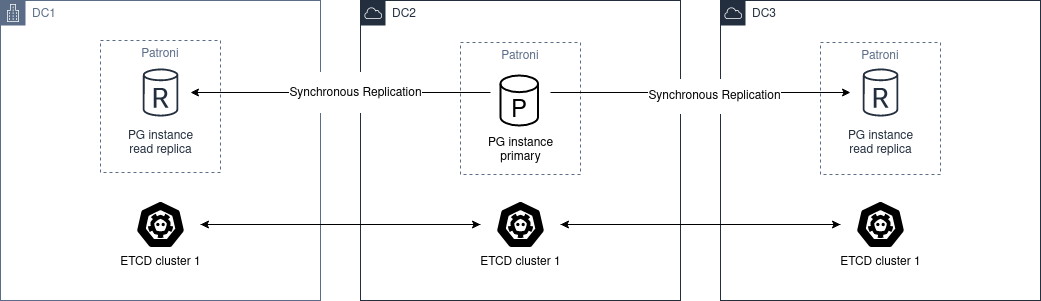
Deploy at least 3 etcd, ZooKeeper, or Consul nodes across the data centers, with one node in each zone.
Deploy at least 2 Postgres nodes in different data centers. Set synchronous_mode: true in the global dynamic configuration.
This enables synchronous replication. The primary selects one node as its synchronous standby.
Asynchronous Replication
With two data centers, use two independent etcd clusters and a Patroni standby cluster in the second data center. This is the preferred arrangement. If the first site fails, you can manually promote the standby_cluster.
The architecture diagram would be the following:
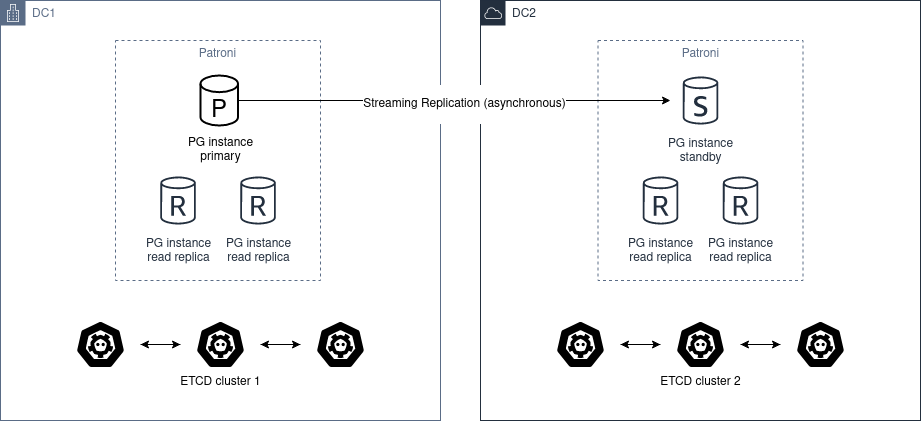
Automatic promotion is not possible because DC2 cannot determine the state of DC1.
Do not use pg_ctl promote in this scenario. To promote the healthy cluster manually, remove standby_cluster from the dynamic configuration.
If the source cluster is still up and running and you promote the standby cluster you create a split-brain.
There are two ways to restore the initial state:
- Add the standby_cluster section again to trigger
pg_rewind. For correct operation,pg_rewindrequiresdata page checksumsand/orwal_log_hintsset toon. Enable checksums with the--data-checksumsoption forinitdb. Other factors can still causepg_rewindto fail. - Rebuild the standby cluster.
Before you promote the standby cluster, manually ensure that the source cluster is down (STONITH). When DC1 recovers, convert its cluster to a standby cluster.
Before conversion, you may inspect the database manually. Extract changes made between the network failure between DC1 and DC2 and the manual shutdown of the DC1 cluster.
You may then apply these changes manually to the DC2 cluster.
24.18 - FAQ
This section answers common Patroni questions. Each subsection covers a different topic.
For more help or unexpected problems, see chatting and reporting_bugs.
Comparison with other HA solutions
Why does Patroni require a separate cluster of DCS nodes while other solutions like repmgr do not?
There are different ways of implementing HA solutions, each of them with their pros and cons.
Software like repmgr performs communication among the nodes to decide when actions should be taken.
Patroni uses DCS state as the authoritative source for its decisions.
A separate DCS cluster adds architectural complexity but reduces the risk of split-brain in your Postgres cluster.
What is the difference between Patroni and other HA solutions in regards to Postgres management?
Patroni does not just manage the high availability of the Postgres cluster but also manages Postgres itself.
If Postgres nodes do not exist, Patroni bootstraps the primary and standbys and manages their configuration. For existing nodes, Patroni takes over cluster management.
Patroni also attempts automatic recovery. After primary failure, it fails over to a replica and tries to rejoin the old primary as a replica. After replica failure, it tries to rejoin that replica.
Patroni is a template for HA solutions because it manages Postgres as a whole, including physical replication.
DCS
Can I use the same etcd cluster to store data from two or more Patroni clusters?
Yes, you can!
Information about a Patroni cluster is stored in the DCS under a path prefixed with the namespace and scope Patroni settings.
Multiple Patroni clusters can share a DCS cluster if their namespace and scope combinations are distinct.
What occurs if I attempt to use the same combination of namespace and scope for different Patroni clusters that point to the same DCS cluster?
The second cluster finds existing DCS information with an incompatible Postgres system identifier. Patroni interprets this as a different cluster and a configuration error. It stops management of the second cluster.
Make sure to use different namespace / scope when dealing with different Patroni clusters that share the same DCS cluster.
What occurs if I lose my DCS cluster?
The DCS is used to store basically status and the dynamic configuration of the Patroni cluster.
All Patroni clusters that use the lost DCS enter read-only mode unless dcs_failsafe_mode is enabled.
What should I do if I lose my DCS cluster?
There are three possible outcomes upon losing your DCS cluster:
- The DCS cluster recovers fully. Patroni needs no action and should recover after DCS recovery.
- The DCS cluster is recreated with the same endpoints. Patroni needs no configuration changes.
- A new DCS cluster has different endpoints. Update the DCS endpoints in every Patroni node’s configuration.
In scenarios 2. and 3., Patroni recreates DCS status information from current cluster state. It restores dynamic configuration from patroni.dynamic.json. Each Patroni member stores this backup in its Postgres data directory.
What occurs if I lose majority in my DCS cluster?
The DCS will become unresponsive, which will cause Patroni to demote the current read/write Postgres node.
Remember: Patroni relies on the state of the DCS to take actions on the cluster.
You can use the dcs_failsafe_mode to alleviate that situation.
patronictl
Do I need to run patronictl in the Patroni host?
No, you do not need to do that.
On a Patroni host, patronictl can use the same configuration file as the patroni agent. This is convenient if you have access to the host.
patronictl is a client and can run remotely. Configure it to reach the DCS and the REST APIs of the required Patroni members.
Why did the information from one of my Patroni members disappear from the output of patronictl_list command?
Information shown by patronictl_list is based on the contents of the DCS.
If a member disappears from the DCS, its Patroni agent probably stopped or cannot communicate with the DCS.
Without updates, member information expires from the DCS. The member then disappears from patronictl_list output.
Why is the information about one of my Patroni members not up-to-date in the output of patronictl_list command?
Information shown by patronictl_list is based on the contents of the DCS.
Patroni normally updates this information approximately every loop_wait seconds. Even during normal operation, DCS information can therefore lag by up to loop_wait seconds.
This interval is not fixed. Some Patroni operations update DCS information immediately.
Configuration
What is the difference between dynamic configuration and local configuration?
Dynamic, or global, configuration is stored in the DCS and applies to all cluster members. Store most configuration there.
Use local configuration for node-specific settings or overrides of global settings. Configure only the required member, through its configuration file or environment variables.
See more in config.
What are the types of configuration in Patroni, and what is the precedence?
The types are:
- Dynamic configuration: applied to all members;
- Local configuration: applied to the local member, overrides dynamic configuration;
- Environment configuration: applied to the local member, overrides both dynamic and local configuration.
Note: Some Postgres GUCs can only be set globally through dynamic configuration. Patroni also enforces hard-coded values for some GUCs.
See more in config.
Is there any facility to help me create my Patroni configuration file?
Yes, there is.
Use patroni --generate-sample-config to generate a sample configuration. Use patroni --generate-config to generate configuration from an existing Postgres instance.
Please refer to generate_sample_config and generate_config for more details.
I changed my parameters under bootstrap.dcs configuration but Patroni is not applying the changes to the cluster members. What is wrong?
Patroni uses bootstrap.dcs only to bootstrap a new cluster. During bootstrap, it writes these values to the DCS.
After bootstrap, change dynamic configuration through the DCS.
Refer to the next question for more details.
How can I change my dynamic configuration?
Change DCS configuration with either method:
- patronictl_edit_config; or
- A
PATCHrequest to config_endpoint.
How can I change my local configuration?
Edit the member’s configuration file and signal its Patroni agent with SIHGUP. Use one of these methods:
Send a
POSTrequest to the REST API reload_endpoint; orRun patronictl_reload; or
Locally signal the Patroni process with
SIGHUP:- With systemd, run
systemctl reload PATRONI_UNIT.service. ReplacePATRONI_UNITwith the Patroni service name. - Otherwise, find the
patroniprocess and runkill -s HUP PID. ReplacePIDwith its process ID.
- With systemd, run
Note: patronictl_reload can fail in these cases:
- Expired REST API certificates: use the
-koption of patronictl to bypass this problem. - Wrong credentials: for example, you changed
restapiorctlcredentials in a file shared by Patroni and patronictl.
How can I change my environment configuration?
The environment configuration is only read by Patroni during startup.
After an environment configuration change, restart the corresponding Patroni agent.
Avoid triggering failover during the restart. See patronictl_pause.
How can I reduce repetitive heartbeat log lines during normal operation?
To suppress repeated lines such as Lock owner: ... and no action. I am ..., set log.deduplicate_heartbeat_logs: true.
You can set it either in the Patroni YAML file (log settings) or with PATRONI_LOG_DEDUPLICATE_HEARTBEAT_LOGS=true.
This reduces log volume. It also removes per-loop heartbeat information that can help diagnose failover.
What occurs if I change a Postgres GUC that requires a reload?
After a dynamic or local configuration change, Patroni reloads the Postgres configuration.
What occurs if I change a Postgres GUC that requires a restart?
Patroni will mark the affected members with a flag of pending restart.
Choose when and how to restart affected members. Use either method:
- patronictl_restart; or
- A
POSTrequest to restart_endpoint.
Note: Some Postgres GUCs require a specific node restart order. See shared_memory_gucs.
What is the difference between etcd and etcd3 in Patroni configuration?etcd uses the API version 2 of etcd, while etcd3 uses the API version 3 of etcd.
API version 3 cannot manage data stored through version 2, and version 2 cannot manage data stored through version 3.
We recommend that you configure etcd3 instead of etcd because:
- API version 2 is disabled by default from Etcd v3.4 onward;
- API version 2 will be completely removed on Etcd v3.6.
I enabled use_slots in Patroni. When a member stays offline for some time, the upstream node drops its replication slot. How can I prevent this?
There are two options:
- Adjust
member_slots_ttl, available since Patroni4.0.0with PostgreSQL 11 or later. The default is30min. Patroni retains an absent member’s slot while its downtime is shorter than this threshold. - Configure permanent physical replication slots for the members.
Since Patroni 3.2.0, member slots can be permanent slots managed by Patroni.
Patroni creates permanent physical slots on all nodes and retains them. It advances each slot’s LSN to the LSN consumed by its member.
If you remove a member later, you must adjust permanent slot configuration. Otherwise, Patroni retains its slots indefinitely.
Note: Before Patroni 3.2.0, permanent physical member slots were managed only on the current leader. After failover or switchover, Patroni created them on the new leader. This did not guarantee that the new leader had all WAL segments required by an absent node.
Note: Patroni 3.2.0 can still have a small race condition. A new replica slot can initially be ahead of the corresponding leader slot. If nobody consumes the slot, some files can still be missing after failover. We recommend continuous archiving so you can restore required WALs or perform PITR.
What is the difference between loop_wait, retry_timeout and ttl?
Patroni regularly runs an HA cycle to check cluster health. It may then take action, such as failover to a standby.
loop_wait is the delay in seconds before Patroni starts the next HA cycle.
retry_timeout sets the timeout for DCS and Postgres retries. If the DCS remains unresponsive beyond retry_timeout seconds, Patroni may demote the primary as a protective action.
ttl is the lease duration for the DCS leader lock. The leader renews it during HA cycles. If it cannot renew the lease for longer than ttl, the lock expires and starts a leader race.
Note: Patroni enforces minimum values and a timing rule for these settings. See dynamic.
Postgres management
Can I change Postgres GUCs directly in Postgres configuration?
You can, but you should avoid that.
Patroni manages Postgres configuration. It may overwrite changes that you make directly in configuration files.
To manage settings outside Patroni, use one of these methods:
- Change Postgres GUCs through
$PGDATA/postgresql.base.conf; or - Define a
postgresql.custom_confwhich will be used instead ofpostgresql.base.confso you can manage that externally; or - Change GUCs using
ALTER SYSTEM/ALTER DATABASE/ALTER USER.
You can find more information about that in the section important_configuration_rules.
We recommend managing all Postgres configuration through Patroni. This centralizes management and makes troubleshooting easier.
Can I restart Postgres nodes directly?
No, you should not attempt to manage Postgres directly!
Restarting Postgres outside Patroni can trigger failover.
Use the management operations that Patroni provides.
Is Patroni able to take over management of an already existing Postgres cluster?
Yes, it can!
Please refer to existing_data for detailed instructions.
How does Patroni manage Postgres?
Patroni starts and stops Postgres with binaries such as pg_ctl and postgres.
You MUST disable other Postgres management services, such as postgresql.service. Only Patroni should start, stop, or promote cluster instances. Other services can cause split-brain. For example, after primary failure, an enabled postgresql.service can restart Postgres independently and create a second primary.
Concepts and requirements
Which are the applications that make part of Patroni?
Patroni provides these applications:
patroni: The agent that manages a Postgres node.- patronictl: The command-line client for switchovers, restarts, configuration changes, and other cluster operations. See patronictl for details.
What is a standby cluster in Patroni?
A standby cluster has no running primary Postgres node and no read/write member.
Standby clusters replicate data from another cluster, often across data centers.
The standby leader replicates from a remote Postgres node. Other standbys use cascading replication from that leader.
Note: The standby cluster has no other knowledge of its source cluster. It can use restore_command instead of WAL streaming and an independent DCS cluster.
Refer to standby_cluster for more details.
What is a leader in Patroni?
A leader in Patroni is like a coordinator of the cluster.
In a regular Patroni cluster, the leader will be the read/write node.
In a standby cluster, the leader, also called standby leader, replicates from a remote Postgres node. It cascades those changes to other standby cluster members.
Does Patroni require a minimum number of Postgres nodes in the cluster?
No, you can run Patroni with any number of Postgres nodes.
Remember: Patroni is decoupled from the DCS.
What does pause mean in Patroni?
Pause suspends Patroni management of Postgres.
Use pause during maintenance to prevent automatic HA actions, such as failover when you stop the primary.
You can find more information about that in pause.
Automatic failover
How does the automatic failover mechanism of Patroni work?
Patroni automatic failover is based on what we call leader race.
Patroni stores cluster status in the DCS. The leader lock contains the name of the current leader.
The leader lock has a time-to-live. If the leader does not renew its lease in time, the DCS key expires.
When the leader lock expires, a leader race starts. All nodes check whether they are the best candidate for the leader role. Some checks call the REST APIs of all other Patroni members.
Each member that considers itself the best candidate tries to acquire the leader lock. The first to acquire it becomes the read/write node or standby leader. Patroni configures the other members to follow it.
Can I temporarily disable automatic failover in the Patroni cluster?
Yes, you can!
Temporarily pause the cluster to disable automatic failover, for example during maintenance.
Unpause the cluster to resume automatic failover.
You can find more information about that in pause.
Bootstrapping and standbys creation
How does Patroni create a primary Postgres node? What about a standby Postgres node?
By default, Patroni uses initdb to bootstrap a new cluster. It uses pg_basebackup to copy the leader and create standbys.
You can define custom bootstrap and replica creation methods.
Custom methods can restore backups from tools such as pgBackRest or Barman.
For detailed information please refer to custom_bootstrap and custom_replica_creation.
Monitoring
How can I monitor my Patroni cluster?
Patroni provides these rest_api endpoints:
/metrics: Monitoring metrics in Prometheus format./patroni: Cluster status in JSON. This information is similar to the/metricsoutput.
You can use those endpoints to implement monitoring checks.
24.19 - Release notes
Source: https://patroni.readthedocs.io/en/latest/releases.html
Version 4.1.5
Released 2026-08-12
Compatibility improvements
Compatibility with PostgreSQL 14.24, 15.19, 16.15, 17.11, 18.6 (Alexander Kukushkin)
Add the new
output_plugin_librariesGUC, which restricts logical decoding output plugins.
Improvements
Log REST API connection resets at
DEBUGinstead ofWARNING(Kyle McLaren)Ensure the common “client went away mid-write” variants are silenced without affecting the handling of genuine (non-connection) errors.
Bugfixes
Fix
thread_stack_sizevalidation alignment (Sundong Kim)Changed
alignedfrom65535to65536in thethread_stack_sizeschema. Previously,patroni --validate-configrejected almost all realistic values, including the daemon default524288.Allow validation of
synchronous_modeto accept'quorum'and boolean-like strings (Eray Araz)patroni --validate-configpreviously rejectedsynchronous_modevalues such asquorumand the PostgreSQL-style boolean strings that are accepted at runtime.
Version 4.1.4
Released 2026-07-07
Bugfixes
Check
NOTIFY_SOCKETenvironment variable before usingsystemdpackage (Polina Bungina)Import and use the package only when
NOTIFY_SOCKETis set. This avoidsFileNotFoundError: [Errno 2] No such file or directory.Unify
pg_replication_slotsquery (Polina Bungina)Incorrect handling of the
failoverandsyncedvalues was resulting inKeyErrorexceptions during removal of the incorrect logical replication slots.Consider version-specific authentication parameters in configuration generation (Polina Bungina)
patroni --generate-confignow removes authentication parameters that do not apply to the connected PostgreSQL version. These parameters could be inherited accidentally from the environment.Handle
pg_rewindwhile a PostgreSQL instance is starting as a standby (Alexander Kukushkin)Fallback to
pg_controldatainformation when a PostgreSQL instance is running but is not yet accepting connections.Fix Prometheus metric type for
patroni_postgres_timeline(Huseyin Demir)Changed
patroni_postgres_timelinefromcountertogauge. The value can decrease, for example to 0 when PostgreSQL stops.Don’t stop watchdog until client backends are fully stopped (Alexander Kukushkin)
If
primary_stop_timeoutwas below the minimum watchdog timeout and expired, Patroni disabled the watchdog before all client backends exited.Handle statement timeout error for monitoring query (Alexander Kukushkin)
After a statement timeout, use the cached role to avoid primary demotion. Force
pg_stat_statements.tracktononefor monitoring queries to avoid expensivepg_stat_statementsgarbage collection.Drop Patroni-managed replication slots with
wal_status=lost(Alexander Kukushkin)Replication slots with
wal_status=lostare no longer usable. Patroni will now drop such slots and recreate them if needed.Fix role representation in patronictl member validation error (Polina Bungina)
Ensures the correct string representation is used within the exception message, preventing errors from being formatted like
Error: No CtlPostgresqlRole.REPLICA among provided members.
Version 4.1.3
Released 2026-05-05
Stability improvements
Properly handle mislabeled Etcd error (Ants Aasma)
Current Etcd versions raise
Unknownerror when Etcd leader is lost while updating the lease. Patroni will now override the reported error code toUnavailable.
Bugfixes
Use binary version when
PG_VERSIONfile does not exist (Polina Bungina)Custom bootstrap and other cases may have no
PG_VERSIONfile. Patroni treated the version as 0.0, which broke version-specific logic. It now tries to read the binary version.Refactor logger initialization to avoid missing early log messages (Alexander Kukushkin)
Create
PatroniLoggerbefore loadingConfigto capture early log messages.Include
MONOTONIC_USECinRELOADING=1systemd notification (Alexander Kukushkin)systemd 257+ requires
MONOTONIC_USECalongsideRELOADING=1forType=notify-reloadservices. Without it,systemctl reloadhangs indefinitely.
Improvements
Skip single-user crash recovery when
backup_labelexists (Vadim Ponomarev)For replicas restored from external backup without a custom bootstrap method, skip single-user crash recovery. Let PostgreSQL recover during normal startup.
Warn when running under
systemdwithoutpython-systemdpackage (Alexander Kukushkin)Check
NOTIFY_SOCKETbefore warning about a missingpython-systemdpackage. Warn only when actually running undersystemd, instead of always logging “systemd integration is not supported” at startup.
Version 4.1.2
Released 2026-04-21
Systemd support improvements
Add support for
notify-reloadsystemd unit type (Ronan Dunklau)Allows
systemctl reloadto wait until Patroni has actually processed the configuration reload by sendingRELOADING=1andREADY=1notifications to systemd.Send
STOPPING=1notification to systemd on shutdown (Alexander Kukushkin)Patroni now properly notifies systemd that it is shutting down, following the systemd notify protocol.
Do not let PostgreSQL to notify systemd (Alexander Kukushkin)
Removed
NotifyAccess=allfrom the example unit. FilterNOTIFY_SOCKETwhen starting PostgreSQL so it cannot sendREADY=1orSTOPPING=1. Existing PostgreSQL processes may already haveNOTIFY_SOCKETwhen Patroni takes control. During their shutdown, reassertREADY=1to counteractSTOPPING=1.
Version 4.1.1
Released 2026-04-08
Stability improvements
Compatibility with threading changes in python 3.11+ (Alexander Kukushkin)
Avoid starting/stopping threads at runtime. Introduce thread pools for REST API and for executing async tasks. Allow configuring global
thread_pool_sizeandrestapi.thread_pool_size.Compatibility with python 3.14 (Alexander Kukushkin)
Run tests against python 3.14 and fix compatibility issues.
Compatibility with Etcd security fixes in v3.6.9, v3.5.28, and v3.4.42 (Alexander Kukushkin)
These Etcd security releases require authentication for topology reads and lease keepalive. Patroni now authenticates both operations. It also reauthenticates after authentication failures and retries requests.
Improvements for Etcd3 error handling (Alexander Kukushkin)
Handle broken JSON responses, be flexible in how JSON error is parsed, and improve reporting for etcd internal errors.
Bugfixes
Retry leader update on temporary Kubernetes
403error (Sophia Ruan, Alexander Kukushkin)After a temporary Kubernetes
403 Permission Denied, Patroni checks whether the node still holds leadership. It retries leader updates withinretry_timeoutinstead of immediately demoting. Temporary RBAC failures are one possible cause.Fix issue with renaming leader node in sync mode and pause (Alexander Kukushkin)
/synckey wasn’t updated after renaming the leader node with Patroni restart in pause (without Postgres restart). It prevented Patroni from promoting after the next restart without pause.Trigger
pg_rewindcheck when the same primary increased timeline (Alexander Kukushkin)Single-user crash recovery followed by promotion after leader lock acquisition can increase the same primary’s timeline. Other replicas may be isolated from the DCS during this sequence. They did not trigger the
pg_rewindstate machine because the leader andprimary_conninfowere unchanged.Only write superuser password during
initdbbootstrap if it is non-empty (Michael Banck)Writing an empty password during
initdbbootstrap was causing issues.Fix bug with
failover_prioritywithsynchronous_mode=on(Alexander Kukushkin)tag.failover_priorityvalues were ignored whensynchronous_node_count > 1.Fix bug with
primary_conninfopassword comparison (Alexander Kukushkin)Since PostgreSQL 10, Patroni uses a passfile in
primary_conninfo. It failed to update that file after a YAML replication password change and reload.Don’t restart replica with
nofailovertag in pause mode (Alexander Kukushkin)Patroni used to start a manually shut down PostgreSQL replica in pause mode when it had
nofailovertag set totrue.Fix
check_recovery_conf()when PostgreSQL is in the starting state (Alexander Kukushkin)PostgreSQL v12 and later cannot answer
pg_settingsqueries before accepting connections. Patroni now records missing recovery parameters internally when it writespostgresql.conf. It also restores thePostgresql.is_starting()check inHa.is_healthiest_node().Validate user options in dictionary format for
initdb/basebackup(m4rrypro)Dictionary-form
initdborbasebackupoptions bypassedoption_is_allowed()validation. This permitted blocked options, unlike list-form options.Allow server-side compression for
basebackupoption (m4rrypro)Previously,
basebackupblockedcompressentirely. PostgreSQL 15 introduced server-side compression compatible with plain output. Patroni now permits this form but still rejects client-side compression.Don’t reload PostgreSQL config while running custom bootstrap (Alexander Kukushkin)
Custom bootstrap can start and stop PostgreSQL multiple times. Reloading its configuration during this process could cause unexpected behavior.
Check that
postgresql.parametersis a dictionary (Alexander Kukushkin)Discard new config if
postgresql.parametersis not a dictionary.
Version 4.1.0
Released 2025-09-23
New features
Add support for systemd “notify” unit type (Ronan Dunklau)
Without a notify unit, systemd could send SIGHUP immediately after starting Patroni. The signal could kill Patroni before it installed signal handlers.
Provide receive and replay LSN/lag information in API and ctl (Polina Bungina)
Patroni REST API
/clusterendpoint andpatronictl listcommand now provide receive LSN, replay LSN, receive lag, and replay lag information for each replica member.Ensure clean demotion to standby cluster (Polina Bungina)
Make sure the introduction of the standby_cluster section in the dynamic configuration leads to a clean cluster demotion.
Implement
patronictl demote-clusterandpromote-clustercommands (Polina Bungina)New commands for cluster demotion and promotion handle both the dynamic configuration editing and checking the result status.
Implement
sync_prioritytag (Polina Bungina)This parameter controls the priority a member should have during synchronous replica selection when synchronous_mode is set to
on.Implement
--printoption for--validate-config(Polina Bungina)Print out local configuration (including environment configuration overrides) after it has been successfully validated.
Implement
kubernetes.bootstrap_labels(Polina Bungina)Define pod labels for these states:
initializing new cluster,running custom bootstrap script,starting after custom bootstrap, orcreating replica.Add configuration option to suppress duplicate heartbeat logs (Michael Morris)
If set to
true, successive heartbeat logs that are identical shall not be output.Add optional
cluster_typeattribute to permanent replication slots (Michael Banck)This allows you to set whether a particular permanent replication slot should always be created, or just on a primary or standby cluster.
Make HTTP Server header configurable (David Grierson)
Introduce the
restapi.server_tokensconfiguration parameter that allows you to restrict information disclosed in the HTTP Server header.Implement readiness API checks for replication on replica members (Ants Aasma)
Previously, a replica became ready as soon as PostgreSQL started. It now requires active replication and sufficiently low lag behind the leader.
Improvements
Reduce log level of watchdog configuration failure (Ants Aasma)
Show the
Could not activate Linux watchdog devicelog line on debug logging level, unless the watchdog is configured withrequiredmode. It was previously shown on info level.Take advantage of
written_lsnandlatest_end_lsnfrompg_stat_wal_receiver(Alexander Kukushkin)Prefer
written_lsn, the write LSN, overpg_last_wal_receive_lsn(), which returns the flush LSN.latest_end_lsnidentifies the source host’s WAL flush position. For primary sources, this improves replay lag calculations over DCS values updated everyloop_waitseconds.Avoid interactions with slots created with the
failover=trueoption (Alexander Kukushkin)This change is required to make the logical failover slots feature fully functional.
Add PostgreSQL state to
/metricsREST API endpoint (Ivan Filianin)PostgreSQL instance state information is now available in the Prometheus format output of the
/metricsREST API endpoint.
Version 4.0.7
Released 2025-09-22
New features
Add support for PostgreSQL 18 RC1 (Alexander Kukushkin)
GUC’s validator rules were extended. Patroni now properly handles the new background I/O worker.
Bugfixes
Fix potential issue around resolving localhost to IPv6 on Windows (András Váczi)
PostgreSQL
listen_addressesvalues0.0.0.0and127.0.0.1allow only IPv4. Windows often resolveslocalhostto IPv6::1. Patroni now uses127.0.0.1instead oflocalhoston Windows to avoid this mismatch.Return global config only when
/configkey exists in DCS (Alexander Kukushkin)Patroni REST API was returning an empty configuration instead of raising an error if the
/configkey was missing in DCS.Fix the issue of failsafe mode not being triggered in case of Etcd unavailability (Alexander Kukushkin)
Patroni was not always properly handling
etcd3exceptions, which resulted in failsafe mode not being triggered.Fix signal handler reentrancy deadlock (Waynerv)
Patroni running in a Docker container with
PID=1in some special cases was experiencing deadlock after receivingSIGCHLD.Recreate (permanent) physical slot when it doesn’t reserve WAL (Israel Barth Rubio)
Physical slots created outside Patroni without WAL reservation caused
replication slot cannot be advanced. Patroni now recreates them.Handle watch cancellation messages in
etcd3properly (Alexander Kukushkin)etcd3watch cancellation leaves the connection open, which caused Patroni to use stale data. Patroni now stops reading the chunked response and closes the connection.Handle case when
HTTPConnectionsocket is wrapped withpyopenssl(Alexander Kukushkin)Patroni was not correctly using
pyopensslinterfaces, enforced inpython-etcd.
Documentation improvements
Improve 2-node cluster guidance (Nikolay Samokhvalov)
Clarify behaviour during failover and DCS requirements.
Version 4.0.6
Released 2025-06-06
Bugfixes
Fix bug in failover from a leader with a higher priority (Alexander Kukushkin)
Make sure Patroni ignores the former leader with higher priority when it reports the same
LSNas the current node.Fix permissions for the
postgresql.conffile created outside ofPGDATA(Michael Banck)Respect the system-wide umask value when creating the
postgresql.conffile outside of thePGDATAdirectory.Fix bug with switchover in
synchronous_mode=quorum(Alexander Kukushkin)Do not check quorum requirements when a candidate is specified.
Ignore stale Etcd nodes by comparing cluster term (Alexander Kukushkin)
Memorize the last known “raft_term” of the Etcd cluster, and when executing client requests, compare it with the “raft_term” reported by an Etcd node.
Update PostgreSQL configuration files on
SIGHUP(Alexander Kukushkin)Previously, Patroni was only replacing PostgreSQL configuration files if a change in global or local configuration was detected.
Properly handle
Unavailableexception raised byetcd3(Alexander Kukushkin)Patroni used to retry such requests on the same
etcd3node, while switching to another node is a better strategy.Improve
etcd3lease handling (Alexander Kukushkin)Make sure Patroni refreshes the
etcd3lease at least once per HA loop.Recheck annotations on 409 status code when attempting to acquire leader lock (Alexander Kukushkin)
Implement the same behavior as was done for the leader object read in Patroni version 4.0.3.
Consider
replay_lsnwhen advancing slots (Polina Bungina)Do not advance replica slots beyond
replay_lsn. Advance a slot toreplay_lsnif it exceeds the slot’s replicaconfirmed_flush_lsnbut remains below its primaryLSN.Make sure
CHECKPOINTis executed after promote (Alexander Kukushkin)An unfinished
CHECKPOINTcould prevent checkpoint task reset on demotion. The next promotion then used a staleresult.Avoid running “offline” demotion concurrently (Alexander Kukushkin)
During slow shutdown, the next heartbeat could enter DCS error handling again. This logged
AsyncExecutor is busy, demoting from the main threadand started another offline demotion.Normalize the
data_dirvalue before renaming the data directory on initialization failure (Waynerv)Prevent a trailing slash in the
data_dirparameter value from breaking the renaming process after an initialization failure.Check that
synchronous_standby_namescontains the expected value (Alexander Kukushkin)Non-quorum synchronous replication did not verify the actual
synchronous_standby_namesvalue. A stale value could remain whenpg_stat_replicationwas a subset of it.
Version 4.0.5
Released 2025-02-20
Stability improvements
Compatibility with
python-json-logger>=3.1(Alexander Kukushkin)Get rid of the warnings produced by the old API usage.
Compatibility with Python 3.13 (Alexander Kukushkin)
Run tests against Python 3.13.
Compatibility with
pyinstaller>=4.4(Joe Jensen)Fall back to the default
iter_modulesifpyinstallertocattribute is not present.Fix issues with PostgreSQL 9.5 support (Alexander Kukushkin)
- Properly handle
pg_rewindoutput format. - Consider
synchronous_standby_namesformat not supporting “num” specification.
- Properly handle
Compatibility with the latest changes in
urlparse(Alexander Kukushkin)urlparseno longer accepts multiple hosts with[]in URLs. Use nativePQconninfoParse()wrappers fromlibpqwhere possible. Keep the internal implementation only for olderpsycopg2versions linked to outdatedlibpq.
Bugfixes
Show only the members to be restarted upon restart confirmation (András Váczi)
Previously, when doing
patronictl restart <clustername> --pending, the confirmation listed all members, regardless of whether their restart is pending.Cancel long-running jobs on Patroni stop and remove data directory on replica bootstrap failure (Alexander Kukushkin)
Previously, Patroni could be doing replica bootstrap, while
pg_basebackup/wal-g/pgBackRest/barmanor similar keep running.Properly handle cluster names with a slash in
patronictl edit-config(Antoni Mur)Replace a forward slash in
cluster_namewith an underscore.Avoid dropping physical slots too early (Alexander Kukushkin)
After failover, delay removal of physical slots containing
xmin. On the new primary, wait for promotion. On replicas, wait for a cluster leader.Handle all exceptions raised by subprocess in
controldata()(Alexander Kukushkin)Patroni was not properly handling all exceptions possibly raised when calling
pg_controldatautility.Fix bug with a slot for a former leader not retained on failover (Alexander Kukushkin)
Avoid falsely relying on members being present in DCS, while on failover
/memberkey for the former leader is expiring exactly at the same time.Fix a couple of bugs in the quorum state machine (Alexander Kukushkin)
- Before demotion, include quorum requirements when checking for healthy leader-race candidates. Otherwise, the former leader could enter recovery with only asynchronous nodes around it.
QuorumStateResolvermishandled a replica that joined and disconnected quickly.
Improvements
Improve error on am empty or non-dictionary configuration file (Julian)
Throw a more explicit exception when validating if Patroni configuration file contains a valid
Mappingobject.
Version 4.0.4
Released 2024-11-22
Stability improvements
Add compatibility with the
py-consulmodule (Alexander Kukushkin)python-consulmodule is unmaintained for a long time, whilepy-consulis the official replacement. Backward compatibility with python-consul is retained.Add compatibility with the
prettytable>=3.12.0module (Alexander Kukushkin)Address deprecation warnings.
Compatibility with the
ydiff==1.4.2module (Alexander Kukushkin)Fix compatibility issues for the latest version, constrain version in
requirements.txt, and introduce latest version compatibility test.
Bugfixes
Run
on_role_changecallback after a failed primary recovery (Polina Bungina, Alexander Kukushkin)Also run the
on_role_changecallback when a primary fails to start after a crash. This increases the chance of callback execution, even if the subsequent start as a replica fails.Fix a thread leak in
patronictl list -W(Alexander Kukushkin)Cache DCS instance object to avoid thread leak.
Ensure only supported parameters are written to the connection string (Alexander Kukushkin)
Patroni previously passed parameters from newer versions to the connection string. These parameters caused connection errors.
Version 4.0.3
Released 2024-10-18
Bugfixes
Disable
pgauditwhen creating users not to expose password (kviset)Patroni was logging
superuser,replication, andrewindpasswords on their creation whenpgauditextension was enabled.Fix issue with mixed setups: primary on pre-Patroni v4 and replicas on v4+ (Alexander Kukushkin)
If the leader runs Patroni before 4.0.0, use
xlog_locationfrom the/memberskey. Do not try to get the member’s slot position from the/statuskey. The previous behavior caused WAL accumulation on replicas.Do not ignore valid PostgreSQL GUCs that don’t have Patroni validator (Polina Bungina)
Still check against
postgres --describe-configif a GUC does not have a Patroni validator but is, in fact, a valid GUC.
Improvements
Recheck annotations on 409 status code when reading leader object in K8s (Alexander Kukushkin)
Avoid an additional update if
PATCHrequest was canceled by Patroni, while the request successfully updated the target.Add support of
sslnegotiationclient-side connection option (Alexander Kukushkin)sslnegotiationwas added to the final PostgreSQL 17 release.
Version 4.0.2
Released 2024-09-17
Bugfixes
Handle exceptions while discovering configuration validation files (Alexander Kukushkin)
Skip directories for which Patroni does not have sufficient permissions to perform list operations.
Make sure inactive hot physical replication slots don’t hold
xmin(Alexander Kukushkin, Polina Bungina)Since version 3.2.0, Patroni creates physical replication slots for all members on replicas. It periodically advances them with
pg_replication_slot_advance(). Ifhot_standby_feedbackis enabled and the primary becomes a replica, the inactive slots can retain aNOT NULLxminvalue. This value propagates to the new primary and prevents thexminhorizon from advancing. Vacuum then cannot remove dead tuples. Patroni now recreates slots that should be inactive but have aNOT NULLxminvalue.Fix unhandled
DCSErrorduring the startup phase (Waynerv)Ensure DCS connectivity before trying to check the uniqueness of the node name.
Explicitly include
CMDLINE_OPTIONSGUCs when queryingpg_settings(Alexander Kukushkin)When Patroni joins a running standby, restore all GUCs passed to postmaster as command line parameters. This follows the fix in Patroni 3.2.2.
Fix bug in
synchronous_standby_namesquoting logic (Alexander Kukushkin)PostgreSQL documentation requires double quotes around the
ANYandFIRSTkeywords. Patroni previously omitted these quotes.Fix keepalive connection out-of-range issue (hadizamani021)
Calculate the
keepaliveoption fromttl. Ensure that the result does not exceed the maximum value for the current platform.
Version 4.0.1
Released 2024-08-30
Bugfix
Patroni was creating unnecessary replication slots for itself (Alexander Kukushkin)
It was happening if
namecontains upper-case or special characters.
Version 4.0.0
Released 2024-08-29
- This version replaces the term “master” with “primary”. This introduces breaking changes. Read the release notes carefully. Reliable upgrades to Patroni 4+ require Patroni 3.1.0 or newer. Direct upgrades from older versions are possible. However, unexpected behavior can occur if the primary fails while other nodes run different Patroni versions.
Breaking changes
- The following breaking changes were introduced when getting rid of the non-inclusive “master” term in the Patroni code:
- On Kubernetes, Patroni sets the
rolelabel toprimaryby default. To retain the old behavior, setkubernetes.leader_label_valueandkubernetes.standby_leader_label_valuetomaster. This avoids downtime or long, complex migrations. Read more here. - Patroni role is written to DCS as
primaryinstead ofmaster. - Patroni role returned by Patroni REST API has been changed from
mastertoprimary. - Patroni REST API no longer accepts
role=masterin requests to/switchover,/failover,/restartendpoints. /metricsREST API endpoint will no longer reportpatroni_mastermetric.- patronictl no longer accepts
--masteroption for any command.--leaderor--primaryoptions should be used instead. no_masteroption in the declarative configuration of custom replica creation methods is no longer treated as a special option, please useno_leaderinstead.patroni_wale_restorescript doesn’t accept--no_masteroption anymore.patroni_barmanscript doesn’t accept--role=masteroption anymore.- All callback scripts are executed with
role=primaryoption passed instead ofrole=master.
- On Kubernetes, Patroni sets the
patronictl failoverdoes not accept--leaderoption that was deprecated since Patroni 3.2.0.- User creation functionality (
bootstrap.usersconfiguration section) deprecated since Patroni 3.2.0 has been removed.
New features
Quorum-based failover (Ants Aasma, Alexander Kukushkin)
This feature implements quorum-based synchronous replication, available from PostgreSQL v10. It reduces worst-case latency, even during normal operation. Other standbys can compensate for slower replication to one standby. Patroni adds safeguards against user-visible data loss. It selects the failover candidate based on the latest transaction received.
Register Citus secondaries in
pg_dist_node(Alexander Kukushkin)Patroni now maintains the list of nodes with
role==replica,state==runningand withoutnoloadbalancetag inpg_dist_node.Configurable retention of members’ replication slots (Alexander Kukushkin)
The global
member_slots_ttlparameter controls how long Patroni retains member replication slots when the member key is absent.Make permissions of log files created by Patroni configurable (Alexander Kukushkin)
You can set specific permissions for log files that Patroni creates. If you do not specify permissions, Patroni uses the current
umaskvalue.Compatibility with PostgreSQL 17 beta3 (Alexander Kukushkin)
GUC validation rules now support PostgreSQL 17 beta3. Patroni handles all new auxiliary backends during shutdown. It also sets
dbnameinprimary_conninfo, as required for logical replication slot synchronization.Implement
--ignore-listen-portoption for Patroni config validation (Sahil Naphade)Make it possible to ignore already bound ports when running
patroni --validate-config.
Improvements
Make
wal_log_hintsconfigurable (Paul_Kim)When
use_pg_rewindisoff, you can disablewal_log_hintsto avoid its overhead.Log
pg_basebackupcommand inDEBUGlevel (Waynerv)Facilitates failed initialization debugging.
Bugfixes
Advance permanent slots for cascading nodes while in failsafe (Alexander Kukushkin)
When failsafe mode is active, advance slots for cascading replicas on the primary. Replica responses to
POST /failsafenow include theirxlog_locationfor this purpose.Don’t let the current node be chosen as synchronous (Alexander Kukushkin)
A client can stream from the current primary with an
application_namethat matches the primary name. Patroni previously handled this incorrectly. It could declare the primary as a synchronous node and block switchovers.Ignore
restapi.allowlist_include_membersfor POST /failsafe (Alexander Kukushkin)Improve GUCs validation (Polina Bungina)
Patroni previously validated GUCs with
postgres --describe-config. As a result, its configuration could not set GUCs absent from that output. This limitation is removed.Add line with
localhostto.pgpassfile when unix sockets are detected (Alexander Kukushkin)If
hoststarts with/, Patroni adds a line to the.pgpassfile. This handles the case wherehostmatches the default socket directory path.Fix logging issues (Waynerv)
Defined proper request URL in failsafe handling logs and fixed the order of timestamps in postmaster check log.
Version 3.3.2
Released 2024-07-11
Bugfixes
Fix plain Postgres synchronous replication mode (Israel Barth Rubio)
Plain Postgres synchronous replication did not work after Patroni introduced synchronous_mode. Patroni now uses the user-configured
synchronous_standby_namesvalue when synchronous_mode is disabled.Handle logical slots invalidation on a standby (Polina Bungina)
Since PG16, the horizon can invalidate logical replication slots on a standby. Patroni now forces a copy to recreate these invalidated slots.
Fix race condition with logical slot advance and copy (Alexander Kukushkin)
This bug could cause repeated copies of an invalidated logical replication slot, with a PostgreSQL restart for each copy.
Version 3.3.1
Released 2024-06-17
Stability improvements
Compatibility with Python 3.12 (Alexander Kukushkin)
Handle a new attribute added to
logging.LogRecord.
Bugfixes
Fix infinite recursion in
replicatefromtags handling (Alexander Kukushkin)As a part of this fix, also improve
is_physical_slot()check and adjust documentation.Fix wrong role reporting in standby clusters (Alexander Kukushkin)
synchronous_standby_namesand synchronous replication work only on a real primary node. Postgres ignores them for cascading replication. Before this fix,patronictl listandGET /clusterincorrectly reported some nodes as synchronous.Fix availability of the
allow_in_place_tablespacesGUC (Polina Bungina)allow_in_place_tablespaceswas not only added to PostgreSQL 15 but also backpatched to PostgreSQL 10-14.
Version 3.3.0
Released 2024-04-04
All older Partoni versions are not compatible with ydiff>=1.3.
There are the following options available to “fix” the problem:
- upgrade Patroni to the latest version
- install
ydiff<1.3after installing Patroni - install
cdiffmodule
New features
Add ability to pass
auth_datato Zookeeper client (Aras Mumcuyan)It allows to specify the authentication credentials to use for the connection.
Add a contrib script for
Barmanintegration (Israel Barth Rubio)The
patroni_barmanapplication performs remoteBarmanoperations. It can serve as a custom bootstrap method, a custom replica method, or anon_role_changecallback. See the integration documentation for more information.Support
JSONlog format (alisalemmi)Apart from
plain(default), Patroni now also supportsjsonlog format. Requirespython-json-logger>=2.0.2library to be installed.Show
pending_restart_reasoninformation (Polina Bungina)Show more information about PostgreSQL parameters that set the
pending_restartflag.patronictl listand the/patroniREST API endpoint now show parameter names and their differences aspending_restart_reason.Implement
nostreamtag (Grigory Smolkin)If
nostreamistrue, the node does not use the replication protocol to stream WAL. It uses archive recovery ifrestore_commandis configured. The tag also disables permanent logical replication slot copying and synchronization on this node and all its cascading replicas.
Improvements
Implement validation of the
logsection (Alexander Kukushkin)Until now validator was not checking the correctness of the logging configuration provided.
Improve logging for PostgreSQL parameters change (Polina Bungina)
Convert old values to a human-readable format and log information about the
pg_controldatavs Patroni global configuration mismatch.
Bugfixes
Properly filter out not allowed
pg_basebackupoptions (Israel Barth Rubio)Patroni did not correctly filter forbidden options for the
basebackupreplica bootstrap method when they used the- setting: valueformat.Fix
etcd3authentication error handling (Alexander Kukushkin)Retry an
etcd3authentication error once, unless authentication occurred immediately before the request. Do not restart watchers during reauthentication.Improve logic of the validator files discovery (Waynerv)
Use
importliblibrary to discover the files with available configuration parameters when possible (for Python 3.9+). This implementation is more stable and doesn’t break the Patroni distributions based onziparchives.Use
target_session_attrsonly when multiple hosts are specified in the standby_cluster section (Alexander Kukushkin)target_session_attrs=read-writeis now added to theprimary_conninfoon the standby leader node only whenstandby_cluster.hostsection contains multiple hosts separated by commas.Add compatibility code for
ydifflibrary version 1.3+ (Alexander Kukushkin)Patroni uses a nonpublic API from
ydiff. This API belongs to a terminal tool, not a Python module interface. The API change in version 1.3 broke older Patroni versions.
Version 3.2.2
Released 2024-01-17
Bugfixes
Don’t let replica restore initialize key when DCS was wiped (Alexander Kukushkin)
It was happening in the method where Patroni was supposed to take over a standalone PG cluster.
Use consistent read when fetching just updated sync key from Consul (Alexander Kukushkin)
Consul cannot immediately return
ModifyIndexfor a key that was just updated. Patroni must read the key explicitly. The default permits stale reads, so Patroni sometimes received an outdated key version.Reload Postgres config if a parameter that requires restart was reset to the original value (Polina Bungina)
Previously Patroni wasn’t updating the config, but only resetting the
pending_restart.Fix erroneous inverted logic of the confirmation prompt message when doing a failover to an async candidate in synchronous mode (Polina Bungina)
The problem existed only in patronictl.
Exclude leader from failover candidates in patronictl (Polina Bungina)
If the cluster is healthy, failing over to an existing leader is no-op.
Create Citus database and extension idempotently (Alexander Kukushkin, Zhao Junwang)
This allows the
post_bootstrapscript to create the Citus database and extension when the database needs additional dependencies.Don’t filter our contradictory
nofailovertag (Polina Bungina)A node with
{nofailover: false, failover_priority: 0}could not participate in the leader race. It should have been eligible becausenofailovertakes precedence.Fixed PyInstaller frozen issue (Sophia Ruan)
The
freeze_support()was called afterargparseand as a result, Patroni wasn’t able to start Postgres.Fixed bug in the config generator for patronictl and Citus configuration (Israel Barth Rubio)
It prevented patronictl and Citus configuration parameters set via environment variables from being written into the generated config.
Restore recovery GUCs and some Patroni-managed parameters when joining a running standby (Alexander Kukushkin)
Patroni was failing to restart Postgres v12 onwards with an error about missing
portin one of the internal structures.Fixes around
pending_restartflag (Polina Bungina)Do not expose
pending_restartduring custom bootstrap withrecovery_target_action = promote. Also omit it when an external change affectshot_standbyorwal_log_hints, for example throughALTER SYSTEM.
Version 3.2.1
Released 2023-11-30
Bugfixes
Limit accepted values for
--formatargument in patronictl (Alexander Kukushkin)It used to accept any arbitrary string and produce no output if the value wasn’t recognized.
Verify that replica nodes received checkpoint LSN on shutdown before releasing the leader key (Alexander Kukushkin)
Previously, Patroni sometimes used the LSN of the SWITCH record. With archiving enabled, a CHECKPOINT record follows this record. As a result, the former primary sometimes needed
pg_rewind. This did not cause data loss.Do a real HTTP request when performing node name uniqueness check (Alexander Kukushkin)
In containers, traffic can pass through
docker-proxy, which listens on the port and accepts connections. This caused false positives in the uniqueness check.Fixed Citus support with Etcd v2 (Alexander Kukushkin)
Patroni was failing to deploy a new Citus cluster with Etcd v2.
Fixed
pg_rewindbehavior with Postgres v16+ (Alexander Kukushkin)The error message format of
pg_waldumpchanged in v16 which causedpg_rewindto be called by Patroni even when it was not necessary.Fixed bug with custom bootstrap (Alexander Kukushkin)
Patroni was falsely applying
--commandargument, which is a bootstrap command itself.Fixed the issue with REST API health check endpoints (Sophia Ruan)
There were chances that after Postgres restart it could return
unknownstate for Postgres because connections were not properly closed.Cache
postgres --describe-configoutput results (Waynerv)These results identify the GUCs available for PostgreSQL configuration validation. The list is not expected to change while Patroni runs.
Version 3.2.0
Released 2023-10-25
Deprecation notice
- The
bootstrap.userssupport will be removed in version 4.0.0. If you need to create users after deploying a new cluster please use thebootstrap.post_bootstraphook for that.
Breaking changes
Enforce
loop_wait + 2*retry_timeout <= ttlrule and hard-code minimal possible values (Alexander Kukushkin)The minimum values are
loop_wait=2,retry_timeout=3, andttl=20. Patroni adjusts values below these minimums or values that violate the rule. It writes a warning to its logs.
New features
Failover priority (Mark Pekala)
With the help of
tags.failover_priorityit’s now possible to make a node more preferred during the leader race. More details in the documentation (ref tags).Implemented
patroni --generate-config [--dsn DSN]andpatroni --generate-sample-config(Polina Bungina)It allows to generate a config file for the running PostgreSQL cluster or a sample config file for the new Patroni cluster.
Use a dedicated connection to Postgres for Patroni REST API (Alexander Kukushkin)
It helps to avoid blocking the main heartbeat loop if the system is under stress.
Enrich some endpoints with the
nameof the node (sskserk)For the monitoring endpoint
nameis added next to thescopeand for metrics endpoint thenameis added to tags.Ensure strict failover/switchover difference (Polina Bungina)
Be more precise in log messages and allow failing over to an asynchronous node in a healthy synchronous cluster.
Make permanent physical replication slots behave similarly to permanent logical slots (Alexander Kukushkin)
Create permanent physical replication slots on all nodes eligible to become leader. On standby nodes, use
pg_replication_slot_advance()to advance the slots’restart_lsn.Add capability of specifying namespace through
--dcsargument in patronictl (Israel Barth Rubio)It could be handy if patronictl is used without a configuration file.
Add support for additional parameters in custom bootstrap configuration (Israel Barth Rubio)
Previously it was only possible to add custom arguments to the
commandand now one could list them as a mapping.
Improvements
Set
citus.local_hostnameGUC to the same value which is used by Patroni to connect to the Postgres (Alexander Kukushkin)There are cases when Citus wants to have a connection to the local Postgres. By default it uses
localhost, which is not always available.
Bugfixes
Ignore synchronous_mode setting in a standby cluster (Polina Bungina)
Postgres doesn’t support cascading synchronous replication and not ignoring synchronous_mode was breaking a switchover in a standby cluster.
Handle SIGCHLD for
on_reloadcallback (Alexander Kukushkin)Not doing so results in a zombie process, which is reaped only when the next
on_reloadis executed.Handle
AuthOldRevisionerror when working with Etcd v3 (Alexander Kukushkin, Kenny Do)The error is raised if Etcd is configured to use JWT and when the user database in Etcd is updated.
Version 3.1.2
Released 2023-09-26
Bugfixes
Fixed bug with
wal_keep_sizechecks (Alexander Kukushkin)The
wal_keep_sizeGUC normally has a unit. Patroni failed to cast its value toint. As a result, it did not write thebootstrap.dcsvalue to the/configkey.Detect and resolve inconsistencies between
/synckey andsynchronous_standby_names(Alexander Kukushkin)Patroni normally updates
/syncandsynchronous_standby_namesin a specific order. A bug or a manual reset ofsynchronous_standby_namescould make this state inconsistent. Failover to an asynchronous node was then possible.Read GUC’s values when joining running Postgres (Alexander Kukushkin)
When restarted in pause, Patroni removed
synchronous_standby_namesfrompostgresql.conf. Patroni now reads GUC values when it joins a running Postgres instance. This resolves the issue and helps prevent similar issues.Silenced annoying warnings when checking for node uniqueness (Alexander Kukushkin)
WARNINGmessages are produced byurllib3if Patroni is quickly restarted.
Version 3.1.1
Released 2023-09-20
Bugfixes
Reset failsafe state on promote (ChenChangAo)
A switchover or failover could occur shortly after failsafe mode started. The new primary then demoted itself when failsafe mode became inactive.
Silence useless warnings in patronictl (Alexander Kukushkin)
patronictl could show incorrect warnings about global configuration values. This occurred when it used the same patroni.yaml file as Patroni and could access
PGDATA.Explicitly enable synchronous mode for a corner case (Alexander Kukushkin)
Synchronous mode effectively was never activated if there are no replicas streaming from the primary.
Fixed bug with
0integer values validation (Israel Barth Rubio)In most cases, it didn’t cause any issues, just warnings.
Don’t return logical slots for standby cluster (Alexander Kukushkin)
Patroni can’t create logical replication slots in the standby cluster, thus they should be ignored if they are defined in the global configuration.
Avoid showing docstring in
patronictl --helpoutput (Israel Barth Rubio)The
clickmodule needs to get a special hint for that.Fixed bug with
kubernetes.standby_leader_label_value(Alexander Kukushkin)This feature effectively never worked.
Returned cluster system identifier to the
patronictl listoutput (Polina Bungina)Citus support introduced this problem. Citus requires a hidden system identifier because the coordinator and each worker have different identifiers.
Override
write_leader_optimemethod in Kubernetes implementation (Alexander Kukushkin)The method is supposed to write shutdown LSN to the leader Endpoint/ConfigMap when there are no healthy replicas available to become the new primary.
Don’t start stopped postgres in pause (Alexander Kukushkin)
Due to a race condition, Patroni was falsely assuming that the standby should be restarted because some recovery parameters (
primary_conninfoor similar) were changed.Fixed bug in
patronictl querycommand (Israel Barth Rubio)It didn’t work when only
-margument was provided or when none of-ror-mwere provided.Properly treat integer parameters that are used in the command line to start postgres (Polina Bungina)
String values were not cast to integers. This caused incorrect
max_prepared_transactionscalculations based onmax_connectionsfor Citus clusters.Don’t rely on
pg_stat_wal_receiverwhen deciding onpg_rewind(Alexander Kukushkin)The
received_tlivalue frompg_stat_wal_receivercould be ahead of the actual replayed timeline. The timeline fromDENTIFY_SYSTEMthrough a replication connection is always correct.
Version 3.1.0
Released 2023-08-03
Breaking changes
Changed semantic of
restapi.keyfileandrestapi.certfile(Alexander Kukushkin)Previously, Patroni used
restapi.keyfileandrestapi.certfileas fallback client certificates when the correspondingctlparameters were absent.
If restapi.verify_client is required, client certificate validation is enabled. You must also supply valid client certificates in ctl.certfile, ctl.keyfile, and ctl.keyfile_password. Otherwise, Patroni will not work correctly.
New features
Make Pod role label configurable (Waynerv)
Set label values with
kubernetes.leader_label_value,kubernetes.follower_label_value, andkubernetes.standby_leader_label_value. This supports the planned change from themasterrole toprimary. See the feature and migration steps.
Improvements
Various improvements of
patroni --validate-config(Alexander Kukushkin)Improved parameter validation for different DCS,
bootstrap.dcs,ctl,restapi, and watchdog sections.Start Postgres not in recovery if it crashed during recovery while Patroni is running (Alexander Kukushkin)
It may reduce recovery time and will help to prevent unnecessary timeline increments.
Avoid unnecessary updates of
/statuskey (Alexander Kukushkin)Without permanent logical slots, Patroni previously updated
/statuson every heartbeat loop. It did so even when the primary LSN did not advance.Don’t allow stale primary to win the leader race (Alexander Kukushkin)
Patroni can stop responding for a long time because of insufficient resources. Before acquiring the leader lock, it now checks whether another node promoted Postgres.
Implemented visibility of certain PostgreSQL parameters validation (Alexander Kukushkin, Feike Steenbergen)
Patroni used a suitable default when validation failed for
max_connections,max_wal_senders,max_prepared_transactions,max_locks_per_transaction,max_replication_slots, ormax_worker_processes. It now also shows a warning.Set permissions for files and directories created in
PGDATA(Alexander Kukushkin)Patroni previously created files with owner read/write permissions only. This broke backup tools that ran as another user and depended on group read permissions. Patroni now uses the permissions on
PGDATAto set permissions for files and directories that it creates insidePGDATA.
Bugfixes
Run
archive_commandthrough shell (Waynerv)Patroni can archive WAL segments before single-user crash recovery or before
pg_rewind. Previously, archive_command did not work with shell operators such as&&.Fixed “on switchover” shutdown checks (Polina Bungina)
It was possible that specified candidate is still streaming and didn’t received shut down checking but the leader key was removed because some other nodes were healthy.
Fixed “is primary” check (Alexander Kukushkin)
During the leader race replicas were not able to recognize that Postgres on the old leader is still running as a primary.
Fixed
patronictl list(Alexander Kukushkin)The Cluster name field was missing in
tsv,json, andyamloutput formats.Fixed
pg_rewindbehaviour after pause (Alexander Kukushkin)Under certain conditions, Patroni wasn’t able to join the false primary back to the cluster with
pg_rewindafter coming out of maintenance mode.Fixed bug in Etcd v3 implementation (Alexander Kukushkin)
Invalidate internal KV cache if key update performed using
create_revision/mod_revisionfield due to revision mismatch.Fixed behaviour of replicas in standby cluster in pause (Alexander Kukushkin)
When the leader key expires replicas in standby cluster will not follow the remote node but keep
primary_conninfoas it is.
Version 3.0.4
Released 2023-07-13
New features
Make the replication status of standby nodes visible (Alexander Kukushkin)
For PostgreSQL 9.6+, Patroni reports
streamingwhen a standby streams from another node. It reportsin archive recoverywhen no replication connection exists andrestore_commandis set. The state appears in DCSmemberkeys, the REST API, andpatronictl listoutput.
Improvements
Improved error messages with Etcd v3 (Alexander Kukushkin)
When Etcd v3 cluster isn’t accessible Patroni was reporting that it can’t access
/v2endpoints.Use quorum read in patronictl if it is possible (Alexander Kukushkin)
Etcd or Consul clusters could become read-only without patronictl reporting a problem. It now fails with an error.
Prevent splitbrain from duplicate names in configuration (Mark Pekala)
At startup, Patroni checks whether DCS has a registered node with the same name. It tries to query that node’s REST API. If the API is accessible, Patroni exits with an error. This helps protect against configuration mistakes.
Start Postgres not in recovery if it crashed while Patroni is running (Alexander Kukushkin)
It may reduce recovery time and will help from unnecessary timeline increments.
Bugfixes
REST API SSL certificate were not reloaded upon receiving a SIGHUP (Israel Barth Rubio)
Regression was introduced in 3.0.3.
Fixed integer GUCs validation for parameters like
max_connections(Feike Steenbergen)Patroni didn’t like quoted numeric values. Regression was introduced in 3.0.3.
Fix issue with synchronous_mode (Alexander Kukushkin)
Execute
txid_current()withsynchronous_commit=offso it doesn’t accidentally wait for absent synchronous standbys whensynchronous_mode_strictis enabled.
Version 3.0.3
Released 2023-06-22
New features
Compatibility with PostgreSQL 16 beta1 (Alexander Kukushkin)
Extended GUC’s validator rules.
Make PostgreSQL GUC’s validator extensible (Israel Barth Rubio)
Validator rules are loaded from YAML files located in
patroni/postgresql/available_parameters/directory. Files are ordered in alphabetical order and applied one after another. It makes possible to have custom validators for non-standard Postgres distributions.Added
restapi.request_queue_sizeoption (Andrey Zhidenkov, Aleksei Sukhov)Sets request queue size for TCP socket used by Patroni REST API. Once the queue is full, further requests get a “Connection denied” error. The default value is 5.
Call
initdbdirectly when initializing a new cluster (Matt Baker)Previously it was called via
pg_ctl, what required a special quoting of parameters passed toinitdb.Added before stop hook (Le Duane)
The hook could be configured via
postgresql.before_stopand is executed right beforepg_ctl stop. The exit code doesn’t impact shutdown process.Added support for custom Postgres binary names (Israel Barth Rubio, Polina Bungina)
A custom Postgres distribution can use different binary names from the community distribution. Configure these names with
postgresql.bin_name.*and thePATRONI_POSTGRESQL_BIN_*environment variables.
Improvements
Various improvements of
patroni --validate-config(Polina Bungina)- Make
bootstrap.initdboptional. It is only required for new clusters, butpatroni --validate-configwas complaining if it was missing in the config. - Don’t error out when
postgresql.bin_diris empty or not set. Try to first find Postgres binaries in the default PATH instead. - Make
postgresql.authentication.rewindsection optional. If it is missing, Patroni is using the superuser.
- Make
Improved error reporting in patronictl (Israel Barth Rubio)
The
\nsymbol was rendered as it is, instead of the actual newline symbol.
Bugfixes
Fixed issue in Citus support (Alexander Kukushkin)
During switchover, the promoted worker calls the coordinator REST API. If this call failed, the Citus group remained blocked indefinitely.
Allow
etcd3URL in--dcs-urloption of patronictl (Israel Barth Rubio)If users attempted to pass a
etcd3URL through--dcs-urloption of patronictl they would face an exception.
Version 3.0.2
Released 2023-03-24
Version 3.0.2 dropped support of Python older than 3.6.
New features
Added sync standby replica status to
/metricsendpoint (Thomas von Dein, Alexander Kukushkin)Before were only reporting
primary/standby_leader/replica.User-friendly handling of
PAGERin patronictl (Israel Barth Rubio)It makes pager configurable via
PAGERenvironment variable, which overrides defaultlessandmore.Make K8s retriable HTTP status code configurable (Alexander Kukushkin)
On some managed platforms it is possible to get status code
401 Unauthorized, which sometimes gets resolved after a few retries.
Improvements
Set
hot_standbytooffduring custom bootstrap only ifrecovery_target_actionis set topromote(Alexander Kukushkin)It was necessary to make
recovery_target_action=pausework correctly.Don’t allow
on_reloadcallback to kill other callbacks (Alexander Kukushkin)on_start/on_stop/on_role_changeare usually used to add/remove Virtual IP andon_reloadshould not interfere with them.Switched to
IMDSFetcherin aws callback example script (Polina Bungina)The
IMDSv2requires a token to work with and theIMDSFetcherhandles it transparently.
Bugfixes
Fixed
patronictl switchoveron Citus cluster running on Kubernetes (Lukáš Lalinský)It didn’t work for namespaces different from
default.Don’t write to
PGDATAif major version is not known (Alexander Kukushkin)PGDATAcould be empty immediately after startup, for example before storage was mounted. Patroni then inferred an incorrect PostgreSQL version. It createdrecovery.confeven when the actual major version was v10+.Fixed bug with Citus metadata after coordinator failover (Alexander Kukushkin)
The
citus_set_coordinator_host()call doesn’t cause metadata sync and the change was invisible on worker nodes. The issue is solved by switching tocitus_update_node().Use etcd hosts listed in the config file as a fallback when all etcd nodes “failed” (Alexander Kukushkin)
Patroni follows etcd topology changes. If all nodes become unreachable, it retries with the configured nodes and the last known topology.
Version 3.0.1
Released 2023-02-16
Bugfixes
Pass proper role name to an
on_role_changecallback script’. (Alexander Kukushkin, Polina Bungina)Patroni used to erroneously pass
promotedrole to anon_role_changecallback script on promotion. The passed role name changed back tomaster. This regression was introduced in 3.0.0.
Version 3.0.0
Released 2023-01-30
This version adds integration with Citus and makes it possible to survive temporary DCS outages without demoting primary.
Version 3.0.0 is the last release supporting Python 2.7. Upcoming release will drop support of Python versions older than 3.7.
The RAFT support is deprecated. We will do our best to maintain it, but take neither guarantee nor responsibility for possible issues.
This version is the first step in getting rid of the “master”, in favor of “primary”. Upgrading to the next major release will work reliably only if you run at least 3.0.0.
New features
DCS failsafe mode (Alexander Kukushkin, Polina Bungina)
If the feature is enabled it will allow Patroni cluster to survive temporary DCS outages. You can find more details in the documentation.
Citus support (Alexander Kukushkin, Polina Bungina, Jelte Fennema)
Patroni enables easy deployment and management of Citus clusters with HA. Please check here page for more information.
Improvements
Suppress recurring errors when dropping unknown but active replication slots (Michael Banck)
Patroni will still write these logs, but only in DEBUG.
Run only one monitoring query per HA loop (Alexander Kukushkin)
It wasn’t the case if synchronous replication is enabled.
Keep only latest failed data directory (William Albertus Dembo)
After bootstrap failure, Patroni previously renamed the $PGDATA folder with a timestamp suffix. It now uses
.failed. If that folder already exists, Patroni removes it before renaming.Improved check of synchronous replication connections (Alexander Kukushkin)
A new host in
synchronous_standby_namesmust catch up with the primary before Patroni marks it synchronous in DCS. It must also reportpg_stat_replication.sync_state = 'sync'.
Removed functionality
Remove
patronictl scaffold(Alexander Kukushkin)The only reason for having it was a hacky way of running standby clusters.
Version 2.1.7
Released 2023-01-04
Bugfixes
Fixed little incompatibilities with legacy python modules (Alexander Kukushkin)
They prevented from building/running Patroni on Debian buster/Ubuntu bionic.
Version 2.1.6
Released 2022-12-30
Improvements
Fix annoying exceptions on ssl socket shutdown (Alexander Kukushkin)
The HAProxy is closing connections as soon as it got the HTTP Status code leaving no time for Patroni to properly shutdown SSL connection.
Adjust example Dockerfile for arm64 (Polina Bungina)
Remove explicit
amd64andx86_64, don’t removelibnss_files.so.*.
Security improvements
Enforce
search_path=pg_catalogfor non-replication connections (Alexander Kukushkin)Patroni depends heavily on superuser connections. A user-defined function or operator in
publiccould match apg_catalogobject’s name and signature to attack these connections. To protect them, Patroni enforcessearch_path=pg_catalogfor all connections except replication connections.Prevent passwords from being recorded in
pg_stat_statements(Feike Steenbergen)It is achieved by setting
pg_stat_statements.track_utility=offwhen creating users.
Bugfixes
Declare
proxy_addressas optional (Denis Laxalde)As it is effectively a non-required option.
Improve behaviour of the insecure option (Alexander Kukushkin)
Ctl’s
insecureoption didn’t work properly when client certificates were used for REST API requests.Take watchdog configuration from
bootstrap.dcswhen the new cluster is bootstrapped (Matt Baker)Patroni used to initially configure watchdog with defaults when bootstrapping a new cluster rather than taking configuration used to bootstrap the DCS.
Fix the way file extensions are treated while finding executables in WIN32 (Martín Marqués)
Only add
.exeto a file name if it has no extension yet.Fix Consul TTL setup (Alexander Kukushkin)
Patroni set
ttl/2.0on the HTTPClient but did not multiply the current value by 2 in the class property. The Consul TTL was therefore incorrect by a factor of two.
Removed functionality
Remove
patronictl configure(Polina Bungina)There is no more need for a separate patronictl config creation.
Version 2.1.5
Released 2022-11-28
This version enhances compatibility with PostgreSQL 15 and declares Etcd v3 support as production ready. The Patroni on Raft remains in Beta.
New features
Improve
patroni --validate-config(Denis Laxalde)Exit with code 1 if config is invalid and print errors to stderr.
Don’t drop replication slots in pause (Alexander Kukushkin)
Patroni is automatically creating/removing physical replication slots when members are joining/leaving the cluster. In pause slots will no longer be removed.
Support the
HEADrequest method for monitoring endpoints (Robert Cutajar)If used instead of
GETPatroni will return only the HTTP Status Code.Support behave tests on Windows (Alexander Kukushkin)
Emulate graceful Patroni shutdown (
SIGTERM) on Windows by introduce the new REST API endpointPOST /sigterm.Introduce
postgresql.proxy_address(Alexander Kukushkin)It will be written to the member key in DCS as the
proxy_urland could be used/useful for service discovery.
Stability improvements
Call
pg_replication_slot_advance()from a thread (Alexander Kukushkin)On busy clusters with many logical replication slots,
pg_replication_slot_advance()delayed the main HA loop. This could cause the member key to expire.Archive possibly missing WALs before calling
pg_rewindon the old primary (Polina Bungina)After a long primary outage, WAL files could be absent from both the archive and the new primary.
pg_rewindcould remove these files from the old primary. The old primary then could not start as a standby. ArchivingreadyWAL files reduces this risk and improves continuous archiving.Ignore
403errors when trying to create Kubernetes Service (Nick Hudson, Polina Bungina)Patroni was spamming logs by unsuccessful attempts to create the service, which in fact could already exist.
Improve liveness probe (Alexander Kukushkin)
The liveness probe fails if the heartbeat loop exceeds
ttlon the primary or2\*ttlon a replica. This allows its use as an alternative to watchdog on Kubernetes.Make sure only sync node tries to grab the lock when switchover (Alexander Kukushkin, Polina Bungina)
Previously, an up-to-date asynchronous member had a small chance of becoming leader during a manual switchover without a specified target.
Avoid cloning while bootstrap is running (Ants Aasma)
Do not allow a create replica method that does not require a leader to be triggered while the cluster bootstrap is running.
Compatibility with kazoo-2.9.0 (Alexander Kukushkin)
Depending on the Python version,
SequentialThreadingHandler.select()can raiseTypeErrororIOErrorwhenselect()uses a closed socket.Explicitly shut down SSL connection before socket shutdown (Alexander Kukushkin)
Not doing it resulted in
unexpected eof while readingerrors with OpenSSL 3.0.Compatibility with
prettytable\>=2.2.0(Alexander Kukushkin)Due to the internal API changes the cluster name header was shown on the incorrect line.
Bugfixes
Handle expired token for Etcd lease_grant (monsterxx03)
In case of error get the new token and retry request.
Fix bug in the
GET /read-only-syncendpoint (Alexander Kukushkin)It was introduced in previous release and effectively never worked.
Handle the case when data dir storage disappeared (Alexander Kukushkin)
Patroni periodically checks that PGDATA exists and is not empty. A storage failure could make
os.listdir()raiseOSError, which broke the heartbeat loop.Apply
master_stop_timeoutwhen waiting for user backends to close (Alexander Kukushkin)Something that looks like user backend could be in fact a background worker (e.g., Citus Maintenance Daemon) that is failing to stop.
Accept
*:<port>forpostgresql.listen(Denis Laxalde)The
patroni --validate-configwas complaining about it being invalid.Timeouts fixes in Raft (Alexander Kukushkin)
When Patroni or patronictl are starting they try to get Raft cluster topology from known members. These calls were made without proper timeouts.
Forcefully update consul service if token was changed (John A. Lotoski)
Not doing so results in errors “rpc error making call: rpc error making call: ACL not found”.
Version 2.1.4
Released 2022-06-01
New features
Improve
pg_rewindbehavior on typical Debian/Ubuntu systems (Gunnar “Nick” Bluth)On Postgres setups that keep
postgresql.confoutside of the data directory (e.g. Ubuntu/Debian packages),pg_rewind --restore-target-walfails to figure out the value of therestore_command.Allow setting
TLSServerNameon Consul service checks (Michael Gmelin)Useful when checks are performed by IP and the Consul
node_nameis not a FQDN.Added
ppc64lesupport in watchdog (Jean-Michel Scheiwiler)And fixed watchdog support on some non-x86 platforms.
Switched aws.py callback from
bototoboto3(Alexander Kukushkin)
boto2.x is abandoned since 2018 and fails with python 3.9.
Periodically refresh service account token on K8s (Haitao Li)
Since Kubernetes v1.21 service account tokens expire in 1 hour.
Added
/read-only-syncmonitoring endpoint (Dennis4b)It is similar to the
/read-onlybut includes only synchronous replicas.
Stability improvements
Don’t copy the logical replication slot to a replica if there is a configuration mismatch in the logical decoding setup with the primary (Alexander Kukushkin)
A replica no longer copies a logical replication slot if it does not match the
pluginordatabaseconfiguration. Previously, Patroni checked these options only after copying the slot and starting the replica with it. This caused repeated unnecessary restarts.Special handling of recovery configuration parameters for PostgreSQL v12+ (Alexander Kukushkin)
When starting as a replica, Patroni caches the current recovery parameters instead of querying
pg_settings. This lets it updatepostgresql.confand restart or reload when the leader address changes.Better handling of IPv6 addresses in the
postgresql.listenparameters (Alexander Kukushkin)The
listenparameter includes a port, so users can put IPv6 addresses in square brackets. Patroni did not correctly remove these brackets from lists with multiple IP addresses.Use
replicationcredentials when performing divergence check only on PostgreSQL v10 and older (Alexander Kukushkin)If
rewindis enabled, Patroni will again use eithersuperuserorrewindcredentials on newer Postgres versions.
Bugfixes
Fixed missing import of
dateutil.parser(Wesley Mendes)Tests weren’t failing only because it was also imported from other modules.
Ensure that
optimeannotation is a string (Sebastian Hasler)In certain cases Patroni was trying to pass it as numeric.
Better handling of failed
pg_rewindattempt (Alexander Kukushkin)If the primary becomes unavailable during
pg_rewind,$PGDATAwill be left in a broken state. Following that, Patroni will remove the data directory even if this is not allowed by the configuration.Don’t remove
slotsannotations from the leaderConfigMap/Endpointwhen PostgreSQL isn’t ready (Alexander Kukushkin)If
slotsvalue isn’t passed the annotation will keep the current value.Handle concurrency problem with K8s API watchers (Alexander Kukushkin)
Watchers can become stale under unknown conditions. As a result,
attempt_to_acquire_leader()could fail with HTTP status code 409. Patroni now resets watcher connections and restarts the watchers in this case.
Version 2.1.3
Released 2022-02-18
New features
Added support for encrypted TLS keys for patronictl (Alexander Kukushkin)
It could be configured via
ctl.keyfile_passwordor thePATRONI_CTL_KEYFILE_PASSWORDenvironment variable.Added more metrics to the /metrics endpoint (Alexandre Pereira)
Specifically,
patroni_pending_restartandpatroni_is_paused.Make it possible to specify multiple hosts in the standby cluster configuration (Michael Banck)
A standby cluster that replicates from a Patroni cluster can use client-side failover, available in
libpqsince PostgreSQL v10. The standby leader’sprimary_conninfoandpg_rewindconnection strings settarget_session_attrs=read-write. The generatedpgpassfile has one line per host. The standby cluster waits forpg_controlupdates instead of callingCHECKPOINTon primary cluster nodes.
Stability improvements
Compatibility with legacy
psycopg2(Alexander Kukushkin)For example, the
psycopg2installed from Ubuntu 18.04 packages doesn’t have theUndefinedFileexception yet.Restart
etcd3watcher if all Etcd nodes don’t respond (Alexander Kukushkin)If the watcher is alive the
get_cluster()method continues returning stale information even if all Etcd nodes are failing.Don’t remove the leader lock in the standby cluster while paused (Alexander Kukushkin)
Previously the lock was maintained only by the node that was running as a primary and not a standby leader.
Bugfixes
Fixed bug in the standby-leader bootstrap (Alexander Kukushkin)
Patroni was considering bootstrap as failed if Postgres didn’t start accepting connections after 60 seconds. The bug was introduced in the 2.1.2 release.
Fixed bug with failover to a cascading standby (Alexander Kukushkin)
When figuring out which slots should be created on cascading standby we forgot to take into account that the leader might be absent.
Fixed small issues in Postgres config validator (Alexander Kukushkin)
Integer parameters introduced in PostgreSQL v14 were failing to validate because min and max values were quoted in the validator.py
Use replication credentials when checking leader status (Alexander Kukushkin)
It could be that the
remove_data_directory_on_diverged_timelinesis set, but there is norewind_credentialsdefined and superuser access between nodes is not allowed.Fixed “port in use” error on REST API certificate replacement (Ants Aasma)
Certificate replacement could race with a concurrent API request. An active request during replacement caused a port-in-use error. Patroni then remained without an active API server.
Fixed a bug in cluster bootstrap if passwords contain
%characters (Bastien Wirtz)Bootstrap executes a
DOblock with properly quoted parameters. However,cursor.execute()failed when it received an empty parameter list.Fixed the “AttributeError: no attribute ’leader’” exception (Hrvoje Milković)
It could happen if the synchronous mode is enabled and the DCS content was wiped out.
Fix bug in divergence timeline check (Alexander Kukushkin)
Patroni incorrectly assumed that timelines had diverged. This did not affect pg_rewind. However, it caused reinitialization of the former leader when pg_rewind was disallowed and
remove_data_directory_on_diverged_timelineswas set.
Version 2.1.2
Released 2021-12-03
New features
Compatibility with
psycopg>=3.0(Alexander Kukushkin)By default
psycopg2is preferred.psycopg\>=3.0will be used only ifpsycopg2is not available or its version is too old.Add
dcs_last_seenfield to the REST API (Michael Banck)This field notes the last time (as unix epoch) a cluster member has successfully communicated with the DCS. This is useful to identify and/or analyze network partitions.
Release the leader lock when
pg_controldatareports “shut down” (Alexander Kukushkin)A slow or failing
archive_commandcan delay switchover or shutdown. Patroni now removes the leader key whenpg_controldatareports PGDATA as cleanlyshut downand a replica has received all changes. If no replica meets this condition, Patroni retains the old behavior and continues to update the leader lock.Add
sslcrldirconnection parameter support (Kostiantyn Nemchenko)The new connection parameter was introduced in the PostgreSQL v14.
Allow setting ACLs for ZNodes in Zookeeper (Alwyn Davis)
Introduce a new configuration option
zookeeper.set_aclsso that Kazoo will apply a default ACL for each ZNode that it creates.
Stability improvements
Delay the next attempt of recovery till next HA loop (Alexander Kukushkin)
If Postgres crashed due to out of disk space (for example) and fails to start because of that Patroni is too eagerly trying to recover it flooding logs.
Add log before demoting, which can take some time (Michael Banck)
It can take some time for the demote to finish and it might not be obvious from looking at the logs what exactly is going on.
Improve “I am” status messages (Michael Banck)
no action. I am a secondary ({0})vsno action. I am ({0}), a secondaryCast to int
wal_keep_segmentswhen converting towal_keep_size(Jorge Solórzano)Global dynamic configuration can specify
wal_keep_segmentsas a string. Python multiplied that string instead of its numeric value. For example,wal_keep_segments: "100"became100100100100100100100100100100100100100100100100MB.Allow switchover only to sync nodes when synchronous replication is enabled (Alexander Kukushkin)
In addition to that do the leader race only against known synchronous nodes.
Use cached role as a fallback when Postgres is slow (Alexander Kukushkin)
Postgres can become so slow that a monitoring query takes more than a few seconds. Patroni did not correctly handle the resulting
statement_timeoutexception. It could fail to demote Postgres on time after leader key expiration or update failure. Patroni now uses the cachedroleafter this exception to determine whether Postgres is primary.Avoid unnecessary updates of the member ZNode (Alexander Kukushkin)
If no values have changed in the members data, the update should not happen.
Optimize checkpoint after promote (Alexander Kukushkin)
Avoid doing
CHECKPOINTif the latest timeline is already stored inpg_control. It helps to avoid unnecessaryCHECKPOINTright after initializing the new cluster withinitdb.Prefer members without
nofailoverwhen picking sync nodes (Alexander Kukushkin)Previously, Patroni selected synchronous nodes only by replication lag. A node with
nofailoverhad the same chance of selection as any other node. This was confusing and dangerous because primary failure could then prevent automatic failover.Remove duplicate hosts from the etcd machine cache (Michael Banck)
An etcd cluster can advertise incorrectly configured client URLs. Patroni now removes duplicate hosts from its cache.
Bugfixes
Skip temporary replication slots while doing slot management (Alexander Kukushkin)
From v10,
pg_basebackupcreates a temporary replication slot for WAL streaming. Patroni tried to drop this slot because its name was unknown. Patroni now excludes all temporary slots when queryingpg_stat_replication_slots.Ensure
pg_replication_slot_advance()doesn’t timeout (Alexander Kukushkin)Patroni used the default
statement_timeoutfor this call. After failure, the call was very unlikely to recover. This increasedpg_walsize and causedpg_catalogbloat.The
/statuswasn’t updated on demote (Alexander Kukushkin)After demoting PostgreSQL the old leader updates the last LSN in DCS. Starting from
2.1.0the new/statuskey was introduced, but the optime was still written to the/optime/leader.Handle DCS exceptions when demoting (Alexander Kukushkin)
Patroni demotes the master after a leader lock update fails. If DCS then becomes completely unavailable,
get_cluster()can raise an exception. Incorrect handling left Postgres stopped until DCS recovered.The
use_unix_socket_repldidn’t work is some cases (Alexander Kukushkin)Specifically, if
postgresql.unix_socket_directoriesis not set. In this case Patroni is supposed to use the default value fromlibpq.Fix a few issues with Patroni REST API (Alexander Kukushkin)
An undefined
clusters_unlockedsometimes caused exceptions inGET /metrics. Error handling also assumed thatconnect_addressalways contained two elements. IPv6 addresses can contain more elements.Wait for newly promoted node to finish recovery before deciding to rewind (Alexander Kukushkin)
It could take some time before the actual promote happens and the new timeline is created. Without waiting replicas could come to the conclusion that rewind isn’t required.
Handle missing timelines in a history file when deciding to rewind (Alexander Kukushkin)
If the current replica timeline is missing in the history file on the primary the replica was falsely assuming that rewind isn’t required.
Version 2.1.1
Released 2021-08-19
New features
Support for ETCD SRV name suffix (David Pavlicek)
Etcd allows to differentiate between multiple Etcd clusters under the same domain and from now on Patroni also supports it.
Enrich history with the new leader (huiyalin525)
It adds the new column to the
patronictl historyoutput.Make the CA bundle configurable for in-cluster Kubernetes config (Aron Parsons)
By default Patroni is using
/var/run/secrets/kubernetes.io/serviceaccount/ca.crtand this new feature allows specifying the customkubernetes.cacert.Support dynamically registering/deregistering as a Consul service and changing tags (Tommy Li)
Previously it required Patroni restart.
Bugfixes
Avoid unnecessary reload of REST API (Alexander Kukushkin)
The previous release added a feature of reloading REST API certificates if changed on disk. Unfortunately, the reload was happening unconditionally right after the start.
Don’t resolve cluster members when
etcd.use_proxiesis set (Alexander Kukushkin)At startup, Patroni queries the Etcd member list to check cluster health. It also resolved member hostnames. This was unnecessary through a proxy and caused unnecessary warnings.
Skip rows with NULL values in the
pg_stat_replication(Alexander Kukushkin)It seems that the
pg_stat_replicationview could contain NULL values in thereplay_lsn,flush_lsn, orwrite_lsnfields even whenstate = 'streaming'.
Version 2.1.0
Released 2021-07-06
This version adds PostgreSQL v14 compatibility and preserves logical replication slots across failover and switchover. It adds REST API allowlists and reduces normal logs to one line per heartbeat.
New features
Compatibility with PostgreSQL v14 (Alexander Kukushkin)
Unpause WAL replay if Patroni is not in a “pause” mode itself. It could be “paused” due to the change of certain parameters like for example
max_connectionson the primary.Failover logical slots (Alexander Kukushkin)
Logical replication slots can now survive failover and switchover on PostgreSQL v11+. Patroni copies the slot from primary to replica with a restart. It then advances the slot with pg_replication_slot_advance(). Thus, the slot exists before failover and no events should be lost. Some events can be delivered more than once.
Implemented allowlist for Patroni REST API (Alexander Kukushkin)
If configured, only IP’s that matching rules would be allowed to call unsafe endpoints. In addition to that, it is possible to automatically include IP’s of members of the cluster to the list.
Added support of replication connections via unix socket (Mohamad El-Rifai)
Previously Patroni was always using TCP for replication connection what could cause some issues with SSL verification. Using unix sockets allows exempt replication user from SSL verification.
Health check on user-defined tags (Arman Jafari Tehrani)
You can specify any number of custom tags with the predefined tags:. These appear in
patronictl listand the REST API. Custom tags can now be used in health checks.Added Prometheus
/metricsendpoint (Mark Mercado, Michael Banck)The endpoint exposing the same metrics as
/patroni.Reduced chattiness of Patroni logs (Alexander Kukushkin)
When everything goes normal, only one line will be written for every run of HA loop.
Breaking changes
The old
permanent logical replication slotsfeature will no longer work with PostgreSQL v10 and older (Alexander Kukushkin)The strategy of creating the logical slots after performing a promotion can’t guaranty that no logical events are lost and therefore disabled.
The
/leaderendpoint always returns 200 if the node holds the lock (Alexander Kukushkin)Previously, standby cluster promotion required changes to load-balancer health checks. These changes were inconvenient and easy to forget. The
/leaderendpoint now returns 200 whether the cluster is normal or a standby_cluster.
Improvements in Raft support
Reliable support of Raft traffic encryption (Alexander Kukushkin)
Due to the different issues in the
PySyncObjthe encryption support was very unstableHandle DNS issues in Raft implementation (Alexander Kukushkin)
self_addrandpartner_addrscan use DNS names instead of IP addresses.PySyncObjpreviously resolved these names only when creating the object. This caused problems when a node returned with a different IP address.
Stability improvements
Compatibility with
psycopg2-2.9+(Alexander Kukushkin)In
psycopg2theautocommit = Trueis ignored in thewith connectionblock, which breaks replication protocol connections.Fix excessive HA loop runs with Zookeeper (Alexander Kukushkin)
Update of member ZNodes was causing a chain reaction and resulted in running the HA loops multiple times in a row.
Reload if REST API certificate is changed on disk (Michael Todorovic)
If the REST API certificate file was updated in place Patroni didn’t perform a reload.
Don’t create pgpass dir if kerberos auth is used (Kostiantyn Nemchenko)
Kerberos and password authentication are mutually exclusive.
Fixed little issues with custom bootstrap (Alexander Kukushkin)
Start Postgres with
hot_standby=offonly when we do a PITR and restart it after PITR is done.
Bugfixes
Compatibility with
kazoo-2.7+(Alexander Kukushkin)Patroni handles retries itself. It depends on the old
kazoobehavior that immediately discards Zookeeper requests when no connection is available.Explicitly request the version of Etcd v3 cluster when it is known that we are connecting via proxy (Alexander Kukushkin)
Patroni connects to Etcd v3 through gPRC-gateway. The cluster version determines the endpoint:
/v3,/v3beta, or/v3alpha. Previously, Patroni resolved the version only during topology discovery. Connections through a proxy did not perform that discovery.
Version 2.0.2
Released 2021-02-22
New features
Ability to ignore externally managed replication slots (James Coleman)
Patroni tries to remove unknown replication slots. Some slots need external management. You can now configure slots that Patroni must retain.
Added support for cipher suite limitation for REST API (Gunnar “Nick” Bluth)
It could be configured via
restapi.ciphersor thePATRONI_RESTAPI_CIPHERSenvironment variable.Added support for encrypted TLS keys for REST API (Jonathan S. Katz)
It could be configured via
restapi.keyfile_passwordor thePATRONI_RESTAPI_KEYFILE_PASSWORDenvironment variable.Constant time comparison of REST API authentication credentials (Alex Brasetvik)
Use
hmac.compare_digest()instead of==, which is vulnerable to timing attack.Choose synchronous nodes based on replication lag (Krishna Sarabu)
If the replication lag on the synchronous node starts exceeding the configured threshold it could be demoted to asynchronous and/or replaced by the other node. Behaviour is controlled with
maximum_lag_on_syncnode.
Stability improvements
Start postgres with
hot_standby = offwhen doing custom bootstrap (Igor Yanchenko)During custom bootstrap, Patroni restores the basebackup, starts Postgres, and waits for recovery. Some standby parameters cannot be smaller than their primary values. If a value restored from WAL exceeds the configured value, Postgres panics and stops. Custom bootstrap now runs without
hot_standbymode to avoid this problem.Warn the user if the required watchdog is not healthy (Nicolas Thauvin)
When the watchdog device is not writable or missing in required mode, the member cannot be promoted. Added a warning to show the user where to search for this misconfiguration.
Better verbosity for single-user mode recovery (Alexander Kukushkin)
After an unclean PostgreSQL shutdown, Patroni can perform crash recovery in single-user mode. Recovery failures, such as insufficient disk space, previously did not expose their errors.
Added compatibility with
python-consul2module (Alexander Kukushkin, Wilfried Roset)python-consulhas not been maintained for several years. A fork provides new features and bug fixes.Don’t use
bypass_api_servicewhen running patronictl (Alexander Kukushkin)A K8s pod outside the
defaultnamespace might lack permission to query the kubernetes endpoint. Patroni then warns and ignoresbypass_api_service. This warning was unnecessary for patronictl.Create
raft.data_dirif it doesn’t exists or make sure that it is writable (Mark Mercado)Improves user-friendliness and usability.
Bugfixes
Don’t interrupt restart or promote if lost leader lock in pause (Alexander Kukushkin)
In pause it is allowed to run postgres as primary without lock.
Fixed issue with
shutdown_request()in the REST API (Nicolas Limage)Patroni overrides several
HTTPServermethods to improve SSL handling and delay the handshake until the thread starts. It previously omittedshutdown_request().Fixed issue with sleep time when using Zookeeper (Alexander Kukushkin)
There were chances that Patroni was sleeping up to twice longer between running HA code.
Fixed invalid
os.symlink()calls when moving data directory after failed bootstrap (Andrew L’Ecuyer)After bootstrap failure, Patroni renames the data directory, pg_wal, and all tablespaces. It updates symlinks to keep the filesystem consistent. Symlink creation failed because the
srcanddstarguments were reversed.Fixed bug in the post_bootstrap() method (Alexander Kukushkin)
If the superuser password wasn’t configured Patroni was failing to call the
post_initscript and therefore the whole bootstrap was failing.Fixed an issues with pg_rewind in the standby cluster (Alexander Kukushkin)
If the superuser name is different from Postgres, the
pg_rewindin the standby cluster was failing because the connection string didn’t contain the database name.Exit only if authentication with Etcd v3 explicitly failed (Alexander Kukushkin)
At startup, Patroni discovers the Etcd topology and authenticates if necessary. Authentication against an inaccessible server previously caused failure. Patroni now retries with the next node.
Handle case with psutil cmdline() returning empty list (Alexander Kukushkin)
Zombie processes are still postmasters children, but they don’t have cmdline()
Treat
PATRONI_KUBERNETES_USE_ENDPOINTSenvironment variable as boolean (Alexander Kukushkin)Not doing so was making impossible disabling
kubernetes.use_endpointsvia environment.Improve handling of concurrent endpoint update errors (Alexander Kukushkin)
Patroni will explicitly query the current endpoint object, verify that the current pod still holds the leader lock and repeat the update.
Version 2.0.1
Released 2020-10-01
New features
Use
moreas pager inpatronictl edit-configiflessis not available (Pavel Golub)On Windows it would be the
more.com. In addition to that,cdiffwas changed toydiffinrequirements.txt, but patronictl still supports both for compatibility.Added support of
raftbind_addrandpassword(Alexander Kukushkin)raft.bind_addrmight be useful when running behind NAT.raft.passwordenables traffic encryption (requires thecryptographymodule).Added
sslpasswordconnection parameter support (Kostiantyn Nemchenko)The connection parameter was introduced in PostgreSQL 13.
Stability improvements
Changed the behavior in pause (Alexander Kukushkin)
- Patroni will not call the
bootstrapmethod if thePGDATAdirectory is missing/empty. - Patroni will not exit on sysid mismatch in pause, only log a warning.
- In pause mode, a node accepting writes will not try to acquire the leader key if its sysid differs from the initialize key.
- Patroni will not call the
Apply
master_start_timeoutwhen executing crash recovery (Alexander Kukushkin)If Postgres crashed on the leader node, Patroni does a crash-recovery by starting Postgres in single-user mode. During the crash-recovery the leader lock is being updated. If the crash-recovery didn’t finish in
master_start_timeoutseconds, Patroni will stop it forcefully and release the leader lock.Removed the
secureextra from theurllib3requirements (Alexander Kukushkin)The only reason for adding it there was the
ipaddressdependency for python 2.7.
Bugfixes
Fixed a bug in the
Kubernetes.update_leader()(Alexander Kukushkin)An unhandled exception was preventing demoting the primary when the update of the leader object failed.
Fixed hanging patronictl when RAFT is being used (Alexander Kukushkin)
When using patronictl with Patroni config,
self_addrshould be added to thepartner_addrs.Fixed bug in
get_guc_value()(Alexander Kukushkin)Patroni was failing to get the value of
restore_commandon PostgreSQL 12, therefore fetching missing WALs forpg_rewinddidn’t work.
Version 2.0.0
Released 2020-09-02
This version improves PostgreSQL 13 compatibility and pg_rewind handling. It adds multiple synchronous standbys, Etcd v3, and pure RAFT operation without Etcd, Consul, or Zookeeper. It also supports an optional pre_promote fencing script.
PostgreSQL 13 support
Don’t fire
on_reloadwhen promoting tostandby_leaderon PostgreSQL 13+ (Alexander Kukushkin)When promoting to
standby_leaderwe changeprimary_conninfo, update the role and reload Postgres. Sinceon_role_changeandon_reloadeffectively duplicate each other, Patroni will call onlyon_role_change.Added support for
gssencmodeandchannel_bindingconnection parameters (Alexander Kukushkin)PostgreSQL 12 introduced
gssencmodeand 13channel_bindingconnection parameters and now they can be used if defined in thepostgresql.authenticationsection.Handle renaming of
wal_keep_segmentstowal_keep_size(Alexander Kukushkin)In case of misconfiguration (
wal_keep_segmentson 13 andwal_keep_sizeon older versions) Patroni will automatically adjust the configuration.Use
pg_rewindwith--restore-target-walon 13 if possible (Alexander Kukushkin)On PostgreSQL 13 Patroni checks if
restore_commandis configured and tellspg_rewindto use it.
New features
Implemented support of Patroni on pure RAFT (Alexander Kukushkin)
Patroni can run without dependencies such as Etcd, Consul, or Zookeeper. HA requires three Patroni nodes, or two Patroni nodes and one
patroni_raft_controllernode. See the documentation.Implemented support for Etcd v3 protocol via gPRC-gateway (Alexander Kukushkin)
Etcd 3.0 was released more than four years before this release. Etcd 3.4 disables v2 by default, and future versions might remove v2. Patroni now supports Etcd v3. To use it, explicitly create an
etcd3section in the Patroni configuration file.Supporting multiple synchronous standbys (Krishna Sarabu)
It allows running a cluster with more than one synchronous replicas. The maximum number of synchronous replicas is controlled by the new parameter
synchronous_node_count. It is set to 1 by default and has no effect when the synchronous_mode is set tooff.Added possibility to call the
pre_promotescript (Sergey Dudoladov)Unlike callbacks, the
pre_promotescript is called synchronously after acquiring the leader lock, but before promoting Postgres. If the script fails or exits with a non-zero exitcode, the current node will release the leader lock.Added support for configuration directories (Floris van Nee)
YAML files in the directory loaded and applied in alphabetical order.
Advanced validation of PostgreSQL parameters (Alexander Kukushkin)
The current PostgreSQL version might not support the parameter, or its value might be incorrect. Patroni will remove the parameter or try to correct its value.
Wake up the main thread when the forced checkpoint after promote completed (Alexander Kukushkin)
Replicas wait for checkpoint information in the leader’s DCS member key. Patroni normally updates this key once per HA loop. Without waking the main thread, replicas could wait up to
loop_waitextra seconds.Use of
pg_stat_wal_receiverview on 9.6+ (Alexander Kukushkin)The view contains up-to-date values of
primary_conninfoandprimary_slot_name, while the contents ofrecovery.confcould be stale.Improved handing of IPv6 addresses in the Patroni config file (Mateusz Kowalski)
The IPv6 address is supposed to be enclosed into square brackets, but Patroni was expecting to get it plain. Now both formats are supported.
Added Consul
service_tagsconfiguration parameter (Robert Edström)They are useful for dynamic service discovery, for example by load balancers.
Implemented SSL support for Zookeeper (Kostiantyn Nemchenko)
It requires
kazoo>=2.6.0.Implemented
no_paramsoption for custom bootstrap method (Kostiantyn Nemchenko)It allows calling
wal-g,pgBackRestand other backup tools without wrapping them into shell scripts.Move WAL and tablespaces after a failed init (Feike Steenbergen)
During
reinit, Patroni already removedPGDATA, the symlinked WAL directory, and tablespaces. Themove_data_directory()method now also renames the WAL directory and tablespaces. It updates their symlinks in PGDATA.
Improved in pg_rewind support
Improved timeline divergence check (Alexander Kukushkin)
Rewind is unnecessary if the replica replay location is not ahead of the switchpoint. It is also unnecessary if the former primary’s checkpoint record ends at the switchpoint. Patroni uses
pg_waldumpoutput to find the end of the checkpoint record.Try to fetch missing WAL if
pg_rewindcomplains about it (Alexander Kukushkin)A WAL segment required by
pg_rewindcan be absent frompg_wal. Thenpg_rewindcannot find the checkpoint before timeline divergence. From PostgreSQL 13,pg_rewindcan fetch missing WALs withrestore_command. For older versions, Patroni parses errors from a failed rewind and callsrestore_commandto fetch the missing WAL.Detect a new timeline in the standby cluster and trigger rewind/reinitialize if necessary (Alexander Kukushkin)
The standby_cluster is decoupled from the primary cluster and therefore doesn’t immediately know about leader elections and timeline switches. In order to detect the fact, the
standby_leaderperiodically checks for new history files inpg_wal.Shorten and beautify history log output (Alexander Kukushkin)
Patroni can log the primary history file while deciding whether
pg_rewindis necessary. This file grows with every failover or switchover, and most lines eventually become irrelevant to the check. Patroni now shows only 3 lines before the current replica timeline and 2 lines after it.
Improvements on K8s
Get rid of kubernetes python module (Alexander Kukushkin)
The official python kubernetes client contains a lot of auto-generated code and therefore very heavy. Patroni uses only a small fraction of K8s API endpoints and implementing support for them wasn’t hard.
Make it possible to bypass the kubernetes service (Alexander Kukushkin)
On K8s, Patroni normally contacts the API through the kubernetes service.
KUBERNETES_SERVICE_HOSTsupplies its address. The kubernetes service useskube-proxy, which routes traffic through a userspace program oriptables, depending on configuration. Direct connections to K8s master nodes permit a better retry strategy. They reduce the risk of Postgres demotion during K8s master upgrades.Sync HA loops of all pods of a Patroni cluster (Alexander Kukushkin)
Not doing so was increasing failure detection time from
ttltottl + loop_wait.Populate
referencesandnodenamein the subsets addresses on K8s (Alexander Kukushkin)Some load-balancers are relying on this information.
Fix possible race conditions in the
update_leader()(Alexander Kukushkin)The concurrent update of the leader configmap or endpoint happening outside of Patroni might cause the
update_leader()call to fail. In this case Patroni rechecks that the current node is still owning the leader lock and repeats the update.Explicitly disallow patching non-existent config (Alexander Kukushkin)
Outside kubernetes, PATCH on nonexistent configuration fails because
cluster.configisNone. Kubernetes instead created the config annotation. This prevented Patroni from writing bootstrap configuration after bootstrap completed.Fix bug in pause (Alexander Kukushkin)
Replicas were removing
primary_conninfoand restarting Postgres when the leader key was absent, but they should do nothing.
Improvements in REST API
Defer TLS handshake until worker thread has started (Alexander Kukushkin, Ben Harris)
If the TLS handshake was done in the API thread and the client-side didn’t send any data, the API thread was blocked (risking DoS).
Check
basic-authindependently from client certificate in REST API (Alexander Kukushkin)Previously only the client certificate was validated. Doing two checks independently is an absolutely valid use-case.
Write double
CRLFafter HTTP headers of theOPTIONSrequest (Sergey Burladyan)HAProxy was happy with a single
CRLF, while Consul health-check complained about broken connection and unexpected EOF.GET /clusterwas showing stale members info for Zookeeper (Alexander Kukushkin)The endpoint used Patroni’s internal cluster view. This did not affect Patroni itself. External responses, however, need current information, especially replication lag.
Fixed health-checks for standby cluster (Alexander Kukushkin)
The
GET /standby-leaderfor a master andGET /masterfor astandby_leaderwere incorrectly responding with 200.Implemented
DELETE /switchover(Alexander Kukushkin)The REST API call deletes the scheduled switchover.
Created
/readinessand/livenessendpoints (Alexander Kukushkin)They could be useful to eliminate “unhealthy” pods from subsets addresses when the K8s service is used with label selectors.
Enhanced
GET /replicaandGET /asyncREST API health-checks (Krishna Sarabu, Alexander Kukushkin)Checks support the optional
?lag=<max-lag>argument. They return 200 only when lag is below the supplied value. Leader WAL position information updates only everyloop_waitseconds.Added support for user defined HTTP headers in the REST API response (Yogesh Sharma)
This feature might be useful if requests are made from a browser.
Improvements in patronictl
Don’t try to call non-existing leader in
patronictl pause(Alexander Kukushkin)While pausing a cluster without a leader on K8s, patronictl was showing warnings that member “None” could not be accessed.
Handle the case when member
conn_urlis missing (Alexander Kukushkin)On K8s it is possible that the pod doesn’t have the necessary annotations because Patroni is not yet running. It was making patronictl to fail.
Added ability to print ASCII cluster topology (Maxim Fedotov, Alexander Kukushkin)
It is very useful to get overview of the cluster with cascading replication.
Implement
patronictl flush switchover(Alexander Kukushkin)Before that
patronictl flushonly supported cancelling scheduled restarts.
Bugfixes
Attribute error during bootstrap of the cluster with existing PGDATA (Krishna Sarabu)
When trying to create/update the
/historykey, Patroni was accessing theClusterConfigobject which wasn’t created in DCS yet.Improved exception handling in Consul (Alexander Kukushkin)
Unhandled exception in the
touch_member()method caused the whole Patroni process to crash.Enforce
synchronous_commit=localfor thepost_initscript (Alexander Kukushkin)Patroni already enforced this setting when creating
replicationandrewindusers, but omitted it forpost_init. Bootstrap in synchronous_mode could not finish unless the script set it itself.Increased
maxsizein the Consul pool manager (ponvenkates)With the default
size=1some warnings were generated.Patroni was wrongly reporting Postgres as running (Alexander Kukushkin)
The state wasn’t updated when for example Postgres crashed due to an out-of-disk error.
Put
*intopgpassinstead of missing or empty values (Alexander Kukushkin)If for example the
standby_cluster.portis not specified, thepgpassfile was incorrectly generated.Skip physical replication slot creation on the leader node with special characters (Krishna Sarabu)
Patroni appeared to be creating a dormant slot (when
slotsdefined) for the leader node when the name contained special chars such as ‘-’ (for e.g. “abc-us-1”).Avoid removing non-existent
pg_hba.confin the custom bootstrap (Krishna Sarabu)Patroni was failing if
pg_hba.confhappened to be located outside of thepgdatadir after custom bootstrap.
Version 1.6.5
Released 2020-08-23
New features
Master stop timeout (Krishna Sarabu)
master_stop_timeoutlimits how many seconds Patroni can wait for Postgres to stop. It applies only with synchronous_mode enabled and a value greater than 0. Patroni sendsSIGKILLto postmaster if shutdown exceeds this limit. Choose the value according to your durability and availability requirements. An unset or non-positive value has no effect.Don’t create permanent physical slot with name of the primary (Alexander Kukushkin)
The primary can recycle WAL segments while a replica is down. Static clusters with fixed node names and counts can now avoid this problem. List all node names in
slots. The primary then retains each slot while its node is down and absent from DCS.First draft of Config Validator (Igor Yanchenko)
Use
patroni --validate-config patroni.yamlin order to validate Patroni configuration.Possibility to configure max length of timelines history (Krishna Sarabu)
Patroni stores failover and switchover history in the DCS
/historykey. This key grows over time, although usually only recent entries are useful.max_timelines_historysets the maximum number of history items retained in DCS.Kazoo 2.7.0 compatibility (Danyal Prout)
Some non-public methods in Kazoo changed their signatures, but Patroni was relying on them.
Improvements in patronictl
Show member tags (Kostiantyn Nemchenko, Alexander Kukushkin)
Tags are configured individually for every node and there was no easy way to get an overview of them
Improve members output (Alexander Kukushkin)
The redundant cluster name won’t be shown anymore on every line, only in the table header.
Fail if a config file is specified explicitly but not found (Kaarel Moppel)
Previously patronictl was only reporting a
DEBUGmessage.Solved the problem of not initialized K8s pod breaking patronictl (Alexander Kukushkin)
Patroni uses pod annotations on K8s. A starting or stopping pod can lack valid annotations. This previously caused patronictl to raise an exception.
Stability improvements
Apply 1 second backoff if LIST call to K8s API server failed (Alexander Kukushkin)
It is mostly necessary to avoid flooding logs, but also helps to prevent starvation of the main thread.
Retry if the
retry-afterHTTP header is returned by K8s API (Alexander Kukushkin)If the K8s API server is overwhelmed with requests it might ask to retry.
Scrub
KUBERNETES_environment from the postmaster (Feike Steenbergen)PostgreSQL does not require
KUBERNETES_environment variables. Exposing them to postmaster also exposes them to backends and regular database users, for example through pl/perl.Clean up tablespaces on reinitialize (Krishna Sarabu)
During reinit, Patroni was removing only
PGDATAand leaving user-defined tablespace directories. This is causing Patroni to loop in reinit. The previous workaround for the problem was implementing the custom bootstrap script.Explicitly execute
CHECKPOINTafter promote happened (Alexander Kukushkin)It helps to reduce the time before the new primary is usable for
pg_rewind.Smart refresh of Etcd members (Alexander Kukushkin)
If a request fails on every Etcd member, Patroni rechecks
AorSRVrecords for changed IP addresses or hosts before retrying.Skip missing values from
pg_controldata(Feike Steenbergen)Values are missing when trying to use binaries of a version that doesn’t match PGDATA. Patroni will try to start Postgres anyway, and Postgres will complain that the major version doesn’t match and abort with an error.
Bugfixes
Disable SSL verification for Consul when required (Julien Riou)
Starting from a certain version of
urllib3, thecert_reqsmust be explicitly set tossl.CERT_NONEin order to effectively disable SSL verification.Avoid opening replication connection on every cycle of HA loop (Alexander Kukushkin)
Regression was introduced in 1.6.4.
Call
on_role_changecallback on failed primary (Alexander Kukushkin)In certain cases it could lead to the virtual IP remaining attached to the old primary. Regression was introduced in 1.4.5.
Reset rewind state if postgres started after successful pg_rewind (Alexander Kukushkin)
As a result of this bug Patroni was starting up manually shut down postgres in the pause mode.
Convert
recovery_min_apply_delaytomswhen checkingrecovery.confPatroni was indefinitely restarting replica if
recovery_min_apply_delaywas configured on PostgreSQL older than 12.PyInstaller compatibility (Alexander Kukushkin)
PyInstaller freezes (packages) Python applications into stand-alone executables. The compatibility was broken when we switched to the
spawnmethod instead offorkformultiprocessing.
Version 1.6.4
Released 2020-01-27
New features
Implemented
--waitoption forpatronictl reinit(Igor Yanchenko)Patronictl will wait for
reinitto finish is the--waitoption is used.Further improvements of Windows support (Igor Yanchenko, Alexander Kukushkin)
- All shell scripts which are used for integration testing are rewritten in python
- The
pg_ctl killwill be used to stop postgres on non posix systems - Don’t try to use unix-domain sockets
Stability improvements
Make sure
unix_socket_directoriesandstats_temp_directoryexist (Igor Yanchenko)Upon the start of Patroni and Postgres make sure that
unix_socket_directoriesandstats_temp_directoryexist or try to create them. Patroni will exit if failed to create them.Make sure
postgresql.pgpassis located in the place where Patroni has write access (Igor Yanchenko)In case if it doesn’t have a write access Patroni will exit with exception.
Disable Consul
serfHealthcheck by default (Kostiantyn Nemchenko)Even minor network problems can make
serfHealthfail and invalidate every session associated with the node. The leader key then disappears much earlier thanttl. This causes unnecessary replica restarts and possibly primary demotion.Configure tcp keepalives for connections to K8s API (Alexander Kukushkin)
In case if we get nothing from the socket after TTL seconds it can be considered dead.
Avoid logging of passwords on user creation (Alexander Kukushkin)
PostgreSQL can log a rejected password, or log it when logging is verbose or unconfigured. Before creating or updating users, Patroni sets safe values for
log_statement,log_min_duration_statement, andlog_min_error_statement.
Bugfixes
Use
restore_commandfrom the standby_cluster config on cascading replicas (Alexander Kukushkin)The
standby_leaderwas already doing it from the beginning the feature existed. Not doing the same on replicas might prevent them from catching up with standby leader.Update timeline reported by the standby cluster (Alexander Kukushkin)
In case of timeline switch the standby cluster was correctly replicating from the primary but patronictl was reporting the old timeline.
Allow certain recovery parameters be defined in the custom_conf (Alexander Kukushkin)
During replica recovery validation, Patroni can skip
archive_cleanup_command,promote_trigger_file,recovery_end_command,recovery_min_apply_delay, andrestore_command. This applies when they are absent from Patroni configuration and defined in files other thanpostgresql.auto.conforpostgresql.conf.Improve handling of postgresql parameters with period in its name (Alexander Kukushkin)
Such parameters could be defined by extensions where the unit is not necessarily a string. Changing the value might require a restart (for example
pg_stat_statements.max).Improve exception handling during shutdown (Alexander Kukushkin)
During shutdown Patroni is trying to update its status in the DCS. If the DCS is inaccessible an exception might be raised. Lack of exception handling was preventing logger thread from stopping.
Version 1.6.3
Released 2019-12-05
Bugfixes
Don’t expose password when running
pg_rewind(Alexander Kukushkin)Bug was introduced in the #1301
Apply connection parameters specified in the
postgresql.authenticationtopg_basebackupand custom replica creation methods (Alexander Kukushkin)They were relying on url-like connection string and therefore parameters never applied.
Version 1.6.2
Released 2019-12-05
New features
Implemented
patroni --version(Igor Yanchenko)It prints the current version of Patroni and exits.
Set the
user-agenthttp header for all http requests (Alexander Kukushkin)Patroni is communicating with Consul, Etcd, and Kubernetes API via the http protocol. Having a specifically crafted
user-agent(example:Patroni/1.6.2 Python/3.6.8 Linux) might be useful for debugging and monitoring.Make it possible to configure log level for exception tracebacks (Igor Yanchenko)
If you set
log.traceback_level=DEBUGthe tracebacks will be visible only whenlog.level=DEBUG. The default behavior remains the same.
Stability improvements
Avoid importing all DCS modules when searching for the module required by the config file (Alexander Kukushkin)
Patroni now imports only the DCS modules required by its configuration, for example Zookeeper without Etcd, Consul, or Kubernetes. This reduces memory use and removes unnecessary INFO messages such as
Failed to import smth.Removed python
requestsmodule from explicit requirements (Alexander Kukushkin)It wasn’t used for anything critical, but causing a lot of problems when the new version of
urllib3is released.Improve handling of
etcd.hostswritten as a comma-separated string instead of YAML array (Igor Yanchenko)Previously it was failing when written in format
host1:port1, host2:port2(the space character after the comma).
Usability improvements
Don’t force users to choose members from an empty list in patronictl (Igor Yanchenko)
If the user provides a wrong cluster name, we will raise an exception rather than ask to choose a member from an empty list.
Make the error message more helpful if the REST API cannot bind (Igor Yanchenko)
For an inexperienced user it might be hard to figure out what is wrong from the Python stacktrace.
Bugfixes
Fix calculation of
wal_buffers(Alexander Kukushkin)The base unit has been changed from 8 kB blocks to bytes in PostgreSQL 11.
Use
passfileinprimary_conninfoonly on PostgreSQL 10+ (Alexander Kukushkin)On older versions there is no guarantee that
passfilewill work, unless the latest version oflibpqis installed.
Version 1.6.1
Released 2019-11-15
New features
Added
PATRONICTL_CONFIG_FILEenvironment variable (msvechla)It allows configuring the
--config-fileargument for patronictl from the environment.Implement
patronictl history(Alexander Kukushkin)It shows the history of failovers/switchovers.
Pass
-c statement_timeout=0inPGOPTIONSwhen doingpg_rewind(Alexander Kukushkin)It protects from the case when
statement_timeouton the server is set to some small value and one of the statements executed by pg_rewind is canceled.Allow lower values for PostgreSQL configuration (Soulou)
Patroni didn’t allow some of the PostgreSQL configuration parameters be set smaller than some hardcoded values. Now the minimal allowed values are smaller, default values have not been changed.
Allow for certificate-based authentication (Jonathan S. Katz)
This feature enables certificate-based authentication for superuser, replication, rewind accounts and allows the user to specify the
sslmodethey wish to connect with.Use the
passfilein theprimary_conninfoinstead of password (Alexander Kukushkin)It allows to avoid setting
600permissions on postgresql.confPerform
pg_ctl reloadregardless of config changes (Alexander Kukushkin)Some configuration files are outside Patroni control. A REST API reload or SIGHUP to Patroni is expected to reload Postgres too. Previously, Postgres did not reload unless Patroni’s
postgresqlsection changed.Compare all recovery parameters, not only
primary_conninfo(Alexander Kukushkin)Previously the
check_recovery_conf()method was only checking whetherprimary_conninfohas changed, never taking into account all other recovery parameters.Make it possible to apply some recovery parameters without restart (Alexander Kukushkin)
Starting from PostgreSQL 12 the following recovery parameters could be changed without restart:
archive_cleanup_command,promote_trigger_file,recovery_end_command, andrecovery_min_apply_delay. In future Postgres releases this list will be extended and Patroni will support it automatically.Make it possible to change
use_slotsonline (Alexander Kukushkin)Previously it required restarting Patroni and removing slots manually.
Remove only
PATRONI_prefixed environment variables when starting up Postgres (Cody Coons)It will solve a lot of problems with running different Foreign Data Wrappers.
Stability improvements
Use LIST + WATCH when working with K8s API (Alexander Kukushkin)
It allows to efficiently receive object changes (pods, endpoints/configmaps) and makes less stress on K8s master nodes.
Improve the workflow when PGDATA is not empty during bootstrap (Alexander Kukushkin)
Like
initdb, Patroni now treats PGDATA as empty if it contains onlylost+foundand.dotfiles. IfPGDATAis nonempty butpg_controldatareports it invalid, Patroni reports an error and exits.Avoid calling expensive
os.listdir()on every HA loop (Alexander Kukushkin)Under IO load,
os.listdir()can take seconds or minutes and delay the Patroni HA loop. Missing updates could even make the leader key expire. Patroni now checks forglobal/pg_controlin PGDATA, which is a less expensive check.Some improvements in logging infrastructure (Alexander Kukushkin)
Previously there was a possibility to loose the last few log lines on shutdown because the logging thread was a
daemonthread.Use
spawnmultiprocessing start method on python 3.4+ (Maciej Kowalczyk)Python has a known issue when threads and multiprocessing interact. The recommended workaround replaces
forkwithspawn. Otherwise, the Postmaster startup process could hang. Patroni would then reportINFO: restarting after failure in progressindefinitely, although Postgres was running.
Improvements in REST API
Make it possible to check client certificates in the REST API (Alexander Kukushkin)
If the
verify_clientis set torequired, Patroni will check client certificates for all REST API calls. When it is set tooptional, client certificates are checked for all unsafe REST API endpoints.Return the response code 503 for the
GET /replicahealth check request if Postgres is not running (Alexander Anikin)Postgres might spend significant time in recovery before it starts accepting client connections.
Implement
/historyand/clusterendpoints (Alexander Kukushkin)The
/historyendpoint shows the content of thehistorykey in DCS. The/clusterendpoint shows all cluster members and some service info like pending and scheduled restarts or switchovers.
Improvements in Etcd support
Retry on Etcd RAFT internal error (Alexander Kukushkin)
When the Etcd node is being shut down, it sends
response code=300, data='etcdserver: server stopped', which was causing Patroni to demote the primary.Don’t give up on Etcd request retry too early (Alexander Kukushkin)
When there were some network problems, Patroni was quickly exhausting the list of Etcd nodes and giving up without using the whole
retry_timeout, potentially resulting in demoting the primary.
Bugfixes
Disable
synchronous_commitwhen granting execute permissions to thepg_rewinduser (kremius)If the bootstrap is done with
synchronous_mode_strict: truetheGRANT EXECUTEstatement was waiting indefinitely due to the non-synchronous nodes being available.Fix memory leak on python 3.7 (Alexander Kukushkin)
Patroni is using
ThreadingMixInto process REST API requests and python 3.7 made threads spawn for every request non-daemon by default.Fix race conditions in asynchronous actions (Alexander Kukushkin)
There was a chance that
patronictl reinit --forcecould be overwritten by the attempt to recover stopped Postgres. This ended up in a situation when Patroni was trying to start Postgres while basebackup was running.Fix race condition in
postmaster_start_time()method (Alexander Kukushkin)If the method is executed from the REST API thread, it requires a separate cursor object to be created.
Fix the problem of not promoting the sync standby that had a name containing upper case letters (Alexander Kukushkin)
We converted the name to the lower case because Postgres was doing the same while comparing the
application_namewith the value insynchronous_standby_names.Kill all children along with the callback process before starting the new one (Alexander Kukushkin)
Not doing so makes it hard to implement callbacks in bash and eventually can lead to the situation when two callbacks are running at the same time.
Fix ‘start failed’ issue (Alexander Kukushkin)
Under certain conditions the Postgres state might be set to ‘start failed’ despite Postgres being up and running.
Version 1.6.0
Released 2019-08-05
This version adds compatibility with PostgreSQL 12, makes is possible to run pg_rewind without superuser on PostgreSQL 11 and newer, and enables IPv6 support.
New features
Psycopg2 was removed from requirements and must be installed independently (Alexander Kukushkin)
From 2.8.0,
psycopg2has two packages:psycopg2andpsycopg2-binary. Both can install to the same filesystem location. To reduce dependency conflicts, users must choose how to install it. See the available installation options.Compatibility with PostgreSQL 12 (Alexander Kukushkin)
PostgreSQL 12 removes
recovery.confand converts its parameters to GUC settings. Patroni removes all standby and recovery parameters frompostgresql.auto.confto prevent overrides such asALTER SYSTEM SET primary_conninfo. Patroni configuration remains backward compatible. For example,restore_commandcan still be set underpostgresql.recovery_conf.restore_command. Patroni writes it topostgresql.conffor PostgreSQL 12.Make it possible to use
pg_rewindwithout superuser on PostgreSQL 11 and newer (Alexander Kukushkin)Set
usernameandpasswordinpostgresql.authentication.rewindin the Patroni configuration. For an existing cluster, manually create the user andGRANT EXECUTEpermission on the required functions. See the PostgreSQL documentation.Do a smart comparison of actual and desired
primary_conninfovalues on replicas (Alexander Kukushkin)It might help to avoid replica restart when you are converting an already existing primary-standby cluster to one managed by Patroni
IPv6 support (Alexander Kukushkin)
There were two major issues. Patroni REST API service was listening only on
0.0.0.0and IPv6 IP addresses used in theapi_urlandconn_urlwere not properly quoted.Kerberos support (Ajith Vilas, Alexander Kukushkin)
It makes possible using Kerberos authentication between Postgres nodes instead of defining passwords in Patroni configuration file
Manage
pg_ident.conf(Alexander Kukushkin)If configuration or DCS defines
postgresql.pg_ident, Patroni writes its value topg_ident.conf, as it does forpg_hba.conf. Ifpostgresql.parameters.ident_fileis set, Patroni assumes external management ofpg_identand does not update the file.
Improvements in REST API
Added
/healthendpoint (Wilfried Roset)It will return an HTTP status code only if PostgreSQL is running
Added
/read-onlyand/read-writeendpoints (Julien Riou)The
/read-onlyendpoint enables reads balanced across replicas and the primary. The/read-writeendpoint is an alias for/primary,/leaderand/master.Use
SSLContextto wrap the REST API socket (Julien Riou)Usage of
ssl.wrap_socket()is deprecated and was still allowing soon-to-be-deprecated protocols like TLS 1.1.
Logging improvements
Two-step logging (Alexander Kukushkin)
Patroni first writes log messages to an in-memory queue. A separate thread asynchronously writes them to stderr or a file. The maximum queue size is configurable. At the limit, Patroni discards logs to avoid blocking the HA loop.
Enable debug logging for GET/OPTIONS API calls together with latency (Jan Tomsa)
It will help with debugging of health-checks performed by HAProxy, Consul or other tooling that decides which node is the primary/replica.
Log exceptions caught in Retry (Daniel Kucera)
Log the final exception when either the number of attempts or the timeout were reached. It will hopefully help to debug some issues when communication to DCS fails.
Improvements in patronictl
Enhance dialogues for scheduled switchover and restart (Rafia Sabih)
Previously dialogues did not take into account scheduled actions and therefore were misleading.
Check if config file exists (Wilfried Roset)
Be verbose about configuration file when the given filename does not exists, instead of ignoring silently (which can lead to misunderstanding).
Add fallback value for
EDITOR(Wilfried Roset)When the
EDITORenvironment variable was not defined,patronictl edit-configwas failing withPatroniCtlException. The new strategy is to tryeditorand thanvi, which should be available on most systems.
Improvements in Consul support
Allow to specify Consul consistency mode (Jan Tomsa)
You can read more about consistency mode here.
Reload Consul config on SIGHUP (Cameron Daniel Kucera, Alexander Kukushkin)
It is especially useful when somebody is changing the value of
token.
Bugfixes
Fix corner case in switchover/failover (Sharoon Thomas)
The variable
scheduled_atmay be undefined if REST API is not accessible and we are using DCS as a fallback.Open trust to localhost in
pg_hba.confduring custom bootstrap (Alexander Kukushkin)Previously it was open only to unix_socket, which was causing a lot of errors:
FATAL: no pg_hba.conf entry for replication connection from host "127.0.0.1", user "replicator"Consider synchronous node as healthy even when the former leader is ahead (Alexander Kukushkin)
When the primary loses DCS access, it restarts Postgres in read-only mode. Other nodes might still reach the old primary through REST API. If its reported WAL position was ahead, the synchronous standby previously refused to promote.
Standby cluster bugfixes (Alexander Kukushkin)
Make it possible to bootstrap a replica in a standby cluster when the standby_leader is not accessible and a few other minor fixes.
Version 1.5.6
Released 2019-08-03
New features
Support work with etcd cluster via set of proxies (Alexander Kukushkin)
It might happen that etcd cluster is not accessible directly but via set of proxies. In this case Patroni will not perform etcd topology discovery but just round-robin via proxy hosts. Behavior is controlled by
etcd.use_proxies.Changed callbacks behavior when role on the node is changed (Alexander Kukushkin)
Patroni now calls
on_role_changeinstead ofon_restartwhenmasterorstandby_leaderchanges toreplica. This also applies whenreplicachanges tostandby_leader.Change the way how we start postgres (Alexander Kukushkin)
Use
multiprocessing.Processinstead of executing itself andmultiprocessing.Pipeto transmit the postmaster pid to the Patroni process. Before that we were using pipes, what was leaving postmaster process with stdin closed.
Bug fixes
Fix role returned by REST API for the standby leader (Alexander Kukushkin)
It was incorrectly returning
replicainstead ofstandby_leaderWait for callback end if it could not be killed (Julien Tachoires)
Patroni doesn’t have enough privileges to terminate the callback script running under
sudowhat was cancelling the new callback. If the running script could not be killed, Patroni will wait until it finishes and then run the next callback.Reduce lock time taken by dcs.get_cluster method (Alexander Kukushkin)
Due to the lock being held DCS slowness was affecting the REST API health checks causing false positives.
Improve cleaning of PGDATA when
pg_wal/`pg_xlog` is a symlink (Julien Tachoires)In this case Patroni will explicitly remove files from the target directory.
Remove unnecessary usage of os.path.relpath (Ants Aasma)
It depends on being able to resolve the working directory, what will fail if Patroni is started in a directory that is later unlinked from the filesystem.
Do not enforce ssl version when communicating with Etcd (Alexander Kukushkin)
For an unknown reason, Debian and Ubuntu did not use the latest python3-etcd package. Their package enforced TLSv1, which Etcd v3 did not support. This release solved the problem in Patroni.
Version 1.5.5
Released 2019-02-15
This version introduces the possibility of automatic reinit of the former master, improves patronictl list output and fixes a number of bugs.
New features
Add support of
PATRONI_ETCD_PROTOCOL,PATRONI_ETCD_USERNAMEandPATRONI_ETCD_PASSWORDenvironment variables (Étienne M)Before it was possible to configure them only in the config file or as a part of
PATRONI_ETCD_URL, which is not always convenient.Make it possible to automatically reinit the former master (Alexander Kukushkin)
If pg_rewind is disabled or unavailable, diverged timelines can prevent the former master from starting as a replica. Recovery requires removal of the data directory and reinitialization. Set
postgresql.remove_data_directory_on_diverged_timelinesto make Patroni do this automatically.Show information about timelines in patronictl list (Alexander Kukushkin)
It helps to detect stale replicas. In addition to that,
Hostwill include ‘:{port}’ if the port value isn’t default or there is more than one member running on the same host.Create a headless service associated with the $SCOPE-config endpoint (Alexander Kukushkin)
The “config” endpoint stores cluster-wide Patroni and Postgres configuration, history, and the
initializekey. A Kubernetes master restart or upgrade removes endpoints without services. The headless service prevents removal of this endpoint.
Bug fixes
Adjust the read timeout for the leader watch blocking query (Alexander Kukushkin)
Consul adds a small random delay to a blocking query timeout to spread concurrent request wakeups. This can add up to
wait / 16to the maximum duration. Patroni adds the greater ofwait / 15and 1 second to its read timeout.Always use replication=1 when connecting via replication protocol to the postgres (Alexander Kukushkin)
Starting from Postgres 10 the line in the pg_hba.conf with database=replication doesn’t accept connections with the parameter replication=database.
Don’t write primary_conninfo into recovery.conf for wal-only standby cluster (Alexander Kukushkin)
Despite not having neither
hostnorportdefined in the standby_cluster config, Patroni was putting theprimary_conninfointo therecovery.conf, which is useless and generating a lot of errors.
Version 1.5.4
Released 2019-01-15
This version implements flexible logging and fixes a number of bugs.
New features
Improvements in logging infrastructure (Alexander Kukushkin, Lucas Capistrant, Alexander Anikin)
Logging can now be configured in the Patroni configuration file as well as through environment variables. To apply changes at runtime, update configuration and reload, or send SIGHUP to Patroni. The default destination remains stderr. Patroni can now write to a file and rotate it at a configured size. Custom date formats and per-module Python log levels are also supported.
Make it possible to take into account the current timeline during leader elections (Alexander Kukushkin)
A node can consider itself healthiest while it is not on the latest known timeline. To prevent promotion of such nodes, set
check_timelinetotrue. The default behavior is unchanged.Relaxed requirements on superuser credentials
Libpq allows opening connections without explicitly specifying neither username nor password. Depending on situation it relies either on pgpass file or trust authentication method in pg_hba.conf. Since pg_rewind is also using libpq, it will work the same way.
Implemented possibility to configure Consul Service registration and check interval via environment variables (Alexander Kukushkin)
Registration of service in Consul was added in the 1.5.0, but so far it was only possible to turn it on via patroni.yaml.
Stability Improvements
Set archive_mode to off during the custom bootstrap (Alexander Kukushkin)
We want to avoid archiving wals and history files until the cluster is fully functional. It really helps if the custom bootstrap involves pg_upgrade.
Apply five seconds backoff when loading global config on start (Alexander Kukushkin)
It helps to avoid hammering DCS when Patroni just starting up.
Reduce amount of error messages generated on shutdown (Alexander Kukushkin)
They were harmless but rather annoying and sometimes scary.
Explicitly secure rw perms for recovery.conf at creation time (Lucas Capistrant)
We don’t want anybody except patroni/postgres user reading this file, because it contains replication user and password.
Redirect HTTPServer exceptions to logger (Julien Riou)
By default, such exceptions were logged on standard output messing with regular logs.
Bug fixes
Removed stderr pipe to stdout on pg_ctl process (Cody Coons)
Inheriting stderr from Patroni makes all Postgres and Patroni logs visible together. Container tools such as docker logs and kubectl can consume these logs. This also fixes postmaster PID detection when Postgres writes warnings to stderr.
Set Consul service check deregister timeout in Go time format (Pavel Kirillov)
Without explicitly mentioned time unit registration was failing.
Relax checks of standby_cluster cluster configuration (Dmitry Dolgov, Alexander Kukushkin)
It was accepting only strings as valid values and therefore it was not possible to specify the port as integer and create_replica_methods as a list.
Version 1.5.3
Released 2018-12-03
Compatibility and bugfix release.
Improve stability when running with python3 against zookeeper (Alexander Kukushkin)
Change of
loop_waitwas causing Patroni to disconnect from zookeeper and never reconnect back.Fix broken compatibility with postgres 9.3 (Alexander Kukushkin)
When opening a replication connection we should specify replication=1, because 9.3 does not understand replication=‘database’
Make sure we refresh Consul session at least once per HA loop and improve handling of consul sessions exceptions (Alexander Kukushkin)
Restart of local consul agent invalidates all sessions related to the node. Not calling session refresh on time and not doing proper handling of session errors was causing demote of the primary.
Version 1.5.2
Released 2018-11-26
Compatibility and bugfix release.
Compatibility with kazoo-2.6.0 (Alexander Kukushkin)
In order to make sure that requests are performed with an appropriate timeout, Patroni redefines create_connection method from python-kazoo module. The last release of kazoo slightly changed the way how create_connection method is called.
Fix Patroni crash when Consul cluster loses the leader (Alexander Kukushkin)
The crash was happening due to incorrect implementation of touch_member method, it should return boolean and not raise any exceptions.
Version 1.5.1
Released 2018-11-01
This version implements support of permanent replication slots, adds support of pgBackRest and fixes number of bugs.
New features
Permanent replication slots (Alexander Kukushkin)
Permanent replication slots survive failover and switchover. After promotion, Patroni creates the configured slots on the new primary. Configure them with
patronictl edit-config, or set initial configuration in bootstrap.dcs.Add pgbackrest support (Yogesh Sharma)
pgBackrest can restore into an existing $PGDATA folder. It skips files unchanged since the last backup, which speeds up restore. The new
keep_dataparameter supports this feature. See replica creation method for examples.
Bug fixes
A few bugfixes in the “standby cluster” workflow (Alexander Kukushkin)
Please see https://github.com/patroni/patroni/pull/823 for more details.
Fix REST API health check when cluster management is paused and DCS is not accessible (Alexander Kukushkin)
Regression was introduced in https://github.com/patroni/patroni/commit/90cf930036a9d5249265af15d2b787ec7517cf57
Version 1.5.0
Released 2018-09-20
This version enables standby mode for a Patroni HA cluster. It introduces experimental Windows support. It also adds a configuration parameter to register the PostgreSQL service in Consul.
New features
Standby cluster (Dmitry Dolgov)
One or more Patroni nodes can form a standby cluster alongside the primary cluster, for example in another datacenter. All its PostgreSQL nodes are replicas. One replica elects itself to replicate directly from the remote master. The others replicate from that node through cascading replication. See the description and examples.
Register Services in Consul (Pavel Kirillov, Alexander Kukushkin)
If
register_serviceparameter in the consul configuration is enabled, the node will register a service with the namescopeand the tagmaster,replicaorstandby-leader.Experimental Windows support (Pavel Golub)
Patroni can now run on Windows. This support is new and has received less real-world testing than Linux support. Feedback is welcome.
Improvements in patronictl
Add patronictl -k/–insecure flag and support for restapi cert (Wilfried Roset)
Previously, patronictl could not verify self-signed REST API certificates, and verification could not be disabled. You can now configure patronictl to skip certificate verification. Alternatively, supply CA and client certificates in the ctl: configuration section.
Exclude members with nofailover tag from patronictl switchover/failover output (Alexander Anikin)
Previously, those members were incorrectly proposed as candidates when performing interactive switchover or failover via patronictl.
Stability improvements
Avoid parsing non-key-value output lines of pg_controldata (Alexander Anikin)
pg_controldata sometimes outputs lines without a colon. Patroni failed to parse these lines, which hid the original problem. Such lines often occur in warnings before the regular output, for example when the binary and data directory major versions differ.
Add member name to the error message during the leader election (Jan Mussler)
During the leader election, Patroni connects to all known members of the cluster and requests their status. Such status is written to the Patroni log and includes the name of the member. Previously, if the member was not accessible, the error message did not indicate its name, containing only the URL.
Immediately reserve the WAL position upon creation of the replication slot (Alexander Kukushkin)
From 9.6,
pg_create_physical_replication_slotaccepts the booleanimmediately_reserveparameter. Its default isfalse. With this value, the slot reserves WAL only after the first client connection. Required segments could disappear between slot creation and that connection.Fix bug in strict synchronous replication (Alexander Kukushkin)
With
synchronous_mode_strict: true, Patroni sometimes puts\*insynchronous_standby_names. This changes most replication connections topotential. Patroni previously considered onlyasyncconnections and could not select a synchronous candidate.
Version 1.4.6
Released 2018-08-14
Bug fixes and stability improvements
This release fixes the Patroni API /master endpoint returning 200 for a non-master node. This reporting error did not cause split-brain. However, it could direct clients to a read-only node.
Reset is_leader status on demote (Alexander Kukushkin, Oleksii Kliukin)
Make sure demoted cluster member stops responding with code 200 on the /master API call.
Add new “cluster_unlocked” field to the API output (Dmitry Dolgov)
This field indicates whether the cluster has the master running. It can be used when it is not possible to query any other node but one of the replicas.
Version 1.4.5
Released 2018-08-03
New features
Improve logging when applying new postgres configuration (Don Seiler)
Patroni logs changed parameter names and values.
Python 3.7 compatibility (Christoph Berg)
async is a reserved keyword in python3.7
Set state to “stopped” in the DCS when a member is shut down (Tony Sorrentino)
This shows the member state as “stopped” in “patronictl list” command.
Improve the message logged when stale postmaster.pid matches a running process (Ants Aasma)
The previous one was beyond confusing.
Implement patronictl reload functionality (Don Seiler)
Before that it was only possible to reload configuration by either calling REST API or by sending SIGHUP signal to the Patroni process.
Take and apply some parameters from controldata when starting as a replica (Alexander Kukushkin)
Global
max_connectionsand other parameter values can be lower than the values used by the primary. Previously, this prevented replica startup and required manual correction. Patroni now reads and applies values frompg_controldata, starts Postgres, and setspending_restart.If set, use LD_LIBRARY_PATH when starting postgres (Chris Fraser)
When starting up Postgres, Patroni was passing along PATH, LC_ALL and LANG env vars if they are set. Now it is doing the same with LD_LIBRARY_PATH. It should help if somebody installed PostgreSQL to non-standard place.
Rename create_replica_method to create_replica_methods (Dmitry Dolgov)
To make it clear that it’s actually an array. The old name is still supported for backward compatibility.
Bug fixes and stability improvements
Fix condition for the replica start due to pg_rewind in paused state (Oleksii Kliukin)
Avoid starting the replica that had already executed pg_rewind before.
Respond 200 to the master health-check only if update_lock has been successful (Alexander Kukushkin)
Prevent Patroni from reporting itself a master on the former (demoted) master if DCS is partitioned.
Fix compatibility with the new consul module (Alexander Kukushkin)
Starting from v1.1.0 python-consul changed internal API and started using
listinstead ofdictto pass query parameters.Catch exceptions from Patroni REST API thread during shutdown (Alexander Kukushkin)
Those uncaught exceptions kept PostgreSQL running at shutdown.
Do crash recovery only when Postgres runs as the master (Alexander Kukushkin)
Require
pg_controldatato report ‘in production’ or ‘shutting down’ or ‘in crash recovery’. In all other cases no crash recovery is necessary.Improve handling of configuration errors (Henning Jacobs, Alexander Kukushkin)
Many parameters, including
restapi.listen, can change at runtime through configuration updates and SIGHUP. Invalid values previously caused unclear exceptions in the restapi thread. This fix improves those errors.
Version 1.4.4
Released 2018-05-22
Stability improvements
Fix race condition in poll_failover_result (Alexander Kukushkin)
This did not directly affect failover or switchover. Rarely, poll_failover_result reported success as soon as the former leader released its lock. It then showed ‘Failed over to “None”’ instead of ‘Failed over to “desired-node”’.
Treat Postgres parameter names as case insensitive (Alexander Kukushkin)
Most Postgres parameter names use snake_case. The exceptions are DateStyle, IntervalStyle, and TimeZone. Postgres accepts other letter cases, for example timezone = ‘some/tzn’. Patroni previously failed to find these names case-insensitively in pg_settings and ignored them.
Abort start if attaching to running postgres and cluster not initialized (Alexander Kukushkin)
Patroni can attach itself to an already running Postgres instance. It is imperative to start running Patroni on the master node before getting to the replicas.
Fix behavior of patronictl scaffold (Alexander Kukushkin)
Pass a dict object to
touch_memberinstead of a JSON-encoded string; the DCS implementation will take care of encoding it.Don’t demote master if failed to update leader key in pause (Alexander Kukushkin)
During maintenance a DCS may start failing write requests while continuing to responds to read ones. In that case, Patroni used to put the Postgres master node to a read-only mode after failing to update the leader lock in DCS.
Sync replication slots when Patroni notices a new postmaster process (Alexander Kukushkin)
If Postgres has been restarted, Patroni has to make sure that list of replication slots matches its expectations.
Verify sysid and sync replication slots after coming out of pause (Alexander Kukushkin)
The data directory can be completely replaced during
maintenancemode. Afterward, Patroni must verify thatDatabase system identifierstill belongs to the cluster. It must also synchronize replication slots with its expected configuration.Fix a possible failure to start not running Postgres on a data directory with postmaster lock file present (Alexander Kukushkin)
Detect reuse of PID from the postmaster lock file. More likely to hit such problem if you run Patroni and Postgres in the docker container.
Improve protection of DCS being accidentally wiped (Alexander Kukushkin)
Patroni can prevent failover after accidental DCS deletion and restore its keys. Previously, deleting /config disabled pause mode for 1 HA loop cycle.
Do not exit when encountering invalid system ID (Oleksii Kliukin)
Do not exit when the cluster system ID is empty or the one that doesn’t pass the validation check. In that case, the cluster most likely needs a reinit; mention it in the result message. Avoid terminating Patroni, as otherwise reinit cannot happen.
Compatibility with Kubernetes 1.10+
Added check for empty subsets (Cody Coons)
Kubernetes 1.10.0+ started returning
Endpoints.subsetsset toNoneinstead of\[\].
Bootstrap improvements
Make deleting recovery.conf optional (Brad Nicholson)
If bootstrap.<custom_bootstrap_method_name>.keep_existing_recovery_conf is defined and set to
True, Patroni will not remove the existingrecovery.conffile. This is useful when bootstrapping from a backup with tools like pgBackRest that generate the appropriaterecovery.conffor you.Allow options to the basebackup built-in method (Oleksii Kliukin)
Configure built-in basebackup options in the
basebackupsection, as with custom replica creation methods. pg_basebackup accepts both--key=valueand--key. Therefore, the section accepts a dictionary of key-value pairs or a list of one-element dictionaries and keys without values. See replica creation method for examples.
Version 1.4.3
Released 2018-03-05
Improvements in logging
Make log level configurable from environment variables (Andy Newton, Keyvan Hedayati)
PATRONI_LOGLEVELsets the general log level.PATRONI_REQUESTS_LOGLEVELsets the level for all HTTP requests, including Kubernetes API calls. See the docs for Python logging <https://docs.python.org/3.6/library/logging.html#levels> for available levels.
Stability improvements and bug fixes
Don’t rediscover etcd cluster topology when watch timed out (Alexander Kukushkin)
If configuration listed only one inaccessible etcd host, Patroni repeatedly tried and failed to discover cluster topology. It should instead switch to the next available node.
Write content of bootstrap.pg_hba into a pg_hba.conf after custom bootstrap (Alexander Kukushkin)
Now it behaves similarly to the usual bootstrap with
initdbSingle user mode was waiting for user input and never finish (Alexander Kukushkin)
Regression was introduced in https://github.com/patroni/patroni/pull/576
Version 1.4.2
Released 2018-01-30
Improvements in patronictl
Rename scheduled failover to scheduled switchover (Alexander Kukushkin)
Failover and switchover functions were separated in version 1.4, but
patronictl listwas still reportingScheduled failoverinstead ofScheduled switchover.Show information about pending restarts (Alexander Kukushkin)
Some configuration changes require a Postgres restart. Patroni already indicated this in REST API responses and node status in DCS. Previously, there was no easy way to display it.
Make show-config to work with cluster_name from config file (Alexander Kukushkin)
It works similar to the
patronictl edit-config
Stability improvements
Avoid calling pg_controldata during bootstrap (Alexander Kukushkin)
During initdb or custom bootstrap there is a time window when pgdata is not empty but pg_controldata has not been written yet. In such case pg_controldata call was failing with error messages.
Handle exceptions raised from psutil (Alexander Kukushkin)
cmdline is read and parsed every time when
cmdline()method is called. It could happen that the process being examined has already disappeared, in that caseNoSuchProcessis raised.
Kubernetes support improvements
Don’t swallow errors from k8s API (Alexander Kukushkin)
A call to Kubernetes API could fail for a different number of reasons. In some cases such call should be retried, in some other cases we should log the error message and the exception stack trace. The change here will help debug Kubernetes permission issues.
Update Kubernetes example Dockerfile to install Patroni from the master branch (Maciej Szulik)
Before that it was using
feature/k8s, which became outdated.Add proper RBAC to run patroni on k8s (Maciej Szulik)
Add a Service account for the cluster pods. Add a Role with only the required permissions and a rolebinding that connects the Service account to the Role.
Version 1.4.1
Released 2018-01-17
Fixes in patronictl
Don’t show current leader in suggested list of members to failover to. (Alexander Kukushkin)
patronictl failover could still work when there is leader in the cluster and it should be excluded from the list of member where it is possible to failover to.
Make patronictl switchover compatible with the old Patroni api (Alexander Kukushkin)
In case if POST /switchover REST API call has failed with status code 501 it will do it once again, but to /failover endpoint.
Version 1.4
Released 2018-01-10
This version adds support for using Kubernetes as a DCS, allowing to run Patroni as a cloud-native agent in Kubernetes without any additional deployments of Etcd, Zookeeper or Consul.
Upgrade notice
Installing Patroni with pip no longer installs optional dependencies automatically. These include Etcd, Zookeper, Consul, Kubernetes, and AWS libraries. List the required dependencies explicitly, for example pip install patroni\[etcd,kubernetes\].
Kubernetes support
Implement Kubernetes-based DCS. The endpoints meta-data is used in order to store the configuration and the leader key. The meta-data field inside the pods definition is used to store the member-related data. In addition to using Endpoints, Patroni supports ConfigMaps. You can find more information about this feature in the Kubernetes chapter of the documentation
Stability improvements
Factor out postmaster process into a separate object (Ants Aasma)
This object identifies postmaster by PID and start time. It simplifies detection and handling of external Postgres restarts or removal of its directory.
Minimize the amount of SELECT’s issued by Patroni on every loop of HA cycle (Alexander Kukushkin)
On every iteration of HA loop Patroni needs to know recovery status and absolute wal position. From now on Patroni will run only single SELECT to get this information instead of two on the replica and three on the master.
Remove leader key on shutdown only when we have the lock (Ants Aasma)
Unconditional removal was generating unnecessary and misleading exceptions.
Improvements in patronictl
Add version command to patronictl (Ants Aasma)
It will show the version of installed Patroni and versions of running Patroni instances (if the cluster name is specified).
Make optional specifying cluster_name argument for some of patronictl commands (Alexander Kukushkin, Ants Aasma)
It will work if patronictl is using usual Patroni configuration file with the
scopedefined.Show information about scheduled switchover and maintenance mode (Alexander Kukushkin)
Before that it was possible to get this information only from Patroni logs or directly from DCS.
Improve
patronictl reinit(Alexander Kukushkin)Sometimes
patronictl reinitrefused to run while Patroni was busy, for example while starting Postgres. patronictl could not cancel these long-running actions. The only workaround was dangerous manual removal of the data directory.reinitnow forcefully cancels such actions before it proceeds.Implement
--waitflag inpatronictl pauseandpatronictl resume(Alexander Kukushkin)It will make patronictl wait until the requested action is acknowledged by all nodes in the cluster. Such behaviour is achieved by exposing the pause flag for every node in DCS and via the REST API.
Rename
patronictl failoverintopatronictl switchover(Alexander Kukushkin)The previous
failoverwas actually only capable of doing a switchover; it refused to proceed in a cluster without the leader.Alter the behavior of
patronictl failover(Alexander Kukushkin)It will work even if there is no leader, but in that case you will have to explicitly specify a node which should become the new leader.
Expose information about timeline and history
Expose current timeline in DCS and via API (Alexander Kukushkin)
Store information about the current timeline for each member of the cluster. This information is accessible via the API and is stored in the DCS
Store promotion history in the /history key in DCS (Alexander Kukushkin)
In addition, store the timeline history enriched with the timestamp of the corresponding promotion in the /history key in DCS and update it with each promote.
Add endpoints for getting synchronous and asynchronous replicas
- Add new /sync and /async endpoints (Alexander Kukushkin, Oleksii Kliukin)
Those endpoints (also accessible as /synchronous and /asynchronous) return 200 only for synchronous and asynchronous replicas correspondingly (excluding those marked as
noloadbalance).
Allow multiple hosts for Etcd
Add a new
hostsparameter to Etcd configuration (Alexander Kukushkin)This parameter contains the initial hosts for discovering the running etcd cluster members. If all discovered hosts become unavailable, Patroni returns to the initial
hostslist.
Version 1.3.6
Released 2017-11-10
Stability improvements
Verify process start time when checking if postgres is running. (Ants Aasma)
After a crash, a stale postmaster.pid can match a new process with the same PID. This caused a false positive in is_running() and subsequent incorrect behavior.
Shutdown postgresql before bootstrap when we lost data directory (ainlolcat)
After forced removal of the master data directory, Postgres can remain alive temporarily. It can prevent the replacement replica from starting or replicating. Patroni now caches postmaster PID and start time. It terminates the old postmaster if it still runs after data directory removal.
Perform crash recovery in a single user mode if postgres master dies (Alexander Kukushkin)
It is unsafe to start immediately as a standby and not possible to run
pg_rewindif postgres hasn’t been shut down cleanly. The single user crash recovery only kicks in ifpg_rewindis enabled or there is no master at the moment.
Consul improvements
Make it possible to provide datacenter configuration for Consul (Vilius Okockis, Alexander Kukushkin)
Before that Patroni was always communicating with datacenter of the host it runs on.
Always send a token in X-Consul-Token http header (Alexander Kukushkin)
Patroni now always sends
consul.tokenin the X-Consul-Token HTTP header. python-consul follows the Consul REST API, whose session API rejects tokens in query parameters. The X-Consul-Token header still works.Adjust session TTL if supplied value is smaller than the minimum possible (Stas Fomin, Alexander Kukushkin)
A configured TTL can be below the Consul minimum. Consul then cannot create a session. Without a session, Patroni cannot create member or leader keys in the Consul KV store, leaving the cluster unhealthy.
Other improvements
Define custom log format via environment variable
PATRONI_LOGFORMAT(Stas Fomin)Allow disabling timestamps and other similar fields in Patroni logs if they are already added by the system logger (usually when Patroni runs as a service).
Version 1.3.5
Released 2017-10-12
Bugfix
Set role to ‘uninitialized’ if data directory was removed (Alexander Kukushkin)
If the node was running as a master it was preventing from failover.
Stability improvement
Try to run postmaster in a single-user mode if we tried and failed to start postgres (Alexander Kukushkin)
This usually occurs after termination of a master and timeline divergence. With
restore_commandinrecovery.conf, Postgres is very likely to abort startup without changing controldata. This preventspg_rewind, which requires a clean shutdown.
Consul improvements
Make it possible to specify health checks when creating session (Alexander Kukushkin)
If not specified, Consul will use “serfHealth”. On the one hand, this allows fast detection of an isolated master; on the other hand, it makes it impossible for Patroni to tolerate short network lags.
Bugfix
Fix watchdog on Python 3 (Ants Aasma)
The code misunderstood ioctl(). With mutable=False, fcntl.ioctl() returns the argument buffer. This accidentally worked in Python2 because int-to-str comparisons did not raise errors. ioctl errors raise IOError in Python2 and OSError in Python3.
Version 1.3.4
Released 2017-09-08
Different Consul improvements
Pass the consul token as a header (Andrew Colin Kissa)
Headers are now the preferred way to pass the token to the consul API.
Advanced configuration for Consul (Alexander Kukushkin)
possibility to specify
scheme,token, client and ca certificates details.compatibility with python-consul-0.7.1 and above (Alexander Kukushkin)
new python-consul module has changed signature of some methods
“Could not take out TTL lock” message was never logged (Alexander Kukushkin)
Not a critical bug, but lack of proper logging complicates investigation in case of problems.
Quote synchronous_standby_names using quote_ident
When writing
synchronous_standby_namesinto thepostgresql.confits value must be quoted (Alexander Kukushkin)If it is not quoted properly, PostgreSQL will effectively disable synchronous replication and continue to work.
Different bugfixes around pause state, mostly related to watchdog (Alexander Kukushkin)
- Do not send keepalives if watchdog is not active
- Avoid activating watchdog in a pause mode
- Set correct postgres state in pause mode
- Do not try to run queries from API if postgres is stopped
Version 1.3.3
Released 2017-08-04
Bugfixes
- synchronous replication was disabled shortly after promotion even when synchronous_mode_strict was turned on (Alexander Kukushkin)
- create empty
pg_ident.conffile if it is missing after restoring from the backup (Alexander Kukushkin) - open access in
pg_hba.confto all databases, not only postgres (Franco Bellagamba)
Version 1.3.2
Released 2017-07-31
Bugfix
- patronictl edit-config didn’t work with ZooKeeper (Alexander Kukushkin)
Version 1.3.1
Released 2017-07-28
Bugfix
- failover via API was broken due to change in
_MemberStatus(Alexander Kukushkin)
Version 1.3
Released 2017-07-27
Version 1.3 adds custom bootstrap possibility, significantly improves support for pg_rewind, enhances the synchronous mode support, adds configuration editing to patronictl and implements watchdog support on Linux. In addition, this is the first version to work correctly with PostgreSQL 10.
Upgrade notice
There are no known compatibility issues with this Patroni version. Version 1.2 configuration should work unchanged. Install the new packages, then restart Patroni; this also restarts PostgreSQL. Alternatively, enter pause mode before restarting Patroni on all cluster nodes. In pause mode, Patroni does not try to stop or start PostgreSQL. Resume the cluster afterward.
Custom bootstrap
Make the process of bootstrapping the cluster configurable (Alexander Kukushkin)
Allow custom bootstrap scripts instead of
initdbwhen initializing the very first node in the cluster. The bootstrap command receives the name of the cluster and the path to the data directory. The resulting cluster can be configured to perform recovery, making it possible to bootstrap from a backup and do point in time recovery. Refer to the documentation page for more detailed description of this feature.
Smarter pg_rewind support
Decide on whether to run pg_rewind by looking at the timeline differences from the current master (Alexander Kukushkin)
Previously, Patroni triggered pg_rewind when starting a former master or handling other nodes during a switchover to a designated node. It also triggered pg_rewind when a replica had the nofailover tag. In each case, a replica might be ahead of the new master. These rules sometimes ran pg_rewind unnecessarily or missed a necessary rewind. Patroni now compares master and replica WAL positions through the streaming replication protocol to decide reliably whether rewind is required.
Synchronous replication mode strict
Enhance synchronous replication support by adding the strict mode (James Sewell, Alexander Kukushkin)
With synchronous_mode, Patroni normally disables synchronous replication when no replicas are attached, keeping the master writable. With
synchronous_mode_strict, it retains synchronous replication and blocks client writes when no replicas exist. Synchronous mode already prevents data loss from automatic failover. Strict mode also ensures that each write is stored durably on two nodes, or blocked when the cluster has only one node.
Configuration editing with patronictl
Add configuration editing to patronictl (Ants Aasma, Alexander Kukushkin)
Add the ability to patronictl of editing dynamic cluster configuration stored in DCS. Support either specifying the parameter/values from the command-line, invoking the $EDITOR, or applying configuration from the yaml file.
Linux watchdog support
Implement watchdog support for Linux (Ants Aasma)
The Linux software watchdog reboots a node when Patroni stops or does not respond, for example under high load. Configure the device and mode in the watchdog section. The default device is
/dev/watchdog; modes are on, automatic, and off. See the watchdog documentation.
Add support for PostgreSQL 10
- Patroni is compatible with all beta versions of PostgreSQL 10 released so far and we expect it to be compatible with the PostgreSQL 10 when it will be released.
PostgreSQL-related minor improvements
Define pg_hba.conf via the Patroni configuration file or the dynamic configuration in DCS (Alexander Kukushkin)
Define
pg_hba.confcontent in thepostgresqlsection’spg_hbasubsection. Defining it once in DCS simplifies management across nodes. It replaces manual edits and configuration reloads on each node.When defined, the contents of this section will replace the current
pg_hba.confcompletely. Patroni ignores it ifhba_filePostgreSQL parameter is set.Support connecting via a UNIX socket to the local PostgreSQL cluster (Alexander Kukushkin)
Set
use_unix_socketto true in thepostgresqlsection to connect locally through a UNIX socket. Ifunix_socket_directoriesis nonempty, Patroni uses its first value. If it is undefined, Patroni assumes its default and omitshostfrom the PostgreSQL connection string.Support change of superuser and replication credentials on reload (Alexander Kukushkin)
Support storing of configuration files outside of PostgreSQL data directory (@jouir)
Add the new configuration
postgresqlconfiguration directiveconfig_dir. It defaults to the data directory and must be writable by Patroni.
Bug fixes and stability improvements
Handle EtcdEventIndexCleared and EtcdWatcherCleared exceptions (Alexander Kukushkin)
Faster recovery when the watch operation is ended by Etcd by avoiding useless retries.
Remove error spinning on Etcd failure and reduce log spam (Ants Aasma)
Avoid immediate retrying and emitting stack traces in the log on the second and subsequent Etcd connection failures.
Export locale variables when forking PostgreSQL processes (Oleksii Kliukin)
Avoid the
postmaster became multithreaded during startupfatal error on non-English locales for PostgreSQL built with NLS.Extra checks when dropping the replication slot (Alexander Kukushkin)
In some cases Patroni is prevented from dropping the replication slot by the WAL sender.
Truncate the replication slot name to 63 (NAMEDATALEN - 1) characters to comply with PostgreSQL naming rules (Nick Scott)
Fix a race condition resulting in extra connections being opened to the PostgreSQL cluster from Patroni (Alexander Kukushkin)
Release the leader key when the node restarts with an empty data directory (Alex Kerney)
Set asynchronous executor busy when running bootstrap without a leader (Alexander Kukushkin)
Without this busy state, Patroni continued normal operations during bootstrap by a method that did not require a leader. This could cause errors claiming that the node belonged to another cluster.
Improve WAL-E replica creation method (Joar Wandborg, Alexander Kukushkin).
- Use csv.DictReader when parsing WAL-E base backup, accepting ISO dates with space-delimited date and time.
- Support fetching current WAL position from the replica to estimate the amount of WAL to restore. Previously, the code used to call system information functions that were available only on the master node.
Version 1.2
Released 2016-12-13
This version improves synchronous replication, startup reliability, and failover reliability. It adds PostgreSQL 9.6 support and fixes bugs. Documentation, including release notes, has moved to Patroni documentation.
Synchronous replication
Add synchronous replication support. (Ants Aasma)
The new synchronous_mode setting makes Patroni manage
synchronous_standby_namesand enable synchronous replication when healthy standbys exist. Automatic failover then selects only a standby that replicated synchronously at master failure. No user-visible transaction is lost in this case. See the feature documentation for behavior and implementation details.
Reliability improvements
Do not try to update the leader position stored in the
leader optimekey when PostgreSQL is not 100% healthy. Demote immediately when the update of the leader key failed. (Alexander Kukushkin)Exclude unhealthy nodes from the list of targets to clone the new replica from. (Alexander Kukushkin)
Implement retry and timeout strategy for Consul similar to how it is done for Etcd. (Alexander Kukushkin)
Make
--dcsand--config-fileapply to all options in patronictl. (Alexander Kukushkin)Write all postgres parameters into postgresql.conf. (Alexander Kukushkin)
It allows starting PostgreSQL configured by Patroni with just
pg_ctl.Avoid exceptions when there are no users in the config. (Kirill Pushkin)
Allow pausing an unhealthy cluster. Before this fix, patronictl would bail out if the node it tries to execute pause on is unhealthy. (Alexander Kukushkin)
Improve the leader watch functionality. (Alexander Kukushkin)
Previously, replicas always watched the leader key until timeout or a key change. They now watch only when PostgreSQL is
running. They do not watch while it is stopped, starting, or restarting.Avoid running into race conditions when handling SIGCHILD as a PID 1. (Alexander Kukushkin)
In Docker containers, one Patroni process both started children and handled their SIGCHILD signals. This could cause a race. Patroni now uses fork/exec and leaves the original PID 1 process to handle child signals.
Fix WAL-E restore. (Oleksii Kliukin)
Previously, WAL-E restore used
no_masterto bypass the master check. Patroni therefore always preferred WAL restore topg_basebackup. The originalno_mastermeaning is restored: Patroni can select WAL-E when the master is not running. It checks this through the connection string passed to the method. This change also improves retries and handles other minor issues.Implement asynchronous DNS resolver cache. (Alexander Kukushkin)
Avoid failing when DNS is temporary unavailable (for instance, due to an excessive traffic received by the node).
Implement starting state and master start timeout. (Ants Aasma, Alexander Kukushkin)
Previously,
pg_ctlassumed PostgreSQL was running after a timeout, even when it was not. The resulting race could cause failover, crash recovery, or failover during recovery with a missed rewind. The newmaster_start_timeoutparameter andstartingHA state address this. Withmaster_start_timeoutset to 0, a master crash triggers immediate failover if a candidate exists. Otherwise, Patroni tries to start the master, waits for the timeout, and then fails over if possible. Manual failover requests remain valid before the timeout expires.Introduce the
timeoutparameter to therestartAPI endpoint and patronictl. When it is set and restart takes longer than the timeout, PostgreSQL is considered unhealthy and the other nodes becomes eligible to take the leader lock.Fix
pg_rewindbehavior in a pause mode. (Ants Aasma)In pause mode, avoid a restart when rewind is required but unavailable, for example when
pg_rewindis absent. If rewind configuration omitssuperuserauthentication, uselibpqdefaults forsuperuser, including the OS user.Serialize callback execution. Kill the previous callback of the same type when the new one is about to run. Fix the issue of spawning zombie processes when running callbacks. (Alexander Kukushkin)
Avoid promoting a former master when the leader key is set in DCS but update to this leader key fails. (Alexander Kukushkin)
A partition can isolate the current master with a minority of DCS nodes. This change prevents it from keeping its role. It applies to Etcd and other DCSs that allow “inconsistent reads”.
Miscellaneous
Add
post_initconfiguration option on bootstrap. (Alejandro Martínez)Patroni will call the script argument of this option right after running
initdband starting up PostgreSQL for a new cluster. The script receives a connection URL withsuperuserand setsPGPASSFILEto point to the.pgpassfile containing the password. If the script fails, Patroni initialization fails as well. It is useful for adding new users or creating extensions in the new cluster.Implement PostgreSQL 9.6 support. (Alexander Kukushkin)
Use
wal_level = replicaas a synonym forhot_standby, avoiding pending_restart flag when it changes from one to another. (Alexander Kukushkin)
Documentation improvements
Add a Patroni main loop workflow diagram. (Alejandro Martínez, Alexander Kukushkin)
Improve README, adding the Helm chart and links to release notes. (Lauri Apple)
Move Patroni documentation to
Read the Docs. The up-to-date documentation is available at Patroni documentation. (Oleksii Kliukin)Makes the documentation easily viewable from different devices (including smartphones) and searchable.
Move the package to the semantic versioning. (Oleksii Kliukin)
Patroni will follow the major.minor.patch version schema to avoid releasing the new minor version on small but critical bugfixes. We will only publish the release notes for the minor version, which will include all patches.

Version 1.1
Released 2016-09-07
This release adds pause mode and improves maintenance with scheduled and conditional restarts. It also improves Etcd and Zookeeper connection reliability and extends patronictl.
Upgrade notice
When upgrading from releases below 1.0 read about changing of credentials and configuration format at 1.0 release notes.
Pause mode
Introduce pause mode to temporary detach Patroni from managing PostgreSQL instance (Murat Kabilov, Alexander Kukushkin, Oleksii Kliukin).
Previously, one had to send SIGKILL signal to Patroni to stop it without terminating PostgreSQL. The new pause mode detaches Patroni from PostgreSQL cluster-wide without terminating Patroni. It is similar to the maintenance mode in Pacemaker. Patroni is still responsible for updating member and leader keys in DCS, but it will not start, stop or restart PostgreSQL server in the process. There are a few exceptions, for instance, manual failovers, reinitializes and restarts are still allowed. You can read a detailed description of this feature.
In addition, patronictl supports new pause and resume commands to toggle the pause mode.
Scheduled and conditional restarts
Add conditions to the restart API command (Oleksii Kliukin)
Restart requests can now have conditions. These can require a master or replica role, a PostgreSQL version, or pending configuration changes that need a restart.
Add scheduled restarts (Oleksii Kliukin)
You can schedule one future restart per node and clear it when no longer needed. Scheduled restarts can also have conditions. For example, schedule a nighttime minor upgrade that restarts only outdated PostgreSQL instances. Administration scripts do not need PostgreSQL-specific logic for this.
Add support for conditional and scheduled restarts to patronictl (Murat Kabilov).
patronictl restart supports several new options. There is also patronictl flush command to clean the scheduled actions.
Robust DCS interaction
Set Kazoo timeouts depending on the loop_wait (Alexander Kukushkin)
Originally, ping_timeout and connect_timeout values were calculated from the negotiated session timeout. Patroni loop_wait was not taken into account. As a result, a single retry could take more time than the session timeout, forcing Patroni to release the lock and demote.
This change set ping and connect timeouts to half of loop_wait. It accelerated connection problem detection. It also left enough time to retry the connection before losing the lock.
Update Etcd topology only after original request succeed (Alexander Kukushkin)
Update the client’s Etcd topology after the original request succeeds. During discovery, set retry timeouts according to the known Etcd node count. This prioritizes request results over an updated node list.
Both changes make Patroni connections to DCS more robust in the face of network issues.
Patronictl, monitoring and configuration
- Return information about streaming replicas via the API (Feike Steenbergen)
Previously, there was no reliable way to query Patroni about PostgreSQL instances that fail to stream changes (for instance, due to connection issues). This change exposes the contents of pg_stat_replication via the /patroni endpoint.
Add patronictl scaffold command (Oleksii Kliukin)
This command creates an Etcd cluster structure with a user-specified sysid and leader. Leader and member keys are persistent. It supports master-less configurations where Patroni replicas follow an external master that does not use Patroni. Later, remove the leader key to promote a Patroni node and replace the original master with a Patroni HA cluster.
Add configuration option
bin_dirto locate PostgreSQL binaries (Ants Aasma)It is useful to be able to specify the location of PostgreSQL binaries explicitly when Linux distros that support installing multiple PostgreSQL versions at the same time.
Allow configuration file path to be overridden using
custom_confof (Alejandro Martínez)Allows for custom configuration file paths, which will be unmanaged by Patroni, details.
Bug fixes and code improvements
Make Patroni compatible with new version schema in PostgreSQL 10 and above (Feike Steenbergen)
Make sure that Patroni understand 2-digits version numbers when doing conditional restarts based on the PostgreSQL version.
Use pkgutil to find DCS modules (Alexander Kukushkin)
Use the dedicated python module instead of traversing directories manually in order to find DCS modules.
Always call on_start callback when starting Patroni (Alexander Kukushkin)
Previously, Patroni did not call callbacks when joining a running node with the correct role. Callbacks often configure client routing, so this could leave the node unregistered. Patroni now calls on_start even when joining a running node.
Do not drop active replication slots (Murat Kabilov, Oleksii Kliukin)
Avoid dropping active physical replication slots on master. PostgreSQL cannot drop such slots anyway. This change makes possible to run non-Patroni managed replicas/consumers on the master.
Close Patroni connections during start of the PostgreSQL instance (Alexander Kukushkin)
Forces Patroni to close all former connections when PostgreSQL node is started. Avoids the trap of reusing former connections if postmaster was killed with SIGKILL.
Replace invalid characters when constructing slot names from member names (Ants Aasma)
Make sure that standby names that do not comply with the slot naming rules don’t cause the slot creation and standby startup to fail. Replace the dashes in the slot names with underscores and all other characters not allowed in slot names with their unicode codepoints.
Version 1.0
Released 2016-07-05
This release introduces the global dynamic configuration that allows dynamic changes of the PostgreSQL and Patroni configuration parameters for the entire HA cluster. It also delivers numerous bugfixes.
Upgrade notice
When upgrading from v0.90 or below, always upgrade all replicas before the master. Since we don’t store replication credentials in DCS anymore, an old replica won’t be able to connect to the new master.
Dynamic Configuration
Implement the dynamic global configuration (Alexander Kukushkin)
The new /config REST API endpoint supplies global PostgreSQL and Patroni settings for the master and all replicas. These settings reside in DCS. Many can change without disrupting PostgreSQL or Patroni. Values that require a PostgreSQL restart set the API-visible “pending restart” flag. Issue the restart manually through the API.
Patroni SIGHUP or POST to /reload will make it re-read the configuration file.
See the Patroni configuration for the details on which parameters can be changed and the order of processing difference configuration sources.
The configuration file format has changed since v0.90. Old configuration files remain compatible, but bootstrap parameters require the new format. Use the dynamic configuration documentation page to update them.
More flexible configuration*
Make postgresql configuration and database name Patroni connects to configurable (Misja Hoebe)
Introduce
databaseandconfig_base_nameconfiguration parameters. Among others, it makes possible to run Patroni with PipelineDB and other PostgreSQL forks.Implement possibility to configure some Patroni configuration parameters via environment (Alexander Kukushkin)
Environment settings include scope, node name, namespace, and secrets. They simplify operation in dynamic environments such as Kubernetes. See the supported environment variables.
Update the built-in Patroni docker container to take advantage of environment-based configuration (Feike Steenbergen).
Add Zookeeper support to Patroni docker image (Alexander Kukushkin)
Split the Zookeeper and Exhibitor configuration options (Alexander Kukushkin)
Make patronictl reuse the code from Patroni to read configuration (Alexander Kukushkin)
This allows patronictl to take advantage of environment-based configuration.
Set application name to node name in primary_conninfo (Alexander Kukushkin)
This simplifies identification and configuration of synchronous replication for a given node.
Stability, security and usability improvements
Reset sysid and do not call pg_controldata when restore of backup in progress (Alexander Kukushkin)
This change reduces the amount of noise generated by Patroni API health checks during the lengthy initialization of this node from the backup.
Fix a bunch of pg_rewind corner-cases (Alexander Kukushkin)
Avoid running pg_rewind if the source cluster is not the master.
In addition, avoid removing the data directory on an unsuccessful rewind, unless the new parameter remove_data_directory_on_rewind_failure is set to true. By default it is false.
Remove passwords from the replication connection string in DCS (Alexander Kukushkin)
Previously, Patroni always used the replication credentials from the Postgres URL in DCS. That is now changed to take the credentials from the patroni configuration. The secrets (replication username and password) and no longer exposed in DCS.
Fix the asynchronous machinery around the demote call (Alexander Kukushkin)
Demote now runs totally asynchronously without blocking the DCS interactions.
Make patronictl always send the authorization header if it is configured (Alexander Kukushkin)
This allows patronictl to issue “protected” requests, i.e. restart or reinitialize, when Patroni is configured to require authorization on those.
Handle the SystemExit exception correctly (Alexander Kukushkin)
Avoids the issues of Patroni not stopping properly when receiving the SIGTERM
Sample haproxy templates for confd (Alexander Kukushkin)
Generates and dynamically changes haproxy configuration from the patroni state in the DCS using confide
Improve and restructure the documentation to make it more friendly to the new users (Lauri Apple)
API must report role=master during pg_ctl stop (Alexander Kukushkin)
Makes the callback calls more reliable, particularly in the cluster stop case. In addition, introduce the
pg_ctl_timeoutoption to set the timeout for the start, stop and restart calls via thepg_ctl.Fix the retry logic in etcd (Alexander Kukushkin)
Make retries more predictable and robust.
Make Zookeeper code more resilient against short network hiccups (Alexander Kukushkin)
Reduce the connection timeouts to make Zookeeper connection attempts more frequent.
Version 0.90
Released 2016-04-27
This releases adds support for Consul, includes a new noloadbalance tag, changes the behavior of the clonefrom tag, improves pg_rewind handling and improves patronictl control program.
Consul support
Implement Consul support (Alexander Kukushkin)
Patroni runs against Consul, in addition to Etcd and Zookeeper. the connection parameters can be configured in the YAML file.
New and improved tags
Implement noloadbalance tag (Alexander Kukushkin)
This tag makes Patroni always return that the replica is not available to the load balancer.
Change the implementation of the clonefrom tag (Alexander Kukushkin)
Previously, clonefrom required a node name and forced the tagged replica to clone from that node. It is now boolean. With true, the tagged replica becomes a source candidate for other replicas. When multiple candidates exist, replicas choose one randomly.
Stability and security improvements
Numerous reliability improvements (Alexander Kukushkin)
Removes some spurious error messages, improves the stability of the failover, addresses some corner cases with reading data from DCS, shutdown, demote and reattaching of the former leader.
Improve systems script to avoid killing Patroni children on stop (Jan Keirse, Alexander Kukushkin)
Previously, systemd sent PostgreSQL a shutdown signal when stopping Patroni. Patroni also sent a shutdown request, so PostgreSQL received smart shutdown followed by fast shutdown. Replicas disconnected too early, and the former master could not rejoin after demotion. Jan implemented the fix after Alexander’s research.
Eliminate some cases where the former master was unable to call pg_rewind before rejoining as a replica (Oleksii Kliukin)
Previously, Patroni called pg_rewind only after a former master crashed. It now runs pg_rewind for the former master whenever the tool is available. This handles master shutdown before replicas receive the latest changes, for example during smart shutdown.
Numerous improvements to unit- and acceptance- tests, in particular, enable support for Zookeeper and Consul (Alexander Kukushkin).
Make Travis CI faster and implement support for running tests against Zookeeper (Exhibitor) and Consul (Alexander Kukushkin)
Both unit and acceptance tests run automatically against Etcd, Zookeeper and Consul on each commit or pull-request.
Clear environment variables before calling PostgreSQL commands from Patroni (Feike Steenbergen)
This prevents a possibility of reading system environment variables by connecting to the PostgreSQL cluster managed by Patroni.
Configuration and control changes
Unify patronictl and Patroni configuration (Feike Steenbergen)
patronictl can use the same configuration file as Patroni itself.
Enable Patroni to read the configuration from the environment variables (Oleksii Kliukin)
This simplifies generating configuration for Patroni automatically, or merging a single configuration from different sources.
Include database system identifier in the information returned by the API (Feike Steenbergen)
Implement delete_cluster for all available DCSs (Alexander Kukushkin)
Enables support for DCSs other than Etcd in patronictl.
Version 0.80
Released 2016-03-14
This release adds cascading replication and scheduled failovers. Older Patroni versions, particularly 0.78, can run with this version during migration. Cascading replication and scheduled failover features require Patroni 0.80 or later.
Cascading replication
- Add support for the replicatefrom and clonefrom tags for the patroni node (Oleksii Kliukin).
The tag replicatefrom allows a replica to use an arbitrary node a source, not necessary the master. The clonefrom does the same for the initial backup. Together, they enable Patroni to fully support cascading replication.
- Add support for running replication methods to initialize the replica even without a running replication connection (Oleksii Kliukin).
This is useful in order to create replicas from the snapshots stored on S3 or FTP. A replication method that does not require a running replication connection should supply no_master: true in the yaml configuration. Those scripts will still be called in order if the replication connection is present.
Patronictl, API and DCS improvements
Implement scheduled failovers (Feike Steenbergen).
Failovers can be scheduled to happen at a certain time in the future, using either patronictl, or API calls.
Add support for dbuser and password parameters in patronictl (Feike Steenbergen).
Add PostgreSQL version to the health check output (Feike Steenbergen).
Improve Zookeeper support in patronictl (Oleksandr Shulgin)
Migrate to python-etcd 0.43 (Alexander Kukushkin)
Configuration
- Add a sample systems configuration script for Patroni (Jan Keirse).
- Fix the problem of Patroni ignoring the superuser name specified in the configuration file for DB connections (Alexander Kukushkin).
- Fix the handling of CTRL-C by creating a separate session ID and process group for the postmaster launched by Patroni (Alexander Kukushkin).
Tests
Add acceptance tests with behave in order to check real-world scenarios of running Patroni (Alexander Kukushkin, Oleksii Kliukin).
The tests can be launched manually using the behave command. They are also launched automatically for pull requests and after commits.
Release notes for some older versions can be found on project’s github page.
24.20 - Contributing guidelines
Source: https://patroni.readthedocs.io/en/latest/contributing_guidelines.html
Chatting
For questions, interactive troubleshooting, or discussion with other users, join #patroni on PostgreSQL Slack.
Reporting bugs
Before you report a bug, reproduce it with the latest Patroni version. Check the Issues Tracker for an existing report.
Running tests
Requirements for running behave tests:
- Install PostgreSQL packages, including contrib modules.
- Add PostgreSQL binaries to
PATH. For example, usePATH=/usr/lib/postgresql/11/bin:\$PATH python -m behave. - For external DCS tests, install the relevant packages, such as Etcd, Consul, or Zookeeper. Run their services on localhost and the default port, with unencrypted, unprotected connections. For Etcd and Consul, the behave suite can start the services if their binaries are in
PATH.
Install dependencies:
After you install the dependencies, run the test suites:
Testing with tox
Tox tests require one dependency in addition to Python:
For behave tests, also install Docker.
The environments in tox.ini run these tasks:
- lint: Python code lint with
flake8 - test: unit tests for all available python interpreters with
pytest, generates XML reports or HTML reports if a TTY is detected - dep: detect package dependency conflicts using
pipdeptree - type: static type checking with
pyright - black: code formatting with
black - docker-build: build docker image used for the
behaveenv - docker-cmd: run arbitrary command with the above image
- docker-behave-etcd: run tox for behave tests with above image
- py*behave: run behave with available python interpreters (without docker, although this is what is called inside docker containers)
- docs: build docs with
sphinx
Running tox
Run the default environments (dep, lint, test, and docs):
The test envs can be run with the label `test`:
The behave docker tests can be run with the label `behave`:
Similarly, docs has the label docs.
All other envs can be run with their respective env names:
Use factors to select some environments. For example, run all Python 3.10 environments:
This is equivalent to running all the envs listed below:
With tox >=v4, list all configured environment combinations:
With an active terminal, the test and docs environments try to open their HTML output after completion. This helps developers who run them locally. They use open on Mac and xdg-open on Linux. To use another command, set OPEN_CMD to its name or path. A failure to open the output does not fail the test run. To disable this behavior, set OPEN_CMD to the : no-op command.
Behave tests
The -m behave tests build Docker images for PG_MAJOR versions 11 through 16, then run all behave tests. This can take a long time. You may limit tests to one Postgres version, feature set, or group of steps.
To select a Postgres version, specify the full dependent image build environment name, then the behave environment name. For Postgres 14, use:
To test one feature, pass positional arguments to behave. This example tests the watchdog feature with all Postgres versions:
You can combine the version and feature selections.
Contributing a pull request
- Fork the repository. Develop and test your changes.
- Update the user documentation.
- Submit a pull request that clearly describes the purpose of the changes. Link an existing issue if necessary.
The maintainers will review your pull request as soon as possible.
25 - PgBouncer 1.26.0 Documentation
Source: https://www.pgbouncer.org/
This manual is based on PgBouncer 1.26.0, released on 2026-09-23. See the release notes for the changes from earlier versions.
pgbouncer is a PostgreSQL connection pooler. Applications connect to pgbouncer as they would to a PostgreSQL server. pgbouncer creates a server connection or reuses an existing connection.
pgbouncer reduces the performance cost of opening new PostgreSQL connections.
To preserve transaction semantics, pgbouncer supports these connection pooling modes:
- Session pooling: PgBouncer assigns a server connection to a client for its entire session. When the client disconnects, the connection returns to the pool. This is the default mode and changes connection assignment least often.
- Transaction pooling: PgBouncer assigns a server connection only during a transaction. When the transaction ends, the connection returns to the pool.
- Statement pooling: The connection returns to the pool immediately after each query. This mode changes connection assignment most often and does not allow multi-statement transactions.
25.1 - Features
Connection pooling modes with different connection reuse intervals:
- Session pooling
- PgBouncer assigns a server connection to a client for its entire session. The connection returns to the pool when the client disconnects. This mode changes connection assignment least often and supports all PostgreSQL features.
- Transaction pooling
- PgBouncer assigns a server connection only during a transaction. The connection returns to the pool when the transaction ends. Some PostgreSQL session features cannot work in this mode. The application must avoid these features. See the table below.
- Statement pooling
- This mode changes connection assignment most often. It uses transaction pooling but disallows multi-statement transactions. It enforces client autocommit mode and mainly targets PL/Proxy.
Low memory use: 2 kB per connection by default. PgBouncer does not need to hold a complete packet at once.
Destination databases can be on different hosts. PgBouncer is not limited to one backend server.
Supports online reconfiguration for most settings.
Supports rolling restarts and upgrades using multiple processes with
so_reuseport. The legacy online restart (-R) was removed in 1.26.0.
SQL feature map for pooling modes
This table shows PostgreSQL feature compatibility with each pooling mode. Transaction pooling changes client expectations of the server by design. Applications must avoid incompatible features.
| Feature | Session pooling | Transaction pooling |
|---|---|---|
| Startup parameters 1 | Yes | Yes |
| SET/RESET | Yes | For tracked parameters 1 |
| LISTEN | Yes | Never |
| NOTIFY | Yes | Yes |
| WITHOUT HOLD CURSOR | Yes | Yes |
| WITH HOLD CURSOR | Yes | Never |
| Protocol-level prepared plans | Yes | Yes 2 |
| PREPARE / DEALLOCATE | Yes | Never |
| ON COMMIT DROP temp tables | Yes | Yes |
| PRESERVE/DELETE ROWS temp tables | Yes | Never |
| Cached plan reset | Yes | Yes |
| LOAD statement | Yes | Never |
| Session-level advisory locks | Yes | Never |
Since 1.26.0, PgBouncer tracks all server-reported parameters that clients can change. These are
application_name,client_encoding,DateStyle,default_transaction_read_only(PostgreSQL 14+),IntervalStyle,scram_iterations(PostgreSQL 16+),search_path(PostgreSQL 18+),session_authorization,standard_conforming_strings, andTimeZone. For parameters that the server does not report, PgBouncer tracks only startup values. It does not track laterSETchanges. Seetrack_extra_parametersandignore_startup_parametersfor details and parameters supplied by extensions. ↩︎ ↩︎Protocol-level prepared statement support requires a non-zero
max_prepared_statements. The default is 200. Set it to 0 to disable support. SQL-levelPREPARE/DEALLOCATEis incompatible with transaction pooling. The exceptions areDEALLOCATE ALLandDISCARD ALLwhen tracking is enabled. ↩︎
25.2 - Configuration: pgbouncer.ini
Source: https://www.pgbouncer.org/config.html · 1.26.0 source
Description
The configuration file uses INI format. Section names appear between [ and ]. Lines beginning with ; or # are comments and are ignored. Elsewhere in a line, these characters have no special meaning.
Generic settings
logfile
Specifies the log file. For daemonization (-d), either this or syslog need to be set.
PgBouncer keeps the log file open. After rotation, run kill -HUP or console RELOAD;. On Windows, stop and start the service.
Note that setting logfile does not by itself turn off logging to stderr. Use the command-line option -q or -d for that.
Default: not set
pidfile
Specifies the PID file. Without pidfile set, daemonization (-d) is not allowed.
Default: not set
listen_addr
Comma-separated TCP listen addresses. Use * for all addresses. If unset, PgBouncer accepts only Unix socket connections.
Addresses can be specified numerically (IPv4/IPv6) or by name.
Default: not set
listen_port
Which port to listen on. Applies to both TCP and Unix sockets.
Default: 6432
unix_socket_dir
Unix socket directory for listening and server connections. An empty string disables Unix sockets. A value beginning with @ selects the abstract namespace, currently supported on Linux and Windows.
Default: /tmp (empty on Windows)
unix_socket_mode
File system mode for Unix socket. Ignored for sockets in the abstract namespace. Not supported on Windows.
Default: 0777
unix_socket_group
Group name to use for Unix socket. Ignored for sockets in the abstract namespace. Not supported on Windows.
Default: not set
user
If set, specifies the Unix user to change to after startup. Works only if PgBouncer is started as root or if it’s already running as the given user. Not supported on Windows.
Default: not set
pool_mode
Specifies when a server connection can be reused by other clients.
session: Server is released back to pool after client disconnects. Default.transaction: Server is released back to pool after transaction finishes.statement: Server is released back to pool after query finishes. Transactions spanning multiple statements are disallowed in this mode.
max_client_conn
Maximum number of client connections allowed.
Increasing this limit may also require a higher operating system file descriptor limit. PgBouncer can use more than max_client_conn file descriptors. If each client user connects to the server with its own name, the theoretical maximum is:
If a database user is specified in the connection string (all users connect under the same user name), the theoretical maximum is:
Normal workloads should not reach this theoretical maximum; a deliberately constructed workload could. Set the file descriptor limit sufficiently high.
Search for ulimit in your favorite shell man page. Note: ulimit does not apply in a Windows environment.
Default: 100
default_pool_size
Maximum server connections per user/database pair. Per-database or per-user pool_size overrides this value. It applies when neither specifies pool_size.
Default: 20
min_pool_size
Add server connections when the pool is below this minimum. This improves response when normal load returns after inactivity. The pool size caps the effective minimum.
Only enforced for pools where at least one of the following is true:
- the entry in the
[database]section for the pool has a value set for theuserkey (aka forced user) - there is at least one client connected to the pool
Default: 0 (disabled)
reserve_pool_size
How many additional connections to allow to a pool (see reserve_pool_timeout). 0 disables.
Default: 0 (disabled)
reserve_pool_timeout
If a client has not been serviced in this time, use additional connections from the reserve pool. 0 disables. [seconds]
Default: 5.0
max_db_connections
Maximum server connections per database, across all users. This refers to the client-facing PgBouncer database, not the destination PostgreSQL database.
This can also be set per database in the [databases] section.
At the limit, closing a client does not immediately free capacity for another pool. The first pool’s server connection remains open. After its idle timeout closes it, PgBouncer immediately opens a connection for the waiting pool.
Default: 0 (unlimited)
max_db_client_connections
Maximum client connections per database, across all users. This refers to the client-facing PgBouncer database, not the destination PostgreSQL database.
Set this to at least max_db_connections. The difference is the number of database connections that can queue while active connections finish.
This can also be set per database in the [databases] section.
Default: 0 (unlimited)
max_user_connections
Maximum server connections per user, across all databases. The pool user is the configured server connection user, or the client user if no server user is specified.
This can also be set per user in the [users] section.
At the limit, closing a client does not immediately free capacity for another pool. The first pool’s server connection remains open. After its idle timeout closes it, PgBouncer immediately opens a connection for the waiting pool.
Default: 0 (unlimited)
max_user_client_connections
Maximum client connections per user, across all databases. Set it above max_user_connections. The difference between max_user_connections and max_user_client_connections is the maximum queue size for that user.
This can also be set per user in the [users] section.
Default: 0 (unlimited)
server_round_robin
By default, PgBouncer reuses connections in LIFO order: last in, first out. A few connections therefore receive most load. This performs best with one database server. For TCP, DNS, or host-list round-robin routing, enable round-robin reuse in PgBouncer to distribute load evenly.
Default: 0
track_extra_parameters
By default, PgBouncer tracks all the parameters that Postgres reports to the client and that can be changed by the client:
application_nameclient_encodingDateStyledefault_transaction_read_onlyIntervalStylescram_iterations(since PostgreSQL version 16)search_path(since PostgreSQL version 18)session_authorizationstandard_conforming_stringsTimeZone
List additional parameters here to keep them in the client variable cache. PgBouncer restores their server values whenever the client becomes active.
If you need to specify multiple values, use a comma-separated list (e.g. some_extension.setting, other_extension.setting)
Note: Most parameters cannot be fully tracked. PgBouncer learns SET changes only for parameters reported by Postgres. See the reported parameter list. Extensions can report new parameters or existing parameters that Postgres does not normally report. Citus 12.0+ reports search_path.
Some default tracked parameters require newer Postgres versions for reporting: default_transaction_read_only requires 14, scram_iterations requires 16, and search_path requires 18.
For unreported parameters, PgBouncer knows only values supplied in the client startup packet or its options parameter. For example, this applies to search_path before Postgres 18. When the client becomes active, PgBouncer applies its startup value. For clients without a supplied value, it restores the default. Later SET changes are not tracked and can affect other clients sharing the connection unless server_reset_query_always is used.
Postgres accepts parameters directly in the startup packet or inside options. track_extra_parameters supports both methods. List the parameters inside options; you cannot list options itself.
Default: empty
ignore_startup_parameters
By default, startup packets can contain only tracked parameters; see track_extra_parameters. Other parameters cause an error. List additional parameters here to let PgBouncer ignore them because the administrator manages them.
If you need to specify multiple values, use a comma-separated list (e.g. options,extra_float_digits)
Postgres accepts parameters directly in the startup packet or inside options. ignore_startup_parameters supports both methods. You can also list options itself to ignore every unknown parameter inside it.
Default: empty
peer_id
Identifier for this PgBouncer process within its peer group. Each peer_id must be unique in the group. A value of 0 disables peering. The maximum is 16383. See [peers] for details.
Default: 0
disable_pqexec
Disable Simple Query protocol (PQexec). Unlike Extended Query, Simple Query permits multiple queries per packet, which enables some SQL injection attacks. Disabling it can improve security. Only clients that exclusively use Extended Query continue to work.
Default: 0
application_name_add_host
Add the client host address and port to the application name at connection startup. This helps identify query sources. It applies only at startup. PgBouncer does not alter later SET changes to application_name.
Default: 0
conffile
Show location of current config file. Changing it will make PgBouncer use another config file for next RELOAD / SIGHUP.
Default: file from command line
service_name
Used on win32 service registration.
Default: pgbouncer
job_name
Alias for service_name.
stats_period
Sets how often the averages shown in various SHOW commands are updated and how often aggregated statistics are written to the log (but see log_stats). [seconds]
Default: 60
max_prepared_statements
A non-zero value enables protocol-level named prepared statement tracking in transaction and statement pooling. PgBouncer makes each client statement available on its assigned server connection, even if another connection originally prepared it.
PgBouncer assigns each unique prepared query string an internal name, PGBOUNCER_{unique_id}. Identical strings share a name, even across clients. PostgreSQL receives only this internal name. PgBouncer tracks each client’s statement names and rewrites commands before forwarding them, for example from my_prepared_statement to PGBOUNCER_123. If the assigned server has not prepared the statement, PgBouncer prepares it before execution. This can occur when a client receives a different server connection.
Note: SQL-level PREPARE, EXECUTE, and DEALLOCATE commands are not tracked or rewritten. PgBouncer forwards them directly to Postgres. The exceptions are DEALLOCATE ALL and DISCARD ALL: these clear the tracked statements for the requesting client.
This value limits prepared statements in each server connection’s LRU cache. A value of 0 disables support in transaction and statement pooling. For best performance, use a value above the number of commonly used application statements. Higher values increase PostgreSQL memory per connection because more statements remain prepared. They also increase PgBouncer memory use for query strings.
PgBouncer limits memory use in two ways:
- Each unique query is stored once in a global cache.
- Each client uses a packet rewrite buffer, at most four times
pkt_buf. This maximum is reached only when prepared queries are between two and four timespkt_buf.
So if you consider the following as an example scenario:
- There are 1000 active clients
- The clients prepare 200 unique queries
- The average size of a query is 5kB
pkt_bufparameter is set to the default of 4096 (4kB)
Then, PgBouncer needs at most the following amount of memory to handle these prepared statements:
Prepared statement tracking also increases CPU use because PgBouncer inspects and rewrites commands. To use multiple cores, run multiple instances on one port. See so_reuseport.
Prepared statements reduce repeated query parsing and planning, as with direct PostgreSQL connections. PgBouncer also reuses statements prepared by other clients on the same server connection. For example, with pool_size 20 and 100 clients preparing an identical query, PostgreSQL prepares and parses it only 20 times.
If a reused statement’s return or argument types change between executions, PostgreSQL currently raises an error such as:
Do not use identical query strings with different expected argument or result types across clients. This problem commonly occurs during DDL migrations that add columns or change column types. After migration, run RECONNECT in the admin console to force statement preparation again and clear the error.
Default: 200
scram_iterations
Number of iterations for SCRAM-SHA-256 password encryption. Higher values strengthen protection against brute-force attacks on stored passwords but slow authentication.
Default: 4096
Authentication settings
PgBouncer handles its own client authentication and has its own database of users. These settings control this.
auth_type
How to authenticate users.
cert: Client must connect over TLS connection with a valid client certificate. The user name is then taken from the CommonName field from the certificate.md5: Use MD5-based password check. This is the default authentication method.auth_filemay contain both MD5-encrypted and plain-text passwords. Ifmd5is configured and a user has a SCRAM secret, then SCRAM authentication is used automatically instead.scram-sha-256: Use password check with SCRAM-SHA-256.auth_filehas to contain SCRAM secrets or plain-text passwords.plain: The clear-text password is sent over the wire. Deprecated.trust: No authentication is done. The user name must still exist inauth_file.any: Like thetrustmethod, but the user name given is ignored. Requires that all databases are configured to log in as a specific user. Additionally, the console database allows any user to log in as a statistics user; users listed inadmin_usersreceive administrator privileges.hba: The actual authentication type is loaded fromauth_hba_file. This allows different authentication methods for different access paths, for example: connections over Unix socket use thepeerauthentication method, connections over TCP must use TLS.ldap: Users are authenticated against an LDAP server, like in PostgreSQL (see https://www.postgresql.org/docs/current/auth-ldap.html for details). The LDAP connection options are configured using the settingauth_ldap_options, or alternatively in theauth_hba_file.pam: PAM is used to authenticate users,auth_fileis ignored. This method is not compatible with databases using theauth_useroption. The service name reported to PAM is “pgbouncer”.pamis not supported in the HBA configuration file.
auth_hba_file
HBA configuration file to use when auth_type is hba. See section HBA file format below about details.
Default: not set
auth_ident_file
Identity map file to use when auth_type is hba and a user map will be defined. See section Ident map file format below about details.
Default: not set
auth_file
The name of the file to load user names and passwords from. See section Authentication file format below about details.
Most authentication types (see above) require that either auth_file or auth_user be set; otherwise there would be no users defined.
Default: not set
auth_user
With auth_user, PgBouncer uses auth_query to retrieve users absent from auth_file from database pg_authid. It connects as auth_user using that user’s password from auth_file. If auth_user needs no password, it need not appear in auth_file.
Direct access to pg_authid requires admin rights. It’s preferable to use a non-superuser that calls a SECURITY DEFINER function instead.
Default: not set
auth_query
Query to load user’s password from database.
Direct access to pg_authid requires admin rights. It’s preferable to use a non-superuser that calls a SECURITY DEFINER function instead.
Note that the query is run inside the target database. So if a function is used, it needs to be installed into each database.
The query must return user name and encrypted or hashed password columns. For a nonexistent user, return no rows or a row with a null user name. The default query returns no rows. A null user name is useful with record-returning functions; see Examples. A null password means the user exists but has no usable password. PgBouncer then rejects every supplied password.
Default: SELECT rolname, CASE WHEN rolvaliduntil < now() THEN NULL ELSE rolpassword END FROM pg_authid WHERE rolname=$1 AND rolcanlogin
auth_dbname
Database name in the [database] section to be used for authentication purposes. This option can be either global or overridden in the connection string if this parameter is specified.
auth_ldap_options
LDAP connection options to use if auth_type is ldap. (Not used if authentication is configured via auth_hba_file.) Example:
Log settings
syslog
Toggles syslog on/off. On Windows, the event log is used instead.
Default: 0
syslog_ident
Under what name to send logs to syslog.
Default: pgbouncer (program name)
syslog_facility
Under what facility to send logs to syslog. Possibilities: auth, authpriv, daemon, user, local0-7.
Default: daemon
log_connections
Log successful logins.
Default: 1
log_disconnections
Log disconnections with reasons.
Default: 1
log_pooler_errors
Log error messages the pooler sends to clients.
Default: 1
log_stats
Write aggregated statistics into the log, every stats_period. This can be disabled if external monitoring tools are used to grab the same data from SHOW commands.
Default: 1
verbose
Increase verbosity. Mirrors the -v switch on the command line. For example, using -v -v on the command line is the same as verbose=2. 3 is the highest currently-supported verbosity.
Default: 0
Console access control
admin_users
Comma-separated list of database users that are allowed to connect and run all commands on the console. With auth_type=any, this list still determines who receives administrator privileges; other users can log in as statistics users. See the 1.26.0 console access checks.
Default: empty
stats_users
Comma-separated list of database users that are allowed to connect and run read-only queries on the console. That means all SHOW commands.
Default: empty
Connection sanity checks, timeouts
server_reset_query
Query sent when a server connection is released, before another client uses it. No transaction is active at this point. Do not include ABORT or ROLLBACK.
The query clears session changes so the next client receives a known state. The default DISCARD ALL clears everything, including cached state. A lighter query, such as DEALLOCATE ALL, removes only prepared statements. Use a lighter query only if retained state does not break the application.
Transaction pooling does not use server_reset_query. Clients must avoid session features because transactions can use different connections and session states.
Default: DISCARD ALL
server_reset_query_always
Controls whether server_reset_query runs in all pooling modes. When disabled, the default, it runs only in session pooling. Transaction pooling should not need a reset query.
Use this to work around applications that incorrectly use session features with transaction pooling. State loss becomes predictable: clients lose session state after every transaction.
Default: 0
server_check_delay
How long to keep released connections available for immediate re-use, without running server_check_query on it. If 0 then the check is always run.
Default: 30.0
server_check_query
Simple do-nothing query to check if the server connection is alive.
If an empty string, then sanity checking is disabled.
If <empty> then send empty query as sanity check.
Default: <empty>
server_fast_close
In session pooling, close a server marked “close_needed” immediately if idle, or after its current transaction. This avoids waiting for session end. RECONNECT, changed connection settings on RELOAD, or DNS changes set “close_needed”. Statement and transaction pooling already behave this way, so the setting has no effect there.
If this setting closes a server before client session end, PgBouncer also closes the client connection. The client can then detect the interruption.
This applies connection changes sooner during long sessions. Applications must reconnect and restore session state after interruptions. Running transactions are not interrupted, so no transactions are lost; only idle sessions are closed.
Default: 0
server_lifetime
Close unused server connections older than this interval. Unused means not linked to a client. A value of 0 permits one use before closure. [seconds]
This can also be set per database in the [databases] section.
Default: 3600.0
server_idle_timeout
If a server connection has been idle more than this many seconds it will be closed. If 0 then this timeout is disabled. [seconds]
Default: 600.0
server_connect_timeout
If connection and login don’t finish in this amount of time, the connection will be closed. [seconds]
Default: 15.0
server_login_retry
After a connection or authentication failure, wait this interval before another server login attempt. During the interval, new clients receive an immediate error without another attempt. [seconds]
This prevents clients from queuing for an unavailable server. However, a brief failure, such as restart or configuration error, still delays retries by this interval. Use PAUSE for planned restarts to avoid this delay.
Default: 15.0
client_login_timeout
If a client connects but does not manage to log in in this amount of time, it will be disconnected. [seconds]
Default: 60.0
autodb_idle_timeout
If the automatically created (via *) database pools have been unused this many seconds, they are freed. The negative aspect of that is that their statistics are also forgotten. [seconds]
Default: 3600.0
pool_idle_timeout
Free a database/user pool after it has no clients or servers for this interval. Unlike autodb_idle_timeout, this frees individual pools, not entire automatically created databases. Unlike server_idle_timeout, it frees the pool itself, but only when completely empty.
As with autodb_idle_timeout, freeing a pool discards its statistics. Per-database SHOW STATS totals sum only current pools, so totals decrease after removal. Monitoring may interpret this as a counter reset. This setting is therefore disabled by default. A value of 0 disables it. [seconds]
Default: 0 (disabled)
dns_max_ttl
How long DNS lookups can be cached. The actual DNS TTL is ignored. [seconds]
Default: 15.0
dns_nxdomain_ttl
How long DNS errors and NXDOMAIN DNS lookups can be cached. [seconds]
Default: 15.0
dns_zone_check_period
Period to check if a zone serial has changed.
PgBouncer derives DNS zones from the part of each host name after the first dot. It checks zone serials periodically. After a serial change, it looks up every host in that zone again. A changed host IP invalidates its connections.
Works only with c-ares backend (configure option --with-cares).
Default: 0.0 (disabled)
resolv_conf
The location of a custom resolv.conf file. This is to allow specifying custom DNS servers and perhaps other name resolution options, independent of the global operating system configuration.
Requires evdns (>= 2.0.3) or c-ares (>= 1.15.0) backend.
The parsing of the file is done by the DNS backend library, not PgBouncer, so see the library’s documentation for details on allowed syntax and directives.
Default: empty (use operating system defaults)
query_wait_notify
Time that a client will be queued for before PgBouncer sends a notification message that they are being queued. [seconds]
A value of 0 disables this notification message.
Default: 5
login_notify_message
Welcome notify message that is sent to the client after a login is successful. Can be used to ensure that clients understand that they are connecting to pgbouncer instead of postgres directly.
Default: empty (no welcome message sent)
TLS settings
After RELOAD, new connections use changed certificate or key file contents, even if filenames are unchanged. Existing connections remain open. To apply replacement files promptly to all connections for security reasons, run RECONNECT after RELOAD.
Changing any TLS settings will trigger a RECONNECT automatically for security reasons.
client_tls_sslmode
Client TLS mode. TLS is disabled by default. To enable it, also set client_tls_key_file and client_tls_cert_file for the accepting key and certificate. PEM is the most common supported certificate format.
disable: Plain TCP. If client requests TLS, it’s ignored. Default.allow: If client requests TLS, it is used. If not, plain TCP is used. If the client presents a client certificate, it is not validated.prefer: Same asallow.require: Client must use TLS. If not, the client connection is rejected. If the client presents a client certificate, it is not validated.verify-ca: Client must use TLS with valid client certificate.verify-full: Same asverify-ca.
client_tls_key_file
Private key for PgBouncer to accept client connections.
Default: not set
client_tls_cert_file
Certificate for private key. Clients can validate it.
Default: not set
client_tls_ca_file
Root certificate file to validate client certificates.
Default: not set
client_tls_protocols
Which TLS protocol versions are allowed. Allowed values: tlsv1.0, tlsv1.1, tlsv1.2, tlsv1.3. Shortcuts: all (tlsv1.0,tlsv1.1,tlsv1.2,tlsv1.3), secure (tlsv1.2,tlsv1.3).
Default: secure
client_tls_ciphers
Allowed TLS ciphers, in OpenSSL syntax. Shortcuts:
default/secure/fast/normal(these all use system wide OpenSSL defaults)all(enables all ciphers, not recommended)
Only connections using TLS version 1.2 and lower are affected. For version 1.3 see client_tls13_ciphers below.
Default: default
client_tls13_ciphers
Allowed TLS v1.3 ciphers. When empty it will use the value of client_tls_ciphers. Allowed values:
TLS_AES_256_GCM_SHA384TLS_CHACHA20_POLY1305_SHA256TLS_AES_128_GCM_SHA256TLS_AES_128_CCM_8_SHA256TLS_AES_128_CCM_SHA256
Only connections using TLS version 1.3 and higher are affected. For version 1.2 and lower see client_tls_ciphers.
Default: <empty>
client_tls_ecdhcurve
Elliptic Curve name to use for ECDH key exchanges.
Allowed values: none (DH is disabled), auto (256-bit ECDH), curve name
Default: auto
client_tls_dheparams
DHE key exchange type.
Allowed values: none (DH is disabled), auto (2048-bit DH), legacy (1024-bit DH)
Default: auto
server_tls_sslmode
TLS mode to use for connections to PostgreSQL servers. The default mode is prefer.
disable: Plain TCP. TLS is not even requested from the server.allow: FIXME: if server rejects plain, try TLS?prefer: TLS connection is always requested first from PostgreSQL. If refused, the connection will be established over plain TCP. Server certificate is not validated. Default.require: Connection must go over TLS. If server rejects it, plain TCP is not attempted. Server certificate is not validated.verify-ca: Connection must go over TLS and server certificate must be valid according toserver_tls_ca_file. Server host name is not checked against certificate.verify-full: Connection must go over TLS and server certificate must be valid according toserver_tls_ca_file. Server host name must match certificate information.
server_tls_ca_file
Root certificate file to validate PostgreSQL server certificates.
Default: not set
server_tls_key_file
Private key for PgBouncer to authenticate against PostgreSQL server.
Default: not set
server_tls_cert_file
Certificate for private key. PostgreSQL server can validate it.
Default: not set
server_tls_protocols
Which TLS protocol versions are allowed. Allowed values: tlsv1.0, tlsv1.1, tlsv1.2, tlsv1.3. Shortcuts: all (tlsv1.0,tlsv1.1,tlsv1.2,tlsv1.3), secure (tlsv1.2,tlsv1.3), legacy (all).
Default: secure
server_tls_ciphers
Allowed TLS ciphers, in OpenSSL syntax. Shortcuts:
default/secure/fast/normal(these all use system wide OpenSSL defaults)all(enables all ciphers, not recommended)
Only connections using TLS version 1.2 and lower are affected. For version 1.3 see server_tls13_ciphers below.
Default: default
server_tls13_ciphers
Allowed TLS v1.3 ciphers. When empty it will use the value of server_tls_ciphers. Allowed values:
TLS_AES_256_GCM_SHA384TLS_CHACHA20_POLY1305_SHA256TLS_AES_128_GCM_SHA256TLS_AES_128_CCM_8_SHA256TLS_AES_128_CCM_SHA256
Only connections using TLS version 1.3 and higher are affected. For version 1.2 and lower see server_tls_ciphers.
Default: <empty>
Dangerous timeouts
Setting the following timeouts can cause unexpected errors.
query_timeout
Queries running longer than that are canceled. This should be used only with a slightly smaller server-side statement_timeout, to apply only for network problems. [seconds]
Default: 0.0 (disabled)
query_wait_timeout
Maximum time queries are allowed to spend waiting for execution. If the query is not assigned to a server during that time, the client is disconnected. 0 disables. If this is disabled, clients will be queued indefinitely. [seconds]
This setting is used to prevent unresponsive servers from grabbing up connections. It also helps when the server is down or rejects connections for any reason.
This setting can also be configured per database and per user. The precedence is user, then database, then global. An explicit 0 at the selected level disables this timeout. See the 1.26.0 timeout selection code.
Default: 120.0
cancel_wait_timeout
Maximum time cancellation requests are allowed to spend waiting for execution. If the cancel request is not assigned to a server during that time, the client is disconnected. 0 disables. If this is disabled, cancel requests will be queued indefinitely. [seconds]
This setting is used to prevent a client locking up when a cancel cannot be forwarded due to the server being down.
Default: 10.0
client_idle_timeout
Client connections idling longer than this many seconds are closed. This should be larger than the client-side connection lifetime settings, and only used for network problems. [seconds]
Default: 0.0 (disabled)
idle_transaction_timeout
If a client has been in “idle in transaction” state longer, it will be disconnected. [seconds]
Default: 0.0 (disabled)
transaction_timeout
If a client has been in “in transaction” state longer, it will be disconnected. [seconds]
Default: 0.0 (disabled)
Low-level network settings
pkt_buf
Internal buffer size for packets. Affects size of TCP packets sent and general memory usage. Actual libpq packets can be larger than this, so no need to set it large.
Default: 4096
max_packet_size
Maximum size for PostgreSQL packets that PgBouncer allows through. One packet is either one query or one result set row. The full result set can be larger.
Default: 2147483647
listen_backlog
Backlog argument for listen(2). Determines how many new unanswered connection attempts are kept in the queue. When the queue is full, further new connections are dropped.
Default: 128
sbuf_loopcnt
How many times to process data on one connection, before proceeding. Without this limit, one connection with a big result set can stall PgBouncer for a long time. One loop processes one pkt_buf amount of data. 0 means no limit.
Default: 5
so_reuseport
Set SO_REUSEPORT on TCP listening sockets. On supported systems, multiple PgBouncer instances can share a host and port, and the kernel distributes connections. This uses multiple CPU cores. Each PgBouncer instance has one thread and uses one core.
Behavior depends on the kernel. At the time of writing, sufficiently recent Linux, DragonFlyBSD, and FreeBSD support the intended distribution. FreeBSD uses SO_REUSEPORT_LB. Other systems may permit port sharing but send all connections to one process. See your operating system’s setsockopt() documentation.
On systems that don’t support the socket option at all, turning this setting on will result in an error.
Each instance on one host needs distinct unix_socket_dir and pidfile settings, plus distinct logfile if used. TCP/IP can no longer select a specific instance. Consider this when collecting monitoring data and metrics.
Configure peering between processes so query cancellation continues to work. See peer_id, peers, and the example using peering with so_reuseport.
Default: 0
tcp_defer_accept
Sets the TCP_DEFER_ACCEPT socket option; see man 7 tcp for details. (This is a Boolean option: 1 means enabled. The actual value set if enabled is currently hardcoded to 45 seconds.)
This is currently only supported on Linux.
Default: 1 on Linux, otherwise 0
tcp_socket_buffer
Default: not set
tcp_keepalive
Turns on basic keepalive with OS defaults.
On Linux, the system defaults are tcp_keepidle=7200, tcp_keepintvl=75, tcp_keepcnt=9. They are probably similar on other operating systems.
Default: 1
tcp_keepcnt
Default: not set
tcp_keepidle
Default: not set
tcp_keepintvl
Default: not set
tcp_user_timeout
Sets TCP_USER_TIMEOUT: maximum milliseconds that transmitted data can remain unacknowledged before forced connection closure. A value of 0 uses the operating system default.
This is currently only supported on Linux.
Default: 0
Section [databases]
The [databases] section defines client-facing database names and connection destinations. Use key=value entries:
The key is the database name. The value contains key=value connection parameters described below. Syntax resembles libpq, but PgBouncer does not use libpq and supports different features. For example:
The database name can contain characters _0-9A-Za-z without quoting. Names that contain other characters need to be quoted with standard SQL identifier quoting: double quotes, with "" for a single instance of a double quote.
The database name pgbouncer is reserved for the admin console and cannot be used as a key here.
* acts as a fallback database: If the exact name does not exist, its value is taken as connection string for the requested database. For example, if there is an entry (and no other overriding entries)
then a connection to PgBouncer specifying a database bar will effectively behave as if an entry
exists (taking advantage of the default for dbname being the client-side database name; see below).
Such automatically created database entries are cleaned up if they stay idle longer than the time specified by the autodb_idle_timeout parameter.
dbname
Destination database name.
Default: same as client-side database name
host
Destination host name or IP address. PgBouncer resolves names at connection time and caches results for dns_max_ttl. If DNS results change, it closes old connections on release according to pooling mode. New connections use the changed result immediately. Multiple DNS results are used in round-robin order.
If the value begins with /, then a Unix socket in the file-system namespace is used. If the value begins with @, then a Unix socket in the abstract namespace is used.
You can specify comma-separated host names or addresses for round-robin connections. If a host also resolves to multiple IP addresses, the two round-robin mechanisms operate independently. This implementation detail can change. Every listed host must remain available: this list has no mechanism to skip unreachable hosts or select available ones. This differs from libpq host lists.
Host selection affects new connections only. See server_round_robin for assignment to existing server connections.
Examples:
Default: not set, meaning to use a Unix socket
port
Default: 5432
user
If user= is set, all connections to the destination database will be done with the specified user, meaning that there will be only one pool for this database.
Otherwise, PgBouncer logs into the destination database with the client user name, meaning that there will be one pool per user.
password
If no password is specified here, the password from the auth_file will be used for the user specified above. Dynamic forms of password discovery such as auth_query are not currently supported.
auth_user
Override of the global auth_user setting, if specified.
auth_query
Override of the global auth_query setting, if specified. The entire SQL statement needs to be enclosed in single quotes.
auth_dbname
Override of the global auth_dbname setting, if specified.
pool_size
Set the maximum size of pools for this database. If not set, the default_pool_size is used.
min_pool_size
Set the minimum pool size for this database. If not set, the global min_pool_size is used.
Only enforced if at least one of the following is true:
- this entry in the
[database]section has a value set for theuserkey (aka forced user) - there is at least one client connected to the pool
reserve_pool_size
Set additional connections for this database. If not set, the global reserve_pool_size is used. For backwards compatibility reasons reserve_pool is an alias for this option.
connect_query
Query to be executed after a connection is established, but before allowing the connection to be used by any clients. If the query raises errors, they are logged but ignored otherwise.
pool_mode
Set the pool mode specific to this database. If not set, the default pool_mode is used.
query_wait_timeout
Maximum time queries are allowed to spend waiting for execution. 0 disables. Omit this setting to inherit the applicable default. [seconds]
See description of the global query_wait_timeout setting for additional detail.
A user-level query_wait_timeout overrides this database setting. If neither is set, the global query_wait_timeout is used.
load_balance_hosts
When a comma-separated list is specified in host, load_balance_hosts controls which entry is chosen for a new connection.
Note: This setting controls multiple connection-string hosts, but not multiple IP addresses returned for one DNS name. A future release may extend it to both methods.
round-robin: A new connection attempt chooses the next host entry in the list.disable: A new connection continues using the same host entry until a connection fails, after which the next host entry is chosen.
It is recommended to set server_login_retry lower than the default to ensure fast retries when multiple hosts are available.
Default: round-robin
max_db_connections
Configure a database-wide maximum of server connections (i.e. all pools within the database will not have more than this many server connections).
max_db_client_connections
Configure a database-wide client connection maximum. Should be used in conjunction with max_client_conn to limit the number of connections that PgBouncer is allowed to accept.
server_lifetime
Configure the server_lifetime per database. If not set the database will fall back to the instance wide configured value for server_lifetime.
client_encoding
Ask specific client_encoding from server.
datestyle
Ask specific datestyle from server.
timezone
Ask specific timezone from server.
Section [users]
This section contains key=value lines like
where the key will be taken as a user name and the value as a list of key=value pairs of configuration settings specific for this user. Example:
Only a few settings are available here.
If a user appears in [users] but not in configured auth_file, PgBouncer uses auth_query when auth_user is set. Without auth_user, PgBouncer treats the user as existing but accepts no password. It does not return “no such user”.
pool_size
Set the maximum size of pools for all connections from this user. If not set, the database or default_pool_size is used.
reserve_pool_size
Set the number of additional connections to allow to a pool for this user. If not set, the database configuration or the global reserve_pool_size is used.
pool_mode
Set the pool mode to be used for all connections from this user. If not set, the database or default pool_mode is used.
max_user_connections
Configure a maximum for the user of server connections (i.e. all pools with the user will not have more than this many server connections).
query_timeout
Set the maximum number of seconds that a user query can run for. If set this timeout overrides the server level query_timeout described above.
query_wait_timeout
Maximum time queries are allowed to spend waiting for execution. 0 disables. Omit this setting to inherit the applicable default. [seconds]
See description of the global query_wait_timeout setting for additional detail.
This setting overrides both the database and global query_wait_timeout. If not set, the database setting is used, falling back to the global value.
idle_transaction_timeout
Set the maximum number of seconds that a user can have an idle transaction open. If set this timeout overrides the server level idle_transaction_timeout described above.
transaction_timeout
Set the maximum number of seconds that a user can have a transaction open. If set this timeout overrides the server level transaction_timeout described above.
client_idle_timeout
Set the maximum amount of time in seconds that a client is allowed to idly connect to the PgBouncer instance. If set this timeout overrides the server level client_idle_timeout described above.
Please note that this is a potentially dangerous timeout.
max_user_client_connections
Configure a maximum for the user of client connections. This is the user equivalent of the max_client_conn setting.
Section [peers]
The section [peers] defines the peers that PgBouncer can forward cancellation requests to and where those cancellation requests will be routed.
Define peer_id and [peers] in each process configuration to create a peer group. Peers forward cancellation requests to the process handling the query. This is necessary when processes, possibly on different servers, share a TCP load balancer. Query cancellation uses a separate TCP connection, so the balancer can route it to a different process. Peering forwards it to the correct process. See this conference talk for details.
The section contains key=value lines like
The key is peer_id. The value contains key=value connection parameters described below. Syntax resembles libpq, but PgBouncer does not use libpq and supports different features. For example:
Note 1: Every process needs a unique peer_id within the group. [peers] should list each peer ID; see the examples below. It may also list the current process’s peer_id, but this entry is ignored. This permits identical [peers] sections across process configurations.
Note 2: Peering supports different versions only if all peers are on the same side of the v1.21.0 boundary. Version 1.21.0 changed cancellation token encoding incompatibly with earlier versions.
host
Destination host name or IP address. PgBouncer resolves names at connection time and caches results for dns_max_ttl. It uses multiple DNS results in round-robin order. Avoid names with multiple IP addresses: cancellation can reach the wrong node and need forwarding again. Forwarding is allowed at most three times.
If the value begins with /, then a Unix socket in the file-system namespace is used. If the value begins with @, then a Unix socket in the abstract namespace is used.
Examples:
port
Default: 6432
pool_size
Maximum concurrent cancellation requests to this peer. Requests often arrive in bursts when Postgres slows or fails. Set pool_size high enough to handle these bursts.
If not set, the default_pool_size is used.
Include directive
The PgBouncer configuration file can contain include directives, which specify another configuration file to read and process. This allows splitting the configuration file into physically separate parts. The include directives look like this:
If the file name is not an absolute path, it is taken as relative to the current working directory.
Authentication file format
This section describes the format of the file specified by the auth_file setting. It is a text file in the following format:
Each line needs at least two double-quoted fields. The first is the user name. The second is a plain-text password, MD5-hashed password, or SCRAM secret. PgBouncer ignores additional fields. Escape a double quote by writing it twice.
PostgreSQL MD5-hashed password format:
So user admin with password 1234 will have MD5-hashed password md545f2603610af569b6155c45067268c6b.
PostgreSQL SCRAM secret format:
See the PostgreSQL documentation and RFC 5803 for details on this.
The authentication file serves two purposes. It verifies incoming passwords when client authentication uses passwords. It also supplies backend passwords when the server requires password authentication, unless a database connection string supplies one directly.
Limitations
If the password is stored in plain text, it can be used for any password-based authentication used in the backend server; plain text, MD5 or SCRAM (see https://www.postgresql.org/docs/current/auth-password.html for details).
MD5-hashed passwords can be used if backend server uses MD5 authentication (or specific users have MD5-hashed passwords).
SCRAM server login requires SCRAM client authentication, no user name in the PgBouncer database definition, and identical PgBouncer and PostgreSQL secrets. The salt and iteration count must match, not only the password. SCRAM security prevents deriving login credentials from the stored secret alone.
Write the file manually or generate it from another user/password list. The sample ./etc/mkauth.py generates it from pg_authid. Alternatively, use auth_query instead of auth_file to avoid a separate authentication file.
Note on managed servers
For SCRAM backend authentication, PgBouncer must know the plain-text password or the corresponding SCRAM secret.
Some cloud providers, such as AWS RDS, block password access through sensitive PostgreSQL system tables. Even rds_superuser members receive ERROR: permission denied for table pg_authid from select * from pg_authid. See the AWS blog.
You cannot retrieve an existing SCRAM secret from such a managed server. To use an identical secret on both sides, generate it before storage:
Generate a SCRAM secret for your chosen password with a tool that displays it. For example, psql --echo-hidden displays the secret from \password before sending it to the server:
Note down the SCRAM secret from the QUERY and set it in PgBouncer’s userlist.txt.
If you used another tool instead of psql --echo-hidden, also set the secret on the server. Use ALTER ROLE <role_name> PASSWORD '<scram_secret>'.
HBA file format
The location of the HBA file is specified by the setting auth_hba_file. It is only used if auth_type is set to hba.
The file follows the format of the PostgreSQL pg_hba.conf file (see https://www.postgresql.org/docs/current/auth-pg-hba-conf.html).
- Supported record types:
local,host,hostssl,hostnossl. - Database field: Supports
all,replication,sameuser,@file, multiple names. Not supported:samerole,samegroup. - User name field: Supports
all,@file, multiple names. Not supported:+groupname. - Address field: Supports
all, IPv4, IPv6. Not supported:samehost,samenet, DNS names, domain prefixes. - Auth-method field: Only methods supported by PgBouncer’s
auth_typeare supported, pluspeerandreject, but exceptanyandpam, which only work globally. - User name map (
map=) parameter is supported whenauth_typeiscertorpeer.
Ident map file format
The location of the ident map file is specified by the setting auth_ident_file. It is only loaded if auth_type is set to hba.
The file format is a simplified variation of the PostgreSQL ident map file (see https://www.postgresql.org/docs/current/auth-username-maps.html).
- Supported lines are only of the form
map-name system-username database-username. - There is no support for including file/directory.
- System-username field: Not supported: regular expressions.
- Database-username field: Supports
allor a single Postgres user name. Not supported:+groupname, regular expressions.
Examples
Small example configuration:
Database examples:
Example of a secure function for auth_query:
Example configs for 2 peered PgBouncer processes to create a multi-core PgBouncer setup using so_reuseport. The config for the first process:
The config for the second process:
See also
pgbouncer(1) - man page for general usage, console commands
25.3 - Usage: pgbouncer command
Source: https://www.pgbouncer.org/usage.html · 1.26.0 source
Synopsis
pgbouncer [-d][-v][-u user] <pgbouncer.ini>
pgbouncer -V|-h
On Windows, the options are:
pgbouncer.exe [-v][-u user] <pgbouncer.ini>
pgbouncer.exe -V|-h
Additional options for setting up a Windows service:
pgbouncer.exe --regservice <pgbouncer.ini>
pgbouncer.exe --unregservice <pgbouncer.ini>
Description
pgbouncer is a PostgreSQL connection pooler. Applications connect to pgbouncer as they would to PostgreSQL. pgbouncer creates a server connection or reuses an existing one.
pgbouncer reduces the performance cost of opening new PostgreSQL connections.
To preserve transaction semantics, pgbouncer supports these pooling modes:
- Session pooling
PgBouncer assigns a server connection for the full client session. The connection returns to the pool when the client disconnects. This is the default mode and changes connection assignment least often.
- Transaction pooling
PgBouncer assigns a server connection only during a transaction. The connection returns to the pool when the transaction ends.
- Statement pooling
The server connection returns to the pool immediately after each query. This mode changes connection assignment most often. Multi-statement transactions cannot work and are disallowed.
Connect to the virtual pgbouncer database to use its administration interface. This interface provides additional SHOW commands.
Since 1.26.0, PgBouncer sends three ParameterStatus values at client login: pgbouncer.version, pgbouncer.pool_mode, and pgbouncer.max_prepared_statements. Drivers can detect PgBouncer and adapt their behavior. Optional login_notify_message sends a welcome NOTICE after successful login.
Quick-start
Basic setup and usage is as follows.
Create a pgbouncer.ini file. Details in pgbouncer(5). Simple example:
[databases] template1 = host=localhost port=5432 dbname=template1 [pgbouncer] listen_port = 6432 listen_addr = localhost auth_type = md5 auth_file = userlist.txt logfile = pgbouncer.log pidfile = pgbouncer.pid admin_users = someuserCreate a
userlist.txtfile that contains the users allowed in:"someuser" "same_password_as_in_server"Launch pgbouncer:
$ pgbouncer -d pgbouncer.iniHave your application (or the psql client) connect to pgbouncer instead of directly to the PostgreSQL server:
$ psql -p 6432 -U someuser template1Manage pgbouncer by connecting to the special administration database pgbouncer and issuing
SHOW HELP;to begin:$ psql -p 6432 -U someuser pgbouncer pgbouncer=# SHOW HELP; NOTICE: Console usage DETAIL: SHOW [HELP|CONFIG|DATABASES|POOLS|CLIENTS|SERVERS|SOCKETS|LISTS|VERSION|...] SET key = arg RELOAD PAUSE RESUME SHUTDOWN [...]If you made changes to the pgbouncer.ini file, you can reload it with:
pgbouncer=# RELOAD;
Command line switches
-d,--daemon- Run in the background. Without it, the process will run in the foreground.
Daemon mode requires
pidfileand eitherlogfileorsyslog. After entering the background, PgBouncer writes no messages to stderr.Note: Does not work on Windows; pgbouncer need to run as service there.
-uUSERNAME,--user=USERNAME- Switch to the given user on startup.
-v,--verbose- Increase verbosity. Can be used multiple times.
-q,--quiet- Disable stderr logging. This does not change logging verbosity. Use it in init.d scripts.
-V,--version- Show version.
-h,--help- Show short help.
--regservice- Win32: Register PgBouncer to run as Windows service. The service_name configuration parameter value is used as the name to register under.
--unregservice- Win32: Unregister Windows service.
Admin console
The console is available by connecting as normal to the database pgbouncer:
$ psql -p 6432 pgbouncer
Only users in admin_users or stats_users can log in to the console. With auth_type=any, any user can log in as a stats_user.
The pgbouncer user can also log in without a password through a Unix socket. Its Unix UID must match the running PgBouncer process.
The admin console supports only the simple query protocol. Drivers that use extended query protocol for all commands cannot use it.
Show commands
The SHOW commands output information. Each command is described below.
SHOW STATS
Show statistics. In this and related commands, totals start at process startup. Averages update every stats_period.
- database
- Statistics are presented per database.
- total_xact_count
- Total number of SQL transactions pooled by pgbouncer.
- total_query_count
- Total number of SQL commands pooled by pgbouncer.
- total_server_assignment_count
- Total times a server was assigned to a client
- total_received
- Total volume in bytes of network traffic received by pgbouncer.
- total_sent
- Total volume in bytes of network traffic sent by pgbouncer.
- total_xact_time
- Total number of microseconds spent by pgbouncer when connected to PostgreSQL in a transaction, either idle in transaction or executing queries.
- total_query_time
- Total number of microseconds spent by pgbouncer when actively connected to PostgreSQL, executing queries.
- total_wait_time
- Time spent by clients waiting for a server, in microseconds. Updated when a client connection is assigned a backend connection.
- total_client_parse_count
- Total number of prepared statements created by clients. Only applicable
in named prepared statement tracking mode, see
max_prepared_statements. - total_server_parse_count
- Total number of prepared statements created by pgbouncer on a server. Only
applicable in named prepared statement tracking mode, see
max_prepared_statements. - total_bind_count
- Total number of prepared statements readied for execution by clients and forwarded
to PostgreSQL by pgbouncer. Only applicable in named prepared statement tracking
mode, see
max_prepared_statements. - total_client_login_count
- Total number of successful client logins.
- avg_xact_count
- Average transactions per second in last stat period.
- avg_query_count
- Average queries per second in last stat period.
- avg_server_assignment_count
- Average number of times a server as assigned to a client per second in the last stat period.
- avg_recv
- Average received (from clients) bytes per second.
- avg_sent
- Average sent (to clients) bytes per second.
- avg_xact_time
- Average transaction duration, in microseconds.
- avg_query_time
- Average query duration, in microseconds.
- avg_wait_time
- Time spent by clients waiting for a server, in microseconds (average
of the wait times for clients assigned a backend during the current
stats_period). - avg_client_parse_count
- Average number of prepared statements created by clients. Only applicable
in named prepared statement tracking mode, see
max_prepared_statements. - avg_server_parse_count
- Average number of prepared statements created by pgbouncer on a server. Only
applicable in named prepared statement tracking mode, see
max_prepared_statements. - avg_bind_count
- Average number of prepared statements readied for execution by clients and forwarded
to PostgreSQL by pgbouncer. Only applicable in named prepared statement tracking
mode, see
max_prepared_statements. - avg_client_login_count
- Average number of successful client logins per second.
SHOW STATS_TOTALS
Subset of SHOW STATS showing the total values (total_).
SHOW STATS_AVERAGES
Subset of SHOW STATS showing the average values (avg_).
SHOW TOTALS
Like SHOW STATS but aggregated across all databases.
SHOW SERVERS
- type
- S, for server.
- user
- User name pgbouncer uses to connect to server.
- database
- Database name.
- replication
- If server connection uses replication. Can be none, logical or physical.
- state
- State of the PgBouncer server connection, one of active, idle, used, tested, new, active_cancel, being_canceled.
- addr
- IP address of PostgreSQL server.
- port
- Port of PostgreSQL server.
- local_addr
- Connection start address on local machine.
- local_port
- Connection start port on local machine.
- connect_time
- When the connection was made.
- request_time
- When last request was issued.
- wait
- Not used for server connections.
- wait_us
- Not used for server connections.
- close_needed
- 1 if the connection will be closed as soon as possible, because a configuration file reload or DNS update changed the connection information or RECONNECT was issued.
- ptr
- Address of internal object for this connection.
- link
- Address of client connection the server is paired with.
- remote_pid
- Backend process ID. For Unix socket connections, use the OS PID if the operating system exposes it. Otherwise, read the value from the server cancellation packet. For PostgreSQL, this should be its PID. For another PgBouncer, it is a random number.
- tls
- A string with TLS connection information, or empty if not using TLS.
- application_name
- A string containing the
application_nameset on the linked client connection, or empty if this is not set, or if there is no linked connection. - prepared_statements
- The amount of prepared statements that are prepared on the server. This
number is limited by the
max_prepared_statementssetting. - id
- Unique ID for server.
SHOW CLIENTS
- type
- C, for client.
- user
- Client connected user.
- database
- Database name.
- replication
- If client connection uses replication. Can be none, logical or physical.
- state
- Client connection state: active, idle, waiting, active_cancel_req, or waiting_cancel_req. Active clients are linked to servers. Idle clients have no queries waiting for processing.
- addr
- IP address of client.
- port
- Source port of client.
- local_addr
- Connection end address on local machine.
- local_port
- Connection end port on local machine.
- connect_time
- Timestamp of connect time.
- request_time
- Timestamp of latest client request.
- wait
- Current waiting time in seconds.
- wait_us
- Microsecond part of the current waiting time.
- close_needed
- not used for clients
- ptr
- Address of internal object for this connection.
- link
- Address of server connection the client is paired with.
- remote_pid
- Process ID, in case client connects over Unix socket and OS supports getting it.
- tls
- A string with TLS connection information, or empty if not using TLS.
- application_name
- A string containing the
application_nameset by the client for this connection, or empty if this was not set. - prepared_statements
- The amount of prepared statements that the client has prepared
- id
- Unique ID for client.
SHOW POOLS
A new pool entry is made for each couple of (database, user).
- database
- Database name.
- user
- User name.
- cl_active
- Client connections that are either linked to server connections or are idle with no queries waiting to be processed.
- cl_waiting
- Client connections that have sent queries but have not yet got a server connection.
- cl_active_cancel_req
- Client connections that have forwarded query cancellations to the server and are waiting for the server response.
- cl_waiting_cancel_req
- Client connections that have not forwarded query cancellations to the server yet.
- sv_active
- Server connections that are linked to a client.
- sv_active_cancel
- Server connections that are currently forwarding a cancel request.
- sv_being_canceled
- Servers waiting to become idle until all cancellation requests for their queries complete.
- sv_idle
- Server connections that are unused and immediately usable for client queries.
- sv_used
- Server connections that have been idle for more than
server_check_delay, so they needserver_check_queryto run on them before they can be used again. - sv_tested
- Server connections that are currently running either
server_reset_queryorserver_check_query. - sv_login
- Server connections currently in the process of logging in.
- maxwait
- Seconds the oldest queued client has waited. An increasing value means the server pool cannot process requests quickly enough. The server may be overloaded, or pool_size may be too small.
- maxwait_us
- Microsecond part of the maximum waiting time.
- pool_mode
- The pooling mode in use.
- load_balance_hosts
- The load_balance_hosts in use if the pool’s host contains a comma-separated list.
SHOW PEER_POOLS
A new peer_pool entry is made for each configured peer.
- peer_id
- ID of the configured peer entry.
- cl_active_cancel_req
- Client connections that have forwarded query cancellations to the server and are waiting for the server response.
- cl_waiting_cancel_req
- Client connections that have not forwarded query cancellations to the server yet.
- sv_active_cancel
- Server connections that are currently forwarding a cancel request.
- sv_login
- Server connections currently in the process of logging in.
SHOW LISTS
Show following internal information, in columns (not rows):
- databases
- Count of databases.
- users
- Count of users.
- pools
- Count of pools.
- free_clients
- Disconnected client count. PgBouncer retains their allocated memory for future clients to avoid new allocations.
- used_clients
- Count of used clients.
- login_clients
- Count of clients in login state.
- free_servers
- Disconnected server count. PgBouncer retains their allocated memory for future servers to avoid new allocations.
- used_servers
- Count of used servers.
- dns_names
- Count of DNS names in the cache.
- dns_zones
- Count of DNS zones in the cache.
- dns_queries
- Count of in-flight DNS queries.
- dns_pending
- not used
SHOW USERS
- name
- The user name
- pool_size
- The user’s override pool_size. or NULL if not set.
- reserve_pool_size
- The user’s override reserve_pool_size. or NULL if not set.
- pool_mode
- The user’s override pool_mode, or NULL if not set.
- max_user_connections
- The user’s max_user_connections setting. If this setting is not set for this specific user, then the default value will be displayed.
- current_connections
- Current number of server connections that this user has open to all servers.
- max_user_client_connections
- The user’s max_user_client_connections setting. If this setting is not set for this specific user, then the default value will be displayed.
- current_client_connections
- Current number of client connections that this user has open to PgBouncer.
SHOW DATABASES
- name
- Name of configured database entry.
- host
- Host PgBouncer connects to.
- port
- Port PgBouncer connects to.
- database
- Actual database name PgBouncer connects to.
- force_user
- If the connection string specifies a user, PgBouncer always uses that user for PostgreSQL connections, regardless of the client user.
- pool_size
- Maximum number of server connections.
- min_pool_size
- Minimum number of server connections.
- reserve_pool_size
- Maximum number of additional connections for this database.
- server_lifetime
- The maximum lifetime of a server connection for this database
- pool_mode
- The database’s override pool_mode, or NULL if the default will be used instead.
- load_balance_hosts
- The database’s load_balance_hosts if the host contains a comma-separated list.
- max_connections
- Maximum number of allowed server connections for this database, as set by max_db_connections, either globally or per database.
- current_connections
- Current number of server connections for this database.
- max_client_connections
- Maximum number of allowed client connections for this PgBouncer instance, as set by max_db_client_connections per database.
- current_client_connections
- Current number of client connections for this database.
- paused
- 1 if this database is currently paused, else 0.
- disabled
- 1 if this database is currently disabled, else 0.
SHOW PEERS
- peer_id
- ID of the configured peer entry.
- host
- Host PgBouncer connects to.
- port
- Port PgBouncer connects to.
- pool_size
- Maximum number of server connections that can be made to this peer
SHOW SOCKETS, SHOW ACTIVE_SOCKETS
Shows low-level information about sockets or only active sockets. This includes the information shown under SHOW CLIENTS and SHOW SERVERS as well as other more low-level information.
SHOW CONFIG
Show the current configuration settings, one per row, with the following columns:
- key
- Configuration variable name
- value
- Configuration value
- default
- Configuration default value
- changeable
- yes if the setting can change at runtime, or no if it can change only at startup. Use SET for runtime changes.
SHOW MEM
Shows low-level information about the current sizes of various internal memory allocations. The information presented is subject to change.
SHOW DNS_HOSTS
Show host names in DNS cache.
- hostname
- Host name.
- ttl
- How many seconds until next lookup.
- addrs
- Comma separated list of addresses.
SHOW DNS_ZONES
Show DNS zones in cache.
- zonename
- Zone name.
- serial
- Current serial.
- count
- Host names belonging to this zone.
SHOW VERSION
Show the PgBouncer version string.
SHOW STATE
Show the PgBouncer state settings. Current states are active and paused.
Process controlling commands
PAUSE [db]
PgBouncer disconnects all server connections after their pooling mode permits release. Transaction pooling waits for transaction completion. Statement pooling waits for statement completion. Session pooling waits for client disconnection. The command returns only after all server connections close. Use it during database restarts.
If database name is given, only that database will be paused.
New client connections to a paused database will wait until RESUME is called.
DISABLE db
Reject all new client connections on the given database.
ENABLE db
Allow new client connections after a previous DISABLE command.
RECONNECT [db]
Close server connections after release according to their pooling mode, even before their lifetime expires. Apply this to the specified database, or all databases if omitted. New server connections can open immediately as required by pool size settings.
Use this after server connection routing changes, for example for gradual switchover. Reloading changed pgbouncer.ini connection strings with RELOAD, or a DNS change, already triggers the equivalent action. This command is necessary only when a downstream component routes connections.
Old and new server destinations can coexist for an extended period after this command. This is generally suitable for read-only traffic between replicas or for switching nodes in a multimaster setup. If all connections must switch together, use PAUSE. To close connections immediately, for example during emergency failover, consider KILL.
KILL [db]
Immediately drop all client and server connections on the given database or all databases, excluding the admin database.
New client connections to a killed database will wait until RESUME is called.
KILL_CLIENT id
Immediately terminate the specified client and all its associated server connections. Find its id with SHOW CLIENTS.
An example command will look something like KILL_CLIENT 1234.
RESUME [db]
Resume work from previous KILL or PAUSE command.
SHUTDOWN
The PgBouncer process will exit.
SHUTDOWN WAIT_FOR_SERVERS
Stop accepting new connections and shut down after all servers are released. This is similar to PAUSE followed by SHUTDOWN, but also stops new connections while waiting. It immediately disconnects clients waiting for a server. Unix sockets remain open but accept only administration console connections.
SHUTDOWN WAIT_FOR_CLIENTS
Stop accepting new connections and shut down after all existing clients disconnect. Unix sockets remain open but accept only administration console connections. Use this command for a zero-downtime rolling restart of two PgBouncer processes:
- Run two or more PgBouncer processes on one port with
so_reuseport. Peering is recommended but optional. Restart processes one at a time so the others continue to accept connections. - Select the first process, called A here.
- Send
SHUTDOWN WAIT_FOR_CLIENTSorSIGTERMto A. - Make all clients reconnect. You can wait for a client pooler’s
server_idle_timeoutor equivalent setting. Without a client pooler, you can restart clients. After all clients reconnect elsewhere, A exits automatically because it has no clients. - Start A again.
- Repeat steps 3, 4, and 5 for each remaining process, one at a time.
RELOAD
PgBouncer reloads its configuration files and applies changeable settings. This includes the main file, auth_file, and auth_hba_file.
If reload changes a database connection definition, PgBouncer closes old server connections on their next release according to the pooling mode. New connections use the changed parameters immediately.
WAIT_CLOSE [db]
Wait until all server connections clear “close_needed”; see SHOW SERVERS. Apply to the specified database, or all databases if omitted. After RECONNECT or RELOAD, this waits for the change to apply fully, for example in switchover scripts.
Other commands
SET key = arg
Changes a configuration setting (see also SHOW CONFIG). For example:
SET log_connections = 1;
SET server_check_query = 'select 2';
Run this command in the PgBouncer admin console to change PgBouncer settings. SET on another database passes to PostgreSQL like other SQL commands.
Signals
- SIGHUP
- Reload config. Same as issuing the command RELOAD on the console.
- SIGTERM
- Wait for existing clients to disconnect and reject new connections, like SHUTDOWN WAIT_FOR_CLIENTS. If shutdown is already in progress, this signal triggers immediate shutdown. Before PgBouncer 1.23.0, SIGTERM caused immediate shutdown.
- SIGINT
- Wait for server release, like SHUTDOWN WAIT_FOR_SERVERS. If shutdown is already in progress, this signal triggers immediate shutdown.
- SIGQUIT
- Immediate shutdown. Same as issuing SHUTDOWN on the console.
- SIGUSR1
- Same as issuing PAUSE on the console.
- SIGUSR2
- Same as issuing RESUME on the console.
Libevent settings
From the Libevent documentation:
It is possible to disable support for epoll, kqueue, devpoll, poll or select by setting the environment variable EVENT_NOEPOLL, EVENT_NOKQUEUE, EVENT_NODEVPOLL, EVENT_NOPOLL or EVENT_NOSELECT, respectively.
By setting the environment variable EVENT_SHOW_METHOD, libevent displays the kernel notification method that it uses.
See also
pgbouncer(5) - man page of configuration settings descriptions
25.4 - PgBouncer compilation and installation
Source: https://www.pgbouncer.org/install.html · 1.26.0 source
Building
Build PgBouncer with Autoconf or the newer, experimental Meson build system. Autoconf is currently recommended for production builds and packages. Meson is expected to become the default, and a future release is expected to remove Autoconf. Test Meson and report problems. Compilation requires:
- Libevent 2.0+
- pkg-config
- OpenSSL 1.0.1+ for TLS support
- a C11-capable C compiler
- (optional) c-ares as alternative to Libevent’s evdns
- (optional) LDAP libraries
- (optional) PAM libraries
The Meson build additionally needs Meson 0.58+ and Ninja; the Autoconf build needs GNU Make 3.81+.
When dependencies are installed, build with Autoconf:
$ ./configure --prefix=/usr/local
$ make
$ make install
or with Meson (experimental):
$ meson setup build --prefix=/usr/local
$ meson compile -C build
$ meson install -C build
For Git or Windows builds, see the specific instructions below.
DNS lookup support
PgBouncer looks up host names when it connects, not only when it loads configuration. This requires asynchronous DNS. The table lists supported backends in probing order:
| backend | parallel | EDNS0 (1) | /etc/hosts | SOA lookup (2) | note |
|---|---|---|---|---|---|
| c-ares | yes | yes | yes | yes | IPv6+CNAME buggy in <=1.10 |
| evdns, libevent 2.x | yes | no | yes | no | does not check /etc/hosts updates |
| getaddrinfo_a, glibc 2.9+ | yes | yes (3) | yes | no | N/A on non-glibc |
| getaddrinfo, libc | no | yes (3) | yes | no | requires pthreads |
- EDNS0 is required to have more than 8 addresses behind one host name.
- SOA lookup is needed to re-check host names on zone serial change.
- To enable EDNS0, add
options edns0to/etc/resolv.conf.
c-ares has the most features. We recommend it for most uses and binary packages when a sufficiently recent version is available. Libevent evdns also works for many uses, subject to the restrictions above. The other backends are mainly legacy options and receive little testing.
PgBouncer uses c-ares by default when available. Force it with -Dcares=enabled (configure: --with-cares) or disable it with -Dcares=disabled (configure: --without-cares). If c-ares is absent or disabled, PgBouncer uses Libevent. To disable Libevent evdns and use libc, set -Devdns=false (configure: --disable-evdns).
Optional features
Meson detects PAM, LDAP, and systemd libraries automatically. The -Dpam, -Dldap, and -Dsystemd options default to auto. Each feature builds when its libraries are present. Force a feature on with -D<feature>=enabled or off with -D<feature>=disabled. Autoconf requires explicit options: --with-pam, --with-ldap, or --with-systemd. It does not detect these features automatically.
PAM authentication
A build with PAM support provides the global authentication type pam to validate users through PAM.
LDAP authentication
A build with LDAP support provides the global authentication type ldap to validate users through LDAP.
systemd integration
systemd support enables socket activation and Type=notify. With systemd 253 or later, it also supports Type=notify-reload. See etc/pgbouncer.service and etc/pgbouncer.socket for examples.
Building from Git
For an Autoconf build, generate the header and configuration files before you run configure:
$ git clone --branch pgbouncer_1_26_0 https://github.com/pgbouncer/pgbouncer.git
$ cd pgbouncer
$ ./autogen.sh
$ ./configure
$ make
$ make install
The default installation directory is /usr/local. Pass command-line options to configure to customize it. Run ./configure --help to list options and configuration environment variables.
Additional packages required for the Autoconf build from Git: autoconf, automake, libtool, pandoc
Meson builds directly from a checkout. It requires pandoc to build man pages:
$ meson setup build
$ meson compile -C build
$ meson install -C build
Run meson configure build to list the available -D options.
Testing
See the README.md file in the test directory on how to run the tests.
Building on Windows
MinGW is the only supported Windows build environment. Cygwin and Visual $ANYTHING are not supported.
To build on MinGW, do the usual Autoconf build:
$ ./configure
$ make
or the experimental Meson build:
$ meson setup build
$ meson compile -C build
If cross-compiling from Unix with Autoconf:
$ ./configure --host=i586-mingw32msvc
The LDAP build option is currently not supported on Windows.
Running on Windows
Command-line operation works as usual, but -d (daemonize) and -u (switch user) do not work.
To run PgBouncer as a Windows service, set service_name. Then register the service:
$ pgbouncer -regservice config.ini
To uninstall the service:
$ pgbouncer -unregservice config.ini
To use the Windows event log, first register pgbevent.dll as shown below. Then set syslog = 1 in the configuration file:
$ regsvr32 pgbevent.dll
To unregister it, do:
$ regsvr32 /u pgbevent.dll
25.5 - Source Releases Download
PgBouncer 1.26
| File | Date | Size | Checksum |
|---|---|---|---|
| pgbouncer-1.26.0.tar.gz | 2026-09-23 | 897943 bytes | sha256 |
PgBouncer 1.25
| File | Date | Size | SHA256 |
|---|---|---|---|
| pgbouncer-1.25.2.tar.gz | 2026-05-08 | 865371 bytes | sha256 |
| pgbouncer-1.25.1.tar.gz | 2025-12-03 | 864801 bytes | sha256 |
| pgbouncer-1.25.0.tar.gz | 2025-11-09 | 863322 bytes | sha256 |
PgBouncer 1.24
| File | Date | Size | SHA256 |
|---|---|---|---|
| pgbouncer-1.24.1.tar.gz | 2025-04-16 | 717796 bytes | sha256 |
| pgbouncer-1.24.0.tar.gz | 2025-01-10 | 706573 bytes | sha256 |
PgBouncer 1.23
| File | Date | Size | SHA256 |
|---|---|---|---|
| pgbouncer-1.23.1.tar.gz | 2024-08-02 | 700025 bytes | sha256 |
| pgbouncer-1.23.0.tar.gz | 2024-07-03 | 694845 bytes | sha256 |
PgBouncer 1.22
| File | Date | Size | SHA256 |
|---|---|---|---|
| pgbouncer-1.22.1.tar.gz | 2024-03-04 | 677351 bytes | sha256 |
| pgbouncer-1.22.0.tar.gz | 2024-01-31 | 670589 bytes | sha256 |
PgBouncer 1.21
| File | Date | Size | SHA256 |
|---|---|---|---|
| pgbouncer-1.21.0.tar.gz | 2023-10-16 | 668211 bytes | sha256 |
PgBouncer 1.20
| File | Date | Size | SHA256 |
|---|---|---|---|
| pgbouncer-1.20.1.tar.gz | 2023-08-09 | 638844 bytes | sha256 |
| pgbouncer-1.20.0.tar.gz | 2023-07-20 | 638020 bytes | sha256 |
PgBouncer 1.19
| File | Date | Size | SHA256 |
|---|---|---|---|
| pgbouncer-1.19.1.tar.gz | 2023-05-31 | 623569 bytes | sha256 |
| pgbouncer-1.19.0.tar.gz | 2023-05-04 | 616947 bytes | sha256 |
PgBouncer 1.18
| File | Date | Size | SHA256 |
|---|---|---|---|
| pgbouncer-1.18.0.tar.gz | 2022-12-12 | 600825 bytes | sha256 |
PgBouncer 1.17
| File | Date | Size | SHA256 |
|---|---|---|---|
| pgbouncer-1.17.0.tar.gz | 2022-03-23 | 598294 bytes | sha256 |
PgBouncer 1.16
| File | Date | Size | SHA256 |
|---|---|---|---|
| pgbouncer-1.16.1.tar.gz | 2021-11-11 | 591450 bytes | sha256 |
| pgbouncer-1.16.0.tar.gz | 2021-08-09 | 592136 bytes | sha256 |
PgBouncer 1.15
| File | Date | Size | SHA256 |
|---|---|---|---|
| pgbouncer-1.15.0.tar.gz | 2020-11-19 | 588042 bytes | sha256 |
PgBouncer 1.14
| File | Date | Size | SHA256 |
|---|---|---|---|
| pgbouncer-1.14.0.tar.gz | 2020-06-11 | 578955 bytes | sha256 |
PgBouncer 1.13
| File | Date | Size | SHA256 |
|---|---|---|---|
| pgbouncer-1.13.0.tar.gz | 2020-04-27 | 574955 bytes | sha256 |
PgBouncer 1.12
| File | Date | Size | SHA256 |
|---|---|---|---|
| pgbouncer-1.12.0.tar.gz | 2019-10-17 | 567465 bytes | sha256 |
PgBouncer 1.11
| File | Date | Size | SHA256 |
|---|---|---|---|
| pgbouncer-1.11.0.tar.gz | 2019-08-27 | 571414 bytes | sha256 |
PgBouncer 1.10
| File | Date | Size | SHA256 |
|---|---|---|---|
| pgbouncer-1.10.0.tar.gz | 2019-07-01 | 480571 bytes | sha256 |
PgBouncer 1.9
| File | Date | Size | SHA256 |
|---|---|---|---|
| pgbouncer-1.9.0.tar.gz | 2018-08-13 | 469300 bytes | sha256 |
PgBouncer 1.8
| File | Date | Size | SHA256 |
|---|---|---|---|
| pgbouncer-1.8.1.tar.gz | 2017-12-20 | 465930 bytes | sha256 |
| pgbouncer-1.8.tar.gz | 2017-12-19 | 465612 bytes | sha256 |
PgBouncer 1.7
| File | Date | Size | SHA256 |
|---|---|---|---|
| pgbouncer-1.7.2.tar.gz | 2016-02-26 | 462374 bytes | sha256 |
| pgbouncer-1.7.1.tar.gz | 2016-02-18 | 461903 bytes | sha256 |
| pgbouncer-1.7.tar.gz | 2015-12-18 | 459080 bytes | sha256 |
PgBouncer 1.6
| File | Date | Size | SHA256 |
|---|---|---|---|
| pgbouncer-1.6.1.tar.gz | 2015-09-03 | 431076 bytes | sha256 |
| pgbouncer-1.6.tar.gz | 2015-08-01 | 412700 bytes | sha256 |
PgBouncer 1.5
| File | Date | Size | SHA256 |
|---|---|---|---|
| pgbouncer-1.5.5.tar.gz | 2015-04-09 | 336145 bytes | sha256 |
| pgbouncer-1.5.4.tar.gz | 2012-11-28 | 339610 bytes | sha256 |
| pgbouncer-1.5.3.tar.gz | 2012-09-12 | 339013 bytes | sha256 |
| pgbouncer-1.5.2.tar.gz | 2012-05-29 | 335338 bytes | sha256 |
| pgbouncer-1.5.1.tar.gz | 2012-04-17 | 334413 bytes | sha256 |
| pgbouncer-1.5.tar.gz | 2012-01-05 | 411488 bytes | sha256 |
PgBouncer 1.4
| File | Date | Size | SHA256 |
|---|---|---|---|
| pgbouncer-1.4.2.tgz | 2011-06-16 | 283204 bytes | sha256 |
| pgbouncer-1.4.1.tgz | 2011-04-01 | 282728 bytes | sha256 |
| pgbouncer-1.4.tgz | 2011-01-11 | 231691 bytes | sha256 |
PgBouncer 1.3
| File | Date | Size | SHA256 |
|---|---|---|---|
| pgbouncer-1.3.4.tgz | 2010-09-09 | 167957 bytes | sha256 |
| pgbouncer-1.3.3.tgz | 2010-05-10 | 167476 bytes | sha256 |
| pgbouncer-1.3.2.tgz | 2010-03-15 | 166756 bytes | sha256 |
| pgbouncer-1.3.1.tgz | 2009-07-06 | 161518 bytes | sha256 |
| pgbouncer-1.3.tgz | 2009-02-18 | 160154 bytes | sha256 |
PgBouncer 1.2
| File | Date | Size | SHA256 |
|---|---|---|---|
| pgbouncer-1.2.3.tgz | 2008-08-08 | 145372 bytes | sha256 |
| pgbouncer-1.2.2.tgz | 2008-08-06 | 145017 bytes | sha256 |
| pgbouncer-1.2.1.tgz | 2008-08-04 | 144903 bytes | sha256 |
| pgbouncer-1.2.tgz | 2008-07-29 | 143915 bytes | sha256 |
PgBouncer 1.1
| File | Date | Size | SHA256 |
|---|---|---|---|
| pgbouncer-1.1.2.tgz | 2007-12-10 | 122054 bytes | sha256 |
| pgbouncer-1.1.1.tgz | 2007-10-26 | 121042 bytes | sha256 |
| pgbouncer-1.1.tgz | 2007-10-09 | 120462 bytes | sha256 |
PgBouncer 1.0
| File | Date | Size | SHA256 |
|---|---|---|---|
| pgbouncer-1.0.8.tgz | 2007-06-18 | 93636 bytes | sha256 |
| pgbouncer-1.0.7.tgz | 2007-04-19 | 93086 bytes | sha256 |
| pgbouncer-1.0.6.tgz | 2007-04-12 | 92244 bytes | sha256 |
| pgbouncer-1.0.5.tgz | 2007-04-11 | 91934 bytes | sha256 |
| pgbouncer-1.0.4.tgz | 2007-04-11 | 91889 bytes | sha256 |
| pgbouncer-1.0.3.tgz | 2007-04-11 | 91489 bytes | sha256 |
| pgbouncer-1.0.2.tgz | 2007-03-28 | 90555 bytes | sha256 |
| pgbouncer-1.0.1.tgz | 2007-03-15 | 89609 bytes | sha256 |
| pgbouncer-1.0.tgz | 2007-03-13 | 88587 bytes | sha256 |
Binary Packages
Many operating system distributions provide PgBouncer packages or ports. First check whether your operating system already provides one.
These dedicated builds may have newer versions than distribution repositories:
- RPM: yum.postgresql.org
- Deb: apt.postgresql.org
25.6 - Changelog
Source: https://www.pgbouncer.org/changelog.html · 1.26.0 source
PgBouncer 1.26.x
2026-09-23 - PgBouncer 1.26.0 - “Ignore all previous search_path”
- Security
- Fix CVE-2026-19888: PgBouncer before 1.26.0 did not check that the SCRAM client-final-message contained a nonce. An unauthenticated remote attacker could crash PgBouncer by sending a client-final-message without one. This also applies to users that do not exist, because PgBouncer runs a mock SCRAM exchange for those. This bug has existed since SCRAM support was added in PgBouncer 1.11.0.
- Fix CVE-2026-6668: Before 1.26.0, integer overflow in packet buffer growth could make PgBouncer loop indefinitely. This required a large amount of data in one packet buffer. With default
max_packet_size, an unauthenticated client could trigger it. Because PgBouncer is single-threaded, it stopped serving all clients until the process was killed. - Fix CVE-2026-6669: Before 1.26.0, PgBouncer accepted an unbounded SCRAM iteration count from servers. A malicious or compromised PostgreSQL server could force unlimited work during one login. This blocked service for all other clients and databases. The iteration count must now be at most 1000000.
- Features
- Track all parameters that PostgreSQL reports by default. These include
search_pathon PostgreSQL 18+ anddefault_transaction_read_onlyon PostgreSQL 14+. Previously,SET search_pathorSET default_transaction_read_only = truein transaction pooling affected later clients that used the same server connection. (#1580, #1573) - Add
pool_idle_timeoutto remove pools unused for a configured period. This helps when many users connect infrequently and pool counts otherwise grow without limit. The default disables this setting because pool removal also removes its statistics. (#1491) - Allow
query_wait_timeoutto be configured per user and per database. (#1449) - Add
client_login_countstat toSHOW STATS, which counts successful client logins. This makes it possible to detect clients that churn connections. (#1457) - Send PgBouncer-specific
ParameterStatusmessages at client login:pgbouncer.version,pgbouncer.pool_mode, andpgbouncer.max_prepared_statements. Clients and drivers can use these to detect PgBouncer and adjust their behavior. (#1490) - Add
login_notify_messagesetting. When set, its value is sent to clients as a NOTICE message after they log in. This can be used to make it clear to clients that they are connected through PgBouncer instead of directly to PostgreSQL. (#1488) - Add support for building PgBouncer with meson, including a Windows build using the UCRT64 environment. Autoconf builds continue to be supported. (#1524, #1426, #1568, #1585, #1602, #1607)
- Add a logo. (#1609)
- Track all parameters that PostgreSQL reports by default. These include
- Changes
- Remove the deprecated online restart (
-R, aka takeover) functionality, together with theSHOW FDSandSUSPENDadmin commands that only existed to support it. Use rolling restarts withso_reuseportinstead. (#1581) - Increase the maximum length of passwords to 65535 bytes, matching libpq. (#1310, #1520)
- Treat a
NULLuser name returned byauth_querythe same as no rows being returned, instead of treating it as an error. (#1569) - Accept
SET extra_float_digitson the admin database, which newer PostgreSQL JDBC drivers send during connection setup. (#1550) - Allow
mkauth.pyto write to stdout by passing-as the output file. (#1514) - Stop logging noisy errors on unexpected EOF from clients when built against OpenSSL 3. (#1507)
- Include the underlying system error in TLS error messages when built against OpenSSL 3. (#1492)
- Require a C11 compiler. (#1417)
- Log which limit caused a server connection to be evicted. The disconnect reason is now
evicted for max_db_connections,evicted for pool_sizeorevicted for max_user_connectionsinstead of the bareevicted. (#1597)
- Remove the deprecated online restart (
- Fixes
- Fix late
COPYmessages causing pool exhaustion in transaction pooling mode. This also makesCOPYwork outside of an explicit transaction in transaction pooling mode. (#1471) - Fix LDAP authentication failures with long DNs by increasing the maximum LDAP URL length. (#1497)
- Fix SCRAM pass-through corruption of cached forced-user credentials. This caused server login failures because the real server rejected the SCRAM proof. (#1612)
- Fix SCRAM pass-through with stored SCRAM secrets after server reconnection. It failed with “password is SCRAM secret but client authentication did not provide SCRAM keys”. (#1504, bug introduced in 1.25.1)
- Fix use-after-free crash when a replication client disconnects while its server connection is still logging in. (#1577)
- Fix idle server eviction for replication clients when the pool is full. Previously, one replication client could evict every idle server instead of one. No eviction occurred when reserve pools or cancel requests made the server count exceed
pool_size. (#1597) - Fix stalled TLS connections when a packet straddles the packet buffer boundary, for example a
SET application_namewith a long value. (#1531) - Fix prepared statement responses being sent in the wrong order when a batch mixes
ParseandClosemessages without aSyncin between. (#1555) - Fix parameters listed in
track_extra_parametersthat are not reported by the server causing incorrect behaviour when a client sets them in its startup packet. (#1576) - Fix login failures when the server splits its login packets across multiple TCP packets, for example when there is another proxy between PgBouncer and PostgreSQL. (#1446)
- Fix
query_timeoutclosing connections when no query was in flight. (#1395) - Fix sending a duplicate
NegotiateProtocolVersionmessage when no server was available right away. (#1460) - Fix
pool_sizecolumn inSHOW USERSshowing a value for users that do not have one configured. (#1489) - Fix error message for
ENABLEadmin command. (#1308) - Fix compilation against future OpenSSL versions that make
struct asn1_string_stopaque. (#1440) - Prevent the compiler from optimizing away the erasure of sensitive cryptographic data from the stack. (#1508)
- Fix linking of
pgbevent.dllwith clang on Windows. (#1571) - Fix paths of root-level files in the release tarball, which were stored as
pgbouncer-X.Y.Z/./configureinstead ofpgbouncer-X.Y.Z/configure. (#1549) - Fix a memory leak when reading
track_extra_parametersfrom the config. (#1510) - Fix a memory leak for every startup packet that contained a protocol extension parameter (
_pq_.prefix), which could be triggered by unauthenticated clients. (#1540)
- Fix late
PgBouncer 1.25.x
2026-05-08 - PgBouncer 1.25.2 - “Human touch with fresh twist in title race full of uncertainties”
Security
- Fix CVE-2026-6664: An integer overflow in network packet parsing code in PgBouncer before 1.25.2 bypasses a boundary check and can lead to a crash. An unauthenticated remote attacker can crash PgBouncer with a malformed SCRAM authentication packet.
- Fix CVE-2026-6665: Before 1.25.2, SCRAM client-final-message construction checked the
strlcat()return value incorrectly. A malicious backend could trigger stack overflow with a long nonce in its SCRAM server-final-message. - Fix CVE-2026-6666: A possible null pointer reference in PgBouncer before 1.25.2 could lead to a crash if a server sends an error response without an SQLSTATE field.
- Fix CVE-2026-6667: PgBouncer before 1.25.2 did not perform an appropriate authorization check for the
KILL_CLIENTadmin command. All users with access to the administration console, which itself requires authorization, could run this command. It should only be allowed for users listed in theadmin_usersparameter.
Fixes
- Clarify documentation of the
default_pool_sizeparameter. - Correct documentation for
client_tls13_ciphersandserver_tls13_ciphers.
- Clarify documentation of the
2025-12-03 - PgBouncer 1.25.1 - “Fixing a bunch of bugs before Christmas”
Security
Fix CVE-2025-12819: An unauthenticated attacker could previously execute arbitrary SQL during authentication with a malicious search_path in StartupMessage. Systems are vulnerable only when ALL the following conditions apply:
track_extra_parametersincludes search_path (non-default configuration, probably only configured in setups involving Citus or PostgreSQL 18)auth_useris set to a non-empty string (non-default configuration)auth_queryis configured without fully-qualified object names (default configuration, the < operator is not schema qualified)
Fixes
- Fix errors with ad-hoc SCRAM auth after reconnect to server (#1432, introduced in 1.25.0)
- Add missing typedefs for exotic architectures without SIMD support (#1414, introduced in 1.25.0)
- Remove noisy warning log when client closes the connection before sending any data (#1420, introduced in 1.25.0)
- Prevent potential NULL pointer dereference (#1423, introduced in 1.25.0)
- Fix potential memory leak (#1422, introduced in 1.25.0)
- Fix SCRAM parsing of server messages (#1431, introduced in 1.25.0)
2025-11-09 - PgBouncer 1.25.0 - “The one with LDAP support”
- Features
- Add LDAP authentication! You can configure it using an HBA file or using
auth_ldap_options. (#731) - Add client-side direct TLS connections using the faster setup introduced in PostgreSQL 17. PgBouncer cannot yet use this setup for its PostgreSQL server connections. (#1359)
- Add idle state to
SHOW CLIENTS. (#1191) - Add
transaction_timeoutsetting, both globally and at the user level. (#1242) - Send a NOTICE message to the client if it is queued without receiving a connection for more than 5 seconds. This duration can be changed/disabled using
query_wait_notify. (#1264) - Add
scram_iterationssetting to allow operators to trade security for authentication speed (#1339) - Add
client_tls13_ciphersandserver_tls13_ciphersto choose which TLSv1.3 cipher suites to enable. (#1352)
- Add LDAP authentication! You can configure it using an HBA file or using
- Changes
- Greatly improve performance of ad hoc SCRAM authentication. (#1338)
- Allow
KILLto not take any database, which now means toKILLall databases. (#1317) - Health check query defaults to sending empty query instead of
SELECT 1. (#1233) - Log full PAM queue as a warning. This makes it easier to find the cause of slow queries caused by this. (#1297)
- The
RELOADcommand now reports any errors that happened during the reload. (#1231) - Allow admin connections through the PgBouncer UNIX socket during shutdown. Operators can inspect why shutdown is delayed or use
KILL_CLIENTon stuck connections. (#1305) - Change
mkauth.pyto not add an obsolete third field anymore (#1365) - Improve
FATALmessages indisconnect_clientanddisconnect_serverfunctions. (#1382) - Stop using deprecated OpenSSL function
EVP_PKEY_get0_EC_KEY. This could cause issues with certain FIPS implementatinos. (#1384)
- Fixes
- Fix crash involving long passwords (1024 characters or more). (#1215)
- Fix multi-host connections when using
server_tls_sslmode=verify-full. (#1303) - Fix rare
FATALerror when forwarding cancel requests. (#1383) - Fix sorting of parameters in
SHOW CONFIG. (#1403) - Harden parsing of the startup packet. (#1407)
PgBouncer 1.24.x
2025-04-16 - PgBouncer 1.24.1 - “CVE-2025-2291 VALID UNTIL yesterday”
Security
- Fix CVE-2025-2291: Previously, auth_query ignored password VALID UNTIL when fetching hashes. PgBouncer acting as a transparent Postgres proxy could therefore accept expired passwords. The default auth_query and documented custom function examples now check VALID UNTIL. Update custom auth_query definitions accordingly. For the default auth_query, upgrade to PgBouncer 1.24.1 or configure the new default query on an earlier release.
Fixes
- Fix PAM support by reverting
pamauthentication support in HBA file. (#1291) (bug introduced in 1.24.0) - Fix bug when decrementing user connection count. This was included in the tag of 1.24.0 on GitHub, but the release tarball did not contain this fix. (#1238) (bug introduced in 1.24.0)
- Add
test_load_balance_hosts.pyto the tarball. (#1282) - Fix issues with tests to allow them to be run by Debian packagers. (#1266, #1250)
- Fix PAM support by reverting
Docs
- Update
auth_queryexample to set a safesearch_path. (#1245)
- Update
2025-01-10 - PgBouncer 1.24.0 - “New year, new bouncer”
Features
- Add support for
Type=notify-reloadfor systemd. This requires systemd version 253 or later. (#1148) - Add
KILL_CLIENTcommand to the admin console. This allows terminating a client connection by force. (#1147) - Add
max_user_client_connectionssetting, both globally and at the user level. (#1137) - Add
max_db_client_connectionssetting, both globally and at the database level. (#1138) - Add
current_client_connectionscounter toSHOW USERSandSHOW DATABASESoutput. (#1137, #1138) - Add
load_balance_hostsparameter, to support not load balancing between hosts. (#736) - Expose prepared statement usage counters in
SHOW STATS. (#1192) - Add
client_idle_timeoutsetting. (#1189) - Add user level
query_timeoutandreserve_pool_size. (#1180, #1228) - Enable
pamauthentication support in HBA file. (#326)
- Add support for
Changes
- Retain connections on RELOAD when TLS configuration is unchanged. Previously, RELOAD recycled all TLS connections and could cause a severe temporary performance drop. Connections now recycle only when TLS settings change. (#1157)
- Enable prepared statement support by default, with
max_prepared_statementsset to 200. This default change should affect only clients that use prepared statements. If you use them, read the limitations in our documentation. (#1144) - Sockets/clients/servers can now be identified by a unique ID in the admin output. Previously they could be identified by their pointer, but these would often be reused by new clients after disconnect. (#1172)
- Clearer error for empty pidfile. (#1195)
- Return original error to client in case of
server_login_retryfailure. (#1152) - Log original server error in case of error from
auth_query. (#1187) - Setting
default_pool_sizeto 0 means unlimited size. (#1227) - Change the name of the
reserve_poolsetting for databases, toreserve_pool_size. The previous name is still an alias for the new name. (#1232)
Fixes
- Handle various unlikely error cases better, such as OOM errors. These could previously cause crashes or memory leaks. (#1108, #1101, #1099, #1169, #1202)
- Correct default value for
server_tls_sslmodein sample config file. (#1133) - Remove mention in docs of invalid alias for
server_tls_protocols. (#1155) - Fix bug when using
auth_queryand replication connections together. This bug would cause connection failures in such setups. (#1166) - Ignore client cancel requests while PgBouncer is configuring server setting. (#298)
PgBouncer 1.23.x
2024-08-02 - PgBouncer 1.23.1 - “Everything is put back in order”
- Fixes
- Fix a possible segmentation fault after PgBouncer reloads its configuration. (#1105) (bug introduced in 1.23.0)
- Fix all known put_in_order crashes. (#1120) (new crashes were introduced in 1.23.0)
- Add missing files to release tarball that are required for testing. (#1124) (missing files were introduced in 1.23.0)
2024-07-03 - PgBouncer 1.23.0 - “Into the new beginnings”
Features
- Add rolling restarts. SIGTERM now waits for all clients to disconnect before shutdown, instead of stopping PgBouncer immediately. This permits rolling restarts behind a load balancer or on a shared port with
so_reuseport. This is a minor breaking change. If a Dockerfile or Systemd service file requires the old SIGTERM behavior, use SIGQUIT. (#902) - Add user name maps for
certandpeerauthentication. The connecting user no longer has to be the database user. These maps work similarly to Postgres maps, with exceptions listed in the documentation. (#996) - Add support for replication connections through PgBouncer. (#876)
- Add rolling restarts. SIGTERM now waits for all clients to disconnect before shutdown, instead of stopping PgBouncer immediately. This permits rolling restarts behind a load balancer or on a shared port with
Changes
- Improve
SHOW USERSoutput listing the connections. (#1040) - Allow
pool_sizeconfiguration per user. (#1049) - Allow
server_lifetimeconfiguration per database. (#1057) - Add support for listing dynamically created users in the output of
SHOW USERS. (#1052) - Add support for
alladdress type in hba configuration. (#1078) - Add support for automatically restarting when using systemd. (#1080)
- Increase c-ares minimum version requirement to 1.9.0 (#1076)
- Improve
Fixes
- Fix issues handling large and partial startup packets. (#1058)
- Add support for
--config=valueformat in options startup parameter. (#1064) - Fix
avg_wait_timemetric calculation. (#727) - Add support for negotiating the postgres protocol version with the client. (#1007)
- Add outstanding request for
auth_query. (#1034) - Multiple documentation and CI improvements.
PgBouncer 1.22.x
2024-03-04 - PgBouncer 1.22.1 - “It’s summer in Bangalore”
- Fixes
2024-01-31 - PgBouncer 1.22.0 - “DEALLOCATE ALL”
Features
Changes
Fixes
PgBouncer 1.21.x
2023-10-16 - PgBouncer 1.21.0 - “The one with prepared statements”
Features
Add protocol-level named prepared statements, a frequently requested PgBouncer feature. Prepared statements can greatly reduce CPU use in PgBouncer and PostgreSQL. Synthetic benchmarks showed query throughput gains from 15% to 250%, depending on workload. To enable support, set
max_prepared_statementsabove zero; the correct value depends on workload, but 100 is probably reasonable. See the docs onmax_prepared_statementsfor behavior, limitations, and tuning.Then configure your client library to use prepared statements, following its documentation. Although this feature received extensive testing before release, its complexity can still cause bugs or performance problems. Report any problems that you find. (#845)
Changes
- Improve security of OpenSSL settings, the defaults used were VERY outdated. With this release the defaults are now the same as the OpenSSL defaults of the system that runs PgBouncer. (#948 & libusual/#41)
- PgBouncer now uses OpenSSL to calculate MD5 hashes when possible. This is necessary to use PgBouncer in a FIPS compliant way. (#949)
- Maintain
min_pool_sizefor pools with a forced user even if no clients are connected to PgBouncer (#947) - Change
peer_idencoding in cancellation tokens. Peering no longer works across the v1.21.0 boundary. All peers must run versions either before this boundary or at/after it. (#945)
Fixes
- Fix crash with error message: “FATAL in function client_proto(): bad client state: 6/7” (#928) (bug introduced in 1.18.0)
- Fix crash with error message: “FATAL in function server_proto(): server in bad state: 11” (#927) (bug introduced in 1.18.0)
- Reduce cancellation sending log level (#903)
- Fix slog log prefix for peers (#922)
- Fix typos in docs (#932)
- Fix errors pointed out by static analyzer (#943)
- Don’t kill all waiting clients on temporary FATAL errors during login (#946)
- Use auto-database when database in
auth_dbnameis not explicitly configured (#921)
Cleanup
- Remove support for udns (#938)
PgBouncer 1.20.x
2023-08-09 - PgBouncer 1.20.1 - “Optional options”
- Fixes
2023-07-20 - PgBouncer 1.20.0 - “A funny name goes here”
Deprecations
- Deprecate online restart. It has received little recent maintenance, has known issues, and often does not support new features. Use
so_reuseportandpeersto run multiple PgBouncer processes on one port. Restart them one at a time so that a process always listens on the required port. (#894)
- Deprecate online restart. It has received little recent maintenance, has known issues, and often does not support new features. Use
Features
- Add
track_extra_parametersto track more transaction-pooling parameters. Previously, PgBouncer tracked onlyapplication_name,DateStyle,TimeZone, andstandard_conforming_strings. It now also tracksIntervalStyleby default. Additional settings must be reported by PostgreSQL to clients. Citus 12.0+ makes PostgreSQL reportsearch_path, so Citus users can add it totrack_extra_parameters. (#867) - Forward SQLSTATE in authentication phase. This allows the detection of database not existing, which is done by Npgsql (a .NET data provider for PostgreSQL). (#814)
- Change default
server_tls_sslmodetoprefer. (#866) - Add the
optionsstartup parameter. This enables thePGOPTIONSenvironment variable used bypsqlandlibpq. It can set PostgreSQL parameters at startup, but only parameters tracked throughtrack_extra_parameters. (#878)
- Add
Fixes
- Don’t crash when the
pgbounceradmin database is used as auth_dbname. It’s still not supported, but this now gives a clear error instead of crashing. (#817) - Fix name of
peer_cacheinSHOW MEM. It was incorrectly showing up asdb_cachebefore. (#864) - Fix src/dst confusion in log. PgBouncer was logging a source IP when it meant to log the destination IP. (#880)
- Only log admin connections over unix sockets when
log_connectionsis set to1. (#883)
- Don’t crash when the
PgBouncer 1.19.x
2023-05-31 - PgBouncer 1.19.1 - “Sunny Spring”
This is a minor release that fixes a few recently introduced bugs:
- Fixes
2023-05-04 - PgBouncer 1.19.0 - “The old-fashioned, human-generated kind”
Features
- Add
auth_dbnameoption, which specifies against which database to run theauth_query. (#764) - Add the
SHOW STATEcommand, which shows if PgBouncer is active, paused or suspended. (#528) - Add peering between PgBouncer processes. Cancellation requests can then work across multiple PgBouncer processes behind one load balancer. (#666)
- Add a dedicated
cancel_wait_timeoutsetting, which determines after how long to give up on forwarding a cancel request. Default is 10 seconds. (#833) - New testing framework (#792)
- Add
Fixes
- Fix possible memory leak on TLS handshake failure. (#796)
- Give more accurate error messages for unsupported command-line options on Windows. (#620)
- Fix calling
disconnect_serveron a server inBEING_CANCELEDstate. (#815) (introduced in 1.18.0) - Don’t exit with a non-zero status when a
SIGTERMis received. (#834) - Fail hard during startup when a socket could not be created in
unix_socket_dir. (#830) - Fail hard during startup when none of the addresses in
listen_addrcould be listened on. (#838) - Give more warning messages with more information when
sbuf_connectfails. This is especially useful when failing to create Unix sockets. (#837)
Cleanups
- Various CI updates for better performance
- Removed AppVeyor
PgBouncer 1.18.x
2022-12-12 - PgBouncer 1.18.0 - “No real mystery”
Features
Fixes
- Fail
sbuf_send_pendingoperation if destination socket is closed (#652) - Fix a few possible crashes (#700, #730)
- Fix for overflow bug in comma-separated host list feature, causing connection to get re-routed to Unix socket (#747)
- Don’t evict connections to achieve
min_pool_size(#648) - Fix
SHOW HELPwith PostgreSQL 15 (#769) - Fix a query cancellation race. A cancel request could arrive after its target query finished and cancel another client’s query instead. (#717)
- Fail
Cleanups
- Various CI updates
PgBouncer 1.17.x
2022-03-23 - PgBouncer 1.17.0 - “A line has been drawn”
Features
- A database definition can specify a comma-separated host list. The hosts will be connected to in a round-robin manner.
- When connecting to a non-existing database, the error (“no such database”) is now reported after authentication. This prevents unauthenticated clients from probing what databases exist. (This is similar to the change in version 1.15.0 to report missing users after authentication.)
- Don’t send server disconnect errors to the client before login. This could reveal not-quite-public information, such as configuration details, to a client that is not logged in yet.
- Increase the maximum password length again because the previous limit was still insufficient.
- Remove automatic
auth_filereload. Theauth_fileis now reread only on configuration file reload, no longer automatically as soon as it is changed. - The Windows build now includes a version-information resource file.
- The Windows builds created on CI are now statically linked, so they can be used directly without requiring any dependencies.
Fixes
- OpenSSL 3 support has been fixed. Previous releases would crash.
- Do not apply fast-fail before authentication, to avoid reporting server errors to unauthenticated clients. This also fixes SCRAM pass-through cases that need a client authentication exchange to repair a server connection through reauthentication. Fast-fail still applies immediately after authentication, so observed behavior is usually unchanged.
- Change
auth_typein samplepgbouncer.initomd5to match the built-in default. Some deploy this file as the default configuration file, so check if this changed configuration still makes sense for you. - Fix crash at exit in assert-enabled builds.
- Correct
tcp_defer_acceptdocumentation and behavior. The documented default was incorrect, and “show config” sometimes showed the wrong value. If configured on an unsupported platform, it now reports an error, consistent with other platform-specific socket options. - Fix build with c-ares on Windows. c-ares >=1.18.0 is now required on Windows.
Cleanups
- Most deprecation warnings from Autoconf >=2.70 have been cleaned up. Older Autoconf versions are still supported.
- Cirrus CI use has been expanded to more platforms.
- Travis CI support has been removed.
- Update locations to search for default root CA file, to cover more platforms, such as Fedora/RHEL/CentOS.
- Python scripts now all use
python3by default. Python 2 compatibility is no longer maintained. - The test suite scripts use
command -vinstead ofwhich, which is deprecated. - Several error messages have been reworded to make it clearer which command or configuration setting they relate to.
- The test suite scripts no longer require GNU sed.
make checknow works on Windows (but not the SSL test suite yet).- Document that the admin console only supports the simple query protocol, and give better error messages about this.
PgBouncer 1.16.x
2021-11-11 - PgBouncer 1.16.1 - “Test of depth against quiet efficiency”
This is a minor release with a security fix.
Make PgBouncer acting as a server reject extraneous data after an SSL or GSS encryption handshake.
An attacker able to inject data into the TCP connection could insert cleartext at the start of an apparently encrypted database session. This could send forged SQL commands to the server if PgBouncer required no authentication data. SSL certificate authentication could allow such a setup. (CVE-2021-3935)
2021-08-09 - PgBouncer 1.16.0 - “Fended off a jaguar”
Features
- Support hot reloading of TLS settings. When the configuration file is reloaded, changed TLS settings automatically take effect.
- Add support for abstract Unix-domain sockets. Prefix a
Unix-domain socket path with
@to use a socket in the abstract namespace. This matches the corresponding PostgreSQL 14 feature. - The maximum lengths of passwords and user names have been increased to 996 and 128, respectively. Various cloud services require this.
- The minimum pool size can now be set per database, similar to the regular pool size and the reserve pool size.
- The number of pending query cancellations is shown in
SHOW POOLS.
Fixes
- Enforce configuration errors more consistently. Previously, some paths logged errors and continued instead of failing startup. These errors now cause startup failure as intended. Existing invalid configurations might therefore stop working.
- Fix query cancellation that could remain blocked for a long time. Cancel requests can now exceed pool size by a factor of two, which should prevent this delay. (#542, #543)
- Mixed use of md5 and scram via hba has been fixed.
- The build with c-ares on Windows has been fixed.
- Fix the causes of “FIXME: query end, but query_start == 0” messages. These messages should no longer appear. (#565)
- Fix reloading of
default_pool_size,min_pool_size, andres_pool_size. Reloading these settings previously didn’t work.
Cleanups
- Cirrus CI is now used instead of Travis CI.
- As usual, many tests have been added.
- Replace “unclean server” with clearer messages: “client disconnect while server was not ready” or “client disconnect before everything was sent to the server”. The first can occur when a client disconnects while its server has an open transaction block. The old message confused some users.
- You can no longer use “pgbouncer” as a database name. This name is reserved for the admin console, and using it as a normal database name never really worked right. This is now explicitly prohibited.
- Errors sent to clients before the connection is closed are now labeled as FATAL instead of just ERROR. Some clients were confused otherwise. (#564)
- Fix compiler warnings with GCC 11. (#623)
PgBouncer 1.15.x
2020-11-19 - PgBouncer 1.15.0 - “Ich hab noch einen Koffer in Berlin”
Features
- Return only a generic authentication failure to clients; details remain in the PgBouncer log. For nonexistent users, complete the authentication exchange and return the same failure. This prevents clients from probing user names or other authentication details, as in PostgreSQL.
- Don’t log anything if client disconnects immediately. This avoids log spam when monitoring systems just open a TCP/IP connection but don’t send anything before disconnecting.
- Use systemd native logging when stderr goes to the systemd journal. This avoids duplicate timestamps and PIDs. It also adds metadata such as severity, which remains useful if the journal is forwarded to syslog.
- A subset of the test suite can now be run under Windows.
SHOW CONFIGnow also shows the default values of the settings.
Fixes
- Fix the
so_reuseportoption on FreeBSD. The original code in PgBouncer 1.12.0 didn’t actually work on FreeBSD. (#504) - Repair compilation on systems with older systemd versions. This was broken in 1.14.0. (#505)
- The makefile target to build Windows binary zip packages has been repaired.
- Long command-line options now also work on Windows.
- Fix the behavior of the global
auth_usersetting. The old behavior was confusing and fragile as it depended on the order in the configuration file. This is no longer the case. (#391, #393)
- Fix the
Cleanups
- Improve test stability and portability.
- Modernize Autoconf-related code.
- Disable deprecation compiler warnings from OpenSSL 3.0.0.
PgBouncer 1.14.x
2020-06-11 - PgBouncer 1.14.0 - “La ritrovata magia”
Features
- Add SCRAM authentication pass-through. This allows using
encrypted SCRAM secrets in PgBouncer (either in
userlist.txtor fromauth_query) for logging into servers. - Add support for systemd socket activation. This is especially
useful to let systemd handle the creation of the Unix-domain
sockets on systems where access to
/var/run/postgresqlis restricted. - Add support for Unix-domain sockets on Windows.
- Add SCRAM authentication pass-through. This allows using
encrypted SCRAM secrets in PgBouncer (either in
Cleanups
- Add an alternative smaller sample configuration file
pgbouncer-minimal.inifor testing or deployment.
- Add an alternative smaller sample configuration file
PgBouncer 1.13.x
2020-04-27 - PgBouncer 1.13.0 - “My favourite game”
Features
- Add configuration setting
tcp_user_timeout, to set the corresponding socket option. client_tls_protocolsandserver_tls_protocolsnow default tosecure, which means only TLS 1.2 and TLS 1.3 are enabled. Older versions are still supported, they are just not turned on by default.- Add support for systemd service notifications. Right now, this
allows using
Type=notifyservice units. More integration is planned for future versions.
- Add configuration setting
Fixes
- Fix multiline log messages (libusual #24)
- Handle null user names returned from
auth_queryproperly (#340)
Cleanups
- The Debian packaging files under
debianhave been removed. It is recommended to use the packages from https://apt.postgresql.org/. - Numerous fixes and improvements in the test suite
- The tests no longer try to use sudo by default. This can now be
activated explicitly by setting the environment variable
USE_SUDO. - The libevent API use was updated to use version 2 style interfaces and to no longer use deprecated interfaces from version 1.
- The Debian packaging files under
PgBouncer 1.12.x
2019-10-17 - PgBouncer 1.12.0 - “It’s about learning and getting better”
This release contains a variety of minor enhancements and fixes.
Features
- Add a setting to turn on the
SO_REUSEPORTsocket option. On some operating systems, this allows running multiple PgBouncer instances on the same host listening on the same port and having the kernel distribute the connections automatically. - Add a setting to use a
resolv.conffile separate from the operating system. This allows setting custom DNS servers and perhaps other DNS options. - Send the output of
SHOW VERSIONas a normal result row instead of a NOTICE message. This makes it easier to consume and is consistent with otherSHOWcommands.
- Add a setting to turn on the
Fixes
- Send statistics columns as
numericinstead ofbigint. This avoids some client libraries failing on values that overflow thebigintrange. (#360, #401) - Fix issue with PAM users losing their password. (#285)
- Accept clients that offer SCRAM channel binding, such as PostgreSQL 11+ clients. Previously, they could fail to connect in some cases. PgBouncer still does not support channel binding; this change permits clients that offer it.
- Fix compilation with newer versions of musl-libc (used by Alpine Linux).
- Send statistics columns as
Cleanups
- Add
make checktarget. This allows running all the tests from a single command. - Remove references to the PostgreSQL wiki. All information is now either in the PgBouncer documentation or on the web site.
- Remove support for Libevent version 1.x. Libevent 2.x is now required. Libevent is now detected using pkg-config.
- Fix compiler warnings on macOS and Windows. The build on these platforms should now be free of warnings.
- Fix some warnings from LLVM scan-build.
- Add
PgBouncer 1.11.x
2019-08-27 - PgBouncer 1.11.0 - “Instinct for Greatness”
- Features
- Add support for SCRAM authentication for clients and servers. A
new authentication type
scram-sha-256is added. - Handle
auth_type=passwordwhen the stored password is md5, like a PostgreSQL server would. (#129) - Add option
log_statsto disable printing stats to log. (#287) - Add time zone to log timestamps.
- Put PID into [brackets] in log prefix.
- Add support for SCRAM authentication for clients and servers. A
new authentication type
- Fixes
- Fix OpenSSL configure test when running against newer OpenSSL with
-Werror. - Fix wait time computation with
auth_user. This would either crash or report garbage values for wait time. (#393) - Handle GSSENCRequest packet, added in PostgreSQL 12. It doesn’t do anything right now, but it avoids confusing error messages about “bad packet header”.
- Fix OpenSSL configure test when running against newer OpenSSL with
- Cleanups
- Many improvements in the test suite and several new tests
- Fix several compiler warnings on Windows.
- Expand documentation of the
[users]section and add to example config file. (#330)
PgBouncer 1.10.x
2019-07-01 - PgBouncer 1.10.0 - “Afraid of the World”
- Features
- Allow TLS protocol settings to enable or disable TLS 1.3. TLS 1.3 support previously depended on the OpenSSL library, but these settings did not include it.
- Fixes
- Fix TLS 1.3 support. This was broken with OpenSSL 1.1.1 and 1.1.1a (but not before or after).
- Fix a rare crash in
SHOW FDS(#311). - Fix an issue that could lead to prolonged downtime if many cancel requests arrive (#329).
- Avoid “unexpected response from login query” after a postgres reload (#220).
- Fix
idle_transaction_timeoutcalculation (#125). The bug would lead to premature timeouts in specific situations.
- Cleanups
- Make various log and error messages more precise.
- Fix issues found by Coverity (none had a significant impact in practice).
- Improve and document all test scripts.
- Add additional SHOW commands to the documentation.
- Convert the documentation from rst to Markdown.
- Python scripts in the source tree are all compatible with Python 3 now.
PgBouncer 1.9.x
2018-08-13 - PgBouncer 1.9.0 - “Chaos Survival”
- Features
- RECONNECT command
- WAIT_CLOSE command
- Fast close - Disconnect a server in session pool mode immediately if it is in “close_needed” (reconnect) mode.
- Add close_needed column to SHOW SERVERS
- Fixes
- Avoid double-free in parse_filename
- Avoid NULL pointer deref in parse_line
- Cleanups
- Port mkauth.py to Python 3
- Improve signals documentation
- Improve quick start documentation
- Document SET command
- Correct list of required software
- Fix -Wimplicit-fallthrough warnings
- Add missing documentation for various SHOW fields
- Document reconnect behavior on reload and DNS change
- Document that KILL requires RESUME afterwards
- Clarify documentation of server_lifetime
- Typos and capitalization fixes in messages and docs
- Fix psql invocation in tests
- Various other test setup improvements
PgBouncer 1.8.x
2017-12-20 - PgBouncer 1.8.1 - “Ground-and-pound Mentality”
- Fixes
- Include file
include/pam.hinto distribution tarball. This prevented the 1.8 tarball from building at all.
- Include file
2017-12-19 - PgBouncer 1.8 - “Confident at the Helm”
- Features
- Support PAM authentication. (Enable with
--with-pam.) - Add
pausedanddisabledfields toSHOW DATABASESoutput. - Add
maxwait_usfield toSHOW POOLSoutput. - Add
waitandwait_usfields toSHOWcommands output. - Add new commands
SHOW STATS_TOTALSandSHOW STATS_AVERAGES. - Track queries and transactions separately in
SHOW STATS. The fieldstotal_requests,avg_req, andavg_queryhave been replaced by new fields. - Add
wait_timetoSHOW STATS.
- Support PAM authentication. (Enable with
- Fixes
- Cleanups
auth_usersetting is now also allowed globally, not only per database. (#142)- Set console client and server encoding to
UTF8.
PgBouncer 1.7.x
2016-02-26 - PgBouncer 1.7.2 - “Finally Airborne”
- Fixes
- Fix crash on stale pidfile removal. Problem introduced in 1.7.1.
- Disable cleanup - it breaks takeover and is not useful for production loads. Problem introduced in 1.7.1.
- After takeover, wait until pidfile is gone before booting. Slow shutdown due to memory cleanup exposed existing race. (#113)
- Cleanups
2016-02-18 - PgBouncer 1.7.1 - “Forward To Five Friends Or Else”
WARNING: Since 1.7, PgBouncer does not execute server_reset_query in transaction pooling mode. The 1.7 announcement did not sufficiently highlight this change. If your applications require the old behavior, enable server_reset_query_always.
This release investigated a suspected TLS memory leak, but no leak was found. The Debian/wheezy libssl build uses 600k per connection instead of the expected 20-30k. Consider this overhead when using TLS.
- Fixes
- TLS: Rename sslmode “disabled” to “disable” as that is what PostgreSQL uses.
- TLS:
client_tls_sslmode=verify-ca/-fullnow reject connections without client certificate. (#104) - TLS:
client_tls_sslmode=allow/requiredo validate client certificate if sent. Previously they left cert validation unconfigured so connections with client cert failed. (#105) - Fix memleak when freeing database.
- Fix potential memleak in tls_handshake().
- Fix EOF handling in tls_handshake().
- Fix too small memset in asn1_time_parse compat.
- Fix non-TLS (
--without-openssl) build. (#101) - Fix various issues with Windows build. (#100)
- Cleanups
- TLS: Use SSL_MODE_RELEASE_BUFFERS to decrease memory usage of inactive connections.
- Clean allocated memory on exit. Helps to run memory-leak checkers.
- Improve
server_reset_querydocumentation. (#110) - Add TLS options to sample config.
2015-12-18 - PgBouncer 1.7 - “Colors Vary After Resurrection”
- Features
- Support TLS connections. OpenSSL/LibreSSL is used as backend implementation.
- Support authentication via TLS client certificate.
- Support “peer” authentication on Unix sockets.
- Support Host Based Access control file, like pg_hba.conf in Postgres. This allows to configure TLS for network connections and “peer” authentication for local connections.
- Cleanups
- Set the default
query_wait_timeoutto 120s. The previous default, 0, allowed an unlimited wait. PgBouncer now drops clients whose pending query cannot obtain a server connection within the limit. - Disable
server_reset_query_alwaysby default. Now reset query is used only in pools that are in session mode. - Increase pkt_buf to 4096 bytes to improve TLS performance. The effect probably depends on load. Since v1.2, packet buffers are separate from connections and allocated lazily from a pool, so this should be safe.
- Support pipelining count expected ReadyForQuery packets. This avoids releasing server too early. Fixes #52.
- Improved sbuf_loopcnt logic - socket is guarateed to be reprocessed even if there are no event from socket. Required for TLS as it has it’s own buffering.
- Adapt system tests to work with modern BSD and MacOS. (Eric Radman)
- Remove crypt auth. It’s obsolete and not supported by PostgreSQL since 8.4.
- Fix plain “–with-cares” configure option - without argument it was broken.
- Set the default
PgBouncer 1.6.x
2015-09-03 - PgBouncer 1.6.1 - “Studio Audience Approves”
Features
New setting:
server_reset_query_always. When set, disablesserver_reset_queryuse on non-session pools. PgBouncer introduces per-pool pool_mode, but session-pooling and transaction-pooling should not use same reset query. In fact, transaction-pooling should not use any reset query.It is set in 1.6.x, but will be disabled in 1.7.
Fixes
[SECURITY] Remove invalid assignment of
auth_user. (#69) Whenauth_useris set and client asks non-existing username, client will log in asauth_user. Not good.Skip NoticeResponse in handle_auth_response. Otherwise verbose log levels on server cause login failures.
console: Fill
auth_userwhen auth_type=any. Otherwise logging can crash (#67).Various portability fixes (OpenBSD, Solaris, OSX).
2015-08-01 - PgBouncer 1.6 - “Zombies of the future”
Features
Load user password hash from postgres database. New parameters:
auth_user user to use for connecting same db and fetching user info. Can be set per-database too.
auth_query SQL query to run under auth_user. Default: “SELECT usename, passwd FROM pg_shadow WHERE usename=$1”
(Cody Cutrer)
Pooling mode can be configured both per-database and per-user. (Cody Cutrer)
Per-database and per-user connection limits: max_db_connections and max_user_connections. (Cody Cutrer / Pavel Stehule)
Add DISABLE/ENABLE commands to prevent new connections. (William Grant)
Add c-ares as a DNS backend. It supports /etc/hosts refresh, SOA lookup, large replies through TCP or EDNS+UDP, and IPv6. It is now preferred and will probably become the only backend, replacing libraries with incomplete support.
c-ares versions <= 1.10 have a CNAME bug when IPv6 is enabled. Upstream has fixed it. As a workaround, PgBouncer uses c-ares <= 1.10 in IPv4-only mode. Other backends will remain until c-ares >1.10, still unreleased at this point, has been available for some time.
Show remote_pid in SHOW CLIENTS/SERVERS. Available for clients that connect over unix sockets and both tcp and unix socket server. In case of tcp-server, the pid is taken from cancel key.
Add separate config param (dns_nxdomain_ttl) for controlling negative dns caching. (Cody Cutrer)
Add the client host IP address and port to application_name. This is enabled by a config parameter application_name_add_host which defaults to ‘off’. (Andrew Dunstan)
Config files have ‘%include FILENAME’ directive to allow configuration to be split into several files. (Andrew Dunstan)
Cleanups
- log: wrap ipv6 address with []
- log: On connect to server, show local ip and port
- win32: use gnu-style for long args: –foo
- Allow numbers in hostname, always try to parse with inet_pton
- Fix deallocate_all() in FAQ
- Fix incorrect keyword in example config file (Magnus Hagander)
- Allow comments (with ‘;’) in auth files. (Guillaume Aubert)
- Fix spelling mistakes in log messages and comments. (Dmitriy Olshevskiy)
Fixes
- fix launching new connections during maintenance (Cody Cutrer)
- don’t load auth file twice at boot (Cody Cutrer)
- Proper invalidation for autodbs
- ipv6: Set IPV6_V6ONLY on listen socket.
- win32: Don’t set SO_REUSEADDR on listen socket.
- Fix IPv6 address memcpy
- Fix cancellation of waiting clients. (Mathieu Fenniak)
- Small bug fix, must check calloc result (Heikki Linnakangas)
- Add newline at the end of the PID file (Peter Eisentraut)
- Don’t allow new server connections when PAUSE
was issued. (Petr Jelinek) - Fix ‘bad packet’ during login when header is delayed. (Michał Trojnara, Marko Kreen)
- Fix errors detected by Coverty. (Euler Taveira)
- Disable server_idle_timeout when server count gets below min_pool (#60) (Marko Kreen)
PgBouncer 1.5.x
2015-04-09 - PgBouncer 1.5.5 - “Play Dead To Win”
- Fixes
- Fix remote crash - invalid packet order causes lookup of NULL pointer. Not exploitable, just DoS.
2012-11-28 - PgBouncer 1.5.4 - “No Leaks, Potty-Training Successful”
- Fixes
- DNS: Fix memory leak in getaddrinfo_a() backend.
- DNS: Fix memory leak in udns backend.
- DNS: Fix stats calculation.
- DNS: Improve error message handling for getaddrinfo_a().
- Fix win32 compile.
- Fix compiler dependency support check in configure.
- Few documentation fixes.
2012-09-12 - PgBouncer 1.5.3 - “Quantum Toaster”
Critical fix
Overlong database names can crash PgBouncer. Remote clients can trigger this when autodbs are enabled.
The original checks assumed that all names came from configuration files, so fatal() was acceptable. With ‘*’ in [databases], autodbs accept database names from the network. This allowed remote shutdown.
Minor Features
- max_packet_size - config parameter to tune maximum packet size that is allowed through. Default is kept same: (2G-1), but now it can be made smaller.
- In case of unparsable packet header, show it in hex in log and error message.
Fixes
- AntiMake used $(relpath) and $(abspath) for path manipulation. Builds failed when the source path contained symlinks. The code now operates on plain strings.
- console: now SET can be used to set empty string values.
- config.txt: show that all timeouts can be set in floats. This is well-hidden feature introduced in 1.4.
2012-05-29 - PgBouncer 1.5.2 - “Don’t Chew, Just Swallow”
- Fixes
- Interpret reserve_pool_timeout in seconds as intended. Previously, it used microseconds and activated the reserve pool almost immediately when the pool filled. (Noticed by Keyur Govande)
2012-04-17 - PgBouncer 1.5.1 - “Abort, Retry, Ignore?”
- Features
- Parameters to tune permissions on unix socket: unix_socket_mode=0777, unix_socket_group=’’.
- Fixes
- Allow empty string for server-side variable - this is needed to get “application_name” properly working, as it’s the only parameter that does not have server-side default.
- If connect string changes, require refresh of server parameters. Previously PgBouncer continued with old parameters, which breaks in case of Postgres upgrade.
- If autodb connect string changes, drop old connections.
- cf_setint: Use strtol() instead atoi() to parse integer config parameters. It allows hex, octal and better error detection.
- Use sigqueue() to detect union sigval existence - fixes compilation on HPUX.
- Remove ‘git’ command from Makefile, it throws random errors in case of plain-tarball build.
- Document stats_period parameter. This tunes the period for stats output.
- Require Asciidoc >= 8.4, seems docs are not compatible with earlier versions anymore.
- Stop trying to retry on EINTR from close().
2012-01-05 - PgBouncer 1.5 - “Bouncing Satisfied Clients Since 2007”
If you use more than 8 IPs behind one DNS name, you now need to use EDNS0 protocol to query. Only getaddrinfo_a()/getaddrinfo() and UDNS backends support it, libevent 1.x/2.x does not. To enable it for libc, add ‘options edns0’ to /etc/resolv.conf.
GNU Make 3.81+ is required for building.
- Features
- Detect DNS reply changes and invalidate connections to IPs no longer present in latest reply. (Petr Jelinek)
- Add DNS zone serial-based hostname invalidation. With dns_zone_check_period set, PgBouncer queries all DNS zones for SOA and queries all hostnames when the serial changes. This gives deterministic invalidation even when normal lookups do not occur. It requires the new UDNS backend.
- New SHOW DNS_HOSTS, SHOW DNS_ZONES commands to examine DNS cache.
- New param: min_pool_size - avoids dropping all connections when there is no load. (Filip Rembiałkowski)
- idle_in_transaction_timeout - kill transaction if idle too long. Not set by default.
- New libudns backend for DNS lookups. More featureful than evdns. Use –with-udns to activate. Does not work with IPv6 yet.
- KILL command, to immediately kill all connections for one database. (Michael Tharp)
- Move to Antimake build system to have better looking Makefiles. Now GNU Make 3.81+ is required for building.
- Fixes
- DNS now works with IPv6 hostnames.
- Don’t change connection state when NOTIFY arrives from server.
- Various documentation fixes. (Dan McGee)
- Console: Support ident quoting with “”. Originally we did not have any commands that took database names, so no quoting was needed.
- Console: allow numbers at the start of word regex. Trying to use strict parser makes things too complex here.
- Don’t expire auto DBs that are paused. (Michael Tharp)
- Create auto databases as needed when doing PAUSE. (Michael Tharp)
- Fix wrong log message issued by RESUME command. (Peter Eisentraut)
- When user= without password= is in database connect string, password will be taken from userlist.
- Parse ‘*’ properly in takeover code.
- autogen.sh: work with older autoconf/automake.
- Fix run-as-service crash on win32 due to bad basename() from mingw/msvc runtime. Now compat basename() is always used.
PgBouncer 1.4.x
2011-06-16 - PgBouncer 1.4.2 - “Strike-First Algorithm”
Affected OS-es: *BSD, Solaris, Win32.
- Portability Fixes
- Give CFLAGS to linker. Needed when using pthread-based getaddrinfo_a() fallback.
- lib/find_modules.sh: Replace split() with index()+substr(). This should make it work with older AWKs.
- <usual/endian.h>: Ignore system htoX/Xtoh defines. There may be only subset of macros defined.
- <usual/signal.h>: Separate compat sigval from compat sigevent
- <usual/socket.h>: Include <sys/uio.h> to get iovec
- <usual/time.h>: Better function autodetection on win32
- <usual/base_win32.h>: Remove duplicate sigval/sigevent declaration
2011-04-01 - PgBouncer 1.4.1 - “It Was All An Act”
Features
- Support listening/connect for IPv6 addresses. (Hannu Krosing)
- Multiple listen addresses in ’listen_addr’. For each getaddrinfo() is called, so names can also be used.
- console: Send PgBouncer version as ‘server_version’ to client.
Important Fixes
Disable getaddrinfo_a() on glibc < 2.9 as it crashes on older versions.
Affected systems include RHEL/CentOS 5.x (glibc 2.5) and Ubuntu 8.04 (glibc 2.7). Debian/lenny (glibc 2.7) has a non-crashing getaddrinfo_a(), but the build cannot reliably detect this exception.
Use libevent 2.x on these systems. The fallback getaddrinfo_a() is not intended for production. Read the new ‘DNS lookup support’ section in README for backend selection details.
(Hubert Depesz Lubaczewski, Dominique Hermsdorff, David Sommerseth)
Default to –enable-evdns if libevent 2.x is used.
Turn on tcp_keepalive by default, as that’s what Postgres also does. (Hubert Depesz Lubaczewski)
Set default server_reset_query to DISCARD ALL to be compatible with Postgres by default.
win32: Fix crashes with NULL unix socket addr. (Hiroshi Saito)
Fix autodb cleanup confusion between databases and pools. Previously, one empty pool marked the database idle. Later cleanup could then kill a database with active users.
Reported-By: Hubert Depesz Lubaczewski
Fixes
- Make compat getaddrinfo_a() non-blocking, by using single parallel thread to do lookups.
- Enable pthread compilation if compat getaddrinfo_a is used.
- release_server missed setting ->last_lifetime_disconnect on lifetime disconnect. (Emmanuel Courreges)
- win32: fix auth file on DOS line endings - load_file() did not take account of file shringage when loading. (Rich Schaaf)
- <usual/endian.h>: add autoconf detection for enc/dec functions so it would not create conflicts on BSD. (James Pye)
- Don’t crash when config file does not exist. (Lou Picciano)
- Don’t crash on DNS lookup failure when logging on noise level (-v -v). (Hubert Depesz Lubaczewski, Dominique Hermsdorff)
- Use backticks instead of $(cmd) in find_modules.sh to make it more portable. (Lou Picciano)
- Use ‘awk’ instead of ‘sed’ in find_modules.sh to make it more portable. (Giorgio Valoti)
- Log active async DNS backend info on startup.
- Fix –disable-evdns to mean ’no’ instead ‘yes’.
- Mention in docs that -R requires unix_socket_dir.
- Discuss server_reset_query in faq.txt.
- Restore lost memset in slab allocator
- Various minor portability fixes in libusual.
2011-01-11 - PgBouncer 1.4 - “Gore Code”
Features
Async DNS lookup - instead of resolving hostnames at reload time, the names are now resolved at connect time, with configurable caching. (See dns_max_ttl parameter.)
By default it uses getaddrinfo_a() (glibc) as backend, if it does not exist, then getaddrinfo_a() is emulated via blocking(!) getaddrinfo().
When –enable-evdns argument to configure, libevent’s evdns is used as backend. It is not used by default, because libevent 1.3/1.4 contain buggy implementation. Only evdns in libevent 2.0 seems OK.
New config var: syslog_ident, to tune syslog name.
Proper support for
application_namestartup parameter.Command line long options (Guillaume Lelarge)
Solaris portability fixes (Hubert Depesz Lubaczewski)
Add disable_pqexec to disable Simple Query Protocol where required. Applications must then use only Extended Query Protocol.
Postgres compat: if database name is empty in startup packet, use user name as database.
Fixes
- DateStyle and TimeZone server params need to use exact case.
- Console: send datetime, timezone and stdstr server params to client.
Internal cleanups
- Use libusual library for low-level utility functions.
- Remove fixed-length limit from server params.
PgBouncer 1.3.x
2010-09-09 - PgBouncer 1.3.4 - “Bouncer is always right”
- Fixes
- Apply fast-fail logic at connect time. So if server is failing, the clients get error when connecting.
- Don’t tag automatically generated databases for checking on reload time, otherwise they get killed, because they don’t exist in config.
- Ignore application_name parameter by default. This avoids the need for all Postgres 9.0 users to add it into ignore_startup_parameters= themselves.
- Correct pg_auth quoting. ‘' is not used there.
- Better error reporting on console, show incoming query to user.
- Support OS’es (OpenBSD) where tv_sec is not time_t.
- Avoid too noisy warnings on gcc 4.5.
2010-05-10 - PgBouncer 1.3.3 - “NSFW”
- Improvements
- Make listen(2) argument configurable: listen_backlog. This is useful on OS’es, where system max allowed is configurable.
- Improve disconnect messages to show what username or dbname caused login to fail.
- Fixes
- Adjust fast-fail relaunch. Previously, permanently invalid databases or users caused retries even without waiting clients.
- Preserve errno in logging functions. Changing it could cause incorrect PgBouncer behavior at high log levels or after logging errors.
- Increase the size of various startup-related buffers to handle EDB more noisy startup.
- Detect V2 protocol startup request and give clear reason for disconnect.
2010-03-15 - PgBouncer 1.3.2 - “Boomerang Bullet”
Fixes
New config var ‘query_wait_timeout’. If client does not get server connection in this many seconds, it will be killed.
If no server connection in pool and last connect failed, then don’t put client connections on hold but send error immediately.
This together with previous fix avoids unnecessary stalls if a database has gone down.
Track libevent state in sbuf.c to avoid double event_del(). Although it usually is safe, it does not seem to work 100%. Now we should always know whether it has been called or not.
Disable maintenance during SUSPEND. Otherwise with short timeouts the old bouncer could close few connections after sending them over.
Apply client_login_timeout to clients waiting for welcome packet (first server connection). Otherwise they can stay waiting infinitely, unless there is query_timeout set.
win32: Add switch -U/-P to -regservice to let user pick account to run service under. Old automatic choice between Local Service and Local System was not reliable enough.
console: Remove \0 from end of text columns. It was hard to notice, as C clients were fine with it.
Documentation improvements. (Greg Sabino Mullane)
Clarify few login-related log messages.
Change logging level for pooler-sent errors (usually on disconnect) from INFO to WARNING, as they signify problems.
Change log message for query_timeout to “query timeout”.
2009-07-06 - PgBouncer 1.3.1 - “Now fully conforming to NSA monitoring requirements”
- Fixes
- Fix sbuf_loopcnt connection hangs. A query or result near a multiple of (pktlen*sbuf_loopcnt), 10k by default, could wait indefinitely for nonexistent extra data.
- Make database reconfigure immediate. Currently old connections could be reused after SIGHUP.
- Fix SHOW DATABASES which was broken due to column addition.
- Console access was disabled when “auth_type=any” as pgbouncer dropped username. Fix: if “auth_type=any”, allow any user to console as admin.
- Fix bad CUSTOM_ALIGN macro. Luckily it’s unused if OS already defines ALIGN macro thus seems the bug has not happened in wild.
- win32: call WSAStartup() always, not only in daemon mode as config parsing wants to resolve hosts.
- win32: put quotes around config filename in service cmdline to allow spaces in paths. Executable path does not seem to need it due to some win32 magic.
- Add STATS to SHOW HELP text.
- doc/usage.txt: the time units in console results are in microseconds, not milliseconds.
2009-02-18 - PgBouncer 1.3 - “New Ki-Smash Finishing Move”
Features
IANA assigned official PgBouncer port 6432, which is now the default. Existing individual users do not need to change ports. Package distributors should change their package default to 6432.
Dynamic database creation (David Galoyan)
Now you can define database with name “*”. If defined, it’s connect string will be used for all undefined databases. Useful mostly for test / dev environments.
Windows support (Hiroshi Saito)
PgBouncer runs on Windows 2000+ now. Command line usage stays same, except it cannot run as daemon and cannot do online reboot. To run as service, define parameter service_name in config. Then:
> pgbouncer.exe config.ini -regservice > net start SERVICE_NAMETo stop and unregister:
> net stop SERVICE_NAME > pgbouncer.exe config.ini -unregserviceTo use Windows Event Log, event DLL needs to be registered first:
> regsrv32 pgbevent.dllAfterwards you can set “syslog = 1” in config.
Minor features
Database names in config file can now be quoted with standard SQL ident quoting, to allow non-standard characters in db names.
Add ‘reserve_pool_size’ and ‘reserve_pool_timeout’. If clients wait longer than ‘reserve_pool_timeout’ seconds, PgBouncer can add ‘reserve_pool_size’ connections. Set this per pool with the ‘reserve_pool’ connection variable.
New tunable ‘sbuf_loopcnt’ to limit time spent on one socket.
On an SMP server with local Postgres and a fast network, recv()->send() can repeat without blocking. This delays other connections. Limit iterations per socket to distribute processing more evenly. At the limit, process other sockets and resume this socket on the next event loop.
Thanks to Alexander Schöcke for report and testing.
crypt() authentication is now optional, as it was removed from Postgres. If OS does not provide it, pgbouncer works fine without it.
Add milliseconds to log timestamps.
Replace old MD5 implementation with more compact one.
Update ISC licence with the FSF clarification.
Fixes
Continue cleanup after event_del() failure. Previously, PgBouncer retried because failure could indicate ENOMEM. Repeated retries caused infinite log output, which suggests libevent does not support this behavior.
The cause of the initial event_del() failure remains unknown.
–enable-debug now just toggles whether debug info is stripped from binary. It no longer plays with -fomit-frame-pointer as it’s dangerous.
Fix include order, as otherwise system includes could come before internal ones. Was problem for new md5.h include file.
Include COPYRIGHT file in .tgz…
PgBouncer 1.2.x
2008-08-08 - PgBouncer 1.2.3 - “Carefully Selected Bytes”
- Fixes
- Disable SO_ACCEPTFILTER code for BSDs which did not work.
- Include example etc/userlist.txt in tgz.
- Use ‘$(MAKE)’ instead ‘make’ for recursion (Jørgen Austvik)
- Define _GNU_SOURCE as glibc is useless otherwise.
- Let the libevent 1.1 pass link test so we can later report “1.3b+ needed”
- Detect stale pidfile and remove it.
Thanks to Devrim GÜNDÜZ and Bjoern Metzdorf for problem reports and testing.
2008-08-06 - PgBouncer 1.2.2 - “Barf-bag Included”
- Fixes
- Remove ‘drop_on_error’. This workaround for broken Postgres plan cache behavior can cause problems when queries consistently return errors.
2008-08-04 - PgBouncer 1.2.1 - “Waterproof”
- Features
- New parameter ‘drop_on_error’ - if server throws error the connection will not be reused but dropped after client finished with it. This is needed to refresh plan cache. Automatic refresh does not work even in 8.3. Defaults to 1.
- Fixes
- SHOW SOCKETS/CLIENTS/SERVERS: Don’t crash if socket has no buffer.
- Fix infinite loop on SUSPEND if suspend_timeout triggers.
- Minor cleanups
- Use <sys/uio.h> for ‘struct iovec’.
- Cancel shutdown (from SIGINT) on RESUME/SIGUSR2, otherwise it will trigger on next PAUSE.
- Proper log message if console operation is canceled.
2008-07-29 - PgBouncer 1.2 - “Ordinary Magic Flute”
PgBouncer 1.2 now requires libevent version 1.3b or newer. Older libevent versions crash with new restart code.
Features
Command line option (-u) and config parameter (user=) to support user switching at startup. Also now pgbouncer refuses to run as root.
(Jacob Coby)
More descriptive usage text (-h). (Jacob Coby)
New database option: connect_query to allow run a query on new connections before they are taken into use.
(Teodor Sigaev)
Add ‘ignore_startup_parameters’ to accept and ignore additional startup parameters. By default, only ‘database’ and ‘user’ are accepted. Other parameters cause errors. This supports JDBC clients that always set ’extra_float_digits=2’ at startup.
Logging to syslog: new parameters syslog=0/1 and syslog_facility=daemon/user/local0.
Less scary online restart (-R)
Move FD loading before fork, so it logs to console and can be canceled by ^C
Keep SHUTDOWN after fork, so ^C would be safe
A connect() is attempted to unix socket to see if anyone is listening. Now -R can be used even when no previous process was running. If there is previous process, but -R is not used, startup fails.
New console commands:
SHOW TOTALS that shows stats summary (as goes to log) plus mem usage.
SHOW ACTIVE_SOCKETS - like show sockets; but filter only active ones.
Less visible features
suspend_timeout - drop stalled conns and long logins. This brings additional safety to reboot.
When remote database throws error on logging in, notify clients.
Removing a database from config and reloading works - all connections are killed and the database is removed.
Fake some parameters on console SHOW/SET commands to be more Postgres-like. That was needed to allow psycopg to connect to console. (client_encoding/default_transaction_isolation/datestyle/timezone)
Make server_lifetime=0 disconnect server connection immediately after first use. Previously “0” made PgBouncer ignore server age. As this behavior was undocumented, there should not be any users depending on it.
Internal improvements:
Packet buffers are allocated lazily and reused. This should bring huge decrease in memory usage. This also makes realistic to use big pktbuf with lot of connections.
Lot’s of error handling improvements, PgBouncer should now survive OOM situations gracefully.
Use slab allocator for memory management.
Lots of code cleanups.
Fixes
- Drain the listening socket fully on each event loop. Previously, one accept() per loop could create a backlog under heavy connection load. This should resolve that backlog.
- Handle EINTR from connect().
- Make configure.ac compatible with autoconf 2.59.
- Solaris compatibility fixes (Magne Mæhre)
PgBouncer 1.1.x
2007-12-10 - PgBouncer 1.1.2 - “The Hammer”
- Features
- Disconnects because of server_lifetime are now separated by (server_lifetime / pool_size) seconds. This avoids pgbouncer causing reconnect floods.
- Fixes
- Online upgrade 1.0 -> 1.1 problems:
- 1.0 does not track server parameters, so they stay NULL but 1.1 did not expect it and crashed.
- If server params are unknown, but client ones are set, then issue a SET for them, instead complaining.
- Remove temp debug statements that were accidentally left in code on INFO level, so they polluted logs.
- Unbroke debian/changelog
- Online upgrade 1.0 -> 1.1 problems:
- Cleanup
- reorder struct SBuf fields to get better alignment for buffer.
2007-10-26 - PgBouncer 1.1.1 - “Breakdancing Bee”
- Fixes
- Server parameter cache could stay uninitialized, which caused unnecessary SET of them. This caused problem on 8.1 which does not allow touching standard_conforming_strings. (Thanks to Dimitri Fontaine for report & testing.)
- Some doc fixes.
- Include doc/fixman.py in .tgz.
2007-10-09 - PgBouncer 1.1 - “Mad-Hat Toolbox”
Features
Keep track of following server parameters:
client_encoding datestyle, timezone, standard_conforming_stringsDatabase connect string enhancements:
- Accept hostname in host=
- Accept custom unix socket location in host=
- Accept quoted values: password=’ asd’‘foo’
New config var: server_reset_query, to be sent immediately after release
New config var: server_round_robin, to switch between LIFO and RR.
Cancel pkt sent for idle connection does not drop it anymore.
Cancel with ^C from psql works for SUSPEND / PAUSE.
Print FD limits on startup.
When suspending, try to hit packet boundary ASAP.
Add ’timezone’ to database parameters.
Use longlived logfile fd. Reopened on SIGHUP / RELOAD;
Local connection endpoint info in SHOW SERVERS/CLIENTS/SOCKETS.
Code cleanup
- More debug log messages include socket info.
- Magic number removal and error message cleanup. (David Fetter)
- Wrapper struct for current pkt info. Removes a lot of complexity.
Fixes
- Detect invalid pkt headers better.
- auth_file modification check was broken, which made pgbouncer reload it too often.
PgBouncer 1.0.x
2007-06-18 - PgBouncer 1.0.8 - “Undead Shovel Jutsu”
- Fixes
- Fix crash in cancel packet handling. (^C from psql)
- Features
- PAUSE
; RESUME ; works now. - Cleanup of console command parsing.
- Disable expensive in-list assert check.
- PAUSE
2007-04-19 - PgBouncer 1.0.7 - “With Vitamin A-Z”
- Fixes
- Remove obsolete flushing logic that caused assertions when send() blocked between error or notice packets. PgBouncer does not actively buffer data, so this logic is unnecessary. It remained from kernel buffering with MSG_MORE.
- Additionally avoid calling recv() logic when sending unblocks.
- List search code for admin_users and stats_users mishandled partial finds. Fix it.
- Standardise UNIX socket peer UID finding to getpeereid().
2007-04-12 - PgBouncer 1.0.6 - “Daily Dose”
- Fixes
- The “Disable maintenance during the takeover” fix could disable maintenance altogether. Fix it.
- Compilation fix for FreeBSD, <sys/ucred.h> requires <sys/param.h> there. Thanks go to Robert Gogolok for report.
2007-04-11 - PgBouncer 1.0.5 - “Enough for today”
- Fixes
- Fix online-restart bugs:
- Set ->ready for idle servers.
- Remove obsolete code from use_client_socket()
- Disable maintenance during the takeover.
- Fix online-restart bugs:
2007-04-11 - PgBouncer 1.0.4 - “Last ’last’ bug”
- Fixes
- Notice from idle server tagged server dirty. release_server() did not expect it. Fix it by dropping them.
2007-04-11 - PgBouncer 1.0.3 - “Fearless Fork”
Fixes
- Some error handling was missing in login path, so dying connection there could trigger asserts.
- Cleanup of asserts in sbuf.c to catch problems earlier.
- Create core when Assert() triggers.
New stuff
- New config vars: log_connections, log_disconnections, log_pooler_errors to turn on/off noise.
- Config var: client_login_timeout to kill dead connections in login phase that could stall SUSPEND and thus online restart.
2007-03-28 - PgBouncer 1.0.2 - “Supersonic Spoon”
- Fixes
- libevent may report a deleted event inside same loop. Avoid socket reuse for one loop.
- release_server() from disconnect_client() didn’t look it the packet was actually sent.
2007-03-15 - PgBouncer 1.0.1 - “Alien technology”
Fixes
- Mixed usage of cached and non-cached time, plus unsigned usec_t typedef created spurious query_timeout errors.
- Fix rare case when socket woken up from send-wait could stay stalling.
- More fair queueing of server connections. Before, a new query could get a server connections before older one.
- Delay server release until everything is guaranteed to be sent.
Features
- SHOW SOCKETS command to have detailed info about state.
- Put PgSocket ptr to log, to help tracking one connection.
- In console, allow SELECT in place of SHOW.
- Various code cleanups.
2007-03-13 - PgBouncer 1.0 - “Tuunitud bemm”
- First public release.
25.7 - Community
Tutorials
How to Set Up PgBouncer for Postgres Plus Standard Server
Good overview of PgBouncer concepts.
What is the point of bouncing?
Discusses differences between pooling modes.
Support
Project page at GitHub
Issue tracker at GitHub
PgBouncer section at Stack Overflow
Chat room at Gitter
Community discussions at GitHub
25.8 - Frequently Asked Questions
How to connect to PgBouncer?
PgBouncer acts as a Postgres server. Configure your client to use the PgBouncer port.
How to load-balance queries between several servers?
PgBouncer supports comma-separated hosts in a database connection string. With load_balance_hosts=round-robin, new server connections use each host in turn. For example:
You can also use external tools:
DNS round-robin: Assign several IP addresses to one DNS name. PgBouncer caches all addresses and uses them in turn. It does not run a DNS lookup for every new connection. For more than 8 addresses per name, the DNS backend must support EDNS0. See DNS lookup support.
Use a TCP load balancer, such as LVS or HAProxy. Consider reducing
server_lifetimeand enablingserver_round_robinin PgBouncer. By default, idle connection reuse follows a LIFO algorithm, which may be unsuitable for load balancing.
How to failover
With comma-separated hosts and load_balance_hosts=disable, PgBouncer uses one host until a connection attempt fails. It then tries the next host. This does not detect primary or replica roles. Use external tools for failover that follows database topology changes:
DNS reconfiguration: When the IP address for a DNS name changes, PgBouncer reconnects to the new server. Set
dns_max_ttlto control the cache lifetime for each host name. Setdns_zone_check_periodto control how often PgBouncer checks a zone SOA for changes. If the SOA record changes, PgBouncer looks up all host names in that zone again.Change the host in the configuration. To reload it, send SIGHUP or run
RELOADon the console. PgBouncer detects the changed host and reconnects to the new server.Use
RECONNECTif neither preceding method applies. For example, HAProxy may route downstream connections from PgBouncer. After HAProxy changes its routing information, runRECONNECTto reopen all server connections.
How to use prepared statements with session pooling?
In session pooling, the reset query must remove old prepared statements. Use server_reset_query = DISCARD ALL; or at least DEALLOCATE ALL;.
How to use prepared statements with transaction pooling?
Since 1.21.0, PgBouncer can track prepared statements in transaction pooling. It prepares them as needed on the linked server connection. To enable support, set max_prepared_statements to a non-zero value. The default is 200. See the max_prepared_statements documentation.
PHP/PDO compatibility with PgBouncer prepared statements depends on its version (#991). Compatibility requires PHP 8.4+ and libpq 17. For older versions, we recommend an upgrade or disabling prepared statements on the client.
Disabling prepared statements in JDBC
For JDBC, add prepareThreshold=0 to the connection string.
Disabling prepared statements in PHP/PDO
To disable server-side prepared statements, set PDO::ATTR_EMULATE_PREPARES to true. You can set it when you connect:
$db = new PDO("dsn", "user", "pass", array(PDO::ATTR_EMULATE_PREPARES => true));
or later:
$db->setAttribute(PDO::ATTR_EMULATE_PREPARES, true);
How to upgrade PgBouncer without dropping connections?
Use a rolling restart. Follow the SHUTDOWN WAIT_FOR_CLIENTS procedure.
How to know which client is on which server connection?
Use the SHOW CLIENTS and SHOW SERVERS commands on the console.
Use
ptrandlinkto map local client connection to server connection.Use
addrandportof client connection to identify TCP connection from client.Use
local_addrandlocal_portto identify TCP connection to server.
Should PgBouncer be installed on the web server or database server?
It depends.
For short-lived connections, install PgBouncer on the web server to minimize connection setup latency. TCP needs several packet round trips before a connection is usable. If many hosts, such as web servers, connect to one database server, install PgBouncer on that database server. This lets PgBouncer optimize their connections together.
You can install PgBouncer on both web and database servers. Each PgBouncer hop adds a small delay to each query.
Test each arrangement against your performance requirements. Consider how its placement affects application failover when a web server or database server fails.
26 - pgBackRest 2.59.2 Documentation
Snapshot of the pgBackRest 2.59.2 documentation: https://pgbackrest.org/
Introduction
pgBackRest provides backup and restore functions for PostgreSQL. It supports large databases and workloads.
pgBackRest v2.59.2 is the current stable release. Release notes are on the Releases page.
If you like pgBackRest, give the project a star on GitHub.
News
September 27, 2026 - pgBackRest 2.59.2 Released
August 17, 2026 - pgBackRest 2.59.1 Released
July 20, 2026 - New Distribution Tarball
Sponsors
Sponsorship makes pgBackRest possible. New features, bug fixes, contribution reviews, community support, and maintenance require substantial time. If your enterprise uses pgBackRest, consider a sponsorship.
Our sponsors: AWS, Supabase, pgEdge, Tiger Data, Percona, Eon, Xata, Dalibo, and Data Egret.
We thank our sponsors for supporting open-source infrastructure for the PostgreSQL community.
Past sponsors: Crunchy Data, Resonate.
Features
Parallel Backup & Restore
Compression usually limits backup speed. pgBackRest uses parallel processing and efficient compression algorithms, such as lz4 and zstd, to reduce this limit.
Local or Remote Operation
A custom protocol lets pgBackRest back up, restore, and archive locally or remotely through TLS/SSH with minimal configuration. The protocol also provides an interface to query PostgreSQL. This interface removes the need for remote PostgreSQL access and improves security.
Multiple Repositories
You can use multiple repositories. For example, use a local repository with short retention for fast restores. Use a remote repository with longer retention for redundancy and access across the enterprise.
Full, Differential, & Incremental Backups (at File or Block Level)
pgBackRest supports full, differential, and incremental backups. It avoids the time resolution problems of rsync. Thus, differential and incremental backups are safe without a checksum calculation for each file. Block-level backups save space because they copy only the changed parts of files.
Backup Rotation & Archive Expiration
Set retention policies for full and differential backups to cover the required time frame. Keep the WAL archive for all backups or only the most recent backups. In the second case, the archive still keeps the WAL necessary to make older backups consistent.
Backup Integrity
pgBackRest calculates a checksum for every backup file. It checks each checksum again during a restore or verify operation. After it copies the backup files, it waits for all WAL segments necessary for backup consistency to reach the repository.
Repository backups can use the same format as a standard PostgreSQL cluster, including tablespaces. With compression disabled and hard links enabled, you can take a snapshot of a repository backup. You can then start a PostgreSQL cluster directly on the snapshot. This method helps with terabyte-scale databases, where a conventional restore takes a long time.
All operations use file and directory fsync to make changes durable.
Page Checksums
If page checksums are enabled, pgBackRest validates them for every file copied during a backup. A full backup validates all page checksums. Differential and incremental backups validate checksums in changed files.
Validation failures do not stop the backup. Console and file logs identify the pages that failed validation.
This feature detects page-level corruption before backups with valid copies of the data expire.
Backup Resume
You can resume an interrupted backup from its last position. pgBackRest compares checksums of previously copied files with the manifest to check their integrity. This operation can run entirely on the repository host, which reduces load on the PostgreSQL host. Checksum calculation also takes less time than compression and retransmission.
Streaming Compression & Checksums
pgBackRest calculates checksums and compresses data as it copies files to the repository. This applies to local and remote repositories.
For a repository on a separate host, pgBackRest compresses files on the PostgreSQL host. It transfers the compressed files and stores them on the repository host. When file compression is disabled, pgBackRest uses a lower compression level for transfers. This reduces bandwidth use with minimal CPU cost.
Delta Restore
The manifest contains a checksum for every backup file. A restore can use these checksums to substantially reduce processing time. A delta restore first removes files that are absent from the backup. It then calculates checksums for the remaining files. Files that match the backup stay in place; pgBackRest restores the other files as usual. Parallel processing can substantially reduce restore time.
Parallel, Asynchronous WAL Push & Get
Separate commands push WAL to the archive and get WAL from the archive. Both commands support parallel processing and asynchronous operation to reduce response time for PostgreSQL.
WAL push detects repeated WAL segments. It removes duplicates when the segments are identical and reports an error when they differ. Asynchronous WAL push transfers work to another process, which compresses segments in parallel for maximum throughput. This feature can be critical for databases with very high write volumes.
Asynchronous WAL get keeps a local queue of decompressed WAL segments ready for replay. This queue reduces the time to supply WAL to PostgreSQL and increases replay speed. Connections and storage with high latency, such as S3, benefit most.
The push and get commands compare PostgreSQL versions and system identifiers to check that the database and repository match. This check almost eliminates incorrect WAL archive locations.
Tablespace & Link Support
pgBackRest fully supports tablespaces. During a restore, you can map tablespaces to any location. You can also map all tablespaces to one location with one command. This is useful for development restores.
pgBackRest supports links for any file or directory in the PostgreSQL cluster. During a restore, you can restore all links to their original locations or map some or all links to new locations. You can also restore some or all links as regular files or directories inside the cluster directory.
S3, Azure, and GCS Compatible Object Store Support
pgBackRest repositories support S3, Azure, and GCS compatible object stores. These stores provide almost unlimited capacity and retention.
Encryption
pgBackRest can encrypt the repository to secure backups wherever they are stored.
Ransomware & Malware Protection
On versioned object storage, pgBackRest can read the repository at a specified point in time. Backups can be deleted or corrupted by an accident, malware, or ransomware. Set a target time before the damage to recover the data.
S3, Azure, and GCS compatible object stores support versioning. S3 object locking and GCS or Azure soft delete can provide more protection against tampering.
Compatibility with ten versions of PostgreSQL
pgBackRest supports ten PostgreSQL versions: the five supported versions and the last five EOL versions. This gives users time to upgrade to a supported version.
Getting Started
Use these documents to configure and operate pgBackRest:
- User guides for various operating systems and PostgreSQL versions.
- Command pages for command-line operations: backup, restore, check, and info.
- Configuration reference for creating pgBackRest configurations.
Contributions
pgBackRest welcomes contributions. See the Contributing Guidelines to contribute features, improvements, or issues.
Support
pgBackRest is completely free and open source under the MIT license. You may use it for personal or commercial purposes without any restrictions whatsoever. Bug reports are taken very seriously and will be addressed as quickly as possible. Please report bugs here.
A disaster recovery policy needs suitable replication and backup strategies. The design can be complex. You might need help with the architecture and ongoing support to keep your enterprise running.
Our sponsors offer products and services with pgBackRest support. They can help you meet your disaster recovery requirements.
26.1 - News
Source: https://pgbackrest.org/news.html
pgBackRest 2.59.2 Released
September 27, 2026
The pgBackRest community released pgBackRest 2.59.2. This backup and restore solution supports PostgreSQL databases and workloads of all sizes.
pgBackRest provides these backup and recovery features: parallel backup and restore; full, differential, incremental, and block incremental backups; and multiple repositories. It also supports delta restore, parallel asynchronous archiving, malware/ransomware protection, per-file checksums, and validation of enabled page checksums during backup. Other features include multiple compression types, encryption, partial/failed backup resume, standby backups, tablespaces, and links. Storage options include S3, Azure, GCS, and SFTP. pgBackRest also supports backup expiration, local or remote operation through SSH or TLS, and flexible configuration.
Install pgBackRest from the PostgreSQL Yum Repository or PostgreSQL APT Repository. Many other distributions also provide packages. Download source code from releases.
New Features and Bug Fixes
- PostgreSQL 19beta4 support (David Steele)
- Fix empty block map when file is truncated to zero during backup (David Steele)
- Disable read retry when filters are passed to the driver (David Steele)
- Fix pagination of S3 version listing (David Steele)
- Set the Azure version header for SAS authentication (David Steele)
- Fix async
archive-pushstalling on a zero-size backup history file (Andrew Kroh) - Fix
annotatecommand on a remote encrypted repository (Douglas J Hunley)
See the 2.59.2 Release Notes for additional fixes and improvements.
Important Notes
- PostgreSQL 19beta4 changed
pg_controland WAL formats. Clusters and WAL from earlier 19 beta versions are no longer supported. Recreate those clusters with 19beta4.
Links
Sponsorship
The following sponsors made this release possible: AWS, Supabase, pgEdge, Tiger Data, Percona, Eon, Xata, Dalibo, and Data Egret.
pgBackRest 2.59.1 Released
August 17, 2026
The pgBackRest community released pgBackRest 2.59.1. This backup and restore solution supports PostgreSQL databases and workloads of all sizes.
pgBackRest provides these backup and recovery features: parallel backup and restore; full, differential, incremental, and block incremental backups; and multiple repositories. It also supports delta restore, parallel asynchronous archiving, malware/ransomware protection, per-file checksums, and validation of enabled page checksums during backup. Other features include multiple compression types, encryption, partial/failed backup resume, standby backups, tablespaces, and links. Storage options include S3, Azure, GCS, and SFTP. pgBackRest also supports backup expiration, local or remote operation through SSH or TLS, and flexible configuration.
Install pgBackRest from the PostgreSQL Yum Repository or PostgreSQL APT Repository. Many other distributions also provide packages. Download source code from releases.
New Features and Bug Fixes
- PostgreSQL 19beta3 support (Lardière Sébastien)
- Fix hang when the chunk buffer is smaller than the input buffer (David Steele)
- Compare a new backup label only against its own full backup set (David Steele)
- Fix source archives generated by GitHub missing files required to build (David Steele)
See the 2.59.1 Release Notes for additional fixes and improvements.
Important Notes
- PostgreSQL 19beta3 changed the WAL format. WAL archived from earlier PostgreSQL 19 beta versions is no longer readable. Recreate those clusters with 19beta3.
Links
Sponsorship
The following sponsors made this release possible: AWS, Supabase, pgEdge, Tiger Data, Percona, Eon, Xata, Dalibo, and Data Egret.
New Distribution Tarball
July 20, 2026
Starting with pgBackRest 2.59.0, each release includes a distribution tarball for simpler source builds. It contains generated source and prebuilt documentation. Unlike a Git checkout, it does not need code-generation or documentation tools to build and install pgBackRest.
The tarball contains source, pregenerated code, a command reference man page, HTML documentation, and a smoke test. Build it with meson and ninja and the usual pgBackRest libraries.
Each release includes pgbackrest-{version}.tar.gz and a matching .sha256sum checksum. Download them from GitHub releases. Follow the tarball README.md for build and test instructions.
Packagers should use the distribution tarball. This avoids the additional code-generation and documentation tools that future releases will require.
pgBackRest 2.59.0 Released
July 20, 2026
The pgBackRest community released pgBackRest 2.59.0. This backup and restore solution supports PostgreSQL databases and workloads of all sizes.
pgBackRest provides these backup and recovery features: parallel backup and restore; full, differential, incremental, and block incremental backups; and multiple repositories. It also supports delta restore, parallel asynchronous archiving, malware/ransomware protection, per-file checksums, and validation of enabled page checksums during backup. Other features include multiple compression types, encryption, partial/failed backup resume, standby backups, tablespaces, and links. Storage options include S3, Azure, GCS, and SFTP. pgBackRest also supports backup expiration, local or remote operation through SSH or TLS, and flexible configuration.
Install pgBackRest from the PostgreSQL Yum Repository or PostgreSQL APT Repository. Many other distributions also provide packages. Download source code from releases.
Significant New Features and Improvements
- PostgreSQL 19 support (David Steele)
- Add
archive-expire-beforeoption to clean up WAL archive (Stefan Fercot) - Add support for S3 Outposts (Shiva Kumar Ambigi)
- Add S3 process authentication (David Steele)
- Add user/group caching for faster manifest build (Gunnar Lindholm)
- Reconnect SFTP storage after the server drops an idle connection (David Steele)
- Add per-repo backup progress to
infocommand output (Will Morland) - Add batch delete for Azure storage (David Steele)
- Add
backup.infochecks toverifycommand (Denis Garsh) - Allow the S3 STS endpoint to be configured (Simon Gratton)
- Add systemd notify integration (Andrew Jackson)
- Error when running as root unless
allow-rootis enabled (David Steele) - Exit async
archive-pushon first error (David Steele)
See the 2.59.0 Release Notes for additional features and improvements.
Important Notes
- By default, only
restorecan run as root. Useallow-rootfor other commands, although this is not recommended. - Each release includes a distribution tarball with pregenerated documentation, man page, and code to simplify packaging. See New Distribution Tarball.
libsystemdis a new optional dependency.
Links
Sponsorship
The following sponsors made this release possible: AWS, Supabase, pgEdge, Tiger Data, Percona, Eon, Xata, Dalibo, and Data Egret.
pgBackRest Will Continue!
May 18, 2026
pgBackRest will continue. During the previous few weeks, several sponsors agreed to fund ongoing development. The project no longer depends on one sponsor. This supports its long-term stability.
We thank each sponsor:
Amazon Web Services provides on-demand cloud resources for individuals, companies, and governments. It offers computing, storage, databases, machine learning, and more than 200 services with usage-based payment. It supports growth and invests in shared communities.
Supabase is a PostgreSQL backend platform. It lets developers build and scale applications without managing infrastructure. It includes a Postgres database, user authentication, real-time subscriptions, file storage, edge functions, and serverless functions. An active open-source community supports it.
pgEdge is an enterprise open-source Postgres platform for AI and high availability. It includes agentic AI tools, a DBA workbench, monitoring, incident response, flexible deployment, and maintenance without downtime. Deployments range from one node to active-active multi-master clusters in cloud, on-premises, or air-gapped environments.
Tiger Data created TimescaleDB, an open-source PostgreSQL time-series database. It also operates Tiger Cloud for managed time-series, analytics, and AI workloads. Self-managed and cloud options let organizations capture, store, and analyze time-series data at scale, from edge locations to centralized cloud deployments.
Percona provides open-source database software, support, and services to help organizations control their data infrastructure. It supports secure, efficient operation of MySQL, PostgreSQL, MongoDB, Valkey, and Redis. Services include freely available software, 24/7 expert support, and practical database assistance.
Eon.io provides cloud infrastructure for backup, recovery, and data management. It helps teams store and access backups efficiently and use the data for analytics and AI. It offers fast, granular recovery and substantially lower storage costs for Postgres and data-intensive workloads across clouds. Recovery includes accidental data loss and AI agent regressions.
These organizations use pgBackRest for disaster recovery in their products and customer services. Their investment reflects its role in the PostgreSQL ecosystem. Their combined support sustains the project over the long term.
I look forward to resuming work on features and optimizations for upcoming releases. Thank you to our sponsors for funding this work. Thank you to the community for its patience and support during this transition.
Maintenance Update
May 4, 2026
After I announced that I would stop maintaining pgBackRest, I received many messages. Many expressed thanks and good wishes for my work over the years. It took time to read them.
Many users want pgBackRest to continue with me as primary maintainer, especially users who support others using pgBackRest. I also want this. However, after months of fundraising, I had concluded that it was not possible.
The situation has changed. I now expect to secure enough funding to continue the project. Several sponsors will fund pgBackRest, so one acquisition will no longer determine whether I can continue. We should also be able to add another maintainer to share the workload and provide continuity.
I understand the shock and uncertainty. Please give us time. The current pgBackRest version works, with no outstanding critical bugs or security issues. There is no immediate need to fork the project.
I expect to make a more definite announcement by the end of the week. Until then, we are actively working to resume pgBackRest development.
pgBackRest Is No Longer Being Maintained
April 27, 2026
pgBackRest is no longer maintained. If you fork it, choose a new project name.
After careful thought, I have decided to stop working on pgBackRest. I have worked on this project for thirteen years, with corporate sponsorship for much of that time. I also spent many nights and weekends developing it with numerous contributors. This reflects the substantial personal commitment that an open-source project can require.
Since the sale of Crunchy Data, I have maintained pgBackRest while seeking a position that would support this work. I have not found one. Sponsorship efforts have also raised much less than the project needs to remain viable.
I need to earn a living, and few roles involve pgBackRest. I can now consider other opportunities, but they will leave no time for this project. Maintenance, bug fixes, PR reviews, and issue responses already require substantial time. New features, the work I most enjoy, need additional time. I have therefore decided to stop completely instead of working irregularly or inadequately.
Someone might eventually fork pgBackRest. That would be a new project with new maintainers. They would need to earn trust, as we did.
Thank you to all pgBackRest contributors over the years. I enjoyed working with you.
26.2 - User Guide (Debian/Ubuntu)
Source: pgBackRest 2.59.2 user guide.
Introduction
Follow this guide in order the first time. Each section depends on earlier sections. For example, Restore requires the configuration from Quick Start. After pgBackRest is running, you can use sections independently.
These examples use Debian/Ubuntu and PostgreSQL 17. You can adapt them to other Unix distributions and PostgreSQL versions. Only commands to create, start, stop, and drop clusters depend on the OS. pgBackRest commands are the same across Unix systems, although the executable location can differ. PostgreSQL versions can differ in paths, file names, and settings; some examples show these differences.
Configuration information and documentation for PostgreSQL can be found in the PostgreSQL Manual.
The documentation build runs each command on a virtual machine from the XML source. This verifies that commands work in the specified order. Relevant output appears below each command. Other output is omitted to keep the instructions clear.
Run commands as an unprivileged user with sudo access to root and postgres. Alternatively, run each command directly as its specified user and remove sudo.
Concepts
The following definitions apply to pgBackRest, PostgreSQL, and this guide.
Backup
A backup is a consistent copy of a database cluster. Restore it to recover from hardware failure, perform Point-In-Time Recovery, or create a standby.
Full Backup: Copy all database cluster contents. The first cluster backup is always full. pgBackRest can restore it directly without files from another backup to achieve consistency.
Differential Backup: Copy files changed since the last full backup. Restore combines those files with unchanged files from that full backup. This uses less disk space than a full backup. Both the differential and its full backup must be valid for a restore.
Incremental Backup: Copy files changed since the last backup, whether full, differential, or incremental. Incremental backups are usually much smaller than full or differential backups. A restore requires valid versions of every backup in its dependency chain. This includes all incrementals back to the preceding differential, that differential, and its full backup. If no differential exists, it includes all incrementals back to the full backup and that full backup itself.
Restore
A restore copies backup files to a system where PostgreSQL can start them as a live cluster. It requires backup files and one or more WAL segments.
Write Ahead Log (WAL)
PostgreSQL uses WAL to prevent loss of committed changes. It writes transactions sequentially to WAL and considers them committed when those writes reach disk. A background process then writes the changes to the main database files, also called the heap. After a crash, WAL replay restores database consistency.
WAL is conceptually infinite but consists of individual 16MB segment files. A segment name has the form 0000000100000A1E000000FE. The first 8 hexadecimal digits identify the timeline. The next 16 identify the logical sequence number (LSN).
Encryption
Encryption converts data into a form that requires the correct password, also called a passphrase, to read.
pgBackRest encrypts the repository with a user-supplied password to prevent unauthorized access to its stored data.
Upgrading pgBackRest
Upgrading pgBackRest from v2.x to v2.y
To upgrade from v2.x to v2.y, most installations only need the new binaries. The repository format is unchanged. You can also downgrade unless you have used features that the older version does not support.
IMPORTANT:
Local and remote pgBackRest versions must match exactly. Upgrade them together. If versions differ, WAL archiving and backups fail until they match. The error is: [ProtocolError] expected value '2.x' for greeting key 'version' but got '2.y'.
Build
Prefer package installation to a source build. See Installation for package information.
Build from source on a separate build host. Production hosts generally should not have the required build tools. pgBackRest is one executable, which you can copy to other hosts after the build.
build ⇒ Download version 2.59.2 of pgBackRest to /build path
build ⇒ Install build dependencies
build ⇒ Configure and compile pgBackRest
build ⇒ Optionally run smoke tests to verify pgBackRest was built correctly
Installation
Create a host named pg-primary for the demo cluster and pgBackRest examples.
Prefer package installation to a source build. Packages usually perform the remaining steps in this section. If a package omits a directory or sets incorrect permissions, create the directory or correct its permissions manually.
Debian/Ubuntu packages for pgBackRest are available at apt.postgresql.org.
If your distribution or version has no package, build from source and follow these manual installation steps.
pg-primary ⇒ Install dependencies
pg-primary ⇒ Copy pgBackRest binary from build host
pgBackRest requires log and configuration directories and a configuration file.
pg-primary ⇒ Create pgBackRest configuration file and directories
Check the installation. Running pgBackRest on the command line reports an error if a dependency is missing.
pg-primary ⇒ Make sure the installation worked
Quick Start
Quick Start covers basic pgBackRest and PostgreSQL configuration. It introduces backup, restore, and info.
Setup Demo Cluster
The demo cluster is optional but strongly recommended, especially for new users. Examples use this cluster on the default port, 5432. Start it in a later section after configuration is complete.
pg-primary ⇒ Create the demo cluster
Configure Cluster Stanza
A stanza contains the configuration for a PostgreSQL database cluster. It defines the cluster location, backup method, archive options, and other settings. Most database servers have one PostgreSQL cluster and one stanza. A backup server has a stanza for each cluster that needs a backup.
Choose a stanza name that describes the databases in the cluster. The primary and all replicas use the same stanza name. A functional name, such as app or dw, is preferable to a local cluster name, such as main or prod.
Use demo as the stanza name because it describes the cluster purpose.
pgBackRest needs the PostgreSQL base data directory. PostgreSQL can report it, but is unavailable during recovery. Set pg-path to exactly the data_directory value reported by PostgreSQL. Each backup compares these paths and fails if they differ.
Debian/Ubuntu stores clusters in /var/lib/postgresql/[version]/[cluster] by default. Use this location to identify the data directory.
When you create /etc/pgbackrest/pgbackrest.conf, grant read access to the database owner, usually postgres.
pg-primary:/etc/pgbackrest/pgbackrest.conf ⇒ Configure the PostgreSQL cluster data directory
pgBackRest configuration files use a Windows INI-like format. Bracketed section names contain key/value pairs. Lines starting with # are comments; comments after a value on the same line are unsupported. Quoting is unsupported. pgBackRest trims whitespace from keys and values. Repeated sections are merged.
Configuration loading depends on these options:
- Default
configandconfig-include-path: load the default file if present. Append*.conffiles from the default include path if present. - Explicit
config: load only the specified file, which must exist. - Explicit
config-include-path: load its*.conffiles; the path must exist. Also load the default configuration file if present. Add--no-configto load only include-path files. - Explicit
configandconfig-include-path: load the specified file and append*.conffiles from the specified include path. The files must exist. - Explicit
config-path: override the base path for the default configuration file and include path. Explicit config or config-include-path settings take precedence.
pgBackRest combines the files as one file, but each file must be valid independently. Each file must declare sections for its key/value pairs. File order does not determine precedence; sections do. The order from highest to lowest precedence is:
- [stanza:command]
- [stanza]
- [global:command]
- [global]
NOTE:
--config, --config-include-path and --config-path are command-line only options.
Environment variables can also configure pgBackRest, as shown below. They apply to commands such as backup, restore, and archive-push.
pg-primary ⇒ Configure log-path using the environment
Create the Repository
The repository is where pgBackRest stores backups and archives WAL segments.
To estimate repository space, take some backups. Record the sizes of full, incremental, and differential backups (full/incr/diff). Measure how much WAL the database generates each day. These measurements give an approximate space requirement. Requirements will probably change as the database changes.
This example stores the repository on the PostgreSQL host. This is the simplest configuration. It is useful when conventional backup software also backs up that host.
pg-primary ⇒ Create the pgBackRest repository
Configure the repository path so pgBackRest can find it.
pg-primary:/etc/pgbackrest/pgbackrest.conf ⇒ Configure the pgBackRest repository path
You can configure multiple repositories. See Multiple Repositories.
Configure Archiving
Enable WAL archiving before backing up a running PostgreSQL cluster. PostgreSQL uses %p to specify the WAL segment location. A backup creates at least one WAL segment, even without explicit cluster writes.
pg-primary:/etc/postgresql/17/demo/postgresql.conf ⇒ Configure archive settings
After these changes, restart the PostgreSQL cluster before taking a backup.
pg-primary ⇒ Restart the demo cluster
Keep hot_standby enabled, which is the default, on every cluster. Any cluster might later become a standby, including a former primary after failover. A standby requires this setting to accept read-only connections.
If a WAL segment needs more than the default 60 seconds to reach the repository, increase pgBackRest archive-timeout. This differs from PostgreSQL archive_timeout, which forces a WAL segment switch during long inactive periods. See PostgreSQL Write Ahead Log for archive_timeout details.
Set command-specific options for archive-push. For example, a lower compression level can speed archiving without changing backup compression.
pg-primary:/etc/pgbackrest/pgbackrest.conf ⇒ Config archive-push to use a lower compression level
Use command-specific configuration for any command. You can also limit it to one stanza, such as demo:archive-push.
Configure Retention
pgBackRest expires backups based on retention options.
pg-primary:/etc/pgbackrest/pgbackrest.conf ⇒ Configure retention to 2 full backups
See Retention for more information.
Configure Repository Encryption
Set a repository cipher type and key to demonstrate encryption. Encryption always occurs on the client, even when storage such as S3 supports encryption.
Use a long, random passphrase for the cipher key. Generate one with openssl rand -base64 48.
pg-primary:/etc/pgbackrest/pgbackrest.conf ⇒ Configure pgBackRest repository encryption
NOTE:
The example puts encryption settings in [global] so info can read all stanzas. Without stanza, info reads encryption settings only from [global]. For stanza-specific encryption, supply stanza to read the encrypted stanza.
After configuring the repository and creating and checking the stanza, you cannot change its encryption settings.
Create the Stanza
Run stanza-create to initialize the stanza. Then run check to verify archive and backup configuration.
pg-primary ⇒ Create the stanza and check the configuration
Check the Configuration
The check command validates pgBackRest and archive_command configuration for the specified stanza. It checks backup and archive settings for all repositories and databases configured on the current host. It detects configuration errors, especially archive errors that leave backups incomplete because required WAL segments never reached the archive. Run it on the PostgreSQL or repository host. You can also run it on a standby, but then it checks only repository configuration. A standby cannot execute pg_switch_xlog()/pg_switch_wal().
The command calls pg_create_restore_point('pgBackRest Archive Check') and pg_switch_xlog()/pg_switch_wal() to force PostgreSQL to archive a WAL segment.
pg-primary ⇒ Check the configuration
Performance Tuning
Some performance options are disabled by default to preserve repository compatibility. Enable the following options for new repositories. You can also enable them for existing repositories, but older pgBackRest versions might then be unable to read them. Compatibility depends on the feature introduction version shown below.
compress-typeselects compression forbackupandarchive-push. The default isgz(Gzip). Preferzst(Zstandard) for much faster processing with similar compression. Support started in v2.27. See Compress Type.repo-bundlecombines small files to save space and speedbackupandrestore, especially on object stores such as S3. It was introduced in v2.39. See File Bundling.repo-blockstores changed parts of files duringdiff/incrbackup, which saves space and speeds backups. It was introduced in v2.46, but use at least v2.52.1. See Block Incremental.
Other performance options need additional configuration, or use safe defaults that are not optimal. These options are available in every v2 release.
process-maxcontrols the number of processes. Its default, 1, is rarely suitable. Each command uses it differently; see the command documentation.archive-asyncarchives WAL in batches for much higher speed. It is disabled by default because it requires a spool path. See Asynchronous Archiving.backup-standbyreduces primary load by backing up from a standby. It is disabled by default because it needs extra configuration and at least one standby. See Backup from a Standby.
Perform a Backup
By default, backups wait for the next regular checkpoint. PostgreSQL checkpoint_timeout and checkpoint_segments settings can make this a long wait. Usually, set start-fast=y to force a checkpoint and start immediately. For a daily backup, one extra checkpoint should have little performance impact. On very busy clusters, use --start-fast on the command line only when needed.
pg-primary:/etc/pgbackrest/pgbackrest.conf ⇒ Configure backup fast start
Run pgBackRest backup to back up the PostgreSQL cluster.
pg-primary ⇒ Backup the demo cluster
By default, pgBackRest attempts an incremental backup. An incremental requires a full backup. Because none existed, pgBackRest created a full backup.
Use type to select a full or differential backup.
pg-primary ⇒ Differential backup of the demo cluster
No warning appeared because a full backup already existed. Incrementals can depend on a full or differential backup. Differentials must depend on a full backup. To create a full backup, run backup with --type=full.
During an online backup, pgBackRest waits for the archive to receive all WAL segments necessary for consistency. The archive-timeout default is 60 seconds. Increase it if an individual segment takes longer to archive.
Schedule a Backup
Backups can be scheduled with utilities such as cron.
The example schedules full backups at 6:30 AM each Sunday. It schedules differential backups at 6:30 AM Monday through Saturday. If installed midweek, the first differential job creates a full backup. The next day, it creates a differential.
After scheduling backups, configure regular expiration. See Retention.
Backup Information
Use the info command to get information about backups.
pg-primary ⇒ Get info for the demo cluster
The info command reports on one stanza or all stanzas. By default, text output summarizes backups for the requested stanzas. The text format can change in any release.
For machine-readable output, use --output=json. JSON includes much more information than text output. Its format stays stable unless a bug requires a change.
Use --detail-level=progress to show only progress and reduce execution time. This skips all checks except stanza availability.
Each stanza has a separate section. Use --stanza to show only one. The status field indicates stanza health: ok means pgBackRest operates normally. With multiple repositories, mixed means at least one repository has an unhealthy stanza; output then gives the status per repository. An unknown repository error uses the code other and includes full error details.
The wal archive min/max field shows the minimum and maximum archived WAL. With multiple repositories, it covers all repositories unless you set --repo. Archive retention policies or other causes can leave gaps in this range.
The backup/expire running and/or restore running messages appear beside status when those commands run on the host. Text output also shows progress per repository. JSON output includes a repo array.
Backups appear from oldest to newest. The oldest is always a full backup, with an F at the end of its label. The newest can be full, differential (label ends with D), or incremental (label ends with I).
The timestamp start/stop field shows when the backup ran. Use timestamp stop to select a backup for Point-In-Time Recovery. See Point-In-Time Recovery.
The wal start/stop field shows the WAL range necessary for database consistency after a restore. The backup command checks that the archive contains this range before it completes.
The database size field shows the full, uncompressed database size. The database backup size field shows the database data actually backed up. These values match for full backups.
The repo field identifies the repository that contains the backup. The backup set size includes files in this backup and referenced backups needed for a restore. The backup size includes only files in this backup. These sizes match for full backups. When pgBackRest compression is enabled, repository sizes reflect compressed files.
The backup reference total summarizes other backups needed to restore this backup. Use --set for the complete reference list.
Restore a Backup
Backups protect against failures, including hardware failure and data corruption. For this example, simulate corruption by removing an essential cluster file.
pg-primary ⇒ Stop the demo cluster and delete the pg_control file
Starting the cluster without this file produces an error.
pg-primary ⇒ Attempt to start the corrupted demo cluster
Run pgBackRest restore to restore the PostgreSQL cluster. First stop the cluster, which is already stopped in this example. Remove all files from its data directory.
pg-primary ⇒ Remove old files from demo cluster
pg-primary ⇒ Restore the demo cluster and start PostgreSQL
The cluster started because the restore replaced the missing pg_control file.
See Restore for more information about restore.
Monitoring
Monitor production systems. You can integrate pgBackRest with many monitoring tools.
pgBackRest JSON output includes all backups for each stanza and WAL archive information.
In PostgreSQL
Use PostgreSQL COPY to load pgBackRest information into a table. This example puts that logic in a function for real-time queries.
pg-primary ⇒ Load pgBackRest info function for PostgreSQL
Use monitor.pgbackrest_info() to find a stanza’s last successful backup time and archived WAL.
pg-primary ⇒ Query last successful backup time and archived WAL
Using jq
The jq command-line utility extracts data from JSON.
pg-primary ⇒ Install jq utility
Use jq to query a stanza’s last successful backup time.
pg-primary ⇒ Query last successful backup time
You can also query the last archived WAL.
pg-primary ⇒ Query last archived WAL
NOTE:
This syntax requires jq v1.5.
NOTE:
jq may round large numbers such as system identifiers. Test your queries carefully.
Backup
With multiple repositories, pgBackRest backs up to the highest priority repository, such as repo1. Use --repo to select another repository.
pgBackRest has no built-in scheduler. Use cron or another scheduler to run it.
See Perform a Backup for more details and examples.
File Bundling
File bundles reduce backup time and repository space. Benefits are greatest on object stores, such as S3, and filesystems with large blocks. Object stores have higher per-file creation costs. Very small files can cost as much to store as larger files.
Enable file bundles with repo-bundle.
pg-primary:/etc/pgbackrest/pgbackrest.conf ⇒ Configure repo1-bundle
A full backup without bundles has more than 1000 files in its backup path. Bundles substantially reduce this count. Zero-length files then have only manifest entries. Without bundles, each zero-length file is stored separately.
pg-primary ⇒ Perform a full backup
pg-primary ⇒ Check file total
Tune bundles with repo-bundle-size and repo-bundle-limit. The defaults should suit most cases.
Bundles usually improve efficiency, but make manual file retrieval harder. They might also be unsuitable for deduplicated storage because each full backup arranges files differently. Bundles cannot resume after interruption. Avoid a very high repo-bundle-limit.
Block Incremental
Block incremental backups store only file parts changed since the previous backup. This saves space compared with storing entire files.
Enable block incremental backups with repo-block. They work best when enabled for every backup type. File bundles must also be enabled.
pg-primary:/etc/pgbackrest/pgbackrest.conf ⇒ Configure repo1-block
Backup Annotations
Attach informative key/value pairs to the backup. Repeat this option to attach multiple annotations.
pg-primary ⇒ Perform a full backup with annotations
When --set specifies a backup, the info command includes its annotations in text output. JSON output always includes annotations.
pg-primary ⇒ Get info for the demo cluster
Use annotate to add, change, or remove annotations after the backup command creates a backup.
pg-primary ⇒ Change backup annotations
Retention
Retain as many backups as practical to extend the Point-in-Time Recovery window. Account for limits such as disk space. Retention options remove backups when they are no longer needed.
pgBackRest rotates full backups according to a count or time period. Count-based retention keeps a specified number, regardless of creation times. Differential retention uses a count, but a differential always expires with its parent full backup. Incremental backups have no independent expiration policy. They expire with their parent full or differential backup. See Full Backup Retention and Differential Backup Retention for examples.
By default, pgBackRest keeps archived WAL for unexpired backups. You can change this per repository with retention-archive options, but this is not recommended. See Archive Retention.
The expire command runs automatically after each successful backup. You can also run it manually. A manual run applies each configured repository’s retention settings; --repo limits it to one repository. Use --set to expire a specific backup set. Without --repo, pgBackRest searches all repositories and expires sets that match. Every expire run also checks and applies archive retention.
Full Backup Retention
repo1-retention-full-type determines whether repo1-retention-full means a backup count or days of retention. New backups must complete before expiration. With repo1-retention-full-type=count and repo1-retention-full=2, three full backups exist before the oldest expires. With repo1-retention-full-type=time and repo1-retention-full=20, at least one full backup must be 20 days old before expiration.
pg-primary:/etc/pgbackrest/pgbackrest.conf ⇒ Configure repo1-retention-full
repo1-retention-full=2, but only one full backup exists. The next full backup will not expire any full backups.
pg-primary ⇒ Perform a full backup
Archive data does expire because WAL segments exist from before the oldest backup. These cannot recover that backup. Recovery uses WAL generated after a backup.
pg-primary ⇒ Perform a full backup
Full backup 20260927-101911F expires. Archive retention now follows 20260927-101932F, the oldest remaining full backup.
Differential Backup Retention
Set repo1-retention-diff to the required differential backup count. Differentials depend only on the previous full backup. Keep a changing set covering the last day or longer for fast recent restores with less total space.
pg-primary:/etc/pgbackrest/pgbackrest.conf ⇒ Configure repo1-retention-diff
With repo1-retention-diff=1, two differentials must complete before one expires. Add an incremental to demonstrate that it expires with its parent differential.
pg-primary ⇒ Perform differential and incremental backups
The next differential backup expires the previous differential and its incremental. One differential remains.
pg-primary ⇒ Perform a differential backup
Archive Retention
By default, archive expiration follows full backup expiration through repo1-retention-full. You can expire archives more aggressively to save disk space. For differential archive retention, full backups also count as differentials.
Archive expiration never removes WAL needed for backup consistency. However, PITR needs a continuous WAL stream. Use care when expiring archives beyond normal backup expiration. To inspect proposed removals, run expire with command-line dry-run.
pg-primary:/etc/pgbackrest/pgbackrest.conf ⇒ Configure repo1-retention-diff
pg-primary ⇒ Perform differential backup
pg-primary ⇒ Expire archive
WAL for 20260927-101935F_20260927-101939D must remain to make older backups consistent, although those backups can no longer support further PITR. Segments generated after 20260927-101935F_20260927-101939D and before 20260927-101935F_20260927-101941D are removed. Segments after the new backup 20260927-101935F_20260927-101941D remain available for PITR.
Full backups count as differentials for differential archive retention. With these settings, a new full backup retains only its own archive for PITR.
Restore
By default, restore selects the latest backup from the first repository with backups. See Quick Start - Restore a Backup. Repository order comes from pgbackrest.conf; for example, repo1 precedes repo2. Use --repo, such as --repo=1, to select a repository. Use --set to select a backup other than the latest.
For PITR with --type=time or --type=lsn, specify the target time or LSN with --target. Without --set, pgBackRest searches configured repositories in order for a backup containing that time or LSN. If none matches, --type=time uses the latest backup in the first repository with backups. For --type=lsn, it selects no backup. For other types, such as xid, use --set if the target precedes the latest backup. See Point-in-Time Recovery.
Backups exclude replication slots, as PostgreSQL recommends. See Backing Up The Data Directory.
The following sections introduce additional restore command features.
File Ownership
A typical restore runs as a non-root user. All restored files belong to the executing user and group. Existing files with other ownership cause an error if pgBackRest cannot change their ownership. Have a privileged user correct the ownership before retrying.
When restore runs as root, pgBackRest attempts to recreate manifest ownership. The manifest stores user/group names, so matching names must exist locally. If a name is absent, use the PostgreSQL data directory owner or group. If that identity also lacks a name, use root.
Delta Option
Restore a Backup in Quick Start required an empty cluster directory before restore. The delta option identifies files that can remain and files that need replacement. It also removes files absent from the manifest, including divergent changes. pgBackRest calculates a SHA-1 hash for each existing file. A file whose SHA-1 differs from the backup is restored.
Use process-max to speed this operation. PostgreSQL is stopped during restore, so you can use more processes than during an online backup.
pg-primary ⇒ Stop the demo cluster, perform delta restore
pg-primary ⇒ Restart PostgreSQL
Restore Selected Databases
Restore selected databases to improve performance or use a destination with insufficient space for the entire cluster backup.
Create test1 and test2 to demonstrate selective restore.
pg-primary ⇒ Create two test databases
Add tables and data to each test database to verify recovery after selective restore.
pg-primary ⇒ Create a test table in each database
Take a new backup that includes the new databases.
pg-primary ⇒ Perform a backup
Selective restore can save space. Record test1 disk use now for comparison after the restore.
pg-primary ⇒ Show space used by test1 database
To find available databases, run info with set to list the backup set contents.
pg-primary ⇒ Show database list for backup
Stop the cluster and restore only the test2 database. Built-in databases (template0, template1, and postgres) are always restored.
WARNING:
Recovery can fail without --type=immediate. After consistency, PostgreSQL treats zeroed pages as errors, even with full-page writes. PostgreSQL ≥ 13 can use ignore_invalid_pages to ignore invalid pages. If you use this setting, check recovery logs for invalid pages in the selected databases.
pg-primary ⇒ Restore from last backup including only the test2 database
After recovery, test2 contains all previously created tables and data.
pg-primary ⇒ Demonstrate that the test2 database was recovered
Although recovery succeeded, test1 is inaccessible. Its files were restored as sparse, zeroed files. PostgreSQL can replay WAL into them, but empty essential files leave the database invalid. This intentionally prevents use of a database that might contain only partial data from WAL replay.
pg-primary ⇒ Attempting to connect to the test1 database will produce an error
Sparse, zeroed test1 files use space only for WAL written during recovery. Backup and recovery WAL volumes can be substantial. However, they are usually a small fraction of database size, especially for large databases that benefit most from selective restore.
The selective restore uses much less disk space for test1 than a complete restore would.
pg-primary ⇒ Show space used by test1 database after recovery
Only drop database can now operate on invalid test1. pgBackRest does not drop it automatically because this requires completed recovery and an accessible cluster.
pg-primary ⇒ Drop the test1 database
After dropping invalid test1, only test2 and the built-in databases remain.
pg-primary ⇒ List remaining databases
Point-in-Time Recovery
Restore a Backup in Quick Start replayed WAL to the end of the stream. This is usually best after hardware failure. For data corruption caused by machines or people, Point-in-Time Recovery (PITR) is often more suitable.
PITR replays WAL from a backup to a specified LSN, time, transaction ID, or recovery point. Time-based recovery is often the most useful choice. This example recovers an accidentally dropped table. Use the same method for accidentally deleted data.
pg-primary ⇒ Create a table with very important data
Use PostgreSQL time and include the timezone offset. This reduces unintended timezone conversions and unexpected recovery results.
pg-primary ⇒ Get the time from PostgreSQL
After recording the time, drop the table. In a real incident, the exact drop time can be harder or impossible to find. Investigation should help you estimate it.
pg-primary ⇒ Drop the important table
A backup taken after the target cannot recover to that target. To demonstrate this, take an incremental backup without important_table.
pg-primary ⇒ Perform an incremental backup
This backup cannot recover the lost table. PostgreSQL replays WAL forward and cannot reverse it.
pg-primary ⇒ Attempt recovery from an incorrect backup
Let pgBackRest select a backup that completed before the target time and can recover to it.
NOTE:
pgBackRest cannot automatically select a backup when the restore type is xid or name.
pg-primary ⇒ Restore the demo cluster to 2026-08-17 04:51:24.23782+00
pgBackRest wrote recovery settings to postgresql.auto.conf, so start PostgreSQL immediately. PostgreSQL uses %f for the required WAL segment and %p for its destination. After recovery, the table exists and accepts queries again.
pg-primary ⇒ Start PostgreSQL and check that the important table exists
The PostgreSQL log shows the recovery stop time and transaction. It also shows the time of the last applied transaction.
pg-primary ⇒ Examine the PostgreSQL log output
Delete a Stanza
The stanza-delete command removes repository data for a stanza.
WARNING:
Use this command with care. It permanently removes every backup and archive for the specified stanza from the pgBackRest repository.
To delete a stanza:
- Shut down the PostgreSQL cluster associated with the stanza (or use –force to override).
- Run the
stopcommand on the host where thestanza-deletecommand will be run. - Run the
stanza-deletecommand.
After the command succeeds, remove the stanza from all applicable pgBackRest configuration files and environment variables.
Delete a stanza from one repository at a time. For multiple repositories, repeat stanza-delete with --repo for each repository.
pg-primary ⇒ Stop PostgreSQL cluster to be removed
pg-primary ⇒ Stop pgBackRest for the stanza
pg-primary ⇒ Delete the stanza from one repository
Multiple Repositories
Configure multiple repositories as shown in S3 Support. For example, use a local repository for fast restores and a remote repository for redundancy.
Commands such as stanza-create and stanza-upgrade automatically use all repositories. Others, such as stanza-delete, require a repo selection.
For compatibility, repo is optional when only repo1 is configured. It is required when the only repository has another index, such as repo2. This prevents command failures if another repository is added later.
archive-push sends WAL to all configured repositories. If one is unreachable, it still sends WAL to the others. Enable archive-async=y for effective independent progress. Otherwise, the other repositories can advance only one segment beyond the unreachable repository. If WAL cannot reach any repository, PostgreSQL keeps it in pg_wal. This can fill the volume.
Schedule backups separately for each repository. This lets you vary backup types and retention. Specify a repository for restores as well. A repository with low latency or cost is usually preferable, even with longer recovery time. Test restores to determine which is most efficient.
Azure-Compatible Object Store Support
pgBackRest supports repositories in Azure-compatible object stores. Create the container first; pgBackRest does not create it. You can use the container root (/). Usually, prefer a subpath so object-store logs and other data can share the container without conflicts.
WARNING:
Do not enable “hierarchical namespace” as this will cause errors during expire.
pg-primary:/etc/pgbackrest/pgbackrest.conf ⇒ Configure Azure
For a shared access signature, set repo2-azure-key-type to sas. Set repo2-azure-key to the signature token.
Run commands as you would for a repository on a local disk.
pg-primary ⇒ Create the stanza
Azure file creation is relatively slow. Enable file bundling to improve backup/restore performance.
pg-primary ⇒ Backup the demo cluster
S3-Compatible Object Store Support
pgBackRest supports repositories in S3-compatible object stores. Create the bucket first; pgBackRest does not create it. You can use the bucket root (/). Usually, prefer a subpath so object-store logs and other data can share the bucket without conflicts.
pg-primary:/etc/pgbackrest/pgbackrest.conf ⇒ Configure S3
NOTE:
Set the region and endpoint for the bucket location. These examples use us-east-1.
Create a role for pgBackRest and restrict bucket permissions as much as possible. For an AWS instance-associated role, set repo3-s3-key-type=auto to retrieve temporary credentials automatically. You then do not need explicit keys in /etc/pgbackrest/pgbackrest.conf.
This sample Amazon S3 policy will restrict all reads and writes to the bucket and repository path.
Run commands as you would for a repository on a local disk.
pg-primary ⇒ Create the stanza
S3 file creation is relatively slow. Enable file bundling to improve backup/restore performance.
pg-primary ⇒ Backup the demo cluster
SFTP Support
pgBackRest supports repositories on SFTP hosts. SFTP transfers are relatively slow. Increase process-max to transfer files in parallel.
pg-primary:/etc/pgbackrest/pgbackrest.conf ⇒ Configure SFTP
For SFTP with libssh2 compiled against OpenSSH, repo4-sftp-public-key-file is optional.
pg-primary ⇒ Generate SSH keypair for SFTP backup
sftp-server ⇒ Copy pg-primary SFTP backup public key to sftp-server
Run commands as you would for a repository on a local disk.
pg-primary ⇒ Add sftp-server fingerprint to known_hosts file since repo4-sftp-host-key-check-type defaults to “strict”
pg-primary ⇒ Create the stanza
pg-primary ⇒ Backup the demo cluster
GCS-Compatible Object Store Support
pgBackRest supports repositories in GCS-compatible object stores. Create the bucket first; pgBackRest does not create it. You can use the bucket root (/). Usually, prefer a subpath so object-store logs and other data can share the bucket without conflicts.
pg-primary:/etc/pgbackrest/pgbackrest.conf ⇒ Configure GCS
On GCE, set repo5-gcs-key-type=auto to authenticate through the instance service account.
Run commands as you would for a repository on a local disk.
GCS file creation is relatively slow. Enable file bundling to improve backup/restore performance.
Target Time for Repository
Set the point in time at which commands read a repository on versioned storage. This lets you recover data deleted or corrupted by user error or malware.
S3, GCS, and Azure support versioned storage, but usually disable it by default. In addition to versioning, consider S3 object locking or GCS and Azure soft delete.
When you specify repo-target-time, you must also specify repo. Some repository types probably will not support versioning. Recovery usually targets one repository.
Storage timestamps must be <= the specified timestamp. pgBackRest truncates milliseconds from the specified timestamp.
Delete the S3 repository demo stanza to demonstrate recovery from versioned storage.
pg-primary ⇒ Delete stanza in S3 repository
After deletion, info reports a repository error.
pg-primary ⇒ Error on info
Versioned storage lets you read the repository before deletion. Finding the target time can be difficult. Here, use the deletion time of backup.info to identify when the stanza was deleted.
pg-primary ⇒ List versions of backup.info in the bucket
Run info with a target time before deletion to view the repository.
pg-primary ⇒ Info with target time
If info shows the required backup, restore it with the same target time.
pg-primary ⇒ Restore with target time
Dedicated Repository Host
Quickstart suits simple installations. Enterprise installations commonly use a separate repository host for backups and WAL archives. This reduces the effect of database host failures on backup data. Also consider conventional backup software for the repository host.
On each PostgreSQL host, set pg1-path to the local cluster path and leave pg1-host unset. On the repository host, configure pg-host connections to the primary and any standby hosts. Only the repository host configuration should list multiple PostgreSQL hosts. Either index can identify the primary or standby; for example, pg1-path/pg1-host and pg2-path/pg2-host can appear in either order.
Installation
Create a host named repository to store cluster backups.
NOTE:
The pgBackRest version installed on the repository host must exactly match the version installed on the PostgreSQL host.
Create pgbackrest as the repository owner. Any user can own it, but avoid postgres, if present, to prevent confusion.
NOTE:
A pgBackRest package might install logrotate configuration, such as /etc/logrotate.d/pgbackrest, with a su directive like su postgres postgres. Files in /var/log/pgbackrest belong to the user running pgBackRest, here pgbackrest. Update su to that user. Otherwise, logrotate fails with a permission error.
repository ⇒ Create pgbackrest user
Prefer package installation to a source build. Packages usually perform the remaining steps in this section. If a package omits a directory or sets incorrect permissions, create the directory or correct its permissions manually.
Debian/Ubuntu packages for pgBackRest are available at apt.postgresql.org.
If your distribution or version has no package, build from source and follow these manual installation steps.
repository ⇒ Install dependencies
repository ⇒ Copy pgBackRest binary from build host
pgBackRest requires log and configuration directories and a configuration file.
repository ⇒ Create pgBackRest configuration file and directories
repository ⇒ Create the pgBackRest repository
Setup Passwordless SSH
Use passwordless SSH for communication between hosts. TLS is also supported; see Setup TLS.
repository ⇒ Create repository host key pair
pg-primary ⇒ Create pg-primary host key pair
Exchange keys between repository and pg-primary.
repository ⇒ Copy pg-primary public key to repository
pg-primary ⇒ Copy repository public key to pg-primary
Test connections from repository to pg-primary and from pg-primary to repository.
repository ⇒ Test connection from repository to pg-primary
pg-primary ⇒ Test connection from pg-primary to repository
NOTE:
Passwordless SSH now permits only pgBackRest commands. This limits access if a service account is compromised.
Configuration
On the repository host, configure the pg-primary host, user, and database path. Use pg1 for the primary so you can add a standby later.
repository:/etc/pgbackrest/pgbackrest.conf ⇒ Configure pg1-host/pg1-host-user and pg1-path
On the database host, configure the repository host and user. repo1-host-user defaults to pgbackrest. If postgres performs restores on the repository host, preferably prevent it from also performing backups. It can read the repository directly if it belongs to the pgbackrest group.
pg-primary:/etc/pgbackrest/pgbackrest.conf ⇒ Configure repo1-host/repo1-host-user
See Configure Archiving for PostgreSQL configuration.
Commands work as in a single-host setup. However, run commands such as backup and expire on the repository host.
Create and Check Stanza
Create the stanza in the new repository.
repository ⇒ Create the stanza
Check configuration on both the database and repository hosts. See Check the Configuration for check details.
pg-primary ⇒ Check the configuration
repository ⇒ Check the configuration
Perform a Backup
On the repository host, run pgBackRest backup to back up the PostgreSQL cluster.
repository ⇒ Backup the demo cluster
The new repository had no full backup. pgBackRest therefore warned that it changed the incremental backup to a full backup.
Restore a Backup
On the database host, run pgBackRest restore to restore the PostgreSQL cluster.
pg-primary ⇒ Stop the demo cluster, restore, and restart PostgreSQL
Parallel Backup / Restore
pgBackRest can compress and transfer data in parallel. Set the process count with --process-max.
Usually, allocate no more than 25% of available CPUs to backup. Regular backups do not need maximum speed. Avoid reducing database performance where possible.
Restore should use all available CPUs because PostgreSQL is stopped and usually no other critical work runs on that host. If the host has multiple clusters, account for them when setting parallelism.
repository ⇒ Perform a backup with single process
repository:/etc/pgbackrest/pgbackrest.conf ⇒ Configure pgBackRest to use multiple backup processes
repository ⇒ Perform a backup with multiple processes
repository ⇒ Get backup info for the demo cluster
Multiple processes should speed up the last backup. For very small backups, the difference might be small. Time savings increase with database size.
Starting and Stopping
Prevent test clusters from writing to pgBackRest repositories with stop. This includes standbys promoted for testing and test clusters restored from production backups.
stop blocks these write commands: archive-push, backup, expire, stanza-create, and stanza-upgrade. The exception is stanza-delete; see Delete a Stanza.
pg-primary ⇒ Stop pgBackRest write commands
New pgBackRest write commands cannot run.
repository ⇒ Attempt a backup
Use --force to terminate running pgBackRest write commands. This also terminates asynchronous archive-get, although it restarts if PostgreSQL needs it. Repeating stop when pgBackRest is already stopped produces a warning.
pg-primary ⇒ Stop the pgBackRest services again
Use start to permit pgBackRest write commands again. Previously interrupted commands do not restart automatically.
pg-primary ⇒ Start pgBackRest write commands
You can also stop pgBackRest for one stanza.
pg-primary ⇒ Stop pgBackRest write commands for the demo stanza
New pgBackRest write commands cannot run for this stanza.
repository ⇒ Attempt a backup
When starting write commands for one stanza, specify that stanza again.
pg-primary ⇒ Start pgBackRest write commands for the demo stanza
Replication
Replication creates standby copies of a PostgreSQL primary cluster. Standbys distribute read load and provide redundancy if the primary host fails.
Installation
Create a host named pg-standby for the standby.
Prefer package installation to a source build. Packages usually perform the remaining steps in this section. If a package omits a directory or sets incorrect permissions, create the directory or correct its permissions manually.
Debian/Ubuntu packages for pgBackRest are available at apt.postgresql.org.
If your distribution or version has no package, build from source and follow these manual installation steps.
pg-standby ⇒ Install dependencies
pg-standby ⇒ Copy pgBackRest binary from build host
pgBackRest requires log and configuration directories and a configuration file.
pg-standby ⇒ Create pgBackRest configuration file and directories
Setup Passwordless SSH
Use passwordless SSH for communication between hosts. TLS is also supported; see Setup TLS.
pg-standby ⇒ Create pg-standby host key pair
Exchange keys between repository and pg-standby.
repository ⇒ Copy pg-standby public key to repository
pg-standby ⇒ Copy repository public key to pg-standby
Test connections from repository to pg-standby and from pg-standby to repository.
repository ⇒ Test connection from repository to pg-standby
pg-standby ⇒ Test connection from pg-standby to repository
Hot Standby
A hot standby performs replication using the WAL archive and allows read-only queries.
Use configuration similar to pg-primary. Set recovery type standby to keep the cluster in recovery after it reaches the end of archived WAL.
pg-standby:/etc/pgbackrest/pgbackrest.conf ⇒ Configure pgBackRest on the standby
Create the demo cluster to generate PostgreSQL configuration files. The restore will overwrite the cluster.
pg-standby ⇒ Create demo cluster
Create the standby with restore.
IMPORTANT:
If promotion is for testing or reporting rather than a new primary, disable archiving. Use --archive-mode=off or set archive_mode=off in postgresql.conf. Otherwise, the cluster can add conflicting WAL to the repository and complicate restores.
pg-standby ⇒ Restore the demo standby cluster
This configuration also supports later promotion of the standby to primary.
pg-standby:/etc/postgresql/17/demo/postgresql.conf ⇒ Configure PostgreSQL
pg-standby ⇒ Start PostgreSQL
Check the PostgreSQL recovery log. It should show that the cluster entered standby mode and accepts read-only connections.
pg-standby ⇒ Examine the PostgreSQL log output for log messages indicating success
To test replication, create a table on pg-primary.
pg-primary ⇒ Create a new table on the primary
Then query that table on pg-standby.
pg-standby ⇒ Query new table on the standby
The standby reads archived WAL. It cannot see changes until pg-primary archives the segment containing them.
Call pg_switch_wal() to archive the current WAL segment. PostgreSQL creates a new segment for later changes.
pg-primary ⇒ Call pg_switch_wal()
After a short delay, the table appears on pg-standby.
pg-standby ⇒ Now the new table exists on the standby (may require a few retries)
Check the standby configuration for access to the repository.
pg-standby ⇒ Check the configuration
Streaming Replication
Streaming replication connects directly to the primary and applies changes as they occur. This reduces primary-to-standby lag compared with archive-only replication.
Streaming replication requires a user with the replication privilege.
pg-primary ⇒ Create replication user
Update pg_hba.conf to allow the standby to connect as the replication user. Replace the example IP address with your pg-standby address. Reload configuration after the change.
pg-primary ⇒ Create pg_hba.conf entry for replication user
Configure primary_conninfo in pgBackRest so the standby can contact the primary.
pg-standby:/etc/pgbackrest/pgbackrest.conf ⇒ Set primary_conninfo
You can put a password in primary_conninfo, but a .pgpass file is more flexible and secure.
pg-standby ⇒ Configure the replication password in the .pgpass file.
Create the standby with restore.
pg-standby ⇒ Stop PostgreSQL and restore the demo standby cluster
NOTE:
pgBackRest wrote primary_conninfo to postgresql.auto.conf because pgbackrest.conf defines it as a recovery-option. To preserve an existing postgresql.auto.conf, run restore with --type=preserve.
pg-standby ⇒ Start PostgreSQL
Check the PostgreSQL log to confirm that streaming replication started.
pg-standby ⇒ Examine the PostgreSQL log output for log messages indicating success
New tables on pg-primary now appear quickly on pg-standby without pg_switch_wal().
pg-primary ⇒ Create a new table on the primary
pg-standby ⇒ Query table on the standby
Multiple Stanzas
pgBackRest supports multiple stanzas, commonly with one shared repository host.
Installation
Create a host named pg-alt for the new primary.
Prefer package installation to a source build. Packages usually perform the remaining steps in this section. If a package omits a directory or sets incorrect permissions, create the directory or correct its permissions manually.
Debian/Ubuntu packages for pgBackRest are available at apt.postgresql.org.
If your distribution or version has no package, build from source and follow these manual installation steps.
pg-alt ⇒ Install dependencies
pg-alt ⇒ Copy pgBackRest binary from build host
pgBackRest requires log and configuration directories and a configuration file.
pg-alt ⇒ Create pgBackRest configuration file and directories
Setup Passwordless SSH
Use passwordless SSH for communication between hosts. TLS is also supported; see Setup TLS.
pg-alt ⇒ Create pg-alt host key pair
Exchange keys between repository and pg-alt.
repository ⇒ Copy pg-alt public key to repository
pg-alt ⇒ Copy repository public key to pg-alt
Test connections from repository to pg-alt and from pg-alt to repository.
repository ⇒ Test connection from repository to pg-alt
pg-alt ⇒ Test connection from pg-alt to repository
Configuration
Use configuration similar to pg-primary, but select stanza demo-alt. This separates its backups and archive.
pg-alt:/etc/pgbackrest/pgbackrest.conf ⇒ Configure pgBackRest on the new primary
repository:/etc/pgbackrest/pgbackrest.conf ⇒ Configure pg1-host/pg1-host-user and pg1-path
Setup Demo Cluster
pg-alt ⇒ Create the demo cluster
pg-alt:/etc/postgresql/17/demo/postgresql.conf ⇒ Configure PostgreSQL settings
pg-alt ⇒ Start the demo cluster
Create the Stanza and Check Configuration
Run stanza-create to initialize the stanza. Then run check to verify archive and backup configuration.
pg-alt ⇒ Create the stanza and check the configuration
Run check on the repository host to check all stanzas.
repository ⇒ Check the configuration for all stanzas
Asynchronous Archiving
Enable archive-async for asynchronous archive-push and archive-get.
Create a spool path for transient data. Each command uses it differently, as described in the following sections.
pg-primary ⇒ Create the spool directory
pg-standby ⇒ Create the spool directory
Configure the spool path and enable asynchronous archiving. This reduces remote-storage connections. Set process-max for parallel operations and further performance improvements. Keep it low enough to preserve normal database performance.
pg-primary:/etc/pgbackrest/pgbackrest.conf ⇒ Configure the spool path and asynchronous archiving
pg-standby:/etc/pgbackrest/pgbackrest.conf ⇒ Configure the spool path and asynchronous archiving
NOTE:
Set process-max in command-specific sections so it does not affect backup or restore. You can give archive-push and archive-get different values.
For this demonstration, interrupt streaming replication so PostgreSQL must fetch WAL through restore_command.
pg-primary ⇒ Break streaming replication by changing the replication password
pg-standby ⇒ Restart standby to break connection
Archive Push
Asynchronous archive-push transfers WAL archiving to separate processes to improve throughput. It finds ready segments beyond the one PostgreSQL currently requests through archive_command. It copies WAL directly from pg_xlog/pg_wal to the archive. The archive_command returns success only after the requested segment is safely stored.
The spool path contains current WAL archive status. Status files are usually empty and use little I/O and space, at most a few MB. pgBackRest can recreate all this information. You do not need to preserve the directory when moving the cluster to new hardware.
IMPORTANT:
The original asynchronous implementation copied WAL to the spool directory before compression and transfer. The newer implementation reads WAL directly from pg_xlog. If you used asynchronous archiving in v1.12 or earlier, read the v1.13 release notes carefully before upgrading.
Monitor asynchronous activity in [stanza]-archive-push-async.log. To test it, push several WAL segments quickly.
pg-primary ⇒ Test parallel asynchronous archiving
The log now shows parallel, asynchronous activity.
pg-primary ⇒ Check results in the log
Archive Get
Asynchronous archive-get keeps a local WAL queue to improve throughput. If a requested segment is absent, it fetches that segment and enough consecutive segments to fill the queue. archive-get-queue-max controls maximum size. When the queue falls below half full, pgBackRest fetches more WAL to refill it.
Asynchronous operation helps most with high WAL volumes or high-latency repository connections, such as S3 and other object stores. For high latency, consider increasing process-max.
Monitor asynchronous activity in [stanza]-archive-get-async.log.
pg-standby ⇒ Check results in the log
pg-primary ⇒ Fix streaming replication by changing the replication password
Backup from a Standby
pgBackRest can back up from a standby instead of the primary. Configure pg-standby and enable backup-standby. If several standbys are configured, it uses the first running standby found.
repository:/etc/pgbackrest/pgbackrest.conf ⇒ Configure pg2-host/pg2-host-user and pg2-path
Backup requires both the primary and standby databases. Most files come from the standby to reduce primary load. Configure hosts in any order. pgBackRest detects their roles automatically.
repository ⇒ Backup the demo cluster from pg2
This incremental backup copies most files from pg-standby and only a few from pg-primary.
A standby backup is identical to a primary backup. pgBackRest starts and stops the backup on pg-primary. It copies replicated files from pg-standby and the remaining files from pg-primary. Thus, the backup includes primary logs and statistics.
Upgrading PostgreSQL
Immediately after a PostgreSQL major version upgrade, update pg-path in all pgBackRest configurations to the new database location. Then run stanza-upgrade. It upgrades the stanza in every repository configured on the host. If the database is offline, use --no-online.
These steps outline a primary and standby upgrade to demonstrate pgBackRest reconfiguration. They are not a complete PostgreSQL upgrade guide. Take a backup before upgrading.
pg-primary ⇒ Stop old cluster
Stop the old standby cluster. You will restore it from the upgraded cluster.
pg-standby ⇒ Stop old cluster
Create the new cluster and upgrade it.
pg-primary ⇒ Create new cluster and perform the upgrade
Configure the new cluster settings and port.
pg-primary:/etc/postgresql/18/demo/postgresql.conf ⇒ Configure PostgreSQL
Update pgBackRest configuration on every system to use the new cluster.
pg-primary:/etc/pgbackrest/pgbackrest.conf ⇒ Upgrade the pg1-path
pg-standby:/etc/pgbackrest/pgbackrest.conf ⇒ Upgrade the pg-path
repository:/etc/pgbackrest/pgbackrest.conf ⇒ Upgrade pg1-path and pg2-path, disable backup from standby
pg-primary ⇒ Copy hba configuration
Before starting the new cluster, run stanza-upgrade.
pg-primary ⇒ Upgrade the stanza
Start the new cluster and verify the installation.
pg-primary ⇒ Start new cluster
Test configuration with check.
pg-primary ⇒ Check configuration
Remove the old cluster.
pg-primary ⇒ Remove old cluster
Install the new PostgreSQL binaries on the standby and create the cluster.
pg-standby ⇒ Remove old cluster and create the new cluster
Run check on the repository host. The standby is stopped, so expect a warning. This verifies that the repository knows about the standby and has correct primary configuration.
repository ⇒ Check configuration
Take a full backup of the new cluster, then restore the standby from it. Requests for incr or diff automatically change to full.
repository ⇒ Run a full backup
pg-standby ⇒ Restore the demo standby cluster
pg-standby ⇒ Start PostgreSQL and check the pgBackRest configuration
After restoring the standby, enable standby backups again.
repository:/etc/pgbackrest/pgbackrest.conf ⇒ Re-enable backup from standby
26.3 - User Guide (RHEL)
Source: pgBackRest 2.59.2 user guide.
Introduction
Follow this guide in order the first time. Each section depends on earlier sections. For example, Restore requires the configuration from Quick Start. After pgBackRest is running, you can use sections independently.
These examples use RHEL and PostgreSQL 14. You can adapt them to other Unix distributions and PostgreSQL versions. Only commands to create, start, stop, and drop clusters depend on the OS. pgBackRest commands are the same across Unix systems, although the executable location can differ. PostgreSQL versions can differ in paths, file names, and settings; some examples show these differences.
Configuration information and documentation for PostgreSQL can be found in the PostgreSQL Manual.
The documentation build runs each command on a virtual machine from the XML source. This verifies that commands work in the specified order. Relevant output appears below each command. Other output is omitted to keep the instructions clear.
Run commands as an unprivileged user with sudo access to root and postgres. Alternatively, run each command directly as its specified user and remove sudo.
Concepts
The following definitions apply to pgBackRest, PostgreSQL, and this guide.
Backup
A backup is a consistent copy of a database cluster. Restore it to recover from hardware failure, perform Point-In-Time Recovery, or create a standby.
Full Backup: Copy all database cluster contents. The first cluster backup is always full. pgBackRest can restore it directly without files from another backup to achieve consistency.
Differential Backup: Copy files changed since the last full backup. Restore combines those files with unchanged files from that full backup. This uses less disk space than a full backup. Both the differential and its full backup must be valid for a restore.
Incremental Backup: Copy files changed since the last backup, whether full, differential, or incremental. Incremental backups are usually much smaller than full or differential backups. A restore requires valid versions of every backup in its dependency chain. This includes all incrementals back to the preceding differential, that differential, and its full backup. If no differential exists, it includes all incrementals back to the full backup and that full backup itself.
Restore
A restore copies backup files to a system where PostgreSQL can start them as a live cluster. It requires backup files and one or more WAL segments.
Write Ahead Log (WAL)
PostgreSQL uses WAL to prevent loss of committed changes. It writes transactions sequentially to WAL and considers them committed when those writes reach disk. A background process then writes the changes to the main database files, also called the heap. After a crash, WAL replay restores database consistency.
WAL is conceptually infinite but consists of individual 16MB segment files. A segment name has the form 0000000100000A1E000000FE. The first 8 hexadecimal digits identify the timeline. The next 16 identify the logical sequence number (LSN).
Encryption
Encryption converts data into a form that requires the correct password, also called a passphrase, to read.
pgBackRest encrypts the repository with a user-supplied password to prevent unauthorized access to its stored data.
Upgrading pgBackRest
Upgrading pgBackRest from v2.x to v2.y
To upgrade from v2.x to v2.y, most installations only need the new binaries. The repository format is unchanged. You can also downgrade unless you have used features that the older version does not support.
IMPORTANT:
Local and remote pgBackRest versions must match exactly. Upgrade them together. If versions differ, WAL archiving and backups fail until they match. The error is: [ProtocolError] expected value '2.x' for greeting key 'version' but got '2.y'.
Build
Prefer package installation to a source build. See Installation for package information.
Build from source on a separate build host. Production hosts generally should not have the required build tools. pgBackRest is one executable, which you can copy to other hosts after the build.
build ⇒ Download version 2.59.2 of pgBackRest to /build path
build ⇒ Install build dependencies
build ⇒ Configure and compile pgBackRest
build ⇒ Optionally run smoke tests to verify pgBackRest was built correctly
Installation
Create a host named pg-primary for the demo cluster and pgBackRest examples.
Prefer package installation to a source build. Packages usually perform the remaining steps in this section. If a package omits a directory or sets incorrect permissions, create the directory or correct its permissions manually.
RHEL packages for pgBackRest are available at yum.postgresql.org.
If your distribution or version has no package, build from source and follow these manual installation steps.
pg-primary ⇒ Install dependencies
pg-primary ⇒ Copy pgBackRest binary from build host
pgBackRest requires log and configuration directories and a configuration file.
pg-primary ⇒ Create pgBackRest configuration file and directories
Check the installation. Running pgBackRest on the command line reports an error if a dependency is missing.
pg-primary ⇒ Make sure the installation worked
Quick Start
Quick Start covers basic pgBackRest and PostgreSQL configuration. It introduces backup, restore, and info.
Setup Demo Cluster
The demo cluster is optional but strongly recommended, especially for new users. Examples use this cluster on the default port, 5432. Start it in a later section after configuration is complete.
pg-primary ⇒ Create the demo cluster
RHEL log filenames include the day of the week by default. Set log_filename to a constant value to simplify these examples.
pg-primary:/var/lib/pgsql/14/data/postgresql.conf ⇒ Set log_filename
Configure Cluster Stanza
A stanza contains the configuration for a PostgreSQL database cluster. It defines the cluster location, backup method, archive options, and other settings. Most database servers have one PostgreSQL cluster and one stanza. A backup server has a stanza for each cluster that needs a backup.
Choose a stanza name that describes the databases in the cluster. The primary and all replicas use the same stanza name. A functional name, such as app or dw, is preferable to a local cluster name, such as main or prod.
Use demo as the stanza name because it describes the cluster purpose.
pgBackRest needs the PostgreSQL base data directory. PostgreSQL can report it, but is unavailable during recovery. Set pg-path to exactly the data_directory value reported by PostgreSQL. Each backup compares these paths and fails if they differ.
RHEL stores clusters in /var/lib/pgsql/[version]/data by default. Use this location to identify the data directory.
When you create /etc/pgbackrest/pgbackrest.conf, grant read access to the database owner, usually postgres.
pg-primary:/etc/pgbackrest/pgbackrest.conf ⇒ Configure the PostgreSQL cluster data directory
pgBackRest configuration files use a Windows INI-like format. Bracketed section names contain key/value pairs. Lines starting with # are comments; comments after a value on the same line are unsupported. Quoting is unsupported. pgBackRest trims whitespace from keys and values. Repeated sections are merged.
Configuration loading depends on these options:
- Default
configandconfig-include-path: load the default file if present. Append*.conffiles from the default include path if present. - Explicit
config: load only the specified file, which must exist. - Explicit
config-include-path: load its*.conffiles; the path must exist. Also load the default configuration file if present. Add--no-configto load only include-path files. - Explicit
configandconfig-include-path: load the specified file and append*.conffiles from the specified include path. The files must exist. - Explicit
config-path: override the base path for the default configuration file and include path. Explicit config or config-include-path settings take precedence.
pgBackRest combines the files as one file, but each file must be valid independently. Each file must declare sections for its key/value pairs. File order does not determine precedence; sections do. The order from highest to lowest precedence is:
- [stanza:command]
- [stanza]
- [global:command]
- [global]
NOTE:
--config, --config-include-path and --config-path are command-line only options.
Environment variables can also configure pgBackRest, as shown below. They apply to commands such as backup, restore, and archive-push.
pg-primary ⇒ Configure log-path using the environment
Create the Repository
The repository is where pgBackRest stores backups and archives WAL segments.
To estimate repository space, take some backups. Record the sizes of full, incremental, and differential backups (full/incr/diff). Measure how much WAL the database generates each day. These measurements give an approximate space requirement. Requirements will probably change as the database changes.
This example stores the repository on the PostgreSQL host. This is the simplest configuration. It is useful when conventional backup software also backs up that host.
pg-primary ⇒ Create the pgBackRest repository
Configure the repository path so pgBackRest can find it.
pg-primary:/etc/pgbackrest/pgbackrest.conf ⇒ Configure the pgBackRest repository path
You can configure multiple repositories. See Multiple Repositories.
Configure Archiving
Enable WAL archiving before backing up a running PostgreSQL cluster. PostgreSQL uses %p to specify the WAL segment location. A backup creates at least one WAL segment, even without explicit cluster writes.
pg-primary:/var/lib/pgsql/14/data/postgresql.conf ⇒ Configure archive settings
After these changes, restart the PostgreSQL cluster before taking a backup.
pg-primary ⇒ Restart the demo cluster
Keep hot_standby enabled, which is the default, on every cluster. Any cluster might later become a standby, including a former primary after failover. A standby requires this setting to accept read-only connections.
If a WAL segment needs more than the default 60 seconds to reach the repository, increase pgBackRest archive-timeout. This differs from PostgreSQL archive_timeout, which forces a WAL segment switch during long inactive periods. See PostgreSQL Write Ahead Log for archive_timeout details.
Set command-specific options for archive-push. For example, a lower compression level can speed archiving without changing backup compression.
pg-primary:/etc/pgbackrest/pgbackrest.conf ⇒ Config archive-push to use a lower compression level
Use command-specific configuration for any command. You can also limit it to one stanza, such as demo:archive-push.
Configure Retention
pgBackRest expires backups based on retention options.
pg-primary:/etc/pgbackrest/pgbackrest.conf ⇒ Configure retention to 2 full backups
See Retention for more information.
Configure Repository Encryption
Set a repository cipher type and key to demonstrate encryption. Encryption always occurs on the client, even when storage such as S3 supports encryption.
Use a long, random passphrase for the cipher key. Generate one with openssl rand -base64 48.
pg-primary:/etc/pgbackrest/pgbackrest.conf ⇒ Configure pgBackRest repository encryption
NOTE:
The example puts encryption settings in [global] so info can read all stanzas. Without stanza, info reads encryption settings only from [global]. For stanza-specific encryption, supply stanza to read the encrypted stanza.
After configuring the repository and creating and checking the stanza, you cannot change its encryption settings.
Create the Stanza
Run stanza-create to initialize the stanza. Then run check to verify archive and backup configuration.
pg-primary ⇒ Create the stanza and check the configuration
Check the Configuration
The check command validates pgBackRest and archive_command configuration for the specified stanza. It checks backup and archive settings for all repositories and databases configured on the current host. It detects configuration errors, especially archive errors that leave backups incomplete because required WAL segments never reached the archive. Run it on the PostgreSQL or repository host. You can also run it on a standby, but then it checks only repository configuration. A standby cannot execute pg_switch_xlog()/pg_switch_wal().
The command calls pg_create_restore_point('pgBackRest Archive Check') and pg_switch_xlog()/pg_switch_wal() to force PostgreSQL to archive a WAL segment.
pg-primary ⇒ Check the configuration
Performance Tuning
Some performance options are disabled by default to preserve repository compatibility. Enable the following options for new repositories. You can also enable them for existing repositories, but older pgBackRest versions might then be unable to read them. Compatibility depends on the feature introduction version shown below.
compress-typeselects compression forbackupandarchive-push. The default isgz(Gzip). Preferzst(Zstandard) for much faster processing with similar compression. Support started in v2.27. See Compress Type.repo-bundlecombines small files to save space and speedbackupandrestore, especially on object stores such as S3. It was introduced in v2.39. See File Bundling.repo-blockstores changed parts of files duringdiff/incrbackup, which saves space and speeds backups. It was introduced in v2.46, but use at least v2.52.1. See Block Incremental.
Other performance options need additional configuration, or use safe defaults that are not optimal. These options are available in every v2 release.
process-maxcontrols the number of processes. Its default, 1, is rarely suitable. Each command uses it differently; see the command documentation.archive-asyncarchives WAL in batches for much higher speed. It is disabled by default because it requires a spool path. See Asynchronous Archiving.backup-standbyreduces primary load by backing up from a standby. It is disabled by default because it needs extra configuration and at least one standby. See Backup from a Standby.
Perform a Backup
By default, backups wait for the next regular checkpoint. PostgreSQL checkpoint_timeout and checkpoint_segments settings can make this a long wait. Usually, set start-fast=y to force a checkpoint and start immediately. For a daily backup, one extra checkpoint should have little performance impact. On very busy clusters, use --start-fast on the command line only when needed.
pg-primary:/etc/pgbackrest/pgbackrest.conf ⇒ Configure backup fast start
Run pgBackRest backup to back up the PostgreSQL cluster.
pg-primary ⇒ Backup the demo cluster
By default, pgBackRest attempts an incremental backup. An incremental requires a full backup. Because none existed, pgBackRest created a full backup.
Use type to select a full or differential backup.
pg-primary ⇒ Differential backup of the demo cluster
No warning appeared because a full backup already existed. Incrementals can depend on a full or differential backup. Differentials must depend on a full backup. To create a full backup, run backup with --type=full.
During an online backup, pgBackRest waits for the archive to receive all WAL segments necessary for consistency. The archive-timeout default is 60 seconds. Increase it if an individual segment takes longer to archive.
Schedule a Backup
Backups can be scheduled with utilities such as cron.
The example schedules full backups at 6:30 AM each Sunday. It schedules differential backups at 6:30 AM Monday through Saturday. If installed midweek, the first differential job creates a full backup. The next day, it creates a differential.
After scheduling backups, configure regular expiration. See Retention.
Backup Information
Use the info command to get information about backups.
pg-primary ⇒ Get info for the demo cluster
The info command reports on one stanza or all stanzas. By default, text output summarizes backups for the requested stanzas. The text format can change in any release.
For machine-readable output, use --output=json. JSON includes much more information than text output. Its format stays stable unless a bug requires a change.
Use --detail-level=progress to show only progress and reduce execution time. This skips all checks except stanza availability.
Each stanza has a separate section. Use --stanza to show only one. The status field indicates stanza health: ok means pgBackRest operates normally. With multiple repositories, mixed means at least one repository has an unhealthy stanza; output then gives the status per repository. An unknown repository error uses the code other and includes full error details.
The wal archive min/max field shows the minimum and maximum archived WAL. With multiple repositories, it covers all repositories unless you set --repo. Archive retention policies or other causes can leave gaps in this range.
The backup/expire running and/or restore running messages appear beside status when those commands run on the host. Text output also shows progress per repository. JSON output includes a repo array.
Backups appear from oldest to newest. The oldest is always a full backup, with an F at the end of its label. The newest can be full, differential (label ends with D), or incremental (label ends with I).
The timestamp start/stop field shows when the backup ran. Use timestamp stop to select a backup for Point-In-Time Recovery. See Point-In-Time Recovery.
The wal start/stop field shows the WAL range necessary for database consistency after a restore. The backup command checks that the archive contains this range before it completes.
The database size field shows the full, uncompressed database size. The database backup size field shows the database data actually backed up. These values match for full backups.
The repo field identifies the repository that contains the backup. The backup set size includes files in this backup and referenced backups needed for a restore. The backup size includes only files in this backup. These sizes match for full backups. When pgBackRest compression is enabled, repository sizes reflect compressed files.
The backup reference total summarizes other backups needed to restore this backup. Use --set for the complete reference list.
Restore a Backup
Backups protect against failures, including hardware failure and data corruption. For this example, simulate corruption by removing an essential cluster file.
pg-primary ⇒ Stop the demo cluster and delete the pg_control file
Starting the cluster without this file produces an error.
pg-primary ⇒ Attempt to start the corrupted demo cluster
Run pgBackRest restore to restore the PostgreSQL cluster. First stop the cluster, which is already stopped in this example. Remove all files from its data directory.
pg-primary ⇒ Remove old files from demo cluster
pg-primary ⇒ Restore the demo cluster and start PostgreSQL
The cluster started because the restore replaced the missing pg_control file.
See Restore for more information about restore.
Monitoring
Monitor production systems. You can integrate pgBackRest with many monitoring tools.
pgBackRest JSON output includes all backups for each stanza and WAL archive information.
In PostgreSQL
Use PostgreSQL COPY to load pgBackRest information into a table. This example puts that logic in a function for real-time queries.
pg-primary ⇒ Load pgBackRest info function for PostgreSQL
Use monitor.pgbackrest_info() to find a stanza’s last successful backup time and archived WAL.
pg-primary ⇒ Query last successful backup time and archived WAL
Backup
With multiple repositories, pgBackRest backs up to the highest priority repository, such as repo1. Use --repo to select another repository.
pgBackRest has no built-in scheduler. Use cron or another scheduler to run it.
See Perform a Backup for more details and examples.
File Bundling
File bundles reduce backup time and repository space. Benefits are greatest on object stores, such as S3, and filesystems with large blocks. Object stores have higher per-file creation costs. Very small files can cost as much to store as larger files.
Enable file bundles with repo-bundle.
pg-primary:/etc/pgbackrest/pgbackrest.conf ⇒ Configure repo1-bundle
A full backup without bundles has more than 1000 files in its backup path. Bundles substantially reduce this count. Zero-length files then have only manifest entries. Without bundles, each zero-length file is stored separately.
pg-primary ⇒ Perform a full backup
pg-primary ⇒ Check file total
Tune bundles with repo-bundle-size and repo-bundle-limit. The defaults should suit most cases.
Bundles usually improve efficiency, but make manual file retrieval harder. They might also be unsuitable for deduplicated storage because each full backup arranges files differently. Bundles cannot resume after interruption. Avoid a very high repo-bundle-limit.
Block Incremental
Block incremental backups store only file parts changed since the previous backup. This saves space compared with storing entire files.
Enable block incremental backups with repo-block. They work best when enabled for every backup type. File bundles must also be enabled.
pg-primary:/etc/pgbackrest/pgbackrest.conf ⇒ Configure repo1-block
Backup Annotations
Attach informative key/value pairs to the backup. Repeat this option to attach multiple annotations.
pg-primary ⇒ Perform a full backup with annotations
When --set specifies a backup, the info command includes its annotations in text output. JSON output always includes annotations.
pg-primary ⇒ Get info for the demo cluster
Use annotate to add, change, or remove annotations after the backup command creates a backup.
pg-primary ⇒ Change backup annotations
Retention
Retain as many backups as practical to extend the Point-in-Time Recovery window. Account for limits such as disk space. Retention options remove backups when they are no longer needed.
pgBackRest rotates full backups according to a count or time period. Count-based retention keeps a specified number, regardless of creation times. Differential retention uses a count, but a differential always expires with its parent full backup. Incremental backups have no independent expiration policy. They expire with their parent full or differential backup. See Full Backup Retention and Differential Backup Retention for examples.
By default, pgBackRest keeps archived WAL for unexpired backups. You can change this per repository with retention-archive options, but this is not recommended. See Archive Retention.
The expire command runs automatically after each successful backup. You can also run it manually. A manual run applies each configured repository’s retention settings; --repo limits it to one repository. Use --set to expire a specific backup set. Without --repo, pgBackRest searches all repositories and expires sets that match. Every expire run also checks and applies archive retention.
Full Backup Retention
repo1-retention-full-type determines whether repo1-retention-full means a backup count or days of retention. New backups must complete before expiration. With repo1-retention-full-type=count and repo1-retention-full=2, three full backups exist before the oldest expires. With repo1-retention-full-type=time and repo1-retention-full=20, at least one full backup must be 20 days old before expiration.
pg-primary:/etc/pgbackrest/pgbackrest.conf ⇒ Configure repo1-retention-full
repo1-retention-full=2, but only one full backup exists. The next full backup will not expire any full backups.
pg-primary ⇒ Perform a full backup
Archive data does expire because WAL segments exist from before the oldest backup. These cannot recover that backup. Recovery uses WAL generated after a backup.
pg-primary ⇒ Perform a full backup
Full backup 20260927-100955F expires. Archive retention now follows 20260927-101017F, the oldest remaining full backup.
Differential Backup Retention
Set repo1-retention-diff to the required differential backup count. Differentials depend only on the previous full backup. Keep a changing set covering the last day or longer for fast recent restores with less total space.
pg-primary:/etc/pgbackrest/pgbackrest.conf ⇒ Configure repo1-retention-diff
With repo1-retention-diff=1, two differentials must complete before one expires. Add an incremental to demonstrate that it expires with its parent differential.
pg-primary ⇒ Perform differential and incremental backups
The next differential backup expires the previous differential and its incremental. One differential remains.
pg-primary ⇒ Perform a differential backup
Archive Retention
By default, archive expiration follows full backup expiration through repo1-retention-full. You can expire archives more aggressively to save disk space. For differential archive retention, full backups also count as differentials.
Archive expiration never removes WAL needed for backup consistency. However, PITR needs a continuous WAL stream. Use care when expiring archives beyond normal backup expiration. To inspect proposed removals, run expire with command-line dry-run.
pg-primary:/etc/pgbackrest/pgbackrest.conf ⇒ Configure repo1-retention-diff
pg-primary ⇒ Perform differential backup
pg-primary ⇒ Expire archive
WAL for 20260927-101019F_20260927-101023D must remain to make older backups consistent, although those backups can no longer support further PITR. Segments generated after 20260927-101019F_20260927-101023D and before 20260927-101019F_20260927-101025D are removed. Segments after the new backup 20260927-101019F_20260927-101025D remain available for PITR.
Full backups count as differentials for differential archive retention. With these settings, a new full backup retains only its own archive for PITR.
Restore
By default, restore selects the latest backup from the first repository with backups. See Quick Start - Restore a Backup. Repository order comes from pgbackrest.conf; for example, repo1 precedes repo2. Use --repo, such as --repo=1, to select a repository. Use --set to select a backup other than the latest.
For PITR with --type=time or --type=lsn, specify the target time or LSN with --target. Without --set, pgBackRest searches configured repositories in order for a backup containing that time or LSN. If none matches, --type=time uses the latest backup in the first repository with backups. For --type=lsn, it selects no backup. For other types, such as xid, use --set if the target precedes the latest backup. See Point-in-Time Recovery.
Backups exclude replication slots, as PostgreSQL recommends. See Backing Up The Data Directory.
The following sections introduce additional restore command features.
File Ownership
A typical restore runs as a non-root user. All restored files belong to the executing user and group. Existing files with other ownership cause an error if pgBackRest cannot change their ownership. Have a privileged user correct the ownership before retrying.
When restore runs as root, pgBackRest attempts to recreate manifest ownership. The manifest stores user/group names, so matching names must exist locally. If a name is absent, use the PostgreSQL data directory owner or group. If that identity also lacks a name, use root.
Delta Option
Restore a Backup in Quick Start required an empty cluster directory before restore. The delta option identifies files that can remain and files that need replacement. It also removes files absent from the manifest, including divergent changes. pgBackRest calculates a SHA-1 hash for each existing file. A file whose SHA-1 differs from the backup is restored.
Use process-max to speed this operation. PostgreSQL is stopped during restore, so you can use more processes than during an online backup.
pg-primary ⇒ Stop the demo cluster, perform delta restore
pg-primary ⇒ Restart PostgreSQL
Restore Selected Databases
Restore selected databases to improve performance or use a destination with insufficient space for the entire cluster backup.
Create test1 and test2 to demonstrate selective restore.
pg-primary ⇒ Create two test databases
Add tables and data to each test database to verify recovery after selective restore.
pg-primary ⇒ Create a test table in each database
Take a new backup that includes the new databases.
pg-primary ⇒ Perform a backup
Selective restore can save space. Record test1 disk use now for comparison after the restore.
pg-primary ⇒ Show space used by test1 database
To find available databases, run info with set to list the backup set contents.
pg-primary ⇒ Show database list for backup
Stop the cluster and restore only the test2 database. Built-in databases (template0, template1, and postgres) are always restored.
WARNING:
Recovery can fail without --type=immediate. After consistency, PostgreSQL treats zeroed pages as errors, even with full-page writes. PostgreSQL ≥ 13 can use ignore_invalid_pages to ignore invalid pages. If you use this setting, check recovery logs for invalid pages in the selected databases.
pg-primary ⇒ Restore from last backup including only the test2 database
After recovery, test2 contains all previously created tables and data.
pg-primary ⇒ Demonstrate that the test2 database was recovered
Although recovery succeeded, test1 is inaccessible. Its files were restored as sparse, zeroed files. PostgreSQL can replay WAL into them, but empty essential files leave the database invalid. This intentionally prevents use of a database that might contain only partial data from WAL replay.
pg-primary ⇒ Attempting to connect to the test1 database will produce an error
Sparse, zeroed test1 files use space only for WAL written during recovery. Backup and recovery WAL volumes can be substantial. However, they are usually a small fraction of database size, especially for large databases that benefit most from selective restore.
The selective restore uses much less disk space for test1 than a complete restore would.
pg-primary ⇒ Show space used by test1 database after recovery
Only drop database can now operate on invalid test1. pgBackRest does not drop it automatically because this requires completed recovery and an accessible cluster.
pg-primary ⇒ Drop the test1 database
After dropping invalid test1, only test2 and the built-in databases remain.
pg-primary ⇒ List remaining databases
Point-in-Time Recovery
Restore a Backup in Quick Start replayed WAL to the end of the stream. This is usually best after hardware failure. For data corruption caused by machines or people, Point-in-Time Recovery (PITR) is often more suitable.
PITR replays WAL from a backup to a specified LSN, time, transaction ID, or recovery point. Time-based recovery is often the most useful choice. This example recovers an accidentally dropped table. Use the same method for accidentally deleted data.
pg-primary ⇒ Create a table with very important data
Use PostgreSQL time and include the timezone offset. This reduces unintended timezone conversions and unexpected recovery results.
pg-primary ⇒ Get the time from PostgreSQL
After recording the time, drop the table. In a real incident, the exact drop time can be harder or impossible to find. Investigation should help you estimate it.
pg-primary ⇒ Drop the important table
A backup taken after the target cannot recover to that target. To demonstrate this, take an incremental backup without important_table.
pg-primary ⇒ Perform an incremental backup
This backup cannot recover the lost table. PostgreSQL replays WAL forward and cannot reverse it.
pg-primary ⇒ Attempt recovery from an incorrect backup
Let pgBackRest select a backup that completed before the target time and can recover to it.
NOTE:
pgBackRest cannot automatically select a backup when the restore type is xid or name.
pg-primary ⇒ Restore the demo cluster to 2026-08-17 04:44:30.009846+00
pgBackRest wrote recovery settings to postgresql.auto.conf, so start PostgreSQL immediately. PostgreSQL uses %f for the required WAL segment and %p for its destination. After recovery, the table exists and accepts queries again.
pg-primary ⇒ Start PostgreSQL and check that the important table exists
The PostgreSQL log shows the recovery stop time and transaction. It also shows the time of the last applied transaction.
pg-primary ⇒ Examine the PostgreSQL log output
Delete a Stanza
The stanza-delete command removes repository data for a stanza.
WARNING:
Use this command with care. It permanently removes every backup and archive for the specified stanza from the pgBackRest repository.
To delete a stanza:
- Shut down the PostgreSQL cluster associated with the stanza (or use –force to override).
- Run the
stopcommand on the host where thestanza-deletecommand will be run. - Run the
stanza-deletecommand.
After the command succeeds, remove the stanza from all applicable pgBackRest configuration files and environment variables.
Delete a stanza from one repository at a time. For multiple repositories, repeat stanza-delete with --repo for each repository.
pg-primary ⇒ Stop PostgreSQL cluster to be removed
pg-primary ⇒ Stop pgBackRest for the stanza
pg-primary ⇒ Delete the stanza from one repository
Multiple Repositories
Configure multiple repositories as shown in S3 Support. For example, use a local repository for fast restores and a remote repository for redundancy.
Commands such as stanza-create and stanza-upgrade automatically use all repositories. Others, such as stanza-delete, require a repo selection.
For compatibility, repo is optional when only repo1 is configured. It is required when the only repository has another index, such as repo2. This prevents command failures if another repository is added later.
archive-push sends WAL to all configured repositories. If one is unreachable, it still sends WAL to the others. Enable archive-async=y for effective independent progress. Otherwise, the other repositories can advance only one segment beyond the unreachable repository. If WAL cannot reach any repository, PostgreSQL keeps it in pg_wal. This can fill the volume.
Schedule backups separately for each repository. This lets you vary backup types and retention. Specify a repository for restores as well. A repository with low latency or cost is usually preferable, even with longer recovery time. Test restores to determine which is most efficient.
Azure-Compatible Object Store Support
pgBackRest supports repositories in Azure-compatible object stores. Create the container first; pgBackRest does not create it. You can use the container root (/). Usually, prefer a subpath so object-store logs and other data can share the container without conflicts.
WARNING:
Do not enable “hierarchical namespace” as this will cause errors during expire.
pg-primary:/etc/pgbackrest/pgbackrest.conf ⇒ Configure Azure
For a shared access signature, set repo2-azure-key-type to sas. Set repo2-azure-key to the signature token.
Run commands as you would for a repository on a local disk.
pg-primary ⇒ Create the stanza
Azure file creation is relatively slow. Enable file bundling to improve backup/restore performance.
pg-primary ⇒ Backup the demo cluster
S3-Compatible Object Store Support
pgBackRest supports repositories in S3-compatible object stores. Create the bucket first; pgBackRest does not create it. You can use the bucket root (/). Usually, prefer a subpath so object-store logs and other data can share the bucket without conflicts.
pg-primary:/etc/pgbackrest/pgbackrest.conf ⇒ Configure S3
NOTE:
Set the region and endpoint for the bucket location. These examples use us-east-1.
Create a role for pgBackRest and restrict bucket permissions as much as possible. For an AWS instance-associated role, set repo3-s3-key-type=auto to retrieve temporary credentials automatically. You then do not need explicit keys in /etc/pgbackrest/pgbackrest.conf.
This sample Amazon S3 policy will restrict all reads and writes to the bucket and repository path.
Run commands as you would for a repository on a local disk.
pg-primary ⇒ Create the stanza
S3 file creation is relatively slow. Enable file bundling to improve backup/restore performance.
pg-primary ⇒ Backup the demo cluster
SFTP Support
pgBackRest supports repositories on SFTP hosts. SFTP transfers are relatively slow. Increase process-max to transfer files in parallel.
pg-primary:/etc/pgbackrest/pgbackrest.conf ⇒ Configure SFTP
For SFTP with libssh2 compiled against OpenSSH, repo4-sftp-public-key-file is optional.
pg-primary ⇒ Generate SSH keypair for SFTP backup
sftp-server ⇒ Copy pg-primary SFTP backup public key to sftp-server
Run commands as you would for a repository on a local disk.
pg-primary ⇒ Add sftp-server fingerprint to known_hosts file since repo4-sftp-host-key-check-type defaults to “strict”
pg-primary ⇒ Create the stanza
pg-primary ⇒ Backup the demo cluster
GCS-Compatible Object Store Support
pgBackRest supports repositories in GCS-compatible object stores. Create the bucket first; pgBackRest does not create it. You can use the bucket root (/). Usually, prefer a subpath so object-store logs and other data can share the bucket without conflicts.
pg-primary:/etc/pgbackrest/pgbackrest.conf ⇒ Configure GCS
On GCE, set repo5-gcs-key-type=auto to authenticate through the instance service account.
Run commands as you would for a repository on a local disk.
GCS file creation is relatively slow. Enable file bundling to improve backup/restore performance.
Target Time for Repository
Set the point in time at which commands read a repository on versioned storage. This lets you recover data deleted or corrupted by user error or malware.
S3, GCS, and Azure support versioned storage, but usually disable it by default. In addition to versioning, consider S3 object locking or GCS and Azure soft delete.
When you specify repo-target-time, you must also specify repo. Some repository types probably will not support versioning. Recovery usually targets one repository.
Storage timestamps must be <= the specified timestamp. pgBackRest truncates milliseconds from the specified timestamp.
Delete the S3 repository demo stanza to demonstrate recovery from versioned storage.
pg-primary ⇒ Delete stanza in S3 repository
After deletion, info reports a repository error.
pg-primary ⇒ Error on info
Versioned storage lets you read the repository before deletion. Finding the target time can be difficult. Here, use the deletion time of backup.info to identify when the stanza was deleted.
pg-primary ⇒ List versions of backup.info in the bucket
Run info with a target time before deletion to view the repository.
pg-primary ⇒ Info with target time
If info shows the required backup, restore it with the same target time.
pg-primary ⇒ Restore with target time
Dedicated Repository Host
Quickstart suits simple installations. Enterprise installations commonly use a separate repository host for backups and WAL archives. This reduces the effect of database host failures on backup data. Also consider conventional backup software for the repository host.
On each PostgreSQL host, set pg1-path to the local cluster path and leave pg1-host unset. On the repository host, configure pg-host connections to the primary and any standby hosts. Only the repository host configuration should list multiple PostgreSQL hosts. Either index can identify the primary or standby; for example, pg1-path/pg1-host and pg2-path/pg2-host can appear in either order.
Installation
Create a host named repository to store cluster backups.
NOTE:
The pgBackRest version installed on the repository host must exactly match the version installed on the PostgreSQL host.
Create pgbackrest as the repository owner. Any user can own it, but avoid postgres, if present, to prevent confusion.
NOTE:
A pgBackRest package might install logrotate configuration, such as /etc/logrotate.d/pgbackrest, with a su directive like su postgres postgres. Files in /var/log/pgbackrest belong to the user running pgBackRest, here pgbackrest. Update su to that user. Otherwise, logrotate fails with a permission error.
repository ⇒ Create pgbackrest user
Prefer package installation to a source build. Packages usually perform the remaining steps in this section. If a package omits a directory or sets incorrect permissions, create the directory or correct its permissions manually.
RHEL packages for pgBackRest are available at yum.postgresql.org.
If your distribution or version has no package, build from source and follow these manual installation steps.
repository ⇒ Install dependencies
repository ⇒ Copy pgBackRest binary from build host
pgBackRest requires log and configuration directories and a configuration file.
repository ⇒ Create pgBackRest configuration file and directories
repository ⇒ Create the pgBackRest repository
Configuration
Use TLS and client certificates for communication between hosts. SSH is also supported; see Setup SSH.
Generate pgBackRest client and server certificates as you would for PostgreSQL. See Secure TCP/IP Connections with TLS.
On the repository host, configure the pg-primary host, user, and database path. Use pg1 for the primary so you can add a standby later.
repository:/etc/pgbackrest/pgbackrest.conf ⇒ Configure pg1-host/pg1-host-user and pg1-path
On the database host, configure the repository host and user. repo1-host-user defaults to pgbackrest. If postgres performs restores on the repository host, preferably prevent it from also performing backups. It can read the repository directly if it belongs to the pgbackrest group.
pg-primary:/etc/pgbackrest/pgbackrest.conf ⇒ Configure repo1-host/repo1-host-user
See Configure Archiving for PostgreSQL configuration.
Commands work as in a single-host setup. However, run commands such as backup and expire on the repository host.
Setup TLS Server
The pgBackRest TLS server must be configured and started on each host.
repository ⇒ Setup pgBackRest Server
pg-primary ⇒ Setup pgBackRest Server
Create and Check Stanza
Create the stanza in the new repository.
repository ⇒ Create the stanza
Check configuration on both the database and repository hosts. See Check the Configuration for check details.
pg-primary ⇒ Check the configuration
repository ⇒ Check the configuration
Perform a Backup
On the repository host, run pgBackRest backup to back up the PostgreSQL cluster.
repository ⇒ Backup the demo cluster
The new repository had no full backup. pgBackRest therefore warned that it changed the incremental backup to a full backup.
Restore a Backup
On the database host, run pgBackRest restore to restore the PostgreSQL cluster.
pg-primary ⇒ Stop the demo cluster, restore, and restart PostgreSQL
Parallel Backup / Restore
pgBackRest can compress and transfer data in parallel. Set the process count with --process-max.
Usually, allocate no more than 25% of available CPUs to backup. Regular backups do not need maximum speed. Avoid reducing database performance where possible.
Restore should use all available CPUs because PostgreSQL is stopped and usually no other critical work runs on that host. If the host has multiple clusters, account for them when setting parallelism.
repository ⇒ Perform a backup with single process
repository:/etc/pgbackrest/pgbackrest.conf ⇒ Configure pgBackRest to use multiple backup processes
repository ⇒ Perform a backup with multiple processes
repository ⇒ Get backup info for the demo cluster
Multiple processes should speed up the last backup. For very small backups, the difference might be small. Time savings increase with database size.
Starting and Stopping
Prevent test clusters from writing to pgBackRest repositories with stop. This includes standbys promoted for testing and test clusters restored from production backups.
stop blocks these write commands: archive-push, backup, expire, stanza-create, and stanza-upgrade. The exception is stanza-delete; see Delete a Stanza.
pg-primary ⇒ Stop pgBackRest write commands
New pgBackRest write commands cannot run.
repository ⇒ Attempt a backup
Use --force to terminate running pgBackRest write commands. This also terminates asynchronous archive-get, although it restarts if PostgreSQL needs it. Repeating stop when pgBackRest is already stopped produces a warning.
pg-primary ⇒ Stop the pgBackRest services again
Use start to permit pgBackRest write commands again. Previously interrupted commands do not restart automatically.
pg-primary ⇒ Start pgBackRest write commands
You can also stop pgBackRest for one stanza.
pg-primary ⇒ Stop pgBackRest write commands for the demo stanza
New pgBackRest write commands cannot run for this stanza.
repository ⇒ Attempt a backup
When starting write commands for one stanza, specify that stanza again.
pg-primary ⇒ Start pgBackRest write commands for the demo stanza
Replication
Replication creates standby copies of a PostgreSQL primary cluster. Standbys distribute read load and provide redundancy if the primary host fails.
Installation
Create a host named pg-standby for the standby.
Prefer package installation to a source build. Packages usually perform the remaining steps in this section. If a package omits a directory or sets incorrect permissions, create the directory or correct its permissions manually.
RHEL packages for pgBackRest are available at yum.postgresql.org.
If your distribution or version has no package, build from source and follow these manual installation steps.
pg-standby ⇒ Install dependencies
pg-standby ⇒ Copy pgBackRest binary from build host
pgBackRest requires log and configuration directories and a configuration file.
pg-standby ⇒ Create pgBackRest configuration file and directories
Hot Standby
A hot standby performs replication using the WAL archive and allows read-only queries.
Use configuration similar to pg-primary. Set recovery type standby to keep the cluster in recovery after it reaches the end of archived WAL.
pg-standby:/etc/pgbackrest/pgbackrest.conf ⇒ Configure pgBackRest on the standby
pg-standby ⇒ Setup pgBackRest Server
Create the path where PostgreSQL will be restored.
pg-standby ⇒ Create PostgreSQL path
Create the standby with restore.
IMPORTANT:
If promotion is for testing or reporting rather than a new primary, disable archiving. Use --archive-mode=off or set archive_mode=off in postgresql.conf. Otherwise, the cluster can add conflicting WAL to the repository and complicate restores.
pg-standby ⇒ Restore the demo standby cluster
This configuration also supports later promotion of the standby to primary.
pg-standby:/var/lib/pgsql/14/data/postgresql.conf ⇒ Configure PostgreSQL
pg-standby ⇒ Start PostgreSQL
Check the PostgreSQL recovery log. It should show that the cluster entered standby mode and accepts read-only connections.
pg-standby ⇒ Examine the PostgreSQL log output for log messages indicating success
To test replication, create a table on pg-primary.
pg-primary ⇒ Create a new table on the primary
Then query that table on pg-standby.
pg-standby ⇒ Query new table on the standby
The standby reads archived WAL. It cannot see changes until pg-primary archives the segment containing them.
Call pg_switch_wal() to archive the current WAL segment. PostgreSQL creates a new segment for later changes.
pg-primary ⇒ Call pg_switch_wal()
After a short delay, the table appears on pg-standby.
pg-standby ⇒ Now the new table exists on the standby (may require a few retries)
Check the standby configuration for access to the repository.
pg-standby ⇒ Check the configuration
Streaming Replication
Streaming replication connects directly to the primary and applies changes as they occur. This reduces primary-to-standby lag compared with archive-only replication.
Streaming replication requires a user with the replication privilege.
pg-primary ⇒ Create replication user
Update pg_hba.conf to allow the standby to connect as the replication user. Replace the example IP address with your pg-standby address. Reload configuration after the change.
pg-primary ⇒ Create pg_hba.conf entry for replication user
Configure primary_conninfo in pgBackRest so the standby can contact the primary.
pg-standby:/etc/pgbackrest/pgbackrest.conf ⇒ Set primary_conninfo
You can put a password in primary_conninfo, but a .pgpass file is more flexible and secure.
pg-standby ⇒ Configure the replication password in the .pgpass file.
Create the standby with restore.
pg-standby ⇒ Stop PostgreSQL and restore the demo standby cluster
NOTE:
pgBackRest wrote primary_conninfo to postgresql.auto.conf because pgbackrest.conf defines it as a recovery-option. To preserve an existing postgresql.auto.conf, run restore with --type=preserve.
RHEL keeps postgresql.conf in the data directory by default. The last restore overwrote its changes, so enable hot_standby again. Alternatively, store postgresql.conf elsewhere or enable hot_standby on pg-primary, where it is ignored.
pg-standby:/var/lib/pgsql/14/data/postgresql.conf ⇒ Enable hot_standby
pg-standby ⇒ Start PostgreSQL
Check the PostgreSQL log to confirm that streaming replication started.
pg-standby ⇒ Examine the PostgreSQL log output for log messages indicating success
New tables on pg-primary now appear quickly on pg-standby without pg_switch_wal().
pg-primary ⇒ Create a new table on the primary
pg-standby ⇒ Query table on the standby
Multiple Stanzas
pgBackRest supports multiple stanzas, commonly with one shared repository host.
Installation
Create a host named pg-alt for the new primary.
Prefer package installation to a source build. Packages usually perform the remaining steps in this section. If a package omits a directory or sets incorrect permissions, create the directory or correct its permissions manually.
RHEL packages for pgBackRest are available at yum.postgresql.org.
If your distribution or version has no package, build from source and follow these manual installation steps.
pg-alt ⇒ Install dependencies
pg-alt ⇒ Copy pgBackRest binary from build host
pgBackRest requires log and configuration directories and a configuration file.
pg-alt ⇒ Create pgBackRest configuration file and directories
Configuration
Use configuration similar to pg-primary, but select stanza demo-alt. This separates its backups and archive.
pg-alt:/etc/pgbackrest/pgbackrest.conf ⇒ Configure pgBackRest on the new primary
repository:/etc/pgbackrest/pgbackrest.conf ⇒ Configure pg1-host/pg1-host-user and pg1-path
pg-alt ⇒ Setup pgBackRest Server
Setup Demo Cluster
pg-alt ⇒ Create the demo cluster
pg-alt:/var/lib/pgsql/14/data/postgresql.conf ⇒ Configure PostgreSQL settings
pg-alt ⇒ Start the demo cluster
Create the Stanza and Check Configuration
Run stanza-create to initialize the stanza. Then run check to verify archive and backup configuration.
pg-alt ⇒ Create the stanza and check the configuration
Run check on the repository host to check all stanzas.
repository ⇒ Check the configuration for all stanzas
Asynchronous Archiving
Enable archive-async for asynchronous archive-push and archive-get.
Create a spool path for transient data. Each command uses it differently, as described in the following sections.
pg-primary ⇒ Create the spool directory
pg-standby ⇒ Create the spool directory
Configure the spool path and enable asynchronous archiving. This reduces remote-storage connections. Set process-max for parallel operations and further performance improvements. Keep it low enough to preserve normal database performance.
pg-primary:/etc/pgbackrest/pgbackrest.conf ⇒ Configure the spool path and asynchronous archiving
pg-standby:/etc/pgbackrest/pgbackrest.conf ⇒ Configure the spool path and asynchronous archiving
NOTE:
Set process-max in command-specific sections so it does not affect backup or restore. You can give archive-push and archive-get different values.
For this demonstration, interrupt streaming replication so PostgreSQL must fetch WAL through restore_command.
pg-primary ⇒ Break streaming replication by changing the replication password
pg-standby ⇒ Restart standby to break connection
Archive Push
Asynchronous archive-push transfers WAL archiving to separate processes to improve throughput. It finds ready segments beyond the one PostgreSQL currently requests through archive_command. It copies WAL directly from pg_xlog/pg_wal to the archive. The archive_command returns success only after the requested segment is safely stored.
The spool path contains current WAL archive status. Status files are usually empty and use little I/O and space, at most a few MB. pgBackRest can recreate all this information. You do not need to preserve the directory when moving the cluster to new hardware.
IMPORTANT:
The original asynchronous implementation copied WAL to the spool directory before compression and transfer. The newer implementation reads WAL directly from pg_xlog. If you used asynchronous archiving in v1.12 or earlier, read the v1.13 release notes carefully before upgrading.
Monitor asynchronous activity in [stanza]-archive-push-async.log. To test it, push several WAL segments quickly.
pg-primary ⇒ Test parallel asynchronous archiving
The log now shows parallel, asynchronous activity.
pg-primary ⇒ Check results in the log
Archive Get
Asynchronous archive-get keeps a local WAL queue to improve throughput. If a requested segment is absent, it fetches that segment and enough consecutive segments to fill the queue. archive-get-queue-max controls maximum size. When the queue falls below half full, pgBackRest fetches more WAL to refill it.
Asynchronous operation helps most with high WAL volumes or high-latency repository connections, such as S3 and other object stores. For high latency, consider increasing process-max.
Monitor asynchronous activity in [stanza]-archive-get-async.log.
pg-standby ⇒ Check results in the log
pg-primary ⇒ Fix streaming replication by changing the replication password
Backup from a Standby
pgBackRest can back up from a standby instead of the primary. Configure pg-standby and enable backup-standby. If several standbys are configured, it uses the first running standby found.
repository:/etc/pgbackrest/pgbackrest.conf ⇒ Configure pg2-host/pg2-host-user and pg2-path
Backup requires both the primary and standby databases. Most files come from the standby to reduce primary load. Configure hosts in any order. pgBackRest detects their roles automatically.
repository ⇒ Backup the demo cluster from pg2
This incremental backup copies most files from pg-standby and only a few from pg-primary.
A standby backup is identical to a primary backup. pgBackRest starts and stops the backup on pg-primary. It copies replicated files from pg-standby and the remaining files from pg-primary. Thus, the backup includes primary logs and statistics.
Upgrading PostgreSQL
Immediately after a PostgreSQL major version upgrade, update pg-path in all pgBackRest configurations to the new database location. Then run stanza-upgrade. It upgrades the stanza in every repository configured on the host. If the database is offline, use --no-online.
These steps outline a primary and standby upgrade to demonstrate pgBackRest reconfiguration. They are not a complete PostgreSQL upgrade guide. Take a backup before upgrading.
pg-primary ⇒ Stop old cluster
Stop the old standby cluster. You will restore it from the upgraded cluster.
pg-standby ⇒ Stop old cluster
Create the new cluster and upgrade it.
pg-primary ⇒ Create new cluster and perform the upgrade
Configure the new cluster settings and port.
pg-primary:/var/lib/pgsql/15/data/postgresql.conf ⇒ Configure PostgreSQL
Update pgBackRest configuration on every system to use the new cluster.
pg-primary:/etc/pgbackrest/pgbackrest.conf ⇒ Upgrade the pg1-path
pg-standby:/etc/pgbackrest/pgbackrest.conf ⇒ Upgrade the pg-path
repository:/etc/pgbackrest/pgbackrest.conf ⇒ Upgrade pg1-path and pg2-path, disable backup from standby
pg-primary ⇒ Copy hba configuration
Before starting the new cluster, run stanza-upgrade.
pg-primary ⇒ Upgrade the stanza
Start the new cluster and verify the installation.
pg-primary ⇒ Start new cluster
Test configuration with check.
pg-primary ⇒ Check configuration
Remove the old cluster.
pg-primary ⇒ Remove old cluster
Install the new PostgreSQL binaries on the standby and create the cluster.
pg-standby ⇒ Remove old cluster and create the new cluster
Run check on the repository host. The standby is stopped, so expect a warning. This verifies that the repository knows about the standby and has correct primary configuration.
repository ⇒ Check configuration
Take a full backup of the new cluster, then restore the standby from it. Requests for incr or diff automatically change to full.
repository ⇒ Run a full backup
pg-standby ⇒ Restore the demo standby cluster
pg-standby ⇒ Start PostgreSQL and check the pgBackRest configuration
After restoring the standby, enable standby backups again.
repository:/etc/pgbackrest/pgbackrest.conf ⇒ Re-enable backup from standby
26.4 - Command Reference
Introduction
Commands execute pgBackRest functions. Each command page lists every applicable option, including options shared with other commands. The lists also include options that you can set in pgbackrest.conf.
Use the reset- prefix on the command line to reset a non-boolean option from pgbackrest.conf to its default. For example, use this feature to restore a backup directly on a repository host. Normally, pgBackRest detects the remote database host and reports an error because remote restores are not supported. Add --reset-pg1-host to ignore the remote database host and restore locally. You might also need --pg1-path to select a path other than the database host path.
Use the no- prefix on the command line to set a boolean option to false.
To set an option through an environment variable, add the PGBACKREST_ prefix. Convert the option name to uppercase and replace - with _. For example, pg1-path becomes PGBACKREST_PG1_PATH, and stanza becomes PGBACKREST_STANZA. Use configuration-file values for boolean options, such as PGBACKREST_COMPRESS="n"; reset-* variants are not permitted. For an option that accepts multiple values on the command line or in a configuration file, separate values with colons. For example, use PGBACKREST_DB_INCLUDE="db1:db2".
Command-line options override environment options. Environment options override configuration-file options.
See Configuration Introduction for information about option types.
Commands
| Command | Summary |
|---|---|
annotate | Add, modify, or remove backup annotations after the backup is created. |
archive-get | Fetch archived WAL segments for restore, PITR, or replica recovery. |
archive-push | Accept WAL segments from PostgreSQL and push them to configured repositories. |
backup | Create backups to the target repository (defaults to highest priority repository). |
check | Validate stanza backup/archive configuration and WAL archiving health. |
expire | Expire backups and archived WAL based on configured retention policies. |
help | Show command and option help at general, command, or option level. |
info | Display stanza and backup status/metadata in text or JSON format. |
repo-get | Read repository files (like cat) for administration, investigation, and testing. |
repo-ls | List repository files/paths (like ls) for administration, investigation, and testing. |
restore | Restore from backup (latest by default) with optional point-in-time recovery. |
server | Run the pgBackRest TLS server for remote host access without SSH. |
server-ping | Ping a pgBackRest TLS server to verify it is accepting connections. |
stanza-create | Create stanza metadata in all configured repositories. |
stanza-delete | Permanently remove all backups and archives for a stanza. |
stanza-upgrade | Upgrade stanza metadata after a PostgreSQL major version upgrade. |
start | Re-allow pgBackRest processes to run after a previous stop. |
stop | Prevent new pgBackRest processes and optionally force-stop running ones. |
verify | Verify that backup and archive data in the repository is valid. |
version | Display the installed pgBackRest version. |
26.4.1 - Annotate Command (annotate)
annotate command options and behavior.Use annotate to add, change, or remove annotations after the backup command creates a backup.
Command Options
Backup Annotation Option (--annotation)
Annotate backup with user-defined key/value pairs.
Attach informative key/value pairs to the backup. Repeat this option to attach multiple annotations.
When --set specifies a backup, the info command includes its annotations in text output. JSON output always includes annotations.
Set Option (--set)
Backup set to annotate.
The backup set to annotate.
General Options
Allow Run as Root Option (--allow-root)
Allow the command to run as the root user.
By default, only restore can run as root because it manages file ownership. Other commands can create root-owned files, for example in the repository. The PostgreSQL user cannot access these files, which causes later commands to fail.
Enable this option to run another command as root. Preferably, run pgBackRest as the user that owns the repository and PostgreSQL cluster.
Buffer Size Option (--buffer-size)
Buffer size for I/O operations.
Set the buffer size for copy, compression, encryption, and other operations. Options determine the number of buffers. Each operation can also use more memory. For example, gz compression can use an additional 256KiB.
Allowed values are 16KiB, 32KiB, 64KiB, 128KiB, 256KiB, 512KiB, 1MiB, 2MiB, 4MiB, 8MiB, and 16MiB.
SSH Client Command Option (--cmd-ssh)
SSH client command.
Use this option to select a different SSH client or when the ssh command is not in $PATH.
Network Compress Level Option (--compress-level-network)
Network compression level.
Set the network compression level when compress-type=none and the command runs on a host other than the repository host. Compression reduces network traffic. When compress-type is not none, pgBackRest ignores compress-level-network and uses compress-level. This prevents compression of the same file twice.
Config Option (--config)
pgBackRest configuration file.
Use this option to select a configuration file other than the default.
Config Include Path Option (--config-include-path)
Path to additional pgBackRest configuration files.
pgBackRest combines files with the .conf extension in this location with its configuration file. The result is one configuration file.
Config Path Option (--config-path)
Base path of pgBackRest configuration files.
Set the default base path for --config and --config-include-path. Explicit command-line values for these options override this setting.
For example, specify only --config-path=/conf/pgbackrest to set the --config default to /conf/pgbackrest/pgbackrest.conf. This also sets the --config-include-path default to /conf/pgbackrest/conf.d.
I/O Timeout Option (--io-timeout)
I/O timeout.
Set the connection and read/write timeout in seconds.
The complete read/write operation can take longer than this timeout. However, it must make some progress before the timeout, even if only one byte.
Lock Path Option (--lock-path)
Path where lock files are stored.
pgBackRest creates lock files in this path to prevent conflicting operations from running at the same time.
Neutral Umask Option (--neutral-umask)
Use a neutral umask.
Set the umask to 0000 to control repository permissions. The default directory mode is 0750. The default file mode is 0640.
To use the executing user’s umask, set neutral-umask=n in the configuration file or --no-neutral-umask on the command line.
Set Process Priority Option (--priority)
Set process priority.
Set the process priority, or niceness, used by the kernel scheduler. Positive values decrease priority. Negative values increase priority. Processes usually lack permission to increase their priority.
Protocol Timeout Option (--protocol-timeout)
Protocol timeout.
Set how many seconds a local or remote process waits for a new protocol message. This prevents an indefinite wait.
NOTE: The
protocol-timeoutoption must be greater than thedb-timeoutoption.
Keep Alive Option (--sck-keep-alive)
Keep-alive enable.
Enables keep-alive messages on socket connections.
Stanza Option (--stanza)
Defines the stanza.
A stanza contains the configuration for a PostgreSQL database cluster. It defines the cluster location, backup method, archive options, and other settings. Most database servers have one PostgreSQL cluster and one stanza. A backup server has a stanza for each cluster that needs a backup.
Choose a stanza name that describes the databases in the cluster. The primary and all replicas use the same stanza name. A functional name, such as app or dw, is preferable to a local cluster name, such as main or prod.
Keep Alive Count Option (--tcp-keep-alive-count)
Keep-alive count.
Set how many TCP keep-alive messages can be lost before the connection is considered dead.
This option is available on systems that support the TCP_KEEPCNT socket option.
Keep Alive Idle Option (--tcp-keep-alive-idle)
Keep-alive idle time.
Set how many seconds of network inactivity must pass before the operating system sends a TCP keep-alive message.
This option is available on systems that support the TCP_KEEPIDLE socket option.
Keep Alive Interval Option (--tcp-keep-alive-interval)
Keep-alive interval time.
Set how many seconds to wait before retransmitting a TCP keep-alive message that has no acknowledgement.
This option is available on systems that support the TCP_KEEPINTVL socket option.
TLSv1.2 cipher suites Option (--tls-cipher-12)
Allowed TLSv1.2 cipher suites.
All TLS connections between the pgBackRest client and server use encryption. Connections to object stores, such as S3, also use encryption by default.
NOTE: The absolute minimum security level for any transport connection is TLSv1.2.
Change the accepted cipher suites if necessary. The example is suitable unless you have specific security requirements. By default, this option is unset and the underlying OpenSSL library default applies.
TLSv1.3 cipher suites Option (--tls-cipher-13)
Allowed TLSv1.3 cipher suites.
All TLS connections between the pgBackRest client and server use encryption. Connections to object stores, such as S3, also use encryption by default.
NOTE: The absolute minimum security level for any transport connection is TLSv1.2.
Change the accepted cipher suites if necessary. By default, this option is unset and the underlying OpenSSL library default applies.
Log Options
Console Log Level Option (--log-level-console)
Level for console logging.
The following log levels are supported:
off- No logging at all (not recommended)error- Log only errorswarn- Log warnings and errorsinfo- Log info, warnings, and errorsdetail- Log detail, info, warnings, and errorsdebug- Log debug, detail, info, warnings, and errorstrace- Log trace (very verbose debugging), debug, info, warnings, and errors
File Log Level Option (--log-level-file)
Level for file logging.
The following log levels are supported:
off- No logging at all (not recommended)error- Log only errorswarn- Log warnings and errorsinfo- Log info, warnings, and errorsdetail- Log detail, info, warnings, and errorsdebug- Log debug, detail, info, warnings, and errorstrace- Log trace (very verbose debugging), debug, info, warnings, and errors
Std Error Log Level Option (--log-level-stderr)
Level for stderr logging.
Select the log levels that write to stderr instead of stdout, which log-level-console controls. Output to stderr excludes the timestamp and process.
The following log levels are supported:
off- No logging at all (not recommended)error- Log only errorswarn- Log warnings and errorsinfo- Log info, warnings, and errorsdetail- Log detail, info, warnings, and errorsdebug- Log debug, detail, info, warnings, and errorstrace- Log trace (very verbose debugging), debug, info, warnings, and errors
Log Path Option (--log-path)
Path where log files are stored.
pgBackRest stores log files in this path. If log-level-file=off, no log path is necessary.
Log Subprocesses Option (--log-subprocess)
Enable logging in subprocesses.
Enable file logging for subprocesses created by this process. Use the level specified by log-level-file.
Log Timestamp Option (--log-timestamp)
Enable timestamp in logging.
Include timestamps in console and file logs. Disable this option for special uses, such as documentation generation.
Repository Options
Set Repository Option (--repo)
Set repository.
Set the repository for a command to operate on.
For example, select a repository for a restore instead of letting pgBackRest choose one.
Azure Repository Container Option (--repo-azure-container)
Azure repository container.
Azure container used to store the repository.
Set repo-path=/ to store the repository in the container root. Usually, specify a prefix such as /repo. The container can then also store logs and other Azure-generated content.
Azure Repository Key Type Option (--repo-azure-key-type)
Azure repository key type.
The following types are supported for authorization:
shared- Shared keysas- Shared access signatureauto- Automatically authorize using Azure managed identities
Azure Repository URI Style Option (--repo-azure-uri-style)
Azure URI Style.
The following URI styles are supported:
host- Connect toaccount.endpointhost.path- Connect toendpointhost and prepend account to URIs.
Repository Cipher Type Option (--repo-cipher-type)
Cipher used to encrypt the repository.
The following cipher types are supported:
none- The repository is not encryptedaes-256-cbc- Advanced Encryption Standard with 256 bit key length
pgBackRest always encrypts data on the client, even when the repository type, such as S3, supports encryption.
GCS Repository Bucket Option (--repo-gcs-bucket)
GCS repository bucket.
GCS bucket used to store the repository.
Set repo-path=/ to store the repository in the bucket root. Usually, specify a prefix such as /repo. The bucket can then also store logs and other GCS-generated content.
GCS Repository Endpoint Option (--repo-gcs-endpoint)
GCS repository endpoint.
Set the endpoint for the storage service connection. You can select a local GCS server or another endpoint.
GCS Repository Key Type Option (--repo-gcs-key-type)
GCS repository key type.
The following types are supported for authorization:
auto- Authorize using the instance service account.service- Service account from locally stored key.token- For local testing, e.g.fakegcs.
When repo-gcs-key-type=service, pgBackRest reloads credentials when it renews the authentication token.
GCS Repository Project ID Option (--repo-gcs-user-project)
GCS project ID.
GCS project ID used to determine request billing.
Repository Host Option (--repo-host)
Repository host when operating remotely.
This setting is not necessary for backups and archives on a locally mounted filesystem.
Deprecated Name: backup-host
Repository Host Certificate Authority File Option (--repo-host-ca-file)
Repository host certificate authority file.
Use a CA file other than the system default for connecting to the repository host.
Repository Host Certificate Authority Path Option (--repo-host-ca-path)
Repository host certificate authority path.
Use a CA path other than the system default for connecting to the repository host.
Repository Host Certificate File Option (--repo-host-cert-file)
Repository host certificate file.
pgBackRest sends this certificate to the repository host to prove the client identity.
Repository Host Command Option (--repo-host-cmd)
Repository host pgBackRest command.
Set this option only when the pgBackRest command path differs between the local and repository hosts. Otherwise, the repository host uses the local command path.
Deprecated Name: backup-cmd
Repository Host Configuration Option (--repo-host-config)
pgBackRest repository host configuration file.
Set the repository host configuration file location. This is necessary only when it differs from the local configuration file location.
Deprecated Name: backup-config
Repository Host Configuration Include Path Option (--repo-host-config-include-path)
pgBackRest repository host configuration include path.
Set the repository host configuration include path. This is necessary only when it differs from the local configuration include path.
Repository Host Configuration Path Option (--repo-host-config-path)
pgBackRest repository host configuration path.
Set the repository host configuration path. This is necessary only when it differs from the local configuration path.
Repository Host Key File Option (--repo-host-key-file)
Repository host key file.
This key proves that the certificate owner sent the client certificate.
Repository Host Port Option (--repo-host-port)
Repository host port when repo-host is set.
Use this option to specify a non-default port for the repository host protocol.
NOTE: When
repo-host-type=ssh,repo-host-porthas no default. The command specified bycmd-sshsupplies its configured port.
Deprecated Name: backup-ssh-port
Repository Host Protocol Type Option (--repo-host-type)
Repository host protocol type.
The following protocol types are supported:
ssh- Secure Shell.tls- pgBackRest TLS server.
Repository Host User Option (--repo-host-user)
Repository host user when repo-host is set.
Set the user for repository host operations. Prefer a separate user, such as pgbackrest, to the postgres user. If PostgreSQL runs on the repository host, you can add postgres to the pgbackrest group. This gives it read access to the repository without permission to damage its contents accidentally.
Deprecated Name: backup-user
Repository Path Option (--repo-path)
Path where backups and archive are stored.
The repository is where pgBackRest stores backups and archives WAL segments.
To estimate repository space, take some backups. Record the sizes of full, incremental, and differential backups (full/incr/diff). Measure how much WAL the database generates each day. These measurements give an approximate space requirement. Requirements will probably change as the database changes.
S3 Repository Bucket Option (--repo-s3-bucket)
S3 repository bucket.
S3 bucket used to store the repository.
Set repo-path=/ to store the repository in the bucket root. Usually, specify a prefix such as /repo. The bucket can then also store logs and other AWS-generated content.
S3 Repository Endpoint Option (--repo-s3-endpoint)
S3 repository endpoint.
The AWS endpoint should be valid for the selected region.
For custom/test configurations the repo-storage-ca-file, repo-storage-ca-path, repo-storage-host, repo-storage-port, and repo-storage-verify-tls options may be useful.
S3 Repository Key Type Option (--repo-s3-key-type)
S3 repository key type.
The following types are supported:
shared- Shared keysauto- Automatically retrieve temporary credentialsweb-id- Automatically retrieve web identity credentialspod-id- Automatically retrieve EKS pod identity credentialsprocess- Retrieve credentials by executing a process
S3 Repository KMS Key ID Option (--repo-s3-kms-key-id)
S3 repository KMS key.
Enables S3 server-side encryption using the specified AWS key management service key.
S3 Authentication Process Command Option (--repo-s3-process-cmd)
S3 authentication process command.
Set the command and optional arguments that retrieve temporary S3 credentials. The first list entry is the command. The remaining entries are its parameters.
The process must output JSON with AccessKeyId, SecretAccessKey, SessionToken, and Expiration fields. pgBackRest refreshes credentials automatically before they expire. See Process Credential Provider for the format.
S3 Repository Region Option (--repo-s3-region)
S3 repository region.
The AWS region where the bucket was created.
S3 Repository Requestor Pays Option (--repo-s3-requester-pays)
S3 repository requester pays.
Enables S3 requester pays.
S3 Repository Role Option (--repo-s3-role)
S3 repository role.
When repo-s3-key-type=auto, set the AWS role name used to retrieve temporary credentials. Use the name, not the full ARN.
S3 Repository Service Option (--repo-s3-service)
S3 signing service.
Set the signing service for SigV4 authentication. The default is s3 for standard S3 endpoints. For an S3 Outposts endpoint, use s3-outposts.
S3 Repository STS Endpoint Option (--repo-s3-sts-host)
S3 repository STS endpoint.
When repo-s3-key-type=web-id, this endpoint retrieves temporary credentials. To use regional STS, select a regional endpoint, such as sts.us-east-1.amazonaws.com. Regional STS might be necessary for GovCloud or China regions, or to reduce latency.
S3 Repository URI Style Option (--repo-s3-uri-style)
S3 URI Style.
The following URI styles are supported:
host- Connect tobucket.endpointhost.path- Connect toendpointhost and prepend bucket to URIs.
SFTP Repository Host Option (--repo-sftp-host)
SFTP repository host.
The SFTP host containing the repository.
SFTP Repository Host Fingerprint Option (--repo-sftp-host-fingerprint)
SFTP repository host fingerprint.
Generate the SFTP host fingerprint with the hash type specified by repo-sftp-host-key-hash-type. Use awk '{print $2}' ssh_host_xxx_key.pub | base64 -d | (md5sum or sha1sum) -b. SSH host keys are usually in /etc/ssh.
SFTP Host Key Check Type Option (--repo-sftp-host-key-check-type)
SFTP host key check type.
The following SFTP host key check types are supported:
strict- pgBackRest never adds host keys to ~/.ssh/known_hosts automatically. It refuses connections when a host key changes or is absent from the known hosts files. Add each new host manually.accept-new- pgBackRest automatically adds new host keys to the user’s known hosts file. It refuses connections when a host key changes.fingerprint- pgBackRest compares the host key with therepo-sftp-host-fingerprintvalue.none- pgBackRest does not check host keys.
SFTP Repository Host Key Hash Type Option (--repo-sftp-host-key-hash-type)
SFTP repository host key hash type.
Set the hash type used to calculate the remote host key digest at SSH startup. Newer libssh2 versions support sha256 as well as md5 and sha1.
SFTP Repository Host Port Option (--repo-sftp-host-port)
SFTP repository host port.
SFTP repository host port.
SFTP Repository Host User Option (--repo-sftp-host-user)
SFTP repository host user.
User on the host used to store the repository.
SFTP Known Hosts File Option (--repo-sftp-known-host)
SFTP known hosts file.
Set a known hosts file to check during SFTP authentication. By default, pgBackRest searches ~/.ssh/known_hosts, ~/.ssh/known_hosts2, /etc/ssh/ssh_known_hosts, and /etc/ssh/ssh_known_hosts2. If you configure file paths, it searches those files. Use absolute paths or paths that start with a tilde. Repeat repo-sftp-known-host to specify multiple files. To check known hosts files, do not set repo-sftp-host-fingerprint.
See also the repo-sftp-host-check-type option.
SFTP Repository Private Key File Option (--repo-sftp-private-key-file)
SFTP private key file.
SFTP private key file used for authentication.
SFTP Repository Public Key File Option (--repo-sftp-public-key-file)
SFTP public key file.
Set the SFTP public key file for authentication. This file is optional for builds that use OpenSSL. Other builds require it.
Repository Storage CA File Option (--repo-storage-ca-file)
Repository storage CA file.
Use a CA file other than the system default for storage (e.g. S3, Azure) certificates.
Deprecated Names: repo-azure-ca-file, repo-s3-ca-file
Repository Storage TLS CA Path Option (--repo-storage-ca-path)
Repository storage CA path.
Use a CA path other than the system default for storage (e.g. S3, Azure) certificates.
Deprecated Names: repo-azure-ca-path, repo-s3-ca-path
Repository Storage Host Option (--repo-storage-host)
Repository storage host.
Connect to a host other than the storage (e.g. S3, Azure) endpoint. This is typically used for testing.
Deprecated Names: repo-azure-host, repo-s3-host
Repository Storage Port Option (--repo-storage-port)
Repository storage port.
Port to use when connecting to the storage (e.g. S3, Azure) endpoint (or host if specified).
Deprecated Names: repo-azure-port, repo-s3-port
Repository Storage Tag Option (--repo-storage-tag)
Repository storage tag(s).
For an object store repository, such as S3, specify the tags to add to objects. Repeat this option to add multiple tags.
pgBackRest cannot change these tags. Before you run stanza-create, set them correctly to give the entire repository uniform tags.
Repository Storage Upload Chunk Size Option (--repo-storage-upload-chunk-size)
Repository storage upload chunk size.
Object stores, such as S3, support uploads in chunks for files too large to fit in memory. For smaller files, chunks also reduce the memory used for uploads.
Larger chunks usually improve performance because they reduce upload requests. More files can fit in a single request without division into chunks. However, larger chunks use more memory. Each process needs a chunk buffer, so a larger process-max value also increases total memory use.
Valid chunk sizes depend on the storage type and platform. For example, AWS S3 requires a minimum chunk size of 5MiB. To find minimum and maximum values, search for the term that matches your storage type. Use “part size” for AWS S3, “chunk size” for GCS, and “block size” for Azure.
By default, PostgreSQL creates files no larger than 1GiB. For larger files, pgBackRest increases the chunk size in increments, up to the allowed maximum, to complete the upload.
Repository Storage Certificate Verify Option (--repo-storage-verify-tls)
Repository storage certificate verify.
Enable or disable verification of the storage server TLS certificate, for example for S3 or Azure. Disable verification only for testing or other cases that use a self-signed certificate.
Deprecated Names: repo-azure-verify-tls, repo-s3-verify-ssl, repo-s3-verify-tls
Repository Type Option (--repo-type)
Type of storage used for the repository.
The following repository types are supported:
azure- Azure Blob Storage Servicecifs- Likeposix, but disables links and directory fsyncsgcs- Google Cloud Storageposix- Posix-compliant file systemss3- AWS Simple Storage Servicesftp- Secure File Transfer Protocol
For an NFS mount used as a posix repository, follow the PostgreSQL filesystem rules. See Creating a Database Cluster - File Systems.
26.4.2 - Archive Get Command (archive-get)
archive-get command options and behavior.PostgreSQL uses this command to restore a backup or perform PITR. It can also use the command instead of streaming to keep a replica current. PostgreSQL needs WAL segments for recovery and replica maintenance.
With multiple repositories, pgBackRest searches for WAL in priority order, such as repo1, then repo2. Usually, give faster or cheaper storage higher priority. If --repo specifies a repository, pgBackRest searches only that repository.
During a restore, pgBackRest generates and configures the archive-get command for PostgreSQL. See the example in Point-in-Time Recovery.
Command Options
Asynchronous Archiving Option (--archive-async)
Push/get WAL segments asynchronously.
Enables asynchronous operation for the archive-push and archive-get commands.
Asynchronous operation can reuse connections and process work in parallel, which improves efficiency. See spool-path, archive-get-queue-max, and archive-push-queue-max for more information.
Maximum Archive Get Queue Size Option (--archive-get-queue-max)
Maximum size of the pgBackRest archive-get queue.
When archive-async is enabled, set the maximum archive-get queue size. pgBackRest stores the queue in spool-path to supply WAL to PostgreSQL faster.
Retry Missing WAL Segment Option (--archive-missing-retry)
Retry missing WAL segment
In asynchronous mode, retry a WAL segment that archive-get previously reported as missing. This prevents reuse of spool-path notifications from an earlier restore. Such notifications could cause recovery to fail before consistency is reached.
Disable this option to help PostgreSQL reliably detect the end of archived WAL and switch to streaming from the primary. With retries enabled, a continuous flow of archived WAL keeps PostgreSQL reading the archive instead of switching to streaming.
Before you disable this option, make sure the stanza spool path is empty. The restore command empties it automatically if the spool path is configured at restore time. Otherwise, empty it yourself.
Archive Timeout Option (--archive-timeout)
Archive timeout.
Set the maximum wait, in seconds, for each WAL segment to reach the pgBackRest archive repository. The check and backup commands use this timeout while waiting for WAL segments necessary for backup consistency.
General Options
Allow Run as Root Option (--allow-root)
Allow the command to run as the root user.
By default, only restore can run as root because it manages file ownership. Other commands can create root-owned files, for example in the repository. The PostgreSQL user cannot access these files, which causes later commands to fail.
Enable this option to run another command as root. Preferably, run pgBackRest as the user that owns the repository and PostgreSQL cluster.
Buffer Size Option (--buffer-size)
Buffer size for I/O operations.
Set the buffer size for copy, compression, encryption, and other operations. Options determine the number of buffers. Each operation can also use more memory. For example, gz compression can use an additional 256KiB.
Allowed values are 16KiB, 32KiB, 64KiB, 128KiB, 256KiB, 512KiB, 1MiB, 2MiB, 4MiB, 8MiB, and 16MiB.
pgBackRest Command Option (--cmd)
pgBackRest command.
pgBackRest can generate a command string, for example when restore generates the restore_command setting. It uses the command that started the pgBackRest process unless you specify the cmd option.
CAUTION:
Wrapping the pgBackRest command may cause unpredictable behavior and is not recommended.
SSH Client Command Option (--cmd-ssh)
SSH client command.
Use this option to select a different SSH client or when the ssh command is not in $PATH.
Network Compress Level Option (--compress-level-network)
Network compression level.
Set the network compression level when compress-type=none and the command runs on a host other than the repository host. Compression reduces network traffic. When compress-type is not none, pgBackRest ignores compress-level-network and uses compress-level. This prevents compression of the same file twice.
Config Option (--config)
pgBackRest configuration file.
Use this option to select a configuration file other than the default.
Config Include Path Option (--config-include-path)
Path to additional pgBackRest configuration files.
pgBackRest combines files with the .conf extension in this location with its configuration file. The result is one configuration file.
Config Path Option (--config-path)
Base path of pgBackRest configuration files.
Set the default base path for --config and --config-include-path. Explicit command-line values for these options override this setting.
For example, specify only --config-path=/conf/pgbackrest to set the --config default to /conf/pgbackrest/pgbackrest.conf. This also sets the --config-include-path default to /conf/pgbackrest/conf.d.
I/O Timeout Option (--io-timeout)
I/O timeout.
Set the connection and read/write timeout in seconds.
The complete read/write operation can take longer than this timeout. However, it must make some progress before the timeout, even if only one byte.
Lock Path Option (--lock-path)
Path where lock files are stored.
pgBackRest creates lock files in this path to prevent conflicting operations from running at the same time.
Neutral Umask Option (--neutral-umask)
Use a neutral umask.
Set the umask to 0000 to control repository permissions. The default directory mode is 0750. The default file mode is 0640.
To use the executing user’s umask, set neutral-umask=n in the configuration file or --no-neutral-umask on the command line.
Set Process Priority Option (--priority)
Set process priority.
Set the process priority, or niceness, used by the kernel scheduler. Positive values decrease priority. Negative values increase priority. Processes usually lack permission to increase their priority.
Process Maximum Option (--process-max)
Max processes to use for compress/transfer.
Each process compresses and transfers data to increase command speed. Do not set process-max so high that database performance decreases.
Protocol Timeout Option (--protocol-timeout)
Protocol timeout.
Set how many seconds a local or remote process waits for a new protocol message. This prevents an indefinite wait.
NOTE: The
protocol-timeoutoption must be greater than thedb-timeoutoption.
Keep Alive Option (--sck-keep-alive)
Keep-alive enable.
Enables keep-alive messages on socket connections.
Spool Path Option (--spool-path)
Path where transient data is stored.
This path stores data for asynchronous archive-push and archive-get commands.
After it stores WAL in the archive, asynchronous archive-push writes an acknowledgement in the spool path. On failure, it writes an error. The foreground process can then notify PostgreSQL quickly. Acknowledgement files contain zero bytes on success and a few hundred bytes on error.
Asynchronous archive-get queues WAL in the spool path to supply it quickly when PostgreSQL requests it. Transfers are most efficient when the spool path uses the same filesystem as pg_xlog/pg_wal. However, do not put the spool path inside pg_xlog/pg_wal. This can cause problems for PostgreSQL utilities, such as pg_rewind.
Spool-path data can and should survive a reboot. However, loss of this data does not cause a problem. For archive-push, pgBackRest checks again that each WAL segment is safely archived. For archive-get, it rebuilds the queue.
Use a local Posix-compatible filesystem for the spool path. It is not intended for remote filesystems, such as NFS or CIFS.
Stanza Option (--stanza)
Defines the stanza.
A stanza contains the configuration for a PostgreSQL database cluster. It defines the cluster location, backup method, archive options, and other settings. Most database servers have one PostgreSQL cluster and one stanza. A backup server has a stanza for each cluster that needs a backup.
Choose a stanza name that describes the databases in the cluster. The primary and all replicas use the same stanza name. A functional name, such as app or dw, is preferable to a local cluster name, such as main or prod.
Keep Alive Count Option (--tcp-keep-alive-count)
Keep-alive count.
Set how many TCP keep-alive messages can be lost before the connection is considered dead.
This option is available on systems that support the TCP_KEEPCNT socket option.
Keep Alive Idle Option (--tcp-keep-alive-idle)
Keep-alive idle time.
Set how many seconds of network inactivity must pass before the operating system sends a TCP keep-alive message.
This option is available on systems that support the TCP_KEEPIDLE socket option.
Keep Alive Interval Option (--tcp-keep-alive-interval)
Keep-alive interval time.
Set how many seconds to wait before retransmitting a TCP keep-alive message that has no acknowledgement.
This option is available on systems that support the TCP_KEEPINTVL socket option.
TLSv1.2 cipher suites Option (--tls-cipher-12)
Allowed TLSv1.2 cipher suites.
All TLS connections between the pgBackRest client and server use encryption. Connections to object stores, such as S3, also use encryption by default.
NOTE: The absolute minimum security level for any transport connection is TLSv1.2.
Change the accepted cipher suites if necessary. The example is suitable unless you have specific security requirements. By default, this option is unset and the underlying OpenSSL library default applies.
TLSv1.3 cipher suites Option (--tls-cipher-13)
Allowed TLSv1.3 cipher suites.
All TLS connections between the pgBackRest client and server use encryption. Connections to object stores, such as S3, also use encryption by default.
NOTE: The absolute minimum security level for any transport connection is TLSv1.2.
Change the accepted cipher suites if necessary. By default, this option is unset and the underlying OpenSSL library default applies.
Log Options
Console Log Level Option (--log-level-console)
Level for console logging.
The following log levels are supported:
off- No logging at all (not recommended)error- Log only errorswarn- Log warnings and errorsinfo- Log info, warnings, and errorsdetail- Log detail, info, warnings, and errorsdebug- Log debug, detail, info, warnings, and errorstrace- Log trace (very verbose debugging), debug, info, warnings, and errors
File Log Level Option (--log-level-file)
Level for file logging.
The following log levels are supported:
off- No logging at all (not recommended)error- Log only errorswarn- Log warnings and errorsinfo- Log info, warnings, and errorsdetail- Log detail, info, warnings, and errorsdebug- Log debug, detail, info, warnings, and errorstrace- Log trace (very verbose debugging), debug, info, warnings, and errors
Std Error Log Level Option (--log-level-stderr)
Level for stderr logging.
Select the log levels that write to stderr instead of stdout, which log-level-console controls. Output to stderr excludes the timestamp and process.
The following log levels are supported:
off- No logging at all (not recommended)error- Log only errorswarn- Log warnings and errorsinfo- Log info, warnings, and errorsdetail- Log detail, info, warnings, and errorsdebug- Log debug, detail, info, warnings, and errorstrace- Log trace (very verbose debugging), debug, info, warnings, and errors
Log Path Option (--log-path)
Path where log files are stored.
pgBackRest stores log files in this path. If log-level-file=off, no log path is necessary.
Log Subprocesses Option (--log-subprocess)
Enable logging in subprocesses.
Enable file logging for subprocesses created by this process. Use the level specified by log-level-file.
Log Timestamp Option (--log-timestamp)
Enable timestamp in logging.
Include timestamps in console and file logs. Disable this option for special uses, such as documentation generation.
Maintainer Options
Force PostgreSQL Version Option (--pg-version-force)
Force PostgreSQL version.
Use the specified PostgreSQL version instead of the version detected from pg_control or WAL headers. This is mainly useful for PostgreSQL forks or development versions whose values differ from the release version. The version that PostgreSQL reports through server_version_num must match the forced version.
WARNING:
Use this option with care. pgBackRest still reads pg_control and WAL headers in the official open-source PostgreSQL format for the specified version. Changes to fields that pgBackRest uses can cause unexpected behavior. Generally, the fork must add all custom struct members after the standard PostgreSQL members for this option to work correctly.
Repository Options
Set Repository Option (--repo)
Set repository.
Set the repository for a command to operate on.
For example, select a repository for a restore instead of letting pgBackRest choose one.
Azure Repository Container Option (--repo-azure-container)
Azure repository container.
Azure container used to store the repository.
Set repo-path=/ to store the repository in the container root. Usually, specify a prefix such as /repo. The container can then also store logs and other Azure-generated content.
Azure Repository Key Type Option (--repo-azure-key-type)
Azure repository key type.
The following types are supported for authorization:
shared- Shared keysas- Shared access signatureauto- Automatically authorize using Azure managed identities
Azure Repository URI Style Option (--repo-azure-uri-style)
Azure URI Style.
The following URI styles are supported:
host- Connect toaccount.endpointhost.path- Connect toendpointhost and prepend account to URIs.
Repository Cipher Type Option (--repo-cipher-type)
Cipher used to encrypt the repository.
The following cipher types are supported:
none- The repository is not encryptedaes-256-cbc- Advanced Encryption Standard with 256 bit key length
pgBackRest always encrypts data on the client, even when the repository type, such as S3, supports encryption.
GCS Repository Bucket Option (--repo-gcs-bucket)
GCS repository bucket.
GCS bucket used to store the repository.
Set repo-path=/ to store the repository in the bucket root. Usually, specify a prefix such as /repo. The bucket can then also store logs and other GCS-generated content.
GCS Repository Endpoint Option (--repo-gcs-endpoint)
GCS repository endpoint.
Set the endpoint for the storage service connection. You can select a local GCS server or another endpoint.
GCS Repository Key Type Option (--repo-gcs-key-type)
GCS repository key type.
The following types are supported for authorization:
auto- Authorize using the instance service account.service- Service account from locally stored key.token- For local testing, e.g.fakegcs.
When repo-gcs-key-type=service, pgBackRest reloads credentials when it renews the authentication token.
GCS Repository Project ID Option (--repo-gcs-user-project)
GCS project ID.
GCS project ID used to determine request billing.
Repository Host Option (--repo-host)
Repository host when operating remotely.
This setting is not necessary for backups and archives on a locally mounted filesystem.
Deprecated Name: backup-host
Repository Host Certificate Authority File Option (--repo-host-ca-file)
Repository host certificate authority file.
Use a CA file other than the system default for connecting to the repository host.
Repository Host Certificate Authority Path Option (--repo-host-ca-path)
Repository host certificate authority path.
Use a CA path other than the system default for connecting to the repository host.
Repository Host Certificate File Option (--repo-host-cert-file)
Repository host certificate file.
pgBackRest sends this certificate to the repository host to prove the client identity.
Repository Host Command Option (--repo-host-cmd)
Repository host pgBackRest command.
Set this option only when the pgBackRest command path differs between the local and repository hosts. Otherwise, the repository host uses the local command path.
Deprecated Name: backup-cmd
Repository Host Configuration Option (--repo-host-config)
pgBackRest repository host configuration file.
Set the repository host configuration file location. This is necessary only when it differs from the local configuration file location.
Deprecated Name: backup-config
Repository Host Configuration Include Path Option (--repo-host-config-include-path)
pgBackRest repository host configuration include path.
Set the repository host configuration include path. This is necessary only when it differs from the local configuration include path.
Repository Host Configuration Path Option (--repo-host-config-path)
pgBackRest repository host configuration path.
Set the repository host configuration path. This is necessary only when it differs from the local configuration path.
Repository Host Key File Option (--repo-host-key-file)
Repository host key file.
This key proves that the certificate owner sent the client certificate.
Repository Host Port Option (--repo-host-port)
Repository host port when repo-host is set.
Use this option to specify a non-default port for the repository host protocol.
NOTE: When
repo-host-type=ssh,repo-host-porthas no default. The command specified bycmd-sshsupplies its configured port.
Deprecated Name: backup-ssh-port
Repository Host Protocol Type Option (--repo-host-type)
Repository host protocol type.
The following protocol types are supported:
ssh- Secure Shell.tls- pgBackRest TLS server.
Repository Host User Option (--repo-host-user)
Repository host user when repo-host is set.
Set the user for repository host operations. Prefer a separate user, such as pgbackrest, to the postgres user. If PostgreSQL runs on the repository host, you can add postgres to the pgbackrest group. This gives it read access to the repository without permission to damage its contents accidentally.
Deprecated Name: backup-user
Repository Path Option (--repo-path)
Path where backups and archive are stored.
The repository is where pgBackRest stores backups and archives WAL segments.
To estimate repository space, take some backups. Record the sizes of full, incremental, and differential backups (full/incr/diff). Measure how much WAL the database generates each day. These measurements give an approximate space requirement. Requirements will probably change as the database changes.
S3 Repository Bucket Option (--repo-s3-bucket)
S3 repository bucket.
S3 bucket used to store the repository.
Set repo-path=/ to store the repository in the bucket root. Usually, specify a prefix such as /repo. The bucket can then also store logs and other AWS-generated content.
S3 Repository Endpoint Option (--repo-s3-endpoint)
S3 repository endpoint.
The AWS endpoint should be valid for the selected region.
For custom/test configurations the repo-storage-ca-file, repo-storage-ca-path, repo-storage-host, repo-storage-port, and repo-storage-verify-tls options may be useful.
S3 Repository Key Type Option (--repo-s3-key-type)
S3 repository key type.
The following types are supported:
shared- Shared keysauto- Automatically retrieve temporary credentialsweb-id- Automatically retrieve web identity credentialspod-id- Automatically retrieve EKS pod identity credentialsprocess- Retrieve credentials by executing a process
S3 Repository KMS Key ID Option (--repo-s3-kms-key-id)
S3 repository KMS key.
Enables S3 server-side encryption using the specified AWS key management service key.
S3 Authentication Process Command Option (--repo-s3-process-cmd)
S3 authentication process command.
Set the command and optional arguments that retrieve temporary S3 credentials. The first list entry is the command. The remaining entries are its parameters.
The process must output JSON with AccessKeyId, SecretAccessKey, SessionToken, and Expiration fields. pgBackRest refreshes credentials automatically before they expire. See Process Credential Provider for the format.
S3 Repository Region Option (--repo-s3-region)
S3 repository region.
The AWS region where the bucket was created.
S3 Repository Requestor Pays Option (--repo-s3-requester-pays)
S3 repository requester pays.
Enables S3 requester pays.
S3 Repository Role Option (--repo-s3-role)
S3 repository role.
When repo-s3-key-type=auto, set the AWS role name used to retrieve temporary credentials. Use the name, not the full ARN.
S3 Repository Service Option (--repo-s3-service)
S3 signing service.
Set the signing service for SigV4 authentication. The default is s3 for standard S3 endpoints. For an S3 Outposts endpoint, use s3-outposts.
S3 Repository STS Endpoint Option (--repo-s3-sts-host)
S3 repository STS endpoint.
When repo-s3-key-type=web-id, this endpoint retrieves temporary credentials. To use regional STS, select a regional endpoint, such as sts.us-east-1.amazonaws.com. Regional STS might be necessary for GovCloud or China regions, or to reduce latency.
S3 Repository URI Style Option (--repo-s3-uri-style)
S3 URI Style.
The following URI styles are supported:
host- Connect tobucket.endpointhost.path- Connect toendpointhost and prepend bucket to URIs.
SFTP Repository Host Option (--repo-sftp-host)
SFTP repository host.
The SFTP host containing the repository.
SFTP Repository Host Fingerprint Option (--repo-sftp-host-fingerprint)
SFTP repository host fingerprint.
Generate the SFTP host fingerprint with the hash type specified by repo-sftp-host-key-hash-type. Use awk '{print $2}' ssh_host_xxx_key.pub | base64 -d | (md5sum or sha1sum) -b. SSH host keys are usually in /etc/ssh.
SFTP Host Key Check Type Option (--repo-sftp-host-key-check-type)
SFTP host key check type.
The following SFTP host key check types are supported:
strict- pgBackRest never adds host keys to ~/.ssh/known_hosts automatically. It refuses connections when a host key changes or is absent from the known hosts files. Add each new host manually.accept-new- pgBackRest automatically adds new host keys to the user’s known hosts file. It refuses connections when a host key changes.fingerprint- pgBackRest compares the host key with therepo-sftp-host-fingerprintvalue.none- pgBackRest does not check host keys.
SFTP Repository Host Key Hash Type Option (--repo-sftp-host-key-hash-type)
SFTP repository host key hash type.
Set the hash type used to calculate the remote host key digest at SSH startup. Newer libssh2 versions support sha256 as well as md5 and sha1.
SFTP Repository Host Port Option (--repo-sftp-host-port)
SFTP repository host port.
SFTP repository host port.
SFTP Repository Host User Option (--repo-sftp-host-user)
SFTP repository host user.
User on the host used to store the repository.
SFTP Known Hosts File Option (--repo-sftp-known-host)
SFTP known hosts file.
Set a known hosts file to check during SFTP authentication. By default, pgBackRest searches ~/.ssh/known_hosts, ~/.ssh/known_hosts2, /etc/ssh/ssh_known_hosts, and /etc/ssh/ssh_known_hosts2. If you configure file paths, it searches those files. Use absolute paths or paths that start with a tilde. Repeat repo-sftp-known-host to specify multiple files. To check known hosts files, do not set repo-sftp-host-fingerprint.
See also the repo-sftp-host-check-type option.
SFTP Repository Private Key File Option (--repo-sftp-private-key-file)
SFTP private key file.
SFTP private key file used for authentication.
SFTP Repository Public Key File Option (--repo-sftp-public-key-file)
SFTP public key file.
Set the SFTP public key file for authentication. This file is optional for builds that use OpenSSL. Other builds require it.
Repository Storage CA File Option (--repo-storage-ca-file)
Repository storage CA file.
Use a CA file other than the system default for storage (e.g. S3, Azure) certificates.
Deprecated Names: repo-azure-ca-file, repo-s3-ca-file
Repository Storage TLS CA Path Option (--repo-storage-ca-path)
Repository storage CA path.
Use a CA path other than the system default for storage (e.g. S3, Azure) certificates.
Deprecated Names: repo-azure-ca-path, repo-s3-ca-path
Repository Storage Host Option (--repo-storage-host)
Repository storage host.
Connect to a host other than the storage (e.g. S3, Azure) endpoint. This is typically used for testing.
Deprecated Names: repo-azure-host, repo-s3-host
Repository Storage Port Option (--repo-storage-port)
Repository storage port.
Port to use when connecting to the storage (e.g. S3, Azure) endpoint (or host if specified).
Deprecated Names: repo-azure-port, repo-s3-port
Repository Storage Tag Option (--repo-storage-tag)
Repository storage tag(s).
For an object store repository, such as S3, specify the tags to add to objects. Repeat this option to add multiple tags.
pgBackRest cannot change these tags. Before you run stanza-create, set them correctly to give the entire repository uniform tags.
Repository Storage Upload Chunk Size Option (--repo-storage-upload-chunk-size)
Repository storage upload chunk size.
Object stores, such as S3, support uploads in chunks for files too large to fit in memory. For smaller files, chunks also reduce the memory used for uploads.
Larger chunks usually improve performance because they reduce upload requests. More files can fit in a single request without division into chunks. However, larger chunks use more memory. Each process needs a chunk buffer, so a larger process-max value also increases total memory use.
Valid chunk sizes depend on the storage type and platform. For example, AWS S3 requires a minimum chunk size of 5MiB. To find minimum and maximum values, search for the term that matches your storage type. Use “part size” for AWS S3, “chunk size” for GCS, and “block size” for Azure.
By default, PostgreSQL creates files no larger than 1GiB. For larger files, pgBackRest increases the chunk size in increments, up to the allowed maximum, to complete the upload.
Repository Storage Certificate Verify Option (--repo-storage-verify-tls)
Repository storage certificate verify.
Enable or disable verification of the storage server TLS certificate, for example for S3 or Azure. Disable verification only for testing or other cases that use a self-signed certificate.
Deprecated Names: repo-azure-verify-tls, repo-s3-verify-ssl, repo-s3-verify-tls
Target Time for Repository Option (--repo-target-time)
Target time for repository.
Set the point in time at which commands read a repository on versioned storage. This lets you recover data deleted or corrupted by user error or malware.
S3, GCS, and Azure support versioned storage, but usually disable it by default. In addition to versioning, consider S3 object locking or GCS and Azure soft delete.
When you specify repo-target-time, you must also specify repo. Some repository types probably will not support versioning. Recovery usually targets one repository.
Storage timestamps must be <= the specified timestamp. pgBackRest truncates milliseconds from the specified timestamp.
Repository Type Option (--repo-type)
Type of storage used for the repository.
The following repository types are supported:
azure- Azure Blob Storage Servicecifs- Likeposix, but disables links and directory fsyncsgcs- Google Cloud Storageposix- Posix-compliant file systemss3- AWS Simple Storage Servicesftp- Secure File Transfer Protocol
For an NFS mount used as a posix repository, follow the PostgreSQL filesystem rules. See Creating a Database Cluster - File Systems.
Stanza Options
PostgreSQL Path Option (--pg-path)
PostgreSQL data directory.
Use the data_directory value reported by PostgreSQL. Other sources can provide this value, but they might be unavailable during a restore or offline backup. Set it here as a precaution.
Each online backup compares pg-path with the value reported by PostgreSQL. Thus, this setting should stay current.
Deprecated Name: db-path
26.4.3 - Archive Push Command (archive-push)
archive-push command options and behavior.This command accepts a WAL segment from PostgreSQL. It archives the segment in each repository defined by an indexed repo-path option. See Repository for configuration details. The archive-async value determines whether pgBackRest immediately archives the segment or stores it locally first. With multiple repositories, archive-push attempts to write to as many as possible.
Configure PostgreSQL to call archive-push. See the example in Configure Archiving.
Command Options
Asynchronous Archiving Option (--archive-async)
Push/get WAL segments asynchronously.
Enables asynchronous operation for the archive-push and archive-get commands.
Asynchronous operation can reuse connections and process work in parallel, which improves efficiency. See spool-path, archive-get-queue-max, and archive-push-queue-max for more information.
Check Archive Option (--archive-check)
Check that WAL segments are in the archive before backup completes.
Check that the WAL archive contains all segments necessary for backup consistency. Keep the default unless you use another archive method.
This option must be enabled if archive-copy is enabled.
Check Archive Mode Option (--archive-mode-check)
Check the PostgreSQL archive_mode setting.
Enabled by default, this option disallows PostgreSQL archive_mode=always.
A standby can push WAL segments with the same logical contents as primary segments but different checksums. Disable archiving from multiple sources to avoid these conflicts.
CAUTION:
If you disable this option, make sure that only one archiver writes to the repository through archive-push.
Archive Push Batch Size Option (--archive-push-batch-size)
Maximum amount of WAL to push per asynchronous run.
In asynchronous mode, each archive-push run processes all WAL segments that are ready. It checks archive-push-queue-max only at the start. A large run can let the queue grow far past the limit before the next check.
Set the amount of WAL to process per run. The process then exits, and the next archive-push starts it again and checks the queue. Lower values check the queue more often but start the asynchronous process more frequently. pgBackRest rounds the value down to a whole number of WAL segments. It always processes at least one segment.
Maximum Archive Push Queue Size Option (--archive-push-queue-max)
Maximum size of the PostgreSQL archive queue.
When the queue reaches the limit:
- pgBackRest tells PostgreSQL that it archived the WAL successfully, then DROPS IT.
- PostgreSQL logs a warning.
This interrupts the archive log stream. PITR cannot continue past this point. Take a new backup to restore full recovery capability.
In asynchronous mode, pgBackRest drops the entire queue. This prevents brief WAL transfers before the queue exceeds the limit again.
In asynchronous mode, each archive-push run checks this limit only at the start. The queue can exceed it during the run. Reduce archive-push-batch-size to check more often.
This feature prevents WAL from filling the log volume, which would stop PostgreSQL completely. It sacrifices backup continuity to keep PostgreSQL running.
Deprecated Name: archive-queue-max
Archive Timeout Option (--archive-timeout)
Archive timeout.
Set the maximum wait, in seconds, for each WAL segment to reach the pgBackRest archive repository. The check and backup commands use this timeout while waiting for WAL segments necessary for backup consistency.
General Options
Allow Run as Root Option (--allow-root)
Allow the command to run as the root user.
By default, only restore can run as root because it manages file ownership. Other commands can create root-owned files, for example in the repository. The PostgreSQL user cannot access these files, which causes later commands to fail.
Enable this option to run another command as root. Preferably, run pgBackRest as the user that owns the repository and PostgreSQL cluster.
Buffer Size Option (--buffer-size)
Buffer size for I/O operations.
Set the buffer size for copy, compression, encryption, and other operations. Options determine the number of buffers. Each operation can also use more memory. For example, gz compression can use an additional 256KiB.
Allowed values are 16KiB, 32KiB, 64KiB, 128KiB, 256KiB, 512KiB, 1MiB, 2MiB, 4MiB, 8MiB, and 16MiB.
pgBackRest Command Option (--cmd)
pgBackRest command.
pgBackRest can generate a command string, for example when restore generates the restore_command setting. It uses the command that started the pgBackRest process unless you specify the cmd option.
CAUTION:
Wrapping the pgBackRest command may cause unpredictable behavior and is not recommended.
SSH Client Command Option (--cmd-ssh)
SSH client command.
Use this option to select a different SSH client or when the ssh command is not in $PATH.
Compress Option (--compress)
Use file compression.
Backup files are compatible with command-line compression tools.
This option is deprecated. Use compress-type instead.
Compress Level Option (--compress-level)
File compression level.
Set the file compression level when compress-type is not none or when compress=y (deprecated).
Network Compress Level Option (--compress-level-network)
Network compression level.
Set the network compression level when compress-type=none and the command runs on a host other than the repository host. Compression reduces network traffic. When compress-type is not none, pgBackRest ignores compress-level-network and uses compress-level. This prevents compression of the same file twice.
Compress Type Option (--compress-type)
File compression type.
The following compression types are supported:
none- no compressionbz2- bzip2 compression formatgz- gzip compression formatlz4- lz4 compression format (not available on all platforms)zst- Zstandard compression format (not available on all platforms)
Config Option (--config)
pgBackRest configuration file.
Use this option to select a configuration file other than the default.
Config Include Path Option (--config-include-path)
Path to additional pgBackRest configuration files.
pgBackRest combines files with the .conf extension in this location with its configuration file. The result is one configuration file.
Config Path Option (--config-path)
Base path of pgBackRest configuration files.
Set the default base path for --config and --config-include-path. Explicit command-line values for these options override this setting.
For example, specify only --config-path=/conf/pgbackrest to set the --config default to /conf/pgbackrest/pgbackrest.conf. This also sets the --config-include-path default to /conf/pgbackrest/conf.d.
I/O Timeout Option (--io-timeout)
I/O timeout.
Set the connection and read/write timeout in seconds.
The complete read/write operation can take longer than this timeout. However, it must make some progress before the timeout, even if only one byte.
Lock Path Option (--lock-path)
Path where lock files are stored.
pgBackRest creates lock files in this path to prevent conflicting operations from running at the same time.
Neutral Umask Option (--neutral-umask)
Use a neutral umask.
Set the umask to 0000 to control repository permissions. The default directory mode is 0750. The default file mode is 0640.
To use the executing user’s umask, set neutral-umask=n in the configuration file or --no-neutral-umask on the command line.
Set Process Priority Option (--priority)
Set process priority.
Set the process priority, or niceness, used by the kernel scheduler. Positive values decrease priority. Negative values increase priority. Processes usually lack permission to increase their priority.
Process Maximum Option (--process-max)
Max processes to use for compress/transfer.
Each process compresses and transfers data to increase command speed. Do not set process-max so high that database performance decreases.
Protocol Timeout Option (--protocol-timeout)
Protocol timeout.
Set how many seconds a local or remote process waits for a new protocol message. This prevents an indefinite wait.
NOTE: The
protocol-timeoutoption must be greater than thedb-timeoutoption.
Keep Alive Option (--sck-keep-alive)
Keep-alive enable.
Enables keep-alive messages on socket connections.
Spool Path Option (--spool-path)
Path where transient data is stored.
This path stores data for asynchronous archive-push and archive-get commands.
After it stores WAL in the archive, asynchronous archive-push writes an acknowledgement in the spool path. On failure, it writes an error. The foreground process can then notify PostgreSQL quickly. Acknowledgement files contain zero bytes on success and a few hundred bytes on error.
Asynchronous archive-get queues WAL in the spool path to supply it quickly when PostgreSQL requests it. Transfers are most efficient when the spool path uses the same filesystem as pg_xlog/pg_wal. However, do not put the spool path inside pg_xlog/pg_wal. This can cause problems for PostgreSQL utilities, such as pg_rewind.
Spool-path data can and should survive a reboot. However, loss of this data does not cause a problem. For archive-push, pgBackRest checks again that each WAL segment is safely archived. For archive-get, it rebuilds the queue.
Use a local Posix-compatible filesystem for the spool path. It is not intended for remote filesystems, such as NFS or CIFS.
Stanza Option (--stanza)
Defines the stanza.
A stanza contains the configuration for a PostgreSQL database cluster. It defines the cluster location, backup method, archive options, and other settings. Most database servers have one PostgreSQL cluster and one stanza. A backup server has a stanza for each cluster that needs a backup.
Choose a stanza name that describes the databases in the cluster. The primary and all replicas use the same stanza name. A functional name, such as app or dw, is preferable to a local cluster name, such as main or prod.
Keep Alive Count Option (--tcp-keep-alive-count)
Keep-alive count.
Set how many TCP keep-alive messages can be lost before the connection is considered dead.
This option is available on systems that support the TCP_KEEPCNT socket option.
Keep Alive Idle Option (--tcp-keep-alive-idle)
Keep-alive idle time.
Set how many seconds of network inactivity must pass before the operating system sends a TCP keep-alive message.
This option is available on systems that support the TCP_KEEPIDLE socket option.
Keep Alive Interval Option (--tcp-keep-alive-interval)
Keep-alive interval time.
Set how many seconds to wait before retransmitting a TCP keep-alive message that has no acknowledgement.
This option is available on systems that support the TCP_KEEPINTVL socket option.
TLSv1.2 cipher suites Option (--tls-cipher-12)
Allowed TLSv1.2 cipher suites.
All TLS connections between the pgBackRest client and server use encryption. Connections to object stores, such as S3, also use encryption by default.
NOTE: The absolute minimum security level for any transport connection is TLSv1.2.
Change the accepted cipher suites if necessary. The example is suitable unless you have specific security requirements. By default, this option is unset and the underlying OpenSSL library default applies.
TLSv1.3 cipher suites Option (--tls-cipher-13)
Allowed TLSv1.3 cipher suites.
All TLS connections between the pgBackRest client and server use encryption. Connections to object stores, such as S3, also use encryption by default.
NOTE: The absolute minimum security level for any transport connection is TLSv1.2.
Change the accepted cipher suites if necessary. By default, this option is unset and the underlying OpenSSL library default applies.
Log Options
Console Log Level Option (--log-level-console)
Level for console logging.
The following log levels are supported:
off- No logging at all (not recommended)error- Log only errorswarn- Log warnings and errorsinfo- Log info, warnings, and errorsdetail- Log detail, info, warnings, and errorsdebug- Log debug, detail, info, warnings, and errorstrace- Log trace (very verbose debugging), debug, info, warnings, and errors
File Log Level Option (--log-level-file)
Level for file logging.
The following log levels are supported:
off- No logging at all (not recommended)error- Log only errorswarn- Log warnings and errorsinfo- Log info, warnings, and errorsdetail- Log detail, info, warnings, and errorsdebug- Log debug, detail, info, warnings, and errorstrace- Log trace (very verbose debugging), debug, info, warnings, and errors
Std Error Log Level Option (--log-level-stderr)
Level for stderr logging.
Select the log levels that write to stderr instead of stdout, which log-level-console controls. Output to stderr excludes the timestamp and process.
The following log levels are supported:
off- No logging at all (not recommended)error- Log only errorswarn- Log warnings and errorsinfo- Log info, warnings, and errorsdetail- Log detail, info, warnings, and errorsdebug- Log debug, detail, info, warnings, and errorstrace- Log trace (very verbose debugging), debug, info, warnings, and errors
Log Path Option (--log-path)
Path where log files are stored.
pgBackRest stores log files in this path. If log-level-file=off, no log path is necessary.
Log Subprocesses Option (--log-subprocess)
Enable logging in subprocesses.
Enable file logging for subprocesses created by this process. Use the level specified by log-level-file.
Log Timestamp Option (--log-timestamp)
Enable timestamp in logging.
Include timestamps in console and file logs. Disable this option for special uses, such as documentation generation.
Maintainer Options
Check WAL Headers Option (--archive-header-check)
Check PostgreSQL version/id in WAL headers.
This option is enabled by default. It compares WAL headers with the PostgreSQL version and system identifier to check that WAL goes to the correct stanza. pgBackRest also checks pg_control against the stanza. It verifies that WAL comes from the PostgreSQL data directory that contains pg_control.
Thus, disabling this check is relatively safe. Disable it only when necessary, for example for encrypted WAL.
Force PostgreSQL Version Option (--pg-version-force)
Force PostgreSQL version.
Use the specified PostgreSQL version instead of the version detected from pg_control or WAL headers. This is mainly useful for PostgreSQL forks or development versions whose values differ from the release version. The version that PostgreSQL reports through server_version_num must match the forced version.
WARNING:
Use this option with care. pgBackRest still reads pg_control and WAL headers in the official open-source PostgreSQL format for the specified version. Changes to fields that pgBackRest uses can cause unexpected behavior. Generally, the fork must add all custom struct members after the standard PostgreSQL members for this option to work correctly.
Repository Options
Azure Repository Container Option (--repo-azure-container)
Azure repository container.
Azure container used to store the repository.
Set repo-path=/ to store the repository in the container root. Usually, specify a prefix such as /repo. The container can then also store logs and other Azure-generated content.
Azure Repository Key Type Option (--repo-azure-key-type)
Azure repository key type.
The following types are supported for authorization:
shared- Shared keysas- Shared access signatureauto- Automatically authorize using Azure managed identities
Azure Repository URI Style Option (--repo-azure-uri-style)
Azure URI Style.
The following URI styles are supported:
host- Connect toaccount.endpointhost.path- Connect toendpointhost and prepend account to URIs.
Repository Cipher Type Option (--repo-cipher-type)
Cipher used to encrypt the repository.
The following cipher types are supported:
none- The repository is not encryptedaes-256-cbc- Advanced Encryption Standard with 256 bit key length
pgBackRest always encrypts data on the client, even when the repository type, such as S3, supports encryption.
GCS Repository Bucket Option (--repo-gcs-bucket)
GCS repository bucket.
GCS bucket used to store the repository.
Set repo-path=/ to store the repository in the bucket root. Usually, specify a prefix such as /repo. The bucket can then also store logs and other GCS-generated content.
GCS Repository Endpoint Option (--repo-gcs-endpoint)
GCS repository endpoint.
Set the endpoint for the storage service connection. You can select a local GCS server or another endpoint.
GCS Repository Key Type Option (--repo-gcs-key-type)
GCS repository key type.
The following types are supported for authorization:
auto- Authorize using the instance service account.service- Service account from locally stored key.token- For local testing, e.g.fakegcs.
When repo-gcs-key-type=service, pgBackRest reloads credentials when it renews the authentication token.
GCS Repository Project ID Option (--repo-gcs-user-project)
GCS project ID.
GCS project ID used to determine request billing.
Repository Host Option (--repo-host)
Repository host when operating remotely.
This setting is not necessary for backups and archives on a locally mounted filesystem.
Deprecated Name: backup-host
Repository Host Certificate Authority File Option (--repo-host-ca-file)
Repository host certificate authority file.
Use a CA file other than the system default for connecting to the repository host.
Repository Host Certificate Authority Path Option (--repo-host-ca-path)
Repository host certificate authority path.
Use a CA path other than the system default for connecting to the repository host.
Repository Host Certificate File Option (--repo-host-cert-file)
Repository host certificate file.
pgBackRest sends this certificate to the repository host to prove the client identity.
Repository Host Command Option (--repo-host-cmd)
Repository host pgBackRest command.
Set this option only when the pgBackRest command path differs between the local and repository hosts. Otherwise, the repository host uses the local command path.
Deprecated Name: backup-cmd
Repository Host Configuration Option (--repo-host-config)
pgBackRest repository host configuration file.
Set the repository host configuration file location. This is necessary only when it differs from the local configuration file location.
Deprecated Name: backup-config
Repository Host Configuration Include Path Option (--repo-host-config-include-path)
pgBackRest repository host configuration include path.
Set the repository host configuration include path. This is necessary only when it differs from the local configuration include path.
Repository Host Configuration Path Option (--repo-host-config-path)
pgBackRest repository host configuration path.
Set the repository host configuration path. This is necessary only when it differs from the local configuration path.
Repository Host Key File Option (--repo-host-key-file)
Repository host key file.
This key proves that the certificate owner sent the client certificate.
Repository Host Port Option (--repo-host-port)
Repository host port when repo-host is set.
Use this option to specify a non-default port for the repository host protocol.
NOTE: When
repo-host-type=ssh,repo-host-porthas no default. The command specified bycmd-sshsupplies its configured port.
Deprecated Name: backup-ssh-port
Repository Host Protocol Type Option (--repo-host-type)
Repository host protocol type.
The following protocol types are supported:
ssh- Secure Shell.tls- pgBackRest TLS server.
Repository Host User Option (--repo-host-user)
Repository host user when repo-host is set.
Set the user for repository host operations. Prefer a separate user, such as pgbackrest, to the postgres user. If PostgreSQL runs on the repository host, you can add postgres to the pgbackrest group. This gives it read access to the repository without permission to damage its contents accidentally.
Deprecated Name: backup-user
Repository Path Option (--repo-path)
Path where backups and archive are stored.
The repository is where pgBackRest stores backups and archives WAL segments.
To estimate repository space, take some backups. Record the sizes of full, incremental, and differential backups (full/incr/diff). Measure how much WAL the database generates each day. These measurements give an approximate space requirement. Requirements will probably change as the database changes.
S3 Repository Bucket Option (--repo-s3-bucket)
S3 repository bucket.
S3 bucket used to store the repository.
Set repo-path=/ to store the repository in the bucket root. Usually, specify a prefix such as /repo. The bucket can then also store logs and other AWS-generated content.
S3 Repository Endpoint Option (--repo-s3-endpoint)
S3 repository endpoint.
The AWS endpoint should be valid for the selected region.
For custom/test configurations the repo-storage-ca-file, repo-storage-ca-path, repo-storage-host, repo-storage-port, and repo-storage-verify-tls options may be useful.
S3 Repository Key Type Option (--repo-s3-key-type)
S3 repository key type.
The following types are supported:
shared- Shared keysauto- Automatically retrieve temporary credentialsweb-id- Automatically retrieve web identity credentialspod-id- Automatically retrieve EKS pod identity credentialsprocess- Retrieve credentials by executing a process
S3 Repository KMS Key ID Option (--repo-s3-kms-key-id)
S3 repository KMS key.
Enables S3 server-side encryption using the specified AWS key management service key.
S3 Authentication Process Command Option (--repo-s3-process-cmd)
S3 authentication process command.
Set the command and optional arguments that retrieve temporary S3 credentials. The first list entry is the command. The remaining entries are its parameters.
The process must output JSON with AccessKeyId, SecretAccessKey, SessionToken, and Expiration fields. pgBackRest refreshes credentials automatically before they expire. See Process Credential Provider for the format.
S3 Repository Region Option (--repo-s3-region)
S3 repository region.
The AWS region where the bucket was created.
S3 Repository Requestor Pays Option (--repo-s3-requester-pays)
S3 repository requester pays.
Enables S3 requester pays.
S3 Repository Role Option (--repo-s3-role)
S3 repository role.
When repo-s3-key-type=auto, set the AWS role name used to retrieve temporary credentials. Use the name, not the full ARN.
S3 Repository Service Option (--repo-s3-service)
S3 signing service.
Set the signing service for SigV4 authentication. The default is s3 for standard S3 endpoints. For an S3 Outposts endpoint, use s3-outposts.
S3 Repository STS Endpoint Option (--repo-s3-sts-host)
S3 repository STS endpoint.
When repo-s3-key-type=web-id, this endpoint retrieves temporary credentials. To use regional STS, select a regional endpoint, such as sts.us-east-1.amazonaws.com. Regional STS might be necessary for GovCloud or China regions, or to reduce latency.
S3 Repository URI Style Option (--repo-s3-uri-style)
S3 URI Style.
The following URI styles are supported:
host- Connect tobucket.endpointhost.path- Connect toendpointhost and prepend bucket to URIs.
SFTP Repository Host Option (--repo-sftp-host)
SFTP repository host.
The SFTP host containing the repository.
SFTP Repository Host Fingerprint Option (--repo-sftp-host-fingerprint)
SFTP repository host fingerprint.
Generate the SFTP host fingerprint with the hash type specified by repo-sftp-host-key-hash-type. Use awk '{print $2}' ssh_host_xxx_key.pub | base64 -d | (md5sum or sha1sum) -b. SSH host keys are usually in /etc/ssh.
SFTP Host Key Check Type Option (--repo-sftp-host-key-check-type)
SFTP host key check type.
The following SFTP host key check types are supported:
strict- pgBackRest never adds host keys to ~/.ssh/known_hosts automatically. It refuses connections when a host key changes or is absent from the known hosts files. Add each new host manually.accept-new- pgBackRest automatically adds new host keys to the user’s known hosts file. It refuses connections when a host key changes.fingerprint- pgBackRest compares the host key with therepo-sftp-host-fingerprintvalue.none- pgBackRest does not check host keys.
SFTP Repository Host Key Hash Type Option (--repo-sftp-host-key-hash-type)
SFTP repository host key hash type.
Set the hash type used to calculate the remote host key digest at SSH startup. Newer libssh2 versions support sha256 as well as md5 and sha1.
SFTP Repository Host Port Option (--repo-sftp-host-port)
SFTP repository host port.
SFTP repository host port.
SFTP Repository Host User Option (--repo-sftp-host-user)
SFTP repository host user.
User on the host used to store the repository.
SFTP Known Hosts File Option (--repo-sftp-known-host)
SFTP known hosts file.
Set a known hosts file to check during SFTP authentication. By default, pgBackRest searches ~/.ssh/known_hosts, ~/.ssh/known_hosts2, /etc/ssh/ssh_known_hosts, and /etc/ssh/ssh_known_hosts2. If you configure file paths, it searches those files. Use absolute paths or paths that start with a tilde. Repeat repo-sftp-known-host to specify multiple files. To check known hosts files, do not set repo-sftp-host-fingerprint.
See also the repo-sftp-host-check-type option.
SFTP Repository Private Key File Option (--repo-sftp-private-key-file)
SFTP private key file.
SFTP private key file used for authentication.
SFTP Repository Public Key File Option (--repo-sftp-public-key-file)
SFTP public key file.
Set the SFTP public key file for authentication. This file is optional for builds that use OpenSSL. Other builds require it.
Repository Storage CA File Option (--repo-storage-ca-file)
Repository storage CA file.
Use a CA file other than the system default for storage (e.g. S3, Azure) certificates.
Deprecated Names: repo-azure-ca-file, repo-s3-ca-file
Repository Storage TLS CA Path Option (--repo-storage-ca-path)
Repository storage CA path.
Use a CA path other than the system default for storage (e.g. S3, Azure) certificates.
Deprecated Names: repo-azure-ca-path, repo-s3-ca-path
Repository Storage Host Option (--repo-storage-host)
Repository storage host.
Connect to a host other than the storage (e.g. S3, Azure) endpoint. This is typically used for testing.
Deprecated Names: repo-azure-host, repo-s3-host
Repository Storage Port Option (--repo-storage-port)
Repository storage port.
Port to use when connecting to the storage (e.g. S3, Azure) endpoint (or host if specified).
Deprecated Names: repo-azure-port, repo-s3-port
Repository Storage Tag Option (--repo-storage-tag)
Repository storage tag(s).
For an object store repository, such as S3, specify the tags to add to objects. Repeat this option to add multiple tags.
pgBackRest cannot change these tags. Before you run stanza-create, set them correctly to give the entire repository uniform tags.
Repository Storage Upload Chunk Size Option (--repo-storage-upload-chunk-size)
Repository storage upload chunk size.
Object stores, such as S3, support uploads in chunks for files too large to fit in memory. For smaller files, chunks also reduce the memory used for uploads.
Larger chunks usually improve performance because they reduce upload requests. More files can fit in a single request without division into chunks. However, larger chunks use more memory. Each process needs a chunk buffer, so a larger process-max value also increases total memory use.
Valid chunk sizes depend on the storage type and platform. For example, AWS S3 requires a minimum chunk size of 5MiB. To find minimum and maximum values, search for the term that matches your storage type. Use “part size” for AWS S3, “chunk size” for GCS, and “block size” for Azure.
By default, PostgreSQL creates files no larger than 1GiB. For larger files, pgBackRest increases the chunk size in increments, up to the allowed maximum, to complete the upload.
Repository Storage Certificate Verify Option (--repo-storage-verify-tls)
Repository storage certificate verify.
Enable or disable verification of the storage server TLS certificate, for example for S3 or Azure. Disable verification only for testing or other cases that use a self-signed certificate.
Deprecated Names: repo-azure-verify-tls, repo-s3-verify-ssl, repo-s3-verify-tls
Repository Type Option (--repo-type)
Type of storage used for the repository.
The following repository types are supported:
azure- Azure Blob Storage Servicecifs- Likeposix, but disables links and directory fsyncsgcs- Google Cloud Storageposix- Posix-compliant file systemss3- AWS Simple Storage Servicesftp- Secure File Transfer Protocol
For an NFS mount used as a posix repository, follow the PostgreSQL filesystem rules. See Creating a Database Cluster - File Systems.
Stanza Options
PostgreSQL Path Option (--pg-path)
PostgreSQL data directory.
Use the data_directory value reported by PostgreSQL. Other sources can provide this value, but they might be unavailable during a restore or offline backup. Set it here as a precaution.
Each online backup compares pg-path with the value reported by PostgreSQL. Thus, this setting should stay current.
Deprecated Name: db-path
26.4.4 - Backup Command (backup)
backup command options and behavior.Source: pgBackRest Command Docs: backup
With multiple repositories, pgBackRest backs up to the highest priority repository, such as repo1. Use --repo to select another repository.
pgBackRest has no built-in scheduler. Use cron or another scheduler to run it.
See Perform a Backup for more details and examples.
Command Options
Backup Annotation Option (--annotation)
Annotate backup with user-defined key/value pairs.
Attach informative key/value pairs to the backup. Repeat this option to attach multiple annotations.
When --set specifies a backup, the info command includes its annotations in text output. JSON output always includes annotations.
Check Archive Option (--archive-check)
Check that WAL segments are in the archive before backup completes.
Check that the WAL archive contains all segments necessary for backup consistency. Keep the default unless you use another archive method.
This option must be enabled if archive-copy is enabled.
Copy Archive Option (--archive-copy)
Copy WAL segments needed for consistency to the backup.
Store WAL segments necessary for consistency directly in the backup. This protects against corruption in the WAL archive. The archive still stores these segments, so this option uses additional space.
When you use this option, give archive-push and backup the same compress-type, such as lz4. Otherwise, pgBackRest must recompress WAL segments with the backup compression type. This can require substantial processing when the backup generates a large amount of WAL.
After a restore, these WAL segments are in pg_xlog/pg_wal. PostgreSQL uses them before it calls restore_command.
The archive-check option must be enabled if archive-copy is enabled.
Check Archive Mode Option (--archive-mode-check)
Check the PostgreSQL archive_mode setting.
Enabled by default, this option disallows PostgreSQL archive_mode=always.
A standby can push WAL segments with the same logical contents as primary segments but different checksums. Disable archiving from multiple sources to avoid these conflicts.
CAUTION:
If you disable this option, make sure that only one archiver writes to the repository through archive-push.
Archive Timeout Option (--archive-timeout)
Archive timeout.
Set the maximum wait, in seconds, for each WAL segment to reach the pgBackRest archive repository. The check and backup commands use this timeout while waiting for WAL segments necessary for backup consistency.
Backup from Standby Option (--backup-standby)
Backup from the standby cluster.
Enable backups from the standby to reduce primary cluster load. Configure both the primary and standby hosts to use this option.
The following modes are supported:
y- Standby is required for backup.prefer- Backup from standby if available otherwise backup from primary.n- Backup from primary only.
Page Checksums Option (--checksum-page)
Validate data page checksums.
Validate all data page checksums during a cluster backup. pgBackRest enables this option automatically when the cluster has data page checksums enabled.
Checksum validation failures do not stop a backup. pgBackRest writes warnings to the log and, with default settings, the console. It stores the invalid page list in the backup manifest.
Path/File Exclusions Option (--exclude)
Exclude paths/files from the backup.
All exclusions are relative to $PGDATA. An exclusion ending in / excludes files in the directory but keeps the directory itself. For example, --exclude=junk/ excludes files in $PGDATA/junk. Without a final /, an exclusion matches either the exact file name or the name followed by /. For example, --exclude=junk excludes the $PGDATA/junk directory and all its files.
Use this feature with care. An excluded critical file can make the backup inconsistent. Test your restores.
pgBackRest logs each excluded file and its exclusion rule at info level. Review the list to make sure all exclusions are intended.
NOTE: Delta restores do not preserve exclusions. They remove files and directories that the backup excluded.
Do not use this option to exclude PostgreSQL logs. Use PostgreSQL log_directory to move logs outside PGDATA. This also preserves logs after a restore.
Specify multiple exclusions on the command line or in a configuration file.
Expire Auto Option (--expire-auto)
Automatically run the expire command after a successful backup.
This setting is enabled by default. Disable it with care: pgBackRest then keeps all backups and archives indefinitely, which can fill the repository. Run expire regularly to prevent this.
Automatic expiration after a successful backup uses the backup command configuration. Options set only in an expire command section, such as [global:expire], do not apply. To use those options, disable automatic expiration and run expire separately.
Force Option (--force)
Force an offline backup.
With --no-start-stop, pgBackRest runs a backup even if it detects that PostgreSQL is running. Use this option with extreme care. It will probably produce a bad backup.
A backup might still be useful in these conditions. For example, after a server crash, you might only be able to mount the cluster volume as read-only. A backup can then be useful even if postmaster.pid exists. Prefer to restore the previous backup and replay WAL. However, an unarchived WAL segment might contain a critical transaction.
Manifest Save Threshold Option (--manifest-save-threshold)
Manifest save threshold during backup.
Set how often pgBackRest saves the manifest during a backup. The manifest stores checksums so that backup resume can work efficiently. The actual threshold is 1% of backup size or manifest-save-threshold, whichever is greater.
Online Option (--online)
Perform an online backup.
Specify –no-online to prevent pgBackRest from calling the database cluster backup start/stop functions. Shut down PostgreSQL first. pgBackRest reports an error if PostgreSQL is running.
Use this option for offline backups. pgBackRest copies pg_xlog/pg_wal without changes and automatically disables archive-check for the backup.
Resume Option (--resume)
Allow resume of failed backup.
Enable or disable backup resume. After a backup fails, resume can substantially reduce the time for another backup of the same type. This feature adds complexity. You can disable it in environments that do not need it.
Start Fast Option (--start-fast)
Force a checkpoint to start backup quickly.
Pass y to the backup start function fast parameter to force a checkpoint and start the backup immediately. Otherwise, the backup waits for the next regular checkpoint.
Type Option (--type)
Backup type.
The following backup types are supported:
full- Copy all database cluster files without dependencies on earlier backups.incr- Create an incremental backup from the last successful backup.diff- Create an incremental backup based on the last full backup.
General Options
Allow Run as Root Option (--allow-root)
Allow the command to run as the root user.
By default, only restore can run as root because it manages file ownership. Other commands can create root-owned files, for example in the repository. The PostgreSQL user cannot access these files, which causes later commands to fail.
Enable this option to run another command as root. Preferably, run pgBackRest as the user that owns the repository and PostgreSQL cluster.
Buffer Size Option (--buffer-size)
Buffer size for I/O operations.
Set the buffer size for copy, compression, encryption, and other operations. Options determine the number of buffers. Each operation can also use more memory. For example, gz compression can use an additional 256KiB.
Allowed values are 16KiB, 32KiB, 64KiB, 128KiB, 256KiB, 512KiB, 1MiB, 2MiB, 4MiB, 8MiB, and 16MiB.
pgBackRest Command Option (--cmd)
pgBackRest command.
pgBackRest can generate a command string, for example when restore generates the restore_command setting. It uses the command that started the pgBackRest process unless you specify the cmd option.
CAUTION:
Wrapping the pgBackRest command may cause unpredictable behavior and is not recommended.
SSH Client Command Option (--cmd-ssh)
SSH client command.
Use this option to select a different SSH client or when the ssh command is not in $PATH.
Compress Option (--compress)
Use file compression.
Backup files are compatible with command-line compression tools.
This option is deprecated. Use compress-type instead.
Compress Level Option (--compress-level)
File compression level.
Set the file compression level when compress-type is not none or when compress=y (deprecated).
Network Compress Level Option (--compress-level-network)
Network compression level.
Set the network compression level when compress-type=none and the command runs on a host other than the repository host. Compression reduces network traffic. When compress-type is not none, pgBackRest ignores compress-level-network and uses compress-level. This prevents compression of the same file twice.
Compress Type Option (--compress-type)
File compression type.
The following compression types are supported:
none- no compressionbz2- bzip2 compression formatgz- gzip compression formatlz4- lz4 compression format (not available on all platforms)zst- Zstandard compression format (not available on all platforms)
Config Option (--config)
pgBackRest configuration file.
Use this option to select a configuration file other than the default.
Config Include Path Option (--config-include-path)
Path to additional pgBackRest configuration files.
pgBackRest combines files with the .conf extension in this location with its configuration file. The result is one configuration file.
Config Path Option (--config-path)
Base path of pgBackRest configuration files.
Set the default base path for --config and --config-include-path. Explicit command-line values for these options override this setting.
For example, specify only --config-path=/conf/pgbackrest to set the --config default to /conf/pgbackrest/pgbackrest.conf. This also sets the --config-include-path default to /conf/pgbackrest/conf.d.
Database Timeout Option (--db-timeout)
Database query timeout.
Set the database query timeout in seconds. This includes backup start/stop functions, which can each take substantial time. Keep a high timeout unless these functions will return quickly. For example, you have set start-fast=y and know the cluster will generate few WAL segments during the backup.
NOTE: The
db-timeoutoption must be less than theprotocol-timeoutoption.
Delta Option (--delta)
Restore or backup using checksums.
By default, a restore expects existing but empty PostgreSQL data and tablespace directories. Enable this option for a delta restore that uses checksums.
During a backup, use checksums instead of timestamps to determine which files to copy.
I/O Timeout Option (--io-timeout)
I/O timeout.
Set the connection and read/write timeout in seconds.
The complete read/write operation can take longer than this timeout. However, it must make some progress before the timeout, even if only one byte.
Lock Path Option (--lock-path)
Path where lock files are stored.
pgBackRest creates lock files in this path to prevent conflicting operations from running at the same time.
Neutral Umask Option (--neutral-umask)
Use a neutral umask.
Set the umask to 0000 to control repository permissions. The default directory mode is 0750. The default file mode is 0640.
To use the executing user’s umask, set neutral-umask=n in the configuration file or --no-neutral-umask on the command line.
Set Process Priority Option (--priority)
Set process priority.
Set the process priority, or niceness, used by the kernel scheduler. Positive values decrease priority. Negative values increase priority. Processes usually lack permission to increase their priority.
Process Maximum Option (--process-max)
Max processes to use for compress/transfer.
Each process compresses and transfers data to increase command speed. Do not set process-max so high that database performance decreases.
Protocol Timeout Option (--protocol-timeout)
Protocol timeout.
Set how many seconds a local or remote process waits for a new protocol message. This prevents an indefinite wait.
NOTE: The
protocol-timeoutoption must be greater than thedb-timeoutoption.
Keep Alive Option (--sck-keep-alive)
Keep-alive enable.
Enables keep-alive messages on socket connections.
Stanza Option (--stanza)
Defines the stanza.
A stanza contains the configuration for a PostgreSQL database cluster. It defines the cluster location, backup method, archive options, and other settings. Most database servers have one PostgreSQL cluster and one stanza. A backup server has a stanza for each cluster that needs a backup.
Choose a stanza name that describes the databases in the cluster. The primary and all replicas use the same stanza name. A functional name, such as app or dw, is preferable to a local cluster name, such as main or prod.
Keep Alive Count Option (--tcp-keep-alive-count)
Keep-alive count.
Set how many TCP keep-alive messages can be lost before the connection is considered dead.
This option is available on systems that support the TCP_KEEPCNT socket option.
Keep Alive Idle Option (--tcp-keep-alive-idle)
Keep-alive idle time.
Set how many seconds of network inactivity must pass before the operating system sends a TCP keep-alive message.
This option is available on systems that support the TCP_KEEPIDLE socket option.
Keep Alive Interval Option (--tcp-keep-alive-interval)
Keep-alive interval time.
Set how many seconds to wait before retransmitting a TCP keep-alive message that has no acknowledgement.
This option is available on systems that support the TCP_KEEPINTVL socket option.
TLSv1.2 cipher suites Option (--tls-cipher-12)
Allowed TLSv1.2 cipher suites.
All TLS connections between the pgBackRest client and server use encryption. Connections to object stores, such as S3, also use encryption by default.
NOTE: The absolute minimum security level for any transport connection is TLSv1.2.
Change the accepted cipher suites if necessary. The example is suitable unless you have specific security requirements. By default, this option is unset and the underlying OpenSSL library default applies.
TLSv1.3 cipher suites Option (--tls-cipher-13)
Allowed TLSv1.3 cipher suites.
All TLS connections between the pgBackRest client and server use encryption. Connections to object stores, such as S3, also use encryption by default.
NOTE: The absolute minimum security level for any transport connection is TLSv1.2.
Change the accepted cipher suites if necessary. By default, this option is unset and the underlying OpenSSL library default applies.
Log Options
Console Log Level Option (--log-level-console)
Level for console logging.
The following log levels are supported:
off- No logging at all (not recommended)error- Log only errorswarn- Log warnings and errorsinfo- Log info, warnings, and errorsdetail- Log detail, info, warnings, and errorsdebug- Log debug, detail, info, warnings, and errorstrace- Log trace (very verbose debugging), debug, info, warnings, and errors
File Log Level Option (--log-level-file)
Level for file logging.
The following log levels are supported:
off- No logging at all (not recommended)error- Log only errorswarn- Log warnings and errorsinfo- Log info, warnings, and errorsdetail- Log detail, info, warnings, and errorsdebug- Log debug, detail, info, warnings, and errorstrace- Log trace (very verbose debugging), debug, info, warnings, and errors
Std Error Log Level Option (--log-level-stderr)
Level for stderr logging.
Select the log levels that write to stderr instead of stdout, which log-level-console controls. Output to stderr excludes the timestamp and process.
The following log levels are supported:
off- No logging at all (not recommended)error- Log only errorswarn- Log warnings and errorsinfo- Log info, warnings, and errorsdetail- Log detail, info, warnings, and errorsdebug- Log debug, detail, info, warnings, and errorstrace- Log trace (very verbose debugging), debug, info, warnings, and errors
Log Path Option (--log-path)
Path where log files are stored.
pgBackRest stores log files in this path. If log-level-file=off, no log path is necessary.
Log Subprocesses Option (--log-subprocess)
Enable logging in subprocesses.
Enable file logging for subprocesses created by this process. Use the level specified by log-level-file.
Log Timestamp Option (--log-timestamp)
Enable timestamp in logging.
Include timestamps in console and file logs. Disable this option for special uses, such as documentation generation.
Maintainer Options
Page Header Check Option (--page-header-check)
Check PostgreSQL page headers.
Enabled by default, this option adds page header checks.
Disable this option only when necessary, for example for encrypted pages.
Force PostgreSQL Version Option (--pg-version-force)
Force PostgreSQL version.
Use the specified PostgreSQL version instead of the version detected from pg_control or WAL headers. This is mainly useful for PostgreSQL forks or development versions whose values differ from the release version. The version that PostgreSQL reports through server_version_num must match the forced version.
WARNING:
Use this option with care. pgBackRest still reads pg_control and WAL headers in the official open-source PostgreSQL format for the specified version. Changes to fields that pgBackRest uses can cause unexpected behavior. Generally, the fork must add all custom struct members after the standard PostgreSQL members for this option to work correctly.
Repository Options
Set Repository Option (--repo)
Set repository.
Set the repository for a command to operate on.
For example, select a repository for a restore instead of letting pgBackRest choose one.
Azure Repository Container Option (--repo-azure-container)
Azure repository container.
Azure container used to store the repository.
Set repo-path=/ to store the repository in the container root. Usually, specify a prefix such as /repo. The container can then also store logs and other Azure-generated content.
Azure Repository Key Type Option (--repo-azure-key-type)
Azure repository key type.
The following types are supported for authorization:
shared- Shared keysas- Shared access signatureauto- Automatically authorize using Azure managed identities
Azure Repository URI Style Option (--repo-azure-uri-style)
Azure URI Style.
The following URI styles are supported:
host- Connect toaccount.endpointhost.path- Connect toendpointhost and prepend account to URIs.
Block Incremental Backup Option (--repo-block)
Enable block incremental backup.
Block incremental backup divides files into blocks that can be backed up independently. This saves repository space. It can also improve delta restore performance because pgBackRest can fetch individual blocks without reading the entire repository file.
NOTE: The
repo-bundleoption must be enabled beforerepo-blockcan be enabled.
File size and age determine block size. Older or larger files generally use larger blocks. Files above the age threshold do not use block incremental backup.
For maximum efficiency, enable block incremental for all backup types, including full backups. Full backups become slightly larger. Later differential and incremental backups use their block maps to save space.
Repository Bundles Option (--repo-bundle)
Bundle files in repository.
Combine smaller files into bundles to reduce the number of repository files. Fewer file writes usually improve efficiency, especially with object stores such as S3. Zero-length files have only manifest entries and no stored file contents. This saves time and space.
Repository Bundle Limit Option (--repo-bundle-limit)
Limit for file bundles.
Set the maximum file size for inclusion in bundles. Larger files are stored separately.
A resumed backup cannot reuse bundled files. Higher limits put more files in bundles and leave fewer files available for resume.
Repository Bundle Size Option (--repo-bundle-size)
Target size for file bundles.
Set the target size of one file bundle. The uncompressed bundle can be as large as repo-bundle-size + repo-bundle-limit. Do not set this option to the maximum file size your filesystem permits.
Avoid very large bundles. A retry must repeat the entire bundle.
Repository Cipher Type Option (--repo-cipher-type)
Cipher used to encrypt the repository.
The following cipher types are supported:
none- The repository is not encryptedaes-256-cbc- Advanced Encryption Standard with 256 bit key length
pgBackRest always encrypts data on the client, even when the repository type, such as S3, supports encryption.
GCS Repository Bucket Option (--repo-gcs-bucket)
GCS repository bucket.
GCS bucket used to store the repository.
Set repo-path=/ to store the repository in the bucket root. Usually, specify a prefix such as /repo. The bucket can then also store logs and other GCS-generated content.
GCS Repository Endpoint Option (--repo-gcs-endpoint)
GCS repository endpoint.
Set the endpoint for the storage service connection. You can select a local GCS server or another endpoint.
GCS Repository Key Type Option (--repo-gcs-key-type)
GCS repository key type.
The following types are supported for authorization:
auto- Authorize using the instance service account.service- Service account from locally stored key.token- For local testing, e.g.fakegcs.
When repo-gcs-key-type=service, pgBackRest reloads credentials when it renews the authentication token.
GCS Repository Project ID Option (--repo-gcs-user-project)
GCS project ID.
GCS project ID used to determine request billing.
Repository Hardlink Option (--repo-hardlink)
Hardlink files between backups in the repository.
Hard-link differential and incremental backup files to their full backups. Each backup then appears to be a full backup at the filesystem level. Use care: changes to hard-linked files can affect every backup in the set.
Deprecated Name: hardlink
Repository Host Option (--repo-host)
Repository host when operating remotely.
This setting is not necessary for backups and archives on a locally mounted filesystem.
Deprecated Name: backup-host
Repository Host Certificate Authority File Option (--repo-host-ca-file)
Repository host certificate authority file.
Use a CA file other than the system default for connecting to the repository host.
Repository Host Certificate Authority Path Option (--repo-host-ca-path)
Repository host certificate authority path.
Use a CA path other than the system default for connecting to the repository host.
Repository Host Certificate File Option (--repo-host-cert-file)
Repository host certificate file.
pgBackRest sends this certificate to the repository host to prove the client identity.
Repository Host Command Option (--repo-host-cmd)
Repository host pgBackRest command.
Set this option only when the pgBackRest command path differs between the local and repository hosts. Otherwise, the repository host uses the local command path.
Deprecated Name: backup-cmd
Repository Host Configuration Option (--repo-host-config)
pgBackRest repository host configuration file.
Set the repository host configuration file location. This is necessary only when it differs from the local configuration file location.
Deprecated Name: backup-config
Repository Host Configuration Include Path Option (--repo-host-config-include-path)
pgBackRest repository host configuration include path.
Set the repository host configuration include path. This is necessary only when it differs from the local configuration include path.
Repository Host Configuration Path Option (--repo-host-config-path)
pgBackRest repository host configuration path.
Set the repository host configuration path. This is necessary only when it differs from the local configuration path.
Repository Host Key File Option (--repo-host-key-file)
Repository host key file.
This key proves that the certificate owner sent the client certificate.
Repository Host Port Option (--repo-host-port)
Repository host port when repo-host is set.
Use this option to specify a non-default port for the repository host protocol.
NOTE: When
repo-host-type=ssh,repo-host-porthas no default. The command specified bycmd-sshsupplies its configured port.
Deprecated Name: backup-ssh-port
Repository Host Protocol Type Option (--repo-host-type)
Repository host protocol type.
The following protocol types are supported:
ssh- Secure Shell.tls- pgBackRest TLS server.
Repository Host User Option (--repo-host-user)
Repository host user when repo-host is set.
Set the user for repository host operations. Prefer a separate user, such as pgbackrest, to the postgres user. If PostgreSQL runs on the repository host, you can add postgres to the pgbackrest group. This gives it read access to the repository without permission to damage its contents accidentally.
Deprecated Name: backup-user
Repository Path Option (--repo-path)
Path where backups and archive are stored.
The repository is where pgBackRest stores backups and archives WAL segments.
To estimate repository space, take some backups. Record the sizes of full, incremental, and differential backups (full/incr/diff). Measure how much WAL the database generates each day. These measurements give an approximate space requirement. Requirements will probably change as the database changes.
Archive Retention Option (--repo-retention-archive)
Number of backups worth of continuous WAL to retain.
NOTE: WAL segments required to make a backup consistent are always retained until the backup is expired regardless of how this option is configured.
If this value is unset and repo-retention-full-type is count (the default), archive retention follows backup retention. When repo-retention-archive-type is full, it uses repo-retention-full. When the archive type is diff, it uses repo-retention-diff. Thus, WAL expires only for backups that have already expired. If repo-retention-full-type is time, the default removes archives older than the oldest full backup retained to satisfy repo-retention-full.
Set this option when repo-retention-archive-type is incr. With limited disk space, use it with repo-retention-archive-type to expire WAL segments more aggressively. However, backups with expired WAL cannot support PITR. This is not recommended.
Deprecated Name: retention-archive
Archive Retention Type Option (--repo-retention-archive-type)
Backup type for WAL retention.
When set to full, retain archive logs for the number of full backups specified by repo-retention-archive. When set to diff, count both full and differential backups. Thus, if the latest backup is full, it counts as a differential for repo-retention. When set to incr, count full, differential, and incremental backups. Prefer the default, which expires WAL only when full backups expire.
Deprecated Name: retention-archive-type
Differential Retention Option (--repo-retention-diff)
Number of differential backups to retain.
When a differential backup expires, its dependent incremental backups also expire. If this option is unset, differential backups remain until their parent full backups expire.
The differential backup count includes full backups. In most cases, this slightly reduces the number of differential backups retained.
Deprecated Name: retention-diff
Full Retention Option (--repo-retention-full)
Full backup retention count/time.
When a full backup expires, its dependent differential and incremental backups also expire. If this option is unset, pgBackRest reports a warning. For indefinite retention, use the maximum value.
Deprecated Name: retention-full
Full Retention Type Option (--repo-retention-full-type)
Retention type for full backups.
Select whether repo-retention-full specifies a number of days or a count of full backups to keep.
With time, pgBackRest removes full backups older than repo-retention-full only if another retained backup is at least that old. For example, set repo-retention-full to 30 days with two full backups aged 25 and 35 days. Neither expires. Removing the 35-day backup would leave only the 25-day backup, which cannot satisfy the 30-day policy. Archived WAL older than the oldest remaining full backup expires automatically unless you explicitly set repo-retention-archive-type and repo-retention-archive.
With count, pgBackRest expires full backups that exceed repo-retention-full. For example, with repo-retention-full set to 4, completion of a fifth full backup expires the oldest, leaving 4.
Only successfully completed backups count toward retention. For example, set repo-retention-full-type to count and repo-retention-full to 2. The oldest full backup expires only after 3 full backups complete.
Backup History Retention Option (--repo-retention-history)
Days of backup history manifests to retain.
When a backup completes, pgBackRest copies its manifest to backup.history. By default, these files never expire. They support analysis, such as measurements of backup and WAL growth over time.
Set repo-retention-history to the number of days of backup history manifests to retain. History always includes unexpired backups. Set repo-retention-history=0 to keep history only for unexpired backups.
When a full backup history manifest expires, its dependent differential and incremental backup history manifests also expire.
S3 Repository Bucket Option (--repo-s3-bucket)
S3 repository bucket.
S3 bucket used to store the repository.
Set repo-path=/ to store the repository in the bucket root. Usually, specify a prefix such as /repo. The bucket can then also store logs and other AWS-generated content.
S3 Repository Endpoint Option (--repo-s3-endpoint)
S3 repository endpoint.
The AWS endpoint should be valid for the selected region.
For custom/test configurations the repo-storage-ca-file, repo-storage-ca-path, repo-storage-host, repo-storage-port, and repo-storage-verify-tls options may be useful.
S3 Repository Key Type Option (--repo-s3-key-type)
S3 repository key type.
The following types are supported:
shared- Shared keysauto- Automatically retrieve temporary credentialsweb-id- Automatically retrieve web identity credentialspod-id- Automatically retrieve EKS pod identity credentialsprocess- Retrieve credentials by executing a process
S3 Repository KMS Key ID Option (--repo-s3-kms-key-id)
S3 repository KMS key.
Enables S3 server-side encryption using the specified AWS key management service key.
S3 Authentication Process Command Option (--repo-s3-process-cmd)
S3 authentication process command.
Set the command and optional arguments that retrieve temporary S3 credentials. The first list entry is the command. The remaining entries are its parameters.
The process must output JSON with AccessKeyId, SecretAccessKey, SessionToken, and Expiration fields. pgBackRest refreshes credentials automatically before they expire. See Process Credential Provider for the format.
S3 Repository Region Option (--repo-s3-region)
S3 repository region.
The AWS region where the bucket was created.
S3 Repository Requestor Pays Option (--repo-s3-requester-pays)
S3 repository requester pays.
Enables S3 requester pays.
S3 Repository Role Option (--repo-s3-role)
S3 repository role.
When repo-s3-key-type=auto, set the AWS role name used to retrieve temporary credentials. Use the name, not the full ARN.
S3 Repository Service Option (--repo-s3-service)
S3 signing service.
Set the signing service for SigV4 authentication. The default is s3 for standard S3 endpoints. For an S3 Outposts endpoint, use s3-outposts.
S3 Repository STS Endpoint Option (--repo-s3-sts-host)
S3 repository STS endpoint.
When repo-s3-key-type=web-id, this endpoint retrieves temporary credentials. To use regional STS, select a regional endpoint, such as sts.us-east-1.amazonaws.com. Regional STS might be necessary for GovCloud or China regions, or to reduce latency.
S3 Repository URI Style Option (--repo-s3-uri-style)
S3 URI Style.
The following URI styles are supported:
host- Connect tobucket.endpointhost.path- Connect toendpointhost and prepend bucket to URIs.
SFTP Repository Host Option (--repo-sftp-host)
SFTP repository host.
The SFTP host containing the repository.
SFTP Repository Host Fingerprint Option (--repo-sftp-host-fingerprint)
SFTP repository host fingerprint.
Generate the SFTP host fingerprint with the hash type specified by repo-sftp-host-key-hash-type. Use awk '{print $2}' ssh_host_xxx_key.pub | base64 -d | (md5sum or sha1sum) -b. SSH host keys are usually in /etc/ssh.
SFTP Host Key Check Type Option (--repo-sftp-host-key-check-type)
SFTP host key check type.
The following SFTP host key check types are supported:
strict- pgBackRest never adds host keys to ~/.ssh/known_hosts automatically. It refuses connections when a host key changes or is absent from the known hosts files. Add each new host manually.accept-new- pgBackRest automatically adds new host keys to the user’s known hosts file. It refuses connections when a host key changes.fingerprint- pgBackRest compares the host key with therepo-sftp-host-fingerprintvalue.none- pgBackRest does not check host keys.
SFTP Repository Host Key Hash Type Option (--repo-sftp-host-key-hash-type)
SFTP repository host key hash type.
Set the hash type used to calculate the remote host key digest at SSH startup. Newer libssh2 versions support sha256 as well as md5 and sha1.
SFTP Repository Host Port Option (--repo-sftp-host-port)
SFTP repository host port.
SFTP repository host port.
SFTP Repository Host User Option (--repo-sftp-host-user)
SFTP repository host user.
User on the host used to store the repository.
SFTP Known Hosts File Option (--repo-sftp-known-host)
SFTP known hosts file.
Set a known hosts file to check during SFTP authentication. By default, pgBackRest searches ~/.ssh/known_hosts, ~/.ssh/known_hosts2, /etc/ssh/ssh_known_hosts, and /etc/ssh/ssh_known_hosts2. If you configure file paths, it searches those files. Use absolute paths or paths that start with a tilde. Repeat repo-sftp-known-host to specify multiple files. To check known hosts files, do not set repo-sftp-host-fingerprint.
See also the repo-sftp-host-check-type option.
SFTP Repository Private Key File Option (--repo-sftp-private-key-file)
SFTP private key file.
SFTP private key file used for authentication.
SFTP Repository Public Key File Option (--repo-sftp-public-key-file)
SFTP public key file.
Set the SFTP public key file for authentication. This file is optional for builds that use OpenSSL. Other builds require it.
Repository Storage CA File Option (--repo-storage-ca-file)
Repository storage CA file.
Use a CA file other than the system default for storage (e.g. S3, Azure) certificates.
Deprecated Names: repo-azure-ca-file, repo-s3-ca-file
Repository Storage TLS CA Path Option (--repo-storage-ca-path)
Repository storage CA path.
Use a CA path other than the system default for storage (e.g. S3, Azure) certificates.
Deprecated Names: repo-azure-ca-path, repo-s3-ca-path
Repository Storage Host Option (--repo-storage-host)
Repository storage host.
Connect to a host other than the storage (e.g. S3, Azure) endpoint. This is typically used for testing.
Deprecated Names: repo-azure-host, repo-s3-host
Repository Storage Port Option (--repo-storage-port)
Repository storage port.
Port to use when connecting to the storage (e.g. S3, Azure) endpoint (or host if specified).
Deprecated Names: repo-azure-port, repo-s3-port
Repository Storage Tag Option (--repo-storage-tag)
Repository storage tag(s).
For an object store repository, such as S3, specify the tags to add to objects. Repeat this option to add multiple tags.
pgBackRest cannot change these tags. Before you run stanza-create, set them correctly to give the entire repository uniform tags.
Repository Storage Upload Chunk Size Option (--repo-storage-upload-chunk-size)
Repository storage upload chunk size.
Object stores, such as S3, support uploads in chunks for files too large to fit in memory. For smaller files, chunks also reduce the memory used for uploads.
Larger chunks usually improve performance because they reduce upload requests. More files can fit in a single request without division into chunks. However, larger chunks use more memory. Each process needs a chunk buffer, so a larger process-max value also increases total memory use.
Valid chunk sizes depend on the storage type and platform. For example, AWS S3 requires a minimum chunk size of 5MiB. To find minimum and maximum values, search for the term that matches your storage type. Use “part size” for AWS S3, “chunk size” for GCS, and “block size” for Azure.
By default, PostgreSQL creates files no larger than 1GiB. For larger files, pgBackRest increases the chunk size in increments, up to the allowed maximum, to complete the upload.
Repository Storage Certificate Verify Option (--repo-storage-verify-tls)
Repository storage certificate verify.
Enable or disable verification of the storage server TLS certificate, for example for S3 or Azure. Disable verification only for testing or other cases that use a self-signed certificate.
Deprecated Names: repo-azure-verify-tls, repo-s3-verify-ssl, repo-s3-verify-tls
Repository Symlink Option (--repo-symlink)
Create symlinks within the repository.
Create latest and tablespace symlinks. These mainly help with snapshot-based, in-place repository recovery, which is uncommon.
Most users probably do not need this feature. It remains enabled by default for compatibility. Disable it for Posix-like storage that cannot support symlinks.
Repository Type Option (--repo-type)
Type of storage used for the repository.
The following repository types are supported:
azure- Azure Blob Storage Servicecifs- Likeposix, but disables links and directory fsyncsgcs- Google Cloud Storageposix- Posix-compliant file systemss3- AWS Simple Storage Servicesftp- Secure File Transfer Protocol
For an NFS mount used as a posix repository, follow the PostgreSQL filesystem rules. See Creating a Database Cluster - File Systems.
Stanza Options
PostgreSQL Database Option (--pg-database)
PostgreSQL database.
Set the database name for PostgreSQL connections. The default is usually suitable, but some installations do not have this database.
For compatibility, pgBackRest ignores the PGDATABASE environment variable.
PostgreSQL Host Option (--pg-host)
PostgreSQL host for operating remotely.
Use this option when the PostgreSQL host and repository host differ.
Deprecated Name: db-host
PostgreSQL Host Certificate Authority File Option (--pg-host-ca-file)
PostgreSQL host certificate authority file.
Use a CA file other than the system default for connecting to the PostgreSQL host.
PostgreSQL Host Certificate Authority Path Option (--pg-host-ca-path)
PostgreSQL host certificate authority path.
Use a CA path other than the system default for connecting to the PostgreSQL host.
PostgreSQL Host Certificate File Option (--pg-host-cert-file)
PostgreSQL host certificate file.
pgBackRest sends this certificate to the PostgreSQL host to prove the client identity.
PostgreSQL Host Command Option (--pg-host-cmd)
PostgreSQL host pgBackRest command.
Set this option only when the pgBackRest command path differs between the local and PostgreSQL hosts. Otherwise, the PostgreSQL host uses the local command path.
Deprecated Name: db-cmd
PostgreSQL Host Configuration Option (--pg-host-config)
pgBackRest database host configuration file.
Set the PostgreSQL host configuration file location. This is necessary only when it differs from the local configuration file location.
Deprecated Name: db-config
PostgreSQL Host Configuration Include Path Option (--pg-host-config-include-path)
pgBackRest database host configuration include path.
Set the PostgreSQL host configuration include path. This is necessary only when it differs from the local configuration include path.
PostgreSQL Host Configuration Path Option (--pg-host-config-path)
pgBackRest database host configuration path.
Set the PostgreSQL host configuration path. This is necessary only when it differs from the local configuration path.
PostgreSQL Host Key File Option (--pg-host-key-file)
PostgreSQL host key file.
This key proves that the certificate owner sent the client certificate.
PostgreSQL Host Port Option (--pg-host-port)
PostgreSQL host port when pg-host is set.
Use this option to specify a non-default port for the PostgreSQL host protocol.
NOTE: When
pg-host-type=ssh,pg-host-porthas no default. The command specified bycmd-sshsupplies its configured port.
Deprecated Name: db-ssh-port
PostgreSQL Host Protocol Type Option (--pg-host-type)
PostgreSQL host protocol type.
The following protocol types are supported:
ssh- Secure Shell.tls- pgBackRest TLS server.
PostgreSQL Host User Option (--pg-host-user)
PostgreSQL host logon user when pg-host is set.
This user owns the remote pgBackRest process and starts PostgreSQL connections. Use the PostgreSQL cluster owner, usually the default user postgres.
Deprecated Name: db-user
PostgreSQL Path Option (--pg-path)
PostgreSQL data directory.
Use the data_directory value reported by PostgreSQL. Other sources can provide this value, but they might be unavailable during a restore or offline backup. Set it here as a precaution.
Each online backup compares pg-path with the value reported by PostgreSQL. Thus, this setting should stay current.
Deprecated Name: db-path
PostgreSQL Port Option (--pg-port)
PostgreSQL port.
Set the PostgreSQL port. Most clusters use the default port, so this setting is usually unnecessary.
Deprecated Name: db-port
PostgreSQL Socket Path Option (--pg-socket-path)
PostgreSQL unix socket path.
Set the Unix socket directory selected at PostgreSQL startup. pgBackRest searches the standard location for your OS automatically. Usually, set this option only if unix_socket_directories in postgresql.conf specifies another directory.
Deprecated Name: db-socket-path
PostgreSQL Database User Option (--pg-user)
PostgreSQL database user.
Set the database user for PostgreSQL connections. If unset, pgBackRest uses the local OS user or PGUSER.
26.4.5 - Check Command (check)
check command options and behavior.Source: pgBackRest Command Docs: check
The check command validates pgBackRest and archive_command configuration for the specified stanza. It checks backup and archive settings for all repositories and databases configured on the current host. It detects configuration errors, especially archive errors that leave backups incomplete because required WAL segments never reached the archive. Run it on the PostgreSQL or repository host. You can also run it on a standby, but then it checks only repository configuration. A standby cannot execute pg_switch_xlog()/pg_switch_wal().
The command calls pg_create_restore_point('pgBackRest Archive Check') and pg_switch_xlog()/pg_switch_wal() to force PostgreSQL to archive a WAL segment.
Command Options
Check Archive Option (--archive-check)
Check that WAL segments are in the archive before backup completes.
Check that the WAL archive contains all segments necessary for backup consistency. Keep the default unless you use another archive method.
This option must be enabled if archive-copy is enabled.
Check Archive Mode Option (--archive-mode-check)
Check the PostgreSQL archive_mode setting.
Enabled by default, this option disallows PostgreSQL archive_mode=always.
A standby can push WAL segments with the same logical contents as primary segments but different checksums. Disable archiving from multiple sources to avoid these conflicts.
CAUTION:
If you disable this option, make sure that only one archiver writes to the repository through archive-push.
Archive Timeout Option (--archive-timeout)
Archive timeout.
Set the maximum wait, in seconds, for each WAL segment to reach the pgBackRest archive repository. The check and backup commands use this timeout while waiting for WAL segments necessary for backup consistency.
Backup from Standby Option (--backup-standby)
Backup from the standby cluster.
Enable backups from the standby to reduce primary cluster load. Configure both the primary and standby hosts to use this option.
The following modes are supported:
y- Standby is required for backup.prefer- Backup from standby if available otherwise backup from primary.n- Backup from primary only.
General Options
Allow Run as Root Option (--allow-root)
Allow the command to run as the root user.
By default, only restore can run as root because it manages file ownership. Other commands can create root-owned files, for example in the repository. The PostgreSQL user cannot access these files, which causes later commands to fail.
Enable this option to run another command as root. Preferably, run pgBackRest as the user that owns the repository and PostgreSQL cluster.
Buffer Size Option (--buffer-size)
Buffer size for I/O operations.
Set the buffer size for copy, compression, encryption, and other operations. Options determine the number of buffers. Each operation can also use more memory. For example, gz compression can use an additional 256KiB.
Allowed values are 16KiB, 32KiB, 64KiB, 128KiB, 256KiB, 512KiB, 1MiB, 2MiB, 4MiB, 8MiB, and 16MiB.
SSH Client Command Option (--cmd-ssh)
SSH client command.
Use this option to select a different SSH client or when the ssh command is not in $PATH.
Network Compress Level Option (--compress-level-network)
Network compression level.
Set the network compression level when compress-type=none and the command runs on a host other than the repository host. Compression reduces network traffic. When compress-type is not none, pgBackRest ignores compress-level-network and uses compress-level. This prevents compression of the same file twice.
Config Option (--config)
pgBackRest configuration file.
Use this option to select a configuration file other than the default.
Config Include Path Option (--config-include-path)
Path to additional pgBackRest configuration files.
pgBackRest combines files with the .conf extension in this location with its configuration file. The result is one configuration file.
Config Path Option (--config-path)
Base path of pgBackRest configuration files.
Set the default base path for --config and --config-include-path. Explicit command-line values for these options override this setting.
For example, specify only --config-path=/conf/pgbackrest to set the --config default to /conf/pgbackrest/pgbackrest.conf. This also sets the --config-include-path default to /conf/pgbackrest/conf.d.
Database Timeout Option (--db-timeout)
Database query timeout.
Set the database query timeout in seconds. This includes backup start/stop functions, which can each take substantial time. Keep a high timeout unless these functions will return quickly. For example, you have set start-fast=y and know the cluster will generate few WAL segments during the backup.
NOTE: The
db-timeoutoption must be less than theprotocol-timeoutoption.
I/O Timeout Option (--io-timeout)
I/O timeout.
Set the connection and read/write timeout in seconds.
The complete read/write operation can take longer than this timeout. However, it must make some progress before the timeout, even if only one byte.
Neutral Umask Option (--neutral-umask)
Use a neutral umask.
Set the umask to 0000 to control repository permissions. The default directory mode is 0750. The default file mode is 0640.
To use the executing user’s umask, set neutral-umask=n in the configuration file or --no-neutral-umask on the command line.
Set Process Priority Option (--priority)
Set process priority.
Set the process priority, or niceness, used by the kernel scheduler. Positive values decrease priority. Negative values increase priority. Processes usually lack permission to increase their priority.
Protocol Timeout Option (--protocol-timeout)
Protocol timeout.
Set how many seconds a local or remote process waits for a new protocol message. This prevents an indefinite wait.
NOTE: The
protocol-timeoutoption must be greater than thedb-timeoutoption.
Keep Alive Option (--sck-keep-alive)
Keep-alive enable.
Enables keep-alive messages on socket connections.
Stanza Option (--stanza)
Defines the stanza.
A stanza contains the configuration for a PostgreSQL database cluster. It defines the cluster location, backup method, archive options, and other settings. Most database servers have one PostgreSQL cluster and one stanza. A backup server has a stanza for each cluster that needs a backup.
Choose a stanza name that describes the databases in the cluster. The primary and all replicas use the same stanza name. A functional name, such as app or dw, is preferable to a local cluster name, such as main or prod.
Keep Alive Count Option (--tcp-keep-alive-count)
Keep-alive count.
Set how many TCP keep-alive messages can be lost before the connection is considered dead.
This option is available on systems that support the TCP_KEEPCNT socket option.
Keep Alive Idle Option (--tcp-keep-alive-idle)
Keep-alive idle time.
Set how many seconds of network inactivity must pass before the operating system sends a TCP keep-alive message.
This option is available on systems that support the TCP_KEEPIDLE socket option.
Keep Alive Interval Option (--tcp-keep-alive-interval)
Keep-alive interval time.
Set how many seconds to wait before retransmitting a TCP keep-alive message that has no acknowledgement.
This option is available on systems that support the TCP_KEEPINTVL socket option.
TLSv1.2 cipher suites Option (--tls-cipher-12)
Allowed TLSv1.2 cipher suites.
All TLS connections between the pgBackRest client and server use encryption. Connections to object stores, such as S3, also use encryption by default.
NOTE: The absolute minimum security level for any transport connection is TLSv1.2.
Change the accepted cipher suites if necessary. The example is suitable unless you have specific security requirements. By default, this option is unset and the underlying OpenSSL library default applies.
TLSv1.3 cipher suites Option (--tls-cipher-13)
Allowed TLSv1.3 cipher suites.
All TLS connections between the pgBackRest client and server use encryption. Connections to object stores, such as S3, also use encryption by default.
NOTE: The absolute minimum security level for any transport connection is TLSv1.2.
Change the accepted cipher suites if necessary. By default, this option is unset and the underlying OpenSSL library default applies.
Log Options
Console Log Level Option (--log-level-console)
Level for console logging.
The following log levels are supported:
off- No logging at all (not recommended)error- Log only errorswarn- Log warnings and errorsinfo- Log info, warnings, and errorsdetail- Log detail, info, warnings, and errorsdebug- Log debug, detail, info, warnings, and errorstrace- Log trace (very verbose debugging), debug, info, warnings, and errors
File Log Level Option (--log-level-file)
Level for file logging.
The following log levels are supported:
off- No logging at all (not recommended)error- Log only errorswarn- Log warnings and errorsinfo- Log info, warnings, and errorsdetail- Log detail, info, warnings, and errorsdebug- Log debug, detail, info, warnings, and errorstrace- Log trace (very verbose debugging), debug, info, warnings, and errors
Std Error Log Level Option (--log-level-stderr)
Level for stderr logging.
Select the log levels that write to stderr instead of stdout, which log-level-console controls. Output to stderr excludes the timestamp and process.
The following log levels are supported:
off- No logging at all (not recommended)error- Log only errorswarn- Log warnings and errorsinfo- Log info, warnings, and errorsdetail- Log detail, info, warnings, and errorsdebug- Log debug, detail, info, warnings, and errorstrace- Log trace (very verbose debugging), debug, info, warnings, and errors
Log Path Option (--log-path)
Path where log files are stored.
pgBackRest stores log files in this path. If log-level-file=off, no log path is necessary.
Log Subprocesses Option (--log-subprocess)
Enable logging in subprocesses.
Enable file logging for subprocesses created by this process. Use the level specified by log-level-file.
Log Timestamp Option (--log-timestamp)
Enable timestamp in logging.
Include timestamps in console and file logs. Disable this option for special uses, such as documentation generation.
Maintainer Options
Force PostgreSQL Version Option (--pg-version-force)
Force PostgreSQL version.
Use the specified PostgreSQL version instead of the version detected from pg_control or WAL headers. This is mainly useful for PostgreSQL forks or development versions whose values differ from the release version. The version that PostgreSQL reports through server_version_num must match the forced version.
WARNING:
Use this option with care. pgBackRest still reads pg_control and WAL headers in the official open-source PostgreSQL format for the specified version. Changes to fields that pgBackRest uses can cause unexpected behavior. Generally, the fork must add all custom struct members after the standard PostgreSQL members for this option to work correctly.
Repository Options
Azure Repository Container Option (--repo-azure-container)
Azure repository container.
Azure container used to store the repository.
Set repo-path=/ to store the repository in the container root. Usually, specify a prefix such as /repo. The container can then also store logs and other Azure-generated content.
Azure Repository Key Type Option (--repo-azure-key-type)
Azure repository key type.
The following types are supported for authorization:
shared- Shared keysas- Shared access signatureauto- Automatically authorize using Azure managed identities
Azure Repository URI Style Option (--repo-azure-uri-style)
Azure URI Style.
The following URI styles are supported:
host- Connect toaccount.endpointhost.path- Connect toendpointhost and prepend account to URIs.
Repository Cipher Type Option (--repo-cipher-type)
Cipher used to encrypt the repository.
The following cipher types are supported:
none- The repository is not encryptedaes-256-cbc- Advanced Encryption Standard with 256 bit key length
pgBackRest always encrypts data on the client, even when the repository type, such as S3, supports encryption.
GCS Repository Bucket Option (--repo-gcs-bucket)
GCS repository bucket.
GCS bucket used to store the repository.
Set repo-path=/ to store the repository in the bucket root. Usually, specify a prefix such as /repo. The bucket can then also store logs and other GCS-generated content.
GCS Repository Endpoint Option (--repo-gcs-endpoint)
GCS repository endpoint.
Set the endpoint for the storage service connection. You can select a local GCS server or another endpoint.
GCS Repository Key Type Option (--repo-gcs-key-type)
GCS repository key type.
The following types are supported for authorization:
auto- Authorize using the instance service account.service- Service account from locally stored key.token- For local testing, e.g.fakegcs.
When repo-gcs-key-type=service, pgBackRest reloads credentials when it renews the authentication token.
GCS Repository Project ID Option (--repo-gcs-user-project)
GCS project ID.
GCS project ID used to determine request billing.
Repository Host Option (--repo-host)
Repository host when operating remotely.
This setting is not necessary for backups and archives on a locally mounted filesystem.
Deprecated Name: backup-host
Repository Host Certificate Authority File Option (--repo-host-ca-file)
Repository host certificate authority file.
Use a CA file other than the system default for connecting to the repository host.
Repository Host Certificate Authority Path Option (--repo-host-ca-path)
Repository host certificate authority path.
Use a CA path other than the system default for connecting to the repository host.
Repository Host Certificate File Option (--repo-host-cert-file)
Repository host certificate file.
pgBackRest sends this certificate to the repository host to prove the client identity.
Repository Host Command Option (--repo-host-cmd)
Repository host pgBackRest command.
Set this option only when the pgBackRest command path differs between the local and repository hosts. Otherwise, the repository host uses the local command path.
Deprecated Name: backup-cmd
Repository Host Configuration Option (--repo-host-config)
pgBackRest repository host configuration file.
Set the repository host configuration file location. This is necessary only when it differs from the local configuration file location.
Deprecated Name: backup-config
Repository Host Configuration Include Path Option (--repo-host-config-include-path)
pgBackRest repository host configuration include path.
Set the repository host configuration include path. This is necessary only when it differs from the local configuration include path.
Repository Host Configuration Path Option (--repo-host-config-path)
pgBackRest repository host configuration path.
Set the repository host configuration path. This is necessary only when it differs from the local configuration path.
Repository Host Key File Option (--repo-host-key-file)
Repository host key file.
This key proves that the certificate owner sent the client certificate.
Repository Host Port Option (--repo-host-port)
Repository host port when repo-host is set.
Use this option to specify a non-default port for the repository host protocol.
NOTE: When
repo-host-type=ssh,repo-host-porthas no default. The command specified bycmd-sshsupplies its configured port.
Deprecated Name: backup-ssh-port
Repository Host Protocol Type Option (--repo-host-type)
Repository host protocol type.
The following protocol types are supported:
ssh- Secure Shell.tls- pgBackRest TLS server.
Repository Host User Option (--repo-host-user)
Repository host user when repo-host is set.
Set the user for repository host operations. Prefer a separate user, such as pgbackrest, to the postgres user. If PostgreSQL runs on the repository host, you can add postgres to the pgbackrest group. This gives it read access to the repository without permission to damage its contents accidentally.
Deprecated Name: backup-user
Repository Path Option (--repo-path)
Path where backups and archive are stored.
The repository is where pgBackRest stores backups and archives WAL segments.
To estimate repository space, take some backups. Record the sizes of full, incremental, and differential backups (full/incr/diff). Measure how much WAL the database generates each day. These measurements give an approximate space requirement. Requirements will probably change as the database changes.
S3 Repository Bucket Option (--repo-s3-bucket)
S3 repository bucket.
S3 bucket used to store the repository.
Set repo-path=/ to store the repository in the bucket root. Usually, specify a prefix such as /repo. The bucket can then also store logs and other AWS-generated content.
S3 Repository Endpoint Option (--repo-s3-endpoint)
S3 repository endpoint.
The AWS endpoint should be valid for the selected region.
For custom/test configurations the repo-storage-ca-file, repo-storage-ca-path, repo-storage-host, repo-storage-port, and repo-storage-verify-tls options may be useful.
S3 Repository Key Type Option (--repo-s3-key-type)
S3 repository key type.
The following types are supported:
shared- Shared keysauto- Automatically retrieve temporary credentialsweb-id- Automatically retrieve web identity credentialspod-id- Automatically retrieve EKS pod identity credentialsprocess- Retrieve credentials by executing a process
S3 Repository KMS Key ID Option (--repo-s3-kms-key-id)
S3 repository KMS key.
Enables S3 server-side encryption using the specified AWS key management service key.
S3 Authentication Process Command Option (--repo-s3-process-cmd)
S3 authentication process command.
Set the command and optional arguments that retrieve temporary S3 credentials. The first list entry is the command. The remaining entries are its parameters.
The process must output JSON with AccessKeyId, SecretAccessKey, SessionToken, and Expiration fields. pgBackRest refreshes credentials automatically before they expire. See Process Credential Provider for the format.
S3 Repository Region Option (--repo-s3-region)
S3 repository region.
The AWS region where the bucket was created.
S3 Repository Requestor Pays Option (--repo-s3-requester-pays)
S3 repository requester pays.
Enables S3 requester pays.
S3 Repository Role Option (--repo-s3-role)
S3 repository role.
When repo-s3-key-type=auto, set the AWS role name used to retrieve temporary credentials. Use the name, not the full ARN.
S3 Repository Service Option (--repo-s3-service)
S3 signing service.
Set the signing service for SigV4 authentication. The default is s3 for standard S3 endpoints. For an S3 Outposts endpoint, use s3-outposts.
S3 Repository STS Endpoint Option (--repo-s3-sts-host)
S3 repository STS endpoint.
When repo-s3-key-type=web-id, this endpoint retrieves temporary credentials. To use regional STS, select a regional endpoint, such as sts.us-east-1.amazonaws.com. Regional STS might be necessary for GovCloud or China regions, or to reduce latency.
S3 Repository URI Style Option (--repo-s3-uri-style)
S3 URI Style.
The following URI styles are supported:
host- Connect tobucket.endpointhost.path- Connect toendpointhost and prepend bucket to URIs.
SFTP Repository Host Option (--repo-sftp-host)
SFTP repository host.
The SFTP host containing the repository.
SFTP Repository Host Fingerprint Option (--repo-sftp-host-fingerprint)
SFTP repository host fingerprint.
Generate the SFTP host fingerprint with the hash type specified by repo-sftp-host-key-hash-type. Use awk '{print $2}' ssh_host_xxx_key.pub | base64 -d | (md5sum or sha1sum) -b. SSH host keys are usually in /etc/ssh.
SFTP Host Key Check Type Option (--repo-sftp-host-key-check-type)
SFTP host key check type.
The following SFTP host key check types are supported:
strict- pgBackRest never adds host keys to ~/.ssh/known_hosts automatically. It refuses connections when a host key changes or is absent from the known hosts files. Add each new host manually.accept-new- pgBackRest automatically adds new host keys to the user’s known hosts file. It refuses connections when a host key changes.fingerprint- pgBackRest compares the host key with therepo-sftp-host-fingerprintvalue.none- pgBackRest does not check host keys.
SFTP Repository Host Key Hash Type Option (--repo-sftp-host-key-hash-type)
SFTP repository host key hash type.
Set the hash type used to calculate the remote host key digest at SSH startup. Newer libssh2 versions support sha256 as well as md5 and sha1.
SFTP Repository Host Port Option (--repo-sftp-host-port)
SFTP repository host port.
SFTP repository host port.
SFTP Repository Host User Option (--repo-sftp-host-user)
SFTP repository host user.
User on the host used to store the repository.
SFTP Known Hosts File Option (--repo-sftp-known-host)
SFTP known hosts file.
Set a known hosts file to check during SFTP authentication. By default, pgBackRest searches ~/.ssh/known_hosts, ~/.ssh/known_hosts2, /etc/ssh/ssh_known_hosts, and /etc/ssh/ssh_known_hosts2. If you configure file paths, it searches those files. Use absolute paths or paths that start with a tilde. Repeat repo-sftp-known-host to specify multiple files. To check known hosts files, do not set repo-sftp-host-fingerprint.
See also the repo-sftp-host-check-type option.
SFTP Repository Private Key File Option (--repo-sftp-private-key-file)
SFTP private key file.
SFTP private key file used for authentication.
SFTP Repository Public Key File Option (--repo-sftp-public-key-file)
SFTP public key file.
Set the SFTP public key file for authentication. This file is optional for builds that use OpenSSL. Other builds require it.
Repository Storage CA File Option (--repo-storage-ca-file)
Repository storage CA file.
Use a CA file other than the system default for storage (e.g. S3, Azure) certificates.
Deprecated Names: repo-azure-ca-file, repo-s3-ca-file
Repository Storage TLS CA Path Option (--repo-storage-ca-path)
Repository storage CA path.
Use a CA path other than the system default for storage (e.g. S3, Azure) certificates.
Deprecated Names: repo-azure-ca-path, repo-s3-ca-path
Repository Storage Host Option (--repo-storage-host)
Repository storage host.
Connect to a host other than the storage (e.g. S3, Azure) endpoint. This is typically used for testing.
Deprecated Names: repo-azure-host, repo-s3-host
Repository Storage Port Option (--repo-storage-port)
Repository storage port.
Port to use when connecting to the storage (e.g. S3, Azure) endpoint (or host if specified).
Deprecated Names: repo-azure-port, repo-s3-port
Repository Storage Tag Option (--repo-storage-tag)
Repository storage tag(s).
For an object store repository, such as S3, specify the tags to add to objects. Repeat this option to add multiple tags.
pgBackRest cannot change these tags. Before you run stanza-create, set them correctly to give the entire repository uniform tags.
Repository Storage Upload Chunk Size Option (--repo-storage-upload-chunk-size)
Repository storage upload chunk size.
Object stores, such as S3, support uploads in chunks for files too large to fit in memory. For smaller files, chunks also reduce the memory used for uploads.
Larger chunks usually improve performance because they reduce upload requests. More files can fit in a single request without division into chunks. However, larger chunks use more memory. Each process needs a chunk buffer, so a larger process-max value also increases total memory use.
Valid chunk sizes depend on the storage type and platform. For example, AWS S3 requires a minimum chunk size of 5MiB. To find minimum and maximum values, search for the term that matches your storage type. Use “part size” for AWS S3, “chunk size” for GCS, and “block size” for Azure.
By default, PostgreSQL creates files no larger than 1GiB. For larger files, pgBackRest increases the chunk size in increments, up to the allowed maximum, to complete the upload.
Repository Storage Certificate Verify Option (--repo-storage-verify-tls)
Repository storage certificate verify.
Enable or disable verification of the storage server TLS certificate, for example for S3 or Azure. Disable verification only for testing or other cases that use a self-signed certificate.
Deprecated Names: repo-azure-verify-tls, repo-s3-verify-ssl, repo-s3-verify-tls
Repository Type Option (--repo-type)
Type of storage used for the repository.
The following repository types are supported:
azure- Azure Blob Storage Servicecifs- Likeposix, but disables links and directory fsyncsgcs- Google Cloud Storageposix- Posix-compliant file systemss3- AWS Simple Storage Servicesftp- Secure File Transfer Protocol
For an NFS mount used as a posix repository, follow the PostgreSQL filesystem rules. See Creating a Database Cluster - File Systems.
Stanza Options
PostgreSQL Database Option (--pg-database)
PostgreSQL database.
Set the database name for PostgreSQL connections. The default is usually suitable, but some installations do not have this database.
For compatibility, pgBackRest ignores the PGDATABASE environment variable.
PostgreSQL Host Option (--pg-host)
PostgreSQL host for operating remotely.
Use this option when the PostgreSQL host and repository host differ.
Deprecated Name: db-host
PostgreSQL Host Certificate Authority File Option (--pg-host-ca-file)
PostgreSQL host certificate authority file.
Use a CA file other than the system default for connecting to the PostgreSQL host.
PostgreSQL Host Certificate Authority Path Option (--pg-host-ca-path)
PostgreSQL host certificate authority path.
Use a CA path other than the system default for connecting to the PostgreSQL host.
PostgreSQL Host Certificate File Option (--pg-host-cert-file)
PostgreSQL host certificate file.
pgBackRest sends this certificate to the PostgreSQL host to prove the client identity.
PostgreSQL Host Command Option (--pg-host-cmd)
PostgreSQL host pgBackRest command.
Set this option only when the pgBackRest command path differs between the local and PostgreSQL hosts. Otherwise, the PostgreSQL host uses the local command path.
Deprecated Name: db-cmd
PostgreSQL Host Configuration Option (--pg-host-config)
pgBackRest database host configuration file.
Set the PostgreSQL host configuration file location. This is necessary only when it differs from the local configuration file location.
Deprecated Name: db-config
PostgreSQL Host Configuration Include Path Option (--pg-host-config-include-path)
pgBackRest database host configuration include path.
Set the PostgreSQL host configuration include path. This is necessary only when it differs from the local configuration include path.
PostgreSQL Host Configuration Path Option (--pg-host-config-path)
pgBackRest database host configuration path.
Set the PostgreSQL host configuration path. This is necessary only when it differs from the local configuration path.
PostgreSQL Host Key File Option (--pg-host-key-file)
PostgreSQL host key file.
This key proves that the certificate owner sent the client certificate.
PostgreSQL Host Port Option (--pg-host-port)
PostgreSQL host port when pg-host is set.
Use this option to specify a non-default port for the PostgreSQL host protocol.
NOTE: When
pg-host-type=ssh,pg-host-porthas no default. The command specified bycmd-sshsupplies its configured port.
Deprecated Name: db-ssh-port
PostgreSQL Host Protocol Type Option (--pg-host-type)
PostgreSQL host protocol type.
The following protocol types are supported:
ssh- Secure Shell.tls- pgBackRest TLS server.
PostgreSQL Host User Option (--pg-host-user)
PostgreSQL host logon user when pg-host is set.
This user owns the remote pgBackRest process and starts PostgreSQL connections. Use the PostgreSQL cluster owner, usually the default user postgres.
Deprecated Name: db-user
PostgreSQL Path Option (--pg-path)
PostgreSQL data directory.
Use the data_directory value reported by PostgreSQL. Other sources can provide this value, but they might be unavailable during a restore or offline backup. Set it here as a precaution.
Each online backup compares pg-path with the value reported by PostgreSQL. Thus, this setting should stay current.
Deprecated Name: db-path
PostgreSQL Port Option (--pg-port)
PostgreSQL port.
Set the PostgreSQL port. Most clusters use the default port, so this setting is usually unnecessary.
Deprecated Name: db-port
PostgreSQL Socket Path Option (--pg-socket-path)
PostgreSQL unix socket path.
Set the Unix socket directory selected at PostgreSQL startup. pgBackRest searches the standard location for your OS automatically. Usually, set this option only if unix_socket_directories in postgresql.conf specifies another directory.
Deprecated Name: db-socket-path
PostgreSQL Database User Option (--pg-user)
PostgreSQL database user.
Set the database user for PostgreSQL connections. If unset, pgBackRest uses the local OS user or PGUSER.
26.4.6 - Expire Command (expire)
expire command options and behavior.Source: pgBackRest Command Docs: expire
pgBackRest rotates full backups according to a count or time period. Count-based retention keeps a specified number of backups, regardless of their creation times. Differential retention uses a count, but a differential always expires with its parent full backup. Incremental backups have no independent expiration policy. They expire with their parent full or differential backup. See Full Backup Retention and Differential Backup Retention for details and examples.
By default, pgBackRest keeps archived WAL for unexpired backups. You can change this per repository with retention-archive options, but this is not recommended. See Archive Retention for details and examples.
The expire command runs automatically after each successful backup. You can also run it manually. A manual run applies each configured repository’s retention settings; --repo limits it to one repository. Use --set to expire a specific backup set. Without --repo, pgBackRest searches all repositories and expires sets that match. Every expire run also checks and applies archive retention.
Command Options
Expire Archive Before Option (--archive-expire-before)
Remove WAL archive earlier than the specified WAL segment.
Remove WAL segments before the specified segment only when retained backups do not need them. This includes segments older than the earliest retained backup, or any earlier segment if the repository has no backups. Keep the specified segment and all later segments. The value corresponds to PostgreSQL archive_cleanup_command %r.
This option mainly supports archive-only repositories without backups. It can also remove WAL older than the first backup before full retention requirements permit normal archive expiration.
Oldest Option (--oldest)
Expire the oldest eligible backup set.
Expire the oldest full backup set that leaves at least one newer full backup. This automatically calculates the equivalent of decreasing retention by one. All differential and incremental backups that depend on that full backup also expire.
This option temporarily adjusts archive retention so that the same run can remove WAL for the expired backups.
With time-based full retention (--repo-retention-full-type=time), --oldest uses count-based expiration for this run.
WARNING:
This option cannot be combined with --set.
Set Option (--set)
Backup set to expire.
Expire the specified backup label and all its dependent backups, regardless of retention rules. At least one full backup must remain in the repository.
WARNING:
Use this option with extreme care. It permanently removes the specified backup set and archived WAL not needed for backup consistency from the pgBackRest repository. This can prevent PITR. If --repo-retention-full or --repo-retention-archive is configured, override it with the maximum value during manual expiration. This helps prevent unintended archive expiration.
General Options
Allow Run as Root Option (--allow-root)
Allow the command to run as the root user.
By default, only restore can run as root because it manages file ownership. Other commands can create root-owned files, for example in the repository. The PostgreSQL user cannot access these files, which causes later commands to fail.
Enable this option to run another command as root. Preferably, run pgBackRest as the user that owns the repository and PostgreSQL cluster.
Buffer Size Option (--buffer-size)
Buffer size for I/O operations.
Set the buffer size for copy, compression, encryption, and other operations. Options determine the number of buffers. Each operation can also use more memory. For example, gz compression can use an additional 256KiB.
Allowed values are 16KiB, 32KiB, 64KiB, 128KiB, 256KiB, 512KiB, 1MiB, 2MiB, 4MiB, 8MiB, and 16MiB.
SSH Client Command Option (--cmd-ssh)
SSH client command.
Use this option to select a different SSH client or when the ssh command is not in $PATH.
Network Compress Level Option (--compress-level-network)
Network compression level.
Set the network compression level when compress-type=none and the command runs on a host other than the repository host. Compression reduces network traffic. When compress-type is not none, pgBackRest ignores compress-level-network and uses compress-level. This prevents compression of the same file twice.
Config Option (--config)
pgBackRest configuration file.
Use this option to select a configuration file other than the default.
Config Include Path Option (--config-include-path)
Path to additional pgBackRest configuration files.
pgBackRest combines files with the .conf extension in this location with its configuration file. The result is one configuration file.
Config Path Option (--config-path)
Base path of pgBackRest configuration files.
Set the default base path for --config and --config-include-path. Explicit command-line values for these options override this setting.
For example, specify only --config-path=/conf/pgbackrest to set the --config default to /conf/pgbackrest/pgbackrest.conf. This also sets the --config-include-path default to /conf/pgbackrest/conf.d.
Dry Run Option (--dry-run)
Execute a dry-run for the command.
Use the command-line-only --dry-run option to show the changes a command would make without applying them.
I/O Timeout Option (--io-timeout)
I/O timeout.
Set the connection and read/write timeout in seconds.
The complete read/write operation can take longer than this timeout. However, it must make some progress before the timeout, even if only one byte.
Lock Path Option (--lock-path)
Path where lock files are stored.
pgBackRest creates lock files in this path to prevent conflicting operations from running at the same time.
Neutral Umask Option (--neutral-umask)
Use a neutral umask.
Set the umask to 0000 to control repository permissions. The default directory mode is 0750. The default file mode is 0640.
To use the executing user’s umask, set neutral-umask=n in the configuration file or --no-neutral-umask on the command line.
Set Process Priority Option (--priority)
Set process priority.
Set the process priority, or niceness, used by the kernel scheduler. Positive values decrease priority. Negative values increase priority. Processes usually lack permission to increase their priority.
Protocol Timeout Option (--protocol-timeout)
Protocol timeout.
Set how many seconds a local or remote process waits for a new protocol message. This prevents an indefinite wait.
NOTE: The
protocol-timeoutoption must be greater than thedb-timeoutoption.
Keep Alive Option (--sck-keep-alive)
Keep-alive enable.
Enables keep-alive messages on socket connections.
Stanza Option (--stanza)
Defines the stanza.
A stanza contains the configuration for a PostgreSQL database cluster. It defines the cluster location, backup method, archive options, and other settings. Most database servers have one PostgreSQL cluster and one stanza. A backup server has a stanza for each cluster that needs a backup.
Choose a stanza name that describes the databases in the cluster. The primary and all replicas use the same stanza name. A functional name, such as app or dw, is preferable to a local cluster name, such as main or prod.
Keep Alive Count Option (--tcp-keep-alive-count)
Keep-alive count.
Set how many TCP keep-alive messages can be lost before the connection is considered dead.
This option is available on systems that support the TCP_KEEPCNT socket option.
Keep Alive Idle Option (--tcp-keep-alive-idle)
Keep-alive idle time.
Set how many seconds of network inactivity must pass before the operating system sends a TCP keep-alive message.
This option is available on systems that support the TCP_KEEPIDLE socket option.
Keep Alive Interval Option (--tcp-keep-alive-interval)
Keep-alive interval time.
Set how many seconds to wait before retransmitting a TCP keep-alive message that has no acknowledgement.
This option is available on systems that support the TCP_KEEPINTVL socket option.
TLSv1.2 cipher suites Option (--tls-cipher-12)
Allowed TLSv1.2 cipher suites.
All TLS connections between the pgBackRest client and server use encryption. Connections to object stores, such as S3, also use encryption by default.
NOTE: The absolute minimum security level for any transport connection is TLSv1.2.
Change the accepted cipher suites if necessary. The example is suitable unless you have specific security requirements. By default, this option is unset and the underlying OpenSSL library default applies.
TLSv1.3 cipher suites Option (--tls-cipher-13)
Allowed TLSv1.3 cipher suites.
All TLS connections between the pgBackRest client and server use encryption. Connections to object stores, such as S3, also use encryption by default.
NOTE: The absolute minimum security level for any transport connection is TLSv1.2.
Change the accepted cipher suites if necessary. By default, this option is unset and the underlying OpenSSL library default applies.
Log Options
Console Log Level Option (--log-level-console)
Level for console logging.
The following log levels are supported:
off- No logging at all (not recommended)error- Log only errorswarn- Log warnings and errorsinfo- Log info, warnings, and errorsdetail- Log detail, info, warnings, and errorsdebug- Log debug, detail, info, warnings, and errorstrace- Log trace (very verbose debugging), debug, info, warnings, and errors
File Log Level Option (--log-level-file)
Level for file logging.
The following log levels are supported:
off- No logging at all (not recommended)error- Log only errorswarn- Log warnings and errorsinfo- Log info, warnings, and errorsdetail- Log detail, info, warnings, and errorsdebug- Log debug, detail, info, warnings, and errorstrace- Log trace (very verbose debugging), debug, info, warnings, and errors
Std Error Log Level Option (--log-level-stderr)
Level for stderr logging.
Select the log levels that write to stderr instead of stdout, which log-level-console controls. Output to stderr excludes the timestamp and process.
The following log levels are supported:
off- No logging at all (not recommended)error- Log only errorswarn- Log warnings and errorsinfo- Log info, warnings, and errorsdetail- Log detail, info, warnings, and errorsdebug- Log debug, detail, info, warnings, and errorstrace- Log trace (very verbose debugging), debug, info, warnings, and errors
Log Path Option (--log-path)
Path where log files are stored.
pgBackRest stores log files in this path. If log-level-file=off, no log path is necessary.
Log Subprocesses Option (--log-subprocess)
Enable logging in subprocesses.
Enable file logging for subprocesses created by this process. Use the level specified by log-level-file.
Log Timestamp Option (--log-timestamp)
Enable timestamp in logging.
Include timestamps in console and file logs. Disable this option for special uses, such as documentation generation.
Repository Options
Set Repository Option (--repo)
Set repository.
Set the repository for a command to operate on.
For example, select a repository for a restore instead of letting pgBackRest choose one.
Azure Repository Container Option (--repo-azure-container)
Azure repository container.
Azure container used to store the repository.
Set repo-path=/ to store the repository in the container root. Usually, specify a prefix such as /repo. The container can then also store logs and other Azure-generated content.
Azure Repository Key Type Option (--repo-azure-key-type)
Azure repository key type.
The following types are supported for authorization:
shared- Shared keysas- Shared access signatureauto- Automatically authorize using Azure managed identities
Azure Repository URI Style Option (--repo-azure-uri-style)
Azure URI Style.
The following URI styles are supported:
host- Connect toaccount.endpointhost.path- Connect toendpointhost and prepend account to URIs.
Repository Cipher Type Option (--repo-cipher-type)
Cipher used to encrypt the repository.
The following cipher types are supported:
none- The repository is not encryptedaes-256-cbc- Advanced Encryption Standard with 256 bit key length
pgBackRest always encrypts data on the client, even when the repository type, such as S3, supports encryption.
GCS Repository Bucket Option (--repo-gcs-bucket)
GCS repository bucket.
GCS bucket used to store the repository.
Set repo-path=/ to store the repository in the bucket root. Usually, specify a prefix such as /repo. The bucket can then also store logs and other GCS-generated content.
GCS Repository Endpoint Option (--repo-gcs-endpoint)
GCS repository endpoint.
Set the endpoint for the storage service connection. You can select a local GCS server or another endpoint.
GCS Repository Key Type Option (--repo-gcs-key-type)
GCS repository key type.
The following types are supported for authorization:
auto- Authorize using the instance service account.service- Service account from locally stored key.token- For local testing, e.g.fakegcs.
When repo-gcs-key-type=service, pgBackRest reloads credentials when it renews the authentication token.
GCS Repository Project ID Option (--repo-gcs-user-project)
GCS project ID.
GCS project ID used to determine request billing.
Repository Host Option (--repo-host)
Repository host when operating remotely.
This setting is not necessary for backups and archives on a locally mounted filesystem.
Deprecated Name: backup-host
Repository Host Certificate Authority File Option (--repo-host-ca-file)
Repository host certificate authority file.
Use a CA file other than the system default for connecting to the repository host.
Repository Host Certificate Authority Path Option (--repo-host-ca-path)
Repository host certificate authority path.
Use a CA path other than the system default for connecting to the repository host.
Repository Host Certificate File Option (--repo-host-cert-file)
Repository host certificate file.
pgBackRest sends this certificate to the repository host to prove the client identity.
Repository Host Command Option (--repo-host-cmd)
Repository host pgBackRest command.
Set this option only when the pgBackRest command path differs between the local and repository hosts. Otherwise, the repository host uses the local command path.
Deprecated Name: backup-cmd
Repository Host Configuration Option (--repo-host-config)
pgBackRest repository host configuration file.
Set the repository host configuration file location. This is necessary only when it differs from the local configuration file location.
Deprecated Name: backup-config
Repository Host Configuration Include Path Option (--repo-host-config-include-path)
pgBackRest repository host configuration include path.
Set the repository host configuration include path. This is necessary only when it differs from the local configuration include path.
Repository Host Configuration Path Option (--repo-host-config-path)
pgBackRest repository host configuration path.
Set the repository host configuration path. This is necessary only when it differs from the local configuration path.
Repository Host Key File Option (--repo-host-key-file)
Repository host key file.
This key proves that the certificate owner sent the client certificate.
Repository Host Port Option (--repo-host-port)
Repository host port when repo-host is set.
Use this option to specify a non-default port for the repository host protocol.
NOTE: When
repo-host-type=ssh,repo-host-porthas no default. The command specified bycmd-sshsupplies its configured port.
Deprecated Name: backup-ssh-port
Repository Host Protocol Type Option (--repo-host-type)
Repository host protocol type.
The following protocol types are supported:
ssh- Secure Shell.tls- pgBackRest TLS server.
Repository Host User Option (--repo-host-user)
Repository host user when repo-host is set.
Set the user for repository host operations. Prefer a separate user, such as pgbackrest, to the postgres user. If PostgreSQL runs on the repository host, you can add postgres to the pgbackrest group. This gives it read access to the repository without permission to damage its contents accidentally.
Deprecated Name: backup-user
Repository Path Option (--repo-path)
Path where backups and archive are stored.
The repository is where pgBackRest stores backups and archives WAL segments.
To estimate repository space, take some backups. Record the sizes of full, incremental, and differential backups (full/incr/diff). Measure how much WAL the database generates each day. These measurements give an approximate space requirement. Requirements will probably change as the database changes.
Archive Retention Option (--repo-retention-archive)
Number of backups worth of continuous WAL to retain.
NOTE: WAL segments required to make a backup consistent are always retained until the backup is expired regardless of how this option is configured.
If this value is unset and repo-retention-full-type is count (the default), archive retention follows backup retention. When repo-retention-archive-type is full, it uses repo-retention-full. When the archive type is diff, it uses repo-retention-diff. Thus, WAL expires only for backups that have already expired. If repo-retention-full-type is time, the default removes archives older than the oldest full backup retained to satisfy repo-retention-full.
Set this option when repo-retention-archive-type is incr. With limited disk space, use it with repo-retention-archive-type to expire WAL segments more aggressively. However, backups with expired WAL cannot support PITR. This is not recommended.
Deprecated Name: retention-archive
Archive Retention Type Option (--repo-retention-archive-type)
Backup type for WAL retention.
When set to full, retain archive logs for the number of full backups specified by repo-retention-archive. When set to diff, count both full and differential backups. Thus, if the latest backup is full, it counts as a differential for repo-retention. When set to incr, count full, differential, and incremental backups. Prefer the default, which expires WAL only when full backups expire.
Deprecated Name: retention-archive-type
Differential Retention Option (--repo-retention-diff)
Number of differential backups to retain.
When a differential backup expires, its dependent incremental backups also expire. If this option is unset, differential backups remain until their parent full backups expire.
The differential backup count includes full backups. In most cases, this slightly reduces the number of differential backups retained.
Deprecated Name: retention-diff
Full Retention Option (--repo-retention-full)
Full backup retention count/time.
When a full backup expires, its dependent differential and incremental backups also expire. If this option is unset, pgBackRest reports a warning. For indefinite retention, use the maximum value.
Deprecated Name: retention-full
Full Retention Type Option (--repo-retention-full-type)
Retention type for full backups.
Select whether repo-retention-full specifies a number of days or a count of full backups to keep.
With time, pgBackRest removes full backups older than repo-retention-full only if another retained backup is at least that old. For example, set repo-retention-full to 30 days with two full backups aged 25 and 35 days. Neither expires. Removing the 35-day backup would leave only the 25-day backup, which cannot satisfy the 30-day policy. Archived WAL older than the oldest remaining full backup expires automatically unless you explicitly set repo-retention-archive-type and repo-retention-archive.
With count, pgBackRest expires full backups that exceed repo-retention-full. For example, with repo-retention-full set to 4, completion of a fifth full backup expires the oldest, leaving 4.
Only successfully completed backups count toward retention. For example, set repo-retention-full-type to count and repo-retention-full to 2. The oldest full backup expires only after 3 full backups complete.
Backup History Retention Option (--repo-retention-history)
Days of backup history manifests to retain.
When a backup completes, pgBackRest copies its manifest to backup.history. By default, these files never expire. They support analysis, such as measurements of backup and WAL growth over time.
Set repo-retention-history to the number of days of backup history manifests to retain. History always includes unexpired backups. Set repo-retention-history=0 to keep history only for unexpired backups.
When a full backup history manifest expires, its dependent differential and incremental backup history manifests also expire.
S3 Repository Bucket Option (--repo-s3-bucket)
S3 repository bucket.
S3 bucket used to store the repository.
Set repo-path=/ to store the repository in the bucket root. Usually, specify a prefix such as /repo. The bucket can then also store logs and other AWS-generated content.
S3 Repository Endpoint Option (--repo-s3-endpoint)
S3 repository endpoint.
The AWS endpoint should be valid for the selected region.
For custom/test configurations the repo-storage-ca-file, repo-storage-ca-path, repo-storage-host, repo-storage-port, and repo-storage-verify-tls options may be useful.
S3 Repository Key Type Option (--repo-s3-key-type)
S3 repository key type.
The following types are supported:
shared- Shared keysauto- Automatically retrieve temporary credentialsweb-id- Automatically retrieve web identity credentialspod-id- Automatically retrieve EKS pod identity credentialsprocess- Retrieve credentials by executing a process
S3 Repository KMS Key ID Option (--repo-s3-kms-key-id)
S3 repository KMS key.
Enables S3 server-side encryption using the specified AWS key management service key.
S3 Authentication Process Command Option (--repo-s3-process-cmd)
S3 authentication process command.
Set the command and optional arguments that retrieve temporary S3 credentials. The first list entry is the command. The remaining entries are its parameters.
The process must output JSON with AccessKeyId, SecretAccessKey, SessionToken, and Expiration fields. pgBackRest refreshes credentials automatically before they expire. See Process Credential Provider for the format.
S3 Repository Region Option (--repo-s3-region)
S3 repository region.
The AWS region where the bucket was created.
S3 Repository Requestor Pays Option (--repo-s3-requester-pays)
S3 repository requester pays.
Enables S3 requester pays.
S3 Repository Role Option (--repo-s3-role)
S3 repository role.
When repo-s3-key-type=auto, set the AWS role name used to retrieve temporary credentials. Use the name, not the full ARN.
S3 Repository Service Option (--repo-s3-service)
S3 signing service.
Set the signing service for SigV4 authentication. The default is s3 for standard S3 endpoints. For an S3 Outposts endpoint, use s3-outposts.
S3 Repository STS Endpoint Option (--repo-s3-sts-host)
S3 repository STS endpoint.
When repo-s3-key-type=web-id, this endpoint retrieves temporary credentials. To use regional STS, select a regional endpoint, such as sts.us-east-1.amazonaws.com. Regional STS might be necessary for GovCloud or China regions, or to reduce latency.
S3 Repository URI Style Option (--repo-s3-uri-style)
S3 URI Style.
The following URI styles are supported:
host- Connect tobucket.endpointhost.path- Connect toendpointhost and prepend bucket to URIs.
SFTP Repository Host Option (--repo-sftp-host)
SFTP repository host.
The SFTP host containing the repository.
SFTP Repository Host Fingerprint Option (--repo-sftp-host-fingerprint)
SFTP repository host fingerprint.
Generate the SFTP host fingerprint with the hash type specified by repo-sftp-host-key-hash-type. Use awk '{print $2}' ssh_host_xxx_key.pub | base64 -d | (md5sum or sha1sum) -b. SSH host keys are usually in /etc/ssh.
SFTP Host Key Check Type Option (--repo-sftp-host-key-check-type)
SFTP host key check type.
The following SFTP host key check types are supported:
strict- pgBackRest never adds host keys to ~/.ssh/known_hosts automatically. It refuses connections when a host key changes or is absent from the known hosts files. Add each new host manually.accept-new- pgBackRest automatically adds new host keys to the user’s known hosts file. It refuses connections when a host key changes.fingerprint- pgBackRest compares the host key with therepo-sftp-host-fingerprintvalue.none- pgBackRest does not check host keys.
SFTP Repository Host Key Hash Type Option (--repo-sftp-host-key-hash-type)
SFTP repository host key hash type.
Set the hash type used to calculate the remote host key digest at SSH startup. Newer libssh2 versions support sha256 as well as md5 and sha1.
SFTP Repository Host Port Option (--repo-sftp-host-port)
SFTP repository host port.
SFTP repository host port.
SFTP Repository Host User Option (--repo-sftp-host-user)
SFTP repository host user.
User on the host used to store the repository.
SFTP Known Hosts File Option (--repo-sftp-known-host)
SFTP known hosts file.
Set a known hosts file to check during SFTP authentication. By default, pgBackRest searches ~/.ssh/known_hosts, ~/.ssh/known_hosts2, /etc/ssh/ssh_known_hosts, and /etc/ssh/ssh_known_hosts2. If you configure file paths, it searches those files. Use absolute paths or paths that start with a tilde. Repeat repo-sftp-known-host to specify multiple files. To check known hosts files, do not set repo-sftp-host-fingerprint.
See also the repo-sftp-host-check-type option.
SFTP Repository Private Key File Option (--repo-sftp-private-key-file)
SFTP private key file.
SFTP private key file used for authentication.
SFTP Repository Public Key File Option (--repo-sftp-public-key-file)
SFTP public key file.
Set the SFTP public key file for authentication. This file is optional for builds that use OpenSSL. Other builds require it.
Repository Storage CA File Option (--repo-storage-ca-file)
Repository storage CA file.
Use a CA file other than the system default for storage (e.g. S3, Azure) certificates.
Deprecated Names: repo-azure-ca-file, repo-s3-ca-file
Repository Storage TLS CA Path Option (--repo-storage-ca-path)
Repository storage CA path.
Use a CA path other than the system default for storage (e.g. S3, Azure) certificates.
Deprecated Names: repo-azure-ca-path, repo-s3-ca-path
Repository Storage Host Option (--repo-storage-host)
Repository storage host.
Connect to a host other than the storage (e.g. S3, Azure) endpoint. This is typically used for testing.
Deprecated Names: repo-azure-host, repo-s3-host
Repository Storage Port Option (--repo-storage-port)
Repository storage port.
Port to use when connecting to the storage (e.g. S3, Azure) endpoint (or host if specified).
Deprecated Names: repo-azure-port, repo-s3-port
Repository Storage Tag Option (--repo-storage-tag)
Repository storage tag(s).
For an object store repository, such as S3, specify the tags to add to objects. Repeat this option to add multiple tags.
pgBackRest cannot change these tags. Before you run stanza-create, set them correctly to give the entire repository uniform tags.
Repository Storage Upload Chunk Size Option (--repo-storage-upload-chunk-size)
Repository storage upload chunk size.
Object stores, such as S3, support uploads in chunks for files too large to fit in memory. For smaller files, chunks also reduce the memory used for uploads.
Larger chunks usually improve performance because they reduce upload requests. More files can fit in a single request without division into chunks. However, larger chunks use more memory. Each process needs a chunk buffer, so a larger process-max value also increases total memory use.
Valid chunk sizes depend on the storage type and platform. For example, AWS S3 requires a minimum chunk size of 5MiB. To find minimum and maximum values, search for the term that matches your storage type. Use “part size” for AWS S3, “chunk size” for GCS, and “block size” for Azure.
By default, PostgreSQL creates files no larger than 1GiB. For larger files, pgBackRest increases the chunk size in increments, up to the allowed maximum, to complete the upload.
Repository Storage Certificate Verify Option (--repo-storage-verify-tls)
Repository storage certificate verify.
Enable or disable verification of the storage server TLS certificate, for example for S3 or Azure. Disable verification only for testing or other cases that use a self-signed certificate.
Deprecated Names: repo-azure-verify-tls, repo-s3-verify-ssl, repo-s3-verify-tls
Repository Symlink Option (--repo-symlink)
Create symlinks within the repository.
Create latest and tablespace symlinks. These mainly help with snapshot-based, in-place repository recovery, which is uncommon.
Most users probably do not need this feature. It remains enabled by default for compatibility. Disable it for Posix-like storage that cannot support symlinks.
Repository Type Option (--repo-type)
Type of storage used for the repository.
The following repository types are supported:
azure- Azure Blob Storage Servicecifs- Likeposix, but disables links and directory fsyncsgcs- Google Cloud Storageposix- Posix-compliant file systemss3- AWS Simple Storage Servicesftp- Secure File Transfer Protocol
For an NFS mount used as a posix repository, follow the PostgreSQL filesystem rules. See Creating a Database Cluster - File Systems.
26.4.7 - Help Command (help)
help command options and behavior.Source: pgBackRest Command Docs: help
Help has three levels. With no command, pgBackRest shows general help. With a command, such as pgbackrest help backup, it shows the command description and valid options. Add an option, such as pgbackrest help backup type, to show its full description for that command.
Command Options
Display Help Option (--help)
Display help.
Show help even without the help command. This overrides --version.
Display Version Option (--version)
Display version.
Show the version even without the version or help command.
26.4.8 - Info Command (info)
info command options and behavior.Source: pgBackRest Command Docs: info
The info command reports on one stanza or all stanzas. By default, text output summarizes backups for the requested stanzas. The text format can change in any release.
For machine-readable output, use --output=json. JSON includes much more information than text output. Its format stays stable unless a bug requires a change.
Use --detail-level=progress to show only progress and reduce execution time. This skips all checks except stanza availability.
Each stanza has a separate section. Use --stanza to show only one. The status field indicates stanza health: ok means pgBackRest operates normally. With multiple repositories, mixed means at least one repository has an unhealthy stanza; output then gives the status per repository. An unknown repository error uses the code other and includes full error details.
The wal archive min/max field shows the minimum and maximum archived WAL. With multiple repositories, it covers all repositories unless you set --repo. Archive retention policies or other causes can leave gaps in this range.
The backup/expire running and/or restore running messages appear beside status when those commands run on the host. Text output also shows progress per repository. JSON output includes a repo array.
Backups appear from oldest to newest. The oldest is always a full backup, with an F at the end of its label. The newest can be full, differential (label ends with D), or incremental (label ends with I).
The timestamp start/stop field shows when the backup ran. Use timestamp stop to choose a backup for Point-In-Time Recovery. See Point-In-Time Recovery for details.
The wal start/stop field shows the WAL range necessary for database consistency after a restore. The backup command checks that the archive contains this range before it completes.
The database size field shows the full, uncompressed database size. The database backup size field shows the database data actually backed up. These values match for full backups.
The repo field identifies the repository that contains the backup. The backup set size includes files in this backup and referenced backups needed for a restore. The backup size includes only files in this backup. These sizes match for full backups. When pgBackRest compression is enabled, repository sizes reflect compressed files.
The backup reference total summarizes other backups needed to restore this backup. Use --set for the complete reference list.
Command Options
Detail level Option (--detail-level)
Output detail level.
The following levels are supported:
progress- Output only the current backup/expire progress. This level cannot be used with the--setoption.full- Output full info.
Output Option (--output)
Output format.
The following output types are supported:
text- Human-readable summary of backup information.json- Exhaustive machine-readable backup information in JSON format.
Set Option (--set)
Backup set to detail.
Details include all additional backups needed for a restore. They also list databases and OIDs, except template databases. Tablespace details include OIDs and default restore destinations. Symlink details show restore destinations when --link-all is specified.
Type Option (--type)
Filter on backup type.
Filter the output using one of the following backup types:
full- Output only full backups.diff- Output only differential backups.incr- Output only incremental backups.
General Options
Allow Run as Root Option (--allow-root)
Allow the command to run as the root user.
By default, only restore can run as root because it manages file ownership. Other commands can create root-owned files, for example in the repository. The PostgreSQL user cannot access these files, which causes later commands to fail.
Enable this option to run another command as root. Preferably, run pgBackRest as the user that owns the repository and PostgreSQL cluster.
Buffer Size Option (--buffer-size)
Buffer size for I/O operations.
Set the buffer size for copy, compression, encryption, and other operations. Options determine the number of buffers. Each operation can also use more memory. For example, gz compression can use an additional 256KiB.
Allowed values are 16KiB, 32KiB, 64KiB, 128KiB, 256KiB, 512KiB, 1MiB, 2MiB, 4MiB, 8MiB, and 16MiB.
SSH Client Command Option (--cmd-ssh)
SSH client command.
Use this option to select a different SSH client or when the ssh command is not in $PATH.
Network Compress Level Option (--compress-level-network)
Network compression level.
Set the network compression level when compress-type=none and the command runs on a host other than the repository host. Compression reduces network traffic. When compress-type is not none, pgBackRest ignores compress-level-network and uses compress-level. This prevents compression of the same file twice.
Config Option (--config)
pgBackRest configuration file.
Use this option to select a configuration file other than the default.
Config Include Path Option (--config-include-path)
Path to additional pgBackRest configuration files.
pgBackRest combines files with the .conf extension in this location with its configuration file. The result is one configuration file.
Config Path Option (--config-path)
Base path of pgBackRest configuration files.
Set the default base path for --config and --config-include-path. Explicit command-line values for these options override this setting.
For example, specify only --config-path=/conf/pgbackrest to set the --config default to /conf/pgbackrest/pgbackrest.conf. This also sets the --config-include-path default to /conf/pgbackrest/conf.d.
I/O Timeout Option (--io-timeout)
I/O timeout.
Set the connection and read/write timeout in seconds.
The complete read/write operation can take longer than this timeout. However, it must make some progress before the timeout, even if only one byte.
Lock Path Option (--lock-path)
Path where lock files are stored.
pgBackRest creates lock files in this path to prevent conflicting operations from running at the same time.
Set Process Priority Option (--priority)
Set process priority.
Set the process priority, or niceness, used by the kernel scheduler. Positive values decrease priority. Negative values increase priority. Processes usually lack permission to increase their priority.
Protocol Timeout Option (--protocol-timeout)
Protocol timeout.
Set how many seconds a local or remote process waits for a new protocol message. This prevents an indefinite wait.
NOTE: The
protocol-timeoutoption must be greater than thedb-timeoutoption.
Keep Alive Option (--sck-keep-alive)
Keep-alive enable.
Enables keep-alive messages on socket connections.
Stanza Option (--stanza)
Defines the stanza.
A stanza contains the configuration for a PostgreSQL database cluster. It defines the cluster location, backup method, archive options, and other settings. Most database servers have one PostgreSQL cluster and one stanza. A backup server has a stanza for each cluster that needs a backup.
Choose a stanza name that describes the databases in the cluster. The primary and all replicas use the same stanza name. A functional name, such as app or dw, is preferable to a local cluster name, such as main or prod.
Keep Alive Count Option (--tcp-keep-alive-count)
Keep-alive count.
Set how many TCP keep-alive messages can be lost before the connection is considered dead.
This option is available on systems that support the TCP_KEEPCNT socket option.
Keep Alive Idle Option (--tcp-keep-alive-idle)
Keep-alive idle time.
Set how many seconds of network inactivity must pass before the operating system sends a TCP keep-alive message.
This option is available on systems that support the TCP_KEEPIDLE socket option.
Keep Alive Interval Option (--tcp-keep-alive-interval)
Keep-alive interval time.
Set how many seconds to wait before retransmitting a TCP keep-alive message that has no acknowledgement.
This option is available on systems that support the TCP_KEEPINTVL socket option.
TLSv1.2 cipher suites Option (--tls-cipher-12)
Allowed TLSv1.2 cipher suites.
All TLS connections between the pgBackRest client and server use encryption. Connections to object stores, such as S3, also use encryption by default.
NOTE: The absolute minimum security level for any transport connection is TLSv1.2.
Change the accepted cipher suites if necessary. The example is suitable unless you have specific security requirements. By default, this option is unset and the underlying OpenSSL library default applies.
TLSv1.3 cipher suites Option (--tls-cipher-13)
Allowed TLSv1.3 cipher suites.
All TLS connections between the pgBackRest client and server use encryption. Connections to object stores, such as S3, also use encryption by default.
NOTE: The absolute minimum security level for any transport connection is TLSv1.2.
Change the accepted cipher suites if necessary. By default, this option is unset and the underlying OpenSSL library default applies.
Log Options
Console Log Level Option (--log-level-console)
Level for console logging.
The following log levels are supported:
off- No logging at all (not recommended)error- Log only errorswarn- Log warnings and errorsinfo- Log info, warnings, and errorsdetail- Log detail, info, warnings, and errorsdebug- Log debug, detail, info, warnings, and errorstrace- Log trace (very verbose debugging), debug, info, warnings, and errors
File Log Level Option (--log-level-file)
Level for file logging.
The following log levels are supported:
off- No logging at all (not recommended)error- Log only errorswarn- Log warnings and errorsinfo- Log info, warnings, and errorsdetail- Log detail, info, warnings, and errorsdebug- Log debug, detail, info, warnings, and errorstrace- Log trace (very verbose debugging), debug, info, warnings, and errors
Std Error Log Level Option (--log-level-stderr)
Level for stderr logging.
Select the log levels that write to stderr instead of stdout, which log-level-console controls. Output to stderr excludes the timestamp and process.
The following log levels are supported:
off- No logging at all (not recommended)error- Log only errorswarn- Log warnings and errorsinfo- Log info, warnings, and errorsdetail- Log detail, info, warnings, and errorsdebug- Log debug, detail, info, warnings, and errorstrace- Log trace (very verbose debugging), debug, info, warnings, and errors
Log Path Option (--log-path)
Path where log files are stored.
pgBackRest stores log files in this path. If log-level-file=off, no log path is necessary.
Log Subprocesses Option (--log-subprocess)
Enable logging in subprocesses.
Enable file logging for subprocesses created by this process. Use the level specified by log-level-file.
Log Timestamp Option (--log-timestamp)
Enable timestamp in logging.
Include timestamps in console and file logs. Disable this option for special uses, such as documentation generation.
Repository Options
Set Repository Option (--repo)
Set repository.
Set the repository for a command to operate on.
For example, select a repository for a restore instead of letting pgBackRest choose one.
Azure Repository Container Option (--repo-azure-container)
Azure repository container.
Azure container used to store the repository.
Set repo-path=/ to store the repository in the container root. Usually, specify a prefix such as /repo. The container can then also store logs and other Azure-generated content.
Azure Repository Key Type Option (--repo-azure-key-type)
Azure repository key type.
The following types are supported for authorization:
shared- Shared keysas- Shared access signatureauto- Automatically authorize using Azure managed identities
Azure Repository URI Style Option (--repo-azure-uri-style)
Azure URI Style.
The following URI styles are supported:
host- Connect toaccount.endpointhost.path- Connect toendpointhost and prepend account to URIs.
Repository Cipher Type Option (--repo-cipher-type)
Cipher used to encrypt the repository.
The following cipher types are supported:
none- The repository is not encryptedaes-256-cbc- Advanced Encryption Standard with 256 bit key length
pgBackRest always encrypts data on the client, even when the repository type, such as S3, supports encryption.
GCS Repository Bucket Option (--repo-gcs-bucket)
GCS repository bucket.
GCS bucket used to store the repository.
Set repo-path=/ to store the repository in the bucket root. Usually, specify a prefix such as /repo. The bucket can then also store logs and other GCS-generated content.
GCS Repository Endpoint Option (--repo-gcs-endpoint)
GCS repository endpoint.
Set the endpoint for the storage service connection. You can select a local GCS server or another endpoint.
GCS Repository Key Type Option (--repo-gcs-key-type)
GCS repository key type.
The following types are supported for authorization:
auto- Authorize using the instance service account.service- Service account from locally stored key.token- For local testing, e.g.fakegcs.
When repo-gcs-key-type=service, pgBackRest reloads credentials when it renews the authentication token.
GCS Repository Project ID Option (--repo-gcs-user-project)
GCS project ID.
GCS project ID used to determine request billing.
Repository Host Option (--repo-host)
Repository host when operating remotely.
This setting is not necessary for backups and archives on a locally mounted filesystem.
Deprecated Name: backup-host
Repository Host Certificate Authority File Option (--repo-host-ca-file)
Repository host certificate authority file.
Use a CA file other than the system default for connecting to the repository host.
Repository Host Certificate Authority Path Option (--repo-host-ca-path)
Repository host certificate authority path.
Use a CA path other than the system default for connecting to the repository host.
Repository Host Certificate File Option (--repo-host-cert-file)
Repository host certificate file.
pgBackRest sends this certificate to the repository host to prove the client identity.
Repository Host Command Option (--repo-host-cmd)
Repository host pgBackRest command.
Set this option only when the pgBackRest command path differs between the local and repository hosts. Otherwise, the repository host uses the local command path.
Deprecated Name: backup-cmd
Repository Host Configuration Option (--repo-host-config)
pgBackRest repository host configuration file.
Set the repository host configuration file location. This is necessary only when it differs from the local configuration file location.
Deprecated Name: backup-config
Repository Host Configuration Include Path Option (--repo-host-config-include-path)
pgBackRest repository host configuration include path.
Set the repository host configuration include path. This is necessary only when it differs from the local configuration include path.
Repository Host Configuration Path Option (--repo-host-config-path)
pgBackRest repository host configuration path.
Set the repository host configuration path. This is necessary only when it differs from the local configuration path.
Repository Host Key File Option (--repo-host-key-file)
Repository host key file.
This key proves that the certificate owner sent the client certificate.
Repository Host Port Option (--repo-host-port)
Repository host port when repo-host is set.
Use this option to specify a non-default port for the repository host protocol.
NOTE: When
repo-host-type=ssh,repo-host-porthas no default. The command specified bycmd-sshsupplies its configured port.
Deprecated Name: backup-ssh-port
Repository Host Protocol Type Option (--repo-host-type)
Repository host protocol type.
The following protocol types are supported:
ssh- Secure Shell.tls- pgBackRest TLS server.
Repository Host User Option (--repo-host-user)
Repository host user when repo-host is set.
Set the user for repository host operations. Prefer a separate user, such as pgbackrest, to the postgres user. If PostgreSQL runs on the repository host, you can add postgres to the pgbackrest group. This gives it read access to the repository without permission to damage its contents accidentally.
Deprecated Name: backup-user
Repository Path Option (--repo-path)
Path where backups and archive are stored.
The repository is where pgBackRest stores backups and archives WAL segments.
To estimate repository space, take some backups. Record the sizes of full, incremental, and differential backups (full/incr/diff). Measure how much WAL the database generates each day. These measurements give an approximate space requirement. Requirements will probably change as the database changes.
S3 Repository Bucket Option (--repo-s3-bucket)
S3 repository bucket.
S3 bucket used to store the repository.
Set repo-path=/ to store the repository in the bucket root. Usually, specify a prefix such as /repo. The bucket can then also store logs and other AWS-generated content.
S3 Repository Endpoint Option (--repo-s3-endpoint)
S3 repository endpoint.
The AWS endpoint should be valid for the selected region.
For custom/test configurations the repo-storage-ca-file, repo-storage-ca-path, repo-storage-host, repo-storage-port, and repo-storage-verify-tls options may be useful.
S3 Repository Key Type Option (--repo-s3-key-type)
S3 repository key type.
The following types are supported:
shared- Shared keysauto- Automatically retrieve temporary credentialsweb-id- Automatically retrieve web identity credentialspod-id- Automatically retrieve EKS pod identity credentialsprocess- Retrieve credentials by executing a process
S3 Repository KMS Key ID Option (--repo-s3-kms-key-id)
S3 repository KMS key.
Enables S3 server-side encryption using the specified AWS key management service key.
S3 Authentication Process Command Option (--repo-s3-process-cmd)
S3 authentication process command.
Set the command and optional arguments that retrieve temporary S3 credentials. The first list entry is the command. The remaining entries are its parameters.
The process must output JSON with AccessKeyId, SecretAccessKey, SessionToken, and Expiration fields. pgBackRest refreshes credentials automatically before they expire. See Process Credential Provider for the format.
S3 Repository Region Option (--repo-s3-region)
S3 repository region.
The AWS region where the bucket was created.
S3 Repository Requestor Pays Option (--repo-s3-requester-pays)
S3 repository requester pays.
Enables S3 requester pays.
S3 Repository Role Option (--repo-s3-role)
S3 repository role.
When repo-s3-key-type=auto, set the AWS role name used to retrieve temporary credentials. Use the name, not the full ARN.
S3 Repository Service Option (--repo-s3-service)
S3 signing service.
Set the signing service for SigV4 authentication. The default is s3 for standard S3 endpoints. For an S3 Outposts endpoint, use s3-outposts.
S3 Repository STS Endpoint Option (--repo-s3-sts-host)
S3 repository STS endpoint.
When repo-s3-key-type=web-id, this endpoint retrieves temporary credentials. To use regional STS, select a regional endpoint, such as sts.us-east-1.amazonaws.com. Regional STS might be necessary for GovCloud or China regions, or to reduce latency.
S3 Repository URI Style Option (--repo-s3-uri-style)
S3 URI Style.
The following URI styles are supported:
host- Connect tobucket.endpointhost.path- Connect toendpointhost and prepend bucket to URIs.
SFTP Repository Host Option (--repo-sftp-host)
SFTP repository host.
The SFTP host containing the repository.
SFTP Repository Host Fingerprint Option (--repo-sftp-host-fingerprint)
SFTP repository host fingerprint.
Generate the SFTP host fingerprint with the hash type specified by repo-sftp-host-key-hash-type. Use awk '{print $2}' ssh_host_xxx_key.pub | base64 -d | (md5sum or sha1sum) -b. SSH host keys are usually in /etc/ssh.
SFTP Host Key Check Type Option (--repo-sftp-host-key-check-type)
SFTP host key check type.
The following SFTP host key check types are supported:
strict- pgBackRest never adds host keys to ~/.ssh/known_hosts automatically. It refuses connections when a host key changes or is absent from the known hosts files. Add each new host manually.accept-new- pgBackRest automatically adds new host keys to the user’s known hosts file. It refuses connections when a host key changes.fingerprint- pgBackRest compares the host key with therepo-sftp-host-fingerprintvalue.none- pgBackRest does not check host keys.
SFTP Repository Host Key Hash Type Option (--repo-sftp-host-key-hash-type)
SFTP repository host key hash type.
Set the hash type used to calculate the remote host key digest at SSH startup. Newer libssh2 versions support sha256 as well as md5 and sha1.
SFTP Repository Host Port Option (--repo-sftp-host-port)
SFTP repository host port.
SFTP repository host port.
SFTP Repository Host User Option (--repo-sftp-host-user)
SFTP repository host user.
User on the host used to store the repository.
SFTP Known Hosts File Option (--repo-sftp-known-host)
SFTP known hosts file.
Set a known hosts file to check during SFTP authentication. By default, pgBackRest searches ~/.ssh/known_hosts, ~/.ssh/known_hosts2, /etc/ssh/ssh_known_hosts, and /etc/ssh/ssh_known_hosts2. If you configure file paths, it searches those files. Use absolute paths or paths that start with a tilde. Repeat repo-sftp-known-host to specify multiple files. To check known hosts files, do not set repo-sftp-host-fingerprint.
See also the repo-sftp-host-check-type option.
SFTP Repository Private Key File Option (--repo-sftp-private-key-file)
SFTP private key file.
SFTP private key file used for authentication.
SFTP Repository Public Key File Option (--repo-sftp-public-key-file)
SFTP public key file.
Set the SFTP public key file for authentication. This file is optional for builds that use OpenSSL. Other builds require it.
Repository Storage CA File Option (--repo-storage-ca-file)
Repository storage CA file.
Use a CA file other than the system default for storage (e.g. S3, Azure) certificates.
Deprecated Names: repo-azure-ca-file, repo-s3-ca-file
Repository Storage TLS CA Path Option (--repo-storage-ca-path)
Repository storage CA path.
Use a CA path other than the system default for storage (e.g. S3, Azure) certificates.
Deprecated Names: repo-azure-ca-path, repo-s3-ca-path
Repository Storage Host Option (--repo-storage-host)
Repository storage host.
Connect to a host other than the storage (e.g. S3, Azure) endpoint. This is typically used for testing.
Deprecated Names: repo-azure-host, repo-s3-host
Repository Storage Port Option (--repo-storage-port)
Repository storage port.
Port to use when connecting to the storage (e.g. S3, Azure) endpoint (or host if specified).
Deprecated Names: repo-azure-port, repo-s3-port
Repository Storage Tag Option (--repo-storage-tag)
Repository storage tag(s).
For an object store repository, such as S3, specify the tags to add to objects. Repeat this option to add multiple tags.
pgBackRest cannot change these tags. Before you run stanza-create, set them correctly to give the entire repository uniform tags.
Repository Storage Upload Chunk Size Option (--repo-storage-upload-chunk-size)
Repository storage upload chunk size.
Object stores, such as S3, support uploads in chunks for files too large to fit in memory. For smaller files, chunks also reduce the memory used for uploads.
Larger chunks usually improve performance because they reduce upload requests. More files can fit in a single request without division into chunks. However, larger chunks use more memory. Each process needs a chunk buffer, so a larger process-max value also increases total memory use.
Valid chunk sizes depend on the storage type and platform. For example, AWS S3 requires a minimum chunk size of 5MiB. To find minimum and maximum values, search for the term that matches your storage type. Use “part size” for AWS S3, “chunk size” for GCS, and “block size” for Azure.
By default, PostgreSQL creates files no larger than 1GiB. For larger files, pgBackRest increases the chunk size in increments, up to the allowed maximum, to complete the upload.
Repository Storage Certificate Verify Option (--repo-storage-verify-tls)
Repository storage certificate verify.
Enable or disable verification of the storage server TLS certificate, for example for S3 or Azure. Disable verification only for testing or other cases that use a self-signed certificate.
Deprecated Names: repo-azure-verify-tls, repo-s3-verify-ssl, repo-s3-verify-tls
Target Time for Repository Option (--repo-target-time)
Target time for repository.
Set the point in time at which commands read a repository on versioned storage. This lets you recover data deleted or corrupted by user error or malware.
S3, GCS, and Azure support versioned storage, but usually disable it by default. In addition to versioning, consider S3 object locking or GCS and Azure soft delete.
When you specify repo-target-time, you must also specify repo. Some repository types probably will not support versioning. Recovery usually targets one repository.
Storage timestamps must be <= the specified timestamp. pgBackRest truncates milliseconds from the specified timestamp.
Repository Type Option (--repo-type)
Type of storage used for the repository.
The following repository types are supported:
azure- Azure Blob Storage Servicecifs- Likeposix, but disables links and directory fsyncsgcs- Google Cloud Storageposix- Posix-compliant file systemss3- AWS Simple Storage Servicesftp- Secure File Transfer Protocol
For an NFS mount used as a posix repository, follow the PostgreSQL filesystem rules. See Creating a Database Cluster - File Systems.
26.4.9 - Repository Get Command (repo-get)
repo-get command options and behavior.This command works like Unix cat on any supported repository type. Supply a fully qualified file name. It mainly supports administration, investigation, and testing. A normal pgBackRest setup does not require it.
For an encrypted repository, repo-get decrypts the file automatically. It does not decompress files. Pipe the output through the appropriate decompression command, such as gzip -d.
With multiple repositories, this command uses the highest priority repository, such as repo1. Use --repo to select another repository.
Command Options
Ignore Missing Option (--ignore-missing)
Ignore missing source file.
If the source file is missing, exit with status 1 without reporting an error.
General Options
Allow Run as Root Option (--allow-root)
Allow the command to run as the root user.
By default, only restore can run as root because it manages file ownership. Other commands can create root-owned files, for example in the repository. The PostgreSQL user cannot access these files, which causes later commands to fail.
Enable this option to run another command as root. Preferably, run pgBackRest as the user that owns the repository and PostgreSQL cluster.
Buffer Size Option (--buffer-size)
Buffer size for I/O operations.
Set the buffer size for copy, compression, encryption, and other operations. Options determine the number of buffers. Each operation can also use more memory. For example, gz compression can use an additional 256KiB.
Allowed values are 16KiB, 32KiB, 64KiB, 128KiB, 256KiB, 512KiB, 1MiB, 2MiB, 4MiB, 8MiB, and 16MiB.
SSH Client Command Option (--cmd-ssh)
SSH client command.
Use this option to select a different SSH client or when the ssh command is not in $PATH.
Network Compress Level Option (--compress-level-network)
Network compression level.
Set the network compression level when compress-type=none and the command runs on a host other than the repository host. Compression reduces network traffic. When compress-type is not none, pgBackRest ignores compress-level-network and uses compress-level. This prevents compression of the same file twice.
Config Option (--config)
pgBackRest configuration file.
Use this option to select a configuration file other than the default.
Config Include Path Option (--config-include-path)
Path to additional pgBackRest configuration files.
pgBackRest combines files with the .conf extension in this location with its configuration file. The result is one configuration file.
Config Path Option (--config-path)
Base path of pgBackRest configuration files.
Set the default base path for --config and --config-include-path. Explicit command-line values for these options override this setting.
For example, specify only --config-path=/conf/pgbackrest to set the --config default to /conf/pgbackrest/pgbackrest.conf. This also sets the --config-include-path default to /conf/pgbackrest/conf.d.
I/O Timeout Option (--io-timeout)
I/O timeout.
Set the connection and read/write timeout in seconds.
The complete read/write operation can take longer than this timeout. However, it must make some progress before the timeout, even if only one byte.
Neutral Umask Option (--neutral-umask)
Use a neutral umask.
Set the umask to 0000 to control repository permissions. The default directory mode is 0750. The default file mode is 0640.
To use the executing user’s umask, set neutral-umask=n in the configuration file or --no-neutral-umask on the command line.
Set Process Priority Option (--priority)
Set process priority.
Set the process priority, or niceness, used by the kernel scheduler. Positive values decrease priority. Negative values increase priority. Processes usually lack permission to increase their priority.
Protocol Timeout Option (--protocol-timeout)
Protocol timeout.
Set how many seconds a local or remote process waits for a new protocol message. This prevents an indefinite wait.
NOTE: The
protocol-timeoutoption must be greater than thedb-timeoutoption.
Raw Data Option (--raw)
Do not transform data.
Do not transform data, such as through encryption or decompression, for this command.
Keep Alive Option (--sck-keep-alive)
Keep-alive enable.
Enables keep-alive messages on socket connections.
Keep Alive Count Option (--tcp-keep-alive-count)
Keep-alive count.
Set how many TCP keep-alive messages can be lost before the connection is considered dead.
This option is available on systems that support the TCP_KEEPCNT socket option.
Keep Alive Idle Option (--tcp-keep-alive-idle)
Keep-alive idle time.
Set how many seconds of network inactivity must pass before the operating system sends a TCP keep-alive message.
This option is available on systems that support the TCP_KEEPIDLE socket option.
Keep Alive Interval Option (--tcp-keep-alive-interval)
Keep-alive interval time.
Set how many seconds to wait before retransmitting a TCP keep-alive message that has no acknowledgement.
This option is available on systems that support the TCP_KEEPINTVL socket option.
TLSv1.2 cipher suites Option (--tls-cipher-12)
Allowed TLSv1.2 cipher suites.
All TLS connections between the pgBackRest client and server use encryption. Connections to object stores, such as S3, also use encryption by default.
NOTE: The absolute minimum security level for any transport connection is TLSv1.2.
Change the accepted cipher suites if necessary. The example is suitable unless you have specific security requirements. By default, this option is unset and the underlying OpenSSL library default applies.
TLSv1.3 cipher suites Option (--tls-cipher-13)
Allowed TLSv1.3 cipher suites.
All TLS connections between the pgBackRest client and server use encryption. Connections to object stores, such as S3, also use encryption by default.
NOTE: The absolute minimum security level for any transport connection is TLSv1.2.
Change the accepted cipher suites if necessary. By default, this option is unset and the underlying OpenSSL library default applies.
Log Options
Console Log Level Option (--log-level-console)
Level for console logging.
The following log levels are supported:
off- No logging at all (not recommended)error- Log only errorswarn- Log warnings and errorsinfo- Log info, warnings, and errorsdetail- Log detail, info, warnings, and errorsdebug- Log debug, detail, info, warnings, and errorstrace- Log trace (very verbose debugging), debug, info, warnings, and errors
File Log Level Option (--log-level-file)
Level for file logging.
The following log levels are supported:
off- No logging at all (not recommended)error- Log only errorswarn- Log warnings and errorsinfo- Log info, warnings, and errorsdetail- Log detail, info, warnings, and errorsdebug- Log debug, detail, info, warnings, and errorstrace- Log trace (very verbose debugging), debug, info, warnings, and errors
Std Error Log Level Option (--log-level-stderr)
Level for stderr logging.
Select the log levels that write to stderr instead of stdout, which log-level-console controls. Output to stderr excludes the timestamp and process.
The following log levels are supported:
off- No logging at all (not recommended)error- Log only errorswarn- Log warnings and errorsinfo- Log info, warnings, and errorsdetail- Log detail, info, warnings, and errorsdebug- Log debug, detail, info, warnings, and errorstrace- Log trace (very verbose debugging), debug, info, warnings, and errors
Log Path Option (--log-path)
Path where log files are stored.
pgBackRest stores log files in this path. If log-level-file=off, no log path is necessary.
Log Subprocesses Option (--log-subprocess)
Enable logging in subprocesses.
Enable file logging for subprocesses created by this process. Use the level specified by log-level-file.
Log Timestamp Option (--log-timestamp)
Enable timestamp in logging.
Include timestamps in console and file logs. Disable this option for special uses, such as documentation generation.
Repository Options
Set Repository Option (--repo)
Set repository.
Set the repository for a command to operate on.
For example, select a repository for a restore instead of letting pgBackRest choose one.
Azure Repository Container Option (--repo-azure-container)
Azure repository container.
Azure container used to store the repository.
Set repo-path=/ to store the repository in the container root. Usually, specify a prefix such as /repo. The container can then also store logs and other Azure-generated content.
Azure Repository Key Type Option (--repo-azure-key-type)
Azure repository key type.
The following types are supported for authorization:
shared- Shared keysas- Shared access signatureauto- Automatically authorize using Azure managed identities
Azure Repository URI Style Option (--repo-azure-uri-style)
Azure URI Style.
The following URI styles are supported:
host- Connect toaccount.endpointhost.path- Connect toendpointhost and prepend account to URIs.
Repository Cipher Type Option (--repo-cipher-type)
Cipher used to encrypt the repository.
The following cipher types are supported:
none- The repository is not encryptedaes-256-cbc- Advanced Encryption Standard with 256 bit key length
pgBackRest always encrypts data on the client, even when the repository type, such as S3, supports encryption.
GCS Repository Bucket Option (--repo-gcs-bucket)
GCS repository bucket.
GCS bucket used to store the repository.
Set repo-path=/ to store the repository in the bucket root. Usually, specify a prefix such as /repo. The bucket can then also store logs and other GCS-generated content.
GCS Repository Endpoint Option (--repo-gcs-endpoint)
GCS repository endpoint.
Set the endpoint for the storage service connection. You can select a local GCS server or another endpoint.
GCS Repository Key Type Option (--repo-gcs-key-type)
GCS repository key type.
The following types are supported for authorization:
auto- Authorize using the instance service account.service- Service account from locally stored key.token- For local testing, e.g.fakegcs.
When repo-gcs-key-type=service, pgBackRest reloads credentials when it renews the authentication token.
GCS Repository Project ID Option (--repo-gcs-user-project)
GCS project ID.
GCS project ID used to determine request billing.
Repository Host Option (--repo-host)
Repository host when operating remotely.
This setting is not necessary for backups and archives on a locally mounted filesystem.
Deprecated Name: backup-host
Repository Host Certificate Authority File Option (--repo-host-ca-file)
Repository host certificate authority file.
Use a CA file other than the system default for connecting to the repository host.
Repository Host Certificate Authority Path Option (--repo-host-ca-path)
Repository host certificate authority path.
Use a CA path other than the system default for connecting to the repository host.
Repository Host Certificate File Option (--repo-host-cert-file)
Repository host certificate file.
pgBackRest sends this certificate to the repository host to prove the client identity.
Repository Host Command Option (--repo-host-cmd)
Repository host pgBackRest command.
Set this option only when the pgBackRest command path differs between the local and repository hosts. Otherwise, the repository host uses the local command path.
Deprecated Name: backup-cmd
Repository Host Configuration Option (--repo-host-config)
pgBackRest repository host configuration file.
Set the repository host configuration file location. This is necessary only when it differs from the local configuration file location.
Deprecated Name: backup-config
Repository Host Configuration Include Path Option (--repo-host-config-include-path)
pgBackRest repository host configuration include path.
Set the repository host configuration include path. This is necessary only when it differs from the local configuration include path.
Repository Host Configuration Path Option (--repo-host-config-path)
pgBackRest repository host configuration path.
Set the repository host configuration path. This is necessary only when it differs from the local configuration path.
Repository Host Key File Option (--repo-host-key-file)
Repository host key file.
This key proves that the certificate owner sent the client certificate.
Repository Host Port Option (--repo-host-port)
Repository host port when repo-host is set.
Use this option to specify a non-default port for the repository host protocol.
NOTE: When
repo-host-type=ssh,repo-host-porthas no default. The command specified bycmd-sshsupplies its configured port.
Deprecated Name: backup-ssh-port
Repository Host Protocol Type Option (--repo-host-type)
Repository host protocol type.
The following protocol types are supported:
ssh- Secure Shell.tls- pgBackRest TLS server.
Repository Host User Option (--repo-host-user)
Repository host user when repo-host is set.
Set the user for repository host operations. Prefer a separate user, such as pgbackrest, to the postgres user. If PostgreSQL runs on the repository host, you can add postgres to the pgbackrest group. This gives it read access to the repository without permission to damage its contents accidentally.
Deprecated Name: backup-user
Repository Path Option (--repo-path)
Path where backups and archive are stored.
The repository is where pgBackRest stores backups and archives WAL segments.
To estimate repository space, take some backups. Record the sizes of full, incremental, and differential backups (full/incr/diff). Measure how much WAL the database generates each day. These measurements give an approximate space requirement. Requirements will probably change as the database changes.
S3 Repository Bucket Option (--repo-s3-bucket)
S3 repository bucket.
S3 bucket used to store the repository.
Set repo-path=/ to store the repository in the bucket root. Usually, specify a prefix such as /repo. The bucket can then also store logs and other AWS-generated content.
S3 Repository Endpoint Option (--repo-s3-endpoint)
S3 repository endpoint.
The AWS endpoint should be valid for the selected region.
For custom/test configurations the repo-storage-ca-file, repo-storage-ca-path, repo-storage-host, repo-storage-port, and repo-storage-verify-tls options may be useful.
S3 Repository Key Type Option (--repo-s3-key-type)
S3 repository key type.
The following types are supported:
shared- Shared keysauto- Automatically retrieve temporary credentialsweb-id- Automatically retrieve web identity credentialspod-id- Automatically retrieve EKS pod identity credentialsprocess- Retrieve credentials by executing a process
S3 Repository KMS Key ID Option (--repo-s3-kms-key-id)
S3 repository KMS key.
Enables S3 server-side encryption using the specified AWS key management service key.
S3 Authentication Process Command Option (--repo-s3-process-cmd)
S3 authentication process command.
Set the command and optional arguments that retrieve temporary S3 credentials. The first list entry is the command. The remaining entries are its parameters.
The process must output JSON with AccessKeyId, SecretAccessKey, SessionToken, and Expiration fields. pgBackRest refreshes credentials automatically before they expire. See Process Credential Provider for the format.
S3 Repository Region Option (--repo-s3-region)
S3 repository region.
The AWS region where the bucket was created.
S3 Repository Requestor Pays Option (--repo-s3-requester-pays)
S3 repository requester pays.
Enables S3 requester pays.
S3 Repository Role Option (--repo-s3-role)
S3 repository role.
When repo-s3-key-type=auto, set the AWS role name used to retrieve temporary credentials. Use the name, not the full ARN.
S3 Repository Service Option (--repo-s3-service)
S3 signing service.
Set the signing service for SigV4 authentication. The default is s3 for standard S3 endpoints. For an S3 Outposts endpoint, use s3-outposts.
S3 Repository STS Endpoint Option (--repo-s3-sts-host)
S3 repository STS endpoint.
When repo-s3-key-type=web-id, this endpoint retrieves temporary credentials. To use regional STS, select a regional endpoint, such as sts.us-east-1.amazonaws.com. Regional STS might be necessary for GovCloud or China regions, or to reduce latency.
S3 Repository URI Style Option (--repo-s3-uri-style)
S3 URI Style.
The following URI styles are supported:
host- Connect tobucket.endpointhost.path- Connect toendpointhost and prepend bucket to URIs.
SFTP Repository Host Option (--repo-sftp-host)
SFTP repository host.
The SFTP host containing the repository.
SFTP Repository Host Fingerprint Option (--repo-sftp-host-fingerprint)
SFTP repository host fingerprint.
Generate the SFTP host fingerprint with the hash type specified by repo-sftp-host-key-hash-type. Use awk '{print $2}' ssh_host_xxx_key.pub | base64 -d | (md5sum or sha1sum) -b. SSH host keys are usually in /etc/ssh.
SFTP Host Key Check Type Option (--repo-sftp-host-key-check-type)
SFTP host key check type.
The following SFTP host key check types are supported:
strict- pgBackRest never adds host keys to ~/.ssh/known_hosts automatically. It refuses connections when a host key changes or is absent from the known hosts files. Add each new host manually.accept-new- pgBackRest automatically adds new host keys to the user’s known hosts file. It refuses connections when a host key changes.fingerprint- pgBackRest compares the host key with therepo-sftp-host-fingerprintvalue.none- pgBackRest does not check host keys.
SFTP Repository Host Key Hash Type Option (--repo-sftp-host-key-hash-type)
SFTP repository host key hash type.
Set the hash type used to calculate the remote host key digest at SSH startup. Newer libssh2 versions support sha256 as well as md5 and sha1.
SFTP Repository Host Port Option (--repo-sftp-host-port)
SFTP repository host port.
SFTP repository host port.
SFTP Repository Host User Option (--repo-sftp-host-user)
SFTP repository host user.
User on the host used to store the repository.
SFTP Known Hosts File Option (--repo-sftp-known-host)
SFTP known hosts file.
Set a known hosts file to check during SFTP authentication. By default, pgBackRest searches ~/.ssh/known_hosts, ~/.ssh/known_hosts2, /etc/ssh/ssh_known_hosts, and /etc/ssh/ssh_known_hosts2. If you configure file paths, it searches those files. Use absolute paths or paths that start with a tilde. Repeat repo-sftp-known-host to specify multiple files. To check known hosts files, do not set repo-sftp-host-fingerprint.
See also the repo-sftp-host-check-type option.
SFTP Repository Private Key File Option (--repo-sftp-private-key-file)
SFTP private key file.
SFTP private key file used for authentication.
SFTP Repository Public Key File Option (--repo-sftp-public-key-file)
SFTP public key file.
Set the SFTP public key file for authentication. This file is optional for builds that use OpenSSL. Other builds require it.
Repository Storage CA File Option (--repo-storage-ca-file)
Repository storage CA file.
Use a CA file other than the system default for storage (e.g. S3, Azure) certificates.
Deprecated Names: repo-azure-ca-file, repo-s3-ca-file
Repository Storage TLS CA Path Option (--repo-storage-ca-path)
Repository storage CA path.
Use a CA path other than the system default for storage (e.g. S3, Azure) certificates.
Deprecated Names: repo-azure-ca-path, repo-s3-ca-path
Repository Storage Host Option (--repo-storage-host)
Repository storage host.
Connect to a host other than the storage (e.g. S3, Azure) endpoint. This is typically used for testing.
Deprecated Names: repo-azure-host, repo-s3-host
Repository Storage Port Option (--repo-storage-port)
Repository storage port.
Port to use when connecting to the storage (e.g. S3, Azure) endpoint (or host if specified).
Deprecated Names: repo-azure-port, repo-s3-port
Repository Storage Tag Option (--repo-storage-tag)
Repository storage tag(s).
For an object store repository, such as S3, specify the tags to add to objects. Repeat this option to add multiple tags.
pgBackRest cannot change these tags. Before you run stanza-create, set them correctly to give the entire repository uniform tags.
Repository Storage Upload Chunk Size Option (--repo-storage-upload-chunk-size)
Repository storage upload chunk size.
Object stores, such as S3, support uploads in chunks for files too large to fit in memory. For smaller files, chunks also reduce the memory used for uploads.
Larger chunks usually improve performance because they reduce upload requests. More files can fit in a single request without division into chunks. However, larger chunks use more memory. Each process needs a chunk buffer, so a larger process-max value also increases total memory use.
Valid chunk sizes depend on the storage type and platform. For example, AWS S3 requires a minimum chunk size of 5MiB. To find minimum and maximum values, search for the term that matches your storage type. Use “part size” for AWS S3, “chunk size” for GCS, and “block size” for Azure.
By default, PostgreSQL creates files no larger than 1GiB. For larger files, pgBackRest increases the chunk size in increments, up to the allowed maximum, to complete the upload.
Repository Storage Certificate Verify Option (--repo-storage-verify-tls)
Repository storage certificate verify.
Enable or disable verification of the storage server TLS certificate, for example for S3 or Azure. Disable verification only for testing or other cases that use a self-signed certificate.
Deprecated Names: repo-azure-verify-tls, repo-s3-verify-ssl, repo-s3-verify-tls
Target Time for Repository Option (--repo-target-time)
Target time for repository.
Set the point in time at which commands read a repository on versioned storage. This lets you recover data deleted or corrupted by user error or malware.
S3, GCS, and Azure support versioned storage, but usually disable it by default. In addition to versioning, consider S3 object locking or GCS and Azure soft delete.
When you specify repo-target-time, you must also specify repo. Some repository types probably will not support versioning. Recovery usually targets one repository.
Storage timestamps must be <= the specified timestamp. pgBackRest truncates milliseconds from the specified timestamp.
Repository Type Option (--repo-type)
Type of storage used for the repository.
The following repository types are supported:
azure- Azure Blob Storage Servicecifs- Likeposix, but disables links and directory fsyncsgcs- Google Cloud Storageposix- Posix-compliant file systemss3- AWS Simple Storage Servicesftp- Secure File Transfer Protocol
For an NFS mount used as a posix repository, follow the PostgreSQL filesystem rules. See Creating a Database Cluster - File Systems.
26.4.10 - Repository List Command (repo-ls)
repo-ls command options and behavior.Source: pgBackRest Command Docs: repo-ls
This command works like Unix ls on any supported repository type. Supply an absolute path or a path relative to --repo-path. It mainly supports administration, investigation, and testing. A normal pgBackRest setup does not require it.
Default text output prints one file name per line. Use --output=json for JSON output.
With multiple repositories, this command uses the highest priority repository, such as repo1. Use --repo to select another repository.
Command Options
Filter Output Option (--filter)
Filter output with a regular expression.
Apply the filter to file and path names before output.
Output Option (--output)
Output format.
The following output types are supported:
text- Simple list with one file/link/path name on each line.json- Detailed file/link/path information in JSON format.
In JSON format the available fields are:
name- file/link/path name (and partial path when recursing).type-file,path, orlink.size- size in bytes (files only).time- time last modified (files only).destination- link destination (links only).
Recurse Subpaths Option (--recurse)
Include all subpaths in output.
Include every subpath and its files in the output.
Sort Output Option (--sort)
Sort output ascending, descending, or none.
The following sort types are supported:
asc- sort ascending.desc- sort descending.none- no sorting.
General Options
Allow Run as Root Option (--allow-root)
Allow the command to run as the root user.
By default, only restore can run as root because it manages file ownership. Other commands can create root-owned files, for example in the repository. The PostgreSQL user cannot access these files, which causes later commands to fail.
Enable this option to run another command as root. Preferably, run pgBackRest as the user that owns the repository and PostgreSQL cluster.
Buffer Size Option (--buffer-size)
Buffer size for I/O operations.
Set the buffer size for copy, compression, encryption, and other operations. Options determine the number of buffers. Each operation can also use more memory. For example, gz compression can use an additional 256KiB.
Allowed values are 16KiB, 32KiB, 64KiB, 128KiB, 256KiB, 512KiB, 1MiB, 2MiB, 4MiB, 8MiB, and 16MiB.
SSH Client Command Option (--cmd-ssh)
SSH client command.
Use this option to select a different SSH client or when the ssh command is not in $PATH.
Network Compress Level Option (--compress-level-network)
Network compression level.
Set the network compression level when compress-type=none and the command runs on a host other than the repository host. Compression reduces network traffic. When compress-type is not none, pgBackRest ignores compress-level-network and uses compress-level. This prevents compression of the same file twice.
Config Option (--config)
pgBackRest configuration file.
Use this option to select a configuration file other than the default.
Config Include Path Option (--config-include-path)
Path to additional pgBackRest configuration files.
pgBackRest combines files with the .conf extension in this location with its configuration file. The result is one configuration file.
Config Path Option (--config-path)
Base path of pgBackRest configuration files.
Set the default base path for --config and --config-include-path. Explicit command-line values for these options override this setting.
For example, specify only --config-path=/conf/pgbackrest to set the --config default to /conf/pgbackrest/pgbackrest.conf. This also sets the --config-include-path default to /conf/pgbackrest/conf.d.
I/O Timeout Option (--io-timeout)
I/O timeout.
Set the connection and read/write timeout in seconds.
The complete read/write operation can take longer than this timeout. However, it must make some progress before the timeout, even if only one byte.
Neutral Umask Option (--neutral-umask)
Use a neutral umask.
Set the umask to 0000 to control repository permissions. The default directory mode is 0750. The default file mode is 0640.
To use the executing user’s umask, set neutral-umask=n in the configuration file or --no-neutral-umask on the command line.
Set Process Priority Option (--priority)
Set process priority.
Set the process priority, or niceness, used by the kernel scheduler. Positive values decrease priority. Negative values increase priority. Processes usually lack permission to increase their priority.
Protocol Timeout Option (--protocol-timeout)
Protocol timeout.
Set how many seconds a local or remote process waits for a new protocol message. This prevents an indefinite wait.
NOTE: The
protocol-timeoutoption must be greater than thedb-timeoutoption.
Keep Alive Option (--sck-keep-alive)
Keep-alive enable.
Enables keep-alive messages on socket connections.
Keep Alive Count Option (--tcp-keep-alive-count)
Keep-alive count.
Set how many TCP keep-alive messages can be lost before the connection is considered dead.
This option is available on systems that support the TCP_KEEPCNT socket option.
Keep Alive Idle Option (--tcp-keep-alive-idle)
Keep-alive idle time.
Set how many seconds of network inactivity must pass before the operating system sends a TCP keep-alive message.
This option is available on systems that support the TCP_KEEPIDLE socket option.
Keep Alive Interval Option (--tcp-keep-alive-interval)
Keep-alive interval time.
Set how many seconds to wait before retransmitting a TCP keep-alive message that has no acknowledgement.
This option is available on systems that support the TCP_KEEPINTVL socket option.
TLSv1.2 cipher suites Option (--tls-cipher-12)
Allowed TLSv1.2 cipher suites.
All TLS connections between the pgBackRest client and server use encryption. Connections to object stores, such as S3, also use encryption by default.
NOTE: The absolute minimum security level for any transport connection is TLSv1.2.
Change the accepted cipher suites if necessary. The example is suitable unless you have specific security requirements. By default, this option is unset and the underlying OpenSSL library default applies.
TLSv1.3 cipher suites Option (--tls-cipher-13)
Allowed TLSv1.3 cipher suites.
All TLS connections between the pgBackRest client and server use encryption. Connections to object stores, such as S3, also use encryption by default.
NOTE: The absolute minimum security level for any transport connection is TLSv1.2.
Change the accepted cipher suites if necessary. By default, this option is unset and the underlying OpenSSL library default applies.
Log Options
Console Log Level Option (--log-level-console)
Level for console logging.
The following log levels are supported:
off- No logging at all (not recommended)error- Log only errorswarn- Log warnings and errorsinfo- Log info, warnings, and errorsdetail- Log detail, info, warnings, and errorsdebug- Log debug, detail, info, warnings, and errorstrace- Log trace (very verbose debugging), debug, info, warnings, and errors
File Log Level Option (--log-level-file)
Level for file logging.
The following log levels are supported:
off- No logging at all (not recommended)error- Log only errorswarn- Log warnings and errorsinfo- Log info, warnings, and errorsdetail- Log detail, info, warnings, and errorsdebug- Log debug, detail, info, warnings, and errorstrace- Log trace (very verbose debugging), debug, info, warnings, and errors
Std Error Log Level Option (--log-level-stderr)
Level for stderr logging.
Select the log levels that write to stderr instead of stdout, which log-level-console controls. Output to stderr excludes the timestamp and process.
The following log levels are supported:
off- No logging at all (not recommended)error- Log only errorswarn- Log warnings and errorsinfo- Log info, warnings, and errorsdetail- Log detail, info, warnings, and errorsdebug- Log debug, detail, info, warnings, and errorstrace- Log trace (very verbose debugging), debug, info, warnings, and errors
Log Path Option (--log-path)
Path where log files are stored.
pgBackRest stores log files in this path. If log-level-file=off, no log path is necessary.
Log Subprocesses Option (--log-subprocess)
Enable logging in subprocesses.
Enable file logging for subprocesses created by this process. Use the level specified by log-level-file.
Log Timestamp Option (--log-timestamp)
Enable timestamp in logging.
Include timestamps in console and file logs. Disable this option for special uses, such as documentation generation.
Repository Options
Set Repository Option (--repo)
Set repository.
Set the repository for a command to operate on.
For example, select a repository for a restore instead of letting pgBackRest choose one.
Azure Repository Container Option (--repo-azure-container)
Azure repository container.
Azure container used to store the repository.
Set repo-path=/ to store the repository in the container root. Usually, specify a prefix such as /repo. The container can then also store logs and other Azure-generated content.
Azure Repository Key Type Option (--repo-azure-key-type)
Azure repository key type.
The following types are supported for authorization:
shared- Shared keysas- Shared access signatureauto- Automatically authorize using Azure managed identities
Azure Repository URI Style Option (--repo-azure-uri-style)
Azure URI Style.
The following URI styles are supported:
host- Connect toaccount.endpointhost.path- Connect toendpointhost and prepend account to URIs.
Repository Cipher Type Option (--repo-cipher-type)
Cipher used to encrypt the repository.
The following cipher types are supported:
none- The repository is not encryptedaes-256-cbc- Advanced Encryption Standard with 256 bit key length
pgBackRest always encrypts data on the client, even when the repository type, such as S3, supports encryption.
GCS Repository Bucket Option (--repo-gcs-bucket)
GCS repository bucket.
GCS bucket used to store the repository.
Set repo-path=/ to store the repository in the bucket root. Usually, specify a prefix such as /repo. The bucket can then also store logs and other GCS-generated content.
GCS Repository Endpoint Option (--repo-gcs-endpoint)
GCS repository endpoint.
Set the endpoint for the storage service connection. You can select a local GCS server or another endpoint.
GCS Repository Key Type Option (--repo-gcs-key-type)
GCS repository key type.
The following types are supported for authorization:
auto- Authorize using the instance service account.service- Service account from locally stored key.token- For local testing, e.g.fakegcs.
When repo-gcs-key-type=service, pgBackRest reloads credentials when it renews the authentication token.
GCS Repository Project ID Option (--repo-gcs-user-project)
GCS project ID.
GCS project ID used to determine request billing.
Repository Host Option (--repo-host)
Repository host when operating remotely.
This setting is not necessary for backups and archives on a locally mounted filesystem.
Deprecated Name: backup-host
Repository Host Certificate Authority File Option (--repo-host-ca-file)
Repository host certificate authority file.
Use a CA file other than the system default for connecting to the repository host.
Repository Host Certificate Authority Path Option (--repo-host-ca-path)
Repository host certificate authority path.
Use a CA path other than the system default for connecting to the repository host.
Repository Host Certificate File Option (--repo-host-cert-file)
Repository host certificate file.
pgBackRest sends this certificate to the repository host to prove the client identity.
Repository Host Command Option (--repo-host-cmd)
Repository host pgBackRest command.
Set this option only when the pgBackRest command path differs between the local and repository hosts. Otherwise, the repository host uses the local command path.
Deprecated Name: backup-cmd
Repository Host Configuration Option (--repo-host-config)
pgBackRest repository host configuration file.
Set the repository host configuration file location. This is necessary only when it differs from the local configuration file location.
Deprecated Name: backup-config
Repository Host Configuration Include Path Option (--repo-host-config-include-path)
pgBackRest repository host configuration include path.
Set the repository host configuration include path. This is necessary only when it differs from the local configuration include path.
Repository Host Configuration Path Option (--repo-host-config-path)
pgBackRest repository host configuration path.
Set the repository host configuration path. This is necessary only when it differs from the local configuration path.
Repository Host Key File Option (--repo-host-key-file)
Repository host key file.
This key proves that the certificate owner sent the client certificate.
Repository Host Port Option (--repo-host-port)
Repository host port when repo-host is set.
Use this option to specify a non-default port for the repository host protocol.
NOTE: When
repo-host-type=ssh,repo-host-porthas no default. The command specified bycmd-sshsupplies its configured port.
Deprecated Name: backup-ssh-port
Repository Host Protocol Type Option (--repo-host-type)
Repository host protocol type.
The following protocol types are supported:
ssh- Secure Shell.tls- pgBackRest TLS server.
Repository Host User Option (--repo-host-user)
Repository host user when repo-host is set.
Set the user for repository host operations. Prefer a separate user, such as pgbackrest, to the postgres user. If PostgreSQL runs on the repository host, you can add postgres to the pgbackrest group. This gives it read access to the repository without permission to damage its contents accidentally.
Deprecated Name: backup-user
Repository Path Option (--repo-path)
Path where backups and archive are stored.
The repository is where pgBackRest stores backups and archives WAL segments.
To estimate repository space, take some backups. Record the sizes of full, incremental, and differential backups (full/incr/diff). Measure how much WAL the database generates each day. These measurements give an approximate space requirement. Requirements will probably change as the database changes.
S3 Repository Bucket Option (--repo-s3-bucket)
S3 repository bucket.
S3 bucket used to store the repository.
Set repo-path=/ to store the repository in the bucket root. Usually, specify a prefix such as /repo. The bucket can then also store logs and other AWS-generated content.
S3 Repository Endpoint Option (--repo-s3-endpoint)
S3 repository endpoint.
The AWS endpoint should be valid for the selected region.
For custom/test configurations the repo-storage-ca-file, repo-storage-ca-path, repo-storage-host, repo-storage-port, and repo-storage-verify-tls options may be useful.
S3 Repository Key Type Option (--repo-s3-key-type)
S3 repository key type.
The following types are supported:
shared- Shared keysauto- Automatically retrieve temporary credentialsweb-id- Automatically retrieve web identity credentialspod-id- Automatically retrieve EKS pod identity credentialsprocess- Retrieve credentials by executing a process
S3 Repository KMS Key ID Option (--repo-s3-kms-key-id)
S3 repository KMS key.
Enables S3 server-side encryption using the specified AWS key management service key.
S3 Authentication Process Command Option (--repo-s3-process-cmd)
S3 authentication process command.
Set the command and optional arguments that retrieve temporary S3 credentials. The first list entry is the command. The remaining entries are its parameters.
The process must output JSON with AccessKeyId, SecretAccessKey, SessionToken, and Expiration fields. pgBackRest refreshes credentials automatically before they expire. See Process Credential Provider for the format.
S3 Repository Region Option (--repo-s3-region)
S3 repository region.
The AWS region where the bucket was created.
S3 Repository Requestor Pays Option (--repo-s3-requester-pays)
S3 repository requester pays.
Enables S3 requester pays.
S3 Repository Role Option (--repo-s3-role)
S3 repository role.
When repo-s3-key-type=auto, set the AWS role name used to retrieve temporary credentials. Use the name, not the full ARN.
S3 Repository Service Option (--repo-s3-service)
S3 signing service.
Set the signing service for SigV4 authentication. The default is s3 for standard S3 endpoints. For an S3 Outposts endpoint, use s3-outposts.
S3 Repository STS Endpoint Option (--repo-s3-sts-host)
S3 repository STS endpoint.
When repo-s3-key-type=web-id, this endpoint retrieves temporary credentials. To use regional STS, select a regional endpoint, such as sts.us-east-1.amazonaws.com. Regional STS might be necessary for GovCloud or China regions, or to reduce latency.
S3 Repository URI Style Option (--repo-s3-uri-style)
S3 URI Style.
The following URI styles are supported:
host- Connect tobucket.endpointhost.path- Connect toendpointhost and prepend bucket to URIs.
SFTP Repository Host Option (--repo-sftp-host)
SFTP repository host.
The SFTP host containing the repository.
SFTP Repository Host Fingerprint Option (--repo-sftp-host-fingerprint)
SFTP repository host fingerprint.
Generate the SFTP host fingerprint with the hash type specified by repo-sftp-host-key-hash-type. Use awk '{print $2}' ssh_host_xxx_key.pub | base64 -d | (md5sum or sha1sum) -b. SSH host keys are usually in /etc/ssh.
SFTP Host Key Check Type Option (--repo-sftp-host-key-check-type)
SFTP host key check type.
The following SFTP host key check types are supported:
strict- pgBackRest never adds host keys to ~/.ssh/known_hosts automatically. It refuses connections when a host key changes or is absent from the known hosts files. Add each new host manually.accept-new- pgBackRest automatically adds new host keys to the user’s known hosts file. It refuses connections when a host key changes.fingerprint- pgBackRest compares the host key with therepo-sftp-host-fingerprintvalue.none- pgBackRest does not check host keys.
SFTP Repository Host Key Hash Type Option (--repo-sftp-host-key-hash-type)
SFTP repository host key hash type.
Set the hash type used to calculate the remote host key digest at SSH startup. Newer libssh2 versions support sha256 as well as md5 and sha1.
SFTP Repository Host Port Option (--repo-sftp-host-port)
SFTP repository host port.
SFTP repository host port.
SFTP Repository Host User Option (--repo-sftp-host-user)
SFTP repository host user.
User on the host used to store the repository.
SFTP Known Hosts File Option (--repo-sftp-known-host)
SFTP known hosts file.
Set a known hosts file to check during SFTP authentication. By default, pgBackRest searches ~/.ssh/known_hosts, ~/.ssh/known_hosts2, /etc/ssh/ssh_known_hosts, and /etc/ssh/ssh_known_hosts2. If you configure file paths, it searches those files. Use absolute paths or paths that start with a tilde. Repeat repo-sftp-known-host to specify multiple files. To check known hosts files, do not set repo-sftp-host-fingerprint.
See also the repo-sftp-host-check-type option.
SFTP Repository Private Key File Option (--repo-sftp-private-key-file)
SFTP private key file.
SFTP private key file used for authentication.
SFTP Repository Public Key File Option (--repo-sftp-public-key-file)
SFTP public key file.
Set the SFTP public key file for authentication. This file is optional for builds that use OpenSSL. Other builds require it.
Repository Storage CA File Option (--repo-storage-ca-file)
Repository storage CA file.
Use a CA file other than the system default for storage (e.g. S3, Azure) certificates.
Deprecated Names: repo-azure-ca-file, repo-s3-ca-file
Repository Storage TLS CA Path Option (--repo-storage-ca-path)
Repository storage CA path.
Use a CA path other than the system default for storage (e.g. S3, Azure) certificates.
Deprecated Names: repo-azure-ca-path, repo-s3-ca-path
Repository Storage Host Option (--repo-storage-host)
Repository storage host.
Connect to a host other than the storage (e.g. S3, Azure) endpoint. This is typically used for testing.
Deprecated Names: repo-azure-host, repo-s3-host
Repository Storage Port Option (--repo-storage-port)
Repository storage port.
Port to use when connecting to the storage (e.g. S3, Azure) endpoint (or host if specified).
Deprecated Names: repo-azure-port, repo-s3-port
Repository Storage Tag Option (--repo-storage-tag)
Repository storage tag(s).
For an object store repository, such as S3, specify the tags to add to objects. Repeat this option to add multiple tags.
pgBackRest cannot change these tags. Before you run stanza-create, set them correctly to give the entire repository uniform tags.
Repository Storage Upload Chunk Size Option (--repo-storage-upload-chunk-size)
Repository storage upload chunk size.
Object stores, such as S3, support uploads in chunks for files too large to fit in memory. For smaller files, chunks also reduce the memory used for uploads.
Larger chunks usually improve performance because they reduce upload requests. More files can fit in a single request without division into chunks. However, larger chunks use more memory. Each process needs a chunk buffer, so a larger process-max value also increases total memory use.
Valid chunk sizes depend on the storage type and platform. For example, AWS S3 requires a minimum chunk size of 5MiB. To find minimum and maximum values, search for the term that matches your storage type. Use “part size” for AWS S3, “chunk size” for GCS, and “block size” for Azure.
By default, PostgreSQL creates files no larger than 1GiB. For larger files, pgBackRest increases the chunk size in increments, up to the allowed maximum, to complete the upload.
Repository Storage Certificate Verify Option (--repo-storage-verify-tls)
Repository storage certificate verify.
Enable or disable verification of the storage server TLS certificate, for example for S3 or Azure. Disable verification only for testing or other cases that use a self-signed certificate.
Deprecated Names: repo-azure-verify-tls, repo-s3-verify-ssl, repo-s3-verify-tls
Target Time for Repository Option (--repo-target-time)
Target time for repository.
Set the point in time at which commands read a repository on versioned storage. This lets you recover data deleted or corrupted by user error or malware.
S3, GCS, and Azure support versioned storage, but usually disable it by default. In addition to versioning, consider S3 object locking or GCS and Azure soft delete.
When you specify repo-target-time, you must also specify repo. Some repository types probably will not support versioning. Recovery usually targets one repository.
Storage timestamps must be <= the specified timestamp. pgBackRest truncates milliseconds from the specified timestamp.
Repository Type Option (--repo-type)
Type of storage used for the repository.
The following repository types are supported:
azure- Azure Blob Storage Servicecifs- Likeposix, but disables links and directory fsyncsgcs- Google Cloud Storageposix- Posix-compliant file systemss3- AWS Simple Storage Servicesftp- Secure File Transfer Protocol
For an NFS mount used as a posix repository, follow the PostgreSQL filesystem rules. See Creating a Database Cluster - File Systems.
26.4.11 - Restore Command (restore)
restore command options and behavior.Source: pgBackRest Command Docs: restore
By default, restore selects the latest backup from the first repository that has backups. See Quick Start - Restore a Backup. The repository order comes from pgbackrest.conf; for example, repo1 precedes repo2. Use --repo, such as --repo=1, to select a repository. Use --set to select a backup other than the latest.
For PITR with --type=time or --type=lsn, specify the target time or LSN with --target. Without --set, pgBackRest searches configured repositories in order for a backup containing the requested time or LSN. If none matches, --type=time uses the latest backup in the first repository that has backups. For --type=lsn, it selects no backup. For other PITR types, such as xid, use --set if the target precedes the latest backup. See Point-in-Time Recovery for details and examples.
Backups exclude replication slots, as PostgreSQL recommends. See Backing Up The Data Directory.
Command Options
Archive Mode Option (--archive-mode)
Preserve or disable archiving on restored cluster.
Preserve or disable archiving on the restored cluster. Disable it when you must promote the cluster for work but it will not become the new primary. In that case, the cluster should not push WAL to the repository.
The following modes are supported:
off- disable archiving by settingarchive_mode=off.preserve- preserve currentarchive_modesetting.
NOTE: This option is not available on PostgreSQL < 12.
Exclude Database Option (--db-exclude)
Restore excluding the specified databases.
Restore excluded databases as sparse, zeroed files. This saves space while allowing PostgreSQL recovery. After recovery, you cannot access these databases, but you can remove them with drop database. Repeat --db-exclude to exclude multiple databases.
When combined with --db-include, --db-exclude applies only to the standard system databases: template0, template1, and postgres.
Include Database Option (--db-include)
Restore only specified databases.
Restore only selected databases. Restore other databases as sparse, zeroed files to save space while allowing PostgreSQL recovery. After recovery, you cannot access the other databases, but you can remove them with drop database.
NOTE: built-in databases (
template0,template1, andpostgres) are always restored unless specifically excluded.
Repeat --db-include to include multiple databases.
See Restore Selected Databases for additional information and caveats.
Force Option (--force)
Force a restore.
Used alone, this option completely overwrites PostgreSQL data and tablespace paths. With --delta, it uses timestamps and sizes instead of checksums for the delta restore.
Link All Option (--link-all)
Restore all symlinks.
By default, restore converts symlinks to regular files and directories in $PGDATA. Original symlink destinations might be unsafe on a different system. Enable this option to restore all symlinks as they were on the backup source system.
Link Map Option (--link-map)
Modify the destination of a symlink.
Change a symlink destination file or path during a restore. Use this when the destination system has a different storage layout from the backup source.
Recovery Option (--recovery-option)
Set an option in postgresql.auto.conf or recovery.conf.
See Server Configuration for postgresql.auto.conf and recovery.conf options. Select your PostgreSQL version. You can repeat this option.
For PostgreSQL >= 12, pgBackRest writes options to postgresql.auto.conf. For earlier versions, it writes them to recovery.conf.
NOTE: pgBackRest generates
restore_commandautomatically. This option can override it, but use care because pgBackRest manages it for you. pgBackRest also generates target recovery options, such as recovery_target_name and recovery_target_time. Do not set those options here.
pgBackRest does not start PostgreSQL after it writes postgresql.auto.conf or recovery.conf. You can check or edit the file before you restart PostgreSQL manually.
Set Option (--set)
Backup set to restore.
Set the backup to restore. Use latest for the latest backup, or specify a backup name.
Tablespace Map Option (--tablespace-map)
Restore a tablespace into the specified directory.
Move a tablespace during restore. Use this when a replica has different tablespace locations or an upgraded system has different mount points.
pg_tablespace does not store tablespace locations, so you can move tablespaces freely. However, do not move a tablespace to data_directory; this can cause problems. For more information, see http://www.databasesoup.com/2013/11/moving-tablespaces.html.
Map All Tablespaces Option (--tablespace-map-all)
Restore all tablespaces into the specified directory.
By default, tablespaces return to their original locations. Use tablespace-map to change individual locations, or this option to move all tablespaces to one new directory. This helps with development or staging systems whose storage layout differs from the backup source.
Use the specified path as the parent directory for all restored tablespaces.
CAUTION:
pgBackRest cannot map tablespaces created after the backup starts. If you need mapping, take a new backup after creating a tablespace.
Target Option (--target)
Recovery target.
Set the recovery target for --type values lsn, name, xid, or time. If the target precedes the latest backup, use --set unless the type is time or lsn.
Target Action Option (--target-action)
Action to take when recovery target is reached.
With hot_standby=on, this option controls the cluster action at the target or the end of archived WAL. PostgreSQL 10 and later enable hot standby by default.
When hot_standby=off in PostgreSQL >= 12, pause acts like shutdown. When hot_standby=off in PostgreSQL < 12, pause acts like promote.
The following actions are supported:
pause- pause when recovery target is reached.promote- promote and switch timeline when recovery target is reached.shutdown- shutdown server when recovery target is reached. (PostgreSQL >= 9.5)
Target Exclusive Option (--target-exclusive)
Stop just before the recovery target is reached.
Stop before the target instead of including it, which is the default. This applies only when --type is lsn, time, or xid. For example, --target-exclusive excludes transaction 1007 when --type=xid and --target=1007. See PostgreSQL recovery_target_inclusive documentation for details.
Target Timeline Option (--target-timeline)
Recover along a timeline.
See recovery_target_timeline in the PostgreSQL docs for more information.
Type Option (--type)
Recovery type.
The following recovery types are supported:
default- Recover to the end of the archive stream.immediate- Recover only until the database is consistent.lsn- Recover to the LSN (Log Sequence Number) in--target. Requires PostgreSQL >= 10.name- Recover to the restore point in--target.xid- Recover to the transaction ID in--target.time- Recover to the time in--target.preserve- Preserve the existingpostgresql.auto.conforrecovery.conffile.standby- Addstandby_mode=ontopostgresql.auto.conforrecovery.confto start the cluster in standby mode.none- Do not writepostgresql.auto.conforrecovery.conf. PostgreSQL attempts to reach consistency with WAL segments inpg_xlog/pg_wal. Supply the required segments or include them in the backup witharchive-copy.
WARNING:
Avoid recovery with type=none. It does not increment the timeline after recovery. PostgreSQL might then try to archive duplicate WAL, which the archive rejects. This can fill the disk and cause a PostgreSQL panic. Tools such as pg_rewind might also fail or corrupt data.
Offline backups default to restore type of none because wal_level=minimal prevents Point-in-Time Recovery. pgBackRest respects an explicit type setting. Offline backups support Point-in-Time Recovery when wal_level > minimal.
General Options
Allow Run as Root Option (--allow-root)
Allow the command to run as the root user.
By default, only restore can run as root because it manages file ownership. Other commands can create root-owned files, for example in the repository. The PostgreSQL user cannot access these files, which causes later commands to fail.
Enable this option to run another command as root. Preferably, run pgBackRest as the user that owns the repository and PostgreSQL cluster.
Buffer Size Option (--buffer-size)
Buffer size for I/O operations.
Set the buffer size for copy, compression, encryption, and other operations. Options determine the number of buffers. Each operation can also use more memory. For example, gz compression can use an additional 256KiB.
Allowed values are 16KiB, 32KiB, 64KiB, 128KiB, 256KiB, 512KiB, 1MiB, 2MiB, 4MiB, 8MiB, and 16MiB.
pgBackRest Command Option (--cmd)
pgBackRest command.
pgBackRest can generate a command string, for example when restore generates the restore_command setting. It uses the command that started the pgBackRest process unless you specify the cmd option.
CAUTION:
Wrapping the pgBackRest command may cause unpredictable behavior and is not recommended.
SSH Client Command Option (--cmd-ssh)
SSH client command.
Use this option to select a different SSH client or when the ssh command is not in $PATH.
Network Compress Level Option (--compress-level-network)
Network compression level.
Set the network compression level when compress-type=none and the command runs on a host other than the repository host. Compression reduces network traffic. When compress-type is not none, pgBackRest ignores compress-level-network and uses compress-level. This prevents compression of the same file twice.
Config Option (--config)
pgBackRest configuration file.
Use this option to select a configuration file other than the default.
Config Include Path Option (--config-include-path)
Path to additional pgBackRest configuration files.
pgBackRest combines files with the .conf extension in this location with its configuration file. The result is one configuration file.
Config Path Option (--config-path)
Base path of pgBackRest configuration files.
Set the default base path for --config and --config-include-path. Explicit command-line values for these options override this setting.
For example, specify only --config-path=/conf/pgbackrest to set the --config default to /conf/pgbackrest/pgbackrest.conf. This also sets the --config-include-path default to /conf/pgbackrest/conf.d.
Delta Option (--delta)
Restore or backup using checksums.
By default, a restore expects existing but empty PostgreSQL data and tablespace directories. Enable this option for a delta restore that uses checksums.
During a backup, use checksums instead of timestamps to determine which files to copy.
I/O Timeout Option (--io-timeout)
I/O timeout.
Set the connection and read/write timeout in seconds.
The complete read/write operation can take longer than this timeout. However, it must make some progress before the timeout, even if only one byte.
Lock Path Option (--lock-path)
Path where lock files are stored.
pgBackRest creates lock files in this path to prevent conflicting operations from running at the same time.
Neutral Umask Option (--neutral-umask)
Use a neutral umask.
Set the umask to 0000 to control repository permissions. The default directory mode is 0750. The default file mode is 0640.
To use the executing user’s umask, set neutral-umask=n in the configuration file or --no-neutral-umask on the command line.
Set Process Priority Option (--priority)
Set process priority.
Set the process priority, or niceness, used by the kernel scheduler. Positive values decrease priority. Negative values increase priority. Processes usually lack permission to increase their priority.
Process Maximum Option (--process-max)
Max processes to use for compress/transfer.
Each process compresses and transfers data to increase command speed. Do not set process-max so high that database performance decreases.
Protocol Timeout Option (--protocol-timeout)
Protocol timeout.
Set how many seconds a local or remote process waits for a new protocol message. This prevents an indefinite wait.
NOTE: The
protocol-timeoutoption must be greater than thedb-timeoutoption.
Keep Alive Option (--sck-keep-alive)
Keep-alive enable.
Enables keep-alive messages on socket connections.
Stanza Option (--stanza)
Defines the stanza.
A stanza contains the configuration for a PostgreSQL database cluster. It defines the cluster location, backup method, archive options, and other settings. Most database servers have one PostgreSQL cluster and one stanza. A backup server has a stanza for each cluster that needs a backup.
Choose a stanza name that describes the databases in the cluster. The primary and all replicas use the same stanza name. A functional name, such as app or dw, is preferable to a local cluster name, such as main or prod.
Keep Alive Count Option (--tcp-keep-alive-count)
Keep-alive count.
Set how many TCP keep-alive messages can be lost before the connection is considered dead.
This option is available on systems that support the TCP_KEEPCNT socket option.
Keep Alive Idle Option (--tcp-keep-alive-idle)
Keep-alive idle time.
Set how many seconds of network inactivity must pass before the operating system sends a TCP keep-alive message.
This option is available on systems that support the TCP_KEEPIDLE socket option.
Keep Alive Interval Option (--tcp-keep-alive-interval)
Keep-alive interval time.
Set how many seconds to wait before retransmitting a TCP keep-alive message that has no acknowledgement.
This option is available on systems that support the TCP_KEEPINTVL socket option.
TLSv1.2 cipher suites Option (--tls-cipher-12)
Allowed TLSv1.2 cipher suites.
All TLS connections between the pgBackRest client and server use encryption. Connections to object stores, such as S3, also use encryption by default.
NOTE: The absolute minimum security level for any transport connection is TLSv1.2.
Change the accepted cipher suites if necessary. The example is suitable unless you have specific security requirements. By default, this option is unset and the underlying OpenSSL library default applies.
TLSv1.3 cipher suites Option (--tls-cipher-13)
Allowed TLSv1.3 cipher suites.
All TLS connections between the pgBackRest client and server use encryption. Connections to object stores, such as S3, also use encryption by default.
NOTE: The absolute minimum security level for any transport connection is TLSv1.2.
Change the accepted cipher suites if necessary. By default, this option is unset and the underlying OpenSSL library default applies.
Log Options
Console Log Level Option (--log-level-console)
Level for console logging.
The following log levels are supported:
off- No logging at all (not recommended)error- Log only errorswarn- Log warnings and errorsinfo- Log info, warnings, and errorsdetail- Log detail, info, warnings, and errorsdebug- Log debug, detail, info, warnings, and errorstrace- Log trace (very verbose debugging), debug, info, warnings, and errors
File Log Level Option (--log-level-file)
Level for file logging.
The following log levels are supported:
off- No logging at all (not recommended)error- Log only errorswarn- Log warnings and errorsinfo- Log info, warnings, and errorsdetail- Log detail, info, warnings, and errorsdebug- Log debug, detail, info, warnings, and errorstrace- Log trace (very verbose debugging), debug, info, warnings, and errors
Std Error Log Level Option (--log-level-stderr)
Level for stderr logging.
Select the log levels that write to stderr instead of stdout, which log-level-console controls. Output to stderr excludes the timestamp and process.
The following log levels are supported:
off- No logging at all (not recommended)error- Log only errorswarn- Log warnings and errorsinfo- Log info, warnings, and errorsdetail- Log detail, info, warnings, and errorsdebug- Log debug, detail, info, warnings, and errorstrace- Log trace (very verbose debugging), debug, info, warnings, and errors
Log Path Option (--log-path)
Path where log files are stored.
pgBackRest stores log files in this path. If log-level-file=off, no log path is necessary.
Log Subprocesses Option (--log-subprocess)
Enable logging in subprocesses.
Enable file logging for subprocesses created by this process. Use the level specified by log-level-file.
Log Timestamp Option (--log-timestamp)
Enable timestamp in logging.
Include timestamps in console and file logs. Disable this option for special uses, such as documentation generation.
Maintainer Options
Force PostgreSQL Version Option (--pg-version-force)
Force PostgreSQL version.
Use the specified PostgreSQL version instead of the version detected from pg_control or WAL headers. This is mainly useful for PostgreSQL forks or development versions whose values differ from the release version. The version that PostgreSQL reports through server_version_num must match the forced version.
WARNING:
Use this option with care. pgBackRest still reads pg_control and WAL headers in the official open-source PostgreSQL format for the specified version. Changes to fields that pgBackRest uses can cause unexpected behavior. Generally, the fork must add all custom struct members after the standard PostgreSQL members for this option to work correctly.
Repository Options
Set Repository Option (--repo)
Set repository.
Set the repository for a command to operate on.
For example, select a repository for a restore instead of letting pgBackRest choose one.
Azure Repository Container Option (--repo-azure-container)
Azure repository container.
Azure container used to store the repository.
Set repo-path=/ to store the repository in the container root. Usually, specify a prefix such as /repo. The container can then also store logs and other Azure-generated content.
Azure Repository Key Type Option (--repo-azure-key-type)
Azure repository key type.
The following types are supported for authorization:
shared- Shared keysas- Shared access signatureauto- Automatically authorize using Azure managed identities
Azure Repository URI Style Option (--repo-azure-uri-style)
Azure URI Style.
The following URI styles are supported:
host- Connect toaccount.endpointhost.path- Connect toendpointhost and prepend account to URIs.
Repository Cipher Type Option (--repo-cipher-type)
Cipher used to encrypt the repository.
The following cipher types are supported:
none- The repository is not encryptedaes-256-cbc- Advanced Encryption Standard with 256 bit key length
pgBackRest always encrypts data on the client, even when the repository type, such as S3, supports encryption.
GCS Repository Bucket Option (--repo-gcs-bucket)
GCS repository bucket.
GCS bucket used to store the repository.
Set repo-path=/ to store the repository in the bucket root. Usually, specify a prefix such as /repo. The bucket can then also store logs and other GCS-generated content.
GCS Repository Endpoint Option (--repo-gcs-endpoint)
GCS repository endpoint.
Set the endpoint for the storage service connection. You can select a local GCS server or another endpoint.
GCS Repository Key Type Option (--repo-gcs-key-type)
GCS repository key type.
The following types are supported for authorization:
auto- Authorize using the instance service account.service- Service account from locally stored key.token- For local testing, e.g.fakegcs.
When repo-gcs-key-type=service, pgBackRest reloads credentials when it renews the authentication token.
GCS Repository Project ID Option (--repo-gcs-user-project)
GCS project ID.
GCS project ID used to determine request billing.
Repository Host Option (--repo-host)
Repository host when operating remotely.
This setting is not necessary for backups and archives on a locally mounted filesystem.
Deprecated Name: backup-host
Repository Host Certificate Authority File Option (--repo-host-ca-file)
Repository host certificate authority file.
Use a CA file other than the system default for connecting to the repository host.
Repository Host Certificate Authority Path Option (--repo-host-ca-path)
Repository host certificate authority path.
Use a CA path other than the system default for connecting to the repository host.
Repository Host Certificate File Option (--repo-host-cert-file)
Repository host certificate file.
pgBackRest sends this certificate to the repository host to prove the client identity.
Repository Host Command Option (--repo-host-cmd)
Repository host pgBackRest command.
Set this option only when the pgBackRest command path differs between the local and repository hosts. Otherwise, the repository host uses the local command path.
Deprecated Name: backup-cmd
Repository Host Configuration Option (--repo-host-config)
pgBackRest repository host configuration file.
Set the repository host configuration file location. This is necessary only when it differs from the local configuration file location.
Deprecated Name: backup-config
Repository Host Configuration Include Path Option (--repo-host-config-include-path)
pgBackRest repository host configuration include path.
Set the repository host configuration include path. This is necessary only when it differs from the local configuration include path.
Repository Host Configuration Path Option (--repo-host-config-path)
pgBackRest repository host configuration path.
Set the repository host configuration path. This is necessary only when it differs from the local configuration path.
Repository Host Key File Option (--repo-host-key-file)
Repository host key file.
This key proves that the certificate owner sent the client certificate.
Repository Host Port Option (--repo-host-port)
Repository host port when repo-host is set.
Use this option to specify a non-default port for the repository host protocol.
NOTE: When
repo-host-type=ssh,repo-host-porthas no default. The command specified bycmd-sshsupplies its configured port.
Deprecated Name: backup-ssh-port
Repository Host Protocol Type Option (--repo-host-type)
Repository host protocol type.
The following protocol types are supported:
ssh- Secure Shell.tls- pgBackRest TLS server.
Repository Host User Option (--repo-host-user)
Repository host user when repo-host is set.
Set the user for repository host operations. Prefer a separate user, such as pgbackrest, to the postgres user. If PostgreSQL runs on the repository host, you can add postgres to the pgbackrest group. This gives it read access to the repository without permission to damage its contents accidentally.
Deprecated Name: backup-user
Repository Path Option (--repo-path)
Path where backups and archive are stored.
The repository is where pgBackRest stores backups and archives WAL segments.
To estimate repository space, take some backups. Record the sizes of full, incremental, and differential backups (full/incr/diff). Measure how much WAL the database generates each day. These measurements give an approximate space requirement. Requirements will probably change as the database changes.
S3 Repository Bucket Option (--repo-s3-bucket)
S3 repository bucket.
S3 bucket used to store the repository.
Set repo-path=/ to store the repository in the bucket root. Usually, specify a prefix such as /repo. The bucket can then also store logs and other AWS-generated content.
S3 Repository Endpoint Option (--repo-s3-endpoint)
S3 repository endpoint.
The AWS endpoint should be valid for the selected region.
For custom/test configurations the repo-storage-ca-file, repo-storage-ca-path, repo-storage-host, repo-storage-port, and repo-storage-verify-tls options may be useful.
S3 Repository Key Type Option (--repo-s3-key-type)
S3 repository key type.
The following types are supported:
shared- Shared keysauto- Automatically retrieve temporary credentialsweb-id- Automatically retrieve web identity credentialspod-id- Automatically retrieve EKS pod identity credentialsprocess- Retrieve credentials by executing a process
S3 Repository KMS Key ID Option (--repo-s3-kms-key-id)
S3 repository KMS key.
Enables S3 server-side encryption using the specified AWS key management service key.
S3 Authentication Process Command Option (--repo-s3-process-cmd)
S3 authentication process command.
Set the command and optional arguments that retrieve temporary S3 credentials. The first list entry is the command. The remaining entries are its parameters.
The process must output JSON with AccessKeyId, SecretAccessKey, SessionToken, and Expiration fields. pgBackRest refreshes credentials automatically before they expire. See Process Credential Provider for the format.
S3 Repository Region Option (--repo-s3-region)
S3 repository region.
The AWS region where the bucket was created.
S3 Repository Requestor Pays Option (--repo-s3-requester-pays)
S3 repository requester pays.
Enables S3 requester pays.
S3 Repository Role Option (--repo-s3-role)
S3 repository role.
When repo-s3-key-type=auto, set the AWS role name used to retrieve temporary credentials. Use the name, not the full ARN.
S3 Repository Service Option (--repo-s3-service)
S3 signing service.
Set the signing service for SigV4 authentication. The default is s3 for standard S3 endpoints. For an S3 Outposts endpoint, use s3-outposts.
S3 Repository STS Endpoint Option (--repo-s3-sts-host)
S3 repository STS endpoint.
When repo-s3-key-type=web-id, this endpoint retrieves temporary credentials. To use regional STS, select a regional endpoint, such as sts.us-east-1.amazonaws.com. Regional STS might be necessary for GovCloud or China regions, or to reduce latency.
S3 Repository URI Style Option (--repo-s3-uri-style)
S3 URI Style.
The following URI styles are supported:
host- Connect tobucket.endpointhost.path- Connect toendpointhost and prepend bucket to URIs.
SFTP Repository Host Option (--repo-sftp-host)
SFTP repository host.
The SFTP host containing the repository.
SFTP Repository Host Fingerprint Option (--repo-sftp-host-fingerprint)
SFTP repository host fingerprint.
Generate the SFTP host fingerprint with the hash type specified by repo-sftp-host-key-hash-type. Use awk '{print $2}' ssh_host_xxx_key.pub | base64 -d | (md5sum or sha1sum) -b. SSH host keys are usually in /etc/ssh.
SFTP Host Key Check Type Option (--repo-sftp-host-key-check-type)
SFTP host key check type.
The following SFTP host key check types are supported:
strict- pgBackRest never adds host keys to ~/.ssh/known_hosts automatically. It refuses connections when a host key changes or is absent from the known hosts files. Add each new host manually.accept-new- pgBackRest automatically adds new host keys to the user’s known hosts file. It refuses connections when a host key changes.fingerprint- pgBackRest compares the host key with therepo-sftp-host-fingerprintvalue.none- pgBackRest does not check host keys.
SFTP Repository Host Key Hash Type Option (--repo-sftp-host-key-hash-type)
SFTP repository host key hash type.
Set the hash type used to calculate the remote host key digest at SSH startup. Newer libssh2 versions support sha256 as well as md5 and sha1.
SFTP Repository Host Port Option (--repo-sftp-host-port)
SFTP repository host port.
SFTP repository host port.
SFTP Repository Host User Option (--repo-sftp-host-user)
SFTP repository host user.
User on the host used to store the repository.
SFTP Known Hosts File Option (--repo-sftp-known-host)
SFTP known hosts file.
Set a known hosts file to check during SFTP authentication. By default, pgBackRest searches ~/.ssh/known_hosts, ~/.ssh/known_hosts2, /etc/ssh/ssh_known_hosts, and /etc/ssh/ssh_known_hosts2. If you configure file paths, it searches those files. Use absolute paths or paths that start with a tilde. Repeat repo-sftp-known-host to specify multiple files. To check known hosts files, do not set repo-sftp-host-fingerprint.
See also the repo-sftp-host-check-type option.
SFTP Repository Private Key File Option (--repo-sftp-private-key-file)
SFTP private key file.
SFTP private key file used for authentication.
SFTP Repository Public Key File Option (--repo-sftp-public-key-file)
SFTP public key file.
Set the SFTP public key file for authentication. This file is optional for builds that use OpenSSL. Other builds require it.
Repository Storage CA File Option (--repo-storage-ca-file)
Repository storage CA file.
Use a CA file other than the system default for storage (e.g. S3, Azure) certificates.
Deprecated Names: repo-azure-ca-file, repo-s3-ca-file
Repository Storage TLS CA Path Option (--repo-storage-ca-path)
Repository storage CA path.
Use a CA path other than the system default for storage (e.g. S3, Azure) certificates.
Deprecated Names: repo-azure-ca-path, repo-s3-ca-path
Repository Storage Host Option (--repo-storage-host)
Repository storage host.
Connect to a host other than the storage (e.g. S3, Azure) endpoint. This is typically used for testing.
Deprecated Names: repo-azure-host, repo-s3-host
Repository Storage Port Option (--repo-storage-port)
Repository storage port.
Port to use when connecting to the storage (e.g. S3, Azure) endpoint (or host if specified).
Deprecated Names: repo-azure-port, repo-s3-port
Repository Storage Tag Option (--repo-storage-tag)
Repository storage tag(s).
For an object store repository, such as S3, specify the tags to add to objects. Repeat this option to add multiple tags.
pgBackRest cannot change these tags. Before you run stanza-create, set them correctly to give the entire repository uniform tags.
Repository Storage Upload Chunk Size Option (--repo-storage-upload-chunk-size)
Repository storage upload chunk size.
Object stores, such as S3, support uploads in chunks for files too large to fit in memory. For smaller files, chunks also reduce the memory used for uploads.
Larger chunks usually improve performance because they reduce upload requests. More files can fit in a single request without division into chunks. However, larger chunks use more memory. Each process needs a chunk buffer, so a larger process-max value also increases total memory use.
Valid chunk sizes depend on the storage type and platform. For example, AWS S3 requires a minimum chunk size of 5MiB. To find minimum and maximum values, search for the term that matches your storage type. Use “part size” for AWS S3, “chunk size” for GCS, and “block size” for Azure.
By default, PostgreSQL creates files no larger than 1GiB. For larger files, pgBackRest increases the chunk size in increments, up to the allowed maximum, to complete the upload.
Repository Storage Certificate Verify Option (--repo-storage-verify-tls)
Repository storage certificate verify.
Enable or disable verification of the storage server TLS certificate, for example for S3 or Azure. Disable verification only for testing or other cases that use a self-signed certificate.
Deprecated Names: repo-azure-verify-tls, repo-s3-verify-ssl, repo-s3-verify-tls
Target Time for Repository Option (--repo-target-time)
Target time for repository.
Set the point in time at which commands read a repository on versioned storage. This lets you recover data deleted or corrupted by user error or malware.
S3, GCS, and Azure support versioned storage, but usually disable it by default. In addition to versioning, consider S3 object locking or GCS and Azure soft delete.
When you specify repo-target-time, you must also specify repo. Some repository types probably will not support versioning. Recovery usually targets one repository.
Storage timestamps must be <= the specified timestamp. pgBackRest truncates milliseconds from the specified timestamp.
Repository Type Option (--repo-type)
Type of storage used for the repository.
The following repository types are supported:
azure- Azure Blob Storage Servicecifs- Likeposix, but disables links and directory fsyncsgcs- Google Cloud Storageposix- Posix-compliant file systemss3- AWS Simple Storage Servicesftp- Secure File Transfer Protocol
For an NFS mount used as a posix repository, follow the PostgreSQL filesystem rules. See Creating a Database Cluster - File Systems.
Stanza Options
PostgreSQL Path Option (--pg-path)
PostgreSQL data directory.
Use the data_directory value reported by PostgreSQL. Other sources can provide this value, but they might be unavailable during a restore or offline backup. Set it here as a precaution.
Each online backup compares pg-path with the value reported by PostgreSQL. Thus, this setting should stay current.
Deprecated Name: db-path
26.4.12 - Server Command (server)
server command options and behavior.Source: pgBackRest Command Docs: server
The pgBackRest server allows access to remote hosts without using the SSH protocol.
Command Options
TLS Server Address Option (--tls-server-address)
TLS server address.
Set the IP address on which the server accepts client requests.
TLS Server Authorized Clients Option (--tls-server-auth)
TLS server authorized clients.
The server verifies each client certificate. It also checks the certificate CN (Common Name) against the list configured with tls-server-auth.
To authorize a client CN for multiple stanzas, provide a comma-separated list to tls-server-auth. To authorize all stanzas, use tls-server-auth=client-cn=*. The client CN cannot contain wildcards.
TLS Server Certificate Authorities Option (--tls-server-ca-file)
TLS server certificate authorities.
Checks that client certificates are signed by a trusted certificate authority.
TLS Server Certificate Option (--tls-server-cert-file)
TLS server certificate file.
The server sends this certificate to identify itself to the client.
TLS Server Key Option (--tls-server-key-file)
TLS server key file.
This key proves that the certificate owner sent the server certificate.
TLS Server Port Option (--tls-server-port)
TLS server port.
Set the port on which the server accepts client requests.
General Options
Allow Run as Root Option (--allow-root)
Allow the command to run as the root user.
By default, only restore can run as root because it manages file ownership. Other commands can create root-owned files, for example in the repository. The PostgreSQL user cannot access these files, which causes later commands to fail.
Enable this option to run another command as root. Preferably, run pgBackRest as the user that owns the repository and PostgreSQL cluster.
Buffer Size Option (--buffer-size)
Buffer size for I/O operations.
Set the buffer size for copy, compression, encryption, and other operations. Options determine the number of buffers. Each operation can also use more memory. For example, gz compression can use an additional 256KiB.
Allowed values are 16KiB, 32KiB, 64KiB, 128KiB, 256KiB, 512KiB, 1MiB, 2MiB, 4MiB, 8MiB, and 16MiB.
Config Option (--config)
pgBackRest configuration file.
Use this option to select a configuration file other than the default.
Config Include Path Option (--config-include-path)
Path to additional pgBackRest configuration files.
pgBackRest combines files with the .conf extension in this location with its configuration file. The result is one configuration file.
Config Path Option (--config-path)
Base path of pgBackRest configuration files.
Set the default base path for --config and --config-include-path. Explicit command-line values for these options override this setting.
For example, specify only --config-path=/conf/pgbackrest to set the --config default to /conf/pgbackrest/pgbackrest.conf. This also sets the --config-include-path default to /conf/pgbackrest/conf.d.
I/O Timeout Option (--io-timeout)
I/O timeout.
Set the connection and read/write timeout in seconds.
The complete read/write operation can take longer than this timeout. However, it must make some progress before the timeout, even if only one byte.
Set Process Priority Option (--priority)
Set process priority.
Set the process priority, or niceness, used by the kernel scheduler. Positive values decrease priority. Negative values increase priority. Processes usually lack permission to increase their priority.
Protocol Timeout Option (--protocol-timeout)
Protocol timeout.
Set how many seconds a local or remote process waits for a new protocol message. This prevents an indefinite wait.
NOTE: The
protocol-timeoutoption must be greater than thedb-timeoutoption.
Keep Alive Option (--sck-keep-alive)
Keep-alive enable.
Enables keep-alive messages on socket connections.
Keep Alive Count Option (--tcp-keep-alive-count)
Keep-alive count.
Set how many TCP keep-alive messages can be lost before the connection is considered dead.
This option is available on systems that support the TCP_KEEPCNT socket option.
Keep Alive Idle Option (--tcp-keep-alive-idle)
Keep-alive idle time.
Set how many seconds of network inactivity must pass before the operating system sends a TCP keep-alive message.
This option is available on systems that support the TCP_KEEPIDLE socket option.
Keep Alive Interval Option (--tcp-keep-alive-interval)
Keep-alive interval time.
Set how many seconds to wait before retransmitting a TCP keep-alive message that has no acknowledgement.
This option is available on systems that support the TCP_KEEPINTVL socket option.
TLSv1.2 cipher suites Option (--tls-cipher-12)
Allowed TLSv1.2 cipher suites.
All TLS connections between the pgBackRest client and server use encryption. Connections to object stores, such as S3, also use encryption by default.
NOTE: The absolute minimum security level for any transport connection is TLSv1.2.
Change the accepted cipher suites if necessary. The example is suitable unless you have specific security requirements. By default, this option is unset and the underlying OpenSSL library default applies.
TLSv1.3 cipher suites Option (--tls-cipher-13)
Allowed TLSv1.3 cipher suites.
All TLS connections between the pgBackRest client and server use encryption. Connections to object stores, such as S3, also use encryption by default.
NOTE: The absolute minimum security level for any transport connection is TLSv1.2.
Change the accepted cipher suites if necessary. By default, this option is unset and the underlying OpenSSL library default applies.
Log Options
Console Log Level Option (--log-level-console)
Level for console logging.
The following log levels are supported:
off- No logging at all (not recommended)error- Log only errorswarn- Log warnings and errorsinfo- Log info, warnings, and errorsdetail- Log detail, info, warnings, and errorsdebug- Log debug, detail, info, warnings, and errorstrace- Log trace (very verbose debugging), debug, info, warnings, and errors
File Log Level Option (--log-level-file)
Level for file logging.
The following log levels are supported:
off- No logging at all (not recommended)error- Log only errorswarn- Log warnings and errorsinfo- Log info, warnings, and errorsdetail- Log detail, info, warnings, and errorsdebug- Log debug, detail, info, warnings, and errorstrace- Log trace (very verbose debugging), debug, info, warnings, and errors
Std Error Log Level Option (--log-level-stderr)
Level for stderr logging.
Select the log levels that write to stderr instead of stdout, which log-level-console controls. Output to stderr excludes the timestamp and process.
The following log levels are supported:
off- No logging at all (not recommended)error- Log only errorswarn- Log warnings and errorsinfo- Log info, warnings, and errorsdetail- Log detail, info, warnings, and errorsdebug- Log debug, detail, info, warnings, and errorstrace- Log trace (very verbose debugging), debug, info, warnings, and errors
Log Path Option (--log-path)
Path where log files are stored.
pgBackRest stores log files in this path. If log-level-file=off, no log path is necessary.
Log Timestamp Option (--log-timestamp)
Enable timestamp in logging.
Include timestamps in console and file logs. Disable this option for special uses, such as documentation generation.
26.4.13 - Server Ping Command (server-ping)
server-ping command options and behavior.Ping a pgBackRest TLS server to check whether it accepts connections. This checks availability only; it does not attempt authentication.
If the command line does not specify a host, use tls-server-host.
Command Options
TLS Server Address Option (--tls-server-address)
TLS server address.
Set the IP address on which the server accepts client requests.
TLS Server Port Option (--tls-server-port)
TLS server port.
Set the port on which the server accepts client requests.
General Options
Allow Run as Root Option (--allow-root)
Allow the command to run as the root user.
By default, only restore can run as root because it manages file ownership. Other commands can create root-owned files, for example in the repository. The PostgreSQL user cannot access these files, which causes later commands to fail.
Enable this option to run another command as root. Preferably, run pgBackRest as the user that owns the repository and PostgreSQL cluster.
Buffer Size Option (--buffer-size)
Buffer size for I/O operations.
Set the buffer size for copy, compression, encryption, and other operations. Options determine the number of buffers. Each operation can also use more memory. For example, gz compression can use an additional 256KiB.
Allowed values are 16KiB, 32KiB, 64KiB, 128KiB, 256KiB, 512KiB, 1MiB, 2MiB, 4MiB, 8MiB, and 16MiB.
Config Option (--config)
pgBackRest configuration file.
Use this option to select a configuration file other than the default.
Config Include Path Option (--config-include-path)
Path to additional pgBackRest configuration files.
pgBackRest combines files with the .conf extension in this location with its configuration file. The result is one configuration file.
Config Path Option (--config-path)
Base path of pgBackRest configuration files.
Set the default base path for --config and --config-include-path. Explicit command-line values for these options override this setting.
For example, specify only --config-path=/conf/pgbackrest to set the --config default to /conf/pgbackrest/pgbackrest.conf. This also sets the --config-include-path default to /conf/pgbackrest/conf.d.
I/O Timeout Option (--io-timeout)
I/O timeout.
Set the connection and read/write timeout in seconds.
The complete read/write operation can take longer than this timeout. However, it must make some progress before the timeout, even if only one byte.
Set Process Priority Option (--priority)
Set process priority.
Set the process priority, or niceness, used by the kernel scheduler. Positive values decrease priority. Negative values increase priority. Processes usually lack permission to increase their priority.
Keep Alive Option (--sck-keep-alive)
Keep-alive enable.
Enables keep-alive messages on socket connections.
Keep Alive Count Option (--tcp-keep-alive-count)
Keep-alive count.
Set how many TCP keep-alive messages can be lost before the connection is considered dead.
This option is available on systems that support the TCP_KEEPCNT socket option.
Keep Alive Idle Option (--tcp-keep-alive-idle)
Keep-alive idle time.
Set how many seconds of network inactivity must pass before the operating system sends a TCP keep-alive message.
This option is available on systems that support the TCP_KEEPIDLE socket option.
Keep Alive Interval Option (--tcp-keep-alive-interval)
Keep-alive interval time.
Set how many seconds to wait before retransmitting a TCP keep-alive message that has no acknowledgement.
This option is available on systems that support the TCP_KEEPINTVL socket option.
TLSv1.2 cipher suites Option (--tls-cipher-12)
Allowed TLSv1.2 cipher suites.
All TLS connections between the pgBackRest client and server use encryption. Connections to object stores, such as S3, also use encryption by default.
NOTE: The absolute minimum security level for any transport connection is TLSv1.2.
Change the accepted cipher suites if necessary. The example is suitable unless you have specific security requirements. By default, this option is unset and the underlying OpenSSL library default applies.
TLSv1.3 cipher suites Option (--tls-cipher-13)
Allowed TLSv1.3 cipher suites.
All TLS connections between the pgBackRest client and server use encryption. Connections to object stores, such as S3, also use encryption by default.
NOTE: The absolute minimum security level for any transport connection is TLSv1.2.
Change the accepted cipher suites if necessary. By default, this option is unset and the underlying OpenSSL library default applies.
Log Options
Console Log Level Option (--log-level-console)
Level for console logging.
The following log levels are supported:
off- No logging at all (not recommended)error- Log only errorswarn- Log warnings and errorsinfo- Log info, warnings, and errorsdetail- Log detail, info, warnings, and errorsdebug- Log debug, detail, info, warnings, and errorstrace- Log trace (very verbose debugging), debug, info, warnings, and errors
File Log Level Option (--log-level-file)
Level for file logging.
The following log levels are supported:
off- No logging at all (not recommended)error- Log only errorswarn- Log warnings and errorsinfo- Log info, warnings, and errorsdetail- Log detail, info, warnings, and errorsdebug- Log debug, detail, info, warnings, and errorstrace- Log trace (very verbose debugging), debug, info, warnings, and errors
Std Error Log Level Option (--log-level-stderr)
Level for stderr logging.
Select the log levels that write to stderr instead of stdout, which log-level-console controls. Output to stderr excludes the timestamp and process.
The following log levels are supported:
off- No logging at all (not recommended)error- Log only errorswarn- Log warnings and errorsinfo- Log info, warnings, and errorsdetail- Log detail, info, warnings, and errorsdebug- Log debug, detail, info, warnings, and errorstrace- Log trace (very verbose debugging), debug, info, warnings, and errors
Log Path Option (--log-path)
Path where log files are stored.
pgBackRest stores log files in this path. If log-level-file=off, no log path is necessary.
Log Timestamp Option (--log-timestamp)
Enable timestamp in logging.
Include timestamps in console and file logs. Disable this option for special uses, such as documentation generation.
26.4.14 - Stanza Create Command (stanza-create)
stanza-create command options and behavior.After configuring a stanza in pgbackrest.conf, run stanza-create. With multiple repositories, pgBackRest creates the stanza in each one. It skips existing stanzas, so you can safely repeat stanza-create, including after adding a repository.
See Create the Stanza for more information and an example.
Command Options
Online Option (--online)
Create on an online cluster.
Specify –no-online to create the stanza without connecting to PostgreSQL.
General Options
Allow Run as Root Option (--allow-root)
Allow the command to run as the root user.
By default, only restore can run as root because it manages file ownership. Other commands can create root-owned files, for example in the repository. The PostgreSQL user cannot access these files, which causes later commands to fail.
Enable this option to run another command as root. Preferably, run pgBackRest as the user that owns the repository and PostgreSQL cluster.
Buffer Size Option (--buffer-size)
Buffer size for I/O operations.
Set the buffer size for copy, compression, encryption, and other operations. Options determine the number of buffers. Each operation can also use more memory. For example, gz compression can use an additional 256KiB.
Allowed values are 16KiB, 32KiB, 64KiB, 128KiB, 256KiB, 512KiB, 1MiB, 2MiB, 4MiB, 8MiB, and 16MiB.
SSH Client Command Option (--cmd-ssh)
SSH client command.
Use this option to select a different SSH client or when the ssh command is not in $PATH.
Network Compress Level Option (--compress-level-network)
Network compression level.
Set the network compression level when compress-type=none and the command runs on a host other than the repository host. Compression reduces network traffic. When compress-type is not none, pgBackRest ignores compress-level-network and uses compress-level. This prevents compression of the same file twice.
Config Option (--config)
pgBackRest configuration file.
Use this option to select a configuration file other than the default.
Config Include Path Option (--config-include-path)
Path to additional pgBackRest configuration files.
pgBackRest combines files with the .conf extension in this location with its configuration file. The result is one configuration file.
Config Path Option (--config-path)
Base path of pgBackRest configuration files.
Set the default base path for --config and --config-include-path. Explicit command-line values for these options override this setting.
For example, specify only --config-path=/conf/pgbackrest to set the --config default to /conf/pgbackrest/pgbackrest.conf. This also sets the --config-include-path default to /conf/pgbackrest/conf.d.
Database Timeout Option (--db-timeout)
Database query timeout.
Set the database query timeout in seconds. This includes backup start/stop functions, which can each take substantial time. Keep a high timeout unless these functions will return quickly. For example, you have set start-fast=y and know the cluster will generate few WAL segments during the backup.
NOTE: The
db-timeoutoption must be less than theprotocol-timeoutoption.
I/O Timeout Option (--io-timeout)
I/O timeout.
Set the connection and read/write timeout in seconds.
The complete read/write operation can take longer than this timeout. However, it must make some progress before the timeout, even if only one byte.
Lock Path Option (--lock-path)
Path where lock files are stored.
pgBackRest creates lock files in this path to prevent conflicting operations from running at the same time.
Neutral Umask Option (--neutral-umask)
Use a neutral umask.
Set the umask to 0000 to control repository permissions. The default directory mode is 0750. The default file mode is 0640.
To use the executing user’s umask, set neutral-umask=n in the configuration file or --no-neutral-umask on the command line.
Set Process Priority Option (--priority)
Set process priority.
Set the process priority, or niceness, used by the kernel scheduler. Positive values decrease priority. Negative values increase priority. Processes usually lack permission to increase their priority.
Protocol Timeout Option (--protocol-timeout)
Protocol timeout.
Set how many seconds a local or remote process waits for a new protocol message. This prevents an indefinite wait.
NOTE: The
protocol-timeoutoption must be greater than thedb-timeoutoption.
Keep Alive Option (--sck-keep-alive)
Keep-alive enable.
Enables keep-alive messages on socket connections.
Stanza Option (--stanza)
Defines the stanza.
A stanza contains the configuration for a PostgreSQL database cluster. It defines the cluster location, backup method, archive options, and other settings. Most database servers have one PostgreSQL cluster and one stanza. A backup server has a stanza for each cluster that needs a backup.
Choose a stanza name that describes the databases in the cluster. The primary and all replicas use the same stanza name. A functional name, such as app or dw, is preferable to a local cluster name, such as main or prod.
Keep Alive Count Option (--tcp-keep-alive-count)
Keep-alive count.
Set how many TCP keep-alive messages can be lost before the connection is considered dead.
This option is available on systems that support the TCP_KEEPCNT socket option.
Keep Alive Idle Option (--tcp-keep-alive-idle)
Keep-alive idle time.
Set how many seconds of network inactivity must pass before the operating system sends a TCP keep-alive message.
This option is available on systems that support the TCP_KEEPIDLE socket option.
Keep Alive Interval Option (--tcp-keep-alive-interval)
Keep-alive interval time.
Set how many seconds to wait before retransmitting a TCP keep-alive message that has no acknowledgement.
This option is available on systems that support the TCP_KEEPINTVL socket option.
TLSv1.2 cipher suites Option (--tls-cipher-12)
Allowed TLSv1.2 cipher suites.
All TLS connections between the pgBackRest client and server use encryption. Connections to object stores, such as S3, also use encryption by default.
NOTE: The absolute minimum security level for any transport connection is TLSv1.2.
Change the accepted cipher suites if necessary. The example is suitable unless you have specific security requirements. By default, this option is unset and the underlying OpenSSL library default applies.
TLSv1.3 cipher suites Option (--tls-cipher-13)
Allowed TLSv1.3 cipher suites.
All TLS connections between the pgBackRest client and server use encryption. Connections to object stores, such as S3, also use encryption by default.
NOTE: The absolute minimum security level for any transport connection is TLSv1.2.
Change the accepted cipher suites if necessary. By default, this option is unset and the underlying OpenSSL library default applies.
Log Options
Console Log Level Option (--log-level-console)
Level for console logging.
The following log levels are supported:
off- No logging at all (not recommended)error- Log only errorswarn- Log warnings and errorsinfo- Log info, warnings, and errorsdetail- Log detail, info, warnings, and errorsdebug- Log debug, detail, info, warnings, and errorstrace- Log trace (very verbose debugging), debug, info, warnings, and errors
File Log Level Option (--log-level-file)
Level for file logging.
The following log levels are supported:
off- No logging at all (not recommended)error- Log only errorswarn- Log warnings and errorsinfo- Log info, warnings, and errorsdetail- Log detail, info, warnings, and errorsdebug- Log debug, detail, info, warnings, and errorstrace- Log trace (very verbose debugging), debug, info, warnings, and errors
Std Error Log Level Option (--log-level-stderr)
Level for stderr logging.
Select the log levels that write to stderr instead of stdout, which log-level-console controls. Output to stderr excludes the timestamp and process.
The following log levels are supported:
off- No logging at all (not recommended)error- Log only errorswarn- Log warnings and errorsinfo- Log info, warnings, and errorsdetail- Log detail, info, warnings, and errorsdebug- Log debug, detail, info, warnings, and errorstrace- Log trace (very verbose debugging), debug, info, warnings, and errors
Log Path Option (--log-path)
Path where log files are stored.
pgBackRest stores log files in this path. If log-level-file=off, no log path is necessary.
Log Subprocesses Option (--log-subprocess)
Enable logging in subprocesses.
Enable file logging for subprocesses created by this process. Use the level specified by log-level-file.
Log Timestamp Option (--log-timestamp)
Enable timestamp in logging.
Include timestamps in console and file logs. Disable this option for special uses, such as documentation generation.
Maintainer Options
Force PostgreSQL Version Option (--pg-version-force)
Force PostgreSQL version.
Use the specified PostgreSQL version instead of the version detected from pg_control or WAL headers. This is mainly useful for PostgreSQL forks or development versions whose values differ from the release version. The version that PostgreSQL reports through server_version_num must match the forced version.
WARNING:
Use this option with care. pgBackRest still reads pg_control and WAL headers in the official open-source PostgreSQL format for the specified version. Changes to fields that pgBackRest uses can cause unexpected behavior. Generally, the fork must add all custom struct members after the standard PostgreSQL members for this option to work correctly.
Repository Options
Azure Repository Container Option (--repo-azure-container)
Azure repository container.
Azure container used to store the repository.
Set repo-path=/ to store the repository in the container root. Usually, specify a prefix such as /repo. The container can then also store logs and other Azure-generated content.
Azure Repository Key Type Option (--repo-azure-key-type)
Azure repository key type.
The following types are supported for authorization:
shared- Shared keysas- Shared access signatureauto- Automatically authorize using Azure managed identities
Azure Repository URI Style Option (--repo-azure-uri-style)
Azure URI Style.
The following URI styles are supported:
host- Connect toaccount.endpointhost.path- Connect toendpointhost and prepend account to URIs.
Repository Cipher Type Option (--repo-cipher-type)
Cipher used to encrypt the repository.
The following cipher types are supported:
none- The repository is not encryptedaes-256-cbc- Advanced Encryption Standard with 256 bit key length
pgBackRest always encrypts data on the client, even when the repository type, such as S3, supports encryption.
GCS Repository Bucket Option (--repo-gcs-bucket)
GCS repository bucket.
GCS bucket used to store the repository.
Set repo-path=/ to store the repository in the bucket root. Usually, specify a prefix such as /repo. The bucket can then also store logs and other GCS-generated content.
GCS Repository Endpoint Option (--repo-gcs-endpoint)
GCS repository endpoint.
Set the endpoint for the storage service connection. You can select a local GCS server or another endpoint.
GCS Repository Key Type Option (--repo-gcs-key-type)
GCS repository key type.
The following types are supported for authorization:
auto- Authorize using the instance service account.service- Service account from locally stored key.token- For local testing, e.g.fakegcs.
When repo-gcs-key-type=service, pgBackRest reloads credentials when it renews the authentication token.
GCS Repository Project ID Option (--repo-gcs-user-project)
GCS project ID.
GCS project ID used to determine request billing.
Repository Host Option (--repo-host)
Repository host when operating remotely.
This setting is not necessary for backups and archives on a locally mounted filesystem.
Deprecated Name: backup-host
Repository Host Certificate Authority File Option (--repo-host-ca-file)
Repository host certificate authority file.
Use a CA file other than the system default for connecting to the repository host.
Repository Host Certificate Authority Path Option (--repo-host-ca-path)
Repository host certificate authority path.
Use a CA path other than the system default for connecting to the repository host.
Repository Host Certificate File Option (--repo-host-cert-file)
Repository host certificate file.
pgBackRest sends this certificate to the repository host to prove the client identity.
Repository Host Command Option (--repo-host-cmd)
Repository host pgBackRest command.
Set this option only when the pgBackRest command path differs between the local and repository hosts. Otherwise, the repository host uses the local command path.
Deprecated Name: backup-cmd
Repository Host Configuration Option (--repo-host-config)
pgBackRest repository host configuration file.
Set the repository host configuration file location. This is necessary only when it differs from the local configuration file location.
Deprecated Name: backup-config
Repository Host Configuration Include Path Option (--repo-host-config-include-path)
pgBackRest repository host configuration include path.
Set the repository host configuration include path. This is necessary only when it differs from the local configuration include path.
Repository Host Configuration Path Option (--repo-host-config-path)
pgBackRest repository host configuration path.
Set the repository host configuration path. This is necessary only when it differs from the local configuration path.
Repository Host Key File Option (--repo-host-key-file)
Repository host key file.
This key proves that the certificate owner sent the client certificate.
Repository Host Port Option (--repo-host-port)
Repository host port when repo-host is set.
Use this option to specify a non-default port for the repository host protocol.
NOTE: When
repo-host-type=ssh,repo-host-porthas no default. The command specified bycmd-sshsupplies its configured port.
Deprecated Name: backup-ssh-port
Repository Host Protocol Type Option (--repo-host-type)
Repository host protocol type.
The following protocol types are supported:
ssh- Secure Shell.tls- pgBackRest TLS server.
Repository Host User Option (--repo-host-user)
Repository host user when repo-host is set.
Set the user for repository host operations. Prefer a separate user, such as pgbackrest, to the postgres user. If PostgreSQL runs on the repository host, you can add postgres to the pgbackrest group. This gives it read access to the repository without permission to damage its contents accidentally.
Deprecated Name: backup-user
Repository Path Option (--repo-path)
Path where backups and archive are stored.
The repository is where pgBackRest stores backups and archives WAL segments.
To estimate repository space, take some backups. Record the sizes of full, incremental, and differential backups (full/incr/diff). Measure how much WAL the database generates each day. These measurements give an approximate space requirement. Requirements will probably change as the database changes.
S3 Repository Bucket Option (--repo-s3-bucket)
S3 repository bucket.
S3 bucket used to store the repository.
Set repo-path=/ to store the repository in the bucket root. Usually, specify a prefix such as /repo. The bucket can then also store logs and other AWS-generated content.
S3 Repository Endpoint Option (--repo-s3-endpoint)
S3 repository endpoint.
The AWS endpoint should be valid for the selected region.
For custom/test configurations the repo-storage-ca-file, repo-storage-ca-path, repo-storage-host, repo-storage-port, and repo-storage-verify-tls options may be useful.
S3 Repository Key Type Option (--repo-s3-key-type)
S3 repository key type.
The following types are supported:
shared- Shared keysauto- Automatically retrieve temporary credentialsweb-id- Automatically retrieve web identity credentialspod-id- Automatically retrieve EKS pod identity credentialsprocess- Retrieve credentials by executing a process
S3 Repository KMS Key ID Option (--repo-s3-kms-key-id)
S3 repository KMS key.
Enables S3 server-side encryption using the specified AWS key management service key.
S3 Authentication Process Command Option (--repo-s3-process-cmd)
S3 authentication process command.
Set the command and optional arguments that retrieve temporary S3 credentials. The first list entry is the command. The remaining entries are its parameters.
The process must output JSON with AccessKeyId, SecretAccessKey, SessionToken, and Expiration fields. pgBackRest refreshes credentials automatically before they expire. See Process Credential Provider for the format.
S3 Repository Region Option (--repo-s3-region)
S3 repository region.
The AWS region where the bucket was created.
S3 Repository Requestor Pays Option (--repo-s3-requester-pays)
S3 repository requester pays.
Enables S3 requester pays.
S3 Repository Role Option (--repo-s3-role)
S3 repository role.
When repo-s3-key-type=auto, set the AWS role name used to retrieve temporary credentials. Use the name, not the full ARN.
S3 Repository Service Option (--repo-s3-service)
S3 signing service.
Set the signing service for SigV4 authentication. The default is s3 for standard S3 endpoints. For an S3 Outposts endpoint, use s3-outposts.
S3 Repository STS Endpoint Option (--repo-s3-sts-host)
S3 repository STS endpoint.
When repo-s3-key-type=web-id, this endpoint retrieves temporary credentials. To use regional STS, select a regional endpoint, such as sts.us-east-1.amazonaws.com. Regional STS might be necessary for GovCloud or China regions, or to reduce latency.
S3 Repository URI Style Option (--repo-s3-uri-style)
S3 URI Style.
The following URI styles are supported:
host- Connect tobucket.endpointhost.path- Connect toendpointhost and prepend bucket to URIs.
SFTP Repository Host Option (--repo-sftp-host)
SFTP repository host.
The SFTP host containing the repository.
SFTP Repository Host Fingerprint Option (--repo-sftp-host-fingerprint)
SFTP repository host fingerprint.
Generate the SFTP host fingerprint with the hash type specified by repo-sftp-host-key-hash-type. Use awk '{print $2}' ssh_host_xxx_key.pub | base64 -d | (md5sum or sha1sum) -b. SSH host keys are usually in /etc/ssh.
SFTP Host Key Check Type Option (--repo-sftp-host-key-check-type)
SFTP host key check type.
The following SFTP host key check types are supported:
strict- pgBackRest never adds host keys to ~/.ssh/known_hosts automatically. It refuses connections when a host key changes or is absent from the known hosts files. Add each new host manually.accept-new- pgBackRest automatically adds new host keys to the user’s known hosts file. It refuses connections when a host key changes.fingerprint- pgBackRest compares the host key with therepo-sftp-host-fingerprintvalue.none- pgBackRest does not check host keys.
SFTP Repository Host Key Hash Type Option (--repo-sftp-host-key-hash-type)
SFTP repository host key hash type.
Set the hash type used to calculate the remote host key digest at SSH startup. Newer libssh2 versions support sha256 as well as md5 and sha1.
SFTP Repository Host Port Option (--repo-sftp-host-port)
SFTP repository host port.
SFTP repository host port.
SFTP Repository Host User Option (--repo-sftp-host-user)
SFTP repository host user.
User on the host used to store the repository.
SFTP Known Hosts File Option (--repo-sftp-known-host)
SFTP known hosts file.
Set a known hosts file to check during SFTP authentication. By default, pgBackRest searches ~/.ssh/known_hosts, ~/.ssh/known_hosts2, /etc/ssh/ssh_known_hosts, and /etc/ssh/ssh_known_hosts2. If you configure file paths, it searches those files. Use absolute paths or paths that start with a tilde. Repeat repo-sftp-known-host to specify multiple files. To check known hosts files, do not set repo-sftp-host-fingerprint.
See also the repo-sftp-host-check-type option.
SFTP Repository Private Key File Option (--repo-sftp-private-key-file)
SFTP private key file.
SFTP private key file used for authentication.
SFTP Repository Public Key File Option (--repo-sftp-public-key-file)
SFTP public key file.
Set the SFTP public key file for authentication. This file is optional for builds that use OpenSSL. Other builds require it.
Repository Storage CA File Option (--repo-storage-ca-file)
Repository storage CA file.
Use a CA file other than the system default for storage (e.g. S3, Azure) certificates.
Deprecated Names: repo-azure-ca-file, repo-s3-ca-file
Repository Storage TLS CA Path Option (--repo-storage-ca-path)
Repository storage CA path.
Use a CA path other than the system default for storage (e.g. S3, Azure) certificates.
Deprecated Names: repo-azure-ca-path, repo-s3-ca-path
Repository Storage Host Option (--repo-storage-host)
Repository storage host.
Connect to a host other than the storage (e.g. S3, Azure) endpoint. This is typically used for testing.
Deprecated Names: repo-azure-host, repo-s3-host
Repository Storage Port Option (--repo-storage-port)
Repository storage port.
Port to use when connecting to the storage (e.g. S3, Azure) endpoint (or host if specified).
Deprecated Names: repo-azure-port, repo-s3-port
Repository Storage Tag Option (--repo-storage-tag)
Repository storage tag(s).
For an object store repository, such as S3, specify the tags to add to objects. Repeat this option to add multiple tags.
pgBackRest cannot change these tags. Before you run stanza-create, set them correctly to give the entire repository uniform tags.
Repository Storage Upload Chunk Size Option (--repo-storage-upload-chunk-size)
Repository storage upload chunk size.
Object stores, such as S3, support uploads in chunks for files too large to fit in memory. For smaller files, chunks also reduce the memory used for uploads.
Larger chunks usually improve performance because they reduce upload requests. More files can fit in a single request without division into chunks. However, larger chunks use more memory. Each process needs a chunk buffer, so a larger process-max value also increases total memory use.
Valid chunk sizes depend on the storage type and platform. For example, AWS S3 requires a minimum chunk size of 5MiB. To find minimum and maximum values, search for the term that matches your storage type. Use “part size” for AWS S3, “chunk size” for GCS, and “block size” for Azure.
By default, PostgreSQL creates files no larger than 1GiB. For larger files, pgBackRest increases the chunk size in increments, up to the allowed maximum, to complete the upload.
Repository Storage Certificate Verify Option (--repo-storage-verify-tls)
Repository storage certificate verify.
Enable or disable verification of the storage server TLS certificate, for example for S3 or Azure. Disable verification only for testing or other cases that use a self-signed certificate.
Deprecated Names: repo-azure-verify-tls, repo-s3-verify-ssl, repo-s3-verify-tls
Repository Type Option (--repo-type)
Type of storage used for the repository.
The following repository types are supported:
azure- Azure Blob Storage Servicecifs- Likeposix, but disables links and directory fsyncsgcs- Google Cloud Storageposix- Posix-compliant file systemss3- AWS Simple Storage Servicesftp- Secure File Transfer Protocol
For an NFS mount used as a posix repository, follow the PostgreSQL filesystem rules. See Creating a Database Cluster - File Systems.
Stanza Options
PostgreSQL Database Option (--pg-database)
PostgreSQL database.
Set the database name for PostgreSQL connections. The default is usually suitable, but some installations do not have this database.
For compatibility, pgBackRest ignores the PGDATABASE environment variable.
PostgreSQL Host Option (--pg-host)
PostgreSQL host for operating remotely.
Use this option when the PostgreSQL host and repository host differ.
Deprecated Name: db-host
PostgreSQL Host Certificate Authority File Option (--pg-host-ca-file)
PostgreSQL host certificate authority file.
Use a CA file other than the system default for connecting to the PostgreSQL host.
PostgreSQL Host Certificate Authority Path Option (--pg-host-ca-path)
PostgreSQL host certificate authority path.
Use a CA path other than the system default for connecting to the PostgreSQL host.
PostgreSQL Host Certificate File Option (--pg-host-cert-file)
PostgreSQL host certificate file.
pgBackRest sends this certificate to the PostgreSQL host to prove the client identity.
PostgreSQL Host Command Option (--pg-host-cmd)
PostgreSQL host pgBackRest command.
Set this option only when the pgBackRest command path differs between the local and PostgreSQL hosts. Otherwise, the PostgreSQL host uses the local command path.
Deprecated Name: db-cmd
PostgreSQL Host Configuration Option (--pg-host-config)
pgBackRest database host configuration file.
Set the PostgreSQL host configuration file location. This is necessary only when it differs from the local configuration file location.
Deprecated Name: db-config
PostgreSQL Host Configuration Include Path Option (--pg-host-config-include-path)
pgBackRest database host configuration include path.
Set the PostgreSQL host configuration include path. This is necessary only when it differs from the local configuration include path.
PostgreSQL Host Configuration Path Option (--pg-host-config-path)
pgBackRest database host configuration path.
Set the PostgreSQL host configuration path. This is necessary only when it differs from the local configuration path.
PostgreSQL Host Key File Option (--pg-host-key-file)
PostgreSQL host key file.
This key proves that the certificate owner sent the client certificate.
PostgreSQL Host Port Option (--pg-host-port)
PostgreSQL host port when pg-host is set.
Use this option to specify a non-default port for the PostgreSQL host protocol.
NOTE: When
pg-host-type=ssh,pg-host-porthas no default. The command specified bycmd-sshsupplies its configured port.
Deprecated Name: db-ssh-port
PostgreSQL Host Protocol Type Option (--pg-host-type)
PostgreSQL host protocol type.
The following protocol types are supported:
ssh- Secure Shell.tls- pgBackRest TLS server.
PostgreSQL Host User Option (--pg-host-user)
PostgreSQL host logon user when pg-host is set.
This user owns the remote pgBackRest process and starts PostgreSQL connections. Use the PostgreSQL cluster owner, usually the default user postgres.
Deprecated Name: db-user
PostgreSQL Path Option (--pg-path)
PostgreSQL data directory.
Use the data_directory value reported by PostgreSQL. Other sources can provide this value, but they might be unavailable during a restore or offline backup. Set it here as a precaution.
Each online backup compares pg-path with the value reported by PostgreSQL. Thus, this setting should stay current.
Deprecated Name: db-path
PostgreSQL Port Option (--pg-port)
PostgreSQL port.
Set the PostgreSQL port. Most clusters use the default port, so this setting is usually unnecessary.
Deprecated Name: db-port
PostgreSQL Socket Path Option (--pg-socket-path)
PostgreSQL unix socket path.
Set the Unix socket directory selected at PostgreSQL startup. pgBackRest searches the standard location for your OS automatically. Usually, set this option only if unix_socket_directories in postgresql.conf specifies another directory.
Deprecated Name: db-socket-path
PostgreSQL Database User Option (--pg-user)
PostgreSQL database user.
Set the database user for PostgreSQL connections. If unset, pgBackRest uses the local OS user or PGUSER.
26.4.15 - Stanza Delete Command (stanza-delete)
stanza-delete command options and behavior.The stanza-delete command removes repository data for a stanza.
WARNING:
Use this command with care. It permanently removes every backup and archive for the specified stanza from the pgBackRest repository.
To delete a stanza:
- Shut down the PostgreSQL cluster associated with the stanza (or use –force to override).
- Run the
stopcommand on the host where thestanza-deletecommand will be run. - Run the
stanza-deletecommand.
After the command succeeds, remove the stanza from all applicable pgBackRest configuration files and environment variables.
Delete a stanza from one repository at a time. For multiple repositories, repeat stanza-delete with --repo for each repository.
Command Options
Force Option (--force)
Force stanza delete.
Use this option to delete the repository stanza even when its PostgreSQL cluster is running.
General Options
Allow Run as Root Option (--allow-root)
Allow the command to run as the root user.
By default, only restore can run as root because it manages file ownership. Other commands can create root-owned files, for example in the repository. The PostgreSQL user cannot access these files, which causes later commands to fail.
Enable this option to run another command as root. Preferably, run pgBackRest as the user that owns the repository and PostgreSQL cluster.
Buffer Size Option (--buffer-size)
Buffer size for I/O operations.
Set the buffer size for copy, compression, encryption, and other operations. Options determine the number of buffers. Each operation can also use more memory. For example, gz compression can use an additional 256KiB.
Allowed values are 16KiB, 32KiB, 64KiB, 128KiB, 256KiB, 512KiB, 1MiB, 2MiB, 4MiB, 8MiB, and 16MiB.
SSH Client Command Option (--cmd-ssh)
SSH client command.
Use this option to select a different SSH client or when the ssh command is not in $PATH.
Network Compress Level Option (--compress-level-network)
Network compression level.
Set the network compression level when compress-type=none and the command runs on a host other than the repository host. Compression reduces network traffic. When compress-type is not none, pgBackRest ignores compress-level-network and uses compress-level. This prevents compression of the same file twice.
Config Option (--config)
pgBackRest configuration file.
Use this option to select a configuration file other than the default.
Config Include Path Option (--config-include-path)
Path to additional pgBackRest configuration files.
pgBackRest combines files with the .conf extension in this location with its configuration file. The result is one configuration file.
Config Path Option (--config-path)
Base path of pgBackRest configuration files.
Set the default base path for --config and --config-include-path. Explicit command-line values for these options override this setting.
For example, specify only --config-path=/conf/pgbackrest to set the --config default to /conf/pgbackrest/pgbackrest.conf. This also sets the --config-include-path default to /conf/pgbackrest/conf.d.
Database Timeout Option (--db-timeout)
Database query timeout.
Set the database query timeout in seconds. This includes backup start/stop functions, which can each take substantial time. Keep a high timeout unless these functions will return quickly. For example, you have set start-fast=y and know the cluster will generate few WAL segments during the backup.
NOTE: The
db-timeoutoption must be less than theprotocol-timeoutoption.
I/O Timeout Option (--io-timeout)
I/O timeout.
Set the connection and read/write timeout in seconds.
The complete read/write operation can take longer than this timeout. However, it must make some progress before the timeout, even if only one byte.
Lock Path Option (--lock-path)
Path where lock files are stored.
pgBackRest creates lock files in this path to prevent conflicting operations from running at the same time.
Neutral Umask Option (--neutral-umask)
Use a neutral umask.
Set the umask to 0000 to control repository permissions. The default directory mode is 0750. The default file mode is 0640.
To use the executing user’s umask, set neutral-umask=n in the configuration file or --no-neutral-umask on the command line.
Set Process Priority Option (--priority)
Set process priority.
Set the process priority, or niceness, used by the kernel scheduler. Positive values decrease priority. Negative values increase priority. Processes usually lack permission to increase their priority.
Protocol Timeout Option (--protocol-timeout)
Protocol timeout.
Set how many seconds a local or remote process waits for a new protocol message. This prevents an indefinite wait.
NOTE: The
protocol-timeoutoption must be greater than thedb-timeoutoption.
Keep Alive Option (--sck-keep-alive)
Keep-alive enable.
Enables keep-alive messages on socket connections.
Stanza Option (--stanza)
Defines the stanza.
A stanza contains the configuration for a PostgreSQL database cluster. It defines the cluster location, backup method, archive options, and other settings. Most database servers have one PostgreSQL cluster and one stanza. A backup server has a stanza for each cluster that needs a backup.
Choose a stanza name that describes the databases in the cluster. The primary and all replicas use the same stanza name. A functional name, such as app or dw, is preferable to a local cluster name, such as main or prod.
Keep Alive Count Option (--tcp-keep-alive-count)
Keep-alive count.
Set how many TCP keep-alive messages can be lost before the connection is considered dead.
This option is available on systems that support the TCP_KEEPCNT socket option.
Keep Alive Idle Option (--tcp-keep-alive-idle)
Keep-alive idle time.
Set how many seconds of network inactivity must pass before the operating system sends a TCP keep-alive message.
This option is available on systems that support the TCP_KEEPIDLE socket option.
Keep Alive Interval Option (--tcp-keep-alive-interval)
Keep-alive interval time.
Set how many seconds to wait before retransmitting a TCP keep-alive message that has no acknowledgement.
This option is available on systems that support the TCP_KEEPINTVL socket option.
TLSv1.2 cipher suites Option (--tls-cipher-12)
Allowed TLSv1.2 cipher suites.
All TLS connections between the pgBackRest client and server use encryption. Connections to object stores, such as S3, also use encryption by default.
NOTE: The absolute minimum security level for any transport connection is TLSv1.2.
Change the accepted cipher suites if necessary. The example is suitable unless you have specific security requirements. By default, this option is unset and the underlying OpenSSL library default applies.
TLSv1.3 cipher suites Option (--tls-cipher-13)
Allowed TLSv1.3 cipher suites.
All TLS connections between the pgBackRest client and server use encryption. Connections to object stores, such as S3, also use encryption by default.
NOTE: The absolute minimum security level for any transport connection is TLSv1.2.
Change the accepted cipher suites if necessary. By default, this option is unset and the underlying OpenSSL library default applies.
Log Options
Console Log Level Option (--log-level-console)
Level for console logging.
The following log levels are supported:
off- No logging at all (not recommended)error- Log only errorswarn- Log warnings and errorsinfo- Log info, warnings, and errorsdetail- Log detail, info, warnings, and errorsdebug- Log debug, detail, info, warnings, and errorstrace- Log trace (very verbose debugging), debug, info, warnings, and errors
File Log Level Option (--log-level-file)
Level for file logging.
The following log levels are supported:
off- No logging at all (not recommended)error- Log only errorswarn- Log warnings and errorsinfo- Log info, warnings, and errorsdetail- Log detail, info, warnings, and errorsdebug- Log debug, detail, info, warnings, and errorstrace- Log trace (very verbose debugging), debug, info, warnings, and errors
Std Error Log Level Option (--log-level-stderr)
Level for stderr logging.
Select the log levels that write to stderr instead of stdout, which log-level-console controls. Output to stderr excludes the timestamp and process.
The following log levels are supported:
off- No logging at all (not recommended)error- Log only errorswarn- Log warnings and errorsinfo- Log info, warnings, and errorsdetail- Log detail, info, warnings, and errorsdebug- Log debug, detail, info, warnings, and errorstrace- Log trace (very verbose debugging), debug, info, warnings, and errors
Log Path Option (--log-path)
Path where log files are stored.
pgBackRest stores log files in this path. If log-level-file=off, no log path is necessary.
Log Subprocesses Option (--log-subprocess)
Enable logging in subprocesses.
Enable file logging for subprocesses created by this process. Use the level specified by log-level-file.
Log Timestamp Option (--log-timestamp)
Enable timestamp in logging.
Include timestamps in console and file logs. Disable this option for special uses, such as documentation generation.
Maintainer Options
Force PostgreSQL Version Option (--pg-version-force)
Force PostgreSQL version.
Use the specified PostgreSQL version instead of the version detected from pg_control or WAL headers. This is mainly useful for PostgreSQL forks or development versions whose values differ from the release version. The version that PostgreSQL reports through server_version_num must match the forced version.
WARNING:
Use this option with care. pgBackRest still reads pg_control and WAL headers in the official open-source PostgreSQL format for the specified version. Changes to fields that pgBackRest uses can cause unexpected behavior. Generally, the fork must add all custom struct members after the standard PostgreSQL members for this option to work correctly.
Repository Options
Set Repository Option (--repo)
Set repository.
Set the repository for a command to operate on.
For example, select a repository for a restore instead of letting pgBackRest choose one.
Azure Repository Container Option (--repo-azure-container)
Azure repository container.
Azure container used to store the repository.
Set repo-path=/ to store the repository in the container root. Usually, specify a prefix such as /repo. The container can then also store logs and other Azure-generated content.
Azure Repository Key Type Option (--repo-azure-key-type)
Azure repository key type.
The following types are supported for authorization:
shared- Shared keysas- Shared access signatureauto- Automatically authorize using Azure managed identities
Azure Repository URI Style Option (--repo-azure-uri-style)
Azure URI Style.
The following URI styles are supported:
host- Connect toaccount.endpointhost.path- Connect toendpointhost and prepend account to URIs.
Repository Cipher Type Option (--repo-cipher-type)
Cipher used to encrypt the repository.
The following cipher types are supported:
none- The repository is not encryptedaes-256-cbc- Advanced Encryption Standard with 256 bit key length
pgBackRest always encrypts data on the client, even when the repository type, such as S3, supports encryption.
GCS Repository Bucket Option (--repo-gcs-bucket)
GCS repository bucket.
GCS bucket used to store the repository.
Set repo-path=/ to store the repository in the bucket root. Usually, specify a prefix such as /repo. The bucket can then also store logs and other GCS-generated content.
GCS Repository Endpoint Option (--repo-gcs-endpoint)
GCS repository endpoint.
Set the endpoint for the storage service connection. You can select a local GCS server or another endpoint.
GCS Repository Key Type Option (--repo-gcs-key-type)
GCS repository key type.
The following types are supported for authorization:
auto- Authorize using the instance service account.service- Service account from locally stored key.token- For local testing, e.g.fakegcs.
When repo-gcs-key-type=service, pgBackRest reloads credentials when it renews the authentication token.
GCS Repository Project ID Option (--repo-gcs-user-project)
GCS project ID.
GCS project ID used to determine request billing.
Repository Host Option (--repo-host)
Repository host when operating remotely.
This setting is not necessary for backups and archives on a locally mounted filesystem.
Deprecated Name: backup-host
Repository Host Certificate Authority File Option (--repo-host-ca-file)
Repository host certificate authority file.
Use a CA file other than the system default for connecting to the repository host.
Repository Host Certificate Authority Path Option (--repo-host-ca-path)
Repository host certificate authority path.
Use a CA path other than the system default for connecting to the repository host.
Repository Host Certificate File Option (--repo-host-cert-file)
Repository host certificate file.
pgBackRest sends this certificate to the repository host to prove the client identity.
Repository Host Command Option (--repo-host-cmd)
Repository host pgBackRest command.
Set this option only when the pgBackRest command path differs between the local and repository hosts. Otherwise, the repository host uses the local command path.
Deprecated Name: backup-cmd
Repository Host Configuration Option (--repo-host-config)
pgBackRest repository host configuration file.
Set the repository host configuration file location. This is necessary only when it differs from the local configuration file location.
Deprecated Name: backup-config
Repository Host Configuration Include Path Option (--repo-host-config-include-path)
pgBackRest repository host configuration include path.
Set the repository host configuration include path. This is necessary only when it differs from the local configuration include path.
Repository Host Configuration Path Option (--repo-host-config-path)
pgBackRest repository host configuration path.
Set the repository host configuration path. This is necessary only when it differs from the local configuration path.
Repository Host Key File Option (--repo-host-key-file)
Repository host key file.
This key proves that the certificate owner sent the client certificate.
Repository Host Port Option (--repo-host-port)
Repository host port when repo-host is set.
Use this option to specify a non-default port for the repository host protocol.
NOTE: When
repo-host-type=ssh,repo-host-porthas no default. The command specified bycmd-sshsupplies its configured port.
Deprecated Name: backup-ssh-port
Repository Host Protocol Type Option (--repo-host-type)
Repository host protocol type.
The following protocol types are supported:
ssh- Secure Shell.tls- pgBackRest TLS server.
Repository Host User Option (--repo-host-user)
Repository host user when repo-host is set.
Set the user for repository host operations. Prefer a separate user, such as pgbackrest, to the postgres user. If PostgreSQL runs on the repository host, you can add postgres to the pgbackrest group. This gives it read access to the repository without permission to damage its contents accidentally.
Deprecated Name: backup-user
Repository Path Option (--repo-path)
Path where backups and archive are stored.
The repository is where pgBackRest stores backups and archives WAL segments.
To estimate repository space, take some backups. Record the sizes of full, incremental, and differential backups (full/incr/diff). Measure how much WAL the database generates each day. These measurements give an approximate space requirement. Requirements will probably change as the database changes.
S3 Repository Bucket Option (--repo-s3-bucket)
S3 repository bucket.
S3 bucket used to store the repository.
Set repo-path=/ to store the repository in the bucket root. Usually, specify a prefix such as /repo. The bucket can then also store logs and other AWS-generated content.
S3 Repository Endpoint Option (--repo-s3-endpoint)
S3 repository endpoint.
The AWS endpoint should be valid for the selected region.
For custom/test configurations the repo-storage-ca-file, repo-storage-ca-path, repo-storage-host, repo-storage-port, and repo-storage-verify-tls options may be useful.
S3 Repository Key Type Option (--repo-s3-key-type)
S3 repository key type.
The following types are supported:
shared- Shared keysauto- Automatically retrieve temporary credentialsweb-id- Automatically retrieve web identity credentialspod-id- Automatically retrieve EKS pod identity credentialsprocess- Retrieve credentials by executing a process
S3 Repository KMS Key ID Option (--repo-s3-kms-key-id)
S3 repository KMS key.
Enables S3 server-side encryption using the specified AWS key management service key.
S3 Authentication Process Command Option (--repo-s3-process-cmd)
S3 authentication process command.
Set the command and optional arguments that retrieve temporary S3 credentials. The first list entry is the command. The remaining entries are its parameters.
The process must output JSON with AccessKeyId, SecretAccessKey, SessionToken, and Expiration fields. pgBackRest refreshes credentials automatically before they expire. See Process Credential Provider for the format.
S3 Repository Region Option (--repo-s3-region)
S3 repository region.
The AWS region where the bucket was created.
S3 Repository Requestor Pays Option (--repo-s3-requester-pays)
S3 repository requester pays.
Enables S3 requester pays.
S3 Repository Role Option (--repo-s3-role)
S3 repository role.
When repo-s3-key-type=auto, set the AWS role name used to retrieve temporary credentials. Use the name, not the full ARN.
S3 Repository Service Option (--repo-s3-service)
S3 signing service.
Set the signing service for SigV4 authentication. The default is s3 for standard S3 endpoints. For an S3 Outposts endpoint, use s3-outposts.
S3 Repository STS Endpoint Option (--repo-s3-sts-host)
S3 repository STS endpoint.
When repo-s3-key-type=web-id, this endpoint retrieves temporary credentials. To use regional STS, select a regional endpoint, such as sts.us-east-1.amazonaws.com. Regional STS might be necessary for GovCloud or China regions, or to reduce latency.
S3 Repository URI Style Option (--repo-s3-uri-style)
S3 URI Style.
The following URI styles are supported:
host- Connect tobucket.endpointhost.path- Connect toendpointhost and prepend bucket to URIs.
SFTP Repository Host Option (--repo-sftp-host)
SFTP repository host.
The SFTP host containing the repository.
SFTP Repository Host Fingerprint Option (--repo-sftp-host-fingerprint)
SFTP repository host fingerprint.
Generate the SFTP host fingerprint with the hash type specified by repo-sftp-host-key-hash-type. Use awk '{print $2}' ssh_host_xxx_key.pub | base64 -d | (md5sum or sha1sum) -b. SSH host keys are usually in /etc/ssh.
SFTP Host Key Check Type Option (--repo-sftp-host-key-check-type)
SFTP host key check type.
The following SFTP host key check types are supported:
strict- pgBackRest never adds host keys to ~/.ssh/known_hosts automatically. It refuses connections when a host key changes or is absent from the known hosts files. Add each new host manually.accept-new- pgBackRest automatically adds new host keys to the user’s known hosts file. It refuses connections when a host key changes.fingerprint- pgBackRest compares the host key with therepo-sftp-host-fingerprintvalue.none- pgBackRest does not check host keys.
SFTP Repository Host Key Hash Type Option (--repo-sftp-host-key-hash-type)
SFTP repository host key hash type.
Set the hash type used to calculate the remote host key digest at SSH startup. Newer libssh2 versions support sha256 as well as md5 and sha1.
SFTP Repository Host Port Option (--repo-sftp-host-port)
SFTP repository host port.
SFTP repository host port.
SFTP Repository Host User Option (--repo-sftp-host-user)
SFTP repository host user.
User on the host used to store the repository.
SFTP Known Hosts File Option (--repo-sftp-known-host)
SFTP known hosts file.
Set a known hosts file to check during SFTP authentication. By default, pgBackRest searches ~/.ssh/known_hosts, ~/.ssh/known_hosts2, /etc/ssh/ssh_known_hosts, and /etc/ssh/ssh_known_hosts2. If you configure file paths, it searches those files. Use absolute paths or paths that start with a tilde. Repeat repo-sftp-known-host to specify multiple files. To check known hosts files, do not set repo-sftp-host-fingerprint.
See also the repo-sftp-host-check-type option.
SFTP Repository Private Key File Option (--repo-sftp-private-key-file)
SFTP private key file.
SFTP private key file used for authentication.
SFTP Repository Public Key File Option (--repo-sftp-public-key-file)
SFTP public key file.
Set the SFTP public key file for authentication. This file is optional for builds that use OpenSSL. Other builds require it.
Repository Storage CA File Option (--repo-storage-ca-file)
Repository storage CA file.
Use a CA file other than the system default for storage (e.g. S3, Azure) certificates.
Deprecated Names: repo-azure-ca-file, repo-s3-ca-file
Repository Storage TLS CA Path Option (--repo-storage-ca-path)
Repository storage CA path.
Use a CA path other than the system default for storage (e.g. S3, Azure) certificates.
Deprecated Names: repo-azure-ca-path, repo-s3-ca-path
Repository Storage Host Option (--repo-storage-host)
Repository storage host.
Connect to a host other than the storage (e.g. S3, Azure) endpoint. This is typically used for testing.
Deprecated Names: repo-azure-host, repo-s3-host
Repository Storage Port Option (--repo-storage-port)
Repository storage port.
Port to use when connecting to the storage (e.g. S3, Azure) endpoint (or host if specified).
Deprecated Names: repo-azure-port, repo-s3-port
Repository Storage Tag Option (--repo-storage-tag)
Repository storage tag(s).
For an object store repository, such as S3, specify the tags to add to objects. Repeat this option to add multiple tags.
pgBackRest cannot change these tags. Before you run stanza-create, set them correctly to give the entire repository uniform tags.
Repository Storage Upload Chunk Size Option (--repo-storage-upload-chunk-size)
Repository storage upload chunk size.
Object stores, such as S3, support uploads in chunks for files too large to fit in memory. For smaller files, chunks also reduce the memory used for uploads.
Larger chunks usually improve performance because they reduce upload requests. More files can fit in a single request without division into chunks. However, larger chunks use more memory. Each process needs a chunk buffer, so a larger process-max value also increases total memory use.
Valid chunk sizes depend on the storage type and platform. For example, AWS S3 requires a minimum chunk size of 5MiB. To find minimum and maximum values, search for the term that matches your storage type. Use “part size” for AWS S3, “chunk size” for GCS, and “block size” for Azure.
By default, PostgreSQL creates files no larger than 1GiB. For larger files, pgBackRest increases the chunk size in increments, up to the allowed maximum, to complete the upload.
Repository Storage Certificate Verify Option (--repo-storage-verify-tls)
Repository storage certificate verify.
Enable or disable verification of the storage server TLS certificate, for example for S3 or Azure. Disable verification only for testing or other cases that use a self-signed certificate.
Deprecated Names: repo-azure-verify-tls, repo-s3-verify-ssl, repo-s3-verify-tls
Repository Type Option (--repo-type)
Type of storage used for the repository.
The following repository types are supported:
azure- Azure Blob Storage Servicecifs- Likeposix, but disables links and directory fsyncsgcs- Google Cloud Storageposix- Posix-compliant file systemss3- AWS Simple Storage Servicesftp- Secure File Transfer Protocol
For an NFS mount used as a posix repository, follow the PostgreSQL filesystem rules. See Creating a Database Cluster - File Systems.
Stanza Options
PostgreSQL Database Option (--pg-database)
PostgreSQL database.
Set the database name for PostgreSQL connections. The default is usually suitable, but some installations do not have this database.
For compatibility, pgBackRest ignores the PGDATABASE environment variable.
PostgreSQL Host Option (--pg-host)
PostgreSQL host for operating remotely.
Use this option when the PostgreSQL host and repository host differ.
Deprecated Name: db-host
PostgreSQL Host Certificate Authority File Option (--pg-host-ca-file)
PostgreSQL host certificate authority file.
Use a CA file other than the system default for connecting to the PostgreSQL host.
PostgreSQL Host Certificate Authority Path Option (--pg-host-ca-path)
PostgreSQL host certificate authority path.
Use a CA path other than the system default for connecting to the PostgreSQL host.
PostgreSQL Host Certificate File Option (--pg-host-cert-file)
PostgreSQL host certificate file.
pgBackRest sends this certificate to the PostgreSQL host to prove the client identity.
PostgreSQL Host Command Option (--pg-host-cmd)
PostgreSQL host pgBackRest command.
Set this option only when the pgBackRest command path differs between the local and PostgreSQL hosts. Otherwise, the PostgreSQL host uses the local command path.
Deprecated Name: db-cmd
PostgreSQL Host Configuration Option (--pg-host-config)
pgBackRest database host configuration file.
Set the PostgreSQL host configuration file location. This is necessary only when it differs from the local configuration file location.
Deprecated Name: db-config
PostgreSQL Host Configuration Include Path Option (--pg-host-config-include-path)
pgBackRest database host configuration include path.
Set the PostgreSQL host configuration include path. This is necessary only when it differs from the local configuration include path.
PostgreSQL Host Configuration Path Option (--pg-host-config-path)
pgBackRest database host configuration path.
Set the PostgreSQL host configuration path. This is necessary only when it differs from the local configuration path.
PostgreSQL Host Key File Option (--pg-host-key-file)
PostgreSQL host key file.
This key proves that the certificate owner sent the client certificate.
PostgreSQL Host Port Option (--pg-host-port)
PostgreSQL host port when pg-host is set.
Use this option to specify a non-default port for the PostgreSQL host protocol.
NOTE: When
pg-host-type=ssh,pg-host-porthas no default. The command specified bycmd-sshsupplies its configured port.
Deprecated Name: db-ssh-port
PostgreSQL Host Protocol Type Option (--pg-host-type)
PostgreSQL host protocol type.
The following protocol types are supported:
ssh- Secure Shell.tls- pgBackRest TLS server.
PostgreSQL Host User Option (--pg-host-user)
PostgreSQL host logon user when pg-host is set.
This user owns the remote pgBackRest process and starts PostgreSQL connections. Use the PostgreSQL cluster owner, usually the default user postgres.
Deprecated Name: db-user
PostgreSQL Path Option (--pg-path)
PostgreSQL data directory.
Use the data_directory value reported by PostgreSQL. Other sources can provide this value, but they might be unavailable during a restore or offline backup. Set it here as a precaution.
Each online backup compares pg-path with the value reported by PostgreSQL. Thus, this setting should stay current.
Deprecated Name: db-path
PostgreSQL Port Option (--pg-port)
PostgreSQL port.
Set the PostgreSQL port. Most clusters use the default port, so this setting is usually unnecessary.
Deprecated Name: db-port
PostgreSQL Socket Path Option (--pg-socket-path)
PostgreSQL unix socket path.
Set the Unix socket directory selected at PostgreSQL startup. pgBackRest searches the standard location for your OS automatically. Usually, set this option only if unix_socket_directories in postgresql.conf specifies another directory.
Deprecated Name: db-socket-path
PostgreSQL Database User Option (--pg-user)
PostgreSQL database user.
Set the database user for PostgreSQL connections. If unset, pgBackRest uses the local OS user or PGUSER.
26.4.16 - Stanza Upgrade Command (stanza-upgrade)
stanza-upgrade command options and behavior.Immediately after a PostgreSQL major version upgrade, update pg-path in all pgBackRest configurations to the new database location. Then run stanza-upgrade. It upgrades the stanza in every repository configured on the host. If the database is offline, use --no-online.
Command Options
Online Option (--online)
Update an online cluster.
Specify –no-online to upgrade the stanza without connecting to PostgreSQL.
General Options
Allow Run as Root Option (--allow-root)
Allow the command to run as the root user.
By default, only restore can run as root because it manages file ownership. Other commands can create root-owned files, for example in the repository. The PostgreSQL user cannot access these files, which causes later commands to fail.
Enable this option to run another command as root. Preferably, run pgBackRest as the user that owns the repository and PostgreSQL cluster.
Buffer Size Option (--buffer-size)
Buffer size for I/O operations.
Set the buffer size for copy, compression, encryption, and other operations. Options determine the number of buffers. Each operation can also use more memory. For example, gz compression can use an additional 256KiB.
Allowed values are 16KiB, 32KiB, 64KiB, 128KiB, 256KiB, 512KiB, 1MiB, 2MiB, 4MiB, 8MiB, and 16MiB.
SSH Client Command Option (--cmd-ssh)
SSH client command.
Use this option to select a different SSH client or when the ssh command is not in $PATH.
Network Compress Level Option (--compress-level-network)
Network compression level.
Set the network compression level when compress-type=none and the command runs on a host other than the repository host. Compression reduces network traffic. When compress-type is not none, pgBackRest ignores compress-level-network and uses compress-level. This prevents compression of the same file twice.
Config Option (--config)
pgBackRest configuration file.
Use this option to select a configuration file other than the default.
Config Include Path Option (--config-include-path)
Path to additional pgBackRest configuration files.
pgBackRest combines files with the .conf extension in this location with its configuration file. The result is one configuration file.
Config Path Option (--config-path)
Base path of pgBackRest configuration files.
Set the default base path for --config and --config-include-path. Explicit command-line values for these options override this setting.
For example, specify only --config-path=/conf/pgbackrest to set the --config default to /conf/pgbackrest/pgbackrest.conf. This also sets the --config-include-path default to /conf/pgbackrest/conf.d.
Database Timeout Option (--db-timeout)
Database query timeout.
Set the database query timeout in seconds. This includes backup start/stop functions, which can each take substantial time. Keep a high timeout unless these functions will return quickly. For example, you have set start-fast=y and know the cluster will generate few WAL segments during the backup.
NOTE: The
db-timeoutoption must be less than theprotocol-timeoutoption.
I/O Timeout Option (--io-timeout)
I/O timeout.
Set the connection and read/write timeout in seconds.
The complete read/write operation can take longer than this timeout. However, it must make some progress before the timeout, even if only one byte.
Lock Path Option (--lock-path)
Path where lock files are stored.
pgBackRest creates lock files in this path to prevent conflicting operations from running at the same time.
Neutral Umask Option (--neutral-umask)
Use a neutral umask.
Set the umask to 0000 to control repository permissions. The default directory mode is 0750. The default file mode is 0640.
To use the executing user’s umask, set neutral-umask=n in the configuration file or --no-neutral-umask on the command line.
Set Process Priority Option (--priority)
Set process priority.
Set the process priority, or niceness, used by the kernel scheduler. Positive values decrease priority. Negative values increase priority. Processes usually lack permission to increase their priority.
Protocol Timeout Option (--protocol-timeout)
Protocol timeout.
Set how many seconds a local or remote process waits for a new protocol message. This prevents an indefinite wait.
NOTE: The
protocol-timeoutoption must be greater than thedb-timeoutoption.
Keep Alive Option (--sck-keep-alive)
Keep-alive enable.
Enables keep-alive messages on socket connections.
Stanza Option (--stanza)
Defines the stanza.
A stanza contains the configuration for a PostgreSQL database cluster. It defines the cluster location, backup method, archive options, and other settings. Most database servers have one PostgreSQL cluster and one stanza. A backup server has a stanza for each cluster that needs a backup.
Choose a stanza name that describes the databases in the cluster. The primary and all replicas use the same stanza name. A functional name, such as app or dw, is preferable to a local cluster name, such as main or prod.
Keep Alive Count Option (--tcp-keep-alive-count)
Keep-alive count.
Set how many TCP keep-alive messages can be lost before the connection is considered dead.
This option is available on systems that support the TCP_KEEPCNT socket option.
Keep Alive Idle Option (--tcp-keep-alive-idle)
Keep-alive idle time.
Set how many seconds of network inactivity must pass before the operating system sends a TCP keep-alive message.
This option is available on systems that support the TCP_KEEPIDLE socket option.
Keep Alive Interval Option (--tcp-keep-alive-interval)
Keep-alive interval time.
Set how many seconds to wait before retransmitting a TCP keep-alive message that has no acknowledgement.
This option is available on systems that support the TCP_KEEPINTVL socket option.
TLSv1.2 cipher suites Option (--tls-cipher-12)
Allowed TLSv1.2 cipher suites.
All TLS connections between the pgBackRest client and server use encryption. Connections to object stores, such as S3, also use encryption by default.
NOTE: The absolute minimum security level for any transport connection is TLSv1.2.
Change the accepted cipher suites if necessary. The example is suitable unless you have specific security requirements. By default, this option is unset and the underlying OpenSSL library default applies.
TLSv1.3 cipher suites Option (--tls-cipher-13)
Allowed TLSv1.3 cipher suites.
All TLS connections between the pgBackRest client and server use encryption. Connections to object stores, such as S3, also use encryption by default.
NOTE: The absolute minimum security level for any transport connection is TLSv1.2.
Change the accepted cipher suites if necessary. By default, this option is unset and the underlying OpenSSL library default applies.
Log Options
Console Log Level Option (--log-level-console)
Level for console logging.
The following log levels are supported:
off- No logging at all (not recommended)error- Log only errorswarn- Log warnings and errorsinfo- Log info, warnings, and errorsdetail- Log detail, info, warnings, and errorsdebug- Log debug, detail, info, warnings, and errorstrace- Log trace (very verbose debugging), debug, info, warnings, and errors
File Log Level Option (--log-level-file)
Level for file logging.
The following log levels are supported:
off- No logging at all (not recommended)error- Log only errorswarn- Log warnings and errorsinfo- Log info, warnings, and errorsdetail- Log detail, info, warnings, and errorsdebug- Log debug, detail, info, warnings, and errorstrace- Log trace (very verbose debugging), debug, info, warnings, and errors
Std Error Log Level Option (--log-level-stderr)
Level for stderr logging.
Select the log levels that write to stderr instead of stdout, which log-level-console controls. Output to stderr excludes the timestamp and process.
The following log levels are supported:
off- No logging at all (not recommended)error- Log only errorswarn- Log warnings and errorsinfo- Log info, warnings, and errorsdetail- Log detail, info, warnings, and errorsdebug- Log debug, detail, info, warnings, and errorstrace- Log trace (very verbose debugging), debug, info, warnings, and errors
Log Path Option (--log-path)
Path where log files are stored.
pgBackRest stores log files in this path. If log-level-file=off, no log path is necessary.
Log Subprocesses Option (--log-subprocess)
Enable logging in subprocesses.
Enable file logging for subprocesses created by this process. Use the level specified by log-level-file.
Log Timestamp Option (--log-timestamp)
Enable timestamp in logging.
Include timestamps in console and file logs. Disable this option for special uses, such as documentation generation.
Maintainer Options
Force PostgreSQL Version Option (--pg-version-force)
Force PostgreSQL version.
Use the specified PostgreSQL version instead of the version detected from pg_control or WAL headers. This is mainly useful for PostgreSQL forks or development versions whose values differ from the release version. The version that PostgreSQL reports through server_version_num must match the forced version.
WARNING:
Use this option with care. pgBackRest still reads pg_control and WAL headers in the official open-source PostgreSQL format for the specified version. Changes to fields that pgBackRest uses can cause unexpected behavior. Generally, the fork must add all custom struct members after the standard PostgreSQL members for this option to work correctly.
Repository Options
Azure Repository Container Option (--repo-azure-container)
Azure repository container.
Azure container used to store the repository.
Set repo-path=/ to store the repository in the container root. Usually, specify a prefix such as /repo. The container can then also store logs and other Azure-generated content.
Azure Repository Key Type Option (--repo-azure-key-type)
Azure repository key type.
The following types are supported for authorization:
shared- Shared keysas- Shared access signatureauto- Automatically authorize using Azure managed identities
Azure Repository URI Style Option (--repo-azure-uri-style)
Azure URI Style.
The following URI styles are supported:
host- Connect toaccount.endpointhost.path- Connect toendpointhost and prepend account to URIs.
Repository Cipher Type Option (--repo-cipher-type)
Cipher used to encrypt the repository.
The following cipher types are supported:
none- The repository is not encryptedaes-256-cbc- Advanced Encryption Standard with 256 bit key length
pgBackRest always encrypts data on the client, even when the repository type, such as S3, supports encryption.
GCS Repository Bucket Option (--repo-gcs-bucket)
GCS repository bucket.
GCS bucket used to store the repository.
Set repo-path=/ to store the repository in the bucket root. Usually, specify a prefix such as /repo. The bucket can then also store logs and other GCS-generated content.
GCS Repository Endpoint Option (--repo-gcs-endpoint)
GCS repository endpoint.
Set the endpoint for the storage service connection. You can select a local GCS server or another endpoint.
GCS Repository Key Type Option (--repo-gcs-key-type)
GCS repository key type.
The following types are supported for authorization:
auto- Authorize using the instance service account.service- Service account from locally stored key.token- For local testing, e.g.fakegcs.
When repo-gcs-key-type=service, pgBackRest reloads credentials when it renews the authentication token.
GCS Repository Project ID Option (--repo-gcs-user-project)
GCS project ID.
GCS project ID used to determine request billing.
Repository Host Option (--repo-host)
Repository host when operating remotely.
This setting is not necessary for backups and archives on a locally mounted filesystem.
Deprecated Name: backup-host
Repository Host Certificate Authority File Option (--repo-host-ca-file)
Repository host certificate authority file.
Use a CA file other than the system default for connecting to the repository host.
Repository Host Certificate Authority Path Option (--repo-host-ca-path)
Repository host certificate authority path.
Use a CA path other than the system default for connecting to the repository host.
Repository Host Certificate File Option (--repo-host-cert-file)
Repository host certificate file.
pgBackRest sends this certificate to the repository host to prove the client identity.
Repository Host Command Option (--repo-host-cmd)
Repository host pgBackRest command.
Set this option only when the pgBackRest command path differs between the local and repository hosts. Otherwise, the repository host uses the local command path.
Deprecated Name: backup-cmd
Repository Host Configuration Option (--repo-host-config)
pgBackRest repository host configuration file.
Set the repository host configuration file location. This is necessary only when it differs from the local configuration file location.
Deprecated Name: backup-config
Repository Host Configuration Include Path Option (--repo-host-config-include-path)
pgBackRest repository host configuration include path.
Set the repository host configuration include path. This is necessary only when it differs from the local configuration include path.
Repository Host Configuration Path Option (--repo-host-config-path)
pgBackRest repository host configuration path.
Set the repository host configuration path. This is necessary only when it differs from the local configuration path.
Repository Host Key File Option (--repo-host-key-file)
Repository host key file.
This key proves that the certificate owner sent the client certificate.
Repository Host Port Option (--repo-host-port)
Repository host port when repo-host is set.
Use this option to specify a non-default port for the repository host protocol.
NOTE: When
repo-host-type=ssh,repo-host-porthas no default. The command specified bycmd-sshsupplies its configured port.
Deprecated Name: backup-ssh-port
Repository Host Protocol Type Option (--repo-host-type)
Repository host protocol type.
The following protocol types are supported:
ssh- Secure Shell.tls- pgBackRest TLS server.
Repository Host User Option (--repo-host-user)
Repository host user when repo-host is set.
Set the user for repository host operations. Prefer a separate user, such as pgbackrest, to the postgres user. If PostgreSQL runs on the repository host, you can add postgres to the pgbackrest group. This gives it read access to the repository without permission to damage its contents accidentally.
Deprecated Name: backup-user
Repository Path Option (--repo-path)
Path where backups and archive are stored.
The repository is where pgBackRest stores backups and archives WAL segments.
To estimate repository space, take some backups. Record the sizes of full, incremental, and differential backups (full/incr/diff). Measure how much WAL the database generates each day. These measurements give an approximate space requirement. Requirements will probably change as the database changes.
S3 Repository Bucket Option (--repo-s3-bucket)
S3 repository bucket.
S3 bucket used to store the repository.
Set repo-path=/ to store the repository in the bucket root. Usually, specify a prefix such as /repo. The bucket can then also store logs and other AWS-generated content.
S3 Repository Endpoint Option (--repo-s3-endpoint)
S3 repository endpoint.
The AWS endpoint should be valid for the selected region.
For custom/test configurations the repo-storage-ca-file, repo-storage-ca-path, repo-storage-host, repo-storage-port, and repo-storage-verify-tls options may be useful.
S3 Repository Key Type Option (--repo-s3-key-type)
S3 repository key type.
The following types are supported:
shared- Shared keysauto- Automatically retrieve temporary credentialsweb-id- Automatically retrieve web identity credentialspod-id- Automatically retrieve EKS pod identity credentialsprocess- Retrieve credentials by executing a process
S3 Repository KMS Key ID Option (--repo-s3-kms-key-id)
S3 repository KMS key.
Enables S3 server-side encryption using the specified AWS key management service key.
S3 Authentication Process Command Option (--repo-s3-process-cmd)
S3 authentication process command.
Set the command and optional arguments that retrieve temporary S3 credentials. The first list entry is the command. The remaining entries are its parameters.
The process must output JSON with AccessKeyId, SecretAccessKey, SessionToken, and Expiration fields. pgBackRest refreshes credentials automatically before they expire. See Process Credential Provider for the format.
S3 Repository Region Option (--repo-s3-region)
S3 repository region.
The AWS region where the bucket was created.
S3 Repository Requestor Pays Option (--repo-s3-requester-pays)
S3 repository requester pays.
Enables S3 requester pays.
S3 Repository Role Option (--repo-s3-role)
S3 repository role.
When repo-s3-key-type=auto, set the AWS role name used to retrieve temporary credentials. Use the name, not the full ARN.
S3 Repository Service Option (--repo-s3-service)
S3 signing service.
Set the signing service for SigV4 authentication. The default is s3 for standard S3 endpoints. For an S3 Outposts endpoint, use s3-outposts.
S3 Repository STS Endpoint Option (--repo-s3-sts-host)
S3 repository STS endpoint.
When repo-s3-key-type=web-id, this endpoint retrieves temporary credentials. To use regional STS, select a regional endpoint, such as sts.us-east-1.amazonaws.com. Regional STS might be necessary for GovCloud or China regions, or to reduce latency.
S3 Repository URI Style Option (--repo-s3-uri-style)
S3 URI Style.
The following URI styles are supported:
host- Connect tobucket.endpointhost.path- Connect toendpointhost and prepend bucket to URIs.
SFTP Repository Host Option (--repo-sftp-host)
SFTP repository host.
The SFTP host containing the repository.
SFTP Repository Host Fingerprint Option (--repo-sftp-host-fingerprint)
SFTP repository host fingerprint.
Generate the SFTP host fingerprint with the hash type specified by repo-sftp-host-key-hash-type. Use awk '{print $2}' ssh_host_xxx_key.pub | base64 -d | (md5sum or sha1sum) -b. SSH host keys are usually in /etc/ssh.
SFTP Host Key Check Type Option (--repo-sftp-host-key-check-type)
SFTP host key check type.
The following SFTP host key check types are supported:
strict- pgBackRest never adds host keys to ~/.ssh/known_hosts automatically. It refuses connections when a host key changes or is absent from the known hosts files. Add each new host manually.accept-new- pgBackRest automatically adds new host keys to the user’s known hosts file. It refuses connections when a host key changes.fingerprint- pgBackRest compares the host key with therepo-sftp-host-fingerprintvalue.none- pgBackRest does not check host keys.
SFTP Repository Host Key Hash Type Option (--repo-sftp-host-key-hash-type)
SFTP repository host key hash type.
Set the hash type used to calculate the remote host key digest at SSH startup. Newer libssh2 versions support sha256 as well as md5 and sha1.
SFTP Repository Host Port Option (--repo-sftp-host-port)
SFTP repository host port.
SFTP repository host port.
SFTP Repository Host User Option (--repo-sftp-host-user)
SFTP repository host user.
User on the host used to store the repository.
SFTP Known Hosts File Option (--repo-sftp-known-host)
SFTP known hosts file.
Set a known hosts file to check during SFTP authentication. By default, pgBackRest searches ~/.ssh/known_hosts, ~/.ssh/known_hosts2, /etc/ssh/ssh_known_hosts, and /etc/ssh/ssh_known_hosts2. If you configure file paths, it searches those files. Use absolute paths or paths that start with a tilde. Repeat repo-sftp-known-host to specify multiple files. To check known hosts files, do not set repo-sftp-host-fingerprint.
See also the repo-sftp-host-check-type option.
SFTP Repository Private Key File Option (--repo-sftp-private-key-file)
SFTP private key file.
SFTP private key file used for authentication.
SFTP Repository Public Key File Option (--repo-sftp-public-key-file)
SFTP public key file.
Set the SFTP public key file for authentication. This file is optional for builds that use OpenSSL. Other builds require it.
Repository Storage CA File Option (--repo-storage-ca-file)
Repository storage CA file.
Use a CA file other than the system default for storage (e.g. S3, Azure) certificates.
Deprecated Names: repo-azure-ca-file, repo-s3-ca-file
Repository Storage TLS CA Path Option (--repo-storage-ca-path)
Repository storage CA path.
Use a CA path other than the system default for storage (e.g. S3, Azure) certificates.
Deprecated Names: repo-azure-ca-path, repo-s3-ca-path
Repository Storage Host Option (--repo-storage-host)
Repository storage host.
Connect to a host other than the storage (e.g. S3, Azure) endpoint. This is typically used for testing.
Deprecated Names: repo-azure-host, repo-s3-host
Repository Storage Port Option (--repo-storage-port)
Repository storage port.
Port to use when connecting to the storage (e.g. S3, Azure) endpoint (or host if specified).
Deprecated Names: repo-azure-port, repo-s3-port
Repository Storage Tag Option (--repo-storage-tag)
Repository storage tag(s).
For an object store repository, such as S3, specify the tags to add to objects. Repeat this option to add multiple tags.
pgBackRest cannot change these tags. Before you run stanza-create, set them correctly to give the entire repository uniform tags.
Repository Storage Upload Chunk Size Option (--repo-storage-upload-chunk-size)
Repository storage upload chunk size.
Object stores, such as S3, support uploads in chunks for files too large to fit in memory. For smaller files, chunks also reduce the memory used for uploads.
Larger chunks usually improve performance because they reduce upload requests. More files can fit in a single request without division into chunks. However, larger chunks use more memory. Each process needs a chunk buffer, so a larger process-max value also increases total memory use.
Valid chunk sizes depend on the storage type and platform. For example, AWS S3 requires a minimum chunk size of 5MiB. To find minimum and maximum values, search for the term that matches your storage type. Use “part size” for AWS S3, “chunk size” for GCS, and “block size” for Azure.
By default, PostgreSQL creates files no larger than 1GiB. For larger files, pgBackRest increases the chunk size in increments, up to the allowed maximum, to complete the upload.
Repository Storage Certificate Verify Option (--repo-storage-verify-tls)
Repository storage certificate verify.
Enable or disable verification of the storage server TLS certificate, for example for S3 or Azure. Disable verification only for testing or other cases that use a self-signed certificate.
Deprecated Names: repo-azure-verify-tls, repo-s3-verify-ssl, repo-s3-verify-tls
Repository Type Option (--repo-type)
Type of storage used for the repository.
The following repository types are supported:
azure- Azure Blob Storage Servicecifs- Likeposix, but disables links and directory fsyncsgcs- Google Cloud Storageposix- Posix-compliant file systemss3- AWS Simple Storage Servicesftp- Secure File Transfer Protocol
For an NFS mount used as a posix repository, follow the PostgreSQL filesystem rules. See Creating a Database Cluster - File Systems.
Stanza Options
PostgreSQL Database Option (--pg-database)
PostgreSQL database.
Set the database name for PostgreSQL connections. The default is usually suitable, but some installations do not have this database.
For compatibility, pgBackRest ignores the PGDATABASE environment variable.
PostgreSQL Host Option (--pg-host)
PostgreSQL host for operating remotely.
Use this option when the PostgreSQL host and repository host differ.
Deprecated Name: db-host
PostgreSQL Host Certificate Authority File Option (--pg-host-ca-file)
PostgreSQL host certificate authority file.
Use a CA file other than the system default for connecting to the PostgreSQL host.
PostgreSQL Host Certificate Authority Path Option (--pg-host-ca-path)
PostgreSQL host certificate authority path.
Use a CA path other than the system default for connecting to the PostgreSQL host.
PostgreSQL Host Certificate File Option (--pg-host-cert-file)
PostgreSQL host certificate file.
pgBackRest sends this certificate to the PostgreSQL host to prove the client identity.
PostgreSQL Host Command Option (--pg-host-cmd)
PostgreSQL host pgBackRest command.
Set this option only when the pgBackRest command path differs between the local and PostgreSQL hosts. Otherwise, the PostgreSQL host uses the local command path.
Deprecated Name: db-cmd
PostgreSQL Host Configuration Option (--pg-host-config)
pgBackRest database host configuration file.
Set the PostgreSQL host configuration file location. This is necessary only when it differs from the local configuration file location.
Deprecated Name: db-config
PostgreSQL Host Configuration Include Path Option (--pg-host-config-include-path)
pgBackRest database host configuration include path.
Set the PostgreSQL host configuration include path. This is necessary only when it differs from the local configuration include path.
PostgreSQL Host Configuration Path Option (--pg-host-config-path)
pgBackRest database host configuration path.
Set the PostgreSQL host configuration path. This is necessary only when it differs from the local configuration path.
PostgreSQL Host Key File Option (--pg-host-key-file)
PostgreSQL host key file.
This key proves that the certificate owner sent the client certificate.
PostgreSQL Host Port Option (--pg-host-port)
PostgreSQL host port when pg-host is set.
Use this option to specify a non-default port for the PostgreSQL host protocol.
NOTE: When
pg-host-type=ssh,pg-host-porthas no default. The command specified bycmd-sshsupplies its configured port.
Deprecated Name: db-ssh-port
PostgreSQL Host Protocol Type Option (--pg-host-type)
PostgreSQL host protocol type.
The following protocol types are supported:
ssh- Secure Shell.tls- pgBackRest TLS server.
PostgreSQL Host User Option (--pg-host-user)
PostgreSQL host logon user when pg-host is set.
This user owns the remote pgBackRest process and starts PostgreSQL connections. Use the PostgreSQL cluster owner, usually the default user postgres.
Deprecated Name: db-user
PostgreSQL Path Option (--pg-path)
PostgreSQL data directory.
Use the data_directory value reported by PostgreSQL. Other sources can provide this value, but they might be unavailable during a restore or offline backup. Set it here as a precaution.
Each online backup compares pg-path with the value reported by PostgreSQL. Thus, this setting should stay current.
Deprecated Name: db-path
PostgreSQL Port Option (--pg-port)
PostgreSQL port.
Set the PostgreSQL port. Most clusters use the default port, so this setting is usually unnecessary.
Deprecated Name: db-port
PostgreSQL Socket Path Option (--pg-socket-path)
PostgreSQL unix socket path.
Set the Unix socket directory selected at PostgreSQL startup. pgBackRest searches the standard location for your OS automatically. Usually, set this option only if unix_socket_directories in postgresql.conf specifies another directory.
Deprecated Name: db-socket-path
PostgreSQL Database User Option (--pg-user)
PostgreSQL database user.
Set the database user for PostgreSQL connections. If unset, pgBackRest uses the local OS user or PGUSER.
26.4.17 - Start Command (start)
start command options and behavior.Source: pgBackRest Command Docs: start
After stop prevents pgBackRest processes from running, use start to permit them again. This does not immediately start any processes. See Starting and Stopping for details and examples.
General Options
Allow Run as Root Option (--allow-root)
Allow the command to run as the root user.
By default, only restore can run as root because it manages file ownership. Other commands can create root-owned files, for example in the repository. The PostgreSQL user cannot access these files, which causes later commands to fail.
Enable this option to run another command as root. Preferably, run pgBackRest as the user that owns the repository and PostgreSQL cluster.
Config Option (--config)
pgBackRest configuration file.
Use this option to select a configuration file other than the default.
Config Include Path Option (--config-include-path)
Path to additional pgBackRest configuration files.
pgBackRest combines files with the .conf extension in this location with its configuration file. The result is one configuration file.
Config Path Option (--config-path)
Base path of pgBackRest configuration files.
Set the default base path for --config and --config-include-path. Explicit command-line values for these options override this setting.
For example, specify only --config-path=/conf/pgbackrest to set the --config default to /conf/pgbackrest/pgbackrest.conf. This also sets the --config-include-path default to /conf/pgbackrest/conf.d.
Lock Path Option (--lock-path)
Path where lock files are stored.
pgBackRest creates lock files in this path to prevent conflicting operations from running at the same time.
Neutral Umask Option (--neutral-umask)
Use a neutral umask.
Set the umask to 0000 to control repository permissions. The default directory mode is 0750. The default file mode is 0640.
To use the executing user’s umask, set neutral-umask=n in the configuration file or --no-neutral-umask on the command line.
Set Process Priority Option (--priority)
Set process priority.
Set the process priority, or niceness, used by the kernel scheduler. Positive values decrease priority. Negative values increase priority. Processes usually lack permission to increase their priority.
Stanza Option (--stanza)
Defines the stanza.
A stanza contains the configuration for a PostgreSQL database cluster. It defines the cluster location, backup method, archive options, and other settings. Most database servers have one PostgreSQL cluster and one stanza. A backup server has a stanza for each cluster that needs a backup.
Choose a stanza name that describes the databases in the cluster. The primary and all replicas use the same stanza name. A functional name, such as app or dw, is preferable to a local cluster name, such as main or prod.
Log Options
Console Log Level Option (--log-level-console)
Level for console logging.
The following log levels are supported:
off- No logging at all (not recommended)error- Log only errorswarn- Log warnings and errorsinfo- Log info, warnings, and errorsdetail- Log detail, info, warnings, and errorsdebug- Log debug, detail, info, warnings, and errorstrace- Log trace (very verbose debugging), debug, info, warnings, and errors
File Log Level Option (--log-level-file)
Level for file logging.
The following log levels are supported:
off- No logging at all (not recommended)error- Log only errorswarn- Log warnings and errorsinfo- Log info, warnings, and errorsdetail- Log detail, info, warnings, and errorsdebug- Log debug, detail, info, warnings, and errorstrace- Log trace (very verbose debugging), debug, info, warnings, and errors
Std Error Log Level Option (--log-level-stderr)
Level for stderr logging.
Select the log levels that write to stderr instead of stdout, which log-level-console controls. Output to stderr excludes the timestamp and process.
The following log levels are supported:
off- No logging at all (not recommended)error- Log only errorswarn- Log warnings and errorsinfo- Log info, warnings, and errorsdetail- Log detail, info, warnings, and errorsdebug- Log debug, detail, info, warnings, and errorstrace- Log trace (very verbose debugging), debug, info, warnings, and errors
Log Path Option (--log-path)
Path where log files are stored.
pgBackRest stores log files in this path. If log-level-file=off, no log path is necessary.
Log Timestamp Option (--log-timestamp)
Enable timestamp in logging.
Include timestamps in console and file logs. Disable this option for special uses, such as documentation generation.
26.4.18 - Stop Command (stop)
stop command options and behavior.Source: pgBackRest Command Docs: stop
Prevent new pgBackRest processes from running. By default, existing processes can finish. Use --force to terminate them.
After stop completes, new pgBackRest processes return an error. See Starting and Stopping for details and examples.
Command Options
Force Option (--force)
Force all pgBackRest processes to stop.
Send TERM signals to all running pgBackRest processes for an immediate, graceful shutdown. This also stops processes started elsewhere that have remote processes on this host. For example, stop --force on the database server stops a backup that started on the backup server.
General Options
Allow Run as Root Option (--allow-root)
Allow the command to run as the root user.
By default, only restore can run as root because it manages file ownership. Other commands can create root-owned files, for example in the repository. The PostgreSQL user cannot access these files, which causes later commands to fail.
Enable this option to run another command as root. Preferably, run pgBackRest as the user that owns the repository and PostgreSQL cluster.
Config Option (--config)
pgBackRest configuration file.
Use this option to select a configuration file other than the default.
Config Include Path Option (--config-include-path)
Path to additional pgBackRest configuration files.
pgBackRest combines files with the .conf extension in this location with its configuration file. The result is one configuration file.
Config Path Option (--config-path)
Base path of pgBackRest configuration files.
Set the default base path for --config and --config-include-path. Explicit command-line values for these options override this setting.
For example, specify only --config-path=/conf/pgbackrest to set the --config default to /conf/pgbackrest/pgbackrest.conf. This also sets the --config-include-path default to /conf/pgbackrest/conf.d.
Lock Path Option (--lock-path)
Path where lock files are stored.
pgBackRest creates lock files in this path to prevent conflicting operations from running at the same time.
Neutral Umask Option (--neutral-umask)
Use a neutral umask.
Set the umask to 0000 to control repository permissions. The default directory mode is 0750. The default file mode is 0640.
To use the executing user’s umask, set neutral-umask=n in the configuration file or --no-neutral-umask on the command line.
Set Process Priority Option (--priority)
Set process priority.
Set the process priority, or niceness, used by the kernel scheduler. Positive values decrease priority. Negative values increase priority. Processes usually lack permission to increase their priority.
Stanza Option (--stanza)
Defines the stanza.
A stanza contains the configuration for a PostgreSQL database cluster. It defines the cluster location, backup method, archive options, and other settings. Most database servers have one PostgreSQL cluster and one stanza. A backup server has a stanza for each cluster that needs a backup.
Choose a stanza name that describes the databases in the cluster. The primary and all replicas use the same stanza name. A functional name, such as app or dw, is preferable to a local cluster name, such as main or prod.
Log Options
Console Log Level Option (--log-level-console)
Level for console logging.
The following log levels are supported:
off- No logging at all (not recommended)error- Log only errorswarn- Log warnings and errorsinfo- Log info, warnings, and errorsdetail- Log detail, info, warnings, and errorsdebug- Log debug, detail, info, warnings, and errorstrace- Log trace (very verbose debugging), debug, info, warnings, and errors
File Log Level Option (--log-level-file)
Level for file logging.
The following log levels are supported:
off- No logging at all (not recommended)error- Log only errorswarn- Log warnings and errorsinfo- Log info, warnings, and errorsdetail- Log detail, info, warnings, and errorsdebug- Log debug, detail, info, warnings, and errorstrace- Log trace (very verbose debugging), debug, info, warnings, and errors
Std Error Log Level Option (--log-level-stderr)
Level for stderr logging.
Select the log levels that write to stderr instead of stdout, which log-level-console controls. Output to stderr excludes the timestamp and process.
The following log levels are supported:
off- No logging at all (not recommended)error- Log only errorswarn- Log warnings and errorsinfo- Log info, warnings, and errorsdetail- Log detail, info, warnings, and errorsdebug- Log debug, detail, info, warnings, and errorstrace- Log trace (very verbose debugging), debug, info, warnings, and errors
Log Path Option (--log-path)
Path where log files are stored.
pgBackRest stores log files in this path. If log-level-file=off, no log path is necessary.
Log Timestamp Option (--log-timestamp)
Enable timestamp in logging.
Include timestamps in console and file logs. Disable this option for special uses, such as documentation generation.
26.4.19 - Verify Command (verify)
verify command options and behavior.Source: pgBackRest Command Docs: verify
Verify checks whether repository backups and archives are valid.
Command Options
Output Option (--output)
Output type.
The following output types are supported:
none- No verify output.text- Output verify information to stdout.
Set Option (--set)
Backup set to verify.
Verify all database and archive files associated with the specified backup set.
Verbose Option (--verbose)
Verbose output.
The default, false, reports only essential repository error information. Set true for more details about successful verification.
General Options
Allow Run as Root Option (--allow-root)
Allow the command to run as the root user.
By default, only restore can run as root because it manages file ownership. Other commands can create root-owned files, for example in the repository. The PostgreSQL user cannot access these files, which causes later commands to fail.
Enable this option to run another command as root. Preferably, run pgBackRest as the user that owns the repository and PostgreSQL cluster.
Buffer Size Option (--buffer-size)
Buffer size for I/O operations.
Set the buffer size for copy, compression, encryption, and other operations. Options determine the number of buffers. Each operation can also use more memory. For example, gz compression can use an additional 256KiB.
Allowed values are 16KiB, 32KiB, 64KiB, 128KiB, 256KiB, 512KiB, 1MiB, 2MiB, 4MiB, 8MiB, and 16MiB.
pgBackRest Command Option (--cmd)
pgBackRest command.
pgBackRest can generate a command string, for example when restore generates the restore_command setting. It uses the command that started the pgBackRest process unless you specify the cmd option.
CAUTION:
Wrapping the pgBackRest command may cause unpredictable behavior and is not recommended.
SSH Client Command Option (--cmd-ssh)
SSH client command.
Use this option to select a different SSH client or when the ssh command is not in $PATH.
Network Compress Level Option (--compress-level-network)
Network compression level.
Set the network compression level when compress-type=none and the command runs on a host other than the repository host. Compression reduces network traffic. When compress-type is not none, pgBackRest ignores compress-level-network and uses compress-level. This prevents compression of the same file twice.
Config Option (--config)
pgBackRest configuration file.
Use this option to select a configuration file other than the default.
Config Include Path Option (--config-include-path)
Path to additional pgBackRest configuration files.
pgBackRest combines files with the .conf extension in this location with its configuration file. The result is one configuration file.
Config Path Option (--config-path)
Base path of pgBackRest configuration files.
Set the default base path for --config and --config-include-path. Explicit command-line values for these options override this setting.
For example, specify only --config-path=/conf/pgbackrest to set the --config default to /conf/pgbackrest/pgbackrest.conf. This also sets the --config-include-path default to /conf/pgbackrest/conf.d.
I/O Timeout Option (--io-timeout)
I/O timeout.
Set the connection and read/write timeout in seconds.
The complete read/write operation can take longer than this timeout. However, it must make some progress before the timeout, even if only one byte.
Neutral Umask Option (--neutral-umask)
Use a neutral umask.
Set the umask to 0000 to control repository permissions. The default directory mode is 0750. The default file mode is 0640.
To use the executing user’s umask, set neutral-umask=n in the configuration file or --no-neutral-umask on the command line.
Set Process Priority Option (--priority)
Set process priority.
Set the process priority, or niceness, used by the kernel scheduler. Positive values decrease priority. Negative values increase priority. Processes usually lack permission to increase their priority.
Process Maximum Option (--process-max)
Max processes to use for compress/transfer.
Each process compresses and transfers data to increase command speed. Do not set process-max so high that database performance decreases.
Protocol Timeout Option (--protocol-timeout)
Protocol timeout.
Set how many seconds a local or remote process waits for a new protocol message. This prevents an indefinite wait.
NOTE: The
protocol-timeoutoption must be greater than thedb-timeoutoption.
Keep Alive Option (--sck-keep-alive)
Keep-alive enable.
Enables keep-alive messages on socket connections.
Stanza Option (--stanza)
Defines the stanza.
A stanza contains the configuration for a PostgreSQL database cluster. It defines the cluster location, backup method, archive options, and other settings. Most database servers have one PostgreSQL cluster and one stanza. A backup server has a stanza for each cluster that needs a backup.
Choose a stanza name that describes the databases in the cluster. The primary and all replicas use the same stanza name. A functional name, such as app or dw, is preferable to a local cluster name, such as main or prod.
Keep Alive Count Option (--tcp-keep-alive-count)
Keep-alive count.
Set how many TCP keep-alive messages can be lost before the connection is considered dead.
This option is available on systems that support the TCP_KEEPCNT socket option.
Keep Alive Idle Option (--tcp-keep-alive-idle)
Keep-alive idle time.
Set how many seconds of network inactivity must pass before the operating system sends a TCP keep-alive message.
This option is available on systems that support the TCP_KEEPIDLE socket option.
Keep Alive Interval Option (--tcp-keep-alive-interval)
Keep-alive interval time.
Set how many seconds to wait before retransmitting a TCP keep-alive message that has no acknowledgement.
This option is available on systems that support the TCP_KEEPINTVL socket option.
TLSv1.2 cipher suites Option (--tls-cipher-12)
Allowed TLSv1.2 cipher suites.
All TLS connections between the pgBackRest client and server use encryption. Connections to object stores, such as S3, also use encryption by default.
NOTE: The absolute minimum security level for any transport connection is TLSv1.2.
Change the accepted cipher suites if necessary. The example is suitable unless you have specific security requirements. By default, this option is unset and the underlying OpenSSL library default applies.
TLSv1.3 cipher suites Option (--tls-cipher-13)
Allowed TLSv1.3 cipher suites.
All TLS connections between the pgBackRest client and server use encryption. Connections to object stores, such as S3, also use encryption by default.
NOTE: The absolute minimum security level for any transport connection is TLSv1.2.
Change the accepted cipher suites if necessary. By default, this option is unset and the underlying OpenSSL library default applies.
Log Options
Console Log Level Option (--log-level-console)
Level for console logging.
The following log levels are supported:
off- No logging at all (not recommended)error- Log only errorswarn- Log warnings and errorsinfo- Log info, warnings, and errorsdetail- Log detail, info, warnings, and errorsdebug- Log debug, detail, info, warnings, and errorstrace- Log trace (very verbose debugging), debug, info, warnings, and errors
File Log Level Option (--log-level-file)
Level for file logging.
The following log levels are supported:
off- No logging at all (not recommended)error- Log only errorswarn- Log warnings and errorsinfo- Log info, warnings, and errorsdetail- Log detail, info, warnings, and errorsdebug- Log debug, detail, info, warnings, and errorstrace- Log trace (very verbose debugging), debug, info, warnings, and errors
Std Error Log Level Option (--log-level-stderr)
Level for stderr logging.
Select the log levels that write to stderr instead of stdout, which log-level-console controls. Output to stderr excludes the timestamp and process.
The following log levels are supported:
off- No logging at all (not recommended)error- Log only errorswarn- Log warnings and errorsinfo- Log info, warnings, and errorsdetail- Log detail, info, warnings, and errorsdebug- Log debug, detail, info, warnings, and errorstrace- Log trace (very verbose debugging), debug, info, warnings, and errors
Log Path Option (--log-path)
Path where log files are stored.
pgBackRest stores log files in this path. If log-level-file=off, no log path is necessary.
Log Subprocesses Option (--log-subprocess)
Enable logging in subprocesses.
Enable file logging for subprocesses created by this process. Use the level specified by log-level-file.
Log Timestamp Option (--log-timestamp)
Enable timestamp in logging.
Include timestamps in console and file logs. Disable this option for special uses, such as documentation generation.
Maintainer Options
Force PostgreSQL Version Option (--pg-version-force)
Force PostgreSQL version.
Use the specified PostgreSQL version instead of the version detected from pg_control or WAL headers. This is mainly useful for PostgreSQL forks or development versions whose values differ from the release version. The version that PostgreSQL reports through server_version_num must match the forced version.
WARNING:
Use this option with care. pgBackRest still reads pg_control and WAL headers in the official open-source PostgreSQL format for the specified version. Changes to fields that pgBackRest uses can cause unexpected behavior. Generally, the fork must add all custom struct members after the standard PostgreSQL members for this option to work correctly.
Repository Options
Set Repository Option (--repo)
Set repository.
Set the repository for a command to operate on.
For example, select a repository for a restore instead of letting pgBackRest choose one.
Azure Repository Container Option (--repo-azure-container)
Azure repository container.
Azure container used to store the repository.
Set repo-path=/ to store the repository in the container root. Usually, specify a prefix such as /repo. The container can then also store logs and other Azure-generated content.
Azure Repository Key Type Option (--repo-azure-key-type)
Azure repository key type.
The following types are supported for authorization:
shared- Shared keysas- Shared access signatureauto- Automatically authorize using Azure managed identities
Azure Repository URI Style Option (--repo-azure-uri-style)
Azure URI Style.
The following URI styles are supported:
host- Connect toaccount.endpointhost.path- Connect toendpointhost and prepend account to URIs.
Repository Cipher Type Option (--repo-cipher-type)
Cipher used to encrypt the repository.
The following cipher types are supported:
none- The repository is not encryptedaes-256-cbc- Advanced Encryption Standard with 256 bit key length
pgBackRest always encrypts data on the client, even when the repository type, such as S3, supports encryption.
GCS Repository Bucket Option (--repo-gcs-bucket)
GCS repository bucket.
GCS bucket used to store the repository.
Set repo-path=/ to store the repository in the bucket root. Usually, specify a prefix such as /repo. The bucket can then also store logs and other GCS-generated content.
GCS Repository Endpoint Option (--repo-gcs-endpoint)
GCS repository endpoint.
Set the endpoint for the storage service connection. You can select a local GCS server or another endpoint.
GCS Repository Key Type Option (--repo-gcs-key-type)
GCS repository key type.
The following types are supported for authorization:
auto- Authorize using the instance service account.service- Service account from locally stored key.token- For local testing, e.g.fakegcs.
When repo-gcs-key-type=service, pgBackRest reloads credentials when it renews the authentication token.
GCS Repository Project ID Option (--repo-gcs-user-project)
GCS project ID.
GCS project ID used to determine request billing.
Repository Host Option (--repo-host)
Repository host when operating remotely.
This setting is not necessary for backups and archives on a locally mounted filesystem.
Deprecated Name: backup-host
Repository Host Certificate Authority File Option (--repo-host-ca-file)
Repository host certificate authority file.
Use a CA file other than the system default for connecting to the repository host.
Repository Host Certificate Authority Path Option (--repo-host-ca-path)
Repository host certificate authority path.
Use a CA path other than the system default for connecting to the repository host.
Repository Host Certificate File Option (--repo-host-cert-file)
Repository host certificate file.
pgBackRest sends this certificate to the repository host to prove the client identity.
Repository Host Command Option (--repo-host-cmd)
Repository host pgBackRest command.
Set this option only when the pgBackRest command path differs between the local and repository hosts. Otherwise, the repository host uses the local command path.
Deprecated Name: backup-cmd
Repository Host Configuration Option (--repo-host-config)
pgBackRest repository host configuration file.
Set the repository host configuration file location. This is necessary only when it differs from the local configuration file location.
Deprecated Name: backup-config
Repository Host Configuration Include Path Option (--repo-host-config-include-path)
pgBackRest repository host configuration include path.
Set the repository host configuration include path. This is necessary only when it differs from the local configuration include path.
Repository Host Configuration Path Option (--repo-host-config-path)
pgBackRest repository host configuration path.
Set the repository host configuration path. This is necessary only when it differs from the local configuration path.
Repository Host Key File Option (--repo-host-key-file)
Repository host key file.
This key proves that the certificate owner sent the client certificate.
Repository Host Port Option (--repo-host-port)
Repository host port when repo-host is set.
Use this option to specify a non-default port for the repository host protocol.
NOTE: When
repo-host-type=ssh,repo-host-porthas no default. The command specified bycmd-sshsupplies its configured port.
Deprecated Name: backup-ssh-port
Repository Host Protocol Type Option (--repo-host-type)
Repository host protocol type.
The following protocol types are supported:
ssh- Secure Shell.tls- pgBackRest TLS server.
Repository Host User Option (--repo-host-user)
Repository host user when repo-host is set.
Set the user for repository host operations. Prefer a separate user, such as pgbackrest, to the postgres user. If PostgreSQL runs on the repository host, you can add postgres to the pgbackrest group. This gives it read access to the repository without permission to damage its contents accidentally.
Deprecated Name: backup-user
Repository Path Option (--repo-path)
Path where backups and archive are stored.
The repository is where pgBackRest stores backups and archives WAL segments.
To estimate repository space, take some backups. Record the sizes of full, incremental, and differential backups (full/incr/diff). Measure how much WAL the database generates each day. These measurements give an approximate space requirement. Requirements will probably change as the database changes.
S3 Repository Bucket Option (--repo-s3-bucket)
S3 repository bucket.
S3 bucket used to store the repository.
Set repo-path=/ to store the repository in the bucket root. Usually, specify a prefix such as /repo. The bucket can then also store logs and other AWS-generated content.
S3 Repository Endpoint Option (--repo-s3-endpoint)
S3 repository endpoint.
The AWS endpoint should be valid for the selected region.
For custom/test configurations the repo-storage-ca-file, repo-storage-ca-path, repo-storage-host, repo-storage-port, and repo-storage-verify-tls options may be useful.
S3 Repository Key Type Option (--repo-s3-key-type)
S3 repository key type.
The following types are supported:
shared- Shared keysauto- Automatically retrieve temporary credentialsweb-id- Automatically retrieve web identity credentialspod-id- Automatically retrieve EKS pod identity credentialsprocess- Retrieve credentials by executing a process
S3 Repository KMS Key ID Option (--repo-s3-kms-key-id)
S3 repository KMS key.
Enables S3 server-side encryption using the specified AWS key management service key.
S3 Authentication Process Command Option (--repo-s3-process-cmd)
S3 authentication process command.
Set the command and optional arguments that retrieve temporary S3 credentials. The first list entry is the command. The remaining entries are its parameters.
The process must output JSON with AccessKeyId, SecretAccessKey, SessionToken, and Expiration fields. pgBackRest refreshes credentials automatically before they expire. See Process Credential Provider for the format.
S3 Repository Region Option (--repo-s3-region)
S3 repository region.
The AWS region where the bucket was created.
S3 Repository Requestor Pays Option (--repo-s3-requester-pays)
S3 repository requester pays.
Enables S3 requester pays.
S3 Repository Role Option (--repo-s3-role)
S3 repository role.
When repo-s3-key-type=auto, set the AWS role name used to retrieve temporary credentials. Use the name, not the full ARN.
S3 Repository Service Option (--repo-s3-service)
S3 signing service.
Set the signing service for SigV4 authentication. The default is s3 for standard S3 endpoints. For an S3 Outposts endpoint, use s3-outposts.
S3 Repository STS Endpoint Option (--repo-s3-sts-host)
S3 repository STS endpoint.
When repo-s3-key-type=web-id, this endpoint retrieves temporary credentials. To use regional STS, select a regional endpoint, such as sts.us-east-1.amazonaws.com. Regional STS might be necessary for GovCloud or China regions, or to reduce latency.
S3 Repository URI Style Option (--repo-s3-uri-style)
S3 URI Style.
The following URI styles are supported:
host- Connect tobucket.endpointhost.path- Connect toendpointhost and prepend bucket to URIs.
SFTP Repository Host Option (--repo-sftp-host)
SFTP repository host.
The SFTP host containing the repository.
SFTP Repository Host Fingerprint Option (--repo-sftp-host-fingerprint)
SFTP repository host fingerprint.
Generate the SFTP host fingerprint with the hash type specified by repo-sftp-host-key-hash-type. Use awk '{print $2}' ssh_host_xxx_key.pub | base64 -d | (md5sum or sha1sum) -b. SSH host keys are usually in /etc/ssh.
SFTP Host Key Check Type Option (--repo-sftp-host-key-check-type)
SFTP host key check type.
The following SFTP host key check types are supported:
strict- pgBackRest never adds host keys to ~/.ssh/known_hosts automatically. It refuses connections when a host key changes or is absent from the known hosts files. Add each new host manually.accept-new- pgBackRest automatically adds new host keys to the user’s known hosts file. It refuses connections when a host key changes.fingerprint- pgBackRest compares the host key with therepo-sftp-host-fingerprintvalue.none- pgBackRest does not check host keys.
SFTP Repository Host Key Hash Type Option (--repo-sftp-host-key-hash-type)
SFTP repository host key hash type.
Set the hash type used to calculate the remote host key digest at SSH startup. Newer libssh2 versions support sha256 as well as md5 and sha1.
SFTP Repository Host Port Option (--repo-sftp-host-port)
SFTP repository host port.
SFTP repository host port.
SFTP Repository Host User Option (--repo-sftp-host-user)
SFTP repository host user.
User on the host used to store the repository.
SFTP Known Hosts File Option (--repo-sftp-known-host)
SFTP known hosts file.
Set a known hosts file to check during SFTP authentication. By default, pgBackRest searches ~/.ssh/known_hosts, ~/.ssh/known_hosts2, /etc/ssh/ssh_known_hosts, and /etc/ssh/ssh_known_hosts2. If you configure file paths, it searches those files. Use absolute paths or paths that start with a tilde. Repeat repo-sftp-known-host to specify multiple files. To check known hosts files, do not set repo-sftp-host-fingerprint.
See also the repo-sftp-host-check-type option.
SFTP Repository Private Key File Option (--repo-sftp-private-key-file)
SFTP private key file.
SFTP private key file used for authentication.
SFTP Repository Public Key File Option (--repo-sftp-public-key-file)
SFTP public key file.
Set the SFTP public key file for authentication. This file is optional for builds that use OpenSSL. Other builds require it.
Repository Storage CA File Option (--repo-storage-ca-file)
Repository storage CA file.
Use a CA file other than the system default for storage (e.g. S3, Azure) certificates.
Deprecated Names: repo-azure-ca-file, repo-s3-ca-file
Repository Storage TLS CA Path Option (--repo-storage-ca-path)
Repository storage CA path.
Use a CA path other than the system default for storage (e.g. S3, Azure) certificates.
Deprecated Names: repo-azure-ca-path, repo-s3-ca-path
Repository Storage Host Option (--repo-storage-host)
Repository storage host.
Connect to a host other than the storage (e.g. S3, Azure) endpoint. This is typically used for testing.
Deprecated Names: repo-azure-host, repo-s3-host
Repository Storage Port Option (--repo-storage-port)
Repository storage port.
Port to use when connecting to the storage (e.g. S3, Azure) endpoint (or host if specified).
Deprecated Names: repo-azure-port, repo-s3-port
Repository Storage Tag Option (--repo-storage-tag)
Repository storage tag(s).
For an object store repository, such as S3, specify the tags to add to objects. Repeat this option to add multiple tags.
pgBackRest cannot change these tags. Before you run stanza-create, set them correctly to give the entire repository uniform tags.
Repository Storage Upload Chunk Size Option (--repo-storage-upload-chunk-size)
Repository storage upload chunk size.
Object stores, such as S3, support uploads in chunks for files too large to fit in memory. For smaller files, chunks also reduce the memory used for uploads.
Larger chunks usually improve performance because they reduce upload requests. More files can fit in a single request without division into chunks. However, larger chunks use more memory. Each process needs a chunk buffer, so a larger process-max value also increases total memory use.
Valid chunk sizes depend on the storage type and platform. For example, AWS S3 requires a minimum chunk size of 5MiB. To find minimum and maximum values, search for the term that matches your storage type. Use “part size” for AWS S3, “chunk size” for GCS, and “block size” for Azure.
By default, PostgreSQL creates files no larger than 1GiB. For larger files, pgBackRest increases the chunk size in increments, up to the allowed maximum, to complete the upload.
Repository Storage Certificate Verify Option (--repo-storage-verify-tls)
Repository storage certificate verify.
Enable or disable verification of the storage server TLS certificate, for example for S3 or Azure. Disable verification only for testing or other cases that use a self-signed certificate.
Deprecated Names: repo-azure-verify-tls, repo-s3-verify-ssl, repo-s3-verify-tls
Target Time for Repository Option (--repo-target-time)
Target time for repository.
Set the point in time at which commands read a repository on versioned storage. This lets you recover data deleted or corrupted by user error or malware.
S3, GCS, and Azure support versioned storage, but usually disable it by default. In addition to versioning, consider S3 object locking or GCS and Azure soft delete.
When you specify repo-target-time, you must also specify repo. Some repository types probably will not support versioning. Recovery usually targets one repository.
Storage timestamps must be <= the specified timestamp. pgBackRest truncates milliseconds from the specified timestamp.
Repository Type Option (--repo-type)
Type of storage used for the repository.
The following repository types are supported:
azure- Azure Blob Storage Servicecifs- Likeposix, but disables links and directory fsyncsgcs- Google Cloud Storageposix- Posix-compliant file systemss3- AWS Simple Storage Servicesftp- Secure File Transfer Protocol
For an NFS mount used as a posix repository, follow the PostgreSQL filesystem rules. See Creating a Database Cluster - File Systems.
26.4.20 - Version Command (version)
version command options and behavior.Source: pgBackRest Command Docs: version
Display the installed pgBackRest version.
Command Options
Output Option (--output)
Output type.
The following output types are supported:
text- Display the installed pgBackRest version as text.num- Display the installed pgBackRest version as an integer.
26.5 - Configuration Reference
Introduction
You can configure pgBackRest entirely with command-line parameters. For complex installations or many options, a configuration file is more practical. Its default location is /etc/pgbackrest/pgbackrest.conf. If that file is absent, pgBackRest checks the old default, /etc/pgbackrest.conf.
The following option types are used:
String: A text string, commonly an identifier, password, etc.
Command line example: --stanza=demo
Configuration file example: repo1-cipher-pass=zWaf6XtpjIVZC5444yXB...
Path: Identify a location in a directory structure. Paths must start with /. They cannot contain double // and should not end with /.
Command line example: --repo1-path=/var/lib/pgbackrest
Configuration file example: repo1-path=/var/lib/pgbackrest
Boolean: Enables or disables the option. Only y/n are valid argument values.
Command line examples: --start-fast, --no-start-fast, --start-fast=y, --start-fast=n
Configuration file examples: start-fast=y, start-fast=n
Integer: Used for ports, retention/retry counts, parallel processes allowed, etc.
Command line example: --compress-level=3
Configuration file example: pg1-port=5432
Size: Specify buffer sizes, disk usage, and similar values. Use bytes (the default), KiB, MiB, GiB, TiB, or PiB. Each unit uses powers of 1024. For example, use 5GiB, 5GB, or 5g instead of 5368709120; values are case-insensitive. Fractional values are not permitted. Use 2560MiB instead of 2.5GiB.
Command line example: --archive-get-queue-max=1GiB
Configuration file example: buffer-size=2MiB
Time: Time in seconds.
Command line example: --io-timeout=90
Configuration file example: db-timeout=600
List: Specify the option multiple times.
Command line example: --db-exclude=db1 --db-exclude=db2 --db-exclude=db5
Configuration file example, each on its own line:
Key/Value: Specify the option multiple times as key=value.
Command line example: --tablespace-map=ts_01=/db/ts_01 --tablespace-map=ts_02=/db/ts_02
Configuration file example, each on its own line:
Archive Options
The archive section defines options for the archive-push and archive-get commands.
Asynchronous Archiving Option (--archive-async)
Push/get WAL segments asynchronously.
Enables asynchronous operation for the archive-push and archive-get commands.
Asynchronous operation can reuse connections and process work in parallel, which improves efficiency. See spool-path, archive-get-queue-max, and archive-push-queue-max for more information.
Maximum Archive Get Queue Size Option (--archive-get-queue-max)
Maximum size of the pgBackRest archive-get queue.
When archive-async is enabled, set the maximum archive-get queue size. pgBackRest stores the queue in spool-path to supply WAL to PostgreSQL faster.
Retry Missing WAL Segment Option (--archive-missing-retry)
Retry missing WAL segment
In asynchronous mode, retry a WAL segment that archive-get previously reported as missing. This prevents reuse of spool-path notifications from an earlier restore. Such notifications could cause recovery to fail before consistency is reached.
Disable this option to help PostgreSQL reliably detect the end of archived WAL and switch to streaming from the primary. With retries enabled, a continuous flow of archived WAL keeps PostgreSQL reading the archive instead of switching to streaming.
Before you disable this option, make sure the stanza spool path is empty. The restore command empties it automatically if the spool path is configured at restore time. Otherwise, empty it yourself.
Archive Push Batch Size Option (--archive-push-batch-size)
Maximum amount of WAL to push per asynchronous run.
In asynchronous mode, each archive-push run processes all WAL segments that are ready. It checks archive-push-queue-max only at the start. A large run can let the queue grow far past the limit before the next check.
Set the amount of WAL to process per run. The process then exits, and the next archive-push starts it again and checks the queue. Lower values check the queue more often but start the asynchronous process more frequently. pgBackRest rounds the value down to a whole number of WAL segments. It always processes at least one segment.
Maximum Archive Push Queue Size Option (--archive-push-queue-max)
Maximum size of the PostgreSQL archive queue.
When the queue reaches the limit:
- pgBackRest tells PostgreSQL that it archived the WAL successfully, then DROPS IT.
- PostgreSQL logs a warning.
This interrupts the archive log stream. PITR cannot continue past this point. Take a new backup to restore full recovery capability.
In asynchronous mode, pgBackRest drops the entire queue. This prevents brief WAL transfers before the queue exceeds the limit again.
In asynchronous mode, each archive-push run checks this limit only at the start. The queue can exceed it during the run. Reduce archive-push-batch-size to check more often.
This feature prevents WAL from filling the log volume, which would stop PostgreSQL completely. It sacrifices backup continuity to keep PostgreSQL running.
Deprecated Name: archive-queue-max
Archive Timeout Option (--archive-timeout)
Archive timeout.
Set the maximum wait, in seconds, for each WAL segment to reach the pgBackRest archive repository. The check and backup commands use this timeout while waiting for WAL segments necessary for backup consistency.
Backup Options
The backup section defines settings related to backup.
Backup Annotation Option (--annotation)
Annotate backup with user-defined key/value pairs.
Attach informative key/value pairs to the backup. Repeat this option to attach multiple annotations.
When --set specifies a backup, the info command includes its annotations in text output. JSON output always includes annotations.
Check Archive Option (--archive-check)
Check that WAL segments are in the archive before backup completes.
Check that the WAL archive contains all segments necessary for backup consistency. Keep the default unless you use another archive method.
This option must be enabled if archive-copy is enabled.
Copy Archive Option (--archive-copy)
Copy WAL segments needed for consistency to the backup.
Store WAL segments necessary for consistency directly in the backup. This protects against corruption in the WAL archive. The archive still stores these segments, so this option uses additional space.
When you use this option, give archive-push and backup the same compress-type, such as lz4. Otherwise, pgBackRest must recompress WAL segments with the backup compression type. This can require substantial processing when the backup generates a large amount of WAL.
After a restore, these WAL segments are in pg_xlog/pg_wal. PostgreSQL uses them before it calls restore_command.
The archive-check option must be enabled if archive-copy is enabled.
Check Archive Mode Option (--archive-mode-check)
Check the PostgreSQL archive_mode setting.
Enabled by default, this option disallows PostgreSQL archive_mode=always.
A standby can push WAL segments with the same logical contents as primary segments but different checksums. Disable archiving from multiple sources to avoid these conflicts.
CAUTION:
If you disable this option, make sure that only one archiver writes to the repository through archive-push.
Backup from Standby Option (--backup-standby)
Backup from the standby cluster.
Enable backups from the standby to reduce primary cluster load. Configure both the primary and standby hosts to use this option.
The following modes are supported:
y- Standby is required for backup.prefer- Backup from standby if available otherwise backup from primary.n- Backup from primary only.
Page Checksums Option (--checksum-page)
Validate data page checksums.
Validate all data page checksums during a cluster backup. pgBackRest enables this option automatically when the cluster has data page checksums enabled.
Checksum validation failures do not stop a backup. pgBackRest writes warnings to the log and, with default settings, the console. It stores the invalid page list in the backup manifest.
Path/File Exclusions Option (--exclude)
Exclude paths/files from the backup.
All exclusions are relative to $PGDATA. An exclusion ending in / excludes files in the directory but keeps the directory itself. For example, --exclude=junk/ excludes files in $PGDATA/junk. Without a final /, an exclusion matches either the exact file name or the name followed by /. For example, --exclude=junk excludes the $PGDATA/junk directory and all its files.
Use this feature with care. An excluded critical file can make the backup inconsistent. Test your restores.
pgBackRest logs each excluded file and its exclusion rule at info level. Review the list to make sure all exclusions are intended.
NOTE:
Delta restores do not preserve exclusions. They remove files and directories that the backup excluded.
Do not use this option to exclude PostgreSQL logs. Use PostgreSQL log_directory to move logs outside PGDATA. This also preserves logs after a restore.
Specify multiple exclusions on the command line or in a configuration file.
Expire Auto Option (--expire-auto)
Automatically run the expire command after a successful backup.
This setting is enabled by default. Disable it with care: pgBackRest then keeps all backups and archives indefinitely, which can fill the repository. Run expire regularly to prevent this.
Automatic expiration after a successful backup uses the backup command configuration. Options set only in an expire command section, such as [global:expire], do not apply. To use those options, disable automatic expiration and run expire separately.
Manifest Save Threshold Option (--manifest-save-threshold)
Manifest save threshold during backup.
Set how often pgBackRest saves the manifest during a backup. The manifest stores checksums so that backup resume can work efficiently. The actual threshold is 1% of backup size or manifest-save-threshold, whichever is greater.
Resume Option (--resume)
Allow resume of failed backup.
Enable or disable backup resume. After a backup fails, resume can substantially reduce the time for another backup of the same type. This feature adds complexity. You can disable it in environments that do not need it.
Start Fast Option (--start-fast)
Force a checkpoint to start backup quickly.
Pass y to the backup start function fast parameter to force a checkpoint and start the backup immediately. Otherwise, the backup waits for the next regular checkpoint.
General Options
The general section defines options that are common for many commands.
Allow Run as Root Option (--allow-root)
Allow the command to run as the root user.
By default, only restore can run as root because it manages file ownership. Other commands can create root-owned files, for example in the repository. The PostgreSQL user cannot access these files, which causes later commands to fail.
Enable this option to run another command as root. Preferably, run pgBackRest as the user that owns the repository and PostgreSQL cluster.
Buffer Size Option (--buffer-size)
Buffer size for I/O operations.
Set the buffer size for copy, compression, encryption, and other operations. Options determine the number of buffers. Each operation can also use more memory. For example, gz compression can use an additional 256KiB.
Allowed values are 16KiB, 32KiB, 64KiB, 128KiB, 256KiB, 512KiB, 1MiB, 2MiB, 4MiB, 8MiB, and 16MiB.
pgBackRest Command Option (--cmd)
pgBackRest command.
pgBackRest can generate a command string, for example when restore generates the restore_command setting. It uses the command that started the pgBackRest process unless you specify the cmd option.
CAUTION:
Wrapping the pgBackRest command may cause unpredictable behavior and is not recommended.
SSH Client Command Option (--cmd-ssh)
SSH client command.
Use this option to select a different SSH client or when the ssh command is not in $PATH.
Compress Option (--compress)
Use file compression.
Backup files are compatible with command-line compression tools.
This option is deprecated. Use compress-type instead.
Compress Level Option (--compress-level)
File compression level.
Set the file compression level when compress-type is not none or when compress=y (deprecated).
Network Compress Level Option (--compress-level-network)
Network compression level.
Set the network compression level when compress-type=none and the command runs on a host other than the repository host. Compression reduces network traffic. When compress-type is not none, pgBackRest ignores compress-level-network and uses compress-level. This prevents compression of the same file twice.
Compress Type Option (--compress-type)
File compression type.
The following compression types are supported:
none- no compressionbz2- bzip2 compression formatgz- gzip compression formatlz4- lz4 compression format (not available on all platforms)zst- Zstandard compression format (not available on all platforms)
Database Timeout Option (--db-timeout)
Database query timeout.
Set the database query timeout in seconds. This includes backup start/stop functions, which can each take substantial time. Keep a high timeout unless these functions will return quickly. For example, you have set start-fast=y and know the cluster will generate few WAL segments during the backup.
NOTE:
The db-timeout option must be less than the protocol-timeout option.
Delta Option (--delta)
Restore or backup using checksums.
By default, a restore expects existing but empty PostgreSQL data and tablespace directories. Enable this option for a delta restore that uses checksums.
During a backup, use checksums instead of timestamps to determine which files to copy.
I/O Timeout Option (--io-timeout)
I/O timeout.
Set the connection and read/write timeout in seconds.
The complete read/write operation can take longer than this timeout. However, it must make some progress before the timeout, even if only one byte.
Lock Path Option (--lock-path)
Path where lock files are stored.
pgBackRest creates lock files in this path to prevent conflicting operations from running at the same time.
Neutral Umask Option (--neutral-umask)
Use a neutral umask.
Set the umask to 0000 to control repository permissions. The default directory mode is 0750. The default file mode is 0640.
To use the executing user’s umask, set neutral-umask=n in the configuration file or --no-neutral-umask on the command line.
Set Process Priority Option (--priority)
Set process priority.
Set the process priority, or niceness, used by the kernel scheduler. Positive values decrease priority. Negative values increase priority. Processes usually lack permission to increase their priority.
Process Maximum Option (--process-max)
Max processes to use for compress/transfer.
Each process compresses and transfers data to increase command speed. Do not set process-max so high that database performance decreases.
Protocol Timeout Option (--protocol-timeout)
Protocol timeout.
Set how many seconds a local or remote process waits for a new protocol message. This prevents an indefinite wait.
NOTE:
The protocol-timeout option must be greater than the db-timeout option.
Keep Alive Option (--sck-keep-alive)
Keep-alive enable.
Enables keep-alive messages on socket connections.
Spool Path Option (--spool-path)
Path where transient data is stored.
This path stores data for asynchronous archive-push and archive-get commands.
After it stores WAL in the archive, asynchronous archive-push writes an acknowledgement in the spool path. On failure, it writes an error. The foreground process can then notify PostgreSQL quickly. Acknowledgement files contain zero bytes on success and a few hundred bytes on error.
Asynchronous archive-get queues WAL in the spool path to supply it quickly when PostgreSQL requests it. Transfers are most efficient when the spool path uses the same filesystem as pg_xlog/pg_wal. However, do not put the spool path inside pg_xlog/pg_wal. This can cause problems for PostgreSQL utilities, such as pg_rewind.
Spool-path data can and should survive a reboot. However, loss of this data does not cause a problem. For archive-push, pgBackRest checks again that each WAL segment is safely archived. For archive-get, it rebuilds the queue.
Use a local Posix-compatible filesystem for the spool path. It is not intended for remote filesystems, such as NFS or CIFS.
Keep Alive Count Option (--tcp-keep-alive-count)
Keep-alive count.
Set how many TCP keep-alive messages can be lost before the connection is considered dead.
This option is available on systems that support the TCP_KEEPCNT socket option.
Keep Alive Idle Option (--tcp-keep-alive-idle)
Keep-alive idle time.
Set how many seconds of network inactivity must pass before the operating system sends a TCP keep-alive message.
This option is available on systems that support the TCP_KEEPIDLE socket option.
Keep Alive Interval Option (--tcp-keep-alive-interval)
Keep-alive interval time.
Set how many seconds to wait before retransmitting a TCP keep-alive message that has no acknowledgement.
This option is available on systems that support the TCP_KEEPINTVL socket option.
TLSv1.2 cipher suites Option (--tls-cipher-12)
Allowed TLSv1.2 cipher suites.
All TLS connections between the pgBackRest client and server use encryption. Connections to object stores, such as S3, also use encryption by default.
NOTE:
The absolute minimum security level for any transport connection is TLSv1.2.
Change the accepted cipher suites if necessary. The example is suitable unless you have specific security requirements. By default, this option is unset and the underlying OpenSSL library default applies.
TLSv1.3 cipher suites Option (--tls-cipher-13)
Allowed TLSv1.3 cipher suites.
All TLS connections between the pgBackRest client and server use encryption. Connections to object stores, such as S3, also use encryption by default.
NOTE:
The absolute minimum security level for any transport connection is TLSv1.2.
Change the accepted cipher suites if necessary. By default, this option is unset and the underlying OpenSSL library default applies.
Log Options
The log section defines logging-related settings.
CAUTION:
Trace-level logs can expose secrets, including keys and passwords. Use them with care.
Console Log Level Option (--log-level-console)
Level for console logging.
The following log levels are supported:
off- No logging at all (not recommended)error- Log only errorswarn- Log warnings and errorsinfo- Log info, warnings, and errorsdetail- Log detail, info, warnings, and errorsdebug- Log debug, detail, info, warnings, and errorstrace- Log trace (very verbose debugging), debug, info, warnings, and errors
File Log Level Option (--log-level-file)
Level for file logging.
The following log levels are supported:
off- No logging at all (not recommended)error- Log only errorswarn- Log warnings and errorsinfo- Log info, warnings, and errorsdetail- Log detail, info, warnings, and errorsdebug- Log debug, detail, info, warnings, and errorstrace- Log trace (very verbose debugging), debug, info, warnings, and errors
Std Error Log Level Option (--log-level-stderr)
Level for stderr logging.
Select the log levels that write to stderr instead of stdout, which log-level-console controls. Output to stderr excludes the timestamp and process.
The following log levels are supported:
off- No logging at all (not recommended)error- Log only errorswarn- Log warnings and errorsinfo- Log info, warnings, and errorsdetail- Log detail, info, warnings, and errorsdebug- Log debug, detail, info, warnings, and errorstrace- Log trace (very verbose debugging), debug, info, warnings, and errors
Log Path Option (--log-path)
Path where log files are stored.
pgBackRest stores log files in this path. If log-level-file=off, no log path is necessary.
Log Subprocesses Option (--log-subprocess)
Enable logging in subprocesses.
Enable file logging for subprocesses created by this process. Use the level specified by log-level-file.
Log Timestamp Option (--log-timestamp)
Enable timestamp in logging.
Include timestamps in console and file logs. Disable this option for special uses, such as documentation generation.
Maintainer Options
Maintainer options support PostgreSQL forks. The fork maintainer should determine the correct settings and give them to users.
WARNING:
Improper use of these options may lead to unexpected behavior or data corruption.
The fork maintainer must test pgBackRest with the required options. pgBackRest does not guarantee compatibility with any fork.
Check WAL Headers Option (--archive-header-check)
Check PostgreSQL version/id in WAL headers.
This option is enabled by default. It compares WAL headers with the PostgreSQL version and system identifier to check that WAL goes to the correct stanza. pgBackRest also checks pg_control against the stanza. It verifies that WAL comes from the PostgreSQL data directory that contains pg_control.
Thus, disabling this check is relatively safe. Disable it only when necessary, for example for encrypted WAL.
Page Header Check Option (--page-header-check)
Check PostgreSQL page headers.
Enabled by default, this option adds page header checks.
Disable this option only when necessary, for example for encrypted pages.
Force PostgreSQL Version Option (--pg-version-force)
Force PostgreSQL version.
Use the specified PostgreSQL version instead of the version detected from pg_control or WAL headers. This is mainly useful for PostgreSQL forks or development versions whose values differ from the release version. The version that PostgreSQL reports through server_version_num must match the forced version.
WARNING:
Use this option with care. pgBackRest still reads pg_control and WAL headers in the official open-source PostgreSQL format for the specified version. Changes to fields that pgBackRest uses can cause unexpected behavior. Generally, the fork must add all custom struct members after the standard PostgreSQL members for this option to work correctly.
Repository Options
The repository section defines options used to configure the repository.
Indexing: Every repo- option has an index to support multiple repositories. For one repository, use options such as repo1-path and repo1-host. With multiple repositories and no --repo command option, operations follow priority order: repo1, then repo2, and so on.
The repo-retention-* options control backup retention. With count-based retention, expiration starts only when completed backups exceed the allowed count. For example, set repo1-retention-full-type to count (the default) and repo1-retention-full to 2. The oldest backup expires after 3 complete backups. With repo1-retention-full-type set to time, repo1-retention-full specifies days. Expiration requires at least that many days of full backups. Always reserve space for retention + 1 backups.
Azure Repository Account Option (--repo-azure-account)
Azure repository account.
Azure account used to store the repository.
Azure Repository Container Option (--repo-azure-container)
Azure repository container.
Azure container used to store the repository.
Set repo-path=/ to store the repository in the container root. Usually, specify a prefix such as /repo. The container can then also store logs and other Azure-generated content.
Azure Repository Endpoint Option (--repo-azure-endpoint)
Azure repository endpoint.
Set the blob service endpoint. The default is usually correct unless you use Azure Government.
For custom/test configurations the repo-storage-ca-file, repo-storage-ca-path, repo-storage-host, repo-storage-port, and repo-storage-verify-tls options may be useful.
Azure Repository Key Option (--repo-azure-key)
Azure repository key.
A shared key or shared access signature depending on the repo-azure-key-type option.
Azure Repository Key Type Option (--repo-azure-key-type)
Azure repository key type.
The following types are supported for authorization:
shared- Shared keysas- Shared access signatureauto- Automatically authorize using Azure managed identities
Azure Repository URI Style Option (--repo-azure-uri-style)
Azure URI Style.
The following URI styles are supported:
host- Connect toaccount.endpointhost.path- Connect toendpointhost and prepend account to URIs.
Block Incremental Backup Option (--repo-block)
Enable block incremental backup.
Block incremental backup divides files into blocks that can be backed up independently. This saves repository space. It can also improve delta restore performance because pgBackRest can fetch individual blocks without reading the entire repository file.
NOTE:
The repo-bundle option must be enabled before repo-block can be enabled.
File size and age determine block size. Older or larger files generally use larger blocks. Files above the age threshold do not use block incremental backup.
For maximum efficiency, enable block incremental for all backup types, including full backups. Full backups become slightly larger. Later differential and incremental backups use their block maps to save space.
Repository Bundles Option (--repo-bundle)
Bundle files in repository.
Combine smaller files into bundles to reduce the number of repository files. Fewer file writes usually improve efficiency, especially with object stores such as S3. Zero-length files have only manifest entries and no stored file contents. This saves time and space.
Repository Bundle Limit Option (--repo-bundle-limit)
Limit for file bundles.
Set the maximum file size for inclusion in bundles. Larger files are stored separately.
A resumed backup cannot reuse bundled files. Higher limits put more files in bundles and leave fewer files available for resume.
Repository Bundle Size Option (--repo-bundle-size)
Target size for file bundles.
Set the target size of one file bundle. The uncompressed bundle can be as large as repo-bundle-size + repo-bundle-limit. Do not set this option to the maximum file size your filesystem permits.
Avoid very large bundles. A retry must repeat the entire bundle.
Repository Cipher Passphrase Option (--repo-cipher-pass)
Repository cipher passphrase.
Passphrase used to encrypt/decrypt files of the repository.
NOTE:
Without stanza, info reads encryption settings only from global. For stanza-specific encryption settings, run info with stanza to read the encrypted stanza.
Repository Cipher Type Option (--repo-cipher-type)
Cipher used to encrypt the repository.
The following cipher types are supported:
none- The repository is not encryptedaes-256-cbc- Advanced Encryption Standard with 256 bit key length
pgBackRest always encrypts data on the client, even when the repository type, such as S3, supports encryption.
GCS Repository Bucket Option (--repo-gcs-bucket)
GCS repository bucket.
GCS bucket used to store the repository.
Set repo-path=/ to store the repository in the bucket root. Usually, specify a prefix such as /repo. The bucket can then also store logs and other GCS-generated content.
GCS Repository Endpoint Option (--repo-gcs-endpoint)
GCS repository endpoint.
Set the endpoint for the storage service connection. You can select a local GCS server or another endpoint.
GCS Repository Key Option (--repo-gcs-key)
GCS repository key.
A token or service key file depending on the repo-gcs-key-type option.
GCS Repository Key Type Option (--repo-gcs-key-type)
GCS repository key type.
The following types are supported for authorization:
auto- Authorize using the instance service account.service- Service account from locally stored key.token- For local testing, e.g.fakegcs.
When repo-gcs-key-type=service, pgBackRest reloads credentials when it renews the authentication token.
GCS Repository Project ID Option (--repo-gcs-user-project)
GCS project ID.
GCS project ID used to determine request billing.
Repository Hardlink Option (--repo-hardlink)
Hardlink files between backups in the repository.
Hard-link differential and incremental backup files to their full backups. Each backup then appears to be a full backup at the filesystem level. Use care: changes to hard-linked files can affect every backup in the set.
Deprecated Name: hardlink
Repository Host Option (--repo-host)
Repository host when operating remotely.
This setting is not necessary for backups and archives on a locally mounted filesystem.
Deprecated Name: backup-host
Repository Host Certificate Authority File Option (--repo-host-ca-file)
Repository host certificate authority file.
Use a CA file other than the system default for connecting to the repository host.
Repository Host Certificate Authority Path Option (--repo-host-ca-path)
Repository host certificate authority path.
Use a CA path other than the system default for connecting to the repository host.
Repository Host Certificate File Option (--repo-host-cert-file)
Repository host certificate file.
pgBackRest sends this certificate to the repository host to prove the client identity.
Repository Host Command Option (--repo-host-cmd)
Repository host pgBackRest command.
Set this option only when the pgBackRest command path differs between the local and repository hosts. Otherwise, the repository host uses the local command path.
Deprecated Name: backup-cmd
Repository Host Configuration Option (--repo-host-config)
pgBackRest repository host configuration file.
Set the repository host configuration file location. This is necessary only when it differs from the local configuration file location.
Deprecated Name: backup-config
Repository Host Configuration Include Path Option (--repo-host-config-include-path)
pgBackRest repository host configuration include path.
Set the repository host configuration include path. This is necessary only when it differs from the local configuration include path.
Repository Host Configuration Path Option (--repo-host-config-path)
pgBackRest repository host configuration path.
Set the repository host configuration path. This is necessary only when it differs from the local configuration path.
Repository Host Key File Option (--repo-host-key-file)
Repository host key file.
This key proves that the certificate owner sent the client certificate.
Repository Host Port Option (--repo-host-port)
Repository host port when repo-host is set.
Use this option to specify a non-default port for the repository host protocol.
NOTE:
When repo-host-type=ssh, repo-host-port has no default. The command specified by cmd-ssh supplies its configured port.
Deprecated Name: backup-ssh-port
Repository Host Protocol Type Option (--repo-host-type)
Repository host protocol type.
The following protocol types are supported:
ssh- Secure Shell.tls- pgBackRest TLS server.
Repository Host User Option (--repo-host-user)
Repository host user when repo-host is set.
Set the user for repository host operations. Prefer a separate user, such as pgbackrest, to the postgres user. If PostgreSQL runs on the repository host, you can add postgres to the pgbackrest group. This gives it read access to the repository without permission to damage its contents accidentally.
Deprecated Name: backup-user
Repository Path Option (--repo-path)
Path where backups and archive are stored.
The repository is where pgBackRest stores backups and archives WAL segments.
To estimate repository space, take some backups. Record the sizes of full, incremental, and differential backups (full/incr/diff). Measure how much WAL the database generates each day. These measurements give an approximate space requirement. Requirements will probably change as the database changes.
Archive Retention Option (--repo-retention-archive)
Number of backups worth of continuous WAL to retain.
NOTE:
WAL segments necessary for backup consistency remain until the backup expires, regardless of this option.
If this value is unset and repo-retention-full-type is count (the default), archive retention follows backup retention. When repo-retention-archive-type is full, it uses repo-retention-full. When the archive type is diff, it uses repo-retention-diff. Thus, WAL expires only for backups that have already expired. If repo-retention-full-type is time, the default removes archives older than the oldest full backup retained to satisfy repo-retention-full.
Set this option when repo-retention-archive-type is incr. With limited disk space, use it with repo-retention-archive-type to expire WAL segments more aggressively. However, backups with expired WAL cannot support PITR. This is not recommended.
Deprecated Name: retention-archive
Archive Retention Type Option (--repo-retention-archive-type)
Backup type for WAL retention.
When set to full, retain archive logs for the number of full backups specified by repo-retention-archive. When set to diff, count both full and differential backups. Thus, if the latest backup is full, it counts as a differential for repo-retention. When set to incr, count full, differential, and incremental backups. Prefer the default, which expires WAL only when full backups expire.
Deprecated Name: retention-archive-type
Differential Retention Option (--repo-retention-diff)
Number of differential backups to retain.
When a differential backup expires, its dependent incremental backups also expire. If this option is unset, differential backups remain until their parent full backups expire.
The differential backup count includes full backups. In most cases, this slightly reduces the number of differential backups retained.
Deprecated Name: retention-diff
Full Retention Option (--repo-retention-full)
Full backup retention count/time.
When a full backup expires, its dependent differential and incremental backups also expire. If this option is unset, pgBackRest reports a warning. For indefinite retention, use the maximum value.
Deprecated Name: retention-full
Full Retention Type Option (--repo-retention-full-type)
Retention type for full backups.
Select whether repo-retention-full specifies a number of days or a count of full backups to keep.
With time, pgBackRest removes full backups older than repo-retention-full only if another retained backup is at least that old. For example, set repo-retention-full to 30 days with two full backups aged 25 and 35 days. Neither expires. Removing the 35-day backup would leave only the 25-day backup, which cannot satisfy the 30-day policy. Archived WAL older than the oldest remaining full backup expires automatically unless you explicitly set repo-retention-archive-type and repo-retention-archive.
With count, pgBackRest expires full backups that exceed repo-retention-full. For example, with repo-retention-full set to 4, completion of a fifth full backup expires the oldest, leaving 4.
Only successfully completed backups count toward retention. For example, set repo-retention-full-type to count and repo-retention-full to 2. The oldest full backup expires only after 3 full backups complete.
Backup History Retention Option (--repo-retention-history)
Days of backup history manifests to retain.
When a backup completes, pgBackRest copies its manifest to backup.history. By default, these files never expire. They support analysis, such as measurements of backup and WAL growth over time.
Set repo-retention-history to the number of days of backup history manifests to retain. History always includes unexpired backups. Set repo-retention-history=0 to keep history only for unexpired backups.
When a full backup history manifest expires, its dependent differential and incremental backup history manifests also expire.
S3 Repository Bucket Option (--repo-s3-bucket)
S3 repository bucket.
S3 bucket used to store the repository.
Set repo-path=/ to store the repository in the bucket root. Usually, specify a prefix such as /repo. The bucket can then also store logs and other AWS-generated content.
S3 Repository Endpoint Option (--repo-s3-endpoint)
S3 repository endpoint.
The AWS endpoint should be valid for the selected region.
For custom/test configurations the repo-storage-ca-file, repo-storage-ca-path, repo-storage-host, repo-storage-port, and repo-storage-verify-tls options may be useful.
S3 Repository Access Key Option (--repo-s3-key)
S3 repository access key.
AWS key used to access this bucket.
S3 Repository Secret Access Key Option (--repo-s3-key-secret)
S3 repository secret access key.
AWS secret key used to access this bucket.
S3 Repository Key Type Option (--repo-s3-key-type)
S3 repository key type.
The following types are supported:
shared- Shared keysauto- Automatically retrieve temporary credentialsweb-id- Automatically retrieve web identity credentialspod-id- Automatically retrieve EKS pod identity credentialsprocess- Retrieve credentials by executing a process
S3 Repository KMS Key ID Option (--repo-s3-kms-key-id)
S3 repository KMS key.
Enables S3 server-side encryption using the specified AWS key management service key.
S3 Authentication Process Command Option (--repo-s3-process-cmd)
S3 authentication process command.
Set the command and optional arguments that retrieve temporary S3 credentials. The first list entry is the command. The remaining entries are its parameters.
The process must output JSON with AccessKeyId, SecretAccessKey, SessionToken, and Expiration fields. pgBackRest refreshes credentials automatically before they expire. See Process Credential Provider for the format.
S3 Repository Region Option (--repo-s3-region)
S3 repository region.
The AWS region where the bucket was created.
S3 Repository Requestor Pays Option (--repo-s3-requester-pays)
S3 repository requester pays.
Enables S3 requester pays.
S3 Repository Role Option (--repo-s3-role)
S3 repository role.
When repo-s3-key-type=auto, set the AWS role name used to retrieve temporary credentials. Use the name, not the full ARN.
S3 Repository Service Option (--repo-s3-service)
S3 signing service.
Set the signing service for SigV4 authentication. The default is s3 for standard S3 endpoints. For an S3 Outposts endpoint, use s3-outposts.
S3 Repository SSE Customer Key Option (--repo-s3-sse-customer-key)
S3 repository SSE customer key.
Enables S3 server-side encryption using the specified customer key.
S3 Repository STS Endpoint Option (--repo-s3-sts-host)
S3 repository STS endpoint.
When repo-s3-key-type=web-id, this endpoint retrieves temporary credentials. To use regional STS, select a regional endpoint, such as sts.us-east-1.amazonaws.com. Regional STS might be necessary for GovCloud or China regions, or to reduce latency.
S3 Repository Security Token Option (--repo-s3-token)
S3 repository security token.
AWS security token used with temporary credentials.
S3 Repository URI Style Option (--repo-s3-uri-style)
S3 URI Style.
The following URI styles are supported:
host- Connect tobucket.endpointhost.path- Connect toendpointhost and prepend bucket to URIs.
SFTP Repository Host Option (--repo-sftp-host)
SFTP repository host.
The SFTP host containing the repository.
SFTP Repository Host Fingerprint Option (--repo-sftp-host-fingerprint)
SFTP repository host fingerprint.
Generate the SFTP host fingerprint with the hash type specified by repo-sftp-host-key-hash-type. Use awk '{print $2}' ssh_host_xxx_key.pub | base64 -d | (md5sum or sha1sum) -b. SSH host keys are usually in /etc/ssh.
SFTP Host Key Check Type Option (--repo-sftp-host-key-check-type)
SFTP host key check type.
The following SFTP host key check types are supported:
strict- pgBackRest never adds host keys to ~/.ssh/known_hosts automatically. It refuses connections when a host key changes or is absent from the known hosts files. Add each new host manually.accept-new- pgBackRest automatically adds new host keys to the user’s known hosts file. It refuses connections when a host key changes.fingerprint- pgBackRest compares the host key with therepo-sftp-host-fingerprintvalue.none- pgBackRest does not check host keys.
SFTP Repository Host Key Hash Type Option (--repo-sftp-host-key-hash-type)
SFTP repository host key hash type.
Set the hash type used to calculate the remote host key digest at SSH startup. Newer libssh2 versions support sha256 as well as md5 and sha1.
SFTP Repository Host Port Option (--repo-sftp-host-port)
SFTP repository host port.
SFTP repository host port.
SFTP Repository Host User Option (--repo-sftp-host-user)
SFTP repository host user.
User on the host used to store the repository.
SFTP Known Hosts File Option (--repo-sftp-known-host)
SFTP known hosts file.
Set a known hosts file to check during SFTP authentication. By default, pgBackRest searches ~/.ssh/known_hosts, ~/.ssh/known_hosts2, /etc/ssh/ssh_known_hosts, and /etc/ssh/ssh_known_hosts2. If you configure file paths, it searches those files. Use absolute paths or paths that start with a tilde. Repeat repo-sftp-known-host to specify multiple files. To check known hosts files, do not set repo-sftp-host-fingerprint.
See also the repo-sftp-host-check-type option.
SFTP Repository Private Key File Option (--repo-sftp-private-key-file)
SFTP private key file.
SFTP private key file used for authentication.
SFTP Repository Private Key Passphrase Option (--repo-sftp-private-key-passphrase)
SFTP private key passphrase.
Set the passphrase for the private key. A passphrase is optional when you create an SSH public/private key pair.
SFTP Repository Public Key File Option (--repo-sftp-public-key-file)
SFTP public key file.
Set the SFTP public key file for authentication. This file is optional for builds that use OpenSSL. Other builds require it.
Repository Storage CA File Option (--repo-storage-ca-file)
Repository storage CA file.
Use a CA file other than the system default for storage (e.g. S3, Azure) certificates.
Deprecated Names: repo-azure-ca-file, repo-s3-ca-file
Repository Storage TLS CA Path Option (--repo-storage-ca-path)
Repository storage CA path.
Use a CA path other than the system default for storage (e.g. S3, Azure) certificates.
Deprecated Names: repo-azure-ca-path, repo-s3-ca-path
Repository Storage Host Option (--repo-storage-host)
Repository storage host.
Connect to a host other than the storage (e.g. S3, Azure) endpoint. This is typically used for testing.
Deprecated Names: repo-azure-host, repo-s3-host
Repository Storage Port Option (--repo-storage-port)
Repository storage port.
Port to use when connecting to the storage (e.g. S3, Azure) endpoint (or host if specified).
Deprecated Names: repo-azure-port, repo-s3-port
Repository Storage Tag Option (--repo-storage-tag)
Repository storage tag(s).
For an object store repository, such as S3, specify the tags to add to objects. Repeat this option to add multiple tags.
pgBackRest cannot change these tags. Before you run stanza-create, set them correctly to give the entire repository uniform tags.
Repository Storage Upload Chunk Size Option (--repo-storage-upload-chunk-size)
Repository storage upload chunk size.
Object stores, such as S3, support uploads in chunks for files too large to fit in memory. For smaller files, chunks also reduce the memory used for uploads.
Larger chunks usually improve performance because they reduce upload requests. More files can fit in a single request without division into chunks. However, larger chunks use more memory. Each process needs a chunk buffer, so a larger process-max value also increases total memory use.
Valid chunk sizes depend on the storage type and platform. For example, AWS S3 requires a minimum chunk size of 5MiB. To find minimum and maximum values, search for the term that matches your storage type. Use “part size” for AWS S3, “chunk size” for GCS, and “block size” for Azure.
By default, PostgreSQL creates files no larger than 1GiB. For larger files, pgBackRest increases the chunk size in increments, up to the allowed maximum, to complete the upload.
Repository Storage Certificate Verify Option (--repo-storage-verify-tls)
Repository storage certificate verify.
Enable or disable verification of the storage server TLS certificate, for example for S3 or Azure. Disable verification only for testing or other cases that use a self-signed certificate.
Deprecated Names: repo-azure-verify-tls, repo-s3-verify-ssl, repo-s3-verify-tls
Repository Symlink Option (--repo-symlink)
Create symlinks within the repository.
Create latest and tablespace symlinks. These mainly help with snapshot-based, in-place repository recovery, which is uncommon.
Most users probably do not need this feature. It remains enabled by default for compatibility. Disable it for Posix-like storage that cannot support symlinks.
Target Time for Repository Option (--repo-target-time)
Target time for repository.
Set the point in time at which commands read a repository on versioned storage. This lets you recover data deleted or corrupted by user error or malware.
S3, GCS, and Azure support versioned storage, but usually disable it by default. In addition to versioning, consider S3 object locking or GCS and Azure soft delete.
When you specify repo-target-time, you must also specify repo. Some repository types probably will not support versioning. Recovery usually targets one repository.
Storage timestamps must be <= the specified timestamp. pgBackRest truncates milliseconds from the specified timestamp.
Repository Type Option (--repo-type)
Type of storage used for the repository.
The following repository types are supported:
azure- Azure Blob Storage Servicecifs- Likeposix, but disables links and directory fsyncsgcs- Google Cloud Storageposix- Posix-compliant file systemss3- AWS Simple Storage Servicesftp- Secure File Transfer Protocol
For an NFS mount used as a posix repository, follow the PostgreSQL filesystem rules. See Creating a Database Cluster - File Systems.
Restore Options
The restore section defines settings used for restoring backups.
Archive Mode Option (--archive-mode)
Preserve or disable archiving on restored cluster.
Preserve or disable archiving on the restored cluster. Disable it when you must promote the cluster for work but it will not become the new primary. In that case, the cluster should not push WAL to the repository.
The following modes are supported:
off- disable archiving by settingarchive_mode=off.preserve- preserve currentarchive_modesetting.
NOTE: This option is not available on PostgreSQL < 12.
Exclude Database Option (--db-exclude)
Restore excluding the specified databases.
Restore excluded databases as sparse, zeroed files. This saves space while allowing PostgreSQL recovery. After recovery, you cannot access these databases, but you can remove them with drop database. Repeat --db-exclude to exclude multiple databases.
When combined with --db-include, --db-exclude applies only to the standard system databases: template0, template1, and postgres.
Include Database Option (--db-include)
Restore only specified databases.
Restore only selected databases. Restore other databases as sparse, zeroed files to save space while allowing PostgreSQL recovery. After recovery, you cannot access the other databases, but you can remove them with drop database.
NOTE:
Built-in databases (template0, template1, and postgres) are always restored unless you explicitly exclude them.
Repeat --db-include to include multiple databases.
See Restore Selected Databases for additional information and caveats.
Link All Option (--link-all)
Restore all symlinks.
By default, restore converts symlinks to regular files and directories in $PGDATA. Original symlink destinations might be unsafe on a different system. Enable this option to restore all symlinks as they were on the backup source system.
Link Map Option (--link-map)
Modify the destination of a symlink.
Change a symlink destination file or path during a restore. Use this when the destination system has a different storage layout from the backup source.
Recovery Option (--recovery-option)
Set an option in postgresql.auto.conf or recovery.conf.
See Server Configuration for postgresql.auto.conf and recovery.conf options. Select your PostgreSQL version. You can repeat this option.
For PostgreSQL >= 12, pgBackRest writes options to postgresql.auto.conf. For earlier versions, it writes them to recovery.conf.
NOTE:
pgBackRest generates restore_command automatically. This option can override it, but use care because pgBackRest manages it for you. pgBackRest also generates target recovery options, such as recovery_target_name and recovery_target_time. Do not set those options here.
pgBackRest does not start PostgreSQL after it writes postgresql.auto.conf or recovery.conf. You can check or edit the file before you restart PostgreSQL manually.
Tablespace Map Option (--tablespace-map)
Restore a tablespace into the specified directory.
Move a tablespace during restore. Use this when a replica has different tablespace locations or an upgraded system has different mount points.
pg_tablespace does not store tablespace locations, so you can move tablespaces freely. However, do not move a tablespace to data_directory; this can cause problems. For more information, see http://www.databasesoup.com/2013/11/moving-tablespaces.html.
Map All Tablespaces Option (--tablespace-map-all)
Restore all tablespaces into the specified directory.
By default, tablespaces return to their original locations. Use tablespace-map to change individual locations, or this option to move all tablespaces to one new directory. This helps with development or staging systems whose storage layout differs from the backup source.
Use the specified path as the parent directory for all restored tablespaces.
CAUTION:
pgBackRest cannot map tablespaces created after the backup starts. If you need mapping, take a new backup after creating a tablespace.
Server Options
The server section defines options used for configuring the TLS server.
TLS Server Address Option (--tls-server-address)
TLS server address.
Set the IP address on which the server accepts client requests.
TLS Server Authorized Clients Option (--tls-server-auth)
TLS server authorized clients.
The server verifies each client certificate. It also checks the certificate CN (Common Name) against the list configured with tls-server-auth.
To authorize a client CN for multiple stanzas, provide a comma-separated list to tls-server-auth. To authorize all stanzas, use tls-server-auth=client-cn=*. The client CN cannot contain wildcards.
TLS Server Certificate Authorities Option (--tls-server-ca-file)
TLS server certificate authorities.
Checks that client certificates are signed by a trusted certificate authority.
TLS Server Certificate Option (--tls-server-cert-file)
TLS server certificate file.
The server sends this certificate to identify itself to the client.
TLS Server Key Option (--tls-server-key-file)
TLS server key file.
This key proves that the certificate owner sent the server certificate.
TLS Server Port Option (--tls-server-port)
TLS server port.
Set the port on which the server accepts client requests.
Stanza Options
A stanza configures backups for one PostgreSQL database cluster. Its section must define the cluster path. For a remote cluster, also define the host and user. Stanza-specific settings can override any global configuration section.
Indexing: Every pg- option has an index to support multiple PostgreSQL hosts. For one primary, use options such as pg1-path and pg1-port. For a standby, configure pg2- options on the repository host, such as pg2-host and pg2-path.
PostgreSQL Database Option (--pg-database)
PostgreSQL database.
Set the database name for PostgreSQL connections. The default is usually suitable, but some installations do not have this database.
For compatibility, pgBackRest ignores the PGDATABASE environment variable.
PostgreSQL Host Option (--pg-host)
PostgreSQL host for operating remotely.
Use this option when the PostgreSQL host and repository host differ.
Deprecated Name: db-host
PostgreSQL Host Certificate Authority File Option (--pg-host-ca-file)
PostgreSQL host certificate authority file.
Use a CA file other than the system default for connecting to the PostgreSQL host.
PostgreSQL Host Certificate Authority Path Option (--pg-host-ca-path)
PostgreSQL host certificate authority path.
Use a CA path other than the system default for connecting to the PostgreSQL host.
PostgreSQL Host Certificate File Option (--pg-host-cert-file)
PostgreSQL host certificate file.
pgBackRest sends this certificate to the PostgreSQL host to prove the client identity.
PostgreSQL Host Command Option (--pg-host-cmd)
PostgreSQL host pgBackRest command.
Set this option only when the pgBackRest command path differs between the local and PostgreSQL hosts. Otherwise, the PostgreSQL host uses the local command path.
Deprecated Name: db-cmd
PostgreSQL Host Configuration Option (--pg-host-config)
pgBackRest database host configuration file.
Set the PostgreSQL host configuration file location. This is necessary only when it differs from the local configuration file location.
Deprecated Name: db-config
PostgreSQL Host Configuration Include Path Option (--pg-host-config-include-path)
pgBackRest database host configuration include path.
Set the PostgreSQL host configuration include path. This is necessary only when it differs from the local configuration include path.
PostgreSQL Host Configuration Path Option (--pg-host-config-path)
pgBackRest database host configuration path.
Set the PostgreSQL host configuration path. This is necessary only when it differs from the local configuration path.
PostgreSQL Host Key File Option (--pg-host-key-file)
PostgreSQL host key file.
This key proves that the certificate owner sent the client certificate.
PostgreSQL Host Port Option (--pg-host-port)
PostgreSQL host port when pg-host is set.
Use this option to specify a non-default port for the PostgreSQL host protocol.
NOTE:
When pg-host-type=ssh, pg-host-port has no default. The command specified by cmd-ssh supplies its configured port.
Deprecated Name: db-ssh-port
PostgreSQL Host Protocol Type Option (--pg-host-type)
PostgreSQL host protocol type.
The following protocol types are supported:
ssh- Secure Shell.tls- pgBackRest TLS server.
PostgreSQL Host User Option (--pg-host-user)
PostgreSQL host logon user when pg-host is set.
This user owns the remote pgBackRest process and starts PostgreSQL connections. Use the PostgreSQL cluster owner, usually the default user postgres.
Deprecated Name: db-user
PostgreSQL Path Option (--pg-path)
PostgreSQL data directory.
Use the data_directory value reported by PostgreSQL. Other sources can provide this value, but they might be unavailable during a restore or offline backup. Set it here as a precaution.
Each online backup compares pg-path with the value reported by PostgreSQL. Thus, this setting should stay current.
Deprecated Name: db-path
PostgreSQL Port Option (--pg-port)
PostgreSQL port.
Set the PostgreSQL port. Most clusters use the default port, so this setting is usually unnecessary.
Deprecated Name: db-port
PostgreSQL Socket Path Option (--pg-socket-path)
PostgreSQL unix socket path.
Set the Unix socket directory selected at PostgreSQL startup. pgBackRest searches the standard location for your OS automatically. Usually, set this option only if unix_socket_directories in postgresql.conf specifies another directory.
Deprecated Name: db-socket-path
PostgreSQL Database User Option (--pg-user)
PostgreSQL database user.
Set the database user for PostgreSQL connections. If unset, pgBackRest uses the local OS user or PGUSER.
26.6 - Release Notes
Introduction
pgBackRest release numbers have major and minor parts. A major release may break compatibility with the previous major release. However, v2 releases fully support v1 repositories and accept all v1 options. Minor releases can add features and bug fixes. They do not change the repository format and aim to preserve option names and behavior. See the v1 documentation.
A release can include “Additional Notes”. These cover only documentation or test-suite changes and do not directly affect the pgBackRest codebase.
Current Stable Release
v2.59.2 Release Notes
PostgreSQL 19beta4 Support
Released September 27, 2026
Bug Fixes:
- Fix empty block map when file is truncated to zero during backup. (Reviewed by Douglas J Hunley. Reported by JPCOSTA78.)
- Disable read retry when filters are passed to the driver. (Reviewed by Douglas J Hunley. Reported by megamaced.)
- Fix pagination of S3 version listing. (Reviewed by Douglas J Hunley, guruguruguru. Reported by guruguruguru.)
- Set the Azure version header for SAS authentication. (Reviewed by Douglas J Hunley. Reported by Florian Helmberger.)
- Fix async
archive-pushstalling on a zero-size backup history file. (Fixed by Andrew Kroh. Reviewed by David Steele, Douglas J Hunley.) - Fix
annotatecommand on a remote encrypted repository. (Fixed by Douglas J Hunley. Reviewed by David Steele.)
Features:
- PostgreSQL 19beta4 support.
Stable Releases
v2.59.1 Release Notes
PostgreSQL 19beta3 Support
Released August 17, 2026
Bug Fixes:
- Fix hang when the chunk buffer is smaller than the input buffer. (Reviewed by Andrew Pogrebnoi, Douglas J Hunley. Reported by crajac66.)
- Compare a new backup label only against its own full backup set. (Reviewed by Douglas J Hunley. Reported by Anton Glushakov.)
- Fix source archives generated by GitHub missing files required to build. (Reported by aardvarkzed.)
Features:
- PostgreSQL 19beta3 support. (Contributed by Lardière Sébastien. Reviewed by David Steele.)
Documentation Improvements:
- Document exception for dots in S3 bucket names when
repo-s3-uri-style=path. - Remove explicit
hot_standbyconfiguration from user guide.
v2.59.0 Release Notes
PostgreSQL 19beta2 Support
Released July 20, 2026
NOTE TO PACKAGERS: A new distribution tarball simplifies builds with pregenerated HTML documentation, a man page, and code. Each release includes a pgbackrest-{version}.tar.gz asset. See its README.md for details. Use this tarball to avoid the additional code-generation tools that future releases require. See New Distribution Tarball.
NOTE TO PACKAGERS: libsystemd is a new optional dependency.
IMPORTANT NOTE: Starting with this release, only restore can run as root by default. Use allow-root for other commands, although this is not recommended.
Bug Fixes:
- Fix
expireremoving a backup in progress on another host. (Reviewed by Douglas J Hunley. Reported by Dmitrii.) - Fix
archive-push-queue-maxnot enforced when a WAL file errors. (Reviewed by Stefan Fercot. Reported by vut12.) - Fix async
archive-getfailure during recovery across a timeline switch. (Reviewed by Douglas J Hunley. Reported by Jimmy Yih.) - Fix potential buffer overrun in error module. (Fixed by Christophe Pettus. Reviewed by David Steele.)
- Fix use-after-free of parallel protocol client. (Reviewed by Douglas J Hunley. Reported by Georgy Shelkovy.)
- Fix heap overflow when a pg option is set without pg1. (Reviewed by Douglas J Hunley. Reported by Naveen.)
Features:
- PostgreSQL 19beta2 support. (Reviewed by Stefan Fercot.)
- Add
archive-expire-beforeoption to clean up WAL archive. (Contributed by Stefan Fercot. Reviewed by David Steele.) - Add batch delete for Azure storage. (Reviewed by Douglas J Hunley, Crispy.)
- Add support for S3 Outposts. (Contributed by Shiva Kumar Ambigi. Reviewed by David Steele, Roberto Mello.)
- Add S3 process authentication. (Reviewed by Andrew Charlton. Suggested by Andrew Charlton.)
Improvements:
- Reconnect SFTP storage after the server drops an idle connection. (Reviewed by Stefan Fercot. Suggested by mustafa0x, tisserat.)
- Add user/group caching for faster manifest build. (Contributed by Gunnar Lindholm. Reviewed by David Steele.)
- Add per-repo backup progress to
infocommand output. (Contributed by Will Morland. Reviewed by David Steele, Stefan Fercot.) - Add
backup.infochecks toverifycommand. (Contributed by Denis Garsh. Reviewed by David Steele, Douglas J Hunley.) - Allow the S3 STS endpoint to be configured. (Contributed by Simon Gratton. Reviewed by David Steele.)
- Add
archive-push-batch-sizeto limit WAL pushed per asynchronous run. (Reviewed by Stefan Fercot.) - Exit async
archive-pushon first error. (Reviewed by Stefan Fercot. Suggested by Lardière Sébastien.) - Harden HTTP chunked response parsing. (Contributed by Shubham. Reviewed by David Steele.)
- Error when running as root unless
allow-rootis enabled. (Reviewed by Douglas J Hunley.) - Fewer binary searches when building manifest. (Contributed by Gunnar Lindholm. Reviewed by David Steele.)
- Improve seek performance during block incremental delta restore. (Reviewed by David Christensen, Douglas J Hunley.)
- Bundle backup files in order rather than scanning for a better fit. (Reviewed by Stefan Fercot.)
- Report the underlying error when a query fails to complete. (Reviewed by Andrew Pogrebnoi. Suggested by Marco Fontana.)
- Report the actual error when an S3 credential request fails. (Reviewed by Douglas J Hunley. Suggested by Mitchell Grice.)
- Report
archive-pushspool path errors to the PostgreSQL log. (Reviewed by Douglas J Hunley. Suggested by Don Seiler.) - Hint that pgBackRest may be out of date when a version is unsupported.
- Add systemd notify integration. (Contributed by Andrew Jackson. Reviewed by David Steele.)
- Suppress
unused parametererrors in meson compiler probes. (Contributed by Jörg Plate. Reviewed by David Steele.) - C11 is now the minimum C standard. (Reviewed by Mohammad Ali Nazir Kosar.)
Documentation Improvements:
- Make
stanzaoption internal for therepo-*commands. (Reviewed by Stefan Fercot.) - Document that info reads encryption settings from global section. (Reviewed by Stefan Fercot. Suggested by Ron Johnson.)
- Document that
expire-autouses thebackupcommand configuration. (Reviewed by Stefan Fercot. Suggested by Lardière Sébastien.) - Document adjusting the logrotate
sudirective for a dedicated user. (Reviewed by Douglas J Hunley. Suggested by lkanbus.) - Document that end-of-line comments are not supported in config files. (Reviewed by Douglas J Hunley. Suggested by Alex Richman.)
Test Suite Improvements:
- Fix Alpine group conflicts in CI containers. (Contributed by Artur Zakirov. Reviewed by David Steele.)
v2.58.0 Release Notes
Object Storage Improvements
Released January 19, 2026
IMPORTANT NOTE: This release increased the minimum repo-storage-upload-chunk-size values to the minimums permitted by storage vendors.
Bug Fixes:
- Fix deadlock due to logging in signal handler. (Fixed by Maxim Michkov. Reviewed by David Steele.)
Features:
- HTTP support for S3, GCS, and Azure. (Contributed by Will Morland. Reviewed by David Steele.)
- Allow expiration of oldest full backup regardless of current retention. (Contributed by Stefan Fercot. Reviewed by David Steele. Suggested by Ron Johnson.)
- Support for Azure managed identities. (Contributed by Moiz Ibrar, Matthew Mols. Reviewed by David Steele.)
- Experimental support for S3 EKS pod identity. (Contributed by Pierre BOUTELOUP. Reviewed by David Steele.)
- Allow configuration of TLS cipher suites. (Contributed by Gunnar “Nick” Bluth. Reviewed by David Steele.)
- Allow process priority to be set. (Reviewed by Douglas J Hunley.)
Improvements:
- Allow dots in S3 bucket names when using path-style URIs. (Contributed by Joakim Hindersson. Reviewed by David Steele.)
- Require TLS >= 1.2 unless verification is disabled. (Reviewed by Douglas J Hunley, Gunnar “Nick” Bluth.)
- Dynamically size S3/GCS/Azure chunks for large uploads. (Reviewed by Douglas J Hunley. Suggested by Timothée Peignier.)
- Optimize S3/GCS/Azure chunk size for small files. (Reviewed by Douglas J Hunley.)
- Remove support for PostgreSQL
9.5. (Reviewed by Douglas J Hunley.) - Improve logging of default for options with an unresolved dependency. (Reviewed by Stefan Fercot.)
Documentation Improvements:
- Remove explicit
max_wal_senders/wal_levelconfiguration from user guide. (Suggested by Jamie Nguyen.) - Clarify that bundling is useful for filesystems with large block sizes. (Suggested by Ron Johnson.)
v2.57.0 Release Notes
Suppress Repository Symlinks
Released October 18, 2025
Bug Fixes:
- Unnest HTTP/TLS/socket timeouts. (Reviewed by David Christensen.)
- Fix possible segfault in page checksum error message. (Fixed by Zsolt Parragi. Reviewed by David Steele.)
Features:
- Add
repo-symlinkoption to suppress creation of repository symlinks. (Reviewed by Douglas J Hunley. Suggested by Ron Johnson.)
Improvements:
- Add HTTP retries for 408 and 429 errors. (Reviewed by David Christensen.)
v2.56.0 Release Notes
Progress Info Improvements
Released July 21, 2025
Bug Fixes:
- Fix issue with adhoc expiration when no backups in a repository. (Reviewed by Stefan Fercot. Reported by Anup Gupta.)
Features:
- Add restore progress to
infocommand output. (Contributed by Denis Garsh, Maxim Michkov. Reviewed by David Steele.) - Add progress-only detail level for
infocommand output. (Contributed by Denis Garsh. Reviewed by David Steele, Stefan Fercot.)
Improvements:
- Retry failed reads on object stores. (Reviewed by David Christensen.)
- Fix defaults in command-line help. (Reviewed by David Christensen, Chris Bandy.)
Documentation Improvements:
- Describe discrete option values in a list where appropriate. (Contributed by Anton Kurochkin. Reviewed by David Steele.)
- Fix “less than” in help output for
archive-modeoption. (Contributed by Anton Kurochkin. Reviewed by David Steele.)
v2.55.1 Release Notes
Bug Fixes
Released May 5, 2025
Bug Fixes:
- Revert “calculate content-md5 on S3 only when required”. (Reviewed by David Christensen. Reported by Frank Brendel.)
- Fix lower bounds checking for option keys. (Reviewed by David Christensen, Wolfgang Walther. Reported by Wolfgang Walther.)
v2.55.0 Release Notes
Verification Improvements and PostgreSQL 18 Support
Released April 21, 2025
Bug Fixes:
- Fix block incremental restore issue on non-default repository. (Reviewed by David Christensen, Aleksander Łukasz. Reported by Aleksander Łukasz.)
- Do not set
recovery_target_timeline=currentfor PostgreSQL < 12. (Reviewed by Stefan Fercot.) - Fix expire archive range logging. (Reviewed by Stefan Fercot. Reported by Aleš Zelený.)
- Fix error reporting for queries with no results. (Reviewed by Stefan Fercot. Reported by Susantha Bathige.)
Features:
- Verify recovery target timeline. (Reviewed by Stefan Fercot.)
- Allow verification of a specified backup. (Contributed by Maxim Michkov. Reviewed by David Steele.)
- Add support for S3/GCS requester pays. (Contributed by Timothée Peignier. Reviewed by David Steele.)
- PostgreSQL 18 support. (Reviewed by Stefan Fercot.)
- Allow connections to PostgreSQL on abstract domain sockets. (Reviewed by Chris Bandy. Suggested by Chris Bandy.)
- Add numeric output to
versioncommand. (Contributed by Stefan Fercot. Reviewed by David Steele.)
Improvements:
- Allow backup command to operate on remote repositories. (Reviewed by Stefan Fercot.)
- Use lz4 for protocol compression. (Reviewed by Stefan Fercot.)
- Calculate
content-md5on S3 only when required. (Reviewed by David Christensen.) - Warn when a value for a multi-key option is overwritten. (Reviewed by David Christensen, Stefan Fercot.)
- Add detail logging for expired archive path. (Contributed by Stefan Fercot. Reviewed by David Steele.)
- Remove support for PostgreSQL
9.4. (Reviewed by Stefan Fercot.) - Remove autoconf/make build. (Reviewed by David Christensen.)
Documentation Improvements:
- Fix documentation for specifying multiple stanzas with
tls-server-auth. (Reviewed by David Christensen, Stefan Fercot. Suggested by Terry MacAndrew.) - Clarify incremental backup expiration. (Reviewed by Stefan Fercot.)
- Clarify requirement for local/remote pgBackRest versions to match. (Contributed by Greg Clough. Reviewed by David Steele.)
- Add FAQ about exporting self-contained cluster. (Contributed by Stefan Fercot. Reviewed by David Steele.)
- Caveat
--tablespace-map-allregarding tablespace creation. (Reviewed by Stefan Fercot, Christophe Courtois. Suggested by Christophe Courtois.) - Clarify behavior of
--repo-retention-full-type. (Reviewed by Antoine Beaupré. Suggested by Antoine Beaupré.) - Change
--process-maxrecommendation for object stores to--repo-bundle. (Reviewed by Stefan Fercot.) - Update
unix_socket_directorytounix_socket_directories. (Contributed by hyunkyu han. Reviewed by David Steele.) - Recommend not placing
spool-pathwithinpg_xlog/pg_wal. (Reviewed by Martín Marqués, Don Seiler. Suggested by Martín Marqués.)
v2.54.2 Release Notes
Bug Fix
Released January 20, 2025
Bug Fixes:
- Fix issue after disabling bundling with block incremental enabled. (Reviewed by David Christensen.)
Documentation Improvements:
- Clarify behavior of multiple configuration files. (Reviewed by Paul Bierly. Suggested by Paul Bierly.)
v2.54.1 Release Notes
Bug Fix
Released December 16, 2024
Bug Fixes:
- Fix issue with
version/helpcommands attempting to loadpgbackrest.conf. (Reviewed by Stefan Fercot. Reported by Bradford Boyle, Julian.)
Test Suite Improvements:
- Stabilize async archiving in integration tests. (Contributed by Viktor Kurilko. Reviewed by David Steele.)
v2.54.0 Release Notes
Target Time for Versioned Storage
Released October 21, 2024
NOTE TO PACKAGERS: This was the last feature release with autoconf/make support. Migrate to meson. Any 2.54.X patch releases will still support autoconf/make.
Bug Fixes:
- Fix PostgreSQL query performance for large datasets. (Fixed by Thibault Vincent, David Steele. Reviewed by David Christensen, Antoine Millet. Reported by Antoine Millet.)
Features:
- Allow repositories on versioned storage to be read at a target time. (Reviewed by Stefan Fercot, David Christensen.)
- Allow requested standby backup to proceed with no standby. (Reviewed by Stefan Fercot.)
Improvements:
- Summarize backup reference list for
infocommand text output. (Contributed by Stefan Fercot. Reviewed by David Steele.) - Refresh web-id token for each S3 authentication. (Contributed by Brent Graveland. Reviewed by David Steele.)
- Correctly display current values for indexed options in help. (Reviewed by David Christensen.)
- Save
backup.infoonly when contents have changed. (Reviewed by Stefan Fercot.) - Remove limitation on reading files in parallel during restore. (Reviewed by David Christensen.)
- Improve SFTP error messages. (Contributed by Reid Thompson. Reviewed by David Steele.)
Documentation Features:
- Add performance tuning section to user guide. (Reviewed by Stefan Fercot.)
Documentation Improvements:
- Clarify source for
data_directory. (Contributed by Stefan Fercot. Reviewed by David Steele. Suggested by Matthias.) - Better logic for deciding when a summary should be lower-cased. (Suggested by Daniel Westermann.)
v2.53.1 Release Notes
PostgreSQL 17 Support
Released August 19, 2024
Bug Fixes:
- Fix permissions when
restorerun as root user. (Reviewed by Stefan Fercot. Reported by Will M.) - Fix segfault on delayed connection errors. (Reviewed by David Christensen. Reported by Anton Glushakov.)
- Skip local repository duplicate check for SFTP. (Fixed by Reid Thompson. Reviewed by David Steele. Reported by Anton Kurochkin.)
Improvements:
- PostgreSQL 17 support.
v2.53 Release Notes
Concurrent Backups
Released July 22, 2024
IMPORTANT NOTE: This release changed the log-level-stderr default from warn to off. This simplifies error capture when only stdout is redirected. To keep the previous behavior, set log-level-stderr=warn.
NOTE TO PACKAGERS: The meson build now requires the lz4 library.
NOTE TO PACKAGERS: The meson build now requires compiler support for __builtin_clzl() and __builtin_bswap64().
Bug Fixes:
- Fix SFTP renaming failure when file already exists. (Fixed by Reid Thompson. Reviewed by David Steele. Reported by ahmed112212.)
Features:
- Allow backups to run concurrently on different repositories. (Reviewed by Reid Thompson, Stefan Fercot.)
- Support IP-based SANs for TLS certificate validation. (Contributed by David Christensen. Reviewed by David Steele.)
Improvements:
- Default
log-level-stderroption tooff. (Reviewed by Greg Sabino Mullane, Stefan Fercot.) - Allow alternative WAL segment sizes for PostgreSQL ≤ 10. (Contributed by Viktor Kurilko. Reviewed by David Steele.)
- Add hint to check SFTP authorization log. (Contributed by Vitalii Zurian. Reviewed by Reid Thompson, David Steele.)
Documentation Improvements:
- Clarify
archive-pushmulti-repo behavior. (Reviewed by Stefan Fercot.)
v2.52.1 Release Notes
Bug Fix
Released June 25, 2024
Bug Fixes:
- Fix issue with files larger on the replica than on the primary. (Reviewed by Stefan Fercot. Reported by Nicolas Lassimonne.)
v2.52 Release Notes
PostgreSQL 17beta1 Support
Released May 27, 2024
NOTE TO PACKAGERS: This release made meson the pgBackRest build system. The autoconf/make build would receive no new features and was scheduled for removal after a few releases.
Features:
- Add GCS batch delete support. (Reviewed by Reid Thompson.)
- S3
SSE-Cencryption support. (Reviewed by Tim Jones. Suggested by Tim Jones.) - PostgreSQL 17beta1 support. (Reviewed by Stefan Fercot.)
Improvements:
- Allow explicit disabling of optional dependencies in meson builds. (Contributed by Michael Schout. Reviewed by David Steele.)
- Dynamically find python in meson build. (Contributed by Michael Schout. Reviewed by David Steele.)
- Tag
pgbackrestbuild target in meson as installable. (Contributed by Bradford Boyle. Reviewed by David Steele.)
Documentation Improvements:
- Update
start/stopdocumentation to reflect actual functionality. (Reviewed by Stefan Fercot.)
v2.51 Release Notes
Meson Build System
Released March 25, 2024
Bug Fixes:
- Skip zero-length files for block incremental delta restore. (Reviewed by Sebastian Krause, René Højbjerg Larsen. Reported by Sebastian Krause.)
- Fix performance regression in storage list. (Reviewed by Stephen Frost. Reported by Maksym Boguk.)
- Fix progress logging when file size changes during backup. (Reviewed by Stephen Frost. Reported by samkingno.)
Improvements:
- Improved support for dual stack connections. (Reviewed by Stephen Frost. Suggested by Timothée Peignier.)
- Make meson the primary build system. (Reviewed by Stephen Frost.)
- Detect files that have not changed during non-delta incremental backup. (Reviewed by Stephen Frost.)
- Prevent invalid recovery when
backup_labelremoved. (Reviewed by Stephen Frost.) - Improve
archive-pushWAL segment queue handling. (Reviewed by Stephen Frost.) - Limit resume functionality to full backups. (Reviewed by Stephen Frost, Stefan Fercot.)
- Update resume functionality for block incremental. (Reviewed by Stephen Frost.)
- Allow
--versionand--helpfor version and help. (Reviewed by Greg Sabino Mullane. Suggested by Greg Sabino Mullane.) - Add detailed backtrace to autoconf/make build. (Reviewed by Stephen Frost.)
Documentation Improvements:
- Update references to
recovery.conf. (Reviewed by Stefan Fercot. Suggested by Stephen Frost.)
v2.50 Release Notes
Performance Improvements and Bug Fixes
Released January 22, 2024
Bug Fixes:
- Fix short read in block incremental restore. (Reviewed by Stephen Frost, Brent Graveland. Reported by Adol Rodriguez, Brent Graveland.)
- Fix overflow suppressing backup progress in
infooutput. (Fixed by Robert Donovan. Reviewed by Joe Wildish.)
Improvements:
- Preserve partial files during block incremental delta restore. (Reviewed by Stephen Frost.)
- Add support for alternate compile-time page sizes. (Contributed by Viktor Kurilko. Reviewed by David Steele.)
- Skip files truncated during backup when bundling. (Contributed by Georgy Shelkovy. Reviewed by David Steele.)
- Improve SFTP storage error messages. (Contributed by Reid Thompson. Reviewed by David Steele.)
v2.49 Release Notes
Remove PostgreSQL 9.3 Support
Released November 27, 2023
Bug Fixes:
- Fix regression in retries. (Reviewed by Stephen Frost. Reported by Norman Adkins, Tanel Suurhans, Jordan English, Timothée Peignier.)
- Fix recursive path remove in SFTP storage driver. (Fixed by Reid Thompson. Reviewed by Stephen Frost. Reported by Luc.)
Improvements:
- Remove support for PostgreSQL
9.3. (Reviewed by Stephen Frost.)
Documentation Features:
- Document maintainer options. (Reviewed by Stefan Fercot.)
- Update point-in-time recovery documentation for PostgreSQL >= 13.
Test Suite Improvements:
- Allow
config/loadunit test to run withoutlibssh2installed. (Contributed by Reid Thompson. Reviewed by David Steele. Suggested by Wu Ning.)
v2.48 Release Notes
Repository Storage Tags
Released September 25, 2023
Bug Fixes:
- Fix issue restoring block incremental without a block list. (Reviewed by Stephen Frost, Burak Yurdakul. Reported by Burak Yurdakul.)
Features:
- Add
--repo-storage-tagoption to create object tags. (Reviewed by Stephen Frost, Stefan Fercot, Timothée Peignier.) - Add known hosts checking for SFTP storage driver. (Contributed by Reid Thompson. Reviewed by Stephen Frost, David Steele.)
- Support for dual stack connections. (Reviewed by Stephen Frost.)
- Add backup size completed/total to
infocommand JSON output. (Contributed by Stefan Fercot. Reviewed by David Steele.)
Improvements:
- Multi-stanza check command. (Reviewed by Stephen Frost.)
- Retry reads of
pg_controluntil checksum is valid. (Reviewed by Stefan Fercot, Stephen Frost.) - Optimize WAL segment check after successful backup. (Reviewed by Stephen Frost.)
- Improve GCS multi-part performance. (Reviewed by Reid Thompson.)
- Allow
archive-getcommand to run when stanza is stopped. (Reviewed by Tom Swartz, David Christensen, Reid Thompson.) - Accept leading tilde in paths for SFTP public/private keys. (Contributed by Reid Thompson. Reviewed by David Steele.)
- Reload GCS credentials before renewing authentication token. (Reviewed by Stephen Frost. Suggested by Daniel Farina.)
Documentation Bug Fixes:
- Fix configuration reference example for the
tls-server-addressoption. (Fixed by Hartmut Goebel. Reviewed by David Steele.) - Fix command reference example for the
filteroption.
Test Suite Improvements:
- Allow
storage/sftpunit test to run withoutlibssh2installed. (Contributed by Reid Thompson. Reviewed by David Steele. Suggested by Wu Ning.)
v2.47 Release Notes
Performance Improvements and Bug Fixes
Released July 24, 2023
Bug Fixes:
- Preserve block incremental info in manifest during delta backup. (Reviewed by Stephen Frost. Reported by Francisco Miguel Biete Banon.)
- Fix block incremental file names in
verifycommand. (Reviewed by Reid Thompson. Reported by Francisco Miguel Biete Banon.) - Fix spurious automatic delta backup on backup from standby. (Reviewed by Stephen Frost. Reported by krmozejko, Don Seiler.)
- Skip
recovery.signalfor PostgreSQL >= 12 when recoverytype=none. (Reviewed by Stefan Fercot. Reported by T.Anastacio.) - Fix unique label generation for diff/incr backup. (Fixed by Andrey Sokolov. Reviewed by David Steele.)
- Fix time-based archive expiration when no backups are expired. (Reviewed by Stefan Fercot.)
Improvements:
- Improve performance of SFTP storage driver. (Contributed by Stephen Frost, Reid Thompson. Reviewed by David Steele.)
- Add timezone offset to
infocommand date/time output. (Reviewed by Stefan Fercot, Philip Hurst. Suggested by Philip Hurst.) - Centralize error handling for unsupported features. (Reviewed by Stefan Fercot.)
Documentation Improvements:
- Clarify preference to install from packages in the user guide. (Reviewed by Stefan Fercot. Suggested by dr-kd.)
v2.46 Release Notes
Block Incremental Backup and SFTP Storage
Released May 22, 2023
Features:
- Block incremental backup. (Reviewed by John Morris, Stephen Frost, Stefan Fercot.)
- SFTP support for repository storage. (Contributed by Reid Thompson. Reviewed by Stephen Frost, David Steele.)
- PostgreSQL 16 support. (Reviewed by Stefan Fercot.)
Improvements:
- Allow page header checks to be skipped. (Reviewed by David Christensen. Suggested by David Christensen.)
- Avoid
chown()on recovery files during restore. (Reviewed by Stefan Fercot, Marcelo Henrique Neppel. Suggested by Marcelo Henrique Neppel.) - Add error retry detail for HTTP retries.
Documentation Improvements:
- Add warning about using recovery
type=none. (Reviewed by Stefan Fercot.) - Add note about running
stanza-createon already-created repositories.
v2.45 Release Notes
Block Incremental Backup (BETA)
Released March 20, 2023
Bug Fixes:
- Skip writing
recovery.signalby default for restores of offline backups. (Reviewed by Stefan Fercot. Reported by Marcel Borger.)
Features:
- Block incremental backup (BETA). (Reviewed by John Morris, Stephen Frost, Stefan Fercot.)
Improvements:
- Keep only one all-default group index. (Reviewed by Stefan Fercot.)
Documentation Improvements:
- Add explicit instructions for upgrading between
2.xversions. (Contributed by Christophe Courtois. Reviewed by David Steele.) - Remove references to SSH made obsolete when TLS was introduced.
v2.44 Release Notes
Remove PostgreSQL 9.0/9.1/9.2 Support
Released January 30, 2023
Improvements:
- Remove support for PostgreSQL
9.0/9.1/9.2. (Reviewed by Stefan Fercot.) - Restore errors when no backup matches the current version of PostgreSQL. (Contributed by Stefan Fercot. Reviewed by David Steele. Suggested by Soulou.)
- Add
compress-levelrange checking for eachcompress-type. (Reviewed by Stefan Fercot. Suggested by gkleen, ViperRu.)
Documentation Improvements:
- Add warning about enabling “hierarchical namespace” on Azure storage. (Reviewed by Stefan Fercot. Suggested by Vojtech Galda, Pluggi, asjonos.)
- Add replacement for linefeeds in monitoring example. (Reviewed by Stefan Fercot. Suggested by rudonx, gmustdie, Ivan Shelestov.)
- Clarify
target-actionbehavior on various PostgreSQL versions. (Contributed by Chris Bandy. Reviewed by David Steele, Anton Kurochkin, Stefan Fercot. Suggested by Anton Kurochkin, Chris Bandy.) - Updates and clarifications to index page. (Reviewed by Stefan Fercot.)
- Add dark mode to the website. (Suggested by Stephen Frost.)
v2.43 Release Notes
Bug Fix
Released November 28, 2022
Bug Fixes:
- Fix missing reference in diff/incr backup. (Reviewed by Stefan Fercot. Reported by Marcel Borger, ulfedf, jaymefSO.)
Improvements:
- Add hint when an option is specified without an index. (Reviewed by Stefan Fercot.)
v2.42 Release Notes
Bug Fixes
Released November 22, 2022
Bug Fixes:
- Fix memory leak in file bundle
backup/restore. (Reviewed by John Morris, Oscar. Reported by Oscar.) - Fix protocol error on short read of remote file. (Reviewed by Stephen Frost.)
Improvements:
- Do not store references for zero-length files when bundling. (Reviewed by Stefan Fercot.)
- Use more generic descriptions for
pg_start_backup()/pg_stop_backup(). (Reviewed by Greg Sabino Mullane, David Christensen. Suggested by Greg Sabino Mullane.)
Test Suite Improvements:
- Update
test.pl--psql-binoption to match command-line help. (Contributed by Koshi Shibagaki. Reviewed by David Steele.)
v2.41 Release Notes
Backup Annotations
Released September 19, 2022
Bug Fixes:
- Fix incorrect time expiration being used for non-default repositories. (Reviewed by Stefan Fercot. Reported by Adam Brusselback.)
- Fix issue when listing directories recursively with a filter. (Reviewed by Stephen Frost. Reported by Efremov Egor.)
Features:
- Backup key/value annotations. (Contributed by Stefan Fercot. Reviewed by David Steele. Suggested by Adam Berlin.)
Improvements:
- Support
--setin JSON output forinfocommand. (Contributed by Stefan Fercot. Reviewed by David Steele. Suggested by Anton Kurochkin.) - Allow upload chunk size to be configured for object stores. (Reviewed by Stefan Fercot. Suggested by Anton Glushakov.)
- Update archive.info timestamps after a successful backup. (Reviewed by Stefan Fercot. Suggested by Alex Richman.)
- Move standby timeline check after checkpoint. (Reviewed by Stefan Fercot, Keith Fiske. Suggested by Keith Fiske.)
- Improve warning message on backup resume. (Suggested by Cynthia Shang.)
Documentation Improvements:
- Add absolute path for
killinpgbackrest.service. (Suggested by Don Seiler.)
v2.40 Release Notes
OpenSSL 3 Support
Released July 18, 2022
NOTE TO PACKAGERS: This release added an experimental meson build. At this time, packagers should continue to use autoconf/make.
Improvements:
- OpenSSL 3 support. (Reviewed by Stephen Frost.)
- Create snapshot when listing contents of a path. (Reviewed by John Morris, Stephen Frost.)
- Force
target-timeline=currentwhen restoretype=immediate. (Reviewed by Stephen Frost.) - Truncate files during delta
restorewhen they are larger than expected. (Reviewed by Stephen Frost.) - Disable incremental manifest save when
resume=n. (Contributed by Reid Thompson. Reviewed by David Steele.) - Set backup percent complete to zero before copy start. (Contributed by Reid Thompson. Reviewed by David Steele.)
- Use S3
IsTruncatedflag to determine list continuation. (Reviewed by John Morris, Soulou. Suggested by Christian Montagne.)
Documentation Bug Fixes:
- Skip internal options in the configuration reference. (Reported by Francisco Miguel Biete Banon.)
Documentation Improvements:
- Add link to PostgreSQL configuration in repository host section. (Reviewed by Stefan Fercot. Suggested by Julien Cigar.)
Test Suite Improvements:
- Add experimental Meson build. (Reviewed by Eli Schwartz, Sam Bassaly.)
- Allow any path to be passed to the
--test-pathoption. (Contributed by Andrey Sokolov. Reviewed by David Steele.) - Fix compile error when
DEBUG_EXEC_TIMEis defined withoutDEBUG. (Contributed by Andrey Sokolov. Reviewed by David Steele.)
v2.39 Release Notes
Verify and File Bundling
Released May 16, 2022
Bug Fixes:
- Fix error thrown from
FINALLY()causing an infinite loop. (Reviewed by Stephen Frost.) - Error on all lock failures except another process holding the lock. (Reviewed by Reid Thompson, Geir Råness. Reported by Geir Råness.)
Features:
- Backup file bundling for improved small file support. (Reviewed by Reid Thompson, Stefan Fercot, Chris Bandy.)
- Verify command to validate the contents of a repository. (Contributed by Cynthia Shang, Reid Thompson. Reviewed by David Steele, Stefan Fercot.)
- PostgreSQL 15 support. (Reviewed by Stefan Fercot.)
- Show backup percent complete in
infooutput. (Contributed by Reid Thompson. Reviewed by David Steele.) - Auto-select backup for
restorecommand--type=lsn. (Contributed by Reid Thompson. Reviewed by Stefan Fercot, David Steele.) - Suppress existing WAL warning when
archive-mode-checkis disabled. (Contributed by Reid Thompson. Reviewed by David Steele.) - Add AWS IMDSv2 support. (Contributed by Nuno Pires. Reviewed by David Steele.)
Improvements:
- Allow
repo-hardlinkoption to be changed after full backup. (Reviewed by Reid Thompson.) - Increase precision of percent complete logging for
backupandrestore. (Contributed by Reid Thompson. Reviewed by David Steele.) - Improve path validation for
repo-*commands. (Contributed by Reid Thompson. Reviewed by David Steele.) - Improve
stopcommand to honorstanzaoption. (Contributed by Reid Thompson. Reviewed by David Steele. Suggested by ragaoua.) - Improve error message for invalid
repo-azure-key. (Contributed by Reid Thompson. Reviewed by David Steele. Suggested by Seth Daniel.) - Add hint to check the log on
archive-get/archive-pushasync error. (Reviewed by Reid Thompson.) - Add
ClockErrorfor unexpected clock skew and timezone changes. (Reviewed by Greg Sabino Mullane, Stefan Fercot. Suggested by Greg Sabino Mullane.) - Strip extensions from history manifest before showing in error message. (Reviewed by Stefan Fercot.)
- Add user:group to lock permission error. (Reviewed by Reid Thompson.)
Documentation Bug Fixes:
- Fix incorrect reference to
stanza-updatein the user guide. (Fixed by Abubakar Mohammed. Reviewed by David Steele.) - Fix example for
repo-gcs-key-typeoption in configuration reference. (Reviewed by Reid Thompson.) - Fix
tls-server-authexample and add clarifications. (Reviewed by Reid Thompson.)
Documentation Improvements:
- Simplify messaging around supported versions in the documentation. (Reviewed by Stefan Fercot, Reid Thompson, Greg Sabino Mullane.)
- Add option type descriptions. (Contributed by Reid Thompson. Reviewed by David Steele.)
- Add FAQ about backup types and restore speed. (Contributed by David Christensen. Reviewed by Reid Thompson.)
- Document required base branch for pull requests. (Contributed by David Christensen. Reviewed by Reid Thompson.)
v2.38 Release Notes
Minor Bug Fixes and Improvements
Released March 6, 2022
IMPORTANT NOTE: Starting with this release, info reports repository size entirely from the data pgBackRest writes to storage. Earlier versions could sometimes detect additional storage compression. This is no longer supported.
Bug Fixes:
- Retry errors in S3 batch file delete. (Reviewed by Reid Thompson. Reported by Alex Richman.)
- Allow case-insensitive matching of HTTP
connectionheader values. (Reviewed by Reid Thompson. Reported by Rémi Vidier.)
Features:
- Add support for AWS S3 server-side encryption using KMS. (Contributed by Christoph Berg. Reviewed by David Steele, Tharindu Amila.)
- Add
archive-missing-retryoption. (Reviewed by Stefan Fercot.) - Add backup type filter to
infocommand. (Contributed by Stefan Fercot. Reviewed by David Steele.)
Improvements:
- Retry on page validation failure during
backup. (Reviewed by Stephen Frost, David Christensen.) - Handle TLS servers that do not close connections gracefully. (Reviewed by Rémi Vidier, David Christensen, Stephen Frost.)
- Add backup LSNs to
infocommand output. (Contributed by Stefan Fercot. Reviewed by David Steele.) - Automatically strip trailing slashes for
repo-lspaths. (Contributed by David Christensen. Reviewed by David Steele.) - Do not retry fatal errors. (Reviewed by Reid Thompson.)
- Remove support for PostgreSQL
8.3/8.4. (Reviewed by Reid Thompson, Stefan Fercot.) - Remove logic that tried to determine additional file system compression. (Reviewed by Reid Thompson, Stefan Fercot.)
Documentation Bug Fixes:
- Move
repooptions in TLS documentation to theglobalsection. (Reported by Anton Kurochkin.) - Remove unused
backup-standbyoption from stanza commands. (Reported by Stefan Fercot.) - Fix typos in help and release notes. (Fixed by Daniel Gustafsson. Reviewed by David Steele.)
Documentation Improvements:
- Add aliveness check to systemd service configuration. (Suggested by Yogesh Sharma.)
- Add FAQ explaining WAL archive suffix. (Contributed by Stefan Fercot. Reviewed by David Steele.)
- Note that replications slots are not restored. (Contributed by Reid Thompson. Reviewed by David Steele, Stefan Fercot. Suggested by Christophe Courtois.)
v2.37 Release Notes
TLS Server
Released January 3, 2022
IMPORTANT NOTE: In this release, restore reports an error if no backup matches a specified time target. Previously, it logged a warning.
Bug Fixes:
- Fix
restoredelta link mapping when path/file already exists. (Reviewed by Reid Thompson. Reported by Younes Alhroub.) - Fix socket leak on connection retries. (Reviewed by Reid Thompson. Reported by James Coleman.)
Features:
- Add TLS server. (Reviewed by Stephen Frost, Reid Thompson, Andrew L’Ecuyer.)
- Add
--cmdoption. (Contributed by Reid Thompson. Reviewed by Stefan Fercot, David Steele. Suggested by Virgile CREVON.)
Improvements:
- Check archive immediately after backup start. (Reviewed by Reid Thompson, David Christensen.)
- Add timeline and checkpoint checks to backup. (Reviewed by Stefan Fercot, Reid Thompson.)
- Check that clusters are alive and correctly configured during a backup. (Reviewed by Stefan Fercot.)
- Error when
restoreis unable to find a backup to match the time target. (Reviewed by Reid Thompson, Douglas J Hunley. Suggested by Douglas J Hunley.) - Parse protocol/port in S3/Azure endpoints. (Contributed by Reid Thompson. Reviewed by David Steele.)
- Add warning when checkpoint_timeout exceeds
db-timeout. (Contributed by Stefan Fercot. Reviewed by David Steele.) - Add verb to HTTP error output. (Contributed by Christoph Berg. Reviewed by David Steele.)
- Allow y/n arguments for boolean command-line options. (Contributed by Reid Thompson. Reviewed by David Steele.)
- Make backup size logging exactly match
infocommand output. (Contributed by Reid Thompson. Reviewed by David Steele. Suggested by Mahomed Hussein.)
Documentation Improvements:
- Display size option default and allowed values with appropriate units. (Reviewed by Reid Thompson.)
- Fix typos and improve documentation for the
tablespace-map-alloption. (Reviewed by Reid Thompson. Suggested by Reid Thompson.) - Remove obsolete statement about future multi-repository support. (Suggested by David Christensen.)
v2.36 Release Notes
Minor Bug Fixes and Improvements
Released November 1, 2021
Bug Fixes:
- Allow “global” as a stanza prefix. (Reviewed by Stefan Fercot. Reported by Younes Alhroub.)
- Fix segfault on invalid GCS key file. (Reviewed by Stephen Frost. Reported by Henrik Feldt.)
Improvements:
- Allow
link-mapoption to create new links. (Reviewed by Don Seiler, Stefan Fercot, Chris Bandy. Suggested by Don Seiler.) - Increase max index allowed for
pg/repooptions to 256. (Reviewed by Cynthia Shang.) - Add
WebIdentityauthentication for AWS S3. (Reviewed by James Callahan, Reid Thompson, Benjamin Blattberg, Andrew L’Ecuyer.) - Report backup file validation errors in
backup.info. (Contributed by Stefan Fercot. Reviewed by David Steele.) - Add recovery start time to online backup restore log. (Reviewed by Tom Swartz, Stefan Fercot. Suggested by Tom Swartz.)
- Report original error and retries on local job failure. (Reviewed by Stefan Fercot.)
- Rename page checksum error to error list in info text output. (Reviewed by Stefan Fercot.)
- Add hints to standby replay timeout message. (Reviewed by Cynthia Shang, Stefan Fercot. Suggested by Leigh Downs.)
v2.35 Release Notes
Binary Protocol
Released August 23, 2021
IMPORTANT NOTE: This release moved copied-file messages for backup/restore to the detail log level. This reduces output at info level. To keep those messages, set the command log level to detail.
Bug Fixes:
- Detect errors in S3 multi-part upload finalize. (Reviewed by Cynthia Shang, Marco Montagna. Reported by Marco Montagna, Lev Kokotov, Anderson A. Mallmann.)
- Fix detection of circular symlinks. (Reviewed by Stefan Fercot. Reported by Rohit Raveendran.)
- Only pass selected
repooptions to the remote. (Reviewed by David Christensen, Cynthia Shang. Reported by Greg Sabino Mullane, David Christensen.)
Improvements:
- Binary protocol. (Reviewed by Cynthia Shang.)
- Automatically create data directory on
restore. (Contributed by Stefan Fercot. Reviewed by David Steele. Suggested by Chris Bandy.) - Allow
restore--type=lsn. (Contributed by Stefan Fercot. Reviewed by Cynthia Shang. Suggested by James Coleman.) - Change level of
backup/restorecopied file logging to detail. (Reviewed by Stefan Fercot. Suggested by Jens Wilke.) - Loop while waiting for checkpoint LSN to reach replay LSN. (Contributed by Stefan Fercot. Reviewed by David Steele. Suggested by Fatih Mencutekin.)
- Log
backupfile total andrestoresize/file total. (Reviewed by Cynthia Shang.)
Documentation Bug Fixes:
- Fix incorrect host names in user guide. (Reviewed by Stefan Fercot. Reported by Greg Sabino Mullane.)
Documentation Improvements:
- Update contributing documentation and add pull request template. (Contributed by Cynthia Shang. Reviewed by David Steele.)
- Rearrange backup documentation in user guide. (Reviewed by Cynthia Shang.)
- Clarify
restore--typebehavior in command reference. (Contributed by Cynthia Shang. Reviewed by David Steele.) - Fix documentation and comment typos. (Contributed by Eric Radman. Reviewed by David Steele.)
Test Suite Improvements:
- Add check for test path inside repo path. (Reviewed by Greg Sabino Mullane. Suggested by Greg Sabino Mullane.)
- Add CodeQL static code analysis. (Reviewed by Cynthia Shang.)
- Update tests to use standard patterns. (Contributed by Cynthia Shang. Reviewed by David Steele.)
v2.34 Release Notes
PostgreSQL 14 Support
Released June 7, 2021
Bug Fixes:
- Fix issues with leftover spool files from a prior
restore. (Reviewed by Cynthia Shang, Stefan Fercot, Floris van Nee. Reported by Floris van Nee.) - Fix issue when checking links for large numbers of tablespaces. (Reviewed by Cynthia Shang, Avinash Vallarapu. Reported by Avinash Vallarapu.)
- Free no longer needed remotes so they do not timeout during
restore. (Reviewed by Cynthia Shang. Reported by Francisco Miguel Biete Banon.) - Fix
helpwhen a valid option is invalid for the specified command. (Reviewed by Stefan Fercot. Reported by Cynthia Shang.)
Features:
- Add PostgreSQL 14 support. (Reviewed by Cynthia Shang.)
- Add automatic GCS authentication for GCE instances. (Reviewed by Jan Wieck, Daniel Farina.)
- Add
repo-retention-historyoption to expire backup history. (Contributed by Stefan Fercot. Reviewed by Cynthia Shang, David Steele.) - Add
db-excludeoption. (Contributed by Stefan Fercot. Reviewed by Cynthia Shang.)
Improvements:
- Change archive expiration logging from detail to info level. (Contributed by Cynthia Shang. Reviewed by David Steele.)
- Remove stanza archive spool path on
restore. (Reviewed by Cynthia Shang, Stefan Fercot.) - Do not write files atomically or sync paths during
backupcopy. (Reviewed by Stephen Frost, Stefan Fercot, Cynthia Shang.)
Documentation Improvements:
- Update contributing documentation. (Contributed by Cynthia Shang. Reviewed by David Steele, Stefan Fercot.)
- Consolidate RHEL/CentOS user guide into a single document. (Reviewed by Cynthia Shang.)
- Clarify that
repo-s3-roleis not anARN. (Contributed by Isaac Yuen. Reviewed by David Steele.)
v2.33 Release Notes
Multi-Repository and GCS Support
Released April 5, 2021
Bug Fixes:
- Fix option warnings breaking async
archive-get/archive-push. (Reviewed by Cynthia Shang. Reported by Lev Kokotov.) - Fix memory leak in backup during archive copy. (Reviewed by Cynthia Shang. Reported by Christian ROUX, Efremov Egor.)
- Fix stack overflow in cipher passphrase generation. (Reviewed by Cynthia Shang. Reported by bsiara.)
- Fix
repo-ls/on S3 repositories. (Reviewed by Cynthia Shang. Reported by Lesovsky Alexey.)
Features:
- Multiple repository support. (Contributed by Cynthia Shang, David Steele. Reviewed by Stefan Fercot, Stephen Frost.)
- GCS support for repository storage. (Reviewed by Cynthia Shang, Daniel Farina.)
- Add
archive-header-checkoption. (Reviewed by Stephen Frost, Cynthia Shang. Suggested by Hans-Jürgen Schönig.)
Improvements:
- Include recreated system databases during selective restore. (Contributed by Stefan Fercot. Reviewed by Cynthia Shang.)
- Exclude
content-lengthfrom S3 signed headers. (Reviewed by Cynthia Shang. Suggested by Brian P Bockelman.) - Consolidate less commonly used repository storage options. (Reviewed by Cynthia Shang.)
- Allow custom
config-pathdefault with./configure --with-configdir. (Contributed by Michael Schout. Reviewed by David Steele.) - Log archive copy during
backup. (Reviewed by Cynthia Shang, Stefan Fercot.)
Documentation Improvements:
- Update reference to include links to user guide examples. (Contributed by Cynthia Shang. Reviewed by David Steele.)
- Update selective restore documentation with caveats. (Reviewed by Cynthia Shang, Stefan Fercot.)
- Add
compress-typeclarification toarchive-copydocumentation. (Reviewed by Cynthia Shang, Stefan Fercot.) - Add
compress-leveldefaults percompress-typevalue. (Contributed by Cynthia Shang. Reviewed by David Steele.) - Add note about required NFS settings being the same as PostgreSQL. (Contributed by Cynthia Shang. Reviewed by David Steele.)
v2.32 Release Notes
Repository Commands
Released February 8, 2021
Bug Fixes:
- Fix resume after partial delete of backup by prior resume. (Reviewed by Cynthia Shang. Reported by Tom Swartz.)
Features:
- Add
repo-lscommand. (Reviewed by Cynthia Shang, Stefan Fercot.) - Add
repo-getcommand. (Contributed by Stefan Fercot, David Steele. Reviewed by Cynthia Shang.) - Add
archive-mode-checkoption. (Contributed by Stefan Fercot. Reviewed by David Steele, Michael Banck.)
Improvements:
- Improve
archive-getperformance. (Reviewed by Cynthia Shang.)
Documentation Improvements:
- Improve
expirecommand documentation. (Contributed by Cynthia Shang. Reviewed by David Steele.)
v2.31 Release Notes
Minor Bug Fixes and Improvements
Released December 7, 2020
Bug Fixes:
- Allow
[,#, andspaceas the first character in database names. (Reviewed by Stefan Fercot, Cynthia Shang. Reported by Jefferson Alexandre.) - Create
standby.signalonly on PostgreSQL 12 whenrestoretype isstandby. (Fixed by Stefan Fercot. Reviewed by David Steele. Reported by Keith Fiske.)
Features:
- Expire history files. (Contributed by Stefan Fercot. Reviewed by David Steele.)
- Report page checksum errors in
infocommandtextoutput. (Contributed by Stefan Fercot. Reviewed by Cynthia Shang.) - Add
repo-azure-endpointoption. (Reviewed by Cynthia Shang, Brian Peterson. Suggested by Brian Peterson.) - Add
pg-databaseoption. (Reviewed by Cynthia Shang.)
Improvements:
- Improve
infocommand output when a stanza is specified but missing. (Contributed by Stefan Fercot. Reviewed by Cynthia Shang, David Steele. Suggested by uspen.) - Improve performance of large file lists in
backup/restorecommands. (Reviewed by Cynthia Shang, Oscar.) - Add retries to PostgreSQL sleep when starting a backup. (Reviewed by Cynthia Shang. Suggested by Vitaliy Kukharik.)
Documentation Improvements:
- Replace RHEL/CentOS 6 documentation with RHEL/CentOS 8.
v2.30 Release Notes
PostgreSQL 13 Support
Released October 5, 2020
Bug Fixes:
- Error with hints when backup user cannot read
pg_settings. (Reviewed by Stefan Fercot, Cynthia Shang. Reported by Mohamed Insaf K.)
Features:
- PostgreSQL 13 support. (Reviewed by Cynthia Shang.)
Improvements:
- Improve PostgreSQL version identification. (Reviewed by Cynthia Shang, Stephen Frost.)
- Improve working directory error message. (Reviewed by Stefan Fercot.)
- Add hint about starting the stanza when WAL segment not found. (Contributed by David Christensen. Reviewed by David Steele.)
- Add hint for protocol version mismatch. (Reviewed by Cynthia Shang. Suggested by loop-evgeny.)
Documentation Improvements:
- Add note that pgBackRest versions must match when running remotely. (Reviewed by Cynthia Shang. Suggested by loop-evgeny.)
- Move info command text to the reference and link to user guide. (Reviewed by Cynthia Shang. Suggested by Christophe Courtois.)
- Update yum repository path for CentOS/RHEL user guide. (Contributed by Heath Lord. Reviewed by David Steele.)
v2.29 Release Notes
Auto S3 Credentials on AWS
Released August 31, 2020
Bug Fixes:
- Suppress errors when closing
local/remoteprocesses. The command has already completed. Report a warn message to identify the unexpected condition without reporting a command error. (Reviewed by Cynthia Shang. Reported by argdenis.) - Fix issue with
=character in file or database names. (Reviewed by Bastian Wegge, Cynthia Shang. Reported by Brad Nicholson, Bastian Wegge.)
Features:
- Automatically retrieve temporary S3 credentials on AWS instances. (Contributed by David Steele, Stephen Frost. Reviewed by Cynthia Shang, David Youatt, Aleš Zelený, Jeanette Bromage.)
- Add
archive-modeoption to disable archiving on restore. (Reviewed by Stephen Frost. Suggested by Stephen Frost.)
Improvements:
- PostgreSQL 13 beta3 support. Later beta changes to control/catalog/WAL versions could break compatibility. pgBackRest updates were planned for each release.
- Asynchronous
list/removefor S3/Azure storage. (Reviewed by Cynthia Shang, Stephen Frost.) - Improve memory usage of unlogged relation detection in manifest build. (Reviewed by Cynthia Shang, Stephen Frost, Brad Nicholson, Oscar. Suggested by Oscar, Brad Nicholson.)
- Proactively close file descriptors after forking async process. (Reviewed by Stephen Frost, Cynthia Shang.)
- Delay backup remote connection close until after archive check. (Contributed by Floris van Nee. Reviewed by David Steele.)
- Improve detailed error output. (Reviewed by Cynthia Shang.)
- Improve TLS error reporting. (Reviewed by Cynthia Shang, Stephen Frost.)
Documentation Bug Fixes:
- Add
nonetocompress-typeoption reference and fix example. (Reported by Ugo Bellavance, Don Seiler.) - Add missing
azuretype inrepo-typeoption reference. (Fixed by Don Seiler. Reviewed by David Steele.) - Fix typo in
repo-cipher-typeoption reference. (Fixed by Don Seiler. Reviewed by David Steele.)
Documentation Improvements:
- Clarify that
expiremust be run regularly whenexpire-autois disabled. (Reviewed by Douglas J Hunley. Suggested by Douglas J Hunley.)
v2.28 Release Notes
Azure Repository Storage
Released July 20, 2020
Bug Fixes:
- Fix
restore--forceacting like--force --delta. The affectedrestoreused timestamp and size comparisons instead of overwriting files. It left some files unchanged that needed updates. Normalrestoreandrestore--deltawere unaffected. (Reviewed by Cynthia Shang.)
Features:
- Azure support for repository storage. (Reviewed by Cynthia Shang, Don Seiler.)
- Add
expire-autooption. This allows automatic expiration after a successful backup to be disabled. (Contributed by Stefan Fercot. Reviewed by Cynthia Shang, David Steele.)
Improvements:
- Asynchronous S3 multipart upload. (Reviewed by Stephen Frost.)
- Automatic retry for
backup,restore,archive-get, andarchive-push. (Reviewed by Cynthia Shang.) - Disable query parallelism in PostgreSQL sessions used for backup control. (Reviewed by Stefan Fercot.)
- PostgreSQL 13 beta2 support. Later beta changes to control/catalog/WAL versions could break compatibility. pgBackRest updates were planned for each release.
- Improve handling of invalid HTTP response status. (Reviewed by Cynthia Shang.)
- Improve error when
pg1-pathoption missing forarchive-getcommand. (Reviewed by Cynthia Shang.) - Add hint when checksum delta is enabled after a timeline switch. (Reviewed by Matt Bunter, Cynthia Shang.)
- Use PostgreSQL instead of
postmasterwhere appropriate. (Reviewed by Cynthia Shang.)
Documentation Bug Fixes:
- Fix incorrect example for
repo-retention-full-typeoption. (Reported by Höseyin Sönmez.) - Remove internal commands from HTML and man command references. (Reported by Cynthia Shang.)
Documentation Improvements:
- Update PostgreSQL versions used to build user guides. Add version ranges to show which PostgreSQL versions a guide covers, even when examples use one specific version. (Reviewed by Stephen Frost.)
- Update FAQ for expiring a specific backup set. (Contributed by Cynthia Shang. Reviewed by David Steele.)
- Update FAQ to clarify default PITR behavior. (Contributed by Cynthia Shang. Reviewed by David Steele.)
v2.27 Release Notes
Expiration Improvements and Compression Drivers
Released May 26, 2020
Bug Fixes:
- Fix issue checking if file links are contained in path links. (Reviewed by Cynthia Shang. Reported by Christophe Cavallié.)
- Allow
pg-path1to be optional for synchronousarchive-push. (Reviewed by Cynthia Shang. Reported by Jerome Peng.) - The
expirecommand now checks if a stop file is present. (Fixed by Cynthia Shang. Reviewed by David Steele.) - Handle missing reason phrase in HTTP response. (Reviewed by Cynthia Shang. Reported by Tenuun.)
- Increase buffer size for lz4 compression flush. (Reviewed by Cynthia Shang. Reported by Eric Radman.)
- Ignore
pg-host*andrepo-host*options for theremotecommand. (Reviewed by Cynthia Shang. Reported by Pavel Suderevsky.) - Fix possibly missing
pg1-*options for theremotecommand. (Reviewed by Cynthia Shang. Reported by Andrew L’Ecuyer.)
Features:
- Time-based retention for full backups. The
--repo-retention-full-typeoption allows retention of full backups based on a time period, specified in days. (Contributed by Cynthia Shang, Pierre Ducroquet. Reviewed by David Steele.) - Ad hoc backup expiration. Allow the user to remove a specified backup regardless of retention settings. (Contributed by Cynthia Shang. Reviewed by David Steele.)
- Zstandard compression support. Note that setting
compress-type=zstwill make new backups and archive incompatible (unrestorable) with prior versions of pgBackRest. (Reviewed by Cynthia Shang.) - bzip2 compression support. Note that setting
compress-type=bz2will make new backups and archive incompatible (unrestorable) with prior versions of pgBackRest. (Contributed by Stephen Frost. Reviewed by David Steele, Cynthia Shang.) - Add
backup/expirerunning status to theinfocommand. (Contributed by Stefan Fercot. Reviewed by David Steele.)
Improvements:
- Expire WAL archive only when
repo-retention-archivethreshold is met. WAL prior to the first full backup was previously expired after the first full backup. Now it is preserved according to retention settings. (Contributed by Cynthia Shang. Reviewed by David Steele.) - Add local MD5 implementation so S3 works when FIPS is enabled. (Reviewed by Cynthia Shang, Stephen Frost. Suggested by Brian Almeida, John Kelly.)
- PostgreSQL 13 beta1 support. Later beta changes to control/catalog/WAL versions could break compatibility. pgBackRest updates were planned for each release. (Reviewed by Cynthia Shang.)
- Reduce
buffer-sizedefault to1MiB. (Reviewed by Stephen Frost.) - Throw user-friendly error if
expireis not run on repository host. (Contributed by Cynthia Shang. Reviewed by David Steele.)
v2.26 Release Notes
Non-blocking TLS
Released April 20, 2020
Bug Fixes:
- Remove empty subexpression from manifest regular expression. This subexpression caused problems on macOS. Other platforms appeared unaffected. (Fixed by David Raftis. Reviewed by David Steele.)
Improvements:
- Non-blocking TLS implementation. (Reviewed by Slava Moudry, Cynthia Shang, Stephen Frost.)
- Only limit backup copy size for WAL-logged files. The prior behavior could possibly lead to
postgresql.conforpostgresql.auto.confbeing truncated in the backup. (Reviewed by Cynthia Shang.) - TCP keep-alive options are configurable. (Suggested by Marc Cousin.)
- Add
io-timeoutoption. (Reviewed by Cynthia Shang.)
v2.25 Release Notes
LZ4 Compression Support
Released March 26, 2020
Features:
- Add lz4 compression support. Note that setting
compress-type=lz4will make new backups and archive incompatible (unrestorable) with prior versions of pgBackRest. (Reviewed by Cynthia Shang.) - Add
--dry-runoption to theexpirecommand. Use dry-run to see which backups/archive would be removed by theexpirecommand without actually removing anything. (Contributed by Cynthia Shang, Luca Ferrari. Reviewed by David Steele. Suggested by Marc Cousin.)
Improvements:
- Improve performance of remote manifest build. (Suggested by Jens Wilke.)
- Fix detection of keepalive options on Linux. (Contributed by Marc Cousin. Reviewed by David Steele.)
- Add configure host detection to set standards flags correctly. (Contributed by Marc Cousin. Reviewed by David Steele.)
- Remove
compress/compress-leveloptions from commands where unused. Commands such asrestoreandarchive-getpreviously accepted these options without using them. This release reports an error when they are supplied. Remove the unused options if this error occurs. (Reviewed by Cynthia Shang.) - Limit backup file copy size to size reported at backup start. If a file grows during backup, WAL replay reconstructs the additional data during recovery. The backup does not need to copy it. (Reviewed by Cynthia Shang.)
v2.24 Release Notes
Auto-Select Backup Set for Time Target
Released February 25, 2020
Bug Fixes:
- Prevent defunct processes in asynchronous archive commands. (Reviewed by Stephen Frost. Reported by Adam Brusselback, ejberdecia.)
- Error when
archive-get/archive-push/restoreare not run on a PostgreSQL host. (Reviewed by Stephen Frost. Reported by Jesper St John.) - Read HTTP content to eof when size/encoding not specified. (Reviewed by Cynthia Shang. Reported by Christian ROUX.)
- Fix resume when the resumable backup was created by Perl. The backup should be ignored in this case. However, C code could not load the partial Perl manifest because the formats differed slightly. Add checks to detect this case and continue. (Reported by Kacey Holston.)
Features:
- Auto-select backup set on restore when time target is specified. Select automatically only when
--setis absent. If no backup set matches the target time, use the latest backup set, which is the default. (Contributed by Cynthia Shang. Reviewed by David Steele.)
Improvements:
- Skip
pg_internal.inittemp file during backup. (Reviewed by Cynthia Shang. Suggested by Michael Paquier.) - Add more validations to the manifest on
backup. (Reviewed by Cynthia Shang.)
Documentation Improvements:
- Prevent lock-bot from adding comments to locked issues. (Suggested by Christoph Berg.)
v2.23 Release Notes
Bug Fix
Released January 27, 2020
Bug Fixes:
- Fix missing files corrupting the manifest. If PostgreSQL removed a file during backup, the next file might not be copied or updated in the manifest. A file missing from the standby could cause the same problem. Restoring such a backup produced an error. (Reviewed by Cynthia Shang. Reported by Vitaliy Kukharik.)
Improvements:
- Use
pkg-configinstead ofxml2-configfor libxml2 build options. (Contributed by David Steele, Adrian Vondendriesch.) - Validate checksums are set in the manifest on
backup/restore. (Reviewed by Cynthia Shang.)
v2.22 Release Notes
Bug Fix
Released January 21, 2020
Bug Fixes:
- Fix error in timeline conversion. The timeline is required to verify WAL segments in the archive after a backup. Conversion used base
10instead of16. This caused errors for timelines ≥0xA. (Reported by Lukas Ertl, Eric Veldhuyzen.)
v2.21 Release Notes
C Migration Complete
Released January 15, 2020
Bug Fixes:
- Fix options being ignored by asynchronous commands. The asynchronous
archive-get/archive-pushprocesses were not loading options configured in command configuration sections, e.g.[global:archive-get]. (Reviewed by Cynthia Shang. Reported by Urs Kramer.) - Fix handling of
\in filenames. Manifest checksum calculation escaped\incorrectly, which prevented manifest loading. Cluster filenames rarely contain\, so a serious production problem was unlikely.
Features:
- pgBackRest is now pure C.
- Add
pg-useroption. Specifies the database user name when connecting to PostgreSQL. If not specified pgBackRest will connect with the local OS user orPGUSER, which was the previous behavior. (Contributed by Mike Palmiotto. Reviewed by David Steele.) - Allow path-style URIs in S3 driver.
Improvements:
- The
backupcommand is implemented entirely in C. (Reviewed by Cynthia Shang.)
v2.20 Release Notes
Bug Fixes
Released December 12, 2019
Bug Fixes:
- Fix archive-push/archive-get when
PGDATAis symlinked. These commands usedcwd()asPGDATA. For a symlinkedPGDATA, it differed from the configured pgBackRest path. If the paths differ, callchdir()with the configured path. Then verify thatcwd()matches its first result. (Reported by Stephen Frost, Milosz Suchy.) - Fix reference list when
backup.infois reconstructed inexpirecommand. At this release,backupstill used the Perl reconstruction code. The issue required both conditions: 1) a backup was missing frombackup.info; 2)expireran directly instead of automatically afterbackup. This combination was unlikely in production. - Fix segfault on unexpected EOF in gzip decompression. (Reported by Stephen Frost.)
v2.19 Release Notes
C Migrations and Bug Fixes
Released November 12, 2019
Bug Fixes:
- Fix remote timeout in delta restore. During a delta restore of a mostly unchanged cluster, the remote could time out. This occurred if no repository files were fetched within
protocol-timeout. Add keep-alives to prevent this timeout. (Reported by James Sewell, Jens Wilke.) - Fix handling of repeated HTTP headers. Treat repeated HTTP headers as one comma-separated header. Earlier versions reported an error. (Reported by donicrosby.)
Improvements:
- JSON output from the
infocommand is no longer pretty-printed. JSON without linefeeds is easier for monitoring systems to ingest. For formatted output, use an external tool such asjq. (Contributed by Cynthia Shang. Reviewed by David Steele.) - The
checkcommand is implemented entirely in C. (Contributed by Cynthia Shang. Reviewed by David Steele.)
Documentation Improvements:
- Document how to contribute to pgBackRest. (Contributed by Cynthia Shang, David Steele.)
- Document maximum version for
auto-stopoption. (Contributed by Brad Nicholson. Reviewed by David Steele.)
Test Suite Improvements:
- Fix container test path being used when
--vm=none. (Suggested by Stephen Frost.) - Fix mismatched timezone in expect test. (Suggested by Stephen Frost.)
- Don’t autogenerate embedded libc code by default. (Suggested by Stephen Frost.)
v2.18 Release Notes
PostgreSQL 12 Support
Released October 1, 2019
Features:
- PostgreSQL 12 support.
- Add
infocommandsetoption for detailed text output. Details include databases available for selective restore. They also list tablespaces and symlinks with their default destinations. (Contributed by Cynthia Shang. Reviewed by David Steele. Suggested by Stephen Frost, ejberdecia.) - Add
standbyrestore type. For PostgreSQL < 12, this type adds standby_mode=on to recovery.conf. For PostgreSQL ≥ 12, it createsstandby.signal. This provides one interface across PostgreSQL versions. (Reviewed by Cynthia Shang.)
Improvements:
- The
restorecommand is implemented entirely in C. (Reviewed by Cynthia Shang.)
Documentation Improvements:
- Document the relationship between
db-timeoutandprotocol-timeout. (Contributed by Cynthia Shang. Reviewed by David Steele. Suggested by James Chanco Jr.) - Add documentation clarifications regarding standby repositories. (Contributed by Cynthia Shang. Reviewed by David Steele.)
- Add FAQ for time-based Point-in-Time Recovery. (Contributed by Cynthia Shang. Reviewed by David Steele.)
v2.17 Release Notes
C Migrations and Bug Fixes
Released September 3, 2019
Bug Fixes:
- Improve slow manifest build for very large quantities of tables/segments. (Reported by Jens Wilke.)
- Fix exclusions for special files. (Reported by CluelessTechnologist, Janis Puris, Rachid Broum.)
Improvements:
- The
stanza-create/update/deletecommands are implemented entirely in C. (Contributed by Cynthia Shang. Reviewed by David Steele.) - The
start/stopcommands are implemented entirely in C. (Contributed by Cynthia Shang. Reviewed by David Steele.) - Create log directories/files with
0750/0640mode. (Suggested by Damiano Albani.)
Documentation Bug Fixes:
- Fix
yum.p.opackage being installed when custom package specified. (Reported by Joe Ayers, John Harvey.)
Documentation Improvements:
- Build pgBackRest as an unprivileged user. (Suggested by Laurenz Albe.)
v2.16 Release Notes
C Migrations and Bug Fixes
Released August 5, 2019
Bug Fixes:
- Retry S3
RequestTimeTooSkewederrors instead of immediately terminating. (Reported by sean0101n, Tim Garton, Jesper St John, Aleš Zelený.) - Fix incorrect handling of
transfer-encodingresponse toHEADrequest. (Reported by Pavel Suderevsky.) - Fix scoping violations exposed by optimizations in gcc 9. (Reported by Christian Lange, Ned T. Crigler.)
Features:
- Add
repo-s3-portoption for setting a non-standard S3 service port.
Improvements:
- The
localcommand forbackupis implemented entirely in C. (Contributed by David Steele, Cynthia Shang.) - The
checkcommand is implemented partly in C. (Reviewed by Cynthia Shang.)
v2.15 Release Notes
C Implementation of Expire
Released June 25, 2019
Bug Fixes:
- Fix archive retention expiring too aggressively. (Fixed by Cynthia Shang. Reviewed by David Steele. Reported by Mohamad El-Rifai.)
Improvements:
- The
expirecommand is implemented entirely in C. (Contributed by Cynthia Shang. Reviewed by David Steele.) - The
localcommand for restore is implemented entirely in C. - Remove hard-coded PostgreSQL user so
$PGUSERworks. (Suggested by Julian Zhang, Janis Puris.) - Honor configure
--prefixoption. (Suggested by Daniel Westermann.) - Rename
repo-s3-verify-ssloption torepo-s3-verify-tls. Prefer the new name because pgBackRest supports no SSL protocol versions; all are considered insecure. The old name remains accepted.
Documentation Improvements:
- Add FAQ to the documentation. (Contributed by Cynthia Shang. Reviewed by David Steele.)
- Use
wal_level=replicain the documentation for PostgreSQL ≥ 9.6. (Suggested by Patrick McLaughlin.)
v2.14 Release Notes
Bug Fix and Improvements
Released May 20, 2019
Bug Fixes:
- Fix segfault when
process-max> 8 forarchive-push/archive-get. (Reported by Jens Wilke.)
Improvements:
- Bypass database checks when
stanza-deleteissued withforce. (Contributed by Cynthia Shang. Reviewed by David Steele. Suggested by hatifnatt.) - Add
configurescript for improved multi-platform support.
Documentation Features:
- Add user guides for CentOS/RHEL 6/7.
v2.13 Release Notes
Bug Fixes
Released April 18, 2019
Bug Fixes:
- Fix zero-length reads causing problems for IO filters that did not expect them. (Reported by brunre01, Jens Wilke, Tomasz Kontusz, guruguruguru.)
- Fix reliability of error reporting from
local/remoteprocesses. - Fix Posix/CIFS error messages reporting the wrong filename on write/sync/close.
v2.12 Release Notes
C Implementation of Archive Push
Released April 11, 2019
IMPORTANT NOTE: The new TLS/SSL implementation forbids dots in S3 bucket names per RFC-2818. This security fix is required for compliant hostname verification.
Bug Fixes:
- Fix issues when a path option is / terminated. (Reported by Marc Cousin.)
- Fix issues when
log-level-file=offis set for thearchive-getcommand. (Reported by Brad Nicholson.) - Fix C code to recognize
host:portoption format like Perl does. (Reported by Kyle Nevins.) - Fix issues with
remote/localcommand logging options.
Improvements:
- The
archive-pushcommand is implemented entirely in C. - Increase
process-maxlimit to999. (Suggested by Rakshitha-BR.) - Improve error message when an S3 bucket name contains dots.
Documentation Improvements:
- Clarify that S3-compatible object stores are supported. (Suggested by Magnus Hagander.)
v2.11 Release Notes
C Implementation of Archive Get
Released March 11, 2019
Bug Fixes:
- Fix possible truncated WAL segments when an error occurs mid-write. (Reported by blogh.)
- Fix info command missing WAL min/max when stanza specified. (Fixed by Stefan Fercot. Reviewed by David Steele.)
- Fix non-compliant JSON for options passed from C to Perl. (Reported by Leo Khomenko.)
Improvements:
- The
archive-getcommand is implemented entirely in C. - Enable socket keep-alive on older Perl versions. (Contributed by Marc Cousin. Reviewed by David Steele.)
- Error when parameters are passed to a command that does not accept parameters. (Suggested by Jason O’Donnell.)
- Add hints when unable to find a WAL segment in the archive. (Suggested by Hans-Jürgen Schönig.)
- Improve error when hostname cannot be found in a certificate. (Suggested by James Badger.)
- Add additional options to
backup.manifestfor debugging purposes. (Contributed by blogh. Reviewed by David Steele.)
Documentation Improvements:
- Update default documentation version to PostgreSQL 10.
v2.10 Release Notes
Bug Fixes
Released February 9, 2019
Bug Fixes:
- Add unimplemented S3 driver method required for
archive-get. (Reported by mibiio.) - Fix check for improperly configured
pg-path. (Reported by James Chanco Jr.)
v2.09 Release Notes
Minor Improvements and Bug Fixes
Released January 30, 2019
Bug Fixes:
- Fix issue with multiple async status files causing a hard error. (Reported by Vidhya Gurumoorthi, Joe Ayers, Douglas J Hunley.)
Improvements:
- The
infocommand is implemented entirely in C. (Contributed by Cynthia Shang. Reviewed by David Steele.) - Simplify
infocommand text message when no stanzas are present. Replace the repository path with “the repository”. - Add
_DARWIN_C_SOURCEflag to Makefile for MacOS builds. (Contributed by Douglas J Hunley. Reviewed by David Steele.) - Update address lookup in C TLS client to use modern methods. (Suggested by Bruno Friedmann.)
- Include Posix-compliant header for
strcasecmp()andfd_set. (Suggested by ucando.)
Documentation Bug Fixes:
- Fix hard-coded repository path. (Reported by Heath Lord.)
Documentation Improvements:
- Clarify that encryption is always performed client-side. (Suggested by Bruce Burdick.)
- Add examples for building a documentation host.
- Allow
ifin manifest variables, lists, and list items.
v2.08 Release Notes
Minor Improvements and Bug Fixes
Released January 2, 2019
Bug Fixes:
- Remove request for S3 object info directly after putting it. (Reported by Matt Kunkel.)
- Correct
archive-get-queue-maxto besizetype. (Reported by Ronan Dunklau.) - Add error message when current user
uid/giddoes not map to a name. (Reported by Camilo Aguilar.) - Error when
--target-action=shutdownspecified for PostgreSQL < 9.5.
Improvements:
- Set TCP keepalives on S3 connections. (Suggested by Ronan Dunklau.)
- Reorder
infocommand text output so most recent backup is output last. (Contributed by Cynthia Shang. Reviewed by David Steele. Suggested by Ryan Lambert.) - Change file ownership only when required.
- Redact
authenticationheader when throwing S3 errors. (Suggested by Brad Nicholson.)
Documentation Improvements:
- Clarify when
target-actionis effective and PostgreSQL version support. (Suggested by Keith Fiske.) - Clarify that region/endpoint must be configured correctly for the bucket. (Suggested by Pritam Barhate.)
- Add documentation for building the documentation.
v2.07 Release Notes
Automatic Backup Checksum Delta
Released November 16, 2018
Bug Fixes:
- Fix issue with
archive-push-queue-maxnot being honored on connection error. (Reported by Lardière Sébastien.) - Fix static WAL segment size used to determine if
archive-push-queue-maxhas been exceeded. - Fix error after log file open failure when processing should continue. (Reported by vthriller.)
Features:
- Automatically enable backup checksum delta when anomalies (e.g. timeline switch) are detected. (Contributed by Cynthia Shang. Reviewed by David Steele.)
Improvements:
- Retry all S3
5xxerrors rather than just500internal errors. (Suggested by Craig A. James.)
v2.06 Release Notes
Checksum Delta Backup and PostgreSQL 11 Support
Released October 15, 2018
Bug Fixes:
- Fix missing URI encoding in S3 driver. (Reported by Dan Farrell.)
- Fix incorrect error message for duplicate options in configuration files. (Reported by Jesper St John.)
- Fix incorrectly reported error return in
infologging. Thearchive-getreturn code 1 was logged as an error atinfolevel. Operation was otherwise correct.
Features:
- Add checksum delta for incremental backups. Checksum delta backups uses checksums rather than timestamps to determine if files have changed. (Contributed by Cynthia Shang. Reviewed by David Steele.)
- PostgreSQL 11 support, including configurable WAL segment size.
Improvements:
- Ignore all files in a linked tablespace directory except the subdirectory for the current version of PostgreSQL. Previously, other files not owned by the PostgreSQL user caused an error.
- Improve
infocommand to display the stanza cipher type. (Contributed by Cynthia Shang. Reviewed by David Steele. Suggested by Douglas J Hunley.) - Improve support for special characters in filenames.
- Allow
deltaoption to be specified in the pgBackRest configuration file. (Contributed by Cynthia Shang. Reviewed by David Steele.)
Documentation Improvements:
- Use
commandinauthorized_hoststo improve SSH security. (Suggested by Stephen Frost, Magnus Hagander.) - List allowable values for the
buffer-sizeoption in the configuration reference. (Contributed by Cynthia Shang. Reviewed by David Steele. Suggested by Stéphane Schildknecht.)
v2.05 Release Notes
Environment Variable Options and Exclude Temporary/Unlogged Relations
Released August 31, 2018
Bug Fixes:
- Fix issue where relative links in
$PGDATAcould be stored in the backup with the wrong path. Absolute links were unaffected. Other checks detected relative tablespace links. (Reported by Cynthia Shang.) - Remove incompletely implemented
onlineoption from thecheckcommand. The command checks whether archiving and backups work correctly, which requires online operation. (Reported by Jason O’Donnell.) - Fix issue where errors raised in C were not logged when called from Perl. pgBackRest properly terminated with the correct error code but lacked an error message to aid in debugging. (Reported by Douglas J Hunley.)
- Fix issue when a boolean option (e.g.
delta) was specified more than once. (Reported by Yogesh Sharma.)
Features:
- Allow any option to be set in an environment variable. This includes previously command-line-only options, such as
stanza. It also includes secret options prohibited on the command line, such asrepo1-s3-key-secret. - Exclude temporary and unlogged relation (table/index) files from backup. Implemented using the same logic as the patches adding this feature to PostgreSQL, 8694cc96 and 920a5e50. Temporary relation exclusion is enabled in PostgreSQL ≥
9.0. Unlogged relation exclusion is enabled in PostgreSQL ≥9.1, where the feature was introduced. (Contributed by Cynthia Shang. Reviewed by David Steele.) - Allow arbitrary directories and/or files to be excluded from a backup. Incorrect exclusions can make backups inconsistent. Read the
--excludedocumentation carefully before use. (Reviewed by Cynthia Shang.) - Add
log-subprocessoption to allow file logging forlocalandremotesubprocesses. - PostgreSQL 11 Beta 3 support.
Improvements:
- Allow zero-size files in backup manifest to reference a prior manifest regardless of timestamp delta. (Contributed by Cynthia Shang. Reviewed by David Steele.)
- Improve asynchronous
archive-get/archive-pushperformance by directly checking status files. (Contributed by Stephen Frost. Reviewed by David Steele.) - Improve error message when a command is missing the
stanzaoption. (Suggested by Sarah Conway.)
Documentation Bug Fixes:
- Fix invalid log level in
log-pathoption reference. (Reported by Camilo Aguilar.)
Documentation Improvements:
- Stop trying to arrange contributors in
release.xmlby last/first name. Release notes always preserve contributor names as supplied. Internal IDs previously used inferred last/first names, which can be difficult to determine reliably. Inspired by Christophe’s PostgresOpen 2017 talk, “Human Beings Do Not Have a Primary Key”. (Suggested by Christophe Pettus.)
Test Suite Improvements:
- Error if LibC build is performed outside the test environment. LibC is no longer required for production builds.
v2.04 Release Notes
Critical Bug Fix for Backup Resume
Released July 5, 2018
IMPORTANT NOTE: This release fixed a critical backup resume bug. Treat all resumed backups from earlier releases as inconsistent. After a failed backup, pgBackRest resumes unless resume=n is set. Check backup logs for the exact message “aborted backup of same type exists, will be cleaned to remove invalid files and resumed”. If present, do not restore that backup or any backup in the same set.
Check restore logs to see whether a resumed backup was restored. If so, the cluster might contain inconsistent data.
Bug Fixes:
- Fix critical bug in resume that resulted in inconsistent backups. A regression in
v0.82removed the timestamp comparison when deciding which files from the aborted backup to keep on resume. See note above for more details. (Reported by David Youatt, Yogesh Sharma, Stephen Frost.) - Fix error in selective restore when only one user database exists in the cluster. (Fixed by Cynthia Shang. Reviewed by David Steele. Reported by Nj Baliyan.)
- Fix non-compliant ISO-8601 timestamp format in S3 authorization headers. AWS and some gateways accepted space-padded hours. Others required zero-padded hours. (Fixed by Andrew Schwartz. Reviewed by David Steele.)
Features:
- PostgreSQL 11 Beta 2 support.
Improvements:
- Improve the HTTP client to set
content-lengthto 0 when not specified by the server. S3 and its gateways always setcontent-lengthortransfer-encoding.HTTP 1.1does not require either header, and proxies such as HAProxy might omit both. (Suggested by Adam K. Sumner.) - Set
search_path = 'pg_catalog'on PostgreSQL connections. (Suggested by Stephen Frost.)
Documentation Improvements:
- Create a new section to describe building pgBackRest and build on a separate host.
- Add sample S3 policy to restrict bucket privileges. (Suggested by Douglas J Hunley, Jason O’Donnell.)
v2.03 Release Notes
Single Executable to Deploy
Released May 22, 2018
Bug Fixes:
- Fix potential buffer overrun in error message handling. (Reported by Lætitia.)
- Fix archive write lock being taken for the synchronous
archive-getcommand. (Reported by uspen.)
Improvements:
- Embed exported C functions and Perl modules directly into the pgBackRest executable.
- Use
time_tinstead of__time_tfor better portability. (Suggested by Nick Floersch.) - Print total runtime in milliseconds at command end.
v2.02 Release Notes
Parallel Asynchronous Archive Get and Configuration Includes
Released May 6, 2018
Bug Fixes:
- Fix directory syncs running recursively when only the specified directory should be synced. (Reported by Craig A. James.)
- Fix
archive-copythrowing “path not found” error for incr/diff backups. (Reported by yummyliu, Vitaliy Kukharik.) - Fix failure in manifest build when two or more files in
PGDATAare linked to the same directory. (Reported by Vitaliy Kukharik.) - Fix delta restore failing when a linked file is missing.
- Fix rendering of key/value and list options in help. (Reported by Clinton Adams.)
Features:
- Add asynchronous, parallel
archive-get. This feature maintains a queue of WAL segments to help reduce latency when PostgreSQL requests a WAL segment with restore_command. - Add support for additional pgBackRest configuration files. The directory is specified by the
--config-include-pathoption. Add--config-pathoption for overriding the default base path of the--configand--config-include-pathoption. (Contributed by Cynthia Shang. Reviewed by David Steele.) - Add
repo-s3-tokenoption to allow temporary credentials tokens to be configured. At this release, pgBackRest could not request new credentials. The complete command, such asbackuporrestore, had to finish before expiration. (Contributed by Yogesh Sharma. Reviewed by David Steele.)
Improvements:
- Update the
archive-push-queue-max,manifest-save-threshold, andbuffer-sizeoptions to accept values inKB,MB,GB,TB, orPBwhere the multiplier is a power of1024. (Contributed by Cynthia Shang. Reviewed by David Steele.) - Make backup/restore path sync more efficient. Scanning directories with many small tables can be expensive. Use the path list in the backup manifest for syncs instead of scanning the backup/restore path.
- Show command parameters as well as command options in initial info log message.
- Rename archive-queue-max option to archive-push-queue-max. This is consistent with the new
archive-get-queue-maxoption. The old option name will continue to be accepted.
Documentation Bug Fixes:
- Update docs with 32-bit support and caveats. 32-bit support was added in v1.26. (Reported by Viorel Tabara.)
Documentation Improvements:
- Add monitoring examples using PostgreSQL and jq. (Suggested by Stephen Frost, Brian Faherty.)
- Add example of command section usage to archiving configuration. (Suggested by Christophe Courtois.)
- Remove documentation describing
info --output=jsonas experimental. - Update out-of-date description for the
spool-pathoption.
Test Suite Features:
- Use lcov for C unit test coverage reporting. Replace Devel::Cover, which omitted branch coverage from converted gcov reports. Incomplete module branch coverage now generates an error. The report shows unit-test coverage only when statement or branch coverage is incomplete.
v2.01 Release Notes
Minor Bug Fixes and Improvements
Released March 19, 2018
Bug Fixes:
- Fix
--target-actionand--recovery-optionoptions being reported as invalid when restoring with--type=immediate. (Reported by Brad Nicholson.) - Immediately error when a secure option (e.g.
repo1-s3-key) is passed on the command line. pgBackRest did not pass secure options to subprocesses, which caused an unclear error. The new error explains the problem and provides correction hints. Remove secure options that cannot be supplied on the command line from command documentation. (Reported by Brad Nicholson.) - Fix issue passing
--no-configto embedded Perl. (Reported by Ibrahim Edib Kokdemir.) - Fix exit errors in
local/remoteprocesses whenlog-level-stderr>warn. Unexpected stderr output caused these errors. Limit subprocess logging toerror, because these processes do not need to report warnings. (Reported by Clinton Adams.) - Fix manifest test in the
checkcommand when tablespaces are present. (Fixed by Cynthia Shang. Reviewed by David Steele. Reported by Thomas Flatley.)
Improvements:
- Error when multiple arguments are set in the config file for an option that does not accept multiple arguments. (Contributed by Cynthia Shang. Reviewed by David Steele.)
- Remove extraneous sudo commands from
src/Makefile. (Contributed by Adrian Vondendriesch. Reviewed by David Steele.)
Documentation Improvements:
- Show index in examples for indexed options, i.e.
repo-*,pg-*. (Suggested by Stephen Frost.) - Simplify table of contents on command page by only listing commands. (Suggested by Stephen Frost.)
- Remove references to the C library being optional.
Test Suite Features:
- Add CentOS/RHEL package builds.
- Use clang for static code analysis. Nothing found initially except for some functions that should have been marked
__noreturn__.
v2.00 Release Notes
Performance Improvements for Archive Push
Released February 23, 2018
Features:
- Implement part of
archive-pushin C. This substantially speeds PostgreSQLarchive_commandprocessing of status messages from the asynchronous archive process. (Reviewed by Cynthia Shang.)
Improvements:
- Improve
checkcommand to verify that the backup manifest can be built. (Contributed by Cynthia Shang. Reviewed by David Steele.) - Improve performance of HTTPS client. Buffering now includes socket
pendingbytes, when present, instead of relying only onselect(). Previously, final bytes sometimes remained unflushed until the connection closed. - Improve S3 delete performance. The constant
S3_BATCH_MAXhad been replaced with a hard-coded value of 2, probably during testing. - Allow any non-command-line option to be reset to default on the command-line. Reset options from
pgbackrest.confto their defaults without creating a separate configuration file for a specific operation. - The C library is now required. This eliminates conditional loading and eases development of new library features.
- The
pgbackrestexecutable is now a C binary instead of Perl. This allows certain time-critical commands (like asyncarchive-push) to run more quickly. - Rename
db-*options topg-*andbackup-*options torepo-*to improve consistency.repo-*options are now indexed although currently only one is allowed.
Documentation Features:
- All clusters in the documentation are initialized with checksums.
Documentation Improvements:
- List deprecated option names in documentation and command-line help.
- Clarify that S3 buckets must be created by the user. (Suggested by David Youatt.)
v1.29 Release Notes
Critical Bug Fix for Backup Resume
Released July 5, 2018
IMPORTANT NOTE: This release fixed a critical backup resume bug. Treat all resumed backups from earlier releases as inconsistent. After a failed backup, pgBackRest resumes unless resume=n is set. Check backup logs for the exact message “aborted backup of same type exists, will be cleaned to remove invalid files and resumed”. If present, do not restore that backup or any backup in the same set.
Check restore logs to see whether a resumed backup was restored. If so, the cluster might contain inconsistent data.
Bug Fixes:
- Fix critical bug in resume that resulted in inconsistent backups. A regression in
v0.82removed the timestamp comparison when deciding which files from the aborted backup to keep on resume. See note above for more details. (Reported by David Youatt, Yogesh Sharma, Stephen Frost.) - Fix non-compliant ISO-8601 timestamp format in S3 authorization headers. AWS and some gateways accepted space-padded hours. Others required zero-padded hours. (Fixed by Andrew Schwartz. Reviewed by David Steele.)
- Fix directory syncs running recursively when only the specified directory should be synced. (Reported by Craig A. James.)
- Fix
--target-actionand--recovery-optionoptions being reported as invalid when restoring with--type=immediate. (Reported by Brad Nicholson.) - Fix
archive-copythrowing “path not found” error for incr/diff backups. (Reported by yummyliu, Vitaliy Kukharik.) - Fix failure in manifest build when two or more files in
PGDATAare linked to the same directory. (Reported by Vitaliy Kukharik.) - Fix delta restore failing when a linked file was missing.
- Fix error in selective restore when only one user database exists in the cluster. (Fixed by Cynthia Shang. Reviewed by David Steele. Reported by Nj Baliyan.)
Improvements:
- Improve the HTTP client to set
content-lengthto 0 when not specified by the server. S3 and its gateways always setcontent-lengthortransfer-encoding.HTTP 1.1does not require either header, and proxies such as HAProxy might omit both. (Suggested by Adam K. Sumner.) - Improve performance of HTTPS client. Buffering now includes socket
pendingbytes, when present, instead of relying only onselect(). Previously, final bytes sometimes remained unflushed until the connection closed. - Improve S3 delete performance. The constant
S3_BATCH_MAXhad been replaced with a hard-coded value of 2, probably during testing. - Make backup/restore path sync more efficient. Scanning directories with many small tables can be expensive. Use the path list in the backup manifest for syncs instead of scanning the backup/restore path. Remove recursive path sync functionality since it is no longer used.
Documentation Bug Fixes:
- Update docs with 32-bit support and caveats. 32-bit support was added in v1.26. (Reported by Viorel Tabara.)
Documentation Improvements:
- Clarify that S3 buckets must be created by the user. (Suggested by David Youatt.)
- Update out-of-date description for the
spool-pathoption.
v1.28 Release Notes
Stanza Delete
Released February 1, 2018
Bug Fixes:
- Fixed inability to restore a single database contained in a tablespace using –db-include. (Fixed by Cynthia Shang. Reviewed by David Steele. Reported by Chiranjeevi Ravilla.)
- Ensure latest
db-idis selected on when matchingarchive.infotobackup.info. This handles duplicatesystem-idanddb-versionvalues, for example after reverting apg_upgrade. (Fixed by Cynthia Shang. Reviewed by David Steele. Reported by Adam K. Sumner.) - Fixed overly chatty error message when reporting an invalid command. (Reported by Jason O’Donnell.)
Features:
- Add
stanza-deletecommand to cleanup unused stanzas. (Contributed by Cynthia Shang. Reviewed by David Steele. Suggested by Magnus Hagander.)
Improvements:
- Improve
stanza-createcommand so that it does not error when the stanza already exists. (Contributed by Cynthia Shang. Reviewed by David Steele.)
Documentation Improvements:
- Update
stanza-create --forcedocumentation to urge caution when using. (Suggested by Jason O’Donnell.)
v1.27 Release Notes
Bug Fixes and Documentation
Released December 19, 2017
Bug Fixes:
- Fixed an issue that suppressed locality errors for
backupandrestore. With a backup host configured, backups must run there and restores must run on the database host. An alternative configuration that ignores the remote host can override this restriction. (Reported by Lardière Sébastien.) - Fixed an issue where WAL was not expired on PostgreSQL 10. This was caused by a faulty regex that expected all PostgreSQL major versions to be X.X. (Reported by Adam Brusselback.)
- Fixed an issue where the
--no-configoption was not passed to child processes. This meant the child processes would still read the local config file and possibly cause unexpected behaviors. - Fixed
infocommand to eliminate"db (prior)"output if no backups or archives exist for a prior version of the cluster. (Fixed by Cynthia Shang. Reviewed by David Steele. Reported by Stephen Frost.)
Documentation Features:
- Document the relationship between the
archive-copyandarchive-checkoptions. (Suggested by Markus Nullmeier.) - Improve
archive-copyreference documentation.
v1.26 Release Notes
Repository Encryption
Released November 21, 2017
Bug Fixes:
- Fixed an issue that could cause copying large manifests to fail during restore. (Reported by Craig A. James.)
- Fixed incorrect WAL offset for 32-bit architectures. (Fixed by Javier Wilson. Reviewed by David Steele.)
- Fixed an issue retrieving WAL for old database versions. After
stanza-upgrade, backups from the previous version should still support restore and recovery witharchive-get. However, archive-get checked only the latest db version/id and failed. Also fix repeated db version/id values in history. (Fixed by Cynthia Shang. Reviewed by David Steele. Reported by Clinton Adams.) - Fixed an issue with invalid backup groups being set correctly on restore. When a group cannot be mapped to a name, the backup manifest stores
false. Restore then uses the group from the owner of $PGDATA, or the current user’s group if unavailable. Previously, this logic assigned the selected group to the user field. It left the group undefined and set the user incorrectly. (Reported by Jeff McCormick.) - Fixed an issue passing parameters to remotes. With multiple databases configured, pgBackRest passed the db1 path, port, and socket path regardless of the selected database. (Reported by uspen.)
Features:
- Repository encryption support. (Contributed by Cynthia Shang, David Steele.)
Improvements:
- Disable gzip filter when
--compress-level-network=0. The filter was used with compress level set to 0 which added overhead without any benefit. - Inflate performance improvement for gzip filter.
Documentation Features:
- Add template to improve initial information gathered for issue submissions. (Contributed by Cynthia Shang. Reviewed by David Steele.)
Documentation Improvements:
- Clarify usage of the
archive-timeoutoption and describe how it is distinct from the PostgreSQL archive_timeout setting. (Contributed by Cynthia Shang. Reviewed by David Steele. Suggested by Keith Fiske.)
Test Suite Features:
- Automated tests for 32-bit i386/i686 architecture.
v1.25 Release Notes
S3 Performance Improvements
Released October 24, 2017
Bug Fixes:
- Fix custom settings for
compress-leveloption being ignored. (Reported by Jens Wilke.) - Remove error when overlapping timelines are detected. Overlapping timelines are valid in many Point-in-Time-Recovery (PITR) scenarios. (Reported by blogh.)
- Fix instances where
database-idwas not rendered as an integer in JSON info output. (Fixed by Cynthia Shang. Reviewed by David Steele. Reported by Jason O’Donnell.)
Features:
- Improve performance of list requests on S3. Use the initial literal part of a filter expression as the search prefix. This often reduces request size enough to avoid rate limiting. (Suggested by Mihail Shvein.)
Test Suite Features:
- Add I/O performance tests.
v1.24 Release Notes
New Backup Exclusions
Released September 28, 2017
Bug Fixes:
- Fixed an issue where warnings were being emitted in place of lower priority log messages during backup from standby initialization. (Reported by uspen.)
- Fixed an issue where some
db-*options (e.g.db-port) were not being passed to remotes. (Reported by uspen.)
Features:
- Exclude contents of
pg_snapshots,pg_serial,pg_notify, andpg_dynshmemfrom backup since they are rebuilt on startup. - Exclude
pg_internal.initfiles from backup since they are rebuilt on startup.
Improvements:
- Open the log file after the asynchronous process fully separates from the main process. This prevents the main process from writing to that file. (Suggested by Jens Wilke.)
Documentation Features:
- Add passwordless SSH configuration.
Documentation Improvements:
- Rename master to primary in documentation to align with PostgreSQL convention.
v1.23 Release Notes
Multiple Standbys and PostgreSQL 10 Support
Released September 3, 2017
Bug Fixes:
- Fixed an issue that could cause compression to abort on growing files. (Reported by Jesper St John, Aleksandr Rogozin.)
- Fixed an issue with keep-alives not being sent to the remote from the local process. (Reported by William Cox.)
Features:
- Up to seven standbys can be configured for backup from standby. (Contributed by Cynthia Shang. Reviewed by David Steele.)
- PostgreSQL 10 support.
- Allow
content-length(in addition to chunked encoding) when reading XML data to improve compatibility with third-party S3 gateways. (Suggested by Victor Gdalevich.)
Improvements:
- Increase HTTP timeout for S3.
- Add HTTP retries to harden against transient S3 network errors.
Documentation Bug Fixes:
- Fixed document generation to include section summaries on the Configuration page. (Fixed by Cynthia Shang. Reviewed by David Steele.)
v1.22 Release Notes
Fixed S3 Retry
Released August 9, 2017
Bug Fixes:
- Fixed authentication issue in S3 retry.
v1.21 Release Notes
Improved Info Output and SSH Port Option
Released August 8, 2017
Bug Fixes:
- Recreate
archive_statusduring restore for PostgreSQL 8.3. Later PostgreSQL versions recreate it automatically. (Reported by Stephen Frost.) - Fixed an issue that could cause the empty archive directory for an old PostgreSQL version to be left behind after a
stanza-upgrade. (Fixed by Cynthia Shang. Reviewed by David Steele.)
Features:
- Modify
infotext and JSON output to show the archive ID and minimum/maximum archived WAL. Include the current database cluster version and any previous versions. (Contributed by Cynthia Shang. Reviewed by David Steele.) - Added
--backup-ssh-portand--db-ssh-portoptions to support non-default SSH ports. (Contributed by Cynthia Shang. Reviewed by David Steele.)
Improvements:
- Retry when S3 returns an internal error (500).
Documentation Bug Fixes:
- Fix description of
--onlinebased on the command context.
Documentation Features:
- Add creation of
/etc/pgbackrest.confto manual installation instructions.
Documentation Improvements:
- Move repository options into a separate section in command/command-line help. (Suggested by Stephen Frost.)
v1.20 Release Notes
Critical 8.3/8.4 Bug Fix
Released June 27, 2017
IMPORTANT NOTE: PostgreSQL 8.3 and 8.4 installations utilizing tablespaces should upgrade immediately from any v1 release and run a full backup. A bug prevented tablespaces from being backed up on these versions only. PostgreSQL ≥ 9.0
Bug Fixes:
- Fixed an issue that prevented tablespaces from being backed up on PostgreSQL ≤ 8.4.
- Fixed missing flag in C library build that resulted in a mismatched binary on 32-bit systems. (Reported by Adrian Vondendriesch.)
Features:
- Add
s3-repo-ca-pathands3-repo-ca-filefor custom CAs and systems whereIO::Socket::SSLcannot find CAs automatically, such as RHEL7. (Suggested by Scott Frazer.)
Test Suite Features:
- Add documentation builds to CI.
v1.19 Release Notes
S3 Support
Released June 12, 2017
Bug Fixes:
- Fixed the
infocommand so the WAL archive min/max displayed is for the current database version. (Fixed by Cynthia Shang. Reviewed by David Steele.) - Fix
backupto resetbackup-standbywhen the standby is unconfigured or unreachable. The backup then runs on the primary. (Fixed by Cynthia Shang. Reviewed by David Steele.) - Fixed config warnings raised from a remote process causing errors in the master process. (Fixed by Cynthia Shang. Reviewed by David Steele.)
Features:
- Amazon S3 repository support. (Reviewed by Cynthia Shang.)
Documentation Bug Fixes:
- Changed invalid
max-archive-mboption in configuration reference toarchive-queue-max. - Fixed missing
sudoin installation section. (Fixed by Lætitia. Reviewed by David Steele.)
v1.18 Release Notes
Stanza Upgrade, Refactoring, and Locking Improvements
Released April 12, 2017
Bug Fixes:
- Fix write locks created by read-only operations with local workers, such as
restore. These locks could interfere with parallelarchive-push. (Reported by Jens Wilke.)
Features:
- Add stanza-upgrade to update a stanza after a PostgreSQL major version upgrade. (Contributed by Cynthia Shang. Reviewed by David Steele.)
- Added validation of
pgbackrest.confto display warnings if options are not valid or are not in the correct section. (Contributed by Cynthia Shang. Reviewed by David Steele.)
Improvements:
- Simplify locking scheme. Only the master process now holds write locks for
archive-pushandbackup. Previously, all local and remote workers held them. - Do not set timestamps of files in the backup directories to match timestamps in the cluster directory. This was originally done to enable backup resume, but that process is now implemented with checksums.
- Improved error message when the
restorecommand detects the presence ofpostmaster.pid. (Suggested by Yogesh Sharma.) - Renumber return codes between 25 and 125 to avoid PostgreSQL interpreting some as fatal signal exceptions. (Suggested by Yogesh Sharma.)
v1.17 Release Notes
Page Checksum Bug Fix
Released March 13, 2017
Bug Fixes:
- Fixed an issue where newly initialized (but unused) pages would cause page checksum warnings. (Reported by Stephen Frost.)
v1.16 Release Notes
Page Checksum Improvements, CI, and Package Testing
Released March 2, 2017
Bug Fixes:
- Fixed an issue where tables over 1GB would report page checksum warnings after the first segment. (Reported by Stephen Frost.)
- Fixed an issue where databases created with a non-default tablespace would raise bogus warnings about
pg_filenode.mapandpg_internal.initnot being page aligned. (Reported by blogh.)
Test Suite Features:
- Continuous integration using
travis-ci. - Automated builds of Debian packages for all supported distributions.
v1.15 Release Notes
Refactoring and Bug Fixes
Released February 13, 2017
Bug Fixes:
- Fix a v1.13 regression that could fail backups when files disappeared during manifest creation, for example after tables were dropped. (Reported by Navid Golpayegani.)
v1.14 Release Notes
Refactoring and Bug Fixes
Released February 13, 2017
Bug Fixes:
- Fix archive-push errors that were not retried. They caused repeated PostgreSQL errors until the
.errorfile was deleted manually. (Reported by Jens Wilke.) - Fix a parallel archive race condition. Simultaneous attempts to create the same path caused an error. (Reported by Jens Wilke.)
Improvements:
- Improved performance of
wal archive min/maxprovided by theinfocommand. (Suggested by Jens Wilke.)
Documentation Features:
- Updated async archiving documentation to more accurately describe how the new method works and how it differs from the old method. (Suggested by Jens Wilke.)
v1.13 Release Notes
Parallel Archiving, Stanza Create, Improved Info and Check
Released February 5, 2017
IMPORTANT NOTE: This asynchronous archive implementation stopped copying WAL to a separate queue. After upgrading to 1.13, WAL remaining in the old queue would be abandoned and not archived. Before upgrading, stop archiving with archive_command = false. Run pgbackrest --stanza=[stanza-name] archive-push to drain the queue, and wait for completion. Check that [spool-path]/archive/[stanza-name]/out is empty. Then install 1.13 and restore the original archive_command.
IMPORTANT NOTE: This release made stanza-create mandatory before backups or archiving for a new stanza. Existing stanzas did not need this command.
Bug Fixes:
- Fixed const assignment giving compiler warning in C library. (Fixed by Adrian Vondendriesch. Reviewed by David Steele.)
- Fixed a few directory syncs that were missed for the
--repo-syncoption. - Fixed an issue where a missing user/group on restore could cause an “uninitialized value” error in
File->owner(). (Reported by Leonardo GG Avellar.) - Fixed an issue where protocol mismatch errors did not output the expected value.
- Fixed a spurious
archive-getlog message that indicated an exit code of 1 was an abnormal termination.
Features:
- Improved, multi-process implementation of asynchronous archiving.
- Improved
stanza-createcommand so that it can repair broken repositories in most cases and is robust enough to be made mandatory. (Contributed by Cynthia Shang. Reviewed by David Steele.) - Allow
checkto run on a standby. Only basic checks run because a replica cannot executepg_switch_xlog(). (Contributed by Cynthia Shang. Reviewed by David Steele.) - Added archive and backup WAL ranges to the
infocommand. - Added warning to update
pg_tablespace.spclocationwhen remapping tablespaces in PostgreSQL < 9.2. (Contributed by blogh. Reviewed by David Steele.) - Remove remote lock requirements for the
archive-get,restore,info, andcheckcommands since they are read-only operations. (Suggested by Michael Vitale.)
Improvements:
- Log file banner is not output until the first log entry is written. (Suggested by Jens Wilke.)
- Reduced the likelihood of torn pages causing a false positive in page checksums by filtering on start backup LSN.
- Remove Intel-specific optimization from C library build flags. (Contributed by Adrian Vondendriesch. Reviewed by David Steele.)
- Remove
--lockoption. This option was introduced before the lock directory could be located outside the repository and is now obsolete. - Added
--log-timestampoption to allow timestamps to be suppressed in logging. This is primarily used to avoid filters in the automated documentation. - Return proper error code when unable to convert a relative path to an absolute path. (Suggested by Yogesh Sharma.)
Documentation Features:
- Added documentation to the User Guide for the
process-maxoption. (Contributed by Cynthia Shang. Reviewed by David Steele.)
v1.12 Release Notes
Page Checksums, Configuration, and Bug Fixes
Released December 12, 2016
IMPORTANT NOTE: Earlier releases accepted command-line options that were invalid for the selected command. This release reports errors for those options. Check your command lines carefully to prevent disruption.
Bug Fixes:
- Fixed an issue where options that were invalid for the specified command could be provided on the command-line without generating an error. Previously, these options were ignored without changing behavior. They now produce an error to prevent confusion. (Reported by Nikhilchandra Kulkarni.)
- Fixed an issue where internal symlinks were not being created for tablespaces in the repository. This affected manual, in-place cluster startup from filesystem snapshots. Normal backups and restores were unaffected.
- Fixed an issue that prevented errors from being output to the console before the logging system was initialized, i.e. while parsing options. Error codes were correct, so failed processes did not appear successful. (Reported by Adrian Vondendriesch.)
- Fixed an issue where the
db-portoption specified on the backup server would not be properly passed to the remote unless it was from the first configured database. (Reported by Michael Vitale.)
Features:
- Add
--checksum-pageto validate data-file page checksums on PostgreSQL >= 9.3 when cluster checksums are enabled. This requires a C library that might initially be absent from OS packages. Enable the option automatically when both the library and cluster checksums are available. (Suggested by Stephen Frost.) - Added the
--repo-linkoption to allow internal symlinks to be suppressed when the repository is located on a filesystem that does not support symlinks. This preserves pgBackRest functions but omitslatestand internal tablespace symlinks. Their absence affects manual, in-place cluster startup from filesystem snapshots. - Added the
--repo-syncoption to allow directory syncs in the repository to be disabled for file systems that do not support them, e.g. NTFS. - Added a predictable log entry to signal that a command has completed successfully. For example a backup ends successfully with:
INFO: backup command end: completed successfully. (Suggested by Jens Wilke.)
Improvements:
- Copy
pg_controlwith other files instead of separately at the end. Thebackupcommand does not need special ordering. Therestorecommand copies to a temporary file and renames it at completion.
Documentation Bug Fixes:
- Fixed an issue that suppressed exceptions in PDF builds.
- Fixed regression in section links introduced in v1.10.
Documentation Features:
- Added Retention to QuickStart section.
v1.11 Release Notes
Bug Fix for Asynchronous Archiving Efficiency
Released November 17, 2016
Bug Fixes:
- Fixed an issue where asynchronous archiving was transferring one file per execution instead of transferring files in batches. The v1.09 regression reduced efficiency only. Asynchronous mode still archived all WAL segments correctly. (Reported by Stephen Frost.)
v1.10 Release Notes
Stanza Creation and Minor Bug Fixes
Released November 8, 2016
Bug Fixes:
- Fixed an issue where a backup could error if no changes were made to a database between backups and only
pg_controlchanged. - Fixed an issue where tablespace paths with the same prefix would cause an invalid link error. (Reported by Nikhilchandra Kulkarni.)
Features:
- Added the
stanza-createcommand to formalize creation of stanzas in the repository. (Contributed by Cynthia Shang. Reviewed by David Steele.)
Improvements:
- Removed extraneous
use libdirectives from Perl modules. (Suggested by Devrim Gündüz.)
v1.09 Release Notes
9.6 Support, Configurability, and Bug Fixes
Released October 10, 2016
Bug Fixes:
- Fixed the
checkcommand to prevent an error message from being logged if the backup directory does not exist. (Fixed by Cynthia Shang. Reviewed by David Steele.) - Fixed error message to properly display the archive command when an invalid archive command is detected. (Reported by Jason O’Donnell.)
- Fixed an issue where the async archiver would not be started if
archive-pushdid not have enough space to queue a new WAL segment. The queue then required manual action, such as a directarchive-pushcall, to clear it. PostgreSQL still receives errors when space is insufficient. However, the asynchronous process now starts to free space. (Reported by Jens Wilke.) - Fix remote timeouts during local checksum calculation in resume or restore. Without file transfers, the remote became idle. (Reported by Jens Wilke.)
Features:
- Non-exclusive backups will automatically be used on PostgreSQL 9.6.
- Added the
cmd-sshoption to allow the ssh client to be specified. (Suggested by Jens Wilke.) - Added the
log-level-stderroption to control whether console log messages are sent tostderrorstdout. The new default,warn, changes previous behavior. Setlog-level-stderr=offto preserve the old behavior. (Suggested by Sascha Biberhofer.) - Set
application_nameto"pgBackRest [command]"for database connections. (Suggested by Jens Wilke.) - Check that archive_mode is enabled when
archive-checkoption enabled.
Improvements:
- Clarified error message when unable to acquire pgBackRest advisory lock to make it clear that it is not a PostgreSQL backup lock. (Suggested by Jens Wilke.)
- pgBackRest version number included in command start INFO log output.
- Process ID logged for local process start/stop INFO log output.
Documentation Features:
- Added
archive-timeoutoption documentation to the user guide. (Contributed by Cynthia Shang. Reviewed by David Steele.)
v1.08 Release Notes
Bug Fixes and Log Improvements
Released September 14, 2016
Bug Fixes:
- Fixed an issue where local processes were not disconnecting when complete and could later timeout. (Reported by Todd Vernick.)
- Fixed an issue where the protocol layer could timeout while waiting for WAL segments to arrive in the archive. (Reported by Todd Vernick.)
Improvements:
- Cache file log output until the file is created to create a more complete log.
v1.07 Release Notes
Thread to Process Conversion and Bug Fixes
Released September 7, 2016
Bug Fixes:
- Fixed an issue where tablespaces were copied from the primary during standby backup.
- Fixed the
checkcommand so backup info is checked remotely and not just locally. (Fixed by Cynthia Shang. Reviewed by David Steele.) - Fixed an issue where
retention-archivewas not automatically being set whenretention-archive-type=diff, resulting in a less aggressive than intended expiration of archive. (Fixed by Cynthia Shang. Reviewed by David Steele.)
Features:
- Converted Perl threads to processes to improve compatibility and performance.
- Exclude contents of
$PGDATA/pg_replslotdirectory so that replication slots on the primary do not become part of the backup. - The
archive-startandarchive-stopsettings are now filled inbackup.manifesteven whenarchive-check=n. (Suggested by Jens Wilke.) - Additional warnings when archive retention settings may not have the intended effect or would allow indefinite retention. (Contributed by Cynthia Shang. Reviewed by David Steele.)
- Experimental support for non-exclusive backups in PostgreSQL 9.6 rc1. Later release candidates could change control/catalog/WAL versions and break compatibility. pgBackRest updates were planned for each release.
Documentation Bug Fixes:
- Fixed minor documentation reproducibility issues related to binary paths.
Documentation Features:
- Documentation for archive retention. (Contributed by Cynthia Shang. Reviewed by David Steele.)
v1.06 Release Notes
Backup from Standby and Bug Fixes
Released August 25, 2016
Bug Fixes:
- Fixed an issue where a tablespace link that referenced another link would not produce an error, but instead skip the tablespace entirely. (Reported by Michael Vitale.)
- Fixed an issue where options that should not allow multiple values could be specified multiple times in
pgbackrest.confwithout an error being raised. (Reported by Michael Vitale.) - Fixed an issue where the
protocol-timeoutoption was not automatically increased when thedb-timeoutoption was increased. (Reported by Todd Vernick.)
Features:
- Backup from a standby cluster. A primary connection remains necessary to start/stop backup and copy unreplicated files. Most files come from the standby to reduce primary load.
- More flexible configuration for databases. Configure both primary and standby on the backup server. pgBackRest detects the primary automatically. With a separate backup server, failover then requires no backup configuration changes.
- Exclude directories during backup that are cleaned, recreated, or zeroed by PostgreSQL at startup. These include
pgsql_tmpandpg_stat_tmp. Thepostgresql.auto.conf.tmpfile is now excluded in addition to files that were already excluded:backup_label.old,postmaster.opts,postmaster.pid,recovery.conf,recovery.done. - Experimental support for non-exclusive backups in PostgreSQL 9.6 beta4. Later beta changes to control/catalog/WAL versions could break compatibility. pgBackRest updates were planned for each release.
Improvements:
- Improve error message for links that reference links in manifest build.
- Added hints to error message when relative paths are detected in
archive-pushorarchive-get. - Improve backup log messages to indicate which host the files are being copied from.
v1.05 Release Notes
Bug Fix for Tablespace Link Checking
Released August 9, 2016
Bug Fixes:
- Fix tablespace paths incorrectly identified as $PGDATA subdirectories because their names contained $PGDATA. Also strengthen relative path checks. (Reported by Chris Fort.)
Documentation Features:
- Added documentation for scheduling backups with cron. (Contributed by Cynthia Shang. Reviewed by David Steele.)
Documentation Improvements:
- Moved the backlog from the pgBackRest website to the GitHub repository wiki. (Contributed by Cynthia Shang. Reviewed by David Steele.)
v1.04 Release Notes
Various Bug Fixes
Released July 30, 2016
Bug Fixes:
- Fix an unnecessary remote process that could cause threaded backup/restore timeouts or lock conflicts. (Reported by Michael Vitale.)
- Require db-path for
check. Previously, its absence caused an assertion instead of a useful error message. (Reported by Michael Vitale.) - Fixed
checkcommand to throw an error when database version/id does not match that of the archive. (Fixed by Cynthia Shang. Reviewed by David Steele.) - Fix a remote starting another remote when the database server’s
pgbackrest.conflackedbackup-host. (Reported by Lardière Sébastien.) - Fixed an issue where the contents of
pg_xlogwere being backed up if the directory was symlinked. This didn’t cause any issues during restore but was a waste of space. - Fixed an invalid
log()call in lock routines.
Features:
- Experimental support for non-exclusive backups in PostgreSQL 9.6 beta3. Later beta changes to control/catalog/WAL versions could break compatibility. pgBackRest updates were planned for each release.
Improvements:
- Suppress banners on SSH protocol connections.
- Improved remote error messages to identify the host where the error was raised.
- All remote types now take locks. The exceptions date to when the test harness and pgBackRest were running in the same VM and no longer apply.
Documentation Features:
- Added clarification on why the default for the
backrest-useroption isbackrest. (Suggested by Michael Vitale.) - Updated information about package availability on supported platforms. (Suggested by Michael Vitale.)
v1.03 Release Notes
Check Command and Bug Fixes
Released July 2, 2016
Bug Fixes:
- Fix delayed
keep-aliveswhen multi-threadedbackupprocesses many small files. They were also completely absent from single/multi-threadedbackupresume andrestorechecksumming. (Reported by Janice Parkinson, Chris Barber.) - Fix manual
expirecalls failing whendb-hostwas set. Automatic expiration afterbackupwas unaffected. (Reported by Chris Barber.) - Fixed an issue where validation was being running on archive_command even when the
archive-checkoption was disabled.
Features:
- Added
checkcommand to validate that pgBackRest is configured correctly for archiving and backups. (Contributed by Cynthia Shang. Reviewed by David Steele.) - Added the
protocol-timeoutoption. Previouslyprotocol-timeoutwas set asdb-timeout+ 30 seconds. - Failure to shutdown remotes at the end of the backup no longer throws an exception. Instead a warning is generated that recommends a higher
protocol-timeout. - Experimental support for non-exclusive backups in PostgreSQL 9.6 beta2. Later beta changes to control/catalog/WAL versions could break compatibility. pgBackRest updates were planned for each release.
Improvements:
- Improved handling of users/groups captured during backup that do not exist on the restore host. Also explicitly handle the case where user/group is not mapped to a name.
- Option handling is now far more strict. Previously, commands could use unassigned options. This particularly affected
backup-hostanddb-host, which determine locality.
Documentation Improvements:
- Allow a static date to be used for documentation to generate reproducible builds. (Suggested by Adrian Vondendriesch.)
- Added documentation for asynchronous archiving to the user guide. (Contributed by Cynthia Shang. Reviewed by David Steele.)
- Recommended install location for pgBackRest modules is now
/usr/share/perl5since/usr/lib/perl5has been removed from the search path in newer versions of Perl. - Added instructions for removing prior versions of pgBackRest.
v1.02 Release Notes
Bug Fix for Perl 5.22
Released June 2, 2016
Bug Fixes:
- Fix usage of sprintf() due to new constraints in Perl 5.22. Parameters not referenced in the format string are no longer allowed. (Fixed by Adrian Vondendriesch. Reviewed by David Steele.)
Documentation Bug Fixes:
- Fixed syntax that was not compatible with Perl 5.2X. (Fixed by Christoph Berg, Adrian Vondendriesch. Reviewed by David Steele.)
- Fixed absolute paths that were used for the PDF logo. (Reported by Adrian Vondendriesch.)
Documentation Features:
- Release notes are now broken into sections so that bugs, features, and refactors are clearly delineated. An “Additional Notes” section has been added for changes to documentation and the test suite that do not affect the core code.
- Added man page generation. (Contributed by Adrian Vondendriesch, David Steele.)
- Convert the change log, formerly the last Markdown-only document, for the standard renderers. Publish it on the website under the name “Releases”. (Contributed by Cynthia Shang. Reviewed by David Steele.)
v1.01 Release Notes
Enhanced Info, Selective Restore, and 9.6 Support
Released May 17, 2016
Features:
- Enhanced text output of
infocommand to include timestamps, sizes, and the reference list for all backups. (Contributed by Cynthia Shang. Reviewed by David Steele.) - Allow selective restore of databases from a cluster backup. Restoring selected databases can save substantial space and time. Other databases are inaccessible. Drop them manually to remove them from the shared catalogue. (Reviewed by Cynthia Shang, Greg Smith, Stephen Frost. Suggested by Stephen Frost.)
- Experimental support for non-exclusive backups in PostgreSQL 9.6 beta1. Later beta changes to control/catalog/WAL versions could break compatibility. pgBackRest updates were planned for each release. (Reviewed by Cynthia Shang.)
v1.00 Release Notes
New Repository Format and Configuration Scheme, Link Support
Released April 14, 2016
IMPORTANT NOTE: This release broke compatibility with earlier pgBackRest versions. It changed the manifest format, on-disk structure, configuration scheme, and executable/path names. Create a new repository for this version. Keep the old repository temporarily in case you need to restore from it. Older repositories require their original pgBackRest version.
The name changes allow 1.00 and an earlier version to be installed together. See the following notes for details.
Features:
- Introduce a simpler configuration scheme. For a simple configuration, place all options in
stanza. See the User Guide and Configuration Reference for details. Options that are shared between stanzas can be placed in the[global]section. More complex configurations can still make use of command sections though this should be a rare use case. (Suggested by Michael Renner.) - Make
repo-pathidentify the backup and archive repository, whether local or remote. Removerepo-remote-path. The newspool-pathoption can be used to define a location for queueing WAL segments when archiving asynchronously. A local repository is no longer required. - The default configuration filename is now
pgbackrest.confinstead ofpg_backrest.conf. This was done for consistency with other naming changes but also to prevent old config files from being loaded accidentally when migrating to1.00. (Suggested by Michael Renner, Stephen Frost.) - The default repository name was changed from
/var/lib/backupto/var/lib/pgbackrest. (Suggested by Michael Renner, Stephen Frost.) - Lock files are now stored in
/tmp/pgbackrestby default. The preferred location,/run/pgbackrest, requires init scripts absent from this release. Thelock-pathoption can be used to configure the lock directory. - Store logs in
/var/log/pgbackrestby default. Remove date suffixes sologrotatecan manage them. Thelog-pathoption can be used to configure the log directory. (Suggested by Stephen Frost.) - Executable filename changed from
pg_backresttopgbackrest. (Suggested by Michael Renner, Stephen Frost.) - All files and directories linked from PGDATA are now included in the backup. By default links will be restored directly into PGDATA as files or directories. The
--link-alloption can be used to restore all links to their original locations. The--link-mapoption can be used to remap a link to a new location. - Removed
--tablespaceoption and replaced with--tablespace-map-alloption which should more clearly indicate its function. - Added
detaillog level which will output more information thaninfowithout being as verbose asdebug.
Pre-Stable Releases
v0.92 Release Notes
Command-line Repository Path Fix
Released April 6, 2016
Bug Fixes:
- Fix the master passing
--repo-remote-pathinstead of--repo-pathto the remote. This created locks in the default repository directory,/var/lib/backup, and usually failed. This was only an issue when--repo-remote-pathwas defined on the command line rather than inpg_backrest.conf. (Reported by Jan Wieck.)
v0.91 Release Notes
Tablespace Bug Fix and Minor Enhancements
Released March 22, 2016
IMPORTANT BUG FIX FOR TABLESPACES: Version 0.90 accidentally changed the repository format. Backups with tablespaces were no longer valid PostgreSQL data directories on disk. This affected direct-copy restores, but not restores through the restore command. However, this fix breaks compatibility with older tablespace backups for every restore method. pgBackRest reports an error and refuses to restore them.
Immediately after installing 0.91, take a new full backup of each cluster with tablespaces. To restore an older backup, use the pgBackRest version that created it.
Bug Fixes:
- Fixed repository incompatibility introduced in pgBackRest 0.90. (Reported by Evan Benoit.)
Features:
- Copy
global/pg_controllast during backups. - Write
.infoand.manifestfiles to temp before moving them to their final locations and fsync’ing. - Rename
--no-start-stopoption to--no-online.
Test Suite Features:
- Static source analysis using Perl-Critic, currently passes on gentle.
v0.90 Release Notes
9.5 Support, Various Enhancements, and Minor Bug Fixes
Released February 7, 2016
Bug Fixes:
- Fixed an issue where specifying
--no-archive-checkwould throw a configuration error. (Reported by Jason O’Donnell.) - Fixed an issue where a temp WAL file left over after a well-timed system crash could cause the next
archive-pushto fail. - Allow
retention-archivebelow backup retention (retention-fullorretention-diff) without requiringarchive-copy=n. The WAL required to make the backups that fall outside of archive retention consistent will be preserved in the archive. However, in this case PITR will not be possible for the backups that fall outside of archive retention.
Features:
- For tablespace backup and restore, operate only on the subdirectory for the current PostgreSQL version. Multiple versions can share a tablespace, especially during binary upgrades. This prevents unnecessary backup copies and deletion of other versions during restore. It applies to PostgreSQL >= 9.0; earlier versions could not share tablespace directories.
- Generate an error when
archive-check=ybutarchive_commanddoes not executepg_backrest. (Contributed by Jason O’Donnell. Reviewed by David Steele.) - Improved error message when
repo-pathorrepo-remote-pathdoes not exist. - Added checks for
--deltaand--forcerestore options to ensure that the destination is a valid $PGDATA directory. pgBackRest will check for the presence ofPG_VERSIONorbackup.manifest(left over from an aborted restore). If neither file exists, disable--deltaand--force. Continue only when $PGDATA and tablespace directories are empty; otherwise, stop the restore. - When restore
--set=latest(the default) the actual backup restored will be output to the log. - Support for PostgreSQL 9.5 partial WAL segments and
recovery_target_actionsetting. Thearchive_mode = 'always'setting is not yet supported. - Support for
recovery_target = 'immediate'recovery setting introduced in PostgreSQL 9.4. - The following tablespace checks have been added: paths or files in pg_tblspc, relative links in pg_tblspc, tablespaces in $PGDATA. All three will generate errors.
v0.89 Release Notes
Timeout Bug Fix and Restore Read-Only Repositories
Released December 24, 2015
Bug Fixes:
- Fixed an issue where longer-running backups/restores would timeout when remote and threaded. Use keep-alives so the main process remote does not time out while thread remotes work. The error message for timeouts was also improved to make debugging easier. (Reported by Stephen Frost.)
Features:
- Allow restores to be performed on a read-only repository by using
--no-lockand--log-level-file=off. The--no-lockoption can only be used with restores.
v0.88 Release Notes
Documentation and Minor Bug Fixes
Released November 22, 2015
Bug Fixes:
- Fixed an issue where the
start/stopcommands required the--configoption. (Reported by Dmitry Didovicher.) - Fixed an issue where log files were being overwritten instead of appended. (Reported by Stephen Frost, Dmitry Didovicher.)
- Fixed an issue where
backup-userwas not optional.
Features:
- Symlinks are no longer created in backup directories in the repository. These symlinks could point virtually anywhere and potentially be dangerous. Symlinks are still recreated during a restore. (Suggested by Stephen Frost.)
- Added better messaging for backup expiration. Full and differential backup expirations are logged on a single line along with a list of all dependent backups expired.
- Archive retention is automatically set to full backup retention if not explicitly configured.
Documentation Features:
- Added documentation in the user guide for delta restores, expiration, dedicated backup hosts, starting and stopping pgBackRest, and replication.
v0.87 Release Notes
Website and User Guide
Released October 28, 2015
Features:
- The
backup_label.oldandrecovery.donefiles are now excluded from backups.
Documentation Features:
- Added a new user guide that covers pgBackRest basics and some advanced topics including PITR. Further documentation was planned. (Contributed by David Steele, Stephen Frost. Reviewed by Michael Renner, Cynthia Shang, Eric Radman, Dmitry Didovicher.)
v0.85 Release Notes
Start/Stop Commands and Minor Bug Fixes
Released October 8, 2015
Bug Fixes:
- Fixed an issue where an error could be returned after a backup or restore completely successfully.
- Fixed an issue where a resume would fail if temp files were left in the root backup directory when the backup failed. This scenario was likely if the backup process got terminated during the copy phase.
Features:
- Add
stopandstartto control pgBackRest execution when PostgreSQL is shut down or the system needs inactivity for another reason. - Experimental support for PostgreSQL 9.5 beta1. Future control-version or WAL-magic changes could break support; updates were planned for each pgBackRest release. All regression tests passed except
--target-resume, whose behavior changed in 9.5. Tests for.partialWAL segments were not yet available.
v0.82 Release Notes
Refactoring, Command-line Help, and Minor Bug Fixes
Released September 14, 2015
Bug Fixes:
- Fixed an issue where resumed compressed backups were not preserving existing files.
- Fixed an issue where resume and incr/diff would not ensure that the prior backup had the same compression and hardlink settings.
- Fixed an issue where a cold backup using
--no-start-stopcould be started on a running PostgreSQL cluster without--forcespecified. - Fixed an issue where a thread could be started even when none were requested.
- Fixed an issue where the pgBackRest version number was not being updated in
backup.infoandarchive.infoafter an upgrade/downgrade. - Fixed an issue where the
infocommand was throwing an exception when the repository contained no stanzas. (Reported by Stephen Frost.) - Fixed an issue where the PostgreSQL
pg_stop_backup()NOTICEs were being output tostderr. (Reported by Stephen Frost.)
Features:
- Experimental support for PostgreSQL 9.5 alpha2. Future control-version or WAL-magic changes could break support; updates were planned for each pgBackRest release. All regression tests passed except
--target-resume, whose behavior changed in 9.5. Tests for.partialWAL segments were not yet available.
Improvements:
- Renamed
recovery-settingoption and section torecovery-optionto be more consistent with pgBackRest naming conventions. - Added dynamic module loading to speed up commands, especially asynchronous archiving.
Documentation Features:
- Command-line help is now extracted from the same XML source that is used for the other documentation and includes much more detail.
v0.80 Release Notes
DBI Support, Stability, and Convenience Features
Released August 9, 2015
Bug Fixes:
- Fixed an issue that caused the formatted timestamp for both the oldest and newest backups to be reported as the current time by the
infocommand. Onlytextoutput was affected –jsonoutput reported the correct epoch values. (Reported by Michael Renner.) - Fixed protocol issue that was preventing ssh errors (especially on connection) from being logged.
Features:
- The repository is now created and updated with consistent directory and file modes. By default
umaskis set to0000but this can be disabled with theneutral-umasksetting. (Suggested by Cynthia Shang.) - Added the
stop-autooption to allow failed backups to automatically be stopped when a new backup starts. - Added the
db-timeoutoption to limit the amount of time pgBackRest will wait forpg_start_backup()andpg_stop_backup()to return. - Remove
pg_controlfile at the beginning of the restore and copy it back at the very end. This prevents the possibility that a partial restore can be started by PostgreSQL. - Check consistency between
db-pathanddb-port. Compare the cluster-reporteddata_directorywithdb-path. Also compare the reported version withpg_control. Thedb-socket-pathsetting is checked to be sure it is an absolute path. - Experimental support for PostgreSQL 9.5 alpha1. Future control-version or WAL-magic changes could break support; updates were planned for each pgBackRest release. All regression tests passed except
--target-resume, whose behavior changed in 9.5. Tests for.partialWAL segments were not yet available.
Improvements:
- Now using Perl
DBIandDBD::Pgfor connections to PostgreSQL rather thanpsql. Thecmd-psqlandcmd-psql-optionsettings have been removed and replaced withdb-portanddb-socket-path. Follow the instructions in the Installation Guide to installDBD::Pgon your operating system.
Test Suite Features:
- Added vagrant test configurations for Ubuntu 14.04 and CentOS 7.
v0.78 Release Notes
Remove CPAN Dependencies, Stability Improvements
Released July 13, 2015
Improvements:
- Removed dependency on CPAN packages for multi-threaded operation. Updating
threadsandThread::Queuecan still be useful, but is no longer required. - Modified wait backoff to use a Fibonacci rather than geometric sequence. This will make wait time grow less aggressively while still giving reasonable values.
Test Suite Features:
- Added vagrant test configurations for Ubuntu 12.04 and CentOS 6.
v0.77 Release Notes
CentOS/RHEL 6 Support and Protocol Improvements
Released June 30, 2015
Features:
- Added file and directory syncs to the
Fileobject for additional safety during backup/restore and archiving. (Suggested by Andres Freund.) - Added support for Perl 5.10.1 and OpenSSH 5.3 which are default for CentOS/RHEL 6. (Suggested by Eric Radman.)
- Improved error message when backup is run without
archive_commandset and without--no-archive-checkspecified. (Suggested by Eric Radman.)
v0.75 Release Notes
New Repository Format, Info Command and Experimental 9.5 Support
Released June 14, 2015
IMPORTANT NOTE: This release broke compatibility with earlier pgBackRest versions. It changed the manifest format, on-disk structure, and binary names. Create a new repository for this version. Keep the old repository temporarily in case you need a restore. The pg_backrest.conf file format did not change.
In cron and elsewhere, replace references to pg_backrest.pl with pg_backrest, without the .pl extension.
Features:
- Added the
infocommand. - Logging now uses unbuffered output. This should make log files that are being written by multiple threads less chaotic. (Suggested by Michael Renner.)
- Experimental support for PostgreSQL 9.5. This may break when the control version or WAL magic changes but will be updated in each release.
Improvements:
- More efficient file ordering for
backup. Files are copied in descending size order so a single thread does not end up copying a large file at the end. This had already been implemented forrestore.
v0.70 Release Notes
Stability Improvements for Archiving, Improved Logging and Help
Released June 1, 2015
Bug Fixes:
- Fixed an issue where
archive-copywould fail on an incr/diff backup whenhardlink=n. In this case thepg_xlogpath does not already exist and must be created. (Reported by Michael Renner.) - Fix asynchronous
archive-pushfailing to return 0 whenarchive-max-mbwas reached. Move the asynchronous check after transfer to avoid removing the stop file twice. Add unit tests and clearer error messages for this case. (Reported by Michael Renner.) - Fixed a locking issue that could allow multiple operations of the same type against a single stanza. This appeared to be benign in terms of data integrity but caused spurious errors while archiving and could lead to errors in backup/restore. (Reported by Michael Renner.)
Features:
- Allow duplicate WAL segments to be archived when the checksum matches. This is necessary for some recovery scenarios.
- Allow comments/disabling in
pg_backrest.confusing the#character. Only#characters in the first character of the line are honored. (Suggested by Michael Renner.) - Better logging before
pg_start_backup()to make it clear when the backup is waiting on a checkpoint. (Suggested by Michael Renner.) - Various command behavior and logging fixes. (Reviewed by Michael Renner. Suggested by Michael Renner.)
Improvements:
- Replaced
JSONmodule withJSON::PPwhich ships with core Perl.
Documentation Bug Fixes:
- Various help fixes. (Reviewed by Michael Renner. Reported by Michael Renner.)
v0.65 Release Notes
Improved Resume and Restore Logging, Compact Restores
Released May 11, 2015
Bug Fixes:
- Fixed an issue where an absolute path was not written into
recovery.confwhen the restore was run with a relative path.
Features:
- Better resume support. Check resumed files for changes. Save the manifest more frequently to retain checksums during backup. More unit tests to verify each resume case.
- Resume is now optional. Use the
resumesetting or--no-resumefrom the command line to disable. - More info messages during restore. Previously, most of the restore messages were debug level so not a lot was output in the log.
- Added
tablespacesetting to allow tablespaces to be restored into thepg_tblspcpath. This produces compact restores that are convenient for development, staging, etc. Currently these restores cannot be backed up as pgBackRest expects only links in thepg_tblspcpath.
v0.61 Release Notes
Bug Fix for Uncompressed Remote Destination
Released April 21, 2015
Bug Fixes:
- Fixed a buffering error that could occur on large, highly-compressible files when copying to an uncompressed remote destination. Decompression detected the error and failed the backup without corrupting it. Successful backups from earlier versions should be unaffected.
v0.60 Release Notes
Better Version Support and WAL Improvements
Released April 19, 2015
Bug Fixes:
- Pushing duplicate WAL now generates an error. This worked before only if checksums were disabled.
Features:
- Database System IDs are used to make sure that all WAL in an archive matches up. This should help prevent misconfigurations that send WAL from multiple clusters to the same archive.
Test Suite Features:
- Regression tests working back to PostgreSQL 8.3.
v0.50 Release Notes
Restore and Much More
Released March 25, 2015
Bug Fixes:
- Fixed broken checksums and now they work with normal and resumed backups. Separate checksums from checksum deltas to simplify the implementation. Track checksum deltas in issue #28.
- Fixed an issue where a backup could be resumed from an aborted backup that didn’t have the same type and prior backup.
Features:
- Added restore functionality.
- All options can now be set on the command-line making
pg_backrest.confoptional. - De/compression is now performed without threads and checksum/size is calculated in stream. That means file checksums are no longer optional.
- Added option
--no-start-stopto allow backups when Postgres is shut down. Ifpostmaster.pidexists,--forceis required. If Postgres is running, the backup will probably be inconsistent. This option mainly supported unit testing but might also have production uses. - Checksum for
backup.manifestto detect a corrupted/modified manifest. - Link
latestalways points to the last backup. This has been added for convenience and to make restores simpler.
Test Suite Features:
- More comprehensive unit tests in all areas.
v0.30 Release Notes
Core Restructuring and Unit Tests
Released October 5, 2014
Documentation Features:
- Added much needed documentation
Test Suite Features:
- Add broad unit-test coverage for basic operations. Further unit-test work remained necessary.
v0.19 Release Notes
Improved Error Reporting/Handling
Released May 13, 2014
Bug Fixes:
- Fix
file_copy(), which ignored errors by default. Also fixfile_exists(), which sometimes reported an existing file as absent. Together, these bugs could have produced a corrupted backup without errors, although this was very unlikely.
v0.18 Release Notes
Return Soft Error When Archive Missing
Released April 13, 2014
Bug Fixes:
- Return 1 from
archive-getfor a missing archive file. This distinguishes it from hard errors, such as SSH connection or file-copy failures. PostgreSQL can then recognize a normal end of the archive stream. Gaps in that stream are not considered. (Reported by Stephen Frost.)
v0.17 Release Notes
Warn When Archive Directories Cannot Be Deleted
Released April 3, 2014
Bug Fixes:
- Report a warning when an archive directory expected to be empty cannot be deleted. Previously, this caused an error. The temporary change allowed processing to continue until a more complete fix was available. Under some conditions, the error prevented the final WAL file from being archived when the first file used a different directory.
v0.16 Release Notes
RequestTTY=yes for SSH Sessions
Released April 1, 2014
Bug Fixes:
- Add
RequestTTY=yesto SSH sessions in an attempt to prevent intermittent lockups.
v0.15 Release Notes
Added archive-get
Released March 29, 2014
Features:
- Added
archive-getfunctionality to aid in restores. - Added option to force a checkpoint when starting the backup,
start-fast=y.
v0.11 Release Notes
Minor Fixes
Released March 26, 2014
Bug Fixes:
- Removed
master_stderr_discardoption on database SSH connections. There have been occasional lockups and they could be related to issues originally seen in the file code. (Reported by Stephen Frost.) - Changed lock file conflicts on
backupandexpirecommands toERROR. They were set toDEBUGdue to a copy-and-paste from the archive locks.
v0.10 Release Notes
Backup and Archiving are Functional
Released March 5, 2014
Features:
- This release had no restore command, but backup directories were consistent PostgreSQL data directories. Decompress files or disable backup compression. Uncompressed backups on ZFS or similar filesystems support local snapshot restores for logical backups or targeted data recovery.
- Archiving used one thread. It caused no problems on the authors’ multi-terabyte databases with heavy writes. Use a large WAL volume or asynchronous archiving with a large nearby volume.
- Backups used multiple threads.
Net::OpenSSHappeared not to be 100% thread-safe and very occasionally locked a thread. An overall timeout killed the process to resolve this. - A resumed backup lost checksums. With multiple resumes, only the final backup recorded checksums. Checksums from previous backups remained correct, and a full backup reset everything.
- The
backup.manifestusedStorablebecauseConfig::IniFileappeared to handle large files poorly. The authors wanted human-readable text.
Documentation Features:
- Documentation existed only in the code and these release notes.
26.7 - Frequently Asked Questions
Introduction
These answers cover specific questions that the User Guide and references might not cover. If your issue is absent, check the pgBackRest Issues List in GitHub.
What if I get the “could not find WAL segment” error?
This error has several possible causes:
- misconfigured
archive_command - misconfigured pgBackRest configuration files
- network or permissions issue
- third party product (e.g. S3, Swift or Minio) configuration issue
- large amount of WAL queueing to be archived
Check these items:
- Check PostgreSQL
archive_command. - Check pgBackRest settings on each host. For example, configure
pg*on the repository host andrepo*on the PostgreSQL host. - Run
checkwith--archive-timeouthigher than the configured value or default. This shows whether the WAL queue needs more time to clear. For high WAL volumes, consider asynchronous archiving.
How do I manually purge a backup set?
Use --set to expire a full backup set. See Command Reference: Expire.
How can I configure options independently for each command?
The configuration file can set options independently for each command. See Configure Cluster Stanza for details and option precedence.
For example, the process-max option can be optimized for each command:
Can I use dots (periods) in my S3 bucket name?
RFC-2818 does not allow a wildcard to match a dot (.). Therefore, S3 bucket names must not contain dots. A name with dots causes an error such as “unable to find hostname ‘my.backup.bucket.s3.amazonaws.com’ in certificate common name or subject alternative names”.
The exception is repo-s3-uri-style=path, which adds the bucket to the URI instead of the host. The certificate then matches only the endpoint, so dots in the bucket name are permitted. Some S3-compatible object stores do not support path-style URIs.
Where can I find packages for older versions of pgBackRest?
The apt.postgresql.org repository maintains an archive of older versions. Debian also maintains snapshots of all test builds.
Why does a backup attempt fail when backup-standby=y and the standby database is down?
Backups from a standby usually reduce primary load. Moving backups to the primary when the standby fails defeats this purpose. Avoid additional primary load while the system has failures. If a reasonably recent backup exists, keep WAL archiving current and wait until the system is stable for another backup.
If you need a backup, add more standbys or remove backup-standby. For a single backup, use --no-backup-standby on the command line without changing the configuration.
Should I setup my repository on a standby host?
No. Configure primary and standby databases symmetrically so that pgBackRest can handle failover. Otherwise, you must change configuration after failover or risk further problems.
See the Dedicated Repository Host section of the User Guide for more information.
Time-based Point-in-Time Recovery does not appear to work, why?
For time-based Point-in-Time Recovery, choose a backup that completed before the target time. A common error is to omit this check. Without --set, pgBackRest tries to find a backup suitable for --target=. If none matches, restore uses the latest backup. If that backup is newer than the target, PostgreSQL ignores the invalid --target= and replays WAL to the latest available time.
Run info and find a backup whose timestamp stop precedes the target time. Select it with --set during restore. Use --set=BACKUP_LABEL, replacing BACKUP_LABEL with that backup label.
See the Point-in-Time Recovery section of the User Guide for more information.
What does the WAL archive suffix mean?
The suffix is the SHA1 checksum used to verify file integrity. There is no way to omit it.
Does it take longer to restore specific backup types (full, differential, incremental)?
All backup types take the same time to restore under equal disk I/O, network I/O, and other conditions. Restore retrieves files from the backup manifest. Incremental and differential manifests can reference files from earlier backups. Backup creation time varies by type, but database size determines restore time.
How can I export a backup for use in a network-isolated environment?
The repository stores backups, WAL archives, and essential metadata for compression, encryption, and file bundles. Copying a backup with only some WAL files usually fails. It works only under specific, restrictive conditions.
To create a self-contained database export, for example for USB transfer, take a backup with --archive-copy. This includes the WAL segments necessary for consistency. Restore with --type=none and --pg1-path=/your/target/path. The restored PostgreSQL data directory contains all required WAL in pg_wal, similar to pg_basebackup output.
Copy this directory to another system. PostgreSQL should recover without access to the pgBackRest repository.
Recovery from this backup does not switch timelines. The new cluster should not push WAL to the source repository. Network isolation of the new cluster should prevent this problem.
26.8 - Project Metrics
Source: pgBackRest project metrics, captured for the 2.59.2 documentation snapshot.
Code Coverage
pgBackRest aims to have complete function/branch/line coverage for the core C code in /src.
Function/line coverage is complete with no exceptions.
Branch coverage excludes branches inside macros and assert() calls. Macros have separate unit tests, so each occurrence does not need testing. Asserts test conditions that should always be true and do not require complete branch coverage.
| Directory | Functions | Branches | Lines |
|---|---|---|---|
| build/common | 32/32 (100.00%) | 72/72 (100.00%) | 268/268 (100.00%) |
| build/config | 39/39 (100.00%) | 564/564 (100.00%) | 1143/1143 (100.00%) |
| build/error | 6/6 (100.00%) | 22/22 (100.00%) | 71/71 (100.00%) |
| build/help | 13/13 (100.00%) | 138/138 (100.00%) | 265/265 (100.00%) |
| build/postgres | 8/8 (100.00%) | 58/58 (100.00%) | 149/149 (100.00%) |
| command | 17/17 (100.00%) | 104/104 (100.00%) | 210/210 (100.00%) |
| command/annotate | 1/1 (100.00%) | 12/12 (100.00%) | 31/31 (100.00%) |
| command/archive | 14/14 (100.00%) | 98/98 (100.00%) | 189/189 (100.00%) |
| command/archive/get | 10/10 (100.00%) | 208/208 (100.00%) | 447/447 (100.00%) |
| command/archive/push | 12/12 (100.00%) | 148/148 (100.00%) | 365/365 (100.00%) |
| command/backup | 50/50 (100.00%) | 790/790 (100.00%) | 1645/1645 (100.00%) |
| command/check | 13/13 (100.00%) | 106/106 (100.00%) | 214/214 (100.00%) |
| command/control | 4/4 (100.00%) | 34/34 (100.00%) | 48/48 (100.00%) |
| command/expire | 11/11 (100.00%) | 274/274 (100.00%) | 392/392 (100.00%) |
| command/help | 8/8 (100.00%) | 178/178 (100.00%) | 283/283 (100.00%) |
| command/info | 16/16 (100.00%) | 430/430 (100.00%) | 748/748 (100.00%) |
| command/local | 1/1 (100.00%) | — | 4/4 (100.00%) |
| command/remote | 1/1 (100.00%) | 6/6 (100.00%) | 18/18 (100.00%) |
| command/repo | 9/9 (100.00%) | 110/110 (100.00%) | 195/195 (100.00%) |
| command/restore | 37/37 (100.00%) | 726/726 (100.00%) | 1350/1350 (100.00%) |
| command/server | 6/6 (100.00%) | 24/24 (100.00%) | 81/81 (100.00%) |
| command/stanza | 5/5 (100.00%) | 106/106 (100.00%) | 125/125 (100.00%) |
| command/verify | 22/22 (100.00%) | 366/366 (100.00%) | 733/733 (100.00%) |
| common | 146/146 (100.00%) | 624/624 (100.00%) | 1350/1350 (100.00%) |
| common/compress | 12/12 (100.00%) | 24/24 (100.00%) | 80/80 (100.00%) |
| common/compress/bz2 | 13/13 (100.00%) | 20/20 (100.00%) | 123/123 (100.00%) |
| common/compress/gz | 13/13 (100.00%) | 26/26 (100.00%) | 118/118 (100.00%) |
| common/compress/lz4 | 15/15 (100.00%) | 24/24 (100.00%) | 116/116 (100.00%) |
| common/compress/zst | 13/13 (100.00%) | 12/12 (100.00%) | 96/96 (100.00%) |
| common/crypto | 32/32 (100.00%) | 88/88 (100.00%) | 424/424 (100.00%) |
| common/error | 33/33 (100.00%) | 66/66 (100.00%) | 179/179 (100.00%) |
| common/io | 61/61 (100.00%) | 182/182 (100.00%) | 523/523 (100.00%) |
| common/io/filter | 31/31 (100.00%) | 92/92 (100.00%) | 276/276 (100.00%) |
| common/io/http | 58/58 (100.00%) | 292/292 (100.00%) | 685/685 (100.00%) |
| common/io/socket | 28/28 (100.00%) | 110/110 (100.00%) | 339/339 (100.00%) |
| common/io/tls | 37/37 (100.00%) | 122/122 (100.00%) | 409/409 (100.00%) |
| common/type | 335/335 (100.00%) | 922/922 (100.00%) | 3123/3123 (100.00%) |
| config | 93/93 (100.00%) | 1025/1026 (99.90%) | 1652/1652 (100.00%) |
| db | 23/23 (100.00%) | 94/94 (100.00%) | 301/301 (100.00%) |
| info | 48/48 (100.00%) | 240/240 (100.00%) | 712/712 (100.00%) |
| info/manifest | 10/10 (100.00%) | 132/132 (100.00%) | 303/303 (100.00%) |
| postgres | 36/36 (100.00%) | 128/128 (100.00%) | 333/333 (100.00%) |
| postgres/interface | 4/4 (100.00%) | 10/10 (100.00%) | 35/35 (100.00%) |
| protocol | 60/60 (100.00%) | 266/266 (100.00%) | 860/860 (100.00%) |
| storage | 68/68 (100.00%) | 304/304 (100.00%) | 762/762 (100.00%) |
| storage/azure | 26/26 (100.00%) | 162/162 (100.00%) | 488/488 (100.00%) |
| storage/cifs | 2/2 (100.00%) | — | 6/6 (100.00%) |
| storage/gcs | 34/34 (100.00%) | 176/176 (100.00%) | 575/575 (100.00%) |
| storage/posix | 29/29 (100.00%) | 165/166 (99.40%) | 328/328 (100.00%) |
| storage/remote | 40/40 (100.00%) | 128/128 (100.00%) | 568/568 (100.00%) |
| storage/s3 | 31/31 (100.00%) | 200/200 (100.00%) | 663/663 (100.00%) |
| storage/sftp | 39/39 (100.00%) | 408/408 (100.00%) | 762/762 (100.00%) |
| TOTAL | 1705/1705 (100.00%) | 10616/10618 (99.98%) | 25163/25163 (100.00%) |
C unit test modules in /test/src/module also have complete function and line coverage. The report excludes them.
27 - PG Exporter 1.4 Documentation
Monitor PostgreSQL with 600+ metrics, declarative configuration, and dynamic planning.
Get Started | GitHub | Live Demo
Features
| Feature | Description |
|---|---|
| Comprehensive Metrics | 600+ metrics cover nearly every statistics view in PostgreSQL (10-19+) and pgBouncer (1.8-1.25+) |
| Declarative Collectors | Define each metric in a YAML collector with a SQL query and execution conditions. Add, change, or remove metrics without code changes |
| Dynamic Planning | Select each collector branch for a target by version, primary/replica role, installed extensions, and tags |
| Auto-Discovery | Discover and scrape each database in an instance. The datname label identifies the database |
| Health Check APIs | Use /up, /primary, and /replica as load-balancer probes to route primary/replica traffic |
| Smart Caching | Cache each collector by TTL. Frequent probes and scrapes do not cause an equal number of database queries |
| Snapshot Histograms | Use the HISTOGRAM column type to aggregate SQL snapshots into classic Prometheus histogram distributions |
| Extension Aware | Native support for pg_stat_statements, pg_wait_sampling, citus, and timescaledb |
| Production Ready | Used in production on 12K+ cores for 6+ years |
Version Info
- Current stable release:
v1.4.1 - Default config support: PostgreSQL 10-19+
- Legacy config support: PostgreSQL 9.1-9.6 via the
legacy/config bundle - pgBouncer support: 1.8-1.25+
See Release Notes for the full history.
Design Rationale
pg_exporter uses these principles for production deployments:
- Local connections: if no URL is specified, use
postgresql:///?sslmode=disablefor a database on the same host. - Declarative collection: use YAML collector definitions to control metric behavior with
ttl,timeout,tags, andfatal. - Dynamic planning: select the collector branch at runtime from the server version, role, extensions, and tags.
- Operation during failure: startup is non-blocking by default. HTTP endpoints start even if the database is temporarily unavailable.
- Hot reload: use
POST/GET /reloadorSIGHUPto reload. Non-Windows platforms also supportSIGUSR1. - Separate probes from traffic: health endpoints use cached background probes. Each request does not need a database query.
- Protect management endpoints:
/reload,/explain, and/statexpose runtime and configuration details. In production, protect them with--web.config.fileor keep them internal.
Installation
Select an installation method for your infrastructure:
Quick Start
Follow Getting Started to start PG Exporter:
Documentation
- Getting Started - Quick start guide and basic concepts
- Installation - Installation instructions for all platforms
- Configuration - Configuration reference and examples
- Deployment - Production deployment best practices
- Collectors - Detailed documentation for all metric collectors
Live Demo
Open the PG Exporter demo: https://g.pgsty.com
The demo monitors real PostgreSQL clusters with PG Exporter. It includes:
- Real-time metrics visualization with Grafana
- Multiple PostgreSQL versions and configurations
- Extension-specific metrics and monitoring
- Complete observability stack powered by Pigsty
Community & Support
- GitHub - Source code, issues, and contributions
- Discussions - Ask questions and share experiences
- Pigsty - Complete PostgreSQL Distro with PG Exporter
License
PG Exporter is open-source software licensed under the Apache License 2.0.
Copyright 2018-2026 © Ruohang Feng / [email protected]
27.1 - Getting Started
Follow these steps to install pg_exporter, connect to PostgreSQL, check metrics, and configure Prometheus.
You need a reachable PostgreSQL 10-19+ or pgBouncer 1.8+ instance and permission to create a user in it. For PostgreSQL 9.1-9.6, see Compatibility.
Step 1: Install
On Linux amd64, download the binary directly. For other platforms and RPM/DEB/Docker options, see the Installation guide.
Confirm the installation:
Step 2: Create a Monitoring User
Create a dedicated monitoring user on the target PostgreSQL instance.
The built-in pg_monitor role in PostgreSQL 10+ gives the user all read permissions that the default collectors need:
For a local test with a superuser such as postgres, you can skip this step.
Step 3: Run and Verify
Use --dry-run to check that the configuration parses correctly. Then start the exporter:
If you do not specify a URL, pg_exporter uses postgresql:///?sslmode=disable to connect on the same host.
The URL source order is --url > PG_EXPORTER_URL > PGURL > PG_EXPORTER_URL_FILE > default.
See the Deployment guide for details.
Get the metrics from another terminal:
You should see the three core built-in metrics:
pg_up 1 shows that the connection and metric collection work.
The remaining 600+ metrics (pg_db_*, pg_table_*, pg_wal_*, …) come from collector definitions in pg_exporter.yml.
If pg_up is 0, restart with pg_exporter --log.level=debug and examine the connection error.
Step 4: Hook into Prometheus
Add a scrape target in prometheus.yml:
Collectors cache results for their ttl. Most realtime collectors use ttl: 10.
If the TTL is less than the scrape interval, each scrape gets fresh data.
The cache also prevents high-frequency scrapes from overloading the database.
Do not set scrape_interval below the common collector TTLs.
For Grafana, use the PostgreSQL dashboards from Pigsty, or view the live demo.
Troubleshooting
| Symptom | What to do |
|---|---|
pg_up 0, connection fails | Run pg_exporter --log.level=debug and read the error; check URL, pg_hba.conf, and network reachability |
| Some metrics are missing | curl localhost:9630/explain to see each collector’s planning verdict (version gates, tags, predicates) |
| A collector keeps failing | curl localhost:9630/stat for per-collector error counters and durations |
| Scrapes are slow | Find the slow collector in /stat, raise its ttl, or set skip: true |
/stat, /explain, and /reload are management endpoints.
In production, protect them with --web.config.file for TLS/auth, or keep them on a trusted network.
See the API Reference.
Next Steps
- Monitor pgBouncer, enable auto-discovery, deploy with systemd / Docker / Kubernetes: Deployment guide
- Understand and customize collectors (GAUGE/COUNTER/HISTOGRAM, TTL, tags, version gates): Configuration reference
- Health check and primary/replica traffic routing endpoints (
/up,/primary,/replica): API Reference
27.2 - Installation
Install pg_exporter with Pigsty, YUM/APT repositories, GitHub release packages (RPM/DEB/Tarball), or Docker images. You can also build it from source.
Pigsty
Use Pigsty for the simplest installation.
Pigsty is a complete PostgreSQL distribution with monitoring based on pg_exporter, Prometheus, and Grafana.
It configures the metrics and dashboard panels for you. You do not need to configure pg_exporter separately.
Release
Download a pg_exporter package (RPM/DEB/Tarball) from the Latest GitHub Release Page:
v1.4.1 Release Files:
| Type | File |
|---|---|
| DEB (amd64) | pg-exporter_1.4.1-1_amd64.deb |
| DEB (arm64) | pg-exporter_1.4.1-1_arm64.deb |
| DEB (ppc64le) | pg-exporter_1.4.1-1_ppc64le.deb |
| RPM (aarch64) | pg-exporter-1.4.1-1.aarch64.rpm |
| RPM (x86_64) | pg-exporter-1.4.1-1.x86_64.rpm |
| RPM (ppc64le) | pg-exporter-1.4.1-1.ppc64le.rpm |
| Tarball (Linux amd64) | pg_exporter-1.4.1.linux-amd64.tar.gz |
| Tarball (Linux arm64) | pg_exporter-1.4.1.linux-arm64.tar.gz |
| Tarball (Linux ppc64le) | pg_exporter-1.4.1.linux-ppc64le.tar.gz |
| Tarball (macOS amd64) | pg_exporter-1.4.1.darwin-amd64.tar.gz |
| Tarball (macOS arm64) | pg_exporter-1.4.1.darwin-arm64.tar.gz |
| Tarball (Windows amd64) | pg_exporter-1.4.1.windows-amd64.tar.gz |
Install the package with your OS package manager (rpm/dpkg), or put the binary in your $PATH.
Current tarballs also include pg_exporter.yml, package/pg_exporter.default, package/pg_exporter.service, and LICENSE for manual deployments.
From v1.4.1, the official RPM package name and artifact prefix are pg-exporter, instead of pg_exporter.
This name matches the DEB package and repository installation commands.
The new RPM provides and obsoletes the legacy pg_exporter package name. You can upgrade directly from earlier releases.
The release page contains full SHA256 checksums in checksums.txt.
The release notes also contain checksums for each version.
Repository
The pigsty-infra repository also contains the pg_exporter package.
Add the repository to your system. Then install the package with your OS package manager:
YUM
For EL distributions such as RHEL, Rocky Linux, CentOS, AlmaLinux, and Oracle Linux:
APT
For Debian, Ubuntu and compatible Linux Distributions:
Docker
Docker Hub provides prebuilt images for the amd64 and arm64 architectures: pgsty/pg_exporter.
The current Docker image is built from scratch.
To connect to remote PostgreSQL with sslmode=verify-ca or verify-full, mount a CA certificate explicitly.
Use sslrootcert or a system CA bundle. Without this certificate, TLS verification can fail.
Compatibility
The default configuration supports PostgreSQL 10-19+.
For PostgreSQL versions that have reached EOL, use the bundled legacy/ configuration package.
| PostgreSQL Version | Support Status |
|---|---|
| 10 ~ 19+ | ✅ Full Support (default config) |
| 9.1 ~ 9.6 | ⚠️ Use legacy/pg_exporter.yml |
| 9.0 and earlier | ❌ Unsupported |
Legacy config example:
pg_exporter supports pgBouncer 1.8+.
Version v1.8 is the first pgBouncer version with SHOW command support.
| pgBouncer Version | Support Status |
|---|---|
| 1.8.x ~ 1.25+ | ✅ Full Support |
| before 1.8.x | ⚠️ No Metrics |
27.3 - Configuration
Each business metric in pg_exporter comes from a YAML collector definition.
A collector contains one SQL query and its execution conditions: version, role, tags, and predicates.
It also controls caching and timeout. This page describes all collector settings.
Use one YAML file, such as the default pg_exporter.yml, or a directory of YAML files.
The official default bundle combines 58 definition files from config/.
Configuration Loading
PG Exporter searches for configuration in the following order:
- Command-line argument:
--config=/path/to/config - Environment variable:
PG_EXPORTER_CONFIG=/path/to/config - Current directory:
./pg_exporter.yml - System config file:
/etc/pg_exporter.yml - System config directory:
/etc/pg_exporter/
Directory mode details:
- The exporter loads only
.yml/.yamlfiles in the specified directory. It does not read subdirectories. - It merges files in lexicographic order. A later file overrides an earlier collector definition with the same top-level name.
- If the directory contains YAML files but none can be parsed, the exporter returns an error.
Collector Structure
Define each collector as a top-level YAML object with a unique name and the required properties:
Validation rules:
- Each entry in
metricsmust define exactly one column mapping. - Each collector must expose at least one
GAUGE,COUNTER, orHISTOGRAMcolumn. usageaccepts onlyGAUGE,COUNTER,HISTOGRAM,LABEL, orDISCARD.- A
HISTOGRAMcolumn must definebucketwith finite upper bounds in strictly increasing order. The exporter appends the+Infbucket. - Metric and label names must follow Prometheus naming rules. The exporter checks them during loading and rejects invalid configurations immediately.
- Constant labels cannot conflict with query labels or built-in dynamic labels such as
datnameandquery. The exporter checks this during loading. If any collector usesHISTOGRAM,leis reserved and cannot be a constant label. - The SQL result must include every
LABELcolumn. Fromv1.4.1, a missing label column fails the entire collector scrape. The collector does not emit an empty label or keep stale results. Other non-fatal collectors continue. - In one-line inline
metricsdefinitions, enclosedescriptionvalues in double quotes to prevent YAML ambiguity.
Core Configuration Elements
Collector Branch Name
The top-level key uniquely identifies a collector across the entire configuration:
Query Definition
The SQL query that retrieves metrics:
Metric Types
Each column in the query result must be mapped to a metric type:
| Usage | Description | Example |
|---|---|---|
GAUGE | Instantaneous value that can go up or down | Current connections |
COUNTER | Cumulative value that only increases | Total transactions |
HISTOGRAM | Snapshot histogram deriving _bucket / _count / _sum series | Transaction age distribution |
LABEL | Use as a Prometheus label | Database name |
DISCARD | Ignore this column | Internal values |
Histogram Columns (HISTOGRAM)
Version v1.4.0 adds the HISTOGRAM column type.
Each query result row is one observation. The exporter groups observations by label to produce a classic Prometheus histogram snapshot.
It generates three series families: <name>_bucket, <name>_count, and <name>_sum.
The bucket series includes the le label and the +Inf bucket:
Usage notes:
- This is a snapshot histogram. Each scrape rebuilds the full distribution. Bucket counts can increase or decrease, as gauges do. Use
histogram_quantile()directly. Do not userate()/increase()on_count/_sum; these operations have no meaning for a snapshot. - By default, the exporter ignores SQL
NULLobservations. If you setdefault, it counts them with that value. - The exporter applies
scalebefore it assigns a bucket. As with scalar columns,scaledoes not apply to timestamps or booleans. - For a reference implementation, see the default
pg_xact_agecollector.
Cache Control (TTL)
The ttl parameter controls result caching:
Best practices:
- Set TTL less than your scrape interval
- Use longer TTL for expensive queries
- TTL of 0 disables caching
Timeout Control
Prevent queries from running too long:
Version Compatibility
Control which PostgreSQL versions can run this collector:
Version numbers follow PostgreSQL server_version_num rules:
100000= 10.0130200= 13.2160100= 16.1190000= 19.090600= 9.6, relevant when using the legacy config bundle
Execution Model
Use the execution model to find why a metric is missing:
- Planning runs when the connection starts or configuration reloads. It checks each branch’s target type (PostgreSQL / pgBouncer),
min_version/max_version,tags, andskipsetting. Tags must match the server role and exporter tags. A branch that fails any check is not installed on the target. Usecurl localhost:9630/explainto see each decision. - Scraping runs on each
/metricsrequest. An installed collector returns cached results while they are withinttl. Otherwise, it first runspredicate_queries. A false result skips the collector for this round and incrementspg_exporter_query_scrape_predicate_skip_count. If all predicates pass, the main query runs withtimeout. The exporter converts the results to metrics and caches them. - Failure semantics: a normal collector failure affects only that collector. It increments
pg_exporter_query_scrape_error_countand omits its metric group for this round. A failed collector withfatal: truefails the entire server scrape.
Tag System
Tags control when and where collectors execute:
Built-in Tags
| Tag | Description |
|---|---|
cluster | Execute once per PostgreSQL cluster |
primary / master | Only on primary servers |
standby / replica | Only on replica servers |
pgbouncer | Only for pgBouncer connections |
Prefixed Tags
| Prefix | Example | Description |
|---|---|---|
dbname: | dbname:postgres | Only on specific database |
username: | username:monitor | Only with specific user |
extension: | extension:pg_stat_statements | Only if extension installed |
schema: | schema:public | Only if schema exists |
not: | not:slow | NOT when exporter has tag |
Custom Tags
Pass custom tags to the exporter:
Then use the tags in the configuration:
Predicate Queries
Run conditional checks before the main query:
The main query only executes if all predicates return true.
Metric Definition
Basic Definition
Advanced Options
Collector Organization
PG Exporter ships with pre-organized collectors:
| Range | Category | Description |
|---|---|---|
| 0xx | Documentation | Examples and documentation |
| 1xx | Basic | Server info, settings, metadata |
| 2xx | Replication | Replication, slots, receivers |
| 3xx | Persistence | I/O, checkpoints, WAL |
| 4xx | Activity | Connections, locks, queries |
| 5xx | Progress | Vacuum, index creation progress |
| 6xx | Database | Per-database statistics |
| 7xx | Objects | Tables, indexes, functions |
| 8xx | Optional | Expensive/optional metrics |
| 9xx | pgBouncer | Connection pooler metrics |
| 10xx+ | Extensions | Extension-specific metrics |
Real-World Examples
Simple Gauge Collector
Counter with Labels
Version-Specific Collector
Extension-Dependent Collector
Custom Collectors
Creating Your Own Metrics
- Create a new YAML file in your config directory:
- Test your collector:
Conditional Metrics
Use predicate queries for conditional metrics:
Performance Optimization
Query Optimization Tips
Use appropriate TTL values:
- Fast queries: 1-10 seconds
- Medium queries: 10-60 seconds
- Expensive queries: 300-3600 seconds
Set realistic timeouts:
- Default: 100ms
- Complex queries: 500ms-1s
- Never disable timeout in production
Use cluster-level tags:
Disable expensive collectors:
Monitoring Collector Performance
Check collector execution statistics:
Troubleshooting Configuration
Validate Configuration
Common Issues
| Problem | Solution |
|---|---|
| Metrics missing | Check tags and version compatibility |
| Slow scrapes | Increase TTL, add timeout, disable expensive queries |
| High memory usage | Reduce result set size, use LIMIT |
| Permission errors | Verify query permissions for monitoring user |
Debug Logging
Enable debug logging to troubleshoot:
27.4 - API Reference
pg_exporter provides four types of HTTP endpoints: metrics, health checks, traffic routing, and operational management.
The default listen port is :9630. The following table lists all endpoints:
| Endpoint | Method | Description |
|---|---|---|
/metrics | GET | Prometheus metrics endpoint (path configurable via --web.telemetry-path) |
/up | GET | Aliveness check; aliases /health, /liveness, /readiness, /read |
/primary | GET | Primary check; aliases /leader, /master, /read-write, /rw |
/replica | GET | Replica check; aliases /standby, /slave, /read-only, /ro |
/reload | GET/POST | Hot-reload collector configuration |
/explain | GET | Show per-collector planning decisions |
/stat | GET | Per-collector runtime statistics (hits / errors / duration) |
/version | GET | Version and build information (plain text) |
/ | GET | Landing page linking to the metrics endpoint |
Health and routing endpoints return the cached state from background probes: primary, replica, down, starting, or unknown.
They do not query the database for each HTTP request. Thus, frequent probes cannot overload the database.
Metrics Endpoint
GET /metrics
This endpoint returns all collected metrics in Prometheus format.
Request
Response
Response Format
Metrics follow the Prometheus exposition format:
Self-Monitoring Metrics
In addition to metrics from YAML collectors, /metrics returns the exporter’s runtime metrics.
Use --disable-intro to disable the pg_exporter_* metrics.
The prefix follows --namespace. In pgBouncer mode, the prefix is pgbouncer_.
| Metric | Labels | Description |
|---|---|---|
pg_up | — | 1 when the target database is reachable, 0 otherwise |
pg_version | — | Server version in server_version_num format |
pg_in_recovery | — | 1 when in recovery mode (replica) |
pg_exporter_build_info | version, revision, … | Constant 1 with build info in labels |
pg_exporter_up | — | Constant 1 while the exporter is alive |
pg_exporter_uptime | — | Seconds since the exporter started |
pg_exporter_scrape_total_count / _error_count | — | Cumulative scrape / failure counts |
pg_exporter_scrape_duration | — | Duration of the last scrape in seconds |
pg_exporter_last_scrape_time | — | Timestamp of the last scrape |
pg_exporter_server_scrape_* | datname | Per-database scrape duration and success/failure counters |
pg_exporter_query_scrape_duration | datname, query | Last execution duration per collector |
pg_exporter_query_scrape_total_count / _error_count | datname, query | Execution / failure counts per collector |
pg_exporter_query_scrape_hit_count / _metric_count | datname, query | Rows returned / metrics emitted per collector |
pg_exporter_query_scrape_predicate_skip_count | datname, query | Times skipped because a predicate returned false |
pg_exporter_query_cache_ttl | datname, query | Result cache TTL per collector |
Use pg_exporter_query_scrape_duration and _error_count to identify slow or failed collectors.
These metrics provide a machine-readable equivalent of /stat.
Health Checks
Health endpoints provide multiple ways to monitor PG Exporter and the target database state.
GET /up
This endpoint checks availability from the cached background probe state. It does not probe the database for each HTTP request.
Response Codes
| Code | Status | Description |
|---|---|---|
| 200 | OK | Target is available (primary / replica) |
| 503 | Service Unavailable | Target is unavailable (down / starting / unknown) |
Example
GET /health
Alias of /up with identical behavior.
GET /liveness and GET /readiness
These aliases use the same handler and behavior as /up. Use them for Kubernetes probes:
Both endpoints return 503 when the target database is unreachable. To prevent a database failure from restarting the exporter Pod, use a TCP liveness probe on the listen port.
Traffic Routing
Load balancers and proxies use these endpoints to route traffic by server role.
GET /primary
Check whether the server is a primary instance.
Response Codes
| Code | Status | Description |
|---|---|---|
| 200 | OK | Server is primary and accepting writes |
| 404 | Not Found | Server is not primary and is acting as a replica |
| 503 | Service Unavailable | Server is unavailable (down / starting / unknown) |
Aliases
/leader/master/read-write/rw
Example
GET /replica
Check whether the server is a replica instance.
Response Codes
| Code | Status | Description |
|---|---|---|
| 200 | OK | Server is a replica and in recovery |
| 404 | Not Found | Server is not a replica and is acting as primary |
| 503 | Service Unavailable | Server is unavailable (down / starting / unknown) |
Aliases
/standby/read-only/ro
/slave remains compatible, but /replica is the preferred name.
Example
GET /read
Check whether the server can handle read traffic. Both primaries and replicas may return success.
Response Codes
| Code | Status | Description |
|---|---|---|
| 200 | OK | Server is healthy and can handle reads |
| 503 | Service Unavailable | Server is unavailable (down / starting / unknown) |
Example
Operational Endpoints
GET /reload / POST /reload
Reload configuration without restarting the exporter.
Request
Response
Response Codes
| Code | Status | Description |
|---|---|---|
| 200 | OK | Reload completed successfully |
| 500 | Internal Server Error | Reload failed and returns fail to reload: ... |
| 405 | Method Not Allowed | Non-GET/POST request, with Allow: GET, POST |
Use Cases
- Update collector definitions
- Change query parameters
- Modify cache TTL values
- Add or remove collectors
Reload updates collector configuration and query plans. To change process settings, such as listen addresses or CLI arguments, restart the exporter.
/reload, /explain, and /stat are management endpoints.
If the exporter is reachable outside localhost or a trusted private network, protect these endpoints.
Use --web.config.file, or restrict access through a reverse proxy or firewall.
GET /explain
Display planned collector execution details for all configured collectors.
Request
Response
GET /stat
Show runtime statistics, including collector execution times and success/error counters.
Request
Response
Use this endpoint to identify slow or failed collectors.
Using with Load Balancers
HAProxy Example
A Note on Nginx
Open-source Nginx does not support active HTTP health checks outside the traffic connection.
The health_check directive requires NGINX Plus.
PostgreSQL traffic also requires the stream module instead of http proxying.
To route PostgreSQL traffic by role, use HAProxy as shown above, or a solution such as Patroni + vip-manager.
27.5 - Deployment
Use this page to deploy pg_exporter in production.
It describes process arguments, environment variables, monitoring users, credentials, and deployment with systemd, Docker, or Kubernetes.
It also describes pgBouncer monitoring, auto-discovery, Prometheus scrapes, and alerts.
The exporter reads process configuration from two sources. Command-line arguments take precedence:
- Command-line arguments (
--url,--config, …) - Environment variables (every flag has a corresponding
PG_EXPORTER_*variable)
YAML collector definitions control metric collection.
The default file is /etc/pg_exporter.yml. You can also use a configuration directory.
See the Configuration reference.
Command-Line Arguments
The full flag list from pg_exporter --help:
These behaviors affect deployment:
- Startup policy: startup is non-blocking by default. If the database is unreachable, HTTP endpoints still start. A background probe retries until recovery. To fail when the database is unreachable, set
--fail-fast. For example, use this option when systemd or an orchestrator controls restarts. - Telemetry path validation: from v1.4.0, startup validates
--web.telemetry-path. Empty paths, conflicts with built-in endpoints, and non-canonical paths such as//metricsfail immediately with an error. Non-canonical paths cannot match requests.
Connection URL Sources
The exporter uses the first non-empty connection string from this list:
--url/-ucommand-line argumentPG_EXPORTER_URLenvironment variablePGURLenvironment variable- Content of the file pointed to by
PG_EXPORTER_URL_FILE(fits container Secret mounts) - Default
postgresql:///?sslmode=disable(local-first, fits same-host deployment)
If the URL omits sslmode, the exporter appends sslmode=disable.
At startup, it also clears libpq service-file environment variables, such as PGSERVICE / PGSERVICEFILE, and logs this action.
Service files can override an explicit connection target.
Clearing these variables ensures that the exporter connects to the URL shown in the log.
Monitoring User and Credentials
Create the Monitoring User
Keep CONNECTION LIMIT to prevent connection exhaustion if the configuration is incorrect.
The exporter normally uses one to a few connections. With auto-discovery, it uses one connection per database.
Manage Passwords with .pgpass
Remove the password from the URL. Use libpq’s .pgpass file to supply it:
Packaged services run as the prometheus system user.
From v1.4.0, its HOME is /var/lib/prometheus. Libpq looks for ~/.pgpass there.
The package does not create this directory. Before you use .pgpass, run:
install -d -o prometheus -g prometheus /var/lib/prometheus
TLS for the Database Connection
Protecting the HTTP Port
The HTTP port provides /metrics and the management endpoints /reload, /explain, and /stat.
Anyone with access to the port can read configuration and runtime state, or start a reload.
On a shared network, enable TLS / Basic Auth with --web.config.file (exporter-toolkit web configuration).
You can also restrict access through a firewall or reverse proxy.
Systemd Deployment (RPM/DEB packages)
RPM/DEB packages include a service unit and an environment file. After installation, edit the environment file and start the service:
Environment file /etc/default/pg_exporter (package defaults):
Each command-line flag has an environment variable. Add the variables you need, such as PG_EXPORTER_DISABLE_INTRO.
The file uses the noreplace package option. Upgrades do not overwrite your changes.
Common operations:
Docker Deployment
Docker Compose:
The official image is built from scratch. It contains no system CA certificates.
To connect to remote PostgreSQL with sslmode=verify-ca / verify-full, mount a CA certificate and set sslrootcert to its path.
Without the certificate, TLS verification cannot complete.
Kubernetes Deployment
To keep the connection string out of environment variables, set PG_EXPORTER_URL_FILE to a Secret-mounted file.
Auto-Discovery
Auto-discovery is enabled by default. It lets one exporter instance monitor every database in the target PostgreSQL instance:
Behavior:
- Cluster-level collectors (
tags: [cluster]) run once on the primary connection - Database-level collectors run on every discovered database, with metrics distinguished by the
datnamelabel - Newly created / dropped databases are picked up / removed in subsequent planning cycles
Monitoring pgBouncer
Set the database name in the URL to pgbouncer. This name activates pgBouncer mode:
In pgBouncer mode, the exporter uses the pgbouncer metric prefix.
It runs only pgBouncer collectors, such as SHOW STATS / SHOW POOLS.
Usually, you run one exporter for PostgreSQL and another for pgBouncer. Give each exporter a different port.
Prometheus Scraping and Alerting
Scrape Configuration
Kubernetes service discovery:
Set the scrape interval equal to or greater than the common collector ttl.
Most collectors in the default bundle use 10 seconds.
More frequent scrapes return cached results until the TTL expires.
Alert Rules
The following rules use available metrics:
Role-Based Traffic Routing
Use /primary, /replica, and /read as health probes for HAProxy or similar load balancers.
These endpoints support primary/replica routing to separate read and write traffic.
For endpoint behavior and a complete HAProxy example, see the API Reference.
Open-source Nginx does not support active HTTP health checks outside the traffic connection.
The health_check directive requires NGINX Plus.
To route PostgreSQL traffic by role, use HAProxy or a solution such as Patroni + vip-manager.
27.6 - Release Notes
The latest stable version of pg_exporter is v1.4.1
| Version | Date | Summary | GitHub |
|---|---|---|---|
| v1.4.1 | 2026-07-29 | Subscription count and label validation fixes; RPM rename | v1.4.1 |
| v1.4.0 | 2026-07-18 | Snapshot histograms, pg_xact_age collector, HTTP hardening | v1.4.0 |
| v1.3.0 | 2026-06-24 | PostgreSQL 19 support, new PG19 collectors and branches | v1.3.0 |
| v1.2.2 | 2026-04-14 | Routine Go 1.26.2 refresh, no functional changes | v1.2.2 |
| v1.2.1 | 2026-03-21 | Config style cleanup, Go 1.26.1 refresh | v1.2.1 |
| v1.2.0 | 2026-02-12 | Hot reload, non-blocking startup, PG9.x legacy support | v1.2.0 |
| v1.1.2 | 2026-01-16 | fix pg_timeline conf issue, build with latest deps | v1.1.2 |
| v1.1.1 | 2025-12-30 | New pg_timeline collector, pg_sub_16 branch, bug fixes | v1.1.1 |
| v1.1.0 | 2025-12-15 | Update default metrics collectors, bump to go 1.25.5 | v1.1.0 |
| v1.0.3 | 2025-11-20 | Routine update on 1.25.4, fix unsupported libpq env | v1.0.3 |
| v1.0.2 | 2025-08-14 | Build for more os arch with goreleaser | v1.0.2 |
| v1.0.1 | 2025-07-17 | DockerHub images, Go 1.24.5, disable pg_tsdb_hypertable | v1.0.1 |
| v1.0.0 | 2025-05-06 | PostgreSQL 18 support, new WAL/checkpointer/I/O metrics | v1.0.0 |
| v0.9.0 | 2025-04-26 | TimescaleDB, Citus, pg_wait_sampling collectors | v0.9.0 |
| v0.8.1 | 2025-02-14 | Dependencies update, docker image tags | v0.8.1 |
| v0.8.0 | 2025-02-14 | PgBouncer 1.24 support, Go 1.24, logging refactor | v0.8.0 |
| v0.7.1 | 2024-12-29 | Routine update, configuration as Reader support | v0.7.1 |
| v0.7.0 | 2024-08-13 | PostgreSQL 17 support, predicate queries feature | v0.7.0 |
| v0.6.0 | 2023-10-18 | PostgreSQL 16 support, ARM64 packages, security fixes | v0.6.0 |
| v0.5.0 | 2022-04-27 | RPM/DEB builds, column scaling, metrics enhancements | v0.5.0 |
| v0.4.1 | 2022-03-08 | Collector updates, connect-timeout parameter | v0.4.1 |
| v0.4.0 | 2021-07-12 | PostgreSQL 14 support, auto-discovery feature | v0.4.0 |
| v0.3.2 | 2021-02-01 | Shadow DSN fixes, documentation updates | v0.3.2 |
| v0.3.1 | 2020-12-04 | Configuration fixes for older PostgreSQL versions | v0.3.1 |
| v0.3.0 | 2020-10-29 | PostgreSQL 13 support, REST APIs, dummy server | v0.3.0 |
| v0.2.0 | 2020-03-21 | YUM packages, configuration reload support | v0.2.0 |
| v0.1.2 | 2020-02-20 | Dynamic configuration reload, bulky mode | v0.1.2 |
| v0.1.1 | 2020-01-10 | Startup hang bug fix | v0.1.1 |
| v0.1.0 | 2020-01-08 | Initial stable release | v0.1.0 |
| v0.0.4 | 2019-12-20 | Production tested release | v0.0.4 |
| v0.0.3 | 2019-12-14 | Production environment testing | v0.0.3 |
| v0.0.2 | 2019-12-09 | Early testing release | v0.0.2 |
| v0.0.1 | 2019-12-06 | Initial release with PgBouncer mode | v0.0.1 |
v1.4.1
v1.4.1 is a maintenance release focused on metric accuracy and RPM upgrade compatibility.
Highlights:
- Fix
pg_subrel_countovercounting with parallel logical replication apply workers. Deduplicatepg_stat_subscriptionby subscription ID and name before aggregating subscription relation states. - If a query result omits a configured
LABELcolumn, fail the entire collector scrape. Do not emit an empty label or keep stale results. Other non-fatal collectors continue normally. - Rename the official RPM package and artifact prefix from
pg_exportertopg-exporter. The new package provides and obsoletes the legacy name to support direct upgrades. - Update version and standalone package metadata. Add regression tests for missing labels. Validate RPM configuration, artifact names, and compatibility metadata in CI.
Upgrade Notes:
- Custom collector SQL must return every
LABELcolumn. The result schema must be complete even if the query returns zero rows. - If automation matches GitHub RPM file names directly, change
pg_exporter-*.rpmtopg-exporter-*.rpm.
https://github.com/pgsty/pg_exporter/releases/tag/v1.4.1
v1.4.0
v1.4.0 adds Snapshot Histogram metrics and the pg_xact_age transaction age collector.
It also improves HTTP routing, packaging, and the build toolchain.
New Features:
- Add the
HISTOGRAMcolumn type. It aggregates SQL snapshots by label group into classic Prometheus histograms with_bucket/_count/_sumseries. Configuration loading validates finite bucket bounds in strictly increasing order and appends+Infautomatically. Thelelabel is reserved. Hot reload is supported. - Add the
pg_xact_agecollector. It returns open transaction age (pg_xact_age_seconds) and idle-in-transaction age (pg_xact_age_idle_seconds) as histograms. It collects cluster-level data from client backends only, with a 10s TTL. - Increase the default bundle from 57 to 58 definition files. Assign
pg_xact_ageto slot0450. Renumberpg_lock/pg_lock_stat/pg_queryto0460/0470/0480without content changes.
Fixes & Improvements:
- Register HTTP routes in a private ServeMux instead of the global
DefaultServeMux. This prevents accidental exposure of endpoints from third-party libraries. - Validate
--web.telemetry-pathat startup. Reject empty paths, paths without a leading/, paths with?#{}, and conflicts with built-in endpoints. Also reject non-canonical paths such as//metrics, which cannot match requests. Each failure returns a clear error immediately. - Escape the telemetry path in the landing page HTML.
- Close the primary connection pool if the
--fail-fastpre-check fails. - Fix RPM / DEB packaging (#105). Set the
prometheususer’s HOME to/var/lib/prometheus, where libpq looks for~/.pgpass. Add/postgresto the packaged default URL. This prevents libpq from using a database named after the OS user. - Use the
vversion prefix consistently. Official release binaries reportv1.4.0in--version,/version, andpg_exporter_build_info{version=...}. GoReleaser artifacts previously reported1.3.0without the prefix. Artifact file names, package versions, and Docker image tag conventions do not change. - Apply the same value conversion rules to histograms and scalar columns. Exclude timestamps and booleans from
scale. - Correct GoReleaser package metadata to show support for PostgreSQL
9.x - 19+and pgBouncer1.8 - 1.25+. - Restore
GOPROXY/GOSUMDBbuild-argument passthrough inmake docker.
Engineering & Build:
- Update the build toolchain to Go
1.26.5, exporter-toolkitv0.17.1, and prometheus/commonv0.70.0. - Add regular CI checks for module tidy, generated configuration, race tests, and six-platform cross-builds. The
make confoutput must matchconfig/*.yml. - Remove the
docker/scripts andmake docker-release. Use GoReleaser to build multi-architecture release images. - Remove assumptions about specific collectors from configuration coverage tests. This makes smaller custom bundles easier to maintain.
Upgrade Notes:
- A non-canonical telemetry path, such as
//metrics, now prevents startup. Previously, the process started but the metrics endpoint was unreachable. - Update automation that parses the
versionlabel ofpg_exporter_build_infoor the--versionoutput to accept thevprefix. - If any collector uses
HISTOGRAM, do not useleas a constant label.
Checksums
https://github.com/pgsty/pg_exporter/releases/download/v1.4.0/checksums.txt
https://github.com/pgsty/pg_exporter/releases/tag/v1.4.0
v1.3.0
v1.3.0 adds PostgreSQL 19 support.
It also updates the default collectors, build toolchain, and configuration coverage tests.
Highlights:
- Default support range extended from PostgreSQL 10-18+ to 10-19+
- Default config bundle includes 57
config/*.ymldefinition files - Build dependencies updated to Go
1.26.4,lib/pq v1.12.3, Prometheus clientv1.23.2, and exporter-toolkitv0.16.0 pg_recovery_state: collectpg_stat_recoveryon recovery nodes, exposing promotion trigger status, replay LSN, timeline, recovery transaction time, and pause statepg_lock_stat: collect PG19pg_stat_lock, exposing waits, wait time, and fast-path overflow counts bylocktypepg_vacuum_score: collect the current-database summary frompg_stat_autovacuum_scores, exposing max autovacuum score and candidate table countpg_wal_19: exposewal_fpi_byteson PG19 aspg_wal_fpi_bytespg_sub_19: adapt sequence sync and logical replication conflict stats frompg_stat_subscription_stats, while keepingsync_error_countfor legacy dashboardspg_recv: recognize the PG13+ WAL receiverconnectingstate on PG19pg_slot: recognize the PG19 replication slot invalidation reasonidle_timeoutpg_db_confl: switch to an explicit column list to avoid accidentally exporting future view columnspg_backup,pg_vacuuming, andpg_clusteringcontinue reusing stable existing branches instead of changing the metric surface for low-value PG19 fields
Checksums
https://github.com/pgsty/pg_exporter/releases/download/v1.3.0/checksums.txt
https://github.com/pgsty/pg_exporter/releases/tag/v1.3.0
v1.2.2
v1.2.2 updates the release toolchain to Go 1.26.2.
This maintenance release has no changes to collectors, configuration behavior, or runtime behavior.
Highlights
- Refresh the release toolchain: bump release builds to Go
1.26.2 - No functional changes: collector behavior, default configs, metric definitions, and runtime semantics remain unchanged
Checksums
https://github.com/pgsty/pg_exporter/releases/download/v1.2.2/checksums.txt
https://github.com/pgsty/pg_exporter/releases/tag/v1.2.2
v1.2.1
v1.2.1 is a maintenance release for release engineering, configuration package consistency, documentation, and metadata.
It has no changes to collector or runtime behavior.
Highlights
- Refresh the build toolchain: bump both release workflows and Docker build images to Go
1.26.1 - Standardize config style: switch inline
descriptionvalues in both current and legacy configs to double-quoted form, and regenerate mergedpg_exporter.yml/legacy/pg_exporter.yml - Add config consistency tests: verify split and merged configs remain equivalent, and check inline metric description style to reduce configuration drift
- Refresh packaging metadata: update RPM / DEB support descriptions to PostgreSQL
9.x - 18+and pgBouncer1.8 - 1.25+, and refresh Pigsty documentation links
Checksums
https://github.com/pgsty/pg_exporter/releases/tag/v1.2.1
v1.2.0
v1.2.0 improves stability and compatibility for startup, hot reload, health probes, configuration validation, and legacy support.
New Features:
- Improve hot reload. Support platform-specific signals (
SIGHUP/SIGUSR1) and improvePOST /reloadto update configuration and query plans without a restart. - Use non-blocking startup. HTTP endpoints start even if the target precheck fails. This improves recovery and monitoring integration.
- Add a legacy configuration bundle for PostgreSQL 9.1-9.6. Use
legacy/and themake conf9target to configure monitoring for EOL versions. - Use cached health snapshots with periodic probes. This improves consistency for role-based health endpoints and reloads.
- Add
go testandgo vetto release workflows. Update the build toolchain to Go 1.26.0.
Bug Fixes:
- Fix configuration parsing cases. Reject malformed metric entries, return explicit errors if a configuration directory has no valid YAML, and improve runtime fallbacks.
- Fix CLI boolean parsing for arguments such as
--flag=false. - Fix
/explainoutput with corrected content types and safer template rendering. - Improve predicate queries and PG URL handling. Improve BOOL/BOOLEAN support, row resource handling, and
dbnamequery-parameter parsing and redaction. - Close connections asynchronously when auto-discovery removes a target.
- Fix metric and label validation. Check constant-label conflicts, scaled default values, and Prometheus naming rules.
Checksums
https://github.com/pgsty/pg_exporter/releases/tag/v1.2.0
v1.1.2
This minor release fixes the pg_timeline configuration and builds with the latest Go dependencies.
Checksums
https://github.com/pgsty/pg_exporter/releases/download/v1.1.2/checksums.txt
https://github.com/pgsty/pg_exporter/releases/tag/v1.1.2
v1.1.1
Minor release with new collectors and bug fixes.
New Features:
- New
pg_timelinecollector for timeline monitoring - New
pg_sub_16collector branch to exclude parallel operations in subscriptions (PostgreSQL 16+ compatibility)
Bug Fixes:
- Fix: Add coalesce for slotname in
pg_recvcollector to handle NULL values
Checksums
https://github.com/pgsty/pg_exporter/releases/download/v1.1.1/checksums.txt
https://github.com/pgsty/pg_exporter/releases/tag/v1.1.1
v1.1.0
Build with Go 1.25.5 and latest dependencies, collector updates:
Collector Changes:
pg_setting: update PG10-18 compatibility and addmissing_oksupport.- Add 13 new metrics:
max_parallel_workers,max_parallel_workers_per_gather,max_parallel_maintenance_workers,shared_buffers,maintenance_work_mem,effective_cache_size,fsync,full_page_writes,autovacuum,autovacuum_max_workers,checkpoint_timeout,checkpoint_completion_target,hot_standby,synchronous_commit,io_method. - Rename
work_memory_sizetowork_mem. - Change min_version from 9.6 to 10. Use explicit
::inttype conversion.
- Add 13 new metrics:
pg_size: fix log directory size detection. Checklogging_collectorinstead of matching path patterns.pg_table: replace LATERAL subqueries with JOIN to improve performance. Changetuplesandfrozenxidfrom COUNTER to GAUGE. Increase the timeout from 1s to 2s.pg_vacuuming: add a PG17 branch withindexes_total,indexes_processed, anddead_tuple_bytesto track index vacuum progress.pg_query: increase the timeout from 1s to 2s for high-load conditions.pg_io: correct thereusesdescription from “in reused” to “is reused”.pg_checkpointer: correct the pg_checkpointer_10 description from “9.4+” to “9.4-17”.pg_db_confl: correct the pg_db_confl_15 description from “9.1 - 16” to “9.1 - 15”.- Correct format alignment for
pg_db,pg_indexing,pg_clustering, andpg_backup.
Other Changes:
- Fix release year by @anayrat
Checksums
https://github.com/pgsty/pg_exporter/releases/download/v1.1.0/checksums.txt
https://github.com/pgsty/pg_exporter/releases/tag/v1.1.0
v1.0.3
- Build with Go 1.25.4 and latest dependencies
- Fix #80 Conflict with libpq env variables
- Change default value of
auto-discoverytotrueby @kadaffy
Checksums
https://github.com/pgsty/pg_exporter/releases/download/v1.0.3/checksums.txt
https://github.com/pgsty/pg_exporter/releases/tag/v1.0.3
v1.0.2
- Build with Go 1.25.0 and the latest dependencies.
- Add a dedicated website and homepage: https://exp.pgsty.com
- Use GoReleaser and CI/CD to release for more operating systems and architectures:
- Add Windows amd64 support.
- Add Linux ppc64le support.
Checksums
https://github.com/pgsty/pg_exporter/releases/download/v1.0.2/checksums.txt
https://github.com/pgsty/pg_exporter/releases/tag/v1.0.2
v1.0.1
- Add dockerhub images: pgsty/pg_exporter
- Update Go dependencies to the latest version. Build with Go 1.24.5
- Disable
pg_tsdb_hypertableby default because thetimescaledbcatalog has changed.
Checksums
https://github.com/pgsty/pg_exporter/releases/tag/v1.0.1
v1.0.0
Add PostgreSQL 18 metrics support
- new collector branch
pg_wal_18: - remove
write,sync,write_time,sync_timemetrics - move to
pg_stat_io - new collector branch
pg_checkpointer_18: - new metric
num_done - new metric
slru_written - new collector branch
pg_db_18: - new metric
parallel_workers_to_launch - new metric
parallel_workers_launched - new collector branch
pg_table_18: table_parallel_workers_to_launchtable_parallel_workers_launched- new collector branch
pg_io_18: - new series about WAL statistics
- new metric
read_bytes - new metric
write_bytes - new metric
extend_bytes - remove
op_bytesdue to fixed value - new collector branch
pg_vacuuming_18 - new metric
delay_time
https://github.com/pgsty/pg_exporter/releases/tag/v1.0.0
v0.9.0
Default Collectors
- new metrics collector for
timescaledbhypertable - new metrics collector for
citusdist node - new metrics collector for
pg_wait_samplingwait event profile pg_slotoverhaul: Add 16/17 pg_replication_slot metrics- allow
pg_slotcollector run on replica since 16/17 - refactor
pg_waitcollector to agg from all processes - restrict pg_clustering, pg_indexing, pg_vacuuming run on primary
- mark all
reset_timeasGAUGErather thanCOUNTER - fix
pg_recovery_prefetch_skip_fpwtype fromGAUGEtoCOUNTER - fix
pg_recv.statetype fromLABELtoGAUGE - Format collector in compact mode
- new default metric
pg_exporter_build_info/pgbouncer_exporter_build_info - add
server_encodingtopg_metacollector - add 12 new setting metrics to
pg_settingcollector
- wal_block_size
- segment_size
- wal_segment_size
- wal_level
- wal_log_hints
- work_mem
- hugepage_count
- hugepage_status
- max_wal_size
- min_wal_size
- max_slot_wal_keep_size
Exporter Codebase
- normalize collector branch name with min pg ver suffix
- Add license file to binary packages
- move
pgsty/pg_exporterrepo topgsty/pg_exporter - refactor
server.goto reduceCompatibleandPostgresPrecheckcomplexity - rename metrics collector with extra number prefix for better sorting
- bump dependencies to the latest version
- execute fatal collectors ahead of all non-fatal collectors, and fail fast
https://github.com/pgsty/pg_exporter/releases/tag/v0.9.0
v0.8.1
- Bump dependencies to the latest version
- Bump golang.org/x/net from 0.35.0 to 0.36.0 #67
- Update docker images building tags
https://github.com/pgsty/pg_exporter/releases/tag/v0.8.1
v0.8.0
- Add PgBouncer 1.24 new metrics support (stat, pool, database)
- Fix:
310-pg_size.ymlfails if log dir not set properly #64 by @Süleyman Vurucu - Build with the latest Go 1.24 and bump all dependencies
- Refactor logging with the standard
log/sloginstead ofgo-kit - Full Changelog: https://github.com/pgsty/pg_exporter/compare/v0.7.1...v0.8.0
https://github.com/pgsty/pg_exporter/releases/tag/v0.8.0
v0.7.1
Routine update with dependabot
- Feat: support specifying configuration as Reader by @ringerc in #62
- Bump golang.org/x/crypto from 0.21.0 to 0.31.0 by @dependabot in #63
- Fix some typos
- Full Changelog: https://github.com/pgsty/pg_exporter/compare/v0.7.0...v0.7.1
https://github.com/pgsty/pg_exporter/releases/tag/v0.7.1
v0.7.0
Refactor the codebase for the latest Go version.
- PostgreSQL 17 Metrics Support by @Vonng
- pg_exporter: predicate queries feature by @ringerc
- Do a clean build in the dockerfile by @ringerc by @ringerc
- pg_exporter: don’t panic after “bind: address already in use” by @ringerc
- pg_exporter: fix /stat endpoint formatting by @ringerc
- pg_exporter: omit default query properties on yaml export by @ringerc
- Exclude template DBs from discovery and schema-qualify discovery query by @ringerc
- Fix some typos and some metric description mistakes by @ringerc
- Switch from unmaintained lib/pq driver to pgx with stdlib wrapper by @ringerc
https://github.com/pgsty/pg_exporter/releases/tag/v0.7.0
v0.6.0
Fix Dependabot security issues.
Add pg16 collectors.
Add
arm64&aarch64packages.Remove the
monitorschema requirement forpg_querycollectors. Set search_path to findpg_stat_statements, or install it in the defaultpublicschema.Change the pgBouncer version parsing message level from info to debug.
Fix the missing
relidin thepg_table_10_12collector.Recognize the files with yml suffix in config directory by @Japin Li
https://github.com/pgsty/pg_exporter/releases/tag/v0.6.0
v0.5.0
Exporter Enhancement
- Build rpm & deb with
nfpm - Add
column.default, replace when metric value is NULL - Add
column.scaleto multiply float/int values by a scale factor, such as conversion from µs to seconds - Fix
/statendpoint output - Add docker container
pgsty/pg_exporter
Metrics Collector
- scale bgwriter & pg_wal time unit to second
- remove pg_class collector and move it to pg_table & pg_inex
- add pg_class metrics to pg_table
- add pg_class metrics to pg_index
- enable pg_table_size by default
- scale pg_query pg_db pg_bgwriter pg_ssl pgbouncer_stat time metrics to second
https://github.com/pgsty/pg_exporter/releases/tag/v0.5.0
v0.4.1
- Update default collectors:
- Exclude citus & timescaledb schemas from object monitoring.
- Prevent duplicate pg_statio tuples.
- Support pgBouncer v1.16.
- Fix overlapping
pg_replcollectors on pg 12.
- Add the
-Tconnect-timeoutPG_EXPORTER_CONNECT_TIMEOUTparameter for remote PostgreSQL monitoring. - Rename
pg_exporter.yamltopg_exporter.ymlin the RPM package.
https://github.com/pgsty/pg_exporter/releases/tag/v0.4.1
v0.4.0
- Add PG 14 support
- Update the default metrics configuration. The old configuration remains supported
- add
auto-discovery,include-databaseandexclude-databaseoption - Add multiple database monitoring implementations (with
auto-discovery = on)
https://github.com/pgsty/pg_exporter/releases/tag/v0.4.0
v0.3.2
- fix shadow DSN corner case
- fix typo & docs
https://github.com/pgsty/pg_exporter/releases/tag/v0.3.2
v0.3.1
Fix default configuration errors, particularly for versions before 13.
- Account for the
primary_conninfosetting being available only from PG13. - Add the
funcidlabel topg_functo prevent duplicate labels from function names. - Fix the version string to
pg_exporter.
https://github.com/pgsty/pg_exporter/releases/tag/v0.3.1
v0.3.0
https://github.com/pgsty/pg_exporter/releases/tag/v0.3.0
- Update the default configuration to support PostgreSQL 13 metrics, including
pg_slru,pg_shmem,pg_query13, andpg_backup. - Add REST APIs for health and recovery status checks.
- Add a dummy server that returns
pg_up 0before PgExporter initialization. - Add
sslmode=disableto the URL ifsslmodeis absent. - Fix typos and bugs.
v0.2.0
- add yum package and linux service definition
- add a ‘skip’ flag into query config
- fix
pgbouncer_upmetrics - add conf reload support
https://github.com/pgsty/pg_exporter/releases/tag/v0.2.0
v0.1.2
- fix pgbouncer_up metrics
- add dynamic configuration reload
- remove ‘shard’ related logic
- add a ‘bulky’ mode to default settings
https://github.com/pgsty/pg_exporter/releases/tag/v0.1.2
v0.1.1
Fix a startup hang that occurs if any query fails.
https://github.com/pgsty/pg_exporter/releases/tag/v0.1.1
v0.1.0
This is the first stable release.
https://github.com/pgsty/pg_exporter/releases/tag/v0.1.0
v0.0.4
This release passed production tests on 200+ nodes for about 2 weeks.
https://github.com/pgsty/pg_exporter/releases/tag/v0.0.4
v0.0.3
v0.0.3 passed production tests.
This version is already tested in a production environment.
The project changes rapidly. Use this version with caution in production.
https://github.com/pgsty/pg_exporter/releases/tag/v0.0.3
v0.0.2
This version is ready for testing.
https://github.com/pgsty/pg_exporter/releases/tag/v0.0.2
v0.0.1
Add pgBouncer mode