This is the multi-page printable view of this section. .
Module: NODE
- 1: Configuration
- 2: Parameters
- 3: Playbook
- 4: Administration
- 5: Monitoring
- 6: Metrics
- 7: FAQ
Configure nodes to the required state and monitor them. Manage node settings, VIP, HAProxy, and exporters.
1 - Configuration
Pigsty uses the IP address as the unique node identifier. Use the internal IP address on which the database instance listens and provides services.
This address must be a database listening address. It should not be a public IP address. Clients do not have to connect through this address. You can also manage target nodes through SSH tunnels or jump hosts.
The primary IPv4 address remains the node identifier. Check this address carefully during configuration.
In the inventory, the address is inventory_hostname. It is the key in the <cluster>.hosts object. Each node also has two optional identity parameters:
| Name | Type | Level | Necessity | Comment |
|---|---|---|---|---|
inventory_hostname | ip | - | Required | Node IP |
nodename | string | I | Optional | Node Name |
node_cluster | string | C | Optional | Node cluster name |
If nodename is unset, Pigsty uses the existing hostname. If node_cluster is unset, it uses nodes. In monitoring, the node name provides the instance identifier (ins). The cluster name provides the cluster identifier (cls).
For PGSQL nodes, Pigsty defaults to one exclusive PostgreSQL instance per node. Enable node_id_from_pg to derive node identity from pg_cluster and pg_seq. The database and node then share ins and cls labels. This lets you analyze their monitoring metrics together.
Host clusters also support other functions. For example, use HAProxy for load balancing and service exposure. You can also bind an L2 VIP to the cluster.
2 - Parameters
The NODE module configures target nodes to the required state. It also adds them to the Pigsty monitoring system.
| Parameter Section | Description |
|---|---|
NODE_ID | Node identity parameters |
NODE_DNS | Node DNS resolution |
NODE_PACKAGE | Upstream repo & package install |
NODE_TUNE | Node tuning & kernel features |
NODE_SEC | Node security configurations |
NODE_ADMIN | Admin user & SSH keys |
NODE_TIME | Timezone, NTP, crontab |
NODE_VIP | Optional L2 VIP for cluster |
HAPROXY | HAProxy load balancer |
NODE_EXPORTER | Node monitoring exporter |
VECTOR | Vector log collector |
Parameters Overview
NODE_ID section defines node identity parameters, including node name, cluster name, and whether to borrow identity from PostgreSQL.
| Parameter | Type | Level | Description |
|---|---|---|---|
nodename | string | I | node instance identity, use hostname if missing |
node_cluster | string | C | node cluster identity, use ’nodes’ if missing |
nodename_overwrite | bool | C | overwrite node’s hostname with nodename? |
nodename_exchange | bool | C | exchange nodename among play hosts? |
node_id_from_pg | bool | C | use postgres identity as node identity if applicable? |
NODE_DNS section configures node DNS resolution, including static hosts records and dynamic DNS servers.
| Parameter | Type | Level | Description |
|---|---|---|---|
node_write_etc_hosts | bool | G/C/I | modify /etc/hosts on target node? |
node_default_etc_hosts | string[] | G | static dns records in /etc/hosts |
node_etc_hosts | string[] | C | extra static dns records in /etc/hosts |
node_dns_method | enum | C | how to handle dns servers: add,none,overwrite |
node_dns_servers | string[] | C | dynamic nameserver in /etc/resolv.conf |
node_dns_options | string[] | C | dns resolv options in /etc/resolv.conf |
NODE_PACKAGE section configures node software repositories, package installation, and uv Python virtual environment.
| Parameter | Type | Level | Description |
|---|---|---|---|
node_repo_modules | enum | C | which repo modules to enable on node? local default |
node_repo_remove | bool | C | remove existing repo on node when configuring? |
node_packages | string[] | C | packages to be installed on current nodes |
node_default_packages | string[] | G | default packages to be installed on all nodes |
node_uv_env | path | C | uv venv path, /data/venv by default, empty to skip |
node_pip_packages | string | C | pip packages to install in uv venv |
NODE_TUNE section configures node kernel parameters, feature toggles, and tuning templates.
| Parameter | Type | Level | Description |
|---|---|---|---|
node_disable_numa | bool | C | disable node numa, reboot required |
node_disable_swap | bool | C | disable node swap, use with caution |
node_static_network | bool | C | preserve dns resolver settings after reboot |
node_disk_prefetch | bool | C | setup disk prefetch on HDD to increase performance |
node_kernel_modules | string[] | C | kernel modules to be enabled on this node |
node_hugepage_count | int | C | number of 2MB hugepage, take precedence over ratio |
node_hugepage_ratio | float | C | node mem hugepage ratio, 0 disable it by default |
node_overcommit_ratio | float | C | node mem overcommit ratio (50-100), 0 disable it |
node_tune | enum | C | node tuned profile: none,oltp,olap,crit,tiny |
node_tuned_profile_dir | path | C | tuned profile directory selected by platform mapping |
node_sysctl_params | dict | C | extra sysctl parameters in k:v format |
NODE_SEC section configures node security options, including SELinux and firewall.
| Parameter | Type | Level | Description |
|---|---|---|---|
node_selinux_mode | enum | C | SELinux mode: disabled, permissive, enforcing |
node_firewall_mode | enum | C | firewall mode: zone (default, enabled), off (disable), none (self-managed) |
node_firewall_intranet | cidr[] | C | intranet CIDR list for firewall rules |
node_firewall_public_port | port[] | C | public exposed port list, default [22, 80, 443] |
NODE_ADMIN section configures admin user, data directory, and shell aliases.
| Parameter | Type | Level | Description |
|---|---|---|---|
node_data | path | C | node main data directory, /data by default |
node_admin_enabled | bool | C | create a admin user on target node? |
node_admin_uid | int | C | uid and gid for node admin user |
node_admin_username | username | C | name of node admin user, dba by default |
node_admin_sudo | enum | C | admin sudo privilege: limited, nopass, all, none |
node_admin_ssh_exchange | bool | C | exchange admin ssh key among node cluster |
node_admin_pk_current | bool | C | add current user’s ssh pk to admin authorized_keys |
node_admin_pk_list | string[] | C | ssh public keys to be added to admin user |
node_aliases | dict | C | shell aliases in K:V dict format |
NODE_TIME section configures timezone, NTP time sync, and crontab.
| Parameter | Type | Level | Description |
|---|---|---|---|
node_timezone | string | C | setup node timezone, empty string to skip |
node_ntp_enabled | bool | C | enable chronyd time sync service? |
node_ntp_servers | string[] | C | ntp servers in /etc/chrony.conf |
node_crontab_overwrite | bool | C | overwrite or append to /etc/crontab? |
node_crontab | string[] | C | crontab entries in /etc/crontab |
NODE_VIP section configures L2 VIP for node cluster, implemented by keepalived.
| Parameter | Type | Level | Description |
|---|---|---|---|
vip_enabled | bool | C | enable L2 vip on this node cluster? |
vip_address | ip | C | node vip address in ipv4 format, required if enabled |
vip_vrid | int | C | integer 1-254, should be unique in same VLAN |
vip_role | enum | I | optional, master/backup, backup by default |
vip_preempt | bool | C/I | optional, true/false, enable vip preemption |
vip_interface | string | C/I | node vip network interface, auto by default |
vip_dns_suffix | string | C | node vip dns name suffix, empty string by default |
vip_auth_pass | password | C | vrrp authentication password, auto-generated if empty |
vip_exporter_port | port | C | keepalived exporter listen port, 9650 by default |
HAPROXY section configures HAProxy load balancer and service exposure.
| Parameter | Type | Level | Description |
|---|---|---|---|
haproxy_enabled | bool | C | enable haproxy on this node? |
haproxy_clean | bool | G/C/A | cleanup all existing haproxy config? |
haproxy_reload | bool | A | reload haproxy after config? |
haproxy_auth_enabled | bool | G | enable authentication for admin page |
haproxy_admin_username | username | G | haproxy admin username, admin default |
haproxy_admin_password | password | G | haproxy admin password, pigsty default |
haproxy_exporter_port | port | C | haproxy exporter port, 9101 by default |
haproxy_client_timeout | interval | C | client connection timeout, 24h default |
haproxy_server_timeout | interval | C | server connection timeout, 24h default |
haproxy_services | service[] | C | list of haproxy services to expose |
NODE_EXPORTER section configures node monitoring exporter.
| Parameter | Type | Level | Description |
|---|---|---|---|
node_exporter_enabled | bool | C | setup node_exporter on this node? |
node_exporter_port | port | C | node exporter listen port, 9100 default |
node_exporter_options | arg | C | extra server options for node_exporter |
VECTOR section configures Vector log collector.
| Parameter | Type | Level | Description |
|---|---|---|---|
vector_enabled | bool | C | enable vector log collector? |
vector_clean | bool | G/A | purge vector data dir during init? |
vector_data | path | C | vector data directory, /data/vector default |
vector_port | port | C | vector metrics listen port, 9598 default |
vector_read_from | enum | C | read log from beginning or end |
vector_log_endpoint | string[] | C | log endpoint, default send to infra group |
NODE_ID
Each node has identity parameters that are configured through the parameters in <cluster>.hosts and <cluster>.vars.
Pigsty uses the IP address as the unique database node identifier. Use the address on which the database instance listens and provides services. This should not be a public IP address.
Users do not have to connect through this address. You can also manage nodes through SSH tunnels or jump servers. The primary IPv4 address remains the node identifier. Check this address carefully during configuration.
This IP address is inventory_hostname in the inventory. It is the key in the <cluster>.hosts object.
Pigsty monitoring also uses two node identity parameters. nodename supplies the instance identity (ins). node_cluster supplies the cluster identity (cls).
Pigsty defaults to one exclusive PostgreSQL instance per node. Enable node_id_from_pg to derive the node’s ins and cls labels from database identity parameters such as pg_cluster.
| Name | Type | Level | Required | Description |
|---|---|---|---|---|
inventory_hostname | ip | - | Required | Node IP Address |
nodename | string | I | Optional | Node Name |
node_cluster | string | C | Optional | Node Cluster Name |
nodename
name: nodename, type: string, level: I
Node instance identity. This parameter is optional. If unset, it defaults to the existing hostname, subject to the PostgreSQL identity rule below.
If node_id_from_pg is enabled and nodename is unset, nodename tries to use ${pg_cluster}-${pg_seq} as the instance identity. This behavior is enabled by default. If the cluster has no PGSQL module, it uses the node’s HOSTNAME.
node_cluster
name: node_cluster, type: string, level: C
Explicit node cluster name. Set this parameter at the node cluster level. The default empty value uses nodes as the cluster identity, subject to the PostgreSQL identity rule below.
If node_id_from_pg is enabled and node_cluster is unset, node_cluster tries to use ${pg_cluster}. This behavior is enabled by default. If the cluster has no PGSQL module, it uses nodes.
nodename_overwrite
name: nodename_overwrite, type: bool, level: C
Specifies whether to replace the hostname with nodename. The default is true. When enabled, Pigsty uses a non-empty nodename as the host’s HOSTNAME.
If nodename is empty and node_id_from_pg is true, Pigsty tries to derive the node name from its exclusive PostgreSQL instance. The name is {{ pg_cluster }}-{{ pg_seq }}. This behavior is enabled by default. If the node has no PGSQL module, Pigsty leaves the hostname unchanged.
If nodename is empty and node_id_from_pg is disabled, Pigsty preserves the existing hostname.
nodename_exchange
name: nodename_exchange, type: bool, level: C
Specifies whether playbook hosts exchange node names. The default is false.
If enabled, hosts in the same node.yml batch exchange node names. They write these names to /etc/hosts.
node_id_from_pg
name: node_id_from_pg, type: bool, level: C
Specifies whether node identity comes from the PostgreSQL instance or cluster deployed 1:1 on the node. The default is true.
Pigsty defaults to one PostgreSQL instance per node. Unless the PostgreSQL cluster has explicit overrides, node cluster and instance identities match the database identities. This simplifies problem analysis and monitoring data processing.
NODE_DNS
Pigsty configures static DNS records and dynamic DNS servers for nodes.
If your node provider has already configured DNS servers for you, you can set node_dns_method to none to skip DNS setup.
node_write_etc_hosts
name: node_write_etc_hosts, type: bool, level: G|C|I
Specifies whether to modify /etc/hosts on the target node. The default is true. Container environments often prohibit changes to this file. Set this parameter to false to skip the change.
node_default_etc_hosts
name: node_default_etc_hosts, type: string[], level: G
Static DNS records to be written to all nodes’ /etc/hosts. Default value:
node_default_etc_hosts is an array. Each element is a DNS record with format <ip> <name>. You can specify multiple domain names separated by spaces.
Use this parameter for global static DNS records. For records specific to a cluster or instance, use node_etc_hosts.
node_etc_hosts
name: node_etc_hosts, type: string[], level: C
Extra static DNS records to write to node’s /etc/hosts. Default is [] (empty array).
Same format as node_default_etc_hosts, but suitable for configuration at the cluster/instance level.
node_dns_method
name: node_dns_method, type: enum, level: C
DNS server configuration method. The options are add, none, and overwrite. The default is add.
add: Append the records innode_dns_serversto/etc/resolv.confand keep existing DNS servers. (default)overwrite: Overwrite/etc/resolv.confwith the records innode_dns_serversnone: Skip DNS server configuration. If your environment already has DNS servers configured, you can skip DNS configuration directly.
node_dns_servers
name: node_dns_servers, type: string[], level: C
Configure the dynamic DNS server list in /etc/resolv.conf. Default is ["${admin_ip}"], using the admin node as the primary DNS server.
node_dns_options
name: node_dns_options, type: string[], level: C
DNS resolution options in /etc/resolv.conf. Default value:
If node_dns_method is add or overwrite, Pigsty writes these options to /etc/resolv.conf first. Refer to Linux documentation for /etc/resolv.conf format details.
NODE_PACKAGE
Pigsty configures software repositories and installs packages on managed nodes.
node_repo_modules
name: node_repo_modules, type: string, level: C/A
Software repository modules to add to the node. Use the same format as repo_modules. The default is local, which selects the local repository in repo_upstream.
When Pigsty manages nodes, it filters entries in repo_upstream based on this parameter value. Only entries whose module field matches this parameter value will be added to the node’s software sources.
node_repo_remove
name: node_repo_remove, type: bool, level: C/A
Specifies whether to remove existing repository definitions on the node. The default is true.
When enabled, Pigsty will remove existing configuration files in /etc/yum.repos.d on the node and back them up to /etc/yum.repos.d/backup.
On Debian/Ubuntu systems, it backs up /etc/apt/sources.list(.d) to /etc/apt/backup.
node_packages
name: node_packages, type: string[], level: C
Packages to install and upgrade on the current node. The default is [openssh-server]. During installation, this upgrades sshd to the latest version to avoid security vulnerabilities.
Each array element is a string of comma-separated package names. Same format as node_default_packages. This parameter is usually used to specify additional packages to install at the node/cluster level.
Pigsty upgrades these packages to the latest available version. To preserve installed versions and only ensure that packages exist, use node_default_packages.
node_default_packages
name: node_default_packages, type: string[], level: G
Default packages to install on every node. The default varies by platform. If unset, the node_id role loads node_packages_default from the matching <os>.<arch>.yml file under roles/node_id/vars. It selects the file by operating-system version and CPU architecture.
This is a string array in which each line is a comma-separated package list. Mappings vary by distribution, release, and architecture. No single EL or Debian list is the default for the whole family.
These packages only need to exist. They do not need to be the latest version. To install the latest version, use node_packages.
For example, the current mapping for EL 9 x86_64 is:
The current mapping for Debian 13 x86_64 is:
This parameter uses the same format as node_packages.
It normally overrides the platform mapping globally for packages required on every node.
node_uv_env
name: node_uv_env, type: path, level: C
uv virtual environment path, default is /data/venv. Set to empty string '' to skip uv venv configuration.
If non-empty, Pigsty creates a Python virtual environment with uv venv. It installs the pip packages from node_pip_packages.
If region: china, Pigsty configures /etc/uv/uv.toml to use the Tencent Cloud PyPI mirror at https://mirrors.cloud.tencent.com/pypi/simple/.
node_pip_packages
name: node_pip_packages, type: string, level: C
Pip packages to install in uv virtual environment, default is empty string ''.
Use space-separated package names, e.g.: 'ansible pgcli requests pandas'.
Only takes effect when node_uv_env is non-empty.
NODE_TUNE
Host node features, kernel modules, and tuning templates.
node_disable_numa
name: node_disable_numa, type: bool, level: C
Specifies whether to disable NUMA. The default is false, which keeps NUMA enabled.
A NUMA disable operation requires a reboot to take effect. If you cannot configure CPU affinity, we recommend that you disable NUMA for production databases.
node_disable_swap
name: node_disable_swap, type: bool, level: C
Specifies whether to disable SWAP. The default is false, which keeps SWAP enabled.
We generally recommend that you keep SWAP enabled. If a node runs only PostgreSQL and has sufficient memory, you can disable SWAP for better performance.
For Kubernetes deployments, you should disable SWAP.
node_static_network
name: node_static_network, type: bool, level: C
Specifies whether to use static DNS servers. The default is true.
Static networking preserves DNS Resolv configuration across reboots and NIC changes. We recommend that you enable it or have network engineers manage the configuration.
node_disk_prefetch
name: node_disk_prefetch, type: bool, level: C
Specifies whether to enable disk prefetch. The default is false.
Disk prefetch can improve performance for instances on HDDs. We recommend it for mechanical hard drives.
node_kernel_modules
name: node_kernel_modules, type: string[], level: C
Kernel modules to enable. The default enables these modules:
An array of kernel module names declaring the kernel modules that need to be installed on the node.
node_hugepage_count
name: node_hugepage_count, type: int, level: C
Number of 2MB hugepages to allocate on the node. Default is 0. Related parameter is node_hugepage_ratio.
If both node_hugepage_count and node_hugepage_ratio are 0, hugepages are completely disabled. This is the default. This parameter takes priority over node_hugepage_ratio because it is more precise.
Pigsty writes a non-zero value to /etc/sysctl.d/hugepage.conf to apply it. Negative values do not work. Values above 90% of node memory are capped at 90%.
For a non-zero setting, allocate slightly more memory than pg_shared_buffer_ratio requires. This lets PostgreSQL use hugepages.
node_hugepage_ratio
name: node_hugepage_ratio, type: float, level: C
Ratio of node memory for hugepages. Default is 0. Valid range: 0 ~ 0.40.
This memory ratio will be allocated as hugepages and reserved for PostgreSQL. node_hugepage_count is the higher priority and more precise version of this parameter.
Default: 0, which sets vm.nr_hugepages=0 and completely disables hugepages.
This parameter should equal or be slightly larger than pg_shared_buffer_ratio if not zero.
For example, with 25% of memory allocated to PostgreSQL shared buffers, set this value to 0.27 ~ 0.30. After initialization, use /pg/bin/pg-tune-hugepage to reclaim unused hugepages precisely.
node_overcommit_ratio
name: node_overcommit_ratio, type: int, level: C
Node memory overcommit ratio. Default is 0. This is an integer from 0 to 100+.
Default: 0, which sets vm.overcommit_memory=0. Otherwise, vm.overcommit_memory=2 will be used with this value as vm.overcommit_ratio.
Recommended to set vm.overcommit_ratio on dedicated pgsql nodes to avoid memory overcommit.
node_tune
name: node_tune, type: enum, level: C
Preset tuning profiles for machines, provided through tuned. Four preset modes:
tiny: Micro virtual machineoltp: Regular OLTP template, optimizes latency (default)olap: Regular OLAP template, optimizes throughputcrit: Core financial business template, optimizes dirty page count
Typically, the database tuning template pg_conf should match the machine tuning template.
node_tuned_profile_dir
name: node_tuned_profile_dir, type: path, level: C
Directory for the tiny, oltp, olap, and crit tuned profiles. The role default is /etc/tuned. Platform variables adjust it for the distribution.
EL 10, Debian 13, and Ubuntu 26 use /etc/tuned/profiles. EL 8/9, Debian 12, and Ubuntu 22/24 use /etc/tuned.
Normally leave this unchanged. Override it only when the target system’s tuned profile directory differs from Pigsty’s known platform mapping.
node_sysctl_params
name: node_sysctl_params, type: dict, level: C
Kernel parameters in K:V format that supplement the tuned profile. The Ansible sysctl module writes and applies them immediately.
Default:
This default keeps the kernel per-process FD ceiling at least as high as LimitNOFILE=8388608, used by several Pigsty systemd units. It prevents setrlimit failures on some distribution/systemd combinations.
This is a KV dictionary parameter where Key is the kernel sysctl parameter name and Value is the parameter value. You can also consider defining extra sysctl parameters directly in the tuned templates in roles/node/templates.
NODE_SEC
Node security related parameters, including SELinux and firewall configuration.
node_selinux_mode
name: node_selinux_mode, type: enum, level: C
SELinux running mode. Default is permissive.
Options:
disabled: Completely disable SELinux (equivalent to old version’snode_disable_selinux: true)permissive: Permissive mode, logs violations but doesn’t block (recommended, default)enforcing: Enforcing mode, strictly enforces SELinux policies
If you do not have operating-system or security specialists, we recommend permissive or disabled mode.
Only EL-based systems enable SELinux by default. On Debian/Ubuntu, install and enable SELinux yourself if needed. SELinux mode changes can require a reboot to take full effect.
node_firewall_mode
name: node_firewall_mode, type: enum, level: C
Firewall running mode. Default is zone (firewall enabled and zone-managed).
Since v4.1, the default changed from none to zone.
Options:
zone: Enable firewall and configure rules: trust intranet, only open specified ports to public (default)off: Turn off and disable firewall (equivalent to old version’snode_disable_firewall: true)none: Do not manage firewall state/rules; fully self-managed by user
Pigsty uses firewalld on EL and ufw on Debian/Ubuntu. The default zone mode provides consistent behavior across distributions. It enables the firewall, trusts intranet traffic, and limits public access to node_firewall_public_port.
For full manual firewall control, set node_firewall_mode to none. For example, use this when relying only on cloud security groups or enterprise firewall policies. Use off only when you explicitly want to disable the system firewall.
For production environments exposed to public networks, use zone mode. Set node_firewall_intranet and node_firewall_public_port to control access precisely. The zone mode will enable the firewall if not already running.
node_firewall_intranet
name: node_firewall_intranet, type: cidr[], level: C
Intranet CIDR address list. Introduced in v4.0. Default value:
This parameter defines IP address ranges considered as “internal network”. Traffic from these networks will be allowed to access all service ports without separate open rules.
Hosts within these CIDR ranges are treated as trusted intranet hosts with more permissive firewall rules. The same ranges are treated as “intranet” by PG/PGB HBA rules.
Because the default firewall mode is zone, this list is active by default.
node_firewall_public_port
name: node_firewall_public_port, type: port[], level: C
Public exposed port list. Default is [22, 80, 443].
This parameter defines ports exposed to public network (non-intranet CIDR). Default exposed ports include:
22: SSH service port80: HTTP service port443: HTTPS service port
You can adjust this list according to actual needs. For example, if you need to expose PostgreSQL to public network, explicitly add 5432:
PostgreSQL default security policy in Pigsty only allows administrators to access the database port from public networks. If you want other users to access the database from public networks, make sure to correctly configure corresponding access permissions in PG/PGB HBA rules.
If you want to expose other service ports to public networks, you can add them to this list. Always keep the minimum-exposure principle and open only ports you really need.
This parameter applies only if node_firewall_mode is zone. It does not apply in none or off mode.
NODE_ADMIN
These parameters control administrator accounts and login access on host nodes.
node_data
name: node_data, type: path, level: C
Node’s main data directory. Default is /data.
Pigsty creates this directory if it does not exist. The directory should belong to root with 777 permissions.
node_admin_enabled
name: node_admin_enabled, type: bool, level: C
Specifies whether to create a dedicated admin user on this node. The default is true.
Pigsty creates an admin user on each node with passwordless sudo and SSH. The default identity is dba (uid=88). This user can connect from the admin node to other nodes through passwordless SSH and run passwordless sudo.
node_admin_uid
name: node_admin_uid, type: int, level: C
Admin user UID. Default is 88.
Where possible, use the same UID on all nodes to prevent permission problems.
If the default UID 88 is already taken, you can choose another UID. Be careful about UID namespace conflicts when manually assigning.
node_admin_username
name: node_admin_username, type: username, level: C
Admin username. Default is dba.
node_admin_sudo
name: node_admin_sudo, type: enum, level: C
Admin user’s sudo privilege level. Default is nopass (password-free sudo).
Options:
none: No sudo privilegeslimited: Limited sudo privileges (only allowed to execute specific commands)nopass: Password-free sudo privileges (default, allows all commands without password)all: Full sudo privileges (requires password)
Pigsty defaults to nopass mode. This lets admin users run any sudo command without a password and simplifies automation.
In production environments with high security requirements, you may need to adjust this parameter to limited or all to restrict admin privileges.
node_admin_ssh_exchange
name: node_admin_ssh_exchange, type: bool, level: C
Exchange node admin SSH keys between node clusters. Default is true.
If enabled, Pigsty exchanges SSH public keys between members during playbook execution. The node_admin_username user can then connect between nodes.
node_admin_pk_current
name: node_admin_pk_current, type: bool, level: C
Specifies whether to add the current user’s public key to the admin account. The default is true.
If enabled, Pigsty copies the current playbook user’s SSH public key (~/.ssh/id_rsa.pub) to the target admin user’s authorized_keys.
Review this setting for production. It installs the current command user’s default public key in the admin account on all target machines.
node_admin_pk_list
name: node_admin_pk_list, type: string[], level: C
List of public keys for admins who can log in. Default is [] (empty array).
Each array element is a string containing the public key to be written to the admin user’s ~/.ssh/authorized_keys. Users with the corresponding private key can log in as admin.
For production deployments, review this list and add only trusted keys.
node_aliases
name: node_aliases, type: dict, level: C
Shell aliases to be written to host’s /etc/profile.d/node.alias.sh. Default is {} (empty dict).
Use this parameter to define host shell aliases. Pigsty writes the K:V dictionary to the target node’s profile.d file as alias k=v.
For example, the following declares an alias named dp for quickly executing docker compose pull:
NODE_TIME
Configuration related to host time/timezone/NTP/scheduled tasks.
Database services require accurate time synchronization. Make sure that the system chronyd service is running correctly.
node_timezone
name: node_timezone, type: string, level: C
Node timezone. The default empty string skips timezone configuration and preserves the system timezone, usually UTC.
For China, we recommend Asia/Hong_Kong / Asia/Shanghai.
node_ntp_enabled
name: node_ntp_enabled, type: bool, level: C
Specifies whether to enable chronyd time synchronization. The default is true.
Pigsty will override the node’s /etc/chrony.conf with the NTP server list specified in node_ntp_servers.
If your node already has NTP servers configured, you can set this parameter to false to skip time sync configuration.
node_ntp_servers
name: node_ntp_servers, type: string[], level: C
NTP server list used in /etc/chrony.conf. Default: ["pool pool.ntp.org iburst"]
This parameter is an array where each element is a string representing one line of NTP server configuration. Only takes effect when node_ntp_enabled is enabled.
Pigsty uses the global NTP server pool.ntp.org by default. Select a service suitable for your network, such as cn.pool.ntp.org iburst or an internal time service.
You can also use the ${admin_ip} placeholder in the configuration to use the time server on the admin node.
node_crontab_overwrite
name: node_crontab_overwrite, type: bool, level: C
Specifies whether node_crontab overwrites scheduled tasks. The default is true, which overwrites all tasks in the node crontab.
To append tasks, set this parameter to false.
node_crontab
name: node_crontab, type: string[], level: C
Scheduled tasks defined in node’s /etc/crontab. Default is [] (empty array).
Each array element is a string representing one scheduled task line. Use standard cron format for definition.
For example, the following configuration will execute a system task as root at 3am every day:
Note: For PostgreSQL backups and other postgres user cron jobs, use
pg_crontabinstead ofnode_crontab. NODE initialization writesnode_crontabto/etc/crontab. Thepostgresuser might not exist yet. In that case, cron reportsbad usernameand ignores the entire crontab file.
When node_crontab_overwrite is true (default), the default /etc/crontab will be restored when removing the node.
NODE_VIP
You can bind an L2 VIP to a node cluster. This optional feature is disabled by default and applies to a group of nodes. The VIP moves between cluster nodes according to configured priorities. This provides high availability for node services.
An L2 VIP works only within the same L2 network segment. This can restrict your network topology. To avoid that restriction, consider DNS LB or HAProxy for similar functions.
To enable this feature, explicitly assign available vip_address and vip_vrid values. Both must be unique in the network segment.
NODE VIP and PG VIP have different roles. The vip-manager service manages PG VIP and binds it to the PostgreSQL cluster primary.
Keepalived manages NODE VIP for node clusters. It supports master-backup mode or load-balanced mode. Both modes can coexist.
vip_enabled
name: vip_enabled, type: bool, level: C
Specifies whether Keepalived manages an L2 VIP for this node cluster. The default is false.
vip_address
name: vip_address, type: ip, level: C
Node VIP address in IPv4 format (without CIDR suffix). This is a required parameter when vip_enabled is enabled.
This parameter has no default. You must explicitly assign a unique VIP address for the node cluster.
vip_vrid
name: vip_vrid, type: int, level: C
VRID identifies a VIP in the network. Use an integer from 1 to 254. This parameter is required if vip_enabled is enabled.
This parameter has no default. You must assign the node cluster an ID that is unique in the network segment.
vip_role
name: vip_role, type: enum, level: I
Node VIP role. Options are master or backup. Default is backup.
This parameter value will be set as keepalived’s initial state.
vip_preempt
name: vip_preempt, type: bool, level: C/I
Specifies whether to enable VIP preemption. This parameter is optional. The default is false, which disables preemption.
With preemption enabled, a backup node can take the VIP from a running master if the backup has higher priority.
vip_interface
name: vip_interface, type: string, level: C/I
Network interface for the node VIP. The default is auto. Pigsty detects the interface associated with the inventory node IP.
Automatic detection might be unsuitable for non-standard routing, policy routing, or other unusual networks. In these cases, override the interface name at the instance or node level.
You should use the same interface name as the node’s primary IP address (the IP address you put in the inventory).
If your nodes have different interface names, you can override it at the instance/node level.
vip_dns_suffix
name: vip_dns_suffix, type: string, level: C/I
DNS name for node cluster L2 VIP. Default is empty string, meaning the cluster name itself is used as the DNS name.
vip_auth_pass
name: vip_auth_pass, type: password, level: C
VRRP authentication password for keepalived. Default is empty string.
When empty, Pigsty will auto-generate a password using the pattern <cluster_name>-<vrid>.
For production environments with security requirements, set an explicit strong password.
vip_exporter_port
name: vip_exporter_port, type: port, level: C/I
Keepalived exporter listen port. Default is 9650.
HAPROXY
Pigsty installs and enables HAProxy on all nodes by default. It exposes services in a similar way to Kubernetes NodePort.
The PGSQL module uses HAProxy for services.
haproxy_enabled
name: haproxy_enabled, type: bool, level: C
Specifies whether to enable HAProxy on this node. The default is true.
haproxy_clean
name: haproxy_clean, type: bool, level: G/C/A
Specifies whether to delete all existing HAProxy configuration. The default is false.
haproxy_reload
name: haproxy_reload, type: bool, level: A
Specifies whether to reload HAProxy after configuration changes. The default is true.
To review changes first, disable this option with command arguments. Check the configuration, then apply it.
haproxy_auth_enabled
name: haproxy_auth_enabled, type: bool, level: G
Enable authentication for haproxy admin page. Default is true, which requires HTTP basic auth for the admin page.
We recommend that you keep authentication enabled. Without it, the traffic control page is exposed.
haproxy_admin_username
name: haproxy_admin_username, type: username, level: G
HAProxy admin username. Default is admin.
haproxy_admin_password
name: haproxy_admin_password, type: password, level: G
HAProxy admin password. Default is pigsty.
Change this password in production.
haproxy_exporter_port
name: haproxy_exporter_port, type: port, level: C
HAProxy traffic management/metrics exposed port. Default is 9101.
haproxy_client_timeout
name: haproxy_client_timeout, type: interval, level: C
Client connection timeout. Default is 24h.
A timeout can help avoid long-lived connections that are difficult to clean up. If you need longer connections, increase the timeout.
haproxy_server_timeout
name: haproxy_server_timeout, type: interval, level: C
Server connection timeout. Default is 24h.
A timeout can help avoid long-lived connections that are difficult to clean up. If you need longer connections, increase the timeout.
haproxy_services
name: haproxy_services, type: service[], level: C
List of services to expose via HAProxy on this node. Default is [] (empty array).
Each array element is a service definition. Here’s an example service definition:
Each service definition is rendered as /etc/haproxy/conf.d/<service.name>.cfg and takes effect after HAProxy reload. The main configuration remains /etc/haproxy/haproxy.cfg.
Pigsty writes the HAProxy unit to /etc/systemd/system/haproxy.service. The optional environment file is /etc/default/haproxy. It recognizes only EXTRAOPTS. Do not repeat -f there because it conflicts with the main configuration and configuration directory fixed in the unit. If you override EXTRAOPTS, keep -S /run/haproxy-master.sock to preserve seamless reload. Restart the service after this change.
NODE_EXPORTER
node_exporter_enabled
name: node_exporter_enabled, type: bool, level: C
Specifies whether to enable the node metrics collector. The default is true.
node_exporter_port
name: node_exporter_port, type: port, level: C
Port used to expose node metrics. Default is 9100.
node_exporter_options
name: node_exporter_options, type: arg, level: C
Command line arguments for node metrics collector. Default value:
--no-collector.softnet --no-collector.nvme --collector.tcpstat --collector.processes
This option enables/disables some metrics collectors. Please adjust according to your needs.
VECTOR
Vector is the log collection component used by Pigsty since v4. It collects logs from various modules and sends them to VictoriaLogs service on infrastructure nodes.
INFRA: Infrastructure component logs, collected only on Infra nodes.nginx-access:/var/log/nginx/access.lognginx-error:/var/log/nginx/error.loggrafana:/var/log/grafana/grafana.log
NODES: Host-related logs, collection enabled on all nodes.syslog:/var/log/messages(/var/log/syslogon Debian)dmesg:/var/log/dmesgcron:/var/log/cron
PGSQL: PostgreSQL-related logs, collection enabled only when node has PGSQL module configured.postgres:/pg/log/postgres/*patroni:/pg/log/patroni/patroni.log(job=patroni)pgbouncer:/pg/log/pgbouncer/pgbouncer.logpgbackrest:/pg/log/pgbackrest/*.log
REDIS: Redis-related logs, collection enabled only when node has REDIS module configured.redis:/var/log/redis/*.log
Log directories are automatically adjusted according to these parameter configurations:
pg_log_dir,patroni_log_dir,pgbouncer_log_dir,pgbackrest_log_dir
vector_enabled
name: vector_enabled, type: bool, level: C
Specifies whether to enable Vector log collection. The default is true.
Vector is the log collection agent used by Pigsty since v4, replacing Promtail from previous versions. It collects node and service logs and sends them to VictoriaLogs.
vector_clean
name: vector_clean, type: bool, level: G/A
Specifies whether to delete the existing data directory during Vector installation. The default is false, which preserves the directory.
If enabled, Pigsty deletes vector_data during Vector deployment. Vector then collects all logs on the node again and sends them to VictoriaLogs.
vector_data
name: vector_data, type: path, level: C
Vector data directory path. Default is /data/vector.
Vector stores log read offsets and buffered data in this directory.
vector_port
name: vector_port, type: port, level: C
Vector metrics listen port. Default is 9598.
Vector exposes its own monitoring metrics on this port. VictoriaMetrics can scrape them.
vector_read_from
name: vector_read_from, type: enum, level: C
Vector log reading start position. Default is beginning.
The options are beginning and end. The beginning option reads all content in existing log files. The end option reads only new logs.
vector_log_endpoint
name: vector_log_endpoint, type: string[], level: C
Log destination endpoint list. Default is [ infra ].
Specifies which node group’s VictoriaLogs service to send logs to. Default sends to nodes in the infra group.
3 - Playbook
Pigsty provides two playbooks related to the NODE module:
node.yml: Add nodes to Pigsty and configure them to the desired statenode-rm.yml: Remove managed nodes from Pigsty
Use bin/node-add and bin/node-rm as shortcuts to run these playbooks.
node.yml
The node.yml playbook for adding nodes to Pigsty contains the following subtasks:
node-rm.yml
The node-rm.yml playbook for removing nodes from Pigsty contains the following subtasks:
node-rm.yml removes Pigsty management and stops NODE services. It does not remove the operating system or perform a full uninstall:
- It deregisters Node, Docker, Ping, VIP, and other monitoring targets, plus the HAProxy administration portal.
- It stops and disables HAProxy, Node Exporter, Vector, and Keepalived/Exporter when enabled.
- It removes HAProxy configuration and NODE Vector configuration, and deletes
vector_data(default:/data/vector). - It does not uninstall packages, remove the admin user, delete
node_data, stop Docker, or delete Docker data.
The current removal role deletes vector_data directly. It does not use the installation role’s vector_clean switch. Confirm that no Vector buffer data must be retained before running it.
Quick Reference
4 - Administration
Here are common administration operations for the NODE module:
For more questions, see FAQ: NODE
Add Node
To add a node to Pigsty, first configure passwordless SSH and sudo access to it.
You can also add an entire cluster at once, or use wildcards to match nodes in the inventory to add to Pigsty.
Example: Add three nodes of PG cluster pg-test to Pigsty management
demo/node-add.cast — /demo/node-add.cast
Remove Node
To remove a node from Pigsty, you can use the following commands:
First, confirm that each business module on the node has been removed through its own procedure. Check whether any vector_data buffer needs preservation.
After confirming the exact target, call the wrapper:
You can also remove an entire cluster at once, or use wildcards to match nodes in the inventory to remove from Pigsty.
Here, node removal means removal of NODE management. The playbook deregisters monitoring, logging, and the HAProxy portal. It stops Node Exporter, Vector, HAProxy, and optional VIP services. It deletes vector_data, which defaults to /data/vector.
It preserves packages, the admin user, node_data, and Docker data. It does not stop Docker. See node-rm.yml for the exact boundary.
demo/node-rm.cast — /demo/node-rm.cast
Create Admin
If the current user doesn’t have passwordless ssh/sudo access to the node, you can use another admin user to bootstrap it:
Bind VIP
You can bind an optional L2 VIP on a node cluster using the vip_enabled parameter.
Add Node Monitoring
If you want to add or reconfigure monitoring on existing nodes, use the following commands:
Other Tasks
HAProxy Password
haproxy_admin_password (default pigsty) is used for HAProxy admin UI authentication, rendered to /etc/haproxy/haproxy.cfg.
After changing the password, use the following to reload config (hot reload, no connection interruption):
Firewall Management
Pigsty uses node_firewall_mode to control the firewall. It uses firewalld on RHEL/Rocky and ufw on Debian/Ubuntu.
Since v4.1, the default is zone. Pigsty enables the system firewall with the same policy across distributions. This policy trusts intranet traffic and minimizes public access.
In zone mode, intranet traffic is unrestricted. External access is limited to specific ports.
Set node_firewall_mode: none only when you want to fully self-manage firewall state and rules.
This is especially important when deploying on cloud servers exposed to the internet.
We recommend opening only necessary ports: 22 (SSH), 80/443 (HTTP/HTTPS) are essential. Be cautious about exposing port 5432 (PostgreSQL).
Apply Firewall Rules
zone is already the default. If you previously set none/off, set it back to zone and apply:
Then execute: ./node.yml -l <target> -t node_firewall
Open More Ports
To open additional ports, add them to node_firewall_public_port and re-run:
Configure Intranet CIDRs
CIDRs in node_firewall_intranet are added to the trusted zone with full access:
Remove Rules (Manual)
Important: Pigsty firewall management is add-only. If you remove configuration entries and run the playbook again, existing rules remain. You must remove these rules manually.
Disable Firewall
To completely disable the firewall, set node_firewall_mode to off:
Or disable manually:
5 - Monitoring
The NODE dashboard directory contains 10 monitoring dashboards. Pigsty also provides comprehensive alert rules.
Dashboards
The NODE dashboard directory currently contains 10 dashboards. The JuiceFS and Claude Code dashboards show data only after those components are deployed and emit metrics.
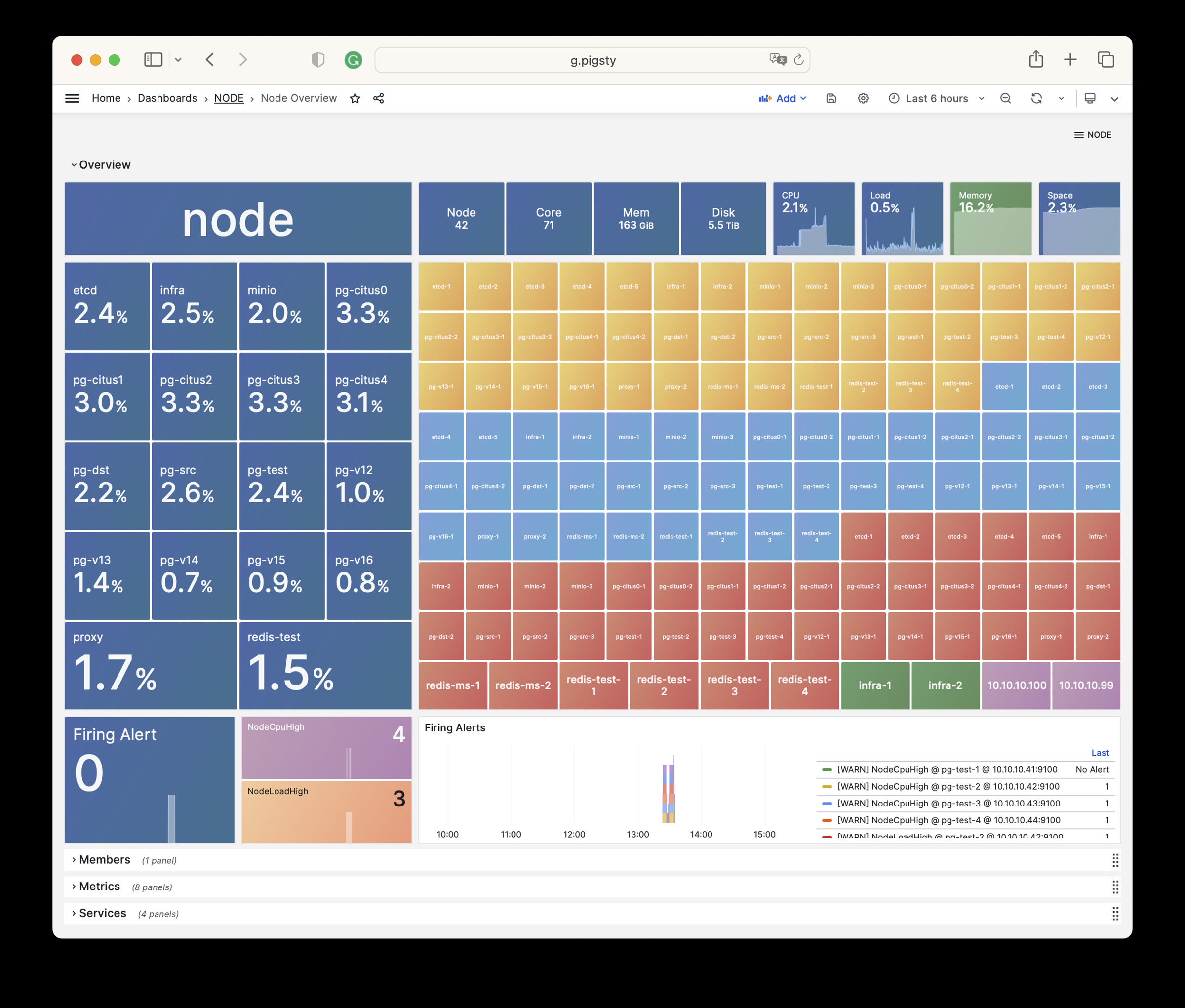
NODE Overview
Shows all host nodes in the current environment.
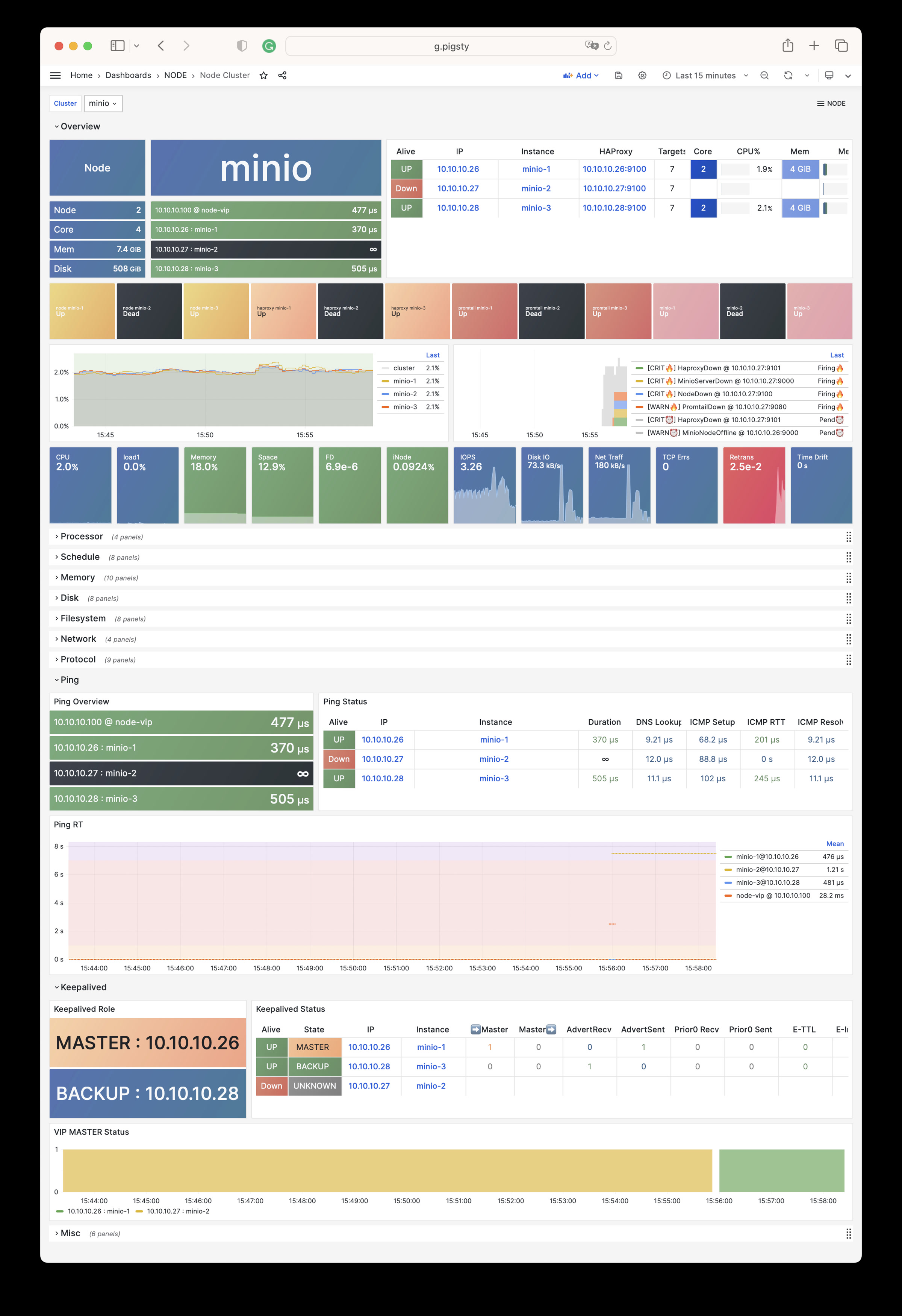
NODE Cluster
Shows detailed monitoring data for a specific host cluster.
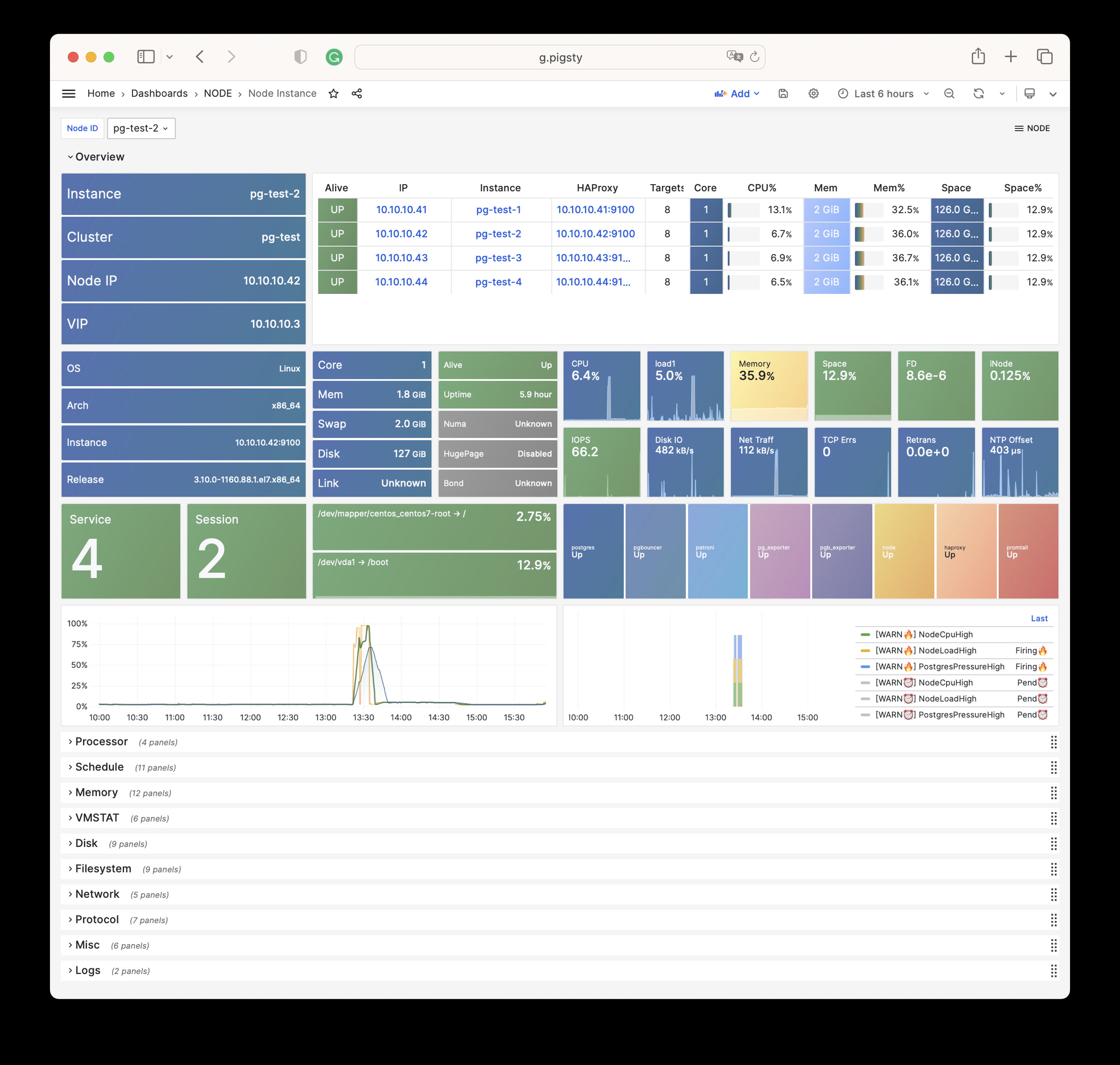
Node Instance
Shows detailed monitoring data for one host node.
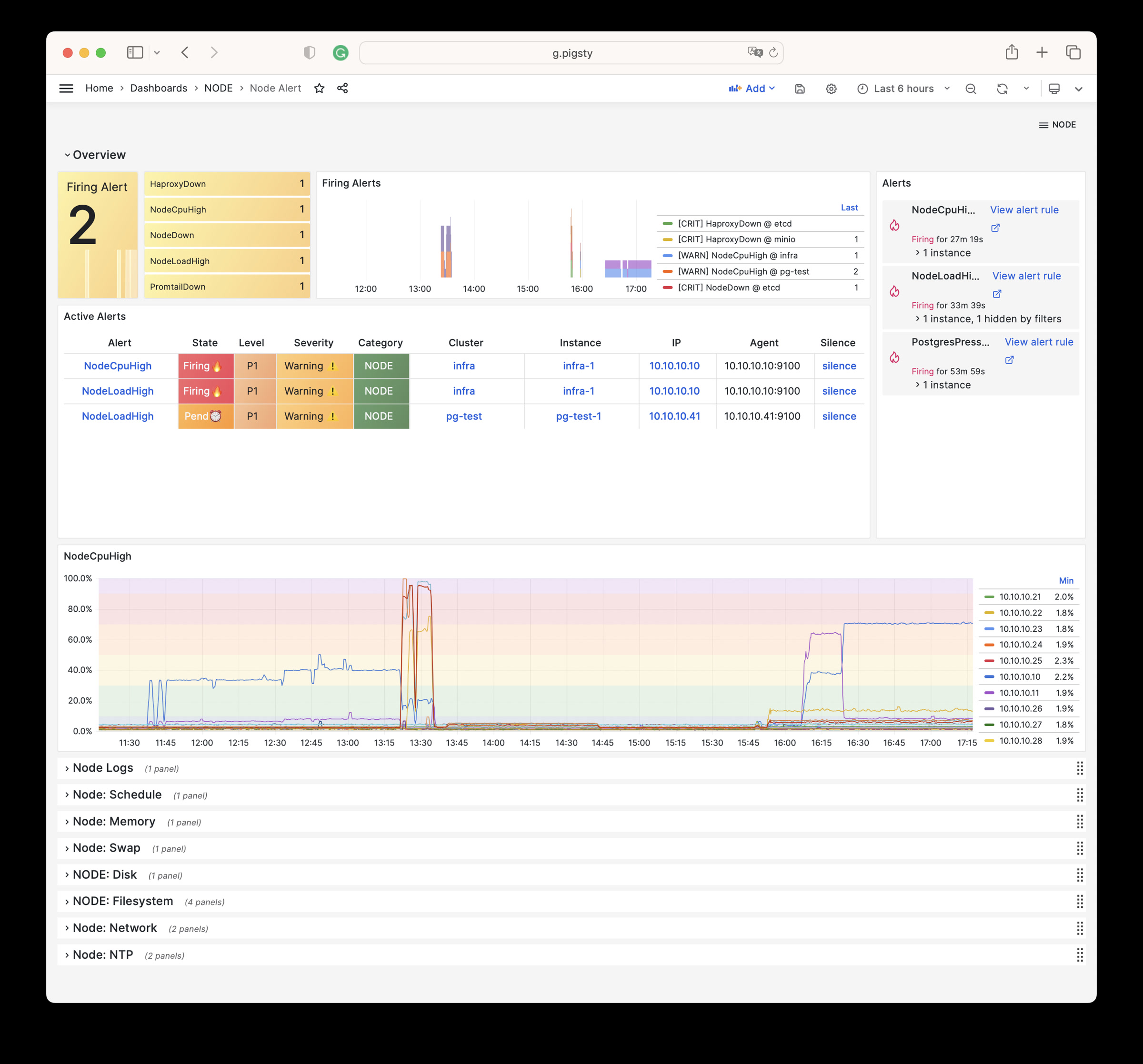
NODE Alert
Shows alerts for all hosts in the environment.
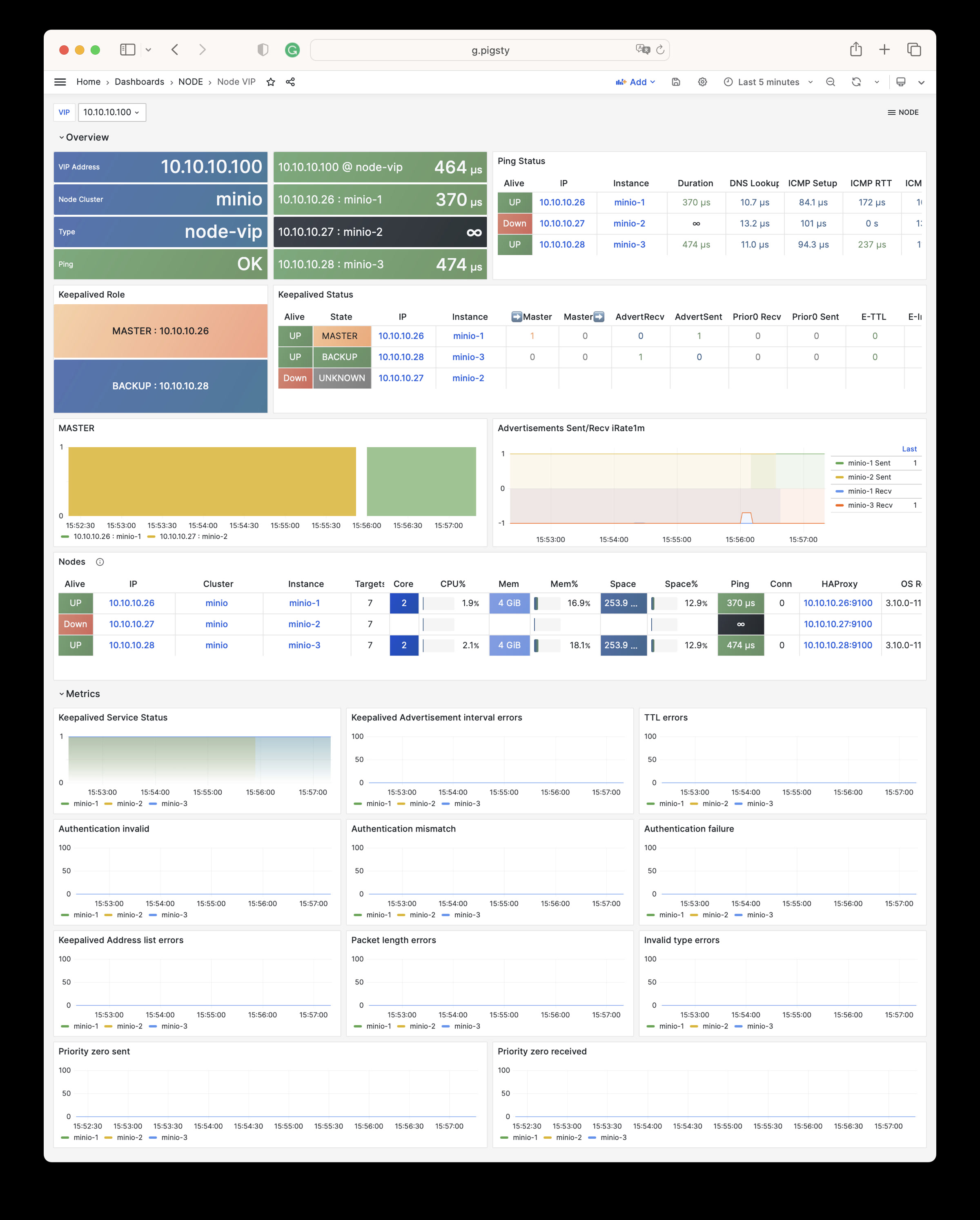
NODE VIP
Monitors detailed status of L2 virtual IPs.
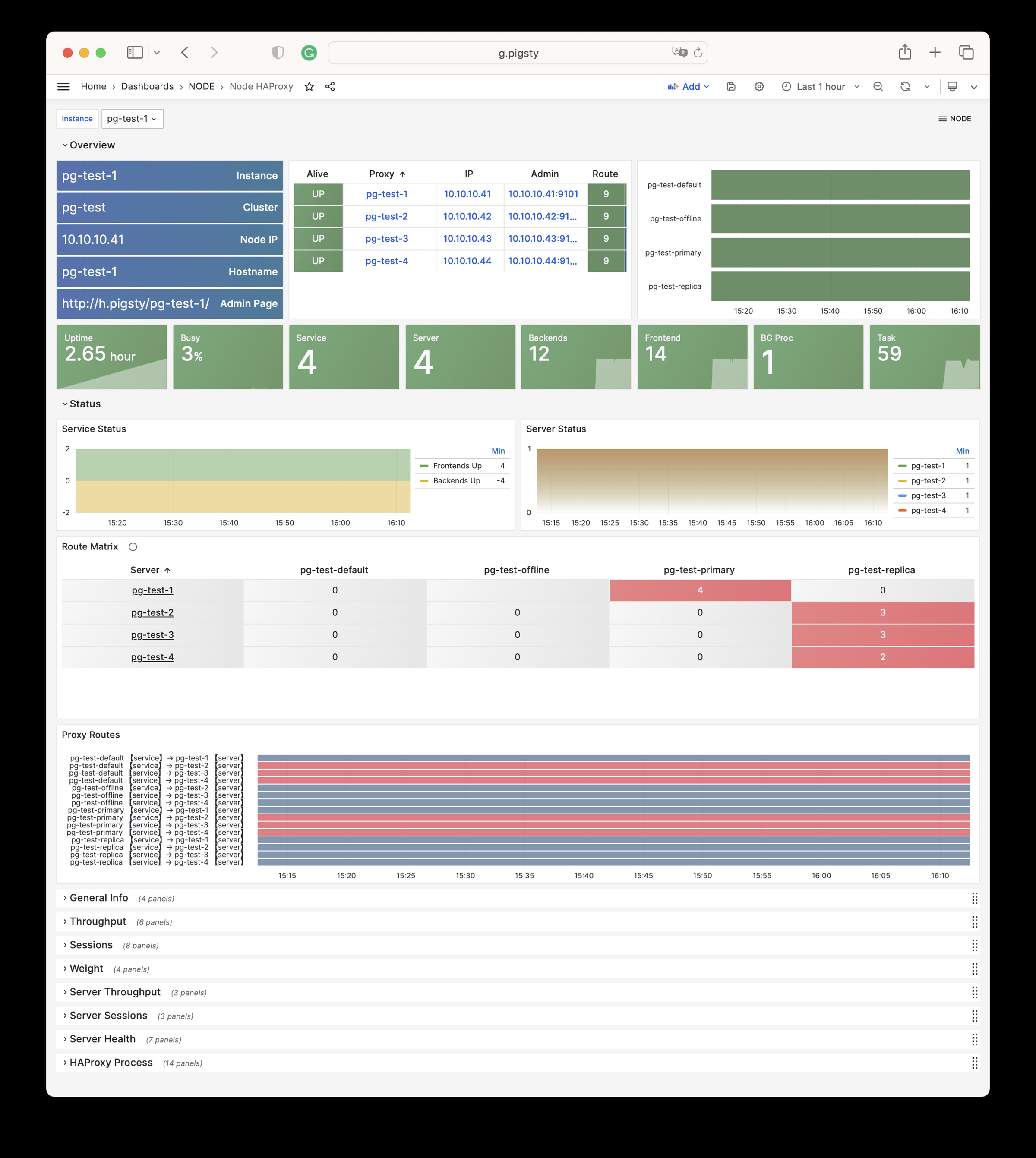
Node Haproxy
Shows the status of HAProxy load balancers.
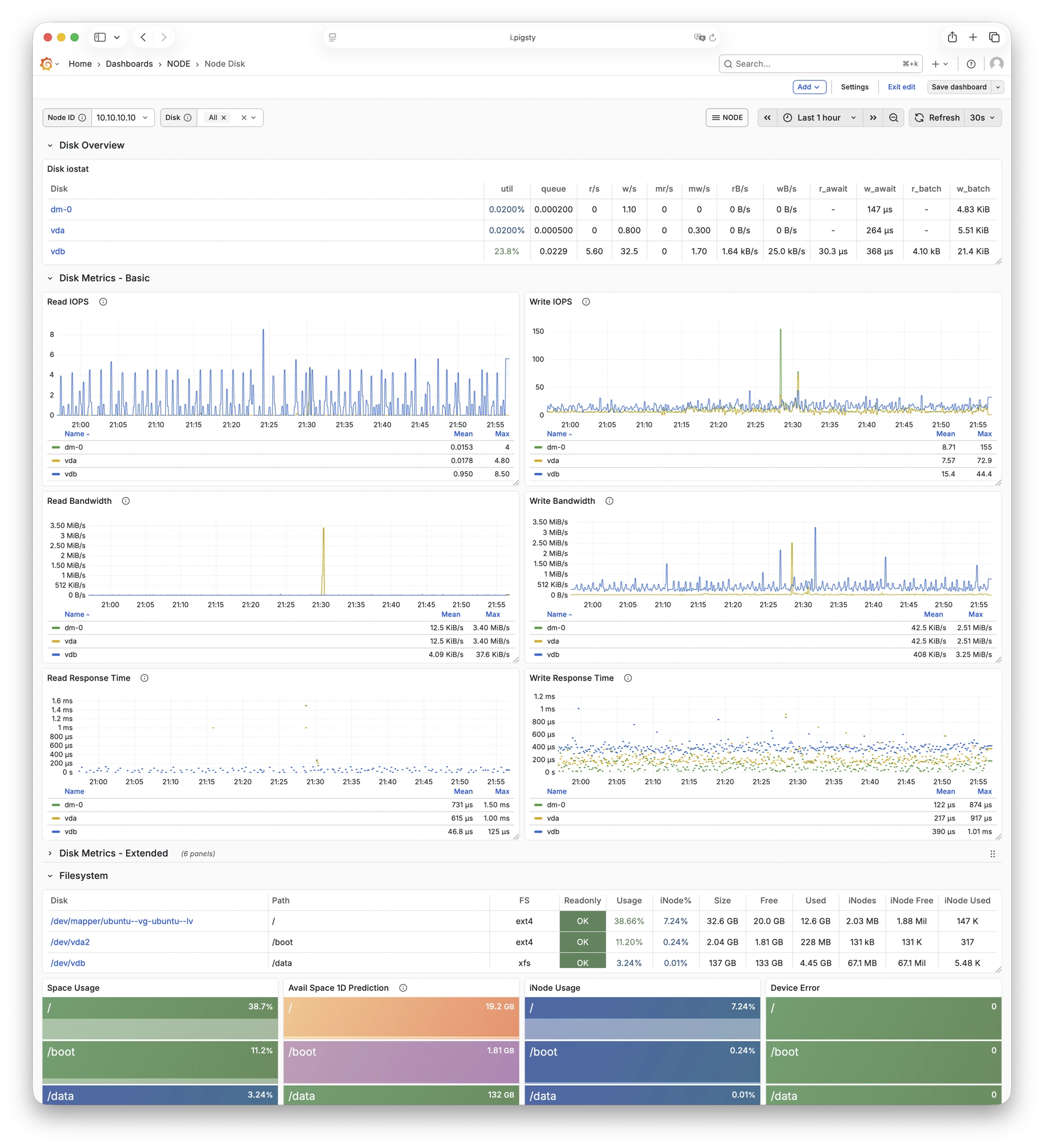
Node Disk
Focuses on per-disk I/O latency, throughput, queue depth, and other storage metrics.
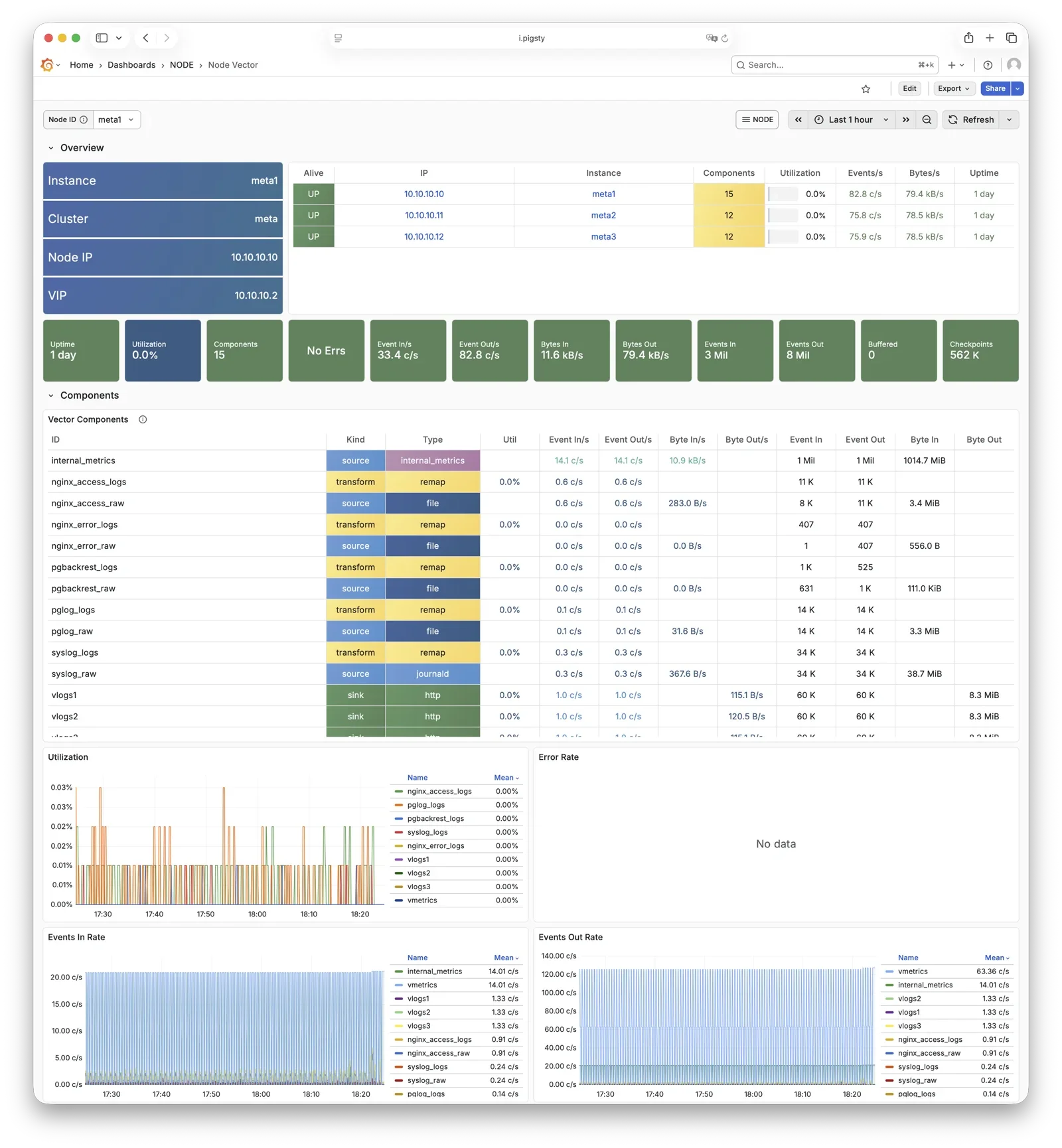
Node Vector
Shows Vector collection and forwarding status, plus log-pipeline health.
Node JuiceFS
Shows JuiceFS client cache, object storage, metadata operations, and read/write performance.
Open the Node JuiceFS Dashboard
Claude Code
Shows sessions, tokens, costs, and logs reported by Claude Code through OpenTelemetry.
Open the Claude Code Dashboard
Alert Rules
Pigsty implements the following alerting rules for NODE:
Availability Alerts
| Rule | Level | Description |
|---|---|---|
NodeDown | CRIT | Node is offline |
HaproxyDown | CRIT | HAProxy service is offline |
VectorDown | WARN | Log collecting agent offline (Vector) |
DockerDown | WARN | Container engine offline |
KeepalivedDown | WARN | Keepalived daemon offline |
CPU Alerts
| Rule | Level | Description |
|---|---|---|
NodeCpuHigh | WARN | CPU usage exceeds 70% |
Scheduling Alerts
| Rule | Level | Description |
|---|---|---|
NodeLoadHigh | WARN | Normalized load exceeds 100% |
Memory Alerts
| Rule | Level | Description |
|---|---|---|
NodeOutOfMem | WARN | Available memory less than 10% |
NodeMemSwapped | WARN | Swap usage exceeds 1% |
Filesystem Alerts
| Rule | Level | Description |
|---|---|---|
NodeFsSpaceFull | WARN | Disk usage exceeds 90% |
NodeFsFilesFull | WARN | Inode usage exceeds 90% |
NodeFdFull | WARN | File descriptor usage exceeds 90% |
Disk Alerts
| Rule | Level | Description |
|---|---|---|
NodeDiskSlow | WARN | Read/write latency exceeds 32ms |
Network Protocol Alerts
| Rule | Level | Description |
|---|---|---|
NodeTcpErrHigh | WARN | TCP error rate exceeds 1/min |
NodeTcpRetransHigh | WARN | TCP retransmission rate exceeds 1% |
Time Synchronization Alerts
| Rule | Level | Description |
|---|---|---|
NodeTimeDrift | WARN | System time not synchronized |
6 - Metrics
This page is a snapshot of 727 monitoring metric categories for the NODE module. The actual runtime metric set varies with package version, enabled collectors, and target state.
| Metric Name | Type | Labels | Description |
|---|---|---|---|
| ALERTS | Unknown | alertname, ip, level, severity, ins, job, alertstate, category, instance, cls | N/A |
| ALERTS_FOR_STATE | Unknown | alertname, ip, level, severity, ins, job, category, instance, cls | N/A |
| deprecated_flags_inuse_total | Unknown | instance, ins, job, ip, cls | N/A |
| go_gc_duration_seconds | summary | quantile, instance, ins, job, ip, cls | A summary of the pause duration of garbage collection cycles. |
| go_gc_duration_seconds_count | Unknown | instance, ins, job, ip, cls | N/A |
| go_gc_duration_seconds_sum | Unknown | instance, ins, job, ip, cls | N/A |
| go_goroutines | gauge | instance, ins, job, ip, cls | Number of goroutines that currently exist. |
| go_info | gauge | version, instance, ins, job, ip, cls | Information about the Go environment. |
| go_memstats_alloc_bytes | gauge | instance, ins, job, ip, cls | Number of bytes allocated and still in use. |
| go_memstats_alloc_bytes_total | counter | instance, ins, job, ip, cls | Total number of bytes allocated, even if freed. |
| go_memstats_buck_hash_sys_bytes | gauge | instance, ins, job, ip, cls | Number of bytes used by the profiling bucket hash table. |
| go_memstats_frees_total | counter | instance, ins, job, ip, cls | Total number of frees. |
| go_memstats_gc_sys_bytes | gauge | instance, ins, job, ip, cls | Number of bytes used for garbage collection system metadata. |
| go_memstats_heap_alloc_bytes | gauge | instance, ins, job, ip, cls | Number of heap bytes allocated and still in use. |
| go_memstats_heap_idle_bytes | gauge | instance, ins, job, ip, cls | Number of heap bytes waiting to be used. |
| go_memstats_heap_inuse_bytes | gauge | instance, ins, job, ip, cls | Number of heap bytes that are in use. |
| go_memstats_heap_objects | gauge | instance, ins, job, ip, cls | Number of allocated objects. |
| go_memstats_heap_released_bytes | gauge | instance, ins, job, ip, cls | Number of heap bytes released to OS. |
| go_memstats_heap_sys_bytes | gauge | instance, ins, job, ip, cls | Number of heap bytes obtained from system. |
| go_memstats_last_gc_time_seconds | gauge | instance, ins, job, ip, cls | Number of seconds since 1970 of last garbage collection. |
| go_memstats_lookups_total | counter | instance, ins, job, ip, cls | Total number of pointer lookups. |
| go_memstats_mallocs_total | counter | instance, ins, job, ip, cls | Total number of mallocs. |
| go_memstats_mcache_inuse_bytes | gauge | instance, ins, job, ip, cls | Number of bytes in use by mcache structures. |
| go_memstats_mcache_sys_bytes | gauge | instance, ins, job, ip, cls | Number of bytes used for mcache structures obtained from system. |
| go_memstats_mspan_inuse_bytes | gauge | instance, ins, job, ip, cls | Number of bytes in use by mspan structures. |
| go_memstats_mspan_sys_bytes | gauge | instance, ins, job, ip, cls | Number of bytes used for mspan structures obtained from system. |
| go_memstats_next_gc_bytes | gauge | instance, ins, job, ip, cls | Number of heap bytes when next garbage collection will take place. |
| go_memstats_other_sys_bytes | gauge | instance, ins, job, ip, cls | Number of bytes used for other system allocations. |
| go_memstats_stack_inuse_bytes | gauge | instance, ins, job, ip, cls | Number of bytes in use by the stack allocator. |
| go_memstats_stack_sys_bytes | gauge | instance, ins, job, ip, cls | Number of bytes obtained from system for stack allocator. |
| go_memstats_sys_bytes | gauge | instance, ins, job, ip, cls | Number of bytes obtained from system. |
| go_threads | gauge | instance, ins, job, ip, cls | Number of OS threads created. |
| haproxy:cls:usage | Unknown | job, cls | N/A |
| haproxy:ins:uptime | Unknown | instance, ins, job, ip, cls | N/A |
| haproxy:ins:usage | Unknown | instance, ins, job, ip, cls | N/A |
| haproxy_backend_active_servers | gauge | proxy, instance, ins, job, ip, cls | Total number of active UP servers with a non-zero weight |
| haproxy_backend_agg_check_status | gauge | state, proxy, instance, ins, job, ip, cls | Backend’s aggregated gauge of servers’ state check status |
| haproxy_backend_agg_server_check_status | gauge | state, proxy, instance, ins, job, ip, cls | [DEPRECATED] Backend’s aggregated gauge of servers’ status |
| haproxy_backend_agg_server_status | gauge | state, proxy, instance, ins, job, ip, cls | Backend’s aggregated gauge of servers’ status |
| haproxy_backend_backup_servers | gauge | proxy, instance, ins, job, ip, cls | Total number of backup UP servers with a non-zero weight |
| haproxy_backend_bytes_in_total | counter | proxy, instance, ins, job, ip, cls | Total number of request bytes since process started |
| haproxy_backend_bytes_out_total | counter | proxy, instance, ins, job, ip, cls | Total number of response bytes since process started |
| haproxy_backend_check_last_change_seconds | gauge | proxy, instance, ins, job, ip, cls | How long ago the last server state changed, in seconds |
| haproxy_backend_check_up_down_total | counter | proxy, instance, ins, job, ip, cls | Total number of failed checks causing UP to DOWN server transitions, per server/backend, since the worker process started |
| haproxy_backend_client_aborts_total | counter | proxy, instance, ins, job, ip, cls | Total number of requests or connections aborted by the client since the worker process started |
| haproxy_backend_connect_time_average_seconds | gauge | proxy, instance, ins, job, ip, cls | Avg. connect time for last 1024 successful connections. |
| haproxy_backend_connection_attempts_total | counter | proxy, instance, ins, job, ip, cls | Total number of outgoing connection attempts on this backend/server since the worker process started |
| haproxy_backend_connection_errors_total | counter | proxy, instance, ins, job, ip, cls | Total number of failed connections to server since the worker process started |
| haproxy_backend_connection_reuses_total | counter | proxy, instance, ins, job, ip, cls | Total number of reused connection on this backend/server since the worker process started |
| haproxy_backend_current_queue | gauge | proxy, instance, ins, job, ip, cls | Number of current queued connections |
| haproxy_backend_current_sessions | gauge | proxy, instance, ins, job, ip, cls | Number of current sessions on the frontend, backend or server |
| haproxy_backend_downtime_seconds_total | counter | proxy, instance, ins, job, ip, cls | Total time spent in DOWN state, for server or backend |
| haproxy_backend_failed_header_rewriting_total | counter | proxy, instance, ins, job, ip, cls | Total number of failed HTTP header rewrites since the worker process started |
| haproxy_backend_http_cache_hits_total | counter | proxy, instance, ins, job, ip, cls | Total number of HTTP requests not found in the cache on this frontend/backend since the worker process started |
| haproxy_backend_http_cache_lookups_total | counter | proxy, instance, ins, job, ip, cls | Total number of HTTP requests looked up in the cache on this frontend/backend since the worker process started |
| haproxy_backend_http_comp_bytes_bypassed_total | counter | proxy, instance, ins, job, ip, cls | Total number of bytes that bypassed HTTP compression for this object since the worker process started (CPU/memory/bandwidth limitation) |
| haproxy_backend_http_comp_bytes_in_total | counter | proxy, instance, ins, job, ip, cls | Total number of bytes submitted to the HTTP compressor for this object since the worker process started |
| haproxy_backend_http_comp_bytes_out_total | counter | proxy, instance, ins, job, ip, cls | Total number of bytes emitted by the HTTP compressor for this object since the worker process started |
| haproxy_backend_http_comp_responses_total | counter | proxy, instance, ins, job, ip, cls | Total number of HTTP responses that were compressed for this object since the worker process started |
| haproxy_backend_http_requests_total | counter | proxy, instance, ins, job, ip, cls | Total number of HTTP requests processed by this object since the worker process started |
| haproxy_backend_http_responses_total | counter | ip, proxy, ins, code, job, instance, cls | Total number of HTTP responses with status 100-199 returned by this object since the worker process started |
| haproxy_backend_internal_errors_total | counter | proxy, instance, ins, job, ip, cls | Total number of internal errors since process started |
| haproxy_backend_last_session_seconds | gauge | proxy, instance, ins, job, ip, cls | How long ago some traffic was seen on this object on this worker process, in seconds |
| haproxy_backend_limit_sessions | gauge | proxy, instance, ins, job, ip, cls | Frontend/listener/server’s maxconn, backend’s fullconn |
| haproxy_backend_loadbalanced_total | counter | proxy, instance, ins, job, ip, cls | Total number of requests routed by load balancing since the worker process started (ignores queue pop and stickiness) |
| haproxy_backend_max_connect_time_seconds | gauge | proxy, instance, ins, job, ip, cls | Maximum observed time spent waiting for a connection to complete |
| haproxy_backend_max_queue | gauge | proxy, instance, ins, job, ip, cls | Highest value of queued connections encountered since process started |
| haproxy_backend_max_queue_time_seconds | gauge | proxy, instance, ins, job, ip, cls | Maximum observed time spent in the queue |
| haproxy_backend_max_response_time_seconds | gauge | proxy, instance, ins, job, ip, cls | Maximum observed time spent waiting for a server response |
| haproxy_backend_max_session_rate | gauge | proxy, instance, ins, job, ip, cls | Highest value of sessions per second observed since the worker process started |
| haproxy_backend_max_sessions | gauge | proxy, instance, ins, job, ip, cls | Highest value of current sessions encountered since process started |
| haproxy_backend_max_total_time_seconds | gauge | proxy, instance, ins, job, ip, cls | Maximum observed total request+response time (request+queue+connect+response+processing) |
| haproxy_backend_queue_time_average_seconds | gauge | proxy, instance, ins, job, ip, cls | Avg. queue time for last 1024 successful connections. |
| haproxy_backend_redispatch_warnings_total | counter | proxy, instance, ins, job, ip, cls | Total number of server redispatches due to connection failures since the worker process started |
| haproxy_backend_requests_denied_total | counter | proxy, instance, ins, job, ip, cls | Total number of denied requests since process started |
| haproxy_backend_response_errors_total | counter | proxy, instance, ins, job, ip, cls | Total number of invalid responses since the worker process started |
| haproxy_backend_response_time_average_seconds | gauge | proxy, instance, ins, job, ip, cls | Avg. response time for last 1024 successful connections. |
| haproxy_backend_responses_denied_total | counter | proxy, instance, ins, job, ip, cls | Total number of denied responses since process started |
| haproxy_backend_retry_warnings_total | counter | proxy, instance, ins, job, ip, cls | Total number of server connection retries since the worker process started |
| haproxy_backend_server_aborts_total | counter | proxy, instance, ins, job, ip, cls | Total number of requests or connections aborted by the server since the worker process started |
| haproxy_backend_sessions_total | counter | proxy, instance, ins, job, ip, cls | Total number of sessions since process started |
| haproxy_backend_status | gauge | state, proxy, instance, ins, job, ip, cls | Current status of the service, per state label value. |
| haproxy_backend_total_time_average_seconds | gauge | proxy, instance, ins, job, ip, cls | Avg. total time for last 1024 successful connections. |
| haproxy_backend_uweight | gauge | proxy, instance, ins, job, ip, cls | Server’s user weight, or sum of active servers’ user weights for a backend |
| haproxy_backend_weight | gauge | proxy, instance, ins, job, ip, cls | Server’s effective weight, or sum of active servers’ effective weights for a backend |
| haproxy_frontend_bytes_in_total | counter | proxy, instance, ins, job, ip, cls | Total number of request bytes since process started |
| haproxy_frontend_bytes_out_total | counter | proxy, instance, ins, job, ip, cls | Total number of response bytes since process started |
| haproxy_frontend_connections_rate_max | gauge | proxy, instance, ins, job, ip, cls | Highest value of connections per second observed since the worker process started |
| haproxy_frontend_connections_total | counter | proxy, instance, ins, job, ip, cls | Total number of new connections accepted on this frontend since the worker process started |
| haproxy_frontend_current_sessions | gauge | proxy, instance, ins, job, ip, cls | Number of current sessions on the frontend, backend or server |
| haproxy_frontend_denied_connections_total | counter | proxy, instance, ins, job, ip, cls | Total number of incoming connections blocked on a listener/frontend by a tcp-request connection rule since the worker process started |
| haproxy_frontend_denied_sessions_total | counter | proxy, instance, ins, job, ip, cls | Total number of incoming sessions blocked on a listener/frontend by a tcp-request connection rule since the worker process started |
| haproxy_frontend_failed_header_rewriting_total | counter | proxy, instance, ins, job, ip, cls | Total number of failed HTTP header rewrites since the worker process started |
| haproxy_frontend_http_cache_hits_total | counter | proxy, instance, ins, job, ip, cls | Total number of HTTP requests not found in the cache on this frontend/backend since the worker process started |
| haproxy_frontend_http_cache_lookups_total | counter | proxy, instance, ins, job, ip, cls | Total number of HTTP requests looked up in the cache on this frontend/backend since the worker process started |
| haproxy_frontend_http_comp_bytes_bypassed_total | counter | proxy, instance, ins, job, ip, cls | Total number of bytes that bypassed HTTP compression for this object since the worker process started (CPU/memory/bandwidth limitation) |
| haproxy_frontend_http_comp_bytes_in_total | counter | proxy, instance, ins, job, ip, cls | Total number of bytes submitted to the HTTP compressor for this object since the worker process started |
| haproxy_frontend_http_comp_bytes_out_total | counter | proxy, instance, ins, job, ip, cls | Total number of bytes emitted by the HTTP compressor for this object since the worker process started |
| haproxy_frontend_http_comp_responses_total | counter | proxy, instance, ins, job, ip, cls | Total number of HTTP responses that were compressed for this object since the worker process started |
| haproxy_frontend_http_requests_rate_max | gauge | proxy, instance, ins, job, ip, cls | Highest value of http requests observed since the worker process started |
| haproxy_frontend_http_requests_total | counter | proxy, instance, ins, job, ip, cls | Total number of HTTP requests processed by this object since the worker process started |
| haproxy_frontend_http_responses_total | counter | ip, proxy, ins, code, job, instance, cls | Total number of HTTP responses with status 100-199 returned by this object since the worker process started |
| haproxy_frontend_intercepted_requests_total | counter | proxy, instance, ins, job, ip, cls | Total number of HTTP requests intercepted on the frontend (redirects/stats/services) since the worker process started |
| haproxy_frontend_internal_errors_total | counter | proxy, instance, ins, job, ip, cls | Total number of internal errors since process started |
| haproxy_frontend_limit_session_rate | gauge | proxy, instance, ins, job, ip, cls | Limit on the number of sessions accepted in a second (frontend only, ‘rate-limit sessions’ setting) |
| haproxy_frontend_limit_sessions | gauge | proxy, instance, ins, job, ip, cls | Frontend/listener/server’s maxconn, backend’s fullconn |
| haproxy_frontend_max_session_rate | gauge | proxy, instance, ins, job, ip, cls | Highest value of sessions per second observed since the worker process started |
| haproxy_frontend_max_sessions | gauge | proxy, instance, ins, job, ip, cls | Highest value of current sessions encountered since process started |
| haproxy_frontend_request_errors_total | counter | proxy, instance, ins, job, ip, cls | Total number of invalid requests since process started |
| haproxy_frontend_requests_denied_total | counter | proxy, instance, ins, job, ip, cls | Total number of denied requests since process started |
| haproxy_frontend_responses_denied_total | counter | proxy, instance, ins, job, ip, cls | Total number of denied responses since process started |
| haproxy_frontend_sessions_total | counter | proxy, instance, ins, job, ip, cls | Total number of sessions since process started |
| haproxy_frontend_status | gauge | state, proxy, instance, ins, job, ip, cls | Current status of the service, per state label value. |
| haproxy_process_active_peers | gauge | instance, ins, job, ip, cls | Current number of verified active peers connections on the current worker process |
| haproxy_process_build_info | gauge | version, instance, ins, job, ip, cls | Build info |
| haproxy_process_busy_polling_enabled | gauge | instance, ins, job, ip, cls | 1 if busy-polling is currently in use on the worker process, otherwise zero (config.busy-polling) |
| haproxy_process_bytes_out_rate | gauge | instance, ins, job, ip, cls | Number of bytes emitted by current worker process over the last second |
| haproxy_process_bytes_out_total | counter | instance, ins, job, ip, cls | Total number of bytes emitted by current worker process since started |
| haproxy_process_connected_peers | gauge | instance, ins, job, ip, cls | Current number of peers having passed the connection step on the current worker process |
| haproxy_process_connections_total | counter | instance, ins, job, ip, cls | Total number of connections on this worker process since started |
| haproxy_process_current_backend_ssl_key_rate | gauge | instance, ins, job, ip, cls | Number of SSL keys created on backends in this worker process over the last second |
| haproxy_process_current_connection_rate | gauge | instance, ins, job, ip, cls | Number of front connections created on this worker process over the last second |
| haproxy_process_current_connections | gauge | instance, ins, job, ip, cls | Current number of connections on this worker process |
| haproxy_process_current_frontend_ssl_key_rate | gauge | instance, ins, job, ip, cls | Number of SSL keys created on frontends in this worker process over the last second |
| haproxy_process_current_run_queue | gauge | instance, ins, job, ip, cls | Total number of active tasks+tasklets in the current worker process |
| haproxy_process_current_session_rate | gauge | instance, ins, job, ip, cls | Number of sessions created on this worker process over the last second |
| haproxy_process_current_ssl_connections | gauge | instance, ins, job, ip, cls | Current number of SSL endpoints on this worker process (front+back) |
| haproxy_process_current_ssl_rate | gauge | instance, ins, job, ip, cls | Number of SSL connections created on this worker process over the last second |
| haproxy_process_current_tasks | gauge | instance, ins, job, ip, cls | Total number of tasks in the current worker process (active + sleeping) |
| haproxy_process_current_zlib_memory | gauge | instance, ins, job, ip, cls | Amount of memory currently used by HTTP compression on the current worker process (in bytes) |
| haproxy_process_dropped_logs_total | counter | instance, ins, job, ip, cls | Total number of dropped logs for current worker process since started |
| haproxy_process_failed_resolutions | counter | instance, ins, job, ip, cls | Total number of failed DNS resolutions in current worker process since started |
| haproxy_process_frontend_ssl_reuse | gauge | instance, ins, job, ip, cls | Percent of frontend SSL connections which did not require a new key |
| haproxy_process_hard_max_connections | gauge | instance, ins, job, ip, cls | Hard limit on the number of per-process connections (imposed by Memmax_MB or Ulimit-n) |
| haproxy_process_http_comp_bytes_in_total | counter | instance, ins, job, ip, cls | Number of bytes submitted to the HTTP compressor in this worker process over the last second |
| haproxy_process_http_comp_bytes_out_total | counter | instance, ins, job, ip, cls | Number of bytes emitted by the HTTP compressor in this worker process over the last second |
| haproxy_process_idle_time_percent | gauge | instance, ins, job, ip, cls | Percentage of last second spent waiting in the current worker thread |
| haproxy_process_jobs | gauge | instance, ins, job, ip, cls | Current number of active jobs on the current worker process (frontend connections, master connections, listeners) |
| haproxy_process_limit_connection_rate | gauge | instance, ins, job, ip, cls | Hard limit for ConnRate (global.maxconnrate) |
| haproxy_process_limit_http_comp | gauge | instance, ins, job, ip, cls | Limit of CompressBpsOut beyond which HTTP compression is automatically disabled |
| haproxy_process_limit_session_rate | gauge | instance, ins, job, ip, cls | Hard limit for SessRate (global.maxsessrate) |
| haproxy_process_limit_ssl_rate | gauge | instance, ins, job, ip, cls | Hard limit for SslRate (global.maxsslrate) |
| haproxy_process_listeners | gauge | instance, ins, job, ip, cls | Current number of active listeners on the current worker process |
| haproxy_process_max_backend_ssl_key_rate | gauge | instance, ins, job, ip, cls | Highest SslBackendKeyRate reached on this worker process since started (in SSL keys per second) |
| haproxy_process_max_connection_rate | gauge | instance, ins, job, ip, cls | Highest ConnRate reached on this worker process since started (in connections per second) |
| haproxy_process_max_connections | gauge | instance, ins, job, ip, cls | Hard limit on the number of per-process connections (configured or imposed by Ulimit-n) |
| haproxy_process_max_fds | gauge | instance, ins, job, ip, cls | Hard limit on the number of per-process file descriptors |
| haproxy_process_max_frontend_ssl_key_rate | gauge | instance, ins, job, ip, cls | Highest SslFrontendKeyRate reached on this worker process since started (in SSL keys per second) |
| haproxy_process_max_memory_bytes | gauge | instance, ins, job, ip, cls | Worker process’s hard limit on memory usage in byes (-m on command line) |
| haproxy_process_max_pipes | gauge | instance, ins, job, ip, cls | Hard limit on the number of pipes for splicing, 0=unlimited |
| haproxy_process_max_session_rate | gauge | instance, ins, job, ip, cls | Highest SessRate reached on this worker process since started (in sessions per second) |
| haproxy_process_max_sockets | gauge | instance, ins, job, ip, cls | Hard limit on the number of per-process sockets |
| haproxy_process_max_ssl_connections | gauge | instance, ins, job, ip, cls | Hard limit on the number of per-process SSL endpoints (front+back), 0=unlimited |
| haproxy_process_max_ssl_rate | gauge | instance, ins, job, ip, cls | Highest SslRate reached on this worker process since started (in connections per second) |
| haproxy_process_max_zlib_memory | gauge | instance, ins, job, ip, cls | Limit on the amount of memory used by HTTP compression above which it is automatically disabled (in bytes, see global.maxzlibmem) |
| haproxy_process_nbproc | gauge | instance, ins, job, ip, cls | Number of started worker processes (historical, always 1) |
| haproxy_process_nbthread | gauge | instance, ins, job, ip, cls | Number of started threads (global.nbthread) |
| haproxy_process_pipes_free_total | counter | instance, ins, job, ip, cls | Current number of allocated and available pipes in this worker process |
| haproxy_process_pipes_used_total | counter | instance, ins, job, ip, cls | Current number of pipes in use in this worker process |
| haproxy_process_pool_allocated_bytes | gauge | instance, ins, job, ip, cls | Amount of memory allocated in pools (in bytes) |
| haproxy_process_pool_failures_total | counter | instance, ins, job, ip, cls | Number of failed pool allocations since this worker was started |
| haproxy_process_pool_used_bytes | gauge | instance, ins, job, ip, cls | Amount of pool memory currently used (in bytes) |
| haproxy_process_recv_logs_total | counter | instance, ins, job, ip, cls | Total number of log messages received by log-forwarding listeners on this worker process since started |
| haproxy_process_relative_process_id | gauge | instance, ins, job, ip, cls | Relative worker process number (1) |
| haproxy_process_requests_total | counter | instance, ins, job, ip, cls | Total number of requests on this worker process since started |
| haproxy_process_spliced_bytes_out_total | counter | instance, ins, job, ip, cls | Total number of bytes emitted by current worker process through a kernel pipe since started |
| haproxy_process_ssl_cache_lookups_total | counter | instance, ins, job, ip, cls | Total number of SSL session ID lookups in the SSL session cache on this worker since started |
| haproxy_process_ssl_cache_misses_total | counter | instance, ins, job, ip, cls | Total number of SSL session ID lookups that didn’t find a session in the SSL session cache on this worker since started |
| haproxy_process_ssl_connections_total | counter | instance, ins, job, ip, cls | Total number of SSL endpoints on this worker process since started (front+back) |
| haproxy_process_start_time_seconds | gauge | instance, ins, job, ip, cls | Start time in seconds |
| haproxy_process_stopping | gauge | instance, ins, job, ip, cls | 1 if the worker process is currently stopping, otherwise zero |
| haproxy_process_unstoppable_jobs | gauge | instance, ins, job, ip, cls | Current number of unstoppable jobs on the current worker process (master connections) |
| haproxy_process_uptime_seconds | gauge | instance, ins, job, ip, cls | How long ago this worker process was started (seconds) |
| haproxy_server_bytes_in_total | counter | proxy, instance, ins, job, server, ip, cls | Total number of request bytes since process started |
| haproxy_server_bytes_out_total | counter | proxy, instance, ins, job, server, ip, cls | Total number of response bytes since process started |
| haproxy_server_check_code | gauge | proxy, instance, ins, job, server, ip, cls | layer5-7 code, if available of the last health check. |
| haproxy_server_check_duration_seconds | gauge | proxy, instance, ins, job, server, ip, cls | Total duration of the latest server health check, in seconds. |
| haproxy_server_check_failures_total | counter | proxy, instance, ins, job, server, ip, cls | Total number of failed individual health checks per server/backend, since the worker process started |
| haproxy_server_check_last_change_seconds | gauge | proxy, instance, ins, job, server, ip, cls | How long ago the last server state changed, in seconds |
| haproxy_server_check_status | gauge | state, proxy, instance, ins, job, server, ip, cls | Status of last health check, per state label value. |
| haproxy_server_check_up_down_total | counter | proxy, instance, ins, job, server, ip, cls | Total number of failed checks causing UP to DOWN server transitions, per server/backend, since the worker process started |
| haproxy_server_client_aborts_total | counter | proxy, instance, ins, job, server, ip, cls | Total number of requests or connections aborted by the client since the worker process started |
| haproxy_server_connect_time_average_seconds | gauge | proxy, instance, ins, job, server, ip, cls | Avg. connect time for last 1024 successful connections. |
| haproxy_server_connection_attempts_total | counter | proxy, instance, ins, job, server, ip, cls | Total number of outgoing connection attempts on this backend/server since the worker process started |
| haproxy_server_connection_errors_total | counter | proxy, instance, ins, job, server, ip, cls | Total number of failed connections to server since the worker process started |
| haproxy_server_connection_reuses_total | counter | proxy, instance, ins, job, server, ip, cls | Total number of reused connection on this backend/server since the worker process started |
| haproxy_server_current_queue | gauge | proxy, instance, ins, job, server, ip, cls | Number of current queued connections |
| haproxy_server_current_sessions | gauge | proxy, instance, ins, job, server, ip, cls | Number of current sessions on the frontend, backend or server |
| haproxy_server_current_throttle | gauge | proxy, instance, ins, job, server, ip, cls | Throttling ratio applied to a server’s maxconn and weight during the slowstart period (0 to 100%) |
| haproxy_server_downtime_seconds_total | counter | proxy, instance, ins, job, server, ip, cls | Total time spent in DOWN state, for server or backend |
| haproxy_server_failed_header_rewriting_total | counter | proxy, instance, ins, job, server, ip, cls | Total number of failed HTTP header rewrites since the worker process started |
| haproxy_server_idle_connections_current | gauge | proxy, instance, ins, job, server, ip, cls | Current number of idle connections available for reuse on this server |
| haproxy_server_idle_connections_limit | gauge | proxy, instance, ins, job, server, ip, cls | Limit on the number of available idle connections on this server (server ‘pool_max_conn’ directive) |
| haproxy_server_internal_errors_total | counter | proxy, instance, ins, job, server, ip, cls | Total number of internal errors since process started |
| haproxy_server_last_session_seconds | gauge | proxy, instance, ins, job, server, ip, cls | How long ago some traffic was seen on this object on this worker process, in seconds |
| haproxy_server_limit_sessions | gauge | proxy, instance, ins, job, server, ip, cls | Frontend/listener/server’s maxconn, backend’s fullconn |
| haproxy_server_loadbalanced_total | counter | proxy, instance, ins, job, server, ip, cls | Total number of requests routed by load balancing since the worker process started (ignores queue pop and stickiness) |
| haproxy_server_max_connect_time_seconds | gauge | proxy, instance, ins, job, server, ip, cls | Maximum observed time spent waiting for a connection to complete |
| haproxy_server_max_queue | gauge | proxy, instance, ins, job, server, ip, cls | Highest value of queued connections encountered since process started |
| haproxy_server_max_queue_time_seconds | gauge | proxy, instance, ins, job, server, ip, cls | Maximum observed time spent in the queue |
| haproxy_server_max_response_time_seconds | gauge | proxy, instance, ins, job, server, ip, cls | Maximum observed time spent waiting for a server response |
| haproxy_server_max_session_rate | gauge | proxy, instance, ins, job, server, ip, cls | Highest value of sessions per second observed since the worker process started |
| haproxy_server_max_sessions | gauge | proxy, instance, ins, job, server, ip, cls | Highest value of current sessions encountered since process started |
| haproxy_server_max_total_time_seconds | gauge | proxy, instance, ins, job, server, ip, cls | Maximum observed total request+response time (request+queue+connect+response+processing) |
| haproxy_server_need_connections_current | gauge | proxy, instance, ins, job, server, ip, cls | Estimated needed number of connections |
| haproxy_server_queue_limit | gauge | proxy, instance, ins, job, server, ip, cls | Limit on the number of connections in queue, for servers only (maxqueue argument) |
| haproxy_server_queue_time_average_seconds | gauge | proxy, instance, ins, job, server, ip, cls | Avg. queue time for last 1024 successful connections. |
| haproxy_server_redispatch_warnings_total | counter | proxy, instance, ins, job, server, ip, cls | Total number of server redispatches due to connection failures since the worker process started |
| haproxy_server_response_errors_total | counter | proxy, instance, ins, job, server, ip, cls | Total number of invalid responses since the worker process started |
| haproxy_server_response_time_average_seconds | gauge | proxy, instance, ins, job, server, ip, cls | Avg. response time for last 1024 successful connections. |
| haproxy_server_responses_denied_total | counter | proxy, instance, ins, job, server, ip, cls | Total number of denied responses since process started |
| haproxy_server_retry_warnings_total | counter | proxy, instance, ins, job, server, ip, cls | Total number of server connection retries since the worker process started |
| haproxy_server_safe_idle_connections_current | gauge | proxy, instance, ins, job, server, ip, cls | Current number of safe idle connections |
| haproxy_server_server_aborts_total | counter | proxy, instance, ins, job, server, ip, cls | Total number of requests or connections aborted by the server since the worker process started |
| haproxy_server_sessions_total | counter | proxy, instance, ins, job, server, ip, cls | Total number of sessions since process started |
| haproxy_server_status | gauge | state, proxy, instance, ins, job, server, ip, cls | Current status of the service, per state label value. |
| haproxy_server_total_time_average_seconds | gauge | proxy, instance, ins, job, server, ip, cls | Avg. total time for last 1024 successful connections. |
| haproxy_server_unsafe_idle_connections_current | gauge | proxy, instance, ins, job, server, ip, cls | Current number of unsafe idle connections |
| haproxy_server_used_connections_current | gauge | proxy, instance, ins, job, server, ip, cls | Current number of connections in use |
| haproxy_server_uweight | gauge | proxy, instance, ins, job, server, ip, cls | Server’s user weight, or sum of active servers’ user weights for a backend |
| haproxy_server_weight | gauge | proxy, instance, ins, job, server, ip, cls | Server’s effective weight, or sum of active servers’ effective weights for a backend |
| haproxy_up | Unknown | instance, ins, job, ip, cls | N/A |
| inflight_requests | gauge | instance, ins, job, route, ip, cls, method | Current number of inflight requests. |
| jaeger_tracer_baggage_restrictions_updates_total | Unknown | instance, ins, job, result, ip, cls | N/A |
| jaeger_tracer_baggage_truncations_total | Unknown | instance, ins, job, ip, cls | N/A |
| jaeger_tracer_baggage_updates_total | Unknown | instance, ins, job, result, ip, cls | N/A |
| jaeger_tracer_finished_spans_total | Unknown | instance, ins, job, sampled, ip, cls | N/A |
| jaeger_tracer_reporter_queue_length | gauge | instance, ins, job, ip, cls | Current number of spans in the reporter queue |
| jaeger_tracer_reporter_spans_total | Unknown | instance, ins, job, result, ip, cls | N/A |
| jaeger_tracer_sampler_queries_total | Unknown | instance, ins, job, result, ip, cls | N/A |
| jaeger_tracer_sampler_updates_total | Unknown | instance, ins, job, result, ip, cls | N/A |
| jaeger_tracer_span_context_decoding_errors_total | Unknown | instance, ins, job, ip, cls | N/A |
| jaeger_tracer_started_spans_total | Unknown | instance, ins, job, sampled, ip, cls | N/A |
| jaeger_tracer_throttled_debug_spans_total | Unknown | instance, ins, job, ip, cls | N/A |
| jaeger_tracer_throttler_updates_total | Unknown | instance, ins, job, result, ip, cls | N/A |
| jaeger_tracer_traces_total | Unknown | state, instance, ins, job, sampled, ip, cls | N/A |
| loki_experimental_features_in_use_total | Unknown | instance, ins, job, ip, cls | N/A |
| loki_internal_log_messages_total | Unknown | level, instance, ins, job, ip, cls | N/A |
| loki_log_flushes_bucket | Unknown | instance, ins, job, le, ip, cls | N/A |
| loki_log_flushes_count | Unknown | instance, ins, job, ip, cls | N/A |
| loki_log_flushes_sum | Unknown | instance, ins, job, ip, cls | N/A |
| loki_log_messages_total | Unknown | level, instance, ins, job, ip, cls | N/A |
| loki_logql_querystats_duplicates_total | Unknown | instance, ins, job, ip, cls | N/A |
| loki_logql_querystats_ingester_sent_lines_total | Unknown | instance, ins, job, ip, cls | N/A |
| loki_querier_index_cache_corruptions_total | Unknown | instance, ins, job, ip, cls | N/A |
| loki_querier_index_cache_encode_errors_total | Unknown | instance, ins, job, ip, cls | N/A |
| loki_querier_index_cache_gets_total | Unknown | instance, ins, job, ip, cls | N/A |
| loki_querier_index_cache_hits_total | Unknown | instance, ins, job, ip, cls | N/A |
| loki_querier_index_cache_puts_total | Unknown | instance, ins, job, ip, cls | N/A |
| net_conntrack_dialer_conn_attempted_total | counter | ip, ins, job, instance, cls, dialer_name | Total number of connections attempted by the given dialer a given name. |
| net_conntrack_dialer_conn_closed_total | counter | ip, ins, job, instance, cls, dialer_name | Total number of connections closed which originated from the dialer of a given name. |
| net_conntrack_dialer_conn_established_total | counter | ip, ins, job, instance, cls, dialer_name | Total number of connections successfully established by the given dialer a given name. |
| net_conntrack_dialer_conn_failed_total | counter | ip, ins, job, reason, instance, cls, dialer_name | Total number of connections failed to dial by the dialer a given name. |
| node:cls:avail_bytes | Unknown | job, cls | N/A |
| node:cls:cpu_count | Unknown | job, cls | N/A |
| node:cls:cpu_usage | Unknown | job, cls | N/A |
| node:cls:cpu_usage_15m | Unknown | job, cls | N/A |
| node:cls:cpu_usage_1m | Unknown | job, cls | N/A |
| node:cls:cpu_usage_5m | Unknown | job, cls | N/A |
| node:cls:disk_io_bytes_rate1m | Unknown | job, cls | N/A |
| node:cls:disk_iops_1m | Unknown | job, cls | N/A |
| node:cls:disk_mreads_rate1m | Unknown | job, cls | N/A |
| node:cls:disk_mreads_ratio1m | Unknown | job, cls | N/A |
| node:cls:disk_mwrites_rate1m | Unknown | job, cls | N/A |
| node:cls:disk_mwrites_ratio1m | Unknown | job, cls | N/A |
| node:cls:disk_read_bytes_rate1m | Unknown | job, cls | N/A |
| node:cls:disk_reads_rate1m | Unknown | job, cls | N/A |
| node:cls:disk_write_bytes_rate1m | Unknown | job, cls | N/A |
| node:cls:disk_writes_rate1m | Unknown | job, cls | N/A |
| node:cls:free_bytes | Unknown | job, cls | N/A |
| node:cls:mem_usage | Unknown | job, cls | N/A |
| node:cls:network_io_bytes_rate1m | Unknown | job, cls | N/A |
| node:cls:network_rx_bytes_rate1m | Unknown | job, cls | N/A |
| node:cls:network_rx_pps1m | Unknown | job, cls | N/A |
| node:cls:network_tx_bytes_rate1m | Unknown | job, cls | N/A |
| node:cls:network_tx_pps1m | Unknown | job, cls | N/A |
| node:cls:size_bytes | Unknown | job, cls | N/A |
| node:cls:space_usage | Unknown | job, cls | N/A |
| node:cls:space_usage_max | Unknown | job, cls | N/A |
| node:cls:stdload1 | Unknown | job, cls | N/A |
| node:cls:stdload15 | Unknown | job, cls | N/A |
| node:cls:stdload5 | Unknown | job, cls | N/A |
| node:cls:time_drift_max | Unknown | job, cls | N/A |
| node:cpu:idle_time_irate1m | Unknown | ip, ins, job, cpu, instance, cls | N/A |
| node:cpu:sched_timeslices_rate1m | Unknown | ip, ins, job, cpu, instance, cls | N/A |
| node:cpu:sched_wait_rate1m | Unknown | ip, ins, job, cpu, instance, cls | N/A |
| node:cpu:time_irate1m | Unknown | ip, mode, ins, job, cpu, instance, cls | N/A |
| node:cpu:total_time_irate1m | Unknown | ip, ins, job, cpu, instance, cls | N/A |
| node:cpu:usage | Unknown | ip, ins, job, cpu, instance, cls | N/A |
| node:cpu:usage_avg15m | Unknown | ip, ins, job, cpu, instance, cls | N/A |
| node:cpu:usage_avg1m | Unknown | ip, ins, job, cpu, instance, cls | N/A |
| node:cpu:usage_avg5m | Unknown | ip, ins, job, cpu, instance, cls | N/A |
| node:dev:disk_avg_queue_size | Unknown | ip, device, ins, job, instance, cls | N/A |
| node:dev:disk_io_batch_1m | Unknown | ip, device, ins, job, instance, cls | N/A |
| node:dev:disk_io_bytes_rate1m | Unknown | ip, device, ins, job, instance, cls | N/A |
| node:dev:disk_io_rt_1m | Unknown | ip, device, ins, job, instance, cls | N/A |
| node:dev:disk_io_time_rate1m | Unknown | ip, device, ins, job, instance, cls | N/A |
| node:dev:disk_iops_1m | Unknown | ip, device, ins, job, instance, cls | N/A |
| node:dev:disk_mreads_rate1m | Unknown | ip, device, ins, job, instance, cls | N/A |
| node:dev:disk_mreads_ratio1m | Unknown | ip, device, ins, job, instance, cls | N/A |
| node:dev:disk_mwrites_rate1m | Unknown | ip, device, ins, job, instance, cls | N/A |
| node:dev:disk_mwrites_ratio1m | Unknown | ip, device, ins, job, instance, cls | N/A |
| node:dev:disk_read_batch_1m | Unknown | ip, device, ins, job, instance, cls | N/A |
| node:dev:disk_read_bytes_rate1m | Unknown | ip, device, ins, job, instance, cls | N/A |
| node:dev:disk_read_rt_1m | Unknown | ip, device, ins, job, instance, cls | N/A |
| node:dev:disk_read_time_rate1m | Unknown | ip, device, ins, job, instance, cls | N/A |
| node:dev:disk_reads_rate1m | Unknown | ip, device, ins, job, instance, cls | N/A |
| node:dev:disk_util_1m | Unknown | ip, device, ins, job, instance, cls | N/A |
| node:dev:disk_write_batch_1m | Unknown | ip, device, ins, job, instance, cls | N/A |
| node:dev:disk_write_bytes_rate1m | Unknown | ip, device, ins, job, instance, cls | N/A |
| node:dev:disk_write_rt_1m | Unknown | ip, device, ins, job, instance, cls | N/A |
| node:dev:disk_write_time_rate1m | Unknown | ip, device, ins, job, instance, cls | N/A |
| node:dev:disk_writes_rate1m | Unknown | ip, device, ins, job, instance, cls | N/A |
| node:dev:network_io_bytes_rate1m | Unknown | ip, device, ins, job, instance, cls | N/A |
| node:dev:network_rx_bytes_rate1m | Unknown | ip, device, ins, job, instance, cls | N/A |
| node:dev:network_rx_pps1m | Unknown | ip, device, ins, job, instance, cls | N/A |
| node:dev:network_tx_bytes_rate1m | Unknown | ip, device, ins, job, instance, cls | N/A |
| node:dev:network_tx_pps1m | Unknown | ip, device, ins, job, instance, cls | N/A |
| node:env:avail_bytes | Unknown | job | N/A |
| node:env:cpu_count | Unknown | job | N/A |
| node:env:cpu_usage | Unknown | job | N/A |
| node:env:cpu_usage_15m | Unknown | job | N/A |
| node:env:cpu_usage_1m | Unknown | job | N/A |
| node:env:cpu_usage_5m | Unknown | job | N/A |
| node:env:device_space_usage_max | Unknown | device, mountpoint, job, fstype | N/A |
| node:env:free_bytes | Unknown | job | N/A |
| node:env:mem_avail | Unknown | job | N/A |
| node:env:mem_total | Unknown | job | N/A |
| node:env:mem_usage | Unknown | job | N/A |
| node:env:size_bytes | Unknown | job | N/A |
| node:env:space_usage | Unknown | job | N/A |
| node:env:stdload1 | Unknown | job | N/A |
| node:env:stdload15 | Unknown | job | N/A |
| node:env:stdload5 | Unknown | job | N/A |
| node:fs:avail_bytes | Unknown | ip, device, mountpoint, ins, cls, job, instance, fstype | N/A |
| node:fs:free_bytes | Unknown | ip, device, mountpoint, ins, cls, job, instance, fstype | N/A |
| node:fs:inode_free | Unknown | ip, device, mountpoint, ins, cls, job, instance, fstype | N/A |
| node:fs:inode_total | Unknown | ip, device, mountpoint, ins, cls, job, instance, fstype | N/A |
| node:fs:inode_usage | Unknown | ip, device, mountpoint, ins, cls, job, instance, fstype | N/A |
| node:fs:inode_used | Unknown | ip, device, mountpoint, ins, cls, job, instance, fstype | N/A |
| node:fs:size_bytes | Unknown | ip, device, mountpoint, ins, cls, job, instance, fstype | N/A |
| node:fs:space_deriv1h | Unknown | ip, device, mountpoint, ins, cls, job, instance, fstype | N/A |
| node:fs:space_exhaust | Unknown | ip, device, mountpoint, ins, cls, job, instance, fstype | N/A |
| node:fs:space_predict_1d | Unknown | ip, device, mountpoint, ins, cls, job, instance, fstype | N/A |
| node:fs:space_usage | Unknown | ip, device, mountpoint, ins, cls, job, instance, fstype | N/A |
| node:ins | Unknown | id, ip, ins, job, nodename, instance, cls | N/A |
| node:ins:avail_bytes | Unknown | instance, ins, job, ip, cls | N/A |
| node:ins:cpu_count | Unknown | instance, ins, job, ip, cls | N/A |
| node:ins:cpu_usage | Unknown | instance, ins, job, ip, cls | N/A |
| node:ins:cpu_usage_15m | Unknown | instance, ins, job, ip, cls | N/A |
| node:ins:cpu_usage_1m | Unknown | instance, ins, job, ip, cls | N/A |
| node:ins:cpu_usage_5m | Unknown | instance, ins, job, ip, cls | N/A |
| node:ins:ctx_switch_rate1m | Unknown | instance, ins, job, ip, cls | N/A |
| node:ins:disk_io_bytes_rate1m | Unknown | instance, ins, job, ip, cls | N/A |
| node:ins:disk_iops_1m | Unknown | instance, ins, job, ip, cls | N/A |
| node:ins:disk_mreads_rate1m | Unknown | instance, ins, job, ip, cls | N/A |
| node:ins:disk_mreads_ratio1m | Unknown | instance, ins, job, ip, cls | N/A |
| node:ins:disk_mwrites_rate1m | Unknown | instance, ins, job, ip, cls | N/A |
| node:ins:disk_mwrites_ratio1m | Unknown | instance, ins, job, ip, cls | N/A |
| node:ins:disk_read_bytes_rate1m | Unknown | instance, ins, job, ip, cls | N/A |
| node:ins:disk_reads_rate1m | Unknown | instance, ins, job, ip, cls | N/A |
| node:ins:disk_write_bytes_rate1m | Unknown | instance, ins, job, ip, cls | N/A |
| node:ins:disk_writes_rate1m | Unknown | instance, ins, job, ip, cls | N/A |
| node:ins:fd_alloc_rate1m | Unknown | instance, ins, job, ip, cls | N/A |
| node:ins:fd_usage | Unknown | instance, ins, job, ip, cls | N/A |
| node:ins:forks_rate1m | Unknown | instance, ins, job, ip, cls | N/A |
| node:ins:free_bytes | Unknown | instance, ins, job, ip, cls | N/A |
| node:ins:inode_usage | Unknown | instance, ins, job, ip, cls | N/A |
| node:ins:interrupt_rate1m | Unknown | instance, ins, job, ip, cls | N/A |
| node:ins:mem_avail | Unknown | instance, ins, job, ip, cls | N/A |
| node:ins:mem_commit_ratio | Unknown | instance, ins, job, ip, cls | N/A |
| node:ins:mem_kernel | Unknown | instance, ins, job, ip, cls | N/A |
| node:ins:mem_rss | Unknown | instance, ins, job, ip, cls | N/A |
| node:ins:mem_usage | Unknown | instance, ins, job, ip, cls | N/A |
| node:ins:network_io_bytes_rate1m | Unknown | instance, ins, job, ip, cls | N/A |
| node:ins:network_rx_bytes_rate1m | Unknown | instance, ins, job, ip, cls | N/A |
| node:ins:network_rx_pps1m | Unknown | instance, ins, job, ip, cls | N/A |
| node:ins:network_tx_bytes_rate1m | Unknown | instance, ins, job, ip, cls | N/A |
| node:ins:network_tx_pps1m | Unknown | instance, ins, job, ip, cls | N/A |
| node:ins:pagefault_rate1m | Unknown | instance, ins, job, ip, cls | N/A |
| node:ins:pagein_rate1m | Unknown | instance, ins, job, ip, cls | N/A |
| node:ins:pageout_rate1m | Unknown | instance, ins, job, ip, cls | N/A |
| node:ins:pgmajfault_rate1m | Unknown | instance, ins, job, ip, cls | N/A |
| node:ins:sched_wait_rate1m | Unknown | instance, ins, job, ip, cls | N/A |
| node:ins:size_bytes | Unknown | instance, ins, job, ip, cls | N/A |
| node:ins:space_usage_max | Unknown | instance, ins, job, ip, cls | N/A |
| node:ins:stdload1 | Unknown | instance, ins, job, ip, cls | N/A |
| node:ins:stdload15 | Unknown | instance, ins, job, ip, cls | N/A |
| node:ins:stdload5 | Unknown | instance, ins, job, ip, cls | N/A |
| node:ins:swap_usage | Unknown | instance, ins, job, ip, cls | N/A |
| node:ins:swapin_rate1m | Unknown | instance, ins, job, ip, cls | N/A |
| node:ins:swapout_rate1m | Unknown | instance, ins, job, ip, cls | N/A |
| node:ins:tcp_active_opens_rate1m | Unknown | instance, ins, job, ip, cls | N/A |
| node:ins:tcp_dropped_rate1m | Unknown | instance, ins, job, ip, cls | N/A |
| node:ins:tcp_error | Unknown | instance, ins, job, ip, cls | N/A |
| node:ins:tcp_error_rate1m | Unknown | instance, ins, job, ip, cls | N/A |
| node:ins:tcp_insegs_rate1m | Unknown | instance, ins, job, ip, cls | N/A |
| node:ins:tcp_outsegs_rate1m | Unknown | instance, ins, job, ip, cls | N/A |
| node:ins:tcp_overflow_rate1m | Unknown | instance, ins, job, ip, cls | N/A |
| node:ins:tcp_passive_opens_rate1m | Unknown | instance, ins, job, ip, cls | N/A |
| node:ins:tcp_retrans_ratio1m | Unknown | instance, ins, job, ip, cls | N/A |
| node:ins:tcp_retranssegs_rate1m | Unknown | instance, ins, job, ip, cls | N/A |
| node:ins:tcp_segs_rate1m | Unknown | instance, ins, job, ip, cls | N/A |
| node:ins:time_drift | Unknown | instance, ins, job, ip, cls | N/A |
| node:ins:udp_in_rate1m | Unknown | instance, ins, job, ip, cls | N/A |
| node:ins:udp_out_rate1m | Unknown | instance, ins, job, ip, cls | N/A |
| node:ins:uptime | Unknown | instance, ins, job, ip, cls | N/A |
| node_arp_entries | gauge | ip, device, ins, job, instance, cls | ARP entries by device |
| node_boot_time_seconds | gauge | instance, ins, job, ip, cls | Node boot time, in unixtime. |
| node_context_switches_total | counter | instance, ins, job, ip, cls | Total number of context switches. |
| node_cooling_device_cur_state | gauge | instance, ins, job, type, ip, cls | Current throttle state of the cooling device |
| node_cooling_device_max_state | gauge | instance, ins, job, type, ip, cls | Maximum throttle state of the cooling device |
| node_cpu_guest_seconds_total | counter | ip, mode, ins, job, cpu, instance, cls | Seconds the CPUs spent in guests (VMs) for each mode. |
| node_cpu_seconds_total | counter | ip, mode, ins, job, cpu, instance, cls | Seconds the CPUs spent in each mode. |
| node_disk_discard_time_seconds_total | counter | ip, device, ins, job, instance, cls | This is the total number of seconds spent by all discards. |
| node_disk_discarded_sectors_total | counter | ip, device, ins, job, instance, cls | The total number of sectors discarded successfully. |
| node_disk_discards_completed_total | counter | ip, device, ins, job, instance, cls | The total number of discards completed successfully. |
| node_disk_discards_merged_total | counter | ip, device, ins, job, instance, cls | The total number of discards merged. |
| node_disk_filesystem_info | gauge | ip, usage, version, device, uuid, ins, type, job, instance, cls | Info about disk filesystem. |
| node_disk_info | gauge | minor, ip, major, revision, device, model, serial, path, ins, job, instance, cls | Info of /sys/block/<block_device>. |
| node_disk_io_now | gauge | ip, device, ins, job, instance, cls | The number of I/Os currently in progress. |
| node_disk_io_time_seconds_total | counter | ip, device, ins, job, instance, cls | Total seconds spent doing I/Os. |
| node_disk_io_time_weighted_seconds_total | counter | ip, device, ins, job, instance, cls | The weighted # of seconds spent doing I/Os. |
| node_disk_read_bytes_total | counter | ip, device, ins, job, instance, cls | The total number of bytes read successfully. |
| node_disk_read_time_seconds_total | counter | ip, device, ins, job, instance, cls | The total number of seconds spent by all reads. |
| node_disk_reads_completed_total | counter | ip, device, ins, job, instance, cls | The total number of reads completed successfully. |
| node_disk_reads_merged_total | counter | ip, device, ins, job, instance, cls | The total number of reads merged. |
| node_disk_write_time_seconds_total | counter | ip, device, ins, job, instance, cls | This is the total number of seconds spent by all writes. |
| node_disk_writes_completed_total | counter | ip, device, ins, job, instance, cls | The total number of writes completed successfully. |
| node_disk_writes_merged_total | counter | ip, device, ins, job, instance, cls | The number of writes merged. |
| node_disk_written_bytes_total | counter | ip, device, ins, job, instance, cls | The total number of bytes written successfully. |
| node_dmi_info | gauge | bios_vendor, ip, product_family, product_version, product_uuid, system_vendor, bios_version, ins, bios_date, cls, job, product_name, instance, chassis_version, chassis_vendor, product_serial | A metric with a constant ‘1’ value labeled by bios_date, bios_release, bios_vendor, bios_version, board_asset_tag, board_name, board_serial, board_vendor, board_version, chassis_asset_tag, chassis_serial, chassis_vendor, chassis_version, product_family, product_name, product_serial, product_sku, product_uuid, product_version, system_vendor if provided by DMI. |
| node_entropy_available_bits | gauge | instance, ins, job, ip, cls | Bits of available entropy. |
| node_entropy_pool_size_bits | gauge | instance, ins, job, ip, cls | Bits of entropy pool. |
| node_exporter_build_info | gauge | ip, version, revision, goversion, branch, ins, goarch, job, tags, instance, cls, goos | A metric with a constant ‘1’ value labeled by version, revision, branch, goversion from which node_exporter was built, and the goos and goarch for the build. |
| node_filefd_allocated | gauge | instance, ins, job, ip, cls | File descriptor statistics: allocated. |
| node_filefd_maximum | gauge | instance, ins, job, ip, cls | File descriptor statistics: maximum. |
| node_filesystem_avail_bytes | gauge | ip, device, mountpoint, ins, cls, job, instance, fstype | Filesystem space available to non-root users in bytes. |
| node_filesystem_device_error | gauge | ip, device, mountpoint, ins, cls, job, instance, fstype | Whether an error occurred while getting statistics for the given device. |
| node_filesystem_files | gauge | ip, device, mountpoint, ins, cls, job, instance, fstype | Filesystem total file nodes. |
| node_filesystem_files_free | gauge | ip, device, mountpoint, ins, cls, job, instance, fstype | Filesystem total free file nodes. |
| node_filesystem_free_bytes | gauge | ip, device, mountpoint, ins, cls, job, instance, fstype | Filesystem free space in bytes. |
| node_filesystem_readonly | gauge | ip, device, mountpoint, ins, cls, job, instance, fstype | Filesystem read-only status. |
| node_filesystem_size_bytes | gauge | ip, device, mountpoint, ins, cls, job, instance, fstype | Filesystem size in bytes. |
| node_forks_total | counter | instance, ins, job, ip, cls | Total number of forks. |
| node_hwmon_chip_names | gauge | chip_name, ip, ins, chip, job, instance, cls | Annotation metric for human-readable chip names |
| node_hwmon_energy_joule_total | counter | sensor, ip, ins, chip, job, instance, cls | Hardware monitor for joules used so far (input) |
| node_hwmon_sensor_label | gauge | sensor, ip, ins, chip, job, label, instance, cls | Label for given chip and sensor |
| node_intr_total | counter | instance, ins, job, ip, cls | Total number of interrupts serviced. |
| node_ipvs_connections_total | counter | instance, ins, job, ip, cls | The total number of connections made. |
| node_ipvs_incoming_bytes_total | counter | instance, ins, job, ip, cls | The total amount of incoming data. |
| node_ipvs_incoming_packets_total | counter | instance, ins, job, ip, cls | The total number of incoming packets. |
| node_ipvs_outgoing_bytes_total | counter | instance, ins, job, ip, cls | The total amount of outgoing data. |
| node_ipvs_outgoing_packets_total | counter | instance, ins, job, ip, cls | The total number of outgoing packets. |
| node_load1 | gauge | instance, ins, job, ip, cls | 1m load average. |
| node_load15 | gauge | instance, ins, job, ip, cls | 15m load average. |
| node_load5 | gauge | instance, ins, job, ip, cls | 5m load average. |
| node_memory_Active_anon_bytes | gauge | instance, ins, job, ip, cls | Memory information field Active_anon_bytes. |
| node_memory_Active_bytes | gauge | instance, ins, job, ip, cls | Memory information field Active_bytes. |
| node_memory_Active_file_bytes | gauge | instance, ins, job, ip, cls | Memory information field Active_file_bytes. |
| node_memory_AnonHugePages_bytes | gauge | instance, ins, job, ip, cls | Memory information field AnonHugePages_bytes. |
| node_memory_AnonPages_bytes | gauge | instance, ins, job, ip, cls | Memory information field AnonPages_bytes. |
| node_memory_Bounce_bytes | gauge | instance, ins, job, ip, cls | Memory information field Bounce_bytes. |
| node_memory_Buffers_bytes | gauge | instance, ins, job, ip, cls | Memory information field Buffers_bytes. |
| node_memory_Cached_bytes | gauge | instance, ins, job, ip, cls | Memory information field Cached_bytes. |
| node_memory_CommitLimit_bytes | gauge | instance, ins, job, ip, cls | Memory information field CommitLimit_bytes. |
| node_memory_Committed_AS_bytes | gauge | instance, ins, job, ip, cls | Memory information field Committed_AS_bytes. |
| node_memory_DirectMap1G_bytes | gauge | instance, ins, job, ip, cls | Memory information field DirectMap1G_bytes. |
| node_memory_DirectMap2M_bytes | gauge | instance, ins, job, ip, cls | Memory information field DirectMap2M_bytes. |
| node_memory_DirectMap4k_bytes | gauge | instance, ins, job, ip, cls | Memory information field DirectMap4k_bytes. |
| node_memory_Dirty_bytes | gauge | instance, ins, job, ip, cls | Memory information field Dirty_bytes. |
| node_memory_FileHugePages_bytes | gauge | instance, ins, job, ip, cls | Memory information field FileHugePages_bytes. |
| node_memory_FilePmdMapped_bytes | gauge | instance, ins, job, ip, cls | Memory information field FilePmdMapped_bytes. |
| node_memory_HardwareCorrupted_bytes | gauge | instance, ins, job, ip, cls | Memory information field HardwareCorrupted_bytes. |
| node_memory_HugePages_Free | gauge | instance, ins, job, ip, cls | Memory information field HugePages_Free. |
| node_memory_HugePages_Rsvd | gauge | instance, ins, job, ip, cls | Memory information field HugePages_Rsvd. |
| node_memory_HugePages_Surp | gauge | instance, ins, job, ip, cls | Memory information field HugePages_Surp. |
| node_memory_HugePages_Total | gauge | instance, ins, job, ip, cls | Memory information field HugePages_Total. |
| node_memory_Hugepagesize_bytes | gauge | instance, ins, job, ip, cls | Memory information field Hugepagesize_bytes. |
| node_memory_Hugetlb_bytes | gauge | instance, ins, job, ip, cls | Memory information field Hugetlb_bytes. |
| node_memory_Inactive_anon_bytes | gauge | instance, ins, job, ip, cls | Memory information field Inactive_anon_bytes. |
| node_memory_Inactive_bytes | gauge | instance, ins, job, ip, cls | Memory information field Inactive_bytes. |
| node_memory_Inactive_file_bytes | gauge | instance, ins, job, ip, cls | Memory information field Inactive_file_bytes. |
| node_memory_KReclaimable_bytes | gauge | instance, ins, job, ip, cls | Memory information field KReclaimable_bytes. |
| node_memory_KernelStack_bytes | gauge | instance, ins, job, ip, cls | Memory information field KernelStack_bytes. |
| node_memory_Mapped_bytes | gauge | instance, ins, job, ip, cls | Memory information field Mapped_bytes. |
| node_memory_MemAvailable_bytes | gauge | instance, ins, job, ip, cls | Memory information field MemAvailable_bytes. |
| node_memory_MemFree_bytes | gauge | instance, ins, job, ip, cls | Memory information field MemFree_bytes. |
| node_memory_MemTotal_bytes | gauge | instance, ins, job, ip, cls | Memory information field MemTotal_bytes. |
| node_memory_Mlocked_bytes | gauge | instance, ins, job, ip, cls | Memory information field Mlocked_bytes. |
| node_memory_NFS_Unstable_bytes | gauge | instance, ins, job, ip, cls | Memory information field NFS_Unstable_bytes. |
| node_memory_PageTables_bytes | gauge | instance, ins, job, ip, cls | Memory information field PageTables_bytes. |
| node_memory_Percpu_bytes | gauge | instance, ins, job, ip, cls | Memory information field Percpu_bytes. |
| node_memory_SReclaimable_bytes | gauge | instance, ins, job, ip, cls | Memory information field SReclaimable_bytes. |
| node_memory_SUnreclaim_bytes | gauge | instance, ins, job, ip, cls | Memory information field SUnreclaim_bytes. |
| node_memory_ShmemHugePages_bytes | gauge | instance, ins, job, ip, cls | Memory information field ShmemHugePages_bytes. |
| node_memory_ShmemPmdMapped_bytes | gauge | instance, ins, job, ip, cls | Memory information field ShmemPmdMapped_bytes. |
| node_memory_Shmem_bytes | gauge | instance, ins, job, ip, cls | Memory information field Shmem_bytes. |
| node_memory_Slab_bytes | gauge | instance, ins, job, ip, cls | Memory information field Slab_bytes. |
| node_memory_SwapCached_bytes | gauge | instance, ins, job, ip, cls | Memory information field SwapCached_bytes. |
| node_memory_SwapFree_bytes | gauge | instance, ins, job, ip, cls | Memory information field SwapFree_bytes. |
| node_memory_SwapTotal_bytes | gauge | instance, ins, job, ip, cls | Memory information field SwapTotal_bytes. |
| node_memory_Unevictable_bytes | gauge | instance, ins, job, ip, cls | Memory information field Unevictable_bytes. |
| node_memory_VmallocChunk_bytes | gauge | instance, ins, job, ip, cls | Memory information field VmallocChunk_bytes. |
| node_memory_VmallocTotal_bytes | gauge | instance, ins, job, ip, cls | Memory information field VmallocTotal_bytes. |
| node_memory_VmallocUsed_bytes | gauge | instance, ins, job, ip, cls | Memory information field VmallocUsed_bytes. |
| node_memory_WritebackTmp_bytes | gauge | instance, ins, job, ip, cls | Memory information field WritebackTmp_bytes. |
| node_memory_Writeback_bytes | gauge | instance, ins, job, ip, cls | Memory information field Writeback_bytes. |
| node_netstat_Icmp6_InErrors | unknown | instance, ins, job, ip, cls | Statistic Icmp6InErrors. |
| node_netstat_Icmp6_InMsgs | unknown | instance, ins, job, ip, cls | Statistic Icmp6InMsgs. |
| node_netstat_Icmp6_OutMsgs | unknown | instance, ins, job, ip, cls | Statistic Icmp6OutMsgs. |
| node_netstat_Icmp_InErrors | unknown | instance, ins, job, ip, cls | Statistic IcmpInErrors. |
| node_netstat_Icmp_InMsgs | unknown | instance, ins, job, ip, cls | Statistic IcmpInMsgs. |
| node_netstat_Icmp_OutMsgs | unknown | instance, ins, job, ip, cls | Statistic IcmpOutMsgs. |
| node_netstat_Ip6_InOctets | unknown | instance, ins, job, ip, cls | Statistic Ip6InOctets. |
| node_netstat_Ip6_OutOctets | unknown | instance, ins, job, ip, cls | Statistic Ip6OutOctets. |
| node_netstat_IpExt_InOctets | unknown | instance, ins, job, ip, cls | Statistic IpExtInOctets. |
| node_netstat_IpExt_OutOctets | unknown | instance, ins, job, ip, cls | Statistic IpExtOutOctets. |
| node_netstat_Ip_Forwarding | unknown | instance, ins, job, ip, cls | Statistic IpForwarding. |
| node_netstat_TcpExt_ListenDrops | unknown | instance, ins, job, ip, cls | Statistic TcpExtListenDrops. |
| node_netstat_TcpExt_ListenOverflows | unknown | instance, ins, job, ip, cls | Statistic TcpExtListenOverflows. |
| node_netstat_TcpExt_SyncookiesFailed | unknown | instance, ins, job, ip, cls | Statistic TcpExtSyncookiesFailed. |
| node_netstat_TcpExt_SyncookiesRecv | unknown | instance, ins, job, ip, cls | Statistic TcpExtSyncookiesRecv. |
| node_netstat_TcpExt_SyncookiesSent | unknown | instance, ins, job, ip, cls | Statistic TcpExtSyncookiesSent. |
| node_netstat_TcpExt_TCPSynRetrans | unknown | instance, ins, job, ip, cls | Statistic TcpExtTCPSynRetrans. |
| node_netstat_TcpExt_TCPTimeouts | unknown | instance, ins, job, ip, cls | Statistic TcpExtTCPTimeouts. |
| node_netstat_Tcp_ActiveOpens | unknown | instance, ins, job, ip, cls | Statistic TcpActiveOpens. |
| node_netstat_Tcp_CurrEstab | unknown | instance, ins, job, ip, cls | Statistic TcpCurrEstab. |
| node_netstat_Tcp_InErrs | unknown | instance, ins, job, ip, cls | Statistic TcpInErrs. |
| node_netstat_Tcp_InSegs | unknown | instance, ins, job, ip, cls | Statistic TcpInSegs. |
| node_netstat_Tcp_OutRsts | unknown | instance, ins, job, ip, cls | Statistic TcpOutRsts. |
| node_netstat_Tcp_OutSegs | unknown | instance, ins, job, ip, cls | Statistic TcpOutSegs. |
| node_netstat_Tcp_PassiveOpens | unknown | instance, ins, job, ip, cls | Statistic TcpPassiveOpens. |
| node_netstat_Tcp_RetransSegs | unknown | instance, ins, job, ip, cls | Statistic TcpRetransSegs. |
| node_netstat_Udp6_InDatagrams | unknown | instance, ins, job, ip, cls | Statistic Udp6InDatagrams. |
| node_netstat_Udp6_InErrors | unknown | instance, ins, job, ip, cls | Statistic Udp6InErrors. |
| node_netstat_Udp6_NoPorts | unknown | instance, ins, job, ip, cls | Statistic Udp6NoPorts. |
| node_netstat_Udp6_OutDatagrams | unknown | instance, ins, job, ip, cls | Statistic Udp6OutDatagrams. |
| node_netstat_Udp6_RcvbufErrors | unknown | instance, ins, job, ip, cls | Statistic Udp6RcvbufErrors. |
| node_netstat_Udp6_SndbufErrors | unknown | instance, ins, job, ip, cls | Statistic Udp6SndbufErrors. |
| node_netstat_UdpLite6_InErrors | unknown | instance, ins, job, ip, cls | Statistic UdpLite6InErrors. |
| node_netstat_UdpLite_InErrors | unknown | instance, ins, job, ip, cls | Statistic UdpLiteInErrors. |
| node_netstat_Udp_InDatagrams | unknown | instance, ins, job, ip, cls | Statistic UdpInDatagrams. |
| node_netstat_Udp_InErrors | unknown | instance, ins, job, ip, cls | Statistic UdpInErrors. |
| node_netstat_Udp_NoPorts | unknown | instance, ins, job, ip, cls | Statistic UdpNoPorts. |
| node_netstat_Udp_OutDatagrams | unknown | instance, ins, job, ip, cls | Statistic UdpOutDatagrams. |
| node_netstat_Udp_RcvbufErrors | unknown | instance, ins, job, ip, cls | Statistic UdpRcvbufErrors. |
| node_netstat_Udp_SndbufErrors | unknown | instance, ins, job, ip, cls | Statistic UdpSndbufErrors. |
| node_network_address_assign_type | gauge | ip, device, ins, job, instance, cls | Network device property: address_assign_type |
| node_network_carrier | gauge | ip, device, ins, job, instance, cls | Network device property: carrier |
| node_network_carrier_changes_total | counter | ip, device, ins, job, instance, cls | Network device property: carrier_changes_total |
| node_network_carrier_down_changes_total | counter | ip, device, ins, job, instance, cls | Network device property: carrier_down_changes_total |
| node_network_carrier_up_changes_total | counter | ip, device, ins, job, instance, cls | Network device property: carrier_up_changes_total |
| node_network_device_id | gauge | ip, device, ins, job, instance, cls | Network device property: device_id |
| node_network_dormant | gauge | ip, device, ins, job, instance, cls | Network device property: dormant |
| node_network_flags | gauge | ip, device, ins, job, instance, cls | Network device property: flags |
| node_network_iface_id | gauge | ip, device, ins, job, instance, cls | Network device property: iface_id |
| node_network_iface_link | gauge | ip, device, ins, job, instance, cls | Network device property: iface_link |
| node_network_iface_link_mode | gauge | ip, device, ins, job, instance, cls | Network device property: iface_link_mode |
| node_network_info | gauge | broadcast, ip, device, operstate, ins, job, adminstate, duplex, address, instance, cls | Non-numeric data from /sys/class/net/ |
| node_network_mtu_bytes | gauge | ip, device, ins, job, instance, cls | Network device property: mtu_bytes |
| node_network_name_assign_type | gauge | ip, device, ins, job, instance, cls | Network device property: name_assign_type |
| node_network_net_dev_group | gauge | ip, device, ins, job, instance, cls | Network device property: net_dev_group |
| node_network_protocol_type | gauge | ip, device, ins, job, instance, cls | Network device property: protocol_type |
| node_network_receive_bytes_total | counter | ip, device, ins, job, instance, cls | Network device statistic receive_bytes. |
| node_network_receive_compressed_total | counter | ip, device, ins, job, instance, cls | Network device statistic receive_compressed. |
| node_network_receive_drop_total | counter | ip, device, ins, job, instance, cls | Network device statistic receive_drop. |
| node_network_receive_errs_total | counter | ip, device, ins, job, instance, cls | Network device statistic receive_errs. |
| node_network_receive_fifo_total | counter | ip, device, ins, job, instance, cls | Network device statistic receive_fifo. |
| node_network_receive_frame_total | counter | ip, device, ins, job, instance, cls | Network device statistic receive_frame. |
| node_network_receive_multicast_total | counter | ip, device, ins, job, instance, cls | Network device statistic receive_multicast. |
| node_network_receive_nohandler_total | counter | ip, device, ins, job, instance, cls | Network device statistic receive_nohandler. |
| node_network_receive_packets_total | counter | ip, device, ins, job, instance, cls | Network device statistic receive_packets. |
| node_network_speed_bytes | gauge | ip, device, ins, job, instance, cls | Network device property: speed_bytes |
| node_network_transmit_bytes_total | counter | ip, device, ins, job, instance, cls | Network device statistic transmit_bytes. |
| node_network_transmit_carrier_total | counter | ip, device, ins, job, instance, cls | Network device statistic transmit_carrier. |
| node_network_transmit_colls_total | counter | ip, device, ins, job, instance, cls | Network device statistic transmit_colls. |
| node_network_transmit_compressed_total | counter | ip, device, ins, job, instance, cls | Network device statistic transmit_compressed. |
| node_network_transmit_drop_total | counter | ip, device, ins, job, instance, cls | Network device statistic transmit_drop. |
| node_network_transmit_errs_total | counter | ip, device, ins, job, instance, cls | Network device statistic transmit_errs. |
| node_network_transmit_fifo_total | counter | ip, device, ins, job, instance, cls | Network device statistic transmit_fifo. |
| node_network_transmit_packets_total | counter | ip, device, ins, job, instance, cls | Network device statistic transmit_packets. |
| node_network_transmit_queue_length | gauge | ip, device, ins, job, instance, cls | Network device property: transmit_queue_length |
| node_network_up | gauge | ip, device, ins, job, instance, cls | Value is 1 if operstate is ‘up’, 0 otherwise. |
| node_nf_conntrack_entries | gauge | instance, ins, job, ip, cls | Number of currently allocated flow entries for connection tracking. |
| node_nf_conntrack_entries_limit | gauge | instance, ins, job, ip, cls | Maximum size of connection tracking table. |
| node_nf_conntrack_stat_drop | gauge | instance, ins, job, ip, cls | Number of packets dropped due to conntrack failure. |
| node_nf_conntrack_stat_early_drop | gauge | instance, ins, job, ip, cls | Number of dropped conntrack entries to make room for new ones, if maximum table size was reached. |
| node_nf_conntrack_stat_found | gauge | instance, ins, job, ip, cls | Number of searched entries which were successful. |
| node_nf_conntrack_stat_ignore | gauge | instance, ins, job, ip, cls | Number of packets seen which are already connected to a conntrack entry. |
| node_nf_conntrack_stat_insert | gauge | instance, ins, job, ip, cls | Number of entries inserted into the list. |
| node_nf_conntrack_stat_insert_failed | gauge | instance, ins, job, ip, cls | Number of entries for which list insertion was attempted but failed. |
| node_nf_conntrack_stat_invalid | gauge | instance, ins, job, ip, cls | Number of packets seen which can not be tracked. |
| node_nf_conntrack_stat_search_restart | gauge | instance, ins, job, ip, cls | Number of conntrack table lookups which had to be restarted due to hashtable resizes. |
| node_os_info | gauge | id, ip, version, version_id, ins, instance, job, pretty_name, id_like, cls | A metric with a constant ‘1’ value labeled by build_id, id, id_like, image_id, image_version, name, pretty_name, variant, variant_id, version, version_codename, version_id. |
| node_os_version | gauge | id, ip, ins, instance, job, id_like, cls | Metric containing the major.minor part of the OS version. |
| node_processes_max_processes | gauge | instance, ins, job, ip, cls | Number of max PIDs limit |
| node_processes_max_threads | gauge | instance, ins, job, ip, cls | Limit of threads in the system |
| node_processes_pids | gauge | instance, ins, job, ip, cls | Number of PIDs |
| node_processes_state | gauge | state, instance, ins, job, ip, cls | Number of processes in each state. |
| node_processes_threads | gauge | instance, ins, job, ip, cls | Allocated threads in system |
| node_processes_threads_state | gauge | instance, ins, job, thread_state, ip, cls | Number of threads in each state. |
| node_procs_blocked | gauge | instance, ins, job, ip, cls | Number of processes blocked waiting for I/O to complete. |
| node_procs_running | gauge | instance, ins, job, ip, cls | Number of processes in runnable state. |
| node_schedstat_running_seconds_total | counter | ip, ins, job, cpu, instance, cls | Number of seconds CPU spent running a process. |
| node_schedstat_timeslices_total | counter | ip, ins, job, cpu, instance, cls | Number of timeslices executed by CPU. |
| node_schedstat_waiting_seconds_total | counter | ip, ins, job, cpu, instance, cls | Number of seconds spent by processing waiting for this CPU. |
| node_scrape_collector_duration_seconds | gauge | ip, collector, ins, job, instance, cls | node_exporter: Duration of a collector scrape. |
| node_scrape_collector_success | gauge | ip, collector, ins, job, instance, cls | node_exporter: Whether a collector succeeded. |
| node_selinux_enabled | gauge | instance, ins, job, ip, cls | SELinux is enabled, 1 is true, 0 is false |
| node_sockstat_FRAG6_inuse | gauge | instance, ins, job, ip, cls | Number of FRAG6 sockets in state inuse. |
| node_sockstat_FRAG6_memory | gauge | instance, ins, job, ip, cls | Number of FRAG6 sockets in state memory. |
| node_sockstat_FRAG_inuse | gauge | instance, ins, job, ip, cls | Number of FRAG sockets in state inuse. |
| node_sockstat_FRAG_memory | gauge | instance, ins, job, ip, cls | Number of FRAG sockets in state memory. |
| node_sockstat_RAW6_inuse | gauge | instance, ins, job, ip, cls | Number of RAW6 sockets in state inuse. |
| node_sockstat_RAW_inuse | gauge | instance, ins, job, ip, cls | Number of RAW sockets in state inuse. |
| node_sockstat_TCP6_inuse | gauge | instance, ins, job, ip, cls | Number of TCP6 sockets in state inuse. |
| node_sockstat_TCP_alloc | gauge | instance, ins, job, ip, cls | Number of TCP sockets in state alloc. |
| node_sockstat_TCP_inuse | gauge | instance, ins, job, ip, cls | Number of TCP sockets in state inuse. |
| node_sockstat_TCP_mem | gauge | instance, ins, job, ip, cls | Number of TCP sockets in state mem. |
| node_sockstat_TCP_mem_bytes | gauge | instance, ins, job, ip, cls | Number of TCP sockets in state mem_bytes. |
| node_sockstat_TCP_orphan | gauge | instance, ins, job, ip, cls | Number of TCP sockets in state orphan. |
| node_sockstat_TCP_tw | gauge | instance, ins, job, ip, cls | Number of TCP sockets in state tw. |
| node_sockstat_UDP6_inuse | gauge | instance, ins, job, ip, cls | Number of UDP6 sockets in state inuse. |
| node_sockstat_UDPLITE6_inuse | gauge | instance, ins, job, ip, cls | Number of UDPLITE6 sockets in state inuse. |
| node_sockstat_UDPLITE_inuse | gauge | instance, ins, job, ip, cls | Number of UDPLITE sockets in state inuse. |
| node_sockstat_UDP_inuse | gauge | instance, ins, job, ip, cls | Number of UDP sockets in state inuse. |
| node_sockstat_UDP_mem | gauge | instance, ins, job, ip, cls | Number of UDP sockets in state mem. |
| node_sockstat_UDP_mem_bytes | gauge | instance, ins, job, ip, cls | Number of UDP sockets in state mem_bytes. |
| node_sockstat_sockets_used | gauge | instance, ins, job, ip, cls | Number of IPv4 sockets in use. |
| node_tcp_connection_states | gauge | state, instance, ins, job, ip, cls | Number of connection states. |
| node_textfile_scrape_error | gauge | instance, ins, job, ip, cls | 1 if there was an error opening or reading a file, 0 otherwise |
| node_time_clocksource_available_info | gauge | ip, device, ins, clocksource, job, instance, cls | Available clocksources read from ‘/sys/devices/system/clocksource’. |
| node_time_clocksource_current_info | gauge | ip, device, ins, clocksource, job, instance, cls | Current clocksource read from ‘/sys/devices/system/clocksource’. |
| node_time_seconds | gauge | instance, ins, job, ip, cls | System time in seconds since epoch (1970). |
| node_time_zone_offset_seconds | gauge | instance, ins, job, time_zone, ip, cls | System time zone offset in seconds. |
| node_timex_estimated_error_seconds | gauge | instance, ins, job, ip, cls | Estimated error in seconds. |
| node_timex_frequency_adjustment_ratio | gauge | instance, ins, job, ip, cls | Local clock frequency adjustment. |
| node_timex_loop_time_constant | gauge | instance, ins, job, ip, cls | Phase-locked loop time constant. |
| node_timex_maxerror_seconds | gauge | instance, ins, job, ip, cls | Maximum error in seconds. |
| node_timex_offset_seconds | gauge | instance, ins, job, ip, cls | Time offset in between local system and reference clock. |
| node_timex_pps_calibration_total | counter | instance, ins, job, ip, cls | Pulse per second count of calibration intervals. |
| node_timex_pps_error_total | counter | instance, ins, job, ip, cls | Pulse per second count of calibration errors. |
| node_timex_pps_frequency_hertz | gauge | instance, ins, job, ip, cls | Pulse per second frequency. |
| node_timex_pps_jitter_seconds | gauge | instance, ins, job, ip, cls | Pulse per second jitter. |
| node_timex_pps_jitter_total | counter | instance, ins, job, ip, cls | Pulse per second count of jitter limit exceeded events. |
| node_timex_pps_shift_seconds | gauge | instance, ins, job, ip, cls | Pulse per second interval duration. |
| node_timex_pps_stability_exceeded_total | counter | instance, ins, job, ip, cls | Pulse per second count of stability limit exceeded events. |
| node_timex_pps_stability_hertz | gauge | instance, ins, job, ip, cls | Pulse per second stability, average of recent frequency changes. |
| node_timex_status | gauge | instance, ins, job, ip, cls | Value of the status array bits. |
| node_timex_sync_status | gauge | instance, ins, job, ip, cls | Is clock synchronized to a reliable server (1 = yes, 0 = no). |
| node_timex_tai_offset_seconds | gauge | instance, ins, job, ip, cls | International Atomic Time (TAI) offset. |
| node_timex_tick_seconds | gauge | instance, ins, job, ip, cls | Seconds between clock ticks. |
| node_udp_queues | gauge | ip, queue, ins, job, exported_ip, instance, cls | Number of allocated memory in the kernel for UDP datagrams in bytes. |
| node_uname_info | gauge | ip, sysname, version, domainname, release, ins, job, nodename, instance, cls, machine | Labeled system information as provided by the uname system call. |
| node_up | Unknown | instance, ins, job, ip, cls | N/A |
| node_vmstat_oom_kill | unknown | instance, ins, job, ip, cls | /proc/vmstat information field oom_kill. |
| node_vmstat_pgfault | unknown | instance, ins, job, ip, cls | /proc/vmstat information field pgfault. |
| node_vmstat_pgmajfault | unknown | instance, ins, job, ip, cls | /proc/vmstat information field pgmajfault. |
| node_vmstat_pgpgin | unknown | instance, ins, job, ip, cls | /proc/vmstat information field pgpgin. |
| node_vmstat_pgpgout | unknown | instance, ins, job, ip, cls | /proc/vmstat information field pgpgout. |
| node_vmstat_pswpin | unknown | instance, ins, job, ip, cls | /proc/vmstat information field pswpin. |
| node_vmstat_pswpout | unknown | instance, ins, job, ip, cls | /proc/vmstat information field pswpout. |
| process_cpu_seconds_total | counter | instance, ins, job, ip, cls | Total user and system CPU time spent in seconds. |
| process_max_fds | gauge | instance, ins, job, ip, cls | Maximum number of open file descriptors. |
| process_open_fds | gauge | instance, ins, job, ip, cls | Number of open file descriptors. |
| process_resident_memory_bytes | gauge | instance, ins, job, ip, cls | Resident memory size in bytes. |
| process_start_time_seconds | gauge | instance, ins, job, ip, cls | Start time of the process since unix epoch in seconds. |
| process_virtual_memory_bytes | gauge | instance, ins, job, ip, cls | Virtual memory size in bytes. |
| process_virtual_memory_max_bytes | gauge | instance, ins, job, ip, cls | Maximum amount of virtual memory available in bytes. |
| prometheus_remote_storage_exemplars_in_total | counter | instance, ins, job, ip, cls | Exemplars in to remote storage, compare to exemplars out for queue managers. |
| prometheus_remote_storage_histograms_in_total | counter | instance, ins, job, ip, cls | HistogramSamples in to remote storage, compare to histograms out for queue managers. |
| prometheus_remote_storage_samples_in_total | counter | instance, ins, job, ip, cls | Samples in to remote storage, compare to samples out for queue managers. |
| prometheus_remote_storage_string_interner_zero_reference_releases_total | counter | instance, ins, job, ip, cls | The number of times release has been called for strings that are not interned. |
| prometheus_sd_azure_failures_total | counter | instance, ins, job, ip, cls | Number of Azure service discovery refresh failures. |
| prometheus_sd_consul_rpc_duration_seconds | summary | ip, call, quantile, ins, job, instance, cls, endpoint | The duration of a Consul RPC call in seconds. |
| prometheus_sd_consul_rpc_duration_seconds_count | Unknown | ip, call, ins, job, instance, cls, endpoint | N/A |
| prometheus_sd_consul_rpc_duration_seconds_sum | Unknown | ip, call, ins, job, instance, cls, endpoint | N/A |
| prometheus_sd_consul_rpc_failures_total | counter | instance, ins, job, ip, cls | The number of Consul RPC call failures. |
| prometheus_sd_consulagent_rpc_duration_seconds | summary | ip, call, quantile, ins, job, instance, cls, endpoint | The duration of a Consul Agent RPC call in seconds. |
| prometheus_sd_consulagent_rpc_duration_seconds_count | Unknown | ip, call, ins, job, instance, cls, endpoint | N/A |
| prometheus_sd_consulagent_rpc_duration_seconds_sum | Unknown | ip, call, ins, job, instance, cls, endpoint | N/A |
| prometheus_sd_consulagent_rpc_failures_total | Unknown | instance, ins, job, ip, cls | N/A |
| prometheus_sd_dns_lookup_failures_total | counter | instance, ins, job, ip, cls | The number of DNS-SD lookup failures. |
| prometheus_sd_dns_lookups_total | counter | instance, ins, job, ip, cls | The number of DNS-SD lookups. |
| prometheus_sd_file_read_errors_total | counter | instance, ins, job, ip, cls | The number of File-SD read errors. |
| prometheus_sd_file_scan_duration_seconds | summary | quantile, instance, ins, job, ip, cls | The duration of the File-SD scan in seconds. |
| prometheus_sd_file_scan_duration_seconds_count | Unknown | instance, ins, job, ip, cls | N/A |
| prometheus_sd_file_scan_duration_seconds_sum | Unknown | instance, ins, job, ip, cls | N/A |
| prometheus_sd_file_watcher_errors_total | counter | instance, ins, job, ip, cls | The number of File-SD errors caused by filesystem watch failures. |
| prometheus_sd_kubernetes_events_total | counter | ip, event, ins, job, role, instance, cls | The number of Kubernetes events handled. |
| prometheus_target_scrape_pool_exceeded_label_limits_total | counter | instance, ins, job, ip, cls | Total number of times scrape pools hit the label limits, during sync or config reload. |
| prometheus_target_scrape_pool_exceeded_target_limit_total | counter | instance, ins, job, ip, cls | Total number of times scrape pools hit the target limit, during sync or config reload. |
| prometheus_target_scrape_pool_reloads_failed_total | counter | instance, ins, job, ip, cls | Total number of failed scrape pool reloads. |
| prometheus_target_scrape_pool_reloads_total | counter | instance, ins, job, ip, cls | Total number of scrape pool reloads. |
| prometheus_target_scrape_pools_failed_total | counter | instance, ins, job, ip, cls | Total number of scrape pool creations that failed. |
| prometheus_target_scrape_pools_total | counter | instance, ins, job, ip, cls | Total number of scrape pool creation attempts. |
| prometheus_target_scrapes_cache_flush_forced_total | counter | instance, ins, job, ip, cls | How many times a scrape cache was flushed due to getting big while scrapes are failing. |
| prometheus_target_scrapes_exceeded_body_size_limit_total | counter | instance, ins, job, ip, cls | Total number of scrapes that hit the body size limit |
| prometheus_target_scrapes_exceeded_sample_limit_total | counter | instance, ins, job, ip, cls | Total number of scrapes that hit the sample limit and were rejected. |
| prometheus_target_scrapes_exemplar_out_of_order_total | counter | instance, ins, job, ip, cls | Total number of exemplar rejected due to not being out of the expected order. |
| prometheus_target_scrapes_sample_duplicate_timestamp_total | counter | instance, ins, job, ip, cls | Total number of samples rejected due to duplicate timestamps but different values. |
| prometheus_target_scrapes_sample_out_of_bounds_total | counter | instance, ins, job, ip, cls | Total number of samples rejected due to timestamp falling outside of the time bounds. |
| prometheus_target_scrapes_sample_out_of_order_total | counter | instance, ins, job, ip, cls | Total number of samples rejected due to not being out of the expected order. |
| prometheus_template_text_expansion_failures_total | counter | instance, ins, job, ip, cls | The total number of template text expansion failures. |
| prometheus_template_text_expansions_total | counter | instance, ins, job, ip, cls | The total number of template text expansions. |
| prometheus_treecache_watcher_goroutines | gauge | instance, ins, job, ip, cls | The current number of watcher goroutines. |
| prometheus_treecache_zookeeper_failures_total | counter | instance, ins, job, ip, cls | The total number of ZooKeeper failures. |
| promhttp_metric_handler_errors_total | counter | ip, cause, ins, job, instance, cls | Total number of internal errors encountered by the promhttp metric handler. |
| promhttp_metric_handler_requests_in_flight | gauge | instance, ins, job, ip, cls | Current number of scrapes being served. |
| promhttp_metric_handler_requests_total | counter | ip, ins, code, job, instance, cls | Total number of scrapes by HTTP status code. |
| promtail_batch_retries_total | Unknown | host, ip, ins, job, instance, cls | N/A |
| promtail_build_info | gauge | ip, version, revision, goversion, branch, ins, goarch, job, tags, instance, cls, goos | A metric with a constant ‘1’ value labeled by version, revision, branch, goversion from which promtail was built, and the goos and goarch for the build. |
| promtail_config_reload_fail_total | Unknown | instance, ins, job, ip, cls | N/A |
| promtail_config_reload_success_total | Unknown | instance, ins, job, ip, cls | N/A |
| promtail_dropped_bytes_total | Unknown | host, ip, ins, job, reason, instance, cls | N/A |
| promtail_dropped_entries_total | Unknown | host, ip, ins, job, reason, instance, cls | N/A |
| promtail_encoded_bytes_total | Unknown | host, ip, ins, job, instance, cls | N/A |
| promtail_file_bytes_total | gauge | path, instance, ins, job, ip, cls | Number of bytes total. |
| promtail_files_active_total | gauge | instance, ins, job, ip, cls | Number of active files. |
| promtail_mutated_bytes_total | Unknown | host, ip, ins, job, reason, instance, cls | N/A |
| promtail_mutated_entries_total | Unknown | host, ip, ins, job, reason, instance, cls | N/A |
| promtail_read_bytes_total | gauge | path, instance, ins, job, ip, cls | Number of bytes read. |
| promtail_read_lines_total | Unknown | path, instance, ins, job, ip, cls | N/A |
| promtail_request_duration_seconds_bucket | Unknown | host, ip, ins, job, status_code, le, instance, cls | N/A |
| promtail_request_duration_seconds_count | Unknown | host, ip, ins, job, status_code, instance, cls | N/A |
| promtail_request_duration_seconds_sum | Unknown | host, ip, ins, job, status_code, instance, cls | N/A |
| promtail_sent_bytes_total | Unknown | host, ip, ins, job, instance, cls | N/A |
| promtail_sent_entries_total | Unknown | host, ip, ins, job, instance, cls | N/A |
| promtail_targets_active_total | gauge | instance, ins, job, ip, cls | Number of active total. |
| promtail_up | Unknown | instance, ins, job, ip, cls | N/A |
| request_duration_seconds_bucket | Unknown | instance, ins, job, status_code, route, ws, le, ip, cls, method | N/A |
| request_duration_seconds_count | Unknown | instance, ins, job, status_code, route, ws, ip, cls, method | N/A |
| request_duration_seconds_sum | Unknown | instance, ins, job, status_code, route, ws, ip, cls, method | N/A |
| request_message_bytes_bucket | Unknown | instance, ins, job, route, le, ip, cls, method | N/A |
| request_message_bytes_count | Unknown | instance, ins, job, route, ip, cls, method | N/A |
| request_message_bytes_sum | Unknown | instance, ins, job, route, ip, cls, method | N/A |
| response_message_bytes_bucket | Unknown | instance, ins, job, route, le, ip, cls, method | N/A |
| response_message_bytes_count | Unknown | instance, ins, job, route, ip, cls, method | N/A |
| response_message_bytes_sum | Unknown | instance, ins, job, route, ip, cls, method | N/A |
| scrape_duration_seconds | Unknown | instance, ins, job, ip, cls | N/A |
| scrape_samples_post_metric_relabeling | Unknown | instance, ins, job, ip, cls | N/A |
| scrape_samples_scraped | Unknown | instance, ins, job, ip, cls | N/A |
| scrape_series_added | Unknown | instance, ins, job, ip, cls | N/A |
| tcp_connections | gauge | instance, ins, job, protocol, ip, cls | Current number of accepted TCP connections. |
| tcp_connections_limit | gauge | instance, ins, job, protocol, ip, cls | The max number of TCP connections that can be accepted (0 means no limit). |
| up | Unknown | instance, ins, job, ip, cls | N/A |
7 - FAQ
How to configure NTP service?
NTP is critical for production services. If it is not configured, use public NTP services or Chronyd on the admin node as the time source.
If the nodes already have NTP configured, set node_ntp_enabled to false to preserve that configuration.
Otherwise, if you have Internet access, you can use public NTP services such as pool.ntp.org.
Without Internet access, use the configuration below to synchronize all nodes with the admin node. You can also use another internal NTP service.
How to force sync time on nodes?
Use chronyc to sync time. You must configure the NTP service first.
You can replace all with any group or host IP address to limit the execution scope.
Remote nodes are not accessible via SSH?
A target can require an SSH jump host or other settings that prevent direct ssh ip access. Use Ansible connection parameters to specify the required SSH options. For example:
Password required for remote node SSH and SUDO?
When performing deployments and changes, the admin user used must have ssh and sudo privileges for all nodes. Passwordless login is not required.
Pass SSH and sudo passwords with the -k|-K parameters when you run playbooks. To run a playbook as another user, use -eansible_host=<another_user>.
However, Pigsty strongly recommends configuring SSH passwordless login with passwordless sudo for the admin user.
How to create a dedicated admin user with an existing admin user?
Use an existing admin user on the node to run this command. It creates the standard admin user specified by node_admin_username.
How to expose services using HAProxy on nodes?
Use haproxy_services to define exposed services. Run node.yml -t haproxy_config,haproxy_reload to update the configuration.
Here’s an example of exposing Silo: Silo Service Access
Why are all my /etc/yum.repos.d/* files gone?
Pigsty builds a local software repository on infra nodes that includes all dependencies. By default, node_repo_modules is local. Regular nodes use the local software repository on Infra nodes.
This design avoids Internet access and enhances installation stability and reliability. Pigsty moves all original repository definition files to /etc/yum.repos.d/backup. Copy them back as needed.
If you want to preserve the original repo definition files during regular node installation, set node_repo_remove to false.
If you want to preserve the original repo definition files during Infra node local repo construction, set repo_remove to false.
Why did my command line prompt change? How to restore it?
The PS1 environment variable defines the Pigsty shell prompt. Pigsty sets it in /etc/profile.d/node.sh.
If you don’t like it and want to modify or restore it, you can remove this file and log in again.
Why did my hostname change?
Pigsty will modify your node hostname in two situations:
nodenamevalue is explicitly defined (default is empty)- The
PGSQLmodule is declared on the node and thenode_id_from_pgparameter is enabled (default istrue)
If you don’t want the hostname to be modified, you can set nodename_overwrite to false at the global/cluster/instance level (default is true).
For details, see the NODE_ID section.
What compatibility issues exist with Tencent OpenCloudOS?
OpenCloudOS does not provide the softdog kernel module. Remove it from node_kernel_modules. Add this override to the global configuration variables:
What common issues exist on Debian systems?
When using Pigsty on Debian/Ubuntu systems, you may encounter the following issues:
Missing locale
If the system reports locale-related errors, you can fix them with the following command:
Missing rsync tool
Pigsty relies on rsync for file synchronization. If the system doesn’t have it installed, you can install it with: