This is the multi-page printable view of this section. .
Module: PGSQL
- 1: Configuration
- 1.1: Cluster / Instance
- 1.2: Kernel Version
- 1.3: Package Alias
- 1.4: User/Role
- 1.5: Database
- 1.6: HBA Rules
- 1.7: Access Control
- 1.8: Parameters
- 2: Service/Access
- 3: PostgreSQL Security
- 4: Administration
- 4.1: Managing PostgreSQL Clusters
- 4.2: Managing PostgreSQL Users
- 4.3: Managing PostgreSQL Databases
- 4.4: Patroni HA Management
- 4.5: Managing PostgreSQL HBA Rules
- 4.6: Pgbouncer Connection Pooling
- 4.7: Managing PostgreSQL Component Services
- 4.8: Manage PostgreSQL Cron Jobs
- 4.9: Managing PostgreSQL Extensions
- 4.10: Upgrading PostgreSQL Major/Minor Versions
- 5: Backup & Restore
- 5.1: Backup Mechanism
- 5.2: Backup Policy
- 5.3: Backup Repository
- 5.4: Admin Commands
- 5.5: Restore Operations
- 5.6: Clone a PG Cluster
- 6: Data Migration
- 7: Tutorials
- 8: Monitoring
- 9: Dashboard
- 9.1: Overview
- 9.1.1: PGSQL Overview
- 9.1.2: PGSQL Alert
- 9.1.3: PGSQL Shard
- 9.2: Cluster
- 9.2.1: PGSQL Cluster
- 9.2.2: PGRDS Cluster
- 9.2.3: PGSQL Activity
- 9.2.4: PGSQL Replication
- 9.2.5: PGSQL Service
- 9.2.6: PGSQL Databases
- 9.2.7: PGSQL Patroni
- 9.2.8: PGSQL PITR
- 9.3: Instance
- 9.3.1: PGSQL Instance
- 9.3.2: PGRDS Instance
- 9.3.3: PGCAT Instance
- 9.3.4: PGSQL Persist
- 9.3.5: PGSQL Proxy
- 9.3.6: PGSQL Pgbouncer
- 9.3.7: PGSQL Session
- 9.3.8: PGSQL Xacts
- 9.3.9: PGSQL Exporter
- 9.4: Database
- 9.4.1: PGSQL Database
- 9.4.2: PGCAT Database
- 9.4.3: PGSQL Tables
- 9.4.4: PGSQL Table
- 9.4.5: PGCAT Table
- 9.4.6: PGSQL Query
- 9.4.7: PGCAT Query
- 9.4.8: PGCAT Locks
- 9.4.9: PGCAT Schema
- 9.1: Overview
- 10: Metrics
- 11: Parameters
- 12: Playbook
- 13: Extensions
- 13.1: Quick Start
- 13.2: Introduction
- 13.3: Packages
- 13.4: Download
- 13.5: Install
- 13.6: Config
- 13.7: Create
- 13.8: Update
- 13.9: Remove
- 13.10: Default Extensions
- 13.11: Repository
- 14: Param Templates
- 14.1: Parameter Optimization Policy
- 14.2: OLTP Template
- 14.3: OLAP Template
- 14.4: CRIT Template
- 14.5: TINY Template
- 15: PG Kernels
- 15.1: PostgreSQL
- 15.2: Supabase
- 15.3: Babelfish
- 15.4: Percona
- 15.5: openHalo
- 15.6: OrioleDB
- 15.7: Cloudberry
- 15.8: AgensGraph
- 15.9: pgEdge
- 15.10: DocumentDB
- 15.11: Citus
- 15.12: IvorySQL
- 15.13: PolarDB PG
- 15.14: PolarDB Oracle
- 15.15: PostgresML
- 15.16: Greenplum
- 15.17: Neon
- 16: FAQ
- 17: Misc
- 17.1: Service / Access
- 17.2: Access Control
- 17.3: User / Role
- 17.4: Database
- 17.5: Authentication / HBA
PGSQL is the core Pigsty module. An Ansible inventory declares PostgreSQL clusters. Patroni and etcd manage high availability. pgBackRest provides backup and PITR. HAProxy, VIP, DNS, PgBouncer, and the observability stack expose and monitor database services.
This page follows the Pigsty v4.5.0 source layout. For exact defaults, use the parameter reference. Keeping defaults in one reference prevents conflicting or outdated copies.
Modeling and Configuration
- Cluster model: clusters, instances, identity, and roles.
- Architecture: relationships among Patroni, etcd, service access, and observability.
- Cluster configuration: primary, replica, offline instance, synchronous commit, standby cluster, delayed cluster, and Citus.
- Kernel: PostgreSQL major version, distribution, and package selection.
- Users, databases, HBA, and ACL: business objects and access control.
- Service access: read-write/read-only services, HAProxy, VIP, DNS, and pooling.
- Extension catalog: the 600 currently packaged extensions and their platform coverage.
Deployment and Administration
| Task | Entry point |
|---|---|
| Initialize a cluster or add an instance | Cluster administration · pgsql.yml |
| Create or change users | User administration · pgsql-user.yml |
| Create or change databases | Database administration · pgsql-db.yml |
| Change HBA or parameters | HBA administration · Component administration |
| Patroni switchovers, maintenance, and incidents | Patroni administration |
| Install, create, update, or remove extensions | Extension administration |
| Monitor an external instance | pgsql-monitor.yml |
| Prepare a migration | Migration · pgsql-migration.yml |
| Remove an instance or cluster | Safe removal workflow · pgsql-rm.yml |
pgsql.yml, pgsql-user.yml, pgsql-db.yml, and related playbooks change the target environment when run.
By default, pgsql-rm.yml can delete data and backups.
First identify the exact cluster or node and verify a recent backup.
For removal, the operator must also type and confirm the exact target.
Backup and Recovery
- Backup and recovery overview: capabilities, boundaries, and entry points.
- Mechanism and policy: base backups, WAL, recovery window, and retention.
- Repository: local, S3/Silo, and other pgBackRest repositories.
- Administration: status, checks, scheduling, and expiration.
- Restore operations: cluster-level
pgsql-pitr.yml, node-localpig pitr, and low-levelpig pb restore. - Manual drill: validate PITR in explicit stages inside a disposable sandbox.
Restore is destructive. Production recovery requires an independent, recent backup that has passed a restore test. Confirm each stage separately: shutdown, restore, data validation, timeline promotion, DCS rebuild, replica rebuild, and a new full backup.
Monitoring
The current source contains 29 PostgreSQL and PGCAT dashboards in files/grafana/pgsql.
They cover fleets, clusters, instances, databases, tables, queries, sessions, transactions, replication, services, PgBouncer, PITR, and alerts.
Parameter Groups
The PGSQL parameter reference is the single documentation source for v4.5.0 defaults and semantics:
PG_ID: cluster and instance identity.PG_BUSINESS: users, databases, services, and other business objects.PG_INSTALL: kernel, packages, and extensions.PG_BOOTSTRAP: Patroni bootstrap, replication, and database initialization.PG_PROVISION: in-database objects and privileges.PG_BACKUP: pgBackRest and backup repositories.PG_ACCESS: PgBouncer, services, VIP, and DNS.PG_MONITOR: exporters, monitoring registration, and metrics.PG_REMOVE: removal safeguards and cleanup scope.
Further Reading
1 - Configuration
Pigsty uses configuration to control PostgreSQL behavior.
This configuration combines inventory files in ~/pigsty/conf/*.yml with PGSQL parameters.
After you write the configuration, you can reproduce a customized cluster in a few minutes.
The configuration includes instances, users, databases, access control, extensions, and tuning policies.
Configuration Entry
- Prepare Inventory: Copy a
pigsty/conf/*.ymltemplate or write an Ansible inventory. Put cluster groups (all.children.<cls>.hosts) and global variables (all.vars) in the same file. - Define Parameters: Override the required
PGSQLparameters invars. The override order is global → cluster → host. The last applicable setting determines the value. - Apply Configuration: Use
./configure -c <conf>,bin/pgsql-add <cls>, and other playbooks to apply the configuration. Pigsty generates the required Patroni, PgBouncer, and pgBackRest files from these parameters.
The default demonstration inventory, conf/pgsql.yml, provides a minimal example.
It defines one pg-meta cluster, global pg_version: 18, and a few application users and databases.
You can add more clusters to this configuration.
Focus Areas & Documentation Index
Use the following pages to configure each part of a PostgreSQL deployment:
- Cluster & Instances: Define instance topology (standalone, primary-replica, standby cluster, delayed cluster, Citus, etc.) through
pg_cluster / pg_role / pg_seq / pg_upstream. - Kernel Version: Select the core version, flavor, and tuning templates using
pg_version,pg_mode,pg_packages,pg_extensions,pg_conf, and other parameters. - Users/Roles: Declare system roles, business accounts, password policies, and connection pool attributes in
pg_default_rolesandpg_users. - Database Objects: Create databases as needed using
pg_databases,baseline,schemas,extensions,pool_*fields and automatically integrate with pgbouncer/Grafana. - Access Control (HBA): Maintain host-based authentication policies using
pg_default_hba_rulesandpg_hba_rulesto ensure access boundaries for different roles/networks. - Privilege Model (ACL): Converge object privileges through
pg_default_privileges,pg_default_roles,pg_revoke_publicparameters, providing an out-of-the-box layered role system.
Use these parameters to declare infrastructure in the inventory for your application requirements. Pigsty performs the operations and ensures idempotency.
A Typical Example
This example defines topology, kernel version, extensions, users, and databases in one configuration file:
- The
pg-analyticscluster contains one primary and one offline replica. - Global settings specify
pg_version: 18with a set of extension examples and loadolap.ymltuning. - Declare business objects in
pg_databasesandpg_users, automatically generating schema/extension and connection pool entries. - Additional
pg_hba_rulesrestrict access sources and authentication methods.
Adjust and apply this inventory to create a customized PostgreSQL cluster without manual configuration.
1.1 - Cluster / Instance
Select instance and cluster types that meet your requirements.
Pigsty supports several PostgreSQL instance and cluster types:
- Primary: Define a single instance cluster.
- Replica: Define a basic HA cluster with one primary and one replica.
- Offline: Define an instance dedicated to OLAP/ETL/interactive queries
- Sync Standby: Enable synchronous commit to ensure no data loss.
- Quorum Commit: Use quorum sync commit for a higher consistency level.
- Standby Cluster: Clone an existing cluster and follow it
- Delayed Cluster: Clone an existing cluster for emergency data recovery
- Citus Cluster: Define a Citus distributed database cluster
Primary
The simplest cluster contains one primary instance:
This configuration contains only identity parameters.
Matching the Ansible group name to pg_cluster makes selectors such as -l pg-test convenient.
However, matching group names are not required for membership.
Pigsty finds members from each host’s pg_cluster identity.
One PostgreSQL cluster can therefore span multiple inventory groups.
Use the following command to create this cluster:
One instance can be suitable for demonstrations, development tests, temporary hosting, or non-critical analytical tasks. A single-node cluster has no high availability. After hardware failure, use PITR or another recovery method to meet RTO/RPO requirements. Consider adding read-only replicas for this reason.
Replica
To add a read-only replica, add a node to pg-test and set its pg_role to replica.
If the cluster does not exist, create the complete cluster. If the primary is initialized, add a replica to the existing cluster:
If the primary fails, the high-availability system can promote a replica to take over. Replicas also process read-only queries. Many applications have more reads than writes, so replicas can handle most of their read-only workload.
Offline
Offline instances are read-only replicas for slow queries, ETL, OLAP, and interactive queries. Slow queries and long transactions can reduce online application performance and stability. We therefore recommend that you isolate them from online traffic.
To add an offline instance, add a new instance and set pg_role to offline.
Dedicated offline instances operate like ordinary replicas but act as backup servers for the pg-test-replica service.
Offline and primary instances serve read-only traffic only when every replica instance is down.
A separate offline server may be too expensive when resources are limited.
Instead, mark an existing replica with pg_offline_query.
This replica handles both online read-only requests and offline queries.
Use pg_default_hba_rules and pg_hba_rules for additional access control on offline instances.
Sync Standby
With Sync Standby enabled, PostgreSQL selects one replica as the sync standby. The other replicas are candidates. Before it confirms a commit, the primary waits for the sync standby to flush data to disk. The sync standby has the latest data without replication lag. A switchover to that standby has no data loss.
PostgreSQL uses asynchronous streaming replication by default.
If the primary fails, WAL that has not replicated may be lost.
pg_rpo is Patroni’s sampled lag threshold for failover candidates.
It is not a hard limit on actual data loss.
The loss window also depends on write rate, replication state, and Patroni sampling time.
Critical workloads, such as financial transactions, may permit no data loss or read replication lag.
Use synchronous commit for these requirements.
To enable sync standby mode, select crit.yml with pg_conf.
To enable sync standby on an existing cluster, configure the cluster and enable synchronous_mode:
Patroni manages synchronous_standby_names automatically.
It selects one replica as the sync standby.
It writes and applies that replica’s application_name in the primary configuration.
Quorum Commit
Quorum Commit lets you set commit acknowledgment criteria, particularly for clusters with multiple replicas. You can adjust the consistency level and the associated availability tradeoff.
To require confirmation from at least two replicas, set synchronous_node_count through Patroni cluster configuration.
Apply this setting:
To require more synchronous replicas, increase synchronous_node_count.
After cluster size changes, verify that this setting remains valid to avoid service unavailability.
In this case, the PostgreSQL configuration parameter synchronous_standby_names is automatically managed by Patroni.
After applying the configuration, two sync standbys appear.
You can also require confirmation from any n replicas. For example, this configuration requires any one replica:
After applying, the configuration takes effect, and all standbys become regular replicas in Patroni. However, in pg_stat_replication, you can see sync_state becomes quorum.
Standby Cluster
You can clone an existing cluster and create a standby cluster for data migration, horizontal splitting, multi-region deployment, or disaster recovery.
Normally, the standby cluster follows the upstream cluster and keeps its data synchronized. Promote it to make it an independent cluster.
Use a normal cluster definition, then add pg_upstream to its primary.
This primary is called the Standby Leader.
This inventory defines pg-test and its standby cluster, pg-test2:
pg-test2-1 replicates from pg-test and acts as the Standby Leader for pg-test2.
Set pg_upstream on the standby cluster primary to pull backups automatically from the upstream cluster.
If necessary (e.g., upstream primary-standby switchover/failover), you can change the standby cluster’s replication upstream through cluster configuration.
To do this, simply change standby_cluster.host to the new upstream IP address and apply.
You can promote the standby cluster at any time. It then accepts writes independently and can diverge from the original cluster.
To do this, you must configure the cluster and completely erase the standby_cluster section, then apply.
If you specify pg_upstream on a replica instead of the primary, you can configure cascade replication for the cluster.
For cascade replication, use the IP address of an instance in the same cluster. Otherwise, initialization fails. The replica streams from that instance instead of the primary.
The WAL relay is called a Bridge Instance. It reduces the WAL transmission load on the primary. Consider cascade replication through bridge instances when you have dozens of replicas.
Delayed Cluster
A Delayed Cluster is a special type of standby cluster used to quickly recover “accidentally deleted” data.
For example, define pg-testdelay to retain the state of pg-test from one hour earlier:
You can also configure a “replication delay” on an existing standby cluster.
After accidental row or table deletion, adjust this delay to advance the delayed cluster to the required time. Read the data from that cluster to repair the original cluster.
Delayed clusters need additional resources. They recover data much faster than PITR and have less effect on the system. Consider them for critical clusters.
Citus Cluster
Pigsty natively supports Citus.
See conf/ha/citus.yml for a complete example.
To define a Citus cluster, you need to specify the following parameters:
pg_modemust be set tocitus, not the defaultpgsql- The shard name
pg_shardand shard numberpg_groupmust be defined on each shard cluster pg_primary_dbmust be defined to specify the database managed by Patroni.- To run administration commands as
pg_dbsupostgresinstead ofpg_admin_username, setpg_dbsu_passwordto a non-empty plaintext password.
Add HBA rules for SSL access from localhost and other data nodes. For example:
On the coordinator, create distributed tables and reference tables. You can query them from any data node. From Citus 11.2, any Citus database node can act as coordinator.
1.2 - Kernel Version
Choosing a “kernel” in Pigsty means determining the PostgreSQL major version, mode/distribution, packages to install, and tuning templates to load.
The Pigsty v4.5 source supports PostgreSQL 14-18 and uses 18 by default. Use the following configuration settings to select a kernel.
Major Version and Packages
pg_version: Select the PostgreSQL major version. The default is 18. Pigsty maps the version to the correct package name prefix.pg_packages: Select core packages with package aliases. The default,pgsql-main pgsql-common, includes the kernel, Patroni, PgBouncer, pgBackRest, and other common tools.pg_extensions: Select additional extension packages. Aliases are supported. The default is empty, which installs only core dependencies.
During installation, Ansible downloads packages for
pg_version=18and installs extension files on the system. Database initialization scripts can then runCREATE EXTENSION.
Extension availability differs between versions in Pigsty’s offline repository.
PostgreSQL 14 has fewer extensions, while 17/18 have the widest coverage.
If an extension is not included, add it through repo_extra_packages.
Kernel Mode (pg_mode)
pg_mode selects the kernel distribution.
The default, pgsql, selects standard PostgreSQL.
Pigsty supports these modes:
| Mode | Scenario |
|---|---|
pgsql | Standard PostgreSQL, HA + replication |
citus | Citus distributed cluster, requires additional pg_shard / pg_group |
gpsql | Cloudberry / Greenplum / MatrixDB |
mssql | Babelfish |
mysql | OpenGauss/HaloDB compatible with MySQL protocol |
polar | Alibaba PolarDB (based on pg polar distribution) |
ivory | IvorySQL (Oracle-compatible syntax) |
pgtde | Percona PostgreSQL with pg_tde under /usr/pgtde-$v |
oriole | OrioleDB storage engine |
agens | AgensGraph graph database kernel |
pgedge | pgEdge distributed replication kernel |
pg_mode selects binary paths, Patroni integration, and some kernel-specific behavior.
It does not automatically add every required package, extension, and application database.
For deployment, use the matching conf/*.yml template.
Alternatively, set pg_packages, pg_extensions, pg_libs, and pg_databases explicitly.
This is a minimal Citus example:
conf/ha/citus.ymlprovides the current complete example. The example above explicitly installs Citus packages and creates the extension in thecitusdatabase.
Extensions and Pre-installed Objects
Use these parameters to control components loaded automatically after database startup:
pg_libs: List to write toshared_preload_libraries. For example:pg_libs: 'timescaledb, pg_stat_statements, auto_explain'.pg_default_extensions/pg_default_schemas: Control schemas and extensions pre-created intemplate1andpostgresby initialization scripts.pg_parameters: Rendered by Pigsty intopostgresql.auto.confduring configuration. Do not also manage the same settings manually withALTER SYSTEM.
Example: Enable TimescaleDB, pgvector and customize some system parameters.
During initialization, Pigsty creates default extensions in
template1andpostgres. New databases based ontemplate1inherit these objects. Pigsty writespg_parametersdirectly topostgresql.auto.conf.
Tuning Template (pg_conf)
pg_conf selects a Patroni template from roles/pgsql/templates/*.yml.
Pigsty includes four general templates:
| Template | Applicable Scenario |
|---|---|
oltp.yml | Default template, for 4–128 core TP workload |
olap.yml | Optimized for analytical scenarios |
crit.yml | Emphasizes sync commit/minimal latency, suitable for zero-loss scenarios like finance |
tiny.yml | Lightweight machines / edge scenarios / resource-constrained environments |
You can replace the template or customize a YAML file in templates/.
Then select it in the cluster vars.
Pigsty uses
crit.ymlas the Patroni configuration and writespg_parametersoverrides topostgresql.auto.conf. The instances then use synchronous commit immediately.
Combined Instance: A Complete Example
- First primary + one replica, using
olap.ymltuning. - Install PG18 plus common RAG extensions; only libraries that actually require preloading belong in
pg_libs. - Patroni/pgbouncer/pgbackrest generated by Pigsty, no manual intervention needed.
Adjust these parameters for the application requirements to customize the kernel configuration.
1.3 - Package Alias
PostgreSQL package names differ between operating systems:
- EL systems (RHEL/Rocky/Alma/…) use formats like
pgvector_18,postgis36_18* - Debian/Ubuntu systems use formats like
postgresql-18-pgvector,postgresql-18-postgis-3
Without aliases, you need different naming rules for each system. You must also include the correct PostgreSQL version in the names.
Package Alias
Use a Package Alias to specify the same component on different platforms. Pigsty converts it to the correct package names:
Alias Translation
An alias can also identify a group of packages.
For example, the default pg_packages value is:
Pigsty reads the alias list for the current operating system.
For el10.x86_64, it expands the aliases to PostgreSQL kernel, extension, and utility packages:
Then Pigsty substitutes the selected PostgreSQL major version into pgsql-main.
For example, with pg_version = 18:
This process lets you select functional components without specifying platform-specific package details.
Which Variables Can Use Aliases?
These four parameters accept package aliases. Pigsty converts the aliases to package names through the same process:
pg_extensions- PG extension packagespg_packages- PG kernel/base utility packagesrepo_packages- Package download parameter: packages to download to local repositoryrepo_extra_packages- Extension installation parameter: additional packages to download to local repository
Alias List
The Pigsty source directory roles/node_id/vars/ contains alias mappings for each operating system and architecture:
el10.x86_64el10.aarch64el9.x86_64el9.aarch64el8.x86_64el8.aarch64u26.x86_64u26.aarch64u24.x86_64u24.aarch64u22.x86_64u22.aarch64d13.x86_64d13.aarch64d12.x86_64d12.aarch64
How It Works
Alias Translation Process
Version Placeholder
The alias system uses $v as a PostgreSQL version placeholder.
Pigsty replaces each $v in an alias with the value of pg_version.
For example, when pg_version: 18:
| Alias Definition (EL) | Expanded Result |
|---|---|
postgresql$v* | postgresql18* |
pgvector_$v* | pgvector_18* |
timescaledb-tsl_$v* | timescaledb-tsl_18* |
| Alias Definition (Debian/Ubuntu) | Expanded Result |
|---|---|
postgresql-$v | postgresql-18 |
postgresql-$v-pgvector | postgresql-18-pgvector |
postgresql-$v-timescaledb-tsl | postgresql-18-timescaledb-tsl |
Wildcard Matching
On EL systems, many aliases use the * wildcard to match related subpackages.
For example:
postgis36_18*will matchpostgis36_18,postgis36_18-client,postgis36_18-utils, etc.postgresql18*will matchpostgresql18,postgresql18-server,postgresql18-libs,postgresql18-contrib, etc.
One alias can install a complete extension. You do not need to list each subpackage.
1.4 - User/Role
In this document, “user” refers to a logical object within a database cluster created with
CREATE USER/ROLE.
In PostgreSQL, users belong to the database cluster, rather than a specific database. Create business users before you create business databases.
Pigsty defines roles and users through two config parameters:
pg_default_roles: Define globally shared roles and userspg_users: Define business users and roles at cluster level
The first parameter defines roles and users shared across the environment. The second defines business roles and users for one cluster. Both parameters use arrays of user definition objects. Pigsty creates users and roles in array order. Thus, a later user can belong to an earlier role.
By default, all users marked with pgbouncer: true are added to the Pgbouncer connection pool user list.
Define Users
Example from Pigsty demo pg-meta cluster:
Each user or role definition is an object.
Only name is required:
User-level pool quota is consistently defined by
pool_connlimit(mapped to Pgbouncermax_user_connections).
Parameter Overview
The only required field is name.
It must be a valid username that is unique within the cluster.
All other parameters have defaults.
| Field | Category | Type | Attr | Description |
|---|---|---|---|---|
name | Basic | string | Required | Username, must be valid and unique |
state | Basic | enum | Optional | State: create (default), absent |
password | Basic | string | Mutable | User password, plaintext or hash |
comment | Basic | string | Mutable | User comment |
login | Privilege | bool | Mutable | Can login, default true |
superuser | Privilege | bool | Mutable | Is superuser, default false |
createdb | Privilege | bool | Mutable | Can create databases, default false |
createrole | Privilege | bool | Mutable | Can create roles, default false |
inherit | Privilege | bool | Mutable | Inherit role privileges, default true |
replication | Privilege | bool | Mutable | Can replicate, default false |
bypassrls | Privilege | bool | Mutable | Bypass RLS, default false |
connlimit | Privilege | int | Mutable | Connection limit, -1 unlimited |
expire_in | Validity | int | Mutable | Expire N days from now (priority) |
expire_at | Validity | string | Mutable | Expiration date, YYYY-MM-DD format |
roles | Role | array | Additive | Roles array, string or object format |
parameters | Params | object | Mutable | Role-level parameters |
pgbouncer | Pool | bool | Mutable | Add to connection pool, default false |
pool_mode | Pool | enum | Mutable | Pool mode: transaction (default) |
pool_connlimit | Pool | int | Mutable | Pool user max connections |
Parameter Details
name
This required string specifies the username. The username must be unique within the cluster.
Use a valid PostgreSQL identifier that matches ^[a-z_][a-z0-9_]{0,62}$.
Start with a lowercase letter or underscore.
Use only lowercase letters, digits, and underscores.
The maximum length is 63 characters.
state
Enum for user operation: create or absent. Default create.
| State | Description |
|---|---|
create | Default, create user, update if exists |
absent | Delete user with DROP ROLE |
Pigsty prevents deletion of these system users with state: absent to prevent cluster failure:
postgres: Database superuserreplicator: Replication user (orpg_replication_username)dbuser_dba: Admin user (orpg_admin_username)dbuser_monitor: Monitor user (orpg_monitor_username)
password
This mutable string specifies the user password. Users without a password cannot log in with password authentication.
Password can be:
| Format | Example | Description |
|---|---|---|
| Plaintext | DBUser.Meta | Not recommended, logged to config |
| SCRAM-SHA-256 | SCRAM-SHA-256$4096:xxx$yyy:zzz | Recommended, PG10+ default |
| MD5 hash | md5... | Legacy compatibility |
When Pigsty sets a password, it temporarily disables logging to prevent password disclosure:
To generate SCRAM-SHA-256 hash:
comment
String, mutable. User comment, defaults to business user {name}.
Pigsty sets the comment with COMMENT ON ROLE.
Special characters are supported, and Pigsty automatically escapes quotes.
login
This mutable Boolean controls login access.
The default is true.
Set false to create a Role rather than a user.
Roles usually group permissions.
In PostgreSQL, CREATE USER equals CREATE ROLE ... LOGIN.
superuser
This mutable Boolean controls superuser privileges.
The default is false.
Superusers have full database privileges. They bypass all permission checks.
Pigsty provides a default superuser through pg_admin_username (dbuser_dba).
Do not create additional superusers unless necessary.
createdb
This mutable Boolean controls permission to create databases.
The default is false.
Some applications, such as Gitea and Odoo, may require the CREATEDB privilege for their administration users.
createrole
This mutable Boolean controls permission to create other roles.
The default is false.
Users with CREATEROLE can create, modify, and delete other roles that are not superusers.
inherit
This mutable Boolean controls automatic inheritance of privileges from roles to which the user belongs.
The default is true.
If you set false, use an explicit SET ROLE command to use the role privileges.
replication
This mutable Boolean controls permission to start streaming replication.
The default is false.
Usually, only replication users (replicator) need this permission.
Regular users should not have it unless they need logical decoding subscriptions.
bypassrls
This mutable Boolean controls permission to bypass row-level security (RLS) policies.
The default is false.
When enabled, the user can access all rows, even when RLS policies apply. Usually, only administrators need this permission.
connlimit
This mutable integer sets the maximum number of concurrent connections.
The default is -1 (unlimited).
A positive integer limits the number of simultaneous sessions for this user. The limit does not apply to superusers.
expire_in
This mutable integer sets expiration to N days from the current date.
This parameter takes priority over expire_at.
Each playbook run recalculates the expiration date.
Use this parameter for temporary users that need periodic renewal.
Generates SQL:
expire_at
String, mutable. Expiration date in YYYY-MM-DD format, or special value infinity.
This parameter has lower priority than expire_in.
Use infinity for users that must not expire.
roles
This additive array lists the roles to which the user belongs. Array elements can be strings or objects.
Simple format - strings for role names:
Use objects for more detailed control:
Object Format Parameters:
| Param | Type | Description |
|---|---|---|
name | string | Role name (required) |
state | enum | grant (default) or absent/revoke: control membership |
admin | bool | true: WITH ADMIN OPTION, false: REVOKE ADMIN |
set | bool | PG16+: true: WITH SET TRUE, false: REVOKE SET |
inherit | bool | PG16+: true: WITH INHERIT TRUE, false: REVOKE INHERIT |
PostgreSQL 16+ New Features:
PostgreSQL 16 introduced finer-grained role membership control:
- ADMIN OPTION: Allow granting role to other users
- SET OPTION: Allow using
SET ROLEto switch to this role - INHERIT OPTION: Auto-inherit this role’s privileges
The set and inherit options work only in PG16+.
Earlier versions ignore them and add warning comments.
parameters
This mutable object sets role-level configuration parameters with ALTER ROLE ... SET.
The parameters apply to all sessions for this user.
Use the special value DEFAULT to reset a parameter to its PostgreSQL default.
This value is case-insensitive:
Common role-level params:
| Parameter | Description | Example |
|---|---|---|
work_mem | Query work memory | '64MB' |
statement_timeout | Statement timeout | '30s' |
lock_timeout | Lock wait timeout | '10s' |
idle_in_transaction_session_timeout | Idle transaction timeout | '10min' |
search_path | Schema search path | 'app,public' |
log_statement | Log level | 'ddl' |
temp_file_limit | Temp file size limit | '10GB' |
Query user-level parameters through the pg_db_role_setting system view.
pgbouncer
This mutable Boolean adds the user to the Pgbouncer user list.
The default is false.
For production users that need connection pool access, explicitly set pgbouncer: true.
The default, false, prevents accidental pool access for internal users.
Users with pgbouncer: true are added to /etc/pgbouncer/userlist.txt.
pool_mode
Enum, mutable. User-level pool mode: transaction, session, or statement. Default transaction.
| Mode | Description | Use Case |
|---|---|---|
transaction | Return connection after txn | Most OLTP apps, default |
session | Return connection after session | Apps needing session state |
statement | Return after each statement | Simple stateless queries |
User-level pool params are configured via /etc/pgbouncer/useropts.txt:
pool_connlimit
This mutable integer sets the maximum pool connections for the user.
If you omit it, Pigsty does not generate a user-level override.
The global pgbouncer.ini default of 100 then applies.
PgBouncer uses 0 for unlimited connections.
ACL System
Pigsty provides a built-in access control / ACL model. Assign these default business roles to users as required:
| Role | Privileges | Typical Use Case |
|---|---|---|
dbrole_readwrite | Global read-write | Primary application accounts |
dbrole_readonly | Global read-only | Read-only application access |
dbrole_admin | DDL privileges | Application administrators and table creation |
dbrole_offline | Independent read-only; instance scope controlled by HBA | Ad hoc users, ETL, and analytics |
dbrole_offline does not restrict a user to offline instances by itself.
To apply this restriction, set role: offline on the corresponding HBA rule.
See Offline Role and Instance Isolation.
To define your own ACL system, customize these parameters and templates:
pg_default_roles: System-wide roles and global userspg_default_privileges: Default privileges for new objectspg-init-roles.sql: Role creation SQL templatepg-init-template.sql: Privilege SQL template
Pgbouncer Users
Pigsty enables Pgbouncer as connection pool middleware by default.
Pigsty adds users from pg_users to the Pgbouncer user list only when they have pgbouncer: true.
Users in connection pool are listed in /etc/pgbouncer/userlist.txt:
User-level pool params are maintained in /etc/pgbouncer/useropts.txt:
When you create users, Pigsty reloads the Pgbouncer user list online. The reload does not affect existing connections.
Pgbouncer runs as the same dbsu as PostgreSQL.
The default is the postgres operating system user.
Use the pgb alias to access Pgbouncer administration functions.
Use pgbouncer_auth_query to query authentication data dynamically for pool users.
This parameter removes the need to manage pool users manually.
Related Resources
For user management operations, see User Management.
For user access privileges, see Access Control: Role System.
1.5 - Database
In this document, “database” refers to a logical object within a database cluster created with
CREATE DATABASE.
A PostgreSQL cluster can serve multiple databases at the same time. Define the required databases in the Pigsty cluster configuration.
Pigsty customizes the template1 database with default schemas, extensions, and privileges.
New databases inherit these settings from template1.
Use template to select another template for instant database cloning.
By default, Pigsty adds each application database to the PgBouncer connection pool with a 1:1 mapping.
pg_exporter discovers application databases automatically to monitor their objects.
Pigsty also registers all databases as PostgreSQL data sources in Grafana on every INFRA node for PGCAT dashboards.
Define Database
Define application databases in pg_databases, an array of database definition objects.
During cluster initialization, Pigsty creates databases in definition order.
A later database can therefore use an earlier database as a template.
Example from Pigsty demo pg-meta cluster:
Each database definition has the fields below.
Only name is required:
From Pigsty
v4.1.0, usepool_reserveandpool_connlimitfor database pools. These unify the legacy aliasespool_size_reserve/pool_max_db_conn.
Parameter Overview
Only name is required.
It must be a valid database name that is unique within the cluster.
All other parameters have defaults.
Immutable parameters take effect only at creation.
To change them, recreate the database.
| Field | Category | Type | Attr | Description |
|---|---|---|---|---|
name | Basic | string | Required | Database name, must be valid and unique |
state | Basic | enum | Optional | State: create (default), absent, recreate |
owner | Basic | string | Mutable | Database owner, defaults to postgres |
comment | Basic | string | Mutable | Database comment |
template | Template | string | Immutable | Template database, default template1 |
strategy | Template | enum | Immutable | Clone strategy: FILE_COPY or WAL_LOG (PG15+) |
encoding | Encoding | string | Immutable | Character encoding, default inherited (UTF8) |
locale | Encoding | string | Immutable | Locale setting, default inherited (C) |
lc_collate | Encoding | string | Immutable | Collation rule, default inherited (C) |
lc_ctype | Encoding | string | Immutable | Character classification, default inherited (C) |
locale_provider | Encoding | enum | Immutable | Locale provider: libc, icu, builtin (PG15+) |
icu_locale | Encoding | string | Immutable | ICU locale rules (PG15+) |
icu_rules | Encoding | string | Immutable | ICU collation customization (PG16+) |
builtin_locale | Encoding | string | Immutable | Builtin locale rules (PG17+) |
tablespace | Storage | string | Mutable | Default tablespace, change triggers data migration |
is_template | Privilege | bool | Mutable | Mark as template database |
allowconn | Privilege | bool | Mutable | Allow connections, default true |
revokeconn | Privilege | bool | Mutable | Revoke PUBLIC CONNECT privilege |
connlimit | Privilege | int | Mutable | Connection limit, -1 for unlimited |
baseline | Init | string | Mutable | SQL baseline file path, runs on every provisioning |
schemas | Init | (string|object)[] | Mutable | Schema definitions to create |
extensions | Init | (string|object)[] | Mutable | Extension definitions to install |
parameters | Init | object | Mutable | Database-level parameters |
pgbouncer | Pool | bool | Mutable | Add to connection pool, default true |
pool_mode | Pool | enum | Mutable | Pool mode: transaction (default) |
pool_size | Pool | int | Mutable | Default pool size, default 50 |
pool_size_min | Pool | int | Mutable | Min pool size, default 0 |
pool_reserve | Pool | int | Mutable | Reserve pool size, default 30 |
pool_connlimit | Pool | int | Mutable | Max database connections, default 100 |
pool_auth_user | Pool | string | Mutable | Auth query user |
register_datasource | Monitor | bool | Mutable | Register to Grafana datasource, default true |
Parameter Details
name
String, required. Database name - must be unique within the cluster.
The current role does not enforce this regular expression.
It double-quotes SQL identifiers, but also uses the name in temporary paths and shell/SQL commands.
For safe operation throughout the automation, keep the name within 63 bytes and follow ^[A-Za-z_][A-Za-z0-9_$]{0,62}$.
Avoid spaces, quotes, slashes, and other special characters.
state
Enum for database operation: create, absent, or recreate. Default create.
| State | Description |
|---|---|
create | Default, create or modify database, adjust mutable params if exists |
absent | Delete database with DROP DATABASE WITH (FORCE) |
recreate | Drop then create, for database reset |
owner
String. Database owner, defaults to pg_dbsu (postgres) if not specified.
The target user must exist. To change the owner, Pigsty runs the following commands. The old owner retains existing privileges.
The database owner has full control, including schema, table, and extension creation. This is useful for multi-tenant deployments.
comment
String. Database comment, defaults to business database {name}.
Pigsty uses COMMENT ON DATABASE to set the comment.
Comments support Chinese and special characters; Pigsty escapes quotes automatically.
PostgreSQL stores them in pg_shdescription, the shared-object comment catalog.
Use \l+ to show them.
template
String, immutable. Template database for creation, default template1.
CREATE DATABASE clones the template, including objects, extensions, schemas, and permissions.
Pigsty customizes template1 during cluster initialization.
New databases inherit these settings.
| Template | Description |
|---|---|
template1 | Default, includes Pigsty pre-configured extensions/schemas/perms |
template0 | Clean template, required for non-default locale providers |
| Custom database | Use existing database as template for cloning |
For the icu or builtin locale provider, specify template: template0.
You cannot override the locale settings inherited from template1.
template0 omits the monitoring extensions, schemas, and default privileges.
Use it for a fully custom database.
strategy
Enum, immutable. Clone strategy: FILE_COPY or WAL_LOG. Available PG15+.
| Strategy | Description | Use Case |
|---|---|---|
FILE_COPY | Direct file copy with checkpoints before and after | Large templates, lower WAL volume |
WAL_LOG | Block-by-block copy written to WAL; PG15+ default | Small templates, non-blocking |
WAL_LOG permits template connections during cloning but is less efficient for large templates.
PG14 and earlier ignore this setting.
encoding
String, immutable. Character encoding, inherits from template if unspecified (usually UTF8).
We strongly recommend UTF8 unless you have special requirements.
You cannot change the encoding after creation.
locale
String, immutable. Locale setting - sets both lc_collate and lc_ctype. Inherits from template (usually C).
This setting controls string sort order and character classification.
Use C or POSIX for the best performance and cross-platform consistency.
For language-specific sorting, use a locale such as zh_CN.UTF-8.
lc_collate
String, immutable. String collation rule. Inherits from template (usually C).
This setting controls ORDER BY and comparison results.
Common values are C (byte order, fastest), C.UTF-8, en_US.UTF-8, and zh_CN.UTF-8.
You cannot change it after creation.
lc_ctype
String, immutable. Character classification rule for upper/lower case, digits, letters. Inherits from template (usually C).
This setting affects upper(), lower(), regex \w, and similar operations.
You cannot change it after creation.
locale_provider
Enum, immutable. Locale implementation provider: libc, icu, or builtin. Available PG15+, default libc.
| Provider | Version | Description |
|---|---|---|
libc | - | OS C library, traditional default, varies by system |
icu | PG15+ | ICU library, cross-platform consistent, more langs |
builtin | PG17+ | PostgreSQL builtin, most efficient, C/C.UTF-8 only |
For icu or builtin, use template: template0.
Also set the corresponding icu_locale or builtin_locale.
icu_locale
String, immutable. ICU locale identifier. Available PG15+ when locale_provider: icu.
ICU identifiers follow BCP 47. Common values:
| Value | Description |
|---|---|
en-US | US English |
en-GB | British English |
zh-Hans | Simplified Chinese |
zh-Hant | Traditional Chinese |
ja-JP | Japanese |
ko-KR | Korean |
icu_rules
String, immutable. Custom ICU collation rules. Available PG16+.
Use ICU Collation Customization to adjust the default sort behavior.
builtin_locale
String, immutable. Builtin locale provider rules. Available PG17+ when locale_provider: builtin. Values: C or C.UTF-8.
PG17 introduced the builtin provider.
It is faster than libc and provides consistent behavior across platforms.
It supports only C/C.UTF-8 collation.
tablespace
String, mutable. Default tablespace, default pg_default.
Changing the tablespace moves all database objects to the new tablespace. For large databases, this physical migration can take a long time. Use it carefully.
is_template
Boolean, mutable. Mark database as template, default false.
If true, any user with CREATEDB can clone this database as a template.
Template databases usually contain predefined schemas, extensions, and data.
Before it deletes an is_template: true database, Pigsty runs ALTER DATABASE ... IS_TEMPLATE false.
allowconn
Boolean, mutable. Allow connections, default true.
If false, the database rejects all connections, including superuser connections.
Use this setting for maintenance or archival.
revokeconn
Boolean, mutable. Revoke PUBLIC CONNECT privilege, default false.
When true, Pigsty executes:
- Revoke PUBLIC CONNECT, regular users can’t connect
- Grant connect to replication user (
replicator) and monitor user (dbuser_monitor) - Grant connect to admin user (
dbuser_dba) and owner withWITH GRANT OPTION
Setting false restores PUBLIC CONNECT privilege.
connlimit
Integer, mutable. Max concurrent connections, default -1 (unlimited).
A positive integer limits simultaneous sessions. The limit does not apply to superusers.
baseline
String. SQL baseline file path executed while provisioning the database.
Baseline files usually contain schema definitions, initial data, and stored procedures.
The path is relative to the Ansible search path, usually files/.
If baseline is defined, the role runs that file on every provisioning pass for the database.
It runs even if the database already exists, and after state: recreate.
Make the SQL idempotent, or do not rerun it against an existing database.
schemas
Array, mutable (add/remove). Schema definitions to create or drop. Elements can be strings or objects.
Simple format - strings for schema names (create only):
Full format - objects for owner and drop operations:
Creation uses IF NOT EXISTS.
Deletion uses CASCADE, which deletes all objects in the schema.
extensions
Array, mutable (add/remove). Extension definitions to install or uninstall. Elements can be strings or objects.
Simple format - strings for extension names (install only):
Full format - objects for schema, version, and uninstall:
Installation uses IF NOT EXISTS ... CASCADE.
If an extension exists, PostgreSQL reports a NOTICE and skips it.
When possible, PostgreSQL installs dependencies automatically.
Uninstallation uses CASCADE and deletes dependent objects.
parameters
Object, mutable. Database-level config params via ALTER DATABASE ... SET. Applies to all sessions connecting to this database.
Use special value DEFAULT (case-insensitive) to reset to PostgreSQL default:
pgbouncer
Boolean, mutable. Add database to Pgbouncer pool list, default true.
If false, PgBouncer excludes the database and clients cannot access it through the connection pool.
Use this for internal management databases or direct connections.
pool_mode
Enum, mutable. Pgbouncer pool mode: transaction, session, or statement. Default transaction.
| Mode | Description | Use Case |
|---|---|---|
transaction | Return connection after txn | Most OLTP apps, default |
session | Return connection after session | Apps needing session state |
statement | Return after each statement | Simple stateless queries |
pool_size
Integer, mutable. Pgbouncer default pool size, default 50.
The pool size limits regular backend connections for this database pool.
pool_size_min controls prewarmed connections.
Adjust these values for the workload.
pool_size_min
Integer, mutable. Pgbouncer minimum pool size, default 0.
A value > 0 creates that number of backend connections in advance. This reduces latency for the first request.
pool_reserve
Integer, mutable. Pgbouncer reserve pool size, default 30.
If the default pool is full, PgBouncer can add up to pool_reserve connections for increased traffic.
pool_connlimit
Integer, mutable. Max connections via Pgbouncer pool, default 100.
This PgBouncer limit is independent of the database connlimit parameter.
pool_auth_user
String, mutable. User for Pgbouncer auth query.
Enable pgbouncer_auth_query to use this field.
If set, all PgBouncer connections to this database use the specified user for auth-query password verification.
register_datasource
Boolean, mutable. Register database to Grafana as PostgreSQL datasource, default true.
Set false to skip Grafana registration.
Use this for temporary, test, or internal databases that do not need monitoring.
Template Inheritance
If you do not set them explicitly, many parameters inherit from the template database.
The default template is template1.
Cluster initialization parameters determine its encoding settings:
| Cluster Param | Default | Description |
|---|---|---|
pg_encoding | UTF8 | Cluster encoding |
pg_locale | C / C-UTF-8 (if supported) | Cluster locale |
pg_lc_collate | C / C-UTF-8 (if supported) | Cluster collation |
pg_lc_ctype | C / C-UTF-8 (if supported) | Cluster ctype |
Unless you select another template, new databases clone template1.
PG_PROVISION customizes it with extensions, schemas, and default privileges.
Deep Customization
Use these parameters to customize the template database:
pg_default_roles: Default predefined roles and system userspg_default_privileges: Default privileges for objects created by admin userpg_default_schemas: Default schemas to createpg_default_extensions: Default extensions to createpg_default_hba_rules: Default PostgreSQL HBA rulespgb_default_hba_rules: Default Pgbouncer HBA rules
If these parameters are insufficient, use pg_init to specify custom cluster initialization scripts:
pg-init: Cluster init scriptpg-init-template.sql: Template customization SQLpg-init-roles.sql: Default roles SQL
Locale Providers
PostgreSQL 15+ introduced locale_provider to select the locale implementation.
You cannot change it after database creation.
The Pigsty configure wizard selects the builtin C.UTF-8/C locale provider from the PostgreSQL and OS versions.
Databases inherit the cluster locale by default.
To select a different provider, use template0.
Using ICU provider (PG15+):
Using builtin provider (PG17+):
Provider comparison: libc (traditional, OS-dependent), icu (PG15+, cross-platform, feature-rich), builtin (PG17+, most efficient C/C.UTF-8).
Connection Pool
PgBouncer improves short-connection performance and reduces contention. It prevents excessive connections from overwhelming the database and provides flexibility during migrations.
Pigsty configures one connection pool for each PostgreSQL instance.
It runs as pg_dbsu, which defaults to the postgres OS user.
The pool connects to PostgreSQL through the /var/run/postgresql Unix socket.
Pigsty adds all databases in pg_databases to pgbouncer by default.
Set pgbouncer: false to exclude specific databases.
Pgbouncer database list and config params are defined in /etc/pgbouncer/database.txt:
When you create databases, Pigsty reloads the PgBouncer database list online. Existing connections remain active.
1.6 - HBA Rules
Overview
HBA (Host-Based Authentication) controls who can connect to a database, from which source, and with which authentication method.
For the authentication model and default rules, see Authentication.
Pigsty manages HBA rules through pg_default_hba_rules and pg_hba_rules.
Pigsty generates these files during cluster initialization or HBA refresh:
| Config File | Path | Description |
|---|---|---|
| PostgreSQL HBA | /pg/data/pg_hba.conf | PostgreSQL server HBA rules |
| PgBouncer HBA | /etc/pgbouncer/pgb_hba.conf | Connection pool HBA rules |
HBA rules are controlled by these parameters:
| Parameter | Level | Description |
|---|---|---|
pg_default_hba_rules | G | PostgreSQL global default HBA |
pg_hba_rules | G/C/I | PostgreSQL cluster/instance add |
pgb_default_hba_rules | G | PgBouncer global default HBA |
pgb_hba_rules | G/C/I | PgBouncer cluster/instance add |
Rule features:
- Role filtering: Rules support
rolefield, auto-filter based on instance’spg_role - Order sorting: Rules support
orderfield, controls position in final config file - Two syntaxes: Supports alias form (simplified) and raw form (direct HBA text)
Refresh HBA
After you change the inventory, generate the configuration files again and reload the services:
Script executes the following playbook:
PostgreSQL only: ./pgsql.yml -l <cls> -t pg_hba,pg_reload -e pg_reload=true
PgBouncer only: ./pgsql.yml -l <cls> -t pgbouncer_hba,pgbouncer_reload
Do not edit /pg/data/pg_hba.conf or /etc/pgbouncer/pgb_hba.conf directly.
The next playbook run will overwrite these files.
Make changes in pigsty.yml, then run bin/pgsql-hba to refresh them.
Parameter Details
pg_default_hba_rules
This global PostgreSQL HBA rule list provides base access control for all clusters.
It is usually defined in all.vars.
- Type:
rule[], Level: Global (G)
pg_hba_rules
This list adds PostgreSQL HBA rules.
You can override it at cluster or instance level.
Pigsty merges it with the default rules and sorts the result by order.
- Type:
rule[], Level: Global/Cluster/Instance (G/C/I), Default:[]
pgb_default_hba_rules
This is the global default PgBouncer HBA rule list.
It is usually defined in all.vars.
- Type:
rule[], Level: Global (G)
pgb_hba_rules
PgBouncer cluster/instance-level additional HBA rules.
- Type:
rule[], Level: Global/Cluster/Instance (G/C/I), Default:[]
Note: PgBouncer HBA does not support
db: replication.
Rule Fields
Each HBA rule is a YAML dict supporting these fields:
| Field | Type | Required | Default | Description |
|---|---|---|---|---|
user | string | No | all | Username, supports all, placeholders, +rolename |
db | string | No | all | Database name, supports all, replication, db name |
addr | string | Yes* | - | Address alias or CIDR, see Address Aliases |
auth | string | No | pwd | Auth method alias, see Auth Methods |
title | string | No | - | Rule description, rendered as comment in config |
role | string | No | common | Instance role filter, see Role Filtering |
order | int | No | 1000 | Sort weight, lower first, see Order Sorting |
rules | list | Yes* | - | Raw HBA text lines, mutually exclusive with addr |
Either
addrorrulesmust be specified. Userulesto write raw HBA format directly.
Address Aliases
Pigsty provides address aliases to simplify HBA rule writing:
| Alias | Expands To | Description |
|---|---|---|
local | Unix socket | Local Unix socket |
localhost | Unix socket + 127.0.0.1/32 + ::1/128 | Loopback addresses |
admin | ${admin_ip}/32 | Admin IP address |
infra | All infra group node IPs | Infrastructure nodes |
cluster | All current cluster member IPs | Same cluster instances |
intra / intranet | 10.0.0.0/8, 172.16.0.0/12, 192.168.0.0/16 | Intranet CIDRs |
world / all | 0.0.0.0/0 + ::/0 | Any address (IPv4 + IPv6) |
<CIDR> | Direct use | e.g., 192.168.1.0/24 |
Intranet CIDRs can be customized via node_firewall_intranet:
Auth Methods
Pigsty provides auth method aliases for simplified config:
| Alias | Actual Method | Connection Type | Description |
|---|---|---|---|
pwd | scram-sha-256 or md5 | host | Auto-select based on pg_pwd_enc |
ssl | scram-sha-256 or md5 | hostssl | Force SSL + password |
ssl-sha | scram-sha-256 | hostssl | Force SSL + SCRAM-SHA-256 |
ssl-md5 | md5 | hostssl | Force SSL + MD5 |
cert | cert | hostssl | Client certificate auth |
trust | trust | host | Unconditional trust (dangerous) |
deny / reject | reject | host | Reject connection |
ident | ident | host | OS user mapping (PostgreSQL) |
peer | peer | local | OS user mapping (PgBouncer/local) |
pg_pwd_encdefaults toscram-sha-256. For legacy client compatibility, you can set it tomd5.
User Variables
During configuration generation, Pigsty replaces these user placeholders with the actual usernames:
| Placeholder | Default | Corresponding Param |
|---|---|---|
${dbsu} | postgres | pg_dbsu |
${repl} | replicator | pg_replication_username |
${monitor} | dbuser_monitor | pg_monitor_username |
${admin} | dbuser_dba | pg_admin_username |
Role Filtering
The role field in HBA rules controls which instances the rule applies to:
| Role | Description |
|---|---|
common | Default, applies to all instances |
primary | Primary instance only |
replica | Replica instance only |
offline | Offline instance only (pg_role: offline or pg_offline_query: true) |
standby | Standby instance |
delayed | Delayed replica instance |
Role filtering uses the instance pg_role variable.
Pigsty comments out non-matching rules with the prefix #.
Order Sorting
PostgreSQL uses the first matching HBA rule.
Rule order therefore affects authentication.
Pigsty uses order to sort the generated rules.
Order Interval Convention
| Interval | Usage |
|---|---|
0 - 99 | User high-priority rules (before all defaults) |
100 - 650 | Default rule zone (spaced by 50 for insertion) |
1000+ | User rule default (rules without order) |
PostgreSQL Default Rules Order
| Order | Rule Description |
|---|---|
| 100 | dbsu local ident |
| 150 | dbsu replication local |
| 200 | replicator localhost |
| 250 | replicator intra replication |
| 300 | replicator intra postgres |
| 350 | monitor localhost |
| 400 | monitor infra |
| 450 | admin infra ssl |
| 500 | admin world ssl |
| 550 | dbrole_readonly localhost |
| 600 | dbrole_readonly intra |
| 650 | dbrole_offline intra |
PgBouncer Default Rules Order
| Order | Rule Description |
|---|---|
| 100 | dbsu local peer |
| 150 | all localhost pwd |
| 200 | monitor pgbouncer intra |
| 250 | monitor world deny |
| 300 | admin intra pwd |
| 350 | admin world deny |
| 400 | all intra pwd |
Syntax Examples
Alias Form: Using Pigsty simplified syntax
Rendered result:
Raw Form: Using PostgreSQL HBA syntax directly
Rendered result:
Common Scenarios
Blacklist IP: Use order: 0 to ensure first match
Whitelist App Server: High priority for specific IP
Admin Force Certificate: Override default SSL password auth
Offline Instance Dedicated Network: Only on offline instances
Restrict Access by Database: Sensitive databases limited to specific networks
PgBouncer Dedicated Rules: Note no db: replication support
Complete Cluster Example
Verification & Troubleshooting
View Current HBA Rules
Test Connection Auth
Common Issues
| Error Message | Possible Cause | Solution |
|---|---|---|
no pg_hba.conf entry for host... | No matching HBA rule | Add corresponding rule and refresh |
password authentication failed | Wrong password or enc | Check password and pg_pwd_enc |
| Rule not taking effect | Not refreshed or order | Run bin/pgsql-hba, check order |
Important Notes
- Order sensitive: PostgreSQL HBA is first-match-wins, use
orderwisely - Role matching: Ensure
rolefield matches target instance’spg_role - Address format: CIDR must be correct, e.g.,
10.0.0.0/8not10.0.0.0/255.0.0.0 - PgBouncer limitation: Does not support
db: replication - TLS prerequisite:
sslandcertrequire server-side TLS; clients must still useverify-fullto authenticate the server - Test first: Validate in test environment before modifying HBA
- Refresh on scale: Rules using
addr: clusterneed refresh after cluster membership changes
Related Documentation
- HBA Management: Refresh, verification, and troubleshooting
- User Config: User and role configuration
- Access Control: Role system and permission model
- Authentication: HBA, SCRAM, client certificates, and default rules
- Encrypted Communication: TLS and server certificate verification
1.7 - Access Control
Access control combines roles, object privileges, database ACLs, and HBA. This page describes configuration parameters. For design and boundaries, see Access Control Concepts.
Pigsty provides a compact ACL model described by these parameters:
pg_default_roles: system roles and system users.pg_users: application users and roles.pg_default_privileges: default privileges on objects created by managed administrators and owners.pg_revoke_public,pg_default_schemas, andpg_default_extensions: default behavior fortemplate1.
Manage these parameters together with HBA and database definitions to produce reproducible access-control configuration.
Default Role System (pg_default_roles)
The defaults contain four business roles and four system users:
| Name | Type | Description |
|---|---|---|
dbrole_readonly | NOLOGIN | Shared read-only role with SELECT and USAGE |
dbrole_readwrite | NOLOGIN | Inherits read-only and adds INSERT, UPDATE, and DELETE |
dbrole_admin | NOLOGIN | Inherits pg_monitor and read-write; can create objects and triggers |
dbrole_offline | NOLOGIN | Independent read-only role; instance scope must be restricted explicitly through HBA |
postgres | User | System superuser; same name as pg_dbsu |
replicator | User | Streaming replication and backup; inherits monitoring and read-only privileges |
dbuser_dba | User | Primary administration account, also synchronized to PgBouncer |
dbuser_monitor | User | Monitoring account with pg_monitor; records slow SQL by default |
pg_default_roles contains these definitions as a complete list.
To customize it, copy and retain the required default roles and system users.
Then add new roles in dependency order.
If a role name changes, update its references in HBA, default privileges, and scripts.
Default Users and Credential Parameters
These parameters control system-user names and passwords:
| Parameter | Default | Purpose |
|---|---|---|
pg_dbsu | postgres | Database and OS superuser |
pg_dbsu_password | Empty string | dbsu password, disabled by default |
pg_replication_username | replicator | Replication user name |
pg_replication_password | DBUser.Replicator | Replication password |
pg_admin_username | dbuser_dba | Administrator user name |
pg_admin_password | DBUser.DBA | Administrator password |
pg_monitor_username | dbuser_monitor | Monitoring user |
pg_monitor_password | DBUser.Monitor | Monitoring password |
After changing these parameters, update the corresponding user definitions in pg_default_roles so user names and role attributes remain consistent.
Application Roles and Grants (pg_users)
Declare application users with pg_users.
The roles field grants application roles.
For field details, see User Configuration.
Example read-only and read-write users:
Application users inherit default object privileges through dbrole_*.
Database CONNECT privileges and pg_hba_rules also control which databases and sources can connect.
For more specific ACLs, use standard GRANT and REVOKE in baseline SQL or a later playbook.
Include these additional grants in reviews.
Default Privilege Template (pg_default_privileges)
pg_default_privileges applies to pg_dbsu, pg_admin_username, dbrole_admin, and every declared database owner.
The default template is:
Objects created by these identities receive the corresponding privileges automatically. Other object creators need their own
ALTER DEFAULT PRIVILEGESconfiguration.
Additional notes:
pg_revoke_publicdefaults totrue, revokingCREATEfromPUBLICon databases and thepublicschema.pg_default_schemasandpg_default_extensionscontrol schemas and extensions created intemplate1/postgres, usually for monitoring objects such as themonitorschema andpg_stat_statements.
Common Scenarios
Read-only Account for a Partner
This adds an HBA rule for partner access to analytics over TLS from the specified CIDR.
pg_hba_rules does not remove broader default rules.
If the account must access only this database, narrow the default HBA policy and configure database CONNECT privileges.
DDL for an Application Administrator
app_admininherits DDL privileges fromdbrole_admin. To apply thedbrole_admindefault privileges to new objects, first runSET ROLE dbrole_admin. Ifapp_adminis a declared database owner, it can create objects directly as that owner.
Custom Default Privileges
This parameter replaces the complete default privilege list. Referenced roles must already exist. Changes affect only objects created afterward. Grant privileges separately on existing objects.
Integration with Other Components
- HBA rules: use
pg_hba_rulesto bind roles, databases, and sources. To restrictdbrole_offline, setrole: offlineon its rule. - PgBouncer: users with
pgbouncer: trueare written touserlist.txt;pool_modeandpool_connlimitcontrol pool-level quotas. - Database monitoring:
dbuser_monitorreceives privileges frompg_default_roles. When adding another monitoring user, grantpg_monitorand check access to themonitorschema.
You can version these parameters with the inventory. Continue to review effective privileges through PostgreSQL catalogs.
Related Documentation
- Access Control Concepts: roles, default privileges, and isolation boundaries
- Authentication: HBA, SCRAM, and client certificates
- User Configuration: user and role fields
- HBA Configuration: connection-entry rules
1.8 - Parameters
You can set PostgreSQL parameters at several levels with different scopes and priorities. Pigsty supports four levels, from global to local:
| Level | Scope | Configuration Method | Storage Location |
|---|---|---|---|
| Cluster | All instances in cluster | Patroni DCS / Tuning Templates | etcd + postgresql.conf |
| Instance | Single PG instance | pg_parameters / ALTER SYSTEM | postgresql.auto.conf |
| Database | All sessions in a DB | pg_databases[].parameters | pg_db_role_setting |
| User | All sessions of a user | pg_users[].parameters | pg_db_role_setting |
Priority from low to high: Cluster < Instance < Database < User < Session (SET command).
Higher priority settings override lower ones.
For complete PostgreSQL parameter documentation, see PostgreSQL Docs: Server Configuration.
Cluster Level
Cluster-level parameters apply to every primary and replica in a PostgreSQL cluster. Pigsty manages them through Patroni and stores them in DCS, which is etcd by default.
Pigsty provides four Patroni tuning templates for different workloads.
Select one with pg_conf:
| Template | Use Case | Characteristics |
|---|---|---|
oltp.yml | OLTP transactions | Low latency, high concurrency (default) |
olap.yml | OLAP analytics | Large queries, high throughput |
crit.yml | Critical/Financial | Max durability, safety over perf |
tiny.yml | Tiny instances | Resource-constrained, dev/test |
Template files are in roles/pgsql/templates/.
They calculate parameter values from the hardware specifications.
During cluster initialization, Pigsty generates /etc/patroni/patroni.yml from the template.
See Tuning Templates.
Before cluster creation, adjust the templates to change initial parameters. After initialization, change parameters through Patroni configuration management.
Patroni DCS Config
Patroni stores cluster configuration in DCS, which is etcd by default. This keeps all members configured consistently.
Storage Structure:
Rendering Flow:
- Init: Template (e.g.,
oltp.yml) rendered via Jinja2 to/etc/patroni/patroni.yml - Start: Patroni reads local config, writes PostgreSQL parameters to DCS
- Runtime: Patroni periodically syncs DCS config to local PostgreSQL
Local Cache:
Each Patroni instance caches DCS config locally at /pg/conf/<instance>.yml:
- On start: Load from DCS, cache locally
- Runtime: Periodically sync DCS to local cache
- DCS unavailable: Continue with local cache (no failover possible)
Config File Hierarchy
Patroni renders DCS config to local PostgreSQL config files:
Load Order (priority low to high):
postgresql.conf: Dynamically generated by Patroni with DCS cluster paramspostgresql.base.conf: Loaded viainclude, static base configpostgresql.auto.conf: Auto-loaded by PostgreSQL, instance overrides
Since postgresql.auto.conf loads last, its parameters override earlier files.
Instance Level
Instance-level parameters apply to one PostgreSQL instance and override cluster-level configuration.
Pigsty writes them to postgresql.auto.conf.
This file loads last and can override any cluster parameter.
Use instance parameters for settings such as:
- Set
hot_standby_feedback = onon replicas - Adjust
work_memormaintenance_work_memfor specific instances - Set
recovery_min_apply_delayfor delayed replicas
Using pg_parameters
In Pigsty config, use pg_parameters to define instance-level parameters:
Run ./pgsql.yml -l <cls> -t pg_param to write these parameters to postgresql.auto.conf.
Override Hierarchy
pg_parameters can be defined at different Ansible config levels, priority low to high:
Using ALTER SYSTEM
You can also modify instance parameters at runtime via ALTER SYSTEM:
ALTER SYSTEM writes to postgresql.auto.conf.
Note: In Pigsty-managed clusters,
postgresql.auto.confis managed by Ansible viapg_parameters. ManualALTER SYSTEMchanges may be overwritten on next playbook run. Usepg_parametersinpigsty.ymlfor persistent instance-level params.
List-Type Parameters
Some PostgreSQL parameters accept comma-separated lists. In YAML, quote the entire value. Otherwise, YAML parses it as an array:
Pigsty auto-detects these list parameters and renders them without outer quotes:
| Parameter | Description | Example Value |
|---|---|---|
shared_preload_libraries | Preload shared libs | 'timescaledb, pg_stat_statements' |
search_path | Schema search path | '"$user", public, app' |
local_preload_libraries | Local preload libs | 'auto_explain' |
session_preload_libraries | Session preload libs | 'pg_hint_plan' |
log_destination | Log output targets | 'csvlog, stderr' |
unix_socket_directories | Unix socket dirs | '/var/run/postgresql, /tmp' |
temp_tablespaces | Temp tablespaces | 'ssd_space, hdd_space' |
debug_io_direct | Direct I/O mode (PG16+) | 'data, wal' |
Rendering Example:
Database Level
Database-level parameters apply to all sessions connected to a specific database.
ALTER DATABASE ... SET sets them in pg_db_role_setting.
Configuration
Use the parameters field in pg_databases:
Like instance-level params, list-type values must be quoted in YAML.
Rendering Rules
Pigsty sets database parameters with ALTER DATABASE ... SET.
It selects the required syntax automatically:
List-type params (search_path, temp_tablespaces, local_preload_libraries, session_preload_libraries, log_destination) without outer quotes:
Scalar params with quoted values:
Note:
log_destinationis in the database whitelist, but itscontextissighup. It cannot take effect at database level. Set it at instance level withpg_parameters.
View Database Params
Manual Management
User Level
User-level parameters apply to all sessions for a specific database user.
ALTER USER ... SET sets them in pg_db_role_setting.
Configuration
Use the parameters field in pg_users or pg_default_roles:
Rendering Rules
Same as database-level:
List-type params (search_path, temp_tablespaces, local_preload_libraries, session_preload_libraries) without outer quotes:
Scalar params with quoted values:
DEFAULT Value
Use DEFAULT (case-insensitive) to reset a parameter to PostgreSQL default:
View User Params
Manual Management
Priority
When the same parameter is set at multiple levels, PostgreSQL applies this priority (low to high):
Database vs User Priority:
If the same parameter is set for both the database and the connecting user, PostgreSQL uses the user-level parameter. The user setting has higher priority.
Example:
analystconnecting toanalytics:work_mem = 512MB(user takes precedence)- Other users connecting to
analytics:work_mem = 256MB(database applies) analystconnecting to other DBs:work_mem = 512MB(user applies)
2 - Service/Access
Split read and write operations, route traffic correctly, and reliably deliver PostgreSQL cluster capabilities.
A service exposes database cluster capabilities to clients. It hides the details of the underlying cluster.
Services provide stable access in production, including after automatic failover in high-availability clusters. Single-node users usually do not need services.
Personal User
Services are intended for production environments. Personal users and single-node clusters can connect directly through an instance name or IP address.
For example, Pigsty’s default single-node pg-meta.meta database can be directly connected using three different users:
Service Overview
Production environments use primary-replica clusters with replication. Exactly one instance, the primary, leads the cluster and accepts writes. Replicas continuously fetch change logs from the primary to keep their data consistent. Replicas also handle read-only requests, which substantially reduces primary load in workloads with many reads. Thus, separating write requests from read-only requests is common.
For frequent short connections, Pgbouncer pools requests to reduce the cost of connection and backend process creation. Operations such as ETL and database changes need direct connections that bypass the pool. Failures in high-availability clusters can trigger failover and change the primary. Write traffic must follow the new primary automatically. Services represent these access requirements: separate reads and writes, pooled or direct connections, and automatic routing after failover.
Typically, database clusters must provide this most basic service:
- Read-write service (primary): Can read and write to the database
For production database clusters, at least these two services should be provided:
- Read-write service (primary): Write data: Only carried by the primary.
- Read-only service (replica): Read data: Can be carried by replicas, but can also be carried by the primary if no replicas are available
Additionally, depending on specific business scenarios, there might be other services, such as:
- Default direct access service (default): Service that allows (admin) users to bypass the connection pool and directly access the database
- Offline replica service (offline): Dedicated replica that doesn’t handle online read-only traffic, used for ETL and analytical queries
- Synchronous replica service (standby): Read-only service with no replication delay, handled by synchronous standby/primary for read-only queries
- Delayed replica service (delayed): Access older data from the same cluster from a certain time ago, handled by delayed replicas
Default Service
By default, Pigsty provides four services for each PostgreSQL cluster:
| Service | Port | Description |
|---|---|---|
| primary | 5433 | Production read-write, connect to primary pool (6432) |
| replica | 5434 | Production read-only, connect to replica pool (6432) |
| default | 5436 | Admin, ETL writes, direct access to primary (5432) |
| offline | 5438 | OLAP, ETL, personal users, interactive queries |
Taking the default pg-meta cluster as an example, it provides four default services:
From the sample cluster architecture diagram, you can see how these four services work:
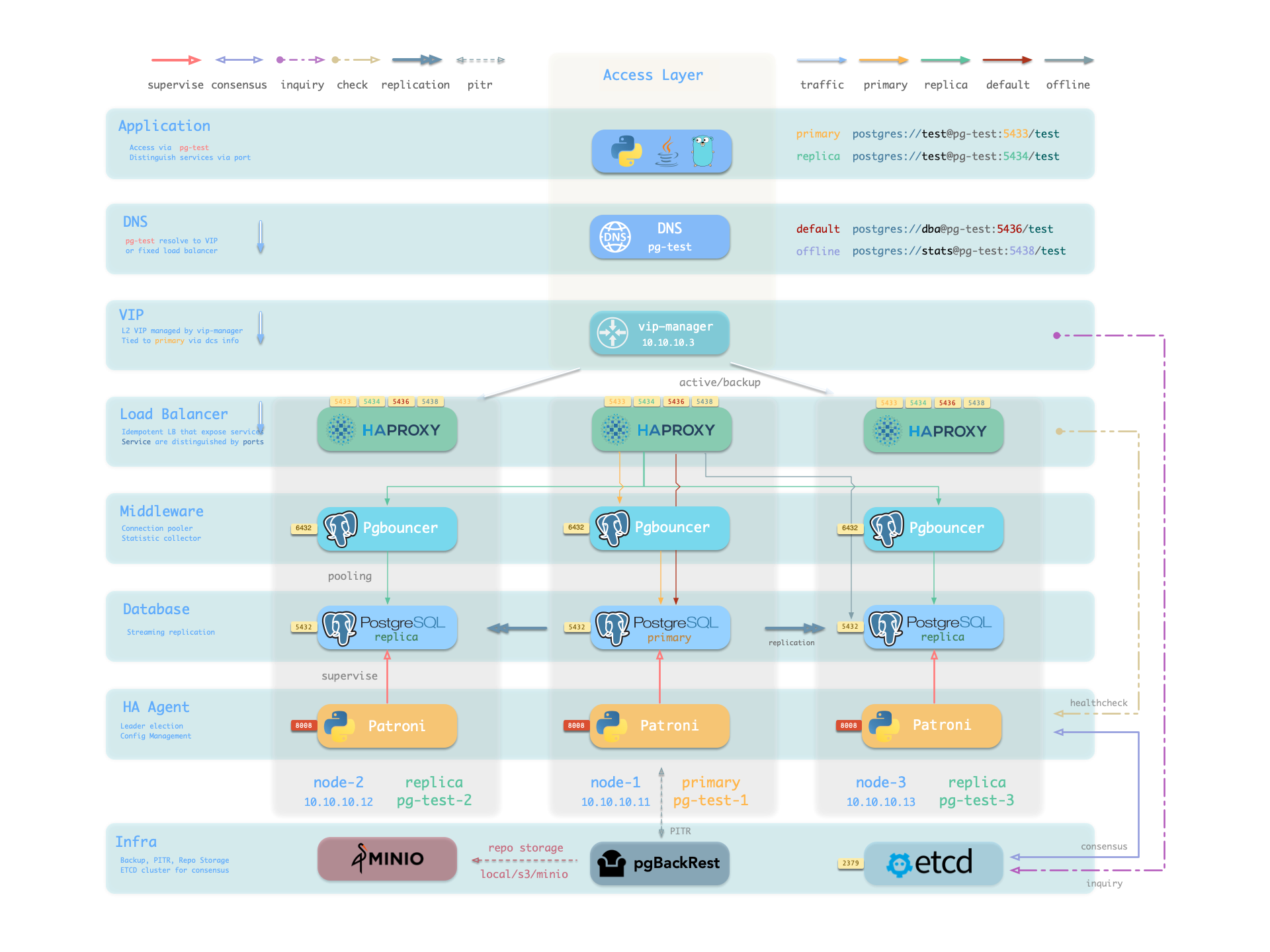
pg_dns_target controls the DNS target of pg-meta.
The default, auto, selects the L2 VIP when enabled.
Otherwise, it selects the IP address of the inventory primary.
VIP is disabled by default.
See Accessing Services.
Service Implementation
Pigsty implements services with HAProxy on nodes. Different ports identify different services.
Pigsty enables HAProxy on each managed node, including database nodes. Database nodes have primary or replica roles, but each node exposes the same services. With the correct service port, you can access the primary read-write service through a replica node. Thus, access to any cluster instance gives access to all cluster services.
This design is similar to Kubernetes NodePort services. Each Pigsty service has two core elements:
- Access endpoints exposed via NodePort (port number, from where to access?)
- Target instances chosen through Selectors (list of instances, who will handle it?)
Pigsty provides services up to the cluster HAProxy endpoint. Clients can reach these load balancers in several ways. See Accessing Services.
Declare all services in configuration files.
For example, pg_default_services defines the default PostgreSQL services:
Define additional services in pg_services.
Both pg_default_services and pg_services are arrays of service definition objects.
Define Service
Pigsty allows you to define your own services:
pg_default_services: Services uniformly exposed by all PostgreSQL clusters, with four by default.pg_services: Additional PostgreSQL services, can be defined at global or cluster level as needed.haproxy_services: Directly customize HAProxy service content, can be used for other component access
For PostgreSQL clusters, you usually need only the first two parameters.
Each service generates a configuration file on every related HAProxy instance: /etc/haproxy/conf.d/<pg_cluster>-<service>.cfg.
The following custom standby service provides read-only access without replication lag.
Add its definition to pg_services:
For the three-node pg-test example cluster, Pigsty generates /etc/haproxy/conf.d/pg-test-standby.cfg from this definition:
The selector: "[]" expression includes all three pg-test instances in the pg-test-standby backend list.
However, the Patroni /sync health check returns HTTP 200 only for the primary and synchronous standby.
Only those instances can handle requests.
The primary also matches pg_role == primary, so the backup selector marks it as a backup server.
It handles requests only when no synchronous standby can do so.
Primary Service
The Primary service provides cluster read-write access on port 5433. It is a critical production service. Its definition is:
selector: "[]"includes all cluster members in the Primary service.- Only the primary passes
check: /primaryand receives traffic. dest: defaultmakespg_default_service_destcontrol the destination.- Pigsty replaces the
destvaluedefaultwithpg_default_service_dest, whose default ispgbouncer. - Thus, the default destination is the primary connection pool on
pgbouncer_port, normally 6432.
Set pg_default_service_dest to postgres to bypass the connection pool.
The Primary service then connects directly to pg_port, normally 5432.
Use this setting when you do not need pooling.
Patroni high availability ensures that no more than one instance passes the /primary health check at a time.
Thus, the Primary service always routes traffic to the primary.
The Primary service also protects traffic routing during a split-brain condition. For example, kill -9 can stop primary Patroni without a watchdog. HAProxy sends traffic only when Patroni is alive and reports primary status. This protection is unavailable with a direct database connection.
Replica Service
The Replica service provides read-only access on port 5434. It is the next most important production service after Primary. Its definition is:
selector: "[]"includes all cluster members in the Replica service.- All instances can pass
check: /read-onlyand receive traffic. - The backup selector
[? pg_role == 'primary' || pg_role == 'offline' ]marks the primary and offline replicas as backups. - The primary or offline replicas receive traffic only when all normal replicas are down.
dest: defaultmakespg_default_service_destcontrol the destination.- Pigsty replaces the
destvaluedefaultwithpg_default_service_dest, whose default ispgbouncer, as for the Primary service. - Thus, the default destination is the replica connection pool on
pgbouncer_port, normally 6432.
The Replica service first sends read-only requests to available dedicated replicas. It sends them to the primary only when all replicas are down. For a two-node primary-replica cluster, this means it uses the replica while available and the primary when the replica fails.
The Replica service uses dedicated Offline instances only when all dedicated read-only instances are down. This separates fast online queries from slow offline queries to reduce interference.
Default Service
The Default service provides service on port 5436, and it’s a variant of the Primary service.
The Default service always bypasses the connection pool and connects directly to primary PostgreSQL. Use it for administration connections, ETL writes, and change data capture (CDC).
If pg_default_service_dest is postgres, Default and Primary have the same behavior.
Only their names and ports differ.
In this case, you can remove Default from the default services.
Offline Service
The Offline service listens on port 5438 and connects directly to PostgreSQL without the pool. Use it for slow queries, analytical queries, ETL reads, and personal interactive queries:
Offline routes traffic directly to dedicated offline replicas.
It can also use normal read-only instances with the pg_offline_query flag.
- The selector includes replicas with
pg_role=offlineand normal read-only instances withpg_offline_query=true. - Dedicated offline replicas do not handle Replica service requests by default. This separates fast and slow requests. Flagged normal replicas do handle those requests.
- The backup selector includes normal replicas without the offline flag. They handle Offline traffic when dedicated or flagged offline instances fail.
/replicareturns HTTP 200 only for replicas. It rejects the primary, even when the primary is the only remaining cluster instance.- Neither selector includes the primary. Thus, Offline traffic never reaches or affects the primary.
Offline provides restricted read-only access for personal interactive queries, slow analytical or ETL queries, and long transactions.
The Offline service needs special handling after a switchover.
The HAProxy /replica health check automatically rejects the new primary.
However, selector uses static pg_role and pg_offline_query inventory labels.
In a two-node primary-replica cluster, only the replica may serve Offline queries.
A switchover can then leave no eligible backend temporarily.
Reloading an unchanged inventory does not add the old primary to the backend list.
First update the inventory labels or pg_offline_query for the new plan, then reload services.
Alternatively, switch the primary back.
For a simple business model, you can remove Default and Offline. Use Primary and Replica to connect directly to the database.
Reload Service
Reload services after changes to cluster membership, service definitions, static selector labels, or relative weights. Patroni health checks handle normal Primary and Replica switchovers automatically. These switchovers need no separate reload.
Access Service
Pigsty provides services up to the cluster HAProxy endpoint. Clients can reach these load balancers in several ways.
The typical approach is to use DNS or VIP access, binding to all or any number of load balancers in the cluster.
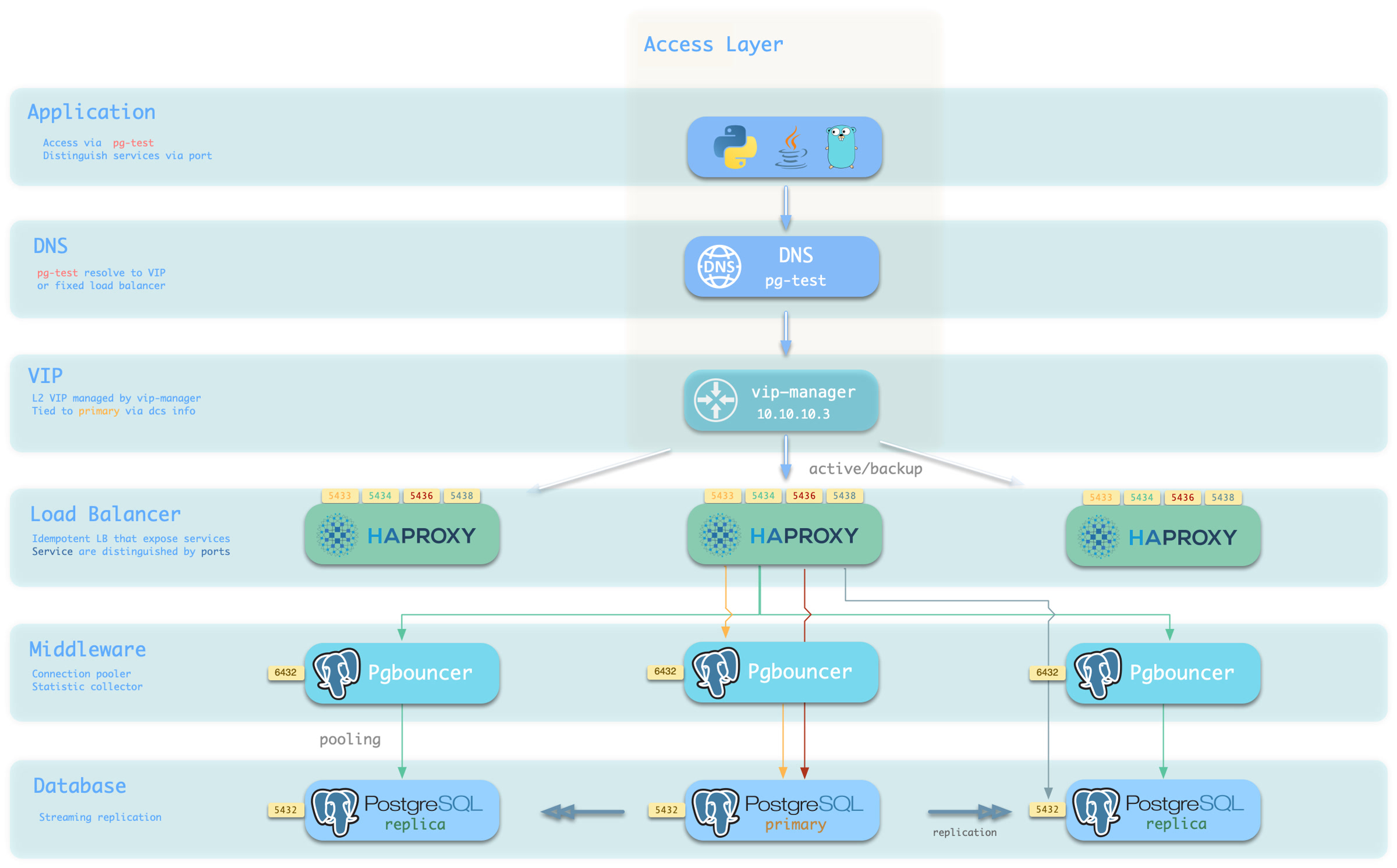
You can use different host & port combinations, which provide PostgreSQL services in different ways.
Host
| Type | Example | Description |
|---|---|---|
| Cluster Domain Name | pg-test | Access via cluster domain name (resolved by dnsmasq @ infra nodes) |
| Cluster VIP Address | 10.10.10.3 | Access via L2 VIP address managed by vip-manager, bound to primary |
| Instance Hostname | pg-test-1 | Access via any instance hostname (resolved by dnsmasq @ infra nodes) |
| Instance IP Address | 10.10.10.11 | Access any instance IP address |
Port
Pigsty uses different ports to distinguish pg services
| Port | Service | Type | Description |
|---|---|---|---|
| 5432 | postgres | database | Direct access to postgres server |
| 6432 | pgbouncer | middleware | Go through connection pool middleware before postgres |
| 5433 | primary | service | Access primary pgbouncer (or postgres) |
| 5434 | replica | service | Access replica pgbouncer (or postgres) |
| 5436 | default | service | Access primary postgres |
| 5438 | offline | service | Access offline postgres |
Combinations
Override Service
You can override service defaults in several ways. A common requirement is for Primary and Replica to bypass Pgbouncer and connect directly to PostgreSQL.
Set pg_default_service_dest to postgres.
Services with svc.dest='default' then use postgres instead of the default pgbouncer destination.
If Primary already connects to PostgreSQL, Default is redundant. You can remove it.
If you do not need to distinguish personal interactive queries from slow analytical or ETL queries, you can remove Offline.
Remove it from pg_default_services.
If replicas do not need to handle online read-only traffic, you can remove Replica from the default list.
Delegate Service
Pigsty exposes PostgreSQL services through HAProxy on nodes. All HAProxy instances in a cluster use the same service definitions.
You can instead delegate PostgreSQL services to a specific node group, such as a dedicated HAProxy load balancer cluster.
Override pg_default_services and set pg_service_provider to the proxy group name.
This example exposes the PostgreSQL Primary service on port 10013 through the proxy HAProxy node group.
Use a unique port for each delegated service in the proxy cluster.
A dedicated load balancer cluster example is provided in the 20-node production environment simulation sandbox: conf/ha/simu.yml
3 - PostgreSQL Security
PostgreSQL security combines authentication, authorization, network boundaries, encrypted communication, data protection, and operating procedures. Pigsty provides configuration parameters for these mechanisms. Operators must still harden, verify, and audit the deployment for its environment.
Concepts and Boundaries
| Topic | Content |
|---|---|
| Security and Compliance | Default state, capability boundaries, and hardening path |
| Authentication | HBA, SCRAM, certificate authentication, and credential management |
| Access Control | Built-in roles, default privileges, database ACLs, and instance-access boundaries |
| Encrypted Communication | CA, TLS, server authentication, and certificate rotation |
| Data Security | Page checksums, replication, backup, PITR, audit, and logging |
| Compliance | Launch checks, control mappings, and evidence requirements |
Configuration Reference
- HBA Configuration: declare PostgreSQL and PgBouncer authentication rules.
- Access Control Configuration: configure default roles, application users, object privileges, and database ACLs.
- User Configuration: define user attributes, role membership, and connection-pool options.
- CRIT Parameter Template: critical parameters for synchronous replication, checksums, logging, and watchdog.
Administration and Verification
- User Management: create, update, and remove users.
- HBA Management: refresh rules, inspect effective configuration, and troubleshoot authentication.
- Security Considerations: production hardening and acceptance checklist.
- Security Recommendations: minimum password, network, and file checks before installation.
The inventory describes the required state. Acceptance checks should inspect HBA, certificates, listening ports, and sensitive files on running nodes. They should also verify effective roles and privileges through PostgreSQL catalogs.
4 - Administration
4.1 - Managing PostgreSQL Clusters
Quick Reference
| Action | Command | Description |
|---|---|---|
| Create Cluster | bin/pgsql-add <cls> | Create a new PostgreSQL cluster |
| Expand Cluster | bin/pgsql-add <cls> <ip...> | Add replica to existing cluster |
| Shrink Cluster | bin/pgsql-rm <cls> <ip...> | Remove instance from cluster |
| Remove Cluster | bin/pgsql-rm <cls> | Destroy entire PostgreSQL cluster |
| Reload Service | bin/pgsql-svc <cls> [ip...] | Reload cluster load balancer config |
| Reload HBA | bin/pgsql-hba <cls> [ip...] | Reload cluster HBA access rules |
| Clone Cluster | - | Clone via standby cluster or PITR |
For other management tasks, see: HA Management, Manage Users, Manage Databases.
Create Cluster
To create a PostgreSQL cluster, first define the cluster in the inventory. Then add nodes and initialize them:
Create the cluster on the managed nodes.
Run the pgsql.yml playbook on the <cls> group:
Example: Create 3-node PG cluster pg-test
demo/pgsql.cast — /demo/pgsql.cast
If you repeat cluster creation, Pigsty keeps existing data files.
However, it overwrites service configurations and restarts the cluster.
It also runs any baseline SQL from the database definition again.
If that SQL deletes or overwrites data, data loss can occur.
Expand Cluster
To add a replica to an existing PostgreSQL cluster, add its instance definition to the inventory.
Use all.children.<cls>.hosts:
Scale out with a procedure similar to cluster creation. First add the new node to Pigsty:
Then install the PGSQL module on the new node.
Use the same pg_cluster value as the existing cluster:
After you scale out, reload the service to add the new member to the load balancer.
Example: Add replica 10.10.10.13 to 2-node cluster pg-test
demo/pgsql-append.cast — /demo/pgsql-append.cast
Shrink Cluster
To remove a replica from an existing PostgreSQL cluster, remove its instance definition.
Update all.children.<cls>.hosts in the inventory.
By default, scaling in stops the instance and deletes its data directory.
First run pig pg list <cls> and pig pb info.
Verify that the target is not the primary and that a recent restorable backup exists.
Then have the operator enter the exact <ip>.
Run the removal only after confirmation.
First uninstall the PGSQL module from the target node.
Run pgsql-rm.yml on <ip>:
After you remove the PGSQL module, you can remove the node from Pigsty:
After you scale in, remove the instance from the inventory. Then reload the service to remove the instance from the load balancer.
Example: Remove replica 10.10.10.13 from 3-node cluster pg-test
demo/pgsql-shrink.cast — /demo/pgsql-shrink.cast
Remove Cluster
To destroy a cluster, uninstall the PGSQL module from all its nodes.
Run pgsql-rm.yml on <cls>:
This operation permanently deletes data.
Inspect pig pg list <cls> and pig pb info.
Verify a recent backup and any independent copy that you must keep.
Have the operator enter the exact cluster name.
The following commands destroy that cluster directly.
After you destroy PGSQL, you can remove all its nodes from Pigsty. You can keep nodes that run other services:
After removal, delete the entire cluster definition from inventory.
Example: Destroy 3-node PG cluster pg-test
demo/pgsql-rm.cast — /demo/pgsql-rm.cast
If pg_safeguard is true for the cluster or globally, pgsql-rm.yml stops to prevent accidental removal.
To force removal, override this setting on the playbook command line.
By default, removal also deletes the cluster backup repository.
To keep backups, such as a centralized repository, set pg_rm_backup=false:
Reload Service
PostgreSQL clusters expose services through HAProxy on host nodes. Reload services when service definitions, instance weights, or cluster membership change, including scale-out and scale-in. The reload updates the static HAProxy member configuration. The default Primary and Replica services detect current roles through Patroni REST API health checks. Thus, ordinary switchover or failover redirects traffic automatically. These role changes do not require a new HAProxy configuration.
To reload service configuration, run the pg_service subtask of pgsql.yml.
Target <cls> for the whole cluster or <ip> for specific instances:
If you use a dedicated load balancer cluster, set
pg_service_provider. In this configuration, only a reload on the cluster primary updates the load balancer configuration.
Example: Reload pg-test cluster service config
demo/pgsql-svc.cast — /demo/pgsql-svc.cast

Reload HBA
When HBA configuration changes, reload the pg_hba_rules and pgb_hba_rules rules.
Some HBA rules depend on inventory roles or address ranges that refer to cluster member aliases.
For these rules, reload HBA after you change pg_role labels or scale the cluster.
Role selectors use static inventory variables.
They do not change automatically after a Patroni switchover.
To reload PostgreSQL and Pgbouncer HBA rules, run the HBA subtasks of pgsql.yml.
Target <cls> for the whole cluster or <ip> for specific instances:
Example: Reload pg-test cluster HBA rules
demo/pgsql-hba.cast — /demo/pgsql-hba.cast
Config Cluster
Patroni manages PostgreSQL configuration parameters.
The Patroni configuration template supplies the initial values.
After cluster initialization, Patroni dynamically manages and synchronizes the configuration stored in Etcd.
Use patronictl to change most Patroni configuration parameters.
Use subtasks for other parameters, such as etcd DCS, logging, and REST API configuration.
For example, refresh Patroni configuration after etcd cluster membership changes:
You can override Patroni-managed defaults at different levels: specify params per instance, specify params per user, or specify params per database.
Clone Cluster
You can clone a cluster with a Standby Cluster or Point-in-Time Recovery. A standby cluster is simple and does not require a backup repository. It requires a reachable replication upstream and can copy only the latest state. PITR requires a centralized backup repository, such as Silo. It can clone the cluster to any point within the retention period.
| Method | Pros | Cons | Use Cases |
|---|---|---|---|
| Standby Cluster | No backup repository needed | Requires reachable upstream; latest state only | DR, read-write separation, migration |
| PITR | Recover to any point | Requires centralized backup | Undo mistakes, data audit |
Clone via Standby Cluster
A standby cluster continuously synchronizes from the upstream cluster through streaming replication.
This is the simplest cloning method.
Set pg_upstream on the new cluster primary to pull data automatically from the upstream.
Create standby cluster with:
The standby cluster follows the upstream and keeps its data synchronized. You can promote it to an independent cluster at any time:
Via Config Cluster, remove standby_cluster config to promote:
After promotion, pg-test2 becomes independent cluster accepting writes, forked from pg-test.
If upstream cluster switchover occurs, change standby cluster upstream via Config Cluster:
Clone via PITR
Point-in-Time Recovery (PITR) can recover to any point within the backup retention period. It requires a centralized backup repository, such as Silo or S3. It gives more recovery options than a standby cluster.
To clone with PITR, add pg_pitr and specify the recovery target:
Execute clone with pgsql-pitr.yml playbook:
PITR supports multiple recovery target types:
| Target Type | Example | Description |
|---|---|---|
| Time | time: "2025-01-10 10:00:00+00" | Recover to specific timestamp |
| XID | xid: "250000" | Recover to before/after txn |
| Name | name: "before_migration" | Recover to named restore point |
| LSN | lsn: "0/4001C80" | Recover to specific WAL pos |
| Latest | pg_pitr: {} | Recover to end of WAL archive |
Pigsty v4.5 PITR keeps archiving enabled by default (archive: true). If you explicitly set archive: false for exploratory recovery, reset archive_mode, restart the cluster, and perform a new full backup after confirming the recovered data is correct:
For detailed PITR usage, see Restore Operations documentation.
4.2 - Managing PostgreSQL Users
Quick Start
Pigsty manages users declaratively.
First define users in the inventory.
Then run bin/pgsql-user <cls> <username> to create or modify them.
For the complete user definition reference, see User Configuration. See Access Control for roles and privileges, and Authentication for credential management.
pgsql-user.yml uses name to find a user definition.
The playbook does not rename roles.
To rename a role, create a replacement role.
Migrate ownership, memberships, and client credentials, then validate the change before you remove the old role.
Deletion followed by creation is not a lossless rename.
| Action | Command | Description |
|---|---|---|
| Create User | bin/pgsql-user <cls> <user> | Create new business user or role |
| Modify User | bin/pgsql-user <cls> <user> | Modify existing user properties |
| Delete User | bin/pgsql-user <cls> <user> | Dependency-aware destructive deletion (state: absent) |
demo/pgsql-user.cast — /demo/pgsql-user.cast
Create User
During PostgreSQL cluster creation, the pg_user task automatically creates users defined in pg_users.
To create a user on an existing cluster, add its definition to all.children.<cls>.pg_users.
Then run:
Example: Create business user dbuser_app
Result: Pigsty creates dbuser_app on the primary, sets its password, and grants it the dbrole_readwrite role.
It adds the user to the Pgbouncer pool and reloads Pgbouncer configuration on all instances.
For manual user creation, you must ensure Pgbouncer user list sync yourself.
Modify User
Use the same command as for creation. The playbook is idempotent. If the target user exists, Pigsty changes its properties to match the configuration.
Not directly mutable: name is the identity key in the declarative definition.
The playbook does not rename an existing role.
Create a replacement role, then migrate ownership, privileges, and clients.
Validate the change before you remove the old role.
All other properties can be modified. Common examples:
Modify password: Change the password field.
Pigsty temporarily disables logging during the change to prevent password disclosure.
Modify privilege attributes: Configure boolean flags for user privileges.
Modify expiration: Use expire_in for expiration after N days, or expire_at for a fixed date.
expire_in takes priority.
Each playbook run recalculates its expiration date.
Use it for temporary users that need periodic renewal.
Modify role membership: Use the roles array with simple or extended definitions.
Membership changes are additive: Pigsty keeps existing memberships that the array does not declare.
To revoke a membership explicitly, use state: absent.
Manage user parameters: Use the parameters dictionary for user-level parameters.
Pigsty generates ALTER USER ... SET commands.
Use DEFAULT to reset a parameter.
Connection pool config: Set pgbouncer: true to add the user to the pool.
You can also set pool_mode and pool_connlimit.
Delete User
User deletion terminates sessions, transfers object ownership, revokes grants, and runs DROP ROLE.
This operation is irreversible.
Confirm the exact cluster, role, successor owner, and a recent backup.
Then set the user to state: absent and apply the change.
Config example:
Deletion process: On the primary, the task runs pg-drop-role <user> postgres --force.
It disables login and terminates active sessions.
It transfers database and tablespace ownership, and objects in each connectable database, to postgres.
It runs DROP OWNED to remove grants, revokes role memberships, then runs DROP ROLE.
Before changes, it writes an audit snapshot to /tmp/pg_drop_role_<user>_<timestamp>.log.
Protection: The Ansible task skips postgres and the replication, administration, and monitoring usernames configured in the inventory.
Direct calls to pg-drop-role protect only the fixed default names: postgres, replicator, dbuser_dba, and dbuser_monitor.
The script does not recognize renamed system accounts automatically.
If REASSIGN OWNED fails in a database, pg-drop-role skips DROP OWNED in that database.
However, the procedure across databases is not one transaction.
A failure partway through can leave the role NOLOGIN, transfer only some ownership, or leave dependencies.
The v4.5 Ansible task also uses ignore_errors.
Thus, a successful playbook result does not prove complete deletion.
Afterward, verify role absence, successor ownership, application migration, and the audit log.
In v4.5, pgsql-user.yml reloads Pgbouncer.
However, it does not reliably remove a deleted role from /etc/pgbouncer/userlist.txt.
Check every cluster instance after deletion:
If the exact Pgbouncer entry remains, remove only that line through the change control procedure. Reload Pgbouncer and validate application connections. Do not delete entries with a broad pattern.
Manual Deletion
For manual user deletion, use pg-drop-role script directly:
Common Use Cases
Common user configuration examples:
Basic business user
Read-only user
Admin user (can execute DDL)
Temp user (expires in 30 days)
Role (no login, for permission grouping)
User with advanced role options (PG16+)
Query Users
Common SQL queries for user info:
List all users
View user role membership
View user-level parameters
View expiring users
Connection Pool Management
Connection pool params in user definitions are applied to Pgbouncer when creating/modifying users.
Pigsty adds users with pgbouncer: true to /etc/pgbouncer/userlist.txt.
It sets user-level pool_mode and pool_connlimit in /etc/pgbouncer/useropts.txt.
As the postgres operating system user, use the pgb alias to access the Pgbouncer administration database.
For more operations, see Pgbouncer Management.
Manage Default-User Passwords
For a business user, follow Modify User.
Save the new password in its pg_users definition, preview the playbook for that user, then apply it.
The three default users need extra coordination because other services use their credentials.
| Parameter | Default | Role | Consumers |
|---|---|---|---|
pg_admin_password | DBUser.DBA | dbuser_dba | Admin clients, Pgbouncer, Infra service files, pgAdmin |
pg_monitor_password | DBUser.Monitor | dbuser_monitor | Exporters, Pgbouncer, Grafana data sources |
pg_replication_password | DBUser.Replicator | replicator | Patroni replication and .pgpass files |
These accounts belong to pg_default_roles, not pg_users.
pgsql-user.yml searches only pg_users.
Do not change a default password by overriding pg_users on the command line.
This changes the business-user list for that run and exposes plaintext passwords in shell history.
Rotate one account at a time:
- Save the new parameter in
pigsty.ymlor the active inventory. Never put the plaintext password on the command line. - On the current primary, open interactive
psqlas a superuser. Run\password <username>to enter the secret interactively. - Verify the
-lcluster or node scope, then run the corresponding refresh playbooks below. - Keep the current administration session open. Verify direct PostgreSQL, Pgbouncer, replication, exporters, and Grafana data sources before you change another account.
Refresh every consumer for the account. Replace <cls> and constrain infra to the actual targets:
If replication credentials differ between the role and Patroni nodes, new replication connections fail. Change this credential during a maintenance window and validate it promptly. VIBE or another module may have generated an administration connection string in its workspace context. If so, generate that module’s files again.
In v4.5, env_pgpass adds the new line with lineinfile; it does not remove older lines by username. Because libpq uses the first matching line, inspect every target Infra node after the refresh and remove obsolete entries through controlled editing without printing secrets:
patroni_password protects the Patroni REST API.
It is not a PostgreSQL role password.
After you change it in the inventory, refresh the target PostgreSQL cluster and the Infra administration configuration separately:
Then validate authentication and cluster state with patronictl or pig pg list <cls>.
4.3 - Managing PostgreSQL Databases
Quick Start
Pigsty manages databases declaratively.
First define databases in the inventory.
Then run bin/pgsql-db <cls> <dbname> to create or modify them.
For the complete database definition reference, see Database Configuration. For database access permissions, see Access Control: Database Isolation.
You can set some parameters only at creation time.
To change these parameters, recreate the database with state: recreate.
| Action | Command | Description |
|---|---|---|
| Create Database | bin/pgsql-db <cls> <db> | Create new business database |
| Modify Database | bin/pgsql-db <cls> <db> | Modify existing database properties |
| Delete Database | bin/pgsql-db <cls> <db> | Delete database (requires state: absent) |
| Rebuild Database | bin/pgsql-db <cls> <db> | Drop and recreate (requires state: recreate) |
| Clone Database | bin/pgsql-db <cls> <db> | Clone database using template |
demo/pgsql-db.cast — /demo/pgsql-db.cast
Create Database
During PostgreSQL cluster creation, the pg_db task automatically creates databases defined in pg_databases.
To create a database on an existing cluster, add its definition to all.children.<cls>.pg_databases.
Then run:
Example: Create business database myapp
Result: Pigsty creates myapp on the primary with dbuser_myapp as its owner.
It creates the app schema and enables the pg_trgm and btree_gin extensions.
It also adds the database to the Pgbouncer pool and registers a Grafana data source.
For manual database creation, you must ensure Pgbouncer pool and Grafana datasource sync yourself.
Modify Database
Use the same command as for creation.
The playbook is idempotent when no baseline SQL is defined.
If the target database exists, Pigsty changes its properties to match the configuration. However, you can set some properties only at creation.
Immutable properties: To change these properties after creation, use state: recreate:
name(database name),template,strategy(clone strategy)encoding,locale/lc_collate/lc_ctype,locale_provider/icu_locale/icu_rules/builtin_locale
All other properties can be modified. Common examples:
Modify owner: Change the owner field.
Pigsty runs ALTER DATABASE ... OWNER TO and grants permissions.
Modify connection limit: Use connlimit to limit max connections.
Revoke public connect: Set revokeconn: true to revoke the PUBLIC CONNECT privilege.
Only the owner, DBA, monitor, and replication users can then connect.
Manage parameters: Use the parameters dictionary to set database-level parameters.
Pigsty generates ALTER DATABASE ... SET commands.
Use the special value DEFAULT to reset a parameter.
Manage schemas: Use the schemas array with simple or extended definitions.
To drop a schema with CASCADE, set state: absent.
Manage extensions: Use the extensions array with simple or extended definitions.
To uninstall an extension with CASCADE, set state: absent.
Schema deletion and extension removal use CASCADE.
This deletes all dependent objects.
Understand the effect before you run these operations.
Connection pool config: By default, Pigsty adds all databases to Pgbouncer.
Configure pooling with pgbouncer, pool_mode, pool_size, pool_reserve, pool_size_min, pool_connlimit, and pool_auth_user.
Since Pigsty
v4.1.0, usepool_reserveandpool_connlimitfor database pool fields. These names replace the legacy aliasespool_size_reserveandpool_max_db_conn.
Delete Database
To delete a database, set state to absent and execute:
Config example:
Deletion process: If is_template: true, Pigsty first runs ALTER DATABASE ... IS_TEMPLATE false.
It then uses DROP DATABASE ... WITH (FORCE) (PG13+) to delete the database and terminate all its connections.
It removes the database from the Pgbouncer pool and unregisters its Grafana data source.
Protection: Pigsty cannot delete the system databases postgres, template0, and template1.
Deletion runs only on the primary.
Streaming replication sends the change to replicas.
Database deletion is irreversible and permanently deletes all data. Before deletion, verify that a recent backup exists. Confirm that no business uses the database, and notify stakeholders. Pigsty is not responsible for any data loss from database deletion. Use at your own risk.
Rebuild Database
recreate state rebuilds database (drop then create):
Config example:
Use cases: Test environment reset, clear dev database, modify immutable properties (encoding, locale), restore to initial state.
Difference from manual DROP + CREATE: One command performs the operation.
It preserves Pgbouncer and Grafana configuration automatically.
It also loads the baseline initialization script automatically.
Clone Database
Use the PostgreSQL template mechanism to clone a database. The template database must have no active connections during cloning.
Config example:
Instant Clone (PG18+): For PostgreSQL 18+, Pigsty configures file_copy_method by default.
With strategy: FILE_COPY, cloning takes about 200ms and does not copy data files.
For example, a 30GB database takes 18s with normal cloning and 200ms with instant cloning.
Manual clone: Ensure all connections to template are terminated:
Limitations: Instant cloning requires a supported filesystem: xfs, btrfs, zfs, or apfs.
Do not use the postgres database as a template.
In high-concurrency environments, clear all template connections within the cloning window of about 200ms.
Connection Pool Management
Connection pool params in database definitions are applied to Pgbouncer when creating/modifying databases.
By default, Pigsty adds all databases to the Pgbouncer pool (pgbouncer: true).
It adds their definitions to /etc/pgbouncer/database.txt.
This file also holds database-level pool parameters: pool_auth_user, pool_mode, pool_size, pool_reserve, pool_size_min, and pool_connlimit.
As the postgres operating system user, use the pgb alias to access the Pgbouncer administration database.
For more operations, see Pgbouncer Management.
4.4 - Patroni HA Management
Overview
Pigsty uses Patroni to manage PostgreSQL clusters. It handles configuration changes, status checks, switchovers, restarts, replica reinitialization, and other operations.
To manage clusters with Patroni, use one of these identities:
- On an INFRA node, use an administration user to manage all clusters in the environment.
- On a PGSQL node, use
pg_dbsu, which defaults topostgres, to manage only the current cluster.
Patroni provides the patronictl administration CLI.
Pigsty provides the pg wrapper alias to simplify its use.
Available Commands
| Command | Function | Description |
|---|---|---|
edit-config | Edit Config | Interactively edit cluster Patroni/PostgreSQL config |
list | List Status | List cluster members and their status |
switchover | Switchover | Switch primary role to specified replica (planned) |
failover | Failover | Force failover to specified replica (emergency) |
restart | Restart | Restart PostgreSQL instance to apply restart-required params |
reload | Reload | Reload Patroni config (no restart needed) |
reinit | Reinit Replica | Reinitialize replica (wipe data and re-clone) |
pause | Pause Auto-Failover | Pause Patroni automatic failover |
resume | Resume Auto-Failover | Resume Patroni automatic failover |
history | View History | Show cluster failover history |
show-config | Show Config | Display current cluster config (read-only) |
query | Execute Query | Execute SQL query on cluster members |
topology | View Topology | Display cluster replication topology |
version | View Version | Display Patroni version info |
remove | Remove Member | Remove cluster member from DCS (dangerous) |
Edit Config
Use edit-config to edit cluster Patroni and PostgreSQL configuration interactively.
The command opens an editor for configuration stored in DCS.
It applies changes automatically to all members.
You can change Patroni parameters, such as ttl, loop_wait, and synchronous_mode.
You can also change PostgreSQL parameters in postgresql.parameters.
demo/pgsql-config.cast — /demo/pgsql-config.cast
Common config modification examples:
Some parameter changes require a PostgreSQL restart.
Run pg list to find instances marked with *.
These instances need a restart.
Run pg restart to apply the changes.
You can also call the Patroni REST API with curl or a program:
List Status
Use list to view cluster members and their status.
The output shows each instance name, host, role, state, timeline, and replication lag.
This is the most common command for cluster health checks.
Example output:
The output columns have these meanings:
- Member: The instance name, formed from
pg_cluster-pg_seq. - Host: The instance IP address.
- Role: Leader (primary), Replica, Sync Standby, or Standby Leader (cascade primary).
- State: The running state, such as
running,streaming,in archive recovery,starting, orstopped. - TL: The timeline number, which increases after each switchover.
- Lag in MB: Replication lag in MB. This value is not shown for the primary.
Instances requiring restart show * after the name:
Switchover
Use switchover for a planned primary-replica role change.
Patroni first verifies that the replica is fully synchronized.
It then demotes the primary and promotes the target replica.
The operation takes seconds, with a short interruption to writes.
Use it for primary host maintenance, upgrades, or migration of the primary to a better node.
Before a switchover, verify that all replicas are healthy (running or streaming).
Verify that replication lag is acceptable, and notify stakeholders.
After switchover, use pg list to confirm new cluster topology.
Failover
Use failover for emergency recovery when the primary is unavailable.
It promotes a replica directly, without confirmation from the original primary.
Replicas may not be fully synchronized, so failover may cause minor data loss.
For operations that are not emergencies, use switchover.
Failover examples:
Switchover vs Failover: Switchover supports planned maintenance and requires the original primary to be online. It waits for full synchronization and prevents data loss. Failover supports emergency recovery when the original primary can be offline. It promotes a replica directly and may lose data that has not replicated. Use Switchover for routine maintenance and upgrades. Use Failover only when the primary is completely down and cannot recover.
The built-in Patroni
failoversubcommand currently has no--leaderoption. Useswitchover --leader ...to validate or name the old primary during a planned switchover. Failover accepts only the candidate replica.
Restart
Use restart to restart PostgreSQL instances, usually after changes to parameters that require a restart.
For a whole cluster, patronictl submits each selected member in turn.
It does not guarantee that replicas restart before the leader.
If this order matters, restart replicas by role first.
Then restart the leader separately.
After modifying restart-required params (shared_buffers, shared_preload_libraries, max_connections, max_worker_processes, etc.), use this command.
Reload
Use reload to reload Patroni configuration without a PostgreSQL restart.
It reads configuration files again and applies parameters through pg_reload_conf().
It causes less disruption than restart: connections and running queries continue.
Most PostgreSQL parameter changes apply through reload.
Only parameters with postmaster context require a restart, such as shared_buffers, max_connections, shared_preload_libraries, and archive_mode.
Reinit Replica
Use reinit to reinitialize a replica.
This deletes all replica data and rebuilds it in the order specified by Patroni create_replica_methods.
By default, Pigsty tries basebackup (pg_basebackup) first.
If a remote pgBackRest repository is enabled, Pigsty also configures pgbackrest as a fallback.
Use reinitialization for corrupted replica data, missing WAL after excessive lag, or a required replica configuration reset.
Warning: This operation deletes all data on the target instance. You can run it only on replicas, not on the primary.
During rebuild, use pg list to check progress. Replica state shows creating replica:
Pause
Use pause to pause Patroni automatic failover.
While paused, Patroni does not promote replicas automatically, even if the primary fails.
Pause during planned maintenance to prevent accidental failover.
You can also pause for debugging to prevent cluster state changes, or to control manual switchover timing.
Warning: While paused, the cluster will not recover automatically if the primary fails. Run
resumeafter maintenance.
Resume
Use resume to resume Patroni automatic failover.
Run it immediately after maintenance so the cluster can recover automatically from a primary failure.
History
Use history to view cluster failover history.
Each automatic or manual switchover creates a timeline record.
The history columns have these meanings:
- TL: The timeline number. It increases after each switchover to distinguish primary histories.
- LSN: The Log Sequence Number at switchover, which identifies the WAL position.
- Reason:
switchover to xxxfor a manual operation,failover to xxxfor a failure, orno recovery target specifiedfor initialization. - Timestamp: The time of the switchover.
Show Config
Use show-config to view the current cluster configuration in DCS.
This command only reads configuration.
To change it, use edit-config.
Query
Use query to run SQL quickly on cluster members during debugging.
For complex production queries, use psql or an application.
Topology
Use topology to view cluster replication topology as a tree.
It shows primary-replica relationships more clearly than list, especially for cascading replication.
For cascading replication, the topology shows the replication hierarchy.
For example, pg-test-3 replicates from pg-test-2, which replicates from the primary pg-test-1.
Version
Use version to view patronictl version.
Remove
Use remove to remove cluster or member metadata from DCS.
This operation is dangerous.
It removes only DCS metadata; it does not stop PostgreSQL or delete data files.
Incorrect use can make cluster state inconsistent.
Normally, you do not need this command.
To remove a cluster or instance, use bin/pgsql-rm or pgsql-rm.yml.
Consider remove only for orphaned DCS metadata after physical node removal, or metadata left after cluster destruction by other means.
4.5 - Managing PostgreSQL HBA Rules
Quick Start
Pigsty manages HBA rules declaratively.
First define HBA rules in the inventory.
Then run bin/pgsql-hba <cls> to refresh them.
For rule syntax, see HBA Configuration. For authentication methods, default boundaries, and credential management, see Authentication.
| Action | Description | Risk |
|---|---|---|
| Refresh HBA Rules | Re-render config files and reload service | Low |
| Verify HBA Rules | View current rules, test connection auth | Read |
| Common Scenarios | Add rules, block IP, role-based, post-expansion | Low |
| Troubleshooting | Connection rejected, auth failed, rules not applied | - |
| Pgbouncer HBA | Pgbouncer connection pool HBA management | Low |
demo/pgsql-hba.cast — /demo/pgsql-hba.cast
Refresh HBA Rules
After you change HBA rules in pigsty.yml, generate the configuration files again and reload the services.
Result: Pigsty generates PostgreSQL and Pgbouncer HBA configuration files from inventory definitions. It then reloads the services to apply the rules.
Config file locations
| Service | Config File Path | Template File |
|---|---|---|
| PostgreSQL | /pg/data/pg_hba.conf | roles/pgsql/templates/pg_hba.conf |
| Pgbouncer | /etc/pgbouncer/pgb_hba.conf | roles/pgsql/templates/pgbouncer.hba |
Direct changes to /pg/data/pg_hba.conf or /etc/pgbouncer/pgb_hba.conf work temporarily.
The next Ansible playbook run overwrites them.
Make all HBA rule changes in pigsty.yml, then run bin/pgsql-hba to refresh the rules.
Related Tags
| Tag | Description |
|---|---|
pg_hba | Render PostgreSQL HBA config file |
pg_reload | Reload PostgreSQL config (needs pg_reload=true) |
pgbouncer_hba | Render Pgbouncer HBA config file |
pgbouncer_reload | Reload Pgbouncer config |
Verify HBA Rules
After you refresh HBA rules, verify that the configuration applies correctly.
View current HBA rules
Check HBA config syntax
Common Scenarios
Add New HBA Rule
Add the rule to pg_hba_rules in the cluster configuration.
Then refresh the rules:
Emergency IP Block
If you detect a malicious IP address, add a deny rule with high priority (order: 0):
Role-Based Rules
Configure different HBA rules for primary and replica using role parameter:
After a refresh, the instance pg_role determines which rules are enabled.
Refresh HBA After Expansion
After you add cluster instances, refresh rules that use addr: cluster.
The refreshed rules include the new members:
Refresh HBA After Failover
After a Patroni failover, instance roles may differ from pg_role values in the configuration.
If HBA rules filter by role, update the configuration and refresh the rules:
Troubleshooting
Connection Rejected
Symptom: FATAL: no pg_hba.conf entry for host "x.x.x.x", user "xxx", database "xxx"
Steps:
- Check current HBA rules, confirm if matching rule exists:
Confirm client IP, username, database matches any rule
Check rule order (HBA uses first-match-wins)
Add corresponding rule and refresh:
Authentication Failed
Symptom: FATAL: password authentication failed for user "xxx"
Steps:
- Confirm password is correct
- Check password encryption method (
pg_pwd_enc) compatibility with client - Check if user exists:
HBA Rules Not Applied
Steps:
- Confirm refresh command was executed
- Check if Ansible execution succeeded
- Confirm PostgreSQL reloaded:
- Check if config file was updated:
Rule Order Issues
HBA uses the first matching rule. If rules do not work as expected:
- Check
ordervalues in rule definitions - Use
psql -c "TABLE pg_hba_file_rules"to view actual order - Adjust
ordervalues (lower numbers = higher priority)
Pgbouncer HBA
Pgbouncer HBA management is similar to PostgreSQL, with some differences.
Config differences
| Difference | PostgreSQL | Pgbouncer |
|---|---|---|
| Config file | /pg/data/pg_hba.conf | /etc/pgbouncer/pgb_hba.conf |
| Replication | Supports db: replication | Not supported |
| Local auth | Uses ident | Uses peer |
Refresh Pgbouncer HBA
Best Practices
- Manage rules in the inventory: Make all changes in
pigsty.yml. Do not editpg_hba.confdirectly. - Test first: Verify HBA changes in a test environment first. Changes can cause connection problems.
- Set rule priority: Use
order: 0for blocklist rules to match them first. - Refresh promptly: Refresh HBA after you add or remove instances, or after failover.
- Grant minimum access: Allow only necessary access. Avoid
addr: worldwithauth: trust. - Monitor authentication failures: Check
pg_stat_activityfor authentication failures. - Back up configuration: Back up
pigsty.ymlbefore important changes.
Related Documentation
- HBA Configuration: HBA rule config syntax and parameter details
- User Management: User and role management operations
- Access Control: Role system and permission model
- Authentication: Authentication methods, default boundaries, and credential management
- Encrypted Communication: TLS and client certificate verification
4.6 - Pgbouncer Connection Pooling
Overview
Pigsty uses Pgbouncer for PostgreSQL connection pooling.
By default, it listens on port 6432 and proxies connections to local PostgreSQL on port 5432.
This component is optional. If you do not need many connections, transaction pooling, or query metrics, you can disable it. You can also connect directly to the database or leave Pgbouncer unused.
User & Database Management
Pigsty automatically manages Pgbouncer users and databases. When you create databases or users, it applies the database configuration and user configuration.
Database Management: By default, Pigsty adds databases from pg_databases to Pgbouncer.
To exclude a database, set pgbouncer: false.
User Management: To add a user from pg_users to the pool user list, explicitly set pgbouncer: true.
Since Pigsty
v4.1.0, usepool_reserveandpool_connlimitfor database pool fields. These names replace the legacy aliasespool_size_reserveandpool_max_db_conn.
Service Management
By default, the PostgreSQL Primary Service and Replica Service connect to Pgbouncer on port 6432.
To connect directly to PostgreSQL, customize pg_services.
Alternatively, set pg_default_service_dest to postgres.
Config Management
Pgbouncer config files are in /etc/pgbouncer/, generated and managed by Pigsty:
| File | Description |
|---|---|
pgbouncer.ini | Main config, pool-level params |
database.txt | Database list, database-level params |
userlist.txt | User password list |
useropts.txt | User-level pool params |
pgb_hba.conf | HBA access control rules |
Pigsty automatically manages database.txt and userlist.txt.
It updates them when you create databases or users.
You can edit configuration manually, then run RELOAD to apply the changes:
Pool Management
Pgbouncer runs as the same dbsu as PostgreSQL.
The default is the postgres operating system user.
Pigsty provides the pgb alias for administration:
On database nodes, use pgb to connect to the Pgbouncer administration console.
You can then run administration commands and monitoring queries.
| Command | Function | Description |
|---|---|---|
PAUSE | Pause | Pause database, wait for txn completion then disconnect |
RESUME | Resume | Resume database paused by PAUSE/KILL/SUSPEND |
DISABLE | Disable | Reject new client connections for database |
ENABLE | Enable | Allow new client connections for database |
RECONNECT | Reconnect | Gracefully close and rebuild server connections |
KILL | Kill | Immediately disconnect all client and server connections |
KILL_CLIENT | Kill Client | Terminate specific client connection |
SUSPEND | Suspend | Flush buffers and stop listening, for online restart |
SHUTDOWN | Shutdown | Shutdown Pgbouncer process |
RELOAD | Reload | Reload config files |
WAIT_CLOSE | Wait Close | Wait for server connections to close after RECONNECT/RELOAD |
| Monitor Commands | Monitor | View pool status, clients, servers, etc. |
PAUSE
Use PAUSE to pause database connections.
Pgbouncer waits for the active transaction or session to finish, according to the pool mode.
It then disconnects server connections.
New client requests wait until RESUME.
Typical use cases:
- Online backend database switch (e.g., update connection target after switchover)
- Maintenance operations requiring all connections disconnected
- Combined with
SUSPENDfor Pgbouncer online restart
After pause, SHOW DATABASES shows paused status:
RESUME
Use RESUME to restore databases paused by PAUSE, KILL, or SUSPEND.
This allows new connections and resumes normal service.
DISABLE
Use DISABLE to reject all new client connections for a database.
Existing connections continue.
Typical use cases:
- Temporarily offline a database for maintenance
- Block new connections for safe database migration
- Gradually decommission a database being removed
ENABLE
Use ENABLE to enable a database that DISABLE stopped.
The database accepts new client connections again.
RECONNECT
Use RECONNECT to rebuild server connections gracefully.
Pgbouncer closes connections when they return to the pool.
It creates new connections as needed.
Typical use cases:
- Refresh connections after backend database IP change
- Reroute traffic after switchover
- Rebuild connections after DNS update
After RECONNECT, use WAIT_CLOSE to wait for old connections to fully release.
KILL
Use KILL to disconnect all client and server connections for a database immediately.
Unlike PAUSE, it does not wait for transactions to finish.
After KILL, new connections are blocked until RESUME.
KILL_CLIENT
Use KILL_CLIENT to terminate a specific client connection.
Get the client ID from SHOW CLIENTS.
SUSPEND
Use SUSPEND to suspend Pgbouncer.
It flushes all socket buffers and stops listening until RESUME.
SUSPEND is mainly for Pgbouncer online restart (zero-downtime upgrade):
SHUTDOWN
Use SHUTDOWN to stop the Pgbouncer process.
The command supports several shutdown modes:
| Mode | Description |
|---|---|
SHUTDOWN | Immediately shutdown Pgbouncer |
WAIT_FOR_SERVERS | Stop accepting new connections, wait for server release |
WAIT_FOR_CLIENTS | Stop accepting new connections, wait for all clients disconnect, for rolling restart |
RELOAD
Use RELOAD to read the Pgbouncer configuration files again.
It dynamically updates most parameters without a process restart.
Pigsty provides playbook task to reload Pgbouncer config:
WAIT_CLOSE
Use WAIT_CLOSE to wait until server connections finish closing.
Usually, run it after RECONNECT or RELOAD to verify that old connections have closed.
Monitoring
Pgbouncer provides these SHOW commands to monitor pool status:
| Command | Description |
|---|---|
SHOW HELP | Show available commands |
SHOW DATABASES | Show database config and status |
SHOW POOLS | Show pool statistics |
SHOW CLIENTS | Show client connection list |
SHOW SERVERS | Show server connection list |
SHOW USERS | Show user config |
SHOW STATS | Show statistics (requests, bytes) |
SHOW STATS_TOTALS | Show cumulative statistics |
SHOW STATS_AVERAGES | Show average statistics |
SHOW CONFIG | Show current config params |
SHOW MEM | Show memory usage |
SHOW DNS_HOSTS | Show DNS cached hostnames |
SHOW DNS_ZONES | Show DNS cached zones |
SHOW SOCKETS | Show open socket info |
SHOW ACTIVE_SOCKETS | Show active sockets |
SHOW LISTS | Show internal list counts |
SHOW FDS | Show file descriptor usage |
SHOW STATE | Show Pgbouncer running state |
SHOW VERSION | Show Pgbouncer version |
Common monitoring examples:
For more monitoring command details, see Pgbouncer official docs.
Unix Signals
Use Unix signals to control Pgbouncer when the administration console is unavailable:
| Signal | Equivalent Command | Description |
|---|---|---|
SIGHUP | RELOAD | Reload config files |
SIGTERM | SHUTDOWN WAIT_FOR_CLIENTS | Graceful shutdown, wait clients |
SIGINT | SHUTDOWN WAIT_FOR_SERVERS | Graceful shutdown, wait servers |
SIGQUIT | SHUTDOWN | Immediate shutdown |
SIGUSR1 | PAUSE | Pause all databases |
SIGUSR2 | RESUME | Resume all databases |
Traffic Switching
Pigsty stores managed database routes in /etc/pgbouncer/database.txt.
To move Pgbouncer traffic for one database to another node, edit this file and reload the configuration.
Then drain and rebuild the existing server connections:
The
pgb-routefunction currently shipped in the source edits only/etc/pgbouncer/pgbouncer.ini. That file includesdatabase.txtbut does not contain the generatedhost=routes for each database. Thus, the function does not change managed database backends. Use the procedure above instead.
4.7 - Managing PostgreSQL Component Services
Overview
The Pigsty PGSQL module has multiple components. Each component runs as a systemd service on nodes, except pgBackRest.
To maintain production PostgreSQL clusters, learn how these components work and how to manage them.
| Component | Port | Service Name | Description |
|---|---|---|---|
| Patroni | 8008 | patroni | HA manager, manages PostgreSQL lifecycle |
| PostgreSQL | 5432 | postgres | Placeholder service, not used, for emergency |
| Pgbouncer | 6432 | pgbouncer | Connection pooling middleware, traffic entry |
| PgBackRest | - | - | pgBackRest has no daemon service |
| HAProxy | 543x | haproxy | Load balancer, exposes database services |
| pg_exporter | 9630 | pg_exporter | PostgreSQL metrics exporter |
| pgbouncer_exporter | 9631 | pgbouncer_exporter | Pgbouncer metrics exporter |
| vip-manager | - | vip-manager | Optional, manages L2 VIP address floating |
Do not manage the PostgreSQL service directly with systemctl.
Patroni manages PostgreSQL. Use patronictl commands.
Direct PostgreSQL operations can make Patroni state inconsistent and trigger an unexpected failover.
Use the postgres service only for emergencies when Patroni fails.
Quick Reference
| Operation | Command |
|---|---|
| Start | systemctl start <service> |
| Stop | systemctl stop <service> |
| Restart | systemctl restart <service> |
| Reload | systemctl reload <service> |
| Status | systemctl status <service> |
| Logs | journalctl -u <service> -f |
| Enable | systemctl enable <service> |
| Disable | systemctl disable <service> |
Common service names: patroni, pgbouncer, haproxy, pg_exporter, pgbouncer_exporter, vip-manager
Patroni
Patroni manages PostgreSQL high availability. It controls startup, shutdown, failure detection, and automatic failover. It is the core component of the PGSQL module and manages the PostgreSQL process. Do not manage the postgres service directly with systemctl.
Start Patroni
After startup, Patroni automatically starts PostgreSQL. On the first startup, the instance role determines the action:
- Primary: Initialize or recover the data directory.
- Replica: Clone data from the primary and establish replication.
Stop Patroni
Stopping Patroni shuts down PostgreSQL gracefully. If the instance is the primary and automatic failover is active, this operation may trigger a failover.
Restart Patroni
A restart causes a short service interruption.
For production clusters, use pg restart for a rolling restart.
Reload Patroni
A reload reads the configuration file again. It applies parameters that PostgreSQL can change without a restart.
View Status & Logs
Config file: /etc/patroni/patroni.yml
Best Practice: Use
patronictlinstead of systemctl to manage PostgreSQL clusters.
Pgbouncer
Pgbouncer provides lightweight PostgreSQL connection pooling. Business traffic usually goes through Pgbouncer on port 6432, rather than directly to PostgreSQL on port 5432. This reuses connections and protects the database.
Start Pgbouncer
Stop Pgbouncer
Note: Stopping Pgbouncer disconnects all pooled business connections.
Restart Pgbouncer
A restart disconnects all existing connections.
To apply only configuration changes, use reload.
Reload Pgbouncer
A reload reads configuration files, such as user lists and pool parameters, again. It does not disconnect existing connections.
View Status & Logs
Config files:
- Main config:
/etc/pgbouncer/pgbouncer.ini - HBA rules:
/etc/pgbouncer/pgb_hba.conf - User list:
/etc/pgbouncer/userlist.txt - Database list:
/etc/pgbouncer/database.txt
Admin Console
Common admin commands:
HAProxy
HAProxy is a high-performance load balancer. It routes traffic to the correct PostgreSQL instances. Pigsty uses HAProxy to expose services. HAProxy routes traffic by instance role (primary or replica) and health status.
Start HAProxy
Stop HAProxy
Note: Stopping HAProxy disconnects all load-balanced connections.
Restart HAProxy
Reload HAProxy
HAProxy can reload without disconnecting existing connections.
Use reload to apply configuration changes.
View Status & Logs
Config files: The main configuration is /etc/haproxy/haproxy.cfg.
Pigsty stores generated service fragments in /etc/haproxy/conf.d/.
Admin Interface
HAProxy provides a web admin interface, default port 9101:
The default administration username is admin.
Set its password with haproxy_admin_password.
pg_exporter
pg_exporter exports PostgreSQL performance metrics for Prometheus.
Start pg_exporter
Stop pg_exporter
After you stop the exporter, Prometheus cannot collect PostgreSQL metrics from this instance.
Restart pg_exporter
View Status & Logs
Config file: /etc/pg_exporter.yml
Verify Metrics
pgbouncer_exporter
pgbouncer_exporter is Pgbouncer’s Prometheus metrics exporter.
Start/Stop/Restart
View Status & Logs
Verify Metrics
vip-manager
vip-manager is an optional component that moves an L2 VIP between nodes.
When pg_vip_enabled is enabled, vip-manager binds the VIP to the current primary node.
Start vip-manager
Stop vip-manager
After you stop vip-manager, it releases the VIP address from the current node.
Restart vip-manager
View Status & Logs
Config file: /etc/default/vip-manager
Verify VIP Binding
Startup Order & Dependencies
Recommended PGSQL module component startup order:
Stop the components in reverse order. Pigsty playbooks handle these dependencies automatically.
Batch Start All Services
Batch Stop All Services
Common Troubleshooting
Service Startup Failure
Patroni Won’t Start
| Symptom | Possible Cause | Solution |
|---|---|---|
| Can’t connect to etcd | etcd cluster unavailable | Check etcd service status |
| Data dir permission error | File ownership not postgres | chown -R postgres:postgres /pg/data |
| Port in use | Leftover PostgreSQL process | pg_ctl stop -D /pg/data or kill |
Pgbouncer Won’t Start
| Symptom | Possible Cause | Solution |
|---|---|---|
| Config syntax error | INI format error | Check /etc/pgbouncer/pgbouncer.ini |
| Port in use | Port 6432 already used | lsof -i :6432 |
| userlist.txt permissions | Incorrect file permissions | chmod 600 /etc/pgbouncer/userlist.txt |
HAProxy Won’t Start
| Symptom | Possible Cause | Solution |
|---|---|---|
| Config syntax error | Invalid main configuration or service fragment | haproxy -Ws -f /etc/haproxy/haproxy.cfg -f /etc/haproxy/conf.d -c -q |
| Port in use | Service port conflict | lsof -i :5433 |
Related Documentation
- Patroni Management: Manage PostgreSQL HA with patronictl
- Cluster Management: Create, scale, destroy clusters
- Service Configuration: HAProxy service definition and config
- Monitoring System: PostgreSQL monitoring and alerting
4.8 - Manage PostgreSQL Cron Jobs
Pigsty uses crontab to schedule routine backups, transaction freezing, and reorganization of bloated tables and indexes.
Quick Reference
| Operation | Quick Command | Description |
|---|---|---|
| Configure Cron Jobs | ./pgsql.yml -t pg_crontab -l <cls> | Apply pg_crontab config |
| View Cron Jobs | crontab -l | View as postgres user |
| Physical Backup | pg-backup [full|diff|incr] | Execute backup with pgBackRest |
| Transaction Freeze | pg-vacuum [database...] | Freeze aging transactions, prevent XID wraparound |
| Bloat Maintenance | pg-repack [database...] | Online reorganize bloated tables and indexes |
For other management tasks, see: Backup Management, Monitoring System, HA Management.
Configure Cron Jobs
Use pg_crontab to configure cron jobs for the PostgreSQL database superuser.
The pg_dbsu parameter selects this user; the default is postgres.
Example Configuration
The following pg-meta configuration schedules a full backup daily at 1:00 AM.
The pg-test configuration schedules a full backup on Monday and incremental backups on other days.
Recommended Maintenance Schedule
| Task | Frequency | Timing | Description |
|---|---|---|---|
pg-backup | Daily | Early morning | Full or incremental backup, depending on business needs |
pg-vacuum | Weekly | Sunday early morning | Freeze aging transactions, prevent XID wraparound |
pg-repack | Weekly/Monthly | Off-peak hours | Reorganize bloated tables/indexes, reclaim space |
The pg-backup, pg-vacuum, and pg-repack scripts detect the current node role automatically.
They run only on the primary. Replicas exit immediately.
Thus, you can configure the same cron jobs on all nodes.
After failover, the new primary automatically continues the scheduled maintenance tasks.
Apply Cron Jobs
The pg_crontab task in pgsql.yml writes cron jobs to the default location for the operating system:
- EL (RHEL/Rocky/Alma):
/var/spool/cron/postgres - Debian/Ubuntu:
/var/spool/cron/crontabs/postgres
Each playbook execution will fully overwrite the cron job configuration.
View Cron Jobs
Execute the following command as the pg_dbsu OS user to view cron jobs:
For explanations of crontab syntax, see Crontab Guru.
pg-backup
pg-backup is the Pigsty physical backup script.
It uses pgBackRest and supports full, differential, and incremental backups.
Basic Usage
Backup Types
| Type | Parameter | Description |
|---|---|---|
| Full Backup | full | Complete backup of all data, only this backup needed for recovery |
| Differential | diff | Backup changes since last full backup, recovery needs full + diff |
| Incremental | incr | Backup changes since last any backup, recovery needs complete chain |
Execution Requirements
- Script must run on primary as postgres user
- Script auto-detects current node role, exits (exit 1) when run on replica
- Auto-retrieves stanza name from
/etc/pgbackrest/pgbackrest.conf
Common Cron Configurations
For more backup and recovery operations, see the Backup Management section.
pg-vacuum
pg-vacuum is the Pigsty transaction freeze script.
It runs VACUUM FREEZE to prevent database shutdown caused by transaction ID (XID) wraparound.
Basic Usage
Command Options
| Option | Description | Default |
|---|---|---|
-h, --help | Show help message | - |
-n, --dry-run | Dry run mode, display only | false |
-a, --age | Age threshold, tables exceeding need freeze | 100000000 |
-r, --ratio | Aging ratio threshold, full freeze if exceeded (%) | 40 |
Logic
- Check the database
datfrozenxidage. Skip the database if its age is below the threshold. - Calculate the aging page ratio: table pages above the age threshold as a percentage of all pages.
- If the aging ratio exceeds 40%, run
VACUUM FREEZE ANALYZEon the full database. - Otherwise, run
VACUUM FREEZE ANALYZEonly on tables above the age threshold.
Script sets vacuum_cost_limit = 10000 and vacuum_cost_delay = 1ms to control I/O impact.
Execution Requirements
- Script must run on primary as postgres user
- Uses file lock
/tmp/pg-vacuum.lockto prevent concurrent execution - Auto-skips
template0,template1,postgressystem databases
Common Cron Configuration
pg-repack
pg-repack is the Pigsty bloat maintenance script.
It uses the pg_repack extension to reorganize bloated tables and indexes online.
Basic Usage
Command Options
| Option | Description | Default |
|---|---|---|
-h, --help | Show help message | - |
-n, --dry-run | Dry run mode, display only | false |
-t, --table | Reorganize tables only | false |
-i, --index | Reorganize indexes only | false |
-T, --timeout | Lock wait timeout (seconds) | 10 |
-j, --jobs | Parallel jobs | 2 |
Auto-Selection Thresholds
Script auto-selects objects to reorganize based on table/index size and bloat ratio:
Table Bloat Thresholds
| Size Range | Bloat Threshold | Max Count |
|---|---|---|
| < 256MB | > 40% | 64 |
| 256MB - 2GB | > 30% | 16 |
| 2GB - 8GB | > 20% | 4 |
| 8GB - 64GB | > 15% | 1 |
Index Bloat Thresholds
| Size Range | Bloat Threshold | Max Count |
|---|---|---|
| < 128MB | > 40% | 64 |
| 128MB - 1GB | > 35% | 16 |
| 1GB - 8GB | > 30% | 4 |
| 8GB - 64GB | > 20% | 1 |
The script skips tables and indexes larger than 64GB and shows a warning. Handle these objects manually.
Execution Requirements
- Script must run on primary as postgres user
- Requires
pg_repackextension installed (installed by default in Pigsty) - Requires
pg_table_bloatandpg_index_bloatviews inmonitorschema - Uses file lock
/tmp/pg-repack.lockto prevent concurrent execution - Auto-skips
template0,template1,postgressystem databases
Normal reads and writes continue during reorganization. However, the final switch requires an AccessExclusive lock on the table, which blocks all access. For high-throughput workloads, run the script during off-peak hours or maintenance windows.
Common Cron Configuration
Use the PGCAT Database - Table Bloat panel to check database bloat. Then select tables and indexes with high bloat for reorganization.
For more details see: Managing Relation Bloat
Remove Cron Jobs
When pgsql-rm.yml removes a PostgreSQL cluster, it automatically deletes the postgres user crontab file.
Related Documentation
- Backup Management: PostgreSQL backup and recovery
- Monitoring System: PostgreSQL monitoring and alerting
- Cluster Management: Cluster creation, scaling, and teardown
- Patroni Management: HA cluster management
4.9 - Managing PostgreSQL Extensions
Quick Start
Pigsty provides 600 extensions. To use an extension, complete four steps: download, install, configure, and enable.
For complete extension reference, see Extensions. For available extensions, see Extension Catalog.
| Action | Command | Description |
|---|---|---|
| Download Extensions | ./infra.yml -t repo_build | Download extensions to local repo |
| Install Extensions | bin/pgsql-ext <cls> | Install extension packages on cluster |
| Configure Extensions | pg edit-config <cls> -p | Add to preload libs (requires restart) |
| Enable Extensions | psql -c 'CREATE EXT ...' | Create extension objects in database |
| Update Extensions | ALTER EXTENSION UPDATE | Update packages and extension objects |
| Remove Extensions | DROP EXTENSION | Drop extension objects, uninstall pkgs |
demo/pgsql-ext.cast — /demo/pgsql-ext.cast
Install Extensions
During PostgreSQL cluster creation, the pg_extension task automatically installs extensions from pg_extensions.
To install extensions on an existing cluster, add them to all.children.<cls>.pg_extensions.
Then run:
Example: Install PostGIS, TimescaleDB and PGVector on cluster
Result: Pigsty installs extension packages on all cluster nodes. It translates package aliases to package names for the operating system and PostgreSQL version.
Before installation, verify that the nodes have the correct software repositories. Download extensions to the local repository or configure upstream repositories.
Manual Install
To install extensions without managing them in Pigsty configuration, pass the extension list on the command line:
You can also use the pig package manager CLI to install extensions on one node. It resolves package aliases automatically.
You can also use the operating system package manager directly (apt/dnf).
You must know the exact RPM or DEB package name for your operating system and PostgreSQL version:
Download Extensions
Before installation, verify that the node can get the extension from its software repositories:
- Standalone installation: The node already has the upstream repositories.
- Offline installation: The offline package contains most extensions. A few require online installation.
- Production deployment on multiple nodes with a local repository: The extension may already be downloaded. This applies if
repo_packagesorrepo_extra_packagesincluded it when you created the repository. Otherwise, download it first or configure upstream repositories for online installation.
The default Pigsty configuration downloads common extensions during installation.
For additional extensions, add them to repo_extra_packages and rebuild the repository:
Configure Repos
You can configure all nodes to install directly from upstream extension repositories. This skips the local download step. It is not recommended for production:
Configure Extensions
Some extensions must be in shared_preload_libraries.
Changes to this parameter require a database restart.
Use pg_libs to set the default list of preload extensions.
This value applies only during cluster initialization.
Changes to this value have no effect after initialization.
For existing clusters, refer to Modify Config to modify shared_preload_libraries:
Before you add preload configuration, verify that the extension packages are installed correctly.
If an extension in shared_preload_libraries is missing or cannot load, PostgreSQL will not start.
Manage cluster configuration changes through Patroni.
Avoid ALTER SYSTEM or pg_parameters for separate instance configuration changes.
Different primary and replica configurations can cause startup failure or interrupt replication.
Enable Extensions
After you install the packages, run CREATE EXTENSION in the database to enable extension features.
Enable during cluster init
Declare extensions to enable in database definition via extensions array:
Manual enable
Result: Pigsty creates extension objects in the database, such as functions, types, operators, and index methods. You can then use the extension features.
Update Extensions
Extension updates involve two layers: package update and extension object update.
Update packages
Update extension objects
Back up the database before you update extensions. Preloaded extensions may require a PostgreSQL restart after an update. Some version upgrades may be incompatible. Check the extension documentation.
Remove Extensions
Removing extensions involves two layers: drop extension objects and uninstall packages.
Drop extension objects
Remove from preload
For preloaded extensions, remove from shared_preload_libraries and restart:
Uninstall packages (optional)
CASCADE also deletes all objects that depend on the extension, such as tables, indexes, and views.
Check dependencies before you run the command.
Query Extensions
Common SQL queries for extension info:
View enabled extensions
View available extensions
Check if extension is available
View extension dependencies
View extension objects
psql shortcuts
Add Repos
To install directly from upstream, manually add repos.
Using Pigsty playbook
YUM repos (EL systems)
APT repos (Debian/Ubuntu)
FAQ
Difference between extension name and package name
| Name | Description | Example |
|---|---|---|
| Extension name | Name used with CREATE EXTENSION | vector |
| Package alias | Standardized name in Pigsty config | pgvector |
| Package name | Actual OS package name | pgvector_18* or postgresql-18-pgvector |
Preloaded extension prevents startup
If an extension in shared_preload_libraries is missing or cannot load, PostgreSQL will not start.
Use one of these solutions:
- Ensure extension package is correctly installed
- Or remove extension from
shared_preload_libraries(edit/pg/data/postgresql.conf)
Extension dependencies
Some extensions depend on other extensions.
Create the dependencies first, or use CASCADE:
Extension version incompatibility
View extension versions supported by current PostgreSQL:
Related Resources
- Extensions: Detailed extension management documentation
- Extension Catalog: Browse 600 available extensions
- pig Package Manager: Extension installation CLI tool
- Database Management: Enable extensions in databases
4.10 - Upgrading PostgreSQL Major/Minor Versions
Quick Start
PostgreSQL has two types of version upgrade: minor and major. Their risk and complexity differ substantially.
| Type | Example | Downtime | Data Compatibility | Risk |
|---|---|---|---|---|
| Minor upgrade | 17.2 → 17.3 | Seconds (rolling) | Fully compatible | Low |
| Major upgrade | 17 → 18 | Minutes | Requires data dir upgrade | Medium |
For detailed online migration process, see Online Migration documentation.
| Action | Description | Risk |
|---|---|---|
| Minor Version Upgrade | Update packages, rolling restart | Low |
| Minor Version Downgrade | Rollback to previous minor version | Low |
| Major Version Upgrade | Logical replication or pg_upgrade | Medium |
| Extension Upgrade | Upgrade extension packages and objects | Low |
Minor Version Upgrade
Minor version upgrades, such as 17.2 → 17.3, are the most common upgrade type. They usually contain security patches and bug fixes. The data directory remains fully compatible. Apply the upgrade with a rolling restart.
Strategy: Use a rolling upgrade to minimize service interruption. Upgrade replicas first. Then switch the primary role and upgrade the original primary.
Step 1: Prepare packages
Verify that the local software repository has the latest PostgreSQL packages. Then refresh the node package cache:
Step 2: Upgrade replicas
Upgrade packages on all replicas and verify version:
Restart all replicas to apply new version:
Step 3: Switchover
Execute switchover to transfer primary role to upgraded replica:
Step 4: Upgrade original primary
The original primary is now a replica. Upgrade its packages and restart it:
Step 5: Verify
Confirm all instances have consistent version:
Minor Version Downgrade
In rare cases, you may need to return to the previous PostgreSQL version. For example, the new version may introduce bugs.
Step 1: Get old version packages
Step 2: Execute downgrade
Step 3: Restart cluster
Major Version Upgrade
Major version upgrades, such as 17 → 18, change the data format. They require specialized data migration tools.
| Method | Downtime | Complexity | Use Case |
|---|---|---|---|
| Logical Replication Migration | Seconds (switch) | High | Production, minimal downtime required |
| pg_upgrade In-Place Upgrade | Minutes~Hours | Medium | Test env, smaller data |
For production, use logical replication migration. Create a cluster with the new version and synchronize data through logical replication. Then switch traffic from the old cluster to the new cluster. This gives the shortest downtime and supports rollback. See Online Migration.
Logical Replication Migration
Logical replication is the recommended approach for production major version upgrades. Core steps:
Step 1: Create new version cluster
Step 2: Configure logical replication
Step 3: Wait for sync completion
Step 4: Switch traffic
After you verify that data synchronization is complete, stop application writes to the source. Wait for final synchronization, then move application connections to the new cluster. Drop the subscription and decommission the source:
For detailed migration process, see Online Migration documentation.
pg_upgrade In-Place Upgrade
pg_upgrade is the official PostgreSQL tool for major version upgrades.
Use it for test environments or when longer downtime is acceptable.
An in-place upgrade causes longer downtime and is difficult to roll back. For production, prefer logical replication migration.
Step 1: Install new version packages
Step 2: Stop Patroni
Step 3: Run pg_upgrade
Step 4: Update links and start
Step 5: Post-processing
Extension Upgrade
When you upgrade PostgreSQL, you usually also need to upgrade its extensions.
Upgrade extension packages
Upgrade extension objects
After package upgrade, execute extension upgrade in database:
Before a major version upgrade, verify that all extensions support the target PostgreSQL version. Some extensions may require removal and reinstallation. Check the extension documentation.
Important Notes
- Back up first: Make a complete backup before every upgrade.
- Test first: Verify the upgrade procedure in a test environment.
- Check extensions: Verify that all extensions support the target version.
- Plan rollback: Prepare a rollback plan, especially for major upgrades.
- Monitor closely: Monitor database performance and error logs after the upgrade.
- Keep records: Record all operations and problems during the upgrade.
Related Documentation
- Online Migration: Zero-downtime migration using logical replication
- Patroni Management: Manage cluster with patronictl
- Cluster Management: Cluster creation, scaling, destruction
- Backup Recovery: PostgreSQL backup and recovery
- Extension Management: Extension installation and management
5 - Backup & Restore
Pigsty uses pgBackRest for PostgreSQL backups. It supports full, differential, and incremental backups, parallel processing, encryption, and Silo/S3 object storage. By default, Pigsty configures backup and WAL archiving for every PGSQL cluster.
This chapter is the operational manual for backup configuration, management, recovery, and drills. For design concepts and tradeoffs, see Point-in-Time Recovery.
All backup and recovery operations call pgBackRest. Pigsty provides these wrapper layers:
| Layer | Interface | Form | Scope |
|---|---|---|---|
| Cluster orchestration | pg_pitr + pgsql-pitr.yml | Ansible playbook | HA, etcd, and multi-node recovery |
| Instance orchestration | pig pitr | CLI | Local-node recovery without the admin node |
| Command primitives | pig pb, pb, and pg-backup | pgBackRest wrappers | Backup, inspection, expiry, and unmanaged restore |
| Engine | pgbackrest | Native CLI | Underlying backup, archive, and restore engine |
| Section | Content |
|---|---|
| Mechanism | Stanzas, repositories, retention, timelines, and Pigsty wrapper mapping |
| Policy | Scheduling, recovery windows, and storage planning |
| Repository | Local, Silo, and external S3 repositories; encryption, versioning, and locking |
| Administration | Backup commands, inspection, expiration, and stanza management |
| Restore | Recovery targets, staged PITR, and complete parameter reference |
| Clone | Restore production history into another cluster and perform drills |
| Tutorial | A sandbox restore using pgBackRest primitives |
Pigsty makes every effort to provide a reliable PITR solution. It accepts no liability for data loss caused by restore operations. If you need assistance, consider professional services.
Before PITR, inspect pig pg list <target-cluster> and pig pb info.
Verify a recent usable backup and its recovery window.
Have the operator state the exact target cluster and recovery point.
Then run the target-scoped ./pgsql-pitr.yml -l <target-cluster> ... command.
pgsql-pitr.yml prints a plan but does not pause for approval.
Production recovery also requires a maintenance window and an independently verified backup.
Quick Start
- Design a backup policy: declare scheduled backups in
pg_crontaband select a repository withpgbackrest_repo. - Manage backups: run
pg-backupand inspect recovery coverage withpb info. - Perform recovery: declare
pg_pitr, then runpgsql-pitr.yml.
5.1 - Backup Mechanism
Pigsty’s backup and restore operations execute pgBackRest commands. For safe operation, understand the pgBackRest model and how Pigsty maps its orchestration parameters to native options.
Core pgBackRest Concepts
Stanza: the Cluster’s Backup Identity
A stanza names one PostgreSQL backup configuration and isolates that cluster inside a repository.
Pigsty uses pg_cluster as the stanza name.
The pg-meta stanza stores data under backup/pg-meta/ and archive/pg-meta/.
Thus, several clusters can share one repository.
The stanza records the source system identifier and major version.
pgBackRest checks these values before a backup.
Because of this check, a cross-cluster clone needs stanza-upgrade afterward.
Pigsty creates the stanza during cluster initialization.
stanza-upgrade updates it after a major-version change or clone.
Repository: Where Backups Live
A repository stores backup files and WAL archives.
repo1-type selects POSIX, S3, Azure, GCS, or SFTP.
repo1-path, repo1-cipher-*, and repo1-retention-* define location, encryption, and retention.
Pigsty generates these settings from pgbackrest_repo.
See Backup Repository.
Backup Chains and Labels
| Type | Contents | Label suffix |
|---|---|---|
| Full | Complete database-cluster copy | F |
| Differential | Changes since the latest full | D |
| Incremental | Changes since the latest backup of any type | I |
Labels identify the backup chain.
20250715-013657F is a full backup.
20250715-013657F_20250715-013724D and ..._20250715-013730I depend on the full backup identified before the underscore.
Use --set to select the starting backup explicitly.
Otherwise, pgBackRest selects the newest usable set before the target.
Retention: Keeping the Repository Bounded
repo1-retention-full and repo1-retention-full-type (count or time) determine when full backup chains expire.
Dependent differential/incremental backups and WAL needed only by that chain expire with the full backup.
Pigsty enables expire-auto.
Use pig pb expire --plan to preview a manual run.
Time retention defines a minimum window. It does not remove every full backup older than N days. An old full backup expires only when another retained full backup has reached that age. With weekly full backups, a 14-day setting therefore commonly retains three full chains and approximately 14–21 days of history.
WAL Archiving
PostgreSQL calls archive-push when a WAL segment fills or archive_timeout elapses.
During recovery, restore_command calls archive-get.
Pigsty enables asynchronous archiving through /pg/spool.
Thus, a temporary repository delay does not block the primary directly.
Timelines
Each promotion after recovery or failover creates a new timeline.
Older timeline history remains in the repository.
--target-timeline selects the recovery branch and defaults to latest.
See the conceptual PITR mechanism.
What restore Actually Does
restore first reconstructs the data directory.
Pigsty enables --delta, so pgBackRest validates existing files and rewrites only files that differ.
It then writes the recovery state (recovery.signal, restore_command, and recovery_target_*).
WAL replay starts after PostgreSQL starts.
A successful restore command does not complete PITR.
--target-action controls what happens when replay reaches the target: pause, promote, or shutdown.
Observe a Backup Chain
Run read-only info after full, differential, and incremental backups to inspect labels, size, WAL bounds, and references:
A representative sequence looks like:
Pigsty’s Wrapper Layers
| Layer | Interface | What it does |
|---|---|---|
| Cluster orchestration | pg_pitr + pgsql-pitr.yml | Pause HA, stop nodes, render configuration, restore/replay, inspect control data, clean etcd, and rebuild HA |
| Instance orchestration | pig pitr | Preflight, keep one target offline, restore, optionally start PostgreSQL, and leave Patroni stopped for inspection |
| Command primitive | pig pb, pb, pg-backup | Supply stanza/DBSU context and call the corresponding pgBackRest command |
| Engine | pgbackrest | Read /etc/pgbackrest/pgbackrest.conf and perform backup, archive, and restore operations |
Command Primitives
pb is a login-shell function that reads the first stanza from the local configuration and forwards arguments:
pg-backup adds a primary-role check for scheduled use:
pig pb adds stanza detection, DBSU privilege handling, primary checks for backup, and plan/confirmation guards for destructive primitives. See Admin Commands.
Parameter Mapping
pg_pitr field | pig pitr option | pgBackRest option | Meaning |
|---|---|---|---|
cluster | --stanza | --stanza | Source cluster/stanza |
type plus time/xid/lsn/name | corresponding target option | --type + --target | Recovery target |
default | --default | no --type/--target | Replay to archive end |
immediate | --immediate | --type=immediate | Stop at the first consistent point |
exclusive | --exclusive / -X | --target-exclusive | Stop before the target |
action | --target-action | --target-action | pause, promote, or shutdown |
timeline | --target-timeline / -T | --target-timeline | Target timeline |
set | --set / -b | --set | Starting backup set |
db_include / db_exclude | — | --db-include / --db-exclude | Select databases in a physical restore |
link_map | — | --link-map | Remap directory or tablespace links |
process | — | process-max | Parallel restore processes |
data | --data / -D | --pg1-path | Target data directory |
repo | repository number only in pig pitr | rendered repo1-* | Override repository definition in the playbook |
A selective restore is still a physical restore.
Excluded databases receive sparse zeroed files so PostgreSQL can complete recovery.
These databases are inaccessible.
You must remove them explicitly afterward.
This is not a logical subset as with pg_dump.
How Configuration Is Rendered
pgbackrest_method selects the entry that Pigsty writes to /etc/pgbackrest/pgbackrest.conf.
Pigsty converts underscores to hyphens and adds the repo1- prefix to keys.
pgsql-pitr.yml generates a separate temporary configuration at /pg/conf/pitr.conf.
PostgreSQL recovery output goes to /pg/tmp/recovery.log.
Scheduled Backups
Pigsty installs pg_crontab entries for the postgres OS user on every cluster node.
pg-backup checks the current role, so only the primary makes backups.
After promotion, the new primary runs future scheduled backups.
See Backup Policy for frequency and retention design.
Deployment Details
The pg_backup subtask installs and configures pgBackRest, then creates the stanza.
If pgbackrest_init_backup is enabled, it attempts an initial full backup.
It writes /etc/pgbackrest/initial.done only after that backup succeeds.
| Path | Purpose |
|---|---|
/usr/bin/pgbackrest | pgBackRest binary |
/etc/pgbackrest/pgbackrest.conf | Main stanza and repository configuration |
/pg/backup | Local repository path |
/pg/spool | Asynchronous archive spool |
/pg/log/pgbackrest/ | Backup, archive, and restore logs |
/pg/conf/pitr.conf | Temporary PITR configuration |
/pg/tmp/recovery.log | PostgreSQL recovery log |
pgbackrest_exporter exports backup metrics and listens on pgbackrest_exporter_port, which defaults to 9854.
To disable it, use pgbackrest_exporter_enabled.
To customize it, use pgbackrest_exporter_options.
5.2 - Backup Policy
The chart below shows the “Recovery Window” and “Backup Storage Usage” on one timeline (0~108h).
Use it to compare the two metrics.
The 30-day example uses a database size of 100GB and daily writes of 10GB.
It shows both metrics with weekly full backups, daily incremental backups, and 14-day full-backup retention.
- When: Backup schedule
- Where: Backup repository
- How: Backup method
When to Backup
First, choose when to back up the database. Backup frequency affects recovery time. Recovery replays WAL from the last backup to the target point. More frequent backups reduce the amount of WAL to replay and shorten recovery.
Daily Full Backup
For production databases, we recommend a daily full backup as the simplest initial policy. This is also Pigsty’s default backup policy. Pigsty implements it through crontab.
Assume a database size of 100GB, daily writes of 10GB, and a duration of 1 hour for each full backup. The chart below shows the recovery window and storage usage for this daily full backup policy with a local repository.
The recovery window cycles between 25-49 hours, and storage usage is roughly 2 full backups plus around 2 days of WAL archives.
In practice, prepare at least 3~5 times the base database size as backup disk capacity for the default policy.
tooltip: { trigger: axis, formatter: $fn:tipMerged, axisPointer: { type: line, snap: true, label: { show: false } } }
axisPointer: { link: [ { xAxisIndex: [0, 1] } ] }
legend: { show: false, bottom: 10, itemGap: 18, data: ["Primary Backup", "Secondary Backup", "WAL Archive", "Transient Backup"] }
grid:
- { left: 82, right: "10%", top: 42, height: 218, containLabel: false }
- { left: 82, right: "10%", top: 286, height: 218, containLabel: false }
xAxis:
- type: category
gridIndex: 0
position: bottom
boundaryGap: false
data: [0,1,2,3,4,5,6,7,8,9,10,11,12,13,14,15,16,17,18,19,20,21,22,23,24,25,26,27,28,29,30,31,32,33,34,35,36,37,38,39,40,41,42,43,44,45,46,47,48,49,50,51,52,53,54,55,56,57,58,59,60,61,62,63,64,65,66,67,68,69,70,71,72,73,74,75,76,77,78,79,80,81,82,83,84,85,86,87,88,89,90,91,92,93,94,95,96,97,98,99,100,101,102,103,104,105,106,107,108]
name: Time h
nameLocation: end
nameGap: 10
nameTextStyle: { align: left, verticalAlign: top, padding: [8, 0, 0, 0] }
axisLabel: { interval: 11, formatter: $fn:fmtHour }
axisLine: { show: true, symbol: [none, arrow], symbolSize: [10, 14], lineStyle: { width: 1.6, color: "#4b5563" } }
axisTick: { show: true, length: 6 }
splitLine: { show: true, lineStyle: { type: dashed, width: 1, opacity: 0.28, color: "#9ca3af" } }
minorTick: { show: true, splitNumber: 12, length: 3 }
minorSplitLine: { show: true, lineStyle: { type: dotted, width: 1, opacity: 0.14, color: "#9ca3af" } }
- type: category
gridIndex: 1
position: top
boundaryGap: true
data: [0,1,2,3,4,5,6,7,8,9,10,11,12,13,14,15,16,17,18,19,20,21,22,23,24,25,26,27,28,29,30,31,32,33,34,35,36,37,38,39,40,41,42,43,44,45,46,47,48,49,50,51,52,53,54,55,56,57,58,59,60,61,62,63,64,65,66,67,68,69,70,71,72,73,74,75,76,77,78,79,80,81,82,83,84,85,86,87,88,89,90,91,92,93,94,95,96,97,98,99,100,101,102,103,104,105,106,107,108]
axisLabel: { show: false }
axisLine: { show: true, lineStyle: { width: 1.6, color: "#4b5563" } }
axisTick: { show: true, length: 6 }
splitLine: { show: true, lineStyle: { type: dashed, width: 1, opacity: 0.22, color: "#9ca3af" } }
yAxis:
- type: value
gridIndex: 0
min: 0
max: 52
interval: 5
name: Recovery Window h
nameLocation: end
nameRotate: 0
nameGap: 8
nameTextStyle: { align: left, verticalAlign: bottom, padding: [0, 0, 8, 4] }
axisLabel: { formatter: $fn:fmtWin }
axisLine: { show: true, symbol: [none, arrow], symbolSize: [10, 14], lineStyle: { width: 1.6, color: "#4b5563" } }
axisTick: { show: true, length: 6 }
splitLine: { show: true, lineStyle: { type: dashed, width: 1, opacity: 0.35, color: "#9ca3af" } }
minorTick: { show: true, splitNumber: 5, length: 3 }
minorSplitLine: { show: true, lineStyle: { type: dotted, width: 1, opacity: 0.18, color: "#9ca3af" } }
- type: value
gridIndex: 1
min: 0
max: 350
interval: 50
inverse: true
name: Backup Storage GB
nameLocation: end
nameRotate: 0
nameGap: 8
nameTextStyle: { align: left, verticalAlign: top, padding: [10, 0, 0, 4] }
axisLabel: { formatter: $fn:fmtGbTick }
axisLine: { show: true, symbol: [arrow, none], symbolSize: [10, 14], lineStyle: { width: 1.6, color: "#4b5563" } }
axisTick: { show: true, length: 6 }
splitLine: { show: true, lineStyle: { type: dashed, width: 1, opacity: 0.32, color: "#9ca3af" } }
series: [ { name: Recovery Window, type: line, smooth: false, symbol: none, showSymbol: false, xAxisIndex: 0, yAxisIndex: 0, lineStyle: { width: 3, color: "#f2a000" }, itemStyle: { color: "#f2a000" }, data: [[0,0],[1,0],[1,1],[2,2],[3,3],[4,4],[5,5],[6,6],[7,7],[8,8],[9,9],[10,10],[11,11],[12,12],[13,13],[14,14],[15,15],[16,16],[17,17],[18,18],[19,19],[20,20],[21,21],[22,22],[23,23],[24,24],[25,25],[26,26],[27,27],[28,28],[29,29],[30,30],[31,31],[32,32],[33,33],[34,34],[35,35],[36,36],[37,37],[38,38],[39,39],[40,40],[41,41],[42,42],[43,43],[44,44],[45,45],[46,46],[47,47],[48,48],[49,49],[49,25],[50,26],[51,27],[52,28],[53,29],[54,30],[55,31],[56,32],[57,33],[58,34],[59,35],[60,36],[61,37],[62,38],[63,39],[64,40],[65,41],[66,42],[67,43],[68,44],[69,45],[70,46],[71,47],[72,48],[73,49],[73,25],[74,26],[75,27],[76,28],[77,29],[78,30],[79,31],[80,32],[81,33],[82,34],[83,35],[84,36],[85,37],[86,38],[87,39],[88,40],[89,41],[90,42],[91,43],[92,44],[93,45],[94,46],[95,47],[96,48],[97,49],[97,25],[98,26],[99,27],[100,28],[101,29],[102,30],[103,31],[104,32],[105,33],[106,34],[107,35],[108,36]], markLine: { symbol: none, label: { show: false }, data: [ { xAxis: 0, lineStyle: { color: "#59a14f", type: "solid", width: 1.4, opacity: 0.75 } }, { xAxis: 24, lineStyle: { color: "#59a14f", type: "solid", width: 1.4, opacity: 0.75 } }, { xAxis: 48, lineStyle: { color: "#59a14f", type: "solid", width: 1.4, opacity: 0.75 } }, { xAxis: 72, lineStyle: { color: "#59a14f", type: "solid", width: 1.4, opacity: 0.75 } }, { xAxis: 96, lineStyle: { color: "#59a14f", type: "solid", width: 1.4, opacity: 0.75 } }, { xAxis: 1, lineStyle: { color: "#336791", type: "solid", width: 1.4, opacity: 0.8 } }, { xAxis: 25, lineStyle: { color: "#336791", type: "solid", width: 1.4, opacity: 0.8 } }, { xAxis: 49, lineStyle: { color: "#336791", type: "solid", width: 1.4, opacity: 0.8 } }, { xAxis: 73, lineStyle: { color: "#336791", type: "solid", width: 1.4, opacity: 0.8 } }, { xAxis: 97, lineStyle: { color: "#336791", type: "solid", width: 1.4, opacity: 0.8 } }, { yAxis: 25, label: { show: true, formatter: "lower 25h", position: "end", distance: 12, color: "#2563eb" }, lineStyle: { color: "#2563eb", type: "dashdot", width: 1.4, opacity: 0.75 } }, { yAxis: 49, label: { show: true, formatter: "upper 49h", position: "end", distance: 12, color: "#7c3aed" }, lineStyle: { color: "#7c3aed", type: "dashdot", width: 1.4, opacity: 0.75 } } ] } }, { name: Primary Backup, type: bar, stack: used, xAxisIndex: 1, yAxisIndex: 1, barWidth: 5, itemStyle: { color: "#59a14f" }, data: [0,100,100,100,100,100,100,100,100,100,100,100,100,100,100,100,100,100,100,100,100,100,100,100,100,100,100,100,100,100,100,100,100,100,100,100,100,100,100,100,100,100,100,100,100,100,100,100,100,100,100,100,100,100,100,100,100,100,100,100,100,100,100,100,100,100,100,100,100,100,100,100,100,100,100,100,100,100,100,100,100,100,100,100,100,100,100,100,100,100,100,100,100,100,100,100,100,100,100,100,100,100,100,100,100,100,100,100,100] }, { name: Secondary Backup, type: bar, stack: used, xAxisIndex: 1, yAxisIndex: 1, barWidth: 5, itemStyle: { color: "#4e79a7" }, data: [0,0,0,0,0,0,0,0,0,0,0,0,0,0,0,0,0,0,0,0,0,0,0,0,0,100,100,100,100,100,100,100,100,100,100,100,100,100,100,100,100,100,100,100,100,100,100,100,100,100,100,100,100,100,100,100,100,100,100,100,100,100,100,100,100,100,100,100,100,100,100,100,100,100,100,100,100,100,100,100,100,100,100,100,100,100,100,100,100,100,100,100,100,100,100,100,100,100,100,100,100,100,100,100,100,100,100,100,100] }, { name: WAL Archive, type: bar, stack: used, xAxisIndex: 1, yAxisIndex: 1, barWidth: 5, itemStyle: { color: "#edc949" }, data: [0,0,0.42,0.83,1.25,1.67,2.08,2.5,2.92,3.33,3.75,4.17,4.58,5,5.42,5.83,6.25,6.67,7.08,7.5,7.92,8.33,8.75,9.17,9.58,10,10.42,10.83,11.25,11.67,12.08,12.5,12.92,13.33,13.75,14.17,14.58,15,15.42,15.83,16.25,16.67,17.08,17.5,17.92,18.33,18.75,19.17,19.58,20,20,20,20,20,20,20,20,20,20,20,20,20,20,20,20,20,20,20,20,20,20,20,20,20,20,20,20,20,20,20,20,20,20,20,20,20,20,20,20,20,20,20,20,20,20,20,20,20,20,20,20,20,20,20,20,20,20,20,20] }, { name: Transient Backup, type: bar, stack: used, xAxisIndex: 1, yAxisIndex: 1, barWidth: 5, itemStyle: { color: "#9ca3af", opacity: 0.75 }, data: [0,0,0,0,0,0,0,0,0,0,0,0,0,0,0,0,0,0,0,0,0,0,0,0,0,0,0,0,0,0,0,0,0,0,0,0,0,0,0,0,0,0,0,0,0,0,0,0,100,0,0,0,0,0,0,0,0,0,0,0,0,0,0,0,0,0,0,0,0,0,0,0,100,0,0,0,0,0,0,0,0,0,0,0,0,0,0,0,0,0,0,0,0,0,0,0,100,0,0,0,0,0,0,0,0,0,0,0,0] } ]Full + Incremental Backup
You can optimize backup space usage by adjusting these parameters.
If using Silo / S3 as a centralized backup repository, storage is no longer limited by the local disk. In this case, consider using full + incremental backup with a 2-week retention policy:
With weekly full backups and 14-day time-based retention, the steady-state recovery window is approximately 14–21 days. The exact window depends on successful backups and WAL archiving.
For a database of 100GB with daily writes of 10GB, the following chart shows backup size:
tooltip: { trigger: axis, formatter: $fn:tipMerged30, axisPointer: { type: line, snap: true, label: { show: false } } }
axisPointer: { link: [ { xAxisIndex: [0, 1] } ] }
legend: { show: false, bottom: 10, itemGap: 18, data: ["Primary Backup", "Secondary Backup", "Incremental Backup", "WAL Archive", "Transient Backup"] }
grid:
- { left: 82, right: "10%", top: 42, height: 218, containLabel: false }
- { left: 82, right: "10%", top: 302, height: 218, containLabel: false }
xAxis:
- type: value
gridIndex: 0
position: bottom
boundaryGap: false
min: 0
max: 31
interval: 1
name: Time
nameLocation: end
nameGap: 10
nameTextStyle: { align: left, verticalAlign: top, padding: [8, 0, 0, 0] }
axisLabel: { formatter: $fn:fmtDay30 }
axisLine: { show: true, symbol: [none, arrow], symbolSize: [10, 14], lineStyle: { width: 1.6, color: "#4b5563" } }
axisTick: { show: true, length: 6 }
splitLine: { show: true, lineStyle: { type: dashed, width: 1, opacity: 0.28, color: "#9ca3af" } }
minorTick: { show: true, splitNumber: 4, length: 3 }
minorSplitLine: { show: true, lineStyle: { type: dotted, width: 1, opacity: 0.14, color: "#9ca3af" } }
- type: category
gridIndex: 1
position: top
boundaryGap: true
z: 10
data: [1,2,3,4,5,6,7,8,9,10,11,12,13,14,15,16,17,18,19,20,21,22,23,24,25,26,27,28,29,30]
axisLabel: { show: false }
axisLine: { show: true, lineStyle: { width: 1.6, color: "#4b5563" } }
axisTick: { show: true, alignWithLabel: true, length: 6 }
splitLine: { show: true, lineStyle: { type: dashed, width: 1, opacity: 0.22, color: "#9ca3af" } }
yAxis:
- type: value
gridIndex: 0
min: 0
max: 360
interval: 48
name: Recovery Window h
nameLocation: end
nameRotate: 0
nameGap: 8
nameTextStyle: { align: left, verticalAlign: bottom, padding: [0, 0, 8, 4] }
axisLabel: { formatter: $fn:fmtWin30 }
axisLine: { show: true, symbol: [none, arrow], symbolSize: [10, 14], lineStyle: { width: 1.6, color: "#4b5563" } }
axisTick: { show: true, length: 6 }
splitLine: { show: true, lineStyle: { type: dashed, width: 1, opacity: 0.35, color: "#9ca3af" } }
minorTick: { show: true, splitNumber: 4, length: 3 }
minorSplitLine: { show: true, lineStyle: { type: dotted, width: 1, opacity: 0.18, color: "#9ca3af" } }
- type: value
gridIndex: 1
min: 0
max: 600
interval: 50
inverse: true
z: 10
name: Storage GB
nameLocation: end
nameRotate: 0
nameGap: 8
nameTextStyle: { align: left, verticalAlign: top, padding: [10, 0, 0, 4] }
axisLabel: { formatter: $fn:fmtGbTick30 }
axisLine: { show: true, symbol: [arrow, none], symbolSize: [10, 14], lineStyle: { width: 1.6, color: "#4b5563" } }
axisTick: { show: true, length: 6 }
splitLine: { show: true, lineStyle: { type: dashed, width: 1, opacity: 0.32, color: "#9ca3af" } }
series:
- { name: Recovery Window, type: line, smooth: false, symbol: none, showSymbol: false, xAxisIndex: 0, yAxisIndex: 0, lineStyle: { width: 3, color: "#f28e2c" }, itemStyle: { color: "#f28e2c" }, data: [[1,24],[2,48],[3,72],[4,96],[5,120],[6,144],[7,168],[8,192],[9,216],[10,240],[11,264],[12,288],[13,312],[14,336],[14,168],[15,192],[16,216],[17,240],[18,264],[19,288],[20,312],[21,336],[21,168],[22,192],[23,216],[24,240],[25,264],[26,288],[27,312],[28,336],[28,168],[29,192],[30,216]], markLine: { symbol: none, label: { show: false }, data: [ { xAxis: 7, lineStyle: { color: "#336791", type: "solid", width: 1.4, opacity: 0.65 } }, { xAxis: 14, lineStyle: { color: "#336791", type: "solid", width: 1.4, opacity: 0.65 } }, { xAxis: 21, lineStyle: { color: "#336791", type: "solid", width: 1.4, opacity: 0.65 } }, { xAxis: 28, lineStyle: { color: "#336791", type: "solid", width: 1.4, opacity: 0.65 } }, { yAxis: 168, label: { show: true, formatter: "lower 7d", position: "end", distance: 12, color: "#2563eb" }, lineStyle: { color: "#2563eb", type: "dashdot", width: 1.4, opacity: 0.72 } }, { yAxis: 336, label: { show: true, formatter: "upper 14d", position: "end", distance: 12, color: "#7c3aed" }, lineStyle: { color: "#7c3aed", type: "dashdot", width: 1.4, opacity: 0.72 } } ] } }
- { name: Primary Backup, type: bar, stack: used, xAxisIndex: 1, yAxisIndex: 1, barWidth: 16, itemStyle: { color: "#59a14f" }, data: [100,100,100,100,100,100,100,100,100,100,100,100,100,100,100,100,100,100,100,100,100,100,100,100,100,100,100,100,100,100] }
- { name: Secondary Backup, type: bar, stack: used, xAxisIndex: 1, yAxisIndex: 1, barWidth: 16, itemStyle: { color: "#4e79a7" }, data: [0,0,0,0,0,0,0,100,100,100,100,100,100,100,100,100,100,100,100,100,100,100,100,100,100,100,100,100,100,100] }
- { name: Incremental Backup, type: bar, stack: used, xAxisIndex: 1, yAxisIndex: 1, barWidth: 16, itemStyle: { color: "#76b7b2" }, data: [0,10,20,30,40,50,60,70,80,90,100,110,120,130,70,80,90,100,110,120,130,70,80,90,100,110,120,130,70,80] }
- { name: WAL Archive, type: bar, stack: used, xAxisIndex: 1, yAxisIndex: 1, barWidth: 16, itemStyle: { color: "#edc949" }, data: [10,20,30,40,50,60,70,80,90,100,110,120,130,140,80,90,100,110,120,130,140,80,90,100,110,120,130,140,80,90] }
- { name: Transient Backup, type: bar, stack: used, xAxisIndex: 1, yAxisIndex: 1, barWidth: 16, itemStyle: { color: "#9ca3af", opacity: 0.75 }, data: [0,0,0,0,0,0,0,0,0,0,0,0,0,110,0,0,0,0,0,0,110,0,0,0,0,0,0,110,0,0] }Backup Location
Pigsty provides two default backup repository definitions: local and minio.
local: Default option, uses local/pg/backupdirectory (symlink topg_fs_backup:/data/backups)minio: Uses SNSD single-node MinIO cluster (supported by Pigsty, but not enabled by default)
5.3 - Backup Repository
Two parameters select the backup location.
pgbackrest_repo defines candidate repositories.
pgbackrest_method selects one repository.
Pigsty converts repository keys to pgBackRest repo1-* options, so you can use any supported pgBackRest repository option directly.
Pigsty v4.5.0 writes only the entry selected by pgbackrest_method as repo1.
Multiple candidate keys do not enable multi-repository backup.
Default Repositories
Pigsty supplies two definitions: local and minio.
localis the default./pg/backuppoints atpg_fs_backup,/data/backupsby default.miniouses Silo from the MINIO module or another compatible S3 service. It is supported but not selected by default.
The presets use different settings.
local provides simple, fast restores with count-based retention and no encryption or bundling.
minio enables AES-256-CBC encryption, bundles small files, uses block incremental backup, and retains full backups by time.
For a remote repository, replace both cipher_pass and s3_key_secret.
pgBackRest and S3User.Backup are public example defaults.
If you lose the encryption passphrase, you cannot recover the repository.
Store the passphrase separately from the backups under controlled recovery procedures.
See Deployment Security.
Retention Policy
pgBackRest applies retention after each backup (expire-auto).
When a full backup expires, its dependent differential/incremental backups expire with it.
WAL needed only by that chain also expires.
retention_full_type: countwithretention_full: 2keeps the two newest full chains. A third chain can exist briefly while a new full backup completes.retention_full_type: timewithretention_full: 14defines a minimum time window. An old full backup expires only when another full backup is at least 14 days old. With weekly full backups, this usually retains three chains and approximately 14–21 days of recovery history.
See Backup Policy for recovery-window and space calculations, and Admin Commands for a safe expiration preview.
Use a Silo Repository
The MINIO module currently deploys Silo, an S3-compatible object store.
It provides an independent disaster-recovery copy only if it is outside the database host or site failure domain.
Deploy it, then select the minio preset:
By default, the preset uses the HTTPS endpoint sss.pigsty and validates it with /etc/pki/ca.crt.
MINIO initialization creates the default pgsql bucket and pgbackrest user.
For production, deploy and test a fault-tolerant object store with multiple nodes and drives.
See MINIO Configuration.
The minio preset also supports servers that Pigsty does not manage, including independent MinIO, RustFS, and other compatible implementations.
For these servers, installation, upgrades, certificates, and lifecycle management remain outside the MINIO role support scope.
Use S3 or Cloud Object Storage
For a single database node, an off-host cloud object store is often the most useful repository. Define a new entry and select it:
pgBackRest also supports Azure, GCS, and SFTP repositories.
Share a Repository Across Clusters
A centralized repository can serve several PostgreSQL clusters.
Each stanza takes its name from pg_cluster and isolates one cluster’s backup and archive history.
This also enables cross-cluster restore.
Cluster names must therefore be globally unique within a shared repository, even across otherwise separate deployment environments.
Repository Versioning
Object-store versioning can preserve earlier versions after an overwrite or deletion. These versions share the same storage system and control plane. Thus, versioning does not replace an independent off-site or offline copy. Enable versioning when you create a bucket:
pgBackRest’s repo-target-time option can read the repository as it existed at an earlier time when the backend retains those versions.
Repository Locking
Some S3-compatible services support Object Lock/WORM. You cannot change or permanently delete a retained object version until its retention period ends. A normal delete can still create a delete marker that hides the current object. Historical versions remain and continue to consume capacity.
The lock flag enables versioning and lock capability only when Pigsty creates the bucket:
The flag does not set a default retention period.
Configure GOVERNANCE or COMPLIANCE retention with mcli retention set or the storage console.
Then verify it with mcli retention info.
A sufficiently privileged principal can bypass GOVERNANCE.
Even root cannot shorten COMPLIANCE retention.
Locking changes expiration and stanza deletion. pgBackRest may expire objects logically while retained historical versions remain until their deadline. Before you enable locking, test backup, expiration, delete-marker cleanup, and version recovery on a non-production bucket.
Switch Repositories
After you change a repository definition or pgbackrest_method, generate the configuration again and initialize the stanza.
Promptly create a recovery point in the new repository:
Pigsty does not migrate existing backups automatically.
While you retain the old repository, you can select it as a restore source through pg_pitr.repo.
5.4 - Admin Commands
On a database node, run backup commands as the database superuser (pg_dbsu, which defaults to postgres.
Use one of these interfaces:
pig pb: the PIG CLI wrapper, with automatic stanza detection, DBSU switching, and safety checks; this is the recommended interfacepb: a login-shell function that supplies--stanzaand forwards arguments to pgBackRestpgbackrest: the native command; see the pgBackRest command reference
Command Overview
| PIG command | Alias | Native pgBackRest command | Purpose |
|---|---|---|---|
pig pb info | i | info | Show backup and archive status |
pig pb list | ls | — | List repositories, stanzas, or backup sets |
pig pb backup [full/diff/incr] | b | backup | Create a backup after checking the primary role |
pig pb restore | r | restore | Low-level restore primitive; see Restore Operations |
pig pb expire | e | expire | Expire backups according to retention (--plan previews) |
pig pb create | c | stanza-create | Create a stanza |
pig pb upgrade | u | stanza-upgrade | Upgrade a stanza after a major-version change or clone |
pig pb delete | d | stanza-delete | Delete a stanza and all of its backups |
pig pb check | ck | check | Verify configuration, repository access, and archiving |
pig pb start | up | start | Re-enable pgBackRest operations |
pig pb stop | dw | stop | Stop new pgBackRest operations |
pig pb log [list/show/tail] | l | — | Inspect pgBackRest logs |
Enable Backup
If pgbackrest_enabled is true at cluster creation, Pigsty enables backup automatically.
If backup was disabled at creation, or repository settings have changed, run the pg_backup subtask:
After cluster initialization, Pigsty attempts an initial full backup.
It writes /etc/pgbackrest/initial.done only after the backup command succeeds.
If the attempt fails, the playbook ignores the failure and leaves no marker.
This file only prevents the initialization task from repeating.
Always verify repository state with pig pb info or pgbackrest info.
Define scheduled backups with pg_crontab; see Backup Policy.
Remove Backup
To remove only a backup stanza, use pig pb delete as the preferred interface.
It asks for interactive confirmation.
With a multi-stanza configuration, you must also specify the target explicitly.
Verify the exact target first:
By default, pgsql-rm.yml also tries to delete the cluster’s backup stanza when it removes a primary instance (pg_role = primary).
Each command below changes or deletes state.
Do not run a command only because it appears in an example:
Before execution, verify a recent usable backup and record the recovery requirement.
Have the operator re-enter the exact cluster/stanza name.
To preserve backups when you remove the cluster, set pg_rm_backup to false.
pgsql-rm.yml -t pg_backup forcibly runs pgbackrest stanza-delete on the primary.
In local mode, it removes the local repository directory.
It then removes the pgBackRest configuration and initial-backup marker.
The task ignores some deletion errors.
Thus, a successful playbook result does not prove that it physically removed the repository objects.
To delete only a stanza, prefer pig pb delete, which provides a plan and requires confirmation.
With object versioning and object-lock retention, deletion may create a delete marker. Locked historical versions continue to consume storage until their retention period expires.
Deleting backups can permanently destroy recovery options.
Confirm the cluster/stanza. Verify a recent backup and an alternative recovery copy.
Keep the pig pb info output and deletion plan as an audit record.
Manual Backup
You can start a backup outside the crontab schedule.
Both pg-backup and pig pb backup check that the current instance is primary.
They exit on a replica:
Backup consumes disk I/O and network bandwidth. Pigsty limits parallelism to a small number of processes. Still, you should schedule production backups for periods with low traffic.
Inspect Backups
pb info shows backups and WAL archive status for the current stanza:
Backup labels that end in F, D, and I identify full, differential, and incremental backups.
The portion before an underscore identifies the full backup at the start of that chain.
The WAL archive range and oldest usable full backup define the recovery window.
The pgbackrest_exporter service on port 9854 continuously exports metrics such as the latest backup time, type, size, and error status.
Expire Old Backups
pgBackRest applies the retention policy automatically after backups (expire-auto).
To preview or run expiration manually, use:
Stanza Management
A stanza records a cluster’s backup identity, including its system identifier and major version. You may need to manage it manually:
The usual manual upgrade case is post-clone cleanup.
After you restore another cluster’s backup into a new cluster, update the stanza identity before you write new backups.
Check and Control
check verifies that WAL can reach the repository through the archive path.
It is not a purely local or read-only operation.
Logs
For pgsql-pitr.yml, PostgreSQL writes recovery output to /pg/tmp/recovery.log.
Alternative Backup Tools
pg-basebackup
The legacy /pg/bin/pg-basebackup script creates a single-file physical backup with native pg_basebackup.
It uses an lz4-compressed tar stream and writes to /pg/backup by default.
Use it only for a simple local copy when a pgBackRest repository is unavailable:
pg-basebackup -e uses the obsolete OpenSSL RC4 cipher. You must not treat it as confidentiality protection.
For encrypted backups, use a pgBackRest repository with AES-256 (cipher_type: aes-256-cbc).
Logical Backup
Logical backups made with pg_dump cannot provide PITR.
They are suitable for cross-major-version migration, partial exports, and long-term logical snapshots.
Production recovery plans commonly use logical and physical backups together.
See the PostgreSQL documentation.
5.5 - Restore Operations
Pigsty provides three restore interfaces. They use the same parameter semantics for different scopes:
| Entry point | Use case | What it controls |
|---|---|---|
pgsql-pitr.yml | Production cluster recovery | HA pause, multiple nodes, etcd cleanup, restore, and restart |
pig pitr | A local database node | Single-instance orchestration without the admin node |
pig pb restore | An instance not managed by Patroni | A direct pgBackRest restore wrapper |
For a sandbox drill, see Manual Recovery. To recover into another cluster without changes to production, see Clone a PG Cluster.
pgsql-pitr.yml pauses HA and stops Patroni/PostgreSQL.
It overwrites the target data directory with pgbackrest --force restore.
It then deletes the target cluster’s etcd prefix and rebuilds HA.
The playbook prints a plan but does not wait for confirmation.
Before a real restore, inspect the topology with pig pg list <target-cluster>.
Verify a recent usable backup and recovery window with pig pb info.
Have the operator state and confirm the exact target cluster and recovery point.
For production recovery, schedule a maintenance window and retain an independently verified backup.
Quick Start
To roll pg-meta back to an earlier time, declare pg_pitr:
Before recovery, verify the same target with these checks, then run the playbook:
You can pass the same object temporarily on the command line:
The -e value must be valid JSON: quote keys and string values, for example {"pg_pitr": {"time": "...", "archive": true}}.
Booleans are not quoted. Invalid quoting can fail parsing or silently produce the wrong value.
The playbook pauses Patroni HA, stops the cluster, and performs a delta pgBackRest restore.
It starts PostgreSQL and waits for a consistent recovery state.
It then prints control data, removes old etcd metadata, and starts the cluster under Patroni again.
The playbook first prints the source, target, and restore command, but does not ask for interactive approval.
For a one-shot targeted recovery, explicitly set action: promote.
To inspect data at the target, use step-by-step execution with action: pause.
Recovery Targets
pg_pitr supports six recovery target forms.
The four target values are mutually exclusive.
With no target, recovery replays all archived WAL to the latest available state.
Pigsty uses the internal type default for this mode.
immediate stops at the first consistent point.
Use it to get a usable instance as quickly as possible or to test a backup.
Recover by Time
Use a valid PostgreSQL TIMESTAMP.
We strongly recommend an explicit time zone:
Recover by Name
Create an unambiguous marker before a risky change with pg_create_restore_point:
Recover by Transaction ID
If monitoring or the CSVLOG TXID field identifies the offending transaction, use exclusive to stop before that transaction:
Recover by LSN
An LSN identifies a position in the WAL stream.
Pigsty’s PG LSN dashboard panel also shows it.
If the required position is on a particular timeline, set timeline.
The default is latest.
Targets are inclusive by default, so recovery replays the target transaction.
exclusive: true excludes the exact target.
It applies only to time, xid, and lsn.
It maps to PostgreSQL’s recovery_target_inclusive.
Recovery Source
By default, recovery uses the target cluster’s own backup. Use these three fields to select another source:
cluster: the source stanza, including another cluster in a shared repositoryrepo: a temporary repository definition in the same format as apgbackrest_repoentryset: a specific backup label; otherwise pgBackRest selects a suitable set
For example, recover pg-meta2 from pg-meta:
Step-by-Step Execution
During an incident, use tags to require a human decision between stages. Confirm the backup, recovery point, and exact target. Then run the stages in order:
After down, confirm that the processes have stopped.
After pitr, inspect /pg/tmp/recovery.log and query the recovery state.
Then perform the narrowly authorized checks of business data.
pg_controldata /pg/data reports checkpoint and timeline metadata.
This information alone does not prove that recovery reached a time, XID, or LSN target.
With action: pause, validate the data before promotion, then run up.
If the target is wrong, adjust pg_pitr and repeat pitr before up.
pause or shutdown provides an effective human decision point only in this staged procedure.
For a one-shot targeted recovery, explicitly set action: promote.
With backup: true, the playbook moves the current data directory to /pg/data-backup.
It deletes any existing /pg/data-backup first.
The staged procedure is supported. A restore with backup: true is not generally idempotent.
PITR Parameter Definition
Declare the target, action, and treatment of existing data explicitly:
See Parameter Mapping for the corresponding pgBackRest options.
Single Instance: pig pitr
pig pitr performs a local-node procedure without Ansible.
It validates the target, stanza, and backup, then stops Patroni/PostgreSQL and restores the data.
It can optionally start PostgreSQL.
It then prints instructions for the next steps.
Use -b/--set for a backup set, -T/--target-timeline for a timeline, and --target-action for the action after recovery reaches the target.
For a side restore, use -D/--data with --no-restart.
The command normally attempts a fast stop and aborts if that fails.
Only explicit --force-stop permits immediate shutdown and a kill fallback.
For managed PGDATA, the command leaves Patroni stopped.
Validate the instance before pig pt start.
The command does not remove etcd metadata, rebuild replicas, or rejoin the instance to an HA cluster.
Primitive: pig pb restore
Use pig pb restore for an instance that Patroni does not manage, or that you deliberately removed from management.
The command directly wraps pgbackrest restore.
It validates the environment and requires PostgreSQL to be stopped.
It then shows the plan and asks for confirmation.
It rejects a live Patroni-managed target because Patroni could restart a partially restored instance.
It also rejects any running PostgreSQL target.
Arguments after --, such as --tablespace-map or --link-all, pass through to pgBackRest.
You cannot override wrapped options, such as target, stanza, and repository, after --.
Post-Recovery
After restore:
Verify the recovery state and the smallest authorized set of application checks.
After a cross-cluster clone, complete stanza cleanup. Create a full backup on the new timeline as soon as practical:
If exploratory recovery used
archive: false, restore archiving. Thearchive_modesetting requires a restart. First confirm the maintenance window, current primary, and replication state. Then obtain explicit approval for the restart:
5.6 - Clone a PG Cluster
Cloning restores production history into another cluster and leaves the production cluster unchanged. This makes cloning a useful recovery method with less risk to production. You can recover accidentally deleted data from the clone, validate backups in a drill, or inspect a historical state. You can also reset a test environment to a production snapshot.
The target must have access to the source backup repository and use a compatible PostgreSQL major version. Recovery may overwrite the target. In a shared Silo/S3 repository, a stanza isolates each cluster’s backups. Targets with the required credentials can access these backups.
Inspect the target topology with pig pg list <target-cluster>.
Verify the source stanza’s recent backups and recovery window with pig pb info.
Before the restore, have the operator confirm the exact source cluster, target cluster, and recovery point.
Recovery overwrites existing data on the target.
Production work requires a maintenance window and an independently verified backup.
Clone an Existing Cluster
Assume the four-node sandbox contains pg-meta and pg-test, sharing a Silo repository.
To reset pg-test to the latest state of pg-meta, point pg_pitr to the pg-meta stanza:
Add a recovery target to clone any state inside the recovery window. For example, reset to 15:30 on December 26, 2025:
These cross-cluster examples set archive: false to keep the exploratory recovery from archiving under the target stanza.
After Patroni takes control, complete the stanza and archive cleanup below.
The target may also be a newly initialized empty cluster, such as pg-meta2.
Use the normal cluster creation procedure to create it.
Then perform cross-cluster PITR.
pgBackRest restore uses delta mode and rewrites only files that differ from the backup. Repeated drills, or a target already synchronized through a standby cluster, can therefore restore much faster than a first full restore.
For accidental deletion, validate the clone and use pg_dump to export only the affected tables or database back into production.
An in-place rollback of the entire production cluster should be the last resort, not the first response.
Post-Clone Cleanup
The clone contains the source cluster’s data, while the target stanza may still record the target’s old PostgreSQL system identifier. pgBackRest refuses a backup when the identifiers do not match, preventing the new cluster from contaminating the source history.
After you validate the clone, complete these steps. A cluster restart changes the running service. First inspect the primary and replication state, schedule the maintenance window, and obtain explicit approval.
Until you complete these steps, scheduled backups can fail the identity check.
A clone restored with archive: false produces no new WAL archive:
Rebuild Backup Identity
stanza-upgrade lets the new cluster continue writing under its existing stanza.
If the clone needs a completely independent backup history, rebuild the stanza instead.
Declarative workflow:
Equivalent low-level workflow:
Before deletion, check recent backups and retain any required independent recovery copy.
Have the operator confirm the exact pg-test stanza.
Object-locked versions can remain and continue to consume storage.
A successful deletion command does not prove that it physically erased every underlying version.
Online Copies: Standby Clusters
A PITR clone is a static snapshot. Use a streaming-replication standby cluster for an online copy that follows the source continuously. Use a delayed cluster for a fixed rollback window, such as one hour.
The three methods complement each other. Standby clusters provide a live copy. Delayed clusters preserve a fixed delay. PITR clones provide any historical state inside the recovery window and do not require an existing online replica.
Restore Drills
A clone provides an end-to-end restore drill without changes to production. It overwrites the designated drill target. Run one quarterly and after major backup changes:
- Select a point inside the production recovery window.
- Restore it into the drill cluster and record elapsed time as the measured PITR RTO.
- Validate integrity with authorized row-count checks, critical-table checks, and application connectivity.
- Complete post-clone cleanup and verify that the drill cluster can create a new backup.
- Record timing, failures, and any difference between the runbook and reality.
See Manual Recovery for a sandbox exercise using pgBackRest primitives, or Fork an Instance for an XFS snapshot-based local test copy.
6 - Data Migration
Pigsty includes the pgsql-migration.yml playbook for online database migration with logical replication.
The generated automation scripts can reduce application downtime to a few seconds. Logical replication requires PostgreSQL 10 or later.
If the permitted downtime is sufficient, you can use pg_dump | psql for offline migration.
Defining Migration Tasks
To use the online migration playbook, create a definition file that describes the migration task.
Refer to the task definition file example: files/migration/pg-meta.yml.
This task migrates pg-meta.meta to pg-test.test online.
The former is the Source Cluster (SRC).
The latter is the Destination Cluster (DST).
Logical replication migrates one database at a time. Specify the database name, the source and destination primary IP addresses, and the superuser connection information.
By default, Pigsty builds the source and destination superuser connection strings from the global administration user and each primary IP address.
Use src_pg and dst_pg to override these defaults.
Use sub_conn to override the subscription connection string.
Generating Migration Plan
The playbook generates the operating manual and automation scripts for migration. It does not perform the migration itself.
By default, the migration context directory is ~/migration/pg-meta.meta.
Follow README.md and run the scripts in sequence to complete the migration.
Notes
To avoid primary key conflicts when you copy sequence values, you can advance all sequences by an offset, such as +1000.
For this example, run ./copy-seq with the argument 1000.
Implement ./re-routing to route application traffic from src to dst.
The implementation depends on your access method, such as DNS, VIP, HAProxy, or PgBouncer.
You can also change the routing manually.
You can optionally implement ./disable-src to restrict application access to the src cluster.
If ./re-routing switches all application traffic completely, you do not need this step.
If traffic from unknown sources prevents a complete switch, use a more complete access restriction. We recommend that you change and reload the HBA rules. You can also stop the postgres, pgbouncer, or haproxy processes on the source primary.
7 - Tutorials
This section provides step-by-step tutorials for common PostgreSQL tasks and scenarios.
- Citus Cluster: Deploy and manage Citus distributed clusters
- Disaster Drill: Emergency recovery when 2 of 3 nodes fail
- PG VIP: Configure L2 VIP for PostgreSQL clusters
7.1 - Troubleshooting
This document lists possible PostgreSQL and Pigsty failures. It gives standard procedures to locate, resolve, and analyze them.
Disk Space Exhausted
Disk space exhaustion is the most common type of failure.
Symptoms
If the database disk is full, PostgreSQL cannot operate normally. Logs repeatedly report “no space left on device”, and new writes fail. PostgreSQL may also report a PANIC and shut down.
The Pigsty NodeFsSpaceFull alert triggers when filesystem free space is less than 10%. To locate the problem, open the NODE Instance dashboard and inspect the FS metrics panel.
Diagnosis
You can also log in to the database node and run df -h.
Identify the full partition.
Then check these directories and their sizes to identify which files consume the space:
- Data directory (
/pg/data/base): Stores data files for tables and indexes; pay attention to heavy writes and temporary files - WAL directory (e.g.,
pg/data/pg_wal): Stores PG WAL; WAL accumulation/replication slot retention is a common cause of disk exhaustion. - Database log directory (e.g.,
pg/log): If PG logs are not rotated in time and large amounts of errors are written, they may also consume significant space. - Local backup directory (e.g.,
data/backups): When using pgBackRest or similar tools to save backups locally, this may also fill up the disk.
If the issue occurs on the Pigsty admin node or monitoring node, also consider:
- Monitoring data: VictoriaMetrics time-series metrics and VictoriaLogs log storage both consume disk space; check retention policies.
- Object storage data: Pigsty’s integrated Silo object storage may be used for PG backup storage.
After you identify the largest directory, use du -sh <directory> to locate large files or subdirectories.
Resolution
Disk exhaustion requires immediate action to free space and keep the database operating.
If the data disk and system disk are the same, a full disk may prevent shell commands from running.
In this case, delete the /pg/dummy placeholder file to free emergency space for shell commands.
If accumulated pg_wal caused a database crash, free space and restart the database service.
Then check data integrity carefully.
Transaction ID Wraparound
PostgreSQL reuses 32-bit transaction IDs (XIDs) in a cycle. Exhaustion causes a transaction ID wraparound failure (XID Wraparound).
Symptoms
The first typical sign is age saturation entering the warning zone in PGSQL Persist - Age Usage.
Database logs begin to show messages such as WARNING: database "postgres" must be vacuumed within xxxxxxxx transactions.
If the condition gets worse, PostgreSQL enters protection mode. With about 1 million transaction IDs remaining, the database becomes read-only. At the limit of about 2.1 billion (2^31), it rejects new transactions and shuts down to prevent data corruption.
Diagnosis
PostgreSQL and Pigsty enable automatic garbage collection (AutoVacuum) by default. Thus, this failure usually indicates another underlying problem. Common causes include very long transactions (SAGE), incorrect Autovacuum settings, blocked replication slots, and insufficient resources. Storage engine or extension bugs and bad disk blocks can also cause it.
First, identify the database with the highest age. Then inspect table ages in the Pigsty PGCAT Database - Tables panel. Also inspect database error logs for evidence of the cause.
Resolution
- Immediately freeze old transactions: If the database is not yet in read-only protection mode, immediately run a manual VACUUM FREEZE. For faster results, first freeze the oldest tables individually. Connect as a superuser and run
VACUUM FREEZE table_name;on tables identified with the largestrelfrozenxid. Prioritize tables with the highest XID age. This can quickly reclaim transaction ID space. - Single-user mode rescue: If the database rejects writes or has shut down for protection, start it in single-user mode. Run
VACUUM FREEZE database_name;to freeze and clean the entire database. Then restart in multi-user mode. This can remove wraparound protection and permit writes again. Operate carefully in single-user mode. Make sure that enough transaction IDs remain to complete the freeze. - Standby node takeover: If problems such as hardware failure prevent vacuum, consider promoting a read-only standby to primary. This can provide a cleaner environment for the freeze. For example, if bad blocks prevent vacuum on the primary, manually fail over to the standby and run emergency vacuum freeze. Verify that the new primary has frozen old transactions before you switch the load back.
Connection Exhaustion
max_connections limits PostgreSQL connections.
When clients exceed this limit, PostgreSQL rejects new connections.
Applications cannot connect and report FATAL: remaining connection slots are reserved for non-replication superuser connections or too many clients already.
Regular connection slots are exhausted.
Only slots reserved for superusers or replication remain.
Diagnosis
Connection exhaustion usually results from many concurrent client requests. Inspect active sessions in PGCAT Instance, PGCAT Database, or PGCAT Locks. Identify the query types that occupy the connections. Look for many “Idle in Transaction” connections, long transactions, and slow queries.
Resolution
Kill queries: If connection exhaustion blocks application operations, usually use pg_terminate_backend(pid) for immediate relief.
If connections use a pool, adjust its size settings and reload it to reduce database connections.
You can also increase max_connections.
Restart the database to apply the change.
etcd Quota Exhausted
An exhausted etcd quota will cause the PG high availability control plane to fail and prevent configuration changes.
Diagnosis
Pigsty uses etcd as the distributed configuration store (DCS) for high availability. etcd has a storage quota of about 2GB by default. At the limit, etcd rejects writes and reports “etcdserver: mvcc: database space exceeded”. Patroni then cannot write heartbeats or configuration changes to etcd, so cluster management fails.
Resolution
Pigsty v2.0.0 through v2.5.1 are affected by default. Pigsty v2.6.0 added automatic compaction for deployed etcd. If etcd stores only PostgreSQL high-availability leases, the problem no longer occurs in regular use.
Defective Storage Engine
TimescaleDB’s experimental Hypercore storage engine has confirmed defects. Reported cases include VACUUM failing to reclaim space and causing XID wraparound. If you use Hypercore, promptly migrate to native PostgreSQL tables or the default TimescaleDB engine.
Detailed introduction: PG New Storage Engine Failure Case (Chinese)
7.2 - Manual PITR Drill
This tutorial performs a PostgreSQL PITR drill in Pigsty v4.5.0’s four-node sandbox.
It runs pgsql-pitr.yml in the sequence down → pitr → up.
Separate validation steps precede data overwrite, timeline promotion, and HA reconstruction.
For one current node, use pig pitr.
For direct pgBackRest control, see the low-level pg-pitr utility.
Recovery stops Patroni/PostgreSQL and overwrites the target PGDATA with pgbackrest --force restore.
The up stage deletes the target cluster’s etcd prefix and rebuilds Patroni state.
The playbook prints a plan but has no interactive confirmation.
Before production use, the operator must state and confirm the exact cluster and recovery point.
Verify a recent usable backup that has been independently tested.
Run --check with exactly the same -l, variables, and tags, and schedule a maintenance window.
This tutorial does not authorize these commands in a production environment.
Prepare an Isolated Sandbox
Use Vagrant or another disposable four-node lab and select the ha/full template, which includes a Silo backup repository:
ha/full defines a single-node pg-meta, a three-node pg-test, and a Silo/pgBackRest repository.
This tutorial uses the exact target pg-meta.
Before you copy that selector to another environment, resolve its inventory.
Initial deployment and backup both change sandbox state. Production environments require their own deployment and backup approval process.
Establish Recovery Evidence
Start with read-only topology, backup-chain, and WAL-range checks:
info must show at least one usable backup with status: ok.
Archived WAL must cover the intended target.
check validates the current stanza and archive path.
It does not replace a real restore drill or validation of an independent copy.
In the sandbox, run Pigsty’s heartbeat helper to create an easy-to-verify time series:
Record, then stop the workload:
- the timezone-qualified timestamp you intend to recover to;
- heartbeat, LSN, and transaction boundaries around that point;
- current primary, timeline, and backup label;
- target cluster
pg-metaand target node.
Inspecting real application tables requires separate authorization. This tutorial uses only sandbox heartbeat data.
Declare the Recovery Task
Declare the target under pg-meta.vars in the sandbox inventory:
clusteris the source backup stanza and defaults to the targetpg_cluster.action: pausepauses PostgreSQL at the target for a human validation gate.archive: truepreserves archive settings.backup: trueis not a safe-backup substitute: it deletes an existing<pg_data>-backupbefore moving current PGDATA, so this drill keeps itfalse.
You can also pass the object temporarily with -e.
Preflight and all three stages must use exactly the same valid JSON to prevent variable differences.
Full Preflight
Before any stop or write action, check the complete workflow against the same target:
Confirm that Ansible resolves exactly pg-meta, then review the output for:
- source stanza, recovery type, time, timeline, and action;
- destination
pg_data, port, and repository; - tablespace/link mappings;
archiveandbackupbehavior.
--check validates inventory, variables, and task selection.
It cannot prove that a pgBackRest backup is restorable.
If the target, backup, or variables change, repeat preflight.
Stage One: Stop
Only after the operator reconfirms exact target pg-meta, recovery point, and maintenance window, run:
down attempts to pause Patroni automatic failover and stops Patroni on every target member.
If PostgreSQL remains running, it uses immediate shutdown.
Then verify every target node independently of the playbook result:
The expected results are inactive and “server is not running.”
If any member remains active, stop and diagnose the problem.
Do not start the restore.
Stage Two: Restore and Validate
Recheck pg_pitr and the target nodes before running the destructive stage:
This stage:
- renders
/pg/conf/pitr.confand/pg/bin/pg-restore; - optionally moves old PGDATA according to
backup; - creates the destination and runs pgBackRest restore with
--forceanddelta=y; - starts PostgreSQL directly and waits for a consistent recovery state in the log;
- prints a
pg_controldatasummary.
Control data proves only that the directory contains readable control state.
It does not verify the time, XID, or application boundary.
With action: pause, confirm that WAL replay reached and paused near the target:
Then inspect only the smallest authorized data scope. In the sandbox, check heartbeat rows. If the target is wrong:
- keep every Patroni member stopped;
- stop the manually started PostgreSQL;
- adjust the target and rerun the complete
--check; - rerun the
pitrstage.
Do not run up or allow replicas from the old timeline to rejoin.
Promote and Stage Three: Rebuild HA
Promote only after the operator accepts the recovered result and the creation of a new timeline:
The expected result is f.
Promotion changes state, and you cannot undo it without loss.
With every Patroni member still stopped and exact target still pg-meta, run:
For the primary, up deletes the /pg/pg-meta/ prefix from etcd.
The effective prefix also depends on pg_namespace and Citus settings.
It stops the manually started PostgreSQL and starts Patroni on the primary.
It then starts replicas one at a time and resumes HA.
The etcd deletion task tolerates errors.
Thus, a successful playbook result does not prove that it removed stale DCS state correctly.
Post-Recovery Acceptance
Verify each layer. Service startup alone does not complete recovery:
Also confirm:
- exactly the intended member is primary and replicas stream from the new timeline;
- HAProxy/VIP/DNS and application traffic point only to accepted instances;
- data and event boundaries around the recovery target are correct;
archive_mode,archive_command, and new-WAL archiving work;- monitoring, alerts, and the backup repository contain no stale cluster state.
After the new timeline is stable, create and verify a new full backup under the applicable approval process:
If recovery used archive: false, it wrote archive-mode=off.
Validate recovery and confirm a maintenance window before you reset that override and perform a controlled restart.
The default archive: true does not require this step.
Multi-Node and Cross-Cluster Recovery
- Old-timeline replicas must not rejoin without validation.
upstarts replicas one at a time and waits for clone/recovery; monitor them to completion. - In cross-stanza recovery,
pg_pitr.clusteris the source while-lis the destination being overwritten. Record and state both separately. - Cross-cluster recovery should normally use
archive: falseso a test destination cannot write WAL into the source stanza. Enable its own archiving only after acceptance and post-clone stanza cleanup. link_map,data,port, and a temporaryrepochange the actual storage and data targets; include all of them in both--checkand human review.
Related
7.3 - Enabling HugePage for PostgreSQL
Use
node_hugepage_countandnode_hugepage_ratioor/pg/bin/pg-tune-hugepage
To enable HugePages, consider node_hugepage_count and node_hugepage_ratio.
Apply these settings with ./node.yml -t node_tune.
HugePages have advantages and disadvantages for databases. Exclusive memory management prevents reallocation and reduces database OOM risk. However, HugePages can reduce performance in some conditions.
Before PostgreSQL starts, allocate enough huge pages.
The pg-tune-hugepage script can reclaim the unused portion.
This script is available only for PostgreSQL 15+.
If PostgreSQL is already running, use this method to enable huge pages. It requires PG15+:
7.4 - Clone and Side-Restore a PostgreSQL Instance
Pigsty v4.5.0 provides two local shell utilities:
pg-forkcopies a PostgreSQL data directory and gives the copy a separate port.pg-pitrinvokes pgBackRest to restore a stopped data directory to a selected target.
Use these utilities for sandbox drills, side-channel investigation, and temporary testing.
They do not orchestrate complete Patroni-cluster recovery.
Prefer pig pitr for a managed instance and staged pgsql-pitr.yml for a multi-node cluster.
pg-fork recursively removes an existing destination directory.
pg-pitr overwrites the destination with backup data.
Both can run without a prompt in a non-interactive environment.
Before a real run, verify absolute source and destination paths, ports, tablespaces, and exact cluster/instance identity.
Also verify an independent recent backup that has been tested.
A new CoW clone is not an independent backup.
pg-fork
pg-fork copies a PostgreSQL data directory on the current node.
Run it as the database OS user, normally postgres, or at least as a member of the postgres group:
Parameters
| Parameter | Meaning | Default |
|---|---|---|
<FORK_ID> | One digit from 1 to 9, used to derive the default directory and port | Required |
-d, --data <path> | Source data directory | $PG_DATA or /pg/data |
-D, --dst <path> | Destination data directory | /pg/data<FORK_ID> |
-p, --port <port> | Source instance port | $PG_PORT or 5432 |
-P, --dst-port <port> | Destination instance port | <FORK_ID>5432 |
-s, --skip | Skip the online-backup API and force cold-copy mode | No |
-y, --yes | Skip interactive confirmation | No |
The script rejects identical normalized source and destination paths. It cannot determine whether a custom destination contains other important data. If the destination directory exists, the script removes it recursively before the copy.
Hot Backup and Cold Copy
By default, the script connects to the source port and uses one psql session to run:
CHECKPOINT;pg_backup_start();rm -rf <destination>followed bycp -a --reflink=auto;pg_backup_stop(wait_for_archive => false).
If the source is unreachable on the selected port, the script automatically falls back to a cold copy.
It does not abort.
-s also forces a cold copy.
A cold copy is safe only after you independently confirm that the source instance has fully stopped.
A postmaster.pid warning alone does not prove the process state.
On the same filesystem, the script recognizes XFS with reflink enabled, Btrfs, Bcachefs, and OCFS2 as fast CoW modes.
Other filesystems or cross-filesystem destinations still use cp --reflink=auto, but may require a full copy.
The help text describes ZFS support more broadly than the detector.
The v4.5.0 implementation does not classify ZFS as a confirmed fast-CoW mode.
Clone Configuration
After a successful copy, pg-fork:
- removes
postmaster.pid,postmaster.opts, andstandby.signalfrom the destination; - clears physical replication-slot files in the destination;
- writes a separate
port,archive_mode=off, and a locallog_directoryto the destination’spostgresql.auto.conf; - removes
primary_conninfo,primary_slot_name, and oldrecovery_target*overrides.
The script does not check destination port availability or adjust memory settings. Before you start the copy, inspect at least these settings:
cp -a preserves symlinks under pg_tblspc.
pg-fork does not copy or remap tablespaces outside PGDATA.
Starting such a clone can access or modify the source tablespaces.
If external tablespaces exist, copy and remap each one independently.
Otherwise, do not use this script to create a writable clone.
Interaction Boundary
The script asks Proceed with fork? [y/N] only if standard input is a terminal and you did not use -y.
Pipes, CI, cron, and other non-interactive calls do not get this prompt.
Automation must enforce a strict absolute-path allowlist and check whether the destination exists before it calls the script.
Do not add -y by default only for convenience.
pg-pitr
pg-pitr is a low-level pgBackRest restore wrapper.
It does not pause or start Patroni, stop or start PostgreSQL, clear DCS state, or rebuild replicas.
Recovery Targets
Understand and select a recovery target before execution. Without arguments, the command only shows help:
| Parameter | pgBackRest semantics |
|---|---|
-d, --default | Set no stop target and replay to the available end of WAL |
-i, --immediate | Stop when the selected backup becomes consistent |
-t, --time <timestamp> | Recover to a timestamp |
-n, --name <restore-point> | Recover to a named restore point |
-l, --lsn <lsn> | Recover to an LSN |
-x, --xid <xid> | Recover to a transaction ID |
-S/--set, with compatibility alias -b/--backup, selects which backup set recovery starts from.
It does not select a stop target.
For example, -S 20251225-120000F -d still replays to the end of WAL.
Use -S ... -i to stop when that backup first becomes consistent.
For time, name, lsn, xid, and immediate, pgBackRest pauses at the target by default.
-P/--promote changes this action to automatic promotion.
Use -X/--exclusive only with a precise target such as time, lsn, or xid.
Other Options
| Parameter | Meaning |
|---|---|
-D, --data <path> | Absolute destination data directory; default /pg/data |
-s, --stanza <name> | pgBackRest stanza; defaults to the first non-global stanza in the config |
-T, --timeline <value> | latest, current, or a positive numeric timeline |
-P, --promote | Automatically promote recovery methods that have a stop target |
-v, --verbose | Enable pgBackRest info-level console logging |
-c, --check, --dry-run | Print the command without executing it |
-y, --yes | Skip the five-second countdown |
-- <args> | Pass additional arguments directly to pgBackRest |
-c checks the generated command.
It does not prove that the backup/WAL is usable or that PostgreSQL and Patroni have stopped.
The wrapper does not filter conflicting native arguments.
If you pass repository, tablespace, or link-mapping options, carefully review the final command.
Safe Execution Sequence
This example shows the low-level procedure for one isolated destination. For production cluster recovery, use the complete runbook:
Real execution rejects root and aborts if postmaster.pid exists in the destination.
Before removing even a stale PID file, the operator must confirm that PostgreSQL has stopped.
There is no y/N question.
An interactive terminal gets only an interruptible five-second countdown.
A non-interactive call skips the countdown and starts the restore immediately.
After restore, the operator starts and validates the instance:
Promote only after you verify the recovery target, authorized application data, timeline, and archive settings.
Promotion creates a new timeline and is not a reversible inspection operation.
pg-pitr does not disable archiving itself.
Before you follow its generic final “enable archive_mode” hint, inspect the effective setting.
Correct only an override introduced by this recovery.
Additional Side-Restore Risks
For a custom destination such as /pg/data1, pgBackRest can restore postgresql.auto.conf and overwrite the separate port set by pg-fork.
Before startup, recheck port, archive_mode, sockets, logging, and memory settings.
If the backup contains external tablespaces or links, a side restore can use the original paths.
For isolation, pass reviewed pgBackRest --tablespace-map, --link-map, or related arguments after --.
Inspect the generated command.
Otherwise, do not start the restored copy on the production host.
Recommended Clone-Validation Flow
- Verify the source instance, destination absolute path, destination port, tablespaces, and independent backup.
- Run
pg-fork <id>in an interactive terminal and confirm that the plan shows hot backup rather than an unintended cold-copy fallback. - Before starting the clone, run
pg-pitr -D <clone> ... -cand inspect the recovery command. - Execute restore only after explicit destination confirmation, then recheck the clone’s port and every external path.
- Start the clone on the isolated port and verify recovery state and only the application data you are authorized to inspect.
- Promote only if the clone is intentionally becoming a new primary; otherwise stop it and clean up only the exact, verified path.
Side validation reduces direct writes to the current PGDATA. It still uses the same backup repository, consumes host resources, and may access external tablespaces. The sandbox therefore still has risks.
Related
7.5 - Accidental Deletion
Accidental Data Deletion
For a small accidental DELETE, consider pg_surgery or pg_dirtyread for selective recovery in place.
If the deleted data has already been reclaimed by VACUUM, then use the general accidental deletion recovery process.
Accidental Object Deletion
For accidental DROP/DELETE operations, usually select a recovery method in this order:
- Check whether the application or another data system can supply the data. If so, recover it from that system.
- Check whether a delayed replica exists. If so, advance it to the time before deletion and query the data for recovery.
- If deletion is confirmed, check the backups and their recovery window. If the window covers the deletion time, start PITR.
- Select where to replay: an in-place cluster PITR rollback, a new server, or a replica. Then perform recovery.
Accidental Cluster Deletion
Pigsty management commands can delete an entire cluster, for example pgsql-rm.yml or bin/pgsql-rm.
Unless pg_rm_backup is false, these commands also delete the cluster backups.
Warning: In this situation, you cannot recover the data. Review the target and the deletion consequences carefully before you proceed.
For production, we recommend that you set this parameter to false globally in the inventory.
This preserves backups when you remove clusters.
7.6 - HA Drill: Handling 2-of-3 Node Failure
In a typical 3-node HA deployment, simultaneous failure of two nodes removes the majority. The system usually cannot complete automatic failover and needs manual intervention.
First, assess the two failed servers. If they can restart quickly, prioritize their recovery. Otherwise, use the Emergency Recovery Procedure.
The Emergency Recovery Procedure assumes that the administration node has failed and only one regular database node survives. In this case, the fastest recovery procedure is:
- Adjust HAProxy configuration to direct traffic to the primary.
- Stop Patroni and manually promote the PostgreSQL replica to primary.
Adjust HAProxy Configuration
If connections bypass HAProxy, skip this step. If connections use HAProxy, change its configuration to direct read/write traffic to the primary manually.
- Edit
/etc/haproxy/conf.d/<pg_cluster>-primary.cfg, where<pg_cluster>is your PostgreSQL cluster name, e.g.,pg-meta. - Comment out the health check configuration options to stop health checks.
- Comment out the other two failed machines in the server list, keeping only the current primary server.
After you change the configuration, wait until primary promotion before you run systemctl reload haproxy.
The new configuration disables HAProxy primary health checks, which use Patroni by default.
HAProxy then directs write traffic to the current primary.
Manually Promote Replica
Log in to the target server and switch to the dbsu user.
Run CHECKPOINT to flush data to disk.
Stop Patroni, restart PostgreSQL, then promote the replica:
If you changed the HAProxy configuration, now run systemctl reload haproxy.
This applies the configuration and directs traffic to the new primary.
Avoid Split Brain
After emergency recovery, the next priority is to Avoid Split Brain. Prevent the other two servers from returning online and becoming competing primaries. Such a split brain can cause data inconsistency.
Simple approaches:
- Power off/disconnect network the other two servers to ensure they don’t come online uncontrollably.
- Adjust the database connection string used by applications to point directly to the surviving server’s primary.
Then decide the next steps based on the specific situation:
- A: The two servers have temporary failures (e.g., network/power outage) and can be repaired in place to continue service.
- B: The two failed servers have permanent failures (e.g., hardware damage) and will be removed and decommissioned.
Recovery After Temporary Failure
If the other two servers have temporary failures and can return to service, use these repair and rebuild steps:
- Handle one failed server at a time, prioritize the admin node / INFRA node.
- Start the failed server and stop Patroni after startup.
When ETCD regains quorum, it resumes operation. Start Patroni on the surviving server, which is the current primary. Patroni takes control of the existing PostgreSQL instance and regains cluster leadership. Then enter maintenance mode:
On each of the other two instances, use the postgres account to run touch /pg/data/standby.signal.
The marker identifies the instance as a replica.
Then start Patroni:
After confirming Patroni cluster identity/roles are correct, exit maintenance mode:
Recovery After Permanent Failure
After permanent failure, first recover ~/pigsty on the administration node.
The essential files are pigsty.yml and files/pki/ca/ca.key.
If you cannot retrieve these two files or their backups, deploy a new Pigsty installation. Migrate the existing cluster through Backup Cluster.
Back up the
pigstydirectory regularly, for example with Git version control.
Configuration Repair
You can use the surviving node as the new administration node.
Copy ~/pigsty to it, then adjust the configuration.
For example, replace the original administration node 10.10.10.10 with the surviving node 10.10.10.12:
ETCD Repair
Then execute the following command to reset ETCD to a single-node cluster:
Follow the instructions in ETCD Reload Configuration to adjust ETCD Endpoint references.
INFRA Repair
If the surviving node does not have the INFRA module, configure and install it on that node. Run this command:
Repair monitoring on the current node:
PGSQL Repair
After you repair each module, use the standard expansion procedure to add nodes and restore cluster high availability.
7.7 - Bind a L2 VIP to PostgreSQL Primary with VIP-Manager
If all cluster nodes share one L2 network, you can optionally define an L2 VIP for the PostgreSQL cluster.
The VIP uses Master-Backup mode. It always points to the node that runs the cluster primary instance.
VIP-Manager manages the VIP. It reads the Leader Key that Patroni writes to DCS (etcd) to determine whether the local node is primary.
Enable VIP
To enable VIP for a cluster, set pg_vip_enabled to true at cluster level.
You can also enable it globally.
pg_vip_address must be an available, valid IP address with a subnet in the current L2 network.
pg_vip_interface defaults to auto.
With this setting, Pigsty detects each instance interface from its inventory IPv4 address.
If automatic detection is unsuitable for a non-standard or policy-routing environment, specify a valid interface name for each instance. For example:
To refresh the VIP configuration and restart the VIP-Manager, use the following command:
7.8 - Deploy HA Citus Cluster
Citus is a PostgreSQL extension that turns PostgreSQL into a distributed database. It scales horizontally across nodes to process large data volumes and query workloads.
Patroni v3.0+ provides native high-availability support for Citus. This simplifies Citus cluster setup. Pigsty also provides native support.
Note: Citus 13.x supports PostgreSQL 18, 17, 16, 15, and 14. Pigsty extension repo provides Citus ARM64 packages.
Citus Cluster
Pigsty natively supports Citus.
The current complete configuration template is conf/ha/citus.yml.
The following four-node example shows the key parameters.
It has a two-node coordinator cluster, pg-citus0, and two single-node Worker clusters, pg-citus1 and pg-citus2.
It is not an exact excerpt from the current complete template.
Citus has additional configuration requirements beyond those for a standard PostgreSQL cluster. First, download, install, load, and enable the Citus extension. Use these four parameters:
repo_packages: Must include thecitusextension, or you need to use a PostgreSQL offline package that includes Citus.pg_extensions: Must include thecitusextension, i.e., you must install thecitusextension on each node.pg_libs: Must explicitly includecitusin the first position; current Patroni templates use this parameter directly forshared_preload_libraries.pg_databases: Define a primary database that must have thecitusextension installed.
Then configure the Citus cluster:
pg_mode: Must be set tocitusto tell Patroni to use Citus mode.pg_primary_db: Must specify the name of the primary database withcitusextension, namedcitushere.pg_shard: Must specify a unified name as the cluster name prefix for all horizontal shard PG clusters,pg-citushere.pg_group: Set an integer shard number, starting from zero.0identifies the coordinator cluster. Other values identify Worker clusters.pg_cluster: Must be unique among physical PostgreSQL clusters. The usual name combinespg_shardwith a sequence number. The current role does not require the name to equal the concatenation ofpg_shardandpg_group.pg_dbsu_password: Must be set to a non-empty plaintext password, otherwise Citus will not work properly.pg_parameters: Recommended to setcitus.node_conninfoto enforce SSL access and require node-to-node client certificate verification.
After configuration, you can deploy the Citus cluster using pgsql.yml just like a regular PostgreSQL cluster.
Manage Citus Cluster
After defining the Citus cluster, deploy it using the pgsql.yml playbook:
On any member, use the DBSU (postgres) account to show Citus cluster status with patronictl, whose alias is pg:
Manage each horizontal shard as an independent PGSQL cluster with pg (patronictl).
For Citus, specify the shard number with --group:
The Citus system table pg_dist_node records cluster node information.
Patroni maintains this table automatically.
You can also view user authentication information (superuser access only):
You can then connect with a regular application user, such as dbuser_citus with DDL privileges:
Using Citus Cluster
We strongly recommend the Citus official documentation for its architecture and core concepts.
Understand the characteristics and uses of the five Citus table types:
- Distributed Table
- Reference Table
- Local Table
- Local Management Table
- Schema Table
On the coordinator, create distributed tables and reference tables. You can query them from any data node. From Citus 11.2, any Citus database node can act as coordinator.
Use pgbench to create tables.
Distribute the main table, pgbench_accounts, across nodes.
Use the other small tables as reference tables:
Run read/write tests:
Production Deployment
For production, you usually need physical streaming-replication replicas for the Coordinator and each Worker cluster.
The current conf/ha/citus.yml defines one pg-meta instance and 12 Citus instances across 13 hosts.
The Citus instances form six two-node physical clusters with pg_group values 0-5.
The following 10-node example shows a separate production topology.
It is not the current template.
We will cover a series of advanced Citus topics in subsequent tutorials:
- Read/write separation
- Failure handling
- Consistent backup and recovery
- Advanced monitoring and diagnostics
- Connection pooling
8 - Monitoring
This page describes the Pigsty monitoring architecture, including metrics, logs, and target management. It also explains how to monitor existing PostgreSQL clusters and remote RDS services.
Monitoring Overview
Pigsty uses these observability components for PostgreSQL monitoring:
- Grafana displays metrics and provides PostgreSQL data sources.
- VictoriaMetrics collects PostgreSQL, Pgbouncer, Patroni, HAProxy, and node metrics.
- VictoriaLogs stores PostgreSQL, Pgbouncer, Patroni, pgBackRest, and host component logs.
- Included Grafana dashboards cover all PostgreSQL operations. The set changes with each release. Use the live demo and this page’s dashboard links.
Metrics
The pg_exporter configuration defines all PostgreSQL monitoring metrics: roles/pg_monitor/templates/pg_exporter.yml.
VictoriaMetrics and vmalert recording and alerting rules process them further: files/victoria/rules/pgsql.yml.
Pigsty attaches three identity labels to all metrics and logs: cls, ins, and ip.
It also uses metrics from Pgbouncer, host nodes (NODE), and load balancers.
Where possible, these metrics use the same labels so you can compare related data.
Logs
Vector collects PostgreSQL-related logs and sends them to VictoriaLogs on infrastructure nodes for storage and queries.
pg_log_dir: postgres log directory, defaults to/pg/log/postgrespgbouncer_log_dir: pgbouncer log directory, defaults to/pg/log/pgbouncerpatroni_log_dir: patroni log directory, defaults to/pg/log/patronipgbackrest_log_dir: pgbackrest log directory, defaults to/pg/log/pgbackrest
Target Management
Each VictoriaMetrics monitoring target instance has a static file in /infra/targets/pgsql/.
This example defines pg-meta-1:
If patroni_ssl_enabled is enabled globally, Patroni uses HTTPS scrape endpoints.
Pigsty writes these targets separately to /infra/targets/patroni/<ins>.yml.
For RDS monitoring, targets are in /infra/targets/pgrds/ and are managed by cluster.
bin/pgsql-rm and pgsql-rm.yml remove the corresponding monitoring targets when they remove a cluster.
You can also run:
pgsql-monitor.yml and bin/pgmon-add create remote RDS targets in /infra/targets/pgrds/<cls>.yml.
Monitoring Modes
Pigsty provides three monitoring modes to suit different monitoring needs.
| Item \ Level | L1 | L2 | L3 |
|---|---|---|---|
| Name | Basic | Managed | Standard |
| Abbr | RDS | MANAGED | FULL |
| Scenario | Connection string only, e.g., RDS | Existing DB, nodes manageable | Instances created by Pigsty |
| PGCAT Features | ✅ Fully Available | ✅ Fully Available | ✅ Fully Available |
| PGSQL Features | ✅ PG metrics only | ✅ PG & node metrics only | ✅ Full Features |
| Connection Pool Metrics | ❌ Not Available | ⚠️ Optional | ✅ Pre-installed |
| Load Balancer Metrics | ❌ Not Available | ⚠️ Optional | ✅ Pre-installed |
| PGLOG Features | ❌ Not Available | ⚠️ Optional | ✅ Pre-installed |
| PG Exporter | ⚠️ On infra nodes | ✅ On DB nodes | ✅ On DB nodes |
| Node Exporter | ❌ Not deployed | ✅ On DB nodes | ✅ On DB nodes |
| Intrusiveness | ✅ Non-intrusive | ⚠️ Install Exporter | ⚠️ Fully managed by Pigsty |
| Monitor Existing Instances | ✅ Supported | ✅ Supported | ❌ For Pigsty-managed only |
| Monitoring Users & Views | Manual setup | Manual setup | Auto-created by Pigsty |
| Deployment Playbook | bin/pgmon-add <cls> | Partial pgsql.yml/node.yml | pgsql.yml |
| Required Permissions | Connectable PGURL from infra | SSH & sudo on DB nodes | SSH & sudo on DB nodes |
| Feature Summary | PGCAT + PGRDS | Most features | Full features |
Pigsty automatically monitors fully managed databases with all supported features. They usually need no extra configuration. For existing PostgreSQL clusters or RDS services, use managed deployment if Pigsty can access the nodes through SSH and sudo. This gives monitoring similar to a native Pigsty deployment. If you have only a PGURL connection string, use basic mode.
Monitor Existing Cluster
If Pigsty can manage the target database nodes, deploy monitoring components there with the pg_exporter task in pgsql.yml.
This requires ssh access and sudo privileges.
Use pgbouncer and pgbouncer_exporter from the same playbook to deploy connection pools and pool monitoring.
Use node_exporter, haproxy, and vector from node.yml for host monitoring, load balancing, and log collection.
These components provide the same monitoring features as native Pigsty database instances.
Define existing clusters in the same way as Pigsty-managed clusters.
Run only the required pgsql.yml tasks, rather than the complete playbook.
For an existing cluster, manually create monitoring users, schemas, and extensions in the target database.
Monitor RDS
If you have only a PGURL connection string, follow this section. Pigsty deploys PG Exporters on INFRA nodes to collect remote database metrics:
This mode provides database metrics and current status from the data catalog. It does not provide host, connection pool, load balancer, or high-availability component metrics. Pigsty provides two dashboards for PostgreSQL metrics: PGRDS Cluster and PGRDS Instance. Overview and database monitoring use the existing dashboards. Because Pigsty cannot manage RDS, configure monitoring objects on the target database first.
- PgBouncer connection pool metrics are not available
- Patroni high availability component metrics are not available
- Host node monitoring metrics are not available, including node HAProxy and Keepalived metrics
- Log collection and log-derived metrics are not available
The following example uses the sandbox.
Treat pg-meta as the RDS instance pg-foo-1, and pg-test as the RDS cluster pg-bar.
Create monitoring schemas, users, and permissions on the target. Refer to Monitor Setup for details
Declare the cluster in the configuration inventory. For example, if we want to monitor “remote”
pg-meta&pg-testclusters:Pigsty registers databases from
pg_databasesas PostgreSQL data sources in Grafana for PGCAT dashboards. If you do not need PGCAT or Grafana registration, setpg_databasesto an empty array or leave it blank.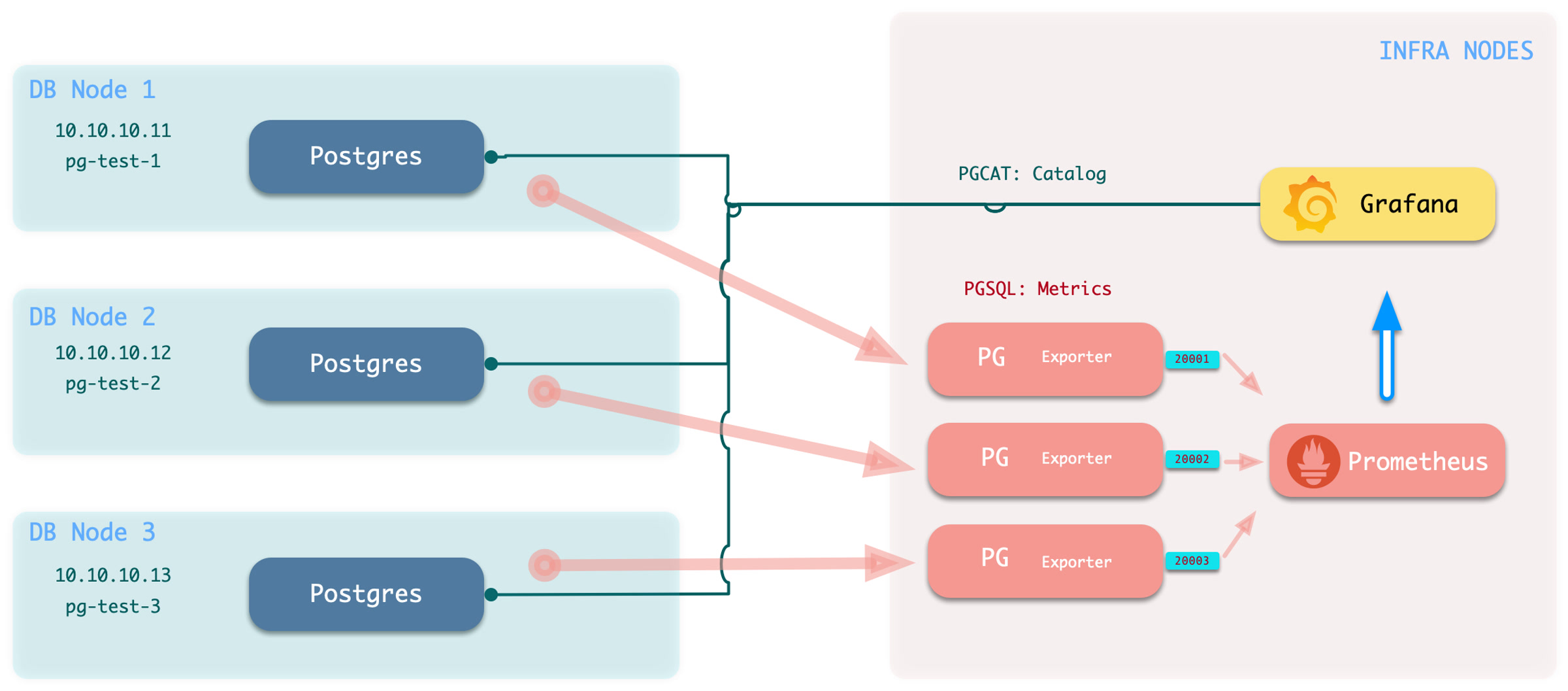
Execute the add monitoring command:
bin/pgmon-add <clsname>To remove remote cluster monitoring targets, use
bin/pgmon-rm <clsname>
Use additional parameters to override default pg_exporter options.
This example monitors Aliyun RDS for PostgreSQL and PolarDB:
For details, refer to: remote.yml
Monitor Setup
Before you monitor an existing RDS or self-managed PostgreSQL instance, configure the target database for Pigsty access.
To monitor an external PostgreSQL instance, provide a connection string that can access the instance or cluster. A business user or superuser connection string can work. However, use a dedicated monitoring user to avoid exposing other privileges.
- Monitor User: The default username is
dbuser_monitor, which should belong to thepg_monitorrole group or have access to relevant views - Monitor Authentication: Default password authentication is used; ensure HBA policies allow the monitoring user to access databases from the admin node or DB node locally
- Monitor Schema: Fixed schema name
monitoris used for installing additional monitoring views and extension plugins; optional but recommended - Monitor Extension: Strongly recommended to enable the built-in monitoring extension
pg_stat_statements - Monitor Views: Monitoring views are optional but can provide additional metric support
Monitor User
Using the default monitoring user dbuser_monitor as an example, create the following user on the target database cluster.
The monitoring username and password must match pg_monitor_username and pg_monitor_password.
Monitor Authentication
Add these rules to pg_hba.conf.
They allow the monitoring user to access all databases from localhost and the administration node with password authentication:
If RDS does not allow HBA configuration, allow the internal IP address of the machine that runs Pigsty.
Monitor Schema
The monitoring schema is optional. Core Pigsty monitoring works without it. However, creating this schema is strongly recommended.
Monitor Extension
The monitoring extension is optional.
However, enabling pg_stat_statements is strongly recommended because it supplies important query performance data.
Add this extension to shared_preload_libraries to enable it.
Changing this parameter requires a database restart.
Install this extension in the default administration database, postgres.
Some RDS services do not allow a monitoring schema in postgres.
In this case, install pg_stat_statements in the default public schema.
Configure the monitoring user search_path as shown above so it can find the pg_stat_statements view.
Monitor Views
Monitoring views provide common preprocessed query results. They also control access to metrics that need high privileges, such as shared memory allocation. This makes these metrics easier to query and use. Creating the views in every monitored database is strongly recommended.
The SQL below is provided to explain the monitored objects. The complete definitions rendered by current Pigsty are authoritative in
roles/pgsql/templates/pg-init-template.sql, which also includes additional hardening for secure search paths and privilege boundaries.
9 - Dashboard
Pigsty provides Grafana monitoring dashboards for PostgreSQL: Demo & Gallery.
The current source provides 31 PostgreSQL-related dashboards.
It includes 29 PostgreSQL / PGCAT dashboards under files/grafana/pgsql and two PGLOG dashboards under files/grafana/app.
The hierarchy has four categories: Overview, Cluster, Instance, and Database.
The data source categories are PGSQL, PGCAT, and PGLOG.
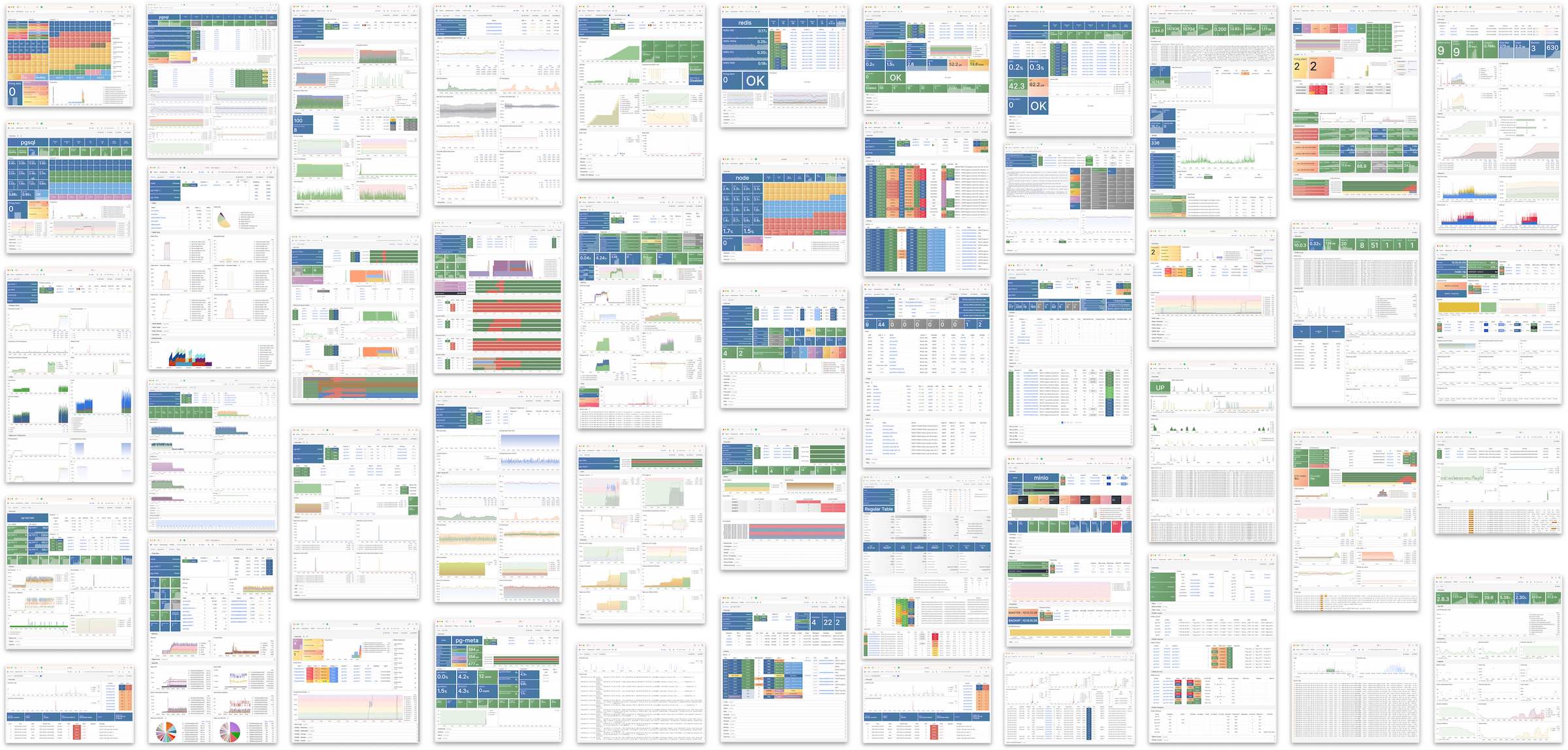
Overview
Overview
- pgsql-overview: Main dashboard for the PGSQL module
- pgsql-alert: Global key metrics and alert events for PGSQL
- pgsql-shard: Overview of horizontally sharded PGSQL clusters (e.g., Citus/GPSQL)
Cluster
- pgsql-cluster: Main dashboard for a PGSQL cluster
- pgrds-cluster: RDS version of PGSQL Cluster, focusing on PostgreSQL-native metrics
- pgsql-activity: Session/load/QPS/TPS/locks for PGSQL cluster
- pgsql-replication: Replication, slots, and pub/sub for PGSQL cluster
- pgsql-service: Service, proxy, routing, and load balancing for PGSQL cluster
- pgsql-databases: Database CRUD, slow queries, and table statistics across all instances
- pgsql-patroni: HA status and Patroni component status for cluster
- pgsql-pitr: PITR context for point-in-time recovery assistance
Instance
- pgsql-instance: Main dashboard for a single PGSQL instance
- pgrds-instance: RDS version of PGSQL Instance, focusing on PostgreSQL-native metrics
- pgcat-instance: Instance info retrieved directly from database catalog
- pgsql-proxy: Detailed metrics for a single HAProxy load balancer
- pgsql-pgbouncer: Metrics overview for a single Pgbouncer connection pooler
- pgsql-persist: Persistence metrics: WAL, XID, checkpoint, archive, IO
- pgsql-session: Session and active/idle time metrics for a single instance
- pgsql-xacts: Transaction, lock, TPS/QPS related metrics
- pgsql-exporter: Self-monitoring metrics for Postgres and Pgbouncer exporters
Database
- pgsql-database: Main dashboard for a single PGSQL database
- pgcat-database: Database info retrieved directly from database catalog
- pgsql-tables: Table/index access metrics within a single database
- pgsql-table: Detailed info for a single table (QPS/RT/index/sequence…)
- pgcat-table: Detailed table info from database catalog (stats/bloat…)
- pgsql-query: Detailed info for a query type (QPS/RT)
- pgcat-query: Query details from database catalog (SQL/stats)
- pgcat-schema: Schema info from database catalog (tables/indexes/sequences…)
- pgcat-locks: Activity and lock wait info from database catalog
Overview
PGSQL Overview: Main dashboard for the PGSQL module
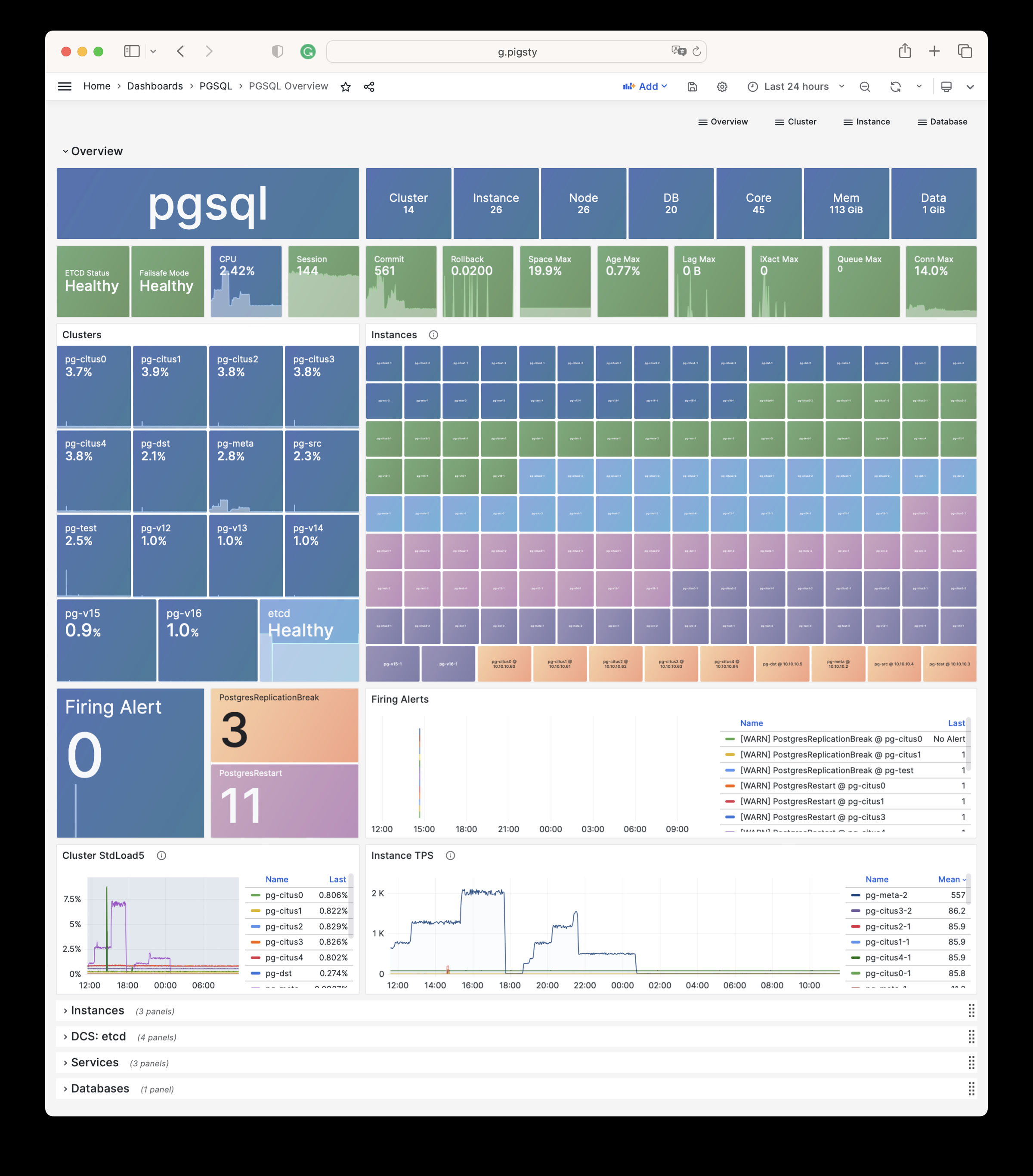
PGSQL Alert: Global core metrics overview and alert events
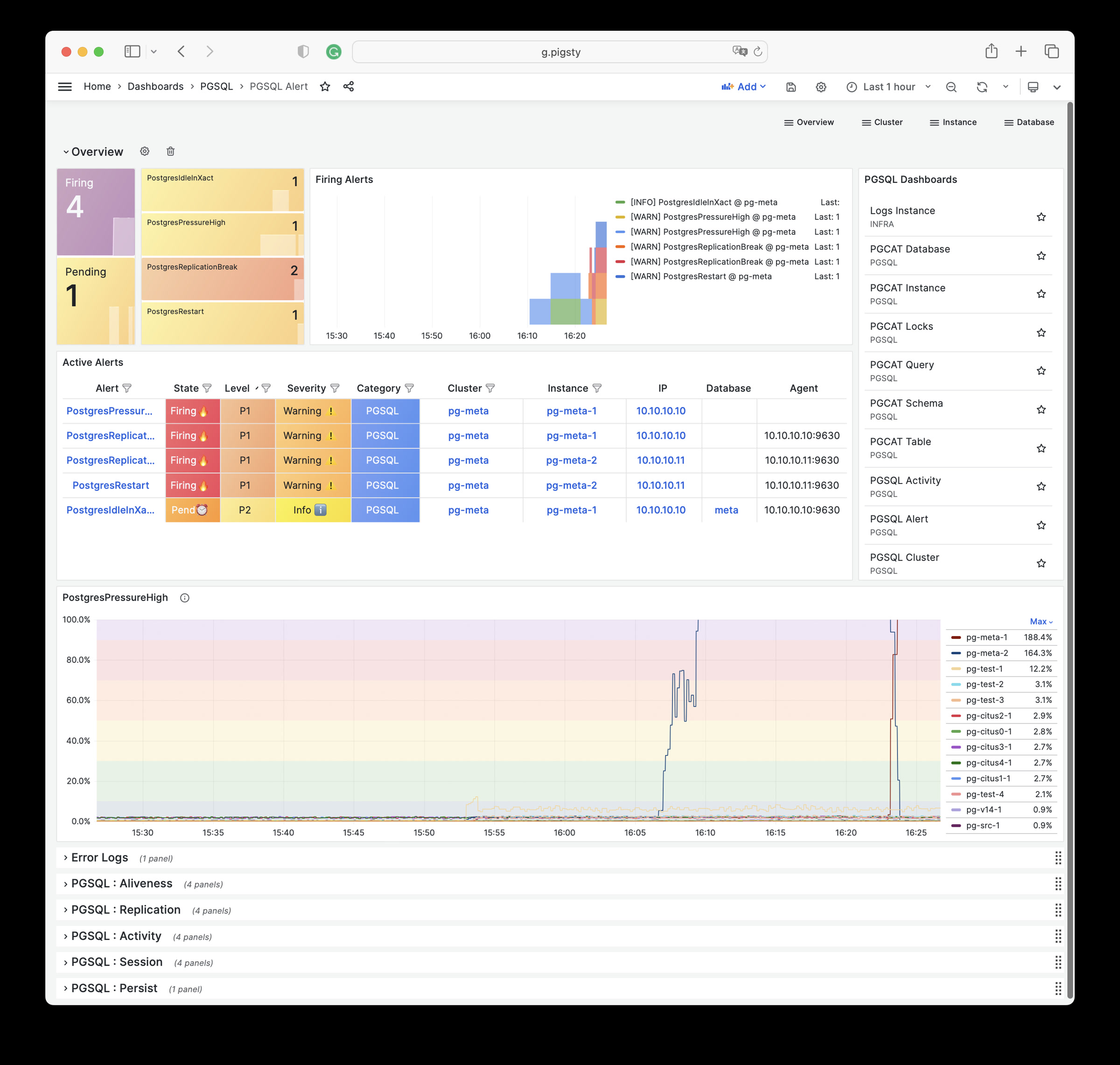
PGSQL Shard: Cross-shard metric comparison for horizontally sharded PGSQL clusters (e.g., CITUS/GPSQL)
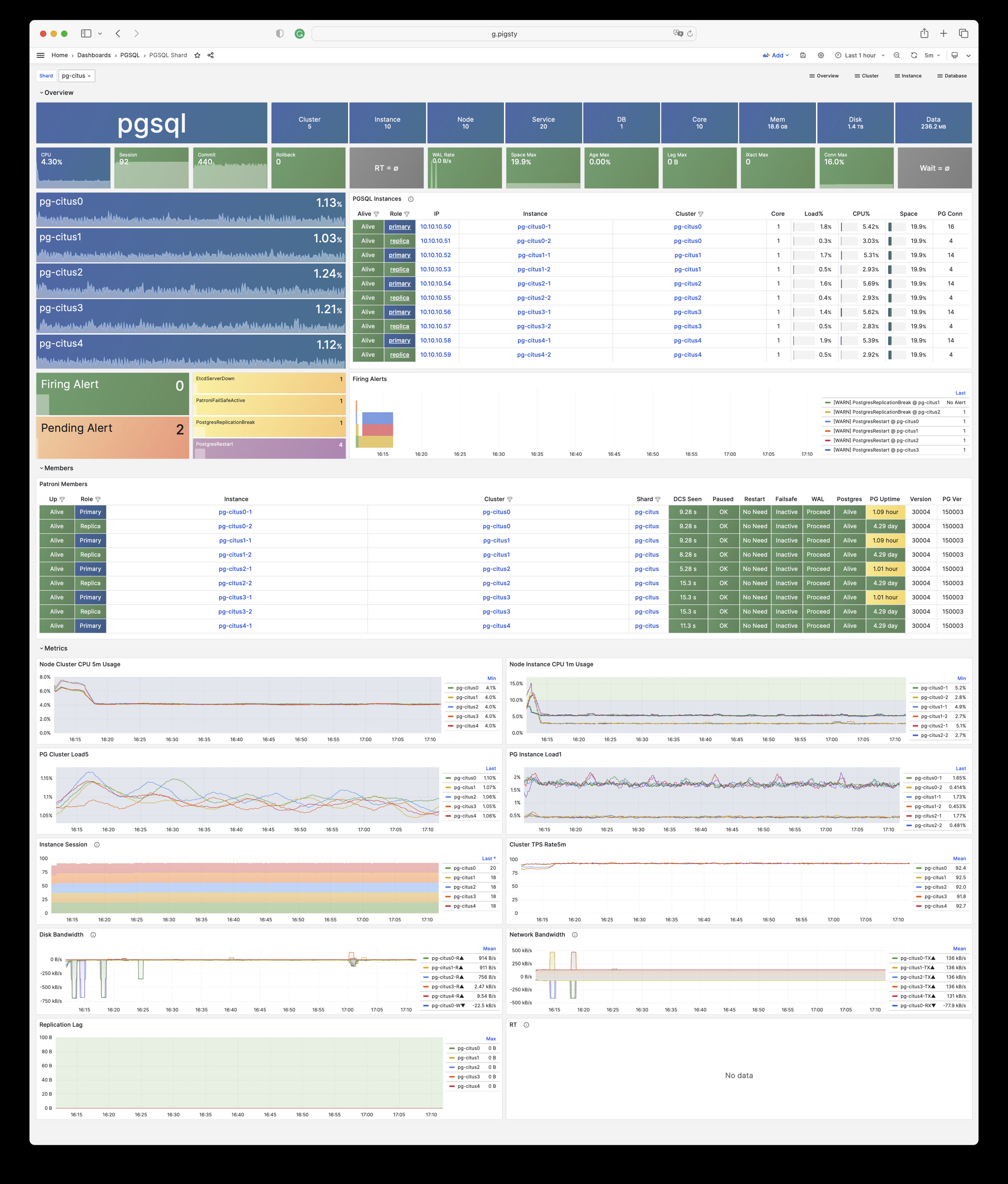
Cluster
PGSQL Cluster: Main dashboard for a PGSQL cluster
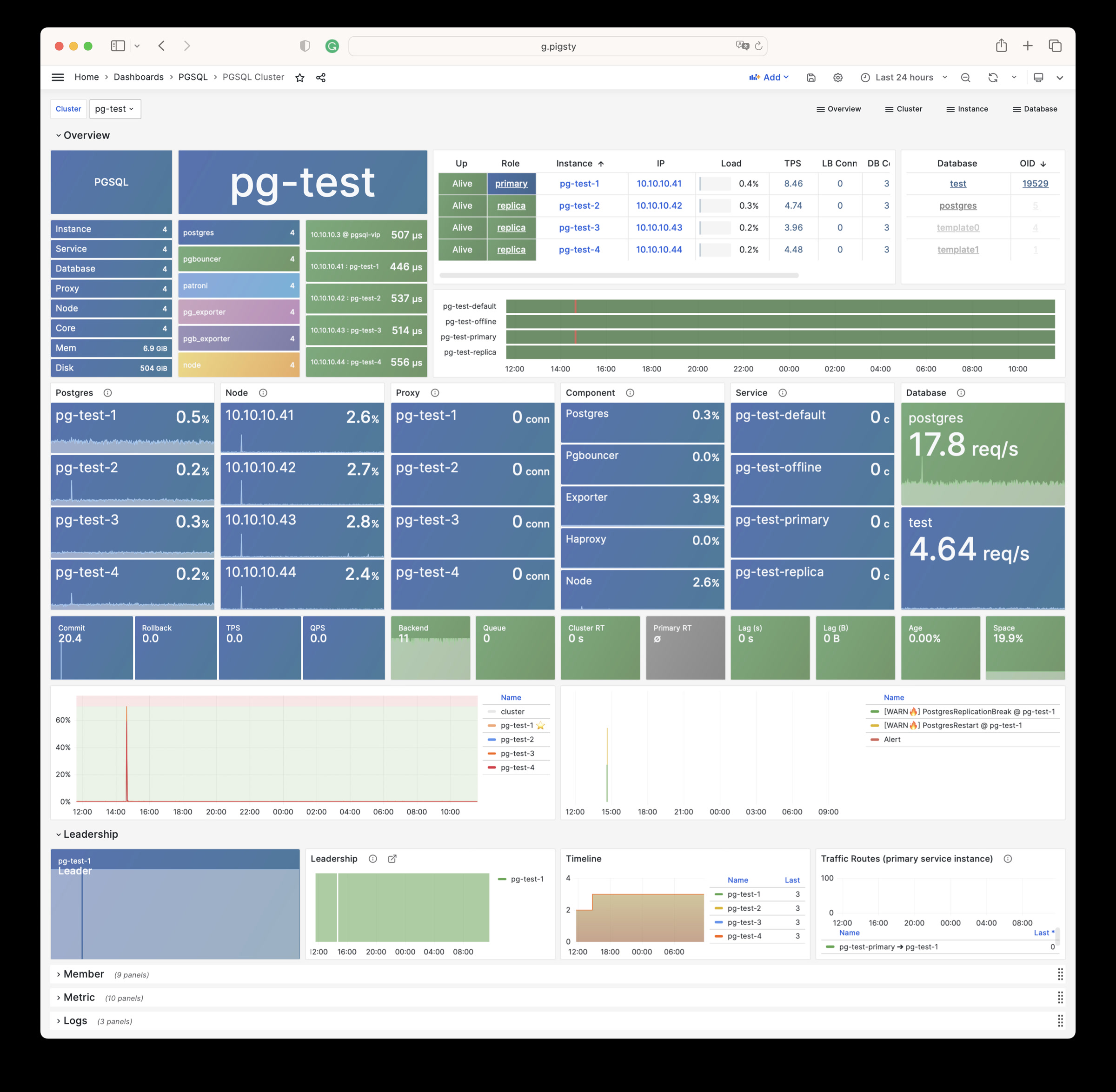
PGRDS Cluster: RDS version of PGSQL Cluster, focusing on PostgreSQL-native metrics
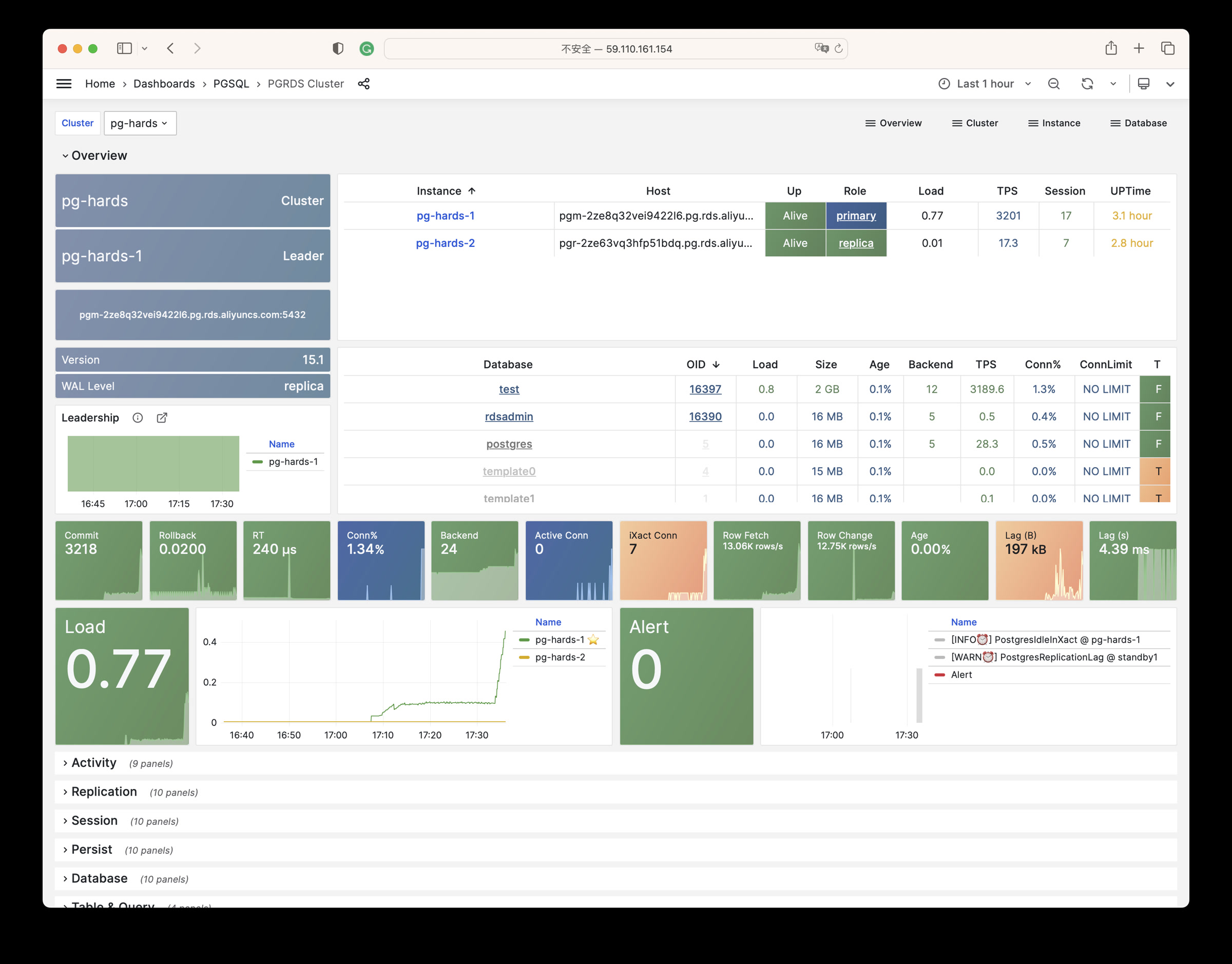
PGSQL Service: Service, proxy, routing, and load balancing for PGSQL cluster
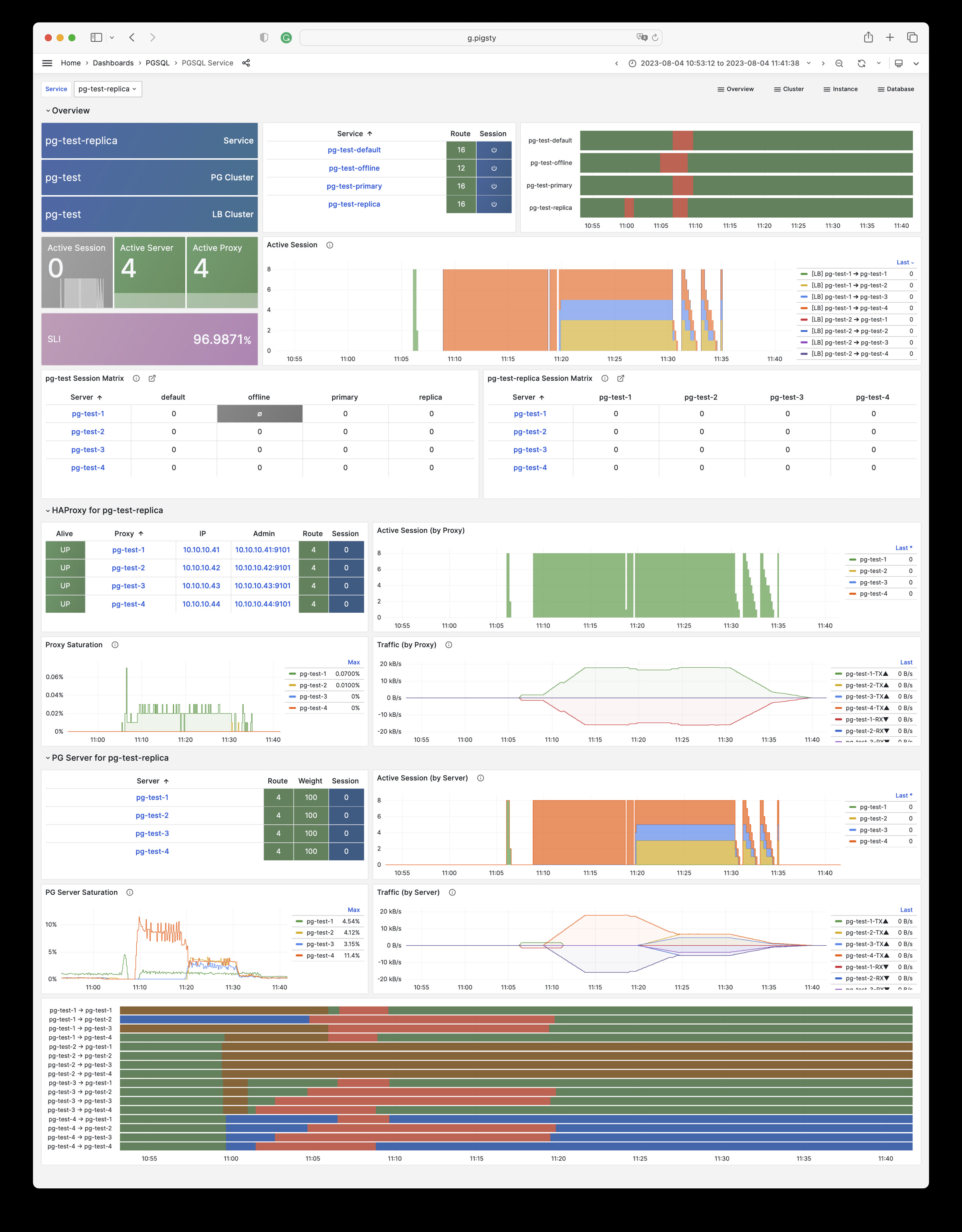
PGSQL Activity: Session/load/QPS/TPS/locks for PGSQL cluster
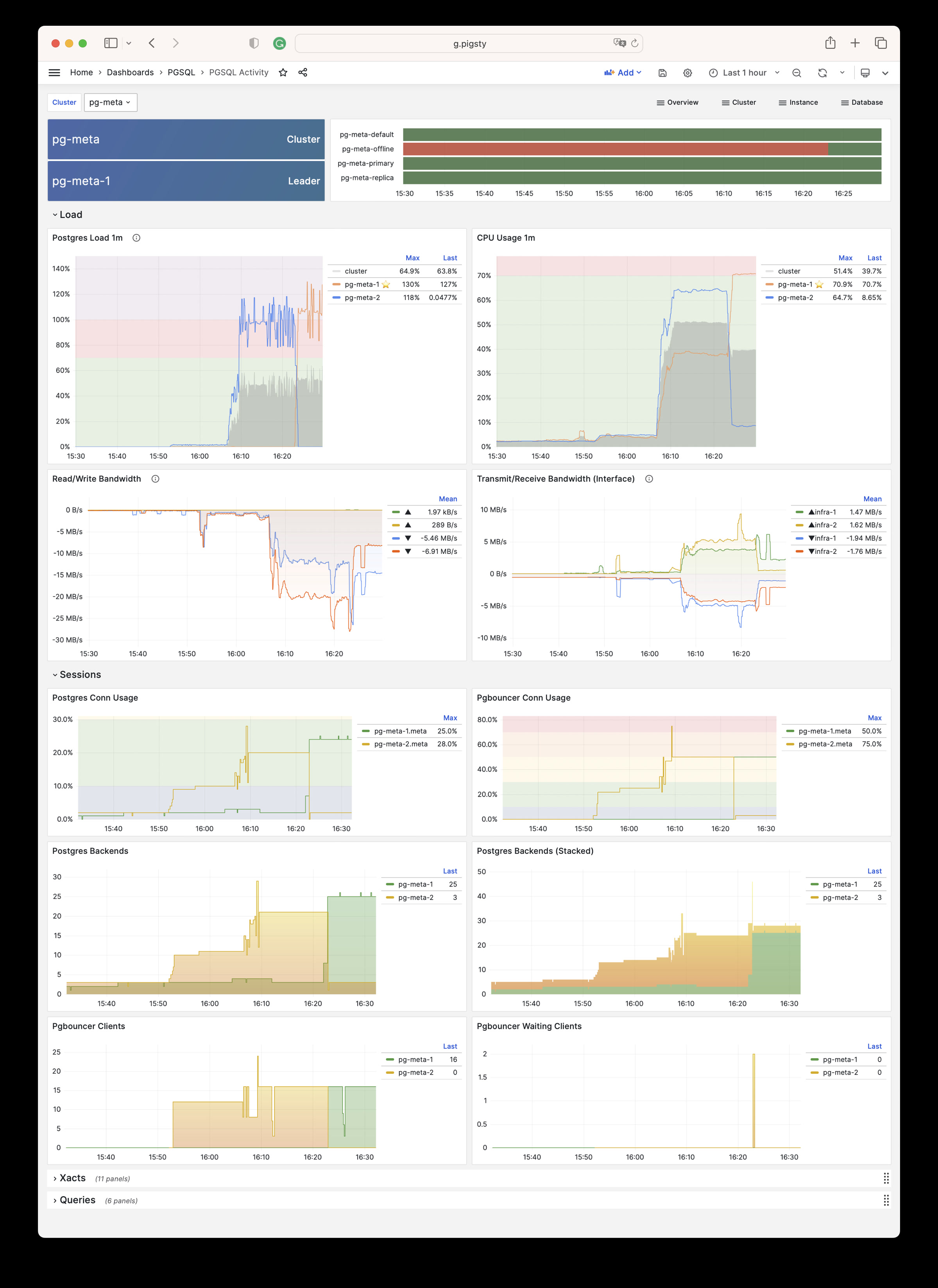
PGSQL Replication: Replication, slots, and pub/sub for PGSQL cluster
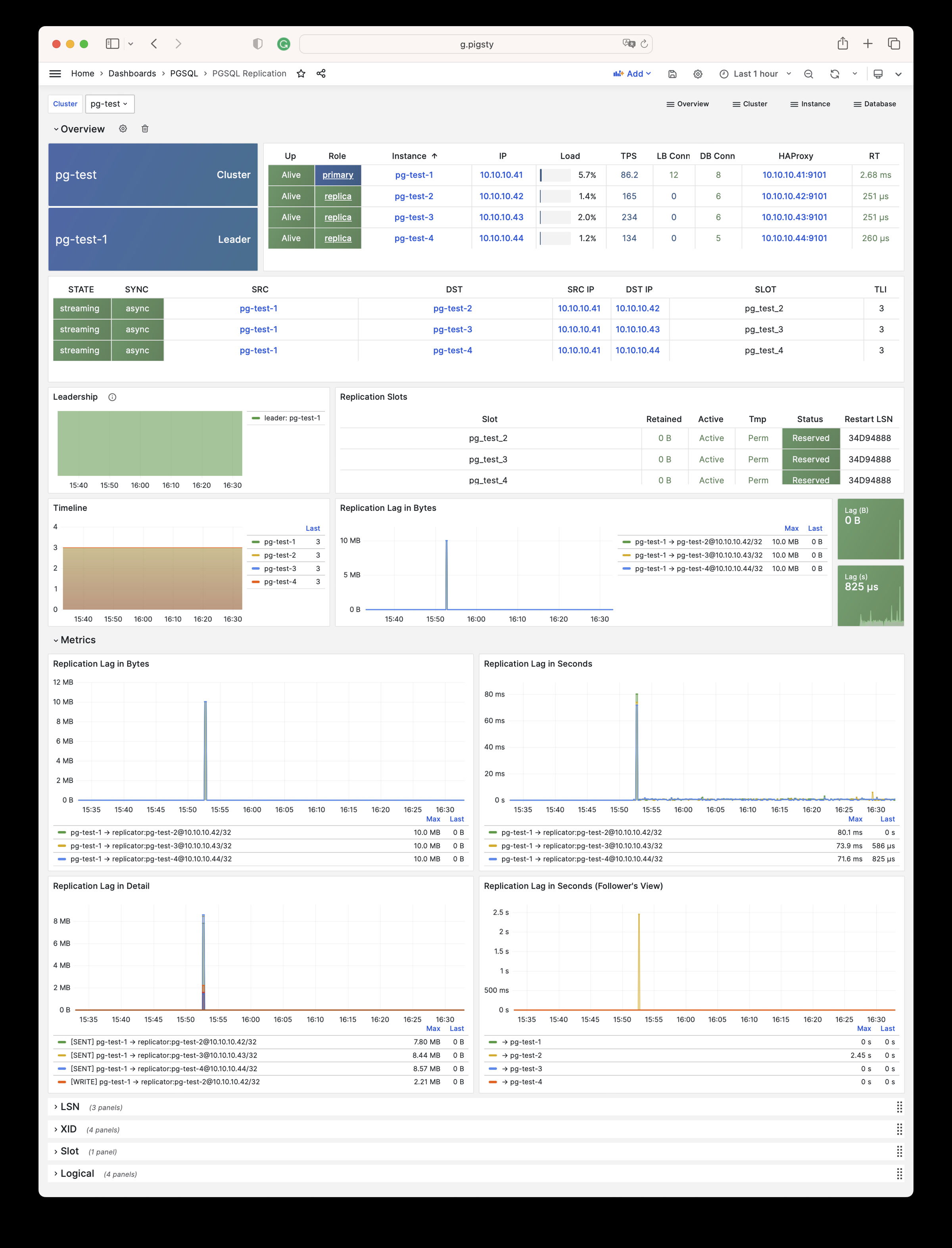
PGSQL Databases: Database CRUD, slow queries, and table statistics across all instances
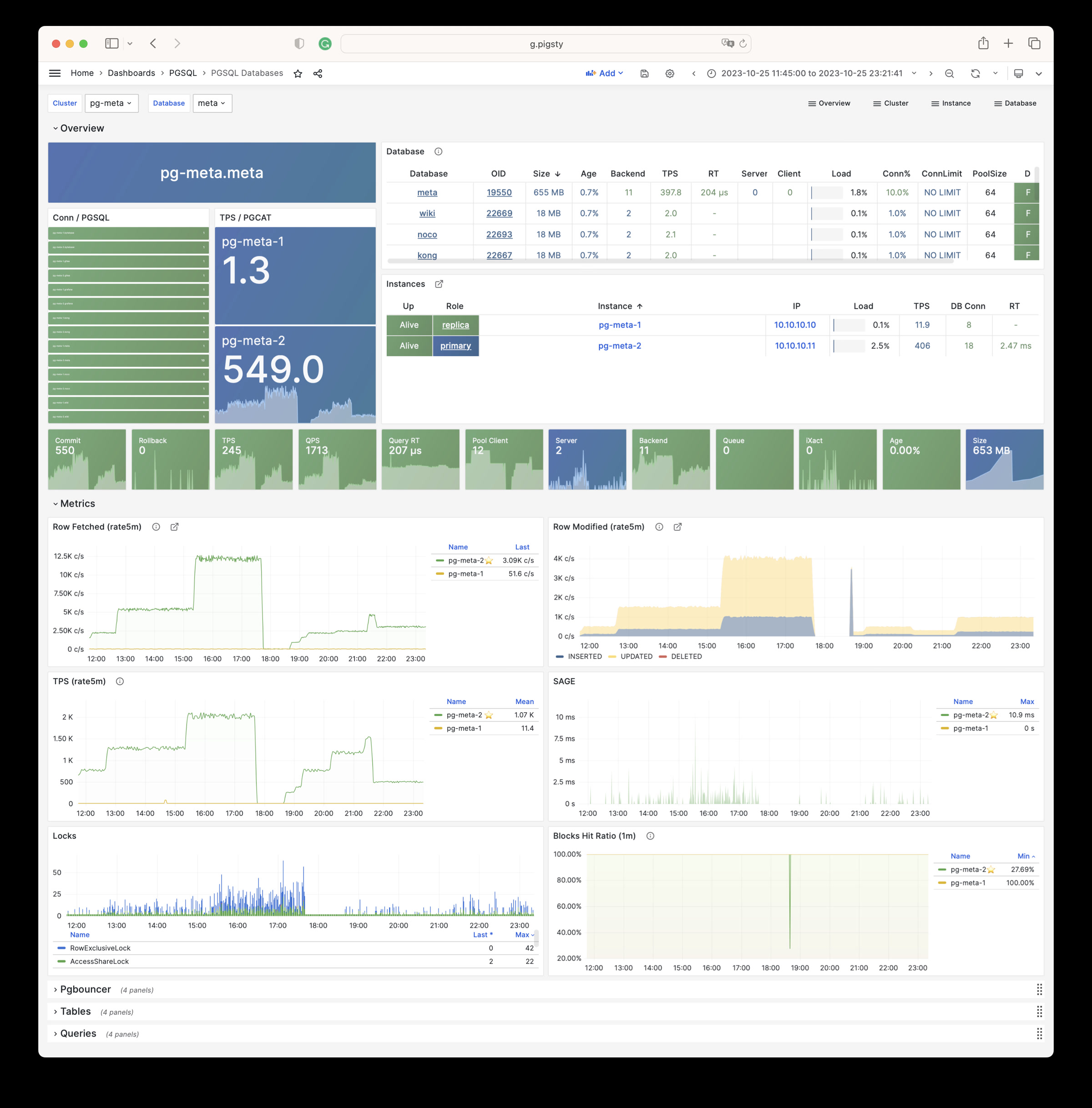
PGSQL Patroni: HA status and Patroni component status for cluster
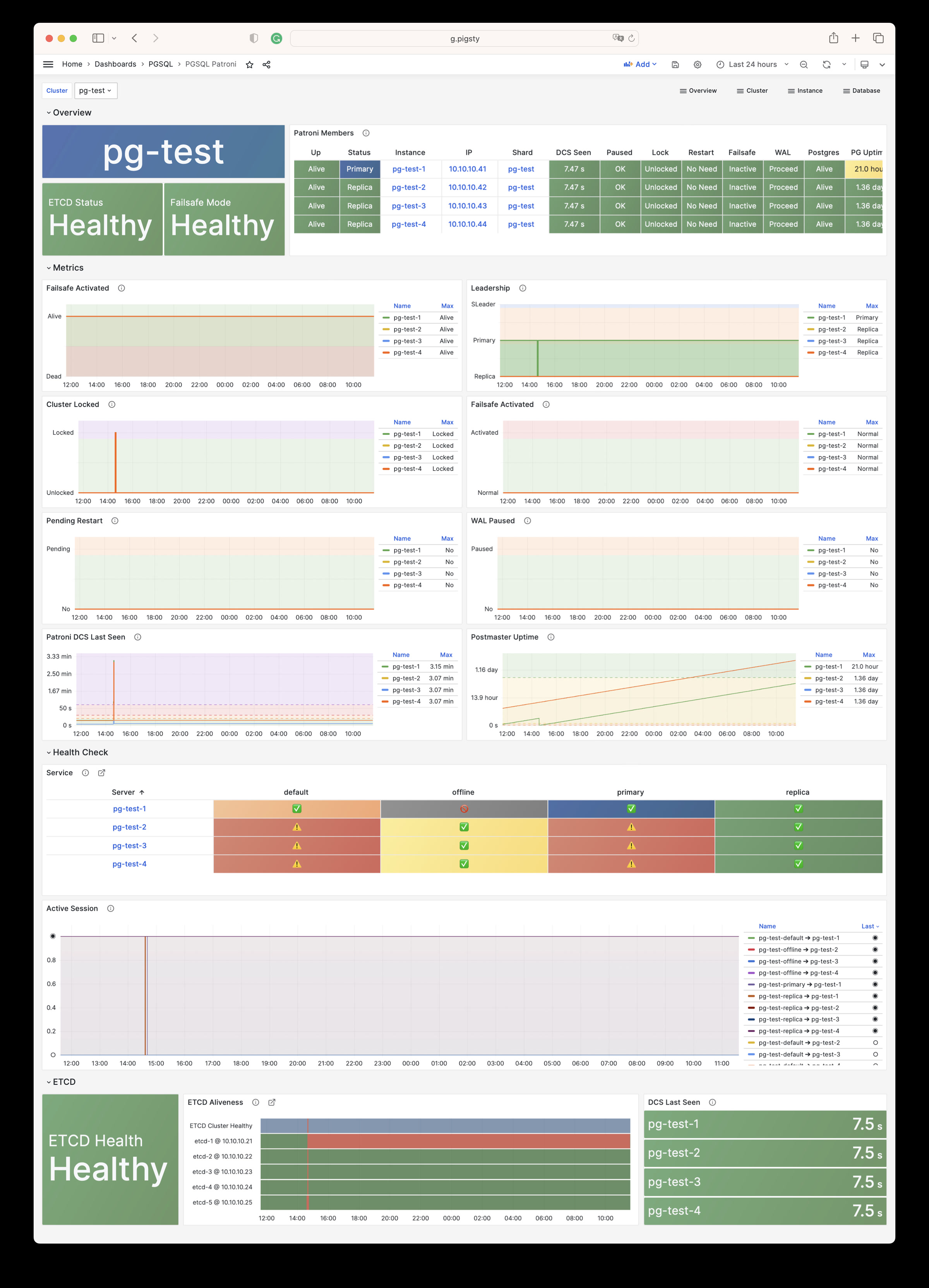
PGSQL PITR: PITR context for point-in-time recovery assistance
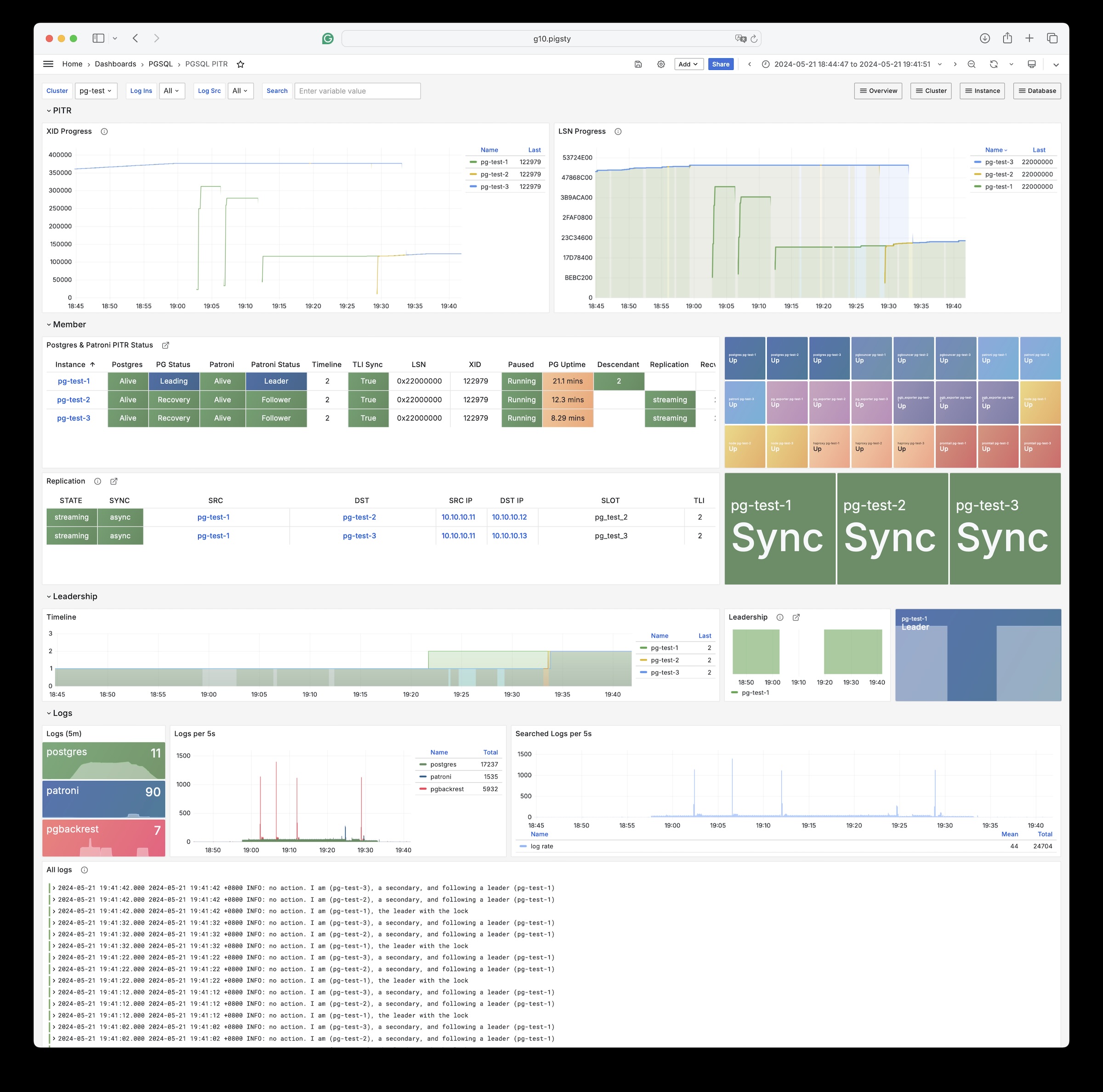
Instance
PGSQL Instance: Main dashboard for a single PGSQL instance
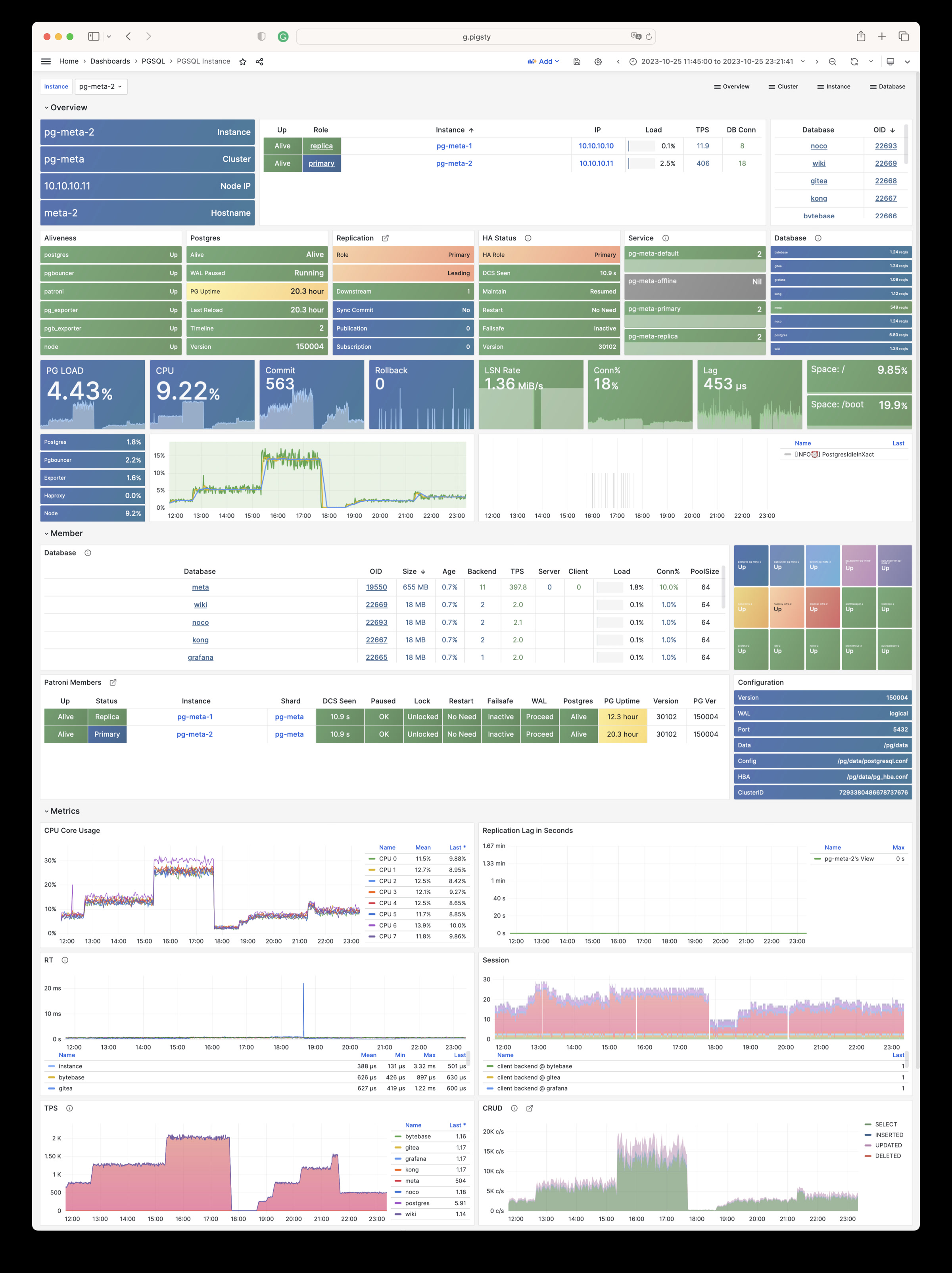
PGRDS Instance: RDS version of PGSQL Instance, focusing on PostgreSQL-native metrics
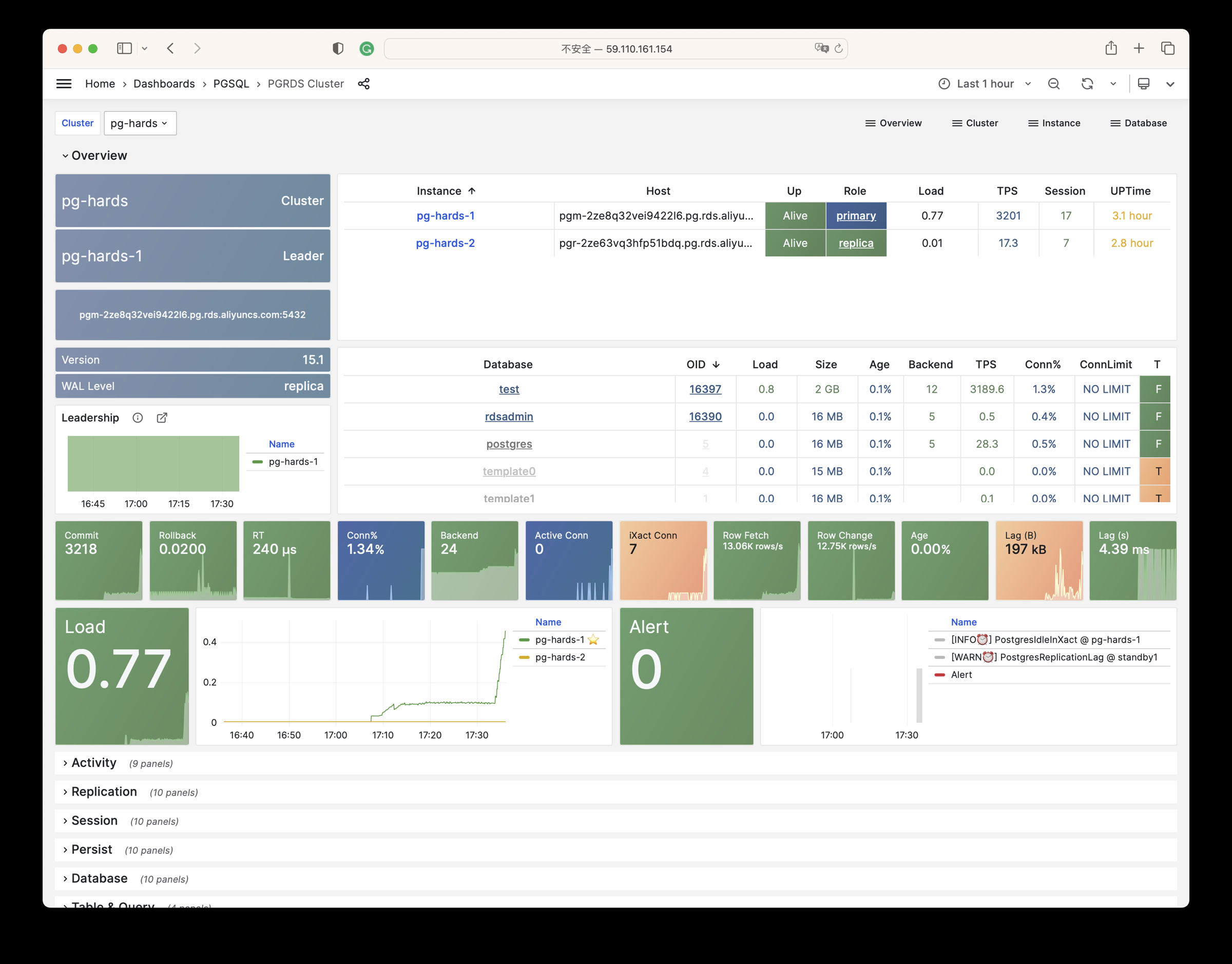
PGSQL Proxy: Detailed metrics for a single HAProxy load balancer
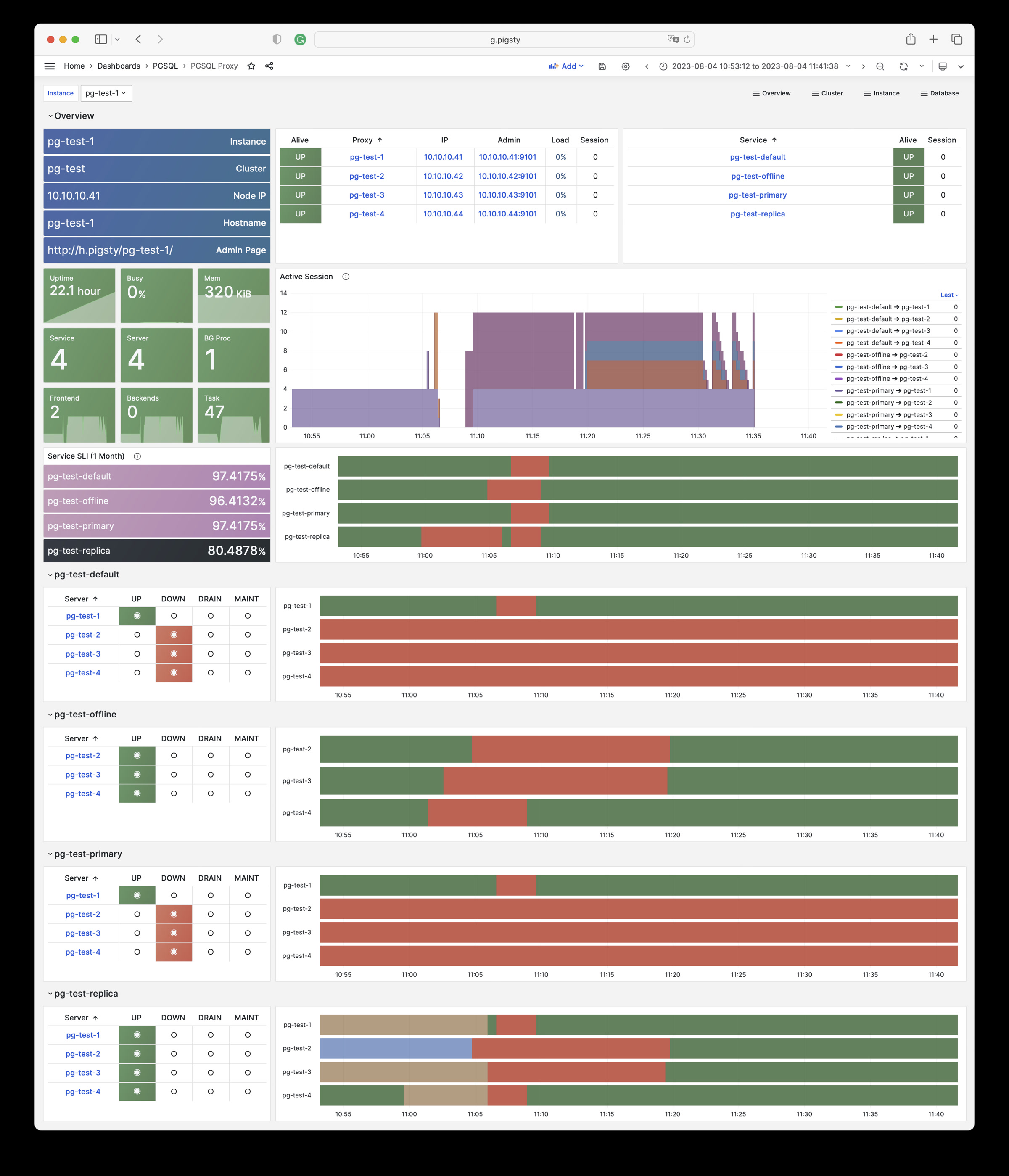
PGSQL Pgbouncer: Metrics overview for a single Pgbouncer connection pooler
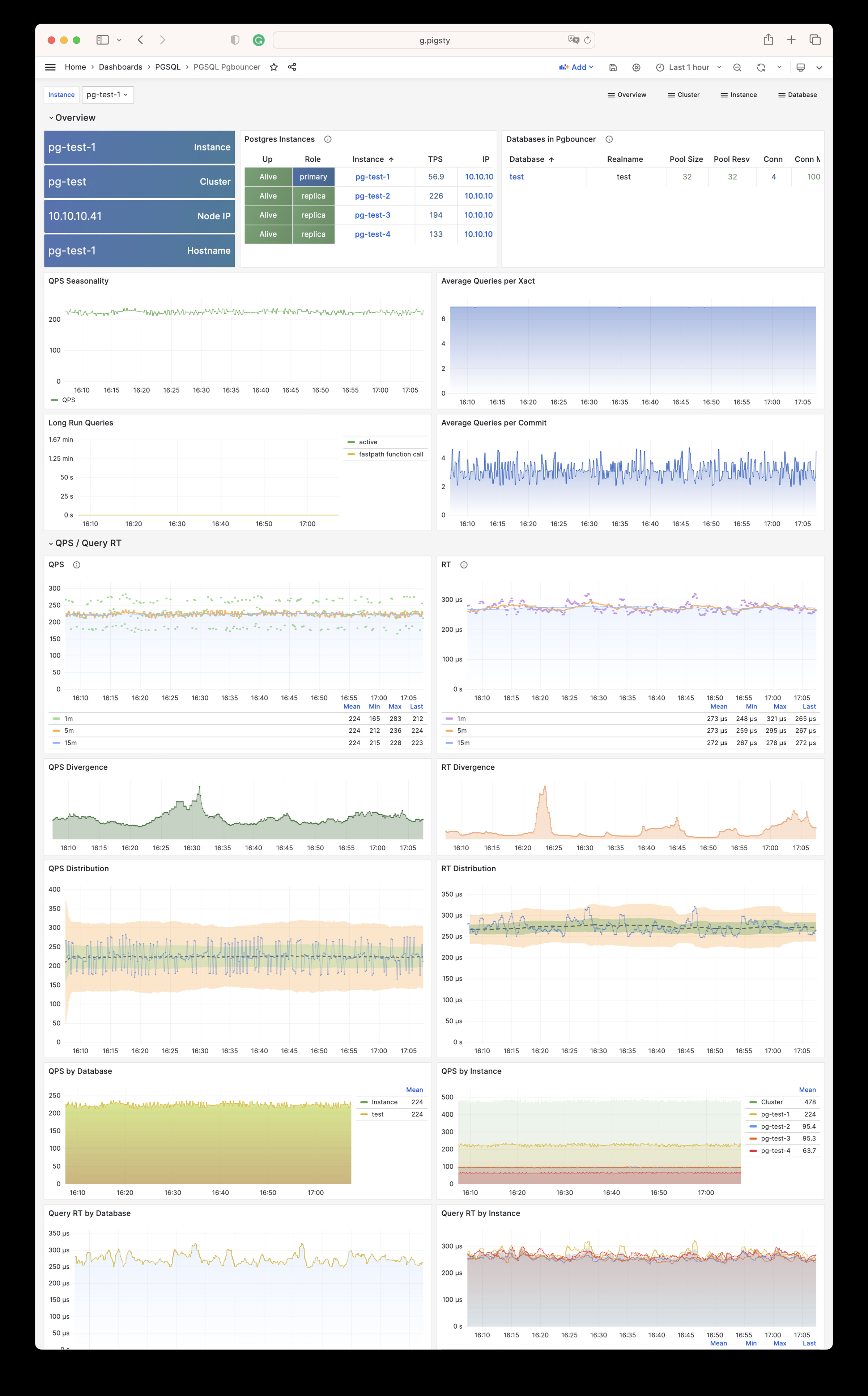
PGSQL Persist: Persistence metrics: WAL, XID, checkpoint, archive, IO
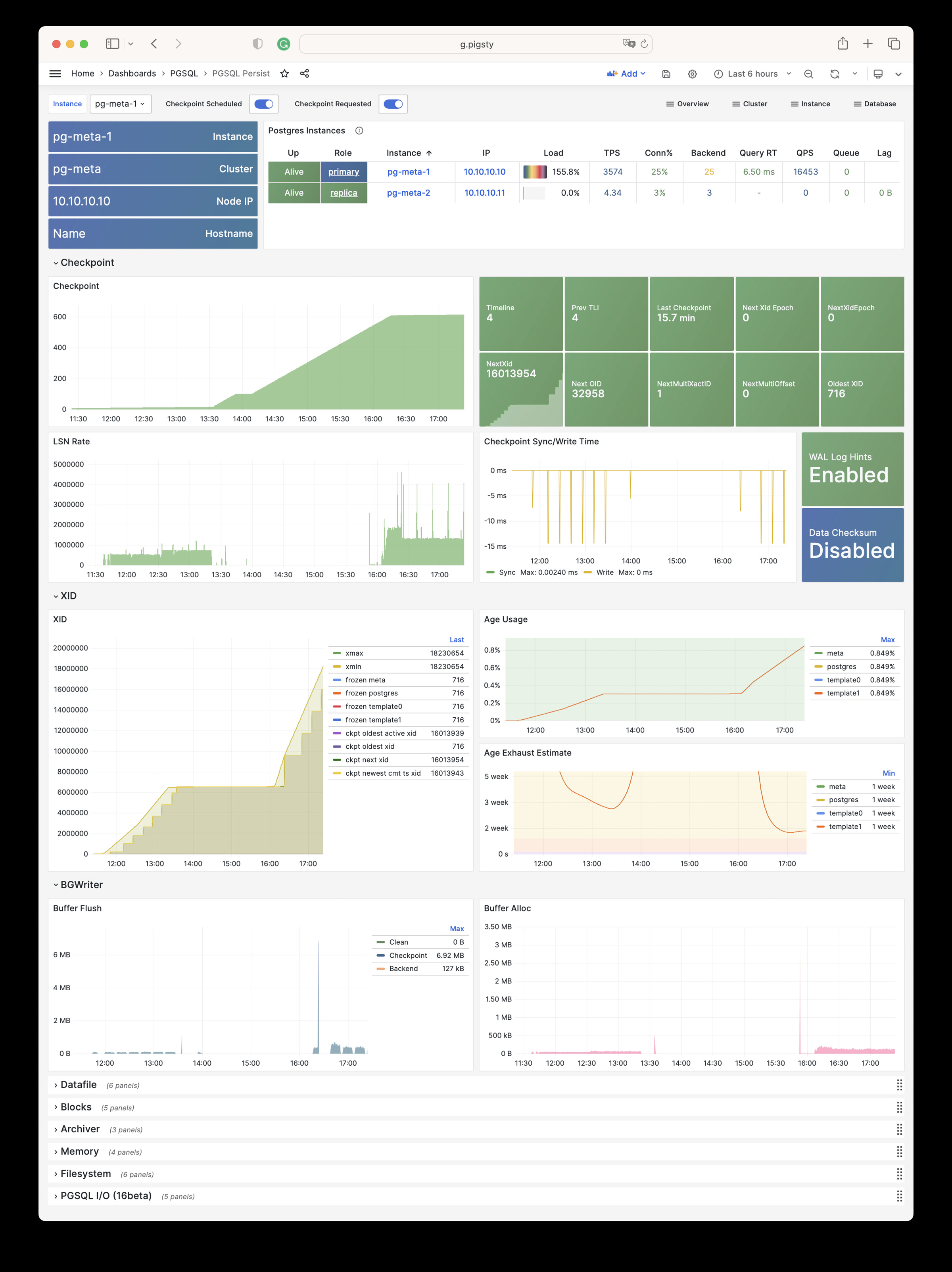
PGSQL Xacts: Transaction, lock, TPS/QPS related metrics
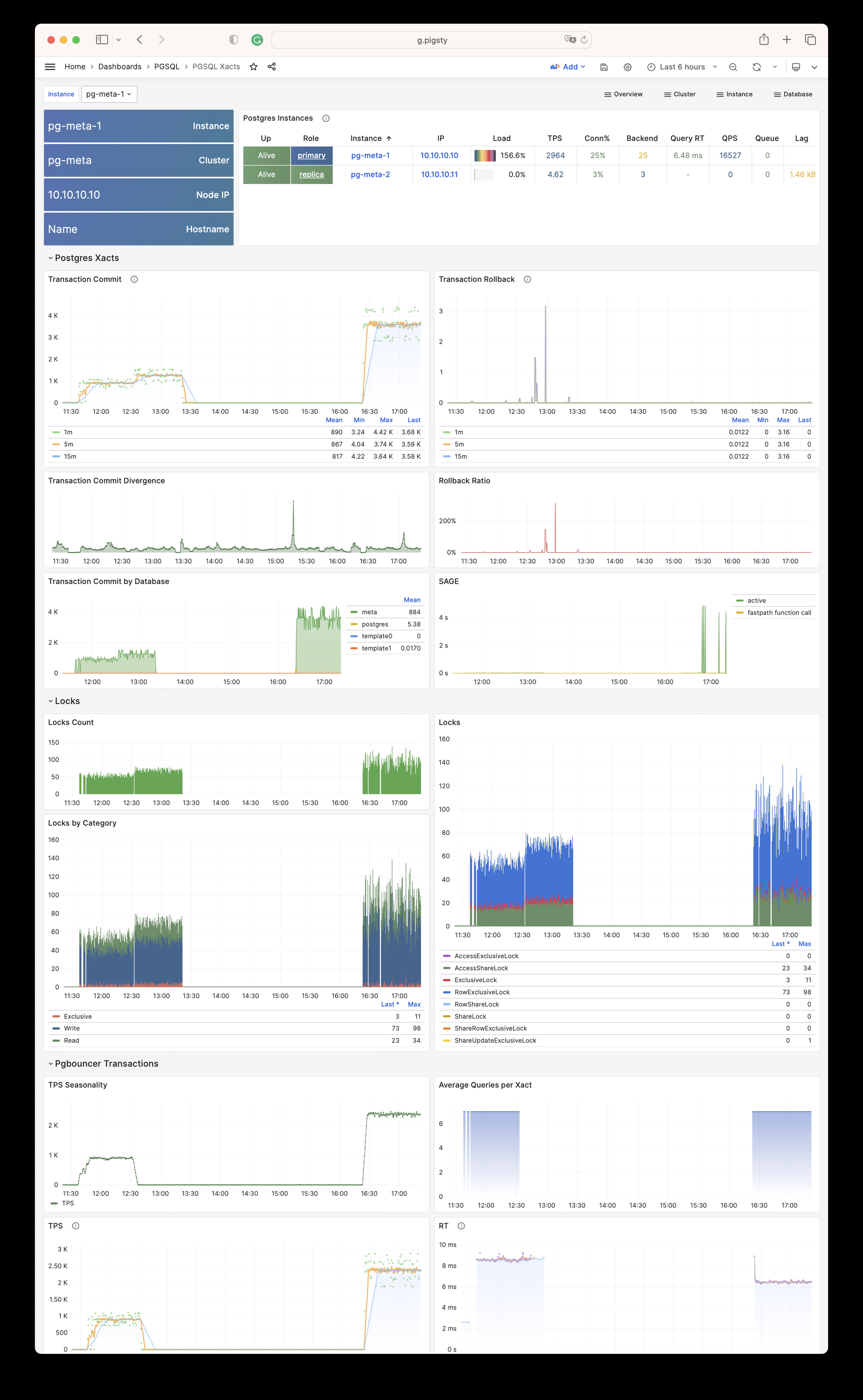
PGSQL Session: Session and active/idle time metrics for a single instance
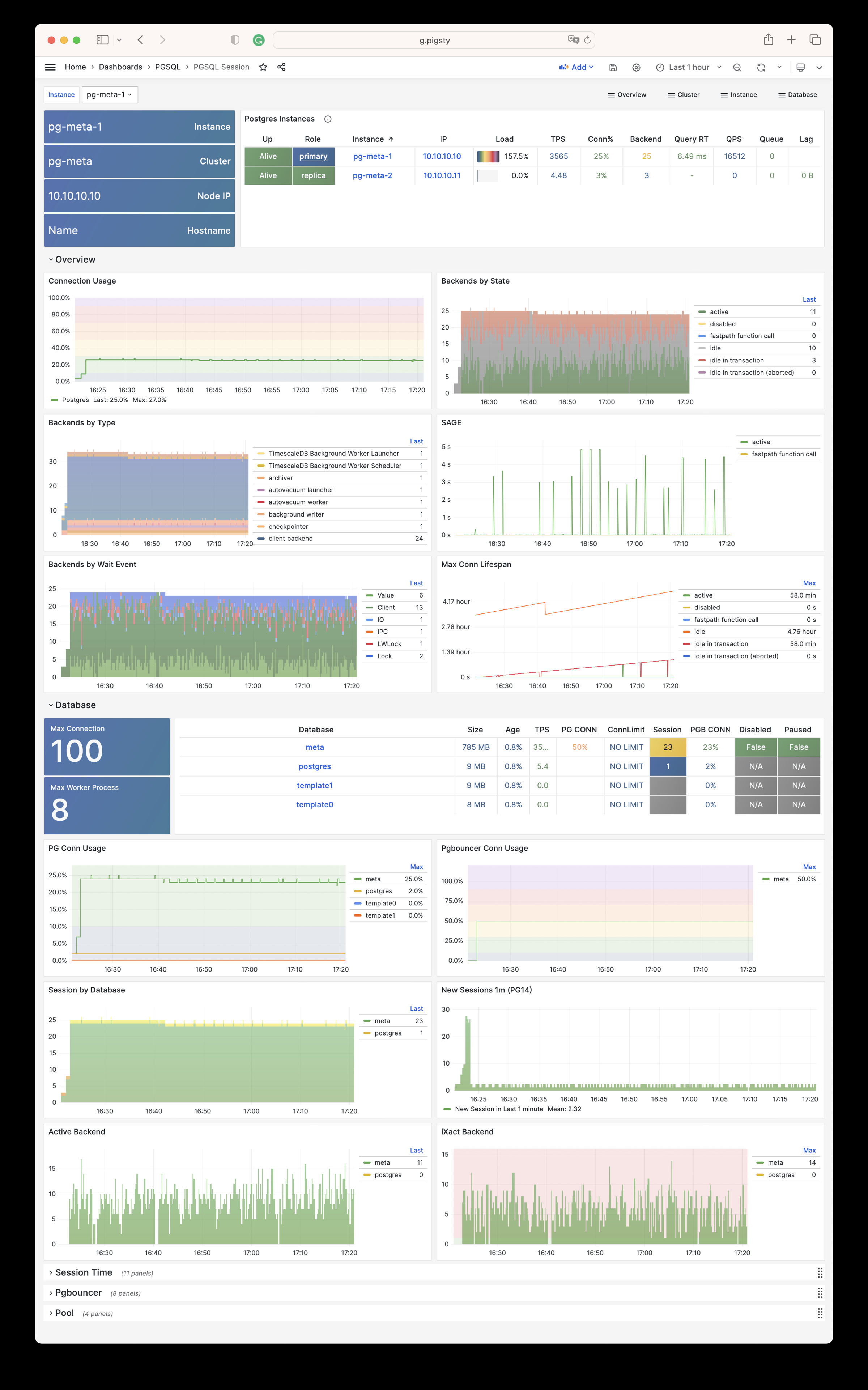
PGSQL Exporter: Self-monitoring metrics for Postgres/Pgbouncer exporters
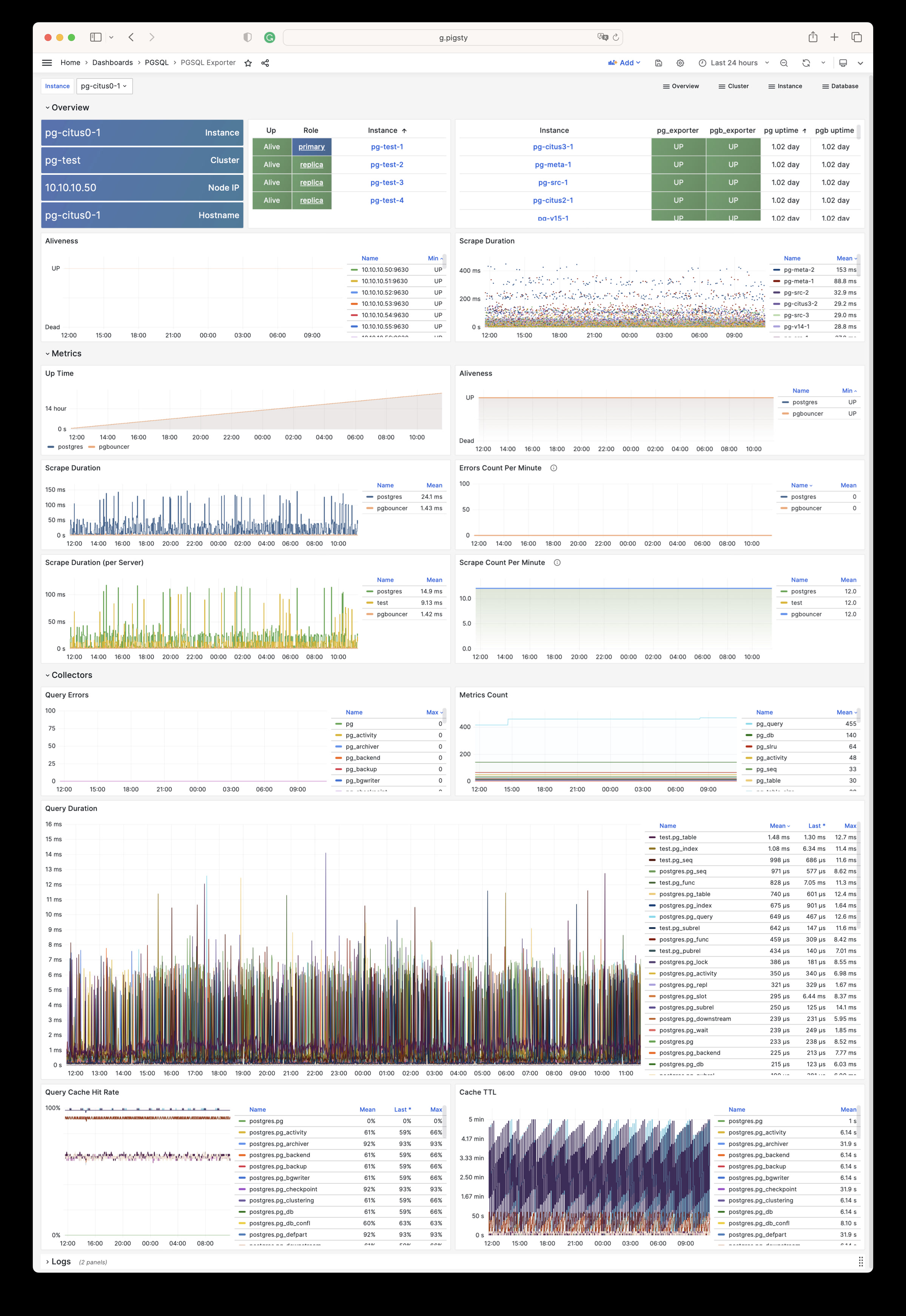
Database
PGSQL Database: Main dashboard for a single PGSQL database
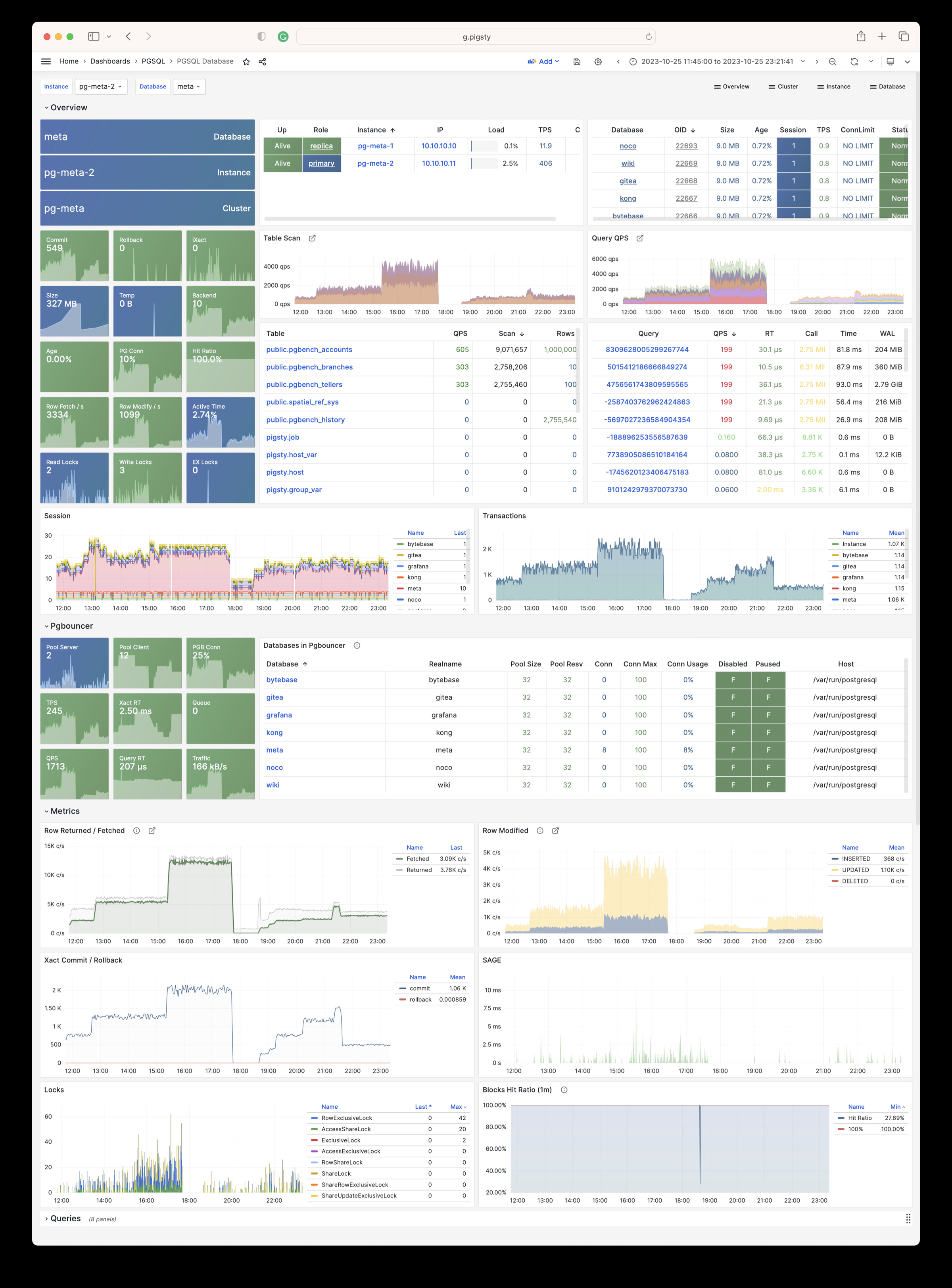
PGSQL Tables: Table/index access metrics within a single database
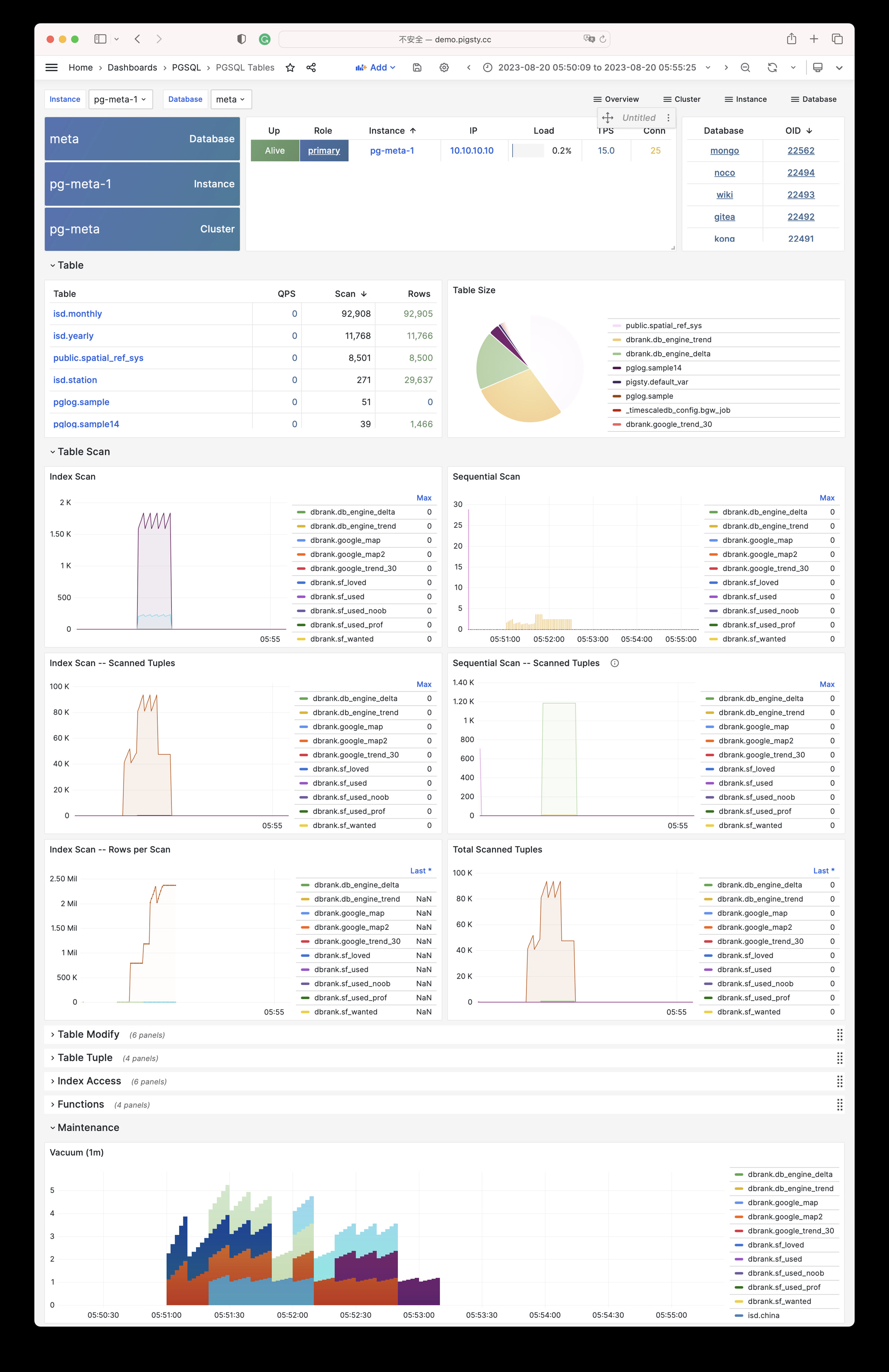
PGSQL Table: Detailed info for a single table (QPS/RT/index/sequence…)
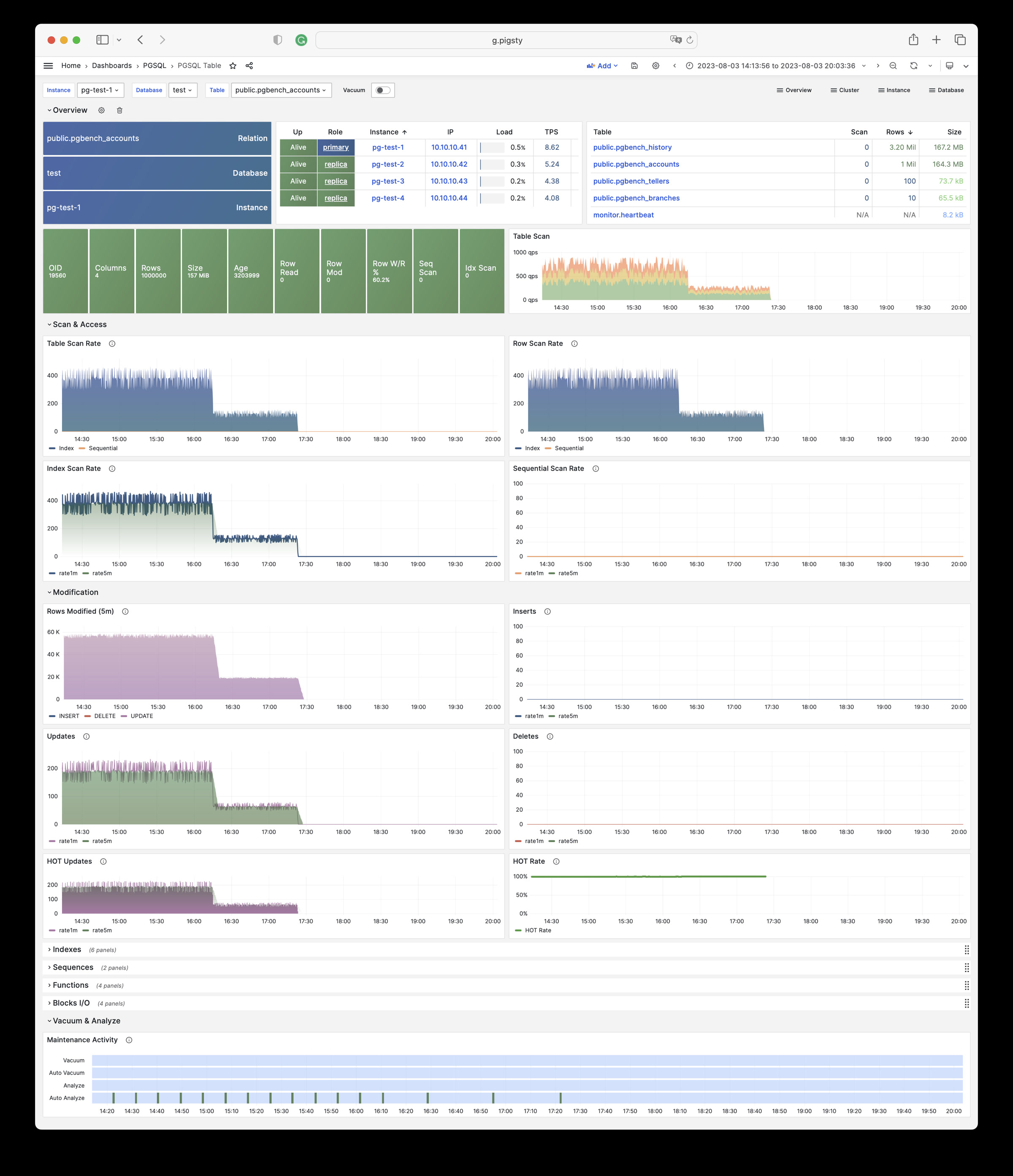
PGSQL Query: Detailed info for a query type (QPS/RT)
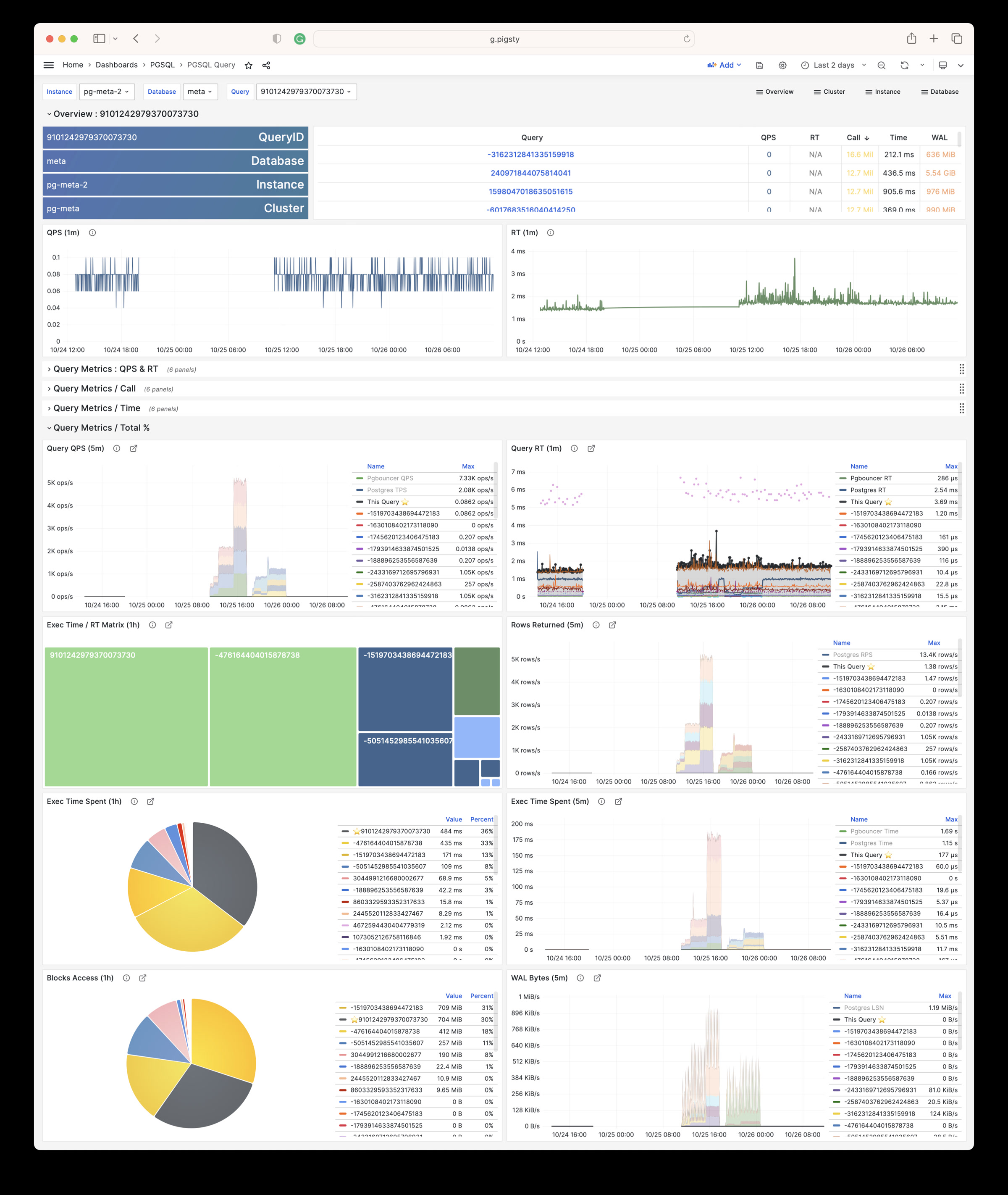
PGCAT
PGCAT Instance: Instance info retrieved directly from database catalog
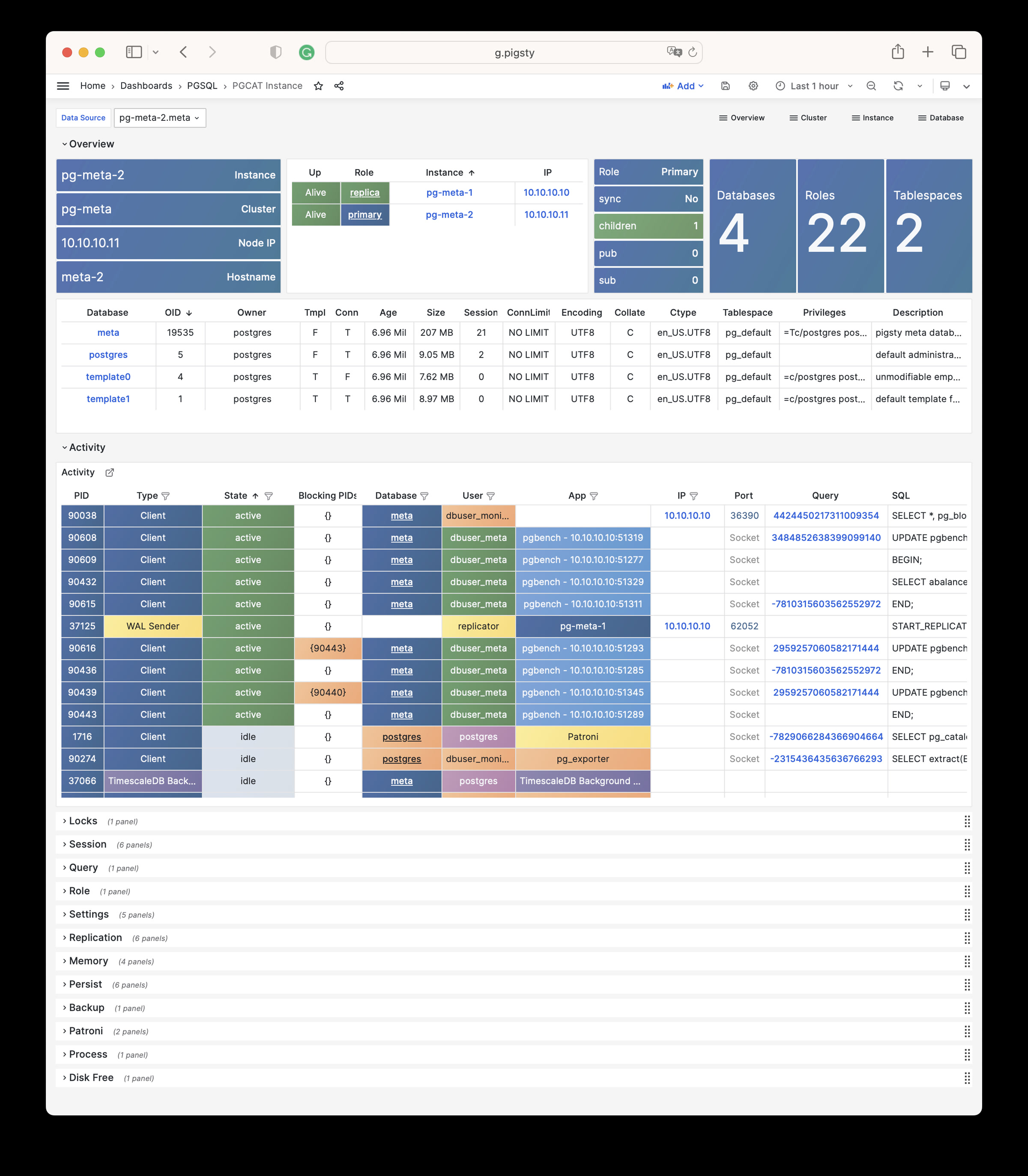
PGCAT Database: Database info retrieved directly from database catalog
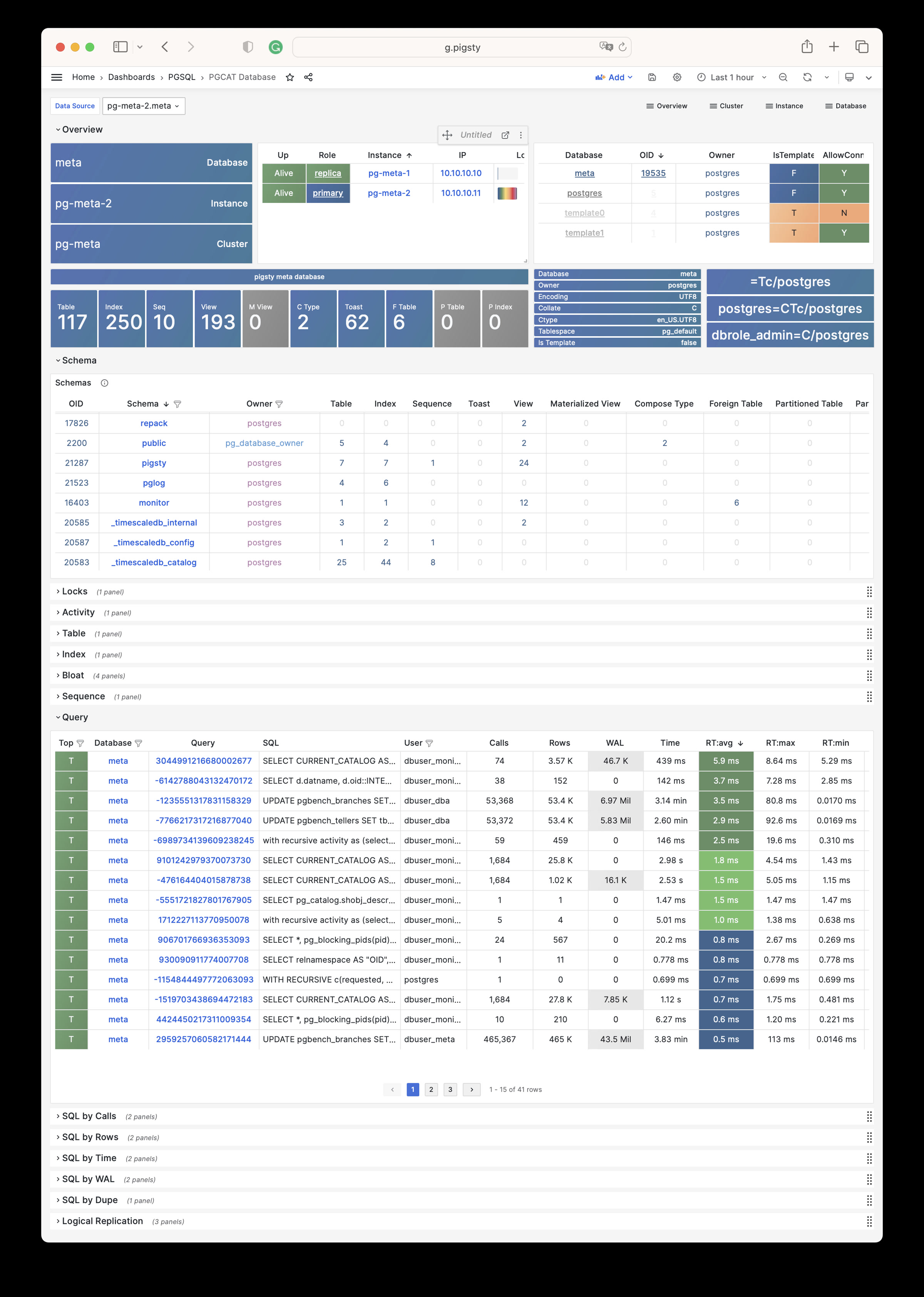
PGCAT Schema: Schema info from database catalog (tables/indexes/sequences…)
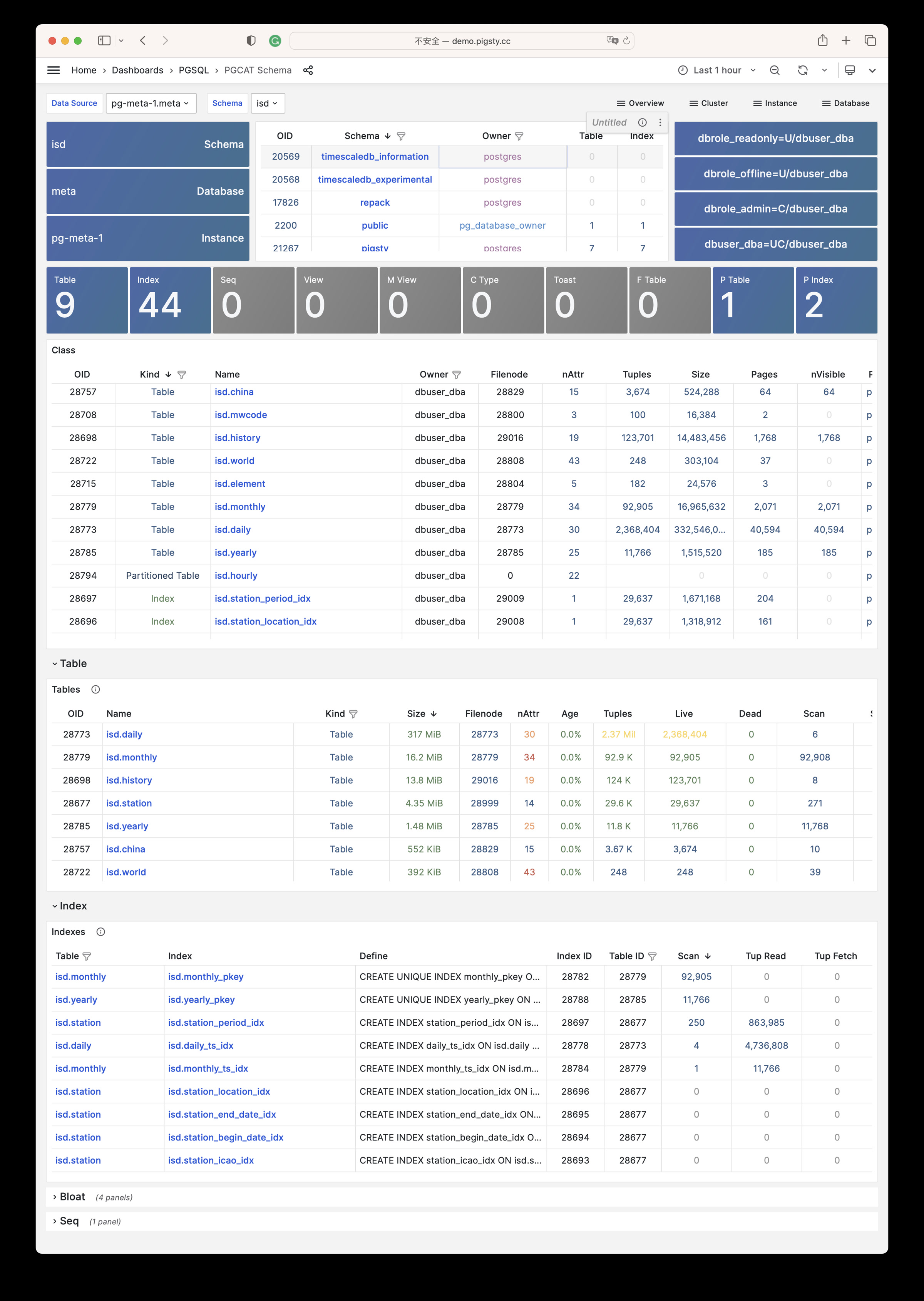
PGCAT Table: Detailed table info from database catalog (stats/bloat…)
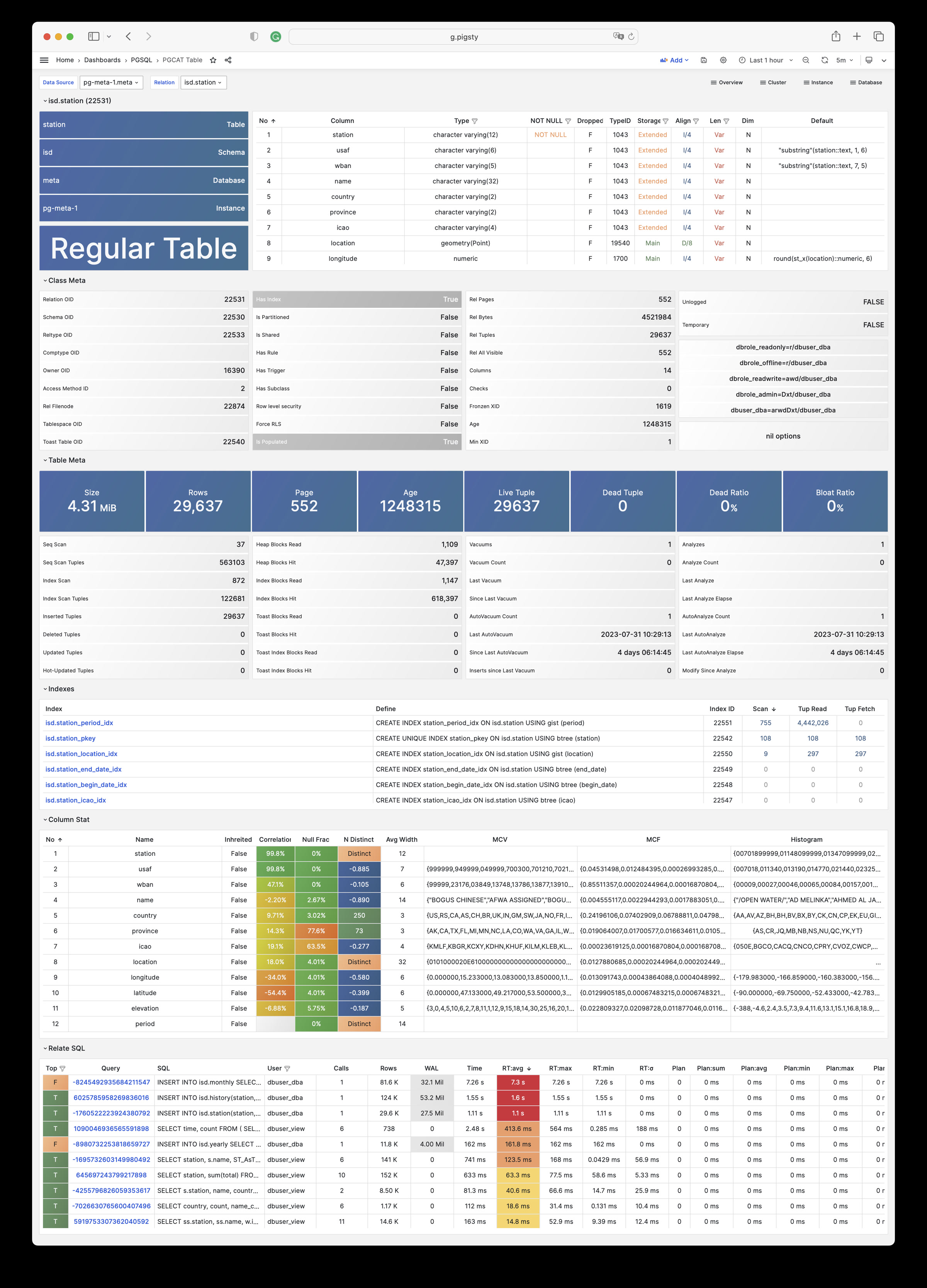
PGCAT Query: Query details from database catalog (SQL/stats)
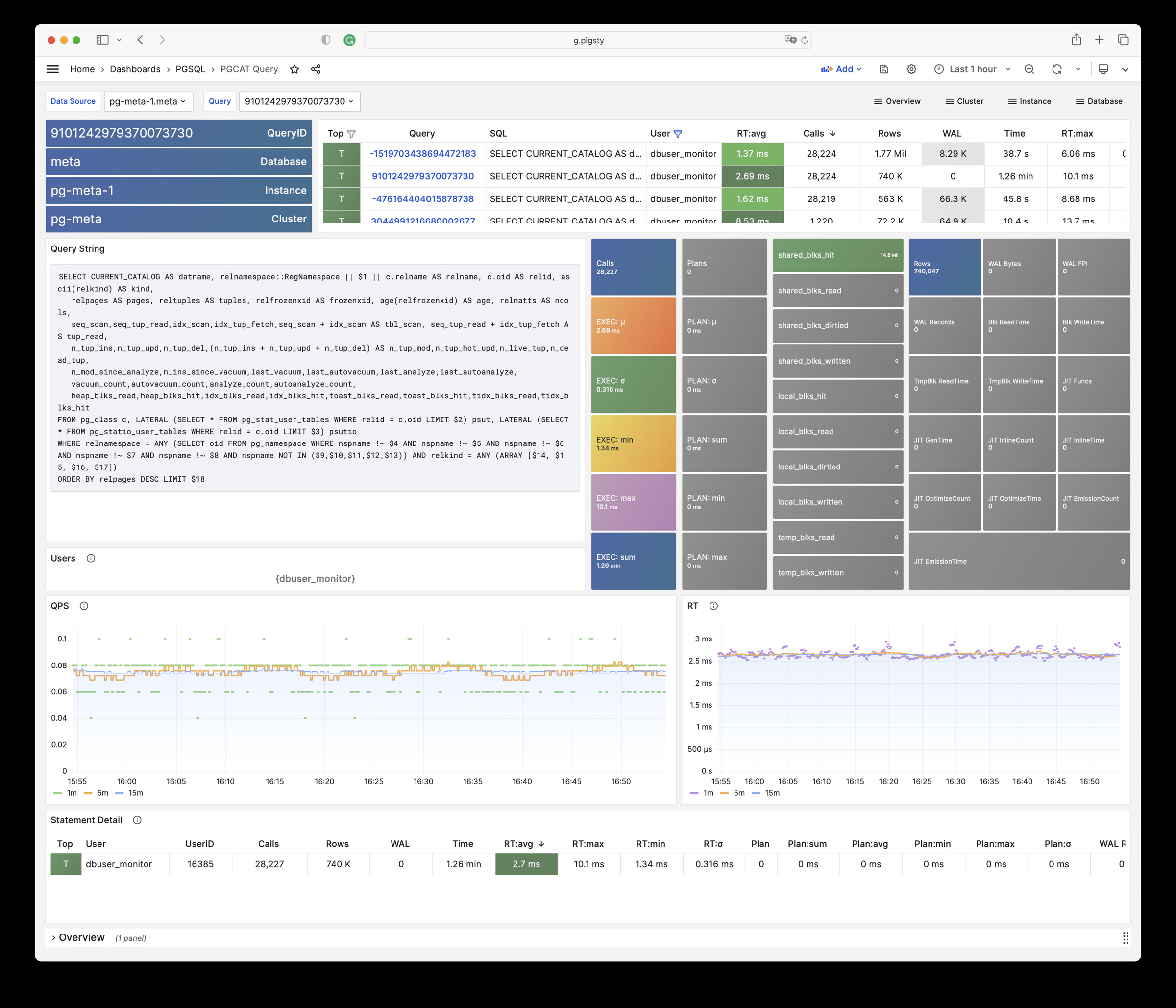
PGCAT Locks: Activity and lock wait info from database catalog
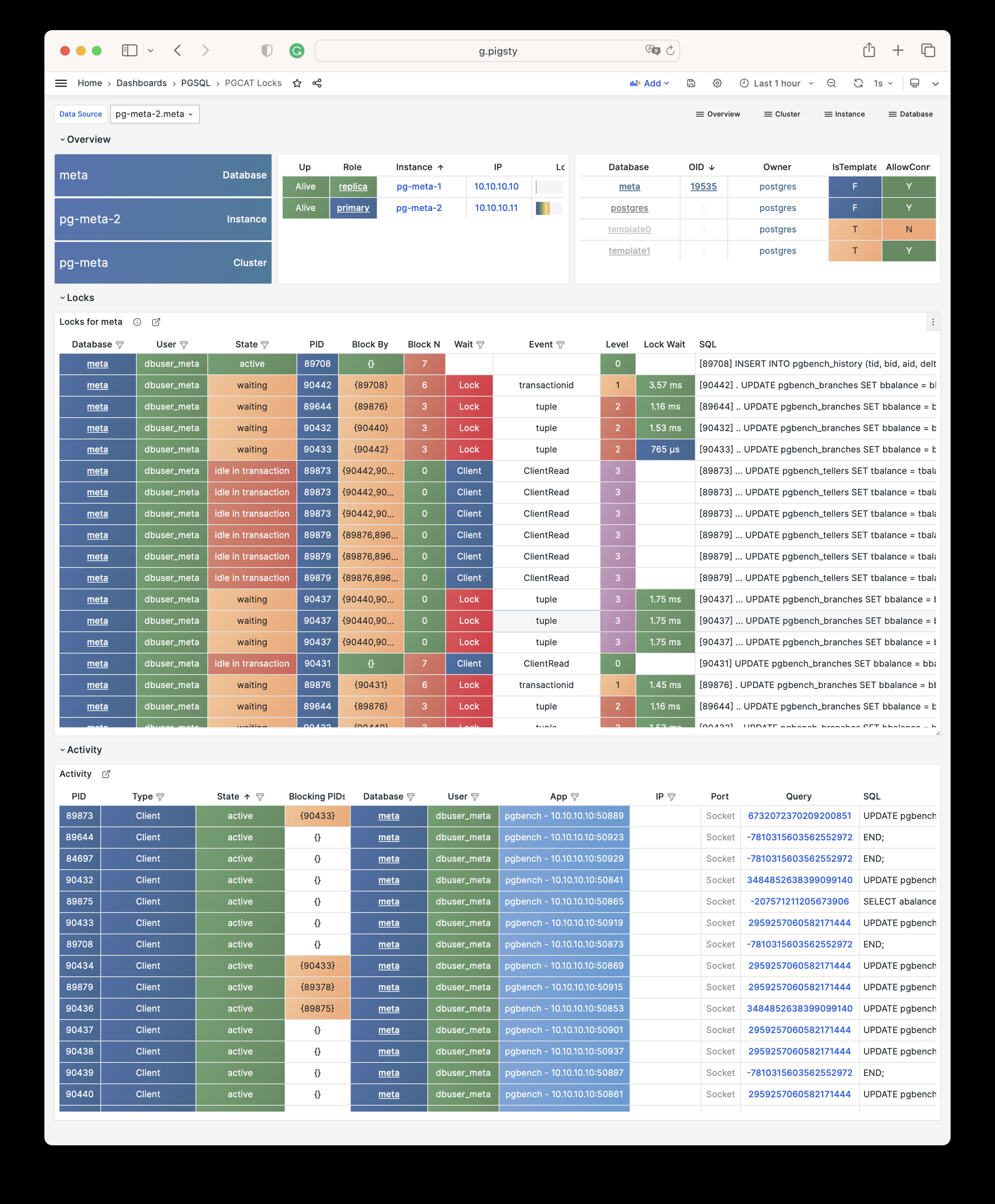
PGLOG
PGLOG Overview: Overview of CSV log samples in Pigsty CMDB
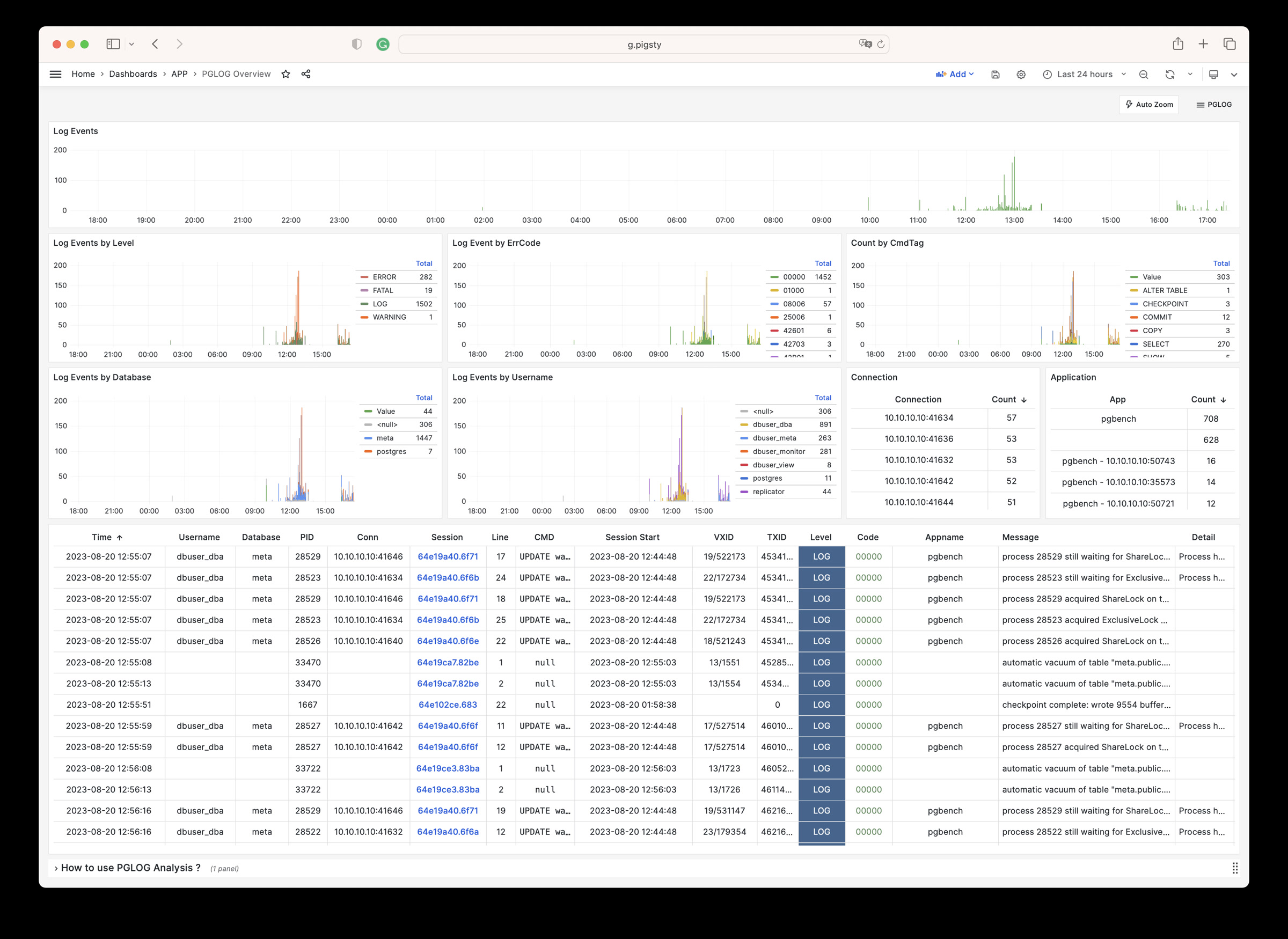
PGLOG Session: Log details for a single session in CSV log samples
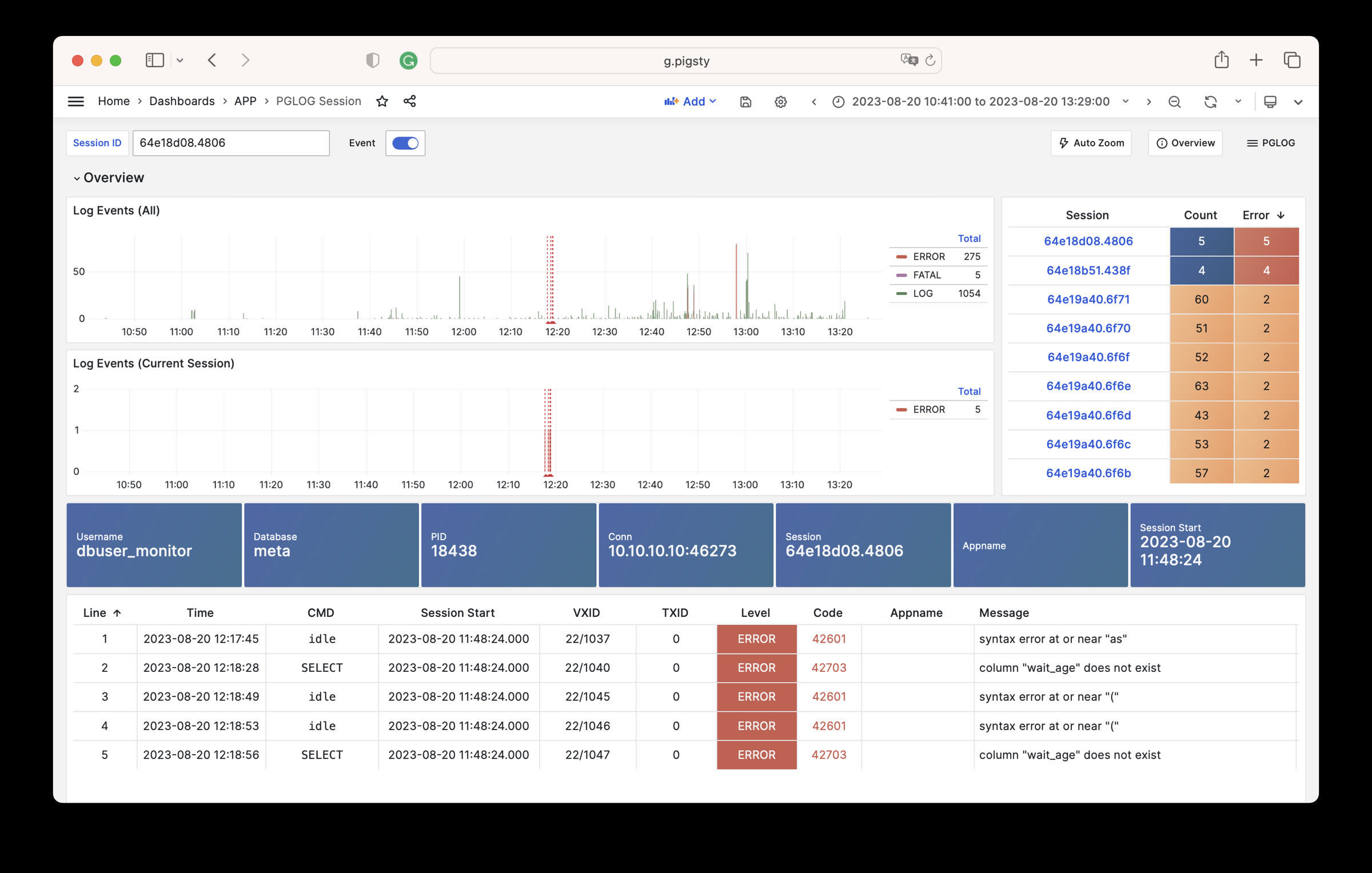
Gallery
See pigsty/wiki/gallery for details.
9.1 - Overview
Use these dashboards for a global overview of the PostgreSQL module:
- PGSQL Overview: Main dashboard for the PGSQL module
- PGSQL Alert: Global key metrics and alert events for PGSQL
- PGSQL Shard: Overview of horizontally sharded PGSQL clusters
9.1.1 - PGSQL Overview
Main dashboard for the PGSQL module: Demo
PGSQL Overview is the main dashboard for the PostgreSQL module. It shows a global overview of the entire PGSQL module.
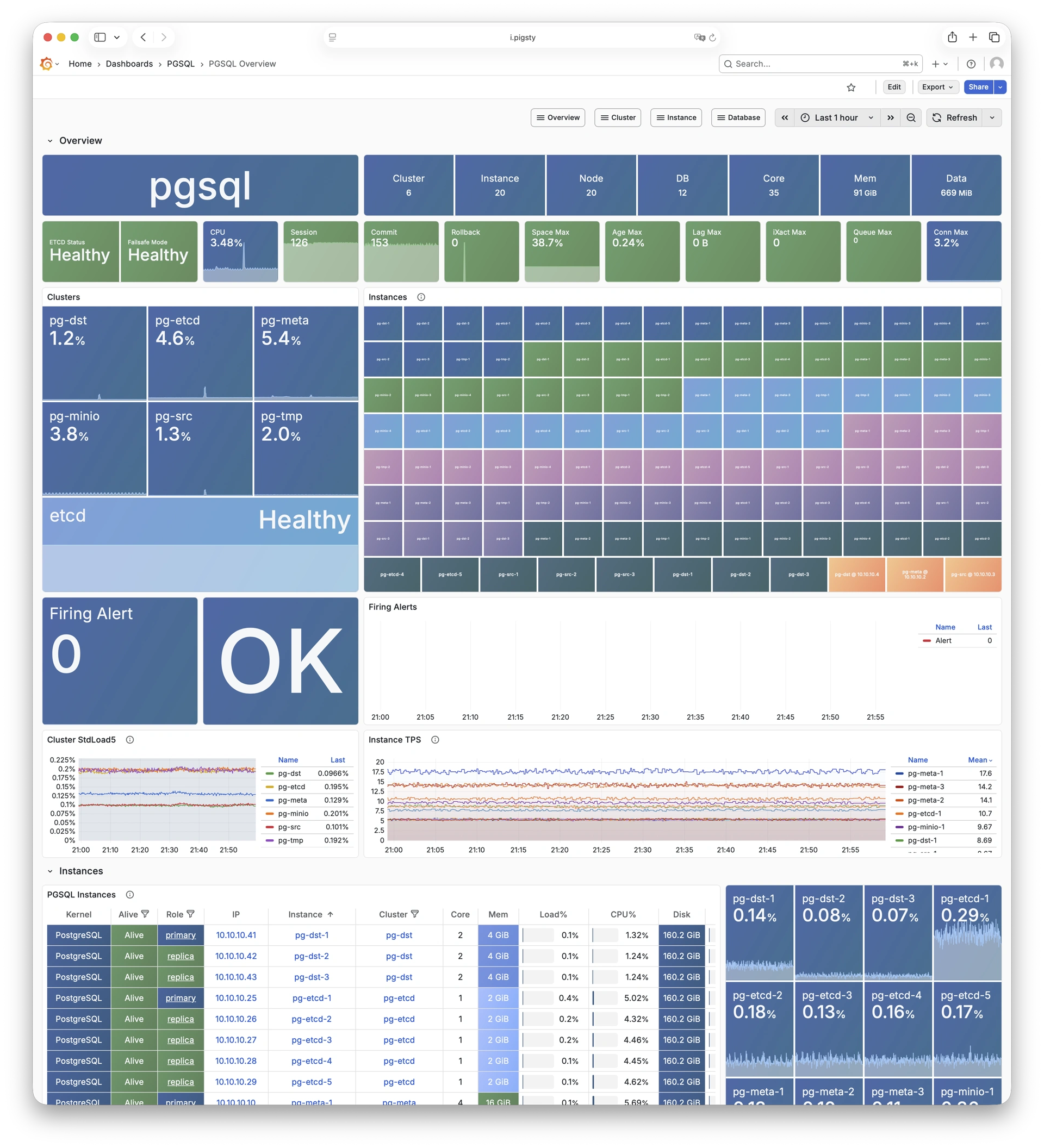
9.1.2 - PGSQL Alert
Global key metrics and alert events for PGSQL: Demo
PGSQL Alert provides a global overview of core metrics and alert events for PostgreSQL clusters.
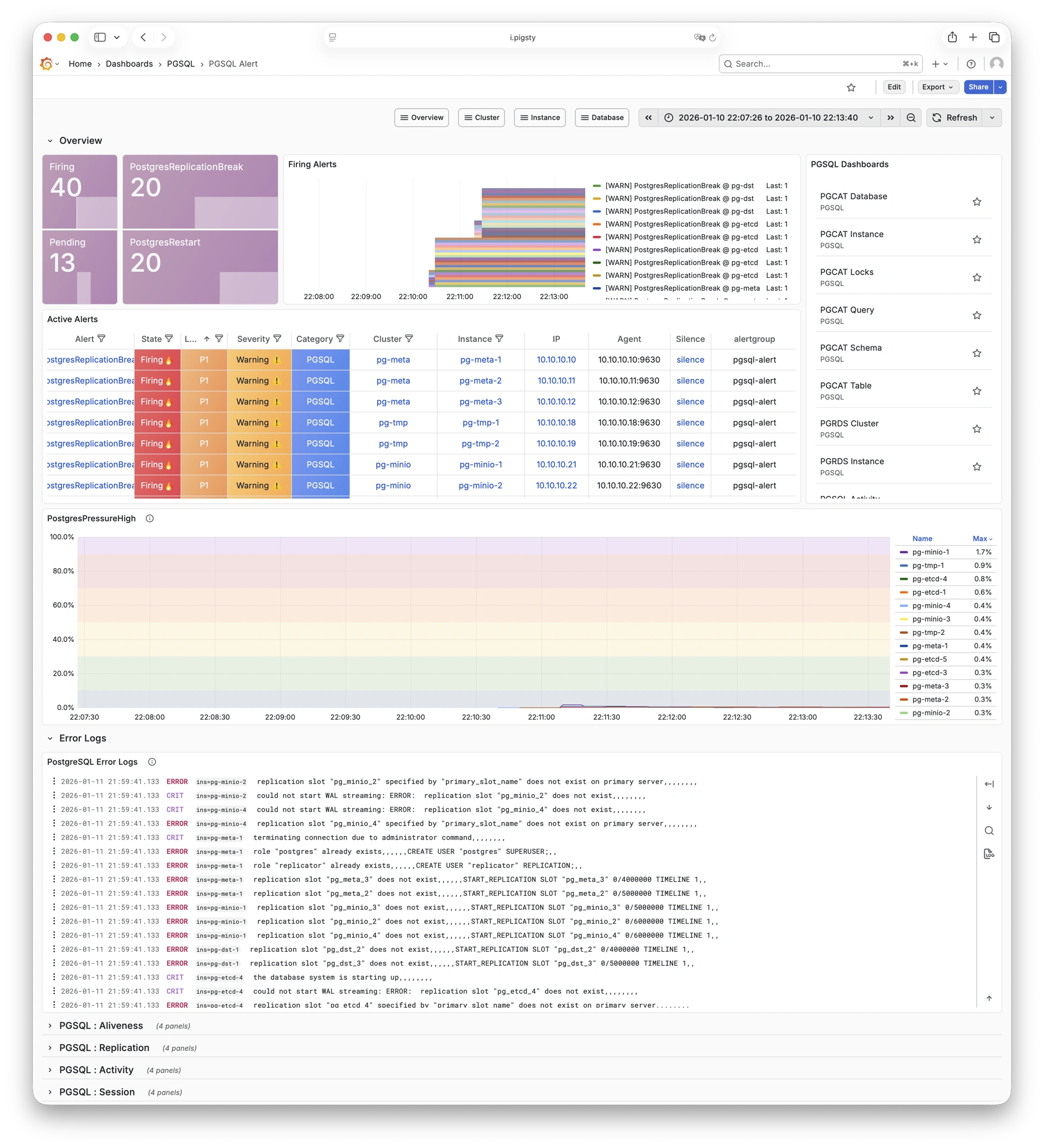
9.1.3 - PGSQL Shard
Overview of horizontally sharded PGSQL clusters: Demo
PGSQL Shard provides cross-shard metric comparison for horizontally sharded PGSQL clusters such as CITUS or GPSQL.
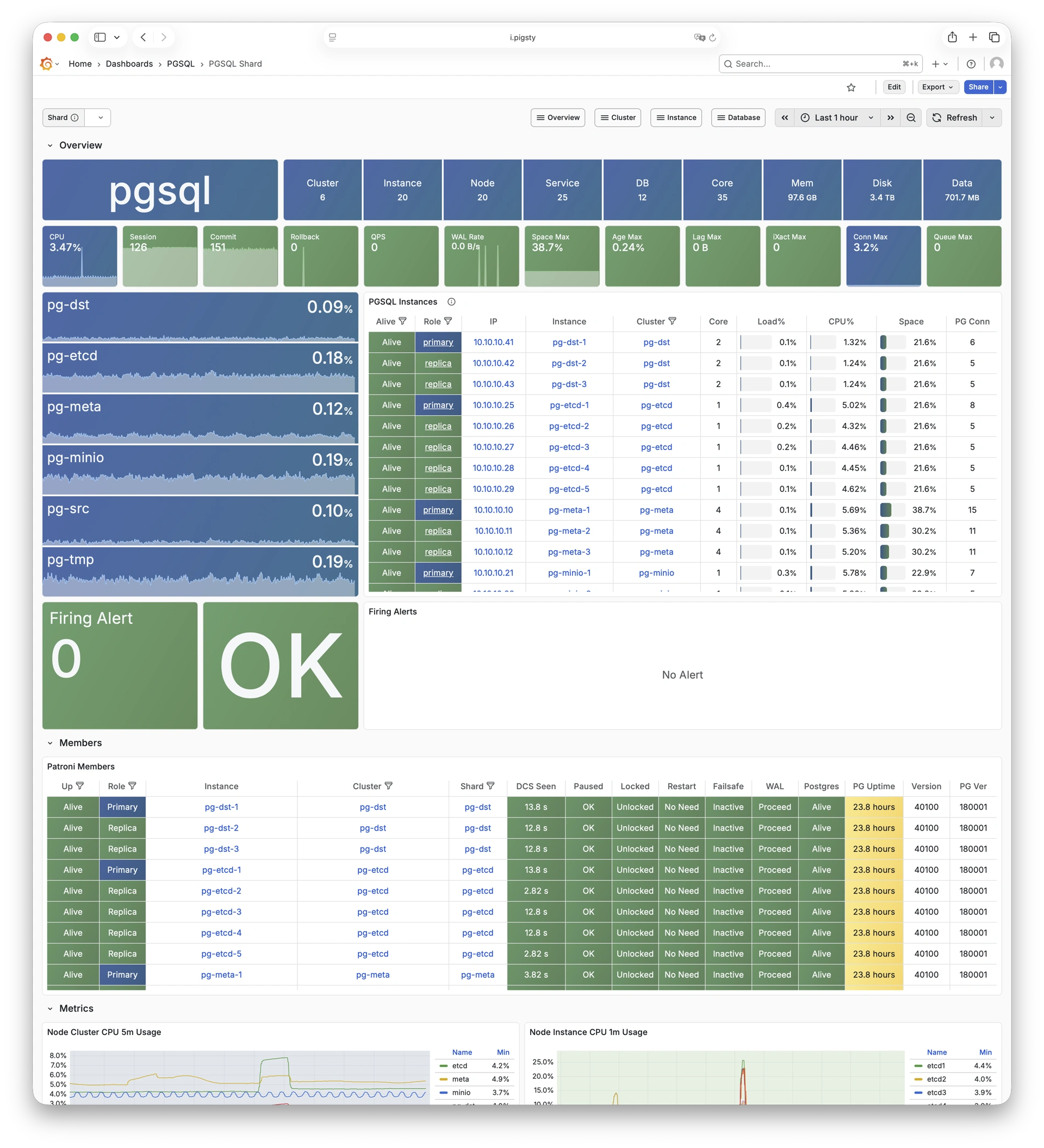
9.2 - Cluster
Use these dashboards to monitor PostgreSQL clusters:
- PGSQL Cluster: Main dashboard for a PGSQL cluster
- PGRDS Cluster: RDS version of PGSQL Cluster, focusing on PostgreSQL-native metrics
- PGSQL Activity: Session/load/QPS/TPS/locks for PGSQL cluster
- PGSQL Replication: Replication, slots, and pub/sub for PGSQL cluster
- PGSQL Service: Service, proxy, routing, and load balancing for PGSQL cluster
- PGSQL Databases: Database CRUD, slow queries, and table statistics across all instances
- PGSQL Patroni: HA status and Patroni component status for cluster
- PGSQL PITR: PITR context for point-in-time recovery assistance
9.2.1 - PGSQL Cluster
Main dashboard for a PGSQL cluster: Demo
PGSQL Cluster is the main dashboard for a single PostgreSQL cluster. It shows the core metrics for the cluster.
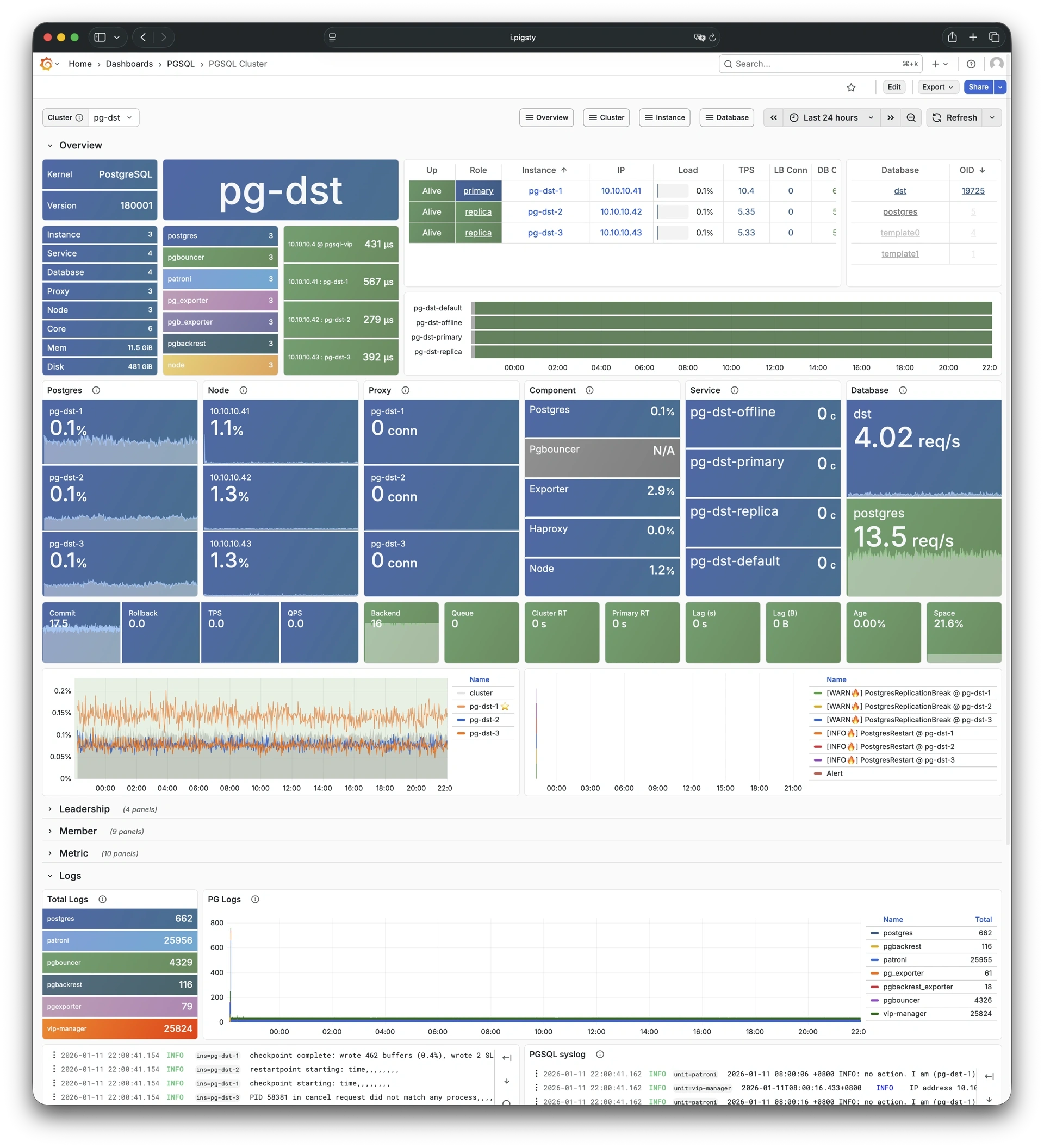
9.2.2 - PGRDS Cluster
RDS version of PGSQL Cluster: Demo
PGRDS Cluster is the RDS version of PGSQL Cluster. It shows PostgreSQL-native metrics and excludes host-level metrics.
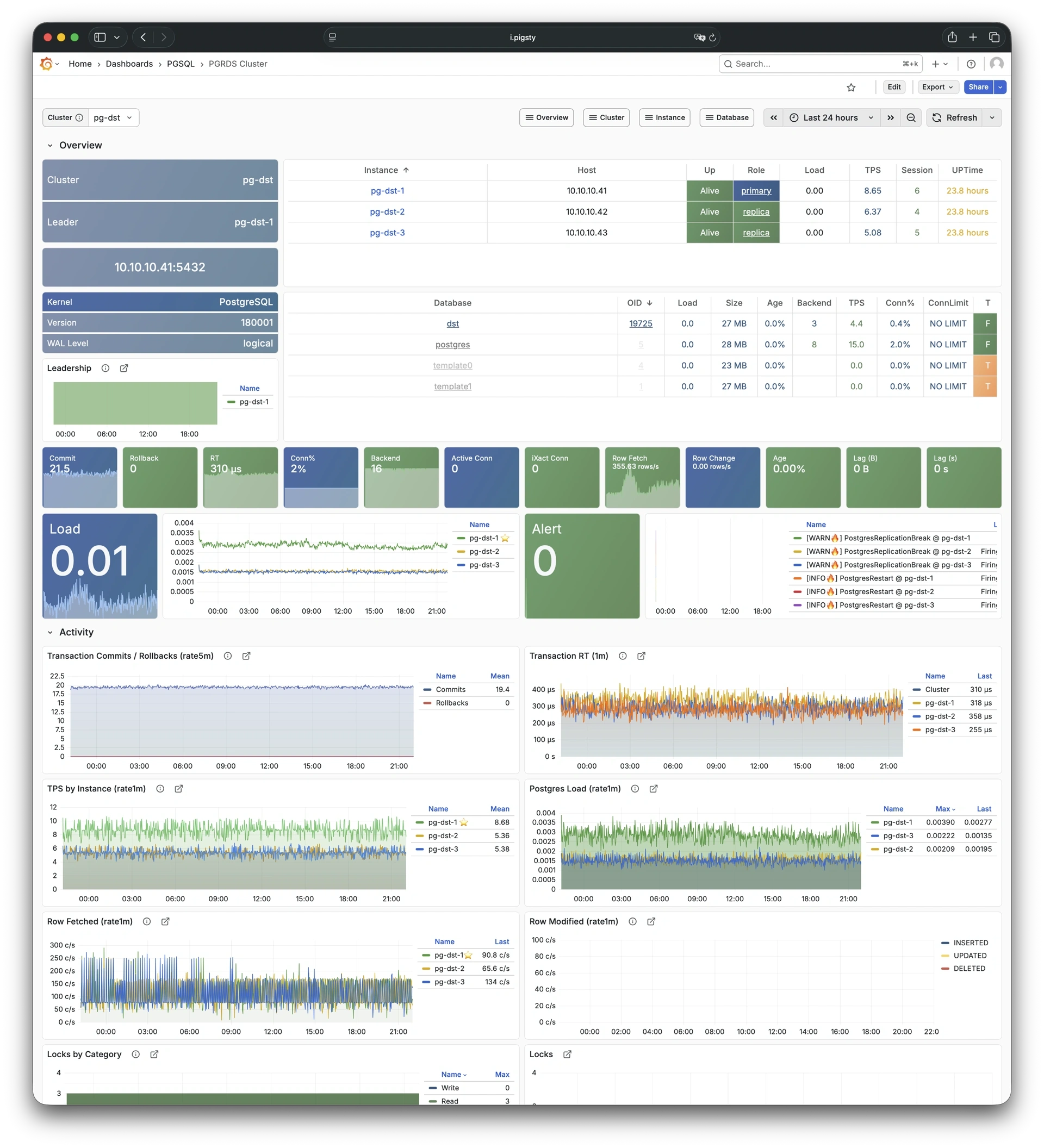
9.2.3 - PGSQL Activity
Session/load/QPS/TPS/locks for PGSQL cluster: Demo
PGSQL Activity focuses on session activity, load, QPS, TPS, and lock status for a PostgreSQL cluster.
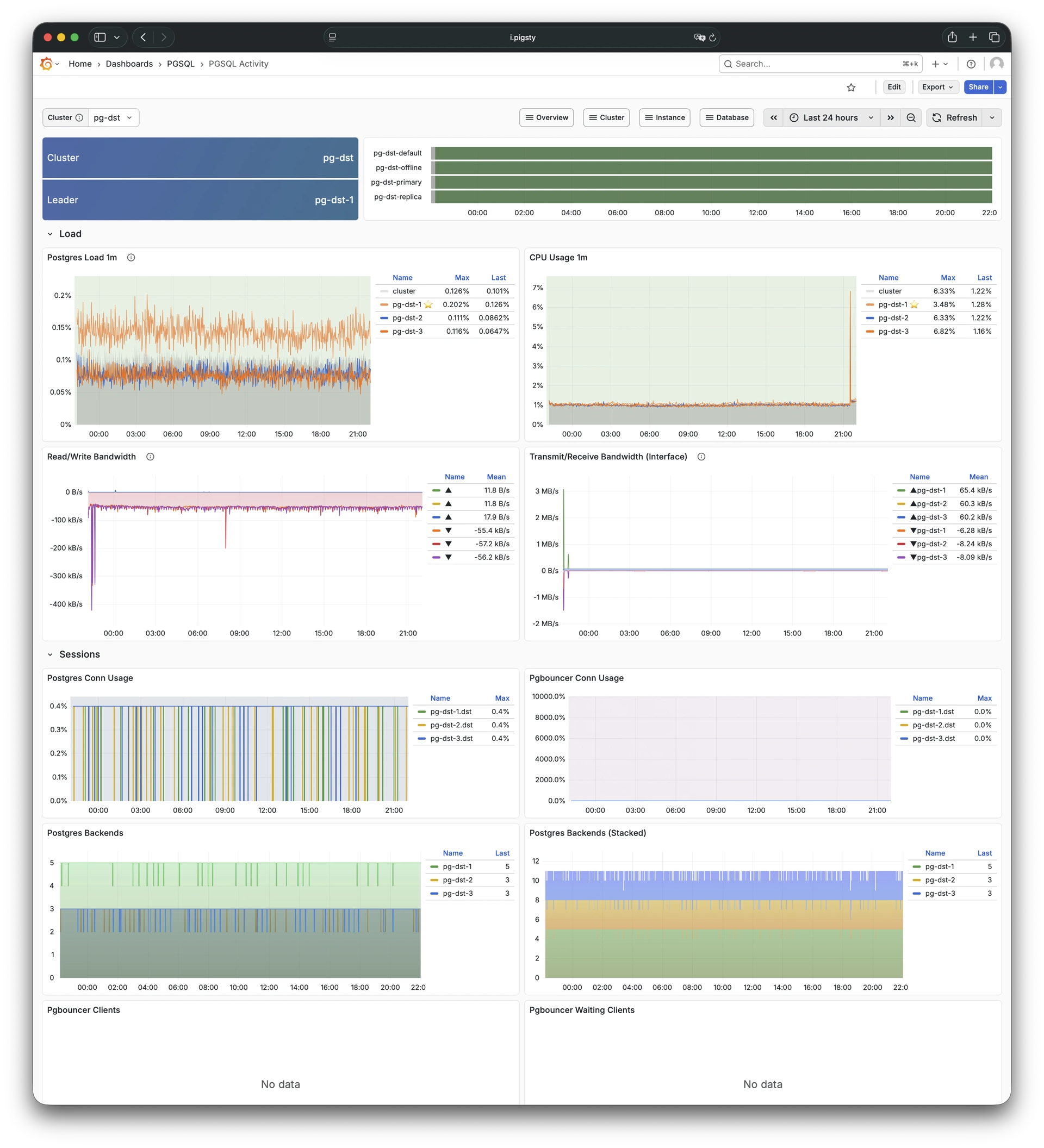
9.2.4 - PGSQL Replication
Replication, slots, and pub/sub for PGSQL cluster: Demo
PGSQL Replication focuses on replication status, replication slots, and logical replication (pub/sub) for a PostgreSQL cluster.
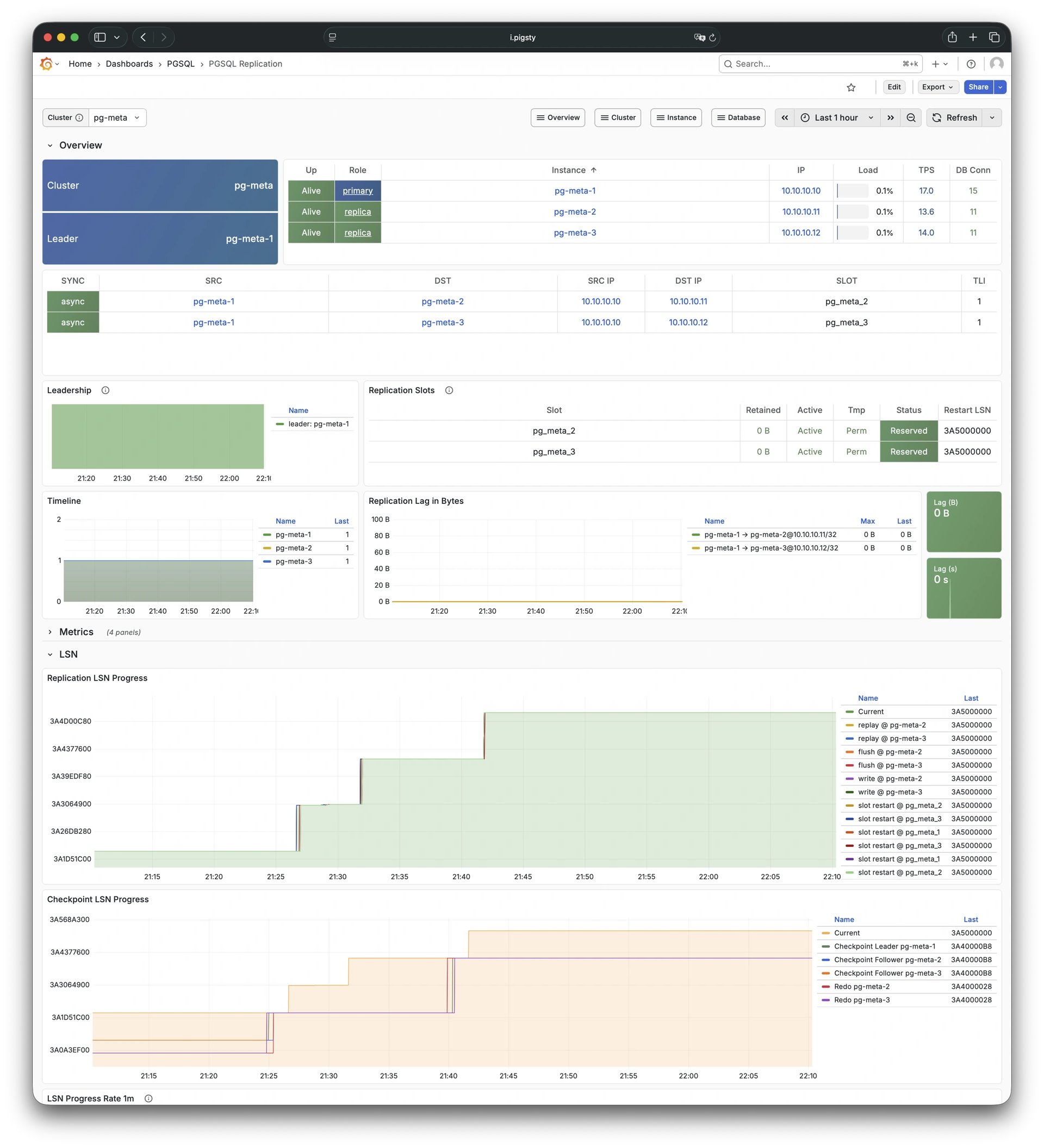
9.2.5 - PGSQL Service
Service, proxy, routing, and load balancing for PGSQL cluster: Demo
PGSQL Service focuses on service endpoints, proxy routing, and load balancing status for a PostgreSQL cluster.
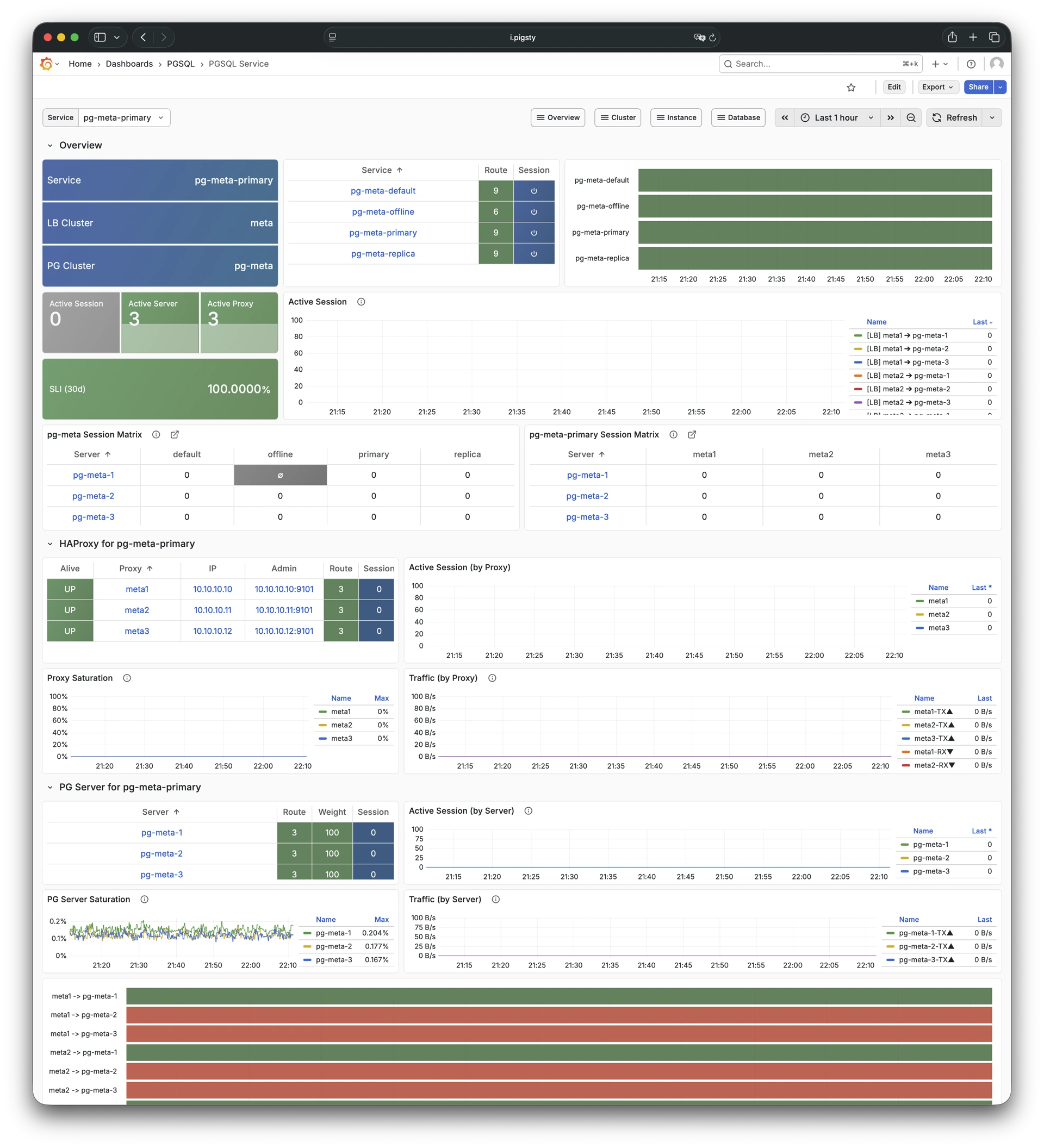
9.2.6 - PGSQL Databases
Database CRUD, slow queries, and table statistics: Demo
PGSQL Databases focuses on database-level CRUD operations, slow queries, and table statistics across all instances in a cluster.
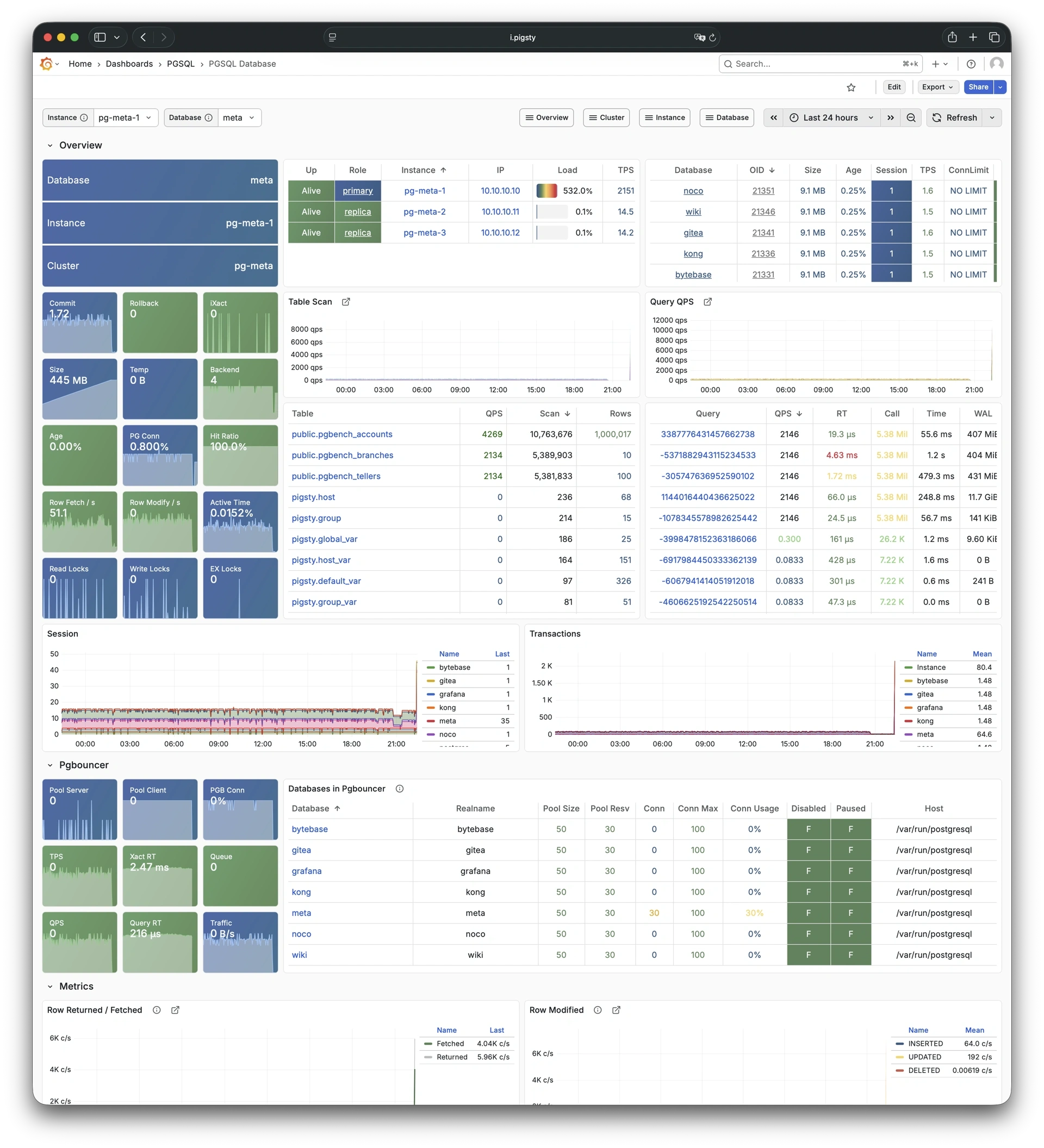
9.2.7 - PGSQL Patroni
HA status and Patroni component status: Demo
PGSQL Patroni focuses on high-availability status and Patroni component health for a PostgreSQL cluster.
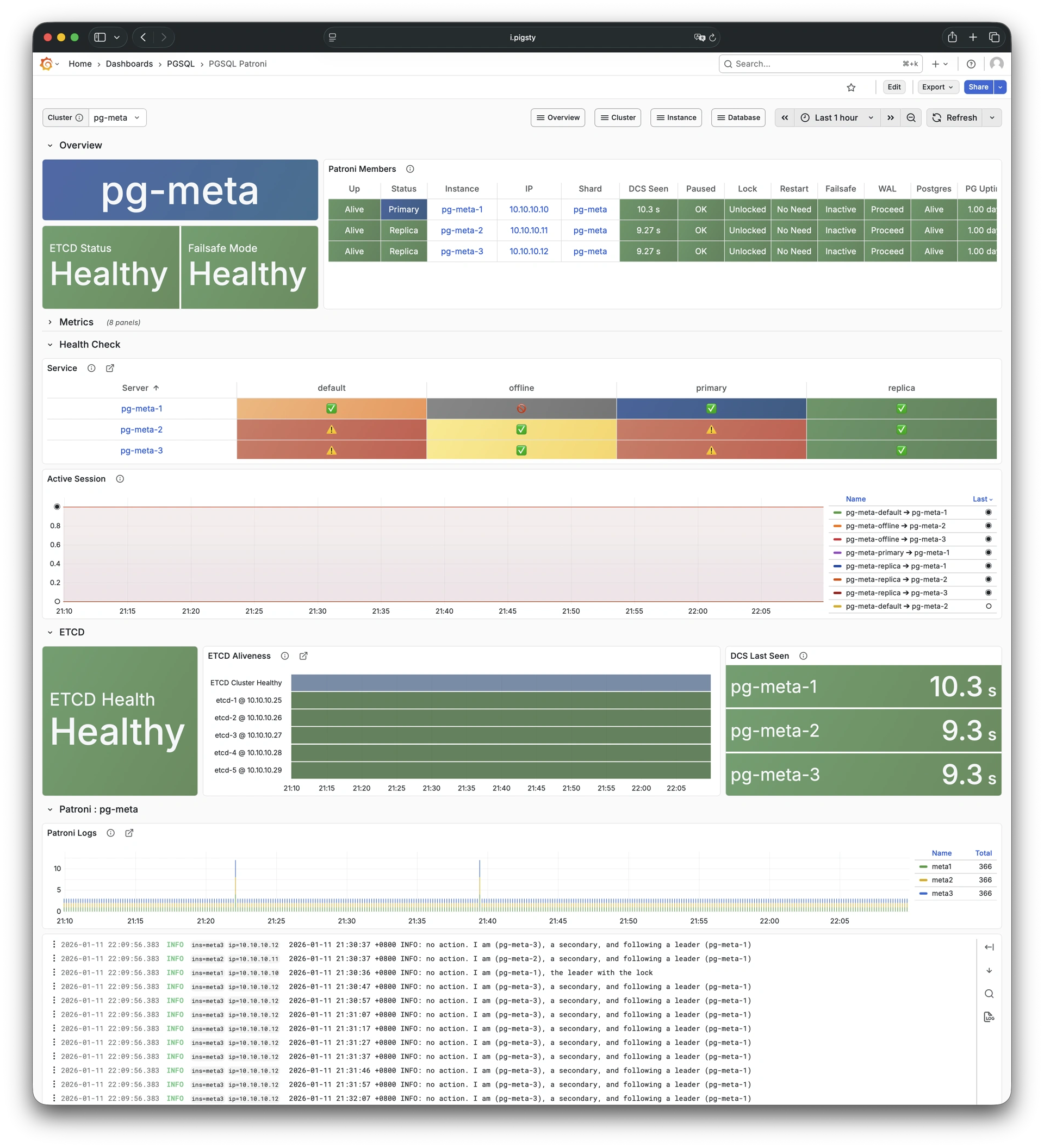
9.2.8 - PGSQL PITR
PITR context for point-in-time recovery: Demo
PGSQL PITR shows backup status and the WAL timeline. Use this information for point-in-time recovery operations.
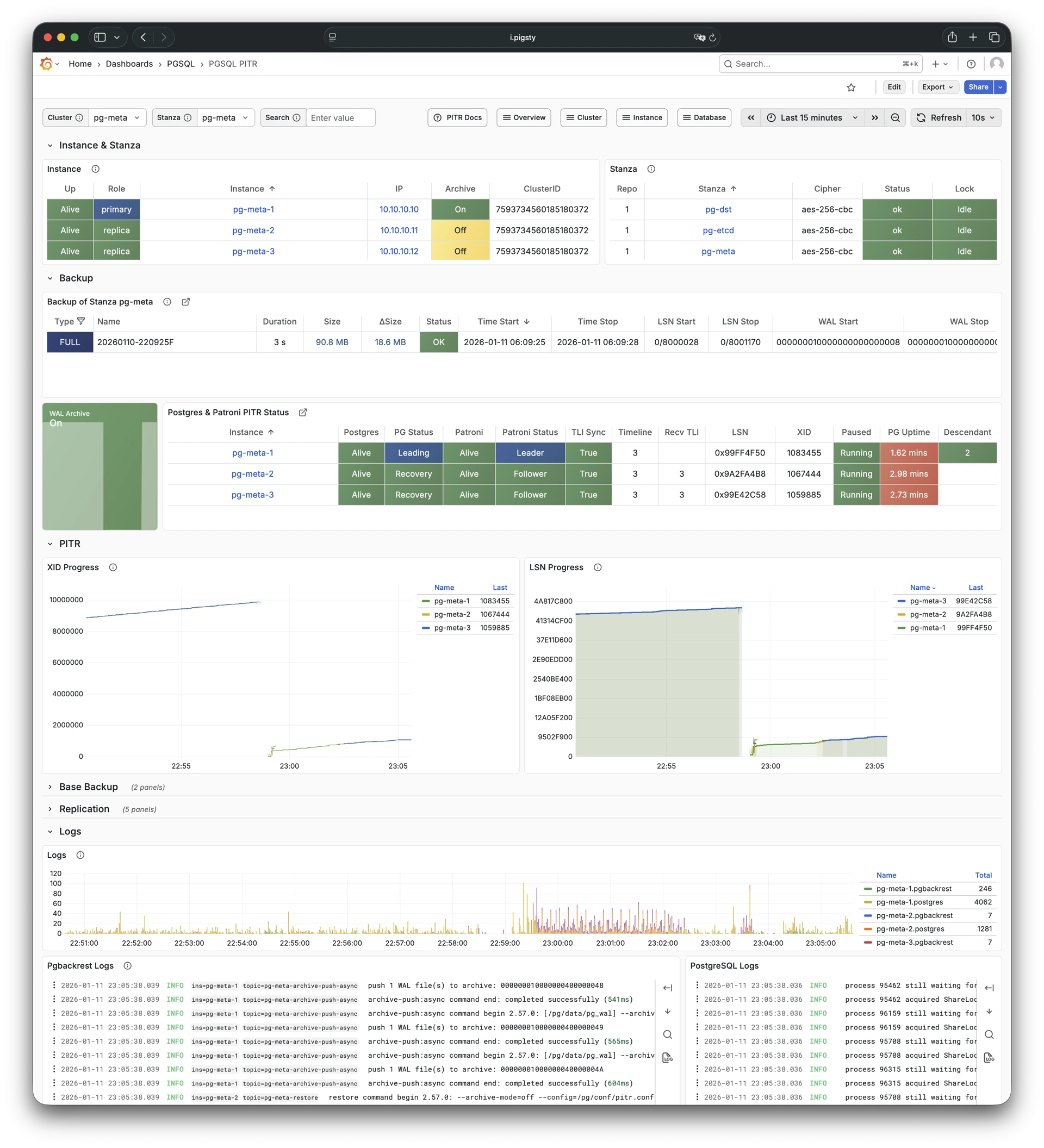
9.3 - Instance
Use these dashboards to monitor PostgreSQL instances:
- PGSQL Instance: Main dashboard for a single PGSQL instance
- PGRDS Instance: RDS version of PGSQL Instance, focusing on PostgreSQL-native metrics
- PGCAT Instance: Instance info retrieved directly from database catalog
- PGSQL Persist: Persistence metrics: WAL, XID, checkpoint, archive, IO
- PGSQL Proxy: Detailed metrics for a single HAProxy load balancer
- PGSQL Pgbouncer: Metrics overview for a single Pgbouncer connection pooler
- PGSQL Session: Session and active/idle time metrics for a single instance
- PGSQL Xacts: Transaction, lock, TPS/QPS related metrics
- PGSQL Exporter: Self-monitoring metrics for Postgres and Pgbouncer exporters
9.3.1 - PGSQL Instance
Main dashboard for a single PGSQL instance: Demo
PGSQL Instance is the main dashboard for a single PostgreSQL instance. It provides a full set of instance-level metrics.
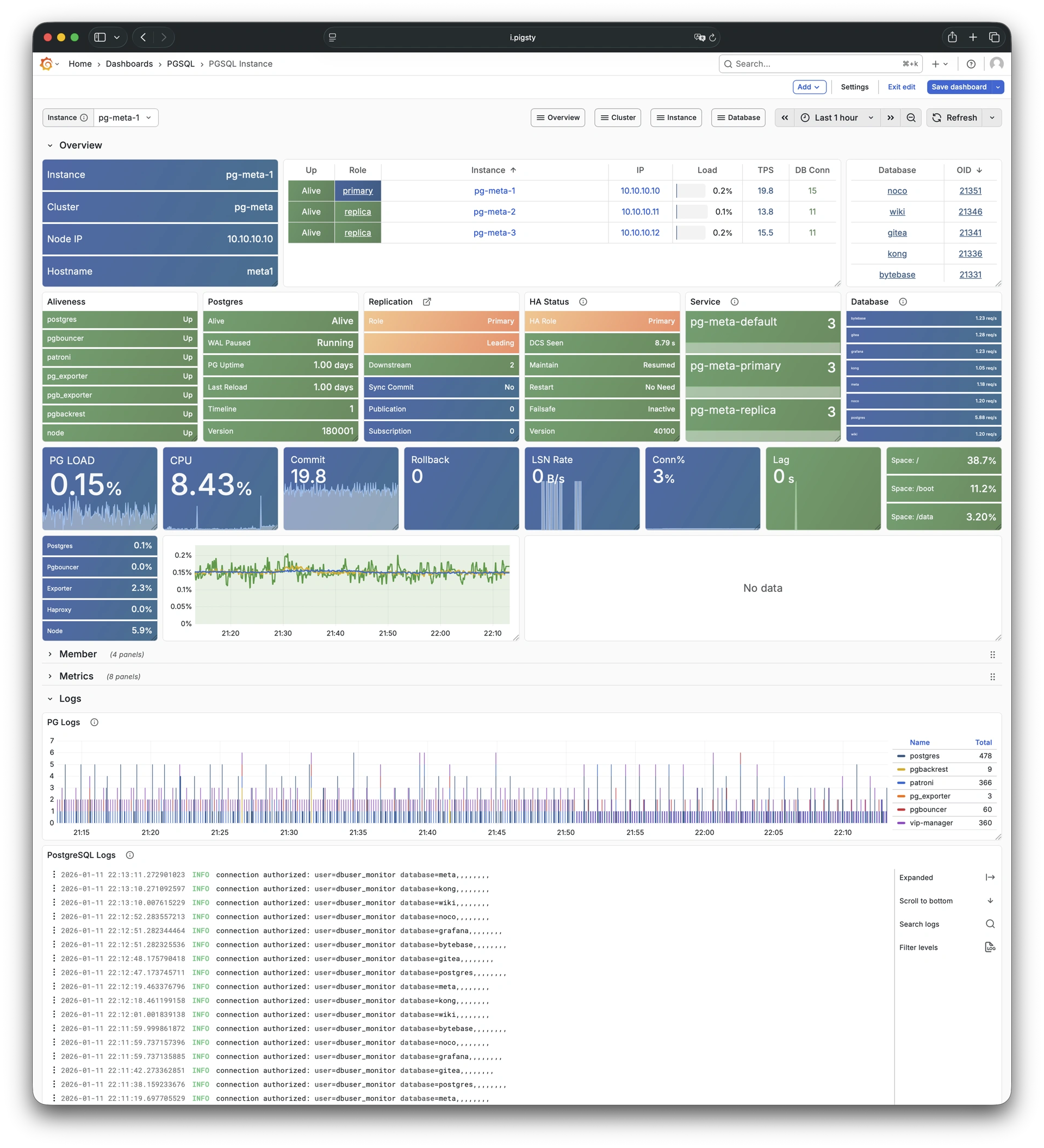
9.3.2 - PGRDS Instance
RDS version of PGSQL Instance: Demo
PGRDS Instance is the RDS version of PGSQL Instance. It shows PostgreSQL-native metrics and excludes host-level metrics.
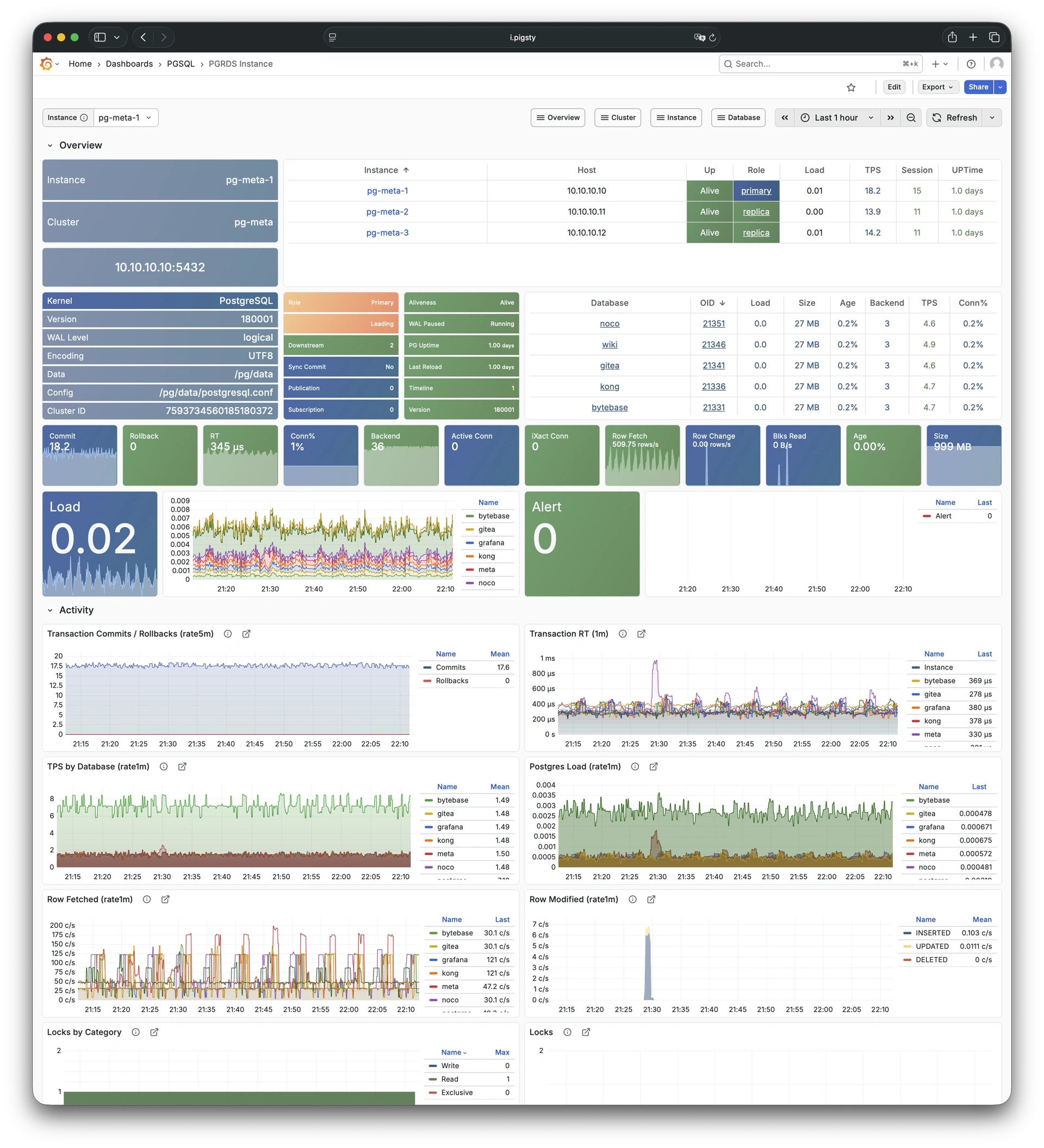
9.3.3 - PGCAT Instance
Instance info from database catalog: Demo
PGCAT Instance reads instance-level information directly from the PostgreSQL system catalog and shows it.
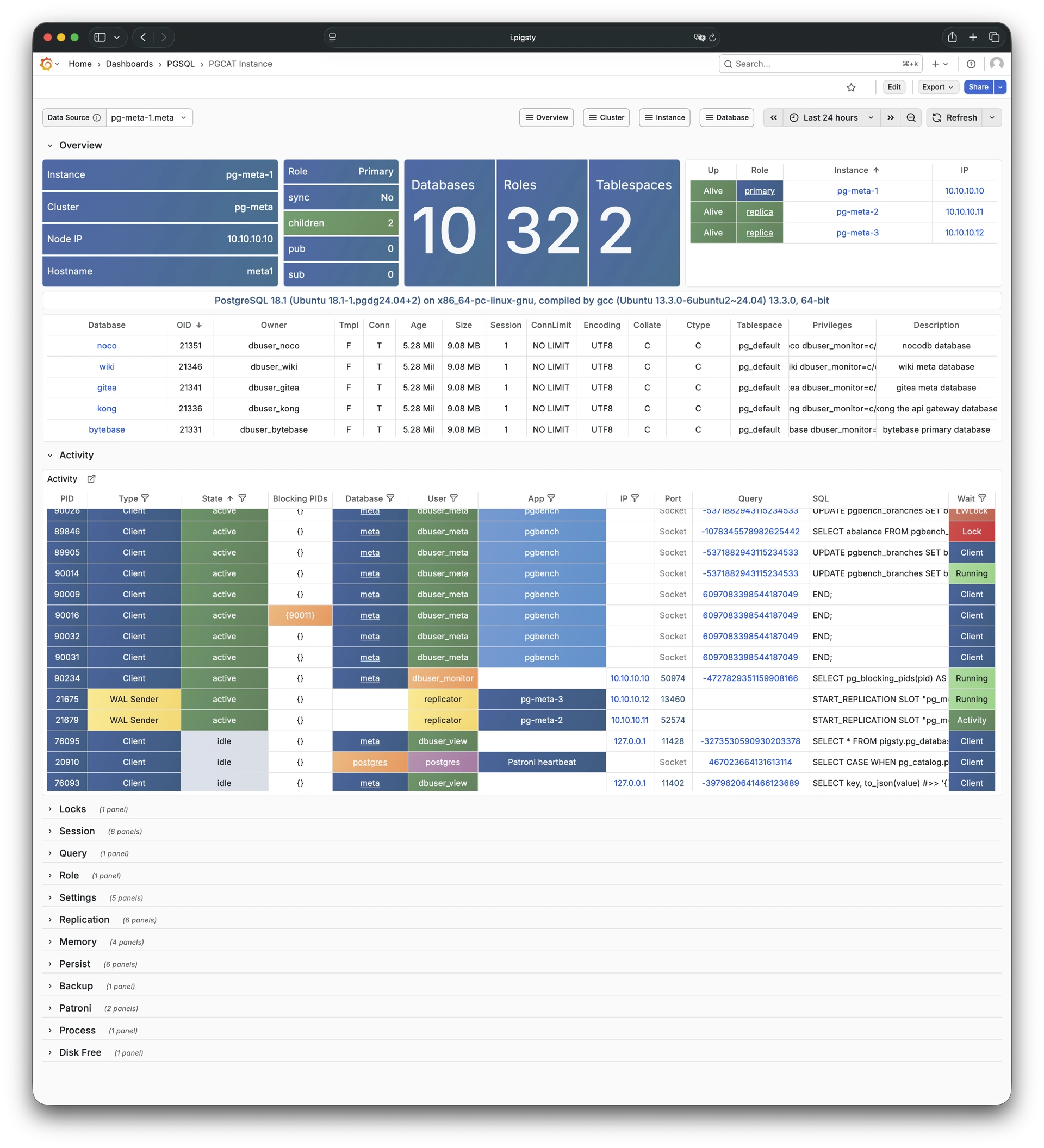
9.3.4 - PGSQL Persist
Persistence metrics for PGSQL instance: Demo
PGSQL Persist focuses on persistence-related metrics: WAL generation, XID consumption, checkpoints, archiving, and I/O patterns.
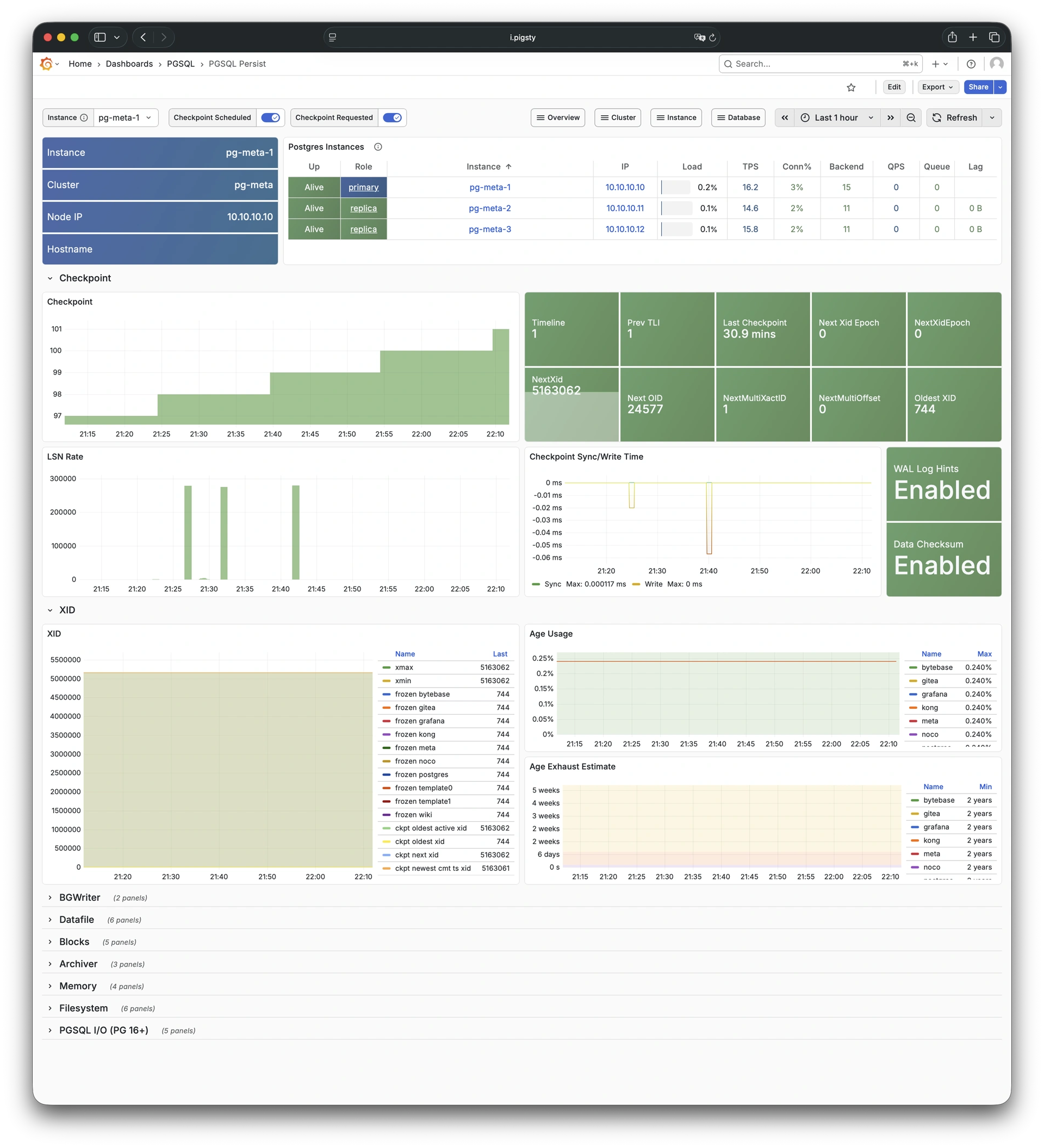
9.3.5 - PGSQL Proxy
Detailed metrics for HAProxy: Demo
PGSQL Proxy shows detailed metrics for a single HAProxy load balancer instance serving PostgreSQL traffic.
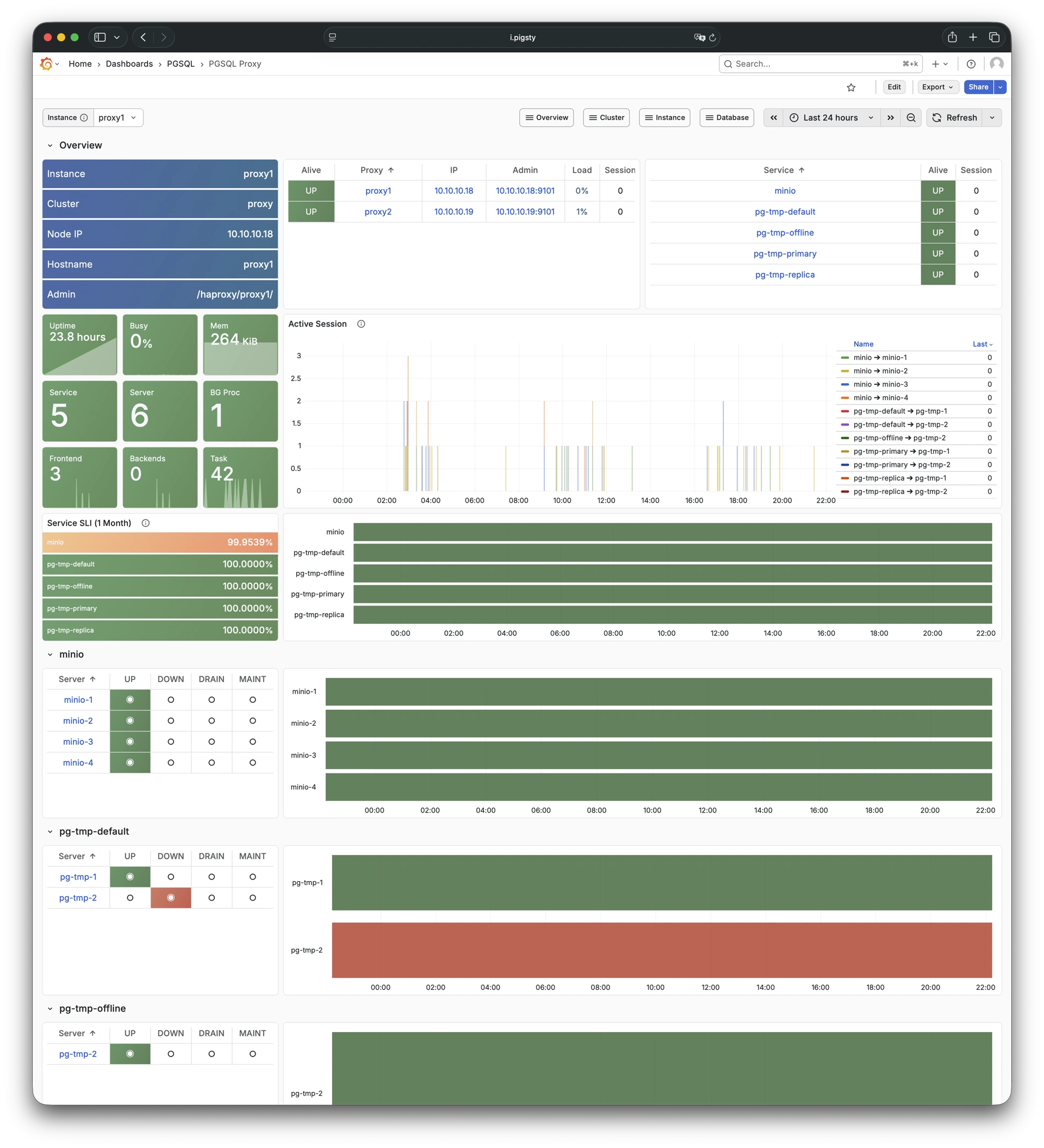
9.3.6 - PGSQL Pgbouncer
Metrics overview for Pgbouncer: Demo
PGSQL Pgbouncer shows connection pooling metrics for a single Pgbouncer instance.
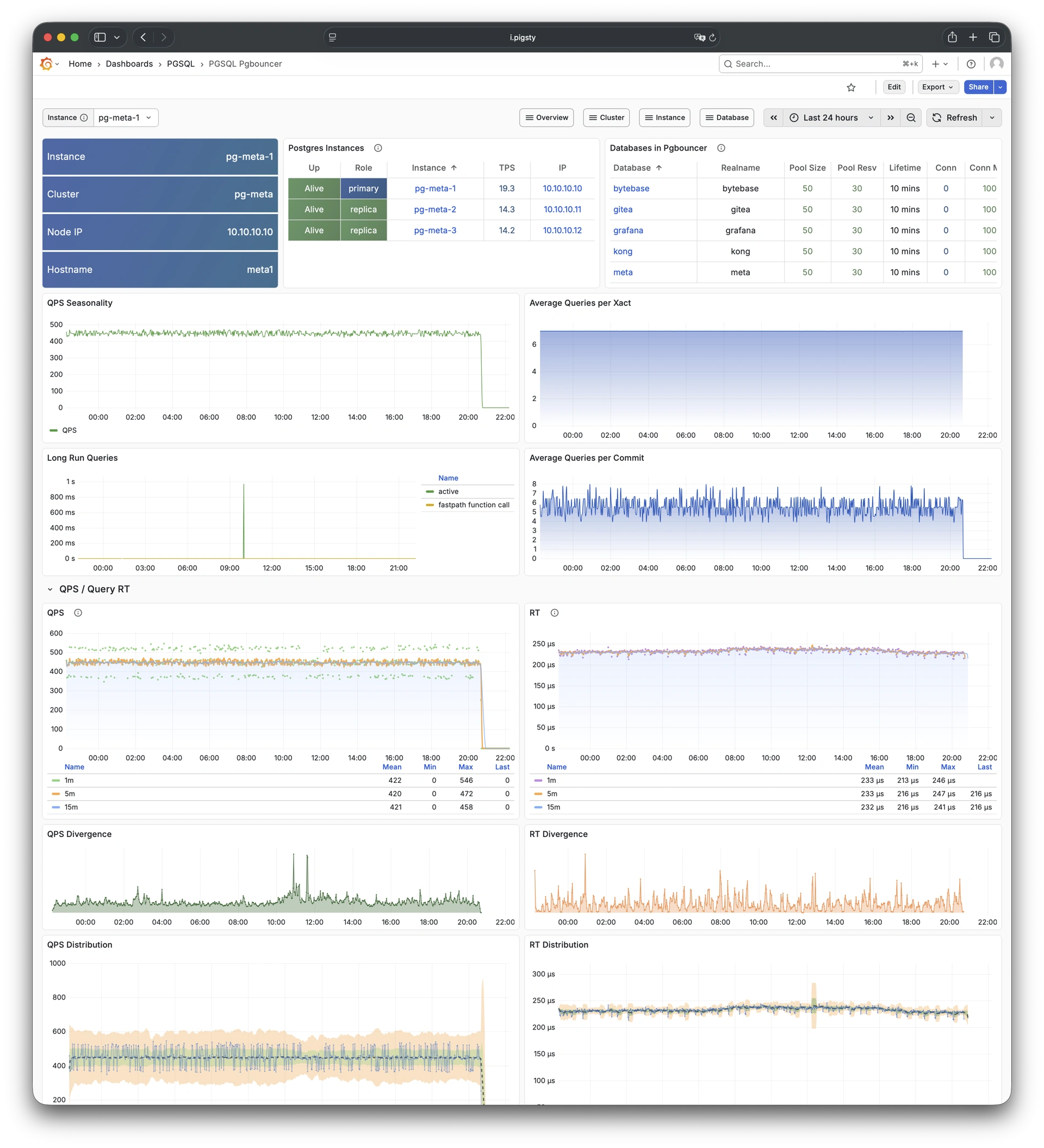
9.3.7 - PGSQL Session
Session and active/idle time metrics: Demo
PGSQL Session focuses on session statistics and active/idle time distribution for a single PostgreSQL instance.
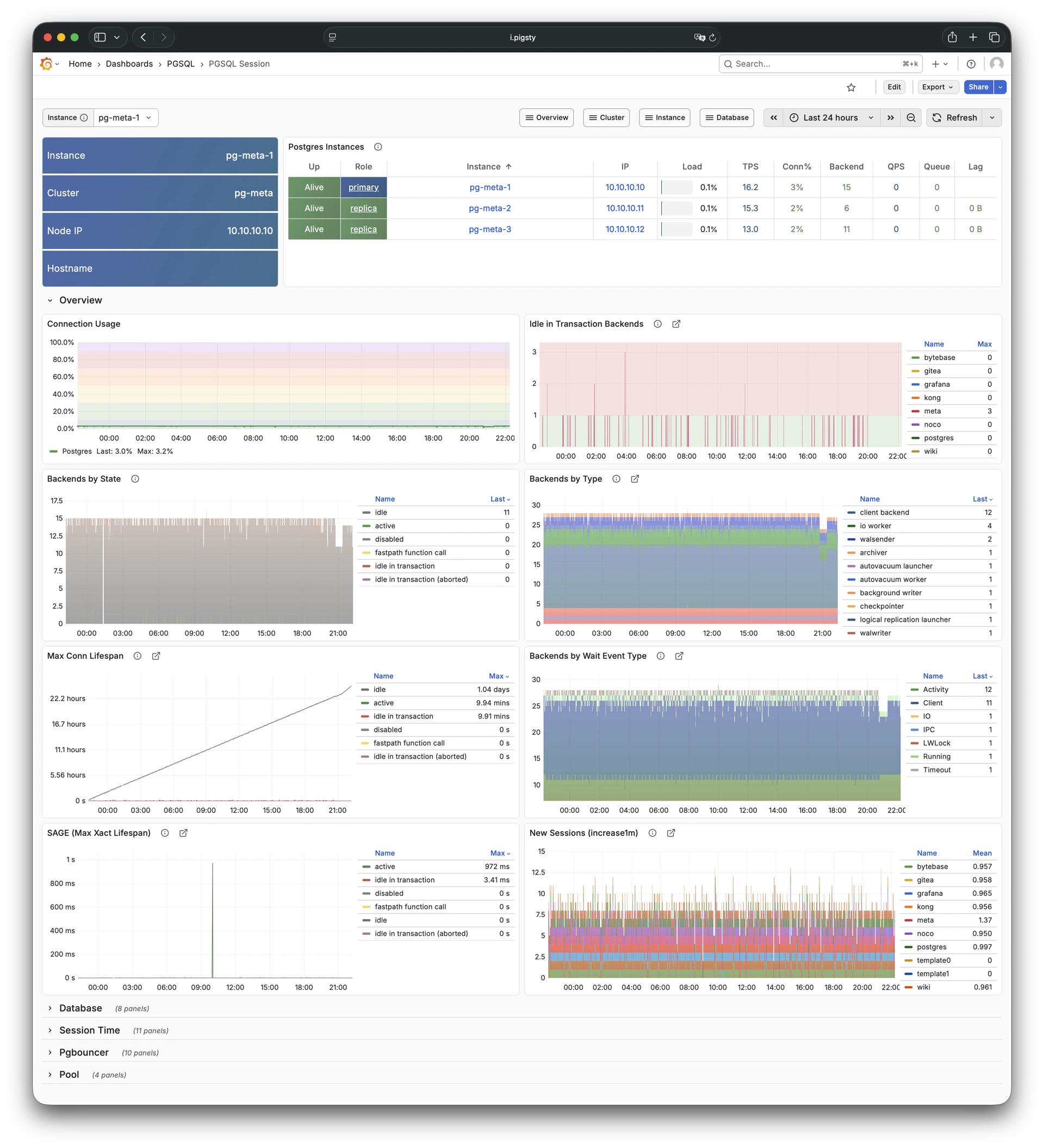
9.3.8 - PGSQL Xacts
Transaction, lock, TPS/QPS metrics: Demo
PGSQL Xacts focuses on transaction processing, lock activity, and TPS/QPS metrics for a single PostgreSQL instance.
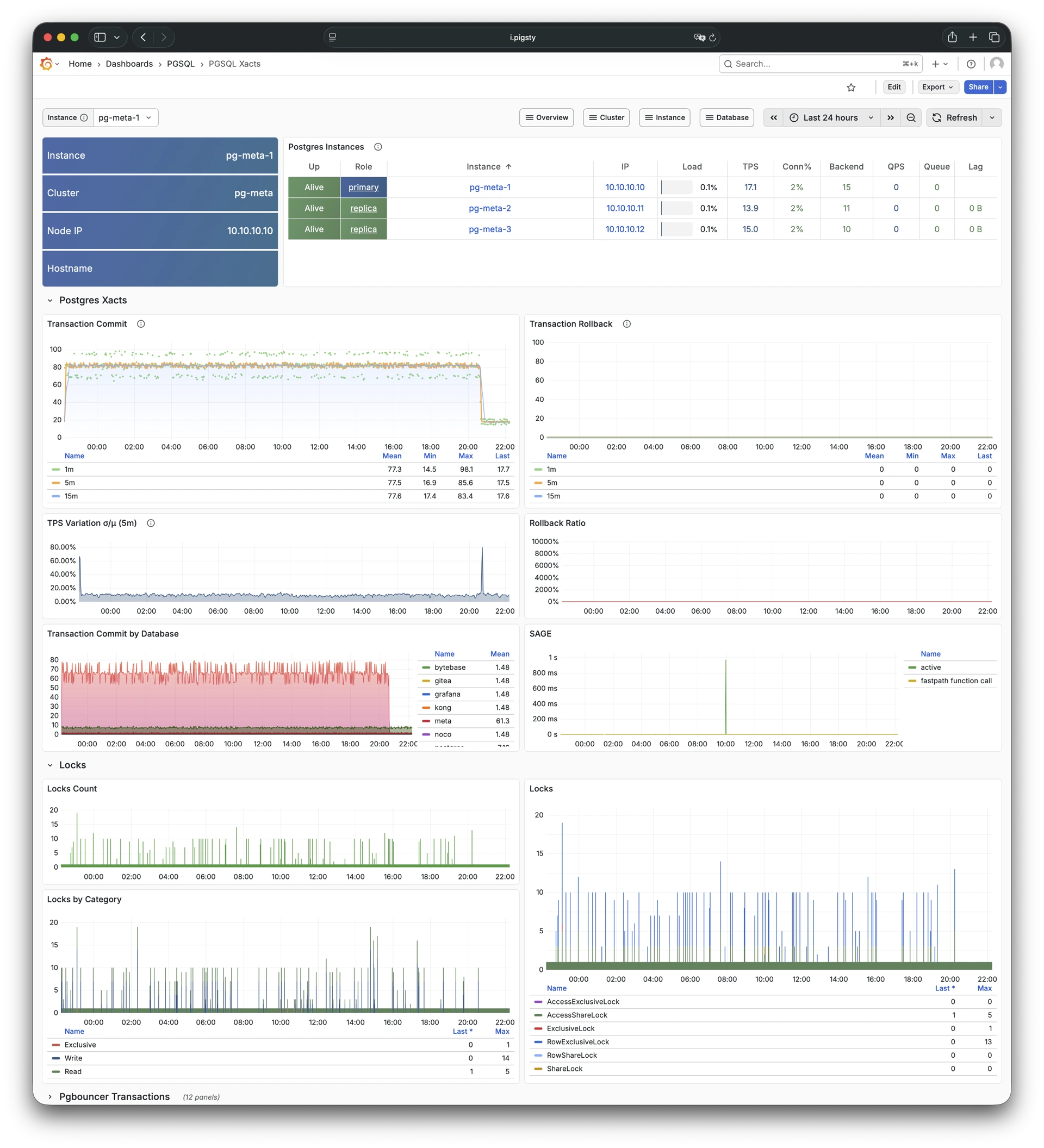
9.3.9 - PGSQL Exporter
Self-monitoring metrics for exporters: Demo
PGSQL Exporter shows self-monitoring metrics for the Postgres exporter and Pgbouncer exporter components.
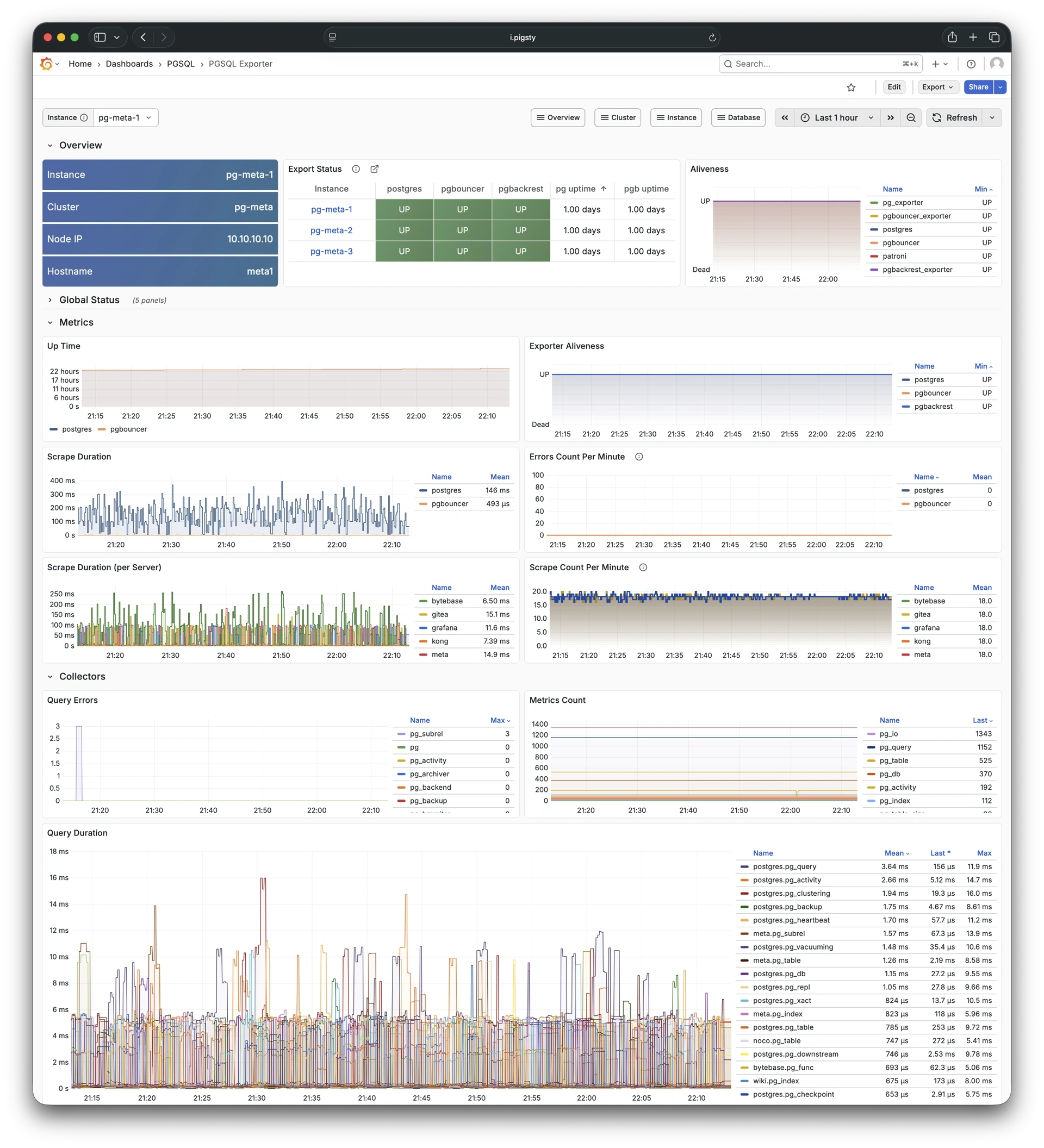
9.4 - Database
Use these dashboards to monitor PostgreSQL databases:
- PGSQL Database: Main dashboard for a single PGSQL database
- PGCAT Database: Database info retrieved directly from database catalog
- PGSQL Tables: Table/index access metrics within a single database
- PGSQL Table: Detailed info for a single table (QPS/RT/index/sequence…)
- PGCAT Table: Detailed table info from database catalog
- PGSQL Query: Detailed info for a query type (QPS/RT)
- PGCAT Query: Query details from database catalog
- PGCAT Locks: Activity and lock wait info from database catalog
- PGCAT Schema: Schema info from database catalog
9.4.1 - PGSQL Database
Main dashboard for a single PGSQL database: Demo
PGSQL Database is the main dashboard for a single PostgreSQL database. It provides a full set of database-level metrics.
9.4.2 - PGCAT Database
Database info from database catalog: Demo
PGCAT Database reads database-level information directly from the PostgreSQL system catalog and shows it.
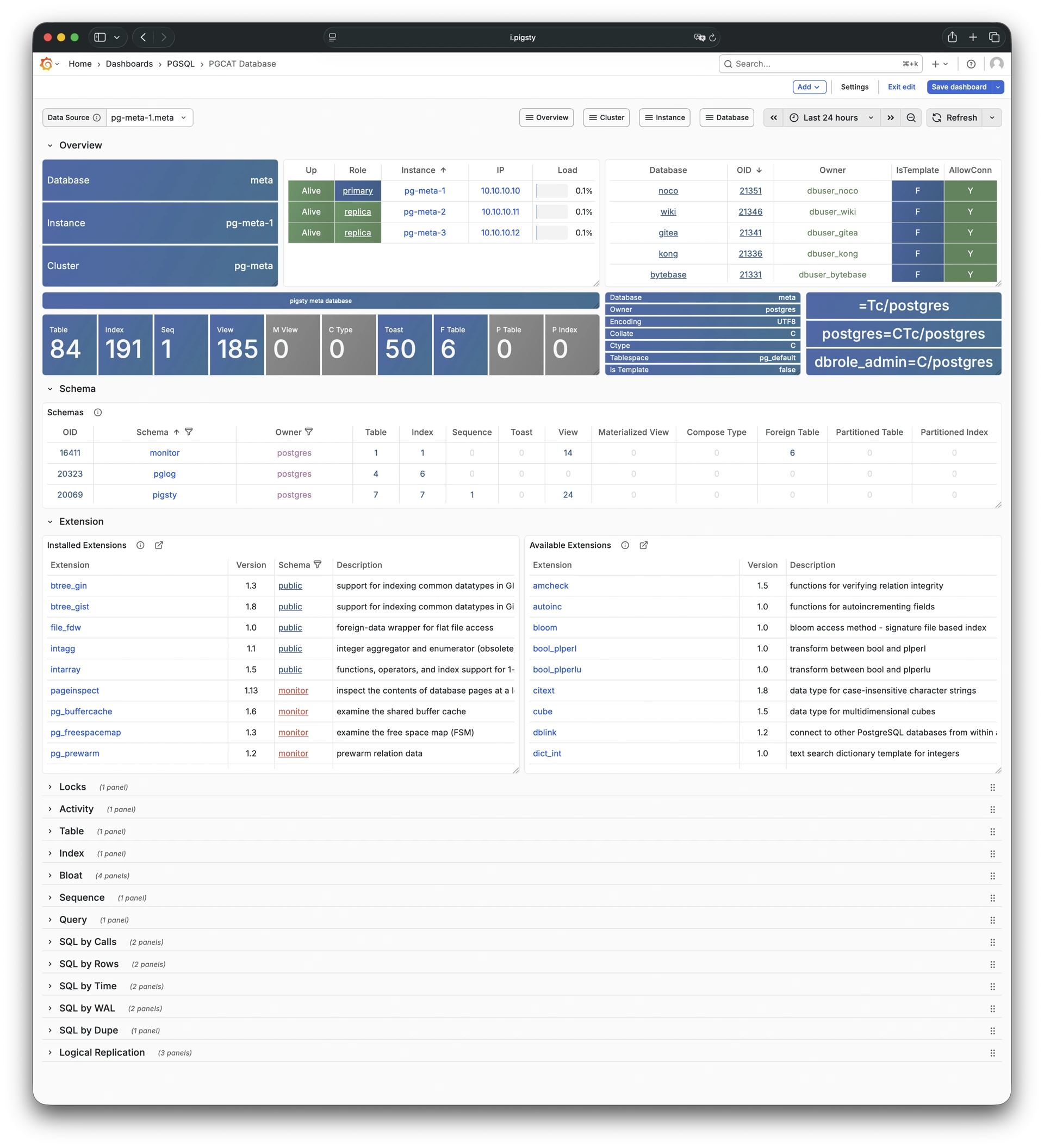
9.4.3 - PGSQL Tables
Table/index access metrics: Demo
PGSQL Tables shows table and index access metrics for all objects within a single PostgreSQL database.
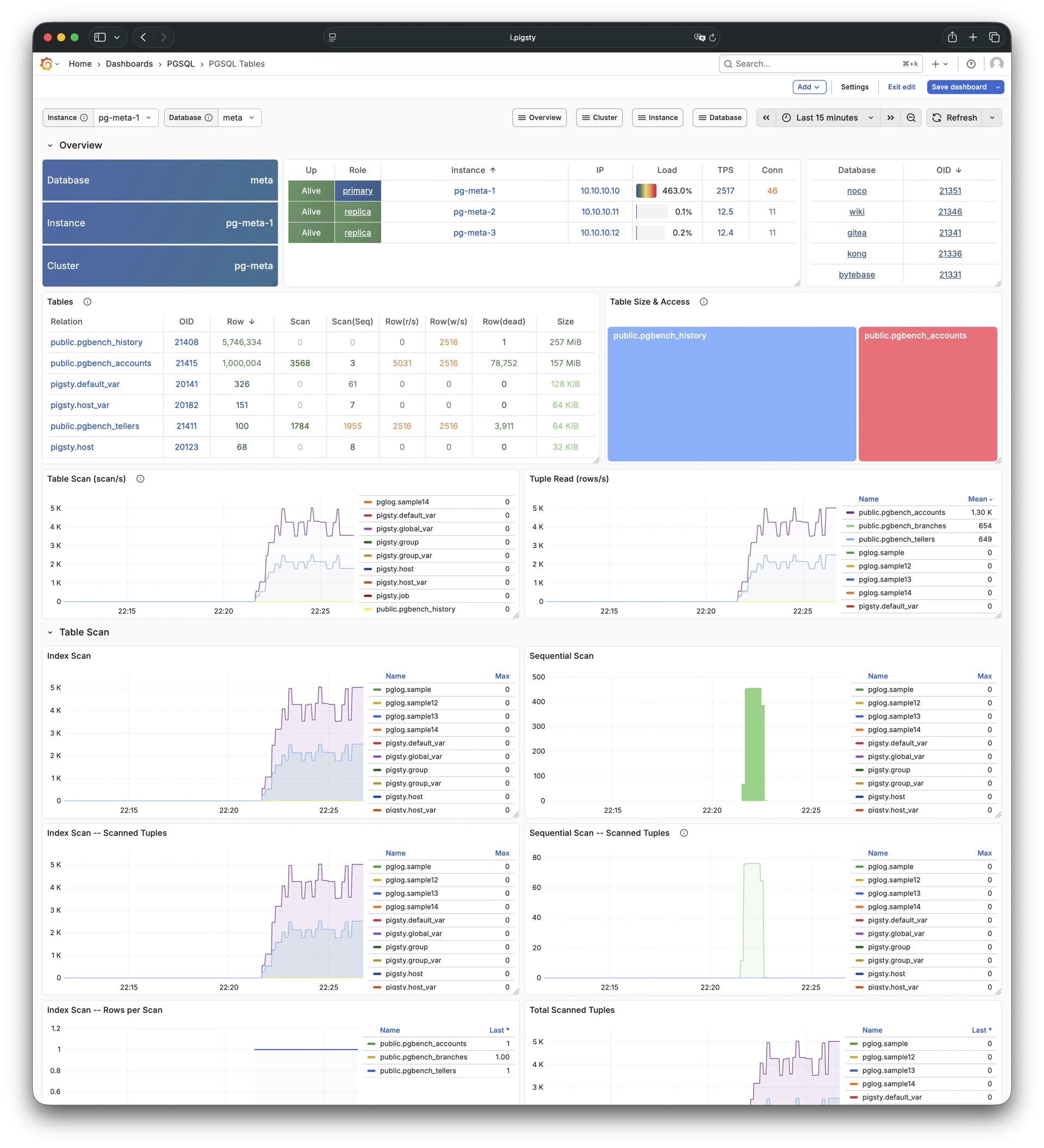
9.4.4 - PGSQL Table
Detailed info for a single table: Demo
PGSQL Table shows detailed metrics for a single table. These metrics include QPS, response time, index usage, and sequence information.
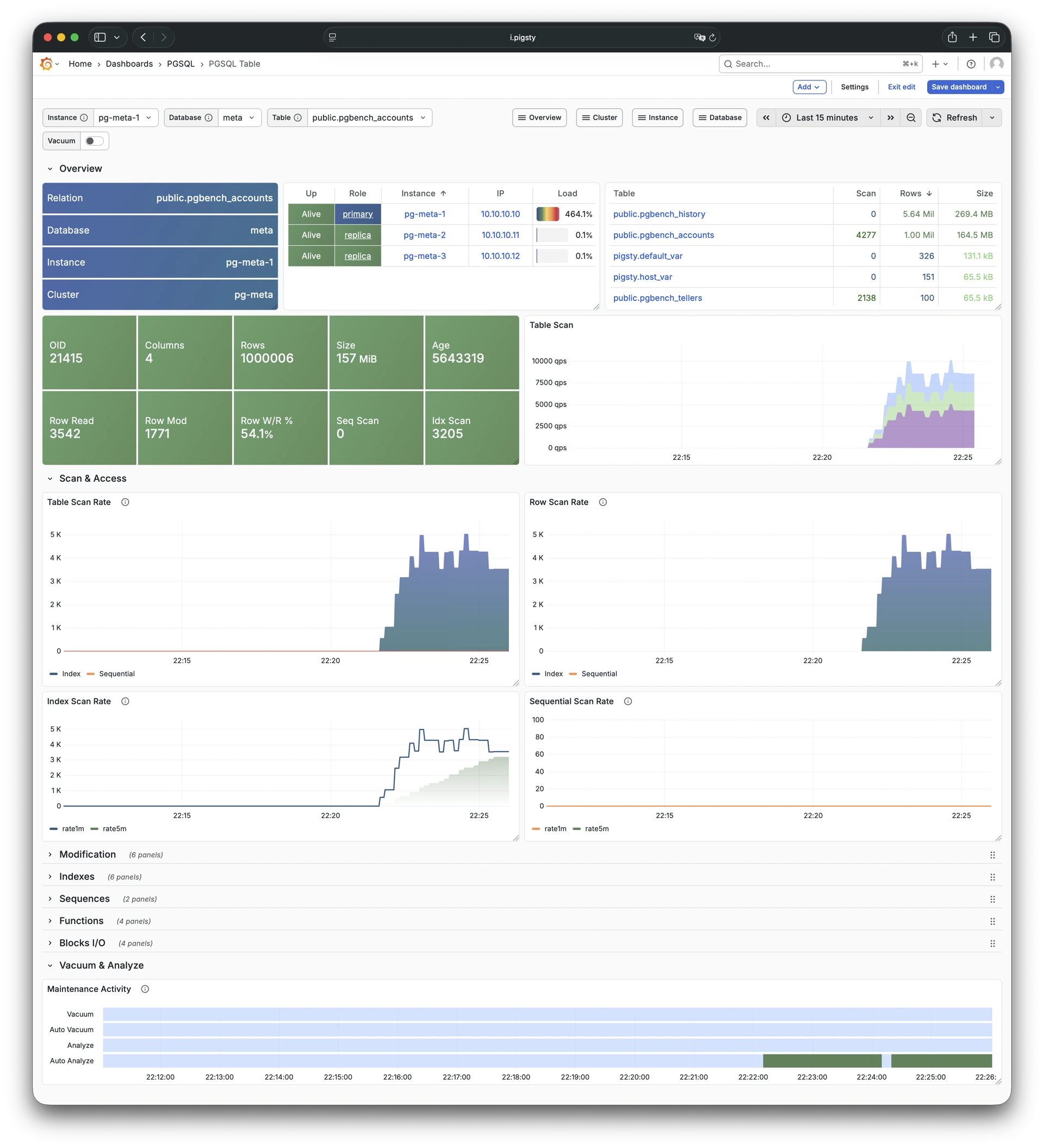
9.4.5 - PGCAT Table
Detailed table info from catalog: Demo
PGCAT Table shows detailed table information from the database catalog. This information includes statistics and bloat analysis.
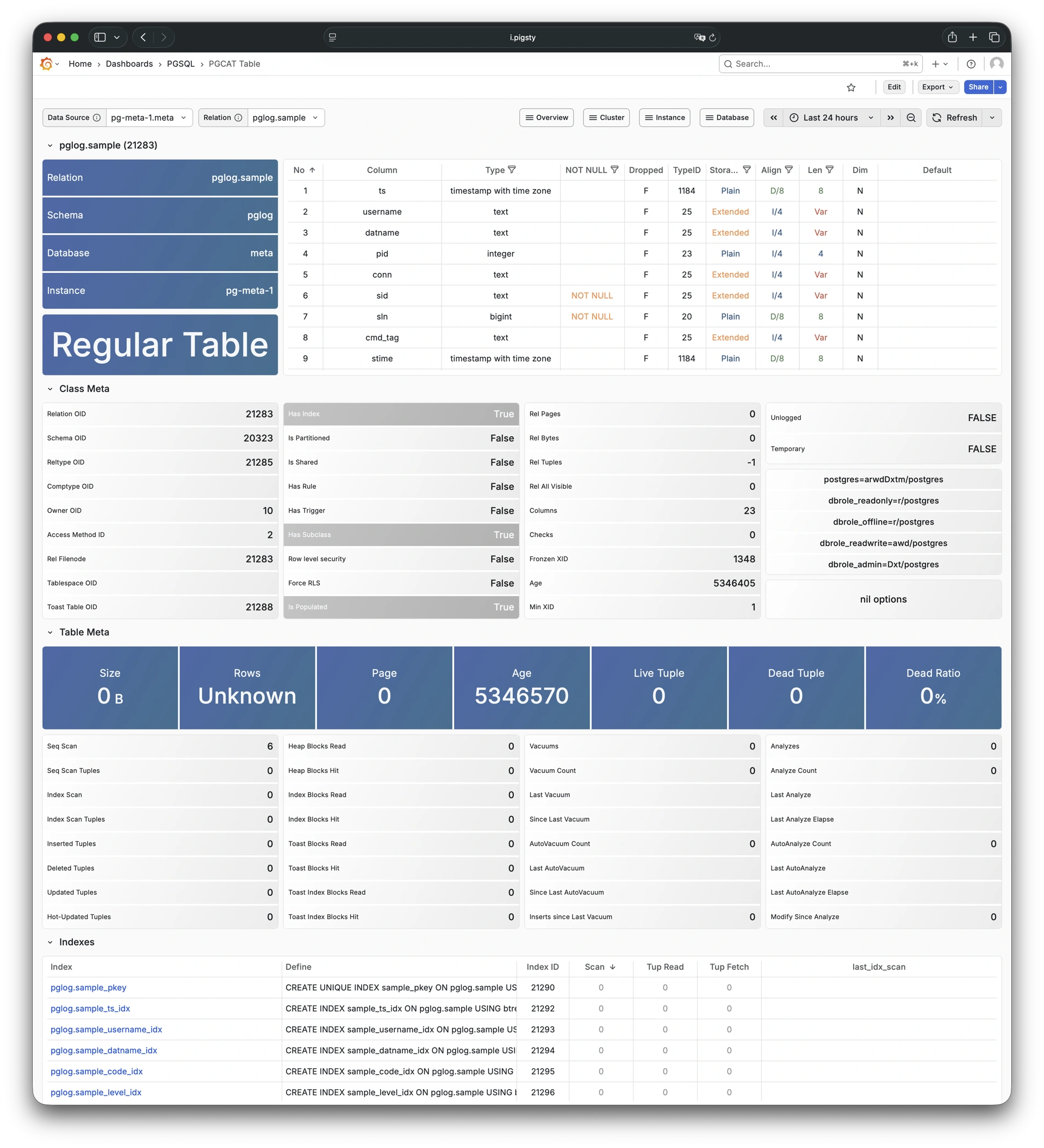
9.4.6 - PGSQL Query
Detailed info for a query type: Demo
PGSQL Query shows detailed metrics for a specific query type. These metrics include QPS and response time distribution.

9.4.7 - PGCAT Query
Query details from database catalog: Demo
PGCAT Query shows query details from the database catalog. These details include SQL text and execution statistics.
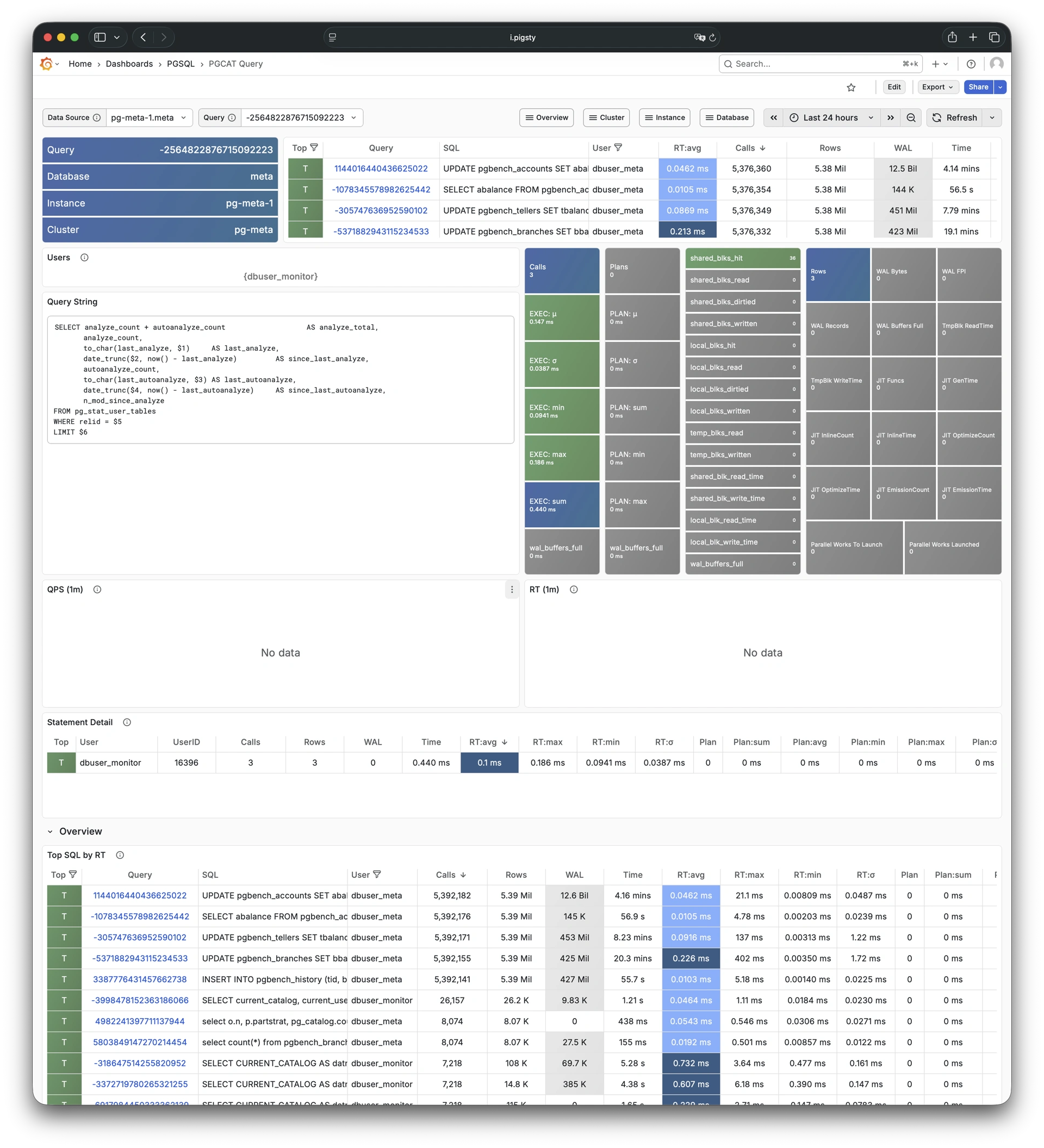
9.4.8 - PGCAT Locks
Activity and lock wait info: Demo
PGCAT Locks shows active sessions and lock wait information from the database catalog.
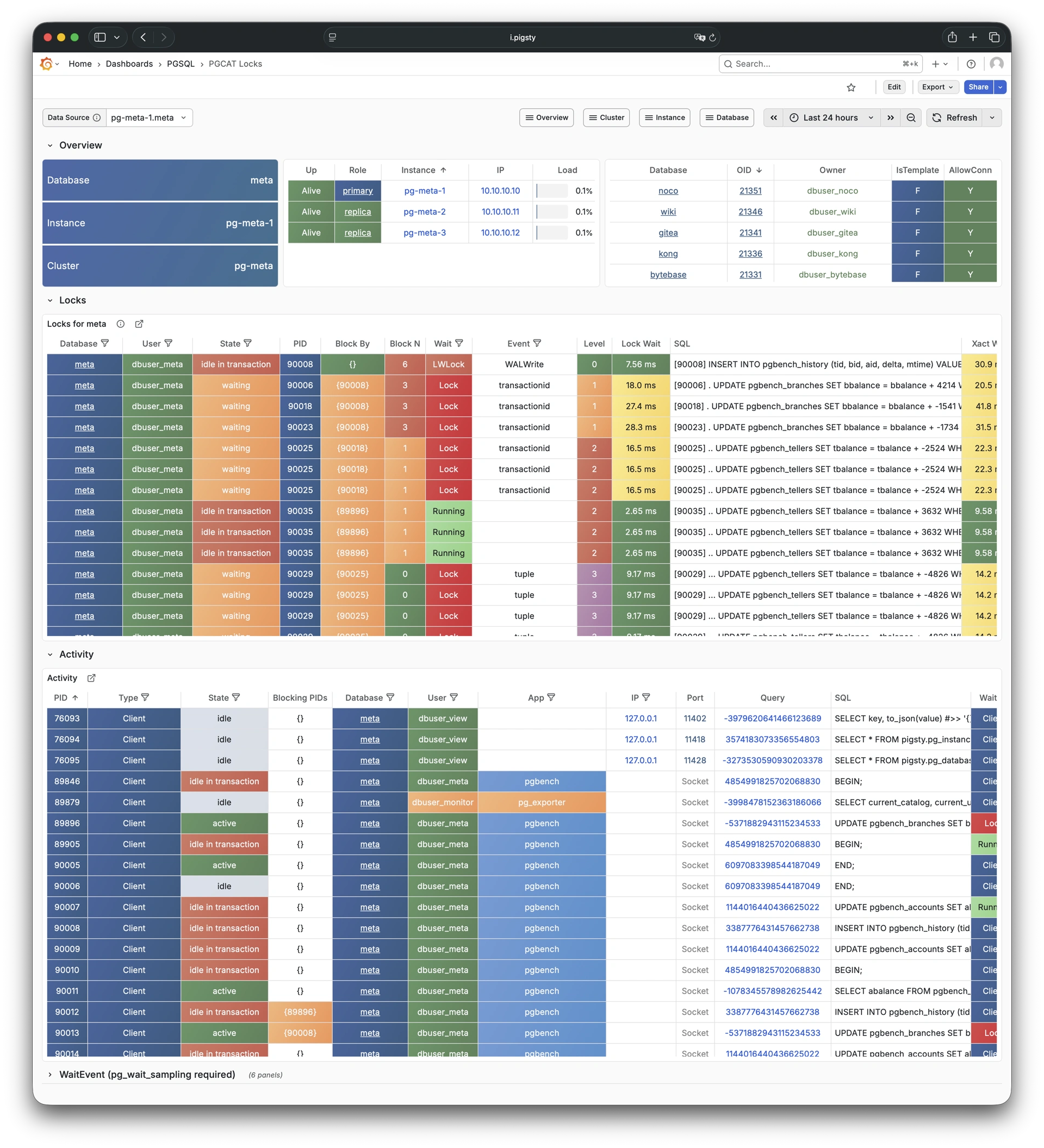
9.4.9 - PGCAT Schema
Schema info from database catalog: Demo
PGCAT Schema shows schema-level information from the database catalog. This information includes tables, indexes, and sequences.
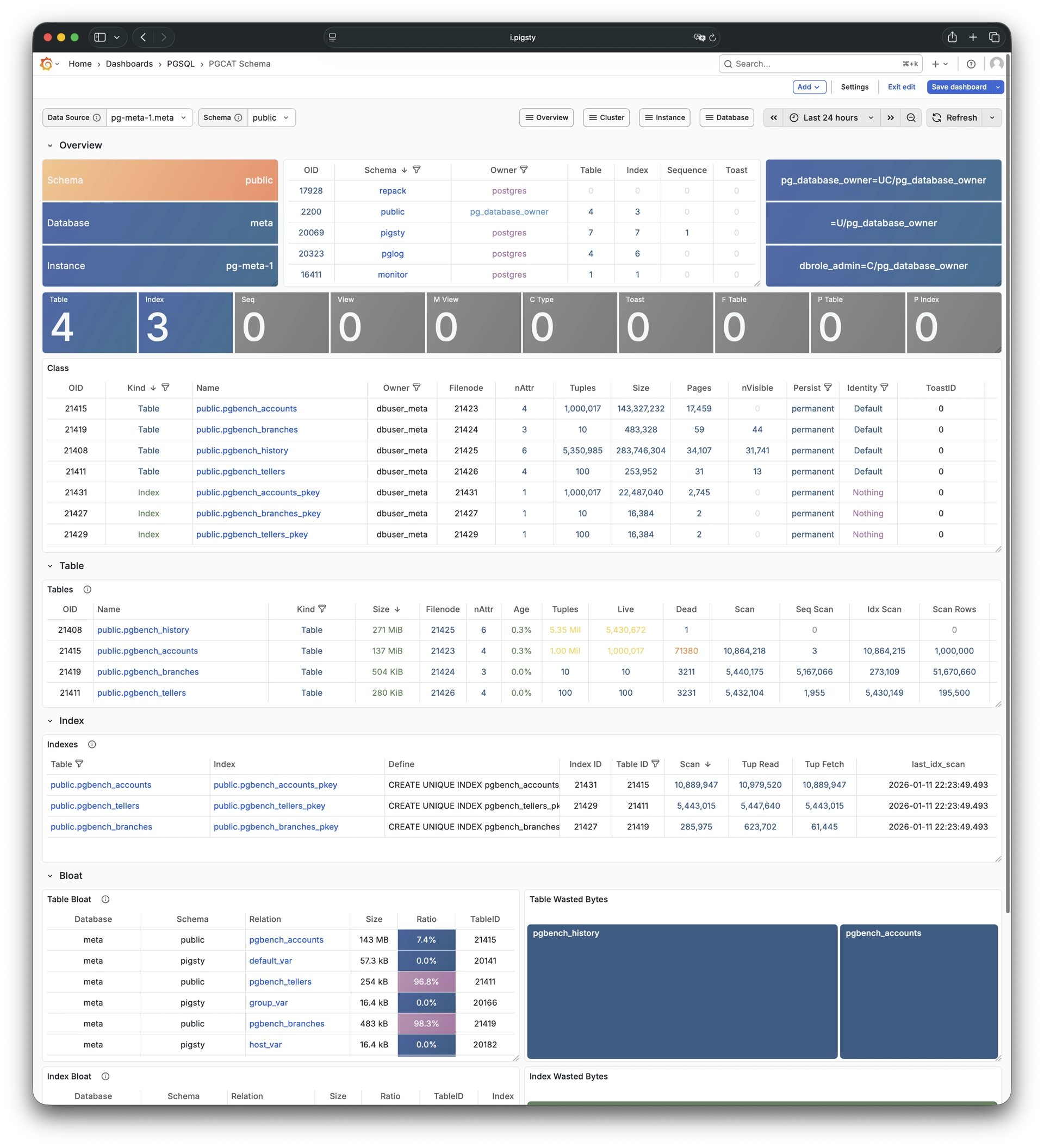
10 - Metrics
The PGSQL module provides 638 available monitoring metrics.
| Metric Name | Type | Labels | Description |
|---|---|---|---|
| ALERTS | Unknown | category, job, level, ins, severity, ip, alertname, alertstate, instance, cls | N/A |
| ALERTS_FOR_STATE | Unknown | category, job, level, ins, severity, ip, alertname, instance, cls | N/A |
| cls:pressure1 | Unknown | job, cls | N/A |
| cls:pressure15 | Unknown | job, cls | N/A |
| cls:pressure5 | Unknown | job, cls | N/A |
| go_gc_duration_seconds | summary | job, ins, ip, instance, quantile, cls | A summary of the pause duration of garbage collection cycles. |
| go_gc_duration_seconds_count | Unknown | job, ins, ip, instance, cls | N/A |
| go_gc_duration_seconds_sum | Unknown | job, ins, ip, instance, cls | N/A |
| go_goroutines | gauge | job, ins, ip, instance, cls | Number of goroutines that currently exist. |
| go_info | gauge | version, job, ins, ip, instance, cls | Information about the Go environment. |
| go_memstats_alloc_bytes | gauge | job, ins, ip, instance, cls | Number of bytes allocated and still in use. |
| go_memstats_alloc_bytes_total | counter | job, ins, ip, instance, cls | Total number of bytes allocated, even if freed. |
| go_memstats_buck_hash_sys_bytes | gauge | job, ins, ip, instance, cls | Number of bytes used by the profiling bucket hash table. |
| go_memstats_frees_total | counter | job, ins, ip, instance, cls | Total number of frees. |
| go_memstats_gc_sys_bytes | gauge | job, ins, ip, instance, cls | Number of bytes used for garbage collection system metadata. |
| go_memstats_heap_alloc_bytes | gauge | job, ins, ip, instance, cls | Number of heap bytes allocated and still in use. |
| go_memstats_heap_idle_bytes | gauge | job, ins, ip, instance, cls | Number of heap bytes waiting to be used. |
| go_memstats_heap_inuse_bytes | gauge | job, ins, ip, instance, cls | Number of heap bytes that are in use. |
| go_memstats_heap_objects | gauge | job, ins, ip, instance, cls | Number of allocated objects. |
| go_memstats_heap_released_bytes | gauge | job, ins, ip, instance, cls | Number of heap bytes released to OS. |
| go_memstats_heap_sys_bytes | gauge | job, ins, ip, instance, cls | Number of heap bytes obtained from system. |
| go_memstats_last_gc_time_seconds | gauge | job, ins, ip, instance, cls | Number of seconds since 1970 of last garbage collection. |
| go_memstats_lookups_total | counter | job, ins, ip, instance, cls | Total number of pointer lookups. |
| go_memstats_mallocs_total | counter | job, ins, ip, instance, cls | Total number of mallocs. |
| go_memstats_mcache_inuse_bytes | gauge | job, ins, ip, instance, cls | Number of bytes in use by mcache structures. |
| go_memstats_mcache_sys_bytes | gauge | job, ins, ip, instance, cls | Number of bytes used for mcache structures obtained from system. |
| go_memstats_mspan_inuse_bytes | gauge | job, ins, ip, instance, cls | Number of bytes in use by mspan structures. |
| go_memstats_mspan_sys_bytes | gauge | job, ins, ip, instance, cls | Number of bytes used for mspan structures obtained from system. |
| go_memstats_next_gc_bytes | gauge | job, ins, ip, instance, cls | Number of heap bytes when next garbage collection will take place. |
| go_memstats_other_sys_bytes | gauge | job, ins, ip, instance, cls | Number of bytes used for other system allocations. |
| go_memstats_stack_inuse_bytes | gauge | job, ins, ip, instance, cls | Number of bytes in use by the stack allocator. |
| go_memstats_stack_sys_bytes | gauge | job, ins, ip, instance, cls | Number of bytes obtained from system for stack allocator. |
| go_memstats_sys_bytes | gauge | job, ins, ip, instance, cls | Number of bytes obtained from system. |
| go_threads | gauge | job, ins, ip, instance, cls | Number of OS threads created. |
| ins:pressure1 | Unknown | job, ins, ip, cls | N/A |
| ins:pressure15 | Unknown | job, ins, ip, cls | N/A |
| ins:pressure5 | Unknown | job, ins, ip, cls | N/A |
| patroni_cluster_unlocked | gauge | job, ins, ip, instance, cls, scope | Value is 1 if the cluster is unlocked, 0 if locked. |
| patroni_dcs_last_seen | gauge | job, ins, ip, instance, cls, scope | Epoch timestamp when DCS was last contacted successfully by Patroni. |
| patroni_failsafe_mode_is_active | gauge | job, ins, ip, instance, cls, scope | Value is 1 if failsafe mode is active, 0 if inactive. |
| patroni_is_paused | gauge | job, ins, ip, instance, cls, scope | Value is 1 if auto failover is disabled, 0 otherwise. |
| patroni_master | gauge | job, ins, ip, instance, cls, scope | Value is 1 if this node is the leader, 0 otherwise. |
| patroni_pending_restart | gauge | job, ins, ip, instance, cls, scope | Value is 1 if the node needs a restart, 0 otherwise. |
| patroni_postgres_in_archive_recovery | gauge | job, ins, ip, instance, cls, scope | Value is 1 if Postgres is replicating from archive, 0 otherwise. |
| patroni_postgres_running | gauge | job, ins, ip, instance, cls, scope | Value is 1 if Postgres is running, 0 otherwise. |
| patroni_postgres_server_version | gauge | job, ins, ip, instance, cls, scope | Version of Postgres (if running), 0 otherwise. |
| patroni_postgres_streaming | gauge | job, ins, ip, instance, cls, scope | Value is 1 if Postgres is streaming, 0 otherwise. |
| patroni_postgres_timeline | counter | job, ins, ip, instance, cls, scope | Postgres timeline of this node (if running), 0 otherwise. |
| patroni_postmaster_start_time | gauge | job, ins, ip, instance, cls, scope | Epoch seconds since Postgres started. |
| patroni_primary | gauge | job, ins, ip, instance, cls, scope | Value is 1 if this node is the leader, 0 otherwise. |
| patroni_replica | gauge | job, ins, ip, instance, cls, scope | Value is 1 if this node is a replica, 0 otherwise. |
| patroni_standby_leader | gauge | job, ins, ip, instance, cls, scope | Value is 1 if this node is the standby_leader, 0 otherwise. |
| patroni_sync_standby | gauge | job, ins, ip, instance, cls, scope | Value is 1 if this node is a sync standby replica, 0 otherwise. |
| patroni_up | Unknown | job, ins, ip, instance, cls | N/A |
| patroni_version | gauge | job, ins, ip, instance, cls, scope | Patroni semver without periods. |
| patroni_xlog_location | counter | job, ins, ip, instance, cls, scope | Current location of the Postgres transaction log, 0 if this node is not the leader. |
| patroni_xlog_paused | gauge | job, ins, ip, instance, cls, scope | Value is 1 if the Postgres xlog is paused, 0 otherwise. |
| patroni_xlog_received_location | counter | job, ins, ip, instance, cls, scope | Current location of the received Postgres transaction log, 0 if this node is not a replica. |
| patroni_xlog_replayed_location | counter | job, ins, ip, instance, cls, scope | Current location of the replayed Postgres transaction log, 0 if this node is not a replica. |
| patroni_xlog_replayed_timestamp | gauge | job, ins, ip, instance, cls, scope | Current timestamp of the replayed Postgres transaction log, 0 if null. |
| pg:cls:active_backends | Unknown | job, cls | N/A |
| pg:cls:active_time_rate15m | Unknown | job, cls | N/A |
| pg:cls:active_time_rate1m | Unknown | job, cls | N/A |
| pg:cls:active_time_rate5m | Unknown | job, cls | N/A |
| pg:cls:age | Unknown | job, cls | N/A |
| pg:cls:buf_alloc_rate1m | Unknown | job, cls | N/A |
| pg:cls:buf_clean_rate1m | Unknown | job, cls | N/A |
| pg:cls:buf_flush_backend_rate1m | Unknown | job, cls | N/A |
| pg:cls:buf_flush_checkpoint_rate1m | Unknown | job, cls | N/A |
| pg:cls:cpu_count | Unknown | job, cls | N/A |
| pg:cls:cpu_usage | Unknown | job, cls | N/A |
| pg:cls:cpu_usage_15m | Unknown | job, cls | N/A |
| pg:cls:cpu_usage_1m | Unknown | job, cls | N/A |
| pg:cls:cpu_usage_5m | Unknown | job, cls | N/A |
| pg:cls:db_size | Unknown | job, cls | N/A |
| pg:cls:file_size | Unknown | job, cls | N/A |
| pg:cls:ixact_backends | Unknown | job, cls | N/A |
| pg:cls:ixact_time_rate1m | Unknown | job, cls | N/A |
| pg:cls:lag_bytes | Unknown | job, cls | N/A |
| pg:cls:lag_seconds | Unknown | job, cls | N/A |
| pg:cls:leader | Unknown | job, ins, ip, instance, cls | N/A |
| pg:cls:load1 | Unknown | job, cls | N/A |
| pg:cls:load15 | Unknown | job, cls | N/A |
| pg:cls:load5 | Unknown | job, cls | N/A |
| pg:cls:lock_count | Unknown | job, cls | N/A |
| pg:cls:locks | Unknown | job, cls, mode | N/A |
| pg:cls:log_size | Unknown | job, cls | N/A |
| pg:cls:lsn_rate1m | Unknown | job, cls | N/A |
| pg:cls:members | Unknown | job, ins, ip, cls | N/A |
| pg:cls:num_backends | Unknown | job, cls | N/A |
| pg:cls:partition | Unknown | job, cls | N/A |
| pg:cls:receiver | Unknown | state, slot_name, job, appname, ip, cls, sender_host, sender_port | N/A |
| pg:cls:rlock_count | Unknown | job, cls | N/A |
| pg:cls:saturation1 | Unknown | job, cls | N/A |
| pg:cls:saturation15 | Unknown | job, cls | N/A |
| pg:cls:saturation5 | Unknown | job, cls | N/A |
| pg:cls:sender | Unknown | pid, usename, address, job, ins, appname, ip, cls | N/A |
| pg:cls:session_time_rate1m | Unknown | job, cls | N/A |
| pg:cls:size | Unknown | job, cls | N/A |
| pg:cls:slot_count | Unknown | job, cls | N/A |
| pg:cls:slot_retained_bytes | Unknown | job, cls | N/A |
| pg:cls:standby_count | Unknown | job, cls | N/A |
| pg:cls:sync_state | Unknown | job, cls | N/A |
| pg:cls:timeline | Unknown | job, cls | N/A |
| pg:cls:tup_deleted_rate1m | Unknown | job, cls | N/A |
| pg:cls:tup_fetched_rate1m | Unknown | job, cls | N/A |
| pg:cls:tup_inserted_rate1m | Unknown | job, cls | N/A |
| pg:cls:tup_modified_rate1m | Unknown | job, cls | N/A |
| pg:cls:tup_returned_rate1m | Unknown | job, cls | N/A |
| pg:cls:wal_size | Unknown | job, cls | N/A |
| pg:cls:xact_commit_rate15m | Unknown | job, cls | N/A |
| pg:cls:xact_commit_rate1m | Unknown | job, cls | N/A |
| pg:cls:xact_commit_rate5m | Unknown | job, cls | N/A |
| pg:cls:xact_rollback_rate15m | Unknown | job, cls | N/A |
| pg:cls:xact_rollback_rate1m | Unknown | job, cls | N/A |
| pg:cls:xact_rollback_rate5m | Unknown | job, cls | N/A |
| pg:cls:xact_total_rate15m | Unknown | job, cls | N/A |
| pg:cls:xact_total_rate1m | Unknown | job, cls | N/A |
| pg:cls:xact_total_sigma15m | Unknown | job, cls | N/A |
| pg:cls:xlock_count | Unknown | job, cls | N/A |
| pg:db:active_backends | Unknown | datname, job, ins, ip, instance, cls | N/A |
| pg:db:active_time_rate15m | Unknown | datname, job, ins, ip, instance, cls | N/A |
| pg:db:active_time_rate1m | Unknown | datname, job, ins, ip, instance, cls | N/A |
| pg:db:active_time_rate5m | Unknown | datname, job, ins, ip, instance, cls | N/A |
| pg:db:age | Unknown | datname, job, ins, ip, instance, cls | N/A |
| pg:db:age_deriv1h | Unknown | datname, job, ins, ip, instance, cls | N/A |
| pg:db:age_exhaust | Unknown | datname, job, ins, ip, instance, cls | N/A |
| pg:db:blk_io_time_seconds_rate1m | Unknown | datname, job, ins, ip, instance, cls | N/A |
| pg:db:blk_read_time_seconds_rate1m | Unknown | datname, job, ins, ip, instance, cls | N/A |
| pg:db:blk_write_time_seconds_rate1m | Unknown | datname, job, ins, ip, instance, cls | N/A |
| pg:db:blks_access_1m | Unknown | datname, job, ins, ip, instance, cls | N/A |
| pg:db:blks_hit_1m | Unknown | datname, job, ins, ip, instance, cls | N/A |
| pg:db:blks_hit_ratio1m | Unknown | datname, job, ins, ip, instance, cls | N/A |
| pg:db:blks_read_1m | Unknown | datname, job, ins, ip, instance, cls | N/A |
| pg:db:conn_limit | Unknown | datname, job, ins, ip, instance, cls | N/A |
| pg:db:conn_usage | Unknown | datname, job, ins, ip, instance, cls | N/A |
| pg:db:db_size | Unknown | datname, job, ins, ip, instance, cls | N/A |
| pg:db:ixact_backends | Unknown | datname, job, ins, ip, instance, cls | N/A |
| pg:db:ixact_time_rate1m | Unknown | datname, job, ins, ip, instance, cls | N/A |
| pg:db:lock_count | Unknown | datname, job, ins, ip, instance, cls | N/A |
| pg:db:num_backends | Unknown | datname, job, ins, ip, instance, cls | N/A |
| pg:db:rlock_count | Unknown | datname, job, ins, ip, instance, cls | N/A |
| pg:db:session_time_rate1m | Unknown | datname, job, ins, ip, instance, cls | N/A |
| pg:db:temp_bytes_rate1m | Unknown | datname, job, ins, ip, instance, cls | N/A |
| pg:db:temp_files_1m | Unknown | datname, job, ins, ip, instance, cls | N/A |
| pg:db:tup_deleted_rate1m | Unknown | datname, job, ins, ip, instance, cls | N/A |
| pg:db:tup_fetched_rate1m | Unknown | datname, job, ins, ip, instance, cls | N/A |
| pg:db:tup_inserted_rate1m | Unknown | datname, job, ins, ip, instance, cls | N/A |
| pg:db:tup_modified_rate1m | Unknown | datname, job, ins, ip, instance, cls | N/A |
| pg:db:tup_returned_rate1m | Unknown | datname, job, ins, ip, instance, cls | N/A |
| pg:db:wlock_count | Unknown | datname, job, ins, ip, instance, cls | N/A |
| pg:db:xact_commit_rate15m | Unknown | datname, job, ins, ip, instance, cls | N/A |
| pg:db:xact_commit_rate1m | Unknown | datname, job, ins, ip, instance, cls | N/A |
| pg:db:xact_commit_rate5m | Unknown | datname, job, ins, ip, instance, cls | N/A |
| pg:db:xact_rollback_rate15m | Unknown | datname, job, ins, ip, instance, cls | N/A |
| pg:db:xact_rollback_rate1m | Unknown | datname, job, ins, ip, instance, cls | N/A |
| pg:db:xact_rollback_rate5m | Unknown | datname, job, ins, ip, instance, cls | N/A |
| pg:db:xact_total_rate15m | Unknown | datname, job, ins, ip, instance, cls | N/A |
| pg:db:xact_total_rate1m | Unknown | datname, job, ins, ip, instance, cls | N/A |
| pg:db:xact_total_rate5m | Unknown | datname, job, ins, ip, instance, cls | N/A |
| pg:db:xact_total_sigma15m | Unknown | datname, job, ins, ip, instance, cls | N/A |
| pg:db:xlock_count | Unknown | datname, job, ins, ip, instance, cls | N/A |
| pg:env:active_backends | Unknown | job | N/A |
| pg:env:active_time_rate15m | Unknown | job | N/A |
| pg:env:active_time_rate1m | Unknown | job | N/A |
| pg:env:active_time_rate5m | Unknown | job | N/A |
| pg:env:age | Unknown | job | N/A |
| pg:env:cpu_count | Unknown | job | N/A |
| pg:env:cpu_usage | Unknown | job | N/A |
| pg:env:cpu_usage_15m | Unknown | job | N/A |
| pg:env:cpu_usage_1m | Unknown | job | N/A |
| pg:env:cpu_usage_5m | Unknown | job | N/A |
| pg:env:ixact_backends | Unknown | job | N/A |
| pg:env:ixact_time_rate1m | Unknown | job | N/A |
| pg:env:lag_bytes | Unknown | job | N/A |
| pg:env:lag_seconds | Unknown | job | N/A |
| pg:env:lsn_rate1m | Unknown | job | N/A |
| pg:env:session_time_rate1m | Unknown | job | N/A |
| pg:env:tup_deleted_rate1m | Unknown | job | N/A |
| pg:env:tup_fetched_rate1m | Unknown | job | N/A |
| pg:env:tup_inserted_rate1m | Unknown | job | N/A |
| pg:env:tup_modified_rate1m | Unknown | job | N/A |
| pg:env:tup_returned_rate1m | Unknown | job | N/A |
| pg:env:xact_commit_rate15m | Unknown | job | N/A |
| pg:env:xact_commit_rate1m | Unknown | job | N/A |
| pg:env:xact_commit_rate5m | Unknown | job | N/A |
| pg:env:xact_rollback_rate15m | Unknown | job | N/A |
| pg:env:xact_rollback_rate1m | Unknown | job | N/A |
| pg:env:xact_rollback_rate5m | Unknown | job | N/A |
| pg:env:xact_total_rate15m | Unknown | job | N/A |
| pg:env:xact_total_rate1m | Unknown | job | N/A |
| pg:env:xact_total_sigma15m | Unknown | job | N/A |
| pg:ins:active_backends | Unknown | job, ins, ip, instance, cls | N/A |
| pg:ins:active_time_rate15m | Unknown | job, ins, ip, instance, cls | N/A |
| pg:ins:active_time_rate1m | Unknown | job, ins, ip, instance, cls | N/A |
| pg:ins:active_time_rate5m | Unknown | job, ins, ip, instance, cls | N/A |
| pg:ins:age | Unknown | job, ins, ip, instance, cls | N/A |
| pg:ins:blks_hit_ratio1m | Unknown | job, ins, ip, instance, cls | N/A |
| pg:ins:buf_alloc_rate1m | Unknown | job, ins, ip, instance, cls | N/A |
| pg:ins:buf_clean_rate1m | Unknown | job, ins, ip, instance, cls | N/A |
| pg:ins:buf_flush_backend_rate1m | Unknown | job, ins, ip, instance, cls | N/A |
| pg:ins:buf_flush_checkpoint_rate1m | Unknown | job, ins, ip, instance, cls | N/A |
| pg:ins:ckpt_1h | Unknown | job, ins, ip, instance, cls | N/A |
| pg:ins:ckpt_req_1m | Unknown | job, ins, ip, instance, cls | N/A |
| pg:ins:ckpt_timed_1m | Unknown | job, ins, ip, instance, cls | N/A |
| pg:ins:conn_limit | Unknown | job, ins, ip, instance, cls | N/A |
| pg:ins:conn_usage | Unknown | job, ins, ip, instance, cls | N/A |
| pg:ins:cpu_count | Unknown | job, ins, ip, instance, cls | N/A |
| pg:ins:cpu_usage | Unknown | job, ins, ip, instance, cls | N/A |
| pg:ins:cpu_usage_15m | Unknown | job, ins, ip, instance, cls | N/A |
| pg:ins:cpu_usage_1m | Unknown | job, ins, ip, instance, cls | N/A |
| pg:ins:cpu_usage_5m | Unknown | job, ins, ip, instance, cls | N/A |
| pg:ins:db_size | Unknown | job, ins, ip, instance, cls | N/A |
| pg:ins:file_size | Unknown | job, ins, ip, instance, cls | N/A |
| pg:ins:fs_size | Unknown | job, ins, ip, instance, cls | N/A |
| pg:ins:is_leader | Unknown | job, ins, ip, instance, cls | N/A |
| pg:ins:ixact_backends | Unknown | job, ins, ip, instance, cls | N/A |
| pg:ins:ixact_time_rate1m | Unknown | job, ins, ip, instance, cls | N/A |
| pg:ins:lag_bytes | Unknown | job, ins, ip, instance, cls | N/A |
| pg:ins:lag_seconds | Unknown | job, ins, ip, instance, cls | N/A |
| pg:ins:load1 | Unknown | job, ins, ip, instance, cls | N/A |
| pg:ins:load15 | Unknown | job, ins, ip, instance, cls | N/A |
| pg:ins:load5 | Unknown | job, ins, ip, instance, cls | N/A |
| pg:ins:lock_count | Unknown | job, ins, ip, instance, cls | N/A |
| pg:ins:locks | Unknown | job, ins, ip, mode, instance, cls | N/A |
| pg:ins:log_size | Unknown | job, ins, ip, instance, cls | N/A |
| pg:ins:lsn_rate1m | Unknown | job, ins, ip, instance, cls | N/A |
| pg:ins:mem_size | Unknown | job, ins, ip, instance, cls | N/A |
| pg:ins:num_backends | Unknown | job, ins, ip, instance, cls | N/A |
| pg:ins:rlock_count | Unknown | job, ins, ip, instance, cls | N/A |
| pg:ins:saturation1 | Unknown | job, ins, ip, cls | N/A |
| pg:ins:saturation15 | Unknown | job, ins, ip, cls | N/A |
| pg:ins:saturation5 | Unknown | job, ins, ip, cls | N/A |
| pg:ins:session_time_rate1m | Unknown | job, ins, ip, instance, cls | N/A |
| pg:ins:slot_retained_bytes | Unknown | job, ins, ip, instance, cls | N/A |
| pg:ins:space_usage | Unknown | job, ins, ip, instance, cls | N/A |
| pg:ins:status | Unknown | job, ins, ip, instance, cls | N/A |
| pg:ins:sync_state | Unknown | job, ins, instance, cls | N/A |
| pg:ins:target_count | Unknown | job, cls, ins | N/A |
| pg:ins:timeline | Unknown | job, ins, ip, instance, cls | N/A |
| pg:ins:tup_deleted_rate1m | Unknown | job, ins, ip, instance, cls | N/A |
| pg:ins:tup_fetched_rate1m | Unknown | job, ins, ip, instance, cls | N/A |
| pg:ins:tup_inserted_rate1m | Unknown | job, ins, ip, instance, cls | N/A |
| pg:ins:tup_modified_rate1m | Unknown | job, ins, ip, instance, cls | N/A |
| pg:ins:tup_returned_rate1m | Unknown | job, ins, ip, instance, cls | N/A |
| pg:ins:wal_size | Unknown | job, ins, ip, instance, cls | N/A |
| pg:ins:wlock_count | Unknown | job, ins, ip, instance, cls | N/A |
| pg:ins:xact_commit_rate15m | Unknown | job, ins, ip, instance, cls | N/A |
| pg:ins:xact_commit_rate1m | Unknown | job, ins, ip, instance, cls | N/A |
| pg:ins:xact_commit_rate5m | Unknown | job, ins, ip, instance, cls | N/A |
| pg:ins:xact_rollback_rate15m | Unknown | job, ins, ip, instance, cls | N/A |
| pg:ins:xact_rollback_rate1m | Unknown | job, ins, ip, instance, cls | N/A |
| pg:ins:xact_rollback_rate5m | Unknown | job, ins, ip, instance, cls | N/A |
| pg:ins:xact_total_rate15m | Unknown | job, ins, ip, instance, cls | N/A |
| pg:ins:xact_total_rate1m | Unknown | job, ins, ip, instance, cls | N/A |
| pg:ins:xact_total_rate5m | Unknown | job, ins, ip, instance, cls | N/A |
| pg:ins:xact_total_sigma15m | Unknown | job, ins, ip, instance, cls | N/A |
| pg:ins:xlock_count | Unknown | job, ins, ip, instance, cls | N/A |
| pg:query:call_rate1m | Unknown | datname, query, job, ins, ip, instance, cls | N/A |
| pg:query:rt_1m | Unknown | datname, query, job, ins, ip, instance, cls | N/A |
| pg:table:scan_rate1m | Unknown | datname, relname, job, ins, ip, instance, cls | N/A |
| pg_activity_count | gauge | datname, state, job, ins, ip, instance, cls | Count of connection among (datname,state) |
| pg_activity_max_conn_duration | gauge | datname, state, job, ins, ip, instance, cls | Max backend session duration since state change among (datname, state) |
| pg_activity_max_duration | gauge | datname, state, job, ins, ip, instance, cls | Max duration since last state change among (datname, state) |
| pg_activity_max_tx_duration | gauge | datname, state, job, ins, ip, instance, cls | Max transaction duration since state change among (datname, state) |
| pg_archiver_failed_count | counter | job, ins, ip, instance, cls | Number of failed attempts for archiving WAL files |
| pg_archiver_finish_count | counter | job, ins, ip, instance, cls | Number of WAL files that have been successfully archived |
| pg_archiver_last_failed_time | counter | job, ins, ip, instance, cls | Time of the last failed archival operation |
| pg_archiver_last_finish_time | counter | job, ins, ip, instance, cls | Time of the last successful archive operation |
| pg_archiver_reset_time | gauge | job, ins, ip, instance, cls | Time at which archive statistics were last reset |
| pg_backend_count | gauge | type, job, ins, ip, instance, cls | Database backend process count by backend_type |
| pg_bgwriter_buffers_alloc | counter | job, ins, ip, instance, cls | Number of buffers allocated |
| pg_bgwriter_buffers_backend | counter | job, ins, ip, instance, cls | Number of buffers written directly by a backend |
| pg_bgwriter_buffers_backend_fsync | counter | job, ins, ip, instance, cls | Number of times a backend had to execute its own fsync call |
| pg_bgwriter_buffers_checkpoint | counter | job, ins, ip, instance, cls | Number of buffers written during checkpoints |
| pg_bgwriter_buffers_clean | counter | job, ins, ip, instance, cls | Number of buffers written by the background writer |
| pg_bgwriter_checkpoint_sync_time | counter | job, ins, ip, instance, cls | Total amount of time that has been spent in the portion of checkpoint processing where files are synchronized to disk, in seconds |
| pg_bgwriter_checkpoint_write_time | counter | job, ins, ip, instance, cls | Total amount of time that has been spent in the portion of checkpoint processing where files are written to disk, in seconds |
| pg_bgwriter_checkpoints_req | counter | job, ins, ip, instance, cls | Number of requested checkpoints that have been performed |
| pg_bgwriter_checkpoints_timed | counter | job, ins, ip, instance, cls | Number of scheduled checkpoints that have been performed |
| pg_bgwriter_maxwritten_clean | counter | job, ins, ip, instance, cls | Number of times the background writer stopped a cleaning scan because it had written too many buffers |
| pg_bgwriter_reset_time | counter | job, ins, ip, instance, cls | Time at which bgwriter statistics were last reset |
| pg_boot_time | gauge | job, ins, ip, instance, cls | unix timestamp when postmaster boot |
| pg_checkpoint_checkpoint_lsn | counter | job, ins, ip, instance, cls | Latest checkpoint location |
| pg_checkpoint_elapse | gauge | job, ins, ip, instance, cls | Seconds elapsed since latest checkpoint in seconds |
| pg_checkpoint_full_page_writes | gauge | job, ins, ip, instance, cls | Latest checkpoint’s full_page_writes enabled |
| pg_checkpoint_newest_commit_ts_xid | counter | job, ins, ip, instance, cls | Latest checkpoint’s newestCommitTsXid |
| pg_checkpoint_next_multi_offset | counter | job, ins, ip, instance, cls | Latest checkpoint’s NextMultiOffset |
| pg_checkpoint_next_multixact_id | counter | job, ins, ip, instance, cls | Latest checkpoint’s NextMultiXactId |
| pg_checkpoint_next_oid | counter | job, ins, ip, instance, cls | Latest checkpoint’s NextOID |
| pg_checkpoint_next_xid | counter | job, ins, ip, instance, cls | Latest checkpoint’s NextXID xid |
| pg_checkpoint_next_xid_epoch | counter | job, ins, ip, instance, cls | Latest checkpoint’s NextXID epoch |
| pg_checkpoint_oldest_active_xid | counter | job, ins, ip, instance, cls | Latest checkpoint’s oldestActiveXID |
| pg_checkpoint_oldest_commit_ts_xid | counter | job, ins, ip, instance, cls | Latest checkpoint’s oldestCommitTsXid |
| pg_checkpoint_oldest_multi_dbid | gauge | job, ins, ip, instance, cls | Latest checkpoint’s oldestMulti’s DB OID |
| pg_checkpoint_oldest_multi_xid | counter | job, ins, ip, instance, cls | Latest checkpoint’s oldestMultiXid |
| pg_checkpoint_oldest_xid | counter | job, ins, ip, instance, cls | Latest checkpoint’s oldestXID |
| pg_checkpoint_oldest_xid_dbid | gauge | job, ins, ip, instance, cls | Latest checkpoint’s oldestXID’s DB OID |
| pg_checkpoint_prev_tli | counter | job, ins, ip, instance, cls | Latest checkpoint’s PrevTimeLineID |
| pg_checkpoint_redo_lsn | counter | job, ins, ip, instance, cls | Latest checkpoint’s REDO location |
| pg_checkpoint_time | counter | job, ins, ip, instance, cls | Time of latest checkpoint |
| pg_checkpoint_tli | counter | job, ins, ip, instance, cls | Latest checkpoint’s TimeLineID |
| pg_conf_reload_time | gauge | job, ins, ip, instance, cls | seconds since last configuration reload |
| pg_db_active_time | counter | datname, job, ins, ip, instance, cls | Time spent executing SQL statements in this database, in seconds |
| pg_db_age | gauge | datname, job, ins, ip, instance, cls | Age of database calculated from datfrozenxid |
| pg_db_allow_conn | gauge | datname, job, ins, ip, instance, cls | If false(0) then no one can connect to this database. |
| pg_db_blk_read_time | counter | datname, job, ins, ip, instance, cls | Time spent reading data file blocks by backends in this database, in seconds |
| pg_db_blk_write_time | counter | datname, job, ins, ip, instance, cls | Time spent writing data file blocks by backends in this database, in seconds |
| pg_db_blks_access | counter | datname, job, ins, ip, instance, cls | Number of times disk blocks that accessed read+hit |
| pg_db_blks_hit | counter | datname, job, ins, ip, instance, cls | Number of times disk blocks were found already in the buffer cache |
| pg_db_blks_read | counter | datname, job, ins, ip, instance, cls | Number of disk blocks read in this database |
| pg_db_cks_fail_time | gauge | datname, job, ins, ip, instance, cls | Time at which the last data page checksum failure was detected in this database |
| pg_db_cks_fails | counter | datname, job, ins, ip, instance, cls | Number of data page checksum failures detected in this database, -1 for not enabled |
| pg_db_confl_confl_bufferpin | counter | datname, job, ins, ip, instance, cls | Number of queries in this database that have been canceled due to pinned buffers |
| pg_db_confl_confl_deadlock | counter | datname, job, ins, ip, instance, cls | Number of queries in this database that have been canceled due to deadlocks |
| pg_db_confl_confl_lock | counter | datname, job, ins, ip, instance, cls | Number of queries in this database that have been canceled due to lock timeouts |
| pg_db_confl_confl_snapshot | counter | datname, job, ins, ip, instance, cls | Number of queries in this database that have been canceled due to old snapshots |
| pg_db_confl_confl_tablespace | counter | datname, job, ins, ip, instance, cls | Number of queries in this database that have been canceled due to dropped tablespaces |
| pg_db_conflicts | counter | datname, job, ins, ip, instance, cls | Number of queries canceled due to conflicts with recovery in this database |
| pg_db_conn_limit | gauge | datname, job, ins, ip, instance, cls | Sets maximum number of concurrent connections that can be made to this database. -1 means no limit. |
| pg_db_datid | gauge | datname, job, ins, ip, instance, cls | OID of the database |
| pg_db_deadlocks | counter | datname, job, ins, ip, instance, cls | Number of deadlocks detected in this database |
| pg_db_frozen_xid | gauge | datname, job, ins, ip, instance, cls | All transaction IDs before this one have been frozened |
| pg_db_is_template | gauge | datname, job, ins, ip, instance, cls | If true(1), then this database can be cloned by any user with CREATEDB privileges |
| pg_db_ixact_time | counter | datname, job, ins, ip, instance, cls | Time spent idling while in a transaction in this database, in seconds |
| pg_db_numbackends | gauge | datname, job, ins, ip, instance, cls | Number of backends currently connected to this database |
| pg_db_reset_time | counter | datname, job, ins, ip, instance, cls | Time at which database statistics were last reset |
| pg_db_session_time | counter | datname, job, ins, ip, instance, cls | Time spent by database sessions in this database, in seconds |
| pg_db_sessions | counter | datname, job, ins, ip, instance, cls | Total number of sessions established to this database |
| pg_db_sessions_abandoned | counter | datname, job, ins, ip, instance, cls | Number of database sessions to this database that were terminated because connection to the client was lost |
| pg_db_sessions_fatal | counter | datname, job, ins, ip, instance, cls | Number of database sessions to this database that were terminated by fatal errors |
| pg_db_sessions_killed | counter | datname, job, ins, ip, instance, cls | Number of database sessions to this database that were terminated by operator intervention |
| pg_db_temp_bytes | counter | datname, job, ins, ip, instance, cls | Total amount of data written to temporary files by queries in this database. |
| pg_db_temp_files | counter | datname, job, ins, ip, instance, cls | Number of temporary files created by queries in this database |
| pg_db_tup_deleted | counter | datname, job, ins, ip, instance, cls | Number of rows deleted by queries in this database |
| pg_db_tup_fetched | counter | datname, job, ins, ip, instance, cls | Number of rows fetched by queries in this database |
| pg_db_tup_inserted | counter | datname, job, ins, ip, instance, cls | Number of rows inserted by queries in this database |
| pg_db_tup_modified | counter | datname, job, ins, ip, instance, cls | Number of rows modified by queries in this database |
| pg_db_tup_returned | counter | datname, job, ins, ip, instance, cls | Number of rows returned by queries in this database |
| pg_db_tup_updated | counter | datname, job, ins, ip, instance, cls | Number of rows updated by queries in this database |
| pg_db_xact_commit | counter | datname, job, ins, ip, instance, cls | Number of transactions in this database that have been committed |
| pg_db_xact_rollback | counter | datname, job, ins, ip, instance, cls | Number of transactions in this database that have been rolled back |
| pg_db_xact_total | counter | datname, job, ins, ip, instance, cls | Number of transactions in this database |
| pg_downstream_count | gauge | state, job, ins, ip, instance, cls | Count of corresponding state |
| pg_exporter_agent_up | Unknown | job, ins, ip, instance, cls | N/A |
| pg_exporter_last_scrape_time | gauge | job, ins, ip, instance, cls | seconds exporter spending on scrapping |
| pg_exporter_query_cache_ttl | gauge | datname, query, job, ins, ip, instance, cls | times to live of query cache |
| pg_exporter_query_scrape_duration | gauge | datname, query, job, ins, ip, instance, cls | seconds query spending on scrapping |
| pg_exporter_query_scrape_error_count | gauge | datname, query, job, ins, ip, instance, cls | times the query failed |
| pg_exporter_query_scrape_hit_count | gauge | datname, query, job, ins, ip, instance, cls | numbers been scrapped from this query |
| pg_exporter_query_scrape_metric_count | gauge | datname, query, job, ins, ip, instance, cls | numbers of metrics been scrapped from this query |
| pg_exporter_query_scrape_total_count | gauge | datname, query, job, ins, ip, instance, cls | times exporter server was scraped for metrics |
| pg_exporter_scrape_duration | gauge | job, ins, ip, instance, cls | seconds exporter spending on scrapping |
| pg_exporter_scrape_error_count | counter | job, ins, ip, instance, cls | times exporter was scraped for metrics and failed |
| pg_exporter_scrape_total_count | counter | job, ins, ip, instance, cls | times exporter was scraped for metrics |
| pg_exporter_server_scrape_duration | gauge | datname, job, ins, ip, instance, cls | seconds exporter server spending on scrapping |
| pg_exporter_server_scrape_error_count | Unknown | datname, job, ins, ip, instance, cls | N/A |
| pg_exporter_server_scrape_total_count | gauge | datname, job, ins, ip, instance, cls | times exporter server was scraped for metrics |
| pg_exporter_server_scrape_total_seconds | gauge | datname, job, ins, ip, instance, cls | seconds exporter server spending on scrapping |
| pg_exporter_up | gauge | job, ins, ip, instance, cls | always be 1 if your could retrieve metrics |
| pg_exporter_uptime | gauge | job, ins, ip, instance, cls | seconds since exporter primary server inited |
| pg_flush_lsn | counter | job, ins, ip, instance, cls | primary only, location of current wal syncing |
| pg_func_calls | counter | datname, funcname, job, ins, ip, instance, cls | Number of times this function has been called |
| pg_func_self_time | counter | datname, funcname, job, ins, ip, instance, cls | Total time spent in this function itself, not including other functions called by it, in ms |
| pg_func_total_time | counter | datname, funcname, job, ins, ip, instance, cls | Total time spent in this function and all other functions called by it, in ms |
| pg_in_recovery | gauge | job, ins, ip, instance, cls | server is in recovery mode? 1 for yes 0 for no |
| pg_index_idx_blks_hit | counter | datname, relname, job, ins, relid, ip, instance, cls, idxname | Number of buffer hits in this index |
| pg_index_idx_blks_read | counter | datname, relname, job, ins, relid, ip, instance, cls, idxname | Number of disk blocks read from this index |
| pg_index_idx_scan | counter | datname, relname, job, ins, relid, ip, instance, cls, idxname | Number of index scans initiated on this index |
| pg_index_idx_tup_fetch | counter | datname, relname, job, ins, relid, ip, instance, cls, idxname | Number of live table rows fetched by simple index scans using this index |
| pg_index_idx_tup_read | counter | datname, relname, job, ins, relid, ip, instance, cls, idxname | Number of index entries returned by scans on this index |
| pg_index_relpages | gauge | datname, relname, job, ins, relid, ip, instance, cls, idxname | Size of the on-disk representation of this index in pages |
| pg_index_reltuples | gauge | datname, relname, job, ins, relid, ip, instance, cls, idxname | Estimate relation tuples |
| pg_insert_lsn | counter | job, ins, ip, instance, cls | primary only, location of current wal inserting |
| pg_io_evictions | counter | type, job, ins, object, ip, context, instance, cls | Number of times a block has been written out from a shared or local buffer |
| pg_io_extend_time | counter | type, job, ins, object, ip, context, instance, cls | Time spent in extend operations in seconds |
| pg_io_extends | counter | type, job, ins, object, ip, context, instance, cls | Number of relation extend operations, each of the size specified in op_bytes. |
| pg_io_fsync_time | counter | type, job, ins, object, ip, context, instance, cls | Time spent in fsync operations in seconds |
| pg_io_fsyncs | counter | type, job, ins, object, ip, context, instance, cls | Number of fsync calls. These are only tracked in context normal |
| pg_io_hits | counter | type, job, ins, object, ip, context, instance, cls | The number of times a desired block was found in a shared buffer. |
| pg_io_op_bytes | gauge | type, job, ins, object, ip, context, instance, cls | The number of bytes per unit of I/O read, written, or extended. 8192 by default |
| pg_io_read_time | counter | type, job, ins, object, ip, context, instance, cls | Time spent in read operations in seconds |
| pg_io_reads | counter | type, job, ins, object, ip, context, instance, cls | Number of read operations, each of the size specified in op_bytes. |
| pg_io_reset_time | gauge | type, job, ins, object, ip, context, instance, cls | Timestamp at which these statistics were last reset |
| pg_io_reuses | counter | type, job, ins, object, ip, context, instance, cls | The number of times an existing buffer in reused |
| pg_io_write_time | counter | type, job, ins, object, ip, context, instance, cls | Time spent in write operations in seconds |
| pg_io_writeback_time | counter | type, job, ins, object, ip, context, instance, cls | Time spent in writeback operations in seconds |
| pg_io_writebacks | counter | type, job, ins, object, ip, context, instance, cls | Number of units of size op_bytes which the process requested the kernel write out to permanent storage. |
| pg_io_writes | counter | type, job, ins, object, ip, context, instance, cls | Number of write operations, each of the size specified in op_bytes. |
| pg_is_in_recovery | gauge | job, ins, ip, instance, cls | 1 if in recovery mode |
| pg_is_wal_replay_paused | gauge | job, ins, ip, instance, cls | 1 if wal play paused |
| pg_lag | gauge | job, ins, ip, instance, cls | replica only, replication lag in seconds |
| pg_last_replay_time | gauge | job, ins, ip, instance, cls | time when last transaction been replayed |
| pg_lock_count | gauge | datname, job, ins, ip, mode, instance, cls | Number of locks of corresponding mode and database |
| pg_lsn | counter | job, ins, ip, instance, cls | log sequence number, current write location |
| pg_meta_info | gauge | cls, extensions, version, job, ins, primary_conninfo, conf_path, hba_path, ip, cluster_id, instance, listen_port, wal_level, ver_num, cluster_name, data_dir | constant 1 |
| pg_query_calls | counter | datname, query, job, ins, ip, instance, cls | Number of times the statement was executed |
| pg_query_exec_time | counter | datname, query, job, ins, ip, instance, cls | Total time spent executing the statement, in seconds |
| pg_query_io_time | counter | datname, query, job, ins, ip, instance, cls | Total time the statement spent reading and writing blocks, in seconds |
| pg_query_rows | counter | datname, query, job, ins, ip, instance, cls | Total number of rows retrieved or affected by the statement |
| pg_query_sblk_dirtied | counter | datname, query, job, ins, ip, instance, cls | Total number of shared blocks dirtied by the statement |
| pg_query_sblk_hit | counter | datname, query, job, ins, ip, instance, cls | Total number of shared block cache hits by the statement |
| pg_query_sblk_read | counter | datname, query, job, ins, ip, instance, cls | Total number of shared blocks read by the statement |
| pg_query_sblk_written | counter | datname, query, job, ins, ip, instance, cls | Total number of shared blocks written by the statement |
| pg_query_wal_bytes | counter | datname, query, job, ins, ip, instance, cls | Total amount of WAL bytes generated by the statement |
| pg_receive_lsn | counter | job, ins, ip, instance, cls | replica only, location of wal synced to disk |
| pg_recovery_backup_end_lsn | counter | job, ins, ip, instance, cls | Backup end location |
| pg_recovery_backup_start_lsn | counter | job, ins, ip, instance, cls | Backup start location |
| pg_recovery_min_lsn | counter | job, ins, ip, instance, cls | Minimum recovery ending location |
| pg_recovery_min_timeline | counter | job, ins, ip, instance, cls | Min recovery ending loc’s timeline |
| pg_recovery_prefetch_block_distance | gauge | job, ins, ip, instance, cls | How many blocks ahead the prefetcher is looking |
| pg_recovery_prefetch_hit | counter | job, ins, ip, instance, cls | Number of blocks not prefetched because they were already in the buffer pool |
| pg_recovery_prefetch_io_depth | gauge | job, ins, ip, instance, cls | How many prefetches have been initiated but are not yet known to have completed |
| pg_recovery_prefetch_prefetch | counter | job, ins, ip, instance, cls | Number of blocks prefetched because they were not in the buffer pool |
| pg_recovery_prefetch_reset_time | counter | job, ins, ip, instance, cls | Time at which these recovery prefetch statistics were last reset |
| pg_recovery_prefetch_skip_fpw | gauge | job, ins, ip, instance, cls | Number of blocks not prefetched because a full page image was included in the WAL |
| pg_recovery_prefetch_skip_init | counter | job, ins, ip, instance, cls | Number of blocks not prefetched because they would be zero-initialized |
| pg_recovery_prefetch_skip_new | counter | job, ins, ip, instance, cls | Number of blocks not prefetched because they didn’t exist yet |
| pg_recovery_prefetch_skip_rep | counter | job, ins, ip, instance, cls | Number of blocks not prefetched because they were already recently prefetched |
| pg_recovery_prefetch_wal_distance | gauge | job, ins, ip, instance, cls | How many bytes ahead the prefetcher is looking |
| pg_recovery_require_record | gauge | job, ins, ip, instance, cls | End-of-backup record required |
| pg_recv_flush_lsn | counter | state, slot_name, job, ins, ip, instance, cls, sender_host, sender_port | Last write-ahead log location already received and flushed to disk |
| pg_recv_flush_tli | counter | state, slot_name, job, ins, ip, instance, cls, sender_host, sender_port | Timeline number of last write-ahead log location received and flushed to disk |
| pg_recv_init_lsn | counter | state, slot_name, job, ins, ip, instance, cls, sender_host, sender_port | First write-ahead log location used when WAL receiver is started |
| pg_recv_init_tli | counter | state, slot_name, job, ins, ip, instance, cls, sender_host, sender_port | First timeline number used when WAL receiver is started |
| pg_recv_msg_recv_time | gauge | state, slot_name, job, ins, ip, instance, cls, sender_host, sender_port | Receipt time of last message received from origin WAL sender |
| pg_recv_msg_send_time | gauge | state, slot_name, job, ins, ip, instance, cls, sender_host, sender_port | Send time of last message received from origin WAL sender |
| pg_recv_pid | gauge | state, slot_name, job, ins, ip, instance, cls, sender_host, sender_port | Process ID of the WAL receiver process |
| pg_recv_reported_lsn | counter | state, slot_name, job, ins, ip, instance, cls, sender_host, sender_port | Last write-ahead log location reported to origin WAL sender |
| pg_recv_reported_time | gauge | state, slot_name, job, ins, ip, instance, cls, sender_host, sender_port | Time of last write-ahead log location reported to origin WAL sender |
| pg_recv_time | gauge | state, slot_name, job, ins, ip, instance, cls, sender_host, sender_port | Time of current snapshot |
| pg_recv_write_lsn | counter | state, slot_name, job, ins, ip, instance, cls, sender_host, sender_port | Last write-ahead log location already received and written to disk, but not flushed. |
| pg_relkind_count | gauge | datname, job, ins, ip, instance, cls, relkind | Number of relations of corresponding relkind |
| pg_repl_backend_xmin | counter | pid, usename, address, job, ins, appname, ip, instance, cls | This standby’s xmin horizon reported by hot_standby_feedback. |
| pg_repl_client_port | gauge | pid, usename, address, job, ins, appname, ip, instance, cls | TCP port number that the client is using for communication with this WAL sender, or -1 if a Unix socket is used |
| pg_repl_flush_diff | gauge | pid, usename, address, job, ins, appname, ip, instance, cls | Last log position flushed to disk by this standby server diff with current lsn |
| pg_repl_flush_lag | gauge | pid, usename, address, job, ins, appname, ip, instance, cls | Time elapsed between flushing recent WAL locally and receiving notification that this standby server has written and flushed it |
| pg_repl_flush_lsn | counter | pid, usename, address, job, ins, appname, ip, instance, cls | Last write-ahead log location flushed to disk by this standby server |
| pg_repl_launch_time | counter | pid, usename, address, job, ins, appname, ip, instance, cls | Time when this process was started, i.e., when the client connected to this WAL sender |
| pg_repl_lsn | counter | pid, usename, address, job, ins, appname, ip, instance, cls | Current log position on this server |
| pg_repl_replay_diff | gauge | pid, usename, address, job, ins, appname, ip, instance, cls | Last log position replayed into the database on this standby server diff with current lsn |
| pg_repl_replay_lag | gauge | pid, usename, address, job, ins, appname, ip, instance, cls | Time elapsed between flushing recent WAL locally and receiving notification that this standby server has written, flushed and applied it |
| pg_repl_replay_lsn | counter | pid, usename, address, job, ins, appname, ip, instance, cls | Last write-ahead log location replayed into the database on this standby server |
| pg_repl_reply_time | gauge | pid, usename, address, job, ins, appname, ip, instance, cls | Send time of last reply message received from standby server |
| pg_repl_sent_diff | gauge | pid, usename, address, job, ins, appname, ip, instance, cls | Last log position sent to this standby server diff with current lsn |
| pg_repl_sent_lsn | counter | pid, usename, address, job, ins, appname, ip, instance, cls | Last write-ahead log location sent on this connection |
| pg_repl_state | gauge | pid, usename, address, job, ins, appname, ip, instance, cls | Current WAL sender encoded state 0-4 for streaming startup catchup backup stopping |
| pg_repl_sync_priority | gauge | pid, usename, address, job, ins, appname, ip, instance, cls | Priority of this standby server for being chosen as the synchronous standby |
| pg_repl_sync_state | gauge | pid, usename, address, job, ins, appname, ip, instance, cls | Encoded synchronous state of this standby server, 0-3 for async potential sync quorum |
| pg_repl_time | counter | pid, usename, address, job, ins, appname, ip, instance, cls | Current timestamp in unix epoch |
| pg_repl_write_diff | gauge | pid, usename, address, job, ins, appname, ip, instance, cls | Last log position written to disk by this standby server diff with current lsn |
| pg_repl_write_lag | gauge | pid, usename, address, job, ins, appname, ip, instance, cls | Time elapsed between flushing recent WAL locally and receiving notification that this standby server has written it |
| pg_repl_write_lsn | counter | pid, usename, address, job, ins, appname, ip, instance, cls | Last write-ahead log location written to disk by this standby server |
| pg_replay_lsn | counter | job, ins, ip, instance, cls | replica only, location of wal applied |
| pg_seq_blks_hit | counter | datname, job, ins, ip, instance, cls, seqname | Number of buffer hits in this sequence |
| pg_seq_blks_read | counter | datname, job, ins, ip, instance, cls, seqname | Number of disk blocks read from this sequence |
| pg_seq_last_value | counter | datname, job, ins, ip, instance, cls, seqname | The last sequence value written to disk |
| pg_setting_block_size | gauge | job, ins, ip, instance, cls | pg page block size, 8192 by default |
| pg_setting_data_checksums | gauge | job, ins, ip, instance, cls | whether data checksum is enabled, 1 enabled 0 disabled |
| pg_setting_max_connections | gauge | job, ins, ip, instance, cls | number of concurrent connections to the database server |
| pg_setting_max_locks_per_transaction | gauge | job, ins, ip, instance, cls | no more than this many distinct objects can be locked at any one time |
| pg_setting_max_prepared_transactions | gauge | job, ins, ip, instance, cls | maximum number of transactions that can be in the prepared state simultaneously |
| pg_setting_max_replication_slots | gauge | job, ins, ip, instance, cls | maximum number of replication slots |
| pg_setting_max_wal_senders | gauge | job, ins, ip, instance, cls | maximum number of concurrent connections from standby servers |
| pg_setting_max_worker_processes | gauge | job, ins, ip, instance, cls | maximum number of background processes that the system can support |
| pg_setting_wal_log_hints | gauge | job, ins, ip, instance, cls | whether wal_log_hints is enabled, 1 enabled 0 disabled |
| pg_size_bytes | gauge | datname, job, ins, ip, instance, cls | File size in bytes |
| pg_slot_active | gauge | slot_name, job, ins, ip, instance, cls | True(1) if this slot is currently actively being used |
| pg_slot_catalog_xmin | counter | slot_name, job, ins, ip, instance, cls | The oldest transaction affecting the system catalogs that this slot needs the database to retain. |
| pg_slot_confirm_lsn | counter | slot_name, job, ins, ip, instance, cls | The address (LSN) up to which the logical slot’s consumer has confirmed receiving data. |
| pg_slot_reset_time | counter | slot_name, job, ins, ip, instance, cls | When statistics were last reset |
| pg_slot_restart_lsn | counter | slot_name, job, ins, ip, instance, cls | The address (LSN) of oldest WAL which still might be required by the consumer of this slot |
| pg_slot_retained_bytes | gauge | slot_name, job, ins, ip, instance, cls | Size of bytes that retained for this slot |
| pg_slot_safe_wal_size | gauge | slot_name, job, ins, ip, instance, cls | bytes that can be written to WAL which will not make slot into lost |
| pg_slot_spill_bytes | counter | slot_name, job, ins, ip, instance, cls | Bytes that spilled to disk due to logical decode mem exceeding |
| pg_slot_spill_count | counter | slot_name, job, ins, ip, instance, cls | Xacts that spilled to disk due to logical decode mem exceeding (a xact can be spilled multiple times) |
| pg_slot_spill_txns | counter | slot_name, job, ins, ip, instance, cls | Xacts that spilled to disk due to logical decode mem exceeding (subtrans included) |
| pg_slot_stream_bytes | counter | slot_name, job, ins, ip, instance, cls | Bytes that streamed to decoding output plugin after mem exceed |
| pg_slot_stream_count | counter | slot_name, job, ins, ip, instance, cls | Xacts that streamed to decoding output plugin after mem exceed (a xact can be streamed multiple times) |
| pg_slot_stream_txns | counter | slot_name, job, ins, ip, instance, cls | Xacts that streamed to decoding output plugin after mem exceed |
| pg_slot_temporary | gauge | slot_name, job, ins, ip, instance, cls | True(1) if this is a temporary replication slot. |
| pg_slot_total_bytes | counter | slot_name, job, ins, ip, instance, cls | Number of decoded bytes sent to the decoding output plugin for this slot |
| pg_slot_total_txns | counter | slot_name, job, ins, ip, instance, cls | Number of decoded xacts sent to the decoding output plugin for this slot |
| pg_slot_wal_status | gauge | slot_name, job, ins, ip, instance, cls | WAL reserve status 0-3 means reserved,extended,unreserved,lost, -1 means other |
| pg_slot_xmin | counter | slot_name, job, ins, ip, instance, cls | The oldest transaction that this slot needs the database to retain. |
| pg_slru_blks_exists | counter | job, ins, ip, instance, cls | Number of blocks checked for existence for this SLRU |
| pg_slru_blks_hit | counter | job, ins, ip, instance, cls | Number of times disk blocks were found already in the SLRU, so that a read was not necessary |
| pg_slru_blks_read | counter | job, ins, ip, instance, cls | Number of disk blocks read for this SLRU |
| pg_slru_blks_written | counter | job, ins, ip, instance, cls | Number of disk blocks written for this SLRU |
| pg_slru_blks_zeroed | counter | job, ins, ip, instance, cls | Number of blocks zeroed during initializations |
| pg_slru_flushes | counter | job, ins, ip, instance, cls | Number of flushes of dirty data for this SLRU |
| pg_slru_reset_time | counter | job, ins, ip, instance, cls | Time at which these statistics were last reset |
| pg_slru_truncates | counter | job, ins, ip, instance, cls | Number of truncates for this SLRU |
| pg_ssl_disabled | gauge | job, ins, ip, instance, cls | Number of client connection that does not use ssl |
| pg_ssl_enabled | gauge | job, ins, ip, instance, cls | Number of client connection that use ssl |
| pg_sync_standby_enabled | gauge | job, ins, ip, names, instance, cls | Synchronous commit enabled, 1 if enabled, 0 if disabled |
| pg_table_age | gauge | datname, relname, job, ins, ip, instance, cls | Age of this table in vacuum cycles |
| pg_table_analyze_count | counter | datname, relname, job, ins, ip, instance, cls | Number of times this table has been manually analyzed |
| pg_table_autoanalyze_count | counter | datname, relname, job, ins, ip, instance, cls | Number of times this table has been analyzed by the autovacuum daemon |
| pg_table_autovacuum_count | counter | datname, relname, job, ins, ip, instance, cls | Number of times this table has been vacuumed by the autovacuum daemon |
| pg_table_frozenxid | counter | datname, relname, job, ins, ip, instance, cls | All txid before this have been frozen on this table |
| pg_table_heap_blks_hit | counter | datname, relname, job, ins, ip, instance, cls | Number of buffer hits in this table |
| pg_table_heap_blks_read | counter | datname, relname, job, ins, ip, instance, cls | Number of disk blocks read from this table |
| pg_table_idx_blks_hit | counter | datname, relname, job, ins, ip, instance, cls | Number of buffer hits in all indexes on this table |
| pg_table_idx_blks_read | counter | datname, relname, job, ins, ip, instance, cls | Number of disk blocks read from all indexes on this table |
| pg_table_idx_scan | counter | datname, relname, job, ins, ip, instance, cls | Number of index scans initiated on this table |
| pg_table_idx_tup_fetch | counter | datname, relname, job, ins, ip, instance, cls | Number of live rows fetched by index scans |
| pg_table_kind | gauge | datname, relname, job, ins, ip, instance, cls | Relation kind r/table/114 |
| pg_table_n_dead_tup | gauge | datname, relname, job, ins, ip, instance, cls | Estimated number of dead rows |
| pg_table_n_ins_since_vacuum | gauge | datname, relname, job, ins, ip, instance, cls | Estimated number of rows inserted since this table was last vacuumed |
| pg_table_n_live_tup | gauge | datname, relname, job, ins, ip, instance, cls | Estimated number of live rows |
| pg_table_n_mod_since_analyze | gauge | datname, relname, job, ins, ip, instance, cls | Estimated number of rows modified since this table was last analyzed |
| pg_table_n_tup_del | counter | datname, relname, job, ins, ip, instance, cls | Number of rows deleted |
| pg_table_n_tup_hot_upd | counter | datname, relname, job, ins, ip, instance, cls | Number of rows HOT updated (i.e with no separate index update required) |
| pg_table_n_tup_ins | counter | datname, relname, job, ins, ip, instance, cls | Number of rows inserted |
| pg_table_n_tup_mod | counter | datname, relname, job, ins, ip, instance, cls | Number of rows modified (insert + update + delete) |
| pg_table_n_tup_newpage_upd | counter | datname, relname, job, ins, ip, instance, cls | Number of rows updated where the successor version goes onto a new heap page |
| pg_table_n_tup_upd | counter | datname, relname, job, ins, ip, instance, cls | Number of rows updated (includes HOT updated rows) |
| pg_table_ncols | gauge | datname, relname, job, ins, ip, instance, cls | Number of columns in the table |
| pg_table_pages | gauge | datname, relname, job, ins, ip, instance, cls | Size of the on-disk representation of this table in pages |
| pg_table_relid | gauge | datname, relname, job, ins, ip, instance, cls | Relation oid of this table |
| pg_table_seq_scan | counter | datname, relname, job, ins, ip, instance, cls | Number of sequential scans initiated on this table |
| pg_table_seq_tup_read | counter | datname, relname, job, ins, ip, instance, cls | Number of live rows fetched by sequential scans |
| pg_table_size_bytes | gauge | datname, relname, job, ins, ip, instance, cls | Total bytes of this table (including toast, index, toast index) |
| pg_table_size_indexsize | gauge | datname, relname, job, ins, ip, instance, cls | Bytes of all related indexes of this table |
| pg_table_size_relsize | gauge | datname, relname, job, ins, ip, instance, cls | Bytes of this table itself (main, vm, fsm) |
| pg_table_size_toastsize | gauge | datname, relname, job, ins, ip, instance, cls | Bytes of toast tables of this table |
| pg_table_tbl_scan | counter | datname, relname, job, ins, ip, instance, cls | Number of scans initiated on this table |
| pg_table_tup_read | counter | datname, relname, job, ins, ip, instance, cls | Number of live rows fetched by scans |
| pg_table_tuples | counter | datname, relname, job, ins, ip, instance, cls | All txid before this have been frozen on this table |
| pg_table_vacuum_count | counter | datname, relname, job, ins, ip, instance, cls | Number of times this table has been manually vacuumed (not counting VACUUM FULL) |
| pg_timestamp | gauge | job, ins, ip, instance, cls | database current timestamp |
| pg_up | gauge | job, ins, ip, instance, cls | last scrape was able to connect to the server: 1 for yes, 0 for no |
| pg_uptime | gauge | job, ins, ip, instance, cls | seconds since postmaster start |
| pg_version | gauge | job, ins, ip, instance, cls | server version number |
| pg_wait_count | gauge | datname, job, ins, event, ip, instance, cls | Count of WaitEvent on target database |
| pg_wal_buffers_full | counter | job, ins, ip, instance, cls | Number of times WAL data was written to disk because WAL buffers became full |
| pg_wal_bytes | counter | job, ins, ip, instance, cls | Total amount of WAL generated in bytes |
| pg_wal_fpi | counter | job, ins, ip, instance, cls | Total number of WAL full page images generated |
| pg_wal_records | counter | job, ins, ip, instance, cls | Total number of WAL records generated |
| pg_wal_reset_time | counter | job, ins, ip, instance, cls | When statistics were last reset |
| pg_wal_sync | counter | job, ins, ip, instance, cls | Number of times WAL files were synced to disk via issue_xlog_fsync request |
| pg_wal_sync_time | counter | job, ins, ip, instance, cls | Total amount of time spent syncing WAL files to disk via issue_xlog_fsync request, in seconds |
| pg_wal_write | counter | job, ins, ip, instance, cls | Number of times WAL buffers were written out to disk via XLogWrite request. |
| pg_wal_write_time | counter | job, ins, ip, instance, cls | Total amount of time spent writing WAL buffers to disk via XLogWrite request in seconds |
| pg_write_lsn | counter | job, ins, ip, instance, cls | primary only, location of current wal writing |
| pg_xact_xmax | counter | job, ins, ip, instance, cls | First as-yet-unassigned txid. txid >= this are invisible. |
| pg_xact_xmin | counter | job, ins, ip, instance, cls | Earliest txid that is still active |
| pg_xact_xnum | gauge | job, ins, ip, instance, cls | Current active transaction count |
| pgbouncer:cls:load1 | Unknown | job, cls | N/A |
| pgbouncer:cls:load15 | Unknown | job, cls | N/A |
| pgbouncer:cls:load5 | Unknown | job, cls | N/A |
| pgbouncer:db:conn_usage | Unknown | datname, job, ins, ip, instance, host, cls, real_datname, port | N/A |
| pgbouncer:db:conn_usage_reserve | Unknown | datname, job, ins, ip, instance, host, cls, real_datname, port | N/A |
| pgbouncer:db:pool_current_conn | Unknown | datname, job, ins, ip, instance, host, cls, real_datname, port | N/A |
| pgbouncer:db:pool_disabled | Unknown | datname, job, ins, ip, instance, host, cls, real_datname, port | N/A |
| pgbouncer:db:pool_max_conn | Unknown | datname, job, ins, ip, instance, host, cls, real_datname, port | N/A |
| pgbouncer:db:pool_paused | Unknown | datname, job, ins, ip, instance, host, cls, real_datname, port | N/A |
| pgbouncer:db:pool_reserve_size | Unknown | datname, job, ins, ip, instance, host, cls, real_datname, port | N/A |
| pgbouncer:db:pool_size | Unknown | datname, job, ins, ip, instance, host, cls, real_datname, port | N/A |
| pgbouncer:ins:free_clients | Unknown | job, ins, ip, instance, cls | N/A |
| pgbouncer:ins:free_servers | Unknown | job, ins, ip, instance, cls | N/A |
| pgbouncer:ins:load1 | Unknown | job, ins, ip, instance, cls | N/A |
| pgbouncer:ins:load15 | Unknown | job, ins, ip, instance, cls | N/A |
| pgbouncer:ins:load5 | Unknown | job, ins, ip, instance, cls | N/A |
| pgbouncer:ins:login_clients | Unknown | job, ins, ip, instance, cls | N/A |
| pgbouncer:ins:pool_databases | Unknown | job, ins, ip, instance, cls | N/A |
| pgbouncer:ins:pool_users | Unknown | job, ins, ip, instance, cls | N/A |
| pgbouncer:ins:pools | Unknown | job, ins, ip, instance, cls | N/A |
| pgbouncer:ins:used_clients | Unknown | job, ins, ip, instance, cls | N/A |
| pgbouncer_database_current_connections | gauge | datname, job, ins, ip, instance, host, cls, real_datname, port | Current number of connections for this database |
| pgbouncer_database_disabled | gauge | datname, job, ins, ip, instance, host, cls, real_datname, port | True(1) if this database is currently disabled, else 0 |
| pgbouncer_database_max_connections | gauge | datname, job, ins, ip, instance, host, cls, real_datname, port | Maximum number of allowed connections for this database |
| pgbouncer_database_min_pool_size | gauge | datname, job, ins, ip, instance, host, cls, real_datname, port | Minimum number of server connections |
| pgbouncer_database_paused | gauge | datname, job, ins, ip, instance, host, cls, real_datname, port | True(1) if this database is currently paused, else 0 |
| pgbouncer_database_pool_size | gauge | datname, job, ins, ip, instance, host, cls, real_datname, port | Maximum number of server connections |
| pgbouncer_database_reserve_pool | gauge | datname, job, ins, ip, instance, host, cls, real_datname, port | Maximum number of additional connections for this database |
| pgbouncer_exporter_agent_up | Unknown | job, ins, ip, instance, cls | N/A |
| pgbouncer_exporter_last_scrape_time | gauge | job, ins, ip, instance, cls | seconds exporter spending on scrapping |
| pgbouncer_exporter_query_cache_ttl | gauge | datname, query, job, ins, ip, instance, cls | times to live of query cache |
| pgbouncer_exporter_query_scrape_duration | gauge | datname, query, job, ins, ip, instance, cls | seconds query spending on scrapping |
| pgbouncer_exporter_query_scrape_error_count | gauge | datname, query, job, ins, ip, instance, cls | times the query failed |
| pgbouncer_exporter_query_scrape_hit_count | gauge | datname, query, job, ins, ip, instance, cls | numbers been scrapped from this query |
| pgbouncer_exporter_query_scrape_metric_count | gauge | datname, query, job, ins, ip, instance, cls | numbers of metrics been scrapped from this query |
| pgbouncer_exporter_query_scrape_total_count | gauge | datname, query, job, ins, ip, instance, cls | times exporter server was scraped for metrics |
| pgbouncer_exporter_scrape_duration | gauge | job, ins, ip, instance, cls | seconds exporter spending on scrapping |
| pgbouncer_exporter_scrape_error_count | counter | job, ins, ip, instance, cls | times exporter was scraped for metrics and failed |
| pgbouncer_exporter_scrape_total_count | counter | job, ins, ip, instance, cls | times exporter was scraped for metrics |
| pgbouncer_exporter_server_scrape_duration | gauge | datname, job, ins, ip, instance, cls | seconds exporter server spending on scrapping |
| pgbouncer_exporter_server_scrape_total_count | gauge | datname, job, ins, ip, instance, cls | times exporter server was scraped for metrics |
| pgbouncer_exporter_server_scrape_total_seconds | gauge | datname, job, ins, ip, instance, cls | seconds exporter server spending on scrapping |
| pgbouncer_exporter_up | gauge | job, ins, ip, instance, cls | always be 1 if your could retrieve metrics |
| pgbouncer_exporter_uptime | gauge | job, ins, ip, instance, cls | seconds since exporter primary server inited |
| pgbouncer_in_recovery | gauge | job, ins, ip, instance, cls | server is in recovery mode? 1 for yes 0 for no |
| pgbouncer_list_items | gauge | job, ins, ip, instance, list, cls | Number of corresponding pgbouncer object |
| pgbouncer_pool_active_cancel_clients | gauge | datname, job, ins, ip, instance, user, cls, pool_mode | Client connections that have forwarded query cancellations to the server and are waiting for the server response. |
| pgbouncer_pool_active_cancel_servers | gauge | datname, job, ins, ip, instance, user, cls, pool_mode | Server connections that are currently forwarding a cancel request |
| pgbouncer_pool_active_clients | gauge | datname, job, ins, ip, instance, user, cls, pool_mode | Client connections that are linked to server connection and can process queries |
| pgbouncer_pool_active_servers | gauge | datname, job, ins, ip, instance, user, cls, pool_mode | Server connections that are linked to a client |
| pgbouncer_pool_cancel_clients | gauge | datname, job, ins, ip, instance, user, cls, pool_mode | Client connections that have not forwarded query cancellations to the server yet. |
| pgbouncer_pool_cancel_servers | gauge | datname, job, ins, ip, instance, user, cls, pool_mode | cancel requests have completed that were sent to cancel a query on this server |
| pgbouncer_pool_idle_servers | gauge | datname, job, ins, ip, instance, user, cls, pool_mode | Server connections that are unused and immediately usable for client queries |
| pgbouncer_pool_login_servers | gauge | datname, job, ins, ip, instance, user, cls, pool_mode | Server connections currently in the process of logging in |
| pgbouncer_pool_maxwait | gauge | datname, job, ins, ip, instance, user, cls, pool_mode | How long the first(oldest) client in the queue has waited, in seconds, key metric |
| pgbouncer_pool_maxwait_us | gauge | datname, job, ins, ip, instance, user, cls, pool_mode | Microsecond part of the maximum waiting time. |
| pgbouncer_pool_tested_servers | gauge | datname, job, ins, ip, instance, user, cls, pool_mode | Server connections that are currently running reset or check query |
| pgbouncer_pool_used_servers | gauge | datname, job, ins, ip, instance, user, cls, pool_mode | Server connections that have been idle for more than server_check_delay (means have to run check query) |
| pgbouncer_pool_waiting_clients | gauge | datname, job, ins, ip, instance, user, cls, pool_mode | Client connections that have sent queries but have not yet got a server connection |
| pgbouncer_stat_avg_query_count | gauge | datname, job, ins, ip, instance, cls | Average queries per second in last stat period |
| pgbouncer_stat_avg_query_time | gauge | datname, job, ins, ip, instance, cls | Average query duration, in seconds |
| pgbouncer_stat_avg_recv | gauge | datname, job, ins, ip, instance, cls | Average received (from clients) bytes per second |
| pgbouncer_stat_avg_sent | gauge | datname, job, ins, ip, instance, cls | Average sent (to clients) bytes per second |
| pgbouncer_stat_avg_wait_time | gauge | datname, job, ins, ip, instance, cls | Time spent by clients waiting for a server, in seconds (average per second). |
| pgbouncer_stat_avg_xact_count | gauge | datname, job, ins, ip, instance, cls | Average transactions per second in last stat period |
| pgbouncer_stat_avg_xact_time | gauge | datname, job, ins, ip, instance, cls | Average transaction duration, in seconds |
| pgbouncer_stat_total_query_count | gauge | datname, job, ins, ip, instance, cls | Total number of SQL queries pooled by pgbouncer |
| pgbouncer_stat_total_query_time | counter | datname, job, ins, ip, instance, cls | Total number of seconds spent when executing queries |
| pgbouncer_stat_total_received | counter | datname, job, ins, ip, instance, cls | Total volume in bytes of network traffic received by pgbouncer |
| pgbouncer_stat_total_sent | counter | datname, job, ins, ip, instance, cls | Total volume in bytes of network traffic sent by pgbouncer |
| pgbouncer_stat_total_wait_time | counter | datname, job, ins, ip, instance, cls | Time spent by clients waiting for a server, in seconds |
| pgbouncer_stat_total_xact_count | gauge | datname, job, ins, ip, instance, cls | Total number of SQL transactions pooled by pgbouncer |
| pgbouncer_stat_total_xact_time | counter | datname, job, ins, ip, instance, cls | Total number of seconds spent when in a transaction |
| pgbouncer_up | gauge | job, ins, ip, instance, cls | last scrape was able to connect to the server: 1 for yes, 0 for no |
| pgbouncer_version | gauge | job, ins, ip, instance, cls | server version number |
| process_cpu_seconds_total | counter | job, ins, ip, instance, cls | Total user and system CPU time spent in seconds. |
| process_max_fds | gauge | job, ins, ip, instance, cls | Maximum number of open file descriptors. |
| process_open_fds | gauge | job, ins, ip, instance, cls | Number of open file descriptors. |
| process_resident_memory_bytes | gauge | job, ins, ip, instance, cls | Resident memory size in bytes. |
| process_start_time_seconds | gauge | job, ins, ip, instance, cls | Start time of the process since unix epoch in seconds. |
| process_virtual_memory_bytes | gauge | job, ins, ip, instance, cls | Virtual memory size in bytes. |
| process_virtual_memory_max_bytes | gauge | job, ins, ip, instance, cls | Maximum amount of virtual memory available in bytes. |
| promhttp_metric_handler_requests_in_flight | gauge | job, ins, ip, instance, cls | Current number of scrapes being served. |
| promhttp_metric_handler_requests_total | counter | code, job, ins, ip, instance, cls | Total number of scrapes by HTTP status code. |
| scrape_duration_seconds | Unknown | job, ins, ip, instance, cls | N/A |
| scrape_samples_post_metric_relabeling | Unknown | job, ins, ip, instance, cls | N/A |
| scrape_samples_scraped | Unknown | job, ins, ip, instance, cls | N/A |
| scrape_series_added | Unknown | job, ins, ip, instance, cls | N/A |
| up | Unknown | job, ins, ip, instance, cls | N/A |
11 - Parameters
Install PGSQL only on nodes that Pigsty manages through the NODE module.
The deployment also needs an available ETCD cluster to store cluster metadata.
Install PGSQL on one node to create a standalone server, which is a primary instance.
Install it on additional nodes to create read replicas that provide standby capacity and read-only access.
You can create offline instances for ETL, OLAP, and interactive queries.
Use synchronous standby and quorum commit for stronger data consistency.
Use standby clusters and delayed clusters to respond quickly to data loss from human error or software defects.
You can organize multiple PGSQL clusters into a horizontally sharded cluster. Pigsty supports Citus cluster groups natively. You can upgrade a standard PGSQL cluster to a distributed database cluster in place.
| Section | Description |
|---|---|
PG_ID | PostgreSQL cluster and instance identity parameters |
PG_BUSINESS | Business users, databases, services and access control rule definition |
PG_INSTALL | PostgreSQL installation: version, paths, packages |
PG_BOOTSTRAP | PostgreSQL cluster initialization: Patroni high availability |
PG_PROVISION | PostgreSQL cluster template provisioning: roles, privileges, extensions |
PG_BACKUP | pgBackRest backup and recovery configuration |
PG_ACCESS | Service exposure, connection pooling, VIP, DNS client access config |
PG_MONITOR | PostgreSQL monitoring exporter configuration |
PG_REMOVE | PostgreSQL instance cleanup and uninstall configuration |
Parameter Overview
PG_ID defines cluster and instance identity, including cluster name, instance sequence number, role, shard, and other core identifiers.
| Parameter | Type | Level | Description |
|---|---|---|---|
pg_mode | enum | C | pgsql cluster mode: pgsql,citus,mssql,mysql,ivory,pgtde,polar,gpsql,agens,oriole,pgedge |
pg_cluster | string | C | pgsql cluster name, REQUIRED identity parameter |
pg_seq | int | I | pgsql instance seq number, REQUIRED identity parameter |
pg_role | enum | I | pgsql instance role: primary, replica, standby, offline, or delayed |
pg_instances | dict | I | define multiple pg instances on node in {port:ins_vars} format |
pg_upstream | ip | I | replication upstream IP for a standby cluster or cascade replica |
pg_shard | string | C | pgsql shard name; specify explicitly for horizontal sharding |
pg_group | int | C | non-negative pgsql shard index; specify explicitly for horizontal sharding |
gp_role | enum | C | greenplum role of this cluster, could be master or segment |
pg_exporters | dict | C | additional pg_exporters to monitor remote postgres instances |
pg_offline_query | bool | I | set to true to mark this replica as offline instance for offline queries |
PG_BUSINESS defines business users, databases, services, access control rules, and default system user credentials.
| Parameter | Type | Level | Description |
|---|---|---|---|
pg_users | user[] | C | postgres business users |
pg_databases | database[] | C | postgres business databases |
pg_services | service[] | C | postgres business services |
pg_hba_rules | hba[] | C | business hba rules for postgres |
pgb_hba_rules | hba[] | C | business hba rules for pgbouncer |
pg_crontab | string[] | C | crontab entries for postgres dbsu |
pg_replication_username | username | G | postgres replication username, replicator by default |
pg_replication_password | password | G | postgres replication password, DBUser.Replicator by default |
pg_admin_username | username | G | postgres admin username, dbuser_dba by default |
pg_admin_password | password | G | postgres admin password in plain text, DBUser.DBA by default |
pg_monitor_username | username | G | postgres monitor username, dbuser_monitor by default |
pg_monitor_password | password | G | postgres monitor password, DBUser.Monitor by default |
pg_dbsu_password | password | G/C | dbsu password, empty string disables it by default, best not set |
PG_INSTALL configures the PostgreSQL version, installation paths, packages, and extensions.
| Parameter | Type | Level | Description |
|---|---|---|---|
pg_dbsu | username | C | os dbsu name, postgres by default, better not change it |
pg_dbsu_uid | int | C | os dbsu uid and gid, 26 for default postgres user and group |
pg_dbsu_sudo | enum | C | dbsu sudo privilege, none,limit,all,nopass. limit by default |
pg_dbsu_home | path | C | postgresql home directory, /var/lib/pgsql by default |
pg_dbsu_ssh_exchange | bool | C | exchange postgres dbsu ssh key among same pgsql cluster |
pg_version | enum | C | postgres major version to be installed, 18 by default |
pg_bin_dir | path | C | postgres binary dir, /usr/pgsql/bin by default |
pg_log_dir | path | C | postgres log dir, /pg/log/postgres by default |
pg_packages | string[] | C | pg packages to be installed, ${pg_version} will be replaced |
pg_extensions | string[] | C | pg extensions to be installed, ${pg_version} will be replaced |
PG_BOOTSTRAP configures cluster initialization, including Patroni high availability, storage paths, networking, encoding, and other core settings.
| Parameter | Type | Level | Description |
|---|---|---|---|
pg_data | path | C | PostgreSQL data directory, /pg/data by default |
pg_fs_main | path | C | mountpoint/path for pg main data, /data/postgres by default |
pg_fs_backup | path | C | mountpoint/path for pg backup data, /data/backups by default |
pg_storage_type | enum | C | storage type for pg main data, SSD,HDD. SSD by default |
pg_dummy_filesize | size | C | size of /pg/dummy, hold 64MB disk space for emergency use |
pg_listen | ip(s) | C/I | postgres/pgbouncer listen addr, comma separated list, 0.0.0.0 |
pg_port | port | C | postgres listen port, 5432 by default |
pg_localhost | path | C | postgres unix socket dir for localhost connection |
pg_namespace | path | C | top level key namespace in etcd, used by patroni & vip |
patroni_enabled | bool | C | if disabled, no postgres cluster will be created during init |
patroni_mode | enum | C | patroni working mode: default,pause,remove |
patroni_port | port | C | patroni listen port, 8008 by default |
patroni_log_dir | path | C | patroni log dir, /pg/log/patroni by default |
patroni_ssl_enabled | bool | G | secure patroni RestAPI communications with SSL? |
patroni_watchdog_mode | enum | C | patroni watchdog mode: automatic,required,off. off by default |
patroni_username | username | C | patroni restapi username, postgres by default |
patroni_password | password | C | patroni restapi password, Patroni.API by default |
pg_primary_db | string | C | primary database name, used by citus,etc. postgres by default |
pg_parameters | dict | C | extra parameters in postgresql.auto.conf |
pg_files | path[] | C | extra files to be copied to PGDATA (e.g. license files) |
pg_conf | enum | C | config template: oltp,olap,crit,tiny. oltp.yml by default |
pg_max_conn | int | C | postgres max connections, auto will use recommended value |
pg_shared_buffer_ratio | float | C | postgres shared buffer memory ratio, 0.25 by default, 0.1~0.4 |
pg_rto | enum | C | RTO mode: fast, norm, safe, or wide; default norm |
pg_rto_plan | dict | G | RTO presets for Patroni HA and HAProxy health-check timeouts |
pg_rpo | int | C | sampled lag threshold for Patroni failover candidates; default 1MiB |
pg_libs | string | C | preloaded libraries, pg_stat_statements,auto_explain by default |
pg_delay | interval | I | WAL replay apply delay for standby cluster, for delayed replica |
pg_checksum | bool | C | enable data checksum for postgres cluster? |
pg_pwd_enc | enum | C | password encryption algorithm: fixed to scram-sha-256 |
pg_encoding | enum | C | database cluster encoding, UTF8 by default |
pg_locale | enum | C | database cluster locale, C by default |
pg_lc_collate | enum | C | database cluster collate, C by default |
pg_lc_ctype | enum | C | database character type, C by default |
pg_io_method | enum | C | PostgreSQL IO method: auto, sync, worker, io_uring |
pg_etcd_password | password | C | etcd password for this PostgreSQL cluster, cluster name by default |
pgsodium_key | string | C | pgsodium encryption master key, 64 hex digits, sha256(pg_cluster) |
pgsodium_getkey_script | path | C | pgsodium getkey script path, uses template pgsodium_getkey |
PG_PROVISION configures cluster templates, including default roles, privileges, schemas, extensions, and HBA rules.
| Parameter | Type | Level | Description |
|---|---|---|---|
pg_provision | bool | C | provision postgres cluster content after bootstrap? |
pg_init | string | G/C | init script for cluster template, pg-init by default |
pg_default_roles | role[] | G/C | default predefined roles and system users in postgres |
pg_default_privileges | string[] | G/C | default privileges when created by admin user |
pg_default_schemas | string[] | G/C | default schemas to be created |
pg_default_extensions | extension[] | G/C | default extensions to be created |
pg_reload | bool | A | reload postgres config after hba changes? |
pg_default_hba_rules | hba[] | G/C | postgres default host-based auth rules, global default HBA |
pgb_default_hba_rules | hba[] | G/C | pgbouncer default host-based auth rules, global default HBA |
PG_BACKUP configures pgBackRest backup and recovery, including repository types, paths, and retention policies.
| Parameter | Type | Level | Description |
|---|---|---|---|
pgbackrest_enabled | bool | C | enable pgbackrest on pgsql host? |
pgbackrest_log_dir | path | C | pgbackrest log dir, /pg/log/pgbackrest by default |
pgbackrest_method | enum | C | pgbackrest repo method: local,minio,etc… |
pgbackrest_init_backup | bool | C | perform full backup after init? true by default |
pgbackrest_repo | dict | G/C | pgbackrest repo definition |
PG_ACCESS configures services, connection pooling, VIP, DNS, and other client access options.
| Parameter | Type | Level | Description |
|---|---|---|---|
pgbouncer_enabled | bool | C | if disabled, pgbouncer will not be configured |
pgbouncer_port | port | C | pgbouncer listen port, 6432 by default |
pgbouncer_log_dir | path | C | pgbouncer log dir, /pg/log/pgbouncer by default |
pgbouncer_auth_query | bool | C | use AuthQuery to get unlisted business users from postgres? |
pgbouncer_poolmode | enum | C | pool mode: transaction,session,statement. transaction by default |
pgbouncer_sslmode | enum | C | pgbouncer client ssl mode, disabled by default |
pgbouncer_ignore_param | string[] | C | pgbouncer ignore startup parameters list |
pg_weight | int | I | relative load balancing weight in service, 0-255, 100 by default |
pg_service_provider | string | G/C | dedicated haproxy node group name, or use local haproxy |
pg_default_service_dest | enum | G/C | default service dest if svc.dest=‘default’: postgres or pgbouncer |
pg_default_services | service[] | G/C | postgres default service definition list, shared globally |
pg_vip_enabled | bool | C | enable L2 VIP for pgsql primary? disabled by default |
pg_vip_address | cidr4 | C | vip address in <ipv4>/<mask> format, required if vip enabled |
pg_vip_interface | string | C/I | vip network interface to bind, auto by default |
pg_dns_suffix | string | C | pgsql dns suffix, empty by default |
pg_dns_target | enum | C | PG DNS resolves to: auto, primary, vip, none, or specific IP |
PG_MONITOR configures PostgreSQL monitoring exporters: pg_exporter, pgbouncer_exporter, and pgbackrest_exporter.
| Parameter | Type | Level | Description |
|---|---|---|---|
pg_exporter_enabled | bool | C | enable pg_exporter on pgsql host? |
pg_exporter_config | string | C | pg_exporter config file/template name |
pg_exporter_cache_ttls | string | C | pg_exporter collector ttl stages, ‘1,10,60,300’ by default |
pg_exporter_port | port | C | pg_exporter listen port, 9630 by default |
pg_exporter_params | string | C | extra URL parameters for pg_exporter dsn |
pg_exporter_url | pgurl | C | overwrite auto-generated postgres DSN connection string |
pg_exporter_auto_discovery | bool | C | enable auto database discovery for monitoring? enabled |
pg_exporter_exclude_database | string | C | excluded database list when auto-discovery, comma separated |
pg_exporter_include_database | string | C | only monitor these databases when auto-discovery enabled |
pg_exporter_connect_timeout | int | C | pg_exporter connect timeout in ms, 200 by default |
pg_exporter_options | arg | C | extra command line options for pg_exporter |
pgbouncer_exporter_enabled | bool | C | enable pgbouncer_exporter on pgsql host? |
pgbouncer_exporter_port | port | C | pgbouncer_exporter listen port, 9631 by default |
pgbouncer_exporter_url | pgurl | C | overwrite auto-generated pgbouncer dsn connection string |
pgbouncer_exporter_options | arg | C | extra command line options for pgbouncer_exporter |
pgbackrest_exporter_enabled | bool | C | enable pgbackrest_exporter on pgsql host? |
pgbackrest_exporter_port | port | C | pgbackrest_exporter listen port, 9854 by default |
pgbackrest_exporter_options | arg | C | extra command line options for pgbackrest_exporter |
PG_REMOVE controls instance removal, including data directories, backups, and packages.
| Parameter | Type | Level | Description |
|---|---|---|---|
pg_rm_data | bool | G/C/A | remove postgres data directory when removing instance? |
pg_rm_backup | bool | G/C/A | remove pgbackrest backup when removing primary? |
pg_rm_pkg | bool | G/C/A | uninstall related packages when removing pgsql instance? |
pg_safeguard | bool | G/C/A | prevent accidental pgsql cleanup operations? false |
PG_ID
Use these parameters to identify PGSQL entities, such as clusters, instances, and services:
You must explicitly set these identity parameters. They have no defaults:
| Name | Type | Level | Description |
|---|---|---|---|
pg_cluster | string | C | PG cluster name |
pg_seq | number | I | PG instance ID |
pg_role | enum | I | PG instance role |
pg_shard | string | C | Shard name |
pg_group | number | C | Shard index |
pg_cluster: Identifies the cluster name, configured at cluster level.pg_role: Configured at instance level, identifies the role of the instance. Onlyprimaryrole is treated specially. If not specified, defaults toreplicarole, with specialdelayedandofflineroles.pg_seq: Used to identify instances within a cluster, typically an integer starting from 0 or 1, once assigned it doesn’t change.{{ pg_cluster }}-{{ pg_seq }}uniquely identifies an instance, i.e.,pg_instance.{{ pg_cluster }}-{{ pg_role }}identifies services within the cluster, i.e.,pg_service.pg_shardandpg_groupare used for horizontal sharding clusters, only for citus, greenplum, and matrixdb.
Every PostgreSQL cluster requires these core identity parameters: pg_cluster, pg_role, and pg_seq.
Set them explicitly, as in this example:
Other parameters can inherit global or default values. You must manually assign and explicitly set identity parameters.
pg_mode
Parameter Name: pg_mode, Type: enum, Level: C
PostgreSQL cluster mode, default value is pgsql, i.e., standard PostgreSQL cluster.
Available mode options include:
pgsql: Standard PostgreSQL clustercitus: Citus distributed database clustermssql: Babelfish MSSQL wire protocol compatible kernelmysql: OpenHalo/HaloDB MySQL wire protocol compatible kernelivory: IvorySQL Oracle compatible kernelpgtde: Percona PostgreSQL with pg_tdepolar: PolarDB for PostgreSQL kernelgpsql: Greenplum parallel database cluster (monitoring)agens: AgensGraph graph database kerneloriole: OrioleDB storage-engine kernelpgedge: pgEdge distributed-replication kernel
pg_shard defaults to pg_cluster, and pg_group defaults to 0.
If pg_mode is citus or gpsql and the sharded system contains multiple physical clusters, set both explicitly.
They define the horizontal-sharding identity.
In both cases, each PostgreSQL cluster is part of a larger business unit.
pg_cluster
Parameter Name: pg_cluster, Type: string, Level: C
PostgreSQL cluster name, required identity parameter, no default value.
The cluster name is used as the namespace for resources.
Current role validation accepts names matching ^[A-Za-z0-9-]+$ and rejects root.
Lowercase names that start with a letter are still recommended for consistency with DNS names, service names, and operation scripts.
Use only lowercase letters, digits, and hyphens in these names.
pg_seq
Parameter Name: pg_seq, Type: int, Level: I
PostgreSQL instance sequence number, required identity parameter, no default value.
Assign a unique sequence number to each instance within its cluster. Usually, use natural numbers starting at 0 or 1. Usually, do not recycle or reuse them.
pg_role
Parameter Name: pg_role, Type: enum, Level: I
PostgreSQL instance role, required identity parameter with no default. Current validation accepts primary, replica, standby, offline, and delayed.
The commonly used service-membership labels are:
primary: Primary instance, there is one and only one in a cluster.replica: Replica for serving online read-only traffic, may have slight replication delay under high load (10ms~100ms, 100KB).offline: Offline replica for handling offline read-only traffic, such as analytics/ETL/personal queries.
standby and delayed are valid inventory roles.
However, these values alone do not create a standby cluster or delayed replication.
Configure the topology with pg_upstream and pg_delay.
HBA role filters use the inventory labels directly.
pg_instances
Parameter Name: pg_instances, Type: dict, Level: I
Define multiple PostgreSQL instances on a single host using {port:ins_vars} format.
This parameter reserves support for multiple instances on one node. Pigsty has not implemented this feature yet. A dedicated node per instance is strongly recommended.
pg_upstream
Parameter Name: pg_upstream, Type: ip, Level: I
Upstream instance IP address for standby cluster or cascade replica.
Set pg_upstream on the cluster primary to create a standby cluster.
This instance becomes the standby leader and receives and applies changes from the upstream cluster.
On a non-primary instance, pg_upstream selects the upstream for physical replication.
If this address differs from the primary IP, the instance becomes a cascade replica.
You must select another instance in the same cluster.
pg_shard
Parameter Name: pg_shard, Type: string, Level: C
PostgreSQL horizontal shard name, defaulting to pg_cluster. Specify it explicitly for horizontal-sharding systems made up of multiple physical clusters, such as Citus.
A horizontal sharding cluster is a group of standard PostgreSQL clusters that jointly serve one business with horizontal sharding.
pg_shard is the shard group name. It is typically a prefix of pg_cluster.
For example, if we have a shard group pg-citus with 4 clusters, their identity parameters would be:
pg_group
Parameter Name: pg_group, Type: int, Level: C
PostgreSQL horizontal-sharding cluster index, defaulting to 0. Specify it explicitly for horizontal-sharding systems made up of multiple physical clusters, such as Citus.
Use this parameter with pg_shard. The index is usually a non-negative integer.
gp_role
Parameter Name: gp_role, Type: enum, Level: C
Greenplum/Matrixdb role of the PostgreSQL cluster, can be master or segment.
master: Marks the postgres cluster as a greenplum master instance (coordinator node), this is the default value.segment: Marks the postgres cluster as a greenplum segment cluster (data node).
This parameter applies only to Greenplum/MatrixDB when pg_mode is gpsql.
It has no effect on a regular PostgreSQL cluster.
pg_exporters
Parameter Name: pg_exporters, Type: dict, Level: C
Additional exporter definitions for monitoring remote PostgreSQL instances, default value: {}
To monitor remote PostgreSQL instances, define them in pg_exporters on the infrastructure cluster that runs monitoring.
Then deploy with pgsql-monitor.yml.
pg_offline_query
Parameter Name: pg_offline_query, Type: bool, Level: I
Set to true to mark this instance as eligible for offline queries. The default is false.
The flag adds the instance to the default offline service candidates.
It also enables HBA rules with role: offline on that instance.
The flag alone does not grant connection access.
Access still depends on generated HBA rules, database CONNECT privileges, and role attributes.
This flag has an effect similar to pg_role = offline.
However, dedicated offline instances do not serve replica requests by default.
They serve only offline and analytical workloads.
If no dedicated offline instance is available, enable this parameter on a regular replica.
To restrict dbrole_offline to these instances, explicitly set role: offline on its HBA rule.
PG_BUSINESS
Customize cluster templates: users, databases, services, and permission rules.
Review these parameters carefully. They declare the database objects that your business needs.
- Business user definition:
pg_users - Business database definition:
pg_databases - Cluster-specific service definition:
pg_services(global definition:pg_default_services) - PostgreSQL cluster/instance-specific HBA rules:
pg_hba_rules - Pgbouncer connection pool-specific HBA rules:
pgb_hba_rules - Cron job (crontab) definition:
pg_crontab
Default database users and their credentials. Their passwords must be changed in production.
- PG admin user:
pg_admin_username/pg_admin_password - PG replication user:
pg_replication_username/pg_replication_password - PG monitor user:
pg_monitor_username/pg_monitor_password
pg_users
Parameter Name: pg_users, Type: user[], Level: C
This list defines PostgreSQL business users at cluster level.
The default is the empty list [].
Each array element is a user/role definition, for example:
User-level pool quota is consistently defined by
pool_connlimit(mapped to Pgbouncermax_user_connections).
pg_databases
Parameter Name: pg_databases, Type: database[], Level: C
This list defines PostgreSQL business databases at cluster level.
The default is the empty list [].
Each array element is a business database definition, for example:
Since Pigsty
v4.1.0, usepool_reserveandpool_connlimitfor database pool fields. These names replace the legacy aliasespool_size_reserveandpool_max_db_conn.
In a database definition, only name is required.
All other fields are optional.
pg_services
Parameter Name: pg_services, Type: service[], Level: C
This list defines PostgreSQL services at cluster level.
The default is the empty list [].
Use this parameter for additional cluster-level services. Each array object defines one service. This example shows a complete definition:
This parameter adds cluster-level services.
For services that all PostgreSQL clusters must provide, use pg_default_services.
pg_hba_rules
Parameter Name: pg_hba_rules, Type: hba[], Level: C
Client IP whitelist/blacklist rules for database cluster/instance. Default: [] empty list.
Array of objects, each object represents a rule. HBA rule object definition:
title: Rule title name, rendered as comment in HBA file.rules: Rule array, each element is a standard HBA rule string.role: Rule application scope, which instance roles will enable this rule?common: Applies to all instancesprimary,replica,offline: Only applies to instances with specificpg_role.- Special case:
role: 'offline'rules apply to instances withpg_role : offline, and also to instances withpg_offline_queryflag.
In addition to the native HBA rule definition above, Pigsty also provides a more convenient alias form:
pg_default_hba_rules defines global HBA rules.
Use this parameter for rules specific to a cluster or instance.
pgb_hba_rules
Parameter Name: pgb_hba_rules, Type: hba[], Level: C
Pgbouncer business HBA rules, default value: [], empty array.
Like pg_hba_rules, this parameter is an array of HBA rule objects.
It applies to Pgbouncer.
pgb_default_hba_rules defines global pool HBA rules.
Use this parameter for rules specific to a pool cluster or instance.
pg_crontab
Parameter Name: pg_crontab, Type: string[], Level: C
This list defines cron jobs for the PostgreSQL database superuser (dbsu), which defaults to postgres.
The default list is empty: [].
Each array element is one user crontab entry: minute hour day month weekday command.
Do not include a username.
This parameter writes cron jobs to the postgres user’s personal crontab file:
- EL systems:
/var/spool/cron/postgres - Debian systems:
/var/spool/cron/crontabs/postgres
Note: This parameter replaces the former use of
node_crontabfor postgres user tasks. NODE initialization writesnode_crontabto/etc/crontab. At that time, thepostgresuser may not exist, which causes cron errors.
pg_replication_username
Parameter Name: pg_replication_username, Type: username, Level: G
PostgreSQL physical replication username, default is replicator, not recommended to change this parameter.
pg_replication_password
Parameter Name: pg_replication_password, Type: password, Level: G
PostgreSQL physical replication user password, default value: DBUser.Replicator.
Warning: Change this password in production environments.
pg_admin_username
Parameter Name: pg_admin_username, Type: username, Level: G
PostgreSQL / Pgbouncer admin name, default: dbuser_dba.
This global database administrator has superuser privileges and permission to manage connection pool traffic. Restrict where you use it.
pg_admin_password
Parameter Name: pg_admin_password, Type: password, Level: G
PostgreSQL / Pgbouncer admin password, default: DBUser.DBA.
Warning: Change this password in production environments.
pg_monitor_username
Parameter Name: pg_monitor_username, Type: username, Level: G
PostgreSQL/Pgbouncer monitor username, default: dbuser_monitor.
This user monitors databases and connection pools. Changing the username is not recommended.
If an existing database has a different monitoring user, set this parameter when you define the monitoring target.
pg_monitor_password
Parameter Name: pg_monitor_password, Type: password, Level: G
Password used by PostgreSQL/Pgbouncer monitor user, default: DBUser.Monitor.
Avoid password characters such as @:/ that can be confused with URL delimiters.
Warning: Change this password in production environments.
pg_dbsu_password
Parameter Name: pg_dbsu_password, Type: password, Level: G/C
PostgreSQL pg_dbsu superuser password, default is empty string, meaning no password is set.
Password login for dbsu is not recommended because it increases the attack surface.
The exception is pg_mode = citus.
Citus requires a dbsu password for each shard cluster to allow connections within the shard cluster.
PG_INSTALL
These parameters control PostgreSQL and extension installation.
Change pg_version and pg_extensions to select major versions and extensions.
Some extensions are unavailable for some major versions.
pg_dbsu
Parameter Name: pg_dbsu, Type: username, Level: C
OS dbsu username used by PostgreSQL, default is postgres, changing this username is not recommended.
Some deployments require a dbsu name other than postgres.
For Greenplum, use gpadmin.
For MatrixDB, use mxadmin.
pg_dbsu_uid
Parameter Name: pg_dbsu_uid, Type: int, Level: C
OS database superuser uid and gid, 26 is the default postgres user UID/GID from PGDG RPM.
Debian and Ubuntu have no default UID/GID, and 26 is often already in use.
If Pigsty detects a Debian-based system and UID 26, it substitutes pg_dbsu_uid = 543 automatically.
pg_dbsu_sudo
Parameter Name: pg_dbsu_sudo, Type: enum, Level: C
Database superuser sudo privilege, can be none, limit, all, or nopass. Default is limit
none: No sudo privilegelimit: Limited sudo privilege for executingsystemctlcommands for database-related components (default option).all: Fullsudoprivilege, requires password.nopass: Fullsudoprivilege without password (not recommended).Default value is
limit, only allows executingsudo systemctl <start|stop|reload> <postgres|patroni|pgbouncer|...>.
pg_dbsu_home
Parameter Name: pg_dbsu_home, Type: path, Level: C
PostgreSQL home directory, default is /var/lib/pgsql, consistent with official pgdg RPM.
pg_dbsu_ssh_exchange
Parameter Name: pg_dbsu_ssh_exchange, Type: bool, Level: C
Whether to exchange OS dbsu ssh keys within the same PostgreSQL cluster?
Default is true, meaning database superusers in the same cluster can ssh to each other.
pg_cluster_members selects hosts with the same pg_cluster across the current inventory for key exchange.
It does not require an Ansible group with the cluster name.
The runtime -l limit still restricts playbook targets.
Include every member that needs configuration.
pg_version
Parameter Name: pg_version, Type: enum, Level: C
PostgreSQL major version to install, default is 18.
Physical streaming replication cannot cross PostgreSQL major versions. Thus, avoid setting this parameter at instance level.
You can use parameters in pg_packages and pg_extensions to install different packages and extensions for specific PG major versions.
pg_bin_dir
Parameter Name: pg_bin_dir, Type: path, Level: C
PostgreSQL binary directory, default is /usr/pgsql/bin.
Installation creates this symlink manually. It points to the directory for the installed PostgreSQL version.
For example /usr/pgsql -> /usr/pgsql-15. On Ubuntu/Debian it points to /usr/lib/postgresql/15/bin.
For more details, see PGSQL File Structure.
pg_log_dir
Parameter Name: pg_log_dir, Type: path, Level: C
PostgreSQL log directory, default: /pg/log/postgres. The Vector log agent uses this variable to collect PostgreSQL logs.
If pg_log_dir is under pg_data, Pigsty does not create it separately.
Data directory initialization creates it automatically.
pg_packages
Parameter Name: pg_packages, Type: string[], Level: C
This array specifies PostgreSQL RPM or DEB packages to install. Each element can contain package aliases separated by spaces or commas.
Pigsty v4 converges the default value to two aliases:
pgsql-main: Maps to PostgreSQL kernel, client, PL languages, and core extensions likepg_repack,wal2json,pgvectoron the current platform.pgsql-common: Maps to companion components required for running the database, such as Patroni, Pgbouncer, pgBackRest, pg_exporter, vip-manager, and other daemons.
Find aliases in pg_package_map under roles/node_id/vars/.
Pigsty first resolves aliases for the operating system and architecture.
It then replaces $v or ${pg_version} with pg_version and installs the packages.
This hides package-name differences between distributions.
For additional packages, such as FDWs or extensions, append aliases or package names to pg_packages.
Keep pgsql-main pgsql-common to ensure that core components remain installed.
pg_extensions
Parameter Name: pg_extensions, Type: string[], Level: G/C
This array specifies PostgreSQL extension RPM or DEB packages to install. Use package names or aliases.
Since v4, the default is an empty list, [].
Pigsty no longer installs large extensions automatically.
Select the extensions you need to avoid unnecessary disk use and dependencies.
To install extensions, fill in like this:
pg_package_map aliases hide package-name differences between distributions.
These examples use extension aliases and category groups from the current v4.5 EL9 map.
Availability can differ by platform and PostgreSQL major version:
For exact mappings, check the target platform in roles/node_id/vars/<os>.<arch>.yml and the current extension catalog.
The v4.5 catalog and current mainstream-platform maps removed pg_analytics and spat.
Do not copy them from older examples.
PG_BOOTSTRAP
Initialize the PostgreSQL cluster with Patroni and configure one Pgbouncer connection pool per instance.
It also initializes the database cluster with default roles, users, privileges, schemas, and extensions defined in PG_PROVISION.
These parameters configure PGSQL initialization.
The internal variable pg_data always refers to the /pg/data symlink.
Do not override it in the inventory.
To change the physical data directory location, set pg_fs_main.
pg_data
Internal Variable: pg_data, Type: path
pg_data is an internal Pigsty variable.
It always refers to the PostgreSQL data directory symlink, /pg/data.
It is not a user configuration parameter.
Patroni templates, maintenance scripts, and cleanup procedures depend on this symlink.
Do not override or change it in pigsty.yml.
Set pg_fs_main to change the physical data location.
See PGSQL File Structure.
pg_fs_main
Parameter Name: pg_fs_main, Type: path, Level: C
Mount point/file system path for PostgreSQL main data disk, default is /data/postgres.
Default value: /data/postgres, which will be used directly as the parent directory of PostgreSQL main data directory.
NVMe SSD storage is recommended for PostgreSQL main data. Pigsty optimizes for SSDs by default and also supports HDDs.
You can change pg_storage_type to HDD for HDD storage optimization.
pg_fs_backup
Parameter Name: pg_fs_backup, Type: path, Level: C
Mount point/file system path for PostgreSQL backup data disk, default is /data/backups.
If you’re using the default pgbackrest_method = local, it’s recommended to use a separate disk for backup storage.
The backup disk must hold all required backups. It should hold at least 3 base backups and 2 days of WAL archives. Large, inexpensive HDDs usually provide sufficient capacity.
Use a separate backup disk when possible. Otherwise, Pigsty uses the main data disk and consumes its capacity and I/O.
pg_storage_type
Parameter Name: pg_storage_type, Type: enum, Level: C
Type of PostgreSQL data storage media: SSD or HDD, default is SSD.
Default value: SSD, which affects some tuning parameters like random_page_cost and effective_io_concurrency.
pg_dummy_filesize
Parameter Name: pg_dummy_filesize, Type: size, Level: C
Size of /pg/dummy, default is 64MiB, 64MB disk space for emergency use.
If the disk is full, delete the placeholder file to release emergency space.
For production, use at least 8GiB.
pg_listen
Parameter Name: pg_listen, Type: ip, Level: C
PostgreSQL / Pgbouncer listen address, default is 0.0.0.0 (all ipv4 addresses).
You can use placeholders in this variable, for example: '${ip},${lo}' or '${ip},${vip},${lo}':
${ip}: Translates toinventory_hostname, which is the primary internal IP address defined in the inventory.${vip}: Ifpg_vip_enabledis enabled, will use the host part ofpg_vip_address.${lo}: Will be replaced with127.0.0.1
For production environments with high security requirements, restrict the listen IP addresses.
pg_port
Parameter Name: pg_port, Type: port, Level: C
Port that PostgreSQL server listens on, default is 5432.
pg_localhost
Parameter Name: pg_localhost, Type: path, Level: C
Unix socket directory for localhost PostgreSQL connection, default is /var/run/postgresql.
This directory holds Unix sockets for local PostgreSQL and Pgbouncer connections.
pg_exporter and Patroni prefer Unix sockets for PostgreSQL access.
pg_namespace
Parameter Name: pg_namespace, Type: path, Level: C
Top-level namespace used in etcd, used by patroni and vip-manager, default is: /pg, not recommended to change.
patroni_enabled
Parameter Name: patroni_enabled, Type: bool, Level: C
Enable Patroni? Default is: true.
If disabled, Pigsty does not create a PostgreSQL cluster during initialization. It skips Patroni startup. Use this setting when adding components to an existing PostgreSQL instance.
patroni_mode
Parameter Name: patroni_mode, Type: enum, Level: C
Patroni working mode: default, pause, remove. Default: default.
default: Normal use of Patroni to bootstrap PostgreSQL clusterpause: Similar todefault, but enters maintenance mode after bootstrapremove: Use Patroni to initialize cluster, then remove Patroni and use raw PostgreSQL.
patroni_port
Parameter Name: patroni_port, Type: port, Level: C
Patroni listen port, default is 8008, not recommended to change.
Patroni API server listens on this port for health checks and API requests.
patroni_log_dir
Parameter Name: patroni_log_dir, Type: path, Level: C
Patroni log directory, default is /pg/log/patroni, collected by Vector log agent.
patroni_ssl_enabled
Parameter Name: patroni_ssl_enabled, Type: bool, Level: G
Secure patroni RestAPI communications with SSL? Default is false.
Set this global flag only before deployment. When Patroni SSL is enabled, health checks, metric collection, and API calls must use HTTPS instead of HTTP.
patroni_watchdog_mode
Parameter Name: patroni_watchdog_mode, Type: string, Level: C
Patroni watchdog mode: automatic, required, off, default is off.
If the primary fails, Patroni can use a watchdog to force the old primary node to stop. This prevents split brain.
off: Don’t usewatchdog. No fencing at all (default behavior)automatic: Enablewatchdogif kernel hassoftdogmodule enabled and watchdog belongs to dbsu.required: Force enablewatchdog, refuse to start Patroni/PostgreSQL ifsoftdogunavailable.
The default is off.
Do not enable the watchdog on infrastructure nodes.
Consider it for critical systems where data consistency takes priority over availability, especially financial applications.
Normally, split brain is not a risk when all traffic uses HAProxy health-check service access.
patroni_username
Parameter Name: patroni_username, Type: username, Level: C
Patroni REST API username, default is postgres, used with patroni_password.
Patroni protects dangerous REST API operations, such as cluster restart, with an additional username and password. See Configure Cluster and Patroni REST API.
patroni_password
Parameter Name: patroni_password, Type: password, Level: C
Patroni REST API password, default is Patroni.API.
Warning: Must change this parameter in production environments!
pg_primary_db
Parameter Name: pg_primary_db, Type: string, Level: C
This parameter selects the primary database for Citus and other business databases.
The default is postgres.
For example, when using Patroni to manage HA Citus clusters, you must choose a “primary database”.
The connection string printed after PGSQL installation also uses this database name.
pg_parameters
Parameter Name: pg_parameters, Type: dict, Level: G/C/I
Used to specify and manage configuration parameters in postgresql.auto.conf.
After all instances initialize, pg_param writes this dictionary’s key-value pairs in order to /pg/data/postgresql.auto.conf.
Do not edit this file manually or change cluster parameters with
ALTER SYSTEM. The next configuration synchronization overwrites those changes.
This variable takes priority over cluster configuration in Patroni and DCS, including changes made with Patroni edit-config.
Use it to override cluster defaults for an instance.
Cluster members with different hardware specifications are not recommended. If you use them, this parameter provides detailed configuration for each instance.
Patroni sets some important cluster parameters through command-line arguments.
These have requirements for primary and replica values and take the highest priority.
You cannot override them with this parameter.
Manage them with Patroni edit-config.
These PostgreSQL parameters must be consistent on the primary and replicas. Inconsistent values cause replica startup failure:
wal_levelmax_connectionsmax_locks_per_transactionmax_worker_processesmax_prepared_transactionstrack_commit_timestamp
For failover, these parameters should also be consistent on the primary and replicas:
listen_addressesportcluster_namehot_standbywal_log_hintsmax_wal_sendersmax_replication_slotswal_keep_segmentswal_keep_size
You can set parameters that do not yet exist, such as extension GUCs that ALTER SYSTEM cannot change.
However, invalid values for existing parameters can prevent PostgreSQL startup.
Configure them carefully.
pg_files
Parameter Name: pg_files, Type: path[], Level: C
Used to specify a list of files to be copied to the PGDATA directory, default is empty array: []
Pigsty copies these files to {{ pg_data }}.
This is mainly used for license files required by commercial PostgreSQL kernels.
Currently, only the Oracle-compatible PolarDB kernel requires license files.
For example, put license.lic in files/ and list it in pg_files:
pg_conf
Parameter Name: pg_conf, Type: enum, Level: C
Configuration template: {oltp,olap,crit,tiny}.yml, default is oltp.yml.
tiny.yml: Optimized for small nodes, VMs, small demos (1-8 cores, 1-16GB)oltp.yml: Optimized for OLTP workloads and latency-sensitive applications (4C8GB+) (default template)olap.yml: Optimized for OLAP workloads and throughput (4C8G+)crit.yml: Optimized for data consistency and critical applications (4C8G+)
The default is oltp.yml.
On a small node, the configure script selects tiny.yml.
For a custom template, put it in templates/<mode>.yml.
Set this parameter to the template name.
pg_max_conn
Parameter Name: pg_max_conn, Type: int, Level: C
This parameter sets the maximum PostgreSQL connections.
Select a value from 50 to 5000, or use auto for the recommended value.
Default is auto, which sets max connections based on pg_conf and pg_default_service_dest.
- tiny: 100
- olap: 200
- oltp: 200 (pgbouncer) / 1000 (postgres)
- pg_default_service_dest = pgbouncer : 200
- pg_default_service_dest = postgres : 1000
- crit: 200 (pgbouncer) / 1000 (postgres)
- pg_default_service_dest = pgbouncer : 200
- pg_default_service_dest = postgres : 1000
Values above 5000 are not recommended. For larger values, manually increase the HAProxy service connection limits.
Pgbouncer transaction pooling reduces problems from excessive OLTP connections. Thus, a large connection count is not recommended by default.
For OLAP scenarios, change pg_default_service_dest to postgres to bypass connection pooling.
pg_shared_buffer_ratio
Parameter Name: pg_shared_buffer_ratio, Type: float, Level: C
Postgres shared buffer memory ratio, default is 0.25, normal range is 0.1~0.4.
The default, 0.25, assigns 25% of node memory to PostgreSQL shared buffers.
For huge pages, keep this value sufficiently below node_hugepage_ratio.
Values above 0.4 (40%) are usually not recommended, but may help in extreme cases.
Shared buffers are only part of PostgreSQL shared memory.
Use show shared_memory_size_in_huge_pages; to calculate the total shared memory.
pg_rto
Parameter Name: pg_rto, Type: enum, Level: C
Recovery Time Objective (RTO) mode controlling Patroni and HAProxy timeout parameters. The default is norm.
Pigsty provides four presets tuned for different network conditions and deployment scenarios:
| Mode | Scenario | Network conditions | Source target RTO | Patroni TTL | False-failover risk |
|---|---|---|---|---|---|
fast | Same rack or switch | < 1 ms, highly stable | < 30s | 20s | Higher |
norm | Same datacenter | 1-5 ms, normal | < 45s | 30s | Medium |
safe | Cross-datacenter | 10-50 ms | < 90s | 60s | Lower |
wide | Cross-region/continent | 100-200 ms, public WAN | < 150s | 120s | Lowest |
A shorter RTO speeds recovery but increases false-failure detection from network jitter. Select a mode for your network conditions. See RTO Trade-offs.
The current template recognizes only these four string keys.
Other values, including numbers, select norm; they do not specify seconds.
For another timeout combination, add a key to pg_rto_plan and use it as pg_rto.
pg_rto_plan
Parameter Name: pg_rto_plan, Type: dict, Level: G
Dictionary of RTO presets defining Patroni HA and HAProxy health-check timeouts. The defaults contain four modes:
Each mode is an array of ten values controlling Patroni and HAProxy together:
| Index | Name | Component | Description |
|---|---|---|---|
| 0 | ttl | Patroni | Primary-lock TTL in seconds |
| 1 | loop_wait | Patroni | Main-loop sleep interval |
| 2 | retry_timeout | Patroni | DCS/PostgreSQL retry timeout |
| 3 | primary_start_timeout | Patroni | Time allowed for primary recovery |
| 4 | safety_margin | Patroni | Watchdog safety margin |
| 5 | inter | HAProxy | Health-check interval |
| 6 | fastinter | HAProxy | Fast interval during state transitions |
| 7 | downinter | HAProxy | Check interval while a server is down |
| 8 | rise | HAProxy | Consecutive successes required for UP |
| 9 | fall | HAProxy | Consecutive failures required for DOWN |
Override this dictionary to customize an existing mode or add a new one:
Caution: inappropriate timeout combinations can make the cluster unstable or cause frequent false failovers.
pg_rpo
Parameter Name: pg_rpo, Type: int, Level: C
This parameter sets the failover-candidate lag threshold in bytes.
The default is 1048576 (1 MiB).
Pigsty writes it to Patroni maximum_lag_on_failover to determine replica eligibility for failover.
It does not set an absolute limit on data loss.
With asynchronous replication, maximum loss also depends on write rate and when Patroni sampled the primary WAL position.
If the primary fails while all replicas lag, choose between availability and consistency:
- Promote a lagging replica and restore service as soon as possible, accepting possible data loss.
- Wait for primary to come back online (may never happen), or manual intervention to avoid any data loss.
You can use the crit.yml conf template to ensure no data loss during failover, but this sacrifices some performance.
pg_libs
Parameter Name: pg_libs, Type: string, Level: C
This parameter lists preloaded dynamic shared libraries.
The default is pg_stat_statements,auto_explain.
Enabling these two built-in PostgreSQL extensions is strongly recommended.
For existing clusters, you can directly configure cluster shared_preload_libraries parameter and apply.
For TimescaleDB or Citus, add timescaledb or citus at the start of this list.
For example:
Add other extensions that require dynamic loading, such as pg_cron and pgml, to this list.
Usually, citus and timescaledb take highest priority and must come first.
pg_delay
Parameter Name: pg_delay, Type: interval, Level: I
Delayed standby replication delay, default: 0.
With a positive value, the standby cluster leader waits that interval before applying WAL changes.
For example, 1h keeps cluster data one hour behind the original cluster.
See Delayed Standby Cluster for details.
pg_checksum
Parameter Name: pg_checksum, Type: bool, Level: C
Enable data checksum for PostgreSQL cluster? Default is true, enabled.
Set this parameter only before PGSQL deployment. You can still enable checksums manually later.
Data checksums detect disk corruption and hardware failures. Pigsty has enabled them by default since v3.5 to protect data integrity.
pg_pwd_enc
Parameter Name: pg_pwd_enc, Type: enum, Level: C
Password encryption algorithm, fixed to scram-sha-256 since Pigsty v4.
All new users use SCRAM credentials.
md5 is deprecated.
For older clients, upgrade business connection pools or client drivers to support SCRAM.
pg_encoding
Parameter Name: pg_encoding, Type: enum, Level: C
Database cluster encoding, default is UTF8.
Using other non-UTF8 encodings is not recommended.
pg_locale
Parameter Name: pg_locale, Type: enum, Level: C
Database cluster locale, default is C.
This parameter controls the default database locale, including collation and character classification.
C and POSIX give the best performance and predictable sorting.
For language-specific behavior, select a locale such as en_US.UTF-8 or zh_CN.UTF-8.
Locale affects index sort order.
You cannot change it after cluster initialization.
pg_lc_collate
Parameter Name: pg_lc_collate, Type: enum, Level: C
Database cluster collation, default is C.
Change cluster-level collation only if you understand its effects.
pg_lc_ctype
Parameter Name: pg_lc_ctype, Type: enum, Level: C
Database character set CTYPE, default is C.
Starting from Pigsty v3.5, to be consistent with pg_lc_collate, the default value changed to C.
pg_io_method
Parameter Name: pg_io_method, Type: enum, Level: C
PostgreSQL IO method, default is worker. Available options include:
auto: Automatically select based on operating system, usesio_uringon Debian-based systems or EL 10+, otherwise usesworkersync: Use traditional synchronous IO methodworker: Use background worker processes to handle IO (default option)io_uring: Use Linux’s io_uring asynchronous IO interface
Current tuning templates write this parameter only for PostgreSQL 18 and later, where it controls the asynchronous I/O execution method.
- PostgreSQL 18’s actual GUC values are
worker,io_uring, andsync;autois Pigsty template-selection logic, not a PostgreSQL enum value. - PostgreSQL 18 defaults to
worker, which uses background processes for asynchronous I/O. - If you’re using Debian 12/Ubuntu 22+ or EL 10+ systems and want optimal IO performance, consider setting this to
io_uring.
If the system does not support io_uring, selecting it can prevent PostgreSQL startup.
auto and worker are safer choices.
pg_etcd_password
Parameter Name: pg_etcd_password, Type: password, Level: C
The password used by this PostgreSQL cluster in etcd, default is empty string ''.
With an empty string, Pigsty uses pg_cluster as the password.
For Citus clusters, it uses pg_shard.
This password is used for authentication when Patroni connects to etcd and when vip-manager accesses etcd.
pgsodium_key
Parameter Name: pgsodium_key, Type: string, Level: C
The encryption master key for the pgsodium extension, consisting of 64 hexadecimal digits.
This parameter has no default value.
If you omit it, Pigsty generates a deterministic key from sha256(pg_cluster).
pgsodium uses libsodium to provide PostgreSQL encryption functions and transparent column encryption. For encryption, explicitly set a secure random key and store it safely.
Example command to generate a random key:
pgsodium_getkey_script
Parameter Name: pgsodium_getkey_script, Type: path, Level: C
Path to the pgsodium key retrieval script, default uses the pgsodium_getkey script from Pigsty templates.
PostgreSQL runs this script at startup to get the pgsodium master key. The default script reads the key from environment variables or configuration files.
For custom key management, such as HashiCorp Vault or AWS KMS, provide a custom script path.
PG_PROVISION
PG_BOOTSTRAP creates the cluster.
PG_PROVISION creates default objects within it:
- Default Roles
- Default Users
- Default Privileges
- Default HBA Rules
- Default Schemas
- Default Extensions
pg_provision
Parameter Name: pg_provision, Type: bool, Level: C
This parameter enables the provisioning described in this section after cluster initialization.
The default is true.
If disabled, Pigsty skips cluster provisioning. Use this for special PostgreSQL variants, such as Greenplum.
pg_init
Parameter Name: pg_init, Type: string, Level: G/C
This parameter selects the shell script for database template initialization.
The default is pg-init.
Pigsty copies it to /pg/bin/pg-init, then runs it.
This script is located at roles/pgsql/templates/pg-init
Add your own logic to this script, or place a new script in templates/ and set pg_init to its name.
Keep the existing initialization logic in a custom script.
pg_default_roles
Parameter Name: pg_default_roles, Type: role[], Level: G/C
Default roles and users in Postgres cluster.
Pigsty has a built-in role system. See PGSQL Access Control: Role System for details.
pg_default_privileges
Parameter Name: pg_default_privileges, Type: string[], Level: G/C
Default privileges (DEFAULT PRIVILEGE) settings in each database:
Pigsty provides matching default privileges for the built-in role system. See PGSQL Access Control: Default Privileges for details.
pg_default_schemas
Parameter Name: pg_default_schemas, Type: string[], Level: G/C
This parameter lists schemas to create.
The default, [ monitor ], creates monitor in all databases for monitoring extensions, tables, views, and functions.
pg_default_extensions
Parameter Name: pg_default_extensions, Type: extension[], Level: G/C
List of extensions to be created and enabled by default in all databases, default value:
pg_repack is the only third-party extension in this list.
It supports important database maintenance tasks.
All other entries are PostgreSQL Contrib extensions.
By default, Pigsty installs monitoring extensions in monitor.
pg_default_schemas creates this schema.
pg_reload
Parameter Name: pg_reload, Type: bool, Level: A
Reload PostgreSQL after HBA changes, default value is true.
To inspect HBA changes before applying them, set this parameter to false.
This disables automatic configuration reload.
pg_default_hba_rules
Parameter Name: pg_default_hba_rules, Type: hba[], Level: G/C
PostgreSQL host-based authentication rules, global default rules definition. Default value is:
The defaults apply to ordinary deployments on a trusted intranet.
They are not a hardened baseline for public or regulated environments.
The default +dbrole_offline rule has no role field, so it applies to every instance.
For instance isolation, copy the complete default list and set this rule to role: offline.
See Authentication and Offline Role and Instance Isolation.
This parameter is an array of HBA rule objects, with the same format as pg_hba_rules.
Set common pg_default_hba_rules globally.
Use pg_hba_rules for cluster-specific additions.
Pigsty applies both sets in order, with the latter taking higher priority.
pgb_default_hba_rules
Parameter Name: pgb_default_hba_rules, Type: hba[], Level: G/C
Pgbouncer default host-based authentication rules, array of HBA rule objects.
Default value provides a fair security level for common scenarios. Check PGSQL Authentication for details.
The default Pgbouncer HBA rules are simple:
- Allow login from localhost with password
- Allow login from intranet with password
Users can customize according to their own needs.
This parameter uses the same format as pgb_hba_rules.
Set common pgb_default_hba_rules globally.
Use pgb_hba_rules for cluster-specific additions.
Pigsty applies both sets in order, with the latter taking higher priority.
PG_BACKUP
This section defines variables for pgBackRest, which is used for PGSQL Point-in-Time Recovery (PITR).
Check PGSQL Backup & PITR for detailed information.
pgbackrest_enabled
Parameter Name: pgbackrest_enabled, Type: bool, Level: C
Enable pgBackRest on PGSQL nodes? Default value is: true
When enabled, Pigsty configures pgBackRest on every node.
With the local filesystem repository, each member creates its own local stanza.
Initial and scheduled backups run only on the current primary.
On a replica, pg-backup exits after checking its role.
Pigsty initializes a non-local shared stanza only on a primary without pg_upstream.
pgbackrest_log_dir
Parameter Name: pgbackrest_log_dir, Type: path, Level: C
pgBackRest log directory, default is /pg/log/pgbackrest. The Vector log agent references this parameter for log collection.
pgbackrest_method
Parameter Name: pgbackrest_method, Type: enum, Level: C
pgBackRest repository method: default options are local, minio, or other user-defined methods, default is local.
This parameter determines which repository to use for pgBackRest. All available repository methods are defined in pgbackrest_repo.
By default, Pigsty creates a local backup repository at /pg/backup on the primary instance.
pg_fs_backup sets its physical storage path.
pgbackrest_init_backup
Parameter Name: pgbackrest_init_backup, Type: bool, Level: C
Perform a full backup immediately after pgBackRest initialization completes? Default is true.
The task runs only on the primary and only when pg_upstream is undefined.
It uses ignore_errors, so enabling it does not guarantee that a base backup exists.
It writes /etc/pgbackrest/initial.done only after a successful backup.
Afterward, verify the repository with pig pb info or pb info.
pgbackrest_repo
Parameter Name: pgbackrest_repo, Type: dict, Level: G/C
pgBackRest repository documentation: https://pgbackrest.org/configuration.html#section-repository
The default dictionary contains local and minio candidates.
pgbackrest_method selects one.
The v4.5.0 template renders only the selected entry as repo1.
Listing both keys does not configure backups to two repositories:
You can define new backup repositories, such as using AWS S3, GCP, or other cloud providers’ S3-compatible storage services.
Block Incremental Backup: Since pgBackRest 2.46, block: y enables incremental backups at block level.
An incremental backup then copies changed blocks, rather than complete changed files.
This substantially reduces backup size and duration, especially for large databases.
Enable it for object storage repositories when possible.
PG_ACCESS
This section handles database access paths, including:
- Deploy Pgbouncer connection pooler on each PGSQL node and set default behavior
- Publish service ports through local or dedicated haproxy nodes
- Bind optional L2 VIP and register DNS records
pgbouncer_enabled
Parameter Name: pgbouncer_enabled, Type: bool, Level: C
Default value is true. If disabled, the Pgbouncer connection pooler will not be configured on PGSQL nodes.
pgbouncer_port
Parameter Name: pgbouncer_port, Type: port, Level: C
Pgbouncer listen port, default is 6432.
pgbouncer_log_dir
Parameter Name: pgbouncer_log_dir, Type: path, Level: C
Pgbouncer log directory, default is /pg/log/pgbouncer. The Vector log agent collects Pgbouncer logs based on this parameter.
pgbouncer_auth_query
Parameter Name: pgbouncer_auth_query, Type: bool, Level: C
This parameter lets Pgbouncer query PostgreSQL to authenticate users that are not explicitly listed for pool access.
The default is false.
If enabled, Pgbouncer authenticates users through PostgreSQL with SELECT username, password FROM monitor.pgbouncer_auth($1).
Otherwise, only business users with pgbouncer: true can connect through the pool.
pgbouncer_poolmode
Parameter Name: pgbouncer_poolmode, Type: enum, Level: C
Pgbouncer connection pool pooling mode: transaction, session, statement, default is transaction.
session: Session-level pooling with best feature compatibility.transaction: Transaction-level pooling with better performance (many small connections), may break some session-level features likeNOTIFY/LISTEN, etc.statements: Statement-level pooling for simple read-only queries.
If your application has feature compatibility issues, consider changing this parameter to session.
pgbouncer_sslmode
Parameter Name: pgbouncer_sslmode, Type: enum, Level: C
Pgbouncer client SSL mode, default is disable.
SSL can significantly affect Pgbouncer performance.
disable: Ignore if client requests TLS (default)allow: Use TLS if client requests it. Use plain TCP if not. Does not verify client certificate.prefer: Same as allow.require: Client must use TLS. Reject client connection if not. Does not verify client certificate.verify-ca: Client must use TLS with a valid client certificate.verify-full: Same as verify-ca.
pgbouncer_ignore_param
Parameter Name: pgbouncer_ignore_param, Type: string[], Level: C
List of startup parameters ignored by PgBouncer, default value is:
Pigsty writes this list to PgBouncer ignore_startup_parameters.
If clients set these parameters at connection time, PgBouncer does not create connections to resolve differences in their values.
Thus, clients can share a pool even with different values for these parameters. Pigsty v3.5 added this parameter.
pg_weight
Parameter Name: pg_weight, Type: int, Level: I
Relative load balancing weight in service, default is 100, range 0-255.
The default is 100.
Set it in instance variables, then reload services to apply the value.
pg_service_provider
Parameter Name: pg_service_provider, Type: string, Level: G/C
Dedicated haproxy node group name, or empty string for local nodes by default.
If specified, Pigsty registers PostgreSQL services on the dedicated HAProxy group. Otherwise, it uses the current PGSQL cluster nodes.
Assign a unique port to each service on the dedicated HAProxy nodes.
For example, if we define the following parameters on a 3-node pg-test cluster:
pg_default_service_dest
Parameter Name: pg_default_service_dest, Type: enum, Level: G/C
If a service definition uses svc.dest='default', this parameter selects its destination.
The default is pgbouncer.
Thus, the primary service on port 5433 and the replica service on port 5434 route traffic to Pgbouncer.
To bypass Pgbouncer, set this parameter to postgres.
Traffic then goes directly to PostgreSQL.
pg_default_services
Parameter Name: pg_default_services, Type: service[], Level: G/C
Postgres default service definitions.
Default value is four default service definitions, as described in PGSQL Service.
pg_vip_enabled
Parameter Name: pg_vip_enabled, Type: bool, Level: C
This parameter enables an L2 VIP for the PGSQL cluster.
The default is false, which creates no VIP.
When enabled, vip-manager uses etcd data to bind the VIP to the current primary node.
An L2 VIP works only within one L2 network. This can impose additional network topology requirements.
pg_vip_address
Parameter Name: pg_vip_address, Type: cidr4, Level: C
VIP address in <ipv4>/<mask> format is required if VIP is enabled.
Default value: 127.0.0.1/24. This value consists of two parts: ipv4 and mask, separated by /.
pg_vip_interface
Parameter Name: pg_vip_interface, Type: string, Level: C/I
This parameter selects the VIP network interface.
The default, auto, detects the interface associated with the inventory instance IP.
For unusual networks where automatic detection is unsuitable, set the interface explicitly in instance variables. Examples include non-standard and policy routing:
pg_dns_suffix
Parameter Name: pg_dns_suffix, Type: string, Level: C
PostgreSQL DNS name suffix, default is empty string.
By default, the PostgreSQL cluster name is registered as a DNS domain in dnsmasq on Infra nodes for external resolution.
Set this parameter to add a domain suffix.
The cluster DNS name becomes {{ pg_cluster }}{{ pg_dns_suffix }}.
For example, if you set pg_dns_suffix to .db.vip.company.tld, the pg-test cluster DNS name will be pg-test.db.vip.company.tld.
pg_dns_target
Parameter Name: pg_dns_target, Type: enum, Level: C
This parameter selects the target IP for the cluster DNS record.
Use auto, primary, vip, none, or a specific IP address.
The default is auto.
If pg_vip_enabled is enabled, it selects pg_vip_address.
Otherwise, it selects the primary instance IP.
vip: bind topg_vip_addressprimary: resolve to cluster primary instance IP addressauto: resolve topg_vip_addressifpg_vip_enabled, or fallback to cluster primary instance IP addressnone: do not bind to any IP address<ipv4>: bind to the given IP address
PG_MONITOR
PG_MONITOR configures monitoring for PostgreSQL databases, Pgbouncer pools, and pgBackRest backups.
The group configures three exporters:
pg_exporter: PostgreSQL monitoring.pgbouncer_exporter: Connection pool monitoring.pgbackrest_exporter: Backup status monitoring.
pg_exporter_enabled
Parameter Name: pg_exporter_enabled, Type: bool, Level: C
Enable pg_exporter on PGSQL nodes? Default value is: true.
PG Exporter monitors PostgreSQL instances.
Set this parameter to false to skip its installation.
pg_exporter_config
Parameter Name: pg_exporter_config, Type: string, Level: C
This parameter selects the pg_exporter collector template.
The default is pg_exporter.yml.
It does not affect Pgbouncer Exporter, which uses the fixed pgbouncer_exporter.yml template.
The default template is roles/pg_monitor/templates/pg_exporter.yml.
To use a custom file, put it on the Ansible template search path and set its template name here.
pg_exporter_cache_ttls
Parameter Name: pg_exporter_cache_ttls, Type: string, Level: C
pg_exporter collector TTL stages (seconds), default is ‘1,10,60,300’.
The default, 1,10,60,300, assigns collector TTLs of 1s, 10s, 60s, and 300s.
PG Exporter caches results to reduce database load from repeated Prometheus scrapes. Collectors use four TTL categories:
With the default configuration, liveness metrics remain cached for at most 1s.
Most common metrics have a 10s TTL, which should match victoria_scrape_interval.
A few queries with slowly changing results have a 60s TTL.
A small number of expensive monitoring queries have a 300s TTL.
pg_exporter_port
Parameter Name: pg_exporter_port, Type: port, Level: C
pg_exporter listen port, default value is: 9630
pg_exporter_params
Parameter Name: pg_exporter_params, Type: string, Level: C
Extra URL path parameters in the DSN used by pg_exporter.
Default value: sslmode=disable, which disables SSL for monitoring connections (since local unix sockets are used by default).
pg_exporter_url
Parameter Name: pg_exporter_url, Type: pgurl, Level: C
This parameter overrides the generated PostgreSQL DSN. PG Exporter then uses the specified DSN to connect. The default is an empty string.
If not specified, PG Exporter will use the following connection string to access PostgreSQL by default:
Use this parameter for a remote PostgreSQL instance, different monitoring credentials, or different connection options.
pg_exporter_auto_discovery
Parameter Name: pg_exporter_auto_discovery, Type: bool, Level: C
Enable auto database discovery? Enabled by default: true.
By default, PG Exporter collects global metrics from the DSN database, normally the postgres administration database.
Enable this option to collect metrics from all business databases.
PG Exporter then discovers databases in the instance and collects their database-level metrics.
pg_exporter_exclude_database
Parameter Name: pg_exporter_exclude_database, Type: string, Level: C
When automatic discovery is enabled, PG Exporter excludes databases in this list.
Automatic discovery is enabled by default.
The default list, template0,template1,postgres, excludes the template databases and the postgres administration database.
The DSN database is an exception.
For example, if PG Exporter connects to postgres, it monitors that database even when postgres is in this list.
pg_exporter_include_database
Parameter Name: pg_exporter_include_database, Type: string, Level: C
When automatic discovery is enabled, PG Exporter monitors only databases in this list. Automatic discovery is enabled by default. The default is an empty string, which disables this restriction.
The parameter format is a comma-separated list of database names, e.g., db1,db2,db3.
This parameter takes priority over pg_exporter_exclude_database.
Use it to allow monitoring only for specific databases.
pg_exporter_connect_timeout
Parameter Name: pg_exporter_connect_timeout, Type: int, Level: C
pg_exporter connection timeout (milliseconds), default is 200 (in milliseconds).
This value limits how long PG Exporter waits to connect to PostgreSQL. When the timeout expires, it stops the connection attempt and reports an error.
The default 200ms is sufficient for most uses, such as monitoring within one availability zone. For a remote instance on another continent, increase it if necessary to avoid connection timeouts.
pg_exporter_options
Parameter Name: pg_exporter_options, Type: arg, Level: C
Command line arguments passed to PG Exporter, default value is: "" empty string.
When using empty string, the default command arguments will be used:
Note: Do not override the pg_exporter_port port configuration in this parameter.
pgbouncer_exporter_enabled
Parameter Name: pgbouncer_exporter_enabled, Type: bool, Level: C
Enable pgbouncer_exporter on PGSQL nodes? Default value is: true.
pgbouncer_exporter_port
Parameter Name: pgbouncer_exporter_port, Type: port, Level: C
pgbouncer_exporter listen port, default value is: 9631
pgbouncer_exporter_url
Parameter Name: pgbouncer_exporter_url, Type: pgurl, Level: C
This parameter overrides the generated Pgbouncer DSN. Pgbouncer Exporter then uses the specified DSN to connect. The default is an empty string.
If not specified, Pgbouncer Exporter will use the following connection string to access Pgbouncer by default:
Use this parameter for a remote Pgbouncer instance, different monitoring credentials, or different connection options.
pgbouncer_exporter_options
Parameter Name: pgbouncer_exporter_options, Type: arg, Level: C
Command line arguments passed to Pgbouncer Exporter, default value is: "" empty string.
When using empty string, the default command arguments will be used:
Note: Do not override the pgbouncer_exporter_port port configuration in this parameter.
pgbackrest_exporter_enabled
Parameter Name: pgbackrest_exporter_enabled, Type: bool, Level: C
Enable pgbackrest_exporter on PGSQL nodes? Default value is: true.
pgbackrest_exporter monitors the pgBackRest backup system. Key metrics include backup size, time, type, and duration.
pgbackrest_exporter_port
Parameter Name: pgbackrest_exporter_port, Type: port, Level: C
pgbackrest_exporter listen port, default value is: 9854.
This port is registered in the VictoriaMetrics-compatible scrape targets for backup-related metrics.
pgbackrest_exporter_options
Parameter Name: pgbackrest_exporter_options, Type: arg, Level: C
Command-line arguments passed to pgbackrest_exporter. The default is:
The default collects metrics every 120 seconds with info logging.
A custom value replaces the complete default argument set.
PG_REMOVE
pgsql-rm.yml uses the pg_remove role to remove PostgreSQL instances safely.
These parameters control cleanup and help prevent accidental deletion.
pg_rm_data
Parameter Name: pg_rm_data, Type: bool, Level: G/C/A
Whether to clean up pg_data and symlinks when removing PGSQL instances, default is true.
This switch applies to pgsql-rm.yml and other operations that call pg_remove.
Set it to false to keep the data directory for manual inspection or remounting.
pg_rm_backup
Parameter Name: pg_rm_backup, Type: bool, Level: G/C/A
Whether to also clean up the pgBackRest repository and configuration when removing the primary, default is true.
This parameter applies only to instances with pg_role=primary.
pg_remove first stops pgBackRest, then deletes the current cluster stanza.
If pgbackrest_method == 'local', it also removes data in pg_fs_backup.
It does not affect standby clusters or upstream backups.
pg_rm_pkg
Parameter Name: pg_rm_pkg, Type: bool, Level: G/C/A
Whether to uninstall all packages installed by pg_packages when cleaning up PGSQL instances, default is true.
To stop temporarily and keep the binaries, set this parameter to false.
Otherwise, pg_remove uses the system package manager to uninstall PostgreSQL components completely.
pg_safeguard
Parameter Name: pg_safeguard, Type: bool, Level: G/C/A
This parameter protects against accidental deletion.
The default is false.
When it is true, pg_remove stops immediately and shows a message.
To continue, use -e pg_safeguard=false or disable it in the variables.
Before batch cleanup in production, enable this switch. Verify the commands and target nodes, then disable it for removal. This helps prevent accidental instance deletion.
12 - Playbook
Pigsty provides playbooks for cluster provisioning, scaling, user and database management, monitoring, backup, recovery, and migration.
| Playbook | Function |
|---|---|
pgsql.yml | Initialize PostgreSQL cluster or add new replicas |
pgsql-rm.yml | Remove PostgreSQL cluster or specific instances |
pgsql-user.yml | Add new business user to existing PostgreSQL cluster |
pgsql-db.yml | Add new business database to existing PostgreSQL cluster |
pgsql-monitor.yml | Monitor remote PostgreSQL instances |
pgsql-migration.yml | Generate migration manual and scripts for existing PostgreSQL |
pgsql-pitr.yml | Perform Point-In-Time Recovery (PITR) |
Safeguard
Use PGSQL playbooks with care.
Incorrect use of pgsql.yml or pgsql-rm.yml can accidentally delete databases.
- Always use
-lto limit execution scope. Verify that the tasks and targets are correct. - Limit execution to one cluster when possible. Running
pgsql.ymlwithout parameters in production is a high-risk operation. Review it carefully. - Before removal, inspect
pig pg list <cluster>andpig pb info. Verify a recent backup and have the operator enter the exact target.
The PGSQL module uses pg_safeguard to prevent accidental deletion.
When pg_safeguard is true, pgsql-rm.yml stops immediately to protect the cluster.
In addition to pg_safeguard, pgsql-rm.yml provides finer-grained control parameters:
| Parameter | Default | Description |
|---|---|---|
pg_safeguard | false | Safeguard switch; when true, playbook aborts |
pg_rm_data | true | Whether to remove PostgreSQL data directory |
pg_rm_backup | true | Whether to remove pgBackRest backup data (only when removing primary) |
pg_rm_pkg | true | Whether to uninstall PostgreSQL packages |
These parameters allow precise control over removal behavior:
pgsql.yml
Use pgsql.yml to initialize PostgreSQL clusters or add replicas.
Here’s a demo of initializing a PostgreSQL cluster in the sandbox environment:

Basic Usage
Wrapper Scripts
Pigsty provides wrapper scripts for common operations:
Subtasks
This playbook contains the following subtasks:
Related Administration Tasks
Notes
- Before you run this playbook on one replica, verify that the cluster primary is initialized.
- After you scale out, reload services and reload HBA. The
bin/pgsql-addwrapper does this automatically.
During cluster expansion, the Ansible playbook may time out while Patroni creates a replica.
- The
wait for postgres/patroni replicatask typically runs for a long time before it stops. - Replica creation continues in the background. For creation that takes more than a day, see the replica creation failure entry in FAQ.
pgsql-rm.yml
Use pgsql-rm.yml to remove PostgreSQL clusters or specific instances.
Here’s a demo of removing a PostgreSQL cluster in the sandbox environment:

Basic Usage
Command Line Arguments
This playbook supports the following command line arguments:
Wrapper Scripts
Subtasks
This playbook contains the following subtasks:
Related Administration Tasks
Notes
- Do not remove a primary while replicas remain. The remaining replicas will trigger automatic failover. Remove all replicas before the primary. Whole-cluster removal already handles this order.
- Refresh services after instance removal. A removed replica remains in the load balancer configuration, but failed health checks prevent it from affecting services. Reload services at an appropriate time to keep the production environment consistent with the inventory.
pgsql-user.yml
Use pgsql-user.yml to add business users to an existing PostgreSQL cluster.
Basic Usage
Wrapper Scripts
Workflow
- Define user in the config inventory:
all.children.<pg_cluster>.vars.pg_users[i] - Execute playbook specifying cluster and username:
pgsql-user.yml -l <pg_cluster> -e username=<name>
The playbook will:
- Generate user creation SQL at
/pg/tmp/pg-user-{{ user.name }}.sql - Execute user creation/update SQL on the cluster primary
- If
pgbouncer_enabled: true, update/etc/pgbouncer/userlist.txtanduseropts.txt - Reload pgbouncer to apply configuration
User Definition Example
For details, see: Admin SOP: Create User
pgsql-db.yml
Use pgsql-db.yml to add business databases to an existing PostgreSQL cluster.
Basic Usage
Wrapper Scripts
Workflow
- Define database in the config inventory:
all.children.<pg_cluster>.vars.pg_databases[i] - Execute playbook specifying cluster and database name:
pgsql-db.yml -l <pg_cluster> -e dbname=<name>
The playbook will:
- Generate database creation SQL at
/pg/tmp/pg-db-{{ database.name }}.sql - Execute database creation/update SQL on the cluster primary
- If
db.register_datasourceis true, register database as Grafana datasource - Update
/etc/pgbouncer/database.txtand reload pgbouncer
Database Definition Example
For details, see: Admin SOP: Create Database
pgsql-monitor.yml
Use pgsql-monitor.yml to add remote PostgreSQL instances to Pigsty monitoring.
Basic Usage
Wrapper Scripts
Configuration
First, define pg_exporters in the infra group variables:
Architecture Diagram
Configurable Parameters
Remote Database Setup
Remote PostgreSQL instances need a monitoring user:
Limitations
- Only postgres metrics available
- node, pgbouncer, patroni, haproxy metrics not available
For details, see: Admin SOP: Monitor RDS
pgsql-migration.yml
pgsql-migration.yml generates migration manuals and scripts for existing PostgreSQL clusters.
They use logical replication for migration without downtime.
Basic Usage
Workflow
- Define a migration task file, such as
files/migration/pg-meta.yml. - Run the playbook to generate the migration manual and scripts.
- Follow the manual and run the scripts in order.
Migration Task Definition Example
For details, see: Admin SOP: Migrate Cluster
pgsql-pitr.yml
The pgsql-pitr.yml playbook performs PostgreSQL Point-In-Time Recovery (PITR).
Basic Usage
PITR Task Parameters
Subtasks
This playbook contains the following subtasks:
Recovery Target Types
| Type | Description | Example |
|---|---|---|
default | Recover to end of WAL archive stream (latest state) | {"pg_pitr": {}} |
time | Recover to specific point in time | {"pg_pitr": {"time": "2025-07-13 10:00:00"}} |
xid | Recover to specific transaction ID | {"pg_pitr": {"xid": "250000"}} |
name | Recover to named restore point | {"pg_pitr": {"name": "before_ddl"}} |
lsn | Recover to specific LSN | {"pg_pitr": {"lsn": "0/4001C80"}} |
immediate | Stop immediately after reaching consistent state | {"pg_pitr": {"type": "immediate"}} |
For details, see: Backup & Recovery Tutorial
13 - Extensions
Pigsty provides 600 packaged extensions that are ready to use. The extensions cover 16 major categories, including time-series, geospatial, vector, full-text search, analytics, and feature enhancements.
To use extensions in Pigsty, complete four steps: Download, Install, Config/Load, and Create.
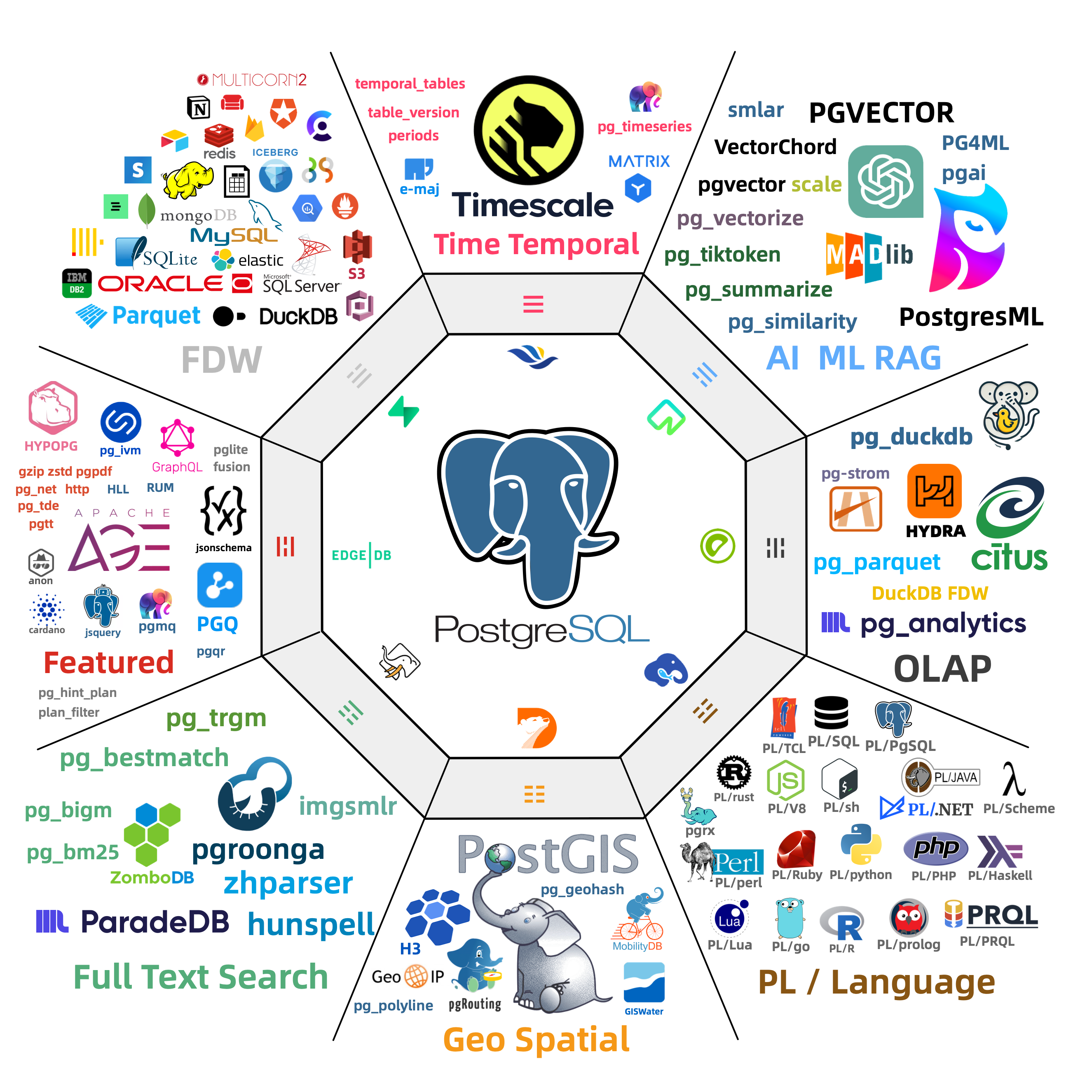
13.1 - Quick Start
To use extensions in Pigsty, complete four steps: Download, Install, Config, and Create.
- Download: Download extension packages to the local repository. The default local repository only guarantees the base kernel and
pgsql-mainpackage set. - Install: Install extension packages on cluster nodes
- Config: Some extensions need to be preloaded or configured with parameters
- Create: Execute
CREATE EXTENSIONin the database to create the extension
Declarative Configuration
Declare extensions in the Pigsty inventory. During cluster initialization, Pigsty installs their packages and creates the extensions automatically:
Run ./pgsql.yml to initialize the cluster.
The three extensions postgis, timescaledb, and vector will then be available in the meta database.
Imperative Operations
For an existing cluster, you can use commands to add extensions:
You can also install extension packages with the pig package manager.
Then run CREATE EXTENSION in the database:
Process Quick Reference
| Step | Parameter/Command | Description |
|---|---|---|
| Download | repo_extra_packages | Specify extension packages to download to local repository |
| Install | pg_extensions | Specify extension packages to install on cluster |
| Config | pg_libs | Preload extensions to shared_preload_libraries |
| Create | pg_databases.extensions | Automatically execute CREATE EXTENSION in database |
For detailed instructions, see each subsection: Download, Install, Config, Create
13.2 - Introduction
Pigsty includes 600 precompiled PostgreSQL extensions that are ready to use.
What are Extensions
PostgreSQL extensions add database functionality without changes to the core code. An extension typically consists of three parts:
- Control file (
.control): Required, contains extension metadata - SQL scripts (
.sql): Optional, defines functions, types, operators, and other database objects - Dynamic library (
.so): Optional, provides high-performance functionality implemented in C
Extensions can add data types, index methods, functions, and operators to PostgreSQL. They can also add foreign data access, procedural languages, performance monitoring, security auditing, and other features.
Core Extensions
The following table shows representative extensions that Pigsty includes:
| Extension | Description |
|---|---|
| PostGIS | Geospatial data types and indexes, de facto GIS standard |
| TimescaleDB | Time-series database with continuous aggregates, columnar storage, auto-compression |
| PGVector | Vector data type with HNSW/IVFFlat indexes, essential for AI applications |
| Citus | Distributed database with horizontal sharding capabilities |
| pg_duckdb | Embedded DuckDB analytical engine for OLAP acceleration |
| pg_search | ParadeDB search extension, providing BM25 and full-text search capabilities |
| Apache AGE | Graph database supporting OpenCypher query language |
| pg_graphql | Native GraphQL query support |
Most extensions can coexist. You can combine their features to perform tasks that one extension cannot perform alone.
Extension Categories
Pigsty organizes extensions into 16 categories:
| Category | Alias | Description | Typical Extensions |
|---|---|---|---|
| Time-series | time | Time-series data processing | timescaledb, pg_cron, periods |
| Geospatial | gis | Geospatial data | postgis, h3, pgrouting |
| Vector | rag | Vector retrieval and AI | pgvector, vchord, pg_vectorize |
| Search | fts | Full-text search | pgroonga, zhparser, pg_bigm |
| Analytics | olap | OLAP and analytics | pg_duckdb, pg_mooncake, citus |
| Feature | feat | Feature enhancements | age, pg_graphql, hll, rum |
| Language | lang | Procedural languages | plpython3u, pljava, plv8 |
| Type | type | Data types | hstore, ltree, ip4r |
| Utility | util | Utility tools | http, pg_net, pgjwt |
| Function | func | Function libraries | pg_uuidv7, topn, tdigest |
| Admin | admin | Operations management | pg_repack, pg_squeeze, pgagent |
| Stat | stat | Monitoring statistics | pg_stat_statements, pg_qualstats, auto_explain |
| Security | sec | Security auditing | pgaudit, pgsodium, pg_tde |
| FDW | fdw | Foreign data access | postgres_fdw, mysql_fdw, oracle_fdw |
| Compatibility | sim | Database compatibility | orafce, babelfish |
| ETL | etl | Data synchronization | pglogical, wal2json, decoderbufs |
Use category aliases to install all extensions in a category together.
For example: pg_extensions: [ pgsql-gis, pgsql-rag ].
Predefined Extension Stacks
Pigsty provides predefined extension stacks for different uses:
| Stack | Included Extensions |
|---|---|
gis-stack | postgis, pgrouting, pointcloud, h3, q3c, ogr_fdw |
rag-stack | pgvector, vchord, pgvectorscale, pg_similarity, pg_tiktoken |
fts-stack | pgroonga, pg_bigm, zhparser, hunspell |
olap-stack | pg_duckdb, pg_mooncake, timescaledb, pg_partman, plproxy |
feat-stack | age, hll, rum, pg_graphql, pg_jsonschema, jsquery |
stat-stack | pg_show_plans, pg_stat_kcache, pg_qualstats, pg_wait_sampling |
supa-stack | pg_graphql, pg_jsonschema, wrappers, pgvector, pgsodium, vault |
To install an entire stack, add its name to pg_extensions.
Extension Resources
- Extension Catalog: Browse detailed information about all available extensions
- Extension Repository: Pigsty extension software repository
- pig Package Manager: Command-line extension management tool
- GitHub Pigsty: Pigsty source code repository
13.3 - Packages
Pigsty uses package aliases to simplify extension installation and management.
Package Alias Mechanism
Extensions have different names at different layers:
| Layer | Example pgvector | Example postgis |
|---|---|---|
| Extension Name | vector | postgis, postgis_topology, … |
| Package Alias | pgvector | postgis |
| RPM Package Name | pgvector_18 | postgis36_18* |
| DEB Package Name | postgresql-18-pgvector | postgresql-18-postgis-3* |
Use a package alias to specify an extension without its RPM or DEB package name:
Pigsty converts each alias to the correct package names for the operating system and PostgreSQL version.
Note: When using
CREATE EXTENSION, you use the extension name (e.g.,vector), not the package alias (pgvector).
Category Aliases
Pigsty organizes all extensions into 16 categories. Use category aliases to install extensions from a category together:
You can install all category extensions together, except for the olap category.
In the olap category, pg_duckdb and pg_mooncake are mutually exclusive.
Category List
| Category | Description | Typical Extensions |
|---|---|---|
time | Time-series | timescaledb, pg_cron, periods |
gis | Geospatial | postgis, h3, pgrouting |
rag | Vector/RAG | pgvector, pgml, vchord |
fts | Full-text Search | pg_trgm, zhparser, pgroonga |
olap | Analytics | citus, pg_duckdb, pg_mooncake |
feat | Feature | age, pg_graphql, rum |
lang | Language | plpython3u, pljava, plv8 |
type | Data Type | hstore, ltree, citext |
util | Utility | http, pg_net, pgjwt |
func | Function | pgcrypto, uuid-ossp, pg_uuidv7 |
admin | Admin | pg_repack, pgagent, pg_squeeze |
stat | Statistics | pg_stat_statements, pg_qualstats, auto_explain |
sec | Security | pgaudit, pgcrypto, pgsodium |
fdw | Foreign Data Wrapper | postgres_fdw, mysql_fdw, oracle_fdw |
sim | Compatibility | orafce, babelfishpg_tds |
etl | Data/ETL | pglogical, wal2json, decoderbufs |
Browse Extension Catalog
Use the Pigsty Extension Catalog to find these details for all available extensions:
- Extension name, description, version
- Supported PostgreSQL versions
- Supported OS distributions
- Installation methods, preloading requirements
- License, source repository
13.4 - Download
Before you install extensions, make sure that their packages are available from the local repository or an upstream repository.
Default Behavior
By default, Pigsty downloads the base PostgreSQL 18 kernel packages to the local software repository.
The default extra download set is repo_extra_packages_default: [ pgsql-main ].
This set includes the PostgreSQL kernel, client, and procedural languages.
It also includes basic extension packages such as pg_repack, wal2json, and pgvector.
If you need other extensions from the 600-extension catalog, add them to repo_extra_packages.
Pigsty does not download every extension to the local repository by default.
A local repository provides these benefits:
- Faster installation without repeated downloads
- Less network traffic
- More reliable delivery
- Consistent package versions
Download New Extensions
To download additional extensions, add them to repo_extra_packages and rebuild the repository:
Using Upstream Repositories
You can also install packages directly from upstream repositories on the internet. You do not need to download them in advance:
Use this method for:
- Quick testing of latest versions
- Installing rare extensions
- Environments with good network conditions
This method has these risks:
- An unstable network can interrupt installation.
- Package versions can differ.
Extension Sources
Extension packages come from two main sources:
| Repository | Description |
|---|---|
| PGDG | PostgreSQL official repository, providing core extensions |
| Pigsty | Pigsty supplementary repository, providing additional extensions |
The Pigsty repository only includes extensions that are absent from the PGDG repository. If PGDG adds an extension, Pigsty will remove its package or keep it consistent with PGDG.
Repository URLs:
- PGDG YUM: https://download.postgresql.org/pub/repos/yum/
- PGDG APT: https://apt.postgresql.org/pub/repos/apt/
- Pigsty YUM: https://repo.pigsty.io/yum/
- Pigsty APT: https://repo.pigsty.io/apt/
For detailed repository configuration, see Extension Repository.
13.5 - Install
Pigsty uses the operating system’s package manager (yum/apt) to install extension packages.
Related Parameters
Use these two parameters to specify which extensions to install:
| Parameter | Purpose | Default Behavior |
|---|---|---|
pg_packages | Global common packages | Ensure present (no upgrade) |
pg_extensions | Cluster-specific extensions | Install latest version |
Use pg_packages for essential extensions and base components that all clusters need.
Typical components include the PostgreSQL kernel, Patroni, and pgBouncer.
Use pg_extensions for extensions that specific clusters need.
Install During Cluster Initialization
Declare extensions in the cluster configuration. Pigsty installs them automatically during initialization:
When you run ./pgsql.yml to initialize the cluster, Pigsty installs the extensions automatically.
Install Extensions on Existing Cluster
For an initialized cluster, use one of these methods to install extensions:
Using Pigsty Playbook
Using pig Package Manager
Using Package Manager Directly
Using Package Aliases
Pigsty supports standard package aliases. It converts each alias to the package name for the applicable PostgreSQL version:
You can also use raw package names directly:
For package alias definitions, see:
- EL8 Extension List
- EL9 Extension List
- D12 Extension List
- U22 Extension List
- U24 Extension List
- U26 Extension List
Verify Installation
After installation, run these checks in the database:
13.6 - Config
Some extensions require you to preload dynamic libraries or configure parameters before use. This section gives the configuration procedures.
Preload Extensions
After installation, you can enable most extensions with CREATE EXTENSION.
Some extensions use PostgreSQL’s Hook mechanism and require preloading.
Set shared_preload_libraries to specify the libraries to preload.
A database restart is required to apply the change.
Extensions Requiring Preload
Common extensions that require preloading:
| Extension | Description |
|---|---|
timescaledb | Time-series database extension, must be placed first |
citus | Distributed database extension, must be placed first |
pg_stat_statements | SQL statement statistics, enabled by default in Pigsty |
auto_explain | Automatically log slow query execution plans, enabled by default in Pigsty |
pg_cron | Scheduled task scheduling |
pg_net | Asynchronous HTTP requests |
pg_tle | Trusted language extensions |
pgaudit | Audit logging |
pg_stat_kcache | Kernel statistics |
pg_squeeze | Online table space reclamation |
pgml | PostgresML machine learning |
For the complete list, see the Extension Catalog (marked with LOAD).
Preload Order
Use the required loading order in shared_preload_libraries:
- Put
timescaledbandcitusfirst. - If you use both,
citusshould come beforetimescaledb. - Statistics extensions should come after
pg_stat_statementsto use the same query_id.
Configure During Cluster Initialization
For a new cluster, use pg_libs to specify the extensions to preload:
During cluster initialization, Pigsty writes the value of pg_libs to shared_preload_libraries.
Default Value
The default value of pg_libs is pg_stat_statements, auto_explain.
These two Contrib extensions provide basic observability:
pg_stat_statements: Track execution statistics of all SQL statementsauto_explain: Automatically log execution plans for slow queries
Modify Configuration on Existing Cluster
For initialized clusters, use patronictl to modify shared_preload_libraries:
You can also directly modify postgresql.conf or use ALTER SYSTEM:
After the change, restart the PostgreSQL service.
Extension Parameter Configuration
Many extensions have parameters that you can configure in the following locations:
During Cluster Initialization
Use pg_parameters to set extension parameters:
Runtime Modification
Use ALTER SYSTEM or patronictl:
Important Notes
Preload errors prevent startup: If an extension in
shared_preload_librariesdoes not exist or fails to load, PostgreSQL will not start. Install each extension correctly before you add it to the preload list.Modification requires restart: After you change
shared_preload_libraries, restart the PostgreSQL service to apply the change.Partial functionality available: Some extensions provide limited functionality without preloading. Full functionality requires preloading.
View current configuration: Run this command to show the current preload libraries:
13.7 - Create
After you install extension packages, run CREATE EXTENSION in the database to use their features.
View Available Extensions
After you install extension packages, run these queries to show the available extensions:
Create Extensions
Use CREATE EXTENSION to enable extensions in the database:
Note:
CREATE EXTENSIONuses the extension name (e.g.,vector), not the package alias (pgvector).
Create During Cluster Initialization
Declare extensions in pg_databases.
Pigsty creates them during cluster initialization:
After it creates the database, Pigsty runs CREATE EXTENSION automatically.
Extensions Requiring Preload
Some extensions require preloading before creation.
Add them to shared_preload_libraries, then restart PostgreSQL:
If you create such an extension without preloading it, PostgreSQL returns an error.
Common extensions requiring preload: timescaledb, citus, pg_cron, pg_net, pgaudit, etc. See Configure Extensions.
Extension Dependencies
Some extensions depend on other extensions. Create the dependencies first:
Extensions Not Requiring Creation
A few extensions have no SQL interfaces and do not require CREATE EXTENSION:
| Extension | Description |
|---|---|
wal2json | Logical decoding plugin, used directly in replication slots |
decoderbufs | Logical decoding plugin |
decoder_raw | Logical decoding plugin |
You can use these extensions immediately after installation. For example:
View Extension Information
13.8 - Update
Update extensions at two levels: packages in the operating system, and extension objects in the database.
Update Packages
Use package managers to update extension packages:
Use Pigsty to update packages on multiple nodes:
Update Extension Objects
After you update packages, you may also need to update the extension objects in the database.
View Updatable Extensions
Execute Extension Update
View Update Paths
Important Notes
Backup first: Back up the database before you update extensions. This is particularly important if the update changes data types.
Check compatibility: Some major version upgrades may be incompatible. Read the extension’s upgrade documentation.
Preloaded extensions: If you update a preloaded extension, such as
timescaledb, you may need to restart the database.Dependencies: If other extensions depend on the updated extension, update them in dependency order.
Replication environments: Test updates on replicas first. After you verify the results, update the primary.
Common Issues
Update Failure
If ALTER EXTENSION UPDATE fails, it may be because:
- No available upgrade path
- Extension is in use
- Insufficient permissions
Rollback Update
PostgreSQL extensions usually do not support direct rollback. To roll back, use one of these methods:
- Restore from backup
- Uninstall the new extension version, install the old package version, and recreate the extension.
13.9 - Remove
Extension removal has two levels: drop extension objects from the database, and uninstall packages from the operating system.
Drop Extension Objects
Use DROP EXTENSION to remove extensions from the database:
Warning:
CASCADEwill drop all objects that depend on this extension (tables, functions, views, etc.). Use with caution.
Check Extension Dependencies
We recommend that you check dependencies before you drop an extension:
Remove Preload
If the extension is in shared_preload_libraries, remove it from the preload list after you drop it:
Uninstall Packages
After dropping the extension from the database, you can optionally uninstall the package:
You can usually keep the package without problems. Uninstall it only to free disk space or resolve conflicts.
Important Notes
Data loss risk:
CASCADEdrops dependent objects. This can cause data loss.Application compatibility: Before you drop the extension, make sure that applications no longer use its features.
Preload order: If you drop a preloaded extension, also remove it from
shared_preload_libraries. Otherwise, the database may fail to start.Replication environments: In replication environments,
DROP EXTENSIONautomatically replicates to replicas.
Operation Sequence
Use this sequence to remove an extension completely:
13.10 - Default Extensions
During PostgreSQL cluster initialization, Pigsty installs and enables some core extensions by default.
Default Installed Extensions
Pigsty installs these extensions by default through pg_packages:
| Extension | Description |
|---|---|
pg_repack | Handle table bloat online, important maintenance tool |
wal2json | Logical decoding outputs JSON format changes, commonly used in CDC scenarios |
pgvector | Vector data type and indexes, installed with pgsql-main by default |
The default value of pg_extensions is an empty array [].
Declare additional extensions as required.
For example:
| Extension | Description |
|---|---|
postgis | Geospatial database extension |
timescaledb | Time-series database extension |
pgvector | Vector data type and indexes |
Default Enabled Extensions
Pigsty enables these extensions in all databases by default through pg_default_extensions:
| Extension | Schema | Description |
|---|---|---|
pg_stat_statements | monitor | SQL statement execution statistics |
pgstattuple | monitor | Tuple-level statistics |
pg_buffercache | monitor | Buffer cache inspection |
pageinspect | monitor | Page-level inspection |
pg_prewarm | monitor | Relation prewarming |
pg_visibility | monitor | Visibility map inspection |
pg_freespacemap | monitor | Free space map inspection |
postgres_fdw | public | PostgreSQL foreign data wrapper |
file_fdw | public | File foreign data wrapper |
btree_gist | public | B-tree GiST operator classes |
btree_gin | public | B-tree GIN operator classes |
pg_trgm | public | Trigram matching |
intagg | public | Integer aggregator |
intarray | public | Integer array functions |
pg_repack | repack | Online table reorganization |
These extensions provide basic monitoring and operations tools. They also add database features.
Default Preloaded Extensions
By default, pg_libs adds these extensions to shared_preload_libraries:
| Extension | Description |
|---|---|
pg_stat_statements | Track execution statistics of all SQL statements |
auto_explain | Automatically log execution plans for slow queries |
These two extensions provide basic observability. We strongly recommend that you keep them.
Customize Default Extensions
To change which extensions Pigsty installs and enables by default, edit these configuration parameters:
For extension procedures and concepts, see:
- Quick Start: Overview of the extension usage process
- Extension Introduction: Core concepts of extensions
- Install Extensions: How to install extensions
- Configure Extensions: Preloading and parameter configuration
- Create Extensions: Creating extensions in databases
13.11 - Repository
Pigsty provides supplementary extension repositories. They supply extension packages in addition to those in the official PGDG repository.
YUM Repository
Use this repository with EL 8/9/10 and compatible systems, such as RHEL, Rocky, AlmaLinux, and CentOS.
Add Repository
China Mainland Mirror
Repository URLs
- International: https://repo.pigsty.io/yum/
- China: https://repo.pigsty.cc/yum/
APT Repository
Use this repository with Debian 12/13, Ubuntu 22.04/24.04/26.04, and compatible systems.
Add Repository
China Mainland Mirror
Repository URLs
- International: https://repo.pigsty.io/apt/
- China Mirror: https://repo.pigsty.cc/apt/
GPG Signature
All packages are signed with GPG:
- Fingerprint:
9592A7BC7A682E7333376E09E7935D8DB9BD8B20 - Short ID:
B9BD8B20
Repository Policy
The Pigsty repository follows these principles:
- Supplementary: The repository only includes extensions that are absent from the PGDG repository.
- Consistency: If PGDG adds an extension, Pigsty will remove its package or keep it consistent with PGDG.
- Compatibility: The repository supports PostgreSQL major versions 14-18.
- Multi-platform: The repository supports x86_64 and aarch64 architectures.
Related Resources
- Pigsty Extension Catalog: Browse all available extensions
- PGDG YUM Repository
- PGDG APT Repository
14 - Param Templates
Pigsty provides four preset Patroni/PostgreSQL config templates optimized for different workloads:
| Template | CPU Cores | Use Case | Characteristics |
|---|---|---|---|
/docs/pgsql/template/oltp.yml | 4-128C | OLTP transactions | High concurrency, low latency |
/docs/pgsql/template/olap.yml | 4-128C | OLAP analytics | Large queries, high parallelism |
/docs/pgsql/template/crit.yml | 4-128C | Consistency-first | Consistency-first, detailed auditing |
/docs/pgsql/template/tiny.yml | 1-3C | Tiny instances | Resource-constrained envs |
Use pg_conf to select a template.
The default is /docs/pgsql/template/oltp.yml.
The database tuning template
pg_confshould be paired with the OS tuning templatenode_tune.
All four standard templates set wal_level to logical.
PostgreSQL 18.6 adds the output_plugin_libraries security allowlist.
Pigsty permits the built-in pgoutput and test_decoding plugins, plus wal2json from the default pgsql-main package set.
Before you use another logical-decoding output plugin, review its code and privilege boundary.
Then add its exact library name through pg_parameters.
Patroni filters the template setting on older PostgreSQL versions that do not support it.
Usage
Set pg_conf in the cluster definition.
We recommend a corresponding node_tune setting for OS tuning.
For critical financial workloads, use /docs/pgsql/template/crit.yml:
For low-spec VMs or dev environments, use /docs/pgsql/template/tiny.yml:
Comparison
The four templates differ significantly in key parameters:
Connections & Memory
| Parameter | OLTP | OLAP | CRIT | TINY |
|---|---|---|---|---|
| max_connections | 500/1000 | 500 | 500/1000 | 250 |
| work_mem range | 64MB-1GB | 64MB-8GB | 64MB-1GB | 16MB-256MB |
| maintenance_work_mem | 25% shmem | 50% shmem | 25% shmem | 25% shmem |
| max_locks_per_transaction | 1-2x maxconn | 2-4x maxconn | 1-2x maxconn | 1-2x maxconn |
Parallel Query
| Parameter | OLTP | OLAP | CRIT | TINY |
|---|---|---|---|---|
| max_worker_processes | max(cpu+16, 24) | max(cpu+20, 28) | max(cpu+16, 24) | max(cpu+12, 20) |
| max_parallel_workers | 50% cpu | 80% cpu | 50% cpu | 50% cpu |
| max_parallel_workers_per_gather | 20% cpu (max 8) | 50% cpu | 0 (off) | 0 (off) |
| parallel_setup_cost | 2000 | 1000 | 2000 | 1000 |
| parallel_tuple_cost | 0.2 | 0.1 | 0.2 | 0.1 |
Sync Replication
| Parameter | OLTP | OLAP | CRIT | TINY |
|---|---|---|---|---|
| synchronous_mode | depends pg_rpo | depends pg_rpo | forced on | depends pg_rpo |
| data_checksums | optional | optional | forced on | optional |
Vacuum Config
| Parameter | OLTP | OLAP | CRIT | TINY |
|---|---|---|---|---|
| vacuum_cost_delay | 20ms | 10ms | 20ms | 20ms |
| vacuum_cost_limit | 2000 | 10000 | 2000 | 2000 |
| autovacuum_max_workers | 3 | 3 | 3 | 2 |
Timeout & Security
| Parameter | OLTP | OLAP | CRIT | TINY |
|---|---|---|---|---|
| idle_in_transaction_session_timeout | 10min | off | 1min | 10min |
| log_min_duration_statement | 100ms | 1000ms | 100ms | 100ms |
| default_statistics_target | 400 | 1000 | 400 | 200 |
| track_activity_query_size | 8KB | 8KB | 32KB | 8KB |
| log_connections | auth | auth | full | default |
IO Config (PG18)
| Parameter | OLTP | OLAP | CRIT | TINY |
|---|---|---|---|---|
| io_workers | 25% cpu (4-16) | 50% cpu (4-32) | 25% cpu (4-8) | 3 |
| temp_file_limit | 1/20 disk, max 100GB | 1/5 disk, max 400GB | 1/20 disk, max 100GB | 1/20 disk, max 100GB |
Selection Guide
OLTP Template: Default choice for most transaction processing. Ideal for e-commerce, social, gaming apps.
OLAP Template: For data warehouses, BI reports, ETL. Allows large queries, high parallelism, relaxed timeouts.
CRIT Template: For financial transactions, core accounting with strict consistency/security requirements. Forced sync replication, checksums, full audit.
TINY Template: For dev/test environments, resource-constrained VMs, Raspberry Pi. Minimizes resource usage, disables parallel queries.
Custom Templates
Use an existing template as the basis for a custom template.
The templates are in roles/pgsql/templates/:
To create a custom template:
- Copy an existing template.
- Change the parameters as required.
- Put the file in
roles/pgsql/templates/. - Select it with
pg_conf.
Example:
Then select the template in the cluster configuration:
Templates use Jinja2 syntax. They calculate parameter values from node resources: CPU, memory, and disk.
Tuning Strategy
For technical details on template parameter optimization, see Tuning Strategy:
- Memory tuning (shared buffers, work mem, max connections)
- CPU tuning (parallel query worker config)
- Storage tuning (WAL size, temp file limits)
- Manual parameter adjustment
Related Parameters
pg_conf: PostgreSQL config templatenode_tune: OS tuning template, should matchpg_confpg_rto: Recovery time objective, affects failover timeoutpg_rpo: Candidate-replica lag threshold; setting it to 0 enables synchronous replication in the general templatespg_max_conn: Override template max connectionspg_shared_buffer_ratio: Shared buffer memory ratiopg_storage_type: Storage type, affects IO params
14.1 - Parameter Optimization Policy
Pigsty provides four parameter templates for different workloads.
Select a template with pg_conf.
tiny.yml: Optimized for small nodes, VMs, and demos (the template is labeled for 1-3 cores)oltp.yml: Optimized for OLTP workloads and latency-sensitive applications (4C8GB+) (default template)olap.yml: Optimized for OLAP workloads and throughput (4C8G+)crit.yml: Optimized for data consistency and critical applications (4C8G+)
The following sections describe the optimization settings for these four templates.
Memory Parameter Tuning
Pigsty detects the system’s memory size. It uses this value to set the maximum number of connections and memory-related parameters.
pg_max_conn: PostgreSQL maximum connections,autowill use recommended values for different scenariospg_shared_buffer_ratio: Shared buffer memory ratio, default is 0.25
By default, Pigsty assigns 25% of memory to PostgreSQL shared buffers.
Connections, work_mem, background processes, and the operating-system cache share the remaining memory.
If you do not set pg_max_conn, Pigsty selects the maximum connections from these defaults:
- oltp: 500 (pgbouncer) / 1000 (postgres)
- crit: 500 (pgbouncer) / 1000 (postgres)
- tiny: 250
- olap: 500
For OLTP and CRIT, the maximum is 500 when the service connects through PgBouncer. If the service connects directly to PostgreSQL, the maximum doubles to 1000.
Pigsty calculates work_mem as shared memory size divided by maximum connections.
It limits the result to 64MB ~ 1GB.
CPU Parameter Tuning
PostgreSQL has 4 important parameters for parallel queries.
Pigsty sets them from the number of CPU cores.
The templates first calculate a worker budget for parallel queries and extensions.
They add eight reserved slots when they write max_worker_processes.
The final GUC is therefore eight higher than the intermediate variable near the start of each template.
| OLTP | Setting Logic | Range Limits |
|---|---|---|
max_worker_processes | max(CPU + 8, 16) + 8 | max(CPU + 16, 24) |
max_parallel_workers | max(ceil(50% CPU), 2) | 1/2 CPU rounded up, minimum 2 |
max_parallel_maintenance_workers | max(ceil(33% CPU), 2) | 1/3 CPU rounded up, minimum 2 |
max_parallel_workers_per_gather | min(max(ceil(20% CPU), 2),8) | 1/5 CPU rounded down, minimum 2, max 8 |
| OLAP | Setting Logic | Range Limits |
|---|---|---|
max_worker_processes | max(CPU + 12, 20) + 8 | max(CPU + 20, 28) |
max_parallel_workers | max(ceil(80% CPU, 2)) | 4/5 CPU rounded up, minimum 2 |
max_parallel_maintenance_workers | max(ceil(33% CPU), 2) | 1/3 CPU rounded up, minimum 2 |
max_parallel_workers_per_gather | max(floor(50% CPU), 2) | 1/2 CPU rounded up, minimum 2 |
| CRIT | Setting Logic | Range Limits |
|---|---|---|
max_worker_processes | max(CPU + 8, 16) + 8 | max(CPU + 16, 24) |
max_parallel_workers | max(ceil(50% CPU), 2) | 1/2 CPU rounded up, minimum 2 |
max_parallel_maintenance_workers | max(ceil(33% CPU), 2) | 1/3 CPU rounded up, minimum 2 |
max_parallel_workers_per_gather | 0, enable as needed |
| TINY | Setting Logic | Range Limits |
|---|---|---|
max_worker_processes | max(CPU + 4, 12) + 8 | max(CPU + 12, 20) |
max_parallel_workers | max(floor(50% CPU), 1) | 50% CPU rounded down, minimum 1 |
max_parallel_maintenance_workers | max(floor(33% CPU), 1) | 33% CPU rounded down, minimum 1 |
max_parallel_workers_per_gather | 0 | Disables parallel gather per query |
The CRIT and TINY templates set max_parallel_workers_per_gather = 0 to disable parallel queries.
To enable parallel queries, change this parameter as required.
The OLTP and CRIT templates set the following parameters. They double parallel query costs to make the planner less likely to choose parallel queries.
Changes to max_worker_processes take effect only after a restart.
A replica fails to start if its value is higher than the primary value.
Change this parameter through Patroni configuration management.
Patroni keeps primary and replica settings consistent and prevents new replicas from failing to start during failover.
Storage Space Parameters
Pigsty detects the total disk capacity for the /data/postgres main data directory.
It uses this value to set these parameters:
pg_size_twentiethis one twentieth of disk capacity rounded up, clamped to 1-100GB.- Therefore, in the three standard templates, the effective cap for
temp_file_limitandmin_wal_sizeis 100GB. - The effective cap for
max_wal_sizeis 400GB. - The effective cap for
max_slot_wal_keep_sizeis 600GB.
The OLAP template sets temp_file_limit to pg_size_twentieth × 4, with an effective limit of 400GB.
Existing 200GB/2TB/3TB comments at the ends of template lines omit the 100GB limit already applied to pg_size_twentieth.
Use the rendered expression as the authoritative value.
Manual Parameter Tuning
You can manually adjust PostgreSQL parameters in addition to the values that Pigsty sets automatically.
Use the pg edit-config <cluster> command to interactively edit cluster configuration:
Or use the -p parameter to directly set parameters:
You can also use the Patroni REST API to modify configuration:
14.2 - OLTP Template
oltp.yml is Pigsty’s default configuration template for online transaction processing (OLTP).
It is designed for CPUs with 4-128 cores and provides high concurrency, low latency, and high throughput.
Pair with
node_tune=oltpfor OS-level tuning.
Use Cases
Use the OLTP template for:
- E-commerce: Order processing, inventory, user transactions
- Social apps: User feeds, messaging, following relationships
- Gaming backends: Player data, leaderboards, game state
- SaaS applications: Multi-tenant business systems
- Web apps: CRUD-intensive workloads
Workload characteristics:
- Many short transactions (millisecond-level)
- High concurrent connections (hundreds to thousands)
- Read/write ratio typically 7:3 to 9:1
- Latency-sensitive, requires fast response
- High data consistency requirements
Usage
oltp.yml is the default template.
You do not need to select it explicitly:
To select it explicitly, use:
Parameter Details
Connection Management
- When
pg_default_service_destispgbouncer,max_connectionsis set to 500 - When traffic connects directly to PostgreSQL,
max_connectionsis set to 1000 - Override via
pg_max_connparameter
Memory Config
OLTP template memory allocation strategy:
| Parameter | Formula | Description |
|---|---|---|
shared_buffers | mem × pg_shared_buffer_ratio | Default ratio 0.25 |
maintenance_work_mem | shared_buffers × 25% | For VACUUM, CREATE INDEX |
work_mem | 64MB - 1GB | Based on shared_buffers/max_connections |
effective_cache_size | total mem - shared_buffers | Estimated cache memory |
work_mem calculation:
This calculation gives each connection sufficient sort/hash memory without excessive allocation.
Parallel Query
OLTP template moderately limits parallel queries to prevent resource contention:
Parallel cost estimates are increased to favor serial execution:
WAL Config
These settings balance data safety and write performance.
Vacuum Config
Conservative vacuum settings avoid impacting online transaction performance.
Query Optimization
These settings help the planner generate better query plans.
Logging & Monitoring
Client Timeouts
The 10-minute idle transaction timeout prevents inactive transactions from keeping locks indefinitely.
Extension Config
Template Comparison
| Feature | OLTP | OLAP | CRIT |
|---|---|---|---|
| max_connections | 500-1000 | 500 | 500-1000 |
| work_mem | 64MB-1GB | 64MB-8GB | 64MB-1GB |
| Parallel query | Moderate limit | Aggressive | Disabled |
| Vacuum intensity | Conservative | Aggressive | Conservative |
| Txn timeout | 10min | Disabled | 1min |
| Slow query threshold | 100ms | 1000ms | 100ms |
Why OLTP over OLAP?
- Queries are mostly simple point/range lookups
- Transaction response time requires milliseconds
- High concurrent connections
- No complex analytical queries
Why OLTP over CRIT?
- Small probability of data loss acceptable (async replication)
- Complete audit logs not required
- Better write performance desired
Performance Tuning Tips
Connection Pooling
For high concurrency, use PgBouncer connection pool:
Read Separation
Use read replicas to share read load:
Monitoring Metrics
Focus on these metrics:
- Connections: Active/waiting connection counts
- Transaction rate: TPS, commit/rollback ratio
- Response time: Query latency percentiles (p50/p95/p99)
- Lock waits: Lock wait time, deadlock counts
- Replication lag: Replica delay time and bytes
References
pg_conf: PostgreSQL config template selectionnode_tune: OS tuning template, should matchpg_conf- OLAP Template: Analytics template comparison
- CRIT Template: Critical business template comparison
- TINY Template: Micro instance template comparison
- Cluster Config: PostgreSQL cluster type configuration
- High Availability: HA architecture design
14.3 - OLAP Template
olap.yml is optimized for online analytical processing (OLAP) on CPUs with 4-128 cores.
It supports large queries, high parallelism, relaxed timeouts, and aggressive vacuum.
Pair with
node_tune=olapfor OS-level tuning.
Use Cases
Use the OLAP template for:
- Data warehouses: Historical data storage, multidimensional analysis
- BI reports: Complex report queries, dashboard data sources
- ETL processing: Data extraction, transformation, loading
- Data analysis: Ad-hoc queries, data exploration
- HTAP mixed workloads: Analytical replicas
Workload characteristics:
- Complex queries (seconds to minutes)
- Low concurrent connections (tens to hundreds)
- Read-intensive, writes typically batch operations
- Throughput-sensitive, tolerates higher latency
- Scans large data volumes
Usage
Specify pg_conf = olap.yml in cluster definition:
Use olap.yml template for dedicated offline replicas:
Parameter Details
Connection Management
OLAP workloads usually need fewer connections. The limit of 500 is sufficient for most analytical workloads.
Memory Config
The OLAP template assigns more memory to operations:
| Parameter | Formula | Description |
|---|---|---|
shared_buffers | mem × pg_shared_buffer_ratio | Default ratio 0.25 |
maintenance_work_mem | shared_buffers × 50% | Faster index creation and VACUUM |
work_mem | 64MB - 8GB | Larger sort/hash memory |
effective_cache_size | total mem - shared_buffers | Estimated cache memory |
work_mem calculation (differs from OLTP):
Larger work_mem allows bigger sort and hash operations in memory, avoiding disk spill.
Locks & Transactions
OLAP queries may access more tables through partitions and multiple JOINs. They therefore require more lock slots.
Parallel Query
The OLAP template assigns more workers to parallel queries:
Parallel cost estimates use defaults to favor parallel plans:
The template enables partition-wise optimization:
IO Config (PG18)
More IO workers support parallel large table scans.
WAL Config
Larger temp_file_limit allows bigger intermediate results to spill to disk.
Vacuum Config
OLAP template uses aggressive vacuum settings:
Analytical databases often have bulk writes requiring aggressive vacuum to reclaim space.
Query Optimization
A higher default_statistics_target provides more accurate query plans.
This is important for complex analytics.
Logging & Monitoring
Client Timeouts
Analytical queries may need to keep transactions open for long periods. Thus, the template disables the idle timeout.
Key Differences from OLTP
| Parameter | OLAP | OLTP | Reason |
|---|---|---|---|
| max_connections | 500 | 500-1000 | Fewer analytical connections |
| work_mem limit | 8GB | 1GB | Support larger in-memory sorts |
| maintenance_work_mem | 50% buffer | 25% buffer | Faster index creation |
| max_locks_per_transaction | 2-4x | 1-2x | More tables in queries |
| max_parallel_workers | 80% cpu | 50% cpu | Aggressive parallelism |
| max_parallel_workers_per_gather | 50% cpu | 20% cpu | Aggressive parallelism |
| parallel_setup_cost | 1000 | 2000 | Default, encourages parallel |
| parallel_tuple_cost | 0.1 | 0.2 | Default, encourages parallel |
| enable_partitionwise_join | on | off | Partition optimization |
| enable_partitionwise_aggregate | on | off | Partition optimization |
| vacuum_cost_delay | 10ms | 20ms | Aggressive vacuum |
| vacuum_cost_limit | 10000 | 2000 | Aggressive vacuum |
| temp_file_limit | 1/5 disk | 1/20 disk | Allow larger temp files |
| io_workers | 50% cpu | 25% cpu | More parallel IO |
| log_min_duration_statement | 1000ms | 100ms | Relaxed slow query threshold |
| default_statistics_target | 1000 | 400 | More precise stats |
| idle_in_transaction_session_timeout | Disabled | 10min | Allow long transactions |
Performance Tuning Tips
With TimescaleDB
You can use the OLAP template with TimescaleDB:
With pg_duckdb
To improve analytical performance, combine the template with pg_duckdb:
Columnar Storage
Consider columnar storage extensions:
Resource Isolation
For mixed workloads, isolate analytics to dedicated replicas:
Monitoring Metrics
Focus on these metrics:
- Query time: Long query execution time distribution
- Parallelism: Parallel worker utilization
- Temp files: Temp file size and count
- Disk IO: Sequential and index scan IO volume
- Cache hit ratio: shared_buffers and OS cache hit rates
References
pg_conf: PostgreSQL config template selectionnode_tune: OS tuning template, should matchpg_conf- OLTP Template: Transaction template comparison
- CRIT Template: Critical business template comparison
- TINY Template: Micro instance template comparison
- Offline Replica: Dedicated analytics instances
14.4 - CRIT Template
crit.yml is for transactional workloads with increased consistency and audit requirements.
It forces data checksums and Patroni strict synchronous mode.
It also adds connection logging and adjusts selected WAL, timeout, and parallel-query parameters.
The template increases write latency and may block writes when no synchronous replica is available. Before use, confirm consistency objectives, failure domains, client commit settings, and availability requirements.
Also evaluate node_tune: crit.
You can select host tuning and database parameters independently.
Usage
A three-node topology lets the cluster select another synchronous replica after one node fails. Continued write availability depends on the remaining node state, DCS, network, and synchronous-replica selection. Test failures on the target topology.
Strict Synchronous Replication
CRIT does not derive synchronous mode from pg_rpo.
It always enables these settings:
synchronous_mode_strict prevents Patroni from switching to asynchronous replication when no synchronous replica is available.
The primary then blocks writes that require synchronous acknowledgment.
The mode targets preservation of acknowledged transactions when:
- the session has not lowered
synchronous_committolocal,off, or another asynchronous level; - a synchronous replica acknowledges WAL during commit;
- failover selects only an eligible node containing the required WAL.
Validate RPO against client parameters, replication state, and the failure model. The template name alone does not establish RPO.
To require acknowledgment from multiple synchronous replicas, change Patroni dynamic configuration:
A higher synchronous-replica count imposes stricter conditions for accepting writes.
Data Checksums
CRIT initialization always includes:
This overrides a disabled pg_checksum setting and enables page checksums for a new cluster.
Checksums detect page damage after a write.
They do not detect logical errors or every memory error.
Connection and Query Logging
CRIT logs DDL, statements taking longer than 100 ms, and disconnection events:
PostgreSQL 18 and later use:
Earlier versions use log_connections: on.
These records support connection auditing but do not provide fine-grained SQL audit logs.
Enable pgaudit separately to record object reads and writes, roles, or statement classes.
CRIT sets track_activity_query_size to 32 KiB to retain longer active-query text.
Logs may contain SQL and business data.
Restrict access and set a suitable retention period.
Watchdog
CRIT changes Patroni watchdog from disabled to automatic:
automatic activates only when the system has a usable watchdog device.
If fencing must be mandatory, verify hardware, virtualization support, and device permissions before you explicitly set required.
An incorrect configuration can prevent primary startup or interrupt failover.
Key Parameter Differences
| Parameter | CRIT | OLTP Default | Effect |
|---|---|---|---|
synchronous_mode | Always enabled | Derived from pg_rpo | Consistency first |
synchronous_mode_strict | true | General template behavior | Blocks writes without a synchronous replica |
data-checksums | Always enabled | Controlled by pg_checksum | Page-damage detection |
max_parallel_workers_per_gather | 0 | Calculated from CPU | Reduces parallel-query variability |
wal_writer_delay | 10ms | 20ms | Processes WAL more frequently |
wal_writer_flush_after | 0 | 1MB | Changes WAL flush behavior |
idle_replication_slot_timeout | 3d | 7d | Removes idle replication slots sooner |
idle_in_transaction_session_timeout | 1min | 10min | Terminates idle transactions sooner |
track_activity_query_size | 32KiB | 8KiB | Retains longer query text |
log_connections | Detailed connection events | PostgreSQL 18 logs authorization by default | Adds connection-audit detail |
log_disconnections | on | off | Records disconnections |
CRIT also disables parallel gather for individual queries and adjusts parallel costs, autovacuum, WAL, and statistics parameters.
The release file roles/pgsql/templates/crit.yml defines the active values.
Preloaded Extensions
CRIT generates shared_preload_libraries from pg_libs.
The role default is:
Selecting crit.yml alone does not load passwordcheck.
If you need password-complexity checks, configure it explicitly:
ha/safe includes this override.
To use pgaudit, also add it to pg_libs and configure the audit scope:
Performance and Availability Impact
- Synchronous commit waits for a synchronous replica; write latency includes at least replica network and WAL durability time.
- Strict synchronous mode blocks writes when no synchronous replica is available.
- Disabling parallel gather can reduce throughput for large queries, but also reduces resource variability from parallel execution.
- More detailed logging and statistics consume additional I/O, CPU, and storage.
- A shorter idle-transaction timeout may terminate application sessions that hold a transaction open without executing statements.
The impact depends on hardware, network, queries, and client behavior. Test the actual workload. Do not rely on a fixed latency or throughput percentage.
Launch Checklist
- Deploy at least one usable synchronous replica and verify write behavior during node failure
- Check whether applications change
synchronous_commit - Select watchdog
automaticorrequiredaccording to availability requirements - Verify collection, access control, and retention for connection logs
- Configure
pg_libsand extension parameters explicitly when password checks or SQL auditing are required - Test write latency, throughput, and idle-transaction timeouts with the production workload
- Exercise primary, synchronous-replica, DCS, and network-partition failures
Related Documentation
- Security Model: where CRIT fits in the overall hardening path
- Data Security: boundaries of synchronous replication, checksums, and auditing
ha/safeConfiguration: three-node hardening example that includes CRIT- Sync Standby: synchronous replication configuration
- Quorum Commit: synchronous replica count
- OLTP Template: general transaction template
14.5 - TINY Template
tiny.yml is optimized for micro instances and environments with limited resources.
It is designed for CPUs with 1-3 cores.
It minimizes resource use, limits memory allocation, and disables parallel queries.
Pair with
node_tune=tinyfor OS-level tuning.
Use Cases
Use the TINY template for:
- Dev/test: Local development, CI/CD testing
- Low-spec VMs: 1-2 core CPU, 1-4GB RAM cloud instances
- Edge computing: Raspberry Pi, embedded devices
- Demos: Quick Pigsty experience
- Personal projects: Resource-limited blogs, small apps
Resource constraints:
- 1-3 CPU cores
- 1-8 GB RAM
- Limited disk space
- May share resources with other services
Usage
Specify pg_conf = tiny.yml in cluster definition:
Single-node development:
Parameter Details
Connection Management
Micro instances need fewer concurrent connections. The limit of 250 is sufficient for development and testing.
Memory Config
TINY template uses conservative memory allocation:
| Parameter | Formula | Description |
|---|---|---|
shared_buffers | mem × pg_shared_buffer_ratio | Default ratio 0.25 |
maintenance_work_mem | shared_buffers × 25% | For VACUUM, CREATE INDEX |
work_mem | 16MB - 256MB | Smaller sort/hash memory |
effective_cache_size | total mem - shared_buffers | Estimated cache memory |
work_mem calculation (differs from OLTP):
Smaller work_mem limit (256MB vs OLTP’s 1GB) prevents memory exhaustion.
Parallel Query (Fully Disabled)
TINY template completely disables parallel queries:
max_parallel_workers_per_gather: 0 prevents queries from starting parallel workers.
This avoids resource contention on systems with few CPU cores.
IO Config (PG18)
A fixed, low I/O worker count is suitable for environments with limited resources.
Vacuum Config
Fewer autovacuum workers reduce background resource usage.
Query Optimization
Lower default_statistics_target reduces pg_statistic table size.
Logging Config
The TINY template disables additional connection logging to reduce log volume.
Client Timeouts
Extension Config
The template reduces pg_stat_statements.max from 10000 to 2500.
This saves approximately 75% of its memory use.
Key Differences from OLTP
| Parameter | TINY | OLTP | Reason |
|---|---|---|---|
| max_connections | 250 | 500-1000 | Reduce connection overhead |
| work_mem limit | 256MB | 1GB | Prevent memory exhaustion |
| max_worker_processes | max(cpu+12, 20) | max(cpu+16, 24) | Fewer background processes |
| max_parallel_workers_per_gather | 0 | 20% cpu | Disable parallel queries |
| autovacuum_max_workers | 2 | 3 | Reduce background load |
| default_statistics_target | 200 | 400 | Save space |
| pg_stat_statements.max | 2500 | 10000 | Reduce memory usage |
| io_workers | 3 | 25% cpu | Fixed low value |
Resource Estimates
TINY template resource usage by configuration:
1 Core 1GB RAM
PostgreSQL process memory: ~400-600MB
2 Core 4GB RAM
PostgreSQL process memory: ~1.5-2GB
4 Core 8GB RAM
Consider using OLTP template instead:
Performance Tuning Tips
Further Resource Reduction
For extremely constrained resources:
Disable Unnecessary Extensions
Disable Unnecessary Features
Use External Connection Pool
Even on micro instances, PgBouncer significantly improves concurrency:
Cloud Platform Recommendations
AWS
- t3.micro: 1 vCPU, 1GB RAM - suitable for TINY
- t3.small: 2 vCPU, 2GB RAM - suitable for TINY
- t3.medium: 2 vCPU, 4GB RAM - consider OLTP
Alibaba Cloud
- ecs.t6-c1m1.small: 1 vCPU, 1GB RAM - suitable for TINY
- ecs.t6-c1m2.small: 1 vCPU, 2GB RAM - suitable for TINY
- ecs.t6-c1m4.small: 1 vCPU, 4GB RAM - suitable for TINY
Tencent Cloud
- SA2.SMALL1: 1 vCPU, 1GB RAM - suitable for TINY
- SA2.SMALL2: 1 vCPU, 2GB RAM - suitable for TINY
- SA2.SMALL4: 1 vCPU, 4GB RAM - suitable for TINY
Edge Device Deployment
Raspberry Pi 4
Docker Container
Upgrading to OLTP
When the application needs more resources, upgrade to the OLTP template:
- Upgrade VM specs (4 core 8GB+)
- Modify cluster config:
- Reconfigure cluster or redeploy
References
pg_conf: PostgreSQL config template selectionnode_tune: OS tuning template, should matchpg_conf- OLTP Template: Transaction template, upgrade for 4C8G+
- OLAP Template: Analytics template
- CRIT Template: Critical business template
- Single-Node Install: Pigsty single-node installation guide
15 - PG Kernels
In Pigsty, you can replace the native PostgreSQL kernel with a variant that provides specialized features.
Pigsty supports multiple PostgreSQL kernels and compatibility branches within one operational framework. These kernels provide compatibility layers, multi-master replication, graph queries, MPP warehousing, transparent encryption, and other features.
The level of Pigsty integration differs between kernels.
PostgreSQL, Citus, Babelfish, IvorySQL, PolarDB, AgensGraph, and pgEdge have defined templates and configuration procedures.
Cloudberry and Greenplum usually use gpsql mode.
For their MPP initialization and scale-out operations, upstream tools remain the preferred method.
| Kernel | Key Feature | Description |
|---|---|---|
| PostgreSQL | Native kernel, full extension set | Vanilla PostgreSQL with 600 extensions |
| Supabase | Backend as a Service | PostgreSQL-based BaaS, Firebase alternative |
| Citus | Horizontal scaling | Distributed PostgreSQL via native extension |
| Babelfish | SQL Server compatible | SQL Server wire-protocol compatibility (PG17/18) |
| IvorySQL | Oracle compatible | Oracle syntax and PL/SQL compatibility |
| OpenHalo | MySQL compatible | MySQL wire-protocol compatibility |
| Percona | Transparent data encryption | Percona distribution with pg_tde |
| DocumentDB | MongoDB migration | DocumentDB + FerretDB wire compatibility |
| OrioleDB | OLTP optimization | Zheap, no bloat, S3 storage |
| PolarDB | Aurora-style RAC | RAC, China-local compliance scenario |
| Cloudberry | Open-source MPP warehouse | Cloudberry integrated through gpsql mode |
| AgensGraph | Property graph + Cypher | Graph query capability inside PostgreSQL |
| pgEdge | Spock multi-master replication | Distributed PostgreSQL for edge scenarios |

Versions
| Kernel | Debian / Ubuntu | EL |
|---|---|---|
| PostgreSQL / Citus | PostgreSQL 18.6 (Ubuntu 18.6-1.pgdg26.04+1) on x86_64-pc-linux-gnu, compiled by gcc (Ubuntu 15.2.0-16ubuntu1) 15.2.0, 64-bit | PostgreSQL 18.6 on x86_64-pc-linux-gnu, compiled by gcc (GCC) 14.3.1 20251022 (Red Hat 14.3.1-4), 64-bit |
| IvorySQL | PostgreSQL 18.4 (IvorySQL 5.4) on x86_64-pc-linux-gnu, compiled by gcc (GCC) 9.5.0, 64-bit | PostgreSQL 18.4 (IvorySQL 5.4) on x86_64-pc-linux-gnu, compiled by gcc (GCC) 9.5.0, 64-bit |
| Babelfish | Babelfish 17.7 on x86_64-pc-linux-gnu, compiled by gcc (Ubuntu 15.2.0-16ubuntu1) 15.2.0, 64-bit | Babelfish 17.7 on x86_64-pc-linux-gnu, compiled by gcc (GCC) 14.3.1 20251022 (Red Hat 14.3.1-4), 64-bit |
| PolarDB | PostgreSQL 17.10 (PolarDB 17.10.1.0 build accf02e2) on x86_64-linux-gnu | PostgreSQL 17.10 (PolarDB 17.10.1.0 build accf02e2) on x86_64-linux-gnu |
| Percona | PostgreSQL 18.4 - Percona Server for PostgreSQL 18.4.1 on x86_64-pc-linux-gnu, compiled by gcc (Ubuntu 15.2.0-16ubuntu1) 15.2.0, 64-bit | PostgreSQL 18.4 - Percona Server for PostgreSQL 18.4.1 on x86_64-pc-linux-gnu, compiled by gcc (GCC) 14.3.1 20250617 (Red Hat 14.3.1-2), 64-bit |
| OrioleDB | OrioleDB 18.4 (OrioleDB 1.8-beta16) on x86_64-pc-linux-gnu, compiled by gcc (Ubuntu 15.2.0-16ubuntu1) 15.2.0, 64-bit | OrioleDB 18.4 (OrioleDB 1.8-beta16) on x86_64-pc-linux-gnu, compiled by gcc (GCC) 14.3.1 20251022 (Red Hat 14.3.1-4), 64-bit |
| OpenHalo | openHalo 14.18 on x86_64-pc-linux-gnu, compiled by gcc (Ubuntu 15.2.0-16ubuntu1) 15.2.0, 64-bit | openHalo 14.18 on x86_64-pc-linux-gnu, compiled by gcc (GCC) 14.3.1 20251022 (Red Hat 14.3.1-4), 64-bit |
| DocumentDB | PostgreSQL 18.6 (Ubuntu 18.6-1.pgdg26.04+1) on x86_64-pc-linux-gnu, compiled by gcc (Ubuntu 15.2.0-16ubuntu1) 15.2.0, 64-bit | PostgreSQL 18.6 on x86_64-pc-linux-gnu, compiled by gcc (GCC) 14.3.1 20251022 (Red Hat 14.3.1-4), 64-bit |
| AgensGraph | PostgreSQL 17.10 (AgensGraph 2.17.0) on x86_64-pc-linux-gnu, compiled by gcc (Ubuntu 15.2.0-16ubuntu1) 15.2.0, 64-bit | PostgreSQL 17.10 (AgensGraph 2.17.0) on x86_64-pc-linux-gnu, compiled by gcc (GCC) 14.3.1 20251022 (Red Hat 14.3.1-4), 64-bit |
| pgEdge | PostgreSQL 18.4 (pgEdge 5.0.10) on x86_64-pc-linux-gnu, compiled by gcc (Ubuntu 15.2.0-16ubuntu1) 15.2.0, 64-bit | PostgreSQL 18.4 (pgEdge 5.0.10) on x86_64-pc-linux-gnu, compiled by gcc (GCC) 14.3.1 20251022 (Red Hat 14.3.1-4), 64-bit |
| Cloudberry | PostgreSQL 14.4 (Apache Cloudberry 2.0.0-incubating build 1) on aarch64-unknown-linux-gnu, compiled by gcc (GCC) 11.5.0 20240719 (Red Hat 11.5.0-11), 64-bit |
15.1 - PostgreSQL
PostgreSQL is a widely used open-source database.
Pigsty installs PostgreSQL 18 by default. It supports PostgreSQL 14 ~ 18 and provides 600 PG extensions.
Quick Start
Install Pigsty using the pgsql configuration template.
Most configuration templates use the PostgreSQL kernel by default. Examples include:
meta: Default, postgres with core extensions (vector, postgis, timescale)rich: postgres with all extensions installedslim: postgres only, no monitoring infrastructureha/full: 4-node sandbox for HA demonstrationpgsql: minimal postgres kernel configuration example
Configuration
The native PostgreSQL kernel requires no special configuration changes:
Version Selection
To select a different PostgreSQL major version, use -v:
If a PostgreSQL cluster is already installed, uninstall it before you install a new version:
Extension Ecosystem
Pigsty provides PostgreSQL extensions. See the Extension Catalog for details.
15.2 - Supabase
Supabase — Build in a weekend, Scale to millions
Supabase is an open-source Firebase alternative built on PostgreSQL. It provides authentication, ready-to-use APIs, edge functions, real-time subscriptions, object storage, and vector embeddings. The low-code backend platform can replace much of the backend development work. Database design and frontend knowledge can be sufficient to build a product.
Supabase’s motto is: “Build in a weekend, Scale to millions”. Its cloud service can be cost-effective for small deployments, such as 4c8g. For millions of users, consider self-hosting to meet functionality, performance, and cost requirements.
Pigsty provides an automated solution to self-host the complete Supabase stack. It includes PostgreSQL monitoring, IaC, PITR, and high availability. Compared with Supabase cloud services, this solution provides up to 600 ready-to-use PostgreSQL extensions. It can also make fuller use of the performance and cost advantages of modern hardware.
For the complete procedure, see: Supabase Self-Hosting Guide
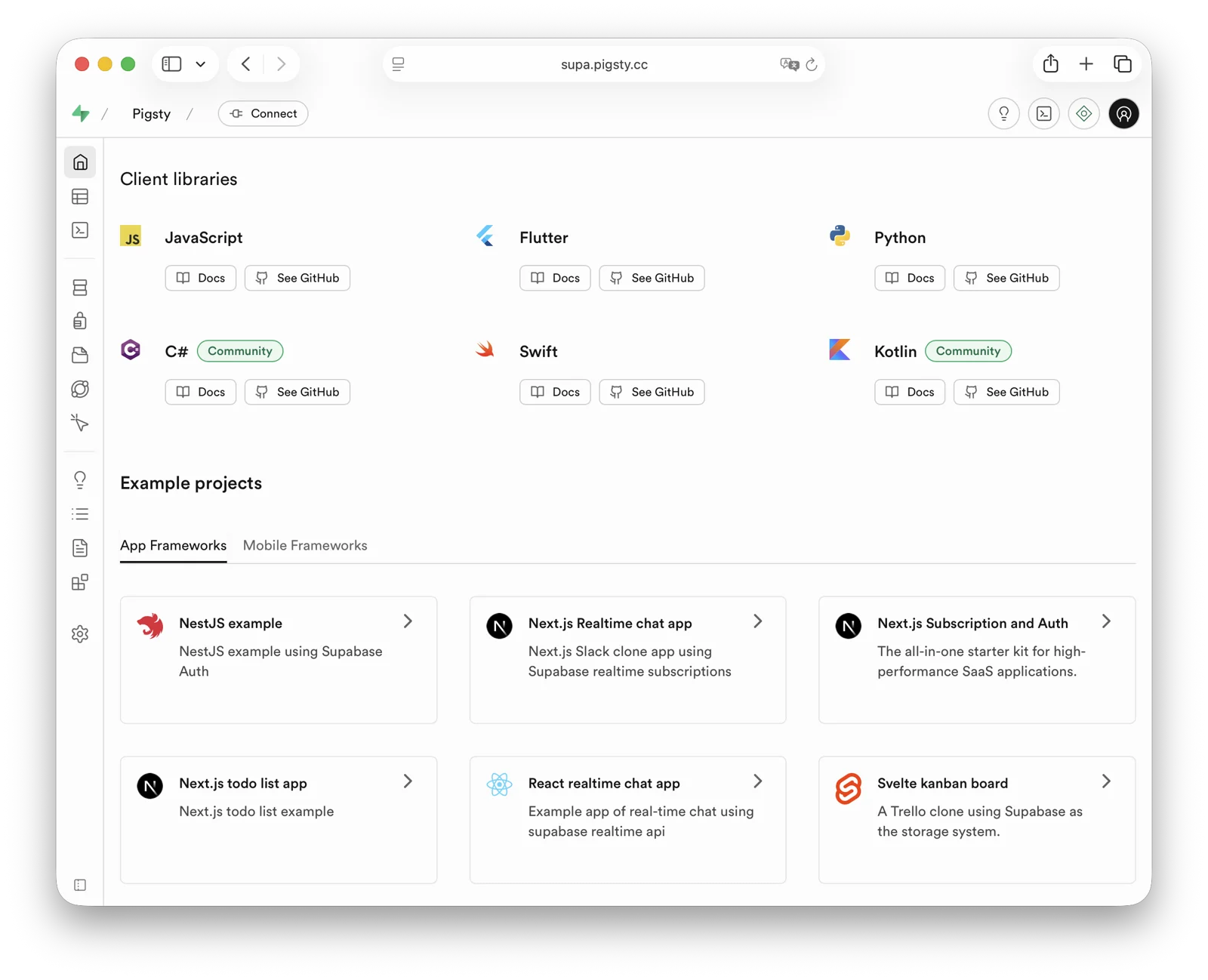
Quick Start
Pigsty’s default supabase.yml configuration template defines a single-node Supabase.
The current application combination tracks self-hosted/v0.8.2 (commit 564eab8), with Envoy and external Pigsty-managed PostgreSQL 18 as the defaults. The template still supports PostgreSQL 15–18. See the self-hosting guide for complete versions and the upgrade procedure for existing deployments.
First, use Pigsty’s standard installation process to install the Silo and PostgreSQL instances required for Supabase:
Before you deploy Supabase, adjust the Supabase parameters in pigsty.yml for your environment.
In particular, change the passwords.
Then run docker.yml and app.yml to deploy the Supabase containers:
In China, configure Docker mirrors or proxy servers to bypass GFW restrictions when you pull DockerHub images. Professional subscriptions include offline installation of Pigsty and Supabase without internet access.
By default, Pigsty exposes web services through Nginx on the administration node/INFRA node.
Add local DNS resolution that points supa.pigsty to this node.
Then open https://supa.pigsty in a browser to access the Supabase Studio management interface.
Default username and password: supabase / pigsty
demo/supabase.cast — /demo/supabase.cast
Configuration Details
./configure -c supabase generates ~/pigsty/pigsty.yml. Before running ./deploy.yml, review and update at least the passwords, keys, and domains in this file.
For complete configuration guidance, see the Supabase Self-Hosting Guide.
15.3 - Babelfish
Babelfish is a PostgreSQL-based SQL Server compatibility layer, open-sourced by AWS.
Overview
Deploy Babelfish in mssql mode to add these features to PostgreSQL:
- SQL Server wire protocol compatibility (TDS,
1433) - T-SQL compatibility
- Unified integration with Pigsty capabilities (HA, backup, monitoring, IaC)
In Pigsty v4, Babelfish supports PostgreSQL 17/18.
The default template uses pg_version: 17.
Babelfish is part of Pigsty’s standard delivery process and supports all Linux platforms.
Current Behavior
The current behavior differs from older Babelfish/PG15 documentation as follows:
- Supported kernel majors are PG17/18; the template defaults to PG17 (
pg_version: 17) - Default package group:
babelfish + pgsql-common + sqlcmd - Mainstream platform coverage:
- OS:
el8,el9,el10,d12,d13,u22,u24,u26 - Arch:
x86_64,aarch64
- OS:
mssqltemplate no longer requires an extramssqlrepo module (defaults tonode,infra,pgsql)
Older docs may still contain deprecated naming. Pigsty now consistently uses
Babelfishandbabelfishaliases.
Quick Start
Use the built-in Pigsty template:
After deployment, connect directly with SQL Server clients:
Key Configuration
Core parameters in the mssql template:
Connectivity and Ports
Babelfish clusters expose two protocol endpoints:
- PostgreSQL protocol:
5432 - SQL Server protocol (TDS):
1433
Through Pigsty services, you can also use these ports:
5433: fixed route to primary14335434: route to readable node1433
Notes
- Babelfish auth rules must use
md5instead of defaultscram-sha-256. - Default migration mode is
multi-db; switch withbabelfishpg_tsql.migration_modeif needed. - Some native PostgreSQL extensions cannot run directly on Babelfish kernels. Verify package availability and compatibility first.
- For production, restrict HBA rules and network access. Do not keep the open rules from the demonstration configuration.
Related Docs
Available Extensions
The Babelfish kernel has 55 available extensions. The following table lists the extra extensions, excluding bundled PG Contrib extensions:
| Extension | Version | Description |
|---|---|---|
| babelfishpg_common | 5.4.0 | Transact SQL Datatype Support |
| babelfishpg_money | 1.1.0 | babelfishpg_money |
| babelfishpg_tds | 1.0.0 | TDS protocol extension |
| babelfishpg_tsql | 5.4.0 | Transact SQL compatibility |
15.4 - Percona
Percona Postgres is a patched Postgres kernel with pg_tde (Transparent Data Encryption) extension.
From v4.4.0, Pigsty installs Percona PostgreSQL under the private prefix /usr/pgtde-$v.
Version v4.5.0 keeps this layout, with /usr/pgtde-18 for PostgreSQL 18.
The pgtde package alias installs both the kernel package and its contrib package.
These packages include pg_tde, PostGIS, pgvector, wal2json, pg_repack, pgaudit, and pg_stat_monitor.
Quick Start
Use Pigsty’s standard installation process with the pgtde configuration template.
Configuration
To deploy a Percona cluster, adjust these parameters:
Pigsty’s pgsql repository module supplies the pgtde packages.
The legacy percona module is not required by this template.
Available Extensions
The Percona Postgres kernel has 73 available extensions. The following table lists the extra extensions, excluding bundled PG Contrib extensions:
| Extension | Version | Description |
|---|---|---|
| address_standardizer | 3.5.7 | Parses an address into its elements. Usually supports address normalization for geocoding. |
| address_standardizer_data_us | 3.5.7 | Address Standardizer US dataset example |
| pg_repack | 1.5.3 | Reorganize tables in PostgreSQL databases with minimal locks |
| pg_stat_monitor | 2.3.2 | Monitors PostgreSQL query performance. Based on the PostgreSQL contrib module pg_stat_statements. Provides aggregated statistics, client information, execution plans and plan details, and histogram information. |
| pg_tde | 2.2.1 | pg_tde access method |
| pgaudit | 18.0 | provides auditing functionality |
| postgis | 3.5.7 | PostGIS geometry and geography spatial types and functions |
| postgis_raster | 3.5.7 | PostGIS raster types and functions |
| postgis_sfcgal | 3.5.7 | PostGIS SFCGAL functions |
| postgis_tiger_geocoder | 3.5.7 | PostGIS tiger geocoder and reverse geocoder |
| postgis_topology | 3.5.7 | PostGIS topology spatial types and functions |
| set_user | 4.2.0 | similar to SET ROLE but with added logging |
| vector | 0.8.3 | vector data type and ivfflat and hnsw access methods |
Key Features
- Transparent Data Encryption: Provides data-at-rest encryption using the pg_tde extension
- PostgreSQL 18 Compatible: Based on the Percona PostgreSQL 18 package set
- Enterprise Extensions: Includes enterprise-grade features like pgaudit, pg_stat_monitor
- Complete Ecosystem: Supports popular extensions like pgvector, PostGIS
Note: Currently in stable stage - thoroughly evaluate before production use.
15.5 - openHalo
OpenHalo is an open-source PostgreSQL kernel that provides MySQL wire-protocol compatibility.
openHalo is based on PostgreSQL 14.18 and provides wire-level compatibility with MySQL 5.7.32-log / 8.0.
Pigsty delivers it through pg_mode: mysql and the openhalo package alias.
Pigsty supports OpenHalo deployment on all supported Linux platforms.
- RPM build spec: github.com/pgsty/rpm/rpmbuild/specs/openhalodb.spec
- DEB build spec: github.com/pgsty/deb/debbuild/openhalodb
Quick Start
Use Pigsty’s standard installation flow with the mysql template.
Cluster Config
The OpenHalo extension aux_mysql provides functions and types for MySQL compatibility.
Enable it in the postgres database for full compatibility behavior.
- aux_mysql 1.5: MySQL Supplementary Extension
/usr/halo-14/share/postgresql/extension/aux_mysql.control$libdir/mysm,mysm.so
Usage
MySQL connections use the postgres database.
A MySQL database maps to a PostgreSQL schema.
Thus, use mysql selects the mysql schema in the postgres database.
Use the PostgreSQL usernames and passwords for MySQL access.
Client Access
OpenHalo listens on port 3306 for MySQL wire protocol clients.
Pigsty’s conf/mysql installs a MySQL client by default.
OpenHalo upstream currently reports that Navicat works normally on this port. IntelliJ DataGrip may fail.
Compatibility Parameters
Pigsty sets database_compat_mode to mysql by default.
To adjust compatibility behavior, use settings such as:
Patch Notes
Pigsty packages the OpenHalo kernel from HaloTech-Co-Ltd/openHalo with these adjustments:
- Restore default database name from
halo0roottopostgres - Remove
1.0.prefix in the default version string, keeping14.18 - Adjust default config to enable MySQL compatibility and listen on
3306
Pigsty does not provide warranty coverage for OpenHalo kernel behavior. Contact the upstream vendor about kernel-specific issues.
Warning: This kernel is currently in beta1. Evaluate its risks carefully before production use.
Available Extensions
The OpenHalo kernel has 59 available extensions. The following table lists the extra extensions, excluding bundled PG Contrib extensions:
| Extension | Version | Description |
|---|---|---|
| aux_mysql | 1.5 | MySQL Supplementary Extension |
| hstore_plpython2u | 1.0 | transform between hstore and plpython2u |
| hstore_plpythonu | 1.0 | transform between hstore and plpythonu |
| jsonb_plpython2u | 1.0 | transform between jsonb and plpython2u |
| jsonb_plpythonu | 1.0 | transform between jsonb and plpythonu |
| ltree_plpython2u | 1.0 | transform between ltree and plpython2u |
| ltree_plpythonu | 1.0 | transform between ltree and plpythonu |
15.6 - OrioleDB
OrioleDB is a PostgreSQL storage engine extension. It claims to provide 4x OLTP performance and to eliminate xid wraparound and table bloat issues. It also claims to provide cloud-native storage, with data stored in S3.
Pigsty ships OrioleDB as a patched PostgreSQL kernel plus the OrioleDB extension.
You can run OrioleDB as an RDS with Pigsty.
Current packages support PostgreSQL 16, 17, and 18 on supported Linux platforms.
Set pg_mode to oriole to use the /usr/oriole-$v installation path.
The orioledb package alias resolves to versioned kernel packages, such as orioledb-16, orioledb-17, and orioledb-18.
The current Pigsty package line is OrioleDB 1.8 beta16.
Quick Start
Follow Pigsty’s standard installation process using the oriole configuration template.
For production deployment, change the password parameters in pigsty.yml before you run the install playbook.
Configuration
Usage
To use OrioleDB, install the orioledb package alias.
Pigsty uses pg_version to select the PG16, PG17, or PG18 OrioleDB kernel package.
Initialize TPC-B-like tables with pgbench using 100 warehouses:
Next, rebuild these tables with the orioledb storage engine and compare performance:
Key Features
- No XID Wraparound: Eliminates transaction ID wraparound maintenance
- No Table Bloat: Advanced storage management prevents table bloat
- Cloud Storage: Native support for S3-compatible object storage
- OLTP Optimized: Designed for transactional workloads
- Improved Performance: Better space utilization and query performance
Note: Currently in Beta stage - thoroughly evaluate before production use.
Available Extensions
The OrioleDB kernel has 53 available extensions. The following table lists the extra extensions, excluding bundled PG Contrib extensions:
| Extension | Version | Description |
|---|---|---|
| orioledb | 1.8 | OrioleDB – the next generation transactional engine |
15.7 - Cloudberry
gpsql mode.Cloudberry is an open-source MPP data warehouse kernel derived from the Greenplum ecosystem. It supports large-scale parallel analytics workloads.
Overview
In Pigsty, Cloudberry uses gpsql mode and shares the same identity model, monitoring logic, and directory conventions as Greenplum / MatrixDB.
- Kernel package:
cloudberry - Mode identifier:
pg_mode: gpsql - Role flag:
gp_role: master | segment - Current repo version:
Cloudberry 2.1.0 - Current main package version: DEB
2.1.0-2PIGSTY, RPM2.1.0-3PIGSTY - Default binary directory:
/usr/cloudberry
Pigsty currently provides package delivery, node management, monitoring integration, access control, and configuration management for Cloudberry. For MPP cluster initialization, scale-out, rebalance, and other upstream operations, you should use the official Cloudberry tools.
The current Pigsty repository provides
cloudberry,cloudberry-backup, andcloudberry-pxfpackages for both DEB and RPM platforms.
Installation
There is no standalone cloudberry deployment template yet.
The usual procedure is:
- Enroll the target nodes into Pigsty.
- Install the
cloudberrykernel package. - Describe the coordinator / segment topology with
gpsqlmode. - Use Pigsty to unify monitoring, accounts, access control, and backup integration.
If you only need to install the kernel package on a node:
For an existing Cloudberry cluster, usually keep the original initialization procedure. Add the Pigsty inventory and monitoring configuration incrementally.
Configuration
Cloudberry uses gpsql mode.
There is no dedicated cloudberry mode.
In addition to standard PostgreSQL identity parameters, you need pg_shard and gp_role.
To label shard groups explicitly, you can also add pg_group.
This example shows a minimal topology:
Apply these role settings:
- Use
gp_role: masterfor the coordinator / master node. Applications usually connect to this node. gp_role: segmentnodes usually needpg_exporterto connect inutilitymode for monitoring.
Client Access
Cloudberry uses the PostgreSQL wire protocol for application and BI access. Most PostgreSQL-compatible clients, drivers, and BI tools can connect without special configuration.
Use these access guidelines:
- Applications and analytics queries should connect to the master / coordinator, not directly to segment nodes.
- Segment nodes are better treated as data/compute shards and monitoring targets.
- If you want a unified access endpoint, you can still use Pigsty’s HAProxy / PgBouncer / DNS service abstractions.
Extensions and Ecosystem
Cloudberry differs from native PostgreSQL with added extensions. For extension packages in Pigsty, consider these two categories:
- Pure SQL objects or components with weak ABI coupling are usually easier to adapt.
- Extensions that depend on PGXS or the kernel C ABI often need separate validation. They may also need recompilation with the Cloudberry version and toolchain.
If your workload requires postgis, vector extensions, FDWs, auditing, or custom C extensions, first validate them on the target Cloudberry version.
Do not copy a native PostgreSQL extension list without this check.
Notes
- Cloudberry currently has no dedicated Pigsty template. You should define its configuration manually with
gpsqlmode. - Pigsty currently provides packages, configuration, and monitoring. Use the official Cloudberry tools for MPP initialization and scale-out.
- Cloudberry is an MPP distributed kernel. Native PostgreSQL operating assumptions may not apply to every Patroni / PgBouncer / PgBackRest node role.
- If you need horizontal PostgreSQL scaling rather than a full MPP warehouse, Citus is usually the better first choice.
Related Docs
15.8 - AgensGraph
AgensGraph is a property graph database kernel built on PostgreSQL. It supports openCypher queries and mixed Cypher/SQL workflows.
Overview
Pigsty integrates AgensGraph through pg_mode: agens while preserving most of the standard PostgreSQL operational model.
- Kernel package:
agensgraph - Mode identifier:
pg_mode: agens - Current template version:
AgensGraph 2.17.0 - Current version string:
PostgreSQL 17.10 (AgensGraph 2.17.0) - Built-in template:
agens - Typical use cases: graph relationship analysis, path queries, knowledge graphs, and risk/association analysis layered onto relational data
AgensGraph uses the PostgreSQL wire protocol.
Standard PostgreSQL clients, drivers, and connection pools can connect directly.
AgensGraph adds graph objects, Cypher syntax, and the agtype data type to the database.
Installation
Use the built-in Pigsty template:
The agens template automatically enables pg_mode: agens and installs the agensgraph kernel package.
After deployment, verify the kernel version:
Configuration
Key configuration for AgensGraph in Pigsty:
AgensGraph does not require a special preload stack, unlike pgEdge or Babelfish.
Most standard Pigsty procedures for HA, backup, monitoring, access control, and IaC remain applicable.
If graph traversal and complex path queries dominate the workload, examine work_mem, shared_buffers, and planner cost settings.
Do not assume that the default OLTP settings are suitable.
Usage
After you connect to the database, usually create a graph first and set graph_path:
Create labels, vertices, and edges:
Run graph queries and updates:
To call Cypher from within SQL, use the cypher() function:
Projects commonly combine relational tables, graph labels, and Cypher queries.
Transactions, privileges, and backup procedures still follow PostgreSQL.
Graph analysis uses AgensGraph graph objects and the cypher() interface.
Notes
- AgensGraph currently uses the PG17-compatible line. Do not assume that PG18 extensions are available.
- The default
agenstemplate uses one node for quick validation. Production deployments should use an HA topology. - Third-party PostgreSQL extensions may be incompatible with AgensGraph. Verify compatibility first.
- Graph objects and relational objects can coexist in one database. For production, clear database or naming conventions usually help you distinguish them.
- Tune memory and cost parameters for the size of your graph model. Check that the defaults are suitable before you use them.
- For compatibility or semantic issues with the AgensGraph kernel, consult the official manual and upstream issues first.
Related Docs
- Pigsty config template:
conf/agens - PGSQL kernel mode config
- AgensGraph repository: https://github.com/skaiworldwide-oss/agensgraph
- AgensGraph official docs: https://tech.skaiworldwide.com/docs/en/agensgraph/latest/
- AgensGraph Quick Guide: https://tech.skaiworldwide.com/docs/en/agensgraph/17/quick_guide/index.html
- AgensGraph 2.17.0 Release Notes: https://tech.skaiworldwide.com/docs/en/agensgraph/latest/release_notes/agensgraph_release_notes_2_17_0.html
Available Extensions
The AgensGraph kernel has 60 available extensions. The following table lists the extra extensions, excluding bundled PG Contrib extensions:
| Extension | Version | Description |
|---|---|---|
| meta | 1.0 | Utility functions for agensgraph |
15.9 - pgEdge
pgEdge is a distributed PostgreSQL distribution for edge deployments. It uses Spock multi-master logical replication.
Overview
Pigsty integrates pgEdge through pg_mode: pgedge and delivers it through the standard PostgreSQL cluster workflow:
pgedge: a PG15, PG16, PG17, and PG18 compatible kernel; the template defaults to PG18spock: Active-active multi-master logical replicationsnowflake: Distributed unique sequenceslolor: Large object logical replication compatibility layer
The current Pigsty repository supplies the versioned kernel packages pgedge-15, pgedge-16, pgedge-17, and pgedge-18.
The template defaults to pg_version: 18.
The pgedge-$v kernel package includes the control files, SQL files, and shared libraries for spock, snowflake, and lolor.
Thus, these extensions are no longer separate packages in pg_extensions.
pgEdge supports the PostgreSQL wire protocol, so psql, JDBC/ODBC, DBeaver, and similar tools work as usual.
First validate the kernel on one node. Then expand to a replication topology with multiple nodes. The template configures the kernel, extensions, monitoring, backup, and access control. Design the multi-master topology for your workload consistency requirements and conflict strategy.
Installation
Use the built-in Pigsty template:
The template installs spock, snowflake, and lolor in the meta database.
After deployment, verify the kernel and extensions:
For the full template and parameters, see:
pgedgeconfig template.
Configuration
Key parameters in the pgedge template (matching conf/pgedge.yml):
For a future multi-node multi-master topology, we recommend explicit settings for logical replication capacity and snowflake.node:
snowflake.node must be unique on every writable node.
Otherwise, distributed IDs will collide.
Usage
First validate the kernel on one node. Then expand to a Spock replication topology with multiple nodes.
If you need these capabilities in a business database as well, create the extensions first:
Then use the Spock SQL API or the pgEdge CLI to create nodes, replication sets, and subscriptions.
If your schema uses serial or identity, plan the snowflake sequence migration before you enable multi-master writes.
Otherwise, primary key collisions between nodes are likely.
Notes
- Configure pgEdge replication for each database. There is no instance-wide switch to enable multi-master replication for all databases.
- Replicated tables should have a
PRIMARY KEYor an appropriateREPLICA IDENTITY. UNLOGGEDandTEMPORARYtables do not participate in Spock logical replication.- Spock configuration and operations usually require superuser privileges. Production deployments should define privilege boundaries clearly.
- If your workload requires large object replication, use
lolorexplicitly. Do not assume that native large objects will replicate correctly. - Before you configure multi-master replication across regions, evaluate network latency, conflict handling, and the write model.
Related Docs
- PGSQL Kernel Overview
pgedgeconfig template- PGSQL kernel mode config
spockextensionsnowflakeextensionlolorextension- pgEdge official docs
- Spock Limitations
- Snowflake Sequences
Available Extensions
The pgEdge kernel has 63 available extensions. The following table lists the extra extensions, excluding bundled PG Contrib extensions:
15.10 - DocumentDB
Microsoft maintains DocumentDB, an open-source PostgreSQL document database extension. FerretDB is a stateless protocol translation proxy built on DocumentDB. Together, they provide a MongoDB wire-compatible endpoint for a standard PostgreSQL kernel. Applications can connect directly with MongoDB drivers. FerretDB translates their requests into PostgreSQL operations.
This stack is not a standalone PostgreSQL fork.
The data layer uses native PostgreSQL 16–18, which the standard PGSQL module manages.
PostgreSQL provides persistence, transactions, high availability, backup, monitoring, and access control.
FerretDB runs as a Pigsty Docker APP and handles only protocol translation.
Pigsty is a FerretDB community partner.
It provides binary packages for FerretDB and the DocumentDB extensions.
Use the mongo configuration template to deploy the complete stack.
Quick Start
Use Pigsty’s standard installation flow with the mongo configuration template:
By default, FerretDB listens on the local loopback address at port 27017.
Connect with mongosh or any MongoDB-compatible client:
Configuration
Source: pigsty/conf/mongo.yml. See the Mongo configuration template documentation for the complete template.
The key PostgreSQL settings are the documentdb extension and its preload libraries, plus the backend superuser used by FerretDB:
FerretDB runs as a Docker APP.
Set its configuration overrides under apps.ferretdb.conf.
The container connects to the local primary service on port 5436 through host.docker.internal:
High Availability
FerretDB is fully stateless, so its HA topology follows the standard PostgreSQL cluster pattern.
The template includes a commented three-node pg-mongo example.
Each node runs a FerretDB container on local port 27018.
HAProxy routes access to these containers through the floating endpoint 10.10.10.4:27017 (mongo.pigsty).
Patroni and etcd manage PostgreSQL failover. The Mongo endpoint automatically recovers after the primary switches.
Notes
- FerretDB enables authentication by default (
FERRETDB_AUTH: true). It does not yet implement MongoDB authorization roles. PostgreSQL users and HBA rules control access. - Client-side MongoDB TLS is disabled by default. The Mongo endpoint is not exposed to the network. Change
FERRETDB_BIND_ADDRonly when remote access is required. - The backend cluster uses standard PostgreSQL parameters, playbooks, and dashboards. There is no independent FERRET module or
mongo_*parameter group. - Repeat an authenticated CRUD smoke test after upgrading FerretDB or DocumentDB.
15.11 - Citus
Pigsty natively supports Citus. This is a distributed horizontal scaling extension based on the native PostgreSQL kernel.
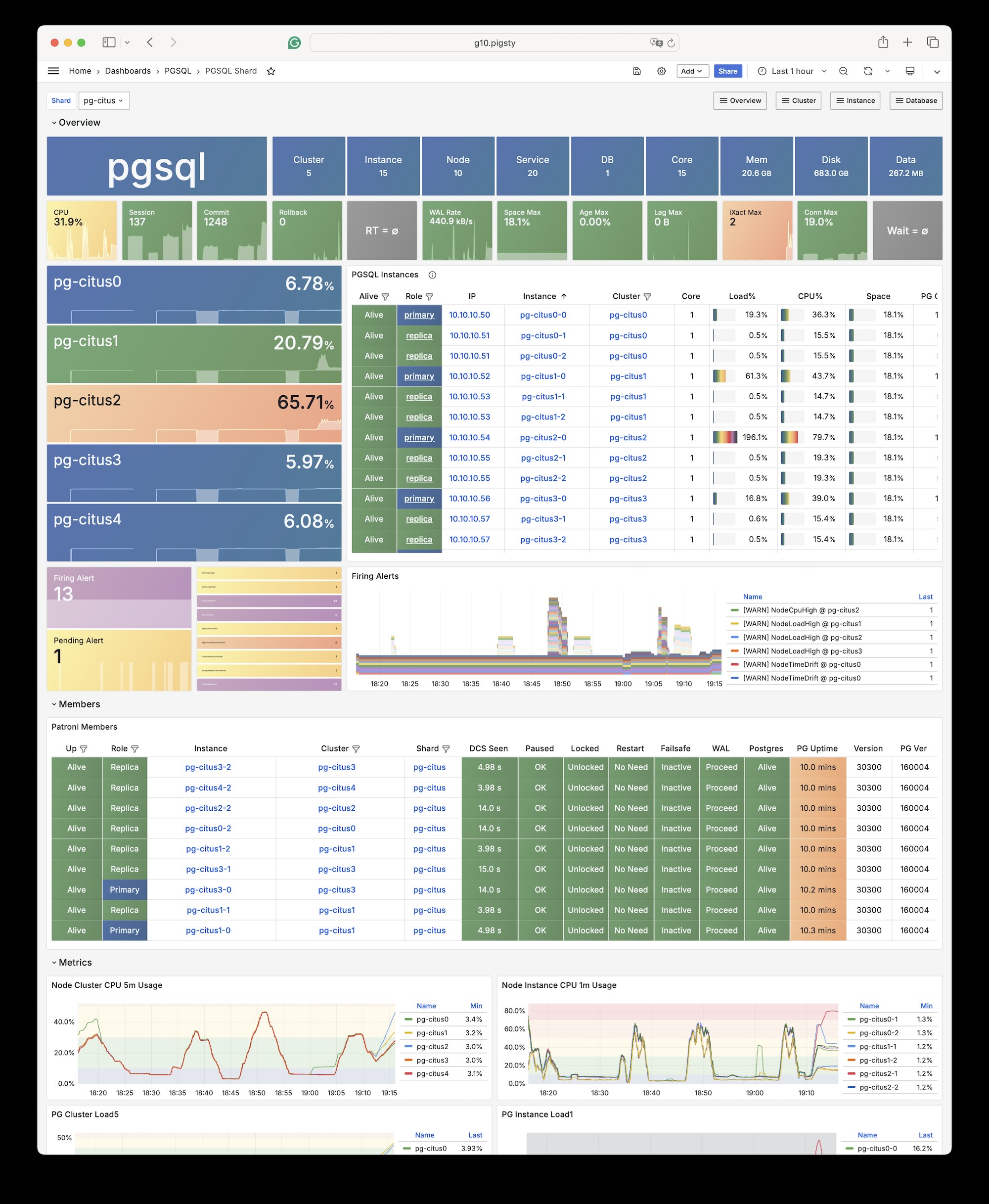
Installation
Citus is a PostgreSQL extension plugin. Use the standard extension installation procedure to install and enable it on a native PostgreSQL cluster.
Configuration
To define a Citus cluster, set these parameters:
pg_modemust be set tocitusinstead of the defaultpgsql- You must define the shard name
pg_shardand shard numberpg_groupon each shard cluster - You must define
pg_primary_dbto specify the database managed by Patroni - You can run administration commands as
postgresfrompg_dbsu, instead of the defaultpg_admin_username. If you use this account, you must setpg_dbsu_passwordto a non-empty plaintext password.
You also need HBA rules that allow SSL access from localhost and other data nodes.
You can define each Citus cluster as a separate group, as with standard PostgreSQL clusters.
The current complete template is conf/ha/citus.yml:
You can also specify identity parameters for all Citus cluster members within a single group, as shown in conf/ha/citus.yml:
Usage
Connect to any node as you would connect to a regular cluster:
By default, changes to one shard affect only that cluster. These changes do not synchronize to other shards.
To distribute writes across all shards, use Citus API functions to mark tables as one of these types:
- Distributed tables (automatic partitioning, requires specifying partition key)
- Reference tables (full replication: does not require specifying partition key)
From Citus 11.2, any Citus database node can act as coordinator. Thus, any primary node can write:
After distributing the tables, you can also access them on other nodes:
For example, this full table scan shows a distributed execution plan:
You can initiate writes from several different primary nodes:
When a node fails, Patroni promotes the standby node. The standby automatically takes over through native high availability support.
15.12 - IvorySQL
IvorySQL is an open-source PostgreSQL kernel fork that aims to provide Oracle compatibility.
Overview
The Pigsty PGSQL repository provides IvorySQL 5.4 packages compatible with PostgreSQL 18.4.
Packages cover the currently supported EL, Debian, and Ubuntu platforms on both architectures.
Online installation uses Pigsty’s pgsql repository.
The Professional Edition also provides offline delivery for these platforms.
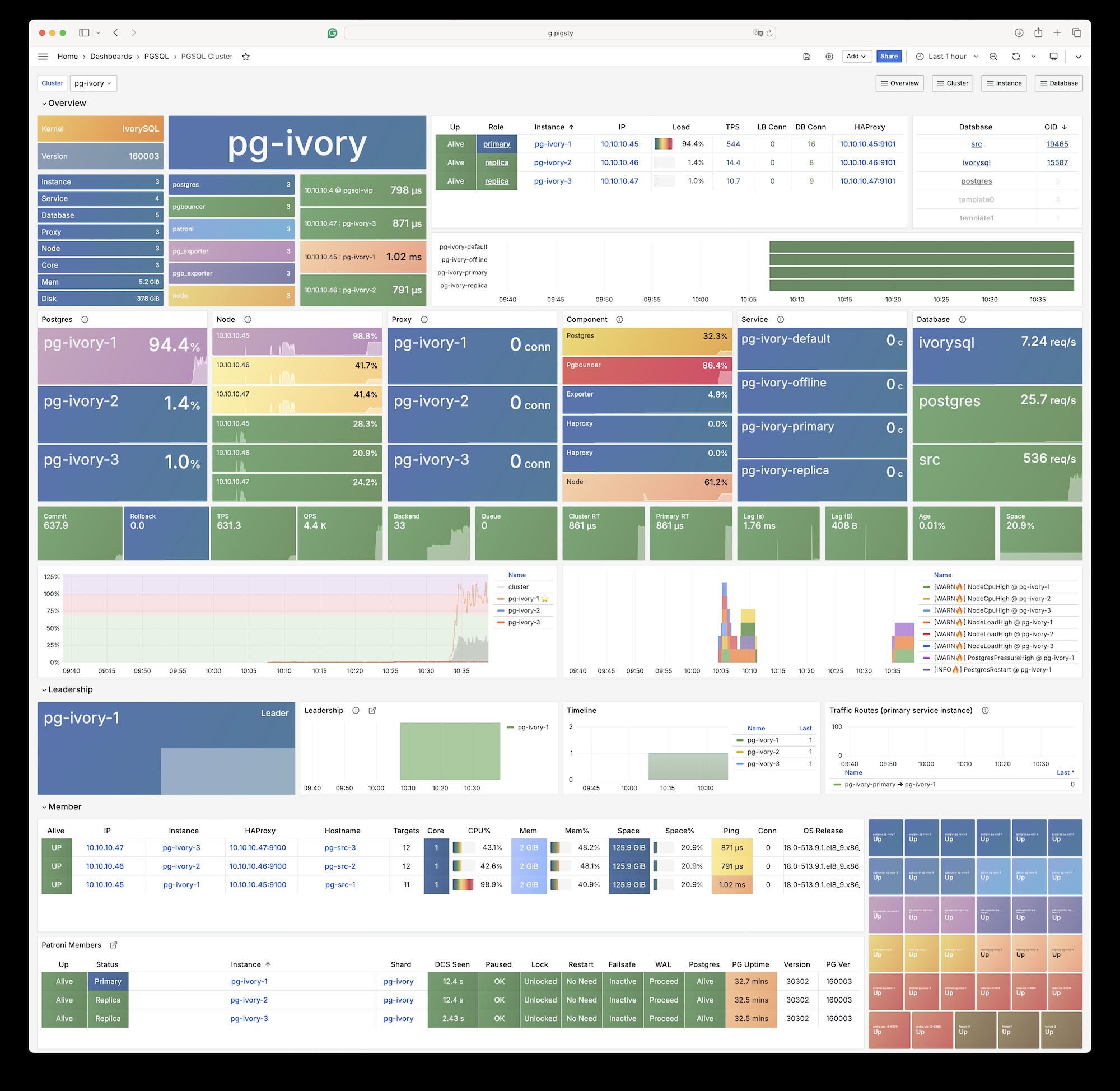
Pigsty’s ivorysql package alias points to IvorySQL 5, which is compatible with PostgreSQL 18.
Platform variables under roles/node_id/vars/ map the alias to package names.
For example, EL uses ivorysql5, and Debian/Ubuntu uses ivorysql-5.
IvorySQL 3.3 was the last version to support EL7. It corresponds to PostgreSQL 16.3. IvorySQL 4.4 is the last version based on PostgreSQL 17.
Installation
Install with Pigsty’s built-in ivory configuration template:
Configuration
Set these parameters for an IvorySQL database cluster:
For Oracle compatibility mode, dynamically load the
liboracle_parserextension plugin.
Client Access
IvorySQL 5 is equivalent to PostgreSQL 18. Any client tool that supports the PostgreSQL wire protocol can connect to IvorySQL clusters.
Available Extensions
The IvorySQL kernel has 95 available extensions. The following table lists the extra extensions, excluding bundled PG Contrib extensions:
| Extension | Version | Description |
|---|---|---|
| address_standardizer | 3.5.4 | Parses an address into its elements. Usually supports address normalization for geocoding. |
| address_standardizer_data_us | 3.5.4 | Address Standardizer US dataset example |
| age | 1.7.0 | AGE database extension |
| ddlx | 0.31 | DDL eXtractor functions |
| gb18030_2022 | 1.0 | support gb18030 2022 with extension |
| http | 1.7 | HTTP client for PostgreSQL, allows web page retrieval inside the database. |
| ivorysql_ora | 1.0 | Oracle Compatible extenison on Postgres Database |
| ora_btree_gin | 1.0 | support for indexing oracle datatypes in GIN |
| ora_btree_gist | 1.0 | support for oracle indexing common datatypes in GiST |
| pg_bigm | 1.2 | text similarity measurement and index searching based on bigrams |
| pg_cron | 1.6 | Job scheduler for PostgreSQL |
| pg_curl | 2.4 | PostgreSQL cURL allows most curl actions, including data transfer with URL syntax via HTTP, HTTPS, FTP, FTPS, GOPHER, TFTP, SCP, SFTP, SMB, TELNET, DICT, LDAP, LDAPS, FILE, IMAP, SMTP, POP3, RTSP and RTMP |
| pg_get_functiondef | 1.0 | Get function’s definition |
| pg_hint_plan | 1.8.0 | optimizer hints for PostgreSQL |
| pg_jieba | 1.1.1 | a parser for full-text search of Chinese |
| pg_partman | 5.3.1 | Extension to manage partitioned tables by time or ID |
| pg_show_plans | 2.1 | show query plans of all currently running SQL statements |
| pg_stat_monitor | 2.3 | Monitors PostgreSQL query performance. Based on the PostgreSQL contrib module pg_stat_statements. Provides aggregated statistics, client information, execution plans and plan details, and histogram information. |
| pg_textsearch | 0.1.0 | Full-text search with BM25 ranking |
| pgagent | 4.2 | A PostgreSQL job scheduler |
| pgaudit | 18.0 | provides auditing functionality |
| pgroonga | 4.0.4 | Super fast and all languages supported full text search index based on Groonga |
| pgroonga_database | 4.0.4 | PGroonga database management module |
| pgrouting | 3.8.0 | pgRouting Extension |
| plisql | 1.0 | PL/iSQL procedural language |
| plpgsql_check | 2.8 | extended check for plpgsql functions |
| postgis | 3.5.4 | PostGIS geometry and geography spatial types and functions |
| postgis_raster | 3.5.4 | PostGIS raster types and functions |
| postgis_sfcgal | 3.5.4 | PostGIS SFCGAL functions |
| postgis_tiger_geocoder | 3.5.4 | PostGIS tiger geocoder and reverse geocoder |
| postgis_topology | 3.5.4 | PostGIS topology spatial types and functions |
| redis_fdw | 1.0 | Foreign data wrapper for querying a Redis server |
| system_stats | 3.0 | EnterpriseDB system statistics for PostgreSQL |
| vector | 0.8.1 | vector data type and ivfflat and hnsw access methods |
| zhparser | 2.3 | a parser for full-text search of Chinese |
Pigsty does not assume any warranty responsibility for use of the IvorySQL kernel. Contact the original vendor about issues or requirements for this kernel.
15.13 - PolarDB PG
Overview
Use Pigsty and PolarDB to create PostgreSQL clusters with “domestic innovation qualification” credentials.
PolarDB for PostgreSQL now uses PostgreSQL 17 as its base.
The Pigsty polar template, default path, and extension notes now use PG17.
Any client tool that supports the PostgreSQL wire protocol can connect to PolarDB clusters.
Pigsty’s PGSQL repository provides PolarDB PG open-source installation packages. Pigsty does not download these packages to the local software repository during installation.
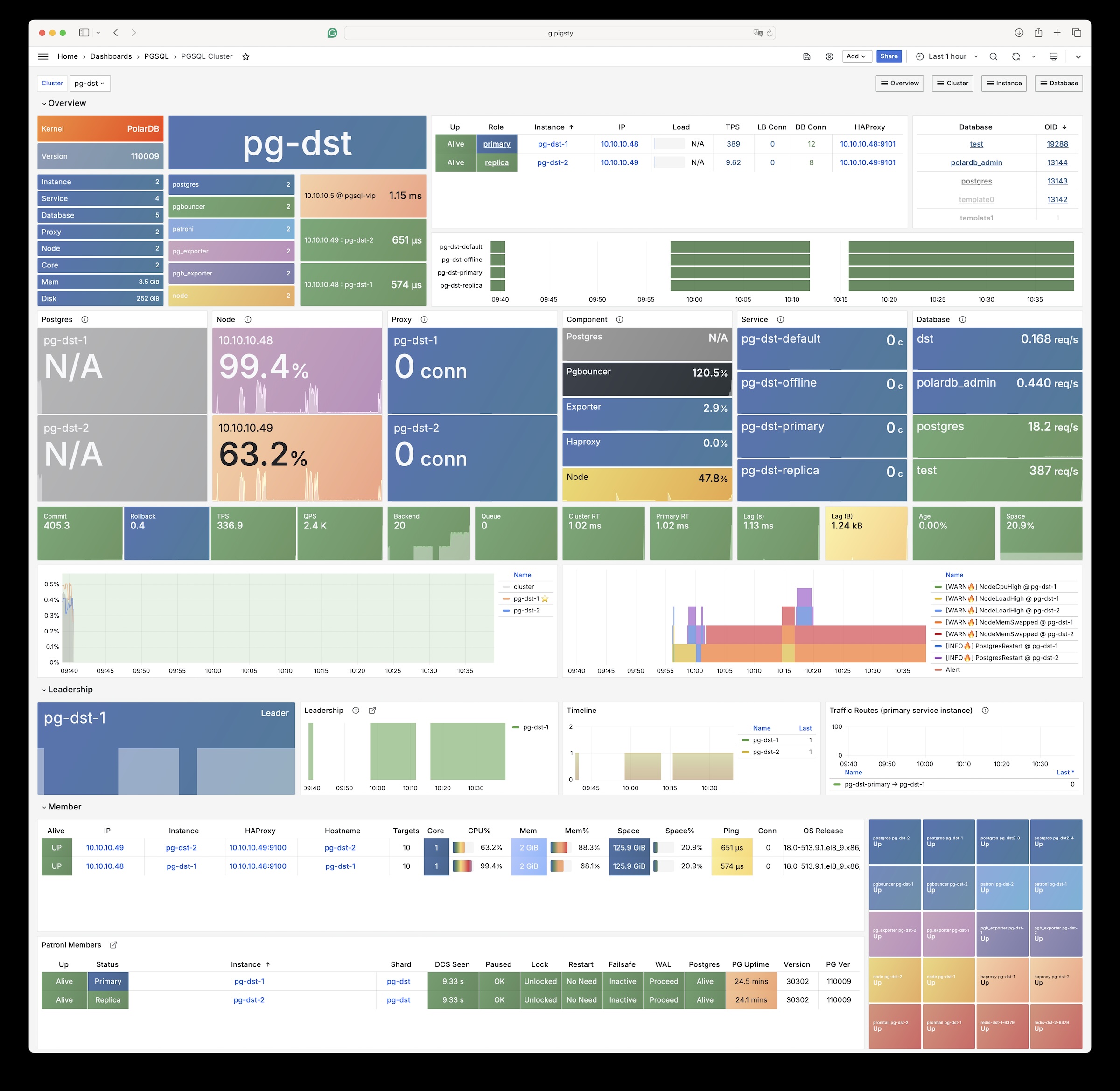
Installation
Use the built-in Pigsty template:
Change Summary
From Pigsty v4.4, the PolarDB PG kernel uses packages that Pigsty builds and maintains. The main changes are:
| Item | Old docs / old default | Current |
|---|---|---|
| Kernel baseline | PostgreSQL 15 | PostgreSQL 17 |
| Default PolarDB path | /u01/polardb_pg | /usr/polar-17 |
| Supported architectures | x86_64 | x86_64, aarch64 |
| Available extensions | Old docs said 61 | pg_available_extensions returns 93; 34 remain after filtering contrib |
| Replication user requirement | replicator must be SUPERUSER | unchanged |
Configuration
Set these parameters for PolarDB database clusters:
The default installation directory for the polar kernel is now /usr/polar-17.
PolarDB PG still requires the replicator replication user to be SUPERUSER.
Native PostgreSQL does not have this requirement.
Available Extensions
The PolarDB PG kernel has 93 available extensions. The following table lists the extra extensions, excluding bundled PG Contrib extensions:
| Extension | Version | Description |
|---|---|---|
| hll | 2.18 | type for storing hyperloglog data |
| ip4r | 2.4 | |
| log_fdw | 1.4 | foreign-data wrapper for Postgres log file access |
| pase | 0.0.1 | ant ai similarity search |
| pg_bigm | 1.2 | text similarity measurement and index searching based on bigrams |
| pg_cron | 1.5 | Job scheduler for PostgreSQL |
| pg_cron_preload | 1.0 | polardb pg extend catalog |
| pg_hint_plan | 1.7.0 | optimizer hints for PostgreSQL |
| pg_jieba | 1.1.0 | a parser for full-text search of Chinese |
| pg_partman | 5.2.4 | Extension to manage partitioned tables by time or ID |
| pg_profile | 4.10 | PostgreSQL load profile repository and report builder |
| pg_repack | 1.5.1-1 | Reorganize tables in PostgreSQL databases with minimal locks |
| pg_similarity | 1.0 | support similarity queries |
| pg_squeeze | 1.9 | A tool to remove unused space from a relation. |
| pg_stat_kcache | 2.3.0 | Kernel statistics gathering |
| pgaudit | 17.1 | provides auditing functionality |
| pgtap | 1.3.3 | Unit testing for PostgreSQL |
| pldbgapi | 1.1 | server-side support for debugging PL/pgSQL functions |
| polar_advisor | 1.1 | polar_advisor |
| polar_feature_utils | 1.0 | PolarDB feature utilization |
| polar_io_stat | 1.0 | polar io stat in multi dimension |
| polar_monitor | 1.3 | monitor functions for PolarDB |
| polar_monitor_preload | 1.0 | examine the polardb information |
| polar_parameter_manager | 1.2 | Extension to select parameters for manger. |
| polar_proxy_utils | 1.0 | Extension to provide operations about proxy. |
| polar_resource_manager | 1.0 | a background process that forcibly frees user session process memory |
| polar_smgrperf | 1.0 | smgr perf test extension |
| polar_tde_utils | 1.0 | Internal extension for TDE |
| polar_vfs | 1.0 | polar virtual file system for different storage |
| polar_worker | 1.1 | polar_worker |
| prefix | 1.2.0 | Prefix Range module for PostgreSQL |
| roaringbitmap | 0.5 | support for Roaring Bitmaps |
| sequential_uuids | 1.0.3 | generator of sequential UUIDs |
| varbitx | 1.1 | varbit functions pack |
15.14 - PolarDB Oracle
Use Pigsty to create PolarDB for Oracle clusters with “domestic innovation qualification” credentials.
The Security and Reliability Evaluation Results Announcement (No. 1, 2023) lists PolarDB v2.0 in Appendix 3, Centralized Database. It identifies PolarDB v2.0 as an autonomous, controllable, secure, and reliable domestic innovation database.
PolarDB for Oracle is an Oracle-compatible version based on PolarDB for PostgreSQL.
Both use the same kernel.
The --compatibility-mode parameter selects the mode.
We work with the Alibaba Cloud kernel team to provide a complete database solution with the PolarDB v2.0 kernel and Pigsty. For inquiries, contact sales. You can also purchase it on Alibaba Cloud Marketplace.
The PolarDB for Oracle kernel is currently only available on EL7 (CentOS 7) systems.
Extensions
The PolarDB 2.0 kernel in Oracle compatibility mode currently includes these 188 extension plugins:
| name | default_version | comment |
|---|---|---|
| cube | 1.5 | data type for multidimensional cubes |
| ip4r | 2.4 | NULL |
| adminpack | 2.1 | administrative functions for PostgreSQL |
| dict_xsyn | 1.0 | text search dictionary template for extended synonym processing |
| amcheck | 1.4 | functions for verifying relation integrity |
| autoinc | 1.0 | functions for autoincrementing fields |
| hstore | 1.8 | data type for storing sets of (key, value) pairs |
| bloom | 1.0 | bloom access method - signature file based index |
| earthdistance | 1.1 | calculate great-circle distances on the surface of the Earth |
| hstore_plperl | 1.0 | transform between hstore and plperl |
| bool_plperl | 1.0 | transform between bool and plperl |
| file_fdw | 1.0 | foreign-data wrapper for flat file access |
| bool_plperlu | 1.0 | transform between bool and plperlu |
| fuzzystrmatch | 1.1 | determine similarities and distance between strings |
| hstore_plperlu | 1.0 | transform between hstore and plperlu |
| btree_gin | 1.3 | support for indexing common datatypes in GIN |
| hstore_plpython2u | 1.0 | transform between hstore and plpython2u |
| btree_gist | 1.6 | support for indexing common datatypes in GiST |
| hll | 2.17 | type for storing hyperloglog data |
| hstore_plpython3u | 1.0 | transform between hstore and plpython3u |
| citext | 1.6 | data type for case-insensitive character strings |
| hstore_plpythonu | 1.0 | transform between hstore and plpythonu |
| hypopg | 1.3.1 | Hypothetical indexes for PostgreSQL |
| insert_username | 1.0 | functions for tracking who changed a table |
| dblink | 1.2 | connect to other PostgreSQL databases from within a database |
| decoderbufs | 0.1.0 | Logical decoding plugin that delivers WAL stream changes using a Protocol Buffer format |
| intagg | 1.1 | integer aggregator and enumerator (obsolete) |
| dict_int | 1.0 | text search dictionary template for integers |
| intarray | 1.5 | functions, operators, and index support for 1-D arrays of integers |
| isn | 1.2 | data types for international product numbering standards |
| jsonb_plperl | 1.0 | transform between jsonb and plperl |
| jsonb_plperlu | 1.0 | transform between jsonb and plperlu |
| jsonb_plpython2u | 1.0 | transform between jsonb and plpython2u |
| jsonb_plpython3u | 1.0 | transform between jsonb and plpython3u |
| jsonb_plpythonu | 1.0 | transform between jsonb and plpythonu |
| lo | 1.1 | Large Object maintenance |
| log_fdw | 1.0 | foreign-data wrapper for csvlog |
| ltree | 1.2 | data type for hierarchical tree-like structures |
| ltree_plpython2u | 1.0 | transform between ltree and plpython2u |
| ltree_plpython3u | 1.0 | transform between ltree and plpython3u |
| ltree_plpythonu | 1.0 | transform between ltree and plpythonu |
| moddatetime | 1.0 | functions for tracking last modification time |
| old_snapshot | 1.0 | utilities in support of old_snapshot_threshold |
| oracle_fdw | 1.2 | foreign data wrapper for Oracle access |
| oss_fdw | 1.1 | foreign-data wrapper for OSS access |
| pageinspect | 2.1 | inspect the contents of database pages at a low level |
| pase | 0.0.1 | ant ai similarity search |
| pg_bigm | 1.2 | text similarity measurement and index searching based on bigrams |
| pg_freespacemap | 1.2 | examine the free space map (FSM) |
| pg_hint_plan | 1.4 | controls execution plan with hinting phrases in comment of special form |
| pg_buffercache | 1.5 | examine the shared buffer cache |
| pg_prewarm | 1.2 | prewarm relation data |
| pg_repack | 1.4.8-1 | Reorganize tables in PostgreSQL databases with minimal locks |
| pg_sphere | 1.0 | spherical objects with useful functions, operators and index support |
| pg_cron | 1.5 | Job scheduler for PostgreSQL |
| pg_jieba | 1.1.0 | a parser for full-text search of Chinese |
| pg_stat_kcache | 2.2.1 | Kernel statistics gathering |
| pg_stat_statements | 1.9 | track planning and execution statistics of all SQL statements executed |
| pg_surgery | 1.0 | extension to perform surgery on a damaged relation |
| pg_trgm | 1.6 | text similarity measurement and index searching based on trigrams |
| pg_visibility | 1.2 | examine the visibility map (VM) and page-level visibility info |
| pg_wait_sampling | 1.1 | sampling based statistics of wait events |
| pgaudit | 1.6.2 | provides auditing functionality |
| pgcrypto | 1.3 | cryptographic functions |
| pgrowlocks | 1.2 | show row-level locking information |
| pgstattuple | 1.5 | show tuple-level statistics |
| pgtap | 1.2.0 | Unit testing for PostgreSQL |
| pldbgapi | 1.1 | server-side support for debugging PL/pgSQL functions |
| plperl | 1.0 | PL/Perl procedural language |
| plperlu | 1.0 | PL/PerlU untrusted procedural language |
| plpgsql | 1.0 | PL/pgSQL procedural language |
| plpython2u | 1.0 | PL/Python2U untrusted procedural language |
| plpythonu | 1.0 | PL/PythonU untrusted procedural language |
| plsql | 1.0 | Oracle compatible PL/SQL procedural language |
| pltcl | 1.0 | PL/Tcl procedural language |
| pltclu | 1.0 | PL/TclU untrusted procedural language |
| polar_bfile | 1.0 | The BFILE data type enables access to binary file LOBs that are stored in file systems outside Database |
| polar_bpe | 1.0 | polar_bpe |
| polar_builtin_cast | 1.1 | Internal extension for builtin casts |
| polar_builtin_funcs | 2.0 | implement polar builtin functions |
| polar_builtin_type | 1.5 | polar_builtin_type for PolarDB |
| polar_builtin_view | 1.5 | polar_builtin_view |
| polar_catalog | 1.2 | polardb pg extend catalog |
| polar_channel | 1.0 | polar_channel |
| polar_constraint | 1.0 | polar_constraint |
| polar_csn | 1.0 | polar_csn |
| polar_dba_views | 1.0 | polar_dba_views |
| polar_dbms_alert | 1.2 | implement polar_dbms_alert - supports asynchronous notification of database events. |
| polar_dbms_application_info | 1.0 | implement polar_dbms_application_info - record names of executing modules or transactions in the database. |
| polar_dbms_pipe | 1.1 | implements polar_dbms_pipe - package lets two or more sessions in the same instance communicate. |
| polar_dbms_aq | 1.2 | implement dbms_aq - provides an interface to Advanced Queuing. |
| polar_dbms_lob | 1.3 | implement dbms_lob - provides subprograms to operate on BLOBs, CLOBs, and NCLOBs. |
| polar_dbms_output | 1.2 | implement polar_dbms_output - enables you to send messages from stored procedures. |
| polar_dbms_lock | 1.0 | implement polar_dbms_lock - provides an interface to Oracle Lock Management services. |
| polar_dbms_aqadm | 1.3 | polar_dbms_aqadm - procedures to manage Advanced Queuing configuration and administration information. |
| polar_dbms_assert | 1.0 | implement polar_dbms_assert - provide an interface to validate properties of the input value. |
| polar_dbms_metadata | 1.0 | implement polar_dbms_metadata - provides a way for you to retrieve metadata from the database dictionary. |
| polar_dbms_random | 1.0 | implement polar_dbms_random - a built-in random number generator, not intended for cryptography |
| polar_dbms_crypto | 1.1 | implement dbms_crypto - provides an interface to encrypt and decrypt stored data. |
| polar_dbms_redact | 1.0 | implement polar_dbms_redact - provides an interface to mask data from queries by an application. |
| polar_dbms_debug | 1.1 | server-side support for debugging PL/SQL functions |
| polar_dbms_job | 1.0 | polar_dbms_job |
| polar_dbms_mview | 1.1 | implement polar_dbms_mview - enables to refresh materialized views. |
| polar_dbms_job_preload | 1.0 | polar_dbms_job_preload |
| polar_dbms_obfuscation_toolkit | 1.1 | implement polar_dbms_obfuscation_toolkit - enables an application to get data md5. |
| polar_dbms_rls | 1.1 | implement polar_dbms_rls - a fine-grained access control administrative built-in package |
| polar_multi_toast_utils | 1.0 | polar_multi_toast_utils |
| polar_dbms_session | 1.2 | implement polar_dbms_session - support to set preferences and security levels. |
| polar_odciconst | 1.0 | implement ODCIConst - Provide some built-in constants in Oracle. |
| polar_dbms_sql | 1.2 | implement polar_dbms_sql - provides an interface to execute dynamic SQL. |
| polar_osfs_toolkit | 1.0 | osfs library tools and functions extension |
| polar_dbms_stats | 14.0 | stabilize plans by fixing statistics |
| polar_monitor | 1.5 | monitor functions for PolarDB |
| polar_osfs_utils | 1.0 | osfs library utils extension |
| polar_dbms_utility | 1.3 | implement polar_dbms_utility - provides various utility subprograms. |
| polar_parameter_check | 1.0 | kernel extension for parameter validation |
| polar_dbms_xmldom | 1.0 | implement dbms_xmldom and dbms_xmlparser - support standard DOM interface and xml parser object |
| polar_parameter_manager | 1.1 | Extension to select parameters for manager. |
| polar_faults | 1.0.0 | simulate some database faults for end user or testing system. |
| polar_monitor_preload | 1.1 | examine the polardb information |
| polar_proxy_utils | 1.0 | Extension to provide operations about proxy. |
| polar_feature_utils | 1.2 | PolarDB feature utilization |
| polar_global_awr | 1.0 | PolarDB Global AWR Report |
| polar_publication | 1.0 | support polardb pg logical replication |
| polar_global_cache | 1.0 | polar_global_cache |
| polar_px | 1.0 | Parallel Execution extension |
| polar_serverless | 1.0 | polar serverless extension |
| polar_resource_manager | 1.0 | a background process that forcibly frees user session process memory |
| polar_sys_context | 1.1 | implement polar_sys_context - returns the value of parameter associated with the context namespace at the current instant. |
| polar_gpc | 1.3 | polar_gpc |
| polar_tde_utils | 1.0 | Internal extension for TDE |
| polar_gtt | 1.1 | polar_gtt |
| polar_utl_encode | 1.2 | implement polar_utl_encode - provides functions that encode RAW data into a standard encoded format |
| polar_htap | 1.1 | extension for PolarDB HTAP |
| polar_htap_db | 1.0 | extension for PolarDB HTAP database level operation |
| polar_io_stat | 1.0 | polar io stat in multi dimension |
| polar_utl_file | 1.0 | implement utl_file - support PL/SQL programs can read and write operating system text files |
| polar_ivm | 1.0 | polar_ivm |
| polar_sql_mapping | 1.2 | Record error sqls and mapping them to correct one |
| polar_stat_sql | 1.0 | Kernel statistics gathering, and sql plan nodes information gathering |
| tds_fdw | 2.0.2 | Foreign data wrapper for querying a TDS database (Sybase or Microsoft SQL Server) |
| xml2 | 1.1 | XPath querying and XSLT |
| polar_upgrade_catalogs | 1.1 | Upgrade catalogs for old version instance |
| polar_utl_i18n | 1.1 | polar_utl_i18n |
| polar_utl_raw | 1.0 | implement utl_raw - provides SQL functions for manipulating RAW datatypes. |
| timescaledb | 2.9.2 | Enables scalable inserts and complex queries for time-series data |
| polar_vfs | 1.0 | polar virtual file system for different storage |
| polar_worker | 1.0 | polar_worker |
| postgres_fdw | 1.1 | foreign-data wrapper for remote PostgreSQL servers |
| refint | 1.0 | functions for implementing referential integrity (obsolete) |
| roaringbitmap | 0.5 | support for Roaring Bitmaps |
| tsm_system_time | 1.0 | TABLESAMPLE method which accepts time in milliseconds as a limit |
| vector | 0.5.0 | vector data type and ivfflat and hnsw access methods |
| rum | 1.3 | RUM index access method |
| unaccent | 1.1 | text search dictionary that removes accents |
| seg | 1.4 | data type for representing line segments or floating-point intervals |
| sequential_uuids | 1.0.2 | generator of sequential UUIDs |
| uuid-ossp | 1.1 | generate universally unique identifiers (UUIDs) |
| smlar | 1.0 | compute similarity of any one-dimensional arrays |
| varbitx | 1.1 | varbit functions pack |
| sslinfo | 1.2 | information about SSL certificates |
| tablefunc | 1.0 | functions that manipulate whole tables, including crosstab |
| tcn | 1.0 | Triggered change notifications |
| zhparser | 1.0 | a parser for full-text search of Chinese |
| address_standardizer | 3.3.2 | Ganos PostGIS address standardizer |
| address_standardizer_data_us | 3.3.2 | Ganos PostGIS address standardizer data us |
| ganos_fdw | 6.0 | Ganos Spatial FDW extension for POLARDB |
| ganos_geometry | 6.0 | Ganos geometry lite extension for POLARDB |
| ganos_geometry_pyramid | 6.0 | Ganos Geometry Pyramid extension for POLARDB |
| ganos_geometry_sfcgal | 6.0 | Ganos geometry lite sfcgal extension for POLARDB |
| ganos_geomgrid | 6.0 | Ganos geometry grid extension for POLARDB |
| ganos_importer | 6.0 | Ganos Spatial importer extension for POLARDB |
| ganos_networking | 6.0 | Ganos networking |
| ganos_pointcloud | 6.0 | Ganos pointcloud extension For POLARDB |
| ganos_pointcloud_geometry | 6.0 | Ganos_pointcloud LIDAR data and ganos_geometry data for POLARDB |
| ganos_raster | 6.0 | Ganos raster extension for POLARDB |
| ganos_scene | 6.0 | Ganos scene extension for POLARDB |
| ganos_sfmesh | 6.0 | Ganos surface mesh extension for POLARDB |
| ganos_spatialref | 6.0 | Ganos spatial reference extension for POLARDB |
| ganos_trajectory | 6.0 | Ganos trajectory extension for POLARDB |
| ganos_vomesh | 6.0 | Ganos volume mesh extension for POLARDB |
| postgis_tiger_geocoder | 3.3.2 | Ganos PostGIS tiger geocoder |
| postgis_topology | 3.3.2 | Ganos PostGIS topology |
15.15 - PostgresML
PostgresML is a PostgreSQL extension that supports the latest large language models (LLM), vector operations, and classical machine learning. It also supports traditional Postgres application workloads.
PostgresML (pgml) is written in Rust. You can run standalone Docker images. This page is reference documentation and does not describe a docker-compose template.
PostgresML officially supports Ubuntu 22.04. We also maintain RPM versions for EL 8/9, for use without CUDA and NVIDIA-related features.
You need internet access on database nodes to download Python dependencies from PyPI and models from HuggingFace.
The company that developed PostgresML has ceased operations.
Configuration
PostgresML is an extension written in Rust. Pigsty maintains prebuilt packages for PG14-17 on EL8/EL9 and Debian/Ubuntu platforms.
Creating a New Cluster
PostgresML 2.10.0 is available for PostgreSQL 14-17.
The following example uses PG17.
For PG14-16, set pg_version to the applicable major version.
Pigsty maps the pgml package alias to pgml_$v on EL and postgresql-$v-pgml on Debian/Ubuntu.
You must also add pgml to pg_libs.
Enabling on an Existing Cluster
To enable pgml on an existing cluster, you can install it using Ansible’s package module:
Python Dependencies
You must also install PostgresML’s Python dependencies on the cluster nodes. See the official tutorial: Installation Guide
Install Python and PIP
Ensure python3, pip, and venv are installed:
For EL 8 / EL9 and compatible distributions, you can use python3.11:
For users in mainland China, we recommend using Tsinghua University’s PyPI mirror.
Install Dependencies
Create a Python virtual environment.
Use pip to install dependencies from requirements.txt and requirements-xformers.txt.
If you’re using EL 8/9, replace
python3withpython3.11in the following commands.
Enable PostgresML
Install the pgml extension and Python dependencies on all cluster nodes first.
Then enable pgml on the PostgreSQL cluster.
Use patronictl to configure the cluster.
Add pgml to shared_preload_libraries.
Set pgml.venv to your virtual environment directory:
Then restart the database cluster and create the extension using SQL commands:
If these commands succeed, the output should be similar to this:
For more details, see the official PostgresML documentation: https://postgresml.org/docs/guides/use-cases/
15.16 - Greenplum
Pigsty supports deployment of Greenplum clusters and the derivative distribution YMatrixDB. You can also add existing Greenplum deployments to Pigsty monitoring.
Overview
Only the professional/enterprise editions provide Greenplum / YMatrix cluster deployment. This capability is not currently open source.
Installation
Pigsty provides installation packages for Greenplum 6 (@el7) and Greenplum 7 (@el8). Open-source users can install and configure them manually.
Configuration
To define a Greenplum cluster, set pg_mode = gpsql.
Also set the identity parameters pg_shard and gp_role.
PG Exporter also requires extra connection parameters to collect metrics from Greenplum Segment instances.
15.17 - Neon
Neon separates storage from compute. It provides automatic scaling, scale-to-zero operation, and database branching.
Neon official website: https://neon.tech/
Neon binaries are currently too large for the open-source package set. This support remains in the pilot stage. If you need it, contact Pigsty sales.
16 - FAQ
Why can’t my current user use the pg admin alias?
Since Pigsty v4.0, only members of admin on administration nodes can manage global Patroni and PostgreSQL clusters with pg.
The node.yml playbook creates the administration user dba with this permission.
To grant the permission to your current user, explicitly add that user to the admin group:
PGSQL Init Fails: Fail to wait for postgres/patroni primary
Several conditions can cause this error. Check the Ansible, systemd, Patroni, and PostgreSQL logs to find the cause.
- Possibility 1: Cluster config error - find and fix the incorrect config items.
- Possibility 2: A cluster with the same name exists, or the previous same-named cluster primary was improperly removed.
- Possibility 3: Residual metadata from a same-named cluster remains in DCS. First inspect the exact keyspace with
etcdctl get --prefix /pg/<cls>/; only after confirming the backup and full cluster name should you useetcdctl del --prefix /pg/<cls>/. The trailing/is the namespace boundary and must not be omitted, or a cluster whose name merely starts with the same text can also match. This is destructive; prefer the controlled decommissioning workflow. - Possibility 4: Your PostgreSQL or node-related RPM pkgs were not successfully installed.
- Possibility 5: Your Watchdog kernel module was not properly enabled/loaded.
- Possibility 6: The locale you specified during database init doesn’t exist (e.g., used
en_US.UTF8but English language pack or Locale support wasn’t installed). - If you encounter other causes, please submit an Issue or ask the community for help.
PGSQL Init Fails: Fail to wait for postgres/patroni replica
There are several possible causes:
Immediate failure: Possible causes include configuration errors, network problems, and corrupted DCS metadata.
Check /pg/log to find the actual cause.
Failure after some time: The source instance may have corrupted data. See the FAQ about replica creation when data is corrupted.
Timeout after a long time: The wait for postgres replica task can time out after 30 minutes or more.
This is common for large clusters.
For example, replica creation for a cluster larger than 1TB may take hours.
In this case, replica creation continues in the background.
Use pg list <cls> to check cluster status.
Wait until the replica catches up with the primary.
Then run the remaining tasks to complete replica initialization:
PGSQL Init Fails: ABORT due to pg_safeguard enabled
The target PostgreSQL instance has deletion protection enabled.
Disable pg_safeguard to remove it.
If the deletion safeguard pg_safeguard is enabled, you cannot remove running PGSQL instances using bin/pgsql-rm or the pgsql-rm.yml playbook.
To disable pg_safeguard, set it to false in the inventory.
Alternatively, pass -e pg_safeguard=false when you run the playbook.
How to Ensure No Data Loss During Failover?
Use the
crit.ymlparam template, setpg_rpoto0, or config the cluster for sync commit mode.
Consider using Sync Standby and Quorum Commit to ensure zero data loss during failover.
For more details, see the intro in Security Considerations - Availability.
How to Rescue When Disk is Full?
If the disk is full and shell commands cannot run, use rm -rf /pg/dummy to release emergency space.
The default pg_dummy_filesize is 64MB.
For production, increase it to 8GB or more.
Pigsty creates /pg/dummy on the main PGSQL data disk.
Delete this file to release emergency space.
This space lets you run shell scripts to reclaim more space. For example, you can remove unnecessary logs, WAL, old data, WAL archives, or backups.
How to Create a Replica When Cluster Data is Corrupted?
Pigsty sets clonefrom: true in each instance’s Patroni configuration.
This marks the instance as a source for replica creation.
Corrupted data files on a source instance can cause replica creation to fail.
Set clonefrom: false on that instance to prevent use of its data:
What is the Perf Overhead of PostgreSQL Monitoring?
A normal PostgreSQL instance scrape takes about 200ms. The default scrape interval is 10 seconds. The overhead is usually negligible for a production database instance with multiple CPU cores.
Pigsty monitors in-database objects by default. For a database with hundreds of thousands of tables or indexes, a scrape may take several seconds.
You can change the Prometheus scrape frequency. Keep the scrape interval significantly longer than the time required for one scrape.
How to Monitor an Existing PostgreSQL Instance?
Detailed monitoring config instructions are provided in PGSQL Monitor.
How to Manually Remove PostgreSQL Monitoring Targets?
17 - Misc
17.1 - Service / Access
Separate read and write operations, route traffic correctly, and deliver PostgreSQL cluster capabilities reliably.
A service exposes database cluster capabilities to clients. It hides the details of the underlying cluster.
Services provide stable access in production, including after automatic failover in high-availability clusters. Single-node users usually do not need services.
Single-Node Users
Services are intended for production environments. Personal users and single-node clusters can connect directly through an instance name or IP address.
For example, Pigsty’s default single-node pg-meta.meta database can be connected directly using three different users:
Service Overview
Production environments use primary-replica clusters with replication. Exactly one instance, the primary, leads the cluster and accepts writes. Replicas continuously fetch change logs from the primary to keep their data consistent. Replicas also handle read-only requests, which substantially reduces primary load in workloads with many reads. Thus, separating write requests from read-only requests is common.
For frequent short connections, Pgbouncer pools requests to reduce the cost of connection and backend process creation. Operations such as ETL and database changes need direct connections that bypass the pool. Failures in high-availability clusters can trigger failover and change the primary. Write traffic must follow the new primary automatically. Services represent these access requirements: separate reads and writes, pooled or direct connections, and automatic routing after failover.
Typically, database clusters must provide this most basic service:
- Read-Write Service (primary): Can read and write to the database
For production database clusters, at least these two services should be provided:
- Read-Write Service (primary): Write data: can only be carried by the primary.
- Read-Only Service (replica): Read data: can be carried by replicas, or by the primary if there are no replicas
In addition, depending on specific business scenarios, there may be other services, such as:
- Default Direct Service (default): Allows (admin) users to access the database directly, bypassing the connection pool
- Offline Replica Service (offline): Dedicated replicas that do not handle online read-only traffic, used for ETL and analytical queries
- Standby Replica Service (standby): Read-only service without replication lag, handled by sync standby/primary for read-only queries
- Delayed Replica Service (delayed): Access old data from the same cluster at a previous point in time, handled by delayed replica
Default Services
By default, Pigsty provides four services for each PostgreSQL cluster:
| Service | Port | Description |
|---|---|---|
| primary | 5433 | Production read-write, connects to primary connection pool (6432) |
| replica | 5434 | Production read-only, connects to replica connection pool (6432) |
| default | 5436 | Admin, ETL writes, direct access to primary (5432) |
| offline | 5438 | OLAP, ETL, personal users, interactive queries |
Taking the default pg-meta cluster as an example, it provides four default services:
You can see how these four services work from the sample cluster architecture diagram:
pg_dns_target controls the DNS target of pg-meta.
The default, auto, selects the L2 VIP when enabled.
Otherwise, it selects the IP address of the inventory primary.
VIP is disabled by default.
See Accessing Services.
Service Implementation
Pigsty implements services with HAProxy on nodes. Different ports identify different services.
Pigsty enables HAProxy on each managed node, including database nodes. Database nodes have primary or replica roles, but each node exposes the same services. With the correct service port, you can access the primary read-write service through a replica node. Thus, access to any cluster instance gives access to all cluster services.
This design is similar to Kubernetes NodePort services. Each Pigsty service has two core elements:
- Access endpoints exposed through NodePort (port number, where to access?)
- Target instances selected through Selectors (instance list, who carries the load?)
Pigsty provides services up to the cluster HAProxy endpoint. Clients can reach these load balancers in several ways. See Accessing Services.
Declare all services in configuration files.
For example, pg_default_services defines the default PostgreSQL services:
Define additional services in pg_services.
Both pg_default_services and pg_services are arrays of service definition objects.
Defining Services
Pigsty allows you to define your own services:
pg_default_services: Services uniformly exposed by all PostgreSQL clusters, four by default.pg_services: Additional PostgreSQL services, can be defined at global or cluster level as needed.haproxy_services: Directly customize HAProxy service content, can be used for accessing other components
For PostgreSQL clusters, you usually need only the first two parameters.
Each service generates a configuration file on every related HAProxy instance: /etc/haproxy/conf.d/<pg_cluster>-<service>.cfg.
The following custom standby service provides read-only access without replication lag.
Add its definition to pg_services:
For the three-node pg-test example cluster, Pigsty generates /etc/haproxy/conf.d/pg-test-standby.cfg from this definition:
The selector: "[]" expression includes all three pg-test instances in the pg-test-standby backend list.
However, the Patroni /sync health check returns HTTP 200 only for the primary and synchronous standby.
Only those instances can handle requests.
The primary also matches pg_role == primary, so the backup selector marks it as a backup server.
It handles requests only when no synchronous standby can do so.
Primary Service
The Primary service provides cluster read-write access on port 5433. It is a critical production service. Its definition is:
selector: "[]"includes all cluster members in the Primary service.- Only the primary passes
check: /primaryand receives traffic. dest: defaultmakespg_default_service_destcontrol the destination.- Pigsty replaces the
destvaluedefaultwithpg_default_service_dest, whose default ispgbouncer. - Thus, the default destination is the primary connection pool on
pgbouncer_port, normally 6432.
Set pg_default_service_dest to postgres to bypass the connection pool.
The Primary service then connects directly to pg_port, normally 5432.
Use this setting when you do not need pooling.
Patroni high availability ensures that no more than one instance passes the /primary health check at a time.
Thus, the Primary service always routes traffic to the primary.
The Primary service also protects traffic routing during a split-brain condition. For example, kill -9 can stop primary Patroni without a watchdog. HAProxy sends traffic only when Patroni is alive and reports primary status. This protection is unavailable with a direct database connection.
Replica Service
The Replica service provides read-only access on port 5434. It is the next most important production service after Primary. Its definition is:
selector: "[]"includes all cluster members in the Replica service.- All instances can pass
check: /read-onlyand receive traffic. - The backup selector
[? pg_role == 'primary' || pg_role == 'offline' ]marks the primary and offline replicas as backups. - The primary or offline replicas receive traffic only when all normal replicas are down.
dest: defaultmakespg_default_service_destcontrol the destination.- Pigsty replaces the
destvaluedefaultwithpg_default_service_dest, whose default ispgbouncer, as for the Primary service. - Thus, the default destination is the replica connection pool on
pgbouncer_port, normally 6432.
The Replica service first sends read-only requests to available dedicated replicas. It sends them to the primary only when all replicas are down. For a two-node primary-replica cluster, this means it uses the replica while available and the primary when the replica fails.
The Replica service uses dedicated Offline instances only when all dedicated read-only instances are down. This separates fast online queries from slow offline queries to reduce interference.
Default Service
The Default service provides services on port 5436. It is a variant of the Primary service.
The Default service always bypasses the connection pool and connects directly to primary PostgreSQL. Use it for administration connections, ETL writes, and change data capture (CDC).
If pg_default_service_dest is postgres, Default and Primary have the same behavior.
Only their names and ports differ.
In this case, you can remove Default from the default services.
Offline Service
The Offline service listens on port 5438 and connects directly to PostgreSQL without the pool. Use it for slow queries, analytical queries, ETL reads, and personal interactive queries:
Offline routes traffic directly to dedicated offline replicas.
It can also use normal read-only instances with the pg_offline_query flag.
- The selector includes replicas with
pg_role=offlineand normal read-only instances withpg_offline_query=true. - Dedicated offline replicas do not handle Replica service requests by default. This separates fast and slow requests. Flagged normal replicas do handle those requests.
- The backup selector includes normal replicas without the offline flag. They handle Offline traffic when dedicated or flagged offline instances fail.
/replicareturns HTTP 200 only for replicas. It rejects the primary, even when the primary is the only remaining cluster instance.- Neither selector includes the primary. Thus, Offline traffic never reaches or affects the primary.
Offline provides restricted read-only access for personal interactive queries, slow analytical or ETL queries, and long transactions.
The Offline service needs special handling after a switchover.
The HAProxy /replica health check automatically rejects the new primary.
However, selector uses static pg_role and pg_offline_query inventory labels.
In a two-node primary-replica cluster, only the replica may serve Offline queries.
A switchover can then leave no eligible backend temporarily.
Reloading an unchanged inventory does not add the old primary to the backend list.
First update the inventory labels or pg_offline_query for the new plan, then reload services.
Alternatively, switch the primary back.
For a simple business model, you can remove Default and Offline. Use Primary and Replica to connect directly to the database.
Reload Services
Reload services after changes to cluster membership, service definitions, static selector labels, or relative weights. Patroni health checks handle normal Primary and Replica switchovers automatically. These switchovers need no separate reload.
Accessing Services
Pigsty provides services up to the cluster HAProxy endpoint. Clients can reach these load balancers in several ways.
The typical approach is to use DNS or VIP access, binding them to all or any number of load balancers in the cluster.
You can use different host & port combinations, which provide PostgreSQL services in different ways.
Host
| Type | Example | Description |
|---|---|---|
| Cluster Domain | pg-test | Access via cluster domain name (resolved by dnsmasq @ infra node) |
| Cluster VIP Address | 10.10.10.3 | Access via L2 VIP address managed by vip-manager, bound to primary node |
| Instance Hostname | pg-test-1 | Access via any instance hostname (resolved by dnsmasq @ infra node) |
| Instance IP Address | 10.10.10.11 | Access any instance’s IP address |
Port
Pigsty uses different ports to distinguish pg services
| Port | Service | Type | Description |
|---|---|---|---|
| 5432 | postgres | Database | Direct access to postgres server |
| 6432 | pgbouncer | Middleware | Access postgres via connection pool middleware |
| 5433 | primary | Service | Access primary pgbouncer (or postgres) |
| 5434 | replica | Service | Access replica pgbouncer (or postgres) |
| 5436 | default | Service | Access primary postgres |
| 5438 | offline | Service | Access offline postgres |
Combinations
Overriding Services
You can override service defaults in several ways. A common requirement is for Primary and Replica to bypass Pgbouncer and connect directly to PostgreSQL.
Set pg_default_service_dest to postgres.
Services with svc.dest='default' then use postgres instead of the default pgbouncer destination.
If Primary already connects to PostgreSQL, Default is redundant. You can remove it.
If you do not need to distinguish personal interactive queries from slow analytical or ETL queries, you can remove Offline.
Remove it from pg_default_services.
If replicas do not need to handle online read-only traffic, you can remove Replica from the default list.
Delegating Services
Pigsty exposes PostgreSQL services through HAProxy on nodes. All HAProxy instances in a cluster use the same service definitions.
You can instead delegate PostgreSQL services to a specific node group, such as a dedicated HAProxy load balancer cluster.
Override pg_default_services and set pg_service_provider to the proxy group name.
This example exposes the PostgreSQL Primary service on port 10013 through the proxy HAProxy node group.
Use a unique port for each delegated service in the proxy cluster.
An example of using a dedicated load balancer cluster is provided in the 20-node production environment simulation sandbox: conf/ha/simu.yml
17.2 - Access Control
Pigsty access-control documentation is organized by purpose:
- Access Control Concepts: role model, default privileges, database ACLs, and instance-isolation boundaries.
- Access Control Configuration:
pg_default_roles,pg_users,pg_default_privileges, and related parameters. - Authentication: HBA, SCRAM, certificate authentication, and credential management.
- HBA Configuration: PostgreSQL and PgBouncer rule syntax.
- User Management: create, update, and remove users in an existing cluster.
dbrole_offline provides independent read-only object privileges.
It does not restrict instance scope automatically.
To allow access only on offline instances, set role: offline explicitly on the corresponding HBA rule.
Verify the generated pg_hba.conf on both online and offline instances.
17.3 - User / Role
CREATE USER/ROLE.In this context, users refer to logical objects within a database cluster created using the SQL commands
CREATE USER/ROLE.
In PostgreSQL, users belong to the database cluster, rather than a specific database. Create business users before you create business databases.
Defining Users
Pigsty defines roles and users in database clusters through two configuration parameters:
pg_default_roles: Defines globally unified roles and userspg_users: Defines business users and roles at the database cluster level
The first parameter defines roles and users shared across the environment. The second defines business roles and users for individual clusters. Both use arrays of user definition objects.
You can define multiple users and roles. Pigsty creates global objects first, then cluster-level objects, following array order within each group. Thus, later users can belong to roles defined earlier.
Here is the business user definition for the default cluster pg-meta in the Pigsty demo environment:
Each user/role definition is an object that may include the following fields. Using dbuser_meta as an example:
- The only required field is
name. Use a valid username that is unique within the PostgreSQL cluster. - Roles do not need a
password. Business users with login access usually need one. passwordaccepts plaintext, scram-sha-256, or md5 hash strings. Avoid plaintext passwords.- Pigsty creates users and roles in array order. Define roles and groups before their members.
login,superuser,createdb,createrole,inherit,replication, andbypassrlsare Boolean flags.pgbounceris disabled by default. To add business users to the pool user list, explicitly set it totrue.
ACL System
Pigsty provides a built-in access control / ACL model. Assign its default business roles to users as required:
dbrole_readwrite: Role with global read-write access (production accounts primarily used by business should have database read-write privileges)dbrole_readonly: Role with global read-only access (if other businesses need read-only access, use this role)dbrole_admin: Role with DDL privileges (business administrators, scenarios requiring table creation in applications)dbrole_offline: Independent read-only role for ad hoc queries, ETL, and analytics; restrict its instance scope explicitly through HBA
To define your own ACL system, consider these parameters and templates:
pg_default_roles: System-wide roles and global userspg_default_privileges: Default privileges for newly created objectsroles/pgsql/templates/pg-init-roles.sql: Role creation SQL templateroles/pgsql/templates/pg-init-template.sql: Privilege SQL template
Creating Users
During the cluster initialization PROVISION phase, Pigsty creates users and roles one at a time.
It uses the definitions in pg_default_roles and pg_users.
To create users on an existing cluster, use bin/pgsql-user.
Add the definition to all.children.<cls>.pg_users, then run:
The user creation playbook is always idempotent, unlike the database creation playbook. If the target user exists, Pigsty changes its attributes to match the configuration. Thus, you can usually repeat the playbook on existing clusters.
Manual business user creation is not recommended, especially with the default Pgbouncer connection pool.
If you create users manually, you must maintain the Pgbouncer user list and keep it consistent with PostgreSQL.
The bin/pgsql-user tool and pgsql-user.yml playbook also add users to the Pgbouncer user list.
Modifying Users
The method for modifying PostgreSQL user attributes is the same as Creating Users.
First, change the required attributes in the user definition. Then run this command to apply them:
User modification changes attributes with ALTER USER; it does not delete users.
It also keeps existing privileges and groups.
It uses GRANT to add new roles.
Pgbouncer Users
Pigsty enables Pgbouncer connection pooling and manages its users by default.
Pigsty adds all users in pg_users that explicitly have the pgbouncer: true flag to the pgbouncer user list.
Users in the Pgbouncer connection pool are listed in /etc/pgbouncer/userlist.txt:
User-level connection pool parameters are maintained in a separate file: /etc/pgbouncer/useropts.txt, for example:
When you create a database, Pigsty refreshes the Pgbouncer database list. An online reload applies the changes without affecting existing connections.
Pgbouncer runs as the same dbsu as PostgreSQL.
The default is the postgres operating system user.
As dbsu, use the pgb alias for Pgbouncer administration.
When you create users, Pigsty refreshes userlist.txt and useropts.txt automatically.
An online reload applies these pool user changes, normally without affecting existing connections.
Use pgbouncer_auth_query to authenticate pool users with dynamic queries.
This is an alternative when you do not want to manage pool users directly.
17.4 - Database
CREATE DATABASE within a database cluster.In this context, Database refers to the logical object created using the SQL command
CREATE DATABASEwithin a database cluster.
A PostgreSQL server can serve multiple databases at the same time. In Pigsty, define the required databases in the cluster configuration.
Pigsty customizes the default template database, template1.
It creates default schemas, installs default extensions, and configures default privileges.
New databases inherit these settings from template1 by default.
By default, Pigsty adds each business database to the Pgbouncer connection pool with a 1:1 mapping.
pg_exporter automatically discovers all business databases and monitors their objects.
Define Database
Define business databases in the cluster parameter pg_databases.
This parameter is an array of database definition objects.
Pigsty creates databases in definition order.
Thus, a later database can use an earlier database as its template.
Below is the database definition for the default pg-meta cluster in the Pigsty demo environment:
Each database definition is an object.
The following meta definition shows the available fields:
The only required field is name.
It should be a valid database name that is unique within the PostgreSQL cluster.
Other parameters have defaults.
name: Database name, required.baseline: SQL file path (Ansible search path, usually infiles), used to initialize database content.owner: Database owner, default ispostgrestemplate: Template used when creating the database, default istemplate1encoding: Database default character encoding, default isUTF8, default is consistent with the instance. It is recommended not to configure and modify.locale: Database default locale, default isC, it is recommended not to configure, keep consistent with the instance.lc_collate: Database default locale string collation, default is same as instance setting, it is recommended not to modify, must be consistent with template database. It is strongly recommended not to configure, or configure toC.lc_ctype: Database default LOCALE, default is same as instance setting, it is recommended not to modify or set, must be consistent with template database. It is recommended to configure to C oren_US.UTF8.allowconn: Whether to allow connection to the database, default istrue, not recommended to modify.revokeconn: Whether to revoke connection privilege to the database? Default isfalse. Iftrue,PUBLIC CONNECTprivilege on the database will be revoked. Only default users (dbsu|monitor|admin|replicator|owner) can connect. In addition,admin|ownerwill have GRANT OPTION, can grant connection privileges to other users.tablespace: Tablespace associated with the database, default ispg_default.connlimit: Database connection limit, default is-1, meaning no limit.extensions: Object array, each object defines an extension in the database, and the schema in which it is installed.parameters: KV object, each KV defines a parameter that needs to be modified for the database throughALTER DATABASE.pgbouncer: Boolean option, whether to add this database to Pgbouncer. All databases will be added to Pgbouncer list unless explicitly specified aspgbouncer: false.comment: Database comment information.pool_auth_user: Whenpgbouncer_auth_queryis enabled, all connections to this pgbouncer database will use the user specified here to execute authentication queries. You need to use a user with access to thepg_shadowtable.pool_mode: Database level pgbouncer pool mode, default is transaction, i.e., transaction pooling. If left empty, will usepgbouncer_poolmodeparameter as default value.pool_size: Database-level Pgbouncer default pool size, default50.pool_reserve: Database-level Pgbouncer reserve pool, default30; when the regular pool is exhausted, at most this many burst connections can be added.pool_size_min: Database level pgbouncer pool size min, default is 0pool_connlimit: Database level pgbouncer connection pool max database connections, default is 100
By default, new databases use template1 as their template.
During PG_PROVISION, Pigsty configures this template with extensions, schemas, and default privileges.
New databases inherit this configuration unless you explicitly select another template.
For database access privileges, see Access Control: Database Isolation.
Create Database
Pigsty creates databases defined in pg_databases during cluster initialization.
To create a database on an existing cluster, use bin/pgsql-db.
Add the definition to all.children.<cls>.pg_databases, then run:
Here are some considerations when creating a new database:
The database creation playbook is idempotent by default.
However, a baseline script can change this behavior.
Do not usually repeat the playbook on an existing database unless you know that its baseline SQL is also idempotent.
Manual database creation is not recommended, especially with the default Pgbouncer connection pool.
If you create databases manually, you must maintain the Pgbouncer database list and keep it consistent with PostgreSQL.
The pgsql-db tool and pgsql-db.yml playbook also add new databases to the Pgbouncer database list.
If the database owner differs from the default dbsu, postgres, verify that the owner user exists first.
Always create users before you create databases.
Pgbouncer Database
By default, Pigsty enables one Pgbouncer connection pool for each PostgreSQL instance.
The pool connects through the /var/run/postgresql Unix socket.
Connection pools can improve performance for short connections and reduce concurrency contention. They prevent excessive connections from overloading the database. They also provide more options during database migration.
By default, Pigsty adds all databases from pg_databases to the Pgbouncer database list.
To exclude a database, set pgbouncer: false in its definition.
The Pgbouncer database list is in /etc/pgbouncer/database.txt.
This file includes pool parameters from each database definition:
When you create databases, Pigsty refreshes the Pgbouncer database list. An online configuration reload applies the changes, normally without affecting existing connections.
Pgbouncer runs as the same dbsu as PostgreSQL.
The default is the postgres operating system user.
As dbsu, use the pgb alias for Pgbouncer administration.
To route a managed Pgbouncer database to another node, edit /etc/pgbouncer/database.txt.
Then reload the configuration and rebuild existing server connections:
The current
pgb-routehelper edits only/etc/pgbouncer/pgbouncer.ini. Pigsty stores managed database routes in the includeddatabase.txtfile. Thus, this helper does not change managed routes.
17.5 - Authentication / HBA
Detailed explanation of Host-Based Authentication (HBA) in Pigsty.
Authentication supports Access Control and Default Privileges. PostgreSQL supports several authentication methods.
This page describes HBA, or Host-Based Authentication. HBA rules specify which users can access each database, from which locations, and with which authentication methods.
Client Authentication
Users must authenticate before they connect to a PostgreSQL database. By default, they use a password.
You can put the password in the connection string, but this is not secure.
Alternatively, use the PGPASSWORD environment variable or a .pgpass file.
For details, see psql and PostgreSQL Connection Strings.
For example, to connect to Pigsty’s default meta database, you can use the following connection strings:
By default, Pigsty enables server-side SSL encryption but does not verify client SSL certificates.
To use client certificates, set PGSSLCERT and PGSSLKEY, or the sslkey and sslcert connection parameters.
Use cert.yml to sign client certificates with the local CA.
Set the certificate CN to the username.
Defining HBA
In Pigsty, there are four parameters related to HBA rules:
pg_hba_rules: postgres HBA rulespg_default_hba_rules: postgres global default HBA rulespgb_hba_rules: pgbouncer HBA rulespgb_default_hba_rules: pgbouncer global default HBA rules
Each parameter is an array of HBA rule objects. A rule object can use either of these forms:
1. Raw Form
The raw form of HBA is almost identical to the PostgreSQL pg_hba.conf format:
The rules field is an array of strings.
Each string contains one raw HBA rule.
The generated file uses title as a comment to explain the following rules.
The role field selects the instance roles to which the rule applies.
Pigsty adds the rule when the instance pg_role matches role.
role: common: Add the rule to all instances.role: primary: Add the rule only to primary instances.role: replica: Add the rule only to replica instances.role: offline: Add the rule to offline instances wherepg_role=offlineorpg_offline_query=true.
2. Alias Form
The alias form simplifies HBA rule maintenance.
It replaces rules with the addr, auth, user, and db fields.
The title and role fields still apply.
addr: where - Which IP address ranges are affected by this rule?world: All IP addressesintra: All intranet IP address ranges:'10.0.0.0/8', '172.16.0.0/12', '192.168.0.0/16'infra: IP addresses of Infra nodesadmin: IP addresses ofadmin_ipmanagement nodeslocal: Local Unix Socketlocalhost: Local Unix Socket and TCP 127.0.0.1/32 loopback addresscluster: IP addresses of all members in the same PostgreSQL cluster<cidr>: A specific CIDR address block or IP address
auth: how - What authentication method does this rule specify?deny: Deny accesstrust: Trust directly, no authentication requiredpwd: Password authentication, usesmd5orscram-sha-256authentication based on thepg_pwd_encparametersha/scram-sha-256: Force use ofscram-sha-256password authentication.md5:md5password authentication, but can also be compatible withscram-sha-256authentication, not recommended.ssl: On top of password authenticationpwd, require SSL to be enabledssl-md5: On top of password authenticationmd5, require SSL to be enabledssl-sha: On top of password authenticationsha, require SSL to be enabledos/ident: Useidentauthentication with the operating system user identitypeer: Usepeerauthentication method, similar toos identcert: Use client SSL certificate-based authentication, certificate CN is the username
user: who: Which users are affected by this rule?all: All users${dbsu}: Default database superuserpg_dbsu${repl}: Default database replication userpg_replication_username${admin}: Default database admin userpg_admin_username${monitor}: Default database monitor userpg_monitor_username- Other specific users or roles
db: which: Which databases are affected by this rule?all: All databasesreplication: Allow replication connections (not specifying a specific database)- A specific database
3. Definition Location
Usually, global HBA rules belong in all.vars.
To change the defaults, copy them from conf/ha/full.yml to all.vars, then edit them.
pg_default_hba_rules: postgres global default HBA rulespgb_default_hba_rules: pgbouncer global default HBA rules
Cluster-specific HBA rules are defined in the database cluster-level configuration:
pg_hba_rules: postgres HBA rulespgb_hba_rules: pgbouncer HBA rules
Here are some examples of cluster HBA rule definitions:
Reloading HBA
HBA rules are static configuration. Reload them after changes to apply the new rules. The default rules usually need no reload for role or membership changes because they do not depend on those values.
Some HBA rules restrict access by instance role or cluster membership. Adding or removing instances, or failover, can change where these rules apply. In these cases, reload HBA to apply the latest changes.
To reload postgres/pgbouncer hba rules:
The underlying Ansible playbook commands actually executed are:
Default HBA
Pigsty provides default HBA rules with sufficient security for most uses. The rules use the alias form to make their purpose clear.
Security Hardening
For higher security, use the hardened conf/ha/safe.yml template.
It uses these default HBA rules:
See Authentication for methods and default boundaries, and Security Considerations for production hardening.