Jupyter: Notebooks and Data Analysis
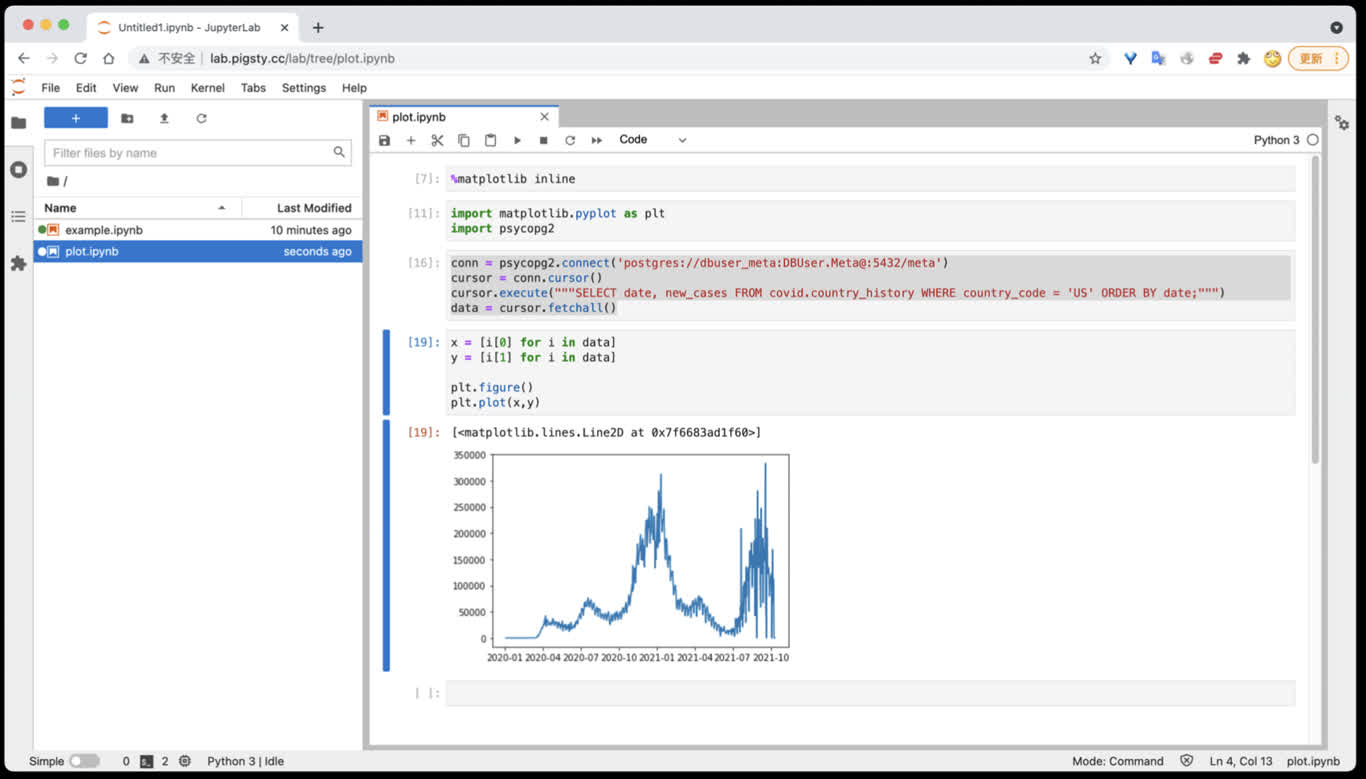
JupyterLab is an interactive notebook, terminal, and data-analysis environment. Pigsty v4.5.0 has two distinct deployment paths:
- The
VIBEmodule, managed by Ansible and systemd, for the complete v4.5.0 development sandbox. - The lightweight standalone
app/jupyterDocker Compose template documented here.
app/jupyter is not a default apps inventory entry, and data-directory preparation is a separate step. Do not assume that app.yml -e app=jupyter handles its directory ownership.
Quick Start
Generate a strong token with openssl rand -hex 32. The default port is 8888; open http://<host_ip>:8888.
lab.pigsty works only when that name is configured in infra_portal, Nginx, and DNS. The template default JUPYTER_TOKEN=pigsty is for local demonstrations only and must be replaced in production.
Current Template
The v4.5.0 .env defaults are:
Compose mounts host /data/jupyter at /home/jovyan/work and passes the token into the container. The latest tag changes upstream; production deployments should use a tested, explicit image tag or digest.
For SciPy, R, Julia, TensorFlow, PyTorch, or Spark, select another Jupyter Docker Stacks image listed in .env, while still pinning its version and validating architecture support.
Access PostgreSQL
Install the modern Psycopg driver and optional analysis libraries from a Jupyter terminal:
Do not store real passwords in notebooks. This example obtains the connection string through hidden input and reads system information only:
Use Pandas and SQLAlchemy with a system statistics view:
These examples access system views only. Obtain authorization from the data owner before reading application tables, and limit columns, predicates, and result size.
Persistence and Dependencies
Only /home/jovyan/work is mapped to /data/jupyter. The following are not persistent across container recreation by default:
- Python or Conda packages installed temporarily inside the container
- notebooks, configuration, and caches outside
work - the container’s own user state
For production, install dependencies through a pinned image, custom Dockerfile, or reproducible dependency file, and back up /data/jupyter separately. A persistent mount is not a backup.
Management Commands
From ~/pigsty/app/jupyter:
make clean removes the container but retains /data/jupyter. make purge recursively deletes /data/jupyter; it is an unrecoverable data-deletion operation and requires confirmation of the exact directory and a recent backup.
Security Checklist
- Use a strong random token, protect
.env, and do not disable authentication. - The default port mapping listens on the host network. Restrict sources with a firewall and prefer Nginx with valid HTTPS.
- A notebook can execute arbitrary code and access mounted files and databases. Grant only least-privilege database accounts and host directories.
- Pin and scan the image, and validate dependency upgrades reproducibly.
- Back up
/data/jupyterregularly and test restoration to a temporary directory.
Related Links
Was this page helpful?
Thanks—your feedback helps us improve this page.
What got in the way? (optional)