PGLOG: PostgreSQL Log Analysis Application
PGLOG is a sample application included with Pigsty that uses the pglog.sample table in MetaDB as its data source. You simply need to load logs into this table, then access the related dashboard.
Pigsty provides convenient commands for pulling CSV logs and loading them into the sample table. On the meta node, the following shortcut commands are available by default:
catlog  [node=localhost]  [date=today]   # Print CSV log to stdout
pglog                                    # Load CSVLOG from stdin
pglog12                                  # Load PG12 format CSVLOG
pglog13                                  # Load PG13 format CSVLOG
pglog14                                  # Load PG14 format CSVLOG (=pglog)

catlog | pglog                       # Analyze current node's log for today
catlog node-1 '2021-07-15' | pglog   # Analyze node-1's csvlog for 2021-07-15
Next, you can access the following links to view the sample log analysis interface.
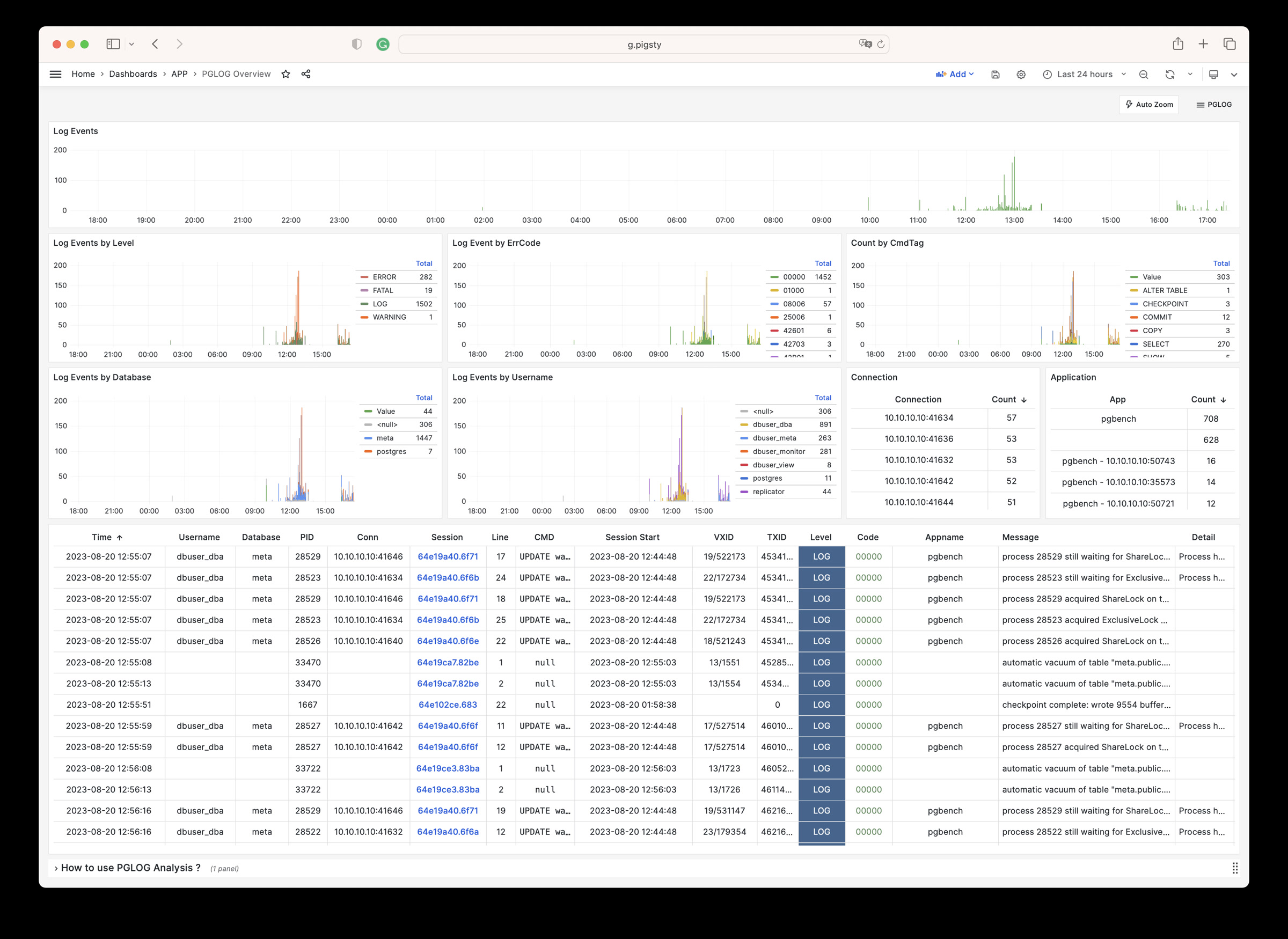
- PGLOG Overview: Present the entire CSV log sample details, aggregated by multiple dimensions.
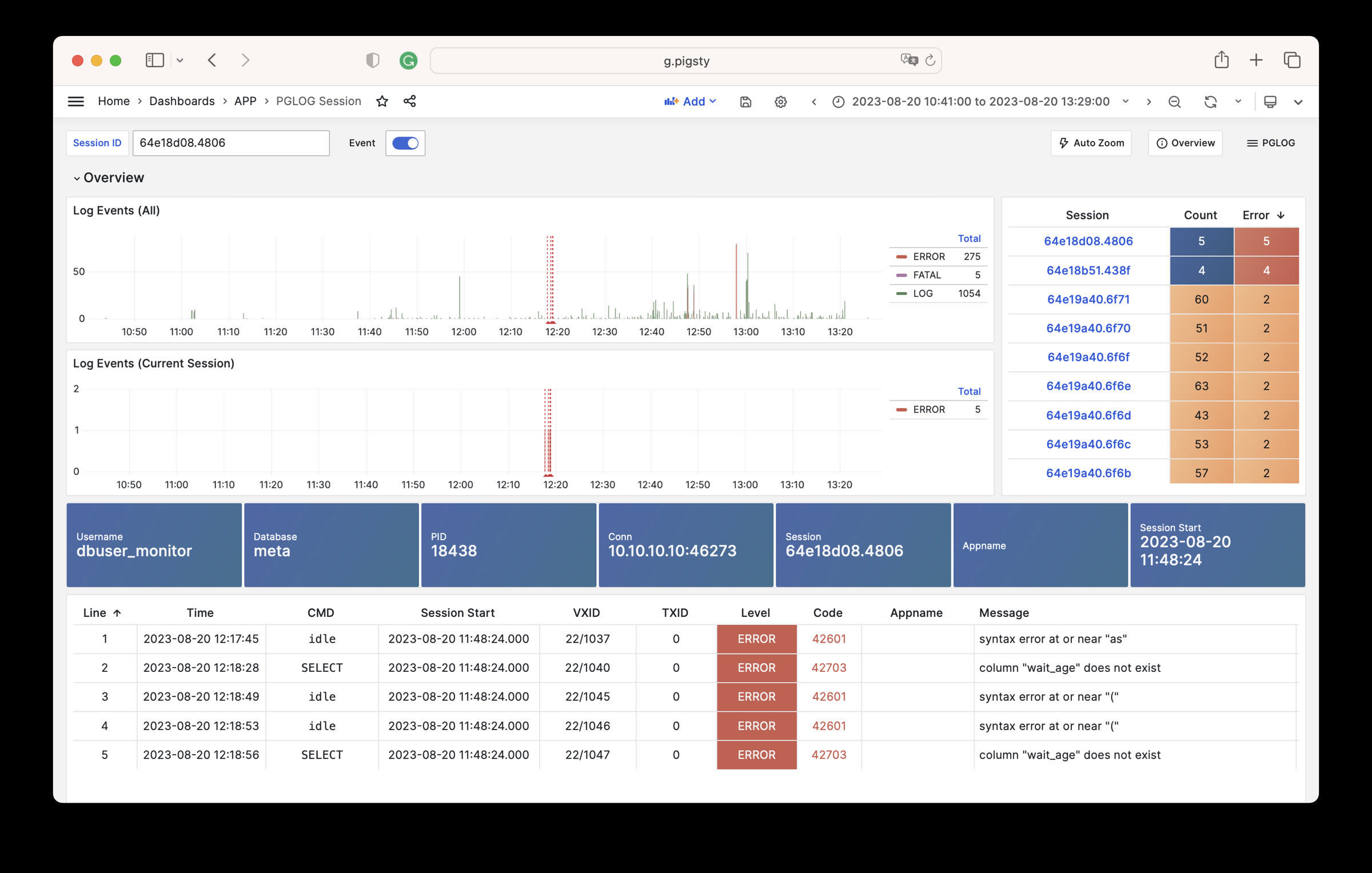
- PGLOG Session: Present detailed information about a specific connection in the log sample.
The catlog command pulls CSV database logs from a specific node for a specific date and writes to stdout
By default, catlog pulls logs from the current node for today. You can specify the node and date through parameters.
Using pglog and catlog together, you can quickly pull database CSV logs for analysis.
catlog | pglog                       # Analyze current node's log for today
catlog node-1 '2021-07-15' | pglog   # Analyze node-1's csvlog for 2021-07-15
Feedback
Was this page helpful?
Thanks for the feedback! Please let us know how we can improve.
Sorry to hear that. Please let us know how we can improve.