# Enterprise Self-Hosted Supabase
> Self-host enterprise-grade Supabase with Pigsty, featuring monitoring, high availability, PITR, IaC, and 575 PostgreSQL extensions.
---
LLMS index: [llms.txt](/llms.txt)
---
Supabase is great, but having your own Supabase is even better.
Pigsty can help you deploy enterprise-grade Supabase on your own servers (physical, virtual, or cloud) with a single command — more extensions, better performance, deeper control, and more cost-effective.
> As of August 2026, the [official Supabase self-hosting guide](https://supabase.com/docs/guides/self-hosting) recommends Docker and classifies other implementations as community projects. Pigsty is an independent community integration and is not currently listed on that page.
This tutorial requires basic Linux knowledge. Otherwise, consider using Supabase cloud or plain Docker Compose self-hosting.
--------
## TL;DR
[Prepare](/docs/deploy/prepare) a [**Linux server**](/docs/deploy/prepare), follow the Pigsty [**standard single-node installation**](/docs/setup/install) process with the `supabase` config template:
```bash
curl -fsSL https://repo.pigsty.io/get | bash; cd ~/pigsty
./configure -c supabase # Use supabase config (change credentials in pigsty.yml)
vi pigsty.yml # Edit domain, passwords, keys...
./deploy.yml # Standard single-node Pigsty deployment
./docker.yml -l supabase # Install Docker on the supabase group
./app.yml -l supabase # Start stateless containers on the supabase group (may be slow)
```
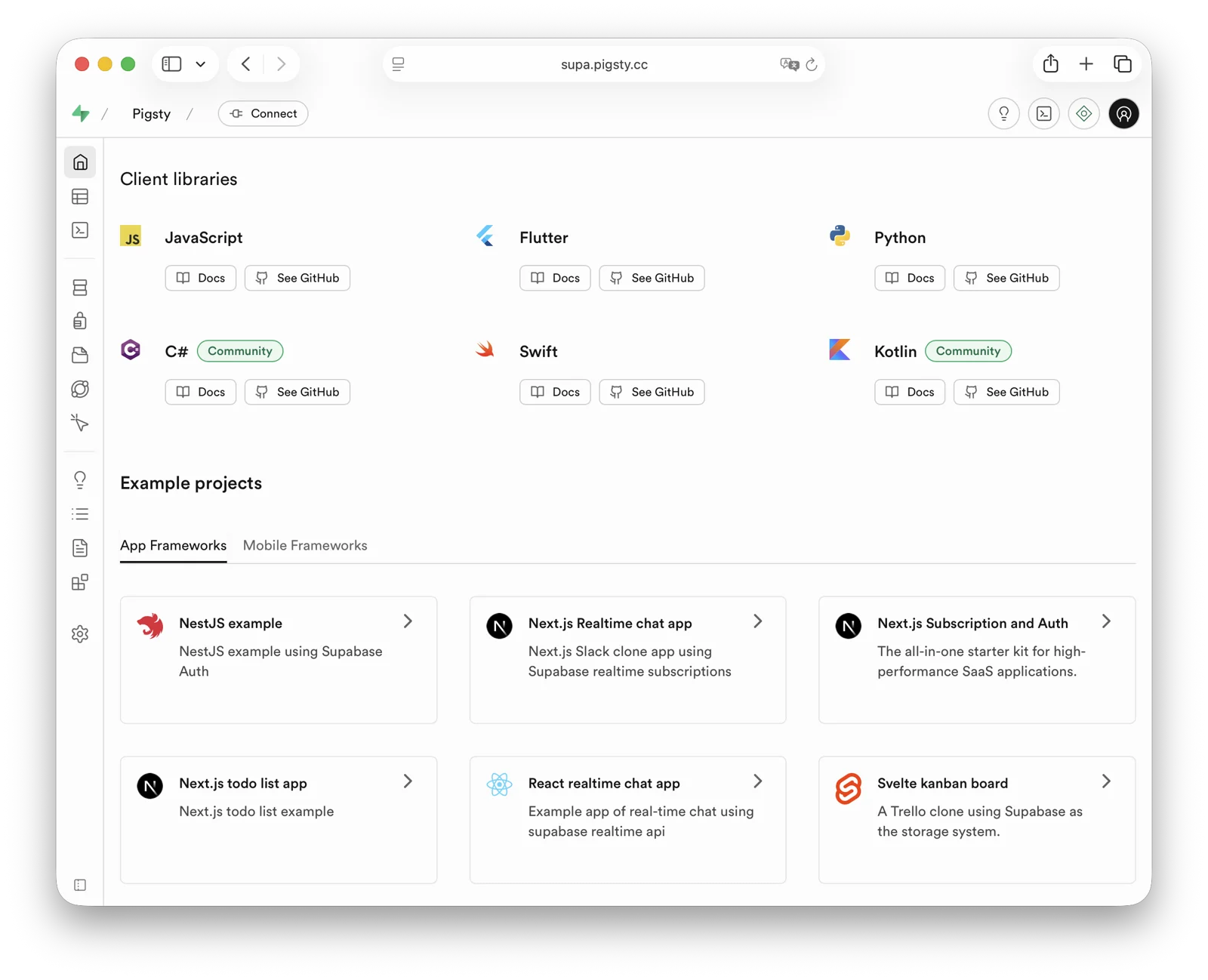
After installation, access Supa Studio on port `8000` with username `supabase` and password `pigsty`.
--------
## Checklist
- [ ] At least one 2-core/4 GB server; 4 cores/8 GB or more is recommended for the full stack
- [ ] Static internal IPv4 address
- [ ] [**Supported Linux distro**](/docs/ref/linux) installed
- [ ] [**Standard Pigsty installation**](/docs/setup/install)
- [ ] Modified config file: domain, passwords, IP address
- [ ] [**Docker module installed**](/docs/docker), ensure proxy/mirror available
- [ ] Use Pigsty's [`app.yml`](/docs/docker/playbook) to start Supabase
------
## Table of Contents
- [What is Supabase?](#what-is-supabase)
- [Why Self-Host?](#why-self-host)
- [Single-Node Quick Start](#single-node-quick-start)
- [Advanced: Security Hardening](#advanced-security-hardening)
- [Advanced: Domain Configuration](#advanced-domain-configuration)
- [Advanced: External Object Storage](#advanced-external-object-storage)
- [Advanced: Using SMTP](#advanced-using-smtp)
- [Advanced: True High Availability](#advanced-true-high-availability)
------
## What is Supabase?
[Supabase](https://supabase.com/) is a BaaS (Backend as a Service), an open-source Firebase alternative, and the most popular database + backend solution in the AI Agent era.
Supabase wraps PostgreSQL and provides authentication, messaging, edge functions, object storage, and automatically generates REST APIs based on your database schema. After enabling `pg_graphql` on demand, it can also provide GraphQL APIs.
Supabase aims to provide developers with a one-stop backend solution, reducing the complexity of developing and maintaining backend infrastructure.
It allows developers to skip most backend development work — **you only need to understand database design and frontend to ship quickly!**
Developers can use vibe coding to create a frontend and database schema to rapidly build complete applications.
Supabase is one of the most popular open-source projects in the [PostgreSQL ecosystem](https://ossrank.com/cat/368-postgresql-ecosystem). As of August 2026, its [GitHub repository](https://github.com/supabase/supabase/) has more than 100,000 stars.
Supabase also offers a free hosted tier. The current [Free plan](https://supabase.com/pricing) includes shared CPU, 500 MB of RAM, a 500 MB database quota, and 1 GB of file storage; consult the official page for later changes.
------
## Why Self-Host?
If Supabase cloud is so attractive, why self-host?
The most obvious reason is what we discussed in "[Is Cloud Database an IQ Tax?](https://vonng.com/cloud/rds/)": costs can rise quickly once data, compute, or availability requirements outgrow a managed-service tier.
And nowadays, reliable [local enterprise NVMe SSDs](https://vonng.com/cloud/bonus/) have three to four orders of magnitude cost advantage over [cloud storage](https://vonng.com/cloud/ebs/), and self-hosting can better leverage this.
Another important reason is **functionality** — Supabase cloud features are limited. Many powerful PostgreSQL extensions aren't available in cloud services due to multi-tenant security challenges and licensing.
Despite [extensions being a core PostgreSQL feature](https://vonng.com/pg/pg-eat-db-world), Supabase currently promises only [more than 50 preconfigured extensions](https://supabase.com/docs/guides/database/extensions); the exact list changes with platform releases.
Self-hosted Supabase with Pigsty provides up to [**576**](/ext/list) ready-to-use PostgreSQL extensions.
Additionally, self-control and vendor lock-in avoidance are important reasons for self-hosting. Although Supabase aims to provide a vendor-lock-free open-source Google Firebase alternative, self-hosting enterprise-grade Supabase is not trivial.
Supabase includes PostgreSQL extensions that it develops and maintains. It acquired the Oriole team in 2024 and offers [**OrioleDB**](/docs/pgsql/kernel/orioledb) as an optional Public Alpha; OrioleDB is not the production default and should not be described as a confirmed replacement for native PostgreSQL. Some Supabase extensions and patched kernels are not distributed by the official PGDG repository.
This is implicit vendor lock-in, preventing users from self-hosting in ways other than the supabase/postgres Docker image. Pigsty provides an open, transparent, and universal solution.
We package the 10 missing Supabase extensions as ready-to-use RPM/DEB packages for the current `supabase` template matrix: EL 8/9, Debian 12, and Ubuntu 22.04/24.04/26.04 on x86_64 and aarch64. See [supported Linux distributions](/docs/ref/linux).
| Extension | Description |
|---|---|
| [`pg_graphql`](/ext/e/pg_graphql/) | GraphQL support in PostgreSQL (Rust), provided by PIGSTY, enabled on demand |
| [`pg_jsonschema`](/ext/e/pg_jsonschema/) | JSON Schema validation (Rust), provided by PIGSTY |
| [`wrappers`](/ext/e/wrappers/) | Supabase foreign data wrapper bundle (Rust), provided by PIGSTY |
| [`index_advisor`](/ext/e/index_advisor/) | Query index advisor (SQL), provided by PIGSTY |
| [`pg_net`](/ext/e/pg_net/) | Async non-blocking HTTP/HTTPS requests (C), provided by PIGSTY |
| [`vault`](/ext/e/supabase_vault/) | Store encrypted credentials in Vault (C), provided by PIGSTY |
| [`pgjwt`](/ext/e/pgjwt/) | JSON Web Token API implementation (SQL), provided by PIGSTY |
| [`pgsodium`](/ext/e/pgsodium/) | Table data encryption TDE, provided by PIGSTY |
| [`supautils`](/ext/e/supautils/) | Security utilities for cloud environments (C), provided by PIGSTY |
| [`pg_plan_filter`](/ext/e/plan_filter/) | Filter queries by execution plan cost (C), provided by PIGSTY |
We also [install](/docs/pgsql/ext/install) most extensions by default in Supabase deployments. You can [enable](/docs/pgsql/ext/create) them as needed.
Newer templates install the `pg_graphql` package but no longer create the `pg_graphql` extension object by default. If you need GraphQL APIs, run `CREATE EXTENSION IF NOT EXISTS pg_graphql;` in the target database; the event trigger in the template will rebuild the `graphql_public.graphql` entry point and permissions.
Pigsty also handles the underlying [highly available](/docs/concept/ha/) [PostgreSQL](/docs/pgsql/) cluster, highly available [Silo](/docs/minio/) object storage cluster, and even [Docker](/docs/docker/) deployment, [Nginx](/docs/infra/admin/portal) reverse proxy, [domain configuration](/docs/infra/admin/domain), and [HTTPS certificate issuance](/docs/infra/admin/cert). You can spin up any number of stateless Supabase container clusters using Docker Compose and store state in external Pigsty-managed database services.
With this self-hosted architecture, you can choose among the PostgreSQL majors supported by the current template (15-18, default 18), install [**576**](/ext/list/) extensions, and scale Supabase, PostgreSQL, and Silo independently. Compared with a managed service, you also assume responsibility for operating and securing that infrastructure.
------
## Single-Node Quick Start
Let's start with single-node Supabase deployment. We'll cover multi-node high availability later.
[Prepare](/docs/deploy/prepare) a fresh [Linux server](/docs/deploy/prepare), use the Pigsty [`supabase`](https://github.com/pgsty/pigsty/blob/main/conf/supabase.yml) configuration template for [standard installation](/docs/setup/install),
then run [`docker.yml`](/docs/docker/playbook#dockeryml) and `app.yml` to start stateless Supabase containers (default ports `8000`/`8443`).
```bash
curl -fsSL https://repo.pigsty.io/get | bash; cd ~/pigsty
./configure -c supabase # Use supabase config (change credentials in pigsty.yml)
vi pigsty.yml # Edit domain, passwords, keys...
./deploy.yml # Install Pigsty
./docker.yml -l supabase # Install Docker on the supabase group
./app.yml -l supabase # Start stateless containers on the supabase group
```
Before deploying Supabase, modify the auto-generated `pigsty.yml` configuration file (domain and passwords) according to your needs.
For local development/testing, you can skip this and customize later.
If configured correctly, after about ten minutes, you can access the Supabase Studio GUI at `http://:8000` on your local network.
Default username and password are `supabase` and `pigsty`.

**Notes:**
- In mainland China, Pigsty uses 1Panel and 1ms DockerHub mirrors by default, which may be slow.
- You can configure your own [proxy](/docs/docker/usage#proxy) and [registry mirror](/docs/docker/usage#registry-mirror), then manually pull images with `cd /opt/supabase; docker compose pull`. We also offer expert consulting services including complete offline installation packages.
- If you need object storage functionality, you must access Supabase via domain and HTTPS, otherwise errors will occur.
- For serious production deployments, **always** change all default passwords!
------
## Key Technical Decisions
Here are some key technical decisions for self-hosting Supabase:
**Single-node deployment** doesn't provide PostgreSQL/Silo high availability.
However, single-node deployment still has significant advantages over the official pure Docker Compose approach: out-of-the-box monitoring, freedom to install extensions, component scaling capabilities, and point-in-time recovery as a safety net.
Pigsty's Supabase template does not start the upstream Compose `db` or `supavisor` containers, and does not use Supabase's bundled connection pooler.
Stateless containers connect directly to the PostgreSQL service managed by Pigsty; the single-node template uses service port `5436` by default, which always routes to the current primary.
Logflare / Analytics in the template no longer writes to `postgres._analytics` in the application database. Instead, it uses the separate `_supabase` database and its `_analytics` schema.
This prevents internal scheduling tables such as `oban_jobs` and `oban_peers` from being created in the project database's `public` schema and triggering Supabase Advisor RLS warnings. `LOGFLARE_DB` and `LOGFLARE_SCHEMA` control these locations.
The Query Performance page in Supabase Studio accesses `pg_stat_statements` with a `public, extensions` search path.
Pigsty keeps the `pg_stat_statements` extension objects in the `monitor` schema for compatibility with `pg_exporter` and existing monitoring dashboards. The template creates a compatibility view and functions in the `extensions` schema for Studio.
If you only have one server or choose to self-host on cloud servers, Pigsty recommends using external S3 instead of local Silo for object storage to hold PostgreSQL backups and Supabase Storage.
This provides an hour-scale recovery path after a single-node failure. Actual RPO depends on the newest recoverable backup, WAL archiving state, and object-storage availability; the topology alone does not guarantee a fixed value.
For serious production deployments, Pigsty recommends at least 3-4 nodes, ensuring both Silo and PostgreSQL use enterprise-grade multi-node high availability deployments.
You'll need more nodes and disks, adjusting cluster configuration in `pigsty.yml` and Supabase cluster configuration to use high availability endpoints.
Some Supabase features require sending emails, so SMTP service is needed. Unless purely for internal use, production deployments should use SMTP cloud services. Self-hosted mail servers' emails are often marked as spam.
If your service is directly exposed to the public internet, we strongly recommend using real domain names and HTTPS certificates via [Nginx Portal](/docs/infra/admin/portal).
Next, we'll discuss advanced topics for improving Supabase security, availability, and performance beyond single-node deployment.
------
## Advanced: Security Hardening
**Pigsty Components**
For serious production deployments, we strongly recommend changing Pigsty component passwords. These defaults are public and well-known — going to production without changing passwords is like running naked:
- [`grafana_admin_password`](/docs/infra/param/#grafana_admin_password): `pigsty`, Grafana admin password
- [`pg_admin_password`](/docs/pgsql/param/#pg_admin_password): `DBUser.DBA`, PostgreSQL superuser password
- [`pg_monitor_password`](/docs/pgsql/param/#pg_monitor_password): `DBUser.Monitor`, PostgreSQL monitoring user password
- [`pg_replication_password`](/docs/pgsql/param/#pg_replication_password): `DBUser.Replicator`, PostgreSQL replication user password
- [`patroni_password`](/docs/pgsql/param/#patroni_password): `Patroni.API`, Patroni HA component password
- [`haproxy_admin_password`](/docs/node/param/#haproxy_admin_password): `pigsty`, Load balancer admin password
- [`minio_secret_key`](/docs/minio/param/#minio_secret_key): `S3User.MinIO`, Silo root user secret
- [`etcd_root_password`](/docs/etcd/param/#etcd_root_password): `Etcd.Root`, ETCD root user password
- Additionally, strongly recommend changing the [PostgreSQL business user](https://github.com/pgsty/pigsty/blob/main/conf/supabase.yml#L72) password for Supabase, default is `DBUser.Supa`
These are Pigsty component passwords. Strongly recommended to set before installation.
**Supabase Keys**
Besides Pigsty component passwords, you need to [change Supabase keys](https://supabase.com/docs/guides/self-hosting/docker#securing-your-services), including:
- [`JWT_SECRET`](https://github.com/pgsty/pigsty/blob/main/conf/supabase.yml#L140): JWT signing key, at least 32 characters
- [`ANON_KEY`](https://github.com/pgsty/pigsty/blob/main/conf/supabase.yml#L141): Anonymous user JWT credential
- [`SERVICE_ROLE_KEY`](https://github.com/pgsty/pigsty/blob/main/conf/supabase.yml#L142): Service role JWT credential
- [`SUPABASE_PUBLISHABLE_KEY`](https://github.com/pgsty/pigsty/blob/main/conf/supabase.yml#L143) / [`SUPABASE_SECRET_KEY`](https://github.com/pgsty/pigsty/blob/main/conf/supabase.yml#L144): New opaque API keys, can be left empty if not enabled
- [`JWT_KEYS`](https://github.com/pgsty/pigsty/blob/main/conf/supabase.yml#L145) / [`JWT_JWKS`](https://github.com/pgsty/pigsty/blob/main/conf/supabase.yml#L146): Asymmetric JWT keys and JWKS, can be left empty if not enabled
- [`ANON_KEY_ASYMMETRIC`](https://github.com/pgsty/pigsty/blob/main/conf/supabase.yml#L147) / [`SERVICE_ROLE_KEY_ASYMMETRIC`](https://github.com/pgsty/pigsty/blob/main/conf/supabase.yml#L148): Asymmetric signing JWTs, can be left empty if not enabled
- [`PG_META_CRYPTO_KEY`](https://github.com/pgsty/pigsty/blob/main/conf/supabase.yml#L149): PostgreSQL Meta service encryption key, at least 32 characters
- [`SECRET_KEY_BASE`](https://github.com/pgsty/pigsty/blob/main/conf/supabase.yml#L150): Random secret used by Realtime
- [`REALTIME_DB_ENC_KEY`](https://github.com/pgsty/pigsty/blob/main/conf/supabase.yml#L151): Realtime database encryption key
- [`DASHBOARD_USERNAME`](https://github.com/pgsty/pigsty/blob/main/conf/supabase.yml#L153): Supabase Studio web UI default username, default `supabase`
- [`DASHBOARD_PASSWORD`](https://github.com/pgsty/pigsty/blob/main/conf/supabase.yml#L154): Supabase Studio web UI default password, default `pigsty`
- [`LOGFLARE_PUBLIC_ACCESS_TOKEN`](https://github.com/pgsty/pigsty/blob/main/conf/supabase.yml#L157): Logflare public access token, at least 32 random characters
- [`LOGFLARE_PRIVATE_ACCESS_TOKEN`](https://github.com/pgsty/pigsty/blob/main/conf/supabase.yml#L158): Logflare private access token, at least 32 random characters
- [`LOGFLARE_DB`](https://github.com/pgsty/pigsty/blob/main/conf/supabase.yml#L159) / [`LOGFLARE_SCHEMA`](https://github.com/pgsty/pigsty/blob/main/conf/supabase.yml#L160): Internal database and schema used by Logflare / Analytics, defaulting to `_supabase` / `_analytics`
Please follow the [Supabase tutorial: Securing your services](https://supabase.com/docs/guides/self-hosting/docker#generate-api-keys):
- Generate a `JWT_SECRET` with at least 40 characters, then use the tutorial tools to issue `ANON_KEY` and `SERVICE_ROLE_KEY` JWTs.
- Use the tutorial tools to generate an `ANON_KEY` JWT based on `JWT_SECRET` and expiration time — this is the anonymous user credential.
- Use the tutorial tools to generate a `SERVICE_ROLE_KEY` — this is the higher-privilege service role credential.
- If you use newer opaque API keys or asymmetric JWTs, also generate and fill `SUPABASE_PUBLISHABLE_KEY`, `SUPABASE_SECRET_KEY`, `JWT_KEYS`, `JWT_JWKS`, and the corresponding asymmetric `ANON_KEY` / `SERVICE_ROLE_KEY`.
- Specify a random string of at least 32 characters for `PG_META_CRYPTO_KEY` to encrypt Studio UI and meta service interactions.
- `SECRET_KEY_BASE` must be at least 64 characters; `REALTIME_DB_ENC_KEY` must be exactly 16 characters.
- Generate separate random credentials for `S3_PROTOCOL_ACCESS_KEY_ID` and `S3_PROTOCOL_ACCESS_KEY_SECRET`; do not reuse an object-storage administrator password.
- If using different PostgreSQL business user passwords, modify [`POSTGRES_PASSWORD`](https://github.com/pgsty/pigsty/blob/main/conf/supabase.yml#L166) accordingly.
- If your object storage uses different passwords, modify [`S3_ACCESS_KEY`](https://github.com/pgsty/pigsty/blob/main/conf/supabase.yml#L177) and [`S3_SECRET_KEY`](https://github.com/pgsty/pigsty/blob/main/conf/supabase.yml#L178) accordingly.
- If Edge Functions are exposed to untrusted clients, set [`FUNCTIONS_VERIFY_JWT`](https://github.com/pgsty/pigsty/blob/main/conf/supabase.yml#L191) to `true` as needed.
- [`API_EXTERNAL_URL`](https://github.com/pgsty/pigsty/blob/main/conf/supabase.yml#L170) should now be the external Auth service URL, retaining the `/auth/v1` suffix, for example `https://supa.pigsty.io/auth/v1`; keep `SITE_URL` and `SUPABASE_PUBLIC_URL` at the site root URL.
- The current template defaults [`PGRST_DB_SCHEMAS`](https://github.com/pgsty/pigsty/blob/main/conf/supabase.yml#L187) to `public,graphql_public`; the `storage` schema is used by the Storage API and is no longer exposed through PostgREST by default.
After modifying Supabase credentials, restart Docker Compose to apply:
```bash
./app.yml -l supabase -t app_config,app_launch # Using playbook
cd /opt/supabase; make up # Manual execution
```
------
## Advanced: Domain Configuration
If using Supabase locally or on LAN, you can directly connect to Kong's HTTP port 8000 via IP:Port.
You can use an internal static-resolved domain, but for serious production deployments, we recommend using a real domain + HTTPS to access Supabase.
In this case, your server should have a public IP, you should own a domain, use cloud/DNS/CDN provider's DNS resolution to point to the node's public IP (optional fallback: local `/etc/hosts` static resolution).
The simple approach is to batch-replace the placeholder domain (`supa.pigsty`) with your actual domain, e.g., `supa.pigsty.io`:
```bash
sed -ie 's/supa.pigsty/supa.pigsty.io/g' ~/pigsty/pigsty.yml
```
If not configured beforehand, reload Nginx and Supabase configuration:
```bash
make cert # Request certbot free HTTPS certificate
./app.yml -l supabase -t app_config,app_launch # Reload Supabase configuration
```
The modified configuration should look like:
```yaml
all:
vars:
certbot_sign: true # Use certbot to sign real certificates
infra_portal:
home: { domain: i.pigsty.io } # Replace with your domain!
supa:
domain: supa.pigsty.io # Replace with your domain!
endpoint: "10.10.10.10:8000"
websocket: true
certbot: supa.pigsty.io # Certificate name, usually same as domain
children:
supabase:
vars:
apps:
supabase: # Supabase app definition
conf: # Override /opt/supabase/.env
SITE_URL: https://supa.pigsty.io # <------- Change to your external domain name
API_EXTERNAL_URL: https://supa.pigsty.io/auth/v1 # <--- Auth external URL; keep /auth/v1
SUPABASE_PUBLIC_URL: https://supa.pigsty.io # <------- Don't forget to set this in infra_portal!
```
For complete domain/HTTPS configuration, see [Certificate Management](/docs/infra/admin/cert). You can also use Pigsty's built-in local static resolution and self-signed HTTPS certificates as fallback.
------
## Advanced: External Object Storage
You can use S3 or S3-compatible services for PostgreSQL backups and Supabase object storage. Here we use Alibaba Cloud OSS as an example.
> Pigsty provides a [`terraform/spec/aliyun-s3.tf`](https://github.com/pgsty/pigsty/blob/main/terraform/spec/aliyun-s3.tf) template for provisioning a server and OSS bucket on Alibaba Cloud.
First, modify the S3 configuration in `all.children.supabase.vars.apps.supabase.conf` to point to Alibaba Cloud OSS:
```yaml
# if using s3/minio as file storage
S3_BUCKET: pigsty-supa # Legacy compatibility; keep aligned with GLOBAL_S3_BUCKET
GLOBAL_S3_BUCKET: pigsty-supa # Bucket actually used by Supabase Storage
S3_ENDPOINT: https://oss-cn-beijing.aliyuncs.com
S3_ACCESS_KEY:
S3_SECRET_KEY:
S3_FORCE_PATH_STYLE: false # Alibaba Cloud OSS uses host-style URIs
S3_PROTOCOL: https
S3_REGION: oss-cn-beijing # Legacy compatibility; keep aligned with REGION
REGION: oss-cn-beijing # Region actually used by Supabase Storage
STORAGE_TENANT_ID: pigsty # Supabase Storage tenant id
S3_PROTOCOL_ACCESS_KEY_ID:
S3_PROTOCOL_ACCESS_KEY_SECRET:
```
Reload Supabase configuration:
```bash
./app.yml -l supabase -t app_config,app_launch
```
You can also use S3 as PostgreSQL backup repository. Add an `aliyun` backup repository definition in `all.vars.pgbackrest_repo`:
```yaml
all:
vars:
pgbackrest_method: aliyun # pgbackrest backup method: local,minio,[user-defined repos...]
pgbackrest_repo: # pgbackrest backup repo: https://pgbackrest.org/configuration.html#section-repository
aliyun: # Define new backup repo 'aliyun'
type: s3 # Alibaba Cloud OSS is S3-compatible
s3_endpoint: oss-cn-beijing-internal.aliyuncs.com
s3_region: oss-cn-beijing
s3_bucket: pigsty-oss
s3_key: xxxxxxxxxxxxxx
s3_key_secret: xxxxxxxx
s3_uri_style: host
path: /pgbackrest
bundle: y # bundle small files into a single file
bundle_limit: 20MiB # Limit for file bundles, 20MiB for object storage
bundle_size: 128MiB # Target size for file bundles, 128MiB for object storage
cipher_type: aes-256-cbc # enable AES encryption for remote backup repo
cipher_pass: pgBackRest.MyPass # Set encryption password for pgBackRest backup repo
retention_full_type: time # retention full backup by time on minio repo
retention_full: 14 # keep full backup for the last 14 days
```
Then select `aliyun` with `all.vars.pgbackrest_method`. Check the current backup first, run check mode, and only after explicit authorization re-render pgBackRest configuration on the named cluster, initialize the stanza, and establish a new full recovery point:
```bash
pig pb info
./pgsql.yml -t pg_backup -l pg-meta
pg-backup full
```
Backups in the old repository are not migrated automatically, and a recovery-window gap remains until the first full backup in the new repository succeeds. See [Switching Repositories](/docs/pgsql/backup/repository/#switch-repositories) for the complete procedure.
------
## Advanced: Using SMTP
You can use SMTP for sending emails. Modify the supabase app configuration with SMTP information:
```yaml
all:
children:
supabase: # supa group
vars: # supa group vars
apps: # supa group app list
supabase: # the supabase app
conf: # the supabase app conf entries
SMTP_HOST: smtpdm.aliyun.com
SMTP_PORT: 80
SMTP_USER: no_reply@mail.your.domain.com
SMTP_PASS: your_email_user_password
SMTP_SENDER_NAME: MySupabase
SMTP_ADMIN_EMAIL: adminxxx@mail.your.domain.com
ENABLE_ANONYMOUS_USERS: false
```
Reload the configuration with `./app.yml -l supabase -t app_config,app_launch`.
------
## Advanced: True High Availability
After these configurations, you have enterprise-grade Supabase with public domain, HTTPS certificate, SMTP, PITR backup, monitoring, IaC, and access to 576 PostgreSQL extensions (basic single-node version).
For high availability configuration, see other Pigsty documentation. We offer expert consulting services for hands-on Supabase self-hosting — $400 USD to save you the hassle.
Single-node RTO/RPO relies on external object storage as a safety net. If your node fails, backups in external S3 storage let you redeploy Supabase on a new node and restore from backup.
This provides an hour-scale [recovery fallback](/docs/pgsql/backup), but RPO depends on the actual backup and WAL-archive state and must be proven through restore drills. “MB-level” is not a fixed guarantee.
For a target RTO below 30 seconds while preserving acknowledged transactions, use [multi-node](/docs/deploy/install), explicitly select the `fast` RTO preset and the `crit.yml` strict-synchronous policy, and validate them with failure drills. The default `norm` preset targets RTO below 45 seconds, while asynchronous replication does not promise RPO=0:
- [ETCD](/docs/etcd/): DCS needs three or more nodes to tolerate one node failure.
- [PGSQL](/docs/pgsql/): PostgreSQL synchronous commit (no data loss) mode recommends at least three nodes.
- [INFRA](/docs/infra/): Monitoring infrastructure failure has less impact; production recommends dual replicas.
- Supabase stateless containers can also be multi-node replicas for high availability.
In this case, you also need to modify PostgreSQL and Silo endpoints to use DNS / L2 VIP / HAProxy [high availability endpoints](/docs/pgsql/service#access-service).
For these parts, follow the documentation for each Pigsty module.
Reference [`conf/ha/trio.yml`](https://github.com/pgsty/pigsty/blob/main/conf/ha/trio.yml) and [`conf/ha/safe.yml`](https://github.com/pgsty/pigsty/blob/main/conf/ha/safe.yml) for upgrading to three or more nodes.