Security
Pigsty’s default configuration is sufficient to cover the security needs of most scenarios.
Pigsty already provides out-of-the-box authentication and access control models that are secure enough for most scenarios.
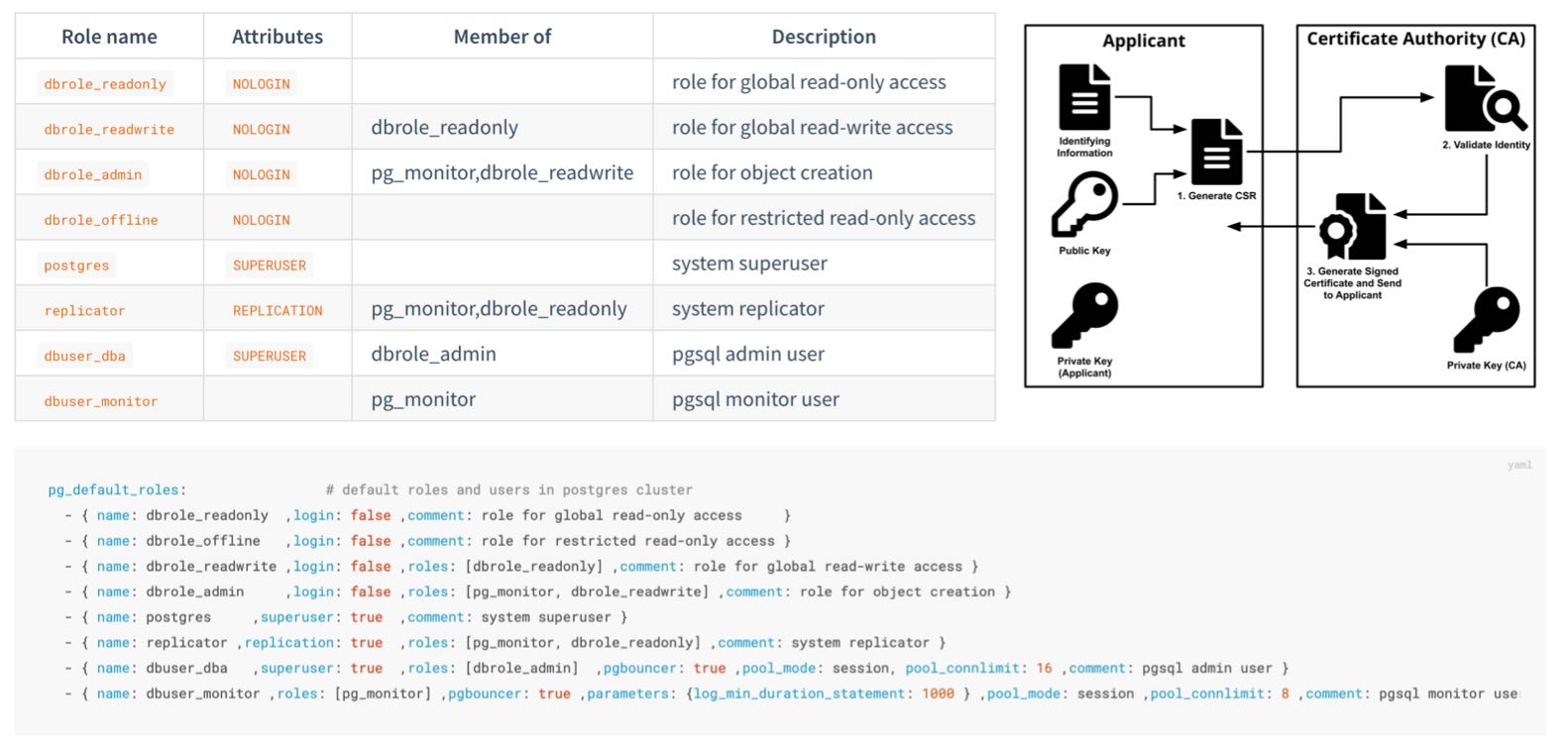
If you want to further harden system security, here are some recommendations:
Confidentiality
Important Files
Protect your pigsty.yml configuration file or CMDB
- The
pigsty.ymlconfiguration file usually contains highly sensitive confidential information. You should ensure its security. - Strictly control access permissions to admin nodes, limiting access to DBAs or Infra administrators only.
- Strictly control access permissions to the pigsty.yml configuration file repository (if you manage it with git)
Protect your CA private key and other certificates, these files are very important.
- Related files are generated by default in the
files/pkidirectory under the Pigsty source directory on the admin node. - You should regularly back them up to a secure location.
Passwords
You MUST change these passwords when deploying to production, don’t use defaults!
grafana_admin_password:pigstypg_admin_password:DBUser.DBApg_monitor_password:DBUser.Monitorpg_replication_password:DBUser.Replicatorpatroni_password:Patroni.APIhaproxy_admin_password:pigstyminio_access_key:minioadminminio_secret_key:S3User.MinIO
If using MinIO, change the default MinIO user passwords and references in pgbackrest
- Modify MinIO regular user password:
minio_users.[pgbackrest].secret_key` - Modify the backup user password used by pgbackrest for MinIO:
pgbackrest_repo.minio.s3_key_secret`
If using remote backup repositories, enable backup encryption and set encryption passwords
- Set [
pgbackrest_repo.*.cipher_type](/docs/pgsql/param#pgbackrest_repo) toaes-256-cbc` - You can use
${pg_cluster}as part of the password to avoid all clusters using the same password
Use secure and reliable password encryption algorithms for PostgreSQL
- Use
pg_pwd_encdefault valuescram-sha-256instead of legacymd5 - This is the default behavior. Unless there’s a special reason (supporting legacy old clients), don’t change it back to
md5
Use passwordcheck extension to enforce strong passwords
- Add
$libdir/passwordchecktopg_libsto enforce password policies.
Encrypt remote backups with encryption algorithms
- Use
cipher_typeinpgbackrest_repobackup repository definitions to enable encryption
Configure automatic password expiration for business users
You should set an automatic password expiration time for each business user to meet compliance requirements.
After configuring auto-expiration, don’t forget to regularly update these passwords during maintenance.
- { name: dbuser_meta , password: Pleas3-ChangeThisPwd ,expire_in: 7300 ,pgbouncer: true ,roles: [ dbrole_admin ]    ,comment: pigsty admin user }
- { name: dbuser_view , password: Make.3ure-Compl1ance  ,expire_in: 7300 ,pgbouncer: true ,roles: [ dbrole_readonly ] ,comment: read-only viewer for meta database }
- { name: postgres     ,superuser: true  ,expire_in: 7300                        ,comment: system superuser }
- { name: replicator ,replication: true  ,expire_in: 7300 ,roles: [pg_monitor, dbrole_readonly]   ,comment: system replicator }
- { name: dbuser_dba   ,superuser: true  ,expire_in: 7300 ,roles: [dbrole_admin]  ,pgbouncer: true ,pool_mode: session, pool_connlimit: 16 , comment: pgsql admin user }
- { name: dbuser_monitor ,roles: [pg_monitor] ,expire_in: 7300 ,pgbouncer: true ,parameters: {log_min_duration_statement: 1000 } ,pool_mode: session ,pool_connlimit: 8 ,comment: pgsql monitor user }
Don’t log password change statements to postgres logs or other logs
SET log_statement TO 'none';
ALTER USER "{{ user.name }}" PASSWORD '{{ user.password }}';
SET log_statement TO DEFAULT;
IP Addresses
Bind specified IP addresses for postgres/pgbouncer/patroni, not all addresses.
- The default
pg_listenaddress is0.0.0.0, meaning all IPv4 addresses. - Consider using
pg_listen: '${ip},${vip},${lo}'to bind to specific IP address(es) for enhanced security.
Don’t expose any ports directly to public IP, except infrastructure egress Nginx ports (default 80/443)
- For convenience, components like Prometheus/Grafana listen on all IP addresses by default and can be accessed directly via public IP ports
- You can modify their configurations to listen only on internal IP addresses, restricting access through the Nginx portal via domain names only. You can also use security groups or firewall rules to implement these security restrictions.
- For convenience, Redis servers listen on all IP addresses by default. You can modify
redis_bind_addressto listen only on internal IP addresses.
Use HBA to restrict postgres client access
- There’s a security-enhanced configuration template:
conf/ha/safe.yml
Restrict patroni management access: only infra/admin nodes can call control APIs
- By default, this is restricted via
restapi.allowlist.
Network Traffic
Use SSL and domain names to access infrastructure components through Nginx
- Nginx SSL is controlled by
nginx_sslmode, default isenable. - Nginx domain names are specified by
infra_portal..domain
Use SSL to protect Patroni REST API
patroni_ssl_enabledis disabled by default.- Because it affects health checks and API calls.
- Note this is a global option; you must decide before deployment.
Use SSL to protect Pgbouncer client traffic
pgbouncer_sslmodedefaults todisable- It has significant performance impact on Pgbouncer, so it’s disabled by default.
Integrity
Configure consistency-first mode for critical PostgreSQL database clusters (e.g., finance-related databases)
pg_confdatabase tuning template, usingcrit.ymlwill trade some availability for best data consistency.
Use crit node tuning template for better consistency.
node_tunehost tuning template usingcritcan reduce dirty page ratio and lower data consistency risks.
Enable data checksums to detect silent data corruption.
pg_checksumdefaults toon; keep it enabled.- When
pg_conf=crit.ymlis enabled, checksums are mandatory.
Log connection establishment/termination
- In PG 18+
oltp.yml/olap.ymltemplates,log_connectionsis enabled by default (authorization). - In
crit.yml, bothlog_connectionsandlog_disconnectionsare enabled by default for stricter auditing. - You can also manually configure the cluster and tune these two parameters as needed.
Enable watchdog if you want to completely eliminate the possibility of split-brain during PG cluster failover
- If your traffic goes through the recommended default HAProxy distribution, you won’t encounter split-brain even without watchdog.
- If your machine hangs and Patroni is killed with
kill -9, watchdog can serve as a fallback: automatic shutdown on timeout. - It’s best not to enable watchdog on infrastructure nodes.
Availability
Use sufficient nodes/instances for critical PostgreSQL database clusters
- You need at least three nodes (able to tolerate one node failure) for production-grade high availability.
- If you only have two nodes, you can tolerate specific standby node failures.
- If you only have one node, use external S3/MinIO for cold backup and WAL archive storage.
For PostgreSQL, make trade-offs between availability and consistency
pg_rpo: Trade-off between availability and consistencypg_rto: Trade-off between failure probability and impact
Don’t access databases directly via fixed IP addresses; use VIP, DNS, HAProxy, or combinations
- Use HAProxy for service access
- In case of failover/switchover, HAProxy will handle client traffic switching.
Use multiple infrastructure nodes in important production deployments (e.g., 1~3)
- Small deployments or lenient scenarios can use a single infrastructure/admin node.
- Large production deployments should have at least two infrastructure nodes as mutual backup.
Use sufficient etcd server instances, and use an odd number of instances (1,3,5,7)
- See ETCD Administration for details.
Feedback
Was this page helpful?
Thanks for the feedback! Please let us know how we can improve.
Sorry to hear that. Please let us know how we can improve.