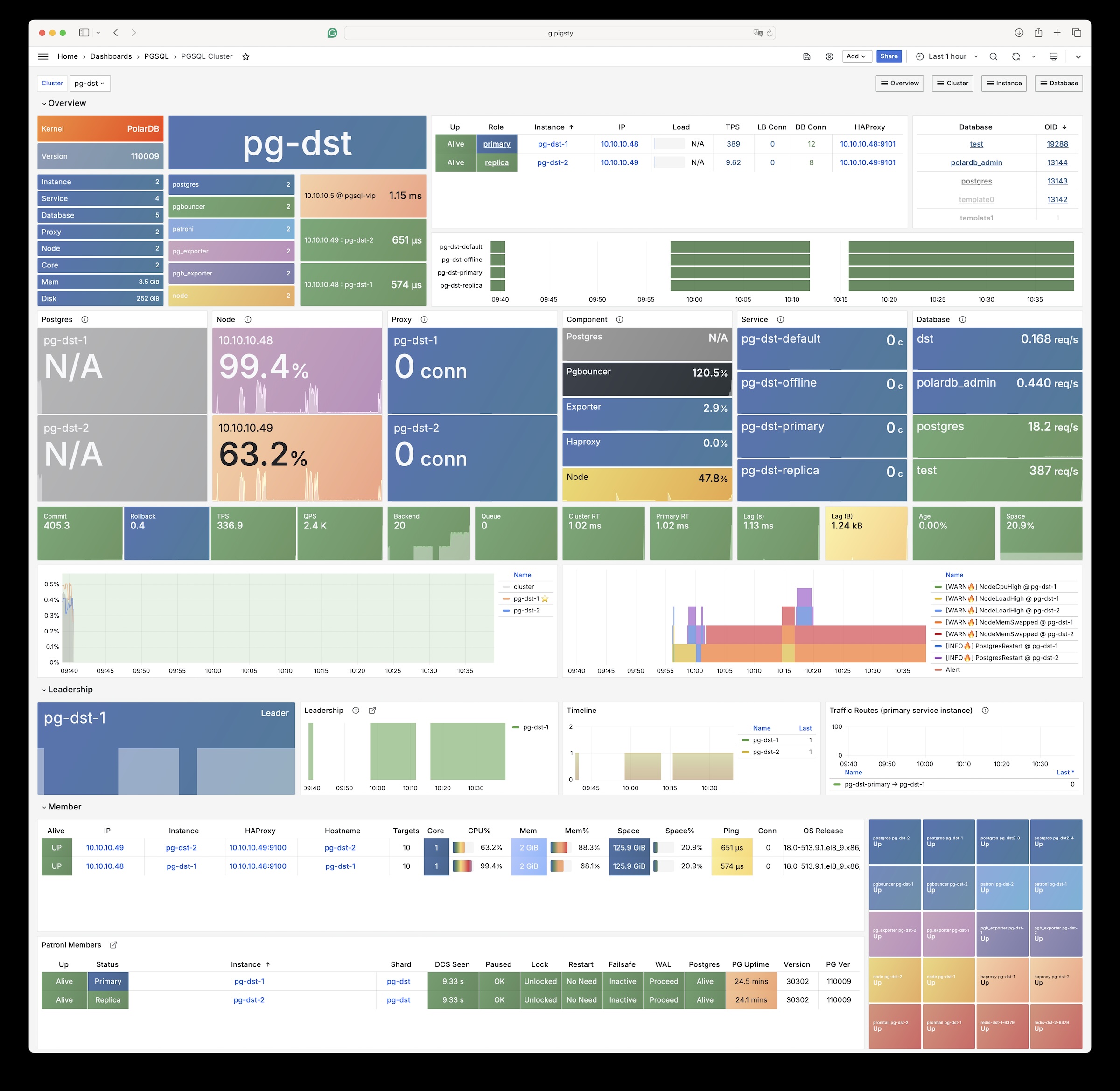
In Pigsty, you can replace the “native PG kernel” with different “flavors” of PostgreSQL forks to achieve special features and effects.
Pigsty supports various PostgreSQL kernels and compatible forks, enabling you to simulate different database systems while leveraging PostgreSQL’s ecosystem. Each kernel provides unique capabilities and compatibility layers.
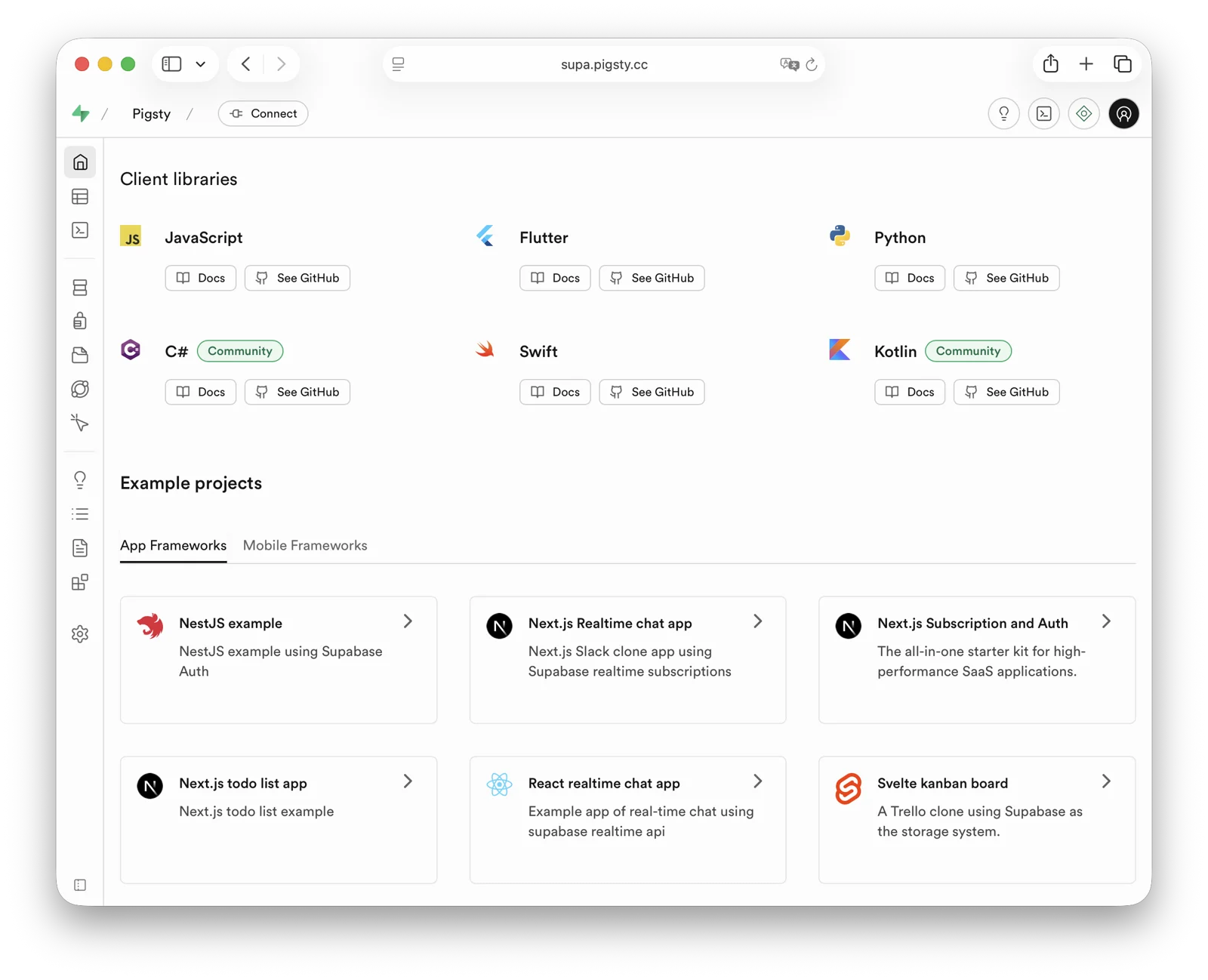
Supabase is an open-source Firebase alternative that wraps PostgreSQL and provides authentication, out-of-the-box APIs, edge functions, real-time subscriptions, object storage, and vector embedding capabilities.
This is a low-code all-in-one backend platform that lets you skip most backend development work, requiring only database design and frontend knowledge to quickly ship products!
Supabase’s motto is: “Build in a weekend, Scale to millions”. Indeed, Supabase is extremely cost-effective at small to micro scales (4c8g), like a cyber bodhisattva.
— But when you really scale to millions of users — you should seriously consider self-hosting Supabase — whether for functionality, performance, or cost considerations.
Pigsty provides you with a complete one-click self-hosting solution for Supabase. Self-hosted Supabase enjoys full PostgreSQL monitoring, IaC, PITR, and high availability,
and compared to Supabase cloud services, it provides up to 451 out-of-the-box PostgreSQL extensions and can more fully utilize the performance and cost advantages of modern hardware.
Pigsty’s default supa.yml configuration template defines a single-node Supabase.
First, use Pigsty’s standard installation process to install the MinIO and PostgreSQL instances required for Supabase:
curl -fsSL https://repo.pigsty.io/get | bash
./bootstrap # Environment check, install dependencies./configure -c supa # Important: modify passwords and other key info in config!./deploy.yml # Install Pigsty, deploy PGSQL and MINIO!
Before deploying Supabase, please modify the Supabase parameters in the pigsty.yml config file according to your actual situation (mainly passwords!)
Then, run docker.yml and app.yml to complete the remaining work and deploy Supabase containers:
For users in China, please configure appropriate Docker mirror sites or proxy servers to bypass GFW to pull DockerHub images.
For professional subscriptions, we provide the ability to offline install Pigsty and Supabase without internet access.
Pigsty exposes web services through Nginx on the admin node/INFRA node by default. You can add DNS resolution for supa.pigsty pointing to this node locally,
then access https://supa.pigsty through a browser to enter the Supabase Studio management interface.
Default username and password: supabase / pigsty
3 - Percona
Percona Postgres distribution with TDE transparent encryption support
Percona Postgres is a patched Postgres kernel with pg_tde (Transparent Data Encryption) extension.
It’s compatible with PostgreSQL 18.1 and available on all Pigsty-supported platforms.
curl -fsSL https://repo.pigsty.io/get | bash;cd ~/pigsty;./configure -c pgtde # Use percona postgres kernel./deploy.yml # Set up everything with pigsty
Configuration
The following parameters need to be adjusted to deploy a Percona cluster:
pg-meta:hosts:10.10.10.10:{pg_seq: 1, pg_role:primary }vars:pg_cluster:pg-metapg_users:- {name: dbuser_meta ,password: DBUser.Meta ,pgbouncer: true ,roles: [dbrole_admin ] ,comment:pgsql admin user }- {name: dbuser_view ,password: DBUser.Viewer ,pgbouncer: true ,roles: [dbrole_readonly] ,comment:read-only viewer }pg_databases:- name:metabaseline:cmdb.sqlcomment:pigsty tde databaseschemas:[pigsty]extensions:[vector, postgis, pg_tde ,pgaudit, { name: pg_stat_monitor, schema: monitor } ]pg_hba_rules:- {user: dbuser_view , db: all ,addr: infra ,auth: pwd ,title:'allow grafana dashboard access cmdb from infra nodes'}node_crontab:['00 01 * * * postgres /pg/bin/pg-backup full']# Full backup at 1 AM daily# Percona PostgreSQL TDE specific settingspg_packages:[percona-main, pgsql-common ] # Install percona postgres packagespg_libs:'pg_tde, pgaudit, pg_stat_statements, pg_stat_monitor, auto_explain'
Extensions
Percona provides 80 available extensions, including pg_tde, pgvector, postgis, pgaudit, set_user, pg_stat_monitor, and other useful third-party extensions.
Extension
Version
Description
pg_tde
2.1
Percona transparent data encryption access method
vector
0.8.1
Vector data type and ivfflat and hnsw access methods
postgis
3.5.4
PostGIS geometry and geography types and functions
pgaudit
18.0
Provides auditing functionality
pg_stat_monitor
2.3
PostgreSQL query performance monitoring tool
set_user
4.2.0
Similar to SET ROLE but with additional logging
pg_repack
1.5.3
Reorganize tables in PostgreSQL databases with minimal locks
hstore
1.8
Data type for storing sets of (key, value) pairs
ltree
1.3
Data type for hierarchical tree-like structures
pg_trgm
1.6
Text similarity measurement and index searching based on trigrams
curl -fsSL https://repo.pigsty.io/get | bash;cd ~/pigsty;./configure -c mysql # Use MySQL (openHalo) configuration template./deploy.yml # Install, for production deployment please modify passwords in pigsty.yml first
For production deployment, ensure you modify the password parameters in the pigsty.yml configuration file before running the install playbook.
Configuration
pg-meta:hosts:10.10.10.10:{pg_seq: 1, pg_role:primary }vars:pg_cluster:pg-metapg_users:- {name: dbuser_meta ,password: DBUser.Meta ,pgbouncer: true ,roles: [dbrole_admin] ,comment:pigsty admin user }- {name: dbuser_view ,password: DBUser.Viewer ,pgbouncer: true ,roles: [dbrole_readonly] ,comment:read-only viewer for meta database }pg_databases:- {name: postgres, extensions:[aux_mysql]}# mysql compatible database- {name: meta ,baseline: cmdb.sql ,comment: pigsty meta database ,schemas:[pigsty]}pg_hba_rules:- {user: dbuser_view , db: all ,addr: infra ,auth: pwd ,title:'allow grafana dashboard access cmdb from infra nodes'}node_crontab:['00 01 * * * postgres /pg/bin/pg-backup full']# Full backup at 1 AM daily# OpenHalo specific settingspg_mode:mysql # HaloDB's MySQL compatibility modepg_version:14# Current HaloDB compatible PG major version 14pg_packages:[openhalodb, pgsql-common ] # Install openhalodb instead of postgresql kernel
Usage
When accessing MySQL, the actual connection uses the postgres database. Please note that the concept of “database” in MySQL actually corresponds to “Schema” in PostgreSQL. Therefore, use mysql actually uses the mysql Schema within the postgres database.
The username and password for MySQL are the same as in PostgreSQL. You can manage users and permissions using standard PostgreSQL methods.
Client Access
OpenHalo provides MySQL wire protocol compatibility, listening on port 3306 by default, allowing MySQL clients and drivers to connect directly.
Pigsty’s conf/mysql configuration installs the mysql client tool by default.
You can access MySQL using the following command:
mysql -h 127.0.0.1 -u dbuser_dba
Currently, OpenHalo officially ensures Navicat can properly access this MySQL port, but Intellij IDEA’s DataGrip access will cause errors.
Changed the default database name from halo0root back to postgres
Removed the 1.0. prefix from the default version number, restoring it to 14.10
Modified the default configuration file to enable MySQL compatibility and listen on port 3306 by default
Please note that Pigsty does not provide any warranty for using the OpenHalo kernel. Any issues or requirements encountered when using this kernel should be addressed with the original vendor.
Warning: Currently experimental - thoroughly evaluate before production use.
5 - OrioleDB
Next-generation OLTP engine for PostgreSQL
OrioleDB is a PostgreSQL storage engine extension that claims to provide 4x OLTP performance, no xid wraparound and table bloat issues, and “cloud-native” (data stored in S3) capabilities.
You can run OrioleDB as an RDS using Pigsty. It’s compatible with PG 17 and available on all supported Linux platforms.
The latest version is beta12, based on PG 17_11 patch.
curl -fsSL https://repo.pigsty.io/get | bash;cd ~/pigsty;./configure -c oriole # Use OrioleDB configuration template./deploy.yml # Install Pigsty with OrioleDB
For production deployment, ensure you modify the password parameters in the pigsty.yml configuration before running the install playbook.
Configuration
pg-meta:hosts:10.10.10.10:{pg_seq: 1, pg_role:primary }vars:pg_cluster:pg-metapg_users:- {name: dbuser_meta ,password: DBUser.Meta ,pgbouncer: true ,roles: [dbrole_admin] ,comment:pigsty admin user }- {name: dbuser_view ,password: DBUser.Viewer ,pgbouncer: true ,roles: [dbrole_readonly] ,comment:read-only viewer for meta database }pg_databases:- {name: meta ,baseline: cmdb.sql ,comment: pigsty meta database ,schemas: [pigsty], extensions:[orioledb]}pg_hba_rules:- {user: dbuser_view , db: all ,addr: infra ,auth: pwd ,title:'allow grafana dashboard access cmdb from infra nodes'}node_crontab:['00 01 * * * postgres /pg/bin/pg-backup full']# Full backup at 1 AM daily# OrioleDB specific settingspg_mode:oriole # oriole compatibility modepg_packages:[orioledb, pgsql-common ] # Install OrioleDB kernelpg_libs:'orioledb, pg_stat_statements, auto_explain'# Load OrioleDB extension
Usage
To use OrioleDB, you need to install the orioledb_17 and oriolepg_17 packages (currently only RPM versions are available).
Initialize TPC-B-like tables with pgbench using 100 warehouses:
pgbench -is 100 meta
pgbench -nv -P1 -c10 -S -T1000 meta
pgbench -nv -P1 -c50 -S -T1000 meta
pgbench -nv -P1 -c10    -T1000 meta
pgbench -nv -P1 -c50    -T1000 meta
Next, you can rebuild these tables using the orioledb storage engine and observe the performance difference:
-- Create OrioleDB tables
CREATETABLEpgbench_accounts_o(LIKEpgbench_accountsINCLUDINGALL)USINGorioledb;CREATETABLEpgbench_branches_o(LIKEpgbench_branchesINCLUDINGALL)USINGorioledb;CREATETABLEpgbench_history_o(LIKEpgbench_historyINCLUDINGALL)USINGorioledb;CREATETABLEpgbench_tellers_o(LIKEpgbench_tellersINCLUDINGALL)USINGorioledb;-- Copy data from regular tables to OrioleDB tables
INSERTINTOpgbench_accounts_oSELECT*FROMpgbench_accounts;INSERTINTOpgbench_branches_oSELECT*FROMpgbench_branches;INSERTINTOpgbench_history_oSELECT*FROMpgbench_history;INSERTINTOpgbench_tellers_oSELECT*FROMpgbench_tellers;-- Drop original tables and rename OrioleDB tables
DROPTABLEpgbench_accounts,pgbench_branches,pgbench_history,pgbench_tellers;ALTERTABLEpgbench_accounts_oRENAMETOpgbench_accounts;ALTERTABLEpgbench_branches_oRENAMETOpgbench_branches;ALTERTABLEpgbench_history_oRENAMETOpgbench_history;ALTERTABLEpgbench_tellers_oRENAMETOpgbench_tellers;
Key Features
No XID Wraparound: Eliminates transaction ID wraparound maintenance
No Table Bloat: Advanced storage management prevents table bloat
Cloud Storage: Native support for S3-compatible object storage
OLTP Optimized: Designed for transactional workloads
Improved Performance: Better space utilization and query performance
Note: Currently in Beta stage - thoroughly evaluate before production use.
6 - Citus
Deploy native high-availability Citus horizontally sharded clusters with Pigsty, seamlessly scaling PostgreSQL across multiple shards and accelerating OLTP/OLAP queries.
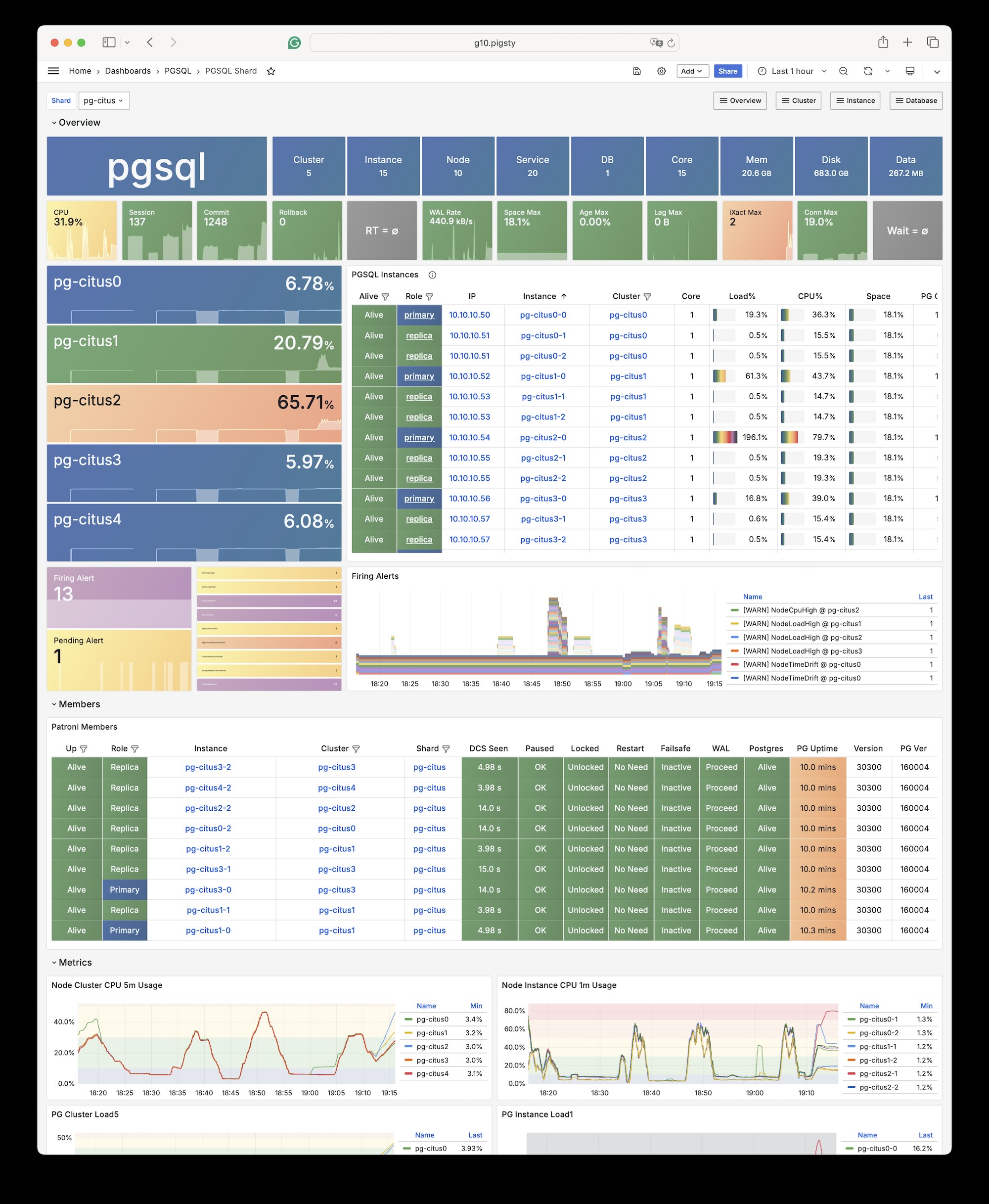
Pigsty natively supports Citus. This is a distributed horizontal scaling extension based on the native PostgreSQL kernel.
Installation
Citus is a PostgreSQL extension plugin that can be installed and enabled on a native PostgreSQL cluster following the standard plugin installation process.
To define a citus cluster, you need to specify the following parameters:
pg_mode must be set to citus instead of the default pgsql
You must define the shard name pg_shard and shard number pg_group on each shard cluster
You must define pg_primary_db to specify the database managed by Patroni
If you want to use postgres from pg_dbsu instead of the default pg_admin_username to execute admin commands, then pg_dbsu_password must be set to a non-empty plaintext password
Additionally, you need extra hba rules to allow SSL access from localhost and other data nodes.
You can define each Citus cluster as a separate group, like standard PostgreSQL clusters, as shown in conf/dbms/citus.yml:
all:children:pg-citus0:# citus shard 0hosts:{10.10.10.10:{pg_seq: 1, pg_role:primary } }vars:{pg_cluster: pg-citus0 , pg_group:0}pg-citus1:# citus shard 1hosts:{10.10.10.11:{pg_seq: 1, pg_role:primary } }vars:{pg_cluster: pg-citus1 , pg_group:1}pg-citus2:# citus shard 2hosts:{10.10.10.12:{pg_seq: 1, pg_role:primary } }vars:{pg_cluster: pg-citus2 , pg_group:2}pg-citus3:# citus shard 3hosts:10.10.10.13:{pg_seq: 1, pg_role:primary }10.10.10.14:{pg_seq: 2, pg_role:replica }vars:{pg_cluster: pg-citus3 , pg_group:3}vars:# Global parameters for all Citus clusterspg_mode: citus # pgsql cluster mode must be set to:cituspg_shard: pg-citus # citus horizontal shard name:pg-cituspg_primary_db: meta # citus database name:metapg_dbsu_password:DBUser.Postgres# If using dbsu, you need to configure a password for itpg_users:[{name: dbuser_meta ,password: DBUser.Meta ,pgbouncer: true ,roles:[dbrole_admin ] } ]pg_databases:[{name: meta ,extensions:[{name:citus }, { name: postgis }, { name: timescaledb } ] } ]pg_hba_rules:- {user: 'all' ,db: all ,addr: 127.0.0.1/32 ,auth: ssl ,title:'all user ssl access from localhost'}- {user: 'all' ,db: all ,addr: intra ,auth: ssl ,title:'all user ssl access from intranet'}
You can also specify identity parameters for all Citus cluster members within a single group, as shown in prod.yml:
#==========================================================## pg-citus: 10 node citus cluster (5 x primary-replica pair)#==========================================================#pg-citus:# citus grouphosts:10.10.10.50:{pg_group: 0, pg_cluster: pg-citus0 ,pg_vip_address: 10.10.10.60/24 ,pg_seq: 0, pg_role:primary }10.10.10.51:{pg_group: 0, pg_cluster: pg-citus0 ,pg_vip_address: 10.10.10.60/24 ,pg_seq: 1, pg_role:replica }10.10.10.52:{pg_group: 1, pg_cluster: pg-citus1 ,pg_vip_address: 10.10.10.61/24 ,pg_seq: 0, pg_role:primary }10.10.10.53:{pg_group: 1, pg_cluster: pg-citus1 ,pg_vip_address: 10.10.10.61/24 ,pg_seq: 1, pg_role:replica }10.10.10.54:{pg_group: 2, pg_cluster: pg-citus2 ,pg_vip_address: 10.10.10.62/24 ,pg_seq: 0, pg_role:primary }10.10.10.55:{pg_group: 2, pg_cluster: pg-citus2 ,pg_vip_address: 10.10.10.62/24 ,pg_seq: 1, pg_role:replica }10.10.10.56:{pg_group: 3, pg_cluster: pg-citus3 ,pg_vip_address: 10.10.10.63/24 ,pg_seq: 0, pg_role:primary }10.10.10.57:{pg_group: 3, pg_cluster: pg-citus3 ,pg_vip_address: 10.10.10.63/24 ,pg_seq: 1, pg_role:replica }10.10.10.58:{pg_group: 4, pg_cluster: pg-citus4 ,pg_vip_address: 10.10.10.64/24 ,pg_seq: 0, pg_role:primary }10.10.10.59:{pg_group: 4, pg_cluster: pg-citus4 ,pg_vip_address: 10.10.10.64/24 ,pg_seq: 1, pg_role:replica }vars:pg_mode: citus # pgsql cluster mode:cituspg_shard: pg-citus # citus shard name:pg-cituspg_primary_db:test # primary database used by cituspg_dbsu_password:DBUser.Postgres# all dbsu password access for citus clusterpg_vip_enabled:truepg_vip_interface:eth1pg_extensions:['citus postgis timescaledb pgvector']pg_libs:'citus, timescaledb, pg_stat_statements, auto_explain'# citus will be added by patroni automaticallypg_users:[{name: test ,password: test ,pgbouncer: true ,roles:[dbrole_admin ] } ]pg_databases:[{name: test ,owner: test ,extensions:[{name:citus }, { name: postgis } ] } ]pg_hba_rules:- {user: 'all' ,db: all ,addr: 10.10.10.0/24 ,auth: trust ,title:'trust citus cluster members'}- {user: 'all' ,db: all ,addr: 127.0.0.1/32 ,auth: ssl ,title:'all user ssl access from localhost'}- {user: 'all' ,db: all ,addr: intra ,auth: ssl ,title:'all user ssl access from intranet'}
Usage
You can access any node just like accessing a regular cluster:
When a node fails, the native high availability support provided by Patroni will promote the standby node and automatically take over.
test=# select * from pg_dist_node; nodeid | groupid | nodename | nodeport | noderack | hasmetadata | isactive | noderole | nodecluster | metadatasynced | shouldhaveshards
--------+---------+-------------+----------+----------+-------------+----------+----------+-------------+----------------+------------------
1|0| 10.10.10.51 |5432| default | t | t | primary | default | t | f
2|2| 10.10.10.54 |5432| default | t | t | primary | default | t | t
5|1| 10.10.10.52 |5432| default | t | t | primary | default | t | t
3|4| 10.10.10.58 |5432| default | t | t | primary | default | t | t
4|3| 10.10.10.56 |5432| default | t | t | primary | default | t | t
7 - Babelfish
Create Microsoft SQL Server compatible PostgreSQL clusters using WiltonDB and Babelfish! (Wire protocol level compatibility)
Babelfish is an MSSQL (Microsoft SQL Server) compatibility solution based on PostgreSQL, open-sourced by AWS.
Overview
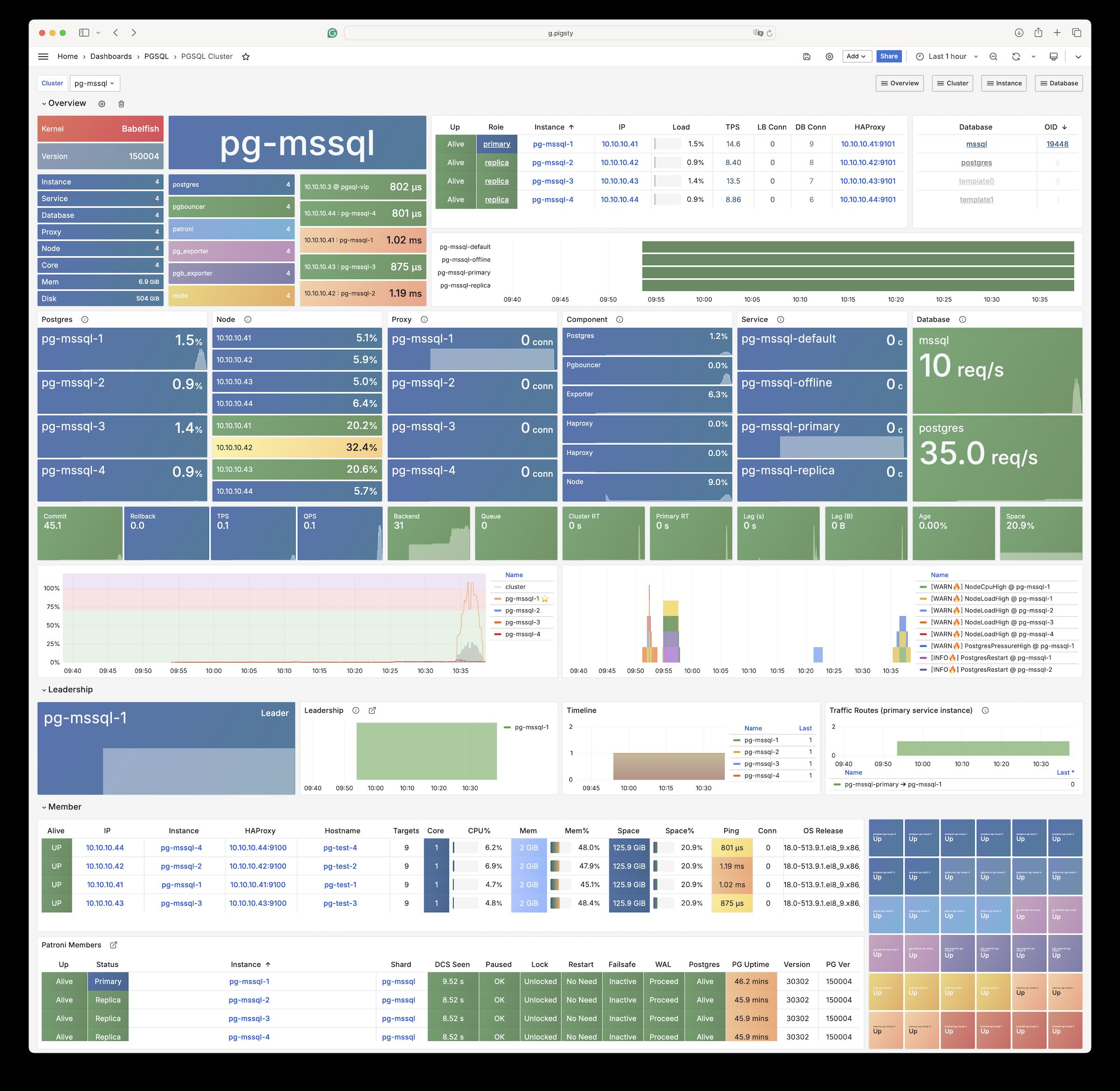
Pigsty allows users to create Microsoft SQL Server compatible PostgreSQL clusters using Babelfish and WiltonDB!
Babelfish: An MSSQL (Microsoft SQL Server) compatibility extension plugin open-sourced by AWS
WiltonDB: A PostgreSQL kernel distribution focusing on integrating Babelfish
Babelfish is a PostgreSQL extension, but it only works on a slightly modified PostgreSQL kernel fork. WiltonDB provides compiled fork kernel binaries and extension binary packages on EL/Ubuntu systems.
Pigsty can replace the native PostgreSQL kernel with WiltonDB, providing an out-of-the-box MSSQL compatible cluster. Using and managing an MSSQL cluster is no different from a standard PostgreSQL 15 cluster. You can use all the features provided by Pigsty, such as high availability, backup, monitoring, etc.
WiltonDB comes with several extension plugins including Babelfish, but cannot use native PostgreSQL extension plugins.
After the MSSQL compatible cluster starts, in addition to listening on the PostgreSQL default port, it also listens on the MSSQL default port 1433, providing MSSQL services via the TDS Wire Protocol on this port.
You can connect to the MSSQL service provided by Pigsty using any MSSQL client, such as SQL Server Management Studio, or using the sqlcmd command-line tool.
Installation
WiltonDB conflicts with the native PostgreSQL kernel. Only one kernel can be installed on a node. Use the following command to install the WiltonDB kernel online.
Please note that WiltonDB is only available on EL and Ubuntu systems. Debian support is not currently provided.
The Pigsty Professional Edition provides offline installation packages for WiltonDB, which can be installed from local software sources.
Configuration
When installing and deploying the MSSQL module, please pay special attention to the following:
WiltonDB is available on EL (7/8/9) and Ubuntu (20.04/22.04), but not available on Debian systems.
WiltonDB is currently compiled based on PostgreSQL 15, so you need to specify pg_version: 15.
On EL systems, the wiltondb binary is installed by default in the /usr/bin/ directory, while on Ubuntu systems it is installed in the /usr/lib/postgresql/15/bin/ directory, which is different from the official PostgreSQL binary placement.
In WiltonDB compatibility mode, the HBA password authentication rule needs to use md5 instead of scram-sha-256. Therefore, you need to override Pigsty’s default HBA rule set and insert the md5 authentication rule required by SQL Server before the dbrole_readonly wildcard authentication rule.
WiltonDB can only be enabled for one primary database, and you should designate a user as the Babelfish superuser, allowing Babelfish to create databases and users. The default is mssql and dbuser_mssql. If you change this, please also modify the user in files/mssql.sql.
The WiltonDB TDS wire protocol compatibility plugin babelfishpg_tds needs to be enabled in shared_preload_libraries.
After enabling the WiltonDB extension, it listens on the MSSQL default port 1433. You can override Pigsty’s default service definitions to point the primary and replica services to port 1433 instead of 5432 / 6432.
The following parameters need to be configured for the MSSQL database cluster:
#----------------------------------## PGSQL & MSSQL (Babelfish & Wilton)#----------------------------------## PG Installationnode_repo_modules:local,node,mssql# add mssql and os upstream repospg_mode:mssql # Microsoft SQL Server Compatible Modepg_libs:'babelfishpg_tds, pg_stat_statements, auto_explain'# add timescaledb to shared_preload_librariespg_version:15# The current WiltonDB major version is 15pg_packages:- wiltondb # install forked version of postgresql with babelfishpg support- patroni pgbouncer pgbackrest pg_exporter pgbadger vip-managerpg_extensions:[]# do not install any vanilla postgresql extensions# PG Provisionpg_default_hba_rules:# overwrite default HBA rules for babelfish cluster- {user:'${dbsu}',db: all ,addr: local ,auth: ident ,title:'dbsu access via local os user ident'}- {user:'${dbsu}',db: replication ,addr: local ,auth: ident ,title:'dbsu replication from local os ident'}- {user:'${repl}',db: replication ,addr: localhost ,auth: pwd ,title:'replicator replication from localhost'}- {user:'${repl}',db: replication ,addr: intra ,auth: pwd ,title:'replicator replication from intranet'}- {user:'${repl}',db: postgres ,addr: intra ,auth: pwd ,title:'replicator postgres db from intranet'}- {user:'${monitor}',db: all ,addr: localhost ,auth: pwd ,title:'monitor from localhost with password'}- {user:'${monitor}',db: all ,addr: infra ,auth: pwd ,title:'monitor from infra host with password'}- {user:'${admin}',db: all ,addr: infra ,auth: ssl ,title:'admin @ infra nodes with pwd & ssl'}- {user:'${admin}',db: all ,addr: world ,auth: ssl ,title:'admin @ everywhere with ssl & pwd'}- {user: dbuser_mssql ,db: mssql ,addr: intra ,auth: md5 ,title:'allow mssql dbsu intranet access'}# <--- use md5 auth method for mssql user- {user: '+dbrole_readonly',db: all ,addr: localhost ,auth: pwd ,title:'pgbouncer read/write via local socket'}- {user: '+dbrole_readonly',db: all ,addr: intra ,auth: pwd ,title:'read/write biz user via password'}- {user: '+dbrole_offline' ,db: all ,addr: intra ,auth: pwd ,title:'allow etl offline tasks from intranet'}pg_default_services:# route primary & replica service to mssql port 1433- {name: primary ,port: 5433 ,dest: 1433 ,check: /primary ,selector:"[]"}- {name: replica ,port: 5434 ,dest: 1433 ,check: /read-only ,selector:"[]", backup:"[? pg_role == `primary` || pg_role == `offline` ]"}- {name: default ,port: 5436 ,dest: postgres ,check: /primary ,selector:"[]"}- {name: offline ,port: 5438 ,dest: postgres ,check: /replica ,selector:"[? pg_role == `offline` || pg_offline_query ]", backup:"[? pg_role == `replica` && !pg_offline_query]"}
You can define MSSQL business databases and business users:
#----------------------------------## pgsql (singleton on current node)#----------------------------------## this is an example single-node postgres cluster with postgis & timescaledb installed, with one biz database & two biz userspg-meta:hosts:10.10.10.10:{pg_seq: 1, pg_role:primary }# <---- primary instance with read-write capabilityvars:pg_cluster:pg-testpg_users:# create MSSQL superuser- {name: dbuser_mssql ,password: DBUser.MSSQL ,superuser: true, pgbouncer: true ,roles: [dbrole_admin], comment:superuser & owner for babelfish }pg_primary_db:mssql # use `mssql` as the primary sql server databasepg_databases:- name:mssqlbaseline:mssql.sql # init babelfish database & userextensions:- {name:uuid-ossp }- {name:babelfishpg_common }- {name:babelfishpg_tsql }- {name:babelfishpg_tds }- {name:babelfishpg_money }- {name:pg_hint_plan }- {name:system_stats }- {name:tds_fdw }owner:dbuser_mssqlparameters:{'babelfishpg_tsql.migration_mode' :'multi-db'}comment:babelfish cluster, a MSSQL compatible pg cluster
Access
You can use any SQL Server compatible client tool to access this database cluster.
Microsoft provides sqlcmd as the official command-line tool.
In addition, they also provide a Go version command-line tool go-sqlcmd.
Install go-sqlcmd:
curl -LO https://github.com/microsoft/go-sqlcmd/releases/download/v1.4.0/sqlcmd-v1.4.0-linux-amd64.tar.bz2
tar xjvf sqlcmd-v1.4.0-linux-amd64.tar.bz2
sudo mv sqlcmd* /usr/bin/
Quick start with go-sqlcmd:
$ sqlcmd -S 10.10.10.10,1433 -U dbuser_mssql -P DBUser.MSSQL
1> select @@version
2> go
version
----------------------------------------------------------------------------------------------------------------------------------------------------------------------------------------------------------------------------------------------------------------
Babelfish for PostgreSQL with SQL Server Compatibility - 12.0.2000.8
Oct 222023 17:48:32
Copyright (c) Amazon Web Services
PostgreSQL 15.4 (EL 1:15.4.wiltondb3.3_2-2.el8) on x86_64-redhat-linux-gnu (Babelfish 3.3.0)(1 row affected)
Using the service mechanism provided by Pigsty, you can use ports 5433 / 5434 to always connect to port 1433 on the primary/replica.
# Access port 5433 on any cluster member, pointing to port 1433 MSSQL port on the primarysqlcmd -S 10.10.10.11,5433 -U dbuser_mssql -P DBUser.MSSQL
# Access port 5434 on any cluster member, pointing to port 1433 MSSQL port on any readable replicasqlcmd -S 10.10.10.11,5434 -U dbuser_mssql -P DBUser.MSSQL
Extensions
Most of the PGSQL module’s extension plugins (non-pure SQL class) cannot be directly used on the WiltonDB kernel of the MSSQL module and need to be recompiled.
Currently, WiltonDB comes with the following extension plugins. In addition to PostgreSQL Contrib extensions and the four BabelfishPG core extensions, it also provides three third-party extensions: pg_hint_plan, tds_fdw, and system_stats.
Extension Name
Version
Description
dblink
1.2
connect to other PostgreSQL databases from within a database
adminpack
2.1
administrative functions for PostgreSQL
dict_int
1.0
text search dictionary template for integers
intagg
1.1
integer aggregator and enumerator (obsolete)
dict_xsyn
1.0
text search dictionary template for extended synonym processing
amcheck
1.3
functions for verifying relation integrity
autoinc
1.0
functions for autoincrementing fields
bloom
1.0
bloom access method - signature file based index
fuzzystrmatch
1.1
determine similarities and distance between strings
intarray
1.5
functions, operators, and index support for 1-D arrays of integers
btree_gin
1.3
support for indexing common datatypes in GIN
btree_gist
1.7
support for indexing common datatypes in GiST
hstore
1.8
data type for storing sets of (key, value) pairs
hstore_plperl
1.0
transform between hstore and plperl
isn
1.2
data types for international product numbering standards
hstore_plperlu
1.0
transform between hstore and plperlu
jsonb_plperl
1.0
transform between jsonb and plperl
citext
1.6
data type for case-insensitive character strings
jsonb_plperlu
1.0
transform between jsonb and plperlu
jsonb_plpython3u
1.0
transform between jsonb and plpython3u
cube
1.5
data type for multidimensional cubes
hstore_plpython3u
1.0
transform between hstore and plpython3u
earthdistance
1.1
calculate great-circle distances on the surface of the Earth
lo
1.1
Large Object maintenance
file_fdw
1.0
foreign-data wrapper for flat file access
insert_username
1.0
functions for tracking who changed a table
ltree
1.2
data type for hierarchical tree-like structures
ltree_plpython3u
1.0
transform between ltree and plpython3u
pg_walinspect
1.0
functions to inspect contents of PostgreSQL Write-Ahead Log
moddatetime
1.0
functions for tracking last modification time
old_snapshot
1.0
utilities in support of old_snapshot_threshold
pgcrypto
1.3
cryptographic functions
pgrowlocks
1.2
show row-level locking information
pageinspect
1.11
inspect the contents of database pages at a low level
pg_surgery
1.0
extension to perform surgery on a damaged relation
seg
1.4
data type for representing line segments or floating-point intervals
pgstattuple
1.5
show tuple-level statistics
pg_buffercache
1.3
examine the shared buffer cache
pg_freespacemap
1.2
examine the free space map (FSM)
postgres_fdw
1.1
foreign-data wrapper for remote PostgreSQL servers
pg_prewarm
1.2
prewarm relation data
tcn
1.0
Triggered change notifications
pg_trgm
1.6
text similarity measurement and index searching based on trigrams
xml2
1.1
XPath querying and XSLT
refint
1.0
functions for implementing referential integrity (obsolete)
pg_visibility
1.2
examine the visibility map (VM) and page-level visibility info
pg_stat_statements
1.10
track planning and execution statistics of all SQL statements executed
sslinfo
1.2
information about SSL certificates
tablefunc
1.0
functions that manipulate whole tables, including crosstab
tsm_system_rows
1.0
TABLESAMPLE method which accepts number of rows as a limit
tsm_system_time
1.0
TABLESAMPLE method which accepts time in milliseconds as a limit
unaccent
1.1
text search dictionary that removes accents
uuid-ossp
1.1
generate universally unique identifiers (UUIDs)
plpgsql
1.0
PL/pgSQL procedural language
babelfishpg_money
1.1.0
babelfishpg_money
system_stats
2.0
EnterpriseDB system statistics for PostgreSQL
tds_fdw
2.0.3
Foreign data wrapper for querying a TDS database (Sybase or Microsoft SQL Server)
babelfishpg_common
3.3.3
Transact SQL Datatype Support
babelfishpg_tds
1.0.0
TDS protocol extension
pg_hint_plan
1.5.1
babelfishpg_tsql
3.3.1
Transact SQL compatibility
The Pigsty Professional Edition provides offline installation capabilities for MSSQL compatible modules
Pigsty Professional Edition provides optional MSSQL compatible kernel extension porting and customization services, which can port extensions available in the PGSQL module to MSSQL clusters.
8 - IvorySQL
Use HighGo’s open-source IvorySQL kernel to achieve Oracle syntax/PLSQL compatibility based on PostgreSQL clusters.
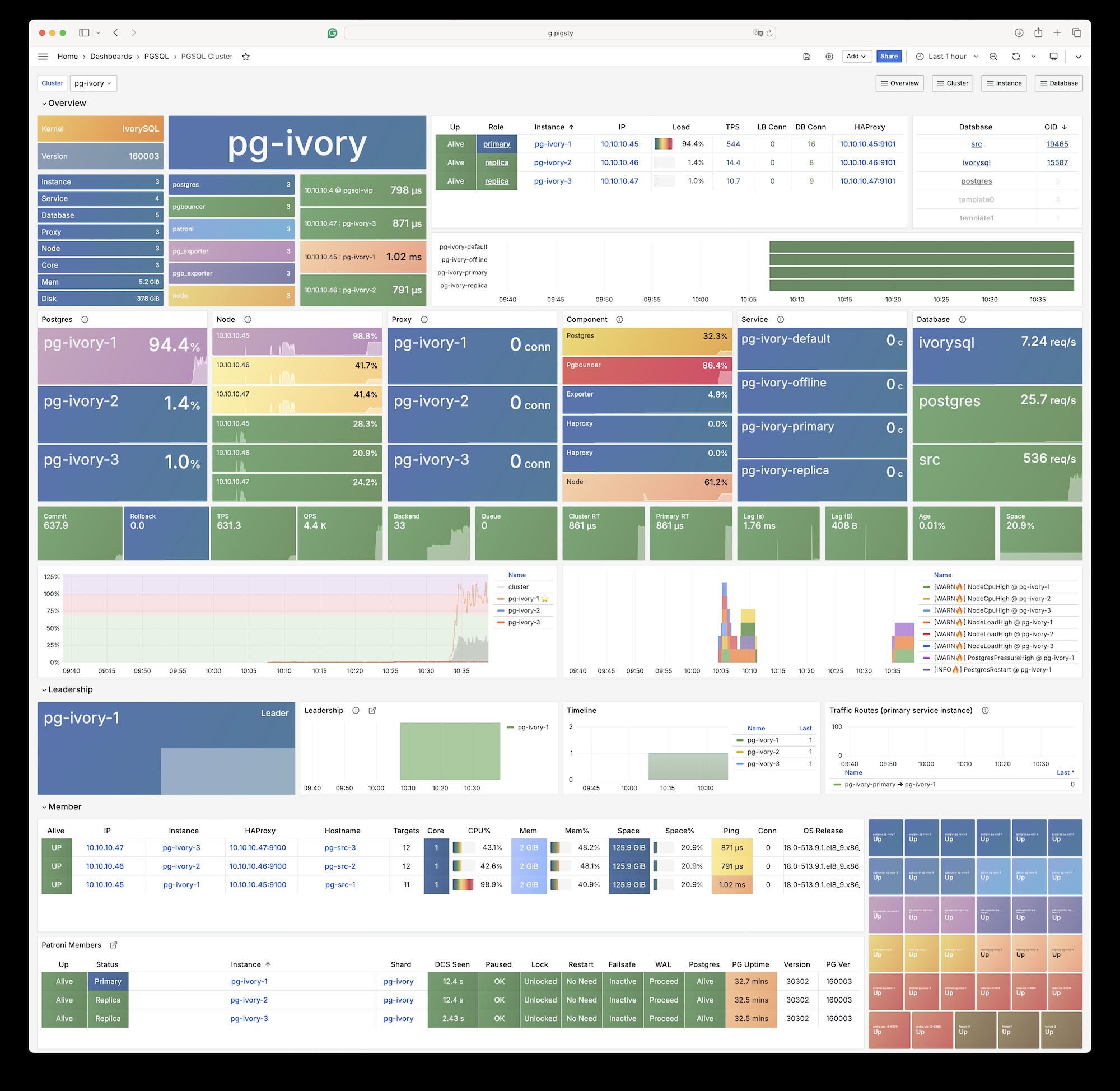
IvorySQL is an open-source PostgreSQL kernel fork that aims to provide “Oracle compatibility” based on PG.
Overview
The IvorySQL kernel is supported in the Pigsty open-source version. Your server needs internet access to download relevant packages directly from IvorySQL’s official repository.
Please note that adding IvorySQL directly to Pigsty’s default software repository will affect the installation of the native PostgreSQL kernel. Pigsty Professional Edition provides offline installation solutions including the IvorySQL kernel.
The current latest version of IvorySQL is 5.0, corresponding to PostgreSQL version 18. Please note that IvorySQL is currently only available on EL8/EL9.
The last IvorySQL version supporting EL7 was 3.3, corresponding to PostgreSQL 16.3; the last version based on PostgreSQL 17 is IvorySQL 4.4
Installation
If your environment has internet access, you can add the IvorySQL repository directly to the node using the following method, then execute the PGSQL playbook for installation:
The following parameters need to be configured for IvorySQL database clusters:
#----------------------------------## Ivory SQL Configuration#----------------------------------#node_repo_modules:local,node,pgsql,ivory # add ivorysql upstream repopg_mode:ivory # IvorySQL Oracle Compatible Modepg_packages:['ivorysql patroni pgbouncer pgbackrest pg_exporter pgbadger vip-manager']pg_libs:'liboracle_parser, pg_stat_statements, auto_explain'pg_extensions:[]# do not install any vanilla postgresql extensions
When using Oracle compatibility mode, you need to dynamically load the liboracle_parser extension plugin.
Client Access
IvorySQL is equivalent to PostgreSQL 16, and any client tool compatible with the PostgreSQL wire protocol can access IvorySQL clusters.
Extension List
Most of the PGSQL module’s extensions (non-pure SQL types) cannot be used directly on the IvorySQL kernel. If you need to use them, please recompile and install from source for the new kernel.
Currently, the IvorySQL kernel comes with the following 101 extension plugins.
(The extension table remains unchanged as it’s already in English)
Please note that Pigsty does not assume any warranty responsibility for using the IvorySQL kernel. Any issues or requirements encountered when using this kernel should be addressed with the original vendor.
9 - PolarDB PG
Using Alibaba Cloud’s open-source PolarDB for PostgreSQL kernel to provide domestic innovation qualification support, with Oracle RAC-like user experience.
Overview
Pigsty allows you to create PostgreSQL clusters with “domestic innovation qualification” credentials using PolarDB!
PolarDB for PostgreSQL is essentially equivalent to PostgreSQL 15. Any client tool compatible with the PostgreSQL wire protocol can access PolarDB clusters.
Pigsty’s PGSQL repository provides PolarDB PG open-source installation packages for EL7 / EL8, but they are not downloaded to the local software repository during Pigsty installation.
If your environment has internet access, you can add the Pigsty PGSQL and dependency repositories to the node using the following method:
node_repo_modules:local,node,pgsql
Then in pg_packages, replace the native postgresql package with polardb.
Configuration
The following parameters need special configuration for PolarDB database clusters:
#----------------------------------## PGSQL & PolarDB#----------------------------------#pg_version:15pg_packages:['polardb patroni pgbouncer pgbackrest pg_exporter pgbadger vip-manager']pg_extensions:[]# do not install any vanilla postgresql extensionspg_mode:polar # PolarDB Compatible Modepg_default_roles:# default roles and users in postgres cluster- {name: dbrole_readonly ,login: false ,comment:role for global read-only access }- {name: dbrole_offline ,login: false ,comment:role for restricted read-only access }- {name: dbrole_readwrite ,login: false ,roles: [dbrole_readonly] ,comment:role for global read-write access }- {name: dbrole_admin ,login: false ,roles: [pg_monitor, dbrole_readwrite] ,comment:role for object creation }- {name: postgres ,superuser: true ,comment:system superuser }- {name: replicator ,superuser: true ,replication: true ,roles: [pg_monitor, dbrole_readonly] ,comment:system replicator }# <- superuser is required for replication- {name: dbuser_dba ,superuser: true ,roles: [dbrole_admin] ,pgbouncer: true ,pool_mode: session, pool_connlimit: 16 ,comment:pgsql admin user }- {name: dbuser_monitor ,roles: [pg_monitor] ,pgbouncer: true ,parameters:{log_min_duration_statement: 1000 } ,pool_mode: session ,pool_connlimit: 8 ,comment:pgsql monitor user }
Note particularly that PolarDB PG requires the replicator replication user to be a Superuser, unlike native PG.
Extension List
Most PGSQL module extension plugins (non-pure SQL types) cannot be used directly on the PolarDB kernel. If needed, please recompile and install from source for the new kernel.
Currently, the PolarDB kernel comes with the following 61 extension plugins. Apart from Contrib extensions, the additional extensions provided include:
polar_csn 1.0 : polar_csn
polar_monitor 1.2 : examine the polardb information
polar_monitor_preload 1.1 : examine the polardb information
polar_parameter_check 1.0 : kernel extension for parameter validation
polar_px 1.0 : Parallel Execution extension
polar_stat_env 1.0 : env stat functions for PolarDB
polar_stat_sql 1.3 : Kernel statistics gathering, and sql plan nodes information gathering
polar_tde_utils 1.0 : Internal extension for TDE
polar_vfs 1.0 : polar_vfs
polar_worker 1.0 : polar_worker
timetravel 1.0 : functions for implementing time travel
vector 0.5.1 : vector data type and ivfflat and hnsw access methods
smlar 1.0 : compute similary of any one-dimensional arrays
Complete list of available PolarDB plugins:
name
version
comment
hstore_plpython2u
1.0
transform between hstore and plpython2u
dict_int
1.0
text search dictionary template for integers
adminpack
2.0
administrative functions for PostgreSQL
hstore_plpython3u
1.0
transform between hstore and plpython3u
amcheck
1.1
functions for verifying relation integrity
hstore_plpythonu
1.0
transform between hstore and plpythonu
autoinc
1.0
functions for autoincrementing fields
insert_username
1.0
functions for tracking who changed a table
bloom
1.0
bloom access method - signature file based index
file_fdw
1.0
foreign-data wrapper for flat file access
dblink
1.2
connect to other PostgreSQL databases from within a database
btree_gin
1.3
support for indexing common datatypes in GIN
fuzzystrmatch
1.1
determine similarities and distance between strings
lo
1.1
Large Object maintenance
intagg
1.1
integer aggregator and enumerator (obsolete)
btree_gist
1.5
support for indexing common datatypes in GiST
hstore
1.5
data type for storing sets of (key, value) pairs
intarray
1.2
functions, operators, and index support for 1-D arrays of integers
citext
1.5
data type for case-insensitive character strings
cube
1.4
data type for multidimensional cubes
hstore_plperl
1.0
transform between hstore and plperl
isn
1.2
data types for international product numbering standards
jsonb_plperl
1.0
transform between jsonb and plperl
dict_xsyn
1.0
text search dictionary template for extended synonym processing
hstore_plperlu
1.0
transform between hstore and plperlu
earthdistance
1.1
calculate great-circle distances on the surface of the Earth
pg_prewarm
1.2
prewarm relation data
jsonb_plperlu
1.0
transform between jsonb and plperlu
pg_stat_statements
1.6
track execution statistics of all SQL statements executed
jsonb_plpython2u
1.0
transform between jsonb and plpython2u
jsonb_plpython3u
1.0
transform between jsonb and plpython3u
jsonb_plpythonu
1.0
transform between jsonb and plpythonu
pg_trgm
1.4
text similarity measurement and index searching based on trigrams
pgstattuple
1.5
show tuple-level statistics
ltree
1.1
data type for hierarchical tree-like structures
ltree_plpython2u
1.0
transform between ltree and plpython2u
pg_visibility
1.2
examine the visibility map (VM) and page-level visibility info
ltree_plpython3u
1.0
transform between ltree and plpython3u
ltree_plpythonu
1.0
transform between ltree and plpythonu
seg
1.3
data type for representing line segments or floating-point intervals
moddatetime
1.0
functions for tracking last modification time
pgcrypto
1.3
cryptographic functions
pgrowlocks
1.2
show row-level locking information
pageinspect
1.7
inspect the contents of database pages at a low level
pg_buffercache
1.3
examine the shared buffer cache
pg_freespacemap
1.2
examine the free space map (FSM)
tcn
1.0
Triggered change notifications
plperl
1.0
PL/Perl procedural language
uuid-ossp
1.1
generate universally unique identifiers (UUIDs)
plperlu
1.0
PL/PerlU untrusted procedural language
refint
1.0
functions for implementing referential integrity (obsolete)
xml2
1.1
XPath querying and XSLT
plpgsql
1.0
PL/pgSQL procedural language
plpython3u
1.0
PL/Python3U untrusted procedural language
pltcl
1.0
PL/Tcl procedural language
pltclu
1.0
PL/TclU untrusted procedural language
polar_csn
1.0
polar_csn
sslinfo
1.2
information about SSL certificates
polar_monitor
1.2
examine the polardb information
polar_monitor_preload
1.1
examine the polardb information
polar_parameter_check
1.0
kernel extension for parameter validation
polar_px
1.0
Parallel Execution extension
tablefunc
1.0
functions that manipulate whole tables, including crosstab
polar_stat_env
1.0
env stat functions for PolarDB
smlar
1.0
compute similary of any one-dimensional arrays
timetravel
1.0
functions for implementing time travel
tsm_system_rows
1.0
TABLESAMPLE method which accepts number of rows as a limit
polar_stat_sql
1.3
Kernel statistics gathering, and sql plan nodes information gathering
tsm_system_time
1.0
TABLESAMPLE method which accepts time in milliseconds as a limit
polar_tde_utils
1.0
Internal extension for TDE
polar_vfs
1.0
polar_vfs
polar_worker
1.0
polar_worker
unaccent
1.1
text search dictionary that removes accents
postgres_fdw
1.0
foreign-data wrapper for remote PostgreSQL servers
Pigsty Professional Edition provides PolarDB offline installation support, extension plugin compilation support, and monitoring and management support specifically adapted for PolarDB clusters.
Pigsty collaborates with the Alibaba Cloud kernel team and can provide paid kernel backup support services.
10 - PolarDB Oracle
Using Alibaba Cloud’s commercial PolarDB for Oracle kernel (closed source, PG14, only available in special enterprise edition customization)
Pigsty allows you to create PolarDB for Oracle clusters with “domestic innovation qualification” credentials using PolarDB!
PolarDB for Oracle is an Oracle-compatible version developed based on PolarDB for PostgreSQL. Both share the same kernel, distinguished by the --compatibility-mode parameter.
We collaborate with the Alibaba Cloud kernel team to provide a complete database solution based on PolarDB v2.0 kernel and Pigsty. Please contact sales for inquiries, or purchase on Alibaba Cloud Marketplace.
The PolarDB for Oracle kernel is currently only available on EL systems.
Extensions
Currently, the PolarDB 2.0 (Oracle compatible) kernel comes with the following 188 extension plugins:
name
default_version
comment
cube
1.5
data type for multidimensional cubes
ip4r
2.4
NULL
adminpack
2.1
administrative functions for PostgreSQL
dict_xsyn
1.0
text search dictionary template for extended synonym processing
amcheck
1.4
functions for verifying relation integrity
autoinc
1.0
functions for autoincrementing fields
hstore
1.8
data type for storing sets of (key, value) pairs
bloom
1.0
bloom access method - signature file based index
earthdistance
1.1
calculate great-circle distances on the surface of the Earth
hstore_plperl
1.0
transform between hstore and plperl
bool_plperl
1.0
transform between bool and plperl
file_fdw
1.0
foreign-data wrapper for flat file access
bool_plperlu
1.0
transform between bool and plperlu
fuzzystrmatch
1.1
determine similarities and distance between strings
hstore_plperlu
1.0
transform between hstore and plperlu
btree_gin
1.3
support for indexing common datatypes in GIN
hstore_plpython2u
1.0
transform between hstore and plpython2u
btree_gist
1.6
support for indexing common datatypes in GiST
hll
2.17
type for storing hyperloglog data
hstore_plpython3u
1.0
transform between hstore and plpython3u
citext
1.6
data type for case-insensitive character strings
hstore_plpythonu
1.0
transform between hstore and plpythonu
hypopg
1.3.1
Hypothetical indexes for PostgreSQL
insert_username
1.0
functions for tracking who changed a table
dblink
1.2
connect to other PostgreSQL databases from within a database
decoderbufs
0.1.0
Logical decoding plugin that delivers WAL stream changes using a Protocol Buffer format
intagg
1.1
integer aggregator and enumerator (obsolete)
dict_int
1.0
text search dictionary template for integers
intarray
1.5
functions, operators, and index support for 1-D arrays of integers
isn
1.2
data types for international product numbering standards
jsonb_plperl
1.0
transform between jsonb and plperl
jsonb_plperlu
1.0
transform between jsonb and plperlu
jsonb_plpython2u
1.0
transform between jsonb and plpython2u
jsonb_plpython3u
1.0
transform between jsonb and plpython3u
jsonb_plpythonu
1.0
transform between jsonb and plpythonu
lo
1.1
Large Object maintenance
log_fdw
1.0
foreign-data wrapper for csvlog
ltree
1.2
data type for hierarchical tree-like structures
ltree_plpython2u
1.0
transform between ltree and plpython2u
ltree_plpython3u
1.0
transform between ltree and plpython3u
ltree_plpythonu
1.0
transform between ltree and plpythonu
moddatetime
1.0
functions for tracking last modification time
old_snapshot
1.0
utilities in support of old_snapshot_threshold
oracle_fdw
1.2
foreign data wrapper for Oracle access
oss_fdw
1.1
foreign-data wrapper for OSS access
pageinspect
2.1
inspect the contents of database pages at a low level
pase
0.0.1
ant ai similarity search
pg_bigm
1.2
text similarity measurement and index searching based on bigrams
pg_freespacemap
1.2
examine the free space map (FSM)
pg_hint_plan
1.4
controls execution plan with hinting phrases in comment of special form
pg_buffercache
1.5
examine the shared buffer cache
pg_prewarm
1.2
prewarm relation data
pg_repack
1.4.8-1
Reorganize tables in PostgreSQL databases with minimal locks
pg_sphere
1.0
spherical objects with useful functions, operators and index support
pg_cron
1.5
Job scheduler for PostgreSQL
pg_jieba
1.1.0
a parser for full-text search of Chinese
pg_stat_kcache
2.2.1
Kernel statistics gathering
pg_stat_statements
1.9
track planning and execution statistics of all SQL statements executed
pg_surgery
1.0
extension to perform surgery on a damaged relation
pg_trgm
1.6
text similarity measurement and index searching based on trigrams
pg_visibility
1.2
examine the visibility map (VM) and page-level visibility info
pg_wait_sampling
1.1
sampling based statistics of wait events
pgaudit
1.6.2
provides auditing functionality
pgcrypto
1.3
cryptographic functions
pgrowlocks
1.2
show row-level locking information
pgstattuple
1.5
show tuple-level statistics
pgtap
1.2.0
Unit testing for PostgreSQL
pldbgapi
1.1
server-side support for debugging PL/pgSQL functions
plperl
1.0
PL/Perl procedural language
plperlu
1.0
PL/PerlU untrusted procedural language
plpgsql
1.0
PL/pgSQL procedural language
plpython2u
1.0
PL/Python2U untrusted procedural language
plpythonu
1.0
PL/PythonU untrusted procedural language
plsql
1.0
Oracle compatible PL/SQL procedural language
pltcl
1.0
PL/Tcl procedural language
pltclu
1.0
PL/TclU untrusted procedural language
polar_bfile
1.0
The BFILE data type enables access to binary file LOBs that are stored in file systems outside Database
polar_bpe
1.0
polar_bpe
polar_builtin_cast
1.1
Internal extension for builtin casts
polar_builtin_funcs
2.0
implement polar builtin functions
polar_builtin_type
1.5
polar_builtin_type for PolarDB
polar_builtin_view
1.5
polar_builtin_view
polar_catalog
1.2
polardb pg extend catalog
polar_channel
1.0
polar_channel
polar_constraint
1.0
polar_constraint
polar_csn
1.0
polar_csn
polar_dba_views
1.0
polar_dba_views
polar_dbms_alert
1.2
implement polar_dbms_alert - supports asynchronous notification of database events.
polar_dbms_application_info
1.0
implement polar_dbms_application_info - record names of executing modules or transactions in the database.
polar_dbms_pipe
1.1
implements polar_dbms_pipe - package lets two or more sessions in the same instance communicate.
polar_dbms_aq
1.2
implement dbms_aq - provides an interface to Advanced Queuing.
polar_dbms_lob
1.3
implement dbms_lob - provides subprograms to operate on BLOBs, CLOBs, and NCLOBs.
polar_dbms_output
1.2
implement polar_dbms_output - enables you to send messages from stored procedures.
polar_dbms_lock
1.0
implement polar_dbms_lock - provides an interface to Oracle Lock Management services.
polar_dbms_aqadm
1.3
polar_dbms_aqadm - procedures to manage Advanced Queuing configuration and administration information.
polar_dbms_assert
1.0
implement polar_dbms_assert - provide an interface to validate properties of the input value.
polar_dbms_metadata
1.0
implement polar_dbms_metadata - provides a way for you to retrieve metadata from the database dictionary.
polar_dbms_random
1.0
implement polar_dbms_random - a built-in random number generator, not intended for cryptography
polar_dbms_crypto
1.1
implement dbms_crypto - provides an interface to encrypt and decrypt stored data.
polar_dbms_redact
1.0
implement polar_dbms_redact - provides an interface to mask data from queries by an application.
polar_dbms_debug
1.1
server-side support for debugging PL/SQL functions
polar_dbms_job
1.0
polar_dbms_job
polar_dbms_mview
1.1
implement polar_dbms_mview - enables to refresh materialized views.
polar_dbms_job_preload
1.0
polar_dbms_job_preload
polar_dbms_obfuscation_toolkit
1.1
implement polar_dbms_obfuscation_toolkit - enables an application to get data md5.
polar_dbms_rls
1.1
implement polar_dbms_rls - a fine-grained access control administrative built-in package
polar_multi_toast_utils
1.0
polar_multi_toast_utils
polar_dbms_session
1.2
implement polar_dbms_session - support to set preferences and security levels.
polar_odciconst
1.0
implement ODCIConst - Provide some built-in constants in Oracle.
polar_dbms_sql
1.2
implement polar_dbms_sql - provides an interface to execute dynamic SQL.
polar_osfs_toolkit
1.0
osfs library tools and functions extension
polar_dbms_stats
14.0
stabilize plans by fixing statistics
polar_monitor
1.5
monitor functions for PolarDB
polar_osfs_utils
1.0
osfs library utils extension
polar_dbms_utility
1.3
implement polar_dbms_utility - provides various utility subprograms.
polar_parameter_check
1.0
kernel extension for parameter validation
polar_dbms_xmldom
1.0
implement dbms_xmldom and dbms_xmlparser - support standard DOM interface and xml parser object
polar_parameter_manager
1.1
Extension to select parameters for manger.
polar_faults
1.0.0
simulate some database faults for end user or testing system.
polar_monitor_preload
1.1
examine the polardb information
polar_proxy_utils
1.0
Extension to provide operations about proxy.
polar_feature_utils
1.2
PolarDB feature utilization
polar_global_awr
1.0
PolarDB Global AWR Report
polar_publication
1.0
support polardb pg logical replication
polar_global_cache
1.0
polar_global_cache
polar_px
1.0
Parallel Execution extension
polar_serverless
1.0
polar serverless extension
polar_resource_manager
1.0
a background process that forcibly frees user session process memory
polar_sys_context
1.1
implement polar_sys_context - returns the value of parameter associated with the context namespace at the current instant.
polar_gpc
1.3
polar_gpc
polar_tde_utils
1.0
Internal extension for TDE
polar_gtt
1.1
polar_gtt
polar_utl_encode
1.2
implement polar_utl_encode - provides functions that encode RAW data into a standard encoded format
polar_htap
1.1
extension for PolarDB HTAP
polar_htap_db
1.0
extension for PolarDB HTAP database level operation
polar_io_stat
1.0
polar io stat in multi dimension
polar_utl_file
1.0
implement utl_file - support PL/SQL programs can read and write operating system text files
polar_ivm
1.0
polar_ivm
polar_sql_mapping
1.2
Record error sqls and mapping them to correct one
polar_stat_sql
1.0
Kernel statistics gathering, and sql plan nodes information gathering
tds_fdw
2.0.2
Foreign data wrapper for querying a TDS database (Sybase or Microsoft SQL Server)
xml2
1.1
XPath querying and XSLT
polar_upgrade_catalogs
1.1
Upgrade catalogs for old version instance
polar_utl_i18n
1.1
polar_utl_i18n
polar_utl_raw
1.0
implement utl_raw - provides SQL functions for manipulating RAW datatypes.
timescaledb
2.9.2
Enables scalable inserts and complex queries for time-series data
polar_vfs
1.0
polar virtual file system for different storage
polar_worker
1.0
polar_worker
postgres_fdw
1.1
foreign-data wrapper for remote PostgreSQL servers
refint
1.0
functions for implementing referential integrity (obsolete)
roaringbitmap
0.5
support for Roaring Bitmaps
tsm_system_time
1.0
TABLESAMPLE method which accepts time in milliseconds as a limit
vector
0.5.0
vector data type and ivfflat and hnsw access methods
rum
1.3
RUM index access method
unaccent
1.1
text search dictionary that removes accents
seg
1.4
data type for representing line segments or floating-point intervals
sequential_uuids
1.0.2
generator of sequential UUIDs
uuid-ossp
1.1
generate universally unique identifiers (UUIDs)
smlar
1.0
compute similary of any one-dimensional arrays
varbitx
1.1
varbit functions pack
sslinfo
1.2
information about SSL certificates
tablefunc
1.0
functions that manipulate whole tables, including crosstab
tcn
1.0
Triggered change notifications
zhparser
1.0
a parser for full-text search of Chinese
address_standardizer
3.3.2
Ganos PostGIS address standardizer
address_standardizer_data_us
3.3.2
Ganos PostGIS address standardizer data us
ganos_fdw
6.0
Ganos Spatial FDW extension for POLARDB
ganos_geometry
6.0
Ganos geometry lite extension for POLARDB
ganos_geometry_pyramid
6.0
Ganos Geometry Pyramid extension for POLARDB
ganos_geometry_sfcgal
6.0
Ganos geometry lite sfcgal extension for POLARDB
ganos_geomgrid
6.0
Ganos geometry grid extension for POLARDB
ganos_importer
6.0
Ganos Spatial importer extension for POLARDB
ganos_networking
6.0
Ganos networking
ganos_pointcloud
6.0
Ganos pointcloud extension For POLARDB
ganos_pointcloud_geometry
6.0
Ganos_pointcloud LIDAR data and ganos_geometry data for POLARDB
ganos_raster
6.0
Ganos raster extension for POLARDB
ganos_scene
6.0
Ganos scene extension for POLARDB
ganos_sfmesh
6.0
Ganos surface mesh extension for POLARDB
ganos_spatialref
6.0
Ganos spatial reference extension for POLARDB
ganos_trajectory
6.0
Ganos trajectory extension for POLARDB
ganos_vomesh
6.0
Ganos volumn mesh extension for POLARDB
postgis_tiger_geocoder
3.3.2
Ganos PostGIS tiger geocoder
postgis_topology
3.3.2
Ganos PostGIS topology
11 - PostgresML
How to deploy PostgresML with Pigsty: ML, training, inference, Embedding, RAG inside DB.
PostgresML is a PostgreSQL extension that supports the latest large language models (LLM), vector operations, classical machine learning, and traditional Postgres application workloads.
PostgresML (pgml) is a PostgreSQL extension written in Rust. You can run standalone Docker images, but this documentation is not a docker-compose template introduction, for reference only.
PostgresML officially supports Ubuntu 22.04, but we also maintain RPM versions for EL 8/9, if you don’t need CUDA and NVIDIA-related features.
You need internet access on database nodes to download Python dependencies from PyPI and models from HuggingFace.
PostgresML is Deprecated
Because the company behind it has ceased operations.
Configuration
PostgresML is an extension written in Rust, officially supporting Ubuntu. Pigsty maintains RPM versions of PostgresML on EL8 and EL9.
Creating a New Cluster
PostgresML 2.7.9 is available for PostgreSQL 15, supporting Ubuntu 22.04 (official), Debian 12, and EL 8/9 (maintained by Pigsty). To enable pgml, you first need to install the extension:
pg-meta:hosts:{10.10.10.10:{pg_seq: 1, pg_role:primary } }vars:pg_cluster:pg-metapg_users:- {name: dbuser_meta ,password: DBUser.Meta ,pgbouncer: true ,roles: [dbrole_admin] ,comment:pigsty admin user }- {name: dbuser_view ,password: DBUser.Viewer ,pgbouncer: true ,roles: [dbrole_readonly] ,comment:read-only viewer for meta database }pg_databases:- {name: meta ,baseline: cmdb.sql ,comment: pigsty meta database ,schemas: [pigsty] ,extensions:[{name: postgis, schema:public}, {name: timescaledb}]}pg_hba_rules:- {user: dbuser_view , db: all ,addr: infra ,auth: pwd ,title:'allow grafana dashboard access cmdb from infra nodes'}pg_libs:'pgml, pg_stat_statements, auto_explain'pg_extensions:['pgml_15 pgvector_15 wal2json_15 repack_15']# ubuntu#pg_extensions: [ 'postgresql-pgml-15 postgresql-15-pgvector postgresql-15-wal2json postgresql-15-repack' ] # ubuntu
On EL 8/9, the extension name is pgml_15, corresponding to the Ubuntu/Debian name postgresql-pgml-15. You also need to add pgml to pg_libs.
Enabling on an Existing Cluster
To enable pgml on an existing cluster, you can install it using Ansible’s package module:
ansible pg-meta -m package -b -a 'name=pgml_15'# ansible el8,el9 -m package -b -a 'name=pgml_15' # EL 8/9# ansible u22 -m package -b -a 'name=postgresql-pgml-15' # Ubuntu 22.04 jammy
Python Dependencies
You also need to install PostgresML’s Python dependencies on cluster nodes. Official tutorial: Installation Guide
Install Python and PIP
Ensure python3, pip, and venv are installed:
# Ubuntu 22.04 (python3.10), need to install pip and venv using aptsudo apt install -y python3 python3-pip python3-venv
For EL 8 / EL9 and compatible distributions, you can use python3.11:
# EL 8/9, can upgrade the default pip and virtualenvsudo yum install -y python3.11 python3.11-pip # install latest python3.11python3.11 -m pip install --upgrade pip virtualenv # use python3.11 on EL8 / EL9
Using PyPI Mirrors
For users in mainland China, we recommend using Tsinghua University’s PyPI mirror.
pip config set global.index-url https://pypi.tuna.tsinghua.edu.cn/simple # set global mirror (recommended)pip install -i https://pypi.tuna.tsinghua.edu.cn/simple some-package # use for single installation
If you’re using EL 8/9, replace python3 with python3.11 in the following commands.
su - postgres;# create virtual environment as database superusermkdir -p /data/pgml;cd /data/pgml;# create virtual environment directorypython3 -m venv /data/pgml # create virtual environment directory (Ubuntu 22.04)source /data/pgml/bin/activate # activate virtual environment# write Python dependencies and install with pipcat > /data/pgml/requirments.txt <<EOF
accelerate==0.22.0
auto-gptq==0.4.2
bitsandbytes==0.41.1
catboost==1.2
ctransformers==0.2.27
datasets==2.14.5
deepspeed==0.10.3
huggingface-hub==0.17.1
InstructorEmbedding==1.0.1
lightgbm==4.1.0
orjson==3.9.7
pandas==2.1.0
rich==13.5.2
rouge==1.0.1
sacrebleu==2.3.1
sacremoses==0.0.53
scikit-learn==1.3.0
sentencepiece==0.1.99
sentence-transformers==2.2.2
tokenizers==0.13.3
torch==2.0.1
torchaudio==2.0.2
torchvision==0.15.2
tqdm==4.66.1
transformers==4.33.1
xgboost==2.0.0
langchain==0.0.287
einops==0.6.1
pynvml==11.5.0
EOF# install dependencies using pip in the virtual environmentpython3 -m pip install -r /data/pgml/requirments.txt
python3 -m pip install xformers==0.0.21 --no-dependencies
# additionally, 3 Python packages need to be installed globally using sudo!sudo python3 -m pip install xgboost lightgbm scikit-learn
Enable PostgresML
After installing the pgml extension and Python dependencies on all cluster nodes, you can enable pgml on the PostgreSQL cluster.
Use the patronictl command to configure the cluster, add pgml to shared_preload_libraries, and specify your virtual environment directory in pgml.venv:
Then restart the database cluster and create the extension using SQL commands:
CREATEEXTENSIONvector;-- also recommend installing pgvector!
CREATEEXTENSIONpgml;-- create PostgresML in the current database
SELECTpgml.version();-- print PostgresML version information
If everything is normal, you should see output similar to the following:
# create extension pgml;INFO: Python version: 3.11.2 (main, Oct 5 2023, 16:06:03)[GCC 8.5.0 20210514(Red Hat 8.5.0-18)]INFO: Scikit-learn 1.3.0, XGBoost 2.0.0, LightGBM 4.1.0, NumPy 1.26.1
CREATE EXTENSION
# SELECT pgml.version(); -- print PostgresML version information version
---------
2.7.8
Deploy/Monitor Greenplum clusters with Pigsty, build Massively Parallel Processing (MPP) PostgreSQL data warehouse clusters!
Pigsty supports deploying Greenplum clusters and its derivative distribution YMatrixDB, and provides the capability to integrate existing Greenplum deployments into Pigsty monitoring.
Overview
Greenplum / YMatrix cluster deployment capabilities are only available in the professional/enterprise editions and are not currently open source.
Installation
Pigsty provides installation packages for Greenplum 6 (@el7) and Greenplum 7 (@el8). Open source users can install and configure them manually.
# EL 7 Only (Greenplum6)./node.yml -t node_install -e '{"node_repo_modules":"pgsql","node_packages":["open-source-greenplum-db-6"]}'# EL 8 Only (Greenplum7)./node.yml -t node_install -e '{"node_repo_modules":"pgsql","node_packages":["open-source-greenplum-db-7"]}'
Configuration
To define a Greenplum cluster, you need to use pg_mode = gpsql and additional identity parameters pg_shard and gp_role.
#================================================================## GPSQL Clusters ##================================================================##----------------------------------## cluster: mx-mdw (gp master)#----------------------------------#mx-mdw:hosts:10.10.10.10:{pg_seq: 1, pg_role: primary , nodename:mx-mdw-1 }vars:gp_role:master # this cluster is used as greenplum masterpg_shard:mx # pgsql sharding name & gpsql deployment namepg_cluster:mx-mdw # this master cluster name is mx-mdwpg_databases:- {name: matrixmgr , extensions:[{name:matrixdbts } ] }- {name:meta }pg_users:- {name: meta , password: DBUser.Meta , pgbouncer:true}- {name: dbuser_monitor , password: DBUser.Monitor , roles: [ dbrole_readonly ], superuser:true}pgbouncer_enabled:true# enable pgbouncer for greenplum masterpgbouncer_exporter_enabled:false# enable pgbouncer_exporter for greenplum masterpg_exporter_params:'host=127.0.0.1&sslmode=disable'# use 127.0.0.1 as local monitor host#----------------------------------## cluster: mx-sdw (gp master)#----------------------------------#mx-sdw:hosts:10.10.10.11:nodename:mx-sdw-1 # greenplum segment nodepg_instances:# greenplum segment instances6000:{pg_cluster: mx-seg1, pg_seq: 1, pg_role: primary , pg_exporter_port:9633}6001:{pg_cluster: mx-seg2, pg_seq: 2, pg_role: replica , pg_exporter_port:9634}10.10.10.12:nodename:mx-sdw-2pg_instances:6000:{pg_cluster: mx-seg2, pg_seq: 1, pg_role: primary , pg_exporter_port:9633}6001:{pg_cluster: mx-seg3, pg_seq: 2, pg_role: replica , pg_exporter_port:9634}10.10.10.13:nodename:mx-sdw-3pg_instances:6000:{pg_cluster: mx-seg3, pg_seq: 1, pg_role: primary , pg_exporter_port:9633}6001:{pg_cluster: mx-seg1, pg_seq: 2, pg_role: replica , pg_exporter_port:9634}vars:gp_role:segment # these are nodes for gp segmentspg_shard:mx # pgsql sharding name & gpsql deployment namepg_cluster:mx-sdw # these segment clusters name is mx-sdwpg_preflight_skip:true# skip preflight check (since pg_seq & pg_role & pg_cluster not exists)pg_exporter_config:pg_exporter_basic.yml # use basic config to avoid segment server crashpg_exporter_params:'options=-c%20gp_role%3Dutility&sslmode=disable'# use gp_role = utility to connect to segments
Additionally, PG Exporter requires extra connection parameters to connect to Greenplum Segment instances for metric collection.
13 - Cloudberry
Deploy/Monitor Cloudberry clusters with Pigsty, an MPP data warehouse cluster forked from Greenplum!
Installation
Pigsty provides installation packages for Greenplum 6 (@el7) and Greenplum 7 (@el8). Open source users can install and configure them manually.
# EL 7 Only (Greenplum6)./node.yml -t node_install -e '{"node_repo_modules":"pgsql","node_packages":["cloudberrydb"]}'# EL 8 Only (Greenplum7)./node.yml -t node_install -e '{"node_repo_modules":"pgsql","node_packages":["cloudberrydb"]}'
14 - Neon
Use Neon’s open-source Serverless PostgreSQL kernel to build flexible, scale-to-zero, forkable PG services.
Neon adopts a storage and compute separation architecture, providing seamless autoscaling, scale to zero, and unique database branching capabilities.
The compiled binaries of Neon are excessively large and are currently not available to open-source users. It is currently in the pilot stage. If you have requirements, please contact Pigsty sales.