— Pigsty Lightweight Runtime, AI Coding Sandbox for Vibe Coding
PIGLET is a lightweight runtime environment based on Pigsty, designed for AI Web Coding cloud sandbox. It integrates PostgreSQL database, JuiceFS distributed storage, VS Code, JupyterLab and more into one, enabling zero-friction workflow from “prompting code” to “production deployment”.
Key Features
| Feature | Description |
|---|---|
| 🤖 AI Coding | Pre-installed Claude Code, OpenCode, VS Code, Jupyter full stack, Python/Go/Node.js dev env ready |
| 🐘 Data Capable | PostgreSQL 18 + 400+ extensions, vector/timeseries/geo/graph/analytics, add Supabase for complex apps |
| 💾 Shared Storage | JuiceFS stores working directory in database, multi-agent/multi-user collaboration, files never lost, rollback to any point |
| ⏱️ Time Machine | Database PITR + filesystem snapshot sync, messed up? One-click restore to any point in time, keep db and filesystem consistent! |
| 🔀 Instant Clone | CoW sub-second Fork Large Database, fork existing instances/clusters, no extra storage, rebuild anytime, tinker freely! |
| 🌐 One-Click Deploy | Built-in Nginx handles domains, certs, proxy, static/dynamic sites, from prompt to production in one step! |
| 📊 Full-Stack Monitoring | VictoriaMetrics + Grafana panoramic dashboards, Claude Code observability included, all details at your fingertips! |
| 🇨🇳 China Accessible | Global CDN + China mirrors dual-channel, no VPN needed, one config for CC + GLM-4.7 domestic models, legal and compliant! |
Quick Start
Prepare a node with SSH access,
running a compatible Linux distro, execute with an admin user having passwordless ssh and sudo:
curl -fsSL https://repo.pigsty.io/get | bash; cd ~/pigsty
./configure -c vibe -g # Use vibe mode, generate random passwords!
./deploy.yml           # Deploy infrastructure and PostgreSQL
./juice.yml            # Deploy JuiceFS filesystem
./vibe.yml             # Deploy Claude, Code-Server, JupyterLab
After installation, access the sandbox homepage via IP: http://<ip>. Assuming your IP is 10.10.10.10:
| Tool | Description |
|---|---|
| Homepage | http://10.10.10.10/ |
| VS Code Server | http://10.10.10.10/code |
| Jupyter Lab | http://10.10.10.10/jupyter |
| Grafana Dashboard | http://10.10.10.10/ui |
| Claude Monitor | http://10.10.10.10/ui/d/claude-code |
Vibe Coding
By default /fs is the shared directory stored in PostgreSQL, also the default home for VS Code and Jupyter.
The home directory contains CLAUDE.md/AGENTS.md environment docs, recommend Vibe Coding in this directory.
You can ssh to the server then cd /fs, use x to start claude, use xx to start Claude in YOLO mode.
You can also start claude directly via VS Code and Jupyter’s Claude plugins or terminal.
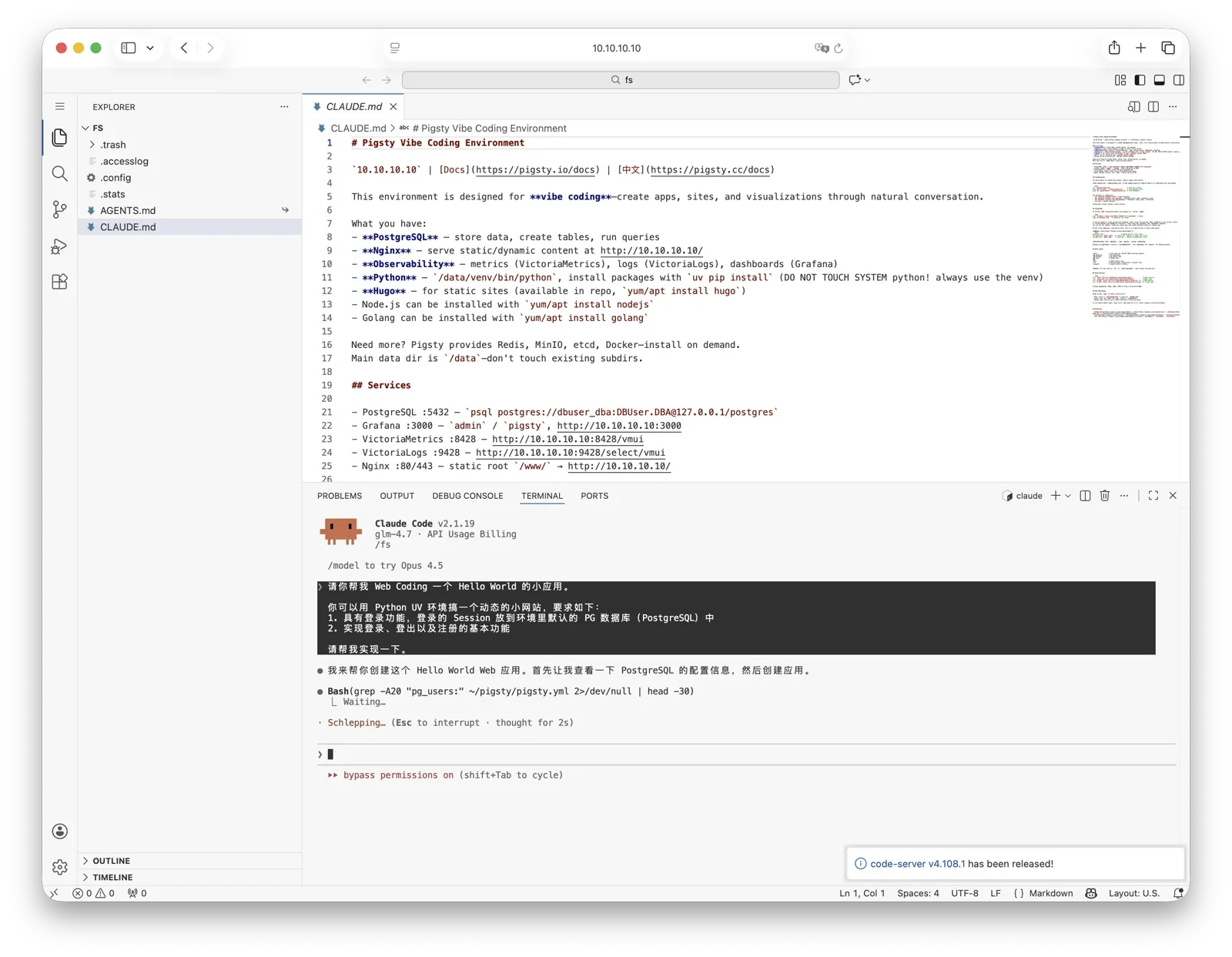
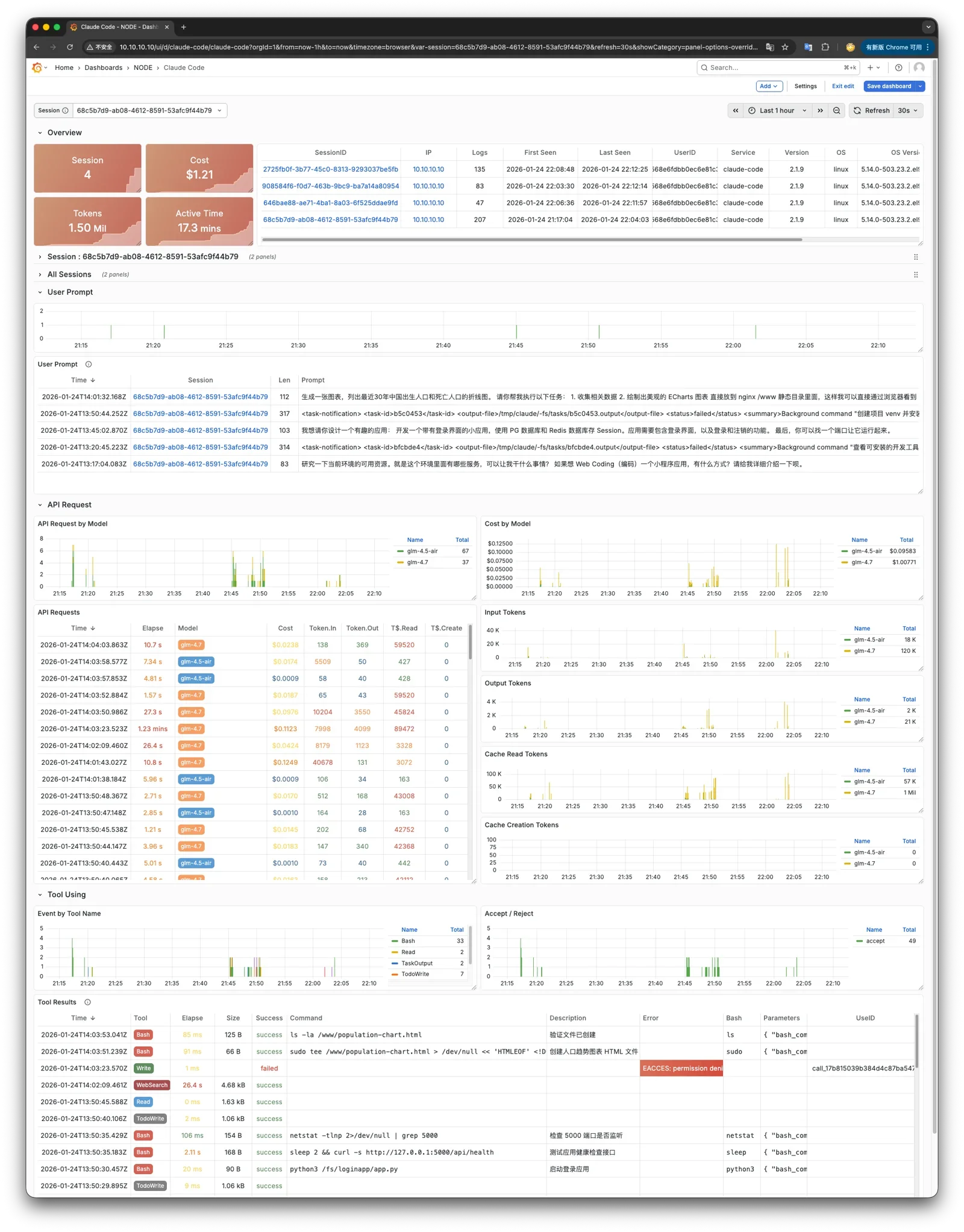
Claude here has logs and monitoring metrics integrated with Grafana dashboards, monitor Claude’s running status through Grafana.
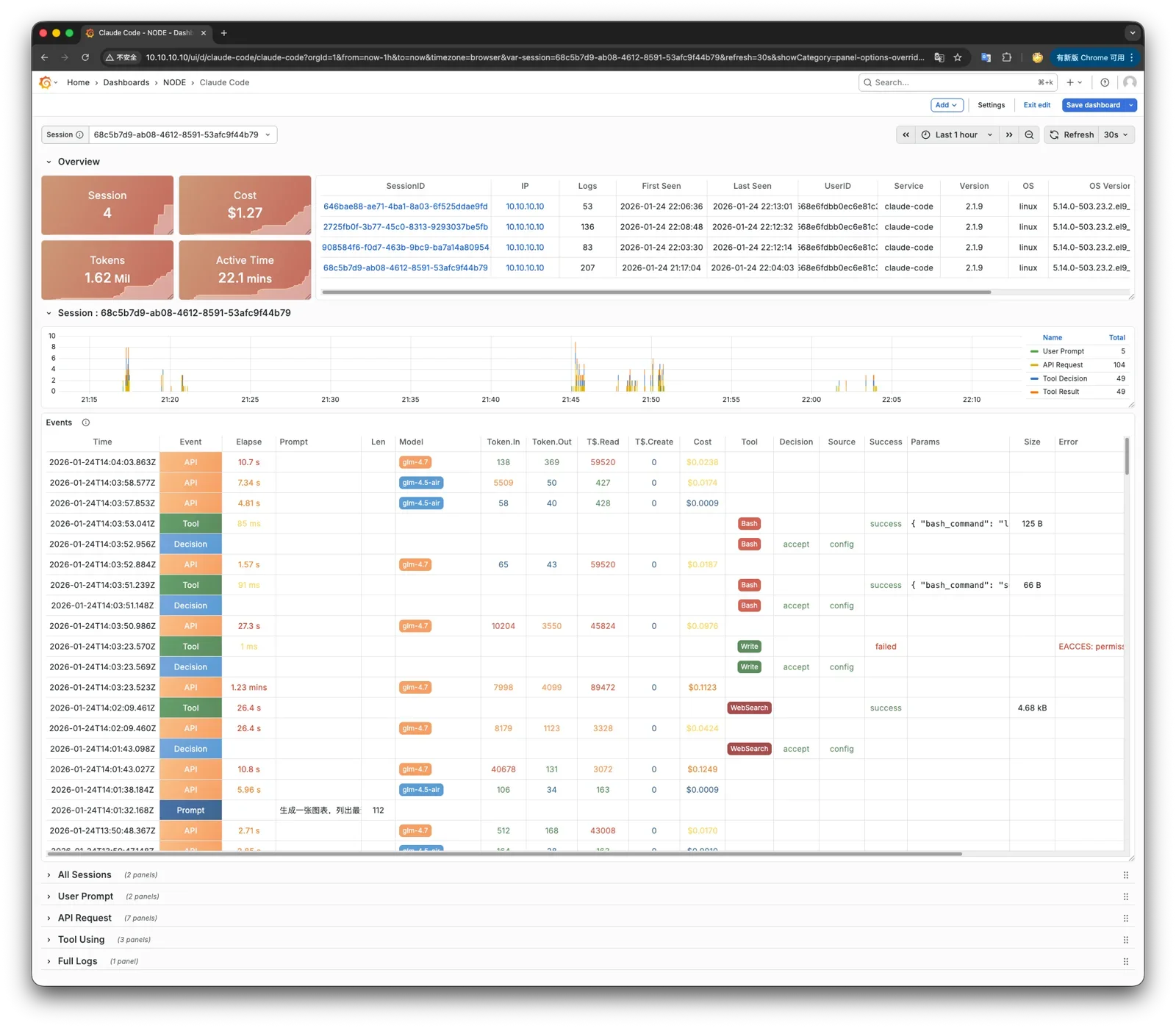
Using Other Models
To use other models like GLM 4.7 (no VPN required in China), modify pigsty.yml config during installation,
find claude_env section at the bottom, add environment variables as needed:
    # you can use other models here!
    claude_env:
      ANTHROPIC_BASE_URL: https://open.bigmodel.cn/api/anthropic
      ANTHROPIC_API_URL: https://open.bigmodel.cn/api/anthropic
      ANTHROPIC_AUTH_TOKEN: your_api_service_token # Put your KEY here!
      ANTHROPIC_MODEL: glm-4.7
      ANTHROPIC_SMALL_FAST_MODEL: glm-4.5-air
Then re-run ./vibe.yml.
Start Vibe
Now you can start Vibe Coding by prompting, /fs/CLAUDE.md already contains info about available resources in the environment.
Video tutorials coming soon.